The data contained in this publication is intended merely as a guide. Fiat Chrysler Automobiles reserves the right to modify
the models and versions described in this booklet at any time for technical and commercial reasons.
If you have any further questions please consult your FIAT dealer.
Printed in recycled paper without chlorine.
OWNER HANDBOOK
TIPO 4DOORS
ENGLISH
Cop TIPO LUM GB.qxp_500 UM ITA 02/12/15 09:34 Pagina 1

We really know your car because we invented, designed and built it: we really know every single detail.
At Fiat Service authorised workshops you can find technicians directly trained by us,
offering quality and professionalism for all service operations.
Fiat workshops are always close to you for the regular servicing operations, season checks
and practical recommendations by our experts.
With Original Parts distributed by MOPAR
®
, you maintain the reliability, comfort
and performance features that you bought your new car for over time.
Always ask for Genuine Parts for the components used on our cars; we recommend them because
they come from our steady commitment in research and development of highly innovative technologies.
For all these reasons: rely on Genuine Parts, because they are the only ones designed
by FCA for your car.
SAFETY:
BRAKING SYSTEM
ENVIRONMENT: PARTICULATE FILTERS,
CLIMATE CONTROL MAINTENANCE
COMFORT: SUSPENSION
AND WINDSCREEN WIPERS
PERFORMANCE: SPARK PLUGS,
INJECTORS AND BATTERIES
LINEACCESSORI
ROOF RACK BARS, WHEEL RIMS
WHY CHOOSING
GENUINE PARTS
This Owner Handbook is intended to show the vehicle's operating conditions.
For the enthusiast user who wants to have insights, curiosities and detailed information about the characteristics and functions
of the vehicle, Fiat gives the opportunity to consult a dedicated section which is available in electronic format.
ONLINE VEHICLE OWNER HANDBOOK
The following symbol is reported within the text of the Owner Handbook, next to the subjects for which details are provided.
Go to the www.mopar.eu/owner
website and access your personal area.
The “Maintenance and care” page includes all the information about your vehicle and the link to access eLUM, where you will find
all the details of the Owner Handbook.
Alternatively, to access this information, go to the Internet website at http://aftersales.fiat.com/elum/
.
The eLUM website is free and will allow you, among many other things, to easily consult the on-board documents
of all the other vehicles of the Group.
Have a nice reading and happy motoring!
Cop TIPO LUM GB.qxp_500 UM ITA 02/12/15 09:34 Pagina 2

Dear Customer,
We would like to congratulate and thank you for choosing a Fiat.
We have written this handbook to help you get to know all the features of your vehicle and use it in the best possible way.
Here you will find information, advice and important warnings regarding use of your vehicle and how to achieve the best
performance from its technical features.
You are advised to read it right through before taking to the road for the first time, to become familiar with the controls and
above all with those concerning brakes, steering and gearbox; at the same time, you can understand the vehicle behaviour on
different road surfaces.
This document also provides a description of special features and tips, as well as essential information for the safe driving, care
and maintenance of your vehicle over time.
After reading it, you are advised to keep the handbook inside the vehicle, for an easy reference and for making sure it remains
on board the vehicle should it be sold.
In the attached Warranty Booklet you will also find a description of the Services that Fiat offers to its customers, the Warranty
Certificate and the detail of the terms and conditions for maintaining its validity.
We are sure that these will help you to get in touch with and appreciate your new vehicle and the service provided by the
people at Fiat.
Enjoy reading. Happy motoring!
This Owner Handbook describes all vehicle versions. Options, equipment dedicated to specific markets or
versions are not explicitly indicated in the text: as a consequence, you should only consider the information which
is related to the trim level, engine and version that you have purchased. Any content introduced throughout the
production of the model, outside the specific request of options at the time of purchase, will be identified with the
wording (where provided).
All data contained in this publication are intended to help you use your vehicle in the best possible way. FCA Italy
S.p.A. aims at a constant improvement of the vehicles produced. For this reason it reserves the right to make
changes to the model described for technical and/or commercial reasons.
For further information, contact a Fiat Dealership.
READ THIS CAREFULLY
REFUELLING
Petrol engines: only refuel with unleaded petrol with octane rating (RON) not less than 95 in compliance with the European specification
EN228.
For further details on the use of the correct fuel see the "Refuelling the vehicle" paragraph in the "Starting and driving" chapter.
Diesel engines: refuel only with Diesel fuel motor vehicles conforming to the European specification EN590. The use of other products or
mixtures may damage the engine beyond repair and consequently invalidate the warranty, due to the damage caused.
For further details on the use of the correct fuel see the "Refuelling the vehicle" paragraph in the "Starting and driving" chapter.
STARTING THE ENGINE
Versions with manual gearbox (petrol engines): make sure that the handbrake is engaged; set the gear lever to neutral, fully depress the
clutch pedal without pressing the accelerator, then turn the ignition key to AVV and release the key as soon as the engine has started.
Versions with manual gearbox (Diesel engines): make sure that the handbrake is engaged; set the gear lever to neutral, fully depress the
clutch pedal without pressing the accelerator, then turn the ignition key to MAR and wait for the
warning light to switch off. Turn the
ignition key to AVV and release it as soon as the engine starts.
Versions with automatic transmission (where present): make sure that the handbrake is engaged and that the gear lever is in P (Parking) or
N (Neutral), depress the brake pedal, without pressing the accelerator pedal, then turn the ignition key to AVV or press the ignition device
button; release the key or the button as soon as the engine has started.
PARKING ON FLAMMABLE MATERIAL
The catalytic converter develops high temperatures during operation. Do not park the car on grass, dry leaves, pine needles or other flammable
material: fire hazard.
RESPECTING THE ENVIRONMENT
The vehicle is fitted with a system that carries out a continuous diagnosis of the emission-related components in order to help protect the
environment.
ELECTRICAL ACCESSORIES
If, after buying the vehicle, you decide to add electrical accessories (with the risk of gradually draining the battery), contact a Fiat Dealership.
They can calculate the overall electrical requirement and check that the vehicle's electric system can support the required load.
SCHEDULED SERVICING
Correct maintenance of the car is essential for ensuring that it maintains its performance and its safety features, its environmental friendliness
and low running costs for a long time to come.
SYMBOLS
Some car components have coloured labels whose symbols indicate precautions to be observed when using this component.
A plate summarising these symbols can also be found under the bonnet.

VEHICLE CHANGES / ALTERATIONS
IMPORTANT Any change or alteration of the vehicle might seriously affect its safety and road holding, thus causing accidents,
in which the occupants could even be fatally injured.
USE OF THE OWNER HANDBOOK
OPERATING INSTRUCTIONS
Each time direction instructions (left/right or forwards/backwards) about the vehicle are given, these must be understood as
regarding an occupant in the driver's seat. Special cases not complying with this rule will be specified as appropriate in the text.
The figures in the Owner Handbook are provided by way of example only: this might imply that some details of the image do
not correspond to the actual arrangement of your vehicle. In addition, the Handbook has been conceived considering vehicles
with steering wheel on the left side; it is therefore possible that on vehicles with steering wheel on the right side, the position or
construction of some controls is not exactly mirror-like with respect to the figure.
To identify the chapter with the information needed you can consult the index at the end of this Owner Handbook.
Chapters can be rapidly identified with dedicated graphic tabs, at the side of each odd page. A few pages further there is a key
for getting to know the chapter order and the relevant symbols in the tabs. There is in any case a textual indication of the
current chapter at the side of each even page.
WARNINGS AND PRECAUTIONS
While reading this Owner Handbook you will find a series of WARNINGS to prevent procedures that could damage your
vehicle.
There are also PRECAUTIONS that must be carefully followed to prevent incorrect use of the components of the vehicle,
which could cause accidents or injuries.
Therefore all WARNINGS and PRECAUTIONS must always be carefully followed.
WARNINGS and PRECAUTIONS are recalled in the text with the following symbols:
personal safety;
vehicle safety;
environmental protection.
NOTE These symbols, when necessary, are indicated besides the title or at the end of the line and are followed by a number.
That number recalls the corresponding warning at the end of the relevant section.
KNOWING YOUR CAR
KNOWING THE INSTRUMENT PANEL
SAFETY
STARTING AND DRIVING
IN AN EMERGENCY
SERVICING AND CARE
TECHNICAL DATA
MULTIMEDIA
INDEX

KNOWING YOUR CAR
In-depth knowledge of your new vehicle
starts here.
The booklet that you are reading simply
and directly explains how it is made and
how it works.
That’s why we advise you to read it
seated comfortably on board, so that
you can see immediately what is
described here for yourself.
INSTRUMENT PANEL ...........8
THE KEYS ..................9
IGNITION DEVICE ............10
FIAT CODE .................11
DOORS ...................11
SEATS....................13
HEADRESTS................16
STEERING WHEEL............17
REAR VIEW MIRRORS .........18
EXTERNAL LIGHTS ...........19
INTERIOR LIGHTS ............22
WINDSCREEN WASHER / WIPER . .23
CLIMATE CONTROL ...........25
ELECTRIC WINDOWS..........30
BONNET ..................31
DUALDRIVE ELECTRIC POWER
STEERING .................32
BOOT ....................33
7
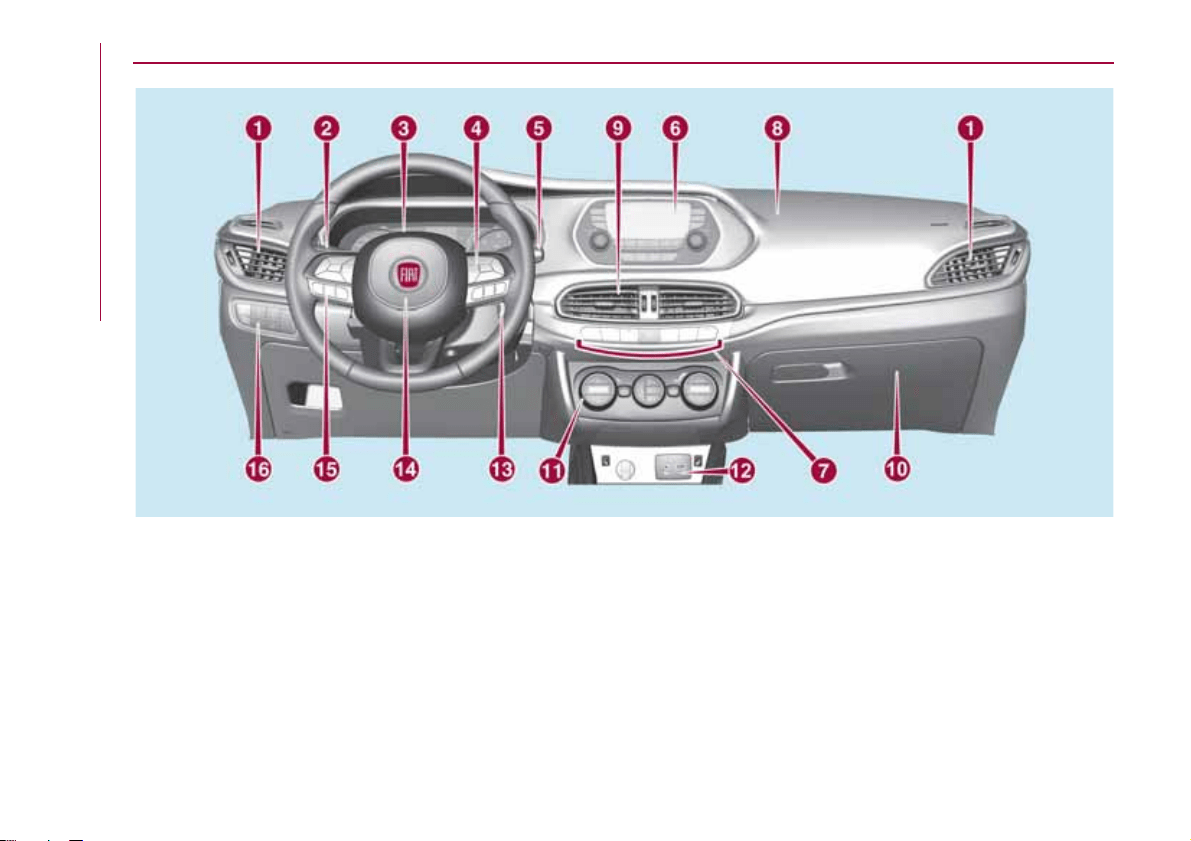
INSTRUMENT PANEL
1. Adjustable side air diffusers 2. Left stalk: direction indicators, main beam headlights, flashings 3. Instrument panel
4. Steering wheel controls: Cruise Control 5. Right stalk: windscreen wiper / windscreen washer, setting of the rain sensor
sensitivity level
6.
Adjustable central air diffusers7.
Uconnect™ radio
8. Passenger front airbag 9.
Glove compartment
10.
Control buttons
11.
Buttons on the central console: seat heating, USB port + AUX plug panel,
socket/cigarette lighter
12.
Climate controls
13. Ignition device 14. Driver front airbag 15. Steering wheel controls: display menu, trip computer,
multimedia, telephone, voice recognition 16. Control panel: front fog lights (where present), rear fog lights, headlight alignment
adjustment, iTPMS reset, ESC OFF (where present).
1
03036J0001EM
8
KNOWING YOUR CAR
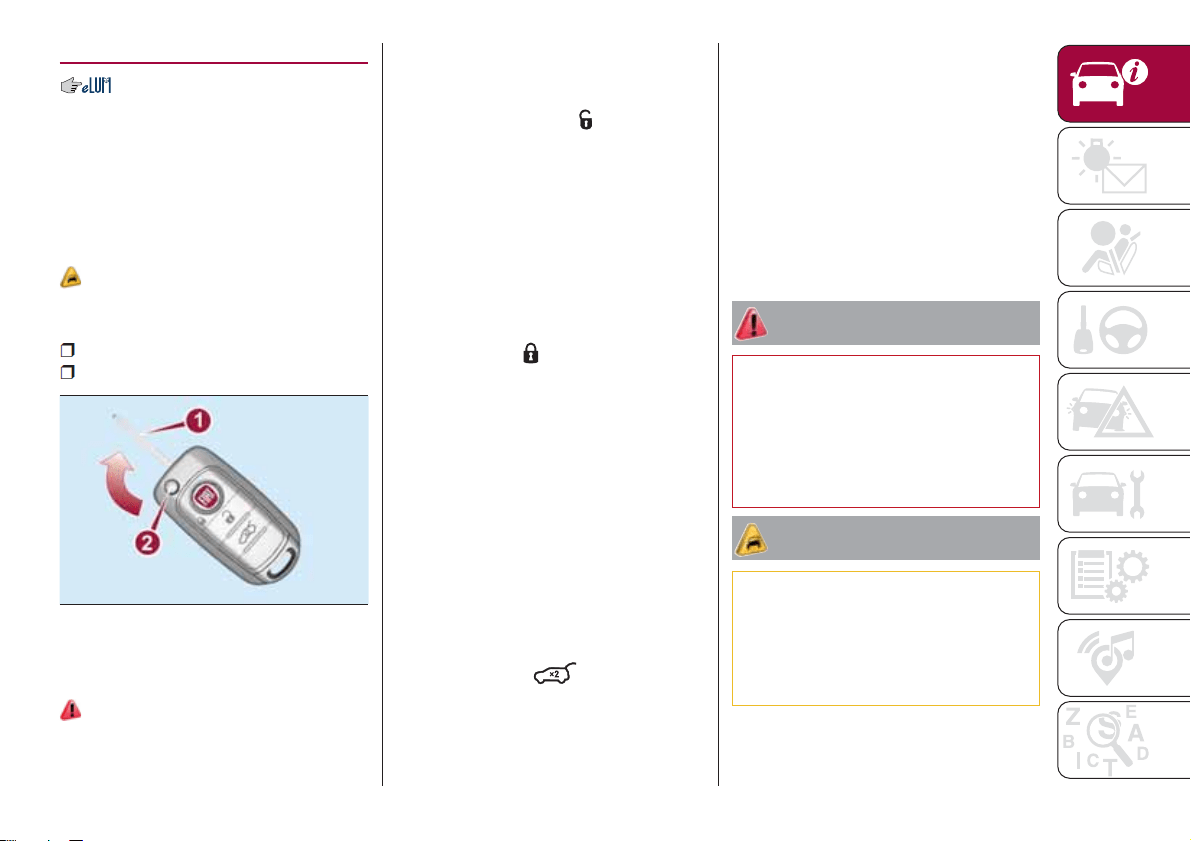
THE KEYS
KEY WITHOUT REMOTE
CONTROL
The metal insert of the key operates:
the ignition device and the driver's side
door lock.
KEY WITH REMOTE
CONTROL
1)
The metal insert 1 fig. 2 of the key
operates:
the ignition switch;
the driver's door lock.
Press button 2 to open/close the metal
insert.
1)
OPERATION
Unlocking doors and luggage
compartment
Briefly press the button
: unlocking of
doors and luggage compartment (if
present), timed switching-on of internal
lights and double flashing of direction
indicators (if present).
The doors can always be unlocked by
putting the metal insert inside the driver
side door lock.
Door and luggage compartment
locking
Briefly press the
“FIAT” button:
locking of doors and luggage
compartment (if present) and single
flash of direction indicators (if present).
If one or more door are open, the doors
will not be locked. This situation is
indicated by a rapid flashing of the
direction indicators (where provided).
The doors will be locked if the tailgate is
open however.
The doors can always be locked by
putting the metal insert inside the driver
side door lock.
Opening the boot
Rapidly press the
button twice to
open the luggage compartment
remotely.
The direction indicators will flash twice
to indicate that the luggage
compartment has been opened.
REQUEST FOR
ADDITIONAL KEYS
Key with remote control
The system can recognise up to 8 keys
with remote control.
Duplicating keys
Should a new key with remote control
be necessary, go to a Fiat Dealership,
taking an ID document and the car
ownership documents.
WARNING
1) Press button 2 only with the key away
from your body, especially your eyes and
from objects which could get damaged
(e.g. your clothes). Do not leave the key
unattended to avoid the button being
accidentally pressed while it is being
handled, e.g. by a child.
IMPORTANT
1) The electronic components inside the
key may be damaged if the key is subjected
to strong shocks. In order to ensure
complete efficiency of the electronic
devices inside the key, it should never be
exposed to direct sunlight.
2
04016J0001EM
9
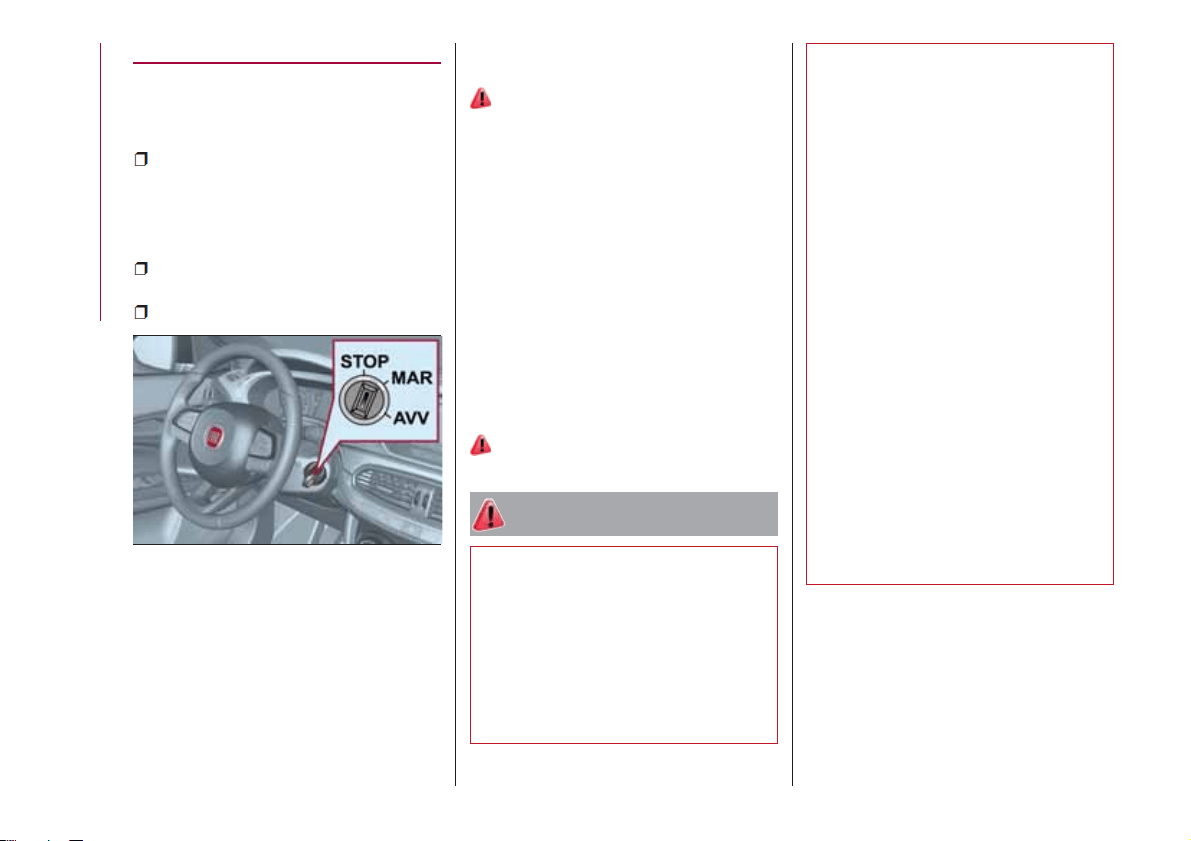
IGNITION DEVICE
OPERATION
The key can be turned to three different
positions fig. 3:
STOP: engine off, key can be
removed, steering column locked (with
key removed). Some electrical devices
(e.g. central door locking system, etc.)
are still available;
MAR: driving position. All electrical
devices are available;
AVV: engine starting.
The ignition device is fitted with a safety
system that requires the ignition key to
be turned back to STOP if the engine
does not start, before the starting
operation can be repeated.
On versions with automatic
transmission (if present) the ignition key
can only be removed when the gear
lever is at P (Park).
2) 3)
STEERING LOCK
Activation
When the key is in the STOP position,
remove the key and turn the steering
wheel until it locks.
IMPORTANT If the ignition key has been
moved from the MAR to the STOP
position, the steering lock cannot
engage until the key is removed from
the ignition device.
Deactivation
Move the steering wheel slightly and
turn the key to MAR.
4) 5) 6) 7)
WARNING
2) If the ignition device has been tampered
with (e.g. an attempted theft), have it
checked by a Fiat Dealership before driving
again.
3) Always take the key with you when you
leave your vehicle to prevent someone
from accidentally operating the controls.
Remember to engage the parking brake.
Never leave children unattended in the
vehicle.
4) It is absolutely forbidden to carry out any
after-market operation involving steering
system or steering column modifications
(e.g. installation of anti-theft device) that
could adversely affect performance,
invalidate the warranty, cause serious
safety problems and also result in the car
not meeting type-approval requirements.
5) Never extract the mechanical key while
the vehicle is moving. The steering wheel
will automatically lock as soon as it is
turned. This holds true for cars being
towed as well.
6) Before exiting the vehicle, ALWAYS
engage the parking brake, steer the
wheels, engage the first gear if uphill and
the reverse if downhill. On versions with
automatic transmission (where present),
bring the gear lever to P (Park) and turn the
ignition device to bring it to STOP. If the
vehicle is parked on a steep slope, chock
the wheels with wedges or stones. When
leaving the vehicle, always lock all the
doors by pressing the button on the key.
7) On versions with automatic transmission
(where present), it is advisable to put the
transmission in P, release the brake pedal
safely and then stop the engine to release
the key smoothly.
3
04026J0001EM
10
KNOWING YOUR CAR
FIAT CODE
The Fiat Code system prevents
unauthorised use of the vehicle,
disabling engine starting.
The system does not need to be
enabled/activated: operation is
automatic, regardless of the fact that
the vehicle's doors are locked or
unlocked.
When the ignition device is set to MAR,
the Fiat Code system identifies the
code transmitted by the key. If the code
is recognised as valid, the Fiat Code
system enables engine starting.
When the ignition device is brought
back to STOP, the Fiat Code system
deactivates the control unit controlling
the engine, thus preventing its starting.
For the correct engine starting
procedures, see the instructions in the
"Starting the engine" paragraph,
"Starting and driving" chapter.
IRREGULAR OPERATION
If, during starting, the key code is not
correctly recognised, the
icon is
displayed on the instrument panel (see
the instructions in the "Warning lights
and messages" paragraph, "Knowing
the instrument panel" chapter). This
condition leads to the engine switching
off after 2 seconds. In this case, bring
the ignition device to STOP and then to
MAR; if it is still blocked, try with the
other keys provided. If it is still not
possible to start the engine, contact a
Fiat Dealership.
If the
icon is displayed while
driving, this means that the system is
running a self-diagnosis (e.g. due to a
voltage drop). If the display persists,
contact a Fiat Dealership.
DOORS
LOCKING/UNLOCKING
DOORS FROM THE
INSIDE
Automatic locking in motion
If all doors are closed properly, they will
automatically be locked once the
vehicle has exceeded 20 km/h
("Autoclose" function). This function can
also be disabled using the menu on the
instrument panel.
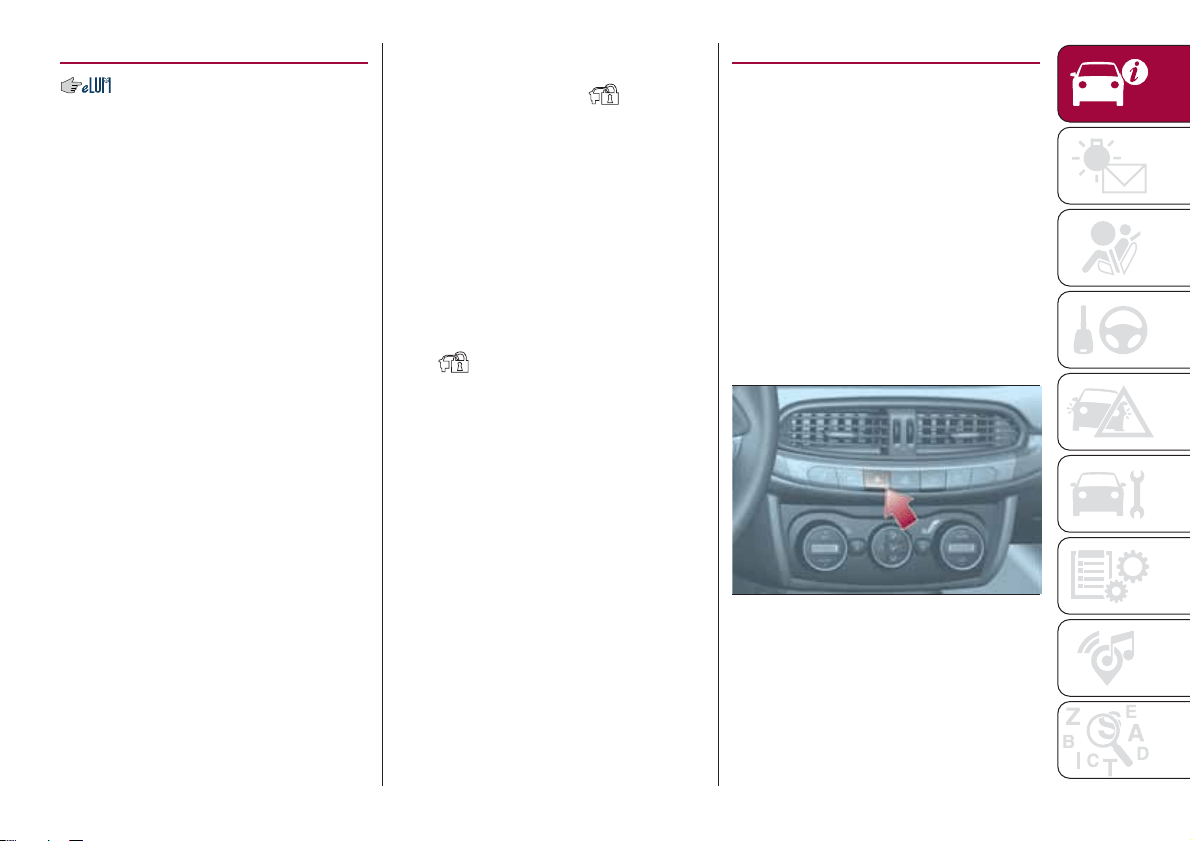
Manual locking/unlocking
Press the button shown in fig. 4 on the
central dashboard panel.
LED on button on: doors locked.
LED on button off: doors unlocked.
IMPORTANT Activating the front door
handle causes the opening of all doors
4
04056J0001EM
11

and the rear door. The LED will switch
off subsequently to the opening of any
door.
LOCKING/UNLOCKING
DOORS FROM THE
OUTSIDE
Locking from the outside
With the doors closed, press the
"
FIAT" button on the key or fit and then
turn its metal insert in the driver's door
lock.
The door lock can anyway be activated
with all doors locked and the rear flap
open (for versions/markets, where
provided). Once the
" FIAT" button
on the key is pressed, all locks are
closed, including the one for the open
rear flap. When the open rear flap is
closed, it will be locked and can no
longer be opened from outside.
8)
2) 3)
Door unlocking from the outside
Press the
button on the key or turn
its metal insert in the driver's door lock.
Door opening/closing mechanism
initialisation
If the battery is disconnected or the
protection fuse blows, the door
opening/closing mechanism must be
initialised as follows:
close all the doors;
press the button on the remote
control;
press the button on the remote
control.
CHILD SAFETY DEVICE
9) 10)
This system prevents the rear doors
from being opened from the inside.
This device 2 fig. 5 can be engaged
only with the doors open:
position A: device engaged (door
locked);
position B: device not engaged
(door may be opened from the inside).
The device remains engaged even if the
doors are electrically unlocked.
IMPORTANT The rear doors cannot be
opened from the inside when the child
safety device is engaged.
Passenger side front door and rear
door emergency locking device
Used to lock the doors when there is no
electrical power supply. Insert the metal
insert of the ignition key in position 1
indicated in fig. 5 (passenger side front
door) or 1 fig. 6 (rear doors) and then
turn the key clockwise and then remove
it from position 1.
To restore the starting condition of the
door locks (only if battery charge
restored) press the
button on the
remote control or the
button on the
dashboard or introduce the metal insert
of the ignition key in the driver's side
front door pawl and pull the door inner
handle.
5
04056J0008EM
6
04056J0007EM
12
KNOWING YOUR CAR
WARNING
8) If the child lock was engaged and the
previously described locking procedure
carried out, operating the internal opening
handle will not open the door: in this case,
to open the door, the outside handle must
be used. The door central locking/
unlocking button is not disabled by the
engagement of the emergency lock.
9) NEVER leave children unattended inside
the car, let alone leave the car with the
doors unlocked in a place that children can
access easily. Children may seriously, or
even fatally, injure themselves. Also ensure
that children do not inadvertently operate
the parking brake, the brake pedal or the
automatic transmission lever (where
present).
10) Always use this device when carrying
children. After engaging the child lock on
both rear doors, check for effective
engagement by trying to open a door with
the internal handle.
IMPORTANT
2) Make sure to take the key with you once
a door or the tailgate is locked, to prevent
locking the same key inside the vehicle. If
the key has been locked in, it can only be
recovered using the second provided key.
3) If the child lock was engaged and the
previously described locking procedure
carried out, operating the internal opening
handle will not open the door: in this case,
to open the door, the outside handle must
be used. The central locking/unlocking
button is not disabled by the engagement
of the emergency lock.
SEATS
FRONT SEATS WITH
MANUAL ADJUSTMENT
11)
4)
Longitudinal adjustment
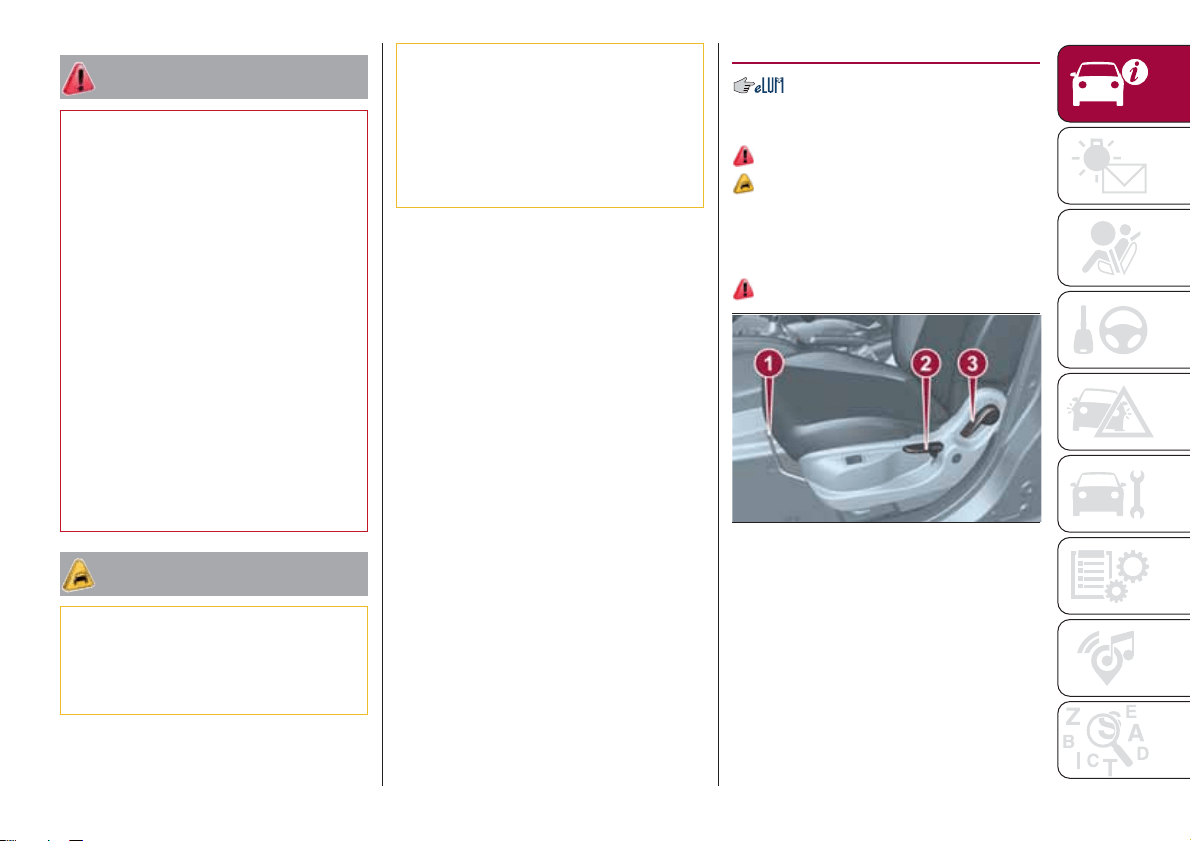
Lift lever 1 fig. 7 and push the seat
forwards or backwards.
12)
IMPORTANT Carry out the adjustment
while sitting on the seat involved (driver
side or passenger side).
Height adjustment
(where provided)
Move lever 2 upwards or downwards to
achieve the required height.
7
04066J0001EM
13
IMPORTANT Carry out the adjustment
while sitting on the seat involved (driver
side or passenger side).
Backrest angle adjustment
Pull lever 3 and accompanying the
backrest with the movement of your
torso (operate the lever until the desired
position is reached, then release it).
Electric lumbar adjustment
(where provided)
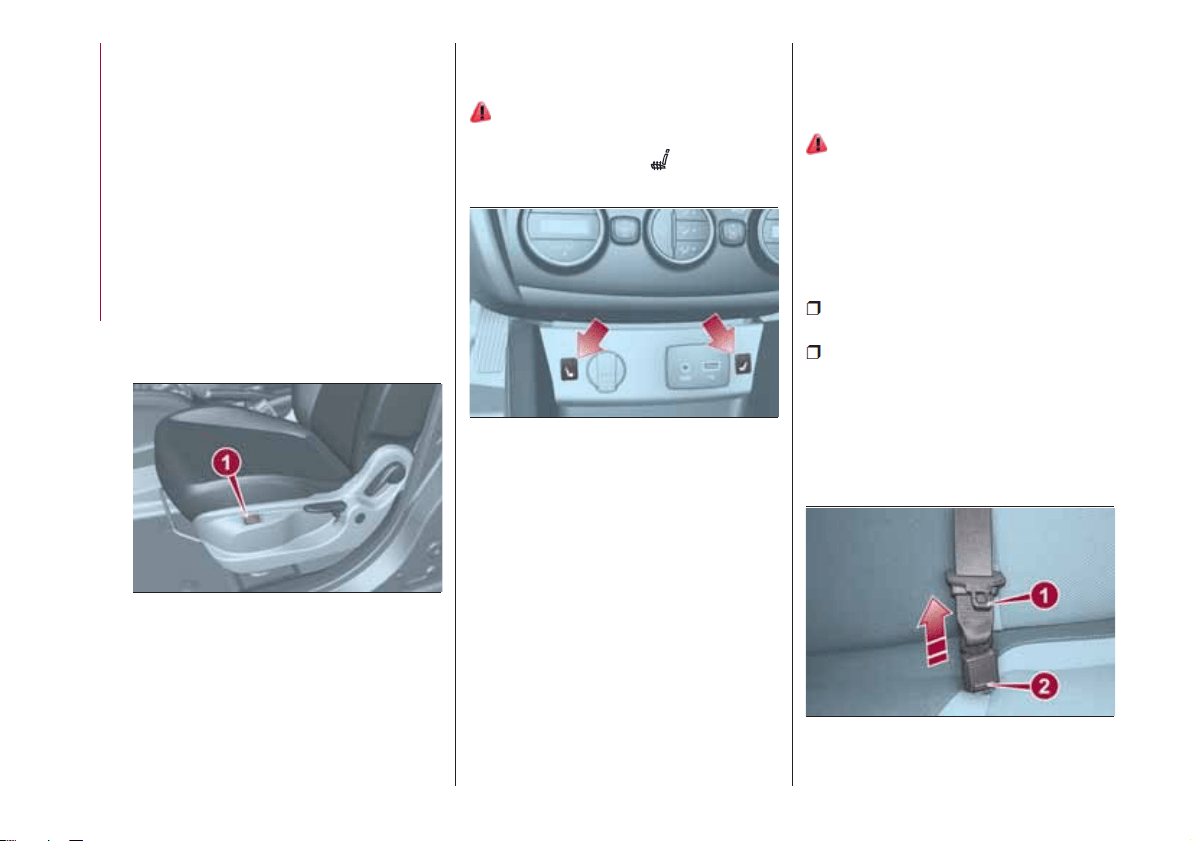
When the ignition device is at MAR,
press button 1 fig. 8 to adjust the
lumbar area support, until the maximum
driving comfort is achieved.
FRONT SEAT ELECTRIC
HEATING
(where provided)
14) 15)
With ignition device in the MAR
position, press buttons
fig. 9 on the
dashboard.
After selecting seat heating, you need
to wait for two to five minutes until the
effect is noticed.
IMPORTANT To preserve the battery
charge, this function cannot be
activated when the engine is off.
REAR SEATS
Partial extension of the luggage
compartment (1/3 or 2/3)
(where provided)
13)
Extending the right side of the luggage
compartment allows you to carry two
passengers on the left part of the rear
seat, while extending the left side allows
you to carry just one passenger.
Proceed as follows:
completely lower the rear seat head
restraints;
release the central seat belt: push
the red button 2 fig. 10 located on the
front area of the buckle using the loose
tongue 1 and release the tongue from
the left side buckle. Release the seat
belt allowing it to fully return into the
rewinding device behind the backrest;
8
04066J0002EM
9
04066J0004EM
10
04066J0010EM
14
KNOWING YOUR CAR
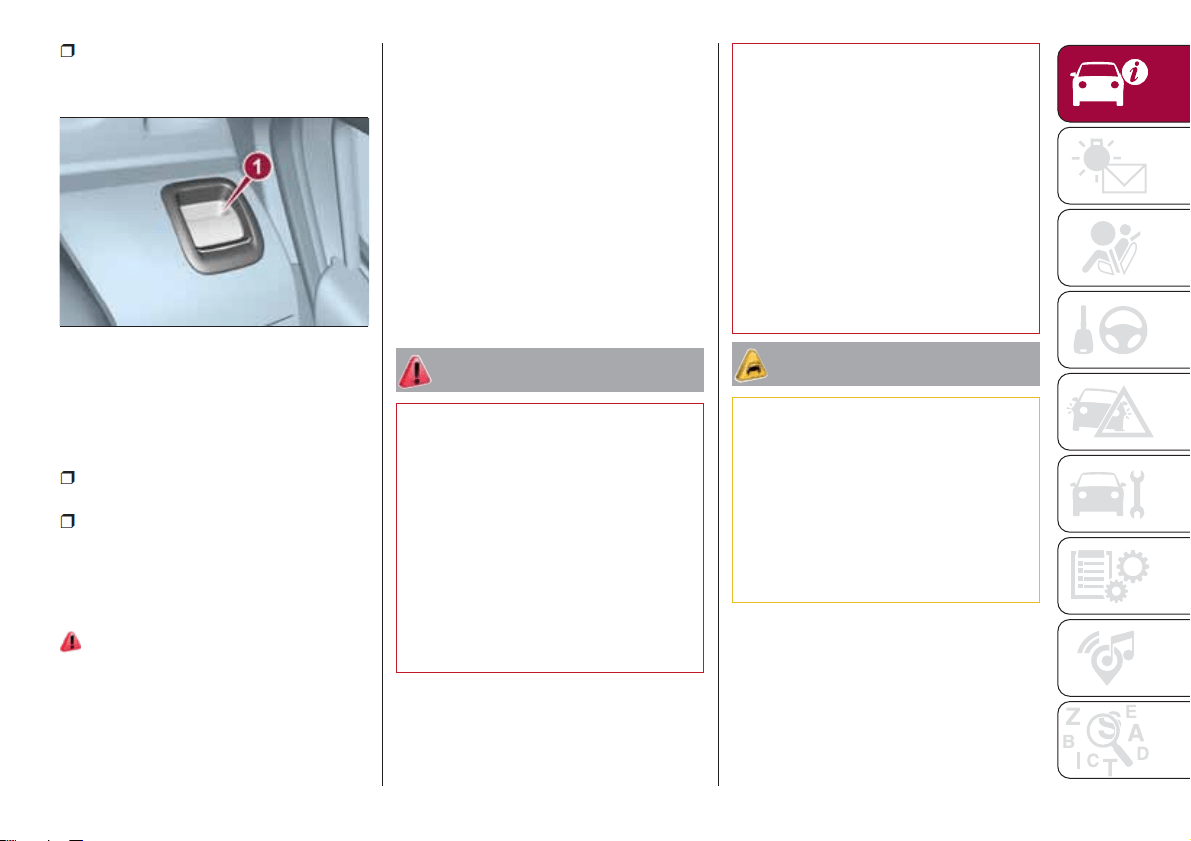
fig. 11 to fold the required backrest
section.
Total luggage compartment
extension
Tilting the rear seat completely forwards
allows maximum loading volume.
Proceed as follows:
completely lower the rear seat head
restraints;
operate release devices 1 to fold
both the right and the left backrest
section, following as previously
described.
Repositioning the backrests
13)
Raise the backrests and push them
back until the locking click of both
retainers is heard. Visually check that
the red marks have disappeared from
the release devices 1 fig. 11. The
presence of the red notches indicates
that the backrest is not secured. In the
left buckle (without the red unlock
button on the slot) insert the first tongue
which is located at the end of the
diagonal section of the seat belt of the
central seat.
IMPORTANT When returning the rear
seat from the tilted position to the
normal operating position, take care to
refit the seat belt correctly, in order to
guarantee prompt availability every
time.
WARNING
11) All adjustments must be made with the
car stationary.
12) Once you have released the
adjustment lever, always check that the
seat is locked on the guides by trying to
move it back and forth. If the seat is not
locked into place, it may unexpectedly slide
and cause the driver to lose control of the
car.
13) Make sure the backrests are properly
secured at both sides (not visible "red
notches) to prevent them from moving
forward, in the event of sharp braking, with
possible impact with of the passengers.
14) People who can't feel skin pain due to
advanced age, chronic diseases, diabetes,
spine damage, medication, alcohol,
exhaustion, or other physical conditions,
must be careful when using the seat
heater. It could cause burns even at a low
temperature, especially when used for long
periods of time.
15) Do not place objects on the seat or on
the backrest that may isolate the heat,
such as a cover or a pillow. It may cause
the seat heating device to overheat. Sitting
on an overheated seat may cause severe
burns due to the increase in temperature of
the seat surface.
IMPORTANT
4) The fabric upholstery of the seats has
been designed to withstand long-term wear
deriving from normal use of the car. Some
precautions are however required. Avoid
prolonged and/or excessive rubbing
against clothing accessories such as metal
buckles and Velcro strips which, by
applying a high pressure on the fabric in a
small area, could cause it to break, thereby
damaging the upholstery.
11
04066J0007EM
15
operate release device 1 (right or left)
HEADRESTS
FRONT HEAD
RESTRAINTS
16)
Adjustment
They can be adjusted to 4 height
positions (completely raised / 2
intermediate positions / completely
lowered).
Upward adjustment: raise the head
restraint until it clicks into place.
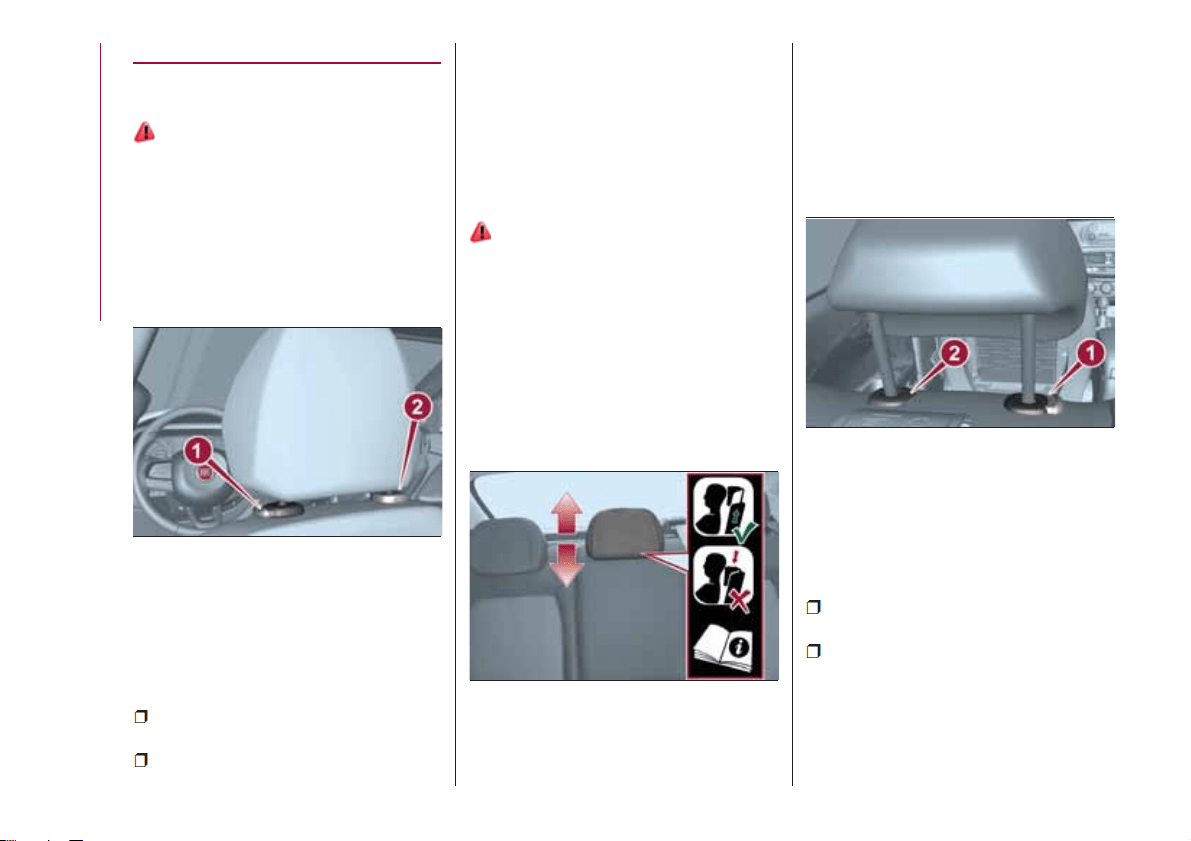
Downward adjustment: press button 1
fig. 12 and lower the head restraint.
Removal
Proceed as follows to remove the head
restraint:
tilt the backrest (to prevent it from
coming into contact with the roof);
press both buttons 1 and 2 fig. 12 at
the side of the two supports, then
remove the head restraint.
IMPORTANT Always reposition the
head restraints if they have been
removed before starting to drive
normally.
REAR HEAD RESTRAINTS
16)
Adjustment
Two side and one central head
restraints (where provided) can be
height-adjusted to 3 positions
(completely raised / intermediate /
completely lowered) are provided for
the rear seats
Upward adjustment: raise the head
restraint until it clicks into place.
On some versions, the label shown in
fig. 13 reminds the passenger using the
rear central seat to correctly adjust the
head restraint by lifting it up to one of
the two possible positions.
IMPORTANT To permit maximum
visibility for the driver, if the head
restraints are not used, they are moved
to the rest position: fully down.
Downward adjustment: press button 1
fig. 14 and lower the head restraint.
Removal
Proceed as follows to remove the head
restraint:
raise the head restraint to its
maximum height;
press buttons 1 and 2 fig. 14 at the
side of the two supports, then remove
the head restraint.
For versions with folding rear backrests,
use the release device to fold the
12
04076J0001EM
13
04076J0002EM
14
04076J0003EM
16
KNOWING YOUR CAR
backrests approx. 45 degrees to make
it easier to remove the head restraints.
IMPORTANT Always reposition the
head restraints if they have been
removed before starting to drive
normally.
WARNING
16) Head restraints must be adjusted so
that the head, rather than the neck, rests
on them. Only in this case they can protect
your head correctly. Any removed head
restraints must be repositioned correctly, in
order to protect the occupants in the event
of impact: follow the instructions above.
STEERING WHEEL
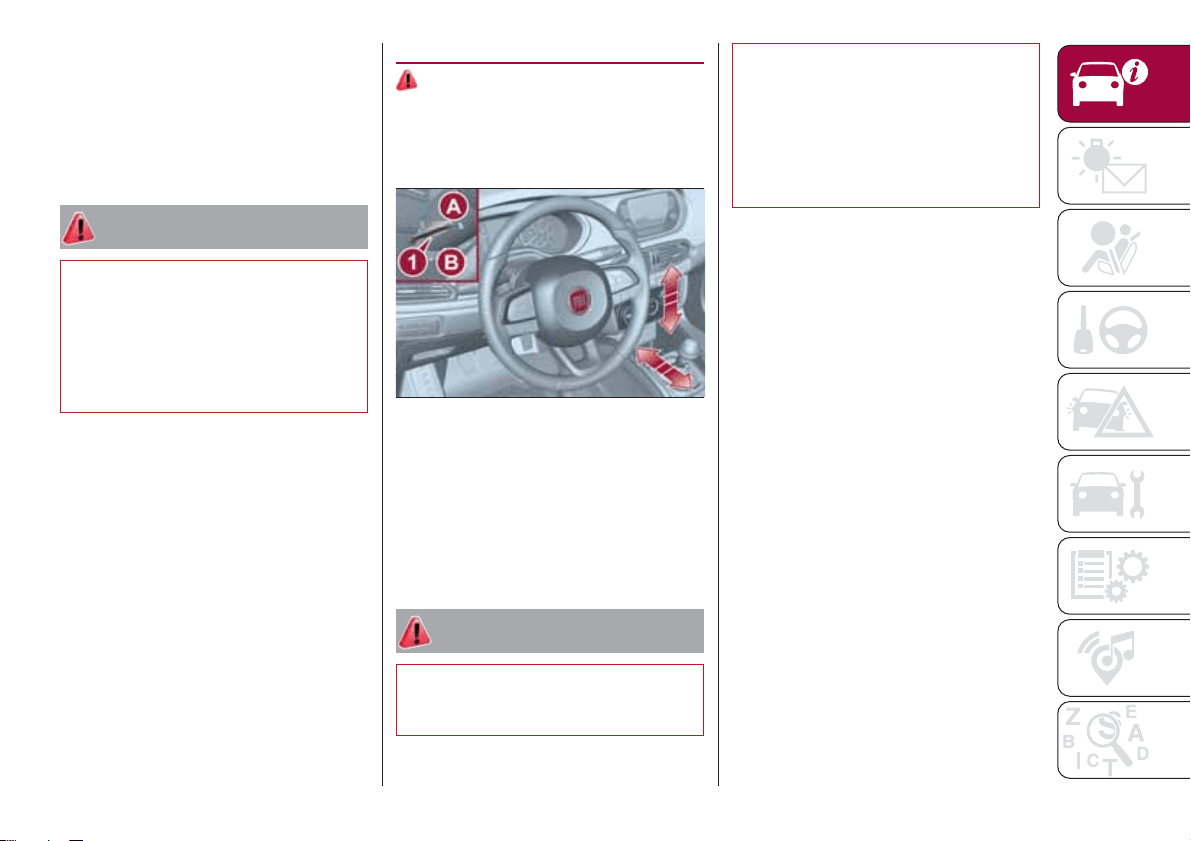
17) 18)
ADJUSTMENTS
The steering wheel can be adjusted
both in height and axially.
To adjust the position bring the lever 1
fig. 15 down to position B after which
the steering wheel can be adjusted to
the most suitable position and
subsequently locked in this position by
bringing lever 1 to position A again.
WARNING
17) All adjustments must be carried out
only with the car stationary and engine
stopped.
18) It is absolutely forbidden to carry out
any after-market operation involving
steering system or steering column
modifications (e.g. installation of anti-theft
device) that could adversely affect
performance and safety, invalidate the
warranty and also result in the car not
meeting type-approval requirements.
15
04086J0001EM
17
REAR VIEW
MIRRORS
INTERIOR MIRROR
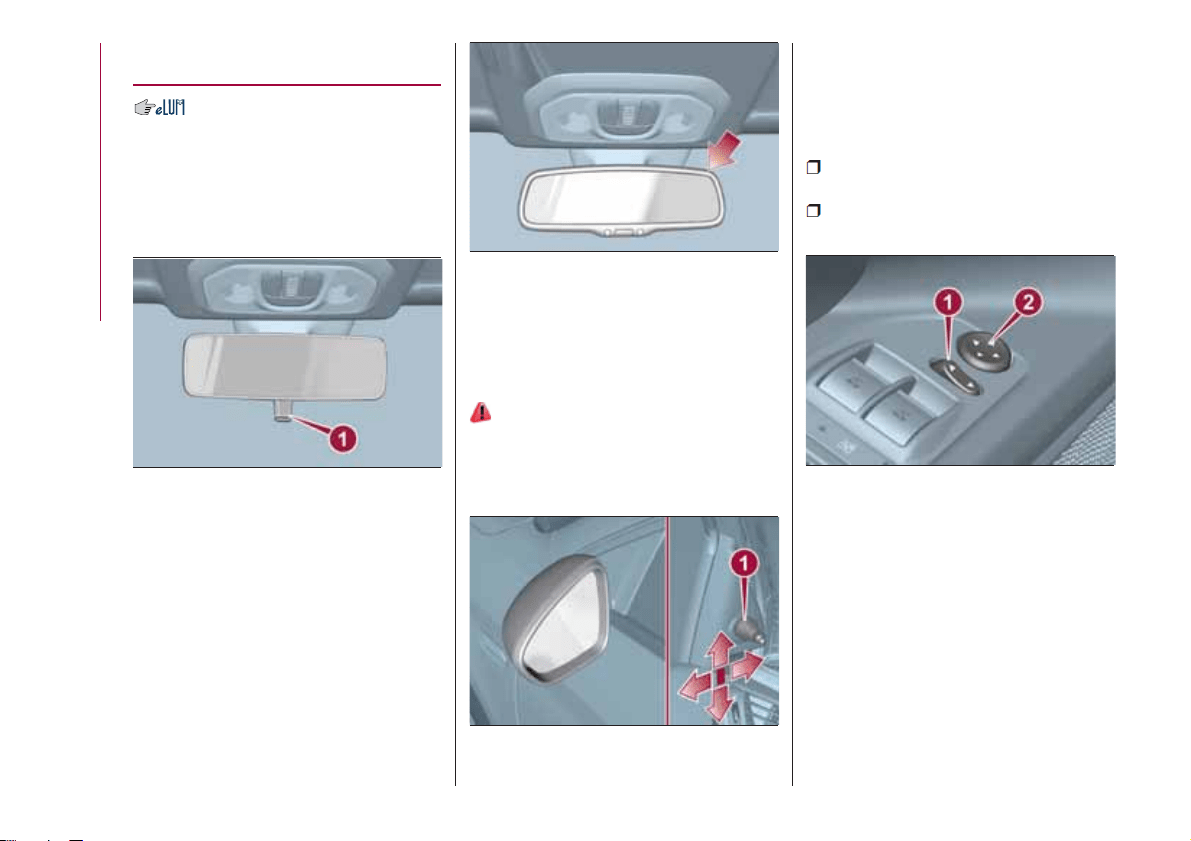
Manual adjustment
Operate lever 1 fig. 16 to adjust the
mirror into two different positions:
normal or anti-glare.
Electrochromic mirror
(where provided)
The electrochromic mirror can
automatically modify its reflecting action
to prevent dazzling the driver fig. 17.
The electrochromic mirror has an
ON/OFF button to activate/deactivate
the electrochromic anti-glare function.
When reverse gear is engaged, the
mirror is automatically set for daytime
use.
DOOR MIRRORS
19)
Manual adjustment
From the inside of the vehicle, operate
lever 1 fig. 18 to adjust the mirror.
Electric adjustment
The mirrors can only be adjusted with
the ignition device at MAR.
To carry out the adjustment, proceed as
follows:
use switch 1 fig. 19 to select the
mirror (left or right) to be adjusted;
adjust the mirror by moving the
switch 2 fig. 19 in the four directions.
Manual folding
When required (for example when the
shape causes difficulty in narrow
spaces), it is possible to fold the mirrors
by moving them from position A to
position B fig. 20.
16
04106J0001EM
17
04106J0002EM
18
04106J0006EM
19
04106J0003EM
18
KNOWING YOUR CAR
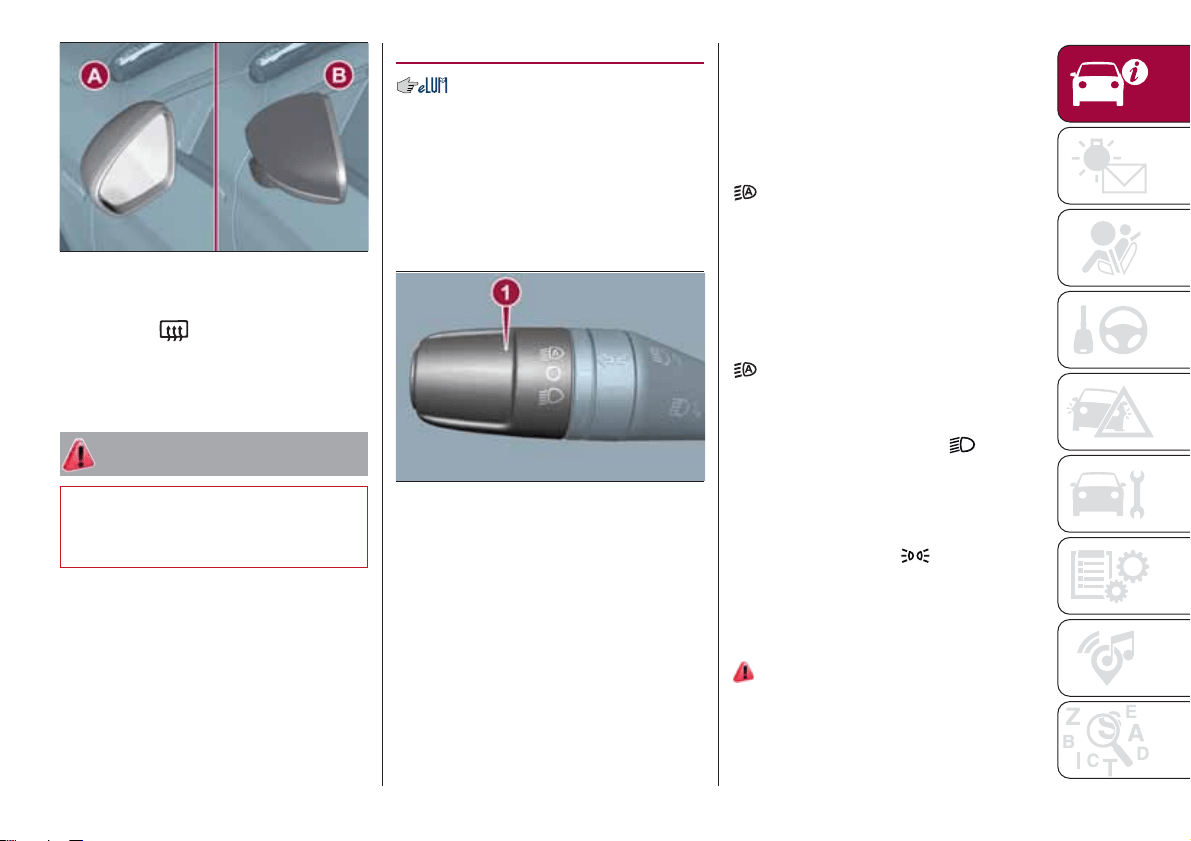
Heated
Pressing the
button (heated rear
window) on the central dashboard
panel activates the demisting/defrosting
of the external rear view mirrors.
WARNING
19) As the driver's door mirror is curved, it
may slightly alter the perception of
distance.
EXTERNAL LIGHTS
The left-hand stalk 1 fig. 21 operates
most of the external lights. The exterior
lights turn on also with the ignition key
in the MAR position. The instrument
panel and the various dashboard
controls will come on with the external
lights.
AUTO FUNCTION
(Dusk sensor)
(where provided)
This is an infrared LED sensor that
works in conjunction with the rain
sensor and is located on the
windscreen. It is able to detect
variations in outside lighting based on
the light sensitivity set in the display
Menu or the Uconnect™ system
(where provided).
The higher the sensitivity, the lower the
amount of external light needed to
automatically switch the external lights
on.
Function activation
Turn the left stalk ring nut to position
.
IMPORTANT The function can only be
activated with the ignition device at
MAR.
Function deactivation
To deactivate the function, turn the left
stalk ring nut to a position other than
.
DIPPED HEADLIGHTS
With the ignition key turned to MAR,
turn the ring nut 1 fig. 21 to
.Ifthe
dipped beam headlights are activated,
the daytime running lights are switched
off and the dipped beam headlights,
rear side lights and number plate lights
are switched on. The
warning light
switches on in the instrument panel.
DAYTIME RUNNING
LIGHTS (DRL)
"Daytime Running Lights"
20) 21)
With the key in MAR position and the
ring nut turned to the O position, the
daytime running lights and the rear side
lights switch on automatically; the other
20
04106J0004EM
21
04126J0001EM
19
lights and the internal lighting remain
off. If the daytime running lights are
deactivated (for versions/markets where
it is provided), no light comes on when
the ring nut is turned to O.
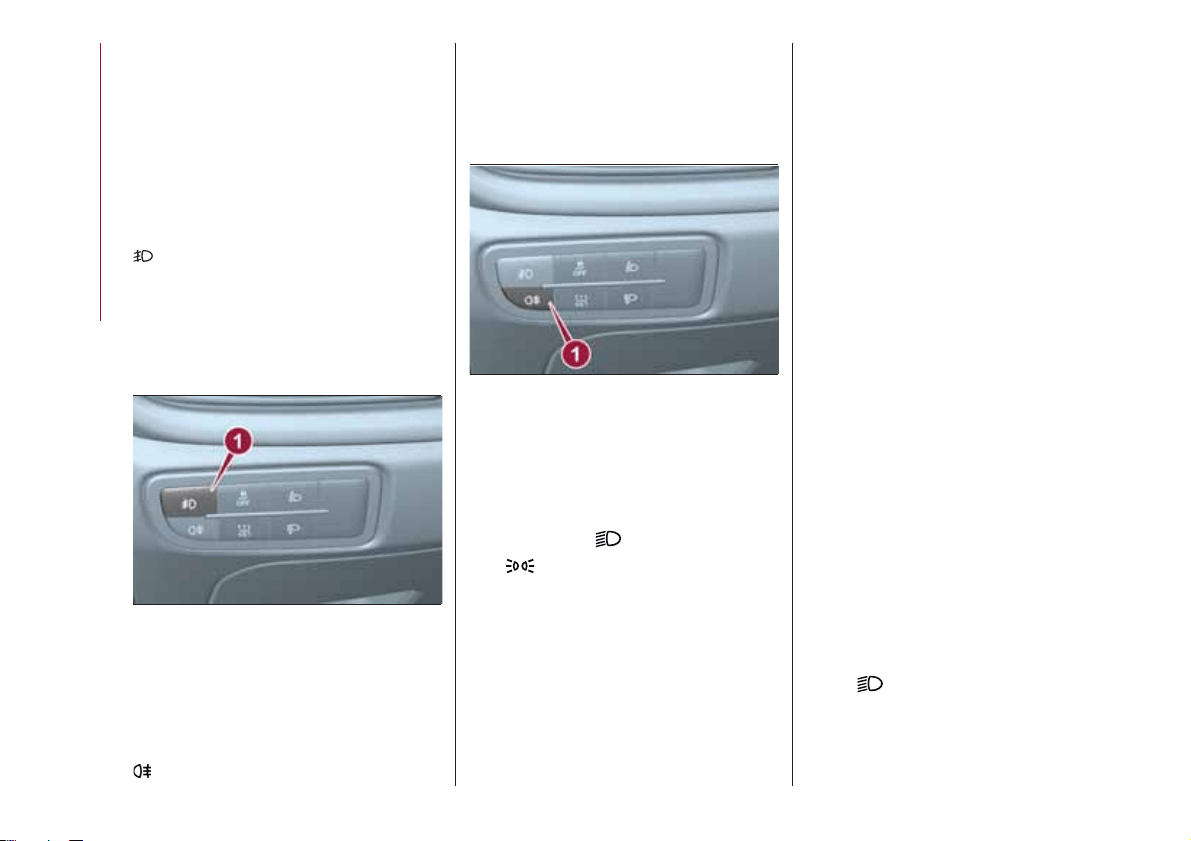
FRONT FOG LIGHTS
(where provided)
Press button 1 fig. 22 to switch on the
fog lights. With fog lights on, the
warning light on the instrument
panel will come on at the same time.
The front fog lights are activated when
the dipped headlights are on.
Press button 1 again to switch the
lights off.
REAR FOG LIGHT
(where provided)
When the dipped beam headlights are
on, these can be activated by pressing
button 1 fig. 23. With the light on, the
warning light in the instrument panel
switches on.
Press the button again to switch off; the
rear fog light also switches off
automatically by switching off the
dipped beam headlights or the fog
lights.
PARKING LIGHTS
These lights can be turned on with
ignition device in STOP position or with
the key removed, by moving the left
stalk ring nut first to position O and
then to position
.
The
warning light switches on in
the instrument panel.
Repeat the same operation to switch
them off.
HEADLIGHTS OFF DELAY
(Follow me home)
Multifunction display
Activation
Bring the ignition device to STOP.
Within 2 minutes pull the left stalk in
main beam headlights flashing mode,
each displacement of the stalk will
correspond to an increment of 30
seconds of delay on headlights
switching off up to a maximum of 210
seconds (equal to 7 flashes).
Deactivation
Keep the left stalk in main beam
headlights flashing position for a few
seconds or with the key to MAR
position or after the period previously
set.
Multifunction display reconfigurable
and/or in presence of Uconnect
TM
5”/Uconnect
TM
5” Nav
Activation
Setting can be done through menu (0,
30, 60, 90 seconds).
If the set value is other than 0 seconds,
the feature can be activated as follows:
With the key turned to MAR, bring ring
nut to
. When switching off the
vehicle, turning the ring nut to O (Off)
position, Follow me home feature will
be activated for the time previously set
in the menu.
22
04126J0008EM
23
04126J0009EM
20
KNOWING YOUR CAR
If the set value is at 0 seconds, the
feature can be activated as follows:
Bring the ignition device to STOP.
Within 2 minutes pull the left stalk in
main beam headlights flashing mode,
each displacement of the stalk will
correspond to an increment of 30
seconds of delay on headlights
switching off up to a maximum of 210
seconds (equal to 7 flashes).
If the vehicle also features the dusk
sensor, it is possible to activate feature
in automatic mode - with key to MAR
bring the ring nut to
position.
Bringing the key in OFF position with
the headlights turned on, the feature
automatically activates for the time
previously set in menu.
Deactivation
If activation is done by pulling the main
beam headlight stalk, deactivate the
feature keeping the left stalk in main
beam headlights flashing position for at
least two seconds, with key to MAR or
after the set time.
If activation is done via the ring nut of
lights placed on the left stalk, it won't
be possible to disable the feature and
the switching off of the headlights will
happen at the end of the set time or
with key to MAR.
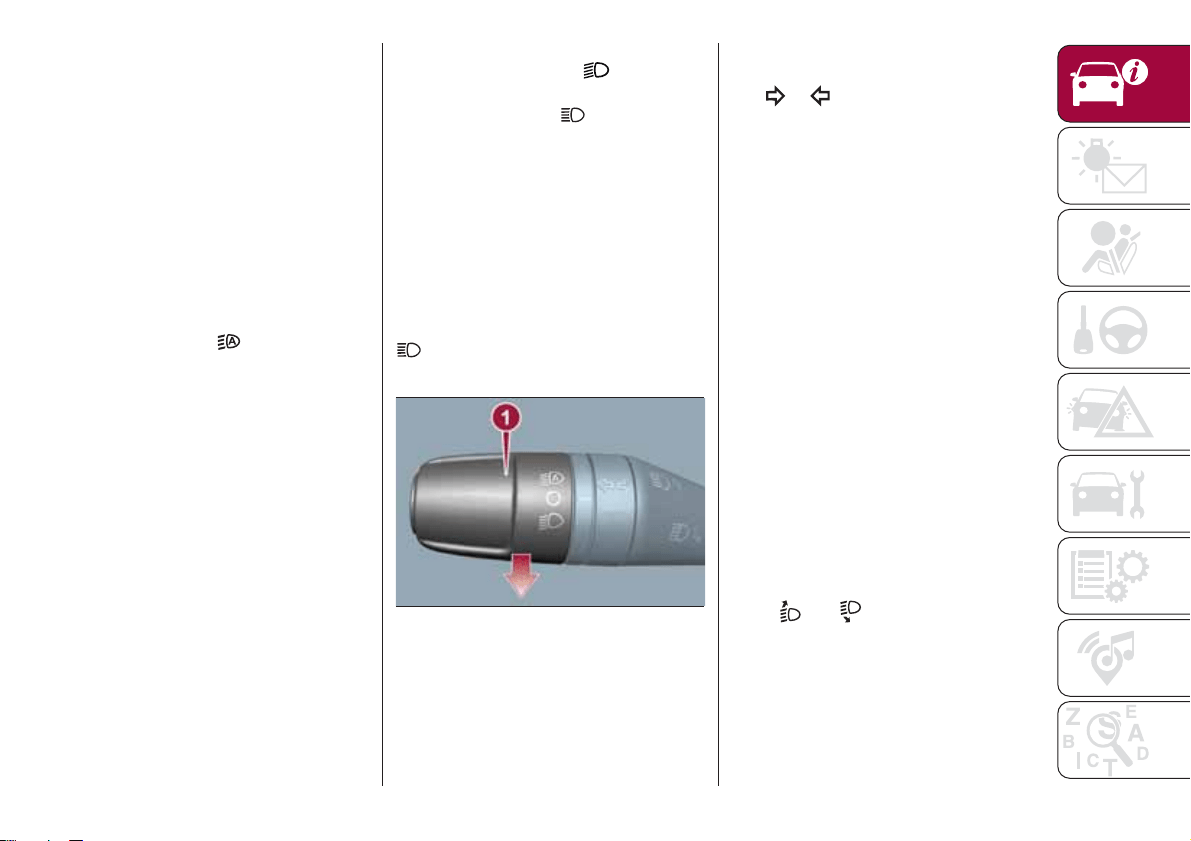
MAIN BEAM HEADLIGHTS
With ring nut in position , push the
stalk forward toward the dashboard
(stable position). The
warning light
switches on in the instrument panel.
They are switched off by pulling the
stalk towards the steering wheel.
Flashing the headlights
Pull the left stalk 1 fig. 24 toward
yourself, to the stable position; the stalk
goes back to the central stable position
when it is released.
With main beam headlights on, the
warning light on the instrument
panel will come on at the same time.
DIRECTION INDICATORS
Bring the left stalk 1 fig. 24 to the
(stable) position:
upwards: activates the right direction
indicator;
downwards: activates the left direction
indicator.
The
or warning light respectively
will flash on the instrument panel.
The direction indicators switch off
automatically when the steering wheel
is straightened or when the daytime
running lights (D.R.L.) /parking lights are
activated.
Cornering lights
The function activates with the main
beam headlights switched on with a
speed lower than 40 km/h - For wide
wheel rotation angles or at the
switching on the direction indicator, a
light will turn on (built in the front fog
light) referring to the turning side which
will extend the night visibility angle.
HEADLIGHT ALIGNMENT
ADJUSTMENT
Headlight alignment corrector
The headlight alignment corrector
operates with ignition device at MAR
and dipped headlights on.
Press
and on the control panel.
24
04126J0002EM
21
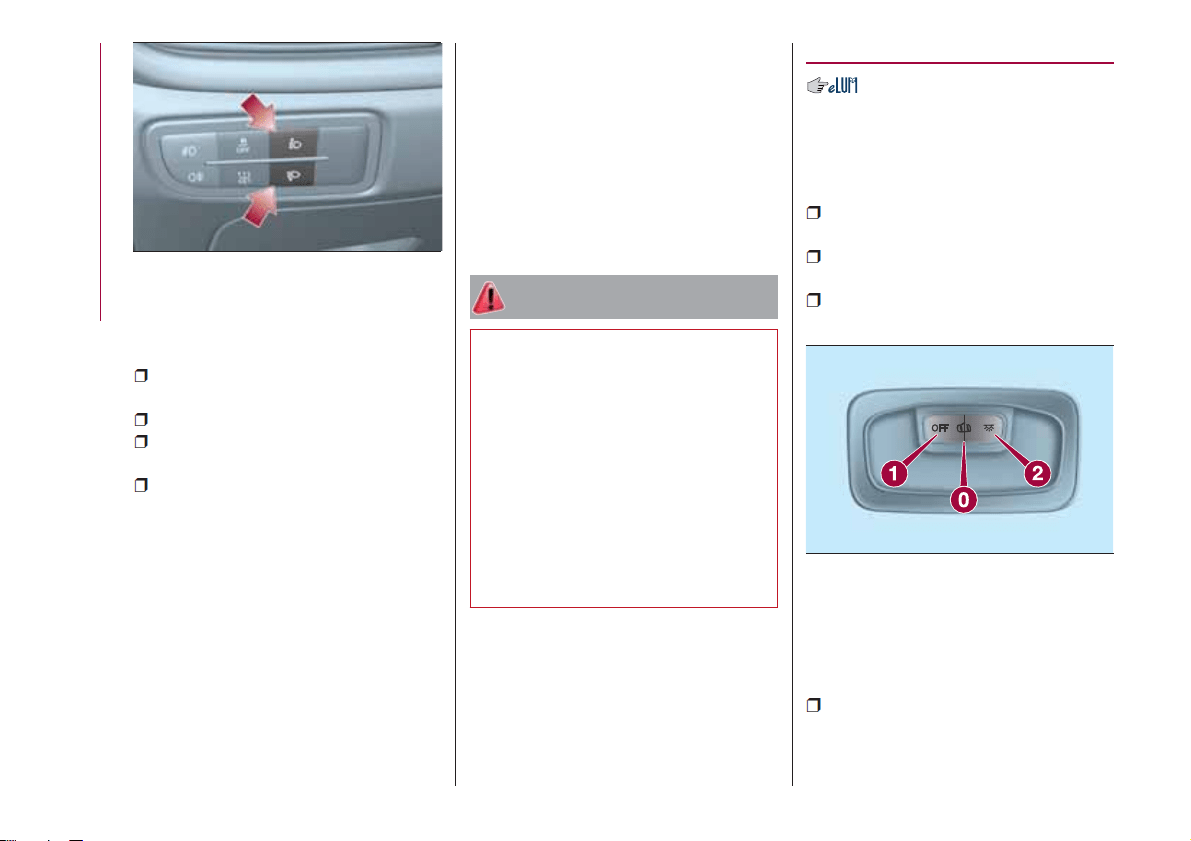
The display located on the instrument
panel provides a visual indication of the
adjusted position.
Position 0: one or two people on
the front seats;
Position 1: 4 or 5 passengers;
Position 2: 4 or 5 passengers + load
in the luggage compartment;
Position 3: driver + maximum
admissible load stowed only in the
luggage compartment.
IMPORTANT Check the headlight
alignment each time the weight of the
load transported changes.
INSTRUMENT PANEL AND
CONTROL BUTTON
GRAPHIC BRIGHTNESS
ADJUSTMENT
The brightness for the instrument panel
and the control buttons can be
adjusted using the main menu on the
instrument panel (refer to the
“Reconfigurable Multifunction Display”
paragraph).
WARNING
20) The daytime running lights are an
alternative to the dipped headlights for
driving during the daytime in countries
where it is compulsory to have lights on
during the day; where it is not compulsory,
the use of daytime running lights is
permitted.
21) Daytime running lights cannot replace
dipped beam headlights when driving at
night or through tunnels. The use of
daytime running lights is governed by the
highway code of the country in which you
are driving. Comply with legal
requirements.
INTERIOR LIGHTS
FRONT CEILING LIGHT
Singe-bulb ceiling light
To switch on/off the ceiling light press
the fig. 26 button:
pressed to 1: interior ceiling light
always off;
pressed to 2: interior ceiling light
always on;
position 0: the interior ceiling light
switches on when a door is opened.
Multi-bulb ceiling light
Switch 1 fig. 27 is used to switch on/off
the ceiling light bulbs.
Switch 1 positions:
central position: lights 2 and 5 switch
on/off when the doors are
opened/closed;
25
04126J0003EM
26
F1B0043C
22
KNOWING YOUR CAR
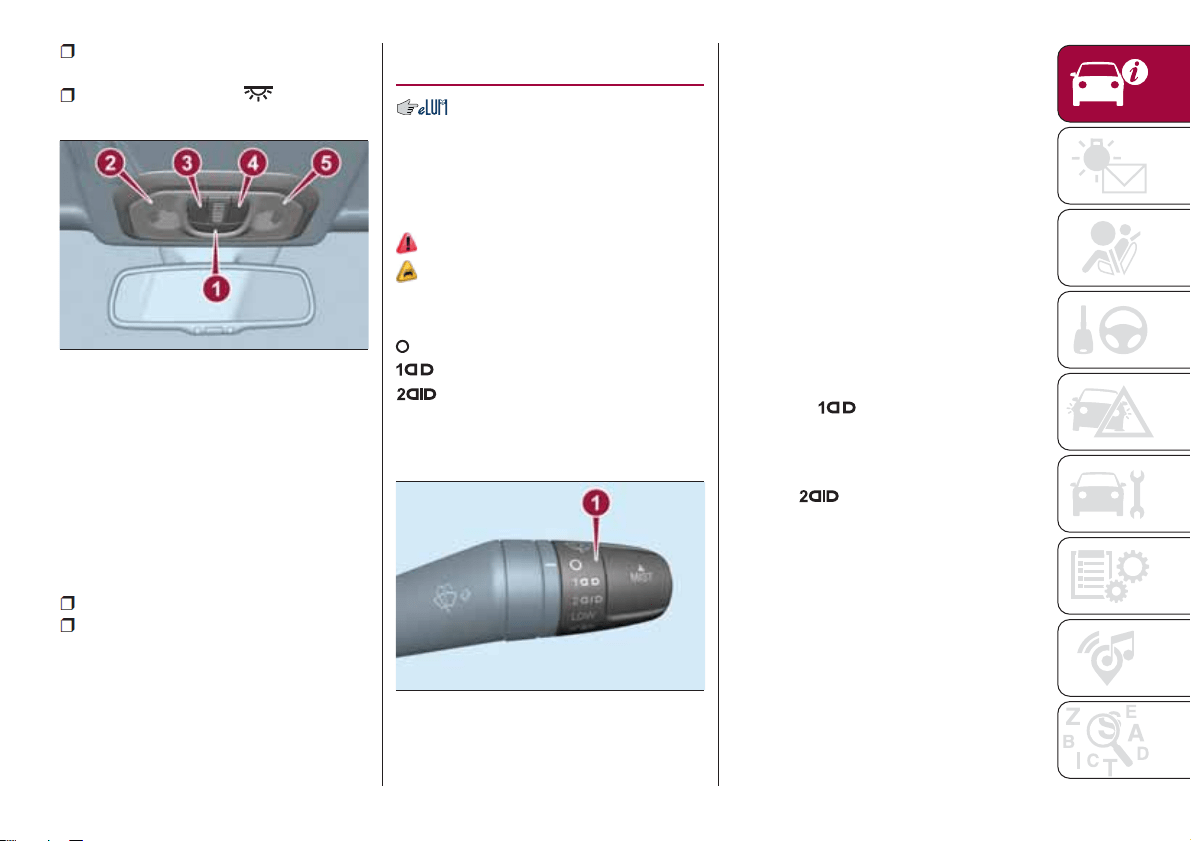
pressed to the left (OFF): lights 2 and
5 are always switched off;
pressed to the right ( ): lights 2
and 5 are always switched on.
The lights switch on/off gradually.
Switch 3 switches on/off light 2.
Switch 4 switches on/off light 5.
Ceiling light timing
On certain versions, to facilitate getting
in/out of the vehicle at night or in
poorly-lit areas, two timed modes have
been provided:
Timing while getting into the vehicle;
Timing while getting out of the
vehicle.
WINDSCREEN
WASHER / WIPER
Operation is only possible with the
ignition device at MAR.
SCREEN WIPER/WASHER
Operation
22)
5) 6)
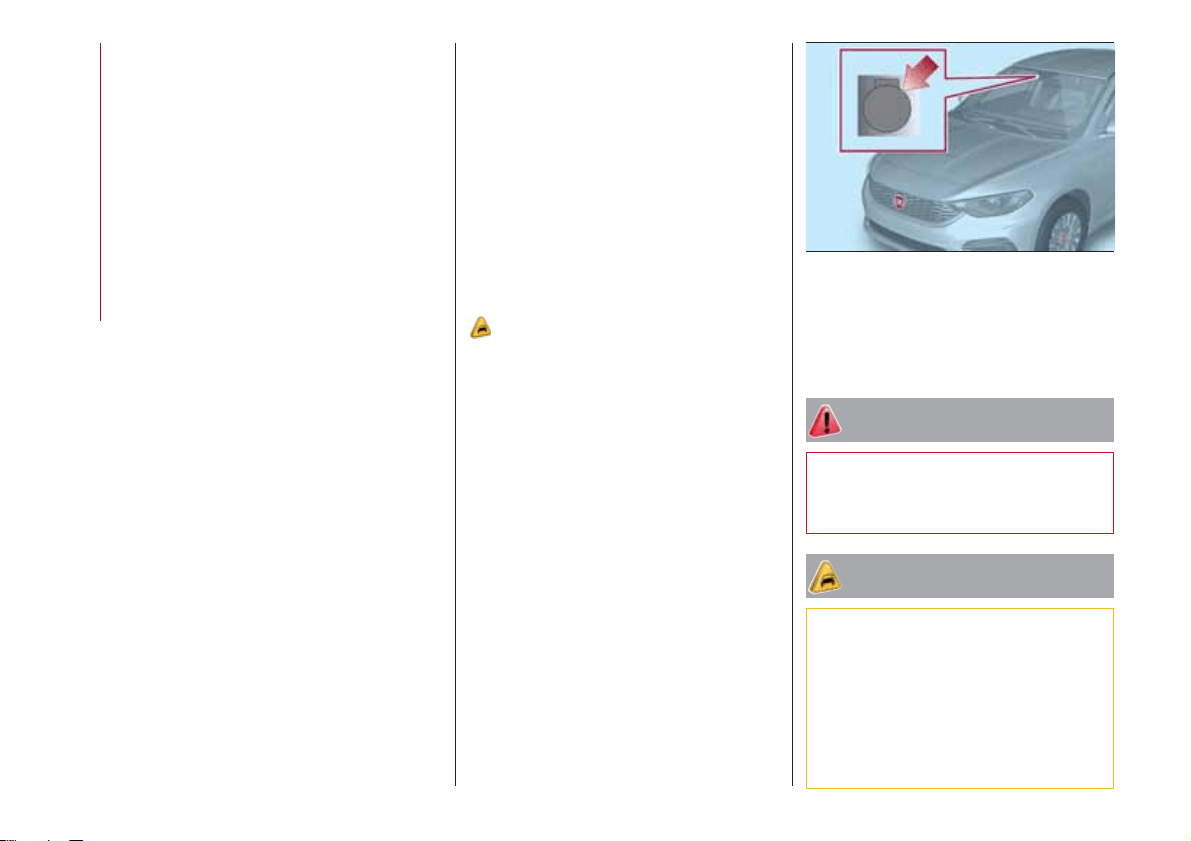
Ring nut 1 fig. 28 can be set to the
following positions:
windscreen wiper off
slow intermittent operation
fast intermittent operation
LOW
slow continuous operation
HIGH
fast continuous operation.
Move the stalk upwards (unstable
position) to activate the MIST function:
operation is limited to the time for which
the stalk is held in this position. When
released, the stalk will return to its
default position and the windscreen
wiper will be stopped. This function is
useful to remove small deposits of dust
from the windscreen, or morning dew.
IMPORTANT This function does not
activate the windscreen washer;
windscreen washer fluid will not
therefore be sprayed onto the
windscreen. To spray windscreen
washer fluid onto the windscreen, the
washing function must be used.
With the ring nut 1 fig. 28 in position O,
the windscreen wiper is not activated.
In position
, the pause time
between the strokes of the windscreen
wiper is about 10 seconds,
independently of the vehicle speed. In
position
, the pause time
between two strokes is set according to
the vehicle speed: when the speed
increases, the time between two
strokes decreases. In position LOW or
HIGH the windscreen wiper moves
continuously, i.e. without a pause
between two strokes.
“Smart washing” function
Pull the stalk towards the steering
wheel (unstable position) to operate the
windscreen washer.
When the stalk is held pulled for longer
27
04136J0001EM
28
04146J0001EM
23
than half a second, the windscreen
wiper is moved with active control.
When the driver releases the stalk, the
windscreen wiper makes three strokes.
Afterwards, if the control is in position
O, the washing cycle is concluded by
one last stroke after a 6 second pause.
If the position is LOW or HIGH, the
washing function is not carried out.
IMPORTANT If the stalk is activated for
less than half a second, only the
windscreen washer jet is activated. Do
not prolong the activation of the "Smart
Washing" function for more than 30
seconds. Do not activate the
windscreen washer control when the
reservoir is empty.
“Service Position” function
This function makes it possible to
replace the wipers or protect them in
conditions of ice and/or snow.
It can only be activated after turning off
the vehicle.
The Service Position can be explicitly
requested by the driver within two
minutes of turning off the vehicle, when
the wipers have correctly returned to
the parking position.
The driver can enable the function by
turning the ring nut to position O and
moving the stalk upwards, to the MIST
position, more than three times. The
activations are used to position the
wipers as preferred. The function is
deactivated when the vehicle is turned
on, with a wiping request or when the
vehicle is moving (speed above 5
Km/h).
IMPORTANT Make sure, when turning
on the vehicle, that the windscreen is
free of snow or ice before turning the
ignition key.
RAIN SENSOR
(where provided)
7) 8)
The sensor will be activated when the
ignition device is turned to MAR, and
will be deactivated in the STOP
position.
This is a device located behind the
interior rear view mirrorfig. 29, in
contact with the windscreen and can
measure the amount of rain and,
consequently, manage the automatic
wiping mode of the windscreen in
accordance with the amount of water
on the screen. The rain sensor will be
activated when the ignition device is
turned to MAR. If no rain is detected,
the wiper will not carry out any strokes.
If it is raining, the windscreen wiper
moves according to the amount of rain
measured by the sensor.
Activation/deactivation: use the
display Menu or the Uconnect™
system (where provided).
WARNING
22) If the window needs to be cleaned,
make sure the device is deactivated or the
key is on STOP.
IMPORTANT
5) Never use the windscreen wipers to
remove layers of snow or ice from the
windscreen. In such conditions, the
windscreen wiper may be subjected to
excessive stress and the motor cut-out
switch, which prevents operation for a few
seconds, may intervene. If operation is not
subsequently restored, even after restarting
the engine, contact a Fiat Dealership.
29
04146J0003EM
24
KNOWING YOUR CAR
6) Do not operate the windscreen wiper
with the blades lifted from the windscreen.
7) Do not activate the rain sensor when
washing the car in an automatic car wash.
8) Make sure the device is switched off if
there is ice on the windscreen.
CLIMATE CONTROL
1)
PASSENGER
COMPARTMENT AIR
DIFFUSERS
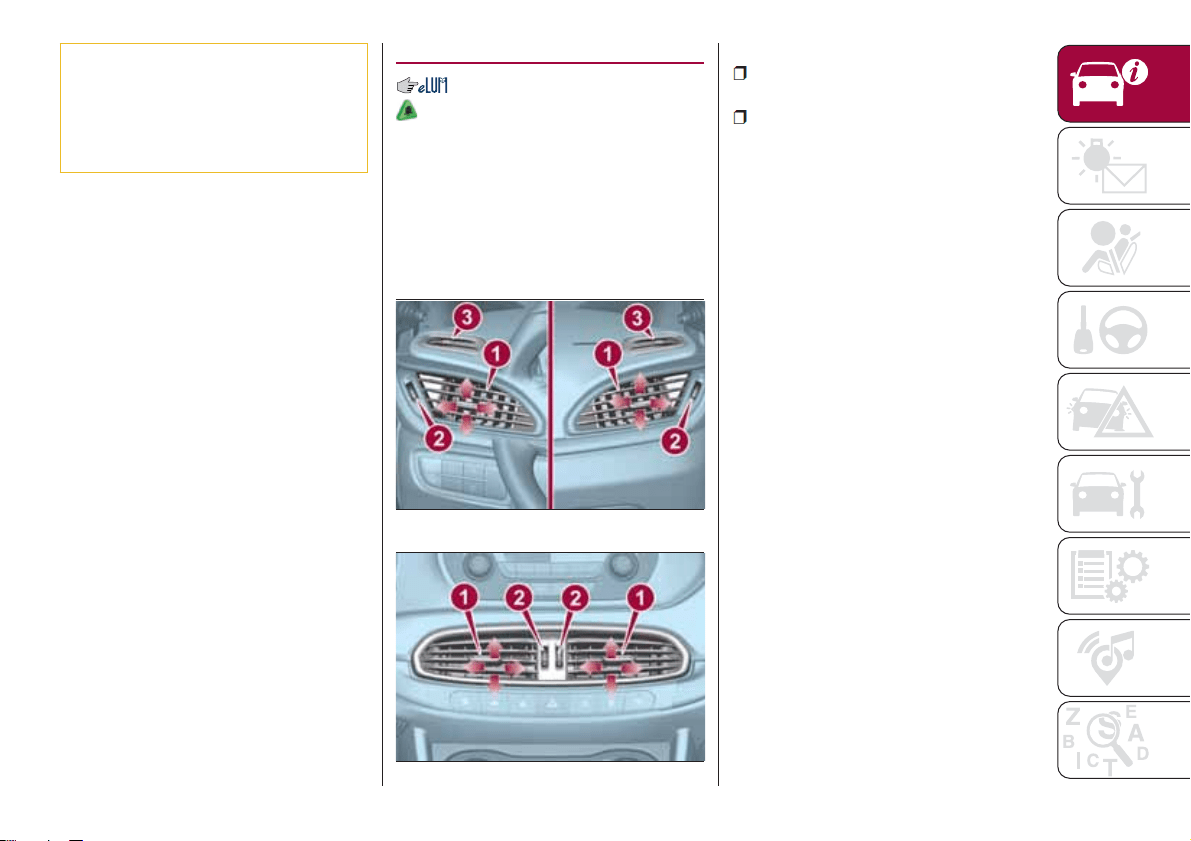
Adjustable air diffusers
They are located at the sides
fig. 30 and at the centre fig. 31 of the
dashboard.
To use them:
adjust the central device 1 to direct
the air flow where required;
turn wheel 2 to adjust / close the air
flow.
Fixed air vents
In addition, the fixed vents 3 fig. 30,
which direct the air upwards and
towards the side windows, are
available. The system is completed by
the fixed central vent, located at the
bottom of the windscreen and by the
vents, which direct the air towards the
feet of the front and rear passengers.
30
04156J0001EM
31
04156J0002EM
25
MANUAL CLIMATE CONTROL
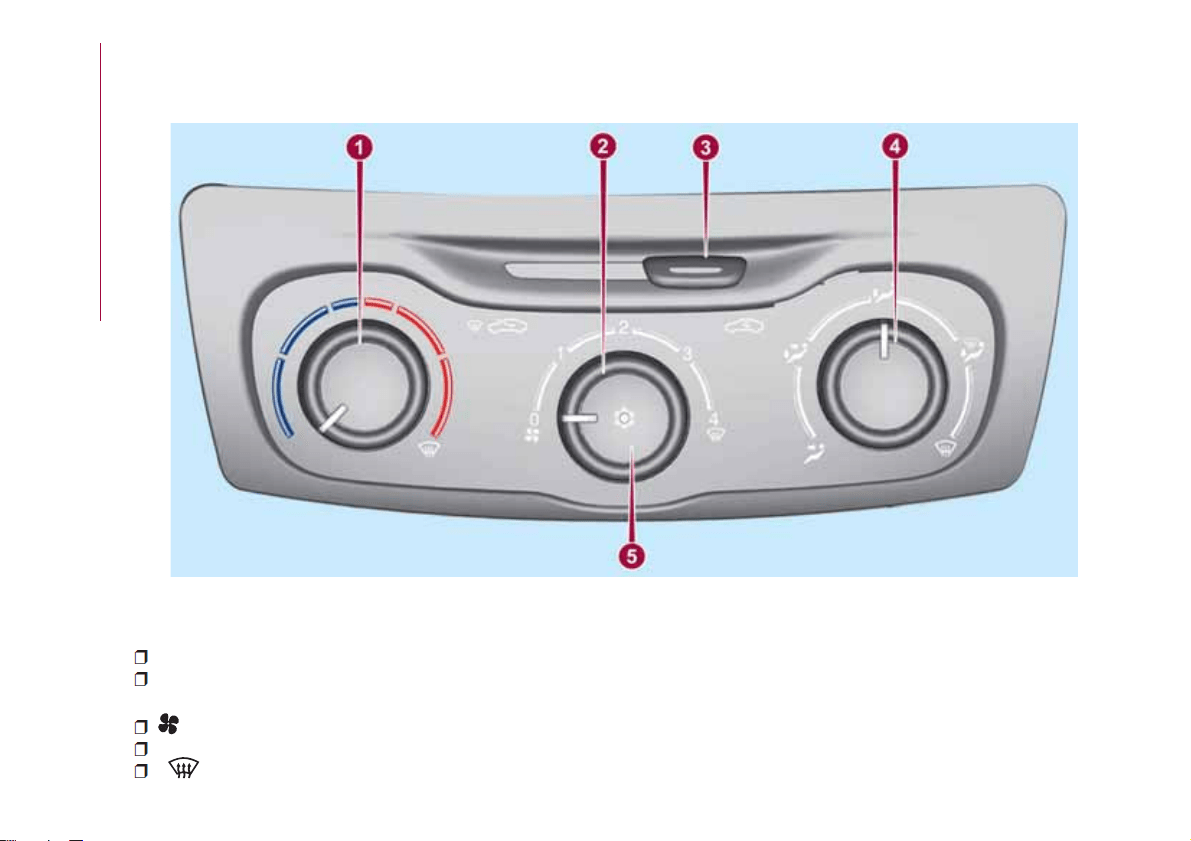
Controls
1 - air temperature adjustment knob (mixing hot and cold air):
Red section = hot air;
Blue section = cold air.
2 - fan activation/adjustment knob:
0 = fan off;
1-2-3 = fan speed;
4 = maximum fan speed.
32
04156J0004EM
26
KNOWING YOUR CAR

3 — air recirculation on/off slider;
Move the slider to position
to recirculate internal air.
Move the slider to position
to switch internal air recirculation off.
4 — knob for air distribution:
air flow from central and side vents
air flow from central vents, side vents and front/rear footwell vents
air flow from the front and rear footwell vents and a light air flow also from the side vents on the dashboard
air flow from the front and rear footwell vents, to the windscreen, the side windows and a light air flow also at the side
vents on the dashboard
air flow to the windscreen, the side windows and a light air flow also at the side vents on the dashboard
5 — climate control system on/off button
Press button 5 fig. 32 (knob LED on) to turn the climate control system on.
Press button 5 again (LED on knob will turn off) to switch the climate control system off.
Additional heater
(where provided)
The additional heater ensures more rapid passenger compartment heating.
It activates in cold weather conditions, if the following conditions occur:
outside temperature low;
engine coolant temperature low;
engine started;
fan speed set at least to 1
st
speed;
knob 1 turned completely clockwise to red section.
The heater is switched off when at least one of the conditions above is no longer verified.
Note The power of the electric heater is modulated according to the battery voltage.
27
AUTOMATIC CLIMATE CONTROL SYSTEM
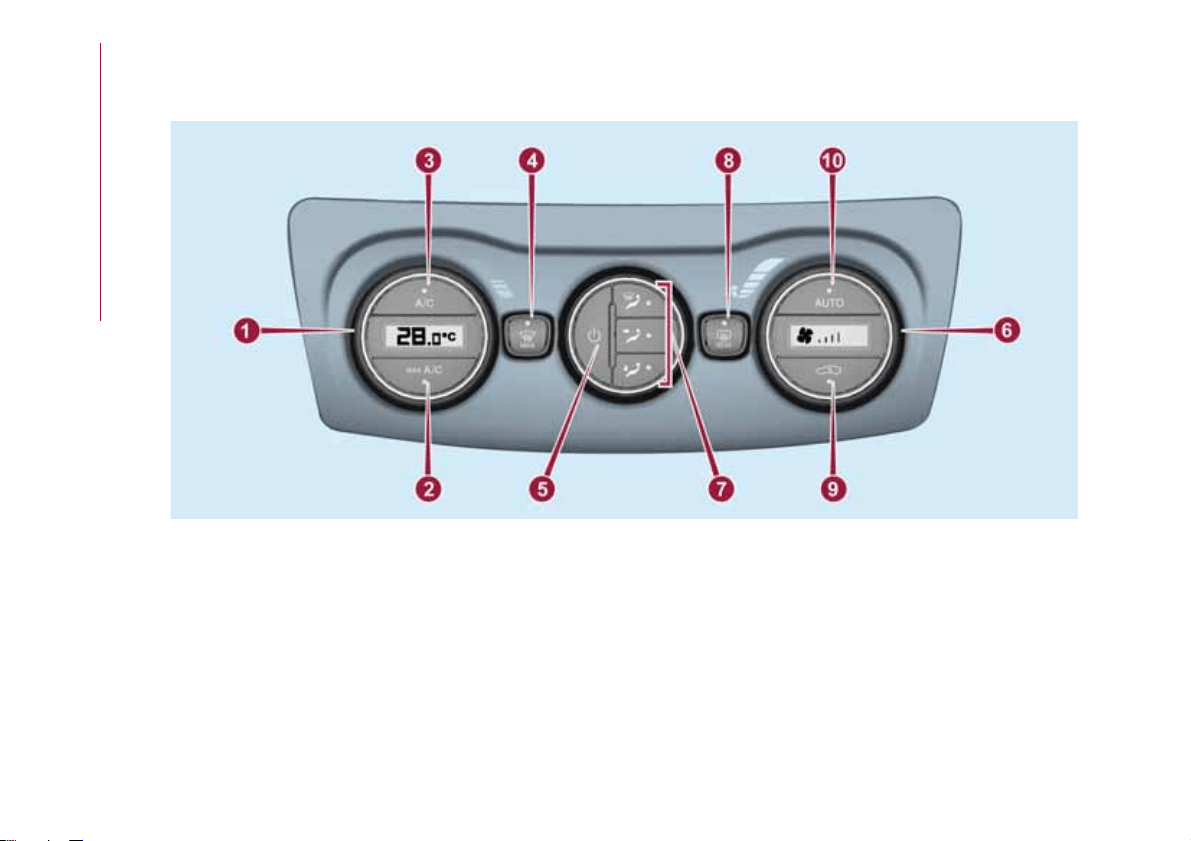
Controls
1 - passenger compartment temperature adjustment knob; the set temperature is shown on the display;
2 - MAX A/C function on button;
3 - climate control compressor on/off button;
4 - button for activating the MAX DEF function (fast front window defrosting/demisting);
5 - climate control system on/off button;
6 - fan speed adjustment knob; the set speed is shown on the display;
7 - air distribution selection buttons;
8 - heated rear window on/off button;
33
04156J0005EM
28
KNOWING YOUR CAR
9 - internal air recirculation on/off button;
10 - AUTO function activation button (automatic operation).
Stop/Start
(where provided)
The automatic climate control system manages the Stop&Start system (engine off when vehicle speed is equal to 0 km/h) to
ensure adequate comfort inside the vehicle.
In particular, the climate control system deactivates the Stop/Start if:
the climate control system is in AUTO mode (LED on the button switched on) and the temperature conditions inside the
vehicle are far from a comfort temperature;
the climate control system is in MAX A/C;
the climate control system is in the MAX-DEF status.
When the Stop&Start system is active (engine off and vehicle speed equal to 0 km/h), the climate control system will request
restarting of the engine if the inside temperature conditions rapidly deteriorate (or if the user requests maximum cooling – MAX
A/C – or quick demisting – MAX-DEF).
With the Stop&Start system on (engine off and vehicle speed equal to 0 km/h), the flow is reduced as much as possible, to
keep the compartment comfort conditions for longer.
The climate control system control unit attempts to manage the decreased comfort caused by stopping the engine as far as
possible (switching off the compressor and engine coolant pump). It is anyway possible to prioritise the operation of the climate
control system, deactivating the Stop/Start system by pressing the
button, located on the central dashboard panel.
NOTE In particularly severe climate conditions it is recommended to limit the use of the Stop&Start system to prevent the
compressor from continuously switching on and off, with consequent rapid misting of the windows and accumulation of
humidity with unpleasant smells in the passenger compartment.
NOTE When the Stop&Start system is on (engine off and vehicle at a standstill), the automatic recirculation management is
turned off always taking air in from outside, to reduce the probability of the windows misting up (as the compressor is off).
IMPORTANT
1) The system uses a coolant that is compatible with the laws in force in the countries where the vehicle is sold, R134a or R1234yf (indicated
on a specific plate in the engine compartment). The use of other coolants affects the efficiency and condition of the system. Also the
compressor coolants used must be compatible with the indicated coolant.
29
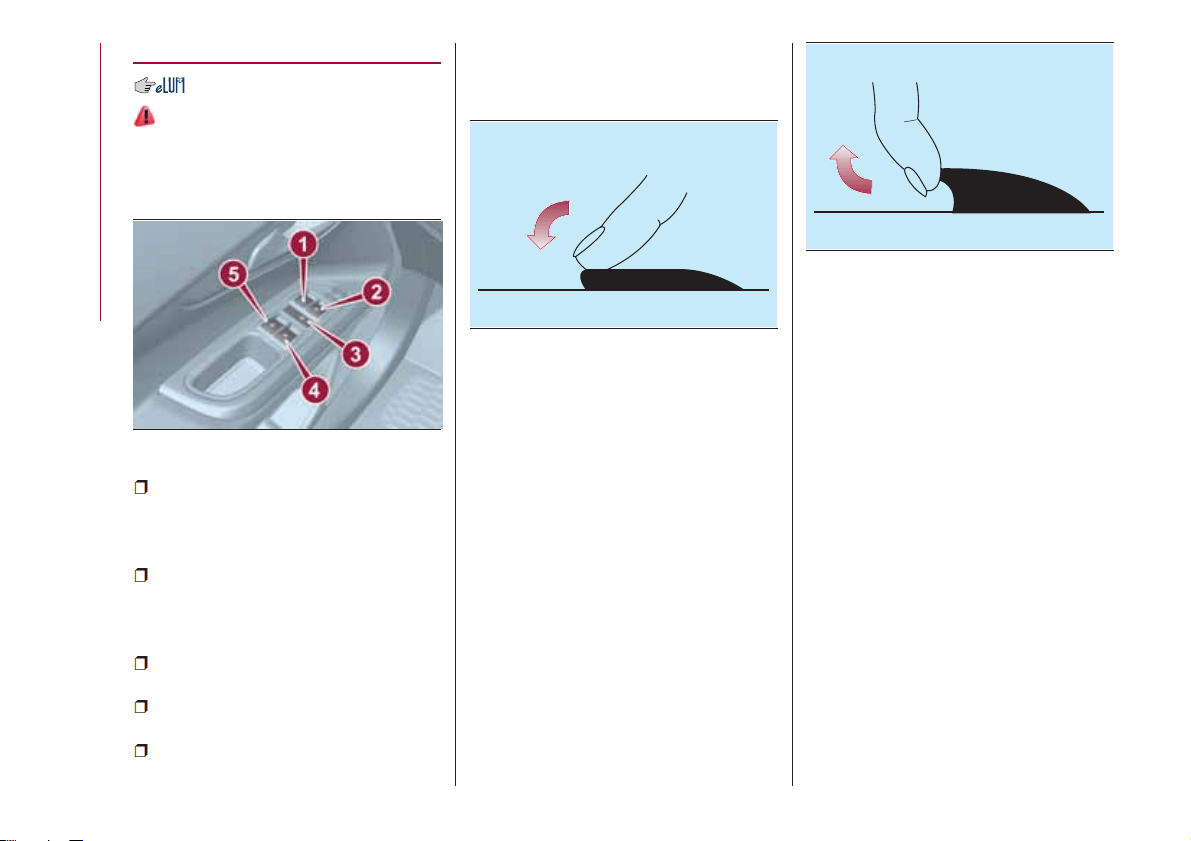
ELECTRIC WINDOWS
23)
Driver side front door controls
All windows can be controlled from the
driver side door panel fig. 34.
1: front left window opening/closing.
"Continuous automatic" operation
during the window opening/closing
stage;
2: front right window opening/
closing. "Continuous automatic"
operation during the window opening
stage;
3: enabling/disabling of rear door
electric window controls;
4: right rear window opening/closing
(if present);
5: left rear window opening/closing
(if present).
Window opening
Push the buttons to open the desired
window fig. 35.
When any of the buttons on front or
rear doors is pressed briefly, the
window moves in stages; if the button
is held down, "continuous automatic"
operation is activated (if present).
If the button is pressed again, the
window will stop in the desired position.
Window closing
Lift the buttons to close the desired
window fig. 36.
When any of the buttons on front or
rear doors is pressed briefly, the
window moves in stages; "continuous
automatic" operation is possible only for
the windows of the front driver's side
door.
The rear door windows can only be
closed in stages.
Rear manual
(for versions/markets, where provided)
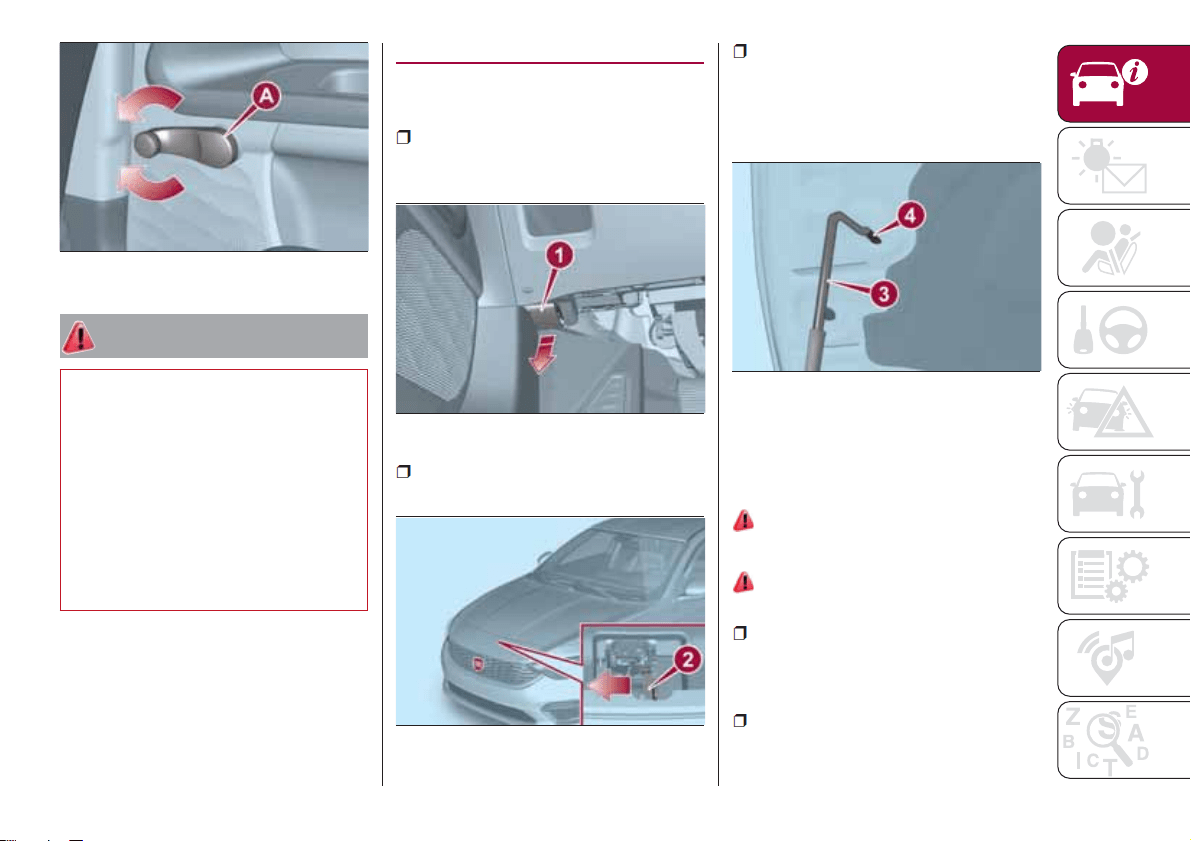
To open and to close the window, use
the relevant handle 1 fig. 37.
34
04166J0001EM
35
F1B0067C
36
F1B0068C
30
KNOWING YOUR CAR
WARNING
23) Incorrect use of the electric windows
may be dangerous. Before and during
operation, always check that nobody is
exposed to the risk of being injured either
directly by the moving window or through
objects getting caught or hit by it. When
leaving the vehicle (equipped with
mechanical key with remote control),
always remove the key from the ignition
device to prevent accidental operation of
the electric windows from being a hazard
for those still on board.
BONNET
OPENING
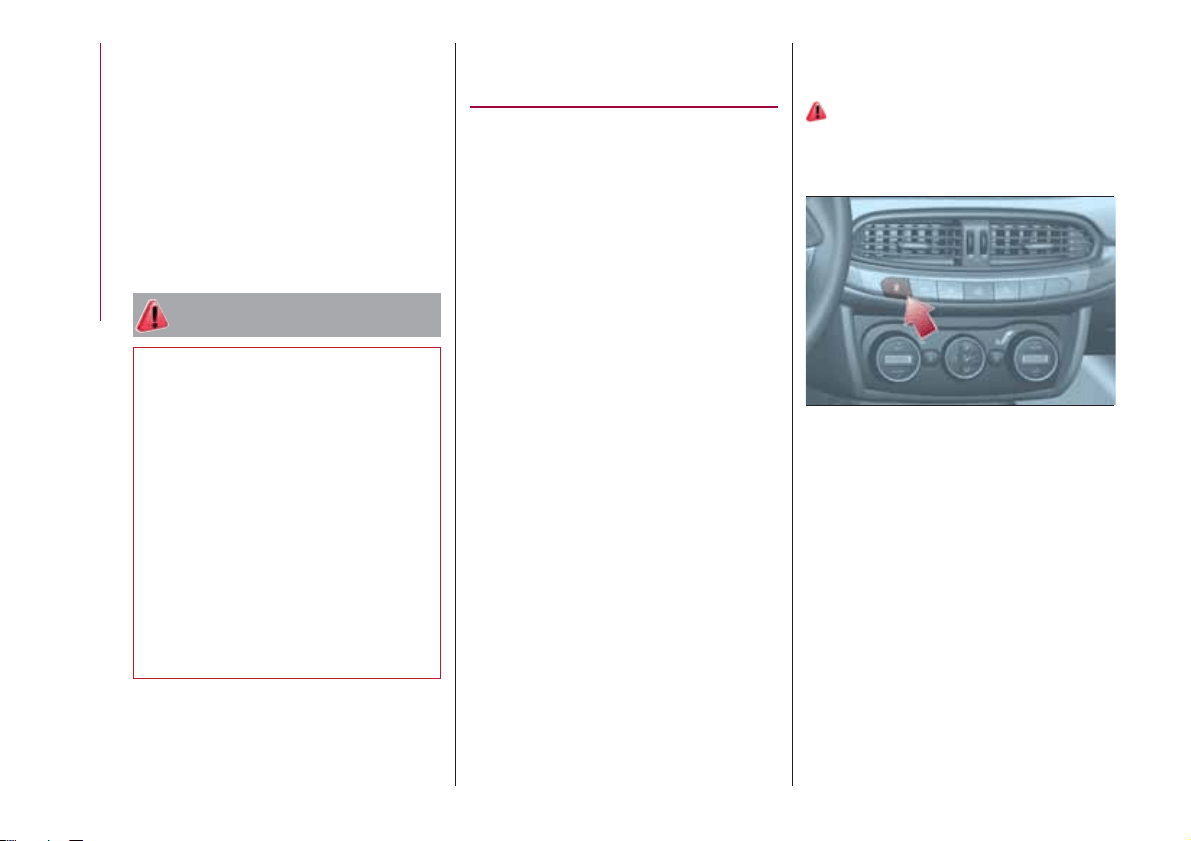
Proceed as follows:
pull the lever 1 fig. 38, located in the
driver's side pedal area, in the direction
of the arrow;
adjust the lever 2 fig. 39 in the
direction indicated by the arrow;
raise the bonnet and, at the same
time, release the bonnet stay 3
fig. 40 from its locking device, then
insert the end of the stay in the housing
4 in the bonnet.
IMPORTANT Before raising the bonnet,
make sure that the arms of the wipers
are not raised from the windscreen and
that the wiper is not operational.
24) 25) 26)
CLOSING
27)
Proceed as follows:
hold the bonnet up with one hand
and with the other remove the stay 3
fig. 40 from the housing 4 and fit it back
in locking device;
lower the bonnet to approximately
40 centimetres from the engine
compartment and let it drop. Make sure
37
04166J0004EM
38
04196J0001EM
39
04196J0002EM
40
04196J0003EM
31
that the bonnet is completely closed
and not only fastened by the locking
device by trying to open it. If it is not
perfectly closed, do not try to press the
bonnet lid down but open it and repeat
the procedure.
IMPORTANT Always check that the
bonnet is closed correctly to prevent it
from opening while the vehicle is
travelling.
WARNING
24) Perform these operations only when
the car is stationary.
25) The bonnet may drop suddenly if the
supporting rod is not positioned correctly.
26) Use both hands to lift the bonnet.
Before lifting, check that the windscreen
wiper arms are not raised from the
windscreen, that the vehicle is stationary
and that the parking brake is engaged.
27) For safety reasons, the bonnet must
always be properly closed while the car is
travelling. Therefore, make sure that the
bonnet is properly closed and that the lock
is engaged. If you discover that the bonnet
is not perfectly closed during travel, stop
immediately and close the bonnet in the
correct manner.
DUALDRIVE
ELECTRIC POWER
STEERING
This only operates with the key turned
to MAR and the engine started. The
electric steering allows the force
required at the steering wheel to be
adjusted to suit driving conditions.
IMPORTANT When turning the ignition
key quickly, full power steering
functionality can be achieved after a
few seconds.
IMPORTANT During parking
manoeuvres requiring a lot of steering,
the steering may become harder; this is
normal and is due to the intervention of
the system to protect the electric
steering motor from overheating. No
repair intervention is needed in this
case. When the car is used again, the
power steering will work normally again.
IMPORTANT The Dualdrive electric
power steering provides an electronic
damping effect when approaching the
end of travel. In some manoeuvring
conditions, the steering wheel may
perform an additional small rotation until
reaching its mechanical stop. This
behaviour is normal and is intended to
prevent excessive impacts with the
mechanical components located inside
the device.
POWER STEERING
ACTIVATION/
DEACTIVATION
28) 29)
Activation/deactivation:
Press the fig. 41 button.
The activation of the function is
signalled by a visual indication (CITY) on
the instrument panel or, based on the
version, on the display.
When the CITY function is on, the
steering wheel effort is lighter, making
parking easier: therefore, this function is
particularly useful for driving in city
centres.
41
04226J0001EM
32
KNOWING YOUR CAR
WARNING
28) It is absolutely forbidden to carry out
any after-market operation involving
steering system or steering column
modifications (e.g. installation of anti-theft
device) that could adversely affect
performance, invalidate the warranty, cause
serious safety problems and also result in
the car not meeting type-approval
requirements.
29) Before performing any maintenance
operations, always turn off the engine and
remove the key from the ignition to lock the
steering column (especially when the car
wheels are not touching the ground). If this
is not possible (for example if the key
needs to be turned to MAR or the engine
must be running), remove the main fuse
that protects the electric power steering.
BOOT
9)
IMPORTANT When travelling, do not
put any object on the rear parcel shelf
because they can injure passengers in
the event of an accident or sudden
braking.
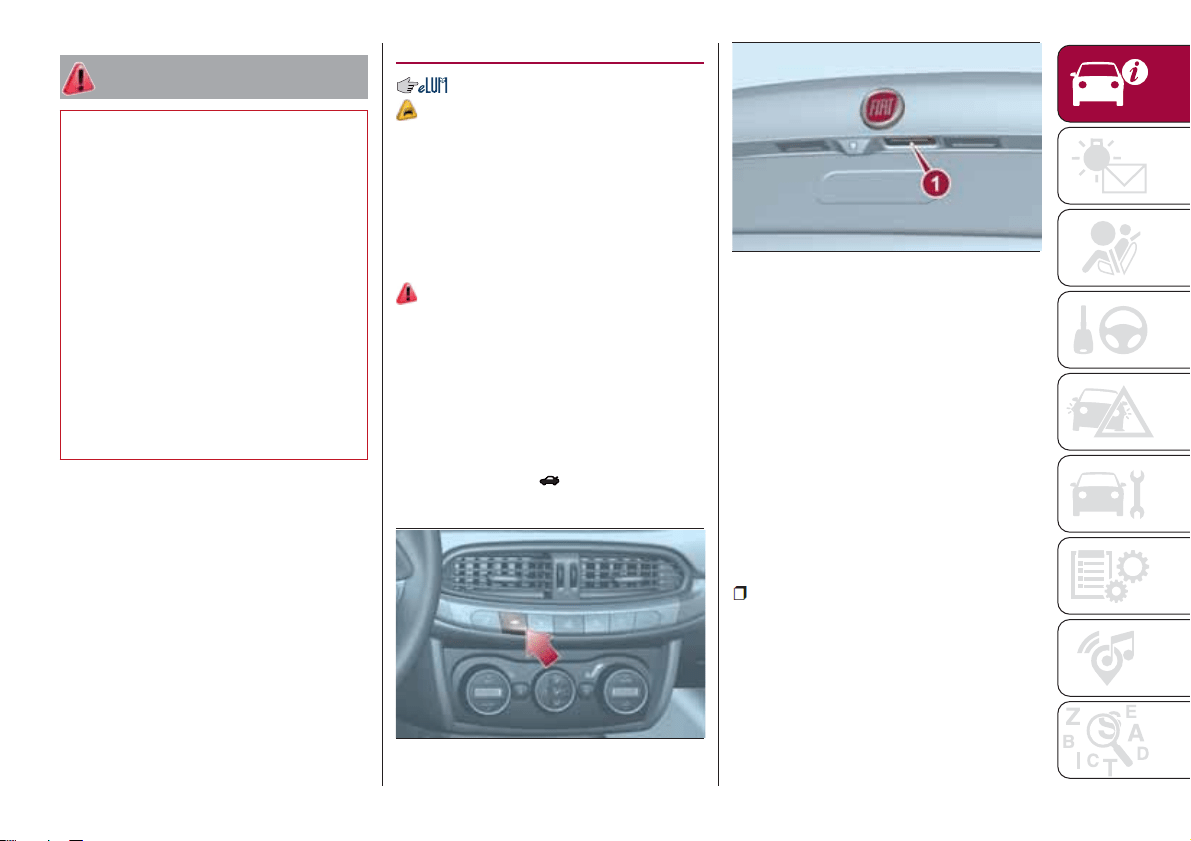
OPENING
30)
Rear flap opening
When the central locking system is
unlocked, the rear boot flap can be
opened from outside the car using the
electric opening handle (where
provided) fig. 43 located under the
handle until the unlocking click is heard
or by pressing the
fig. 42 button on
the dashboard.
The roof light inside the luggage
compartment will turn on when the rear
flap is opened; the roof light will
automatically switch off when the rear
flap is closed (see also "Interior lights").
If the rear flap is left open, the roof light
will automatically switch off to preserve
the battery charge.
Emergency opening from inside
Proceed as follows:
For versions with folding rear seat
backrests:
lower the head restraints and fold the
backrests;
42
04206J0011EM
43
04206J0001EM
33
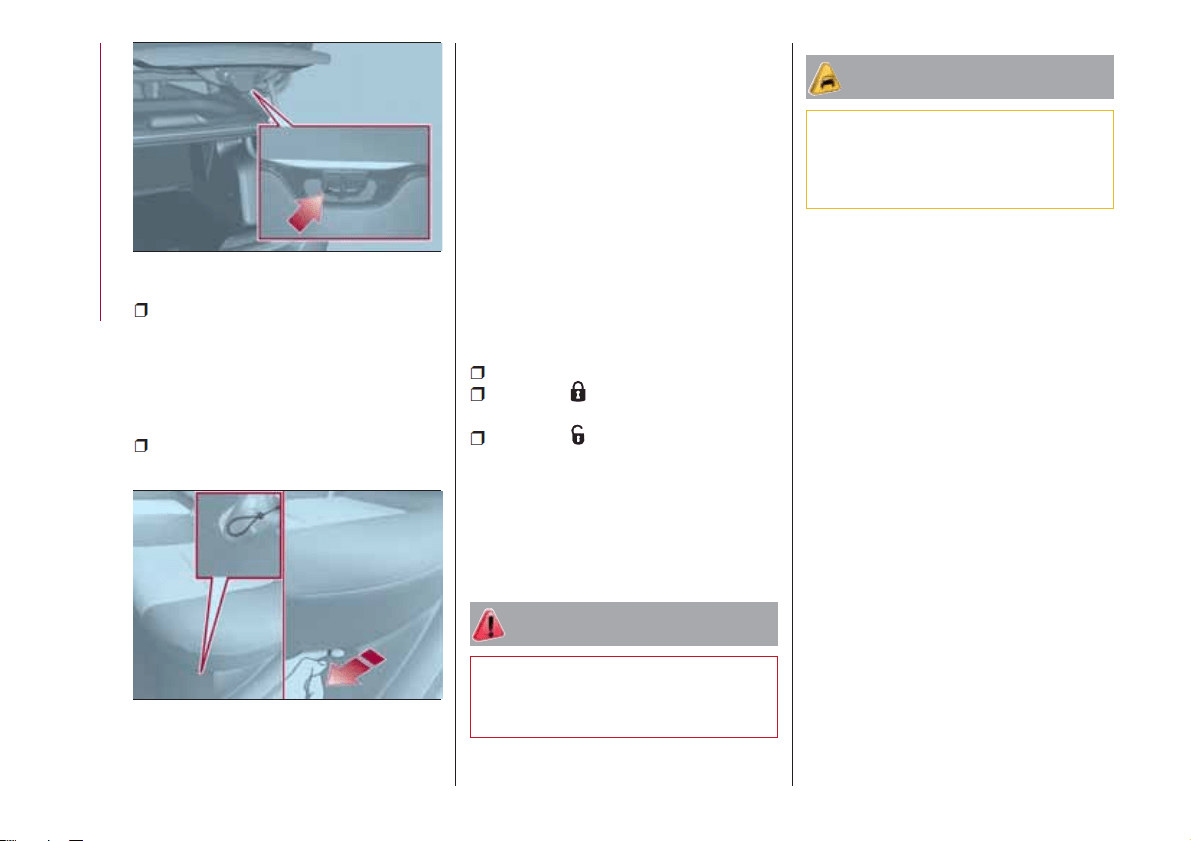
to mechanically release the rear flap,
using a screwdriver or the metal key
insert, operate the lever in the point
indicated in fig. 44 and release the lock.
For versions with fixed rear seat
backrests:
pull the cable located on the left side
below the rear seat cushion in fig. 45.
CLOSING
To close the rear flap, lower it onto the
lock until you hear it click.
IMPORTANT Before closing the rear
flap make sure that you have the keys,
since the rear flap is automatically
locked.
INITIALISATION
IMPORTANT If the battery is
disconnected or the protective fuse
blows, the rear flap opening/closing
mechanism must be reinitialised as
follows:
close all the doors and the rear flap;
press the " FIAT" button on the
remote control;
press the button on the remote
control.
REAR CURRENT SOCKET
This is located on the left-hand side of
the boot. This operation is possible only
with the key turned to MAR.
WARNING
30) Be careful not to hit objects on the
storage shelf when you open the rear boot
flap.
IMPORTANT
9) The dimensions of the platform permit a
maximum distributed weight capacity of
50 kg: do not load objects with a greater
weight.
44
04206J0009EM
45
04206J0010EM
34
KNOWING YOUR CAR
(for versions/markets, where provided)
KNOWING THE INSTRUMENT PANEL
This section of the handbook gives you
all the information you need to
understand, interpret and use the
instrument panel correctly.
CONTROL PANEL AND ON-BOARD
INSTRUMENTS ..............36
DISPLAY ..................38
TRIP COMPUTER.............41
WARNING LIGHTS AND
MESSAGES ................42
35
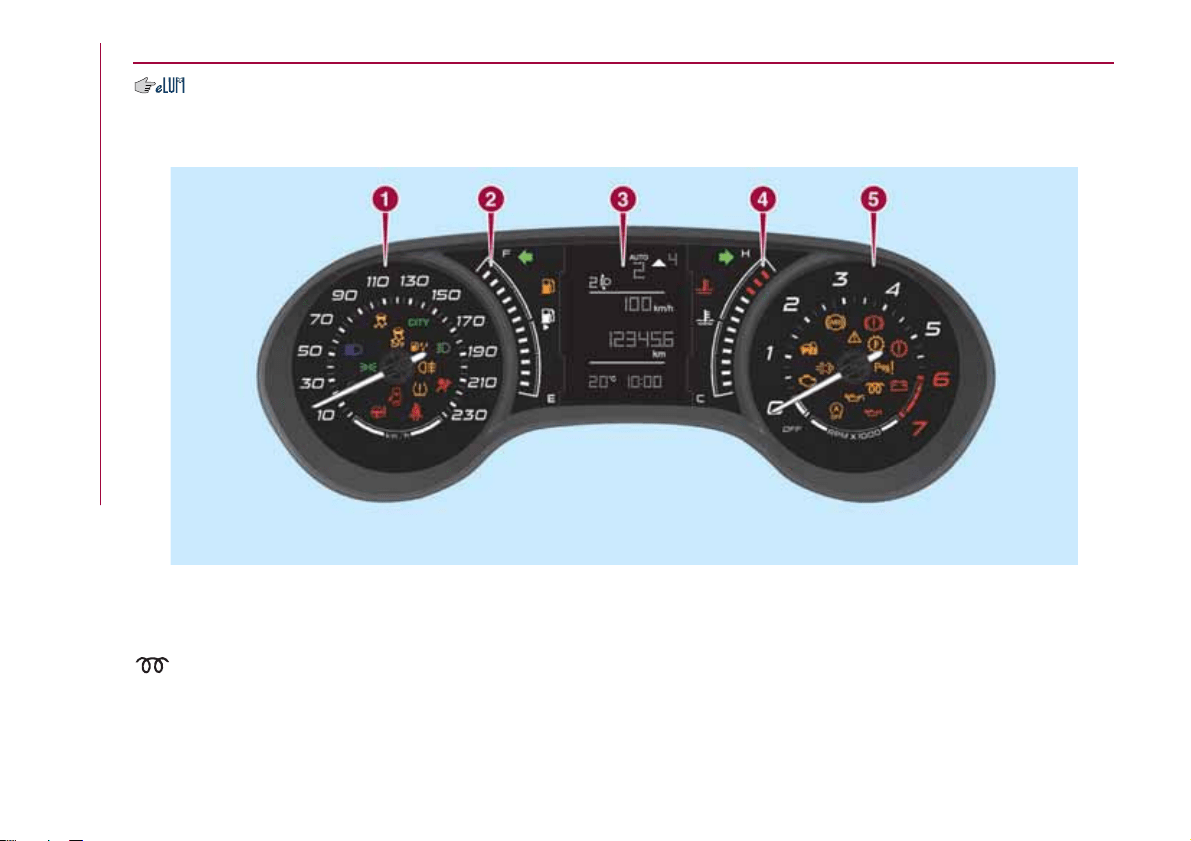
CONTROL PANEL AND ON-BOARD INSTRUMENTS
VERSIONS WITH MULTIFUNCTION DISPLAY
1. Speedometer (speed indicator) 2. Fuel level digital gauge with reserve warning light 3. Display 4. Digital engine coolant
temperature gauge with overheating warning light 5. Rev counter.
Warning light present on Diesel versions only.
IMPORTANT The illumination of the instrument panel graphics may vary according to version.
46
05016J0001EM
36
KNOWING THE INSTRUMENT PANEL
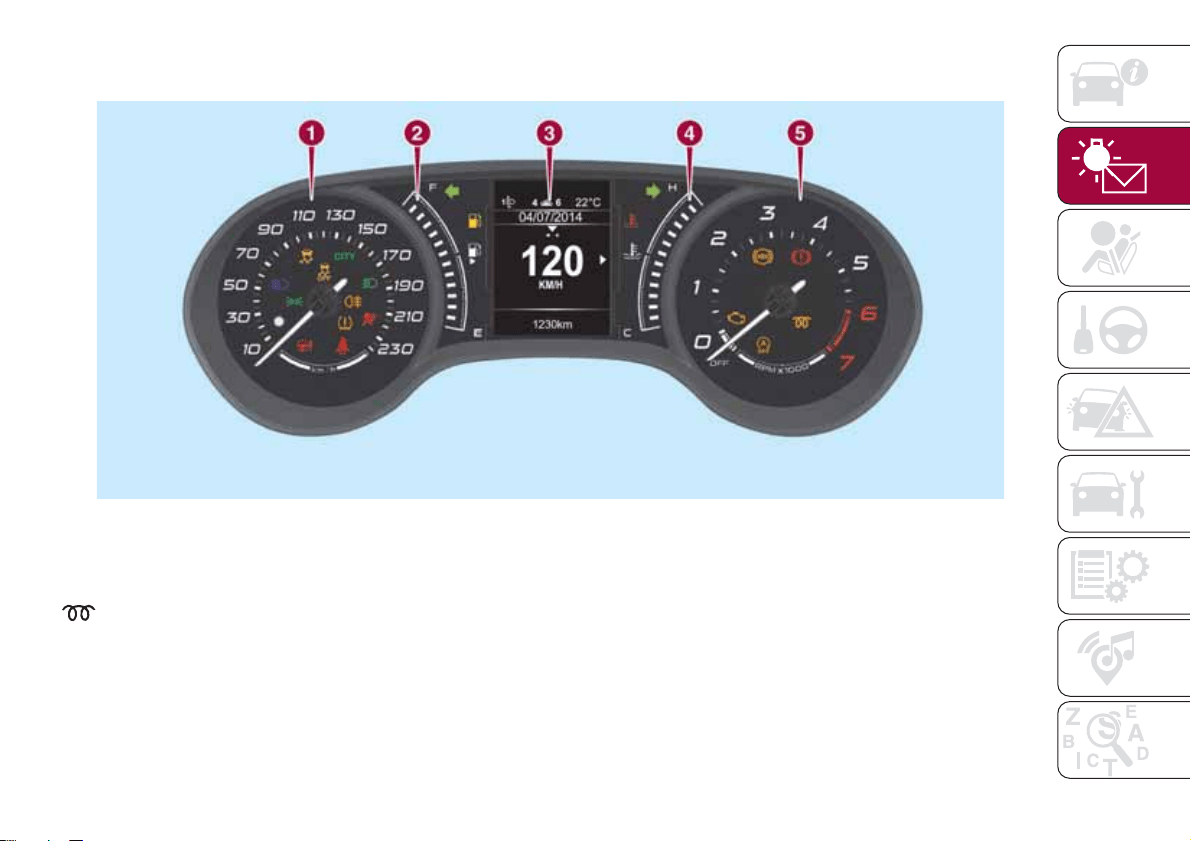
VERSIONS WITH RECONFIGURABLE MULTIFUNCTION DISPLAY
1. Speedometer (speed indicator) 2. Fuel level digital gauge with reserve warning light 3. Display 4. Digital engine coolant
temperature gauge with overheating warning light 5. Rev counter.
Warning light present on Diesel versions only.
IMPORTANT The illumination of the instrument panel graphics may vary according to version.
47
05016J0002EM
37
DISPLAY
DESCRIPTION
The vehicle is equipped with a display
that can show useful information to the
driver while driving.
GEAR SHIFT INDICATOR
The Gear Shift Indicator (GSI) system
advises the driver to change gear
through a special indication on the
display.
Through the GSI, the driver is informed
that the gear change will allow a
reduction in fuel consumption.
When the
icon appears on the
display, the GSI suggests switching to a
higher gear, while when the
icon is
displayed, the GSI suggests changing
to a lower gear.
The indication in the display remains
until a gear is shifted or the driving
conditions go back to a situation where
gearshifting is not required to improve
consumption.
MULTIFUNCTION
DISPLAY
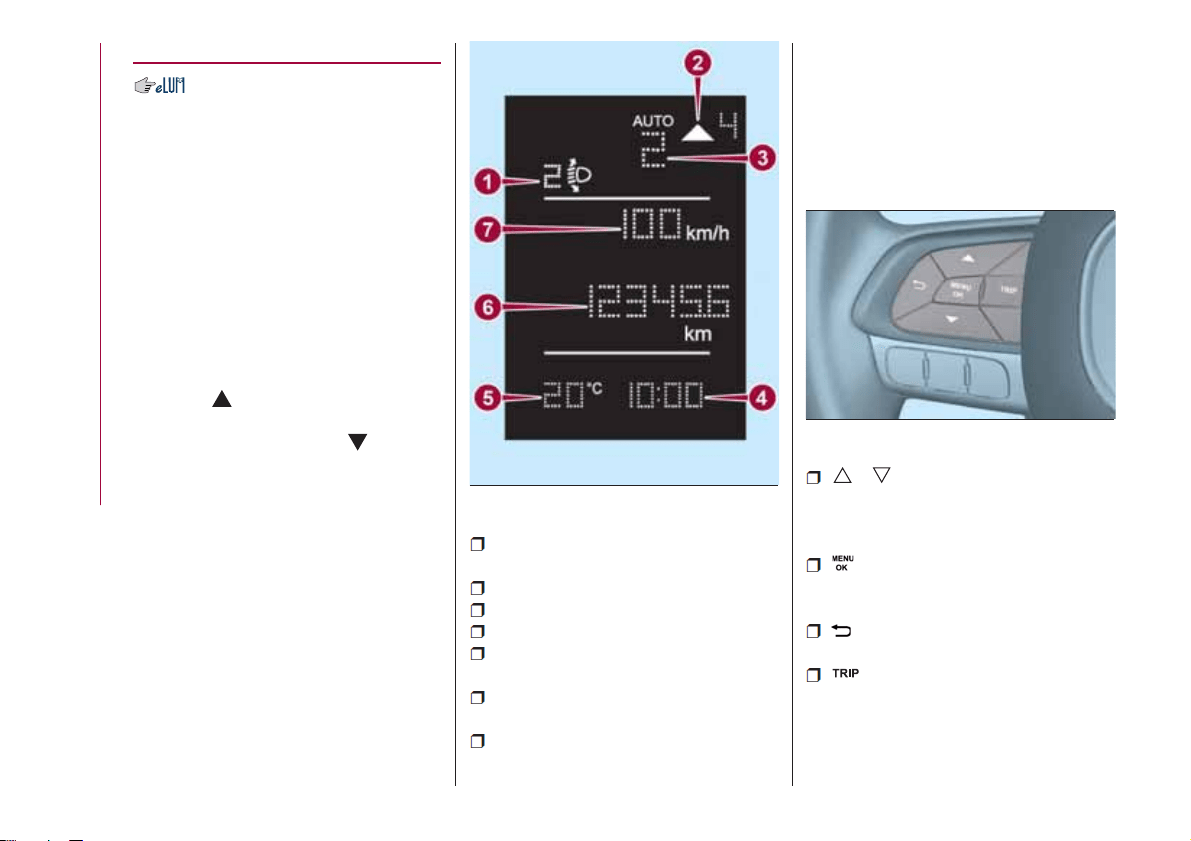
The display fig. 48 will show the
following information:
1: Headlight alignment position (only
with dipped beam headlights on)
2: Gear Shift Indicator (GSI)
3: Engaged gear indication
4: Time
5: Outside temperature (for
versions/markets, where provided)
6: Odometer (display of distance
travelled in kilometres/miles)
7: Display of "Cruise Control" or
instantaneous speed (for
versions/markets, where provided)
CONTROL BUTTONS
These are located on the left side of the
steering wheel fig. 49.
They allow the driver to select and
interact with the items in the Main menu
of the display (see paragraph "Main
menu").
/ : press and release the
buttons to access the Main menu and
to scroll the menu and the submenus
upwards or downwards.
: press briefly to access the
menu and/or go to next screen or to
confirm the required menu option.
: press and release the button to
return to the previous menu item.
: press and release the button
to display the "Trip computer"
information.
48
05036J0001EM
49
05036J0002EM
38
KNOWING THE INSTRUMENT PANEL
MAIN MENU
The Menu includes the following items:
“Dimmer” (lighting)
“Speed“
“Hour“ (set time)
“Buzzer“ (acoustic signal)
“Units“
“Corner“ (Cornering lights)
“Bag P“ (Passenger airbag)
“DRL“ (Daytime Running Lights) (for
versions/markets where provided)
Bag P (Passenger airbag)
This function is used to activate/
deactivate the front passenger's airbag.
Proceed as follows:
press the MENU OK button and,
after the displaying of the message
(Bag pass: Off, to deactivate) or the
message "Bag pass: On, to activate) by
pressing
/ , press the button;
a confirmation request message will
appear on the display;
press buttons / to select (Yes)
(confirming activation/deactivation) or
(No) (to abort);
press the MENU OK button briefly; a
message confirming the selection is
displayed and you can return to the
menu screen.
With Passenger's protection not
active the
LED comes on
constantly in the instrument panel
dashboard.
NOTE With the Uconnect™ system,
some Menu items are shown and
managed on the display of the latter
and not on the instrument panel display
(refer to the dedicated Multimedia
chapter or to the supplement available
online).
RECONFIGURABLE
MULTIFUNCTION
DISPLAY
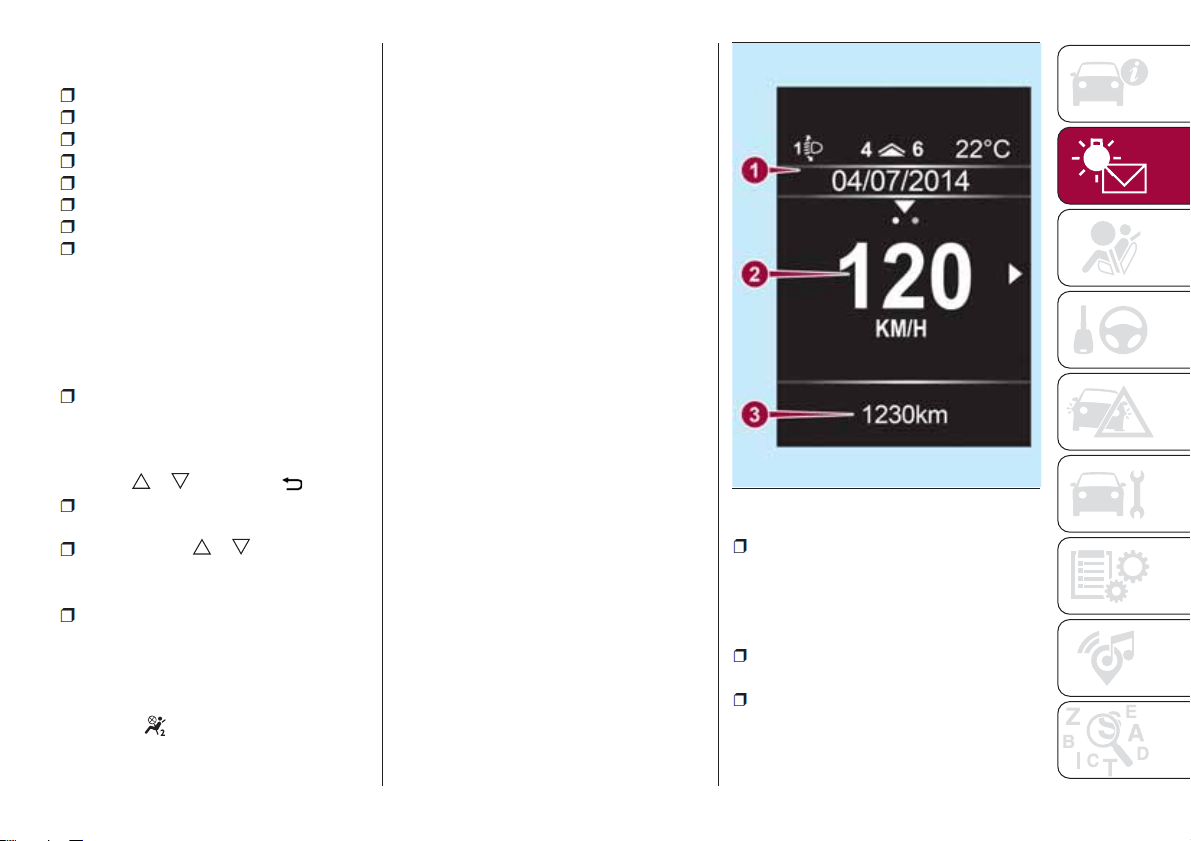
The display fig. 50 will show the
following information:
1: headlight alignment position,
indication of the gear engaged,
indication of the gear change
suggestion (GSI), outside temperature,
compass (where present), date.
2: vehicle speed, warning
messages/any failure indications
3: total kilometres (or miles) run and
icons of any failure indications.
50
05036J0003EM
39
CONTROL BUTTONS
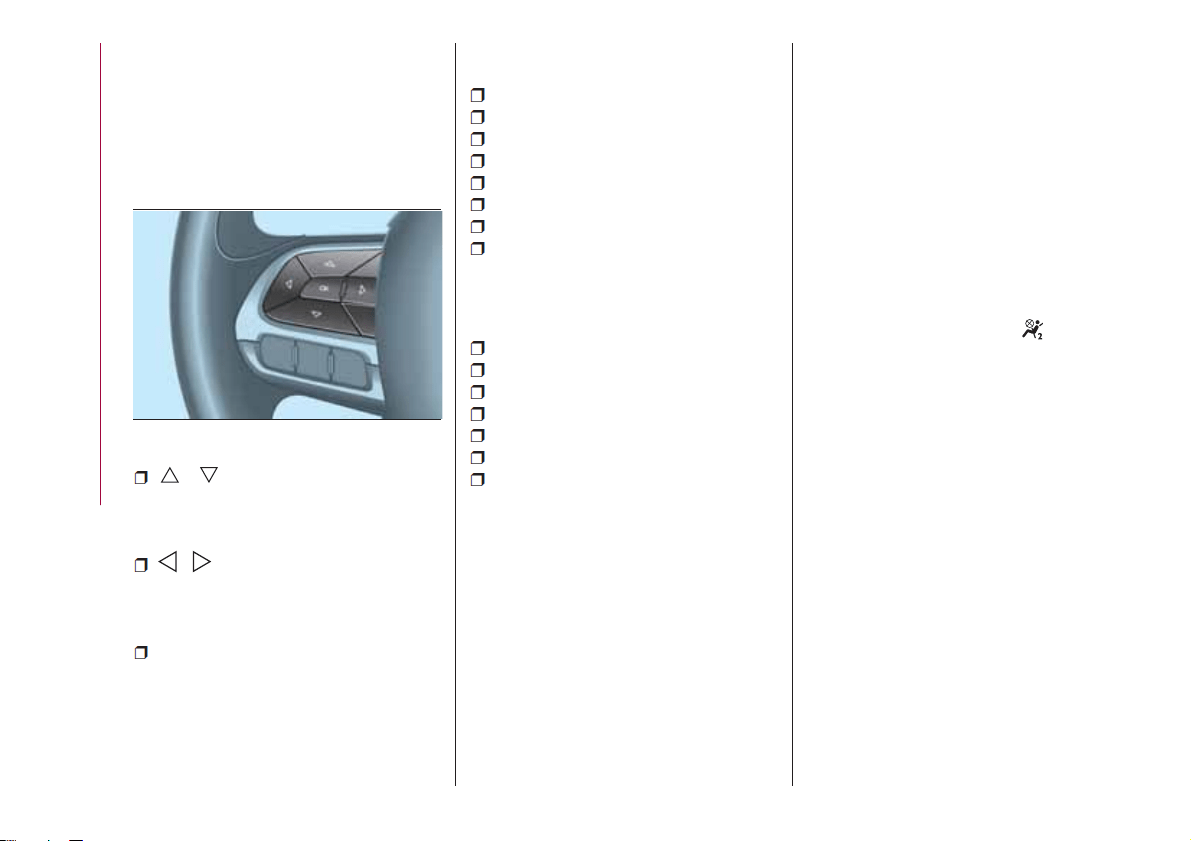
These are located on the left side of the
steering wheel fig. 51.
They allow the driver to select and
interact with the items in the Main menu
of the display (see paragraph "Main
menu").
/ : press and release the
buttons to access the Main menu and
to scroll the menu and the submenus
upwards or downwards.
/ : press and release the
buttons to access the information
displays or the submenus of an item of
the Main menu.
OK: press this button to
access/select the info displays or the
submenus of an item of the Main menu.
Hold the button pressed for 1 second
to reset the displayed/selected
functions.
MAIN MENU
The Menu includes the following items:
TRIP
GSI
VEHICLE INFO
AUDIO
TELEPHONE
NAVIGATION
ALERTS
SYSTEM VEHICLE
System Vehicle
This menu item allows you to change
the settings for:
Display;
Units;
Clock & Date;
Safety
Safety & Assistance;
Lights;
Doors & Locks.
Display
By selecting item "Display" you can
access the settings/information
regarding: " Display settings”,
"Language", "See phone", "See
navigation", "Automatic Trip B reset",
“Display lighting”.
Unit of measurement
Select item "Units" to choose the unit of
measurement between: "Imperial",
"Metric", "Customised".
Clock & Date
Select item "Clock & Date" to make the
following adjustments: "Set time", "Time
format", "Set date".
Safety
Select item "Security" to make the
following adjustments: "Passenger
AIRBAG", "Speed beep", "Seat belt
buzzer", "Hill Hold Control".
"Passenger AIRBAG" adjustment allows
you to activate/deactivate the
passenger airbag: Passenger's
protection not active: the
LED
comes on constantly in the instrument
panel dashboard.
Safety & Assistance
Select item "Safety & Assistance" to
make the following adjustments: Rain
sensor, Park Assist, Park Assist vol.
Lights
Select item "Lights" to make the
following adjustments: "Courtesy
lights", "Daytime running lights",
"Cornering lights", "Headlamp sensor",
"Follow me".
Doors & Locks
Select item "Doors & Locks" to make
the following adjustments: "Autoclose",
"Flash Lights w/Lock", "Auto unlock on
exit".
51
05036J0004EM
40
KNOWING THE INSTRUMENT PANEL
some Menu items are shown and
managed on the display of the latter
and not on the instrument panel display
(refer to the dedicated Multimedia
chapter or to the supplement available
online).
TRIP COMPUTER
The "Trip computer" is used to display
information on vehicle operation when
the ignition device is at MAR.
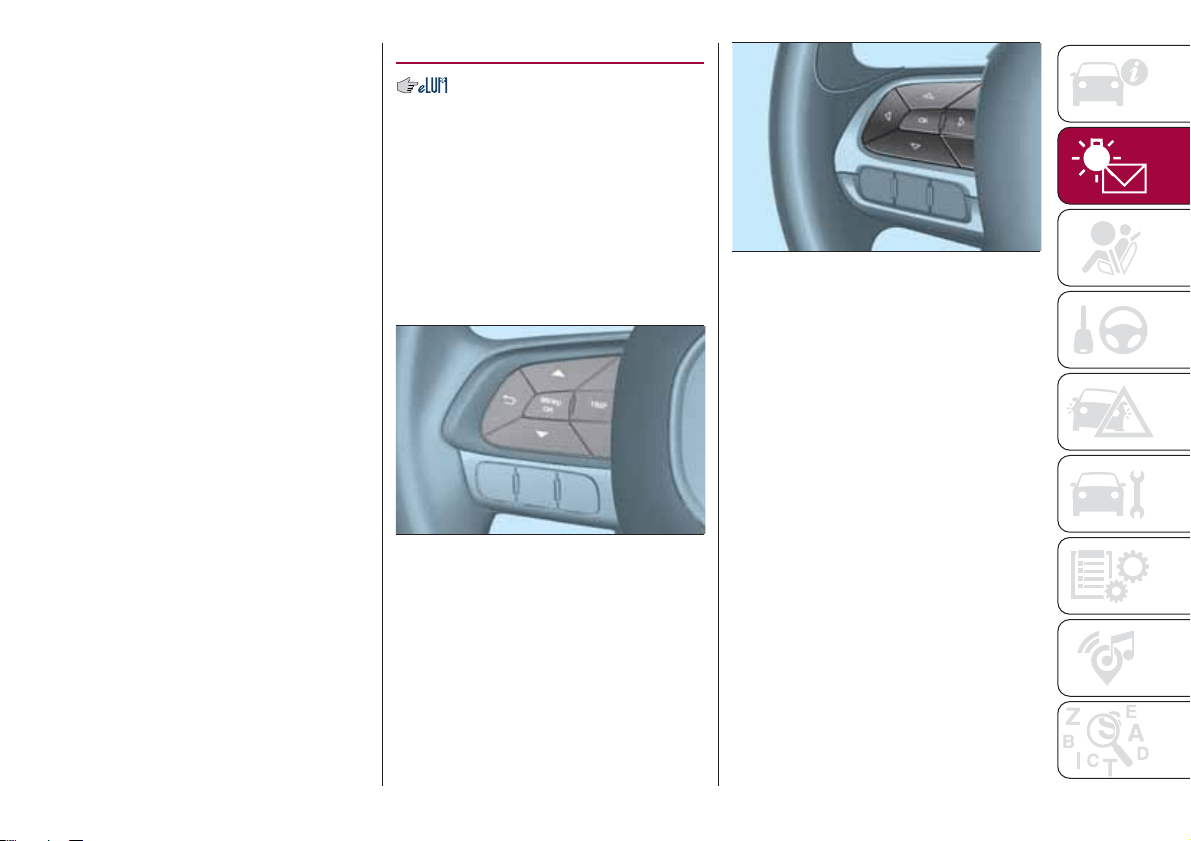
To reset the parameters, press and hold
the MENU OK button on the steering
wheel (versions with the multifunction
display) fig. 52 or the OK button
(versions with reconfigurable
multifunction display) fig. 53.
NOTE “Range” and “Instantaneous fuel
consumption" parameters cannot be
reset.
52
05036J0002EM
53
05036J0004EM
41
NOTE With the Uconnect™ system,
WARNING LIGHTS AND MESSAGES
IMPORTANT The warning light switches on in the instrument panel together with a dedicated message and/or acoustic signal
when applicable. These indications are indicative and precautionary and as such must not be considered as exhaustive and/or
alternative to the information contained in the Owner Handbook, which you are advised to read carefully in all cases. Always
refer to the information in this section in the event of a failure indication.
IMPORTANT Failure indications displayed are divided into two categories: very serious and less serious failures. Serious faults
are indicated by a repeated and prolonged warning "cycle". Less serious faults are indicated by a warning "cycle" with a shorter
duration. The display cycle of both categories can be interrupted. The instrument panel warning light will stay on until the cause
of the failure is eliminated.
NOTE The warning lights and icons described below are indicative and can change based on the version or market.
Warning light What it means
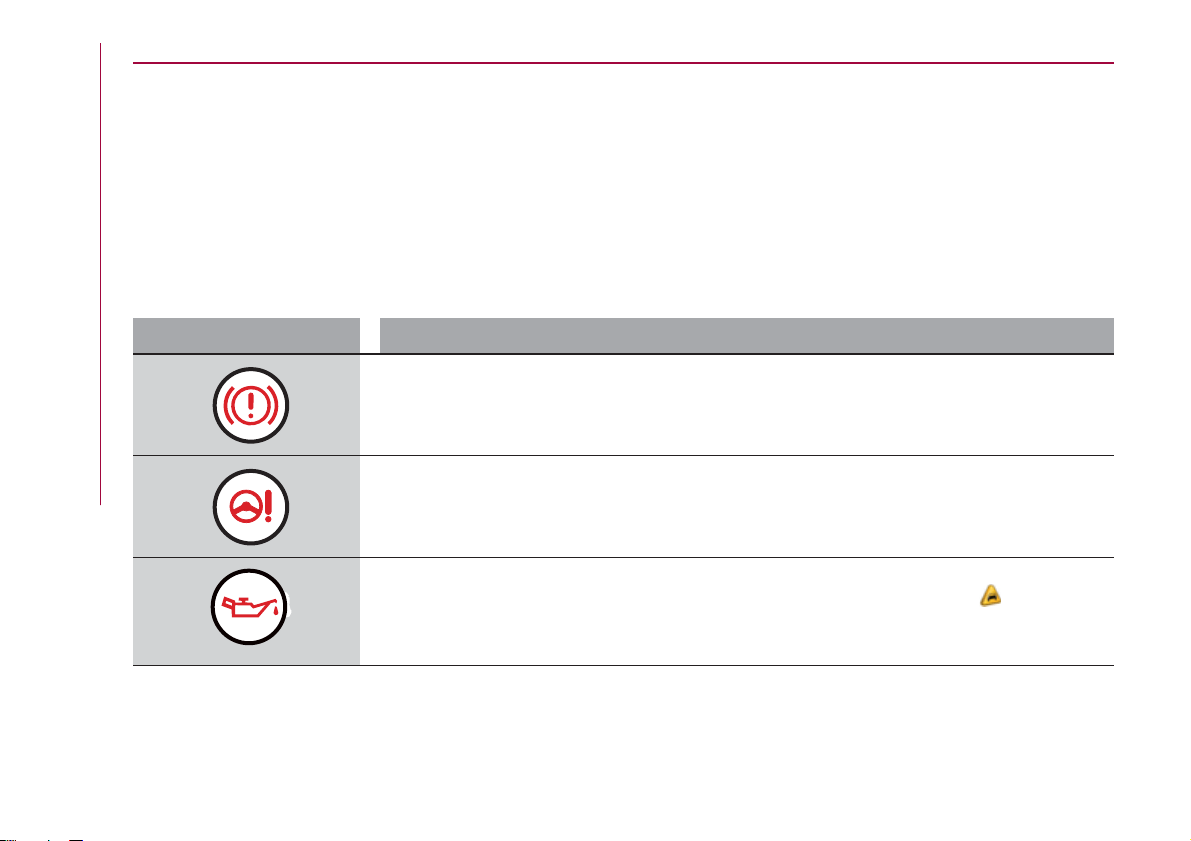
INSUFFICIENT BRAKE FLUID / PARKING BRAKE ON
Low brake fluid level
The warning light turns on when the level of the brake fluid in the reservoir falls below the minimum level,
possibly due to a leak in the circuit. Restore the brake fluid level, then check that the warning light has
switched off. If the warning light stays on, contact a Fiat Dealership.
POWER STEERING FAILURE
This warning light (or symbol in the display) switches on when the ignition device is brought to MAR, but it
should switch off after a few seconds. If the warning light (or symbol on the display) remains on, you
could not have steering assistance and the effort required to operate the steering wheel could be
increased; steering is, however, possible. Contact a Fiat Dealership as soon as possible.
LOW ENGINE OIL PRESSURE
The warning light or symbol switches on in the case of insufficient engine oil pressure.
10)
IMPORTANT Do not use the vehicle until the failure has been solved. The switching on of the symbol
does not show the quantity of oil in the engine: the oil level must be checked manually.
42
KNOWING THE INSTRUMENT PANEL
Warning light What it means
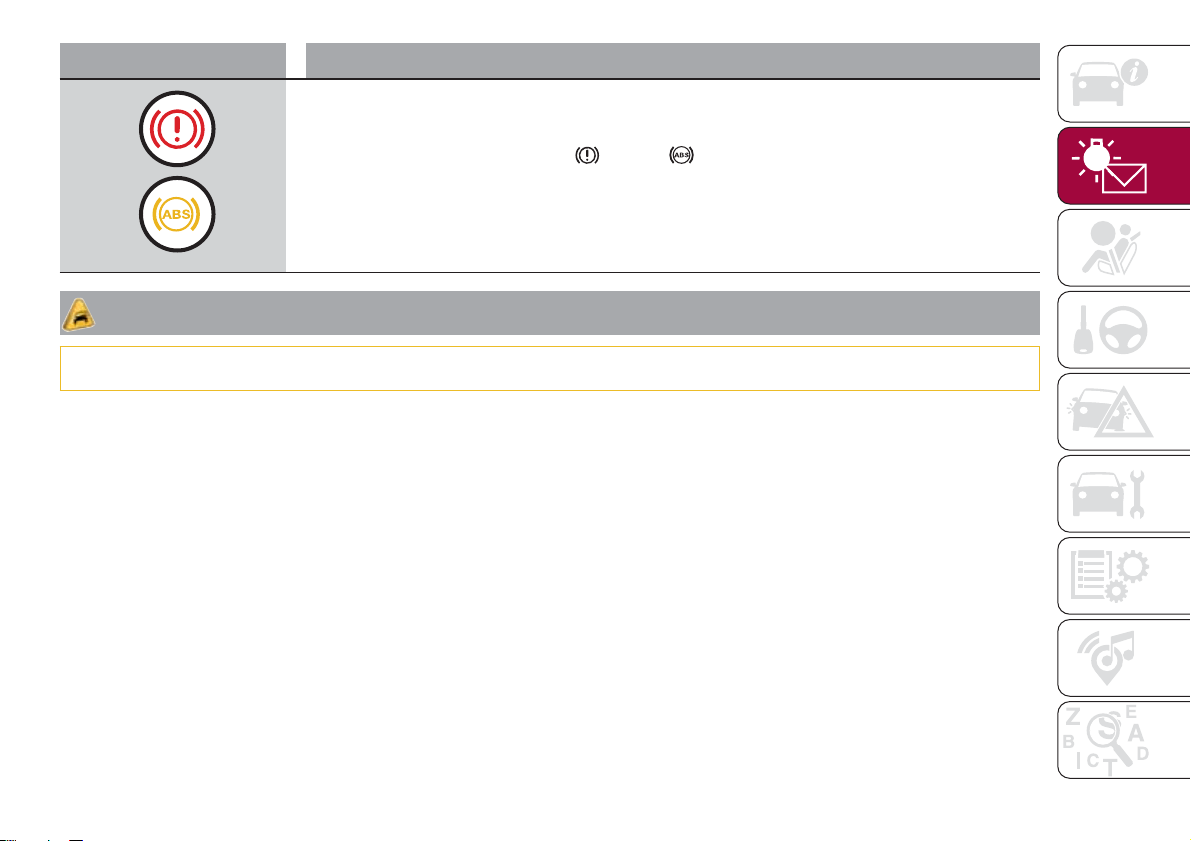
EBD FAILURE
The simultaneous switching on of the
(red) and (amber) warning lights with the engine on
indicates either a failure of the EBD system or that the system is not available. In this case, the rear
wheels may suddenly lock and the vehicle may swerve when braking sharply.
Drive very carefully to the nearest Fiat Dealership to have the system inspected immediately.
IMPORTANT
10) If the symbol switches on when driving, stop the engine immediately and contact a Fiat Dealership.
43
Warning light What it means
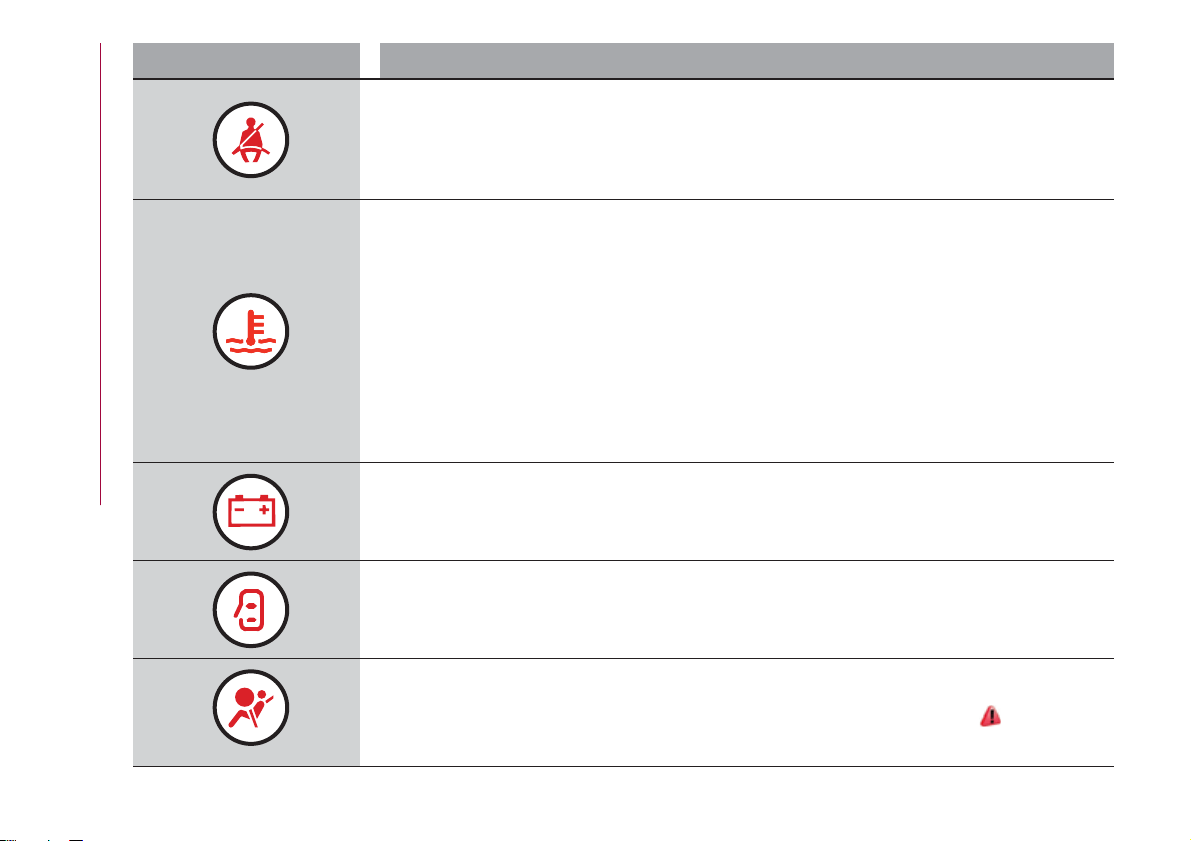
SEAT BELTS NOT FASTENED
The warning light switches on constantly if the vehicle is stationary and the driver side or passenger side
seat belt (for versions/markets, where provided), with the passenger seated, is not fastened. The warning
light flashes and a buzzer will sound if the vehicle is in motion and the driver side or passenger side seat
belt (for versions/markets, where provided), with the passenger seated, is not correctly fastened. In this
case, fasten the seat belt.
ENGINE COOLANT TEMPERATURE TOO HIGH
The warning light (or the icon on the display on some versions) switches on when the engine is
overheated.
In normal driving conditions: stop the car, switch off the engine and check that the coolant level in the
reservoir is not below the MIN mark. In this case, wait for the engine to cool down, then slowly and
carefully open the cap, top up with coolant and check that the level is between the MIN and MAX marks
on the reservoir itself. Also check visually for any fluid leaks. If, when restarting, the warning light switches
on (or the icon is displayed) again, contact a Fiat Dealership.
If the vehicle is used under demanding conditions (e.g. in high-performance driving): slow down
and, if the warning light stays on, stop the vehicle. Stop for two or three minutes with the engine running
and slightly accelerated to facilitate better coolant circulation, then turn the engine off. Check that the
coolant level is correct as described above.
IMPORTANT Over demanding routes, it is advisable to keep the engine running and slightly accelerated
for a few minutes before turning it off.
ALTERNATOR FAILURE
If this warning light or symbol switches on when the engine is running, this indicates a vehicle recharging
system failure. Contact a Fiat Dealership as soon as possible.
DOOR OPEN
The warning light turns on when one or more doors (or, for some versions also the bonnet and the engine
bonnet) are not perfectly closed (for versions/markets, where provided). An acoustic signal is activated
with the doors open and the car moving. Close the doors properly.
AIRBAG FAILURE
If the warning light switches on constantly, this indicates a failure in the airbag system.
31) 32)
44
KNOWING THE INSTRUMENT PANEL
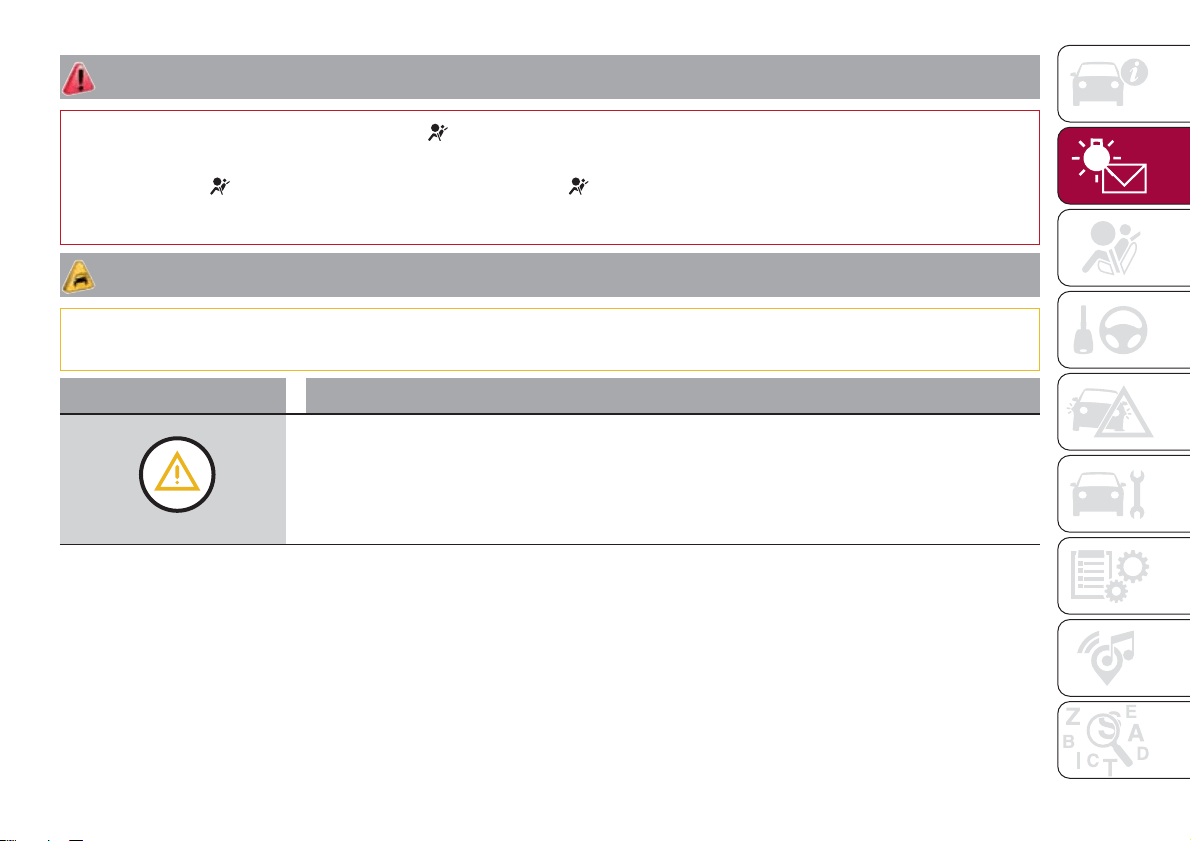
WARNING
31) If, when the ignition device is turned to MAR, the warning light does not switch on or stays on whilst driving, a failure may have
occurred in the restraint systems. In this case the airbags or pretensioners may not be deployed in an impact or, in a lower number of cases,
they may be deployed accidentally. Before continuing, contact a Fiat Dealership immediately to have the system checked.
32) The failure of the
warning light is signalled by the lighting up of the icon on the instrument panel display (or, for versions where
provided, by the flashing of the generic failure warning light). In this case, the warning light may not indicate any faults with the restraint
systems. Before continuing, contact a Fiat Dealership immediately to have the system checked.
IMPORTANT
11) Driving the vehicle with this symbol on may severely damage the gearbox, with resulting breakage. The oil may also overheat: contact with
hot engine or with exhaust components at high temperature could cause fires.
Warning light What it means
GENERAL FAILURE
When this warning light or symbol starts flashing, for versions/markets where provided, this indicates an
airbag warning light fault. In this case, the airbag may not indicate possible airbag system malfunctions.
Contact a Fiat Dealership immediately.
When this warning light or symbol turn on, it can indicate the intervention or a problem concerning the
fuel cut-off system or an engine oil pressure sensor failure.
45
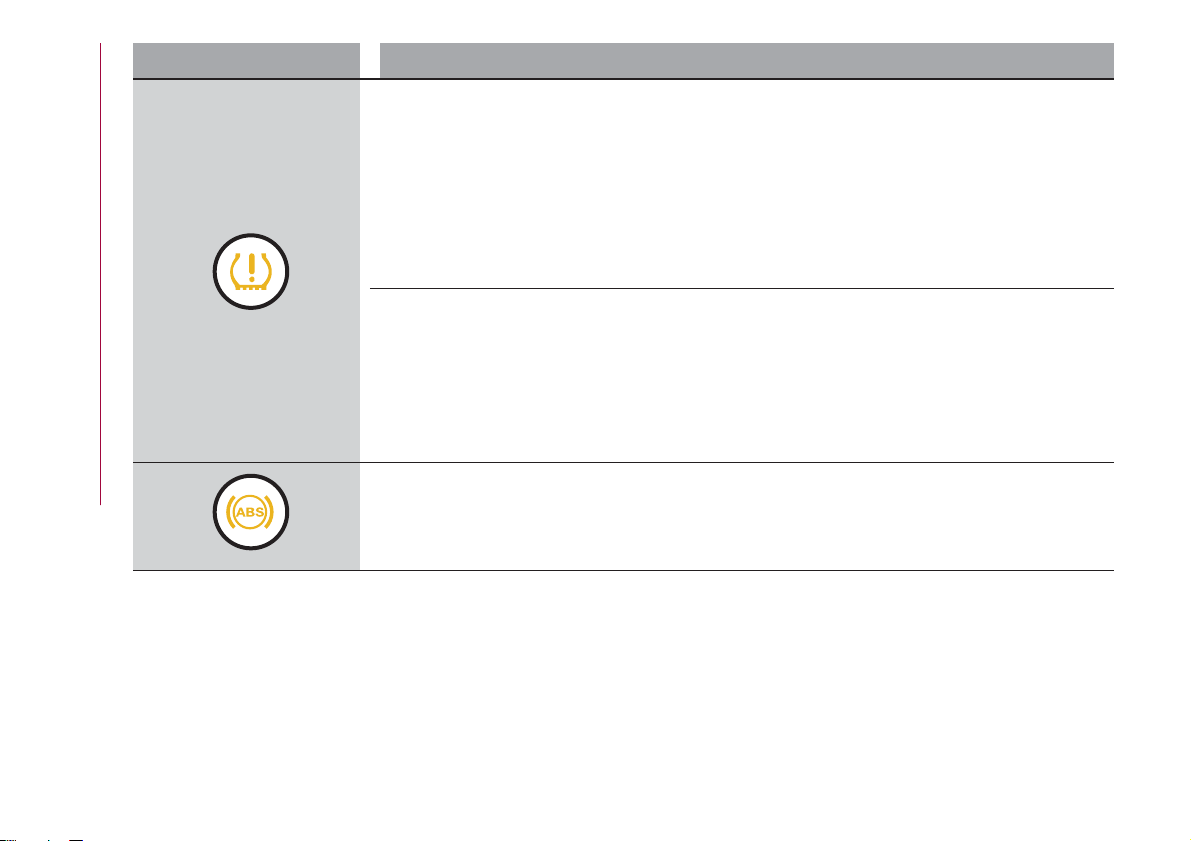
Warning light What it means
iTPMS
iTPMS failure
The warning light flashes for a few seconds and then stays on constantly (see “Operating conditions”
paragraph) to indicate that the system is temporarily deactivated or faulty. The system goes back to
normal operation when the operating conditions allow it. If this is not the case, carry out the Reset
procedure after restoring the normal operating conditions. If the malfunction warning persists, contact a
Fiat Dealership as soon as possible.
IMPORTANT Do not continue driving with one or more flat tyres as handling may be compromised. Stop
the vehicle, avoiding sharp braking and steering. Repair immediately using the dedicated tyre repair kit
(see the “Fix&Go automatic kit” paragraph in the "In an emergency" chapter) and contact a Fiat
Dealership as soon as possible.
Tyre pressure low
The warning light switches on constantly to indicate that the pressure of one or more tyres is lower than
the recommended value or to indicate a slow loss of pressure. Once the normal operating conditions of
the vehicle are restored, carry out the Reset procedure.
IMPORTANT Do not continue driving with one or more flat tyres as handling may be compromised. Stop
the vehicle, avoiding sharp braking and steering.
In any situation in which the dedicated message is shown on the display, it is ESSENTIAL to refer to the
contents of the "Wheels" paragraph in the "Technical data" chapter, strictly complying with the indications
that you find there.
ABS FAILURE
The warning light switches on to indicate an ABS fault. In this case the braking system maintains its
efficiency unaltered but without the advantage of the ABS system. Drive carefully and contact a Fiat
Dealership as soon as possible.
46
KNOWING THE INSTRUMENT PANEL
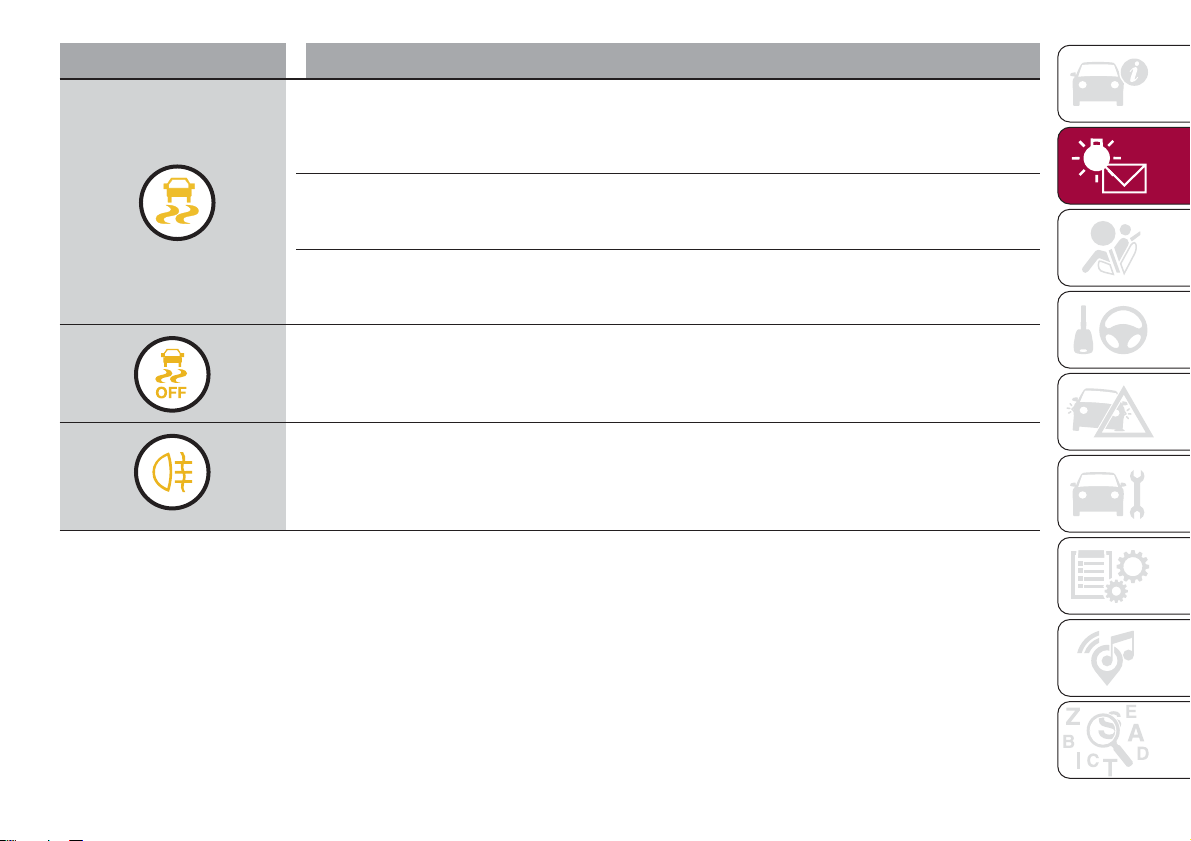
Warning light What it means
ESC SYSTEM
ESC system activation
Intervention by the system is indicated by the flashing of the warning light: it indicates that the car is in
critical stability and grip conditions.
ESC system failure
If the warning light does not switch off, or if it stays on with the engine running, a failure was found on the
ESC system. Contact a Fiat Dealership as soon as possible.
Hill Hold Control system failure
The warning light turns on to indicate a Hill Holder Control system failure. Contact a Fiat Dealership as soon
as possible.
PARTIAL DEACTIVATION OF ACTIVE SAFETY SYSTEMS
The warning light switches on to indicate that some active safety systems have been partially deactivated.
When the systems are reactivated, the warning light switches off.
REAR FOG LIGHT
The warning light switches on when the rear fog light is activated.
47
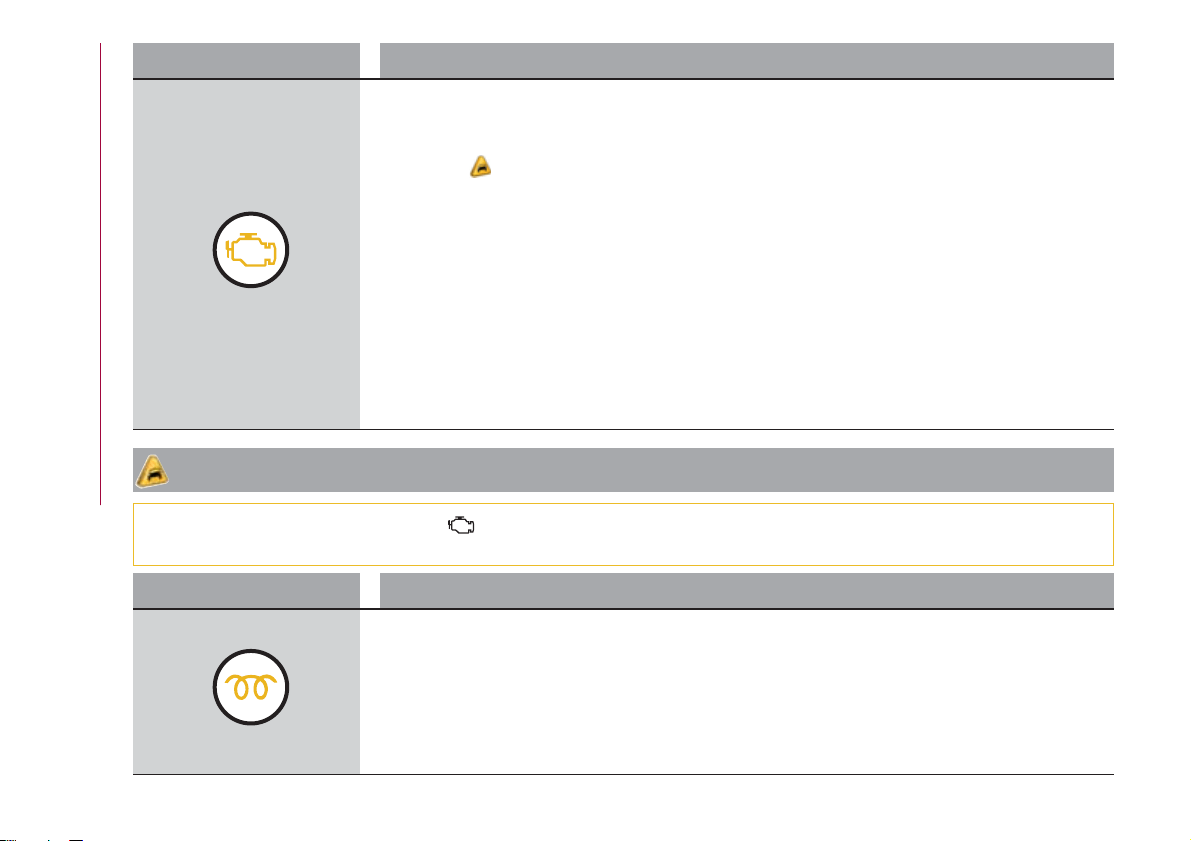
Warning light What it means
INJECTION / EOBD SYSTEM FAILURE
In normal conditions, when the ignition device is brought to MAR, the warning light switches on, but it
should switch off as soon as the engine is started. The operation of the warning light may be checked by
the traffic police using specific devices. Comply with the laws and regulations of the country where you
are driving.
12)
Injection system failure
If the warning light remains on, or it switches on whilst driving, the injection system is not working
properly. The warning light on constantly signals a malfunction in the supply/ignition system which could
cause high exhaust emissions, a possible loss of performance, poor driveability and high consumption.
The warning light switches off if the malfunction disappears, but is still stored by the system. Under these
conditions, the vehicle can continue travelling at moderate speed but without demanding excessive effort
from the engine or high speed. Prolonged use of the car with the warning light on may cause damage.
Contact a Fiat Dealership as soon as possible.
Catalytic converter damaged
If the warning light flashes, it means that the catalytic converter may be damaged. Release the
accelerator pedal to lower the speed of the engine until the warning light stops flashing. Continue the
journey at moderate speed, trying to avoid driving conditions that may cause further flashing and contact
a Fiat Dealership as soon as possible.
IMPORTANT
12) If, turning the ignition device to MAR, the warning light does not turn on or if it turns on steadily or flashing when travelling (on some
versions together with the message on the display), contact a Fiat Dealership as soon as possible.
Warning light What it means
GLOW PLUG PREHEATING (Diesel versions)
This warning light comes on when the ignition device is brought to MAR and will switch off when the glow
plugs have reached the preset temperature. The engine can be started as soon as the warning light
switches off.
IMPORTANT In mild or high temperature conditions, the warning light comes on for a very short time only.
GLOW PLUG PREHEATING FAILURE (Diesel versions)
The warning light will flash to indicate a failure in the glow plug preheating system. In this case, contact a
Fiat Dealership as soon as possible.
48
KNOWING THE INSTRUMENT PANEL
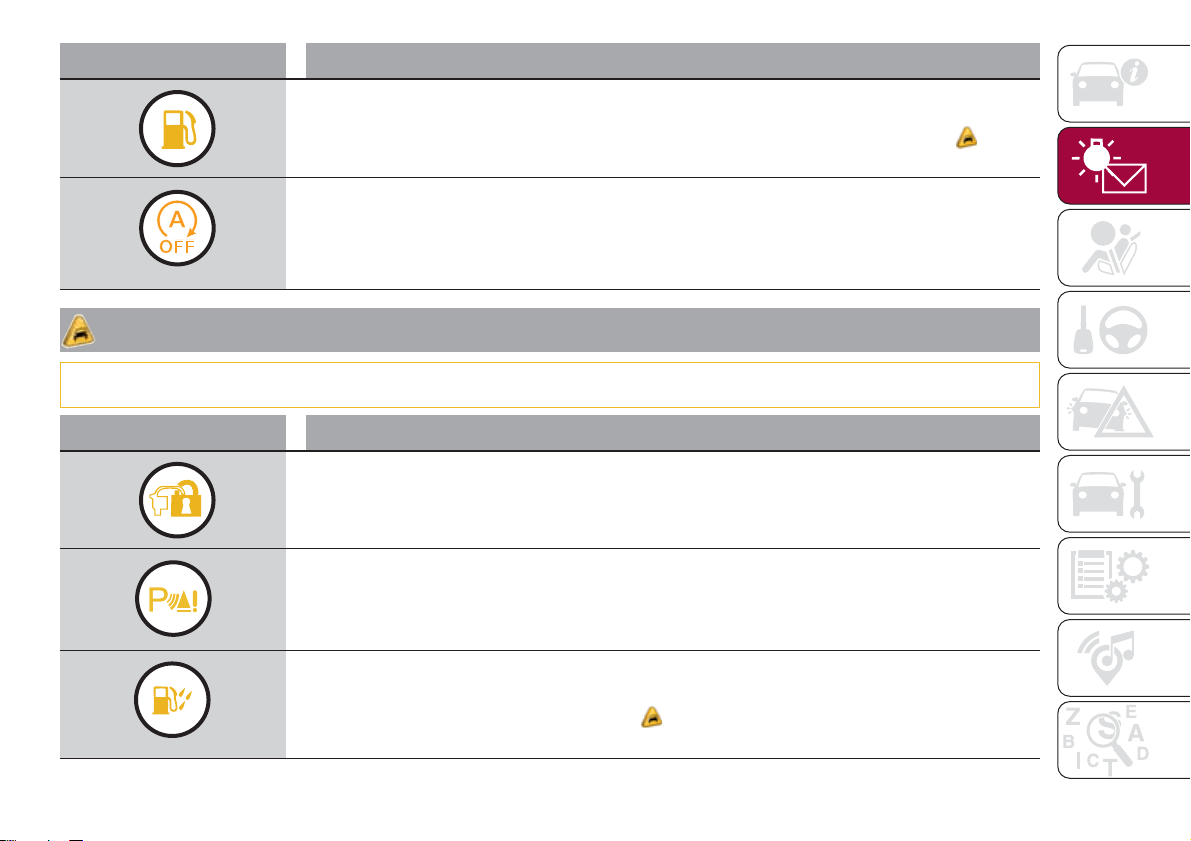
Warning light What it means
FUEL RESERVE / LIMITED RANGE
This warning light on the display comes on when about 5 to 7 litres of fuel are left in the tank.
13)
START&STOP SYSTEM MANUAL ACTIVATION / DEACTIVATION
(for versions/markets, where provided)
Activation: A message will appear, where provided, on the display when the system is activated.
Deactivation: A warning light and, where provided, a dedicated message will appear on the display
when the Start&Stop system is deactivated.
IMPORTANT
13) If the warning light (or the icon on the display) flashes whilst driving, contact a Fiat Dealership.
Warning light What it means
FIAT CODE SYSTEM FAILURE
Fiat CODE system failure
The warning light or symbol switches on to indicate a failure of the Fiat CODE system. Contact a Fiat
Dealership as soon as possible.
PARKING SENSOR FAILURE (PARK ASSIST)
The warning light or yellow symbol switches on in the case of temporary failure of the parking sensors. If
the problem is still present after cleaning the parking sensor area, contact a Fiat Dealership.
WATER IN DIESEL FILTER (Diesel versions)
The warning light or symbol switches on constantly when driving (along with a message in the display), to
indicate the presence of water in the Diesel filter.
14)
49
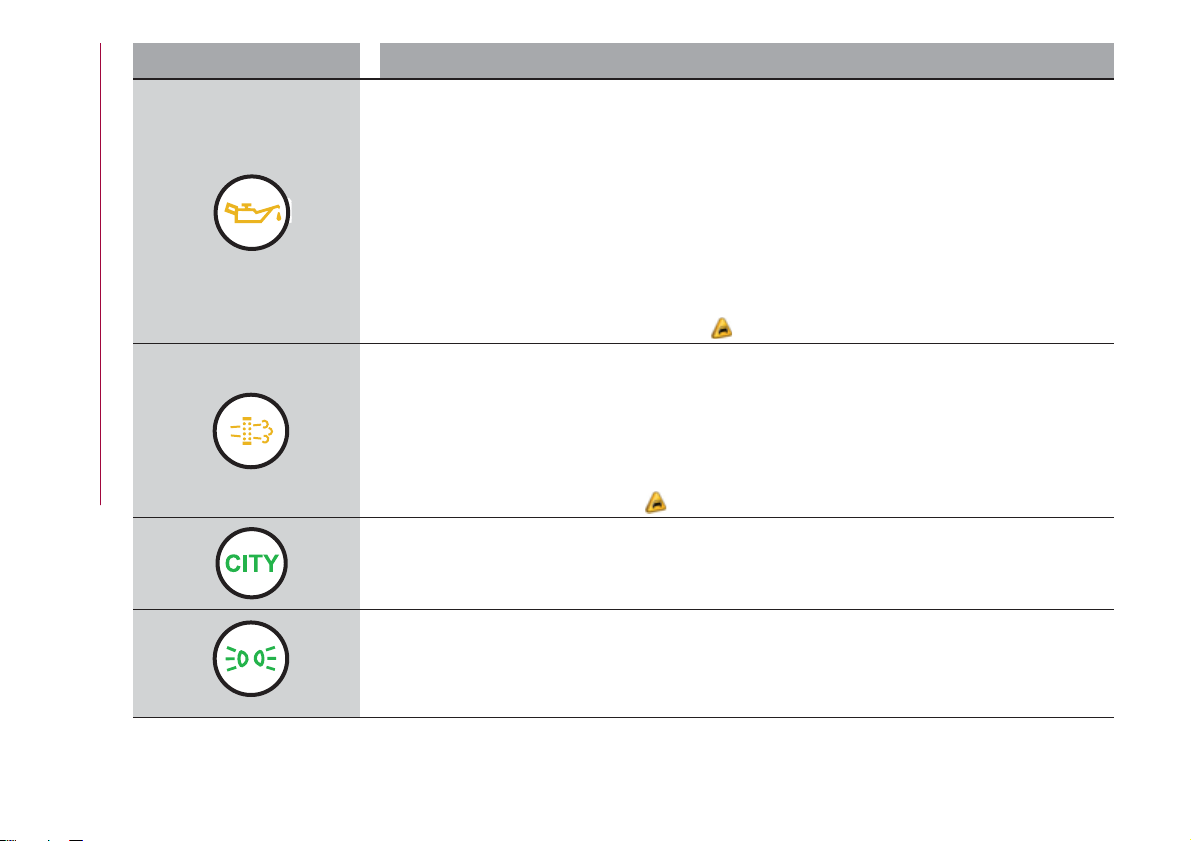
Warning light What it means
ENGINE OIL DETERIORATED
(where provided)
Diesel versions: the warning light or symbol turns on and is displayed for 3 minute cycles and intervals
of 5 seconds until the oil is changed.
The symbol is displayed until the problem is solved.
Petrol versions: the warning light or symbol switches on and then is not displayed when the display
cycle is completed.
IMPORTANT After the first indication, each time the engine is started the symbol will continue to switch
on as described above until the oil is changed.
If the warning light or symbol flashes, this does not mean that there is a fault on the vehicle, rather it
simply reports that it is now necessary to change the oil as a result of regular use of the vehicle.
The deterioration of engine oil is accelerated by using the vehicle for short drives, preventing the engine
from reaching operating temperature.
Contact a Fiat Dealership as soon as possible.
15) 16)
DPF CLEANING in progress (Diesel versions with DPF only)
The warning light or symbol switches on constantly to indicate that the DPF system needs to eliminate
the trapped pollutants (particulate) through the regeneration process.
The warning light or symbol does not come on during every DPF regeneration, but only when driving
conditions require that the driver is notified. To turn off the symbol, keep the vehicle in motion until the
regeneration process is over. On average, the process lasts 15 minutes. Optimal conditions for
completing the process are achieved by travelling at 60 km/h with engine speed above 2000 rpm.
When this warning light or symbol switches on, it does not indicate a vehicle failure and therefore it does
not need to be taken to a workshop.
17)
“DUALDRIVE” ELECTRIC POWER STEERING SYSTEM ACTIVATION
The indication CITY switches on when the "Dualdrive" electric power steering system is activated by
pressing the relative control button. If the button is pressed again the word CITY goes out.
SIDE LIGHTS AND DIPPED BEAM HEADLIGHTS
The warning light switches on when the side lights or dipped headlights are turned on.
This function allows the headlights to remain on for 30, 60 or 90 seconds after the ignition device was
placed in STOP position (headlights off delay function (follow me home)).
50
KNOWING THE INSTRUMENT PANEL
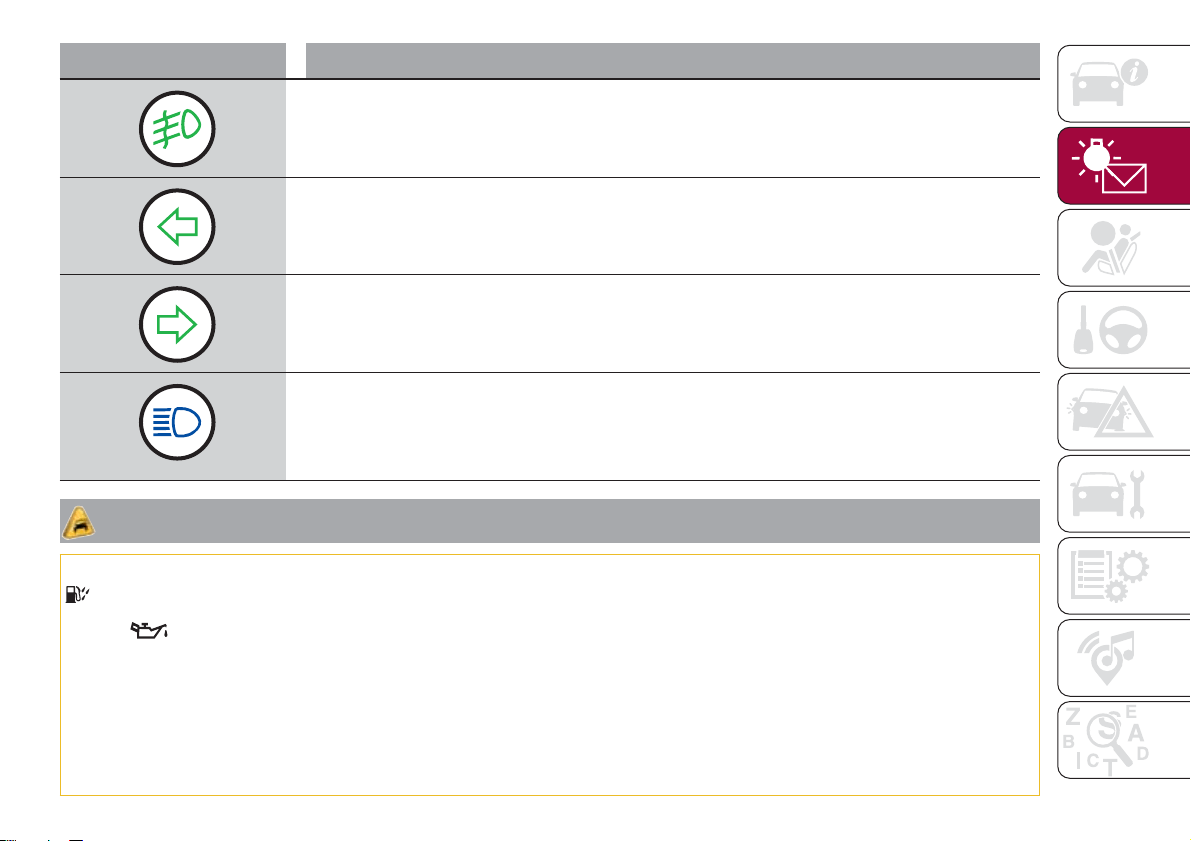
Warning light What it means
FRONT FOG LIGHTS
The warning light comes on when the front fog lights are turned on.
LEFT DIRECTION INDICATOR
The warning light switches on when the direction indicator control stalk is moved downwards or, together
with the right direction indicator, when the hazard warning light button is pressed.
RIGHT DIRECTION INDICATOR
The warning light switches on when the direction indicator control stalk is moved upwards or, together
with the left direction indicator, when the hazard warning light button is pressed.
MAIN BEAM HEADLIGHTS
The warning light switches on when the main beam headlights are turned on.
IMPORTANT
14) The presence of water in the fuel system circuit may cause severe damage to the injection system and irregular engine operation. If the
symbol is displayed contact a Fiat Dealership as soon as possible to bleed the system. If the above indications come on immediately after
refuelling, water has probably been poured into the tank: switch the engine off immediately and contact a Fiat Dealership.
15) If the
warning light comes on, the exhausted engine oil should be changed as soon as possible, never drive more than 500 km from
the first switching-on of this warning light. Failure to observe the above may result in severe damage to the engine and invalidate the warranty.
Remember that when this warning light comes on, it does not mean that the level of engine oil is low, so if it flashes you do not need to top up
the engine oil.
16) If the symbol flashes when driving, contact a Fiat Dealership.
17) Vehicle travel speed should always be adapted to the traffic and weather conditions, and must always comply with traffic regulations. The
engine can be stopped even if the DPF warning light is on: however, repeated interruptions of the regeneration process could cause
premature deterioration of the engine oil. For this reason it is always advisable to wait for the symbol to go off before turning off the engine,
following the instructions above. Do not complete the DPF regeneration process when the vehicle is stopped.
51
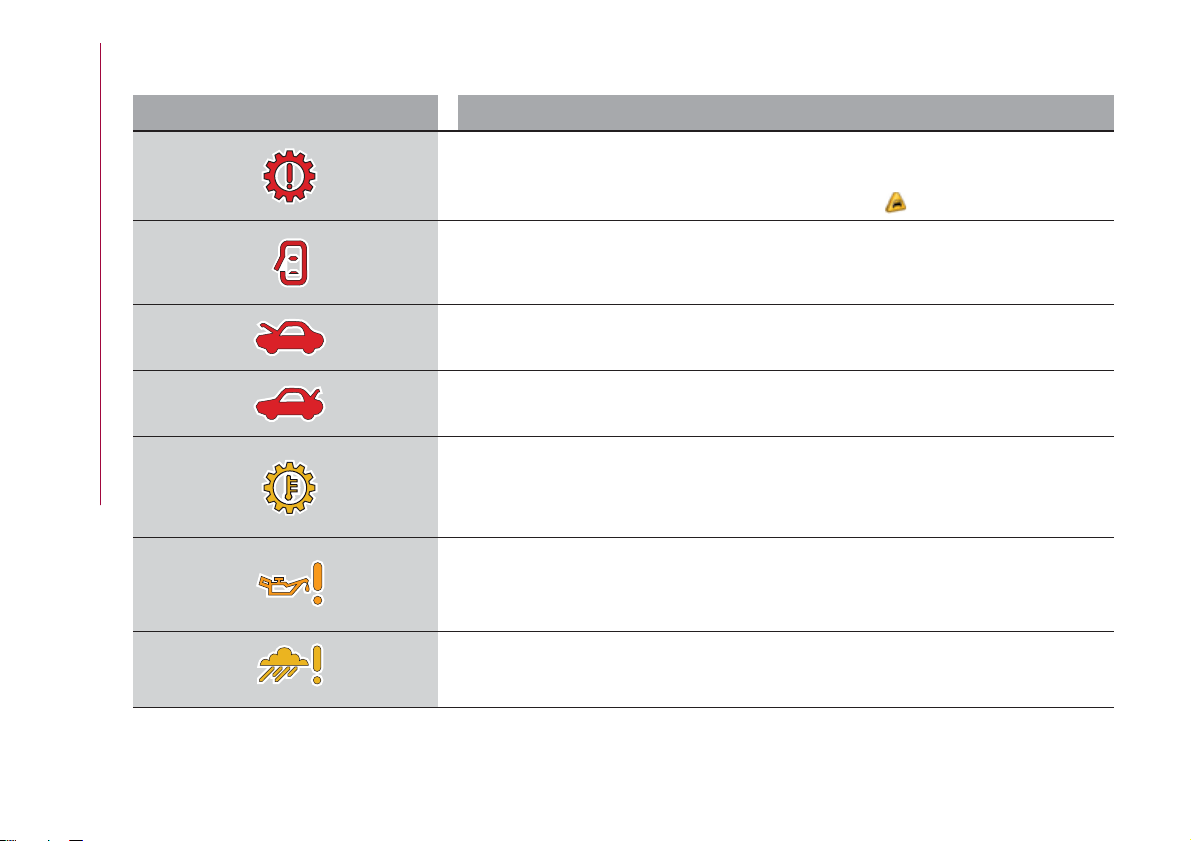
SYMBOLS ON THE DISPLAY
Symbol What it means
FAULT IN AT6 AUTOMATIC GEARBOX
(for versions/markets, where provided)
The warning light or symbol switches on to indicate that there is a failure in the automatic
transmission. Contact a Fiat Dealership as soon as possible.
11)
DOOR OPEN
The symbol switches on when one or more doors are not completely shut (for versions/
markets, where provided). An acoustic signal is activated with the doors open and the car
moving. Close the doors properly.
BONNET NOT PROPERLY SHUT
The symbol switches on when the engine bonnet is not properly shut (for versions/markets,
where provided). Close the bonnet properly.
REAR FLAP NOT PROPERLY SHUT
The symbol switches on when the rear flap is not properly shut (for versions/markets, where
provided). Close the rear flap correctly.
AT6 AUTOMATIC TRANSMISSION FLUID OVERHEATING
(for versions/markets, where provided)
The warning light or symbol switches on in the case of transmission overheating, after a
particularly demanding use. In this case an engine performance limitation is carried out. With
engine off or at idle speed, wait until the symbol switches off.
ENGINE OIL PRESSURE SENSOR FAILURE
The symbol switches on constantly together with the message in the display in the case of
engine oil pressure sensor failure.
RAIN SENSOR FAILURE
The symbol switches on in the case of failure of the rain sensor. Contact a Fiat Dealership as
soon as possible.
52
KNOWING THE INSTRUMENT PANEL
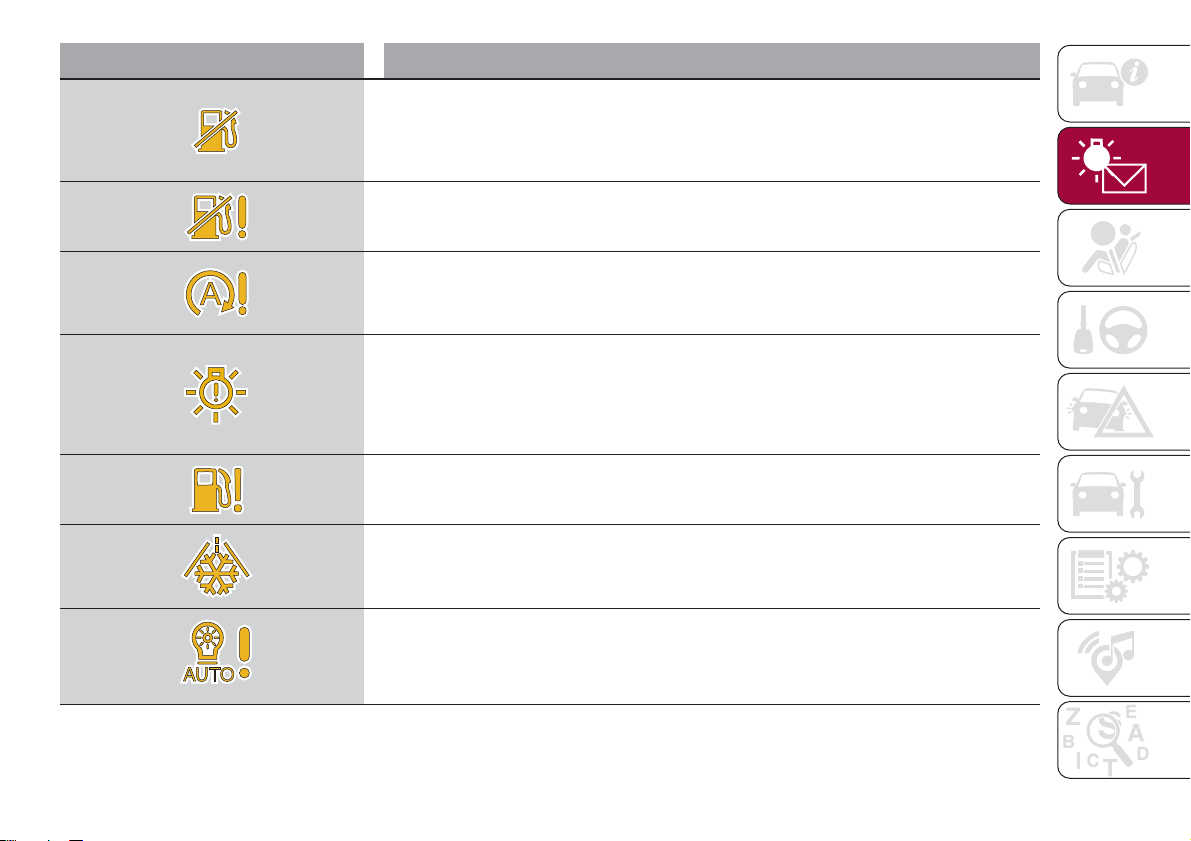
Symbol What it means
FUEL CUT-OFF SYSTEM OPERATION
The symbol switches on in the event of fuel cut-off system intervention.
For reactivating the fuel cut-off system, refer to the description in the "Fuel cut-off system"
section in the "In an emergency" chapter. If it is still not possible to restore the fuel supply,
contact a Fiat Dealership.
FUEL CUT-OFF SYSTEM FAILURE
The symbol switches on in the event of fuel cut-off system failure. Contact a Fiat Dealership as
soon as possible.
START&STOP SYSTEM FAILURE
(for versions/markets, where provided)
The symbol switches on to report a failure of the Start&Stop system. The display will show a
dedicated message. Contact a Fiat Dealership as soon as possible.
EXTERIOR LIGHTS FAILURE
The symbol switches on to indicate a failure on the following lights: daytime running lights
(DRLs); parking lights; side lights; direction indicators; rear fog light; reversing light; number
plate lights.
The failure may be caused by a blown bulb, a blown protection fuse or an interruption of the
electrical connection.
FUEL LEVEL SENSOR FAILURE
The symbol switches on in the event of fuel level sensor failure. Contact a Fiat Dealership.
POSSIBLE ICE ON ROAD
The symbol turns on when the outside temperature falls to or below 3°C.
IMPORTANT In the event of outside temperature sensor failure, the digits that indicate the
value are replaced by dashes.
DUSK SENSOR FAILURE
The symbol switches on along with a message on the display in the event of dusk sensor
failure. Contact a Fiat Dealership as soon as possible.
53
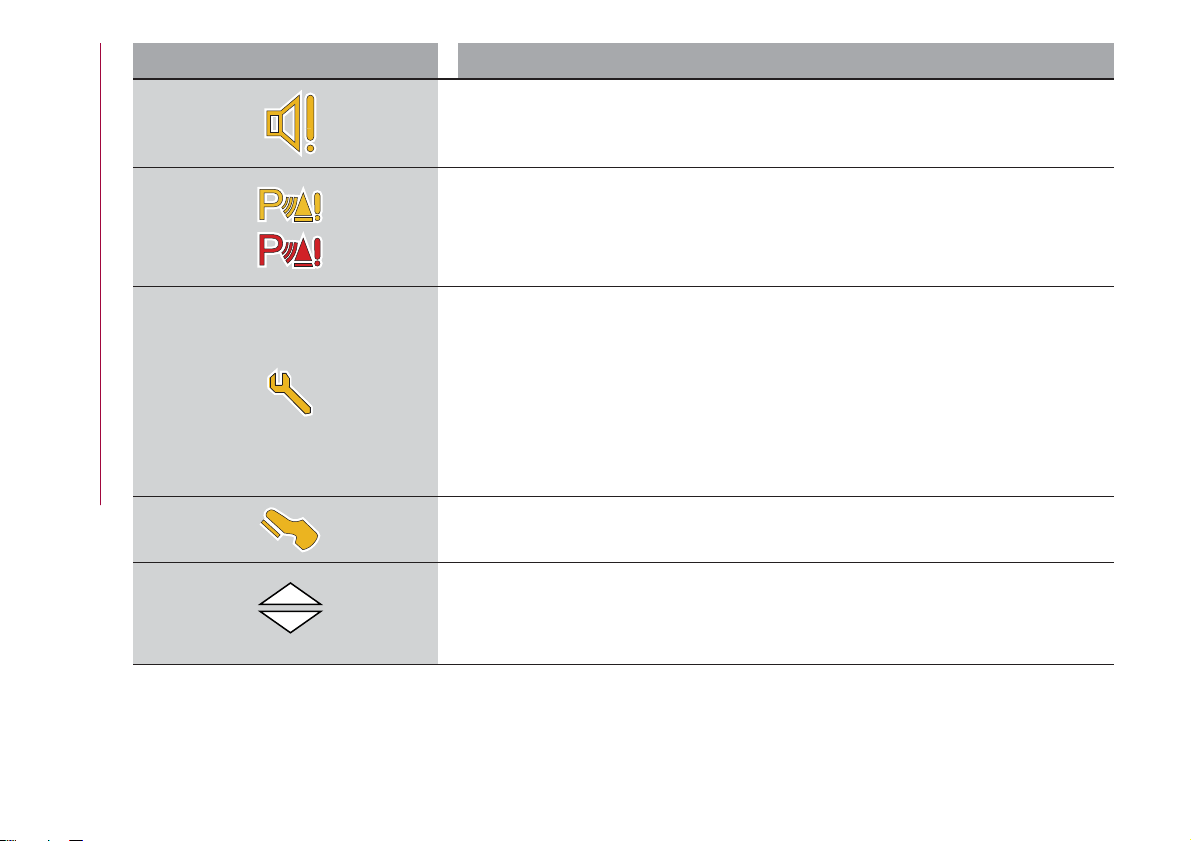
Symbol What it means
AUDIO SYSTEM FAILURE
The symbol switches on to report a failure of the audio system. Contact a Fiat Dealership as
soon as possible.
PARKING SENSOR FAILURE (PARK ASSIST)
The yellow symbol switches on in the case of temporary failure of the parking sensors. If the
problem is still present after cleaning the parking sensor area, contact a Fiat Dealership.
The red symbol switches on in the case of permanent failure of the parking sensors. The failed
operation of the system might be due to the insufficient voltage from the battery or other
failures on the electrical system. Contact a Fiat Dealership as soon as possible.
SCHEDULED SERVICING (SERVICE)
The “Scheduled Servicing Plan” includes vehicle maintenance at fixed intervals (refer to the
"Maintenance and care" chapter).
When the next scheduled service is approaching, the symbol will be displayed, followed by the
number of kilometres/miles or days (where provided) left, when the ignition device is turned to
MAR.
This is displayed automatically, with ignition device at MAR, 2000 km before servicing or,
where provided, 30 days before servicing. It is also displayed each time the ignition device is
turned to MAR. The display will be in km or miles according to the unit of measurement set.
Go to a Fiat Dealership, where the "Scheduled Servicing Plan" operations will be performed
and the message will be reset.
This symbol lights up to indicate that the clutch pedal must be pressed to enable starting for
versions with manual gearbox. For versions with automatic transmission, it indicates to press
the brake pedal.
The switching on of this symbol suggests shifting to a higher or lower gear.
54
KNOWING THE INSTRUMENT PANEL
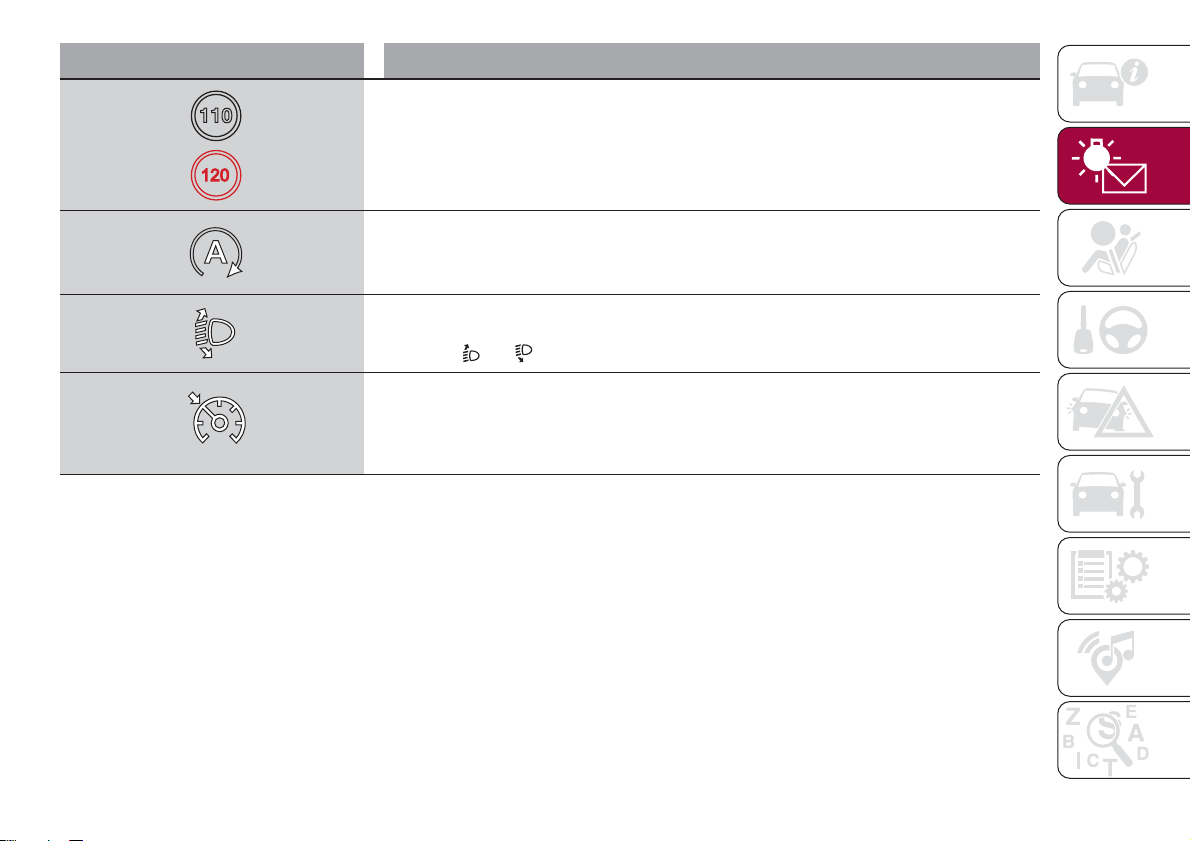
Symbol What it means
SPEED LIMIT EXCEEDED
The (white) symbol switches on when the speed limit (e.g. 110 km/h) set through the menu of
the display is exceeded (the inner value updates according to the set speed).
For versions/markets, where provided, the (red) symbol switches on when the speed limit set
through the menu of the display is exceeded: for these versions the value is set to 120.
START&STOP SYSTEM ACTIVATION
(for versions/markets, where provided)
The symbol turns on to indicate that the engine has been switched off by the START&STOP
system.
HEADLIGHT ALIGNMENT ADJUSTMENT
The headlight alignment corrector operates with ignition device at MAR and dipped headlights
on. Press
and on the control panel.
ELECTRONIC CRUISE CONTROL
The symbol switches on if the electronic Cruise Control is activated.
55

SAFETY
The chapter that you are about to read
is very important: it describes the safety
systems with which the vehicle is
equipped and provides instructions on
how to use them correctly.
ACTIVE SAFETY SYSTEMS ......57
DRIVING ASSISTANCE SYSTEMS . .60
OCCUPANT PROTECTION
SYSTEMS .................62
SEATBELTS................62
SBR (SEAT BELT REMINDER)
SYSTEM ..................64
PRE-TENSIONERS ............65
CHILD PROTECTION SYSTEMS . . .67
SUPPLEMENTARY RESTRAINT
SYSTEM (SRS) - AIRBAG........77
56
SAFETY
ACTIVE SAFETY
SYSTEMS
The vehicle has the following active
safety systems:
ABS (Anti-lock Braking System);
DTC (Drag Torque Control);
ESC (Electronic Stability Control);
TC (Traction Control);
PBA (Panic Brake Assist);
HHC (Hill Hold Control);
ERM (Electronic Rollover Mitigation);
For the operation of the systems, see
the following description.
ABS (Anti-lock Braking
System)
This system, which is an integral part of
the braking system, prevents one or
more wheels from locking and slipping
in all road surface conditions,
irrespective of the intensity of the
braking action, ensuring that the vehicle
can be controlled even during
emergency braking and optimising
stopping distances.
The system intervenes during braking
when the wheels are about to lock,
typically in emergency braking or
low-grip conditions, when locking may
be more frequent.
The system also improves control and
stability of the vehicle when braking on
a surface where the grip of the left and
right wheels varies, or on corners.
The Electronic Braking Force
Distribution (EBD) system completes
the system allowing the brake force to
be distributed between the front and
rear wheels.
System intervention
The driver can feel that the ABS system
has come into action because the
brake pedal pulsates slightly and the
system gets noisier: this is entirely
normal with the system operating.
33) 34) 35) 36) 37) 38) 39)
DTC (Drag Torque
Control) SYSTEM
The system prevents the drive wheels
from possibly locking, which could
happen, for example, if the accelerator
pedal is released suddenly or in the
case of a sudden downshifting in
conditions of poor grip. In this
conditions, the engine braking effect
could cause the drive wheels to slip,
resulting in a loss of vehicle stability. In
these situations, the DTC system
intervenes, restoring torque to the
engine in order to conserve vehicle
stability and increase vehicle safety.
ESC (Electronic Stability
Control) SYSTEM
The ESC system improves the
directional control and stability of the
car in various driving conditions.
The ESC system corrects the vehicle’s
understeer and oversteer, distributing
the brake force on the wheels
appropriately. The torque supplied by
the engine can also be reduced in order
to maintain control of the vehicle.
The ESC system uses sensors installed
on the vehicle to determine the
trajectory that the driver intends to
follow and compares it with the
vehicle’s effective trajectory. When the
real trajectory deviates from the desired
trajectory, the ESC system intervenes to
counter the vehicle’s understeer or
oversteer.
Oversteer: occurs when the car is
turning more than it should according
to the angle of the steering wheel.
Understeer: occurs when the vehicle
is turning less than it should according
to the angle of the steering wheel.
System intervention
The intervention of the system is
indicated by the flashing of the
warning light on the instrument
panel, to inform the driver that the
vehicle is in critical stability and grip
conditions.
57

40) 41) 42) 43) 44)
TC (Traction Control)
SYSTEM
The system automatically operates in
the event of slipping, loss of grip on wet
roads (aquaplaning) and acceleration on
slippery, snowy or icy roads, etc. on
one or more drive wheels. Depending
on the slipping conditions, two different
control systems are activated:
if the slipping involves both drive
wheels, the system intervenes, reducing
the power transmitted by the engine;
if the slipping only involves one of the
drive wheels, the BLD (Brake Limited
Differential) function is activated,
automatically braking the wheel which
is slipping (the behaviour of a
self-locking differential is simulated).
This will increase the engine torque
transferred to the wheel which isn't
slipping. This function remains active
even if the "Systems partially disabled"
and "Systems disabled" modes are
selected (see description in the
following pages).
System intervention
The intervention of the system is
indicated by the flashing of the
warning light on the instrument
panel, to inform the driver that the
vehicle is in critical stability and grip
conditions.
45) 46) 47) 48) 49)
PBA (Panic Brake
Assist) SYSTEM
The PBA system is designed to improve
the vehicle’s braking capacity during
emergency braking.
The system detects emergency braking
by monitoring the speed and force with
which the brake pedal is pressed, and
consequently applies the optimal brake
pressure. This can reduce the braking
distance: the PBA system therefore
completes the ABS.
Maximum assistance from the PBA
system is obtained by pressing the
brake pedal very quickly. In addition, the
brake pedal should be pressed
continuously during braking, avoiding
intermittent presses, to get the most
out of the system. Do not reduce
pressure on the brake pedal until
braking is no longer necessary.
The PBA system is deactivated when
the brake pedal is released.
50) 51) 52)
HHC (Hill Hold Control)
SYSTEM
This is an integral part of the ESC
system and facilitates starting on
slopes, activating automatically in the
following cases:
uphill: vehicle stationary on a road
with a gradient higher than 5%, engine
running, brake pressed and
transmission in neutral or gear other
than reverse engaged;
downhill: vehicle stationary on a road
with a gradient higher than 5%, engine
running, brake pressed and reverse
gear engaged.
When setting off, the ESC system
control unit maintains the braking
pressure on the wheels until the engine
torque necessary for starting is
reached, or in any case for a maximum
of 2 seconds, allowing your right foot to
be moved easily from the brake pedal
to the accelerator.
When two seconds have elapsed,
without starting, the system is
automatically deactivated, gradually
releasing the braking pressure. During
this release stage it is possible to hear a
typical mechanical brake release noise,
indicating the imminent movement of
the car.
53) 54)
ERM (Electronic Rollover
Mitigation) SYSTEM
The system monitors the tendency of
the wheels to rise from the ground if the
driver performs extreme manoeuvres
like quick steering to avoid an obstacle,
especially in poor road conditions.
58
SAFETY
If these conditions occur, the warning
light
flashes on the instrument panel
and the system, intervening on the
brakes and engine power, limits the
possibility that the wheels are raised
from the ground. It is not possible to
avoid tendency to roll over if the
phenomenon is due to reasons such as
driving on high side gradients, collision
with objects or other vehicles.
55)
WARNING
33) When the ABS intervenes and you feel
the brake pedal pulsating, do not reduce
the pressure, but hold it down firmly and
confidently; in doing so you will brake in the
shortest distance possible, depending on
the current road conditions.
34) To obtain the maximum efficiency of
the braking system, a bedding-in period of
about 500 km is needed: during this period
it is better to avoid sharp, repeated and
prolonged braking.
35) If the ABS intervenes, this indicates
that the grip of the tyres on the road is
nearing its limit: you must slow down to a
speed compatible with the available grip.
36) The ABS cannot overrule the natural
laws of physics, and cannot increase the
grip available according to the condition of
the road.
37) The ABS cannot prevent accidents,
including those due to excessive speed on
corners, driving on low-grip surfaces or
aquaplaning.
38) The capability of the ABS must never
be tested irresponsibly and dangerously, in
such a way as to compromise personal
safety and the safety of others.
39) For the correct operation of the ABS,
the tyres must of necessity be the same
make and type on all wheels, in perfect
condition and, above all, of the prescribed
type and dimensions.
40) The ESC system cannot alter the
natural laws of physics, and cannot
increase grip, which depends on the
condition of the road.
41) The ESC system cannot prevent
accidents, including those due to excessive
speed on corners, driving on low-grip
surfaces or aquaplaning.
42) The capability of the ESC system must
never be tested irresponsibly and
dangerously, in such a way as to
compromise personal safety and the safety
of others.
43) For the correct operation of the ESC
system, the tyres must necessarily be of
the same make and type on all wheels, in
perfect condition and, above all, of the
prescribed type and size.
44) ESC performance features must not
induce the driver to take unnecessary or
unwarranted risks. Your driving style must
always be suited to the road conditions,
visibility and traffic. The driver is, in any
case, responsible for safe driving.
45) For the correct operation of the TC
system, the tyres must of necessity be the
same make and type on all wheels, in
perfect condition and, above all, of the
prescribed type and dimensions.
46) TC performance features must not
induce the driver to take unnecessary or
unwarranted risks. Your driving style must
always be suited to the road conditions,
visibility and traffic. The driver is, in any
case, responsible for safe driving.
47) The TC system cannot overrule the
natural laws of physics, and cannot
increase the grip available according to the
condition of the road.
48) The TC system cannot prevent
accidents, including those due to excessive
speed on corners, driving on low-grip
surfaces or aquaplaning.
49) The capability of the TC must never be
tested irresponsibly and dangerously, in
such a way as to compromise personal
safety and the safety of others.
50) The PBA system cannot overrule the
natural laws of physics, and cannot
increase the grip available according to the
condition of the road.
51) The PBA system cannot prevent
accidents, including those due to excessive
speed on corners, driving on low-grip
surfaces or aquaplaning.
52) The capability of the PBA system must
never be tested irresponsibly and
dangerously, in such a way as to
compromise the safety of the driver, the
other occupants of the vehicle or any other
road user.
59
53) The Hill Hold Control system is not a
parking brake; therefore, never leave the
vehicle without having engaged the parking
brake, turned the engine off and engaged
first gear, so that it is parked in safe
conditions (for further information read the
"Parking" paragraph in the "Starting and
driving" chapter).
54) There may be situations on small
gradients (less than 8%), with vehicle
laden, in which the Hill Hold Control system
may not activate, causing a slight reversing
motion and increasing the risk of collision
with another vehicle or object. The driver is,
in any case, responsible for safe driving.
55) The performance of a vehicle with ERM
must never be tested in imprudent or
dangerous ways, with the possibility of
putting the safety of the driver or other
people at risk.
DRIVING
ASSISTANCE
SYSTEMS
iTPMS (indirect Tyre
Pressure Monitoring
System)
56) 57) 58) 59) 60) 61)
Description
The vehicle is equipped with the iTPMS
(indirect Tyre Pressure Monitoring
System) which monitors the tyre
inflation status thanks to wheel speed
sensors.
Correct tyre pressure
If no flat tyres are detected, the outline
of the vehicle will be shown on the
display.
Low tyre pressure
The system warns the driver if one or
more tyres are flat by switching on the
warning light on the instrument
panel and a warning message on the
display, along with an acoustic signal.
In this case, the outline of the vehicle is
shown on the display with the two
symbols
.
This indication is displayed also when
turning the engine off and on again until
the RESET procedure is carried out.
Reset procedure
The iTPMS needs an initial
"self-learning" phase (with length
depending on the driving style and road
conditions: optimal conditions being
driving on a straight road at 80 km/h for
at least 20 minutes) which starts when
the RESET procedure is carried out.
The RESET procedure must be carried
out:
whenever the tyre pressure is
modified;
when even only one tyre is changed;
when tyres are rotated/inverted;
when the space-saver wheel is fitted.
Before carrying out the RESET
procedure, inflate the tyres to the rated
pressure values specified in the inflation
pressure table (see "Wheels" paragraph
in the "Technical specifications"
chapter).
If the RESET is not carried out, in all
above cases, the
warning light may
give false indications on one or more
tyres.
To carry out the RESET, with the vehicle
stationary and the engine on, hold
down the Reset button
located on
the left control panel fig. 54 for at least
2 seconds.
When the RESET procedure has been
carried out, and depending on the type
60
SAFETY
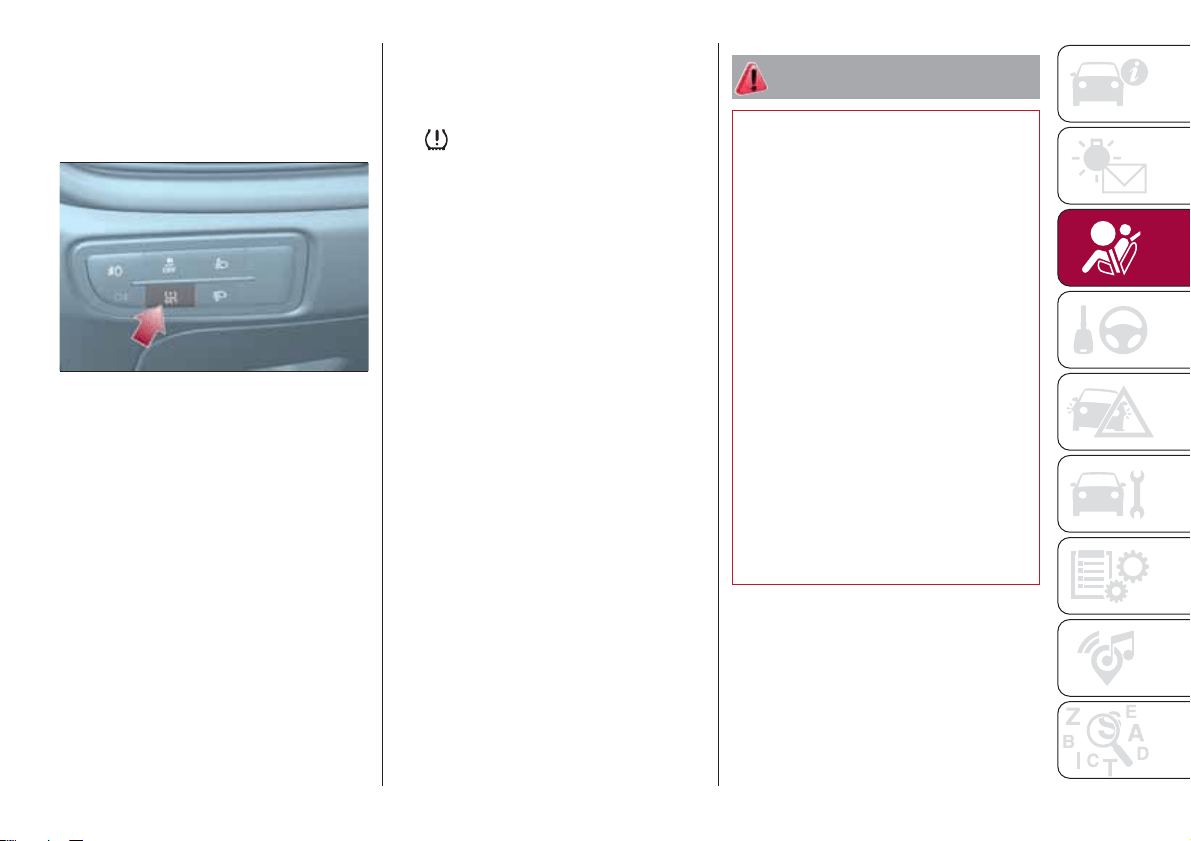
of instrument panel, either only a buzzer
will be heard or the message "Reset
saved" will appear together with the
buzzer to indicate that self-learning has
started.
Operating conditions
The system is active for speeds above
15 km/h.
In a few situations such as sporty
driving, particular conditions of the road
surface (e.g. icy, snowy, unsurfaced
roads) the signalling may be delayed or
partial in detecting the contemporary
deflation of more than one tyre.
Under special conditions (e.g. vehicle
loaded asymmetrically on one side,
towing a trailer, damaged or worn tyre,
fitting the space-saver wheel, use of the
"Fix&Go Automatic" tyre repair kit, fitting
snow chains, fitting different tyres on
the axles) the system may provide false
indications or be temporarily
deactivated.
If the system is temporarily deactivated
the
warning light flashes for about
75 seconds and then is continuously
on; at the same time, the display shows
a warning message.
This indication is displayed also after
the engine has been switched off and
then on again if the correct operating
conditions are not restored.
In the case of abnormal signals, it is
recommended to perform the RESET
procedure. If the signals reappear once
the RESET procedure has started,
check that the type of tyres used are
the same on all four wheels and that the
tyres are not damaged; if the
space-saver wheel is being used, refit
the wheel with a tire with normal
dimensions instead of the space-saver
wheel as soon as possible; if possible
remove the snow chains; make sure
that the load is distributed correctly and
repeat the RESET procedure, driving on
a clean and surfaced road. If the signals
persist, contact a Fiat Dealership.
WARNING
56) If the iTMPS system signals a pressure
decrease on the tyres, it is recommended
to check the pressure on all four tyres.
57) The iTPMS does not relieve the driver
from the obligation to check the tyre
pressure every month; it is not even to be
considered a replacing system for
maintenance or a safety system.
58) Tyre pressure must be checked with
tyres cold. Should it become necessary for
whatever reason to check pressure with
warm tyres, do not reduce pressure even
though it is higher than the prescribed
value, but repeat the check when tyres are
cold
59) The iTPMS cannot indicate sudden tyre
pressure drops (e.g. if a tyre bursts). In this
case, stop the vehicle, braking with caution
and avoiding abrupt steering.
60) The system only warns that the tyre
pressure is low: it is not able to inflate
them.
61) Insufficient tyre inflation increases fuel
consumption, reduces the tread duration
and may affect the capacity to drive safely.
54
06056J0001EM
61
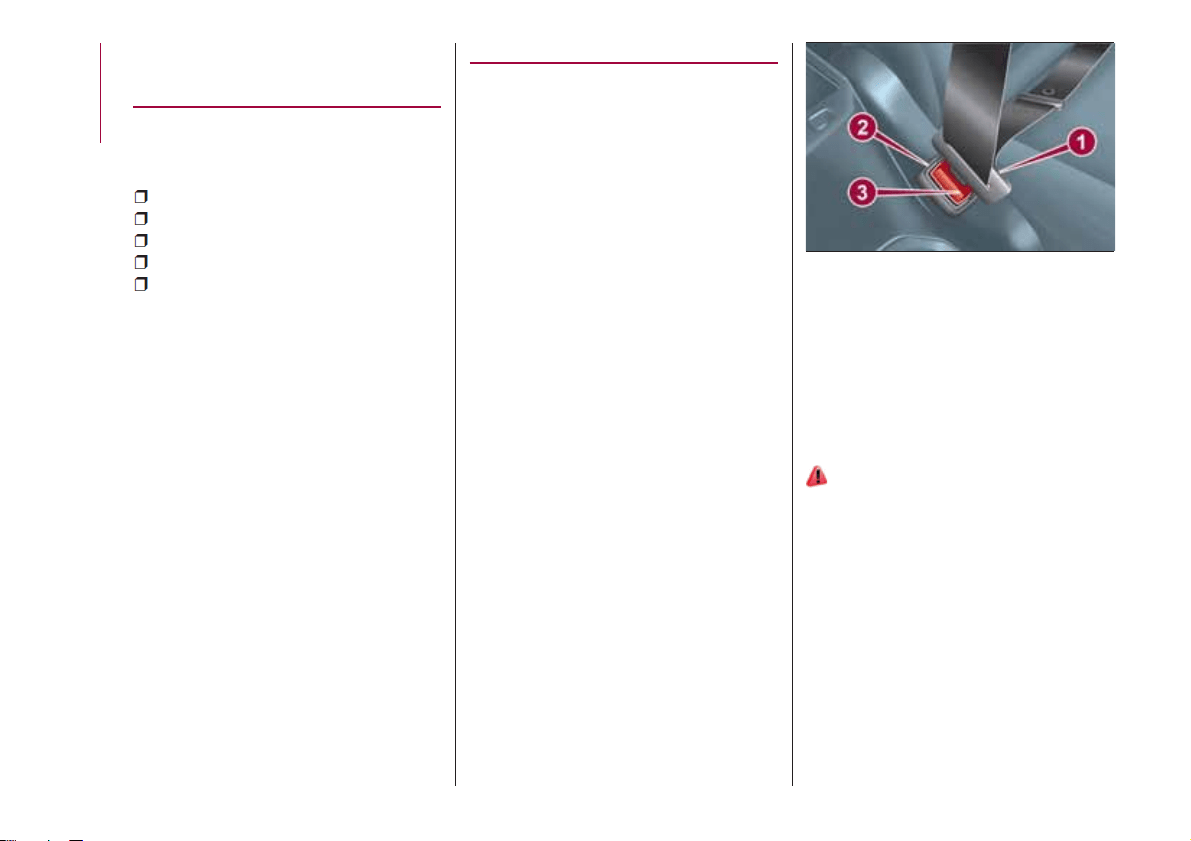
OCCUPANT
PROTECTION
SYSTEMS
Some of the most important safety
equipment of the vehicle comprise the
following protection systems:
seat belts;
SBR (Seat Belt Reminder) system;
head restraints;
child restraint systems;
Front air bags, side air bags (if
present) and drop down air bags (if
present).
Read the information given the following
pages with the utmost care. It is of
fundamental importance that the
protection systems are used in the
correct way to guarantee the maximum
possible safety level for the driver and
the passengers.
For the description of the head restraint
adjustment see the "Head restraints"
paragraph in the "Knowing your vehicle"
chapter.
SEAT BELTS
All vehicle seats are equipped with seat
belts with three anchor points and a
retractor.
The retractor mechanism operates
locking the belt in the event of sharp
braking or strong deceleration due to
an impact. This allows the belt strap to
slide freely and to adapt to the body of
the occupant. In the event of an
accident, the belt will lock reducing the
risk of impact inside the passenger
compartment and of being projected
outside the vehicle.
The driver is responsible for respecting,
and ensuring that all the other
occupants of the vehicle also respect,
the local laws in force in relation to the
use of the seat belts.
Always fasten the seat belts before
setting off.
USING THE SEAT BELTS
The seat belt should be worn keeping
the chest straight and rested against
the backrest.
To fasten the seat belts, hold the
tongue 1 fig. 55 and insert it into the
buckle 2, until it clicks into place.
On removal of the belt, if it jams, let it
rewind for a short stretch, then pull it
out again without jerking.
To unfasten the seat belts, press button
fig. 55 and guide the seat belt with
your hand while it is rewinding, to
prevent it from twisting.
62) 63)
The retractor may lock when the vehicle
is parked on a steep slope: this is
perfectly normal. Furthermore, the reel
mechanism locks the belt if it is pulled
sharply or in the event of sudden
braking, collisions and high-speed
bends.
Once seated, put on the rear seat belts
as shown in fig. 56.
55
06056J0004EM
62
SAFETY
3
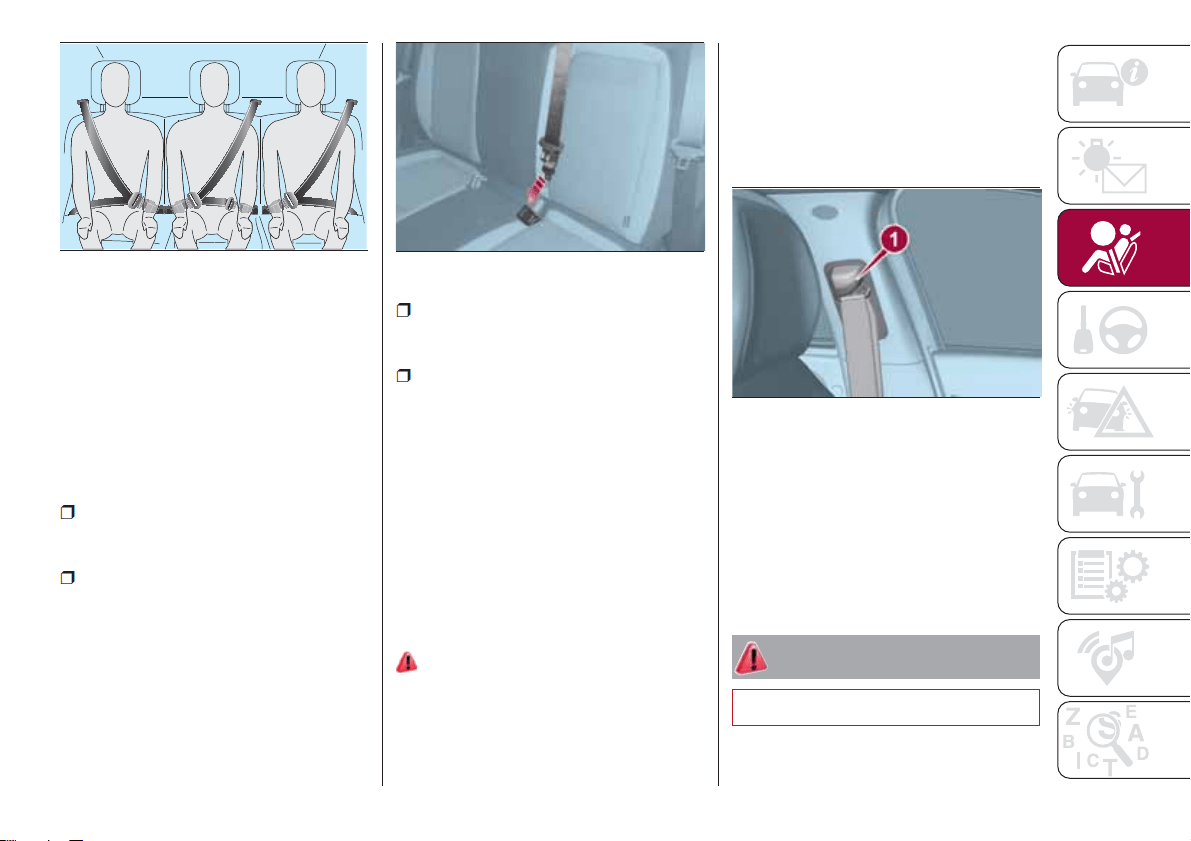
Seat belt of the rear central seat
Unlike other seat belts, this one has two
buckles and two metal tongues. In this
manner, release the seat belt to recline
a larger portion (2/3) of the backrest
(see the "Seats" chapter for more
information).
To fasten the seat belt follow the below
procedure:
Place yourself on the central seat
and normally pull out the seat belt from
top rewinder without twisting it;
In the left buckle (without the red
unlock button on the slot) insert the first
tongue which is located at the end of
the diagonal section of the seat belt;
In the right buckle insert the tongue
which is located at the end of the
abdominal section of the belt.
To unfasten the seat belt, unlock the
tongue of the abdominal section
pressing the red button.
IMPORTANT With the rear seat
backrest in vertical position, ensure that
the tongue which is located at the end
of the diagonal section of the central
seat belt is always properly hooked to
the left buckle (without the red unlock
button on the slot).
ADJUSTING THE SEAT
BELT HEIGHT
64) 65)
Three different adjustments in height are
provided.
To carry out window height adjustment,
from the top to the bottom, button 1
fig. 58 must be pressed, and the handle
must be slid downwards.
To carry out window height adjustment,
from the top to the bottom, the handle
must be slid (without pressing
anything).
Always adjust the height of the seat
belts to fit the person wearing it: this
precaution could greatly reduce the risk
of injury in the event of collision.
Correct adjustment is obtained when
the belt passes approximately half way
between the shoulder and the neck.
WARNING
62) Never press button 3 when travelling.
56
J0A0169C
57
06056J0007EM
58
06056J0003EM
63
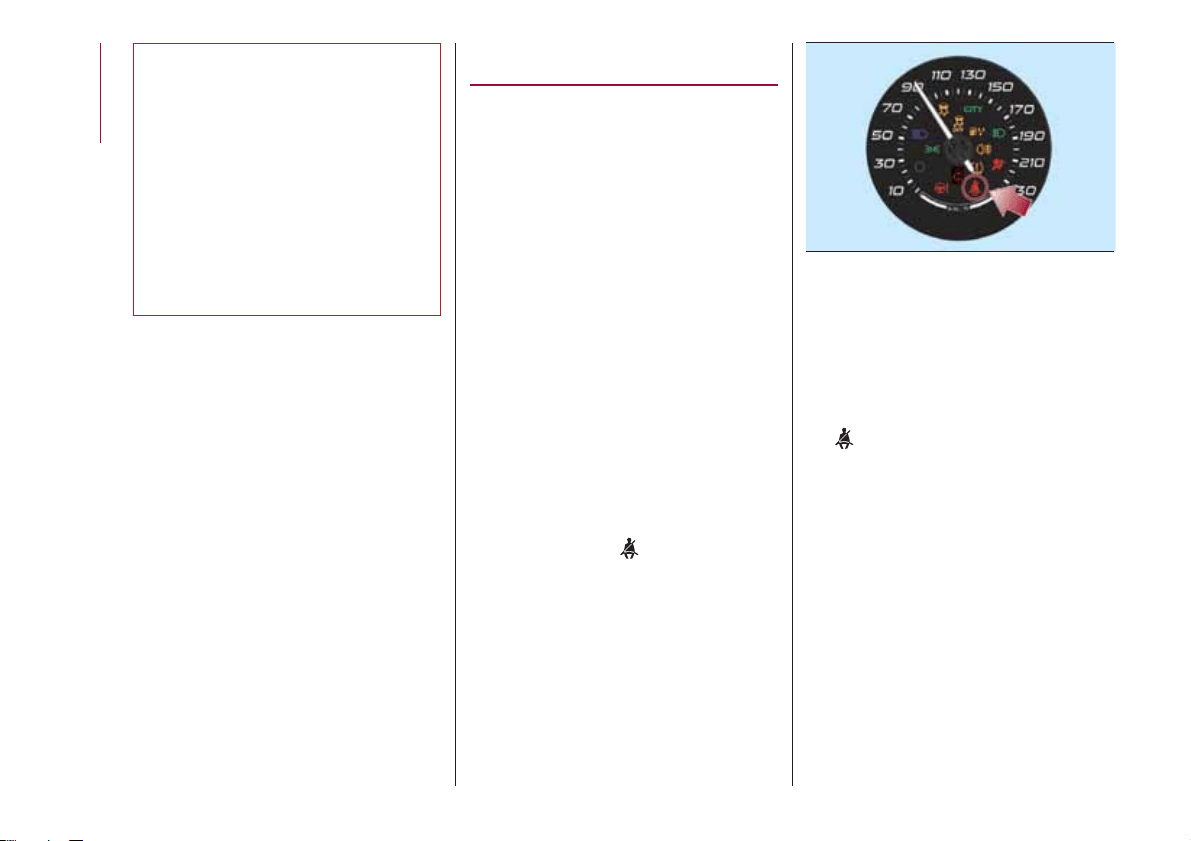
63) Remember that, in the event of an
accident, the rear seat passengers not
wearing seat belts are exposed to a very
serious risk and also represent a serious
danger for the front seat occupants.
64) Make height adjustment of the seat
belts when the car is stationary.
65) After the height adjustment, always
check that the grip is locked in one of the
preset positions. To do this, with buttons 1
released, exert further pressure
downwards to allow the locking device to
click if the grip has not been released in
one of the possible positions.
SBR (SEAT BELT
REMINDER) SYSTEM
(for versions/markets, where provided)
The SBR system informs the driver that
his/her safety belt is not fastened.
The system signals unfastened seat
belts with visual warnings ( warning light
on in the instrument panel) and an
acoustic signal (see the following
paragraphs).
NOTE To deactivate the acoustic
warning permanently go to a Fiat
Dealership. The acoustic warning can
be reactivated at any time through the
display Menu (see the "Display"
paragraph in the “Knowing the
instrument panel” chapter).
FRONT SEAT BELT
WARNING LIGHT
BEHAVIOUR
When the ignition device is turned to
MAR, warning light
(see fig. 59 )
comes on for a few seconds,
regardless of the status of the front seat
belts.
With vehicle at a standstill, if the driver
side seat belt or the passenger side
seat belt (for versions/markets, where
provided) is unfastened (with occupant
seated), the warning light stays on
constantly.
As soon as the threshold of 8 km/h is
exceeded for a few seconds with driver
or passenger side seat belts (for
versions/markets, where provided)
unfastened, an acoustic warning is
activated together with the flashing of
the
warning light for approximately
105 seconds.
When this cycle of warnings is activated
it will stay on for its entire length
(regardless of the vehicle speed) or until
the seat belts are fastened again.
The passenger side indication (for
versions/markets, where provided) is
interrupted also if the passenger leaves
the vehicle.
59
06066J0001EM
64
SAFETY
reactivated as soon as speed exceeds
8 km/h again.
PRE-TENSIONERS
The vehicle is equipped with front seat
belt pretensioners, which draw back the
seat belts by several centimetres in the
event of a strong frontal impact. This
guarantees the perfect adherence of
the seat belts to the occupant's bodies
before the retention action begins.
It is evident that the pretensioners have
been activated when the safety belt
withdraws toward the retractor.
A slight discharge of smoke may be
produced during the activation of the
pretensioner which is not harmful and
does not involve any fire hazard.
The pretensioner does not require any
maintenance or lubrication: any
changes to its original conditions will
invalidate its efficiency.
If, due to unusual natural events (floods,
sea storms, etc.), the device has been
affected by water and/or mud, contact
a Fiat Dealership to have it replaced.
IMPORTANT To obtain the highest
degree of protection from the action of
the pretensioner, wear the seat belt
tight to the torso and pelvis.
LOAD LIMITERS
66)
18)
To increase safety in the event of an
accident, the front seat belt retractors
contain a load limiter which controls the
force acting on the chest and shoulders
during the belt restraining action in the
event of a head-on collision.
GENERAL
INSTRUCTIONS FOR
USING THE SEAT BELTS
67) 68) 69)
Respect and ensure that all the other
occupants of the vehicle comply with
the local laws in force regarding the use
of seat belts. Always fasten the seat
belts before setting off.
Seat belts must also be worn by
pregnant women: the risk of injury in the
event of an accident is reduced for
them and the unborn child if they are
wearing a seat belt.
Pregnant women must position the
lower part of the belt very low down so
that it passes over the pelvis and under
the abdomen fig. 60. While pregnancy
progresses, the driver must adjust both
seat and steering wheel to have full
control over the vehicle (pedals and
steering wheel must be easy to
access). The maximum clearance
65
When the reverse is engaged, during
the cycle of warnings, the acoustic
signal is deactivated and the
warning light turns on constantly.
The cycle of warnings will be

should be kept between the abdomen
and the steering wheel.
The seat belt must not be twisted. The
upper part must pass over the shoulder
and cross the chest diagonally. The
lower part must adhere to the pelvis
fig. 61, not to the abdomen of the
occupant. Never use devices (clips,
clamps, etc.) that hold the seat belt
away from your body.
Each seat belt must be used by only
one person. Never travel with a child
sitting on the passenger's lap and a
single belt to protect them both fig. 62.
In general, do not place any objects
between the person and the belt.
SEAT BELTS
MAINTENANCE
For keeping the seat belts in efficient
conditions, carefully observe the
following warnings:
always use the seat belt well
stretched and never twisted; make sure
that it is free to run without
obstructions;
check seat belt operation as follows:
attach the seat belt and pull it hard;
replace the belt after an accident of a
certain severity even if it does not
appear to be damaged. Always replace
the seat belt if the pretensioners were
deployed;
prevent the retractors from getting
wet: their correct operation is only
guaranteed if water does not get inside;
replace the seat belt when it shows
wear or cuts.
WARNING
66) The pretensioner may be used only
once. Contact a Fiat Dealership to have it
replaced after it has been deployed.
67) Removing or otherwise tampering with
pretensioner and seat belt components is
strictly prohibited. Any intervention on
these components must be performed by
qualified and authorised technicians.
Always go to a Fiat Dealership.
68) For maximum safety, keep the backrest
upright, lean back into it and make sure the
seat belt fits closely across your chest and
pelvis. Always fasten the seat belts for both
the front and rear seats! Travelling without
wearing seat belts will increase the risk of
serious injury and even death in the event
of an accident.
69) If the belt has been subjected to high
levels of stress, for example after an
accident, it should be changed completely
together with the attachments, attachment
fixing screws and the pretensioner. In fact,
even if the belt has no visible defects, it
may have lost its resilience.
60
F1B0107C
61
F1B0108C
62
F1B0109C
66
SAFETY
IMPORTANT
18) Operations which lead to impacts,
vibrations or localised heating (over 100°C
for a maximum of six hours) in the area
around the pretensioner may cause
damage or make it deploy. Contact a Fiat
Dealership should intervention be
necessary on these components.
CHILD PROTECTION
SYSTEMS
CARRYING CHILDREN
SAFELY
70) 71) 72) 73)
For optimal protection in the event of an
impact, all occupants must be seated
and wearing adequate restraint
systems, including newborn and other
children!
This prescription is compulsory in all EC
countries according to EC Directive
2003/20/EC.
Children below the height of 1.50
metres and up to 12 years must be
protected with suitable restraint
systems and be seated on the rear
seats.
Statistics on accidents indicate that the
rear seats offer greater safety for
children.
Compared with an adult, a child's head
is larger and heavier in proportion to
their body and the child's muscular and
bone structures are not fully developed.
Therefore, correct restraint systems
other than adult seat belts are
necessary, to reduce as much as
possible the risk of injuries in the event
of an accident, braking or sudden
manoeuvre.
Children must be seated safely and
comfortably. Depending on the
characteristics of the child restraint
systems used, you are advised to keep
children in rearward facing child
restraint systems for as long as possible
(at least until 3-4 years old), since this is
the most protected position in the event
of an impact.
It is recommended to always choose
the restraint system most suitable for
the child; for this reason always refer to
the Owner Handbook provided with the
child restraint system, to be sure that it
is of the right type for the children it is
intended for.
In Europe the characteristics of child
restraint systems are ruled by the
regulation ECE-R44, dividing them into
five weight groups:
Group Weight groups
Group 0
up to 10 kg in
weight
Group 0+
up to 13 kg in
weight
Group 1 9-18 kg
Group 2 15-25 kg
Group 3 22 - 36 kg
All restraint devices must bear the
certification data, together with the
control mark, on a label solidly fixed to
67
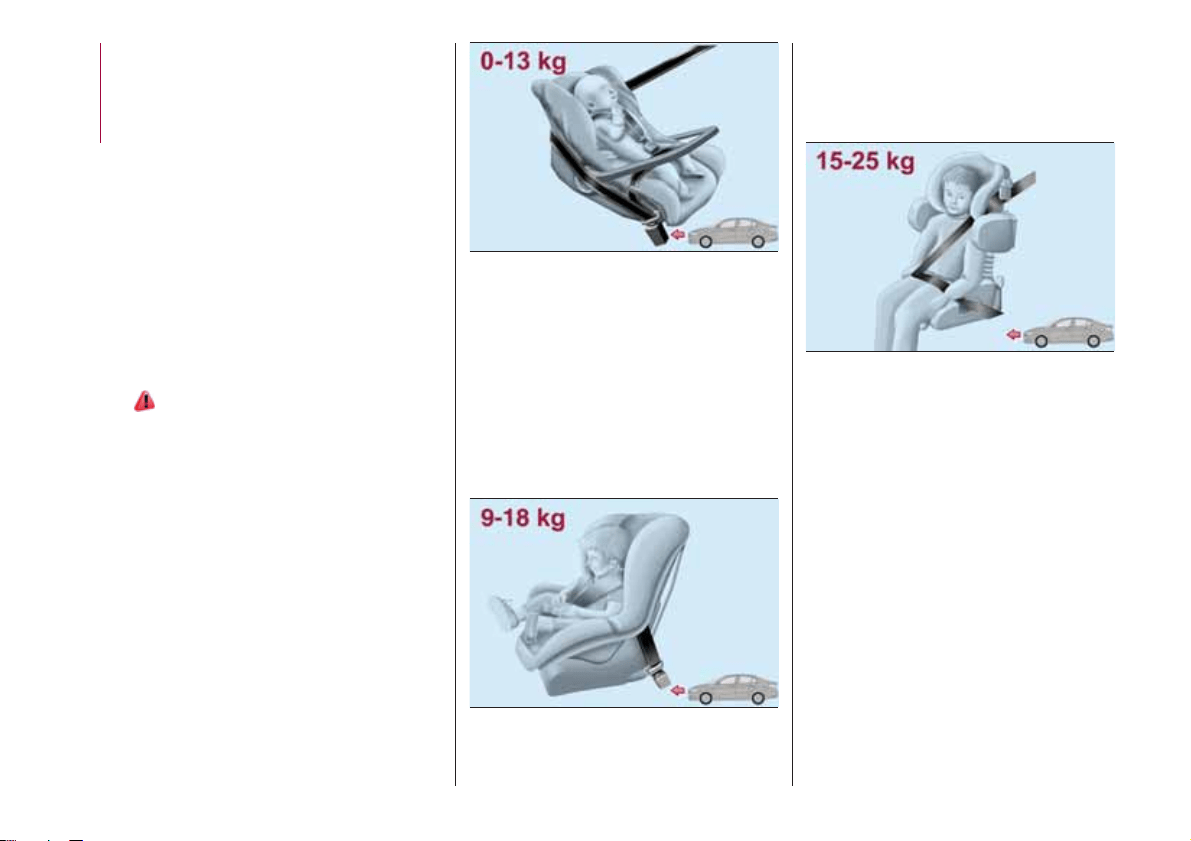
the child restraint system which must
never be removed.
Lineaccessori MOPAR
®
includes child
restraint systems for each weight
group. These devices are
recommended having been specifically
designed for Fiat vehicles.
FITTING A CHILD
RESTRAINT SYSTEM
WITH SEAT BELTS
The Universal child restraint systems
installed with the seat belts only are
type-approved on the basis of the ECE
R44 standard and are divided into
various weight groups.
74) 75) 76) 77)
IMPORTANT The figures are indicative
and provided for assembly purposes
only. Fit the child restraint system
according to the instructions, which
must be included.
Group 0 and 0+
Babies up to 13 kg must be carried
with a rear facing child restraint system
of a type as shown in fig. 63 which,
supporting the head, does not induce
stress on the neck in the event of
sudden decelerations.
The child restraint system is secured by
the vehicle seat belts, as shown in
fig. 63 and it must restrain the child in
turn with its own belts.
Group 1
Children of weight from 9 to 18 kg may
be transported in forward facing child
restraint systems fig. 64.
Group 2
Children from 15 to 25 kg may be
restrained directly by the car seat belts
fig. 65.
In this case, the child restraint system is
used to position the child correctly with
respect to the seat belts so that the
diagonal belt section crosses the child’s
chest and not the neck, and the lower
part is snug on the pelvis not the
abdomen.
Group 3
For children between 22 kg and 36 kg,
there are dedicated restraint systems
that allow the seat belt to be worn
correctly.
The fig. 66 shows the correct child
positioning on the rear seat.
63
06096J0001EM
64
06096J0002EM
65
06096J0003EM
68
SAFETY
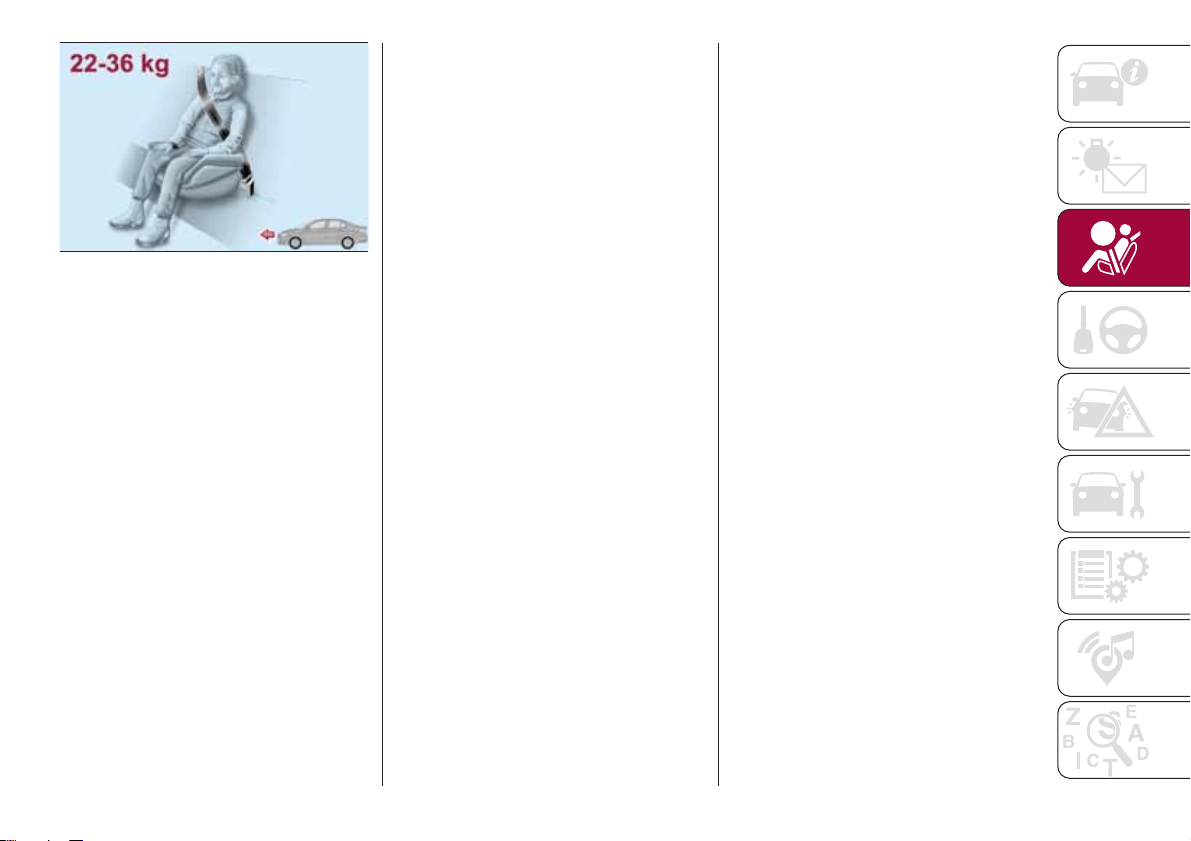
Children over 1.50 m in height can wear
seat belts like adults.
66
06096J0004EM
69
PASSENGER SEAT COMPLIANCE WITH REGULATIONS ON UNIVERSAL CHILD
RESTRAINT SYSTEM USE
According to the European Directive 2000/3/EC the suitability of each passenger seat position for the fixing of universal child
restraint systems is shown in the following table:
Positioning the “Universal” child restraint system
Group Weight groups Front passenger
(*) Rear central passenger
Rear side
passengers
Group 0, 0+ up to 13 kg U X U
Group 1 9-18 kg U X U
Group 2 15-25 kg U X U
Group 3 22-36 kg U X U
(*) IMPORTANT: NEVER fit rearward facing child restraint systems on the front seat with an active passenger side airbag. Deactivate the
respective airbag to install a rearward facing child restraint system (see instructions in the “Supplementary Restraint System (SRS) - Airbag"
paragraph).
X = Seat not suitable for children in this weight category.
U = suitable for child restraint systems of the “Universal” category, according to European Standard EEC-R44 for the specified
“Groups”.
70
SAFETY
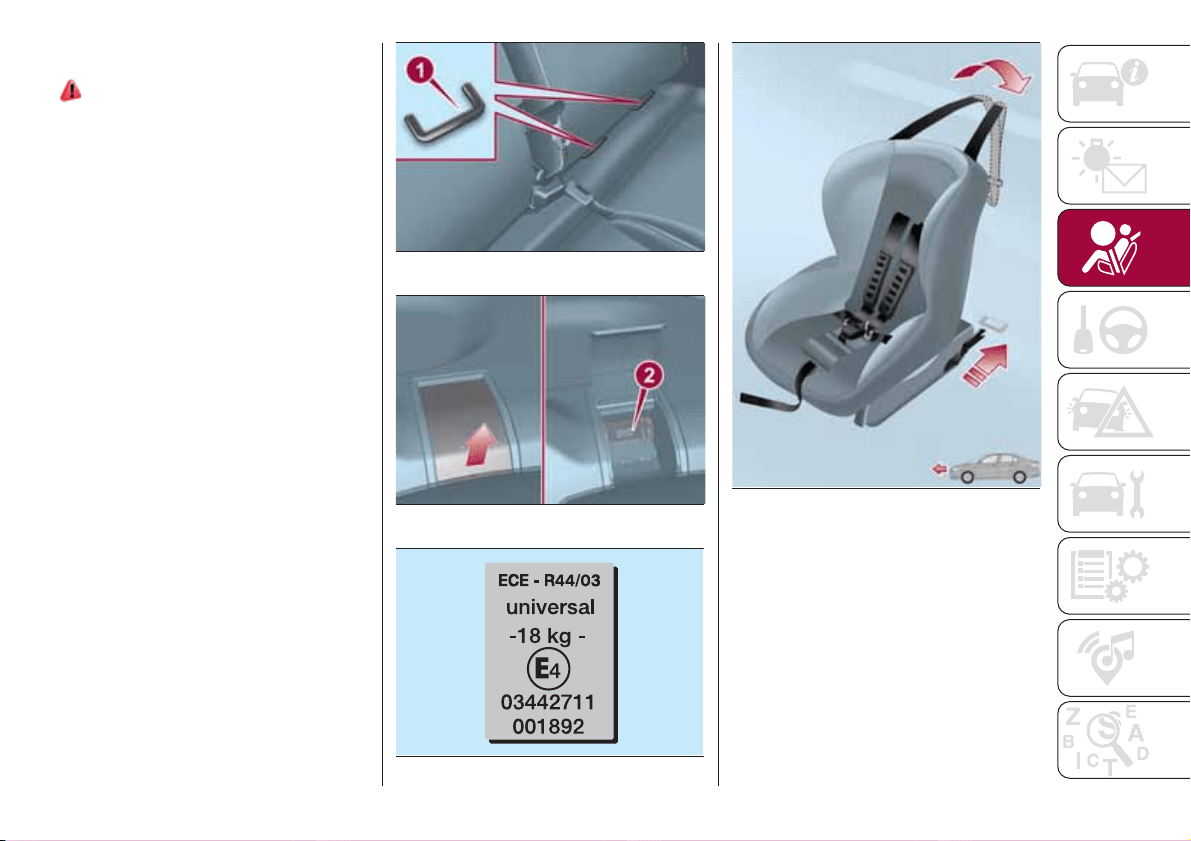
INSTALLING AN ISOFIX
CHILD CARSEAT
78) 79) 79) 80) 81) 82)
The rear side seats of the vehicle are
equipped with ISOFIX anchors, for
fitting child restraint systems quickly,
simply and safely. The ISOFIX system
lets you install the ISOFIX child
restraining system without using the car
seat belts but connecting them directly
to the carseat with three anchors in the
car.
Traditional child restraint systems can
be fitted alongside ISOFIX child restraint
systems on different seats in the same
vehicle.
To install an ISOFIX child restraint
system, attach it to the two metal
anchors 1 fig. 67 located behind the
cushion of the rear seat, in the point
where it meets the backrest, then fix the
upper hook of the child restraint system
to the dedicated anchor 2
fig. 68 located behind the seat
headrest.
As an example, fig. 70 shows an
example of a Universal ISOFIX child
restraint system for weight group 1.
IMPORTANT The fig. 70 is indicative
and for assembly purposes only. Fit the
child restraint system according to the
instructions, which must be included.
NOTE When a Universal ISOFIX child
restraint system is used, only ECE R44
"ISOFIX Universal” (R44/03 or further
upgrades) type-approved child restraint
systems can be used (see fig. 69 ). The
other weight groups are covered by
specific ISOFIX child restraint systems,
which can be used only if specifically
tested for this vehicle (see list of
vehicles provided with the child restraint
system).
67
06096J0008EM
68
06096J0006EM
69
F1B0117C
70
06096J0007EM
71
SUITABILITY OF PASSENGER SEATS FOR ISOFIX CHILD RESTRAINT SYSTEM USE
ISOFIX POSITIONS ON THE VEHICLE
Weight categories Size category Device Front passenger
Rear side
passengers
Rear central
passenger
Group 0 (up to 10 kg) E ISO/R1
XILX
Group 0+ (up to 13 kg)
E ISO/R1
XILX
D ISO/R2
XILX
C ISO/R3
X IL (*) X
Group 1 (from 9 up to
18 kg)
D ISO/R2
XILX
C ISO/R3
X IL (*) X
B ISO/F2
X
IUF
-IL
X
B1 ISO/F2X
X
IUF
- IL
X
A ISO/F3
X
IUF
- IL
X
X ISOFIX position not suitable for ISOFIX child protection systems for this weight and/or size category.
IL Suitable for ISOFIX child restraint systems of the "Specific for the vehicle", "Restricted", or "Semiuniversal" categories, approved for this type
of vehicle.
IL (*) The ISOFIX child restraint system can be installed by adjusting the front seat.
IUF Suitable for forward facing ISOFIX child restraint systems in the Universal category and type-approved for the use in the weight group.
72
SAFETY
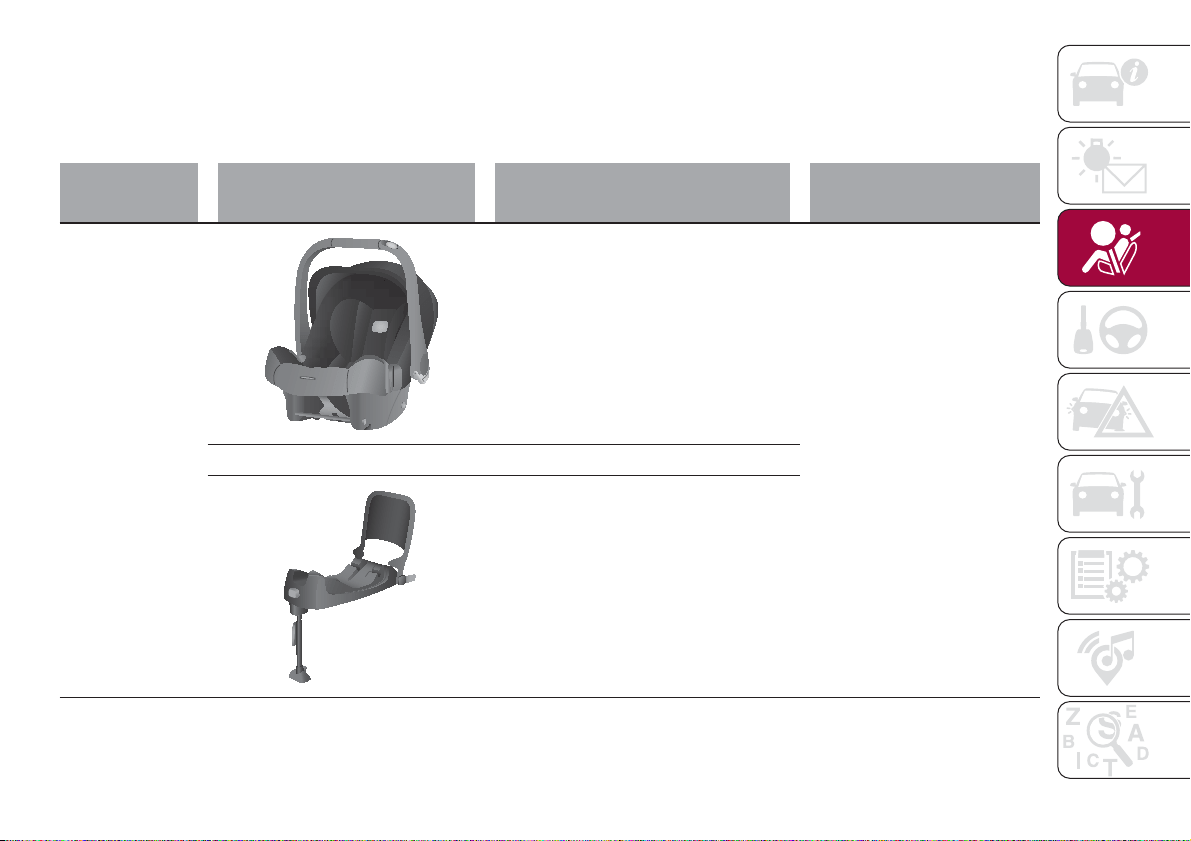
CHILD RESTRAINT SYSTEMS RECOMMENDED BY FIAT FOR YOUR VEHICLE
Lineaccessori MOPAR
®
includes a complete range of child restraint systems to be fixed using the seat belt with three
anchorage points or the ISOFIX anchorages.
IMPORTANT FCA recommends fitting the child restraint system according to the instructions, which must be included.
Weight group Child restraint system Type of child restraint system
Child restraint system
installation
Group 0+: from
birth to 13 kg
Britax Baby Safe plus
Type-approval number: E1 04301146
Fiat order code: 71806415
Universal/ISOFIX child restraint
system.
It must be installed facing
rearwards, using the vehicle
seat belts only, or the dedicated
ISOFIX base (which can be
purchased separately) and the
vehicle ISOFIX anchorages.
It must be fitted on the rear
outer seats.
++
Britax Baby Safe ISOFIX base
Fiat order code: 71806416
73
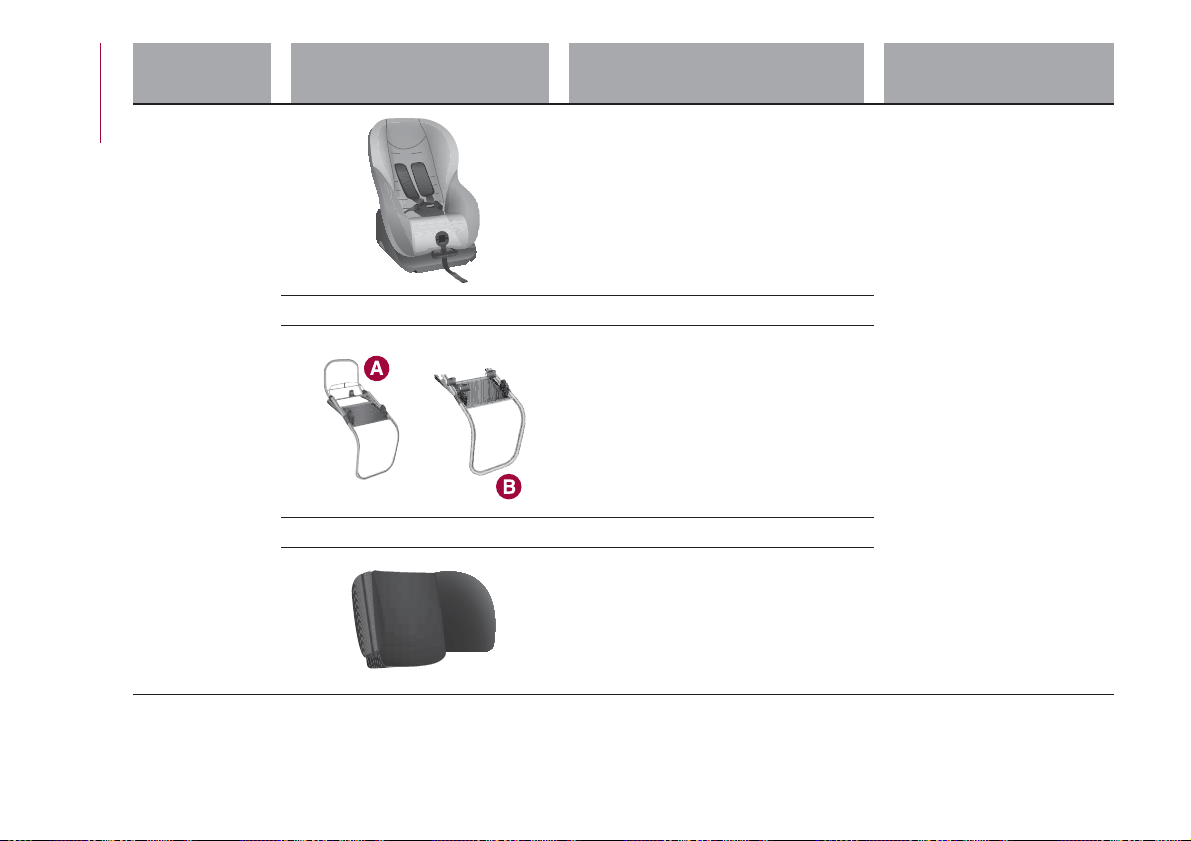
Weight group Child restraint system Type of child restraint system
Child restraint system
installation
Group 1: from 9
up to 18 kg
Fair G0/1S
Type-approval number: E4 04443718
Fiat order code: 71807388
Universal/ISOFIX child restraint
system.
It can be fitted forward
facing/rearward facing using
only the vehicle seat belts or the
Isofix anchorages.
FCA recommends fitting it using
the rear facing ISOFIX platform
(RWF specific "G" type - to be
purchased separately) or the
forward facing ISOFIX platform
(FWF specific "A" type - to be
purchased separately), the rigid
head restraint (to be purchased
separately) and the ISOFIX
anchorages for the vehicle.
It must be fitted on the rear
outer seats.
++
Reference A: Fair ISOFIX RWF
platform type “G” for G 0/1S
Fiat order code: 71807455
or
Reference B: Fair ISOFIX RWF
platform, "A" type for G 0/1S
Fiat order code: 71805364
++
FAIR head restraint
Fiat order code: 71807387
74
SAFETY
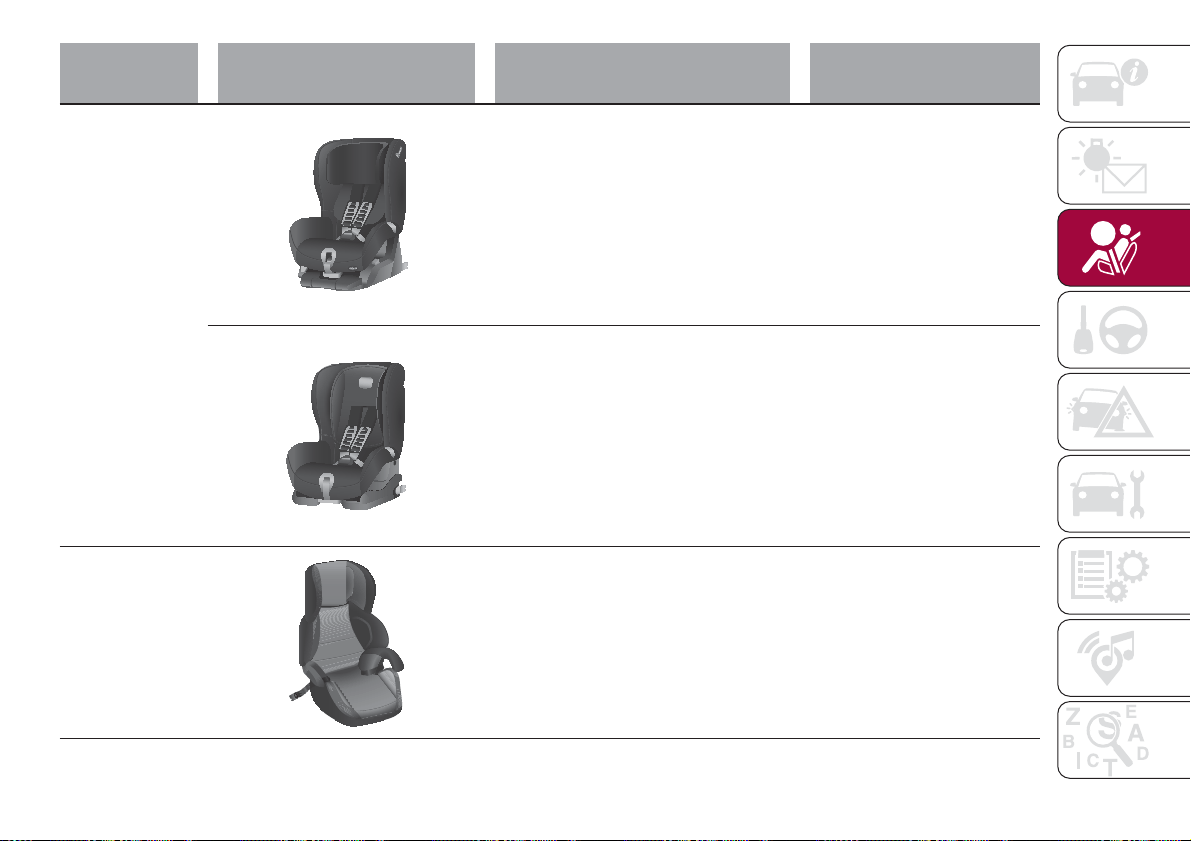
Weight group Child restraint system Type of child restraint system
Child restraint system
installation
Group 1: from 9
up to 18 kg
Britax Safefix TT
Type-approval number: E1 04301199
Fiat order code: 71805956
It must be fitted facing forwards
only, using the ISOFIX
attachments and the upper
strap, provided with the child
restraint system.
It must be fitted on the rear
outer seats.
Britax Roemer Duo Plus
Type-approval number: E1 04301133
Fiat order code: 71803161
It must be fitted facing forwards
only, using the ISOFIX
attachments and the upper
strap, provided with the child
restraint system.
It must be fitted on the rear
outer seats.
Group 2: from
15 kg to 36 kg
Fair Junior Fix
Type-approval number: E4 04443721
Fiat order code: 71806570
It can only be fitted facing
forwards, using the three-point
seat belt and the ISOFIX
anchorages of the vehicle, if
present.
75
Main recommendations to carry
children safely
Install the child restraint systems on
the rear seat, which is the most
protected position in the event of an
impact.
Keep children in rearward facing child
restraint systems for as long as
possible, until 3–4 years old if possible.
If the passenger's front airbag is
deactivated always check the
dedicated warning light on the trim
located on the dashboard to make sure
that it has actually been deactivated.
Carefully follow the instructions
supplied with the child restraint system.
Keep the instructions in the vehicle
along with the other documents and
this handbook. Do not use
second-hand child restraint systems
without instructions.
Only one child is to be strapped into
each restraint system; never carry two
children using one child restraint
system.
Always check that the seat belts do
not rest on the child’s neck.
Always check that the seat belt is
well fastened by pulling on it.
While travelling, do not let the child
sit incorrectly or unfasten the belts.
Never allow a child to put the belt's
diagonal section under an arm or
behind their back.
Never carry children on your lap,
even newborns. No one can hold a
child in the case of an accident.
In the event of an accident, replace
the child restraint system with a new
one. In addition, and depending on the
type of child restraint system installed,
replace the seat belt with which the
child restraint system was connected.
WARNING
70) SEVERE DANGER When a front
passenger airbag is fitted, do not install
rearward facing child restraint systems on
the front passenger seat. Deployment of
the airbag in an accident could cause fatal
injuries to the child regardless of the
severity of the collision. It is advisable to
always carry children in a child restraint
system on the rear seat, which is the most
protected position in the event of a
collision.
71) On the sun visor there is a label with
suitable symbols reminding the user that it
is compulsory to deactivate the airbag if a
rearward facing child restraint system is
fitted. Always comply with the instructions
on the passenger side sun visor (see the
"Supplementary Restraint System (SRS) -
Airbag" paragraph).
72) Should it be necessary to carry a child
on the passenger side front seat in a rear
facing child restraint system, the passenger
side front airbag and side bag must be
deactivated through the Connect system
main menu (see the "Supplementary
Restraint System (SRS) - Airbag"
paragraph), verifying deactivation by
checking whether the
LED has
illuminated on the front ceiling light. Move
the passenger's seat as far back as
possible to avoid contact between the
child seat and the dashboard.
73) Do not move the front or rear seat if a
child is seated on it or on the dedicated
child restraint system
74) Incorrect fitting of the child restraint
system may result in an inefficient
protection system. In the event of an
accident the child restraint system may
become loose and the child may be
injured, even fatally. When fitting a restraint
system for newborns or children, strictly
comply with the instructions provided by
the Manufacturer.
75) When the child restraint system is not
used, secure it with the seat belt or with
the ISOFIX anchorages, or remove it from
the vehicle. Do not leave it unsecured
inside the passenger compartment. In this
way, in the case of sudden braking or an
accident, it will not cause injuries to the
occupants.
76) After installing a child restraint system,
do not move the seat: always remove the
child restraint system before making any
adjustment.
76
SAFETY
77) Always make sure that the diagonal
section of the seat belt does not pass
under the arms or behind the back of the
child. In the event of an accident the seat
belt will not be able to secure the child,
with the risk of injury, including fatal injury.
Therefore the child must always wear the
seat belt correctly.
78) Do not use the same lower anchorage
to install more than one child restraint
system.
79) If a Universal ISOFIX child restraint
system is not fixed to all three anchorages,
it will not be able to protect the child
correctly. In a crash, the child could be
seriously or fatally injured.
80) Fit the child restraint system when the
car is stationary. The child restraint system
is correctly fixed to the brackets when you
hear the click. Follow the instructions for
assembly, disassembly and positioning that
the Manufacturer must supply with the
child restraint system.
81) If the vehicle was involved in an
accident of a certain severity, have the
ISOFIX anchorages and the child restraint
system replaced.
82) If the vehicle was involved in an
accident of a certain severity, have both the
child restraint system and the seat belt it
was attached to replaced.
SUPPLEMENTARY
RESTRAINT SYSTEM
(SRS) - AIRBAG
The vehicle is equipped with:
front driver airbag;
front passenger airbag;
driver and passenger front side bags
(if present) for pelvis, chest and
shoulder protection (Side bags);
side bags (if present) for head
protection of front seat passengers and
rear side seat passengers (window
bag).
The location of the airbags on the
vehicle is marked by the word
"AIRBAG" in the middle of the steering
wheel, on the dashboard, on the side
trim or on a label placed next to the
airbag deployment area.
FRONT AIRBAGS
The front (driver and passenger) airbags
protect the front seat occupants in the
event of head-on crashes of
medium-high severity, by placing the
cushion between the occupant and the
steering wheel or dashboard.
The non-activation of airbags in other
types of collisions (side impacts, rear
shunts, roll-overs, etc...) (if present)
therefore does not indicate a system
malfunction.
Driver and passenger front airbags are
not a replacement of but
complementary to the seat belts, which
should always be worn, as specified by
law in Europe and most non-European
countries.
In the event of impact, those not
wearing a seat belt are projected
forwards and may come into contact
with the bag which is still inflating. The
protection offered by the bag is
compromised in these circumstances.
Front airbags may not activate in the
following situations:
frontal impacts against highly
deformable objects not involving the
front surface of the vehicle (e.g. wing
collision against guard rail, etc.);
vehicle wedging under other
vehicles or protective barriers (e.g.
trucks or guard rails).
Failure to activate in the conditions
described above is due to the fact that
they may not provide any additional
protection compared with seat belts, so
their activation would be inappropriate.
In these cases, non-deployment does
not indicate a system malfunction.
Driver's side front airbag
This consists of an instantly inflating
bag contained in a special
compartment in the centre of the
steering wheel fig. 71.
77
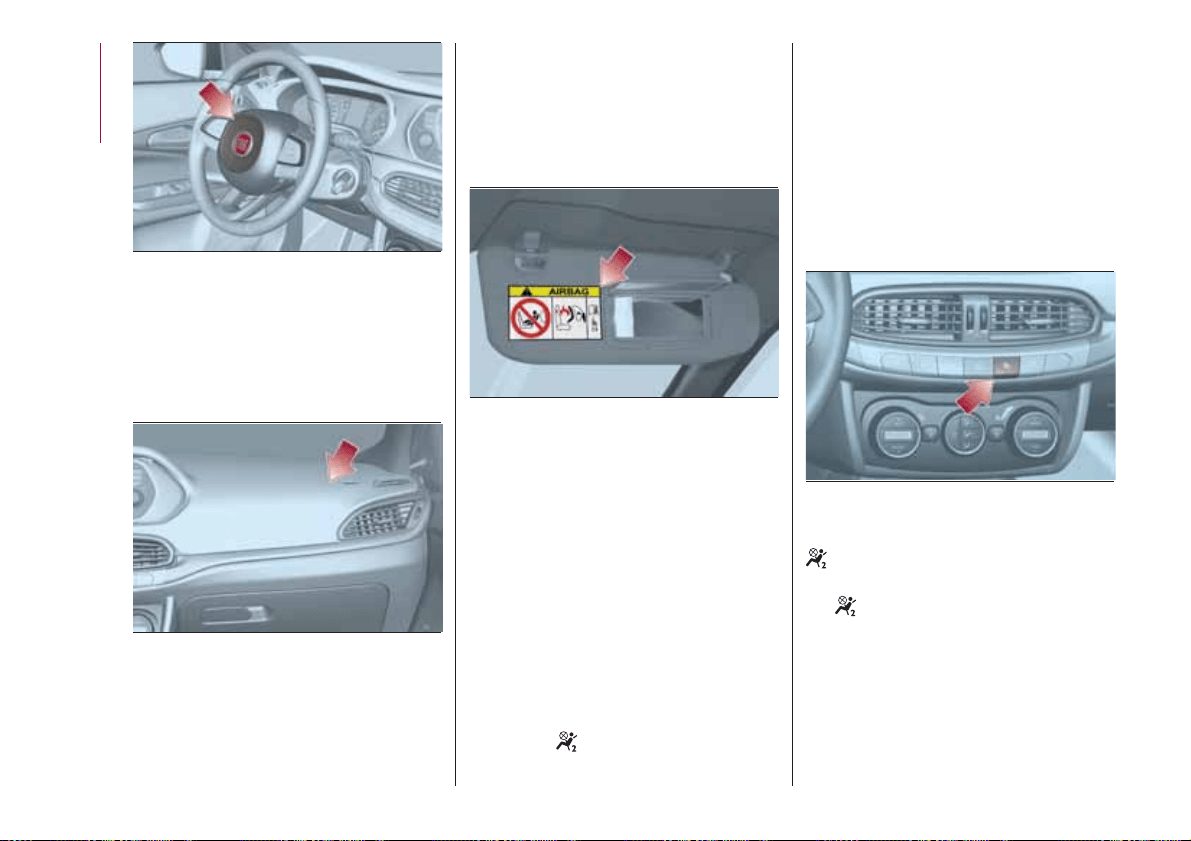
Passenger side front airbag
This consists of an instantly inflating
bag contained in a special recess in the
dashboard fig. 72; this bag has a larger
volume than that of the driver's.
Passenger side front airbag and
child restraint systems
Rearward facing child restraint systems
must NEVER be fitted on the front seat
with an active passenger airbag since in
the event of an impact the airbag
activation may cause fatal injuries to the
transported child.
ALWAYS comply with the instructions
on the label stuck on the passenger
side sun visor fig. 73.
Deactivating passenger front airbag
and seat-mounted side bag (if
present) for pelvis, chest and
shoulders protection
If a child must be carried on the front
seat in a rearward facing child restraint
system, deactivate the passenger side
front airbag and front side bag (if
present).
To deactivate the airbags use the
display Menu (see the instructions in the
"Display" paragraph, "Knowing the
instrument panel" chapter).
fig. 74 The
LED is present at the
middle of the instrument panel.
Moving the ignition device to MAR
switches on the LED for about 8
seconds. If not, contact a Fiat
Dealership. During the first seconds, the
activation of the LED does not actually
show the passenger protection status,
but only checks its correct operation.
After a test of a few seconds, the LED
will indicate the status of the passenger
airbag protection.
Passenger's protection active: the
LED is off.
Passenger protection deactivated:
the
LED switches on with a steady
light.
The LED may light up with a various
intensity depending on the vehicle
conditions. The intensity may vary
during the same key cycle.
71
06106J0001EM
72
06106J0002EM
73
06106J0003EM
74
06106J0006EM
78
SAFETY
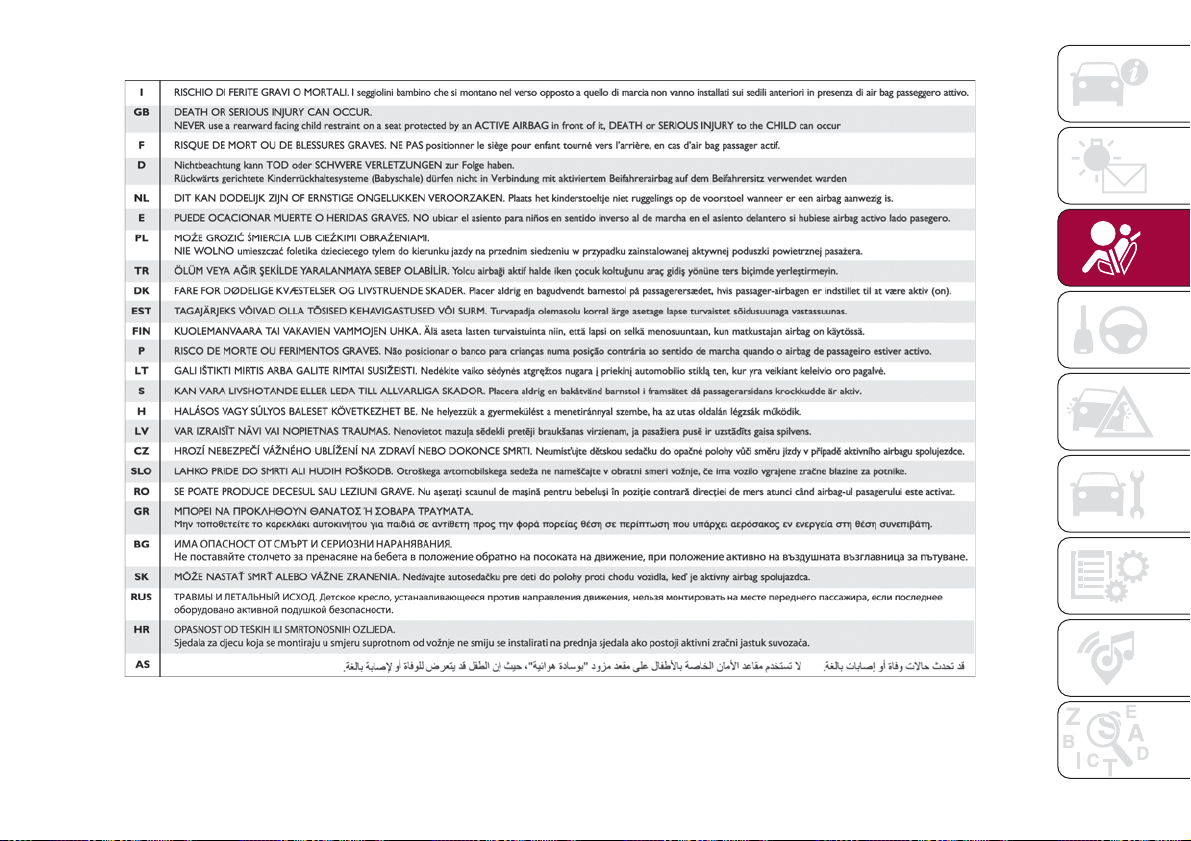
Passenger side front airbag and child restraint systems IMPORTANT
75
F1B0129C
79
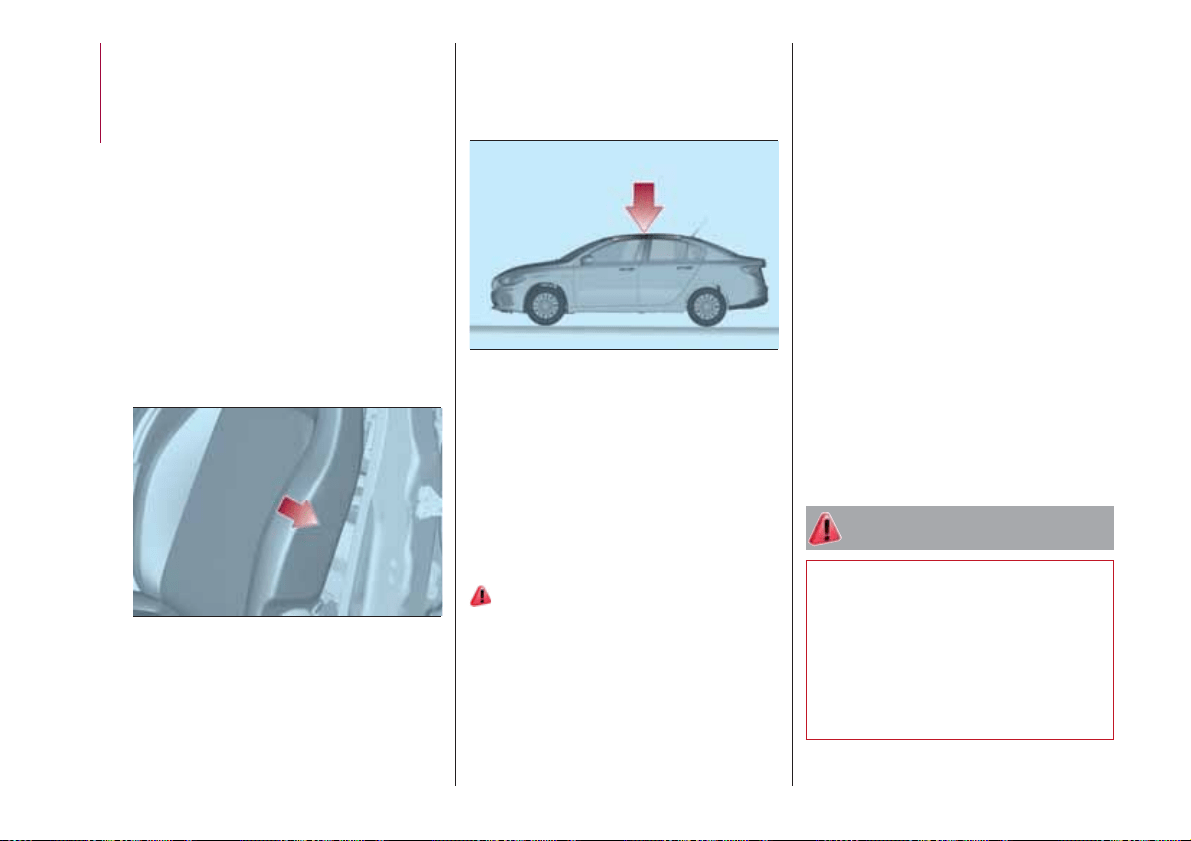
SIDE BAGS
(where provided)
To help increase occupants protection
in the event of side impact collisions,
the vehicle is equipped with front side
bags and window bags.
Side bag
These comprise two bags located in
the front seat backrests fig. 76 which
protect the pelvis, chest and shoulder
area of the occupants in the event of a
side impact of medium/high severity.
They are marked by the "AIRBAG" label
sewn on the outer side of the front
seats.
Window bag
These consist of two “drop-down”
cushions, housed behind the side trim
of the roof and covered with finishing
elements fig. 77.
They are designed to protect the head
of front and rear occupants in the event
of a side collision, thanks to the wide
cushion inflation surface.
The deployment of side bags in the
event of side impacts of low severity is
not required.
In the event of a side impact, the
system provides best protection if the
passenger sits on the seat in a correct
position, thus allowing correct window
bag deployment.
83) 84) 85) 86) 87) 88) 89) 91) 92) 93) 94) 95) 96) 97) 98)
Important notes
Do not wash the seats with water or
pressurised steam (wash by hand or at
automatic seat washing stations).
The front and/or side airbags may
activate in the event of sharp impacts to
the underbody of the vehicle (e.g.
impact with steps, pavements, potholes
or road bumps etc.).
When the airbag deploys it emits a
small amount of dust: the dust is
harmless and does not indicate the
beginning of a fire. The dust may irritate
the skin and eyes however: in this case,
wash with neutral soap and water.
Airbag checking, repair and
replacement must be carried out at a
Fiat Dealership.
If the vehicle is scrapped, have the
airbag system deactivated at a Fiat
Dealership.
Pretensioners and airbags are deployed
in different ways on the basis of the
type of collision. Failure to activate one
or more of the devices does not
indicate a system malfunction.
WARNING
83) Do not apply stickers or other objects
on the steering wheel, on the dashboard in
the passenger side airbag area, on side
upholstery on the roof or on the seats.
Never put objects (e.g. mobile phones) on
the passenger side of the dashboard since
they could interfere with correct inflation of
the passenger airbag and also cause
serious injury to the passengers.
76
06106J0008EM
77
06106J0007EM
80
SAFETY
84) Always drive with your hands on the
rim of the steering wheel so that the airbag
can inflate freely if required. Do not drive
with your body bent forward. Keep your
back straight against the backrest.
85) When there is an active passenger
airbag, DO NOT install rearward facing
child restraint systems on the front seat.
Deployment of the airbag in an accident
could cause fatal injuries to the child
regardless of the severity of the impact.
Therefore, always deactivate the passenger
side airbag when a rearward facing child
restraint system is installed on the front
passenger seat. The front passenger seat
must also be positioned back as far as
possible in order to prevent the child
restraint system from coming into contact
with the dashboard. Immediately reactivate
the passenger airbag as soon as the child
restraint system has been removed.
86) To deactivate the airbags using the
instrument panel menu, see the description
in the "Knowing the instrument panel"
chapter, "Menu Options" paragraph.
87) Do not affix rigid objects to the
garment hooks or support handles.
88) Do not rest your head, arms or elbows
on the door, windows or the area in which
the Window bag is located to avoid
possible injury during airbag inflation.
89) Never lean your head, arms or elbows
out of the window.
90) If, when the ignition device is turned to
MAR, the
warning light does not switch
on or stays on whilst driving, a fault may
have occurred in the restraint systems. In
this case the airbags or pretensioners may
not be deployed in an impact or, in a lower
number of cases, they may be deployed
accidentally. Contact a Fiat Dealership
immediately to have the system checked.
91) In some versions, in case of a LED
failure (located on the plate of the
instrument panel), the
warning light on
the instrument panel turns on and the
passenger side airbags are deactivated.
92) On cars with side bags, do not cover
the front seat backrests with extra covers.
93) Do not travel carrying objects in your
lap, in front of your chest or between your
lips (pipe, pencils, etc.): they could cause
severe injury if the airbag is deployed.
94) If the car has been stolen or in the case
of attempt to steal it, if it has been
subjected to vandalism or floods, have the
airbag system checked by a Fiat
Dealership.
95) If the ignition device is at MAR, even if
the engine is switched off, airbags may be
deployed when the vehicle is stationary
and hit by another vehicle. Therefore, even
if the vehicle is stationary, when an active
front passenger airbag is fitted, DO NOT
install rearward facing child restraint
systems on the front passenger seat.
Deployment of the airbag following an
impact could cause fatal injuries to the
child. Therefore, always deactivate the
passenger side airbag when a rearward
facing child restraint system is installed on
the front passenger seat. The front
passenger seat must also be positioned
back as far as possible in order to prevent
the child restraint system from coming into
contact with the dashboard. Immediately
reactivate the passenger airbag as soon as
the child restraint system has been
removed. Also remember that, if the
ignition device is set to STOP, none of the
safety devices (airbags or pretensioners)
will be deployed in the event of collision.
Non-deployment in such cases does not
indicate a system malfunction.
96) Malfunction of the
warning light is
indicated by the activation of an airbag
failure icon and a dedicated message on
the instrument panel display (or, for
versions where provided, by the activation
of a blinking generic failure warning light).
The pyrotechnic charges are not disabled.
Contact a Fiat Dealership immediately to
have the system checked.
97) The airbag deployment threshold is
higher than that of the pretensioners. For
collisions in the range between the two
thresholds, it is normal for only the
pretensioners to be activated.
81

98) The airbag does not replace seat belts
but increases their efficiency. Because front
airbags are not deployed for low-speed
crashes, side collisions, rear-end shunts or
rollovers, occupants are protected, in
addition to any side bags, only by their seat
belts, which must therefore always be
fastened.
82
SAFETY
STARTING AND DRIVING
Let’s get to the core of the vehicle:
seeing how you can exploit all of its
potential to the full.
We’ll look at how to drive it safely in any
situation, so that it can be a welcome
companion, with our comfort and our
wallets in mind.
STARTING THE ENGINE ........84
PARKING BRAKE .............85
MANUAL GEARBOX ...........86
AUTOMATIC TRANSMISSION .....86
STOP/START SYSTEM .........89
ELECTRONIC CRUISE CONTROL . .90
PARKING SENSORS...........91
REAR VIEW CAMERA ..........94
TOWING TRAILERS ...........95
REFUELLING THE VEHICLE ......96
83
STARTING THE
ENGINE
Before starting the engine, adjust the
seat, the interior rear view mirrors, the
door mirrors and fasten the seat belt
correctly.
Never press the accelerator pedal for
starting the engine.
If necessary, messages indicating the
starting procedure can be shown on
the display.
ENGINE STARTING
PROCEDURE
99) 100) 101) 102)
19) 20) 21) 22)
Versions with mechanical gearbox
Proceed as follows:
engage the parking brake and place
the gear lever in neutral;
bring the ignition device to MAR,
warning light
will come on in the
instrument panel - wait for the warning
light to switch off;
fully depress the clutch pedal
without touching the accelerator;
turn the ignition device to AVV and
release it as soon as the engine starts;
if the engine does not start within 10
seconds, bring the ignition device back
to STOP and wait for 10-15 seconds
before repeating the starting procedure;
after the manoeuvre has been
repeated, if the problem persists,
contact a Fiat Dealership.
Versions with automatic
transmission
(where provided)
Proceed as follows:
engage the parking brake and set
the gear lever to P (Park) or N (Neutral);
fully depress the brake pedal without
touching the accelerator;
set the ignition device to AVV;
if the engine does not start, bring
the ignition device back to STOP and
wait for 10-15 seconds before
repeating the starting procedure;
after the manoeuvre has been
repeated, if the problem persists,
contact a Fiat Dealership.
ENGINE STARTING
FAILURE
99)
Important notes
Do not try to start the engine by towing
or pushing the vehicle. This manoeuvre
could let unburnt fuel enter the catalytic
converter. When the engine is started,
this would ignite, causing catalytic
converter overheating and damage.
If the battery is flat, you can jump start
the vehicle by connecting the battery
with an auxiliary one or with one on
another vehicle using suitable cables.
This manoeuvre can anyway be
dangerous when not performed
correctly. See the indications in the
"Emergency starting" paragraph in the
"In an emergency" chapter.
WARNING
99) Do not try to start the engine pouring
fuel or other flammable fluid inside the
throttle body air intake: this might damage
the engine and injury people nearby.
100) It is dangerous to run the engine in
enclosed areas. The engine takes in
oxygen and releases carbon dioxide,
carbon monoxide and other toxic gases.
101) The brake servo is not active until the
engine is started, so you would need to
apply much more force than usual to the
brake pedal.
102) Do not start the engine by pushing,
towing or driving downhill. These
manoeuvres may damage the catalytic
converter.
IMPORTANT
19) We recommend that during the initial
period, or during the first 1600 km, you do
not drive to full car performance (e.g.
excessive acceleration, long journeys at top
speed, sharp braking, etc.).
84
STARTING AND DRIVING
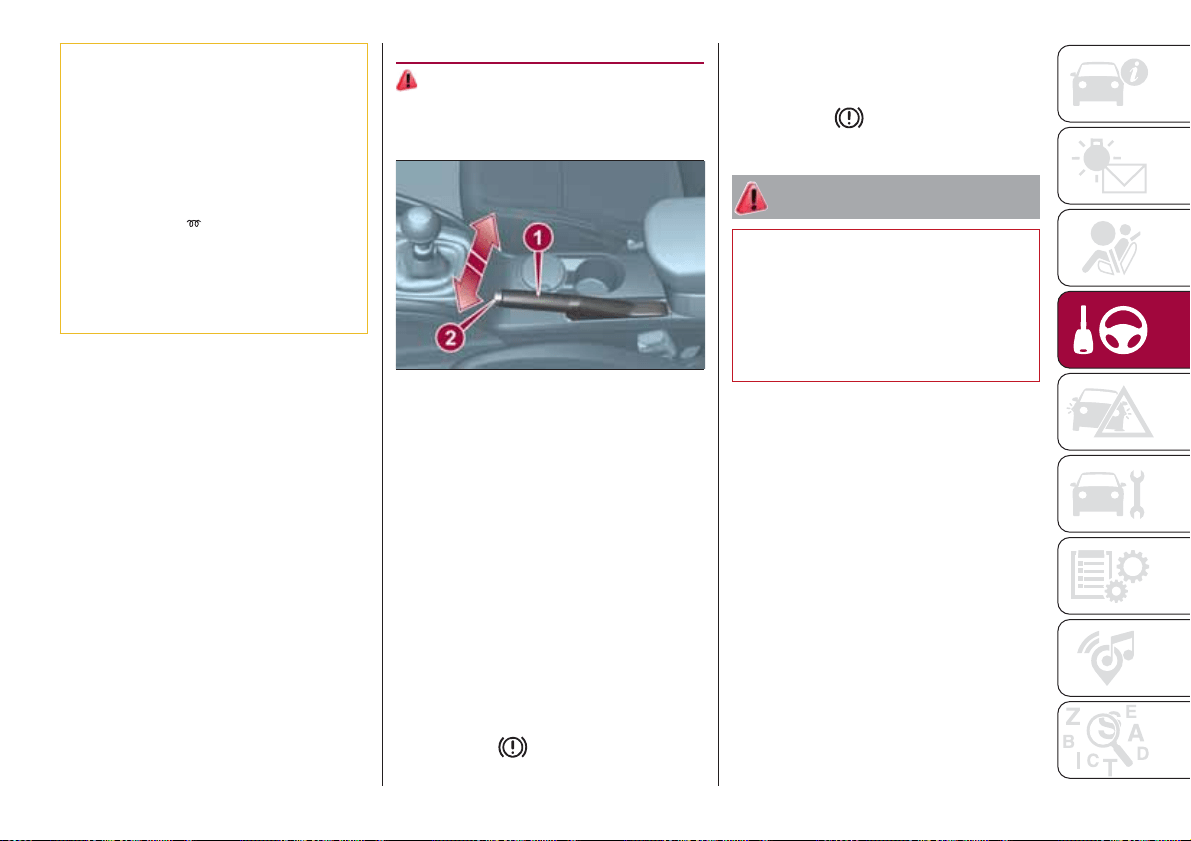
20) When the engine is switched off never
leave the ignition device in the MAR
position to prevent useless current
absorption from draining the battery.
21) A quick burst on the accelerator before
turning off the engine serves absolutely no
practical purpose; it wastes fuel and is
especially damaging to turbocharged
engines.
22) Warning light
will flash after starting
or during prolonged cranking to indicate a
fault with the glow plug heating system. If
the engine starts, the vehicle can be used
as normal, but a Fiat Dealership must be
contacted as soon as possible.
PARKING BRAKE
103) 104)
The handbrake lever is located between
the two front seats.
Handbrake engagement:
Pull lever 1 upwards until the car is
secured.
To use the handbrake pull the lever
fig. 78 upwards until the car cannot be
moved. Four or five clicks are generally
enough when the car is on level ground
while nine or ten may be required if the
car is on a steep slope and laden.
IMPORTANT If this is not the case,
contact a Fiat Dealership to have the
handbrake adjusted.
When the handbrake is on and the
ignition key is at MAR position, the
warning light
will appear on the
instrument panel.
Handbrake disengagement:
Raise lever 1 slightly, hold down button
2 and lower the lever, checking that the
warning light
on the instrument
panel switches off.
WARNING
103) Never leave children unattended in
the car. Always remove the key from the
ignition when leaving the car and take it
with you.
104) For cars equipped with a front
armrest, lift it up to ensure that it does not
interfere with the action of the handbrake.
78
07046J0001EM
85
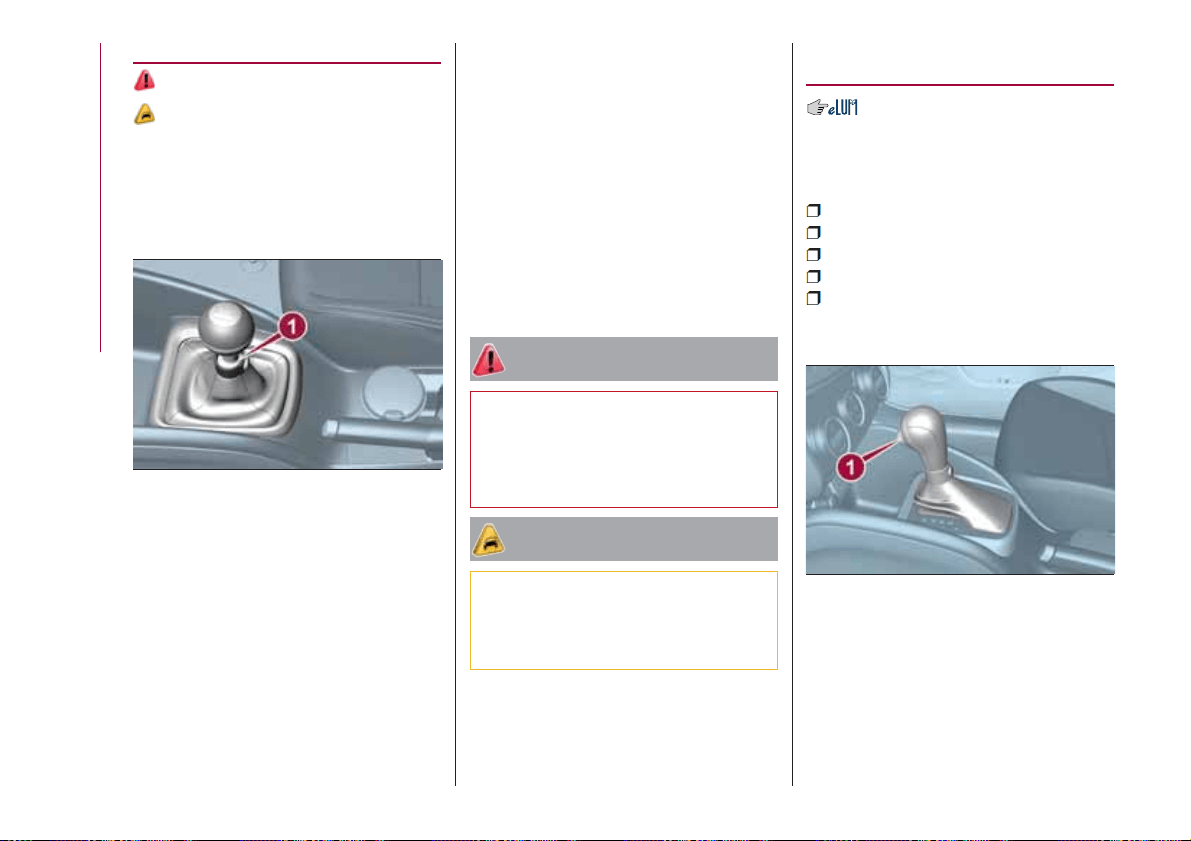
MANUAL GEARBOX
105)
23)
To engage the gears, press the clutch
pedal fully and put the gear lever into
the required position (the diagram for
gear engagement is shown on the knob
).
To engage reverse R from neutral, lift
the ring 1 fig. 79 under the knob and at
the same time move the lever to the left
and then forwards.
To engage 6
th
gear (if present), operate
the lever by pressing it towards the right
in order to avoid engaging 4
th
gear by
mistake. The same applies to the shift
from 6
th
to 5
th
gear.
IMPORTANT Reverse can only be
engaged when the vehicle is completely
stationary. With the engine running, wait
for at least 2 seconds with the clutch
pedal fully pressed before engaging
reverse to prevent damage to the gears
and grating.
IMPORTANT The clutch pedal should
be used only for gear changes. Do not
drive with your foot resting on the
clutch pedal, however lightly. In some
circumstances, the electronic clutch
control could cut in by interpreting the
incorrect driving style as a fault.
WARNING
105) Depress the clutch pedal fully to
change gear correctly. It is therefore
essential that there is nothing under the
pedals: make sure the mats are lying flat
and do not get in the way of the pedals.
IMPORTANT
23) Do not drive with your hand resting on
the gear lever as the force exerted, even if
slight, could lead over time to premature
wear of the gearbox internal components.
AUTOMATIC
TRANSMISSION
GEAR LEVER
The fig. 80 lever has the following
positions:
P = Park
R = Reverse
N = Neutral
D = Drive, (automatic forward speed)
AutoStick: + shifting to higher gear
in sequential driving mode; – shifting to
lower gear in sequential driving mode.
The diagram for gear engagement is
shown on the trim at the side of the
gear lever.
The gear engaged is shown on the
display.
To select a gear, move the lever
forwards or backwards.
79
07056J0001EM
80
07076J0002EM
86
STARTING AND DRIVING
To select the "sequential" mode, move
the lever from D (Drive) to the left: the
position + (upper gear) or – (lower gear)
can be reached; these are unstable
positions, which means that the lever
always returns to the central position.
The brake pedal and button 1 fig. 80 on
the knob must be pressed to exit
position P (Park).
Also to shift from position N (neutral) to
position D (drive) or R (reverse), you
need to press the brake pedal.
IMPORTANT DO NOT accelerate while
shifting from position P (or N) to another
position.
IMPORTANT After selecting a gear, wait
a few seconds before accelerating. This
precaution is particularly important with
engine cold.
AUTOMATIC DRIVING
MODE
To select the automatic driving mode,
you need to shift the gear lever to D
(Drive): the best ratio is selected by the
electronic transmission control unit
depending on vehicle speed, engine
load (accelerator pedal position) and
gradient of the road.
D can be selected from sequential
operation in any driving conditions.
AUTOSTICK - Sequential
mode
In the case of frequent gearshifting (e.g.
when the vehicle is driven with a heavy
load, on slopes, with strong headwind),
it is recommended to use the Autostick
(sequential shifting) mode to select and
keep a lower fixed ratio.
In these conditions, using a lower gear
improves vehicle performance and
prolongs the transmission's life, limiting
gearshifting and preventing overheating.
It is possible to shift from position D
(Drive) to the sequential mode
regardless of vehicle speed.
Activation
With gear lever in position D (Drive), to
activate the sequential drive mode,
move the lever to the left (– and +
indication of the trim). The gear
engaged will be shown on the display.
Gearshifting is made by moving the
gear lever forwards, towards symbol –
or backwards, towards symbol +.
Deactivation
To deactivate the sequential driving
mode, bring the gear lever back to
position D (Drive), automatic mode.
Important notes
Do not downshift on slippery
surfaces: the drive wheels might lose
grip with following risk for the vehicle to
slip. This could cause accidents or
personal injuries.
The vehicle will keep the gear
selected by the driver until the safety
conditions allow it. This means, for
example, that the system will try to
prevent the engine from switching off,
automatically downshifting if the engine
speed is too low.
TRANSMISSION
EMERGENCY FUNCTION
(where provided)
Transmission operation is constantly
monitored to detect any fault. If a
condition that might damage the
transmission is detected, the "recovery"
function is activated.
In this condition, the transmission stays
in 3
th
gear, regardless of the selected
gear.
Positions P (Parking), R (Reverse) and N
(Neutral) still work. Icon
might light
up on the display.
In the case of "recovery" operation
immediately contact the nearest Fiat
Dealership.
Temporary failure
In the event of a temporary failure,
correct transmission operation can be
restored for all the forwards gears by
proceeding as follows:
stop the vehicle;
87
bring the transmission lever to P
(Park);
bring the ignition device to STOP;
wait for about 10 seconds, then
restart the engine;
select the desired gear: correct
transmission operation should be
restored.
IMPORTANT In the event of a
temporary failure it is in any case
recommended to contact a Fiat
Dealership as soon as possible.
GEAR ENGAGEMENT
DISABLING SYSTEM
WITHOUT BRAKE PEDAL
PRESSED
This system prevents you from moving
the gear lever from position P (Park)
and N (Neutral) if the brake pedal has
not been previously depressed.
To bring the gear lever to a position
other than P (Park) or from N (Neutral)
to R (Reverse), the ignition device must
be in position MAR (engine on or off)
and the brake pedal must be
depressed. Button 1 fig. 80 on the gear
lever knob must also be pressed. To
move the lever from position N (Neutral)
to position D (Drive, automatic forward
gear), you need to press the brake
pedal.
To facilitate parking manoeuvres, move
the lever from D to R (and vice versa)
without pressing the brake if the lever
does not pass through the N position.
The lever will remain locked in the P
position in case of faults or flat battery.
See the “Automatic transmission” in the
“In an emergency” chapter for how to
release the lever manually.
WARNING
106) Never use position P (Park) instead of
the parking brake. Always engage the
parking brake when parking the vehicle to
avoid the accidental movement of the
vehicle.
107) If the P (Park) position is not engaged,
the vehicle could move and injure people.
Before leaving the vehicle, make sure that
the gear lever is in position P and that the
parking brake is engaged.
108) Do not shift the gear lever to N
(Neutral) and do not stop the engine when
driving on a downhill road. This type of
driving is dangerous and reduces the
possibility of intervening in the case of
variation of the road traffic or surface. You
risk losing control of your vehicle and
causing accidents.
IMPORTANT
24) Before moving the gear lever from
position P (Park), bring the ignition device
to position MAR and press the brake pedal.
Otherwise, the gear lever may get
damaged.
25) Engage reverse only with the car
stationary, engine at idling speed and
accelerator fully released.
88
STARTING AND DRIVING
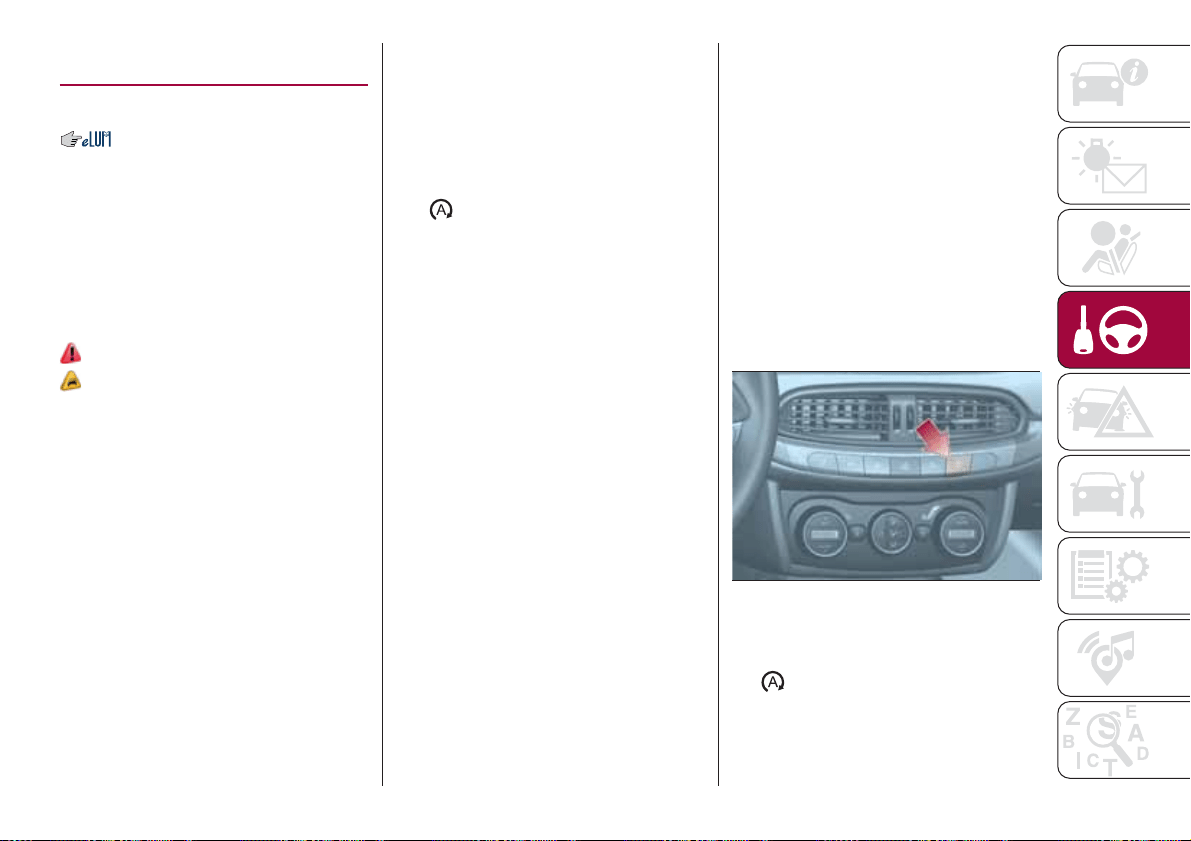
STOP/START
SYSTEM
(where provided)
The Stop/Start system automatically
stops the engine each time the vehicle
is stationary and starts it again when
the driver wants to move off.
In this way, the vehicle efficiency is
increased, by reducing consumption,
dangerous gas emissions and sound
pollution.
109)
26)
OPERATING MODE
Stopping the engine
Versions with mechanical gearbox
With the vehicle stopped, the engine
stops with gearbox in neutral and clutch
pedal released.
Versions with automatic
transmission
With vehicle at a standstill and brake
pedal pressed, the engine switches off
if the gear lever is in a position other
than R.
The system does not operate when the
gear lever is in R, for making parking
manoeuvres easier.
In the event of stops uphill, engine
switching off is disabled to make the
"Hill Hold Control" function available
(works only with running engine).
NOTE the engine can only be
automatically stopped after exceeding a
speed of 10 km/h.
The
warning light on the instrument
panel switches on to signal that the
engine was stopped.
Restarting the engine
Versions with mechanical gearbox
To restart the engine, press the clutch
pedal or the accelerator pedal.
If the vehicle does not start when the
clutch is pressed, place the gear lever
in neutral and repeat the procedure. If
the problem persists, contact a Fiat
Dealership.
Versions with automatic
transmission
To restart the engine, release the brake
pedal.
With brake pressed, if the gear lever is
in automatic mode - D (Drive) - the
engine can be restarted by moving the
lever to R (Reverse) or "AutoStick".
With brake pressed, if the gear lever is
in "AutoStick" mode, the engine can be
restarted by moving the lever to R
(Reverse).
When the engine has been stopped
automatically, keeping the brake pedal
pressed, the brake can be released
keeping the engine off by quickly
shifting the gear lever to P (Park).
To restart the engine, just move the
lever out of position P.
SYSTEM MANUAL
ACTIVATION/
DEACTIVATION
To activate/deactivate the system
manually, press the fig. 81 button
located on the dashboard in central
position.
System activation
Activation of the system is indicated by
the
warning light switching on and,
where provided, by a message on the
display.
81
07126J0001EM
89
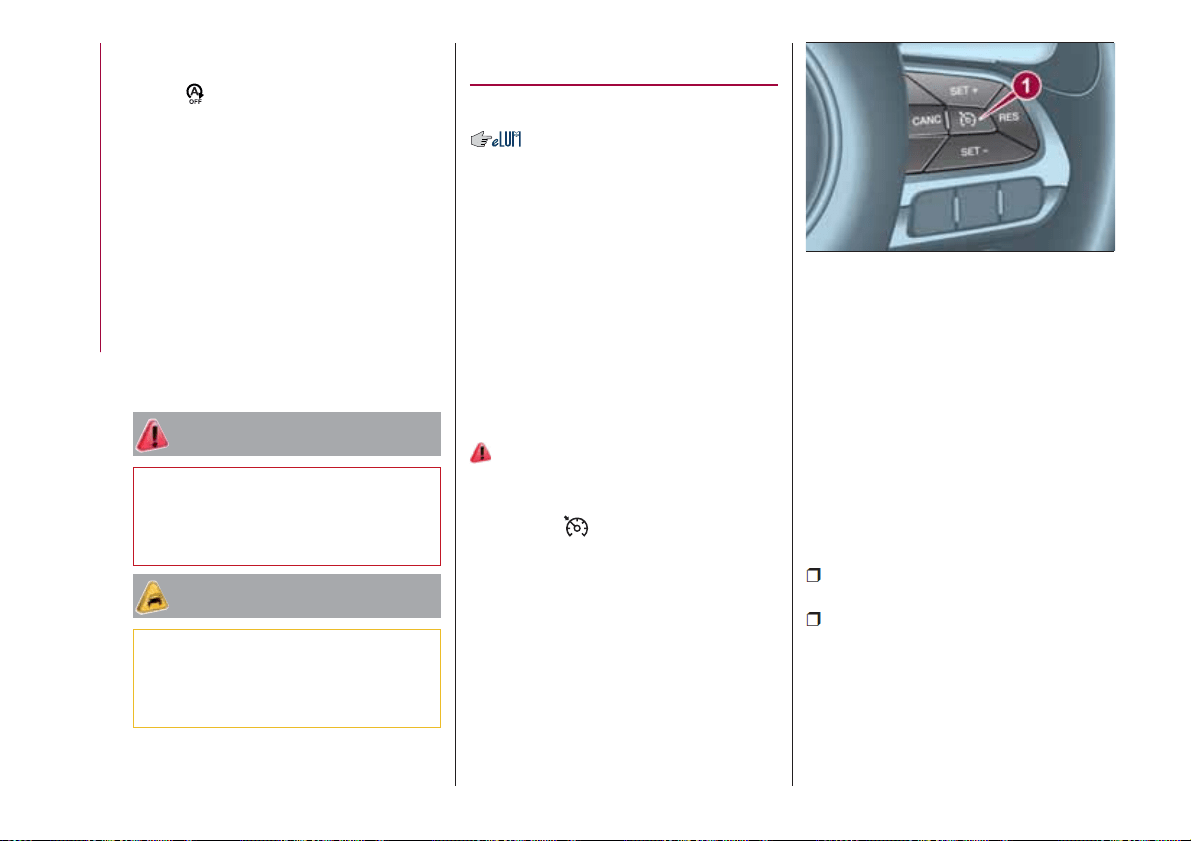
System deactivation
Deactivation of the system is indicated
by the
warning light switching on
and, where provided, by a message on
the display.
SAFETY FUNCTIONS
When the engine is stopped through
the Stop/Start system, if the driver
releases their seat belt or opens the
driver's or passenger's door, the engine
can be restarted only by using the
ignition device.
This condition is indicated to the driver
both through a buzzer and a message
on the display.
WARNING
109) If the battery needs to be replaced,
always contact a Fiat Dealership. Replace
the battery with a new one of the same
type and specifications.
IMPORTANT
26) If the climate comfort is to be favoured,
the Start&Stop system can be deactivated,
for a continuous operation of the climate
control system.
ELECTRONIC
CRUISE CONTROL
(where provided)
This is an electronically controlled
driving assistance device that allows the
desired vehicle speed to be maintained,
without having to press the accelerator
pedal. This device can be used at a
speed above 30 km/h on long stretches
of dry, straight roads with few variations
(e.g. motorways).
It is therefore not recommended to use
this device on extra-urban roads with
traffic. Do not use it in town.
ACTIVATING THE DEVICE
110) 111) 112)
To activate the device press button 1
fig. 82.
The symbol
on the instrument panel
switches on to signal that the device
has been activated.
The device cannot be engaged in 1
st
or reverse gear: it is advisable to
engage it in 3
rd
gear or higher.
IMPORTANT It is dangerous to leave
the device on when it is not used. There
is a risk of inadvertently activating it and
losing control of the vehicle due to
unexpected excessive speed.
SETTING THE DESIRED
SPEED
Proceed as follows:
to activate the device press button 1
fig. 82;
when the vehicle has reached the
desired speed, press button SET + (or
SET –) and release it to activate the
device. When the accelerator is
released, the vehicle will keep the
selected speed automatically.
If needed (e.g. when overtaking), you
can increase speed simply by pressing
82
07126J0002EM
90
STARTING AND DRIVING
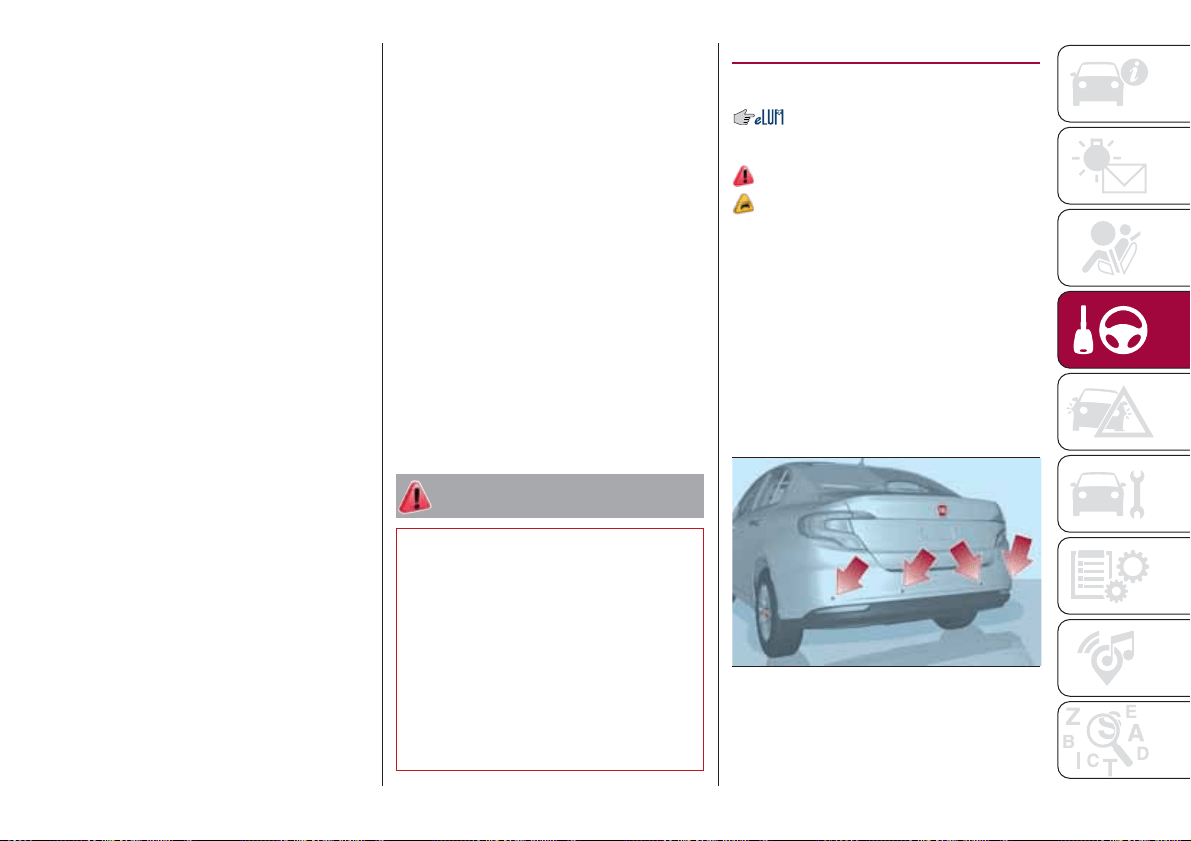
the accelerator; when you release the
pedal, the vehicle goes back to the
speed stored previously.
When travelling downhill with the device
active, the vehicle speed may exceed
the set one.
IMPORTANT Before pressing the SET +
or SET – buttons, the vehicle must be
travelling at a constant speed on a flat
surface.
SPEED INCREASE
Once the electronic Cruise Control has
been activated, the speed can be
increased by pressing button SET +.
DECREASING SPEED
With the device activated, the speed
can be decreased by pressing button
SET–.
RECALLING THE SPEED
For versions with automatic
transmission (if present) operating in D
mode (Drive - automatic), press and
release the RES button to recall the
previously set speed.
For versions with manual gearbox or
automatic transmission (if present) in
Autostick (sequential) mode, before
recalling the previously set speed you
should accelerate until getting close to
it, then press and release the RES
button.
DEACTIVATING THE
DEVICE
Lightly pressing the brake pedal or
pressing the CANC button deactivates
the electronic Cruise Control without
deleting the stored speed.
The Cruise Control may be deactivated
also by applying the parking brake,
when the braking system is operated
(e.g. operation of the ESC system) or by
pressing the clutch pedal while shifting
gear.
DEACTIVATING THE
DEVICE
The electronic Cruise Control is
deactivated by pressing button 1
fig. 82 or bringing the ignition device to
STOP.
WARNING
110) When travelling with the device active,
never move the gear lever to neutral.
111) In case of a malfunction or failure of
the device, contact a Fiat Dealership.
112) The electronic Cruise Control can be
dangerous if the system cannot keep a
constant speed. In specific conditions
speed may be excessive, resulting in the
risk of losing control of the vehicle and
causing accidents. Do not use the device
in heavy traffic or on winding, icy, snowy or
slippery roads.
PARKING SENSORS
(where provided)
SENSORS
113)
27) 28) 29)
The parking sensors, located in the rear
bumper fig. 83, are used to detect the
presence of any obstacles near the rear
part of the vehicle.
The sensors warn the driver about the
presence of possible obstacles with an
intermittent acoustic signal and,
depending on the version, also with
visual indications on the instrument
panel display.
Activation
The sensors are automatically activated
when reverse gear is selected. As the
83
07176J0001EM
91

distance from the obstacle behind the
vehicle decreases, the frequency of the
acoustic signal increases.
Acoustic signal
When reverse is engaged and there is
an obstacle behind the vehicle, an
acoustic signal is activated and the
signal varies as the distance of the
obstacle from the bumper varies.
The frequency of the acoustic signal:
increases as the distance between
the vehicle and the obstacle decreases;
becomes continuous when the
distance separating the vehicle from the
obstacle is less than about 30 cm;
is constant if the distance between
the vehicle and the obstacle is
unchanged. If this situation concerns
the side sensors, the signal will stop
after approximately 3 seconds to avoid,
for example, indications in the event of
manoeuvres along a wall.
stops immediately if the distance of
the obstacle increases.
When the system emits the acoustic
signal, the volume of the Uconnect™
system (where provided) is
automatically lowered.
Detection distances
If several obstacles are detected by the
sensors, only the nearest one is
considered.
Signals on the reconfigurable
multifunction display
The indications regarding the Park
Assist system are shown only on the
reconfigurable multifunction display and
only if the "Acoustic signal and display"
item in the "Settings" menu of the
Uconnect™ system (where provided)
was previously selected (for more
information, see the description in the
dedicated chapter).
The system indicates the presence of
an obstacle by displaying a single arc in
one of the possible areas, in
accordance with the distance of the
object and the position in relation to the
vehicle. If the obstacle is detected in the
rear central area, a single arc will be
displayed as the obstacle approaches,
first constant, then flashing, in addition
to an acoustic signal.
OPERATION WITH A
TRAILER
The operation of the sensors is
automatically deactivated when the
trailer's electrical connection is inserted
in the vehicle's tow hook socket.
Sensors are reactivated on removing
the trailer's electrical connection. Before
using the Park Assist system, it is
recommended to remove the tow hook
ball assembly and the relevant
attachment from the vehicle. Failure to
comply with this prescription may
cause personal injuries or damage to
vehicles or obstacles since, when the
continuous acoustic signal is emitted,
the tow hook ball is already in a position
that is much closer to the obstacle than
the rear bumper. In addition, the
sensors may provide a false indication,
interpreting the tow hook ball assembly
and the relevant attachment as an
obstacle in the area behind the vehicle.
If you wish to leave the tow hook fitted
without towing a trailer, it is advisable to
contact a Fiat Dealership to have the
system updated and prevent detection
by the central sensors.
IMPORTANT NOTES
When parking, take the utmost care
over obstacles that may be above or
under the sensor. Objects close to the
vehicle are not detected under certain
circumstances and could therefore
cause damage to the vehicle or be
damaged.
Some conditions may influence the
performance of the parking system:
reduced sensor sensitivity and a
reduction in the parking assistance
system performance could be due to
the presence of: ice, snow, mud, paint,
etc. on the surface of the sensor;
the sensor may detect a
non-existent obstacle ("echo
92
STARTING AND DRIVING
interference") due to mechanical
interference, for example when washing
the vehicle, in rain (strong wind), hail;
the signals sent by the sensor can
also be altered by the presence of
ultrasonic systems (e.g. pneumatic
brake systems of trucks or pneumatic
drills) near the vehicle;
parking assistance system
performance can also be influenced by
the position of the sensors, for example
due to a change in the ride setting
(caused by wear to the shock
absorbers, suspension), or by changing
tyres, overloading the vehicle or fitting
specific trims that require the vehicle to
be lowered;
the presence of a tow hook without
trailer, which may interfere with the
correct operation of the parking
sensors. In the case of vehicles fitted
with removable tow hook, whether as
standard or installed after the vehicle
was purchased, it is advisable to
remove it whenever it is not used, to
prevent incorrect operation of the
sensors;
the presence of adhesives on the
sensors. Therefore, take care not to
place adhesives on the sensors.
WARNING
113) Parking and other potentially
dangerous manoeuvres are, however,
always the driver’s responsibility. When
performing these operations, always make
sure that there are no other people
(especially children) or animals on the route
you want to take. The parking sensors are
an aid for the driver, but the driver must
never allow their attention to lapse during
potentially dangerous manoeuvres, even
those executed at low speeds.
IMPORTANT
27) The sensors must be clean of mud,
dirt, snow or ice in order for the system to
operate correctly. Be careful not to scratch
or damage the sensors while cleaning
them. Avoid using dry, rough or hard
cloths. The sensors should be washed
using clean water with the addition of car
shampoo if necessary. When using special
washing equipment such as high pressure
jets or steam cleaning, clean the sensors
very quickly keeping the jet more than 10
cm away.
28) Have interventions on the bumper in
the area of the sensors carried out only by
a Fiat Dealership. Interventions on the
bumper that are not carried out properly
may compromise the operation of the
parking sensors
29) Only have the bumpers repainted or
any retouches to the paintwork in the area
of the sensors carried out by a Fiat
Dealership. Incorrect paint application
could affect the operation of the parking
sensors.
93
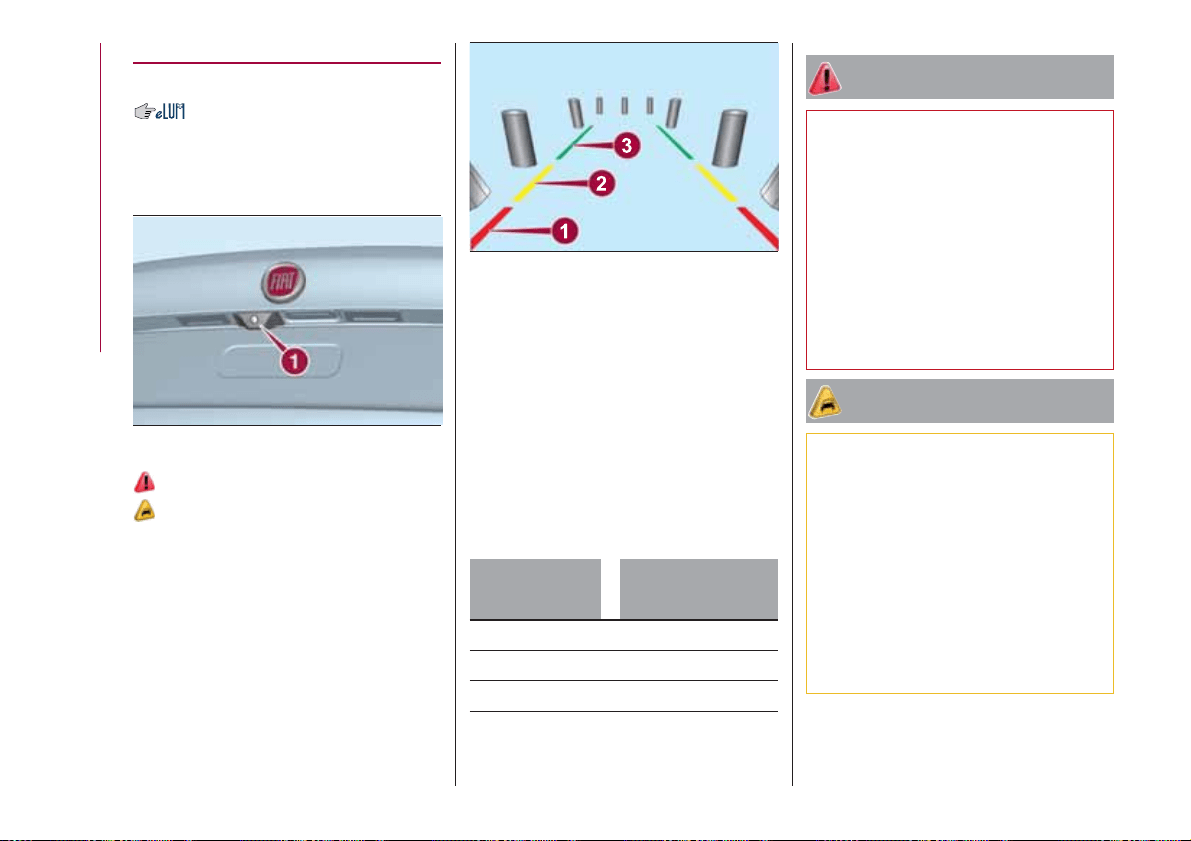
REAR VIEW CAMERA
(where provided)
DESCRIPTION
The rear camera 1 fig. 84 is located on
the rear lid.
114)
30)
Every time reverse is engaged, the
display fig. 85 shows the area around
the vehicle, as seen by the rear camera.
SYMBOLS AND
MESSAGES ON THE
DISPLAY
A superimposed central broken line
indicates the centre of the vehicle to
facilitate parking manoeuvres or tow
hook alignment. The various coloured
areas indicate the distance from the
rear of the vehicle.
The table below shows the approximate
distances for each area fig. 85:
Area
Distance from the
rear of the vehicle
Red (1) 0–30 cm
Yellow (2) 30–100 cm
Green (3) 1 m or more
IMPORTANT When parking, take the
utmost care over obstacles that may be
above or under the camera range.
WARNING
114) Parking and other potentially
dangerous manoeuvres are, however,
always the driver’s responsibility. While
carrying out these manoeuvres, always
make sure that no people (especially
children) or animals are in the area
concerned. The camera is an aid for the
driver, but the driver must never allow
his/her attention to lapse during potentially
dangerous manoeuvres, even those
executed at low speeds. Always keep a
slow speed, so as to promptly brake in the
case of obstacles.
IMPORTANT
30) It is vital, for correct operation, that the
camera is always kept clean and free from
any mud, dirt, snow or ice. Be careful not
to scratch or damage the camera while
cleaning it. Avoid using dry, rough or hard
cloths. The camera must be washed using
clean water, with the addition of car
shampoo if necessary. In washing stations
which use steam or high-pressure jets,
clean the camera quickly, keeping the
nozzle more than 10 cm away from the
sensors. Also, do not apply stickers to the
camera.
84
07186J0001EM
85
07186J0002EM
94
STARTING AND DRIVING
TOWING TRAILERS
IMPORTANT NOTES
115) 116)
For towing caravans or trailers the
vehicle must be fitted with an approved
tow hook and an adequate electrical
system. Should aftermarket installation
be requested, this must be carried out
by specialists.
Install any specific and/or additional
door mirrors as specified by the
Highway Code.
Remember that, when towing a trailer,
steep hills are harder to climb, braking
distances increase and overtaking takes
longer depending on the overall weight
of the trailer.
Engage a low gear when driving
downhill, rather than constantly using
the brake.
The weight the trailer exerts on the
vehicle tow hook reduces the vehicle's
loading capacity by the same amount.
To make sure that the maximum
towable weight is not exceeded (given
in the vehicle registration document)
account should be taken of the fully
laden trailer, including accessories and
luggage.
Do not exceed the speed limits specific
to each country you are driving in, in the
case of vehicles towing trailers. In any
case, the top speed must not exceed
100 km/h.
Any electric brake must be powered
directly by the battery through a cable
with a cross-section of no less than 2.5
mm
2
.
In addition to the electrical branches,
the vehicle electrical system can only be
connected to the supply cable for an
electric brake and to the cable for an
internal light for the trailer, not
exceeding 15 W. For connections, use
the preset control unit with a battery
cable with section not less than 2.5 mm
2
.
IMPORTANT The use of auxiliary loads
other than external lights (e.g. electric
brake) must take place with engine
running.
INSTALLING A TOW
HOOK
The towing device should be fastened
to the body by specialised personnel
according to any additional and/or
integrative information supplied by the
Manufacturer of the device.
The towing device must meet current
regulations with reference to Directive
94/20/EC and subsequent
amendments.
For any version the towing device used
must be right for the towable weight of
the vehicle on which it is to be installed.
For the electrical connection a standard
connector should be used which is
generally placed on a special bracket
normally fastened to the towing device,
and a special ECU for external trailer
light control must be installed on the
vehicle.
Seven or thirteen pin 12 V DC
connections should be used
(CUNA/UNI and ISO/DIN Standards).
Follow any instructions provided by the
vehicle manufacturer and/or the towing
device manufacturer.
WARNING
115) The ABS with which the car is
equipped will not control the braking
system of the trailer. Particular caution is
required on slippery roads.
116) Never modify the braking system of
the vehicle to control the trailer brake. The
trailer braking system must be fully
independent of the car’s hydraulic system.
95
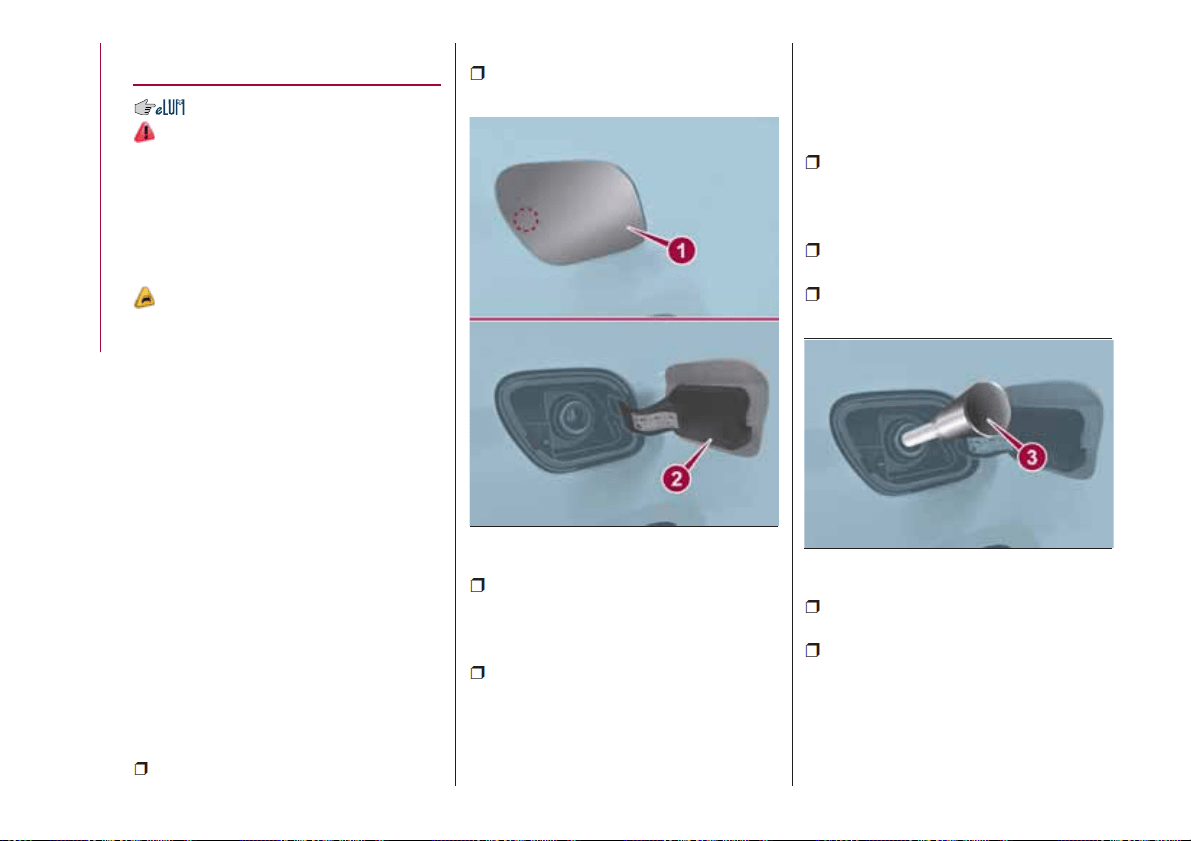
REFUELLING THE
VEHICLE
117) 118) 119)
PETROL ENGINES
Only use unleaded petrol with a number
of octanes (R.O.N.) not lower than 95
(EN228 specification).
DIESEL ENGINES
31)
Only use Diesel for motor vehicles
(EN590 specification).
When using or parking the vehicle for a
long time in the mountains or cold
areas, it is advisable to refuel using
locally available Diesel. In this case, it is
also advisable to keep the tank over
50% full.
REFUELLING
PROCEDURE
"Capless Fuel" is a device at the
opening for the fuel tank which opens
and recloses automatically when the
fuel supply gun is introduced/removed.
The "Capless Fuel" device is provided
with an inhibitor which prevents
refuelling with incorrect fuel.
Opening the flap
To refuel proceed as follows:
unlock flap 1 fig. 86 by pressing on
the specified point and then open it;
introduce the dispenser in the filler
and refuel;
after refuelling, before removing the
dispenser, wait for at least 10 seconds
in order for the fuel to flow inside the
tank;
then remove the dispenser from the
filler and close flap 1.
The flap is provided with a dust cover
gaiter 2 which prevents deposits of
impurities and dust at the end of the
filler when the flap is closed.
Emergency refuelling
If there is no fuel in the vehicle or the
supply circuit is completely empty,
proceed as follows to reintroduce fuel
to the tank:
open the boot and take adaptor 3
fig. 87, located in the tool box or in the
Fix&Go kit container (according to the
versions);
open flap 1 fig. 86, as described
previously;
introduce the adaptor in the filler as
shown and refuel;
after refuelling, remove the adapter
and close the flap;
finally refit the adaptor in the luggage
compartment.
86
07206J0001EM
87
07206J0002EM
96
STARTING AND DRIVING
WARNING
117) Do not apply any object/plug to the
end of the filler which is not provided for
the car. The use of non-compliant
objects/plugs could cause a pressure
increase inside the tank, resulting in
dangerous situations.
118) Do not bring naked flames or lit
cigarettes near to the fuel filler: fire risk.
Keep your face away from the fuel filler to
prevent breathing in harmful vapours.
119) Do not use a mobile phone near the
refuelling pump: risk of fire.
IMPORTANT
31) For diesel engines, only use diesel fuel
for motor vehicles in accordance with EN
590 European specifications. The use of
other products or mixtures may damage
the engine beyond repair and consequently
invalidate the warranty, due to the damage
caused. If you accidentally introduce other
types of fuel into the tank, do not start the
engine. Empty the tank. If the engine has
been run for even an extremely limited
amount of time, you must not only drain the
fuel tank, but the rest of the supply circuit
as well.
97

IN AN EMERGENCY
A punctured tyre or a burnt-out bulb?
At times, a problem may interfere with
our journey.
The pages on emergencies can help
you to deal with critical situations
independently and with calm.
In an emergency we recommend that
you call the freephone number found in
the Warranty Booklet.
It is also possible to call the national or
international universal freephone
number to search for the nearest Fiat
Dealership.
HAZARD WARNING LIGHTS......99
BULB REPLACEMENT .........99
REPLACING FUSES ..........106
CHANGING A WHEEL .........111
FIX&GO AUTOMATIC KIT .......115
EMERGENCY STARTING .......117
FUEL CUT-OFF SYSTEM .......119
AUTOMATIC TRANSMISSION . . . .119
TOWING THE VEHICLE ........121
98
IN AN EMERGENCY
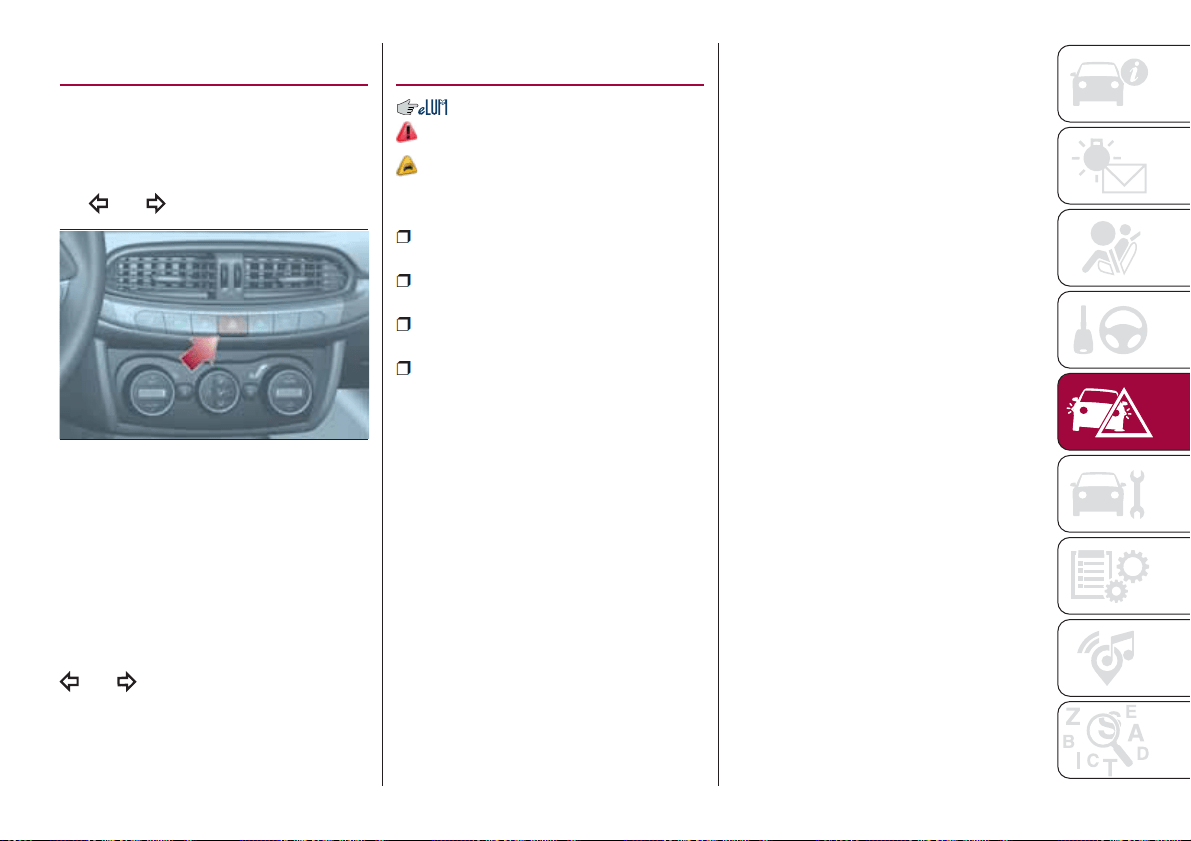
HAZARD WARNING
LIGHTS
CONTROL
Press the fig. 88 button to switch the
lights on/off.
When the hazard warning lights are on,
the
and warning lights flash.
IMPORTANT The use of hazard warning
lights is governed by the highway code
of the country you are driving in:
comply with legal requirements.
Emergency braking
In the event of emergency braking the
hazard warning lights switch on
automatically as well as warning lights
and in the instrument panel.
The lights switch off automatically when
emergency braking ceases.
BULB
REPLACEMENT
120) 121) 122)
32)
GENERAL
INSTRUCTIONS
Before replacing a bulb check the
contacts for oxidation;
replace blown bulbs with others of
the same type and power;
after replacing a headlight bulb,
always check its alignment;
when a light is not working, check
that the corresponding fuse is intact
before changing the bulb. For the
location of fuses, refer to the paragraph
"If a fuse blows" in this chapter.
IMPORTANT When the weather is cold
or damp or after heavy rain or washing,
the surface of headlights or rear lights
may steam up and/or form drops of
condensation on the inside. This is a
natural phenomenon due to the
difference in temperature and humidity
between the inside and the outside of
the glass which does not indicate a
fault and does not compromise the
normal operation of lighting devices.
The mist disappears quickly when the
lights are turned on, starting from the
centre of the diffuser, extending
progressively towards the edges.
88
08016J0001EM
99
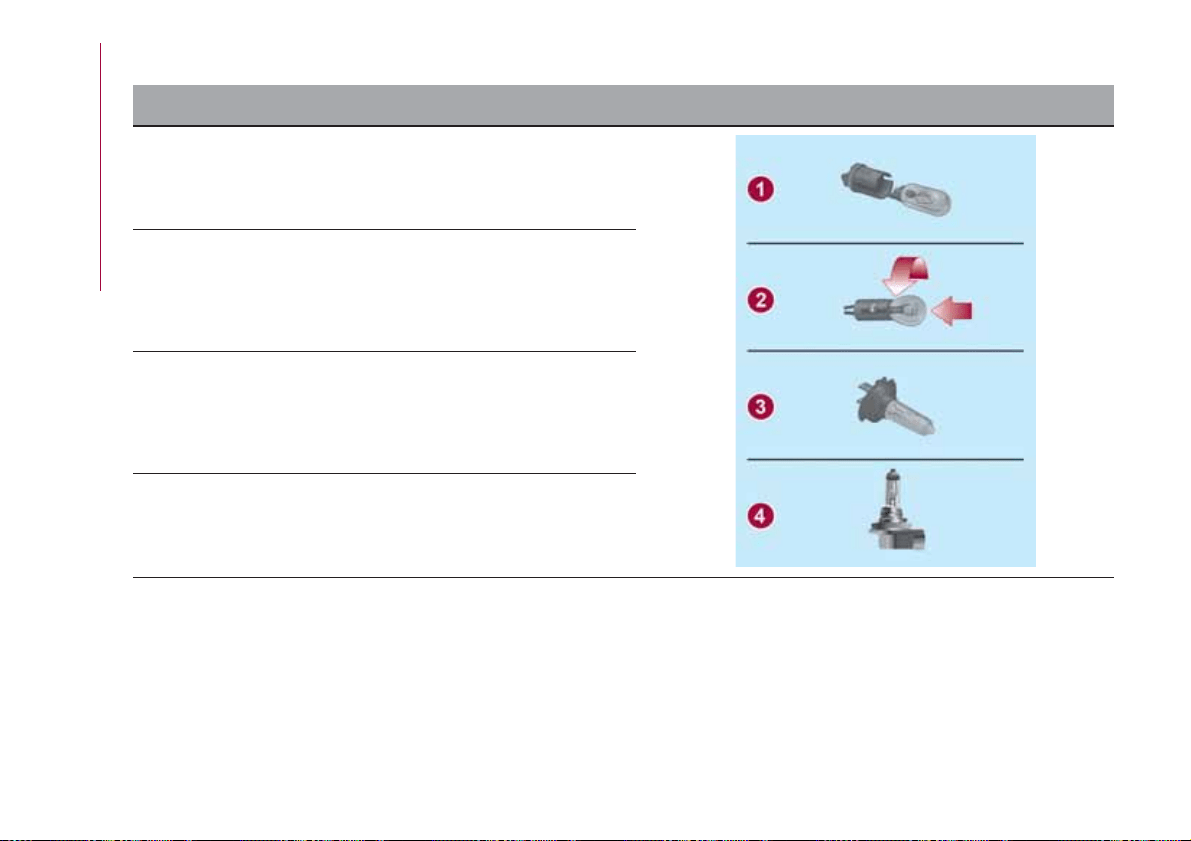
TYPES OF BULBS
The vehicle is equipped with the following bulbs
Glass bulbs (type 1): they are press-fitted. Pull to extract.
Bayonet-type bulbs (type 2): to remove them from their holder,
press the bulb and turn it anticlockwise, then extract it.
Halogen bulbs (type 3): to remove the bulb, pull the connector and
extract it.
Halogen bulbs (type 4): to remove the bulb, turn it anticlockwise.
100
IN AN EMERGENCY
Light bulbs Type Power Figure reference
Front side lights/Daytime running lights (DRL) H15 15W 4
Main beam headlights (halogen) H15 55 W 4
Dipped headlights H7 55 W 3
Front direction indicators PY21W 21 W 2
Number plate W5W 5 W 1
Rear side/brake light P21W 21 W 2
Rear direction indicators WY16W 16 W 1
Reversing light W16W 16 W 1
3rd stop W5W 5 W 1
Fog lights H11 55 W 4
Rear fog light W16W 16 W 1
Front ceiling light C5W 5 W 1
Front roof lights (sun visors) C5W 5 W 1
Rear ceiling light C5W 6W 1
Luggage compartment light W5W 5 W 1
Glove compartment light W5W 5 W 1
101
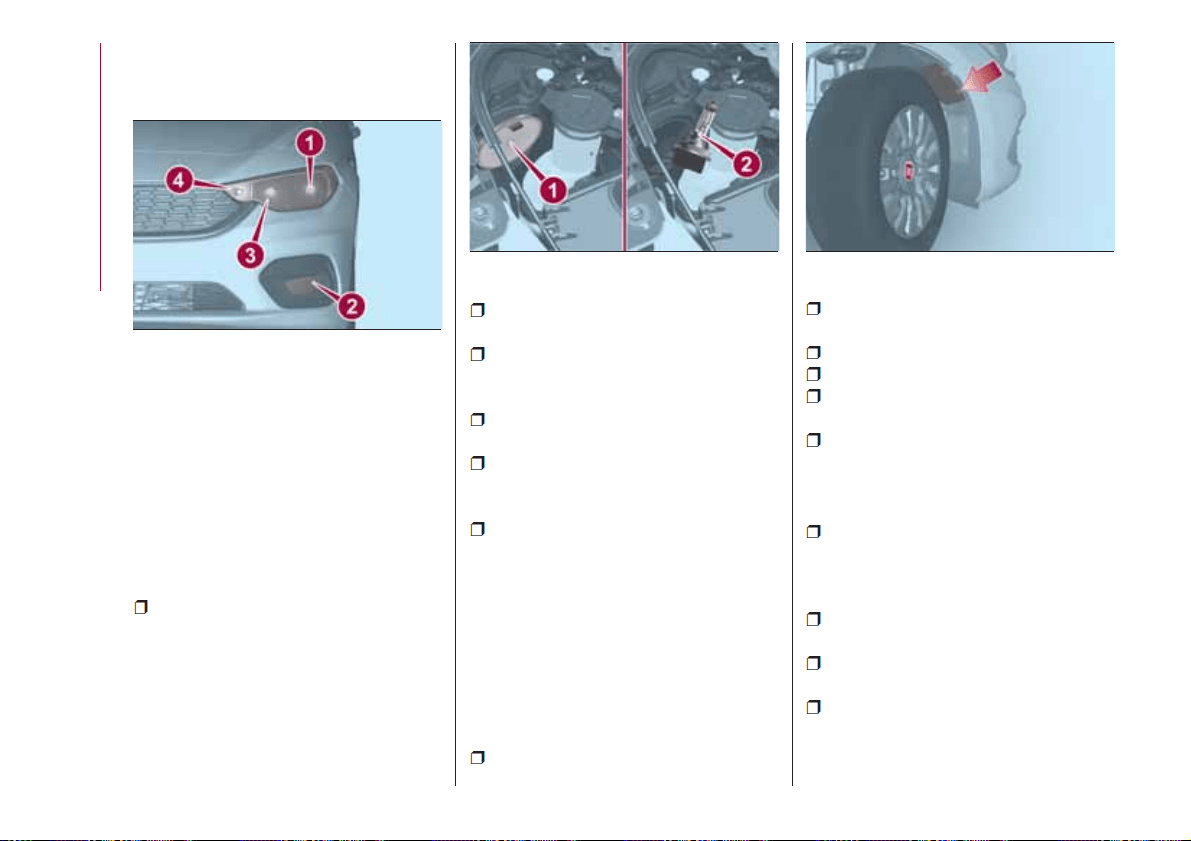
REPLACING AN
EXTERNAL BULB
Front bulb position
1. Dipped headlights
2. Fog lights
3. Main beam headlights/Daytime
running lights (DRL)
4. Direction indicator.
Main beam headlights/Daytime
running lights (DRL)
To replace the bulb 3 fig. 89, proceed
as follows:
working from inside the engine
compartment, remove rubber cap 1
fig. 90;
rotate the bulb-bulb holder assembly
anticlockwise and extract it;
disconnect the electrical connector
and replace the bulb-bulb holder
assembly 2;
reconnect the electrical connector to
the new assembly;
then insert the assembly in its
housing and turn it clockwise, making
sure that it is locked correctly;
refit the rubber cap 1.
IMPORTANT Only replace the bulb
when the engine is off. Also ensure that
the engine is cold, to prevent the risk of
burns.
Dipped headlights
Right headlight
To replace the bulb 1 fig. 89, proceed
as follows:
steer the vehicle wheels completely
inwards;
adjust the tabs indicated in the figure
fig. 91 and remove the flap;
remove the rubber plug
disconnect the electrical connector;
extract the bulb, releasing it from the
retaining springs;
replace the new bulb and carry out
the procedure described previously in
reverse.
Left headlight
working from inside the engine
compartment, remove the rubber cap
from the dipped beam headlight bulb 1
fig. 89;
extract the bulb, releasing it from the
retaining springs;
disconnect the electrical connector
and replace the bulb 1 fig. 89;
reconnect the electrical connector to
the new bulb;
89
08026J0002EM
90
08026J0025EM
91
08026J0004EM
102
IN AN EMERGENCY
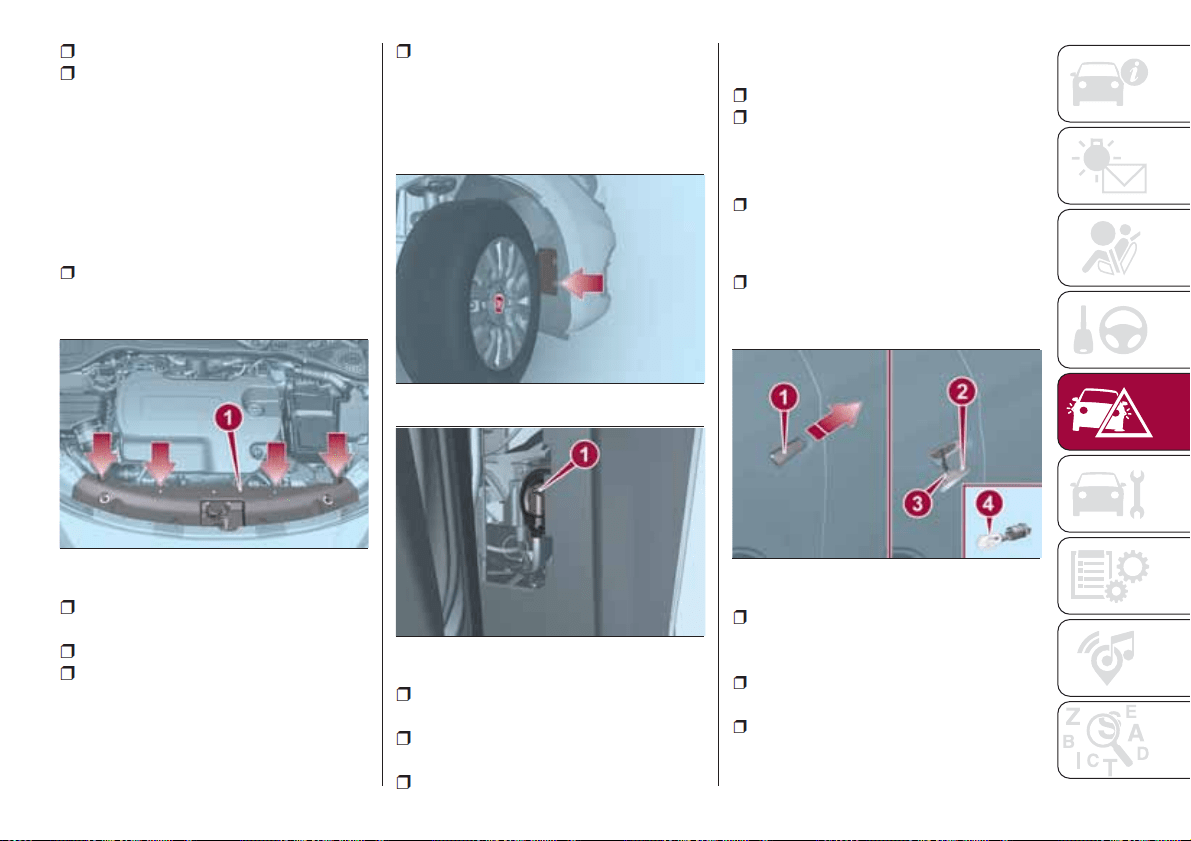
reposition the assembly in the seat;
refit the rubber cap.
IMPORTANT Only replace the bulb
when the engine is off. Also ensure that
the engine is cold, to prevent the risk of
burns.
Front direction indicators
To replace the bulb 4 fig. 89, proceed
as follows:
use the provided screwdriver to lift
the indicated pins and remove the
cover 1 fig. 92;
rotate the bulb-bulb holder assembly
anticlockwise;
replace the "bayonet-fitted" bulb;
then insert the bulb and bulb holder
assembly in its housing and turn it
clockwise, making sure that it is locked
correctly;
refit the cover and block it by placing
its pins in their seats.
Front fog lights
To replace the bulbs, proceed as
follows:
steer the vehicle wheels completely
inwards;
adjust the tabs indicated in
fig. 93 and remove the flap;
turn the bulb-bulb holder assembly 1
fig. 94 anticlockwise and then remove it
sliding it outwards;
disconnect the electrical connector;
reconnect the connector to the new
assembly: then insert it, turning it
clockwise, ensuring that it locks
correctly;
finally, refit the inspection lid.
Side direction indicators
To replace the bulb, proceed as follows:
adjust the lens 1 fig. 95 to compress
in the internal clip 2, then pull the
cluster outwards;
turn the bulb holder 3 anticlockwise,
extract the press-fitted bulb 4 and
replace it;
refit the bulb holder 3 in the lens and
turn it clockwise;
refit the cluster making sure that the
internal clip 2 clicks into position.
92
08026J0011EM
93
08026J0012EM
94
08026J0016EM
95
08026J0005EM
103
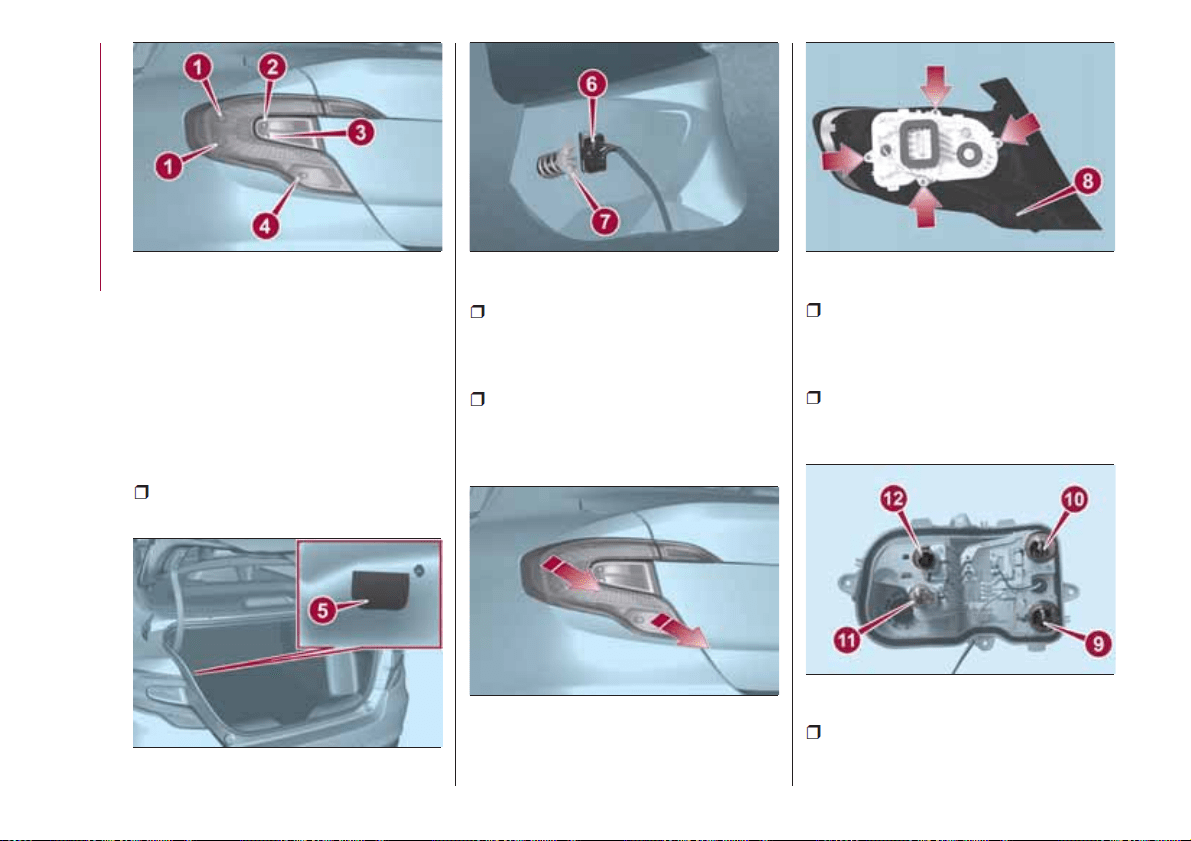
1. Side lights/Brake lights
2. Direction indicator
3. Reversing light
4. Rear fog light
Rear light cluster
To replace the bulbs, proceed as
follows:
open the rear lid and move the cover
on the inner trim 5 fig. 97;
disconnect the central electric
connector 6, operating on the
dedicated retainer, then unscrew the
screw 7 fig. 98;
remove the rear light cluster, pulling it
outwards as indicated in fig. 99;
to replace the rear fog light bulb, turn
the bulb holder 8 fig. 100 anticlockwise
and replace the bulb, extracting it from
its bulb holder;
to replace the other lamps, unscrew
the four fixing screws fig. 100 and
remove the bulb holder assembly;
replace the bulb involved (fig. 101: 9
= position; 10 = stop; 11 = reverse
gear; 12 = direction indicators);
96
08026J0006EM
97
08026J0007EM
98
08026J0008EM
99
08026J0017EM
100
08026J0018EM
101
08026J0019EM
104
IN AN EMERGENCY
Rear bulb position
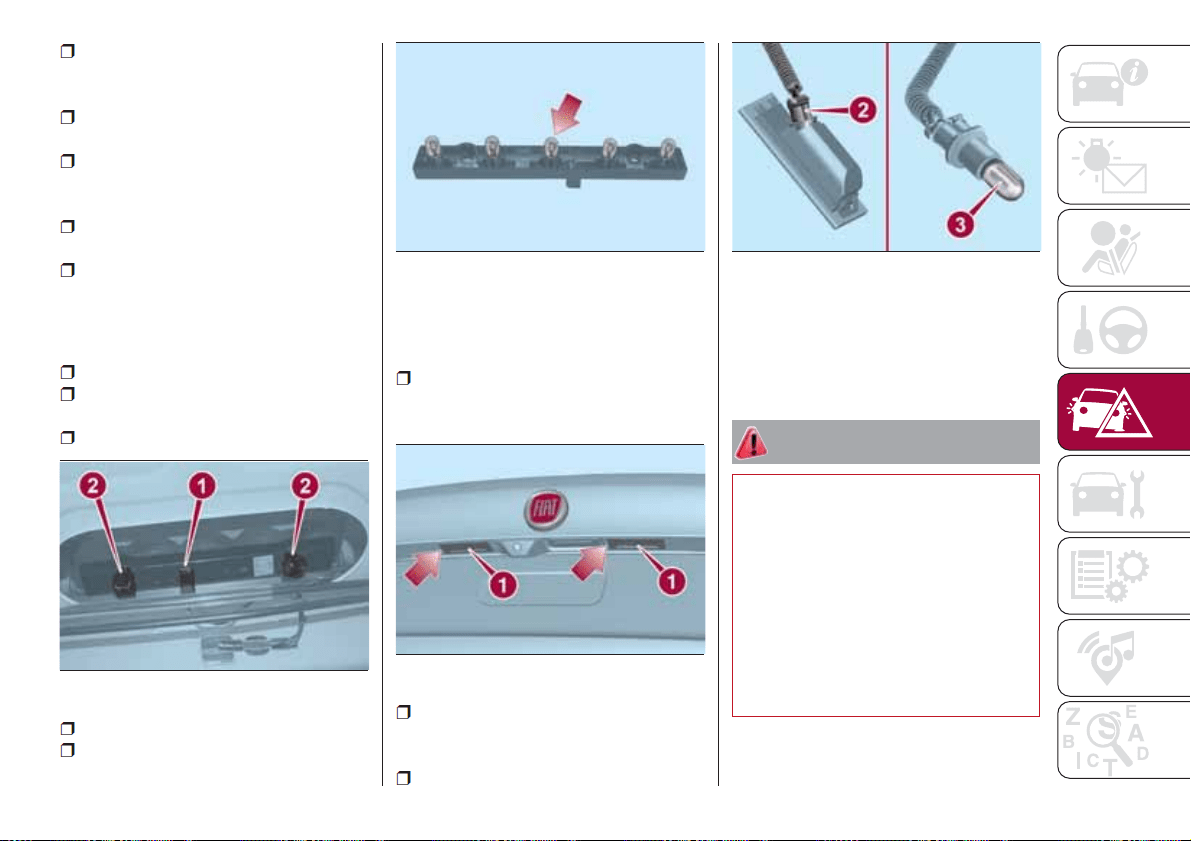
refit the bulb holder unit correctly on
the rear light cluster, fully tightening the
four fixing screws;
reposition the rear light cluster on the
vehicle;
fully tighten the rear light cluster fixing
device and reconnect the electrical
connector;
reposition the section of the inner
trim;
reclose the rear lid.
3
rd
brake lights
To replace the bulbs proceed as
follows:
open the rear lid;
disconnect the electrical connection
1 fig. 102;
unscrew the 2 side nuts;
remove the bulb holder;
release and replace the bulb fig. 103.
Number plate lights
To replace the bulbs, proceed as
follows:
using the screwdriver provided,
remove the lenses 1 fig. 104 working in
the point shown;
turn the bulb holder 2
fig. 105 anticlockwise, extract the bulb
3 and replace it.
then refit the assembly.
NOTE Before removing the lens unit,
put a protection (e.g. cloth) on the tip of
the screwdriver, in order not to damage
the lens itself.
WARNING
120) Before replacing the bulb, wait for the
exhaust ducts to cool down: DANGER OF
SCALDING!
121) Modifications or repairs to the electric
system that are not carried out properly or
do not take the system technical
specifications into account can cause
malfunctions leading to the risk of fire.
122) Halogen bulbs contain pressurised
gas, in the case of breakage they may
burst causing glass fragments to be
projected outwards.
102
08026J0030EM
103
08026J0031EM
104
08026J0009EM
105
08026J0026EM
105
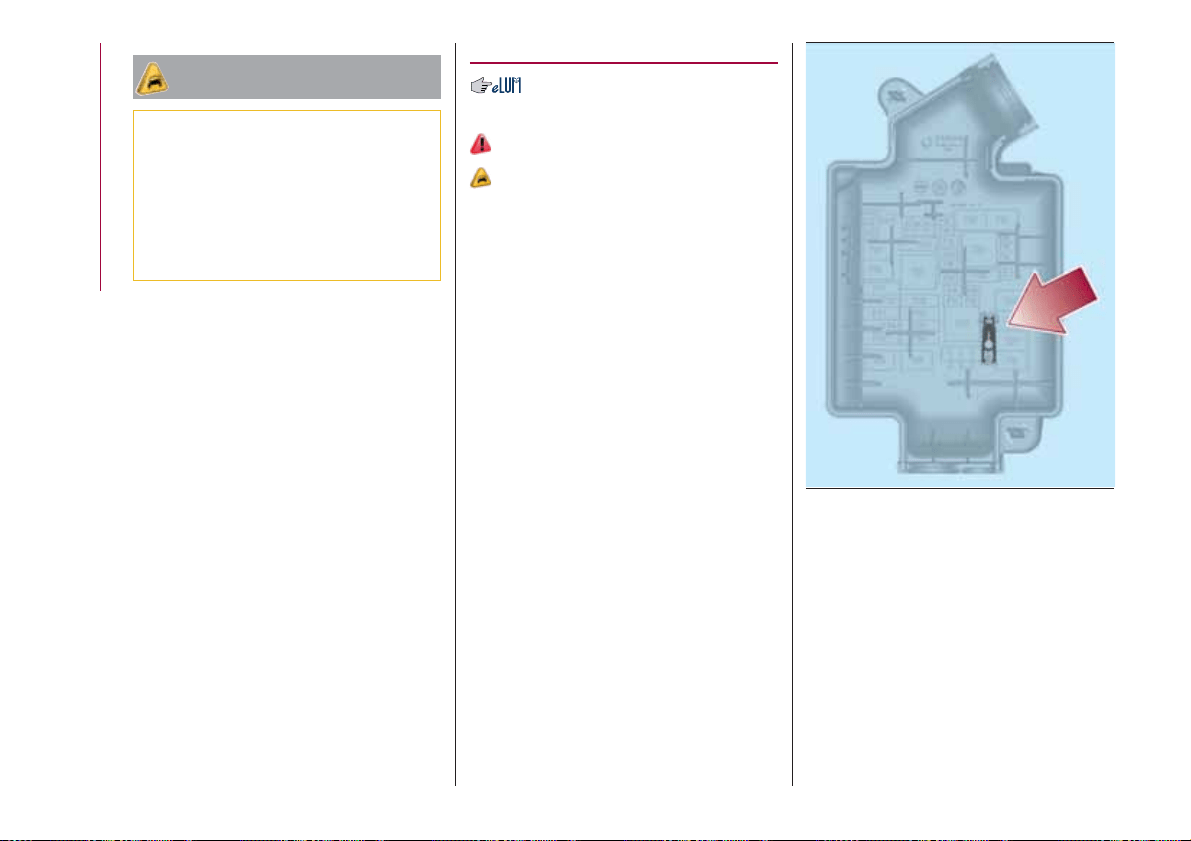
IMPORTANT
32) Halogen bulbs must be handled
holding the metallic part only. Touching the
transparent part of the bulb with your
fingers may reduce the intensity of the
emitted light and even reduce the lifespan
of the bulb. In the event of accidental
contact, wipe the bulb with a cloth
moistened with alcohol and let the bulb dry.
REPLACING FUSES
GENERAL
123) 124) 125) 126)
33)
Fuses protect the electrical system:
they intervene (blow) in the event of a
failure or improper action on the
system.
Fuse extracting pliers
To replace a fuse, use the pliers hooked
inside the engine compartment fuse
box cover (see fig. 106 ).
The pliers have two different ends,
specifically designed to remove the
different types of fuses present in the
vehicle.
After use, refit the pliers in position.
FUSE LOCATION
The fuses are grouped in three control
units: on the dashboard, in the engine
compartment and inside the boot.
106
08036J0002EM
106
IN AN EMERGENCY
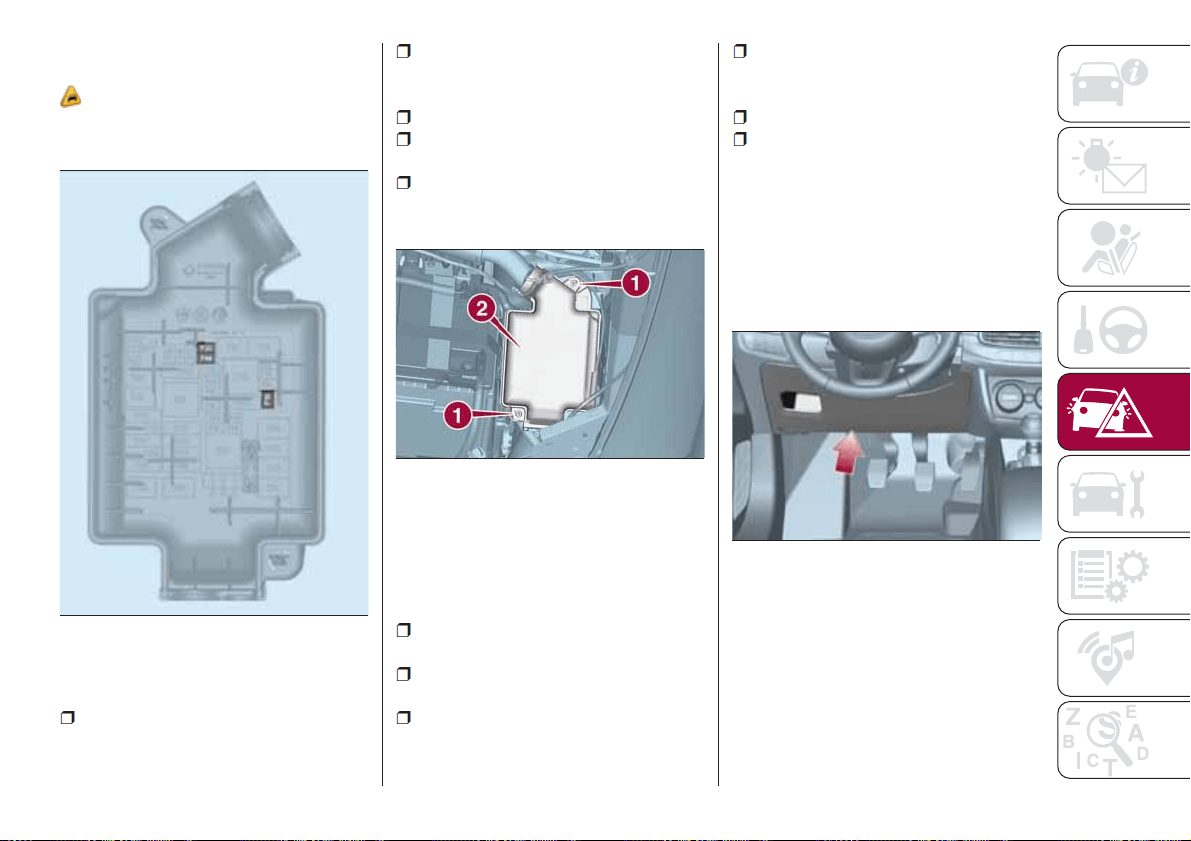
ENGINE COMPARTMENT
FUSE BOX
34)
The fuse box is located by the side of
the battery fig. 107.
To access the fuses, proceed as
follows:
fully tighten screw 1 fig. 108 using
the screwdriver provided;
at the same time slowly rotate the
screw anticlockwise, until resistance is
encountered (do not overtighten);
slowly release the screw;
opening is indicated by the entire
screw head coming out of its housing;
remove cover 2, sliding it upwards
on the side guides, as indicated in the
figure.
The number identifying the electrical
component corresponding to each fuse
is shown on the cover.
Once the fuse has been replaced,
proceed as follows:
correctly refit the cover 2 in the side
guides of the casing;
slide it down completely from the
top;
fully tighten screw 1 using the
screwdriver provided;
at the same time slowly rotate the
screw clockwise, until resistance is
encountered (do not overtighten);
slowly release the screw;
closure is indicated by the securing
of the entire screw head in its housing.
DASHBOARD FUSE BOX
The fuse box fig. 110 is located to the
left side of the steering column. To
access the fuses, remove the snap
cover showed in fig. 109, pulling
towards yourself.
107
08036J0005EM
108
08036J0006EM
109
06106J0005EM
107
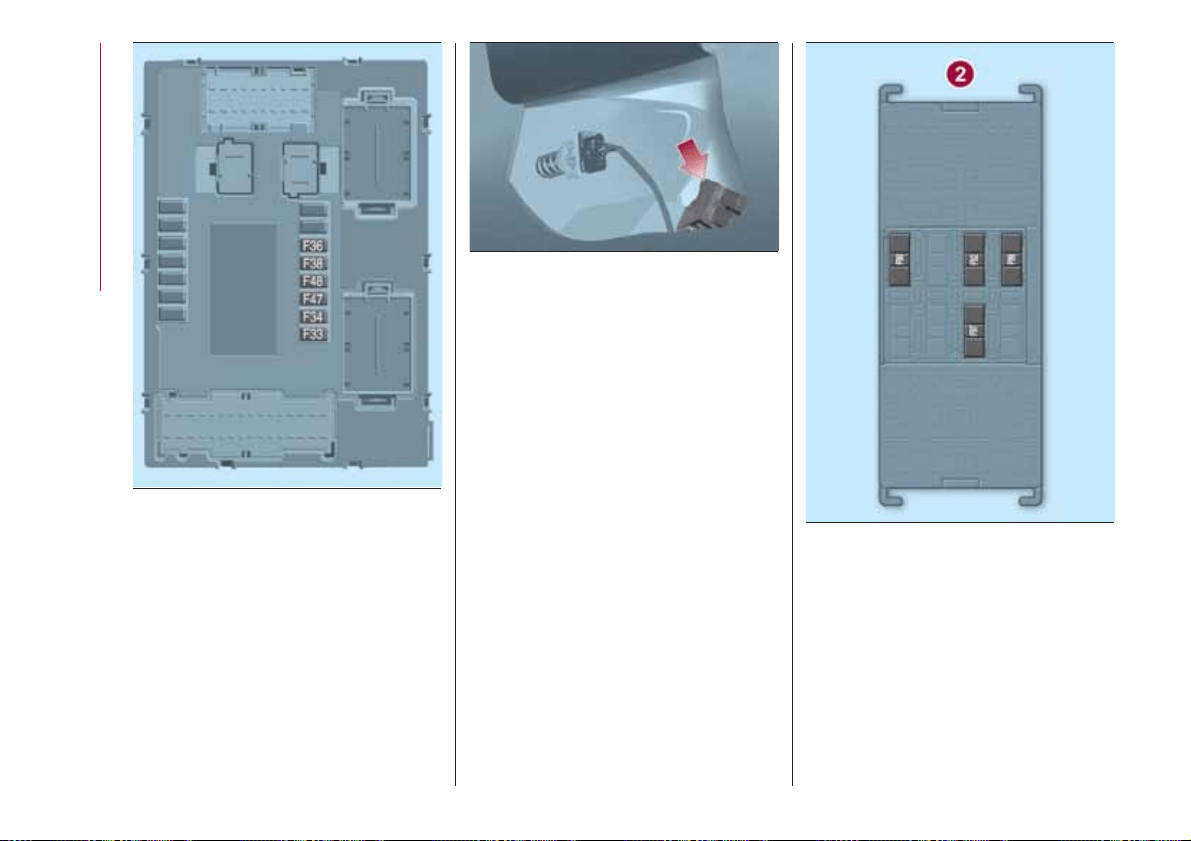
LUGGAGE
COMPARTMENT FUSE
BOX
Open the rear flap and then move the
section of the inner cover fig. 111 and
access the fuses in fuse box 2 fig. 112.
110
08036J0009EM
111
08036J0010EM
112
08036J0011EM
108
IN AN EMERGENCY
ENGINE COMPARTMENT FUSE BOX
USERS FUSE AMPERE
Two-tone horn F10 15
Heater mirrors F88 7.5
Heated rear window F20 30
DASHBOARD FUSE BOX
USERS FUSE AMPERE
Front electric window (driver side) F47 25
Front electric window (passenger side) F48 25
Supply for Uconnect
™ system, Climate Control system, EOBD
system, USB/AUX port, steering wheel controls.
F36 15
Dead Lock device (Driver side door unlocking for
versions/markets, where provided)/Door unlocking/Central
locking/Electric rear flap unlocking
F38 20
Windscreen washer pump F43 20
Rear left electric window F33 25
Rear right electric window F34 25
109
LUGGAGE COMPARTMENT FUSE BOX
USERS FUSE AMPERE
Rear 12 V socket F97 15
Driver's front seat heater F99 10
Passenger side front seat heater F92 10
Driver's front seat lumbar adjustment F90 10
WARNING
123) If the replaced fuse blows again, contact a Fiat Dealership.
124) Never replace a fuse with another with a higher amp rating; DANGER OF FIRE
125) If a fuse NOT indicated in this or the previous page is used, contact a Fiat Dealership.
126) Before replacing a fuse, make sure that the ignition device is at STOP, that the key, if mechanical, has been removed and that all devices
are switched off and/or disconnected.
IMPORTANT
33) Never replace a fuse with metal wires or anything else.
34) If it is necessary to wash the engine compartment, take care not to directly hit the fuse box and the window wiper motor with the water jet.
110
IN AN EMERGENCY
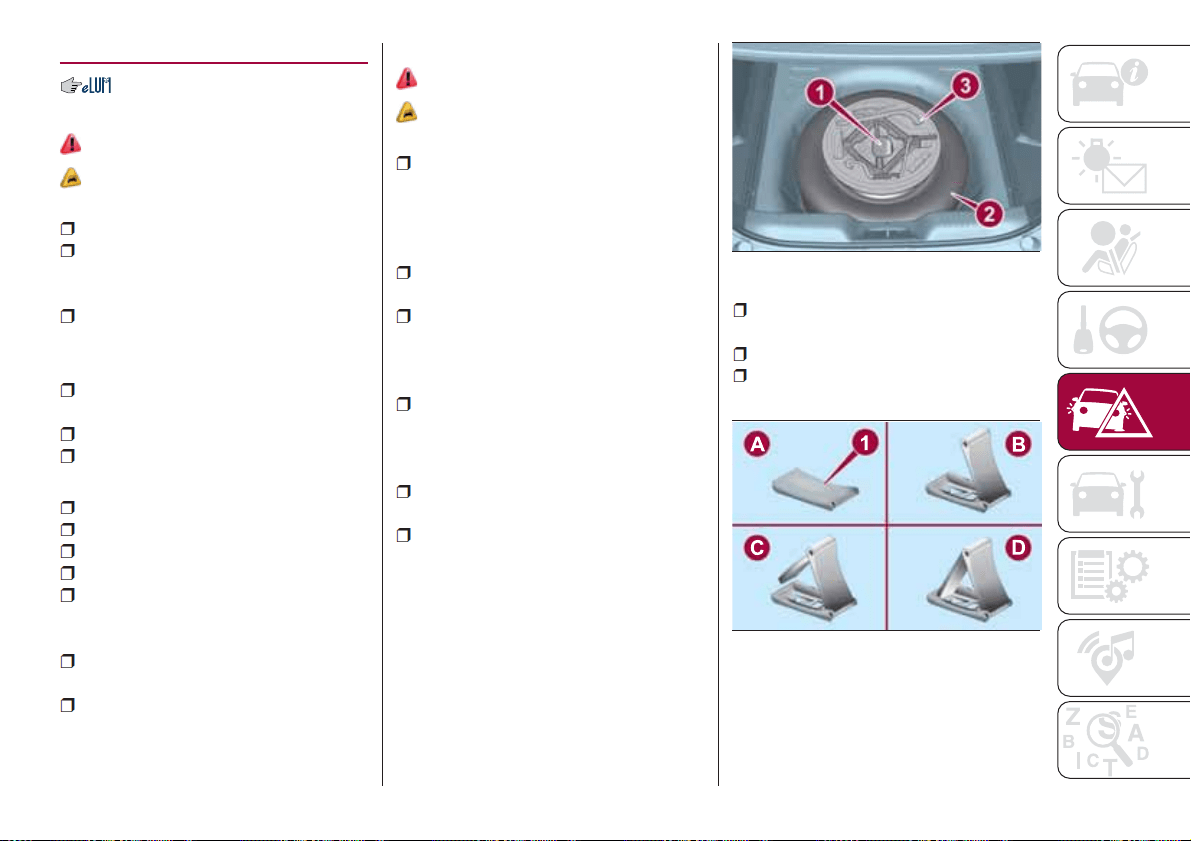
CHANGING A WHEEL
JACK
132)
37)
Please note that:
the jack weight is 2.15 kg;
the jack cannot be repaired and in
the event of a fault it must be replaced
by another genuine one;
No tool other than its cranking device
may be fitted on the jack.
Servicing
Prevent any dirt from depositing on
the "worm screw";
Keep the "worm screw" lubricated;
Never modify the jack.
Conditions for non-use
Temperatures below −40°C;
On sandy or muddy ground;
On uneven ground;
On steep roads;
In extreme weather conditions:
thunderstorms, typhoons, hurricanes,
blizzards, storms, etc.
In direct contact with the engine or
for repairs under the vehicle.
On boats.
CHANGING PROCEDURE
127) 128) 129) 130) 131)
35) 36)
Proceed as follows:
stop the car in a position that is not
dangerous for oncoming traffic where
you can change the wheel safely. The
ground must be flat and sufficiently
compact;
stop the engine, engage the hazard
warning lights and the parking brake;
engage first gear or reverse or, for
versions with automatic transmission (if
present), move the lever to position P
(Park);
wear the reflective safety jacket
before getting out of the car (anyway
comply with the laws in force in the
country you are driving in);
open the luggage compartment and
lift up the mat;
unscrew the locking ring nut 1
fig. 113;
take out the toolbox 3 and bring it
next to the wheel to be replaced;
take the spare wheel 2;
take the chock 1 fig. 114 and fold it
out as shown in the diagram;
113
08046J0002EM
114
08046J0007EM
111
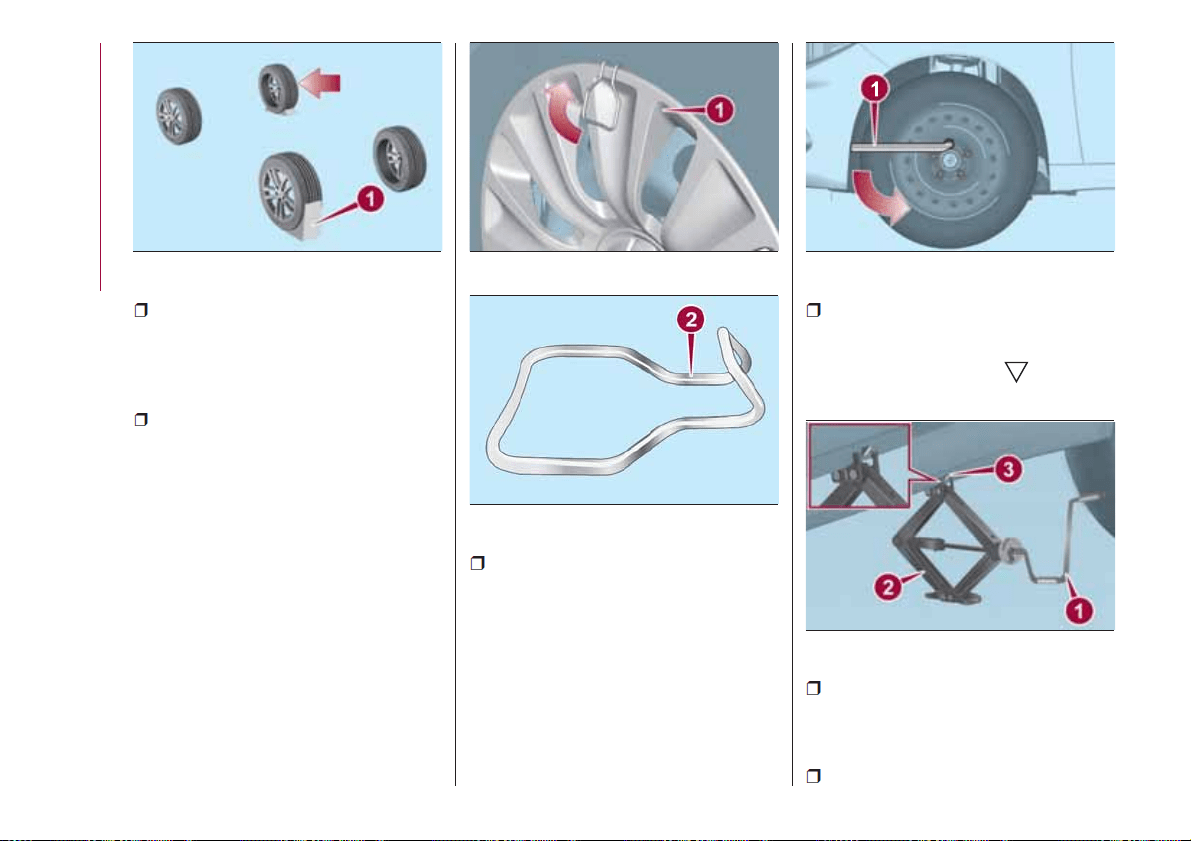
place the chock 1 on the wheel
diagonally opposite the one to be
replaced (see fig. 115 ) to prevent the
vehicle from moving irregularly when it
is lifted from the ground;
for versions with steel rim: remove
the hub cap 1 fig. 116 using the
specific tool 2 fig. 117, located in the
tool container: grip the tool with two
fingers, insert the tongue between tyre
and hub cap and pull towards yourself
perpendicular to the wheel;
loosen the bolt of the wheel to be
replaced by about one turn with the
wrench provided 1 fig. 118; rock the car
to make it easier to separate the rim
from the wheel hub;
operate the device 1 fig. 119 to
extend the jack until the top of the jack
2 fits correctly into the side member 3
of the vehicle, next to the
symbol on
the side member;
alert any bystander that the car is
about to be raised; all persons should
be kept away from the car and nobody
must touch it until it has been lowered;
operate the jack handle 1
115
08046J0004EM
116
08046J0012EM
117
08046J0013EM
118
08046J0005EM
119
08046J0006EM
112
IN AN EMERGENCY
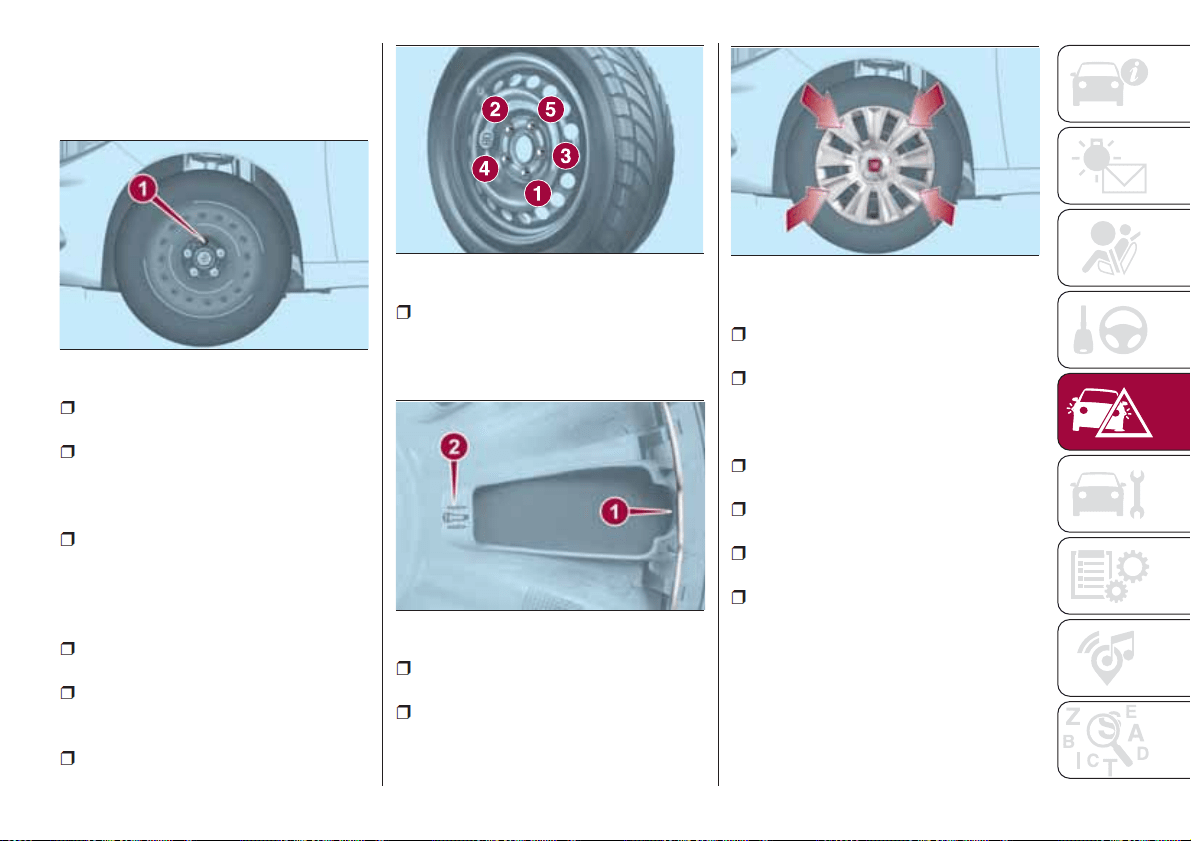
fig. 119 (clockwise) to operate the jack
and raise the car until the wheel is
raised a few centimetres above the
ground.
loosen the stud bolts completely and
remove the punctured wheel;
make sure the contact surfaces
between spare wheel and hub are clean
so that the fastening bolts will not come
loose;
fit the spare wheel by inserting the
first bolt for two threads into the hole
closest to the inflation valve and
proceed in the same manner with the
other bolts;
tighten the retaining bolts well using
wrench 1 fig. 118;
turn the jack handle 1
fig. 119 (anticlockwise) to lower the car
and remove the jack;
use the wrench provided to fasten
the bolts completely in a criss-cross
fashion as shown in fig. 121;
for versions with steel rim: make the
groove 1 fig. 122 provided on the hub
cap and highlighted by symbol 2
coincide with the inflation valve;
place the inner part of the hub cap
on the wheel rim;
engage the hub cap by applying an
axial force in several points as shown in
fig. 123 to allow the correct coupling
between hub cap and wheel.
At the end of the operation
stow the spare wheel in the space
provided in the boot;
insert the partially open jack into
container 3 fig. 113 and force it slightly
into its housing so that it does not
vibrate when the car is moving;
put the tools back into their places in
the container;
stow the container 3, complete with
tools, inside the spare wheel;
tighten the tool container locking
device 1 fig. 113;
reposition the mat in the boot.
NOTE If replacing a wheel with alloy
rim, stove it temporarily into the spare
wheel compartment with the cosmetic
side facing upwards.
120
08046J0001EM
121
F1B0225C
122
08046J0010EM
123
08046J0011EM
113
WARNING
127) If left in the passenger compartment,
the punctured wheel and jack constitute a
serious risk to the safety of occupants in
the event of accidents or sharp braking.
Therefore, always place both the jack and
punctured wheel in the dedicated housing
in the boot.
128) It is extremely dangerous to attempt
to change a wheel on the side of the
vehicle next to the driving lane: make sure
that the vehicle is at a sufficient distance
from the road, to avoid being run over.
129) Alert other drivers that the car is
stationary in compliance with local
regulations: hazard warning lights, warning
triangle, etc. Any passengers on board
should leave the car, especially if it is
heavily laden. Passengers should stay
away from on-coming traffic while the
wheel is being changed. For safety
reasons, always block the wheels with the
chocks provided.
130) The jack is a tool developed and
designed only for changing a wheel, if a
tyre gets punctured or damaged, on the
vehicle with which it is supplied or on other
vehicles of the same model. Any other use,
e.g. to jack up other vehicle models or
different things, is strictly prohibited. Never
use it to carry out maintenance or repairs
under the vehicle or to change
summer/winter wheels and vice versa.
Never go under the raised vehicle. If any
work under the vehicle is necessary,
contact the Fiat Service Network. Incorrect
placing of the jack can cause the vehicle to
drop: use it only in the positions indicated.
Do not use the jack for loads higher than
the one shown on its label. Never start the
engine with vehicle raised. If the vehicle is
raised more than necessary, everything can
become more unstable, with the risk of the
vehicle dropping violently. Thus, lift the
vehicle only as needed in order to access
the spare wheel.
131) Never tamper with the inflation valve.
Never introduce tools of any kind between
the rim and the tyre. Check tyre and
space-saver wheel pressures regularly,
complying with the values given in the
"Technical specifications" chapter.
132) The jack is a tool developed and
designed only for changing a wheel, if a
tyre gets punctured or damaged, on the
vehicle with which it is supplied or on other
vehicles of the same model. Any other use,
e.g. to jack up other vehicle models or
different things, is strictly prohibited. Never
use it to carry out maintenance or repairs
under the vehicle or to change
summer/winter wheels and vice versa: we
advise you to contact a Fiat Dealership.
Never go under the raised vehicle: use it
only in the positions indicated. Do not use
the jack for loads higher than the one
shown on its label. Never start the engine
with vehicle raised. If the vehicle is raised
more than necessary, everything can
become more unstable, with the risk of the
vehicle dropping violently. Thus, lift the
vehicle only as needed in order to access
the spare wheel.
IMPORTANT
35) When turning the jack handle make
sure that it can turn freely without scraping
your hand against the ground. The moving
components of the jack ("worm screw" and
joints) can also cause injuries: avoid
touching them. If you come into contact
with lubricating grease, clean yourself
thoroughly.
36) Contact a Fiat Dealership as soon as
possible to have the correct tightening of
the wheel bolts checked.
114
IN AN EMERGENCY
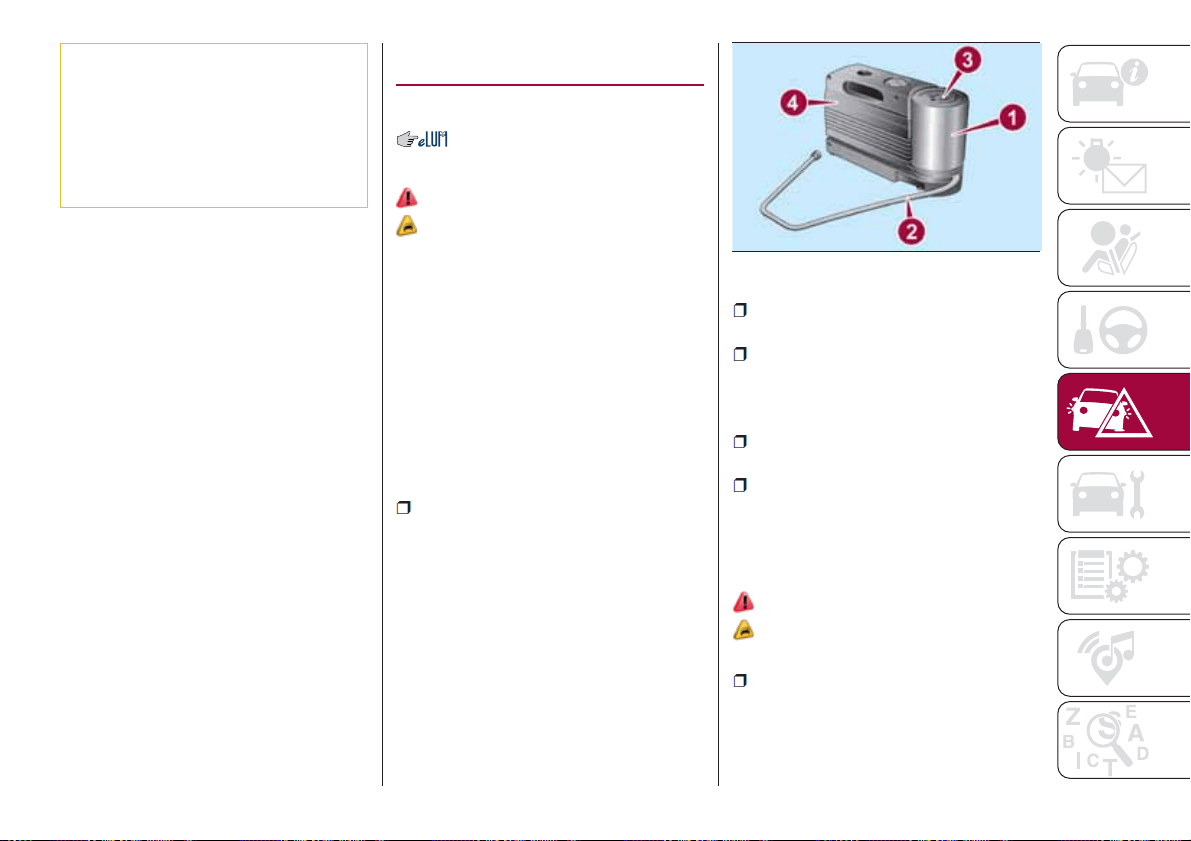
37) When turning the jack handle make
sure that it can turn freely without scraping
your hand against the ground. The moving
components of the jack ("worm screw" and
joints) can also cause injuries: avoid
touching them. If you come into contact
with lubricating grease, clean yourself
thoroughly.
FIX&GO AUTOMATIC
KIT
(where provided)
DESCRIPTION
133)
38) 39)
The Fix&Go automatic kit fig. 124 is
located in the boot, inside a dedicated
container.
The container is also equipped with a
screwdriver, the tow hook and the
refuelling adaptor.
To access the Fix&Go automatic, open
the rear flap and lift the mat. For more
detailed information, refer to previous
paragraph "Changing a wheel".
The Fix&Go automatic kit also includes:
one tank 1 fig. 124 containing the
sealing fluid, provided with: filler tube 2
and adhesive label 3 with the writing
"Max. 80 km/h”, to be attached in a
position easily visible to the driver (eg.
on the dashboard) after repairing the
tyre;
compressor 4 complete with
pressure gauge and connectors;
an instruction leaflet, to refer to for
prompt and correct use and that must
be then given to the personnel dealing
with the tyre treated with sealant;
a pair of gloves located in the side
compartment of the compressor;
some adaptors, for inflating different
elements.
TYRE REPAIRING AND
PRESSURE RESTORING
PROCEDURE
133)
38) 39)
Proceed as follows:
place the vehicle in a safe and
smooth area, engaging the parking
brake. Take the kit from the specific
compartment. Remove the adhesive
label of speed 3 fig. 124 and apply it in
124
08056J0003EM
115
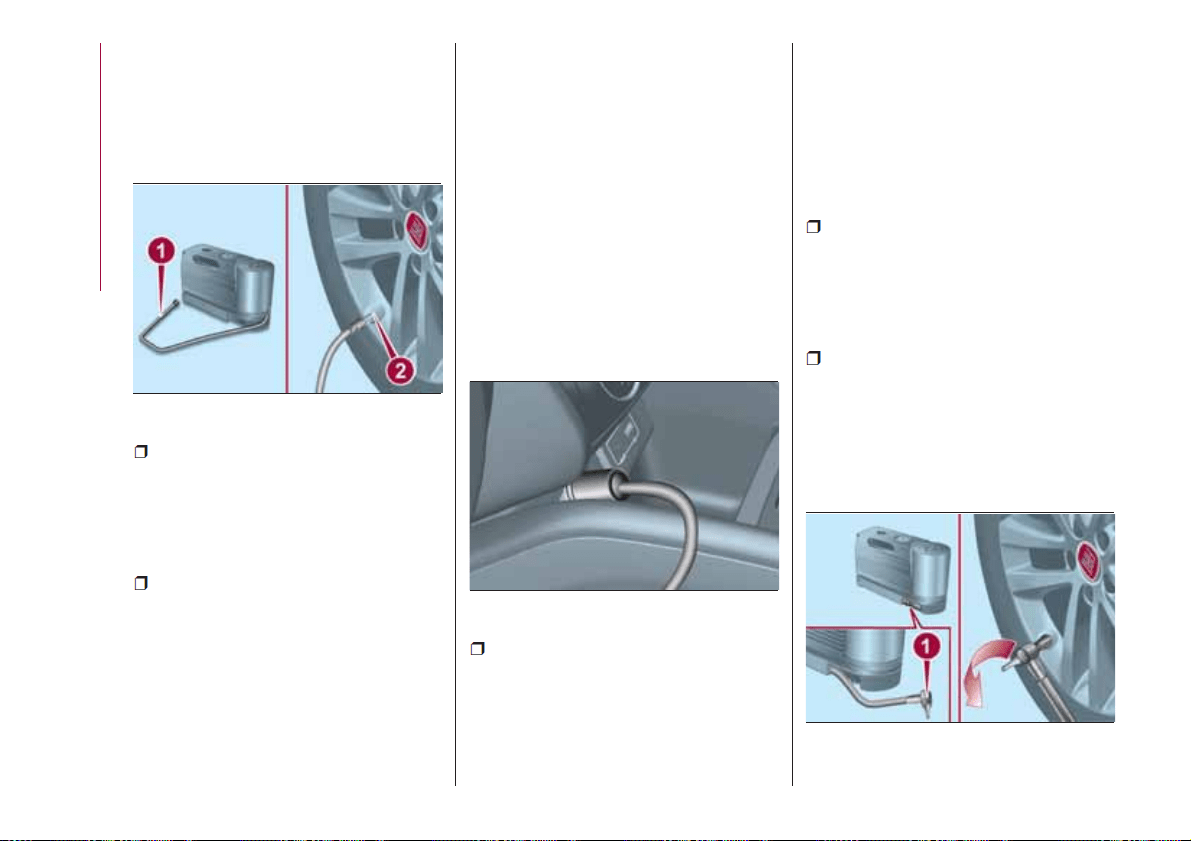
a visible position. Wear the protective
gloves provided. Remove the cap from
the valve of the punctured tyre and
connect and firmly tighten the
transparent tube of the sealing fluid 1
fig. 125;
ensure that the on-off button is in 0
(OFF) position. If provided, open the
cover of the compressor 4 fig. 124 and
insert the electrical connector in the
12V socket of the vehicle fig. 126,
switch on the vehicle engine;
activate the compressor moving
on-off button to I (ON) position. When
the pressure gauge shows the vehicle
required pressure (see section “Wheels”
under “Technical data” chapter), switch
off the compressor moving on-off
button to 0 position. If after 5 minutes
from the compressor ignition, the
pressure gauge indicates a pressure
less than 1.8 bar / 26 psi, switch off the
compressor, disconnect the sealing
fluid tube from the tyre valve, re-screw
the valve cap and move the vehicle
about 10 meters to allow the
distribution of sealing fluid in the tyre.
Securely stop the vehicle and repeat
the operation above until reaching the
required pressure. If after other 5 min.
from the compressor ignition, the
pressure gauge still indicates a pressure
lower than 1.8 bar / 26 psi, the TYRE IS
TOO DAMAGED AND CANNOT BE
REPAIRED. Remove and place the kit in
the specific compartment and contact a
Fiat Dealership;
if the required pressure is reached,
restart driving. Do not exceed 80 km/h.
Avoid sudden acceleration or braking.
After driving for about 8 km / 5 miles,
place the vehicle in a safe and smooth
area, engaging the parking brake. Pick
up the kit, ensure the on-off button is in
0 position, insert the electrical
connector in the vehicle 12V socket.
Remove the cap from the valve of
repaired tyre, disconnect and pull out
the black inflation tube 1 fig. 127,
connect and block it with the stack to
the valve. Inspect the pressure gauge to
check the tyre pressure;
if the pressure indicated is lower than
1.8 bar / 26 psi, the TYRE IS TOO
DAMAGED AND CANNOT BE
REPAIRED. Remove and place the kit in
the specific compartment and contact a
Fiat Dealership;
if the pressure indicated is equal to or
higher than 1.8 bar / 26 psi, switch on
the compressor and reach the required
pressure. Disconnect and replace the
kit in the specific compartment.
Carefully drive and reach the Fiat
Dealership as soon as possible;
125
08056J0004EM
126
08056J0002EM
127
08056J0006EM
116
IN AN EMERGENCY
WARNING
133) The information required by the
applicable regulation is indicated on the
Fix&Go kit package label. Compliance with
the indications on the label is an essential
condition to ensure the safety and the
effectiveness of the Fix&Go kit. Carefully
read the label before use, avoid improper
use. Fix&Go is subject to expiration and
must be replaced periodically. The kit
should be used by adults and cannot be
used by children.
IMPORTANT
38) Show the package and the label to the
personnel charged with handling the tyre
treated with the tyre repair kit.
39) Fix&Go provides a temporary repair,
therefore the tyre must be examined and
repaired by a specialist as soon as
possible. The sealing fluid is effective at
temperatures between -40°C and +50°C. It
is possible to repair tyres which have been
damaged on tread up to a diameter of
4mm; however, tyres damaged on their
side cannot be repaired. Before using
Fix&Go kit, ensure that the tyre isn't
excessively damaged and that the rim is in
good condition, otherwise do not use it and
contact a Fiat Dealership. Do not remove
foreign bodies from the tyre. Do not let the
compressor turned on for more than 20
consecutive minutes - overheating hazard.
EMERGENCY
STARTING
If the battery is flat, a jump starting can
be performed using the battery and the
cables of another vehicle, or using an
auxiliary battery. In all cases, the battery
used must have a capacity equal to or
a little higher than the flat one.
40)
IMPORTANT NOTES
Do not use an auxiliary battery or any
other source of external supply with a
voltage above 12 V: the battery, the
starter, the alternator and the electrical
system of the vehicle could be
damaged.
Do not attempt jump starting if the
battery is frozen. The battery could
break and explode!
PREPARATION TO JUMP
STARTING
The vehicle battery is located in the
engine compartment, behind the left
light cluster.
134) 135) 136) 137)
IMPORTANT The positive terminal (+) of
the battery is shielded by a protective
element. Raise it to access the terminal.
Proceed as follows:
operate the parking brake, move the
lever to P (Park), for versions equipped
with automatic transmission (if present),
or neutral, for versions with manual
gearbox, then set the ignition device to
STOP;
switch off all the other electrical
devices in the vehicle;
should you be using the battery of
another vehicle, park the other vehicle
within the range of the cables used for
the connection, operate the parking
brake and ensure that its ignition is off.
IMPORTANT Never connect the
negative terminals of the two batteries
directly! If the auxiliary battery is
installed on another vehicle, check that
there is no accidental contact of metal
parts between the two vehicles, since
an earth connection may result, with
the risk of serious injury to any people
who may be nearby.
IMPORTANT If the procedure below is
carried out incorrectly, it can cause
severe injury to people or damage the
recharging system of one or both
vehicles. Carefully follow the
instructions given below.
Cable connection
41)
Proceed as follows to carry out a jump
starting fig. 128:
117
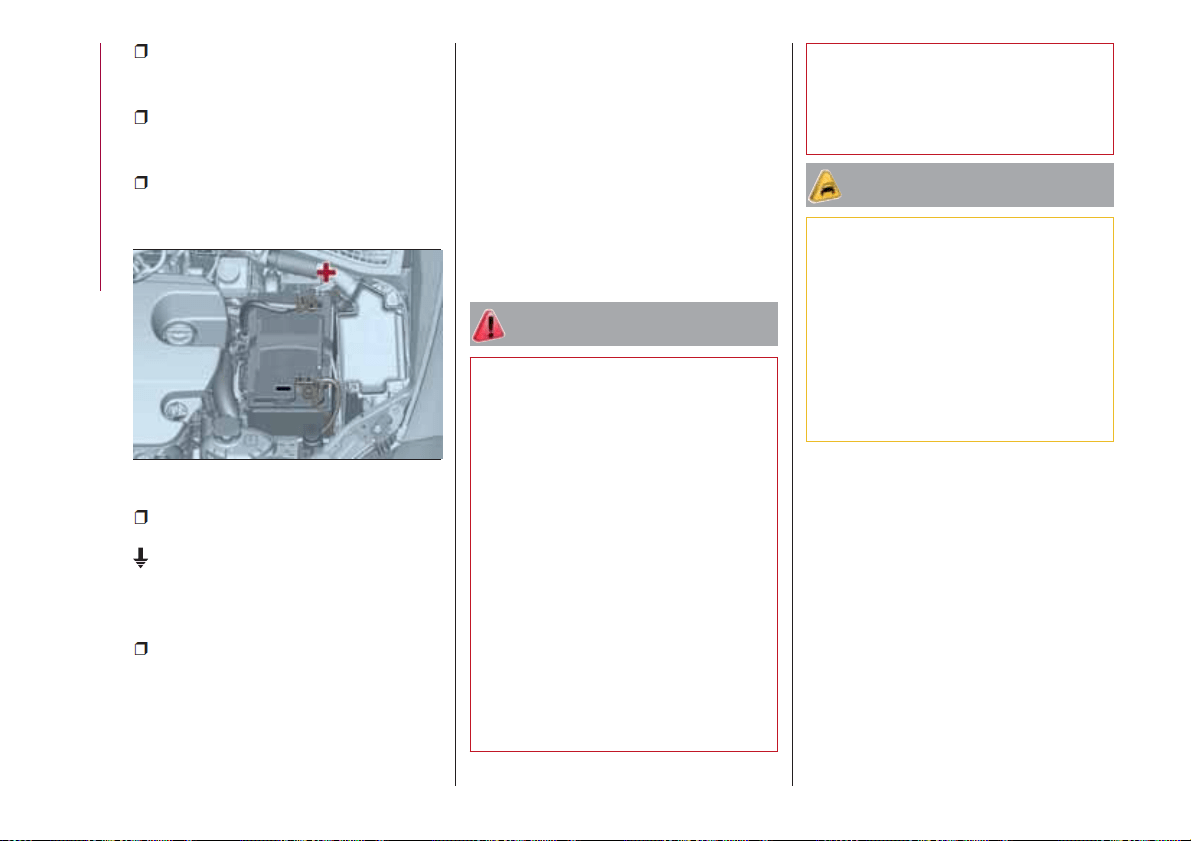
connect one end of the cable used
for positive (+) to the positive terminal
(+) of the vehicle with flat battery;
connect the other end of the cable
used for positive (+) to the positive
terminal (+) of the auxiliary battery;
connect one end of the cable used
for negative (–) to the negative terminal
(–) of the auxiliary battery;
connect the other end of the cable
used for negative (–) to an engine earth
(a visible metal part of the engine or
gearbox/transmission of the vehicle
with flat battery) away from the battery
and the fuel injection system;
start the vehicle engine with the
auxiliary battery, let it run for a few
minutes at idling. Start the engine of the
vehicle with flat battery.
Cable disconnection
Once the engine is started, remove the
leads, reversing the order above.
If after a few attempts the engine does
not start, do not persist but contact a
Fiat Dealership.
If it is often necessary to perform a
jump starting, have the vehicle battery
and the recharging system checked by
a Fiat Dealership.
WARNING
134) Before opening the bonnet, make
sure that the engine is off and that the
ignition key is in the STOP position. Follow
the indications on the plate underneath the
bonnet. We recommend that you remove
the key from the ignition if other people
remain in the vehicle. The vehicle should
always be left after the key has been
removed or turned to the STOP position.
During refuelling, make sure that the engine
is off (and that the ignition key is in the
STOP position).
135) Do not get too close to the radiator
cooling fan: the electric fan may start;
danger of injury. Scarves, ties and other
loose clothing might be pulled by moving
parts.
136) Remove any metal objects (e.g. rings,
watches, bracelets), that might cause an
accidental electrical contact and cause
serious injury.
137) The batteries contain acid that can
burn skin or eyes. Batteries produce
hydrogen, which is easily flammable and
explosive. Therefore, keep away flames or
devices which may cause sparks.
IMPORTANT
40) Never use a fast battery-charger to
start the engine as this could damage the
electronic systems of your vehicle,
particularly the ignition and engine fuel
supply control units.
41) Do not connect the cable to the
negative terminal (–) of the flat battery. The
following spark could lead to battery
explosion and cause serious harm. Only
use the specific earth point; do not use any
other exposed metallic part.
128
08066J0003EM
118
IN AN EMERGENCY
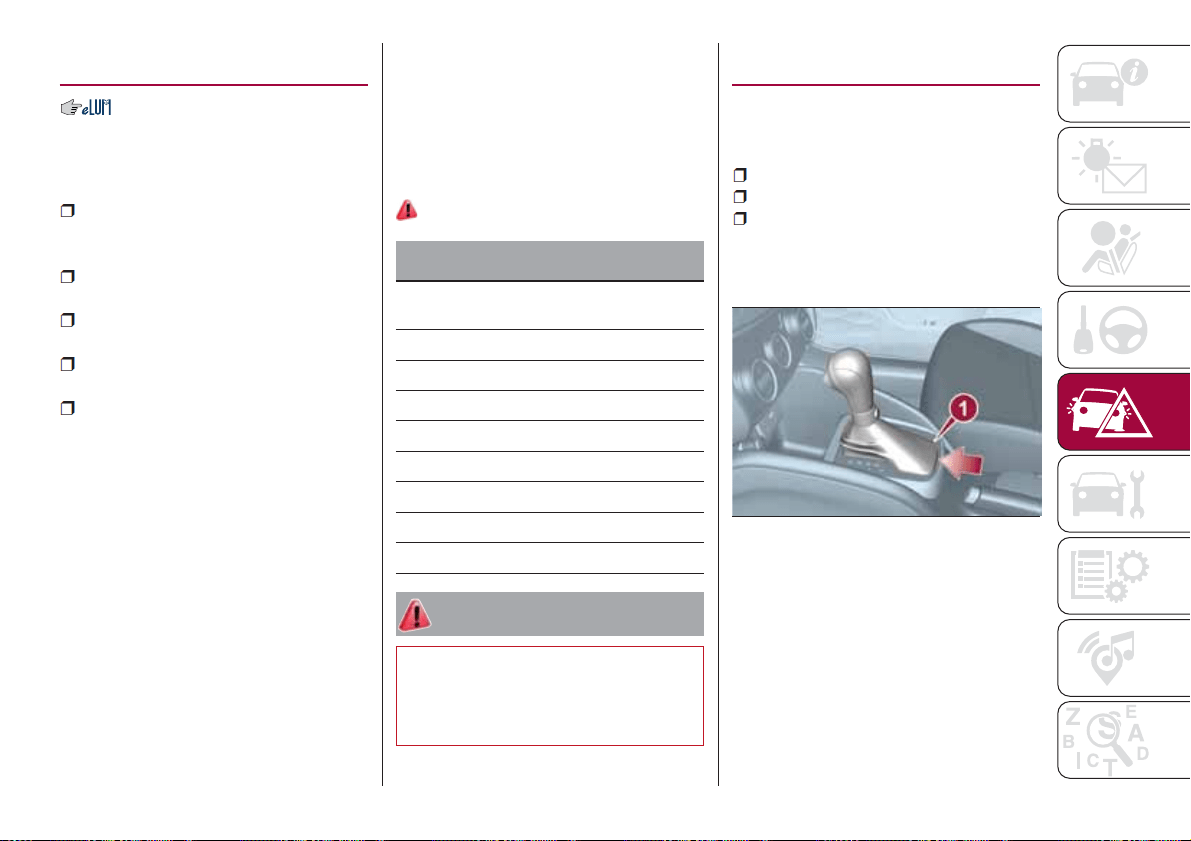
FUEL CUT-OFF
SYSTEM
DESCRIPTION
This intervenes in the case of an impact
causing:
the interruption of the fuel supply
with the engine consequently switching
off;
the automatic unlocking of the
doors;
turning on of the lights inside the
vehicle;
deactivation of climate control
system ventilation;
switching on of the hazard warning
lights (to deactivate the lights press the
button on the dashboard).
On some versions, the intervention of
the system is indicated by a message
shown on the display. In the same way,
a dedicated message on the display
warns the driver if system operation is
compromised.
IMPORTANT Carefully check the vehicle
for fuel leaks, for instance in the engine
compartment, under the vehicle or near
the tank area. After a collision, bring the
ignition device to STOP to prevent the
battery from running down.
FUEL CUT-OFF SYSTEM
RESET
To restore correct operation of the
vehicle, carry out the following
procedure (this procedure must be
started and completed within less than
1 minute):
138)
Operations to be carried out
With direction indicator lever in neutral
position, bring the ignition device to STOP
Bring the ignition device to MAR
Activate the right direction indicator
Activate the left direction indicator
Activate the right direction indicator
Activate the left direction indicator
Deactivate the left direction indicator
Bring the ignition device to STOP
Bring the ignition device to MAR
WARNING
138) If, after an impact, you smell fuel or
notice leaks from the fuel system, do not
reactivate the system to avoid the risk of
fire.
AUTOMATIC
TRANSMISSION
Lever release
In the event of a fault, to move the gear
lever from P (Park), proceed as follows:
stop the engine;
engage the parking brake;
working carefully in the point
indicated by the arrow, remove the gear
lever gaiter 1 fig. 129 (also see
fig. 130 );
129
08106J0001EM
119
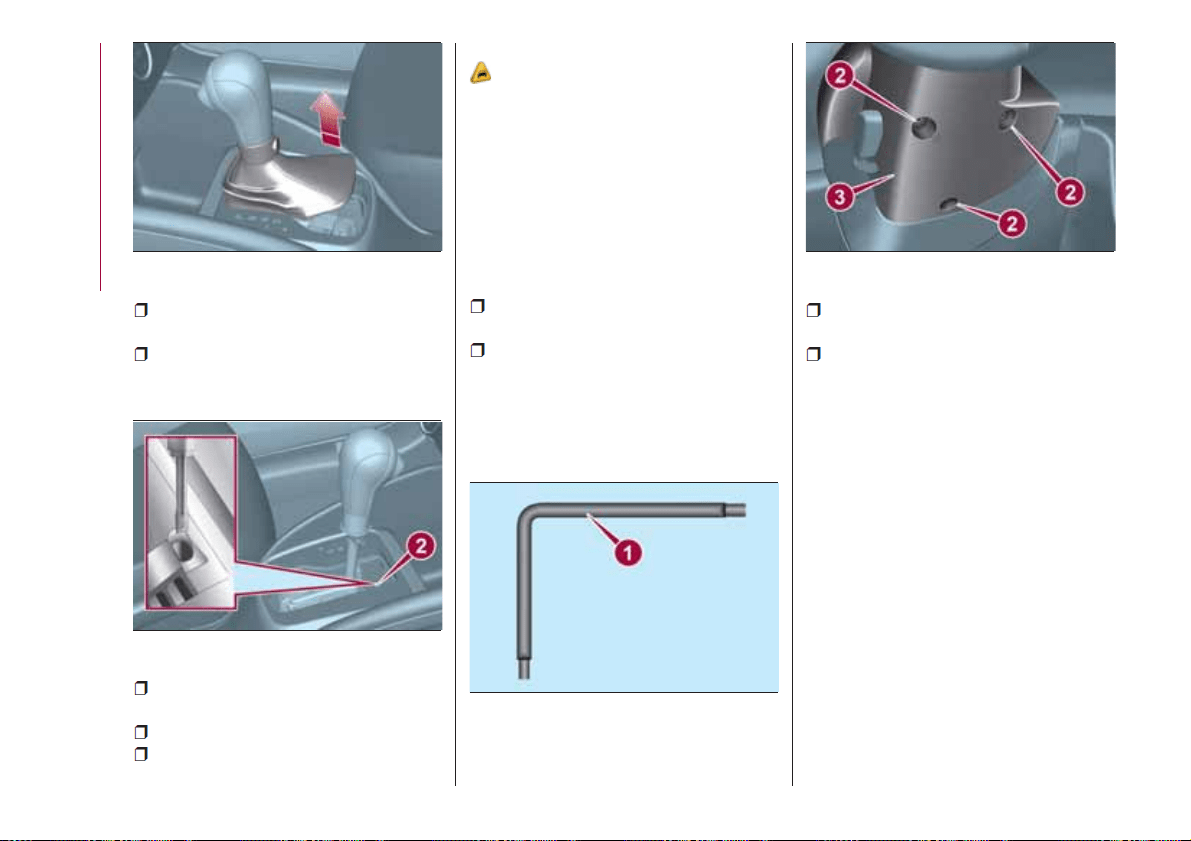
fully depress the brake pedal and
hold it down;
insert the screwdriver supplied
perpendicularly in hole 2 fig. 131 and
adjust the release lever;
place the gear lever in N (Neutral)
position;
refit the gear lever gaiter correctly;
start the engine.
Key removal
42)
The ignition key (for versions with key
without remote control) can be removed
only if the gear lever is in position P
(Park).
If the vehicle battery is flat and the
ignition key is engaged, the latter is
locked in position.
To remove the key manually, proceed
as follows:
stop the vehicle in safety conditions,
engage a gear and the parking brake;
using the provided key 1
fig. 132 (located in the casing
containing the on-board documents or
in the tool compartment in the boot),
undo the fixing screws 2 fig. 133 for the
lower cover 3;
remove the lower steering wheel
cover 3 by releasing it from its housing;
pull tab 4 fig. 134 downwards using
one hand and with the other one
remove the key, sliding it outwards;
130
08106J0002EM
131
08106J0003EM
132
08106J0004EM
133
08106J0005EM
120
IN AN EMERGENCY
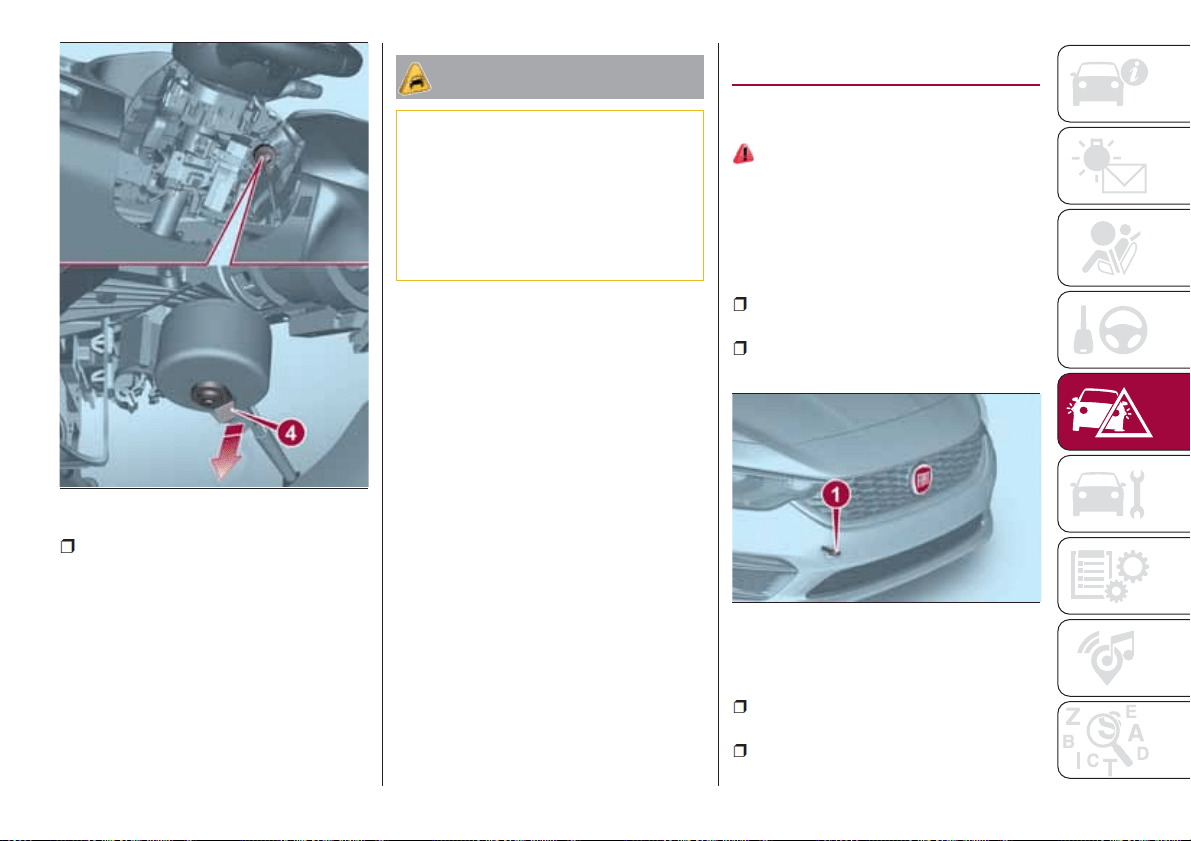
once the key has been removed,
refit lower cover 3 fig. 133, make sure it
locks correctly and tighten the fixing
screws 2 firmly.
IMPORTANT
42) It is advisable to contact a Fiat
Dealership to have the refitting procedure
carried out. If you would like to proceed
autonomously, special attention must be
paid to the correct coupling of the retaining
clips. Otherwise, noise might be heard due
to an incorrect fastening of the lower cover
with the upper cover.
TOWING THE
VEHICLE
ATTACHING THE TOW
RING
139) 140) 141)
The tow hook provided is located in the
tool box inside the luggage
compartment.
Front
Proceed as follows:
release and remove the protective
plug;
take tow hook 1 fig. 135 and screw it
fully onto the front threaded pin.
Rear
Proceed as follows:
release and remove the protective
plug;
take tow hook 1 fig. 136 and screw it
fully onto the rear threaded pin.
134
08106J0006EM
135
08116J0001EM
121
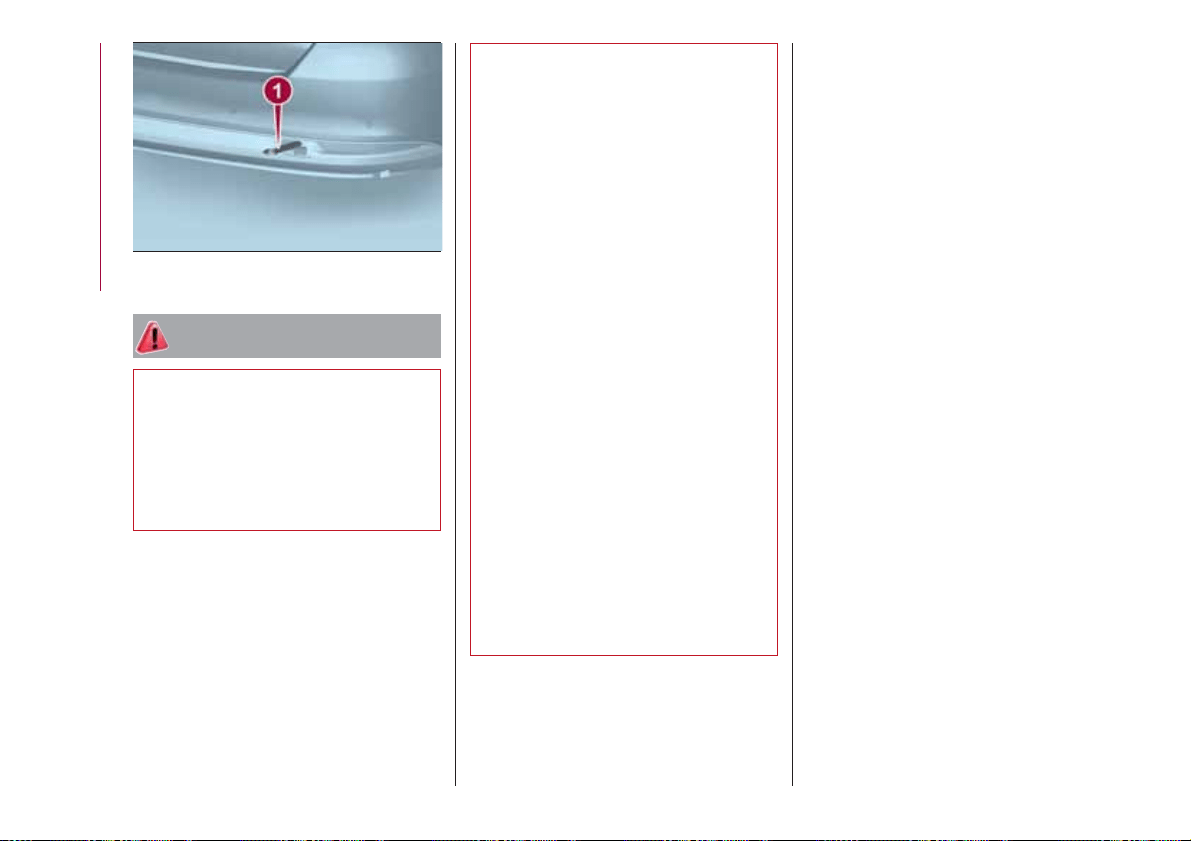
WARNING
139) Before towing, turn the key to MAR
and then to STOP without extracting it. The
steering column will automatically lock
when the key is removed and the wheels
cannot be steered. Also check that the
gearbox is in neutral (on versions equipped
with automatic transmission (if present),
check that the gear lever is in N position).
140) The brake servo and the
electromechanical power steering will not
work while the vehicle is being towed. You
will therefore need to apply more force on
the brake pedal and steering wheel. Do not
use flexible ropes when towing, and avoid
jerky movements. During towing, make
sure that the trailer hitch does not damage
any components it is touching. When
towing the car, you must comply with all
specific traffic regulations and adopt an
appropriate driving behaviour. Do not start
the engine while towing the car. Before
tightening the ring, clean the threaded
housing thoroughly. Make sure that the ring
is fully screwed into the housing before
towing the car.
141) The front and rear tow hooks should
be used only for emergencies on the road.
You are allowed to tow the vehicle for short
distances using an appropriate device in
accordance with the highway code (a rigid
bar), to move the vehicle on the road in
readiness for towing or transport via a
breakdown vehicle. Tow hooks MUST NOT
be used to tow vehicles off the road or
where there are obstacles and/or for
towing operations using cables or other
non-rigid devices. In compliance with the
above conditions, towing must take place
with the two vehicles (one towing, the other
towed) aligned as much as possible along
the same centre line.
136
08116J0002EM
122
IN AN EMERGENCY
SERVICING AND CARE
Correct servicing permits the
performance of the vehicle to be
maintained over time, as well as limited
running costs and safeguarding the
efficiency of the safety systems.
This chapter explains how.
SCHEDULED SERVICING.......124
ENGINE COMPARTMENT ......132
BATTERY RECHARGING .......139
SERVICING PROCEDURES .....140
LIFTING THE VEHICLE.........143
WHEELS AND TYRES .........143
BODY ...................144
INTERIOR .................146
123

SCHEDULED
SERVICING
Correct servicing is crucial for
guaranteeing a long life for the vehicle
under the best conditions.
For this reason, Fiat has planned a
series of checks and services at fixed
distance intervals and, for
versions/markets, where provided, at
fixed time intervals, as described in the
Scheduled Servicing Plan.
Regardless of the above, it is always
necessary to carefully follow the
instructions in the Scheduled Servicing
Plan (e.g. periodically check level of
liquids, tyre pressure, etc.).
Scheduled Servicing is offered by all
Fiat Dealerships according to fixed time
or kilometres/miles intervals. If, during
each operation, in addition to the ones
scheduled, the need arises for further
replacements or repairs, these may be
carried out with the owner's explicit
agreement only. If your vehicle is used
frequently for towing, the interval
between one service operation and the
next should be reduced.
IMPORTANT NOTES
Scheduled Servicing interventions are
set out by the Manufacturer. Failure to
comply with the schedule may
invalidate the warranty.
It is advisable to inform a Fiat
Dealership of any small operating
irregularities without waiting for the next
service.
124
SERVICING AND CARE
SCHEDULED SERVICING PLAN (petrol versions)
The checks listed in the Scheduled Servicing Plan, after reaching 120,000 km/8 years, must be cyclically repeated starting from
the first interval, thus following the same intervals as before.
Thousands of kilometres 15 30 45 60 75 90 105 120 135 150
Years 1 2 3 4 5 6 7 8 9 10
Check tyre condition/wear and adjust pressure, if
necessary. Check quick tyre repair kit recharge
conditions/expiry date (if provided)
●●●●●●●●●●
Check operation of lighting system (headlights, direction
indicators, hazard warning lights, boot, passenger
compartment, glove compartment, instrument panel
warning lights, etc.)
●●●●●●●●●●
Check and, if necessary, top up fluid levels (1)
●●●●●●●●●●
Check exhaust emissions/smokiness
●●●●●●●●●●
Use the diagnosis socket to check engine management
system operation; emissions and (where provided) engine
oil deterioration
●●●●●●●●●●
Visually inspect conditions of: exterior bodywork,
underbody protection, pipes and hoses (exhaust, fuel
system, brakes), rubber elements (gaiters, sleeves,
bushes, etc.)
●●●●●
Check windscreen wiper blade position/wear
●●●●●
Check operation of the windscreen wiper/washer system
and adjust jets, if necessary
●●●●●
(1) Always only use the liquids shown in the handbook for topping up after having checked that the system is not damaged.
125
Thousands of kilometres 15 30 45 60 75 90 105 120 135 150
Years 1 2 3 4 5 6 7 8 9 10
Check cleanliness of bonnet and rear lid locks, cleanliness
and lubrication of linkage
●●●●●
Check handbrake lever travel and adjust, if necessary
●●●●●
Visually inspect conditions and wear of front disc brake
pads and check the integrity of the pad wear sensor
●●●●●●●●●●
Visually inspect condition and wear of rear disc brake
pads and check the integrity of pad wear sensor (for
versions/markets where provided)
●●●●●●●●●●
Visually inspect rear drum brake lining condition and wear
(for versions/markets, where provided)
●●●●●●●●●●
Visually inspect conditions of toothed timing drive belt
(1.4 16v 95 HP versions)
●●
Visually inspect condition of various drive belt(s) (1.4 16v
95 HP versions)
●●
Visually inspect condition of various drive belts (1.6
E.Torque versions)
●●●●●●●●●●
Check tension of accessory drive belt (versions without
automatic tensioner) (1.4 16v 95 HP versions)
●●
Check tension of accessory drive belt (versions without
automatic tensioner) (1.6 E.Torque versions)
●●●●●●●●●●
Change engine oil and oil filter (1.6 E.Torque versions)
●●●●●●●●●●
126
SERVICING AND CARE
Thousands of kilometres 15 30 45 60 75 90 105 120 135 150
Years 1 2 3 4 5 6 7 8 9 10
Change engine oil and oil filter (1.4 16V 95 HP versions) (*)
(o) (●)
o ● o ● o ● o ● o ●
Replace spark plugs (1.4 16V 95 HP versions)
●●
Replace spark plugs (1.6 E.Torque versions)
●●●●●
Replace the toothed timing drive belt
(2)
Replace accessory drive belt(s) (1.4 16v 95 HP versions)
(2)
Replace accessory drive belt(s) (1.6 E.Torque versions)
(3)
Replace air cleaner cartridge (1.4 16v 95 HP versions)(4)
●●
Replace air cleaner cartridge (1.6 E.Torque versions)(4)
●●●
Change the brake fluid
(5)
Replace the passenger compartment cleaner (4) (o) (●)
o ● o ● o ● o ● o ●
(*) If the car's annual mileage is less than 10,000 km, the engine oil and filter must be replaced every year.
(o) Recommended operations
(●) Mandatory operations
(2) Areas that are not dusty: recommended maximum mileage 120,000 km. The belt must be replaced every 6 years, regardless of distance
travelled. Dusty areas and/or demanding use of the vehicle (cold climates, town use, long periods of idling): advised maximum mileage
60,000 km. The belt must be replaced every 4 years, regardless of distance travelled.
(3) The belt must be replaced every 4 years, regardless of distance travelled. Dusty areas and/or heavy conditions (cold climates, urban driving,
long periods of idling): the recommended maximum distance is 60,000 km.
(4) If the vehicle is used in dusty areas, you are advised to change this filter every 15,000 km
(5) The brake fluid replacement has to be done every two years, irrespective of the mileage.
127
SCHEDULED SERVICING PLAN (Diesel versions)
The checks listed in the Scheduled Servicing Plan, after reaching 120,000 km/6 years, must be cyclically repeated starting from
the first interval, thus following the same intervals as before.
Thousands of kilometres 20 40 60 80 100 120 140 160 180 200
Years 12345678910
Check tyre condition/wear and adjust pressure, if
necessary. Check quick tyre repair kit recharge
conditions/expiry date (if provided)
●●●●●●●●●●
Check operation of lighting system (headlights, direction
indicators, hazard warning lights, boot, passenger
compartment, glove compartment, instrument panel
warning lights, etc.)
●●●●●●●●●●
Check and, if necessary, top up fluid levels (1)
●●●●●●●●●●
Check exhaust emissions/smokiness
●●●●●●●●●●
Use the diagnosis socket to check engine management
system operation; emissions and (where provided) engine
oil deterioration
●●●●●●●●●●
Visually inspect conditions of: exterior bodywork,
underbody protection, pipes and hoses (exhaust, fuel
system, brakes), rubber elements (gaiters, sleeves,
bushes, etc.)
●●●●●
Check windscreen wiper blade position/wear
●●●●●
Check operation of the windscreen wiper/washer system
and adjust jets, if necessary
●●●●●
(1) Always only use the liquids shown in the handbook for topping up after having checked that the system is not damaged.
128
SERVICING AND CARE
Thousands of kilometres 20 40 60 80 100 120 140 160 180 200
Years 12345678910
Check cleanliness of bonnet and luggage compartment
locks, cleanliness and lubrication of linkage
●●●●●
Check handbrake lever travel and adjust, if necessary
●●●●●
Visually inspect conditions and wear of front and rear disc
brake pads and integrity of pad wear indicator
●●●●●●●●●●
Visually inspect rear drum brake lining condition and wear
(for versions/markets, where provided)
●●●●●●●●●●
Visually inspect condition of toothed timing drive belt (1.6
Multijet versions)
●●
Visually inspect condition of the accessory drive belt(s)
●●
Check tension of accessory drive belt (versions without
automatic tensioner)
●●
Change engine oil and replace oil filter
(2)
Replace toothed timing drive belt (1.6 MultiJet versions)
(3)
Replace accessory drive belt/s
(3)
Replace fuel filter cartridge (1.3 MultiJet versions)(4)
●●
(2) The actual interval for changing engine oil and replacing the engine oil filter depends on the vehicle usage conditions and is signalled by the
warning light or message in the instrument panel. In any case, it must never exceed 2 years. If the vehicle is mainly used in towns and cities,
change the engine oil and filter every year.
(3) Areas that are not dusty: recommended maximum mileage 120,000 km. The belt must be replaced every 6 years, regardless of distance
travelled. Dusty areas and/or demanding use of the vehicle (cold climates, town use, long periods of idling): advised maximum mileage
60,000 km. The belt must be replaced every 4 years, regardless of distance travelled.
(4) If the vehicle runs on fuel with quality below the relevant European specification, this filter must be replaced every 20,000 km
129
Thousands of kilometres 20 40 60 80 100 120 140 160 180 200
Years 12345678910
Replace fuel filter cartridge (1.6 MultiJet versions)(4)
●●●
Replace air cleaner cartridge (5)
●●●●●
Change the brake fluid
(6)
Replace the passenger compartment cleaner (5) (o) (●)
o ● o ● o ● o ● o ●
(4) If the vehicle runs on fuel with quality below the relevant European specification, this filter must be replaced every 20,000 km
(5) If the vehicle is used in dusty areas, this cleaner must be replaced every 20,000 km.
(6) The brake fluid replacement has to be done every two years, irrespective of the mileage.
(o) Recommended operations
(●) Mandatory operations
130
SERVICING AND CARE
PERIODIC CHECKS
Every 1,000 km or before long trips
check and, if necessary, top up:
engine coolant level;
brake fluid level;
windscreen washer fluid level;
tyre inflation pressure and condition;
operation of lighting system
(headlights, direction indicators, hazard
warning lights, etc.);
operation of screen washer/wiper
system and positioning/wear of
windscreen.
Every 3,000 km, check and top up if
required: engine oil level.
HEAVY USAGE OF THE
CAR
If the vehicle is used mainly under one
of the following conditions:
dusty roads;
short, repeated journeys (less than
7-8 km) at sub-zero outside
temperatures;
engine often idling or driving long
distances at low speeds or long periods
of inactivity;
the following checks must be carried
out more often than indicated in the
Scheduled Servicing Plan:
check front disc brake pad condition
and wear;
check cleanliness of bonnet and
luggage compartment locks,
cleanliness and lubrication of linkage;
visually inspect conditions of: engine,
gearbox, transmission, pipes and hoses
(exhaust/fuel system/brakes) and
rubber elements (gaiters/sleeves/
bushes, etc.);
check battery charge and battery
fluid level (electrolyte);
visually inspect conditions of the
accessory drive belts;
check and, if necessary, change
engine oil and replace oil filter;
check and, if necessary, replace
pollen filter;
check and, if necessary, replace air
cleaner.
On versions with AT6 automatic
transmission, change the oil and
replace filters every 90,000 km (or 2
years) if the vehicle is used in the
following conditions: city driving, short
and repeated journeys (less than
78 km) or frequent towing of trailers or
caravans.
131
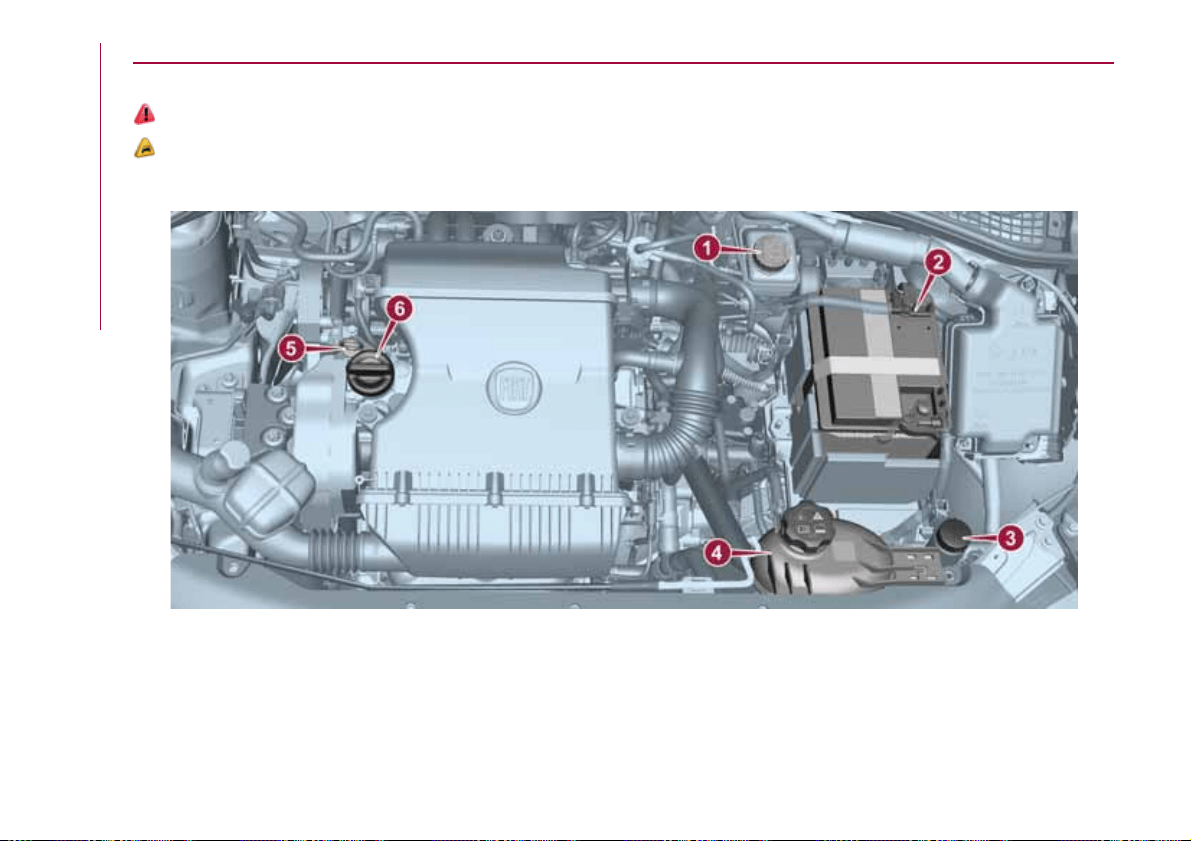
ENGINE COMPARTMENT
CHECKING LEVELS
142) 143)
43)
1.4 16V 95 HP version
1. Brake fluid 2. Battery 3. Windscreen washer fluid 4. Engine coolant fluid 5. Engine oil dipstick 6. Engine oil
cap/filler
137
09026J0001EM
132
SERVICING AND CARE

1.6 E.Torq Version
1. Brake fluid 2. Battery 3. Windscreen washer fluid 4. Engine coolant fluid 5. Engine oil dipstick 6. Engine oil
cap/filler
138
09026J0004EM
133
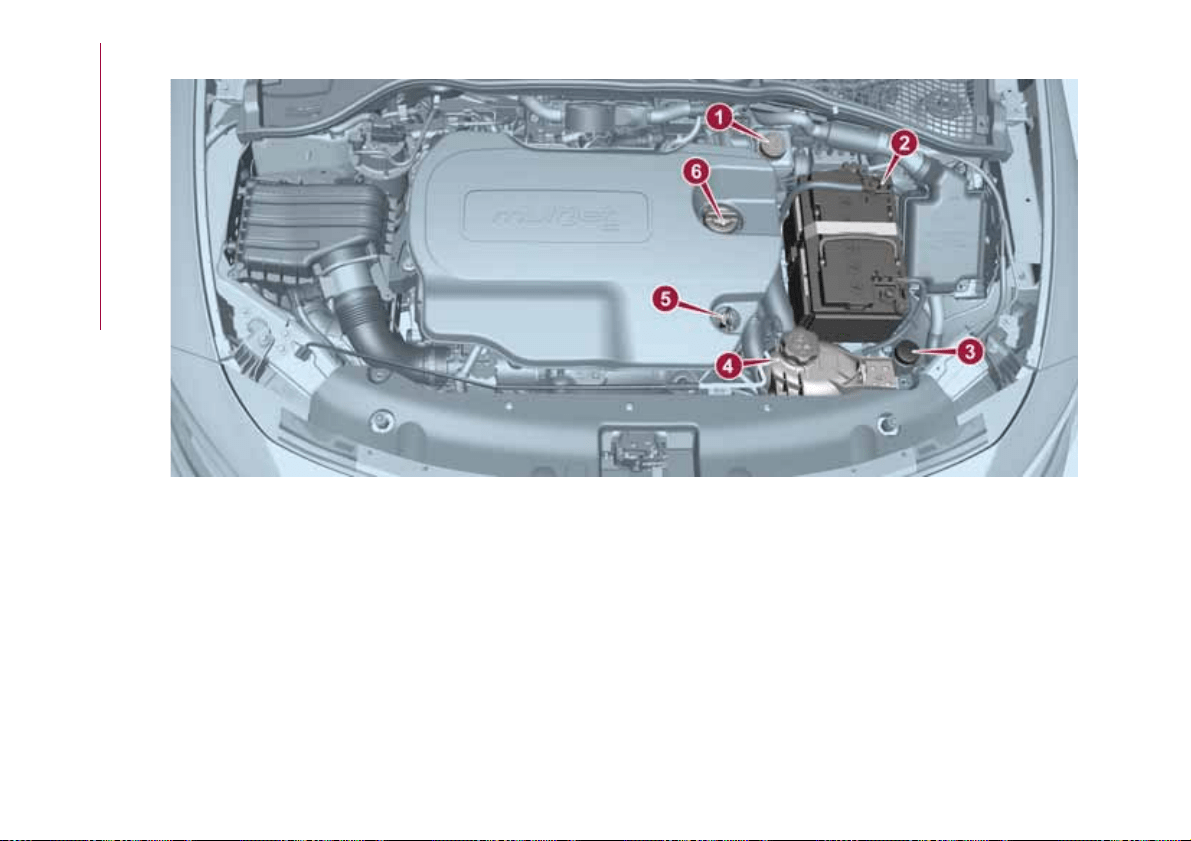
1.6 16V MultiJet version
1. Brake fluid 2. Battery 3. Windscreen washer fluid 4. Engine coolant fluid 5. Engine oil dipstick 6. Engine oil
cap/filler
139
09026J0003EM
134
SERVICING AND CARE
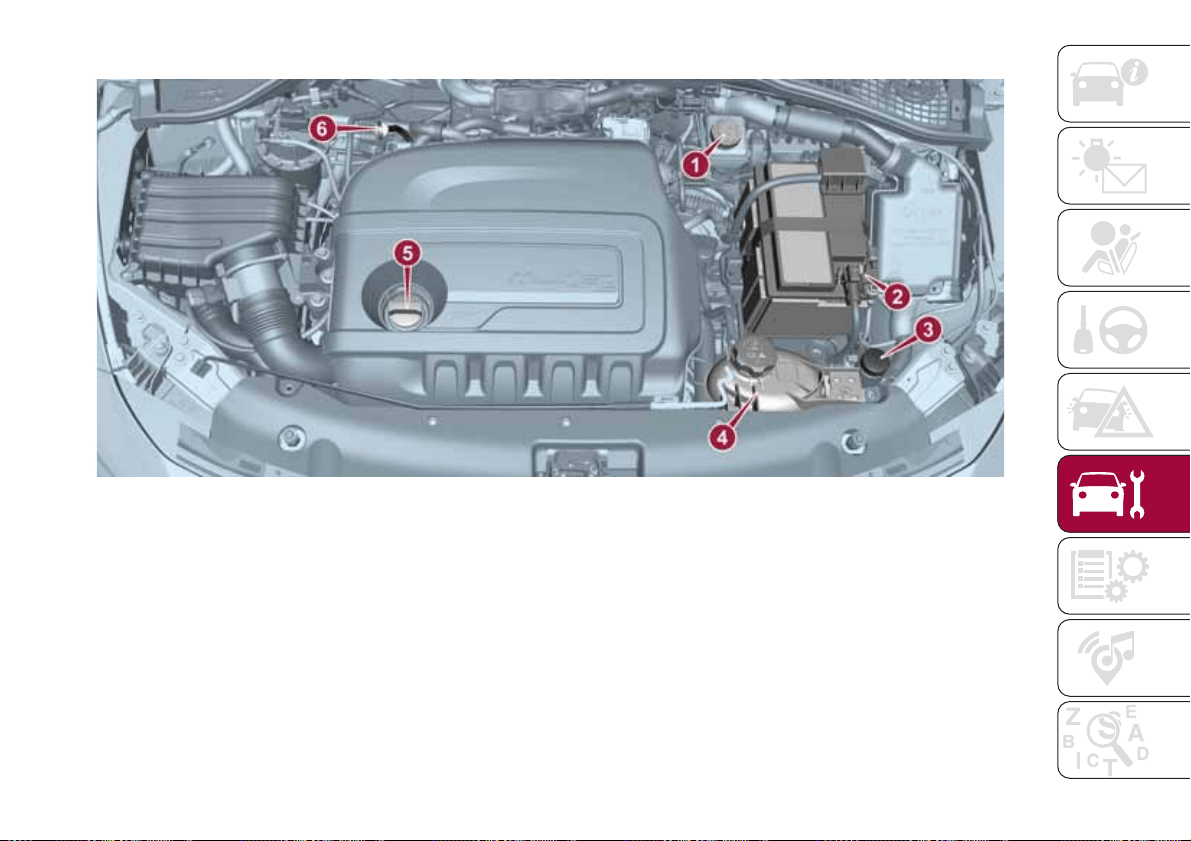
1.3 95 HP Multijet E6 version
1. Brake fluid 2. Battery 3. Windscreen washer fluid 4. Engine coolant fluid 5. Engine oil cap/filler 6. Engine oil
dipstick
140
09026J0002EM
135
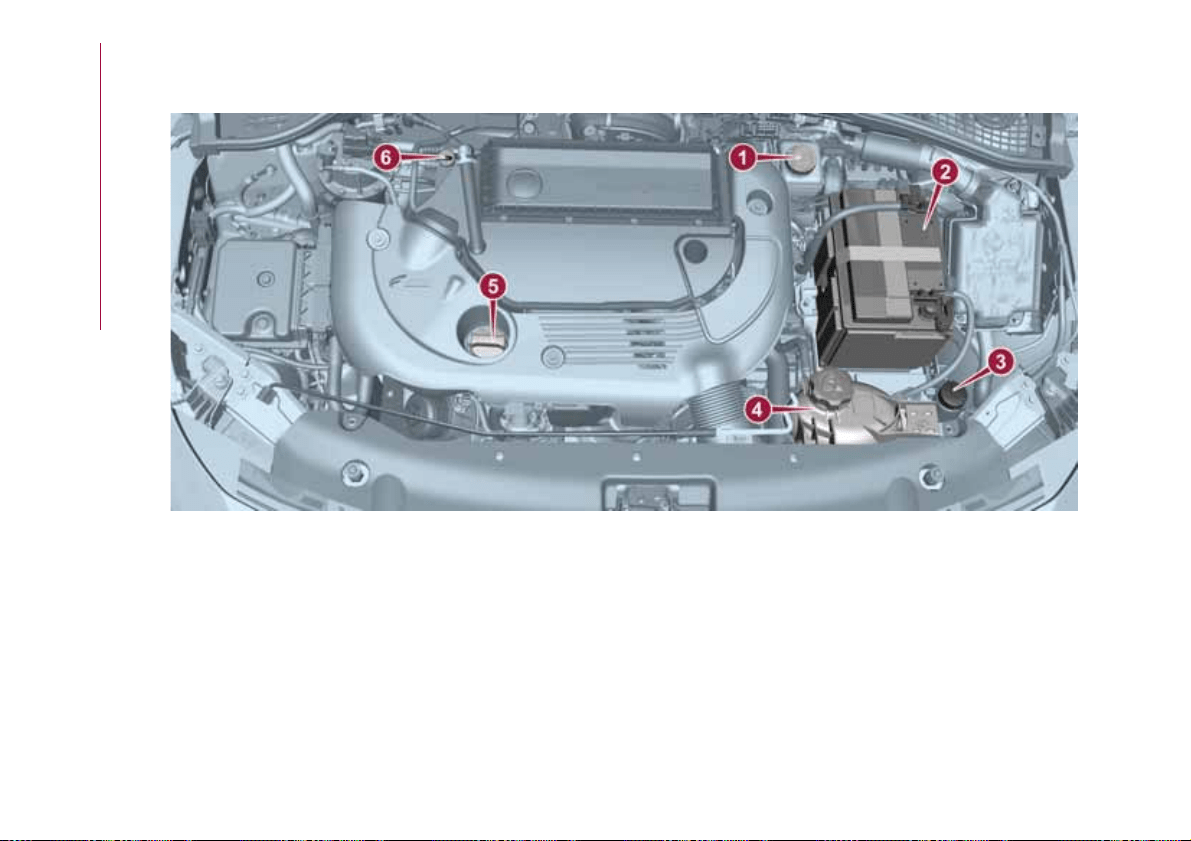
1.3 95 HP Multijet E5 version
(for versions/markets, where provided)
1. Brake fluid 2. Battery 3. Windscreen washer fluid 4. Engine coolant fluid 5. Engine oil cap/filler 6. Engine oil
dipstick
141
09026J0005EM
136
SERVICING AND CARE
ENGINE OIL
144)
44)
Check the oil level a few minutes (about
5) after the engine has stopped, with
the vehicle parked on level ground.
Check that the oil level is between the
MIN and MAX references on the
dipstick.
If the level of the oil is close to or below
the MIN mark, add oil via the filler fitting
until the MAX mark is reached.
Take out the engine oil dipstick, clean it
with a lint-free cloth and reinsert it.
Extract it again and check that the level
is between the MIN and MAX marks on
the dipstick.
Engine oil consumption
45)
2) 3)
The maximum engine oil consumption
is usually 400 grams every 1000 km.
When the car is new, the engine needs
to be run in; therefore the engine oil
consumption can only be considered
stabilised after the first 5000 - 6000 km.
IMPORTANT After adding or changing
the oil, let the engine turn over for a few
seconds and wait a few minutes after
turning it off before you check the level.
ENGINE COOLANT FLUID
46)
145)
If the level is too low, unscrew the cap
of reservoir 4 and add the fluid
described in the "Technical
Specifications" chapter.
WINDSCREEN WASHER
FLUID
146) 147)
If the level is too low, raise the reservoir
cap 3 and add the fluid described in the
"Technical Specifications" chapter.
BRAKE FLUID
47)
148) 149)
Check that the fluid is at the max. level.
If the fluid level in the reservoir is too
low, undo the reservoir cap 1 and add
the fluid described in the "Technical
Specifications" chapter.
IMPORTANT Carefully clean the cap of
the reservoir and the surrounding
surface. Take great care to ensure that
impurities do not enter the reservoir
when the cap is opened.
For topping-up, always use a funnel
with integrated filter with mesh equal to
or lower than 0.12 mm.
IMPORTANT Brake fluid is hygroscopic
(i.e. it absorbs moisture). For this
reason, if the vehicle is mainly used in
areas with a high degree of
atmospheric humidity, the fluid should
be replaced at more frequent intervals
than specified in the "Scheduled
Servicing Plan".
AUTOMATIC
TRANSMISSION
ACTIVATION SYSTEM OIL
(where provided)
3)
The transmission control oil level should
only be checked at a Fiat Dealership.
BATTERY
150) 151) 152)
48)
4)
The battery does not require the
electrolyte to be topped up with distilled
water.
A periodic check carried out at a Fiat
Dealership is, however, necessary to
check efficiency.
Replacing the battery
If necessary, replace the battery with
another original battery with the same
specifications. Follow the battery
Manufacturer’s instructions for
maintenance.
137
USEFUL ADVICE FOR
EXTENDING THE LIFE OF
YOUR BATTERY
Useful advice for extending the life
of your battery
To avoid draining your battery and
make it last longer, observe the
following instructions:
when you park the car, ensure that
the doors, tailgate and bonnet are
closed properly, to prevent any lights
from remaining on inside the
passenger's compartment;
switch off all roof lights inside the car:
the car is however equipped with a
system which switches all internal lights
off automatically;
do not keep accessories (e.g. radio,
hazard warning lights, etc.) switched on
for a long time when the engine is not
running;
before performing any operation on
the electrical system, disconnect the
negative battery cable.
If, after purchasing the vehicle, you wish
to install electrical accessories which
require permanent electrical supply (e.g.
alarm, etc.) or accessories which
influence the electrical supply
requirements, contact a Fiat Dealership,
whose qualified staff will evaluate the
overall electrical consumption.
49)
IMPORTANT After the battery is
disconnected, the steering must be
initialised. The
warning light on the
instrument panel (or symbol on the
display) switches on to indicate this. To
carry out this procedure, simply turn the
steering wheel all the way from one end
to the other or drive in a straight line for
about a hundred metres.
IMPORTANT If the charge level remains
under 50% for a long time, the battery
is damaged by sulphation, reducing its
capacity and efficiency at start-up. The
battery is also more prone to the risk of
freezing (at temperatures as high as
-10°C). Refer to the "Vehicle inactivity"
paragraph in "Starting and driving"
chapter if the vehicle is left parked for a
long time.
WARNING
142) Never smoke while working in the
engine compartment: gas and inflammable
vapours may be present, with the risk of
fire.
143) Be very careful when working in the
engine compartment when the engine is
hot: you may get burned. Do not get too
close to the radiator cooling fan: the
electric fan may start; danger of injury.
Scarves, ties and other loose clothing
might be pulled by moving parts.
144) If the engine oil is being topped up,
wait for the engine to cool down before
loosening the filler cap, particularly for
vehicles with aluminium cap (where
provided). WARNING: risk of burns!
145) The cooling system is pressurised. If
the cap needs replacing, do so with
another original or the effectiveness of the
system may be compromised. Do not
remove the reservoir plug when the engine
is hot: you risk scalding yourself.
146) Do not travel if the windscreen
washer reservoir is empty: using the
windscreen washer is essential for
improving visibility. Repeated operation of
the system without fluid could damage or
cause rapid deterioration of some system
components.
147) Some commercial additives for
windscreen washer fluid are flammable.
The engine compartment contains hot
components which may start a fire.
148) Brake fluid is poisonous and highly
corrosive. In the event of accidental
contact, immediately wash the affected
parts with water and mild soap. Then rinse
thoroughly. Call a doctor immediately if
swallowed.
149) The symbol
, on the brake fluid
container indicates if a brake fluid is
synthetic or mineral-based. Use of mineral
type fluids will damage the special rubber
seals of the braking system beyond repair.
150) Battery fluid is poisonous and
corrosive. Avoid contact with the skin and
eyes. Keep open flames away from the
battery and do not use objects that might
create sparks: risk of explosion and fire.
151) Using the battery with insufficient fluid
irreparably damages the battery and may
cause an explosion.
138
SERVICING AND CARE
152) When performing any operation on
the battery or near it, always protect your
eyes with special goggles.
IMPORTANT
43) Be careful not to confuse the various
types of fluids while topping up: they are
not compatible with each other! Topping up
with an unsuitable fluid could severely
damage your vehicle.
44) The oil level must never exceed the
MAX. mark.
45) Always top up using engine oil of the
same specifications as that already in the
engine.
46) PARAFLU
UP
anti-freeze is used in the
engine cooling system. Use fluid of the
same type as that contained in the cooling
system for any top-ups. PARAFLU
UP
cannot be mixed with any other type of
fluid. If this happens, do not start the
engine under any circumstances and
contact a Fiat Dealership.
47) Prevent brake fluid, which is highly
corrosive, from coming into contact with
painted parts. Should it happen,
immediately wash with water.
48) If the vehicle must remain unused for a
long time at a very low temperature,
remove the battery and take it to a warm
place, to avoid freezing.
49) Incorrect installation of electric and
electronic devices may cause severe
damage to your car. After purchasing your
vehicle, if you wish to install any
accessories (e.g. anti-theft, radio phone,
etc.), go to a Fiat Dealership, which will
suggest the most suitable devices and
advise you whether a higher capacity
battery needs to be installed.
IMPORTANT
2) The used engine oil and the filter that has
been replaced contain substances that are
harmful to the environment. To change the
oil and filters, we advise you to contact a
Fiat Dealership.
3) Used transmission fluid contains
substances that are harmful to the
environment. It is advisable to contact a
Fiat Dealership to have the fluid changed.
4) Batteries contain substances which are
very dangerous for the environment. For
battery replacement, contact a Fiat
Dealership.
BATTERY
RECHARGING
IMPORTANT NOTES
IMPORTANT The battery recharging
procedure is given as information only.
To carry out this operation contact a
Fiat Dealership.
IMPORTANT After setting the ignition
device to STOP and having closed the
driver side door, wait at least one
minute before disconnecting the
electrical supply from the battery. When
reconnecting the electrical supply to the
battery, make sure that the ignition
device is in the STOP position and the
driver side door is closed.
IMPORTANT Charging should be slow
at a low ampere rating for
approximately 24 hours. Charging for a
longer time may damage the battery.
IMPORTANT The cables of the
electrical system must be correctly
reconnected to the battery, i.e. the
positive cable (+) to the positive
terminal and the negative cable (–) to
the negative terminal. The battery
terminals are marked with the positive
(+) and negative (–) symbols, and are
shown on the battery cover. The battery
terminals must also be corrosion-free
and firmly secured to the terminals. If a
139
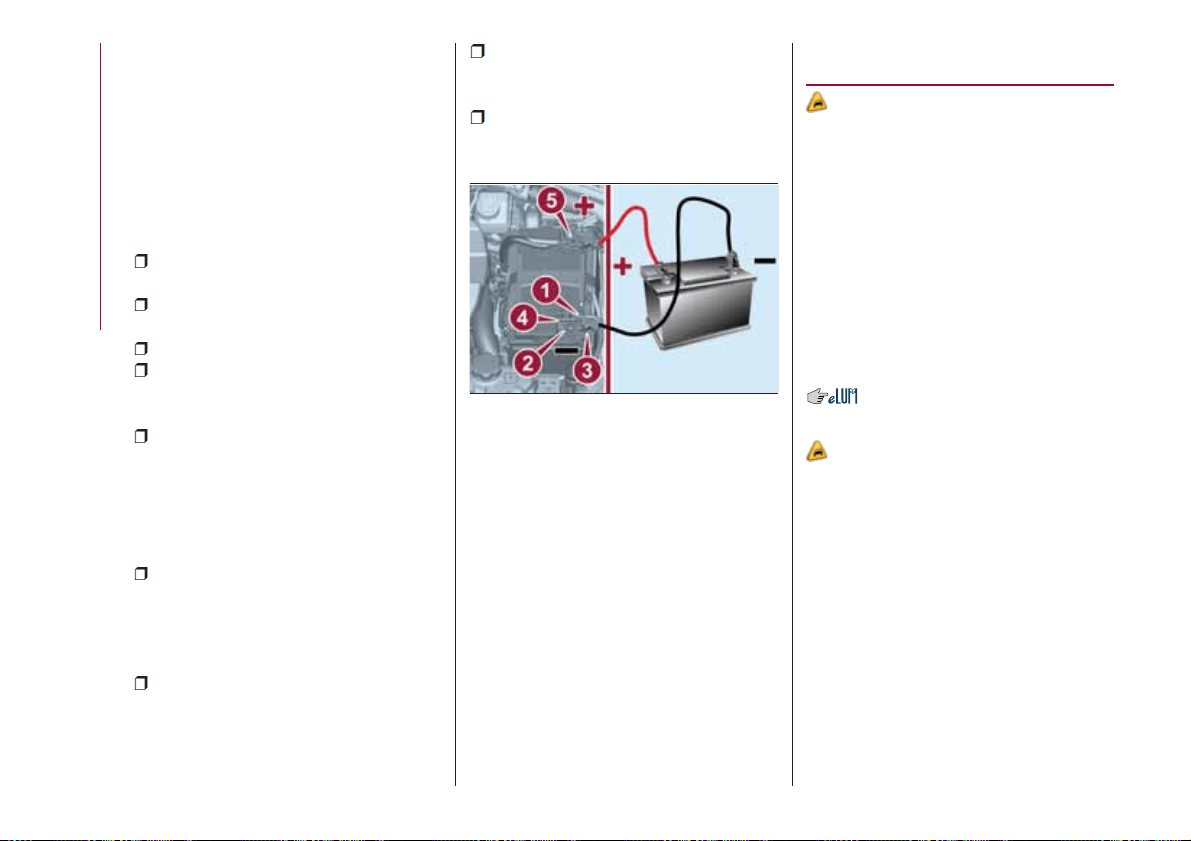
"quick-type" battery charger is used
with the battery fitted on the vehicle,
before connecting it disconnect both
cables of the battery itself. Do not use a
"quick-type" battery charger to provide
the starting voltage.
VERSIONS WITHOUT
STOP/START SYSTEM
To recharge, proceed as follows:
disconnect the terminal from the
negative battery pole;
connect the charger cables to the
battery terminals, observing the polarity;
turn on the charger;
when it is recharged, turn the
charger off before disconnecting it from
the battery;
reconnect the terminal to the
negative battery pole.
VERSIONS WITH
STOP/START SYSTEM
(where provided)
To recharge, proceed as follows:
disconnect the connector 1
fig. 142 (pressing the button 2) from the
sensor 3 monitoring the battery
conditions, on the negative pole (–) 4 of
the battery;
connect the positive cable (+) of the
battery charger to the positive battery
terminal 5 and the negative cable (–) to
sensor terminal 4 as shown;
turn on the battery charger. At the
end of the charging process, switch the
battery charger off;
after having disconnected the
charging device, reconnect connector 1
to the sensor 3 as shown.
SERVICING
PROCEDURES
50) 51) 52)
The following pages contain the rules
on the required maintenance
envisaged by the technical personnel
who designed the vehicle.
In addition to these specific
maintenance instructions specified for
routine scheduled servicing, there are
other components which may require
intervention or replacements over the
vehicle’s life cycle.
ENGINE OIL
Engine oil level check
53)
To ensure correct engine lubrication, the
oil must always be kept at the
prescribed level (see "Engine
compartment" in this chapter).
ENGINE OIL FILTER
Replacing the engine oil filter
The engine oil filter must be replaced
each time the engine oil is changed.
It is advisable to replace it with a
genuine spare part, specifically
designed for this vehicle.
142
09036J0001EM
140
SERVICING AND CARE
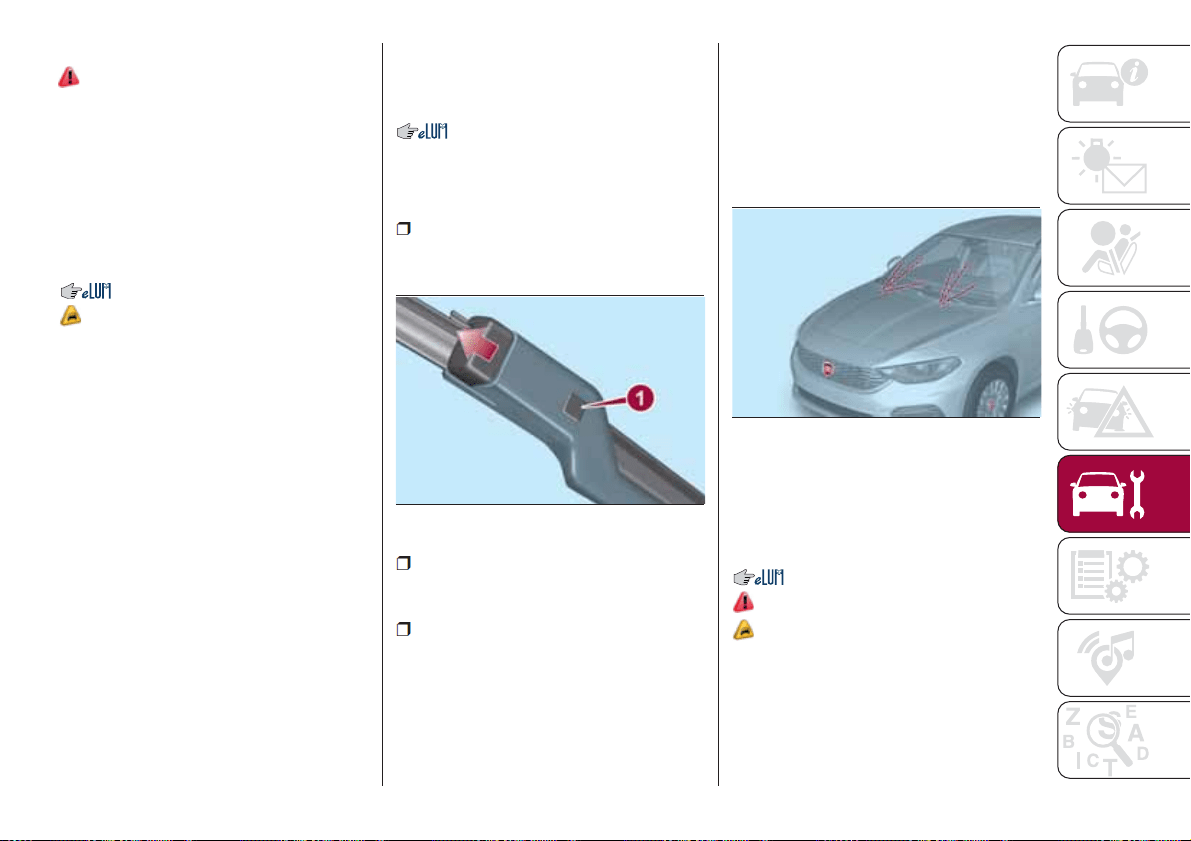
Replacing the air cleaner
See the "Scheduled servicing plan" for
the correct servicing intervals.
It is advisable to replace it with a
genuine spare part, specifically
designed for this vehicle.
AIR CONDITIONING
SYSTEM MAINTENANCE
54) 55)
To ensure the best possible
performance, the air conditioning
system must be checked and undergo
maintenance at a Fiat Dealership at the
beginning of the summer.
WINDOWS
When cleaning the heated rear window
be careful, if the defrosting function is
active, regarding the temperature of the
glass; also make sure that children do
not come into contact with the heated
surface. The glass may be hot.
Never use an abrasive detergent to
clean the surface of the windows.
Do not use scrapers or sharp items that
might scratch the windows.
Spray the detergent on the cloth to be
used for cleaning the rear view mirror.
Do not spray the detergent directly on
the glass.
Cleaning the window with hot water
could cause the removal of any labels.
WINDSCREEN WIPER
Replacing the windscreen wiper
blades
Proceed as follows:
raise the wiper arm, press button 1
fig. 143 of the attachment spring and
remove the blade from the arm;
fit the new blade, inserting the tab in
the dedicated housing in the arm and
checking that it is locked;
lower the wiper arm onto the
windscreen.
IMPORTANT Do not operate the
windscreen wiper with the blades lifted
from the windscreen.
Windscreen washer
The window washer nozzles are fixed
fig. 144. If there is no jet of fluid, firstly
check that there is fluid in the reservoir
(see paragraph “Engine compartment”
in this chapter). Only use the prescribed
fluid; do not use only water.
Then check that the nozzle holes are
not clogged; use a needle to unblock
them if necessary.
EXHAUST SYSTEM
154) 155)
56)
Adequate maintenance of the engine
exhaust system represents the best
protection against leaks of carbon
monoxide into the passenger
compartment.
143
09046J0002EM
144
09046J0003EM
141
AIR FILTER
153)
AUTOMATIC
TRANSMISSION
(where provided)
57)
Use only a gearbox oil with the same
characteristics as those indicated in the
"Fluids and lubricants" table (see
"Technical specifications" chapter).
Special additives
Do not use any type of additive with the
automatic transmission oil. The
automatic transmission oil is a product
designed specially for this vehicle and
its performance may be compromised
through the use of further additives.
Avoid the use of transmission sealers,
since they may compromise the
efficiency of the automatic transmission
seals.
IMPORTANT Do not use chemicals to
flush the transmission, since this may
damage its components.
Frequency of oil changes
In normal vehicle operating conditions,
it is not necessary to change the
transmission oil.
If oil leaks are noticed or irregular
operation of the transmission is
detected, have it checked immediately
at a Fiat Dealership.
IMPORTANT Driving the vehicle with an
insufficient oil level may cause serious
damage to the transmission.
WARNING
153) The air intake system (air cleaner,
rubber hoses, etc.) can be a protection in
the case of blowbacks from the engine. DO
NOT REMOVE this system unless you
need to carry out repair or servicing
operations. Before starting the engine,
ensure that the system has not been
removed: failure to observe this precaution
may result in serious injury.
154) Exhaust emissions are very
dangerous, and may be lethal. They
contain carbon monoxide, a colourless,
odourless gas which can cause fainting
and poisoning if inhaled.
155) The exhaust system may reach high
temperatures and may cause a fire if the
vehicle is parked on flammable material.
Dry grass or leaves can also catch fire if
they come into contact with the exhaust
system. Do not park or use the vehicle in a
place in which the exhaust system might
come into contact with flammable material.
IMPORTANT
50) It is recommended to have the vehicle
serviced by a Fiat Dealership. When
carrying out normal periodic operations and
small servicing interventions personally on
the vehicle, it is recommended to use
suitable equipment, genuine spare parts
and the necessary fluids. Do not carry out
any interventions if you don't have the
necessary experience.
51) Incorrect servicing of the vehicle or
failure to carry out operations or repairs
(when necessary) may lead to more
expensive repairs, damage to other
components or have a negative impact on
the vehicle performance. Have any
malfunction inspected immediately by a Fiat
Dealership.
52) The vehicle is equipped with fluids
which are optimised or protecting its
performance and life and extending service
intervals. Do not use chemicals for washing
these components since they may damage
the engine, the gearbox or the climate
control system. This damage is not covered
by the vehicle’s warranty. If any component
needs to be washed due to malfunctioning,
use only the specific liquid for that
procedure.
53) An excessive or insufficient amount of
oil inside the base is extremely damaging to
the engine. Make sure it is always at an
adequate level.
142
SERVICING AND CARE
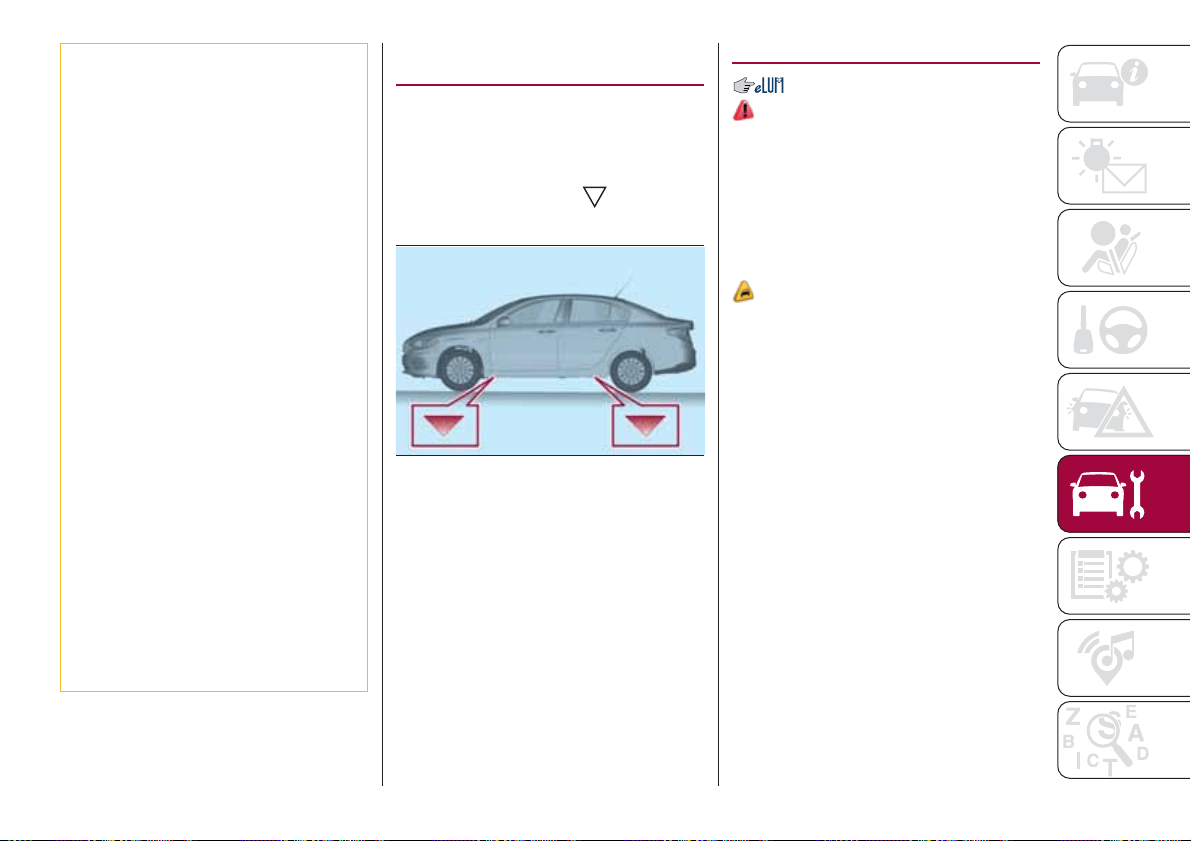
54) Always require the use of only
compressor coolants and lubricants
approved and suitable for the specific air
conditioning system fitted on the vehicle.
Some non-approved coolants are
flammable and may explode, with the risk
of injuries. The use of non-approved
coolants or lubricants may adversely affect
system efficiency, leading to expensive
repairs.
55) The air conditioner system contains
coolant under high pressure: to avoid
injuries to people or damage to the system,
any coolant addition or repair that requires
to disconnect the cables must be carried
out by a Fiat Dealership.
56) Vehicles equipped with catalytic
converter must be fuelled only with
unleaded petrol. Leaded petrol would
permanently damage the catalytic
converter and eliminate its ability to reduce
polluting emissions, seriously
compromising the engine performance,
which would be irreparably damaged. If the
engine does not work correctly, especially if
it starts irregularly or if there is a reduction
of its performance, immediately go to a Fiat
Dealership. Prolonged and faulty operation
of the engine may cause overheating of the
converter and, as a consequence, possible
damage to the converter and the vehicle.
57) Using a gearbox fluid different from that
approved may compromise gearshifting
quality and/or cause vibration of the
gearbox itself.
LIFTING THE
VEHICLE
If the vehicle needs to be jacked up, go
to a Fiat Dealership, which is equipped
with shop jacks and jack arms.
The vehicle lifting points are marked on
the side panels with the
symbols
(see illustration in fig. 145 ).
WHEELS AND TYRES
156) 157) 158) 159) 160)
RIMS AND TYRES
For the type of wheel rims and tyres
fitted on the vehicle see the "Wheels"
paragraph in the "Technical data"
chapter.
SNOW CHAINS
58)
205/55 R16 and 195/65 R15 tyres can
be fitted with 9 mm snow chains.
Important notes
The use of snow chains should be in
compliance with local regulations of
each country. In certain countries, tyres
marked with code M+S (Mud and
Snow) are considered as winter
equipment; therefore their use is
equivalent to that of the snow chains.
The snow chains may be applied only
to the front wheel tyres.
Check the tension of the snow chains
after the first few metres have been
driven.
IMPORTANT Using snow chains with
tyres with non-original dimensions may
damage the vehicle.
IMPORTANT Using different size or type
(M+S, snow, etc.) tyres between front
145
09056J0001EM
143
and rear axle may adversely affect
vehicle driveability, with the risk of losing
control of the vehicle and resulting
accidents.
SUGGESTIONS ABOUT
THE ROTATION OF THE
TYRES
The front and rear tyres are subject to
different loads and stress due to
steering, manoeuvres and braking. For
this reason they are subject to uneven
wear.
To resolve this problem, tyres should be
rotated at the appropriate time. Tyre
rotation means moving the wheels to a
different position, with respect to the
vehicle. The single wheel will therefore
operate on a different axle of the
vehicle.
Tyre rotation contributes to the
preservation of the grip and traction
performance on wet, muddy or snowy
roads, guaranteeing optimal driveability
of the vehicle.
In the case of irregular wear of the tyres
identify the cause and correct it as soon
as possible, by contacting a Fiat
Dealership.
WARNING
156) The road holding qualities of the car
also depend on the correct inflation
pressure of the tyres.
157) If tyre pressure is too low, it may
overheat and be severely damaged as a
result.
158) If the tyres are "unidirectional", do not
switch tyres from the right-hand side of the
vehicle to the left-hand side, and vice
versa. This type of tyres can only be
switched from the front axle to the rear axle
and vice versa, keeping them on the same
side of the vehicle.
159) Never submit alloy rims to repainting
treatments requiring the use of
temperatures exceeding 150°C. The
mechanical properties of the wheels could
be impaired.
160) Travelling with partially or completely
deflated tyres can cause safety problems
and damage the concerned tyre beyond
repair.
IMPORTANT
58) Keep your speed down when snow
chains are fitted; do not exceed 50 km/h.
Avoid potholes, do not drive over steps or
sidewalks and do not drive long distances
over roads without snow, to avoid
damaging both your vehicle and the road
surface.
BODY
PRESERVING THE
BODYWORK
Paint
59)
5)
Touch up abrasions and scratches
immediately to prevent the formation of
rust.
Maintenance of paintwork consists of
washing the car: the frequency
depends on the conditions and
environment where the car is used. For
example, it is advisable to wash the
vehicle more often in areas with high
levels of atmospheric pollution or salted
roads.
Some parts of the vehicle may be
covered with a matt paint which, in
order to be maintained intact, requires
special care: see the instructions in the
warning at the end of this paragraph
60)
To correctly wash the vehicle, follow
these instructions:
if the vehicle is washed remove the
aerial from the roof;
if high pressure jets or cleaners are
used to wash the vehicle, keep a
distance of at least 40 cm from the
144
SERVICING AND CARE
bodywork to avoid damage or
alteration. Build up of water could
cause damage to the vehicle in the long
term;
wash the bodywork using a low
pressure jet of water if possible;
wipe a sponge with a slightly soapy
solution over the bodywork, frequently
rinsing the sponge;
rinse well with water and dry with a
jet of air or a chamois leather.
Dry the less visible parts (e.g. door
frames, bonnet, headlight frames, etc.)
with special care, as water may
stagnate more easily in these areas. Do
not wash the car after it has been left in
the sun or with the bonnet hot: this may
alter the shine of the paintwork.
Exterior plastic parts must be cleaned
in the same way as the rest of the
vehicle.
IMPORTANT NOTES
Avoid parking under trees; the resin
dropped by trees makes the paintwork
go opaque and increases the possibility
of corrosion.
Bird droppings must be washed off
immediately and thoroughly as the acid
they contain is particularly aggressive.
Windows
Use specific detergents and clean
cloths to prevent scratching or altering
the transparency.
IMPORTANT Wipe the rear window
inside gently with a cloth following the
direction of the filaments to avoid
damaging the heating device.
Front headlights
Use a soft cloth soaked in water and
detergent for washing cars.
IMPORTANT Never use aromatic
substances (e.g. petrol) or ketones (e.g.
acetone) for cleaning the plastic lenses
of the headlights.
IMPORTANT When cleaning with a
pressure washer, keep the water jet at
least 20 cm away from the headlights.
Engine compartment
At the end of every winter, wash the
engine compartment thoroughly, taking
care not to aim the jet of water directly
at the electronic control units or at the
windscreen/rear window wiper motors.
Have this operation performed at a
specialised workshop.
IMPORTANT The washing should take
place with the engine cold and the
ignition device in the STOP position.
After the washing operation, make sure
that the various protections (e.g. rubber
caps and guards) have not been
removed or damaged.
IMPORTANT
59) In order to preserve the aesthetic
appearance of the paint abrasive products
and/or polishes should not be used for
cleaning the vehicle.
60) Avoid washing with rollers and/or
brushes in washing stations. Wash the
vehicle only by hand using neutral pH
detergents; dry it with a wet chamois
leather. Abrasive products and/or polishes
should not be used for cleaning the car.
Bird droppings must be washed off
immediately and thoroughly as the acid
they contain is particularly aggressive.
Avoid (if at all possible) parking the vehicle
under trees; remove vegetable resins
immediately as, when dried, it may only be
possible to remove them with abrasive
products and/or polishes, which is highly
inadvisable as they could alter the typical
opaqueness of the paint. Do not use pure
windscreen washer fluid for cleaning the
front windscreen and rear window; dilute it
min. 50% with water. Only use pure screen
washer fluid when strictly necessary due to
outside temperature conditions.
145
IMPORTANT
5) Detergents pollute the environment. Only
wash your vehicle in areas equipped to
collect and treat wastewater from this type
of activity.
INTERIOR
161) 162) 163)
Periodically check the cleanliness of the
interior, beneath the mats, which could
cause oxidation of the sheet metal.
SEATS AND FABRIC
PARTS
Remove dust with a soft brush or a
vacuum cleaner. It is advisable to use a
moist brush on when cleaning
non-fabric upholstery. Rub the seats
with a sponge moistened with a
solution of water and neutral detergent.
LEATHER SEATS
(where provided)
Remove the dry dirt with a chamois or
slightly damp cloth, without exerting too
much pressure.
Remove any liquid or grease stains
using an absorbent dry cloth, without
rubbing. Then clean with a soft cloth or
buckskin cloth dampened with water
and mild soap. If the stain persists, use
specific products and observe the
instructions carefully.
IMPORTANT Never use alcohol. Make
sure that the cleaning products used
contain no alcohol or alcohol
derivatives, even in small quantities.
PLASTIC AND COATED
PARTS
61)
Clean interior plastic parts with a damp
cloth (if possible made from microfibre),
and a solution of water and neutral,
non-abrasive detergent.
To clean oily or persistent stains, use
specific products free from solvents and
designed to maintain the original
appearance and colour of the
components.
Remove any dust using a microfibre
cloth, if necessary moistened with
water. The use of paper tissues is not
recommended as these may leave
residues.
GENUINE LEATHER
PARTS
(where provided)
Use only water and mild soap to clean
these parts. Never use alcohol or
alcohol-based products.
Before using a specific product for
cleaning interiors, make sure that it
does not contain alcohol and/or alcohol
based substances.
146
SERVICING AND CARE
WARNING
161) Never use flammable products, such
as petrol ether or rectified petrol to clean
the inside of the car. The electrostatic
charges which are generated by rubbing
during the cleaning operation may cause a
fire.
162) Do not keep aerosol cans in the car:
they might explode. Aerosol cans must not
be exposed to a temperature exceeding
50°C. When the vehicle is exposed to
sunlight, the internal temperature can
greatly exceed this value.
163) There must be no obstacles on the
floor underneath the pedals; make sure
that mats are always flat and do not
interfere with the pedals.
IMPORTANT
61) Never use alcohol, petrols and
derivatives to clean the dashboard and
instrument panel lens.
147

TECHNICAL DATA
Everything you may find useful for
understanding how your vehicle is
made and works is contained in this
chapter and illustrated with data, tables
and graphics. For the enthusiasts and
the technician, but also just for those
who want to know every detail of their
vehicle.
IDENTIFICATION DATA.........149
ENGINE ..................150
WHEELS .................152
DIMENSIONS ..............154
WEIGHTS .................155
REFUELLING...............157
FLUIDS AND LUBRICANTS......159
PERFORMANCE ............162
FUEL CONSUMPTION.........163
CO2 EMISSIONS ............165
PRESCRIPTIONS FOR HANDLING
THE VEHICLE AT THE END OF ITS
LIFE ....................166
148
TECHNICAL DATA
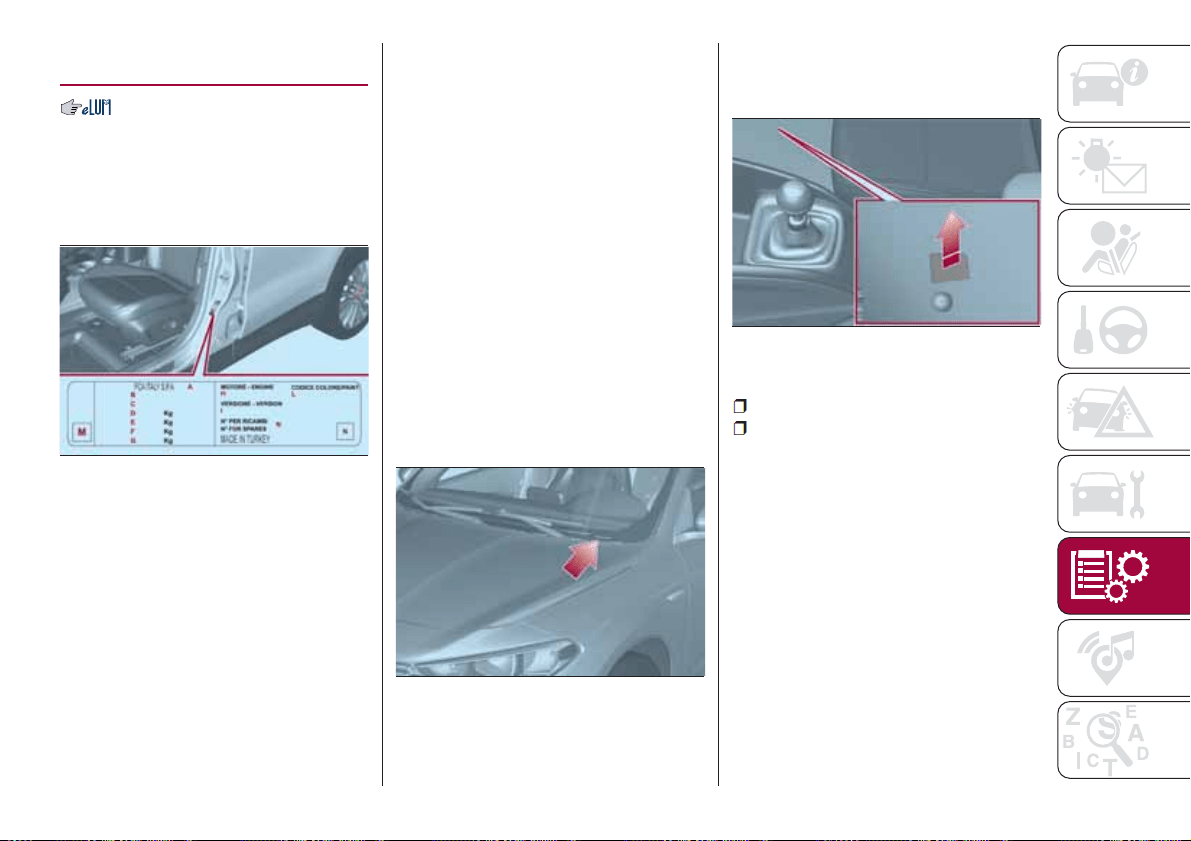
IDENTIFICATION
DATA
VEHICLE IDENTIFICATION
NUMBER (VIN) PLATE
It is located on the driver's door pillar. It
can be read with the door open and
shows the following data fig. 146:
A
Name of manufacturer
B
Vehicle type-approval number
C
Vehicle identification number
D
Technically allowed max. weight with
full load
E
Technically allowed max. weight for
combined vehicle
F
Technically allowed max. weight on
axle 1
G
Technically allowed max. weight on
axle 2
H
Engine identification
I
Type variant version
L
Paintwork colour code
M
Smoke absorption coefficient (Diesel
versions)
N
Further instructions.
VEHICLE IDENTIFICATION
NUMBER
The Vehicle Identification Number (VIN)
is stamped on the plate shown in
fig. 147, located on the front left corner
of the dashboard cover, which can be
seen from outside the vehicle, through
the windscreen.
This number is also stamped on the
passenger compartment floor, in front
of the front right seat.
To access it, lift the pre-sheared part of
the fabric fig. 148 in the direction
indicated by the arrow.
The marking includes:
type of vehicle;
chassis serial number.
ENGINE MARKING
It is stamped on the cylinder block and
includes the type and the engine serial
number.
146
10016J0003EM
147
10016J0001EM
148
10016J0002EM
149
ENGINE
164)
Versions 1.4 16V 95 HP 1.6 E.Torq
Engine code 843A1000 55268036
Cycle Otto Otto
Number and position of cylinders 4 in line 4 in line
Piston bore and stroke (mm) 72 × 84 77 × 85.8
Total displacement (cm³) 1368 1598
Compression ratio 11 ± 0.2 11 ± 0.15
Maximum power (EC) (kW) 70 81
corresponding engine speed (rpm) 6000 5500
Maximum torque (EC) (Nm) 127 152
corresponding engine speed (rpm) 4500 4500
Spark plugs
NGK - DCPR7E-N-10 or BOSCH -
YR7DEU
NGK - ZKR7B1 - 10
Fuel
Unleaded petrol 95 R.O.N. (EN228
specifications)
Unleaded petrol 95 R.O.N. (EN228
specifications)
150
TECHNICAL DATA
Versions
1.3 Multijet 95 HP E6 / E6
ECO
1.3 Multijet 95 HP E5(*) 1.6 Multijet
Engine code 55266963 199B1000 55260384
Cycle Diesel Diesel Diesel
Number and position of cylinders 4 in line 4 in line 4 in line
Piston bore and stroke (mm) 69.6 × 82 69.6 × 82 79.5 × 80.5
Total displacement (cm³) 1248 1248 1598
Compression ratio 16.8 ± 0.2 16.8 ± 0.4 16.5 ± 0.4
Maximum power (EC) (kW) 70 70 88
corresponding engine speed (rpm) 3750 4000 3750
Maximum torque (EC) (Nm) 200 200 320
corresponding engine speed (rpm) 1500 1500 1750
Fuel
Diesel for motor vehicles
(EN590 Specification)
Diesel for motor vehicles
(EN590 Specification)
Diesel for motor vehicles
(EN590 Specification)
(*) (for versions/markets, where provided)
WARNING
164) Modifications or repairs to the supply system that are not carried out correctly or do not take the system technical specifications into
account can cause malfunctions leading to the risk of fire.
151
WHEELS
RIMS AND TYRES PROVIDED
165)
Version Wheels Tyres provided
1.4 16V 95 HP
6J X 15H2 - ET 38 195 / 65 R15 91H
6 1/2J X 16H2 - ET 39 205 / 55 R16 91H
7JX17H2-ET41
225 / 45 R17 91V
(**)
1.6 E.TorQ
6J X 15H2 - ET 38 195 / 65 R15 91H
6 1/2J X 16H2 - ET 39 205 / 55 R16 91H
7JX17H2-ET41
225 / 45 R17 91V
(**)
1.3 MultiJet 95 HP
6J X 15H2 - ET 38 195 / 65 R15 91H
6 1/2J X 16H2 - ET 39 205 / 55 R16 91H
7JX17H2-ET41
225 / 45 R17 91V
(**)
1.6 Multijet 120 HP
6J X 15H2 - ET 38 195 / 65 R15 91H
6 1/2J X 16H2 - ET 39 205 / 55 R16 91H
7JX17H2-ET41
225 / 45 R17 91V
(**)
(**) (where provided)
On versions with 195 / 65 R15 and 205 / 55 R16 tyres, use smaller snow chains with a maximum projection of 9 mm beyond
the tyre profile.
152
TECHNICAL DATA
COLD TYRE INFLATION PRESSURE (bar)
When the tires are warm, the inflation pressure should be + 0.3 bar in relation to the recommended figure. However, recheck
that the value is correct with the tyre cold.
With snow tyres, add +0.2 bar to the pressure value prescribed for standard tyres.
If it is necessary to raise the vehicle, refer to the "Raising the vehicle" paragraph in the "In an emergency" chapter.
Engine versions Tyres
Unladen/medium load Full load
Full size spare
wheel
(*)
Front Rear Front Rear
1.4 16V 95 HP
195 / 65 R15
2.2 2.1 2.6 2.5
2.4
205 / 55 R16
225 / 45 R17
1.3 Multijet 95 HP /
1.6 Multijet 120 HP /
1.6 E.TorQ
195 / 65 R15
2.3 2.1 2.6 2.5205 / 55 R16
225 / 45 R17
(*) After using the spare wheel in an emergency, where necessary, align the pressure of the wheel to the recommended value as soon as
possible, with reference to the following table.
WARNING
165) If winter tyres with a lower speed rating than that indicated in the Registration Document are used, do not exceed the maximum speed
corresponding to the speed rating of the tyres used.
153
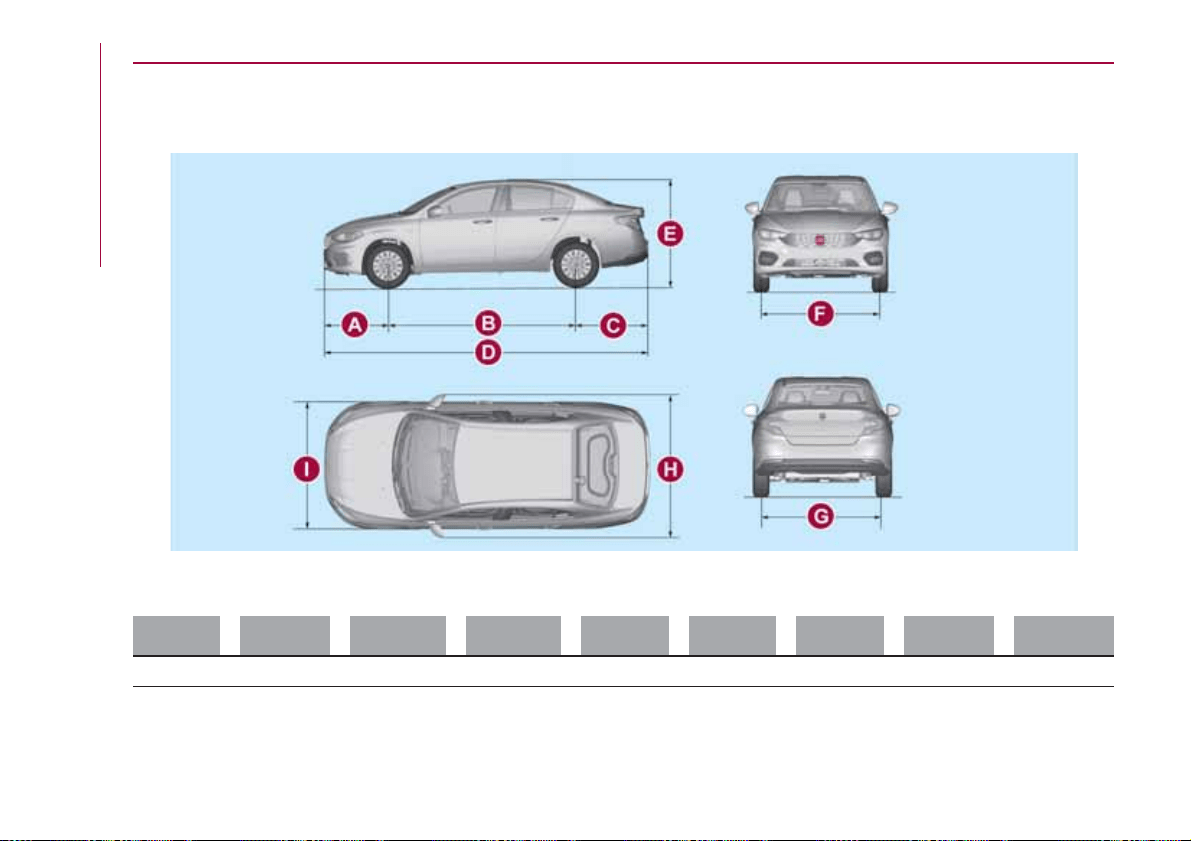
DIMENSIONS
Dimensions are expressed in mm and refer to the vehicle equipped with its standard-supplied tyres. Height is measured with
vehicle unladen. Small variations with respect to the reported values are possible depending on the dimensions of the rims.
AB C D EFGH I
893 2636 1003 4532 1497 1542 1543 2002 1792
Luggage compartment capacity: 520 litres.
149
10106J0001EM
154
TECHNICAL DATA
WEIGHTS
Weights (kg) 1.4 16V 95 HP 1.6 E.TorQ
Unladen weight (with all fluids, fuel tank filled
to 90% and without optional equipment)
1150 1205
Payload including the driver
(*)
500 500
Maximum permitted loads
(**)
– front axle 1050 1050
– rear axle 900 900
– total 1650 1705
Towable loads
– braked trailer 1200 800
– trailer without brakes 500 500
Maximum load on tow hitch (trailer with
brakes)
60 60
Maximum load on roof 55 55
(*) If special equipment is fitted, the unladen vehicle weight increases, thus reducing the specified payload.
(**) Loads not to be exceeded. The user is responsible for arranging goods in the luggage compartment and/or on the load platform within the
maximum permitted loads.
155
Weights (kg) 1.3 MultiJet 95 HP 1.6 Multijet 120 HP
Unladen weight (with all fluids, fuel tank filled
to 90% and without optional equipment)
1205 1270
Payload including the driver
(**)
500 500
Maximum permitted loads
(***)
– front axle 1050 1050
– rear axle 900 900
– total 1705 1770
Towable loads
– braked trailer 1200 1200
– trailer without brakes 500 500
Maximum load on tow hitch (trailer with
brakes)
60 60
Maximum load on roof 55 55
(**) If special equipment is fitted, the unladen vehicle weight increases, thus reducing the specified payload.
(***) Loads not to be exceeded. The user is responsible for arranging goods in the luggage compartment and/or on the load platform within the
maximum permitted loads.
156
TECHNICAL DATA
REFUELLING
1.4 16V 95 HP 1.6 E.TorQ Prescribed fuels and original lubricants
Fuel tank (litres) 45 45
Unleaded petrol with R.O.N. no lower than 95 (EN228
specifications)
including a reserve of (litres) 7 7
Engine cooling system (litres) 4.6 5.4
Mixture of distilled water and PARAFLU
UP
liquid at 50%
(*)
Engine sump (litres) 2.8 4.4
SELENIA K P.E. (EN228 specification) (1.4 16V 95 HP
versions) / SELENIA DIGITEK P.E. (1.6 E.Torq versions)
Engine sump and filter (litres) 2.95 .
Gearbox casing/differential (litres) 1.76 6.2
TUTELA TRANSMISSION GEARFORCE (1.4 16V 95 HP
versions) / TUTELA TRANSMISSION GI/VI (1.6 E.Torq
versions)
Hydraulic brake circuit (kg) 0.74 0.74 TUTELA TOP 4S
Windscreen washer fluid reservoir
(litres)
3 3 Mixture of water and TUTELA PROFESSIONAL SC35
(*) When the vehicle is used in particularly harsh weather conditions, we recommend using a 60-40 mixture of PARAFLU
UP
and demineralised
water.
157
47
1.3 Multijet
95 HP E5
1.3 Multijet
95 HP E6 /
E6 ECO
1.6 Multijet
120 HP
Prescribed fuels and original lubricants
Fuel tank (litres) 45 45 45
Diesel for motor vehicles (EN590 Specification)
including a reserve of (litres) 7 7 7
Engine cooling system (litres) 6.1 6.1 6.1
Mixture of distilled water and PARAFLU
UP
50% (**)
Engine sump (litres) 3.0 3.7 4.4
SELENIA WR P.E. (E5 versions) / SELENIA WR
FORWARD (E6 versions)
Engine sump and filter (litres) 3.2 3.9 4.8
Gearbox casing/differential (litres) 2.0 2.0 1.8 TUTELA TRANSMISSION GEARFORCE
Hydraulic brake circuit (kg) 0.74 0.74 0.74 TUTELA TOP 4S
Windscreen washer fluid reservoir
(litres)
333
Mixture of water and TUTELA PROFESSIONAL
SC35
(**) When the vehicle is used in particularly harsh weather conditions, we recommend using a 60-40 mixture of PARAFLU
UP
and demineralised
water.
158
TECHNICAL DATA
FLUIDS AND LUBRICANTS
Your vehicle is equipped with an engine oil that has been thoroughly developed and tested in order to meet the requirements of
the Scheduled Servicing Plan. Constant use of the prescribed lubricants guarantees the fuel consumption and emission
specifications. Lubricant quality is crucial for engine operation and duration.
62)
PRODUCT SPECIFICATIONS
Use Characteristics Specification
Original fluids and
lubricants
Replacement interval
Lubricant for petrol
engines (1.6 E.TorQ
versions)
SAE 0W-30
ACEA C2 / API SN
9.55535-GS1 or
MS.90048
SELENIA DIGITEK
P.E.
Contractual Technical
Reference N° F020.B12
According to Scheduled
Servicing Plan
Lubricant for petrol
engines (1.4 16v 95 HP)
SAE 5W-40
ACEA C3 / API SN
9.55535-S2
SELENIA K P.E.
Contractual Technical
Reference No.
F603.C07
According to Scheduled
Servicing Plan
Lubricant for Diesel
engines (Euro 5
versions)
SAE 5W-30
ACEA C2 / API SN
955535-S1
SELENIA WR P.E.
Contractual Technical
Reference No.
F510.D07
According to Scheduled
Servicing Plan
Lubricant for Diesel
engines (Euro 6
versions)
SAE 0W-30
ACEA C2 / API SN
9.55535-DS1 or
MS.90047
SELENIA WR
FORWARD
Contractual Technical
Reference No. F842.F13
According to Scheduled
Servicing Plan
159
Use Characteristics Specification
Original fluids and
lubricants
Applications
Lubricants and
greases for drive
transmission
SAE 75W grade
synthetic lubricant.
9.55550-MZ6 or
MS.90030-M1
TUTELA
TRANSMISSION
GEARFORCE
Contractual Technical
Reference No. F002.F10
Manual mechanical
gearbox
Synthetic lubricant grade
ATF AW-1.
9.55550-AV2
TUTELA
TRANSMISSION GI/VI
Contractual Technical
Reference no. F336.G05
Lubricant for versions
with AT6 automatic
gearbox
Grease for constant
velocity joints with low
friction coefficient.
N.L.G.I. consistency 0-1
9.55580 – GRASS II
TUTELA STAR 700
Contractual Technical
Reference No. F701.C07
Differential side constant
velocity joints
Molybdenum disulphide
grease, for use at high
temperatures. N.L.G.I.
consistency 1-2
9.55580-GRAS II
TUTELA ALL STAR
Contractual Technical
Reference No. F702.G07
Wheel side constant
velocity joints
160
TECHNICAL DATA
Use Characteristics Specification
Original fluids and
lubricants
Applications
Brake fluid
Synthetic fluid for brake
and clutch systems.
Exceeds specifications:
FMVSS no. 116 DOT 4,
ISO 4925 SAE J1704.
9.55597 or MS.90039
TUTELA TOP 4S
Contractual Technical
Reference No. F001.A93
Hydraulic brakes and
hydraulic clutch controls
Protective agent for
radiators
Protective agent with
antifreeze action with
organic formulation.
CUNA NC 956-16,
ASTM D 3306
Specifications.
9.55523 or MS.90032
PARAFLU
UP
(*)
Contractual Technical
Reference No.
F101.M01
Cooling circuits
proportions of use: 50%
water 50% PARAFLU
UP
(**)
Diesel fuel additive
Additive for Diesel with
antifreeze and protective
action for Diesel engines
-
TUTELA DIESEL ART
Contractual Technical
Reference No. F601.L06
To mix with Diesel (25 cc
per 10 litres)
Windscreen washer
fluid
Mixture of spirits and
surfactants. Exceeds
CUNA NC 956-11
specifications
9.55522 or MS.90043
TUTELA
PROFESSIONAL SC
35
Contractual Technical
Reference No. F201.D02
To be used diluted or
undiluted in screen
washer/wiper systems
(*) Do not top up or mix with other fluids which have different specifications from the ones described.
(**) When the vehicle is used in particularly harsh weather conditions, we recommend using a mixture of 60% PARAFLU
UP
and 40%
demineralised water.
IMPORTANT
62) The use of products with different specifications than those indicated above could cause damage to the engine that is not covered by the
warranty.
161
PERFORMANCE
Top speeds after the initial period of usage of the vehicle.
Versions km/h
1.4 16V 95 HP 185
1.6 E.TorQ 192
1.3 Multijet 95 HP E5
(*)
183
1.3 Multijet 95 HP E6 / E6 ECO 180
1.6 Multijet 120 HP 199
(*) (for versions/markets, where provided)
162
TECHNICAL DATA
FUEL CONSUMPTION
The fuel consumption figures given in the table below are determined on the basis of the type-approval tests laid down by
specific European Directives.
The following procedures are used to measure the fuel consumption:
urban cycle: cold starting followed by driving that simulates urban use of the vehicle;
extra-urban cycle: followed by driving simulating extra-urban use of the car with frequent accelerating in all gears, speed
varies between 0 and 120 km/h;
combined fuel consumption: calculated with a weighting of approximately 37% of the urban cycle and 63% of the
extra-urban cycle.
IMPORTANT The type of route, traffic conditions, weather conditions, driving style, general condition of the car, trim
level/equipment/accessories, use of the climate control system, car load, presence of roof racks and other situations that
adversely affect the aerodynamics or wind resistance lead to different fuel consumption values than those measured.
IMPORTANT The fuel consumption will get more regular only after having driven the first 3000 km.
163
FUEL CONSUMPTION ACCORDING TO THE CURRENT EUROPEAN DIRECTIVE
(litres/100 km)
Versions Urban Extra-urban Combined
1.4 16V 95 HP 7.7 4.6 5.7
1.6 E.TorQ 8.5 5.0 6.3
1.3 Multijet 95 HP E6 5.2 3.5 4.1
1.3 Multijet 95 HP E6 ECO 4.3 3.4 3.7
1.3 Multijet 95 HP E5
(*)
5.4 3.5 4.2
1.6 Multijet 120 HP 5.2 3.6 4.2
(*) (for versions/markets, where provided)
164
TECHNICAL DATA
CO2 EMISSIONS
The CO
2
emission levels given in the following table refer to combined consumption.
Versions
CO EMISSIONS
2
ACCORDING TO THE EUROPEAN DIRECTIVE IN FORCE
(g/km)
1.4 16V 95 HP 133
1.6 E.TorqQ 146
1.3 Multijet 95 HP E6 108
1.3 Multijet 95 HP E6 ECO 98
1.3 Multijet 95 HP E5
(*)
110
1.6 Multijet 120 HP 110
(*) (for versions/markets, where provided)
165

PRESCRIPTIONS FOR HANDLING THE VEHICLE AT THE END OF ITS
LIFE
(for versions/markets, where provided)
FCA has been committed for many years to safeguarding the environment through the constant improvement of its production
processes and manufacturing products that are increasingly "eco-compatible". To grant customers the best possible service in
terms of respecting environmental laws and in response to European Directive 2000/53/EC governing vehicles at the end of
their life, FCA is offering its customers the chance to hand over their vehicle at the end of its life without incurring any additional
costs. The European Directive sets out that when the vehicle is handed over, the last keeper or owner should not incur any
expenses as a result of it having a zero or negative market value.
To hand your vehicle over at the end of its life without extra cost, contact one of our dealerships if you are purchasing another
vehicle or an FCA-authorised collection and scrapping centre. These centres have been carefully chosen to offer high quality
service for the collection, treatment and recycling of vehicles at their end of life, respecting the surrounding environment.
You can find further information on these collection and scrapping centres either from an FCA dealership or by calling the
number in the Warranty Booklet or by consulting the websites of the various FCA brands.
166
TECHNICAL DATA
MULTIMEDIA
This chapter describes the main
functions of the Uconnect™ 3" Radio,
Uconnect™ 5", Uconnect™ 5" Nav
infotainment systems that can be fitted
on the vehicle.
TIPS, CONTROLS AND GENERAL
INFORMATION..............168
.........170
.179
167
3Radio
Uconnect
™
.
5" - 5" Na
Uconnect
™
Uconnect
™
v

TIPS, CONTROLS
AND GENERAL
INFORMATION
ROAD SAFETY
Learn how to use the various system
functions before setting off.
Read the instructions for the system
carefully before setting off.
166) 167)
RECEPTION CONDITIONS
Reception conditions change
constantly while driving. Reception may
be interfered with by the presence of
mountains, buildings or bridges,
especially when you are far away from
the broadcaster.
IMPORTANT The volume may be
increased when receiving traffic
information and news.
CARE AND
MAINTENANCE
Observe the following precautions to
ensure the system is fully operational:
the display lens should not come into
contact with pointed or rigid objects
which could damage its surface; use a
soft, dry anti-static cloth to clean and
do not press.
never use alcohol, petrols and
derivatives to clean the display lens.
prevent any liquid from entering the
system: this could damage it beyond
repair.
63) 64)
ANTITHEFT PROTECTION
The system is equipped with an
anti-theft protection system based on
the exchange of information with the
electronic control unit (Body Computer)
on the vehicle.
This guarantees maximum safety and
prevents the secret code from being
entered after the power supply has
been disconnected.
If the check has a positive outcome, the
system will start to operate, whereas if
the comparison codes are not the same
or if the electronic control unit (Body
Computer) is replaced, the system will
ask the user to enter the secret code
according to the procedure described
in the paragraph below.
Entering the secret code
When the system is switched on, if the
code is requested, the display will show
"Please enter Anti-Theft Code" followed
by the screen showing a keypad to
enter the secret code.
The secret code is made up of four
digits from 0 to 9.
Uconnect™ 3” Radio:
To enter the first digit of the code,
turn the "BROWSE/ENTER" right knob
and press to confirm.
After inserting the fourth digit, move
the cursor to "OK" and press the
"BROWSE ENTER" right knob: the
system will start to operate.
Uconnect™ 5” and Uconnect™ 5”
Nav:
Use the graphic buttons on the
display to enter the code digits.
If an incorrect code is entered, the
system displays "Incorrect Code" to
notify the user of the need to enter the
correct code.
After the 3 available attempts to enter
the code, the system displays
"Incorrect Code. Radio locked. Wait for
30 minutes". After the text has
disappeared it is possible to start the
code entering procedure again.
Vehicle radio passport
This document certifies ownership of
the system. The vehicle radio passport
shows the system model, serial number
and secret code.
In case of loss of the car radio
passport, contact the Fiat Dealership,
taking an ID document and the car
ownership documents.
IMPORTANT Keep the vehicle radio
passport in a safe place so that you
168
MULTIMEDIA
can give the information to the relevant
authorities if the system is stolen.
IMPORTANT NOTES
Look at the screen only and when it is
necessary and safe. If you need to look
at the screen for a long time, pull over
to a safe place so as not to be
distracted while driving.
Immediately stop using the system in
the event of a fault. Otherwise the
system might be damaged. Contact a
Fiat Dealership as soon as possible to
have the system repaired.
WARNING
166) Follow the safety rules here below:
otherwise serious injuries may occur to the
occupants or the system may be
damaged.
167) If the volume is too loud this can be
dangerous. Adjust the volume so that you
can still hear background noises (e.g.
horns, ambulances, police vehicles, etc.).
IMPORTANT
63) Only clean the front panel and the
display lens with a soft, clean, dry,
anti-static cloth. Cleaning and polishing
products may damage the surface. Never
use alcohol, petrols and derivatives.
64) Do not use the display as a base for
supports with suction pads or adhesives for
external navigators or smartphones or
similar devices.
169
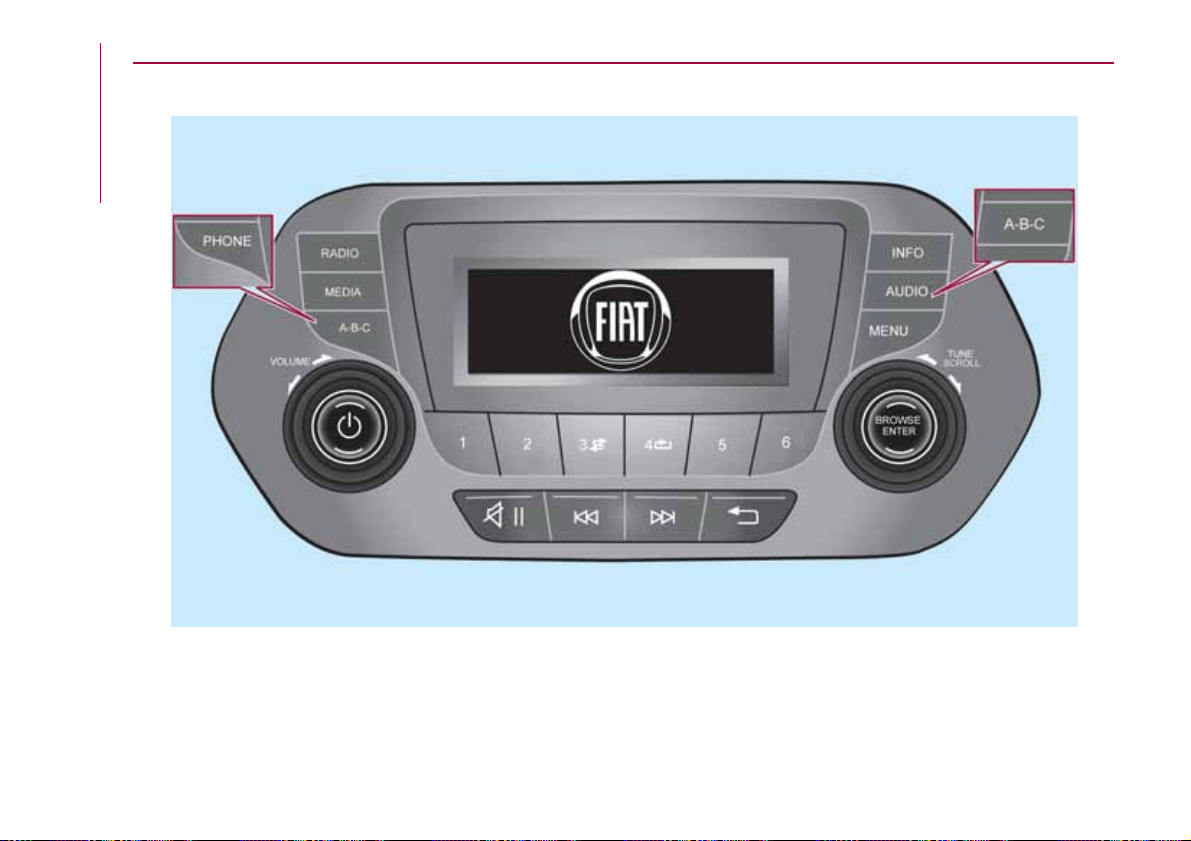
CONTROLS ON FRONT PANEL
150
11016J0001EM-high.jpg
170
MULTIMEDIA
Uconnect
TM
3” Radio
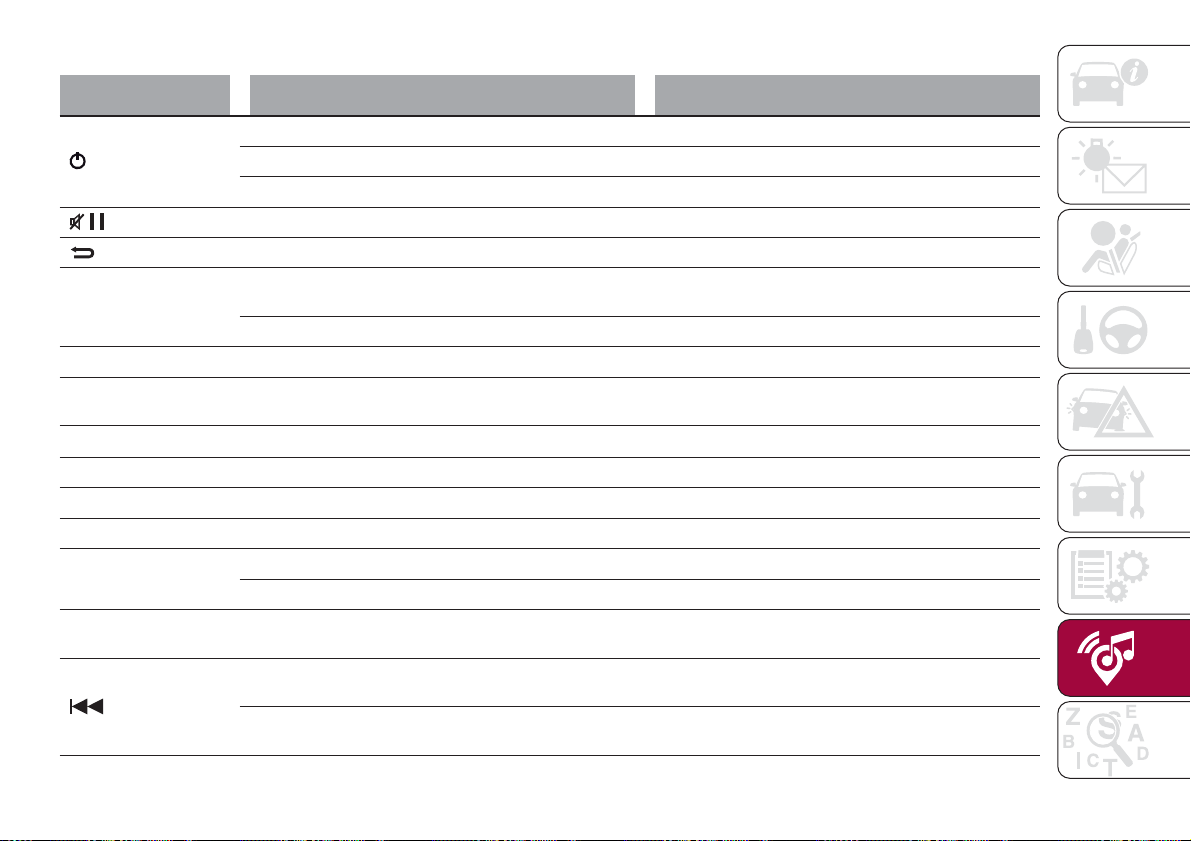
FRONT PANEL CONTROL SUMMARY TABLE
Button Functions Mode
Switching on Short button press
Switching off Short button press
Volume adjustment Knob clockwise/anticlockwise turning
Volume activation/deactivation (Mute/Pause) Short button press
Exit the selection/return to previous screen Short button press
BROWSE ENTER
Scrolling the list or tuning to a radio station or select
previous/next track
Knob clockwise/anticlockwise turning
Confirmation of the option displayed Short button press
INFO Display mode selection (Radio, Media) Short button press
PHONE
(*)
Access to Telephone mode (or versions/markets,
where provided)
Short button press
AUDIO
(*)
Access to the sound setting and adjustment functions Short button press
MENU Access to the Infotelematic Settings/System menu Short button press
MEDIA Source selection: USB/iPod or AUX Short button press
RADIO Access to the Radio mode Short button press
1-2-3-4-5-6
Store current radio station Long button press
Stored radio station recall Short button press
A-B-C
Selection of the group of radio presets or selection of
the desired letter in each list
Short button press
Search for previous radio station or selection of
USB/iPod previous track
Short button press
Scan of lower frequencies until released/fast return of
USB/iPod track
Long button press
(*) (for versions/markets, where provided)
171
Button Functions Mode
Search for next radio station or selection of USB/iPod
next track
Short button press
Scan of higher frequencies until released/Fast forward
of USB/iPod track
Long button press
Shuffle of USB/iPod tracks Short button press
USB/iPod loop Short button press
172
MULTIMEDIA
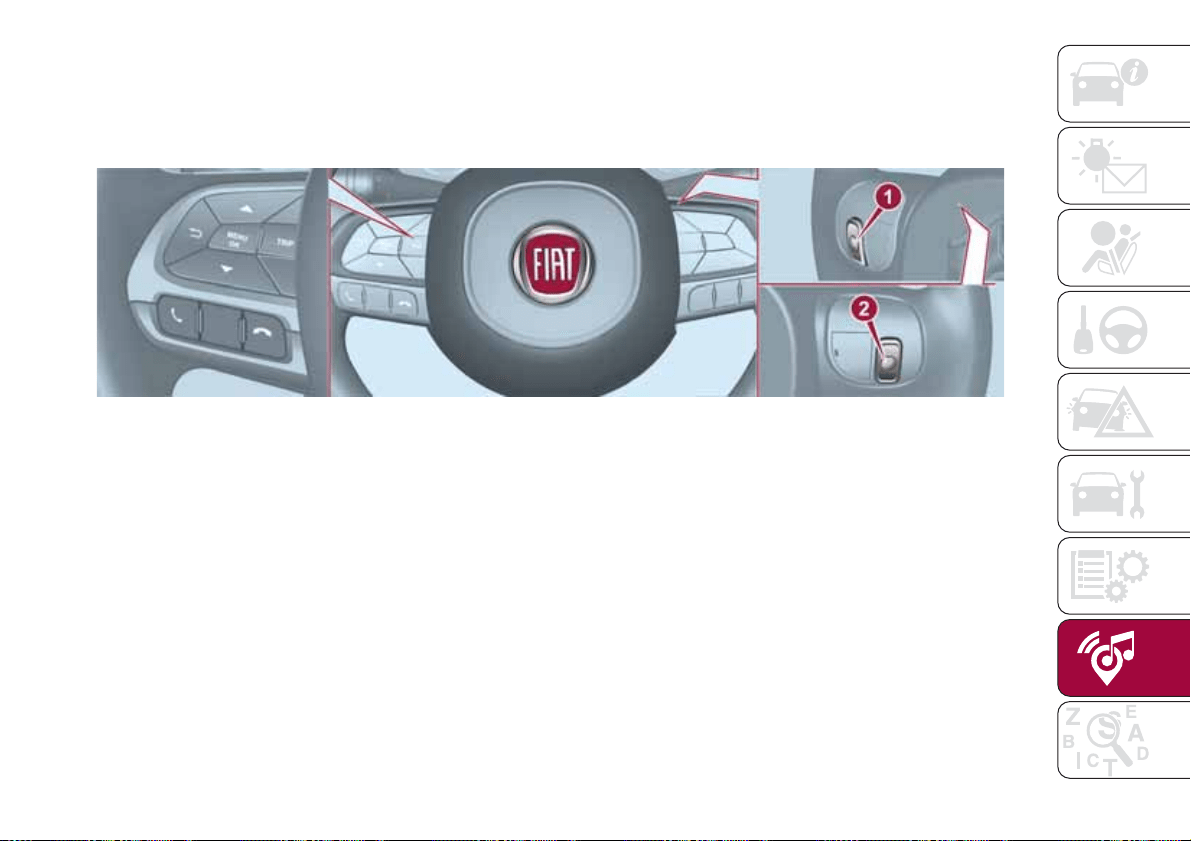
CONTROLS ON STEERING WHEEL
The controls for the main system functions are present on the steering wheel to make control easier. The activation of the
function selected is controlled, in some cases, by how long the button is pressed (short or long press) as described in the table
below.
151
11026J0005EM
173
STEERING WHEEL CONTROL SUMMARY TABLE
Button Interaction
Acceptance of incoming call
Acceptance of the second incoming call and putting the active call on hold
Rejection of incoming call
Ending of call in progress
174
MULTIMEDIA
CONTROLS BEHIND THE STEERING WHEEL
Buttons Interaction
Button 1 (steering wheel left side)
Upper button
Brief button press: search for next radio station or selection of USB/iPod next
track.
Long button press: scan of higher frequencies until released/fast forward of
USB/iPod track.
Central button
With each press it scrolls through sources AM, FM, USB/iPod, AUX. Only the
available sources will be selected.
Lower button
Brief button press: search for previous radio station or selection of USB/iPod next
track.
Long button press: scan of lower frequencies until released/fast forward of
USB/iPod track.
Button 2 (steering wheel right side)
Upper button
Increasing volume
Brief button press: single volume increase
Long button press: fast volume increase
Central button Activation/deactivation of Mute function
Lower button
Decreasing volume
Brief button press: single volume decrease
Long button press: fast volume decrease
175

SWITCHING THE SYSTEM
ON/OFF
The system is switched on/off by
pressing the
button/knob.
Turn the button/knob clockwise to
increase the radio volume or
anticlockwise to decrease it.
RADIO (TUNER) MODE
The system is equipped with the
following tuners: AM, FM and DAB (for
versions/markets, where provided).
Radio mode selection
Press the RADIO button on the front
panel to activate radio mode.
Selecting a frequency band
The different tuning modes can be
selected by pressing the RADIO button
on the front panel.
Indications on display
After the desired radio station is
selected on the display, the following
information is shown (INFO mode
activated):
In the upper part: the preset station, the
time and the other active radio settings
are highlighted.
In the central part: the name of the
current station, the frequency and the
radio text information (if any) are
highlighted.
FM station list
Press the BROWSE ENTER
button/knob to display the complete list
of the FM stations that can be received.
AM/FM radio station storage
The preset stations are available in all
system modes and are selected by
touching one of the presetting buttons
1-2-3-4-5-6 on the front panel. If you
are tuned to a radio station that you
wish to store, hold down the button on
the display which corresponds to the
desired preset until an acoustic
confirmation signal is emitted.
AM/FM radio station selection
To search for the desired radio station
press the
or button or use the
wheel of the steering wheel controls, or
turn the "BROWSE ENTER" knob.
Previous/next radio station search
Briefly press the
or button:
when the button is released the
previous or the next radio station is
displayed.
Previous/next radio station fast
search
Hold down the
or button to
start the fast search: when the button is
released, the first tunable radio is
played.
MEDIA MODE
Interaction modes for AUX, USB/iPod
operation.
Audio source selection
To select the desired audio source
among those available: AUX o
USB/iPod, press the MEDIA button.
WARNING Some multimedia player
devices may not be compatible with the
Uconnect™ system.
Track change (next/previous)
Briefly press the
button to play the
next track or briefly press the
button to return to the beginning
of the selected track or to the beginning
of the previous track if this has been
played for less than 3 seconds.
Fast forward/rewind through tracks
Press and hold down the
button to
fast forward the selected track or keep
the
button pressed to fast rewind
the track.
Track selection (browse)
Use this function to scroll through and
select the tracks on the active device.
The choices available depend on the
device connected. For example, on a
USB/iPod device you can also scroll
through the list of artists, genres and
albums available on the device
depending on the information present
176
MULTIMEDIA
on the tracks using the BROWSE
ENTER button/knob.
Within each alphabetical list, the A-B-C
button on the front panel allows the
user to skip to the desired letter in the
list.
NOTE This button might be disabled for
some Apple® devices.
Press the BROWSE ENTER button to
activate this function on the source
being played. Turn the BROWSE
ENTER button/knob to select the
desired category and then press the
button/knob to confirm the selection.
Press the
button to cancel the
function.
NOTE The BROWSE ENTER button
does not allow any operation on an
AUX device.
Track information display
Press the INFO button to select the
information displayed while playing
(Artist, Album, Genre, Name, Folder, File
name). Press the
button to exit the
screen.
Shuffle
Press the
button to play the tracks
on USB/iPod in a random order. Press
again to deactivate the function.
Repeat
To listen to the track again, press the
button. Press again to deactivate
the function.
USB/iPod SOURCE
To activate the USB/iPod mode insert
the corresponding device (USB or iPod)
in the USB port present on the vehicle.
If a USB/iPod device is inserted with the
system on, this starts playing the tracks
present on the device.
IMPORTANT When connecting a device
(USB or iPod) to the USB port, make
sure that it does not obstruct the
operation of the handbrake lever.
AUX SOURCE
To activate AUX mode, insert an
appropriate device in the AUX socket
on the car (see the image in the
"USB/iPod Support" paragraph).
When a device WITH AUX output is
inserted the system starts reproducing
the AUX source connected, if it is
already being played.
Adjust the volume using the
button/knob on the front panel or
using the volume adjustment control on
the connected device.
For the "Audio source selection"
function, see the "Media mode"
chapter.
IMPORTANT NOTES
The functions of the device connected
with the AUX socket are directly
managed by the device itself: it is not
possible to change track/folder/playlist
or control playing start/end/pause with
the controls on the front panel or on the
steering wheel.
Do not leave the cable of your portable
player connected to the AUX socket
after disconnection, to avoid possible
hiss from the speakers.
IMPORTANT When connecting a device
to the AUX socket, make sure that it
does not obstruct the operation of the
handbrake lever.
PHONE MODE
(where provided)
Activate phone mode
Press the PHONE button on the front
panel to activate the Phone mode.
The available commands can be used
to:
dial the wished phone number;
display and call the contacts in the
mobile phone phonebook;
display and call contacts from the
registers of previous calls;
pair up to 8 phones to make access
and connection easier and quicker;
transfer calls from the system to the
mobile phone and vice versa and
177
deactivate the microphone audio for
private conversations.
The mobile phone audio is transmitted
through the vehicle’s audio system; the
system automatically mutes the radio
when the Phone function is used.
Pairing a mobile phone
To pair the mobile phone, proceed as
follows:
activate the Bluetooth® function on
the mobile phone;
press the PHONE button on the
front panel;
if no phone is paired with the system
yet, the display shows a dedicated
screen;
select "Connect Phone" to start the
pairing procedure then search for the
Uconnect™ device on the mobile
phone (if "No" is selected, the Phone
main screen is displayed);
when prompted by the mobile
phone, use the phone keypad to enter
the PIN code shown on the system
display or confirm on the mobile phone
the PIN displayed;
from the "Settings" menu you can
always pair a mobile phone by selecting
"Phone menu/Add phone", then
proceed as described above;
during the pairing stage a screen is
displayed showing the progress of the
operation.
NOTE After updating the telephone
software, it is advisable for correct
operation to remove the telephone from
the list of devices paired to the radio,
delete the previous pairing of the
system also from the available
Bluetooth device list on the telephone
and pair it again.
Making a phone call
The operations described below can
only be accessed if supported by the
mobile phone in use.
A call can be made by:
selecting "Contacts" (Phonebook
......);
selecting "Recent Calls list";
selecting "Keypad".
Dialling the phone number using
the "keypad" on the display
Enter the phone number using the
graphic keypad displayed.
Proceed as follows:
press the PHONE button on the
front panel;
select "Keypad" on the display and
use the "BROWSE/ENTER" right knob
to enter the number;
select the icon to call.
Dialling the phone number using
the mobile phone
It is possible to dial a phone number
with the mobile phone and continue
using the system (never allow yourself
to be distracted while driving).
When a phone number is dialled with
the keypad of the mobile phone, the
audio of the call is played over your
vehicle's sound system.
178
MULTIMEDIA
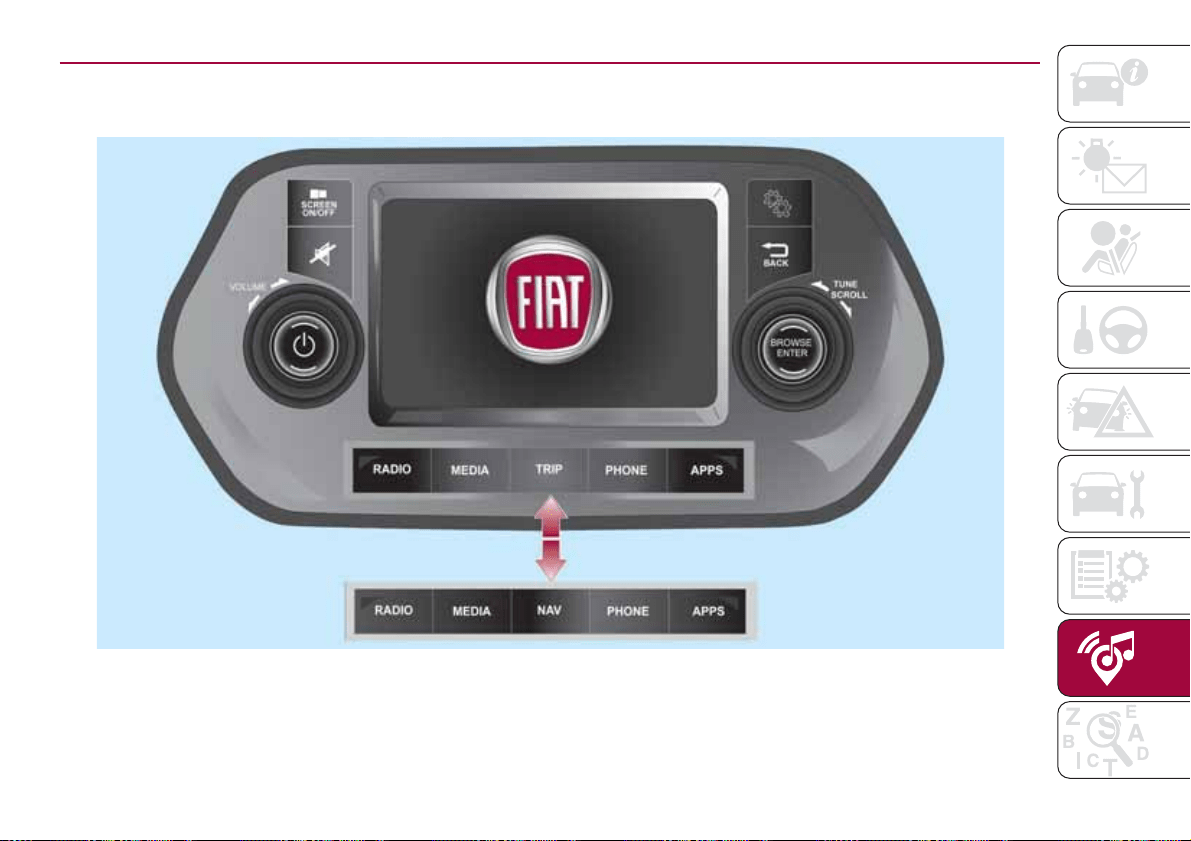
CONTROLS ON FRONT PANEL
152
11086J0002EM
179
Uconnect 5" - Uconnect 5" Nav
TM
TM
FRONT PANEL CONTROL SUMMARY TABLE
Button Functions Mode
Switching on Short button press
Switching off Short button press
Volume adjustment Left/right rotation of knob
Volume activation/deactivation (Mute/Pause) Short button press
Display on/off Short button press
Exit the selection/return to previous screen Short button press
Settings Short button press
BROWSE ENTER
Scrolling the list or tuning to a radio station Left/right rotation of knob
Confirmation of the option displayed Short button press
APPS
Access to the additional functions (display of Time,
Compass, Outside temperature, Media, Radio, etc.)
Short button press
PHONE Phone data display Short button press
TRIP (*) Access to the Trip menu Short button press
NAV (**) Access to navigation (map) Short button press
MEDIA
Support selection: USB/iPod, AUX,
Bluetooth®
Short button press
RADIO Access to the Radio mode Short button press
(*) Only UConnect™ 5”
(**) Only UConnect™ 5” Nav
180
MULTIMEDIA
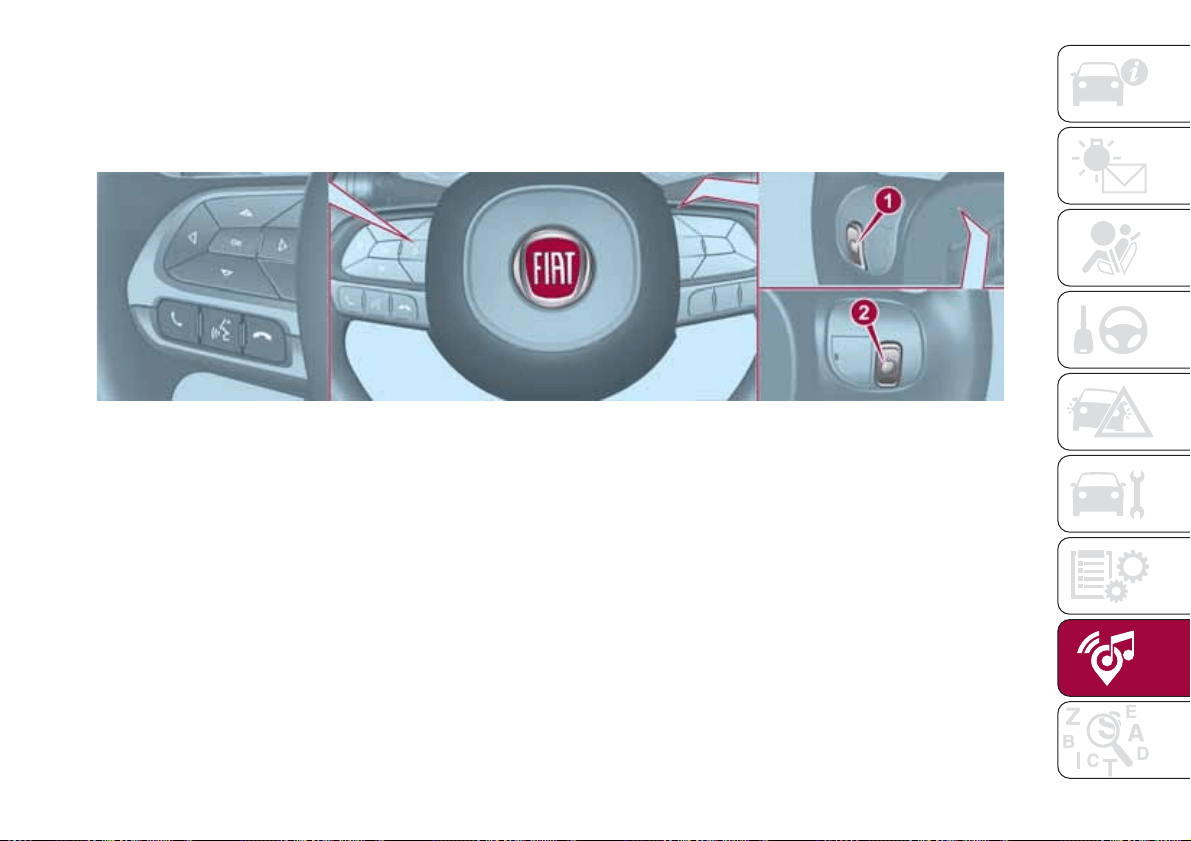
CONTROLS ON STEERING WHEEL
The controls for the main system functions are present on the steering wheel to make control easier.
The activation of the function selected is controlled, in some cases, by how long the button is pressed (short or long press) as
described in the table below.
153
11026J0006EM
181
STEERING WHEEL CONTROL SUMMARY TABLE
Button Interaction
Acceptance of incoming call
Acceptance of the second incoming call and putting the active call on hold
Display of the last 10 calls on the instrument panel
Activation of voice recognition
Interruption of the voice message in order to give a new voice command
Interruption of voice recognition
Rejection of incoming call
Ending of call in progress
Exit the display on the instrument panel of the last calls (only with call browsing active)
Short press (phone mode): selection of next/previous call or SMS (only with call browsing active)
182
MULTIMEDIA
CONTROLS BEHIND THE STEERING WHEEL
Buttons Interaction
Button 1 (steering wheel left side)
Upper button
Brief button press: search for next radio station or selection of USB/iPod next
track.
Long button press: scan of higher frequencies until released/fast forward of
USB/iPod track.
Central button
With each press it scrolls through sources AM, FM, USB/iPod, AUX. Only the
available sources will be selected.
Lower button
Brief button press: search for previous radio station or selection of USB/iPod next
track.
Long button press: scan of lower frequencies until released/fast forward of
USB/iPod track.
Button 2 (steering wheel right side)
Upper button
Increasing volume
Brief button press: single volume increase
Long button press: fast volume increase
Central button Activation/deactivation of Mute function
Lower button
Decreasing volume
Brief button press: single volume decrease
Long button press: fast volume decrease
183

SWITCHING THE SYSTEM
ON/OFF
The system is switched on/off by
pressing the
button/knob.
Turn the button/knob clockwise to
increase the radio volume or
anticlockwise to decrease it.
RADIO MODE
After the desired radio station is
selected, the following information is
shown on the display:
At the top: the list of radio stations
stored (preset) is displayed; the station
being listened to is highlighted.
In the middle: display of the name of
the current radio station and the
buttons for selecting the previous or
next radio station.
At the bottom: display of the following
buttons:
"Browse": list of the radio stations
available;
"AM/FM", "AM/DAB", "FM/DAB":
selection of the desired frequency band
(button reconfigurable according to the
band selected: AM, FM or DAB);
"Tune" : manual radio station tuning
(not available for DAB radios);
"Info": additional information on the
source being listened to;
"Audio": access to the "Audio
setting" screen.
Audio menu
To access the "Audio" menu press the
Audio" button located at the bottom of
the display.
The following adjustments can be
carried out using the "Audio" menu:
"Equalizer" (for versions/markets,
where provided);
"Balance/Fader" (left/right and
front/rear audio balance adjustment);
"Speed/Volume" (speed-dependent
automatic volume control);
"Loudness" (for versions/markets,
where provided);
"Auto-On Radio";
To exit the "Audio" menu, press the
/Done button.
MEDIA MODE
Press the "Source" button to select the
desired audio source among those
available: AUX, USB, iPod and
Bluetooth®.
Applications used on portable devices
may be not compatible with the
Uconnect™ system
Track selection (browse)
Use this function to scroll through and
select the tracks on the active device.
The choices available depend on the
device connected.
For example, on a USB/iPod device you
can also scroll through the list of artists,
genres and albums available on the
device depending on the information
present on the tracks using the
BROWSE ENTER button/knob.
Within each list, the "ABC" button
allows the user to skip to the desired
letter in the list.
NOTE This button might be disabled for
some
Apple®devices.
NOTE The BROWSE ENTER button
does not allow any operation on an
AUX device.
Press the BROWSE ENTER button to
activate this function on the source
being played.
Turn the BROWSE ENTER button/knob
to select the desired category and then
press the button/knob to confirm the
selection.
Press the
button to cancel the
function.
Bluetooth® SOURCE
This mode is activated by pairing a
Bluetooth® device containing music
tracks with the system.
PAIRING A Bluetooth®
AUDIO DEVICE
To pair a Bluetooth® audio device,
proceed as follows:
activate the Bluetooth® function on
the device;
184
MULTIMEDIA
press the MEDIA button on the front
panel;
if the "Media" source is active, press
the "Source" button;
select the Bluetooth® Media
source;
press the "Add Device" button;
search for Uconnect™ on the
Bluetooth® audio device (during the
pairing stage a screen is displayed
showing the progress of the operation);
when requested by the audio device,
enter the PIN code shown on the
system display or confirm on the device
the PIN displayed;
if the pairing procedure is completed
successfully, a screen is displayed.
Answer "Yes" to the question to pair the
Bluetooth® audio device as favourite
(the device will have priority over all
other devices to be paired
subsequently). If "No" is selected, the
priority is determined according to the
order of connection. The last device
connected will have the highest priority;
an audio device can also be paired
by pressing the PHONE
button on
the front panel and by selecting
"Settings" or, from the "Settings" menu,
selecting "Phone/Bluetooth".
WARNING If the
Bluetooth®
connection between mobile phone and
system is lost, consult the mobile
phone handbook.
USB/iPod SOURCE
To activate the USB/iPod mode insert
the corresponding device (USB or iPod)
in the USB port located in the central
console.
If a USB/iPod device is inserted with the
system on, this starts playing the tracks
present on the device.
AUX SOURCE
To activate AUX mode, insert an
appropriate device in the AUX socket
on the vehicle.
When a device is inserted using the
AUX output socket the system starts
reproducing the AUX source
connected, if it is already being played.
Adjust the volume using the
button/knob on the front panel or
using the volume adjustment control on
the connected device.
For the "Audio source selection"
function, see the "Media mode"
chapter.
IMPORTANT NOTES
The functions of the device connected
with the AUX socket are directly
managed by the device itself: it is not
possible to change track/folder/playlist
or control playing start/end/pause with
the controls on the front panel or on the
steering wheel.
Do not leave the cable of your portable
player connected to the AUX socket
after disconnection, to avoid possible
hiss from the speakers.
PHONE MODE
PHONE MODE ACTIVATION
Press the PHONE button on the front
panel to activate the Phone mode.
NOTE To consult the list of mobile
phones and supported functions, visit
the www.driveuconnect.eu website
Use the buttons on the display to:
dial the phone number (using the
graphic keypad on the display);
display and call the contacts in the
mobile phone phonebook;
display and call contacts from the
registers of previous calls;
pair up to 10 phones/audio devices
to make access and connection easier
and quicker;
transfer calls from the system to the
mobile phone and vice versa and
deactivate the microphone audio for
private conversations.
The mobile phone audio is transmitted
through the vehicle’s audio system; the
system automatically mutes the radio
when the Phone function is used.
PAIRING A MOBILE PHONE
IMPORTANT Carry out this operation
only with vehicle stationary and in safety
185
conditions; this function is deactivated
when the vehicle is moving.
The pairing procedure for a mobile
phone is described below: always
consult the handbook for the mobile
phone in any case.
To pair the mobile phone, proceed as
follows:
activate the Bluetooth® function on
the mobile phone;
press the PHONE button on the front
panel;
if no phone is paired with the system
yet, the display shows a dedicated
screen;
select "Yes" to start the pairing
procedure, then search for the
Uconnect™ device on the mobile
phone (if "No" is selected, the Phone
main screen is displayed);
when prompted by the mobile
phone, use its keypad to enter the PIN
code shown on the system display or
confirm on the mobile phone the PIN
displayed;
from the "Phone" screen you can
always pair a mobile phone by pressing
the "Settings" button: press the "Add
Device" button and proceed as
described above;
during the pairing stage a screen is
displayed showing the progress of the
operation;
when the pairing procedure is
completed successfully, a screen is
displayed: answer "Yes" to the question
to pair the mobile phone as favourite
(the mobile phone will have priority over
all other mobile phones to be paired
subsequently). If no other devices are
paired, the system will consider the first
associated device as favourite.
NOTE After updating the telephone
software, it is advisable for correct
operation to remove the telephone from
the list of devices paired to the radio,
delete the previous pairing of the
system also from the available
Bluetooth device list on the telephone
and pair it again.
MAKING A PHONE CALL
The operations described below can
only be accessed if supported by the
mobile phone in use.
For all functions available, refer to the
mobile phone owner's handbook.
A call can be made by:
selecting the icon (mobile phone
phonebook);
selecting "Recent Calls";
selecting the icon;
pressing the "Redial" button.
SMS MESSAGE READER
The system can read the messages
received by the mobile phone.
To use this function the mobile phone
must support the SMS exchange
function through
Bluetooth®.
If this function is not supported by the
phone, the corresponding
button is
deactivated (greyed out).
When a text message is received, the
display will show a screen where the
options "Listen", "Call" or "Ignore" can
be selected.
Press the
button to access the list
of SMS messages received by the
mobile phone (the list displays a
maximum of 60 messages received).
SETTINGS
Press the button on the front panel
to display the main "Settings" menu.
NOTE The menu items displayed vary
according to the versions.
The menu includes the following items:
Display;
Units;
Voice commands;
Clock & Date;
Safety / Assistance;
Lights;
Doors & Locks;
Vehicle Shutdown Options;
Audio;
Phone / Bluetooth;
Configurat. SiriusXM (where
provided);
186
MULTIMEDIA
Radio Setup;
Restore settings
Safety/Assistance
(where provided)
This function can be used to carry out
the following adjustments:
"Rear View camera" (where
provided): this function can be used to
carry out the following adjustments:
- "Active Guidelines" (where provided):
permits the activation of dynamic grids
that indicate the route of the vehicle on
the display.
- "Rit. telec. - "Rear View cam.delay"
(where provided): permits a delay in the
disappearance of images from the
camera when reverse is disengaged.
"Frnt Coll. Warning" (where
provided): this function can be used to
select the Full Brake Control system
intervention mode.
The options available are:
- "Off": the system is deactivated;
- "Only warning": the system intervenes
only by providing the driver with an
acoustic warning (where provided);
- "Only active braking": the system
intervenes by activating automatic
braking (where provided);
- "Warning + active braking": the
system intervenes by providing the
driver with an acoustic warning and
activating automatic braking.
"Fwd Coll. Sensitivity" (where
provided): this function can be used to
select the "readiness" of the system to
intervene, on the basis of distance from
the obstacle.
The options available are "Near",
"Med", "Far".
"Park Assist" (where provided): this
function can be used to select the type
of warning provided by the Park Assist
system.
The options available are:
- "Sound Only": the system warns the
driver that an obstacle is present
through acoustic warnings only, via the
speakers in the vehicle.
- "Sound & Display": the system warns
the driver that an obstacle is present
through acoustic (via the speakers in
the vehicle) and visual (on the
instrument panel) warnings.
"Front Park Assist vol." (where
provided): this function can be used to
select the volume of the acoustic
warnings provided by the front Park
Assist system.
"Rear Park Assist vol." (where
provided): this function can be used to
select the volume of the acoustic
warnings provided by the rear Park
Assist system.
"Park Assist vol." (where provided):
this function can be used to select the
volume of the acoustic warnings
provided by the Park Assist system.
"Lane Assist Warning" (where
provided): this function can be used to
select the LaneAssist system
intervention "readiness".
"Lane Assist Strength" (where
provided): this function can be used to
select the force to apply to the steering
wheel to put the vehicle back in the
lane through the electric steering
system, in the event of Lane Assist
system intervention.
"Blind Spot Alert" (where provided):
this function can be used to select the
type of warning ("Sound Only" or
"Sound & Display") to indicate the
presence of objects in the blind spot of
the door mirror.
"Rain sensor" (where provided): this
function can be used to activate/
deactivate the automatic operation of
the wipers in the event of rain.
"Brakes" (where provided): this
function can be used to select the
following submenus:
- "Brake Service" (where provided):
allows you to activate the procedure for
carrying out braking system servicing;
- "Auto Park Brake" (where provided):
187

allows you to activate/deactivate the
automatic park brake engagement.
NAVIGATION
(only UConnect™ 5” Nav)
Programming a route
WARNING In the interest of safety and
to reduce distractions while you are
driving, you should always plan a route
before you start driving.
Using the destination search function, it
is possible to find and reach your
destinations in different ways: searching
for a specific address, a partial address,
a specific type of location (for example
a service station or a restaurant), a
postal code, a POI (Point Of Interest)
near your current position (for example,
a restaurant with the search type set to
"nearby"), a pair of latitude and
longitude coordinates, or by selecting a
point on the map.
Select “Search” in the Main menu and
set the search for a destination.
While entering the information, the list
displays the corresponding addresses
and POIs in two separate lists. The
corresponding address and city are
displayed in the Address list and the
POI, the type of POIs and the locations
are displayed in the Point of Interest
lists.
To plan a route towards the destination,
select the “Guide” button.
A route is planned and you are guided
to your destination, using spoken
instructions and on-screen directions.
VOICE COMMANDS
Note For languages not supported by
the system, voice commands are not
available.
To use the voice commands, press the
button on the steering wheel ("Voice"
button) and say out loud the command
you want to activate.
Global
The following voice commands can be
given after pressing the
button on
the steering wheel:
Help
Cancel
Repeat
Voice Prompts
Phone
The following voice commands can be
given after pressing the
button on
the steering wheel:
Call
Dial
Redial
Call back
Last calls
Outgoing calls
Missed calls
Incoming calls
Contacts
Search
Show SMS
Send an SMS
Show messages
Radio
The following voice commands can be
given after pressing the
button on
the steering wheel:
Tune to FM "frequency"
Tune to AM "frequency"
Tune to "radio name" FM
Tune to "radio name"
Media
The following voice commands can be
given after pressing the
button on
the steering wheel:
Play song...
Play album…
Play artist…
Play genre…
Play playlist…
Play podcast…
Play audiobook…
Select the source...
Display...
188
MULTIMEDIA
Increase zoom
Decrease zoom
2d mode
3d mode
Add this position
Drive Home
Navigate going through home
Clear route
189
Navigation (only Uconnect™ 5"
Nav)
The following voice commands can be
given after pressing the
button on
the steering wheel:
IMPORTANT INFORMATION AND RECOMMENDATIONS
WARNING
INTERIOR FITTINGS
Do not travel with the storage compartment open: it may injure the front seat occupants in the event of an accident.
The cigar lighter gets extremely hot. Handle it carefully and make sure that children don’t use it: risk of fire and/or burns.
Do not use the ashtray as a waste paper basket: it may catch fire in contact with cigarette stubs.
ROOF RACK/SKI RACK
Before driving, make sure that the transversal bars have been fitted properly.
ENVIRONMENTAL PROTECTION SYSTEMS
The catalytic converter and particulate filter (DPF) reach very high temperatures during operation. Therefore do not park the
vehicle on flammable materials (e.g. grass, dry leaves, pine needles, etc.): fire hazard.
SUPPLY
Modifications or repairs to the supply system that are not carried out correctly or do not take the system technical
specifications into account can cause malfunctions leading to the risk of fire.
IMPORTANT
ROOF RACK/SKI RACK
The use of transversal bars on longitudinal ones prevents the use of the sunroof, because the latter, while opening, interferes
with the bars. Therefore do not move the sunroof if transversal bars have been fitted.
Never exceed the maximum permitted loads (see the "Weights" paragraph in the "Technical specifications" chapter).
Fully comply with the regulations in force concerning maximum clearance.
IMPORTANT
THE KEYS
Used batteries may be harmful to the environment if not disposed of correctly. They must be disposed of as specified by law
in the special containers or taken to a Fiat Dealership, which will take care of their disposal.
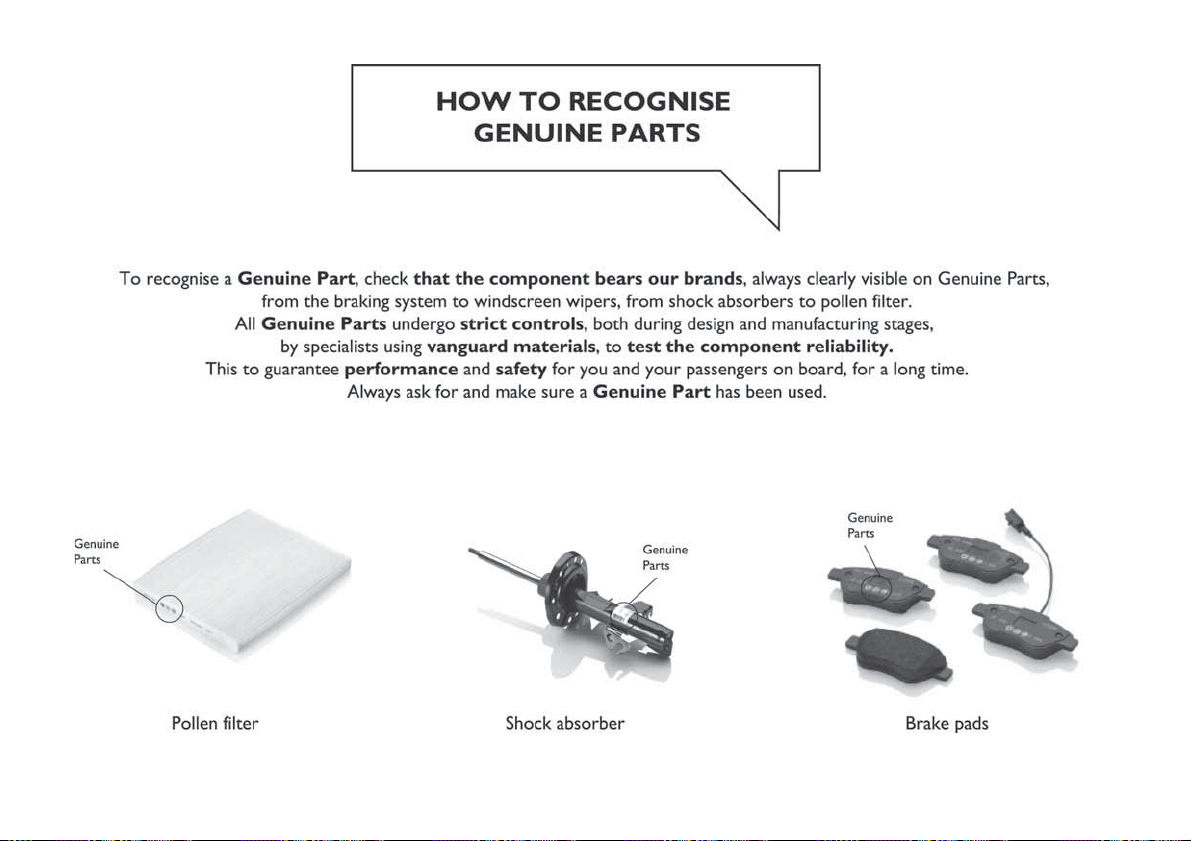

NOTE

INDEX
ABS (system)
...............57
Active safety systems...........57
Airbag
Front airbags ..............77
Side bags ................80
Airbag (SRS supplementary
restraint system) ............77
Automatic climate control system.......................28
Automatic light control ..........19
Automatic transmission ......86,119
AUX source ................185
Battery
..................137
Battery recharging ............139
Bluetooth® source ...........184
Bodywork (cleaning and
maintenance) .............144
Bonnet ....................31
Boot .....................33
Brake lights (bulb replacement). . . .104
Carrying children safely
.........67
Changing a wheel ............111
Checking levels..............132
Child protection systems ........67
Child safety device ............12
Climate control ...............25
CO2 emissions ..............165
Control buttons ............38,40
Control panel and on-board
instruments ...............36
CONTROLS
Controls on the front panel . . . .179
Daytime running lights (DRL)
......19
Daytime running lights (DRL) (bulb
replacement)..............102
Dimensions................154
Dipped headlights .............19
Dipped headlights (bulb
replacement)..............102
Direction indicators ............21
Display ....................38
Doors.....................11
Driving assistance systems .......60
DTC (system) ................57
Electric power steering
.........32
Electric windows..............30
Electronic Cruise Control ........90
Emergency starting ...........117
Engine ...................150
marking ................149
Engine compartment ..........132
Engine compartment (washing). . . .145
Engine oil (consumption) ........137
Engine oil (level check) .........137
ERM (system)................58
ESC (system) ................57
External lights ...............19
Fiat Code (system)
............11
Fix&Go Automatic kit ..........115
Fluids and lubricants ..........159
Fog lights (bulb replacement) .....103
Front ceiling light..............22
Front fog lights ...............20
Front seat electric heating ........14
Front seats (manual adjustments) . . .13
Fuel consumption ............163
Fuel cut-off system ...........119
Fuse boxes ................106
Fuses (replacement)...........106
GSI (Gear Shift Indicator)
........38
Hazard warning lights
..........99
Emergency braking ..........99
Headlight alignment adjustment ....21
Headlight alignment corrector .....21
Headlights (cleaning) ..........145
Headrests ..................16
Heavy-duty use of the vehicle
(scheduled servicing) ........131
HHC (system)................58
Identification data
chassis marking ...........149
engine marking ............149
identification data plate .......149
Ignition device ...............10
Important information and
recommendations ..........190

Interior lights ................22
Interiors (cleaning) ............146
ISOFIX child restraint system
(installation) ...............71
iTPMS (indirect Tyre Pressure
Monitoring System) ..........60
Jump starting
..............117
Key removal (automatic
transmission)
.............120
Keys
key with remote control ........9
Lever release (automatic
transmission)
.............119
Lifting the vehicle.............143
Light bulbs
types of bulbs ............100
Luggage compartment
(extension) ................14
Main beam headlights
..........21
Main beam headlights (changing
a bulb)..................102
Main menu ...............39,40
Manual climate control ..........26
Manual gearbox ..............86
Multifunction display ...........36
Number plate lights (bulb
replacement)
..............105
Occupant protection systems
.....62
Paintwork (cleaning and
maintenance)
.............144
Parking Brake ...............85
Parking lights ................20
Parking sensors ..............91
Passenger compartment air
diffusers .................25
PBA (system) ................58
Performance (top speed)........162
Periodic checks (scheduled
servicing) ................131
Pre-tensioners ...............65
Load limiters ..............65
Prescriptions for handling the
vehicle at the end of its life .....166
Rain sensor
................24
Rear current socket ............34
Rear direction indicators (bulb
replacement)..............104
Rear seats..................14
Rear side lights (bulb
replacement)..............104
Rear view camera .............94
Rear View Camera ............94
Rear view mirrors .............18
Reconfigurable Multifunction
Display ..................37
Refuelling .................157
Refuelling procedure ...........96
Emergency refuelling .........96
Refuelling the vehicle ...........96
Replacing a bulb..............99
Replacing an external bulb ......102
Rims and tyres (dimensions)......152
SBR (Seat Belt Reminder)
.......64
SBR (Seat Belt Reminder) system.......................64
Scheduled servicing...........124
Scheduled Servicing Plan .......125
Screen wiper/washer ...........23
Smart washing function .......23
Seat belts ..................62
Seats .....................13
Servicing procedures ..........140
Side bag...................80
Side direction indicators (bulb
replacement)..............103
Snow chains ...............143
SRS (supplementary restraint
system) ..................77
Starting the engine ............84
Steering lock ................10
Steering wheel ...............17
Stop/Start system .............89
Symbols....................2
TC (system)
................58
Technical data ..............149
The keys ...................9
Third brake light (bulb
replacement)..............105
Towing the vehicle ............121
Towing trailers ...............95
INDEX
Trip Computer ...............41
Tyres (inflation pressure) ........153
Uconnect 3” Radio
...........170
Uconnect 5” Nav.............179
Use of the Owner Handbook .......4
Vehicle changes/alterations
.......3
Warning lights and messages
.....42
Weights ..................155
Wheels ...................152
Wheels and tyres.............143
Window bag ................80
Windows (cleaning) ...........145
Windscreen wiper
replacing blades ...........141

FCA Italy S.p.A. - MOPAR - Technical Services - Service Engineering
Largo Senatore G. Agnelli, 3 - 10040 Volvera - Turin (Italy)
Print no. 603.99.859- 1/
201 - Edition062

We really know your car because we invented, designed and built it: we really know every single detail.
At Fiat Service authorised workshops you can find technicians directly trained by us,
offering quality and professionalism for all service operations.
Fiat workshops are always close to you for the regular servicing operations, season checks
and practical recommendations by our experts.
With Original Parts distributed by MOPAR
®
, you maintain the reliability, comfort
and performance features that you bought your new car for over time.
Always ask for Genuine Parts for the components used on our cars; we recommend them because
they come from our steady commitment in research and development of highly innovative technologies.
For all these reasons: rely on Genuine Parts, because they are the only ones designed
by FCA for your car.
SAFETY:
BRAKING SYSTEM
ENVIRONMENT: PARTICULATE FILTERS,
CLIMATE CONTROL MAINTENANCE
COMFORT: SUSPENSION
AND WINDSCREEN WIPERS
PERFORMANCE: SPARK PLUGS,
INJECTORS AND BATTERIES
LINEACCESSORI
ROOF RACK BARS, WHEEL RIMS
WHY CHOOSING
GENUINE PARTS
This Owner Handbook is intended to show the vehicle's operating conditions.
For the enthusiast user who wants to have insights, curiosities and detailed information about the characteristics and functions
of the vehicle, Fiat gives the opportunity to consult a dedicated section which is available in electronic format.
ONLINE VEHICLE OWNER HANDBOOK
The following symbol is reported within the text of the Owner Handbook, next to the subjects for which details are provided.
Go to the www.mopar.eu/owner
website and access your personal area.
The “Maintenance and care” page includes all the information about your vehicle and the link to access eLUM, where you will find
all the details of the Owner Handbook.
Alternatively, to access this information, go to the Internet website at http://aftersales.fiat.com/elum/
.
The eLUM website is free and will allow you, among many other things, to easily consult the on-board documents
of all the other vehicles of the Group.
Have a nice reading and happy motoring!
Cop TIPO LUM GB.qxp_500 UM ITA 02/12/15 09:34 Pagina 2

The data contained in this publication is intended merely as a guide. Fiat Chrysler Automobiles reserves the right to modify
the models and versions described in this booklet at any time for technical and commercial reasons.
If you have any further questions please consult your FIAT dealer.
Printed in recycled paper without chlorine.
OWNER HANDBOOK
TIPO 4DOORS
ENGLISH
Cop TIPO LUM GB.qxp_500 UM ITA 02/12/15 09:34 Pagina 1