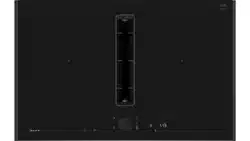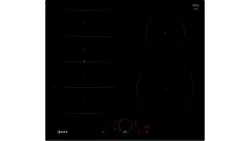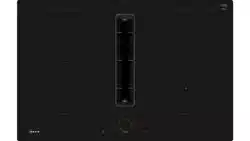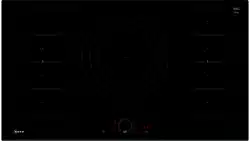

2 Ø = cm
,(&
: :
: :
: :
: :

en
3
Table of contents
[en]INSTRUCTI ON MANUAL
8 Intended use . . . . . . . . . . . . . . . . . . . . . . . . . . . . . 5
( Important safety information . . . . . . . . . . . . . . . 6
] Causes of damage . . . . . . . . . . . . . . . . . . . . . . . . 7
Overview . . . . . . . . . . . . . . . . . . . . . . . . . . . . . . . . . . . 7
7 Environmental protection . . . . . . . . . . . . . . . . . . 8
Energy-saving advice . . . . . . . . . . . . . . . . . . . . . . . . . . 8
Environmentally-friendly disposal . . . . . . . . . . . . . . . . . 8
f Induction cooking . . . . . . . . . . . . . . . . . . . . . . . . 8
Advantages of induction cooking. . . . . . . . . . . . . . . . . 8
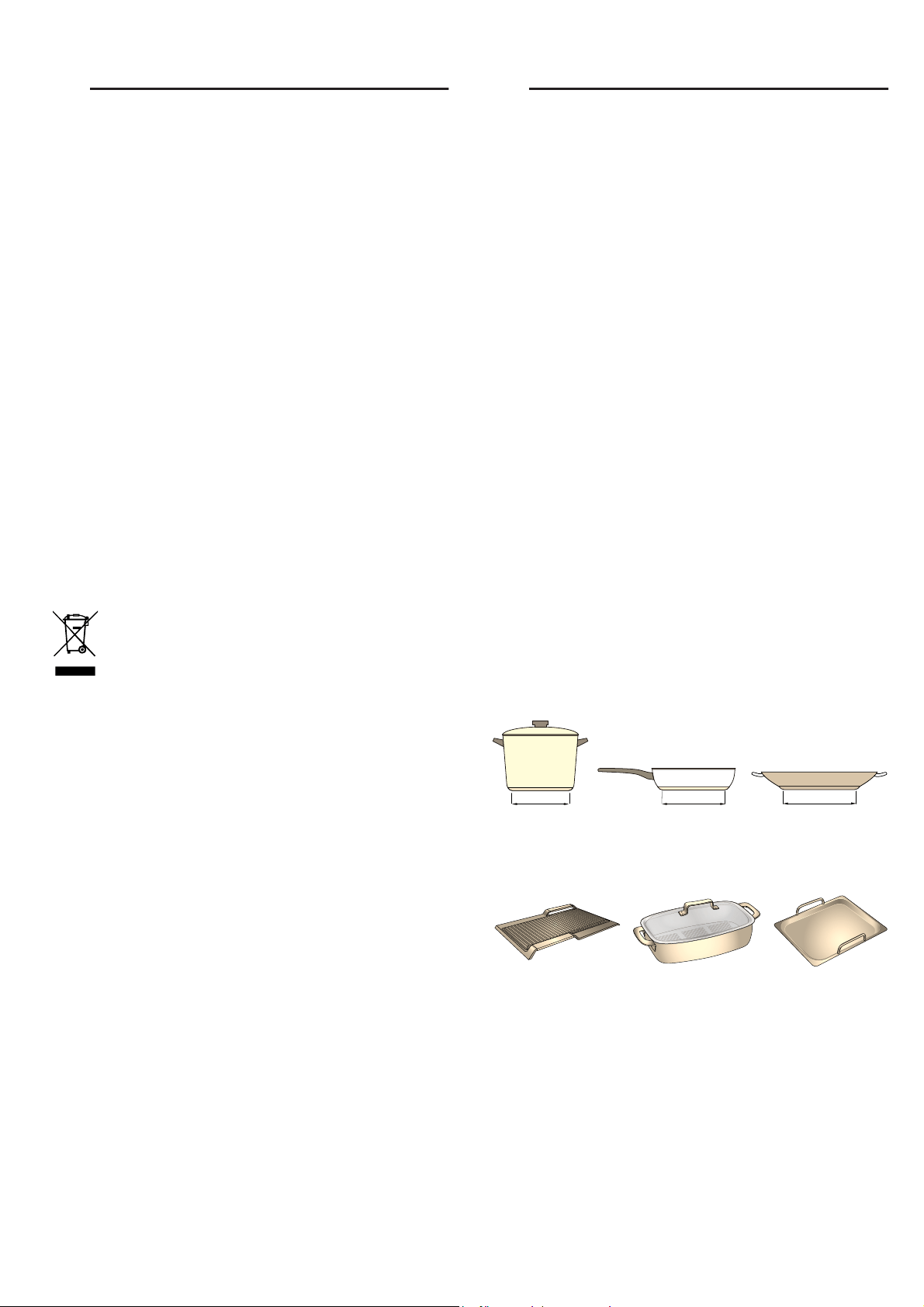
Cookware. . . . . . . . . . . . . . . . . . . . . . . . . . . . . . . . . . . 8
* Getting to know your appliance . . . . . . . . . . . . 10
The control panel . . . . . . . . . . . . . . . . . . . . . . . . . . . . 10
The hotplates . . . . . . . . . . . . . . . . . . . . . . . . . . . . . . . 11
Residual heat indicator. . . . . . . . . . . . . . . . . . . . . . . . 11
j Twist-Pad with Twist knob . . . . . . . . . . . . . . . . 12
Remove the twist knob. . . . . . . . . . . . . . . . . . . . . . . . 12
Storing the twist knob. . . . . . . . . . . . . . . . . . . . . . . . . 12
Operating the hob without the twist knob. . . . . . . . . . 12
1 Operating the appliance . . . . . . . . . . . . . . . . . . 13
Switching the hob on and off . . . . . . . . . . . . . . . . . . . 13
Setting a hotplate . . . . . . . . . . . . . . . . . . . . . . . . . . . . 13
Chef's recommendations . . . . . . . . . . . . . . . . . . . . . . 13
| Flex Zone . . . . . . . . . . . . . . . . . . . . . . . . . . . . . . 16
Advice on using cookware. . . . . . . . . . . . . . . . . . . . . 16
As two independent hotplates . . . . . . . . . . . . . . . . . . 16
As a single hotplate . . . . . . . . . . . . . . . . . . . . . . . . . . 16
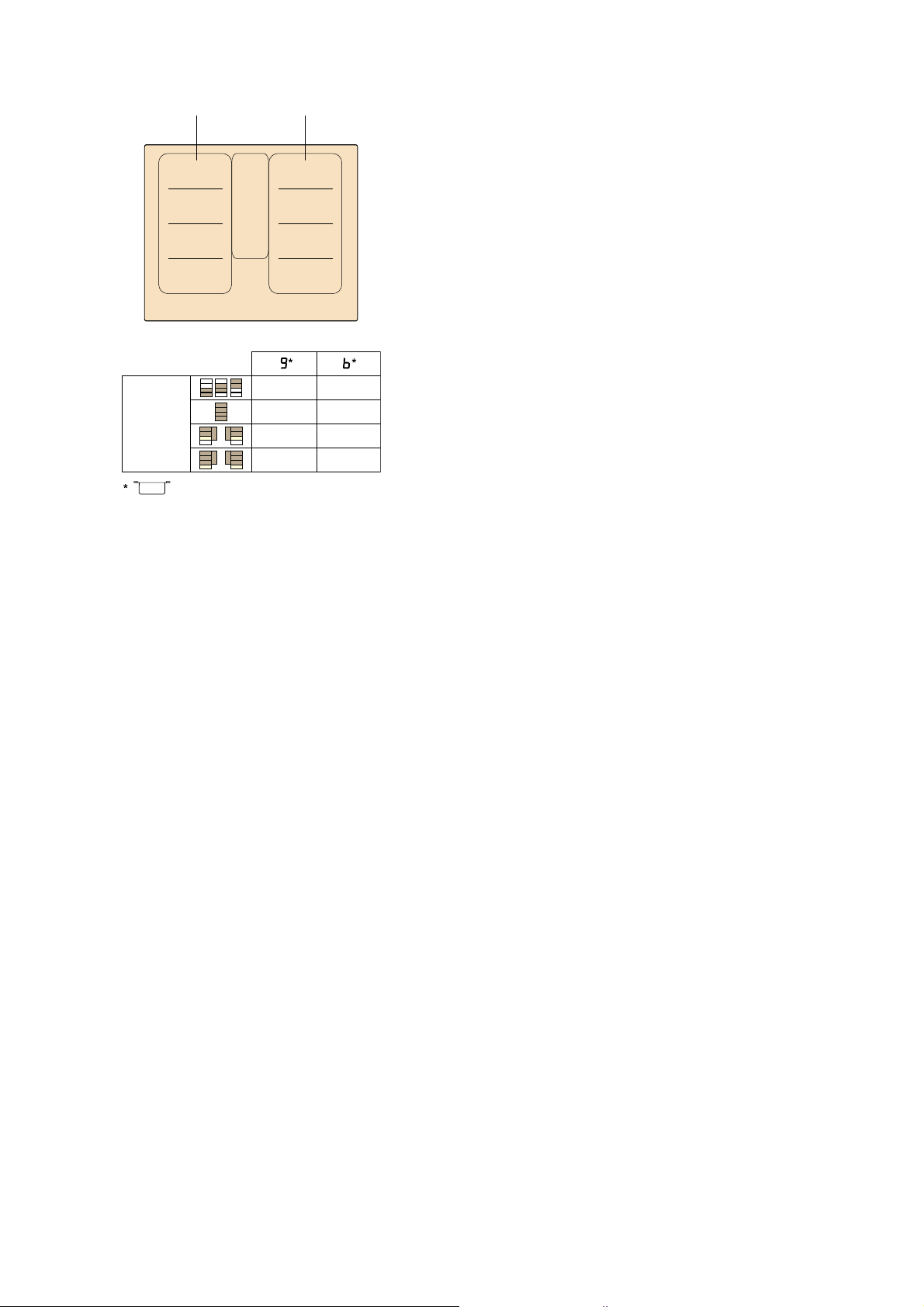
u Move function. . . . . . . . . . . . . . . . . . . . . . . . . . . 17
Activation . . . . . . . . . . . . . . . . . . . . . . . . . . . . . . . . . . 17
Deactivating . . . . . . . . . . . . . . . . . . . . . . . . . . . . . . . . 17
} FlexPlus Zone. . . . . . . . . . . . . . . . . . . . . . . . . . . 18
Notes regarding cookware. . . . . . . . . . . . . . . . . . . . . 18
Activation . . . . . . . . . . . . . . . . . . . . . . . . . . . . . . . . . . 18
Deactivating . . . . . . . . . . . . . . . . . . . . . . . . . . . . . . . . 18
O Time-setting options . . . . . . . . . . . . . . . . . . . . . 19
Programming the cooking time . . . . . . . . . . . . . . . . . 19
The kitchen timer . . . . . . . . . . . . . . . . . . . . . . . . . . . . 19
Stopwatch function. . . . . . . . . . . . . . . . . . . . . . . . . . . 20
v PowerBoost function . . . . . . . . . . . . . . . . . . . . . 20
Activating . . . . . . . . . . . . . . . . . . . . . . . . . . . . . . . . . . 20
Deactivating . . . . . . . . . . . . . . . . . . . . . . . . . . . . . . . . 20
x ShortBoost function . . . . . . . . . . . . . . . . . . . . . 21
Recommendations for use . . . . . . . . . . . . . . . . . . . . .21
Activating . . . . . . . . . . . . . . . . . . . . . . . . . . . . . . . . . .21
Deactivating . . . . . . . . . . . . . . . . . . . . . . . . . . . . . . . .21
z Keep warm function. . . . . . . . . . . . . . . . . . . . . . 21
Activation . . . . . . . . . . . . . . . . . . . . . . . . . . . . . . . . . .21
Deactivation . . . . . . . . . . . . . . . . . . . . . . . . . . . . . . . .21
s Transferring settings . . . . . . . . . . . . . . . . . . . . . 22
Activation . . . . . . . . . . . . . . . . . . . . . . . . . . . . . . . . . .22
c Frying Sensor . . . . . . . . . . . . . . . . . . . . . . . . . . . 22
Advantages when frying . . . . . . . . . . . . . . . . . . . . . . .22
For frying with the frying sensor . . . . . . . . . . . . . . . . .22
Temperature settings . . . . . . . . . . . . . . . . . . . . . . . . .23
Table . . . . . . . . . . . . . . . . . . . . . . . . . . . . . . . . . . . . .23
Setting procedure . . . . . . . . . . . . . . . . . . . . . . . . . . . .25
A Childproof lock. . . . . . . . . . . . . . . . . . . . . . . . . . 25
Activating and deactivating the childproof lock . . . . .25
Childproof lock . . . . . . . . . . . . . . . . . . . . . . . . . . . . . .25
k Wipe protection . . . . . . . . . . . . . . . . . . . . . . . . . 26
b Automatic safety cut-out . . . . . . . . . . . . . . . . . . 26
Q Basic settings. . . . . . . . . . . . . . . . . . . . . . . . . . . 27
To access the basic settings: . . . . . . . . . . . . . . . . . . .28
[ Energy consumption indicator . . . . . . . . . . . . . 29
t Cookware check. . . . . . . . . . . . . . . . . . . . . . . . . 29
o Home Connect . . . . . . . . . . . . . . . . . . . . . . . . . . 30
Setting up . . . . . . . . . . . . . . . . . . . . . . . . . . . . . . . . . .30
Home Connect settings . . . . . . . . . . . . . . . . . . . . . . .31
Software update . . . . . . . . . . . . . . . . . . . . . . . . . . . . .33
About data protection . . . . . . . . . . . . . . . . . . . . . . . . .33
Declaration of Conformity . . . . . . . . . . . . . . . . . . . . . .33
e Hood connection . . . . . . . . . . . . . . . . . . . . . . . . 34
Setting up . . . . . . . . . . . . . . . . . . . . . . . . . . . . . . . . . .34
Resetting connection . . . . . . . . . . . . . . . . . . . . . . . . .35
Control the hood via the hob . . . . . . . . . . . . . . . . . . .35
Hood control settings . . . . . . . . . . . . . . . . . . . . . . . . .35
D Cleaning . . . . . . . . . . . . . . . . . . . . . . . . . . . . . . . 36
Hob. . . . . . . . . . . . . . . . . . . . . . . . . . . . . . . . . . . . . . .36
Hob surround . . . . . . . . . . . . . . . . . . . . . . . . . . . . . . .36
Twist knob . . . . . . . . . . . . . . . . . . . . . . . . . . . . . . . . .36

en
4
{ Frequently Asked Questions (FAQ) . . . . . . . . . 37
3 Trouble shooting . . . . . . . . . . . . . . . . . . . . . . . . 38
4 Customer service. . . . . . . . . . . . . . . . . . . . . . . . 39
E number and FD number . . . . . . . . . . . . . . . . . . . . .39
E Test dishes . . . . . . . . . . . . . . . . . . . . . . . . . . . . . 40
Produktinfo
Additional information on products, accessories,
replacement parts and services can be found at
www.neff-international.com and in the online shop
www.neff-eshop.com

Intended use en
5
8Intended use
Intended use
Read these instructions carefully. Please keep
the instruction and installation manual, as well
as the appliance certificate, in a safe place for
later use or for subsequent owners.
Check the appliance after removing it from the
packaging. If it has suffered any damage in
transport, do not connect the appliance,
contact the Technical Assistance Service and
provide written notification of the damage
caused, otherwise you will lose your right to
any type of compensation.
Only a licensed professional may connect
appliances without plugs. Damage caused by
incorrect connection is not covered under
warranty.
This appliance must be installed according to
the installation instructions included.
This appliance is intended for private domestic
use and the household environment only. The
appliance must only be used for the
preparation of food and beverages. The
cooking process must be supervised. A short
cooking process must be supervised without
interruption. Only use the appliance in
enclosed spaces.
This appliance is intended for use up to a
maximum height of 4000 metres above sea
level.
Do not use covers. These can cause
accidents, for example due to overheating,
catching fire or materials shattering.
Only use safety devices or child protection
grilles approved by ourselves. Unsuitable
safety devices or child protection grilles may
result in accidents.
This appliance is not intended for operation
with an external clock timer or a remote
control.
This appliance may be used by children over
the age of 8 years old and by persons with
reduced physical, sensory or mental
capabilities or by persons with a lack of
experience or knowledge if they are
supervised or are instructed by a person
responsible for their safety how to use the
appliance safely and have understood the
associated hazards.
Children must not play with, on, or around the
appliance. Children must not clean the
appliance or carry out general maintenance
unless they are at least 15 years old and are
being supervised.
Keep children below the age of 8 years old at
a safe distance from the appliance and power
cable.
We advise that you exercise caution using or
standing near an induction hob while it is in
operation, if you wear a pacemaker or a
similar medical device. Consult your doctor or
the device manufacturer concenring its
conformity or any possible incompatibilities,

en Important safety information
6
(Important safety
information
Impor t ant saf et y informat i on
:Warning – Risk of fire!
■ Hot oil and fat can ignite very quickly. Never
leave hot fat or oil unattended. Never use
water to put out burning oil or fat. Switch off
the hotplate. Extinguish flames carefully
using a lid, fire blanket or something similar.
Risk of fire!
■ The hotplates become very hot. Never
place combustible items on the hob. Never
place objects on the hob.
Risk of fire!
■ The appliance gets hot. Do not keep
combustible objects or aerosol cans in
drawers directly underneath the hob.
Risk of fire!
■ The hob switches off automatically and can
no longer be operated. It may switch on
unintentionally at a later point. Switch off the
circuit breaker in the fuse box. Contact the
after-sales service.
Risk of burns!
■ Do not use hob covers here.They can
cause accidents, for example due to
overheating, catching fire or materials
shattering.
:Warning – Risk of burns!
■ The hotplates and surrounding area
(particularly the hob surround, if fitted)
become very hot. Never touch the hot
surfaces. Keep children at a safe distance.
Risk of burns!
■ The hotplate heats up but the display does
not work. Switch off the circuit breaker in
the fuse box. Contact the after-sales
service.
Risk of burns!
■ Metal objects on the hob quickly become
very hot. Never place metal objects (such
as knives, forks, spoons and lids) on the
hob.
Risk of fire!!
■ After each use, always turn off the hob at
the main switch. Do not wait until the hob
turns off automatically after the pan is
removed.
:Warning – Risk of electric shock!
■ Incorrect repairs are dangerous. Repairs
may only be carried out and damaged
power cables replaced by one of our
trained after-sales technicians. If the
appliance is defective, unplug the appliance
from the mains or switch off the circuit
breaker in the fuse box. Contact the after-
sales service.
Risk of electric shock!
■ Do not use any high-pressure cleaners or
steam cleaners, which can result in an
electric shock.
Risk of electric shock!
■ A defective appliance may cause electric
shock. Never switch on a defective
appliance. Unplug the appliance from the
mains or switch off the circuit breaker in the
fuse box. Contact the after-sales service.
Risk of electric shock!
■ Cracks or fractures in the glass ceramic
may cause electric shocks. Switch off the
circuit breaker in the fuse box. Contact the
after-sales service.
:Warning – Hazard due to magnetism!
The removable control element is magnetic.
Magnets may affect electronic implants, e.g.
heart pacemakers or insulin pumps. Thus, for
persons with electronic implants: avoid
carrying the control element in clothing
pockets; keep a minimum distance of 10 cm
to heart pacemaker or device.
:Warning – Malfunction risk!
The hob is equipped with a fan in the lower
section. If there is a drawer under the hob it
should not be used to store small objects or
paper, since they could damage the fan or
interfere with the cooling if they are sucked
into it.
There should be a minimum of 2 cm between
the contents of the drawer and fan intake.
:Warning – Risk of injury!
■ When cooking in a bain marie, the hob and
cooking container could shatter due to
overheating. The cooking container in the
bain marie must not directly touch the
bottom of the water-filled pot. Only use heat-
resistant cookware.
Risk of injury!
■ Saucepans may suddenly jump due to
liquid between the pan base and the
hotplate. Always keep the hotplate and
saucepan bases dry.

Causes of damage en
7
]Causes of damage
Causes of damage
Caution!
■ Rough pan bases may scratch the hob.
■ Avoid leaving empty pots and pans on the hotplate.
Doing so may cause damage.
■ Do not place hot pans on the control panel, the
indicator area, or the hob frame. Doing so may
cause damage.
■ Hard or pointed objects dropped on the hob may
damage it.
■ Aluminium foil and plastic containers will melt if
placed on the hotplate while it is hot. The use of
laminated sheeting is not recommended on the hob.
Overview
You will find the most frequently caused damage in the
following table:
Damage Cause Measure
Stains Boiled over food. Remove boiled over food immediately with a glass scraper.
Unsuitable cleaning agent. Only use cleaning agents that are suitable for this type of hob.
Scratches Salt, sugar and sand. Do not use the hob as a work surface or storage space.
Cookware with rough bases scratch the hob. Check the cookware.
Discolouration Unsuitable cleaning agent. Only use cleaning agents that are suitable for this type of hob.
Pan abrasion. Lift pots and pans when moving them.
Chips Sugar, food with a high sugar content. Remove boiled over food immediately with a glass scraper.
en Environmental protection
8
7Environmental protection
Envi r onment al pr ot ec t i on
In this section, you can find information about saving
energy and disposing of the appliance.
Energy-saving advice
■ Always use the correct lid for each pan. Cooking
without a lid uses a lot more energy. Use a glass lid
to provide visibility and avoid having to lift the lid.
■ Use pans with flat bases. Bases that are not flat use
a lot more energy.
■ The diameter of the pan base must match the size of
the hotplate. Please note: pan manufacturers usually
provide the diameter for the top of the pan, which is
usually larger than the diameter of the pan base.
■ Use a small pan for small amounts of food. A large
pan which is not full uses a lot of energy.
■ Use little water when cooking. This saves energy and
preserves all the vitamins and minerals in
vegetables.
■ Select the lowest power level to maintain cooking. If
the power level is too high, energy is wasted.
Environmentally-friendly disposal
Dispose of packaging in an environmentally-friendly
manner.
fInduction cooking
Inducti on cooki ng
Advantages of induction cooking
Induction cooking is very different from traditional
cooking methods, as heat builds up directly in the item
of cookware. This offers numerous advantages:
■ Saves time when boiling and frying.
■ Saves energy.
■ Easier to care for and clean. Spilled food does not
burn on as quickly.
■ Heat control and safety – the hob increases or
decreases the heat supply as soon as the user
changes the setting. The induction hotplate stops the
heat supply as soon as the cookware is removed
from the hotplate, without having to switch it off first.
Cookware
Only use ferromagnetic cookware for induction cooking,
such as:
■ Cookware made from enamelled steel
■ Cookware made from cast iron
■ Special induction-compatible cookware made from
stainless steel.
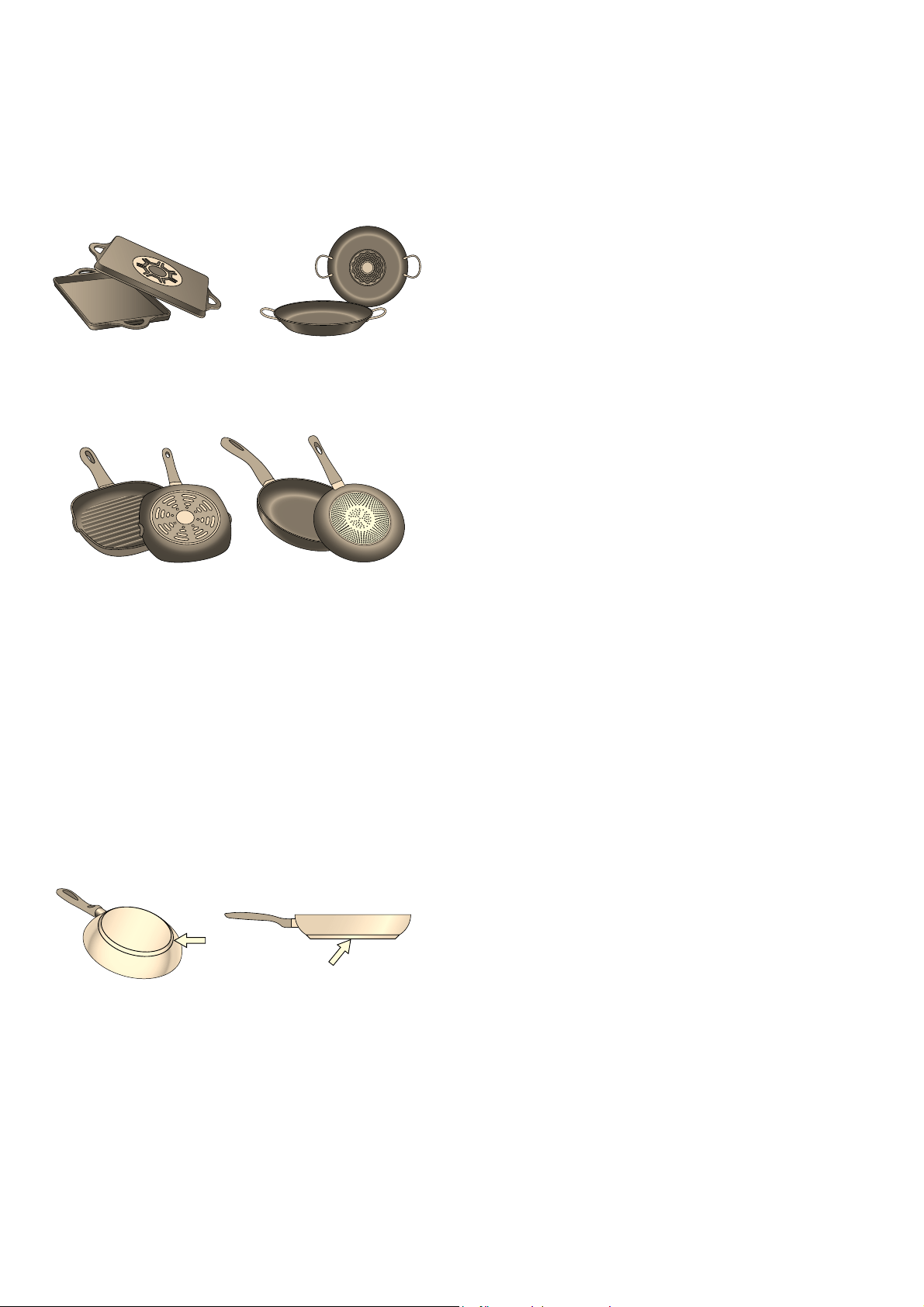
To check whether your cookware is suitable for
induction cooking, refer to the section on
~ "Cookware check".
To achieve a good cooking result, the ferromagnetic
area on the base of the pan should match the size of
the hotplate. If a hotplate does not detect an item of
cookware, try placing it on another hotplate with a
smaller diameter.
If the only hotplate being used is the flexible cooking
zone, larger cookware that is particularly suited to this
zone can be used. You can find information on
positioning cookware in the section on ~ "Flex Zone".
This appliance is labelled in accordance with
European Directive 2012/19/EU concerning
used electrical and electronic appliances
(waste electrical and electronic equipment -
WEEE). The guideline determines the
framework for the return and recycling of used
appliances as applicable throughout the EU.
FP
FP
FP
Induction cooking en
9
Some induction cookware does not have a fully
ferromagnetic base:
■ If the base of the cookware is only partially
ferromagnetic, only the area that is ferromagnetic will
heat up. This may mean that heat will not be
distributed evenly. The non-ferromagnetic area may
not heat up to a sufficient temperature for cooking.
■ The ferromagnetic area will also be reduced if the
material from which the base of the cookware is
made contains aluminium, for example. This may
mean that the cookware will not become sufficiently
hot or even that it will not be detected.
Unsuitable pans
Never use diffuser hobs or pans made from:
■ common thin steel
■ glass
■ earthenware
■ copper
■ aluminium
Properties of the base of the cookware
The material(s) from which the base of the cookware is
made can affect the cooking result. Using pots and
pans made from materials that distribute heat evenly
through them, such as stainless-steel pans with a three-
layer base, saves time and energy.
Use cookware with a flat base; if the base of the
cookware is uneven, this may impair the heat supply.
Absence of pan or unsuitable size
If no pan is placed on the selected hotplate, or if it is
made of unsuitable material or is not the correct size,
the power level displayed on the hotplate indicator will
flash. Place a suitable pan on the hotplate to stop the
flashing. If this takes more than 90 seconds, the
hotplate will switch off automatically.
Empty pans or those with a thin base
Do not heat empty pans, nor use pans with a thin base.
The hob is equipped with an internal safety system.
However, an empty pan may heat up so quickly that the
"automatic switch off" function may not have time to
react and the pan may reach very high temperatures.
The base of the pan could melt and damage the glass
on the hob. In this case, do not touch the pan and
switch the hotplate off. If it fails to work after it has
cooled down, please contact the Technical Assistance
Service.
Pan detection
Each hotplate has a lower limit for pan detection. This
depends on the diameter of the ferromagnetic area of
the cookware and the material from which its base is
made. For this reason, you should always use the
hotplate that best matches the diameter of the base of
the pan.
en Getting to know your appliance
10
*Getting to know your
appliance
Get t i ng to know your appl i ance
You can find information on the dimensions and power
of the hotplates in~ Page 2
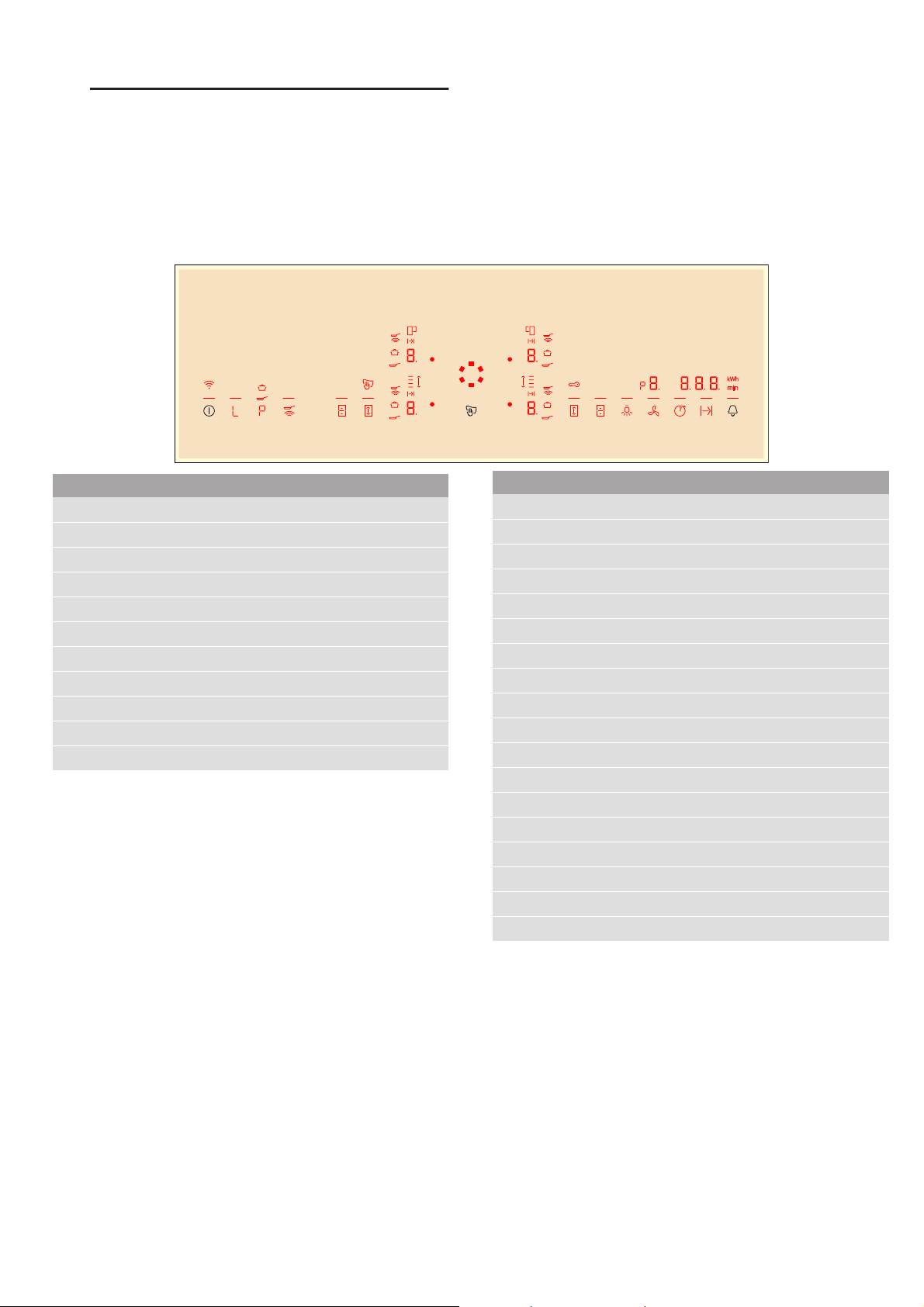
The control panel
Controls
When the hob heats up, the symbols for the controls
available at this time light up.
Touching a symbol activates the respective function.
Notes
■ The corresponding symbols for the controls light up
depending on whether they are available.
The displays for the hotplates or the selected
functions get brighter.
■ Always keep the control panel clean and dry.
Moisture can prevent it from working properly.
■ Do not place any cookware near the indicators or
sensors. The electronics could overheat.
Touch controls
#
Main switch
–
Keep-warm function
˜
PowerBoost and ShortBoost functions
Û
Frying sensor
{
Flexible cooking zone
|
Move function
œ
Stopwatch function
x
Set the cooking time
.
Timer and childproof lock
A
Hood control
6
Extractor hood lighting
Indicators/symbols
‹
Operating status
‚-Š
Heat settings
•/œ
Residual heat
˜
PowerBoost and ShortBoost functions
õ
PowerBoost function
w
ShortBoost function
–
Keep-warm function
Û
Frying sensor
u
Flexible cooking zone
v
Move function
y / x
FlexPlus cooking zone
x
Set the cooking time
‹‹‹
Timer function
ö
Time
‚
Childproof lock
z
Lock the control panel for cleaning
÷
Energy consumption
E
Wi-Fi

Getting to know your appliance en
11
The hotplates
Residual heat indicator
The hob has a residual heat indicator for each hotplate.
This indicates that a hotplate is still hot. Do not touch a
hotplate while the residual heat indicator is lit up.
The following indicators are shown depending on the
amount of residual heat:
■ Display •: High temperature
■ Display œ: Low temperature
If you remove the cookware from the hotplate during
cooking, the residual heat indicator and the selected
heat setting will flash alternately.
When the hotplate is switched off, the residual heat
indicator will light up. Even after the hob has been
switched off, the residual heat indicator will stay lit for as
long as the hotplate is still warm.
Hotplates
Û
Simple hotplate Use cookware that is a suitable size.
á
Flexible cooking zone See section ~ "Flex Zone"
à / ß
FlexPlus cooking zone The FlexPlus cooking zone always switches on in conjunction with the right- or left-hand flexible cook-
ing zone. See section ~ "FlexPlus Zone"
Only use cookware that is suitable for induction cooking; see section ~ "Induction cooking"
en Twist-Pad with Twist knob
12
jTwist-Pad with Twist knob
Twi s t - Pad wi t h Twi s t knob
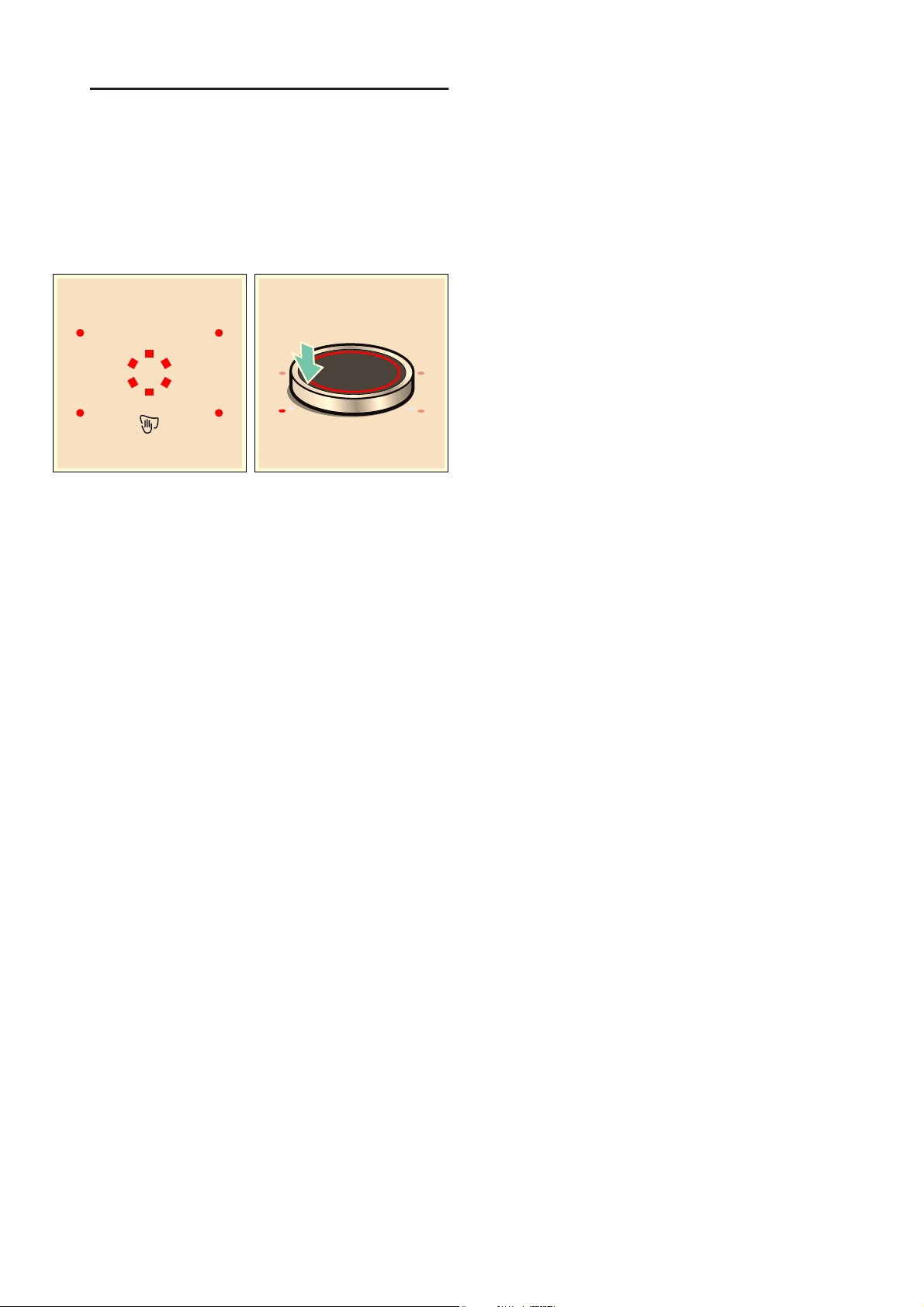
The twistpad is the area in which you can use the twist
knob to select the hotplates and heat settings. The twist
knob automatically centres itself in the twistpad area.
The twist knob is magnetic and is placed on top of the
twistpad. To activate a hotplate, touch the twist knob at
the level for the required hotplate. Turning the twist
knob selects the heat setting.
Position the twist knob on the twist pad so that it is in
the centre of the indicators which delimit the twist pad
area.
Notes
■ Even if the twist knob is not entirely central, this will
not affect how the twist knob works.
■ Always keep the twist knob clean. Soiling may impair
its function.
Remove the twist knob.
If the twist knob is removed, the "Lock control panel for
cleaning" function is activated.
The twist knob can be removed during cooking. The
"Lock control panel for cleaning" function is activated
for 35 seconds. If the twist knob is not placed back in
position before this time elapses, the hob switches off.
:Warning – Risk of fire!
If during this 35 seconds a metallic object is placed in
the twistpad area, the hob may continue to heat up.
Therefore, always switch off the hob using the main
switch.
Storing the twist knob
A strong magnet is located inside of the twist knob.
Keep the twist knob away from magnetic data carriers
such as credit cards and cards with magnetic strips.
Otherwise, these data carriers may be damaged
beyond repair.
The magnet could also cause faults on televisions and
screens.
Note: The twist knob is magnetic. Metal particles stuck
to the bottom could scratch the surface of the hob.
Always clean the twist knob thoroughly.
Operating the hob without the twist knob
The hob can also be operated without the twist knob:
1. Switch on the hob using the main switch.
2. Within the next 5 seconds, simultaneously touch and
hold the œ and . symbols for 4 seconds. An
audible signal will sound.
3. Touch the . symbol repeatedly until the indicator for
the required hotplate lights up.
4. Then set the required heat setting using the œ or
x symbol.
The hotplate has now been activated.
Notes
■ The timer function cannot be activated without the
twist knob.
■ The twist knob can be placed back on the twistpad
at any time.
Operating the appliance en
13
1Operating the appliance
Oper at i ng the appl i anc e
This chapter explains how to set a hotplate. The table
shows heat settings and cooking times for various
meals.
Switching the hob on and off
Switch the hob on and off using the main switch.
To switch on: Touch the # symbol. The symbols for the
hotplates and the functions available at this time light
up. ‹ lights up next to the hotplates. Position the twist
knob in the area in which it can be used. The hob is
ready for use.
To switch off: Touch the # symbol until the indicator
goes out. All hotplates are switched off. The residual
heat indicator remains lit until the hotplates have cooled
down sufficiently.
Notes
■ The hob will automatically switch itself off if the
cooking zones have been switched off for a few
seconds.
■ The settings are stored for 4 seconds after the hob
has been switched off. If you switch the hob back on
during this time, the hob will operate using the
stored settings.
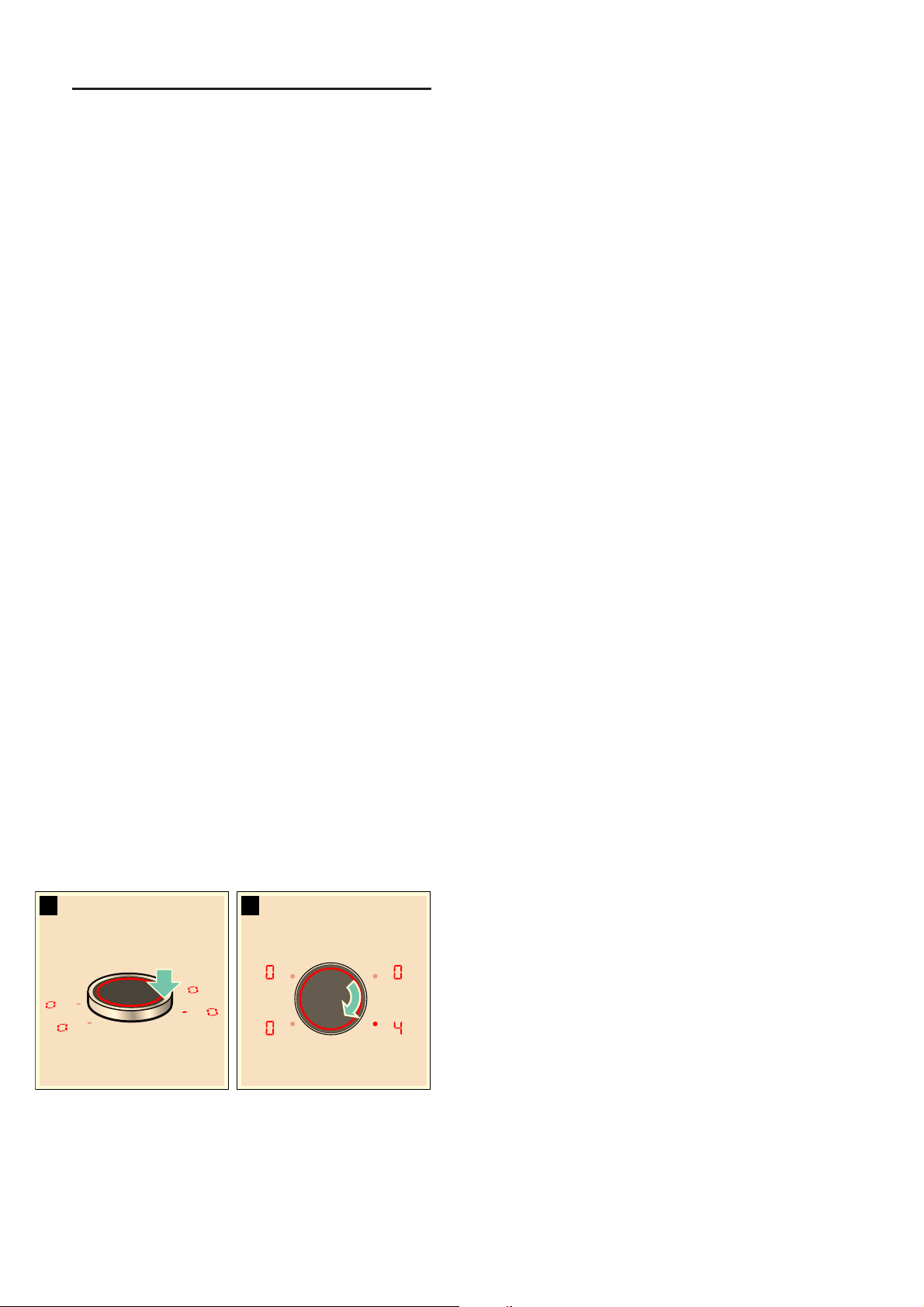
Setting a hotplate
Set the required heat setting using the twist knob.
Heat setting 1 = lowest setting.
Heat setting 9 = highest setting.
Every heat setting has an intermediate setting. This is
marked with a dot.
Selecting a hotplate and heat setting
The hob must be switched on.
1. Select the hotplate. To do this, touch the twist knob
in the appropriate area for the required hotplate.
2. Turn the twist knob until the required heat setting
appears in the heat setting display.
The heat setting is set.
Changing the heat setting
Select the hotplate and change the heat setting using
the twist knob.
Switching off the hotplate
Select the hotplate and turn the twist knob until ‹
appears. The hotplate switches itself off and the
residual heat indicator lights up.
Notes
■ If no pan has been placed on the hotplate, the
selected power level flashes. After a certain time has
elapsed, the hotplate switches off.
■ If a pan has been placed on the hotplate before
switching on the hob, it will be detected within
20 seconds of pressing the main switch and the
hotplate will be selected automatically. Once
detected, select the power level within the next
20 seconds or the hotplate will switch off.
If more than one pan is placed on the hob, only one
will be detected when switching it on.
Chef's recommendations
Recommendations
■ When heating up puree, cream soups and thick
sauces, stir occasionally.
■ Set heat setting 8 to 9 for preheating.
■ When cooking with the lid on, turn the heat setting
down as soon as steam escapes between the lid
and the cookware. Steam does not need to escape
for a good cooking result.
■ After cooking, keep the lid on the cookware until you
serve the food.
■ To cook with the pressure cooker, observe the
manufacturer's instructions.
■ Do not cook food for too long, otherwise the
nutrients will be lost. The kitchen clock can be used
to set the optimum cooking time.
■ For a more healthy cooking result, smoking oil
should be avoided.
■ To brown food, fry small portions in succession.
■ Cookware may reach high temperatures while the
food is cooking. We recommend that you use oven
gloves.
■ You can find recommendations for energy-efficient
cooking in section ~ "Environmental protection"
1. 2.

en Operating the appliance
14
Cooking table
The table shows which heat setting is suitable for each
type of food. The cooking time may vary depending on
the type, weight, thickness and quality of the food.
Heat setting Cooking time
(mins)
Melting
Chocolate coating 1 - 1. -
Butter, honey, gelatine 1 - 2 -
Heating and keeping warm
Stew, e.g. lentil stew 1. - 2 -
Milk* 1. - 2. -
Heating sausages in water* 3 - 4 -
Defrosting and heating
Spinach, frozen 3 - 4 15 - 25
Goulash, frozen 3 - 4 35 - 55
Poaching, simmering
Potato dumplings* 4. - 5. 20 - 30
Fish* 4 - 5 10 - 15
White sauces, e.g. Béchamel sauce 1 - 2 3 - 6
Whisked sauces, e.g. sauce béarnaise, hollandaise 3 - 4 8 - 12
Boiling, steaming, braising
Rice (with double the volume of water) 2. - 3. 15 - 30
Rice pudding*** 2 - 3 30 - 40
Unpeeled boiled potatoes 4. - 5. 25 - 35
Boiled potatoes 4. - 5. 15 - 30
Pasta, noodles* 6 - 7 6 - 10
Stew 3. - 4. 120 - 180
Soups 3. - 4. 15 - 60
Vegetables 2. - 3. 10 - 20
Vegetables, frozen 3. - 4. 7 - 20
Cooking in a pressure cooker 4. - 5. -
Braising
Roulades 4 - 5 50 - 65
Pot roast 4 - 5 60 - 100
Goulash*** 3 - 4 50 - 60
* Without lid
** Turn several times
*** Preheat to heat setting 8 - 8.

Operating the appliance en
15
Roasting/frying with little oil*
Escalope, plain or breaded 6 - 7 6 - 10
Escalope, frozen 6 - 7 8 - 12
Chop, plain or breaded** 6 - 7 8 - 12
Steak (3 cm thick) 7 - 8 8 - 12
Poultry breast (2 cm thick)** 5 - 6 10 - 20
Poultry breast, frozen** 5 - 6 10 - 30
Rissoles (3 cm thick)** 4. - 5. 20 - 30
Hamburgers (2 cm thick)** 6 - 7 10 - 20
Fish and fish fillet, plain 5 - 6 8 - 20
Fish and fish fillet, breaded 6 - 7 8 - 20
Fish, breaded and frozen, e.g. fish fingers 6 - 7 8 - 15
Scampi, prawns 7 - 8 4 - 10
Sautéeing fresh vegetables and mushrooms 7 - 8 10 - 20
Stir-fry, vegetables, meat cut in Asian-style strips 7 - 8 15 - 20
Frozen dishes, e.g. roasted dishes 6 - 7 6 - 10
Pancakes (baked in succession) 6. - 7. -
Omelette (cooked in succession) 3. - 4. 3 - 6
Fried eggs 5 - 6 3 - 6
Deep-fat frying* (150-200 g per portion in 1-2 l oil, deep-fat fried in portions)
Frozen products, e.g. chips, chicken nuggets 8 - 9 -
Croquettes, frozen 7 - 8 -
Meat, e.g. chicken portions 6 - 7 -
Fish, breaded or in beer batter 6 - 7 -
Vegetables, mushrooms, breaded or battered, tempura 6 - 7 -
Small baked items, e.g. doughnuts, fruit in batter 4 - 5 -
Heat setting Cooking time
(mins)
* Without lid
** Turn several times
*** Preheat to heat setting 8 - 8.
en Flex Zone
16
|Flex Zone
Fl ex Zone
You can use each flex zone as a single hotplate or as
two independent hotplates, as required.
It consists of four inductors that work independently of
each other. If using the flexible cooking zone, only the
area that is covered by cookware is activated.
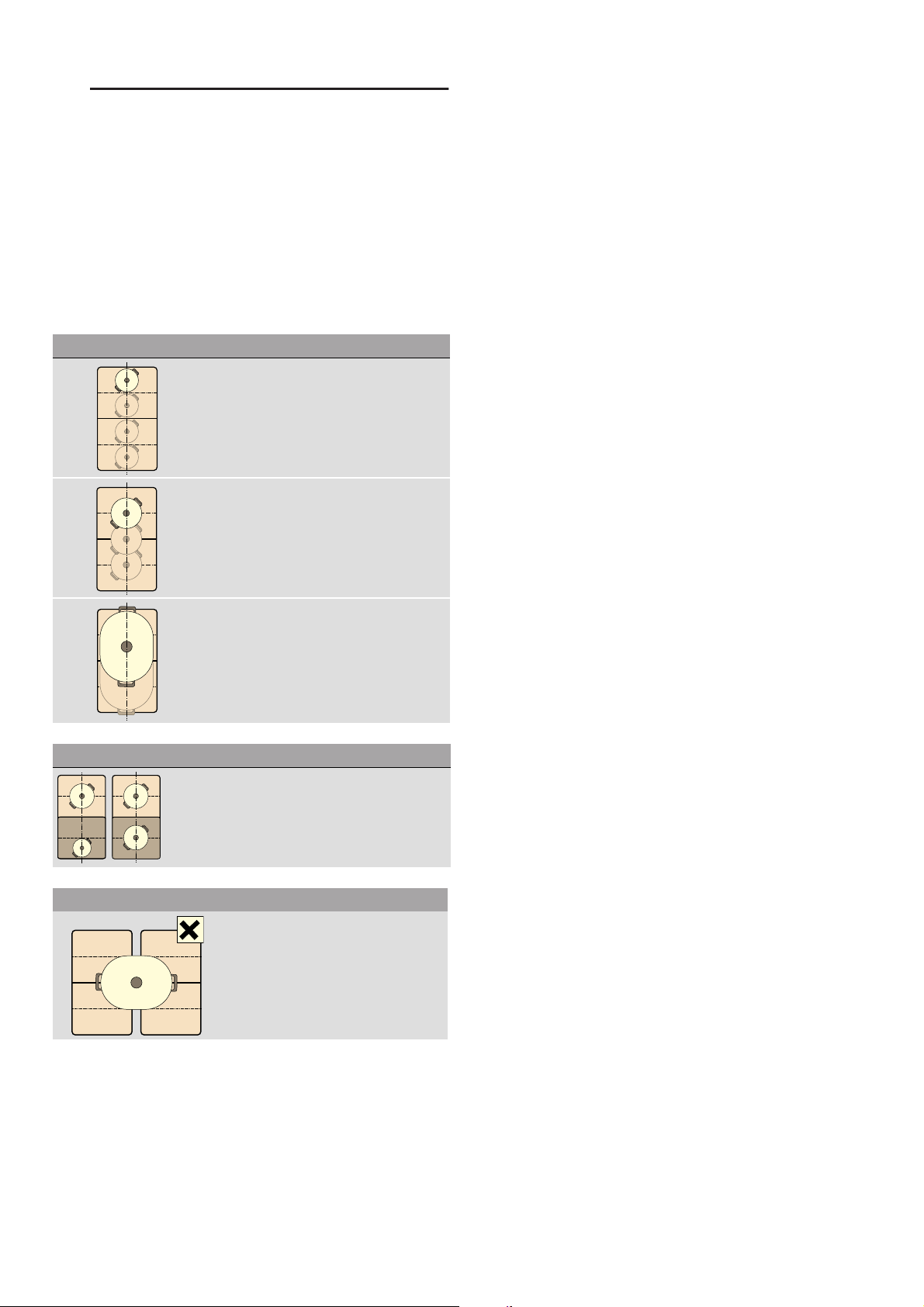
Advice on using cookware
To ensure that the cookware is detected and heat is
distributed evenly, correctly centre the cookware:
As two independent hotplates
The flexible cooking zone is used like two independent
hotplates.
Activating
See section ~ "Operating the appliance"
As a single hotplate
Using the entire cooking zone by connecting both
hotplates.
Linking the two hotplates
1. Set down the cookware. Select one of the two
hotplates in the flexible cooking zone and set the
heat setting.
2. Touch the { symbol. The u indicator lights up.
The flexible cooking zone is activated.
Note: The heat setting appears in the two displays for
the flexible cooking zone.
Changing the heat setting
Select one of the two hotplates assigned to the flexible
cooking zone and set the heat setting using the twist
knob.
Adding new cookware
Set the new item of cookware down, select one of the
two hotplates in the flexible cooking zone and then
touch the { symbol twice. The new cookware is
detected and the previously selected heat setting
remains the same.
Note: If the cookware is moved to the hotplate being
used or lifted up, the hotplate begins an automatic
search and the heat setting selected previously is
retained.
Disconnecting the two hotplates
Select one of the two hotplates assigned to the flexible
cooking zone and touch the { symbol.
This deactivates the flexible cooking zone. The two
hotplates will now function independently.
Note: If the hob is switched off, and then switched back
on again later, the flexible cooking zone is reset to
function as two independent hotplates.
As a single hotplate
Diameter smaller than or equal to 13 cm
Place the cookware on one of the four posi-
tions that can be seen in the illustration.
Diameter greater than 13 cm
Place the cookware on one of the three
positions that can be seen in the illustration.
If the cookware takes up more than one
hotplate, place it starting on the upper or
lower edge of the flexible cooking zone.
As two independent hotplates
The front and rear hotplates each have two induc-
tors and can be used independently of each other.
Select the required heat setting for each of the
hotplates. Use only one item of cookware on each
hotplate.
Recommendations
If the hob has more than one flexible
cooking zone, place the cookware on
top so that it covers only one of the flex-
ible cooking zones.
Otherwise, the hotplates will not be
activated as intended and the cooking
result will not be satisfactory.
Move function en
17
uMove function
Mov e f unct i on
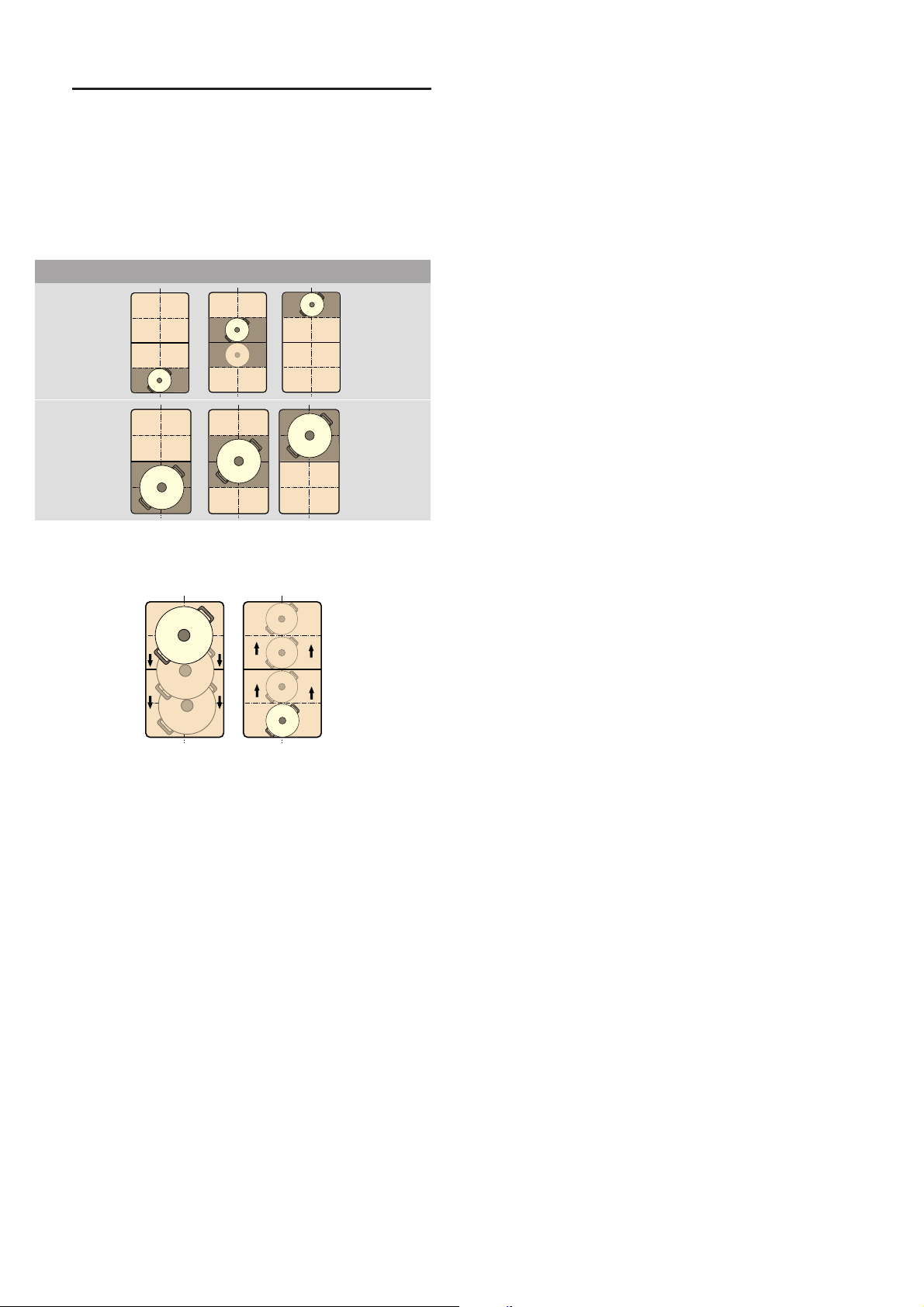
This function activates the entire flexible cooking zone,
which is divided into three cooking areas and which has
preset heat settings.
Only use one item of cookware. The size of the cooking
area depends on the cookware used and whether it is
positioned correctly.
This means that an item of cookware can be moved
during the cooking process to another cooking area
with another heat setting:
Preset heat settings:
Front area = heat setting Š
Middle area = heat setting †
Rear area = heat setting –.
The preset heat settings can be changed independently
of one another. You can find out how to change these in
the section on ~ "Basic settings"
Notes
■ If more than one item of cookware is detected on the
flexible cooking zone, the function is deactivated.
■ If the cookware is moved within the flexible cooking
zone or lifted up, the hob automatically starts
searching and the heat setting of the area in which
the vessel was detected is set.
■ You can find information on the size and positioning
of the cookware in the section on ~ "Flex Zone"
Activation
1. Select one of the two hotplates in the flexible
cooking zone.
2. Touch the | symbol. The indicator beside the
| symbol lights up. The flexible cooking zone is
activated as a single hotplate.
The heat setting in the area in which the cookware is
located lights up in the display for the front hotplate.
The function has now been activated.
Changing the heat setting
The heat settings for the individual cooking areas can
be changed during the cooking process. Set the
cookware down on the cooking area and change the
heat setting using the twist knob.
Notes
■ Only the heat setting in the area in which the
cookware is located is changed.
■ If the function is deactivated, the heat settings for the
three cooking areas are reset to the preset values.
Deactivating
Touch the | symbol. The indicator beside the | symbol
goes out.
The function was deactivated.
Note: If one of the cooking areas is set to ‹, the
function deactivates after a few seconds.
Cooking areas
en FlexPlus Zone
18
}FlexPlus Zone
Fl ex Pl us Zon e
The hob has a FlexPlus cooking zone which is located
between the two flexible cooking zones and which
switches on in conjunction with the right- or left-hand
flexible cooking zone. This means that larger cooking
vessels can be used and better cooking results can be
achieved.
The FlexPlus cooking zone always switches on in
conjunction with one of the two flexible cooking zones.
It is not possible to activate these cooking zones
independently.
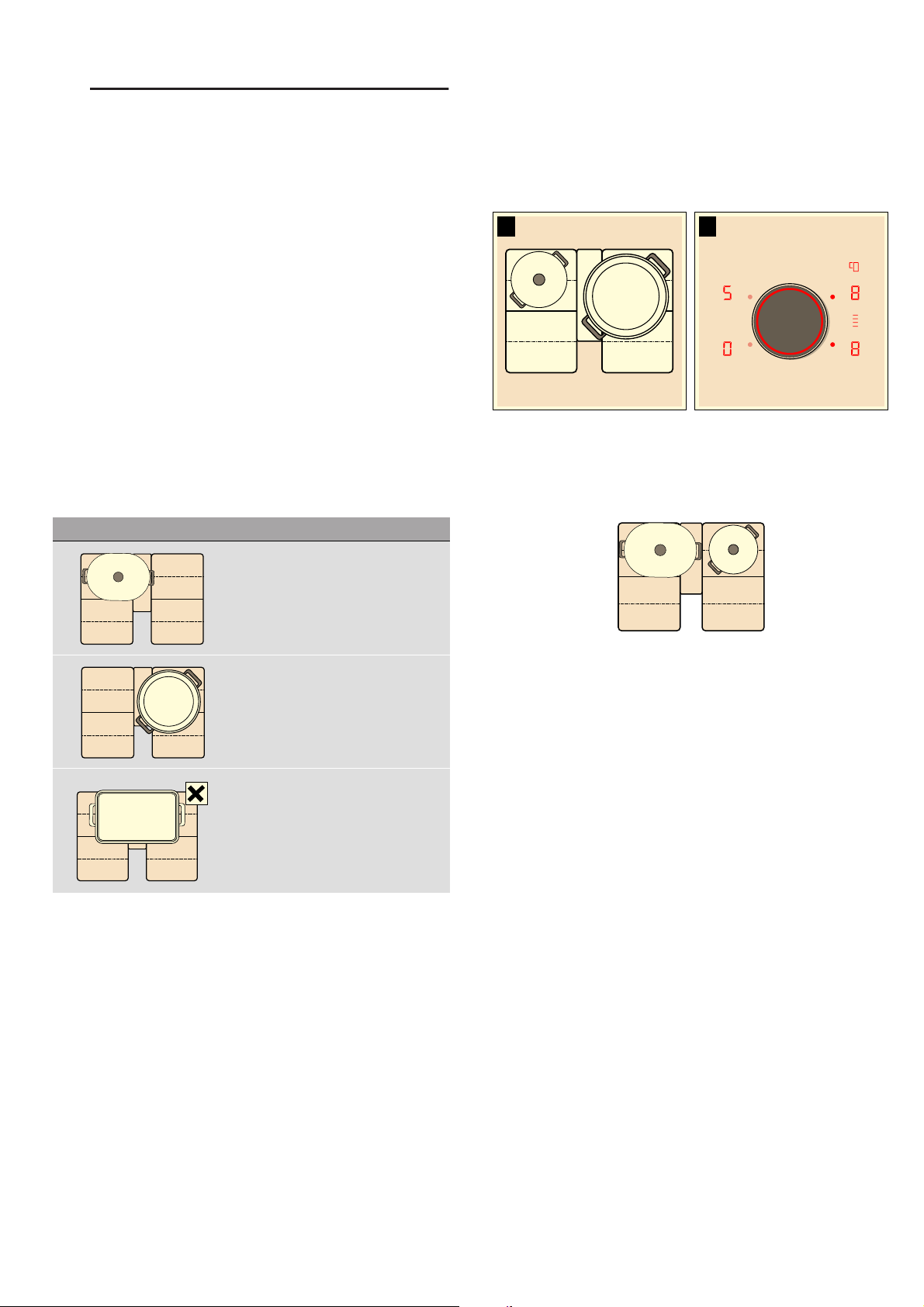
Notes regarding cookware
The cookware should be positioned centrally for good
thermal detection and distribution.
The cookware should cover the side hotplate and the
FlexPlus cooking zone.
Depending on the size of the cookware, the flexible
cooking zone can be activated as two independent
hotplates or as one hotplate:
Activation
1. Set down the cookware on the hotplate and make
sure that it also covers the FlexPlus cooking zone.
2. Select the hotplate and the required heat setting. The
hotplate and FlexPlus cooking zone indicators light
up.
The flexible cooking zone is activated.
Note: If the two hotplates next to the FlexPlus cooking
zone are covered by the cookware, the display in the
FlexPlus cooking zone flashes before the hob is
switched on.
To link the FlexPlus cooking zone to the corresponding
hotplate, lift up the cookware, select a heat setting and
then place the cookware back down.
Deactivating
Remove the cookware from the hotplate. The displays
go out.
This deactivates the FlexPlus cooking zone.
Set down the cookware
Oblong cookware
Activate the flexible cooking zone as
two independent hotplates or as one
hotplate.
Large round cookware
Activate the flexible cooking zone as a
single hotplate.
The vessel must not cover the two
side cooking zones and the FlexPlus
cooking zone at the same time.
1. 2.
Time-setting options en
19
OTime-setting options
Ti me- set t i ng opt i ons
Your hob has three timer functions:
■ Programming the cooking time
■ Kitchen timer
■ Stopwatch function
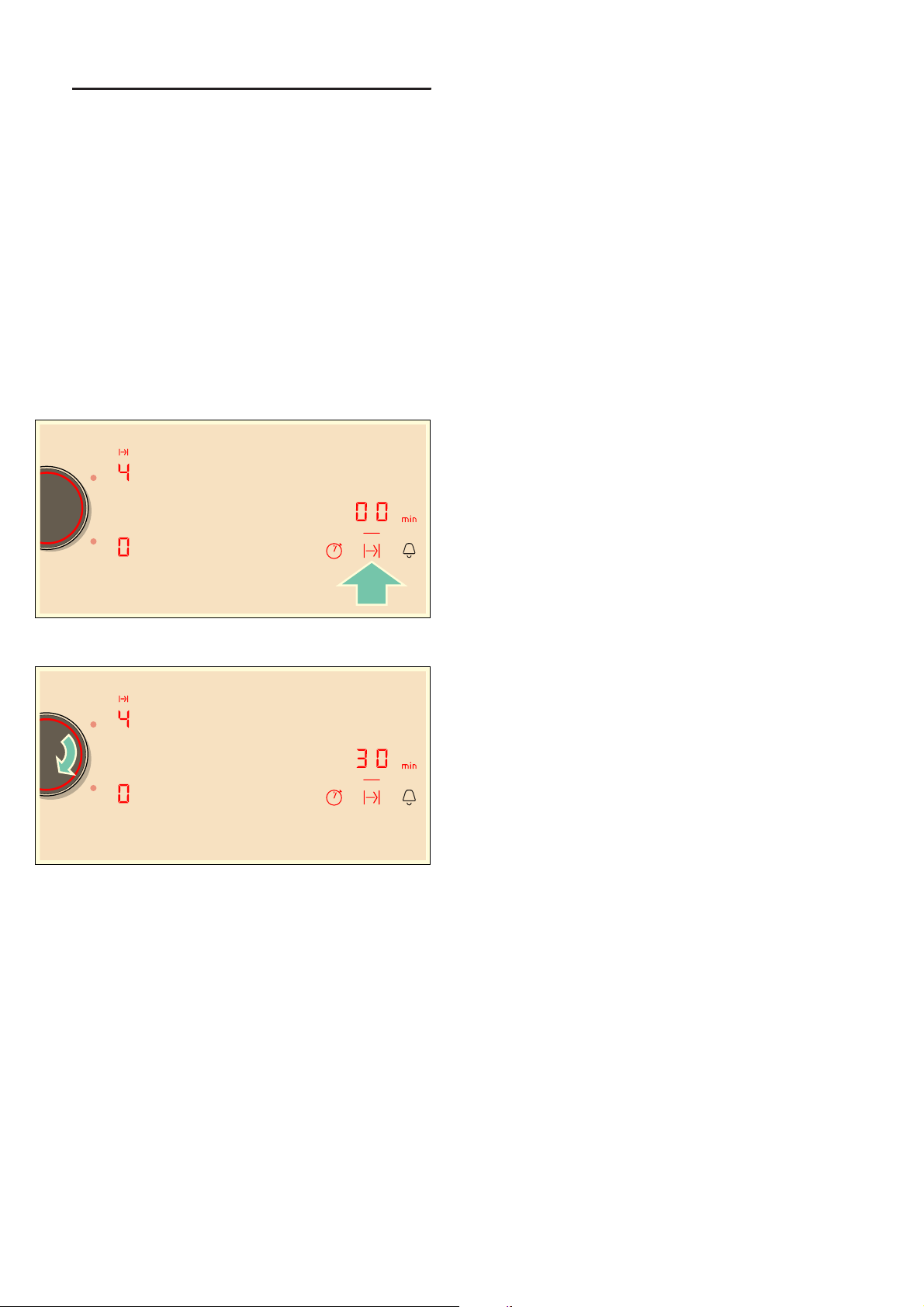
Programming the cooking time
The hotplate automatically switches off after the time
that is set has elapsed.
Setting procedure:
1. Select the hotplate and the required heat setting.
2. Touch the x symbol. The x display for the
hotplate lights up. ‹‹ lights up on the timer display.
3. Use the twist knob to select the required cooking
time.
The cooking time begins to elapse.
Notes
■ The same cooking time can be set automatically for
all hotplates. The set time for each of the hotplates
counts down independently.
You can find information on automatically
programming the cooking time in section ~ "Basic
settings"
■ If the flexible cooking zone is selected as the only
hotplate, the set time for the entire cooking zone is
the same.
■ If the Move function is selected for the combined
hotplate, the set time for the three hotplates is the
same.
Frying sensor
If a cooking time has been programmed for a hotplate
and the frying sensor has been activated, the cooking
time will not begin to count down until the selected
temperature setting has been reached.
Changing or deleting the time
Select the hotplate and then touch the x symbol.
Change the cooking time using the twist knob or on the
control panel or set ‹‹ to delete the programmed
cooking time.
When the time has elapsed
The hotplate switches off. An audible signal sounds, ‹
appears in the hotplate display and ‹‹ appears in the
timer display for one minute. The hotplate indicator x
flashes.Touch any symbol; the indicators go out and the
audible signal ceases.
Notes
■ If a cooking time was programmed for several
hotplates, the cooking time which ends first appears
in the timer display. The x display for the hotplate
lights up.
■ Select the relevant hotplate to call up the remaining
cooking time for a hotplate. The cooking time is
displayed for 10 seconds.
■ You can set a cooking time of up to 99 minutes.
The kitchen timer
You can use the kitchen timer to set a time of up to 99
minutes.
This functions independently from the hotplates and
from other settings. This function does not automatically
switch off a hotplate.
How to activate the function
1. Touch the . symbol: ‹‹ and the b indicator appear
in the timer display.
2. Use the twist knob to select the required time.
3. Touch the . symbol again to confirm the selected
time.
The time begins to elapse.
Changing or deleting the time
Touch the . symbol and use the twist knob to change
the time or set it to ‹‹.
When the time has elapsed
An audible signal sounds for one minute and the ‹‹
symbol flashes in the timer display. Touch the .
symbol again: The displays go out and the audible
signal ceases.
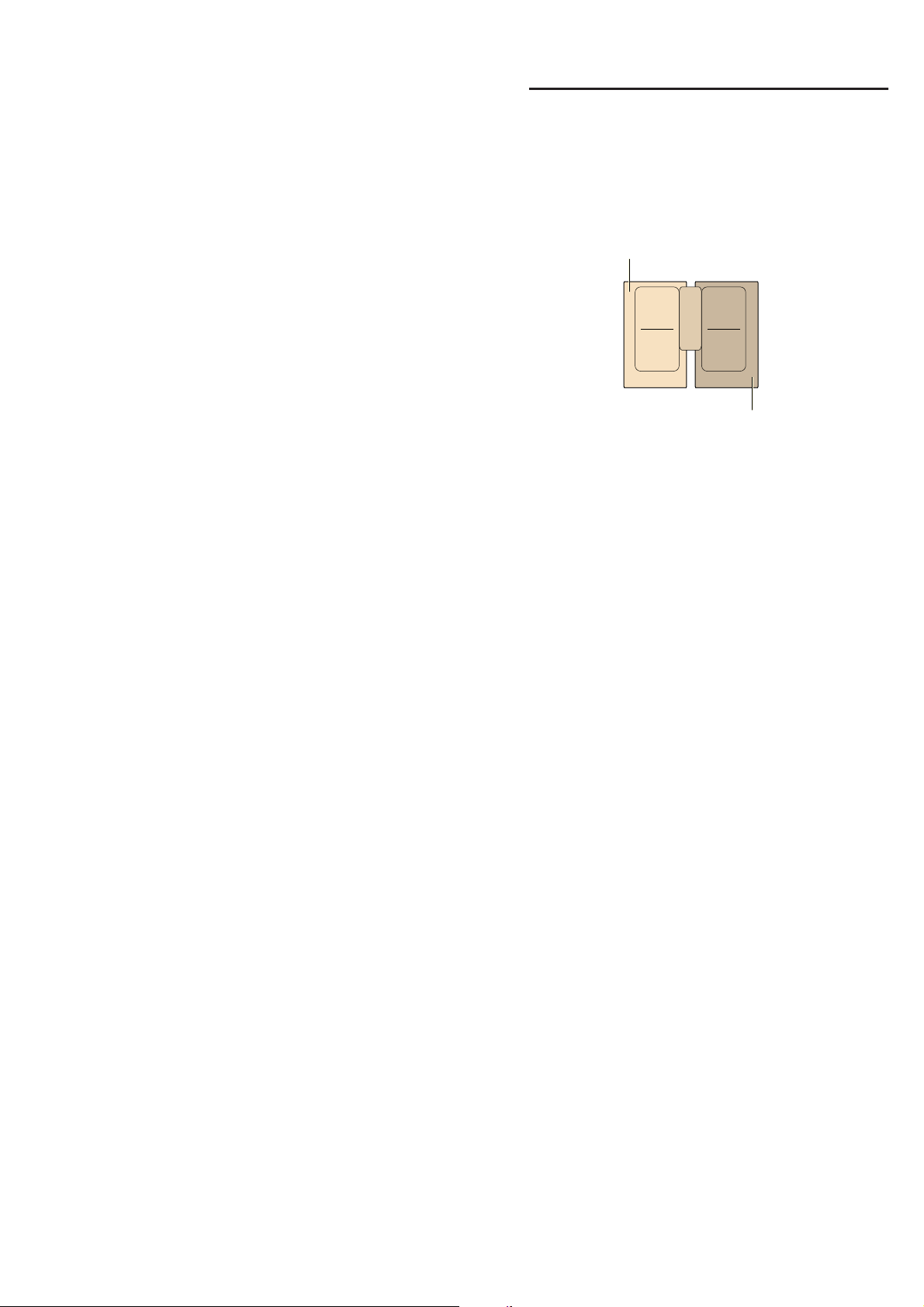
en PowerBoost function
20
Stopwatch function
The stopwatch function displays the time that has
elapsed since activation.
This functions independently from the hotplates and
from other settings. This function does not automatically
switch off a hotplate.
Activating
Touch the œ symbol. The ‹‹ symbol and the b
indicator light up in the timer display.
The time begins to elapse.
Deactivating
Touch the œ symbol.‹‹ appear in the timer display
and then go out.
The function is deactivated.
Note: This function must be selected in order to
deactivate the stopwatch.
vPowerBoost function
Po we r Bo o s t function
The PowerBoost function enables you to heat up large
quantities of water faster than when using heat setting
Š.
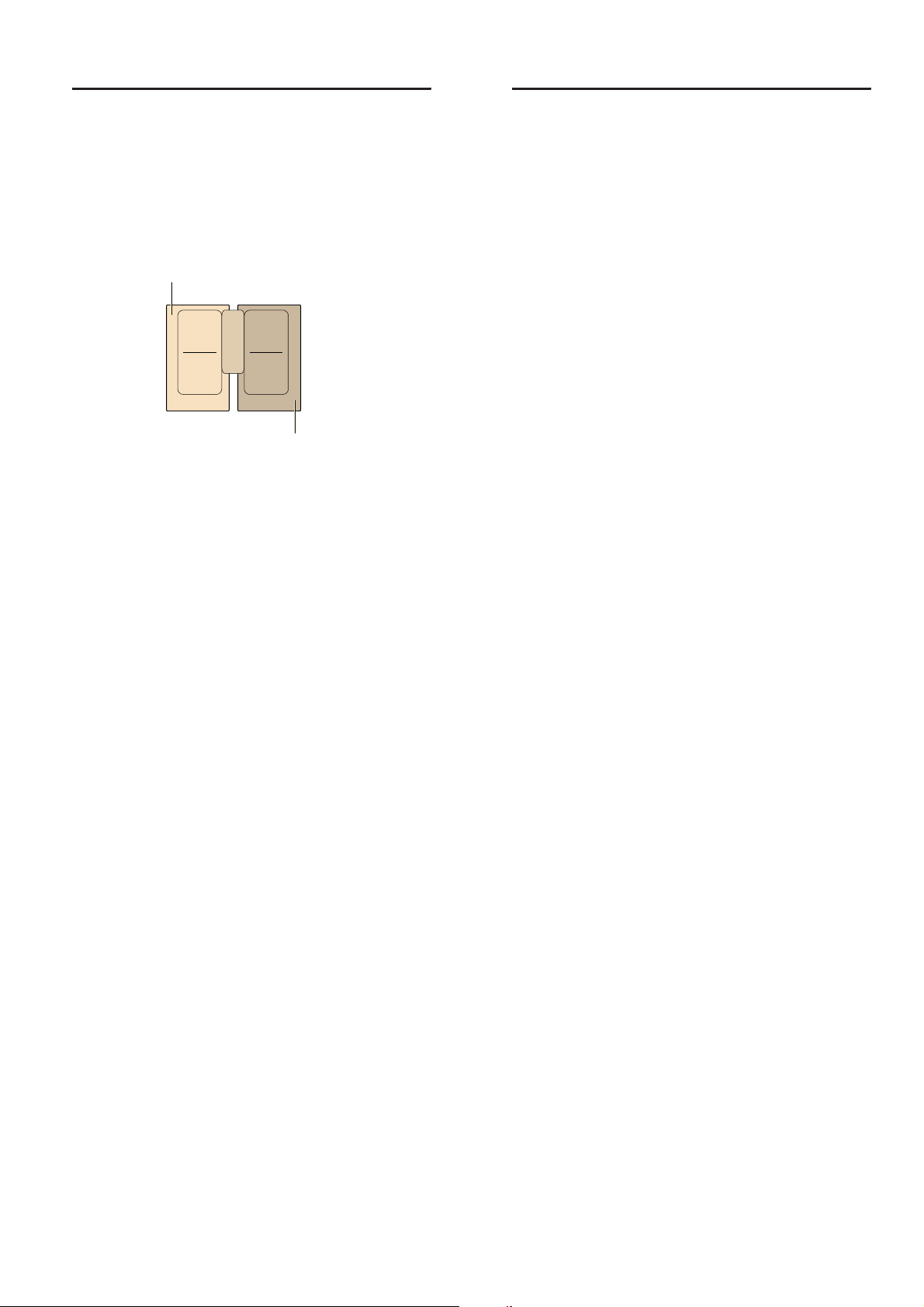
This function can always be activated for a hotplate,
provided the other hotplate in the same group is not in
use (see illustration).
Note: The PowerBoost function can also be activated in
the flexible area if the cooking zone is being used as a
single hotplate.
Activating
1. Select a hotplate.
2. Touch the ˜ symbol. The ˜ and õ indicators light
up.
The function is activated.
Deactivating
1. Select a hotplate.
2. Touch the ˜ symbol. The ˜ and õ indicators go
out. The heat setting Š lights up in the hotplate's
display.
The function is deactivated.
Note: In certain circumstances, the PowerBoost
function can switch itself off automatically in order to
protect the electronic elements inside the hob.
ShortBoost function en
21
xShortBoost function
Sh o r t Bo o s t f unct i on
The ShortBoost function enables you to heat cookware
faster than when using heat setting Š.
After deactivating the function, select the appropriate
heat setting for your food.
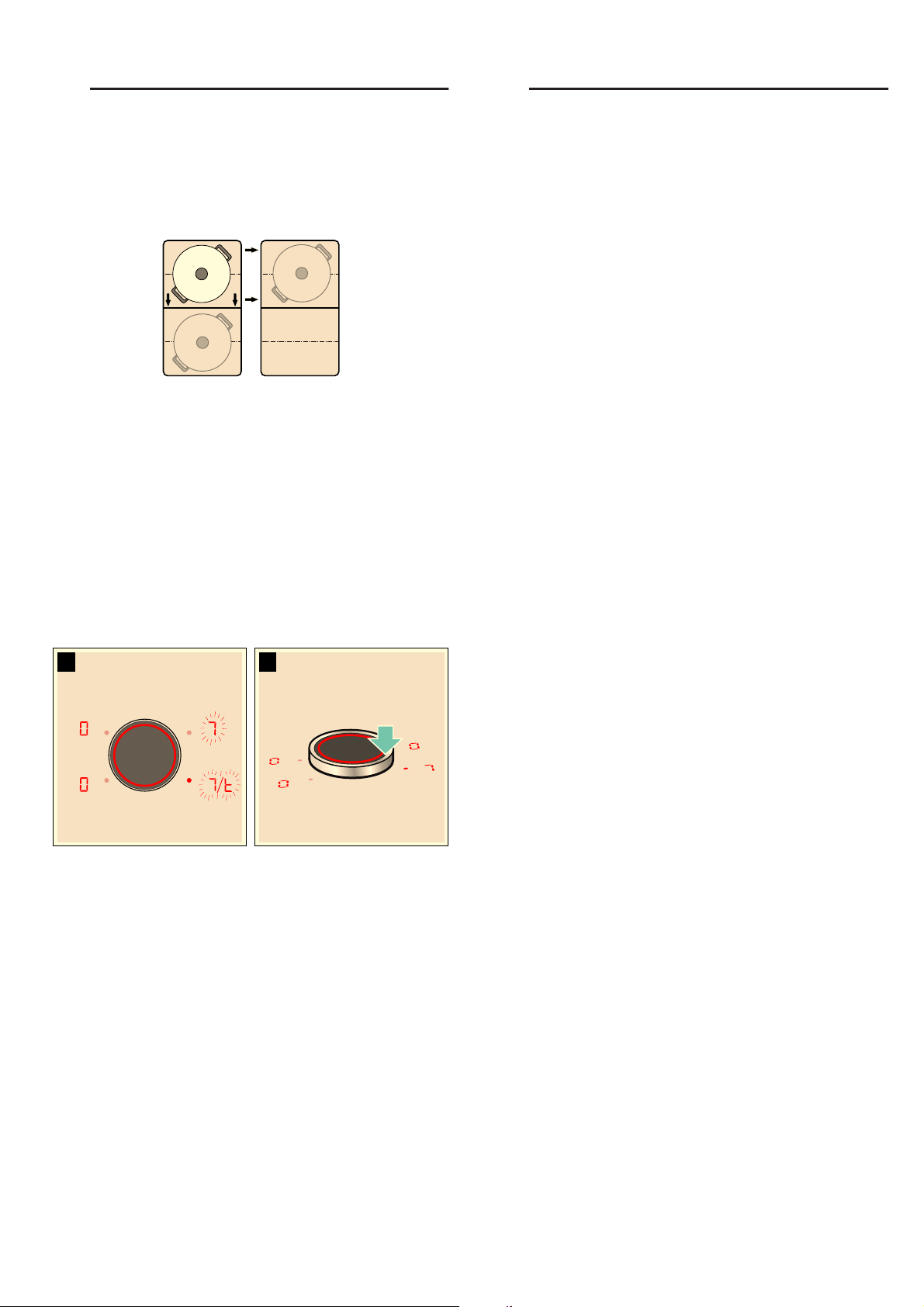
This function can always be activated for a hotplate,
provided the other hotplate in the same group is not in
use (see illustration).
Note: With the flexible cooking zone, the ShortBoost
function can be activated even if it is used as the only
cooking zone.
Recommendations for use
■ Always use cookware that has not been pre-heated.
■ Use pots and pans with a flat base. Do not use
cookware with a thin base.
■ Never leave empty cookware, oil, butter or lard to
heat up unattended.
■ Do not place a lid on the cookware.
■ Place the cookware on the centre of the hotplate.
Ensure that the diameter of the base of the
cookware corresponds to the size of the hotplate.
■ You can find information on the type, size and
positioning of the cookware in section ~ "Induction
cooking"
Activating
1. Select a hotplate.
2. Touch the ˜ symbol twice. The ˜ and w indicators
light up.
The function is activated.
Deactivating
1. Select a hotplate.
2. Touch the ˜ symbol. The ˜ and w displays go out.
The heat setting Š lights up in the display for the
hotplate.
The function is deactivated.
Note: In certain circumstances, the ShortBoost function
can switch itself off automatically in order to protect the
electronic elements inside the hob.
zKeep warm function
Ke e p wa r m functi on
This function is suitable for melting chocolate or butter
and for keeping food warm.
Activation
1. Select the required hotplate.
2. Touch the – within the next 10 seconds.
– lights up on the display.
The function is activated.
Deactivation
1. Select the hotplate.
2. Touch the – symbol.
The – indicator goes out. The hotplate switches itself
off and the residual heat indicator lights up.
The function is deactivated.
en Transferring settings
22
sTransferring settings
Tr ansf er r i ng set t i ngs
The heat setting and the programmed cooking time
can be transferred from one hotplate to another using
this function.
To transfer the settings, move the cookware from the
hotplate which is switched on to another hotplate.
Note: You can find additional information on the
positioning of the cookware in the section on ~ "Flex
Zone"
Activation
1. Move the cookware from the hotplate which is
switched on to another hotplate.
The heat setting of the original hotplate flashes.
The cookware is detected and the previously
selected heat setting and the £ symbol flash in the
new hotplate display.
2. Select the new hotplate to confirm the settings.
The heat setting of the original hotplate is set to ‹.
The function has now been activated.
The settings have been transferred to the new hotplate.
Notes
■ Move the cookware to a hotplate which is not
switched on, which you have not yet preset or on
which no other cookware has been placed.
■ The PowerBoost or ShortBoost function can then
only be moved from left to right or right to left if no
hotplate is active.
■ If a new item of cookware is set down on another
hotplate before the settings have been confirmed,
this function is ready for both cooking vessels.
■ If several vessels are moved, the function is only
ready for the vessel which was last moved.
cFrying Sensor
Fr y i ng Se n s o r
This function can be used to fry food while maintaining
the suitable frying pan temperature.
The cooking zones that have this function are identified
by the roasting function symbol.
Advantages when frying
■ The hotplate only heats up if this is required to
maintain the temperature. This saves energy and
prevents the oil or fat from overheating.
■ The frying function reports when the empty frying
pan has reached the optimum temperature for
adding oil and then for adding the food.
Notes
■ Do not place a lid on the pan. Otherwise, the
function does not activate correctly. You can use a
splash guard to prevent splashes of grease.
■ Use suitable oil or fat for frying. If butter, margarine,
extra virgin olive oil or lard is used, set heat setting
1 or 2.
■ Never leave a frying pan, with or without food,
unattended when it is being heated.
■ If the hotplate is a higher temperature than the
cookware or vice versa, the frying sensor will not be
activated correctly.
For frying with the frying sensor
Frying pans that are perfect for using with the frying
sensor can be purchased from specialist retailers or
through our technical after-sales service. Quote the
relevant reference number:
■ Z9451X0 15 cm frying pan.
■ Z9452X0 19 cm frying pan.
■ Z9453X0 21 cm frying pan.
■ Z9455X0 28 cm frying pan. Only recommended for
the FlexPlus cooking zone.
These frying pans have a non-stick coating so that you
require only a small amount of oil to fry food.
Notes
■ The frying sensor has been configured specifically
for this type of frying pan.
■ Ensure that the diameter of the base of the frying
pan corresponds to the size of the hotplate. Put the
frying pan in the centre of the hotplate.
■ Using a frying pan of a different size or one that is
poorly positioned on the flexible cooking zones may
result in the frying sensor not being activated. See
the section on ~ "Flex Zone".
■ Other frying pans may overheat. They may reach a
temperature above or below the selected
temperature setting. Try the lowest temperature
setting to begin with and change it if necessary.
1. 2.

Frying Sensor en
23
Temperature settings
Table
The table shows which heat setting is suitable for each
type of food. The roasting time may vary depending on
the type, weight, size and quality of the food.
The set heat setting varies depending on the frying pan
that is used.
Preheat the empty pan; add oil and food after the
acoustic signal has sounded.
Temperature setting Suitable for
1 Very low Preparing and reducing sauces, sweating vegetables and frying food in extra virgin olive oil, butter or margarine.
2 Low Frying food using extra virgin olive oil, butter or margarine, e.g. omelettes.
3 Medium - low Frying fish and Thick food, e.g. meatballs and sausages.
4 Medium - high Frying steaks, medium or well-done, frozen, breaded and fine foods, e.g. escalope, fresh ragout and vegetables.
5 High Frying food at high temperatures, e.g. steaks, rare, potato pancakes and Frozen French fries.
Temperature
setting
Total frying time after the signal
sounds (mins.)
Meat
Escalope, plain or breaded 4 6 - 10
Fillet 4 6 - 10
Chops* 3 10 - 15
Cordon bleu, Viennese Schnitzel* 4 10 - 15
Steak, rare (3 cm thick) 5 6 - 8
Steak, medium or well-done (3 cm thick) 4 8 - 12
Poultry breast (2 cm thick)* 3 10 - 20
Sausages, pre-boiled or raw* 3 8 - 20
Hamburger, meatballs, rissoles* 3 6 - 30
Stripes of meat, gyros 4 7 - 12
Minced meat 4 6 - 10
Bacon 2 5 - 8
Fish
Fish, fried, whole, e.g. trout 3 10 - 20
Fish fillet, plain or breaded 3 - 4 10 - 20
Prawns, scampi 4 4 - 8
Egg dishes
Pancakes** 5 1,5 - 2,5
Omelette** 2 3 - 6
Fried eggs 2 - 4 2 - 6
Scrambled eggs 2 4 - 9
Shredded raisin pancake 3 10 - 15
French toast** 3 4 - 8
* Turn several times.
** Total cooking time per portion. Fry in succession.

en Frying Sensor
24
Potatoes
Fried potatoes (boiled in their skin) 5 6 - 12
Fried potatoes (made from raw potatoes) 4 15 - 25
Potato pancakes** 5 2,5 - 3,5
Swiss rösti 2 50 - 55
Glazed potatoes 3 15 - 20
Vegetables
Garlic, onions 1 - 2 2 - 10
Courgettes, aubergines 3 4 - 12
Peppers, green asparagus 3 4 - 15
Vegetables sautéed in oil, e.g. courgettes, green peppers 1 10 - 20
Mushrooms 4 10 - 15
Glazed vegetables 3 6 - 10
Onion rings 3 5 - 10
Frozen products
Escalope 4 15 - 20
Cordon bleu* 4 10 - 30
Poultry breast* 4 10 - 30
Chicken nuggets 4 10 - 15
Gyros, kebab 4 10 - 15
Fish fillet, plain or breaded 3 10 - 20
Fish fingers 4 8 - 12
French fries 5 4 - 6
Stir-fries meals, e.g. fried vegetables with chicken 3 6 - 10
Spring rolls 4 10 - 30
Camembert/cheese 3 10 - 15
Sauces
Tomato sauce with vegetables 1 25 - 35
Béchamel sauce 1 10 - 20
Cheese sauce, e.g. Gorgonzola sauce 1 10 - 20
Reducing sauces, e.g. tomato sauce, Bolognese sauce 1 25 - 35
Sweet sauces, e.g. orange sauce 1 15 - 25
Miscellaneous
Camembert/cheese 3 7 - 10
Dry ready meals that require water to be added, e.g. pasta 1 5 - 10
Croutons 3 6 - 10
Almonds/walnuts/pine nuts 4 3 - 15
Temperature
setting
Total frying time after the signal
sounds (mins.)
* Turn several times.
** Total cooking time per portion. Fry in succession.
Childproof lock en
25
Setting procedure
Select the appropriate temperature setting from the
table. Place the empty frying pan on the hotplate.
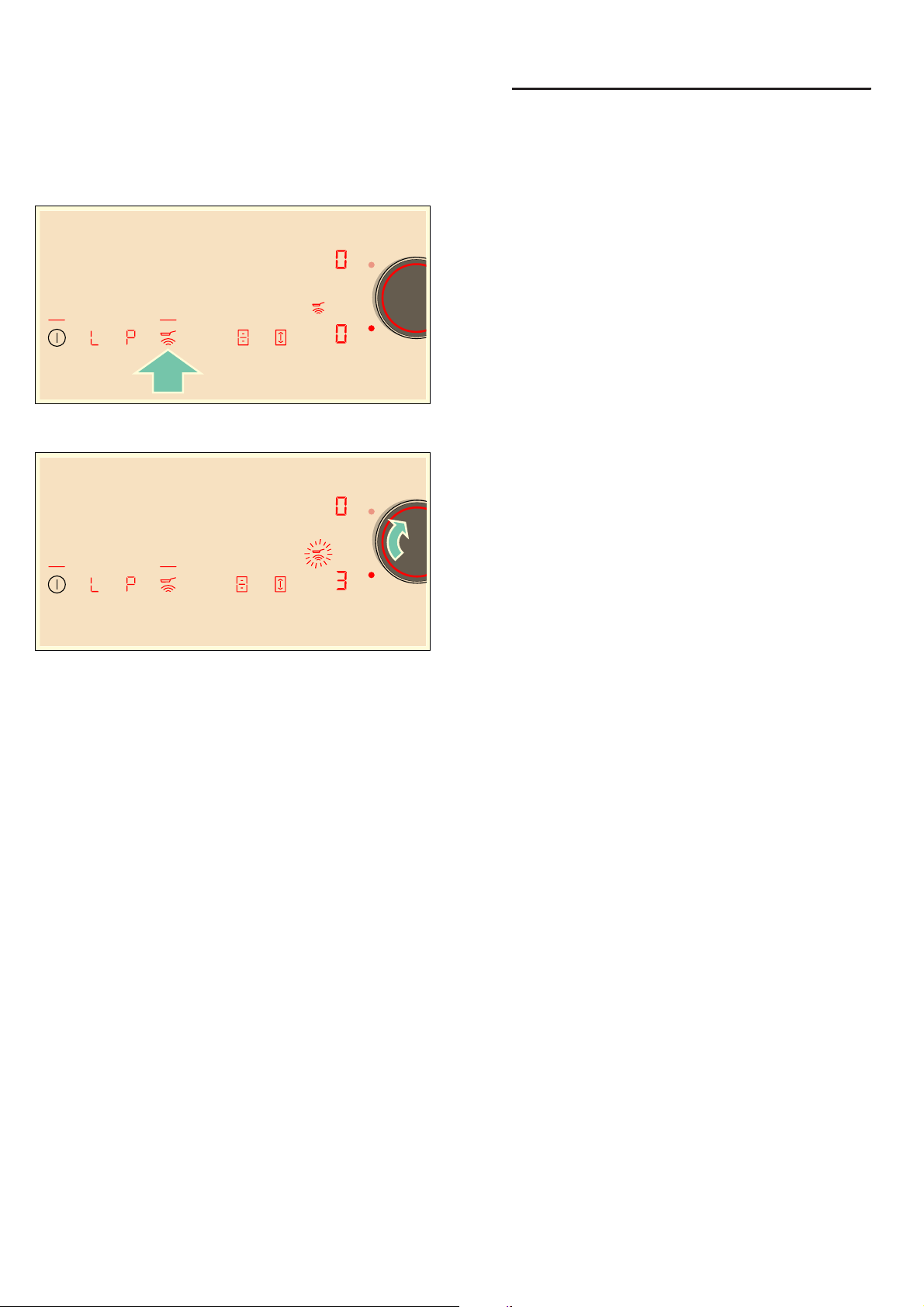
1. Select the hotplate and touch the Û symbol. Û
lights up in the hotplate display.
2. Within the next 5 seconds, select the required
temperature setting using the twist knob.
The function has now been activated.
The Û temperature symbol flashes until the frying
temperature is reached. A signal sounds and the
temperature symbol lights up.
3. Once the frying temperature has been reached, add
the fat and then the food to the pan.
Note: Turn the food so that it does not burn.
Switching off the frying sensor
Select the hotplate and touch the Û symbol. The
function is deactivated.
AChildproof lock
Ch i l d p r o o f lock
You can use the childproof lock to prevent children
from switching on the hob.
Activating and deactivating the childproof
lock
The hob must be switched off.
To activate: Touch the . symbol for approx. 4 seconds.
The ‚ indicator lights up for 10 seconds. The hob is
locked.
To deactivate: Touch the . symbol for approx. 4
seconds. The lock is released.
Childproof lock
With this function, the childproof lock automatically
activates when a hob is switched off.
Switching on and off
You can find out how to switch the automatic childproof
lock on in the ~ "Basic settings" section

en Wipe protection
26
kWipe protection
Wipe pr ot ec t i on
Wiping over the control panel while the hob is switched
on may alter the settings. To avoid doing this, you can
use the hob's "Lock control panel for cleaning" function.
To activate this function: Remove the twist knob. The
z indicator will be lit.The control panel will remain
locked for 35 seconds. You will now be able to clean
the surface of the control panel without altering the
settings.
To deactivate this function: The control panel will be
unlocked once 35 seconds have elapsed. To end the
function early, fit the twist knob back on and turn it until
the
z indicator goes out.
Notes
■ The timer displays the time that has elapsed since
the lock was activated. An audible signal sounds 30
seconds after activation. This indicates that the
function is about to finish.
■ The cleaning lock does not lock the main switch. The
hob can be switched off at any time.
bAutomatic safety cut-out
Au t o mat i c saf et y cut - out
If a hotplate operates for an extended period and no
settings are changed, the automatic safety shut-off is
activated.
The hotplate stops heating. ”, ‰ and the residual heat
indicator œ or • flash alternately in the hotplate display.
When you touch any symbol, the display switches off.
The hotplate can now be set again.
The point at which the safety shut-off becomes active
depends on which heat setting has been set (after 1 to
10 hours).

Basic settings en
27
QBasic settings
Ba s i c s et t i ngs
The appliance has various basic settings. You can
adapt these to suit your cooking habits.
Display Function
™‚
Automatic childproof lock
‹ Manual*.
‚ Automatic.
ƒ Function deactivated.
™ƒ
Audible signals
‹ Confirmation and fault signals are switched off.
‚ Only the fault signal is switched on.
ƒ Only the confirmation signal is switched on.
„ All signal tones are switched on.*
™„
Display energy consumption
‹ Switched off.*
‚ Switched on.
™†
Automatically programming the cooking time
‹‹ Switched off.*
‹‚-ŠŠ Time until automatic switch-off.
™‡
Duration of the timer-end signal tone
‚ 10 seconds.
ƒ 30 seconds.
„ 1 minute.*
™ˆ
Power management function. Limiting the total power of the hob
‹ Switched off.*
‚ 1000 W minimum power.
‚. 1500 W.
ƒ 2000 W.
...
Š or Š. Maximum power of the hob.
™Š
Time for selecting the hotplate
‹ Unlimited: The hotplate which was set last remains selected.*
‚ Limited: The hotplate only remains selected for a few seconds.
™‚‚
Changing the preset heat settings for the Move function
׊ Preset heat setting for the front cooking zone.
Ù† Preset heat setting for the central cooking zone.
Ø– Preset heat setting for the rear cooking zone.
™‚ƒ
Checking cookware and cooking results
‹ Not suitable
‚ Not perfect
ƒ Suitable
* Factory settings
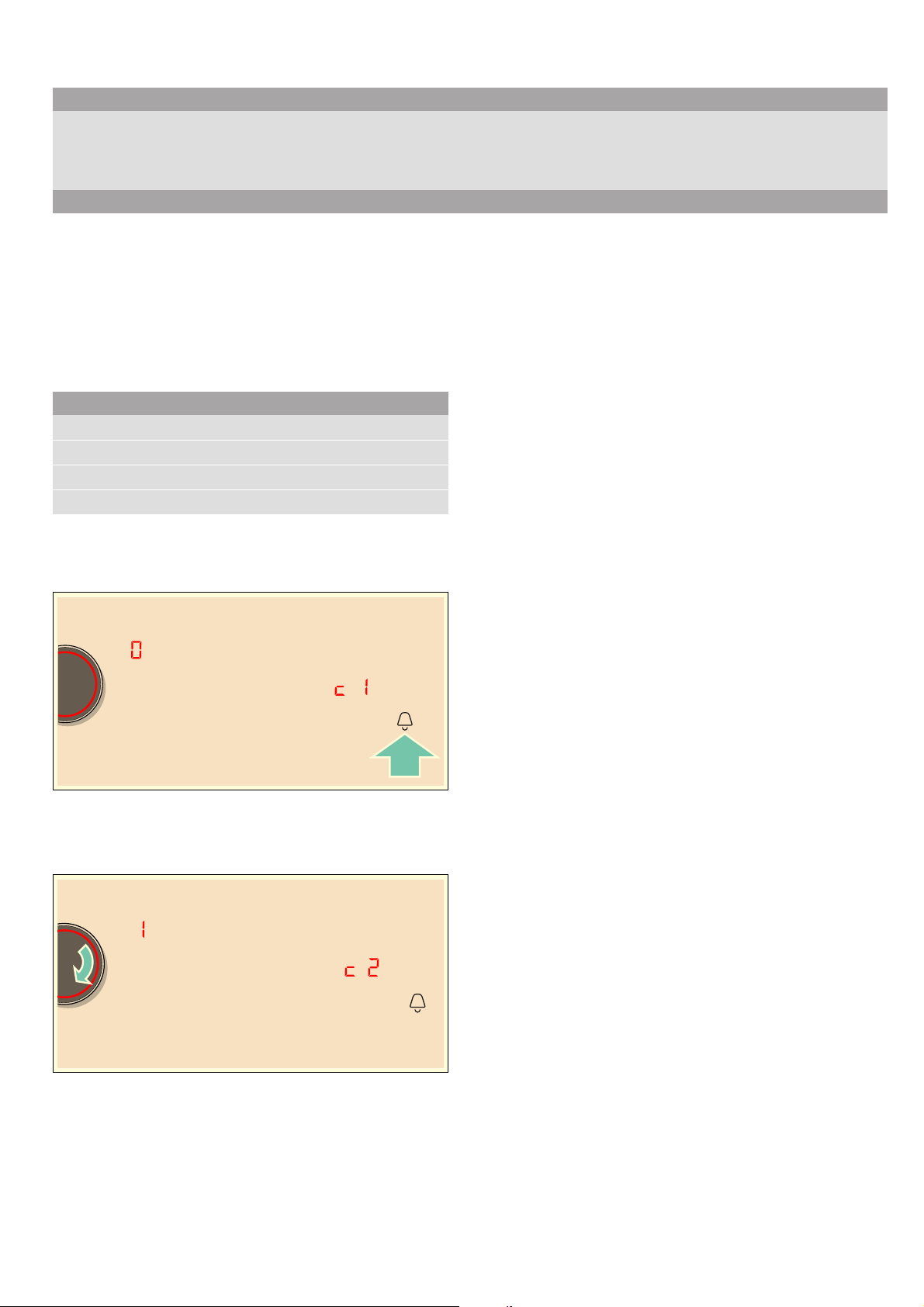
en Basic settings
28
To access the basic settings:
The hob must be off.
1. Switch on the hob.
2. Within ten seconds, touch and hold the . symbol for
approximately three seconds.
The first four displays provide product information.
Turn the twist knob to view the individual displays.
3. Touch the . symbol again to access the basic
settings.
™‚ and ‹ light up as a presetting in the displays.
4. Touch the . symbol repeatedly until the required
function is displayed.
5. Then use the twist knob to select the required
setting.
6. Touch the . symbol for at least three seconds.
The settings have been saved.
Leaving the basic settings
Turn off the hob with the main switch.
™‹
Restoring the factory settings
‹ Individual settings.*
‚ Restore factory settings.
Display Function
* Factory settings
Product information Display screen
After-sales service index (ASSI)
‹‚
Production number
”š
Production number 1
Š†.
Production number 2
‹.†
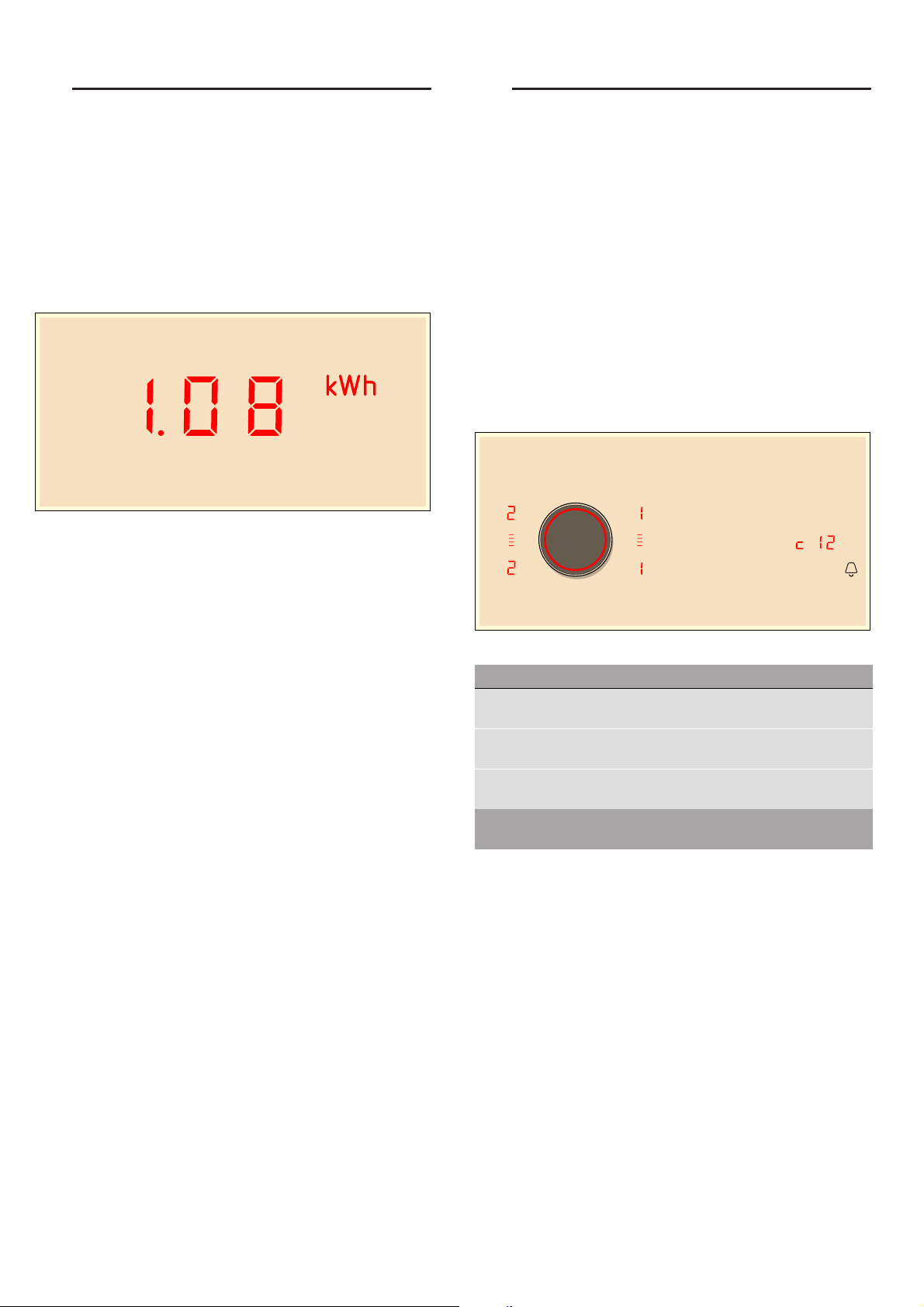
Energy consumption indicator en
29
[Energy consumption
indicator
Ener gy consumpt i on indicator
This function indicates the total amount of energy
consumed by this hob the last time it was used for
cooking.
Once switched off, the energy consumption in kWh is
displayed for 10 seconds.
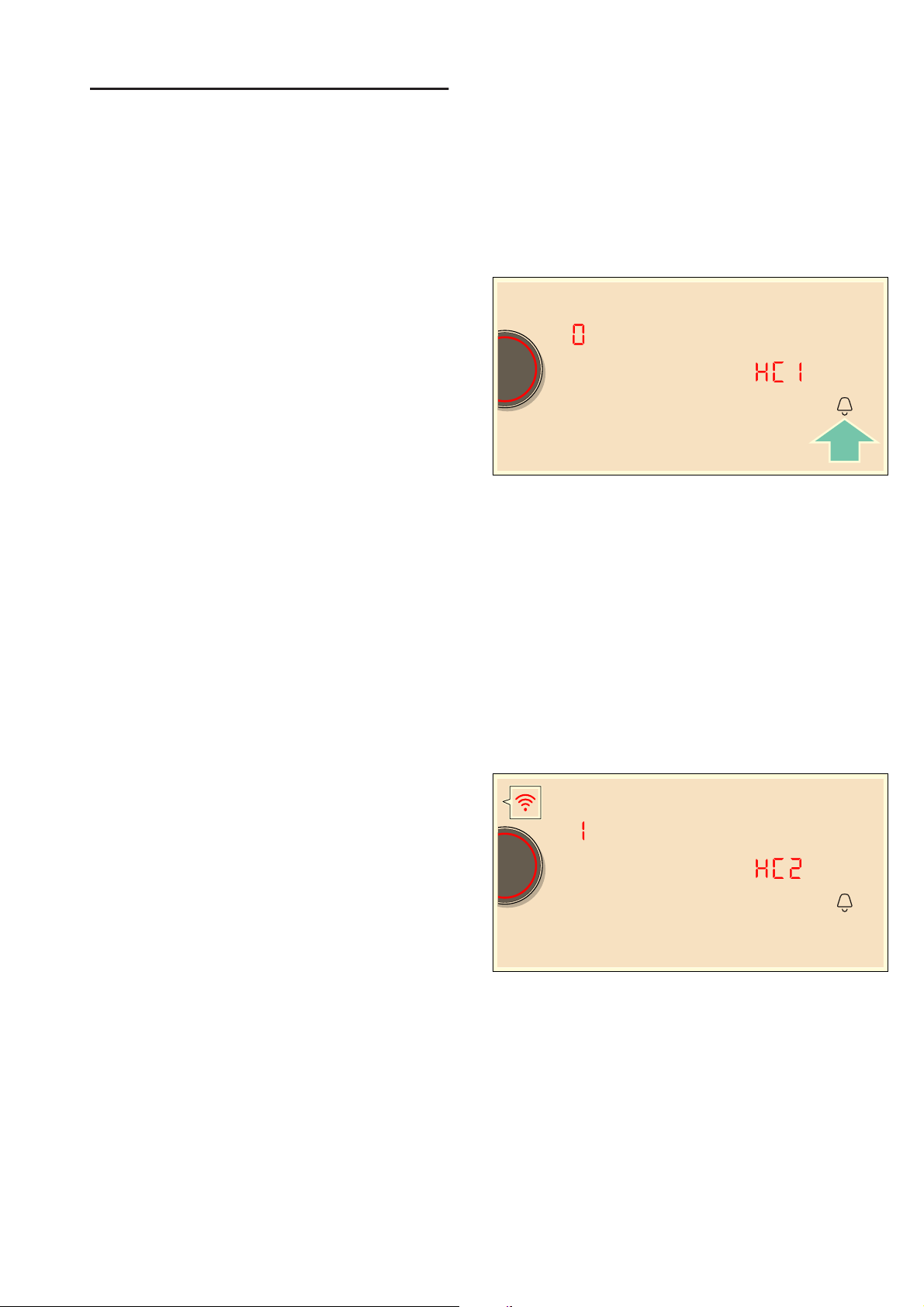
The picture shows an example with an energy
consumption of ‚.‹‰ kWh.
You can find out how to switch this function on in the
section on ~ "Basic settings"
tCookware check
Co o k wa r e check
This function can be used to check the speed and
quality of the cooking process depending on the
cookware.
The result is a reference value and depends on the
properties of the cookware and the hotplate being used.
1. With the cookware still cold, fill it with approx.
200 ml of water and place it on the centre of the
hotplate with the diameter that most closely matches
that of the base of the cookware.
2. Go to the basic settings and select the ™‚ ƒ setting.
3. Turn the twist knob. b flashes on the hotplate
displays.
The function is activated.
After 10 seconds, information on the quality and speed
of the cooking process appears in the hotplate displays.
Check the result using the following table:
To reactivate the function, turn the twist knob.
Notes
■ The flexible cooking zone only counts as a single
hotplate; place no more than one item of cookware
on it.
■ If the diameter of the hotplate used is much smaller
than the diameter of the cookware, only the middle
of the cookware can be expected to heat up. This
may result in the cooking results not being as good
as expected or being less than satisfactory.
■ You can find information on this function in the
section on ~ "Basic settings".
■ You can find information on the type, size and
positioning of the cookware in the sections on
~ "Induction cooking" and ~ "Flex Zone".
Result
‹
The cookware is not suitable for the hotplate and will therefore
not heat up.*
‚
The cookware is taking longer to heat up than expected and the
cooking process is not going as well as it should.*
ƒ
The cookware is heating up correctly and the cooking process
is going well.
* If there is a smaller hotplate available, test the cookware again on the
smaller hotplate.
en Home Connect
30
oHome Connect
Ho me Connect
Note: Home Connect is due to be introduced for NEFF
from the end of 2018.
This appliance is WLAN-enabled and settings can be
sent to the appliance via a mobile device.
If the appliance is not connected to the home network,
the appliance functions in the same way as a hob with
no network connection. The hob can always be
operated via the control panel.
The availability of the Home Connect function depends
on the availability of Home Connect services in your
country. Home Connect services are not available in
every country.You can find more information on this at
www.home-connect.com.
Notes
■ Hobs are not designed to be used unattended - you
must always keep an eye on the cooking process.
■ Ensure that you follow the safety instructions in this
instruction manual and that these are also observed
when operating the appliance via the Home Connect
app. You must also follow the instructions in the
Home Connect app.~ "Important safety
information" on page 6
■ Using the Home Connect app, you can send settings
to your appliance and then have to confirm them on
the appliance. It is not possible to operate the
appliance whilst you are away from home.
■ Operation on the appliance always has priority.
During this time, it is not possible to operate the
appliance using the Home Connect app.
Setting up
To implement settings via Home Connect, you must
have installed and set up the Home Connect app on
your mobile device.
Follow the steps specified by the app to make the
settings.
The app must be open in order to perform the setup
process.
Automatic registration in the home network
You require a router that has WPS functionality.
You require access to your router.If you do not have
this, follow the steps for "Manual registration in the
home network".
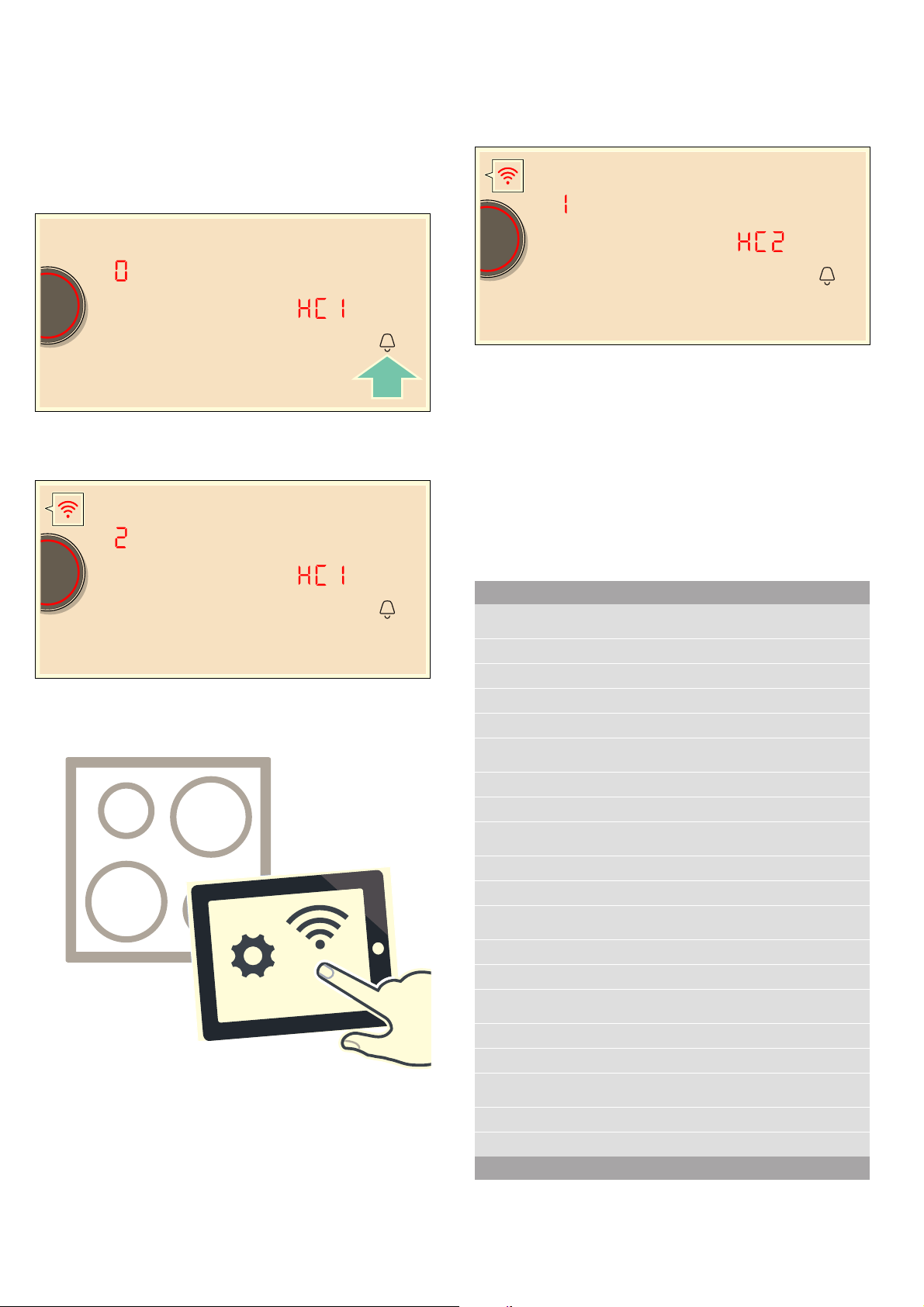
1. Touch the . symbol for 3 seconds.
Product information will be displayed.
2. Touch the U symbol repeatedly until the
•’‚ setting appears.
‹ lights up in the cooking position display.
3. Set the value to ‚ using the twist knob.
‚ and the D symbol will flash on the cooking
position display.
4. Press the WPS button on the router within the next
2 minutes.
The hob is connected to the home network if the
D symbol no longer flashes but is lit up on the
cooking position display.
Note: If a connection cannot be established, the
"Connect manually" ƒ value appears.Register the
appliance in the home network manually or try
connecting automatically again.
The appliance automatically tries to connect to the
app; the •’ƒ setting appears. The ‚ value flashes
on the control panel.
5. On your mobile device, follow the instructions in the
app for automatic network registration.
The registration procedure has been completed once
the ‹ value appears in the cooking position display.
Home Connect en
31
Manual registration in the home network
1. Touch the . symbol for 3 seconds.
Product information will be displayed.
2. Touch the U symbol repeatedly until the •’‚
setting appears.
‹ lights up in the cooking position display.
3. Set the value to ƒ using the twist knob.
ƒ and the D symbol will flash on the cooking
position display.
4. Use the "Home Connect" SSID and the "Home
Connect" key to register the mobile device on the
hob network.
The hob is connected to the home network if the
D symbol no longer flashes but is lit up on the
cooking position display.
The appliance automatically tries to connect to the
app; the •’ƒ setting appears. The ‚ value flashes
on the control panel.
5. Start the app on the mobile device and follow the
instructions for manual network registration.
The registration procedure has been completed once
the ‹ value appears in the cooking position display.
Home Connect settings
You can adjust Home Connect to suit your
requirements at any time.
In the basic settings for your hob, navigate to the Home
Connect settings to display network and appliance
information.
Symbol Function
•’‚
Registration in the home network (WLAN)
‹
Not connected /disconnect network.
‚
Connect automatically.
ƒ
Connect manually.
„
Connected.
•’ƒ
Connection to app
‹
Not connected.
‚
Connect.
•’„
Connect to WLAN
‹
Radio module switched off.
‚
Radio module switched on.
•’…
Settings via app
‹
Switched off.
‚
Switched on.*
•’†
Software update
‚
Update available and ready for installation.
ƒ
Starting installation.
•’‡
Remote access by Customer Service
‹
Not permitted.
‚
Permitted.
* Basic setting
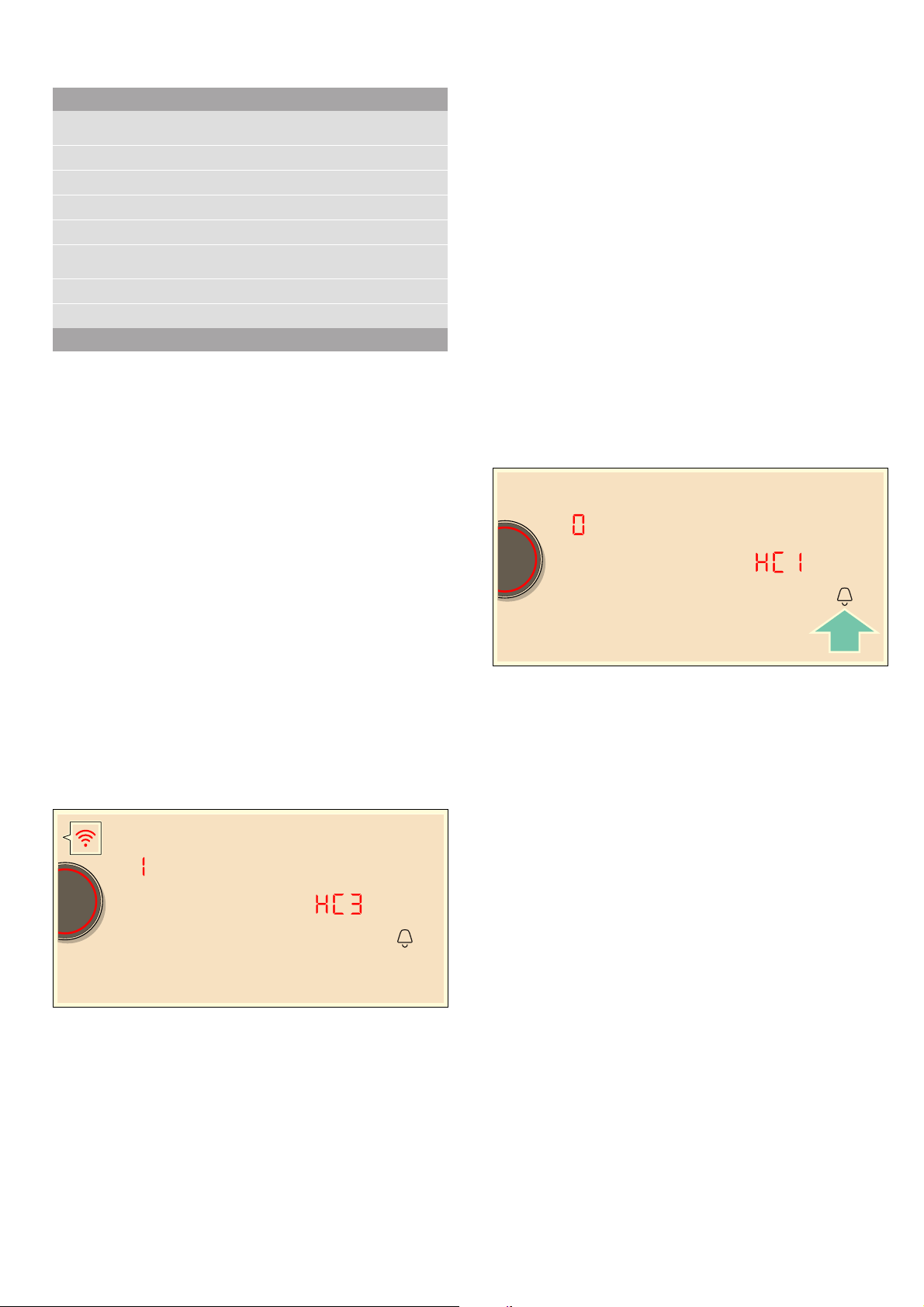
en Home Connect
32
Notes
■ The •’ƒ setting is only displayed if the appliance is
connected to the home network.
■ The •’„ setting is only displayed if the appliance
has once connected to a network.
■ The •’† setting is only displayed if an update is
available.
■ The •’‡ setting is only displayed if Customer
Service is attempting to connect to the appliance.
You can end this at any time after granting access.
■ The •’ˆ and •’‰ settings are only displayed if
there is a connection to WLAN.
Deactivating WLAN
If WLAN is activated, you can use the Home Connect
functions.
Note: In networked standby mode, your appliance
requires max. 2 W.
1. Touch the . symbol for 3 seconds.
Product information will be displayed.
2. Touch the U symbol repeatedly until the
•’„ setting appears.
‚ lights up in the cooking position display.
3. Set the value to ‹ using the twist knob.
WLAN is deactivated and the D symbol on the control
panel goes out.
Disconnecting from the network
Di s connec t i ng from the net wor k
You can disconnect your hob from the network at any
time.
Note: If your hob is disconnected from the network, it is
not possible to operate it using Home Connect.
1. Open the basic settings.
Product information will be displayed.
2. Touch the U symbol repeatedly until the
•’‚ setting appears.
„ lights up in the cooking position display.
3. Set the value to ‹ using the twist knob.
The appliance is disconnected from the home network
and the D symbol on the control panel goes out.
Connecting to the network
Connect i ng to the net wor k
1. Touch the . symbol for 3 seconds.
Product information will be displayed.
2. Touch the U symbol repeatedly until the
•’‚ setting appears.
‹ lights up in the cooking position display.
3. Using the twist knob,
set the "Connect automatically" ‚ value or
the "Connect manually" ƒ value.
4. Follow the instructions in the section entitled
"Automatic registration in the home network" or
"Manual registration in the home network".
Connect to the app
If the Home Connect app is installed on your mobile
device, you can connect it to your hob.
Notes
■ The appliance must be connected to the network.
■ The app must be open and be set up.
■ There is a direct connection to an extractor hood,
first disconnect the hob from the home network and
start the connection again.
1. Touch the . symbol for 3 seconds.
Product information will be displayed.
•’ˆ
WLAN signal strength
‹
Not connected to home network (WLAN).
‚
Signal strength 1 (poor)
ƒ
Signal strength 2 (moderate)
„
Signal strength 3 (good)
•’‰
Connection to Home Connect server
‹
Not connected.
‚
Connected.
Symbol Function
* Basic setting
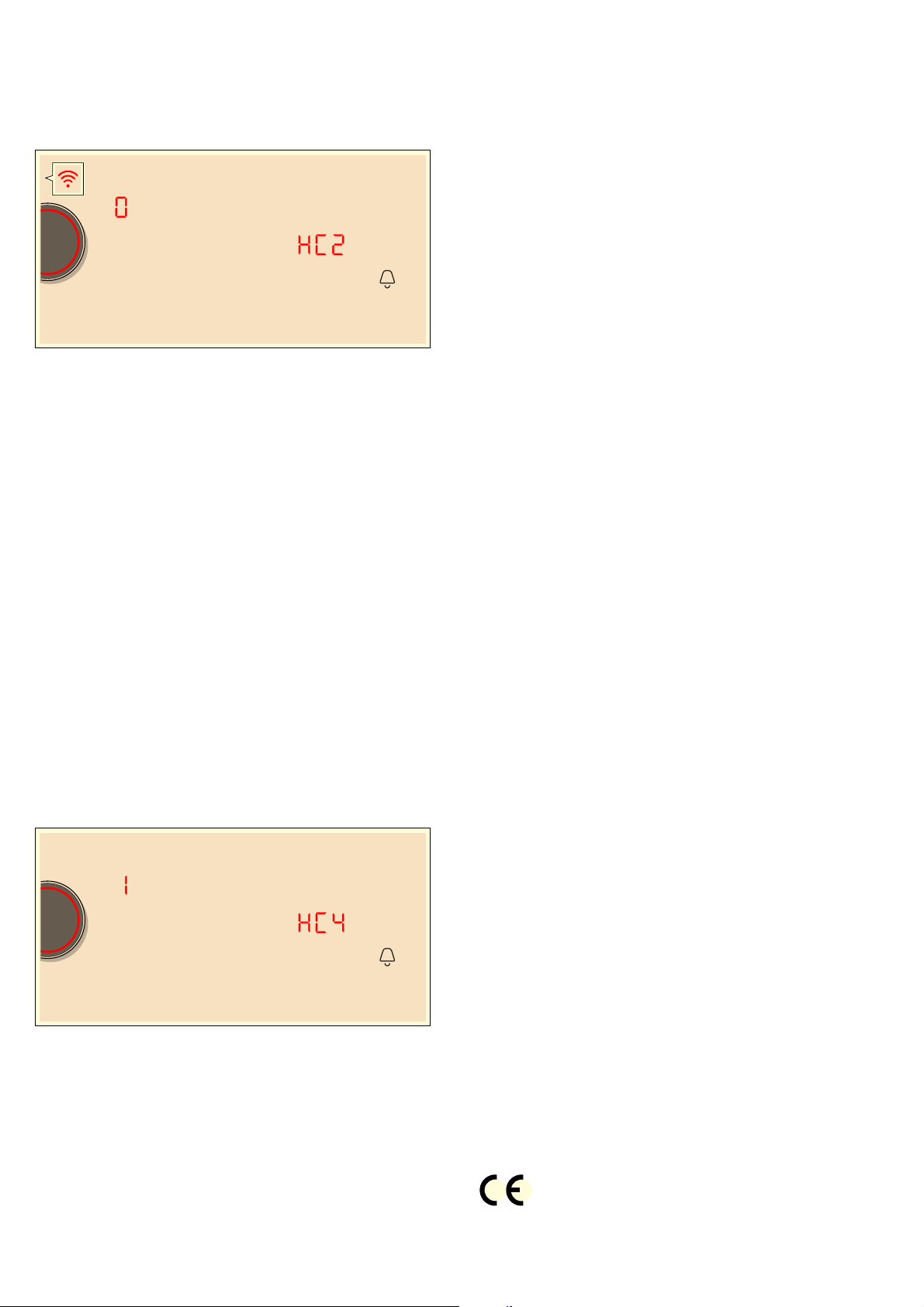
Home Connect en
33
2. Touch the U symbol repeatedly until the
•’ƒ setting appears.
‹ lights up in the cooking position display.
3. Set the value to ‚ using the twist knob.
4. Follow the instructions in the app to complete the
connection process.
Settings via app
Using the Home Connect app, you can easily access
the basic settings for your hob and send settings for the
cooking positions to the hob.
Notes
■ To change basic settings the hob must be switched
off.
■ Operation on the appliance always has priority.
During this time it is not possible to operate the
appliance using the Home Connect app.
■ The transfer of settings is activated when the
appliance is supplied.
■ If the transfer of settings has been deactivated, only
the hob's operating statuses will be displayed in the
Home Connect app.
1. Touch the . symbol for 3 seconds.
Product information will be displayed.
2. Touch the U symbol repeatedly until the
•’… setting appears.
3. To activate transfer, select the ‚ value with the twist
knob. To deactivate transfer, select the ‹ value.
Confirming settings
As soon as cooking settings are transmitted to a
cooking position, its display starts to flash. To confirm
these settings, touch the twist knob in the appropriate
area for the cooking position required.To discard the
settings, touch any other button on the hob.
Software update
Using the software update function, your hob's software
can be updated (e.g. for the purpose of optimisation,
troubleshooting or security updates). To do this, you
need to be a registered Home Connect user, have
installed the app on your mobile device and be
connected to the Home Connect server.
As soon as a software update is available, you will be
informed by the Home Connect app, from which you will
also be able to download the update.
Once the update has been successfully downloaded,
you can start installing it via the hob (basic settings,
•’† setting) or the Home Connect app if you are on
your local area network.
The Home Connect app will notify you once installation
is complete.
Notes
■ You can continue to use your hob as normal while
updates are downloading.
■ Depending on your personal settings in the app,
software updates can also be set to download
automatically.
■ We recommend that you install security updates as
soon as possible.
About data protection
When your appliance is connected for the first time to a
WLAN network, which is connected to the Internet, your
appliance transmits the following categories of data to
the Home Connect server (initial registration):
■ Unique appliance identification (consisting of
appliance codes as well as the MAC address of the
installed WiFi communication module).
■ Security certificate of the WiFi communication
module (to ensure a secure IT connection).
■ The current software and hardware version of your
domestic appliance.
■ Status of any previous resetting to factory settings.
This initial registration prepares the Home Connect
functions for use and is only required when you want to
use these Home Connect functions for the first time.
Note: Ensure that the Home Connect functions can be
used only in conjunction with the Home Connect app.
Information on data protection can be accessed in the
Home Connect app.
Declaration of Conformity
Constructa Neff Vertriebs-GmbH hereby declares that
the appliance with functionality meets the basic
requirements and other relevant provisions of Directive
2014/53/EU.
A detailed RED Declaration of Conformity can be found
online at www.neff-international.com among the
additional documents on the product page for your
appliance.

en Hood connection
34
eHood connection
Ho o d connect i on
You can connect this appliance to a suitable extractor
hood and control the functions of the hood via your
hob.
There are various options for connecting the appliances
together:
Home Connect
Two appliances can be connected using the Home
Connect app provided that both of them are Home
Connect-compatible.
Observe the supplied Home Connect documents for
this.
Connecting appliances directly
If the appliance is directly connected to a cooker hood,
connection to the home network is no longer possible.
The appliance functions in the same way as a hob with
no network connection. The hob can always be
operated via the control panel.
Connecting appliances via the home network
If the appliances are connected to each other via your
home network, both the hood controls and Home
Connect can be used to operate the hob.
Notes
■ Make sure you follow the safety instructions in the
instruction manual for your extractor hood and that
these are also observed when operating the
appliance via the hood controls on the
hob.~ "Important safety information" on page 6
■ Using the controls on the extractor hood always
takes priority. It is not possible to use the hood
controls on the hob during this time.
■ In networked standby mode, your appliance requires
max. 2 W.
Setting up
Both the hob and the extractor hood must be switched
on before you can connect them to each other.
To do this, refer to the section entitled "Connecting to
the hob" in the instruction manual for your extractor
hood.
Connecting directly
If you connect your hob directly to the extractor hood, it
cannot be connected to the home network as well and
you will not be able to use Home Connect any longer.
1. Open the basic settings.
2. Touch the U symbol repeatedly until the ™‚‡
setting appears.
‹ lights up in the cooking position display.
3. Set the value to ‚ using the twist knob.
‚ lights up in the cooking position display.
4. Start the connection to the extractor hood within the
next 2 minutes.
The hob is connected to the extractor hood when the
„ value appears on the cooking position display. The
symbols for the hood controls on the hob are displayed
on the hob's control panel.
Connecting via your home network
You require a router that has WPS functionality.
You require access to your router.If you do not have
this, follow the steps for "Direct connection".
First of all make sure that the extractor hood is in the
home network.
1. Open the basic settings.
2. Touch the U symbol repeatedly until the ™‚‡
setting appears.
‹ lights up in the cooking position display.
3. Set the value to ‚ using the twist knob.
‚ will flash on the cooking position display.
4. Press the WPS button on the router within the next
2 minutes.
When the connection to the home network has been
established, the hob automatically connects to the
extractor hood.
5. Connect to the extractor hood.
The connection process has been completed once the
„ value appears on the cooking position display.The
symbols for the hood controls on the hob are displayed
on the hob's control panel.

Hood connection en
35
Note: The connection can only be established when
both appliances are connected to your home network
and are engaged in connection. If the connection
process has already timed out for one of the two
appliances, try to connect again (basic settings,
™‚‡
setting).
Resetting connection
You can reset the connections saved for your home
network and extractor hood at any time.
1. Open the basic settings.
2. Touch the U symbol repeatedly until the ™‚‡
setting appears.
3. Set the value to ‹ using the twist knob.
Control the hood via the hob
In the basic settings of your hob you can adjust the
behaviour of your extractor hood depending on the
switch-on/off of the hob or individual cooking zones.
~ "Hood control settings" on page 35
You can select other settings using the control panel.
Setting the fan
Switching on
Touch the A symbol.
Setting fan level
Use the twist knob to select the fan setting.
You can choose between the levels 1, 2 and 3. To
select the intensive levels, turn the twist knob until ˜‚
or ˜ƒ appears.
Switching off
Use the twist knob to select fan setting 0.
Setting automatic mode
Switching on
1. Touch the A symbol.
2. Turn the twist knob until the ‘ symbol appears on
the control panel.
The fan starts up automatically when steam is
produced.
Switching off
1. Touch the A symbol.
2. Turn the twist knob until the fan setting 0 has been
selected or choose another fan setting.
Setting the hood lighting
You can switch the hood light on and off via the hob's
control panel.
Touch the 6 symbol.
Hood control settings
Ho o d cont r ol set t i ngs
You can adapt the hood controls to suit your needs at
any time.
Note: The ™‚‰, ™ƒ‹, ™ƒ‚ and ™ƒƒ settings are only
displayed if the appliance is connected to an extractor
hood.
Symbol Function
™‚‡
Hob-hood connection
‹
Not connected / disconnect.
‚
Connect.
ƒ
Connected to home network (WLAN).
„
Connected to extractor hood.
™‚‰
Automatic fan switch-on
‹
Switched off.
The hood must be switched on manually if needed.
‚
Switched on in automatic mode.*
In automatic mode, the hood switches itself on when a
cooking zone is switched on.
ƒ
Switched on in manual mode.
The hood switches itself on with a default setting when a
cooking zone is switched on.
™ƒ‹
Fan run-on
‹
The fan switches itself off when the hob is switched off.
‚
Switched on in automatic mode.*
ƒ
Switched on with standard fan run-on.
„
No change in settings.
™ƒ‚
Switch light on automatically
‹
Switched off.
‚
Switched on.*
The light switches itself on when the hob is switched on.
™ƒƒ
Switch light off automatically
‹
Switched off.*
‚
Switched on.
The light switches itself off when the hob is switched off.
* Basic setting

en Cleaning
36
DCleaning
Cl eani ng
Suitable maintenance and cleaning products can be
purchased from the after-sales service or in our e-Shop.
Hob
Cleaning
Always clean the hob after cooking. This will prevent
food deposits from becoming burned on. Only clean the
hob after the residual heat indicator has gone out.
Clean the hob with a damp dish cloth and dry it with a
cloth or towel to prevent limescale build-up.
Only use cleaning agents that are suitable for this type
of hob. Observe the manufacturer's instructions on the
product packaging.
Never use:
■ Undiluted washing-up liquid
■ Cleaning agents designed for dishwashers
■ Abrasive cleaners
■ Harsh cleaning agents, such as oven spray and
limescale remover
■ Scouring pads
■ High-pressure cleaners or steam jet cleaners
Stubborn dirt is best removed with a glass scraper,
available from retailers. Observe the manufacturer's
instructions.
You can obtain a suitable glass scraper from customer
services or through our online shop.
Using a special sponge for cleaning glass-ceramic
hobs achieves a great cleaning result.
Note: Do not use any cleaning agents while the hob is
still hot. This may mark the surface. Make sure that any
residue left by cleaning agents is removed.
Hob surround
To prevent damage to the hob surround, observe the
following instructions:
■ Only use warm soapy water
■ Wash new dish cloths thoroughly before use.
■ Do not use harsh or abrasive cleaning agents.
■ Do not use a glass scraper or sharp objects.
Twist knob
The twist knob is best cleaned using lukewarm soapy
water. Do not use harsh or abrasive cleaning agents.
Do not clean the twist knob in the dishwater or using
rinsing water. This may damage it.
Potential marks
Limescale and water
marks
Clean the hob as soon as it has cooled down.
You can use a cleaning agent suitable for
glass-ceramic hobs.*
Sugar, rice starch or
plastic
Clean immediately. Use a glass scraper. Cau-
tion: Risk of burns.*
* Then clean with a damp dish cloth and dry with a cloth or towel.
Frequently Asked Questions (FAQ) en
37
{Frequently Asked
Questions (FAQ)
Fr equent l y As k e d Ques t i ons (FAQ)
Using the appliance
Why can't I switch on the hob and why is the childproof lock symbol lit?
The childproof lock is activated.
You can find information on this function in the section on ~ "Childproof lock"
Why are the displays flashing and why can I hear an audible signal?
Remove any liquid or food remains from the control panel. Remove any objects from the control panel.
You can find instructions on how to deactivate the audible signal in the section on ~ "Basic settings"
Noises
Why I can hear noises while I'm cooking?
Noises may be generated while using the hob depending on the base material of the cookware. These noises are a normal part of induc-
tion technology. They do not indicate a defect.
Possible noises:
A low humming noise like the one a transformer makes:
Occurs when cooking at a high heat setting. The noise disappears or becomes quieter when the heat setting is reduced.
Low whistling noise:
Occurs when the cookware is empty. This noise disappears when water or food is added to the cookware.
Crackling:
Occurs when using cookware made from different layers of material or when using cookware of different sizes and different materials at
the same time. The loudness of the noise can vary depending on the quantity of food being cooked or the cooking method.
High-pitched whistling noises:
Can occur when two hotplates are used at the highest heat setting at the same time. The whistling noises disappear or become quieter
when the heat setting is reduced.
Fan noise:
The hob is equipped with a fan that switches on automatically at high temperatures. The fan may continue to run even after you have
switched off the hob if the temperature detected is still too high.
Cookware
Which types of cookware can be used with an induction hob?
You can find information on which types of cookware can be used with an induction hob in the section on ~ "Induction cooking".
Why is the hotplate not heating up and why is the heat setting flashing?
The hotplate on which the cookware is standing is not switched on.
Check that you have switched on the correct hotplate.
The cookware is too small for the hotplate that is switched on or it is not suitable for induction cooking.
Check that the cookware is suitable for induction cooking and that it is placed on the hotplate that best corresponds to its size. You can
find information on the type, size and positioning of cookware in the sections on ~ "Induction cooking", ~ "Flex Zone" and ~ "Move
function".
Why is it taking so long for the cookware to heat up or why is it not heating up sufficiently despite being on a high heat setting?
The cookware is too small for the hotplate that is switched on or it is not suitable for induction cooking.
Check that the cookware is suitable for induction cooking and that it is placed on the hotplate that best corresponds to its size. You can
find information on the type, size and positioning of cookware in the sections on ~ "Induction cooking", ~ "Flex Zone" and ~ "Move
function".
en Trouble shooting
38
3Trouble shooting
Tr oubl e shoot i ng
Usually, faults are small matters that are easy to
eliminate. Please read the information in the table
before calling the after-sales service.
Cleaning
How do I clean the hob?
Using a special glass-ceramic cleaning agent produces the best results. We advise against using harsh or abrasive cleaning agents, dish-
water detergent (concentrated) or scouring pads.
You can find more information on cleaning and caring for your hob in the section on ~ "Cleaning"
Display Possible cause Solution
None The power supply has been disconnected. Use other electrical devices to check whether a short-circuit has
occurred in the power supply.
The device has not been connected in accord-
ance with the circuit diagram.
Ensure that the device has been connected in accordance with
the circuit diagram.
Electronics fault. If the fault cannot be eliminated, inform the technical after-sales
service.
The displays flash The control panel is damp or an object is cover-
ing it.
Dry the control panel or remove the object.
The Ù indicator flashes in the
hotplate displays
A fault has occurred in the electronics. To acknowledge the fault, cover the control panel with your hand.
”ƒ
The electronics have overheated and have
switched off the corresponding hotplate.
Wait until the electronics have cooled down sufficiently. Then
touch any symbol on the hob.
”…
The electronics have overheated and have
switched off all hotplates.
Ӡ + heat setting and acous-
tic signal
There is a hot pan in the area of the control
panel. There is a risk that the electronics will
overheat.
Remove the pan. The fault display goes out shortly afterwards.
You can continue to cook.
Ӡ and acoustic signal
There is a hot pan in the area of the control
panel. To protect the electronics, the hotplate
has been switched off.
Remove the pan. Wait for a few seconds. Touch any control. If the
fault display goes out, you can continue to cook.
”‚/”‡
The hotplate has overheated and switched itself
off to protect the work surface.
Wait until the electronics have cooled down sufficiently and
switch the hotplate on again.
”‹
You cannot activate the settings transfer function Check the fault display by touching any control. You can cook as
usual without using the settings transfer function. Contact the
technical after-sales service.
”Š
You cannot activate the FlexPlus cooking zone Check the fault display by touching any control. You can use the
remaining hotplates to cook as usual. Contact the technical after-
sales service.
”‰
The hotplate was operating for an extended
period without interruption.
The automatic safety switch-off function has been activated. See
section
“Š‹‹‹
“Š‹‚‹
The supply voltage is faulty; outside of the nor-
mal operating range.
Contact your electricity provider.
—…‹‹
The hob is not connected properly Disconnect the hob from the power supply. Ensure that it has
been connected in accordance with the circuit diagram.
š“
The demo mode is activated Disconnect the hob from the power supply. Wait 30 seconds and
reconnect it. Touch any touch control in the next three minutes.
The demo mode is deactivated.
Do not place hot pans on the control panel.

Customer service en
39
Notes
■ If “ appears on the display, the Twist knob for the
burner in question must be held down in order to be
able to read off the fault code.
■ If the fault code is not listed in the table, disconnect
the hob from the power supply and wait 30 seconds
before reconnecting it. If the display appears again,
contact technical Customer Service and tell them the
precise fault code.If the display appears again,
contact technical after-sales and tell them the
precise fault code.
4Customer service
Cu s t o mer ser vi ce
Our after-sales service is there for you if your appliance
needs to be repaired. We will always find an
appropriate solution, also in order to avoid after-sales
personnel having to make unnecessary visits.
E number and FD number
Please quote the E number (product number) and the
FD number (production number) of your appliance
when contacting the after-sales service.
The rating plate bearing these numbers can be found:
■ On the appliance certificate.
■ On the lower section of the hob.
The E-number can also be found on the glass surface
of the hob. You can check the customer index (KI) and
FD number by going to the basic settings. Look up
section~ "Basic settings" for this.
Please note that a visit from an after-sales service
engineer is not free of charge in the event of misuse of
the appliance, even during the warranty period.
Please find the contact data of all countries in the
enclosed customer service list.
To book an engineer visit and product advice
Rely on the professionalism of the manufacturer. You
can therefore be sure that the repair is carried out by
trained service technicians who carry original spare
parts for your appliances.
GB 0344 892 8989
Calls charged at local or mobile rate.
IE 01450 2655
0.03 € per minute at peak. Off peak 0.0088 €
per minute.
en Test dishes
40
ETest dishes
Tes t di shes
This table has been produced for test institutes to
facilitate the testing of our appliances.
The data in the table refer to our Schulte-Ufer cookware
accessories (4-piece cooking set for induction hob
Z9442X0) with the following dimensions:
■ Saucepan: 16 cm Ø, 1.2 l for 14.5 cm Ø hotplates
■ Pot: 16 cm Ø, 1.7 l for 14.5 cm Ø hotplates
■ Pot: 22 cm Ø, 4.2 l, for 18 cm Ø hotplates
■ Pan: 24 cm Ø, for 18 cm Ø hotplates
Preheating Cooking
Test dishes Cookware
Heat set-
ting
Cooking time
(min:sec)
Lid Heat setting Lid
Melting chocolate
Chocolate coating (e.g. Dr. Oetker brand, dark chocolate 55% cocoa,
150 g)
Saucepan,
16 cm
diameter
- - - 1. No
Heating and keeping lentil stew warm
Lentil stew*
Initial temperature 20 °C
Amount: 450 g
Cooking
pot, 16 cm
diameter
9
1:30
(without stir-
ring)
Yes 1. Yes
Amount: 800 g
Saucepan,
22 cm
diameter
9
2:30
(without stir-
ring)
Yes 1. Yes
Lentil stew from a tin
E.g lentils with Erasco sausages.
Initial temperature 20 °C
Amount: 500 g
Cooking
pot, 16 cm
diameter
9
Approx. 1:30
(stir after
approx.
1 minute)
Yes 1. Yes
Amount: 1 kg
Saucepan,
22 cm
diameter
9
Approx. 2:30
(stir after
approx.
1 minute)
Yes 1. Yes
Preparing Béchamel sauce
Temperature of the milk: 7 ºC
Ingredients: 40 g butter, 40 g flour, 0.5 l milk (3.5% fat content) and a
pinch of salt
1. Melt the butter, stir in the flour and salt, and heat up the mixture. Saucepan,
16 cm
diameter
2 Approx. 6:00 No - -
2 Add the milk to the roux and bring to the boil, stirring continu-
ously.
7 Approx. 6:30 No - -
3. Once the Béchamel sauce comes to the boil, leave it on the hot-
plate for a further two minutes, stirring continuously.
- - - 2 No
*Recipe in accordance with DIN 44550
**Recipe in accordance with DIN EN 60350-2

Test dishes en
41
Cooking rice pudding
Rice pudding, cooked with the lid on
Temperature of the milk: 7 ºC
Heat the milk until it starts to rise up. Set the recommended heat setting
and add rice, sugar and salt to the milk.
The cooking time, including preheating, is approx. 45 minutes.
Ingredients: 190 g short-grain rice, 90 g sugar, 750 ml milk (3.5%
fat content) and 1 g salt
Cooking
pot, 16 cm
diameter
8. Approx. 5:30 No
3
(stir after
10 minutes)
Yes
Ingredients: 250 g short-grain rice, 120 g sugar, 1 l milk (3.5% fat
content) and 1.5 g salt
Saucepan,
22 cm
diameter
8. Approx. 5:30 No
3
(stir after
10 minutes)
Yes
Rice pudding, cooked without lid
Temperature of the milk: 7 ºC
Add the ingredients to the milk and heat the mixture up while stirring con-
tinuously. Once the milk has reached approx. 90 ºC, select the recom-
mended heat setting and leave it to simmer on a low heat for approx.
50 minutes.
Ingredients: 190 g short-grain rice, 90 g sugar, 750 ml milk (3.5%
fat content) and 1 g salt
Cooking
pot, 16 cm
diameter
8. Approx. 5:30 No 3 No
Ingredients: 250 g short-grain rice, 120 g sugar, 1 l milk (3.5% fat
content) and 1.5 g salt
Saucepan,
22 cm
diameter
8. Approx. 5:30 No 2. No
Cooking rice*
Water temperature: 20 °C
Ingredients: 125 g long grain rice, 300 g water and a pinch of salt Cooking
pot, 16 cm
diameter
9 Approx. 2:30 Yes 2 Yes
Ingredients: 250 g long grain rice, 600 g water and a pinch of salt Saucepan,
22 cm
diameter
9 Approx. 2:30 Yes 2. Yes
Roasting a pork loin
Initial temperature of the loin: 7 °C
Amount: 3 pork loins (total weight approx. 300 g, 1 cm thick) and
15 ml sunflower oil
Frying pan,
24 cm
diameter
9 Approx. 1:30 No 7 No
Preparing pancakes**
Amount: 55 ml batter for each pancake Frying pan,
24 cm
diameter
9 Approx. 1:30 No 7 No
Deep-fat frying chips
Amount: 1.8 l sunflower oil, per portion: 200 g frozen chips (e.g.
McCain 123 Original fries)
Saucepan,
22 cm
diameter
9
Until the oil
temperature
reaches
180 °C
No 9 No
Preheating Cooking
Test dishes Cookware
Heat set-
ting
Cooking time
(min:sec)
Lid Heat setting Lid
*Recipe in accordance with DIN 44550
**Recipe in accordance with DIN EN 60350-2



5HJLVWHU\RXUSURGXFWRQOLQH
ZZZQHIILQWHUQDWLRQDOFRP
&RQVWUXFWD1HII
9HUWULHEV*PE+
&DUO:HU\6WUDH
'0QFKHQ
*9001294648*
9001294648
970222(00)
en