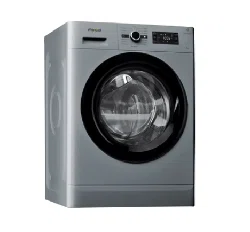
Health & Safety, Use & Care and Installation Guide
www.whirlpool.eu/register

2
ENGLISH . . . . . . . . . . . . . . . . . . . . . . . . . . . . . . . . . . . . . . . . . . . . . . . . . . p .3
3
EN
ENGLISH
HEALTH & SAFETY, USE & CARE
and INSTALLATION GUIDES
THANK YOU FOR BUYING A WHIRLPOOL PRODUCT.
In order to receive a more complete assistance,
please register your appliance on www.whirlpool.eu/register
Index
Health and Safety guide
SAFETY RECOMMENDATIONS ................................................................ 5
IMPORTANT SAFETY INSTRUCTIONS ...................................................................5
SAFEGUARDING THE ENVIRONMENT .......................................................... 9
DECLARATION OF CONFORMITY ............................................................. 10
Use and Care guide
PRODUCT DESCRIPTION ....................................................................11
APPLIANCE ..........................................................................................11
DETERGENT DISPENSER ..............................................................................11
CONTROL PANEL .....................................................................................12
TECHNICAL DATA FOR WATER CONNECTION ..........................................................13
DOOR ...............................................................................................14
DRUM LIGHT (if available) ............................................................................14
ACCESSORIES ........................................................................................14
HOW TO USE THE APPLIANCE ................................................................15
FIRST TIME USE ......................................................................................15
DAILY USE ...........................................................................................16

4
SORTING YOUR LAUNDRY .................................................................................................16
HOW TO USE THE WASHING MACHINE .....................................................................................17
PROGRAMMES AND OPTIONS ........................................................................20
FUNCTIONS ..........................................................................................25
INDICATORS .........................................................................................27
DOSING AID .........................................................................................28
DOSING AID / DAILY USE .............................................................................30
SAVING TIPS .........................................................................................31
CLEANING & MAINTENANCE .................................................................32
CLEANING THE OUTSIDE OF THE WASHING MACHINE ..................................................32
CHECKING THE WATER SUPPLY HOSE .................................................................33
CLEANING THE MESH FILTERS IN THE WATER SUPPLY HOSE ............................................34
CLEANING THE DETERGENT DISPENSER ...............................................................35
CLEANING THE WATER FILTER / DRAINING RESIDUAL WATER ...........................................36
TRANSPORT AND HANDLING ........................................................................38
TROUBLESHOOTING ........................................................................39
AFTER-SALES SERVICE ................................................................................45
INSTALLATION GUIDE ...............................................................................46
5
EN
SAFETY
RECOMMENDATIONS
IMPORTANT SAFETY INSTRUCTIONS
YOUR SAFETY AND SAFETY
OF OTHERS IS VERY
IMPORTANT.
This manual and the appliance
itself provide important safety
warnings, to be read and
observed at all times.
This is the safety alert symbol.
This symbol alerts you to
potential hazards that can kill
or hurt you and others.
All safety messages will follow
the safety alert symbol and
either the word DANGER or
WARNING. These words
mean:
DANGER
Indicates a hazardous situation
which, if not avoided, will
cause serious injury.
WARNING
Indicates a hazardous situation
which, if not avoided, could
cause serious injury.
All safety warnings give
specic details of the potential
risk presented and indicate
how to reduce risk of injury,
damage and electric shock
resulting from improper use
of the appliance. Carefully
observe the following
instructions.
Failure to observe these
instructions may lead to risks.
The Manufacturer declines any
liability for injury to persons or
animals or damage to property
if the above advice and
precautions are not respected.
Keep these instructions close
at hand for future reference.
Do not store explosive
substances such as aerosol
cans and do not place
or use gasoline or other
ammable materials in or
near the appliance: a re may
break out if the appliance is
inadvertently switched on.
When scrapping the
appliance, make it unusable
by cutting o the power cable
and removing the doors and
shelves (if present) so that
children cannot easily climb
inside and become trapped.
Do not leave the appliance
unattended even for a few
days, since it is a potential
source of danger for children.
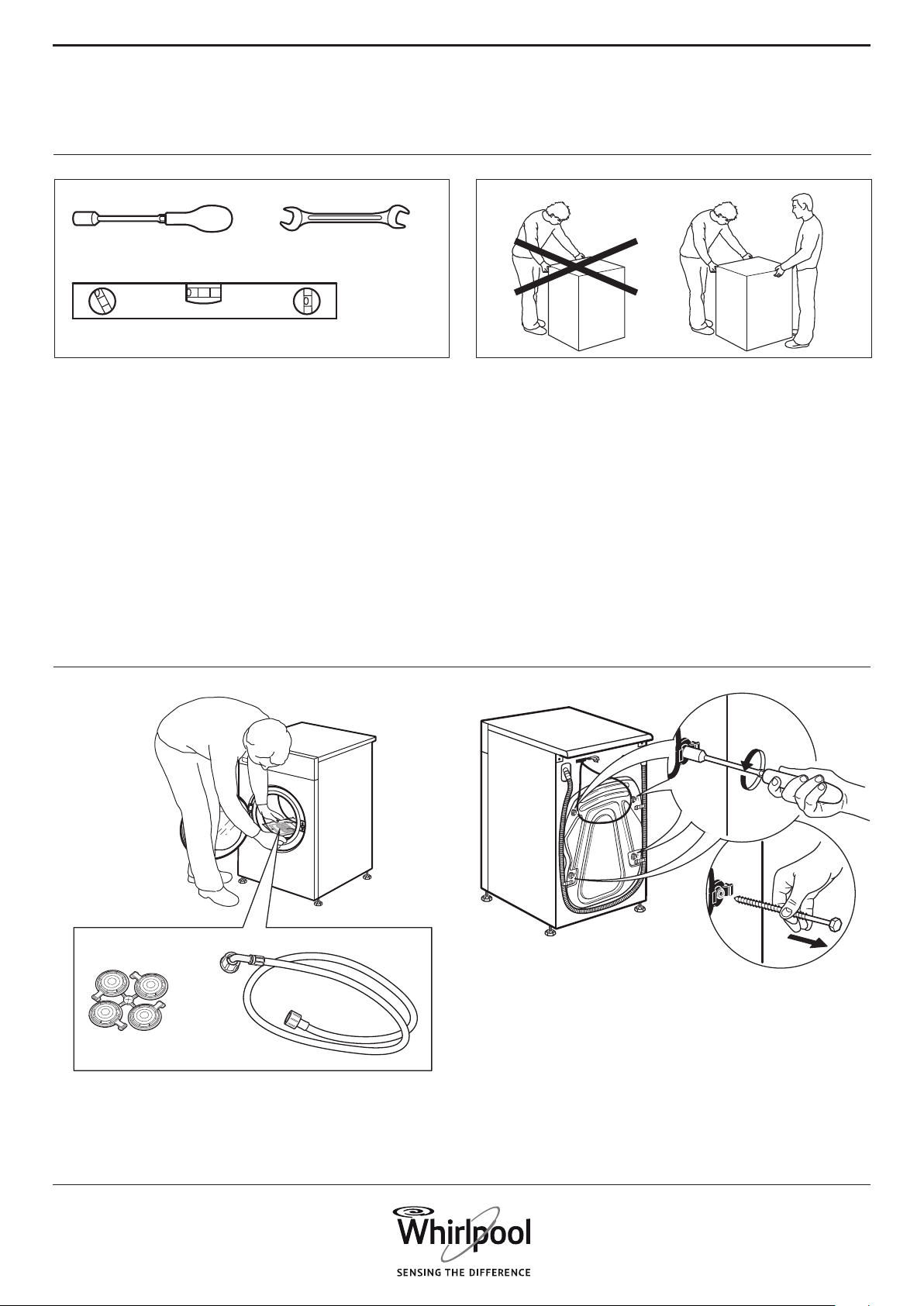
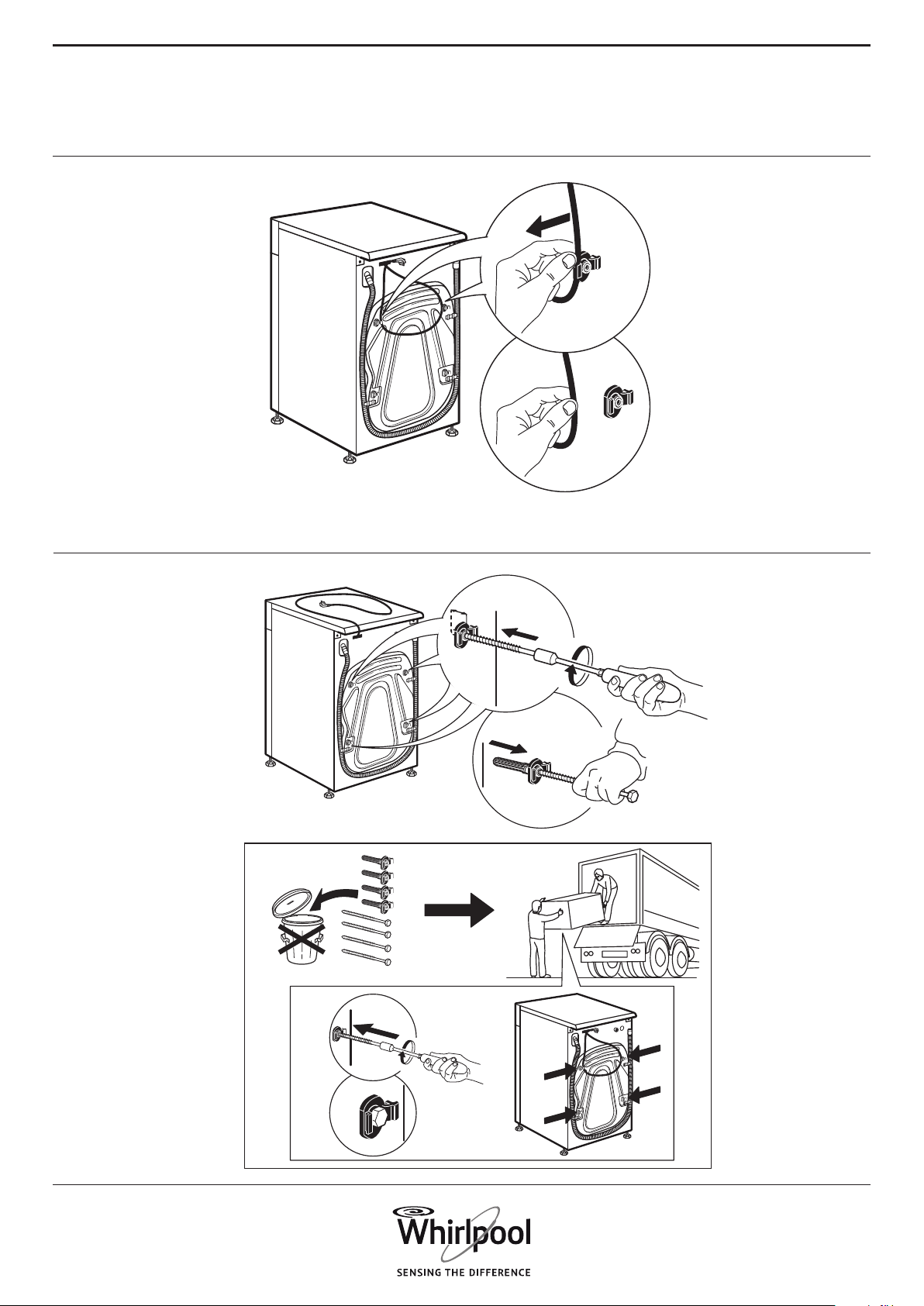
Remove the transport bolts
The washing machine is tted
with transport bolts to avoid
any possible damage to the
interior during transport.
Before using the machine, it is
imperative that the transport
bolts are removed.
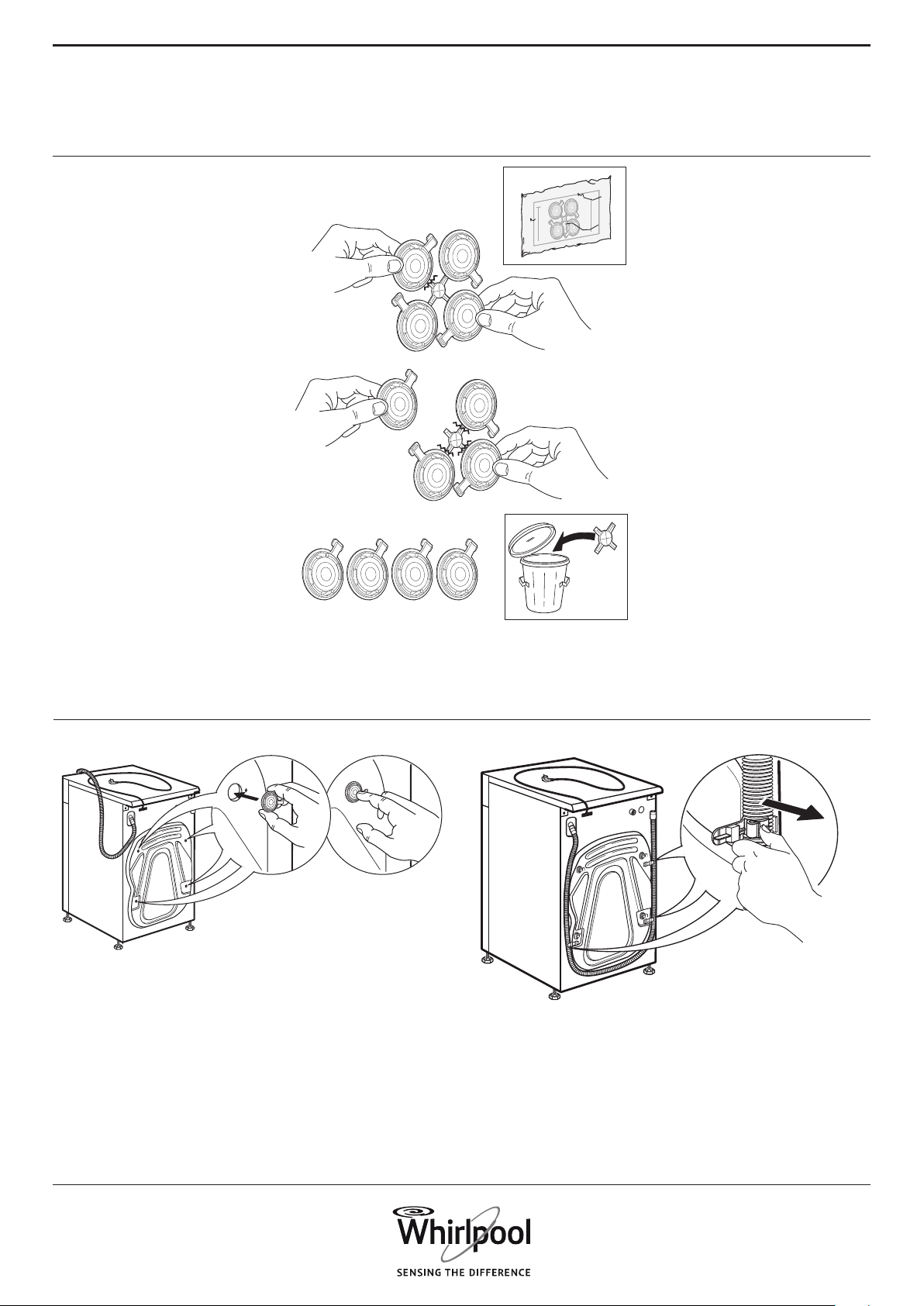
After their removal, cover the
openings with the 4 enclosed
plastic caps.
Never open the door forcibly
or use it as a step.
INTENDED USE
OF THE PRODUCT
This appliance is designed
solely for use as domestic
usage. To aim the appliance as
professional use is forbidden.
The manufacturer declines
all responsibility for
inappropriate use or incorrect
setting of the controls.
The appliance is not intended
to be operated by means of
an external timer or separate
remote control system.
Health and Safety guide
6
secured to the oor.
Use only new hoses to connect
the appliance to the water
supply. Used hoses must
not be used and should be
discarded.
Move the appliance without
lifting it by the worktop.
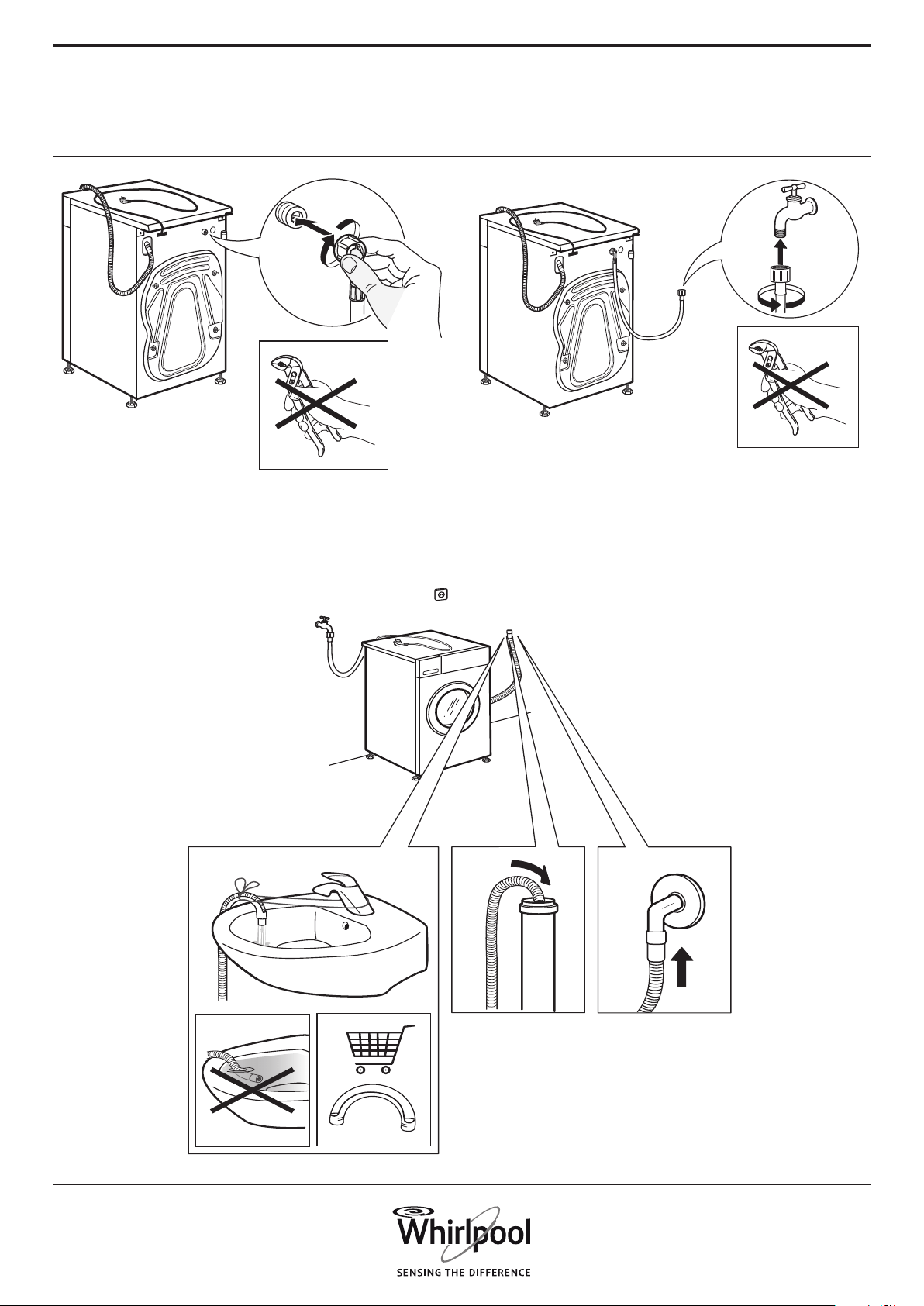
Connect the water inlet
hose(s) to the water supply
in accordance with the
regulations of your local water
company.
For models dedicated only for
cold water: Do not connect to
the hot water supply.
For models with hot ll: the
hot water inlet temperature
must not exceed 60 °C.
Make sure that the ventilation
openings in the base of
your washing machine (if
available on your model) are
not obstructed by a carpet or
other material.
The supply water pressure
must be in range 0.1-1 MPa.
If you want to place a dryer
on top of your washing
machine, rst contact our
After-Sales Service or your
specialist dealer to verify if
this is possible. This is only
admitted if the dryer is xed
on the washing machine by
using an appropriate stacking
kit available through our After-
Do not use the appliance
outdoors.
This washing machine is
exclusively destined to treat
machine washable laundry in
quantities which are usual for
private households.
INSTALLATION
Installation and repairs must
be carried out by a qualied
technician, in compliance
with the manufacturer’s
instructions and local safety
regulations. Do not repair
or replace any part of the
appliance unless specically
stated in the user manual.
Use protective gloves to
perform all unpacking and
installation operations.
The appliance must be
disconnected from the power
supply before carrying out any
installation operation.
Only activate the appliance
when the installation
procedure has been
completed.
After unpacking the appliance,
make sure that it has not been
damaged during transport. In
the event of problems, contact
the dealer or your nearest
After-sales Service.
During installation, make
sure the appliance does not
damage the power cable.
The appliance must be
handled and installed by two
or more persons.
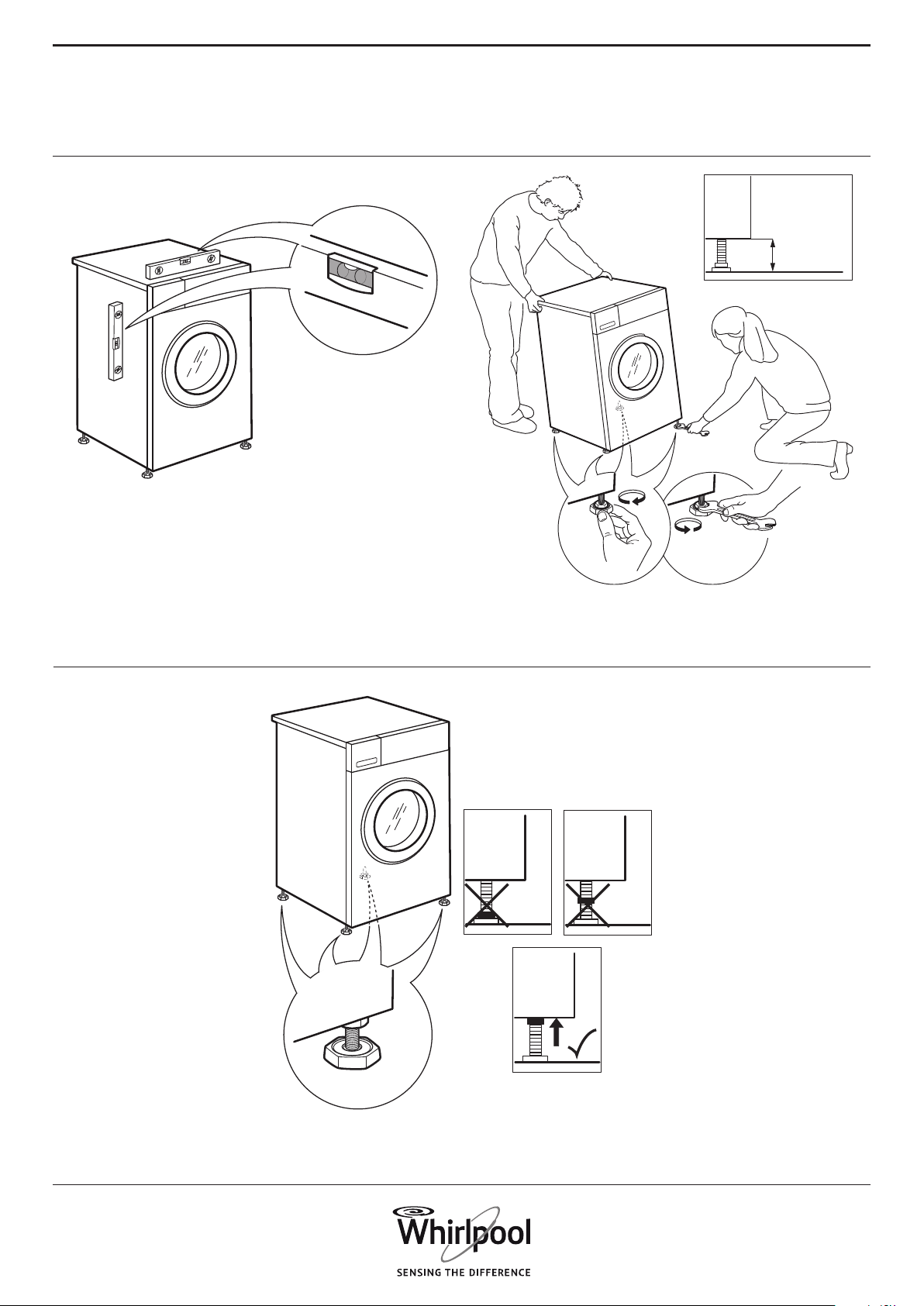
When installing the appliance
make sure that the four feet
are stable and resting on
the oor, adjusting them as
required, and check that the
appliance is perfectly level
using a spirit level.
Remove the bottom
protection by tilting and
turning the washing machine
on one rear bottom corner.
Make sure that the plastic
part of the bottom protection
(if available on the model)
remains in the packing and
not in the machine bottom.
This is important, as otherwise
the plastic part could damage
the washing machine during
operation.
If the appliance was exposed
to the cold prior to delivery,
keep it at room temperature
for a few hours before
operating.
Do not install your appliance
where it may be exposed to
extreme conditions, such as:
poor ventilation, temperature
below 5°C or above 35°C.
In case of wooden or so-called
“oating oors” (for instance
certain parquet or laminate
oors), place the appliance
on a sheet of plywood at least
60 x 60 cm wide/ deep and
at least 3 cm thick which is
7
EN
Important:
The fuse cover must be
retted when changing a fuse
and if the fuse cover is lost the
plug must not be used until a
correct replacement is tted.
Correct replacement are
identied by the colour insert
or the colour embossed in
words on the base of the plug.
Replacement fuse covers
are available from your local
electrical store.
For the Republic of Ireland
only
The information given in
respect of Great Britain will
frequently apply, but a third
type of plug and socket is also
used, the 2-pin, side earth
type.
Socket outlet / plug (valid
for both countries)
If the tted plug is not suitable
for your socket outlet, please
contact After-sales Service for
further instruction. Please do
not attempt to change plug
yourself. This procedure needs
to be carried out by a qualied
technician in compliance with
the manufactures instructions
and current standard safety
regulations.
CORRECT USE
Only use detergents and/or
additives that are specically
produced for domestic
washing machines/tumble
dryers.
Do not exceed the maximum
load allowed. Check the
maximum load allowed in the
programme chart.
Turn o the tap when not in
use.
Sales Service or your specialist
dealer.
ELECTRICAL WARNINGS
Make sure the voltage
specied on the rating plate
corresponds to that of your
home.
The power supply ranges are
indicated on the rating plate.
Regulations require that the
appliance is earthed.
For installation to comply with
current safety regulations,
an omnipolar switch with
minimum contact gap of 3mm
is required.
If the power cable is damaged
it must be replaced with an
identical one. The power
cable must only be replaced
by a qualied technician
in compliance with the
manufacturer instruction and
current safety regulations.
Contact an authorized service
center.
The electrical components
must not be accessible to the
user after installation.
The power cable must be long
enough for connecting the
appliance, once tted in its
housing, to the main power
supply.
Do not use extension leads.
Do not pull the power supply
cable.
Do not use multiple plug
adaptors if the appliance is
tted with a plug.
For appliances with tted
plug, if the plug is not suitable
for you socket outlet, contact a
qualied technician.
Do not touch the appliance
with any wet part of the body
and do not operate it when
barefoot.
Do not operate this appliance
if it has a damaged mains cord
or plug, if it is not working
properly, or if it has been
damaged or dropped. Do not
immerse the mains cord or
plug in water. Keep the cord
away from hot surfaces.
When using a residual current
circuit breaker (RCCB), only use
a model marked with
ELECTRICAL CONNECTION
FOR GREAT BRITAIN AND
IRELAND ONLY
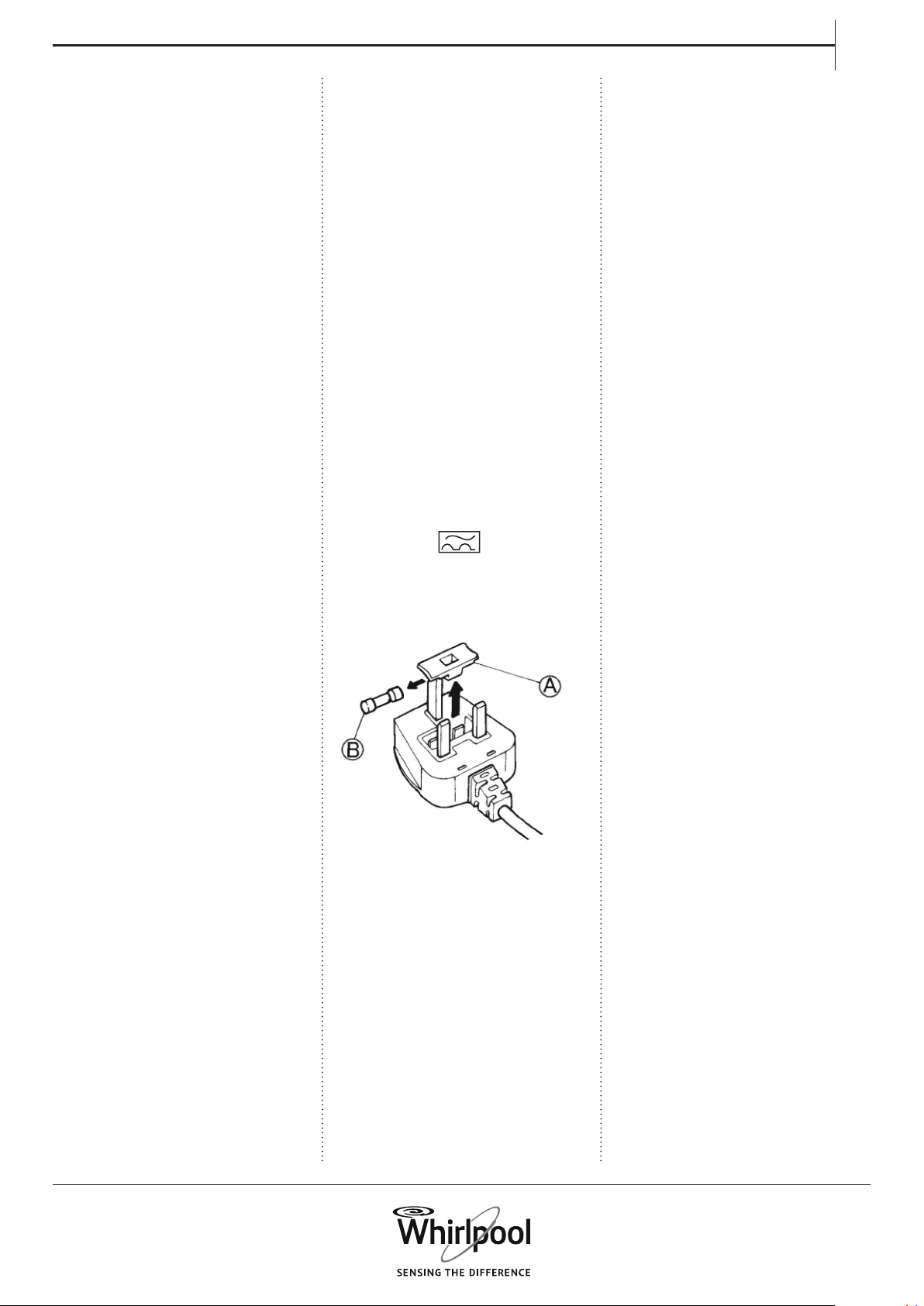
Fuse replacement
If the mains lead of this
appliance is tted with a BS
1363A 13amp fused plug, to
change a fuse in this type of
plug use an A.S.T.A. approved
fuse to BS 1362 type and
proceed as follows:
1. Remove the fuse cover (A)
and fuse(B).
2. Fit replacement 13A fuse
into fuse cover.
3. Ret both into plug.

8
Do not use any solvents
(e.g. turpentine, benzene),
detergents containing
solvents, scouring powder,
glass or general purpose
cleaners, and ammable uids;
do not machine wash fabrics
that have been treated with
solvents or ammable liquids.
CHILDREN SAFETY
Very young (0-3 years) and
young children (3-8 years)
shall be kept away unless
continuously supervised.
Childern from 8 years old
and above and persons with
reduced physical, sensory or
mental capabilities or lack of
experience and knowledge
can use this appliance only
if they are supervised or
have been given instructions
on safe appliance use and
if they understand the
hazards involved. Children
shall not play with the
appliance. Cleaning and user
maintenance shall not be
made by childern without
supervision.
Keep the packaging materials
(plastic bags, polystyrene
parts, etc.) out of reach of
children.
CLEANING AND
MAINTENANCE
The appliance must be
disconnected from the power
supply before carrying out
any cleaning or maintenance
operation.
Never use steam cleaning
equipment.
9
EN
SCRAPPING OF HOUSEHOLD
APPLIANCES
This appliance is manufactured
with recyclable or reusable
materials. Dispose of it in
accordance with local waste
disposal regulations.
For further information on
the treatment, recovery and
recycling of household electrical
appliances, contact your
competent local authority, the
collection service for household
waste or the store where you
purchase the appliance.
This appliance is marked in
compliance with European
Directive 2012/19/EU, Waste
Electrical and Electronic
Equipment (WEEE).
By ensuring this product is
disposed of correctly, you
will help prevent potential
negative consequences for the
environment and human health,
which could otherwise be caused
by inappropriate waste handling
of this product.
This symbol on the
product or on the
accompanying
documentation indicates
that it should not be treated as
domestic waste but must be
taken to an appropriate
collection centre for the recycling
of electrical and electronic
equipment.
SAFEGUARDING
THE ENVIRONMENT
DISPOSAL OF PACKAGING
MATERIALS
The packaging material is 100%
recyclable and is marked with the
recycle symbol:
The various parts of the
packaging must therefore be
disposed of responsibly and
in full compliance with local
authority regulations governing
waste disposal.

10
DECLARATION
OF CONFORMITY
This appliance has been
designed, manufactured and
marketed in compliance with:
› safety objectives of the “Low
Voltage” Directive 2006/95/CE
(which replaces 73/23/ CEE and
subsequent amendments);
› the protection requirements
of Directive “EMC” 2004/108/
EC. Electrical safety of the
appliance can only be
guaranteed if it is correctly
connected to an approved
earthing system.
11
EN
PRODUCT
DESCRIPTION
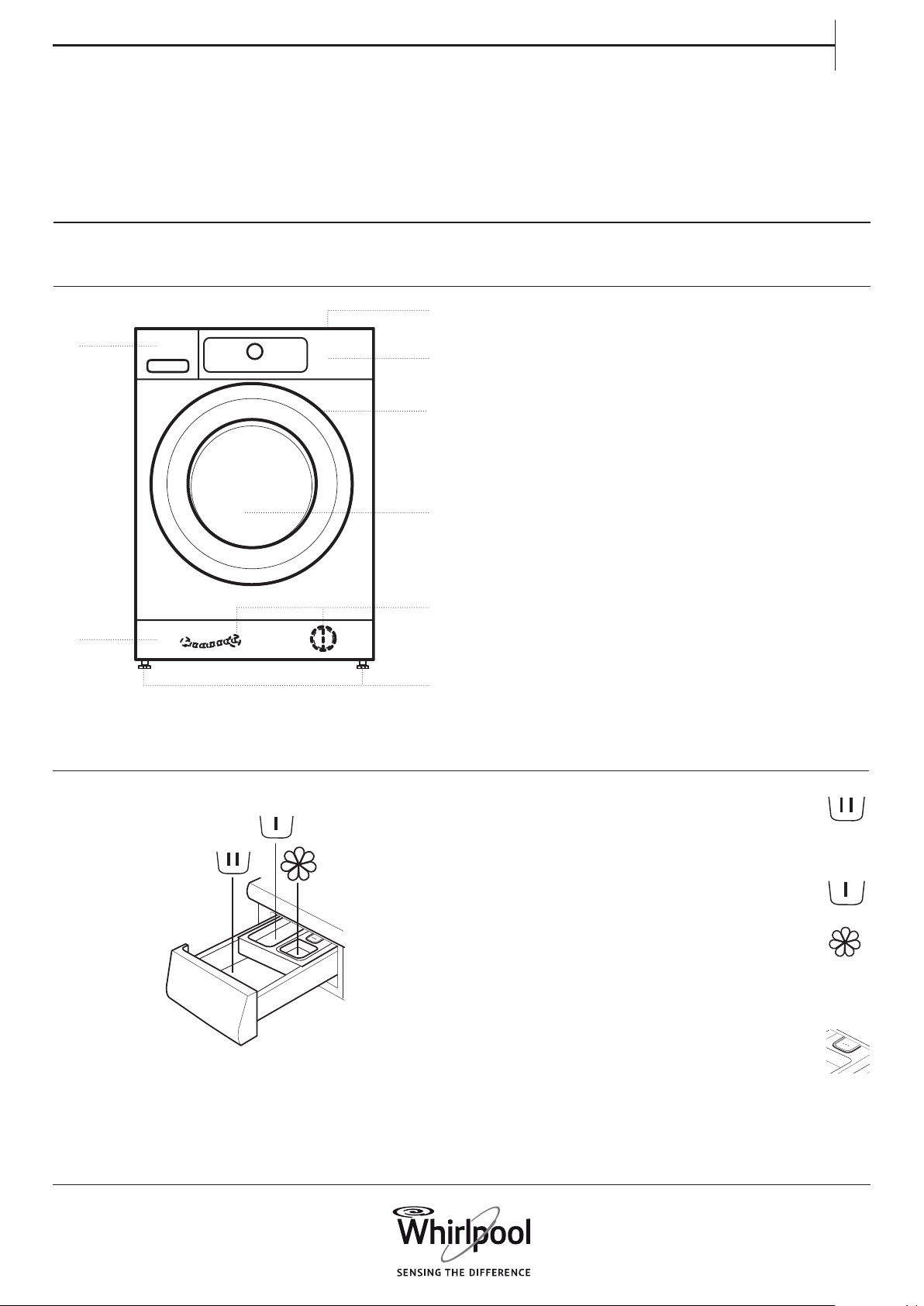
APPLIANCE
DETERGENT DISPENSER
1. Worktop
2. Detergent dispenser
3. Control panel
4. Door handle
5. Door
6. Water filter / Emergency drain hose
(if available) - behind plinth -
7. Plinth (removable)
8. Adjustable feet (4)
1. Main wash compartment
• Detergent for the main wash
• Stain remover
• Water softener
2. Prewash compartment
• Detergent for the prewash
3. Softener compartment
• Fabric softener
• Liquid starch
Pour softener or starch solution only up to the
“MAX” mark.
4. Release button
(press to remove the detergent dispenser for
cleaning)
Use and Care guide
1.
3.
2.
5.
4.
7.
6.
8.
12
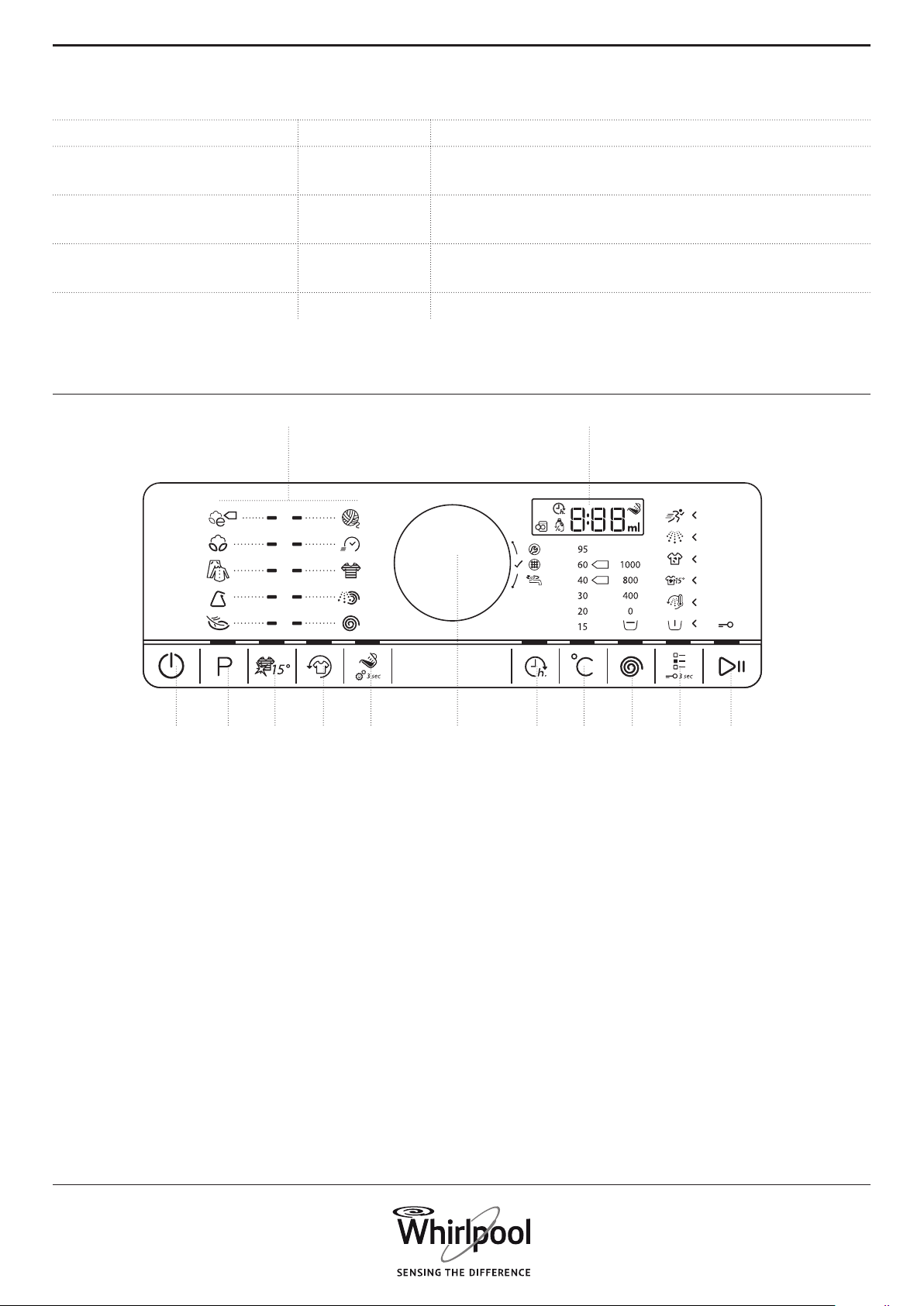
1. On/Off button (Reset/Drain if long pressed)
2. Programme button
3. Colours 15° button
4. Fresh Care button
5. Dosing Aid button (Dosing Aid settings if long
pressed)
6. Knob (Turn to select / Press to confirm)
7. Start delay button
8. Temperature button
9. Spin speed button
10. Options button (Key lock if long pressed)
11. Start/Pause button
12. Display
13. Programmes area
CONTROL PANEL
Detergent recommenDations for various types of launDry
White robust laundry (cold-95°C) Heavy duty detergents
White delicate laundry (cold-40°C)
Mild detergents containing whitener and/or optical
brighteners
Light/pastel- shaded colours (cold-60°C)
Detergents containing whitener and/or optical brighte-
ners
Intensive colours (cold-60°C)
Colour detergents without whitener / optical brighte-
ners
Black/dark colours (cold-60°C) Special detergents for black/dark laundry
MAX
30’
40°
60°
1. 7.2.
13. 12.
6. 8.4. 10.3. 9.5. 11.
13
EN
TECHNICAL DATA FOR WATER
CONNECTION
WATER CONNECTION
WATER SUPPLY Cold
WATER TAP 3/4” threaded hose connector
MINIMUM WATER SUPPLY PRESSURE 100 kPa (1 bar)
MAXIMUM WATER SUPPLY PRESSURE 1000 kPa (10 bar)
14
DOOR
DRUM LIGHT (if available)
ACCESSORIES
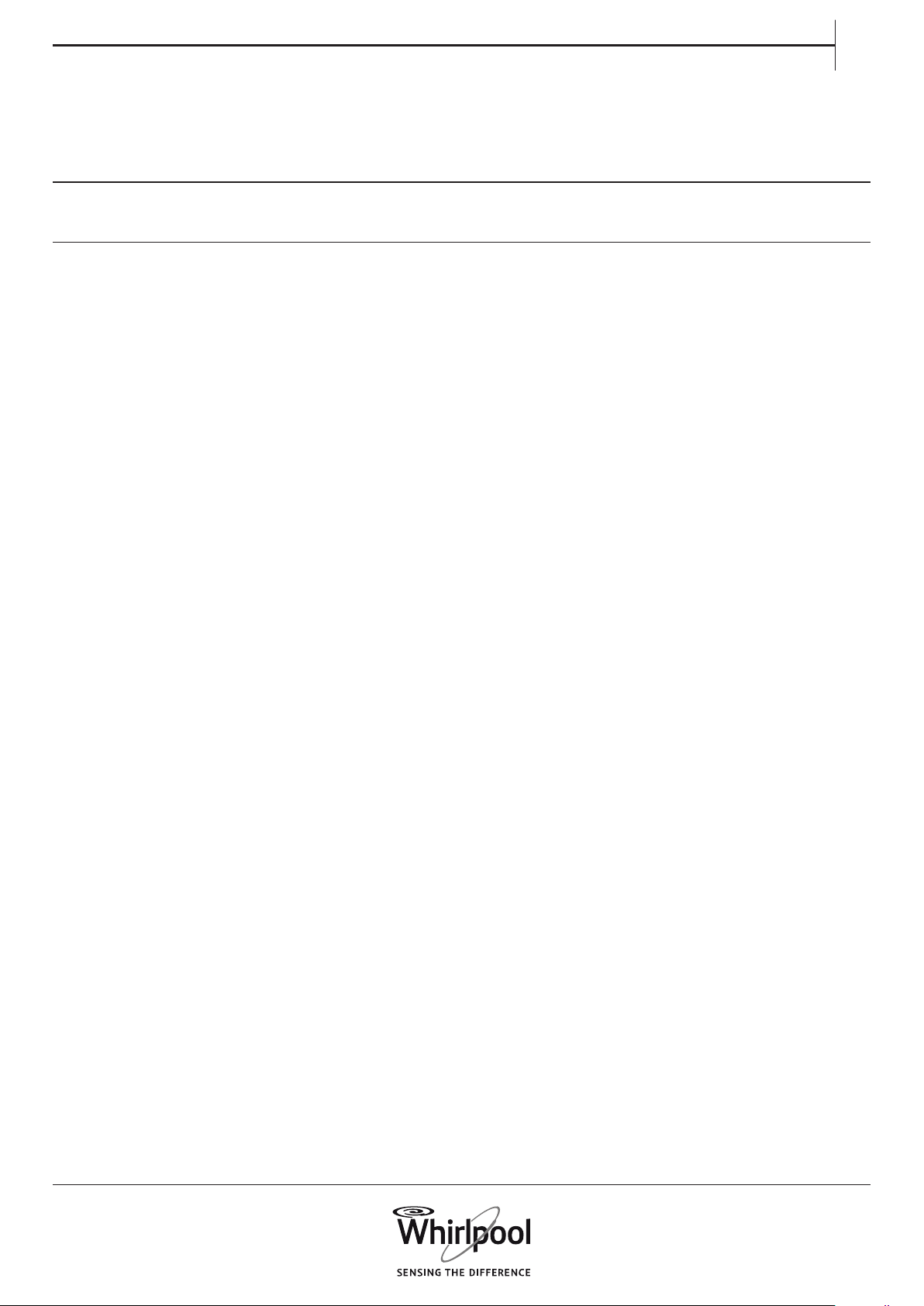
To open the door, pull the handle
• During programme selection: the light goes on
for laundry loading
• After programme start, the light fades on and o
while the laundry load is detected.
• After programme end, when you open the door,
the light goes on for a while for unloading the
laundry. Then it goes o to save energy; touch
any button to switch it on again.
Contact our After-Sales Service to check if the
following accessories are available for your washing
machine (and dryer) model
PEDESTAL
Can be installed beneath your washing machine,
to raise the appliance and allow for a more
comfortable laundry loading and unloading.
STACKING KIT SHELF
by which your dryer can be xed on top of your
washing machine to save space and to facilitate
loading and unloading your dryer in the higher
position.
To close the door, hold the handle and push so that
you can hear it click shut.
15
EN
HOW TO USE
THE APPLIANCE
FIRST TIME USE
If you plug in the washing machine, it will switch
on automatically.
To remove residues from manufacturing.
1. Select programme “Cotton” with temperature
95°C. Consider the instructions in paragraph “DAILY
USE”.
2. Add a small amount of heavy duty detergent
(maximum 1/3 of the quantity the detergent
manufacturer recommends for lightly soiled
laundry) to the main wash compartment of the
detergent dispenser.
3. Start the programme without adding any
laundry. See information on how to select and start
a programme in paragraph “DAILY USE”.
16
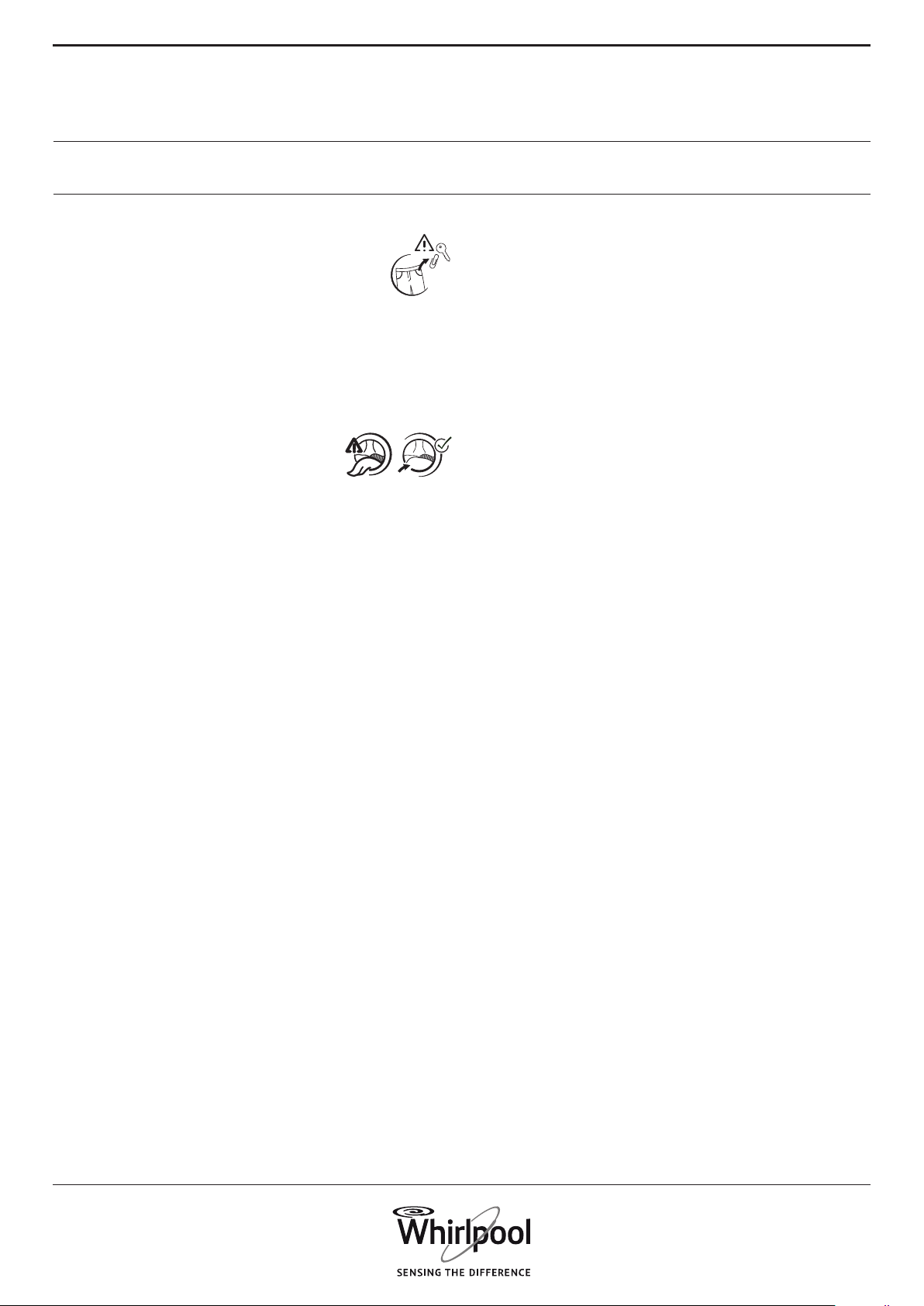
1. REMOVE ALL OBJECTS FROM
POCKETS
• Coins, pins etc. can damage your
laundry as well as parts of the washing
machine.
• Objects like paper handkerchiefs will tear into
small pieces which must be removed manually
after the wash.
2. CLOSE ZIP FASTENERS,
BUTTONS OR HOOKS. TIE LOOSE
BELTS OR RIBBONS TOGETHER.
• Wash small items (e.g. nylon stockings, belts etc.)
and items with hooks (e.g. bras) in a laundry bag
or pillow case with zip fastener. Always remove
curtain rings, or wash curtains with the rings
safely tied inside a cotton bag.
3. TYPE OF FABRIC / CARE LABEL SYMBOL
Cottons, mixed bres, easy care / synthetics, wool,
handwash items.
• Colour
separate coloured and white items. Wash new
coloured articles separately.
• Size
Wash items of dierent sizes in the same
wash load, to improve washing eciency and
distribution of the articles in the drum.
• Delicates
Wash delicate items separately; they require
gentle treatment.
DAILY USE
SORTING YOUR LAUNDRY
17
EN
Find more information regarding programmes in
the Programme Chart.
Change temperature, if needed
If you want to change the temperature
indicated on the display, make sure that the
Temperature button « lights up.
Turn the knob to select the desired temperature,
then press the knob to conrm.
Change spin speed, if needed
If you want to change the spin speed
indicated on the display, make sure that the
Spin button lights up.
Turn the knob to select the desired spin speed, or
Rinse hold , then press the knob to conrm.
If you select spin speed “0”, the programme ends
with draining the rinse water. No nal spin cycle
will be applied.
If you select “Rinse hold”, the programme will
stop after the rinse phase. The laundry will remain
immerged in the last rinse water. See more
information in section PROGRAMMES, OPTIONS
AND FUNCTIONS / Rinse hold.
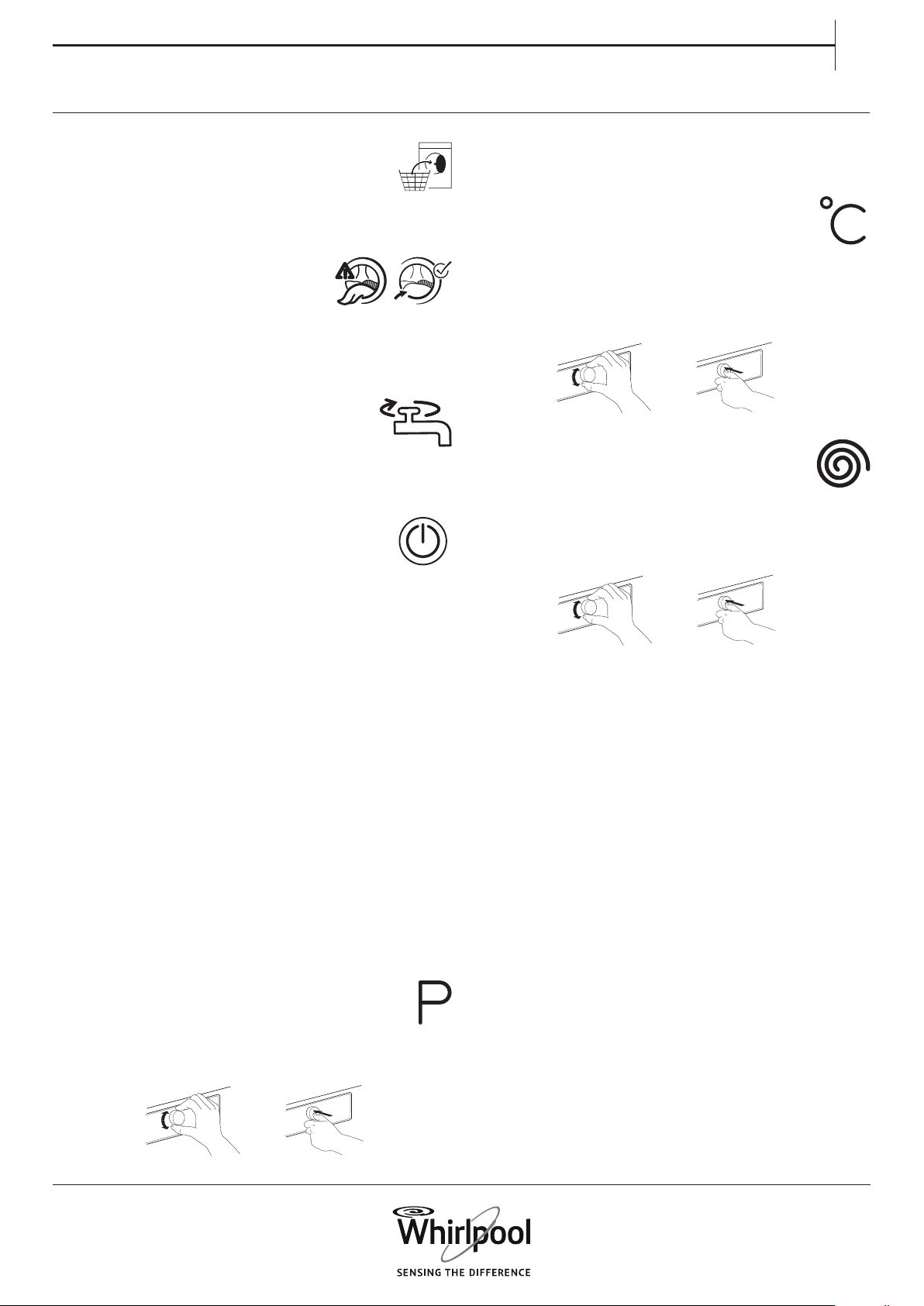
1. LOAD LAUNDRY
• Open the door and load the laundry.
Observe the maximum load sizes given in
the programme chart.
2. CLOSE DOOR
• Make sure that no laundry gets
stuck between door glass and
rubber seal.
• Close the door so that you can hear it click shut.
3. OPEN WATER TAP
• Make sure that the washing machine is
connected to the mains.
• Open the water tap.
4. SWITCH ON WASHING MACHINE
• Press the On/O button until the
programme button lights up. An
animation will appear, and there will be a sound.
Afterwards the washing machine is ready to be
operated.
• The programme setting which you used last will
appear on the control panel.
5. SET THE DESIRED PROGRAMME
GUIDED MODE
the button light will guide you through setting a
programme in the following order: selection of
programme / temperature / spin speed / options.
As soon as you conrm a selection by pressing the
knob, the button light will jump to the next step.
Select programme
Make sure that the programme button lights up.
Turn the knob to select the desired programme.
The indicator next to the selected programme
lights up.
Conrm the desired programme by pressing the
knob.
HOW TO USE THE WASHING MACHINE
18
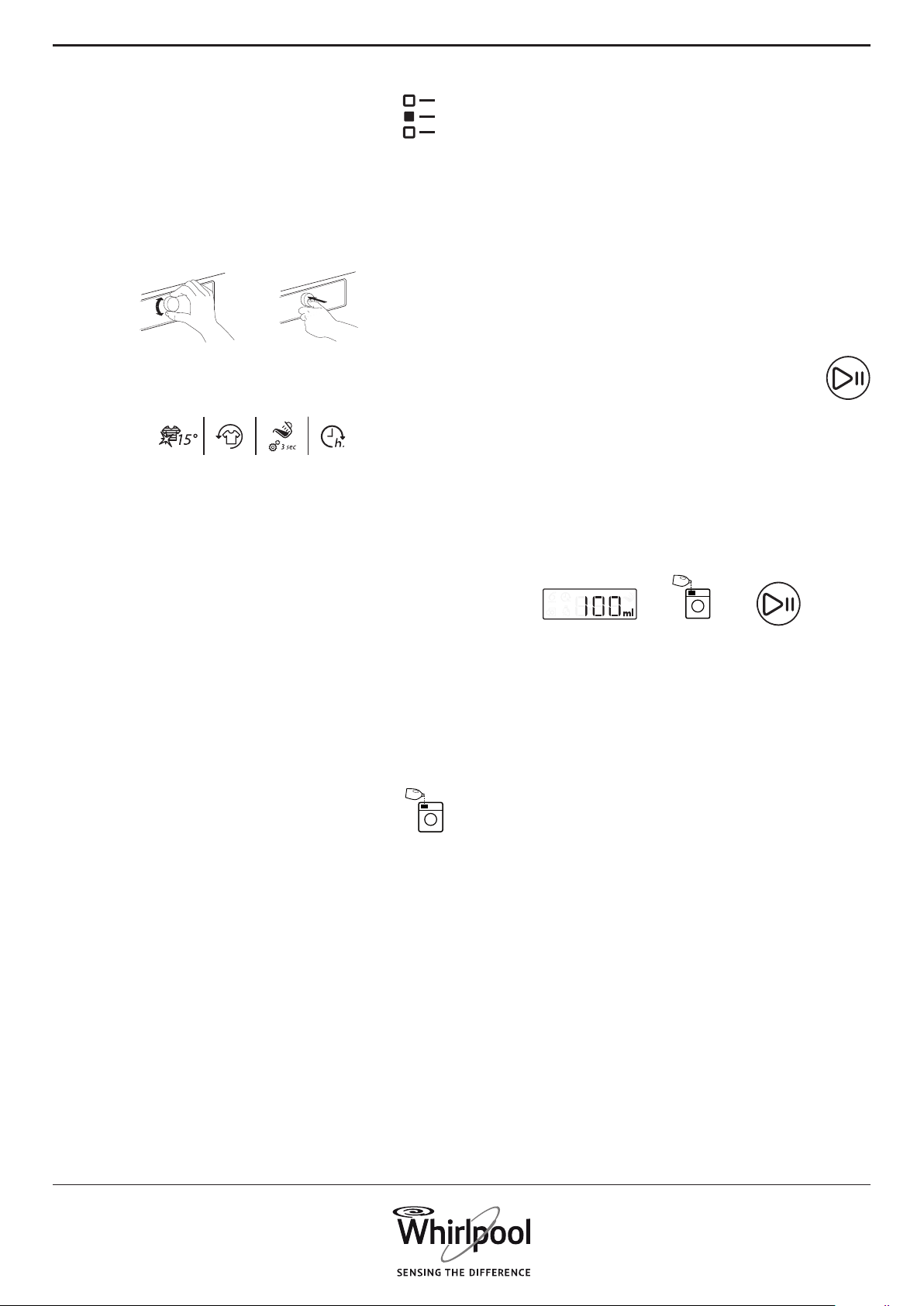
Select options, if needed
If you want to select additional options,
make sure that the options button lights
up. The options which are selectable for your
programme are indicated by lighting arrows.
Turn the knob to select the desired options.
The symbol of the selected option blinks. To
conrm it, press the knob.
Some options / functions can be selected by
directly pressing the button:
Refer to section PROGRAMMES, OPTIONS AND
FUNCTIONS for more information.
INDIVIDUAL MODE
After you have switched on the washing machine,
you are not forced to follow the GUIDED MODE.
It is up to you which order you choose to set your
programme. To do a setting, rst press the relevant
button, then turn the knob to select, and nally
press the knob to conrm.
The range of temperatures, spin speeds and
options depend on the programme selected.
Therefore it is recommended to start your setting
with selecting the programme.
6. ADD DETERGENT
• If you do not use the Dosing Aid function,
pull out the detergent dispenser and
add detergent (and additives/softener) now, as
indicated in section DETERGENT DISPENSER.
Observe the dosing recommendations on the
detergent pack. If you have selected PREWASH or
START DELAY, observe the instructions in section
PROGRAMMES, OPTIONS AND FUNCTIONS.
Afterwards carefully close the detergent
dispenser again.
• If you use the “Dosing Aid” function, add
detergent later, after you have started the
programme. Refer to section DOSING AID/DAILY
USE.
Correct dosing of detergent / additives is
important, because
• it optimizes the cleaning result
• it avoids irritating residues of surplus detergent in
your laundry
• it saves money by avoiding waste of surplus
detergent
• it protects the washing machine by avoiding
calcication of components
• it respects the environment by avoiding
unnecessary environmental burden
7. START PROGRAMME
Press and hold Start/Pause until the button
lights up solidly; the programme will start.
• If you have selected “Dosing Aid”, the washing
machine will indicate the recommended
detergent amount for your laundry load after
programme start. – Add detergent to the main
wash compartment of the detergent dispenser,
close the dispenser and press “Start/Pause” to
proceed with the programme
• If you have selected “Dosing Aid” and also
“Prewash”, add the indicated detergent amount
to the main wash compartment, and half of the
indicated detergent amount also to the Prewash
compartment.
• Close the detergent dispenser and press “Start/
Pause” to proceed with the programme. To avoid
overow, do not open the detergent dispenser
anymore.
• The remaining programme duration which is
indicated on the display can vary. Factors like
unbalance in the wash load, or foam formation,
can have an eect on the programme duration.
Whenever the remaining programme duration is
calculated newly, an animation appears on the
display.
19
EN
8. CHANGE THE SETTINGS OF A RUNNING
PROGRAMME, IF NEEDED
It is possible to change the settings while a
programme is running. The changes will be
applied, provided the respective programme phase
has not nished yet.
• Press the relevant button (for example the “Spin
speed” button to change the spin speed). The
selected value blinks for a few seconds.
• While blinking, you can adjust the setting
by turning the knob. If the value stopped
blinking and you have not yet done the desired
modication, press the button again.
• Press the knob to conrm the modication. If
you do not conrm, the modication will be
conrmed automatically – the modied setting
will stop blinking.
The programme will proceed automatically after
you have changed the setting. To prevent that
a running programme is changed by accident
(for instance by children), use the “Key lock”
(see paragraph PROGRAMMES, OPTIONS AND
FUNCTIONS).
To change the settings of a running programme,
you can also
• Press “Start/Pause” to put the running
programme on pause
• Change your settings
• Press “Start/Pause” again to continue the
programme.
If you have changed the programme, do not add
detergent for the new programme.
9. PAUSE A RUNNING PROGRAMME
AND OPEN THE DOOR, IF NEEDED
Press “Start/Pause” to interrupt a running
programme
• Provided water level or temperature
is not too high, the “door open”
indicator lights up. You can open the
door, for example to add more laundry, or to
remove laundry which was loaded by mistake.
• Press “Start/Pause” to proceed with the
programme
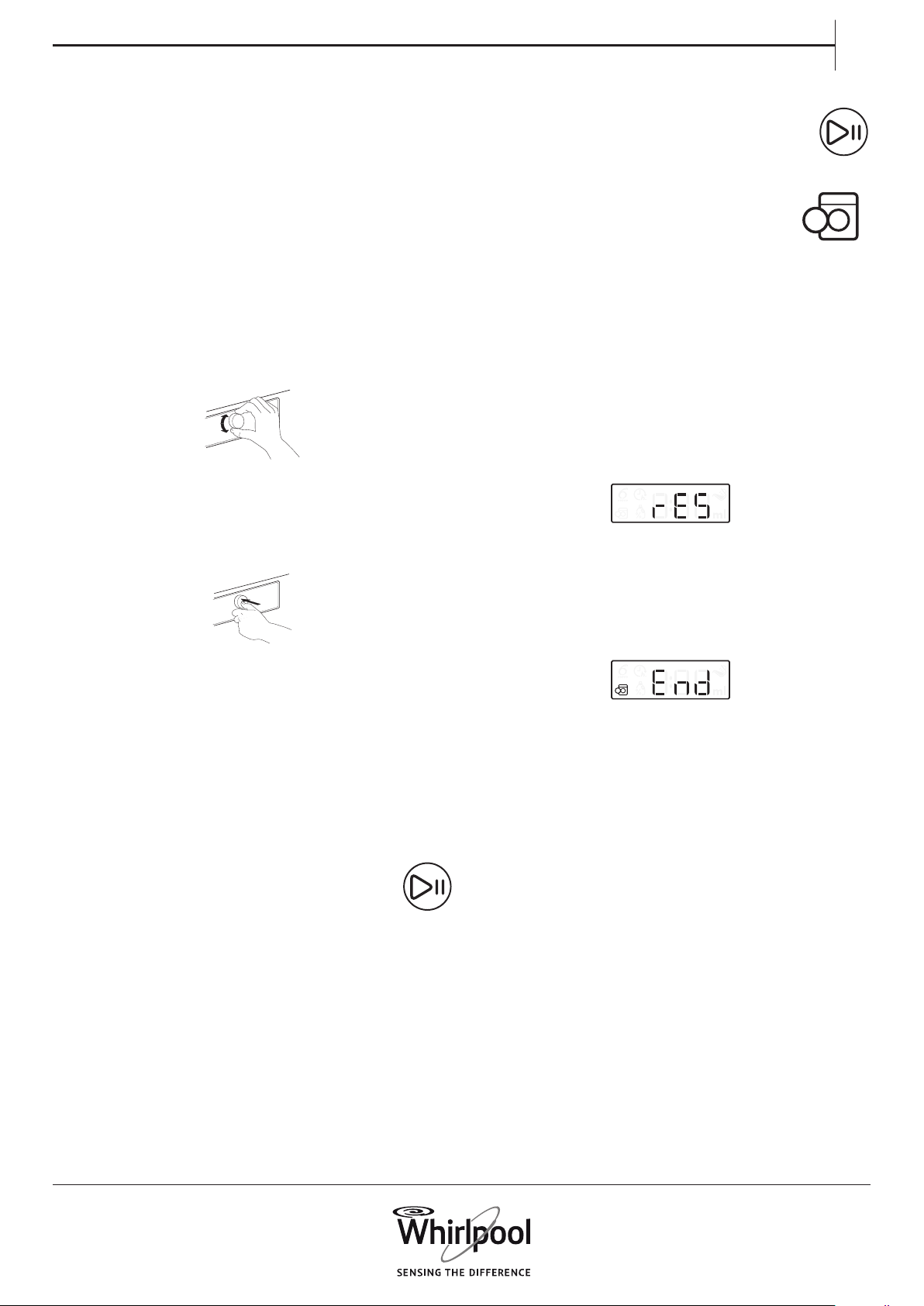
10. RESET A RUNNING PROGRAMME, IF
NEEDED
• Press and hold the On/O button until the
display shows “rES”. The water drains and the
programme is ended. The door unlocks.
11. SWITCH OFF THE WASHING MACHINE
AFTER PROGRAMME END
• „End“ will appear on the display, and the Door
open indicator will light up – you can take out
your laundry
• Press “On/O” to switch o the washing machine.
If you do not switch it o, the washing machine
will switch o automatically after a quarter of an
hour after programme end, to save energy.
• Leave the door ajar, so that the inside of the
washing machine can dry.
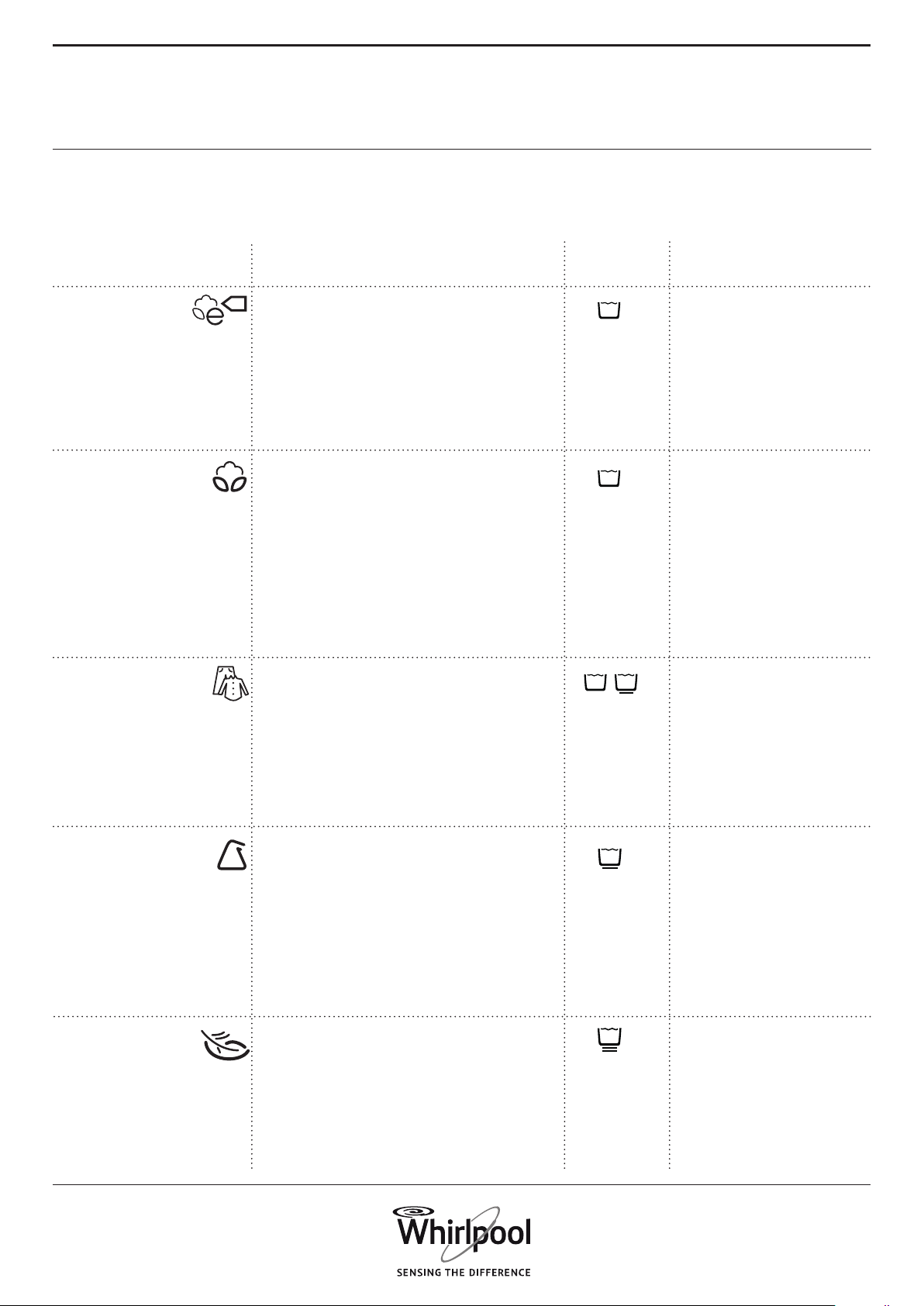
20
PROGRAMMES
AND OPTIONS
PROGRAMME Type of Wash
and Recommendations
Care
Labels
Settings
Normally soiled cotton laundry.
At 40 °C and 60 °C standard cotton
programme and most favourable
programme in terms of combined
water and energy consumption.
Basis for the values indicated on the
Energy Label.
Normally to heavily soiled robust
laundry made of cotton and linen,
such as towels, underwear, table, bed
linen etc.
max. load max
temperature range Cold to
60°C
max spin speed max
selectable options
Intensive Rinse, Rapid,
Colours 15°, Fresh
Care
max. load max
temperature range Cold to
95°C
max spin speed max
selectable options
Prewash, Hot nish,
Bio Stain 15°, Heavy
soil, Intensive rinse,
Rapid, Colours 15°,
Fresh care
Eco Cotton
COTTON
For selecting the appropriate programme for your
kind of laundry, always respect the instructions on the
care labels of the laundry.
Lightly to normally soiled robust
laundry made of cotton, linen,
articial bres and their blends.
Eective one-hour programme. Only
wash similar colours together in one
wash load.
max. load 4.0 kg
temperature range Cold to
60°C
max spin speed max
selectable options Hot
Finish, Bio Stain 15,
Intensive Rinse, Rapid,
Colours 15°
MIXED
Normally soiled laundry made
of articial bres (like polyester,
polyacrylics, viscose etc.) or their
blends with cotton.
max. load 3.0 kg
temperature range Cold to
60°C
max spin speed max
selectable options
Prewash, Bio Stain 15,
Heavy Soil, Intensive
Rinse, Rapid, Colours
15°
SYNTHETICS
Fine laundry made of delicate fabrics,
which needs gentle treatment.
max. load 1.5 kg
temperature range Cold to
40°C
max spin speed 1000
selectable options
Prewash, Rapid,
Colours 15°
DELICATES

21
EN
PROGRAMME Type of Wash
and Recommendations
Care
Labels
Settings
Separate rinse and intensive spin
programme. Suitable for robust
laundry.
For the rinse phase, softener can be
added.
max. load max
temperature range —
max spin speed max
selectable options
Intensive Rinse
RINSE&SPIN
Separate intensive spin programme.
Suitable for robust laundry.
max. load max
temperature range "—"
max spin speed max
selectable options "—"
SPIN
Lightly to normally soiled laundry
made of cotton, synthetics or their
blends; also delicates.
Helps preserving the colours of your
laundry. Take care to use detergent
which is appropriate for the colours
of your laundry load.
max. load 4.0 kg
temperature range Cold to
60°C
max spin speed 1000
selectable options
Prewash, Bio Stain
15, Heavy Soil, Rapid,
Intensive Rinse,
Colours 15°
COLOURS
Lightly soiled laundry without stains,
made of cotton and/or synthetics.
Refresh programme.
max. load 3.0 kg
temperature range Cold to
30°C
max spin speed max
selectable options Colours
15°
RAPID 30’
30’
Woolens, labeled with the Woolmark
and identied as machine washable,
as well as textiles made of silk,
linen, wool and viscose marked as
handwashable.
Respect the manufacturers
recommendations on the care label.
max. load 1.0 kg
temperature range Cold to
40°C
max spin speed 1000
selectable options Rapid,
Colours 15°
WOOL
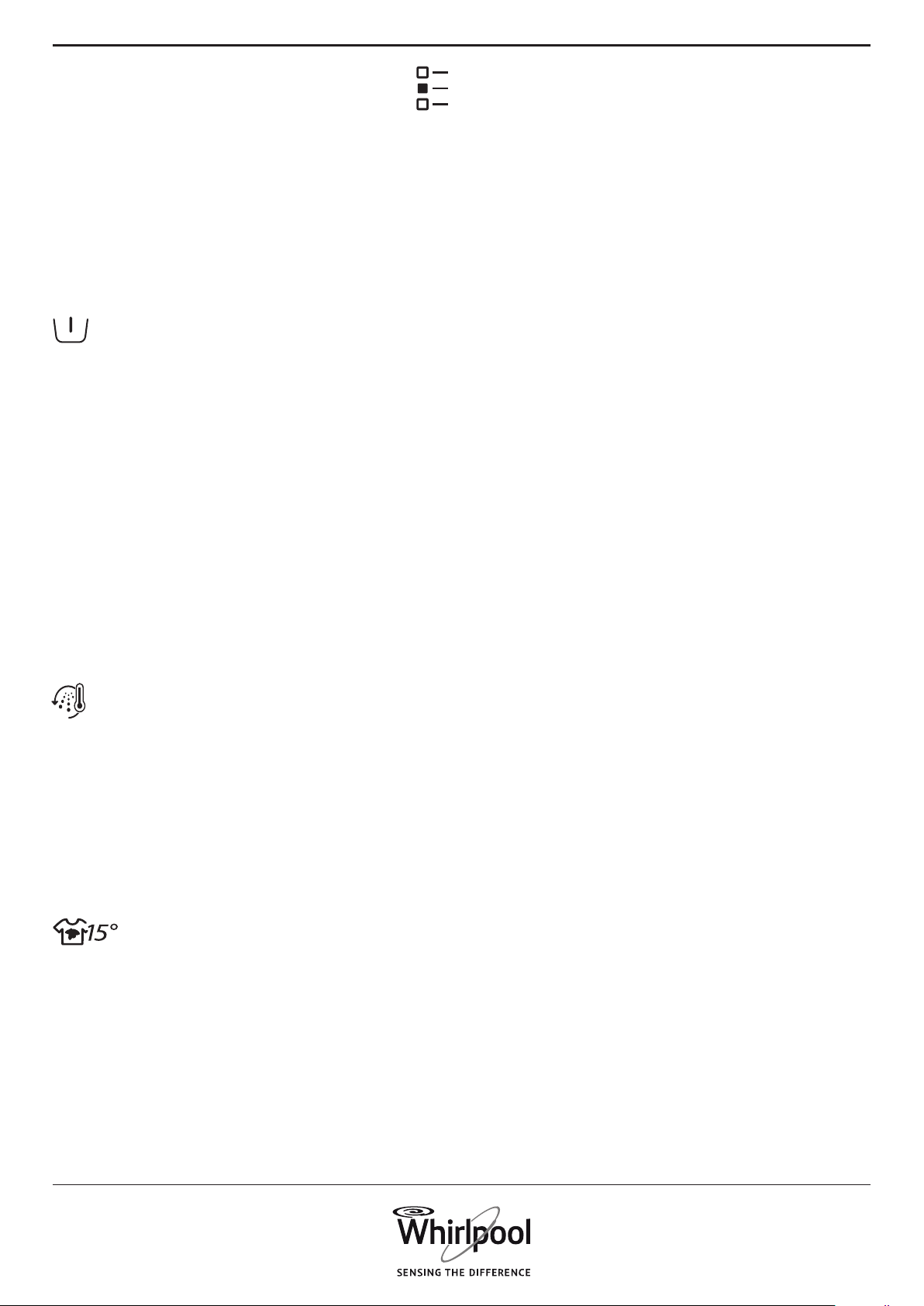
22
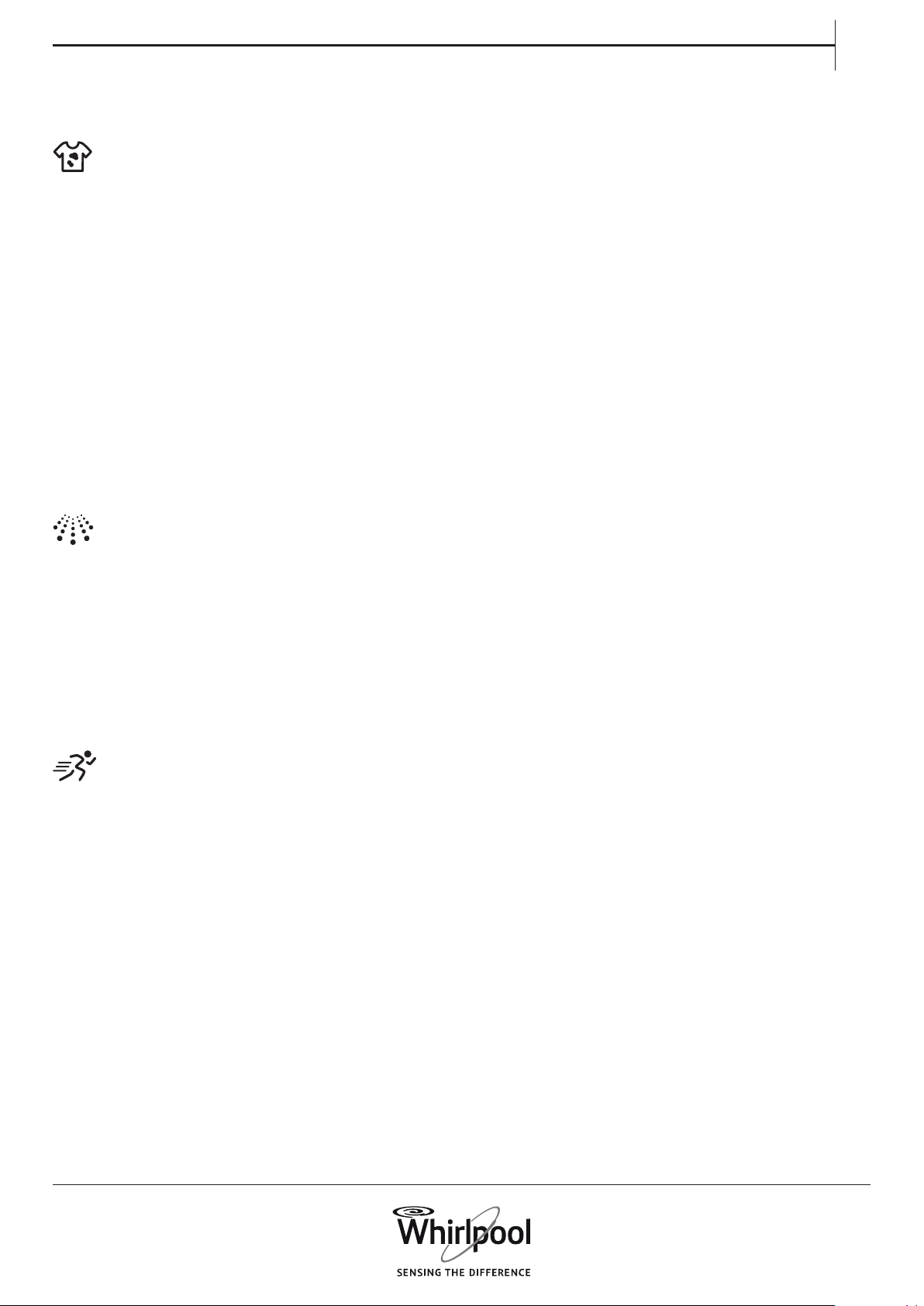
OPTIONS SELECTABLE BY THE OPTIONS
BUTTON
PREWASH
Helps to clean heavily soiled laundry
by adding a prewash phase to the
wash programme selected. For
heavily soiled laundry, for example
containing sand or granular dirt.
Shake out the laundry thoroughly
before loading it into the washing
machine.
Prolongs the programme by about 20
minutes.
Add detergent also to the prewash
compartment of the detergent
dispenser, or directly into the drum.
– When selecting “Prewash”, use
powder detergent for the main wash,
to ensure that the detergent stays in
the detergent dispenser until start
of the main wash phase. Respect the
detergent manufacturer’s dosing
recommendations, or use the “Dosing
Aid” option.
HOT FINISH
The programme ends with a warm
rinse phase. Relaxes the bres of your
laundry.
The laundry feels comfortably warm
when taking it out a short time after
programme end.
BIO STAINS 15°
Helps to remove all kinds of stains,
except grease / oil.
The programme begins with a cold
water wash phase.
Duration is prolonged by about 10
minutes.
Pre-treatment recommended for
obstinate stains.
Not selectable for Cotton 95°C.
The programme chart gives an
overview of possible combinations
of programmes and options. Not
all combinations of programmes
and options are selectable.
Also certain options are not
combinable. In this case, the
indicator of the non-combinable
option blinks and switches o
again, and a signal sounds.
23
EN
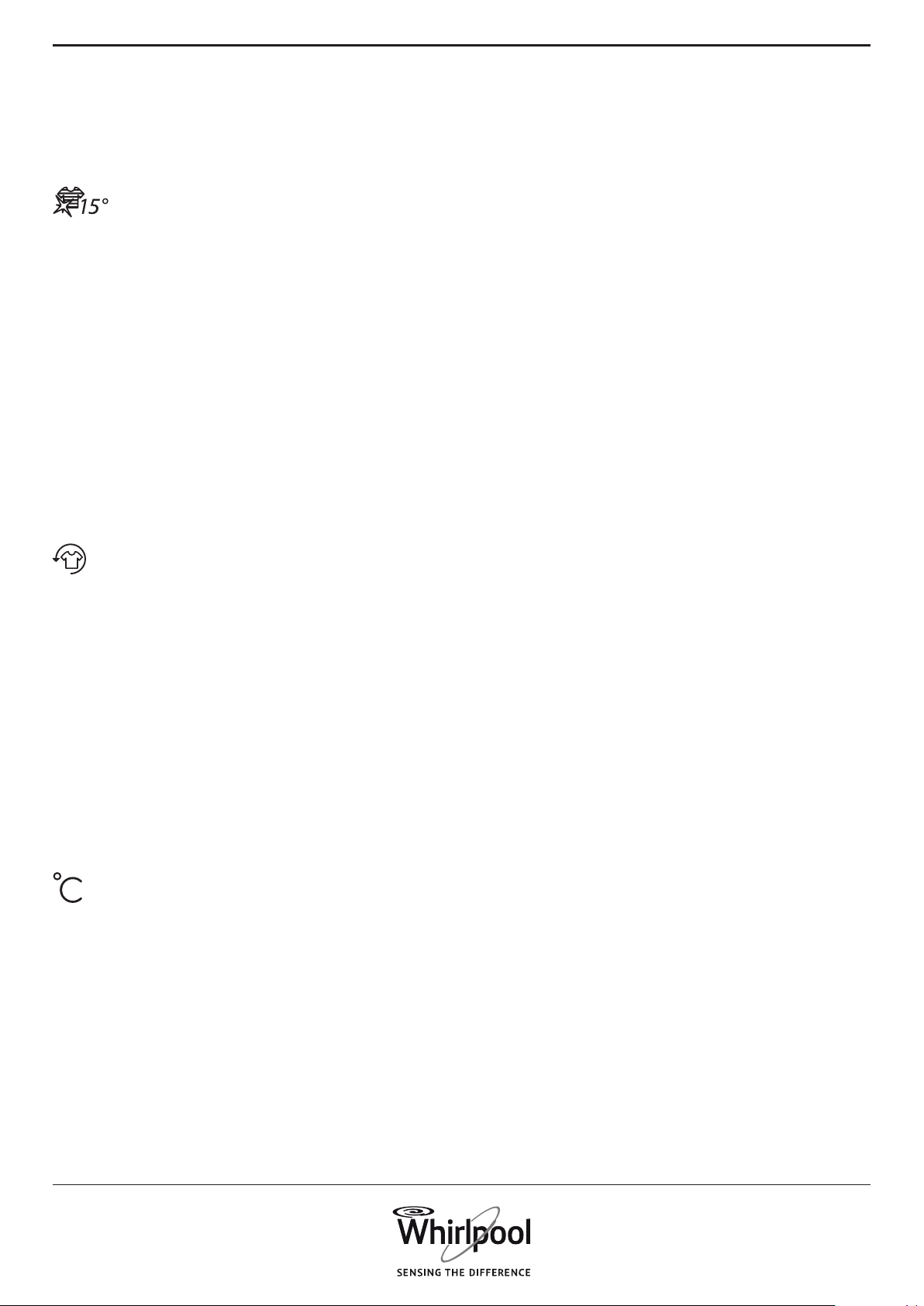
HEAVY SOIL
Helps to clean heavily soiled, stained
laundry by optimizing the eciency
of additives for stain removal.
Add an appropriate amount
of in-wash additive for stain
removal (powder) to the main
wash compartment, together
with your detergent. Only use
powder detergent with this option.
Respect the manufacturer’s dosing
instructions.
Can prolong the programme by up to
15 minutes.
Important: Appropriate for use of
stain removers and bleaches on
oxygen basis. Chlorine or perborate
bleaches must not be used!.
INTENSIVE RINSE
Helps to avoid detergent residues
in the laundry by a prolonged rinse
phase.
Particularly suitable for washing baby
laundry, for people suering from
allergies and for areas with soft water.
RAPID Enables quicker washing. Shortens
the programme duration while
keeping a good wash result.
Recommendable for only lightly
soiled laundry.
Not selectable for Cotton 95 °C.
24
COLOURS 15°
FRESH CARE
Helps to preserve the colours of
your laundry by washing it with cold
water (15°C). Saves energy for water
heating, while keeping a good wash
result.
Suitable for lightly soiled coloured
laundry without stains.
Make sure that your detergent can
be used with cold wash temperatures
(15 or 20 °C).
Not selectable for Cotton 95°C.
Helps to keep your laundry fresh
if you cannot unload it soon after
programme end.
The washing machine starts to
tumble the laundry periodically
a few minutes after programme
end. This tumbling will last up to
approximately 6 hours after end of
your wash programme. You can stop
it at any time by pressing any button;
the door unlocks and you can take
out your laundry.
OPTIONS WHICH ARE DIRECTLY SELECTABLE
BY PRESSING THE RESPECTIVE BUTTON
TEMPERATURE If you switch on the washing
machine, the last used programme
and temperature setting appears on
the control panel.
If you change the programme, the
default temperature of the selected
programme appears on the display.
If you want to change the
temperature, press the temperature
button, turn the knob to select the
desired temperature and conrm it
by pressing the knob.

25
EN
RINSE HOLD To avoid automatic spinning of the
laundry at the end of the programme.
The laundry remains in the last rinse
water, the programme does not
proceed.
Suitable for delicate laundry which
is not appropriate for spinning, or
which should be spun with a lower
spin speed.
Not appropriate for silk.
To terminate the “Rinse hold”, choose
between:
• draining the water, no spinning:
turn the knob to select spin speed
“0”, then press “Start/Pause”: the
water will be drained and the
programme ended
• spinning the laundry:
the default spin speed blinks - start
the spin cycle by pressing “Start/
Pause”. Or select a dierent spin
speed by turning the knob, press it
to conrm the selected spin speed,
and press Start/Pause to start the
spin cycle
SPIN
If you switch on the washing
machine, the last used programme
and spin speed setting will appear on
the control panel.
If you change the programme, the
default spin speed of the selected
programme will appear on the
display.
If you want to change the spin speed,
press the Spin button, turn the knob
to select the desired spin speed and
press the knob to conrm.
If you select spin speed “0”, the rinse
water will be drained at the end of
the programme, and there will be no
nal spin cycle.
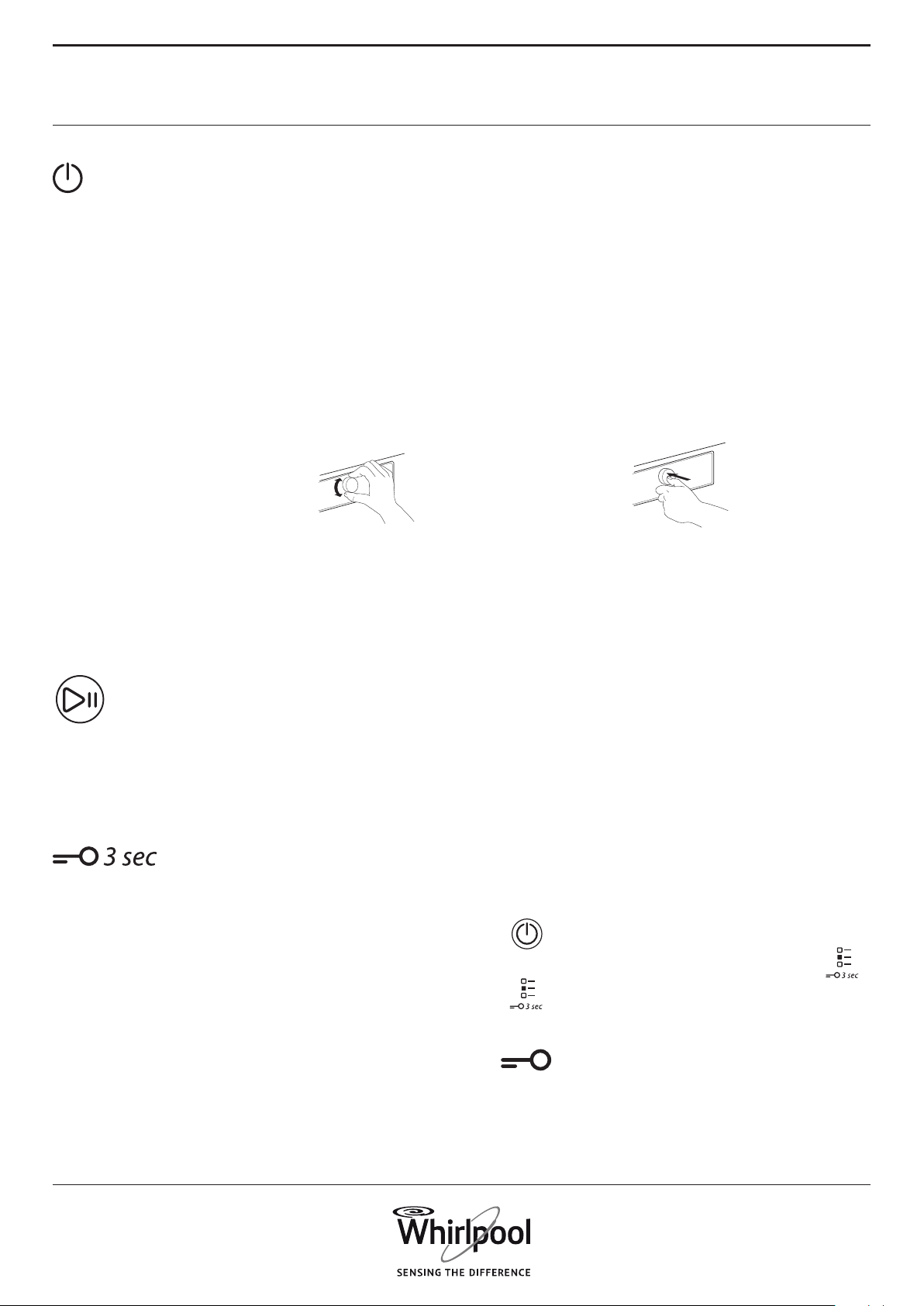
26
FUNCTIONS
ON/OFF To switch on the washing machine:
press the button until the Start/Pause
button lights up.
To cancel a running programme:
press and hold the button until “rES”
appears on the display; the washing
machine will perform a drain cycle to
end the program.
To switch o the washing machine
after programme end:
press the key until the lights go o.
KNOB
• To select and conrm programmes
and options
• Turn to select
• Push to conrm
START/PAUSE
• To start the programme, after you
have nished your settings
• To pause a running programme
• To continue a paused programme
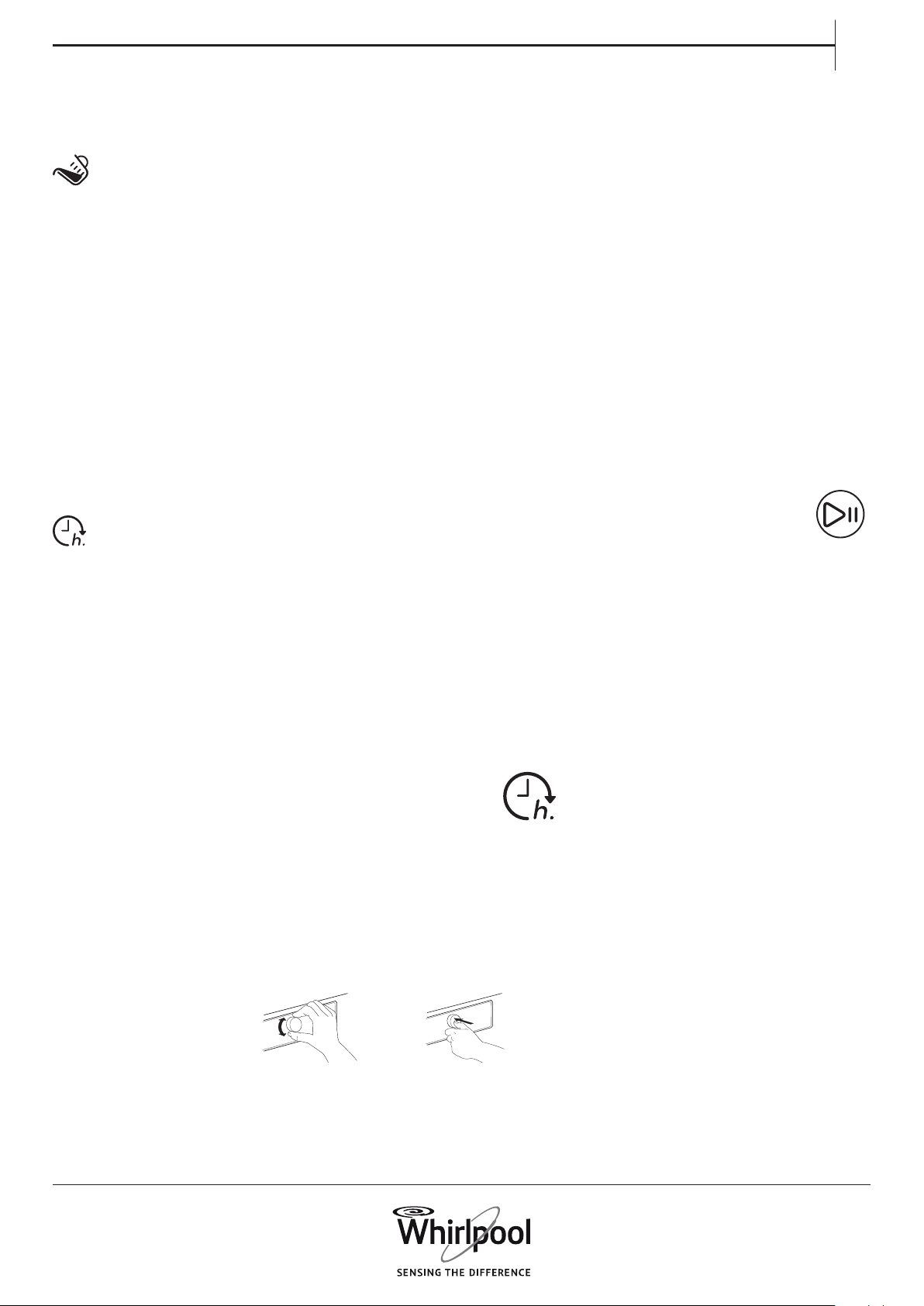
KEY LOCK This function allows you to lock the
buttons and the knob of the control
panel against unwanted operation,
for example by small children.
The washing machine must be
switched on.
Press and hold the option
button;
until the key symbol on the
control panel lights.
Knob and buttons are locked now.
The only working function is “On/O”
to switch the washing machine o.
The key lock remains active also if you
switch o and on again the washing
machine.
To unlock the buttons/knob,
press and hold the option
button again until the key
symbol goes o.
27
EN
DOSING AID Helps to dose the right amount of
detergent for your laundry load.
Before using this option:
The concentration of detergents
available on the market diers
considerably. For that reason, adapt
the washing machine to the dosing
amounts of the detergents which you
use.
Furthermore, check if the washing
machine’s preset water hardness level
(soft) corresponds to your local water
hardness level – if not adapt it (see
“DOSING AID / FIRST USE”)..
See separate section Dosing Aid – First
use / Daily use
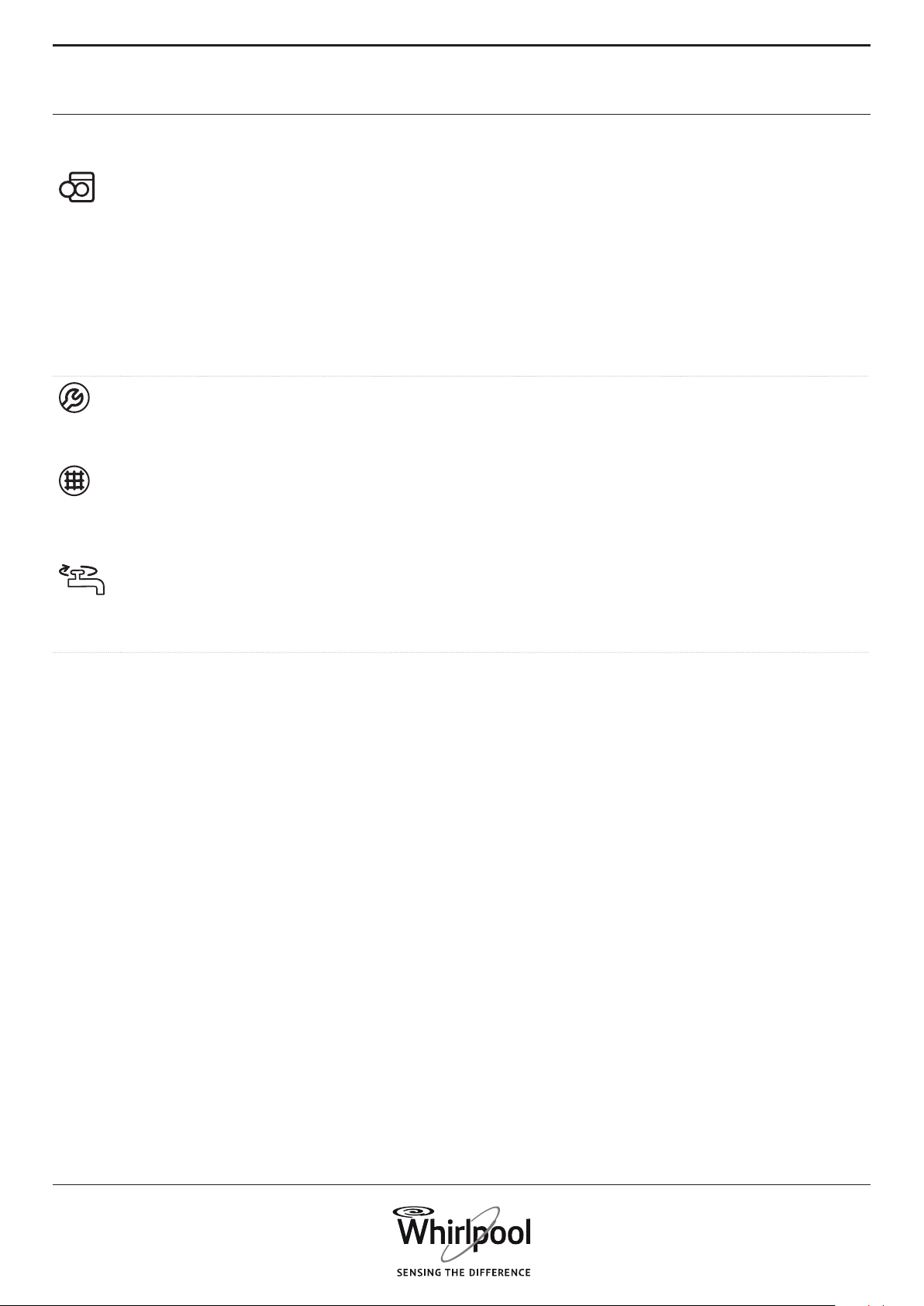
START DELAY Moves the start of your programme
to a later time. Helps to prot from
more favourable energy rates
(e.g.during the night), or to have the
laundry ready at a certain time.
Choose a delay up to 23 hours. Do
not use liquid detergent with this
function, to ensure that the detergent
stays in the detergent dispenser until
programme start.
• Select programme, temperature
and options.
• Press the “Start delay”
button – the start delay
symbol on the display blinks.
• Turn the knob to select a delay up
to 23 hours, which will be shown
on the display. Conrm the desired
delay by pressing the knob. The
start delay symbol on the display
lights up solidly.
Press Start / Pause - the
display shows the countdown
of the delay until start of the
programme. The Start/Pause button
lights up. The colon between hours
and minutes on the display blinks.
The door locks.
• If you have selected Dosing Aid, the
washing machine will calculate the
recommended detergent amount
after you have pressed Start/
Pause. Add the detergent amount
indicated on the display into the
detergent dispenser; use powder
detergent, to make sure that the
detergent stays in the dispenser
until start of the programme. Close
the dispenser and press Start/Pause
again, to start the countdown of the
selected delay.
• After the delay has expired,
the washing machine starts
automatically. The display then
indicates the remaining programme
duration.
To cancel the delay:
• press Start/Pause to cancel the start
delay (and press “Start/Pause” again
to start the selected programme
immediately, if desired)
• or press and hold On/O to cancel
the complete programme setting.
28
INDICATORS
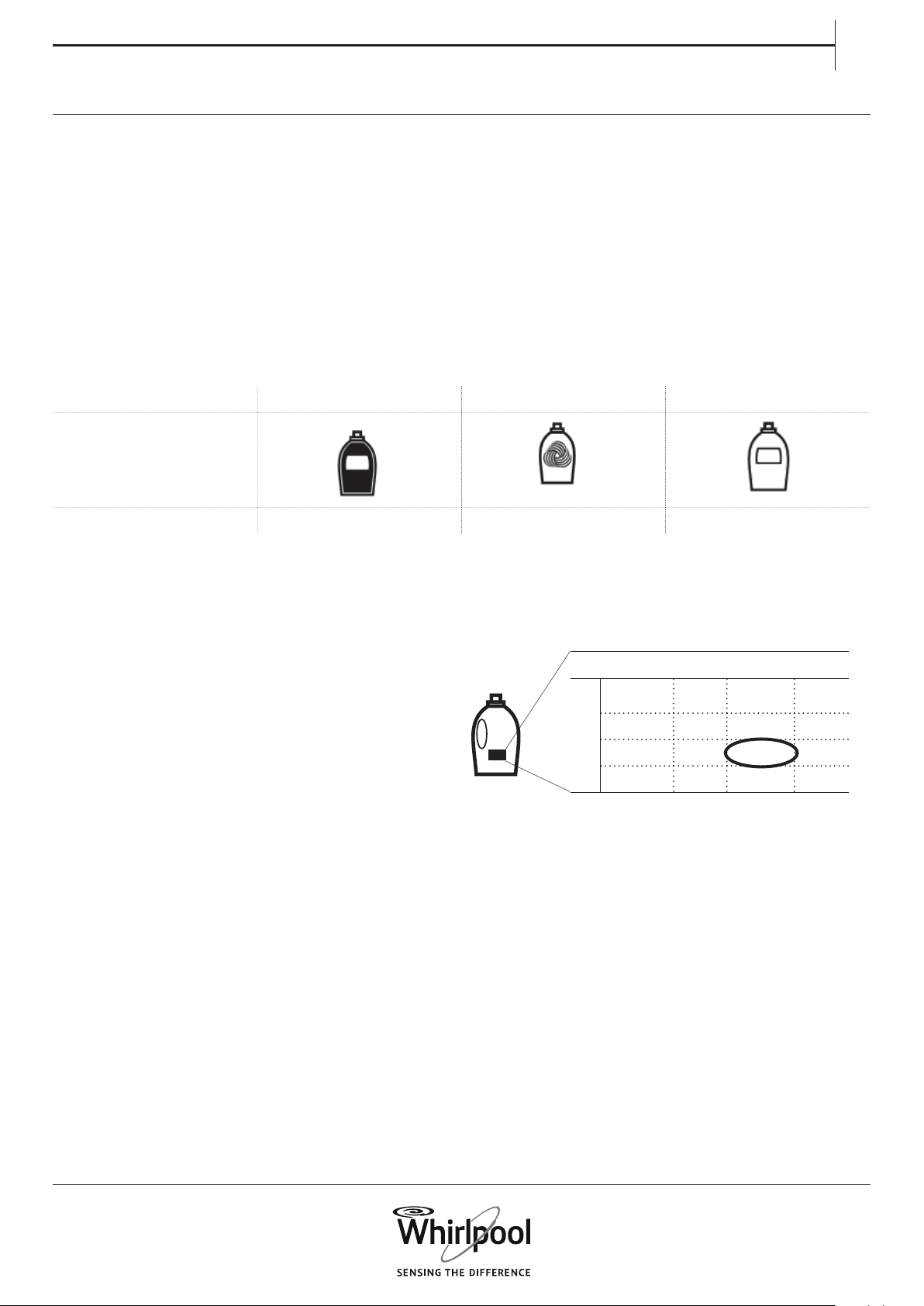
DOOR CAN
BE OPENED
This indicator lights
• before you have started a programme
• when you have paused a programme and the water level is not too
high, or the laundry is not too hot in that programme phase
• when a programme is nished and the laundry can be unloaded
FAILURE: SERVICE
See section TROUBLESHOOTING for more information
FAILURE: WATER
FILTER CLOGGED
FAILURE: WATER TAP
CLOSED
29
EN
SAVE THE DOSING VALUES FOR THE
DETERGENTS YOU USE
DOSING AID / FIRST USE
To enable this function to calculate the detergent
amount as precisely as possible, adapt the washing
machine to the dosing values of the detergents you
use, and also to your local water hardness.
Check on the packs of your detergents the dosing
amount for medium soil level and medium water
hardness
water harDness
soil level
soft medium hard
light
medium ml
heavy
Detergent types: Colour Delicate Generic
Programmes: Colours Wool, Delicates All other programmes
30
1. Press and hold the Programme button and the
Dosing Aid button simultaneously.
“1” appears on the display, which means water
level “soft”.
2. Turn the knob to adjust the water level to.
2 = Medium
3 = Hard
and press the knob to conrm. As soon as
you conrm the water hardness setting, you
automatically exit the water hardness setting
mode.
ADAPT THE WASHING MACHINE TO YOUR LO
CAL WATER HARDNESS
The washing machine comes with preset water
hardness level soft.
Check your regional water hardness level, for
example by consulting your local authorities or via
internet. – If your local water hardness is not “soft”,
adjust the washing machine as follows:
To adjust the water hardness:
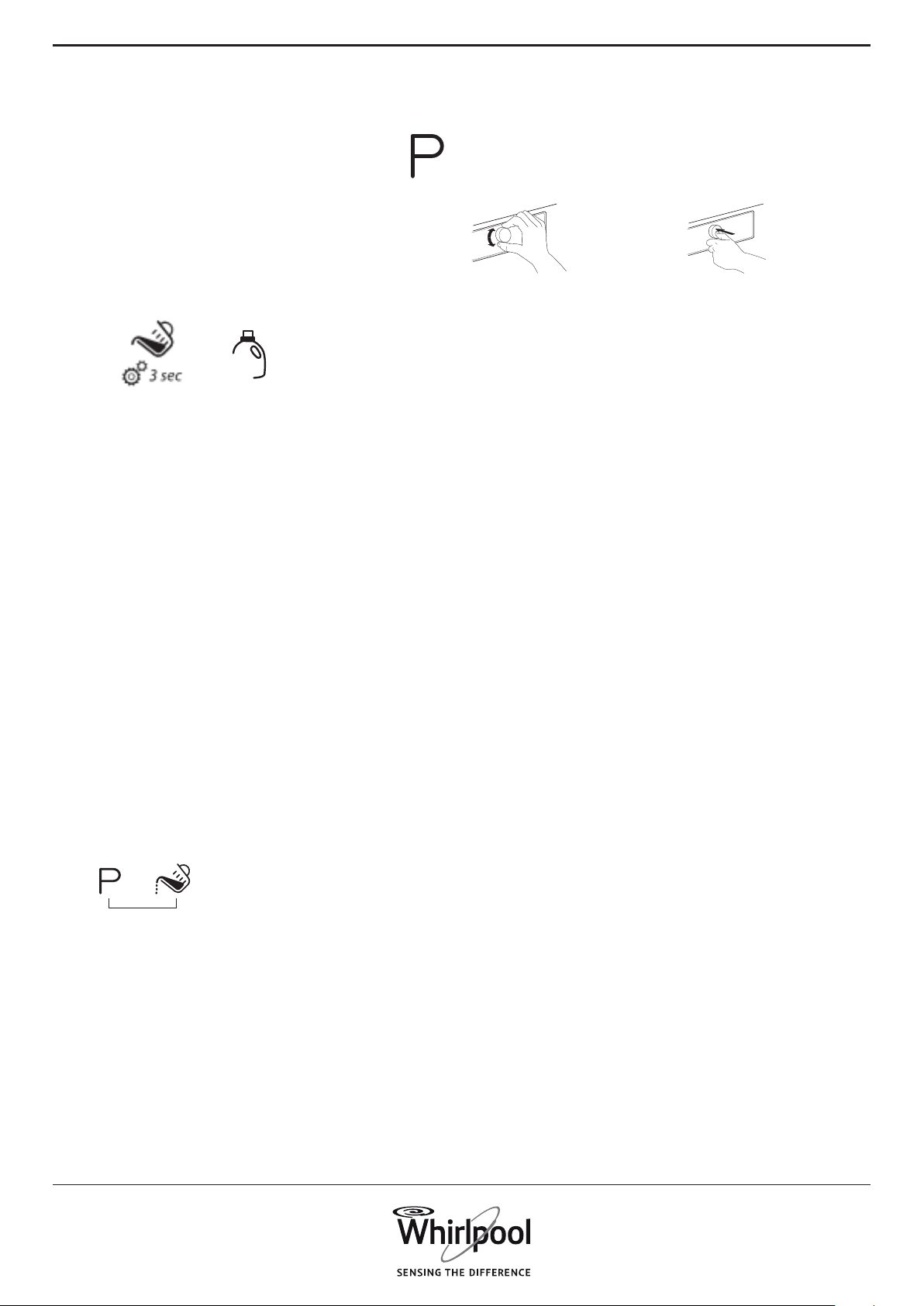
To save these values in the washing machine:
1. Select the programme for which you
want to save the detergent value.
2. Press and hold the Dosing Aid button until
the bottle symbol on the display lights up. The
indicators of all programmes for the detergent
group light up.
%
3. Turn the knob to adjust the dosing value
to the one you have identied before on the
detergent pack. Afterwards conrm it by pressing
the knob.
4. Do this procedure for all three programme
groups. It is enough if you save the dosing value
for one programme per group – it will then be
automatically saved for all other programmes of
this group.
To return to the factory settings: select and conrm
“rES” as described in step 3.
31
EN
wash compartment.
Instead of adding detergent to the detergent
dispenser, it can also be added directly to the
drum, in a detergent ball.
For programmes with prewash: prewash detergent
can be added to the drum, main wash detergent
must be added to the main wash compartment of
the detergent dispenser. Use powder detergent for
the main wash in this case, to ensure that it stays
in the detergent dispenser until start of the main
wash phase.
After having added detergent, close the detergent
dispenser (or door).
4. Close the detergent dispenser (or the
door) and press “Start/Pause” to continue the
programme.
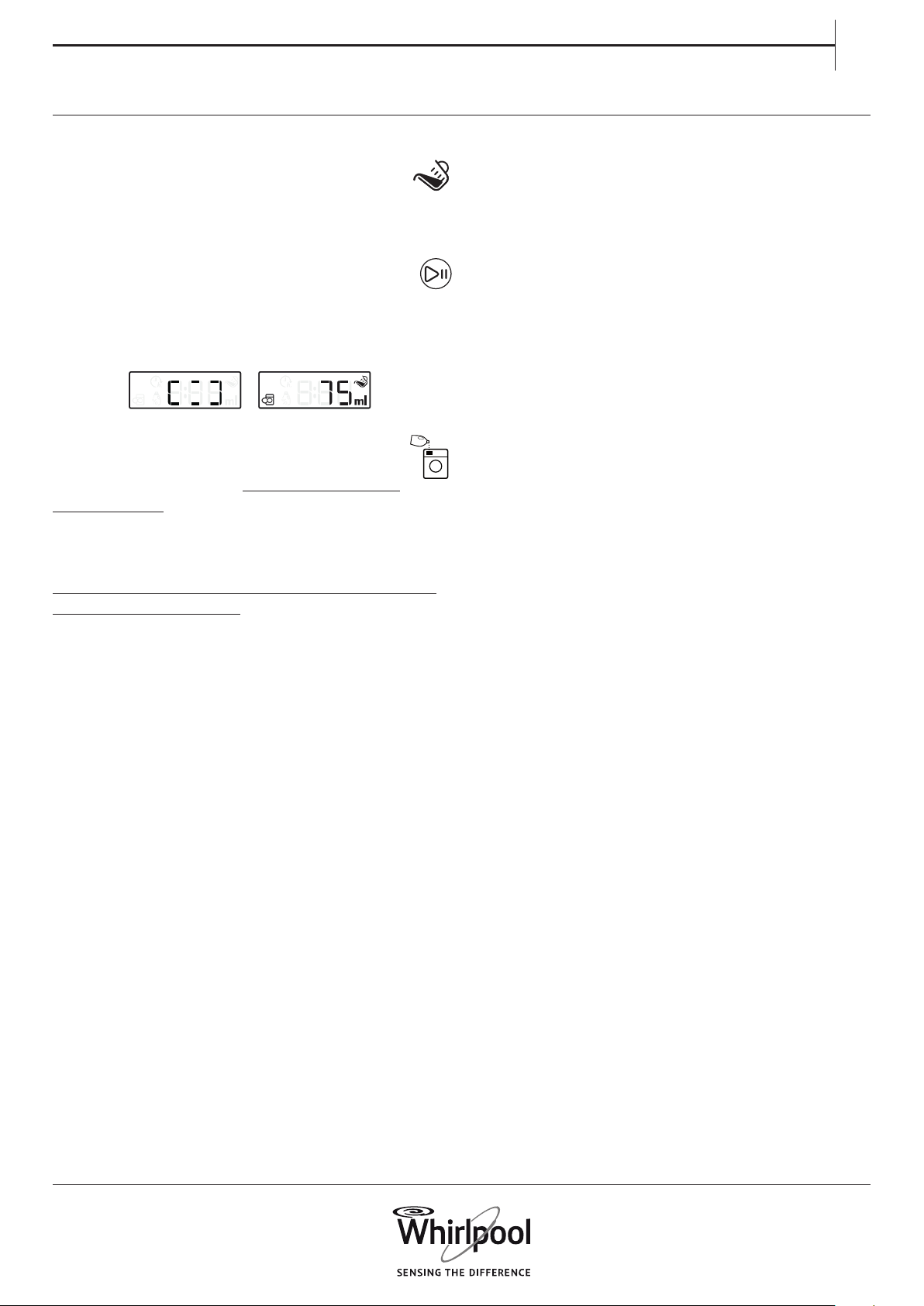
1. After you have selected programme and
options, press the “Dosing Aid” button; the
Dosing aid symbol lights up on the display.
2. Then start the programme by pressing
“Start/Pause”. – The drum rotates to detect the
laundry load, while the display shows an animation.
Afterwards the display indicates the recommended
detergent amount in ml.
3. Pull out the detergent dispenser and
pour the detergent quantity which is
indicated on the display into the main wash
compartment of the detergent dispenser.
If you have selected “Prewash” option and you
want to add detergent also for the prewash, pour
half of the indicated detergent amount into the
prewash compartment, in addition to the full
amount which you have already added to the main
DOSING AID / DAILY USE

32
Achieve the best use of energy, water, detergent
and time by using the recommended maximum
load size for the programmes, as indicated in the
programme chart.
Do not exceed the detergent dosages indicated
in the detergents manufacturer’s instructions. Use
the Dosing Aid function; prepare this function as
indicated in “DOSING AID / FIRST USE”.
Use “Prewash” for heavily soiled laundry only.
Pretreat stains with stain remover, or soak dried
in stains in water before washing, to reduce the
necessity of a hot wash programme.
SAVING TIPS
Save energy by using a 60° C instead of a 95° C
wash programme, or a 40° C instead of a 60° C
wash programme. For cotton laundry, prefer using
programme Eco Cotton with 40°C or 60°C.
Save energy and time by selecting a high spin
speed to reduce the water content in the laundry
before using a tumble dryer.
Use option “Colours 15°” for lightly soiled laundry,
to save energy for water heating.
33
EN
CLEANING &
MAINTENANCE
CLEANING THE OUTSIDE
OF THE WASHING MACHINE
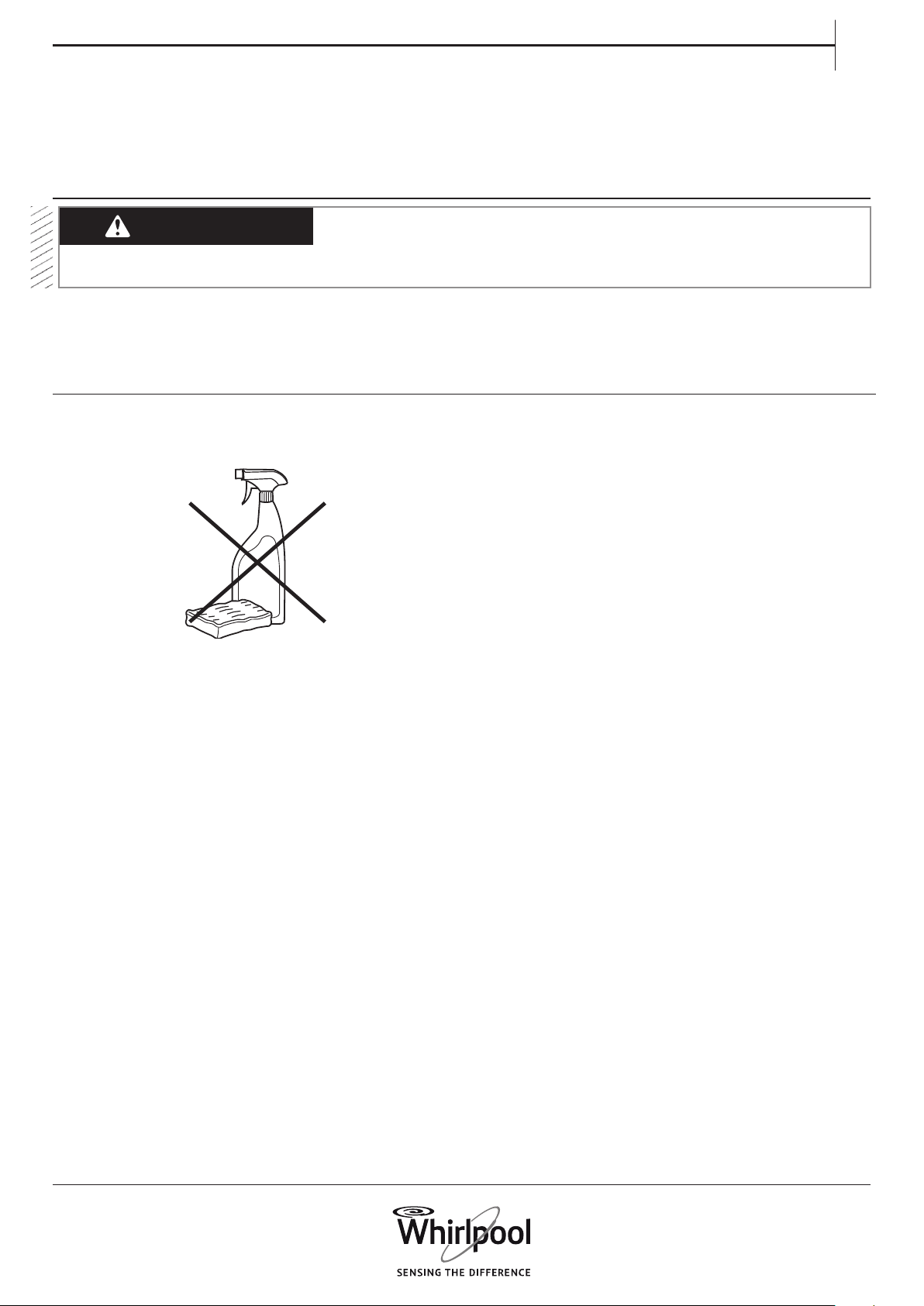
Use a soft damp cloth to clean the outer parts of
the washing machine.
Do not use glass or general purpose cleaners,
scouring powder or similar to clean the control
panel – these substances might damage the
printing.
WARNING
For any cleaning and maintenance, switch o
and unplug the washing machine.
Do not use ammable uids to clean the
washing machine.
34
Check the inlet hose regularly for brittleness
and cracks. If damaged, replace it by a new hose
available through our After-Sales Service or your
specialist dealer.
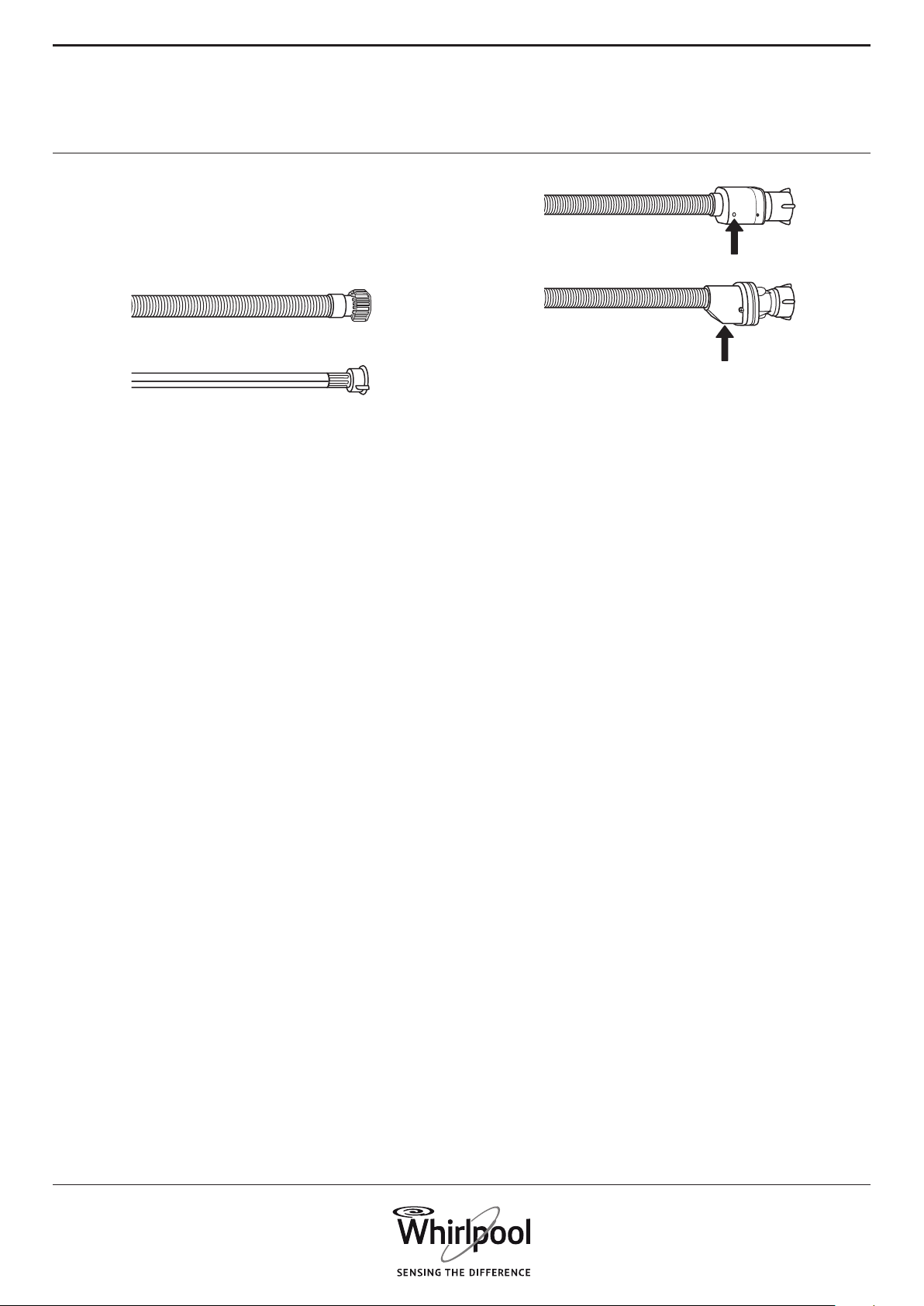
Depending on the hose type:
If the inlet hose has a transparent coating,
periodically check if the colour intensies locally.
If yes, the hose may have a leak and should be
replaced.
For water stop hoses: check the small safety valve
inspection window (see arrow). If it is red, the water
stop function was triggered, and the hose must be
replaced by a new one.
For unscrewing this hose, press the release button
(if available) while unscrewing the hose.
CHECKING THE WATER
SUPPLY HOSE
35
EN
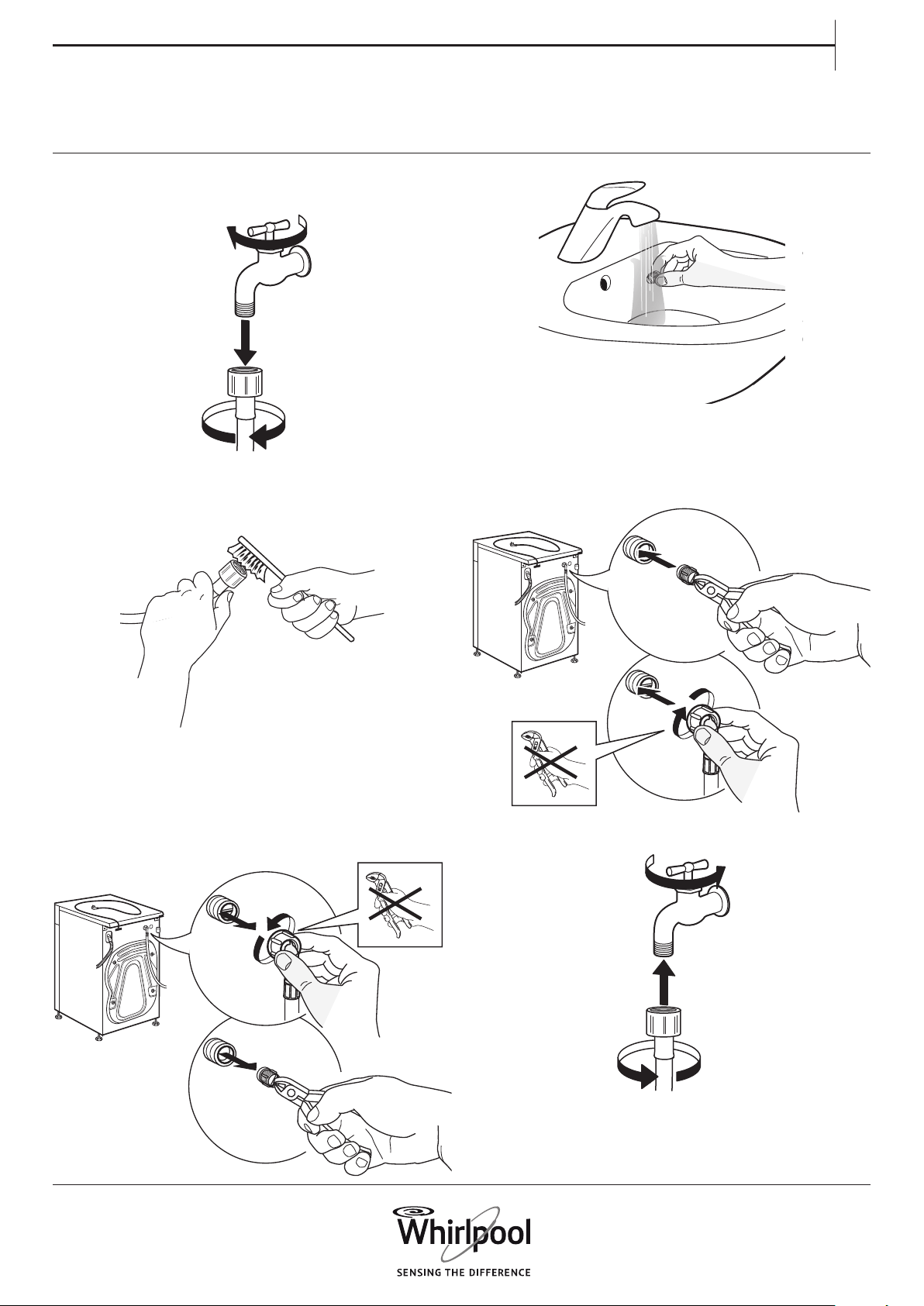
1. Close water tap and screw o the inlet hose.
1
2
2. Clean the mesh lter at the hose’s end
carefully with a ne brush.
3. Now unscrew the inlet hose on the back of the
washing machine by hand.
Pull out the mesh lter from the valve on the back
of the washing machine with pliers and carefully
clean it.
CLEANING THE MESH FILTERS
IN THE WATER SUPPLY HOSE
4. Insert the mesh lter again. Connect the inlet
hose to water tap and washing machine again. Do
not use a tool to connect the inlet hose. Open the
water tap and check that all connections are tight.
2
1
36
CLEANING THE DETERGENT
DISPENSER
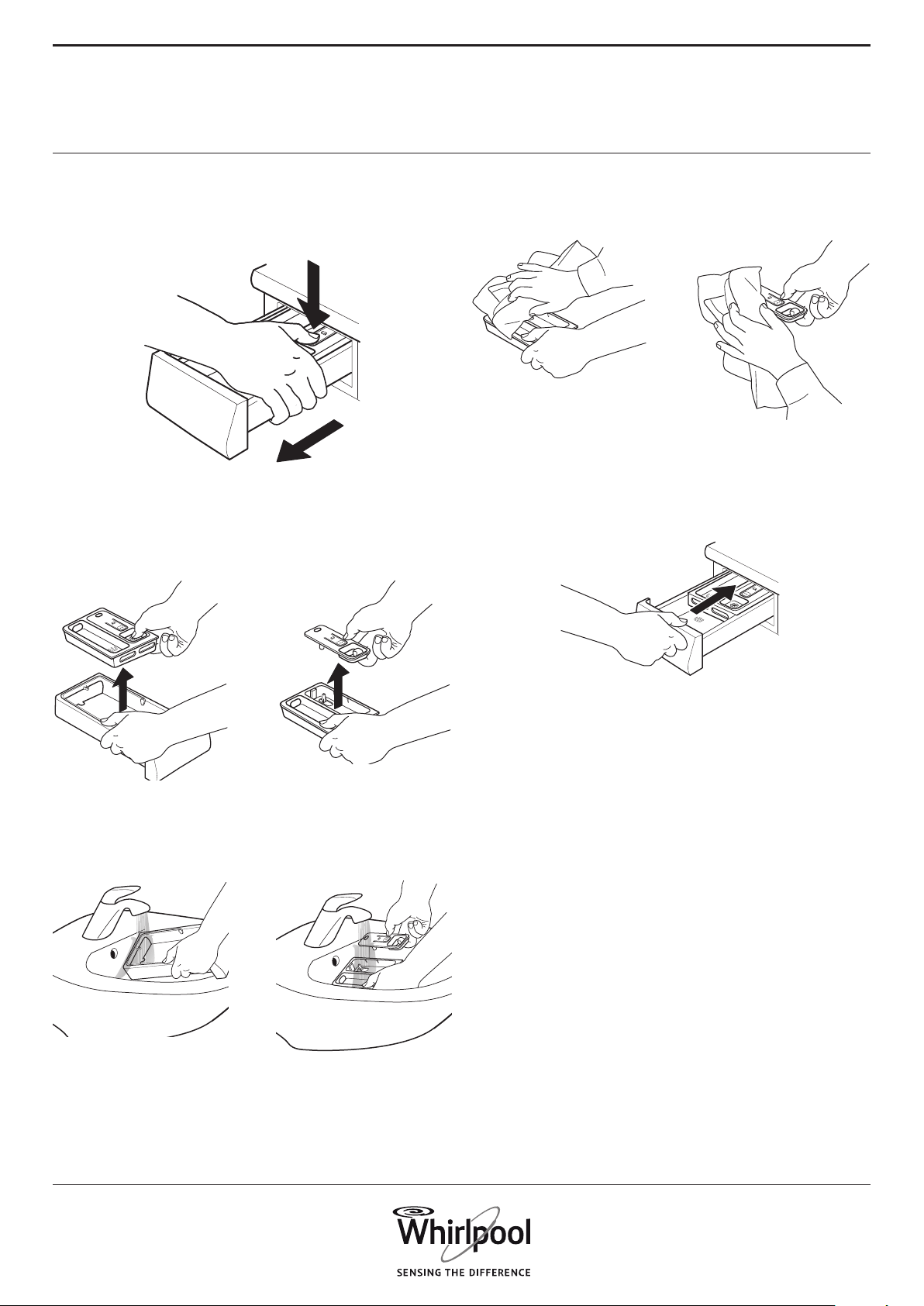
1. Remove the detergent dispenser by pressing
on the release button and at the same time pulling
out the detergent dispenser.
1
2
2. Remove the insert from the detergent
dispenser, as well as the insert of the softener
compartment.
3. Clean all parts under running water, removing
all detergent or softener residues.
4. Wipe the parts dry with a soft cloth.
5. Reinstall the detergent dispenser and push it
back into the detergent compartment.
37
EN
WARNING
Switch o and unplug the washing machine before
cleaning the water lter or draining residual water.
If you used a hot wash programme, wait until the
water has cooled down before draining any water.
If the water cannot drain, the “Water lter
clogged” failure indicator lights up.
Clean the water lter regularly, to avoid that the
water cannot drain after the wash due to clogging
of the water lter.
If your washing machine model has no emergency
drain hose:
Place a broad, at container beneath the water
lter, to collect the drain water.
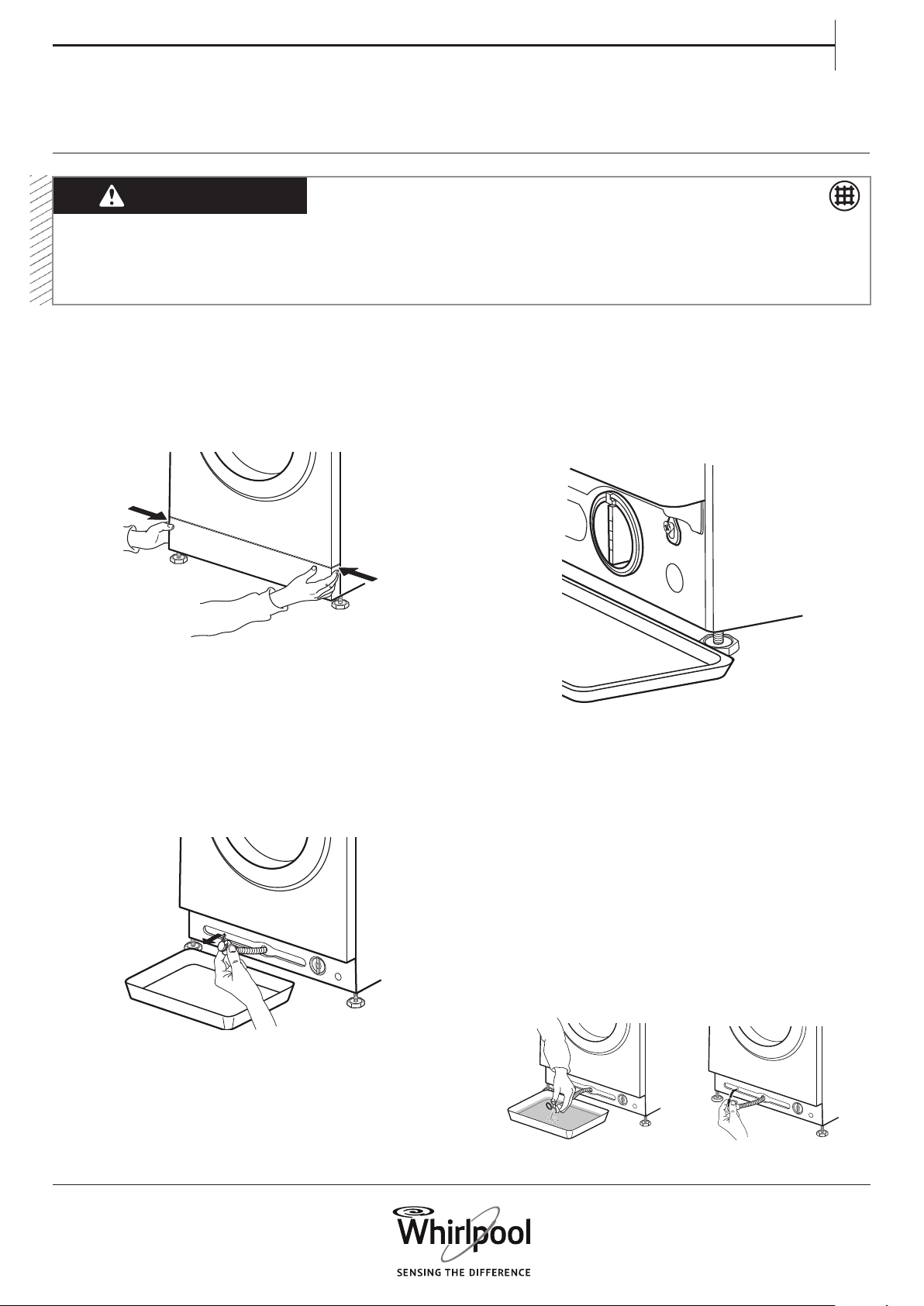
3. Drain the water:
If your washing machine model has an emergency
drain hose:
Remove the stopper at the end of the hose and
let the water ow into the container. When the
container is full with water, plug the stopper to
the hose end and empty the container. Repeat
this procedure until no more water ows out.
Afterwards rmly close the emergency drain hose
with the stopper and reinsert the hose in the
washing machine’s base.
CLEANING THE WATER FILTER / DRAINING
RESIDUAL WATER
1. Remove the plinth: Push the tabs left and right
to release the plinth and remove it.
2. Container for drain water:
If your washing machine model has an emergency
drain hose:
Provide a at container for the drain water. Remove
the emergency drain hose from the base of the
washing machine
38
If your washing machine model has no emergency
drain hose:
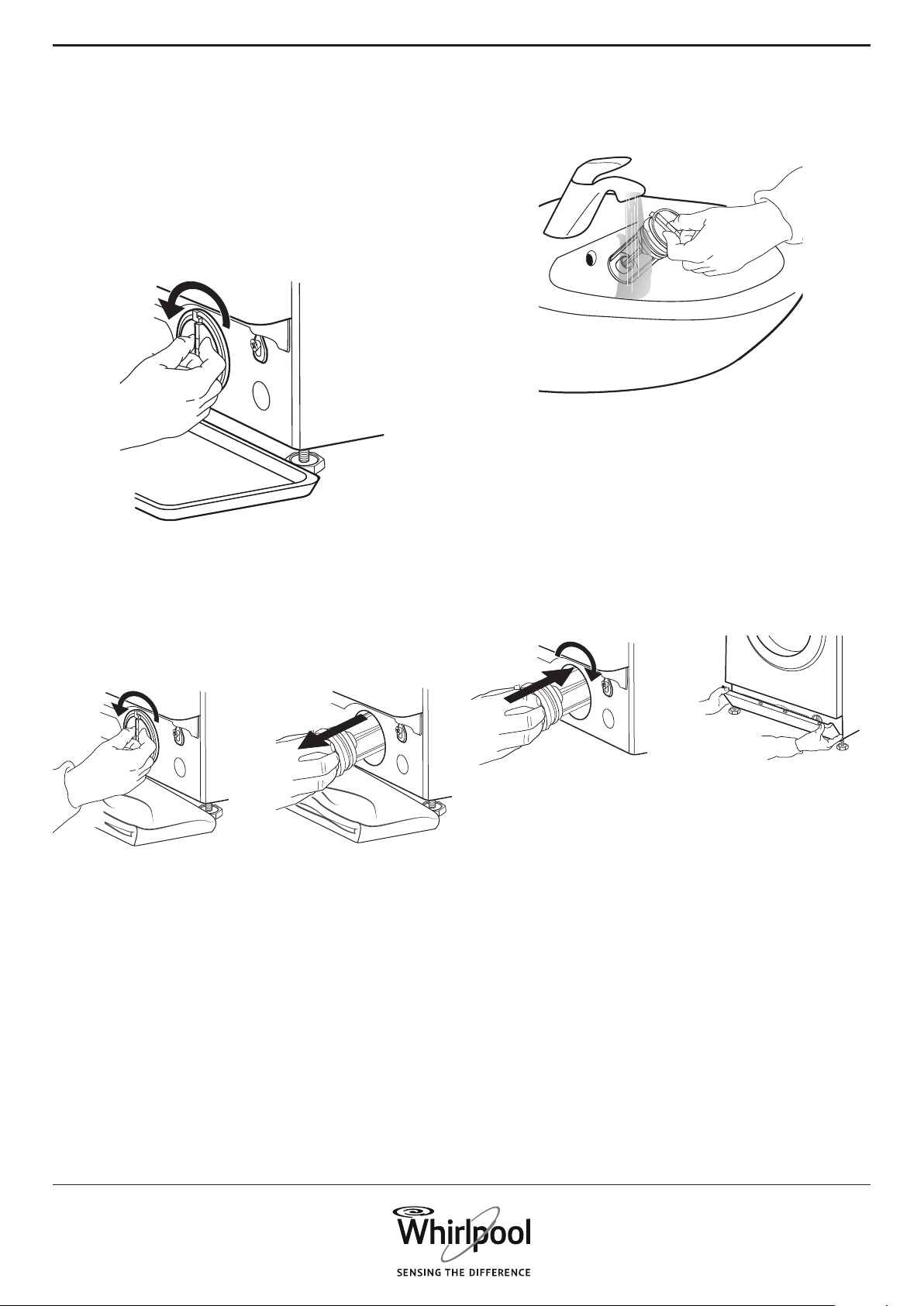
Slowly turn the lter counterclockwise until water
ows out. Let the water ow out, without removing
the lter.
When the container is full, close the water lter by
turning it in clockwise. Empty the container. Repeat
this procedure until all the water has drained.
4. Remove lter: Lay a cotton cloth beneath the
water lter, which can absorb a small amount of
rest water. Then remove the water lter by turning
it out anticlockwise.
5. Clean the water lter: remove residues in the
lter and clean it under running water.
6. Insert the water lter and reinstall the plinth:
Reinsert the water lter again by turning it in
clockwise direction. Make sure to turn it in as far
as it goes; the lter handle must be in vertical
position. To test water tightness of the water
lter, you can pour about 1 liter of water into the
detergent dispenser.
Then reinstall the plinth.
1
2
39
EN
TRANSPORT
AND HANDLING
1. Make sure that door and detergent dispenser
are properly closed.
2. Disconnect the inlet hose from the water tap,
and remove the drain hose from your draining
point. Remove all rest water from the hoses, and
x them so that they cannot get damaged during
transport.
Unplug the washing machine and close the water
tap.
3. Ret the transport bolts. Follow the
instructions for removing the transport bolts in the
Installation Guide in reverse order.
Important: Do not transport the washing machine
without having xed the transport bolts.
40
Your washing machine is equipped with various
automatic safety functions. These enable failures
to be detected in good time and the safety system
can react appropriately.
TROUBLESHOOTING
PROBLEM POSSIBLE CAUSE SOLUTION
Washing machine does not start,
no indicators are on
Not connected to mains Insert plug into socket
Socket or fuse does not function Test function with a lamp, have
faulty part repaired
Power breakdown The washing machine will
automatically continue when
power is available again
Washing machine does not start,
although “Start/Pause” has been
pressed
Door not properly closed Push door to close it until it clicks
shut
Key lock is activated Press the button with the key
symbol at least 3 seconds to
deactivate the key lock
Washing machine stops during
the programme, and “Start/Pause”
blinks
Rinse hold (= positon of spin
button) is activated
Terminate Rinse hold with draining
the water or spinning the laundry
(see “Rinse hold” – FUNCTIONS
AND OPTIONS).
Programme was interrupted,
maybe door has been opened
Make sure door is closed
Press “Start/Pause” to proceed with
the programme
Safety system has been activated:
failure indicator lights up and/or
display shows failure (F…); water
tap might be closed
Refer to paragraph “Failure
indicators”. Make sure that water
tap is open and inlet hose has no
kinks.
Detergent dispenser contains
detergent residues after
programme end
Inlet water pressure too low; mesh
lter of the water supply hose may
be blocked
Make sure water tap is properly
opened. Check mesh lters of
inlet hose, see CLEANING AND
MAINTENANCE / Cleaning the
mesh lters of the inlet hose
Washing machine vibrates during
spinning
Transport bolts have not been
removed (!)
Remove transport bolts according
to the instructions in the
INSTALLATION GUIDE
Washing machine not standing
level on all four feet
Adjust feet (INSTALLATION
GUIDE). Make sure that washing
machine stands on level and rm
underground.
Spin speed “0” blinks on control
panel and/or laundry still very wet
Unbalance of laundry load
prevented spin cycle, to protect
the washing machine
If you want to spin the wet
laundry, add more laundry
items of dierent sizes and start
“Rinse&Spin” programme.
Avoid small laundry loads
consisting of few big, absorbent
pieces of laundry / wash dierent
sizes of articles in one load
These failures are frequently so minor that they can
be removed within a few minutes.
41
EN
PROBLEM POSSIBLE CAUSE SOLUTION
Spin result poor Spin button was set to a low spin
speed.
Select and start “Spin” programme
with a higher spin speed (if
selectable).
Unbalance during spinning
prevented nal spin cycle.
See line above.
Excessive foam formation
prevented spinning.
Start “Rinse&Spin” programme.
Avoid excessive detergent dosing.
Adjust and use the Dosing Aid
function.
Detergent residues on laundry
after wash
Too much powder detergent used
/ quality of detergent.
Avoid detergent overdosing
Brush out the fabric.
Use “Intensive Rinse” option (if
selectable).
Use liquid detergent / use special
detergent for black or dark laundry.
Washing machine stands still
during programme / programme
seems not to proceed / during
standstill, animation may appear
on display
Programme phases without drum
movement.
Standstill phases lasting up to
about 2 minutes are normal in
some wash programmes.
Excessive foam formation (maybe
by overdosage of detergent)
interrupted the programme. Can
be repeated several times until the
foam reduction is sucient.
The programme continues
automatically, as soon as the foam
reduction is sucient.
If display shows Fod (=failure
overdosage), refer to table FAILURE
INDICATORS AND MESSAGES.
Under- or overvoltage of mains
might be detected.
Programme will automatically
continue as soon as the mains
voltage is in the proper range.
Programme duration is longer or
shorter as initially indicated on the
display / in the programme chart.
Washing machine adapts to factors
having an eect on duration, such
as size of laundry load, excessive
foam formation, load unbalance,
prolonged heating time due to
low inlet water temperature etc..
When programme duration is
recalculated, an animation appears
on the display.
Avoid small laundry loads with
absorbent, big pieces of laundry /
add articles of dierent sizes.
Avoid detergent overdosing
– respect the dosing
recommendations of the detergent
manufacturer. Adjust and use the
Dosing Aid function.
Door is locked, with or without
failure indication, and the
programme does not run.
Door is locked in case of power
breakdown.
Programme will continue
automatically as soon as the mains
is available again.
Washing machine is in a standstill
(as described in previous section
“Washing machine stands still…).
Programme will continue
automatically after the origin of the
standstill does not persist anymore.
Water level or temperature too
high, or electrical component
failure.
See instructions for failure
“Service”: doorlock failure” / FdL /
F29 in section Failure indicators.
Drum light (if available) does not
work anymore.
Light bulb needs to be replaced. Call our After-Sales Service to
exchange the light bulb.
42
FAILURE INDICATORS AND MESSAGES
Below is a summary of possible failure causes and
solutions.
If the problem persists after having removed the
cause of the failure, press and hold On/O for at least
three seconds. If afterwards the failure indication still
persists, close the water tap, switch o and unplug the
washing machine and contact our After-Sales Service.
Failure Indicator Possible Cause Solution
WATER TAP CLOSED
No or not sucient water supply
• Water tap closed
• Kinks in inlet hose
• Water tap pressure too low
• Mesh lters in inlet hose
clogged
• Water inlet hose frozen up
Open water tap
Make sure there are no kinks in the
inlet hose.
Make sure water pressure is
sucient.
Clean mesh lters in inlet hose
(CLEANING AND MAINTENANCE)
Install washing machine at an
ambient temperature of at least
5°C.
After problem has been removed,
press Start/Pause. If problem
persists, press and hold On/O for
at least 3 seconds.
CLEAN FILTER
Waste water is not pumped out
• Kinks in drain hose
• Drain hose blocked or frozen
up
• Filter blocked
• Pump blocked
Check drain hose for kinks
Install washing machine at an
ambient temperature of at least
5°C.
Clean water lter as described in
section CLEANING THE FILTER.
After problem has been removed,
press Start/Pause. If problem
persists, press On/O for at least 3
seconds.
Indication on display Possible Cause Possible Solution
DOOR OPEN
INDICATOR BLINKS
The door cannot lock Firmly press the door in area of
door lock, to properly close it.
Then press Start/Pause. If the
problem persists, press On/O
for at least 3 seconds.

43
EN
Display message Possible Cause Possible Solution
FdL
(or F29)
The door cannot unlock. Firmly press the door on the area
of the door lock, then press On/O
for at least 3 seconds.
If hot cycle is selected, wait until
cool down and press again On/O
for at least 3 seconds.
Switch on the washing machine.
If failure still appears, check and
eventually remove possible cause
as indicated for failure “Clean
lter”. Then switch the washing
machine on again. If door does
not unlock, press On/O for at
least 3 seconds.
If door still does not unlock, refer
to section “DOOR – HOW TO OPEN
IT IN CASE OF A FAILURE”. Before
draining water / opening the door,
wait until the water has cooled
down (for hot wash programmes).
Fod Excessive foam formation
(maybe by overdosage of
detergent) interrupted the
programme. The interruption
can be repeated several times
until the foam reduction is
sucient.
Start “Rinse&Spin” programme,
with option Intensive Rinse.
Respect the dosing
recommendations by the
detergent manufacturer.
Adjust and use the Dosing Aid
function.
Make sure that the water lter is
clean.
44
Failure
indicator
Display
message
Possible Cause Possible Solution
F20 or
F60
Failure of an electronic com-
ponent
Switch o and unplug the
washing machine; close the water
tap.
Call After-Sales Service
SERVICE
F24 Too much laundry for a pro-
gramme with small maxi-
mum load
Select and start programme
“Rinse and Spin” to complete the
interrupted wash programme.
Do not overload the washing
machine. Respect the maximum
load size of the programmes
indicated in the Programme
Chart.
Too much inlet water Turn o the water tap. Press and
hold On/O for at least 3 seconds
to drain the water; wait until the
drain phase has ended (End will
appear on display).
Turn on the water tap again. – If
water immediately ows into the
washing machine (without having
started a programme), there is a
failure of an electrical component.
Close water tap, switch o and
unplug the washing machine.
Contact our After-Sales Service.
F02 Water stop failure – water
leakage detected in bottom
tray.
Press On/O for at least 3
seconds. If failure persists, contact
After-Sales Service.
All other F.. failures Failure of an electrical
component
Press On/O button for at least
3 seconds to reset the failure. If
problem persists, switch o and
unplug washing machine. Close
water tap. Call After-Sales Service.
45
EN
DOOR – HOW TO OPEN IT IN CASE OF A
FAILURE, TO TAKE OUT YOUR LAUNDRY
(IF FEATURE IS AVAILABLE)
Before opening the door as described in below
section, refer to failure “Door is locked with or
without failure indication, and the programme
does not run”. The door may unlock by itself after
conditions like for example a power breakdown do
not persist anymore.
If you want to take out your laundry immediately,
rst try to unlock the door as described in FAILURE
INDICATORS AND MESSAGES (FdL or F29). Only
if the door cannot be opened as described in the
section mentioned before, proceed as described
below.
In case of a power breakdown, the washing
machine will proceed where it was interrupted as
soon as power is available again.
If a failure occurs on the washing machine and the
door is locked, but you must take out your laundry:
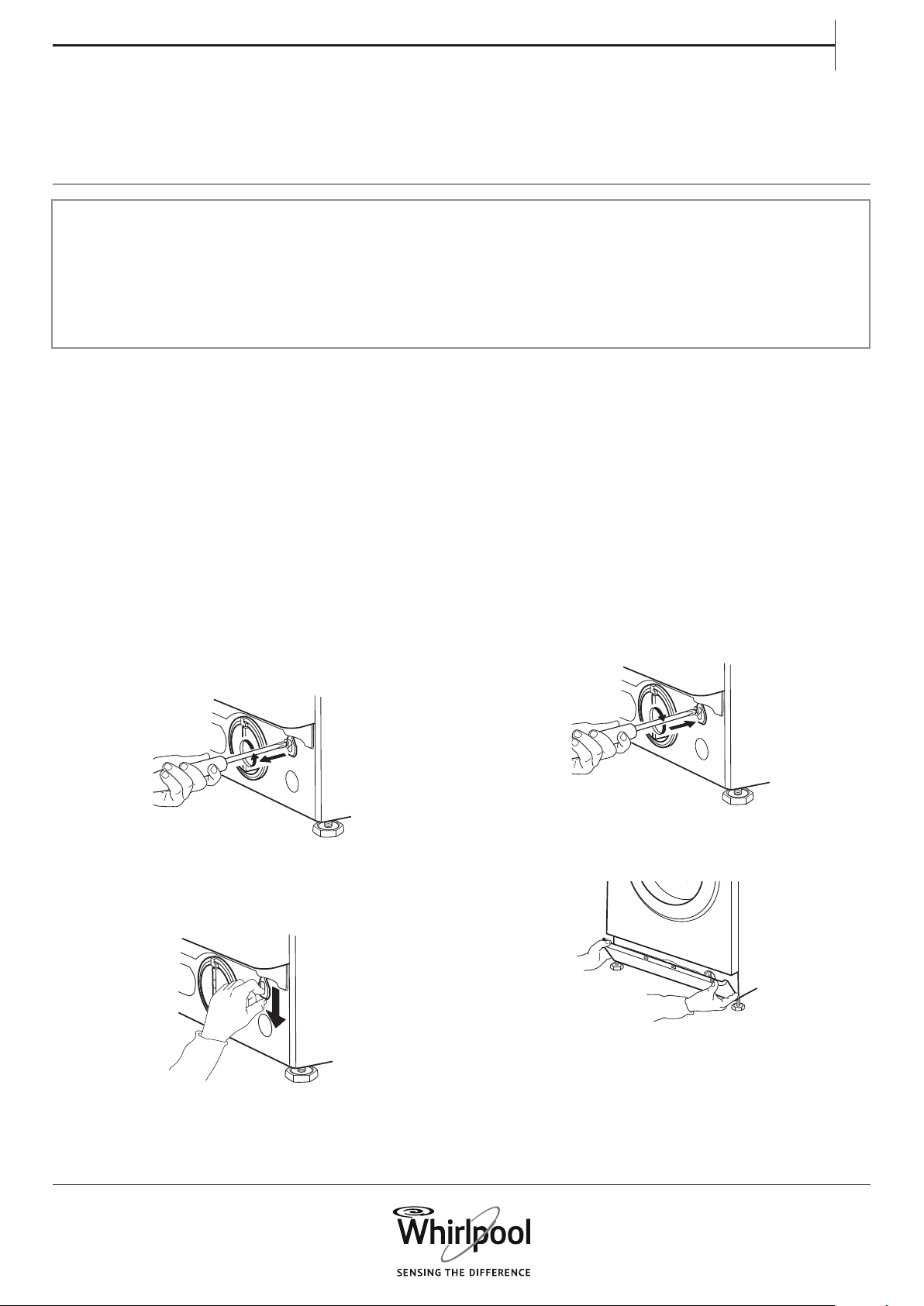
1. First drain the residual water, as described in
section “Draining residual water”
2. Remove the screw with a screwdriver.
3. Then pull downwards the strap marked with
“Door open”. You can now open the door and take
out your laundry.
4. Afterwards x the strap again by rmly turning
in the screw with the screwdriver.
5. Reinstall the plinth
Switch o the washing machine and unplug it.
Close the water tap.
Wait until the drum has stopped rotating.
Never open the door while the drum is in
motion.
Wait until water and laundry have cooled down
when washing with high temperatures.
Always drain the water before opening the
door, either by pressing and holding On/O
until "rES" appears on the display, or by doing
it manually as described in section DRAINING
RESIDUAL WATER.
46
AFTER-SALES
SERVICE
BEFORE CALLING
THE AFTER SALES SERVICE
IF AFTERWARDS THE FAILURE STILL OCCURS,
CONTACT THE AFTER SALES SERVICE
Call the number shown on the warranty booklet, or
follow the instructions on
website www.whirlpool.eu
1. Check if you can solve the problem yourself by
consulting section
TROUBLESHOOTING GUIDE.
Always indicate
• A brief description of the failure
• Washing machine model (see rating plate inside
door)
• Service number (on service sticker inside door;
number after “Service”)
• Your full address and telephone number.
For any repairs, use our authorized After Sales
Service, to ensure proper repairing and use of
original spare parts.
2. Switch the washing machine o and on again
to see if the failure persists.
Manufacturer:
Whirlpool Europe s.r.l.
Viale Guido Borghi 27
21025 Comerio (VA)
Italy
47
1. 2.
INSTALLATION
GUIDE
12 mm - 0,47 inch
17 mm - 0,67 inch
xxxxxxx xxxxx
xxxxxxx xxxxx
48
4.
3.
2 cm - 0,7 inch
49
6. 7.
5.
xxxxxxx xxxxx
xxxxxxx xxxxx
50
10.
8. 9.
max 2,5 cm
max 0,9 inch
1
2
51
13.
11. 12.
52
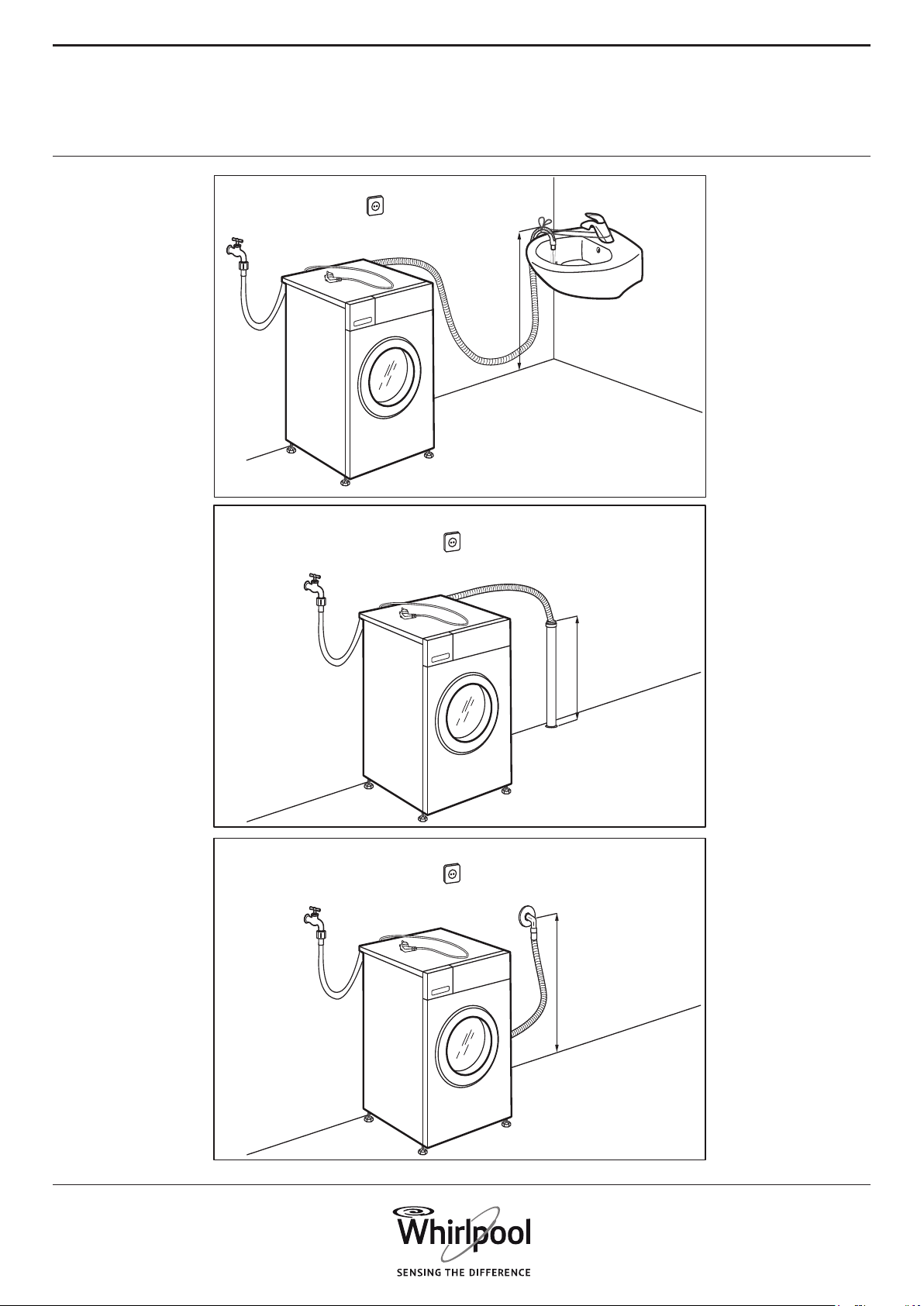
14.
max 125 cm
49 inch
min 60 cm
24 inch
max 125 cm
49 inch
min 60 cm
24 inch
max 125 cm
49 inch
min 60 cm
24 inch
53
15.
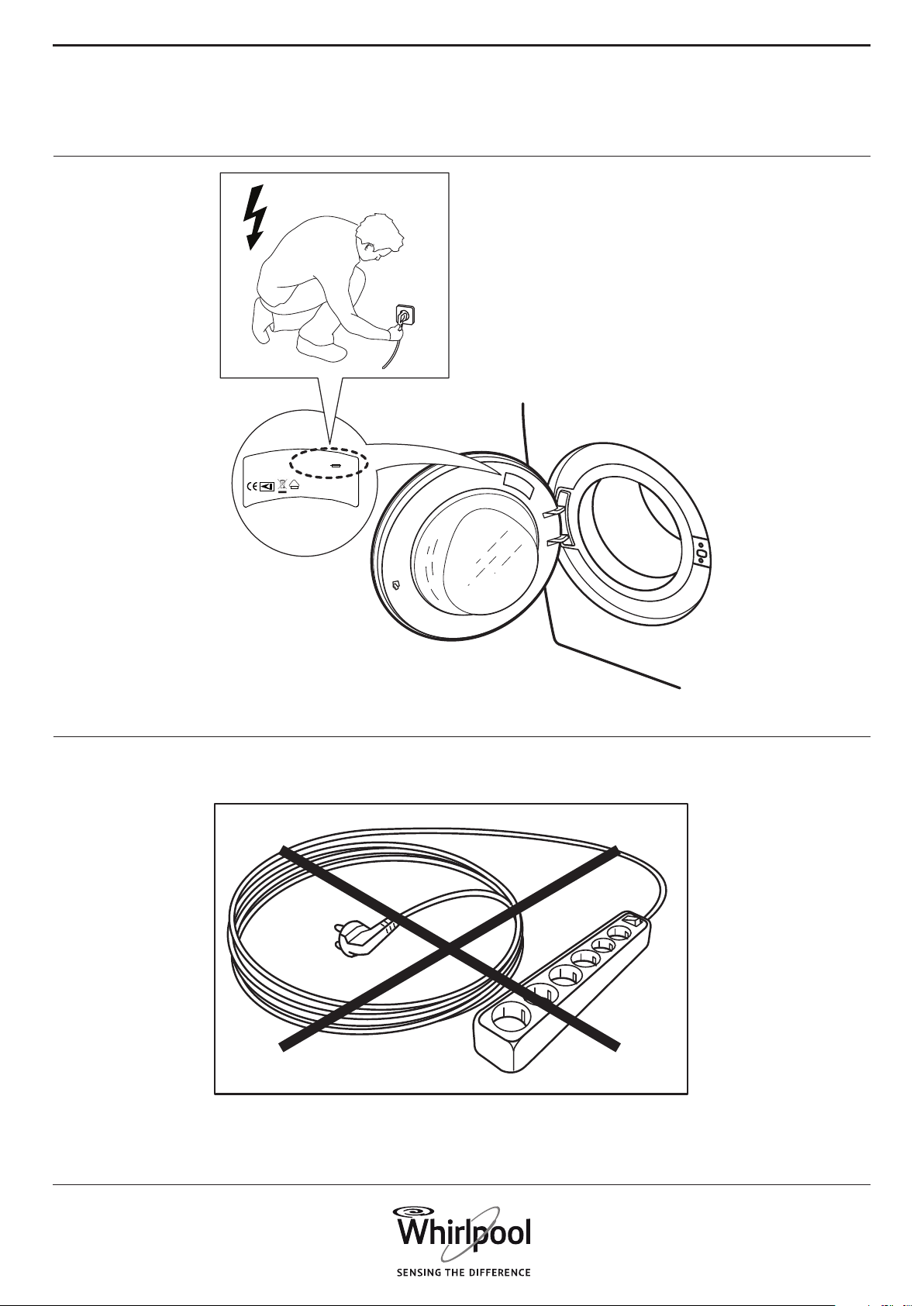
Type D xxx
..............
xxx V ~ xx Hz
xx A
W
IPX4
E
V
D
xxxx xxxx xxxx
Whirlpool Europe s.r.l.
Viale G.Borghi 27
21025 Comerio - Italy
16.

54
Whirlpool® Registered trademark/TM Trademark of Whirlpool group of companies -
© Copyright Whirlpool Europe s.r.l. 2014. All rights reserved - http://www.whirlpool.eu
n
EN
400010782756