183D5580P243 49-85161 01-09 JR
GEAppliances.com
Write the model and serial
numbers here:
Model # ____________________
Serial #______________________
You can find them on a label on
the front of the range behind the
storage drawer or kick panel.
Safety Instructions . . . . . .2–7
Operating Instructions
Aluminum Foil . . . . . . . . . . . . . . . .15
Clock and Timer . . . . . . . . . . .17, 18
Oven . . . . . . . . . . . . . . . . . . . . . .12–25
Baking and Roasting . . . . . . . .15
Broiling, Broiling Guide . . . . . . .16
Oven Control . . . . . . . . . . . . .12, 13
Power Outage . . . . . . . . . . .14, 18
Preheating . . . . . . . . . . . . . . . . . . .15
Sabbath Feature . . . . . . . . .21, 22
Self-Cleaning . . . . . . . . . . . . .24, 25
Special Features . . . . . . . . . . . . .20
Thermostat Adjustment . . . . .23
Timed Baking
and Roasting . . . . . . . . . . . . . . . .19
Surface Cooking . . . . . . . . . . . . .8, 9
Griddle . . . . . . . . . . . . . . . . . . .10, 11
Care and Cleaning
Burner Assembly . . . . . . . . . .27–29
Burner Grates . . . . . . . . . . . . . . . . .29
Control Panel and Knobs . . . . .32
Cooktop Surface . . . . . . . . . . . . . .29
Door Removal . . . . . . . . . . . . . . . . .30
Griddle . . . . . . . . . . . . . . . . . . . . . . . .26
Kick Panel . . . . . . . . . . . . . . . . . . . . .31
Oven Bottom . . . . . . . . . . . . . . . . .30
Oven Light Replacement . . . . . .33
Oven Vents . . . . . . . . . . . . . . . . . . .32
Self-Cleaning . . . . . . . . . . . . . .24, 25
Racks . . . . . . . . . . . . . . . . . . . . . . . . .33
Stainless Steel Surfaces . . . . . . .29
Storage Drawer . . . . . . . . . . . . . . .31
Installation
Instructions
. . . . . . . . . . . .34–45
Air Adjustment . . . . . . . . . . . . . . . .44
Anti-Tip Device . . . . . . . . . . . .37, 45
Checking Burner Ignition . . . . . .43
Connecting the Range
to Gas . . . . . . . . . . . . . . . . . . . .38–40
Dimensions and Clearances . .36
Electrical Connections . . . . .41, 42
Leveling the Range . . . . . . . . . . .44
Location . . . . . . . . . . . . . . . . . . . . . .37
LP . . . . . . . . . . . . . . . . . . . . . . . . . . . . .45
Troubleshooting
Tips . . . . . . . . . . . . . . . . . . . . . .46–49
Accessories . . . . . . . . . . . . . . . .50
Consumer Support
Consumer
Support . . . . . . . . . . . . . .Back Cover
Ownership Registration
for Customers in
Canada only . . . . . . . . . . .51, 52
Warranty for Customers
in Canada . . . . . . . . . . . . . . . . . . . . .55
Warranty for Customers
in the U.S.A. . . . . . . . . . . . . . . . . . .54
Ranges
JGBP36
JGBP86
JGBP87
RGB735
RGB740
RGB745
RGB746
RGB790
Owner’s Manual
& Installation
Instructions
Self-Cleaning Gas
In Canada contact us at:
www.GEAppliances.ca
Operating Instructions
Safety Instructions
Installation
Instructions
Troubleshooting Tips
Consumer Support
2
IMPORTANT SAFETY INFORMATION.
READ ALL INSTRUCTIONS BEFORE USING.
— Do not store or use gasoline or other
flammable vapors and liquids in the
vicinity of this or any other appliance.
—
WHAT TO DO IF YOU
SMELL GAS
■ Do not try to light any appliance.
■ Do not touch any electrical switch;
do not use any phone in your
building.
■ Immediately call your gas supplier
from a neighbor’s phone. Follow the
gas supplier’s instructions.
■ If you cannot reach your gas supplier,
call the fire department.
— Installation and service must be
performed by a qualified installer,
service agency or the gas supplier.
WARNING: If the information
in this manual is not followed exactly,
a fire or explosion may result causing
property damage, personal injury
or death.
WARNING!
For your safety, the information in this manual must be followed to minimize the risk of fire or
explosion, electric shock, or to prevent property damage, personal injury, or loss of life.
®
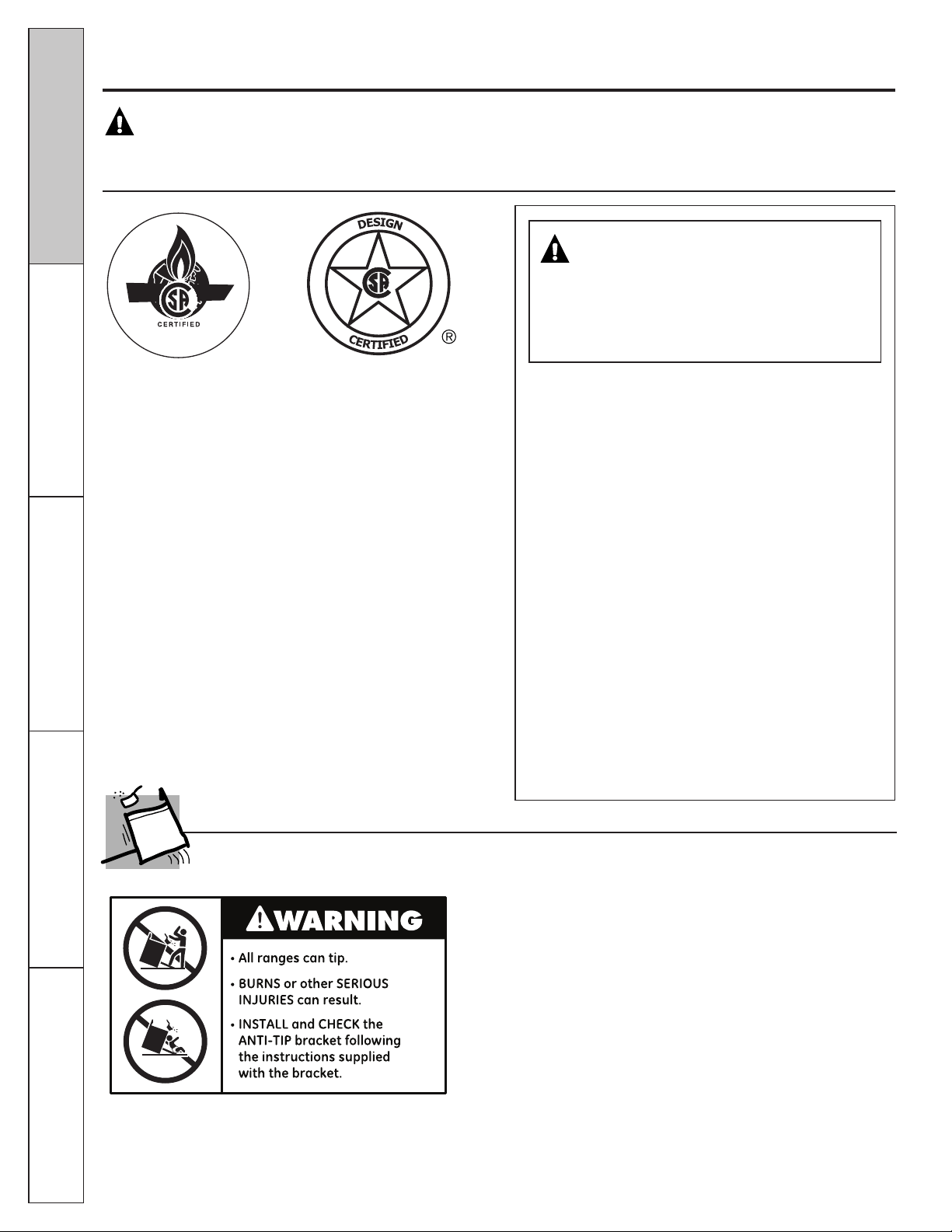
To reduce the risk of tipping the range, the range must be
secured by a properly installed anti-tip bracket. See installation
instructions shipped with the bracket for complete details
before attempting to install.
To check if the bracket is installed and engaged properly,
carefully tip the range forward. The bracket should stop the
range within 4 inches. If it does not, the bracket must be
reinstalled. If the range is pulled from the wall for any reason,
always repeat this procedure to verify the range is properly
secured by the anti-tip bracket.
For free-standing or slide-in ranges, never completely remove
the leveling legs or the range will not be secured to the anti-tip
device properly.
If you did not receive an anti-tip bracket with your
purchase, call 1.800.626.8774 to receive one at no
cost (in Canada, call 1.800.561.3344). For installation
instructions of the bracket, visit GEAppliances.com
(in Canada, GEAppliances.ca).
ANTI-TIP DEVICE
Consumer Support
Operating Instructions
Safety Instructions
Installation
Instructions
Troubleshooting Tips
3
GEAppliances.com
WARNING!
Have the installer show you the location of the range gas shut-off valve and how to shut it off
if necessary.
■ Have your range installed and properly
grounded by a qualified installer, in
accordance with the Installation Instructions.
Any adjustment and service should be
performed only by qualified gas range
installers or service technicians.
■ Do not attempt to repair or replace any
part of your range unless it is specifically
recommended in this manual. All other service
should be referred to a qualified technician.
■ Plug your range into a 120-volt grounded
outlet only. Do not remove the round
grounding prong from the plug. If in doubt
about the grounding of the home electrical
system, it is your personal responsibility and
obligation to have an ungrounded outlet
replaced with a properly grounded,
three-prong outlet in accordance with
the National Electrical Code. Do not use
an extension cord with this appliance.
SAFETY PRECAUTIONS
IMPORTANT SAFETY NOTICE
The California Safe Drinking Water and Toxic Enforcement Act requires the Governor of California to
publish a list of substances known to the state to cause birth defects or other reproductive harm, and
requires businesses to warn customers of potential exposure to such substances.
Gas appliances can cause minor exposure to four of these substances, namely benzene, carbon
monoxide, formaldehyde and soot, caused primarily by the incomplete combustion of natural gas or
LP fuels. Properly adjusted burners, indicated by a bluish rather than a yellow flame, will minimize
incomplete combustion. Exposure to these substances can be minimized by venting with an open
window or using a ventilation fan or hood.
■ Locate the range out of kitchen traffic path
and out of drafty locations to prevent poor air
circulation.
■ Be sure all packaging materials are removed
from the range before operating it to prevent
fire or smoke damage should the packaging
material ignite.
■ Be sure your range is correctly adjusted by
a qualified service technician or installer for
the type of gas (natural or LP) that is to be
used. Your range can be converted for use
with either type of gas. See the Installation
of the range section.
■ WARNING: These adjustments
must be made by a qualified service
technician in accordance with the
manufacturer’s instructions and all codes
and requirements of the authority having
jurisdiction. Failure to follow these instructions
could result in serious injury or property
damage. The qualified agency performing
this work assumes responsibility for the
conversion.
■ After prolonged use of a range, high floor
temperatures may result and many floor
coverings will not withstand this kind of use.
Never install the range over vinyl tile or
linoleum that cannot withstand such type
of use. Never install it directly over interior
kitchen carpeting.
■ Do not leave children alone or unattended
where a range is hot or in operation. They
could be seriously burned.
■ Do not allow anyone to climb, stand or hang
on the oven door, storage drawer, warming
drawer or cooktop. They could damage the
range and even tip it over, causing severe
personal injury.
■ CAUTION: Items of interest
to children should not be stored in cabinets
above a range or on the backsplash of
a range—children climbing on the range
to reach items could be seriously injured.
■ Never wear loose fitting or hanging garments
while using the appliance. Be careful when
reaching for items stored in cabinets over the
range. Flammable material could be ignited
if brought in contact with flame or hot oven
surfaces and may cause severe burns.
■ Do not store flammable materials in an oven,
a range storage drawer, a warming drawer
or near a cooktop.
■ Do not store or use combustible materials,
gasoline or other flammable vapors and
liquids in the vicinity of this or any other
appliance.
■ Do not let cooking grease or other flammable
materials accumulate in or near the range.
■ Do not use water on grease fires. Never pick
up a flaming pan. Turn the controls off.
Smother a flaming pan on a surface burner
by covering the pan completely with a well-
fitting lid, cookie sheet or flat tray. Use a
multi-purpose dry chemical or foam-type
fire extinguisher.
■ Flaming grease outside a pan can be put
out by covering it with baking soda or,
if available, by using a multi-purpose dry
chemical or foam-type fire extinguisher.
■ Flame in the oven can be smothered
completely by closing the oven door and
turning the control to off or by using a multi-
purpose dry chemical or foam-type
fire extinguisher.
■ Let the burner grates and other surfaces cool
before touching them or leaving them where
children can reach them.
■ Never block the vents (air openings) of the
range. They provide the air inlet and outlet
that are necessary for the range to operate
properly with correct combustion. Air openings
are located at the rear of the cooktop, at the
top and bottom of the oven door, and at the
bottom of the range under the kick panel or
storage drawer.
■ Large scratches or impacts to glass doors can
lead to broken or shattered glass.
SAFETY PRECAUTIONS
Operating Instructions
4
Safety Instructions
Installation
Instructions
Troubleshooting Tips
Consumer Support
IMPORTANT SAFETY INFORMATION.
READ ALL INSTRUCTIONS BEFORE USING.
WARNING: NEVER use this
appliance as a space heater to heat or
warm the room. Doing so may result
in carbon monoxide poisoning and
overheating of the oven.
5
SURFACE BURNERS
Use proper pan size—avoid pans that are unstable or easily tipped. Select cookware having flat
bottoms large enough to cover burner grates. To avoid spillovers, make sure cookware is large enough
to contain the food properly. This will both save cleaning time and prevent hazardous accumulations of
food, since heavy spattering or spillovers left on range can ignite. Use pans with handles that can be
easily grasped and remain cool.
■ Always use the Lite position when igniting the
top burners and make sure the burners have
ignited.
■ Never leave the surface burners unattended at
high flame settings. Boilovers cause smoking
and greasy spillovers that may catch on fire.
■ Adjust the top burner flame size so it
does not extend beyond the edge of the
cookware. Excessive flame is hazardous.
■ Use only dry pot holders—moist or damp pot
holders on hot surfaces may result in burns
from steam. Do not let pot holders come near
open flames when lifting cookware. Do not
use a towel or other bulky cloth in place
of a pot holder.
■ When using glass cookware, make sure it
is designed for top-of-range cooking.
■ To minimize the possibility of burns, ignition
of flammable materials and spillage, turn
cookware handles toward the side or back of
the range without extending over adjacent
burners.
■ Carefully watch foods being fried at a high
flame setting.
■ Always heat fat slowly, and watch as it heats.
■ Do not leave any items on the cooktop. The
hot air from the vent may ignite flammable
items and will increase pressure in closed
containers, which may cause them to burst.
■ If a combination of oils or fats will be used in
frying, stir together before heating or as fats
melt slowly.
■ Use a deep fat thermometer whenever
possible to prevent overheating fat beyond
the smoking point.
■ Use the least possible amount of fat for
effective shallow or deep-fat frying. Filling the
pan too full of fat can cause spillovers when
food is added.
■ Do not flame foods on the cooktop. If you do
flame foods under the hood, turn the fan on.
■ Do not use a wok on the cooking surface if the
wok has a round metal ring that is placed over
the burner grate to support the wok. This ring
acts as a heat trap, which may damage the
burner grate and burner head. Also, it may
cause the burner to work improperly. This may
cause a carbon monoxide level above that
allowed by current standards, resulting in a
health hazard.
■ Foods for frying should be as dry as possible.
Frost on frozen foods or moisture on fresh
foods can cause hot fat to bubble up and over
the sides of the pan.
■ Never try to move a pan of hot fat, especially
a deep fat fryer. Wait until the fat is cool.
■ Do not leave plastic items on the cooktop—
they may melt if left too close to the vent.
■ Keep all plastics away from the surface
burners.
■ To avoid the possibility of a burn, always be
certain that the controls for all burners are at
the Off position and all grates are cool before
attempting to remove them.
■ If range is located near a window, do not hang
long curtains that could blow over the surface
burners and create a fire hazard.
■ If you smell gas, turn off the gas to the range
and call a qualified service technician. Never
use an open flame to locate a leak.
■ Always turn the surface burner controls off
before removing cookware.
■ Do not lift the cooktop on sealed burner
models. Lifting the cooktop can lead to
damage and improper operation of the range.
Consumer Support
Operating Instructions
Safety Instructions
Installation
Instructions
Troubleshooting Tips
GEAppliances.com
WARNING!
Operating Instructions
6
Safety Instructions
Installation
Instructions
Troubleshooting Tips
Consumer Support
■ Do not use the oven for a storage area.
Items stored in the oven can ignite.
■ Keep the oven free from grease buildup.
■ Place the oven racks in the desired position
while the oven is cool.
■ Pulling out the rack to the stop-lock is a
convenience in lifting heavy foods. It is also
a precaution against burns from touching hot
surfaces of the door or oven walls. The lowest
position is not designed to slide.
■ Do not heat unopened food containers.
Pressure could build up and the container
could burst, causing an injury.
■ Do not use aluminum foil anywhere in the
oven except as described in this manual.
Misuse could result in a fire hazard or damage
to the range.
■ When using cooking or roasting bags in the
oven, follow the manufacturer’s directions.
■ Do not use your oven to dry newspapers.
If overheated, they can catch fire.
■ Use only glass cookware that is recommended
for use in gas ovens.
■ Always remove any broiler pan from range
as soon as you finish broiling. Grease left in
the pan can catch fire if oven is used without
removing the grease from the broiler pan.
■ When broiling, if meat is too close to the flame,
the fat may ignite. Trim excess fat to prevent
excessive flare-ups.
■ Make sure any broiler pan is in place correctly
to reduce the possibility of grease fires.
■ If you should have a grease fire in a broiler
pan, touch the Clear/Off pad, and keep
the oven door closed to contain fire until it
burns out.
■ For safety and proper cooking performance,
always bake and broil with the oven door
closed.
Stand away from the range when opening the door of a hot oven. The hot air and steam that escape
can cause burns to hands, face and eyes.
OVEN
COOK MEAT AND POULTRY THOROUGHLY…
Cook meat and poultry thoroughly—meat to at least an INTERNAL temperature of 160°F and poultry
to at least an INTERNAL temperature of 180°F. Cooking to these temperatures usually protects against
foodborne illness.
IMPORTANT SAFETY INFORMATION.
READ ALL INSTRUCTIONS BEFORE USING.
WARNING: NEVER cover
any slots, holes or passages in the oven
bottom or cover an entire rack with
materials such as aluminum foil. Doing
so blocks air flow through the oven and
may cause carbon monoxide poisoning.
Aluminum foil linings may also trap
heat, causing a fire hazard.
READ AND FOLLOW THIS SAFETY INFORMATION CAREFULLY.
SAVE THESE INSTRUCTIONS
7
■ Be sure to wipe off excess spillage before
self-cleaning operation.
■ Before self-cleaning the oven, remove the
racks, any broiler pan, grid and other
cookware.
■ Do not clean the door gasket. The door gasket
is essential for a good seal. Care should be
taken not to rub, damage or
move the gasket.
■ Clean only parts listed in this Owner’s Manual.
■ If the self-cleaning mode malfunctions,
turn the oven off and disconnect the power
supply. Have it serviced by a qualified
technician.
■ Do not use oven cleaners. No commercial
oven cleaner or oven liner of any kind should
be used in or around any part of the oven.
Residue from oven cleaners will damage the
inside of the oven when the self-clean cycle
is used.
SELF-CLEANING OVEN
Consumer Support
Operating Instructions
Safety Instructions
Installation
Instructions
Troubleshooting Tips
GEAppliances.com
8
Operating Instructions
Safety Instructions
Installation
Instructions
Troubleshooting Tips
Consumer Support
Throughout this manual, features and appearance may vary from your model.
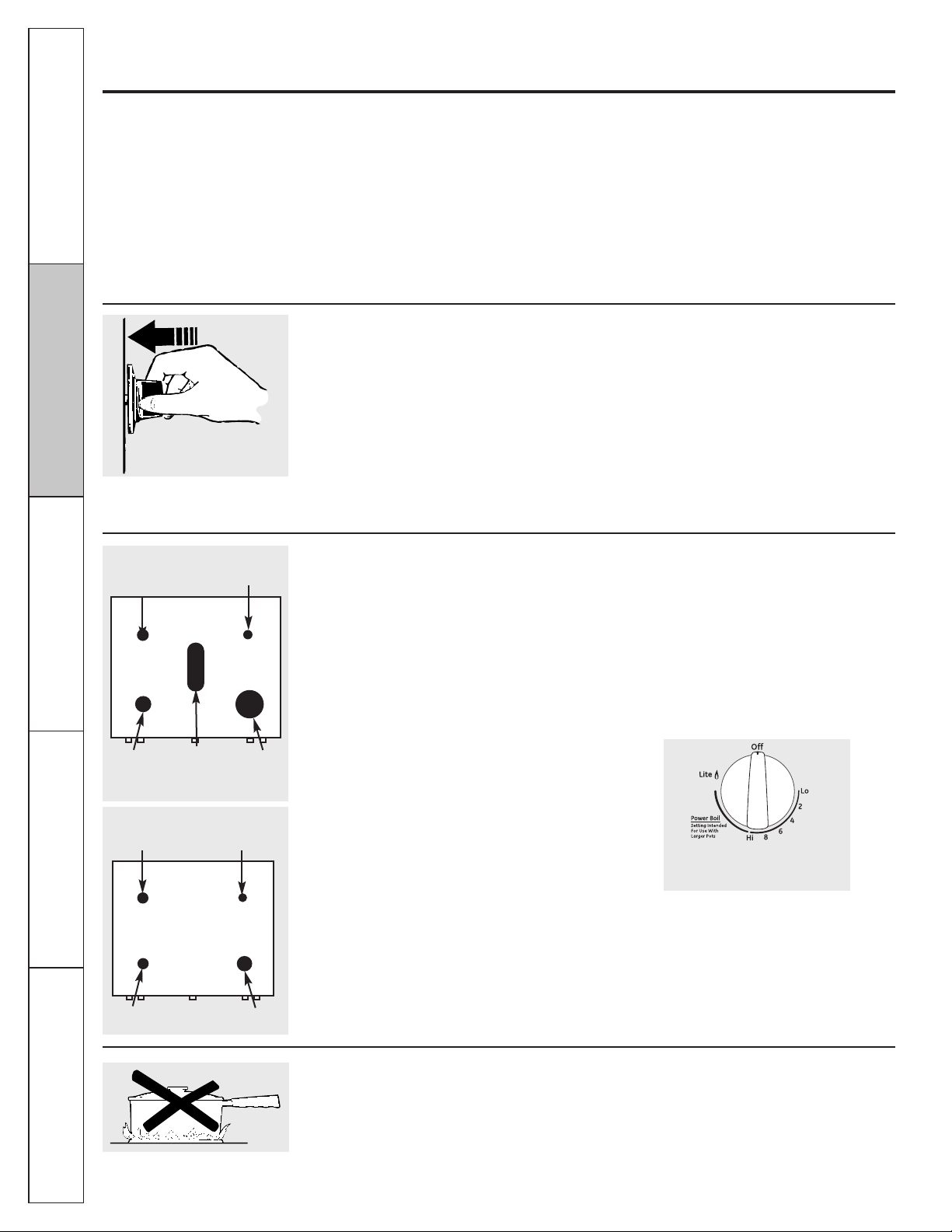
How to Light a Gas Surface Burner
Make sure all the surface burners are placed
in their respective positions.
Push the control knob in and turn it to the Lite
position.
You will hear a little clicking noise—the sound
of the electric spark igniting the burner.
Turn the knob to adjust the flame size. If the
knob stays at Lite, it will continue to click.
When one burner is turned to Lite, all the
burners spark. Do not attempt to disassemble
or clean around any burner while another
burner is on. An electric shock may result,
which could cause you to knock over hot
cookware.
Push the control knob in and turn
it to the Lite position.
How to Select Flame Size
For safe handling of cookware, never let the
flames extend up the sides of the cookware.
Watch the flame, not the knob, as you reduce
heat. When fast heating is desired, the flame
size on a gas burner should match the
cookware you are using.
Flames larger than the bottom of the
cookware will not result in faster heating
of the cookware and could be hazardous.
Before Lighting a Gas Burner
■ Make sure all burners are in place.
■ Make sure all grates on the range are
properly placed before using any burner.
After Lighting a Gas Burner
■ Do not operate the burner for an extended
period of time without cookware on the
grate. The finish on the grate may chip
without cookware to absorb the heat.
■ Be sure the burners and grates are cool
before you place your hand, a pot holder,
cleaning cloths or other materials on them.
Sealed Gas Burners
Your gas range cooktop, depending on model,
has either four or five sealed gas burners.
They offer convenience, cleanability and
flexibility to be used in a wide range of
cooking applications.
The smallest burner in the right rear position is
the simmer burner. This burner can be turned
down to Lo for a very low simmer setting. It
provides precise cooking performance for
delicate foods such as sauces or foods that
require low heat for a long cooking time.
The medium (left rear and, on some models,
left front) and the large (left front and, on some
models, right front) burners are the primary
burners for most cooking. These general-
purpose burners can be turned down from
Hi to Lo to suit a wide range of cooking needs.
The extra large burner (right front, on some
models) is the maximum output burner. Like
the other four burners, it can be turned down
from Hi to Lo for a wide range of cooking
applications; however, this burner is designed
to quickly bring large amounts of liquid to
a boil. It has a special Power Boil
™
setting
designed to be used with cookware
10 inches or larger in diameter.
The center oval burner (on some models) is
for large pots/pans or for use with the griddle.
Using the gas surface burners.
Medium
Small
Large
Extra
Large
Center (oval)
(on some
models)
Extra-large burner only
Medium
Small
Medium
Large
On some models
On some models
On some models
9
Consumer SupportOperating Instructions
Safety Instructions
Installation
Instructions
Troubleshooting Tips
GEAppliances.com
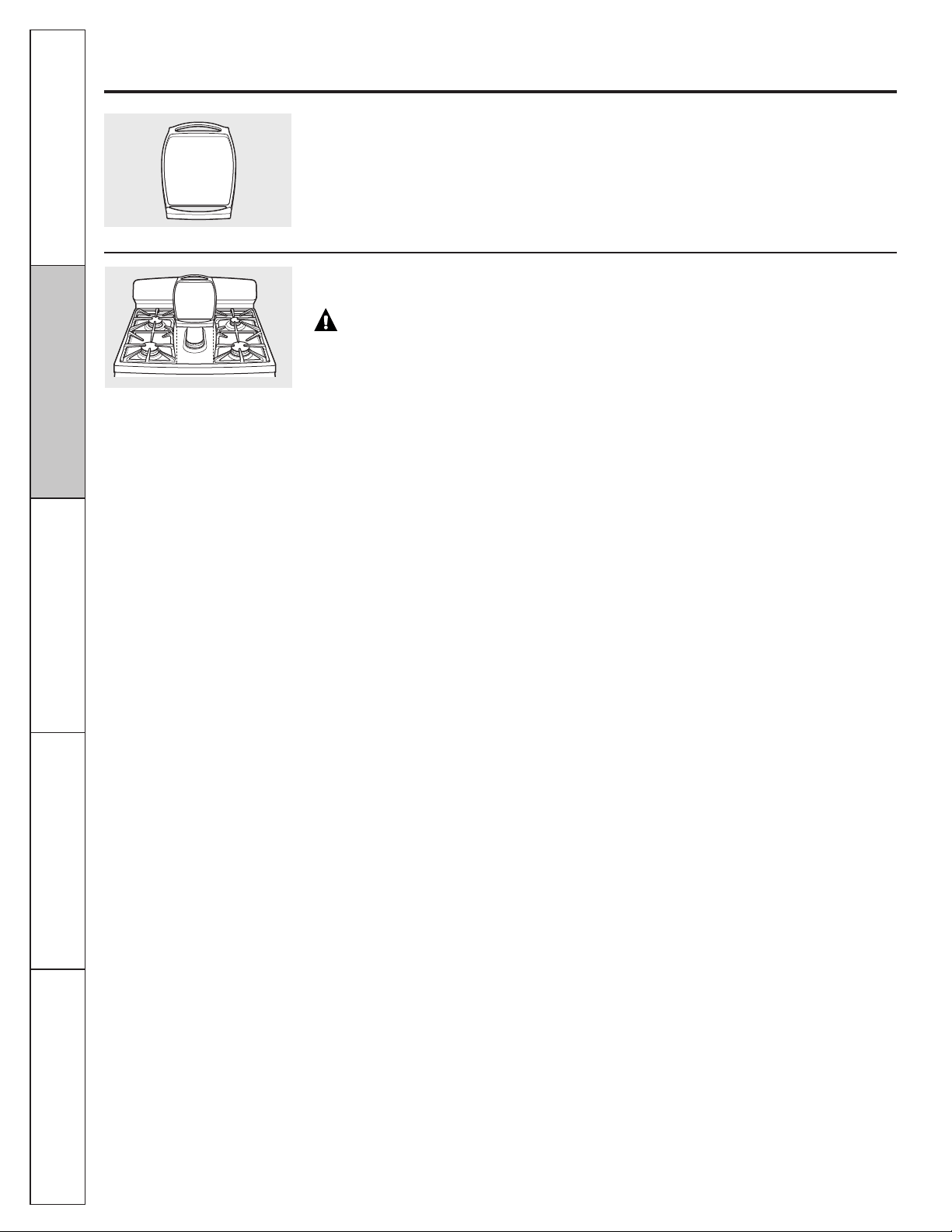
Use a flat-bottomed wok.
Top-of-Range Cookware
Aluminum: Medium-weight cookware is
recommended because it heats quickly
and evenly. Most foods brown evenly in an
aluminum skillet. Use saucepans with tight-
fitting lids when cooking with minimum
amounts of water.
Cast-Iron: If heated slowly, most skillets
will give satisfactory results.
Enamelware: Under some conditions,
the enamel of some cookware may melt.
Follow cookware manufacturer’s
recommendations for cooking methods.
Glass: There are two types of glass
cookware—those for oven use only and those
for top-of-range cooking (saucepans, coffee
and teapots). Glass conducts heat very
slowly.
Heatproof Glass Ceramic: Can be used for
either surface or oven cooking. It conducts
heat very slowly and cools very slowly. Check
cookware manufacturer’s directions to be
sure it can be used on gas ranges.
Stainless Steel: This metal alone has poor
heating properties and is usually combined
with copper, aluminum or other metals for
improved heat distribution. Combination
metal skillets usually work satisfactorily if
they are used with medium heat as the
manufacturer recommends.
Stove Top Grills (on models with sealed burners)
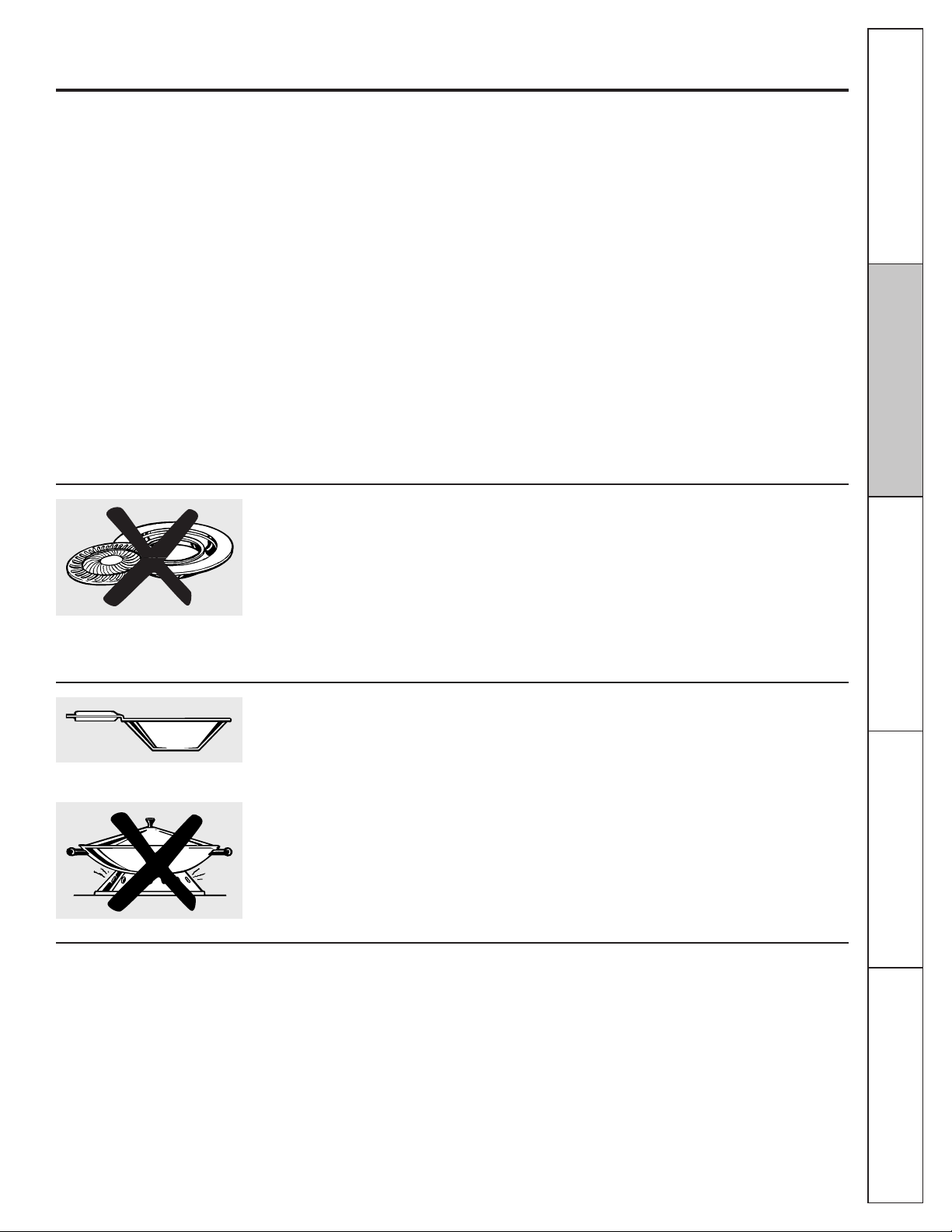
Do not use stove top grills on your sealed gas
burners. If you use the stove top grill on the
sealed gas burner, it will cause incomplete
combustion and can result in exposure to
carbon monoxide levels above allowable
current standards.
This can be hazardous to your health.
Wok This Way (on models with sealed burners)
We recommend that you use a 14" or smaller
flat-bottomed wok. Make sure the wok bottom
sits flat on the grate. They are available at
your local retail store.
Only a flat-bottomed wok should be used.
Do not use a flat-bottomed wok on a support
ring. Placing the ring over the burner or grate
may cause the burner to work improperly,
resulting in carbon monoxide levels above
allowable standards. This could be dangerous
to your health.
In Case of Power Failure
In case of a power failure, you can light the
gas surface burners on your range with a
match. Hold a lit match to the burner, then
push in and turn the control knob to the Lite
position. Use extreme caution when lighting
burners this way.
Surface burners in use when an electrical
power failure occurs will continue to operate
normally.
10
Operating Instructions Safety Instructions
Installation
Instructions
Troubleshooting Tips
Consumer Support
Your non-stick coated griddle provides
an extra-large cooking surface for meats,
pancakes or other food usually prepared
in a frying pan or skillet.
NOTE: Your griddle will discolor over time as it
becomes seasoned with use.
How to Insert the Griddle
Using the griddle. (on some models)
CAUTION: Place and remove
the griddle only when all grates and
griddle are cool and all surface units are
turned OFF.
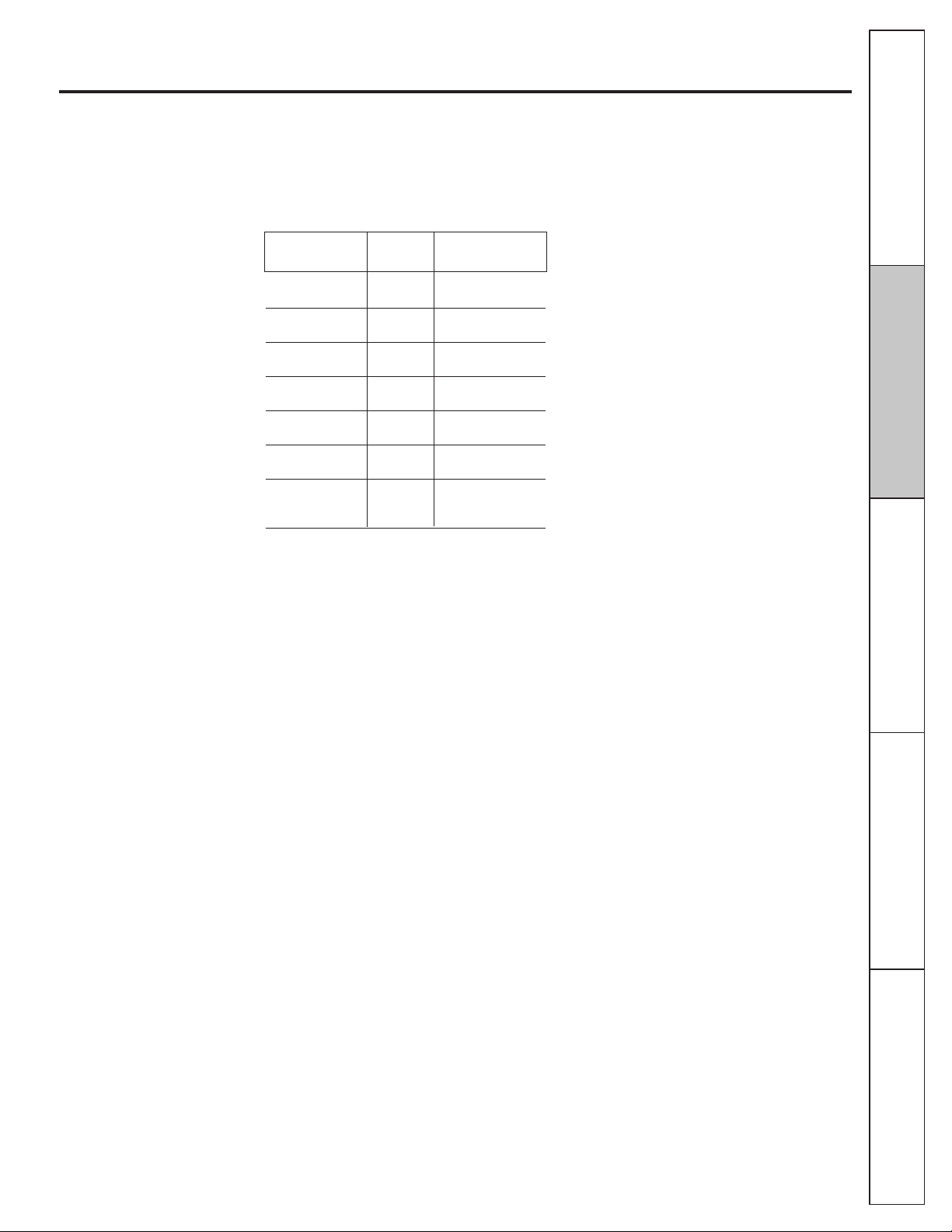
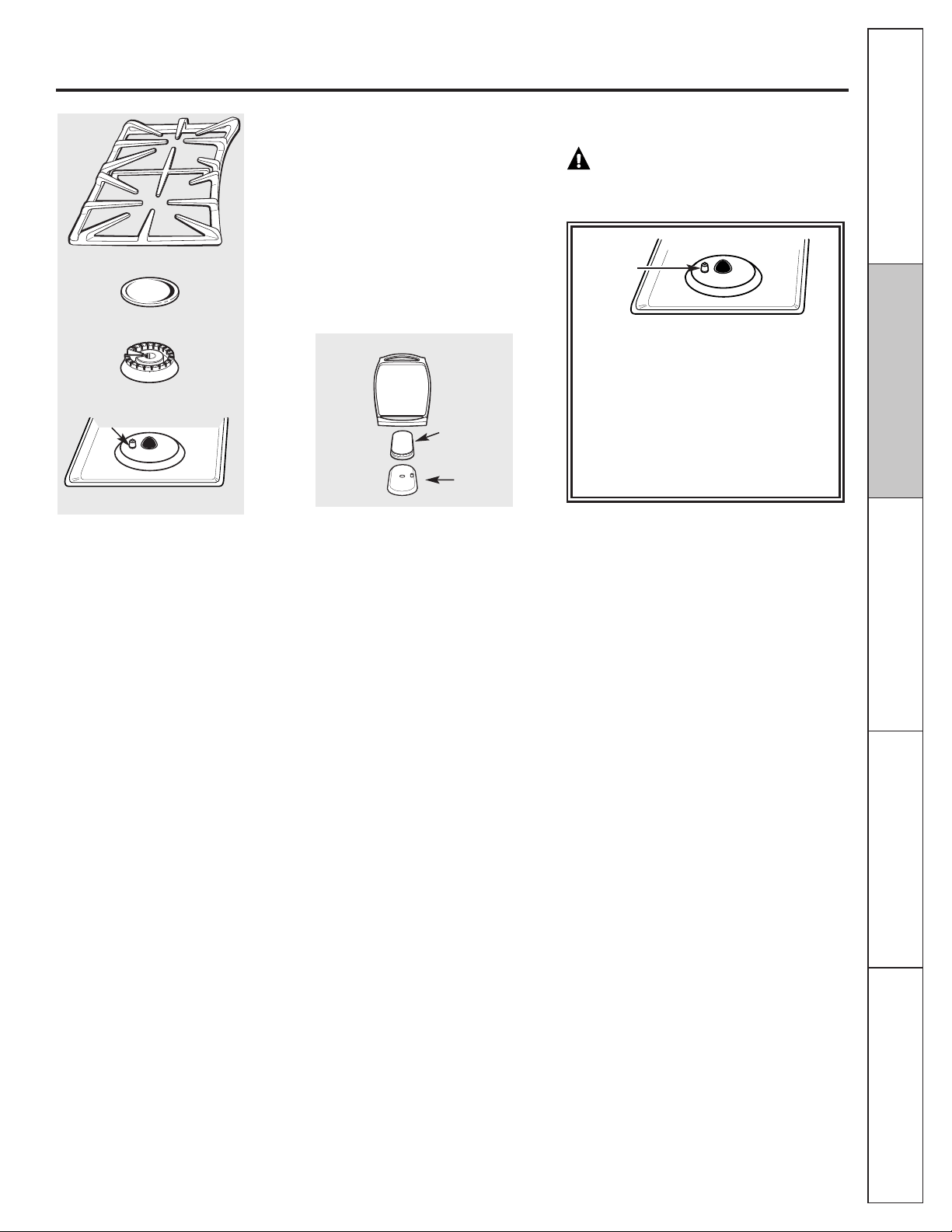
The griddle can only be used with the center
burner. To insert the griddle, remove the
center grate and replace with the griddle.
11
Consumer SupportOperating InstructionsSafety Instructions
Installation
Instructions
Troubleshooting Tips
GEAppliances.com
Most griddled foods require cooking on a
preheated surface. Preheat griddle according
to the guide below, then switch to the desired
cook setting.
IMPORTANT NOTES:
■ Avoid cooking extremely greasy foods and
be careful of grease spill-over while cooking.
■ Do not use oil on the griddle for extended
lengths of time. Permanent staining and/or
craze lines on the surface could result.
■ Never place or store any items on the
griddle, even when it is not in use. The
griddle can become heated when using the
surrounding burners.
■ Do not overheat the griddle. Leaving the
griddle burner on at HI for an extended
amount of time without food can damage
the non-stick coating.
■ Avoid using metal utensils with sharp points
or rough sharp edges which might damage
the griddle surface.
■ Do not cut foods on the griddle.
Using the Griddle
Type of Food Preheat Cook
Conditions Setting
Warming none 3 (MED-LOW)
Tortillas
Pancakes 7 (MED-HI) 7 (MED-HI)
3 min.
Hamburgers 7 (MED-HI) 7 (MED-HI)
5 min.
Fried Eggs HI 4 (MED)
5 min.
Bacon none 5 (MED)
Breakfast HI 5 (MED)
Sausage Links 5 min.
Hot Sandwiches HI HI
(such as 4 min.
Grilled Cheese)
NOTE: Griddle settings may need to be
adjusted if the griddle is used for an
extended time.

Operating Instructions
12
Safety Instructions
Installation
Instructions
Troubleshooting Tips
Consumer Support
Bake/Temp Recall Pad
Touch this pad to select the bake function.
Bake Light
Flashes while in edit mode—you can change the
oven temperature at this point. Glows when the
oven is in bake mode.
Start/On Pad
Must be touched to start any cooking or cleaning
function.
Display
Shows the time of day, oven temperature,
whether the oven is in the bake, broil or self-
cleaning mode and the times set for the timer
or automatic oven operations. The display will
show PRE while preheating. When the oven
reaches the selected temperature, the oven
control will beep and the display will show the
oven temperature.
If “F– and a number or letter” flash in the display and
the oven control signals, this indicates a function error
code.
If your oven was set for a timed oven operation and a
power outage occurred, the clock and all programmed
functions must be reset.
The time of day will flash in the display when there has
been a power outage. Reset the clock.
On models with an oven door latch, if the function error
code appears during the self-cleaning cycle, check the
oven door latch. The latch handle may have been moved,
even if only slightly, from the latched position. Make sure
the latch is moved to the right as far as it will go.
Touch the Clear/Off pad. Allow the oven to cool
for one hour. Put the oven back into operation. If the
function error code repeats, disconnect the power
to the range and call for service.
Kitchen Timer On/Off Pad
Touch this pad to select the timer feature. Then
press the + and – pads to adjust the timer.
Kitchen Timer Light
Flashes while in edit mode—you can change the
set time at this point. Glows when the timer has
been activated. Flashes again when the time has
run out until the control is reset.
Clock Pad
To set the clock, press this pad twice and then
press the + and – pads. The time of day will
flash in the display when the oven is first
turned on.
Start Time Pad
Use along with the Cooking Time or Self Clean
pads to set the oven to start and stop
automatically at a time you set.
Start Time Light
Flashes while in edit mode—you can change the
start time at this point. Glows when the function
has been activated.
Cooking Time Pad
Touch this pad and then touch the + or – pads
to set the amount of time you want your food
to cook. The oven will shut off when the cooking
time has run out.
Cooking Time Light
Flashes while in edit mode—you can change the
set time at this point. Glows when the function
has been activated. Flashes again when the time
has run out until the control is reset.
Throughout this manual, features and appearance may vary from your model.
Using the oven controls.
Oven Control, Clock and Timer Features and Settings (on some models)
13
GEAppliances.com
Automatic Oven Light (on some models)
This lights anytime the oven has been
programmed using the Cooking Time or Start
Time functions.
Oven Light On/Off Pad
Touch this pad to turn the oven light on or off.
– Pad
Short taps to this pad will decrease the time or
temperature by small amounts. Touch and hold
the pad to decrease the time or temperature by
larger amounts.
+ Pad
Short taps to this pad will increase the time or
temperature by small amounts. Touch and hold
the pad to increase the time or temperature by
larger amounts.
Self Clean Pad
Touch this pad to select the self-cleaning
function. See the Using the self-cleaning oven
section.
Clean Light
Flashes while in edit mode—you can change the
length of time for the self-clean cycle at this
point. Glows when the oven is in the self-clean
cycle. After the self-clean cycle, the light will turn
off. When the light is off, slide the latch handle to
the left as far as it will go and open the door. If
your range does not have a latch, the door will
unlock automatically.
Clear/Off Pad
Touch this pad to cancel ALL oven operations
except the clock and timer.
Broil Hi/Lo Pad
Touch this pad to select the broil function.
Broil Light
Flashes while in edit mode—you can switch from
Hi to Lo Broil at this point. Glows when the oven
is in broil mode.
Indicator Lights (on some pads)
Edit mode lasts several seconds after the last
pad press. Start Time and Cooking Time will
be the only pads lit if either of these options is
selected. (Example: Start Time is selected with
Bake—the Start Time pad will remain lit until the
clock reaches the programmed time, at which
point it will turn off and the Bake/Temp Recall
pad light will light up).
Consumer Support
Operating InstructionsSafety Instructions
Installation
Instructions
Troubleshooting Tips
Oven Control, Clock and Timer Features and Settings (on some models)
Operating Instructions
Safety Instructions
Installation
Instructions
Troubleshooting Tips
Consumer Support
14
To avoid possible burns, place the racks in the desired position before you turn the oven on.
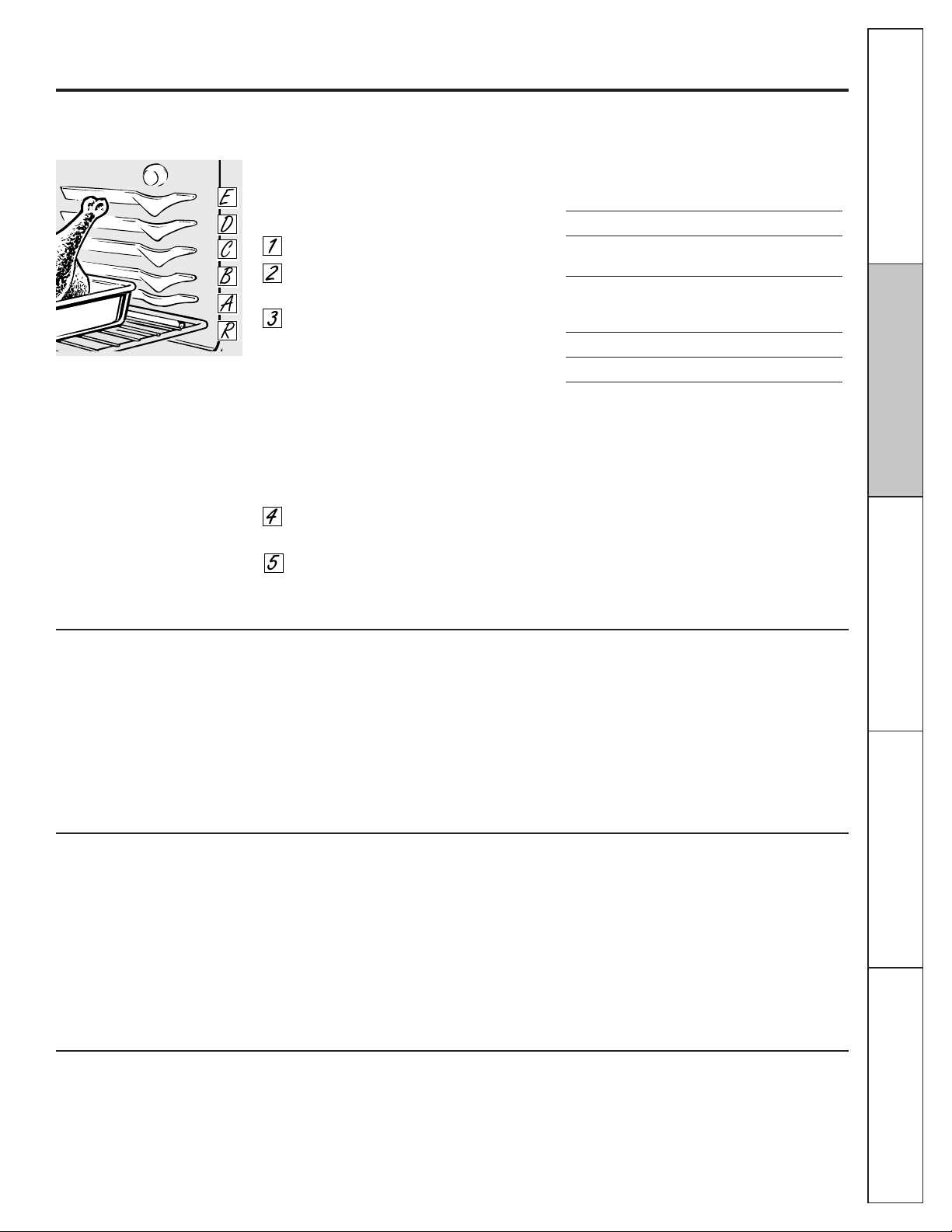
Oven Vent
Your oven is vented through ducts at the rear
of the range. Do not block these ducts when
cooking in the oven—it is important that the
flow of hot air from the oven and fresh air
to the oven burner be uninterrupted. Avoid
touching the vent openings or nearby
surfaces during oven or broiler operation—
they may become hot.
■ Handles of pots and pans on the cooktop
may become hot if left too close to the vent.
■ Do not leave plastic or flammable items on
the cooktop—they may melt or ignite if left
too close to the vent.
■ Do not leave closed containers on the
cooktop. The pressure in closed containers
may increase, which may cause them to
burst.
■ Metal items will become very hot if they are
left on the cooktop, and could cause burns.
Plastic items on the cooktop may melt
if left too close to the vent.
Vent appearance and location vary.
Using the oven.
Before you begin…
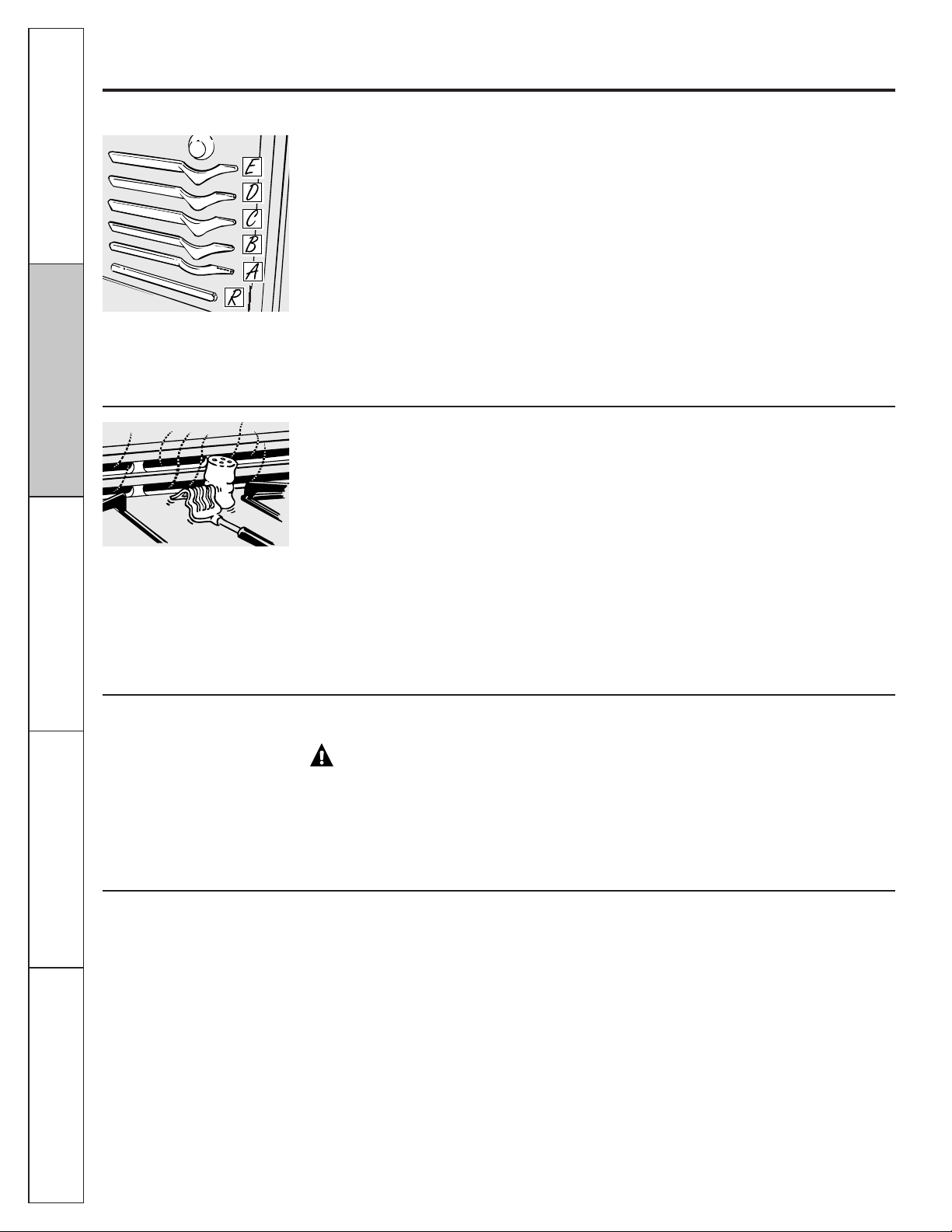
The racks have stop-locks, so that when
placed correctly on the rack supports
(A through E), they will stop before coming
completely out, and will not tilt.
When placing and removing cookware,
pull the rack out to the bump on the rack
support.
To remove a rack, pull it toward you, tilt the
front end up and pull it out.
To replace, place the end of the rack (stop-
locks) on the support, tilt up the front and
push the rack in.
NOTE: The rack is not designed to slide out at
the special low rack (R) position.
The oven has 5 rack positions.
It also has a special low rack position (R)
for extra large items, such as a large
turkey.
Power Outage
CAUTION: Do not make any
attempt to operate the electric ignition oven
during an electrical power failure.
The oven or broiler cannot be lit during a
power failure. Gas will not flow unless the
glow bar is hot.
If the oven is in use when a power failure
occurs, the oven burner shuts off and cannot
be re-lit until power is restored. This is
because the flow of gas is automatically
stopped and will not resume when power
is restored until the glow bar has reached
operating temperature.
Oven Light
Touch the Oven Light pad on the upper
control panel to turn the light on or off.
15
If your model has a door latch, do not lock the oven door with the latch during baking or roasting. The latch is used
for self-cleaning only.
Preheating and Pan Placement
Preheat the oven if the recipe calls for it.
To preheat, set the oven at the correct
temperature. Preheating is necessary for
good results when baking cakes, cookies,
pastry and breads.
For ovens without a preheat indicator light or
tone, preheat 10 minutes.
Baking results will be better if baking pans are
centered in the oven as much as possible.
Pans should not touch each other or the walls
of the oven. If you need to use two racks,
stagger the pans so one is not directly above
the other, and leave approximately 1
1
⁄2"
between pans, from the front, back and sides
of the wall.
GEAppliances.com
How to Set the Oven for Baking or Roasting
Your oven is not designed for open-door
cooking.
Touch the Bake pad.
Touch the + or – pads until the desired
temperature is displayed.
Touch the Start/On pad.
The oven will start automatically. The display
will show PRE while preheating. When the
oven reaches the selected temperature, the
oven control will beep several times and the
display will show the oven temperature.
To change the oven temperature during Bake
cycle, touch the Bake pad and then the + or –
pads to get the new temperature.
Check food for doneness at minimum
time on recipe. Cook longer if necessary.
Touch the Clear/Off pad when baking is
finished and then remove the food from
the oven.
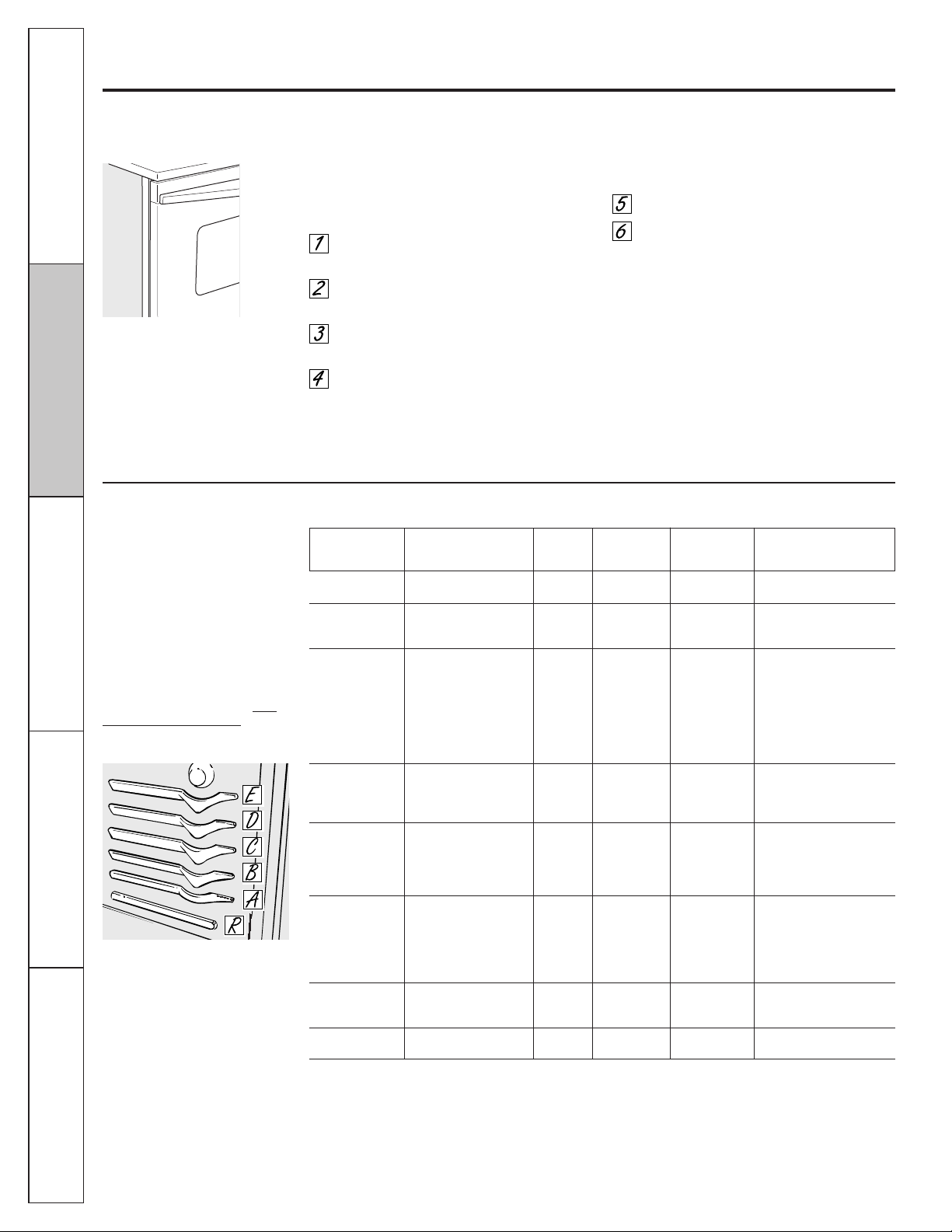
Type of Food Rack Position
Frozen pies (on cookie sheet) B or C
Angel food cake, B
bundt or pound cakes
Biscuits, muffins, brownies, C
cookies, cupcakes, layer
cakes, pies
Casseroles B or C
Roasting R or A
Aluminum Foil
Do not use aluminum foil on the bottom of
the oven.
Never entirely cover a rack with aluminum
foil. This will disturb the heat circulation and
result in poor baking.
A smaller sheet of foil may be used to catch a
spillover by placing it on a lower rack several
inches below the food.
Oven Moisture
As your oven heats up, the temperature
change of the air in the oven may cause
water droplets to form on the door glass.
These droplets are harmless and will
evaporate as the oven continues to heat up.
The oven has a special low rack (R)
position just above the oven bottom.
Use it when extra cooking space
is needed, for example, when cooking
a large turkey. The rack is not designed
to slide out at this position.
Consumer Support
Operating Instructions
Safety Instructions
Installation
Instructions
Troubleshooting Tips
Quantity and/ Rack* First Side Second Side
Food or Thickness Position Time (min.) Time (min.) Comments
Bacon 1/2 lb. C 4 3 Arrange in single layer.
(about 8 thin slices)
Ground Beef 1 lb. (4 patties) C 10 7–10 Space evenly. Up to
Well Done 1/2" to 3/4" thick 8 patties take about
the same time.
Beef Steaks
Rare
†
1" thick C 9 7 Steaks less than 1" thick
Medium 1 to 1
1
⁄2 lbs. C 12 5–6 cook through before
Well Done C 13 8–9 browning. Pan frying is
recommended.
Rare
†
1
1
⁄2" thick C 10 6–7 Slash fat.
Medium 2 to 2
1
⁄2 lbs. C 12–15 10–12
Well Done C 25 16–18
Chicken 1 whole B 30–35 15–20 Brush each side with
2 to 2
1
⁄2 lbs., melted butter. Broil
split lengthwise skin-side-down first.
4 bone-in breasts B 25–30 10–15
Lobster Tails 2–4 C 13–16 Do not Cut through back of
6 to 8 oz. each turn shell. Spread open. Brush
over. withmelted butter before
broiling and after half
of broiling time.
Fish Fillets 1/4" to 1/2" thick D 6 6 Handle and turn very
carefully. Brush with
lemon butter before
and during cooking, if
desired. Preheat broiler
to increase browning.
Ham Slices 1" thick C 8 8
(precooked)
1/2" thick D 6 6
Pork Chops 2 (1/2" thick) D 10 8 Slash fat.
Well Done 2 (1" thick) about 1 lb. D 15 8
Operating Instructions
Safety Instructions
Installation
Instructions
Troubleshooting Tips
Consumer Support
16
If your model has a door latch, do not lock the oven door with the latch during broiling. The latch is used for
self-cleaning only.
Broiling Guide
Using the oven.
How to Set the Oven for Broiling
NOTE: On models with an Oven Temp knob, turn it
to Broil.
Place the meat or fish on a broiler grid in
a broiler pan.
Follow suggested rack positions in the
Broiling Guide.
The oven door must be closed during
broiling.
Touch the Broil Hi/Lo pad once for
Hi Broil.
To change to Lo Broil, touch the
Broil Hi/Lo pad again.
Touch the Start/On pad.
When broiling is finished, touch the
Clear/Off pad.
Serve the food immediately, and leave the
pan outside the oven to cool during the meal
for easiest cleaning.
Use Lo Broil to cook foods such as poultry
or thick cuts of meat thoroughly without
over-browning them.
The size, weight, thickness,
starting temperature and your
preference of doneness will affect
broiling times. This guide is based
on meats at refrigerator
temperature.
†The U.S. Department of Agriculture
says “Rare beef is popular, but you
should know that cooking it to only
140°F means some food poisoning
organisms may survive.” (Source: Safe
Food Book, Your Kitchen Guide, USDA
Rev. June 1985.)
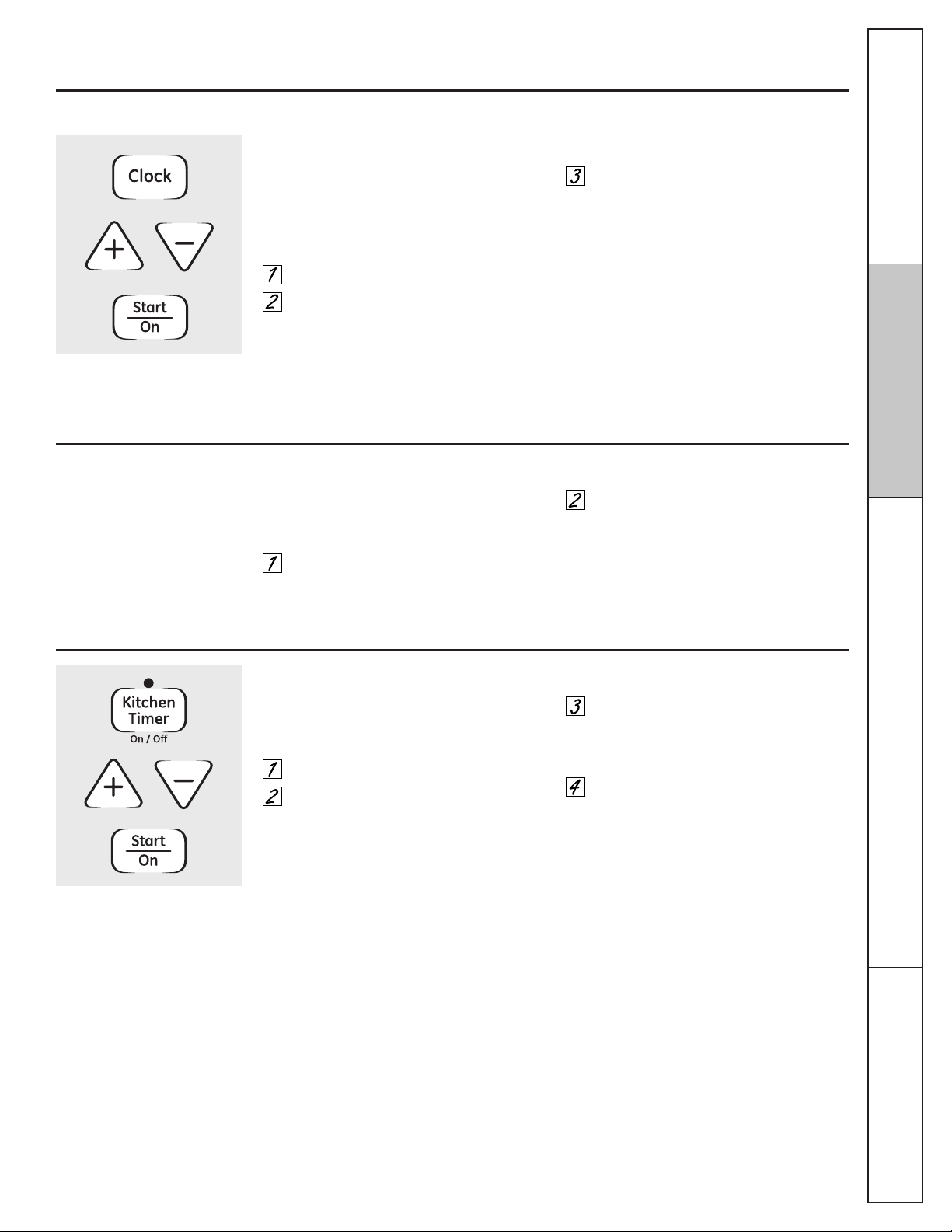
The oven has 5 rack positions.
*See illustration for description of rack positions.
Close the door. Always broil with
the door closed.
Not all features are on all models.
To Set the Timer
The timer does not control oven operations.
The maximum setting on the timer is 9 hours
and 59 minutes.
Touch the Kitchen Timer On/Off pad.
Touch the + or – pads until the amount
of time you want shows in the display.
The maximum time that can be entered
in minutes is 59. Times more than
59 minutes should be changed to
hours and minutes.
If you make a mistake, touch the Kitchen
Timer On/Off pad and begin again.
Touch the Start/On pad. The time will
start counting down, although the
display does not change until one
minute has passed.
When the timer reaches :00, the control
will beep 3 times followed by one beep
every 6 seconds until the Kitchen Timer
On/Off pad is touched.
The timer is a minute timer only.
The Clear/Off pad does not affect the
timer.
Using the clock and timer. GEAppliances.com
To Set the Clock
The clock must be set to the correct time of
day for the automatic oven timing functions
to work properly. The time of day cannot be
changed during a delayed cooking or a
delayed self-cleaning cycle.
Touch the Clock pad twice.
Touch the + or – pads.
If the + or – pads are not touched within one
minute after you touch the Clock pad, the
display reverts to the original setting. If this
happens, touch the Clock pad twice and
reenter the time of day.
Touch the Start/On pad until the time of
day shows in the display. This enters the
time and starts the clock.
To check the time of day when the display is
showing other information, simply touch the
Clock pad. The time of day shows until
another pad is touched.
Make sure the clock is set to the correct
time of day.
Consumer Support
Installation
Instructions
Troubleshooting Tips
Operating Instructions
Safety Instructions
17
To Turn Off the Clock Display
If you have several clocks in your kitchen,
you may wish to turn off the time of day
clock display on your range.
Touch the Clock pad once to turn off the
time of day display. Although you will
not be able to see it, the clock maintains
the correct time of day.
Touch the Clock pad twice to recall the
clock display.
Operating Instructions
Safety Instructions
Installation
Instructions
Troubleshooting Tips
Consumer Support
18
Not all features are on all models.
Using the clock and timer. (on some models)
To Reset the Timer
If the display is still showing the time
remaining, you may change it by touching
the Kitchen Timer On/Off pad, then touch the
+ or – pads until the time you want appears
in the display.
If the remaining time is not in the display
(clock, start time or cooking time are in
the display), recall the remaining time by
touching the Kitchen Timer On/Off pad and
then touching the + or – pads to enter the
new time you want.
To Cancel the Timer
Touch the Kitchen Timer On/Off pad twice.
End of Cycle Tones (on some models)
Clear the tones by pressing the pad of the
function you are using.
Power Outage
If a flashing time is in the display, you have
experienced a power failure. Reset the clock.
To reset the clock, touch the Clock pad. Enter
the correct time of day by touching the + or –
pads. Touch the Start/On pad.
19
Consumer Support
Installation
Instructions
Troubleshooting Tips
Operating Instructions
Safety Instructions
If your model has a door latch, do not lock the oven door with the latch during timed cooking. The latch is used for
self-cleaning only.
NOTE: Foods that spoil easily—such as milk, eggs, fish, stuffings, poultry and pork—should not be allowed to sit for
more than 1 hour before or after cooking. Room temperature promotes the growth of harmful bacteria. Be sure that
the oven light is off because heat from the bulb will speed harmful bacteria growth.
Using the timed baking and roasting features. (on some models)
GEAppliances.com
How to Set an Immediate Start and Automatic Stop
The oven will turn on immediately and cook
for a selected length of time. At the end of the
cooking time, the oven will turn off
automatically.
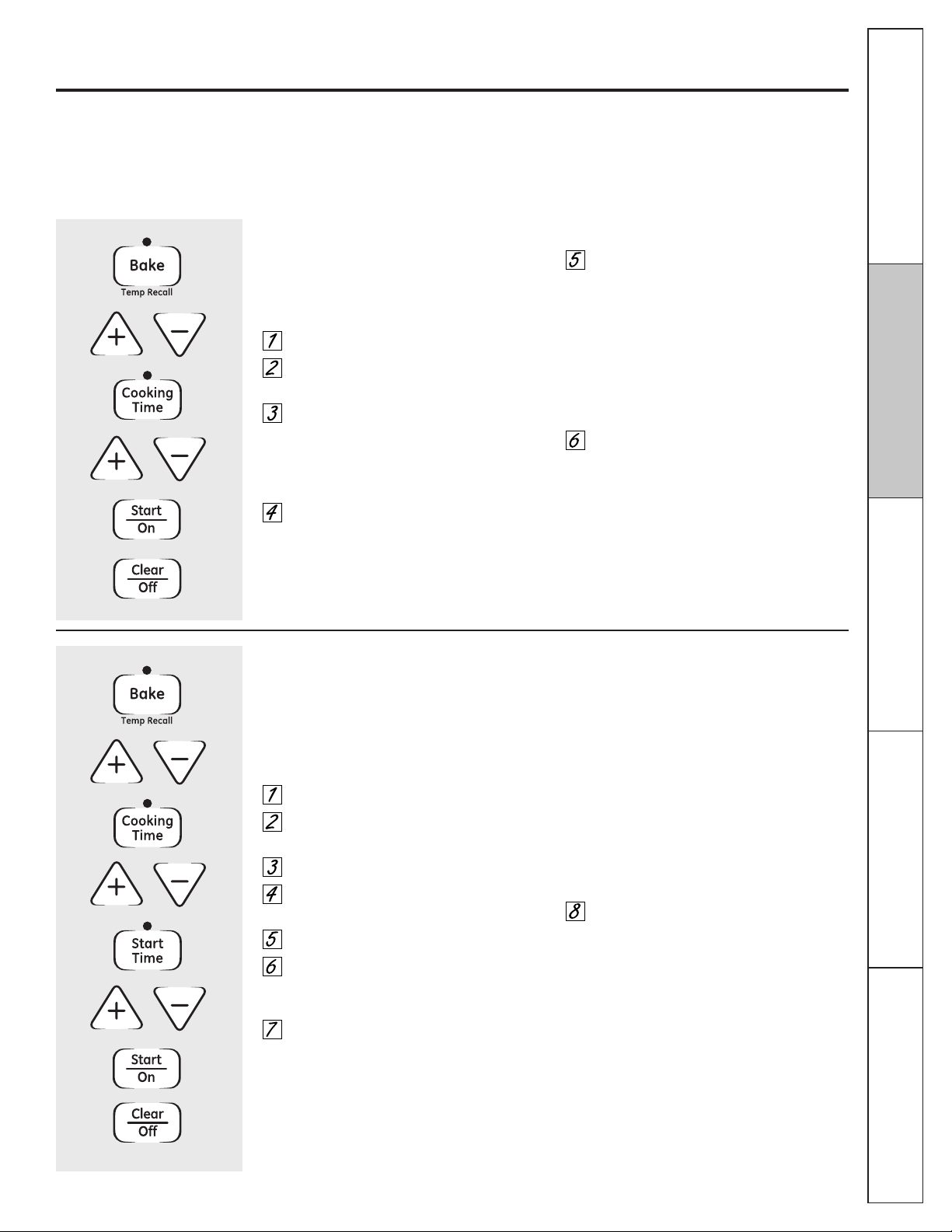
Touch the Bake pad.
Touch the + or – pads to set the
oven temperature.
Touch the Cooking Time pad.
NOTE: If your recipe requires preheating, you
may need to add additional time to the length
of the cooking time.
Touch the + or – pads to set the
baking time.
The cooking time that you entered will be
displayed. (If you select Cooking Time first
and then adjust the Bake Temperature, the
oven temperature will be displayed instead).
Touch the Start/On pad.
The display shows either the oven
temperature that you set or the cooking time
countdown. (The display starts with PRE if
showing the oven temperature.)
The oven will continue to cook for the
programmed amount of time, then turn
off automatically.
Touch the Clear/Off pad to clear the
display if necessary.
Remove the food from the oven. Remember,
even though the oven shuts off automatically,
foods continue cooking after controls are off.
How to Set a Delayed Start and Automatic Stop
The oven will turn on at the time of day you
set, cook for a specific length of time and then
turn off automatically.
Make sure the clock shows the correct time
of day.
Touch the Bake pad.
Touch the + or – pads to set the
oven temperature.
Touch the Cooking Time pad.
Touch the + or – pads to set the desired
length of cooking time.
Touch the Start Time pad.
Touch the + or – pads to set the time of
day you want the oven to turn on and
start cooking.
Touch the Start/On pad.
NOTE: An attention tone will sound if you are
using timed baking and do not touch the
Start/On pad.
NOTE: If you would like to check the times you
have set, touch the Start Time pad to check
the start time you have set or touch the
Cooking Time pad to check the length of
cooking time you have set.
When the oven turns on at the time of day
you have set, the display will show PRE until
it reaches the selected temperature, then it
will display the oven temperature.
At the end of cooking time, the oven will turn
off and the end of cycle tone will sound.
Touch the Clear/Off pad to clear the
display if necessary.
Remove the food from the oven. Remember,
even though the oven shuts off automatically,
foods continue cooking after controls are off.
Operating Instructions
Safety Instructions
Installation
Instructions
Troubleshooting Tips
Consumer Support
20
Your new touch pad control has additional features that you may choose to use. The following are the features and
how you may activate them.
The special feature modes can only be activated while the display is showing the time of day. They remain in the
control’s memory until the steps are repeated.
When the display shows your choice, touch the Start/On pad. The special features will remain in memory after
a power failure.
NOTE: The Sabbath feature and the Thermostat Adjustment feature are also Special Features, but they are addressed
separately in the following sections.
Special features of your oven control.
12-Hour Shut-Off
With this feature, should you forget and leave
the oven on, the control will automatically turn
off the oven after 12 hours during baking
functions or after 3 hours during a broil
function.
If you wish to turn OFF this feature, follow the
steps below.
Touch the Bake and Broil Hi/Lo pads at
the same time for 3 seconds until the
display shows SF.
Touch the Clock pad. The display will
show On (12-hour shut-off). Touch the
Clock pad repeatedly until the display
shows Off (no shut-off).
Touch the Start/On pad to activate the
no shut-off and leave the control set in
this special features mode.

21
The Sabbath feature can be used for baking/roasting only. It cannot be used for broiling, self-cleaning or
Delay Start cooking.
NOTE: The oven light comes on automatically (on some models) when the door is opened and goes off when the
door is closed. The bulb may be removed. See the Oven Light Replacement section. On models with a light switch
on the control panel, the oven light may be turned on and left on.
How to Set for Timed Baking/Roasting—Immediate Start and Automatic Stop
NOTE: To understand how the oven control works,
practice using regular (non-Sabbath) Immediate
Start and Automatic Stop before entering the
Sabbath mode.
Make sure the clock shows the correct time of day
and the oven is off.
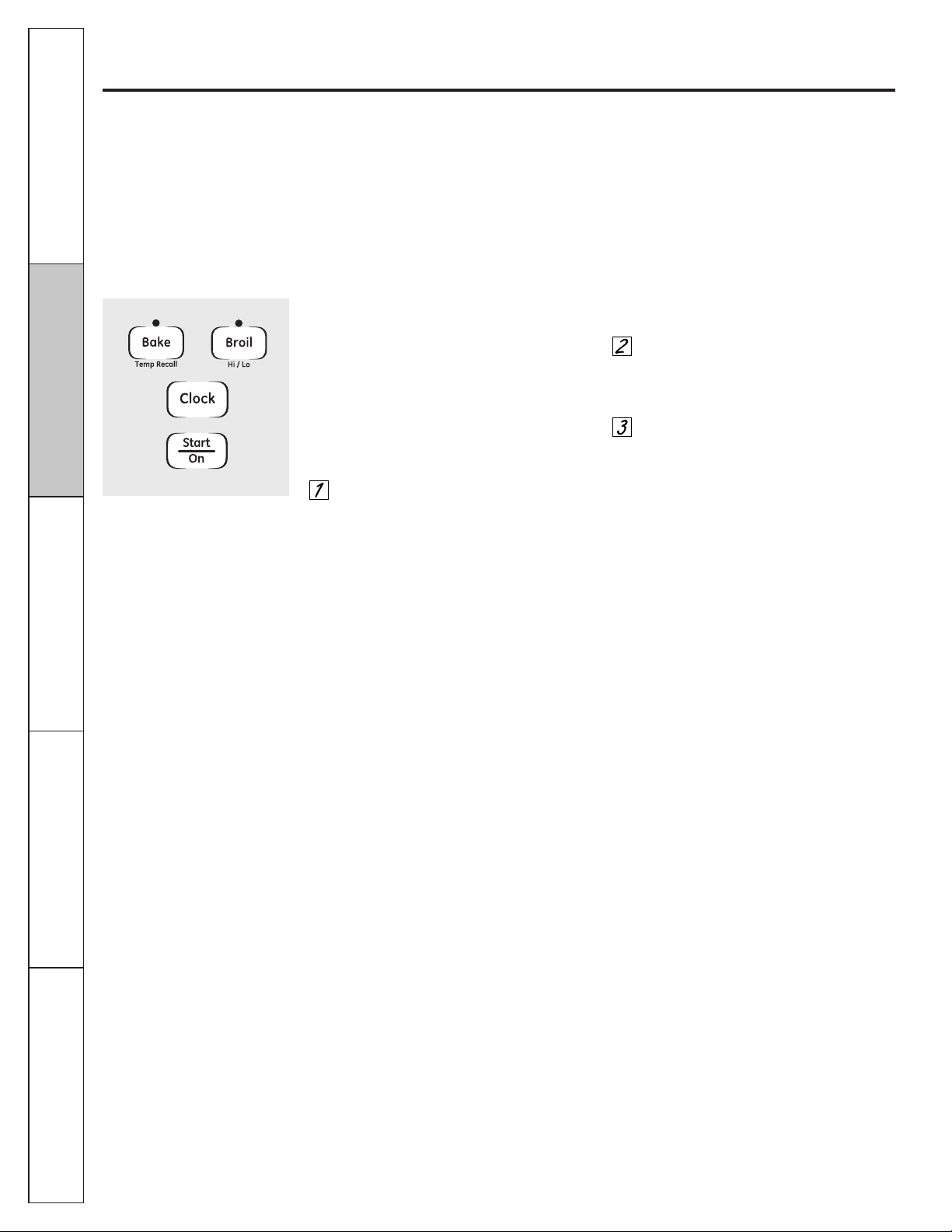
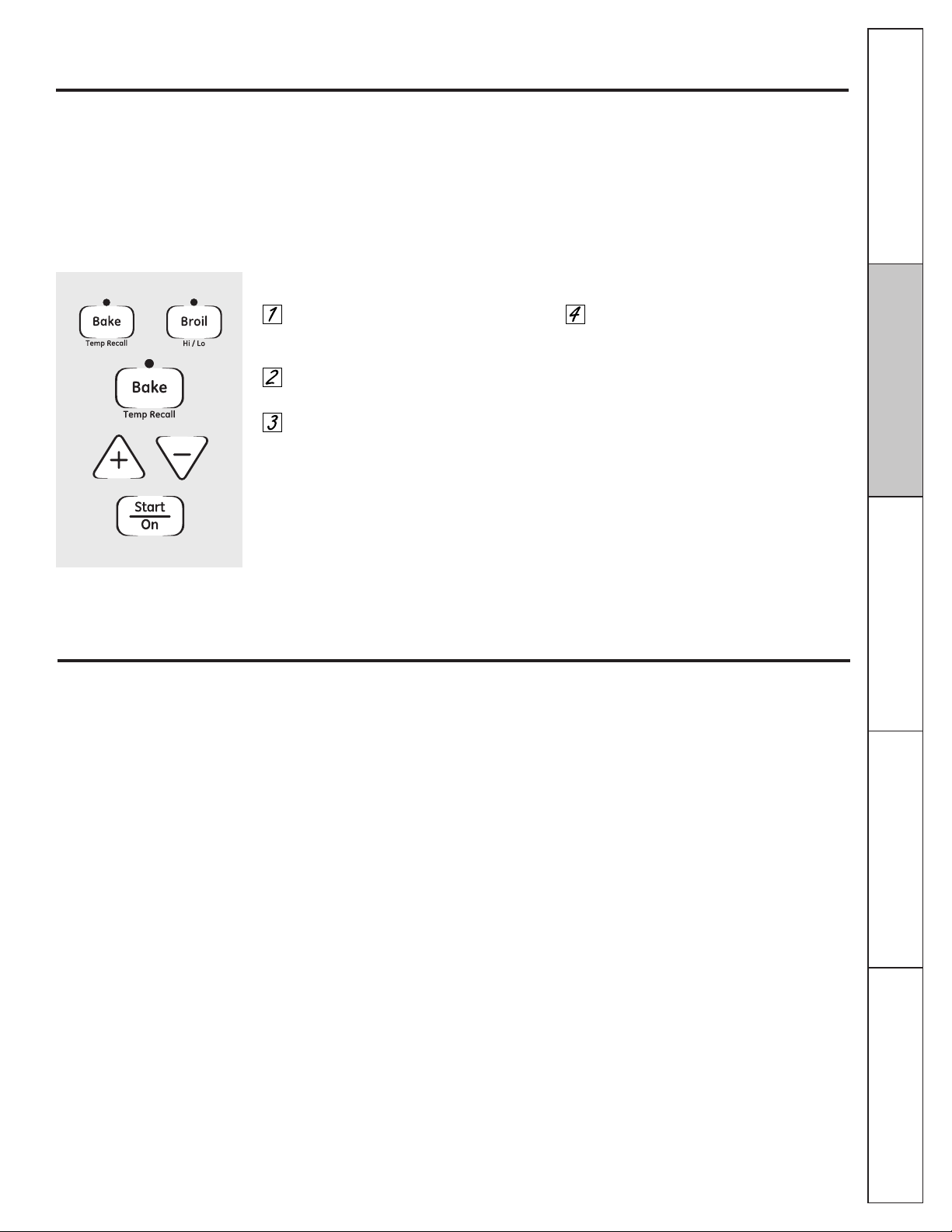
Touch and hold both the Bake and
Broil Hi/Lo pads, at the same time,
until the display shows SF.
Tap the Clock pad until SAb appears in
the display.
Touch the Start/On pad and ⊃ will appear
in the display.
Touch the Cooking Time pad.
Touch the + or – pads to set the desired
length of cooking time between 1 minute and
9 hours and 59 minutes. The cooking time
that you entered will be displayed.
Touch the Start/On pad.
Touch the Bake pad. No signal will be given.
The preset starting temperature will
automatically be set to 350°. Tap the +
or – pads to increase or decrease the
temperature in 25° increments. The
temperature can be set between 170° and
550°. No signal or temperature will be given.
Touch the Start/On pad.
After a random delay period of
approximately 30 seconds to 1 minute, ⊃
will appear in the display indicating that the
oven is
baking/roasting.
If ⊃ doesn’t appear
in the display, start again at Step 7.
To adjust the oven temperature, touch the Bake
pad and tap the + or – pads to increase or
decrease the temperature in 25° increments.
Touch the Start/On pad.
When cooking is finished, the display will change
from ⊃ to ⊃, indicating that the oven has turned
OFF but is still set in Sabbath. Remove the cooked
food.
⊃
⊃
⊃
Using the Sabbath Feature.
(on some models)
(Designed for use on the Jewish Sabbath and Holidays)
GEAppliances.com
How to Set for Regular Baking/Roasting
NOTE: To understand how the oven control works,
practice using regular baking (non-Sabbath) before
entering Sabbath mode.
Make sure the clock shows the correct time of day
and the oven is off.
Touch and hold both the Bake and
Broil Hi/Lo pads, at the same time,
until the display shows SF.
Tap the Clock pad until SAb appears in
the display.
Touch the Start/On pad and ⊃ will appear
in the display.
Touch the Bake pad. No signal will be given.
The preset starting temperature will
automatically be set to 350°. Tap the +
or – pads to increase or decrease the
temperature in 25° increments. The
temperature can be set between 170° and
550°. No signal or temperature will be given.
Touch the Start/On pad.
After a random delay period of
approximately 30 seconds to 1 minute, ⊃
will appear in the display indicating that the
oven is
baking/roasting.
If ⊃ doesn’t appear
in the display, start again at Step 4.
To adjust the oven temperature, touch the Bake
pad and tap the + or – pads to increase or
decrease the temperature in 25° increments.
Touch the Start/On pad.
NOTE: The Clear/Off and Cooking Time pads are
active during the Sabbath feature.
⊃
⊃
When the display shows ⊃ the oven
is set in Sabbath. When the display
shows ⊃ the oven is baking/roasting.
⊃
When the display shows ⊃ the oven
is set in Sabbath. When the display
shows ⊃ the oven is baking/roasting.
⊃
Consumer Support
Operating Instructions
Safety Instructions
Installation
Instructions
Troubleshooting Tips
Operating Instructions
Safety Instructions
Installation
Instructions
Troubleshooting Tips
Consumer Support
22
Using the Sabbath Feature.
(on some models)
(Designed for use on the Jewish Sabbath and Holidays)
How to Exit the Sabbath Feature
Touch the Clear/Off pad.
If the oven is cooking, wait for a random
delay period of approximately 30 seconds to
1 minute, until only ⊃ is in the display.
Touch and hold both the Bake and
Broil Hi/Lo pads, at the same time,
until the display shows SF.
Tap the Clock pad until On or Off appears in
the display. On indicates that the oven will
automatically turn off after 12 hours. Off
indicates that the oven will not automatically
turn off. See the Special Features section for
an explanation of the 12 Hour Shut-Off
feature.
Touch the Start/On pad.
NOTE: If a power outage occurred while the oven
was in Sabbath, the oven will automatically turn off
and stay off even when the power returns. The
oven control must be reset.
23
You may find that your new oven cooks differently than the one it replaced. Use your new oven for a few weeks to
become more familiar with it. If you still think your new oven is too hot or too cold, you can adjust the thermostat
yourself.
Do not use thermometers, such as those found in grocery stores, to check the temperature setting of your oven.
These thermometers may vary 20–40 degrees.
NOTE: This adjustment will not affect the broiling or the self-cleaning temperatures. The adjustment will be retained
in memory after a power failure.
Adjust the oven thermostat—Do it yourself! GEAppliances.com
To Adjust the Thermostat
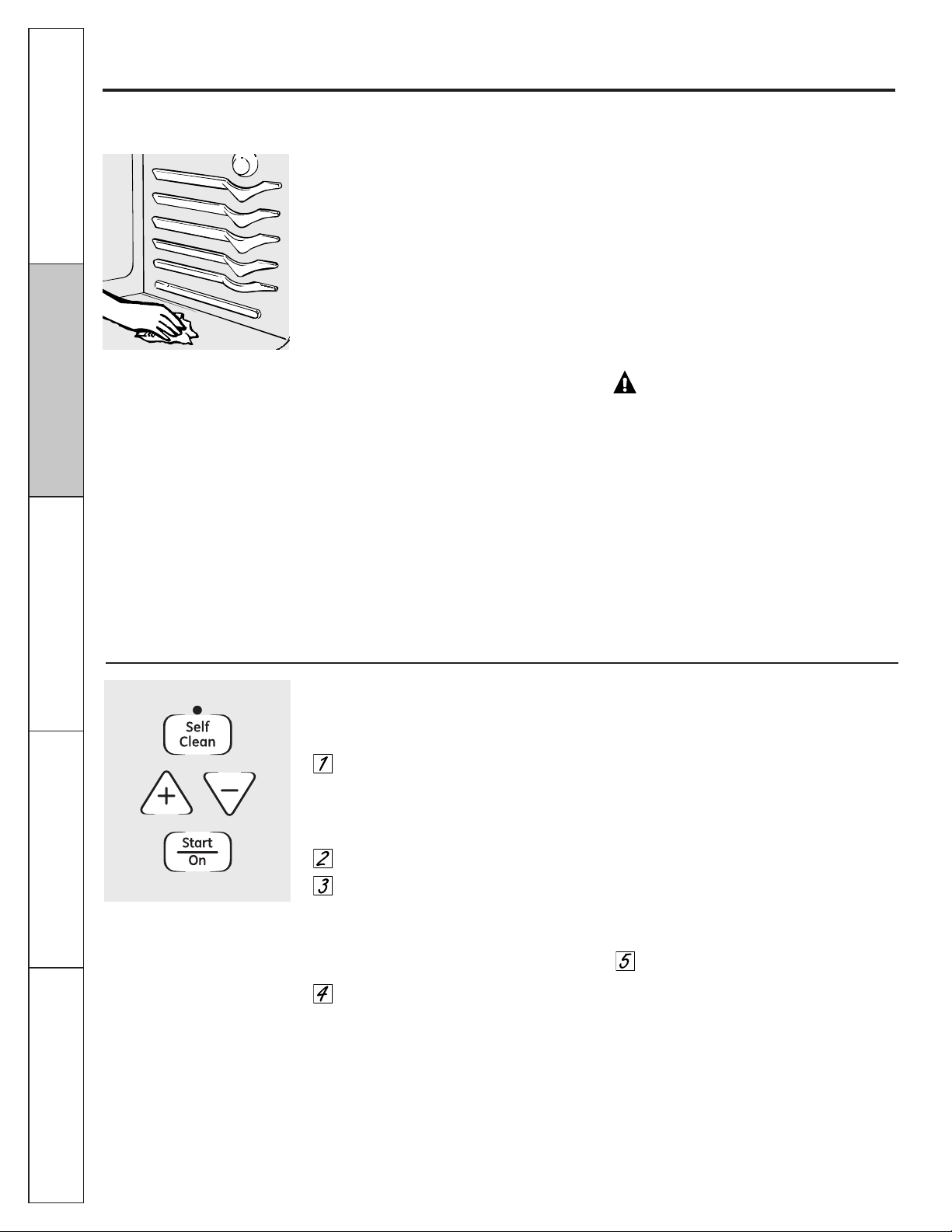
Touch the Bake and Broil Hi/Lo pads
at the same time for 2 seconds until
the display shows SF.
Touch the Bake pad. A two digit number
shows in the display.
The oven temperature can be adjusted
up to (+) 35°F hotter or (–) 35°F cooler.
Touch the + pad to increase the
temperature in 1 degree increments.
Touch the – pad to decrease the
temperature in 1 degree increments.
When you have made the adjustment,
touch the Start/On pad to go back to
the time of day display. Use your oven
as you would normally.
NOTE: This adjustment will not affect the
broiling or self-cleaning temperatures. It will
be retained in memory after a power failure.
Most recipes for baking have been developed using high fat products such as butter or margarine (80% fat). If you
decrease the fat, the recipe may not give the same results as with a higher fat product.
Recipe failure can result if cakes, pies, pastries, cookies or candies are made with low fat spreads. The lower the fat
content of a spread product, the more noticeable these differences become.
Federal standards require products labeled “margarine” to contain at least 80% fat by weight. Low fat spreads, on the
other hand, contain less fat and more water. The high moisture content of these spreads affects the texture and flavor of
baked goods. For best results with your old favorite recipes, use margarine, butter or stick spreads containing at least
70% vegetable oil.
The type of margarine will affect baking performance!
Consumer SupportOperating Instructions
Safety Instructions
Installation
Instructions
Troubleshooting Tips
Operating Instructions
Safety Instructions
Installation
Instructions
Troubleshooting Tips
Consumer Support
For the first self-clean cycle, we recommend
venting your kitchen with an open window or
using a ventilation fan or hood.
Remove the racks, any broiler pan, broiler
grid, all cookware and any aluminum foil
from the oven.
The oven racks can be self-cleaned, but they
will darken, lose their luster and become hard
to slide.
Do not use commercial oven cleaners or oven
protectors in or near the self-cleaning oven. A
combination of any of these products plus
the high clean cycle temperatures may
damage the porcelain finish of the oven.
Soil on the front frame of the range and
outside the gasket on the door will need to be
cleaned by hand. Clean these areas with hot
water, soap-filled scouring pads or cleansers
such as Soft Scrub
®
. Rinse well with clean
water and dry.
Do not clean the gasket. The fiberglass
material of the oven door gasket cannot
withstand abrasion. It is essential for the
gasket to remain intact. If you notice it
becoming worn or frayed, replace it.
Wipe up any heavy spillovers on the oven
bottom.
Make sure the oven light bulb cover is in place
and the oven light is off.
CAUTION: The grates and drip
pans (if so equipped) should never be
cleaned in the self-cleaning oven.
Do not use commercial oven cleaners or
oven protectors in or near the self-cleaning
oven. A combination of any of these products
plus the high clean cycle temperatures may
damage the porcelain finish of the oven.
IMPORTANT: The health of some birds is
extremely sensitive to the fumes given off
during the self-cleaning cycle of any range.
Move birds to another well-ventilated room.
If your model has a door latch, never force the latch handle. Forcing the handle will damage the door lock mechanism.
The oven door must be closed and all controls set correctly for the cycle to work properly.
Using the self-cleaning oven.
Before a Clean Cycle
Wipe up heavy soil on the oven bottom.
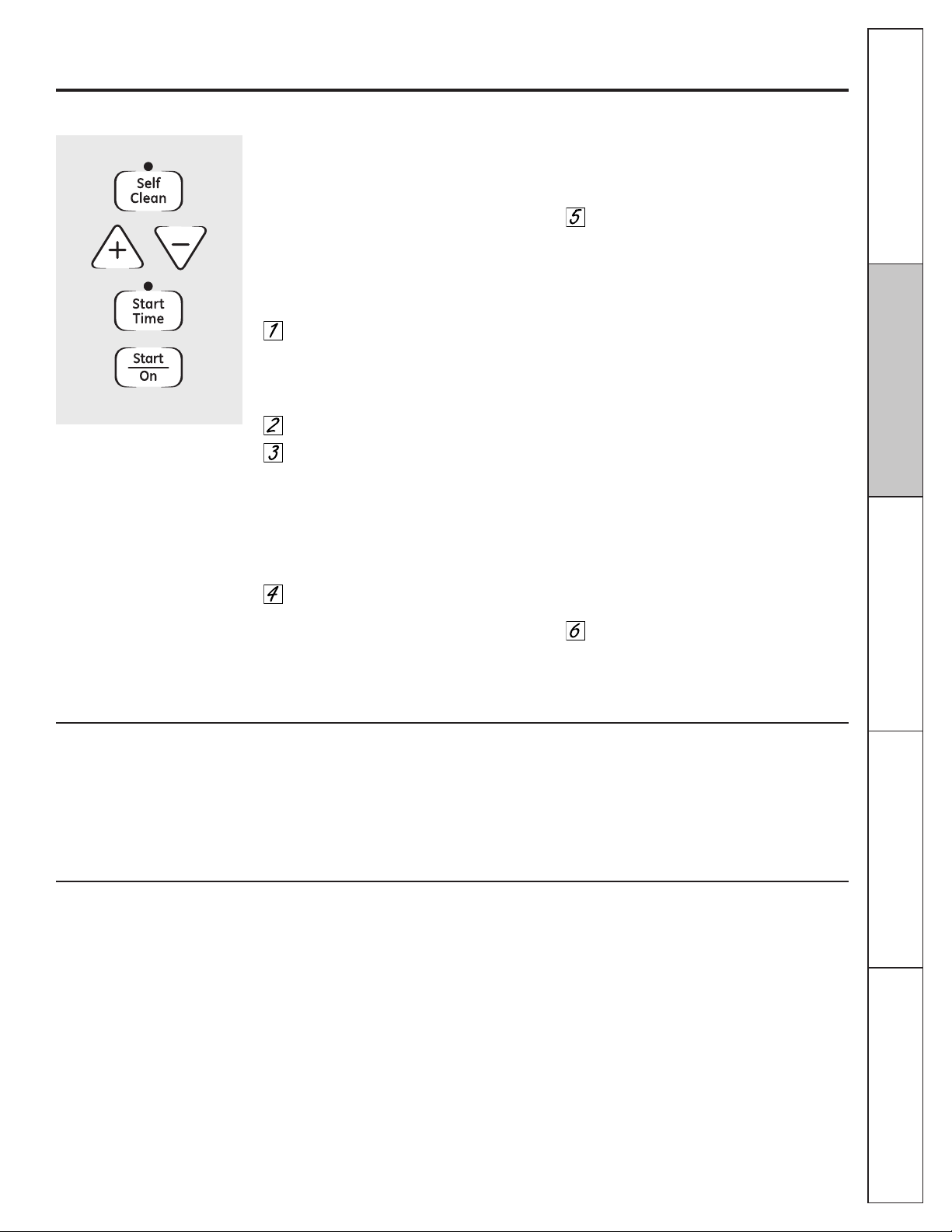
How to Set the Oven for Cleaning
Follow the directions in the Before a Clean
Cycle section.
If your model has a latch, latch the door.
NOTE: Never force the latch. If the oven is too
hot, you will not be able to slide the latch.
Allow the oven to cool.
Touch the Self Clean pad.
Touch the + or – pads until the desired
Clean Time is displayed.
The Clean Time is normally 4 hours and 20
minutes. You can change the Clean Time to
any time between 3 and 5 hours, depending
on the amount of soil in your oven.
Touch the Start/On pad.
The oven control will signal if you set the
clean cycle and forget to close the oven door
or forget to latch the door on models with a
latch.
The self-clean cycle will automatically begin
after Clean is displayed and the time
countdown appears in the display.
On models without a door latch, the door
locks automatically. It will not be possible to
open the oven door until the temperature
drops below the lock temperature and the
Self Clean light goes off.
While the oven is self-cleaning, you can touch
the Clock pad to display the time of day. To
return to the clean countdown, touch the
Self Clean pad.
The oven shuts off automatically when the
clean cycle is complete, and 0:00 will flash in
the display.
When the Self Clean light is off, slide the
latch handle to the left as far as it will go
and open the door. If your range does
not have a latch, the door will unlock
automatically.
24
25
The oven door must be closed and all controls set correctly for the cycle to work properly.
After a Clean Cycle
You cannot set the oven for cooking until
the oven is cool enough for the door to be
unlatched.
You may notice some white ash in the oven.
Wipe it up with a damp cloth after the
oven cools.
If white spots remain, remove them with a
soap-filled scouring pad and rinse thoroughly
with a vinegar and water mixture.
These deposits are usually a salt residue that
cannot be removed by the clean cycle.
If the oven is not clean after one clean cycle,
repeat the cycle.
■ You cannot set the oven for cooking until
the oven is cool enough for the door
to unlock.
■ While the oven is self-cleaning, you can
touch the Clock pad to display the time of
day. To return to the clean countdown, touch
the Cooking Time pad.
■ If the racks become hard to slide, apply a
small amount of vegetable oil or cooking oil
to a paper towel and wipe the edges of the
oven racks with the paper towel.
GEAppliances.com
Consumer Support
Operating Instructions
Safety Instructions
Installation
Instructions
Troubleshooting Tips
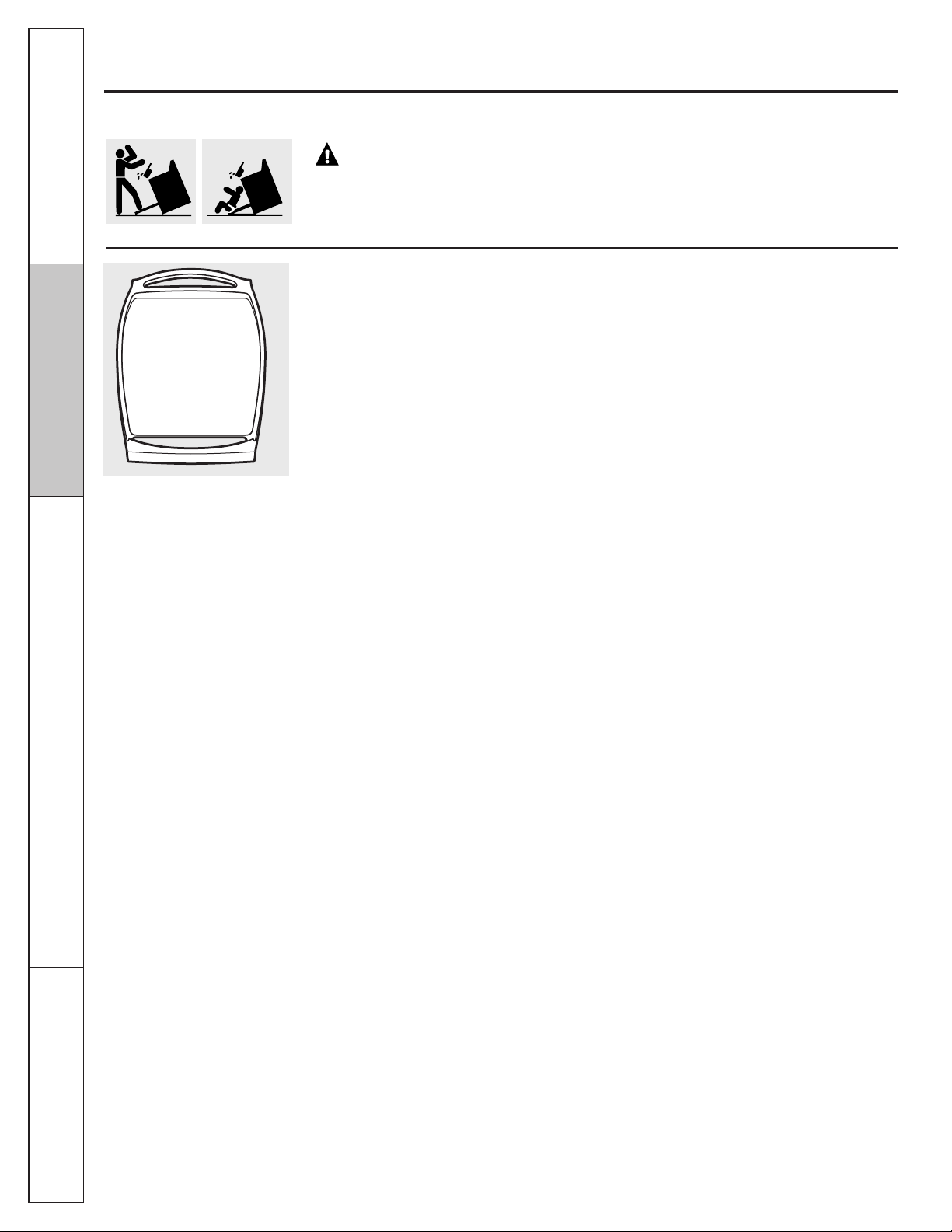
How to Delay the Start of Cleaning
You can set the oven control to delay-start the
oven, clean for a specific length of time and
then turn off automatically.
Make sure the clock shows the correct time
of day.
Follow the directions in the Before a Clean
Cycle section.
If your model has a latch, latch the door.
NOTE: Never force the latch. If the oven is too
hot, you will not be able to slide the latch.
Allow the oven to cool.
Touch the Self Clean pad.
Touch the + or – pads to set the
Clean Time.
The Clean Time is preset for 4 hours and
20 minutes. You can change the Clean Time to
any time between 3 and 5 hours, depending
on the amount of soil in your oven. If a
different Clean Time is desired, touch the + or –
pads until the desired Clean Time is displayed.
Touch the Start Time pad.
Change the Start Time by touching the + or –
pads. The start time will appear in the display.
Touch the Start/On pad.
The oven control will signal if you set the
clean cycle and forget to close the oven door
or forget to latch the door on models with
a latch.
On models without a door latch, the door
locks automatically. The display will show the
start time. It will not be possible to open the
oven door until the temperature drops below
the lock temperature and the Self Clean light
goes off.
The self-clean cycle will automatically begin
at the time set.
While the oven is self-cleaning, you can touch
the Clock pad to display the time of day. To
return to the clean countdown, touch the
Self Clean pad.
The oven shuts off automatically when the
clean cycle is complete, and 0:00 will flash
in the display.
When the Self Clean light is off, slide the
latch handle to the left as far as it will go
and open the door. If your range does
not have a latch, the door will unlock
automatically.
To Stop a Clean Cycle
Touch the Clear/Off pad.
When the Self Clean light goes off indicating
the oven has cooled below the locking
temperature, unlatch the door (on models
with a latch) and open the door.
Operating Instructions
Safety Instructions
Installation
Instructions
Troubleshooting Tips
Consumer Support
26
WARNING: If your range is removed for cleaning, servicing or any
reason, be sure the anti-tip device is re-engaged properly when the range is replaced.
Failure to take this precaution could result in tipping of the range and cause injury.
Griddle (on some models)
NOTES:
■ The griddle is to be used over the center
burner only.
■ Do not clean the griddle in a dishwasher.
■ Wash with hot, soapy water after each use
while using a sponge or dishcloth.
■ If oil or food residue is left on the griddle,
further cooking will harden the residue and
cause sticking over time. In this case, use a
non-abrasive cleanser such as Bon Ami
®
or
one of the soft scrub cleansers. Apply with a
sponge, Scrunge
®
or other cleaning pad
labeled safe for non-stick pans
■ Use only plastic, nylon or wooden utensils
or SilverStone
®
kitchen tools to prevent
marring of the coating.
■ Never use knives or cut food on the griddle.
Wash with hot, soapy water after each use.
Store carefully to prevent scratching.
Griddle Precautions:
■ If something has spilled under the griddle, it
should be cleaned up as soon as possible to
prevent “baked on” food soil.
■ Do not allow grease to accumulate under
the griddle as it can be a fire hazard. Clean
under the griddle as soon as it is cool. Clean
with hot soapy water.
■ Do not place your griddle in the microwave.
■ Always turn off all surface burners before
removing the griddle. Use caution when
handling a hot griddle.
Care and cleaning of the range.
Be sure electrical power is off and all surfaces are cool before cleaning any part of the range.
27
GEAppliances.com
Consumer Support
Installation
Instructions
Troubleshooting Tips
Operating Instructions
Safety Instructions
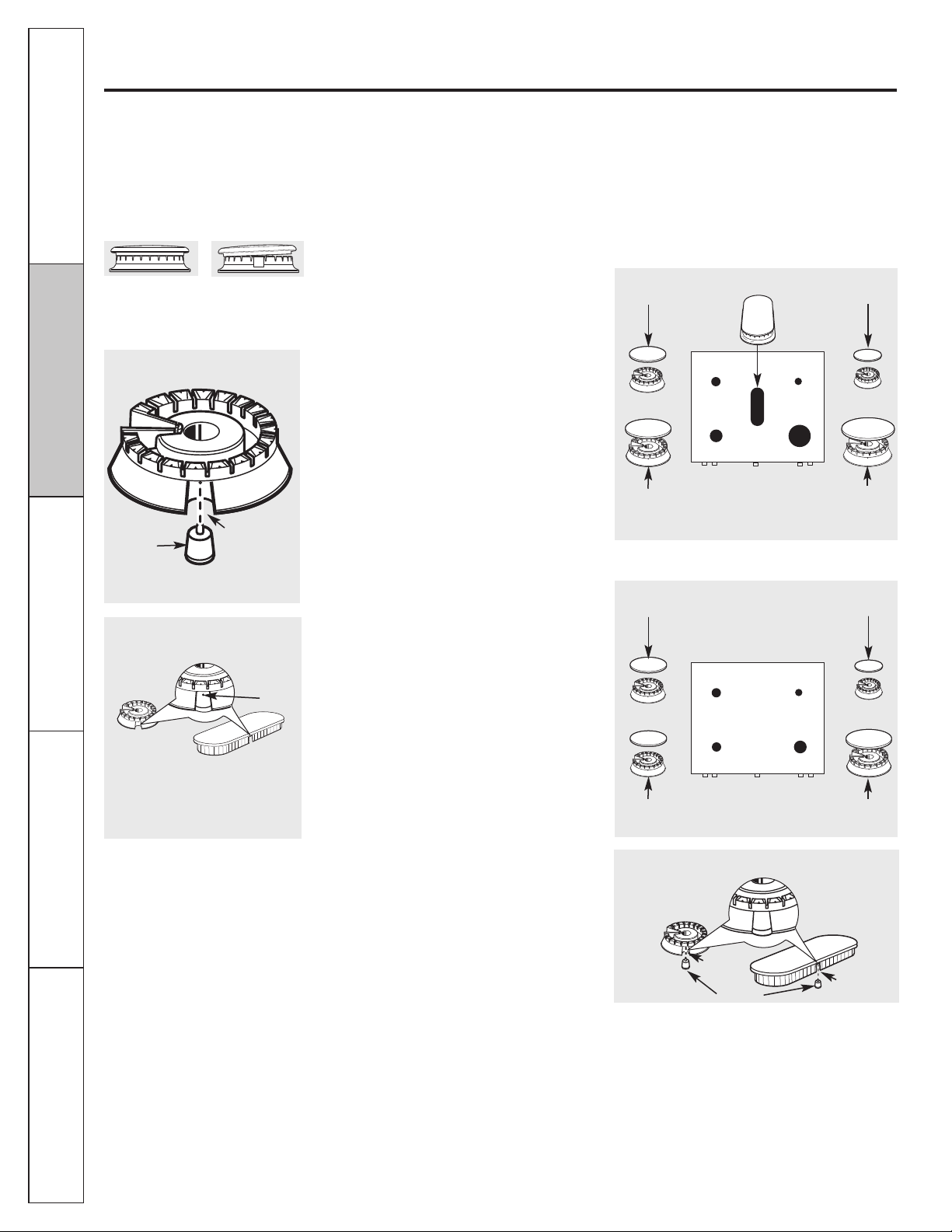
Sealed Burner Assemblies
Turn all controls Off before removing the
burner parts.
The round side burner caps and burner heads
can be lifted off, making them easy to clean.
The electrodes are not removable.
The oval center burner head and cap
assembly (on some models) can be lifted off,
making it easy to clean. The burner electrode
is not removable.
CAUTION: Do not operate the
cooktop without all burner parts and grates
in place.
The electrode of the spark igniter is
exposed when the burner head is
removed. When one burner is turned
to Lite, all the burners spark. Do not
attempt to disassemble or clean
around any burner while another
burner is on. An electric shock may
result, which could cause you to knock
over hot cookware.
Side grate
Burner head
Burner cap
Electrode
Electrode
Cooktop
Burner head
and cap
assembly
Center
griddle
Electrode
Operating Instructions
Safety Instructions
Installation
Instructions
Troubleshooting Tips
Consumer Support
28
Care and cleaning of the range.
Burner Caps and Heads
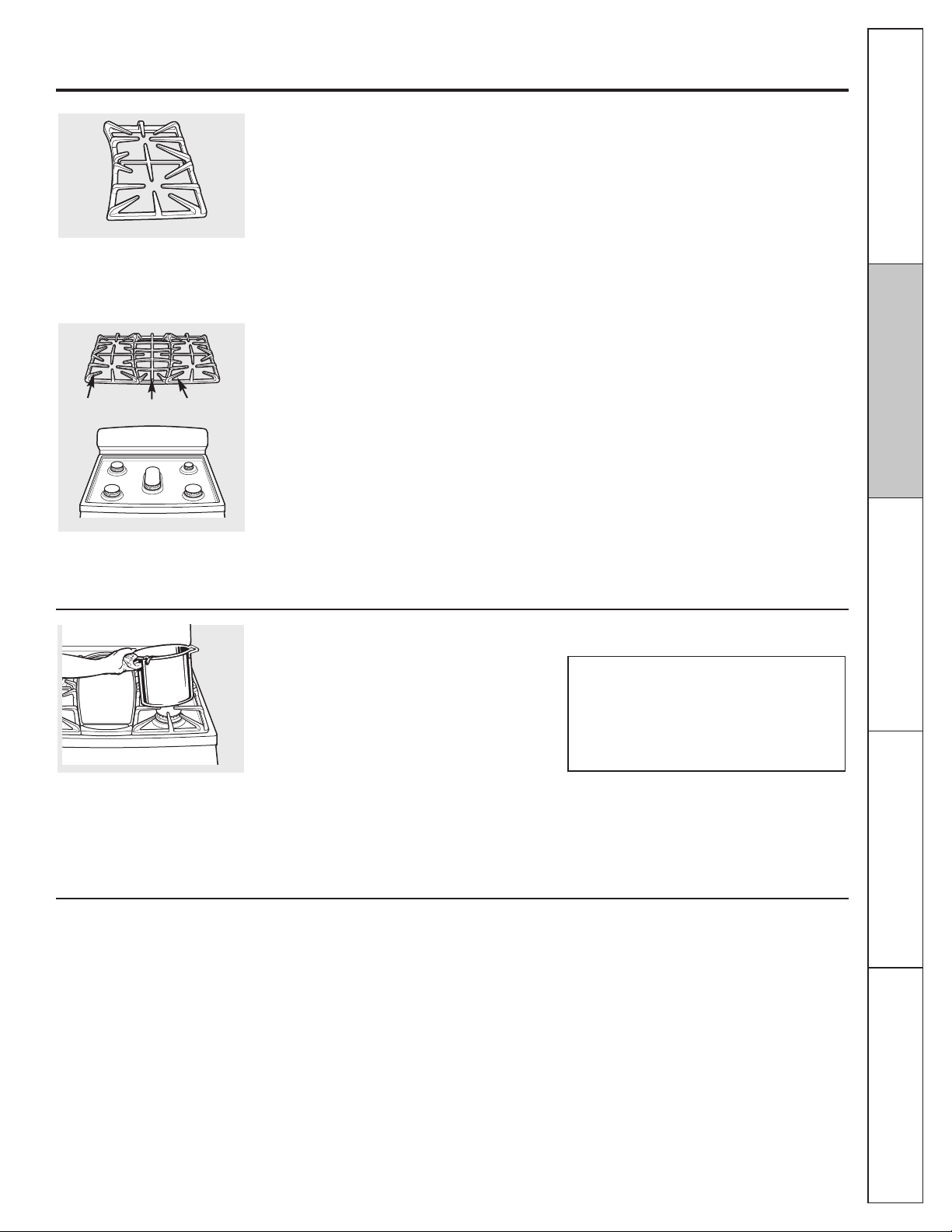
Before removing the burner caps and heads,
remember their size and location. Replace them in
the same location after cleaning.
NOTE: Do not use steel wool or scouring powders
to clean the burner parts.
Burner caps
Lift off when cool. Wash burner caps in hot, soapy
water and rinse with clean water. You may scour
with a plastic scouring pad to remove burned-on
food particles.
Burner Heads and Oval (Center) Burner
Head/Cap Assembly
(on some models)
The burner heads and the oval burner head/cap
assembly are removable. Simply lift them off the
range for cleaning.
For proper ignition, make sure the small hole
in the section that fits over the electrode is kept
open. A sewing needle or wire twist-tie works
well to unclog it.
The slits in the burner heads must be kept clean at
all times for an even, unhampered flame.
Clogged or dirty burner ports or electrodes will not
allow the burner to operate properly.
Any spill on or around an electrode must be
carefully cleaned. Take care to not hit an electrode
with anything hard or it could be damaged.
Clean the burner heads routinely, especially after
bad spillovers, which could clog the openings. Lift
off when cool.
To remove burned-on food, soak the burner heads
in a solution of mild liquid detergent and hot water
for 20–30 minutes. For more stubborn stains, use a
toothbrush.
After cleaning
Before putting the burner caps, heads (on some
models) and oval head/cap assembly back, shake
out excess water and then dry them thoroughly
by setting in a warm oven for 30 minutes.
Replacement
Replace burner heads over the electrodes on
the cooktop, and then replace the burner caps
onto the burner heads, in the correct locations
according to their size.
On models so equipped:
On models so equipped:
Make sure that the heads and caps are replaced
in the correct locations
.
The oval burner head/cap assembly is
removable. Simply lift it off the range for
cleaning. Use a sewing needle or twist-tie
to unclog the small hole in the burner
heads.
Burner cap is
properly seated.
Burner cap is NOT
properly seated.
Slot
Electrode
The burner heads are removable. Simply lift
them off the range for cleaning.
Burner heads (on some models)
Hole in
burner
head
Oval burner head/cap assembly
(on some models)
Medium burner
head and cap
Front of range
Large burner
head and cap
Small burner
head and cap
Extra large
burner head
and cap
Oval head and cap assembly
Slot
Electrode
Slot
Medium burner
head and cap
Front of range
Medium burner
head and cap
Small burner
head and cap
Large burner
head and cap
Make sure the slot in the burner head is positioned over the electrode.
GEAppliances.com
Consumer Support
Installation
Instructions
Troubleshooting Tips
Operating Instructions
Safety Instructions
Stainless Steel Surfaces (on some models)
Do not use a steel wool pad; it will scratch
the surface.
To clean the stainless steel surface, use warm
sudsy water or a stainless steel cleaner or
polish. Always wipe the surface in the
direction of the grain. Follow the cleaner
instructions for cleaning the stainless steel
surface.
To inquire about purchasing stainless steel
appliance cleaner or polish, or to find the
location of a dealer nearest you, please call
our toll-free number:
National Parts Center 800.626.2002 (U.S.)
800.661.1616 (Canada)
GEAppliances.com (U.S.)
www.GEAppliances.ca (Canada)
29
Burner Grates
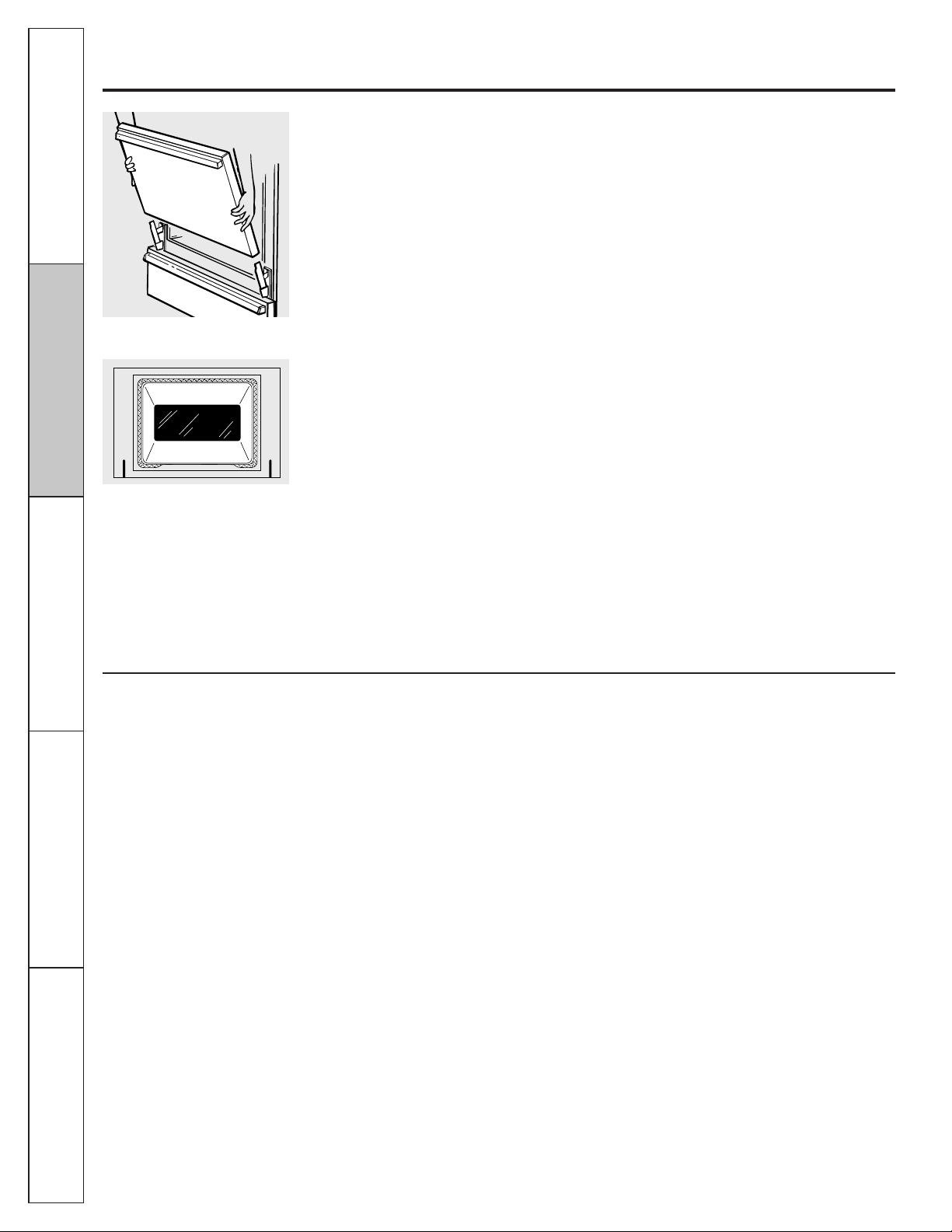
Your range has three professional-style
double grates. These grates are position-
specific. For maximum stability, these grates
should only be used in their proper position;
they cannot be interchanged left to right or
front to back. For convenience, the
undersides of the left and right grates are
marked “LEFT FRONT” and “RIGHT FRONT.”
Make sure the front portion of both grates is
in front. The middle grate has a bow in front.
Make sure the bowed portion is toward the
front of the range.
NOTE: Some models only have side grates.
Cleaning
Lift out when cool. Grates should be washed
regularly and, of course, after spillovers.
Wash them in hot, soapy water and rinse
with clean water. When replacing the grates,
be sure they are positioned securely over
the burners. Replace the grates so that
continuous arcs are formed with the center
ribs of all three grates.
NOTE: Some models only have side grates.
Do not operate a burner for an extended
period of time without cookware on the grate.
The finish on the grate may chip without
cookware to absorb the heat.
To get rid of burned-on food, place the grates
in a covered container. Add 1/4 cup ammonia
and let them soak several hours or overnight.
Wash, rinse well and dry.
Although they are durable, the grates will
gradually lose their shine, regardless of
the best care you can give them. This is
due to their continual exposure to high
temperatures. You will notice this sooner
with lighter color grates.
NOTE: Do not clean the grates in a self-
cleaning oven.
The grates may be cleaned in a
dishwasher.
Appearance may vary.
Left Front
Right Front
Center
Cooktop Surface
To avoid damaging the porcelain enamel
surface of the cooktop and to prevent it
from becoming dull, clean up spills right
away. Foods with a lot of acid (tomatoes,
sauerkraut, fruit juices, etc.) or foods with
high sugar content could cause a dull spot
if allowed to set.
When the surface has cooled, wash and
rinse. For other spills such as fat spatterings,
etc., wash with soap and water once the
surface has cooled. Then rinse and polish
with a dry cloth.
NOTE: Do not lift the cooktop. Lifting the
cooktop can lead to damage and improper
operation of the range.
NOTE: Do not store flammable materials
in an oven, drawer or near the cooktop. Do
not store or use combustible materials,
gasoline or other flammable vapors and
liquids in the vicinity of this or any other
appliance.
Operating Instructions
Safety Instructions
Installation
Instructions
Troubleshooting Tips
Consumer Support
Care and cleaning of the range.
Lift-Off Oven Door
The oven door is removable, but it is heavy.
You may need help removing and replacing
the door.
To remove the door, open it a few inches to
the special stop position that will hold the
door open. Grasp firmly on each side and lift
the door straight up and off the hinges.
NOTE: Be careful not to place hands between
the hinge and the oven door frame as the
hinge could snap back and pinch fingers.
To replace the door, make sure the hinges
are in the special stop position. Position the
slots in the bottom of the door squarely over
the hinges. Then lower the door slowly and
evenly over both hinges at the same time. If
the hinges snap back against the oven frame,
pull them back out.
To clean the inside of the door:
■ Do not allow excess water to run into any
holes or slots in the door .
■ Because the area inside the gasket is
cleaned during the self clean cycle, you do
not need to clean this by hand. Any soap
left on the liner causes additional stains
when the oven is heated.
■ The area outside the gasket can be
cleaned with a soap-filled scouring pad.
To clean the outside of the door:
■ Use soap and water to thoroughly clean
the top, sides and front of the oven door.
Rinse well. You may also use a glass
cleaner to clean the glass on the outside
of the door.
■ Spillage of marinades, fruit juices, tomato
sauces and basting materials containing
acids may cause discoloration and should
be wiped up immediately. When the
surface is cool, clean and rinse.
■ Do not use oven cleaners, cleansing
powders or harsh abrasives on the
outside of the door.
Oven Bottom
The oven bottom has a porcelain enamel
finish. To make cleaning easier, protect the
oven bottom from excessive spillovers by
placing a cookie sheet on the rack below the
rack you are cooking on. This is particularly
important when baking a fruit pie or other
foods with a high acid content. Hot fruit
fillings or other foods that are highly acidic
(such as tomatoes, sauerkraut, and sauces
with vinegar or lemon juice) may cause
pitting and damage to the porcelain enamel
surface and should be wiped up immediately.
We don’t recommend using aluminum foil on
the oven bottom. It can affect air flow if the
holes are blocked and it can concentrate heat
at the bottom of the oven, resulting in poor
baking performance.
To clean up spillovers, use soap and water,
an abrasive cleaner or soap-filled scouring
pad. Rinse well to remove any soap before
self-cleaning.
Lift the door straight up and off
the hinges.
The gasket is designed with a gap
at the bottom to allow for proper
air circulation.
Do not rub or clean the door gasket—
it has an extremely low resistance
to abrasion.
If you notice the gasket becoming worn,
frayed or damaged in any way or if it has
become displaced on the door, you
should have it replaced.
30
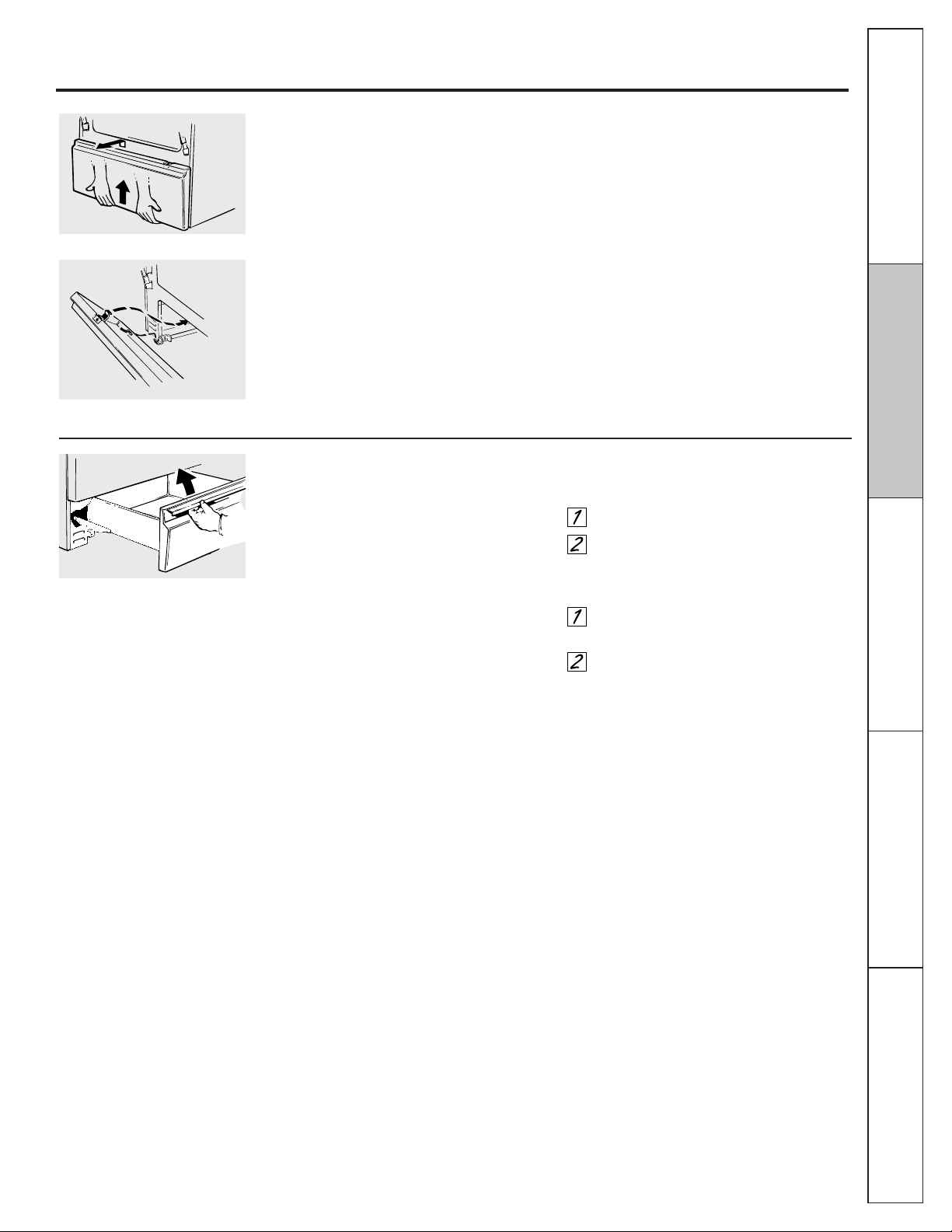
31
GEAppliances.com
Removable Storage Drawer (on some models)
The storage drawer is a good place to store
cookware and bakeware. Do not store plastics
and flammable material in the drawer.
The storage drawer may be removed for
cleaning under the range. Clean the storage
drawer with a damp cloth or sponge. Never
use harsh abrasives or scouring pads.
To remove storage drawer:
Pull drawer straight out until it stops.
Tilt the front of the drawer up and free
of the range.
To replace storage drawer:
Set the stops on the back of the drawer
over the stops in the range.
Slide drawer evenly and straight back,
so that the rails in the range are
engaged.
The storage drawer may be removed
for cleaning under the range.
Removable Kick Panel (on some models)
The kick panel may be removed for cleaning
under the range.
To remove:
Lift up the bottom of the panel slightly to
disengage the panel from the tabs at the
base of the range. Pull the bottom of the
panel forward until the spring clips are
released at the top of the panel.
To replace:
Insert the two slots at the bottom of the
panel onto the two tabs at the base of the
range, and push the top of the panel forward
to engage the spring clips.
Consumer Support
Installation
Instructions
Troubleshooting TipsOperating Instructions
Safety Instructions
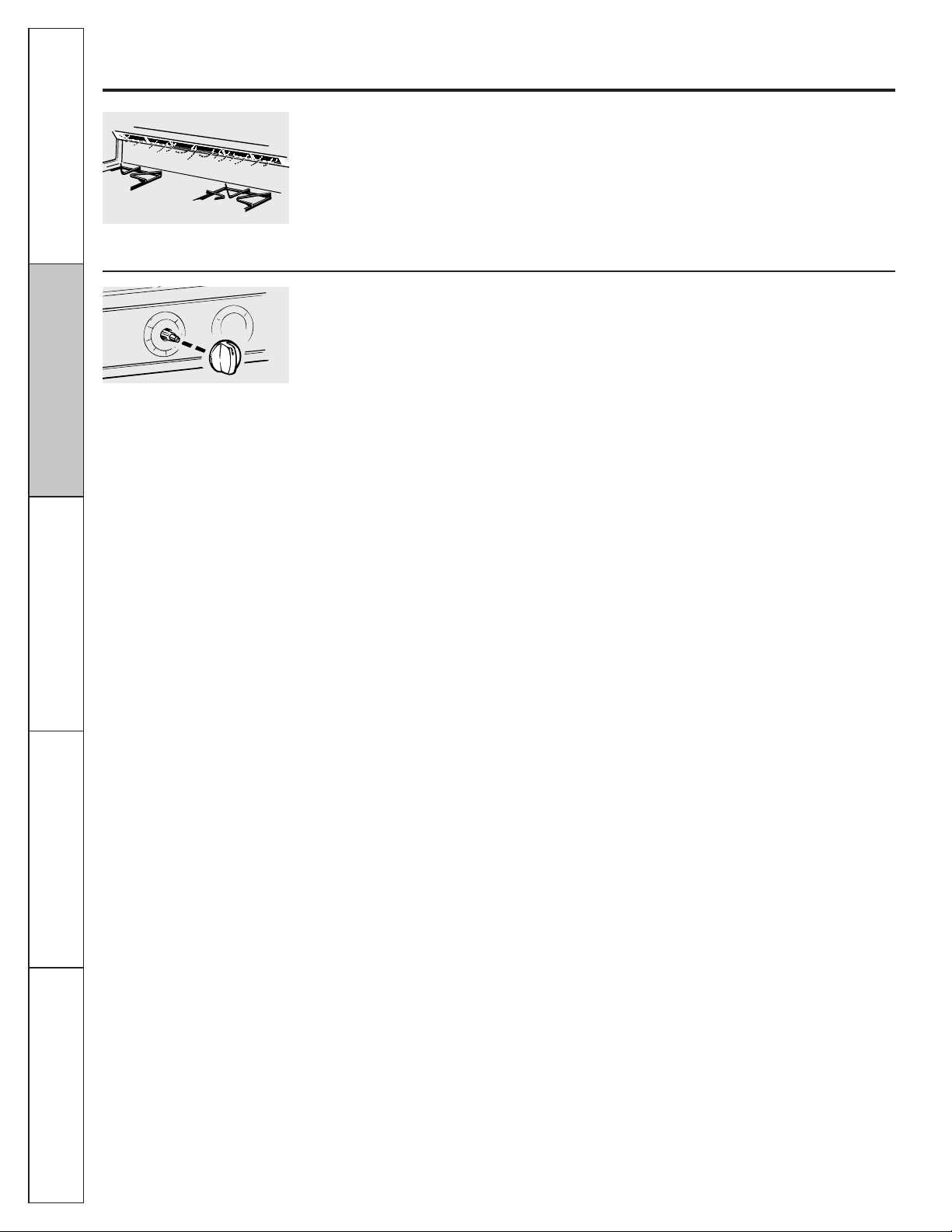
Operating Instructions
Safety Instructions
Installation
Instructions
Troubleshooting Tips
Consumer Support
32
Care and cleaning of the range.
Oven Air Vents
Never block the vents (air openings) of the
range. They provide the air inlet and outlet
that are necessary for the range to operate
properly with correct combustion.
Air openings are located at the rear of
the cooktop, at the top and bottom of the
oven door and at the bottom of the range,
under the storage drawer or kick panel
(depending on the model).
Lower Control Panel (Front Manifold Panel) and Knobs
It’s a good idea to wipe the control panel after
each use of the oven. Use a damp cloth to
clean or rinse. For cleaning, use mild soap
and water or a 50/50 solution of vinegar and
water. For rinsing, use clean water. Polish dry
with a soft cloth.
Do not use abrasive cleansers, strong liquid
cleaners, plastic scouring pads or oven
cleaners on the control panel—they will
damage the finish.
Do not bend knobs by pulling them up or
down or by hanging a towel or other such
loads. This can damage the gas valve shaft.
The control knobs may be removed for easier
cleaning.
Make sure the knobs are in the Off positions
and pull them straight off the stems for
cleaning.
The knobs can be cleaned in a dishwasher
or they may also be washed with soap and
water. Make sure the insides of the knobs are
dry before replacing.
Replace the knobs in the Off position to
ensure proper placement.
Metal parts can be cleaned with soap and
water. Do not use steel wool, abrasives,
ammonia, acids or commercial oven
cleaners. Dry with a soft cloth.
Vent appearance and location vary.
Pull the knob straight off the stem.
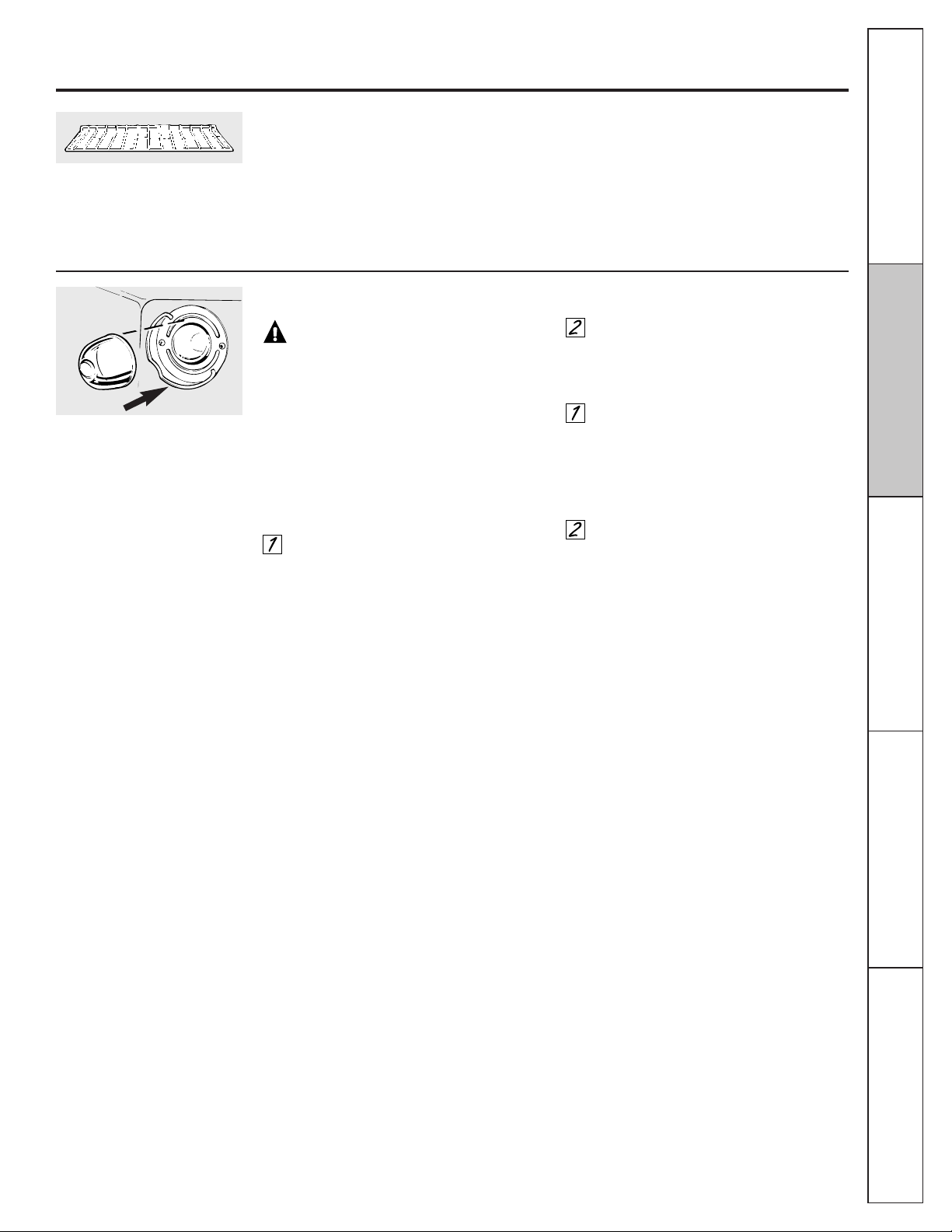
33
GEAppliances.com
Wire cover holder.
Oven Racks
Clean the racks with an abrasive cleanser or
scouring pad. After cleaning, rinse the racks
with clean water and dry with a
clean cloth.
If the racks ever become hard to slide, wipe
the rack edges or oven rack supports with
vegetable oil.
NOTE: Take the racks out of the oven before
you begin the self-clean cycle or they may
discolor.
Oven Light Replacement
CAUTION: Before replacing your
oven light bulb, disconnect the electrical power
to the range at the main fuse or circuit breaker
panel. Be sure to let the light cover and bulb
cool completely.
The oven light bulb is covered with a
removable glass cover that is held in place
with a bail-shaped wire. Remove the oven
door, if desired, to reach cover easily.
To remove:
Hold a hand under the cover so it
doesn’t fall when released. With fingers
of the same hand, firmly push back the
wire cover holder. Lift off the cover.
Do not remove any screws to remove
the cover.
Do not touch hot bulb with a wet cloth.
Replace bulb with a 40-watt household
appliance bulb.
To replace cover:
Place it into the groove of the light
receptacle. Pull the wire forward to the
center of the cover until it snaps into
place. When in place, the wire holds the
cover firmly. Be certain the wire is in the
depression in the center of the cover.
Connect electrical power to the range.
Consumer ServiceOperating Instructions
Safety Instructions
Installation
Instructions
Troubleshooting Tips
Installation Instructions
Range
Questions? Call 800.GE.CARES (800.432.2737) or visit our Website at: GEAppliances.com
In Canada, call 1.800.561.3344 or visit www.GEAppliances.ca
BEFORE YOU BEGIN
Read these instructions completely and carefully.
Installation of this range must conform with local
codes, or in the absence of local codes, with the
National Fuel Gas Code, ANSI Z223.1/NFPA.54, latest
edition. In Canada, installation must conform with
the current Natural Gas Installation Code, CAN/CGA-
B149.1 or the current Propane Installation Code,
CAN/CGA-B149.2, and with local codes where
applicable. This range has been design-certified by
CSA International according to ANSI Z21.1, latest
edition and Canadian Gas Association according to
CAN/CGA-1.1 latest edition.
As with any appliance using gas and generating heat,
there are certain safety precautions you should follow.
You will find these precautions in the Important Safety
Information section in the front of this manual. Read
them carefully.
•
IMPORTANT – Save these instructions for
local electrical inspector’s use.
•
IMPORTANT – Observe all governing codes
and ordinances.
• Note to Installer – Be sure to leave these
instructions with the Consumer.
•
Note to Consumer – Keep these instructions for
future reference.
• Note – This appliance must be properly grounded.
• Servicer – The electrical diagram is in an envelope
attached to the back of the range.
• Skill level – Installation of this appliance requires basic
mechanical skills.
• Proper installation is the responsibility of the installer.
• Product failure due to improper installation is not covered
under the Warranty.
FOR YOUR SAFETY
Do not store or use combustible materials, gasoline or
other flammable vapors and liquids in the vicinity of this
or any other appliance.
If you smell gas:
Open windows.
Don’t touch electrical switches.
Extinguish any open flame.
Immediately call your gas supplier.
TOOLS YOU WILL NEED
MATERIALS YOU MAY NEED
• Gas line shut-off valve
• Pipe joint sealant or UL-approved pipe thread tape with
Teflon* that resists action of natural and LP gases
• Flexible metal appliance connector (1/2" I.D.)
A 5-foot length is recommended for ease of installation
but other lengths are acceptable. Never use an old
connector when installing a new range.
• Flare union adapter for connection to gas supply line
(3/4" or 1/2" NPT x 1/2" I.D.)
• Flare union adapter for connection to pressure regulator
on range (1/2" NPT x 1/2" I.D.)
• Liquid leak detector or soapy water.
• Lag bolt or 1/2" O.D. sleeve anchor (for concrete floors
only).
*Teflon: Registered trademark of DuPont
Flat-blade screwdriver
Pipe wrenches (2)
(one for backup)
Phillips screwdriver
Open-end or
adjustable wrench
Pencil and ruler
Level
In the Commonwealth of Massachusetts:
• This product must be installed by a licensed plumber
or gas fitter.
• When using ball-type gas shut-off valves, they shall
be the T-handle type.
• A flexible gas connector, when used, must not exceed 3 feet.
Drill, awl or nail
PART INCLUDED
Anti-Tip bracket kit
34
35
Installation Instructions
WARNING!
INSTALLATION SAFETY
INSTRUCTIONS
Read these instructions completely and carefully.
Improper installation, adjustment, alteration, service
or maintenance can cause injury or property damage.
Refer to this manual. For assistance or additional
information, consult a qualified installer, service
agency, manufacturer (dealer) or the gas supplier.
Never reuse old flexible connectors. The use of old flexible
connectors can cause gas leaks and personal injury.
Always use NEW flexible connectors when installing a gas
appliance.
IMPORTANT – Remove all packing material
and literature from oven before connecting gas and
electrical supply to range.
CAUTION – Do not attempt to operate the
oven of this range during a power failure (Electric Ignition
models only).
■ Have your range installed by a qualified installer.
■ Your range must be electrically grounded in accordance
with local codes or, in the absence of local codes, in
accordance with the National Electrical Code (ANSI/NFPA
70, latest edition). In Canada, electrical grounding must
be in accordance with the current CSA C22.1 Canadian
Electrical Code Part 1 and/or local codes. See Electrical
Connections in this section.
■ Before installing your range on linoleum or any other
synthetic floor covering, make sure the floor covering
can withstand 180°F without shrinking, warping or
discoloring. Do not install the range over carpeting
unless a sheet of 1/4" thick plywood or similar insulator is
placed between the range and carpeting.
■ Make sure the wall coverings around the range can
withstand heat generated by the range up to 200°F.
■ Avoid placing cabinets above the range. To reduce the
hazard caused by reaching over the open flames of
operating burners, install a ventilation hood over the
range that projects forward at least 5" beyond the front
of the cabinets.
■ The ventilating hood must be constructed of sheet metal
not less than 0.0122" thick. Install above the cooktop with
a clearance of not less than 1/4" between the hood and
the underside of the combustible material or metal
cabinet. The hood must be at least as wide as the
appliance and centered over the appliance. Clearance
between the cooking surface and the ventilation hood
surface MUST NEVER BE LESS THAN 24 INCHES.
EXCEPTION: Installation of a listed microwave oven or
cooking appliance over the cooktop shall conform to the
installation instructions packed with that appliance.
■ If cabinets are placed above the range, allow a minimum
clearance of 30" between the cooking surface and the
bottom of unprotected cabinets.
■ If a 30" clearance between cooking surface and
overhead combustible material or metal cabinets cannot
be maintained, protect the underside of the cabinets
above the cooktop with not less than 1/4" insulating
millboard covered with sheet metal not less than 0.0122"
thick. Clearance between the cooking surface and
protected cabinets MUST NEVER BE LESS THAN
24 INCHES.
■ The vertical distance from the plane of the cooking
surface to the bottom of adjacent overhead cabinets
extending closer than 1" to the plane of the range sides
must not be less than 18". (See the Dimensions and
Clearances illustration in this section.)
■
CAUTION – Items of interest to children
should not be stored in cabinets above a range or on the
backsplash of a range—children climbing on the range
to reach items could be seriously injured.
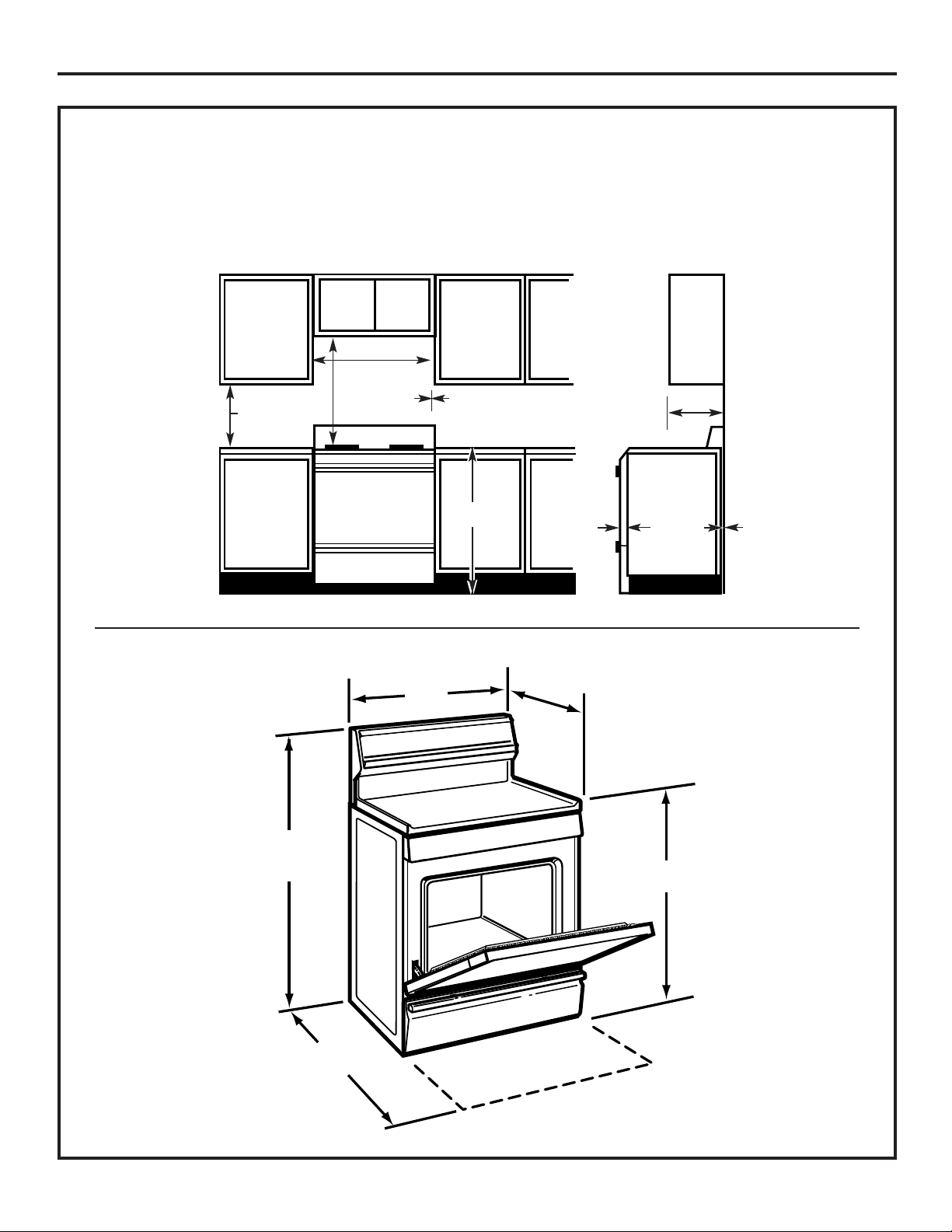
36
Installation Instructions
DIMENSIONS AND CLEARANCES
Provide adequate clearances between the range and adjacent combustible surfaces. These dimensions must be met for safe
use of your range. The location of the electrical outlet and pipe opening (see Gas Pipe and Electric Outlet Locations) may be
adjusted to meet specific requirements.
The range may be placed with 0" clearance (flush) at the back wall.
To cabinets below
cooktop and at the
range back
30”
30”
3”
Minimum
13”
Minimum
to wall on
either side
Maximum depth
for cabinets
above countertops
Front edge of
the range side
panel forward
from cabinet
18”
0”
1/4”
Minimum to
cabinets on
either side
of the range
36”
28
1
/4” to 29”
Depth with door closed (includes door handle)
Depth varies depending on model.
See specifications sheet for your model.
30”
36
1
/4” ± 1/4”
Depth with door open:
46
3
/8”
Height
47
3
/8”

37
Installation Instructions
LOCATION
Do not locate the range where it may be subject to
strong drafts. Any openings in the floor or wall behind
the range should be sealed. Make sure the openings
around the base of the range that supply fresh air for
combustion and ventilation are not obstructed by
carpeting or woodwork.
Your range, like many other household items, is heavy and
can settle into soft floor coverings such as cushioned vinyl
or carpeting. Use care when moving the range on this type
of flooring. It is recommended that the following simple and
inexpensive instructions be followed to protect your floor.
The range should be installed on a sheet of plywood (or
similar material). When the floor covering ends at the front
of the range, the area that the range will rest on should be
built up with plywood to the same level or higher than the
floor covering.
This will allow the range to be moved for cleaning or
servicing. Also, make sure your floor covering will withstand
180°F. (See the Installation Safety Instructions section.)
Make sure the wall coverings around your range can
withstand the heat generated (up to 200°F) by the range.
(See the Installation Safety Instructions section.)
IMPORTANT!
Remove all tape and packaging. Make sure the burners
are properly seated and level.
Take the accessory pack out of the oven and/or drawer.
Check to be sure that no range parts have come loose
during shipping.
WARNING!
ANTI-TIP DEVICE
To reduce the risk of tipping the range, the range
must be secured by a properly installed anti-tip
bracket. See installation instructions shipped
with the bracket for complete details before
attempting to install.
To check if the bracket is installed and engaged
properly, carefully tip the range forward. The
bracket should stop the range within 4 inches.
If it does not, the bracket must be reinstalled.
If the range is pulled from the wall for any reason,
always repeat this procedure to verify the range
is properly secured by the anti-tip bracket.
For free-standing or slide-in ranges, never
completely remove the leveling legs or the range
will not be secured to the anti-tip device properly.
If you did not receive an anti-tip bracket with your
purchase, call 1.800.626.8774 to receive
one at no cost (in Canada, call 1.800.561.3344).
For installation instructions of the bracket,
visit GEAppliances.com (in Canada,
GEAppliances.ca).
38
Installation Instructions
PROVIDE ADEQUATE
GAS SUPPLY
Your range is designed to operate at a pressure of 4" of
water column on natural gas or, if designed for LP gas
(propane or butane), 10" of water column.
Make sure you are supplying your range with the type of
gas for which it is designed.
This range is convertible for use on natural or propane gas.
If you decide to use this range on LP gas, conversion must
be made by a qualified LP installer before attempting to
operate the range on that gas.
For proper operation, the pressure of natural gas supplied
to the regulator must be between 4" and 13" of water
column.
For LP gas, the pressure supplied must be between 10" and
13" of water column.
When checking for proper operation of the regulator, the
inlet pressure must be at least 1" greater than the operating
(manifold) pressure as given above.
The pressure regulator located at the inlet of the range
manifold must remain in the supply line regardless of
whether natural or LP gas is being used.
A flexible metal appliance connector used to connect the
range to the gas supply line should have an I.D. of 1/2" and
be 5 feet in length for ease of installation. In Canada, flexible
connectors must be single wall metal connectors no longer
than 6 feet in length.
1
CONNECT THE RANGE TO GAS
Shut off the main gas supply valve before disconnecting
the old range and leave it off until the new hookup has
been completed. Don’t forget to relight the pilot on other
gas appliances when you turn the gas back on.
Because hard piping restricts movement of the range, the
use of a CSA International-certified flexible metal appliance
connector is recommended unless local codes require a
hard-piped connection.
Never use an old connector when installing a new range.
If the hard piping method is used, you must carefully align
the pipe; the range cannot be moved after the connection
is made.
To prevent gas leaks, put pipe joint compound on, or wrap
pipe thread tape with Teflon* around, all male (external)
pipe threads.
A. Install a manual gas line shut-off valve in the gas line in
an easily accessed location outside of the range. Make
sure everyone operating the range knows where and
how to shut off the gas supply to the range.
B. Install male 1/2" flare union adapter to the 1/2" NPT
internal thread at inlet of regulator. Use a backup wrench
on the regulator fitting to avoid damage.
B. When installing the range from the front, remove the 90°
elbow for easier installation.
C. Install male 1/2" or 3/4" flare union adapter to the NPT
internal thread of the manual shut-off valve, taking care
to back-up the shut-off valve to keep it from turning.
D. Connect flexible metal appliance connector to the
adapter on the range. Position range to permit
connection at the shut-off valve.
E. When all connections have been made, make sure
all range controls are in the off position and turn on the
main gas supply valve. Use a liquid leak detector at all
joints and connections to check for leaks in the system.
When using test pressures greater than 1/2 psig to
pressure test the gas supply system of the residence,
disconnect the range and individual shut-off valve from
the gas supply piping. When using test pressures of 1/2
psig or less to test the gas supply system, simply isolate
the range from the gas supply system by closing the
individual shut-off valve.
*Teflon: Registered trademark of DuPont
2
WARNING: DO NOT USE A FLAME
TO CHECK FOR GAS LEAKS.
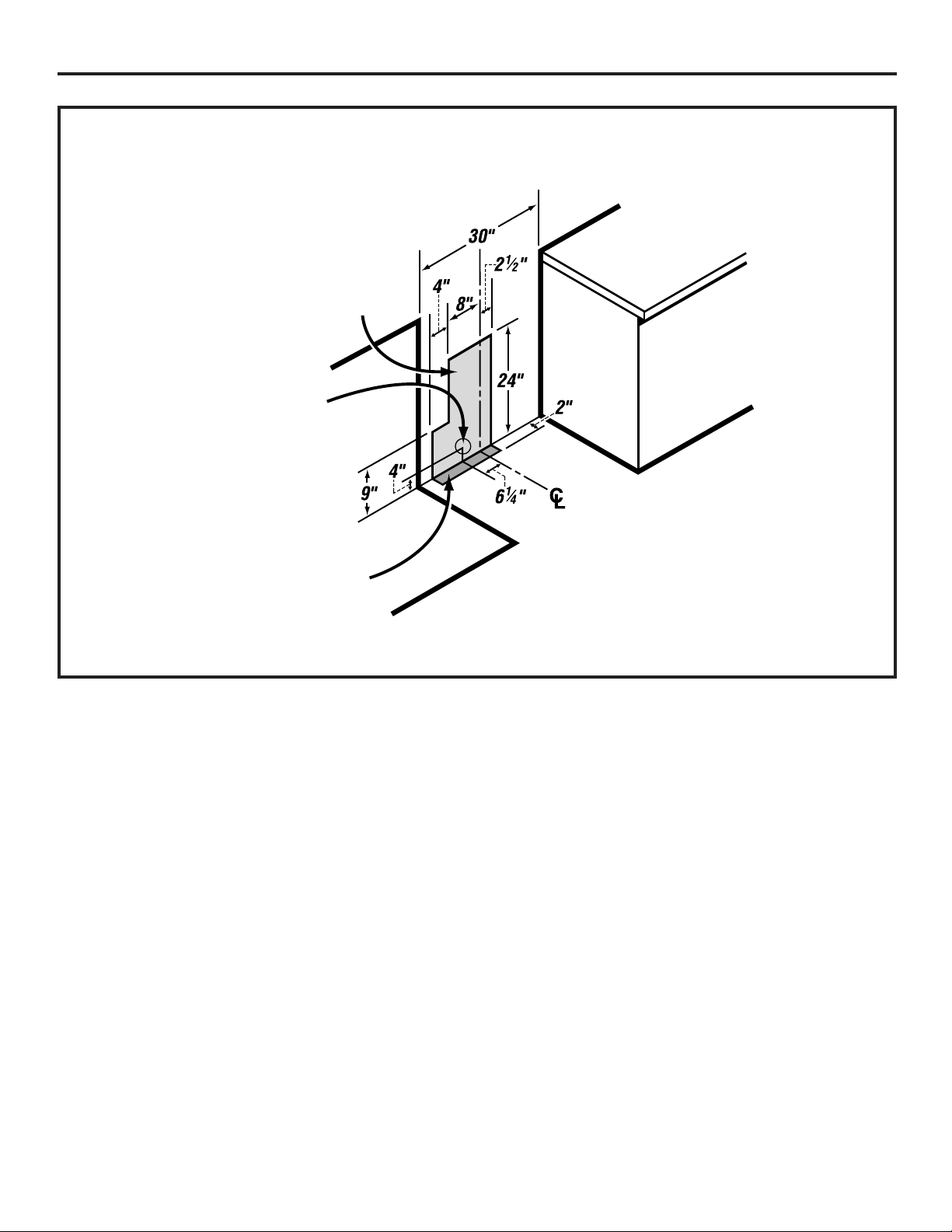
39
Installation Instructions
GAS PIPE AND ELECTRICAL OUTLET LOCATIONS
This area allows for flush range
installation with through-the-wall
connection of pipe stub/shut-off valve
and rear wall 120V outlet.
This area allows for flush range installation
with through-the-floor connection of pipe
stub/shut-off valve.
Shortest connection from hard pipe
stub location to range hookup.

40
RIGID PIPE HOOKUP OPTIONS
FLEXIBLE CONNECTOR HOOKUP
Installation Instructions
Pressure
regulator
Gas Flow into Range
Flex
connector
(6 ft. max.)
Adapter
Installer: Inform
the consumer of
the location of the
gas shut-off valve.
1/2” or 3/4”"
Gas pipe
Adapter
Gas
shut-off
valve
Pressure
regulator
45° Elbow
Nipple
Union
90° Elbow
Black
iron pipe
Union
Nipple
Gas
shut-off
valve
1/2” or 3/4”"
Gas pipe
Gas Flow into Range
Installer: Inform
the consumer of
the location of the
gas shut-off valve.
Gas Flow into Range
Gas
shut-off
valve
1/2” or 3/4”"
Gas pipe
Pressure
regulator
Nipple
90° Elbow
90° Elbow
Adapter
Adapter
90° Elbow
Quick connect
or union
Installer: Inform
the consumer of
the location of the
gas shut-off valve.
Alternate Hookup
Nipple
Nipple
90°
Elbow
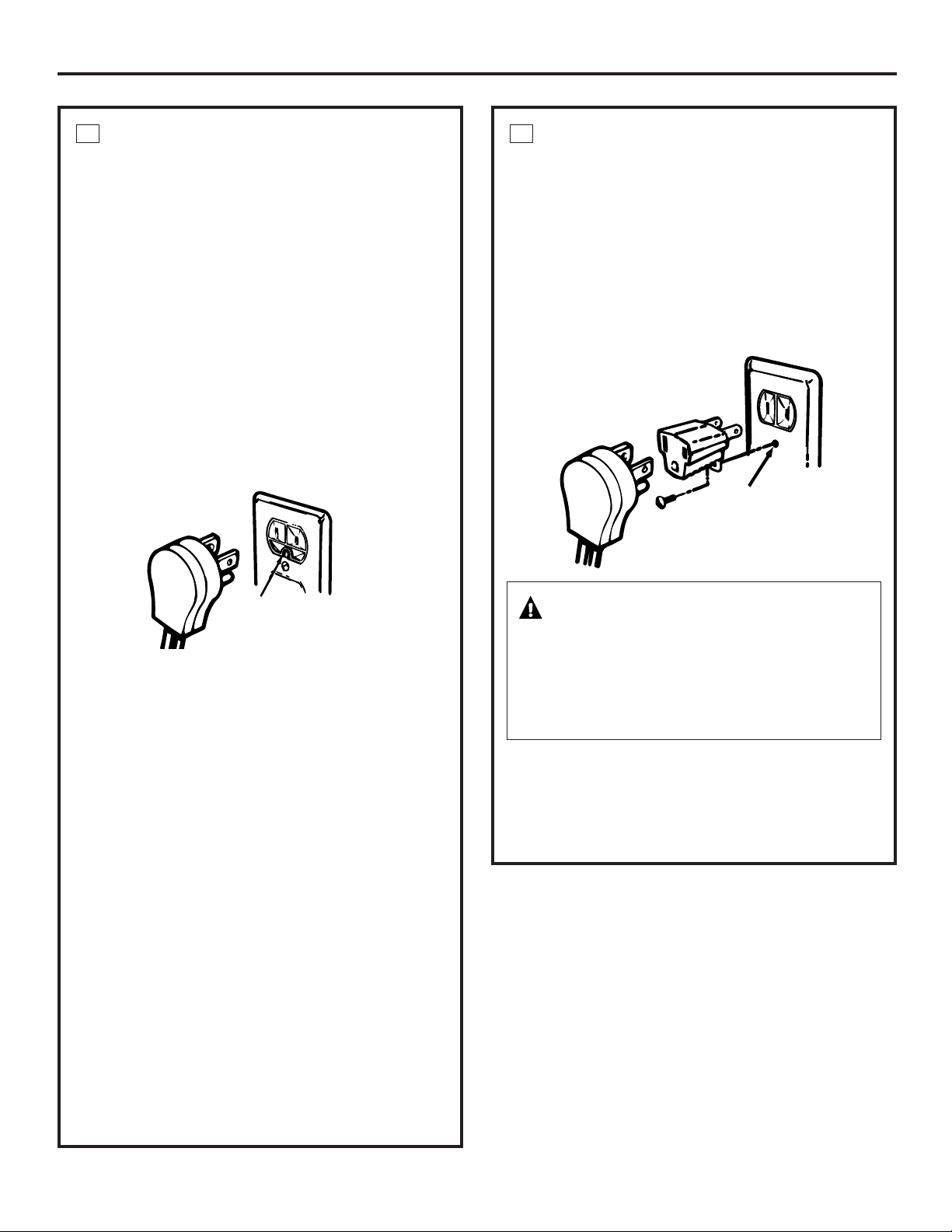
41
Installation Instructions
ELECTRICAL CONNECTIONS
Electrical Requirements
120-volt, 60 Hertz, properly grounded dedicated circuit
protected by a 15-amp or 20-amp circuit breaker or time
delay fuse.
Extension Cord Cautions
Because of potential safety hazards associated with certain
conditions, we strongly recommend against the use of an
extension cord. However, if you still elect to use an extension
cord, it is absolutely necessary that it be a UL-listed, 3-wire
grounding-type appliance extension cord and that the
current carrying rating of the cord in amperes be equivalent
to, or greater than, the circuit rating.
Grounding
IMPORTANT—(Please read carefully)
FOR PERSONAL SAFETY, THIS APPLIANCE MUST BE
PROPERLY GROUNDED.
The power cord of this appliance is equipped with a 3-prong
(grounding) plug which mates with a standard 3-prong
grounding wall receptacle to minimize the possibility of
electric shock hazard from this appliance.
The customer should have the wall receptacle and circuit
checked by a qualified electrician to make sure the
receptacle is properly grounded.
Where a standard 2-prong wall receptacle is encountered, it
is the personal responsibility and obligation of the customer
to have it replaced with a properly grounded 3-prong wall
receptacle.
DO NOT, UNDER ANY CIRCUMSTANCES, CUT OR REMOVE
THE THIRD (GROUND) PRONG FROM THE POWER CORD.
A word about GFCI’s—GFCI’s are not required or
recommended for gas range receptacles.
Ground Fault Circuit Interrupters (GFCI’s) are devices that
sense leakage of current in a circuit and automatically
switch off power when a threshold leakage level is detected.
These devices must be manually reset by the consumer.
The National Electrical Code requires the use of GFCI’s in
kitchen receptacles installed to serve countertop surfaces.
Performance of the range will not be affected if operated on
a GFCI-protected circuit but occasional nuisance tripping of
the GFCI breaker is possible.
3
ELECTRICAL CONNECTIONS (CONT.)
A. Usage Situations where Appliance Power Cord will be
Disconnected Infrequently.
An adapter may be used only on a 15-amp circuit. Do not
use an adapter on a 20-amp circuit. Where local codes
permit, a TEMPORARY CONNECTION may be made to a
properly grounded two-prong wall receptacle by the use of
a UL-listed adapter, available at most hardware stores. The
larger slot in the adapter must be aligned with the larger
slot in the wall receptacle to provide proper polarity in the
connection of the power cord.
When disconnecting the power cord from the adapter,
always hold the adapter with one hand. If this is not done,
the adapter ground terminal is very likely to break with
repeated use. Should this happen, DO NOT USE the
appliance until a proper ground has again been established.
3
Preferred Method
Ensure proper ground
exists before use
Temporary Method
(Adapter plugs not permitted in Canada)
Ensure proper ground
and firm connection
before use
Align large prongs/slots
CAUTION: Attaching the adapter ground
terminal to the wall receptacle cover screw does not
ground the appliance unless the cover screw is metal,
and not insulated, and the wall receptacle is grounded
through the house wiring. The customer should have
the circuit checked by a qualified electrician to make
sure the receptacle is properly grounded.

ASSEMBLE SURFACE BURNERS (CONT.)
There is one oval (center) head and cap assembly
(on some models) and four side heads and caps.
On models so equipped:
On models so equipped:
Make sure that the heads and caps are replaced
in the correct locations.
Grates
Place the left, right and center grates on the cooktop.
These grates are position specific. The undersides of
the left and right grates are marked “LEFT FRONT” and
“RIGHT FRONT.” Place the middle grate with its bowed
front toward the front of the range.
NOTE: Some models only have side grates.
C
B
5
Installation Instructions
ELECTRICAL CONNECTIONS (CONT.)
3
B. Usage Situations where Appliance Power Cord will
be Disconnected Frequently.
Do not use an adapter plug in these situations because
disconnecting of the power cord places undue strain on
the adapter and leads to eventual failure of the adapter
ground terminal. The customer should have the two-
prong wall receptacle replaced with a three-prong
(grounding) receptacle by a qualified electrician before
using the appliance.
The installation of appliances designed for mobile home
installation must conform with the Manufactured Home
Construction and Safety Standard, Title 24 CFR, Part
3280 (formerly the Federal Standard for Mobile Home
Construction and Safety, Title 24, HUD, Part 280) or,
when such standard is not applicable, the Standard
for Manufactured Home Installations, latest edition
(Manufactured Home Sites, Communities and Set-Ups),
ANSI A225.1, latest edition, or with local codes. In
Canada, mobile home installation must be in
accordance with the current CAN/CSA Z240/MH
Mobile Home Installation Code.
Electric Disconnect
■ Locate disconnect plug on the range back.
■ Pinch sides of connector and pull out of range back.
SEAL THE OPENINGS
4
Seal any openings in the wall behind the range and in the
floor under the range when hookups are completed.
ASSEMBLE SURFACE BURNERS
5
CAUTION: Do not operate the burner
without all burner parts in place.
Place burner heads over the electrodes on the cooktop,
and then replace the burner caps onto the burner heads
in the correct locations according to their size.
A
Left Front
Right Front
Center
42
Medium burner
head and cap
Front of range
Large burner
head and cap
Small burner
head and cap
Extra large
burner head
and cap
Oval head and cap assembly
Slot
Electrode
Slot
Medium burner
head and cap
Front of range
Medium burner
head and cap
Small burner
head and cap
Large burner
head and cap
Make sure the slot in the burner head is positioned over the electrode.
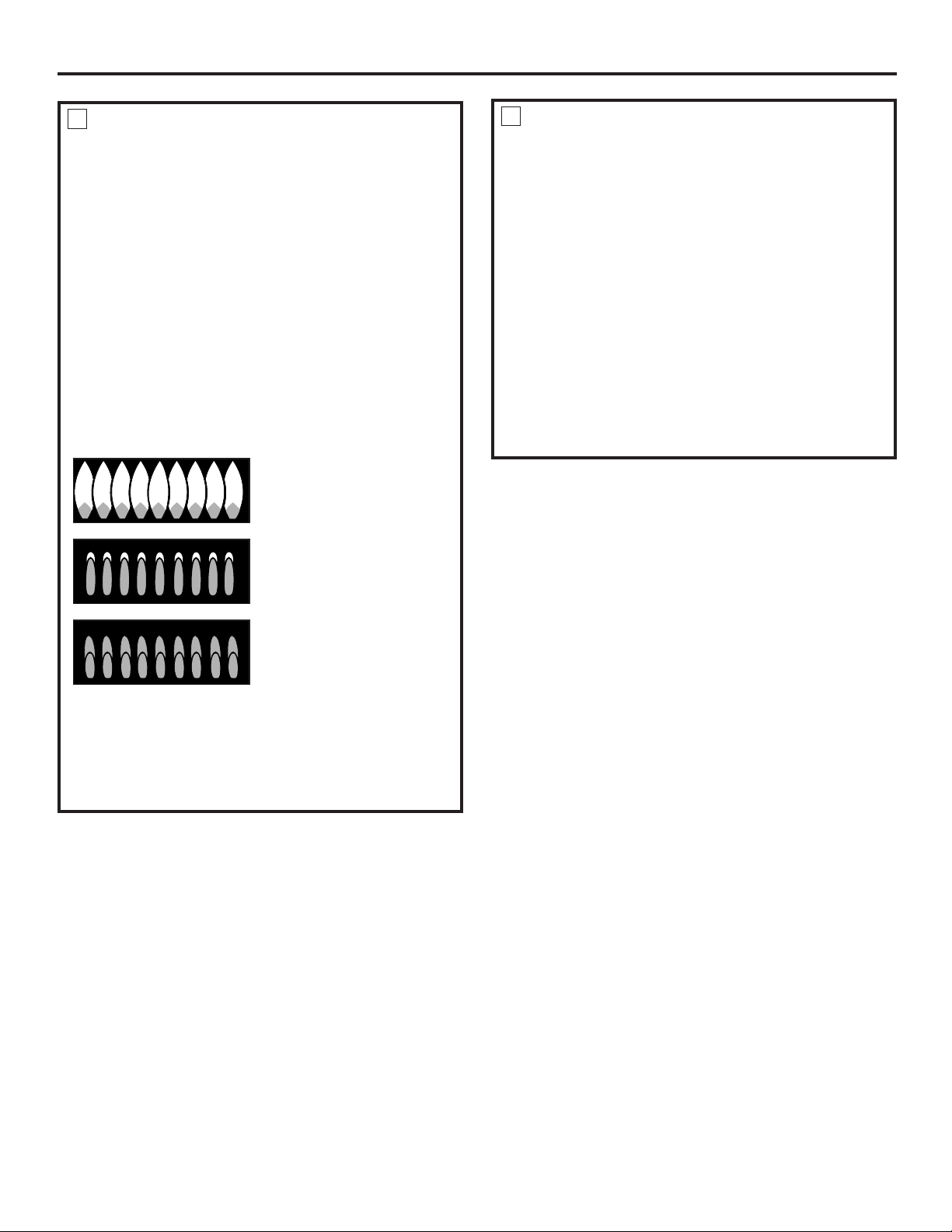
43
CHECK IGNITION OF SURFACE
BURNERS
6
Operation of all cooktop and oven burners should be
checked after the range and gas supply lines have been
carefully checked for leaks.
Electric Ignition Models
Select a top burner knob and simultaneously push in
and turn to Lite position. You will hear a clicking sound
indicating proper operation of the spark module. Once
the air has been purged from the supply lines, burners
should light within 4 seconds. After burner lights, rotate
knob out of the Lite position. Try each burner in
succession until all burners have been checked.
Quality of Flames
The combustion quality of burner flames needs to be
determined visually.
If burner flames look like (A), call for service. Normal
burner flames should look like (B) or (C), depending on
the type of gas you use.
With LP gas, some yellow tipping on outer cones
is normal.
(C) Soft blue
flames—Normal
for natural gas
(B) Yellow tips on
outer cones—
Normal for LP gas
(A) Yellow flames—
Call for service
CHECK IGNITION OF OVEN BURNER
7
The oven is designed to operate quietly and automatically.
To operate the oven, press the Bake pad and then press the
number pads until 350° appears in the display. Touch the Start
pad. After 30–90 seconds, the oven burner will ignite and burn
until the set temperature is reached. The oven burner will
continue to cycle on and off as necessary to maintain the
oven at the temperature indicated by the display.
To check ignition of the broil burner, touch the Broil Hi/Lo pad
and then the Start pad. After 30–90 seconds, the broil burner
will ignite.
Electric ignition models require electrical power to operate.
In case of a power outage, the oven burners on these models
cannot be lit manually with a match. Gas will not flow unless
the glow bar is hot.
If the oven is in use when a power outage occurs, the burner
will shut off and cannot be re-lit until power is restored.
Installation Instructions
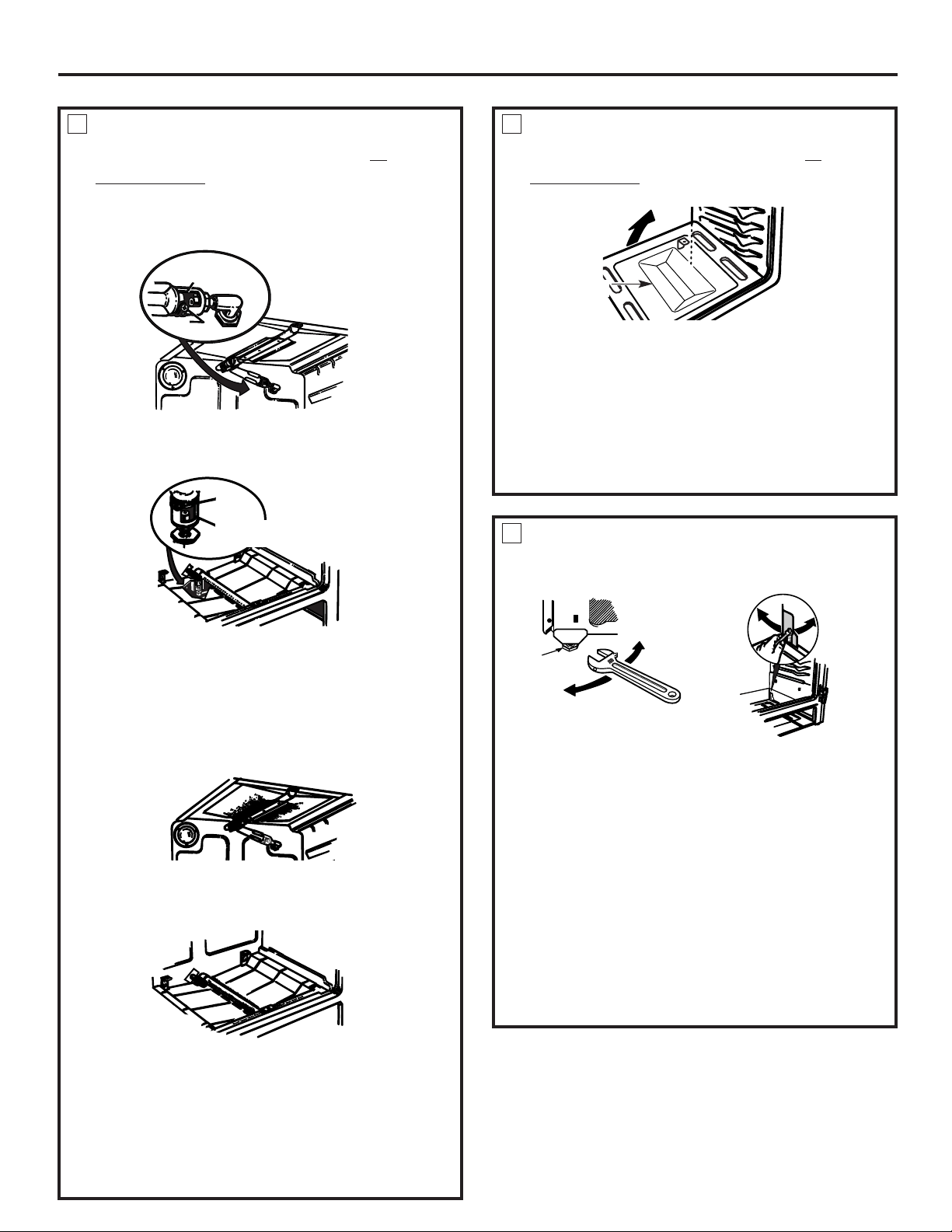
To remove the oven bottom:
A. Remove the screws holding down rear of the oven
bottom.
B. Grasp the oven bottom at finger slots on each side.
C. Lift the rear of the oven bottom enough to clear the lip
of the range frame, push it back, and then pull it up
and out.
Installation Instructions
ADJUST BROIL AND OVEN BURNER
AIR ADJUSTMENT SHUTTERS IF
NECESSARY
8
Air adjustment shutters for the top and bottom
burners regulate the flow of air to the flames.
The air adjustment shutter for the top (broil) burner is in
the center of the rear wall of the oven.
The shutter for the bottom (oven) burner is near the back
wall behind the warming drawer. Remove the drawer.
See the Care and cleaning of the range section.
To adjust the flow of air to either burner, loosen the
Phillips head screw and rotate the shutter toward
open or closed position as needed.
The flames for the top (broil) burner should be steady
with approximately 1" blue cones and should not extend
out over the edges of the burner baffle.
To determine if the bottom burner flames are burning
properly, remove the oven bottom. Flames should have
approximately 1" blue cones and, if range is supplied
with natural gas, should burn with no yellow tipping.
(With most LP gas, small yellow tips at the end of outer
cones are normal.) Flames should not lift off burner
ports. If lifting is observed, gradually reduce air shutter
opening until flames are stabilized.
ADJUST BROIL AND OVEN BURNER
AIR ADJUSTMENT SHUTTERS IF
NECESSARY
(CONT.)
8
Air
adjustment shutter
Loosen
Air adjustment
shutter
Loosen
Oven bottom
LEVELING THE RANGE
9
A. Install the oven racks in the oven and position the
range where it will be installed.
B. Check for levelness by placing a spirit level or a cup,
partially filled with water, on one of the oven racks.
If using a spirit level, take two readings—with the level
placed diagonally first in one direction and then the
other.
C. Remove the drawer. See the Care and cleaning of the
range section. The front leveling legs can be adjusted
from the bottom and the rear legs can be adjusted
from the top or the bottom.
D. Use an open-end or adjustable wrench to adjust the
leveling legs until the range is level.
E. After the range is level, slide the range away from the
wall so that the Anti-Tip device can be installed.
Leg
leveler
Lower
range
Raise
range
(on some models)
Raise
range
Lower
range
(on some models)
44
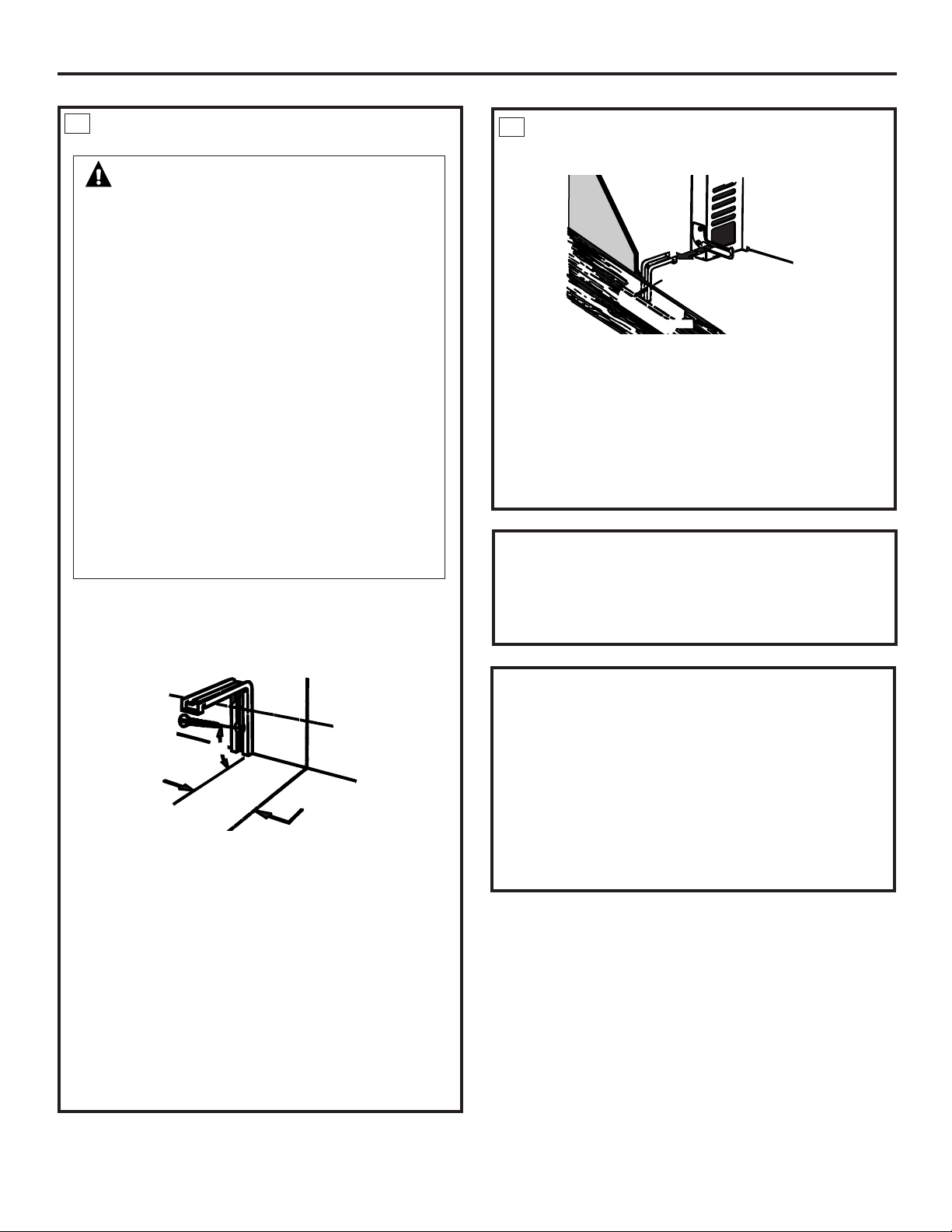
45
Installation Instructions
INSTALLING THE ANTI-TIP DEVICE
10
A. Mark the wall where the RIGHT EDGE of the range is
to be located. Be sure to allow for the countertop
overhang if you intend to install the range next to
cabinets.
B. Locate the outside edge of the device 2
1
⁄8 toward
the center of the range from the marked edge of
the range.
C. Using the device as a template, mark the position of
the hole for the screw.
D. For wood construction, drill a pilot hole at an angle of
20 degrees from the horizontal. A nail or awl may be
used if a drill is not available.
Mount the Anti-Tip device with the screw provided.
For cement or concrete construction, you will need a
1/4" x 1
1
⁄2" lag bolt and a 1/2" O.D. sleeve anchor, which
are not provided. Drill the recommended size hole for
the hardware.
WARNING!
■ Range must be secured with an approved Anti-Tip
device.
■ Unless properly installed, the range could be
tipped by you or a child standing, sitting or leaning
on an open door.
■ After installing the Anti-Tip device, verify that it is
in place by carefully attempting to tilt the range
forward.
■ This range has been designed to meet all
recognized industry tip standards for all normal
conditions.
■ The use of this device does not preclude tipping of
the range when not properly installed.
■ If the Anti-Tip device supplied with the range does
not fit this application, use the universal Anti-Tip
device WB02K10254.
Anti-Tip
device
Slotted head
screw
Wallplate
Approx.
20°
2
1
/8”
Marked edge of range
INSTALLING THE ANTI-TIP DEVICE
(CONT.)
Install the sleeve anchor into the drilled hole and then
install the lag bolt through the device. The bolts must be
properly tightened as recommended for the hardware.
E. Slide the range against the wall, and check for proper
installation by grasping the front edge of the cooktop
and carefully attempting to tilt the range forward.
The bracket should stop the range within 4 inches.
If it does not, the bracket must be reinstalled.
Back of range
Wallboard
Wood screw
Anti-Tip
device
WHEN ALL HOOKUPS ARE COMPLETED
Make sure all controls are left in the off position. Make
sure the flow of combustion and ventilation air to the
range is unobstructed.
CONVERTING TO LP GAS
(or converting
back to natural gas from LP)
This range leaves the factory set for use with natural
gas. If you want to convert to LP gas, the conversion
must be performed by a qualified LP gas installer.
The conversion instructions and LP orifices can be found
attached to the range next to the pressure regulator.
Keep these instructions and the orifices in case you want
to convert back to natural gas.
10
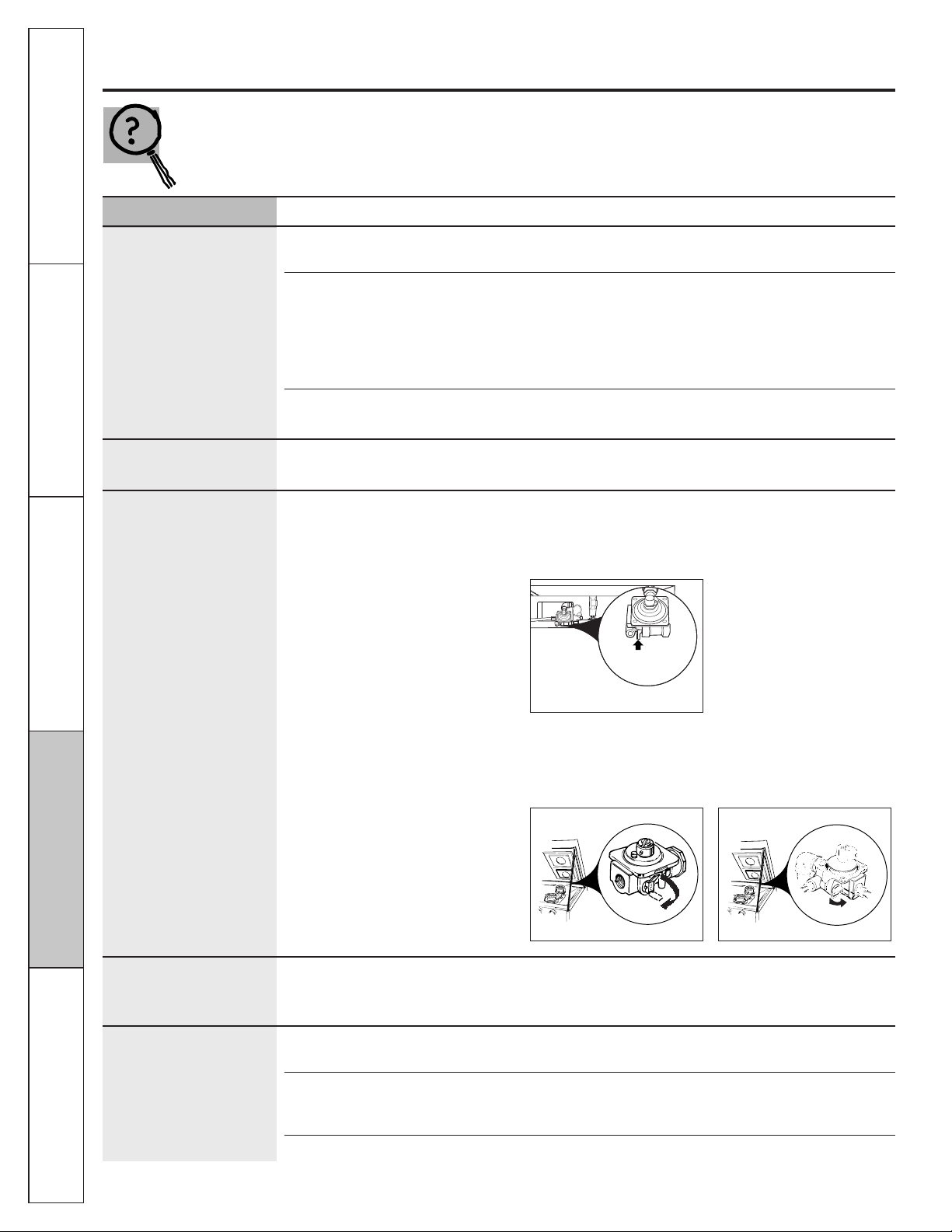
Operating Instructions
Safety Instructions
Installation
Instructions
Troubleshooting Tips
Consumer Support
Before you call for service…
Troubleshooting Tips
Save time and money! Review the charts on the following
pages first and you may not need to call for service.
Problem Possible Causes What To Do
Top burners do not light Plug on range is not completely • Make sure electrical plug is plugged into a live, properly
or do not burn evenly inserted in the electrical outlet. grounded outlet.
Burner hole or slits on the side • Remove the burners (on models with standard twin
of the burner may be clogged. burners) or burner heads and caps (on models with
sealed burners) and clean them with a sewing needle
or twist-tie. Make sure you do not enlarge the holes.
On sealed burner models, check and clean the electrode
area for burned-on food or grease.
Improper burner assembly. • Make sure the burner parts are installed correctly.
See the Care and cleaning of the range section.
Burner flames very Improper air to gas ratio. • If range is connected to LP gas, contact the person
large or yellow who installed your range or made the conversion.
Surface burners light The oven gas shut-off valve • To check the oven gas shut-off valve on sealed burner
but oven does not may have accidentally been models, remove the storage drawer or kick panel (see
moved during cleaning or the Care and cleaning of the range section) and look for
moving. the gas shut-off lever at the back of the range.
• To check the oven gas shut-off valve on standard twin
burner models, raise the cooktop and look for the gas
shut-off lever at the extreme right rear corner. Follow the
directions in box A or B that match your regulator type.
Control signals after You forgot to enter a bake • Touch the Bake pad and desired temperature or
entering cooking time or temperature or cleaning time. the Self Clean pad and desired clean time.
start time (on some models)
Clock and timer Plug on range is not completely • Make sure electrical plug is plugged into a live,
do not work inserted in the electrical outlet. properly grounded outlet.
A fuse in your home may be • Replace the fuse or reset the circuit breaker.
blown or the circuit breaker
tripped.
Oven controls improperly set. • See the Using the clock and timer section.
Lever is
shown closed.
PULL TO OPEN.
Sealed burner models
Lever is shown closed.
PULL TO OPEN.
Standard twin burner models
Lever is shown closed.
PULL TO OPEN.
Standard twin burner models
A
B
46
47
GEAppliances.com
Problem Possible Causes What To Do
Food does not bake Oven controls improperly set. • See the Using the oven section.
or roast properly
Rack position is incorrect. • See the Using the oven section.
Incorrect cookware or cookware • See the Using the oven section.
of improper size being used.
Oven thermostat needs • See the Adjust the oven thermostat—Do it yourself! section.
adjustment.
Clock not set correctly. • See the Using the clock and timer section.
(on some models)
Aluminum foil used improperly • See the Care and cleaning of the range section.
in the oven.
Oven bottom not securely • See the Installation of the range section.
seated in position.
Food does not Oven controls improperly set. • Make sure you touch the Broil Hi/Lo pad.
broil properly
Oven door not closed. • See the Using the oven section.
Improper rack position • See the Broiling Guide.
being used.
Food being cooked in a hot pan. • For best results, use a pan designed for broiling.
Make sure it is cool.
Cookware not suited for broiling. • For best results, use a pan designed for broiling.
Oven bottom not securely • See the Installation of the range section.
seated in position.
Oven temperature Oven thermostat • See the Adjust the oven thermostat—Do it yourself! section.
too hot or too cold needs adjustment.
Oven light does not work Light bulb is loose or defective. • Tighten or replace the bulb.
Plug on range is not completely • Make sure electrical plug is plugged into a live, properly
inserted in the electrical outlet. grounded outlet.
Oven will not self-clean The oven temperature is too • Allow the range to cool to room temperature and
high to set a self-clean operation. reset the controls.
Oven controls improperly set. • See the Using the self-cleaning oven section.
On models with a door latch, • Make sure you move the door latch handle all the way
the oven door is not in the to the right.
locked position.
“Crackling” or This is the sound of the • This is normal.
“popping” sound metal heating and cooling
during both the cooking and
cleaning functions.
Consumer Support
Operating Instructions
Safety Instructions
Installation
Instructions
Troubleshooting Tips
Operating Instructions
Safety Instructions
Installation
Instructions
Troubleshooting Tips
Consumer Support
48
Before you call for service…
Problem Possible Causes What To Do
Excessive smoking Excessive soil. • Touch the Clear/Off pad.
Oven door will not open Oven too hot. • Allow the oven to cool below locking temperature.
after a clean cycle
Oven not clean after Oven controls not properly set. • See the Using the self-cleaning oven section.
a clean cycle
Oven was heavily soiled. • Clean up heavy spillovers before starting the clean cycle.
Heavily soiled ovens may need to self-clean again or for
a longer period of time.
Oven door will not Oven is too hot. • Allow the oven to cool below locking temperature.
unlock (on models Do not lock the door with the door latch except when
with a door latch) using the self-clean feature.
Self clean light blinks A power interruption occurred. • Touch the Clear/Off pad, wait for the oven to cool, and
during self clean cycle on models with a latch, move it to the left as far as
it will go. Reset the range controls to the desired
settings. See the Using the self-cleaning oven section.
Self-cleaning cycle has been • Close the oven door. On models with a latch, move it all
selected, but the oven door was the way to the right.
not closed, and on models with a
latch, it was not moved all the
way to the right.
On models with a latch, it • Move the latch handle to the right only when setting
was moved to the right, but a the self-cleaning cycle.
program other than self-cleaning
was selected.
“F—and a number or On models with a door latch, • The latch may have been moved, even if only slightly,
letter” flash in the if a function error code appears from the locked position. Make sure the latch is moved
display
(on some models) during the self-cleaning cycle, to the right as far as it will go.
check the oven door latch.
You have a function error code. • Touch the Clear/Off pad. Allow the oven to cool for
one hour. Put the oven back into operation.
If the function code repeats. • Disconnect all power to the range for 5 minutes
and then reconnect power. If the function error
code repeats, call for service.
Troubleshooting Tips

49
GEAppliances.com
Problem Possible Causes What To Do
Display goes blank A fuse in your home may be • Replace the fuse or reset the circuit breaker.
blown or the circuit
breaker tripped.
The clock is turned off so that it • See the Using the clock and timer section.
does not show in the display.
Display flashes Power failure. • Reset the clock.
Unable to get the Oven control pads were •The Bake and Broil Hi/Lo pads must be touched at
display to show “SF” not touched properly. the same time and held for 3 seconds.
Power outage, Power outage or surge. • Reset the clock. If the oven was in use, you must reset
clock flashes it by touching the Clear/Off pad, setting the clock and
resetting any cooking function.
“Burning” or “oily” odor This is normal in a new oven • To speed the process, set a self-clean cycle for a
emitting from the vent and will disappear in time. minimum of 3 hours. See the Using the self-cleaning
oven section.
Strong odor An odor from the insulation • This is temporary.
around the inside of the oven
is normal for the first few times
the oven is used.
Fan noise A cooling fan may automatically • This is normal. The cooling fan will turn off and on.
turn on and off to cool
internal parts.
Drawer does not slide The drawer is out of alignment. • Fully extend the drawer and push it all the way in.
smoothly or drags See the Care and cleaning of the range section.
Drawer is over-loaded or load • Reduce weight. Redistribute drawer contents.
is unbalanced.
Consumer Support
Operating Instructions
Safety Instructions
Installation
Instructions
Troubleshooting Tips
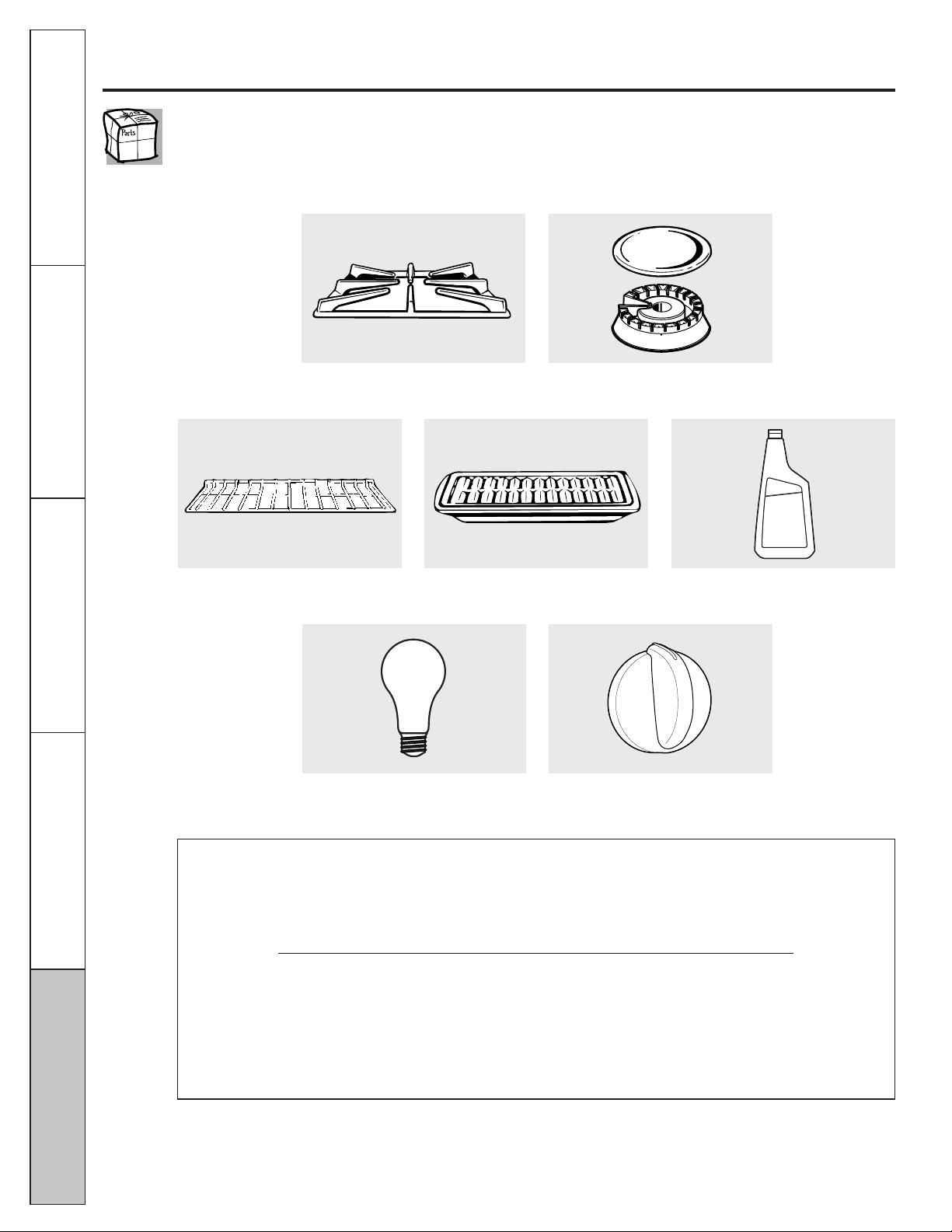
50
Accessories.
Looking For Something More?
You can find these accessories and many more at GEAppliances.com, or call
800.626.2002 (during normal business hours). Have your model number ready.
Tired of discolored racks? Wishing you had extra-heavy-duty oven racks?
NOW AVAILABLE for your range:
GE’s innovative, self-cleanable porcelain-coated oven racks!
• Heavy Duty
• Durable
• Able to be cleaned in a self-cleaning oven
Visit GEAppliances.com for more information.
Oven Racks Broiler Pan
Light Bulbs Knobs
Stainless Steel Cleaner
Grates Surface Burners & Caps
Operating Instructions Safety Instructions
Installation
Instructions
Troubleshooting Tips
Consumer Support

51
OWNERSHIP REGISTRATION
P.O. BOX 1780
MISSISSAUGA, ONTARIO
L4Y 4G1
(FOR CANADIAN CONSUMERS ONLY)
Please place in envelope and mail to:
Veuillez mettre dans une enveloppe et envoyez à :
52
53
Notes. GEAppliances.com
Consumer Support
Operating Instructions
Safety Instructions
Installation
Instructions
Troubleshooting Tips
54
Operating Instructions
Safety Instructions
Installation
Instructions
Troubleshooting Tips
Consumer Support
■ Service trips to your home to teach you how to use
the product.
■ Improper installation, delivery or maintenance.
■ Failure of the product if it is abused, misused,
or used for other than the intended purpose or
used commercially.
■ Replacement of house fuses or resetting of circuit
breakers.
■ Damage to the product caused by accident, fire, floods
or acts of God.
■ Incidental or consequential damage caused by possible
defects with this appliance.
■ Damage caused after delivery.
■ Product not accessible to provide required service.
What GE Will Not Cover:
This warranty is extended to the original purchaser and any succeeding owner for products purchased for
home use within the USA. If the product is located in an area where service by a GE Authorized Servicer is
not available, you may be responsible for a trip charge or you may be required to bring the product to an
Authorized GE Service Location for service. In Alaska, the warranty excludes the cost of shipping or service
calls to your home.
Some states do not allow the exclusion or limitation of incidental or consequential damages. This warranty
gives you specific legal rights, and you may also have other rights which vary from state to state. To know
what your legal rights are, consult your local or state consumer affairs office or your state’s Attorney General.
Warrantor: General Electric Company. Louisville, KY 40225
For The Period Of: GE Will Replace:
One Year Any part of the range which fails due to a defect in materials or workmanship. During this
From the date of the limited one-year warranty, GE will also provide, free of charge, all labor and in-home service
original purchase to replace the defective part.
GE Gas Range Warranty. (For customers in the United States)
All warranty service provided by our Factory Service Centers
or an authorized Customer Care
®
technician. To schedule
service, visit us on-line at GEAppliances.com, or call
800.GE.CARES (800.432.2737). Please have serial number
and model number availa ble when calling for service.
Staple your receipt here.
Proof of the original purchase
date is needed to obtain service
under the warranty.
EXCLUSION OF IMPLIED WARRANTIES—Your sole and exclusive remedy is product repair as
provided in this Limited Warranty. Any implied warranties, including the implied warranties of
merchantability or fitness for a particular purpose, are limited to one year or the shortest period
allowed by law.
55
Consumer SupportOperating Instructions
Safety Instructions
Installation
Instructions
Troubleshooting Tips
All warranty service provided by our Factory Service Centres
or an authorized Customer Care
®
technician. To schedule
service, visit us on-line at www.GEAppliances.ca, or call
1.800.561.3344. Please have serial number and model
number available when calling for service.
■ Service trips to your home to teach you how to use
the product.
■ Improper installation, delivery or maintenance.
■ Failure of the product if it is abused, misused, or used for
other than the intended purpose or used commercially.
■ Replacement of house fuses or resetting of circuit
br
eakers.
■ Damage to the product caused by accident, fire, floods
or acts of God.
■ Incidental or consequential damage caused by possible
defects with this appliance.
■ Damage caused after delivery.
■ Product not accessible to provide required service.
What Mabe Will Not Cover:
For The Period Of: Mabe Will Replace:
One Year Any part of the range which fails due to a defect in materials or workmanship. During this
From the date of the limited one-year warranty, Mabe will also provide, free of charge, all labor and in-home service
original purchase to replace the defective part.
Staple your receipt here.
Proof of the original purchase
date is needed to obtain service
under the warranty.
GE Gas Range Warranty. (For customers in Canada)
EXCLUSION OF IMPLIED WARRANTIES—Your sole and exclusive remedy is product repair as
provided in this Limited Warranty. Any implied warranties, including the implied warranties of
merchantability or fitness for a particular purpose, are limited to one year or the shortest period
allowed by law.
This warranty is extended to the original purchaser and any succeeding owner for products purchased in Canada
for home use within Canada. In-home warranty service will be provided in areas where it is available and deemed
reasonable by Mabe to provide.
Some provinces do not allow the exclusion or limitation of incidental or consequential damages, so the above
exclusion may not apply to you. This warranty gives you specific legal rights, and you may also have other rights
which vary from province to province. To know what your legal rights are in your province, consult your local or
provincial consumer affairs office.
Warrantor: Mabe Canada Inc.,
Burlington, Ontario
Printed in Mexico
This book is printed on recycled paper.
Consumer Support.
GE Appliances Website
In the U.S.: GEAppliances.com
Have a question or need assistance with your appliance? Try the GE Appliances Website 24 hours a day, any day of
the year! For greater convenience and faster service, you can now download Owner’s Manuals, order parts or even
schedule service on-line. In Canada: www.GEAppliances.ca
Schedule Service In the U.S.: GEAppliances.com
Expert GE repair service is only one step away from your door. Get on-line and schedule your service at your
convenience any day of the year! Or call 800.GE.CARES (800.432.2737) during normal business hours.
In Canada, call 1.800.561.3344
Real Life Design Studio In the U.S.: GEAppliances.com
GE supports the Universal Design concept—products, services and environments that can be used by people of all
ages, sizes and capabilities. We recognize the need to design for a wide range of physical and mental abilities and
impairments. For details of GE’s Universal Design applications, including kitchen design ideas for people with disabilities,
check out our Website today. For the hearing impaired, please call 800.TDD.GEAC (800.833.4322).
In Canada, contact: Manager, Consumer Relations, Mabe Canada Inc.
Suite 310, 1 Factory Lane
Moncton, N.B. E1C 9M3
Extended Warranties In the U.S.: GEAppliances.com
Purchase a GE extended warranty and learn about special discounts that are available while your warranty is still
in effect. You can purchase it on-line anytime, or call 800.626.2224 during normal business hours. GE Consumer Home
Services will still be there after your warranty expires. In Canada, call 1.888.261.2133
Parts and Accessories In the U.S.: GEAppliances.com
Individuals qualified to service their own appliances can have parts or accessories sent directly to their homes
(VISA, MasterCard and Discover cards are accepted). Order on-line today, 24 hours every day or by phone at
800.626.2002 during normal business hours.
Instructions contained in this manual cover procedures to be performed by any user. Other servicing generally should be
referred to qualified service personnel. Caution must be exercised, since improper servicing may cause unsafe operation.
Customers in Canada should consult the yellow pages for the nearest Mabe service center, or call 1.800.661.1616.
Contact Us In the U.S.: GEAppliances.com
If you are not satisfied with the service you receive from GE, contact us on our Website with all the details including
your phone number, or write to: General Manager, Customer Relations
GE Appliances, Appliance Park
Louisville, KY 40225
In Canada: www.GEAppliances.ca, or write to: Director, Consumer Relations, Mabe Canada Inc.
Suite 310, 1 Factory Lane
Moncton, N.B. E1C 9M3
Register Your Appliance In the U.S.: GEAppliances.com
Register your new appliance on-line—at your convenience! Timely product registration will allow for enhanced
communication and prompt service under the terms of your warranty, should the need arise. You may also mail
in the pre-printed registration card included in the packing material. In Canada: www.GEAppliances.ca

