84337754 B
C
M
Y
CM
MY
CY
CMY
K
20_CHEV_Traverse_COV_en_US_84337754B_2019SEP11.ai 1 8/22/2019 2:55:38 PM20_CHEV_Traverse_COV_en_US_84337754B_2019SEP11.ai 1 8/22/2019 2:55:38 PM

Chevrolet Traverse Owner Manual (GMNA-Localizing-U.S./Canada/Mexico-
13527526) - 2020 - CRC - 9/5/19
Contents
Introduction . . . . . . . . . . . . . . . . . . . . . . 2
Keys, Doors, and Windows . . . . . . 7
Seats and Restraints . . . . . . . . . . . 39
Storage . . . . . . . . . . . . . . . . . . . . . . . 100
Instruments and Controls . . . . . . 105
Lighting . . . . . . . . . . . . . . . . . . . . . . . 147
Infotainment System . . . . . . . . . . 156
Climate Controls . . . . . . . . . . . . . . 157
Driving and Operating . . . . . . . . . 165
Vehicle Care . . . . . . . . . . . . . . . . . . 247
Service and Maintenance . . . . . 327
Technical Data . . . . . . . . . . . . . . . . 341
Customer Information . . . . . . . . . 345
Reporting Safety Defects . . . . . . 355
OnStar . . . . . . . . . . . . . . . . . . . . . . . . 359
Connected Services . . . . . . . . . . . 367
Index . . . . . . . . . . . . . . . . . . . . 370
Chevrolet Traverse Owner Manual (GMNA-Localizing-U.S./Canada/Mexico-
13527526) - 2020 - CRC - 9/5/19
2 Introduction
Introduction
The names, logos, emblems,
slogans, vehicle model names, and
vehicle body designs appearing in
this manual including, but not limited
to, GM, the GM logo, CHEVROLET,
the CHEVROLET Emblem, and
TRAVERSE are trademarks and/or
service marks of General Motors
LLC, its subsidiaries, affiliates,
or licensors.
For vehicles first sold in Canada,
substitute the name “General
Motors of Canada Company” for
Chevrolet Motor Division wherever it
appears in this manual.
This manual describes features that
may or may not be on the vehicle
because of optional equipment that
was not purchased on the vehicle,
model variants, country
specifications, features/applications
that may not be available in your
region, or changes subsequent to
the printing of this owner’s manual.
Refer to the purchase
documentation relating to your
specific vehicle to confirm the
features.
Keep this manual in the vehicle for
quick reference.
Canadian Vehicle Owners
A French language manual can be
obtained from your dealer, at
www.helminc.com, or from:
Propriétaires Canadiens
On peut obtenir un exemplaire de
ce guide en français auprès du
concessionnaire ou à l'adresse
suivante:
Helm, Incorporated
Attention: Customer Service
47911 Halyard Drive
Plymouth, MI 48170
USA
Using this Manual
To quickly locate information about
the vehicle, use the Index in the
back of the manual. It is an
alphabetical list of what is in the
manual and the page number where
it can be found.
Danger, Warning, and
Caution
Warning messages found on vehicle
labels and in this manual describe
hazards and what to do to avoid or
reduce them.
Litho in U.S.A.
Part No. 84337754 B Second Printing
©
2019 General Motors LLC. All Rights Reserved.
Chevrolet Traverse Owner Manual (GMNA-Localizing-U.S./Canada/Mexico-
13527526) - 2020 - CRC - 9/5/19
Introduction 3
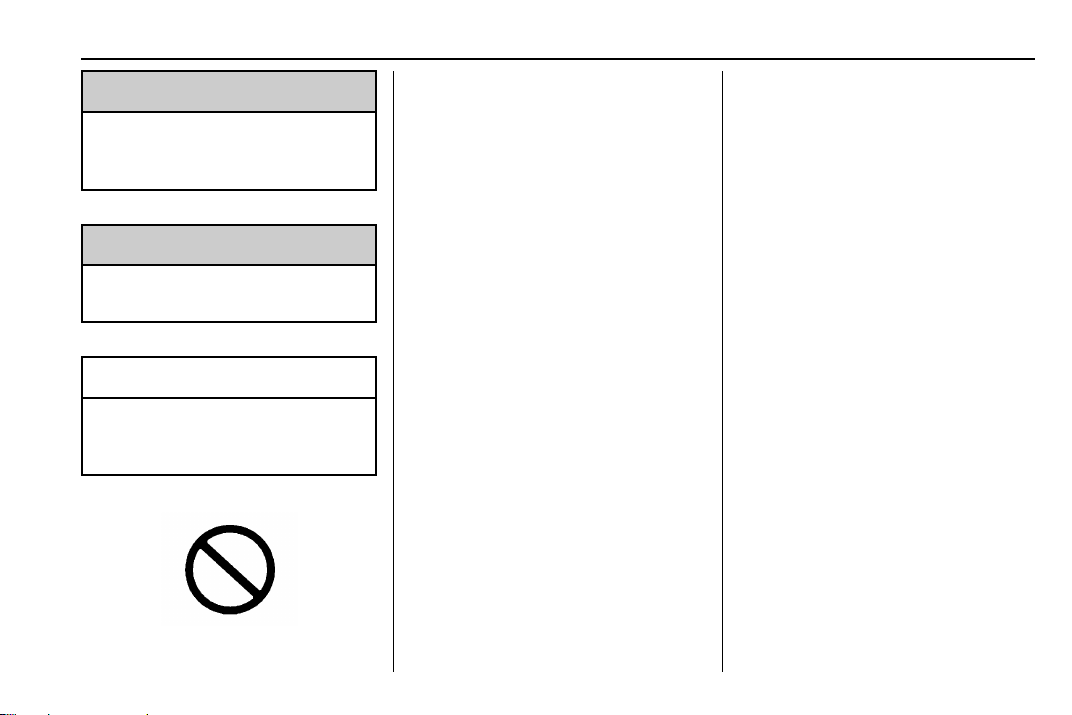
{
Danger
Danger indicates a hazard with a
high level of risk which will result
in serious injury or death.
{
Warning
Warning indicates a hazard that
could result in injury or death.
Caution
Caution indicates a hazard that
could result in property or vehicle
damage.
A circle with a slash through it is a
safety symbol which means “Do
not,” “Do not do this,” or “Do not let
this happen.”
Symbols
The vehicle has components and
labels that use symbols instead of
text. Symbols are shown along with
the text describing the operation or
information relating to a specific
component, control, message,
gauge, or indicator.
M : Shown when the owner’s
manual has additional instructions
or information.
* : Shown when the service
manual has additional instructions
or information.
0 : Shown when there is more
information on another page —
“see page.”
Vehicle Symbol Chart
Here are some additional symbols
that may be found on the vehicle
and what they mean. See the
features in this manual for
information.
u : Air Conditioning System
G : Air Conditioning Refrigerant Oil
9 : Airbag Readiness Light
! : Antilock Brake System (ABS)
$ : Brake System Warning Light
9 : Dispose of Used Components
Properly
P : Do Not Apply High Pressure
Water
B : Engine Coolant Temperature
_ : Flame/Fire Prohibited
H : Flammable
[ : Forward Collision Alert
R : Fuse Block Cover Lock
Location
+ : Fuses
j : ISOFIX/LATCH System Child
Restraints

Chevrolet Traverse Owner Manual (GMNA-Localizing-U.S./Canada/Mexico-
13527526) - 2020 - CRC - 9/5/19
4 Introduction
Q : Keep Fuse Block Covers
Properly Installed
| : Lane Change Alert
@ : Lane Departure Warning
A : Lane Keep Assist
* : Malfunction Indicator Lamp
: : Oil Pressure
X : Park Assist
~ : Pedestrian Ahead Indicator
O : Power
7 : Rear Cross Traffic Alert
I : Registered Technician
/ : Remote Vehicle Start
> : Seat Belt Reminders
I : Side Blind Zone Alert
h : Stop/Start
7 : Tire Pressure Monitor
d : Traction Control/StabiliTrak/
Electronic Stability Control (ESC)
a : Under Pressure
V : Vehicle Ahead Indicator
Chevrolet Traverse Owner Manual (GMNA-Localizing-U.S./Canada/Mexico-
13527526) - 2020 - CRC - 9/5/19
Introduction 5
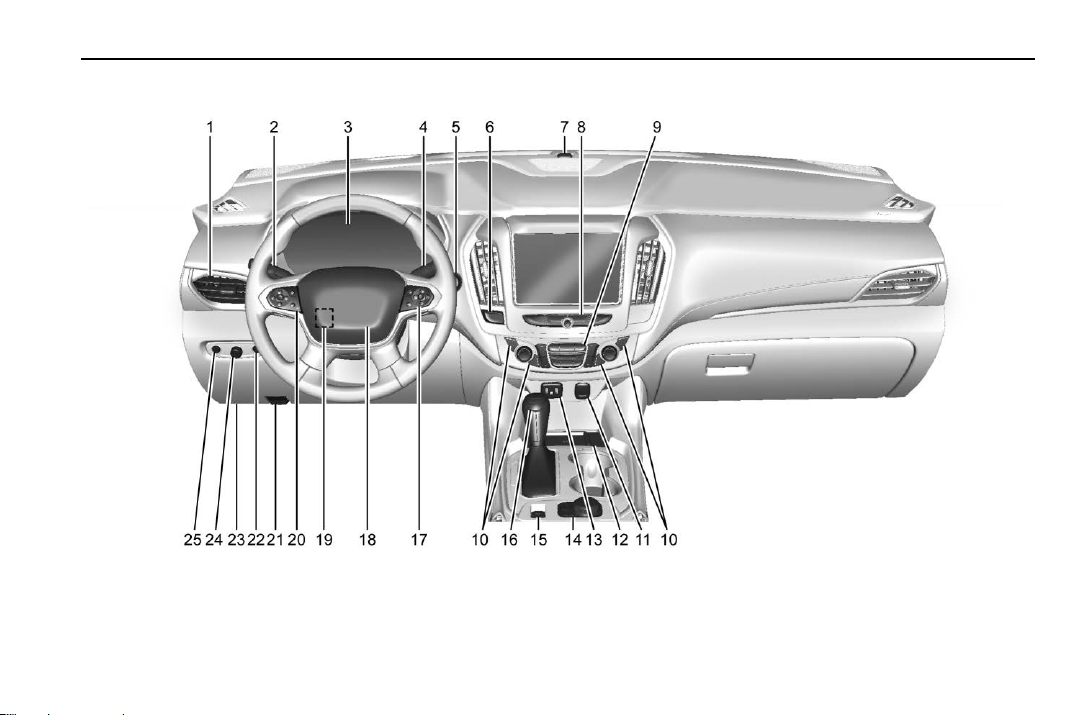
Instrument Panel Overview

Chevrolet Traverse Owner Manual (GMNA-Localizing-U.S./Canada/Mexico-
13527526) - 2020 - CRC - 9/5/19
6 Introduction
1. Air Vents 0 163.
2. Turn Signal Lever. See Turn
and Lane-Change Signals
0 151.
IntelliBeam
®
System Button (If
Equipped). See Exterior Lamp
Controls 0 147.
3. Instrument Cluster (Uplevel)
0 115 or
Instrument Cluster (Base
Level) 0 118.
Driver Information Center (DIC)
Display. See Driver Information
Center (DIC) 0 134.
4. Windshield Wiper/Washer
0 107.
Rear Window Wiper/Washer
0 108.
5. ENGINE START/STOP Button.
See Ignition Positions 0 182.
6. Hazard Warning Flashers
0 151.
7. Light Sensor. See Automatic
Headlamp System 0 150.
8. Infotainment 0 156.
9. Dual Automatic Climate Control
System 0 157.
10. Heated and Ventilated Front
Seats 0 48 (If Equipped).
11. Power Outlets 0 110.
12. Wireless Charging 0 111 (If
Equipped).
13. USB Port. See the infotainment
manual.
Auxiliary Jack. See the
infotainment manual.
14. Traction Control/Electronic
Stability Control 0 198.
Driver Mode Control Knob. See
Driver Mode Control 0 200 (If
Equipped).
Lane Keep Assist (LKA) 0 227
(If Equipped).
15. Electric Parking Brake 0 196.
16. Shift Lever. See Automatic
Transmission 0 191.
Manual Mode 0 193.
17. Steering Wheel Controls 0 106.
18. Horn 0 107.
19. Steering Wheel Adjustment
0 106 (Out of View).
20. Cruise Control 0 203.
Adaptive Cruise Control 0 205
(If Equipped).
Heated Steering Wheel 0 106
(If Equipped).
Forward Collision Alert (FCA)
System 0 219 (If Equipped).
21. Hood Release. See Hood
0 250.
22. Fog Lamps 0 151 (If
Equipped).
23. Data Link Connector (DLC)
(Out of View). See Malfunction
Indicator Lamp (Check Engine
Light) 0 125.
24. Exterior Lamp Controls 0 147.
25. Instrument Panel Illumination
Control 0 152.

Chevrolet Traverse Owner Manual (GMNA-Localizing-U.S./Canada/Mexico-
13527526) - 2020 - CRC - 9/5/19
Keys, Doors, and Windows 7
Keys, Doors, and
Windows
Keys and Locks
Keys . . . . . . . . . . . . . . . . . . . . . . . . . . . . 7
Remote Keyless Entry (RKE)
System . . . . . . . . . . . . . . . . . . . . . . . . 8
Remote Keyless Entry (RKE)
System Operation . . . . . . . . . . . . . 8
Remote Vehicle Start . . . . . . . . . . 16
Door Locks . . . . . . . . . . . . . . . . . . . . 17
Power Door Locks . . . . . . . . . . . . . 20
Delayed Locking . . . . . . . . . . . . . . . 20
Automatic Door Locks . . . . . . . . . 20
Lockout Protection . . . . . . . . . . . . . 20
Safety Locks . . . . . . . . . . . . . . . . . . . 21
Doors
Liftgate . . . . . . . . . . . . . . . . . . . . . . . . 22
Vehicle Security
Vehicle Security . . . . . . . . . . . . . . . . 29
Vehicle Alarm System . . . . . . . . . 29
Immobilizer . . . . . . . . . . . . . . . . . . . . 30
Immobilizer Operation . . . . . . . . . 30
Exterior Mirrors
Convex Mirrors . . . . . . . . . . . . . . . . 31
Power Mirrors . . . . . . . . . . . . . . . . . . 31
Folding Mirrors . . . . . . . . . . . . . . . . . 31
Heated Mirrors . . . . . . . . . . . . . . . . . 32
Automatic Dimming Mirror . . . . . 32
Reverse Tilt Mirrors . . . . . . . . . . . . 32
Interior Mirrors
Interior Rearview Mirrors . . . . . . . 32
Manual Rearview Mirror . . . . . . . . 32
Automatic Dimming Rearview
Mirror . . . . . . . . . . . . . . . . . . . . . . . . . 32
Rear Camera Mirror . . . . . . . . . . . . 33
Windows
Windows . . . . . . . . . . . . . . . . . . . . . . . 34
Power Windows . . . . . . . . . . . . . . . 35
Sun Visors . . . . . . . . . . . . . . . . . . . . . 37
Roof
Sunroof . . . . . . . . . . . . . . . . . . . . . . . . 37
Keys and Locks
Keys
{
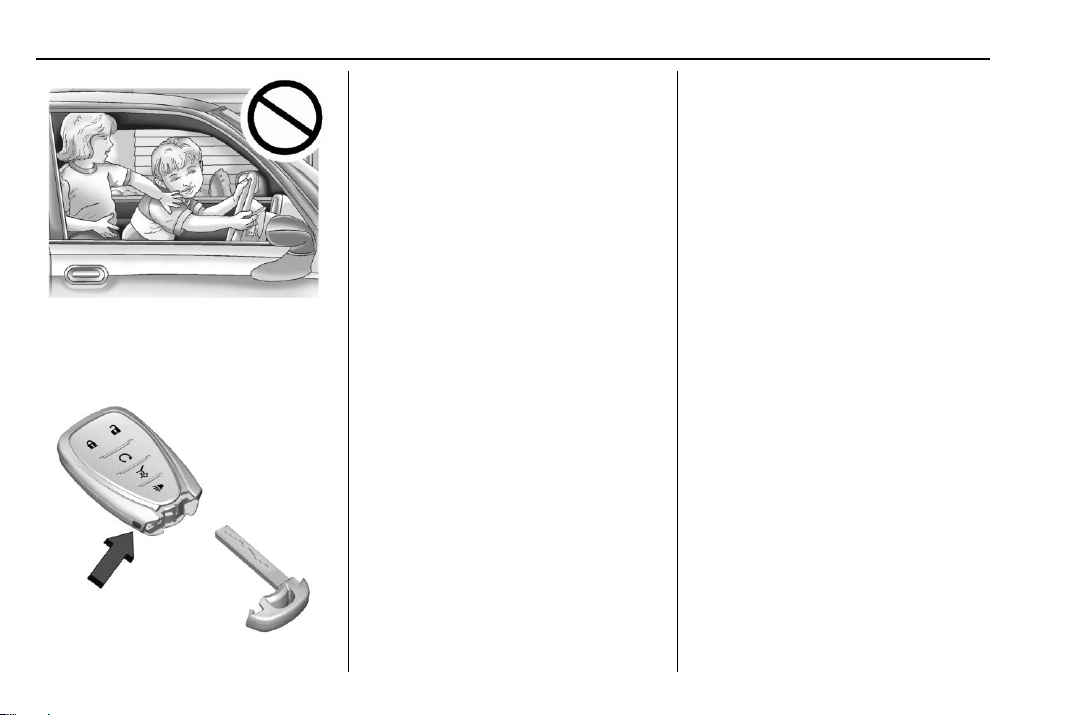
Warning
Leaving children in a vehicle with
a Remote Keyless Entry (RKE)
transmitter is dangerous and
children or others could be
seriously injured or killed. They
could operate the power windows
or other controls or make the
vehicle move. The windows will
function with the RKE transmitter
in the vehicle, and children or
others could be caught in the path
of a closing window. Do not leave
children in a vehicle with an RKE
transmitter.
Chevrolet Traverse Owner Manual (GMNA-Localizing-U.S./Canada/Mexico-
13527526) - 2020 - CRC - 9/5/19
8 Keys, Doors, and Windows
The key that is part of the Remote
Keyless Entry (RKE) transmitter can
be used for all locks.
Remove the key by pressing the
button on the side of the RKE
transmitter near the bottom and pull
the key out. Never pull the key out
without pressing the button.
If it becomes difficult to turn the key,
inspect the key blade for debris.
Periodically, clean with a brush or
a pick.
See your dealer if a new transmitter
is needed.
If locked out of the vehicle, see
Roadside Assistance Program
0 349.
With an active OnStar or connected
service plan, an OnStar Advisor
may remotely unlock the vehicle.
See OnStar Overview 0 359.
Remote Keyless Entry
(RKE) System
See Radio Frequency Statement
0 355.
If there is a decrease in the Remote
Keyless Entry (RKE) operating
range:
.
Check the distance. The
transmitter may be too far from
the vehicle.
.
Check the location. Other
vehicles or objects may be
blocking the signal.
.
Check the transmitter's battery.
See “Battery Replacement” later
in this section.
.
If the transmitter is still not
working correctly, see your
dealer or a qualified technician
for service.
Remote Keyless Entry
(RKE) System Operation
The Keyless Access system allows
for vehicle entry when the Remote
Keyless Entry (RKE) transmitter is
within 1 m (3 ft). See “Keyless
Access Operation” later in this
section.
The RKE transmitter may work up to
60 m (197 ft) away from the vehicle.
Chevrolet Traverse Owner Manual (GMNA-Localizing-U.S./Canada/Mexico-
13527526) - 2020 - CRC - 9/5/19
Keys, Doors, and Windows 9
Other conditions can affect the
performance of the transmitter. See
Remote Keyless Entry (RKE)
System 0 8.
With Remote Start and Power
Liftgate Shown
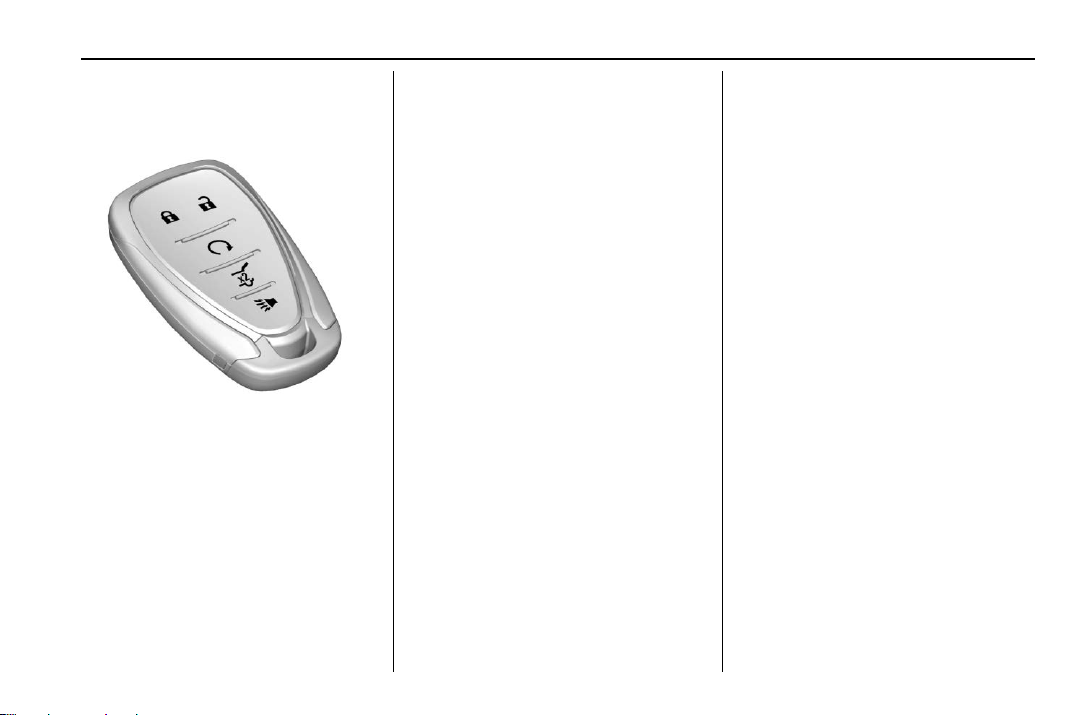
Q : Press to lock all doors. The turn
signal indicators may flash and/or
the horn may sound on the second
press to indicate locking. See
Vehicle Personalization 0 138. If the
driver door is open when
Q is
pressed, and Open Door
Anti-Lockout is enabled through
vehicle personalization, all doors will
lock and then the driver door will
immediately unlock. See Vehicle
Personalization 0 138. If a
passenger door is open when
Q is
pressed, all doors lock.
Pressing
Q may also arm the
theft-deterrent system. See Vehicle
Alarm System 0 29.
K : Press to unlock the driver door.
Press unlock again within
five seconds to unlock all doors.
The RKE transmitter can be
programmed to unlock all doors on
the first button press. See Vehicle
Personalization 0 138. The turn
signal indicators may flash to
indicate unlocking has occurred.
See Vehicle Personalization 0 138.
Pressing
K may also disarm the
theft-deterrent system. See Vehicle
Alarm System 0 29.
For vehicles with the manual
liftgate, unlocking all doors will also
unlock the liftgate.
b : If equipped, press twice
quickly to open or close the liftgate.
Press again to stop the power
liftgate.
7 : Press and release one time to
initiate vehicle locator. The exterior
lamps flash and the horn chirps
three times. Press and hold
7 for at
least three seconds to sound the
panic alarm. The horn sounds and
the turn signals flash for
30 seconds, or until
7 is pressed
again or the vehicle is started.
/ : If equipped, first press and
release
Q then immediately press
and hold
/ for at least
four seconds to start the engine
from outside the vehicle using the
RKE transmitter. See Remote
Vehicle Start 0 16.
Keyless Access Operation
The Keyless Access system allows
the doors to be locked and unlocked
and the liftgate to be accessed

Chevrolet Traverse Owner Manual (GMNA-Localizing-U.S./Canada/Mexico-
13527526) - 2020 - CRC - 9/5/19
10 Keys, Doors, and Windows
without removing the RKE
transmitter from a pocket, purse,
briefcase, etc. The RKE transmitter
should be within 1 m (3 ft) of the
liftgate or door being opened.
Keyless Access can be
programmed to unlock all doors on
the first lock/unlock press from the
driver door. Keyless Unlocking can
also be turned off. See Vehicle
Personalization 0 138.
If equipped with memory seats, RKE
transmitters 1 and 2 are linked to
seating positions of memory 1 or 2.
See Memory Seats 0 45.
Keyless Unlocking/Locking from
the Driver Door
When the doors are locked and the
RKE transmitter is within 1 m (3 ft) of
the driver door handle, pressing the
lock/unlock button on the driver door
handle will unlock the driver door.
If the lock/unlock button is pressed
again within five seconds, all
passenger doors will unlock.
Driver Shown, Passenger Similar
Pressing the lock/unlock button will
cause all doors to lock if any of the
following occur:
.
It has been no more than
five seconds since the first lock/
unlock button press.
.
Two lock/unlock button presses
were used to unlock all doors.
.
Any vehicle door has opened
and all doors are now closed.
Keyless Unlocking/Locking from
Passenger Doors
When the doors are locked and the
RKE transmitter is within 1 m (3 ft) of
the door handle, pressing the lock/
unlock button on that door handle
will unlock all doors. Pressing the
lock/unlock button will cause all
doors to lock if any of the following
occur:
.
The lock/unlock button was used
to unlock all doors.
.
Any vehicle door has opened
and all doors are now closed.
Disable/Enable Keyless Unlocking
of Exterior Door Handles and
Liftgate
If equipped, keyless unlocking of the
exterior door handles and liftgate
can be disabled and enabled.
Disabling Keyless Unlocking:
With the vehicle off, press and
hold
Q and K on the RKE
transmitter at the same time for
approximately three seconds. The
turn signal lamps will flash four
times quickly to indicate access is

Chevrolet Traverse Owner Manual (GMNA-Localizing-U.S./Canada/Mexico-
13527526) - 2020 - CRC - 9/5/19
Keys, Doors, and Windows 11
disabled. Using any exterior handle
to unlock the doors or open the
liftgate will cause the turn signal
lamps to flash four times quickly,
indicating access is disabled.
If disabled, disarm the alarm system
before starting the vehicle.
Enabling Keyless Unlocking:
With the vehicle off, press and
hold
Q and K on the RKE
transmitter at the same time for
approximately three seconds. The
turn signal lamps will flash twice
quickly to indicate access is
enabled.
Passive Locking
This vehicle will lock several
seconds after all doors are closed if
the vehicle is off and at least one
RKE transmitter has been removed
or none remain in the interior.
If other electronic devices interfere
with the RKE transmitter signal, the
vehicle may not detect the RKE
transmitter inside the vehicle.
If passive locking is enabled, the
doors may lock with the RKE
transmitter inside the vehicle. Do
not leave the RKE transmitter in an
unattended vehicle.
To customize the doors to
automatically lock when exiting the
vehicle, see “Remote Lock, Unlock,
Start” under Vehicle Personalization
0 138.
Temporary Disable of Passive
Locking
Temporarily disable passive locking
by pressing and holding
K on the
interior door switch with a door open
for at least four seconds, or until
three chimes are heard. Passive
locking will then remain disabled
until
Q on the interior door is
pressed, or until the vehicle is
turned on.
Remote Left in Vehicle Alert
When the vehicle is turned off and
an RKE transmitter is left in the
vehicle, the horn will chirp three
times after all doors are closed. To
turn on or off, see Vehicle
Personalization 0 138.
Remote No Longer in Vehicle Alert
If the vehicle is on with a door open,
and then all doors are closed, the
vehicle will check for RKE
transmitter(s) inside. If an RKE
transmitter is not detected, the
Driver Information Center (DIC) will
display NO REMOTE DETECTED
and the horn will chirp three times.
This occurs only once each time the
vehicle is driven. See Vehicle
Personalization 0 138.
Keyless Liftgate Opening
Press the touch pad on the liftgate
handle to open the liftgate if the
RKE transmitter is within 1 m (3 ft).
Key Access
To access a vehicle with a weak
transmitter battery, see Door Locks
0 17.
Programming Transmitters to
the Vehicle
Only RKE transmitters programmed
to the vehicle will work. If a
transmitter is lost or stolen, a
replacement can be purchased and
Chevrolet Traverse Owner Manual (GMNA-Localizing-U.S./Canada/Mexico-
13527526) - 2020 - CRC - 9/5/19
12 Keys, Doors, and Windows
programmed through your dealer.
The vehicle can be reprogrammed
so that lost or stolen transmitters no
longer work. Each vehicle can have
up to eight transmitters matched
to it.
Programming with Recognized
Transmitters
A new transmitter can be
programmed to the vehicle when
there are two recognized
transmitters.
To program, the vehicle must be off
and all of the transmitters, both
currently recognized and new, must
be with you.
1. Remove the key by pressing
the button on the side of the
RKE transmitter near the
bottom and pull the key out.
Never pull the key out without
pressing the button.
2. Remove the key lock cylinder
cap on the driver door handle.
See Door Locks 0 17. Place
the two recognized transmitters
in the transmitter pocket.
3. Insert the vehicle key of the
transmitter into the key lock
cylinder on the driver door
handle and turn the key,
counterclockwise, to the unlock
position five times within
10 seconds.
The DIC displays READY FOR
REMOTE #3, 4, 5, ETC.
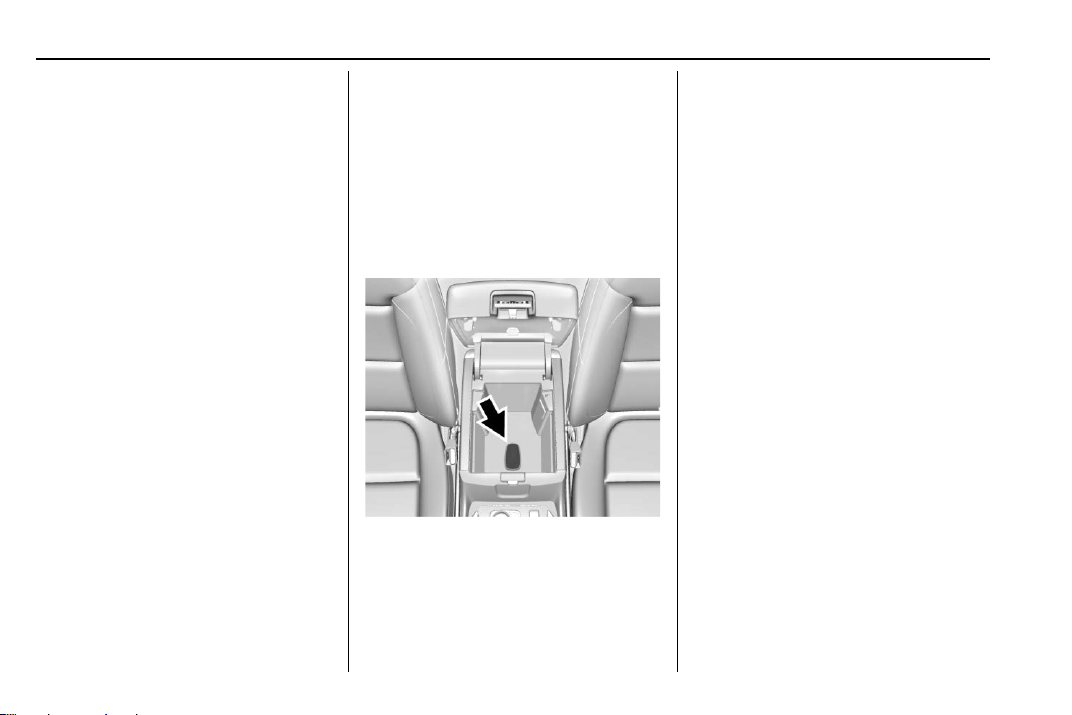
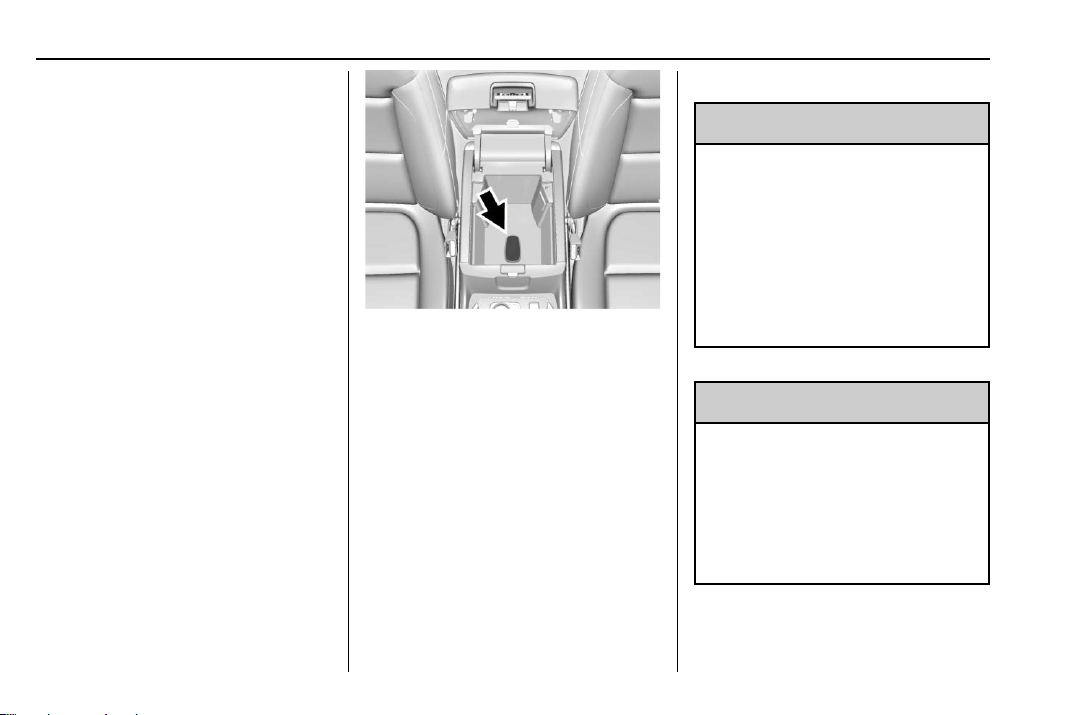
4. Place the new transmitter into
the transmitter pocket. The
transmitter pocket is inside the
center console storage area
between the driver and front
passenger seats, underneath
the liner.
5. Press ENGINE START/STOP.
When the transmitter is learned
the DIC display will show that it
is ready to program the next
transmitter.
6. Remove the transmitter from
the transmitter pocket and
press the transmitter
K or Q
button.
To program additional
transmitters, repeat Steps 3–5.
When all additional transmitters
are programmed, press and
hold ENGINE START/STOP for
12 seconds to exit
programming mode.
7. Put the key back into the
transmitter.
8. Replace the key lock cylinder
cap. See Door Locks 0 17.
Programming without Recognized
Transmitters
If two currently recognized
transmitters are not available, follow
this procedure to program up to
eight transmitters. This feature is
not available in Canada. This
Chevrolet Traverse Owner Manual (GMNA-Localizing-U.S./Canada/Mexico-
13527526) - 2020 - CRC - 9/5/19
Keys, Doors, and Windows 13
procedure will take approximately
30 minutes to complete. The vehicle
must be off and all of the
transmitters you wish to program
must be with you.
1. Remove the key by pressing
the button on the side of the
RKE transmitter near the
bottom and pull the key out.
Never pull the key out without
pressing the button.
2. Remove the key lock cylinder
cap on the driver door handle.
See Door Locks 0 17. Insert
the vehicle key of the
transmitter into the key lock
cylinder on the driver door
handle and turn the key,
counterclockwise, to the unlock
position five times within
10 seconds.
The DIC displays REMOTE
LEARN PENDING,
PLEASE WAIT.
3. Wait for 10 minutes until the
DIC displays PRESS ENGINE
START BUTTON TO LEARN
and then press ENGINE
START/STOP.
The DIC will again display
REMOTE LEARN PENDING,
PLEASE WAIT.
4. Repeat Step 2 two additional
times. After the third time all
previously known transmitters
will no longer work with the
vehicle. Remaining transmitters
can be relearned during the
next steps.
The DIC display should now
show READY FOR REMOTE
# 1.
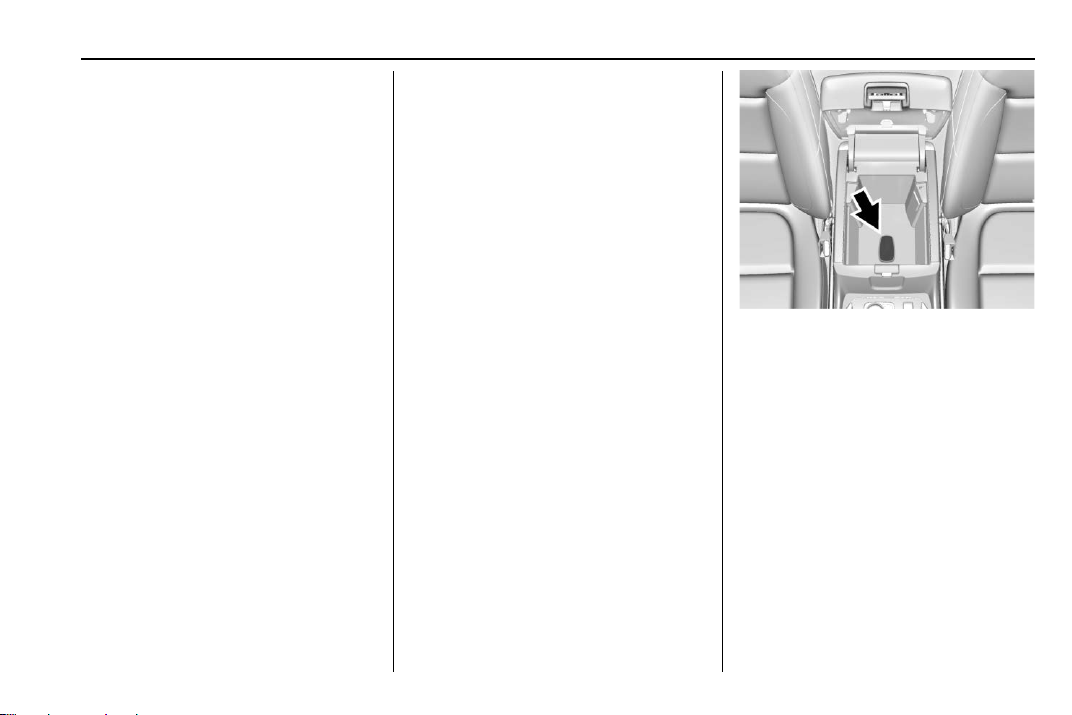
5. Place the new transmitter into
the transmitter pocket. The
transmitter pocket is inside the
center console storage area
between the driver and front
passenger seats, underneath
the liner.
6. Press ENGINE START/STOP.
When the transmitter is learned
the DIC display will show that it
is ready to program the next
transmitter.
7. Remove the transmitter from
the transmitter pocket and
press the transmitter
K or Q
button.
Chevrolet Traverse Owner Manual (GMNA-Localizing-U.S./Canada/Mexico-
13527526) - 2020 - CRC - 9/5/19
14 Keys, Doors, and Windows
To program additional
transmitters, repeat Steps 4–6.
When all additional transmitters
are programmed, press and
hold ENGINE START/STOP for
12 seconds to exit
programming mode.
8. Put the key back into the
transmitter.
9. Replace the key lock cylinder
cap. See Door Locks 0 17.
Starting the Vehicle with a Low
Transmitter Battery
When the vehicle is started, if the
transmitter battery is weak, the DIC
may display NO REMOTE
DETECTED or NO REMOTE KEY
WAS DETECTED PLACE KEY IN
TRANSMITTER POCKET THEN
START YOUR VEHICLE. The DIC
may also display REPLACE
BATTERY IN REMOTE KEY.
To start the vehicle:
1. Open the center console
storage area by opening the
armrest.
2. Place the transmitter in the
transmitter pocket.
3. With the vehicle in P (Park) or
N (Neutral), press the brake
pedal and ENGINE
START/STOP.
Replace the transmitter battery
as soon as possible.
Battery Replacement
{
Warning
Never allow children to play with
the RKE transmitter. The
transmitter contains a small
battery, which can be a choking
hazard. If swallowed, internal
burns can occur, resulting in
severe injury or death. Seek
medical attention immediately if a
battery is swallowed.
{
Warning
To avoid personal injury, do not
touch metal surfaces on the RKE
transmitter when it has been
exposed to extreme heat. These
surfaces can be hot to the touch
at temperatures above 59 °C
(138 °F).
Chevrolet Traverse Owner Manual (GMNA-Localizing-U.S./Canada/Mexico-
13527526) - 2020 - CRC - 9/5/19
Keys, Doors, and Windows 15
Caution
When replacing the battery, do
not touch any of the circuitry on
the transmitter. Static from your
body could damage the
transmitter.
Caution
Always replace the battery with
the correct type. Replacing the
battery with an incorrect type
could potentially create a risk of
battery explosion. Dispose of
used batteries according to
instructions and local laws. Do
not attempt to burn, crush, or cut
the used battery, and avoid
exposing the battery to
environments with extremely low
air pressures or high
temperatures.
Replace the battery if the DIC
displays REPLACE BATTERY IN
REMOTE KEY.
The battery is not rechargeable. To
replace the battery:
1. Press the button on the side of
the RKE transmitter and pull
the key out. Never pull the key
out without pressing the button.
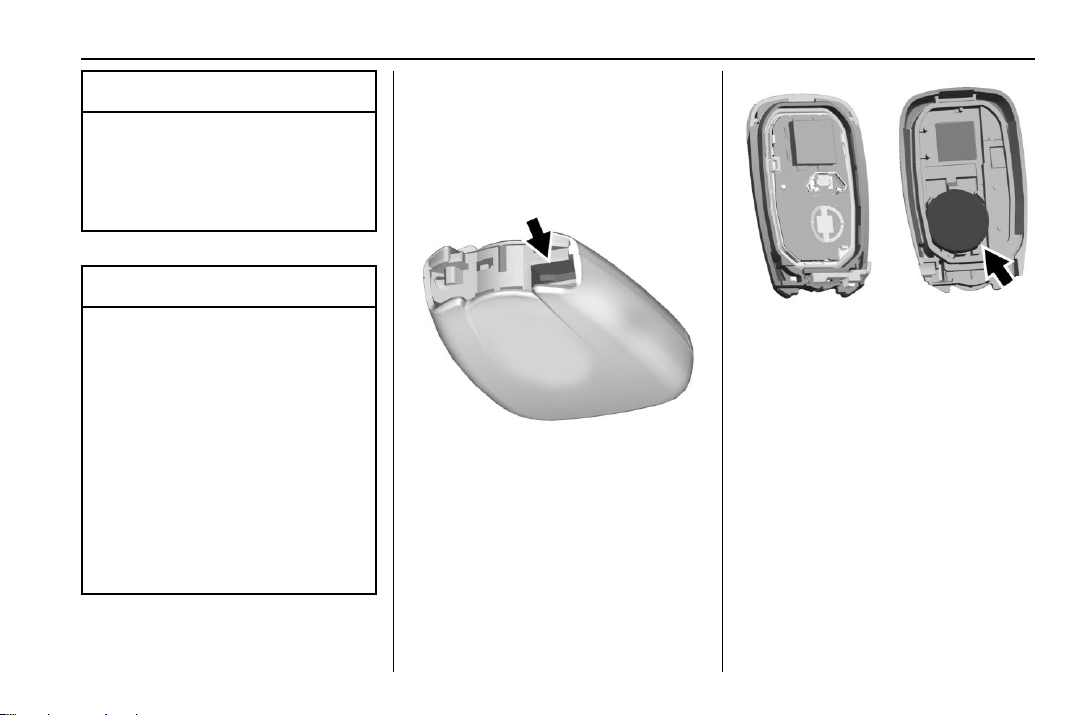
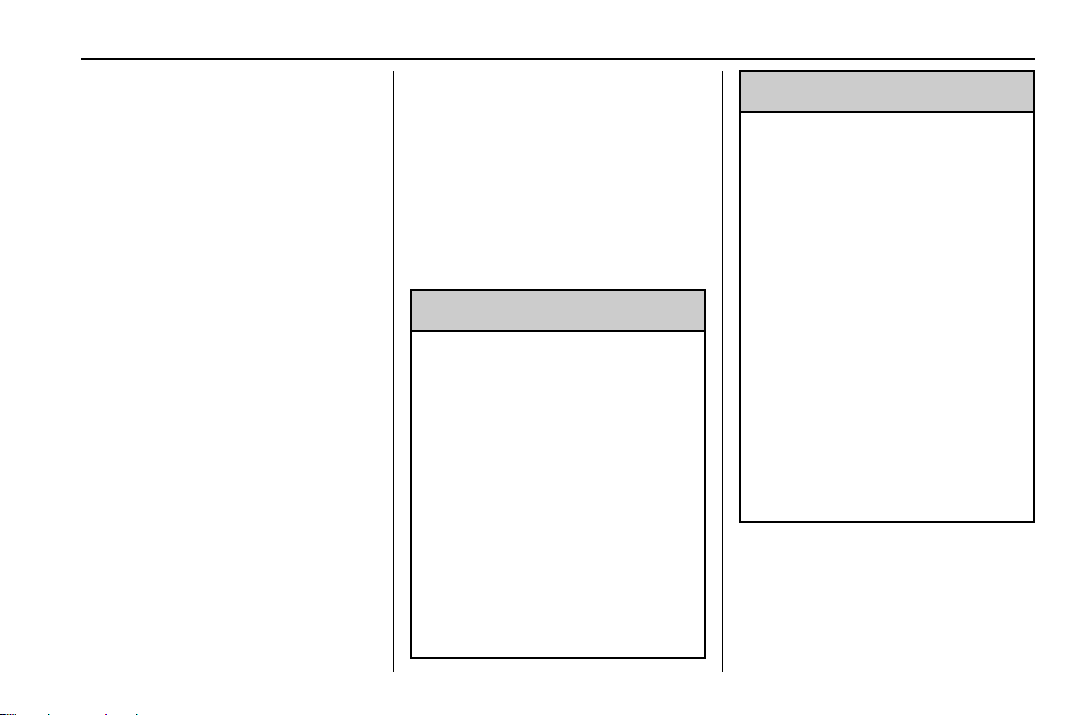
2. Separate the two halves of the
transmitter using a flat tool
inserted into the area near the
key slot.
3. Remove the battery by pushing
on the battery and sliding it
toward the bottom of the
transmitter.
4. Insert the new battery, positive
side facing the back cover.
Push the battery down until it is
held in place. Replace with a
CR2032 or equivalent battery.
5. Snap the battery cover back on
to the transmitter.
6. Reinsert the key.

Chevrolet Traverse Owner Manual (GMNA-Localizing-U.S./Canada/Mexico-
13527526) - 2020 - CRC - 9/5/19
16 Keys, Doors, and Windows
Remote Vehicle Start
If equipped, this feature allows the
engine to be started from outside of
the vehicle.
/ : This button will be on the RKE
transmitter if the vehicle has remote
start.
The climate control system will use
the previous settings during a
remote start. The rear defog may
come on during a remote start
based on cold ambient conditions.
The rear fog indicator light does not
come on during a remote start.
If the vehicle has auto heated or
ventilated seats, they may come on
during a remote start. See Heated
and Ventilated Front Seats 0 48.
If equipped with a remote start
heated steering wheel, it may come
on during a remote start when it is
cold outside, if enabled. See Heated
Steering Wheel 0 106 and
Vehicle Personalization 0 138.
Laws in some local communities
may restrict the use of remote
starters. For example, some laws
may require a person using remote
start to have the vehicle in view.
Check local regulations for any
requirements.
Do not use the remote start feature
if the vehicle is low on fuel. The
vehicle could run out of fuel.
Other conditions can affect the
performance of the transmitter. See
Remote Keyless Entry (RKE)
System 0 8.
Starting the Engine Using Remote
Start
1. Press and release
Q on the
RKE transmitter.
2. Immediately press and hold
/
for at least four seconds or until
the turn signal lamps flash. The
turn signal lamps flashing
confirms the request to remote
start the vehicle has been
received.
During the remote start the
doors will be locked and the
parking lamps will remain on as
long as the engine is running.
The engine will shut off after
15 minutes unless a time
extension is done or the
vehicle is started.
3. With the RKE transmitter in the
vehicle, press the brake pedal
and start the vehicle to drive.
Extending Engine Run Time
The engine run time can also be
extended by another 15 minutes,
if during the first 15 minutes
Steps 1 and 2 are repeated while
the engine is still running. An
extension can be requested
30 seconds after starting. This
provides a total of 30 minutes.
The remote start can only be
extended once.
When the remote start is extended,
the second 15-minute period is
added on to the first 15 minutes for
a total of 30 minutes.
A maximum of two remote starts,
or a remote start with an extension,
are allowed between ignition cycles.
Chevrolet Traverse Owner Manual (GMNA-Localizing-U.S./Canada/Mexico-
13527526) - 2020 - CRC - 9/5/19
Keys, Doors, and Windows 17
The vehicle must be started
normally before the remote start
procedure can be used again.
Canceling a Remote Start
To cancel a remote start, do any of
the following:
.
Press and hold
/ until the
parking lamps turn off.
.
Turn on the hazard warning
flashers.
.
Turn the vehicle on and then off.
Conditions in Which Remote Start
Will Not Work
The remote start will not operate if
any of the following occur:
.
An RKE transmitter is in the
vehicle.
.
The hood is not closed.
.
The ignition is in any mode other
than off.
.
The hazard warning flashers
are on.
.
There is an emission control
system malfunction.
.
The engine coolant temperature
is too high.
.
The oil pressure is low.
.
Two remote vehicle starts or a
start with an extension have
already been used.
.
The vehicle is not in P (Park).
Door Locks
{
Warning
Unlocked doors can be
dangerous.
.
Passengers, especially
children, can easily open
the doors and fall out of a
moving vehicle. The doors
can be unlocked and
opened while the vehicle is
moving. The chance of
being thrown out of the
vehicle in a crash is
increased if the doors are
not locked. So, all
passengers should wear
(Continued)
Warning (Continued)
seat belts properly and the
doors should be locked
whenever the vehicle is
driven.
.
Young children who get into
unlocked vehicles may be
unable to get out. A child
can be overcome by
extreme heat and can suffer
permanent injuries or even
death from heat stroke.
Always lock the vehicle
whenever leaving it.
.
Outsiders can easily enter
through an unlocked door
when you slow down or stop
the vehicle. Locking the
doors can help prevent this
from happening.
To lock or unlock the doors from the
outside:
Chevrolet Traverse Owner Manual (GMNA-Localizing-U.S./Canada/Mexico-
13527526) - 2020 - CRC - 9/5/19
18 Keys, Doors, and Windows
.
Press
Q or K on the Remote
Keyless Entry (RKE) transmitter.
See Remote Keyless Entry
(RKE) System Operation 0 8.
.
Use the key in the driver door.
The key lock cylinder is covered
with a cap.
To lock or unlock the doors from the
inside:
.
Press
Q or K on the power door
lock switch.
.
Push down on a door lock knob
to lock a door.
.
Pull the door handle once to
unlock the door. Pull the handle
again to unlatch it.
Keyless Access
If equipped, the RKE transmitter
must be within 1 m (3 ft) of the
liftgate or door being opened. Press
the button on the door handle to
open. See “Keyless Access
Operation” in Remote Keyless Entry
(RKE) System Operation 0 8.
Driver Door Key Lock Cylinder
Access (In Case of Dead
Battery)
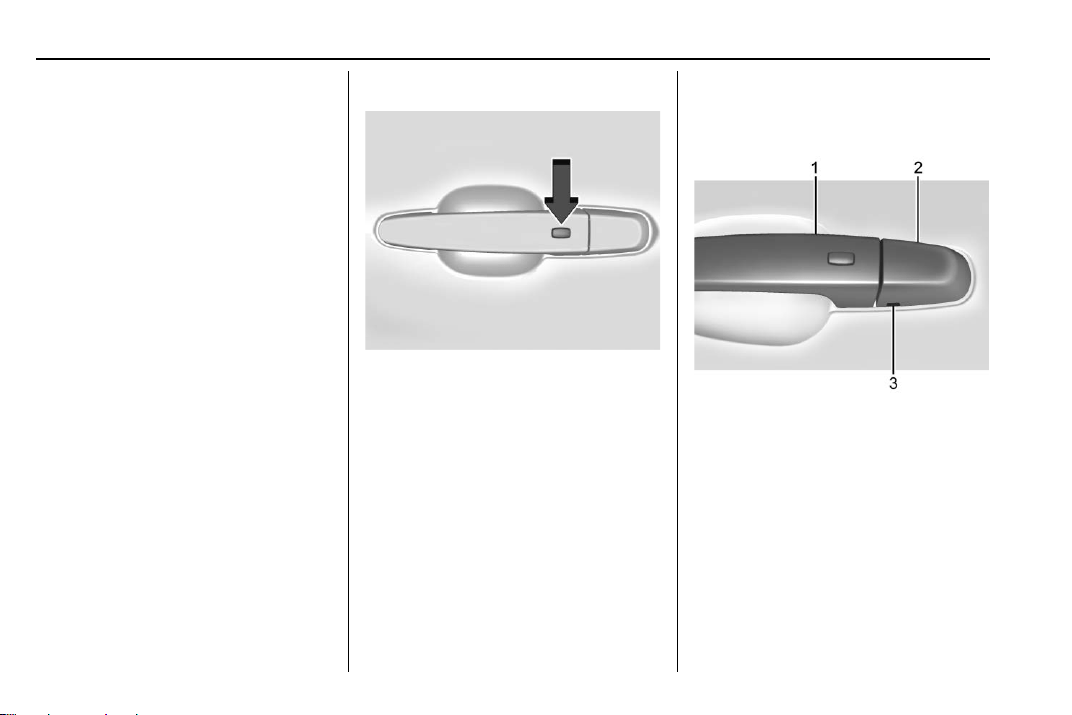
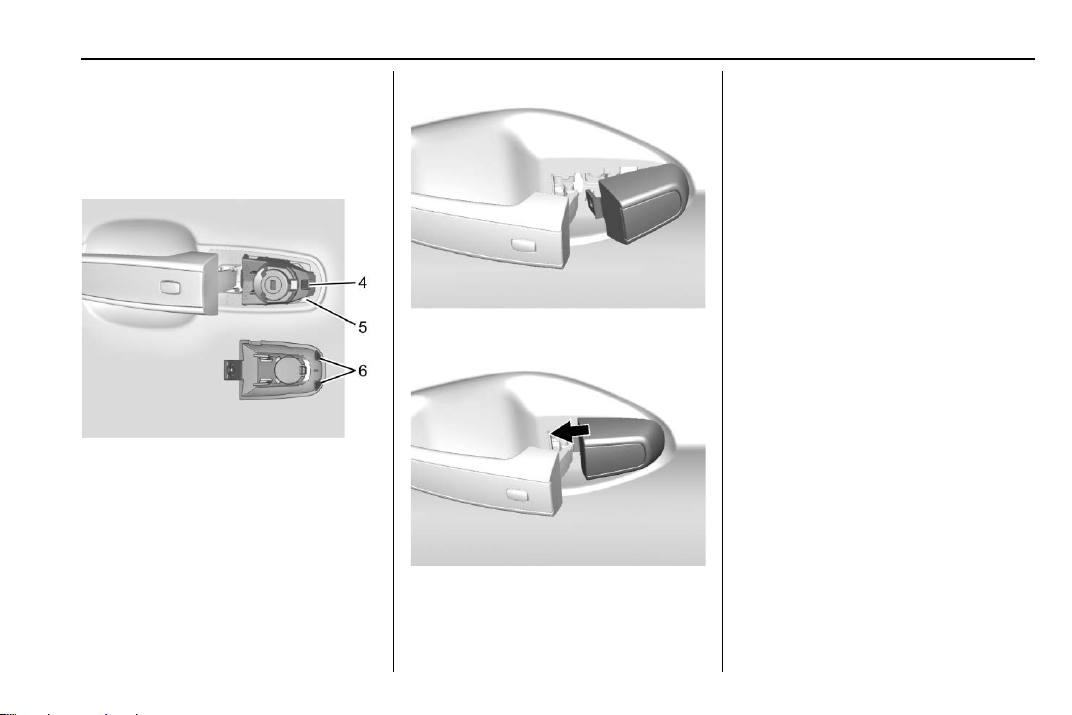
To access the driver door key lock
cylinder:
1. Pull the door handle (1) to the
open position and hold it open
until cap removal is complete.
2. Insert the key into the slot (3)
on the bottom of the cap (2)
and lift the key upward.
3. Move the cap (2) rearward and
remove.
4. Use the key in the cylinder.
Chevrolet Traverse Owner Manual (GMNA-Localizing-U.S./Canada/Mexico-
13527526) - 2020 - CRC - 9/5/19
Keys, Doors, and Windows 19
To replace the cap:
1. Pull the door handle (1) to the
open position and hold it open
until cap installation is
complete.
2. Insert the two tabs (6) at the
back of the cap between the
seal (5) and the metal base (4).
3. Slide the cap forward and
press the forward edge to
install the cap in place.
4. Release the door handle.
5. Check that the cap is secure.
Free-Turning Locks
The door key lock cylinder turns
freely when either the wrong key is
used, or the correct key is not fully
inserted. The free-turning door lock
feature prevents the lock from being
forced open. To reset the lock, turn
it to the vertical position with the
correct key fully inserted. Remove
the key and insert it again. If this
does not reset the lock, turn the key
halfway around in the cylinder and
repeat the reset procedure.
Chevrolet Traverse Owner Manual (GMNA-Localizing-U.S./Canada/Mexico-
13527526) - 2020 - CRC - 9/5/19
20 Keys, Doors, and Windows
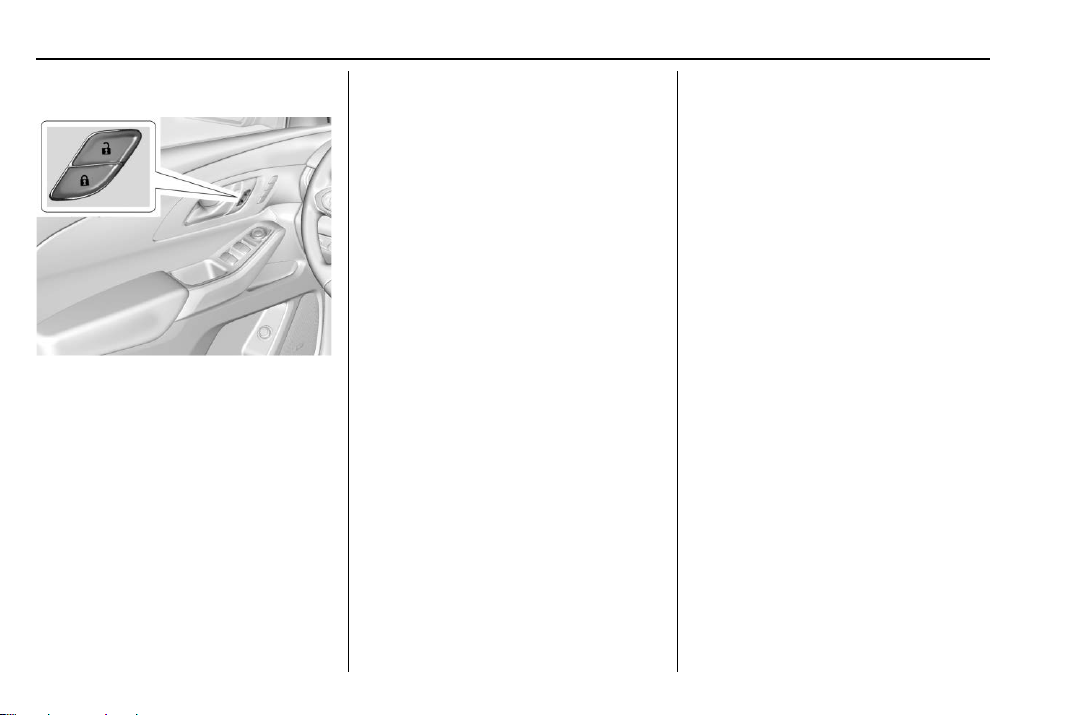
Power Door Locks
Q : Press to lock the doors.
K : Press to unlock the doors.
Delayed Locking
This feature delays the locking of
the doors until five seconds after all
doors are closed.
Delayed locking can only be turned
on when the Open Door
Anti-Lockout feature has been
turned off.
When
Q is pressed on the power
door lock switch while the door is
open, a chime will sound three
times indicating delayed locking is
active.
The doors will lock automatically
five seconds after all doors are
closed. If a door is reopened before
that time, the five-second timer will
reset when all doors are closed
again.
Press
Q on the door lock switch
again or press
Q on the RKE
transmitter to lock the doors
immediately.
This feature can also be
programmed. See Vehicle
Personalization 0 138.
Automatic Door Locks
The doors will lock automatically
when all doors are closed, the
ignition is on, and the vehicle is
shifted out of P (Park).
If a vehicle door is unlocked and
then opened and closed, the doors
will lock either when your foot is
removed from the brake or the
vehicle speed becomes faster than
13 km/h (8 mph).
To unlock the doors:
.
Press
K on a door.
.
Shift the transmission into
P (Park).
Automatic door locking cannot be
disabled. Automatic door unlocking
can be programmed. See Vehicle
Personalization 0 138.
Lockout Protection
If the vehicle is started or in ACC/
ACCESSORY and the power door
lock switch is pressed with the
driver door open, all the doors will
lock and only the driver door will
unlock.
If the vehicle is off and locking is
requested while a door is open,
when all doors are closed the
vehicle will check for RKE
transmitters inside. If an RKE
transmitter is detected and the
number of RKE transmitters inside
Chevrolet Traverse Owner Manual (GMNA-Localizing-U.S./Canada/Mexico-
13527526) - 2020 - CRC - 9/5/19
Keys, Doors, and Windows 21
has not reduced, the driver door will
unlock and the horn will chirp three
times.
Lockout Protection can be manually
overridden with the driver door open
by pressing and holding
Q on the
power door lock switch.
Open Door Anti-Lockout
If Open Door Anti-Lockout is turned
on and the vehicle is off, the driver
door is open, and locking is
requested, all the doors will lock and
the driver door will unlock. The
Open Door Anti-Lockout feature can
be turned on or off. See Vehicle
Personalization 0 138.
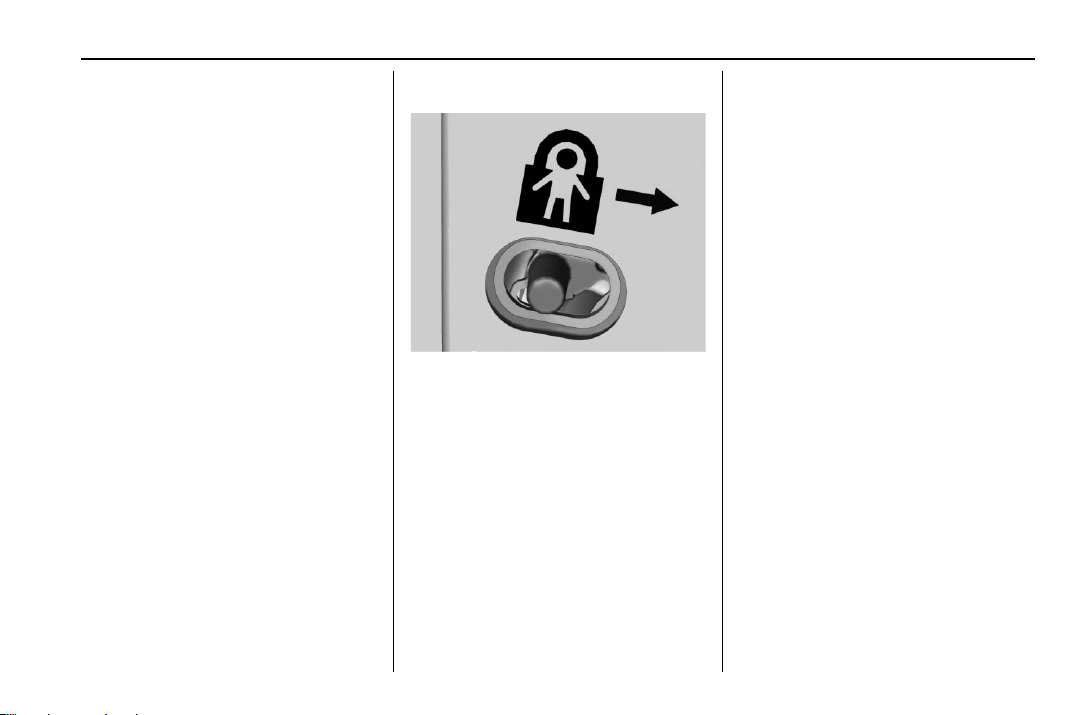
Safety Locks
The rear door safety locks prevent
passengers from opening the rear
doors from inside the vehicle.
Manual Safety Locks
If equipped, the safety lock is on the
inside edge of the rear doors. To
use the safety lock:
1. Move the lever down to the
lock position.
2. Close the door.
3. Do the same for the other
rear door.
To open a rear door when the safety
lock is on:
1. Unlock the door by activating
the inside handle, by pressing
the power door lock switch,
or by using the Remote
Keyless Entry (RKE)
transmitter.
2. Open the door from the
outside.
When the safety lock is enabled,
adults and older children will not be
able to open the rear door from the
inside. Cancel the safety locks to
enable the doors to open from the
inside.
To cancel the safety lock:
1. Unlock the door and open it
from the outside.
2. Move the lever up to unlock.
Do the same for the other door.
Chevrolet Traverse Owner Manual (GMNA-Localizing-U.S./Canada/Mexico-
13527526) - 2020 - CRC - 9/5/19
22 Keys, Doors, and Windows
Doors
Liftgate
{
Warning
Exhaust gases can enter the
vehicle if it is driven with the
liftgate or trunk/hatch open,
or with any objects that pass
through the seal between the
body and the trunk/hatch or
liftgate. Engine exhaust contains
carbon monoxide (CO) which
cannot be seen or smelled. It can
cause unconsciousness and even
death.
If the vehicle must be driven with
the liftgate or trunk/hatch open:
.
Close all of the windows.
.
Fully open the air outlets on
or under the instrument
panel.
(Continued)
Warning (Continued)
.
Adjust the climate control
system to a setting that
brings in only outside air
and set the fan speed to the
highest setting. See
“Climate Control Systems”
in the Index.
.
If the vehicle is equipped
with a power liftgate, disable
the power liftgate function.
See Engine Exhaust 0 190.
Caution
To avoid damage to the liftgate or
liftgate glass, make sure the area
above and behind the liftgate is
clear before opening it.
Manual Liftgate
To unlock the liftgate, press K
on the power door lock switch or
press
K on the Remote Keyless
Entry (RKE) transmitter twice within
five seconds. See Remote Keyless
Entry (RKE) System Operation 0 8.
To open the liftgate, press the touch
pad in the liftgate handle and lift up.
If equipped with Keyless Access,
the liftgate can be opened when
locked if the RKE transmitter is
within 1 m (3 ft) of the liftgate. See
Remote Keyless Entry (RKE)
System Operation 0 8.
Use the pull cup to lower and close
the liftgate. Do not press the touch
pad while closing the liftgate. This
will cause the liftgate to be
unlatched.
Chevrolet Traverse Owner Manual (GMNA-Localizing-U.S./Canada/Mexico-
13527526) - 2020 - CRC - 9/5/19
Keys, Doors, and Windows 23
The liftgate has an electric latch.
If the battery is disconnected or has
low voltage, the liftgate will not
open. The liftgate will resume
operation when the battery is
reconnected and charged.
Always close the liftgate before
driving.
Power Liftgate Operation
{
Warning
You or others could be injured if
caught in the path of the power
liftgate. Make sure there is no one
in the way of the liftgate as it is
opening and closing.
Caution
Driving with an open and
unsecured liftgate may result in
damage to the power liftgate
components.
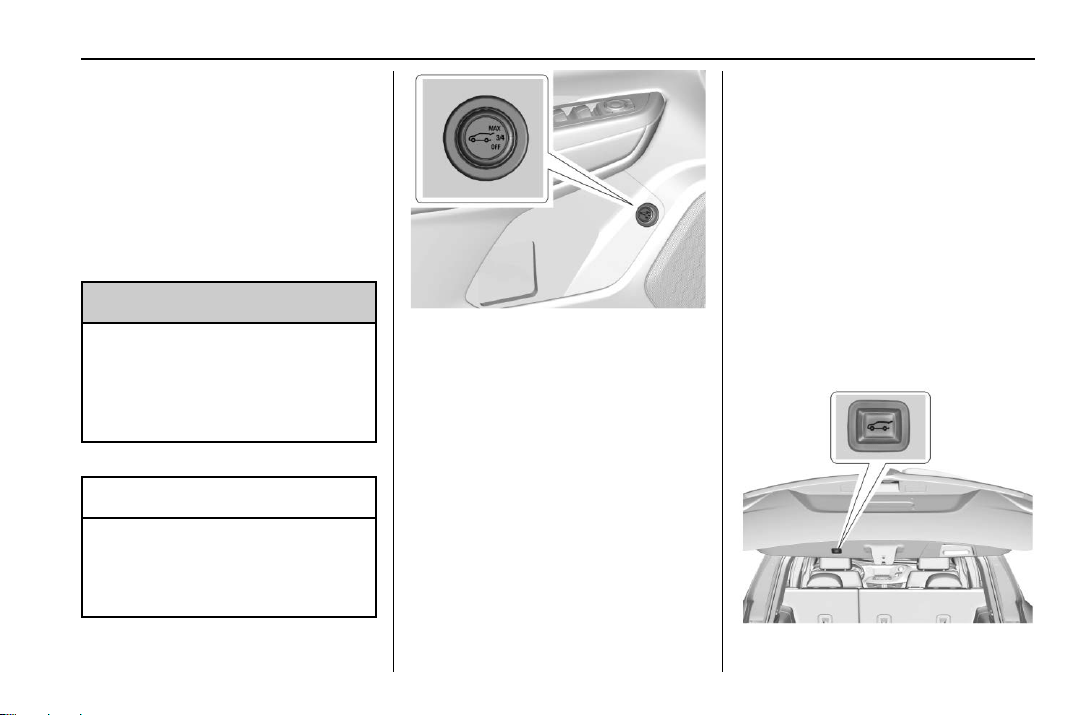
If equipped with a power liftgate, the
power liftgate switch is on the driver
door. The vehicle must be in
P (Park).
The modes are:
.
MAX: Opens to maximum
height.
.
3/4: Opens to a reduced height
that can be set from 3/4 to fully
open. Use to prevent the liftgate
from opening into overhead
obstructions such as a garage
door or roof-mounted cargo. The
liftgate can be manually opened
all the way.
.
OFF: Opens manually only.
To power open or close the liftgate,
select MAX or 3/4 mode.
.
Press
b twice quickly on the
RKE transmitter until the liftgate
moves.
.
Press
8 on the driver door.
The driver door must be
unlocked.
.
Press the touch pad in the
liftgate handle after unlocking all
doors. A locked vehicle can be
opened if the RKE transmitter is
within 1 m (3 ft) of the liftgate.

Chevrolet Traverse Owner Manual (GMNA-Localizing-U.S./Canada/Mexico-
13527526) - 2020 - CRC - 9/5/19
24 Keys, Doors, and Windows
.
Press
l on the bottom of the
liftgate to close.
Press any liftgate button, the touch
pad, or
b on the RKE transmitter
while the liftgate is moving to stop
it. Pressing any liftgate button or
pressing
b twice quickly on the
RKE transmitter restarts the
operation in the reverse direction.
Pressing the touch pad on the
liftgate handle will restart the
motion, but only in the opening
direction
Caution
Manually forcing the liftgate to
open or close during a power
cycle can damage the vehicle.
Allow the power cycle to
complete.
The power liftgate may be
temporarily disabled under extreme
low temperatures, or after repeated
power cycling over a short period of
time. If this occurs, the liftgate can
still be operated manually.
If the vehicle is shifted out of
P (Park) while the power function is
in progress, the liftgate will continue
to completion. If the vehicle is
accelerated before the liftgate has
completed moving, the liftgate may
stop or reverse direction. Check for
DIC messages and make sure the
liftgate is closed and latched before
driving.
Falling Liftgate Detection
If the power liftgate automatically
closes after a power opening cycle,
it indicates that the system is
reacting to excess weight on the
liftgate or a possible support strut
failure. A repetitive chime will sound
while the falling liftgate detection
feature is operating. Remove any
excess weight. If the liftgate
continues to automatically close
after opening, see your dealer for
service before using the power
liftgate.
Interfering with the power liftgate
motion or manually closing the
liftgate too quickly after power
opening may resemble a support
strut failure. This could also activate
the falling liftgate detection feature.
Allow the liftgate to complete its
operation and wait a few seconds
before manually closing the liftgate.
Obstacle Detection Features
If the liftgate encounters an obstacle
during a power open or close cycle,
the liftgate will automatically reverse
direction and move a short distance
away from the obstacle. After
removing the obstruction, the power
liftgate operation can be used again.
If the liftgate encounters multiple
obstacles on the same power cycle,
the power function will deactivate.
After removing the obstructions,
manually close the liftgate which will
allow normal power operation
functions to resume.
If the vehicle is locked while the
liftgate is closing, and an obstacle is
encountered that prevents the
liftgate from completely closing, the
horn will sound as an alert that the
liftgate did not close.
Pinch sensors are on the side
edges of the liftgate. If an object is
caught between the liftgate and the
Chevrolet Traverse Owner Manual (GMNA-Localizing-U.S./Canada/Mexico-
13527526) - 2020 - CRC - 9/5/19
Keys, Doors, and Windows 25
vehicle and presses against a
sensor, the liftgate will reverse
direction and open fully. The liftgate
will remain open until it is activated
again or closed manually.
Setting the 3/4 Mode
To change the position the liftgate
stops at when opening:
1. Select MAX or 3/4 mode and
power open the liftgate.
2. Stop the liftgate movement at
the desired height by pressing
any liftgate button. Manually
adjust the liftgate position if
needed.
3. Press and hold
l at the
bottom of the liftgate until the
turn signals flash and a beep
sounds. This indicates the
setting has been recorded.
The liftgate cannot be set below a
minimum programmable height.
If there is no light flash or sound,
then the height adjustment may be
too low.
Manual Operation
Select OFF to manually operate the
liftgate. See “Manual Liftgate” at the
beginning of this section.
Caution
Attempting to move the liftgate
too quickly and with excessive
force may result in damage to the
vehicle.
Operate the liftgate manually with a
smooth motion and moderate
speed. The system includes a
feature which limits the manual
closing speed to protect the
components.
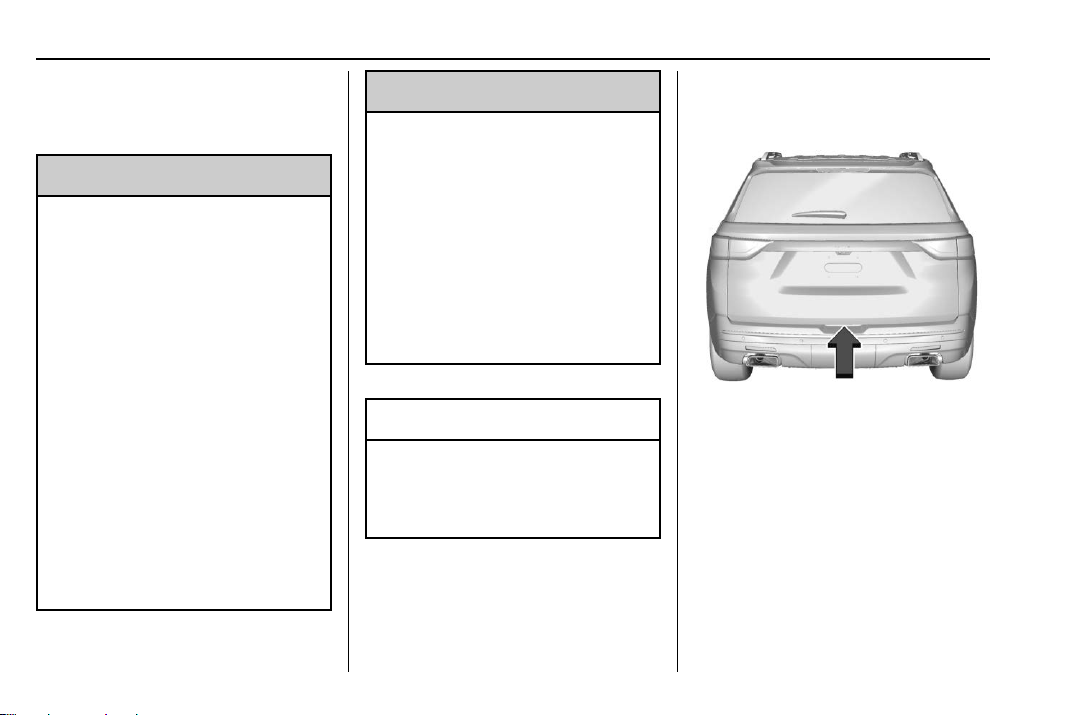
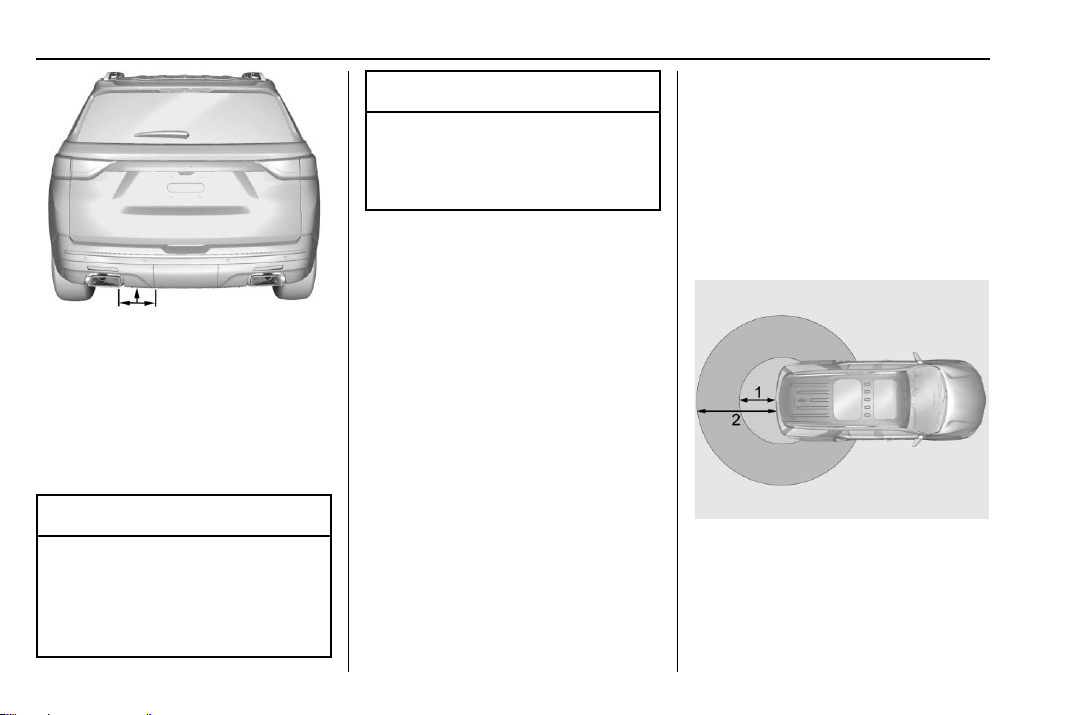
Hands-Free Operation
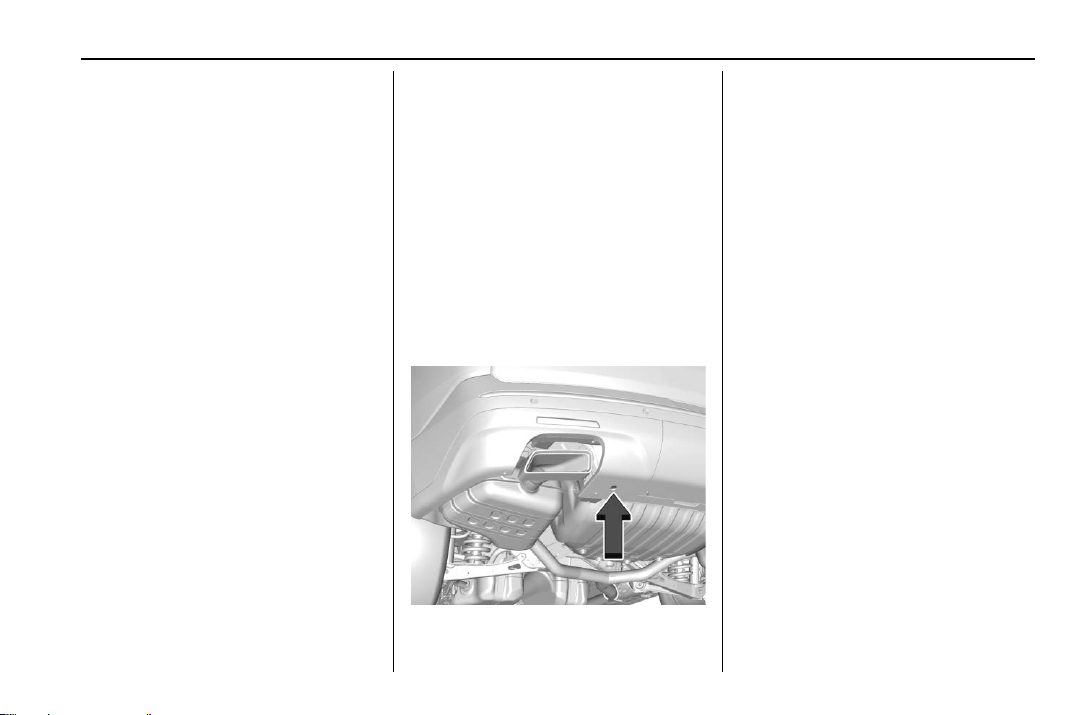
If equipped, the liftgate may be
operated with a kicking motion
under the left side of the rear
bumper at the location of the
projected logo. The RKE transmitter
must be within 1 m (3 ft) of the rear
bumper to operate the power liftgate
hands-free.
The hands-free feature will not work
while the liftgate is moving. To stop
the liftgate while in motion use one
of the liftgate switches.
The hands-free feature can be
customized. See Vehicle
Personalization 0 138. Choose from
the following:
On-Open and Close : The kicking
motion is activated to both open and
close the liftgate.
On-Open Only : The kicking motion
is activated to only open the liftgate.
Off : The feature is disabled.
Chevrolet Traverse Owner Manual (GMNA-Localizing-U.S./Canada/Mexico-
13527526) - 2020 - CRC - 9/5/19
26 Keys, Doors, and Windows
Kick Zone
To operate, move your foot in a
forward kicking motion under the left
side of the rear bumper at the
location of the projected logo, then
pull it back. The kick must come
within 14 cm (6 in) of the rear
bumper to activate.
Caution
Splashing water may cause the
liftgate to open. Keep the RKE
transmitter away from the rear
bumper detection area or turn the
(Continued)
Caution (Continued)
liftgate mode to OFF when
cleaning or working near the rear
bumper to avoid accidental
opening.
.
Do not sweep your foot side
to side.
.
Do not keep your foot under the
bumper; the liftgate will not
activate.
.
Do not touch the liftgate until it
has stopped moving.
This feature may be temporarily
disabled under some conditions.
If the liftgate does not respond to
the kick, open or close the liftgate
by another method or start the
vehicle. The feature will be
re-enabled.
When closing the liftgate using this
feature, there will be a short delay.
The taillamps will flash and a chime
will sound.
Step away from the liftgate before it
starts moving.
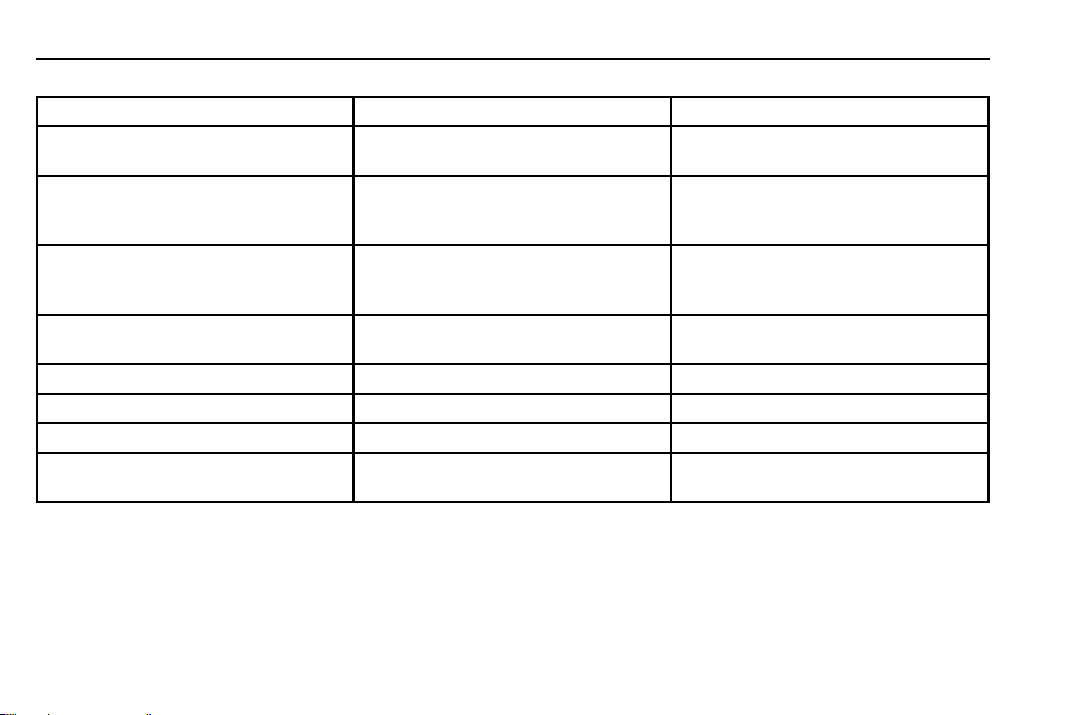
Projected Logo
If equipped with this feature, a
vehicle logo will be projected for
one minute onto the ground near
the rear bumper when an RKE
transmitter is detected within
approximately 2 m (6 ft). The
projected logo may not be visible
under brighter daytime conditions.
1. 1 m (3 ft) Hands-Free
Operation Detection Zone
2. 2 m (6 ft) Projected Logo
Detection Zone
The projected logo shows where the
kicking motion is to take place.
Chevrolet Traverse Owner Manual (GMNA-Localizing-U.S./Canada/Mexico-
13527526) - 2020 - CRC - 9/5/19
Keys, Doors, and Windows 27
The projected logo will only be
available for this RKE transmitter
after it has been out of range for at
least 20 seconds.
If an RKE transmitter is again
detected within approximately 2 m
(6 ft) of the liftgate, or another
hands-free operation has been
detected, the one-minute timer will
be reset.
The projected logo will not work
under these conditions:
.
The vehicle battery is low.
.
The transmission is not in
P (Park).
.
Hands Free Liftgate Control is
set to off in vehicle
personalization. See Vehicle
Personalization 0 138.
.
Power liftgate is turned off.
.
The vehicle remains parked for
72 hours or more, with no RKE
transmitter use or Keyless
Access operation. To re-enable,
press any button on the RKE
transmitter or open and close a
vehicle door.
The projected logo will not work for
a single RKE transmitter when a
transmitter:
.
Has been left within
approximately 5 m (15 ft) of the
liftgate for several minutes.
.
Has been left inside the vehicle
and all vehicle doors are closed.
.
Has approached the area
outside of the liftgate five times
within 10 minutes.
Lens Cleaning
Clean the recessed lens with a soft,
dampened cloth.
Chevrolet Traverse Owner Manual (GMNA-Localizing-U.S./Canada/Mexico-
13527526) - 2020 - CRC - 9/5/19
28 Keys, Doors, and Windows
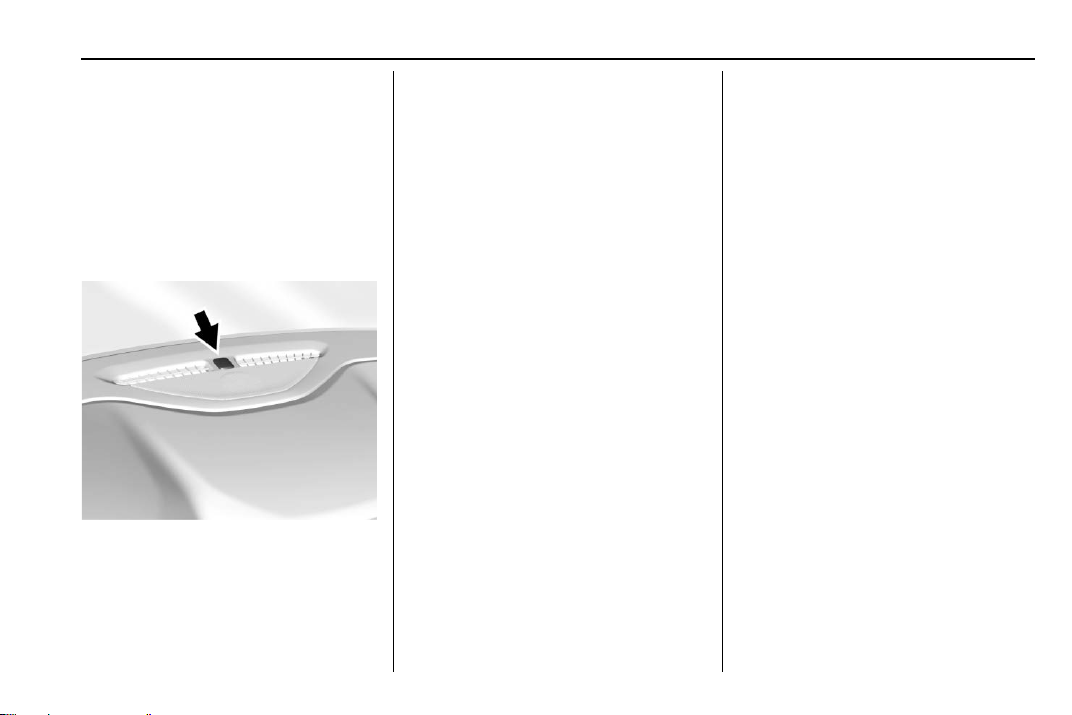
Hands-Free Liftgate and Projected Logo Availability
Action Hands-Free Liftgate Projected Logo
RKE transmitter entering projected
logo detection zone
Operative On for one minute
RKE transmitter left inside projected
logo detection zone for minimum of
10 minutes
Operative Off until RKE transmitter button press
or a door is opened and closed
RKE transmitter brought in and out of
projected logo detection zone five
times or more within 10 minutes
Operative Off for one hour or until RKE
transmitter button press or a door is
opened and closed
Vehicle remains parked for more than
72 hours
Operative Off until RKE transmitter button press
or a door is opened and closed
Vehicle battery is low Non-operative Off
Transmission is not in P (Park) Non-operative Off
Power liftgate is turned off Non-operative Off
Hands-free liftgate is disabled in
vehicle personalization
Non-operative Off
Chevrolet Traverse Owner Manual (GMNA-Localizing-U.S./Canada/Mexico-
13527526) - 2020 - CRC - 9/5/19
Keys, Doors, and Windows 29
Vehicle Security
This vehicle has theft-deterrent
features; however, they do not make
the vehicle impossible to steal.
Vehicle Alarm System
This vehicle has an anti-theft alarm
system.
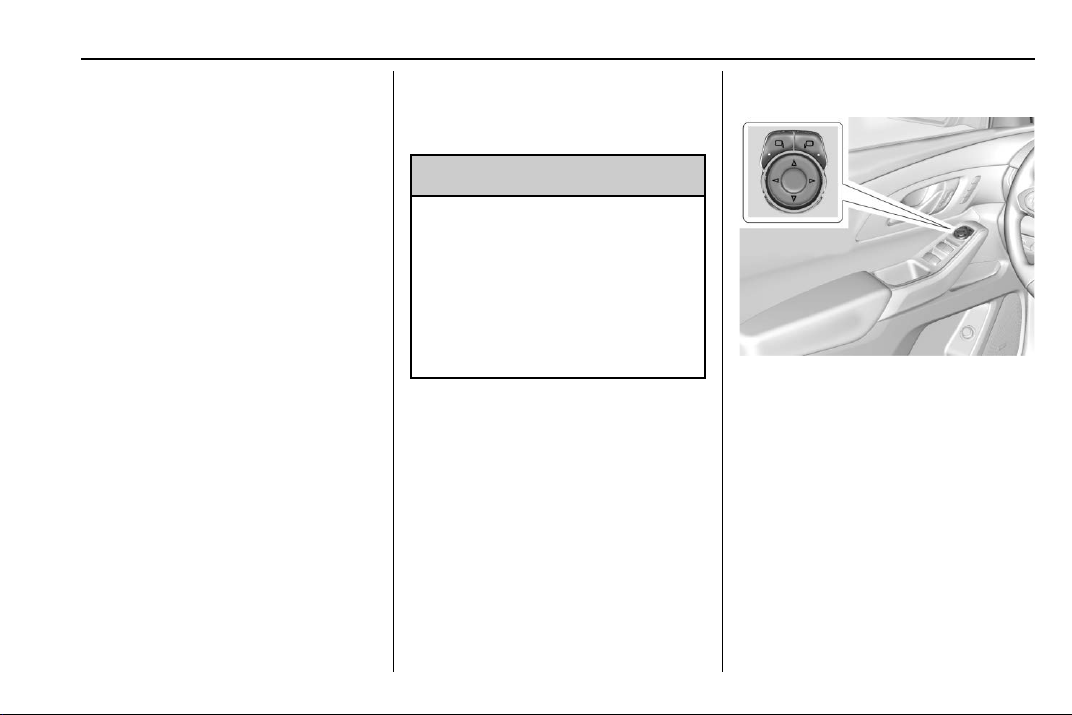
The indicator light, on the
instrument panel near the
windshield, indicates the status of
the system.
Off : Alarm system is disarmed.
On Solid : Vehicle is secured
during the delay to arm the system.
Fast Flash : Vehicle is unsecured.
A door, the hood, or the liftgate
is open.
Slow Flash : Alarm system is
armed.
Arming the Alarm System
1. Close the liftgate and the hood.
Turn off the vehicle.
2. Lock the vehicle in one of
three ways:
.
Use the RKE transmitter.
.
Use the Keyless Access
system.
.
With a door open, press the
inside
Q.
3. After 30 seconds the alarm
system will arm, and the
indicator light will begin to
slowly flash indicating the
alarm system is operating.
Pressing
Q on the RKE
transmitter a second time will
bypass the 30-second delay
and immediately arm the alarm
system.
The vehicle alarm system will not
arm if the doors are locked with
the key.
If the driver door is opened without
first unlocking with the RKE
transmitter, the horn will chirp and
the lights will flash to indicate
pre-alarm. If the vehicle is not
started, or the door is not unlocked
by pressing
K on the RKE
transmitter during the 10-second
pre-alarm, the alarm will be
activated.
The alarm will also be activated if a
passenger door, the liftgate, or the
hood is opened without first
disarming the system. When the
alarm is activated, the turn signals
flash and the horn sounds for about
30 seconds. The alarm system will
then re-arm to monitor for the next
unauthorized event.

Chevrolet Traverse Owner Manual (GMNA-Localizing-U.S./Canada/Mexico-
13527526) - 2020 - CRC - 9/5/19
30 Keys, Doors, and Windows
Disarming the Alarm System
To disarm the alarm system or turn
off the alarm if it has been activated:
.
Press
K on the RKE transmitter.
.
Unlock the vehicle using the
Keyless Access system.
.
Start the vehicle.
To avoid setting off the alarm by
accident:
.
Lock the vehicle after all
occupants have left the vehicle
and all doors are closed.
.
Always unlock a door with the
RKE transmitter or use the
Keyless Access system.
Unlocking the driver door with the
key will not disarm the system or
turn off the alarm.
How to Detect a Tamper
Condition
If K is pressed and the horn chirps
and the lights flash three times, the
alarm was activated while the alarm
system was armed.
If the alarm system has been
activated, a message will appear on
the Driver Information Center (DIC).
Immobilizer
See Radio Frequency Statement
0 355.
Immobilizer Operation
This vehicle has a passive
theft-deterrent system.
The system does not have to be
manually armed or disarmed.
The vehicle is automatically
immobilized when the transmitter
leaves the vehicle.
The immobilization system is
disarmed when the ignition is turned
on or in ACC/ACCESSORY and a
valid Remote Keyless Entry (RKE)
transmitter is in the vehicle.
The security light, in the instrument
cluster, comes on if there is a
problem with arming or disarming
the theft-deterrent system.
The system has one or more RKE
transmitters matched to an
immobilizer control unit in your
vehicle. Only a correctly matched
RKE transmitter will start the
vehicle. If the transmitter is ever
damaged, you may not be able to
start your vehicle.
When trying to start the vehicle, the
security light may come on briefly
when the ignition is turned on.
If the engine does not start and the
security light stays on, there is a
problem with the system. Turn the
ignition off and try again.
If the vehicle will not change ignition
modes (ACC/ACCESSORY, on, off),
and the RKE transmitter appears to
Chevrolet Traverse Owner Manual (GMNA-Localizing-U.S./Canada/Mexico-
13527526) - 2020 - CRC - 9/5/19
Keys, Doors, and Windows 31
be undamaged, try another
transmitter. Or, you may try placing
the transmitter in the transmitter
pocket in the center console. See
Remote Keyless Entry (RKE)
System Operation 0 8.
If the ignition mode will not change
with the other transmitter, or with the
transmitter in the transmitter pocket,
your vehicle needs service. If the
ignition does change modes, the
first transmitter may be faulty. See
your dealer who can service the
theft-deterrent system and have a
new RKE transmitter programmed to
the vehicle.
It is possible for the immobilizer
system to learn new or replacement
RKE transmitters. Up to eight
transmitters can be programmed to
the vehicle. To program additional
transmitters, see “Programming
Transmitters to the Vehicle” under
Remote Keyless Entry (RKE)
System Operation 0 8.
Do not leave the key or device that
disarms or deactivates the
theft-deterrent system in the vehicle.
Exterior Mirrors
Convex Mirrors
{
Warning
A convex mirror can make things,
like other vehicles, look farther
away than they really are. If you
cut too sharply into the right lane,
you could hit a vehicle on the
right. Check the inside mirror or
glance over your shoulder before
changing lanes.
The passenger side mirror is convex
shaped. A convex mirror's surface is
curved so more can be seen from
the driver seat.
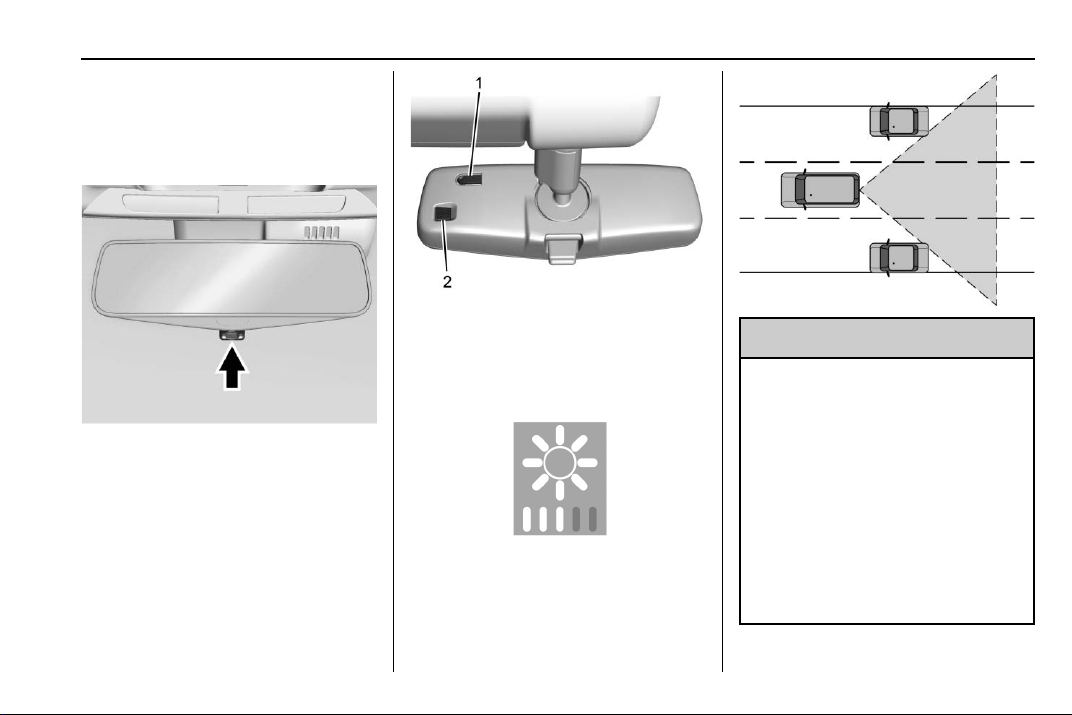
Power Mirrors
To adjust the mirrors:
1. Press
j or | to choose the
driver or passenger mirror.
2. Press the arrows on the control
pad to move each mirror in the
desired direction.
Folding Mirrors
Manual Folding Mirrors
The mirrors can be folded inward
toward the vehicle to prevent
damage when going through an

Chevrolet Traverse Owner Manual (GMNA-Localizing-U.S./Canada/Mexico-
13527526) - 2020 - CRC - 9/5/19
32 Keys, Doors, and Windows
automatic car wash. Push the mirror
outward to return it to the original
position.
Memory Mirrors
The vehicle may have memory
mirrors. See Memory Seats 0 45.
Lane Change Alert (LCA)
The vehicle may have LCA. See
Lane Change Alert (LCA) 0 225.
Side Blind Zone Alert
The vehicle may have Side Blind
Zone Alert. See Side Blind Zone
Alert (SBZA) 0 225.
Heated Mirrors
If equipped, the heated outside
mirrors turn on when the rear
window defogger is on and help to
clear fog or frost from the surface of
the mirrors.
K : This button is on the climate
control panel.
See “Rear Window Defogger” under
Dual Automatic Climate Control
System 0 157.
Automatic Dimming
Mirror
The vehicle has an automatic
dimming outside mirror on the driver
side. The mirror will adjust for the
glare of headlamps behind you.
Reverse Tilt Mirrors
If equipped with memory seats, the
passenger and/or driver mirror tilts
to a preselected position when the
vehicle is in R (Reverse). This
allows the curb to be seen when
parallel parking.
The mirror(s) return to the original
position when:
.
The vehicle is shifted out of
R (Reverse), or remains in
R (Reverse) for about
30 seconds.
.
The ignition is turned off.
.
The vehicle is driven in
R (Reverse) above a set speed.
To turn this feature on or off, see
Vehicle Personalization 0 138.
Interior Mirrors
Interior Rearview Mirrors
Adjust the rearview mirror for a clear
view of the area behind your
vehicle.
Do not spray glass cleaner directly
on the mirror. Use a soft towel
dampened with water.
Manual Rearview Mirror
If equipped, push the tab forward for
daytime use and pull it rearward for
nighttime use to avoid glare of the
headlamps from behind.
Automatic Dimming
Rearview Mirror
If equipped, automatic dimming
reduces the glare of headlamps
from behind. The dimming feature
comes on when the vehicle is
started.
Chevrolet Traverse Owner Manual (GMNA-Localizing-U.S./Canada/Mexico-
13527526) - 2020 - CRC - 9/5/19
Keys, Doors, and Windows 33
Rear Camera Mirror
If equipped, this automatic dimming
mirror provides a wide angle camera
view of the area behind the vehicle.
Pull the tab rearward to turn on the
display. Push the tab forward to turn
it off. When off, the mirror is
automatic dimming. Adjust the
mirror for a clear view of the area
behind the vehicle while the display
is off.
To adjust the brightness, press the
button (1) on the back of the
rearview mirror without covering the
light sensor (2).
Each button press cycles the
brightness between five settings.
{
Warning
The Rear Camera Mirror (RCM)
has a limited view. Portions of the
road, vehicles, and other objects
may not be seen. Do not drive or
park the vehicle using only this
camera. Objects may appear
closer than they are. Check the
outside mirrors or glance over
your shoulder when making lane
changes or merging. Failure to
use proper care may result in
injury, death, or vehicle damage.
Chevrolet Traverse Owner Manual (GMNA-Localizing-U.S./Canada/Mexico-
13527526) - 2020 - CRC - 9/5/19
34 Keys, Doors, and Windows
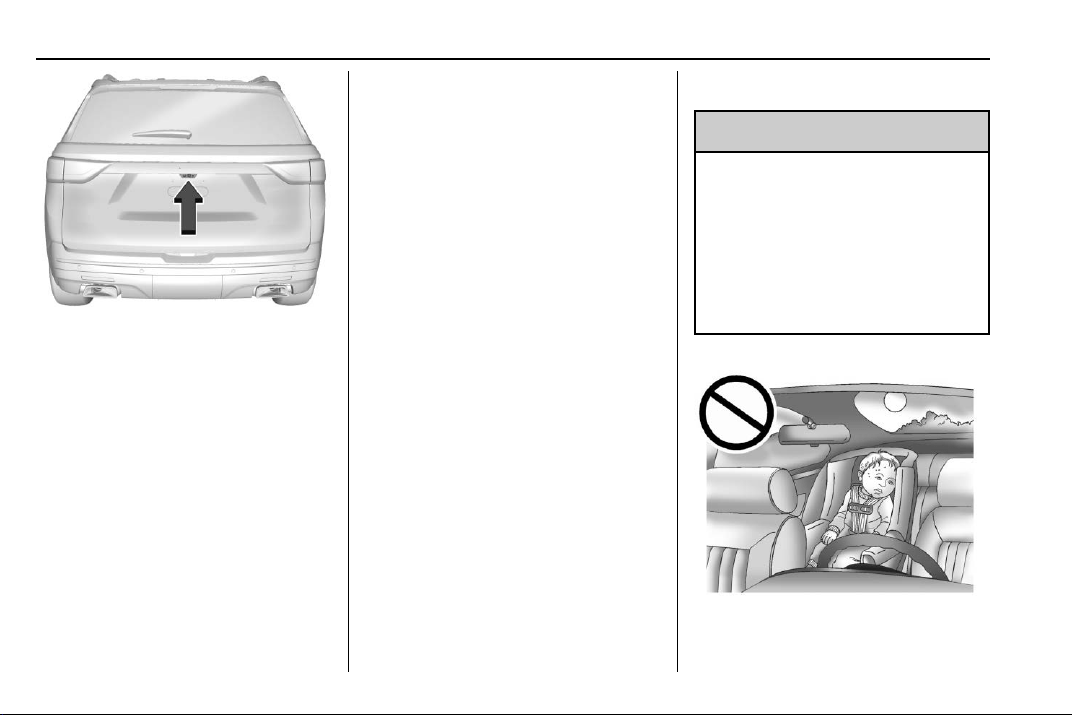
The camera that provides the Rear
Camera Mirror (RCM) image is
above the license plate, next to the
Rear Vision Camera (RVC).
Troubleshooting
If the tab is in the rearward position
and a blue screen and
d are
displayed in the mirror and the
display shuts off, see your dealer for
service.
The RCM may not work properly or
display a clear image if:
.
There is glare from the sun or
headlamps. This may obstruct
objects from view.
.
Dirt, snow, or other debris blocks
the camera lens. Clean the lens
with a soft damp cloth.
.
The back of the vehicle has
been damaged and the position
and mounting angle of the
camera has changed.
Windows
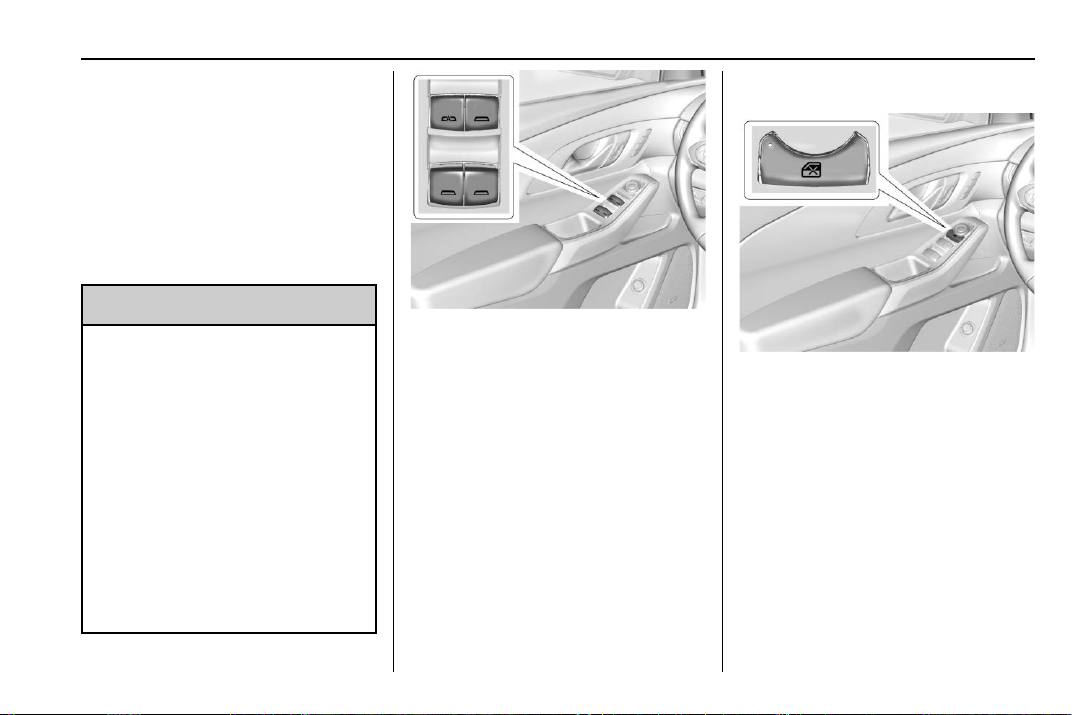
{
Warning
Never leave a child, a helpless
adult, or a pet alone in a vehicle,
especially with the windows
closed in warm or hot weather.
They can be overcome by the
extreme heat and suffer
permanent injuries or even death
from heat stroke.
Chevrolet Traverse Owner Manual (GMNA-Localizing-U.S./Canada/Mexico-
13527526) - 2020 - CRC - 9/5/19
Keys, Doors, and Windows 35
The vehicle aerodynamics are
designed to improve fuel economy
performance. This may result in a
pulsing sound when either rear
window is down and the front
windows are up. To reduce the
sound, open either a front window
or the sunroof, if equipped.
Power Windows
{
Warning
Leaving children in a vehicle with
a Remote Keyless Entry (RKE)
transmitter is dangerous and
children or others could be
seriously injured or killed. They
could operate the power windows
or other controls or make the
vehicle move. The windows will
function with the RKE transmitter
in the vehicle, and children or
others could be caught in the path
of a closing window. Do not leave
children in a vehicle with an RKE
transmitter.
The power windows work when the
ignition is on, in ACC/ACCESSORY,
or when Retained Accessory Power
(RAP) is active. See Retained
Accessory Power (RAP) 0 187.
Using the window switch, press to
open or pull to close the window.
The windows may be temporarily
disabled if they are used repeatedly
within a short time.
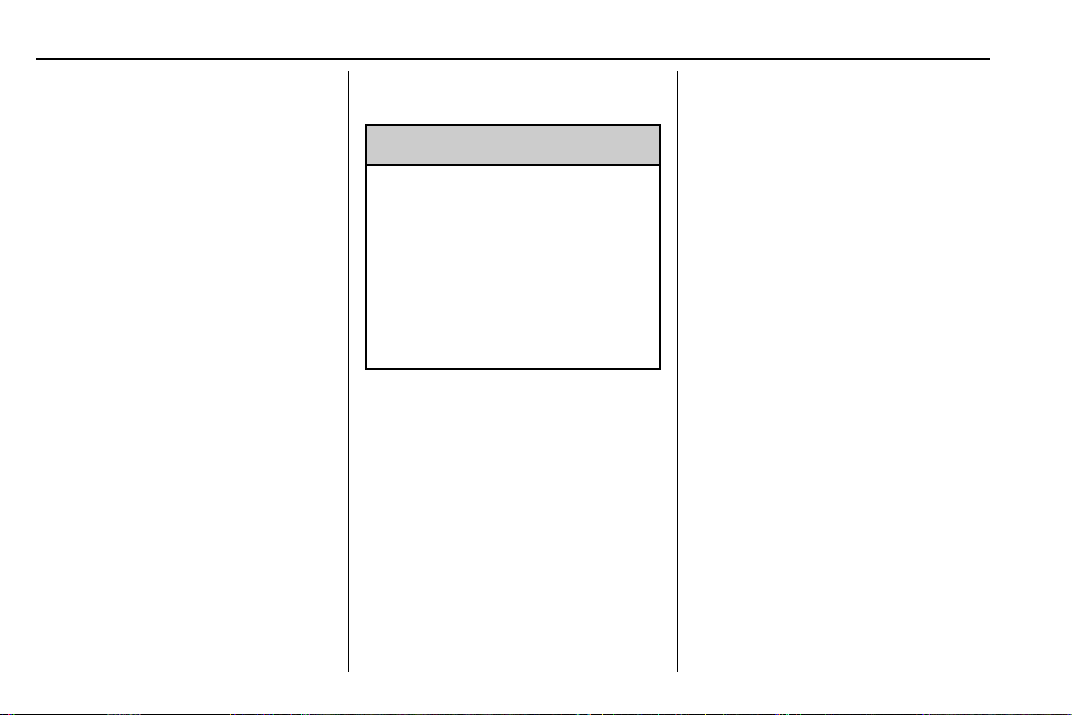
Window Lockout
This feature stops the rear
passenger window switches from
working:
.
Press
2 to engage the rear
window lockout feature. The
indicator light is on when
engaged.
.
Press
2 again to disengage.
Chevrolet Traverse Owner Manual (GMNA-Localizing-U.S./Canada/Mexico-
13527526) - 2020 - CRC - 9/5/19
36 Keys, Doors, and Windows
Window Express Movement
All windows can be opened without
holding the window switch. Press
the switch down fully and quickly
release to express open the
window.
If equipped, pull the window switch
up fully and quickly release to
express close the window.
Briefly press or pull the window
switch in the same direction to stop
that window’s express movement.
Window Automatic Reversal
System
The express-close feature will
reverse window movement if it
comes in contact with an object.
Extreme cold or ice could cause the
window to auto-reverse. The
window will operate normally after
the object or condition is removed.
Automatic Reversal System
Override
{
Warning
If automatic reversal system
override is active, the window will
not reverse automatically. You or
others could be injured and the
window could be damaged.
Before using automatic reversal
system override, make sure that
all people and obstructions are
clear of the window path.
When the engine is on, override the
automatic reversal system by pulling
and holding the window switch if
conditions prevent it from closing.
Programming the Power
Windows
Programming may be necessary if
the vehicle battery has been
disconnected or discharged. If the
window is unable to express-up,
program each express-close
window:
1. Close all doors.
2. Turn the ignition on or to ACC/
ACCESSORY.
3. Partially open the window to be
programmed. Then close it and
continue to pull the switch
briefly after the window has
fully closed.
4. Open the window and continue
to press the switch briefly after
the window has fully opened.
Remote Window Operation
If equipped, this feature allows all
the windows to be opened remotely.
If enabled in vehicle personalization,
press and hold
K on the RKE
transmitter. See Vehicle
Personalization 0 138.
Chevrolet Traverse Owner Manual (GMNA-Localizing-U.S./Canada/Mexico-
13527526) - 2020 - CRC - 9/5/19
Keys, Doors, and Windows 37
Sun Visors
Pull the sun visor down to block
glare. Detach the sun visor from the
center mount to pivot to the side
window and, if equipped, extend
along the rod.
Roof
Sunroof
If equipped, the ignition must be on
or in ACC/ACCESSORY,
or Retained Accessory Power (RAP)
must be active to operate the
sunroof. See Ignition Positions
0 182 and
Retained Accessory Power (RAP)
0 187.
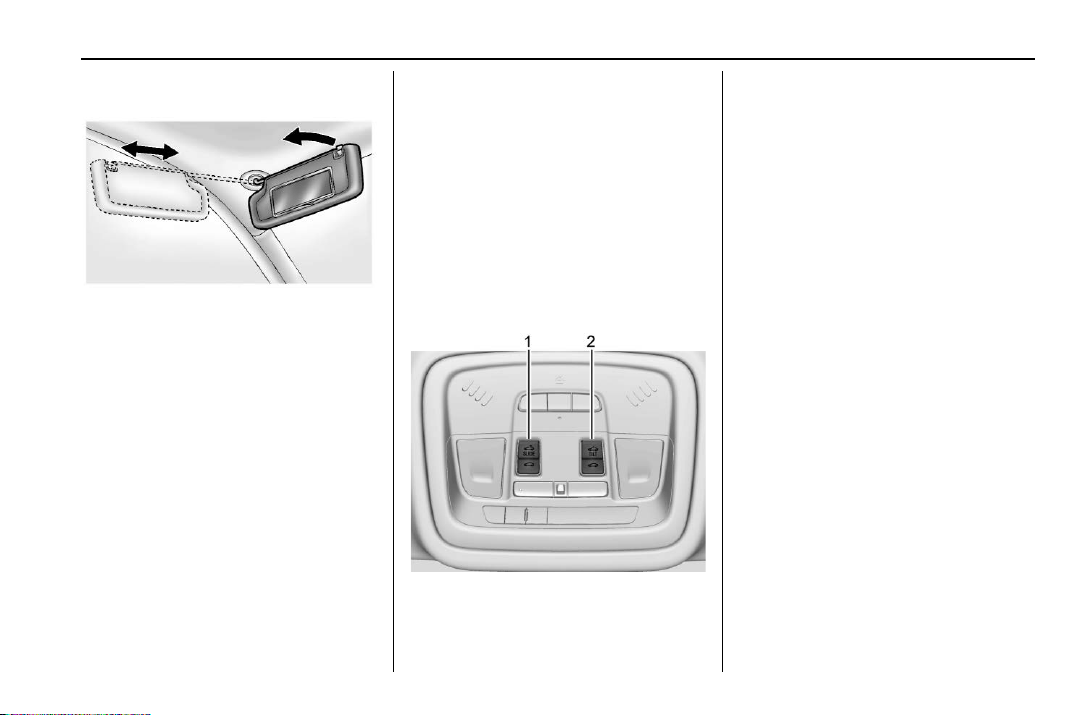
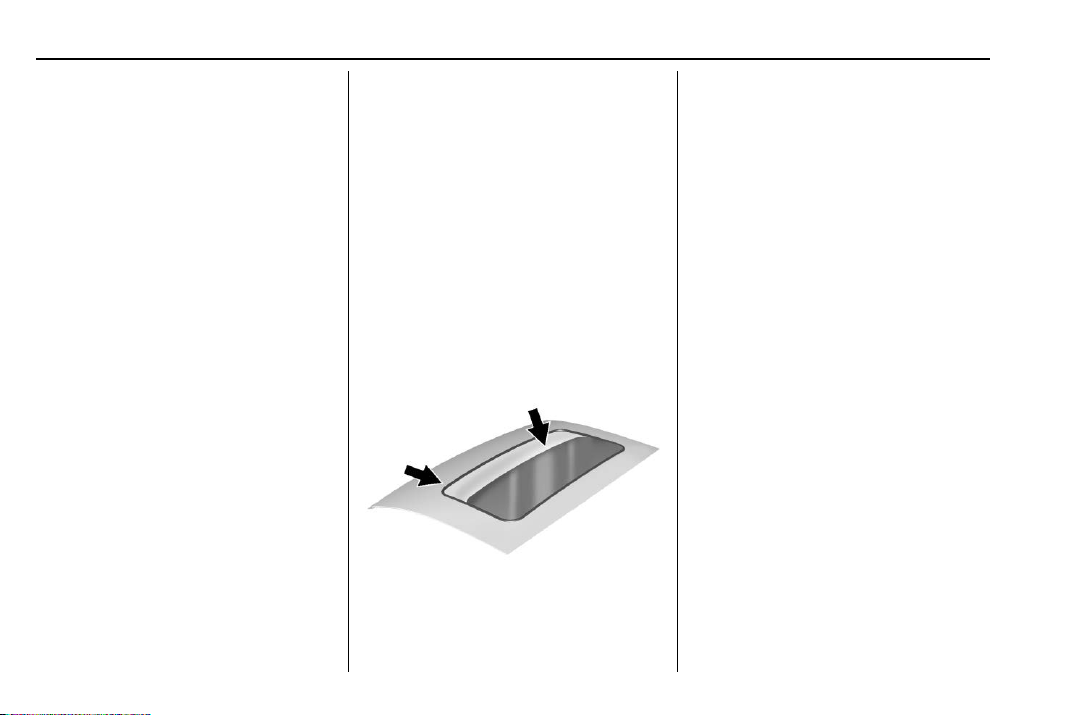
1. Sunroof Switch (SLIDE)
2. Vent Switch (TILT)
Slide Switch
Express-Open/Express-Close :
Press and release
D (1) to
express-open the sunroof. The
sunshade will not open
automatically. Press and release
g (1) to express-close the
sunroof.
Open/Close (Manual Mode) : Fully
press
D (1) to open the sunroof.
The sunshade will not automatically
open with the sunroof. Release to
stop at the desired position. Fully
press
g (1) to close the sunroof.
Release to stop at the desired
position.
Tilt Switch
Vent Feature : Press
E (2) to vent
the sunroof. Press again and hold to
open the sunroof. Release to stop at
the desired position. The sunshade
will not open automatically. Press
Chevrolet Traverse Owner Manual (GMNA-Localizing-U.S./Canada/Mexico-
13527526) - 2020 - CRC - 9/5/19
38 Keys, Doors, and Windows
g (2) to express-close the
sunroof. Press again to stop the
movement.
The front sunshade can only be
opened and closed manually. The
sunshade can be opened by
pushing up on the handle, and
closed by pulling forward on the
handle until it latches. Do not try to
close the sunshade while the
sunroof is fully opened or in the vent
position.
If equipped, the rear sunshade can
only be opened or closed manually.
To open, press the latch button (if
equipped) on the handle while
pushing up to unlatch it. The
sunshade will retract to the open
position. To close the sunshade, pull
the handle forward until it latches.
The sunroof cannot be opened or
closed if the vehicle has an
electrical failure.
Automatic Reversal System
The sunroof has an automatic
reversal system that is only active
when the sunroof is operated in
express-close mode.
If an object is in the path while
express closing, the reversal system
will detect an object, stop, and open
the sunroof again.
If frost or other conditions prevent
closing, override the feature by
closing the sunroof in manual mode.
To stop movement, release the
switch.
Dirt and debris may collect on the
sunroof seal or in the track. This
could cause an issue with sunroof
operation or noise. It could also plug
the water drainage system.
Periodically open the sunroof and
remove any obstacles or loose
debris. Wipe the sunroof seal and
roof sealing area using a clean
cloth, mild soap, and water. Do not
remove grease from the sunroof.
If water is seen dripping into the
water drainage system, this is
normal.

Chevrolet Traverse Owner Manual (GMNA-Localizing-U.S./Canada/Mexico-
13527526) - 2020 - CRC - 9/5/19
Seats and Restraints 39
Seats and
Restraints
Head Restraints
Head Restraints . . . . . . . . . . . . . . . 40
Front Seats
Seat Adjustment . . . . . . . . . . . . . . . 42
Power Seat Adjustment . . . . . . . . 42
Lumbar Adjustment . . . . . . . . . . . . 43
Reclining Seatbacks . . . . . . . . . . . 43
Memory Seats . . . . . . . . . . . . . . . . . 45
Heated and Ventilated Front
Seats . . . . . . . . . . . . . . . . . . . . . . . . . 48
Rear Seats
Rear Seats . . . . . . . . . . . . . . . . . . . . 49
Heated Rear Seats . . . . . . . . . . . . 52
Third Row Seats . . . . . . . . . . . . . . . 53
Seat Belts
Seat Belts . . . . . . . . . . . . . . . . . . . . . 55
How to Wear Seat Belts
Properly . . . . . . . . . . . . . . . . . . . . . . 57
Lap-Shoulder Belt . . . . . . . . . . . . . 59
Seat Belt Use During
Pregnancy . . . . . . . . . . . . . . . . . . . . 62
Seat Belt Extender . . . . . . . . . . . . . 63
Safety System Check . . . . . . . . . . 63
Seat Belt Care . . . . . . . . . . . . . . . . . 63
Replacing Seat Belt System
Parts after a Crash . . . . . . . . . . . 64
Airbag System
Airbag System . . . . . . . . . . . . . . . . . 65
Where Are the Airbags? . . . . . . . 67
When Should an Airbag
Inflate? . . . . . . . . . . . . . . . . . . . . . . . 68
What Makes an Airbag
Inflate? . . . . . . . . . . . . . . . . . . . . . . . 69
How Does an Airbag
Restrain? . . . . . . . . . . . . . . . . . . . . . 69
What Will You See after an
Airbag Inflates? . . . . . . . . . . . . . . 70
Passenger Sensing System . . . 71
Servicing the Airbag-Equipped
Vehicle . . . . . . . . . . . . . . . . . . . . . . . 75
Adding Equipment to the
Airbag-Equipped Vehicle . . . . . 76
Airbag System Check . . . . . . . . . . 77
Replacing Airbag System Parts
after a Crash . . . . . . . . . . . . . . . . . 77
Child Restraints
Older Children . . . . . . . . . . . . . . . . . 77
Infants and Young Children . . . . 79
Child Restraint Systems . . . . . . . 81
Where to Put the Restraint . . . . . 83
Lower Anchors and Tethers for
Children (LATCH System) . . . . 84
Replacing LATCH System Parts
After a Crash . . . . . . . . . . . . . . . . . 94
Securing Child Restraints (With
the Seat Belt in the
Rear Seat) . . . . . . . . . . . . . . . . . . . 94
Securing Child Restraints (With
the Seat Belt in the
Front Seat) . . . . . . . . . . . . . . . . . . . 96
Chevrolet Traverse Owner Manual (GMNA-Localizing-U.S./Canada/Mexico-
13527526) - 2020 - CRC - 9/5/19
40 Seats and Restraints
Head Restraints
Front Seats
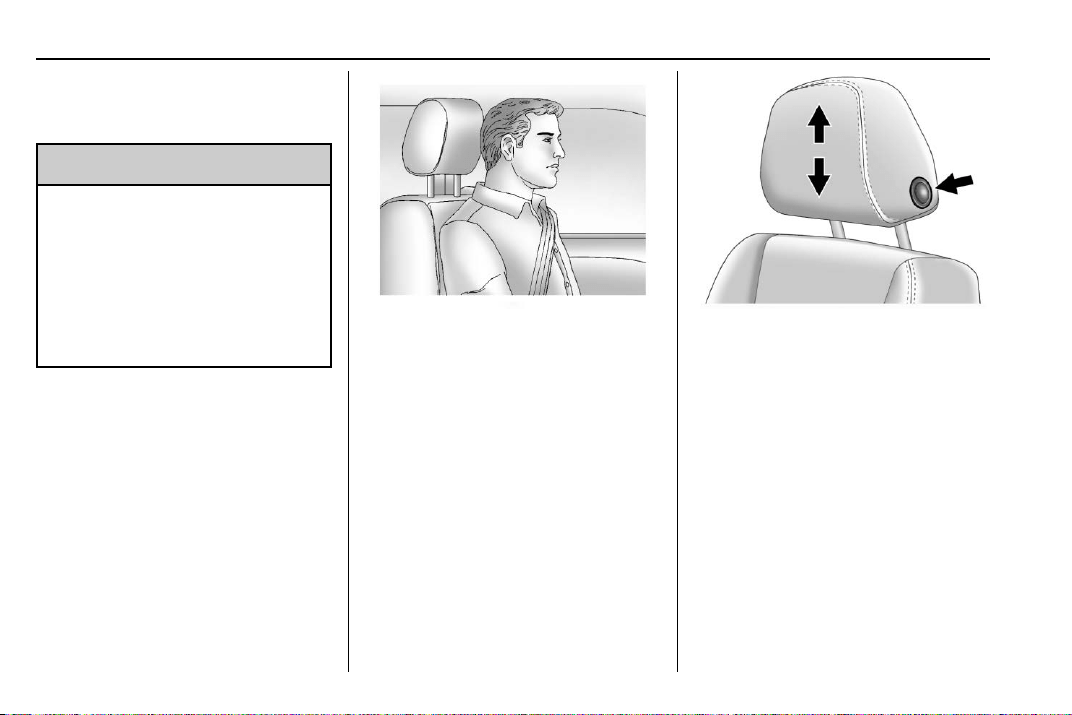
{
Warning
With head restraints that are not
installed and adjusted properly,
there is a greater chance that
occupants will suffer a neck/
spinal injury in a crash. Do not
drive until the head restraints for
all occupants are installed and
adjusted properly.
The vehicle's front seats have
adjustable head restraints in the
outboard seating positions.
Adjust the head restraint so that the
top of the restraint is at the same
height as the top of the occupant's
head. This position reduces the
chance of a neck injury in a crash.
The height of the head restraint can
be adjusted.
To raise or lower the head restraint,
press the button located on the side
of the head restraint, and pull up or
push the head restraint down, and
release the button. Pull and push on
the head restraint after the button is
released to make sure that it is
locked in place.
The front seat outboard head
restraints are not removable.
Rear Seats
Second Row Seats
The vehicle’s second row seats
have adjustable head restraints in
the outboard seating positions.
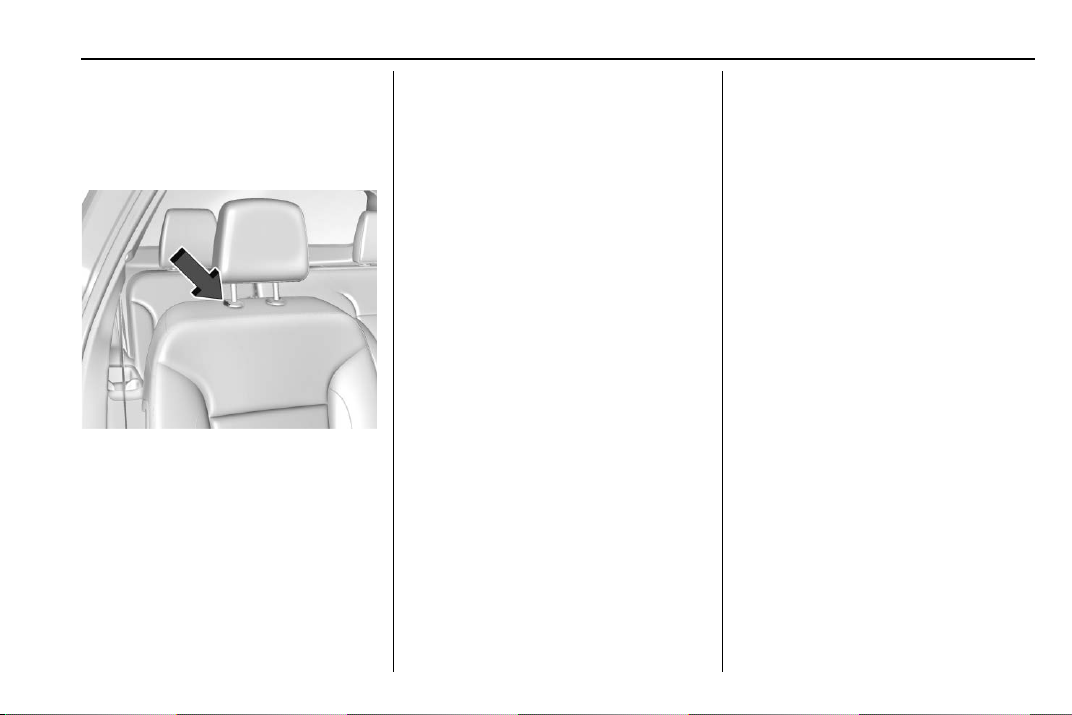
Chevrolet Traverse Owner Manual (GMNA-Localizing-U.S./Canada/Mexico-
13527526) - 2020 - CRC - 9/5/19
Seats and Restraints 41
The height of the head restraint can
be adjusted. Pull the head restraint
up to raise it. Try to move the head
restraint to make sure that it is
locked in place.
To lower the head restraint, press
the button, located on the top of the
seatback, and push the head
restraint down. Try to move the
head restraint after the button is
released to make sure that it is
locked in place.
Always adjust the head restraint so
that the top of the restraint is at the
same height as the top of the
occupant's head.
If you are installing a child restraint
in the rear seat, see “Securing a
Child Restraint Designed for the
LATCH System” under Lower
Anchors and Tethers for Children
(LATCH System) 0 84.
Third Row Seats
The vehicle’s third row seats have
head restraints in the outboard
seating positions that cannot be
adjusted up or down.
The third row outboard head
restraints are not removable.
The third row outboard head
restraints are designed to be folded.
The head restraint can be folded to
allow for better visibility when the
rear seat is unoccupied.
When folding the seatback down,
the head restraint will automatically
fold out of the way as the seat is
folded down.
Return the lowered head restraint to
the upright position until it locks into
place. Push and pull on the head
restraint to make sure it is locked.
When an occupant is in the seat,
always return the head restraint to
the upright position. Pull the head
restraint up and push it rearward
until it locks into place. Push and
pull on the head restraint to make
sure that it is locked.
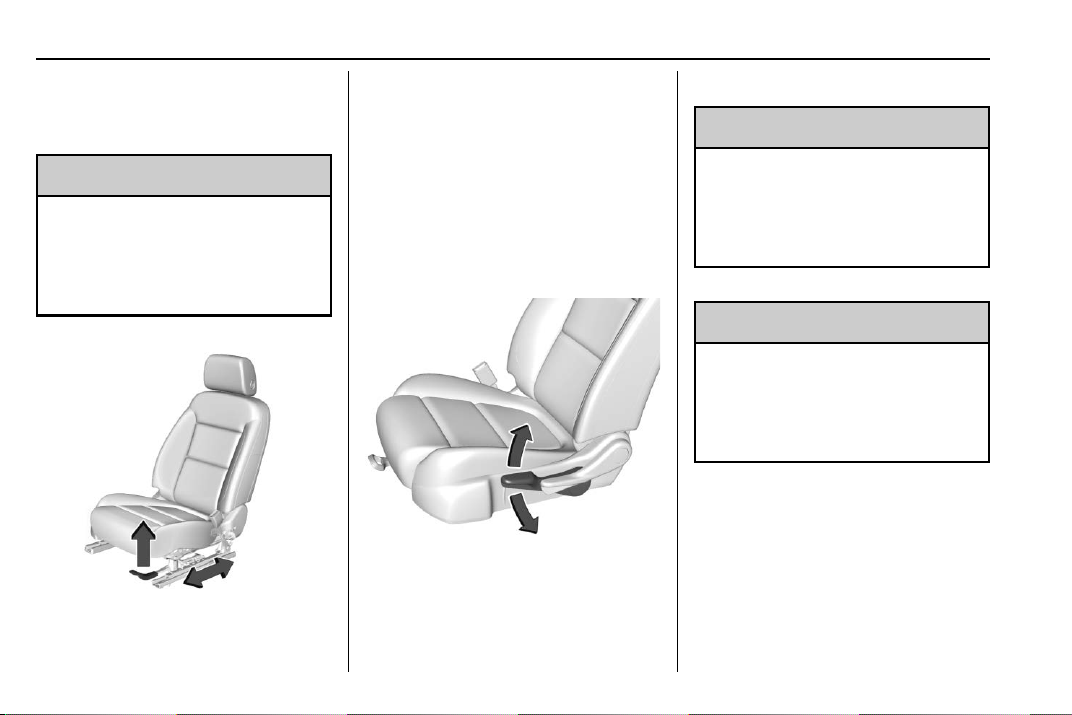
Chevrolet Traverse Owner Manual (GMNA-Localizing-U.S./Canada/Mexico-
13527526) - 2020 - CRC - 9/5/19
42 Seats and Restraints
Front Seats
Seat Adjustment
{
Warning
You can lose control of the
vehicle if you try to adjust a driver
seat while the vehicle is moving.
Adjust the driver seat only when
the vehicle is not moving.
To adjust a manual seat:
1. Lift the handle under the seat
to unlock it.
2. Move the seat forward or
rearward to adjust the seat
position.
3. Release the handle to stop the
seat from moving.
4. Try to move the seat back and
forth to be sure it is locked in
place.
Seat Height Adjuster
If equipped, move the lever up or
down to manually raise or lower
the seat.
Power Seat Adjustment
{
Warning
You can lose control of the
vehicle if you try to adjust a driver
seat while the vehicle is moving.
Adjust the driver seat only when
the vehicle is not moving.
{
Warning
The power seats will work with
the ignition off. Children could
operate the power seats and be
injured. Never leave children
alone in the vehicle.
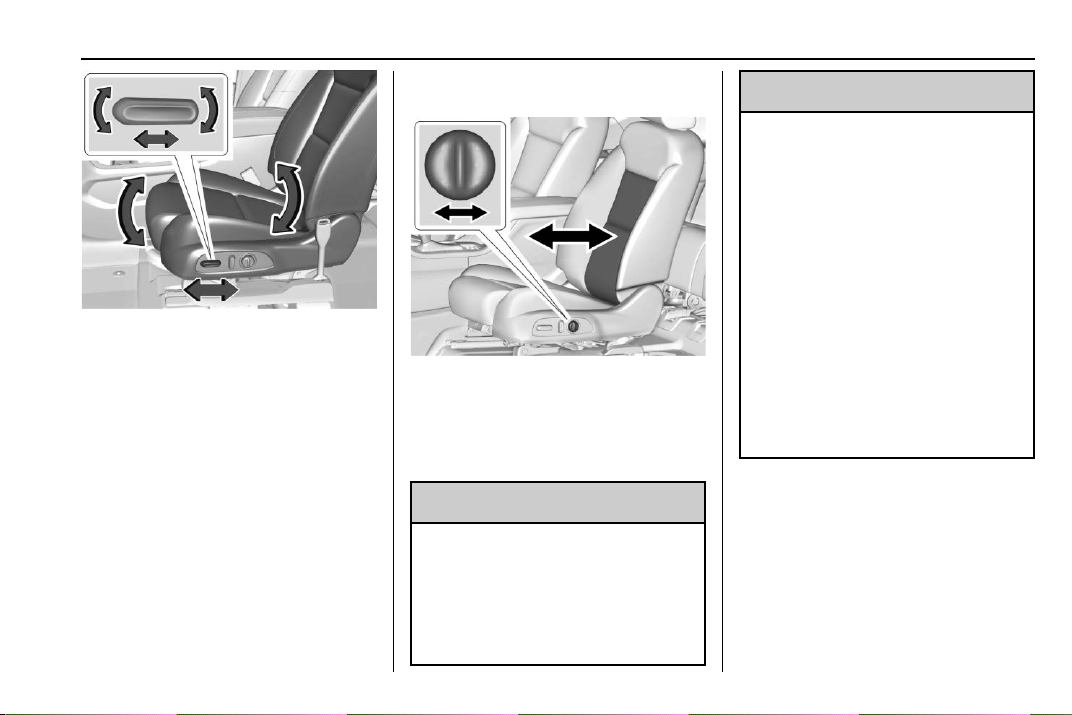
Chevrolet Traverse Owner Manual (GMNA-Localizing-U.S./Canada/Mexico-
13527526) - 2020 - CRC - 9/5/19
Seats and Restraints 43
To adjust the seat:
.
Move the seat forward or
rearward by sliding the control
forward or rearward.
.
Raise or lower the front part of
the seat cushion by moving the
front of the control up or down.
.
Raise or lower the entire seat by
moving the rear of the control up
or down.
To adjust the seatback, see
Reclining Seatbacks 0 43.
To adjust the lumbar support, see
Lumbar Adjustment 0 43.
Lumbar Adjustment
Press and hold the control forward
to increase or rearward to decrease
support.
Reclining Seatbacks
{
Warning
Sitting in a reclined position when
the vehicle is in motion can be
dangerous. Even when buckled
up, the seat belts cannot do
their job.
(Continued)
Warning (Continued)
The shoulder belt will not be
against your body. Instead, it will
be in front of you. In a crash, you
could go into it, receiving neck or
other injuries.
The lap belt could go up over
your abdomen. The belt forces
would be there, not at your pelvic
bones. This could cause serious
internal injuries.
For proper protection when the
vehicle is in motion, have the
seatback upright. Then sit well
back in the seat and wear the
seat belt properly.
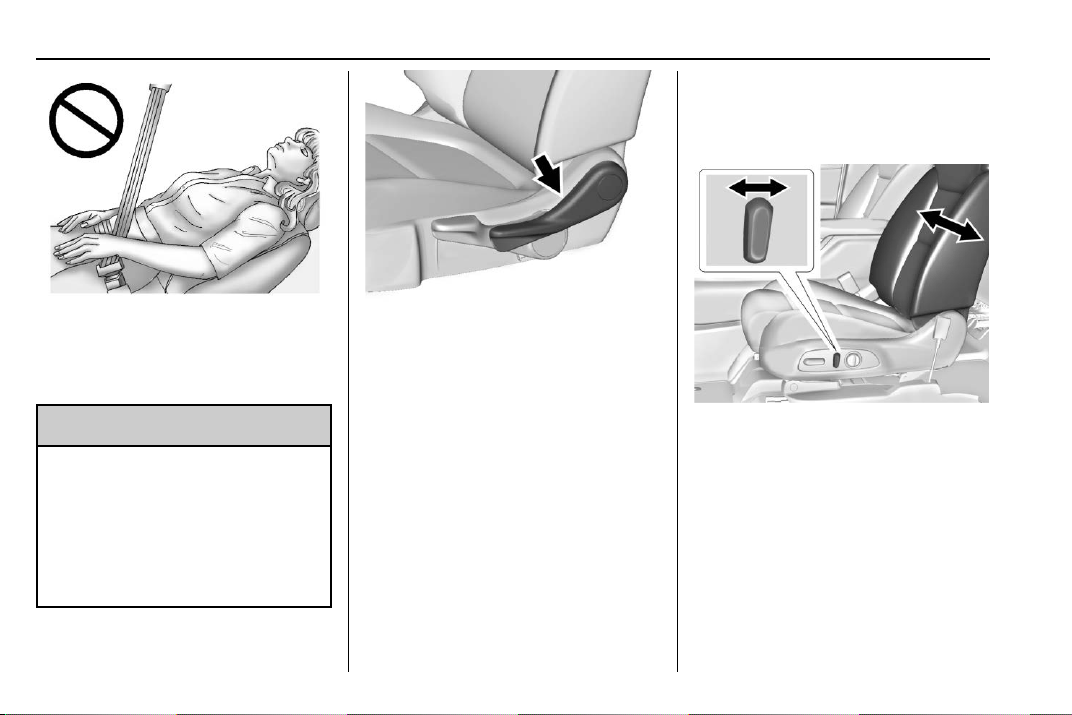
Chevrolet Traverse Owner Manual (GMNA-Localizing-U.S./Canada/Mexico-
13527526) - 2020 - CRC - 9/5/19
44 Seats and Restraints
Do not have a seatback reclined if
the vehicle is moving.
Manual Reclining Seatbacks
{
Warning
If either seatback is not locked, it
could move forward in a sudden
stop or crash. That could cause
injury to the person sitting there.
Always push and pull on the
seatbacks to be sure they are
locked.
To recline the seatback:
1. Lift the lever.
2. Move the seatback to the
desired position, and then
release the lever to lock the
seatback in place.
3. Push and pull on the seatback
to make sure it is locked.
To return the seatback to the upright
position:
1. Lift the lever fully without
applying pressure to the
seatback, and the seatback will
return to the upright position.
2. Push and pull on the seatback
to make sure it is locked.
Power Reclining Seatbacks
.
Tilt the top of the control
rearward to recline.
.
Tilt the top of the control forward
to raise.
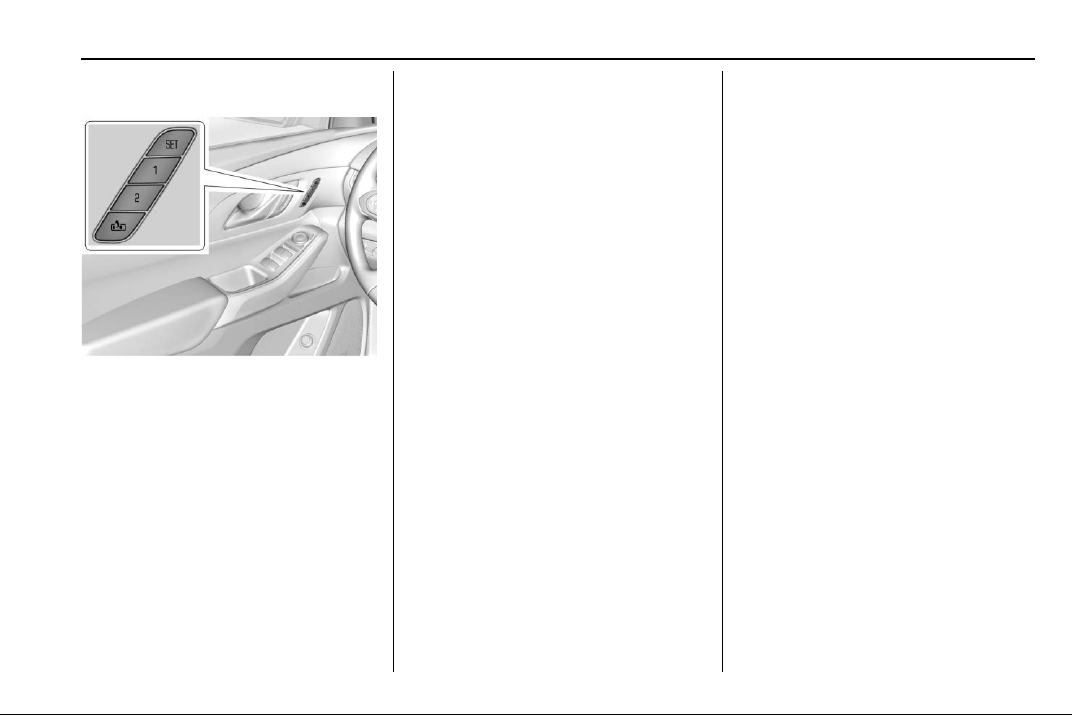
Chevrolet Traverse Owner Manual (GMNA-Localizing-U.S./Canada/Mexico-
13527526) - 2020 - CRC - 9/5/19
Seats and Restraints 45
Memory Seats
If equipped, memory seats allow two
drivers to save and recall their
unique seat positions for driving the
vehicle, and a shared exit position
for getting out of the vehicle. Other
feature positions may also be
saved, such as power mirrors and
power steering wheel, if equipped.
Memory positions are linked to RKE
transmitter 1 or 2 for automatic
memory recalls.
Before saving, adjust all available
memory feature positions. Turn the
vehicle on and then press and
release SET; a beep will sound.
Then immediately press and hold 1,
2, or
B (Exit) until two beeps
sound. To manually recall these
positions, press and hold 1, 2, or
B
until the saved position is reached.
Follow the instructions under
“Saving Memory Positions.”
The vehicle identifies the current
driver ’s RKE transmitter number
(1–8). See Remote Keyless Entry
(RKE) System Operation 0 8. Only
RKE transmitters 1 and 2 can be
used for automatic memory recalls.
A Driver Information Center (DIC)
welcome message indicating the
transmitter number may display for
the first few ignition cycles following
a transmitter change. For Seat Entry
Memory to work properly, save the
positions to the memory button (1 or
2) matching the RKE transmitter
number displayed in the DIC
welcome message. Carry the linked
RKE transmitter when entering the
vehicle.
Vehicle Personalization Settings
.
To have the Seat Entry Memory
movement begin when the
vehicle is started, select the
Settings menu, then Vehicle,
then Seating Position, and then
Seat Entry Memory. Select On or
Off. See “Seat Entry Memory”
later in this section.
.
To begin Seat Exit Memory
movement when the vehicle is
turned off and the driver door is
opened, or when the vehicle is
turned off with the driver door
already opened, select the
Settings menu, then Vehicle,
then Seating Position, and then
Seat Exit Memory. Select On or
Off. See “Seat Exit Memory”
later in this section.
.
See Vehicle Personalization
0 138 for additional setting
information.
Identifying Driver Number
To identify the driver number:
1. Move your RKE transmitter
away from the vehicle.

Chevrolet Traverse Owner Manual (GMNA-Localizing-U.S./Canada/Mexico-
13527526) - 2020 - CRC - 9/5/19
46 Seats and Restraints
2. Start the vehicle with another
key or RKE transmitter. The
DIC should display the driver
number for the other RKE
transmitter. Turn the vehicle off
and remove the key or RKE
transmitter from the vehicle.
3. Start the vehicle with the initial
key or RKE transmitter. The
DIC should display the driver
number of your RKE
transmitter.
Saving Memory Positions
Read these instructions completely
before saving memory positions.
To save preferred driving positions
1 and 2:
1. Turn the vehicle on or to ACC/
ACCESSORY.
A DIC welcome message may
indicate driver number 1 or 2.
2. Adjust all available memory
features to the desired driving
position.
3. Press and release SET; a beep
will sound.
4. Immediately press and hold the
1 or 2 memory button matching
the above DIC welcome
message until two beeps
sound.
If too much time passes
between releasing SET and
pressing 1, the memory
position will not be saved and
two beeps will not sound.
Repeat Steps 3 and 4.
1 or 2 corresponds to the driver
number. See “Identifying Driver
Number” previously in this
section.
5. Repeat Steps 1–4 for a second
driver using 1 or 2.
To save the position for
B and
Seat Exit Memory features, repeat
Steps 1–4 using
B. This saves the
position for getting out of the
vehicle.
Save preferred memory feature
positions to both 1 and 2 if you are
the only driver.
Manually Recalling Memory
Positions
Press and hold 1, 2, or
B to recall
the previously saved memory
positions if you are driver 1 or 2
identified in the DIC welcome
message. RKE transmitters 3–8 will
not recall memory positions.
To stop Manual Memory recall
movement, release 1, 2, or
B or
press any of the following controls:
.
Power seat
.
Memory SET
.
Power mirror, with the driver or
passenger side mirror selected
.
Power steering wheel,
if equipped
Seat Entry Memory
The vehicle identifies the number of
the current driver’s RKE transmitter
(1–8). See Remote Keyless Entry
(RKE) System Operation 0 8. If the
RKE transmitter is 1 or 2, and Seat
Entry Memory is enabled in vehicle
personalization, the positions saved
to the same memory button number

Chevrolet Traverse Owner Manual (GMNA-Localizing-U.S./Canada/Mexico-
13527526) - 2020 - CRC - 9/5/19
Seats and Restraints 47
1 or 2 are automatically recalled
when the vehicle is turned on,
or turned from off to ACC/
ACCESSORY. RKE transmitters 3–8
will not provide automatic memory
recalls.
To turn Seat Entry Memory on or off,
see “Vehicle Personalization
Settings” previously in this section
and Vehicle Personalization 0 138.
The shift lever must be in P (Park)
to start Seat Entry Memory. Seat
Entry Memory recall will complete if
the vehicle is shifted out of P (Park)
prior to reaching the saved memory
position.
To stop Seat Entry Memory recall
movement, turn the vehicle off or
press any of the following controls:
.
Power seat
.
Memory SET, 1, 2, or
B
.
Power mirror, with the driver or
passenger side mirror selected
.
Power steering wheel,
if equipped
If the saved memory seat position
does not automatically recall or
recalls to the wrong positions, the
driver ’s RKE transmitter number (1
or 2) may not match the memory
button number that positions were
saved to. Try storing the position to
the other memory button or try the
other RKE transmitter.
Seat Exit Memory
Seat Exit Memory is not linked to an
RKE transmitter. The position saved
to
B is used for all drivers. To turn
Seat Exit Memory on or off, see
"Vehicle Personalization Settings"
previously in this section and
Vehicle Personalization 0 138.
If turned on, the position saved to
B is automatically recalled when
one of the following occurs:
.
The vehicle is turned off and the
driver door is opened within a
short time.
.
The vehicle is turned off with the
driver door open.
To stop Seat Exit Memory
movement, press any of the
following memory controls:
.
Power seat
.
Memory SET, 1, 2, or
B
.
Power mirror, with the driver or
passenger side mirror selected
.
Power steering wheel,
if equipped
Obstructions
If something has blocked the driver
seat and/or power steering wheel
while recalling a memory position,
the recall may stop. Remove the
obstruction and try the recall again.
If the memory position still does not
recall, see your dealer.
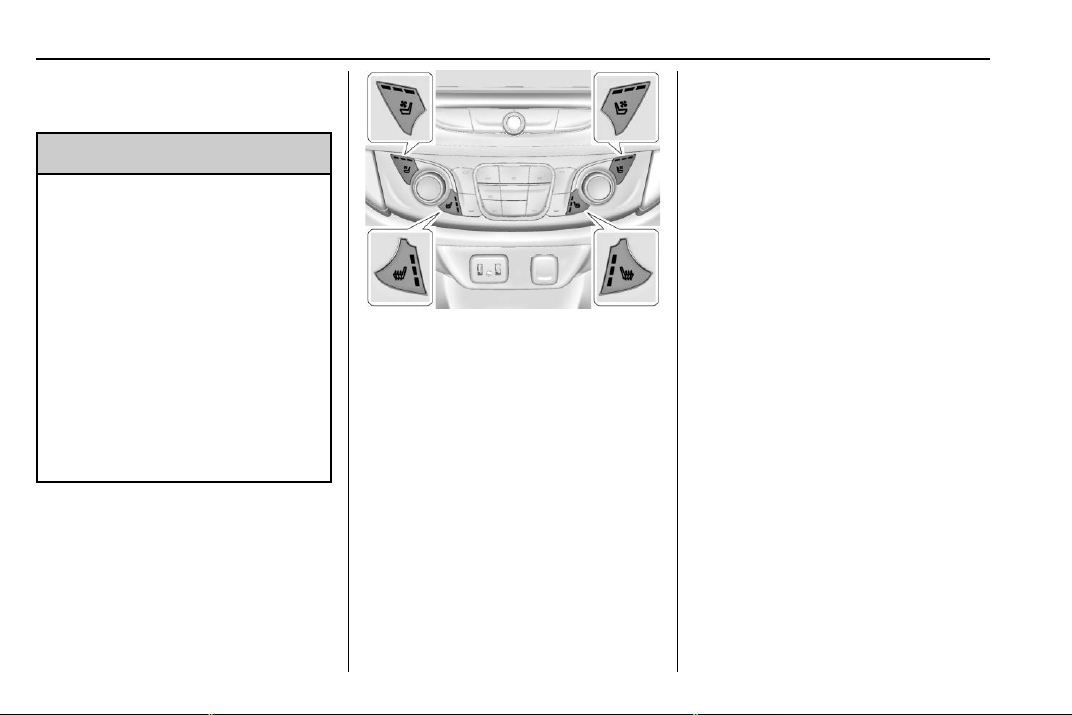
Chevrolet Traverse Owner Manual (GMNA-Localizing-U.S./Canada/Mexico-
13527526) - 2020 - CRC - 9/5/19
48 Seats and Restraints
Heated and Ventilated
Front Seats
{
Warning
If temperature change or pain to
the skin cannot be felt, the seat
heater may cause burns. To
reduce the risk of burns, use care
when using the seat heater,
especially for long periods of
time. Do not place anything on
the seat that insulates against
heat, such as a blanket, cushion,
cover, or similar item. This may
cause the seat heater to
overheat. An overheated seat
heater may cause a burn or may
damage the seat.
Heated and Ventilated Seat
Buttons Shown, Heated Seat
Buttons Similar
If equipped, the buttons are near the
climate controls on the center stack.
To operate, the engine must be
running.
Press
L or M to heat the driver or
passenger seat.
Press
{ or C, if available, to
ventilate the driver or passenger
seat. A ventilated seat has a fan
that pulls or pushes air through the
seat. The air is not cooled.
Press the button once for the
highest setting. With each press of
the button, the seat will change to
the next lower setting, and then to
the off setting. The indicator lights
next to the buttons indicate three for
the highest setting and one for the
lowest. If the heated seats are on
high, the level may automatically be
lowered after approximately
30 minutes.
The passenger seat may take
longer to heat up.
Auto Heated and Ventilated Seats
When the vehicle is on, this feature
will automatically activate the
heated or ventilated seats at the
level required by the vehicle’s
interior temperature.
The active high, medium, low, or off
heated or ventilated seat level will
be indicated by the manual heated
or ventilated seat buttons on the
center stack. Use the manual
heated or ventilated seat buttons on
the center stack to turn auto heated
or ventilated seats off. If the
passenger seat is unoccupied, the

Chevrolet Traverse Owner Manual (GMNA-Localizing-U.S./Canada/Mexico-
13527526) - 2020 - CRC - 9/5/19
Seats and Restraints 49
auto heated or ventilated seats
feature will not activate that seat.
The auto heated or ventilated seats
feature can be programmed to
always be enabled when the vehicle
is on.
See Vehicle Personalization 0 138.
Remote Start Heated and
Ventilated Seats
During a remote start, the heated or
ventilated seats, if equipped, can be
turned on automatically. When it is
cold outside, the heated seats will
turn on followed by the heated
steering wheel, if equipped. When it
is hot outside, the ventilated seats
turn on. The remote start heated or
ventilated seats may be canceled
when the ignition is turned on. Press
the heated or ventilated seat button
to use the heated or ventilated seats
after the vehicle is started.
The heated or ventilated seat
indicator lights may not turn on
during a remote start.
The temperature performance of an
unoccupied seat may be reduced.
This is normal.
The remote start heated or
ventilated seats may be enabled or
disabled in the vehicle
personalization menu. See Remote
Vehicle Start 0 16 and
Vehicle Personalization 0 138.
Rear Seats
Rear Seat Reminder
If equipped, the message REAR
SEAT REMINDER LOOK IN REAR
SEAT displays under certain
conditions indicating there may be
an item or passenger in the rear
seat. Check before exiting the
vehicle.
This feature will activate when a
second row door is opened while
the vehicle is on or up to 10 minutes
before the vehicle is turned on.
There will be an alert when the
vehicle is turned off. The alert does
not directly detect objects in the rear
seat; instead, under certain
conditions, it detects when a rear
door is opened and closed,
indicating that there may be
something in the rear seat.
The feature is active only once each
time the vehicle is turned on and off,
and will require reactivation by
opening and closing the second row
doors. There may be an alert even
when there is nothing in the rear
seat; for example, if a child entered
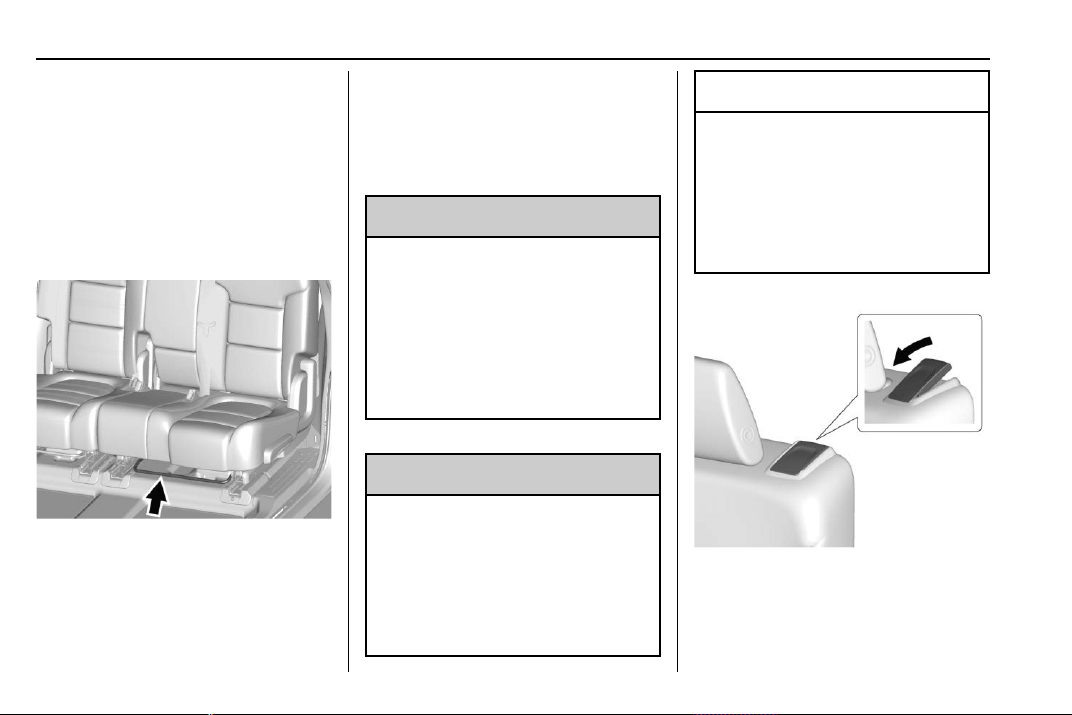
Chevrolet Traverse Owner Manual (GMNA-Localizing-U.S./Canada/Mexico-
13527526) - 2020 - CRC - 9/5/19
50 Seats and Restraints
the vehicle through the rear door
and left the vehicle without the
vehicle being shut off.
The feature can be turned on or off.
See Vehicle Personalization 0 138.
Rear Seat Adjustment
The second row seats slide forward
for more room.
To adjust the seat position:
1. Remove objects on the floor in
front of or on the second row
seat, or in the seat tracks on
the floor.
2. Lift the lever below the seat
cushion and slide the seat
forward or backward.
Entering and Exiting the
Third Row
{
Warning
Using the third row seating
position while the second row is
folded could cause injury in a
sudden stop or crash. Be sure to
return the seat to the passenger
seating position. Push and pull on
the seat to make sure it is locked
into place.
{
Warning
If the seatback and seat base are
not locked, the seat could move
forward in a sudden stop or crash
and injure the occupant. Always
push and pull on the seatbacks to
be sure the seatback and seat
base are locked.
Caution
Folding a rear seat with the seat
belts still fastened may cause
damage to the seat or the seat
belts. Always unbuckle the seat
belts and return them to their
normal stowed position before
folding a rear seat.
To access the third row from the
driver side (bench seat only):
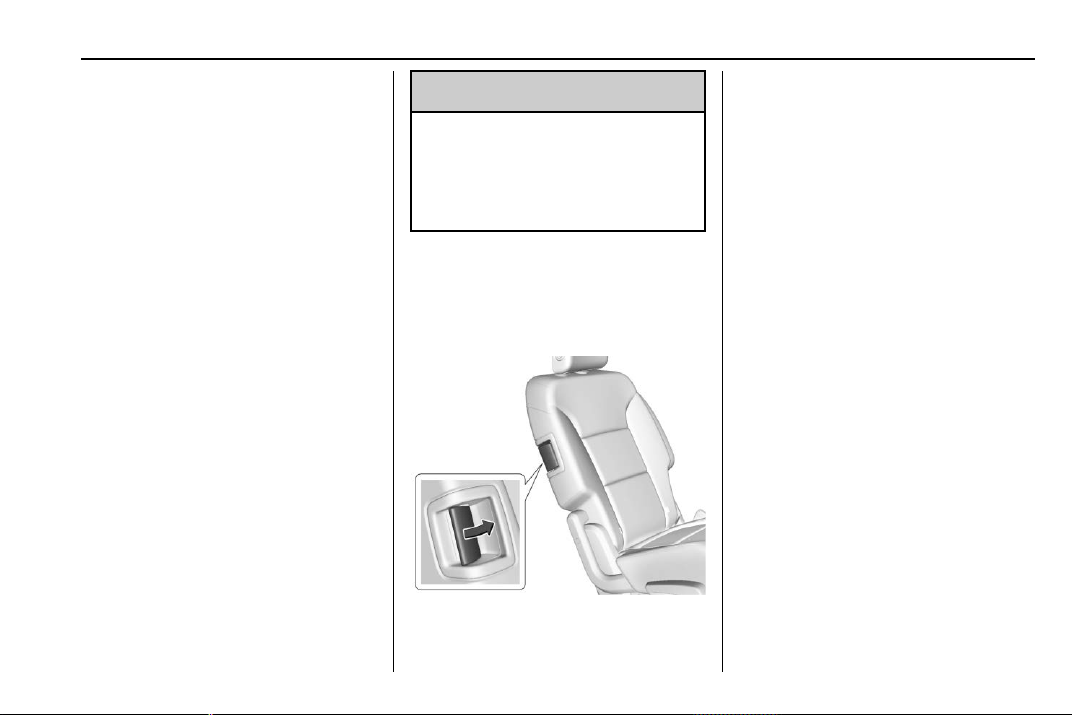
Chevrolet Traverse Owner Manual (GMNA-Localizing-U.S./Canada/Mexico-
13527526) - 2020 - CRC - 9/5/19
Seats and Restraints 51
1. Remove objects on the floor in
front of or on the second row
seat, or in the seat tracks on
the floor.
2. Make sure that the seat belt is
unfastened and in the stowed
position.
3. Pull the handle on top of the
seat forward and pull the seat
forward.
To access the third row from the
passenger side:
The second row passenger side
seat can be easily moved for third
row entry or exit with a
forward-facing child restraint
installed using the LATCH system.
Remove a rear-facing child restraint
before moving the seat for third row
entry or exit.
{
Warning
Remove the child from the child
restraint before moving the seat
forward for third row entry or exit.
Failure to do so may result in
injury to the child.
1. Remove objects on the floor in
front of the second row seat,
or in the seat tracks on the
floor.
2. Pull the handle on the top or
side of the seat forward and
pull the seat forward.
Returning the Seat to the
Seating Position
To return the second row seat to its
normal seating position:
1. Remove objects on the floor
behind the second row seat or
in the seat tracks on the floor.
2. Push on the seatback until the
seat is locked into place.
3. Push and pull on the seatback
and seat cushion to make sure
they are locked in place.
4. Check that the seat belt is not
under the seat cushion.
Reclining the Seatbacks
To recline the seatbacks:
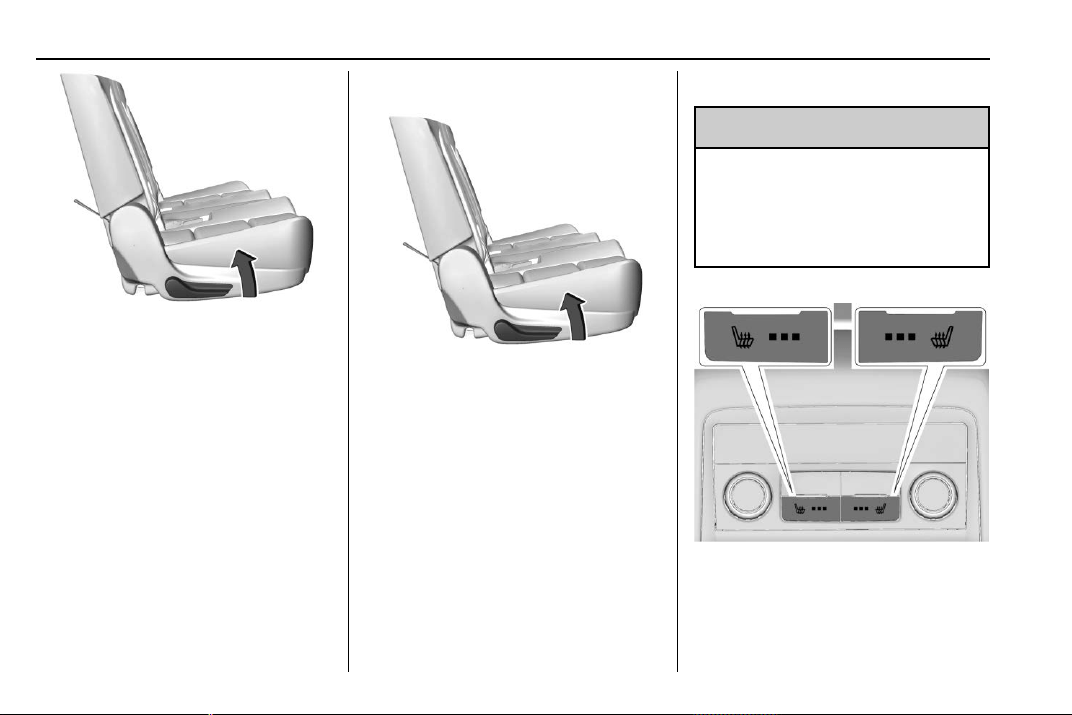
Chevrolet Traverse Owner Manual (GMNA-Localizing-U.S./Canada/Mexico-
13527526) - 2020 - CRC - 9/5/19
52 Seats and Restraints
1. Leaning rearward in the seat,
pull the reclining seatback
lever.
2. Move the seatback to the
desired position, and then
release the lever to lock the
seatback in place.
3. Push and pull on the seatback
to make sure it is locked.
Folding the Seatbacks
To fold the second row seatbacks:
1. Remove anything on or under
the seat.
2. Pull up on the reclining
seatback lever.
To return the seatback to the
seating position, lift the seatback
and push it rearward until it locks
into place. Push and pull on the
seatback to make sure it is locked.
Heated Rear Seats
{
Warning
If temperature change or pain to
the skin cannot be felt, the seat
heater may cause burns. See the
Warning under Heated and
Ventilated Front Seats 0 48.
If equipped, the buttons are on the
rear of the center console.
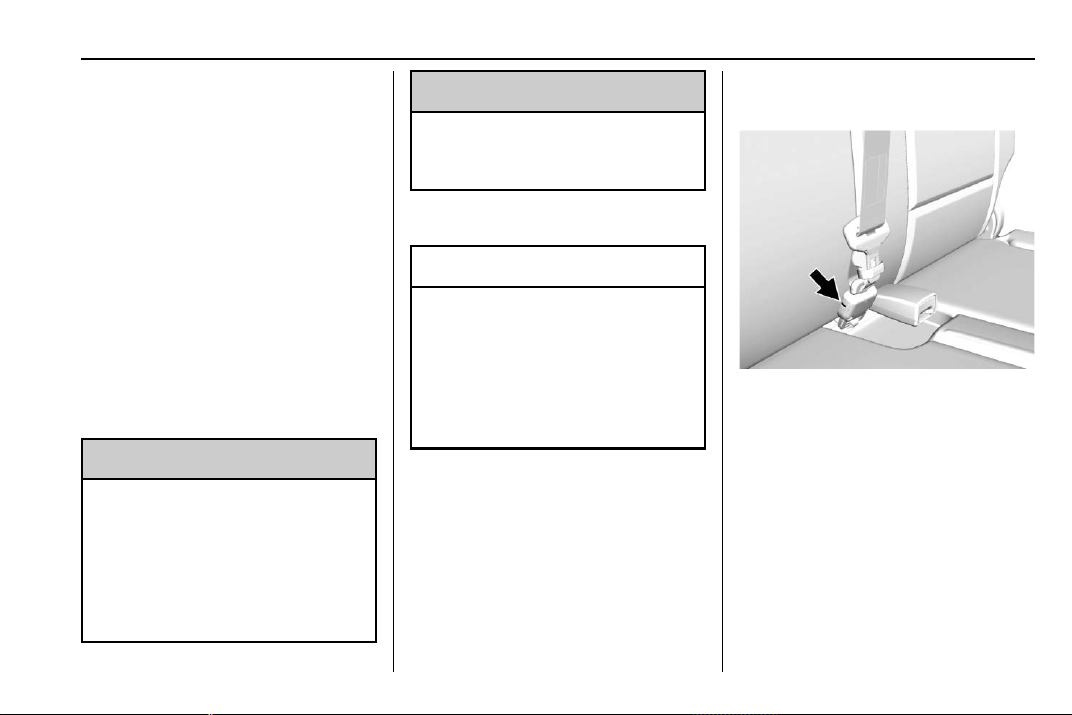
Chevrolet Traverse Owner Manual (GMNA-Localizing-U.S./Canada/Mexico-
13527526) - 2020 - CRC - 9/5/19
Seats and Restraints 53
With the engine running, press M or
L to heat the left or right outboard
seat cushion. An indicator on the
climate control display appears
when this feature is on.
This feature turns on at the highest
setting. With each press of the
button, the heated seat changes to
the next lower setting, and then the
off setting. Three lights indicate the
highest setting, and one light
indicates the lowest. If the heated
seats are on high, the level may
automatically be lowered after
approximately 30 minutes.
Third Row Seats
{
Warning
Using the third row seating
position while the second row is
folded, or pushed forward in the
entry position, could cause injury
in a sudden stop or crash. Be
sure to return the seat to the
(Continued)
Warning (Continued)
passenger seating position. Push
and pull on the seat to make sure
it is locked into place.
Folding the Seatback
Caution
Folding a rear seat with the seat
belts still fastened may cause
damage to the seat or the seat
belts. Always unbuckle the seat
belts and return them to their
normal stowed position before
folding a rear seat.
To fold the third row seatback:
1. Remove objects on the floor in
front of or on the second row
seat, or in the seat tracks on
the floor.
2. If the second row seat is in the
full rear position, adjust it
forward to allow the third row
seat to fold fully flat.
3. Remove anything on or under
the seat.
4. Disconnect the center seat belt
mini-latch, using a key in the
slot on the mini-buckle, and let
the belt retract into the
headliner.
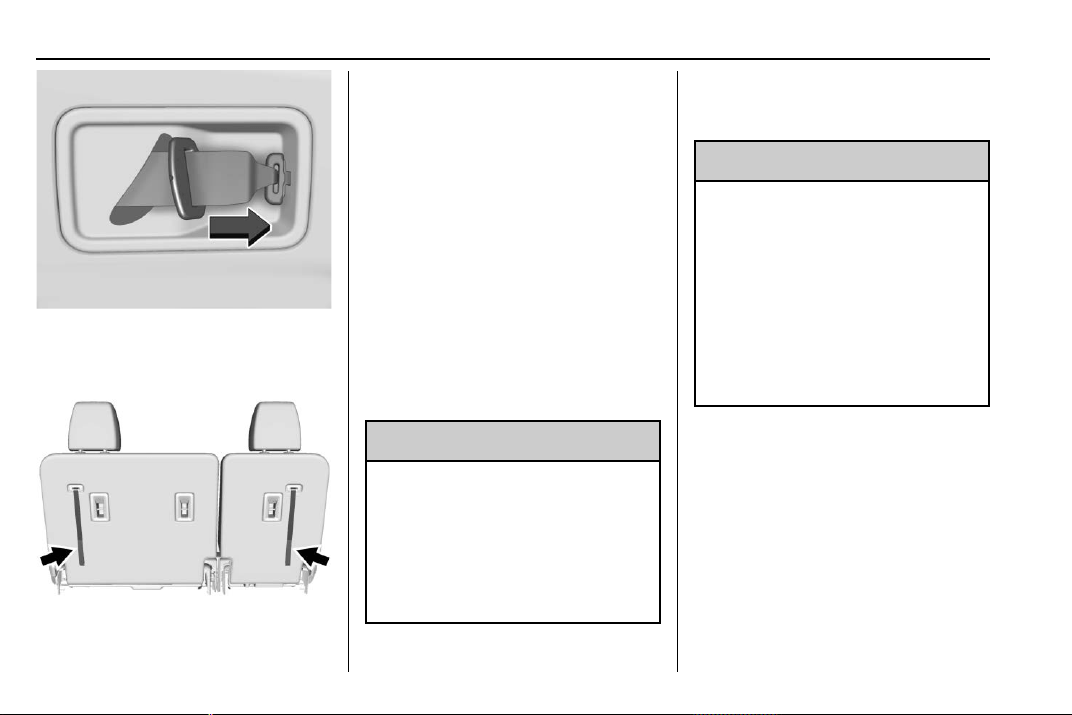
Chevrolet Traverse Owner Manual (GMNA-Localizing-U.S./Canada/Mexico-
13527526) - 2020 - CRC - 9/5/19
54 Seats and Restraints
5. Stow the mini-latch in the
holder in the headliner.
6. Pull the release strap located
on the seatback.
7. Push the seatback forward to
lay flat.
8. Repeat for the other seatback,
if necessary.
Returning the Seat to the
Seating Position
To return the seatback to the
seating position:
1. From the rear of the vehicle,
raise the seatback to the
upright position using the pull
strap on the back of the third
row seat, or lift the seatback
and push it into place from
inside the vehicle.
{
Warning
If either seatback is not locked, it
could move forward in a sudden
stop or crash. That could cause
injury to the person sitting there.
Always push and pull on the
seatbacks to be sure they are
locked.
2. Push and pull on the seatback
to make sure it is locked in
place.
{
Warning
A seat belt that is improperly
routed, not properly attached,
or twisted will not provide the
protection needed in a crash. The
person wearing the belt could be
seriously injured. After raising the
rear seatback, always check to be
sure that the seat belts are
properly routed and attached, and
are not twisted.
3. Reconnect the center seat belt
mini-latch to the mini-buckle.
Do not let it twist.
4. Pull on the seat belt to be sure
the mini-latch is secure.
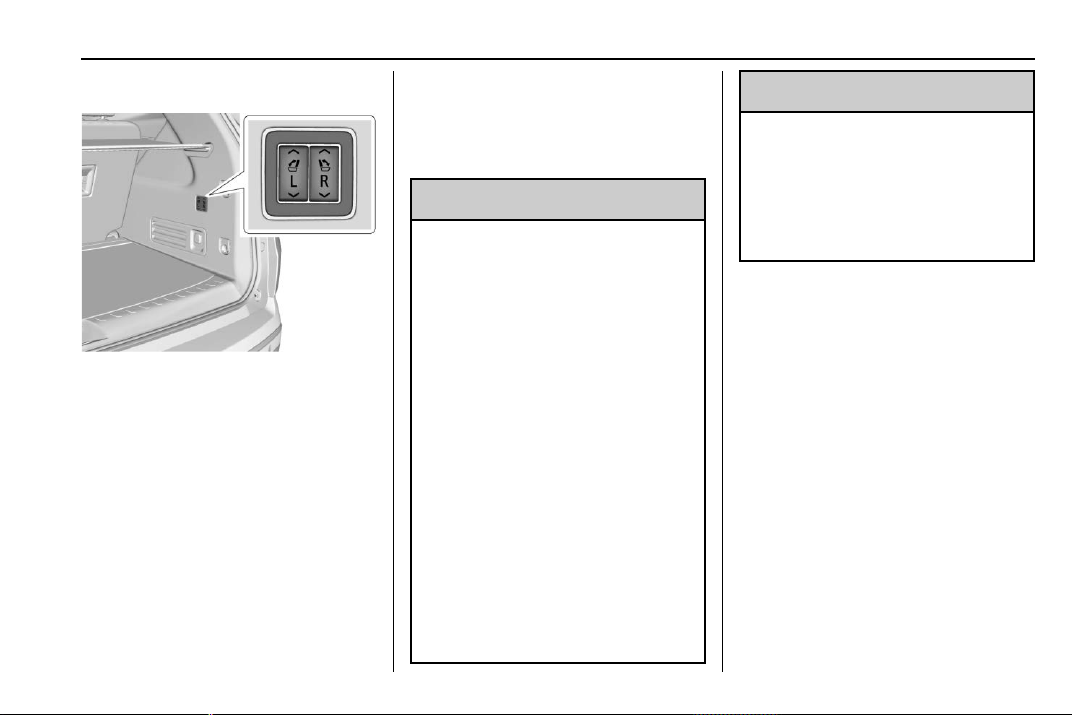
Chevrolet Traverse Owner Manual (GMNA-Localizing-U.S./Canada/Mexico-
13527526) - 2020 - CRC - 9/5/19
Seats and Restraints 55
Power Seatback Folding
If equipped, the third row seatbacks
can also be folded forward and
returned to the upright position by
pressing and holding the switches
on the passenger side of the rear
cargo area.
Seat Belts
This section describes how to use
seat belts properly, and some things
not to do.
{
Warning
Do not let anyone ride where a
seat belt cannot be worn properly.
In a crash, if you or your
passenger(s) are not wearing
seat belts, injuries can be much
worse than if you are wearing
seat belts. You can be seriously
injured or killed by hitting things
inside the vehicle harder or by
being ejected from the vehicle. In
addition, anyone who is not
buckled up can strike other
passengers in the vehicle.
It is extremely dangerous to ride
in a cargo area, inside or outside
of a vehicle. In a collision,
passengers riding in these areas
are more likely to be seriously
injured or killed. Do not allow
(Continued)
Warning (Continued)
passengers to ride in any area of
the vehicle that is not equipped
with seats and seat belts.
Always wear a seat belt, and
check that all passenger(s) are
restrained properly too.
This vehicle has indicators as a
reminder to buckle the seat belts.
See Seat Belt Reminders 0 122.
Buckle to Drive Feature
If equipped, this feature prevents
the vehicle from shifting out of
P (Park) when Teen Driver is active
and the driver seat belt is not
buckled. See “Teen Driver” in the
infotainment manual. If the engine is
running, the driver seat belt is not
buckled, and the brake pedal is
pressed with the vehicle in P (Park),
a message displays in the Driver
Information Center (DIC). Buckle the
driver seat belt to shift out of
P (Park). Shifting from P (Park) will
be prevented once for each ignition
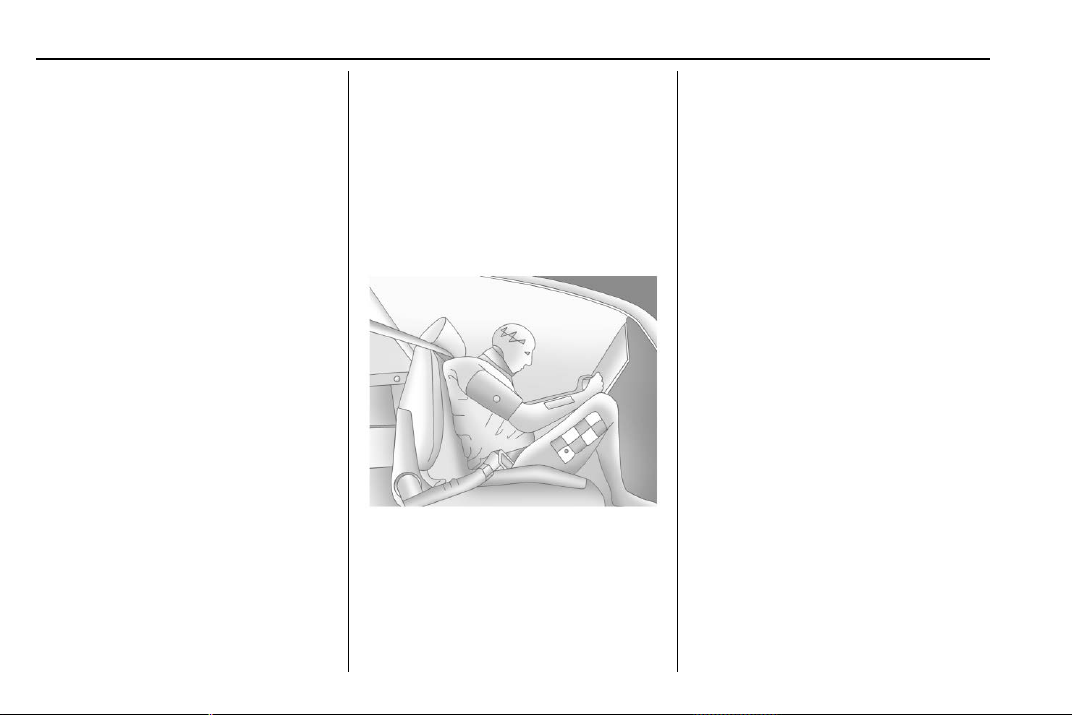
Chevrolet Traverse Owner Manual (GMNA-Localizing-U.S./Canada/Mexico-
13527526) - 2020 - CRC - 9/5/19
56 Seats and Restraints
cycle. For fleet vehicles, shifting
from P (Park) will be prevented each
time these conditions exist.
On some models, Buckle to Drive
may also prevent shifting out of
P (Park) if a front passenger is
unbuckled under similar conditions.
A message displays in the DIC.
Buckle the front passenger seat belt
to shift out of P (Park). This feature
may not allow the vehicle to shift out
of P (Park) if an object, such as a
briefcase, handbag, grocery bag,
laptop, or other electronic device, is
on the front passenger seat. If this
happens, remove the object from
the seat or buckle the seat belt to
shift out of P (Park).
If the driver or present front
passenger remains unbuckled, the
DIC message will turn off after
several seconds and the vehicle can
be shifted out of P (Park). See “Seat
Belts” and “Child Restraints” in the
Index for information about the
importance of proper restraint use.
If the driver seat belt, and/or the
front passenger seat belt on some
vehicles, is unbuckled when driving,
the seat belt reminder chime and
light(s) will come on. See Seat Belt
Reminders 0 122.
This feature may not function
properly if the airbag readiness light
is on. See Airbag Readiness Light
0 123.
Why Seat Belts Work
When riding in a vehicle, you travel
as fast as the vehicle does. If the
vehicle stops suddenly, you keep
going until something stops you.
It could be the windshield, the
instrument panel, or the seat belts!
When you wear a seat belt, you and
the vehicle slow down together.
There is more time to stop because
you stop over a longer distance and,
when worn properly, your strongest
bones take the forces from the seat
belts. That is why wearing seat belts
makes such good sense.
Questions and Answers About
Seat Belts
Q: Will I be trapped in the vehicle
after a crash if I am wearing a
seat belt?
A: You could be — whether you are
wearing a seat belt or not. Your
chance of being conscious
during and after a crash, so you
can unbuckle and get out, is
much greater if you are belted.
Q: If my vehicle has airbags, why
should I have to wear seat
belts?
A: Airbags are supplemental
systems only. They work with
seat belts — not instead of them.
Whether or not an airbag is
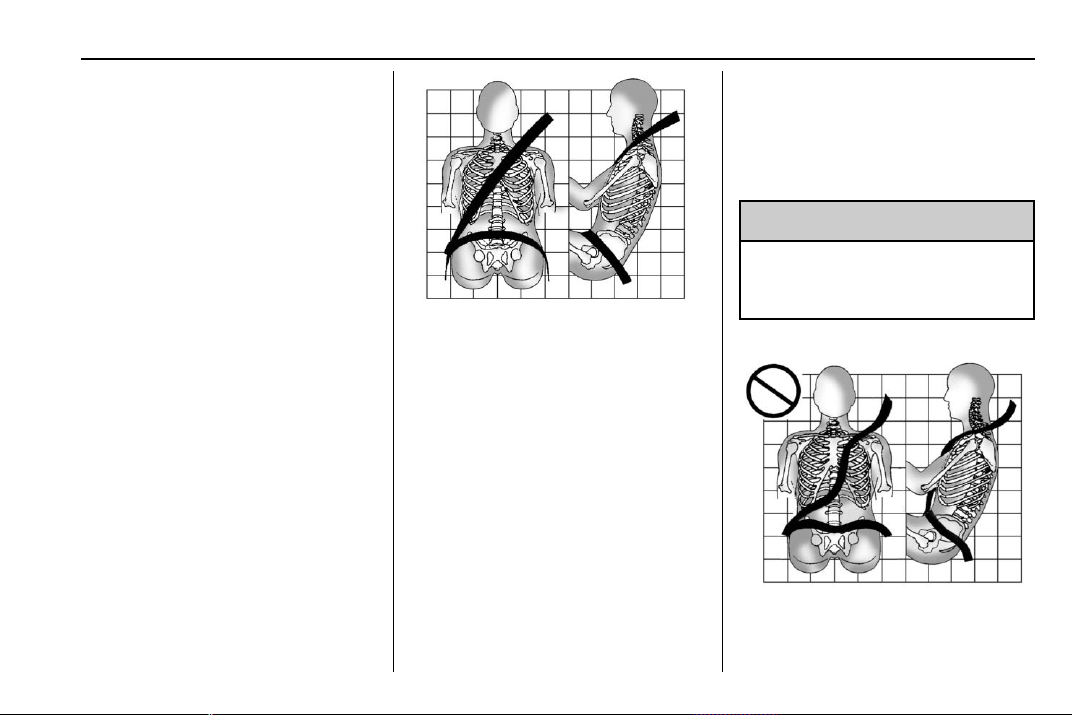
Chevrolet Traverse Owner Manual (GMNA-Localizing-U.S./Canada/Mexico-
13527526) - 2020 - CRC - 9/5/19
Seats and Restraints 57
provided, all occupants still have
to buckle up to get the most
protection.
Also, in nearly all states and in
all Canadian provinces, the law
requires wearing seat belts.
How to Wear Seat Belts
Properly
Follow these rules for everyone's
protection.
There are additional things to know
about seat belts and children,
including smaller children and
infants. If a child will be riding in the
vehicle, see Older Children 0 77 or
Infants and Young Children 0 79.
Review and follow the rules for
children in addition to the following
rules.
It is very important for all occupants
to buckle up. Statistics show that
unbelted people are hurt more often
in crashes than those who are
wearing seat belts.
There are important things to know
about wearing a seat belt properly.
.
Sit up straight and always keep
your feet on the floor in front of
you (if possible).
.
Always use the correct buckle
for your seating position.
.
Wear the lap part of the belt low
and snug on the hips, just
touching the thighs. In a crash,
this applies force to the strong
pelvic bones and you would be
less likely to slide under the lap
belt. If you slid under it, the belt
would apply force on your
abdomen. This could cause
serious or even fatal injuries.
.
Wear the shoulder belt over the
shoulder and across the chest.
These parts of the body are best
able to take belt restraining
forces. The shoulder belt locks if
there is a sudden stop or crash.
{
Warning
You can be seriously injured,
or even killed, by not wearing
your seat belt properly.
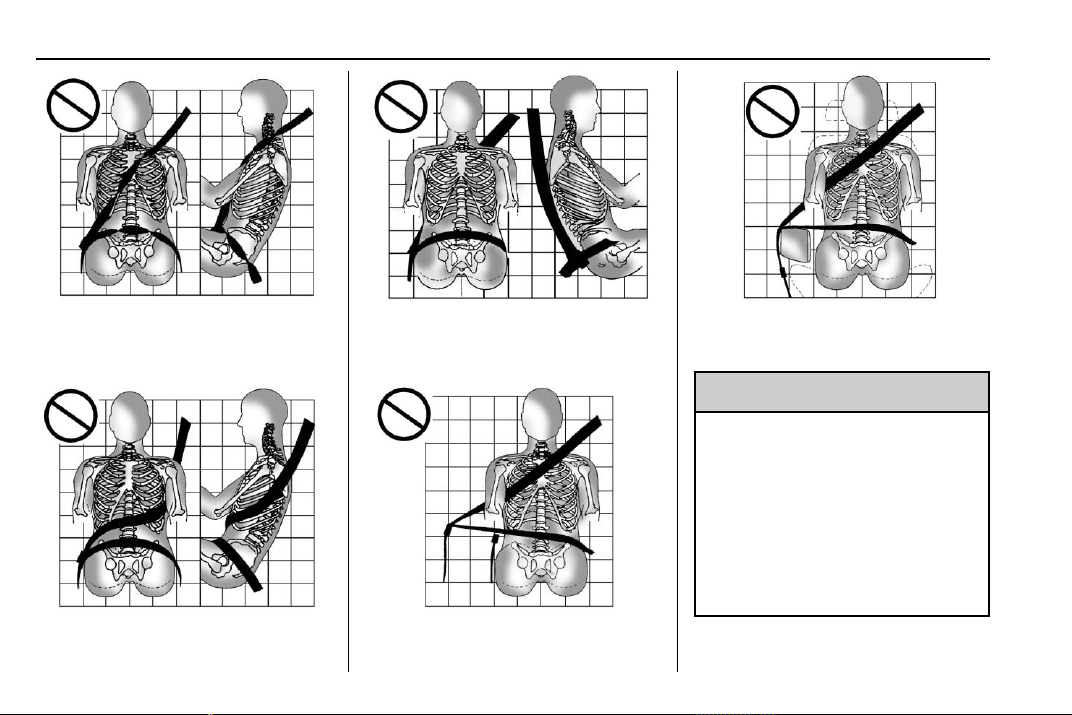
Chevrolet Traverse Owner Manual (GMNA-Localizing-U.S./Canada/Mexico-
13527526) - 2020 - CRC - 9/5/19
58 Seats and Restraints
Never allow the lap or shoulder belt
to become loose or twisted.
Never wear the shoulder belt under
both arms or behind your back.
Always use the correct buckle for
your seating position.
Never route the lap or shoulder belt
over an armrest.
{
Warning
The seat belt can be pinched if it
is routed under plastic trim on the
seat, such as trim around the rear
seatback folding handle or side
airbag. In a crash, pinched seat
belts might not be able to provide
adequate protection. Never allow
seat belts to be routed under
plastic trim pieces.
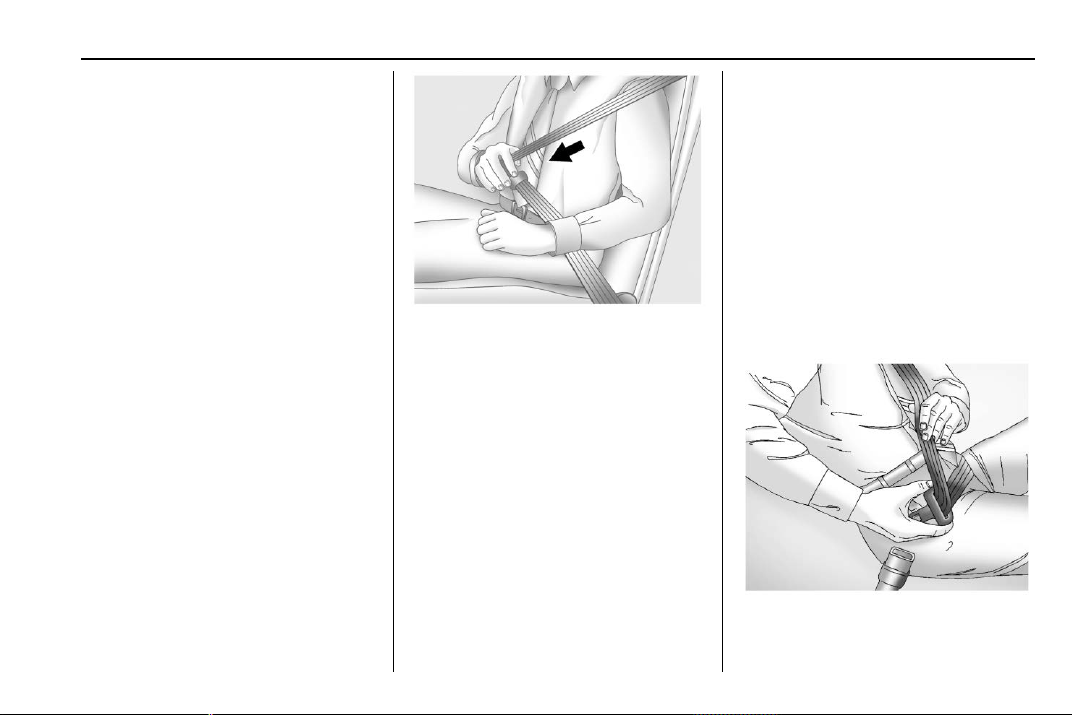
Chevrolet Traverse Owner Manual (GMNA-Localizing-U.S./Canada/Mexico-
13527526) - 2020 - CRC - 9/5/19
Seats and Restraints 59
Lap-Shoulder Belt
All seating positions in the vehicle
have a lap-shoulder belt.
If you are using a rear seating
position with a detachable seat belt
and the seat belt is not attached,
see Third Row Seats 0 53 for
instructions on reconnecting the
seat belt to the mini-buckle.
The following instructions explain
how to wear a lap-shoulder belt
properly.
1. Adjust the seat, if the seat is
adjustable, so you can sit up
straight. To see how, see
“Seats” in the Index.
2. Pick up the latch plate and pull
the belt across you. Do not let
it get twisted.
The lap-shoulder belt may lock
if you pull the belt across you
very quickly. If this happens, let
the belt go back slightly to
unlock it. Then pull the belt
across you more slowly.
If the shoulder portion of a
passenger belt is pulled out all
the way, the child restraint
locking feature may be
engaged. See Child Restraint
Systems 0 81. If this occurs, let
the belt go back all the way
and start again. If the locking
feature stays engaged after
letting the belt go back to
stowed position on the seat,
move the seat rearward or
recline the seat until the
shoulder belt retractor lock
releases.
Engaging the child restraint
locking feature in the front
outboard seating position may
affect the passenger sensing
system. See Passenger
Sensing System 0 71.
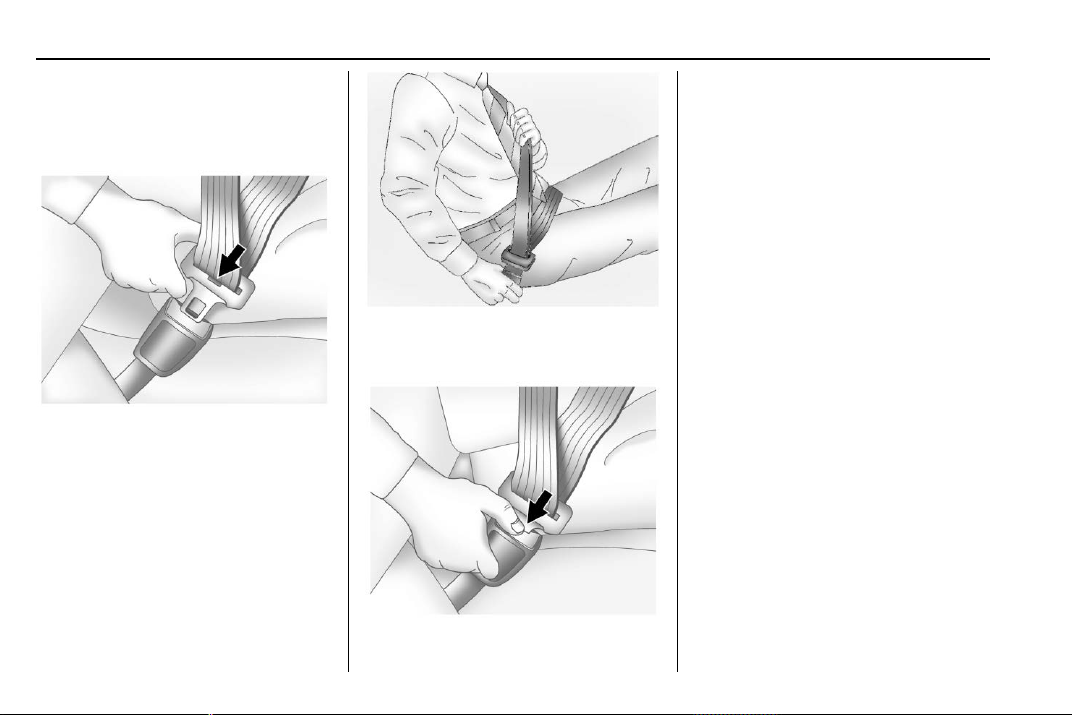
Chevrolet Traverse Owner Manual (GMNA-Localizing-U.S./Canada/Mexico-
13527526) - 2020 - CRC - 9/5/19
60 Seats and Restraints
If the webbing locks in the latch
plate before it reaches the
buckle, tilt the latch plate flat to
unlock.
3. Push the latch plate into the
buckle until it clicks.
Pull up on the latch plate to
make sure it is secure. If the
belt is not long enough, see
Seat Belt Extender 0 63.
Position the release button on
the buckle so that the seat belt
could be quickly unbuckled if
necessary.
4. To make the lap part tight, pull
up on the shoulder belt.
To unlatch the belt, push the button
on the buckle. The belt should
return to its stowed position.
Always stow the seat belt slowly.
If the seat belt webbing returns
quickly to the stowed position, the
retractor may lock and cannot be
pulled out. If this happens, pull the
seat belt straight out firmly to unlock
the webbing, and then release it.
If the webbing is still locked in the
retractor, see your dealer.
Before a door is closed, be sure the
seat belt is out of the way. If a door
is slammed against a seat belt,
damage can occur to both the seat
belt and the vehicle.
Seat Belt Pretensioners
This vehicle has seat belt
pretensioners for the front outboard
occupants. Although the seat belt
pretensioners cannot be seen, they
are part of the seat belt assembly.
They can help tighten the seat belts
during the early stages of a
moderate to severe frontal, near
frontal, or rear crash if the threshold
conditions for pretensioner
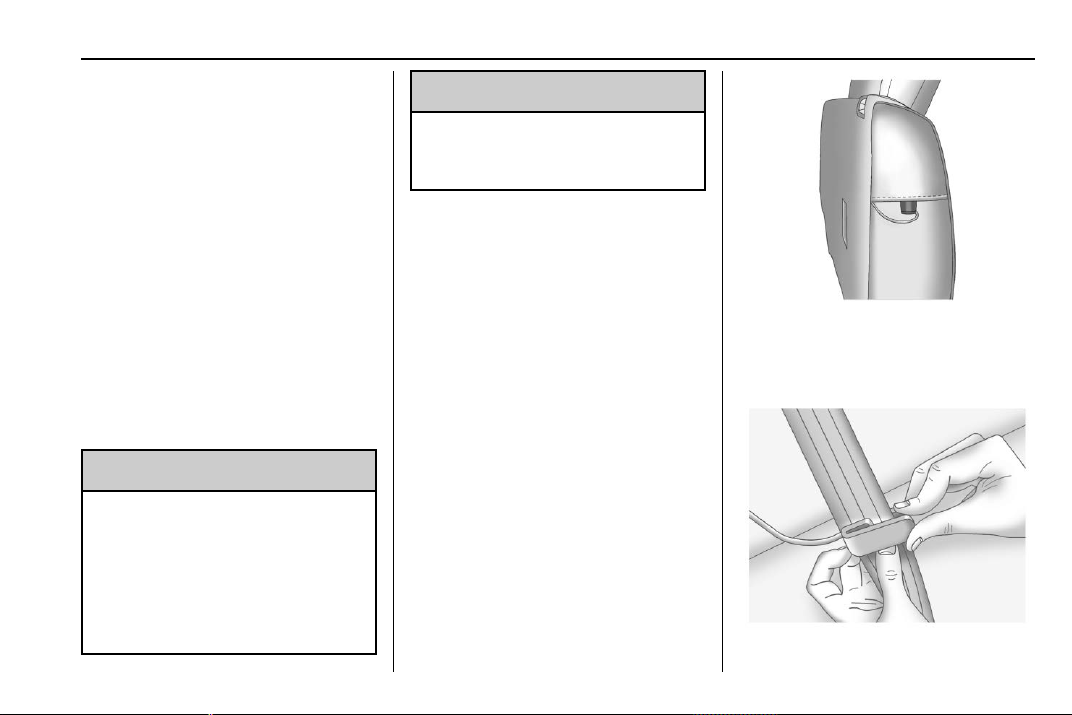
Chevrolet Traverse Owner Manual (GMNA-Localizing-U.S./Canada/Mexico-
13527526) - 2020 - CRC - 9/5/19
Seats and Restraints 61
activation are met. Seat belt
pretensioners can also help tighten
the seat belts in a side crash or a
rollover event.
Pretensioners work only once. If the
pretensioners activate in a crash,
the pretensioners and probably
other parts of the vehicle’s seat belt
system will need to be replaced.
See Replacing Seat Belt System
Parts after a Crash 0 64.
Do not sit on the outboard seat belt
while entering or exiting the vehicle
or at any time while sitting in the
seat. Sitting on the seat belt can
damage the webbing and hardware.
Rear Seat Belt Comfort Guides
{
Warning
A seat belt that is not properly
worn may not provide the
protection needed in a crash. The
person wearing the belt could be
seriously injured. The shoulder
belt should go over the shoulder
(Continued)
Warning (Continued)
and across the chest. These parts
of the body are best able to take
belt restraining forces.
Rear seat belt comfort guides may
provide added seat belt comfort for
older children who have outgrown
booster seats and for some adults.
When installed on a shoulder belt,
the comfort guide positions the
shoulder belt away from the neck
and head.
Second Row Outboard Seating
Positions
The vehicle has comfort guides for
the second row outboard seating
positions. The comfort guides are
stored in a pocket on the side of the
seatback.
To install:
1. Remove the guide from its
storage pocket on the side of
the seat.
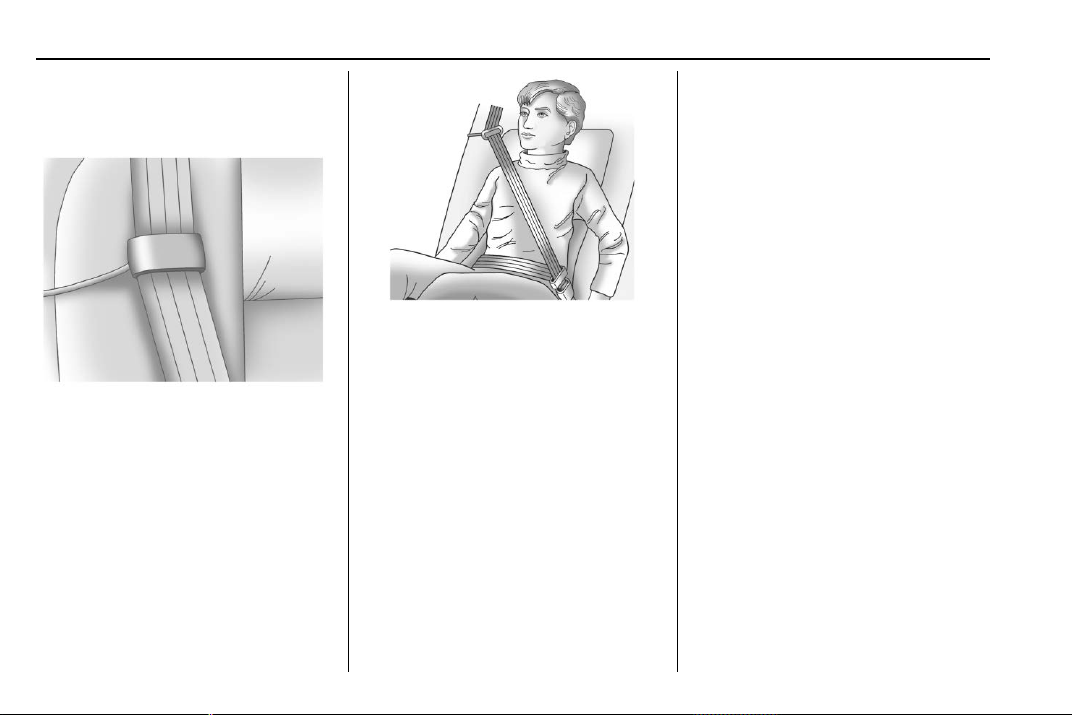
Chevrolet Traverse Owner Manual (GMNA-Localizing-U.S./Canada/Mexico-
13527526) - 2020 - CRC - 9/5/19
62 Seats and Restraints
2. Place the guide over the belt,
and insert the two edges of the
belt into the slots of the guide.
3. Be sure that the belt is not
twisted and it lies flat. The
elastic cord must be behind the
belt with the plastic guide on
the front.
4. Buckle, position, and release
the seat belt as described
previously in this section. Make
sure that the shoulder belt
crosses the shoulder. The belt
should be close to, but not
contacting, the neck.
To remove and store the comfort
guide, squeeze the belt edges
together so that the seat belt can be
removed from the guide. Slide the
guide back into its storage pocket
on the side of the seatback.
If the comfort guides are not
equipped on the second row
outboard seating positions seat belt,
they are available through your
dealer. Instructions are included
with the guides.
Third Row Seating Positions
Comfort guides are available
through your dealer for the third row
seating positions. Instructions are
included with the guides.
Seat Belt Use During
Pregnancy
Seat belts work for everyone,
including pregnant women. Like all
occupants, they are more likely to
be seriously injured if they do not
wear seat belts.
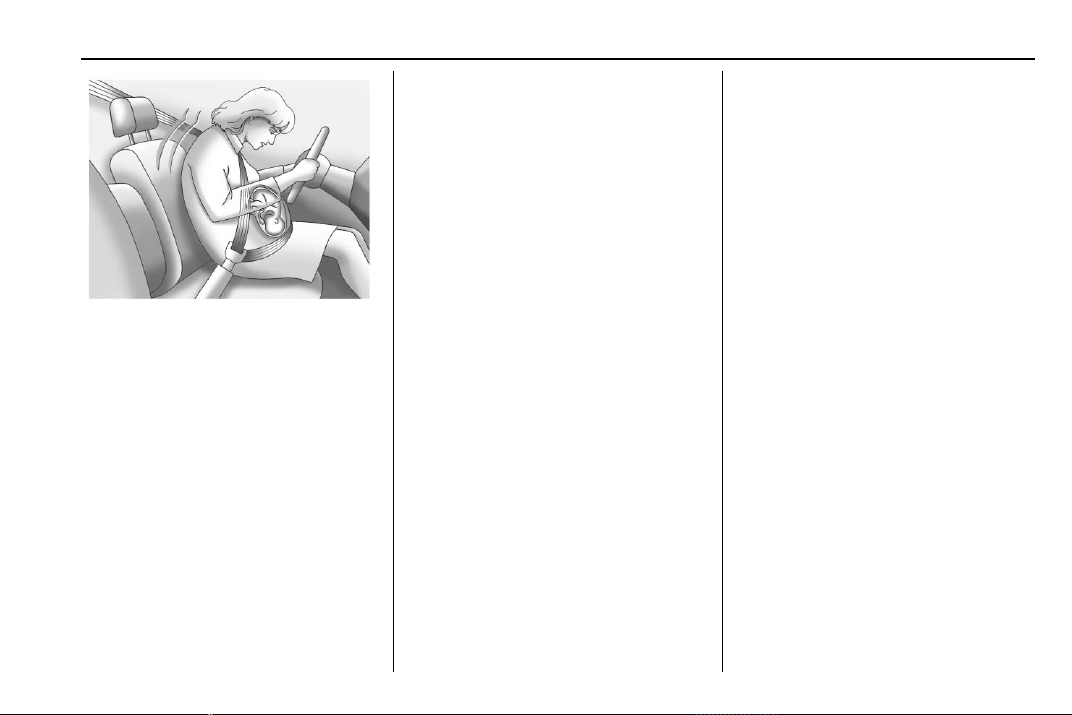
Chevrolet Traverse Owner Manual (GMNA-Localizing-U.S./Canada/Mexico-
13527526) - 2020 - CRC - 9/5/19
Seats and Restraints 63
A pregnant woman should wear a
lap-shoulder belt, and the lap
portion should be worn as low as
possible, below the rounding,
throughout the pregnancy.
The best way to protect the fetus is
to protect the mother. When a seat
belt is worn properly, it is more likely
that the fetus will not be hurt in a
crash. For pregnant women, as for
anyone, the key to making seat
belts effective is wearing them
properly.
Seat Belt Extender
If the vehicle's seat belt will fasten
around you, you should use it.
But if a seat belt is not long enough,
your dealer will order you an
extender. When you go in to order it,
take the heaviest coat you will wear,
so the extender will be long enough
for you. To help avoid personal
injury, do not let someone else use
it, and use it only for the seat it is
made to fit. The extender has been
designed for adults. Never use it for
securing child restraints. For more
information on the proper use and fit
of seat belt extenders see the
instruction sheet that comes with
the extender.
Safety System Check
Periodically check the seat belt
reminder, seat belts, buckles, latch
plates, retractors, shoulder belt
height adjusters (if equipped), and
seat belt anchorages to make sure
they are all in working order. Look
for any other loose or damaged seat
belt system parts that might keep a
seat belt system from performing
properly. See your dealer to have it
repaired. Torn, frayed, or twisted
seat belts may not protect you in a
crash. Torn or frayed seat belts can
rip apart under impact forces. If a
belt is torn or frayed, have it
replaced immediately. If a belt is
twisted, it may be possible to
untwist by reversing the latch plate
on the webbing. If the twist cannot
be corrected, ask your dealer to
fix it.
Make sure the seat belt reminder
light is working. See Seat Belt
Reminders 0 122.
Keep seat belts clean and dry. See
Seat Belt Care 0 63.
Seat Belt Care
Keep belts clean and dry.
Seat belts should be properly cared
for and maintained.
Seat belt hardware should be kept
dry and free of dust or debris. As
necessary, exterior hard surfaces
and seat belt webbing may be lightly
cleaned with mild soap and water.

Chevrolet Traverse Owner Manual (GMNA-Localizing-U.S./Canada/Mexico-
13527526) - 2020 - CRC - 9/5/19
64 Seats and Restraints
Ensure there is not excessive dust
or debris in the mechanism. If dust
or debris exists in the system please
see the dealer. Parts may need to
be replaced to ensure proper
functionality of the system.
{
Warning
Do not bleach or dye seat belt
webbing. It may severely weaken
the webbing. In a crash, they
might not be able to provide
adequate protection. Clean and
rinse seat belt webbing only with
mild soap and lukewarm water.
Allow the webbing to dry.
Replacing Seat Belt
System Parts after a
Crash
{
Warning
A crash can damage the seat belt
system in the vehicle. A damaged
seat belt system may not properly
protect the person using it,
resulting in serious injury or even
death in a crash. To help make
sure the seat belt systems are
working properly after a crash,
have them inspected and any
necessary replacements made as
soon as possible.
After a minor crash, replacement of
seat belts may not be necessary.
But the seat belt assemblies that
were used during any crash may
have been stressed or damaged.
See your dealer to have the seat
belt assemblies inspected or
replaced.
New parts and repairs may be
necessary even if the seat belt
system was not being used at the
time of the crash.
Have the seat belt pretensioners
checked if the vehicle has been in a
crash, or if the airbag readiness light
stays on after you start the vehicle
or while you are driving. See Airbag
Readiness Light 0 123.

Chevrolet Traverse Owner Manual (GMNA-Localizing-U.S./Canada/Mexico-
13527526) - 2020 - CRC - 9/5/19
Seats and Restraints 65
Airbag System
The vehicle has the following
airbags:
.
A frontal airbag for the driver
.
A frontal airbag for the front
outboard passenger
.
A front center airbag for the
driver and front outboard
passenger
.
A seat-mounted side impact
airbag for the driver
.
A seat-mounted side impact
airbag for the front outboard
passenger
.
A roof-rail airbag for the driver
and for the second and third row
passengers seated directly
behind the driver
.
A roof-rail airbag for the front
outboard passenger and the
second and third row
passengers seated directly
behind the front outboard
passenger
All vehicle airbags have the word
AIRBAG on the trim or on a label
near the deployment opening.
For frontal airbags, the word
AIRBAG is on the center of the
steering wheel for the driver and on
the instrument panel for the front
outboard passenger.
For the front center airbag, the word
AIRBAG is on the inboard side of
the driver seatback.
For seat-mounted side impact
airbags, the word AIRBAG is on the
side of the seatback or side of the
seat closest to the door.
For roof-rail airbags, the word
AIRBAG is on the ceiling or trim.
Airbags are designed to supplement
the protection provided by seat
belts. Even though today's airbags
are also designed to help reduce
the risk of injury from the force of an
inflating bag, all airbags must inflate
very quickly to do their job.
Here are the most important things
to know about the airbag system:
{
Warning
You can be severely injured or
killed in a crash if you are not
wearing your seat belt, even with
airbags. Airbags are designed to
work with seat belts, not replace
them. Also, airbags are not
designed to inflate in every crash.
In some crashes seat belts are
the only restraint. See When
Should an Airbag Inflate? 0 68.
Wearing your seat belt during a
crash helps reduce your chance
of hitting things inside the vehicle
or being ejected from it. Airbags
are “supplemental restraints” to
the seat belts. Everyone in the
vehicle should wear a seat belt
properly, whether or not there is
an airbag for that person.
Chevrolet Traverse Owner Manual (GMNA-Localizing-U.S./Canada/Mexico-
13527526) - 2020 - CRC - 9/5/19
66 Seats and Restraints
{
Warning
Because airbags inflate with great
force and faster than the blink of
an eye, anyone who is up
against, or very close to any
airbag when it inflates can be
seriously injured or killed. Do not
sit unnecessarily close to any
airbag, as you would be if sitting
on the edge of the seat or leaning
forward. Seat belts help keep you
in position before and during a
crash. Always wear a seat belt,
even with airbags. The driver
should sit as far back as possible
while still maintaining control of
the vehicle. The seat belts and
the front outboard passenger
airbags are most effective when
you are sitting well back and
upright in the seat with both feet
on the floor.
(Continued)
Warning (Continued)
Occupants should not lean on or
sleep against the front center
armrest or console in vehicles
with a front center airbag.
Occupants should not lean on or
sleep against the door or side
windows in seating positions with
seat-mounted side impact airbags
and/or roof-rail airbags.
{
Warning
Children who are up against,
or very close to, any airbag when
it inflates can be seriously injured
or killed. Always secure children
properly in the vehicle. To read
how, see Older Children 0 77 or
Infants and Young Children 0 79.
There is an airbag readiness light
on the instrument cluster, which
shows the airbag symbol.
The system checks the airbag
electrical system for malfunctions.
The light tells you if there is an
electrical problem. See Airbag
Readiness Light 0 123.
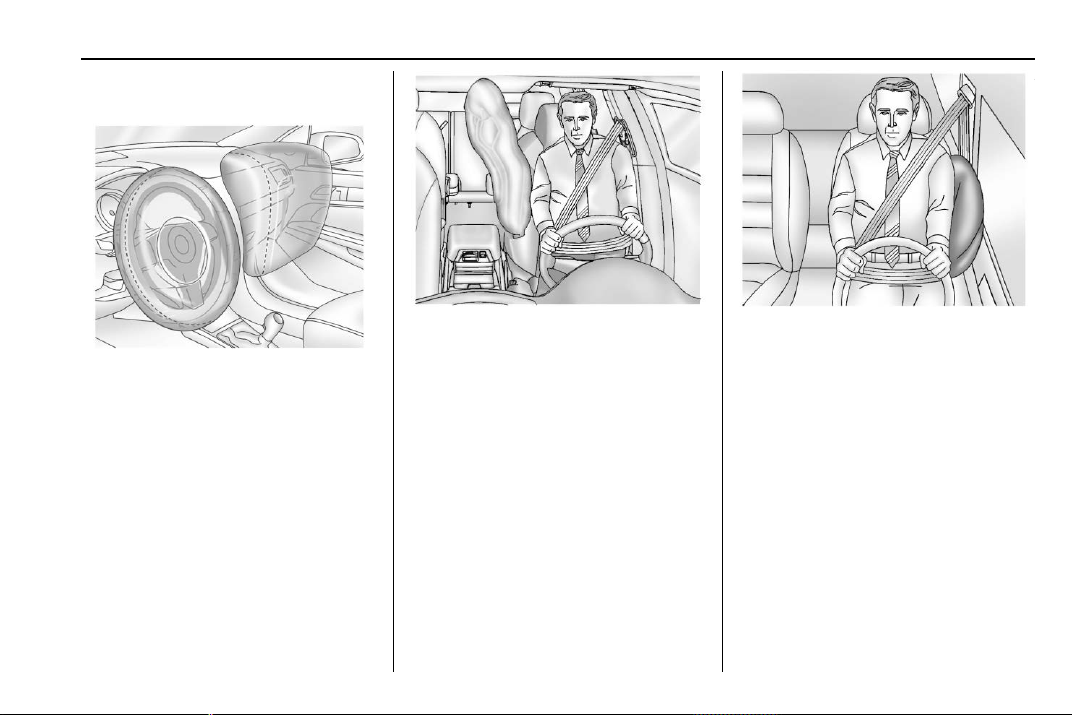
Chevrolet Traverse Owner Manual (GMNA-Localizing-U.S./Canada/Mexico-
13527526) - 2020 - CRC - 9/5/19
Seats and Restraints 67
Where Are the Airbags?
The driver frontal airbag is in the
center of the steering wheel.
The front outboard passenger
frontal airbag is in the passenger
side instrument panel.
The front center airbag is in the
inboard side of the driver seatback.
Driver Side Shown, Passenger
Side Similar
The driver and front outboard
passenger seat-mounted side
impact airbags are in the side of the
seatbacks closest to the door.
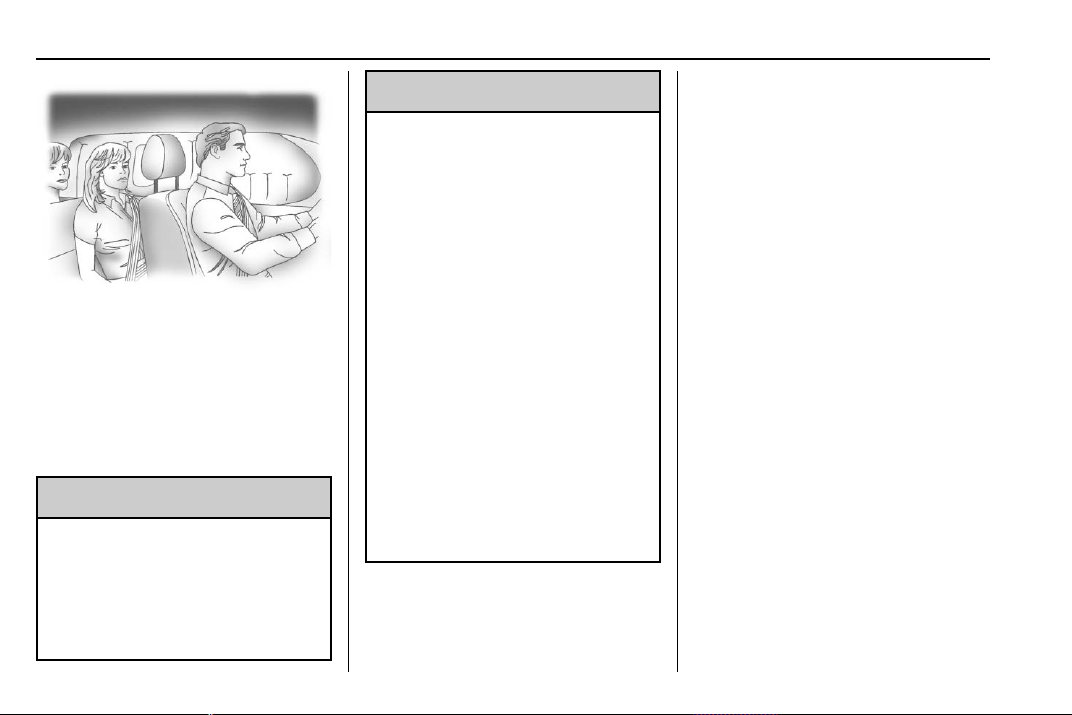
Chevrolet Traverse Owner Manual (GMNA-Localizing-U.S./Canada/Mexico-
13527526) - 2020 - CRC - 9/5/19
68 Seats and Restraints
Driver Side Shown, Passenger
Side Similar
The roof-rail airbags for the driver,
front outboard passenger, and
second and third row outboard
passengers are in the ceiling above
the side windows.
{
Warning
If something is between an
occupant and an airbag, the
airbag might not inflate properly
or it might force the object into
that person causing severe injury
(Continued)
Warning (Continued)
or even death. The path of an
inflating airbag must be kept
clear. Do not put anything
between an occupant and an
airbag, and do not attach or put
anything on the steering wheel
hub or on or near any other
airbag covering.
Do not use seat or console
accessories that block the
inflation path of a seat-mounted
side impact airbag or the front
center airbag.
Never secure anything to the roof
of a vehicle with roof-rail airbags
by routing a rope or tie-down
through any door or window
opening. If you do, the path of an
inflating roof-rail airbag will be
blocked.
When Should an Airbag
Inflate?
This vehicle is equipped with
airbags. See Airbag System 0 65.
Airbags are designed to inflate if the
impact exceeds the specific airbag
system's deployment threshold.
Deployment thresholds are used to
predict how severe a crash is likely
to be in time for the airbags to
inflate and help restrain the
occupants. The vehicle has
electronic sensors that help the
airbag system determine the
severity of the impact. Deployment
thresholds can vary with specific
vehicle design.
Frontal airbags are designed to
inflate in moderate to severe frontal
or near frontal crashes to help
reduce the potential for severe
injuries, mainly to the driver's or
front outboard passenger's head
and chest.
Whether the frontal airbags will or
should inflate is not based primarily
on how fast the vehicle is traveling.

Chevrolet Traverse Owner Manual (GMNA-Localizing-U.S./Canada/Mexico-
13527526) - 2020 - CRC - 9/5/19
Seats and Restraints 69
It depends on what is hit, the
direction of the impact, and how
quickly the vehicle slows down.
Frontal airbags may inflate at
different crash speeds depending on
whether the vehicle hits an object
straight on or at an angle, and
whether the object is fixed or
moving, rigid or deformable, narrow
or wide.
Frontal airbags are not intended to
inflate during vehicle rollovers, in
rear impacts, or in many side
impacts.
In addition, the vehicle has
advanced technology frontal
airbags. Advanced technology
frontal airbags adjust the restraint
according to crash severity.
The front center airbag is designed
to inflate in moderate to severe side
crashes depending upon the
location of the impact, when either
side of the vehicle is struck. In
addition, the front center airbag is
designed to inflate when the
sensing system predicts that the
vehicle is about to roll over on its
side. The front center airbag is not
designed to inflate in frontal
impacts, near frontal impacts,
or rear impacts.
Seat-mounted side impact airbags
are designed to inflate in moderate
to severe side crashes depending
on the location of the impact.
Seat-mounted side impact airbags
are not designed to inflate in frontal
impacts, near frontal impacts,
rollovers, or rear impacts.
A seat-mounted side impact airbag
is designed to inflate on the side of
the vehicle that is struck.
Roof-rail airbags are designed to
inflate in moderate to severe side
crashes depending on the location
of the impact. In addition, these
roof-rail airbags are designed to
inflate during a rollover or in a
severe frontal impact. Roof-rail
airbags are not designed to inflate in
rear impacts. Both roof-rail airbags
will inflate when either side of the
vehicle is struck, if the sensing
system predicts that the vehicle is
about to roll over on its side, or in a
severe frontal impact.
In any particular crash, no one can
say whether an airbag should have
inflated simply because of the
vehicle damage or repair costs.
What Makes an Airbag
Inflate?
In a deployment event, the sensing
system sends an electrical signal
triggering a release of gas from the
inflator. Gas from the inflator fills the
airbag causing the bag to break out
of the cover. The inflator, the airbag,
and related hardware are all part of
the airbag module.
For airbag locations, see Where Are
the Airbags? 0 67.
How Does an Airbag
Restrain?
In moderate to severe frontal or
near frontal collisions, even belted
occupants can contact the steering
wheel or the instrument panel. In
moderate to severe side collisions,
even belted occupants can contact
the inside of the vehicle.
Chevrolet Traverse Owner Manual (GMNA-Localizing-U.S./Canada/Mexico-
13527526) - 2020 - CRC - 9/5/19
70 Seats and Restraints
Airbags supplement the protection
provided by seat belts by
distributing the force of the impact
more evenly over the
occupant's body.
Rollover capable roof-rail airbags
are designed to help contain the
head and chest of occupants in the
outboard seating positions in the
first, second, and third rows. The
rollover capable roof-rail airbags are
designed to help reduce the risk of
full or partial ejection in rollover
events, although no system can
prevent all such ejections.
But airbags would not help in many
types of collisions, primarily
because the occupant's motion is
not toward those airbags. See When
Should an Airbag Inflate? 0 68.
Airbags should never be regarded
as anything more than a supplement
to seat belts.
What Will You See after
an Airbag Inflates?
After frontal and seat-mounted side
impact airbags inflate, they quickly
deflate, so quickly that some people
may not even realize the airbags
inflated. The front center airbag and
roof-rail airbags may still be at least
partially inflated for some time after
they inflate. Some components of
the airbag module may be hot for
several minutes. For location of the
airbags, see Where Are the
Airbags? 0 67.
The parts of the airbag that come
into contact with you may be warm,
but not too hot to touch. There may
be some smoke and dust coming
from the vents in the deflated
airbags. Airbag inflation does not
prevent the driver from seeing out of
the windshield or being able to steer
the vehicle, nor does it prevent
people from leaving the vehicle.
{
Warning
When an airbag inflates, there
may be dust in the air. This dust
could cause breathing problems
for people with a history of
asthma or other breathing trouble.
To avoid this, everyone in the
vehicle should get out as soon as
it is safe to do so. If you have
breathing problems but cannot
get out of the vehicle after an
airbag inflates, then get fresh air
by opening a window or a door.
If you experience breathing
problems following an airbag
deployment, you should seek
medical attention.
The vehicle has a feature that may
automatically unlock the doors, turn
on the interior lamps and hazard
warning flashers, and shut off the
fuel system after the airbags inflate.
The feature may also activate,
without airbag inflation, after an
event that exceeds a predetermined
threshold. After turning the ignition
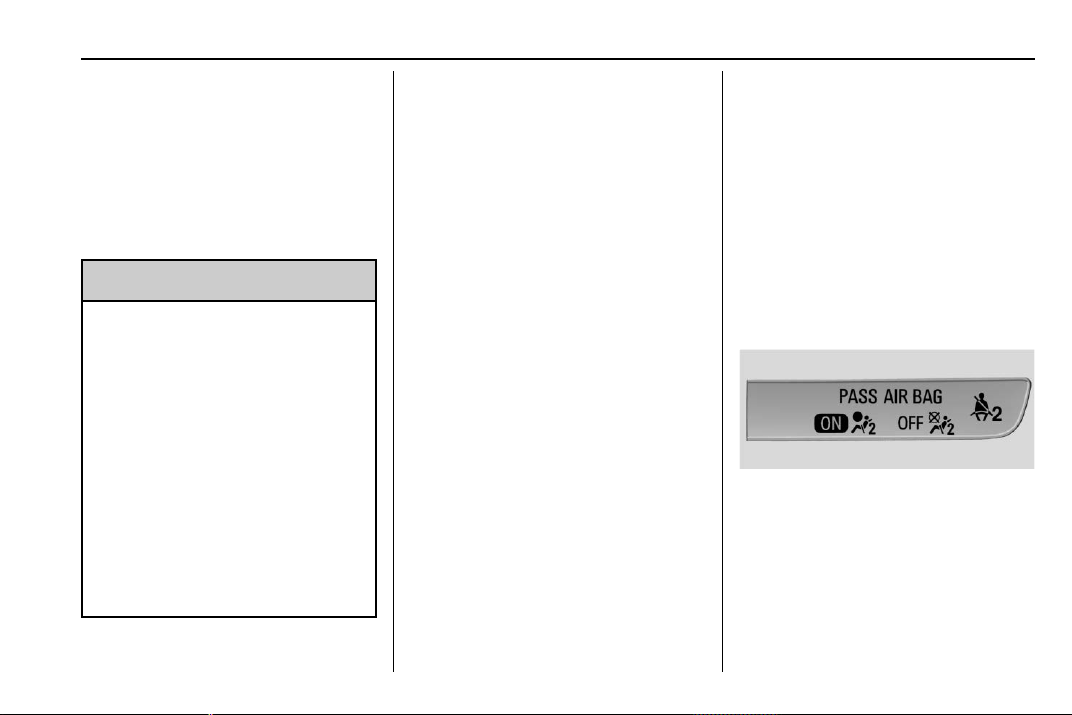
Chevrolet Traverse Owner Manual (GMNA-Localizing-U.S./Canada/Mexico-
13527526) - 2020 - CRC - 9/5/19
Seats and Restraints 71
off and then on again, the fuel
system will return to normal
operation; the doors can be locked,
the interior lamps can be turned off,
and the hazard warning flashers can
be turned off using the controls for
those features. If any of these
systems are damaged in the crash
they may not operate as normal.
{
Warning
A crash severe enough to inflate
the airbags may have also
damaged important functions in
the vehicle, such as the fuel
system, brake and steering
systems, etc. Even if the vehicle
appears to be drivable after a
moderate crash, there may be
concealed damage that could
make it difficult to safely operate
the vehicle.
Use caution if you should attempt
to restart the engine after a crash
has occurred.
In many crashes severe enough to
inflate the airbag, windshields are
broken by vehicle deformation.
Additional windshield breakage may
also occur from the front outboard
passenger airbag.
.
Airbags are designed to inflate
only once. After an airbag
inflates, you will need some new
parts for the airbag system.
If you do not get them, the
airbag system will not be there
to help protect you in another
crash. A new system will include
airbag modules and possibly
other parts. The service manual
for the vehicle covers the need
to replace other parts.
.
The vehicle has a crash sensing
and diagnostic module which
records information after a
crash. See Vehicle Data
Recording and Privacy 0 357
and
Event Data Recorders 0 357.
.
Let only qualified technicians
work on the airbag systems.
Improper service can mean that
an airbag system will not work
properly. See your dealer for
service.
Passenger Sensing
System
The vehicle has a passenger
sensing system for the front
outboard passenger position. The
passenger airbag status indicator
will light on the overhead console
when the vehicle is started.
The words ON and OFF, and the
symbols for on and off, will be
visible during the system check.
When the system check is
complete, either the word ON or
OFF, and the symbol for on or off,
will be visible. See Passenger
Airbag Status Indicator 0 123.
Chevrolet Traverse Owner Manual (GMNA-Localizing-U.S./Canada/Mexico-
13527526) - 2020 - CRC - 9/5/19
72 Seats and Restraints
The passenger sensing system
turns off the front outboard
passenger frontal airbag under
certain conditions. No other airbag
is affected by the passenger
sensing system.
The passenger sensing system
works with sensors that are part of
the front outboard passenger seat
and seat belt. The sensors are
designed to detect the presence of
a properly seated occupant and
determine if the front outboard
passenger frontal airbag should be
allowed to inflate or not.
According to accident statistics,
children are safer when properly
secured in a rear seat in the correct
child restraint for their weight
and size.
Whenever possible, children aged
12 and under should be secured in
a rear seating position.
Never put a rear-facing child seat in
the front. This is because the risk to
the rear-facing child is so great,
if the airbag inflates.
{
Warning
A child in a rear-facing child
restraint can be seriously injured
or killed if the passenger frontal
airbag inflates. This is because
the back of the rear-facing child
restraint would be very close to
the inflating airbag. A child in a
forward-facing child restraint can
be seriously injured or killed if the
passenger frontal airbag inflates
and the passenger seat is in a
forward position.
Even if the passenger sensing
system has turned off the
passenger frontal airbag, no
system is fail-safe. No one can
guarantee that an airbag will not
deploy under some unusual
circumstance, even though the
airbag is turned off.
Never put a rear-facing child
restraint in the front seat, even if
the airbag is off. If securing a
forward-facing child restraint in
(Continued)
Warning (Continued)
the front outboard passenger
seat, always move the seat as far
back as it will go. It is better to
secure child restraints in the rear
seat. Consider using another
vehicle to transport the child
when a rear seat is not available.
The passenger sensing system is
designed to turn off the front
outboard passenger frontal airbag if:
.
The front outboard passenger
seat is unoccupied.
.
The system determines an infant
is present in a child restraint.
.
A front outboard passenger
takes his/her weight off of the
seat for a period of time.
.
There is a critical problem with
the airbag system or the
passenger sensing system.
When the passenger sensing
system has turned off the front
outboard passenger frontal airbag,
Chevrolet Traverse Owner Manual (GMNA-Localizing-U.S./Canada/Mexico-
13527526) - 2020 - CRC - 9/5/19
Seats and Restraints 73
the OFF indicator will light and stay
lit as a reminder that the airbag is
off. See Passenger Airbag Status
Indicator 0 123.
The passenger sensing system is
designed to turn on the front
outboard passenger frontal airbag
anytime the system senses that a
person of adult size is sitting
properly in the front outboard
passenger seat.
When the passenger sensing
system has allowed the airbag to be
enabled, the ON indicator will light
and stay lit as a reminder that the
airbag is active.
For some children, including
children in child restraints, and for
very small adults, the passenger
sensing system may or may not turn
off the front outboard passenger
frontal airbag, depending upon the
person's seating posture and body
build. Everyone in the vehicle who
has outgrown child restraints should
wear a seat belt properly — whether
or not there is an airbag for that
person.
{
Warning
If the airbag readiness light ever
comes on and stays on, it means
that something may be wrong
with the airbag system. To help
avoid injury to yourself or others,
have the vehicle serviced right
away. See Airbag Readiness
Light 0 123 for more information,
including important safety
information.
If the On Indicator Is Lit for a
Child Restraint
The passenger sensing system is
designed to turn off the front
outboard passenger frontal airbag if
the system determines that an infant
is present in a child restraint. If a
child restraint has been installed
and the ON indicator is lit:
1. Turn the vehicle off.
2. Remove the child restraint from
the vehicle.
3. Remove any additional items
from the seat such as blankets,
cushions, seat covers, seat
heaters, or seat massagers.
4. Reinstall the child restraint
following the directions
provided by the child restraint
manufacturer and refer to
Securing Child Restraints (With
the Seat Belt in the Rear Seat)
0 94 or
Securing Child Restraints (With
the Seat Belt in the Front Seat)
0 96.
Make sure the seat belt
retractor is locked by pulling
the shoulder belt all the way
out of the retractor when
installing the child restraint,
even if the child restraint is
equipped with a seat belt lock
off. When the retractor lock is
set, the belt can be tightened
but not pulled out of the
retractor.
5. If, after reinstalling the child
restraint and restarting the
vehicle, the ON indicator is still
lit, turn the vehicle off. Then
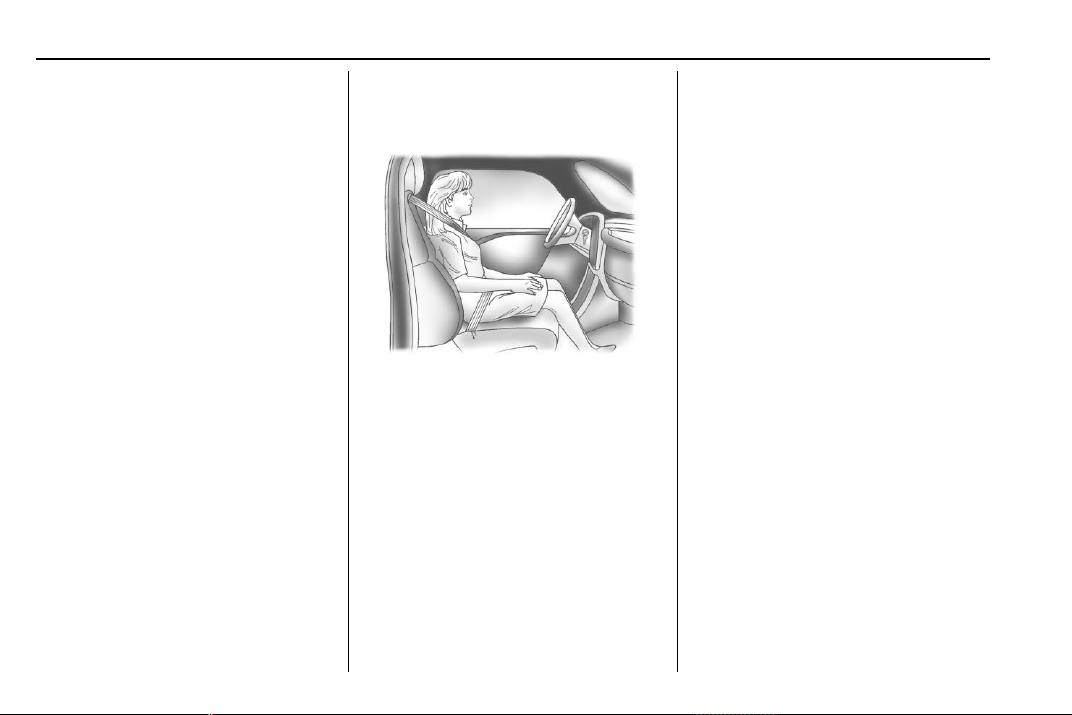
Chevrolet Traverse Owner Manual (GMNA-Localizing-U.S./Canada/Mexico-
13527526) - 2020 - CRC - 9/5/19
74 Seats and Restraints
slightly recline the vehicle
seatback and adjust the seat
cushion, if adjustable, to make
sure that the vehicle seatback
is not pushing the child
restraint into the seat cushion.
Also make sure the child
restraint is not trapped under
the vehicle head restraint.
If this happens, adjust the head
restraint. See Head Restraints
0 40.
6. Restart the vehicle.
The passenger sensing system may
or may not turn off the airbag for a
child in a child restraint depending
upon the child’s size. It is better to
secure the child restraint in a rear
seat. Never put a rear-facing child
restraint in the front seat, even if the
ON indicator is not lit.
If the Off Indicator Is Lit for an
Adult-Sized Occupant
If a person of adult size is sitting in
the front outboard passenger seat,
but the OFF indicator is lit, it could
be because that person is not sitting
properly in the seat or that the child
restraint locking feature is engaged.
Use the following steps to allow the
system to detect that person and
enable the front outboard passenger
frontal airbag:
1. Turn the vehicle off.
2. Remove any additional material
from the seat, such as
blankets, cushions, seat
covers, seat heaters, or seat
massagers.
3. Place the seatback in the fully
upright position.
4. Have the person sit upright in
the seat, centered on the seat
cushion, with legs comfortably
extended.
5. If the shoulder portion of the
belt is pulled out all the way,
the child restraint locking
feature will be engaged. This
may unintentionally cause the
passenger sensing system to
turn the airbag off for some
adult-sized occupants. If this
happens, unbuckle the belt, let
the belt go back all the way,
and then buckle the belt again
without pulling the belt out all
the way.
6. Restart the vehicle and have
the person remain in this
position for two to three minutes
after the ON indicator is lit.
Chevrolet Traverse Owner Manual (GMNA-Localizing-U.S./Canada/Mexico-
13527526) - 2020 - CRC - 9/5/19
Seats and Restraints 75
{
Warning
If the front outboard passenger
airbag is turned off for an
adult-sized occupant, the airbag
will not be able to inflate and help
protect that person in a crash,
resulting in an increased risk of
serious injury or even death. An
adult-sized occupant should not
ride in the front outboard
passenger seat, if the passenger
airbag OFF indicator is lit.
Additional Factors Affecting
System Operation
Seat belts help keep the passenger
in position on the seat during
vehicle maneuvers and braking,
which helps the passenger sensing
system maintain the passenger
airbag status. See “Seat Belts” and
“Child Restraints” in the Index for
additional information about the
importance of proper restraint use.
A thick layer of additional material,
such as a blanket or cushion,
or aftermarket equipment such as
seat covers, seat heaters, and seat
massagers can affect how well the
passenger sensing system
operates. We recommend that you
not use seat covers or other
aftermarket equipment except when
approved by GM for your specific
vehicle. See Adding Equipment to
the Airbag-Equipped Vehicle 0 76
for more information about
modifications that can affect how
the system operates.
The ON indicator may be lit if an
object, such as a briefcase,
handbag, grocery bag, laptop,
or other electronic device, is put on
an unoccupied seat. If this is not
desired, remove the object from
the seat.
{
Warning
Stowing articles under the
passenger seat or between the
passenger seat cushion and
(Continued)
Warning (Continued)
seatback may interfere with the
proper operation of the passenger
sensing system.
Servicing the
Airbag-Equipped Vehicle
Airbags affect how the vehicle
should be serviced. There are parts
of the airbag system in several
places around the vehicle. Your
dealer and the service manual have
information about servicing the
vehicle and the airbag system. To
purchase a service manual, see
Publication Ordering Information
0 354.
{
Warning
For up to 10 seconds after the
vehicle is turned off and the
battery is disconnected, an airbag
can still inflate during improper
service. You can be injured if you
(Continued)

Chevrolet Traverse Owner Manual (GMNA-Localizing-U.S./Canada/Mexico-
13527526) - 2020 - CRC - 9/5/19
76 Seats and Restraints
Warning (Continued)
are close to an airbag when it
inflates. Avoid yellow connectors.
They are probably part of the
airbag system. Be sure to follow
proper service procedures, and
make sure the person performing
work for you is qualified to do so.
Adding Equipment to the
Airbag-Equipped Vehicle
Adding accessories that change the
vehicle's frame, bumper system,
height, front end, or side sheet
metal may keep the airbag system
from working properly.
The operation of the airbag system
can also be affected by changing,
including improperly repairing or
replacing, any parts of the following:
.
Airbag system, including airbag
modules, front or side impact
sensors, sensing and diagnostic
module, airbag wiring, or front
center console
.
Front seats, including stitching,
seams or zippers
.
Seat belts
.
Steering wheel, instrument
panel, overhead console, ceiling
trim, or pillar garnish trim
.
Inner door seals, including
speakers
Your dealer and the service manual
have information about the location
of the airbag modules and sensors,
sensing and diagnostic module, and
airbag wiring along with the proper
replacement procedures.
In addition, the vehicle has a
passenger sensing system for the
front outboard passenger position,
which includes sensors that are part
of the passenger's seat. The
passenger sensing system may not
operate properly if the original seat
trim is replaced with non-GM
covers, upholstery, or trim, or with
GM covers, upholstery, or trim
designed for a different vehicle. Any
object, such as an aftermarket seat
heater or a comfort enhancing pad
or device, installed under or on top
of the seat fabric, could also
interfere with the operation of the
passenger sensing system. This
could either prevent proper
deployment of the passenger
airbag(s) or prevent the passenger
sensing system from properly
turning off the passenger airbag(s).
See Passenger Sensing System
0 71.
If the vehicle has rollover roof-rail
airbags, see Different Size Tires
and Wheels 0 300 for additional
important information.
If the vehicle must be modified
because you have a disability and
you have questions about whether
the modifications will affect the
vehicle's airbag system, or if you
have questions about whether the
airbag system will be affected if the
vehicle is modified for any other
reason, call Customer Assistance.
See Customer Assistance Offices
0 347.
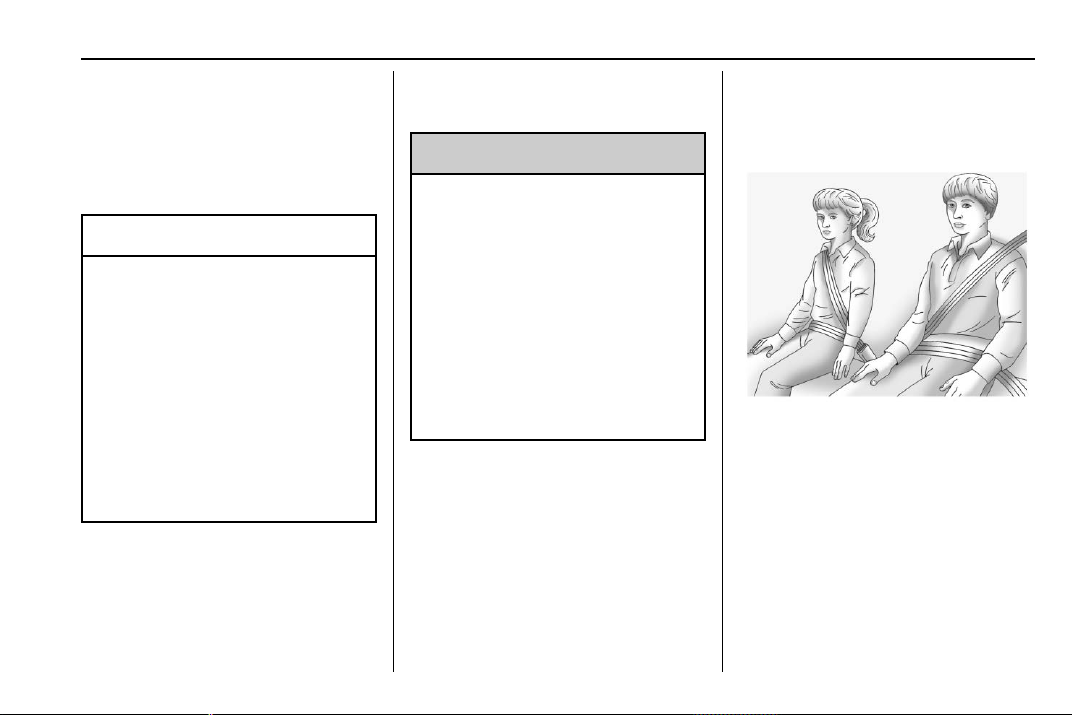
Chevrolet Traverse Owner Manual (GMNA-Localizing-U.S./Canada/Mexico-
13527526) - 2020 - CRC - 9/5/19
Seats and Restraints 77
Airbag System Check
The airbag system does not need
regularly scheduled maintenance or
replacement. Make sure the airbag
readiness light is working. See
Airbag Readiness Light 0 123.
Caution
If an airbag covering is damaged,
opened, or broken, the airbag
may not work properly. Do not
open or break the airbag
coverings. If there are any
opened or broken airbag
coverings, have the airbag
covering and/or airbag module
replaced. For the location of the
airbags, see Where Are the
Airbags? 0 67. See your dealer
for service.
Replacing Airbag System
Parts after a Crash
{
Warning
A crash can damage the airbag
systems in the vehicle.
A damaged airbag system may
not properly protect you and your
passenger(s) in a crash, resulting
in serious injury or even death. To
help make sure the airbag
systems are working properly
after a crash, have them
inspected and any necessary
replacements made as soon as
possible.
If an airbag inflates, you will need to
replace airbag system parts. See
your dealer for service.
If the airbag readiness light stays on
after the vehicle is started or comes
on when you are driving, the airbag
system may not work properly. Have
the vehicle serviced right away. See
Airbag Readiness Light 0 123.
Child Restraints
Older Children
Older children who have outgrown
booster seats should wear the
vehicle’s seat belts.
The manufacturer instructions that
come with the booster seat state the
weight and height limitations for that
booster. Use a booster seat with a
lap-shoulder belt until the child
passes the fit test below:
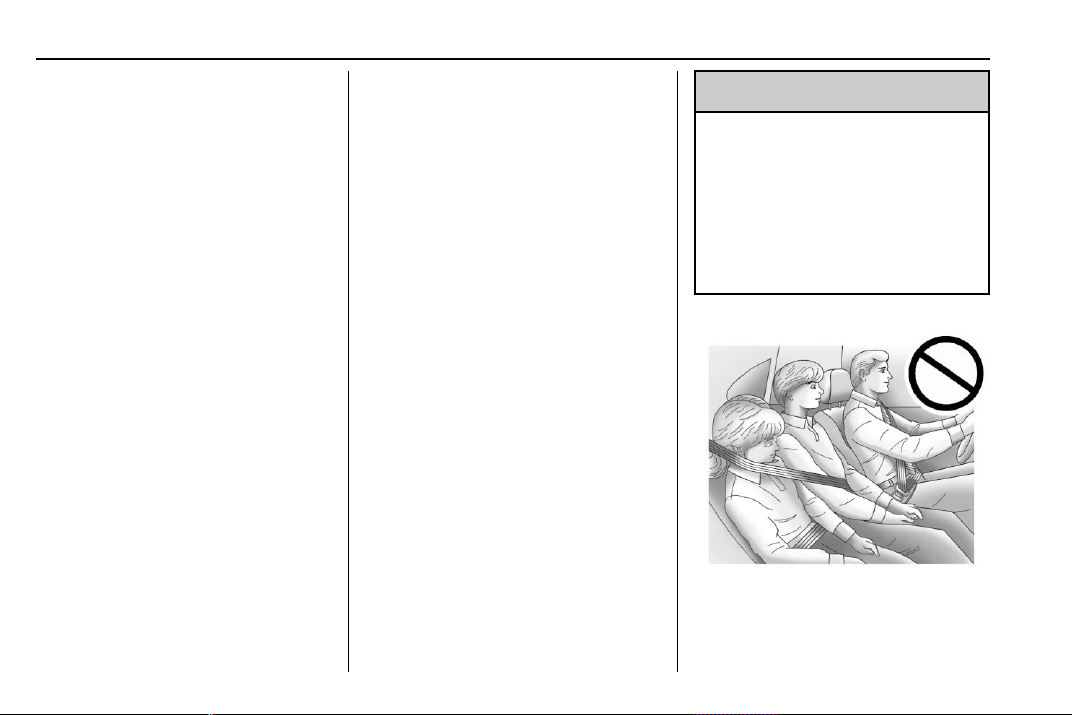
Chevrolet Traverse Owner Manual (GMNA-Localizing-U.S./Canada/Mexico-
13527526) - 2020 - CRC - 9/5/19
78 Seats and Restraints
.
Sit all the way back on the seat.
Do the knees bend at the seat
edge? If yes, continue. If no,
return to the booster seat.
.
Buckle the lap-shoulder belt.
Does the shoulder belt rest on
the shoulder? If yes, continue.
If no, try using the rear seat belt
comfort guide, if available. See
“Rear Seat Belt Comfort Guides”
under Lap-Shoulder Belt 0 59.
If a comfort guide is not
available, or if the shoulder belt
still does not rest on the
shoulder, then return to the
booster seat.
.
Does the lap belt fit low and
snug on the hips, touching the
thighs? If yes, continue. If no,
return to the booster seat.
.
Can proper seat belt fit be
maintained for the length of the
trip? If yes, continue. If no,
return to the booster seat.
Q: What is the proper way to
wear seat belts?
A: An older child should wear a
lap-shoulder belt and get the
additional restraint a shoulder
belt can provide. The shoulder
belt should not cross the face or
neck. The lap belt should fit
snugly below the hips, just
touching the top of the thighs.
This applies belt force to the
child's pelvic bones in a crash.
It should never be worn over the
abdomen, which could cause
severe or even fatal internal
injuries in a crash.
Also see “Rear Seat Belt Comfort
Guides” under Lap-Shoulder Belt
0 59.
According to accident statistics,
children are safer when properly
restrained in a rear seating position.
In a crash, children who are not
buckled up can strike other people
who are buckled up, or can be
thrown out of the vehicle. Older
children need to use seat belts
properly.
{
Warning
Never allow more than one child
to wear the same seat belt. The
seat belt cannot properly spread
the impact forces. In a crash, they
can be crushed together and
seriously injured. A seat belt must
be used by only one person at
a time.
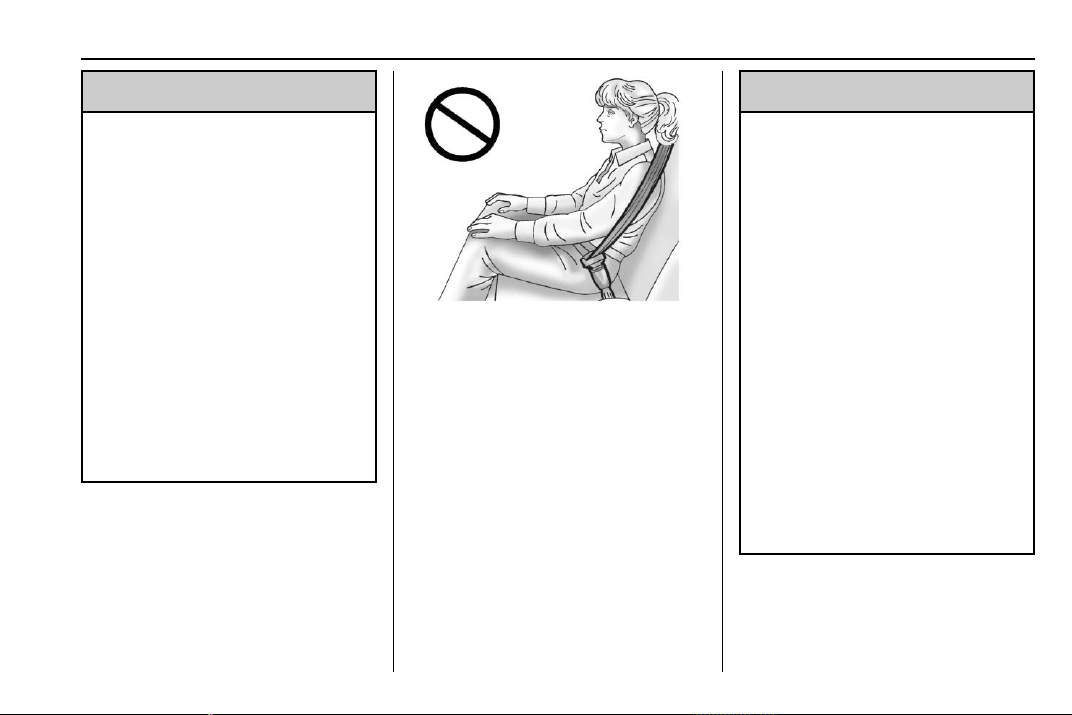
Chevrolet Traverse Owner Manual (GMNA-Localizing-U.S./Canada/Mexico-
13527526) - 2020 - CRC - 9/5/19
Seats and Restraints 79
{
Warning
Never allow a child to wear the
seat belt with the shoulder belt
behind their back. A child can be
seriously injured by not wearing
the lap-shoulder belt properly. In a
crash, the child would not be
restrained by the shoulder belt.
The child could move too far
forward increasing the chance of
head and neck injury. The child
might also slide under the lap
belt. The belt force would then be
applied right on the abdomen.
That could cause serious or fatal
injuries. The shoulder belt should
go over the shoulder and across
the chest.
Infants and Young
Children
Everyone in a vehicle needs
protection! This includes infants and
all other children. Neither the
distance traveled nor the age and
size of the traveler changes the
need, for everyone, to use safety
restraints. In fact, the law in every
state in the United States and in
every Canadian province says
children up to some age must be
restrained while in a vehicle.
{
Warning
Children can be seriously injured
or strangled if a shoulder belt is
wrapped around their neck. The
shoulder belt can tighten but
cannot be loosened if it is locked.
The shoulder belt locks when it is
pulled all the way out of the
retractor. It unlocks when the
shoulder belt is allowed to go all
the way back into the retractor,
but it cannot do this if it is
wrapped around a child’s neck.
If the shoulder belt is locked and
tightened around a child’s neck,
the only way to loosen the belt is
to cut it.
Never leave children unattended
in a vehicle and never allow
children to play with the seat
belts.
Every time infants and young
children ride in vehicles, they should
have the protection provided by
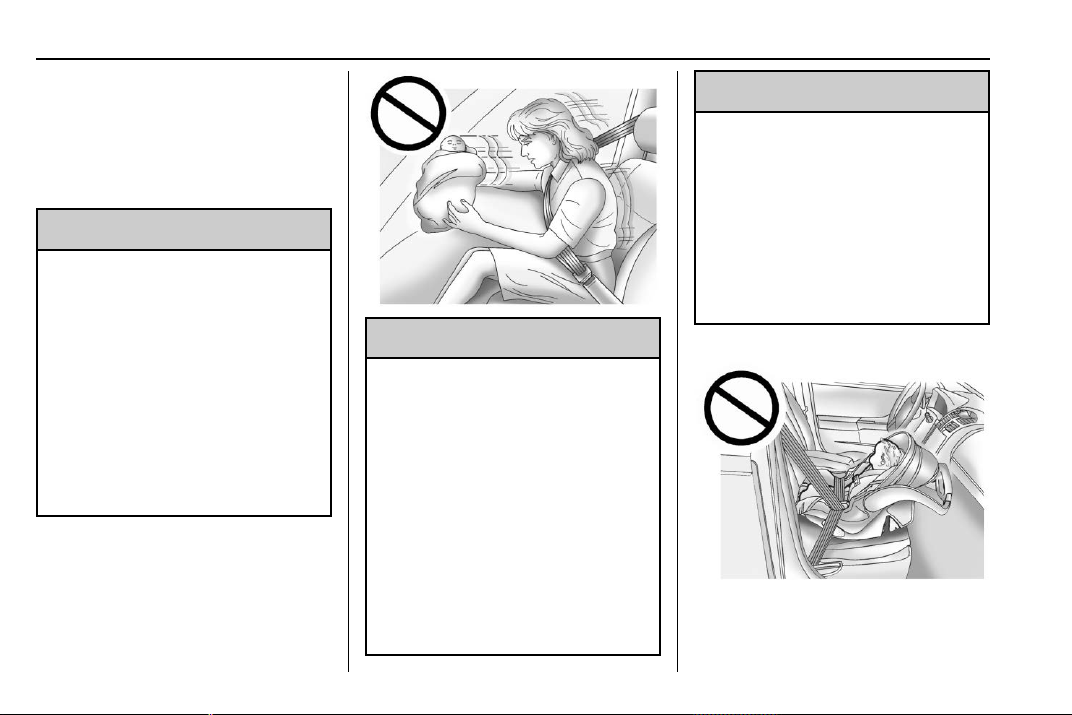
Chevrolet Traverse Owner Manual (GMNA-Localizing-U.S./Canada/Mexico-
13527526) - 2020 - CRC - 9/5/19
80 Seats and Restraints
appropriate child restraints. Neither
the vehicle’s seat belt system nor its
airbag system is designed for them.
Children who are not restrained
properly can strike other people,
or can be thrown out of the vehicle.
{
Warning
Never hold an infant or a child
while riding in a vehicle. Due to
crash forces, an infant or a child
will become so heavy it is not
possible to hold it during a crash.
For example, in a crash at only
40 km/h (25 mph), a 5.5 kg (12 lb)
infant will suddenly become a
110 kg (240 lb) force on a person's
arms. An infant or child should be
secured in an appropriate child
restraint.
{
Warning
Children who are up against,
or very close to, any airbag when
it inflates can be seriously injured
or killed. Never put a rear-facing
child restraint in the front
passenger seat. Secure a
rear-facing child restraint in a
rear seat.
It is also better to secure a
forward-facing child restraint in a
rear seat. If a forward-facing child
restraint must be secured in the
(Continued)
Warning (Continued)
front passenger seat, always
move the front passenger seat as
far back as it will go.
If a child restraint is installed in
the second row center seat, move
the second row seat to the
rearward position, whenever
possible, to minimize contact with
the front center airbag.
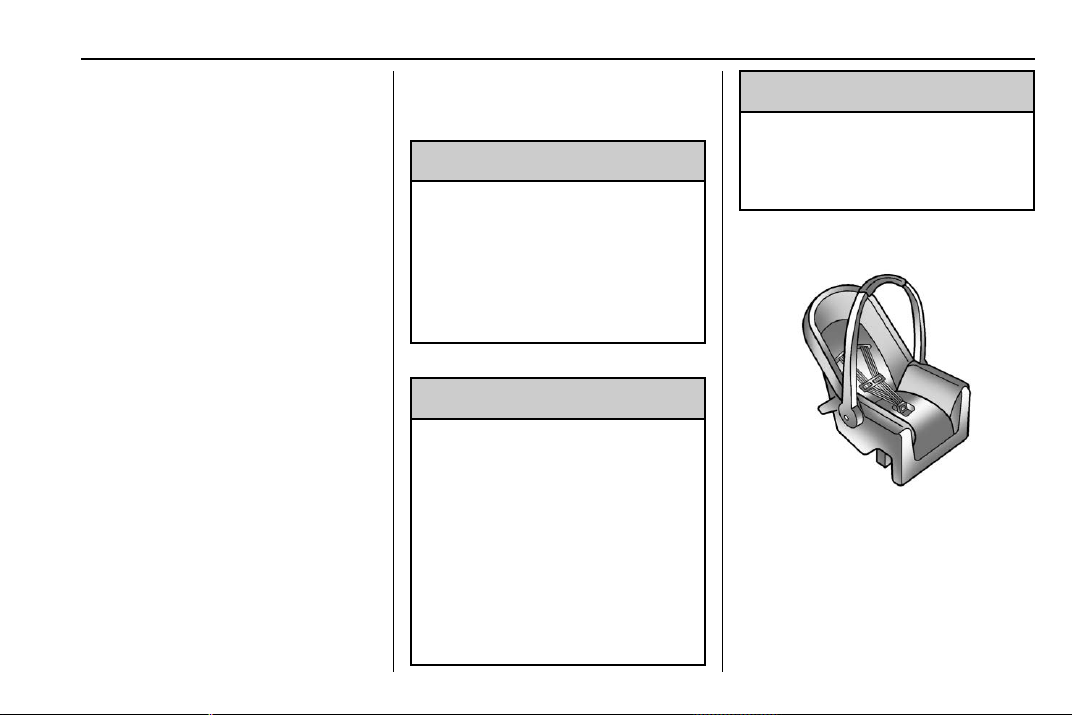
Chevrolet Traverse Owner Manual (GMNA-Localizing-U.S./Canada/Mexico-
13527526) - 2020 - CRC - 9/5/19
Seats and Restraints 81
Child restraints are devices used to
restrain, seat, or position children in
the vehicle and are sometimes
called child seats or car seats.
There are three basic types of
child restraints:
.
Forward-facing child restraints
.
Rear-facing child restraints
.
Belt-positioning booster seats
The proper child restraint for your
child depends on their size, weight,
and age, and also on whether the
child restraint is compatible with the
vehicle in which it will be used.
For each type of child restraint,
there are many different models
available. When purchasing a child
restraint, be sure it is designed to be
used in a motor vehicle. If it is, the
child restraint will have a label
saying that it meets federal motor
vehicle safety standards.
The instruction manual that is
provided with the child restraint
states the weight and height
limitations for that particular child
restraint. In addition, there are many
kinds of child restraints available for
children with special needs.
{
Warning
To reduce the risk of neck and
head injury in a crash, infants and
toddlers should be secured in a
rear-facing child restraint until age
two, or until they reach the
maximum height and weight limits
of their child restraint.
{
Warning
A young child's hip bones are still
so small that the vehicle seat belt
may not remain low on the hip
bones, as it should. Instead, it
may settle up around the child's
abdomen. In a crash, the belt
would apply force on a body area
that is unprotected by any bony
structure. This alone could cause
serious or fatal injuries. To reduce
(Continued)
Warning (Continued)
the risk of serious or fatal injuries
during a crash, young children
should always be secured in an
appropriate child restraint.
Child Restraint Systems
Rear-Facing Infant Restraint
A rear-facing child restraint provides
restraint with the seating surface
against the back of the infant.
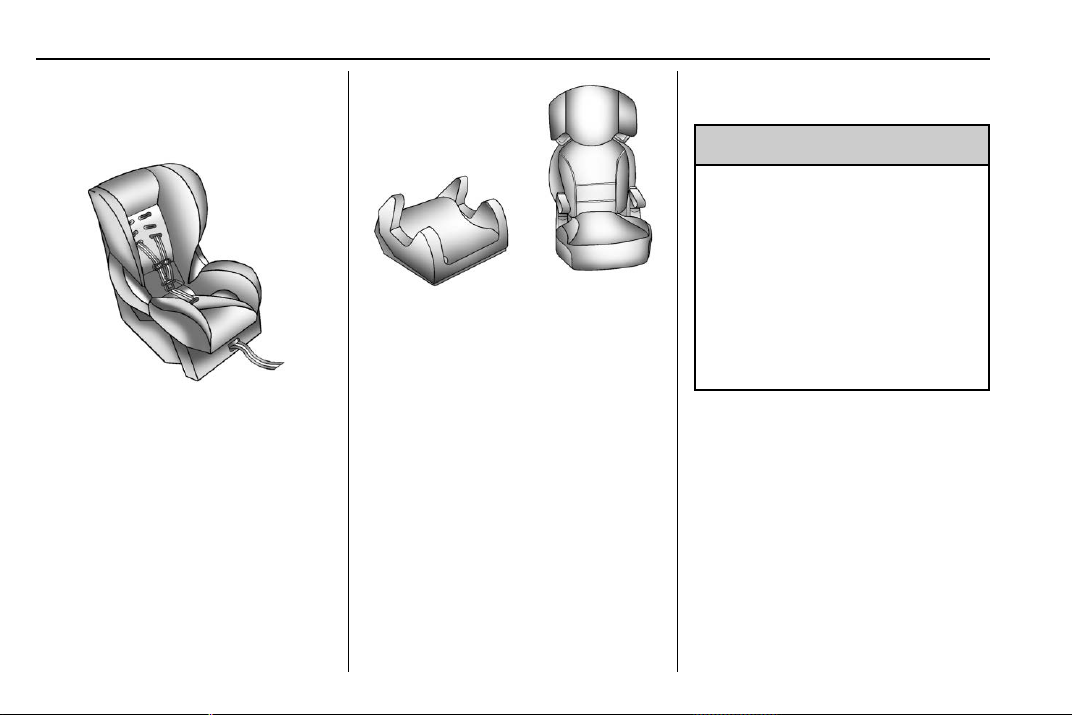
Chevrolet Traverse Owner Manual (GMNA-Localizing-U.S./Canada/Mexico-
13527526) - 2020 - CRC - 9/5/19
82 Seats and Restraints
The harness system holds the infant
in place and, in a crash, acts to
keep the infant positioned in the
restraint.
Forward-Facing Child Restraint
A forward-facing child restraint
provides restraint for the child's
body with the harness.
Booster Seats
A belt-positioning booster seat is
used for children who have
outgrown their forward-facing child
restraint. Boosters are designed to
improve the fit of the vehicle's seat
belt system until the child is large
enough for the vehicle seat belts to
fit properly without a booster seat.
See the seat belt fit test in Older
Children 0 77.
Securing an Add-On Child
Restraint in the Vehicle
{
Warning
A child can be seriously injured or
killed in a crash if the child
restraint is not properly secured in
the vehicle. Secure the child
restraint properly in the vehicle
using the vehicle seat belt or
LATCH system, following the
instructions that came with that
child restraint and the instructions
in this manual.
To help reduce the chance of injury,
the child restraint must be secured
in the vehicle. Child restraints must
be secured in vehicle seats by lap
belts or the lap belt portion of a
lap-shoulder belt, or by the LATCH
system. See Lower Anchors and
Tethers for Children (LATCH
System) 0 84 for more information.
Children can be endangered in a
crash if the child restraint is not
properly secured in the vehicle.
Chevrolet Traverse Owner Manual (GMNA-Localizing-U.S./Canada/Mexico-
13527526) - 2020 - CRC - 9/5/19
Seats and Restraints 83
When securing an add-on child
restraint, refer to the following:
1. Instruction labels provided on
the child restraint
2. Instruction manual provided
with the child restraint
3. This vehicle owner's manual
The child restraint instructions are
important, so if they are not
available, obtain a replacement
copy from the manufacturer.
Keep in mind that an unsecured
child restraint can move around in a
collision or sudden stop and injure
people in the vehicle. Be sure to
properly secure any child restraint in
the vehicle — even when no child is
in it.
In some areas Certified Child
Passenger Safety Technicians
(CPSTs) are available to inspect
and demonstrate how to correctly
use and install child restraints. In
the U.S., refer to the National
Highway Traffic Safety
Administration (NHTSA) website to
locate the nearest child safety seat
inspection station. For CPST
availability in Canada, check with
Transport Canada or the Provincial
Ministry of Transportation office.
Securing the Child Within the
Child Restraint
{
Warning
A child can be seriously injured or
killed in a crash if the child is not
properly secured in the child
restraint. Secure the child
properly following the instructions
that came with that child restraint.
Where to Put the
Restraint
According to accident statistics,
children and infants are safer when
properly restrained in an appropriate
child restraint secured in a rear
seating position.
Whenever possible, children aged
12 and under should be secured in
a rear seating position.
The vehicle is equipped with a front
center airbag in the inboard side of
the driver seat. Even with a front
center airbag, a child restraint can
be installed in any second row
seating position.
Never put a rear-facing child
restraint in the front. This is because
the risk to the rear-facing child is so
great if the airbag deploys.
{
Warning
A child in a rear-facing child
restraint can be seriously injured
or killed if the front passenger
airbag inflates. This is because
the back of the rear-facing child
restraint would be very close to
the inflating airbag. A child in a
forward-facing child restraint can
be seriously injured or killed if the
front passenger airbag inflates
and the passenger seat is in a
forward position.
(Continued)

Chevrolet Traverse Owner Manual (GMNA-Localizing-U.S./Canada/Mexico-
13527526) - 2020 - CRC - 9/5/19
84 Seats and Restraints
Warning (Continued)
Even if the passenger sensing
system has turned off the front
passenger frontal airbag, no
system is fail-safe. No one can
guarantee that an airbag will not
deploy under some unusual
circumstance, even though it is
turned off.
Secure rear-facing child restraints
in a rear seat, even if the airbag
is off. If you secure a
forward-facing child restraint in
the front seat, always move the
front passenger seat as far back
as it will go. It is better to secure
the child restraint in a rear seat.
See Passenger Sensing System
0 71 for additional information.
If a child restraint is installed in a
second row center seat, move the
second row seat to the rearward
position, whenever possible, to
minimize contact with the front
center airbag.
When securing a child restraint with
the seat belts in a rear seat position,
study the instructions that came with
the child restraint to make sure it is
compatible with this vehicle.
Child restraints and booster seats
vary considerably in size, and some
may fit in certain seating positions
better than others.
Depending on where you place the
child restraint and the size of the
child restraint, you may not be able
to access adjacent seat belts or
LATCH anchors for additional
passengers or child restraints.
Adjacent seating positions should
not be used if the child restraint
prevents access to or interferes with
the routing of the seat belt.
Wherever a child restraint is
installed, be sure to follow the
instructions that came with the child
restraint and secure the child
restraint properly.
Keep in mind that an unsecured
child restraint can move around in a
collision or sudden stop and injure
people in the vehicle. Be sure to
properly secure any child restraint in
the vehicle — even when no child is
in it.
Lower Anchors and
Tethers for Children
(LATCH System)
The LATCH system secures a child
restraint during driving or in a crash.
LATCH attachments on the child
restraint are used to attach the child
restraint to the anchors in the
vehicle. The LATCH system is
designed to make installation of a
child restraint easier.
In order to use the LATCH system in
your vehicle, you need a child
restraint that has LATCH
attachments. LATCH-compatible
rear-facing and forward-facing child
seats can be properly installed
using either the LATCH anchors or
the vehicle’s seat belts. Do not use
both the seat belts and the LATCH
anchorage system to secure a
rear-facing or forward-facing
child seat.

Chevrolet Traverse Owner Manual (GMNA-Localizing-U.S./Canada/Mexico-
13527526) - 2020 - CRC - 9/5/19
Seats and Restraints 85
Booster seats use the vehicle’s seat
belts to secure the child and the
booster seat. If the manufacturer
recommends that the booster seat
be secured with the LATCH system,
this can be done as long as the
booster seat can be positioned
properly and there is no interference
with the proper positioning of the
lap-shoulder belt on the child.
Make sure to follow the instructions
that came with the child restraint,
and also the instructions in this
manual.
When installing a child restraint with
a top tether, you must also use
either the lower anchors or the seat
belts to properly secure the child
restraint. A child restraint must
never be attached using only the top
tether.
For a forward-facing 5-pt harness
child restraint where the combined
weight of the child and restraint are
up to 29.5 kg (65 lb), use either the
lower LATCH anchorages with the
top tether anchorage, or the seat
belt with the top tether anchorage.
Where the combined weight of the
child and restraint are greater than
29.5 kg (65 lb), use the seat belt with
the top tether anchorage only.

Chevrolet Traverse Owner Manual (GMNA-Localizing-U.S./Canada/Mexico-
13527526) - 2020 - CRC - 9/5/19
86 Seats and Restraints
Recommended Methods for Attaching Child Restraints
Restraint Type Combined
Weight of the
Child + Child
Restraint
Use Only Approved Attachment Methods Shown with an X
LATCH – Lower
Anchors Only
Seat Belt Only LATCH – Lower
Anchors and Top
Tether Anchor
Seat Belt and
Top Tether
Anchor
Rear-Facing
Child Restraint
Up to
29.5 kg (65 lb)
X X
Rear-Facing
Child Restraint
Greater than
29.5 kg (65 lb)
X
Forward-Facing
Child Restraint
Up to
29.5 kg (65 lb)
X X
Forward-Facing
Child Restraint
Greater than
29.5 kg (65 lb)
X
See Securing Child Restraints (With
the Seat Belt in the Rear Seat) 0 94
or
Securing Child Restraints (With the
Seat Belt in the Front Seat) 0 96.
Child restraints built after March
2014 will be labeled with the
specific child weight up to which the
LATCH system can be used to
install the restraint.
The following explains how to attach
a child restraint with these
attachments in the vehicle.
Not all vehicle seating positions
have lower anchors. In this case,
the seat belt must be used (with top
tether where available) to secure
the child restraint. See Securing
Child Restraints (With the Seat Belt
in the Rear Seat) 0 94 or
Securing Child Restraints (With the
Seat Belt in the Front Seat) 0 96.
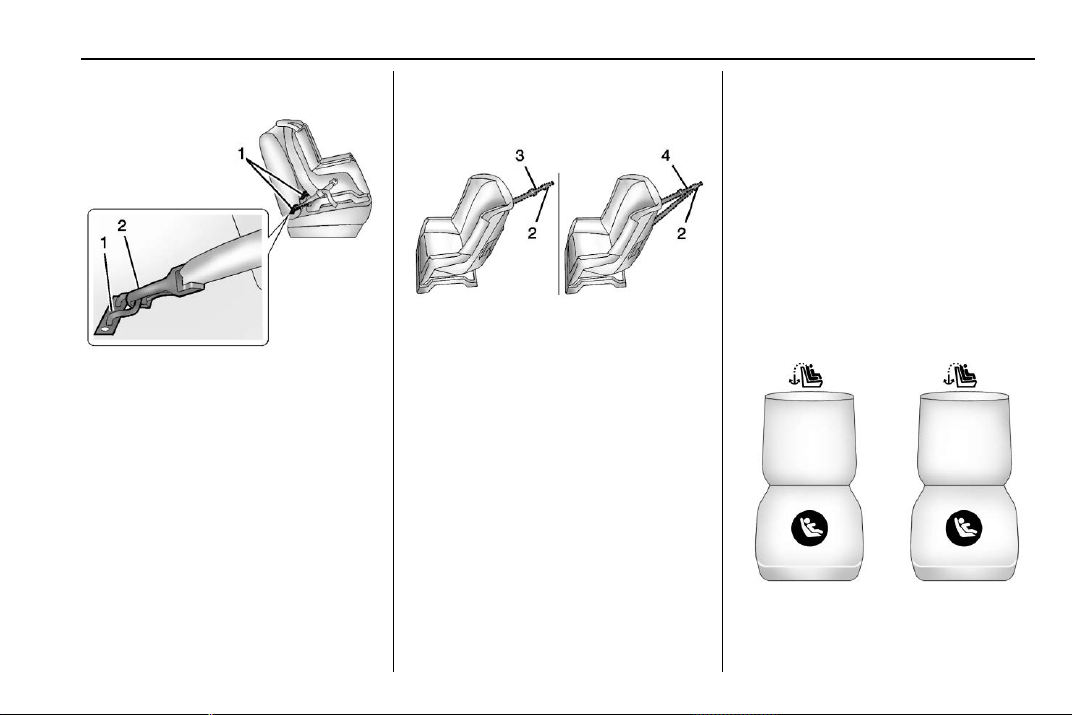
Chevrolet Traverse Owner Manual (GMNA-Localizing-U.S./Canada/Mexico-
13527526) - 2020 - CRC - 9/5/19
Seats and Restraints 87
Lower Anchors
Lower anchors (1) are metal bars
built into the vehicle. There are two
lower anchors for each LATCH
seating position that will
accommodate a child restraint with
lower attachments (2).
Top Tether Anchor
A top tether (3, 4) is used to secure
the top of the child restraint to the
vehicle. A top tether anchor is built
into the vehicle. The top tether
attachment hook (2) on the child
restraint connects to the top tether
anchor in the vehicle in order to
reduce the forward movement and
rotation of the child restraint during
driving or in a crash.
The child restraint may have a
single tether (3) or a dual tether (4).
Either will have a single attachment
hook (2) to secure the top tether to
the anchor.
Some child restraints with top
tethers are designed for use with or
without the top tether being
attached. Others require the top
tether always to be attached. In
Canada, the law requires that
forward-facing child restraints have
a top tether, and that the tether be
attached. Be sure to read and follow
the instructions for your child
restraint.
Lower Anchor and Top Tether
Anchor Locations
Second Row — Captain’s Chairs
I : Seating positions with top
tether anchors.
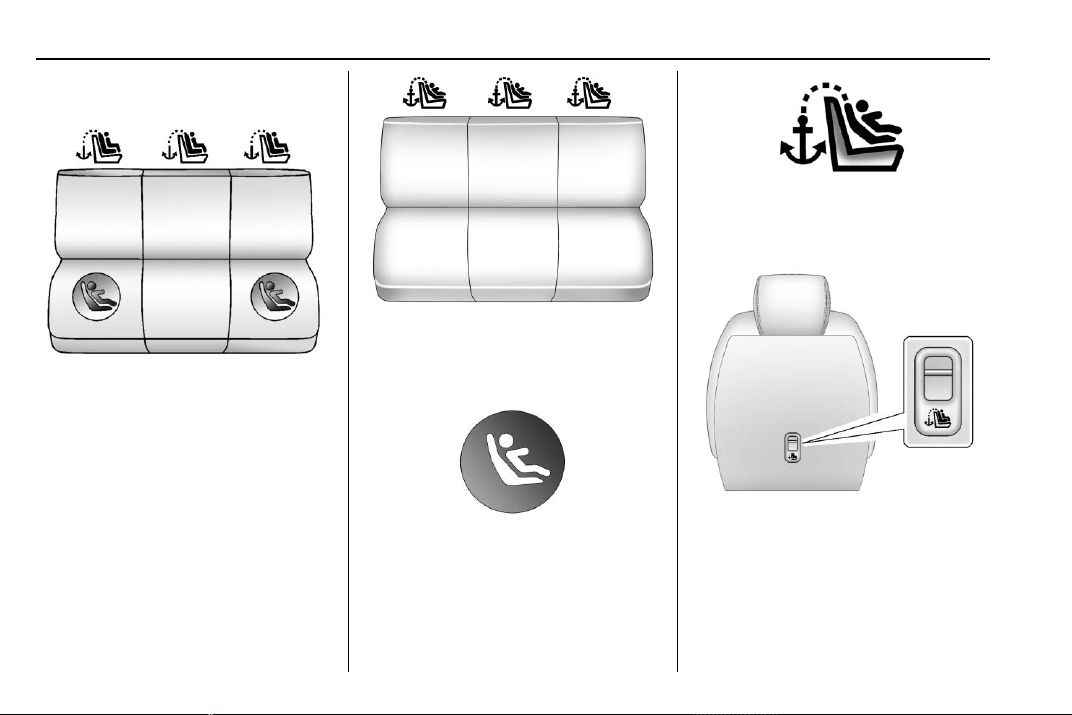
Chevrolet Traverse Owner Manual (GMNA-Localizing-U.S./Canada/Mexico-
13527526) - 2020 - CRC - 9/5/19
88 Seats and Restraints
H : Seating positions with two
lower anchors.
Second Row — 60/40 Bench
I : Seating positions with top
tether anchors.
H : Seating positions with two
lower anchors.
Third Row
I : Seating positions with top
tether anchors.
To assist in locating the lower
anchors, each seating position with
lower anchors has two labels with
the lower anchor symbol on them,
near the crease between the
seatback and the seat cushion.
To assist in locating the top tether
anchors, the top tether anchor
symbol is near the anchor.
Second Row — Captain’s Chairs
Shown, Bench Similar
The top tether anchors are on the
rear of the seatback for each
seating position in the second row.
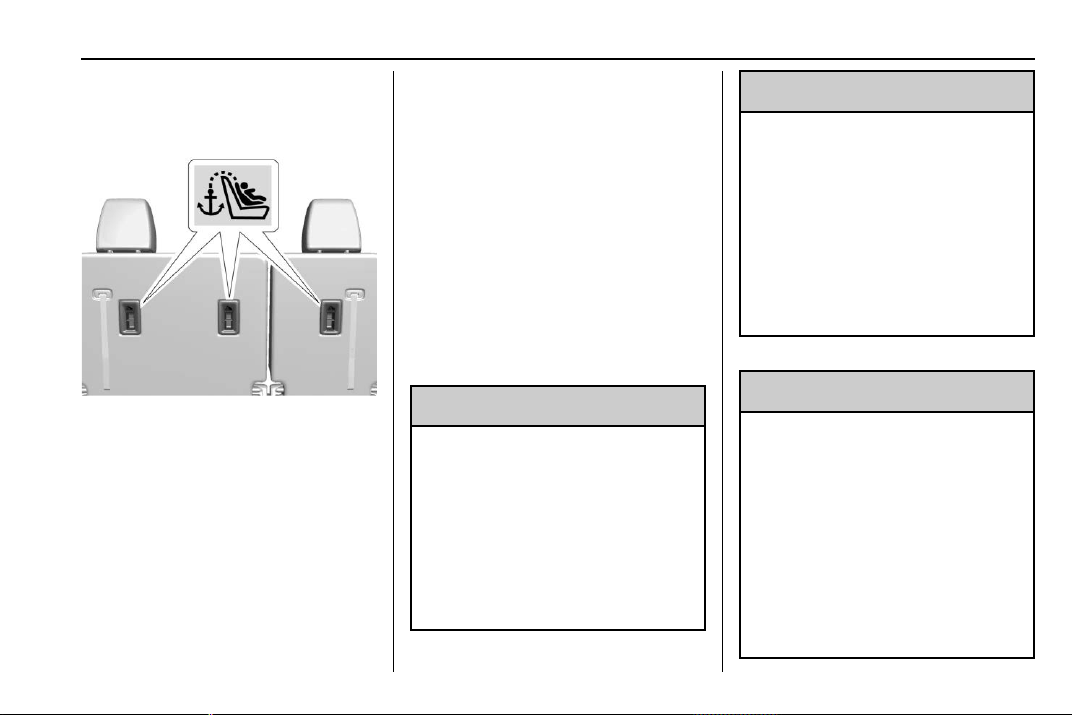
Chevrolet Traverse Owner Manual (GMNA-Localizing-U.S./Canada/Mexico-
13527526) - 2020 - CRC - 9/5/19
Seats and Restraints 89
Be sure to use an anchor located
directly behind the seating position
where the child restraint will be
placed.
Third Row
The top tether anchors are on the
rear of the seatback for each
seating position in the third row.
Be sure to use an anchor located
directly behind the seating position
where the child restraint will be
placed.
Do not secure a child restraint in a
position without a top tether anchor
if a national or local law requires
that the top tether be attached, or if
the instructions that come with the
child restraint say that the top tether
must be attached.
According to accident statistics,
children and infants are safer when
properly restrained in a child
restraint system or infant restraint
system secured in a rear seating
position. See Where to Put the
Restraint 0 83 for additional
information.
Securing a Child Restraint
Designed for the LATCH
System
{
Warning
A child could be seriously injured
or killed in a crash if the child
restraint is not properly attached
to the vehicle using either the
LATCH anchors or the vehicle
seat belt. Follow the instructions
that came with the child restraint
and the instructions in this
manual.
{
Warning
To reduce the risk of serious or
fatal injuries during a crash, do
not attach more than one child
restraint to a single anchor.
Attaching more than one child
restraint to a single anchor could
cause the anchor or attachment
to come loose or even break
during a crash. A child or others
could be injured.
{
Warning
Children can be seriously injured
or strangled if a shoulder belt is
wrapped around their neck. The
shoulder belt can tighten but
cannot be loosened if it is locked.
The shoulder belt locks when it is
pulled all the way out of the
retractor. It unlocks when the
shoulder belt is allowed to go all
the way back into the retractor,
(Continued)
Chevrolet Traverse Owner Manual (GMNA-Localizing-U.S./Canada/Mexico-
13527526) - 2020 - CRC - 9/5/19
90 Seats and Restraints
Warning (Continued)
but it cannot do this if it is
wrapped around a child’s neck.
If the shoulder belt is locked and
tightened around a child’s neck,
the only way to loosen the belt is
to cut it.
Buckle any unused seat belts
behind the child restraint so
children cannot reach them. Pull
the shoulder belt all the way out
of the retractor to set the lock,
and tighten the belt behind the
child restraint after the child
restraint has been installed.
Caution
Do not let the LATCH
attachments rub against the
vehicle’s seat belts. This may
damage these parts. If necessary,
move buckled seat belts to avoid
rubbing the LATCH attachments.
(Continued)
Caution (Continued)
Do not fold the rear seatback
when the seat is occupied. Do not
fold the empty rear seat with a
seat belt buckled. This could
damage the seat belt or the seat.
Unbuckle and return the seat belt
to its stowed position, before
folding the seat.
The vehicle is equipped with a front
center airbag in the inboard side of
the driver seat. Even with a front
center airbag, a child restraint can
be installed in any second row
seating position. If a child restraint is
installed in a second row center
seat, move the second row seat to
the rearward position, whenever
possible, to minimize contact with
the front center airbag.
If you need to secure more than one
child restraint in the rear seat, see
Where to Put the Restraint 0 83.
1. Put the child restraint on the
seat. If the head restraint
interferes with the proper
installation of the child
restraint, the head restraint
may be removed. See "Head
Restraint Removal and
Reinstallation" at the end of
this section.
2. Attach and tighten the lower
attachments to the lower
anchors. If the child restraint
does not have lower
attachments or the desired
seating position does not have
lower anchors, secure the child
restraint with the top tether and
the seat belt. Refer to your
child restraint manufacturer
instructions and the
instructions in this manual.
2.1. Find the lower anchors
for the desired seating
position.
2.2. To access the lower
anchors in the second
row, it may help to recline
the seatback.
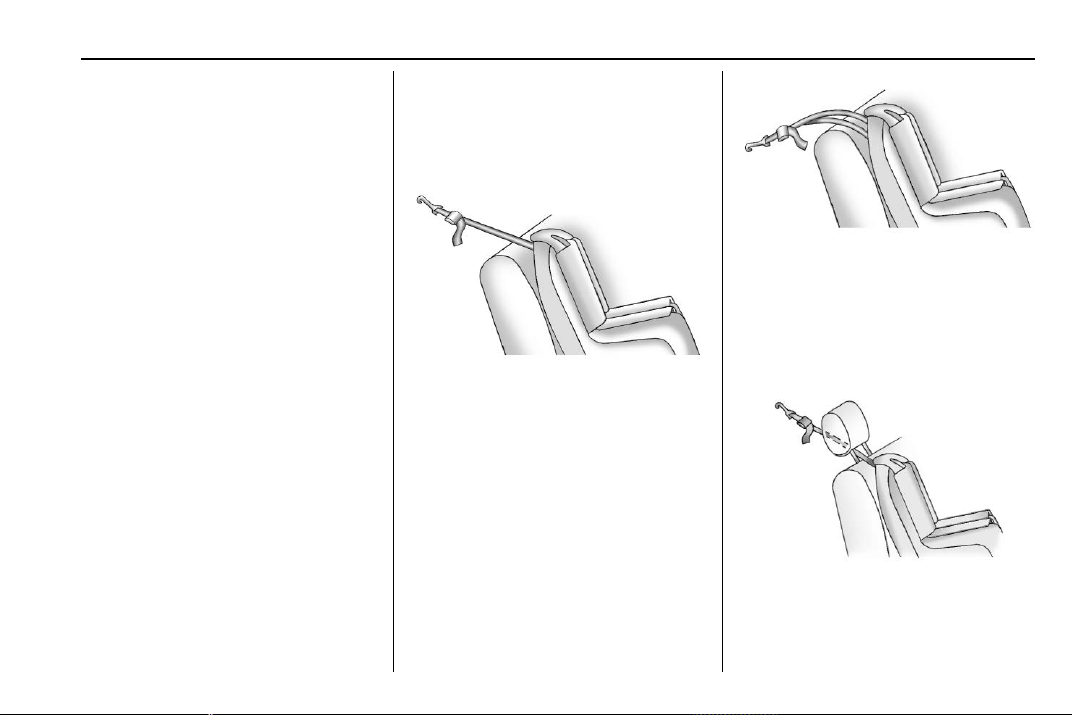
Chevrolet Traverse Owner Manual (GMNA-Localizing-U.S./Canada/Mexico-
13527526) - 2020 - CRC - 9/5/19
Seats and Restraints 91
Third row seatbacks must
be upright before placing
the child restraint on
the seat.
2.3. Put the child restraint on
the seat.
2.4. Attach and tighten the
lower attachments on the
child restraint to the lower
anchors.
If necessary, adjust the
angle of the second row
seatback to achieve a
tight installation. Make
sure the second row
bench seatbacks are
aligned at the same
angle.
3. If the child restraint
manufacturer recommends that
the top tether be attached,
attach and tighten the top
tether to the top tether anchor,
if the vehicle has one. Refer to
the child restraint instructions
and the following steps:
3.1. Find the top tether
anchor.
3.2. Route, attach, and tighten
the top tether according
to your child restraint
instructions and the
following instructions:
If the position you are
using does not have a
head restraint and you
are using a single tether,
route the tether over the
seatback.
If the position you are
using does not have a
head restraint and you
are using a dual tether,
route the tether over the
seatback.
If the position you are
using has an adjustable
head restraint and you
are using a single tether,
raise the head restraint
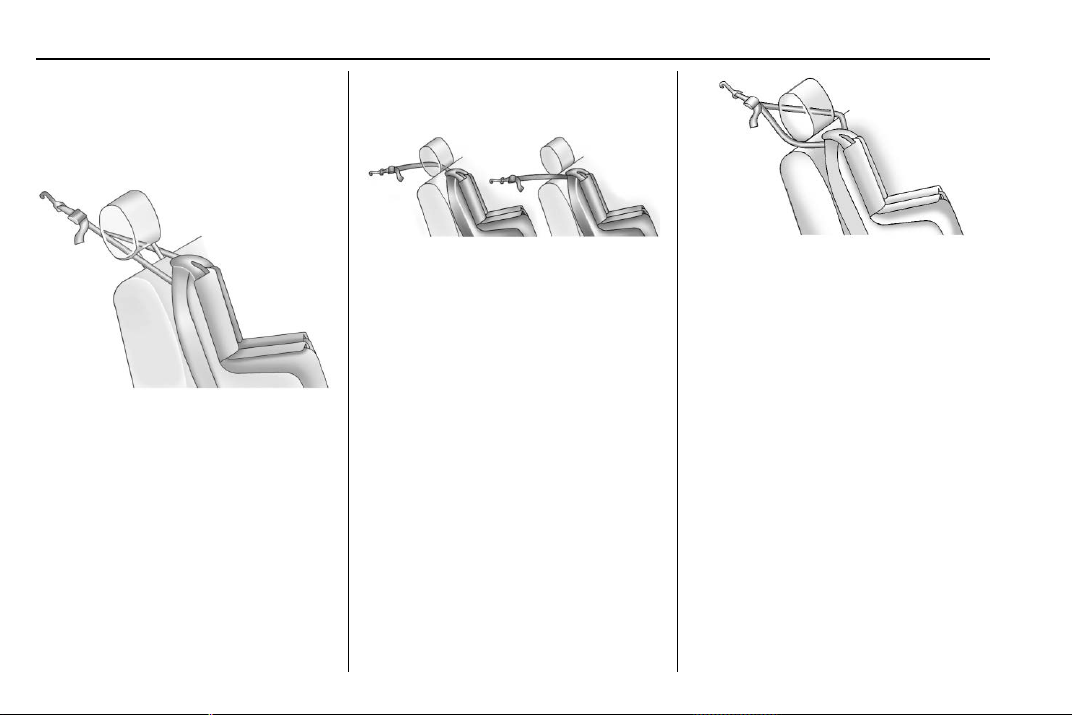
Chevrolet Traverse Owner Manual (GMNA-Localizing-U.S./Canada/Mexico-
13527526) - 2020 - CRC - 9/5/19
92 Seats and Restraints
and route the tether
under the head restraint
and in between the head
restraint posts.
If the position you are
using has an adjustable
head restraint and you
are using a dual tether,
raise head restraint and
route the tether around
the head restraint posts.
If the position you are
using has a fixed head
restraint and you are
using a single tether,
route the tether under the
head restraint and in
between the head
restraint posts or around
the outboard side of the
head restraint.
If the position you are
using has a fixed head
restraint and you are
using a dual tether, route
the tether around the
head restraint.
4. Before placing a child in the
child restraint, make sure it is
securely held in place. To
check, grasp the child restraint
at the LATCH path and attempt
to move it side to side and
back and forth. There should
be no more than 2.5 cm (1 in) of
movement, for proper
installation.
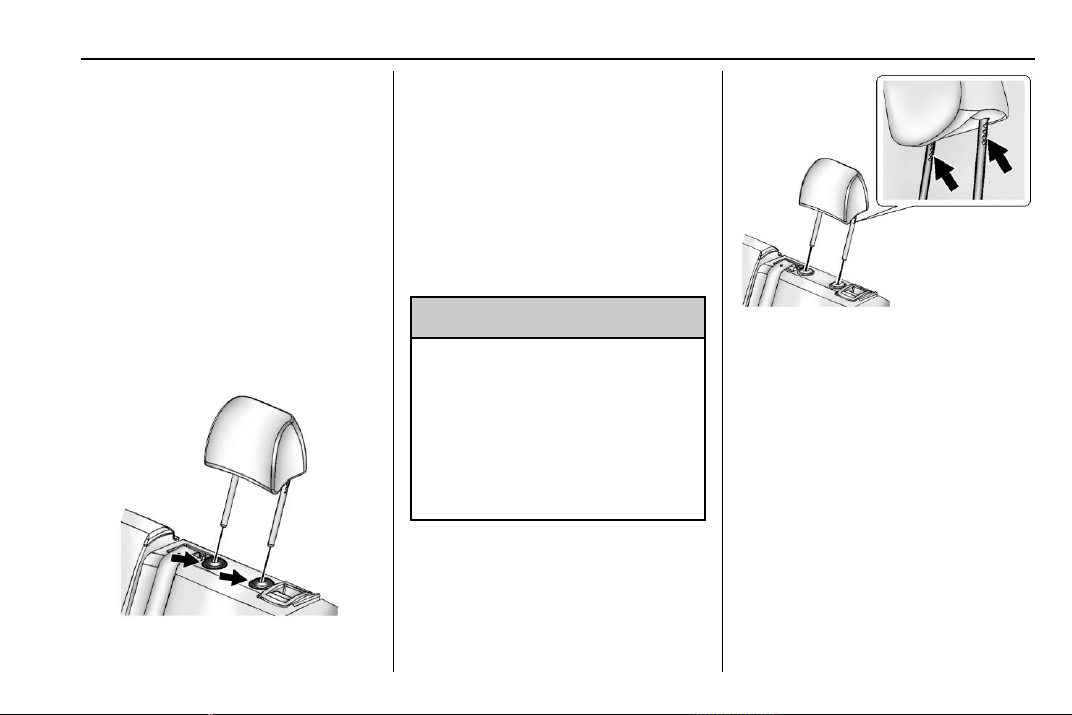
Chevrolet Traverse Owner Manual (GMNA-Localizing-U.S./Canada/Mexico-
13527526) - 2020 - CRC - 9/5/19
Seats and Restraints 93
Head Restraint Removal and
Reinstallation
The second row outboard head
restraints can be removed if they
interfere with the proper installation
of the child restraint.
The third row head restraints cannot
be removed.
To remove the second row head
restraint:
1. Partially fold the seatback
forward. See Rear Seats 0 49
for additional information.
2. Press both buttons on the head
restraint posts at the same
time, and pull up on the head
restraint.
3. Store the head restraint in the
cargo area of the vehicle.
4. When the child restraint is
removed, reinstall the head
restraint before the seating
position is used.
{
Warning
With head restraints that are not
installed and adjusted properly,
there is a greater chance that
occupants will suffer a neck/
spinal injury in a crash. Do not
drive until the head restraints for
all occupants are installed and
adjusted properly.
To reinstall the head restraint:
1. Insert the head restraint posts
into the holes in the top of the
seatback. The notches on the
posts must face the driver side
of the vehicle.
2. Push the head restraint down.
3. Try to move the head restraint
to make sure that it is locked in
place.

Chevrolet Traverse Owner Manual (GMNA-Localizing-U.S./Canada/Mexico-
13527526) - 2020 - CRC - 9/5/19
94 Seats and Restraints
Replacing LATCH System
Parts After a Crash
{
Warning
A crash can damage the LATCH
system in the vehicle. A damaged
LATCH system may not properly
secure the child restraint,
resulting in serious injury or even
death in a crash. To help make
sure the LATCH system is
working properly after a crash,
see your dealer to have the
system inspected and any
necessary replacements made as
soon as possible.
If the vehicle has the LATCH system
and it was being used during a
crash, new LATCH system parts
may be needed.
New parts and repairs may be
necessary even if the LATCH
system was not being used at the
time of the crash.
Securing Child Restraints
(With the Seat Belt in the
Rear Seat)
The vehicle is equipped with a front
center airbag in the inboard side of
the driver seat. Even with a front
center airbag, a child restraint can
be installed in any second row
seating position. If you install a child
restraint in a second row center
seat, move the second row seat to
the rearward position, whenever
possible, to minimize contact with
the front center airbag.
When securing a child restraint with
the seat belts in a rear seat position,
study the instructions that came with
the child restraint to make sure it is
compatible with this vehicle.
If the child restraint has the LATCH
system, see Lower Anchors and
Tethers for Children (LATCH
System) 0 84 for how and where to
install the child restraint using
LATCH. If a child restraint is
secured in the vehicle using a seat
belt and it uses a top tether, see
Lower Anchors and Tethers for
Children (LATCH System) 0 84 for
top tether anchor locations.
Do not secure a child seat in a
position without a top tether anchor
if a national or local law requires
that the top tether be anchored, or if
the instructions that come with the
child restraint say that the top tether
must be anchored.
In Canada, the law requires that
forward-facing child restraints have
a top tether, and that the tether be
attached.
If the child restraint or vehicle seat
position does not have the LATCH
system, you will be using the seat
belt to secure the child restraint.
Be sure to follow the instructions
that came with the child restraint.
If more than one child restraint
needs to be installed in the rear
seat, be sure to read Where to Put
the Restraint 0 83.
1. Put the child restraint on
the seat.
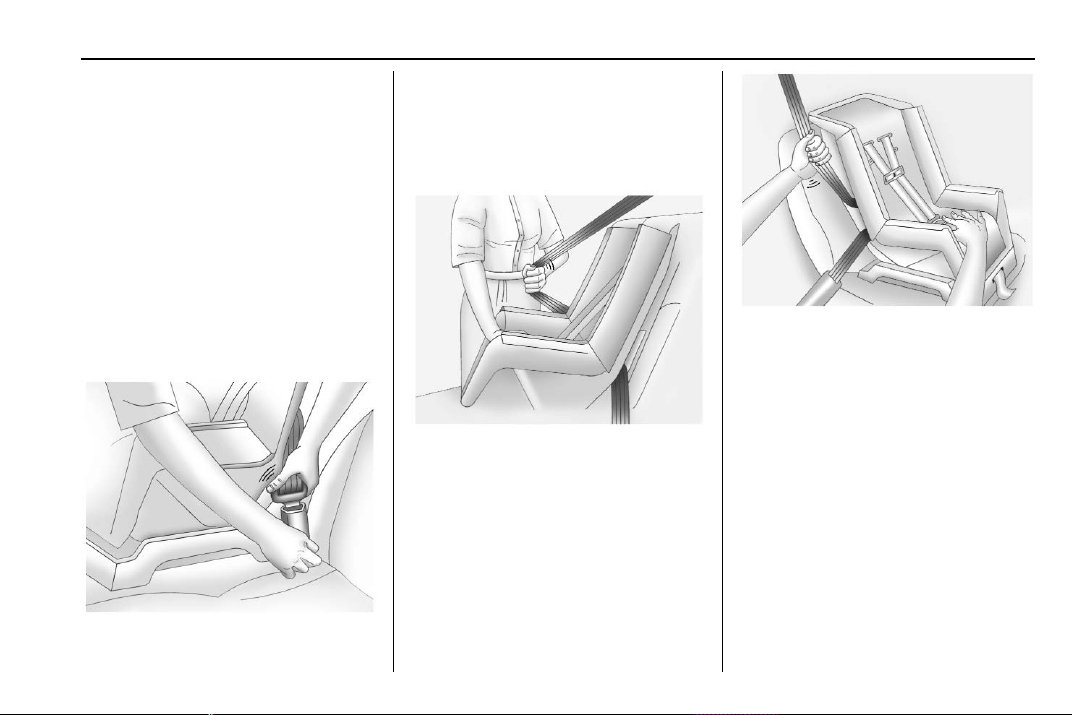
Chevrolet Traverse Owner Manual (GMNA-Localizing-U.S./Canada/Mexico-
13527526) - 2020 - CRC - 9/5/19
Seats and Restraints 95
If the head restraint interferes
with the proper installation of
the child restraint, the head
restraint may be removed. See
"Head Restraint Removal and
Reinstallation" under Lower
Anchors and Tethers for
Children (LATCH System).
2. Pick up the latch plate, and run
the lap and shoulder portions
of the vehicle seat belt through
or around the child restraint.
The child restraint instructions
will show you how.
3. Push the latch plate into the
buckle until it clicks.
Position the release button on
the buckle, away from the child
restraint, so that the seat belt
could be quickly unbuckled if
necessary.
4. Pull the shoulder belt all the
way out of the retractor to set
the lock. When the retractor
lock is set, the belt can be
tightened but not pulled out of
the retractor.
5. To tighten the belt, push down
on the child restraint, pull the
shoulder portion of the belt to
tighten the lap portion of the
belt, and feed the shoulder belt
back into the retractor. When
installing a forward-facing child
restraint, it may be helpful to
use your knee to push down on
the child restraint as you
tighten the belt.
Try to pull the belt out of the
retractor to make sure the
retractor is locked. If the
retractor is not locked, repeat
Steps 4 and 5.
Chevrolet Traverse Owner Manual (GMNA-Localizing-U.S./Canada/Mexico-
13527526) - 2020 - CRC - 9/5/19
96 Seats and Restraints
6. If the child restraint has a top
tether, follow the child restraint
manufacturer's instructions
regarding the use of the top
tether. See Lower Anchors and
Tethers for Children (LATCH
System) 0 84.
7. Before placing a child in the
child restraint, make sure it is
securely held in place. To
check, grasp the child restraint
at the seat belt path and
attempt to move it side to side
and back and forth. When the
child restraint is properly
installed, there should be no
more than 2.5 cm (1 in) of
movement.
To remove the child restraint,
unbuckle the vehicle seat belt and
let it return to the stowed position.
If the top tether is attached to a top
tether anchor, disconnect it.
If the head restraint was removed,
reinstall it before the seating
position is used. See "Head
Restraint Removal and
Reinstallation" underLower Anchors
and Tethers for Children (LATCH
System) 0 84 for additional
information on installing the head
restraint properly.
Securing Child Restraints
(With the Seat Belt in the
Front Seat)
This vehicle has airbags. A rear
seat is a safer place to secure a
forward-facing child restraint. See
Where to Put the Restraint 0 83.
In addition, the vehicle has a
passenger sensing system which is
designed to turn off the front
outboard passenger frontal airbag
under certain conditions. See
Passenger Sensing System 0 71
and
Passenger Airbag Status Indicator
0 123 for more information,
including important safety
information.
Never put a rear-facing child seat in
the front. This is because the risk to
the rear-facing child is so great,
if the airbag deploys.
{
Warning
A child in a rear-facing child
restraint can be seriously injured
or killed if the front outboard
passenger frontal airbag inflates.
This is because the back of the
rear-facing child restraint would
be very close to the inflating
airbag. A child in a forward-facing
child restraint can be seriously
injured or killed if the front
outboard passenger frontal airbag
inflates and the passenger seat is
in a forward position.
Even if the passenger sensing
system has turned off the front
outboard passenger frontal
airbag, no system is fail-safe. No
one can guarantee that an airbag
(Continued)
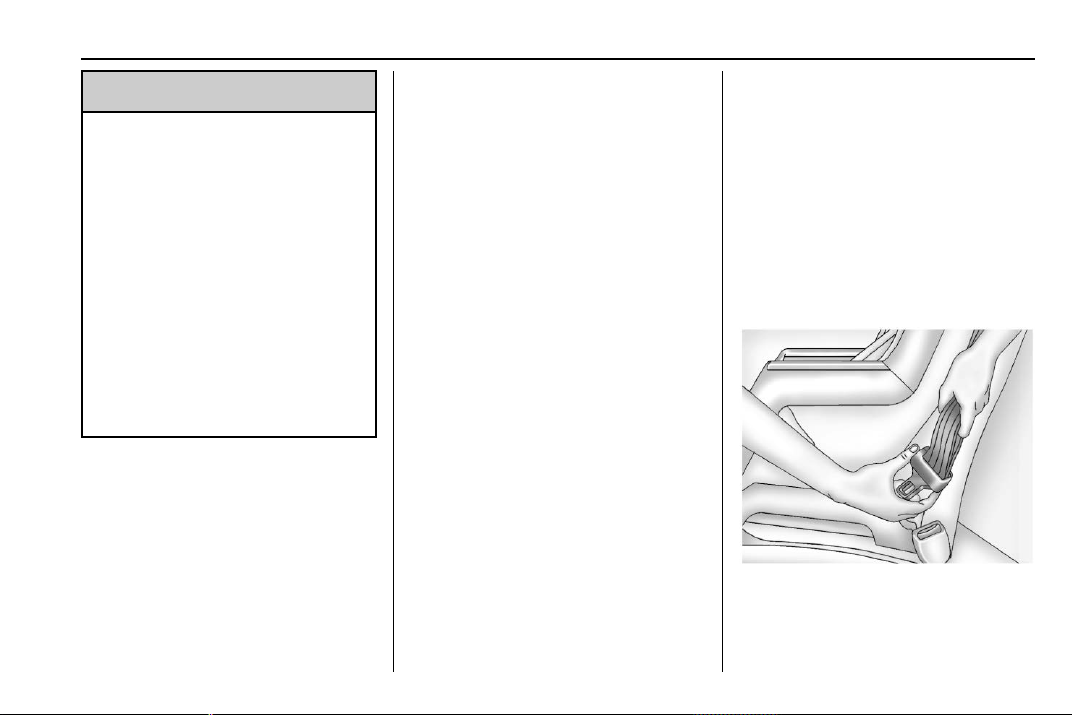
Chevrolet Traverse Owner Manual (GMNA-Localizing-U.S./Canada/Mexico-
13527526) - 2020 - CRC - 9/5/19
Seats and Restraints 97
Warning (Continued)
will not deploy under some
unusual circumstance, even
though it is turned off.
Secure rear-facing child restraints
in a rear seat, even if the airbag
is off. If you secure a
forward-facing child restraint in
the front outboard passenger
seat, always move the seat as far
back as it will go. It is better to
secure the child restraint in a
rear seat.
See Passenger Sensing System
0 71 for additional information.
If the child restraint uses a top
tether, see Lower Anchors and
Tethers for Children (LATCH
System) 0 84 for top tether anchor
locations.
Do not secure a child seat in a
position without a top tether anchor
if a national or local law requires
that the top tether be anchored, or if
the instructions that come with the
child restraint say that the top tether
must be anchored.
In Canada, the law requires that
forward-facing child restraints have
a top tether, and that the tether be
attached.
When using the lap-shoulder belt to
secure the child restraint in this
position, follow the instructions that
came with the child restraint and the
following instructions:
1. Move the seat as far back as it
will go before securing the
forward-facing child restraint.
Move the seat upward or the
seatback to an upright position,
if needed, to get a tight
installation of the child
restraint.
When the passenger sensing
system has turned off the front
outboard passenger frontal
airbag, the OFF indicator on
the passenger airbag status
indicator should light and stay
lit when you start the vehicle.
See Passenger Airbag Status
Indicator 0 123.
2. Put the child restraint on
the seat.
3. Pick up the latch plate, and run
the lap and shoulder portions
of the vehicle seat belt through
or around the child restraint.
The child restraint instructions
will show you how.
Tilt the latch plate to adjust the
belt if needed.
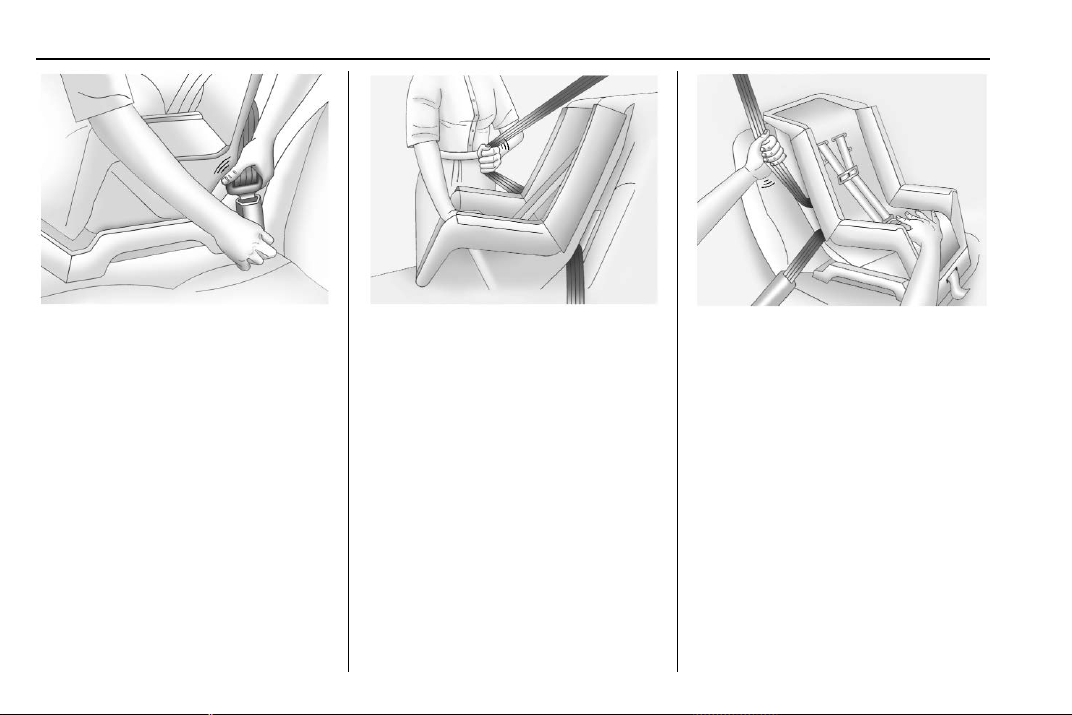
Chevrolet Traverse Owner Manual (GMNA-Localizing-U.S./Canada/Mexico-
13527526) - 2020 - CRC - 9/5/19
98 Seats and Restraints
4. Push the latch plate into the
buckle until it clicks.
Position the release button on
the buckle, away from the child
restraint, so that the seat belt
could be quickly unbuckled if
necessary.
5. Pull the shoulder belt all the
way out of the retractor to set
the lock. When the retractor
lock is set, the belt can be
tightened but not pulled out of
the retractor.
6. To tighten the belt, push down
on the child restraint, pull the
shoulder portion of the belt to
tighten the lap portion of the
belt, and feed the shoulder belt
back into the retractor. When
installing a forward-facing child
restraint, it may be helpful to
use your knee to push down on
the child restraint as you
tighten the belt.
Try to pull the belt out of the
retractor to make sure the
retractor is locked. If the
retractor is not locked, repeat
Steps 5 and 6.

Chevrolet Traverse Owner Manual (GMNA-Localizing-U.S./Canada/Mexico-
13527526) - 2020 - CRC - 9/5/19
Seats and Restraints 99
7. Before placing a child in the
child restraint, make sure it is
securely held in place. To
check, grasp the child restraint
at the seat belt path and
attempt to move it side to side
and back and forth. When the
child restraint is properly
installed, there should be no
more than 2.5 cm (1 in) of
movement.
If the airbag is off, the OFF indicator
in the passenger airbag status
indicator will come on and stay on
when the vehicle is started.
If a child restraint has been installed
and the ON indicator is lit, see “If
the On Indicator Is Lit for a Child
Restraint” under Passenger Sensing
System 0 71.
To remove the child restraint,
unbuckle the vehicle seat belt and
let it return to the stowed position.
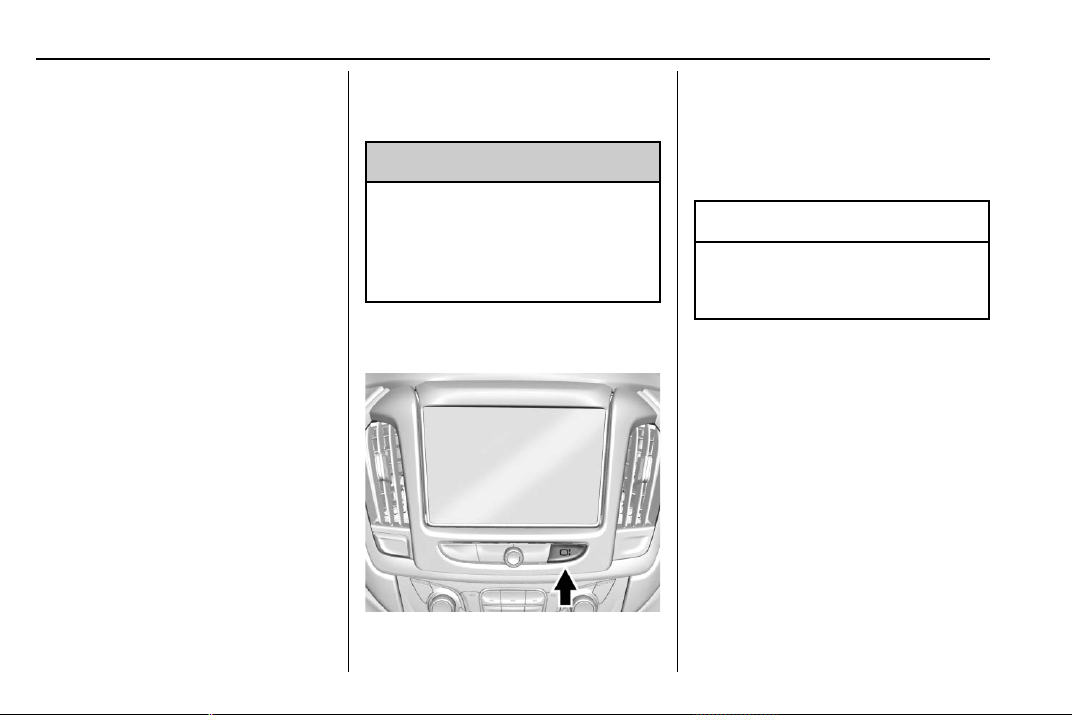
Chevrolet Traverse Owner Manual (GMNA-Localizing-U.S./Canada/Mexico-
13527526) - 2020 - CRC - 9/5/19
100 Storage
Storage
Storage Compartments
Storage Compartments . . . . . . . 100
Instrument Panel Storage . . . . 100
Glove Box . . . . . . . . . . . . . . . . . . . . 100
Center Console Storage . . . . . . 101
Additional Storage Features
Cargo Management
System . . . . . . . . . . . . . . . . . . . . . . 101
Roof Rack System
Roof Rack System . . . . . . . . . . . 103
Storage
Compartments
{
Warning
Do not store heavy or sharp
objects in storage compartments.
In a crash, these objects may
cause the cover to open and
could result in injury.
Instrument Panel Storage
If equipped with storage behind the
radio, press
P and hold to open.
There is a charging only USB port
inside. See the infotainment manual.
Press
P and hold again to close.
Caution
To avoid damage, do not
manually force the display
to move.
Keep the storage area closed when
not in use.
Glove Box
Lift up on the glove box lever to
open it.
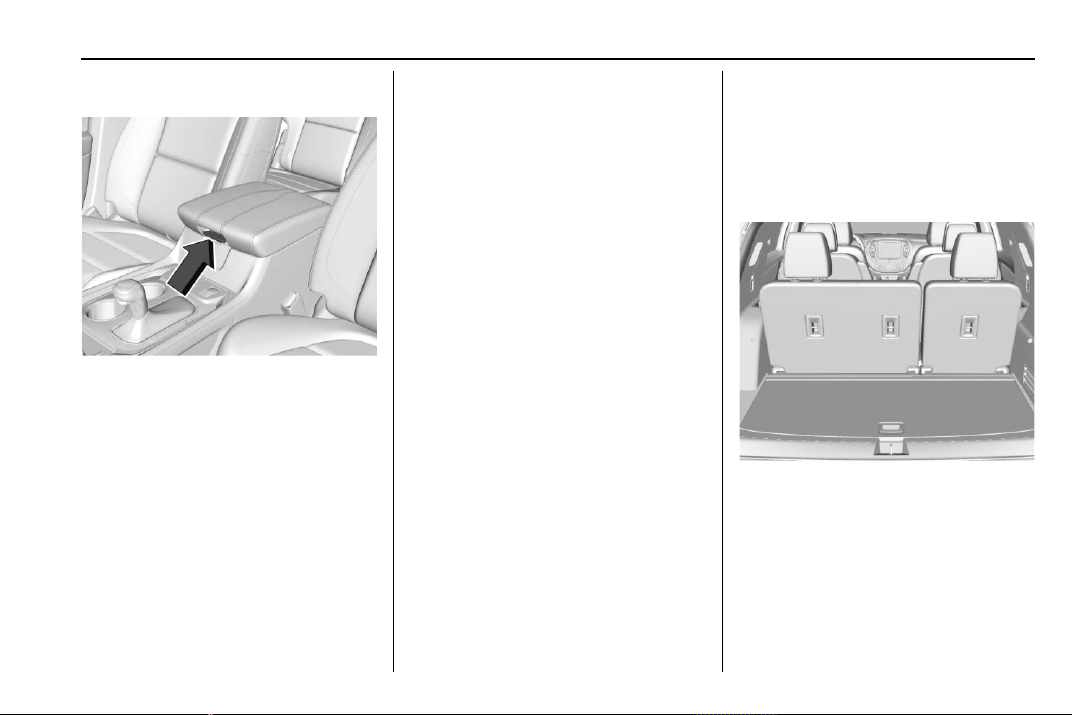
Chevrolet Traverse Owner Manual (GMNA-Localizing-U.S./Canada/Mexico-
13527526) - 2020 - CRC - 9/5/19
Storage 101
Center Console Storage
The center console has storage
under the armrest. Pull up the latch
and lift to open.
There is a removable organizer on
top of the storage bin.
The center console also has the
following:
.
A forward bin
.
An open storage bin on the back
of the console
.
If equipped, wireless charging in
the front storage bin
There are also charging only USB
ports on the rear of the center
console and in the third row seating
area. See Power Outlets 0 110 and
the infotainment manual.
Additional Storage
Features
Cargo Management
System
Lift the load floor to access the
cargo management system.
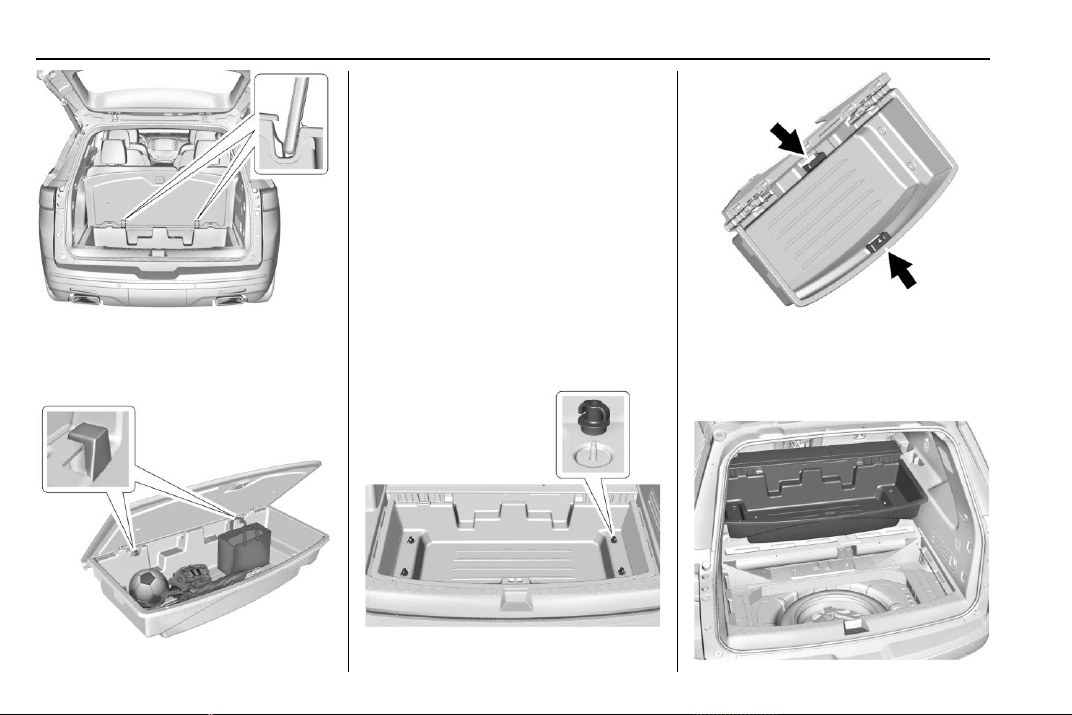
Chevrolet Traverse Owner Manual (GMNA-Localizing-U.S./Canada/Mexico-
13527526) - 2020 - CRC - 9/5/19
102 Storage
The hold open devices on the cargo
bin allow the load floor to remain
open without removal.
The cargo management system is
used to organize storage in the
cargo area. There are two
convenience hooks that can support
up to 5 kg (11 lb.).
After storing items in the cargo
management system, make sure to
properly latch the load floor.
Removal Procedure
To access the spare tire, the cargo
management system must be
removed.
1. Open the cargo cover.
2. Remove the four wing nuts.
3. Lift up on the handles on both
sides to remove the cargo
management system to access
the spare tire.
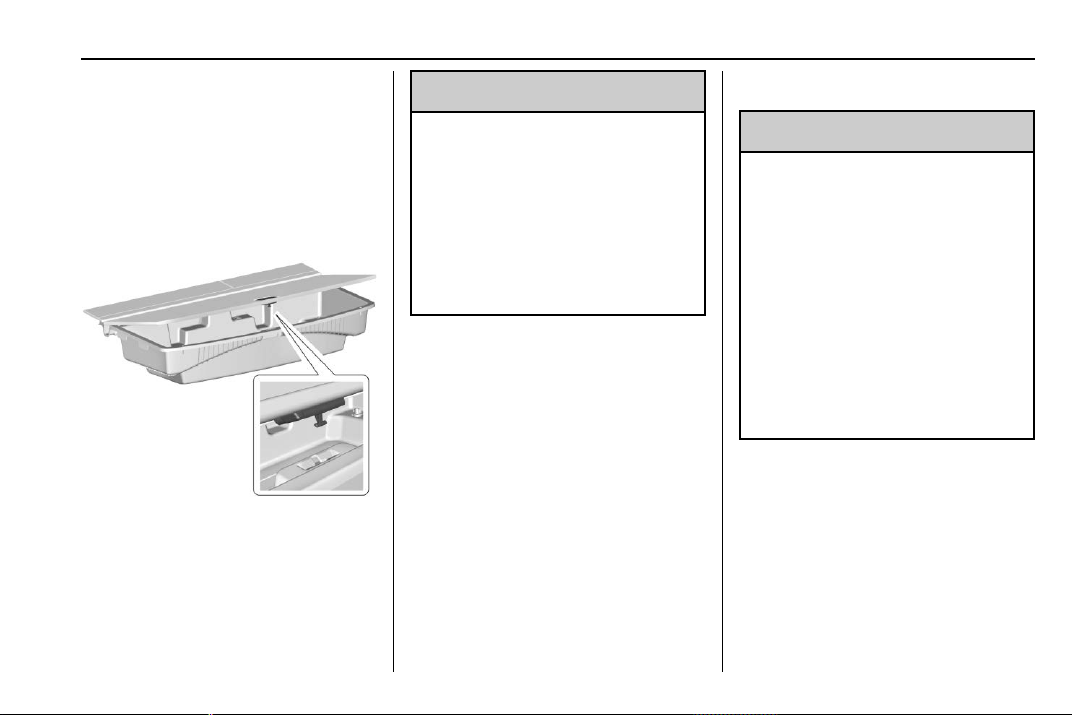
Chevrolet Traverse Owner Manual (GMNA-Localizing-U.S./Canada/Mexico-
13527526) - 2020 - CRC - 9/5/19
Storage 103
4. The storage bin can be placed
on the lowered third row seats
while accessing the spare tire.
Installation Procedure
1. Install the cargo management
system in the vehicle.
2. Install the four wing nuts.
3. Make sure to properly latch the
load door.
{
Warning
An improperly latched cargo
cover, or cargo cover left in the
open position, could separate
during a crash or sudden
maneuver potentially impacting
vehicle occupants. Someone
could be injured. Be sure to return
the cover to the closed position
and latch before driving.
Roof Rack System
{
Warning
If something is carried on top of
the vehicle that is longer or wider
than the roof rack — like paneling,
plywood, or a mattress — the
wind can catch it while the vehicle
is being driven. The item being
carried could be violently torn off,
and this could cause a collision
and damage the vehicle. Never
carry something longer or wider
than the roof rack on top of the
vehicle unless using a GM
certified accessory carrier.
If equipped, the roof rack can be
used to load items. For roof racks
that do not have crossrails included,
GM certified crossrails can be
purchased as an accessory. See
your dealer.
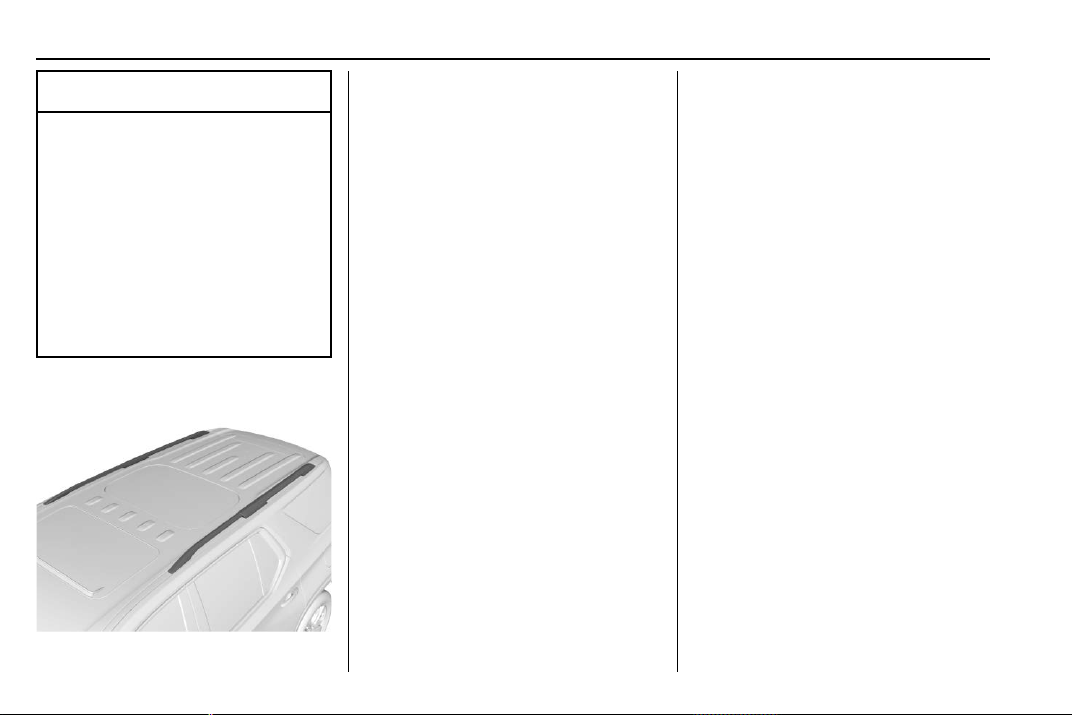
Chevrolet Traverse Owner Manual (GMNA-Localizing-U.S./Canada/Mexico-
13527526) - 2020 - CRC - 9/5/19
104 Storage
Caution
Loading cargo on the roof rack
that weighs more than 100 kg
(220 lb) or hangs over the rear or
sides of the vehicle may damage
the vehicle. Do not load cargo
exceeding 100 kg (220 lbs) and
always load cargo so that it rests
evenly between the crossrails and
does not block the vehicle lamps
or windows. Fasten the cargo
securely.
To prevent damage or loss of cargo
when driving, check to make sure
crossrails and cargo are securely
fastened. Loading cargo on the roof
rack will make the vehicle’s center
of gravity higher. Avoid high speeds,
sudden starts, sharp turns, sudden
braking, or abrupt maneuvers;
otherwise it may result in loss of
control. If driving for a long distance,
on rough roads, or at high speeds,
occasionally stop the vehicle to
make sure the cargo remains in its
place. Do not exceed the maximum
vehicle capacity when loading the
vehicle. For more information on
vehicle capacity and loading, see
Vehicle Load Limits 0 178.

Chevrolet Traverse Owner Manual (GMNA-Localizing-U.S./Canada/Mexico-
13527526) - 2020 - CRC - 9/5/19
Instruments and Controls 105
Instruments and
Controls
Controls
Steering Wheel Adjustment . . . 106
Steering Wheel Controls . . . . . . 106
Heated Steering Wheel . . . . . . . 106
Horn . . . . . . . . . . . . . . . . . . . . . . . . . . 107
Windshield Wiper/Washer . . . . 107
Rear Window Wiper/
Washer . . . . . . . . . . . . . . . . . . . . . 108
Compass . . . . . . . . . . . . . . . . . . . . . 109
Clock . . . . . . . . . . . . . . . . . . . . . . . . . 110
Power Outlets . . . . . . . . . . . . . . . . 110
Wireless Charging . . . . . . . . . . . . 111
Warning Lights, Gauges, and
Indicators
Warning Lights, Gauges, and
Indicators . . . . . . . . . . . . . . . . . . . 114
Instrument Cluster
(Uplevel) . . . . . . . . . . . . . . . . . . . . 115
Instrument Cluster (Base
Level) . . . . . . . . . . . . . . . . . . . . . . . 118
Speedometer . . . . . . . . . . . . . . . . . 120
Odometer . . . . . . . . . . . . . . . . . . . . . 120
Trip Odometer . . . . . . . . . . . . . . . . 120
Tachometer . . . . . . . . . . . . . . . . . . . 120
Fuel Gauge . . . . . . . . . . . . . . . . . . . 121
Engine Coolant Temperature
Gauge . . . . . . . . . . . . . . . . . . . . . . 122
Seat Belt Reminders . . . . . . . . . 122
Airbag Readiness Light . . . . . . . 123
Passenger Airbag Status
Indicator . . . . . . . . . . . . . . . . . . . . 123
Charging System Light . . . . . . . 124
Malfunction Indicator Lamp
(Check Engine Light) . . . . . . . . 125
Brake System Warning
Light . . . . . . . . . . . . . . . . . . . . . . . . 127
Electric Parking Brake
Light . . . . . . . . . . . . . . . . . . . . . . . . 127
Service Electric Parking Brake
Light . . . . . . . . . . . . . . . . . . . . . . . . 127
Antilock Brake System (ABS)
Warning Light . . . . . . . . . . . . . . . 128
Tow/Haul Mode Light . . . . . . . . . 128
Lane Keep Assist (LKA)
Light . . . . . . . . . . . . . . . . . . . . . . . . 128
Vehicle Ahead Indicator . . . . . . 129
Pedestrian Ahead Indicator . . . 129
Traction Off Light . . . . . . . . . . . . . 129
StabiliTrak OFF Light . . . . . . . . . 129
Traction Control System (TCS)/
StabiliTrak Light . . . . . . . . . . . . . 130
Tire Pressure Light . . . . . . . . . . . 130
Engine Oil Pressure Light . . . . 131
Low Fuel Warning Light (Base
Level) . . . . . . . . . . . . . . . . . . . . . . . 131
Low Fuel Warning Light
(Uplevel) . . . . . . . . . . . . . . . . . . . . 132
Security Light . . . . . . . . . . . . . . . . . 132
High-Beam On Light . . . . . . . . . . 132
Front Fog Lamp Light . . . . . . . . . 132
Lamps On Reminder . . . . . . . . . 133
Cruise Control Light . . . . . . . . . . 133
Door Ajar Light . . . . . . . . . . . . . . . 133
Information Displays
Driver Information
Center (DIC) . . . . . . . . . . . . . . . . 134
Vehicle Messages
Vehicle Messages . . . . . . . . . . . . 137
Engine Power Messages . . . . . 137
Vehicle Speed Messages . . . . . 138
Vehicle Personalization
Vehicle Personalization . . . . . . . 138
Universal Remote System
Universal Remote System . . . . 143
Universal Remote System
Programming . . . . . . . . . . . . . . . 143
Universal Remote System
Operation . . . . . . . . . . . . . . . . . . . 146
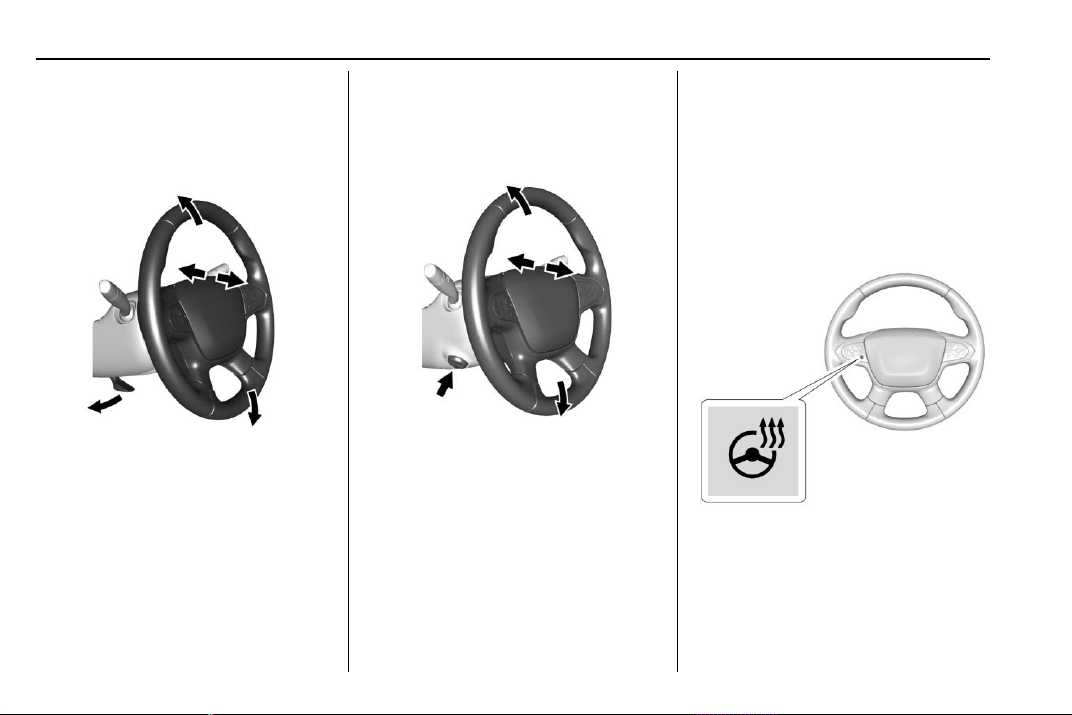
Chevrolet Traverse Owner Manual (GMNA-Localizing-U.S./Canada/Mexico-
13527526) - 2020 - CRC - 9/5/19
106 Instruments and Controls
Controls
Steering Wheel
Adjustment
To adjust the steering wheel:
1. Pull the lever down.
2. Move the steering wheel up
or down.
3. Pull or push the steering wheel
closer or away from you.
4. Pull the lever up to lock the
steering wheel in place.
Do not adjust the steering wheel
while driving.
Power Tilt and Telescoping
Steering Wheel
If equipped, the control is on the left
side of the steering column.
.
Push the control up or down to
tilt the steering wheel up
or down.
.
Push the control forward or
rearward to move the steering
wheel toward the front or rear of
the vehicle.
Do not adjust the steering wheel
while driving.
Steering Wheel Controls
The infotainment system can be
operated by using the steering
wheel controls. See "Steering
Wheel Controls" in the infotainment
manual.
Heated Steering Wheel
( : If equipped, press to turn it on or
off. A light next to the button
displays when the feature is
turned on.
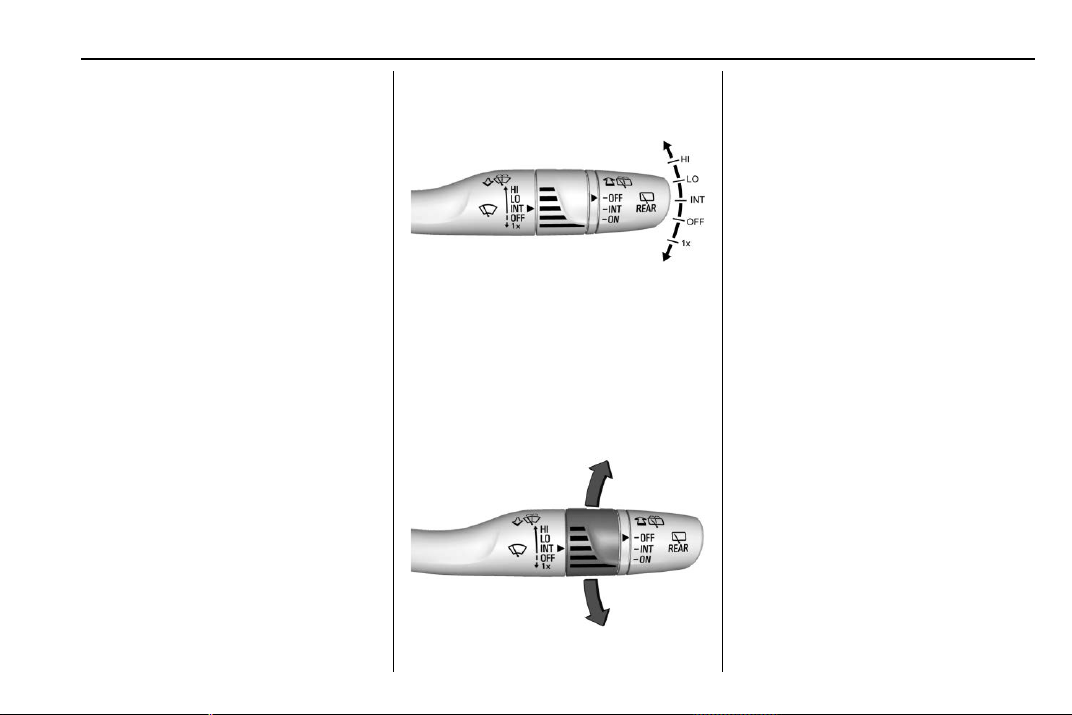
Chevrolet Traverse Owner Manual (GMNA-Localizing-U.S./Canada/Mexico-
13527526) - 2020 - CRC - 9/5/19
Instruments and Controls 107
The steering wheel takes about
three minutes to reach
maximum heat.
Automatic Heated Steering Wheel
If equipped with remote start, the
heated steering wheel will turn on
automatically during a remote start
along with the heated seats when it
is cold outside. The heated steering
wheel indicator light may not
come on.
If equipped with auto heated seats,
the heated steering wheel will turn
on when the auto heated seat is
activated. The heated steering
wheel indicator will follow the state
of the steering wheel heat.
See Heated and Ventilated Front
Seats 0 48 and
Vehicle Personalization 0 138.
Horn
Press a on the steering wheel pad
to sound the horn.
Windshield Wiper/Washer
With the ignition on or in ACC/
ACCESSORY, move the windshield
wiper lever to select the wiper
speed.
HI : Use for fast wipes.
LO : Use for slow wipes.
INT : Move the windshield wiper
lever to INT. Turn the band up for
more frequent wipes or down for
less frequent wipes.
OFF : Use to turn the wipers off.
1X : For a single wipe, briefly move
the wiper lever down. For several
wipes, hold the wiper lever down.
f : Pull the windshield wiper
lever toward you to spray windshield
washer fluid and activate the
windshield wipers. The wipers will
continue until the lever is released
or the maximum wash time is
reached. When the windshield wiper
lever is released, additional wipes
may occur depending on how long
the windshield washer had been
activated. See Washer Fluid 0 263
for information on filling the
windshield washer fluid reservoir.
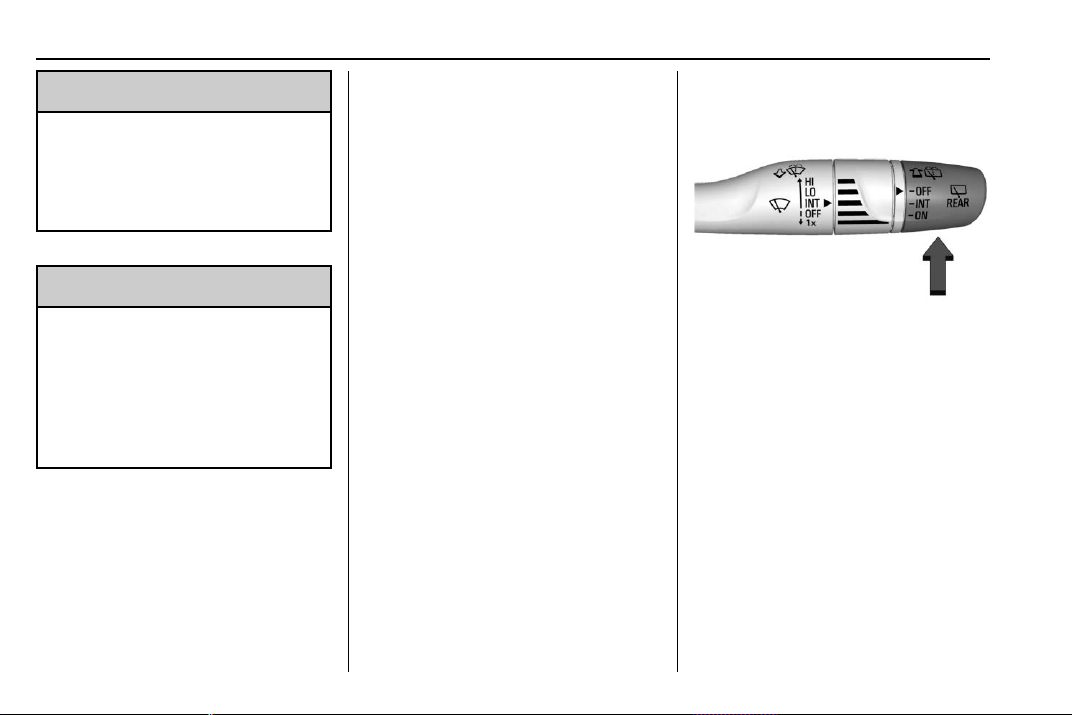
Chevrolet Traverse Owner Manual (GMNA-Localizing-U.S./Canada/Mexico-
13527526) - 2020 - CRC - 9/5/19
108 Instruments and Controls
{
Warning
In freezing weather, do not use
the washer until the windshield is
warmed. Otherwise the washer
fluid can form ice on the
windshield, blocking your vision.
{
Warning
Before driving the vehicle, always
clear snow and ice from the hood,
windshield, roof, and rear of the
vehicle, including all lamps and
windows. Reduced visibility from
snow and ice buildup could lead
to a crash.
Clear snow and ice from the wiper
blades and windshield before using
them. If frozen to the windshield,
carefully loosen or thaw them.
Damaged blades should be
replaced. See Wiper Blade
Replacement 0 268.
Heavy snow or ice can overload the
wiper motor. See Electrical System
Overload 0 273.
Wiper Parking
If the ignition is turned off while the
wipers are on LO, HI, or INT, they
will immediately stop.
If the windshield wiper lever is then
moved to OFF before the driver
door is opened or within 10 minutes,
the wipers will restart and move to
the base of the windshield.
If the ignition is turned off while the
wipers are performing wipes due to
windshield washing, the wipers
continue to run until they reach the
base of the windshield.
Rear Window Wiper/
Washer
The rear window wiper/washer
controls are on the end of the
windshield wiper lever.
Turn the controls to adjust the
setting.
OFF : Turns the wiper off.
INT : Turns on the rear wiper with a
delay between wipes.
ON : Turns on the rear wiper.
1 : Push the windshield wiper
lever forward to spray washer fluid
on the rear window. The wipers will
clear the rear window and either
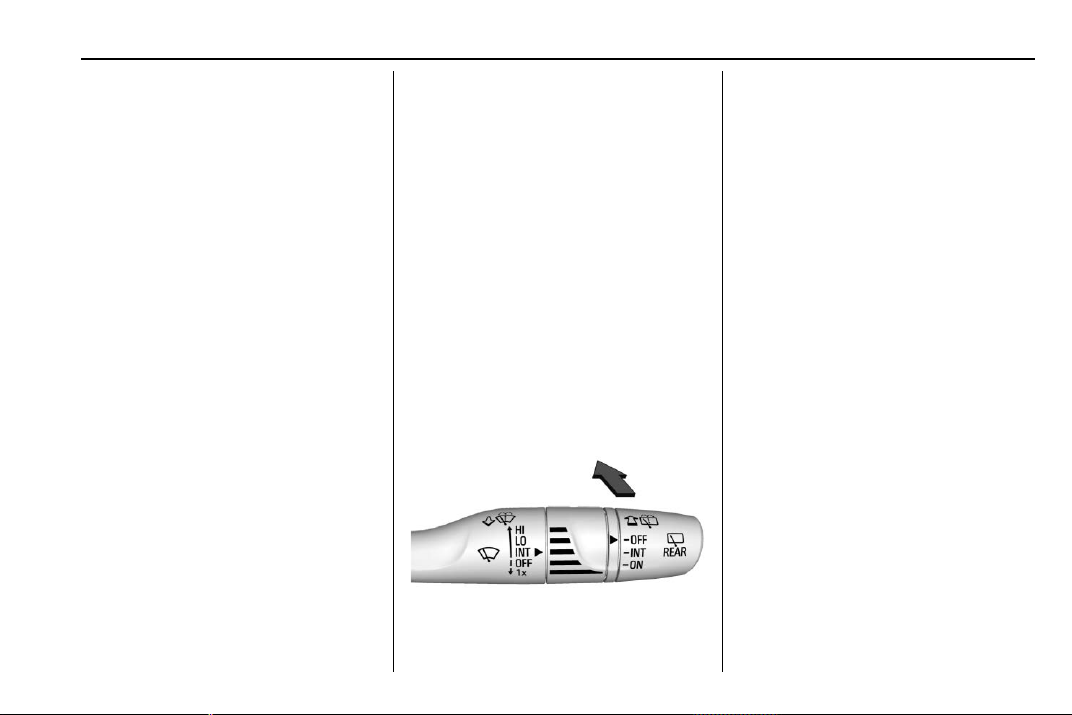
Chevrolet Traverse Owner Manual (GMNA-Localizing-U.S./Canada/Mexico-
13527526) - 2020 - CRC - 9/5/19
Instruments and Controls 109
stop or return to your preset speed.
For more washer cycles, press and
hold the lever.
The rear window wiper/washer will
not operate if the liftgate is open or
ajar. If the liftgate is opened while
the rear wiper is on, the wiper
returns to the parked position and
stops.
Rear Wiper Arm Assembly
Protection
When using an automatic car wash,
move the rear wiper control to OFF
to disable the rear wiper. In some
vehicles, if the transmission is in
N (Neutral) and the vehicle speed is
very slow, the rear wiper will
automatically park.
The wiper operations return to
normal when the transmission is no
longer in N (Neutral) or the vehicle
speed has increased.
Reverse Gear Wipes
If the rear wiper control is off, the
rear wiper will automatically operate
continuously when the vehicle is in
R (Reverse) and the front
windshield wiper is performing low
or high speed wipes. If the rear
wiper control is off, the vehicle is in
R (Reverse), and the front
windshield wiper is performing
interval wipes, then the rear wiper
automatically performs interval
wipes.
This feature can be turned on or off.
See Vehicle Personalization 0 138.
The windshield washer reservoir is
used for the windshield and the rear
window. Check the fluid level in the
reservoir if either washer is not
working. See Washer Fluid 0 263.
Rear Camera Washer
If equipped, push the windshield
wiper lever forward to spray washer
fluid on the rear camera lens. The
lever returns to its starting position
when released. See Rear Camera
Mirror 0 33.
Compass
The vehicle may have a compass
display on the Driver Information
Center (DIC). The compass receives
its heading and other information
from the Global Positioning
System (GPS) antenna, StabiliTrak/
Electronic Stability Control (ESC),
and vehicle speed information.
The compass system is designed to
operate for a certain number of
miles or degrees of turn before
needing a signal from the GPS
satellites. When the compass
display shows CAL, drive the
vehicle for a short distance in an
open area where it can receive a
GPS signal. The compass system
will automatically determine when a
GPS signal is restored and provide
a heading again.
Chevrolet Traverse Owner Manual (GMNA-Localizing-U.S./Canada/Mexico-
13527526) - 2020 - CRC - 9/5/19
110 Instruments and Controls
Clock
The time and date for the clock can
be set using the infotainment
system. See “Time/Date” in
“System” under “Settings” in the
infotainment manual.
Power Outlets
Power Outlets 12-Volt Direct
Current
The vehicle has two 12-volt outlets
that can be used to plug in electrical
equipment, such as a cell phone or
MP3 player.
The power outlets are located:
.
On the center stack below the
climate controls.
.
In the rear cargo area.
Lift the cover to access the outlet
and replace when not in use.
There are also charging only USB
ports on the rear of the center
console and in the third row
seating area.
{
Warning
Power is always supplied to the
rear cargo power outlet. Do not
leave electrical equipment
plugged in when the vehicle is not
in use because the vehicle could
catch fire and cause injury or
death.
Caution
Leaving electrical equipment
plugged in for an extended period
of time while the ignition is in
LOCK/OFF will drain the battery.
Always unplug electrical
equipment when not in use and
do not plug in equipment that
exceeds the maximum 15 ampere
rating.
Certain accessory plugs may not be
compatible with the accessory
power outlet and could overload
vehicle and adapter fuses. If a
problem is experienced, see your
dealer.
When adding electrical equipment,
be sure to follow the proper
installation instructions included with
the equipment. See Add-On
Electrical Equipment 0 246.
Caution
Hanging heavy equipment from
the power outlet can cause
damage not covered by the
vehicle warranty. The power
outlets are designed for
accessory power plugs only, such
as cell phone charge cords.
Power Outlet 110V/120V
Alternating Current
If equipped with this power outlet it
can be used to plug in electrical
equipment that uses a maximum
limit of 150 watts.
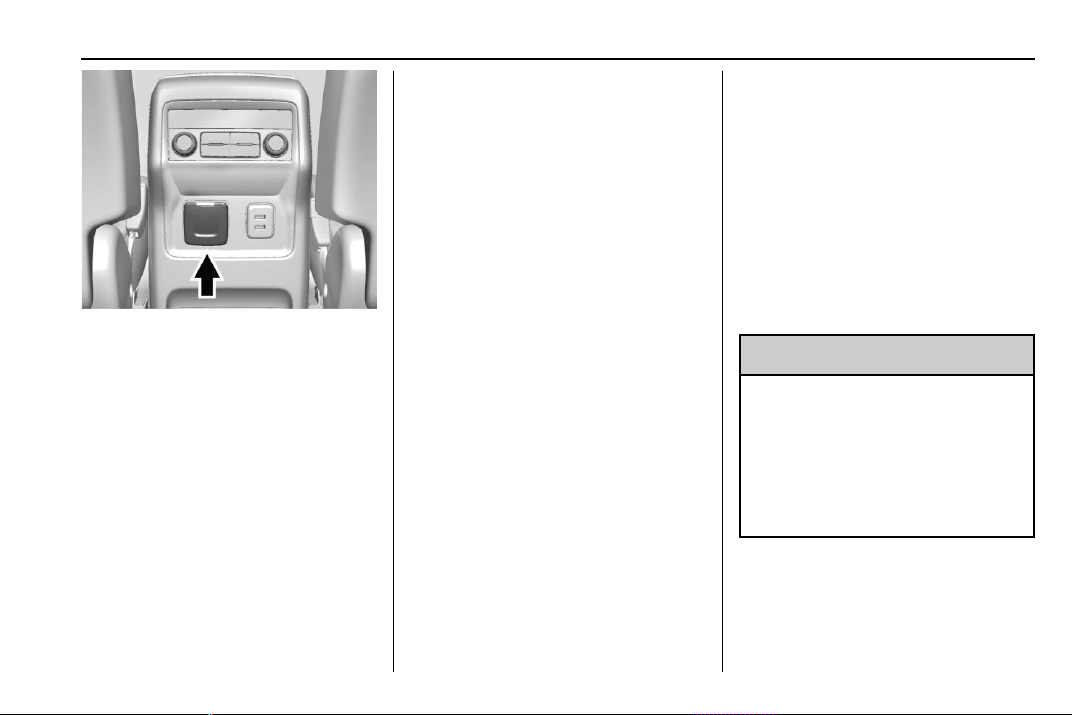
Chevrolet Traverse Owner Manual (GMNA-Localizing-U.S./Canada/Mexico-
13527526) - 2020 - CRC - 9/5/19
Instruments and Controls 111
The power outlet is on the rear of
the center console.
An indicator light on the outlet turns
on to show it is in use. The light
comes on when the ignition is on,
equipment requiring less than 150
watts is plugged into the outlet, and
no system fault is detected.
The indicator light does not come on
when the ignition is off or if the
equipment is not fully seated into
the outlet.
If equipment is connected using
more than 150 watts or a system
fault is detected, a protection circuit
shuts off the power supply and the
indicator light turns off. To reset the
circuit, unplug the item and plug it
back in or turn the Retained
Accessory Power (RAP) off and
then back on. See Retained
Accessory Power (RAP) 0 187. The
power restarts when equipment
using 150 watts or less is plugged
into the outlet and a system fault is
not detected.
The power outlet is not designed for
and may not work properly, if the
following are plugged in:
.
Equipment with high initial peak
wattage, such as
compressor-driven refrigerators
and electric power tools
.
Other equipment requiring an
extremely stable power supply,
such as
microcomputer-controlled
electric blankets and touch
sensor lamps
.
Medical equipment
See High Voltage Devices and
Wiring 0 273.
Wireless Charging
If equipped, the vehicle has wireless
charging in the storage bin in front
of the floor console. The system
operates at 145 kHz and wirelessly
charges one Qi compatible
smartphone. The power output of
the system is capable of charging at
a rate up to 3 amp (15W), as
requested by the compatible
smartphone. See Radio Frequency
Statement 0 355.
{
Warning
Wireless charging can affect the
operation of an implanted
pacemaker or other medical
devices. If you have one, it is
recommended to consult with
your doctor before using the
wireless charging system.
The vehicle must be on, in ACC/
ACCESSORY, or Retained
Accessory Power (RAP) must be
active. The wireless charging
feature may not correctly indicate
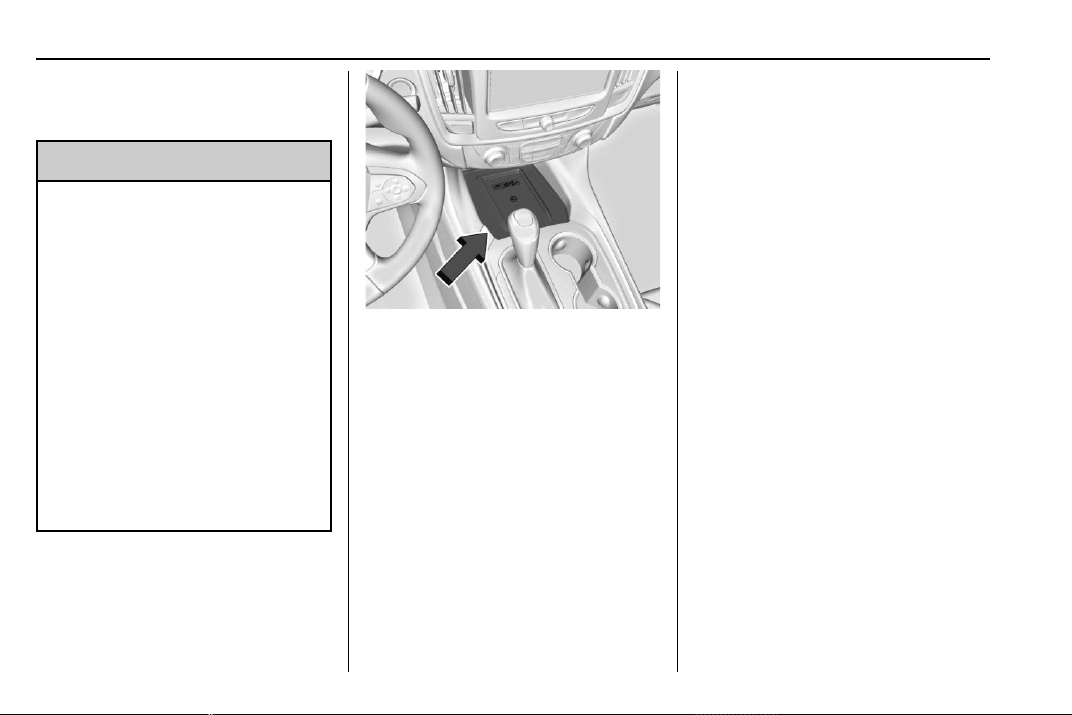
Chevrolet Traverse Owner Manual (GMNA-Localizing-U.S./Canada/Mexico-
13527526) - 2020 - CRC - 9/5/19
112 Instruments and Controls
charging when the vehicle is in RAP.
See Retained Accessory Power
(RAP) 0 187.
{
Warning
Remove all objects from the
charging pad before charging
your compatible smartphone.
Objects, such as coins, keys,
rings, paper clips, or cards,
between the smartphone and
charging pad will become very
hot. On the rare occasion that the
charging system does not detect
an object, and the object gets
wedged between the smartphone
and charger, remove the
smartphone and allow the object
to cool before removing it from
the charging pad, to prevent
burns.
The operating temperature is −20 °C
(−4 °F) to 60 °C (140 °F) for the
charging system and 0 °C (32 °F) to
35 °C (95 °F) for the smartphone.
To charge a compatible smartphone:
1. Remove all objects from the
charging pad. The system may
not charge if there are any
objects between the
smartphone and charging pad.
2. Place the smartphone face up
on the charging pad.
To maximize the charge rate,
ensure the smartphone is fully
seated and centered in the
holder with nothing under it.
A thick smartphone case may
prevent the wireless charger
from working, or may reduce
the charging performance. See
your dealer for additional
information.
3. The
$ will display on the V on
the infotainment display. This
indicates that the smartphone
is properly positioned and
charging.
The smartphone may become
warm during charging. This is
normal. In warmer
temperatures, the speed of
charging may be reduced.
If
$ does not appear on the
infotainment display:
1. Remove the smartphone from
the pad and wait
three seconds.
2. Turn the smartphone
180 degrees before placing/
aligning the smartphone on the
pad again.
Software Acknowledgements
Certain Wireless Charging Module
product from LG Electronics, Inc.
("LGE") contains the open source

Chevrolet Traverse Owner Manual (GMNA-Localizing-U.S./Canada/Mexico-
13527526) - 2020 - CRC - 9/5/19
Instruments and Controls 113
software detailed below. Refer to
the indicated open source licenses
(as are included following this
notice) for the terms and conditions
of their use.
OSS Notice Information
To obtain the source code that is
contained in this product, please
visit http://opensource.lge.com. In
addition to the source code, all
referred license terms, warranty
disclaimers and copyright notices
are available for download. LG
Electronics will also provide open
source code to you on CD-ROM for
a charge covering the cost of
performing such distribution (such
as the cost of media, shipping, and
handling) upon email request to
valid for three (3) years from the
date on which you purchased the
product.
Freescale-WCT library
Copyright (c) 2012-2014 Freescale
Semiconductor, Inc.. All rights
reserved.
1. Redistributions of source code
must retain the above copyright
notice, this list of conditions
and the following disclaimer.
2. Redistributions in binary form
must reproduce the above
copyright notice, this list of
conditions and the following
disclaimer in the
documentation and/or other
materials provided with the
distribution.
3. Neither the name of the
copyright holder nor the names
of its contributors may be used
to endorse or promote products
derived from this software
without specific prior written
permission.
THIS SOFTWARE IS PROVIDED
BY THE COPYRIGHT HOLDERS
AND CONTRIBUTORS "AS IS"
AND ANY EXPRESS OR IMPLIED
WARRANTIES, INCLUDING, BUT
NOT LIMITED TO, THE IMPLIED
WARRANTIES OF
MERCHANTABILITY AND FITNESS
FOR A PARTICULAR PURPOSE
ARE DISCLAIMED. IN NO EVENT
SHALL THE COPYRIGHT HOLDER
OR CONTRIBUTORS BE LIABLE
FOR ANY DIRECT, INDIRECT,
INCIDENTAL, SPECIAL,
EXEMPLARY, OR
CONSEQUENTIAL DAMAGES
(INCLUDING, BUT NOT LIMITED
TO, PROCUREMENT OF
SUBSTITUTE GOODS OR
SERVICES; LOSS OF USE, DATA,
OR PROFITS; OR BUSINESS
INTERRUPTION) HOWEVER
CAUSED AND ON ANY THEORY
OF LIABILITY, WHETHER IN
CONTRACT, STRICT LIABILITY,
OR TORT (INCLUDING
NEGLIGENCE OR OTHERWISE)
ARISING IN ANY WAY OUT OF
THE USE OF THIS SOFTWARE,
EVEN IF ADVISED OF THE
POSSIBILITY OF SUCH DAMAGE.

Chevrolet Traverse Owner Manual (GMNA-Localizing-U.S./Canada/Mexico-
13527526) - 2020 - CRC - 9/5/19
114 Instruments and Controls
Warning Lights,
Gauges, and
Indicators
Warning lights and gauges can
signal that something is wrong
before it becomes serious enough
to cause an expensive repair or
replacement. Paying attention to the
warning lights and gauges could
prevent injury.
Some warning lights come on briefly
when the engine is started to
indicate they are working. When
one of the warning lights comes on
and stays on while driving, or when
one of the gauges shows there may
be a problem, check the section that
explains what to do. Waiting to do
repairs can be costly and even
dangerous.
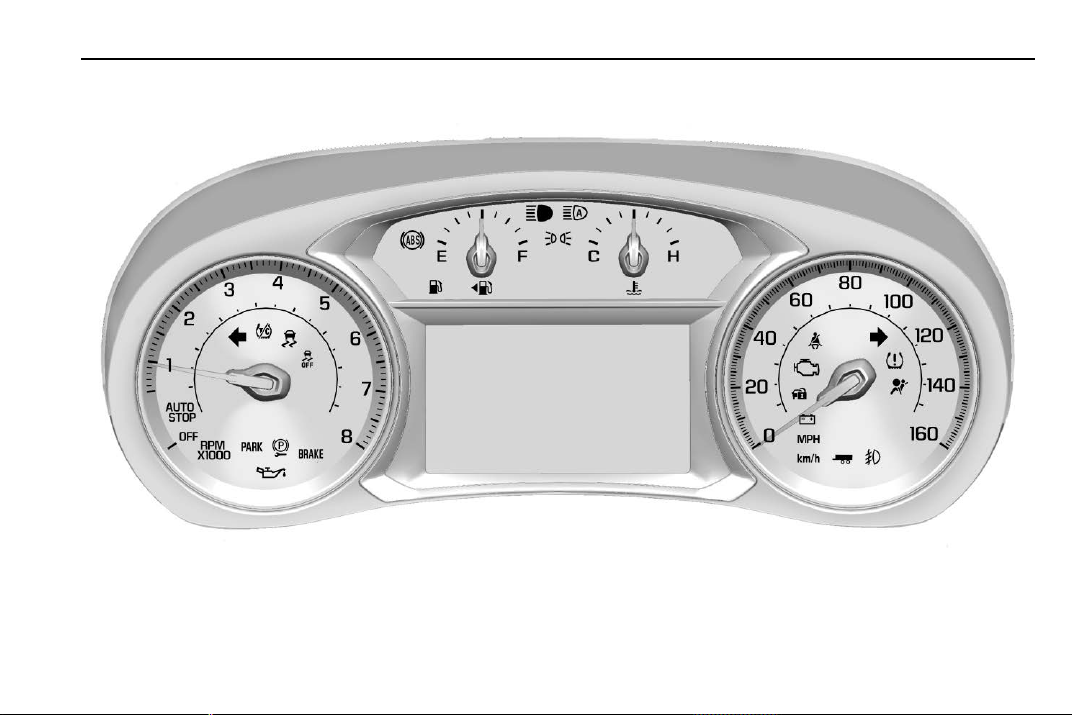
Chevrolet Traverse Owner Manual (GMNA-Localizing-U.S./Canada/Mexico-
13527526) - 2020 - CRC - 9/5/19
Instruments and Controls 115
Instrument Cluster (Uplevel)
Uplevel English Shown, Metric Similar
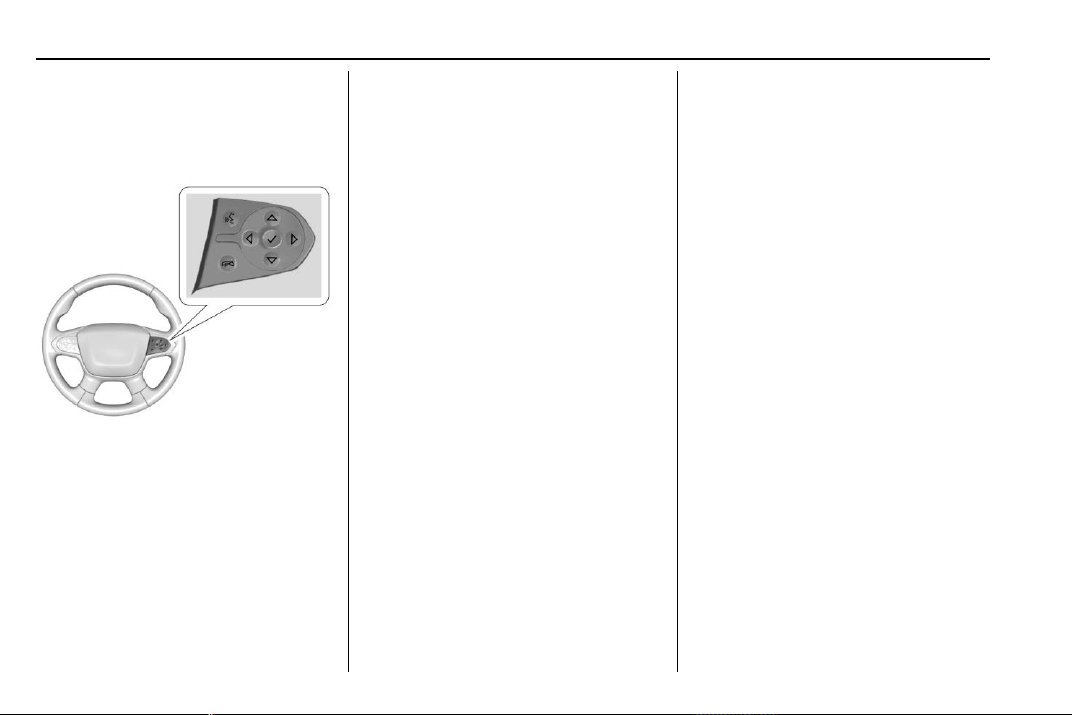
Chevrolet Traverse Owner Manual (GMNA-Localizing-U.S./Canada/Mexico-
13527526) - 2020 - CRC - 9/5/19
116 Instruments and Controls
Cluster Menu
There is an interactive display area
in the center of the instrument
cluster.
Use the right steering wheel control
to open and scroll through the
different items and displays.
Press
o or p to change between
the cluster applications at the top of
the display. The currently selected
application will be highlighted. Press
w or x within an application to
scroll through a list of available
application options. Not all
applications will be available on all
vehicles. Some may be temporarily
restricted when vehicle is OFF or in
ACC/ACCESSORY power mode.
.
Home Page
.
Info App. This is where the
selected Driver Information
Center (DIC) displays can be
viewed. See Driver Information
Center (DIC) 0 134.
.
Audio
.
Phone
.
Navigation
.
Options
Home Page
Press
o or p to select the Home
Page. The home page is a view of
information that can be turned on or
off by the driver via the Home Page
Options menu in the Options
application.
Audio
Press
o or p to select the Audio
menu. In the Audio menu browse for
music, select from the favorites,
or change the audio source. Use
w
or x to change the station or go to
the next or previous track.
Phone
Press
o or p to select the Phone
menu. In the Phone menu, if there is
no active phone call, view recent
calls, or scroll through contacts.
If there is an active call, mute the
phone or switch to handset
operation.
Navigation
Press
o or p to select the
Navigation menu. If there is no
active route, you can resume the
last route and turn the voice
prompts on/off. If there is an active
route, press
V to cancel or resume
route guidance or turn the voice
prompts on or off.
Options
Press
o or p to select the Options
menu. Use
w or x to scroll
through items in the Options menu.

Chevrolet Traverse Owner Manual (GMNA-Localizing-U.S./Canada/Mexico-
13527526) - 2020 - CRC - 9/5/19
Instruments and Controls 117
Units : While the Options
application is highlighted, press
w
or x to select Units, then press V
while Units is displayed to enter the
menu. If available, choose English,
Imperial, or metric units by pressing
V while the desired item is
highlighted. A checkmark will be
displayed next to the selected item.
Info Pages : While the Options
application is highlighted, press
w
or x to select Info Pages, then
press
V while Info Pages is
displayed to enter the menu. Select
the items to be displayed in the Info
app. See Driver Information Center
(DIC) 0 134.
Speed Warning : The Speed
Warning display allows the driver to
set a speed that they do not want to
exceed. While the Options
application is highlighted, press
w
or x to select Speed Warning, then
press
V while Speed Warning is
displayed to enter the menu.
Press
w or x to adjust the value.
Press
V to set the speed.
Once the speed is set, this feature
can be turned off by pressing
V
while viewing this page. If the
selected speed limit is exceeded, a
pop-up warning is displayed with a
chime.
Home Page Options : While the
Options application is highlighted,
press
w or x to select Home Page
Options, then press
V while Home
Page Options is displayed to enter
the menu. Select the available
elements to display. Not all
elements will be available on all
vehicles: Speedometer, Active
Safety, Speed Sign, Time,
Temperature, and Fuel Range.
Software Information : Displays
open source software information.
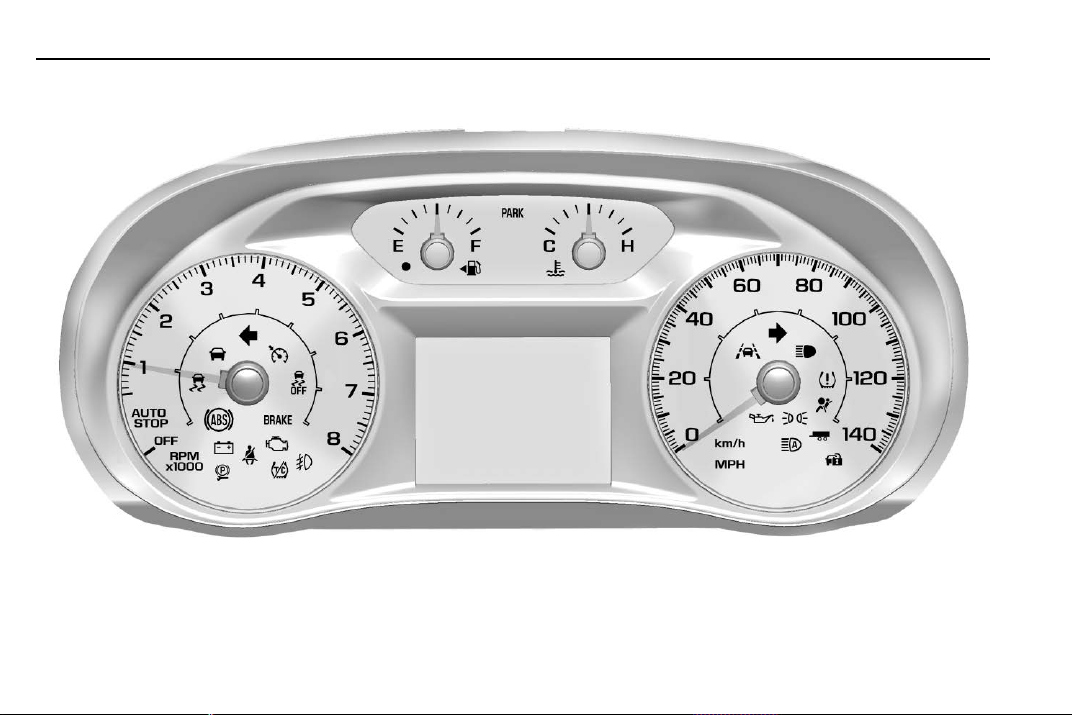
Chevrolet Traverse Owner Manual (GMNA-Localizing-U.S./Canada/Mexico-
13527526) - 2020 - CRC - 9/5/19
118 Instruments and Controls
Instrument Cluster (Base Level)
Base Level English Shown, Metric Similar
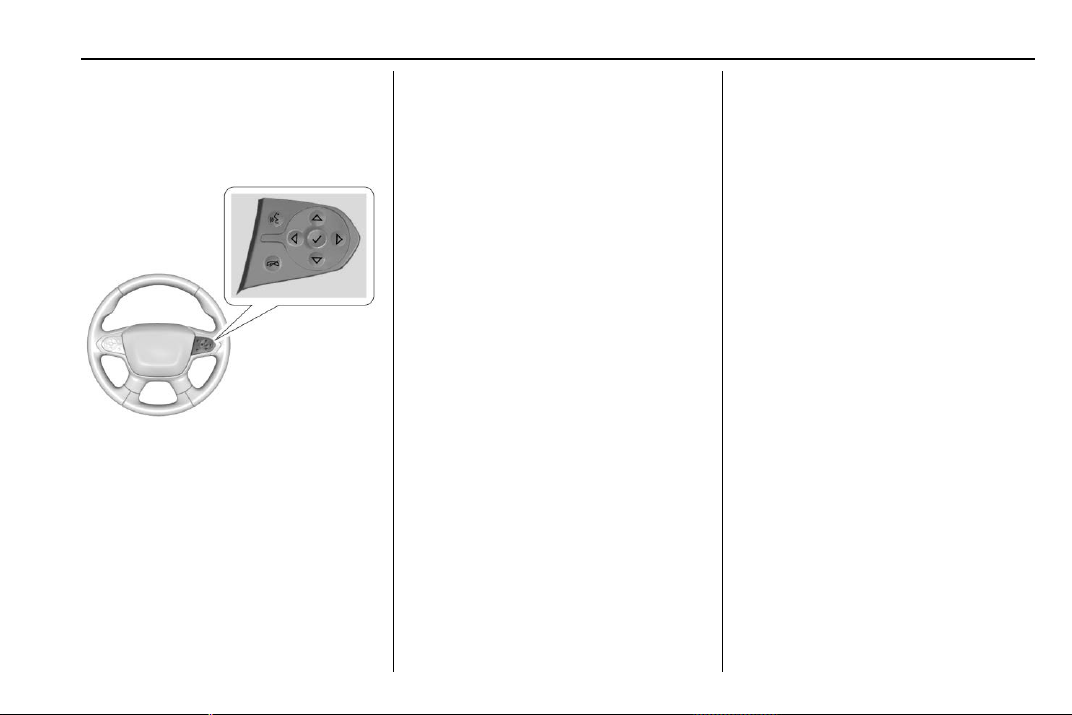
Chevrolet Traverse Owner Manual (GMNA-Localizing-U.S./Canada/Mexico-
13527526) - 2020 - CRC - 9/5/19
Instruments and Controls 119
Cluster Menu
There is an interactive display area
in the center of the instrument
cluster.
Use the right steering wheel control
to open and scroll through the
different items and displays.
Press
o to access the cluster
applications. Use
w or x to scroll
through the list of available
applications. Not all applications will
be available on all vehicles.
.
Info App. This is where the
selected Driver Information
Center (DIC) displays can be
viewed. See Driver Information
Center (DIC) 0 134.
.
Audio
.
Phone
.
Navigation
.
Options
Audio
Press
V to select the Audio app,
then press
p to enter the Audio
menu. In the Audio menu browse for
music, select from the favorites,
or change the audio source. Use
w
or x to change the station or go to
the next or previous track.
Phone
Press
V to select the Phone app,
then press
p to enter the Phone
menu. In the Phone menu, if there is
no active phone call, view recent
calls, or scroll through contacts.
If there is an active call, mute the
phone or switch to handset
operation.
Navigation
Press
V to select the Navigation
app, then press
p to enter the
Navigation menu. If there is no
active route, you can resume the
last route and turn the voice
prompts on/off. If there is an active
route, press
V to cancel or resume
route guidance or turn the voice
prompts on or off.
Options
Press
V to select the Options app,
then press
p to enter the Options
menu. Use
w or x to scroll
through items in the Options menu.
Units : Press
p while Units is
displayed to enter the Units menu.
Choose English, Imperial, or metric
units by pressing
V while the

Chevrolet Traverse Owner Manual (GMNA-Localizing-U.S./Canada/Mexico-
13527526) - 2020 - CRC - 9/5/19
120 Instruments and Controls
desired item is highlighted.
A checkmark will be displayed next
to the selected item.
Info Pages : Press
p while Info
Pages is displayed to enter the Info
Pages menu and select the items to
be displayed in the Info app. See
Driver Information Center (DIC)
0 134.
Speed Warning : The Speed
Warning display allows the driver to
set a speed that they do not want to
exceed. To set the Speed Warning
press
p when Speed Warning is
displayed.
Press
w or x to adjust the value.
Press
V to set the speed.
Once the speed is set, this feature
can be turned off by pressing
V
while viewing this page. If the
selected speed limit is exceeded, a
pop-up warning is displayed with a
chime.
Software Information : Displays
open source software information.
Speedometer
The speedometer shows the
vehicle's speed in either kilometers
per hour (km/h) or miles per
hour (mph).
Odometer
The odometer shows how far the
vehicle has been driven, in either
kilometers or miles.
Trip Odometer
The trip odometer shows how far
the vehicle has been driven since
the trip odometer was last reset.
The trip odometer is accessed and
reset through the Driver Information
Center (DIC). See Driver
Information Center (DIC) 0 134.
Tachometer
The tachometer displays the engine
speed in revolutions per
minute (rpm).
For vehicles with the Stop/Start
system, when the ignition is on, the
tachometer indicates the vehicle
status. When pointing to AUTO
STOP, the engine is off but the
vehicle is on and can move. The
engine could auto start at any time.
When the indicator points to OFF,
the vehicle is off.
When the engine is on, the
tachometer will indicate the engine’s
revolutions per minute (rpm). The
tachometer may vary by several
hundred rpm’s, during Auto Stop
mode, when the engine is shutting
off and restarting.
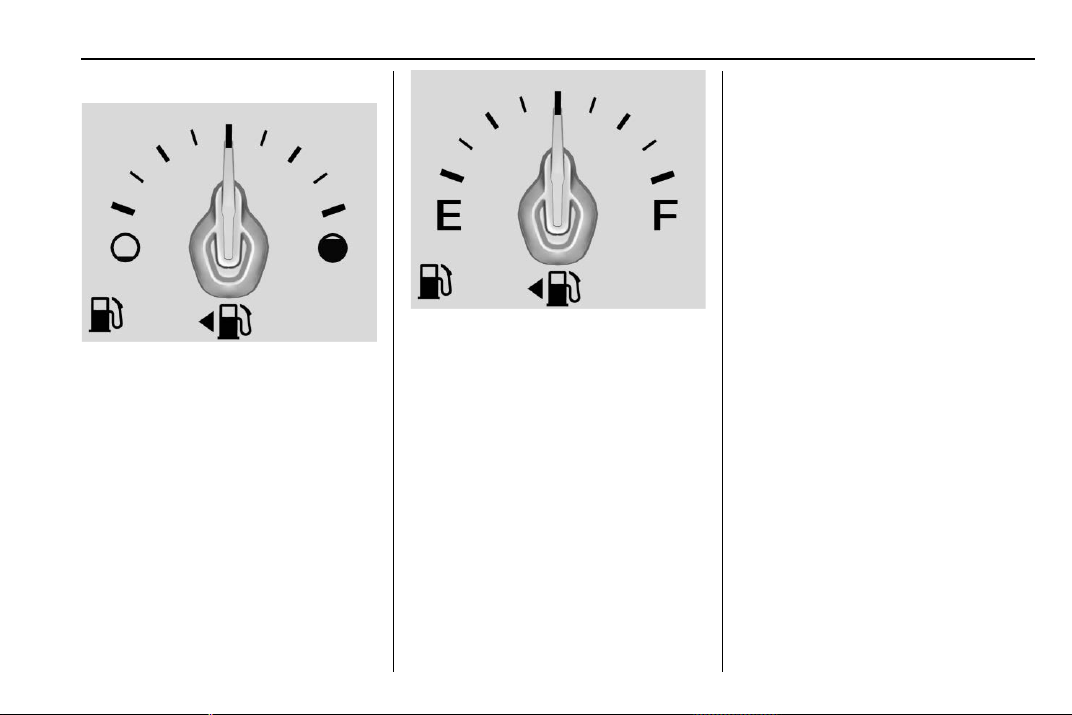
Chevrolet Traverse Owner Manual (GMNA-Localizing-U.S./Canada/Mexico-
13527526) - 2020 - CRC - 9/5/19
Instruments and Controls 121
Fuel Gauge
Metric Uplevel
English Uplevel
When the ignition is on, the fuel
gauge indicates about how much
fuel is left in the tank.
An arrow on the fuel gauge
indicates the side of the vehicle the
fuel door is on.
When the indicator nears empty, the
low fuel light comes on. There is a
small amount of fuel left, but the fuel
tank should be filled soon.
Here are four things that some
owners ask about. None of these
show a problem with the fuel gauge:
.
At the service station, the fuel
pump shuts off before the gauge
reads full.
.
It takes a little more or less fuel
to fill up than the gauge
indicated. For example, the
gauge indicated the tank was
half full, but it actually took a
little more or less than half the
tank's capacity to fill the tank.
.
The gauge moves a little while
turning a corner or speeding up.
.
The gauge takes a few seconds
to stabilize after the ignition is
turned on, and goes back to
empty when the ignition is
turned off.
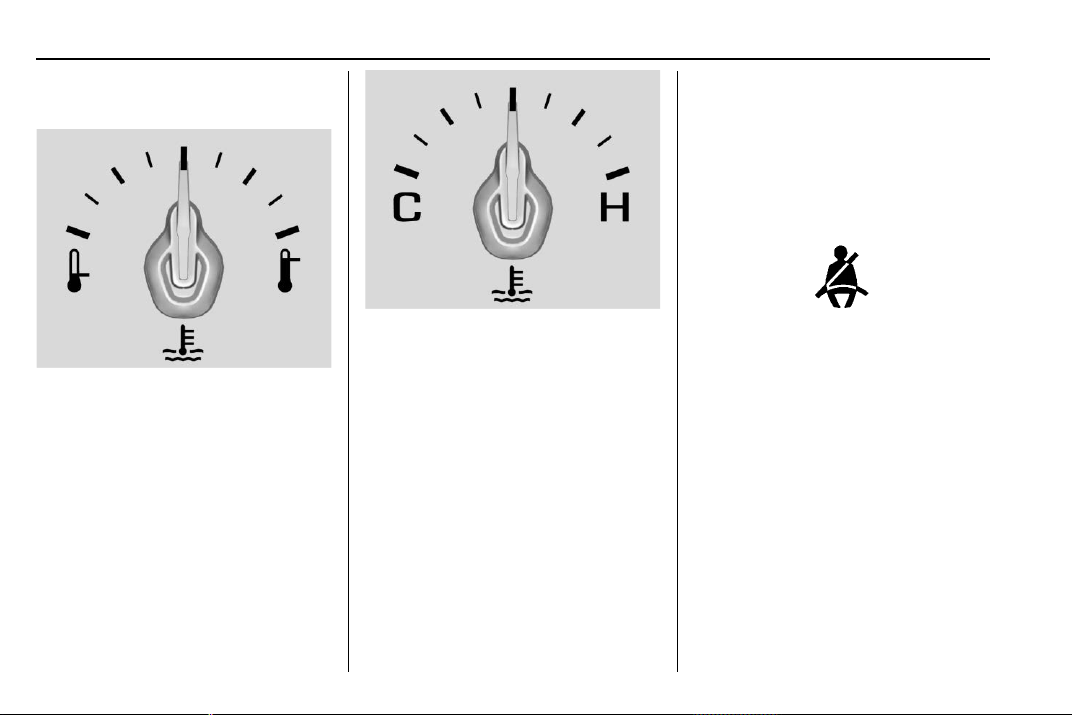
Chevrolet Traverse Owner Manual (GMNA-Localizing-U.S./Canada/Mexico-
13527526) - 2020 - CRC - 9/5/19
122 Instruments and Controls
Engine Coolant
Temperature Gauge
Metric Uplevel
English Uplevel
This gauge shows the engine
coolant temperature.
If the pointer moves toward the
warning area at the high end of the
gauge, the engine is too hot.
If the engine coolant has
overheated and the vehicle has
been operating under normal driving
conditions, pull off the road, stop the
vehicle, and turn off the engine as
soon as possible. See Engine
Overheating 0 262.
Seat Belt Reminders
Driver Seat Belt Reminder
Light
There is a driver seat belt reminder
light on the instrument cluster.
When the vehicle is started, this
light flashes and a chime may come
on to remind the driver to fasten
their seat belt. Then the light stays
on solid until the belt is buckled.
This cycle may continue several
times if the driver remains or
becomes unbuckled while the
vehicle is moving.
If the driver seat belt is buckled,
neither the light nor the chime
comes on.
Chevrolet Traverse Owner Manual (GMNA-Localizing-U.S./Canada/Mexico-
13527526) - 2020 - CRC - 9/5/19
Instruments and Controls 123
Passenger Seat Belt Reminder
Light
There is a passenger seat belt
reminder light near the passenger
airbag status indicator. See
Passenger Sensing System 0 71.
When the vehicle is started, this
light flashes and a chime may come
on to remind passengers to fasten
their seat belt. Then the light stays
on solid until the belt is buckled.
This cycle continues several times if
the passenger remains or becomes
unbuckled while the vehicle is
moving.
If the passenger seat belt is
buckled, neither the chime nor the
light comes on.
The front passenger seat belt
reminder light and chime may turn
on if an object is put on the seat
such as a briefcase, handbag,
grocery bag, laptop, or other
electronic device. To turn off the
reminder light and/or chime, remove
the object from the seat or buckle
the seat belt.
Airbag Readiness Light
This light shows if there is an
electrical problem with the airbag
system. The system check includes
the airbag sensor(s), the passenger
sensing system, the pretensioners,
the airbag modules, the wiring, and
the crash sensing and diagnostic
module. For more information on the
airbag system, see Airbag System
0 65.
The airbag readiness light comes on
for several seconds when the
vehicle is started. If the light does
not come on then, have it fixed
immediately.
{
Warning
If the airbag readiness light stays
on after the vehicle is started or
comes on while driving, it means
the airbag system might not be
working properly. The airbags in
the vehicle might not inflate in a
crash, or they could even inflate
without a crash. To help avoid
injury, have the vehicle serviced
right away.
If there is a problem with the airbag
system, a Driver Information Center
(DIC) message may also come on.
Passenger Airbag Status
Indicator
The vehicle has a passenger
sensing system. See Passenger
Sensing System 0 71 for important
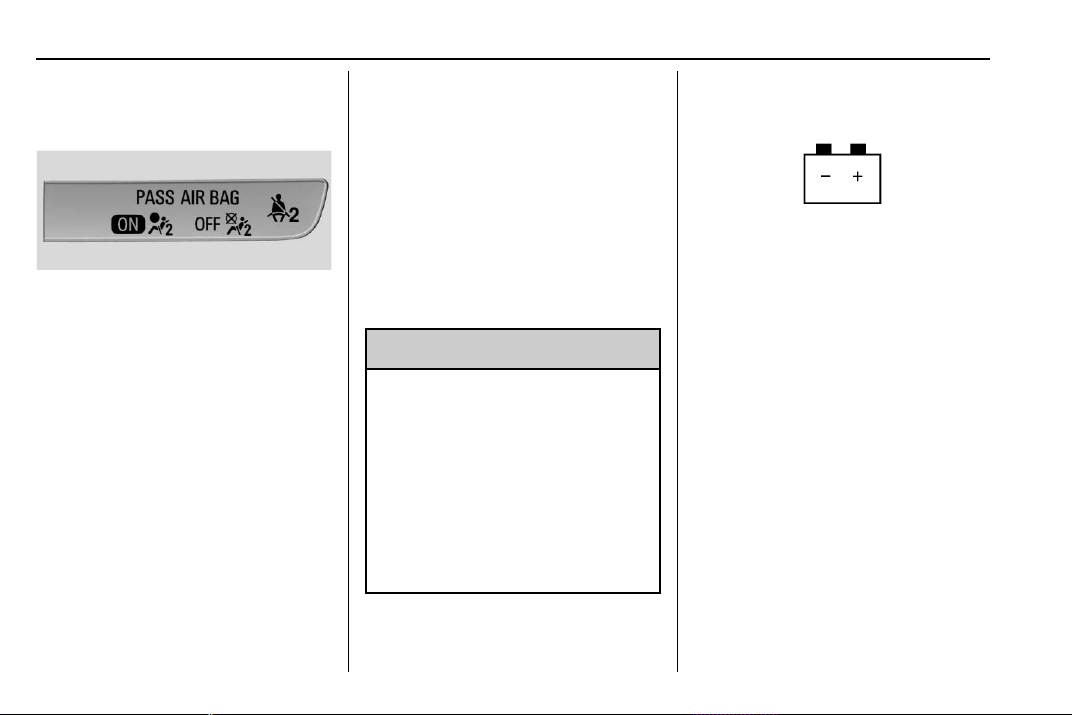
Chevrolet Traverse Owner Manual (GMNA-Localizing-U.S./Canada/Mexico-
13527526) - 2020 - CRC - 9/5/19
124 Instruments and Controls
safety information. The overhead
console has a passenger airbag
status indicator.
When the vehicle is started, the
passenger airbag status indicator
will light ON and OFF, and the
symbols for on and off, for several
seconds as a system check. Then,
after several more seconds, the
status indicator will light either ON
or OFF, and either the on or off
symbol, to let you know the status of
the front outboard passenger frontal
airbag.
If the word ON, and the on symbol,
are lit on the passenger airbag
status indicator, it means that the
front outboard passenger frontal
airbag is allowed to inflate.
If the word OFF, and the off symbol,
are lit on the passenger airbag
status indicator, it means that the
passenger sensing system has
turned off the front outboard
passenger frontal airbag.
If, after several seconds, both status
indicator lights remain on, or if there
are no lights at all, there may be a
problem with the lights or the
passenger sensing system. See
your dealer for service.
{
Warning
If the airbag readiness light ever
comes on and stays on, it means
that something may be wrong
with the airbag system. To help
avoid injury to yourself or others,
have the vehicle serviced right
away. See Airbag Readiness
Light 0 123 for more information,
including important safety
information.
Charging System Light
The charging system light comes on
briefly when the ignition is turned
on, but the engine is not running, as
a check to show the light is working.
The light turns off when the engine
is started. If it does not, have the
vehicle serviced by your dealer.
If the light stays on, or comes on
while driving, there may be a
problem with the electrical charging
system. Have it checked by your
dealer. Driving while this light is on
could drain the battery.
When this light comes on, the Driver
Information Center (DIC) also
displays a message.
If a short distance must be driven
with the light on, be sure to turn off
all accessories, such as the radio
and air conditioner.

Chevrolet Traverse Owner Manual (GMNA-Localizing-U.S./Canada/Mexico-
13527526) - 2020 - CRC - 9/5/19
Instruments and Controls 125
Malfunction Indicator
Lamp (Check Engine
Light)
This light is part of the vehicle’s
emission control on-board
diagnostic system. If this light is on
while the engine is running, a
malfunction has been detected and
the vehicle may require service. The
light should come on to show that it
is working when the ignition is in
Service Mode. See Ignition
Positions 0 182.
Malfunctions are often indicated by
the system before any problem is
noticeable. Being aware of the light
and seeking service promptly when
it comes on may prevent damage.
Caution
If the vehicle is driven continually
with this light on, the emission
control system may not work as
well, the fuel economy may be
lower, and the vehicle may not
run smoothly. This could lead to
costly repairs that might not be
covered by the vehicle warranty.
Caution
Modifications to the engine,
transmission, exhaust, intake,
or fuel system, or the use of
replacement tires that do not
meet the original tire
specifications, can cause this light
to come on. This could lead to
costly repairs not covered by the
vehicle warranty. This could also
affect the vehicle’s ability to pass
an Emissions Inspection/
(Continued)
Caution (Continued)
Maintenance test. See
Accessories and Modifications
0 249.
If the light is flashing : A
malfunction has been detected that
could damage the emission control
system and increase vehicle
emissions. Diagnosis and service
may be required.
To help prevent damage, reduce
vehicle speed and avoid hard
accelerations and uphill grades.
If towing a trailer, reduce the
amount of cargo being hauled as
soon as possible.
If the light continues to flash, find a
safe place to park. Turn the vehicle
off and wait at least 10 seconds
before restarting the engine. If the
light is still flashing, follow the
previous guidelines and see your
dealer for service as soon as
possible.

Chevrolet Traverse Owner Manual (GMNA-Localizing-U.S./Canada/Mexico-
13527526) - 2020 - CRC - 9/5/19
126 Instruments and Controls
If the light is on steady : A
malfunction has been detected.
Diagnosis and service may be
required.
Check the following:
.
If fuel has been added to the
vehicle using the capless fuel
funnel adapter, make sure that it
has been removed. See “Filling
the Tank with a Portable Gas
Can” under Filling the Tank
0 231. The diagnostic system
can detect if the adapter has
been left installed in the vehicle,
allowing fuel to evaporate into
the atmosphere. A few driving
trips with the adapter removed
may turn off the light.
.
Poor fuel quality can cause
inefficient engine operation and
poor driveability, which may go
away once the engine is warmed
up. If this occurs, change the
fuel brand. It may require at
least one full tank of the proper
fuel to turn the light off. See
Recommended Fuel 0 230.
If the light remains on, see your
dealer.
Emissions Inspection and
Maintenance Programs
If the vehicle requires an Emissions
Inspection/Maintenance test, the
test equipment will likely connect to
the vehicle's Data Link
Connector (DLC).
The DLC is under the instrument
panel to the left of the steering
wheel. Connecting devices that are
not used to perform an Emissions
Inspection/Maintenance test or to
service the vehicle may affect
vehicle operation. See Add-On
Electrical Equipment 0 246. See
your dealer if assistance is needed.
The vehicle may not pass
inspection if:
.
The light is on when the engine
is running.
.
The light does not come on
when the ignition is in
Service Mode.
.
Critical emission control systems
have not been completely
diagnosed. If this happens, the
vehicle would not be ready for
inspection and might require
several days of routine driving
before the system is ready for
inspection. This can happen if
the 12-volt battery has recently
been replaced or run down, or if
the vehicle has been recently
serviced.
See your dealer if the vehicle will
not pass or cannot be made ready
for the test.
Chevrolet Traverse Owner Manual (GMNA-Localizing-U.S./Canada/Mexico-
13527526) - 2020 - CRC - 9/5/19
Instruments and Controls 127
Brake System Warning
Light
Metric English
This light should come on briefly
when the vehicle is turned on. If it
does not come on then, have it fixed
so it will be ready to warn you if
there is a problem.
If the light comes on and stays on at
start up, there is a brake problem.
Have the brake system inspected
right away.
If the light comes on while driving,
pull off the road and stop carefully.
The brake pedal might be harder to
push, or the brake pedal may go
closer to the floor. It could take
longer to stop. If the light is still on,
have the vehicle towed for service.
See Towing the Vehicle 0 315.
{
Warning
The brake system might not be
working properly if the brake
system warning light is on.
Driving with the brake system
warning light on can lead to a
crash. If the light is still on after
the vehicle has been pulled off
the road and carefully stopped,
have the vehicle towed for
service.
Electric Parking Brake
Light
Metric English
This light comes on when the
parking brake is applied. If the light
continues flashing after the parking
brake is released, or while driving,
there is a problem with the Electric
Parking Brake system. A message
may also display in the Driver
Information Center (DIC).
If the light does not come on,
or remains flashing, see your dealer.
Service Electric Parking
Brake Light
This light should come on briefly
when starting the vehicle. If it does
not come on, have it fixed so it will
be ready to warn if there is a
problem.
If this light stays on, take the vehicle
to your dealer as soon as possible.
See the information for the Electric
Parking Brake under Electric
Parking Brake 0 196. A message
may also display in the Driver
Information Center (DIC).
Chevrolet Traverse Owner Manual (GMNA-Localizing-U.S./Canada/Mexico-
13527526) - 2020 - CRC - 9/5/19
128 Instruments and Controls
Antilock Brake System
(ABS) Warning Light
This warning light should come on
briefly when the vehicle is turned
on. If the light does not come on,
have it fixed so it will be ready to
warn if there is a problem.
If the light comes on while driving,
safely stop as soon as it is possible
and turn off the vehicle. Then turn
on the vehicle again to reset the
system.
If the ABS warning light stays on,
or comes on again while driving, the
vehicle needs service. A chime may
also sound when the light stays on.
If the ABS warning light is the only
light on, the vehicle has regular
brakes, but ABS is not functioning.
If both the ABS warning light and
the brake system warning light are
on, ABS is not functioning and there
is a problem with the regular brakes.
See your dealer for service.
See Brake System Warning Light
0 127.
Tow/Haul Mode Light
For vehicles with the Tow/Haul
Mode feature, this light comes on
when the Tow/Haul Mode has been
activated.
See Tow/Haul Mode 0 194.
Lane Keep Assist (LKA)
Light
After the vehicle is started, this light
turns off and stays off if LKA has not
been turned on or is unavailable.
This light is green if LKA is turned
on and is ready to assist.
LKA may assist by gently turning
the steering wheel if the vehicle
approaches a detected lane
marking. The LKA light is amber
when assisting.
This light flashes amber as a Lane
Departure Warning (LDW) alert, to
indicate that the lane marking has
been crossed.
Chevrolet Traverse Owner Manual (GMNA-Localizing-U.S./Canada/Mexico-
13527526) - 2020 - CRC - 9/5/19
Instruments and Controls 129
LKA will not assist or alert if the turn
signal is active in the direction of
lane departure, or if LKA detects
that you are accelerating, braking,
or actively steering.
See Lane Keep Assist (LKA) 0 227.
Vehicle Ahead Indicator
If equipped, this indicator will
display green when a vehicle is
detected ahead and amber when
you are following a vehicle ahead
much too closely.
See Forward Collision Alert (FCA)
System 0 219.
Pedestrian Ahead
Indicator
If equipped, this indicator will
display amber when a nearby
pedestrian is detected in front of the
vehicle.
See Front Pedestrian Braking (FPB)
System 0 223.
Traction Off Light
This light comes on briefly while
starting the engine. If it does not,
have the vehicle serviced by your
dealer. If the system is working
normally, the indicator light then
turns off.
The traction off light comes on when
the Traction Control System (TCS)
has been turned off by pressing and
releasing the TCS/StabiliTrak/
Electronic Stability Control (ESC)
button.
This light and the StabiliTrak OFF
light come on when StabiliTrak/ESC
is turned off.
If the TCS is off, wheel speed will
be limited when necessary to
protect the driveline from damage.
Adjust driving accordingly.
See Traction Control/Electronic
Stability Control 0 198.
StabiliTrak OFF Light
Chevrolet Traverse Owner Manual (GMNA-Localizing-U.S./Canada/Mexico-
13527526) - 2020 - CRC - 9/5/19
130 Instruments and Controls
This light comes on briefly while
starting the engine. If it does not,
have the vehicle serviced by your
dealer.
This light comes on when the
StabiliTrak/Electronic Stability
Control (ESC) system is turned off.
If StabiliTrak/ESC is off, the Traction
Control System (TCS) is also off.
If StabiliTrak/ESC and TCS are off,
the system does not assist in
controlling the vehicle. Turn on the
TCS and the StabiliTrak/ESC
systems, and the warning light
turns off.
See Traction Control/Electronic
Stability Control 0 198.
Traction Control System
(TCS)/StabiliTrak Light
This light comes on briefly when the
engine is started.
If the light does not come on, have
the vehicle serviced by your dealer.
If the system is working normally,
the indicator light turns off.
If the light is on and not flashing, the
TCS and potentially the StabiliTrak/
ESC system have been disabled.
A Driver Information Center (DIC)
message may display. Check the
DIC messages to determine which
feature(s) is no longer functioning
and whether the vehicle requires
service.
If the light is on and flashing, the
TCS and/or the StabiliTrak/ESC
system is actively working.
See Traction Control/Electronic
Stability Control 0 198.
Tire Pressure Light
For vehicles with the Tire Pressure
Monitor System (TPMS), this light
comes on briefly when the engine is
started. It provides information
about tire pressures and the TPMS.
When the Light Is On Steady
This indicates that one or more of
the tires are significantly
underinflated.
A Driver Information Center (DIC)
tire pressure message may also
display. Stop as soon as possible,
and inflate the tires to the pressure
value shown on the Tire and
Loading Information label. See Tire
Pressure 0 290.
Chevrolet Traverse Owner Manual (GMNA-Localizing-U.S./Canada/Mexico-
13527526) - 2020 - CRC - 9/5/19
Instruments and Controls 131
When the Light Flashes First and
Then Is On Steady
If the light flashes for about a minute
and then stays on, there may be a
problem with the TPMS. If the
problem is not corrected, the light
will come on at every ignition cycle.
See Tire Pressure Monitor
Operation 0 292.
Engine Oil Pressure Light
Oil pressure can vary with engine
speed, outside temperature, and oil
viscosity.
On some models, the oil pump will
vary engine oil pressure according
to engine needs. Oil pressure may
change quickly as the engine speed
or load varies. This is normal. If the
oil pressure warning light or Driver
Information Center (DIC) message
indicates oil pressure outside the
normal operating range, check the
vehicle's oil as soon as possible.
Caution
Lack of proper engine oil
maintenance can damage the
engine. Driving with the engine oil
low can also damage the engine.
The repairs would not be covered
by the vehicle warranty. Check
the oil level as soon as possible.
Add oil if required, but if the oil
level is within the operating range
and the oil pressure is still low,
have the vehicle serviced. Always
follow the maintenance schedule
for changing engine oil.
This light should come on briefly as
the engine is started. If it does not
come on, have the vehicle serviced
by your dealer.
If the light comes on and stays on, it
means that oil is not flowing through
the engine properly. The vehicle
could be low on oil and might have
some other system problem. See
your dealer.
Low Fuel Warning Light
(Base Level)
Metric Shown, English Similar
This light comes on for a few
seconds when the ignition is turned
on as a check to indicate it is
working. If it does not come on,
have it fixed.
Chevrolet Traverse Owner Manual (GMNA-Localizing-U.S./Canada/Mexico-
13527526) - 2020 - CRC - 9/5/19
132 Instruments and Controls
The low fuel warning light comes on
and a chime sounds when the
vehicle is low on fuel. The light turns
off when fuel is added to the
fuel tank.
Low Fuel Warning Light
(Uplevel)
This light is near the fuel gauge and
comes on briefly when the ignition is
turned on as a check to show it is
working.
It also comes on when the fuel tank
is low on fuel. The light turns off
when fuel is added. If it does not,
have the vehicle serviced.
Security Light
The security light should come on
briefly as the engine is started. If it
does not come on, have the vehicle
serviced by your dealer. If the
system is working normally, the
indicator light turns off.
If the light stays on and the engine
does not start, there could be a
problem with the theft-deterrent
system. See Immobilizer Operation
0 30.
High-Beam On Light
This light comes on when the
high-beam headlamps are in use.
See Headlamp High/Low-Beam
Changer 0 149.
IntelliBeam Light
This light comes on when the
IntelliBeam system, if equipped, is
enabled. See Exterior Lamp
Controls 0 147.
Front Fog Lamp Light
The fog lamp light comes on when
the fog lamps are in use.
Chevrolet Traverse Owner Manual (GMNA-Localizing-U.S./Canada/Mexico-
13527526) - 2020 - CRC - 9/5/19
Instruments and Controls 133
The light goes out when the fog
lamps are turned off. See Fog
Lamps 0 151 for more information.
Lamps On Reminder
This light comes on when the
exterior lamps are in use, except
when only the Daytime Running
Lamps (DRL) are active. See
Exterior Lamp Controls 0 147.
Cruise Control Light
The cruise control light is white
when the cruise control is on and
ready, and turns green when the
cruise control is set and active.
See Cruise Control 0 203.
Adaptive Cruise Control Light
This light is white when the Adaptive
Cruise Control (ACC, if equipped) is
on and ready, and turns green when
the ACC is set and active. See
Adaptive Cruise Control 0 205.
Door Ajar Light
This light comes on when a door is
open or not securely latched. Before
driving, check that all doors are
properly closed.
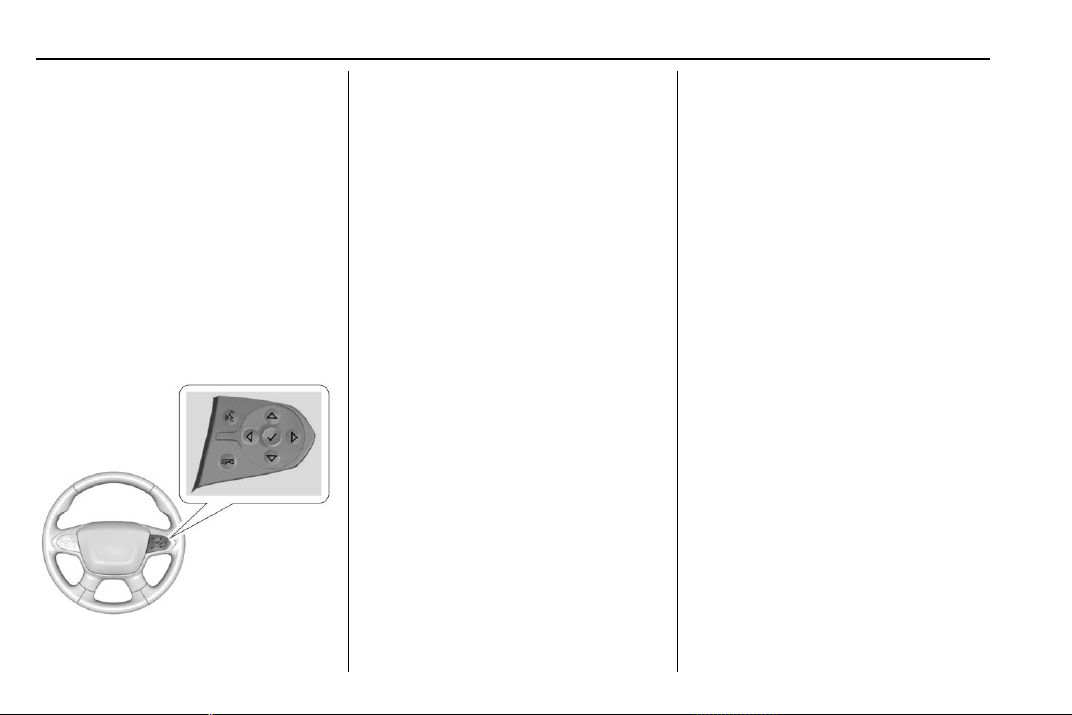
Chevrolet Traverse Owner Manual (GMNA-Localizing-U.S./Canada/Mexico-
13527526) - 2020 - CRC - 9/5/19
134 Instruments and Controls
Information Displays
Driver Information
Center (DIC)
The DIC displays are shown in the
center of the instrument cluster in
the Info app. See Instrument Cluster
(Uplevel) 0 115 or
Instrument Cluster (Base Level)
0 118. The displays show the status
of many vehicle systems. The
controls for the DIC are on the right
steering wheel control.
w or x : Press to move up or
down in a list.
o or p : Press to move between
the interactive display zones in the
cluster.
V : Press to open a menu or select
a menu item. Press and hold to
reset values on certain screens.
DIC Info Page Options
Base Level
The info pages on the DIC can be
turned on or off through the
Options menu.
1. Press
o to access the cluster
applications.
2. Press
w or x to scroll to the
Options application.
3. Press
V to enter the
Options menu.
4. Scroll to Info Pages and
press
p.
5. Press
w or x to move
through the list of possible
information displays.
6. Press
V while an item is
highlighted to select or
deselect that item. When an
item is selected, a checkmark
will appear next to it.
Uplevel
The info pages on the DIC can be
turned on or off through the
Options menu.
1. Press
o or p to scroll to the
Options application
2. Scroll to Info Page Options and
press
V.
3. Press
w or x to move
through the list of possible
information displays.
4. Press
V while an item is
highlighted to select or
deselect that item. When an
item is selected, a checkmark
will appear next to it.
DIC Info Pages
The following is the list of all
possible DIC info page displays.
Some may not be available for your

Chevrolet Traverse Owner Manual (GMNA-Localizing-U.S./Canada/Mexico-
13527526) - 2020 - CRC - 9/5/19
Instruments and Controls 135
particular vehicle. Some items may
not be turned on by default but can
be turned on through the Options
app. See “DIC Info Page Options”
earlier in this section.
Speed : Shows the vehicle speed in
either kilometers per hour (km/h) or
miles per hour (mph). If equipped,
press
p to open the menu and
select to display speed limit signs.
Trip A or Trip B : Shows the
current distance traveled, in either
kilometers (km) or miles (mi), since
the trip odometer was last reset.
This also shows the approximate
average liters per 100 kilometers (L/
100 km) or miles per gallon (mpg).
This number is calculated based on
the number of L/100 km (mpg)
recorded since the last time this
menu item was reset. This number
reflects only the approximate
average fuel economy that the
vehicle has right now, and will
change as driving conditions
change.
Press and hold
V while this display
is active to reset the trip odometer
and the average fuel economy. Trip
A and Trip B can also be reset by
pressing
p and choosing reset.
Fuel Range : Shows the
approximate distance the vehicle
can be driven without refueling.
LOW will be displayed when the
vehicle is low on fuel. The fuel
range estimate is based on an
average of the vehicle's fuel
economy over recent driving history
and the amount of fuel remaining in
the fuel tank.
Follow Distance : If equipped, the
current follow time to the vehicle
ahead is displayed as a time value
on this page.
Remaining Oil Life : Shows an
estimate of the oil's remaining useful
life. If REMAINING OIL LIFE 99% is
displayed, that means 99% of the
current oil life remains.
When the remaining oil life is low,
the CHANGE ENGINE OIL SOON
message will appear on the display.
The oil should be changed as soon
as possible. See Engine Oil 0 253.
In addition to the engine oil life
system monitoring the oil life,
additional maintenance is
recommended in the Maintenance
Schedule. See Maintenance
Schedule 0 329.
The Oil Life display must be reset
after each oil change. It will not
reset itself. Do not to reset the Oil
Life display at any time other than
when the oil has just been changed.
It cannot be reset accurately until
the next oil change. To reset the
engine oil life system, press and
hold
V for several seconds while
the Oil Life display is active. See
Engine Oil Life System 0 255.
Tire Pressure : Shows the
approximate pressures of all four
tires. Tire pressure is displayed in
either kilopascal (kPa) or in pounds
per square inch (psi). If the pressure

Chevrolet Traverse Owner Manual (GMNA-Localizing-U.S./Canada/Mexico-
13527526) - 2020 - CRC - 9/5/19
136 Instruments and Controls
is low, the value for that tire is
shown in amber. See Tire Pressure
Monitor System 0 291 and
Tire Pressure Monitor Operation
0 292.
Instantaneous Fuel Economy :
Displays the current fuel economy in
liters per 100 kilometers (L/100 km)
or miles per gallon (mpg). This
number reflects only the
approximate fuel economy that the
vehicle has right now and changes
frequently as driving conditions
change. This display cannot be
reset.
Average Vehicle Speed : Displays
the average vehicle speed of the
vehicle in kilometers per hour (km/h)
or miles per hour (mph). This
average is based on the various
vehicle speeds recorded since the
last reset. Reset the average speed
by pressing
V when it is displayed.
Fuel Economy : The center
displays the approximate
instantaneous fuel economy as a
number and bar graph. Displayed
above the bar graph is a running
average of fuel economy for the
most recently traveled selected
distance. Displayed below the bar
graph is the best average fuel
economy that has been achieved for
the selected distance. The selected
distance is displayed at the top of
the page as “last xxx mi/km.”
Press
p to select the distance or
reset best value. Use
w and x to
choose the distance and press
V.
Press
w and x to select “Reset
Best Score.” Press
V to reset the
best average fuel economy. After
reset, the best value displays “-,-”
until the selected distance has been
traveled.
The display provides information on
how current driving behavior affects
the running average and how well
recent driving compares to the best
that has been achieved for the
selected distance.
Timer : This display can be used as
a timer. To start the timer, press
V
while this display is active. The
display will show the amount of time
that has passed since the timer was
last reset. To stop the timer, press
V
briefly while this display is active
and the timer is running. To reset
the timer to zero, press and hold
V
while this display is active, or press
p and select reset.
Battery Voltage : Displays the
current battery voltage, if equipped.
Battery voltage changes are normal
while driving. See Charging System
Light 0 124. If there is a problem
with the battery charging system,
the DIC will display a message.
Transmission Fluid
Temperature : Shows the
temperature of the automatic
transmission fluid in either degrees
Celsius (°C) or degrees
Fahrenheit (°F).

Chevrolet Traverse Owner Manual (GMNA-Localizing-U.S./Canada/Mexico-
13527526) - 2020 - CRC - 9/5/19
Instruments and Controls 137
Off Road Page : This page shows
the traction, four wheel drive, and
steering angle states. When the
front or rear axles are locked, a lock
icon is displayed.
Blank Page : Shows no
information.
Vehicle Messages
Messages displayed on the DIC
indicate the status of the vehicle or
some action that may be needed to
correct a condition. Multiple
messages may appear one after
another.
The messages that do not require
immediate action can be
acknowledged and cleared by
pressing
V. The messages that
require immediate action cannot be
cleared until that action is
performed.
All messages should be taken
seriously; clearing the message
does not correct the problem.
If a SERVICE message appears,
see your dealer.
Follow the instructions given in the
messages. The system displays
messages regarding the following
topics:
.
Service Messages
.
Fluid Levels
.
Vehicle Security
.
Brakes
.
Steering
.
Ride Control Systems
.
Driver Assistance Systems
.
Cruise Control
.
Lighting and Bulb Replacement
.
Wiper/Washer Systems
.
Doors and Windows
.
Seat Belts
.
Airbag Systems
.
Engine and Transmission
.
Tire Pressure
.
Battery
Engine Power Messages
ENGINE POWER IS REDUCED
This message displays when the
vehicle's propulsion power is
reduced. A reduction in propulsion
power can affect the vehicle's ability
to accelerate. If this message is on,
but there is no observed reduction
in performance, proceed to your
destination. The performance may

Chevrolet Traverse Owner Manual (GMNA-Localizing-U.S./Canada/Mexico-
13527526) - 2020 - CRC - 9/5/19
138 Instruments and Controls
be reduced the next time the vehicle
is driven. The vehicle may be driven
while this message is on, but
maximum acceleration and speed
may be reduced. Anytime this
message stays on, or displays
repeatedly, the vehicle should be
taken to your dealer for service as
soon as possible.
Under certain operating conditions,
propulsion will be disabled. Try
restarting after the vehicle has been
off for 30 seconds.
Vehicle Speed Messages
SPEED LIMITED TO XXX KM/
H (MPH)
This message shows that the
vehicle speed has been limited to
the speed displayed. The limited
speed is a protection for various
propulsion and vehicle systems,
such as lubrication, thermal, brakes,
suspension, Teen Driver if
equipped, or tires.
Vehicle
Personalization
The following are all possible
vehicle personalization features.
Depending on the vehicle, some
may not be available.
For System, Apps, and Personal
features and functions, see
“Settings” in the infotainment
manual.
To access the vehicle
personalization menu:
1. Touch the Settings icon on the
Home Page of the infotainment
display.
2. Touch Vehicle to display a list
of available options.
3. Touch to select the desired
feature setting.
4. Touch
9 or R to turn a feature
off or on.
5. Touch
z to go to the top level
of the Settings menu.
The menu may contain the
following:
Rear Seat Reminder
This allows for a chime and a
message when the rear door has
been opened before or during
operation of the vehicle.
Touch Off or On.
Climate and Air Quality
Touch and the following may
display:
.
Auto Fan Speed
.
Auto Cooled Seats
.
Auto Heated Seats
.
Auto Defog
.
Auto Rear Defog
Auto Fan Speed
This setting specifies the amount of
airflow when the climate control fan
setting is Auto Fan.
Touch Low, Medium, or High.

Chevrolet Traverse Owner Manual (GMNA-Localizing-U.S./Canada/Mexico-
13527526) - 2020 - CRC - 9/5/19
Instruments and Controls 139
Auto Cooled Seats
This setting automatically turns on
and regulates the ventilated seats
when the cabin temperature is
warm. See Heated and Ventilated
Front Seats 0 48.
Touch Off or On.
Auto Heated Seats
This setting automatically turns on
and regulates the heated seats
when the cabin temperature is cool.
The auto heated seats can be
turned off by using the heated seat
buttons on the center stack. See
Heated and Ventilated Front Seats
0 48.
If equipped with Auto Heated
Steering Wheel, this feature will turn
on when the Auto Heated Seats
turn on.
Touch Off or On.
Auto Defog
This setting automatically turns the
front defogger on when the engine
is started.
Touch Off or On.
Auto Rear Defog
This setting automatically turns the
rear defogger on when the engine is
started.
Touch Off or On.
Collision / Detection Systems
Touch and the following may
display:
.
Forward Collision System
.
Front Pedestrian Detection
.
Park Assist
.
Rear Cross Traffic Alert
.
Adaptive Cruise Go Notifier
.
Lane Change Alert
Forward Collision System
This setting controls the vehicle
response when detecting a vehicle
ahead of you. The Off setting
disables all FCA and AEB functions.
With the Alert and Brake setting,
both FCA and AEB are available.
The Alert setting disables AEB. See
Automatic Emergency Braking
(AEB) 0 221.
Touch Off, Alert, or Alert and Brake.
Front Pedestrian Detection
This feature may help avoid or
reduce the harm caused by
front-end crashes with nearby
pedestrians.
See Front Pedestrian Braking (FPB)
System 0 223.
Touch Off, Alert, or Alert and Brake.
Park Assist
If equipped, this allows the feature
to be turned on or off. See
Assistance Systems for Parking or
Backing 0 215.
Touch Off or On.
Rear Cross Traffic Alert
This setting specifies if an alert will
display when the vehicle detects
approaching rear cross traffic when
in R (Reverse). See Assistance
Systems for Parking or Backing
0 215.
Touch Off or On.

Chevrolet Traverse Owner Manual (GMNA-Localizing-U.S./Canada/Mexico-
13527526) - 2020 - CRC - 9/5/19
140 Instruments and Controls
Adaptive Cruise Go Notifier
This setting determines if an alert
will appear when Adaptive Cruise
Control brings the vehicle to a
complete stop and the vehicle
ahead of you starts moving again.
See Adaptive Cruise Control 0 205.
Touch Off or On.
Lane Change Alert
This setting specifies if an alert will
display on the outside mirror to help
you avoid crashing into a vehicle in
your blind spot, or rapidly
approaching your blind spot, during
a lane change maneuver. See Lane
Change Alert (LCA) 0 225.
When Lane Change Alert is
disabled, Side Blind Zone Alert is
also disabled.
Touch Off or On.
Comfort and Convenience
Touch and the following may
display:
.
Chime Volume
.
Hands Free Liftgate Control
.
Reverse Tilt Mirror
.
Auto Wipe in Reverse Gear
Chime Volume
This setting determines the chime
volume level.
Touch the controls on the
infotainment display to adjust the
volume.
Hands Free Liftgate Control
The liftgate may be operated with a
kicking motion under the left corner
of the rear bumper. See Liftgate
0 22.
Touch Off, On-Open and Close,
or On-Open Only.
Reverse Tilt Mirror
When on, both the driver and
passenger, driver, or passenger
outside mirrors will tilt downward
when the vehicle is shifted to
R (Reverse) to improve visibility of
the ground near the rear wheels.
They will return to their previous
driving position when the vehicle is
shifted out of R (Reverse) or the
engine is turned off. See Reverse
Tilt Mirrors 0 32.
Touch Off, On - Driver and
Passenger, On - Driver, or On -
Passenger.
Auto Wipe in Reverse Gear
When on and the front wiper is on,
the rear wiper will automatically
activate when the vehicle is shifted
to R (Reverse).
Touch Off or On.
Lighting
Touch and the following may
display:
.
Vehicle Locator Lights
.
Exit Lighting
Vehicle Locator Lights
This setting flashes the headlamps
of your vehicle when you press
K
on the Remote Keyless Entry (RKE)
transmitter.
Touch Off or On.

Chevrolet Traverse Owner Manual (GMNA-Localizing-U.S./Canada/Mexico-
13527526) - 2020 - CRC - 9/5/19
Instruments and Controls 141
Exit Lighting
This setting specifies how long the
headlamps stay on after the vehicle
is turned off and exited.
Touch Off, 30 Seconds, 60 Seconds,
or 120 Seconds.
Power Door Locks
Touch and the following may
display:
.
Open Door Anti Lock Out
.
Auto Door Unlock
.
Delayed Door Lock
Open Door Anti Lock Out
This setting prevents the driver door
from locking when the door is open.
If this setting is on, the Delayed
Door Lock menu will not be
available.
Touch Off or On.
Auto Door Unlock
This setting allows selection of
which doors will automatically
unlock when the vehicle is shifted
into P (Park).
Touch Off, All Doors, or Driver Door.
Delayed Door Lock
This setting delays the locking of
the vehicle’s doors.
Touch Off or On.
Remote Lock, Unlock, Start
Touch and the following may
display:
.
Remote Unlock Light Feedback
.
Remote Lock Feedback
.
Remote Door Unlock
.
Remote Start Auto Cool Seats
.
Remote Start Auto Heat Seats
.
Remote Window Operation
.
Passive Door Unlock
.
Passive Door Lock
.
Remote Left in Vehicle Alert
Remote Unlock Light Feedback
This setting flashes the exterior
lamps when the vehicle is unlocked
with the RKE transmitter.
Touch Off or Flash Lights.
Remote Lock Feedback
This setting specifies how the
vehicle responds when the vehicle
is locked with the RKE transmitter.
Touch Off, Lights and Horn, Lights
Only, or Horn Only.
Remote Door Unlock
This setting specifies whether all
doors, or just the driver door, unlock
when pressing
K on the RKE
transmitter.
Touch All Doors or Driver Door.
Remote Start Auto Cool Seats
This setting automatically turns on
the ventilated seats when using the
remote start function on warm days.
See Heated and Ventilated Front
Seats 0 48 and
Remote Vehicle Start 0 16.
Touch Off or On.
Remote Start Auto Heat Seats
This setting automatically turns on
the heated seats when using the
remote start function on cold days.

Chevrolet Traverse Owner Manual (GMNA-Localizing-U.S./Canada/Mexico-
13527526) - 2020 - CRC - 9/5/19
142 Instruments and Controls
See Heated and Ventilated Front
Seats 0 48 and
Remote Vehicle Start 0 16.
If equipped with Auto Heated
Steering Wheel, this feature will turn
on when the Remote Start Auto
Heated Seats turn on.
Touch Off or On.
Remote Window Operation
If equipped, this feature enables
remote operation of the windows
with the RKE transmitter. See
Remote Keyless Entry (RKE)
System Operation 0 8.
Touch Off or On.
Passive Door Unlock
This setting specifies which doors
unlock when using the button on the
driver door handle to unlock the
vehicle.
Touch Off, All Doors or Driver
Door Only.
Passive Door Lock
This setting specifies if the vehicle
will automatically lock, or lock and
provide an alert after all the doors
are closed, and you walk away from
the vehicle with the RKE transmitter.
See Remote Keyless Entry (RKE)
System Operation 0 8.
Touch Off, On with Horn
Chirp, or On.
Remote Left in Vehicle Alert
This feature sounds an alert when
the RKE transmitter is left in the
vehicle. This menu also enables
Remote No Longer in Vehicle Alert.
Touch Off or On.
Seating Position
Touch and the following may
display:
.
Seat Entry Memory
.
Seat Exit Memory
Seat Entry Memory
This feature automatically recalls
the previously stored 1 or 2 button
positions when the ignition is
changed from off to on or ACC/
ACCESSORY. See Memory Seats
0 45.
Touch Off or On.
Seat Exit Memory
This feature automatically recalls
the previously stored exit button
positions when the ignition is
changed from on or ACC/
ACCESSORY to off if the driver
door is open or opened. See
Memory Seats 0 45.
Touch Off or On.
Teen Driver
See “Teen Driver” under “Settings”
in the infotainment manual.
Valet Mode
This will lock the infotainment
system and steering wheel controls.
It may also limit access to vehicle
storage locations, if equipped.
To enable valet mode:
1. Enter a four-digit code on the
keypad.
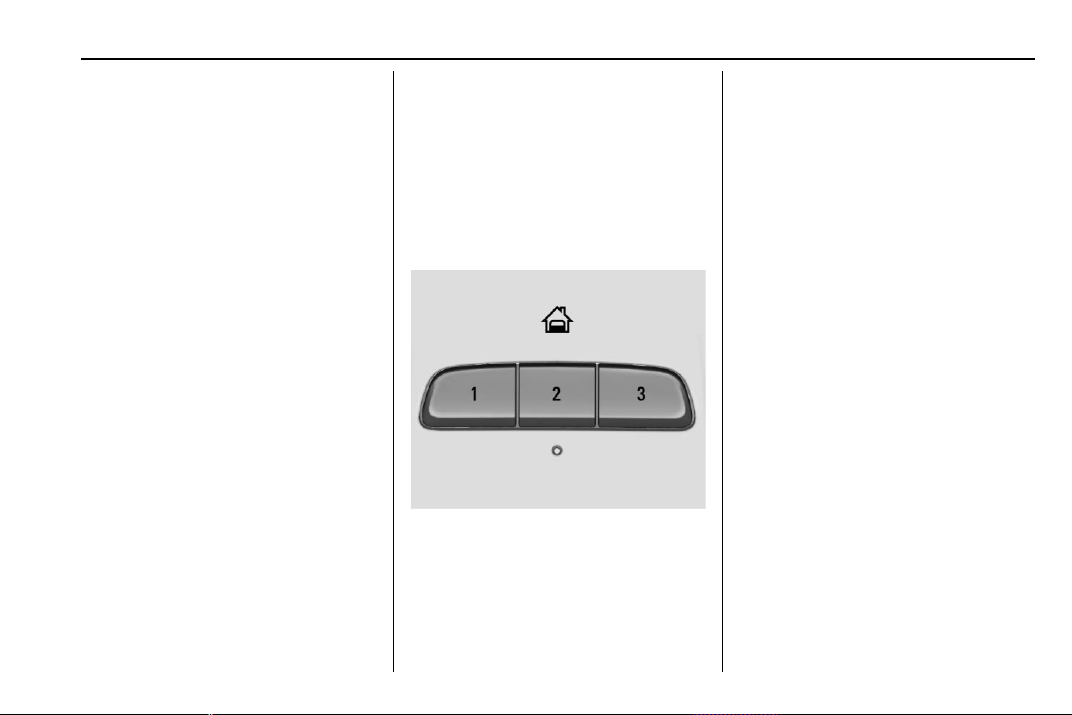
Chevrolet Traverse Owner Manual (GMNA-Localizing-U.S./Canada/Mexico-
13527526) - 2020 - CRC - 9/5/19
Instruments and Controls 143
2. Touch Enter to go to the
confirmation screen.
3. Re-enter the four-digit code.
Touch Lock or Unlock to lock or
unlock the system. Touch Back to
go back to the previous menu.
Universal Remote
System
See Radio Frequency Statement
0 355.
Universal Remote System
Programming
If equipped, these buttons are in the
overhead console.
This system can replace up to three
remote control transmitters used to
activate devices such as garage
door openers, security systems, and
home automation devices. These
instructions refer to a garage door
opener, but can be used for other
devices.
Do not use the Universal Remote
system with any garage door opener
that does not have the stop and
reverse feature. This includes any
garage door opener model
manufactured before April 1, 1982.
Read these instructions completely
before programming the Universal
Remote system. It may help to have
another person assist with the
programming process.
Keep the original hand-held
transmitter for use in other vehicles
as well as for future programming.
Erase the programming when
vehicle ownership is terminated.
See “Erasing Universal Remote
System Buttons” later in this
section.
To program a garage door opener,
park outside directly in line with and
facing the garage door opener
receiver. Clear all people and
objects near the garage door.

Chevrolet Traverse Owner Manual (GMNA-Localizing-U.S./Canada/Mexico-
13527526) - 2020 - CRC - 9/5/19
144 Instruments and Controls
Make sure the hand-held transmitter
has a new battery for quicker and
more accurate transmission of the
radio-frequency signal.
Programming the Universal
Remote System
For questions or programming help,
see www.homelink.com/gm or call
1-800-355-3515. For calls placed
outside the U.S., Canada, or Puerto
Rico, international rates will apply
and may differ based on landline or
mobile phone.
Programming involves
time-sensitive actions, and may time
out causing the procedure to be
repeated.
To program up to three devices:
1. Hold the end of the hand-held
transmitter about 3 to 8 cm (1
to 3 in) away from the
Universal Remote system
buttons with the indicator light
in view. The hand-held
transmitter was supplied by the
manufacturer of the garage
door opener receiver.
2. At the same time, press and
hold both the hand-held
transmitter button and one of
the three Universal Remote
system buttons to be used to
operate the garage door. Do
not release either button until
the indicator light changes from
a slow to a rapid flash. Then
release both buttons.
Some garage door openers
may require substitution of
Step 2 with the procedure
under “Radio Signals for Some
Gate Operators” later in this
section.
3. Press and hold the newly
programmed Universal Remote
system button for five seconds
while watching the indicator
light and garage door
activation.
.
If the indicator light stays on
continuously or the garage
door moves when the
button is pressed, then
programming is complete.
There is no need to
complete Steps 4–6.
.
If the indicator light does
not come on or the garage
door does not move, a
second button press may
be required. For a second
time, press and hold the
newly programmed button
for five seconds. If the light
stays on or the garage door
moves, programming is
complete.
.
If the indicator light blinks
rapidly for two seconds,
then changes to a solid light
and the garage door does
not move, continue with
programming Steps 4–6.
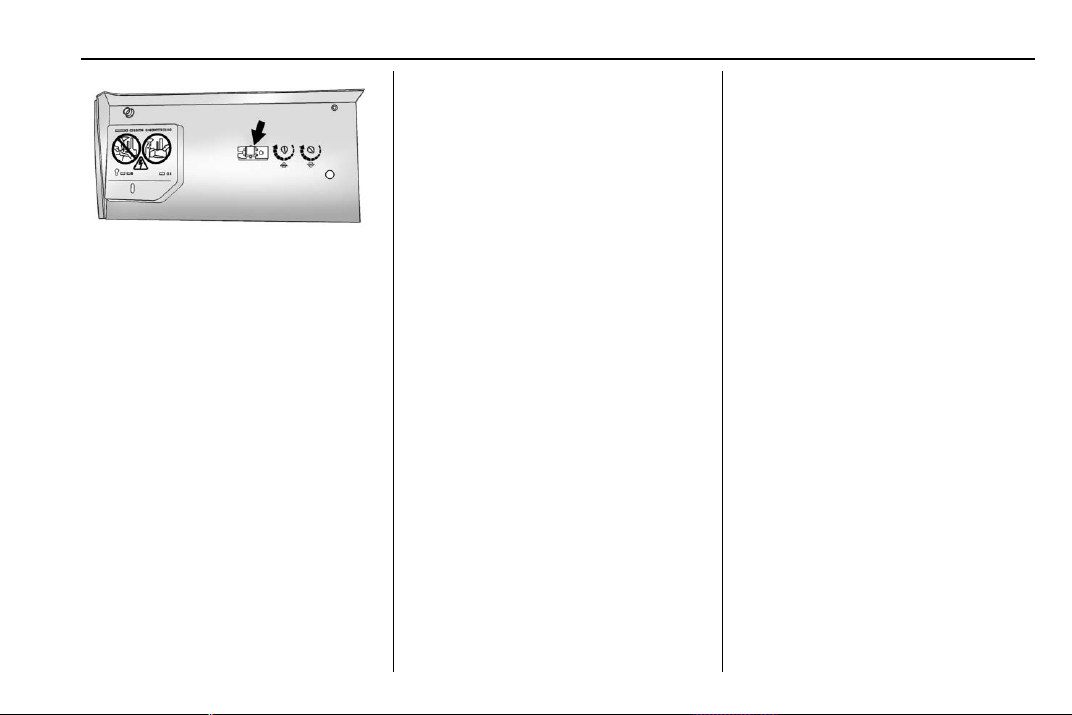
Chevrolet Traverse Owner Manual (GMNA-Localizing-U.S./Canada/Mexico-
13527526) - 2020 - CRC - 9/5/19
Instruments and Controls 145
Learn or Smart Button
4. After completing Steps 1–3,
locate the Learn or Smart
button inside the garage on the
garage door opener receiver.
The name and color of the
button may vary by
manufacturer.
5. Press and release the Learn or
Smart button. Step 6 must be
completed within 30 seconds of
pressing this button.
6. Inside the vehicle, press and
hold the newly programmed
Universal Remote system
button for two seconds, then
release it. If the garage door
does not move or the lamp on
the garage door opener
receiver does not flash, press
and hold the same button a
second time for two seconds,
then release it. Again, if the
door does not move or the
garage door lamp does not
flash, press and hold the same
button a third time for
two seconds, then release it.
The Universal Remote system
should now activate the
garage door.
Repeat the process for
programming the two remaining
buttons.
Radio Signals for Some Gate
Operators
For questions or programming help,
see www.homelink.com/gm or call
1-800-355-3515. For calls placed
outside the U.S., Canada, or Puerto
Rico, international rates will apply
and may differ based on landline or
mobile phone.
Some radio-frequency laws and
gate operators require transmitter
signals to time out or quit after
several seconds of transmission.
This may not be long enough for the
Universal Remote system to pick up
the signal during programming.
If the programming did not work,
replace Step 2 under “Programming
the Universal Remote System” with
the following:
Press and hold the Universal
Remote system button while
pressing and releasing the
hand-held transmitter button every
two seconds until the signal has
been successfully accepted by the
Universal Remote system. The
Universal Remote system indicator
light will flash slowly at first and then
rapidly. Proceed with Step 3 under
“Programming the Universal Remote
System” to complete.

Chevrolet Traverse Owner Manual (GMNA-Localizing-U.S./Canada/Mexico-
13527526) - 2020 - CRC - 9/5/19
146 Instruments and Controls
Universal Remote System
Operation
Using the Universal Remote
System
Press and hold the appropriate
Universal Remote system button for
at least one-half second. The
indicator light will come on while the
signal is being transmitted.
Erasing Universal Remote
System Buttons
Erase all programmed buttons when
vehicle ownership is terminated.
To erase:
1. Press and hold the two outside
buttons until the indicator light
begins to flash. This should
take about 10 seconds.
2. Release both buttons.
Reprogramming a Single
Universal Remote System
Button
To reprogram any of the system
buttons:
1. Press and hold any one of the
buttons. Do not release the
button.
2. The indicator light will begin to
flash after 20 seconds. Without
releasing the button, proceed
with Step 1 under
“Programming the Universal
Remote System.”
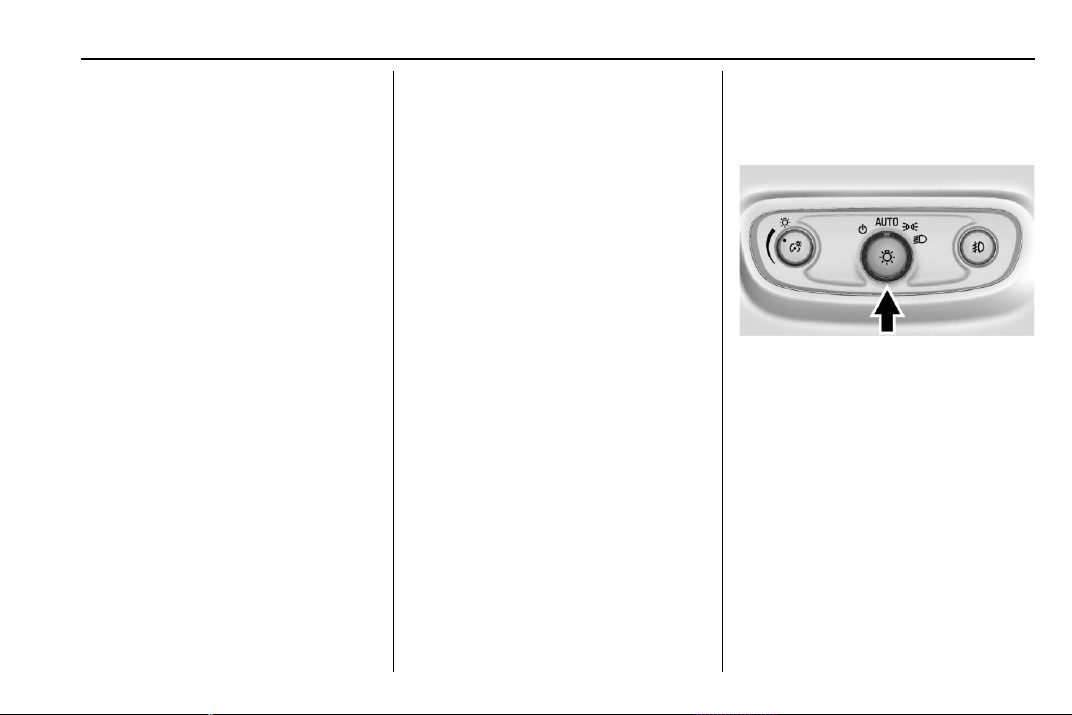
Chevrolet Traverse Owner Manual (GMNA-Localizing-U.S./Canada/Mexico-
13527526) - 2020 - CRC - 9/5/19
Lighting 147
Lighting
Exterior Lighting
Exterior Lamp Controls . . . . . . . 147
Headlamp High/Low-Beam
Changer . . . . . . . . . . . . . . . . . . . . 149
Flash-to-Pass . . . . . . . . . . . . . . . . 149
Daytime Running
Lamps (DRL) . . . . . . . . . . . . . . . 149
Automatic Headlamp
System . . . . . . . . . . . . . . . . . . . . . . 150
Hazard Warning Flashers . . . . . 151
Turn and Lane-Change
Signals . . . . . . . . . . . . . . . . . . . . . . 151
Fog Lamps . . . . . . . . . . . . . . . . . . . 151
Interior Lighting
Instrument Panel Illumination
Control . . . . . . . . . . . . . . . . . . . . . . 152
Courtesy Lamps . . . . . . . . . . . . . . 152
Dome Lamps . . . . . . . . . . . . . . . . . 152
Reading Lamps . . . . . . . . . . . . . . 153
Lighting Features
Entry Lighting . . . . . . . . . . . . . . . . 154
Exit Lighting . . . . . . . . . . . . . . . . . . 154
Battery Load Management . . . 154
Battery Power Protection . . . . . 155
Exterior Lighting Battery
Saver . . . . . . . . . . . . . . . . . . . . . . . 155
Exterior Lighting
Exterior Lamp Controls
The exterior lamp control is on the
instrument panel to the left of the
steering column.
There are four positions.
O : Turns the exterior lamps off and
deactivates the AUTO mode. Turn
to
O again to reactivate the
AUTO mode.
In Canada, the headlamps will
automatically reactivate when the
vehicle is shifted out of P (Park).
AUTO : Turns the exterior lamps on
and off automatically depending on
outside lighting.
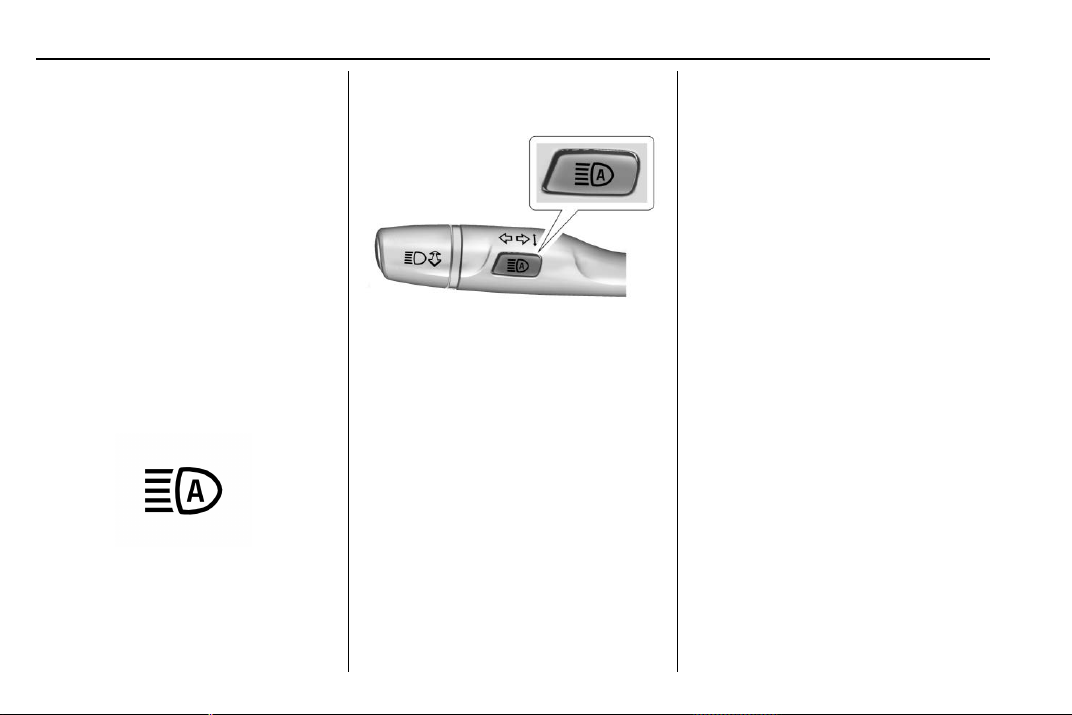
Chevrolet Traverse Owner Manual (GMNA-Localizing-U.S./Canada/Mexico-
13527526) - 2020 - CRC - 9/5/19
148 Lighting
; : Turns on the parking lamps
including all lamps, except the
headlamps.
5 : Turns on the headlamps
together with the parking lamps and
instrument panel lights.
IntelliBeam
®
System
If equipped, this system turns the
vehicle's high-beam headlamps on
and off according to surrounding
traffic conditions.
The system turns the high-beam
headlamps on when it is dark
enough and there is no other traffic
present.
This light comes on in the
instrument cluster when the
IntelliBeam system is enabled.
Turning On and Enabling
IntelliBeam
To enable the IntelliBeam system,
press
b on the turn signal lever
when it is dark outside and the
exterior lamp control is in AUTO
or
5.
Driving with IntelliBeam
The system only activates the high
beams when driving over 40 km/h
(25 mph).
The blue high-beam on light
appears on the instrument cluster
when the high beams are on.
There is a sensor near the top
center of the windshield that
automatically controls the system.
Keep this area of the windshield
clear of debris to allow for best
system performance.
The high-beam headlamps remain
on, under the automatic control,
until one of the following situations
occurs:
.
The system detects an
approaching vehicle's
headlamps.
.
The system detects a preceding
vehicle's taillamps.
.
The outside light is bright
enough that high-beam
headlamps are not required.
.
The vehicle's speed drops below
20 km/h (12 mph).
.
The IntelliBeam system is
disabled by the button on
the turn signal lever. If this
happens, press
b on the
turn signal lever when the
exterior lamp control is in
the AUTO or
5 position to
reactivate the IntelliBeam
system. The instrument cluster
Chevrolet Traverse Owner Manual (GMNA-Localizing-U.S./Canada/Mexico-
13527526) - 2020 - CRC - 9/5/19
Lighting 149
light will come on to indicate the
IntelliBeam system is
reactivated.
.
The IntelliBeam system will turn
off if the fog lamps are
turned on.
The high beams may not turn off
automatically if the system cannot
detect another vehicle's lamps
because of any of the following:
.
The other vehicle's lamps are
missing, damaged, obstructed
from view, or otherwise
undetected.
.
The other vehicle's lamps are
covered with dirt, snow, and/or
road spray.
.
The other vehicle's lamps cannot
be detected due to dense
exhaust, smoke, fog, snow, road
spray, mist, or other airborne
obstructions.
.
The vehicle's windshield is dirty,
cracked, or obstructed by
something that blocks the view
of the light sensor.
.
The vehicle is loaded such that
the front end points upward,
causing the light sensor to aim
high and not detect headlamps
and taillamps.
.
The vehicle is being driven on
winding or hilly roads.
The IntelliBeam system may need to
be disabled if any of the above
conditions exist.
Headlamp High/
Low-Beam Changer
Push the turn signal lever away
from you and release, to turn the
high beams on. To return to low
beams, push the lever again or pull
it toward you and release.
This indicator light turns on in the
instrument cluster when the
high-beam headlamps are on.
Flash-to-Pass
To flash the high beams, pull the
turn signal lever toward you, and
release.
Daytime Running
Lamps (DRL)
DRL can make it easier for others to
see the front of your vehicle during
the day. Fully functional DRL are
required on all vehicles first sold in
Canada.
The dedicated DRL will come on
when all of the following conditions
are met:
.
The ignition is on.
.
The exterior lamp control is
in AUTO.
.
The light sensor determines it is
daytime.
.
The parking brake is released or
the vehicle is not in P (Park).
The taillamps, instrument panel
lights, and other lamps will not
be on.
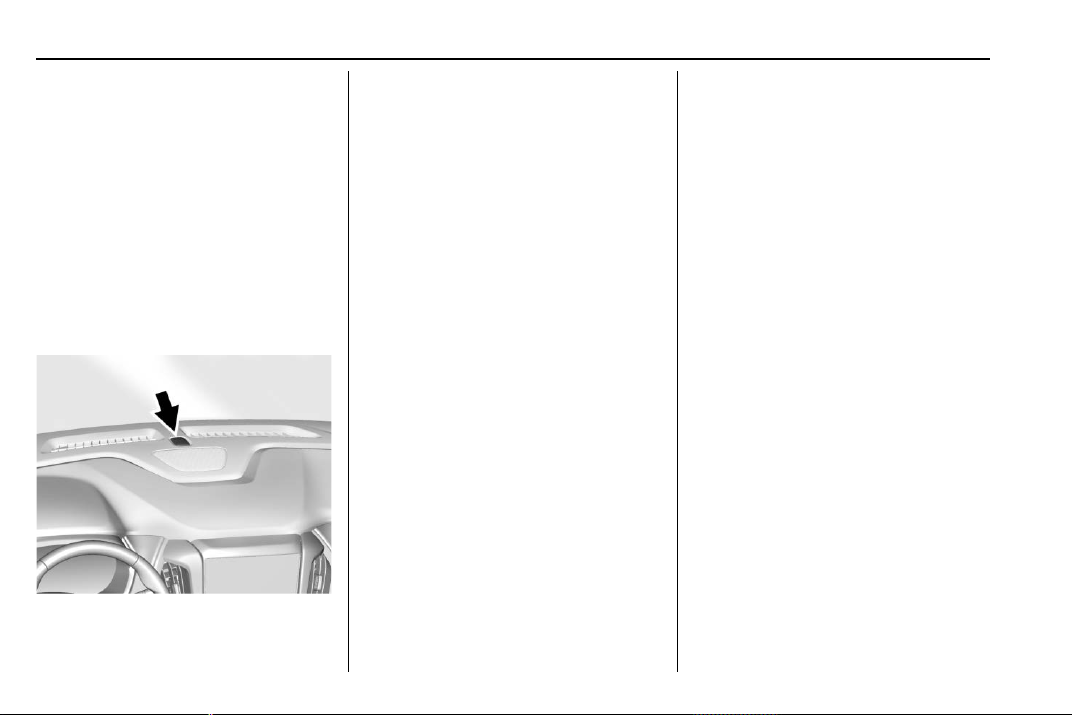
Chevrolet Traverse Owner Manual (GMNA-Localizing-U.S./Canada/Mexico-
13527526) - 2020 - CRC - 9/5/19
150 Lighting
The DRL turn off when the
headlamps are turned to
O or the
ignition is off. For vehicles sold in
Canada, this control only works
when the vehicle is parked.
Automatic Headlamp
System
When the exterior lamp control is
set to AUTO and it is dark enough
outside, the headlamps come on
automatically.
There is a light sensor on top of the
instrument panel. Do not cover the
sensor; otherwise the headlamps
will come on when they are not
needed.
The system may also turn on the
headlamps when driving through a
parking garage or tunnel.
If the vehicle is started in a dark
garage, the automatic headlamp
system comes on immediately. If it
is light outside when the vehicle
leaves the garage, there is a slight
delay before the automatic
headlamp system changes to the
Daytime Running Lamps (DRL).
During that delay, the instrument
cluster may not be as bright as
usual. Make sure the instrument
panel brightness control is in the full
bright position. See Instrument
Panel Illumination Control 0 152.
When it is bright enough outside,
the headlamps will turn off or may
change to DRL.
The automatic headlamp system
turns off when the exterior lamp
control is turned to
O or the ignition
is off.
Lights On with Wipers
If the windshield wipers are
activated in daylight with the engine
on, and the exterior lamp control is
in AUTO, the headlamps, parking
lamps, and other exterior lamps
come on. The transition time for the
lamps coming on varies based on
wiper speed. When the wipers are
not operating, these lamps turn off.
Move the exterior lamp control to
O
or ; to disable this feature.
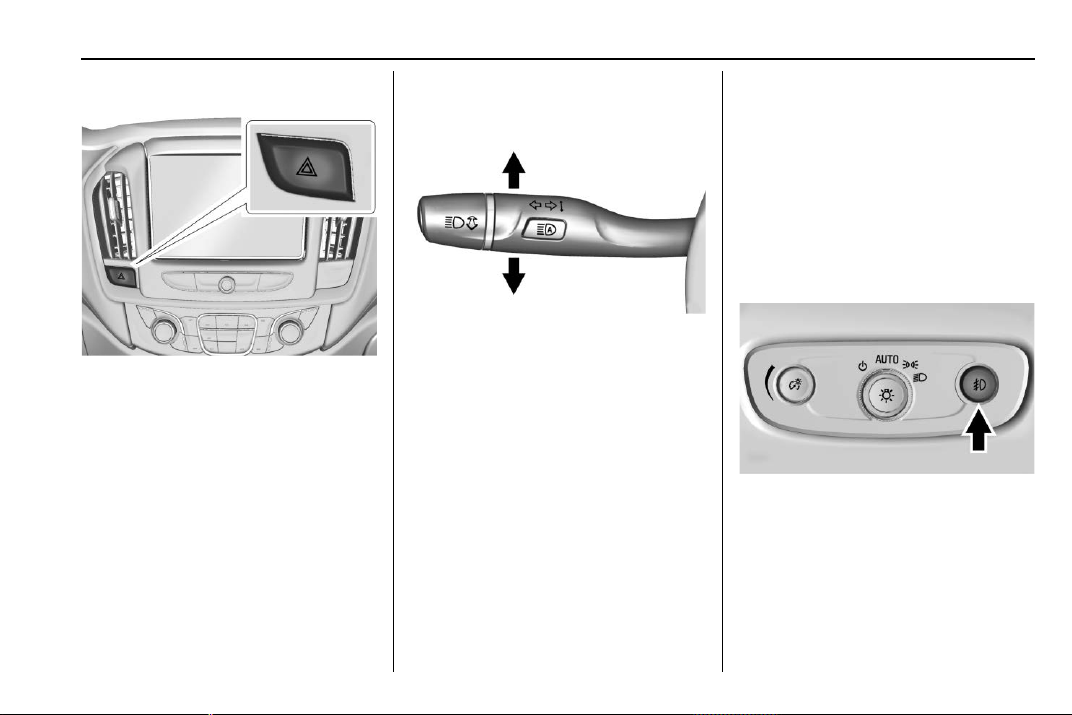
Chevrolet Traverse Owner Manual (GMNA-Localizing-U.S./Canada/Mexico-
13527526) - 2020 - CRC - 9/5/19
Lighting 151
Hazard Warning Flashers
| : Press to make the front and
rear turn signal lamps flash on and
off. This warns others that you are
having trouble.
Press
| again to turn the
flashers off.
Turn and Lane-Change
Signals
Move the lever all the way up or
down to signal a turn.
An arrow on the instrument cluster
will flash in the direction of the turn
or lane change.
Raise or lower the lever until the
arrow starts to flash to signal a lane
change. Hold it there until the lane
change is complete. If the lever is
moved momentarily to the lane
change position, the arrow will flash
three times. It will flash six times if
Tow/Haul Mode is active.
The lever returns to its starting
position when it is released.
If after signaling a turn or lane
change, the arrow flashes rapidly or
does not come on, a signal bulb
may be burned out.
Have any burned out bulbs
replaced. If a bulb is not burned out,
check the fuse. See Instrument
Panel Fuse Block 0 278.
Fog Lamps
The fog lamps button is on the
instrument panel beside the steering
wheel.
To turn on the fog lamps, the ignition
and the headlamps or parking lamps
must be on.
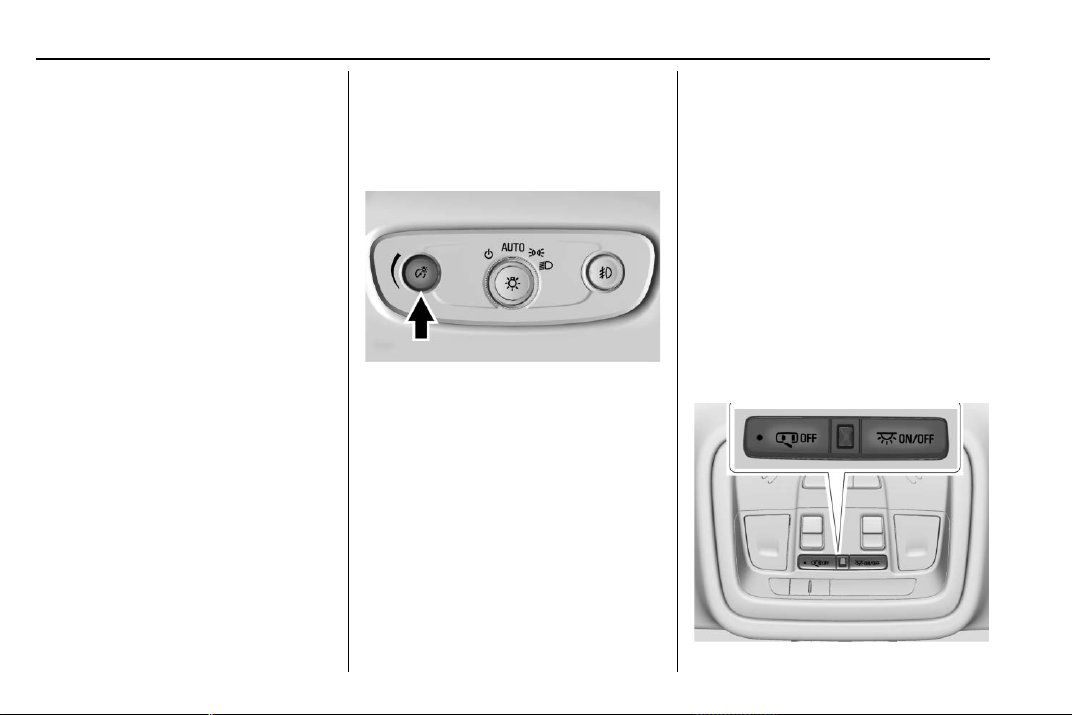
Chevrolet Traverse Owner Manual (GMNA-Localizing-U.S./Canada/Mexico-
13527526) - 2020 - CRC - 9/5/19
152 Lighting
# : If equipped, press to turn on or
off. An indicator light on the
instrument cluster comes on when
the fog lamps are on.
Some localities have laws that
require the headlamps to be on
along with the fog lamps.
Interior Lighting
Instrument Panel
Illumination Control
The brightness of the instrument
cluster display, infotainment display
and controls, steering wheel
controls, and all other illuminated
controls, as well as feature status
indicators can be adjusted.
The knob for this feature is on the
instrument panel beside the steering
column.
Push the knob in all the way until it
extends out and then turn the knob
clockwise or counterclockwise to
brighten or dim the lights.
Courtesy Lamps
The courtesy lamps come on when
any door is opened unless the dome
lamp override is activated. To
deactivate the dome lamp override,
press
j OFF and the indicator
light on the button will turn off.
The reading lamps, located on the
front overhead console and the
headliner above the rear seat
passengers, can be controlled
independent of the courtesy lamps.
Dome Lamps
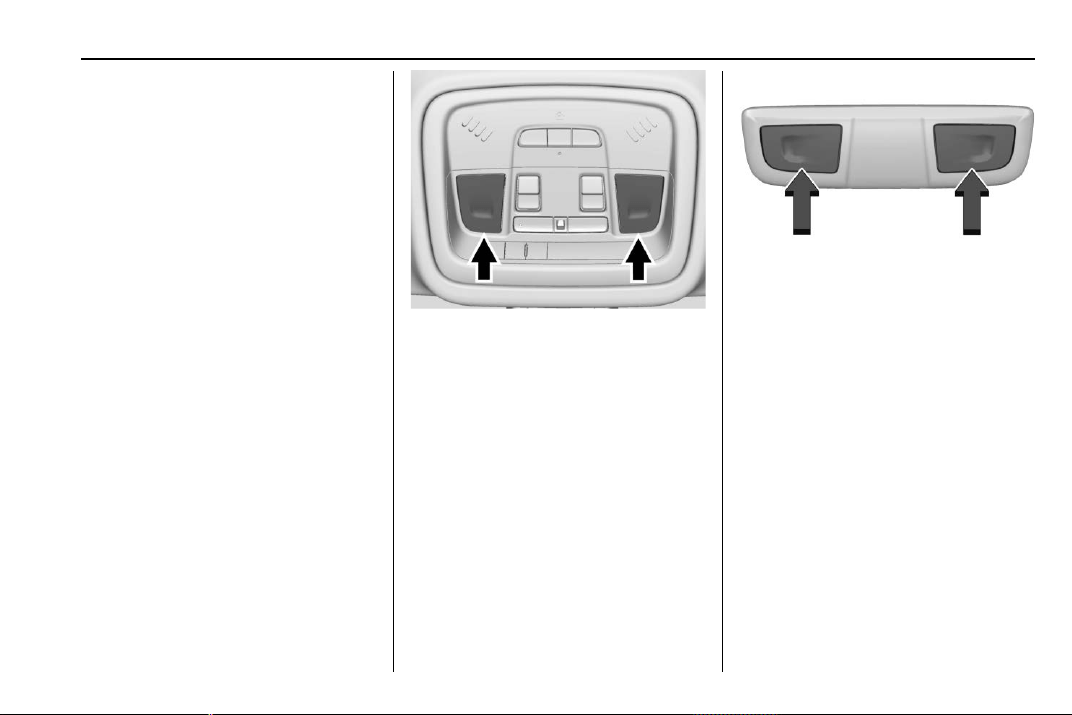
Chevrolet Traverse Owner Manual (GMNA-Localizing-U.S./Canada/Mexico-
13527526) - 2020 - CRC - 9/5/19
Lighting 153
The dome lamp controls are in the
overhead console.
To operate, press the following
buttons:
j OFF : Press to turn off the
dome lamps when a door is open.
An indicator light on the button will
turn on when the dome lamp
override is activated. Press
j
OFF again to deactivate this feature
and the indicator light will turn off.
The dome lamps will come on when
doors are opened.
+ ON/OFF : Press to turn the dome
lamps on manually. Press again to
turn the dome lamps off.
Reading Lamps
There are reading lamps on the
overhead console and over the rear
seats. These lamps come on when
any door is opened.
Front Reading Lamps
The front reading lamps are in the
overhead console.
Press the lamp lenses to turn the
front reading lamps on or off.
Rear Reading Lamps
The rear reading lamps are over the
rear seats.
Press the lamp lens to turn the rear
passenger reading lamps on or off.

Chevrolet Traverse Owner Manual (GMNA-Localizing-U.S./Canada/Mexico-
13527526) - 2020 - CRC - 9/5/19
154 Lighting
Lighting Features
Entry Lighting
Some exterior lamps and most of
the interior lights turn on briefly at
night, or in areas of limited lighting
when
K is pressed on the Remote
Keyless Entry (RKE) transmitter.
See Remote Keyless Entry (RKE)
System Operation 0 8. When the
driver door is opened, all control
lights, Driver Information Center
(DIC) lights, and door pocket lights
turn on. After about 30 seconds the
exterior lamps turn off, then the
remaining interior lights dim to off.
Entry lighting can be disabled
manually by turning the ignition on
or to ACC/ACCESSORY, or by
pressing
Q on the RKE transmitter.
This feature can be changed. See
“Vehicle Locator Lights” under
Vehicle Personalization 0 138.
Exit Lighting
Some exterior lamps and interior
lights come on at night, or in areas
with limited lighting, when the driver
door is opened after the ignition is
turned off. The dome lamp comes
on after the ignition is turned off.
The exterior lamps and dome lamp
remain on for a set amount of time,
then automatically turn off.
The exterior lamps turn off
immediately by turning the exterior
lamp control off.
This feature can be changed. See
Vehicle Personalization 0 138.
Battery Load
Management
The vehicle has Electric Power
Management (EPM) that estimates
the battery's temperature and state
of charge. It then adjusts the voltage
for best performance and extended
life of the battery.
When the battery's state of charge
is low, the voltage is raised slightly
to quickly bring the charge back up.
When the state of charge is high,
the voltage is lowered slightly to
prevent overcharging. If the vehicle
has a voltmeter gauge or a voltage
display on the Driver Information
Center (DIC), you may see the
voltage move up or down. This is
normal. If there is a problem, an
alert will be displayed.
The battery can be discharged at
idle if the electrical loads are very
high. This is true for all vehicles.
This is because the generator
(alternator) may not be spinning fast
enough at idle to produce all of the
power needed for very high
electrical loads.
A high electrical load occurs when
several of the following are on, such
as: headlamps, high beams, rear
window defogger, climate control fan
at high speed, heated seats, engine
cooling fans, trailer loads, and loads
plugged into accessory power
outlets.
EPM works to prevent excessive
discharge of the battery. It does this
by balancing the generator's output
and the vehicle's electrical needs.

Chevrolet Traverse Owner Manual (GMNA-Localizing-U.S./Canada/Mexico-
13527526) - 2020 - CRC - 9/5/19
Lighting 155
It can increase engine idle speed to
generate more power whenever
needed. It can temporarily reduce
the power demands of some
accessories.
Normally, these actions occur in
steps or levels, without being
noticeable. In rare cases at the
highest levels of corrective action,
this action may be noticeable to the
driver. If so, a DIC battery voltage
and charging message displays. It is
recommended that the driver reduce
the electrical loads as much as
possible. See Driver Information
Center (DIC) 0 134.
Battery Power Protection
This feature helps prevent the
battery from being drained, if the
interior courtesy lamps or reading
lamps are accidentally left on. If any
of these lamps are left on, they
automatically turn off after
10 minutes, if the ignition is off. The
lamps will not come back on again
until one of the following occurs:
.
The ignition is turned on.
.
The doors are closed and then
re-opened.
Exterior Lighting Battery
Saver
The exterior lamps turn off about
10 minutes after the ignition is
turned off, if the parking lamps or
headlamps have been manually left
on. This protects against draining
the battery. To restart the 10-minute
timer, turn the exterior lamp control
to the off position and then back to
the parking lamp or headlamp
position.
To keep the lamps on for more than
10 minutes, the ignition must be on
or in ACC/ACCESSORY.

Chevrolet Traverse Owner Manual (GMNA-Localizing-U.S./Canada/Mexico-
13527526) - 2020 - CRC - 9/5/19
156 Infotainment System
Infotainment
System
Introduction
Infotainment . . . . . . . . . . . . . . . . . . 156
Introduction
Infotainment
See the infotainment manual for
information on the radio, audio
players, phone, navigation system,
and voice or speech recognition.
It also includes information on
settings.
Active Noise Cancellation (ANC)
If equipped, ANC reduces engine
noise in the vehicle’s interior. ANC
requires the factory-installed audio
system, radio, speakers, amplifier (if
equipped), induction system, and
exhaust system to work properly.
Deactivation is required by your
dealer if related aftermarket
equipment is installed.
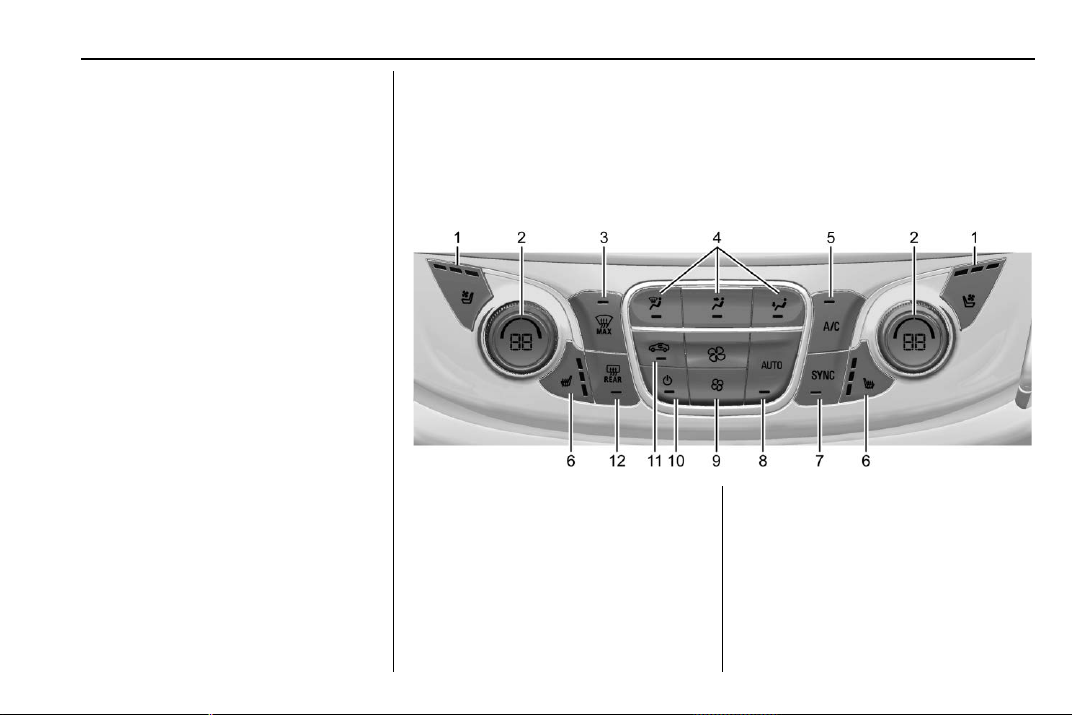
Chevrolet Traverse Owner Manual (GMNA-Localizing-U.S./Canada/Mexico-
13527526) - 2020 - CRC - 9/5/19
Climate Controls 157
Climate Controls
Climate Control Systems
Dual Automatic Climate
Control System . . . . . . . . . . . . . 157
Rear Climate Control
System . . . . . . . . . . . . . . . . . . . . . . 161
Air Vents
Air Vents . . . . . . . . . . . . . . . . . . . . . 163
Maintenance
Passenger Compartment Air
Filter . . . . . . . . . . . . . . . . . . . . . . . . 164
Service . . . . . . . . . . . . . . . . . . . . . . . 164
Climate Control Systems
Dual Automatic Climate Control System
The heating, cooling, and ventilation for the vehicle can be controlled with
this system.
1. Driver and Passenger
Ventilated Seats (If Equipped)
2. Driver and Passenger
Temperature Controls
3. MAX Defrost
4. Air Delivery Mode Controls
5. A/C (Air Conditioning)
6. Driver and Passenger Heated
Seats (If Equipped)
7. SYNC
8. AUTO (Automatic Operation)
9. Fan Controls
10. Power (On/Off)
11. Recirculation
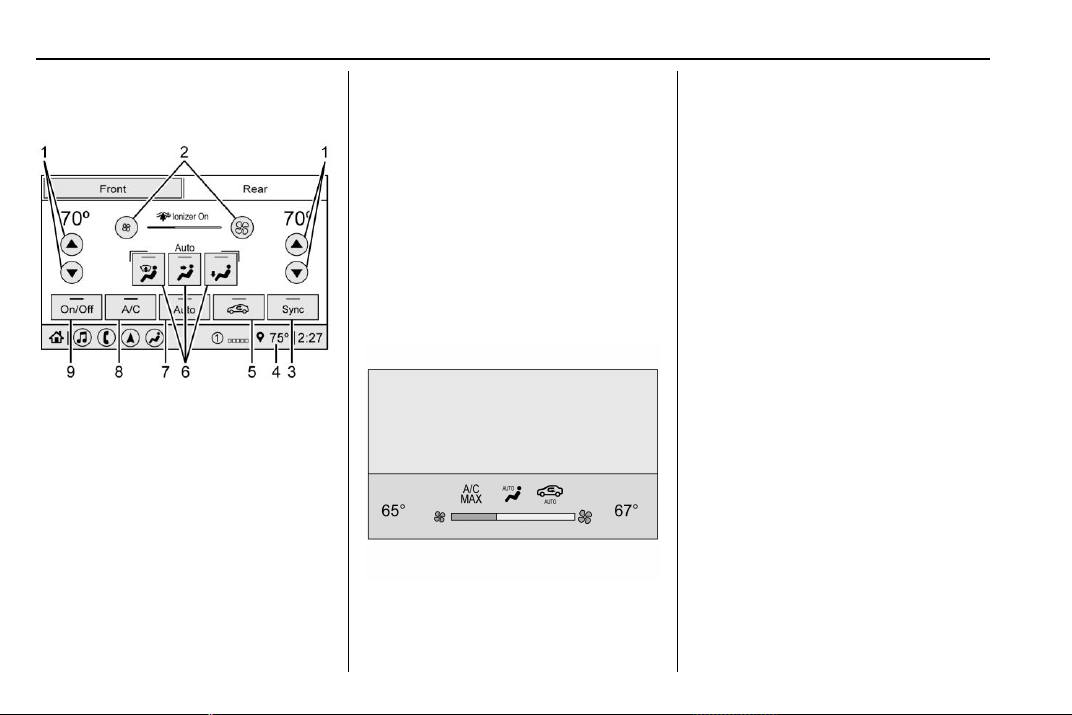
Chevrolet Traverse Owner Manual (GMNA-Localizing-U.S./Canada/Mexico-
13527526) - 2020 - CRC - 9/5/19
158 Climate Controls
12. Rear Window Defogger
Climate Control Display
1. Driver and Passenger
Temperature Controls
2. Fan Control
3. Sync (Synchronized
Temperature)
4. Outside Temperature Display
5. Recirculation
6. Air Delivery Mode Control
7. Auto (Automatic Operation)
8. A/C (Air Conditioning)
9. On/Off (Power)
The fan, air delivery mode, air
conditioning, driver and passenger
temperatures, and Sync settings
can be controlled by touching
CLIMATE on the infotainment
display Home Page or the climate
button in the application tray display.
A selection can then be made on
the front climate control page
displayed. See the infotainment
manual.
Climate Control Status Display
The climate control status display
appears briefly when the climate
controls on the center stack are
adjusted. The air delivery mode can
be adjusted on the climate control
display.
Automatic Operation
The system automatically controls
the fan speed, air delivery, air
conditioning, and recirculation in
order to heat or cool the vehicle to
the desired temperature.
When AUTO is lit, all four functions
operate automatically. Each function
can also be manually set and the
selected setting is displayed.
Functions not manually set will
continue to be automatically
controlled, even if the AUTO
indicator is not lit.
For automatic operation:
1. Press AUTO.
2. Set the temperature. Allow the
system time to stabilize. Adjust
the temperature as needed for
best comfort.
To improve fuel efficiency and to
cool the vehicle faster with A/C on,
recirculation may be automatically

Chevrolet Traverse Owner Manual (GMNA-Localizing-U.S./Canada/Mexico-
13527526) - 2020 - CRC - 9/5/19
Climate Controls 159
selected in warm weather. Press
@ to select recirculation; press it
again to select outside air.
Driver and Passenger
Temperature Controls : The
temperature can be adjusted
separately for the driver and the
passenger. Turn the knob clockwise
or counterclockwise to increase or
decrease the driver or passenger
temperature setting.
SYNC : Press to link all passenger
temperature settings to the driver
setting. The SYNC indicator light will
turn on. When the passenger
settings are adjusted, the SYNC
indicator light turns off.
Manual Operation
O : Press to turn the fan off or on.
When off is selected, the system will
prevent air from flowing into the
cabin. If on is selected, or any other
button is pressed, the climate
control system will turn on and
return to delivering airflow as set.
The temperature control and air
delivery mode can still be adjusted.
^ : Press to increase or decrease
the fan speed. The fan speed
setting appears on the main display.
Pressing any air flow mode button
cancels automatic fan control and
the fan is controlled manually. Press
AUTO to return to automatic
operation.
Air Delivery Mode Controls :
Press
X, Y, or [ to change the
direction of the airflow. Any
combination of the three buttons
can be selected. The indicator light
in the button will turn on. The
current mode appears in the display
screen. Pressing either button
cancels automatic air delivery
control and the direction of the
airflow is controlled manually. Press
AUTO to return to automatic
operation.
To change the current mode, select
one or more of the following modes:
X : Clears the windows of fog or
moisture. Air is directed to the
windshield.
Y : Air is directed to the instrument
panel outlets.
[ : Air is directed to the floor
outlets.
0 MAX : Air is directed to the
windshield, the fan runs at a higher
speed, and the temperature of the
air is increased if not already at
maximum. This mode overrides the
previous mode selected and clears
fog or frost from the windshield
more quickly. When the button is
pressed again, the system returns
to the previous mode setting and
fan speed.
For best results, clear all snow and
ice from the windshield before
defrosting.
A/C : Press to turn the air
conditioning system on or off. If the
climate control system is turned off
or the outside temperature falls
below freezing, the air conditioner
will not run.
Pressing this button cancels
automatic air conditioning and turns
off the air conditioner. Press AUTO
to return to automatic operation and
Chevrolet Traverse Owner Manual (GMNA-Localizing-U.S./Canada/Mexico-
13527526) - 2020 - CRC - 9/5/19
160 Climate Controls
the air conditioner runs
automatically as needed. When the
indicator light is on, the air
conditioner runs automatically to
cool the air inside the vehicle or to
dry the air needed to defog the
windshield faster.
@ : Press to turn on recirculation.
An indicator light comes on. Air is
recirculated to quickly cool the
inside of the vehicle or to reduce the
entry of outside air and odors.
If selected during cool or cold
weather, the windshield and
windows may fog. Turn off
recirculation to help clear the
windshield and windows.
Auto Defog : The climate control
system may have a sensor to
automatically detect high humidity
inside the vehicle. When high
humidity is detected, the climate
control system may adjust to
outside air supply and turn on the
air conditioner. The fan speed may
slightly increase to help prevent
fogging. If the climate control
system does not detect possible
window fogging, it returns to normal
operation.
To turn Auto Defog off or on, see
“Climate and Air Quality” under
Vehicle Personalization 0 138.
Rear Window Defogger
K : Press to turn the rear window
defogger on or off. An indicator light
on the button comes on to show that
the rear window defogger is on. The
rear window defogger only works
when the ignition is on. The
defogger turns off when the ignition
is off or in ACC/ACCESSORY.
The rear window defogger can be
set to automatic operation. See
“Climate and Air Quality” under
Vehicle Personalization 0 138.
When Auto Rear Defog is selected,
the rear window defogger turns on
automatically when the interior
temperature is cold and the outside
temperature is about 7 °C (44 °F)
and below. The auto rear defogger
turns off automatically.
If the vehicle is equipped with
heated outside mirrors, they turn on
when the rear window defogger
button is on and help to clear fog or
frost from the surface of the mirror.
See Heated Mirrors 0 32.
Caution
Do not try to clear frost or other
material from the inside of the
front windshield and rear window
with a razor blade or anything
else that is sharp. This may
damage the rear window
defogger grid and affect the
radio's ability to pick up stations
clearly. The repairs would not be
covered by the vehicle warranty.
L or M : If equipped, press L or M
to heat the driver or passenger seat.
See Heated and Ventilated Front
Seats 0 48.
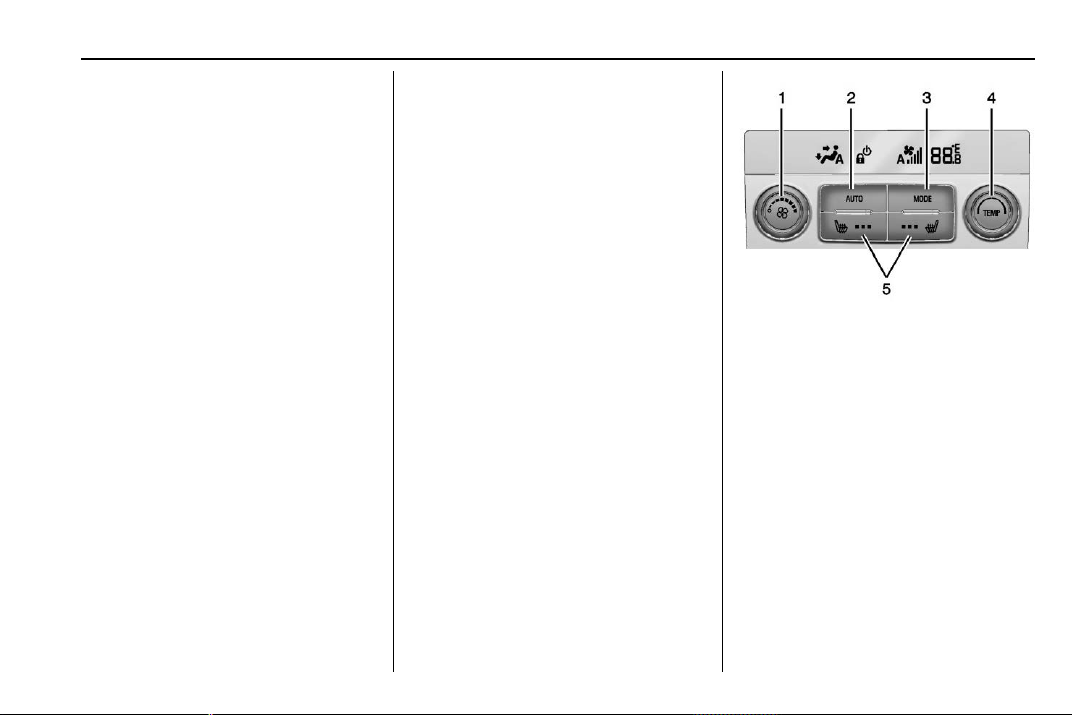
Chevrolet Traverse Owner Manual (GMNA-Localizing-U.S./Canada/Mexico-
13527526) - 2020 - CRC - 9/5/19
Climate Controls 161
{ or C : If equipped, press { or
C to ventilate the driver or
passenger seat. See Heated and
Ventilated Front Seats 0 48.
Remote Start Climate Control
Operation : If equipped with remote
start, the climate control system
may run when the vehicle is started
remotely. The system will use the
defrost setting if it is cold outside or
turn on using the coldest settings if
it is hot outside. The rear defog may
come on during remote start based
on cold ambient conditions. The
rear defog indicator light does not
come on during a remote start.
If equipped, the heated seats will
turn on if it is cold outside or the
ventilated seats will turn on if it is
hot outside. The heated and
ventilated seat indicator lights may
not come on during a remote start.
If equipped, the heated steering
wheel will come on in a remote start
if it is cold outside. The heated
steering wheel indicator light may
not come on. See Vehicle
Personalization 0 138, Remote
Vehicle Start 0 16, and Heated and
Ventilated Front Seats 0 48.
Sensor
The solar sensor, on top of the
instrument panel near the
windshield, monitors the solar heat.
The climate control system uses the
sensor information to adjust the
temperature, fan speed,
recirculation, and air delivery mode
for best comfort.
Do not cover the sensor; otherwise
the automatic climate control system
may not work properly.
Rear Climate Control
System
The rear climate control system is
on the rear of the center console
storage. The settings can be
adjusted by either the rear climate
control or the rear climate display
app on the front infotainment
display.
Rear Climate Controls
1. Fan Control
2. AUTO (Automatic Operation)
3. MODE (Air Delivery Mode
Control)
4. TEMP (Temperature Control)
5. Heated Rear Seats (If
Equipped)
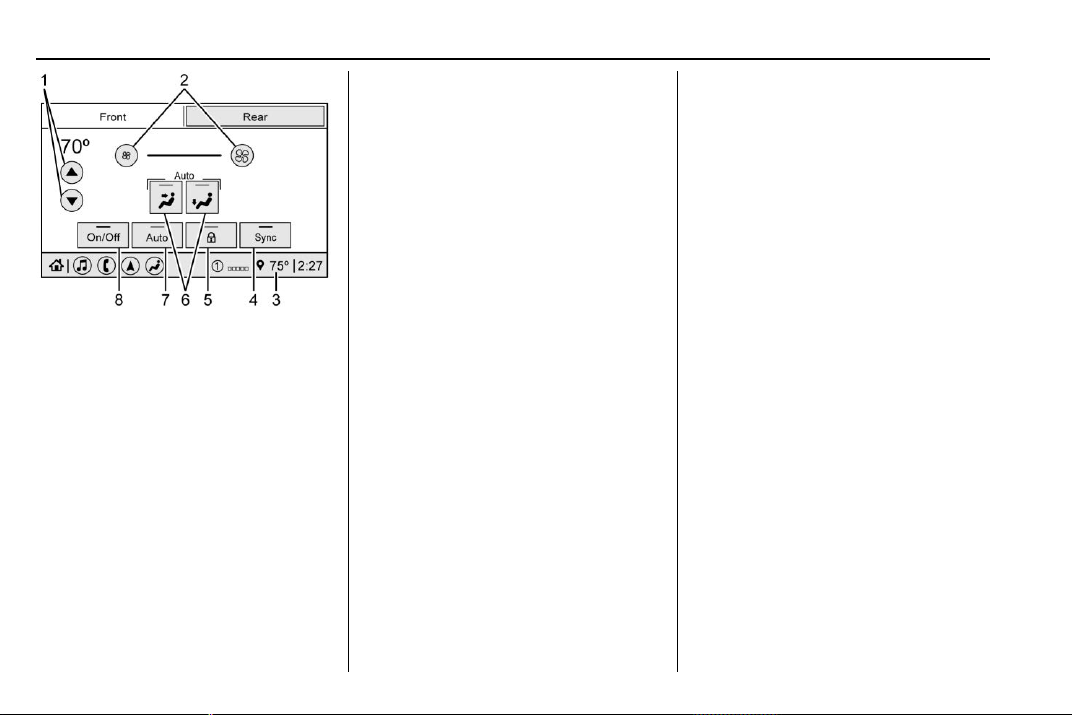
Chevrolet Traverse Owner Manual (GMNA-Localizing-U.S./Canada/Mexico-
13527526) - 2020 - CRC - 9/5/19
162 Climate Controls
Rear Climate Display
1. Rear Climate Temperature
Control
2. Fan Control
3. Outside Temperature Display
4. Sync (Synchronized
Temperatures)
5. Rear Control Lockout
6. Air Delivery Mode Control
7. Auto (Automatic Operation)
8. On/Off (Power)
SYNC : Press SYNC on the rear
climate display to match the rear
climate control temperature to the
front climate control driver
temperature. The SYNC button will
be lit. Adjust the rear climate control
temperature to change the linked
temperature. The SYNC button
turns off. When SYNC is active the
display is not shown.
Rear Control Lockout : Press
H
on the rear climate display to lock or
unlock control of the rear climate
control system from the front seat.
When locked the rear climate
control system cannot be adjusted
from the rear climate controls.
Automatic Operation
AUTO : Press AUTO or touch Rear
Auto on the rear climate display to
automatically control air delivery
and fan speed. A is indicated in the
display on the rear of the center
console storage when automatic
operation is active. If any of the
climate control settings are manually
adjusted, this cancels full automatic
operation.
The display on the rear of the center
console storage only indicates
climate control functions when the
system is in rear independent mode.
Manual Operation
9 : Turn the knob clockwise or
counterclockwise or touch and hold
] or 9 on the rear climate display
to increase or decrease the fan
speed.
TEMP : Turn the knob clockwise or
counterclockwise or press and hold
the rear climate display temperature
controls to adjust the rear
passenger temperature. If SYNC is
lit, the rear climate temperature is
linked to the driver temperature
setting.
2/\/Y or MODE : Touch the
desired mode on the rear climate
display or press MODE on the rear
climate controls to change the
direction of the airflow in the rear
seating area. Repeatedly press
MODE until the desired mode
appears on the display.

Chevrolet Traverse Owner Manual (GMNA-Localizing-U.S./Canada/Mexico-
13527526) - 2020 - CRC - 9/5/19
Climate Controls 163
M or L : If equipped, press M or L
to heat the left or right rear outboard
seat. See Heated Rear Seats 0 52.
Air Vents
Use the slider switch on the air
outlets to change the direction of the
airflow, or to open and close off the
airflow.
There are also outlets overhead in
the rear passenger area; adjust as
needed.
Keep all outlets open whenever
possible for best system
performance.
Operation Tips
.
Clear away any ice, snow,
or leaves from the air inlets at
the base of the windshield that
can block the flow of air into the
vehicle.
.
Clear snow off the hood to
improve visibility and help
decrease moisture drawn into
the vehicle.
.
Use of non-GM approved hood
deflectors can adversely affect
the performance of the system.
.
Keep the path under all seats
clear of objects to help circulate
the air inside the vehicle more
effectively.
.
If fogging reoccurs while in vent
or bi-level modes with mild
temperature throughout the
vehicle, turn on the air
conditioner to reduce windshield
fogging.

Chevrolet Traverse Owner Manual (GMNA-Localizing-U.S./Canada/Mexico-
13527526) - 2020 - CRC - 9/5/19
164 Climate Controls
Maintenance
Passenger Compartment
Air Filter
The filter reduces dust, pollen, and
other airborne irritants from outside
air that is pulled into the vehicle.
The filter should be replaced as part
of routine scheduled maintenance.
See Maintenance Schedule 0 329.
See your dealer regarding
replacement of the filter.
Service
All vehicles have a label underhood
that identifies the refrigerant used in
the vehicle. The refrigerant system
should only be serviced by trained
and certified technicians. The air
conditioning evaporator should
never be repaired or replaced by
one from a salvage vehicle.
It should only be replaced by a new
evaporator to ensure proper and
safe operation.
During service, all refrigerants
should be reclaimed with proper
equipment. Venting refrigerants
directly to the atmosphere is harmful
to the environment and may also
create unsafe conditions based on
inhalation, combustion, frostbite,
or other health-based concerns.
The air conditioning system requires
periodic maintenance. See
Maintenance Schedule 0 329.

Chevrolet Traverse Owner Manual (GMNA-Localizing-U.S./Canada/Mexico-
13527526) - 2020 - CRC - 9/5/19
Driving and Operating 165
Driving and
Operating
Driving Information
Driving for Better Fuel
Economy . . . . . . . . . . . . . . . . . . . . 166
Distracted Driving . . . . . . . . . . . . 166
Defensive Driving . . . . . . . . . . . . . 167
Drunk Driving . . . . . . . . . . . . . . . . . 167
Control of a Vehicle . . . . . . . . . . . 168
Braking . . . . . . . . . . . . . . . . . . . . . . . 168
Steering . . . . . . . . . . . . . . . . . . . . . . 168
Off-Road Recovery . . . . . . . . . . . 169
Loss of Control . . . . . . . . . . . . . . . 169
Off-Road Driving . . . . . . . . . . . . . 170
Driving on Wet Roads . . . . . . . . 174
Hill and Mountain Roads . . . . . 175
Winter Driving . . . . . . . . . . . . . . . . 176
If the Vehicle Is Stuck . . . . . . . . 177
Vehicle Load Limits . . . . . . . . . . . 178
Starting and Operating
New Vehicle Break-In . . . . . . . . . 182
Ignition Positions . . . . . . . . . . . . . 182
Starting the Engine . . . . . . . . . . . 184
Stop/Start System . . . . . . . . . . . . 185
Engine Heater . . . . . . . . . . . . . . . . 186
Retained Accessory
Power (RAP) . . . . . . . . . . . . . . . . 187
Shifting Into Park . . . . . . . . . . . . . 188
Shifting out of Park . . . . . . . . . . . 189
Parking over Things
That Burn . . . . . . . . . . . . . . . . . . . 189
Extended Parking . . . . . . . . . . . . 189
Engine Exhaust
Engine Exhaust . . . . . . . . . . . . . . 190
Running the Vehicle While
Parked . . . . . . . . . . . . . . . . . . . . . . 190
Automatic Transmission
Automatic Transmission . . . . . . 191
Manual Mode . . . . . . . . . . . . . . . . . 193
Tow/Haul Mode . . . . . . . . . . . . . . . 194
Drive Systems
All-Wheel Drive . . . . . . . . . . . . . . . 194
Brakes
Antilock Brake
System (ABS) . . . . . . . . . . . . . . . 195
Electric Parking Brake . . . . . . . . 196
Brake Assist . . . . . . . . . . . . . . . . . . 197
Hill Start Assist (HSA) . . . . . . . . 197
Ride Control Systems
Traction Control/Electronic
Stability Control . . . . . . . . . . . . . 198
Driver Mode Control . . . . . . . . . . 200
Cruise Control
Cruise Control . . . . . . . . . . . . . . . . 203
Adaptive Cruise Control . . . . . . 205
Driver Assistance Systems
Driver Assistance Systems . . . 213
Assistance Systems for
Parking or Backing . . . . . . . . . . 215
Assistance Systems for
Driving . . . . . . . . . . . . . . . . . . . . . . 219
Forward Collision Alert (FCA)
System . . . . . . . . . . . . . . . . . . . . . . 219
Automatic Emergency
Braking (AEB) . . . . . . . . . . . . . . . 221
Front Pedestrian Braking
(FPB) System . . . . . . . . . . . . . . . 223
Side Blind Zone
Alert (SBZA) . . . . . . . . . . . . . . . . 225
Lane Change Alert (LCA) . . . . . 225
Lane Keep Assist (LKA) . . . . . . 227
Fuel
Top Tier Fuel . . . . . . . . . . . . . . . . . 229
Recommended Fuel . . . . . . . . . . 230
Prohibited Fuels . . . . . . . . . . . . . . 230
Fuels in Foreign Countries . . . 230
Fuel Additives . . . . . . . . . . . . . . . . 230
Filling the Tank . . . . . . . . . . . . . . . 231
Filling a Portable Fuel
Container . . . . . . . . . . . . . . . . . . . 232

Chevrolet Traverse Owner Manual (GMNA-Localizing-U.S./Canada/Mexico-
13527526) - 2020 - CRC - 9/5/19
166 Driving and Operating
Trailer Towing
General Towing
Information . . . . . . . . . . . . . . . . . . 233
Driving Characteristics and
Towing Tips . . . . . . . . . . . . . . . . . 233
Trailer Towing . . . . . . . . . . . . . . . . 237
Towing Equipment . . . . . . . . . . . . 241
Trailer Sway Control (TSC) . . . 244
Conversions and Add-Ons
Add-On Electrical
Equipment . . . . . . . . . . . . . . . . . . 246
Driving Information
Driving for Better Fuel
Economy
Driving habits can affect fuel
mileage. Here are some driving tips
to get the best fuel economy
possible.
.
Set the climate controls to the
desired temperature after the
engine is started, or turn them
off when not required.
.
On AWD vehicles, see Driver
Mode Control 0 200.
.
Avoid fast starts and accelerate
smoothly.
.
Brake gradually and avoid
abrupt stops.
.
Avoid idling the engine for long
periods of time.
.
When road and weather
conditions are appropriate, use
cruise control.
.
Always follow posted speed
limits or drive more slowly when
conditions require.
.
Keep vehicle tires properly
inflated.
.
Combine several trips into a
single trip.
.
Replace the vehicle's tires with
the same TPC Spec number
molded into the tire's sidewall
near the size.
.
Follow recommended scheduled
maintenance.
Distracted Driving
Distraction comes in many forms
and can take your focus from the
task of driving. Exercise good
judgment and do not let other
activities divert your attention away
from the road. Many local
governments have enacted laws
regarding driver distraction. Become
familiar with the local laws in
your area.
To avoid distracted driving, keep
your eyes on the road, keep your
hands on the steering wheel, and
focus your attention on driving.
Chevrolet Traverse Owner Manual (GMNA-Localizing-U.S./Canada/Mexico-
13527526) - 2020 - CRC - 9/5/19
Driving and Operating 167
.
Do not use a phone in
demanding driving situations.
Use a hands-free method to
place or receive necessary
phone calls.
.
Watch the road. Do not read,
take notes, or look up
information on phones or other
electronic devices.
.
Designate a front seat
passenger to handle potential
distractions.
.
Become familiar with vehicle
features before driving, such as
programming favorite radio
stations and adjusting climate
control and seat settings.
Program all trip information into
any navigation device prior to
driving.
.
Wait until the vehicle is parked
to retrieve items that have fallen
to the floor.
.
Stop or park the vehicle to tend
to children.
.
Keep pets in an appropriate
carrier or restraint.
.
Avoid stressful conversations
while driving, whether with a
passenger or on a cell phone.
{
Warning
Taking your eyes off the road too
long or too often could cause a
crash resulting in injury or death.
Focus your attention on driving.
Refer to the infotainment manual for
more information on using that
system and the navigation system,
if equipped, including pairing and
using a cell phone.
Defensive Driving
Defensive driving means “always
expect the unexpected.” The first
step in driving defensively is to wear
the seat belt. See Seat Belts 0 55.
.
Assume that other road users
(pedestrians, bicyclists, and
other drivers) are going to be
careless and make mistakes.
Anticipate what they may do and
be ready.
.
Allow enough following distance
between you and the driver in
front of you.
.
Focus on the task of driving.
Drunk Driving
Death and injury associated with
drinking and driving is a global
tragedy.
{
Warning
Drinking and then driving is very
dangerous. Your reflexes,
perceptions, attentiveness, and
judgment can be affected by even
a small amount of alcohol. You
can have a serious — or even
fatal — collision if you drive after
drinking.
Do not drink and drive or ride with
a driver who has been drinking.
Ride home in a cab; or if you are
with a group, designate a driver
who will not drink.

Chevrolet Traverse Owner Manual (GMNA-Localizing-U.S./Canada/Mexico-
13527526) - 2020 - CRC - 9/5/19
168 Driving and Operating
Control of a Vehicle
Braking, steering, and accelerating
are important factors in helping to
control a vehicle while driving.
Braking
Braking action involves perception
time and reaction time. Deciding to
push the brake pedal is perception
time. Actually doing it is
reaction time.
Average driver reaction time is
about three-quarters of a second. In
that time, a vehicle moving at
100 km/h (60 mph) travels 20 m
(66 ft), which could be a lot of
distance in an emergency.
Helpful braking tips to keep in mind
include:
.
Keep enough distance between
you and the vehicle in front
of you.
.
Avoid needless heavy braking.
.
Keep pace with traffic.
If the engine ever stops while the
vehicle is being driven, brake
normally but do not pump the
brakes. Doing so could make the
pedal harder to push down. If the
engine stops, there will be some
power brake assist but it will be
used when the brake is applied.
Once the power assist is used up, it
can take longer to stop and the
brake pedal will be harder to push.
Steering
Electric Power Steering
Caution
To avoid damage to the steering
system, do not drive over curbs,
parking barriers, or similar objects
at speeds greater than 3 km/h
(1 mph). Use care when driving
over other objects such as lane
dividers and speed bumps.
Damage caused by misuse of the
vehicle is not covered by the
vehicle warranty.
The vehicle has electric power
steering. It does not have power
steering fluid. Regular maintenance
is not required.
If power steering assist is lost due
to a system malfunction, the vehicle
can be steered, but may require
increased effort.
If the steering assist is used for an
extended period of time while the
vehicle is not moving, power assist
may be reduced.
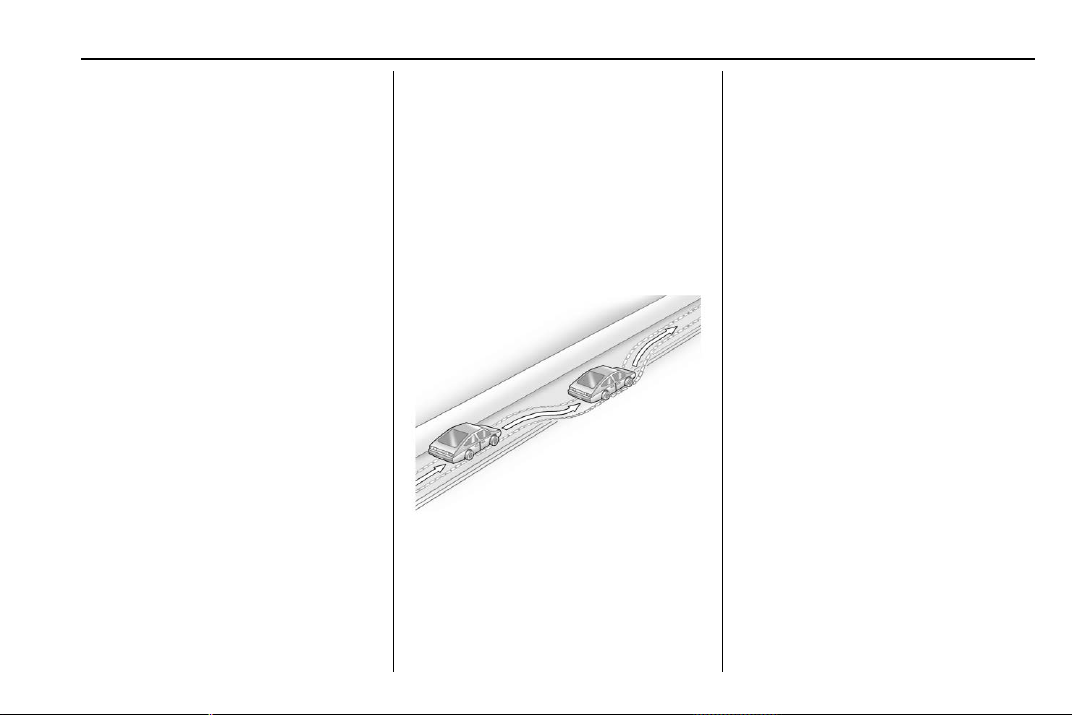
Chevrolet Traverse Owner Manual (GMNA-Localizing-U.S./Canada/Mexico-
13527526) - 2020 - CRC - 9/5/19
Driving and Operating 169
If the steering wheel is turned until it
reaches the end of its travel and is
held against that position for an
extended period of time, power
steering assist may be reduced.
Normal use of the power steering
assist should return when the
system cools down.
See your dealer if there is a
problem.
Curve Tips
.
Take curves at a reasonable
speed.
.
Reduce speed before entering a
curve.
.
Maintain a reasonable steady
speed through the curve.
.
Wait until the vehicle is out of
the curve before accelerating
gently into the straightaway.
Steering in Emergencies
.
There are some situations when
steering around a problem may
be more effective than braking.
.
Holding both sides of the
steering wheel allows you to turn
180 degrees without removing
a hand.
.
The Antilock Brake System
(ABS) allows steering while
braking.
Off-Road Recovery
The vehicle's right wheels can drop
off the edge of a road onto the
shoulder while driving. Follow
these tips:
1. Ease off the accelerator and
then, if there is nothing in the
way, steer the vehicle so that it
straddles the edge of the
pavement.
2. Turn the steering wheel about
one-eighth of a turn, until the
right front tire contacts the
pavement edge.
3. Turn the steering wheel to go
straight down the roadway.
Loss of Control
Skidding
There are three types of skids that
correspond to the vehicle's three
control systems:
.
Braking Skid — wheels are not
rolling.
.
Steering or Cornering Skid —
too much speed or steering in a
curve causes tires to slip and
lose cornering force.
.
Acceleration Skid — too much
throttle causes the driving
wheels to spin.
Chevrolet Traverse Owner Manual (GMNA-Localizing-U.S./Canada/Mexico-
13527526) - 2020 - CRC - 9/5/19
170 Driving and Operating
Defensive drivers avoid most skids
by taking reasonable care suited to
existing conditions, and by not
overdriving those conditions. But
skids are always possible.
If the vehicle starts to slide, follow
these suggestions:
.
Ease your foot off the
accelerator pedal and steer the
way you want the vehicle to go.
The vehicle may straighten out.
Be ready for a second skid if it
occurs.
.
Slow down and adjust your
driving according to weather
conditions. Stopping distance
can be longer and vehicle
control can be affected when
traction is reduced by water,
snow, ice, gravel, or other
material on the road. Learn to
recognize warning clues — such
as enough water, ice, or packed
snow on the road to make a
mirrored surface — and slow
down when you have any doubt.
.
Try to avoid sudden steering,
acceleration, or braking,
including reducing vehicle speed
by shifting to a lower gear. Any
sudden changes could cause
the tires to slide.
Remember: Antilock brakes help
avoid only the braking skid.
Off-Road Driving
All-wheel-drive vehicles can be
used for off-road driving. Vehicles
without all-wheel drive and vehicles
not equipped with All Terrain (AT) or
On-Off Road (OOR) tires must not
be driven off-road except on a level,
solid surface. To contact the tire
manufacturer for more information
about the original equipment tires,
see the warranty manual.
Controlling the vehicle is the key to
successful off-road driving. One of
the best ways to control the vehicle
is to control the speed.
{
Warning
When driving off-road, bouncing
and quick changes in direction
can easily throw you out of
position. This could cause you to
lose control and crash. You and
your passengers should always
wear seat belts.
Before Driving Off-Road
.
Have all necessary maintenance
and service work completed.
.
Fuel the vehicle, fill fluid levels,
and check inflation pressure in
all tires, including the spare,
if equipped.
.
Read all the information about
all-wheel-drive vehicles in this
manual.
.
Make sure all underbody
shields, if equipped, are properly
attached.
.
Know the local laws that apply to
off-road driving.
Chevrolet Traverse Owner Manual (GMNA-Localizing-U.S./Canada/Mexico-
13527526) - 2020 - CRC - 9/5/19
Driving and Operating 171
To gain more ground clearance if
needed, it may be necessary to
remove the front fascia lower air
dam. However, driving without the
air dam reduces fuel economy.
Caution
Operating the vehicle for
extended periods without the front
fascia lower air dam installed can
cause improper airflow to the
engine. Reattach the front fascia
air dam after off-road driving.
Loading the Vehicle for
Off-Road Driving
{
Warning
.
Unsecured cargo on the
load floor can be tossed
about when driving over
rough terrain. You or your
passengers can be struck
by flying objects. Secure the
cargo properly.
(Continued)
Warning (Continued)
.
Keep cargo in the cargo
area as far forward and as
low as possible. The
heaviest things should be
on the floor, forward of the
rear axle.
.
Heavy loads on the roof
raise the vehicle's center of
gravity, making it more likely
to roll over. You can be
seriously or fatally injured if
the vehicle rolls over. Put
heavy loads inside the
cargo area, not on the roof.
For more information about loading
the vehicle, see Vehicle Load Limits
0 178.
Environmental Concerns
.
Always use established trails,
roads, and areas that have been
set aside for public off-road
recreational driving and obey all
posted regulations.
.
Do not damage shrubs, flowers,
trees, or grasses or disturb
wildlife.
.
Do not park over things that
burn. See Parking over Things
That Burn 0 189.
Driving on Hills
Driving safely on hills requires good
judgment and an understanding of
what the vehicle can and cannot do.
{
Warning
Many hills are simply too steep
for any vehicle. Driving up hills
can cause the vehicle to stall.
Driving down hills can cause loss
of control. Driving across hills can
cause a rollover. You could be
injured or killed. Do not drive on
steep hills.
Before driving on a hill, assess the
steepness, traction, and
obstructions. If the terrain ahead
cannot be seen, get out of the
vehicle and walk the hill before
driving further.
Chevrolet Traverse Owner Manual (GMNA-Localizing-U.S./Canada/Mexico-
13527526) - 2020 - CRC - 9/5/19
172 Driving and Operating
When driving on hills:
.
Use a low gear and keep a firm
grip on the steering wheel.
.
Maintain a slow speed.
.
When possible, drive straight up
or down the hill.
.
Slow down when approaching
the top of the hill.
.
Use headlamps even during the
day to make the vehicle more
visible.
{
Warning
Driving to the top of a hill at high
speed can cause a crash. There
could be a drop-off, embankment,
cliff, or even another vehicle. You
could be seriously injured or
killed. As you near the top of a
hill, slow down and stay alert.
.
Never go downhill forward or
backward with the transmission
in N (Neutral). The brakes could
overheat and you could lose
control.
.
When driving down a hill, keep
the vehicle headed straight
down. Use a low gear because
the engine will work with the
brakes to slow the vehicle and
help keep the vehicle under
control.
{
Warning
Heavy braking when going down
a hill can cause your brakes to
overheat and fade. This could
cause loss of control and you or
others could be injured or killed.
Apply the brakes lightly when
descending a hill and use a low
gear to keep vehicle speed under
control.
If the vehicle stalls on a hill:
1. Apply the brakes to stop the
vehicle, and then apply the
parking brake.
2. Shift into P (Park) and then
restart the engine.
.
If driving uphill when the
vehicle stalls, shift to
R (Reverse), release the
parking brake, and back
straight down.
.
Never try to turn the vehicle
around. If the hill is steep
enough to stall the vehicle,
it is steep enough to cause
it to roll over.
.
If you cannot make it up the
hill, back straight down
the hill.
.
Never back down a hill in
N (Neutral) using only the
brake.
.
The vehicle can roll
backward quickly and you
could lose control.
.
If driving downhill when the
vehicle stalls, shift to a
lower gear, release the
parking brake, and drive
straight down the hill.
Chevrolet Traverse Owner Manual (GMNA-Localizing-U.S./Canada/Mexico-
13527526) - 2020 - CRC - 9/5/19
Driving and Operating 173
3. If the vehicle cannot be
restarted after stalling, set the
parking brake, shift the
transmission into P (Park), and
turn the vehicle off.
3.1. Leave the vehicle and
seek help.
3.2. Stay clear of the path the
vehicle would take if it
rolled downhill.
.
Avoid turns that take the vehicle
across the incline of the hill.
A hill that can be driven straight
up or down might be too steep to
drive across. Driving across an
incline puts more weight on the
downhill wheels which could
cause a downhill slide or a
rollover.
.
Surface conditions can be a
problem. Loose gravel, muddy
spots, or even wet grass can
cause the tires to slip sideways,
downhill. If the vehicle slips
sideways, it can hit something
that will trip it – a rock, a rut, etc.
– and roll over.
.
Hidden obstacles can make the
steepness of the incline more
severe. If a rock is driven across
with the uphill wheels, or if the
downhill wheels drop into a rut
or depression, the vehicle can tilt
even more.
.
If an incline must be driven
across, and the vehicle starts to
slide, turn downhill. This should
help straighten out the vehicle
and prevent the side slipping.
{
Warning
Getting out of the vehicle on the
downhill side when stopped
across an incline is dangerous.
If the vehicle rolls over, you could
be crushed or killed. Always get
out on the uphill side of the
vehicle and stay well clear of the
rollover path.
Driving in Mud, Sand, Snow,
or Ice
Use a low gear when driving in mud
– the deeper the mud, the lower the
gear. Keep the vehicle moving to
avoid getting stuck.
Traction changes when driving on
sand. On loose sand, such as on
beaches or sand dunes, the tires
tend to sink into the sand. This
affects steering, accelerating, and
braking. Drive at a reduced speed
and avoid sharp turns or abrupt
maneuvers.
Traction is reduced on hard packed
snow and ice and it is easy to lose
control. Reduce vehicle speed when
driving on hard packed snow
and ice.
{
Warning
Driving on frozen lakes, ponds,
or rivers can be dangerous. Ice
conditions vary greatly and the
vehicle could fall through the ice;
(Continued)
Chevrolet Traverse Owner Manual (GMNA-Localizing-U.S./Canada/Mexico-
13527526) - 2020 - CRC - 9/5/19
174 Driving and Operating
Warning (Continued)
you and your passengers could
drown. Drive your vehicle on safe
surfaces only.
Driving in Water
{
Warning
Driving through rushing water can
be dangerous. Deep water can
sweep your vehicle downstream
and you and your passengers
could drown. If it is only shallow
water, it can still wash away the
ground from under your tires.
Traction could be lost, and the
vehicle could roll over. Do not
drive through rushing water.
Caution
Do not drive through standing
water if it is deep enough to cover
the wheel hubs, axles, or exhaust
pipe. Deep water can damage the
axle and other vehicle parts.
If the standing water is not too deep,
drive through it slowly. At faster
speeds, water can get into the
engine and cause it to stall. Stalling
can occur if the exhaust pipe is
under water. Do not turn off the
ignition when driving through water.
If the exhaust pipe is under water,
the engine will not start. When going
through water, the brakes get wet
and it may take longer to stop. See
Driving on Wet Roads 0 174.
After Off-Road Driving
Remove any brush or debris that
has collected on the underbody or
chassis, or under the hood. These
accumulations can be a fire hazard.
After operation in mud or sand,
have the brake linings cleaned and
checked. These substances can
cause glazing and uneven braking.
Check the body structure, steering,
suspension, wheels, tires, and
exhaust system for damage and
check the fuel lines and cooling
system for any leakage.
More frequent maintenance service
is required. See Maintenance
Schedule 0 329.
Driving on Wet Roads
Rain and wet roads can reduce
vehicle traction and affect your
ability to stop and accelerate.
Always drive slower in these types
of driving conditions and avoid
driving through large puddles and
deep-standing or flowing water.
Chevrolet Traverse Owner Manual (GMNA-Localizing-U.S./Canada/Mexico-
13527526) - 2020 - CRC - 9/5/19
Driving and Operating 175
{
Warning
Wet brakes can cause crashes.
They might not work as well in a
quick stop and could cause
pulling to one side. You could
lose control of the vehicle.
After driving through a large
puddle of water or a car/vehicle
wash, lightly apply the brake
pedal until the brakes work
normally.
Flowing or rushing water creates
strong forces. Driving through
flowing water could cause the
vehicle to be carried away. If this
happens, you and other vehicle
occupants could drown. Do not
ignore police warnings and be
very cautious about trying to drive
through flowing water.
Hydroplaning
Hydroplaning is dangerous. Water
can build up under the vehicle's
tires so they actually ride on the
water. This can happen if the road is
wet enough and you are going fast
enough. When the vehicle is
hydroplaning, it has little or no
contact with the road.
There is no hard and fast rule about
hydroplaning. The best advice is to
slow down when the road is wet.
Other Rainy Weather Tips
Besides slowing down, other wet
weather driving tips include:
.
Allow extra following distance.
.
Pass with caution.
.
Keep windshield wiping
equipment in good shape.
.
Keep the windshield washer fluid
reservoir filled.
.
Have good tires with proper
tread depth. See Tires 0 283.
.
Turn off cruise control.
.
Activate All-Wheel Drive (AWD)
mode. See Driver Mode Control
0 200.
Hill and Mountain Roads
Driving on steep hills or through
mountains is different than driving
on flat or rolling terrain. Tips include:
.
Keep the vehicle serviced and in
good shape.
.
Check all fluid levels and brakes,
tires, cooling system, and
transmission.
.
Shift to a lower gear when going
down steep or long hills.
{
Warning
Using the brakes to slow the
vehicle on a long downhill slope
can cause brake overheating, can
reduce brake performance, and
could result in a loss of braking.
Shift the transmission to a lower
gear to let the engine assist the
brakes on a steep downhill slope.

Chevrolet Traverse Owner Manual (GMNA-Localizing-U.S./Canada/Mexico-
13527526) - 2020 - CRC - 9/5/19
176 Driving and Operating
{
Warning
Coasting downhill in N (Neutral)
or with the ignition off is
dangerous. This can cause
overheating of the brakes and
loss of steering assist. Always
have the engine running and the
vehicle in gear.
.
Drive at speeds that keep the
vehicle in its own lane. Do not
swing wide or cross the
center line.
.
Be alert on top of hills;
something could be in your lane
(e.g., stalled car, crash).
.
Pay attention to special road
signs (e.g., falling rocks area,
winding roads, long grades,
passing or no-passing zones)
and take appropriate action.
.
Select All-Wheel Drive (AWD)
Mode. See Driver Mode Control
0 200 and
All-Wheel Drive 0 194.
Winter Driving
Driving on Snow or Ice
Snow or ice between the tires and
the road creates less traction or
grip, so drive carefully. Wet ice can
occur at about 0 °C (32 °F) when
freezing rain begins to fall. Avoid
driving on wet ice or in freezing rain
until roads can be treated.
For Slippery Road Driving:
.
Accelerate gently. Accelerating
too quickly causes the wheels to
spin and makes the surface
under the tires slick.
.
Turn on Traction Control. See
Traction Control/Electronic
Stability Control 0 198.
.
The Antilock Brake System
(ABS) improves vehicle stability
during hard stops, but the
brakes should be applied sooner
than when on dry pavement.
See Antilock Brake System
(ABS) 0 195.
.
Allow greater following distance
and watch for slippery spots. Icy
patches can occur on otherwise
clear roads in shaded areas.
The surface of a curve or an
overpass can remain icy when
the surrounding roads are clear.
Avoid sudden steering
maneuvers and braking while
on ice.
.
Turn off cruise control.
.
Select All-Wheel Drive (AWD)
Mode for vehicles equipped with
AWD. Select Snow/Ice Mode for
FWD only vehicles. See Driver
Mode Control 0 200 and
All-Wheel Drive 0 194.
Blizzard Conditions
Stop the vehicle in a safe place and
signal for help. Stay with the vehicle
unless there is help nearby.
If possible, use Roadside
Assistance. See Roadside
Assistance Program 0 349. To get
help and keep everyone in the
vehicle safe:
.
Turn on the hazard warning
flashers.
Chevrolet Traverse Owner Manual (GMNA-Localizing-U.S./Canada/Mexico-
13527526) - 2020 - CRC - 9/5/19
Driving and Operating 177
.
Tie a red cloth to an outside
mirror.
{
Warning
Snow can trap engine exhaust
under the vehicle. This may
cause exhaust gases to get
inside. Engine exhaust contains
carbon monoxide (CO), which
cannot be seen or smelled. It can
cause unconsciousness and even
death.
If the vehicle is stuck in snow:
.
Clear snow from the base of
the vehicle, especially any
blocking the exhaust pipe.
.
Open a window about 5 cm
(2 in) on the vehicle side
that is away from the wind,
to bring in fresh air.
.
Fully open the air outlets on
or under the instrument
panel.
(Continued)
Warning (Continued)
.
Adjust the climate control
system to circulate the air
inside the vehicle and set
the fan speed to the highest
setting. See “Climate
Control Systems.”
For more information about CO,
see Engine Exhaust 0 190.
To save fuel, run the engine for
short periods to warm the vehicle
and then shut the engine off and
partially close the window. Moving
about to keep warm also helps.
If it takes time for help to arrive,
when running the engine, push the
accelerator pedal slightly so the
engine runs faster than the idle
speed. This keeps the battery
charged to restart the vehicle and to
signal for help with the headlamps.
Do this as little as possible, to
save fuel.
If the Vehicle Is Stuck
Slowly and cautiously spin the
wheels to free the vehicle when
stuck in sand, mud, ice, or snow.
If stuck too severely for the traction
system to free the vehicle, turn the
traction system off and use the
rocking method. See Traction
Control/Electronic Stability Control
0 198.
{
Warning
If the vehicle's tires spin at high
speed, they can explode, and you
or others could be injured. The
vehicle can overheat, causing an
engine compartment fire or other
damage. Spin the wheels as little
as possible and avoid going
above 56 km/h (35 mph).
Select All-Wheel Drive (AWD)
Mode. See Driver Mode Control
0 200 and
All-Wheel Drive 0 194.
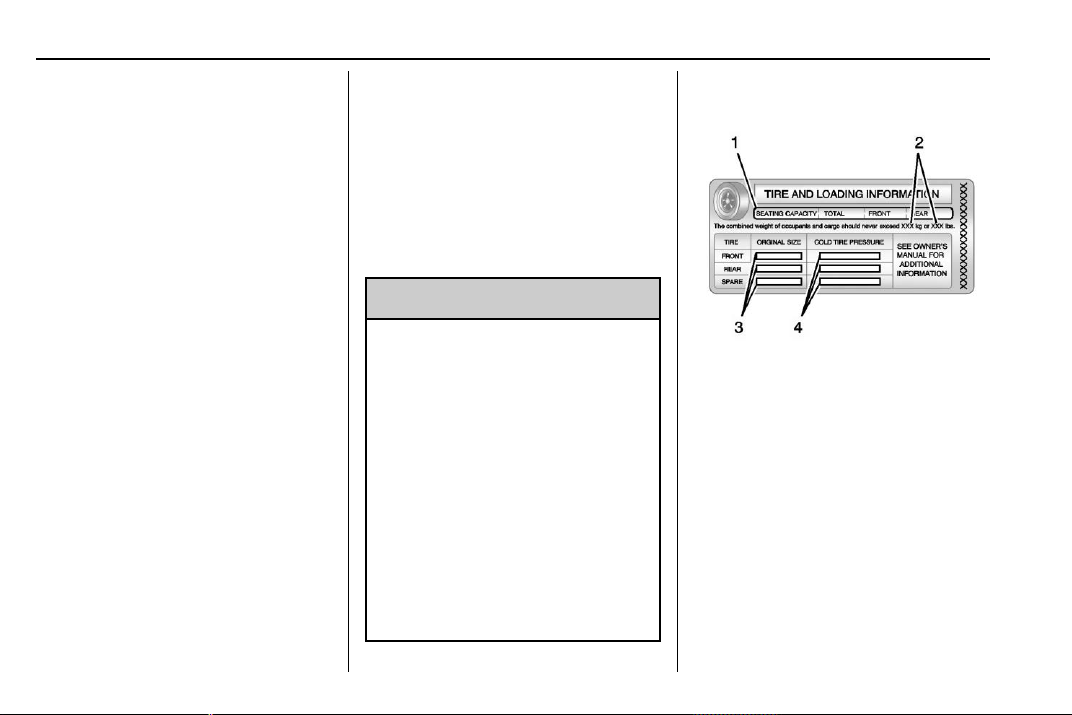
Chevrolet Traverse Owner Manual (GMNA-Localizing-U.S./Canada/Mexico-
13527526) - 2020 - CRC - 9/5/19
178 Driving and Operating
Rocking the Vehicle to Get
it Out
Turn the steering wheel left and
right to clear the area around the
front wheels. Turn off any traction
system. Shift back and forth
between R (Reverse) and a low
forward gear, spinning the wheels
as little as possible. To prevent
transmission wear, wait until the
wheels stop spinning before shifting
gears. Release the accelerator
pedal while shifting, and press
lightly on the accelerator pedal
when the transmission is in gear.
Slowly spinning the wheels in the
forward and reverse directions
causes a rocking motion that could
free the vehicle. If that does not get
the vehicle out after a few tries, it
might need to be towed out. If the
vehicle does need to be towed out,
see Towing the Vehicle 0 315.
Vehicle Load Limits
It is very important to know how
much weight the vehicle can
carry. This weight is called the
vehicle capacity weight and
includes the weight of all
occupants, cargo, and all
nonfactory-installed options.
Two labels on the vehicle may
show how much weight it may
properly carry, the Tire and
Loading Information label and
the Certification /Tire label.
{
Warning
Do not load the vehicle any
heavier than the Gross
Vehicle Weight Rating
(GVWR), or either the
maximum front or rear Gross
Axle Weight Rating (GAWR).
This can cause systems to
break and change the way the
vehicle handles. This could
cause loss of control and a
crash. Overloading can also
reduce stopping distance,
damage the tires, and shorten
the life of the vehicle.
Tire and Loading Information
Label
Example Label
A vehicle-specific Tire and
Loading Information label is
attached to the center pillar
(B-pillar). The tire and loading
information label shows the
number of occupant seating
positions (1), and the maximum
vehicle capacity weight (2) in
kilograms and pounds.
The Tire and Loading
Information label also shows the
size of the original equipment

Chevrolet Traverse Owner Manual (GMNA-Localizing-U.S./Canada/Mexico-
13527526) - 2020 - CRC - 9/5/19
Driving and Operating 179
tires (3) and the recommen ded
cold tire inflation pressures (4).
For more information on tires
and inflation see Tires 0 283
and
Tire Pressure 0 290.
There is also important loading
information on the vehicle
Certification/Tire label. It may
show the Gross Vehicle Weight
Rating (GVWR) and the Gross
Axle Weight Rating (GAWR) for
the front and rear axle. See
“Certification/Tire Label” later in
this section.
“Steps for Determining Correct
Load Limit–
1.
Locate the statement "The
combined weight of
occupants and cargo should
never exceed XXX kg or
XXX lbs." on your vehicle’s
placard.
2. Determine the combined
weight of the driver and
passengers that will be
riding in your vehicle.
3. Subtract the combined
weight of the driver and
passengers from XXX kg or
XXX lbs.
4. The resulting figure equals
the available amount of
cargo and luggage load
capacity. For example, if the
"XXX" amount equals
1400 lbs. and there will be
five 150 lb passengers in
your vehicle, the amount of
available cargo and luggage
load capacity is 650 lbs.
(1400-750 (5 x 150) =
650 lbs.)
5. Determine the combined
weight of luggage and cargo
being loaded on the vehicle.
That weight may not safely
exceed the available cargo
and luggage load capacity
calculated in Step 4.
6. If your vehicle will be towing
a trailer, load from your
trailer will be transferred to
your vehicle. Consult this
manual to determine how
this reduces the available
cargo and luggage load
capacity of your vehicle.”
See Trailer Towing 0 237 for
important information on towing
a trailer, towing safety rules and
trailering tips.
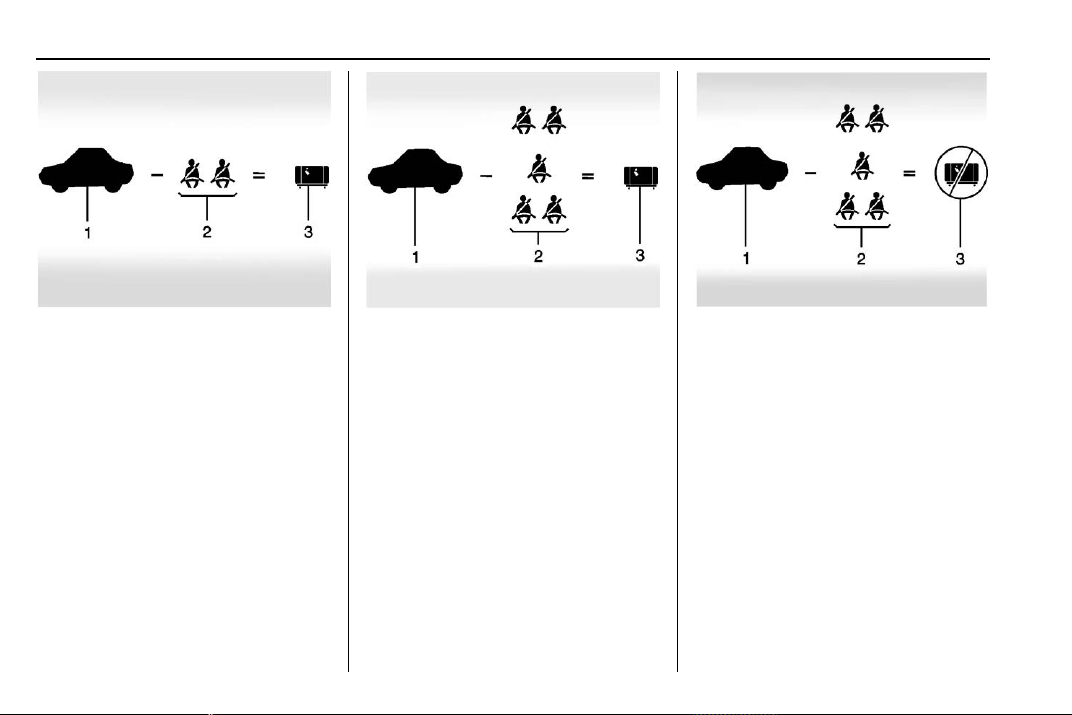
Chevrolet Traverse Owner Manual (GMNA-Localizing-U.S./Canada/Mexico-
13527526) - 2020 - CRC - 9/5/19
180 Driving and Operating
Example 1
1. Vehicle Capacity Weight
for Example 1 = 453 kg
(1,000 lbs).
2. Subtract Occupant
Weight @ 68 kg (150 lbs)
× 2 = 136 kg (300 lbs).
3. Available Occupant and
Cargo Weight = 317 kg
(700 lbs).
Example 2
1. Vehicle Capacity Weight
for Example 2 = 453 kg
(1,000 lbs).
2. Subtract Occupant
Weight @ 68 kg (150 lbs)
× 5 = 340 kg (750 lbs).
3. Available Cargo Weight
= 113 kg (250 lbs).
Example 3
1. Vehicle Capacity Weight
for Example 3 = 453 kg
(1,000 lbs).
2. Subtract Occupant
Weight @ 91 kg
(200 lbs) × 5 = 453 kg
(1,000 lbs).
3. Available Cargo Weight
= 0 kg (0 lbs).
Refer to the vehicle's tire and
loading information label for
specific information about the
vehicle's capacity weight and
seating positions. The combined
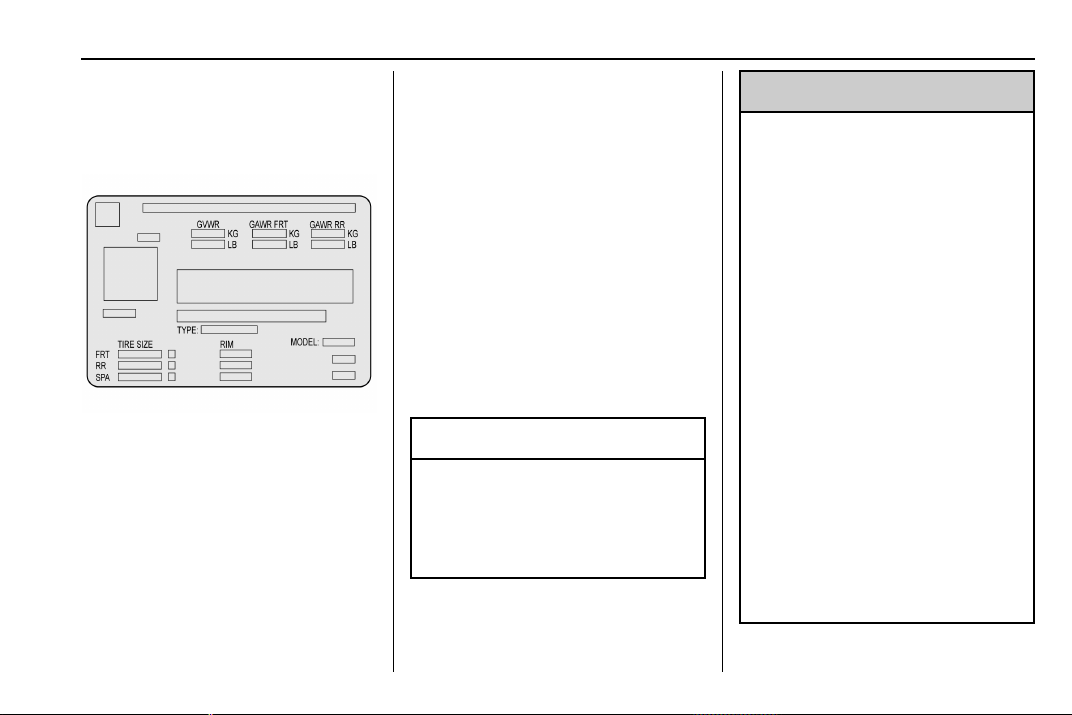
Chevrolet Traverse Owner Manual (GMNA-Localizing-U.S./Canada/Mexico-
13527526) - 2020 - CRC - 9/5/19
Driving and Operating 181
weight of the driver, passengers,
and cargo should never exceed
the vehicle's capacity weight.
Certification/Tire Label
Label Example
A vehicle-specific Certification/
Tire label is attached to the
center pillar (B-pillar).
The label may show the size of
the vehicle's original tires and
the inflation pressures needed to
obtain the gross weight capacity
of the vehicle. The label shows
the gross weight capacity of the
vehicle. This is called the Gross
Vehicle Weight Rating (GVWR).
The GVWR includes the weight
of the vehicle, all occupants,
fuel, and cargo.
The Certification/Tire label may
also show the maximum weights
for the front and rear axles,
called the Gross Axle Weight
Rating (GAWR). To find out the
actual loads on the front and
rear axles, weigh the vehicle at
a weigh station. Your dealer can
help with this. Be sure to spread
the load equally on both sides of
the centerline.
Caution
Overloading the vehicle may
cause damage. Repairs would not
be covered by the vehicle
warranty. Do not overload the
vehicle.
{
Warning
Things inside the vehicle can
strike and injure people in a
sudden stop or turn, or in a
crash.
.
Put things in the cargo
area of the vehicle. In the
cargo area, put them as
far forward as possible.
Try to spread the weight
evenly.
.
Never stack heavier
things, like suitcases,
inside the vehicle so that
some of them are above
the tops of the seats.
.
Do not leave an
unsecured child restraint
in the vehicle.
.
Secure loose items in the
vehicle.
(Continued)
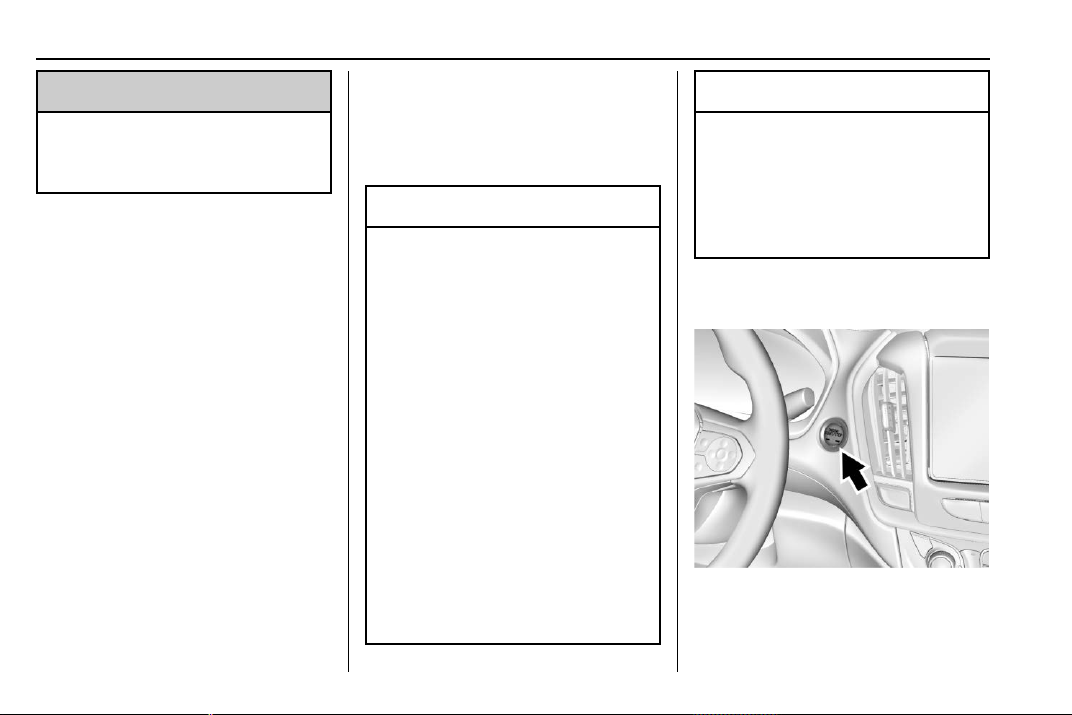
Chevrolet Traverse Owner Manual (GMNA-Localizing-U.S./Canada/Mexico-
13527526) - 2020 - CRC - 9/5/19
182 Driving and Operating
Warning (Continued)
.
Do not leave a seat
folded down unless
needed.
Starting and
Operating
New Vehicle Break-In
Caution
The vehicle does not need an
elaborate break-in. But it will
perform better in the long run if
you follow these guidelines:
.
Do not drive at any one
constant speed, fast or slow,
for the first 800 km (500 mi).
Do not make full-throttle
starts. Avoid downshifting to
brake or slow the vehicle.
.
Avoid making hard stops for
the first 300 km (200 mi) or
so. During this time the new
brake linings are not yet
broken in. Hard stops with
new linings can mean
premature wear and earlier
replacement. Follow this
(Continued)
Caution (Continued)
breaking-in guideline every
time you get new brake
linings.
Following break-in, engine speed
and load can be gradually
increased.
Ignition Positions
This vehicle has pushbutton
starting.

Chevrolet Traverse Owner Manual (GMNA-Localizing-U.S./Canada/Mexico-
13527526) - 2020 - CRC - 9/5/19
Driving and Operating 183
The Remote Keyless Entry (RKE)
transmitter must be in the vehicle for
the system to operate. If the
pushbutton start is not working, the
vehicle may be near a strong radio
antenna signal causing interference
to the Keyless Access system. See
Remote Keyless Entry (RKE)
System Operation 0 8.
To shift out of P (Park), the ignition
must be on or in service mode and
the brake pedal must be applied.
Stopping the Engine/OFF (No
Indicator Lights) : When the
vehicle is stopped, press ENGINE
START/STOP once to turn the
engine off.
If the vehicle is in P (Park), the
ignition will turn off, and Retained
Accessory Power (RAP) will remain
active. See Retained Accessory
Power (RAP) 0 187.
If the vehicle is not in P (Park), the
ignition will return to ACC/
ACCESSORY and display the
message SHIFT TO PARK in the
Driver Information Center (DIC).
When the vehicle is shifted into
P (Park), the ignition will turn off.
Do not turn the engine off when the
vehicle is moving. This will cause a
loss of power assist in the brake
and steering systems and disable
the airbags.
If the vehicle must be shut off in an
emergency:
1. Brake using a firm and steady
pressure. Do not pump the
brakes repeatedly. This may
deplete power assist, requiring
increased brake pedal force.
2. Shift the vehicle to N (Neutral).
This can be done while the
vehicle is moving. After shifting
to N (Neutral), firmly apply the
brakes and steer the vehicle to
a safe location.
3. Come to a complete stop, shift
to P (Park), and turn the
ignition off. The shift lever must
be in P (Park) to turn the
ignition off.
4. Set the parking brake. See
Electric Parking Brake 0 196.
{
Warning
Turning off the vehicle while
moving may cause loss of power
assist in the brake and steering
systems and disable the airbags.
While driving, only shut the
vehicle off in an emergency.
If the vehicle cannot be pulled over,
and must be shut off while driving,
press and hold ENGINE START/
STOP for longer than two seconds,
or press twice in five seconds.
ACC/ACCESSORY (Amber
Indicator Light) : This mode allows
some electrical accessories to be
used when the engine is off.
With the ignition off, pressing the
button one time without the brake
pedal applied will place the ignition
system in ACC/ACCESSORY.
Chevrolet Traverse Owner Manual (GMNA-Localizing-U.S./Canada/Mexico-
13527526) - 2020 - CRC - 9/5/19
184 Driving and Operating
The ignition will switch from ACC/
ACCESSORY to OFF after
five minutes to prevent battery
rundown.
ON/RUN/START (Green Indicator
Light) : This mode is for driving and
starting. With the ignition off, and
the brake pedal applied, pressing
the button once will place the
ignition system in ON/RUN/START.
Once engine cranking begins,
release the button. Engine cranking
will continue until the engine starts.
See Starting the Engine 0 184. The
ignition will then remain in ON/RUN.
Service Mode
This power mode is available for
service and diagnostics, and to
verify the proper operation of the
malfunction indicator lamp as may
be required for emission inspection
purposes. With the vehicle off, and
the brake pedal not applied,
pressing and holding ENGINE
START/STOP for more than
five seconds will place the vehicle in
Service Mode. The instruments and
audio systems will operate as they
do in ON/RUN, but the vehicle will
not be able to be driven. The engine
will not start in Service Mode. Press
the button again to turn the
vehicle off.
Starting the Engine
Move the shift lever to P (Park) or
N (Neutral). The engine will not start
in any other position. To restart the
engine when the vehicle is already
moving, use N (Neutral) only.
Caution
Do not try to shift to P (Park) if the
vehicle is moving. If you do, you
could damage the transmission.
Shift to P (Park) only when the
vehicle is stopped.
Caution
If you add electrical parts or
accessories, you could change
the way the engine operates. Any
resulting damage would not be
(Continued)
Caution (Continued)
covered by the vehicle warranty.
See Add-On Electrical Equipment
0 246.
Starting Procedure
1. With the Keyless Access
system, the RKE transmitter
must be in the vehicle. Press
ENGINE START/STOP with the
brake pedal applied. When the
engine begins cranking, let go
of the button.
The idle speed will go down as
the engine gets warm. Do not
race the engine immediately
after starting it.
If the RKE transmitter is not in
the vehicle, if there is
interference, or if the RKE
battery is low, the Driver
Information Center (DIC) will
display a message.
Chevrolet Traverse Owner Manual (GMNA-Localizing-U.S./Canada/Mexico-
13527526) - 2020 - CRC - 9/5/19
Driving and Operating 185
Caution
Cranking the engine for long
periods of time, by trying to start
the engine immediately after
cranking has ended, can overheat
and damage the cranking motor,
and drain the battery. Wait at
least 15 seconds between each
try, to let the cranking motor
cool down.
2. If the engine does not start
after five to 10 seconds,
especially in very cold weather
(below −18 °C or 0 °F), it could
be flooded with too much
gasoline. Try pushing the
accelerator pedal all the way to
the floor and holding it there as
you press ENGINE START/
STOP, for up to a maximum of
15 seconds. Wait at least
15 seconds between each try,
to allow the cranking motor to
cool down. When the engine
starts, let go of the button and
the accelerator. If the vehicle
starts briefly but then stops
again, do the same thing. This
clears the extra gasoline from
the engine. Do not race the
engine immediately after
starting it. Operate the engine
and transmission gently until
the oil warms up and lubricates
all moving parts.
Stop/Start System
This vehicle has a Stop/Start
system to shut off the engine to help
conserve fuel. It has components
designed for the increased number
of starts.
{
Warning
The automatic engine Stop/Start
feature causes the engine to shut
off while the vehicle is still on. Do
not exit the vehicle before shifting
to P (Park). The vehicle may
restart and move unexpectedly.
Always shift to P (Park), and then
turn the ignition off before exiting
the vehicle.
Auto Engine Stop/Start
When the brakes are applied and
the vehicle is at a complete stop,
the engine may turn off. When
stopped, the tachometer displays
AUTO STOP. See Tachometer
0 120. When the brake pedal is
released or the accelerator pedal is
pressed, the engine will restart.
To maintain vehicle performance,
other conditions may cause the
engine to automatically restart
before the brake pedal is released.
Auto Stops may not occur and/or
auto restarts may occur because:
.
The climate control settings
require the engine to be running
to cool or heat the vehicle
interior.
.
The vehicle battery charge
is low.
.
The vehicle battery has recently
been disconnected.
.
Minimum vehicle speed has not
been reached since the last
Auto Stop.
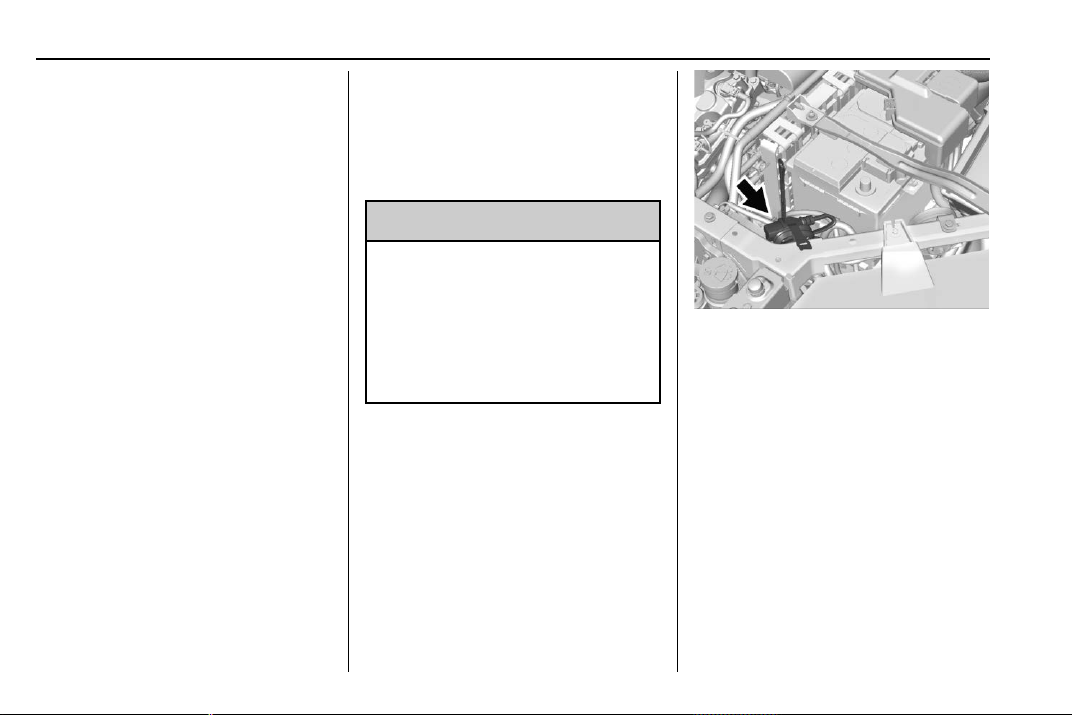
Chevrolet Traverse Owner Manual (GMNA-Localizing-U.S./Canada/Mexico-
13527526) - 2020 - CRC - 9/5/19
186 Driving and Operating
.
The accelerator pedal is
pressed.
.
The engine or transmission is
not at the required operating
temperature.
.
The outside temperature is not
in the required operating range.
.
The vehicle is in any gear other
than D (Drive).
.
Tow/Haul Mode or other driver
modes have been selected.
.
The vehicle is on a steep hill or
grade.
.
The driver door has been
opened or driver seat belt has
been unbuckled.
.
The hood has been opened.
.
The Auto Stop has reached the
maximum allowed time.
Engine Heater
The engine heater can provide
easier starting and better fuel
economy during engine warm-up in
cold weather conditions at or below
0 °F (−18 °C). Vehicles with an
engine heater should be plugged in
at least four hours before starting.
Some models may have an internal
thermostat in the cord which will
prevent engine heater operation at
temperatures above 0 °F (−18 °C).
{
Warning
Do not plug in the engine block
heater while the vehicle is parked
in a garage or under a carport.
Property damage or personal
injury may result. Always park the
vehicle in a clear open area away
from buildings or structures.
To Use the Engine Heater
1. Turn off the engine.
2. Open the hood and unwrap the
electrical cord. The bundled
cord is on the driver side of the
engine compartment, in front of
the battery. See Engine
Compartment Overview 0 252.
Check the heater cord for
damage. If it is damaged, do
not use it. See your dealer for
a replacement. Inspect the
cord for damage yearly.
3. Plug the cord into a normal,
grounded 110-volt AC outlet.
Chevrolet Traverse Owner Manual (GMNA-Localizing-U.S./Canada/Mexico-
13527526) - 2020 - CRC - 9/5/19
Driving and Operating 187
{
Warning
Improper use of the heater cord
or an extension cord can damage
the cord and may result in
overheating and fire.
.
Plug the cord into a
three-prong electrical utility
receptacle that is protected
by a ground fault detection
function. An ungrounded
outlet could cause an
electric shock.
.
Use a weatherproof,
heavy-duty, 15 amp-rated
extension cord if needed.
Failure to use the
recommended extension
cord in good operating
condition, or using a
damaged heater or
extension cord, could make
(Continued)
Warning (Continued)
it overheat and cause a fire,
property damage, electric
shock, and injury.
.
Do not operate the vehicle
with the heater cord
permanently attached to the
vehicle. Possible heater
cord and thermostat
damage could occur.
.
While in use, do not let the
heater cord touch vehicle
parts or sharp edges. Never
close the hood on the
heater cord.
.
Before starting the vehicle,
unplug the cord, reattach
the cover to the plug, and
securely fasten the cord.
Keep the cord away from
any moving parts.
4. Before starting the engine, be
sure to unplug and store the
cord as it was before to keep it
away from moving engine
parts. If you do not, it could be
damaged.
The length of time the heater should
remain plugged in depends on
several factors. Ask a dealer in the
area where you will be parking the
vehicle for the best advice on this.
Retained Accessory
Power (RAP)
When the ignition is turned from on
to off, the following features (if
equipped) will continue to function
for up to 10 minutes, or until the
driver door is opened. These
features will also work when the
ignition is in RUN or ACC/
ACCESSORY:
.
Infotainment System
.
Power Windows (during RAP
this functionality will be lost
when any door is opened)
.
Sunroof (during RAP this
functionality will be lost when
any door is opened)
.
Auxiliary Power Outlet
Chevrolet Traverse Owner Manual (GMNA-Localizing-U.S./Canada/Mexico-
13527526) - 2020 - CRC - 9/5/19
188 Driving and Operating
.
Audio System
.
OnStar System
Shifting Into Park
1. Hold the brake pedal down and
set the parking brake. See
Electric Parking Brake 0 196.
2. Move the shift lever into
P (Park) by holding in the
button on the shift lever and
pushing the shift lever all the
way toward the front of the
vehicle.
3. Turn the ignition off.
Leaving the Vehicle with the
Engine Running
{
Warning
It can be dangerous to leave the
vehicle with the engine running.
It could overheat and catch fire.
(Continued)
Warning (Continued)
It is dangerous to get out of the
vehicle if the shift lever is not fully
in P (Park) with the parking brake
firmly set. The vehicle can roll.
Do not leave the vehicle when the
engine is running. If you have left
the engine running, the vehicle
can move suddenly. You or others
could be injured. To be sure the
vehicle will not move, even when
you are on fairly level ground,
always set the parking brake and
move the shift lever to P (Park).
See Shifting Into Park 0 188.
If you are towing a trailer, see
Driving Characteristics and
Towing Tips 0 233.
If you have to leave the vehicle with
the engine running, be sure the
vehicle is in P (Park) and the
parking brake is set before you
leave it. After you have moved the
shift lever into P (Park), hold the
regular brake pedal down. Then,
see if you can move the shift lever
away from P (Park) without first
pressing the button.
If you can, it means that the shift
lever was not fully locked in
P (Park).
Torque Lock
Torque lock is when the weight of
the vehicle puts too much force on
the parking pawl in the
transmission. This happens when
parking on a hill and shifting the
transmission into P (Park) is not
done properly and then it is difficult
to shift out of P (Park). To prevent
torque lock, set the parking brake
and then shift into P (Park). To find
out how, see “Shifting Into Park”
listed previously.
If torque lock does occur, your
vehicle may need to be pushed
uphill by another vehicle to relieve
the parking pawl pressure, so you
can shift out of P (Park).
Chevrolet Traverse Owner Manual (GMNA-Localizing-U.S./Canada/Mexico-
13527526) - 2020 - CRC - 9/5/19
Driving and Operating 189
Shifting out of Park
The vehicle is equipped with an
electronic shift lock release system.
The shift lock release is designed to
prevent movement of the shift lever
out of P (Park), unless the ignition is
on or in Service Mode and the
regular brake pedal is applied.
The shift lock release is always
functional except in the case of an
uncharged or low voltage (less than
9-volt) battery.
If the vehicle has an uncharged
battery or a battery with low voltage,
try charging or jump starting the
battery. See Jump Starting - North
America 0 312.
To shift out of P (Park):
1. Turn the ignition on.
2. Apply the brake pedal.
3. Press the shift lever button.
4. Move the shift lever to the
desired position.
If you still are unable to shift out of
P (Park):
1. Fully release the shift lever
button.
2. While holding down the brake
pedal, press the shift lever
button again.
3. Move the shift lever to the
desired position.
This vehicle may have the Buckle to
Drive feature, which may prevent
the vehicle from shifting out of
P (Park). See Seat Belts 0 55.
If you still cannot move the shift
lever from P (Park), see your dealer.
Parking over Things
That Burn
{
Warning
Things that can burn could touch
hot exhaust parts under the
vehicle and ignite. Do not park
over papers, leaves, dry grass,
or other things that can burn.
Extended Parking
It is best not to park with the vehicle
running. If the vehicle is left running,
be sure it will not move and there is
adequate ventilation.
See Shifting Into Park 0 188 and
Engine Exhaust 0 190.
If the vehicle is left parked and
running with the RKE transmitter
outside the vehicle, it will continue
to run for up to half an hour.
If the vehicle is left parked and
running with the RKE transmitter
inside the vehicle, it will continue to
run for up to an hour.
The vehicle could turn off sooner if it
is parked on a hill, due to lack of
available fuel.
The timer will reset if the vehicle is
taken out of P (Park) while it is
running.
Chevrolet Traverse Owner Manual (GMNA-Localizing-U.S./Canada/Mexico-
13527526) - 2020 - CRC - 9/5/19
190 Driving and Operating
Engine Exhaust
{
Warning
Engine exhaust contains carbon
monoxide (CO), which cannot be
seen or smelled. Exposure to CO
can cause unconsciousness and
even death.
Exhaust may enter the vehicle if:
.
The vehicle idles in areas
with poor ventilation
(parking garages, tunnels,
deep snow that may block
underbody airflow or tail
pipes).
.
The exhaust smells or
sounds strange or different.
.
The exhaust system leaks
due to corrosion or damage.
.
The vehicle exhaust system
has been modified,
damaged, or improperly
repaired.
(Continued)
Warning (Continued)
.
There are holes or openings
in the vehicle body from
damage or aftermarket
modifications that are not
completely sealed.
If unusual fumes are detected or
if it is suspected that exhaust is
coming into the vehicle:
.
Drive it only with the
windows completely down.
.
Have the vehicle repaired
immediately.
Never park the vehicle with the
engine running in an enclosed
area such as a garage or a
building that has no fresh air
ventilation.
Running the Vehicle
While Parked
It is better not to park with the
engine running.
If the vehicle is left with the engine
running, follow the proper steps to
be sure the vehicle will not move.
See Shifting Into Park 0 188 and
Engine Exhaust 0 190.
If parking on a hill and pulling a
trailer, see Driving Characteristics
and Towing Tips 0 233.
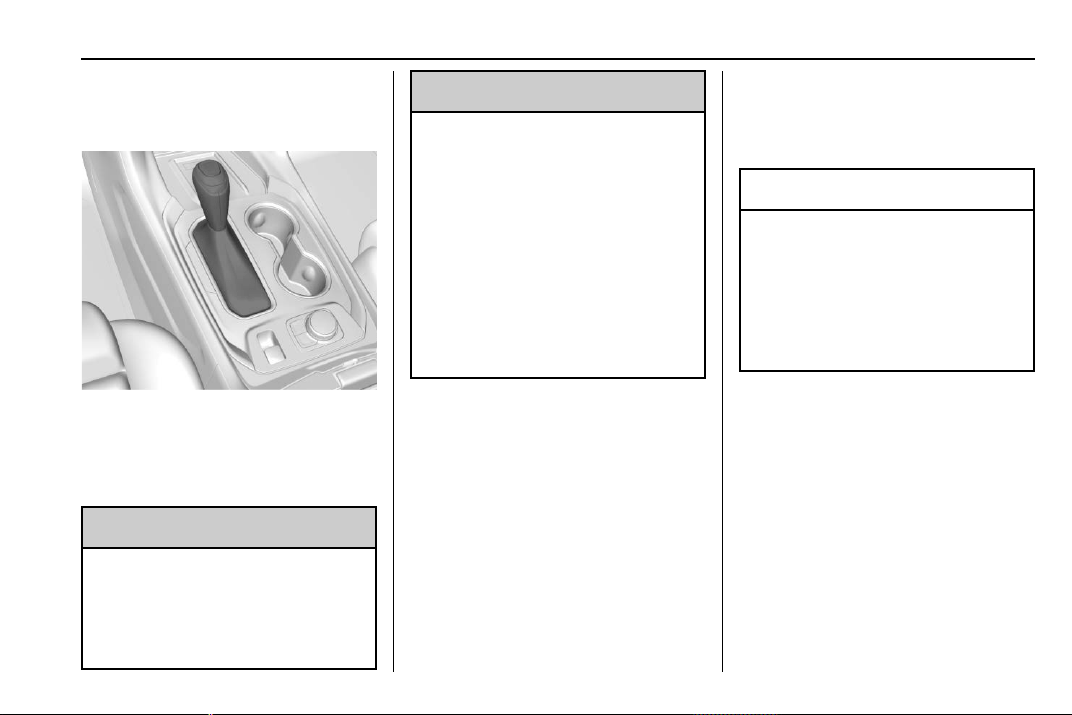
Chevrolet Traverse Owner Manual (GMNA-Localizing-U.S./Canada/Mexico-
13527526) - 2020 - CRC - 9/5/19
Driving and Operating 191
Automatic
Transmission
P : This position locks the drive
wheels. Use P (Park) when starting
the engine because the vehicle
cannot move easily.
{
Warning
It is dangerous to get out of the
vehicle if the shift lever is not fully
in P (Park) with the parking brake
firmly set. The vehicle can roll.
(Continued)
Warning (Continued)
Do not leave the vehicle when the
engine is running. If you have left
the engine running, the vehicle
can move suddenly. You or others
could be injured. To be sure the
vehicle will not move, even when
you are on fairly level ground,
always set the parking brake and
move the shift lever to P (Park).
See Shifting Into Park 0 188 and
Driving Characteristics and
Towing Tips 0 233.
Make sure the shift lever is fully in
P (Park) before starting the engine.
The vehicle has an automatic
transmission shift lock control
system. With the ignition on, fully
apply the regular brake, then press
the button on the shift lever before
shifting from P (Park). If you cannot
shift out of P (Park), ease pressure
on the shift lever, then push the shift
lever all the way into P (Park) as
you maintain brake application.
Then press the shift lever button
and move the shift lever into
another gear. See Shifting out of
Park 0 189.
R : Use this gear to back up.
Caution
Shifting to R (Reverse) while the
vehicle is moving forward could
damage the transmission. The
repairs would not be covered by
the vehicle warranty. Shift to
R (Reverse) only after the vehicle
is stopped.
To rock the vehicle back and forth to
get out of snow, ice, or sand without
damaging the transmission, see If
the Vehicle Is Stuck 0 177.
N : In this position, the engine does
not connect with the wheels. To
restart the engine when the vehicle
is already moving, use
N (Neutral) only.
Chevrolet Traverse Owner Manual (GMNA-Localizing-U.S./Canada/Mexico-
13527526) - 2020 - CRC - 9/5/19
192 Driving and Operating
{
Warning
Shifting into a drive gear while the
engine is running at high speed is
dangerous. Unless your foot is
firmly on the brake pedal, the
vehicle could move very rapidly.
You could lose control and hit
people or objects. Do not shift
into a drive gear while the engine
is running at high speed.
Caution
Shifting out of P (Park) or
N (Neutral) with the engine
running at high speed may
damage the transmission. The
repairs would not be covered by
the vehicle warranty. Be sure the
engine is not running at high
speed when shifting the vehicle.
Caution
A transmission hot message may
display if the automatic
transmission fluid is too hot.
Driving under this condition can
damage the vehicle. Stop and idle
the engine to cool the automatic
transmission fluid. This message
clears when the transmission fluid
has cooled sufficiently.
D : This position is for normal
driving. If more power is needed for
passing, press the accelerator
pedal down.
Caution
If the vehicle does not shift gears,
the transmission could be
damaged. Have the vehicle
serviced right away.
If the vehicle is stopped on a hill,
with your foot off the brake pedal,
the vehicle may roll. This is normal
and is due to the torque converter
designed to improve fuel economy
and performance. Use the brake to
hold the vehicle on a hill. Do not use
the accelerator pedal.
L : This position gives you access
to gear ranges. This provides more
engine braking but lower fuel
economy than D (Drive). You can
use it on very steep hills, or in deep
snow or mud. See Manual Mode
0 193.
Operating Modes : The
transmission may operate in a lower
gear than normal to improve vehicle
performance. The engine speed
may be higher and there may be an
increase in noise during the
following conditions:
.
When climbing a grade.
.
When driving downhill.
.
When driving in hot
temperatures, or at high altitude.
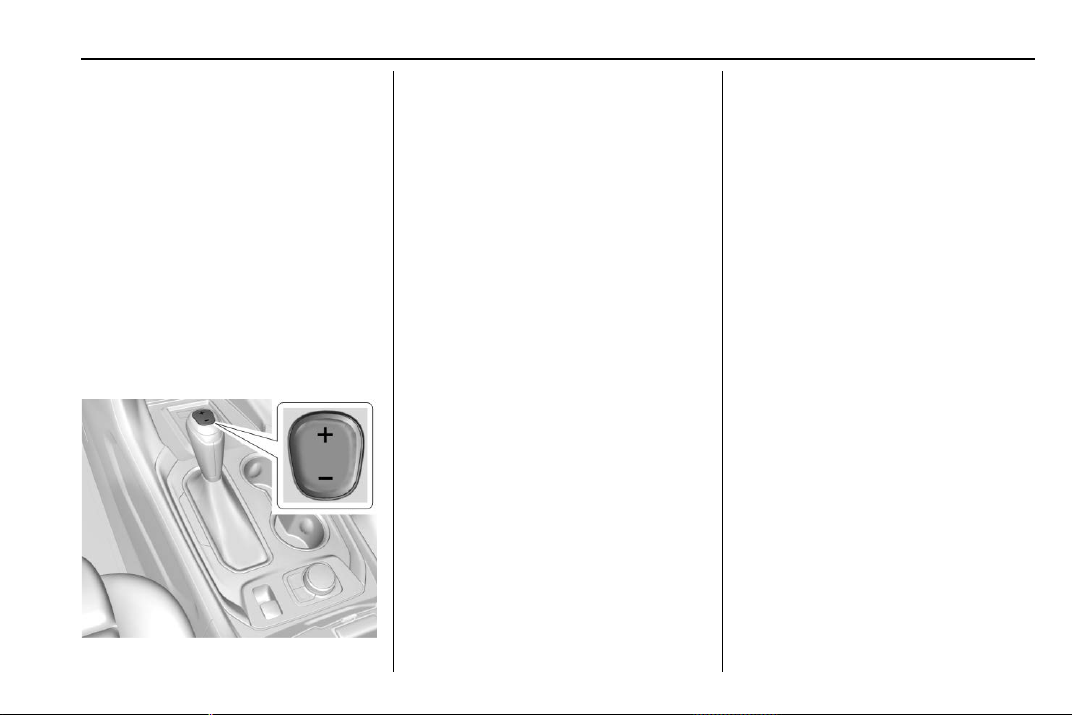
Chevrolet Traverse Owner Manual (GMNA-Localizing-U.S./Canada/Mexico-
13527526) - 2020 - CRC - 9/5/19
Driving and Operating 193
Manual Mode
Electronic Range Select
(ERS) Mode
ERS mode allows you to choose the
top-gear limit of the transmission
and the vehicle's speed while
driving downhill or towing a trailer.
The vehicle has an electronic shift
position indicator within the
instrument cluster. When using the
ERS mode a number will display
next to the L, indicating the highest
gear available for the range
selected.
To use this feature:
1. Press the shift lever button and
move the shift lever to L (Low).
2. Press + (Plus) or − (Minus) on
the shift lever to increase or
decrease the gear range
available.
When you shift from D (Drive) to
L (Low), the transmission will shift to
a pre-determined lower gear range.
The highest gear available for this
pre-determined range is displayed
next to the L in the DIC. See Driver
Information Center (DIC) 0 134. The
number displayed in the DIC is the
highest gear that the transmission
will be allowed to operate in. This
means that all gears below that
number are available. For example,
when 4 (Fourth) is shown next to the
L, 1 (First) through 4 (Fourth) gears
are automatically shifted by the
vehicle. The transmission will not
shift into 5 (Fifth) until the + (Plus)
button is used or you shift back into
D (Drive).
If the transmission is in 9 (Ninth)
gear when L (Low) is selected, a
downshift to 7 (Seventh) will be
commanded. If in 8 (Eighth) through
2 (Second) a single downshift will
occur.
While in L (Low), the transmission
will prevent shifting to a lower gear
range if the engine speed is too
high. You have a brief period of time
to slow the vehicle. If vehicle speed
is not reduced within the time
allowed, the lower gear range shift
will not be completed. You must
further slow the vehicle, then press
− (Minus) to the desired lower gear
range.
Automatic Engine Grade Braking is
not available when the ERS is
active. It is available in D (Drive) for
both normal driving and Tow/Haul
Mode. While using the ERS, cruise
control and the Tow/Haul Mode can
be used. See “Tow/Haul Mode”
following.
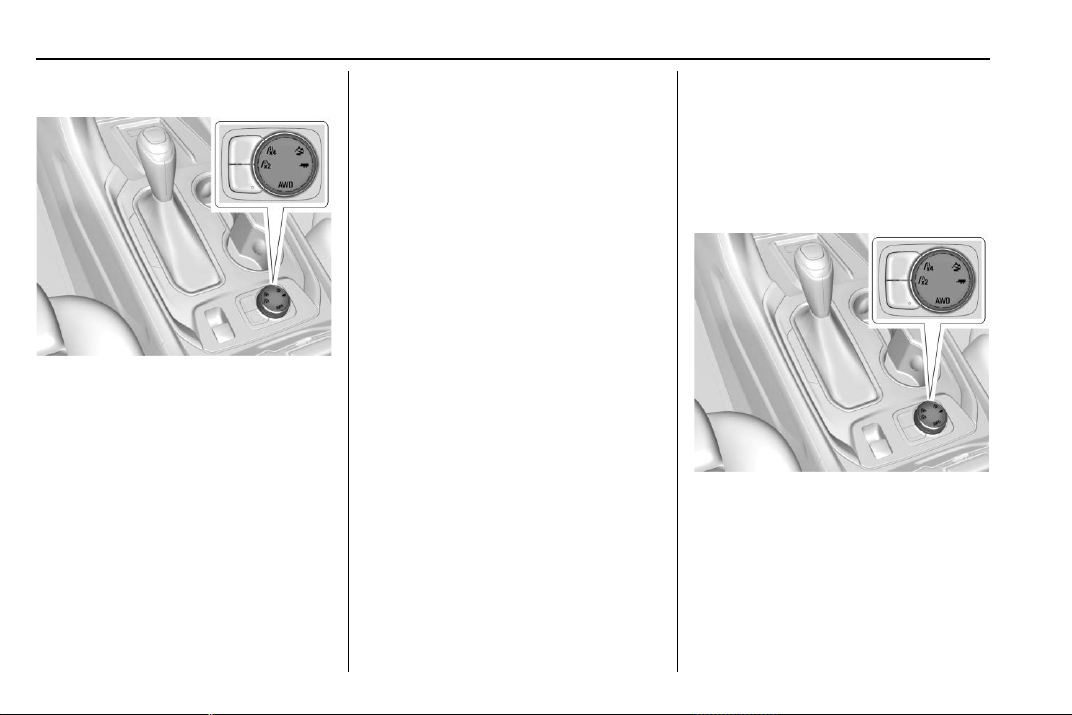
Chevrolet Traverse Owner Manual (GMNA-Localizing-U.S./Canada/Mexico-
13527526) - 2020 - CRC - 9/5/19
194 Driving and Operating
Tow/Haul Mode
This feature can assist when towing
or hauling a heavy load.
_ : Select Tow/Haul Mode with
the knob on the center console.
When Tow/Haul Mode is activated,
a message is displayed on the
Driver Information Center (DIC).
See Driving Characteristics and
Towing Tips 0 233 and
Driver Mode Control 0 200.
Automatic Engine Grade
Braking
Automatic Engine Grade Braking
assists when driving downhill.
It maintains vehicle speed by
automatically implementing a shift
pattern that uses the engine and the
transmission to slow the vehicle.
The system will automatically
command downshifts to reduce
vehicle speed. The normal shift
pattern will return once the vehicle
is on a low grade or when the
accelerator pedal is pressed.
While in the Electronic Range
Select (ERS) mode, grade braking is
deactivated, allowing the driver to
select a range and limiting the
highest gear available. Grade
braking is available for normal
driving and in Tow/Haul Mode.
See Automatic Transmission 0 191.
Drive Systems
All-Wheel Drive
Vehicles with this feature can
operate in All-Wheel
Drive (AWD) Mode.
Turn the knob to 4 to select AWD.
The AWD Mode will stay selected
until the mode is changed. See
Driver Mode Control 0 200.
When operated in Two-wheel drive,
the vehicle will deliver power to the
front wheels only and may provide
better fuel economy.
Chevrolet Traverse Owner Manual (GMNA-Localizing-U.S./Canada/Mexico-
13527526) - 2020 - CRC - 9/5/19
Driving and Operating 195
When using a compact spare tire on
an AWD vehicle, the system
automatically detects the compact
spare and reduces AWD
performance to protect the system.
To restore full AWD operation and
prevent excessive wear on the
system, replace the compact spare
with a full-size tire as soon as
possible. See Compact Spare Tire
0 311.
Brakes
Antilock Brake
System (ABS)
The Antilock Brake System (ABS)
helps prevent a braking skid and
maintain steering while
braking hard.
ABS performs a system check when
the vehicle is first driven.
A momentary motor or clicking noise
may be heard while this test is going
on, and the brake pedal may move
slightly. This is normal.
If there is a problem with ABS, this
warning light stays on. See Antilock
Brake System (ABS) Warning Light
0 128.
ABS does not change the time
needed to get a foot on the brake
pedal and does not always
decrease stopping distance. If you
get too close to the vehicle ahead,
there will not be enough time to
apply the brakes if that vehicle
suddenly slows or stops. Always
leave enough room ahead to stop,
even with ABS.
Using ABS
Do not pump the brakes. Just hold
the brake pedal down firmly.
Hearing or feeling ABS operate is
normal.
Braking in Emergencies
ABS allows steering and braking at
the same time. In many
emergencies, steering can help
even more than braking.
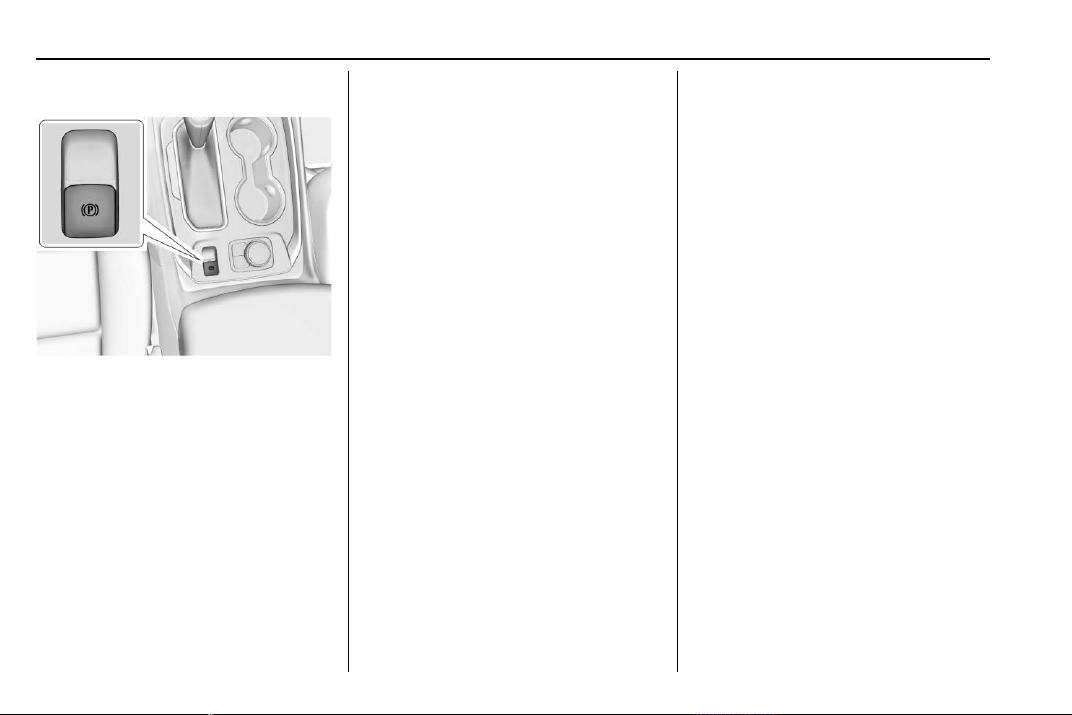
Chevrolet Traverse Owner Manual (GMNA-Localizing-U.S./Canada/Mexico-
13527526) - 2020 - CRC - 9/5/19
196 Driving and Operating
Electric Parking Brake
The vehicle has an Electric Parking
Brake (EPB). The EPB can always
be activated, even if the ignition is
off. To prevent draining the battery,
avoid repeated cycles of the EPB
system when the engine is not
running.
The system has a
Y or PARK
Electric Parking Brake light, and
some vehicles may have a
8
Service Parking Brake light. See
Electric Parking Brake Light 0 127
and
Service Electric Parking Brake Light
0 127.
Before leaving the vehicle, check for
the
Y or PARK light to ensure that
the parking brake is applied.
EPB Apply
To apply the EPB:
1. Be sure the vehicle is at a
complete stop.
2. Lift up the EPB switch
momentarily.
The
Y or PARK light will flash and
then stay on once the EPB is fully
applied. If the
Y or PARK light
flashes continuously, then the EPB
is only partially applied, the vehicle
is in Service Mode, or there is a
problem with the EPB. A Driver
Information Center (DIC) message
will display. Release the EPB and
try to apply it again. If the light does
not come on, or keeps flashing,
have the vehicle serviced.
Do not drive the vehicle if the
Y or
PARK light is flashing. See your
dealer. See Electric Parking Brake
Light 0 127.
If the
8 light is on or the Y or
PARK light flashes when the ignition
is turned on, pull the EPB switch
and hold it. Continue to hold the
switch until the
Y or PARK light
remains on. If the
8 light remains
on, see your dealer.
If the EPB is applied while the
vehicle is moving, the vehicle will
decelerate as long as the switch is
pulled. If the switch is pulled until
the vehicle comes to a stop, the
EPB will remain applied.
The vehicle may automatically apply
the EPB in some situations when
the vehicle is not moving. This is
normal, and is done to periodically
check the correct operation of the
EPB system.
If the EPB fails to apply, block the
rear wheels to prevent vehicle
movement.
Chevrolet Traverse Owner Manual (GMNA-Localizing-U.S./Canada/Mexico-
13527526) - 2020 - CRC - 9/5/19
Driving and Operating 197
EPB Release
To release the EPB:
1. Turn the ignition on or to ACC/
ACCESSORY.
2. Apply and hold the brake
pedal.
3. Press the EPB switch
momentarily.
The EPB is released when the
Y
or PARK light is off.
If the
8 light is on or the Y or
PARK light flashes, release the EPB
by pressing and holding the EPB
switch. Continue to hold the switch
until the
Y or PARK light is off.
If either light stays on after release
is attempted, see your dealer.
Caution
Driving with the parking brake on
can overheat the brake system
and cause premature wear or
damage to brake system parts.
(Continued)
Caution (Continued)
Make sure that the parking brake
is fully released and the brake
warning light is off before driving.
If parking on a hill, or if the vehicle
is pulling a trailer, see Driving
Characteristics and Towing Tips
0 233.
Automatic EPB Release
The EPB will automatically release if
the vehicle is running, placed into
gear, and an attempt is made to
drive away. Avoid rapid acceleration
when the EPB is applied, to
preserve parking brake lining life.
Brake Assist
Brake Assist detects rapid brake
pedal applications due to
emergency braking situations and
provides additional braking to
activate the Antilock Brake System
(ABS) if the brake pedal is not
pushed hard enough to activate
ABS normally. Minor noise, brake
pedal pulsation, and/or pedal
movement during this time may
occur. Continue to apply the brake
pedal as the driving situation
dictates. Brake Assist disengages
when the brake pedal is released.
Hill Start Assist (HSA)
{
Warning
Do not rely on the HSA feature.
HSA does not replace the need to
pay attention and drive safely.
You may not hear or feel alerts or
warnings provided by this system.
Failure to use proper care when
driving may result in injury, death,
or vehicle damage. See
Defensive Driving 0 167.
When the vehicle is stopped on a
grade, Hill Start Assist (HSA)
prevents the vehicle from rolling in
an unintended direction during the
transition from brake pedal release
to accelerator pedal apply. The
brakes release when the accelerator
pedal is applied. If the accelerator

Chevrolet Traverse Owner Manual (GMNA-Localizing-U.S./Canada/Mexico-
13527526) - 2020 - CRC - 9/5/19
198 Driving and Operating
pedal is not applied within a few
minutes, the Electric Parking Brake
will apply. The brakes may also
release under other conditions. Do
not rely on HSA to hold the vehicle.
HSA is available when the vehicle is
facing uphill in a forward gear,
or when facing downhill in
R (Reverse). The vehicle must
come to a complete stop on a grade
for HSA to activate.
Ride Control Systems
Traction Control/
Electronic Stability
Control
System Operation
The vehicle has a Traction Control
System (TCS) and StabiliTrak/
Electronic Stability Control (ESC),
an electronic stability control
system. These systems help limit
wheel slip and assist the driver in
maintaining control, especially on
slippery road conditions.
TCS activates if it senses that any
of the drive wheels are spinning or
beginning to lose traction. When this
happens, TCS applies the brakes to
the spinning wheels and reduces
engine power to limit wheel spin.
StabiliTrak/ESC activates when the
vehicle senses a difference between
the intended path and the direction
the vehicle is actually traveling.
StabiliTrak/ESC selectively applies
braking pressure to any one of the
vehicle wheel brakes to assist the
driver in keeping the vehicle on the
intended path.
If cruise control is being used and
TCS or StabiliTrak/ESC begins to
limit wheel spin, cruise control will
disengage. Cruise control may be
turned back on when road
conditions allow. TCS and
StabiliTrak/ESC will automatically
turn on when cruise control is set.
Both systems come on
automatically when the vehicle is
started and begins to move. The
systems may be heard or felt while
they are operating or while
performing diagnostic checks. This
is normal and does not mean there
is a problem with the vehicle.
It is recommended to leave both
systems on for normal driving
conditions, but it may be necessary
to turn TCS off if the vehicle gets
stuck in sand, mud, ice, or snow.
See If the Vehicle Is Stuck 0 177
and “Turning the Systems Off and
On” later in this section.
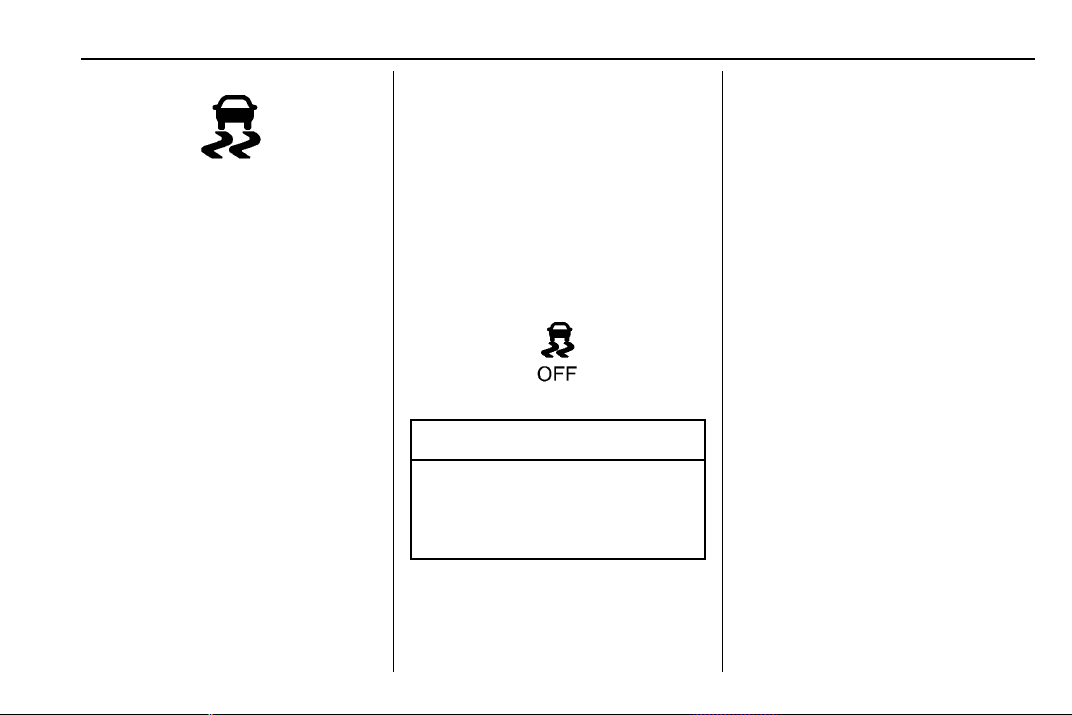
Chevrolet Traverse Owner Manual (GMNA-Localizing-U.S./Canada/Mexico-
13527526) - 2020 - CRC - 9/5/19
Driving and Operating 199
The indicator light for both systems
is in the instrument cluster. This
light will:
.
Flash when TCS is limiting
wheel spin.
.
Flash when StabiliTrak/ESC is
activated.
.
Turn on and stay on when either
system is not working.
If either system fails to turn on or to
activate, a message displays in the
Driver Information Center (DIC), and
d comes on and stays on to
indicate that the system is inactive
and is not assisting the driver in
maintaining control. The vehicle is
safe to drive, but driving should be
adjusted accordingly.
If
d comes on and stays on:
1. Stop the vehicle.
2. Turn the engine off and wait
15 seconds.
3. Start the engine.
4. Drive the vehicle.
If
d comes on and stays on, see
your dealer.
Turning the Systems Off
and On
Caution
Do not repeatedly brake or
accelerate heavily when TCS is
off. The vehicle driveline could be
damaged.
To turn off only TCS, press and
release
g on the center console.
The Traction Off light
i displays in
the instrument cluster.
To turn TCS on again, press and
release
g. The Traction Off light i
displayed in the instrument cluster
will turn off.
If TCS is limiting wheel spin when
g
is pressed, the system will not turn
off until the wheels stop spinning.
To turn off both TCS and StabiliTrak/
ESC, press and hold
g until the
Traction Off light
i and StabiliTrak/
ESC OFF light
g come on and stay
on in the instrument cluster.
To turn TCS and StabiliTrak/ESC on
again, press and release
g. The
Traction Off light
i and StabiliTrak/
ESC OFF light
g in the instrument
cluster turn off.
Adding accessories can affect the
vehicle performance. See
Accessories and Modifications
0 249.
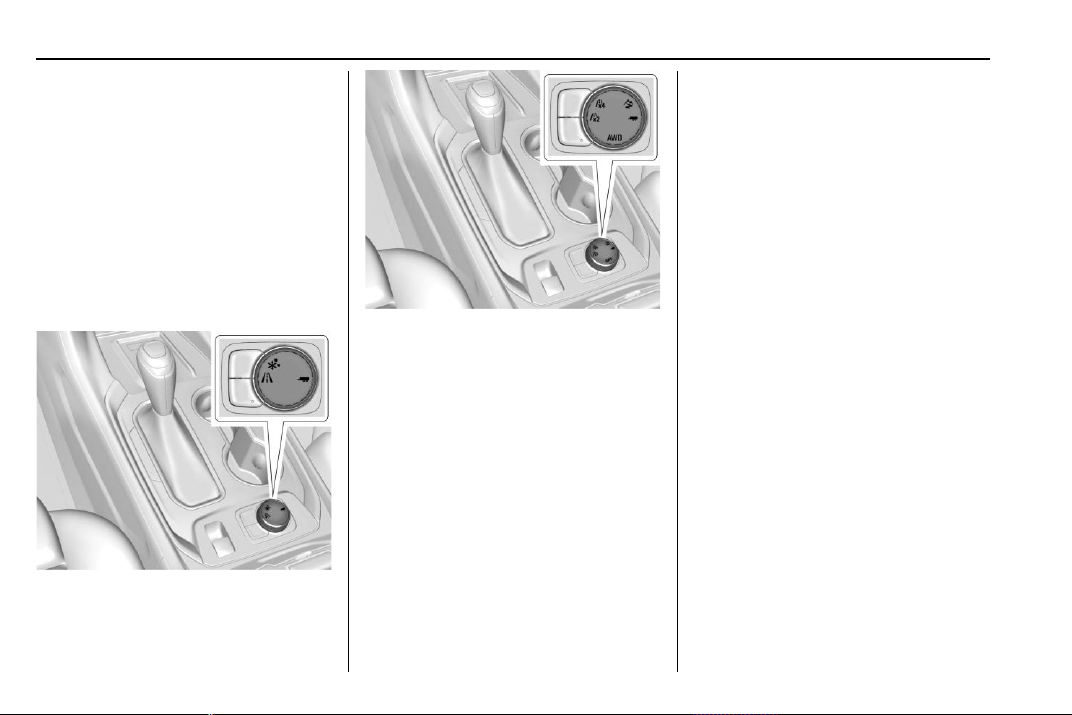
Chevrolet Traverse Owner Manual (GMNA-Localizing-U.S./Canada/Mexico-
13527526) - 2020 - CRC - 9/5/19
200 Driving and Operating
Driver Mode Control
If equipped with Front-Wheel Drive
(FWD), the Driver Mode Control
may have the following modes:
FWD, Snow, and Tow/Haul.
If equipped with All-Wheel Drive
(AWD), the Driver Mode Control
may have AWD, Two-Wheel Drive
(2WD), Off-Road, and Tow/Haul.
There may be Driver Information
Center (DIC) messages displayed
for each drive mode.
Driver Mode Control Knob
for FWD
Driver Mode Control Knob
for AWD
Rotate the Driver Mode Control
knob to make a mode selection. The
icons on the knob will illuminate to
indicate which mode is active.
A Driver Information Center (DIC)
message will indicate that the mode
is on when switching to different
modes.
5 (AWD Only) or q (FWD
Only) : Vehicle is in either
Front-Wheel Drive for non AWD
vehicles, or Two-Wheel Drive for
AWD vehicles. This mode will
remain active through future ignition
cycles. This setting either puts the
vehicle in Two-Wheel Drive (AWD
vehicles) or is the normal drive
mode (FWD vehicles). Use this
mode for normal driving conditions.
This is the most fuel efficient drive
mode. See Driving for Better Fuel
Economy 0 166.
4 (AWD Only) : Vehicle is in AWD
Mode. This mode will remain active
through future ignition cycles. AWD
Mode provides drive torque to all
four wheels. Use this mode for
driving conditions that require
improved traction such as gravel,
sand, wet pavement, snow, and ice.
AWD may turn off and display a
message on the DIC in instances of
extensive use or overheating.
When in AWD Mode, the AWD
Mode indicator will be on. For more
information on AWD Mode, see
All-Wheel Drive 0 194.
6 (FWD Only) : Vehicle is in Snow
Mode. This mode will not remain
active through future ignition cycles.
The vehicle will be in Front-Wheel
Drive when the engine is restarted.
Snow Mode improves vehicle
acceleration on snow and ice

Chevrolet Traverse Owner Manual (GMNA-Localizing-U.S./Canada/Mexico-
13527526) - 2020 - CRC - 9/5/19
Driving and Operating 201
covered roads. The accelerator
pedal will be more sensitive to
provide finer control of the torque at
the wheels in slippery conditions.
7 (AWD Only) : Vehicle is in
Off-Road Mode. This mode will not
remain active through future ignition
cycles. The vehicle will be in
Two-Wheel Drive when the engine
is restarted. This mode will
automatically activate AWD. The
accelerator pedal will be more
sensitive to provide finer control of
the torque at the wheels.
StabiliTrak/ESC, ABS, and TCS will
change for optimal off-road
performance. Use this mode for
public off-road recreational driving.
See Off-Road Driving 0 170.
_ Tow/Haul : Vehicle is in Tow/
Haul Mode. This mode will not
remain active through future ignition
cycles. The vehicle will be in
Front-Wheel Drive or Two-Wheel
Drive when the engine is restarted.
This mode will automatically
activate AWD. See All-Wheel Drive
0 194. The transmission holds lower
gears longer before shifting to
provide more torque necessary
when towing heavy loads. This will
also increase fuel consumption. Use
this mode to assist in maintaining
desired vehicle speeds when driving
on downhill grades by using the
engine and transmission to slow the
vehicle. This helps prevent the
brakes from overheating. For more
information, see Tow/Haul Mode
0 194.
The following table shows how the
different modes affect the various
subsystem functions that may be on
the vehicle.
Chevrolet Traverse Owner Manual (GMNA-Localizing-U.S./Canada/Mexico-
13527526) - 2020 - CRC - 9/5/19
202 Driving and Operating
Modes: Front-Wheel
Drive/
Two-Wheel
Drive
AWD Snow Off-Road Tow/Haul
Mode Availability AWD & FWD
Vehicles
AWD
Vehicles Only
FWD
Vehicles Only
AWD
Vehicles Only
Towing
Package
(AWD
& FWD)
Retained In Future Ignition Cycles Yes Yes No No No
Accelerator Pedal Sensitivity Normal Normal Snow Off-Road Normal
Automatic Transmission Shifting Normal Normal Normal Normal Tow/Haul
AWD Status (If Equipped) Off
(Two-Wheel
Drive)
Normal AWD
Active
Not Available Off-Road
AWD Active
Normal AWD
Active
StabiliTrak/ESC, ABS, and TCS Normal Normal Normal Off-Road Normal
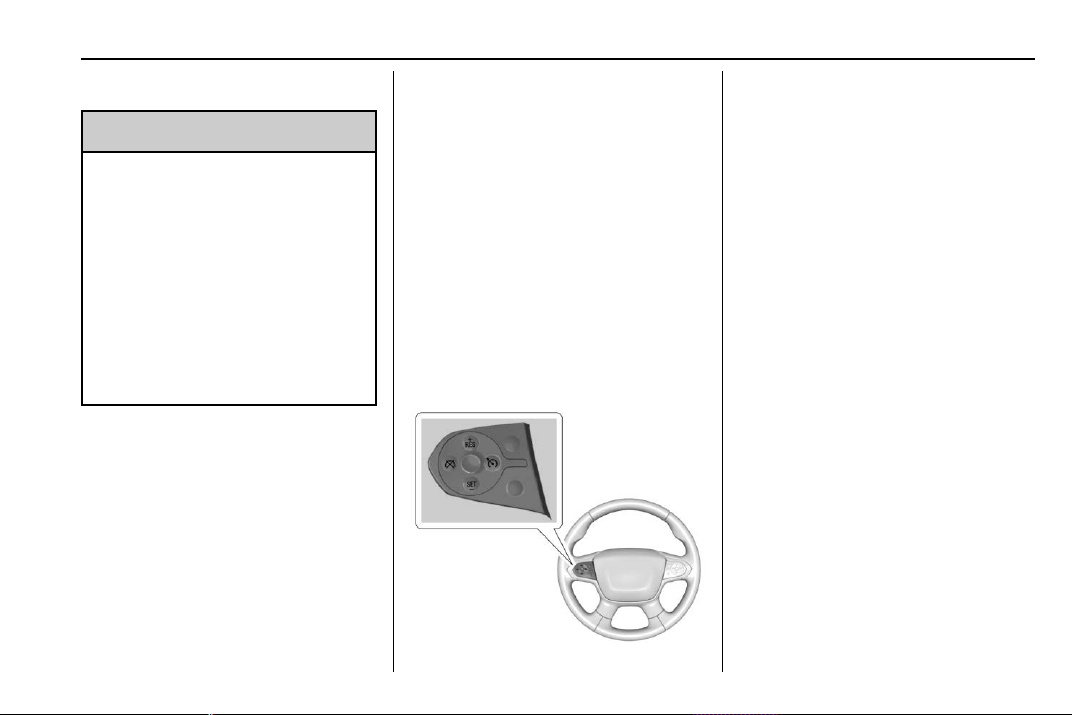
Chevrolet Traverse Owner Manual (GMNA-Localizing-U.S./Canada/Mexico-
13527526) - 2020 - CRC - 9/5/19
Driving and Operating 203
Cruise Control
{
Warning
Cruise control can be dangerous
where you cannot drive safely at
a steady speed. Do not use
cruise control on winding roads or
in heavy traffic.
Cruise control can be dangerous
on slippery roads. On such roads,
fast changes in tire traction can
cause excessive wheel slip, and
you could lose control. Do not use
cruise control on slippery roads.
With cruise control, a speed of
about 40 km/h (25 mph) or more can
be maintained without keeping your
foot on the accelerator. Cruise
control does not work at speeds
below about 40 km/h (25 mph).
If the Traction Control System (TCS)
or StabiliTrak/Electronic Stability
Control (ESC) system begins to limit
wheel spin while using cruise
control, the cruise control
automatically disengages. See
Traction Control/Electronic Stability
Control 0 198. If a collision alert
occurs when cruise control is
activated, cruise control is
disengaged. See Forward Collision
Alert (FCA) System 0 219. When
road conditions allow the cruise
control to be safely used, cruise
control can be turned back on.
Turning off the TCS or StabiliTrak/
ESC system will disengage the
cruise control.
If the brakes are applied, cruise
control disengages.
J : Press to turn the system on
and off. A white indicator appears in
the instrument cluster when cruise
is turned on.
RES+ : If there is a set speed in
memory, press briefly to resume to
that speed or press and hold to
accelerate. If the cruise control is
already active, use to increase
vehicle speed.
SET− : Press briefly to set the
speed and activate cruise control.
If the cruise control is already
active, use to decrease vehicle
speed.
* : Press to disengage cruise
control without erasing the set
speed from memory.
Setting Cruise Control
If
J is on when not in use, SET− or
RES+ could get pressed and go into
cruise when not desired. Keep
J
off when cruise is not being used.
1. Press
J.
2. Get up to the desired speed.

Chevrolet Traverse Owner Manual (GMNA-Localizing-U.S./Canada/Mexico-
13527526) - 2020 - CRC - 9/5/19
204 Driving and Operating
3. Press and release SET−. The
desired set speed briefly
appears in the instrument
cluster.
4. Remove your foot from the
accelerator.
When the cruise control has been
set to the desired speed, a green
cruise control indicator appears on
the instrument cluster.
Resuming a Set Speed
If the cruise control is set at a
desired speed and then the brakes
are applied or
* is pressed, the
cruise control is disengaged without
erasing the set speed from memory.
Once the vehicle speed reaches
about 40 km/h (25 mph) or more,
press RES+ briefly. The vehicle
returns to the previous set speed.
Increasing Speed While Using
Cruise Control
If the cruise control system is
already activated:
.
Press and hold RES+ up until
the desired speed is reached,
then release it.
.
To increase vehicle speed in
small increments, briefly press
RES+. For each press, the
vehicle goes about 1 km/h
(1 mph) faster.
The speedometer reading can be
displayed in either English or metric
units. See Instrument Cluster
(Uplevel) 0 115 or
Instrument Cluster (Base Level)
0 118. The increment value used
depends on the units displayed.
Reducing Speed While Using
Cruise Control
If the cruise control system is
already activated:
.
Press and hold SET− until the
desired lower speed is reached,
then release it.
.
To decrease the vehicle speed in
small increments, briefly press
SET−. For each press, the
vehicle goes about 1 km/h
(1 mph) slower.
The speedometer reading can be
displayed in either English or metric
units. See Instrument Cluster
(Uplevel) 0 115 or
Instrument Cluster (Base Level)
0 118. The increment value used
depends on the units displayed.
Passing Another Vehicle While
Using Cruise Control
Use the accelerator pedal to
increase the vehicle speed. When
you take your foot off the pedal, the
vehicle will slow down to the
previous set cruise speed.
While pressing the accelerator pedal
or shortly following the release to
override cruise, briefly applying SET
− will result in cruise set to the
current vehicle speed.
Using Cruise Control on Hills
How well the cruise control will work
on hills depends upon the vehicle
speed, load, and the steepness of
the hills. When going up steep hills,
you might have to step on the
accelerator pedal to maintain your
speed. While on a hill, the
transmission may downshift in order

Chevrolet Traverse Owner Manual (GMNA-Localizing-U.S./Canada/Mexico-
13527526) - 2020 - CRC - 9/5/19
Driving and Operating 205
to use engine braking to slow the
vehicle and maintain the set speed.
Also, you may have to brake or shift
to a lower gear to keep your speed
down. If the brake pedal is applied,
cruise control disengages.
Ending Cruise Control
There are four ways to end cruise
control:
.
Step lightly on the brake pedal.
.
Press
*.
.
Shift the transmission to
N (Neutral).
.
Press
J.
Erasing Speed Memory
The cruise control set speed is
erased from memory if
J is
pressed or if the ignition is
turned off.
Adaptive Cruise Control
If equipped with Adaptive Cruise
Control (ACC), it allows the driver to
select the cruise control set speed
and following gap. Read this entire
section before using this system.
The following gap is the following
time between your vehicle and a
vehicle detected directly ahead in
your path, moving in the same
direction. If no vehicle is detected in
your path, ACC works like regular
cruise control. ACC uses camera
and radar sensors. See Radio
Frequency Statement 0 355.
If a vehicle is detected in your path,
ACC can apply acceleration or
limited, moderate braking to
maintain the selected following gap.
To disengage ACC, apply the brake.
If ACC is controlling your vehicle
speed when the Traction Control
System (TCS) or StabiliTrak/
Electronic Stability Control (ESC)
system activates, the ACC may
automatically disengage. See
Traction Control/Electronic Stability
Control 0 198. When road
conditions allow ACC to be safely
used, the ACC can be turned
back on.
Turning off the TCS or StabiliTrak/
ESC system will disengage the
cruise control.
{
Warning
ACC has limited braking ability
and may not have time to slow
the vehicle down enough to avoid
a collision with another vehicle
you are following. This can occur
when vehicles suddenly slow or
stop ahead, or enter your lane.
Also see “Alerting the Driver” in
this section. Complete attention is
always required while driving and
you should be ready to take
action and apply the brakes. See
Defensive Driving 0 167.
{
Warning
ACC will not detect or brake for
children, pedestrians, animals,
or other objects.
Do not use ACC when:
(Continued)
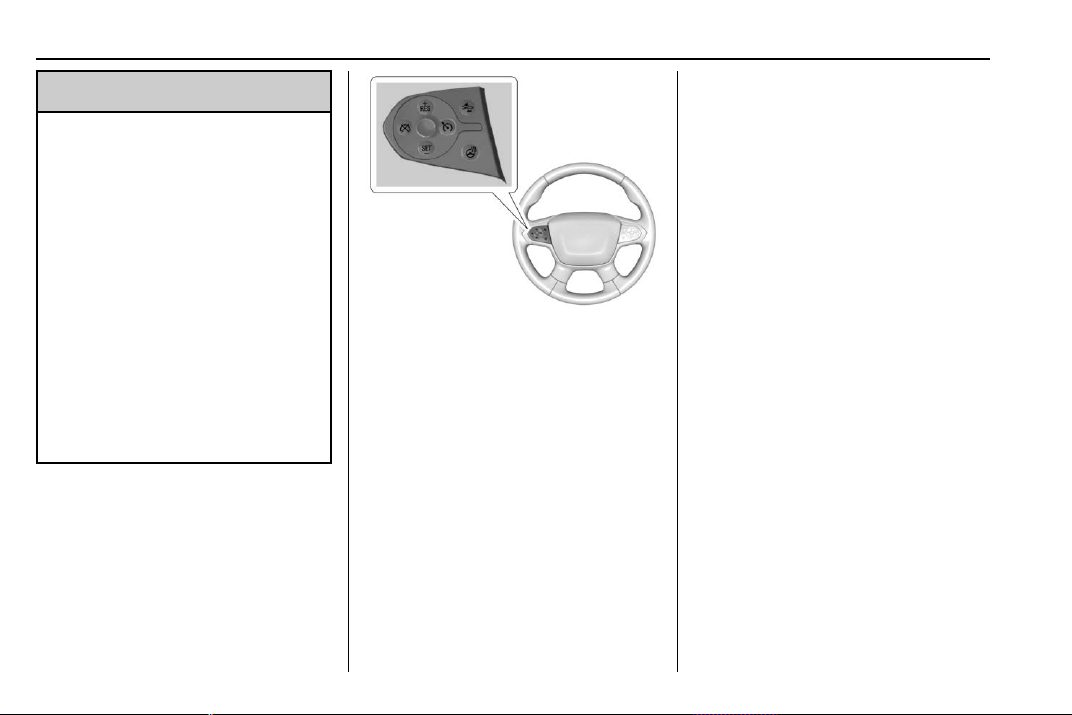
Chevrolet Traverse Owner Manual (GMNA-Localizing-U.S./Canada/Mexico-
13527526) - 2020 - CRC - 9/5/19
206 Driving and Operating
Warning (Continued)
.
On winding and hilly roads
or when the sensors are
blocked by snow, ice, or dirt.
The system may not detect
a vehicle ahead. Keep the
entire front of the vehicle
clean.
.
Visibility is low, such as in
fog, rain, or snow
conditions. ACC
performance is limited under
these conditions.
.
On slippery roads where
fast changes in tire traction
can cause excessive
wheel slip.
J : Press to turn the system on or
off. The indicator turns white on the
instrument cluster when ACC is
turned on.
RES+ : Press briefly to resume the
previous set speed or to increase
vehicle speed. If ACC is already
activated, use to increase vehicle
speed.
SET– : Press briefly to set the
speed and activate ACC or to
decrease vehicle speed. If ACC is
already activated, use to decrease
vehicle speed.
* : Press to disengage ACC
without erasing the selected set
speed.
[ : Press to select a following gap
time (or distance) setting for ACC of
Far, Medium, or Near.
The speedometer reading can be
displayed in either English or metric
units. See Instrument Cluster
(Uplevel) 0 115 or
Instrument Cluster (Base Level)
0 118. The increment value used
depends on the units displayed.
Switching Between ACC and
Regular Cruise Control
To switch between ACC and regular
cruise control, press and hold
*.
A Driver Information Display (DIC)
message displays. See Vehicle
Messages 0 137.
ACC can also be set while the
vehicle is stopped if ACC is on and
the brake pedal is applied.
Chevrolet Traverse Owner Manual (GMNA-Localizing-U.S./Canada/Mexico-
13527526) - 2020 - CRC - 9/5/19
Driving and Operating 207
ACC Indicator Regular Cruise
Control Indicator
When ACC is engaged, a green
o
indicator will be lit on the instrument
cluster and the following gap will be
displayed. When the regular cruise
control is engaged, a green
J
indicator will be lit on the instrument
cluster; the following gap will not
display.
When the vehicle is turned on, the
cruise control mode will be set to
the last mode used before the
vehicle was turned off.
{
Warning
Always check the cruise control
indicator on the instrument cluster
to determine which mode cruise
(Continued)
Warning (Continued)
control is in before using the
feature. If ACC is not active, the
vehicle will not automatically
brake for other vehicles, which
could cause a crash if the brakes
are not applied manually. You and
others could be seriously injured
or killed.
Setting Adaptive Cruise Control
If
J is on when not in use, it could
get pressed and go into cruise when
not desired. Keep
J off when
cruise is not being used.
Select the set speed desired for
cruise. This is the vehicle speed
when no vehicle is detected in
its path.
While the vehicle is moving, ACC
will not set at a speed less than
25 km/h (16 mph), although it can be
resumed when driving at lower
speeds.
To set ACC while moving:
1. Press
J.
2. Get up to the desired speed.
3. Press and release SET–.
4. Remove foot from the
accelerator.
After ACC is set, it may immediately
apply the brakes if a vehicle ahead
is detected closer than the selected
following gap.
ACC can also be set while the
vehicle is stopped if ACC is on and
the brake pedal is applied.
When ACC is turned on, the
indicator will be lit white. When ACC
is engaged, the indicator will turn
green.
Be mindful of speed limits,
surrounding traffic speeds, and
weather conditions when selecting
the set speed.

Chevrolet Traverse Owner Manual (GMNA-Localizing-U.S./Canada/Mexico-
13527526) - 2020 - CRC - 9/5/19
208 Driving and Operating
Resuming a Set Speed
If the ACC is set at a desired speed
and then the brakes are applied,
ACC is disengaged without erasing
the set speed from memory.
To begin using ACC again, press
RES+ up briefly. The vehicle returns
to the previous set speed.
.
If the vehicle is moving, it returns
to the previous set speed.
.
If the vehicle is stopped with the
brake pedal applied, press RES
+ and release the brake pedal.
ACC will hold the vehicle until
RES+ or the accelerator pedal is
pressed.
A green ACC indicator and the set
speed display on the instrument
cluster. The vehicle ahead indicator
may be flashing if a vehicle ahead
was present and moved. See
“Approaching and Following a
Vehicle” later in this section.
Once ACC has resumed, if there is
no vehicle ahead, if the vehicle
ahead is beyond the selected
following gap, or if the vehicle has
exited a sharp curve, then the
vehicle speed will increase to the
set speed.
Increasing Speed While ACC Is at
a Set Speed
Do one of the following:
.
Use the accelerator to get to the
higher speed. Press SET– .
Release the control and the
accelerator pedal. The vehicle
will now cruise at the higher
speed.
When the accelerator pedal is
pressed, ACC will not brake
because it is overridden. The
ACC indicator will turn blue on
the instrument cluster.
.
Press and hold RES+ until the
desired set speed appears on
the display, then release it.
.
To increase vehicle speed in
small increments, press RES+.
For each press, the vehicle goes
1 km/h (1 mph) faster.
.
To increase vehicle speed in
larger increments, press and
hold RES+. For each press, the
vehicle goes 5 km/h (5 mph)
faster.
When it is determined that there is
no vehicle ahead or the vehicle
ahead is beyond the selected
following gap, then the vehicle
speed will increase to the set speed.
The set speed can also be
increased while the vehicle is
stopped.
.
If stopped with the brake
applied, press RES+ until the
desired set speed is displayed.
.
If ACC is holding the vehicle at a
stop and there is another vehicle
directly ahead, pressing RES+
will increase the set speed.
Pressing RES+ when there is no
longer a vehicle ahead will
cause ACC to resume.
Reducing Speed While ACC Is at a
Set Speed
Do one of the following:

Chevrolet Traverse Owner Manual (GMNA-Localizing-U.S./Canada/Mexico-
13527526) - 2020 - CRC - 9/5/19
Driving and Operating 209
.
Use the brake to get to the
desired lower speed. Release
the brake and press SET–. The
vehicle will now cruise at the
lower speed.
.
Press and hold SET– until the
desired lower speed is reached,
then release it.
.
To decrease the vehicle speed in
smaller increments, press SET−.
For each press, the vehicle goes
about 1 km/h (1 mph) slower.
.
To decrease the vehicle speed in
larger increments, press and
hold SET−. For each press, the
vehicle goes about 5 km/h
(5 mph) slower.
.
To decrease speed while the
vehicle is stopped, press SET−
until the desired set speed is
displayed.
Selecting the Follow Distance Gap
When a slower moving vehicle is
detected ahead within the selected
following gap, ACC will adjust the
vehicle's speed and attempt to
maintain the follow distance gap
selected.
Press
[ on the steering wheel to
adjust the following gap. Each press
cycles the gap button through three
settings: Far, Medium, or Near.
When pressed, the current gap
setting displays briefly on the
instrument cluster. The gap setting
will be maintained until it is
changed.
Since each gap setting corresponds
to a following time (Far, Medium,
or Near), the following distance will
vary based on vehicle speed. The
faster the vehicle speed, the further
back your vehicle will follow a
vehicle detected ahead. Consider
traffic and weather conditions when
selecting the following gap. The
range of selectable gaps may not be
appropriate for all drivers and
driving conditions.
Changing the gap setting
automatically changes the alert
timing sensitivity (Far, Medium,
or Near) for the Forward Collision
Alert (FCA) feature. See Forward
Collision Alert (FCA) System 0 219.
Alerting the Driver
If ACC is engaged, driver action
may be required when ACC cannot
apply sufficient braking because of
approaching a vehicle too rapidly.
When this condition occurs, six red
lights will flash on the windshield
and eight beeps will sound from the
front. See “Collision/Detection
Systems” under Vehicle
Personalization 0 138.
See Defensive Driving 0 167.
Chevrolet Traverse Owner Manual (GMNA-Localizing-U.S./Canada/Mexico-
13527526) - 2020 - CRC - 9/5/19
210 Driving and Operating
Approaching and Following a
Vehicle
The vehicle ahead indicator is in the
instrument cluster.
The vehicle ahead indicator only
displays when a vehicle is detected
in your vehicle’s path moving in the
same direction.
If this symbol is not displaying, ACC
will not respond to or brake for
vehicles ahead.
ACC automatically slows the vehicle
down and adjusts vehicle speed to
follow the vehicle in front at the
selected follow gap. The vehicle
speed increases or decreases to
follow the vehicle in front of you, but
will not exceed the set speed. It may
apply limited braking, if necessary.
When braking is active, the brake
lights will come on. The automatic
braking may feel or sound different
than if the brakes were applied
manually. This is normal.
Stationary or Very Slow-Moving
Objects
{
Warning
ACC may not detect and react to
stopped or slow-moving vehicles
ahead of you. For example, the
system may not brake for a
vehicle it has never detected
moving. This can occur in
stop-and-go traffic or when a
vehicle suddenly appears due to
a vehicle ahead changing lanes.
Your vehicle may not stop and
could cause a crash. Use caution
when using ACC. Your complete
attention is always required while
driving and you should be ready
to take action and apply the
brakes.
ACC Automatically Disengages
ACC may automatically disengage
and the driver will need to manually
apply the brakes to slow the
vehicle if:
.
The sensors are blocked.
.
The Traction Control System
(TCS) or StabiliTrak/ESC system
has activated or been disabled.
.
There is a fault in the system.
.
The radar falsely reports
blockage when driving in a
desert or remote area with no
other vehicle or roadside
objects. A DIC message may
display to indicate that ACC is
temporarily unavailable.
The ACC indicator will turn white
when ACC is no longer active.
In some cases, when ACC will not
activate, regular cruise control may
be used. See “Switching Between
ACC and Regular Cruise Control”
previously in this section. Always
consider driving conditions before
using either cruise control system.
Chevrolet Traverse Owner Manual (GMNA-Localizing-U.S./Canada/Mexico-
13527526) - 2020 - CRC - 9/5/19
Driving and Operating 211
Notification to Resume ACC
ACC will maintain a follow gap
behind a detected vehicle and slow
your vehicle to a stop behind that
vehicle.
If the stopped vehicle ahead has
driven away and ACC has not
resumed, the vehicle ahead
indicator will flash and three beeps
will sound as a reminder to check
traffic ahead before proceeding. See
“Adaptive Cruise Go Notifier” in
“Collision/Detection Systems” under
Vehicle Personalization 0 138.
When the vehicle ahead drives
away, press RES+ or the
accelerator pedal to resume ACC.
If stopped for more than
two minutes or if the driver door is
opened and the driver seat belt is
unbuckled, the ACC automatically
applies the Electric Parking Brake
(EPB) to hold the vehicle. The
Electric Parking Brake status light
will turn on. See Electric Parking
Brake 0 196. To resume ACC and
release the EPB, press the
accelerator pedal.
A DIC warning message may
display indicating to shift to P (Park)
before exiting the vehicle. See
Vehicle Messages 0 137.
{
Warning
If ACC has stopped the vehicle,
and if ACC is disengaged, turned
off, or canceled, the vehicle will
no longer be held at a stop. The
vehicle can move. When ACC is
holding the vehicle at a stop,
always be prepared to manually
apply the brakes.
{
Warning
Leaving the vehicle without
placing it in P (Park) can be
dangerous. Do not leave the
vehicle while it is being held at a
stop by ACC. Always place the
vehicle in P (Park) and turn off
the ignition before leaving the
vehicle.
ACC Override
If using the accelerator pedal while
ACC is active, the ACC indicator
turns blue on the instrument cluster.
ACC will resume operation when the
accelerator pedal is not being
pressed.
{
Warning
The ACC will not automatically
apply the brakes if your foot is
resting on the accelerator pedal.
You could crash into a vehicle
ahead of you.
Curves in the Road
{
Warning
On curves, ACC may not detect a
vehicle ahead in your lane. You
could be startled if the vehicle
accelerates up to the set speed,
especially when following a
vehicle exiting or entering exit
ramps. You could lose control of
(Continued)
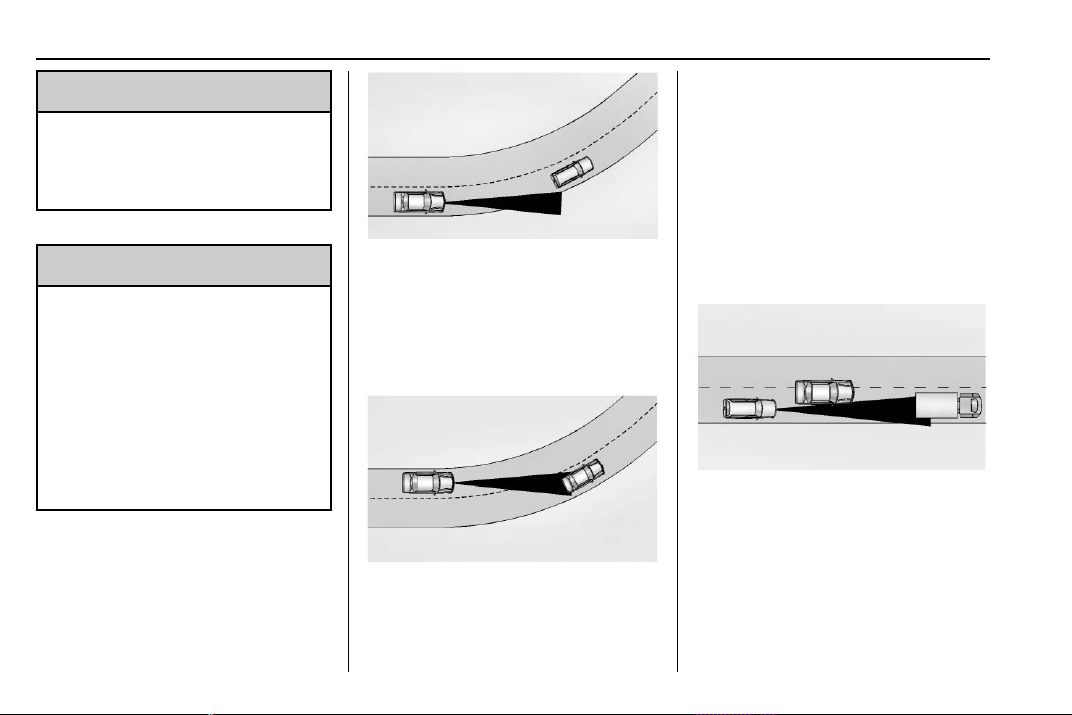
Chevrolet Traverse Owner Manual (GMNA-Localizing-U.S./Canada/Mexico-
13527526) - 2020 - CRC - 9/5/19
212 Driving and Operating
Warning (Continued)
the vehicle or crash. Do not use
ACC while driving on an entrance
or exit ramp. Always be ready to
use the brakes if necessary.
{
Warning
On curves, ACC may respond to
a vehicle in another lane, or may
not have time to react to a vehicle
in your lane. You could crash into
a vehicle ahead of you, or lose
control of your vehicle. Give extra
attention in curves and be ready
to use the brakes if necessary.
Select an appropriate speed while
driving in curves.
ACC may operate differently in a
sharp curve. It may reduce the
vehicle speed if the curve is too
sharp.
When following a vehicle and
entering a curve, ACC may not
detect the vehicle ahead and
accelerate to the set speed. When
this happens, the vehicle ahead
indicator will not appear.
ACC may detect a vehicle that is
not in your lane and apply the
brakes.
ACC may occasionally provide an
alert and/or braking that is
considered unnecessary. It could
respond to vehicles in different
lanes, signs, guardrails, and other
stationary objects when entering or
exiting a curve. This is normal
operation. The vehicle does not
need service.
Other Vehicle Lane Changes
ACC will not detect a vehicle ahead
until it is completely in the lane. The
brakes may need to be manually
applied.
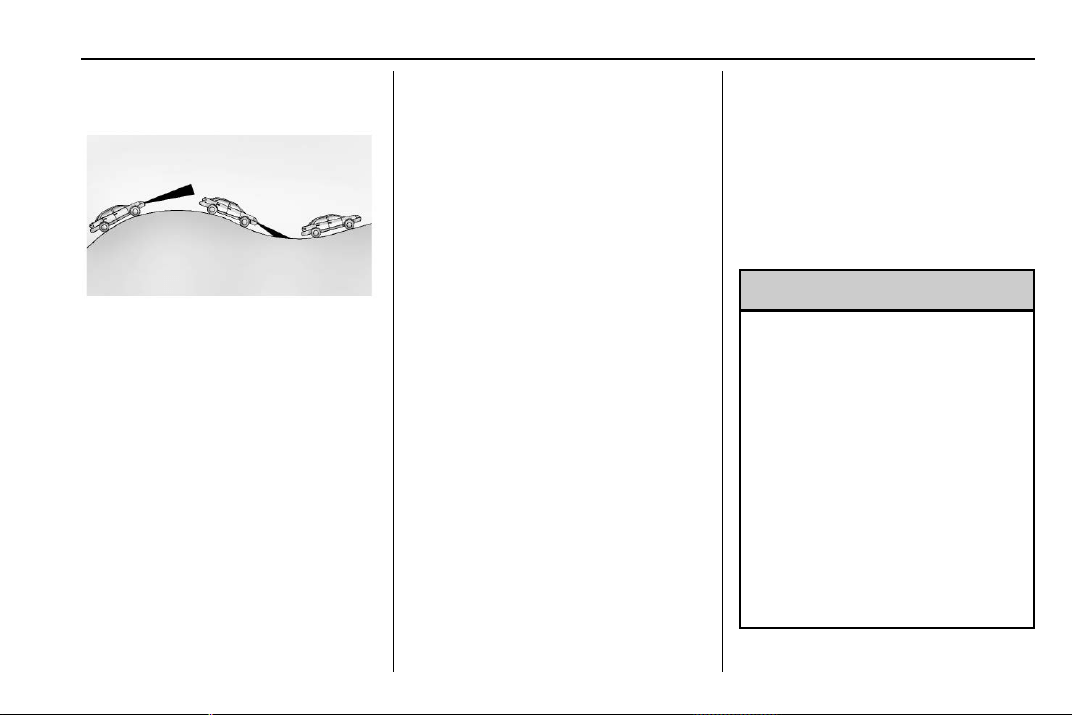
Chevrolet Traverse Owner Manual (GMNA-Localizing-U.S./Canada/Mexico-
13527526) - 2020 - CRC - 9/5/19
Driving and Operating 213
Do Not Use ACC on Hills and
When Towing a Trailer
Do not use ACC when driving on
steep hills or when towing a trailer.
ACC will not detect a vehicle in the
lane while driving on steep hills. The
driver will often need to take over
acceleration and braking on steep
hills, especially when towing a
trailer. If the brakes are applied, the
ACC disengages.
Disengaging ACC
There are three ways to
disengage ACC:
.
Step lightly on the brake pedal.
.
Press
*.
.
Press
J.
Erasing Speed Memory
The cruise control set speed is
erased from memory if
J is
pressed or if the ignition is
turned off.
Cleaning the Sensing System
The camera sensor on the
windshield behind the rearview
mirror and the radar sensors on the
front of the vehicle can become
blocked by snow, ice, dirt, or mud.
These areas need to be cleaned for
ACC to operate properly.
If ACC will not operate, regular
cruise control may be available. See
“Switching Between ACC and
Regular Cruise Control” previously
in this section. Always consider
driving conditions before using
either cruise control system.
For cleaning instructions, see
“Washing the Vehicle” under
Exterior Care 0 318.
System operation may also be
limited under snow, heavy rain,
or road spray conditions.
Driver Assistance
Systems
This vehicle may have features that
work together to help avoid crashes
or reduce crash damage while
driving, backing, and parking. Read
this entire section before using
these systems.
{
Warning
Do not rely on the Driver
Assistance Systems. These
systems do not replace the need
for paying attention and driving
safely. You may not hear or see
alerts or warnings provided by
these systems. Failure to use
proper care when driving may
result in injury, death, or vehicle
damage. See Defensive Driving
0 167.
Under many conditions, these
systems will not:
(Continued)

Chevrolet Traverse Owner Manual (GMNA-Localizing-U.S./Canada/Mexico-
13527526) - 2020 - CRC - 9/5/19
214 Driving and Operating
Warning (Continued)
.
Detect children,
pedestrians, bicyclists,
or animals.
.
Detect vehicles or objects
outside the area monitored
by the system.
.
Work at all driving speeds.
.
Warn you or provide you
with enough time to avoid a
crash.
.
Work under poor visibility or
bad weather conditions.
.
Work if the detection sensor
is not cleaned or is covered
by ice, snow, mud, or dirt.
.
Work if the detection sensor
is covered up, such as with
a sticker, magnet, or metal
plate.
.
Work if the area surrounding
the detection sensor is
damaged or not properly
repaired.
(Continued)
Warning (Continued)
Complete attention is always
required while driving, and you
should be ready to take action
and apply the brakes and/or steer
the vehicle to avoid crashes.
Audible Alert
Some driver assistance features
alert the driver of obstacles by
beeping. To change the volume of
the warning chime, see “Comfort
and Convenience” under Vehicle
Personalization 0 138.
Cleaning
Depending on vehicle options, keep
these areas of the vehicle clean to
ensure the best driver assistance
feature performance. Driver
Information Center (DIC) messages
may display when the systems are
unavailable or blocked.
.
Front and rear bumpers and the
area below the bumpers
.
Front grille and headlamps
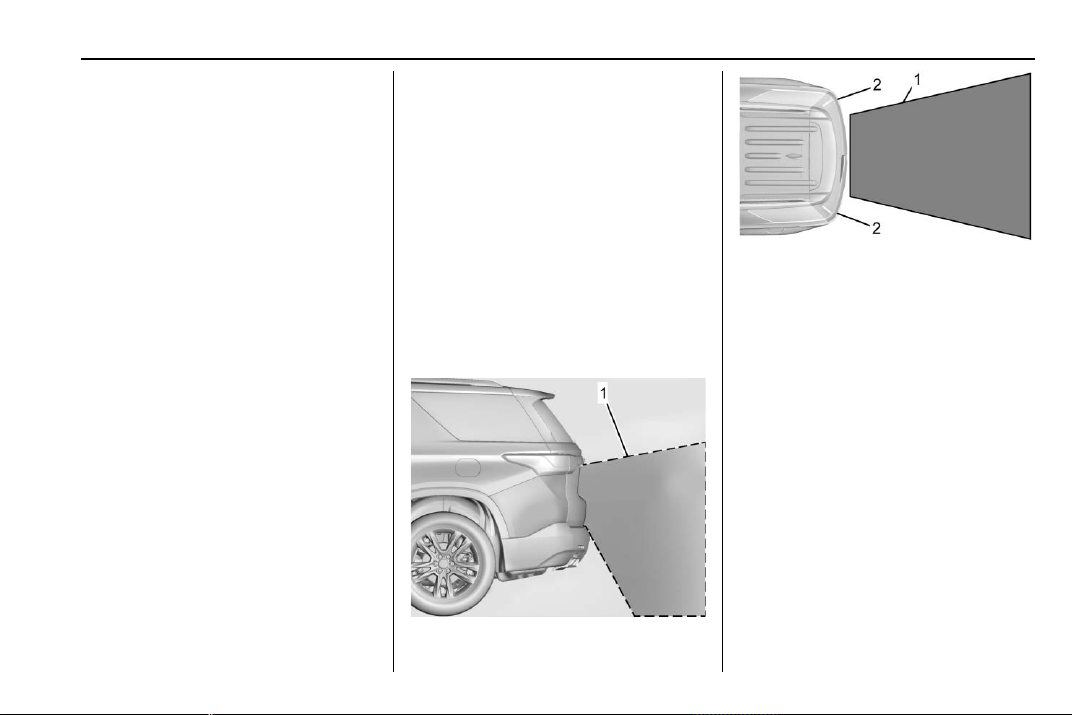
Chevrolet Traverse Owner Manual (GMNA-Localizing-U.S./Canada/Mexico-
13527526) - 2020 - CRC - 9/5/19
Driving and Operating 215
.
Front camera lens in the front
grille or near the front emblem
.
Front side and rear side panels
.
Outside of the windshield in front
of the rearview mirrors
.
Side camera lens on the bottom
of the outside mirrors
.
Rear side corner bumpers
.
Rear Vision Camera above the
license plate
Radio Frequency
This vehicle may be equipped with
driver assistance systems that
operate using radio frequency. See
Radio Frequency Statement 0 355.
Assistance Systems for
Parking or Backing
If equipped, the Rear Vision Camera
(RVC), Rear Park Assist (RPA),
Surround Vision, and Rear Cross
Traffic Alert (RCTA) may help the
driver park or avoid objects. Always
check around the vehicle when
parking or backing.
Rear Vision Camera (RVC)
When the vehicle is shifted into
R (Reverse), the RVC displays an
image of the area behind the vehicle
in the infotainment display. The
previous screen displays when the
vehicle is shifted out of R (Reverse)
after a short delay. To return to the
previous screen sooner, press any
button on the infotainment system,
shift into P (Park), or reach a vehicle
speed of approximately 12 km/h (8
mph). The RVC is above the license
plate.
1. View Displayed by the
Camera
1. View Displayed by the
Camera
2. Corners of the Rear Bumper
Displayed images may be farther or
closer than they appear. The area
displayed is limited and objects that
are close to either corner of the
bumper or under the bumper do not
display.
A warning triangle may display to
show that RPA has detected an
object. This triangle changes from
amber to red and increases in size
the closer the object.
Hitch Guidance
If equipped, this feature displays a
single, centered guideline on the
camera display to assist with
aligning a vehicle’s hitch ball with a
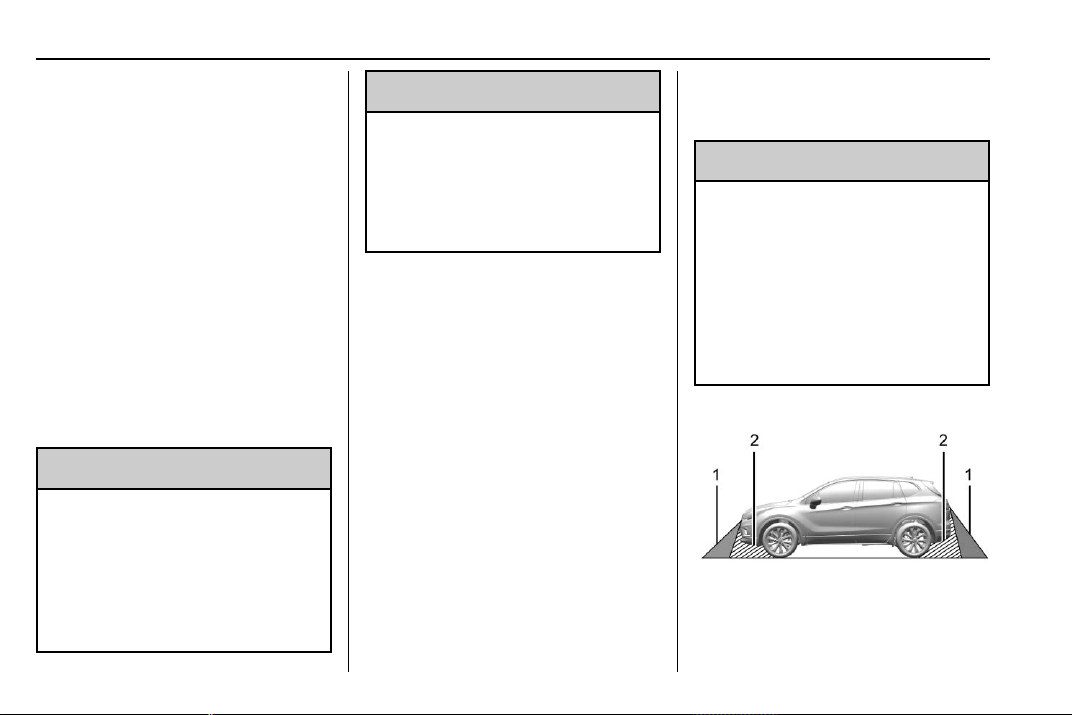
Chevrolet Traverse Owner Manual (GMNA-Localizing-U.S./Canada/Mexico-
13527526) - 2020 - CRC - 9/5/19
216 Driving and Operating
trailer coupler. Select the trailer
guidance line button, then align the
trailer guidance line over the trailer
coupler. Continuously steer the
vehicle to keep the guidance line
centered on the coupler when
backing. RVC Park Assist overlays
will not display when the trailer
guidance line is active. Hitch
Guidance is only available in
Standard View.
To check the trailer when in a
forward gear above 12 km/h
(8 mph), touch CAMERA on the
infotainment display to view the rear
camera. Touch X to exit the view or
it will be removed automatically after
eight seconds.
{
Warning
Use Hitch Guidance only to help
back the vehicle to a trailer hitch
or, when traveling above 12 km/h
(8 mph), to briefly check the
status of your trailer. Do not use
for any other purpose, such as
(Continued)
Warning (Continued)
making lane change decisions.
Before making a lane change,
always check the mirrors and
glance over your shoulder.
Improper use could result in
serious injury to you or others.
Surround Vision
If equipped, Surround Vision shows
an image of the area surrounding
the vehicle, along with the front or
rear camera views on the
infotainment display. The front
camera is in the grille or near the
front emblem, the side cameras are
on the bottom of the outside mirrors,
and the rear camera is above the
license plate.
The Surround Vision system can be
accessed by selecting CAMERA in
the infotainment display or when the
vehicle is shifted into R (Reverse).
To return to the previous screen
sooner, press any button on the
infotainment system, shift into
P (Park), or reach a vehicle speed
of approximately 12 km/h (8 mph).
{
Warning
The Surround Vision cameras
have blind spots and will not
display all objects near the
corners of the vehicle. Folding
outside mirrors that are out of
position may not display surround
view correctly. Always check
around the vehicle when parking
or backing.
1. Views Displayed by the
Surround Vision Cameras
2. Area Not Shown
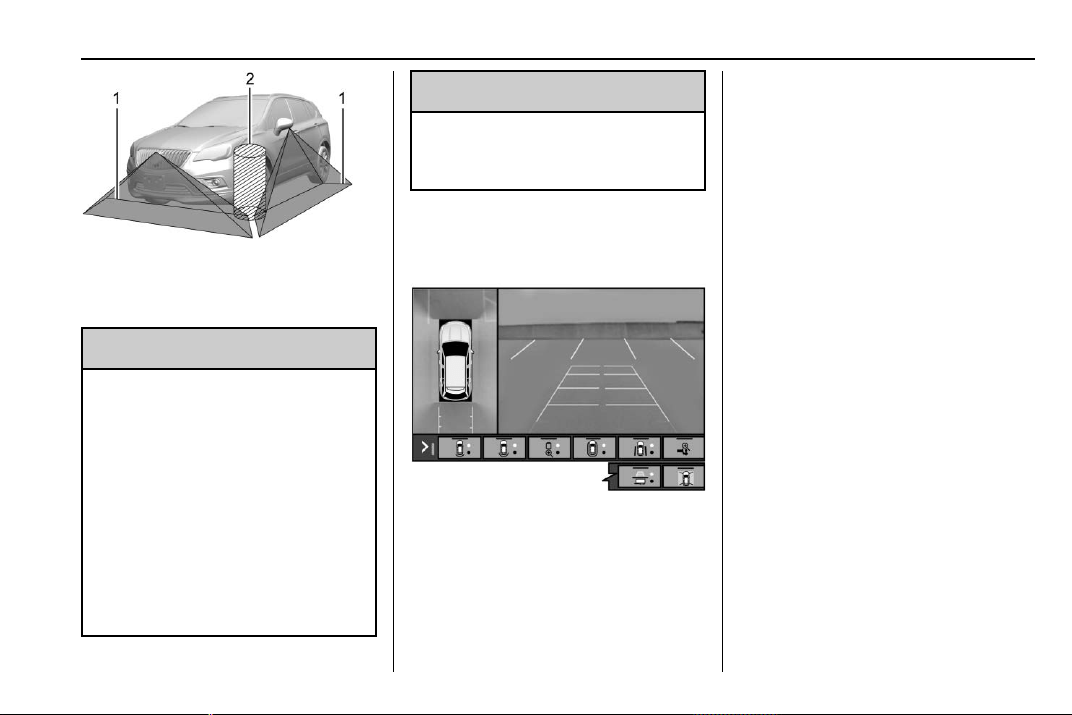
Chevrolet Traverse Owner Manual (GMNA-Localizing-U.S./Canada/Mexico-
13527526) - 2020 - CRC - 9/5/19
Driving and Operating 217
1. Views Displayed by the
Surround Vision Cameras
2. Area Not Shown
{
Warning
The camera(s) do not display
children, pedestrians, bicyclists,
crossing traffic, animals, or any
other object outside of the
cameras’ field of view, below the
bumper, or under the vehicle.
Shown distances may be different
from actual distances. Do not
drive or park the vehicle using
only these camera(s). Always
check behind and around the
(Continued)
Warning (Continued)
vehicle before driving. Failure to
use proper care may result in
injury, death, or vehicle damage.
Camera Views
Touch the camera view buttons
along the bottom of the infotainment
display. Available views will differ
depending on vehicle options.
Front/Rear Standard View :
Displays an image of the area in
front or behind the vehicle. Touch
Front/Rear Standard View on the
infotainment display when a camera
view is active. Touching the button
multiple times will toggle between
front and rear camera views.
If equipped, the front view camera
also displays when the Park Assist
system detects an object within
30 cm (12 in).
Front/Rear Junction View :
Displays a front or rear cross traffic
view that shows objects directly to
the left and right of the front or back
of the vehicle. Touch Junction View
on the infotainment display when a
camera view is active. Touching the
button multiple times will toggle
between front and rear camera
views.
Front/Rear Overhead View :
Displays a front or rear overhead
view of the vehicle. Touching the
button will toggle between the two
views.
Front/Rear Bowl View : Displays a
view of the vehicle from either the
front or the back of the vehicle.
Touch Bowl View on the
infotainment display when a camera
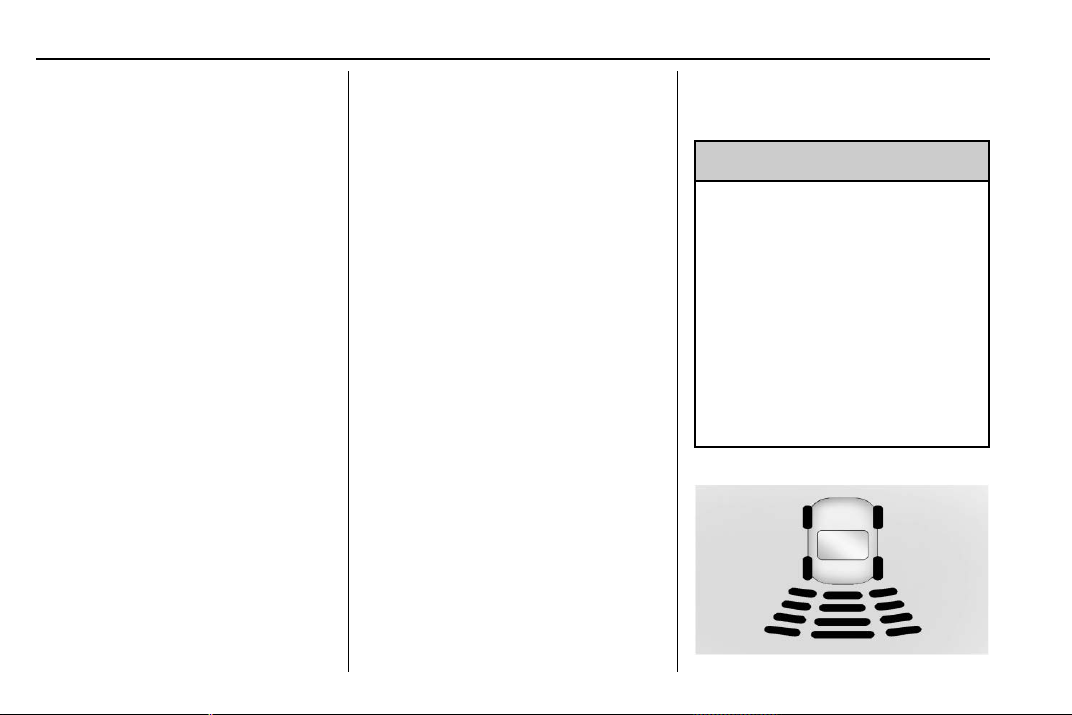
Chevrolet Traverse Owner Manual (GMNA-Localizing-U.S./Canada/Mexico-
13527526) - 2020 - CRC - 9/5/19
218 Driving and Operating
view is active. Touching the button
multiple times will toggle between
forward and rearward views. Park
Assist and RCTA overlays are not
available when Bowl View is active.
Side Forward/Rearward View :
Displays a view that shows objects
next to the front or rear sides of the
vehicle. Touch Side Forward/
Rearward View on the infotainment
display when a camera view is
active. Touching the button multiple
times will toggle between forward
and rearward views. Park Assist
and RCTA overlays are not
available when Side Forward/
Rearward View is active.
Hitch View : Assists while
connecting to a trailer. Displays a
zoomed-in view of the hitch to help
align the vehicle’s hitch ball with the
trailer coupler. Shifting into P (Park)
while in this view will automatically
engage the Electronic Parking
Brake (EPB).
Guidance Lines : Displays
available guidelines, including
standard and Hitch Guidance.
Top Down View : Displays an
image of the area surrounding the
vehicle, along with the rear camera
view in the infotainment display. The
rear camera view will be replaced
by the front camera view after
shifting from R (Reverse) to a
forward gear or when the vehicle is
moving forward slower than 12 km/h
(8 mph). This view can only be
enabled in Front/Rear Standard
View by touching the Top Down
View button when a camera view is
active.
Park Assist
With RPA, as the vehicle backs up
at speeds of less than 8 km/h
(5 mph), the sensors on the rear
bumper may detect objects up to
2.5 m (8 ft) behind the vehicle within
a zone 25 cm (10 in) high off the
ground and below bumper level.
These detection distances may be
shorter during warmer or humid
weather.
Blocked sensors will not detect
objects and can also cause false
detections. Keep the sensors clean
of mud, dirt, snow, ice, and slush;
and clean sensors after a car wash
in freezing temperatures.
{
Warning
The Park Assist system does not
detect children, pedestrians,
bicyclists, animals, or objects
below the bumper or that are too
close or too far from the vehicle.
It is not available at speeds
greater than 8 km/h (5 mph). To
prevent injury, death, or vehicle
damage, even with Park Assist,
always check the area around the
vehicle and check all mirrors
before backing.

Chevrolet Traverse Owner Manual (GMNA-Localizing-U.S./Canada/Mexico-
13527526) - 2020 - CRC - 9/5/19
Driving and Operating 219
The instrument cluster may have a
Park Assist display with bars that
show “distance to object” and object
location information for RPA. As the
object gets closer, more bars light
up and the bars change color from
yellow to amber to red.
When an object is first detected in
the rear, one beep will be heard
from the rear. When an object is
very close, <0.6 m (2 ft) in the
vehicle rear, five beeps will sound
from the rear.
Rear Cross Traffic Alert (RCTA)
If equipped, RCTA shows a red
warning triangle with a left or right
pointing arrow on the infotainment
display to warn of traffic coming
from the left or right. This system
detects objects coming from up to
20 m (65 ft) from the left or right side
of the vehicle. When an object is
detected, three beeps sound from
the left or right, depending on the
direction of the detected vehicle.
Use caution while backing up when
towing a trailer, as the RCTA
detection zones that extend out
from the back of the vehicle do not
move further back when a trailer is
towed.
Turning the Features On or Off
RPA, RCTA, and Rear Park Assist
symbols can be turned on or off
through vehicle personalization. See
“Collision/Detection Systems” under
Vehicle Personalization 0 138.
Turn off RPA when towing a trailer.
Assistance Systems for
Driving
If equipped, when driving the
vehicle in a forward gear, Forward
Collision Alert (FCA), Lane
Departure Warning (LDW), Lane
Keep Assist (LKA), Side Blind Zone
Alert (SBZA), Lane Change Alert
(LCA), Automatic Emergency
Braking (AEB), and/or the Front
Pedestrian Braking (FPB) System
can help to avoid a crash or reduce
crash damage.
Forward Collision Alert
(FCA) System
If equipped, the FCA system may
help to avoid or reduce the harm
caused by front-end crashes. When
approaching a vehicle ahead too
quickly, FCA provides a red flashing
alert on the windshield and rapidly
beeps. FCA also lights an amber
visual alert if following another
vehicle much too closely.
FCA detects vehicles within a
distance of approximately 60 m
(197 ft) and operates at speeds
above 8 km/h (5 mph). If the vehicle
has Adaptive Cruise Control (ACC),
it can detect vehicles to distances of
approximately 110 m (360 ft) and
operates at all speeds. See
Adaptive Cruise Control 0 205.
{
Warning
FCA is a warning system and
does not apply the brakes. When
approaching a slower-moving or
stopped vehicle ahead too rapidly,
(Continued)
Chevrolet Traverse Owner Manual (GMNA-Localizing-U.S./Canada/Mexico-
13527526) - 2020 - CRC - 9/5/19
220 Driving and Operating
Warning (Continued)
or when following a vehicle too
closely, FCA may not provide a
warning with enough time to help
avoid a crash. It also may not
provide any warning at all. FCA
does not warn of pedestrians,
animals, signs, guardrails,
bridges, construction barrels,
or other objects. Be ready to take
action and apply the brakes. See
Defensive Driving 0 167.
FCA can be disabled through
vehicle personalization. See
“Collision/Detection Systems” under
Vehicle Personalization 0 138.
Detecting the Vehicle Ahead
FCA warnings will not occur unless
the FCA system detects a vehicle
ahead. When a vehicle is detected,
the vehicle ahead indicator will
display green. Vehicles may not be
detected on curves, highway exit
ramps, or hills, due to poor visibility;
or if a vehicle ahead is partially
blocked by pedestrians or other
objects. FCA will not detect another
vehicle ahead until it is completely
in the driving lane.
{
Warning
FCA does not provide a warning
to help avoid a crash, unless it
detects a vehicle. FCA may not
detect a vehicle ahead if the FCA
sensor is blocked by dirt, snow,
or ice, or if the windshield is
damaged. It may also not detect a
vehicle on winding or hilly roads,
or in conditions that can limit
visibility such as fog, rain,
or snow, or if the headlamps or
windshield are not cleaned or in
(Continued)
Warning (Continued)
proper condition. Keep the
windshield, headlamps, and FCA
sensors clean and in good repair.
Collision Alert
When your vehicle approaches
another detected vehicle too rapidly,
the red FCA display will flash on the
windshield. Also, eight rapid
high-pitched beeps will sound from
the front. When this Collision Alert
occurs, the brake system may
prepare for driver braking to occur
more rapidly which can cause a
brief, mild deceleration. Continue to
apply the brake pedal as needed.
Cruise control may be disengaged
when the Collision Alert occurs.
Chevrolet Traverse Owner Manual (GMNA-Localizing-U.S./Canada/Mexico-
13527526) - 2020 - CRC - 9/5/19
Driving and Operating 221
Tailgating Alert
The vehicle ahead indicator will
display amber when you are
following a vehicle ahead much too
closely.
Selecting the Alert Timing
The Collision Alert control is on the
steering wheel. Press
[ to set the
FCA timing to Far, Medium, or Near.
The first button press shows the
current setting on the Driver
Information Center (DIC). Additional
button presses will change this
setting. The chosen setting will
remain until it is changed and will
affect the timing of both the Collision
Alert and the Tailgating Alert
features. The timing of both alerts
will vary based on vehicle speed.
The faster the vehicle speed, the
farther away the alert will occur.
Consider traffic and weather
conditions when selecting the alert
timing. The range of selectable alert
timings may not be appropriate for
all drivers and driving conditions.
If your vehicle is equipped with
Adaptive Cruise Control (ACC),
changing the FCA timing setting
automatically changes the following
gap setting (Far, Medium, or Near).
Following Distance Indication
The following distance to a moving
vehicle you are following is
indicated in following time in
seconds on the DIC. See Driver
Information Center (DIC) 0 134. The
minimum following time is
0.5 seconds away. If there is no
vehicle detected ahead, or the
vehicle ahead is out of sensor
range, dashes will be displayed.
Unnecessary Alerts
FCA may provide unnecessary
alerts for turning vehicles, vehicles
in other lanes, objects that are not
vehicles, or shadows. These alerts
are normal operation and the
vehicle does not need service.
Cleaning the System
If the FCA system does not seem to
operate properly, this may correct
the issue:
.
Clean the outside of the
windshield in front of the
rearview mirror.
.
Clean the entire front of the
vehicle.
.
Clean the headlamps.
Automatic Emergency
Braking (AEB)
If the vehicle has Forward Collision
Alert (FCA), it also has AEB, which
includes Intelligent Brake
Assist (IBA). When the system
detects a vehicle ahead in your path
that is traveling in the same
direction that you may be about to
crash into, it can provide a boost to
braking or automatically brake the
vehicle. This can help avoid or
lessen the severity of crashes when
driving in a forward gear. Depending
on the situation, the vehicle may
automatically brake moderately or
Chevrolet Traverse Owner Manual (GMNA-Localizing-U.S./Canada/Mexico-
13527526) - 2020 - CRC - 9/5/19
222 Driving and Operating
hard. This automatic emergency
braking can only occur if a vehicle is
detected. This is shown by the FCA
vehicle ahead indicator being lit.
See Forward Collision Alert (FCA)
System 0 219.
The system works when driving in a
forward gear between 8 km/h
(5 mph) and 80 km/h (50 mph),
or on vehicles with Adaptive Cruise
Control (ACC), above 4 km/h
(2 mph). It can detect vehicles up to
approximately 60 m (197 ft).
{
Warning
AEB is an emergency crash
preparation feature and is not
designed to avoid crashes. Do
not rely on AEB to brake the
vehicle. AEB will not brake
outside of its operating speed
range and only responds to
detected vehicles.
AEB may not:
.
Detect a vehicle ahead on
winding or hilly roads.
(Continued)
Warning (Continued)
.
Detect all vehicles,
especially vehicles with a
trailer, tractors, muddy
vehicles, etc.
.
Detect a vehicle when
weather limits visibility, such
as in fog, rain, or snow.
.
Detect a vehicle ahead if it
is partially blocked by
pedestrians or other objects.
Complete attention is always
required while driving, and you
should be ready to take action
and apply the brakes and/or steer
the vehicle to avoid crashes.
AEB may slow the vehicle to a
complete stop to try to avoid a
potential crash. If this happens, AEB
may engage the Electric Parking
Brake (EPB) to hold the vehicle at a
stop. Release the EPB or firmly
press the accelerator pedal.
{
Warning
AEB may automatically brake the
vehicle suddenly in situations
where it is unexpected and
undesired. It could respond to a
turning vehicle ahead, guardrails,
signs, and other non-moving
objects. To override AEB, firmly
press the accelerator pedal, if it is
safe to do so.
Intelligent Brake Assist (IBA)
IBA may activate when the brake
pedal is applied quickly by providing
a boost to braking based on the
speed of approach and distance to
a vehicle ahead.
Minor brake pedal pulsations or
pedal movement during this time is
normal and the brake pedal should
continue to be applied as needed.
IBA will automatically disengage
only when the brake pedal is
released.
Chevrolet Traverse Owner Manual (GMNA-Localizing-U.S./Canada/Mexico-
13527526) - 2020 - CRC - 9/5/19
Driving and Operating 223
{
Warning
IBA may increase vehicle braking
in situations when it may not be
necessary. You could block the
flow of traffic. If this occurs, take
your foot off the brake pedal and
then apply the brakes as needed.
AEB and IBA can be disabled
through vehicle personalization. See
“Collision/Detection Systems” under
Vehicle Personalization 0 138.
{
Warning
Using AEB or IBA while towing a
trailer could cause you to lose
control of the vehicle and crash.
Turn the system to Alert, or if the
vehicle has ACC to Off, when
towing a trailer.
A system unavailable message may
display if:
.
The front of the vehicle or
windshield is not clean.
.
Heavy rain or snow is interfering
with object detection.
.
There is a problem with the
StabiliTrak/Electronic Stability
Control (ESC) system.
The AEB system does not need
service.
Front Pedestrian Braking
(FPB) System
If equipped, the Front Pedestrian
Braking (FPB) system may help
avoid or reduce the harm caused by
front-end crashes with nearby
pedestrians when driving in a
forward gear. FPB displays an
amber indicator,
~, when a nearby
pedestrian is detected ahead. When
approaching a detected pedestrian
too quickly, FPB provides a red
flashing alert on the windshield and
rapidly beeps. FPB can provide a
boost to braking or automatically
brake the vehicle. This system
includes Intelligent Brake Assist
(IBA), and the Automatic
Emergency Braking (AEB) system
may also respond to pedestrians.
See Automatic Emergency Braking
(AEB) 0 221.
The FPB system can detect and
alert to pedestrians in a forward
gear at speeds between 8 km/h
(5 mph) and 80 km/h (50 mph).
During daytime driving, the system
detects pedestrians up to a distance
of approximately 40 m (131 ft).
During nighttime driving, system
performance is very limited.
{
Warning
FPB does not provide an alert or
automatically brake the vehicle,
unless it detects a pedestrian.
FPB may not detect pedestrians,
including children:
.
When the pedestrian is not
directly ahead, fully visible,
or standing upright, or when
part of a group.
(Continued)

Chevrolet Traverse Owner Manual (GMNA-Localizing-U.S./Canada/Mexico-
13527526) - 2020 - CRC - 9/5/19
224 Driving and Operating
Warning (Continued)
.
Due to poor visibility,
including nighttime
conditions, fog, rain,
or snow.
.
If the FPB sensor is blocked
by dirt, snow, or ice.
.
If the headlamps or
windshield are not cleaned
or in proper condition.
Be ready to take action and apply
the brakes. For more information,
see Defensive Driving 0 167.
Keep the windshield, headlamps,
and FPB sensor clean and in
good repair.
FPB can be set to Off, Alert, or Alert
and Brake through vehicle
personalization. See “Collision/
Detection Systems” under Vehicle
Personalization 0 138.
Detecting the Pedestrian
Ahead
FPB alerts and automatic braking
will not occur unless the FPB
system detects a pedestrian. When
a nearby pedestrian is detected in
front of the vehicle, the pedestrian
ahead indicator will display amber.
Front Pedestrian Alert
When the vehicle approaches a
pedestrian ahead too rapidly, the
red FPB alert display will flash on
the windshield. Eight rapid
high-pitched beeps will sound from
the front. When this Pedestrian Alert
occurs, the brake system may
prepare for driver braking to occur
more rapidly which can cause a
brief, mild deceleration. Continue to
apply the brake pedal as needed.
Cruise control may be disengaged
when the Front Pedestrian Alert
occurs.
Automatic Braking
If FPB detects it is about to crash
into a pedestrian ahead, and the
brakes have not been applied, FPB
may automatically brake moderately
or brake hard. This can help to
avoid some very low speed
pedestrian crashes or reduce
pedestrian injury. FPB can
automatically brake to detected
pedestrians between 8 km/h (5 mph)
and 80 km/h (50 mph). Automatic
braking levels may be reduced
under certain conditions, such as
higher speeds.
If this happens, Automatic Braking
may engage the Electric Parking
Brake (EPB) to hold the vehicle at a
stop. Release the EPB. A firm press
Chevrolet Traverse Owner Manual (GMNA-Localizing-U.S./Canada/Mexico-
13527526) - 2020 - CRC - 9/5/19
Driving and Operating 225
of the accelerator pedal will also
release Automatic Braking and
the EPB.
{
Warning
FPB may alert or automatically
brake the vehicle suddenly in
situations where it is unexpected
and undesired. It could falsely
alert or brake for objects similar in
shape or size to pedestrians,
including shadows. This is normal
operation and the vehicle does
not need service. To override
Automatic Braking, firmly press
the accelerator pedal, if it is safe
to do so.
Automatic Braking can be disabled
through vehicle personalization. See
“Front Pedestrian Detection” in
“Collision/Detection Systems” under
Vehicle Personalization 0 138.
{
Warning
Using the Front Pedestrian
Braking system while towing a
trailer could cause you to lose
control of the vehicle and crash.
Turn the system to Alert or Off
when towing a trailer.
Cleaning the System
If FPB does not seem to operate
properly, cleaning the outside of the
windshield in front of the rearview
mirror may correct the issue.
Side Blind Zone
Alert (SBZA)
If equipped, the SBZA system is a
lane-changing aid that assists
drivers with avoiding crashes that
occur with moving vehicles in the
side blind zone (or spot) areas.
When the vehicle is in a forward
gear, the left or right side mirror
display will light up if a moving
vehicle is detected in that blind
zone. If the turn signal is activated
and a vehicle is also detected on
the same side, the display will flash
as an extra warning not to change
lanes. Since this system is part of
the Lane Change Alert (LCA)
system, read the entire LCA section
before using this feature.
Lane Change Alert (LCA)
If equipped, the LCA system is a
lane-changing aid that assists
drivers with avoiding lane change
crashes that occur with moving
vehicles in the side blind zone (or
spot) areas or with vehicles rapidly
approaching these areas from
behind. The LCA warning display
will light up in the corresponding
outside mirror and will flash if the
turn signal is on.
{
Warning
LCA does not alert the driver to
vehicles outside of the system
detection zones, pedestrians,
bicyclists, or animals. It may not
(Continued)
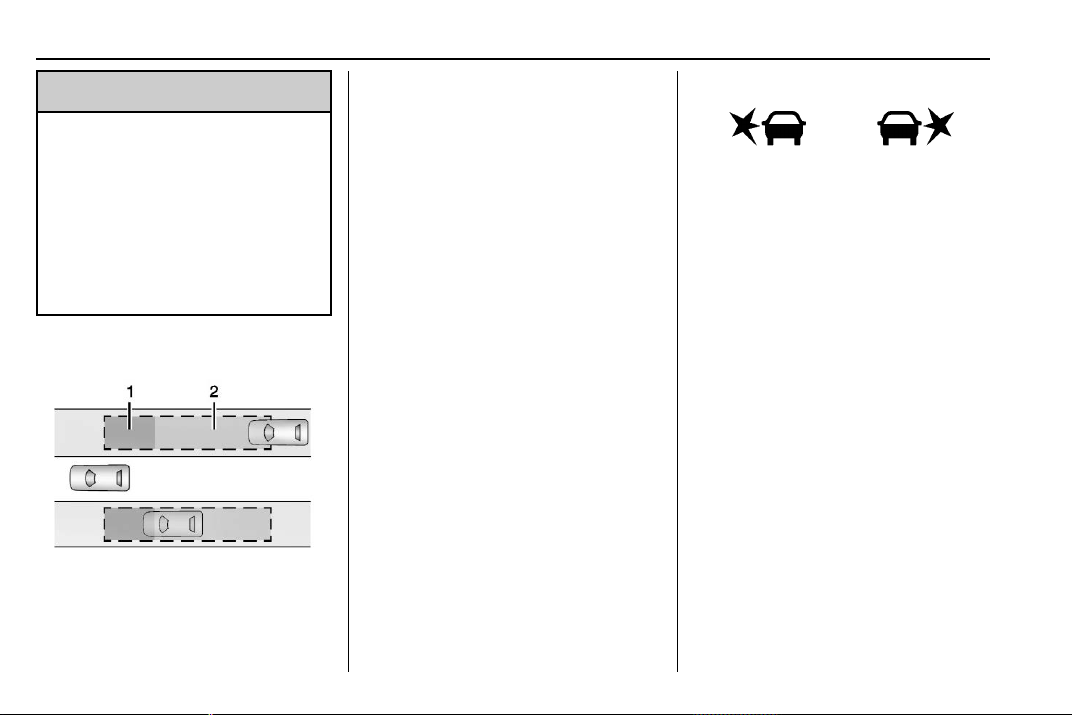
Chevrolet Traverse Owner Manual (GMNA-Localizing-U.S./Canada/Mexico-
13527526) - 2020 - CRC - 9/5/19
226 Driving and Operating
Warning (Continued)
provide alerts when changing
lanes under all driving conditions.
Failure to use proper care when
changing lanes may result in
injury, death, or vehicle damage.
Before making a lane change,
always check mirrors, glance over
your shoulder, and use the turn
signals.
LCA Detection Zones
1. SBZA Detection Zone
2. LCA Detection Zone
The LCA sensor covers a zone of
approximately one lane over from
both sides of the vehicle, or 3.5 m
(11 ft). The height of the zone is
approximately between 0.5 m (1.5 ft)
and 2 m (6 ft) off the ground. The
Side Blind Zone Alert (SBZA)
warning area starts at approximately
the middle of the vehicle and goes
back 5 m (16 ft). Drivers are also
warned of vehicles rapidly
approaching from up to 70 m (230 ft)
behind the vehicle.
How the System Works
The LCA symbol lights up in the
outside mirrors when the system
detects a moving vehicle in the next
lane over that is in the side blind
zone or rapidly approaching that
zone from behind. A lit LCA symbol
indicates it may be unsafe to
change lanes. Before making a lane
change, check the LCA display,
check mirrors, glance over your
shoulder, and use the turn signals.
Left Outside
Mirror Display
Right Outside
Mirror Display
When the vehicle is started, both
outside mirror LCA displays will
briefly come on to indicate the
system is operating. When the
vehicle is in a forward gear, the left
or right outside mirror display will
light up if a moving vehicle is
detected in the next lane over in that
blind zone or rapidly approaching
that zone. If the turn signal is
activated in the same direction as a
detected vehicle, this display will
flash as an extra warning not to
change lanes.
LCA can be disabled through
vehicle personalization. When you
disable LCA, Side Blind Zone Alert
is also disabled. See “Collision/

Chevrolet Traverse Owner Manual (GMNA-Localizing-U.S./Canada/Mexico-
13527526) - 2020 - CRC - 9/5/19
Driving and Operating 227
Detection Systems” under Vehicle
Personalization 0 138. If LCA is
disabled by the driver, the LCA
mirror displays will not light up.
When the System Does Not
Seem to Work Properly
The LCA system requires some
driving for the system to calibrate to
maximum performance. This
calibration may occur more quickly if
the vehicle is driving on a straight
highway road with traffic and
roadside objects (e.g., guardrails,
barriers).
LCA displays may not come on
when passing a vehicle quickly, for
a stopped vehicle, or when towing a
trailer. The LCA detection zones
that extend back from the side of
the vehicle do not move further back
when a trailer is towed. Use caution
while changing lanes when towing a
trailer. LCA may alert to objects
attached to the vehicle, such as a
trailer, bicycle, or object extending
out to either side of the vehicle.
Attached objects may also interfere
with the detection of vehicles. This
is normal system operation; the
vehicle does not need service.
LCA may not always alert the driver
to vehicles in the next lane over,
especially in wet conditions or when
driving on sharp curves. The system
does not need to be serviced. The
system may light up due to
guardrails, signs, trees, shrubs, and
other non-moving objects. This is
normal system operation; the
vehicle does not need service.
LCA may not operate when the LCA
sensors in the left or right corners of
the rear bumper are covered with
mud, dirt, snow, ice, or slush, or in
heavy rainstorms. For cleaning
instructions, see "Washing the
Vehicle" under Exterior Care 0 318.
If the DIC still displays the system
unavailable message after cleaning
both sides of the vehicle toward the
rear corners of the vehicle, see your
dealer.
If the LCA displays do not light up
when moving vehicles are in the
side blind zone or are rapidly
approaching this zone and the
system is clean, the system may
need service. Take the vehicle to
your dealer.
Radio Frequency Information
See Radio Frequency Statement
0 355.
Lane Keep Assist (LKA)
If equipped, LKA may help avoid
crashes due to unintentional lane
departures. This system uses a
camera to detect lane markings
between 60 km/h (37 mph) and 180
km/h (112 mph). It may assist by
gently turning the steering wheel if
the vehicle approaches a detected
lane marking. It may also provide a
Lane Departure Warning (LDW)
alert if the vehicle crosses a
detected lane marking. LKA can be
overridden by turning the steering
wheel. This system is not intended
to keep the vehicle centered in the
lane. LKA will not assist and alert if
the turn signal is active in the
direction of lane departure, or if it
detects that you are accelerating,
braking or actively steering.
Chevrolet Traverse Owner Manual (GMNA-Localizing-U.S./Canada/Mexico-
13527526) - 2020 - CRC - 9/5/19
228 Driving and Operating
{
Warning
The LKA system does not
continuously steer the vehicle.
It may not keep the vehicle in the
lane or give a Lane Departure
Warning (LDW) alert, even if a
lane marking is detected.
The LKA and LDW systems
may not:
.
Provide an alert or enough
steering assist to avoid a
lane departure or crash.
.
Detect lane markings under
poor weather or visibility
conditions. This can occur if
the windshield or
headlamps are blocked by
dirt, snow, or ice; if they are
not in proper condition; or if
the sun shines directly into
the camera.
.
Detect road edges.
.
Detect lanes on winding or
hilly roads.
(Continued)
Warning (Continued)
If LKA only detects lane markings
on one side of the road, it will
only assist or provide an LDW
alert when approaching the lane
on the side where it has detected
a lane marking. Even with LKA
and LDW, you must steer the
vehicle. Always keep your
attention on the road and
maintain proper vehicle position
within the lane, or vehicle
damage, injury, or death could
occur. Always keep the
windshield, headlamps, and
camera sensors clean and in
good repair. Do not use LKA in
bad weather conditions or on
roads with unclear lane markings,
such as construction zones.
{
Warning
Using LKA while towing a trailer
or on slippery roads could cause
loss of control of the vehicle and
a crash. Turn the system off.
How the System Works
LKA uses a camera sensor installed
on the windshield ahead of the
rearview mirror to detect lane
markings. It may provide brief
steering assist if it detects an
unintended lane departure. It may
further provide an audible alert that
a lane marking has been crossed.
To turn LKA on and off, press
A
on the center console. If equipped,
the indicator light on the button
comes on when LKA is on and turns
off when LKA is disabled.
A is green if LKA is ready to
assist. LKA may assist by gently
turning the steering wheel if the
vehicle approaches a detected
lane marking.
A is amber when
assisting. It may also provide a

Chevrolet Traverse Owner Manual (GMNA-Localizing-U.S./Canada/Mexico-
13527526) - 2020 - CRC - 9/5/19
Driving and Operating 229
Lane Departure Warning (LDW)
alert by flashing
A amber if the
vehicle crosses a detected lane
marking. Additionally, there may be
three beeps on the right or left,
depending on the lane departure
direction.
Take Steering
The LKA system does not
continuously steer the vehicle.
If LKA does not detect active driver
steering, an alert and chime may be
provided. Steer the vehicle to
dismiss. LKA may become
temporarily unavailable after
repeated take steering alerts.
When the System Does Not
Seem to Work Properly
The system performance may be
affected by:
.
Close vehicles ahead.
.
Sudden lighting changes, such
as when driving through tunnels.
.
Banked roads.
.
Roads with poor lane markings,
such as two-lane roads.
A camera blocked message may
display if the camera is blocked.
Some driver assistance systems
may have reduced performance or
not work at all. An LKA or LDW
unavailable message may display if
the systems are temporarily
unavailable. This message could be
due to a blocked camera. The LKA
system does not need service.
Clean the outside of the windshield
behind the rearview mirror.
LKA assistance and/or LDW alerts
may occur due to tar marks,
shadows, cracks in the road,
temporary or construction lane
markings, or other road
imperfections. This is normal system
operation; the vehicle does not need
service. Turn LKA off if these
conditions continue.
Fuel
Top Tier Fuel
GM recommends the use of TOP
TIER Detergent Gasoline to keep
the engine clean, reduce engine
deposits, and maintain optimal
vehicle performance. Look for the
TOP TIER Logo or see
www.toptiergas.com for a list of TOP
TIER Detergent Gasoline marketers
and applicable countries.
Chevrolet Traverse Owner Manual (GMNA-Localizing-U.S./Canada/Mexico-
13527526) - 2020 - CRC - 9/5/19
230 Driving and Operating
Recommended Fuel
Use regular unleaded gasoline
meeting ASTM specification D4814
with a posted octane rating of 87 —
(R+M)/2 — or higher. Do not use
gasoline with a posted octane rating
of less than 87, as this may cause
engine knock and will lower fuel
economy.
Do not use any fuel labeled E85 or
FlexFuel. Do not use gasoline with
ethanol levels greater than 15% by
volume.
Prohibited Fuels
Caution
Do not use fuels with any of the
following conditions; doing so
may damage the vehicle and void
its warranty:
.
For vehicles that are not
FlexFuel, fuel labeled
greater than 15% ethanol by
volume, such as mid-level
ethanol blends (16–50%
ethanol), E85, or FlexFuel.
.
Fuel with any amount of
methanol, methylal,
ferrocene, and aniline.
These fuels can corrode
metal fuel system parts or
damage plastic and rubber
parts.
.
Fuel containing metals such
as methylcyclopentadienyl
manganese tricarbonyl
(Continued)
Caution (Continued)
(MMT), which can damage
the emissions control
system and spark plugs.
.
Fuel with a posted octane
rating of less than the
recommended fuel. Using
this fuel will lower fuel
economy and performance,
and may decrease the life of
the emissions catalyst.
Fuels in Foreign
Countries
The U.S., Canada, and Mexico post
fuel octane ratings in anti-knock
index (AKI). For fuel not to use in a
foreign country, see Prohibited
Fuels 0 230.
Fuel Additives
TOP TIER Detergent Gasoline is
highly recommended for use with
your vehicle. If your country does
not have TOP TIER Detergent
Gasoline, add ACDelco Fuel
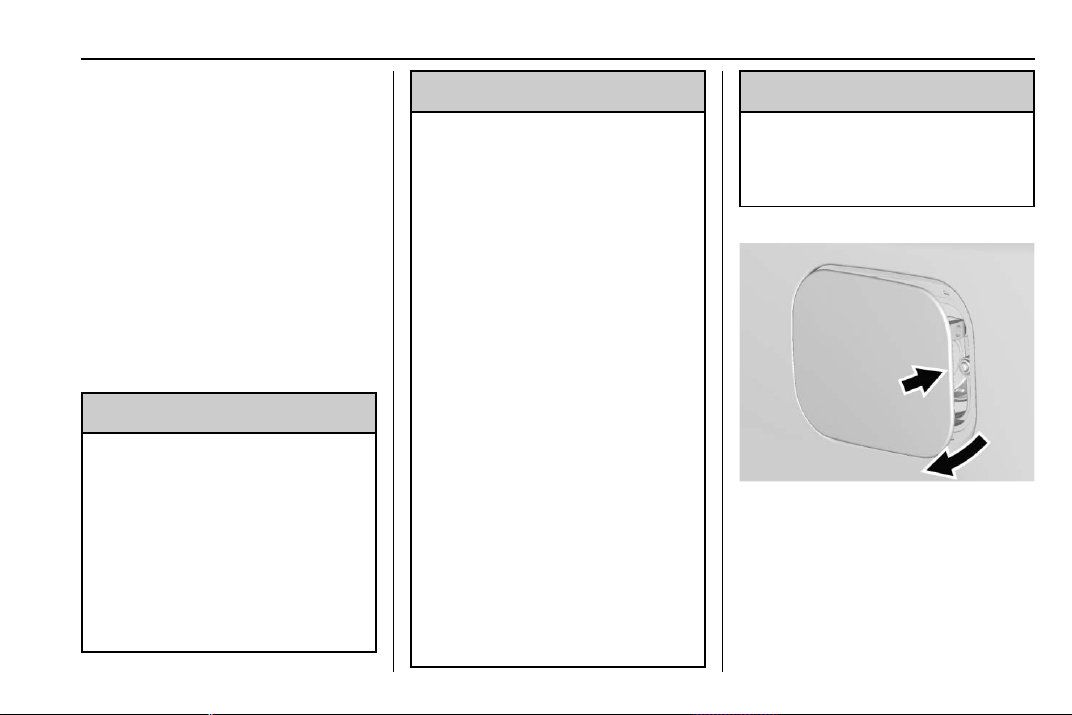
Chevrolet Traverse Owner Manual (GMNA-Localizing-U.S./Canada/Mexico-
13527526) - 2020 - CRC - 9/5/19
Driving and Operating 231
System Treatment Plus−Gasoline to
the vehicle’s gasoline fuel tank at
every oil change or 15 000 km
(9,000 mi), whichever occurs first.
TOP TIER Detergent Gasoline and
ACDelco Fuel System Treatment
Plus−Gasoline will help keep your
vehicle’s engine fuel deposit free
and performing optimally.
Filling the Tank
An arrow on the fuel gauge
indicates which side of the vehicle
the fuel door is on. See Fuel Gauge
0 121.
{
Warning
Fuel vapors and fuel fires burn
violently and can cause injury or
death.
Follow these guidelines to help
avoid injuries to you and others:
.
Read and follow all the
instructions on the fuel
pump island.
(Continued)
Warning (Continued)
.
Turn off the engine when
refueling.
.
Keep sparks, flames, and
smoking materials away
from fuel.
.
Do not leave the fuel pump
unattended.
.
Avoid using electronic
devices while refueling.
.
Do not re-enter the vehicle
while pumping fuel.
.
Keep children away from
the fuel pump and never let
children pump fuel.
.
Before touching the fill
nozzle, touch a metallic
object to discharge static
electricity from your body.
.
Fuel can spray out if the fill
nozzle is inserted too
quickly. This spray can
happen if the tank is nearly
full, and is more likely in hot
(Continued)
Warning (Continued)
weather. Insert the fill nozzle
slowly and wait for any hiss
noise to stop before
beginning to flow fuel.
To open the fuel door, push and
release the rearward center edge of
the door.
The capless refueling system does
not have a fuel cap. Fully insert and
latch the fill nozzle, begin fueling.

Chevrolet Traverse Owner Manual (GMNA-Localizing-U.S./Canada/Mexico-
13527526) - 2020 - CRC - 9/5/19
232 Driving and Operating
{
Warning
Overfilling the fuel tank by more
than three clicks of a standard fill
nozzle may cause:
.
Vehicle performance issues,
including engine stalling and
damage to the fuel system.
.
Fuel spills.
.
Under certain conditions,
fuel fires.
Be careful not to spill fuel. Wait
five seconds after you have finished
pumping before removing the fill
nozzle. Clean fuel from painted
surfaces as soon as possible. See
Exterior Care 0 318. Push the fuel
door closed until it latches.
{
Warning
If a fire starts while you are
refueling, do not remove the fill
nozzle. Shut off the flow of fuel by
(Continued)
Warning (Continued)
shutting off the pump or by
notifying the station attendant.
Leave the area immediately.
Filling the Tank with a Portable
Fuel Container
If the vehicle runs out of fuel and
must be filled from a portable fuel
container:
1. Locate the capless funnel
adapter from the rear cargo
area under the load floor.
2. Insert and latch the funnel into
the capless fuel system.
{
Warning
Attempting to refuel from a
portable fuel container without
using the funnel adapter may
cause fuel spillage and damage
the capless fuel system. This
could cause a fire. You or others
could be badly burned and the
vehicle could be damaged.
3. Remove and clean the funnel
adapter and return it to the
storage location.
Filling a Portable Fuel
Container
{
Warning
Never fill a portable fuel container
while it is in the vehicle. Static
electricity discharge from the
container can ignite the fuel
vapor. You can be badly burned
(Continued)
Chevrolet Traverse Owner Manual (GMNA-Localizing-U.S./Canada/Mexico-
13527526) - 2020 - CRC - 9/5/19
Driving and Operating 233
Warning (Continued)
and the vehicle damaged if this
occurs. To help avoid injury to you
and others:
.
Dispense fuel only into
approved containers.
.
Do not fill a container while
it is inside a vehicle, in a
vehicle's trunk, pickup bed,
or on any surface other than
the ground.
.
Bring the fill nozzle in
contact with the inside of
the fill opening before
operating the nozzle.
Contact should be
maintained until the filling is
complete.
.
Do not smoke while
pumping fuel.
.
Avoid using electronic
devices.
Trailer Towing
General Towing
Information
Only use towing equipment that has
been designed for the vehicle.
Contact your dealer or trailering
dealer for assistance with preparing
the vehicle to tow a trailer. Read the
entire section before towing a trailer.
To tow a disabled vehicle, see
Towing the Vehicle 0 315. To tow
the vehicle behind another vehicle
such as a motor home, see
Recreational Vehicle Towing 0 315.
Driving Characteristics
and Towing Tips
{
Warning
You can lose control when towing
a trailer if the correct equipment is
not used or the vehicle is not
driven properly. For example,
if the trailer is too heavy or the
(Continued)
Warning (Continued)
trailer brakes are inadequate for
the load, the vehicle may not stop
as expected. You and others
could be seriously injured. The
vehicle may also be damaged,
and the repairs would not be
covered by the vehicle warranty.
Pull a trailer only if all the steps in
this section have been followed.
Ask your dealer for advice and
information about towing a trailer
with the vehicle.
Driving with a Trailer
Trailering is different than just
driving the vehicle by itself.
Trailering means changes in
handling, acceleration, braking,
durability, and fuel economy.
Successful, safe trailering takes
correct equipment, and it has to be
used properly.
The following information has many
time-tested, important trailering tips
and safety rules. Many of these are
Chevrolet Traverse Owner Manual (GMNA-Localizing-U.S./Canada/Mexico-
13527526) - 2020 - CRC - 9/5/19
234 Driving and Operating
important for your safety and that of
your passengers. Read this section
carefully before pulling a trailer.
When towing a trailer:
.
Become familiar with and follow
all state and local laws that
apply to trailer towing. These
requirements vary from state to
state.
.
State laws may require the use
of extended side view mirrors.
Even if not required, you should
install extended side view
mirrors if your visibility is limited
or restricted while towing.
.
Do not tow a trailer during the
first 800 km (500 mi) of vehicle
use to prevent damage to the
engine, axle, or other parts.
.
It is recommended to perform
the first oil change before heavy
towing.
.
During the first 800 km (500 mi)
of trailer towing, do not drive
over 80 km/h (50 mph) and do
not make starts at full throttle.
.
Vehicles can tow in D (Drive).
Tow/Haul Mode is recommended
for heavier trailers. See Tow/
Haul Mode 0 194. If the
transmission downshifts too
often, a lower gear may be
selected using Manual Mode
See Manual Mode 0 193.
If equipped, the following driver
assistance features should be
turned off when towing a trailer:
.
Adaptive Cruise Control (ACC)
.
Super Cruise Control
.
Lane Keep Assist (LKA)
.
Park Assist
.
Automatic Parking Assist (APA)
.
Reverse Automatic
Braking (RAB)
If equipped, the following driver
assistance features should be
turned to alert or off when towing a
trailer:
.
Automatic Emergency
Braking (AEB)
.
Intelligent Brake Assist (IBA)
.
Front Pedestrian Braking (FPB)
If equipped with Lane Change Alert
(LCA), the LCA detection zones that
extend back from the side of the
vehicle do not move further back
when a trailer is towed. Use caution
while changing lanes when towing a
trailer.
If equipped with Rear Cross Traffic
Alert (RCTA), use caution while
backing up when towing a trailer, as
the RCTA detection zones that
extend out from the back of the
vehicle do not move further back
when a trailer is towed.
{
Warning
To prevent serious injury or death
from carbon monoxide (CO),
when towing a trailer:
.
Do not drive with the
liftgate, trunk/hatch,
or rear-most window open.
(Continued)
Chevrolet Traverse Owner Manual (GMNA-Localizing-U.S./Canada/Mexico-
13527526) - 2020 - CRC - 9/5/19
Driving and Operating 235
Warning (Continued)
.
Fully open the air outlets on
or under the instrument
panel.
.
Adjust the climate control
system to a setting that
brings in only outside air.
See “Climate Control
Systems” in the Index.
For more information about
carbon monoxide, see Engine
Exhaust 0 190.
Towing a trailer requires experience.
The combination of the vehicle and
trailer is longer and not as
responsive as the vehicle itself. Get
used to the handling and braking of
the combination by driving on a
level road surface before driving on
public roads.
The trailer structure, the tires, and
the brakes must be all be rated to
carry the intended cargo.
Inadequate trailer equipment can
cause the combination to operate in
an unexpected or unsafe manner.
Before driving, inspect all trailer
hitch parts and attachments, safety
chains, electrical connectors, lamps,
tires, and mirrors. See Towing
Equipment 0 241. If the trailer has
electric brakes, start the
combination moving and then
manually apply the trailer brake
controller to check the trailer brakes
work. During the trip, occasionally
check that the cargo and trailer are
secure and that the lamps and any
trailer brakes are working.
Towing with a Stability Control
System
When towing, the stability control
system might be heard. The system
reacts to vehicle movement caused
by the trailer, which mainly occurs
during cornering. This is normal
when towing heavier trailers.
Following Distance
Stay at least twice as far behind the
vehicle ahead as you would when
driving without a trailer. This can
help to avoid heavy braking and
sudden turns.
Passing
More passing distance is needed
when towing a trailer. The
combination of the vehicle and
trailer will not accelerate as quickly
and is much longer than the vehicle
alone. It is necessary to go much
farther beyond the passed vehicle
before returning to the lane. Pass
on level roadways. Avoid passing
on hills if possible.
Backing Up
Hold the bottom of the steering
wheel with one hand. To move the
trailer to the left, move that hand to
the left. To move the trailer to the
right, move that hand to the right.
Always back up slowly and,
if possible, have someone
guide you.
Chevrolet Traverse Owner Manual (GMNA-Localizing-U.S./Canada/Mexico-
13527526) - 2020 - CRC - 9/5/19
236 Driving and Operating
Making Turns
Caution
Turn more slowly and make wider
arcs when towing a trailer to
prevent damage to your vehicle.
Making very sharp turns could
cause the trailer to contact the
vehicle.
Make wider turns than normal when
towing, so trailer will not go over soft
shoulders, over curbs, or strike road
signs, trees, or other objects.
Always signal turns well in advance.
Do not steer or brake suddenly.
Driving on Grades
Reduce speed and shift to a lower
gear before starting down a long or
steep downhill grade. If the
transmission is not shifted down, the
brakes may overheat and result in
reduced braking efficiency.
The vehicle can tow in D (Drive).
Shift the transmission to a lower
gear if the transmission shifts too
often under heavy loads and/or hilly
conditions.
When towing at higher altitudes,
engine coolant will boil at a lower
temperature than at lower altitudes.
If the engine is turned off
immediately after towing at high
altitude on steep uphill grades, the
vehicle could show signs similar to
engine overheating. To avoid this,
let the engine run, preferably on
level ground, with the transmission
in P (Park) for a few minutes before
turning the engine off. If the
overheat warning comes on, see
Engine Overheating 0 262.
Parking on Hills
{
Warning
To prevent serious injury or death,
always park your vehicle and
trailer on a level surface when
possible.
When parking your vehicle and your
trailer on a hill:
1. Press the brake pedal, but do
not shift into P (Park) yet. Turn
the wheels into the curb if
facing downhill or into traffic if
facing uphill.
2. Have someone place chocks
under the trailer wheels.
3. When the wheel chocks are in
place, gradually release the
brake pedal to allow the chocks
to absorb the load of the trailer.
4. Reapply the brake pedal. Then
apply the parking brake and
shift into P (Park).
5. Release the brake pedal.
Leaving After Parking on a Hill
1. Apply and hold the brake
pedal.
.
Start the engine.
.
Shift into a gear.
.
Release the parking brake.
2. Let up on the brake pedal.
Chevrolet Traverse Owner Manual (GMNA-Localizing-U.S./Canada/Mexico-
13527526) - 2020 - CRC - 9/5/19
Driving and Operating 237
3. Drive slowly until the trailer is
clear of the chocks.
4. Stop and have someone pick
up and store the chocks.
Maintenance When Trailer
Towing
The vehicle needs service more
often when used to tow trailers. See
Maintenance Schedule 0 329. It is
especially important to check the
engine oil, axle lubricant, belts,
cooling system, and brake system
before and during each trip.
Check periodically that all nuts and
bolts on the trailer hitch are tight.
Engine Cooling When Trailer
Towing
The cooling system may temporarily
overheat during severe operating
conditions. See Engine Overheating
0 262.
Trailer Towing
Caution
Towing a trailer improperly can
damage the vehicle and result in
costly repairs not covered by the
vehicle warranty. To tow a trailer
correctly, follow the directions in
this section and see your dealer
for important information about
towing a trailer with the vehicle.
Trailer Weight
{
Warning
Never exceed the towing capacity
for your vehicle.
Safe trailering requires monitoring
the weight, speed, altitude, road
grades, outside temperature,
dimensions of the front of the trailer,
and how frequently the vehicle is
used to tow a trailer.
Trailer Weight Ratings
When towing a trailer, the combined
weight of the vehicle, vehicle
contents, trailer, and trailer contents
must be below all of the maximum
weight ratings for the vehicle
including:
.
GCWR: Gross Combined Weight
Rating
.
GVWR: Gross Vehicle Weight
Rating
.
Maximum Trailer Weight Rating
.
Maximum Trailer Tongue Weight
See “Weight-Distributing Hitch
Adjustment” under Towing
Equipment 0 241 to determine if
equalizer bars are required to obtain
the maximum trailer weight rating.
See “Trailer Brakes” under Towing
Equipment 0 241 to determine if
brakes are required based on your
trailer's weight.
The only way to be sure the weight
is not exceeding any of these
ratings is to weigh the tow vehicle
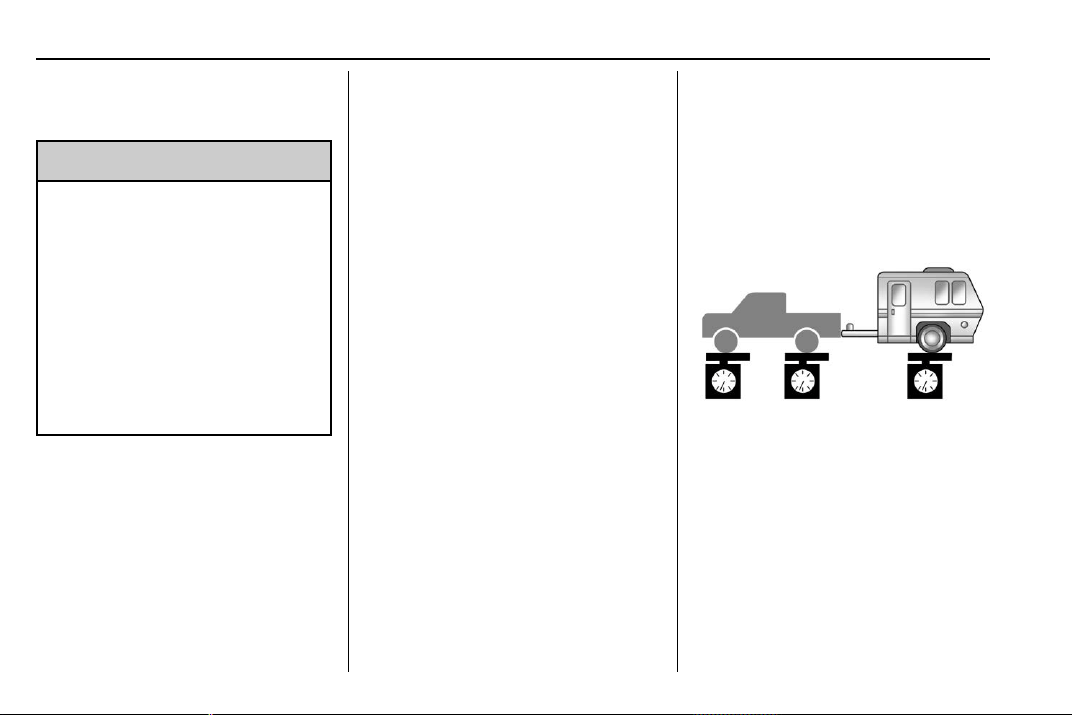
Chevrolet Traverse Owner Manual (GMNA-Localizing-U.S./Canada/Mexico-
13527526) - 2020 - CRC - 9/5/19
238 Driving and Operating
and trailer combination, fully loaded
for the trip, getting individual
weights for each of these items.
{
Warning
You and others could be seriously
injured or killed if the trailer is too
heavy or the trailer brakes are
inadequate for the load. The
vehicle may be damaged, and the
repairs would not be covered by
the vehicle warranty.
Only tow a trailer if all the steps in
this section have been followed.
Ask your dealer for advice and
information about towing a trailer.
Gross Combined Weight
Rating (GCWR)
GCWR is the total allowable weight
of the completely loaded vehicle
and trailer including any fuel,
passengers, cargo, equipment, and
accessories. Do not exceed the
GCWR for your vehicle. The GCWR
for the vehicle is on the Tow Rating
Chart following.
To check that the weight of the
vehicle and trailer are within the
GCWR for the vehicle, follow these
steps:
1. Start with the "curb weight"
from the Trailering Information
Label.
2. Add the weight of the trailer
loaded with cargo and ready
for the trip.
3. Add the weight of all
passengers.
4. Add the weight of all cargo in
the vehicle.
5. Add the weight of hitch
hardware such as a draw bar,
ball, load equalizer bars,
or sway bars.
6. Add the weight of any
accessories or aftermarket
equipment added to the
vehicle.
The resulting weight cannot exceed
the GCWR value shown on the
Trailering Information Label.
The gross combined weight can
also be confirmed by weighing the
truck and trailer on a public scale.
The truck and trailer should be
loaded for the trip with passengers
and cargo.
Gross Vehicle Weight
Rating (GVWR)
For information about the vehicle's
maximum load capacity, see Vehicle
Load Limits 0 178. When calculating
the GVWR with a trailer attached,
the trailer tongue weight must be
included as part of the weight the
vehicle is carrying.

Chevrolet Traverse Owner Manual (GMNA-Localizing-U.S./Canada/Mexico-
13527526) - 2020 - CRC - 9/5/19
Driving and Operating 239
Maximum Trailer Weight
Rating
The maximum trailer weight rating is
calculated assuming the tow vehicle
has a driver, a front seat passenger,
and all required trailering
equipment. This value represents
the heaviest trailer the vehicle can
tow, but it may be necessary to
reduce the trailer weight to stay
within the GCW, GVWR, maximum
trailer tongue load, or GAWR-RR for
the vehicle.
Use the tow rating chart to
determine how much the trailer can
weigh, based on the vehicle model,
powertrain and trailering options.
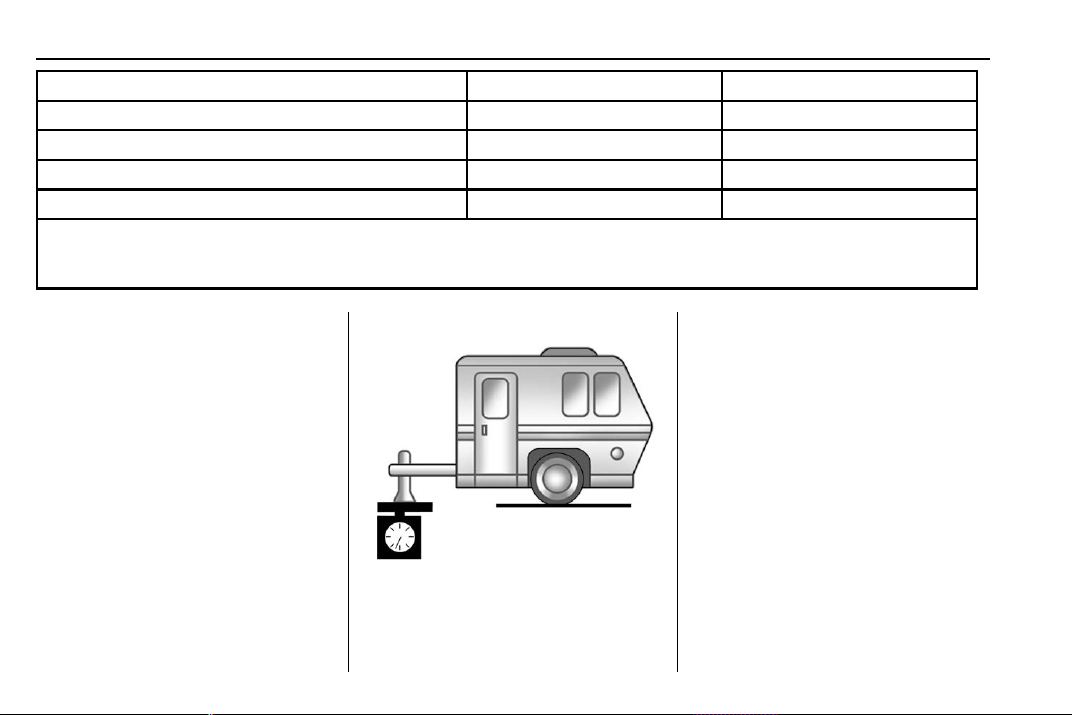
Chevrolet Traverse Owner Manual (GMNA-Localizing-U.S./Canada/Mexico-
13527526) - 2020 - CRC - 9/5/19
240 Driving and Operating
Vehicle Maximum Trailer Weight *GCWR
Front-Wheel Drive 680 kg (1,500 lb) 3 050 kg (6,725 lb)
Front-Wheel Drive, V92 Trailer Towing Package 2 268 kg (5,000 lb) 4 650 kg (10,250 lb)
All-Wheel Drive 680 kg (1,500 lb) 3 200 kg (7,055 lb)
All-Wheel Drive, V92 Trailer Towing Package 2 268 kg (5,000 lb) 4 750 kg (10,470 lb)
*The Gross Combination Weight Rating (GCWR) is the total allowable weight of the completely loaded vehicle and
trailer including any passengers, cargo, equipment, and conversions. The GCWR for the vehicle should not be
exceeded.
Maximum Trailer Tongue
Weight Rating
The Maximum Trailer Tongue
Weight Rating is the allowable
trailer tongue weight that the vehicle
can support using a conventional
trailer hitch. It may be necessary to
reduce the overall trailer weight to
stay within the maximum trailer
tongue weight rating while still
maintaining the correct trailer load
balance.
Do not exceed a maximum trailer
tongue weight of 226 kg (500 lb) for
a conventional trailer hitch.
The trailer tongue weight contributes
to the Gross Vehicle Weight (GVW).
GVW includes the CURB WEIGHT
of your vehicle, any passengers,
cargo, equipment and the trailer
tongue weight. Vehicle options,
passengers, cargo, and equipment
reduce the maximum allowable
tongue weight the vehicle can carry,
which also reduces the maximum
allowable trailer weight.
Trailer Load Balance
The correct trailer load balance
must be maintained to ensure trailer
stability. Incorrect load balance is a
leading cause of trailer sway.
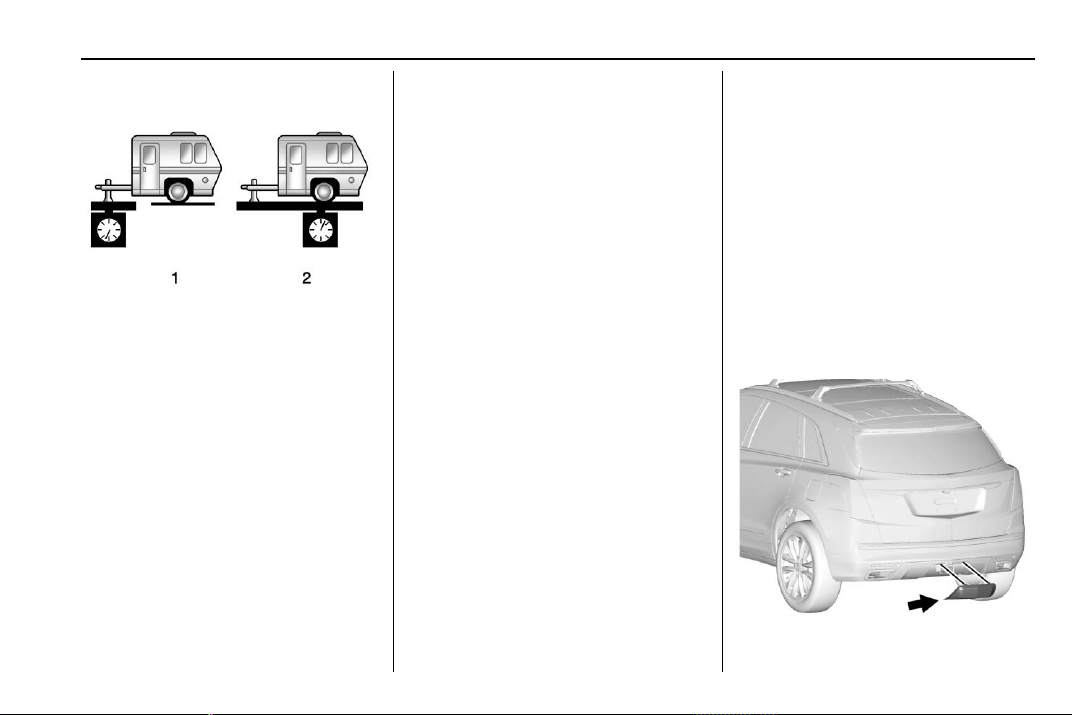
Chevrolet Traverse Owner Manual (GMNA-Localizing-U.S./Canada/Mexico-
13527526) - 2020 - CRC - 9/5/19
Driving and Operating 241
The trailer tongue weight (1) should
be 10–15% of the loaded trailer
weight (2). Some specific trailer
types, such as boat trailers, fall
outside of this range. Always refer
to the trailer owner’s manual for the
recommended trailer tongue weight
for each trailer. Never exceed the
maximum loads for your vehicle,
hitch and trailer.
After loading the trailer, separately
weigh the trailer and then the trailer
tongue and calculate the trailer load
balance percentage to see if the
weights and distribution are
appropriate for your vehicle. If the
trailer weight is too high, it may be
possible to transfer some of the
cargo into your vehicle. If the trailer
tongue weight is too high or too low,
it may be possible to rearrange
some of the cargo inside of the
trailer.
Do not exceed the maximum
allowable tongue weight for your
vehicle. Use the shortest hitch
extension available to position the
hitch ball closer to your vehicle. This
will help reduce the effect of the
trailer tongue weight on the trailer
hitch and the rear axle.
If a cargo carrier is used in the
trailer hitch receiver, choose a
carrier that positions the load as
close to the vehicle as possible.
Make sure the total weight,
including the carrier, is no more than
half of the maximum allowable
tongue weight for the vehicle or
227 kg (500 lb), whichever is less.
Ask your dealer for trailering
information or assistance.
Towing Equipment
Hitches
Always use the correct hitch
equipment for your vehicle.
Crosswinds, large trucks going by,
and rough roads can affect the
trailer and the hitch.
Never attach rental hitches or other
bumper-type hitches. Only use
frame-mounted hitches that do not
attach to the bumper.
Hitch Cover
To remove hitch cover, if equipped:
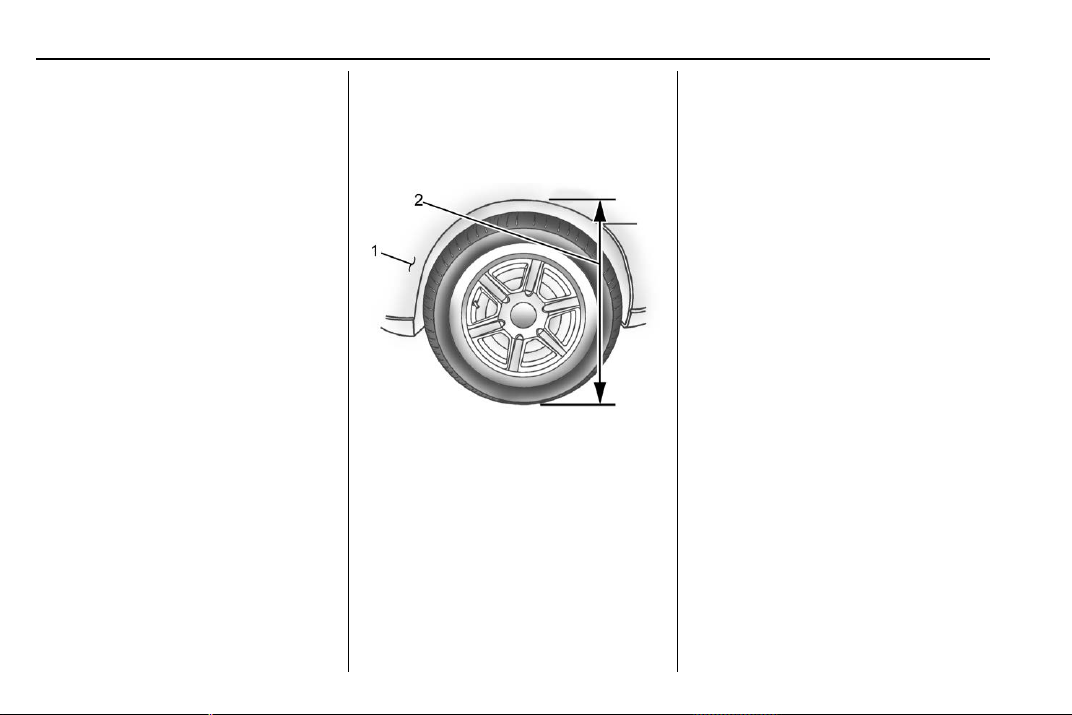
Chevrolet Traverse Owner Manual (GMNA-Localizing-U.S./Canada/Mexico-
13527526) - 2020 - CRC - 9/5/19
242 Driving and Operating
1. Remove the two fasteners on
the lower tabs.
2. Pull the lower edge of the
cover to about a 45 degree
angle.
3. Pull the cover downward to
disengage the upper
attachments.
To reinstall hitch cover:
1. Hold cover at a 45 degree
angle to the vehicle and push
the upper tabs into the slots in
the bumper.
2. Push the bottom of the cover
forward until the lower tabs line
up with the lower slots.
3. Snap the hitch cover into place
by pushing the upper corners
forward.
4. Reinstall the two fasteners on
the lower tabs.
Consider using mechanical sway
controls with any trailer. Ask a
trailering professional about sway
controls or refer to the trailer
manufacturer's recommendations
and instructions.
Weight-Distributing Hitch
Adjustment
A weight-distributing hitch may be
useful with some trailers.
1. Front of Vehicle
2. Body to Ground Distance
When using a weight-distributing
hitch, measure the front fender
height above the front axle
distance (2) before and after
connecting the trailer. Adjust the
spring bars until the front fender
height distance (2) is approximately
half way between the first and
second measurements.
Tires
.
Do not tow a trailer while using a
compact spare tire on the
vehicle.
.
Tires must be properly inflated to
support loads while towing a
trailer. See Tires 0 283 for
instructions on proper tire
inflation.
Safety Chains
Always attach chains between the
vehicle and the trailer, and attach
the chains to the holes on the trailer
hitch platform. Instructions about
safety chains may be provided by
the hitch manufacturer or by the
trailer manufacturer.
Cross the safety chains under the
tongue of the trailer to help prevent
the tongue from contacting the road
if it becomes separated from the
hitch. Always leave just enough
slack so the combination can turn.
Never allow safety chains to drag on
the ground.
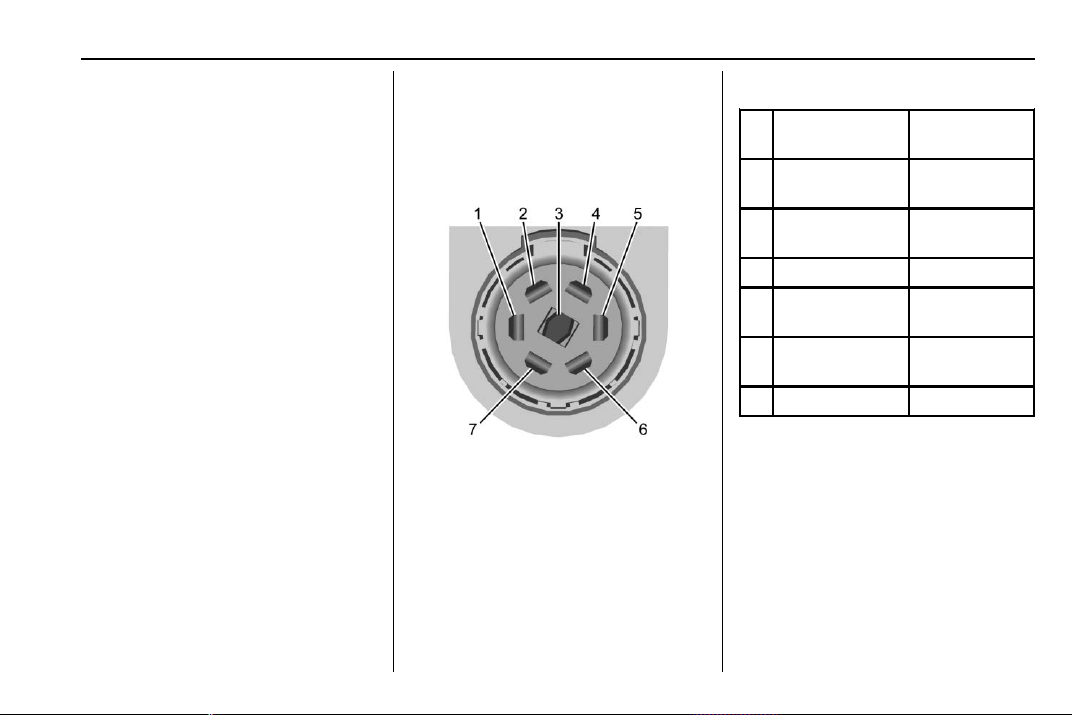
Chevrolet Traverse Owner Manual (GMNA-Localizing-U.S./Canada/Mexico-
13527526) - 2020 - CRC - 9/5/19
Driving and Operating 243
Trailer Brakes
Loaded trailers over 450 kg
(1,000 lb) must be equipped with
brake systems and with brakes for
each axle. Trailer braking equipment
conforming to Canadian Standards
Association (CSA) requirement
CAN3-D313, or its equivalent, is
recommended.
State or local regulations may
require trailers to have their own
braking system if the loaded weight
of the trailer exceeds certain
minimums that can vary from state
to state.
Read and follow the instructions for
the trailer brakes so they are
installed, adjusted, and maintained
properly.
Never attempt to tap into your
vehicle's hydraulic brake system.
If you do, both the vehicle anti-lock
brakes and the trailer brakes may
not function, which could result in a
crash.
Trailer Wiring
The trailer wiring harness (if
equipped), with a 7-pin connector is
located at the rear of the vehicle,
and it is tied to the vehicle's frame.
If the vehicle is not equipped with a
7-pin trailer connector, the body
harness has provisions to connect a
trailer harness and a 7-pin trailer
connector which is available through
your dealer.
Use only a round, seven-wire
connector with flat blade terminals
meeting SAE J2863 specifications
for proper electrical connectivity.
The seven-wire harness contains
the following trailer circuits:
1
Stop/Turn
Signal Left
Yellow/Blue
2
Tail/Parking
Lamps
Gray/Brown
3
Reverse
Lamps
White/Green
4 Battery Feed Red/Green
5
Stop/Turn
Signal Right
Green/Brown
6
Electric Trailer
Brake*
Blue
7 Ground Black
* Circuit powered by electric trailer
brake control wiring provisions.
Electric Trailer Brake Control
Wiring Provisions
Wiring provisions for an aftermarket
electric trailer brake controller are
included with the vehicle as part of
the trailer wiring package. The
harness contains the following
circuits:

Chevrolet Traverse Owner Manual (GMNA-Localizing-U.S./Canada/Mexico-
13527526) - 2020 - CRC - 9/5/19
244 Driving and Operating
Electric Trailer
Brakes
Blue
Battery Feed
Red/Green or
Red/Blue
Brake Apply
Signal
White/Blue
Ground Black
Refer to the aftermarket electric
trailer brake controller owner's
manual to determine wire color
coding of the electric trailer brake
controller. The wire colors on the
brake controller may be different
from the vehicle. The electric trailer
brake controller should be installed
by your dealer or a qualified service
center.
If equipped, there are four blunt cut
wires inside the front driver side
instrument panel. It will be
necessary to have a technician
connect the 12-volt power to the
engine compartment fuse block.
Trailer Lamps
Always check all trailer lamps are
working at the beginning of each
trip, and periodically on longer trips.
Turn Signals When Towing a
Trailer
When properly connected, the trailer
turn signals will illuminate to indicate
the vehicle is turning, changing
lanes, or stopping. When towing a
trailer, the arrows on the instrument
cluster will illuminate even if the
trailer is not properly connected or
the bulbs are burned out.
Tow/Haul Mode
For instructions on how to enter
Tow/Haul mode, see Driver Mode
Control 0 200.
Tow/Haul assists when pulling a
heavy trailer or a large or heavy
load. See Tow/Haul Mode 0 194.
Tow/Haul Mode is designed to be
most effective when the vehicle and
trailer combined weight is at least
75% of the vehicle's Gross
Combined Weight Rating (GCWR).
See “Weight of the Trailer” under
Trailer Towing 0 237.
Tow/Haul Mode is most useful when
pulling a heavy trailer or a large or
heavy load:
.
through rolling terrain
.
in stop-and-go traffic
.
in busy parking lots
Operating the vehicle in Tow/Haul
Mode when lightly loaded or not
towing will not cause damage;
however, it is not recommended and
may result in unpleasant engine and
transmission driving characteristics
and reduced fuel economy.
Trailer Sway
Control (TSC)
Vehicles with StabiliTrak/Electronic
Stability Control (ESC) have a
Trailer Sway Control (TSC) feature.
Trailer sway is unintended
side-to-side motion of a trailer while
towing. If the vehicle is towing a
trailer and the TSC detects that
sway is increasing, the vehicle
Chevrolet Traverse Owner Manual (GMNA-Localizing-U.S./Canada/Mexico-
13527526) - 2020 - CRC - 9/5/19
Driving and Operating 245
brakes are selectively applied at
each wheel, to help reduce
excessive trailer sway. If equipped
with the Integrated Trailer Brake
Control (ITBC) system, and the
trailer has an electric brake system,
StabiliTrak/ESC may also apply the
trailer brakes.
If TSC is enabled, the Traction
Control System (TCS)/StabiliTrak/
ESC warning light will flash on the
instrument cluster. Reduce vehicle
speed by gradually removing your
foot from the accelerator. If trailer
sway continues, StabiliTrak/ESC
can reduce engine torque to help
slow the vehicle. TSC will not
function if StabiliTrak/ESC is turned
off. See Traction Control/Electronic
Stability Control 0 198.
{
Warning
Trailer sway can result in a crash
and in serious injury or death,
even if the vehicle is equipped
with TSC.
If the trailer begins to sway,
reduce vehicle speed by
gradually removing your foot from
the accelerator. Then pull over to
check the trailer and vehicle to
help correct possible causes,
including an improperly or
overloaded trailer, unrestrained
cargo, improper trailer hitch
configuration, or improperly
inflated or incorrect vehicle or
trailer tires. See Towing
Equipment 0 241 for trailer ratings
and hitch setup
recommendations.
Trailer Tires
Special Trailer (ST) tires differ from
vehicle tires. Trailer tires are
designed with stiff sidewalls to help
prevent sway and to support heavy
loads. These features can make it
difficult to determine if the trailer tire
pressures are low only based on a
visual inspection.
Always check all trailer tire
pressures before each trip when the
tires are cool. Low trailer tire
pressure is a leading cause of trailer
tire blow-outs.
Trailer tires deteriorate over time.
The trailer tire sidewall will show the
week and year the tire was
manufactured. Many trailer tire
manufacturers recommend
replacing tires more than six
years old.
Overloading is another leading
cause of trailer tire blow-outs. Never
load your trailer with more weight
than the tires are designed to
support. The load rating is located
on the trailer tire sidewall.
Always know the maximum speed
rating for the trailer tires before
driving. This may be significantly
lower than the vehicle tire speed
rating. The speed rating may be on
the trailer tire sidewall. If the speed
Chevrolet Traverse Owner Manual (GMNA-Localizing-U.S./Canada/Mexico-
13527526) - 2020 - CRC - 9/5/19
246 Driving and Operating
rating is not shown, the default
trailer tire speed rating is 105 km/h
(65 mph).
Conversions and
Add-Ons
Add-On Electrical
Equipment
{
Warning
The Data Link Connector (DLC) is
used for vehicle service and
Emission Inspection/Maintenance
testing. See Malfunction Indicator
Lamp (Check Engine Light) 0 125
. A device connected to the DLC
— such as an aftermarket fleet or
driver-behavior tracking device —
may interfere with vehicle
systems. This could affect vehicle
operation and cause a crash.
Such devices may also access
information stored in the vehicle’s
systems.
Caution
Some electrical equipment can
damage the vehicle or cause
components to not work and
would not be covered by the
vehicle warranty. Always check
with your dealer before adding
electrical equipment.
Add-on equipment can drain the
vehicle's 12-volt battery, even if the
vehicle is not operating.
The vehicle has an airbag system.
Before attempting to add anything
electrical to the vehicle, see
Servicing the Airbag-Equipped
Vehicle 0 75 and
Adding Equipment to the
Airbag-Equipped Vehicle 0 76.

Chevrolet Traverse Owner Manual (GMNA-Localizing-U.S./Canada/Mexico-
13527526) - 2020 - CRC - 9/5/19
Vehicle Care 247
Vehicle Care
General Information
General Information . . . . . . . . . . 248
California Proposition
65 Warning . . . . . . . . . . . . . . . . . 248
California Perchlorate
Materials Requirements . . . . . 249
Accessories and
Modifications . . . . . . . . . . . . . . . . 249
Vehicle Checks
Doing Your Own
Service Work . . . . . . . . . . . . . . . 249
Hood . . . . . . . . . . . . . . . . . . . . . . . . . 250
Engine Compartment
Overview . . . . . . . . . . . . . . . . . . . . 252
Engine Oil . . . . . . . . . . . . . . . . . . . . 253
Engine Oil Life System . . . . . . . 255
Automatic Transmission
Fluid . . . . . . . . . . . . . . . . . . . . . . . . 256
Engine Air Filter Life
System . . . . . . . . . . . . . . . . . . . . . . 257
Engine Air Cleaner/Filter . . . . . . 257
Cooling System . . . . . . . . . . . . . . 258
Engine Overheating . . . . . . . . . . 262
Washer Fluid . . . . . . . . . . . . . . . . . 263
Brakes . . . . . . . . . . . . . . . . . . . . . . . 264
Brake Fluid . . . . . . . . . . . . . . . . . . . 265
Battery - North America . . . . . . 266
All-Wheel Drive . . . . . . . . . . . . . . . 267
Starter Switch Check . . . . . . . . . 267
Automatic Transmission Shift
Lock Control Function
Check . . . . . . . . . . . . . . . . . . . . . . . 267
Park Brake and P (Park)
Mechanism Check . . . . . . . . . . 267
Wiper Blade Replacement . . . . 268
Windshield Replacement . . . . . 269
Gas Strut(s) . . . . . . . . . . . . . . . . . . 269
Headlamp Aiming
Front Headlamp Aiming . . . . . . 271
Bulb Replacement
Bulb Replacement . . . . . . . . . . . . 271
High Intensity Discharge (HID)
Lighting . . . . . . . . . . . . . . . . . . . . . 271
LED Lighting . . . . . . . . . . . . . . . . . 271
Headlamps, Front Turn Signal,
and Sidemarker . . . . . . . . . . . . . 271
License Plate Lamp . . . . . . . . . . 272
Electrical System
High Voltage Devices and
Wiring . . . . . . . . . . . . . . . . . . . . . . . 273
Electrical System Overload . . . 273
Fuses and Circuit Breakers . . . 274
Engine Compartment Fuse
Block . . . . . . . . . . . . . . . . . . . . . . . . 274
Instrument Panel Fuse
Block . . . . . . . . . . . . . . . . . . . . . . . . 278
Rear Compartment Fuse
Block . . . . . . . . . . . . . . . . . . . . . . . . 280
Wheels and Tires
Tires . . . . . . . . . . . . . . . . . . . . . . . . . . 283
All-Season Tires . . . . . . . . . . . . . . 284
Winter Tires . . . . . . . . . . . . . . . . . . 284
Tire Sidewall Labeling . . . . . . . . 284
Tire Designations . . . . . . . . . . . . . 286
Tire Terminology and
Definitions . . . . . . . . . . . . . . . . . . 287
Tire Pressure . . . . . . . . . . . . . . . . . 290
Tire Pressure for High-Speed
Operation . . . . . . . . . . . . . . . . . . . 291
Tire Pressure Monitor
System . . . . . . . . . . . . . . . . . . . . . . 291
Tire Pressure Monitor
Operation . . . . . . . . . . . . . . . . . . . 292
Tire Inspection . . . . . . . . . . . . . . . . 296
Tire Rotation . . . . . . . . . . . . . . . . . 297
When It Is Time for New
Tires . . . . . . . . . . . . . . . . . . . . . . . . 298
Buying New Tires . . . . . . . . . . . . . 298
Different Size Tires and
Wheels . . . . . . . . . . . . . . . . . . . . . . 300
Uniform Tire Quality
Grading . . . . . . . . . . . . . . . . . . . . . 300
Wheel Alignment and Tire
Balance . . . . . . . . . . . . . . . . . . . . . 302
Chevrolet Traverse Owner Manual (GMNA-Localizing-U.S./Canada/Mexico-
13527526) - 2020 - CRC - 9/5/19
248 Vehicle Care
Wheel Replacement . . . . . . . . . . 302
Tire Chains . . . . . . . . . . . . . . . . . . . 303
If a Tire Goes Flat . . . . . . . . . . . . 303
Tire Changing . . . . . . . . . . . . . . . . 305
Compact Spare Tire . . . . . . . . . . 311
Jump Starting
Jump Starting - North
America . . . . . . . . . . . . . . . . . . . . . 312
Towing the Vehicle
Towing the Vehicle . . . . . . . . . . . 315
Recreational Vehicle
Towing . . . . . . . . . . . . . . . . . . . . . . 315
Appearance Care
Exterior Care . . . . . . . . . . . . . . . . . 318
Interior Care . . . . . . . . . . . . . . . . . . 323
Floor Mats . . . . . . . . . . . . . . . . . . . . 326
General Information
For service and parts needs, visit
your dealer. You will receive
genuine GM parts and GM-trained
and supported service people.
Genuine GM parts have one of
these marks:
California Proposition
65 Warning
{
Warning
Most motor vehicles, including
this one, as well as many of its
service parts and fluids, contain
and/or emit chemicals known to
the State of California to cause
cancer and birth defects or other
reproductive harm. Engine
exhaust, many parts and
systems, many fluids, and some
component wear by-products
contain and/or emit these
chemicals. For more information
go to www.P65Warnings.ca.gov/
passenger-vehicle.
See Battery - North America 0 266
and
Jump Starting - North America
0 312 and the back cover.

Chevrolet Traverse Owner Manual (GMNA-Localizing-U.S./Canada/Mexico-
13527526) - 2020 - CRC - 9/5/19
Vehicle Care 249
California Perchlorate
Materials Requirements
Certain types of automotive
applications, such as airbag
initiators, seat belt pretensioners,
and lithium batteries contained in
electronic keys, may contain
perchlorate materials. Perchlorate
Material – special handling may
apply. See www.dtsc.ca.gov/
hazardouswaste/perchlorate.
Accessories and
Modifications
Adding non-dealer accessories or
making modifications to the vehicle
can affect vehicle performance and
safety, including such things as
airbags, braking, stability, ride and
handling, emissions systems,
aerodynamics, durability, and
electronic systems like antilock
brakes, traction control, and stability
control. These accessories or
modifications could even cause
malfunction or damage not covered
by the vehicle warranty.
Damage to suspension components
caused by modifying vehicle height
outside of factory settings will not be
covered by the vehicle warranty.
Damage to vehicle components
resulting from modifications or the
installation or use of non-GM
certified parts, including control
module or software modifications, is
not covered under the terms of the
vehicle warranty and may affect
remaining warranty coverage for
affected parts.
GM Accessories are designed to
complement and function with other
systems on the vehicle. See your
dealer to accessorize the vehicle
using genuine GM Accessories
installed by a dealer technician.
Also, see Adding Equipment to the
Airbag-Equipped Vehicle 0 76.
Vehicle Checks
Doing Your Own
Service Work
{
Warning
It can be dangerous to work on
your vehicle if you do not have
the proper knowledge, service
manual, tools, or parts. Always
follow owner’s manual procedures
and consult the service manual
for your vehicle before doing any
service work.
If doing some of your own service
work, use the proper service
manual. It tells you much more
about how to service the vehicle
than this manual can. To order the
proper service manual, see
Publication Ordering Information
0 354.
This vehicle has an airbag system.
Before attempting to do your own
service work, see Servicing the
Airbag-Equipped Vehicle 0 75.
Chevrolet Traverse Owner Manual (GMNA-Localizing-U.S./Canada/Mexico-
13527526) - 2020 - CRC - 9/5/19
250 Vehicle Care
If equipped with remote vehicle
start, open the hood before
performing any service work to
prevent remote starting the vehicle
accidentally. See Remote Vehicle
Start 0 16.
Keep a record with all parts receipts
and list the mileage and the date of
any service work performed. See
Maintenance Records 0 340.
Caution
Even small amounts of
contamination can cause damage
to vehicle systems. Do not allow
contaminants to contact the fluids,
reservoir caps, or dipsticks.
Hood
{
Warning
For vehicles with auto engine
stop/start, turn the vehicle off
before opening the hood. If the
(Continued)
Warning (Continued)
vehicle is on, the engine will start
when the hood is opened. You or
others could be injured.
{
Warning
Components under the hood can
get hot from running the engine.
To help avoid the risk of burning
unprotected skin, never touch
these components until they have
cooled, and always use a glove or
towel to avoid direct skin contact.
Clear any snow from the hood
before opening.
To open the hood:
1. Pull the hood release lever with
the
i symbol. It is on the
lower left side of the instrument
panel.
2. Go to the front of the vehicle
and locate the secondary
release lever under the front
center of the hood. Push the
secondary hood release lever
to the right to release.
3. After you have partially lifted
the hood, the gas strut system
will automatically lift the hood
and hold it in the fully open
position.
To close the hood:
1. Before closing the hood, be
sure all filler caps are on
properly, and all tools are
removed.
Chevrolet Traverse Owner Manual (GMNA-Localizing-U.S./Canada/Mexico-
13527526) - 2020 - CRC - 9/5/19
Vehicle Care 251
2. Pull the hood down until the
strut system is no longer
holding up the hood.
3. Allow the hood to fall. Check to
make sure the hood is latched
completely. Repeat this
process with additional force if
necessary.
{
Warning
Do not drive the vehicle if the
hood is not latched completely.
The hood could open fully, block
your vision, and cause a crash.
You or others could be injured.
Always close the hood completely
before driving.
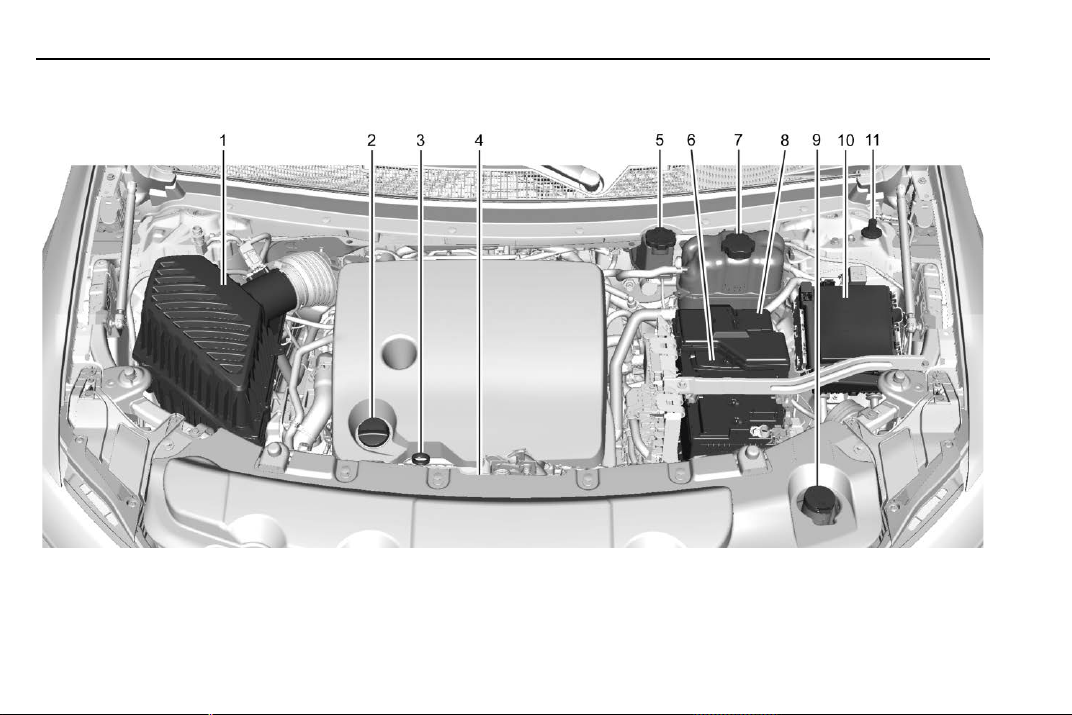
Chevrolet Traverse Owner Manual (GMNA-Localizing-U.S./Canada/Mexico-
13527526) - 2020 - CRC - 9/5/19
252 Vehicle Care
Engine Compartment Overview

Chevrolet Traverse Owner Manual (GMNA-Localizing-U.S./Canada/Mexico-
13527526) - 2020 - CRC - 9/5/19
Vehicle Care 253
1. Engine Air Cleaner/Filter 0 257.
2. Engine Oil Fill Cap. See
Engine Oil 0 253.
3. Engine Oil Dipstick. See
Engine Oil 0 253.
4. Engine Cooling Fan (Out of
View). See Cooling System
0 258.
5. Brake Fluid Reservoir. See
Brake Fluid 0 265.
6. Battery - North America 0 266.
7. Engine Coolant Surge Tank
and Pressure Cap. See
Cooling System 0 258.
8. Positive (+) Battery Terminal.
See Jump Starting - North
America 0 312.
9. Windshield Washer Fluid
Reservoir. See Washer Fluid
0 263.
10. Engine Compartment Fuse
Block 0 274.
11. Remote Negative (-) Battery
Terminal. See Jump Starting -
North America 0 312.
Engine Oil
To ensure proper engine
performance and long life, careful
attention must be paid to engine oil.
Following these simple, but
important steps will help protect
your investment:
.
Use engine oil approved to the
proper specification and of the
proper viscosity grade. See
“Selecting the Right Engine Oil”
in this section.
.
Check the engine oil level
regularly and maintain the
proper oil level. See “Checking
Engine Oil” and “When to Add
Engine Oil” in this section.
.
Change the engine oil at the
appropriate time. See Engine Oil
Life System 0 255.
.
Always dispose of engine oil
properly. See “What to Do with
Used Oil” in this section.
Checking Engine Oil
Check the engine oil level regularly,
every 650 km (400 mi), especially
prior to a long trip. The engine oil
dipstick handle is a loop. See
Engine Compartment Overview
0 252 for the location.
{
Warning
The engine oil dipstick handle
may be hot; it could burn you.
Use a towel or glove to touch the
dipstick handle.
If a low oil Driver Information Center
(DIC) message displays, check the
oil level.
Follow these guidelines:
.
To get an accurate reading, park
the vehicle on level ground.
Check the engine oil level after
the engine has been off for at
least two hours. Checking the
engine oil level on steep grades
or too soon after engine shutoff
can result in incorrect readings.
Accuracy improves when
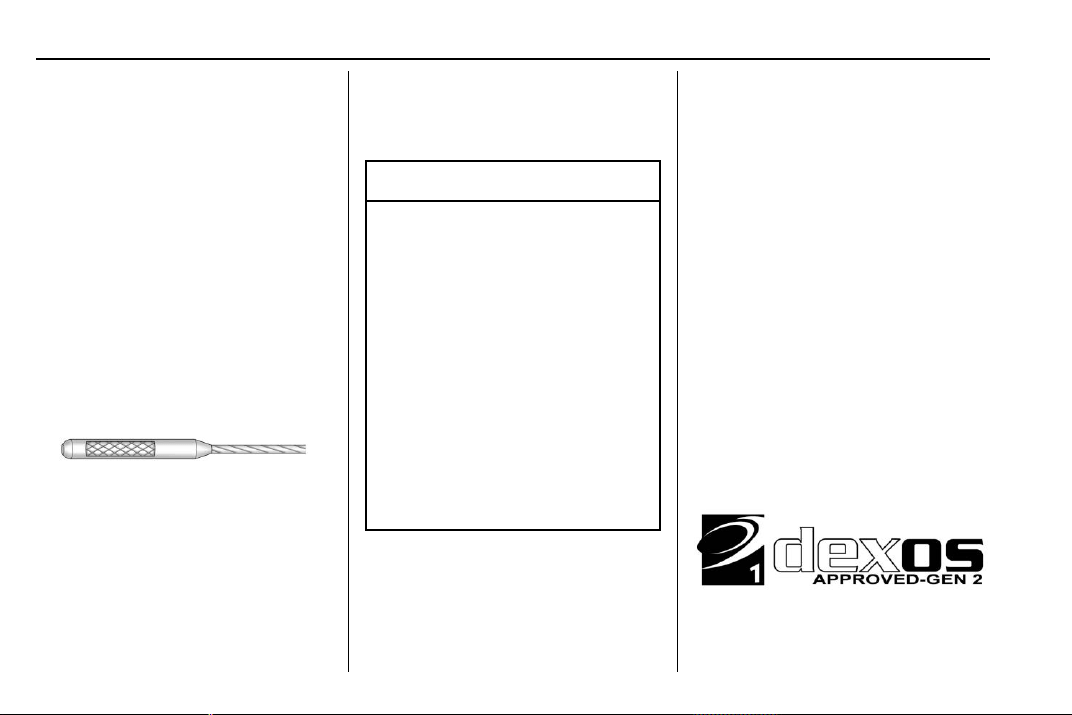
Chevrolet Traverse Owner Manual (GMNA-Localizing-U.S./Canada/Mexico-
13527526) - 2020 - CRC - 9/5/19
254 Vehicle Care
checking a cold engine prior to
starting. Remove the dipstick
and check the level.
.
If unable to wait two hours, the
engine must be off for at least
15 minutes if the engine is
warm, or at least 30 minutes if
the engine is not warm. Pull out
the dipstick, wipe it with a clean
paper towel or cloth, then push it
back in all the way. Remove it
again, keeping the tip down, and
check the level.
When to Add Engine Oil
If the oil is below the cross-hatched
area at the tip of the dipstick and
the engine has been off for at least
15 minutes, add 1 L (1 qt) of the
recommended oil and then recheck
the level. See “Selecting the Right
Engine Oil” later in this section for
an explanation of what kind of oil to
use. For engine oil crankcase
capacity, see Capacities and
Specifications 0 342.
Caution
Do not add too much oil. Oil
levels above or below the
acceptable operating range
shown on the dipstick are harmful
to the engine. If the oil level is
above the operating range (i.e.,
the engine has so much oil that
the oil level gets above the
cross-hatched area that shows
the proper operating range), the
engine could be damaged. Drain
the excess oil or limit driving of
the vehicle, and seek a service
professional to remove the
excess oil.
See Engine Compartment Overview
0 252 for the location of the engine
oil fill cap.
Add enough oil to put the level
somewhere in the proper operating
range. Push the dipstick all the way
back in when through.
Selecting the Right Engine Oil
Selecting the right engine oil
depends on both the proper oil
specification and viscosity grade.
See Recommended Fluids and
Lubricants 0 338.
Specification
Ask for and use full synthetic engine
oils that meet the dexos1
specification. Engine oils that have
been approved by GM as meeting
the dexos1 specification are marked
with the dexos1 approved logo. See
www.gmdexos.com.
Chevrolet Traverse Owner Manual (GMNA-Localizing-U.S./Canada/Mexico-
13527526) - 2020 - CRC - 9/5/19
Vehicle Care 255
Caution
Failure to use the recommended
engine oil or equivalent can result
in engine damage not covered by
the vehicle warranty.
Viscosity Grade
Use SAE 5W-30 viscosity grade
engine oil. Cold Temperature
Operation: In an area of extreme
cold, where the temperature falls
below −29 °C (−20 °F), an SAE
0W-30 oil may be used. An oil of
this viscosity grade will provide
easier cold starting for the engine at
extremely low temperatures.
When selecting an oil of the
appropriate viscosity grade, it is
recommended to select an oil of the
correct specification. See
“Specification” earlier in this section.
Engine Oil Additives/Engine
Oil Flushes
Do not add anything to the oil. The
recommended oils meeting the
dexos1 specification are all that is
needed for good performance and
engine protection.
Engine oil system flushes are not
recommended and could cause
engine damage not covered by the
vehicle warranty.
What to Do with Used Oil
Used engine oil contains certain
elements that can be unhealthy for
your skin and could even cause
cancer. Do not let used oil stay on
your skin for very long. Clean your
skin and nails with soap and water,
or a good hand cleaner. Wash or
properly dispose of clothing or rags
containing used engine oil. See the
manufacturer's warnings about the
use and disposal of oil products.
Used oil can be a threat to the
environment. If you change your
own oil, be sure to drain all the oil
from the filter before disposal. Never
dispose of oil by putting it in the
trash or pouring it on the ground,
into sewers, or into streams or
bodies of water. Recycle it by taking
it to a place that collects used oil.
Engine Oil Life System
When to Change Engine Oil
This vehicle has a computer system
that indicates when to change the
engine oil and filter. This is based
on a combination of factors which
include engine revolutions, engine
temperature, and miles driven.
Based on driving conditions, the
mileage at which an oil change is
indicated can vary considerably. For
the oil life system to work properly,
the system must be reset every time
the oil is changed.
On some vehicles, when the system
has calculated that oil life has been
diminished, a CHANGE ENGINE
OIL SOON message comes on to
indicate that an oil change is
necessary. Change the oil as soon
as possible within the next 1 000 km
(600 mi). It is possible that, if driving
Chevrolet Traverse Owner Manual (GMNA-Localizing-U.S./Canada/Mexico-
13527526) - 2020 - CRC - 9/5/19
256 Vehicle Care
under the best conditions, the oil life
system might indicate that an oil
change is not necessary for up to a
year. The engine oil and filter must
be changed at least once a year
and, at this time, the system must
be reset. For vehicles without the
CHANGE ENGINE OIL SOON
message, an oil change is needed
when the OIL LIFE REMAINING
percentage is near 0%. Your dealer
has trained service people who will
perform this work and reset the
system. It is also important to check
the oil regularly over the course of
an oil drain interval and keep it at
the proper level.
If the system is ever reset
accidentally, the oil must be
changed at 5 000 km (3,000 mi)
since the last oil change.
Remember to reset the oil life
system whenever the oil is changed.
How to Reset the Engine Oil
Life System
Reset the system whenever the
engine oil is changed so that the
system can calculate the next
engine oil change. Always reset the
engine oil life to 100% after every oil
change. It will not reset itself. To
reset the engine oil life system:
1. Display the OIL LIFE
REMAINING on the DIC. See
Driver Information Center (DIC)
0 134.
2. Press and hold
V for several
seconds. The oil life will
change to 100%.
The oil life system can also be reset
as follows:
1. Display the OIL LIFE
REMAINING on the DIC. See
Driver Information Center (DIC)
0 134.
2. Fully press the accelerator
pedal slowly three times within
five seconds.
3. Display the OIL LIFE
REMAINING on the DIC. If the
display shows 100%, the
system is reset.
If the vehicle has a CHANGE
ENGINE OIL SOON message and it
comes back on when the vehicle is
started and/or the OIL LIFE
REMAINING is near 0%, the engine
oil life system has not been reset.
Repeat the procedure.
Automatic Transmission
Fluid
It is not necessary to check the
transmission fluid level.
A transmission fluid leak is the only
reason for fluid loss. If a leak
occurs, take the vehicle to the
dealer and have it repaired as soon
as possible.
Change the fluid at the intervals
listed in Maintenance Schedule
0 329, and be sure to use the
transmission fluid listed in
Recommended Fluids and
Lubricants 0 338.
Caution
Use of the incorrect automatic
transmission fluid may damage
the vehicle, and the damage may
not be covered by the vehicle
(Continued)
Chevrolet Traverse Owner Manual (GMNA-Localizing-U.S./Canada/Mexico-
13527526) - 2020 - CRC - 9/5/19
Vehicle Care 257
Caution (Continued)
warranty. Always use the correct
automatic transmission fluid. See
Recommended Fluids and
Lubricants 0 338.
If you need to check the
transmission fluid level, take the
vehicle to your dealer.
Engine Air Filter Life
System
If equipped, this feature provides
the engine air filter’s remaining life
and best timing for a change. The
timing to change an engine air filter
depends on driving and
environmental conditions.
When to Change Engine Air
Filter
When the REPLACE AT NEXT OIL
CHANGE message displays, the
engine air filter should be replaced
at the next engine oil change.
When the REPLACE ENGINE AIR
FILTER SOON message displays,
the engine air filter should be
replaced at the earliest
convenience. The system must be
reset after the engine air filter is
changed.
If the CHECK AIR FILTER SYSTEM
message displays, see your dealer.
How to Reset Engine Air Filter
Life System
Reset the system whenever the
engine air filter is replaced so that
the system can calculate the next
engine air filter change.
To reset:
1. Place the vehicle in P (Park).
2. Display the Air Filter Life on the
DIC. See Driver Information
Center (DIC) 0 134.
3. Press
p to move to the Reset/
Disable display area. Select
Reset then press
V for several
seconds.
4. Press
V to confirm the reset.
Engine Air Cleaner/Filter
The engine air cleaner/filter is in the
engine compartment on the
passenger side of the vehicle. See
Engine Compartment Overview
0 252.
When to Inspect the Engine Air
Cleaner/Filter
.
For intervals on changing and
inspecting the engine air filter,
see Maintenance Schedule
0 329.
.
If equipped with Engine Air Filter
Life System, see Engine Air
Filter Life System 0 257.
.
If driving in very dusty areas,
follow the engine air filter
inspecting and changing
intervals, see Maintenance
Schedule 0 329.
How to Inspect the Engine Air
Cleaner/Filter
Do not start the engine or have the
engine running with the engine air
cleaner/filter housing open. Before
removing the engine air cleaner/
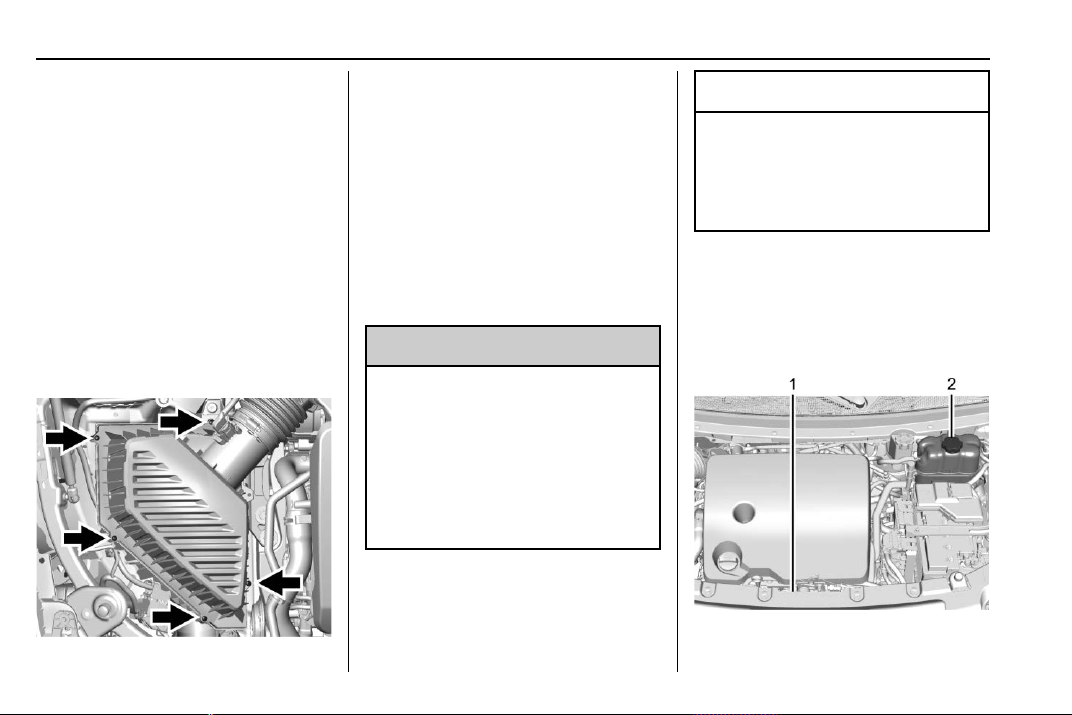
Chevrolet Traverse Owner Manual (GMNA-Localizing-U.S./Canada/Mexico-
13527526) - 2020 - CRC - 9/5/19
258 Vehicle Care
filter, make sure that the engine air
cleaner/filter housing and nearby
components are free of dirt and
debris. Remove the engine air
cleaner/filter. Lightly tap and shake
the engine air cleaner/filter (away
from the vehicle), to release loose
dust and dirt. Inspect the engine air
cleaner/filter for damage, and
replace if damaged. Do not clean
the engine air cleaner/filter or
components with water or
compressed air.
To inspect or replace the air cleaner/
filter:
1. Remove the five screws and lift
the cover out of the assembly.
2. Inspect or replace the engine
air cleaner/filter.
3. Lower the cover and secure
with the five screws.
4. If equipped with Engine Air
Filter Life System, reset the
system after replacing the
engine air filter. See Engine Air
Filter Life System 0 257.
{
Warning
Operating the engine with the air
cleaner/filter off can cause you or
others to be burned. Use caution
when working on the engine. Do
not start the engine or drive the
vehicle with the air cleaner/filter
off, as flames may be present if
the engine backfires.
Caution
If the air cleaner/filter is off, dirt
can easily get into the engine,
which could damage it. Always
have the air cleaner/filter in place
when driving.
Cooling System
The cooling system allows the
engine to maintain the correct
working temperature.
1. Engine Cooling Fan (Out
of View)
Chevrolet Traverse Owner Manual (GMNA-Localizing-U.S./Canada/Mexico-
13527526) - 2020 - CRC - 9/5/19
Vehicle Care 259
2. Engine Coolant Surge Tank
and Pressure Cap
{
Warning
An underhood electric fan can
start up even when the engine is
not running and can cause injury.
Keep hands, clothing, and tools
away from any underhood
electric fan.
{
Warning
Do not touch heater or radiator
hoses, or other engine parts.
They can be very hot and can
burn you. Do not run the engine if
there is a leak; all coolant could
leak out. That could cause an
engine fire and can burn you. Fix
any leak before driving the
vehicle.
Engine Coolant
The cooling system in the vehicle is
filled with DEX-COOL engine
coolant. This coolant needs to be
checked and replaced at
appropriate intervals. See
Maintenance Schedule 0 329.
The following explains the cooling
system and how to check and add
coolant when it is low. If there is a
problem with engine overheating,
see Engine Overheating 0 262.
What to Use
{
Warning
Plain water, or other liquids such
as alcohol, can boil before the
proper coolant mixture will. With
plain water or the wrong mixture,
the engine could get too hot but
there would not be an overheat
warning. The engine could catch
fire and you or others could be
burned.
Use a 50/50 mixture of clean,
drinkable water and DEX-COOL
coolant. This mixture:
.
Gives freezing protection down
to −37 °C (−34 °F), outside
temperature.
.
Gives boiling protection up to
129 °C (265 °F), engine
temperature.
.
Protects against rust and
corrosion.
.
Will not damage aluminum parts.
.
Helps keep the proper engine
temperature.
Caution
Do not use anything other than a
mix of DEX-COOL coolant that
meets GM Standard
GMW3420 and clean, drinkable
water. Anything else can cause
damage to the engine cooling
system and the vehicle, which
would not be covered by the
vehicle warranty.
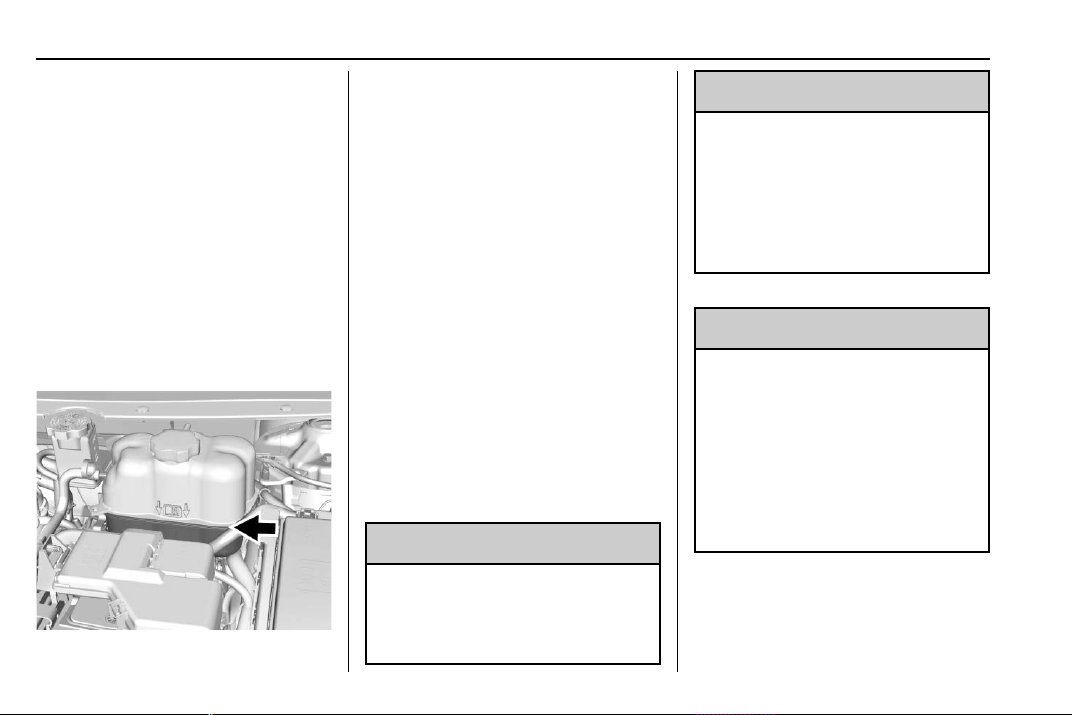
Chevrolet Traverse Owner Manual (GMNA-Localizing-U.S./Canada/Mexico-
13527526) - 2020 - CRC - 9/5/19
260 Vehicle Care
Never dispose of engine coolant by
putting it in the trash, pouring it on
the ground, or into sewers, streams,
or bodies of water. Have the coolant
changed by an authorized service
center, familiar with legal
requirements regarding used
coolant disposal. This will help
protect the environment and your
health.
Checking Coolant
The vehicle must be on a level
surface when checking the coolant
level.
Check to see if coolant is visible in
the coolant surge tank. If the coolant
inside the coolant surge tank is
boiling, do not do anything else until
it cools down. If coolant is visible
but the coolant level mark is not
visible, add a 50/50 mixture of
clean, drinkable water and
DEX-COOL coolant at the coolant
surge tank to the top rib on the
middle of the tank, but be sure the
cooling system is cool before this is
done. See Engine Overheating
0 262.
The coolant surge tank is located in
the engine compartment on the
driver side of the vehicle. See
Engine Compartment Overview
0 252.
How to Add Coolant to the
Coolant Surge Tank
{
Warning
Steam and scalding liquids from a
hot cooling system are under
pressure. Turning the pressure
(Continued)
Warning (Continued)
cap, even a little, can cause them
to come out at high speed and
you could be burned. Never turn
the cap when the cooling system,
including the pressure cap, is hot.
Wait for the cooling system and
pressure cap to cool.
{
Warning
Plain water, or other liquids such
as alcohol, can boil before the
proper coolant mixture will. With
plain water or the wrong mixture,
the engine could get too hot but
there would not be an overheat
warning. The engine could catch
fire and you or others could be
burned.
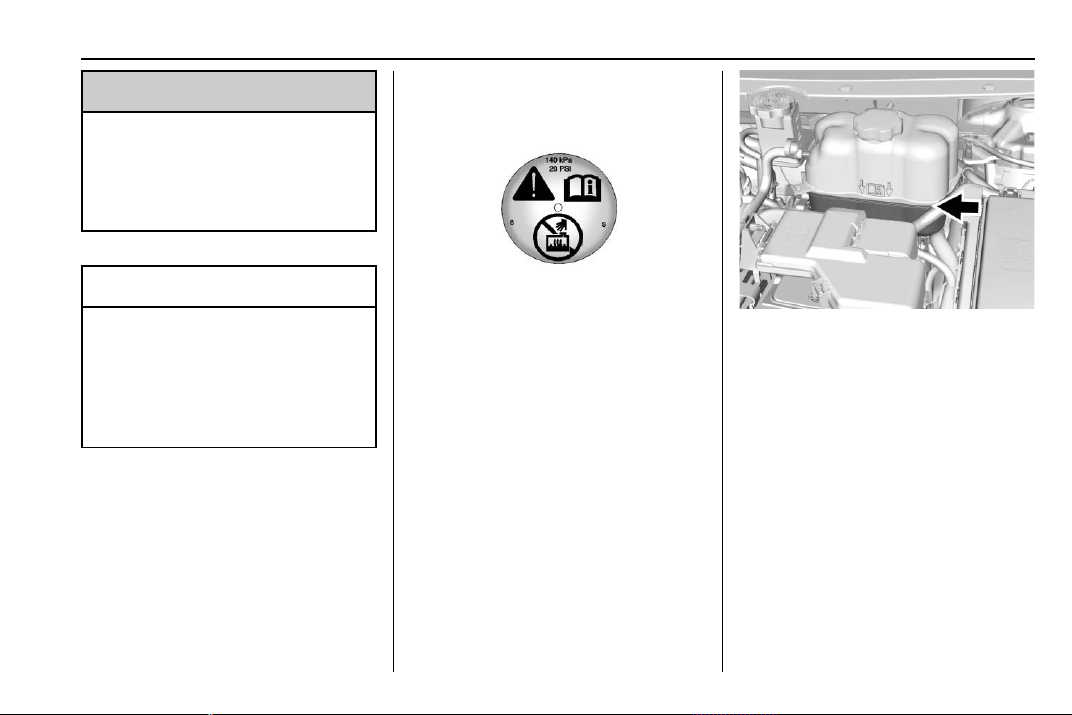
Chevrolet Traverse Owner Manual (GMNA-Localizing-U.S./Canada/Mexico-
13527526) - 2020 - CRC - 9/5/19
Vehicle Care 261
{
Warning
Spilling coolant on hot engine
parts can burn you. Coolant
contains ethylene glycol and it will
burn if the engine parts are hot
enough.
Caution
Failure to follow the specific
coolant fill procedure could cause
the engine to overheat and could
cause system damage. If coolant
is not visible in the surge tank,
contact your dealer.
If no problem is found, check to see
if coolant is visible in the coolant
surge tank. If coolant is visible but
the coolant level is not at the
indicated level mark, add a 50/
50 mixture of clean, drinkable water
and DEX-COOL coolant at the
coolant surge tank, but be sure the
cooling system, including the
coolant surge tank pressure cap, is
cool before you do it.
1. Remove the coolant surge tank
pressure cap when the cooling
system, including the coolant
surge tank pressure cap and
upper radiator hose, is no
longer hot.
Turn the pressure cap slowly
counterclockwise about
one-quarter of a turn. If you
hear a hiss, wait for that to
stop. This will allow any
pressure still left to be vented
out the discharge hose.
2. Keep turning the pressure cap
slowly and remove it.
3. Fill the coolant surge tank with
the proper mixture to the
indicated level mark.
4. With the coolant surge tank
pressure cap off, start the
engine and let it run until you
can feel the upper radiator
hose getting hot. Watch out for
the engine cooling fan.
By this time, the coolant level
inside the coolant surge tank
may be lower. If the level is
lower, add more of the proper
mixture to the coolant surge
tank until the level reaches the
indicated level mark.
Chevrolet Traverse Owner Manual (GMNA-Localizing-U.S./Canada/Mexico-
13527526) - 2020 - CRC - 9/5/19
262 Vehicle Care
5. Replace the pressure cap
tightly.
6. Verify coolant level after the
engine is shut off and the
coolant is cold. If necessary,
repeat coolant fill procedure
Steps 1–6.
If the coolant still is not at the
proper level when the system
cools down again, see your
dealer.
Caution
If the pressure cap is not tightly
installed, coolant loss and engine
damage may occur. Be sure the
cap is properly and tightly
secured.
Engine Overheating
The vehicle has several indicators
to warn of the engine overheating.
There is an engine coolant
temperature gauge on the
instrument cluster. See Engine
Coolant Temperature Gauge 0 122.
The vehicle may also display a
message on the Driver Information
Center (DIC).
If the decision is made not to lift the
hood when this warning appears,
get service help right away. See
Roadside Assistance Program
0 349.
If the decision is made to lift the
hood, make sure the vehicle is
parked on a level surface. Then
check to see if the engine cooling
fan is running. If the engine is
overheating, the fan should be
running. If it is not, do not continue
to run the engine. Have the vehicle
serviced.
Caution
Do not run the engine if there is a
leak in the engine cooling system.
This can cause a loss of all
coolant and can damage the
system and vehicle. Have any
leaks fixed right away.
If Steam Is Coming from the
Engine Compartment
{
Warning
Steam and scalding liquids from a
hot cooling system are under
pressure. Turning the pressure
cap, even a little, can cause them
to come out at high speed and
you could be burned. Never turn
the cap when the cooling system,
including the pressure cap, is hot.
Wait for the cooling system and
pressure cap to cool.
If No Steam Is Coming from
the Engine Compartment
If an engine overheat warning is
displayed but no steam can be seen
or heard, the problem may not be
too serious. Sometimes the engine
can get a little too hot when the
vehicle:
.
Climbs a long hill on a hot day.
.
Stops after high-speed driving.
.
Idles for long periods in traffic.
Chevrolet Traverse Owner Manual (GMNA-Localizing-U.S./Canada/Mexico-
13527526) - 2020 - CRC - 9/5/19
Vehicle Care 263
If the overheat warning is displayed
with no sign of steam:
1. Turn the air conditioning off.
2. Turn the heater on to the
highest temperature and to the
highest fan speed. Open the
windows as necessary.
3. When it is safe to do so, pull off
the road, shift to P (Park) or
N (Neutral), and let the
engine idle.
If the engine coolant temperature
gauge is no longer in the
overheated area, the vehicle can be
driven. Continue to drive the vehicle
slowly for about 10 minutes. Keep a
safe distance from the vehicle in
front. If the warning does not come
back on, continue to drive normally
and have the cooling system
checked for proper fill and function.
If the warning continues, pull over,
stop, and park the vehicle
right away.
If there is no sign of steam, idle the
engine for three minutes while
parked. If the warning is still
displayed, turn off the engine until it
cools down.
Washer Fluid
What to Use
When windshield washer fluid is
needed, be sure to read the
manufacturer's instructions before
use. If operating the vehicle in an
area where the temperature may fall
below freezing, use a fluid that has
sufficient protection against
freezing.
Adding Washer Fluid
Open the cap with the washer
symbol on it. Add washer fluid until
the tank is full. See Engine
Compartment Overview 0 252 for
reservoir location.
Caution
.
Do not use washer fluid that
contains any type of water
repellent coating. This can
cause the wiper blades to
chatter or skip.
.
Do not use engine coolant
(antifreeze) in the
windshield washer. It can
damage the windshield
washer system and paint.
.
Do not mix water with
ready-to-use washer fluid.
Water can cause the
solution to freeze and
damage the washer fluid
tank and other parts of the
washer system.
(Continued)
Chevrolet Traverse Owner Manual (GMNA-Localizing-U.S./Canada/Mexico-
13527526) - 2020 - CRC - 9/5/19
264 Vehicle Care
Caution (Continued)
.
When using concentrated
washer fluid, follow the
manufacturer instructions for
adding water.
.
Fill the washer fluid tank
only three-quarters full when
it is very cold. This allows
for fluid expansion if
freezing occurs, which could
damage the tank if it is
completely full.
Brakes
Disc brake pads have built-in wear
indicators that make a high-pitched
warning sound when the brake pads
are worn and new pads are needed.
The sound can come and go or can
be heard all the time when the
vehicle is moving, except when
applying the brake pedal firmly.
{
Warning
The brake wear warning sound
means that soon the brakes will
not work well. That could lead to
a crash. When the brake wear
warning sound is heard, have the
vehicle serviced.
Caution
Continuing to drive with worn-out
brake pads could result in costly
brake repair.
Some driving conditions or climates
can cause a brake squeal when the
brakes are first applied or lightly
applied. This does not mean
something is wrong with the brakes.
Properly torqued wheel nuts are
necessary to help prevent brake
pulsation. When tires are rotated,
inspect brake pads for wear and
evenly tighten wheel nuts in the
proper sequence to torque
specifications. See Capacities and
Specifications 0 342.
Brake pads should be replaced as
complete sets.
Brake Pedal Travel
See your dealer if the brake pedal
does not return to normal height,
or if there is a rapid increase in
pedal travel. This could be a sign
that brake service may be required.
Replacing Brake System Parts
Always replace brake system parts
with new, approved replacement
parts. If this is not done, the brakes
may not work properly. The braking
performance expected can change
in many other ways if the wrong
replacement brake parts are
installed or if parts are improperly
installed.
Chevrolet Traverse Owner Manual (GMNA-Localizing-U.S./Canada/Mexico-
13527526) - 2020 - CRC - 9/5/19
Vehicle Care 265
Brake Fluid
The brake master cylinder reservoir
is filled with GM approved DOT 3
brake fluid as indicated on the
reservoir cap. See Engine
Compartment Overview 0 252 for
the location of the reservoir.
Checking Brake Fluid
With the vehicle in P (Park) on a
level surface, the brake fluid level
should be between the minimum
and maximum marks on the brake
fluid reservoir.
There are only two reasons why the
brake fluid level in the reservoir may
go down:
.
Normal brake lining wear. When
new linings are installed, the
fluid level goes back up.
.
A fluid leak in the brake
hydraulic system. Have the
brake hydraulic system fixed.
With a leak, the brakes will not
work well.
Always clean the brake fluid
reservoir cap and the area around
the cap before removing it.
Do not top off the brake fluid.
Adding fluid does not correct a leak.
If fluid is added when the linings are
worn, there will be too much fluid
when new brake linings are
installed. Add or remove fluid, as
necessary, only when work is done
on the brake hydraulic system.
{
Warning
If too much brake fluid is added, it
can spill on the engine and burn,
if the engine is hot enough. You
or others could be burned, and
the vehicle could be damaged.
Add brake fluid only when work is
done on the brake hydraulic
system.
When the brake fluid falls to a low
level, the brake warning light comes
on. See Brake System Warning
Light 0 127.
Brake fluid absorbs water over time
which degrades the effectiveness of
the brake fluid. Replace brake fluid
at the specified intervals to prevent
increased stopping distance. See
Maintenance Schedule 0 329.
What to Add
Use only GM approved DOT 3
brake fluid from a clean, sealed
container. See Recommended
Fluids and Lubricants 0 338.
{
Warning
The wrong or contaminated brake
fluid could result in damage to the
brake system. This could result in
the loss of braking leading to a
possible injury. Always use the
proper GM approved brake fluid.
Chevrolet Traverse Owner Manual (GMNA-Localizing-U.S./Canada/Mexico-
13527526) - 2020 - CRC - 9/5/19
266 Vehicle Care
Caution
If brake fluid is spilled on the
vehicle's painted surfaces, the
paint finish can be damaged.
Immediately wash off any painted
surface.
Battery - North America
The original equipment battery is
maintenance free. Do not remove
the cap and do not add fluid.
Refer to the replacement number on
the original battery label when a
new battery is needed. For
replacement of the battery, see your
dealer.
Stop/Start System
The vehicle has a Stop/Start system
to shut off the engine to help
conserve fuel. See Stop/Start
System 0 185.
It has an Absorbed Glass Mat
(AGM) 12-volt battery. Installation of
a standard 12-volt battery will result
in reduced 12-volt battery life.
When using a 12-volt battery
charger on the 12-volt AGM battery,
some chargers have an AGM
battery setting on the charger.
If available, use the AGM setting on
the charger, to limit charge voltage
to 14.8 volts.
{
Warning
WARNING: Battery posts,
terminals, and related
accessories contain lead and lead
compounds, chemicals known to
the State of California to cause
cancer and birth defects or other
reproductive harm. Batteries also
contain other chemicals known to
the State of California to cause
cancer. WASH HANDS AFTER
HANDLING. For more information
go to www.P65Warnings.ca.gov/
passenger-vehicle.
See California Proposition
65 Warning 0 248 and the back
cover.
Vehicle Storage
{
Warning
Batteries have acid that can burn
you and gas that can explode.
You can be badly hurt if you are
not careful. See Jump Starting -
North America 0 312 for tips on
working around a battery without
getting hurt.
Infrequent Usage: Remove the
12-volt battery black, negative (−)
cable from the battery to keep the
battery from running down.
Extended Storage: Remove the
12-volt battery black, negative (−)
cable from the battery or use a
battery trickle charger.
Remember to reconnect the battery
when ready to drive the vehicle.
Chevrolet Traverse Owner Manual (GMNA-Localizing-U.S./Canada/Mexico-
13527526) - 2020 - CRC - 9/5/19
Vehicle Care 267
All-Wheel Drive
Transfer Case
Under normal driving conditions,
transfer case fluid does not require
maintenance unless there is a fluid
leak or unusual noise. If required,
have the transfer case serviced by
your dealer.
Starter Switch Check
{
Warning
When you are doing this
inspection, the vehicle could
move suddenly. If the vehicle
moves, you or others could be
injured.
1. Before starting this check, be
sure there is enough room
around the vehicle.
2. Apply both the parking brake
and the regular brake.
Do not use the accelerator
pedal, and be ready to turn off
the engine immediately if it
starts.
3. Try to start the engine in each
gear. The vehicle should start
only in P (Park) or N (Neutral).
If the vehicle starts in any other
position, contact your dealer for
service.
Automatic Transmission
Shift Lock Control
Function Check
{
Warning
When you are doing this
inspection, the vehicle could
move suddenly. If the vehicle
moves, you or others could be
injured.
1. Before starting this check, be
sure there is enough room
around the vehicle. It should be
parked on a level surface.
2. Apply the parking brake. Be
ready to apply the regular
brake immediately if the vehicle
begins to move.
3. With the engine off, turn the
ignition on, but do not start the
engine. Without applying the
regular brake, try to move the
shift lever out of P (Park) with
normal effort. If the shift lever
moves out of P (Park), contact
your dealer for service.
Park Brake and P (Park)
Mechanism Check
{
Warning
When you are doing this check,
the vehicle could begin to move.
You or others could be injured
and property could be damaged.
Make sure there is room in front
of the vehicle in case it begins to
roll. Be ready to apply the regular
brake at once should the vehicle
begin to move.
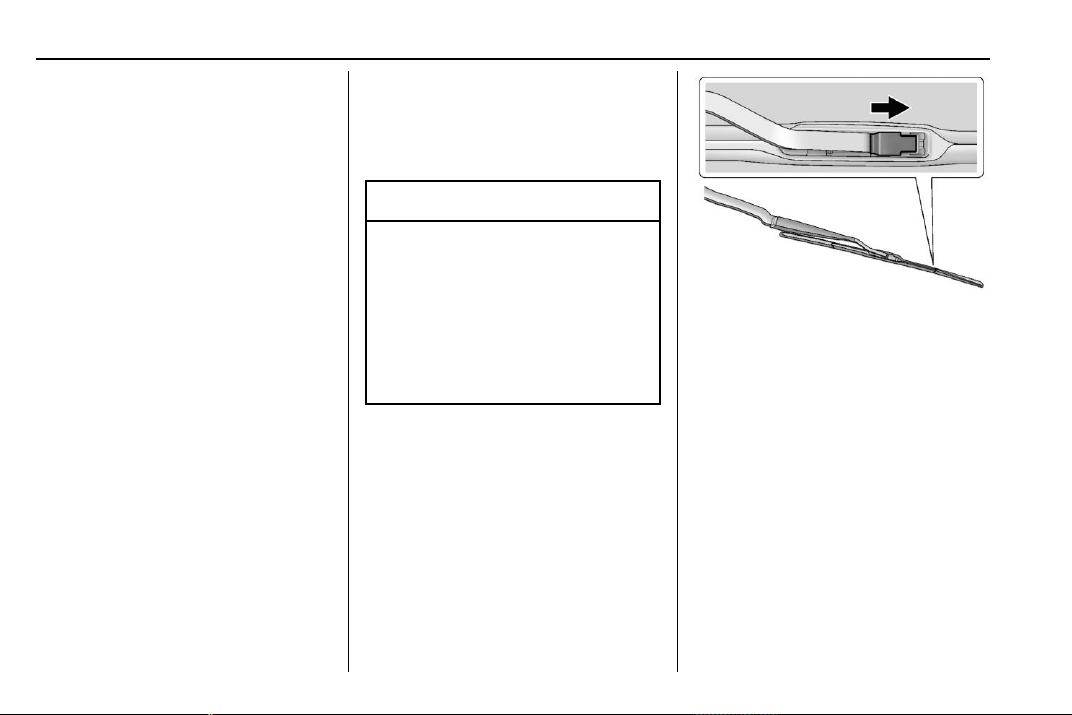
Chevrolet Traverse Owner Manual (GMNA-Localizing-U.S./Canada/Mexico-
13527526) - 2020 - CRC - 9/5/19
268 Vehicle Care
Park on a fairly steep hill, with the
vehicle facing downhill. Keeping
your foot on the regular brake, set
the parking brake.
.
To check the parking brake's
holding ability: With the engine
running and the transmission in
N (Neutral), slowly remove foot
pressure from the regular brake
pedal. Do this until the vehicle is
held by the parking brake only.
.
To check the P (Park)
mechanism's holding ability:
With the engine running, shift to
P (Park). Then release the
parking brake followed by the
regular brake.
Contact your dealer if service is
required.
Wiper Blade Replacement
Windshield wiper blades should be
inspected for wear and cracking.
See Maintenance Schedule 0 329.
Replacement blades come in
different types and are removed in
different ways. For proper type and
length, see Maintenance
Replacement Parts 0 339.
Caution
Allowing the wiper arm to touch
the windshield when no wiper
blade is installed could damage
the windshield. Any damage that
occurs would not be covered by
the vehicle warranty. Do not allow
the wiper arm to touch the
windshield.
Front Wiper Blade
Replacement
To replace the front wiper blades:
1. Pull the windshield wiper
assembly away from the
windshield.
2. Lift up on the latch in the
middle of the wiper blade
where the wiper arm attaches.
3. With the latch open, pull the
wiper blade down toward the
windshield far enough to
release it from the J-hooked
end of the wiper arm.
4. Remove the wiper blade.
5. Reverse Steps 1–3 for wiper
blade replacement.
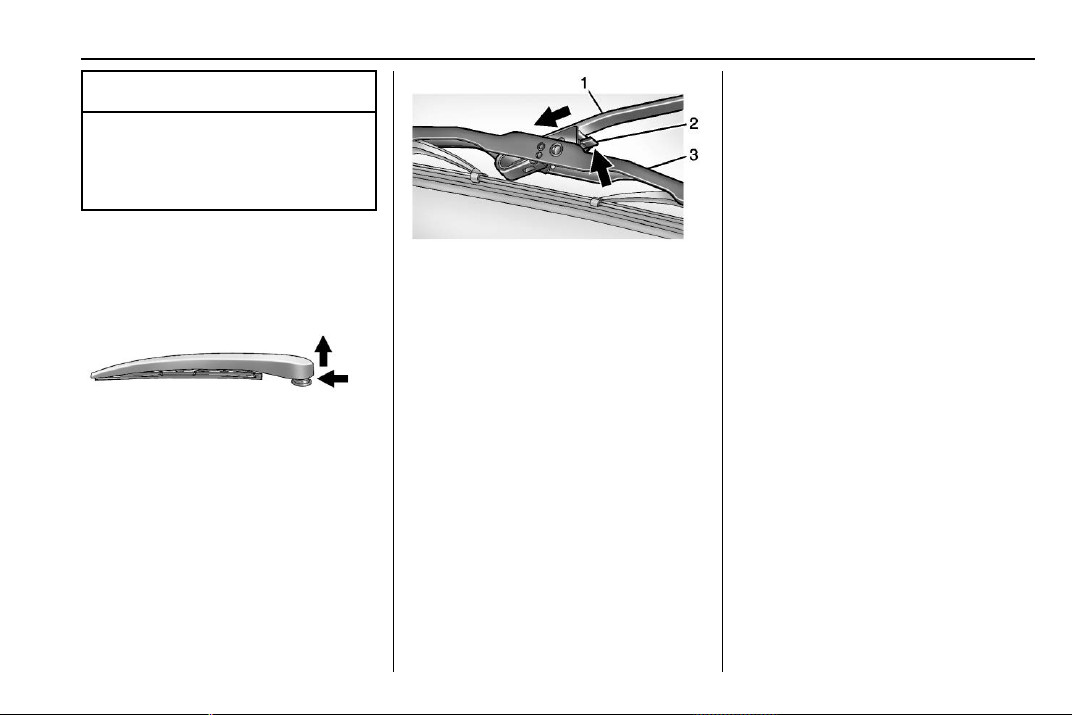
Chevrolet Traverse Owner Manual (GMNA-Localizing-U.S./Canada/Mexico-
13527526) - 2020 - CRC - 9/5/19
Vehicle Care 269
Caution
Damage may occur if the wiper
blades are not in contact with the
windshield before turning on the
wiper system.
Rear Wiper Blade Replacement
To replace the rear wiper blade:
1. Slide a plastic tool under the
cover and push upward to
unsnap.
2. Slide the cover toward the
wiper blade tip to unhook it
from the blade assembly.
3. Remove the cover.
4. Lift the wiper arm away from
the windshield.
5. Push the release lever (2) to
disengage the hook and push
the wiper arm (1) out of the
blade assembly (3).
6. Push the new blade assembly
securely on the wiper arm until
the release lever clicks into
place.
7. To reinstall the cover, ensure
that the cover hook slides into
the slot in the blade assembly.
8. Snap the cover down to
secure.
Windshield Replacement
Driver Assistance Systems
If the windshield needs to be
replaced and the vehicle is
equipped with a front camera sensor
for the Driver Assistance Systems, a
GM replacement windshield is
recommended. The replacement
windshield must be installed
according to GM specifications for
proper alignment. If it is not, these
systems may not work properly, they
may display messages, or they may
not work at all. See your dealer for
proper windshield replacement.
Gas Strut(s)
This vehicle is equipped with gas
strut(s) to provide assistance in
lifting and holding open the hood/
trunk/liftgate system in full open
position.
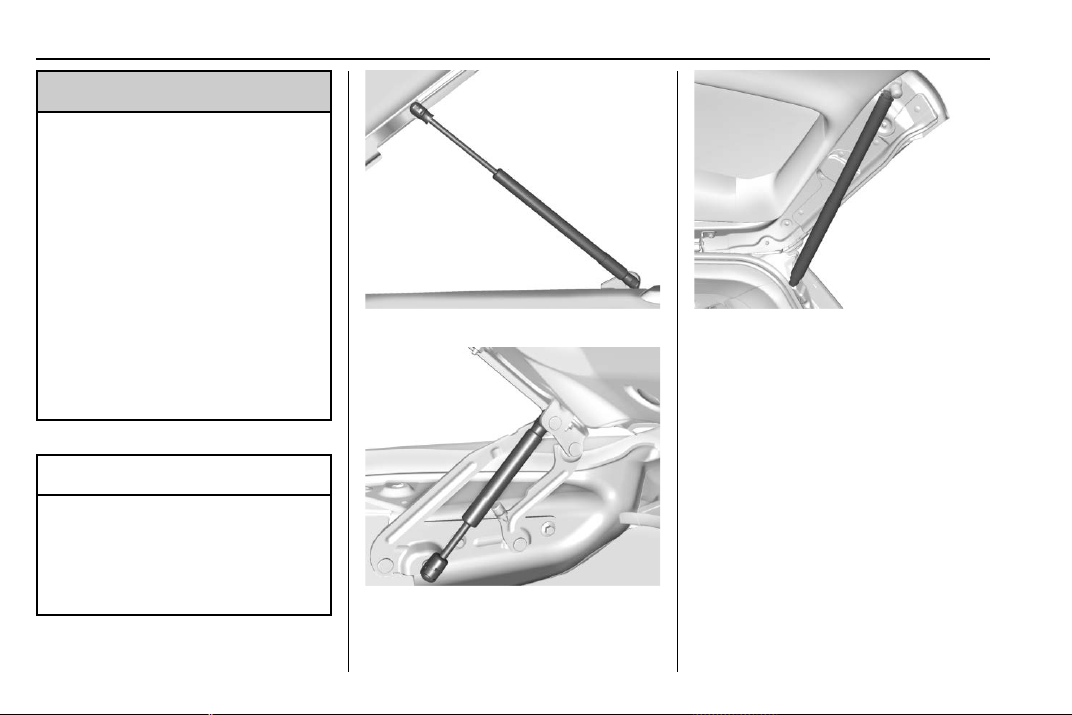
Chevrolet Traverse Owner Manual (GMNA-Localizing-U.S./Canada/Mexico-
13527526) - 2020 - CRC - 9/5/19
270 Vehicle Care
{
Warning
If the gas struts that hold open
the hood, trunk, and/or liftgate fail,
you or others could be seriously
injured. Take the vehicle to your
dealer for service immediately.
Visually inspect the gas struts for
signs of wear, cracks, or other
damage periodically. Check to
make sure the hood/trunk/liftgate
is held open with enough force.
If struts are failing to hold the
hood/trunk/liftgate, do not
operate. Have the vehicle
serviced.
Caution
Do not apply tape or hang any
objects from gas struts. Also do
not push down or pull on gas
struts. This may cause damage to
the vehicle.
See Maintenance Schedule 0 329.
Hood
Trunk
Liftgate
Chevrolet Traverse Owner Manual (GMNA-Localizing-U.S./Canada/Mexico-
13527526) - 2020 - CRC - 9/5/19
Vehicle Care 271
Headlamp Aiming
Front Headlamp Aiming
Headlamp aim has been preset and
should need no further adjustment.
If the vehicle is damaged in a crash,
the headlamp aim may be affected.
If adjustment to the headlamps is
necessary, see your dealer.
Bulb Replacement
For the proper type of replacement
bulbs, or any bulb changing
procedure not listed in this section,
contact your dealer.
Caution
Do not replace incandescent
bulbs with aftermarket LED
replacement bulbs. This can
cause damage to the vehicle
electrical system.
High Intensity Discharge
(HID) Lighting
{
Warning
The High Intensity Discharge
(HID) lighting system operates at
a very high voltage. If you try to
service any of the system
components, you could be
seriously injured. Have your
dealer or a qualified technician
service them.
After an HID headlamp bulb has
been replaced, the beam might be a
slightly different shade than it was
originally. This is normal.
LED Lighting
This vehicle has several LED lamps.
For replacement of any LED lighting
assembly, contact your dealer.
Headlamps, Front Turn
Signal, and Sidemarker
The headlamp is either an HID or an
LED. See “High Intensity Discharge
(HID) Lighting” and “LED Lighting”
earlier in this section.
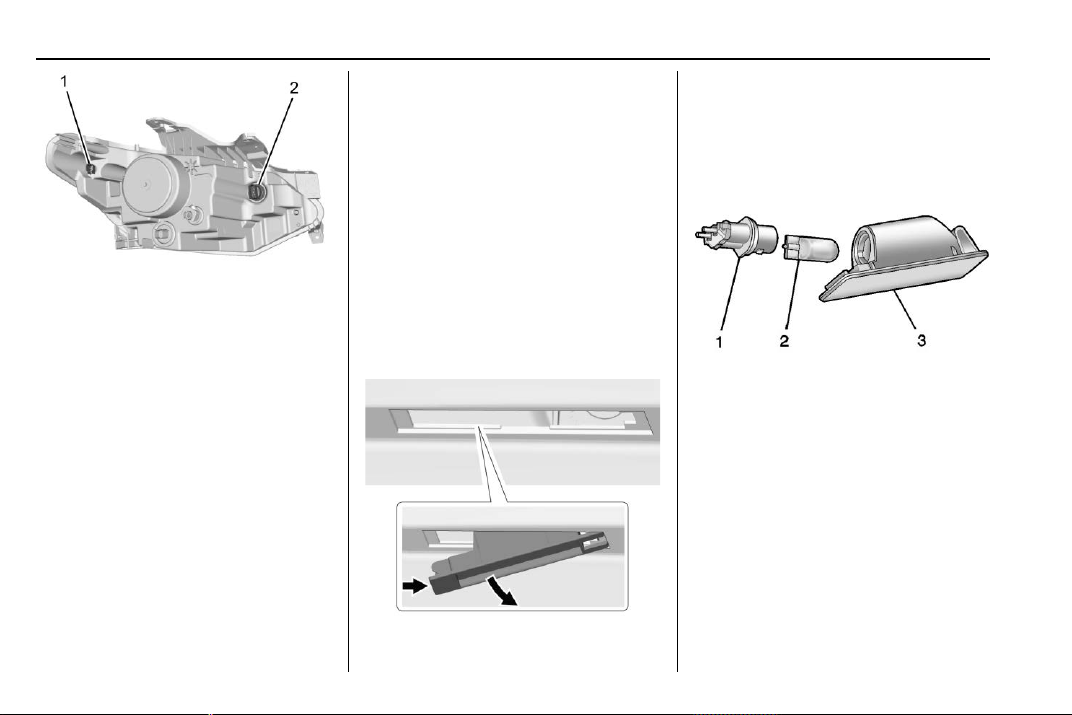
Chevrolet Traverse Owner Manual (GMNA-Localizing-U.S./Canada/Mexico-
13527526) - 2020 - CRC - 9/5/19
272 Vehicle Care
Driver Side Shown, Passenger
Side Similar
1. Sidemarker Bulb
2. Front Turn Signal
To replace the front turn signal or
sidemarker:
1. Open the hood. See Hood
0 250.
2. Locate the bulb socket on the
headlamp assembly.
3. Turn the bulb socket
counterclockwise to remove it
from the headlamp assembly.
4. Pull the bulb straight out from
the socket.
5. Push the new bulb into the
socket and reinstall the socket
into the headlamp assembly by
turning it clockwise.
License Plate Lamp
This applies only to vehicles without
rear camera mirrors. All other
vehicles are equipped with LED
license plate lamps.
To replace one of these bulbs:
1. Push the left end of the lamp
assembly toward the right.
2. Pull the lamp assembly down
gently to remove it from the
liftgate.
3. Turn the bulb socket (1)
counterclockwise to remove it
from the lamp assembly (3).
4. Pull the bulb (2) straight out of
the bulb socket.
5. Push the replacement bulb
straight into the bulb socket
and turn the bulb socket
clockwise to install it into the
lamp assembly.
Chevrolet Traverse Owner Manual (GMNA-Localizing-U.S./Canada/Mexico-
13527526) - 2020 - CRC - 9/5/19
Vehicle Care 273
6. Replace the lamp in the liftgate
applique engaging the right
side with the clip first.
7. Push on the lamp side opposite
the clip until the lamp assembly
snaps into place.
Electrical System
High Voltage Devices and
Wiring
{
Warning
Exposure to high voltage can
cause shock, burns, and even
death. The high voltage
components in the vehicle can
only be serviced by technicians
with special training.
High voltage components are
identified by labels. Do not
remove, open, take apart,
or modify these components.
High voltage cable or wiring has
orange covering or labels. Do not
probe, tamper with, cut, or modify
high voltage cable or wiring.
Electrical System
Overload
The vehicle has fuses and circuit
breakers to protect against an
electrical system overload.
When the current electrical load is
too heavy, the circuit breaker opens
and closes, protecting the circuit
until the current load returns to
normal or the problem is fixed. This
greatly reduces the chance of circuit
overload and fire caused by
electrical problems.
Fuses and circuit breakers protect
power devices in the vehicle.
Replace a bad fuse with a new one
of the identical size and rating.
If there is a problem on the road and
a fuse needs to be replaced, the
same amperage fuse can be
borrowed. Choose some feature of
the vehicle that is not needed to use
and replace it as soon as possible.
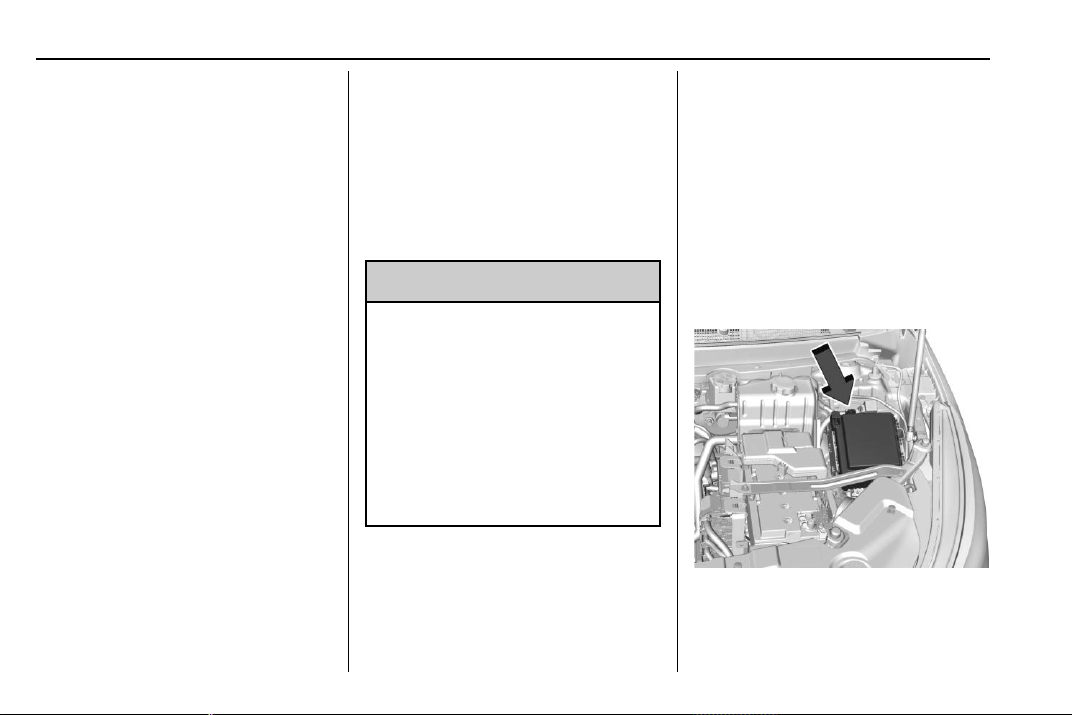
Chevrolet Traverse Owner Manual (GMNA-Localizing-U.S./Canada/Mexico-
13527526) - 2020 - CRC - 9/5/19
274 Vehicle Care
Headlamp Wiring
An electrical overload may cause
the lamps to go on and off, or in
some cases to remain off. Have the
headlamp wiring checked right away
if the lamps go on and off or
remain off.
Windshield Wipers
If the wiper motor overheats due to
heavy snow or ice, the windshield
wipers will stop until the motor cools
and will then restart.
Although the circuit is protected
from electrical overload, overload
due to heavy snow or ice may
cause wiper linkage damage.
Always clear ice and heavy snow
from the windshield before using the
windshield wipers.
If the overload is caused by an
electrical problem and not snow or
ice, be sure to get it fixed.
Fuses and Circuit
Breakers
The wiring circuits in the vehicle are
protected from short circuits by a
combination of fuses and circuit
breakers. This greatly reduces the
chance of damage caused by
electrical problems.
{
Danger
Fuses and circuit breakers are
marked with their ampere rating.
Do not exceed the
specified amperage rating when
replacing fuses and circuit
breakers. Use of an oversized
fuse or circuit breaker can result
in a vehicle fire. You and others
could be seriously injured or
killed.
To check a fuse, look at the
silver-colored band inside the fuse.
If the band is broken or melted,
replace the fuse. Be sure to replace
a bad fuse with a new one of the
identical size and rating.
Fuses of the same amperage can
be temporarily borrowed from
another fuse location, if a fuse goes
out. Replace the fuse as soon as
possible.
Engine Compartment
Fuse Block
The underhood fuse block is in the
engine compartment, on the driver
side of the vehicle.
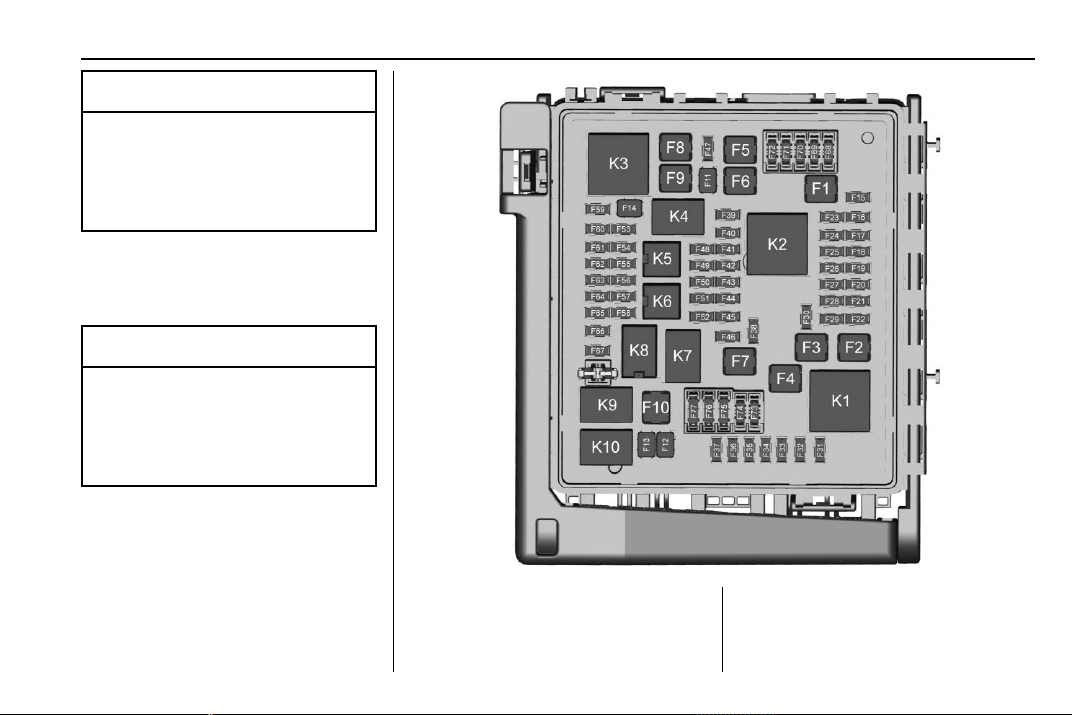
Chevrolet Traverse Owner Manual (GMNA-Localizing-U.S./Canada/Mexico-
13527526) - 2020 - CRC - 9/5/19
Vehicle Care 275
Caution
Do not pull the engine
compartment fuse block lever,
since it is intended only for
service purposes. If pulled,
vehicle malfunction may occur.
To remove the fuse block cover,
press the clips on the cover and lift
it straight up.
Caution
Spilling liquid on any electrical
component on the vehicle may
damage it. Always keep the
covers on any electrical
component.
To remove fuses, use the fuse puller
and pull straight out.
The vehicle may not be equipped
with all of the fuses, relays, and
features shown.
Fuses Usage
F1 Antilock brake
system pump

Chevrolet Traverse Owner Manual (GMNA-Localizing-U.S./Canada/Mexico-
13527526) - 2020 - CRC - 9/5/19
276 Vehicle Care
Fuses Usage
F2 Starter 1
F3 DC DC
transformer 1
F4 –
F5 DC DC
transformer 2
F6 –
F7 –
F8 –
F9 Vacuum pump
F10 Front wiper
F11 –
F12 –
F13 Starter 2
F14 –
F15 Rear wiper
F16 –
F17 –
F18 –
F19 –
Fuses Usage
F20 –
F21 –
F22 Electronic brake
control module
F23 Parking/Trailer
lamps
F24 Right trailer
stoplamp/Turnlamp
F25 Steering
column lock
F26 –
F27 Left trailer
stoplamp/Turnlamp
F28 –
F29 –
F30 Washer pump
F31 –
F32 Left low – beam
headlamp
F33 Front fog lamps
F34 Horn
F35 –
Fuses Usage
F36 –
F37 Right low – beam
headlamp
F38 Automatic
headlamp leveling
motor
F39 Transmission
control module
F40 Left rear bus
electrical center/
Ignition
F41 Instrument cluster
F42 Heating,
ventilation, and air
conditioning
F43 Head-up display
F44 Communication
gateway module/
Run/Crank
F45 –
F46 –
F47 –
F48 –

Chevrolet Traverse Owner Manual (GMNA-Localizing-U.S./Canada/Mexico-
13527526) - 2020 - CRC - 9/5/19
Vehicle Care 277
Fuses Usage
F49 Interior rearview
mirror
F50 Fuel system control
module
F51 Heated steering
wheel
F52 Folding seats
switch
F53 –
F54 Coolant pump
F55 Air conditioning
clutch
F56 Integrated chassis
control module
F57 Engine control
module/Ignition
F58 Transmission
control module/
Ignition
F59 Engine control
module battery
F60 Engine control
module – even
Fuses Usage
F61 O2 sensor 1/
Air flow
F62 –
F63 O2 sensor 2/
Canister/Engine oil/
Turbo
F64 Aeroshutter
F65 Engine control
module
powertrain 1
F66 Engine control
module
powertrain 2
F67 Engine control
module – odd
F68 –
F69 –
F70 –
F71 –
F72 –
F73 –
F74 –
Fuses Usage
F75 –
F76 –
F77 –
Relays Usage
K1 Starter 1
K2 Run/Crank
K3 Vacuum pump
K4 –
K5 Air conditioning
K6 Coolant pump
K7 Engine control
module
K8 Folding seats
K9 –
K10 Starter 2
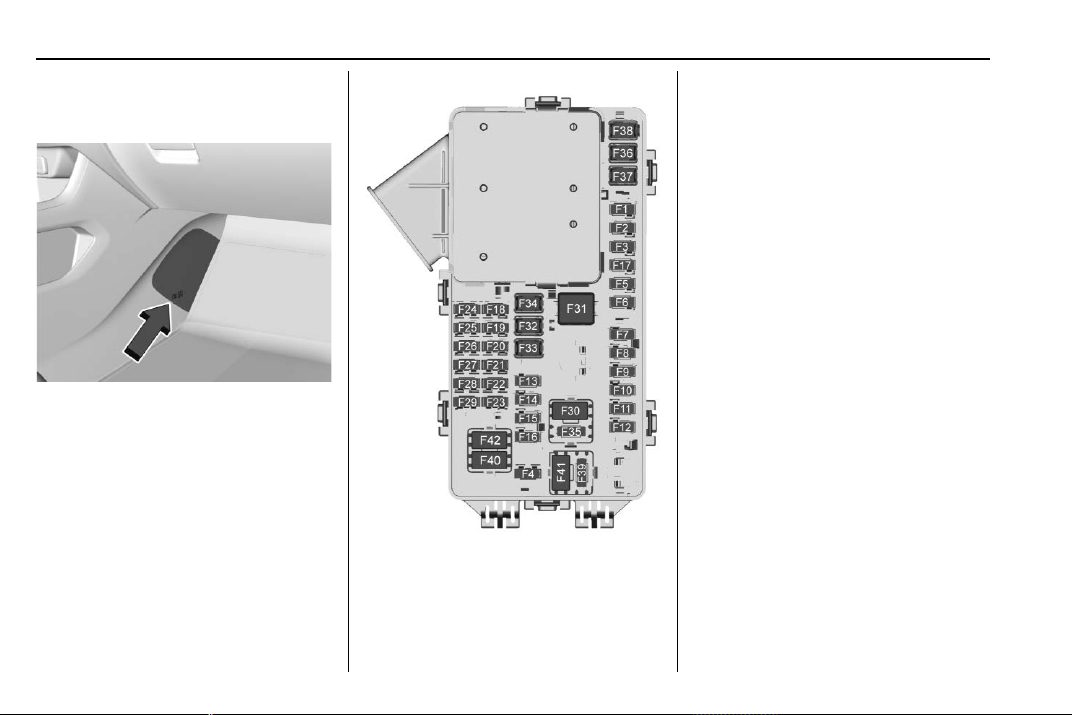
Chevrolet Traverse Owner Manual (GMNA-Localizing-U.S./Canada/Mexico-
13527526) - 2020 - CRC - 9/5/19
278 Vehicle Care
Instrument Panel Fuse
Block
The instrument panel fuse block is
inside the center console on the
passenger side of the vehicle.
Remove the fuse access door by
inserting a coin or tool into the slot
of the access door.
To remove a fuse, use the fuse
puller located in the Engine
Compartment Fuse block.
The vehicle may not be equipped
with all of the fuses, relays, and
features shown.
Fuses Usage
F1 Body control
module 6
F2 Diagnostic link
F3 Electric steering
column lock
F4 Rear USB port
F5 –
F6 Heating,
ventilation, and air
conditioning
F7 Body control
module 3
F8 –
F9 Right front
heated seat
F10 Airbag
F11 Electronic precision
shift
F12 Amplifier
F13 Body control
module 7

Chevrolet Traverse Owner Manual (GMNA-Localizing-U.S./Canada/Mexico-
13527526) - 2020 - CRC - 9/5/19
Vehicle Care 279
Fuses Usage
F14 Left front
heated seat
F15 –
F16 Sunroof
F17 Communication
gateway module
F18 Instrument cluster
F19 Body control
module 1
F20 Wireless charger
module
F21 Body control
module 4
F22 Infotainment
F23 Body control
module 2
F24 –
F25 Park assist
F26 Communications
integration module
F27 Video
Fuses Usage
F28 Radio/Heating,
ventilation, and air
conditioning
display
F29 Radio
F30 Steering wheel
controls
F31 Front blower
F32 DC AC inverter
F33 Driver power seat
F34 Passenger
power seat
F35 Feed/Body control
module 4
F36 Electric power
steering
F37 Power outlet/
Wireless charger/
Accessory
F38 Body control
module 8
Fuses Usage
F39 Steering wheel
controls
backlighting
Circuit
Breakers
Usage
F40 –
F41 –
F42 Auxiliary power
outlet/Lighter
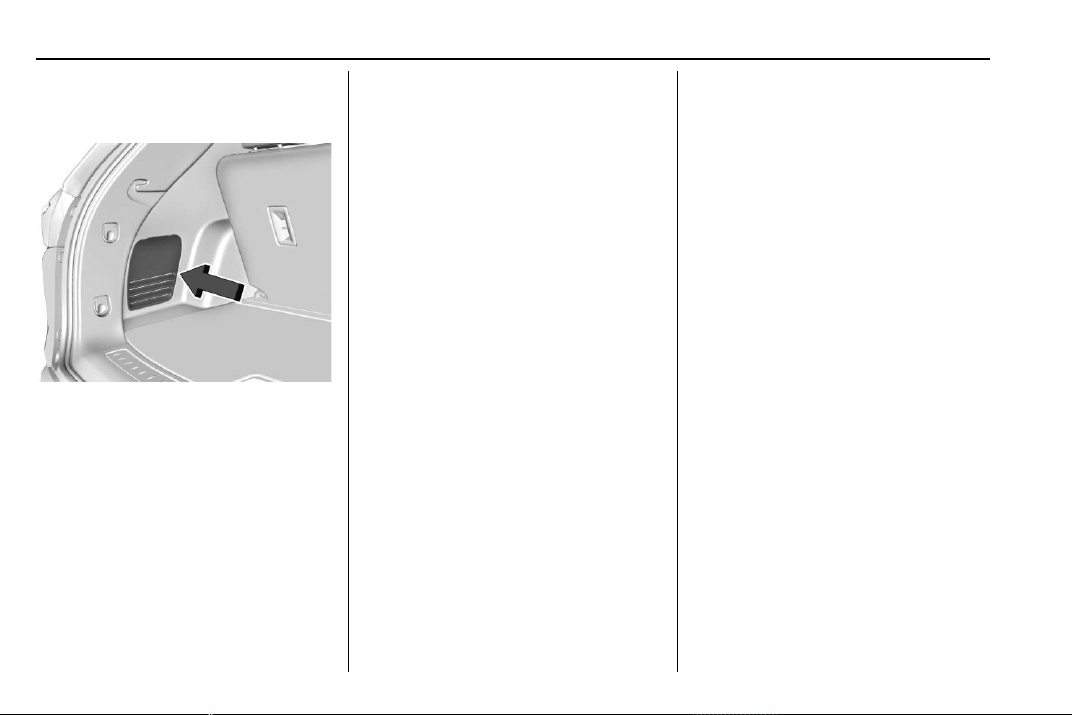
Chevrolet Traverse Owner Manual (GMNA-Localizing-U.S./Canada/Mexico-
13527526) - 2020 - CRC - 9/5/19
280 Vehicle Care
Rear Compartment Fuse
Block
The rear compartment fuse block is
behind a trim panel on the driver
side of the rear storage
compartment.
The trim panel is removed by prying
along the top edge of the trim panel
at two notched locations. Remove
the trim panel to access the fuse
block.
To remove a fuse, use the fuse
puller in the engine compartment
fuse block.
The fuse block label is on the back
of the access door in the driver side
rear trim panel.
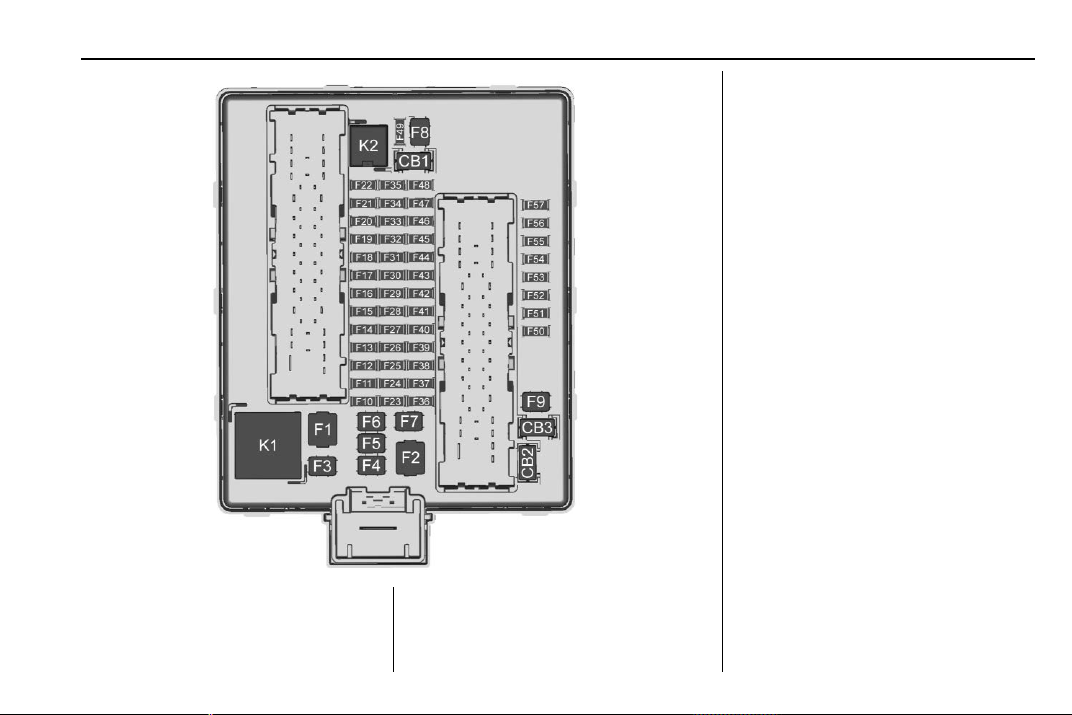
Chevrolet Traverse Owner Manual (GMNA-Localizing-U.S./Canada/Mexico-
13527526) - 2020 - CRC - 9/5/19
Vehicle Care 281
Fuses Usage
F1 –
Fuses Usage
F2 Trailer
F3 Folding seats
Fuses Usage
F4 Rear blower
F5 Rear drive control
F6 –
F7 Right window
F8 Rear defogger
F9 Left window
F10 –
F11 Trailer reverse
F12 USB port/Third row
seats
F13 –
F14 –
F15 –
F16 –
F17 Air quality sensor
F18 –
F19 Ventilated seats/
Massage
F20 –
F21 –

Chevrolet Traverse Owner Manual (GMNA-Localizing-U.S./Canada/Mexico-
13527526) - 2020 - CRC - 9/5/19
282 Vehicle Care
Fuses Usage
F22 –
F23 –
F24 Lumbar
F25 –
F26 Trailer brake lamps
F27 Massage
F28 Passive entry/
Passive start
F29 –
F30 Canister vent
F31 –
F32 Heated mirrors
F33 USB port/Second
row seats
F34 Liftgate module
F35 Fuel system control
module
F36 –
F37 –
F38 Window module
F39 Rear closure
Fuses Usage
F40 Memory seat
module
F41 Automatic
occupancy sensor
F42 –
F43 –
F44 –
F45 Liftgate motor
F46 Rear heated seats
F47 –
F48 –
F49 –
F50 –
F51 –
F52 Semi-active
dampening system
module
F53 –
F54 External object
calculating remote
system/Side blind
zone alert
Fuses Usage
F55 –
F56 Universal remote
system/Overhead
console
F57 Hands free closure
release
Circuit
Breakers
Usage
CB1 –
CB2 –
CB3 Rear auxiliary
power outlet
Relays Usage
K1 –
K2 –
Chevrolet Traverse Owner Manual (GMNA-Localizing-U.S./Canada/Mexico-
13527526) - 2020 - CRC - 9/5/19
Vehicle Care 283
Wheels and Tires
Tires
Every new GM vehicle has
high-quality tires made by a
leading tire manufacturer. See
the warranty manual for
information regarding the tire
warranty and where to get
service. For additional
information refer to the tire
manufacturer.
{
Warning
.
Poorly maintaine d and
improperly used tires are
dangerous.
.
Overloading the tires can
cause overheating as a
result of too much
flexing. There could be a
blowout and a serious
crash. See Vehicle Load
Limits 0 178.
(Continued)
Warning (Continued)
.
Underinflated tires pose
the same danger as
overloaded tires. The
resulting crash could
cause serious injury.
Check all tires frequently
to maintain the
recommended pressure.
Tire pressure should be
checked when the tires
are cold.
.
Overinflated tires are
more likely to be cut,
punctured, or broken by
a sudden impact — such
as when hitting a pothole.
Keep tires at the
recommended pressure.
.
Worn or old tires can
cause a crash. If the
tread is badly worn,
replace them.
(Continued)
Warning (Continued)
.
Replace any tires that
have been damaged by
impacts with potholes,
curbs, etc.
.
Improperly repaired tires
can cause a crash. Only
the dealer or an
authorized tire service
center should repair,
replace, dismount, and
mount the tires.
.
Do not spin the tires in
excess of 56 km/h
(35 mph) on slippery
surfaces such as snow,
mud, ice, etc. Excessive
spinning may cause the
tires to explode.
See Tire Pressure for
High-Speed Operation 0 291 for
inflation pressure adjustment for
high-speed driving.

Chevrolet Traverse Owner Manual (GMNA-Localizing-U.S./Canada/Mexico-
13527526) - 2020 - CRC - 9/5/19
284 Vehicle Care
All-Season Tires
This vehicle may come with
all-season tires. These tires are
designed to provide good overall
performance on most road surfaces
and weather conditions. Original
equipment tires designed to GM's
specific tire performance criteria
have a TPC specification code
molded onto the sidewall. Original
equipment all-season tires can be
identified by the last two characters
of this TPC code, which will
be “MS.”
Consider installing winter tires on
the vehicle if frequent driving on
snow or ice-covered roads is
expected. All-season tires provide
adequate performance for most
winter driving conditions, but they
may not offer the same level of
traction or performance as winter
tires on snow or ice-covered roads.
See Winter Tires 0 284.
Winter Tires
This vehicle was not originally
equipped with winter tires. Winter
tires are designed for increased
traction on snow and ice-covered
roads. Consider installing winter
tires on the vehicle if frequent
driving on ice or snow covered
roads is expected. See your dealer
for details regarding winter tire
availability and proper tire selection.
Also, see Buying New Tires 0 298.
With winter tires, there may be
decreased dry road traction,
increased road noise, and shorter
tread life. After changing to winter
tires, be alert for changes in vehicle
handling and braking.
If using winter tires:
.
Use tires of the same brand and
tread type on all four wheel
positions.
.
Use only radial ply tires of the
same size, load range, and
speed rating as the original
equipment tires.
Winter tires with the same speed
rating as the original equipment tires
may not be available for H, V, W, Y,
and ZR speed rated tires. If winter
tires with a lower speed rating are
chosen, never exceed the tire's
maximum speed capability.
Tire Sidewall Labeling
Useful information about a tire is
molded into its sidewall. The
examples show a typical
passenger vehicle tire and a
compact spare tire sidewall.
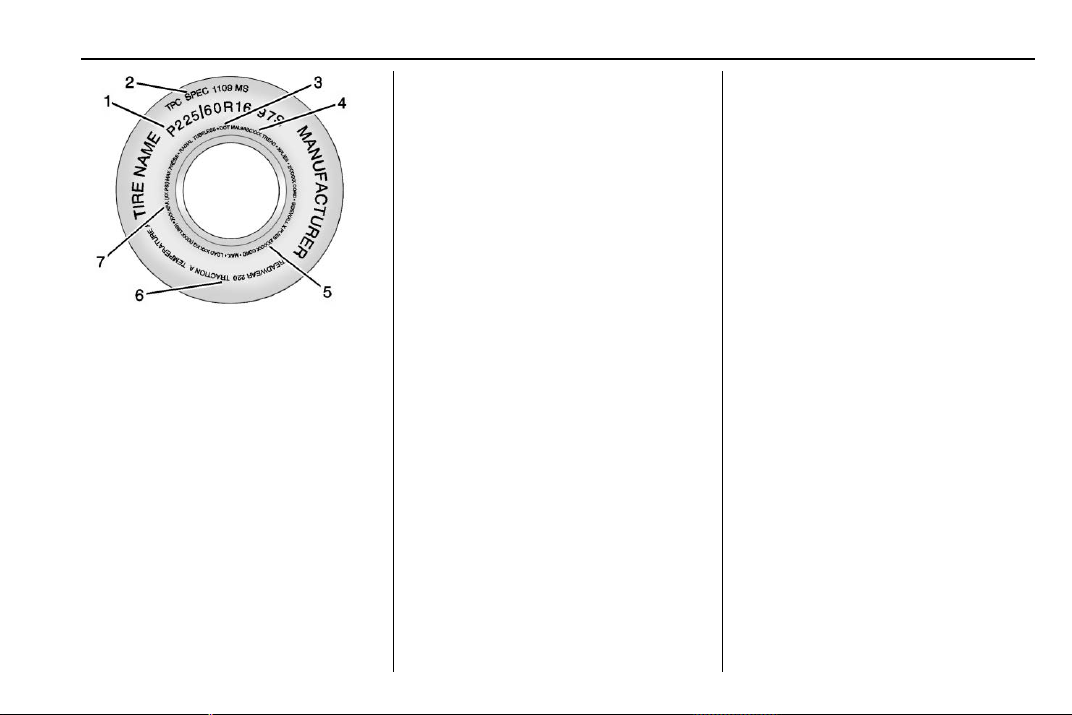
Chevrolet Traverse Owner Manual (GMNA-Localizing-U.S./Canada/Mexico-
13527526) - 2020 - CRC - 9/5/19
Vehicle Care 285
Passenger (P-Metric) Tire Example
(1) Tire Size : The tire size is a
combination of letters and
numbers used to define a
particular tire's width, height,
aspect ratio, construction type,
and service description. See the
“Tire Size” illustration later in this
section.
(2) TPC Spec (Tire
Performance Criteria
Specification)
: Original
equipment tires designed to
GM's specific tire performance
criteria have a TPC specification
code molded onto the sidewall.
GM's TPC specifications meet or
exceed all federal safety
guidelines.
(3) DOT (Department of
Transportation)
: The
Department of Transportation
(DOT) code indicates that the
tire is in compliance with the
U.S. Department of
Transportation Motor Vehicle
Safety Standards.
DOT Tire Date of
Manufacture
: The last four
digits of the TIN indicate the tire
manufactured date. The first two
digits represent the week (01–
52) and the last two digits, the
year. For example, the third
week of the year 2010 would
have a four-digit DOT date
of 0310.
(4) Tire Identificatio n Number
(TIN)
: The letters and numbers
following the DOT (Department
of Transportation) code are the
Tire Identification Number (TIN).
The TIN shows the
manufacturer and plant code,
tire size, and date the tire was
manufactured. The TIN is
molded onto both sides of the
tire, although only one side may
have the date of manufacture.
(5) Tire Ply Material
: The type
of cord and number of plies in
the sidewall and under the tread.
(6) Uniform Tire Quality
Grading (UTQG)
: Tire
manufacturers are required to
grade tires based on three
performance factors: treadwear,
traction, and temperature
resistance. For more information
see Uniform Tire Quality
Grading 0 300.
(7) Maximum Cold Inflation
Load Limit
: Maximum load that
can be carried and the
maximum pressure needed to
support that load.
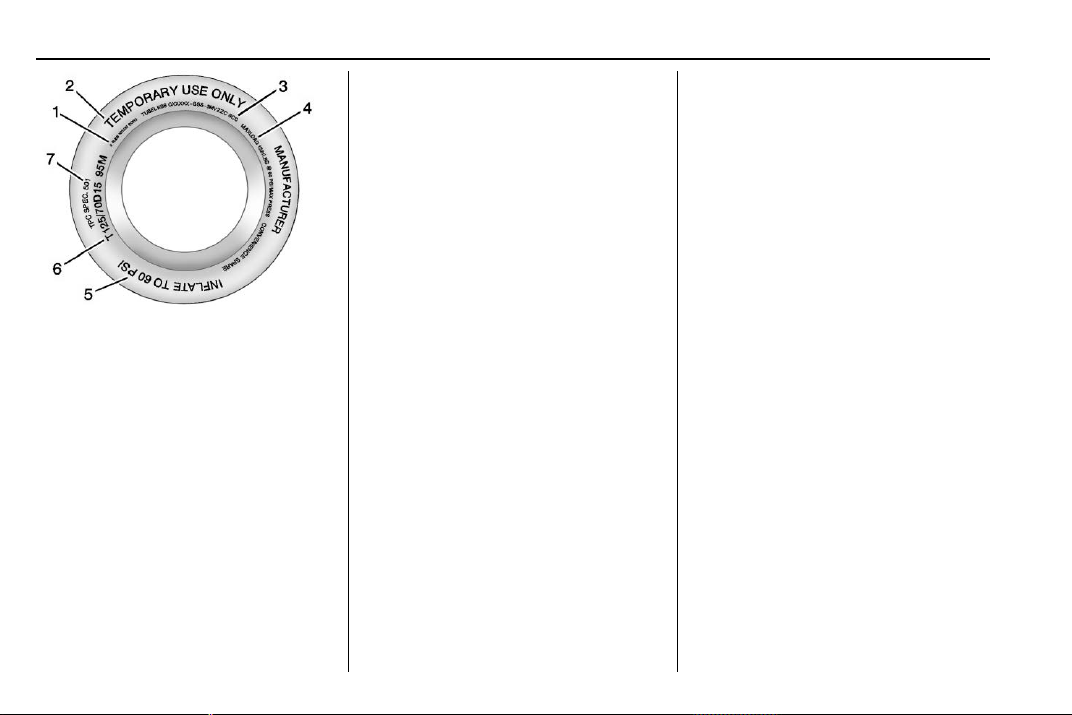
Chevrolet Traverse Owner Manual (GMNA-Localizing-U.S./Canada/Mexico-
13527526) - 2020 - CRC - 9/5/19
286 Vehicle Care
Compact Spare Tire Example
(1) Tire Ply Material : The type
of cord and number of plies in
the sidewall and under the tread.
(2) Temporary Use Only
: The
compact spare tire or temporary
use tire should not be driven at
speeds over 80 km/h (50 mph).
The compact spare tire is for
emergency use when a regular
road tire has lost air and gone
flat. If the vehicle has a compact
spare tire, see Compact Spare
Tire 0 311 and
If a Tire Goes Flat 0 303.
(3) Tire Identificatio n Number
(TIN)
: The letters and numbers
following the DOT (Department
of Transportation) code are the
Tire Identification Number (TIN).
The TIN shows the
manufacturer and plant code,
tire size, and date the tire was
manufactured. The TIN is
molded onto both sides of the
tire, although only one side may
have the date of manufacture.
(4) Maximum Cold Inflation
Load Limit
: Maximum load that
can be carried and the
maximum pressure needed to
support that load.
(5) Tire Inflation
: The
temporary use tire or compact
spare tire should be inflated to
420 kPa (60 psi). For more
information on tire pressure and
inflation see Tire Pressure
0 290.
(6) Tire Size
: A combination of
letters and numbers define a
tire's width, height, aspect ratio,
construction type, and service
description. The letter “T” as the
first character in the tire size
means the tire is for temporary
use only.
(7) TPC Spec (Tire
Performance Criteria
Specification)
: Original
equipment tires designed to
GM's specific tire performance
criteria have a TPC specification
code molded onto the sidewall.
GM's TPC specifications meet or
exceed all federal safety
guidelines.
Tire Designations
Tire Size
The example shows a typical
passenger vehicle tire size.
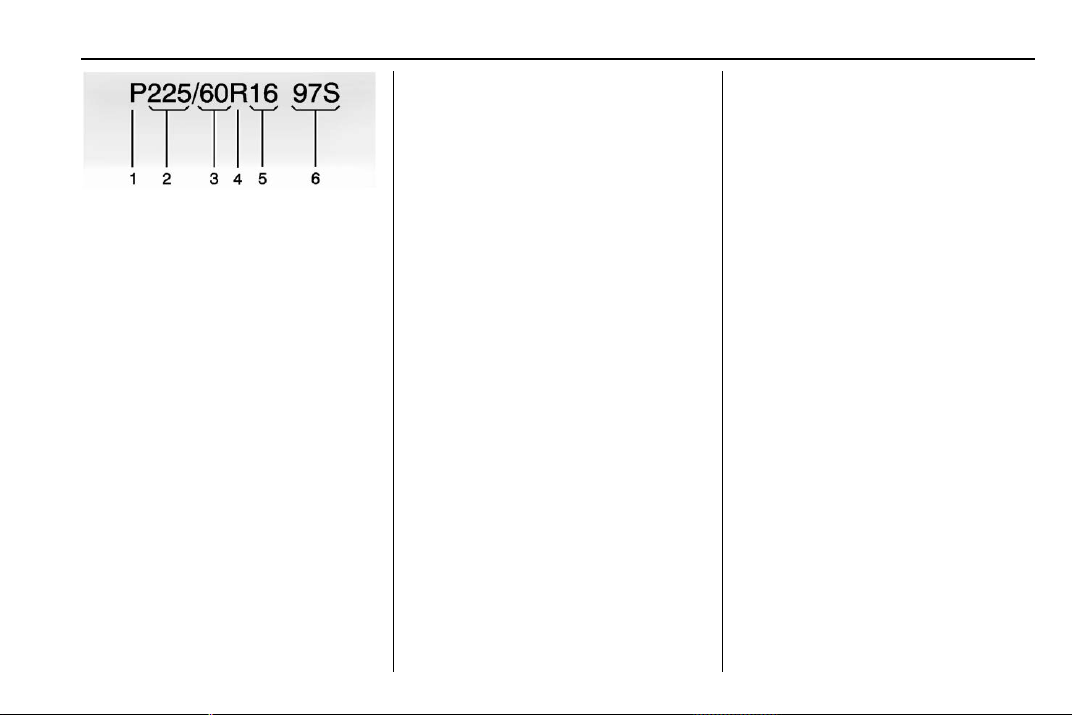
Chevrolet Traverse Owner Manual (GMNA-Localizing-U.S./Canada/Mexico-
13527526) - 2020 - CRC - 9/5/19
Vehicle Care 287
(1) Passenger (P-Metric) Tire :
The United States version of a
metric tire sizing system. The
letter “P” as the first character in
the tire size means a passenger
vehicle tire engineered to
standards set by the U.S. Tire
and Rim Association.
(2) Tire Width
: The three-digit
number indicates the tire section
width in millimeters from
sidewall to sidewall.
(3) Aspect Ratio
: A two-digit
number that indicates the tire
height-to-width measurements.
For example, if the tire size
aspect ratio is 60, as shown in
item (3) of the illustration, it
would mean that the tire's
sidewall is 60 percent as high as
it is wide.
(4) Construction Code
: A letter
code is used to indicate the type
of ply construction in the tire.
The letter “R” means radial ply
construction; the letter “D”
means diagonal or bias ply
construction.
(5) Rim Diameter
: Diameter of
the wheel in inches.
(6) Service Description
: These
characters represent the load
index and speed rating of the
tire. The load index represents
the load carrying capacity a tire
is certified to carry. The speed
rating is the maximum speed a
tire is certified to carry a load.
Tire Terminology and
Definitions
Air Pressure : The amount of
air inside the tire pressing
outward on each square inch of
the tire. Air pressure is
expressed in kPa (kilopascal)
or psi (pounds per square inch).
Accessory Weight
: The
combined weight of optional
accessories. Some examples of
optional accesso ries are
automatic transmissio n, power
windows, power seats, and air
conditioning.
Aspect Ratio
: The relations hip
of a tire's height to its width.
Belt
: A rubber coated layer of
cords between the plies and the
tread. Cords may be made from
steel or other reinforcing
materials.
Bead
: The tire bead contains
steel wires wrapped by steel
cords that hold the tire onto
the rim.
Bias Ply Tire
: A pneumatic tire
in which the plies are laid at
alternate angles less than
90 degrees to the centerline of
the tread.

Chevrolet Traverse Owner Manual (GMNA-Localizing-U.S./Canada/Mexico-
13527526) - 2020 - CRC - 9/5/19
288 Vehicle Care
Cold Tire Pressure : The
amount of air pressure in a tire,
measured in kPa (kilopascal)
or psi (pounds per square inch)
before a tire has built up heat
from driving. See Tire Pressure
0 290.
Curb Weight
: The weight of a
motor vehicle with standard and
optional equipment including the
maximum capacity of fuel, oil,
and coolant, but without
passengers and cargo.
DOT Markings
: A code molded
into the sidewall of a tire
signifying that the tire is in
compliance with the U.S.
Department of Transportation
(DOT) Motor Vehicle Safety
Standards. The DOT code
includes the Tire Identification
Number (TIN), an alphanumeric
designator which can also
identify the tire manufacturer,
production plant, brand, and
date of production.
GVWR
: Gross Vehicle Weight
Rating. See Vehicle Load Limits
0 178.
GAWR FRT
: Gross Axle Weight
Rating for the front axle. See
Vehicle Load Limits 0 178.
GAWR RR
: Gross Axle Weight
Rating for the rear axle. See
Vehicle Load Limits 0 178.
Intended Outboard Sidewall
:
The side of an asymmetrica l tire
that must always face outward
when mounted on a vehicle.
Kilopascal (kPa)
: The metric
unit for air pressure.
Light Truck (LT-Metric) Tire
: A
tire used on light duty trucks and
some multipurpose passenger
vehicles.
Load Index
: An assigned
number ranging from 1 to 279
that corresponds to the load
carrying capacity of a tire.
Maximum Inflation Pressure
:
The maximum air pressure to
which a cold tire can be inflated.
The maximum air pressure is
molded onto the sidewall.
Maximum Load Rating
: The
load rating for a tire at the
maximum permissible inflation
pressure for that tire.
Maximum Loaded Vehicle
Weight
: The sum of curb
weight, accessory weight,
vehicle capacity weight, and
production options weight.
Normal Occupant Weight
: The
number of occupants a vehicle
is designed to seat multiplied by
68 kg (150 lb). See Vehicle Load
Limits 0 178.
Occupant Distribution
:
Designated seating positions.
Outward Facing Sidewall
: The
side of an asymmetrical tire that
has a particular side that faces
outward when mounted on a

Chevrolet Traverse Owner Manual (GMNA-Localizing-U.S./Canada/Mexico-
13527526) - 2020 - CRC - 9/5/19
Vehicle Care 289
vehicle. The side of the tire that
contains a whitewall, bears
white lettering, or bears
manufacturer, brand, and/or
model name molding that is
higher or deeper than the same
moldings on the other sidewall
of the tire.
Passenger (P-Metric) Tire
: A
tire used on passenger cars and
some light duty trucks and
multipurpose vehicles.
Recommended Inflation
Pressure
: Vehicle
manufacturer's recommended
tire inflation pressure as shown
on the tire placard. See Tire
Pressure 0 290 and
Vehicle Load Limits 0 178.
Radial Ply Tire
: A pneumatic
tire in which the ply cords that
extend to the beads are laid at
90 degrees to the centerline of
the tread.
Rim
: A metal support for a tire
and upon which the tire beads
are seated.
Sidewall
: The portion of a tire
between the tread and the bead.
Speed Rating
: An
alphanumeric code assigned to
a tire indicating the maximum
speed at which a tire can
operate.
Traction
: The friction between
the tire and the road surface.
The amount of grip provided.
Tread
: The portion of a tire that
comes into contact with
the road.
Treadwear Indicators
: Narrow
bands, sometimes called wear
bars, that show across the tread
of a tire when only 1.6 mm
(1/16 in) of tread remains. See
When It Is Time for New Tires
0 298.
UTQGS (Uniform Tire Quality
Grading Standards)
: A tire
information system that provides
consumers with ratings for a
tire's traction, temperature, and
treadwear. Ratings are
determined by tire
manufacturers using
government testing procedures.
The ratings are molded into the
sidewall of the tire. See Uniform
Tire Quality Grading 0 300.
Vehicle Capacity Weight
: The
number of designated seating
positions multiplied by
68 kg (150 lb) plus the rated
cargo load. See Vehicle Load
Limits 0 178.
Vehicle Maximum Load on the
Tire
: Load on an individual tire
due to curb weight, accessory
weight, occupant weight, and
cargo weight.
Vehicle Placard
: A label
permanently attached to a
vehicle showing the vehicle

Chevrolet Traverse Owner Manual (GMNA-Localizing-U.S./Canada/Mexico-
13527526) - 2020 - CRC - 9/5/19
290 Vehicle Care
capacity weight and the original
equipment tire size and
recommended inflation pressure.
See “Tire and Loading
Information Label” under Vehicle
Load Limits 0 178.
Tire Pressure
Tires need the correct amount of
air pressure to operate
effectively.
{
Warning
Neither tire underinflation nor
overinflation is good.
Underinflated tires, or tires
that do not have enough air,
can result in:
.
Tire overloading and
overheating, which could
lead to a blowout.
.
Premature or
irregular wear.
(Continued)
Warning (Continued)
.
Poor handling.
.
Reduced fuel economy.
Overinflated tires, or tires that
have too much air, can
result in:
.
Unusual wear.
.
Poor handling.
.
Rough ride.
.
Needless damage from
road hazards.
The Tire and Loading
Information label on the vehicle
indicates the original equipment
tires and the correct cold tire
inflation pressures . The
recommended pressure is the
minimum air pressure needed to
support the vehicle's maximum
load carrying capacity. See
Vehicle Load Limits 0 178.
How the vehicle is loaded
affects vehicle handling and ride
comfort. Never load the vehicle
with more weight than it was
designed to carry.
When to Check
Check the pressure of the tires
once a month or more. Do not
forget the compact spare, if the
vehicle has one. The cold
compact spare tire pressure
should be at 420 kPa (60 psi).
See Compact Spare Tire 0 311.
How to Check
Use a good quality pocket-type
gauge to check tire pressure.
Proper tire inflation cannot be
determined by looking at the tire.
Check the tire inflation pressure
when the tires are cold, meaning
the vehicle has not been driven
for at least three hours or no
more than 1.6 km (1 mi).
Chevrolet Traverse Owner Manual (GMNA-Localizing-U.S./Canada/Mexico-
13527526) - 2020 - CRC - 9/5/19
Vehicle Care 291
Remove the valve cap from the
tire valve stem. Press the tire
gauge firmly onto the valve to
get a pressure measurement.
If the cold tire inflation pressure
matches the recommended
pressure on the Tire and
Loading Information label, no
further adjustment is necessary.
If the inflation pressure is low,
add air until the recommended
pressure is reached. If the
inflation pressure is high, press
on the metal stem in the center
of the tire valve to release air.
Recheck the tire pressure with
the tire gauge.
Put the valve caps back on the
valve stems to keep out dirt and
moisture and prevent leaks. Use
only valve caps designed for the
vehicle by GM. TPMS sensors
could be damaged and would
not be covered by the vehicle
warranty.
Tire Pressure for
High-Speed Operation
{
Warning
Driving at high speeds, 160 km/h
(100 mph) or higher, puts
additional strain on tires.
Sustained high-speed driving
causes excessive heat buildup
and can cause sudden tire failure.
This could cause a crash, and
you or others could be killed.
Some high-speed rated tires
require inflation pressure
adjustment for high-speed
operation. When speed limits and
road conditions allow the vehicle
to be driven at high speeds, make
sure the tires are rated for
high-speed operation, are in
excellent condition, and are set to
the correct cold tire inflation
pressure for the vehicle load.
Vehicles with 255/65R18 or 255/
55R20 size tires require inflation
pressure adjustment when driving
the vehicle at speeds of
160 km/h (100 mph) or higher. Set
the cold inflation pressure to the
maximum inflation pressure shown
on the tire sidewall, or 280 kPa
(41 psi), whichever is lower. Return
the tires to the recommended cold
tire inflation pressure when
high-speed driving has ended. See
Vehicle Load Limits 0 178 and
Tire Pressure 0 290.
The maximum load and inflation
pressure is molded on the tire
sidewall, in small letters, near the
rim flange. It will read something like
this: Maximum load
690 kg (1,521 lbs) 300 kPa (44 psi)
Max. Press.
Tire Pressure Monitor
System
The Tire Pressure Monitor System
(TPMS) uses radio and sensor
technology to check tire pressure
levels. The TPMS sensors monitor
the air pressure in your tires and
transmit tire pressure readings to a
receiver located in the vehicle.

Chevrolet Traverse Owner Manual (GMNA-Localizing-U.S./Canada/Mexico-
13527526) - 2020 - CRC - 9/5/19
292 Vehicle Care
Each tire, including the spare (if
provided), should be checked
monthly when cold and inflated to
the inflation pressure recommended
by the vehicle manufacturer on the
vehicle placard or tire inflation
pressure label. (If your vehicle has
tires of a different size than the size
indicated on the vehicle placard or
tire inflation pressure label, you
should determine the proper tire
inflation pressure for those tires.)
As an added safety feature, your
vehicle has been equipped with a
tire pressure monitoring system
(TPMS) that illuminates a low tire
pressure telltale when one or more
of your tires is significantly
under-inflated.
Accordingly, when the low tire
pressure telltale illuminates, you
should stop and check your tires as
soon as possible, and inflate them
to the proper pressure. Driving on a
significantly under-inflated tire
causes the tire to overheat and can
lead to tire failure. Under-inflation
also reduces fuel efficiency and tire
tread life, and may affect the
vehicle's handling and stopping
ability.
Please note that the TPMS is not a
substitute for proper tire
maintenance, and it is the driver's
responsibility to maintain correct tire
pressure, even if under-inflation has
not reached the level to trigger
illumination of the TPMS low tire
pressure telltale.
Your vehicle has also been
equipped with a TPMS malfunction
indicator to indicate when the
system is not operating properly.
The TPMS malfunction indicator is
combined with the low tire pressure
telltale. When the system detects a
malfunction, the telltale will flash for
approximately one minute and then
remain continuously illuminated.
This sequence will continue upon
subsequent vehicle start-ups as
long as the malfunction exists.
When the malfunction indicator is
illuminated, the system may not be
able to detect or signal low tire
pressure as intended. TPMS
malfunctions may occur for a variety
of reasons, including the installation
of replacement or alternate tires or
wheels on the vehicle that prevent
the TPMS from functioning properly.
Always check the TPMS malfunction
telltale after replacing one or more
tires or wheels on your vehicle to
ensure that the replacement or
alternate tires and wheels allow the
TPMS to continue to function
properly.
See Tire Pressure Monitor
Operation 0 292.
See Radio Frequency Statement
0 355.
Tire Pressure Monitor
Operation
This vehicle may have a Tire
Pressure Monitor System (TPMS).
The TPMS is designed to warn the
driver when a low tire pressure
condition exists. TPMS sensors are
mounted onto each tire and wheel
assembly, excluding the spare tire
and wheel assembly. The TPMS
sensors monitor the air pressure in
Chevrolet Traverse Owner Manual (GMNA-Localizing-U.S./Canada/Mexico-
13527526) - 2020 - CRC - 9/5/19
Vehicle Care 293
the tires and transmit the tire
pressure readings to a receiver
located in the vehicle.
When a low tire pressure condition
is detected, the TPMS illuminates
the low tire pressure warning light
located on the instrument cluster.
If the warning light comes on, stop
as soon as possible and inflate the
tires to the recommended pressure
shown on the Tire and Loading
Information label. See Vehicle Load
Limits 0 178.
A message to check the pressure in
a specific tire displays in the Driver
Information Center (DIC). The low
tire pressure warning light and the
DIC warning message come on at
each ignition cycle until the tires are
inflated to the correct inflation
pressure. Using the DIC, tire
pressure levels can be viewed. For
additional information and details
about the DIC operation and
displays see Driver Information
Center (DIC) 0 134.
The low tire pressure warning light
may come on in cool weather when
the vehicle is first started, and then
turn off as the vehicle is driven. This
could be an early indicator that the
air pressure is getting low and
needs to be inflated to the proper
pressure.
A Tire and Loading Information
label, attached to your vehicle,
shows the size of the original
equipment tires and the correct
inflation pressure for the tires when
they are cold. See Vehicle Load
Limits 0 178, for an example of the
Tire and Loading Information label
and its location. Also see Tire
Pressure 0 290.
The TPMS can warn about a low
tire pressure condition but it does
not replace normal tire
maintenance. See Tire Inspection
0 296, Tire Rotation 0 297 and
Tires 0 283.
Caution
Tire sealant materials are not all
the same. A non-approved tire
sealant could damage the TPMS
sensors. TPMS sensor damage
caused by using an incorrect tire
sealant is not covered by the
vehicle warranty. Always use only
the GM approved tire sealant
available through your dealer or
included in the vehicle.
TPMS Malfunction Light and
Message
The TPMS will not function properly
if one or more of the TPMS sensors
are missing or inoperable. When the
system detects a malfunction, the
low tire pressure warning light
flashes for about one minute and
then stays on for the remainder of
the ignition cycle. A DIC warning
message also displays. The
malfunction light and DIC warning
message come on at each ignition
Chevrolet Traverse Owner Manual (GMNA-Localizing-U.S./Canada/Mexico-
13527526) - 2020 - CRC - 9/5/19
294 Vehicle Care
cycle until the problem is corrected.
Some of the conditions that can
cause these to come on are:
.
One of the road tires has been
replaced with the spare tire. The
spare tire does not have a
TPMS sensor. The malfunction
light and DIC message should
go off after the road tire is
replaced and the sensor
matching process is performed
successfully. See “TPMS Sensor
Matching Process” later in this
section.
.
The TPMS sensor matching
process was not done or not
completed successfully after
rotating the tires. The
malfunction light and the DIC
message should go off after
successfully completing the
sensor matching process. See
"TPMS Sensor Matching
Process" later in this section.
.
One or more TPMS sensors are
missing or damaged. The
malfunction light and the DIC
message should go off when the
TPMS sensors are installed and
the sensor matching process is
performed successfully. See
your dealer for service.
.
Replacement tires or wheels do
not match the original equipment
tires or wheels. Tires and wheels
other than those recommended
could prevent the TPMS from
functioning properly. See Buying
New Tires 0 298.
.
Operating electronic devices or
being near facilities using radio
wave frequencies similar to the
TPMS could cause the TPMS
sensors to malfunction.
If the TPMS is not functioning
properly it cannot detect or signal a
low tire pressure condition. See
your dealer for service if the TPMS
malfunction light and DIC message
come on and stay on.
Tire Fill Alert (If Equipped)
This feature provides visual and
audible alerts outside the vehicle to
help when inflating an underinflated
tire to the recommended cold tire
pressure.
When the low tire pressure warning
light comes on:
1. Park the vehicle in a safe, level
place.
2. Set the parking brake firmly.
3. Place the vehicle in P (Park).
4. Add air to the tire that is
underinflated. The turn signal
lamp will flash.
When the recommended
pressure is reached, the horn
sounds once and the turn
signal lamp will stop flashing
and briefly turn solid.
Repeat these steps for all
underinflated tires that have
illuminated the low tire pressure
warning light.
{
Warning
Overinflating a tire could cause
the tire to rupture and you or
others could be injured. Do not
exceed the maximum pressure
(Continued)
Chevrolet Traverse Owner Manual (GMNA-Localizing-U.S./Canada/Mexico-
13527526) - 2020 - CRC - 9/5/19
Vehicle Care 295
Warning (Continued)
listed on the tire sidewall. See
Tire Sidewall Labeling 0 284 and
Vehicle Load Limits 0 178.
If the tire is overinflated by more
than 35 kPa (5 psi), the horn will
sound multiple times and the turn
signal lamp will continue to flash for
several seconds after filling stops.
To release and correct the pressure,
while the turn signal lamp is still
flashing, briefly press the center of
the valve stem. When the
recommended pressure is reached,
the horn sounds once.
If the turn signal lamp does not flash
within 15 seconds after starting to
inflate the tire, the tire fill alert has
not been activated or is not working.
If the hazard warning flashers are
on, the tire fill alert visual feedback
will not work properly.
The TPMS will not activate the tire
fill alert properly under the following
conditions:
.
There is interference from an
external device or transmitter.
.
The air pressure from the
inflation device is not sufficient
to inflate the tire.
.
There is a malfunction in
the TPMS.
.
There is a malfunction in the
horn or turn signal lamps.
.
The identification code of the
TPMS sensor is not registered to
the system.
.
The battery of the TPMS sensor
is low.
If the tire fill alert does not operate
due to TPMS interference, move the
vehicle about 1 m (3 ft) back or
forward and try again. If the tire fill
alert feature is not working, use a
tire pressure gauge.
TPMS Sensor Matching
Process
Each TPMS sensor has a unique
identification code. The identification
code needs to be matched to a new
tire/wheel position after rotating the
vehicle’s tires or replacing one or
more of the TPMS sensors. The
TPMS sensor matching process
should also be performed after
replacing a spare tire with a road
tire containing the TPMS sensor.
The malfunction light and the DIC
message should go off at the next
ignition cycle. The sensors are
matched to the tire/wheel positions,
using a TPMS relearn tool, in the
following order: driver side front tire,
passenger side front tire, passenger
side rear tire, and driver side rear.
See your dealer for service or to
purchase a relearn tool. A TPMS
relearn tool can also be purchased.
See Tire Pressure Monitor Sensor
Activation Tool at
www.gmtoolsandequipment.com or
call 1-800-GM TOOLS
(1-800-468-6657).
There are two minutes to match the
first tire/wheel position, and
five minutes overall to match all four
tire/wheel positions. If it takes
longer, the matching process stops
and must be restarted.

Chevrolet Traverse Owner Manual (GMNA-Localizing-U.S./Canada/Mexico-
13527526) - 2020 - CRC - 9/5/19
296 Vehicle Care
The TPMS sensor matching
process is:
1. Set the parking brake.
2. Place the vehicle in Service
Mode. See Ignition Positions
0 182.
3. Make sure the Tire Pressure
info page option is turned on.
The info pages on the DIC can
be turned on and off through
the Options menu. See Driver
Information Center (DIC) 0 134.
4. Use the DIC controls on the
right side of the steering wheel
to scroll to the Tire Pressure
screen under the DIC
info page.
5. Press and hold
V in the center
of the DIC controls.
The horn sounds twice to
signal the receiver is in relearn
mode and the TIRE
LEARNING ACTIVE message
displays on the DIC screen.
6. Start with the driver side
front tire.
7. Place the relearn tool against
the tire sidewall, near the valve
stem. Then press the button to
activate the TPMS sensor.
A horn chirp confirms that the
sensor identification code has
been matched to this tire and
wheel position.
8. Proceed to the passenger side
front tire, and repeat the
procedure in Step 7.
9. Proceed to the passenger side
rear tire, and repeat the
procedure in Step 7.
10. Proceed to the driver side rear
tire, and repeat the procedure
in Step 7. The horn sounds two
times to indicate the sensor
identification code has been
matched to the driver side rear
tire, and the TPMS sensor
matching process is no longer
active. The TIRE LEARNING
ACTIVE message on the DIC
display screen goes off.
11. Turn the vehicle off.
12. Set all four tires to the
recommended air pressure
level as indicated on the Tire
and Loading Information label.
Tire Inspection
We recommend that the tires,
including the spare tire, if the
vehicle has one, be inspected
for signs of wear or damage at
least once a month.
Replace the tire if:
.
The indicators at three or
more places around the tire
can be seen.
.
There is cord or fabric
showing through the tire's
rubber.
.
The tread or sidewall is
cracked, cut, or snagged
deep enough to show cord or
fabric.
.
The tire has a bump, bulge,
or split.
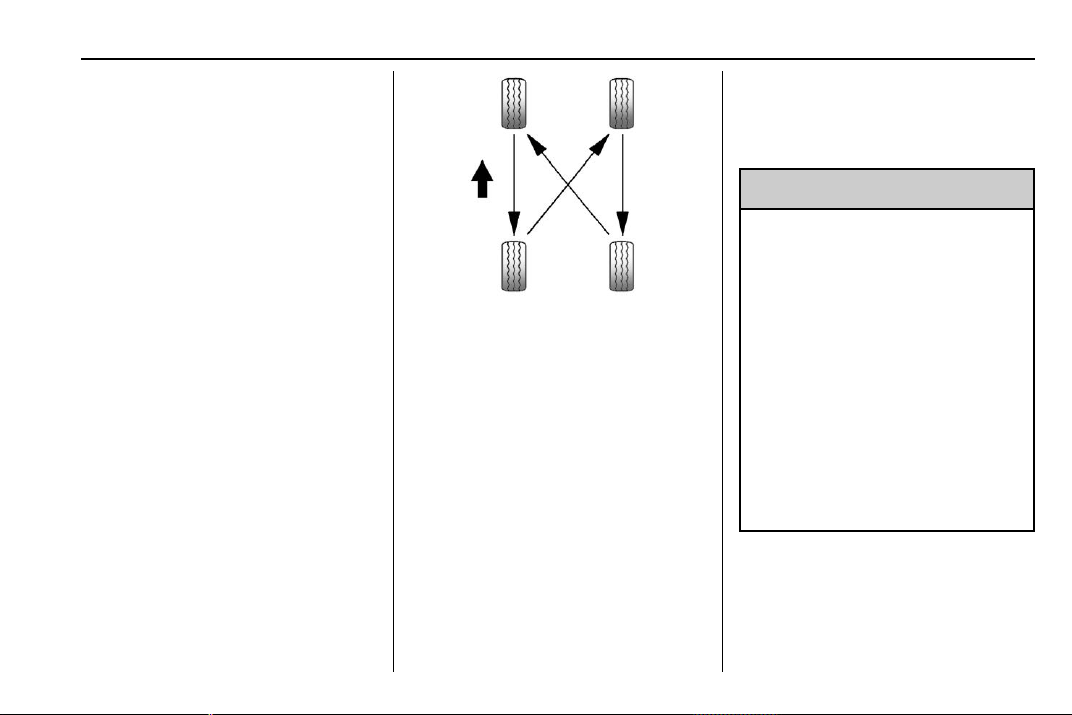
Chevrolet Traverse Owner Manual (GMNA-Localizing-U.S./Canada/Mexico-
13527526) - 2020 - CRC - 9/5/19
Vehicle Care 297
.
The tire has a puncture, cut,
or other damage that cannot
be repaired well because of
the size or location of the
damage.
Tire Rotation
Tires should be rotated every
12 000 km (7,500 mi). See
Maintenance Schedule 0 329.
Tires are rotated to achieve a
uniform wear for all tires. The
first rotation is the most
important.
Anytime unusual wear is
noticed, rotate the tires as soon
as possible, check for proper tire
inflation pressure, and check for
damaged tires or wheels. If the
unusual wear continues after the
rotation, check the wheel
alignment. See When It Is Time
for New Tires 0 298 and
Wheel Replacement 0 302.
Use this rotation pattern when
rotating the tires.
If the vehicle has a compact
spare tire, do not include it in the
tire rotation.
Adjust the front and rear tires to
the recommen ded inflation
pressure on the Tire and
Loading Information label after
the tires have been rotated. See
Tire Pressure 0 290 and
Vehicle Load Limits 0 178.
Reset the Tire Pressure Monitor
System. See Tire Pressure
Monitor Operation 0 292.
Check that all wheel nuts are
properly tightened. See “Wheel
Nut Torque” under Capacities
and Specifications 0 342.
{
Warning
Rust or dirt on a wheel, or on
the parts to which it is
fastened, can make wheel
nuts become loose after time.
The wheel could come off and
cause a crash. When
changing a wheel, remove any
rust or dirt from places where
the wheel attaches to the
vehicle. In an emergency, a
cloth or a paper towel can be
used; however, use a scraper
or wire brush later to remove
all rust or dirt.
Lightly coat the inner diameter of
the wheel hub opening with
wheel bearing grease after a
wheel change or tire rotation to
prevent corrosion or rust
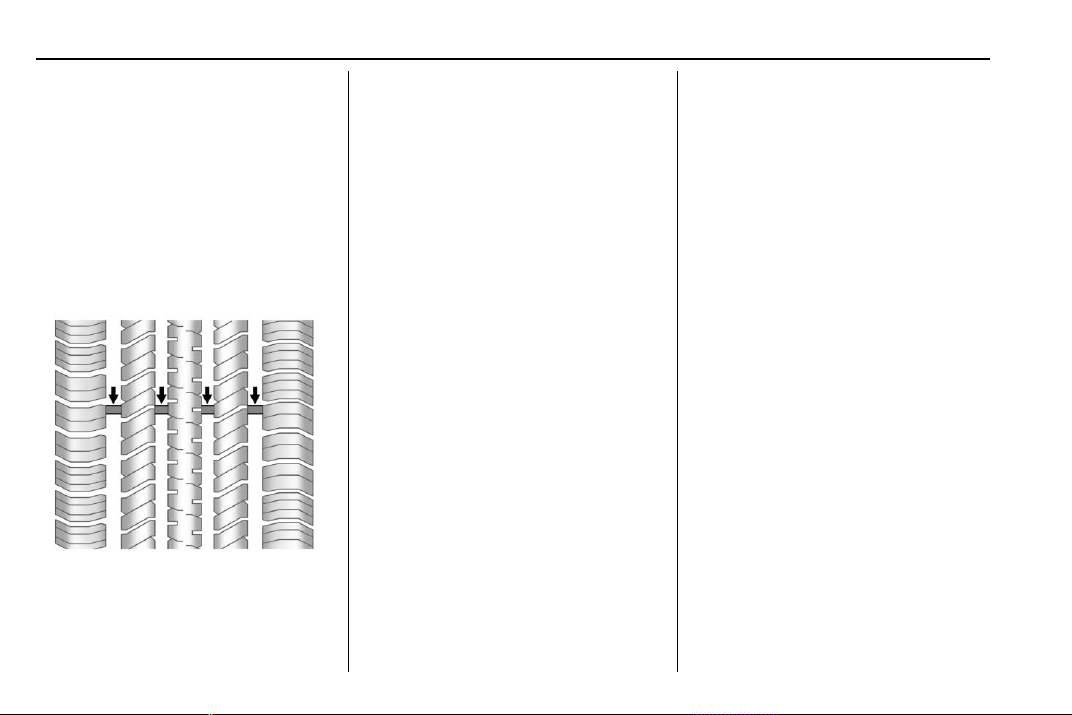
Chevrolet Traverse Owner Manual (GMNA-Localizing-U.S./Canada/Mexico-
13527526) - 2020 - CRC - 9/5/19
298 Vehicle Care
build-up. Do not get grease on
the wheel mounting surface or
on the wheel nuts or bolts.
When It Is Time for New
Tires
Factors such as maintenance,
temperatures, driving speeds,
vehicle loading, and road conditions
affect the wear rate of the tires.
Treadwear indicators are one way to
tell when it is time for new tires.
Treadwear indicators appear when
the tires have only 1.6 mm (1/16 in)
or less of tread remaining. See Tire
Inspection 0 296 and
Tire Rotation 0 297.
The rubber in tires ages over time.
This also applies to the spare tire,
if the vehicle has one, even if it is
never used. Multiple factors
including temperatures, loading
conditions, and inflation pressure
maintenance affect how fast aging
takes place. GM recommends that
tires, including the spare if
equipped, be replaced after six
years, regardless of tread wear. To
identify the age of a tire, use the tire
manufacture date which is the last
four digits of the DOT Tire
Identification Number (TIN) which is
molded into one side of the tire
sidewall. The first two digits
represent the week (01–52) and the
last two digits, the year. For
example, the third week of the year
2010 would have a four-digit DOT
date of 0310.
Vehicle Storage
Tires age when stored normally
mounted on a parked vehicle. Park
a vehicle that will be stored for at
least a month in a cool, dry, clean
area away from direct sunlight to
slow aging. This area should be free
of grease, gasoline, or other
substances that can deteriorate
rubber.
Parking for an extended period can
cause flat spots on the tires that
may result in vibrations while
driving. When storing a vehicle for
at least a month, remove the tires or
raise the vehicle to reduce the
weight from the tires.
Buying New Tires
GM has developed and matched
specific tires for the vehicle. The
original equipment tires installed
were designed to meet General
Motors Tire Performance Criteria
Specification (TPC Spec)
system rating. When
replacement tires are needed,
Chevrolet Traverse Owner Manual (GMNA-Localizing-U.S./Canada/Mexico-
13527526) - 2020 - CRC - 9/5/19
Vehicle Care 299
GM strongly recommends
buying tires with the same TPC
Spec rating.
GM's exclusive TPC Spec
system considers over a dozen
critical specifications that impact
the overall performance of the
vehicle, including brake system
performance, ride and handling,
traction control, and tire
pressure monitoring
performance. GM's TPC Spec
number is molded onto the tire's
sidewall near the tire size. If the
tires have an all-season tread
design, the TPC Spec number
will be followed by MS for mud
and snow. See Tire Sidewall
Labeling 0 284.
GM recommends replacing worn
tires in complete sets of four.
Uniform tread depth on all tires
will help to maintain the
performance of the vehicle.
Braking and handling
performance may be adversely
affected if all the tires are not
replaced at the same time.
If proper rotation and
maintenance have been done,
all four tires should wear out at
about the same time. See Tire
Rotation 0 297. However, if it is
necessary to replace only one
axle set of worn tires, place the
new tires on the rear axle.
Winter tires with the same speed
rating as the original equipment
tires may not be available for H,
V, W, Y and ZR speed rated
tires. Never exceed the winter
tires’ maximum speed capability
when using winter tires with a
lower speed rating.
{
Warning
Tires could explode during
improper service. Attempting
to mount or dismount a tire
could cause injury or death.
(Continued)
Warning (Continued)
Only your dealer or authorized
tire service center should
mount or dismount the tires.
{
Warning
Mixing tires of different sizes,
tread patterns , or types on the
same axle may cause loss of
control of the vehicle, resulting
in a crash or other vehicle
damage. Use the same size,
load range, and type of tires
as the original tires.
{
Warning
Using bias-ply tires on the
vehicle may cause the wheel
rim flanges to develop cracks
after many miles of driving.
(Continued)
Chevrolet Traverse Owner Manual (GMNA-Localizing-U.S./Canada/Mexico-
13527526) - 2020 - CRC - 9/5/19
300 Vehicle Care
Warning (Continued)
A tire and/or wheel could fail
suddenly and cause a crash.
Use only radial-ply tires with
the wheels on the vehicle.
If the vehicle tires must be
replaced with a tire that does not
have a TPC Spec number, make
sure they are the same size,
load range, speed rating, and
construction (radial) as the
original tires.
Vehicles that have a tire
pressure monitoring system
could give an inaccurate
low-pressure warning if non-TPC
Spec rated tires are installed.
See Tire Pressure Monitor
System 0 291.
The Tire and Loading
Information label indicates the
original equipment tires on the
vehicle. See Vehicle Load Limits
0 178.
Different Size Tires and
Wheels
If wheels or tires are installed that
are a different size than the original
equipment wheels and tires, vehicle
performance, including its braking,
ride and handling characteristics,
stability, and resistance to rollover
may be affected. If the vehicle has
electronic systems such as antilock
brakes, rollover airbags, traction
control, electronic stability control,
or All-Wheel Drive, the performance
of these systems can also be
affected.
{
Warning
If different sized wheels are used,
there may not be an acceptable
level of performance and safety if
tires not recommended for those
wheels are selected. This
increases the chance of a crash
and serious injury. Only use GM
specific wheel and tire systems
(Continued)
Warning (Continued)
developed for the vehicle, and
have them properly installed by a
GM certified technician.
See Buying New Tires 0 298 and
Accessories and Modifications
0 249.
Uniform Tire Quality
Grading
The following information relates
to the system developed by the
United States National Highway
Traffic Safety Administration
(NHTSA), which grades tires by
treadwear, traction, and
temperature performance . This
applies only to vehicles sold in
the United States. The grades
are molded on the sidewalls of
most passenger car tires. The
Uniform Tire Quality Grading
(UTQG) system does not apply
to deep tread, winter tires,

Chevrolet Traverse Owner Manual (GMNA-Localizing-U.S./Canada/Mexico-
13527526) - 2020 - CRC - 9/5/19
Vehicle Care 301
compact spare tires, tires with
nominal rim diameters of
10 to 12 inches (25 to 30 cm),
or to some limited-production
tires.
While the tires available on
General Motors passenger cars
and light trucks may vary with
respect to these grades, they
must also conform to federal
safety requirements and
additional General Motors Tire
Performance Criteria (TPC)
standards.
Quality grades can be found
where applicable on the tire
sidewall between tread shoulder
and maximum section width. For
example:
Treadwear 200 Traction AA
Temperature A
All Passenger Car Tires Must
Conform to Federal Safety
Requirements In Addition To
These Grades.
Treadwear
The treadwear grade is a
comparative rating based on the
wear rate of the tire when tested
under controlled conditions on a
specified government test
course. For example, a tire
graded 150 would wear one and
one-half (1½) times as well on
the government course as a tire
graded 100. The relative
performance of tires depends
upon the actual conditions of
their use, however, and may
depart significantly from the
norm due to variations in driving
habits, service practices and
differences in road
characteristics and climate.
Traction
The traction grades, from
highest to lowest, are AA, A, B,
and C. Those grades represent
the tire's ability to stop on wet
pavement as measured under
controlled conditions on
specified government test
surfaces of asphalt and
concrete. A tire marked C may
have poor traction performance.
Warning: The traction grade
assigned to this tire is based on
straight-ahead braking traction
tests, and does not include
acceleration, cornering,
hydroplaning, or peak traction
characteristics.
Temperature
The temperature grades are A
(the highest), B, and C,
representing the tire's resistance
to the generation of heat and its
ability to dissipate heat when
tested under controlled
conditions on a specified indoor
laboratory test wheel. Sustained
high temperature can cause the
material of the tire to degenerate
and reduce tire life, and
excessive temperature can lead
to sudden tire failure. The grade
C correspond s to a level of
Chevrolet Traverse Owner Manual (GMNA-Localizing-U.S./Canada/Mexico-
13527526) - 2020 - CRC - 9/5/19
302 Vehicle Care
performance which all
passenger car tires must meet
under the Federal Motor Safety
Standard No. 109. Grades B and
A represent higher levels of
performance on the laboratory
test wheel than the minimum
required by law. Warning: The
temperature grade for this tire is
established for a tire that is
properly inflated and not
overloaded. Excessive speed,
underinflation, or excessive
loading, either separately or in
combination, can cause heat
buildup and possible tire failure.
Wheel Alignment and Tire
Balance
The tires and wheels were aligned
and balanced at the factory to
provide the longest tire life and best
overall performance. Adjustments to
wheel alignment and tire balancing
are not necessary on a regular
basis. Consider an alignment check
if there is unusual tire wear or the
vehicle is significantly pulling to one
side or the other. Some slight pull to
the left or right, depending on the
crown of the road and/or other road
surface variations such as troughs
or ruts, is normal. If the vehicle is
vibrating when driving on a smooth
road, the tires and wheels may need
to be rebalanced. See your dealer
for proper diagnosis.
Wheel Replacement
Replace any wheel that is bent,
cracked, or badly rusted or
corroded. If wheel nuts keep coming
loose, the wheel, wheel bolts, and
wheel nuts should be replaced.
If the wheel leaks air, replace it.
Some aluminum wheels can be
repaired. See your dealer if any of
these conditions exist.
Your dealer will know the kind of
wheel that is needed.
Each new wheel should have the
same load-carrying capacity,
diameter, width, offset, and be
mounted the same way as the one it
replaces.
Replace wheels, wheel bolts, wheel
nuts, or Tire Pressure Monitor
System (TPMS) sensors with new
GM original equipment parts.
{
Warning
Using the wrong replacement
wheels, wheel bolts, or wheel
nuts can be dangerous. It could
affect the braking and handling of
the vehicle. Tires can lose air,
and cause loss of control, causing
a crash. Always use the correct
wheel, wheel bolts, and wheel
nuts for replacement.
Caution
The wrong wheel can also cause
problems with bearing life, brake
cooling, speedometer or
odometer calibration, headlamp
aim, bumper height, vehicle
ground clearance, and tire or tire
chain clearance to the body and
chassis.
Chevrolet Traverse Owner Manual (GMNA-Localizing-U.S./Canada/Mexico-
13527526) - 2020 - CRC - 9/5/19
Vehicle Care 303
Used Replacement Wheels
{
Warning
Replacing a wheel with a used
one is dangerous. How it has
been used or how far it has been
driven may be unknown. It could
fail suddenly and cause a crash.
When replacing wheels, use a
new GM original equipment
wheel.
Tire Chains
{
Warning
If the vehicle has a tire size other
than 255/65R18, do not use tire
chains. There is not enough
clearance. Tire chains used on a
vehicle without the proper amount
of clearance can cause damage
to the brakes, suspension,
or other vehicle parts. The area
damaged by the tire chains could
(Continued)
Warning (Continued)
cause loss of control and a crash.
Use another type of traction
device only if its manufacturer
recommends it for the vehicle's
tire size combination and road
conditions. Follow that
manufacturer's instructions. To
avoid vehicle damage, drive slow
and readjust or remove the
traction device if it contacts the
vehicle. Do not spin the wheels. If
traction devices are used, install
them on the front tires.
Caution
If the vehicle is equipped with
255/65R18 size tires, use tire
chains only where legal and only
when necessary. Use low profile
chains that add no more than
12 mm thickness to the tire tread
and inner sidewall. Use chains
(Continued)
Caution (Continued)
that are the proper size for the
tires. Install them on the tires of
the front axle. Do not use chains
on the tires of the rear axle.
Tighten them as tightly as
possible with the ends securely
fastened. Drive slowly and follow
the chain manufacturer's
instructions. If the chains contact
the vehicle, stop and retighten
them. If the contact continues,
slow down until it stops. Driving
too fast or spinning the wheels
with chains on will damage the
vehicle.
If a Tire Goes Flat
It is unusual for a tire to blow out
while driving, especially if the tires
are maintained properly. See Tires
0 283. If air goes out of a tire, it is
much more likely to leak out slowly.
But if there ever is a blowout, here
are a few tips about what to expect
and what to do:
Chevrolet Traverse Owner Manual (GMNA-Localizing-U.S./Canada/Mexico-
13527526) - 2020 - CRC - 9/5/19
304 Vehicle Care
If a front tire fails, the flat tire
creates a drag that pulls the vehicle
toward that side. Take your foot off
the accelerator pedal and grip the
steering wheel firmly. Steer to
maintain lane position, and then
gently brake to a stop, well off the
road, if possible.
A rear blowout, particularly on a
curve, acts much like a skid and
may require the same correction as
used in a skid. Stop pressing the
accelerator pedal and steer to
straighten the vehicle. It may be
very bumpy and noisy. Gently brake
to a stop, well off the road,
if possible.
{
Warning
Driving on a flat tire will cause
permanent damage to the tire.
Re-inflating a tire after it has been
driven on while severely
underinflated or flat may cause a
blowout and a serious crash.
Never attempt to re-inflate a tire
(Continued)
Warning (Continued)
that has been driven on while
severely underinflated or flat.
Have your dealer or an authorized
tire service center repair or
replace the flat tire as soon as
possible.
{
Warning
Lifting a vehicle and getting under
it to do maintenance or repairs is
dangerous without the
appropriate safety equipment and
training. If a jack is provided with
the vehicle, it is designed only for
changing a flat tire. If it is used for
anything else, you or others could
be badly injured or killed if the
vehicle slips off the jack. If a jack
is provided with the vehicle, only
use it for changing a flat tire.
If a tire goes flat, avoid further tire
and wheel damage by driving slowly
to a level place, well off the road,
if possible. Turn on the hazard
warning flashers. See Hazard
Warning Flashers 0 151.
{
Warning
Changing a tire can be
dangerous. The vehicle can slip
off the jack and roll over or fall
causing injury or death. Find a
level place to change the tire. To
help prevent the vehicle from
moving:
1. Set the parking brake firmly.
2. Put an automatic
transmission in P (Park) or a
manual transmission in
1 (First) or R (Reverse).
3. Turn off the engine and do
not restart while the vehicle
is raised.
4. Do not allow passengers to
remain in the vehicle.
(Continued)
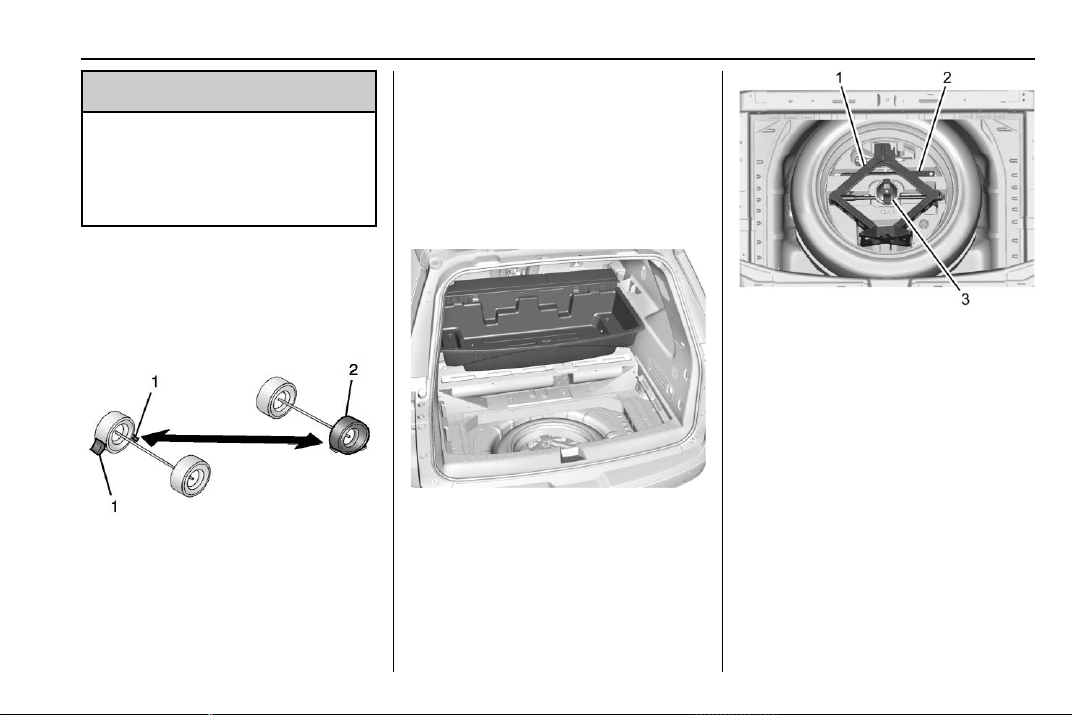
Chevrolet Traverse Owner Manual (GMNA-Localizing-U.S./Canada/Mexico-
13527526) - 2020 - CRC - 9/5/19
Vehicle Care 305
Warning (Continued)
5. Place wheel blocks,
if equipped, on both sides of
the tire at the opposite
corner of the tire being
changed.
When the vehicle has a flat tire (2),
use the following example as a
guide to assist in the placement of
the wheel blocks (1), if equipped.
1. Wheel Block (If Equipped)
2. Flat Tire
The following information explains
how to repair or change a tire.
Tire Changing
Removing the Spare Tire and
Tools
To access the spare tire and tools:
1. Open the liftgate. See Liftgate
0 22.
2. Lift the load floor.
3. Remove the cargo
management system. See
Cargo Management System
0 101.
4. Turn the wing nut (3)
counterclockwise to remove the
jack (1) and wheel wrench (2).
Place the tool container near
the tire being changed.
5. Remove the spare tire and
place it next to the tire being
changed.
Removing the Flat Tire and
Installing the Spare Tire
1. Do a safety check before
proceeding. See If a Tire Goes
Flat 0 303.
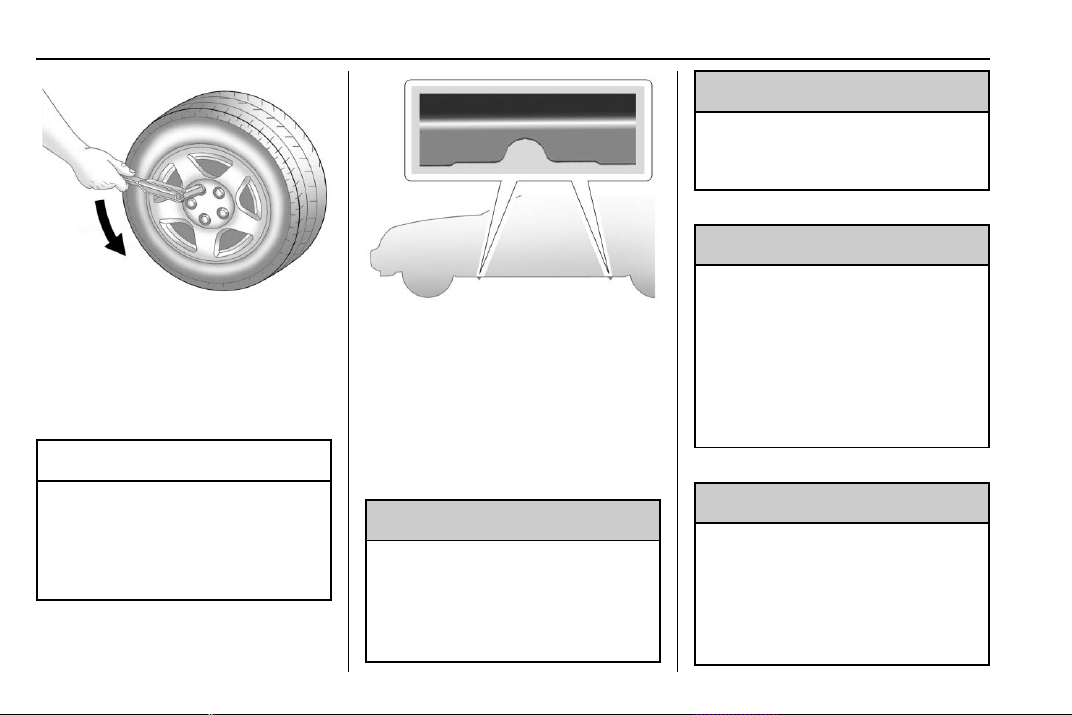
Chevrolet Traverse Owner Manual (GMNA-Localizing-U.S./Canada/Mexico-
13527526) - 2020 - CRC - 9/5/19
306 Vehicle Care
2. Turn the wheel wrench
counterclockwise to loosen all
the wheel nuts, but do not
remove them yet.
3. Place the jack near the flat tire.
Caution
Make sure that the jack lift head
is in the correct position or you
may damage your vehicle. The
repairs would not be covered by
your warranty.
4. Position the jack lift head at the
jack location nearest the
flat tire.
The jacking location is
indicated by a half circle notch
in the metal flange. The jack
must not be used in any other
position.
{
Warning
Getting under a vehicle when it is
lifted on a jack is dangerous.
If the vehicle slips off the jack,
you could be badly injured or
(Continued)
Warning (Continued)
killed. Never get under a vehicle
when it is supported only by
a jack.
{
Warning
Raising the vehicle with the jack
improperly positioned can
damage the vehicle and even
make the vehicle fall. To help
avoid personal injury and vehicle
damage, be sure to fit the jack lift
head into the proper location
before raising the vehicle.
{
Warning
Lifting a vehicle and getting under
it to do maintenance or repairs is
dangerous without the
appropriate safety equipment and
training. If a jack is provided with
(Continued)
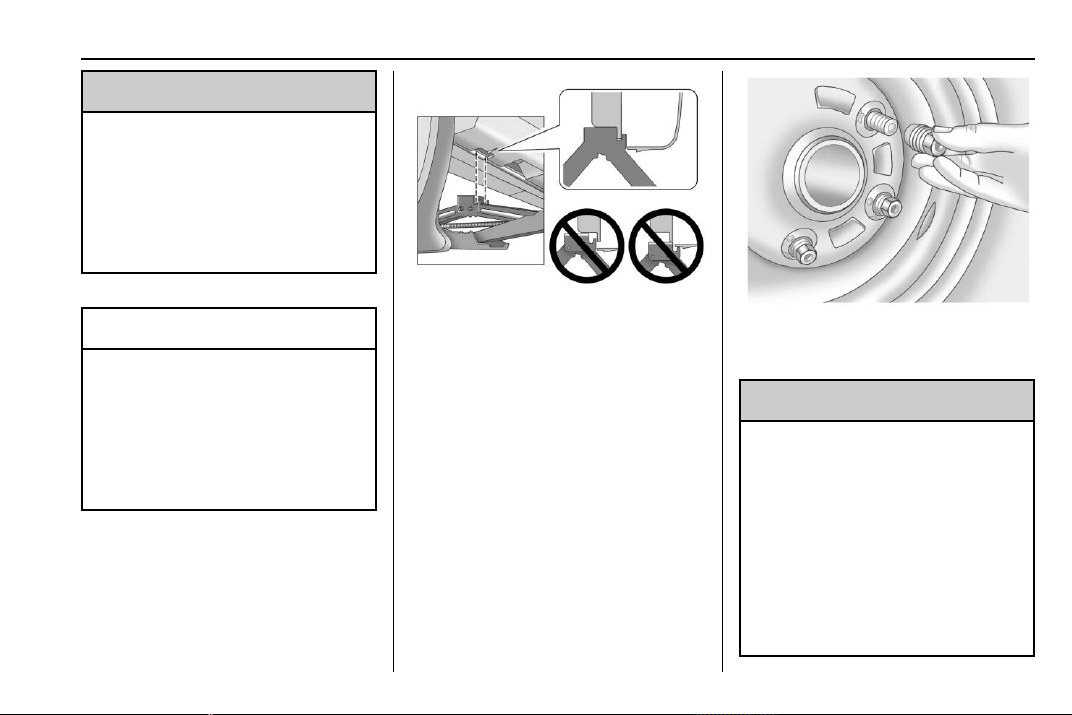
Chevrolet Traverse Owner Manual (GMNA-Localizing-U.S./Canada/Mexico-
13527526) - 2020 - CRC - 9/5/19
Vehicle Care 307
Warning (Continued)
the vehicle, it is designed only for
changing a flat tire. If it is used for
anything else, you or others could
be badly injured or killed if the
vehicle slips off the jack. If a jack
is provided with the vehicle, only
use it for changing a flat tire.
Caution
Using a jack to raise the vehicle
without positioning it correctly
could damage your vehicle. When
raising your vehicle on a jack, be
sure to position it correctly under
the frame and avoid contact with
the plastic molding.
5. Turn the wheel wrench
clockwise to raise the jack lift
head until the slots in the jack
head fit into the metal flange
behind the cut out on the
plastic molding. Do not raise
the vehicle yet.
6. Put the compact spare tire
near you.
7. Turn the wrench clockwise in
the jack to raise the vehicle.
Raise the vehicle far enough
off the ground so that there is
enough room for the spare tire
to fit under the wheel well.
8. Remove all of the wheel nuts.
9. Remove the flat tire.
{
Warning
Rust or dirt on a wheel, or on
the parts to which it is
fastened, can make wheel
nuts become loose after time.
The wheel could come off and
cause a crash. When
changing a wheel, remove any
rust or dirt from places where
the wheel attaches to the
(Continued)
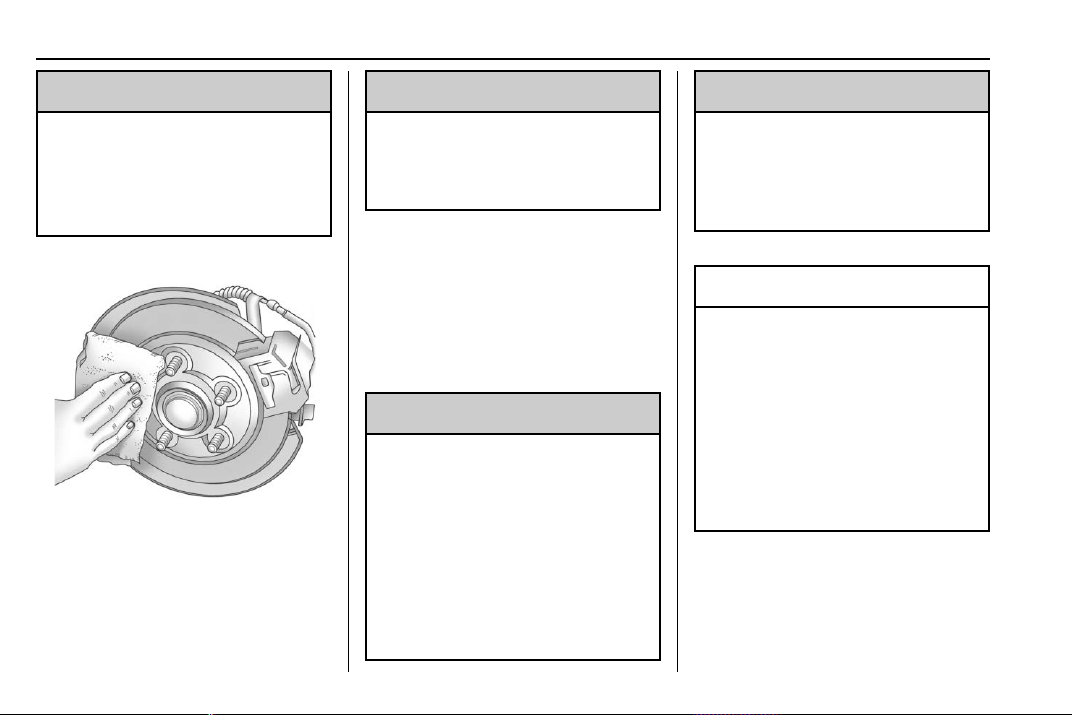
Chevrolet Traverse Owner Manual (GMNA-Localizing-U.S./Canada/Mexico-
13527526) - 2020 - CRC - 9/5/19
308 Vehicle Care
Warning (Continued)
vehicle. In an emergency, a
cloth or a paper towel can be
used; however, use a scraper
or wire brush later to remove
all rust or dirt.
10. Remove any rust or dirt from
the wheel bolts, mounting
surfaces, and spare wheel.
11. Place the compact spare tire
on the wheel-mounting surface.
{
Warning
Never use oil or grease on bolts
or nuts because the nuts might
come loose. The vehicle's wheel
could fall off, causing a crash.
12. Reinstall the wheel nuts.
Tighten each nut by hand until
the wheel is held against
the hub.
13. Lower the vehicle by turning
the jack handle
counterclockwise.
{
Warning
Wheel nuts that are improperly or
incorrectly tightened can cause
the wheels to become loose or
come off. The wheel nuts should
be tightened with a torque wrench
to the proper torque specification
after replacing. Follow the torque
specification supplied by the
aftermarket manufacturer when
(Continued)
Warning (Continued)
using accessory locking wheel
nuts. See Capacities and
Specifications 0 342 for original
equipment wheel nut torque
specifications.
Caution
Improperly tightened wheel nuts
can lead to brake pulsation and
rotor damage. To avoid expensive
brake repairs, evenly tighten the
wheel nuts in the proper
sequence and to the proper
torque specification. See
Capacities and Specifications
0 342 for the wheel nut torque
specification.
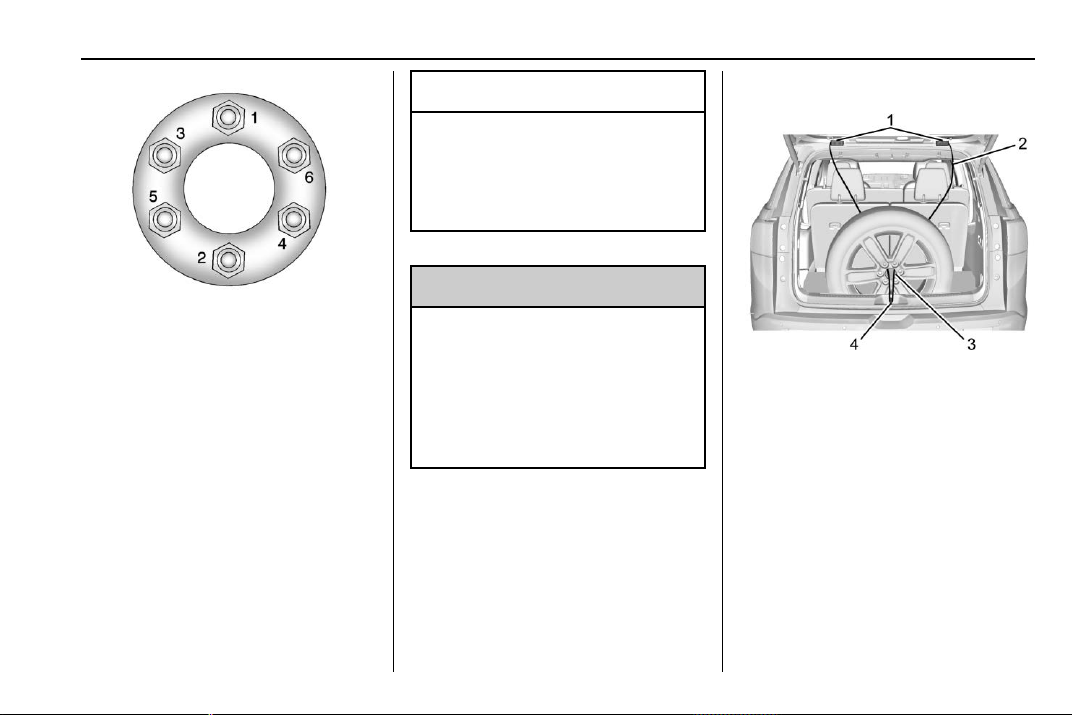
Chevrolet Traverse Owner Manual (GMNA-Localizing-U.S./Canada/Mexico-
13527526) - 2020 - CRC - 9/5/19
Vehicle Care 309
14. Tighten the wheel nuts firmly in
a crisscross sequence, as
shown.
15. Lower the jack all the way and
remove the jack from under the
vehicle.
16. Tighten the wheel nuts firmly
with the wheel wrench.
When reinstalling the wheel cover or
center cap on the full-size tire,
tighten all six plastic caps hand
snug with the aid of the wheel
wrench and tighten them with the
wheel wrench an additional
one-quarter of a turn.
Caution
Wheel covers will not fit on the
vehicle's compact spare. If you try
to put a wheel cover on the
compact spare, the cover or the
spare could be damaged.
{
Warning
Storing a jack, a tire, or other
equipment in the passenger
compartment of the vehicle could
cause injury. In a sudden stop or
collision, loose equipment could
strike someone. Store all these in
the proper place.
Storing the Flat Tire
1. Liftgate Hinges
2. Cable
3. Center of the Wheel
4. Door Striker
To store the flat tire:
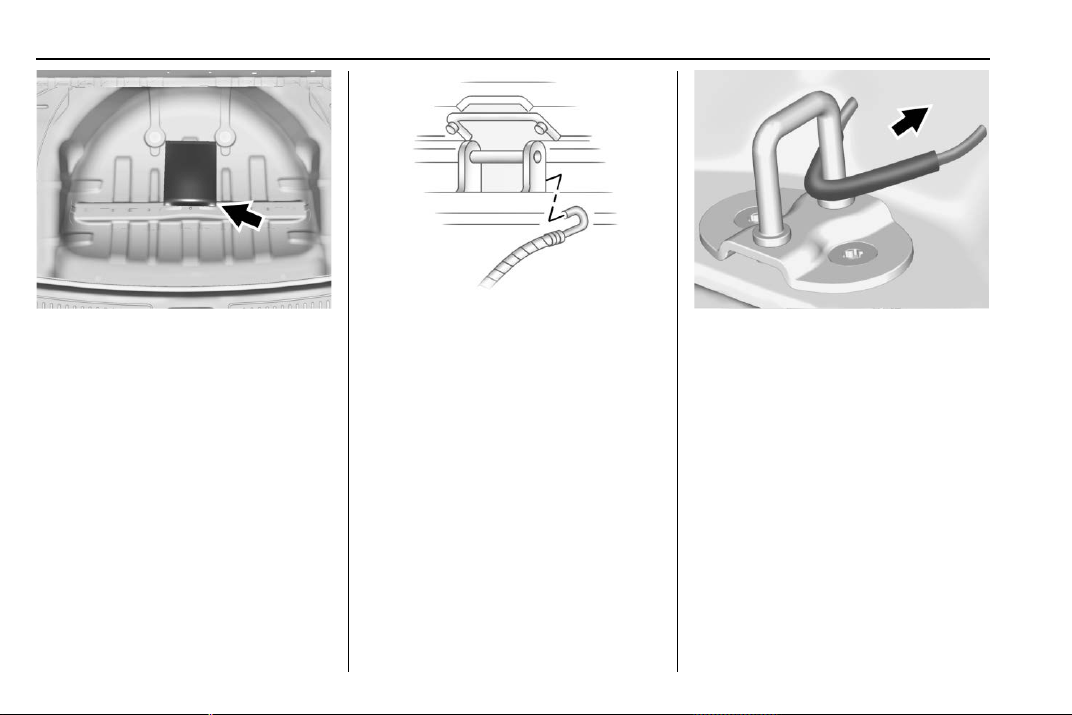
Chevrolet Traverse Owner Manual (GMNA-Localizing-U.S./Canada/Mexico-
13527526) - 2020 - CRC - 9/5/19
310 Vehicle Care
1. Remove the cable package
from under the spare tire, jack,
and tools.
2. Remove the small cap by
tapping the back of the cap
with the extension of the shaft,
if the vehicle has aluminum
wheels.
3. Put the flat tire in the rear
storage area with the valve
stem facing the rear of the
vehicle.
4. Pull the cable through the door
striker and the center of the
wheel.
5. Lower the liftgate enough to be
able to hook the cable onto the
outside portion of the liftgate
hinges.
6. Hook the other end of the cable
onto the outside portion of the
liftgate hinge on the other side
of the vehicle.
7. Pull on the cable to make sure
it is secure.
8. Make sure the metal tube is
centered at the striker. Push
the tube toward the front of the
vehicle.
9. Close the liftgate and make
sure it is fully latched.
The compact spare is for temporary
use only. Replace the compact
spare tire with a full-size tire as
soon as you can.
Storing the Compact Spare
Tire and Tools
To store the spare tire and tools:
1. Open the liftgate. See Liftgate
0 22.
Chevrolet Traverse Owner Manual (GMNA-Localizing-U.S./Canada/Mexico-
13527526) - 2020 - CRC - 9/5/19
Vehicle Care 311
2. Lift the load floor.
3. Remove the cargo
management system.
4. Put back the spare tire and all
tools as they were stored in the
rear storage compartment.
5. Install the cargo management
system and load floor.
The compact spare is for temporary
use only. Replace the compact
spare tire with a full-size tire as
soon as you can.
Compact Spare Tire
{
Warning
Driving with more than one
compact spare tire at a time could
result in loss of braking and
handling. This could lead to a
crash and you or others could be
injured. Use only one compact
spare tire at a time.
If this vehicle has a compact spare
tire, it was fully inflated when new;
however, it can lose air over time.
Check the inflation pressure
regularly. It should be 420 kPa
(60 psi).
Stop as soon as possible and check
that the spare tire is correctly
inflated after being installed on the
vehicle. The compact spare tire is
designed for temporary use only.
The vehicle will perform differently
with the spare tire installed and it is
recommended that the vehicle
speed be limited to 80 km/h (50
mph). To conserve the tread of the
spare tire, have the standard tire
repaired or replaced as soon as
convenient and return the spare tire
to the storage area.
When using a compact spare tire,
the ABS and Traction Control
systems may engage until the spare
tire is recognized by the vehicle,
especially on slippery roads. Adjust
driving to reduce possible
wheel slip.
Performance of the All-Wheel
Drive (AWD) system will be
automatically reduced to protect the
system when using the compact
spare. To restore the AWD and
prevent excessive wear on the
clutch in the AWD, replace the
compact spare tire with a full-size
tire as soon as possible.
Caution
When the compact spare is
installed, do not take the vehicle
through an automatic car wash
with guide rails. The compact
spare can get caught on the rails
which can damage the tire, wheel,
and other parts of the vehicle.
Do not use the compact spare on
other vehicles.
Do not mix the compact spare tire or
wheel with other wheels or tires.
They will not fit. Keep the spare tire
and its wheel together.
Chevrolet Traverse Owner Manual (GMNA-Localizing-U.S./Canada/Mexico-
13527526) - 2020 - CRC - 9/5/19
312 Vehicle Care
Caution
Tire chains will not fit the compact
spare. Using them can damage
the vehicle and the chains. Do not
use tire chains on the compact
spare.
Jump Starting
Jump Starting - North
America
For more information about the
vehicle battery, see Battery - North
America 0 266.
If the battery has run down, try to
use another vehicle and some
jumper cables to start your vehicle.
Be sure to use the following steps to
do it safely.
{
Warning
WARNING: Battery posts,
terminals, and related
accessories contain lead and lead
compounds, chemicals known to
the State of California to cause
cancer and birth defects or other
reproductive harm. Batteries also
contain other chemicals known to
the State of California to cause
cancer. WASH HANDS AFTER
(Continued)
Warning (Continued)
HANDLING. For more information
go to www.P65Warnings.ca.gov/
passenger-vehicle.
See California Proposition
65 Warning 0 248 and the back
cover.
{
Warning
Batteries can hurt you. They can
be dangerous because:
.
They contain acid that can
burn you.
.
They contain gas that can
explode or ignite.
.
They contain enough
electricity to burn you.
If you do not follow these steps
exactly, some or all of these
things can hurt you.
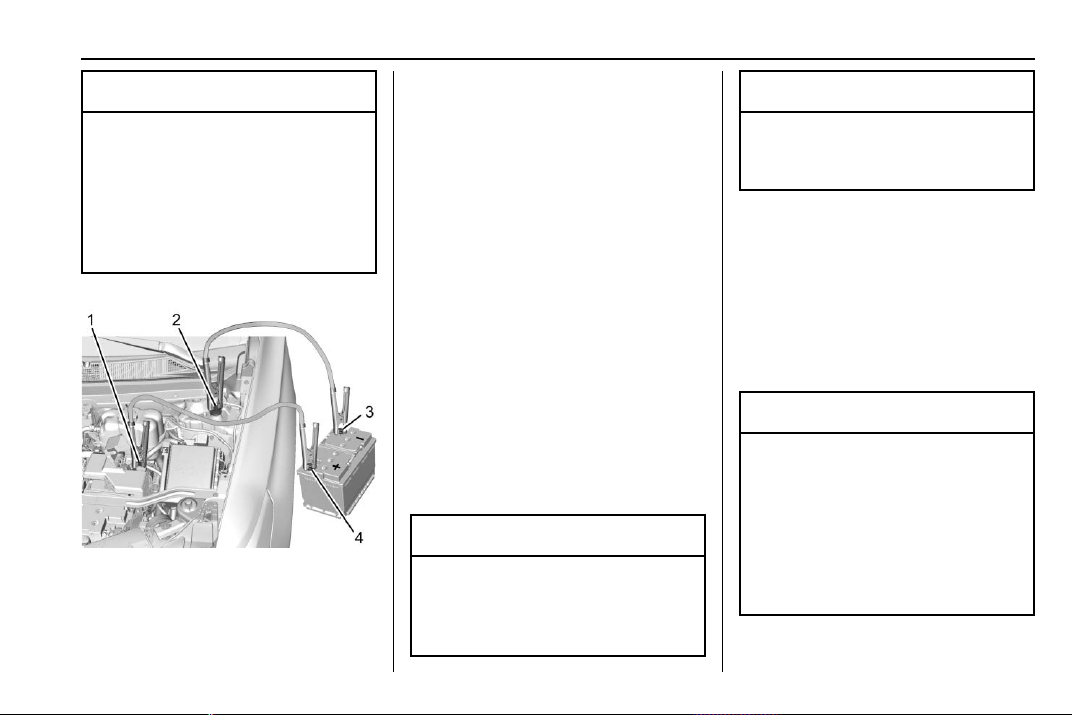
Chevrolet Traverse Owner Manual (GMNA-Localizing-U.S./Canada/Mexico-
13527526) - 2020 - CRC - 9/5/19
Vehicle Care 313
Caution
Ignoring these steps could result
in costly damage to the vehicle
that would not be covered by the
vehicle warranty. Trying to start
the vehicle by pushing or pulling it
will not work, and it could damage
the vehicle.
1. Discharged Battery
Positive (+) Terminal
2. Discharged Battery Remote
Negative (-) Terminal
3. Good Battery Negative (-)
Terminal
4. Good Battery Positive (+)
Terminal
The jump start positive (+)
Terminal (1) and the negative
remote negative terminal (2) for the
discharged battery are on the driver
side of the vehicle.
The jump start positive (+)
terminal (4) and negative (-)
terminal (3) are on the battery of the
vehicle providing the jump start.
The positive jump start connection
for the discharged battery is under a
cover. Remove the cover to expose
the terminal.
1. Check the other vehicle.
It must have a 12-volt battery
with a negative ground system.
Caution
If the other vehicle does not have
a 12-volt system with a negative
ground, both vehicles can be
(Continued)
Caution (Continued)
damaged. Only use a vehicle that
has a 12-volt system with a
negative ground for jump starting.
2. Position the two vehicles so
that they are not touching.
3. Set the parking brake firmly
and put the shift lever in
P (Park) with an automatic
transmission, or Neutral with a
manual transmission. See
Shifting Into Park 0 188.
Caution
If any accessories are left on or
plugged in during the jump
starting procedure, they could be
damaged. The repairs would not
be covered by the vehicle
warranty. Whenever possible, turn
off or unplug all accessories on
either vehicle when jump starting.
Chevrolet Traverse Owner Manual (GMNA-Localizing-U.S./Canada/Mexico-
13527526) - 2020 - CRC - 9/5/19
314 Vehicle Care
4. Turn the ignition off. Turn off all
lights and accessories in both
vehicles, except the hazard
warning flashers if needed.
{
Warning
An electric fan can start up even
when the engine is not running
and can injure you. Keep hands,
clothing, and tools away from any
underhood electric fan.
{
Warning
Using a match near a battery can
cause battery gas to explode.
People have been hurt doing this,
and some have been blinded.
Use a flashlight if you need more
light.
Battery fluid contains acid that
can burn you. Do not get it on
you. If you accidentally get it in
your eyes or on your skin, flush
the place with water and get
medical help immediately.
{
Warning
Fans or other moving engine
parts can injure you badly. Keep
your hands away from moving
parts once the engine is running.
5. Connect one end of the red
positive (+) cable to the
positive (+) terminal on the
discharged battery.
6. Connect the other end of the
red positive (+) cable to the
positive (+) terminal of the good
battery.
7. Connect one end of the black
negative (–) cable to the
negative (–) terminal of the
good battery.
8. Connect the other end of the
black negative (–) cable to the
remote negative (–) terminal for
the discharged battery.
9. Start the engine in the vehicle
with the good battery and run
the engine at idle speed for at
least four minutes.
10. Try to start the vehicle that had
the dead battery. If it will not
start after a few tries, it
probably needs service.
Caution
If the jumper cables are
connected or removed in the
wrong order, electrical shorting
may occur and damage the
vehicle. The repairs would not be
covered by the vehicle warranty.
Always connect and remove the
jumper cables in the correct order,
making sure that the cables do
not touch each other or other
metal.
Jumper Cable Removal
Reverse the sequence exactly when
removing the jumper cables.
After starting the disabled vehicle
and removing the jumper cables,
allow it to idle for several minutes.
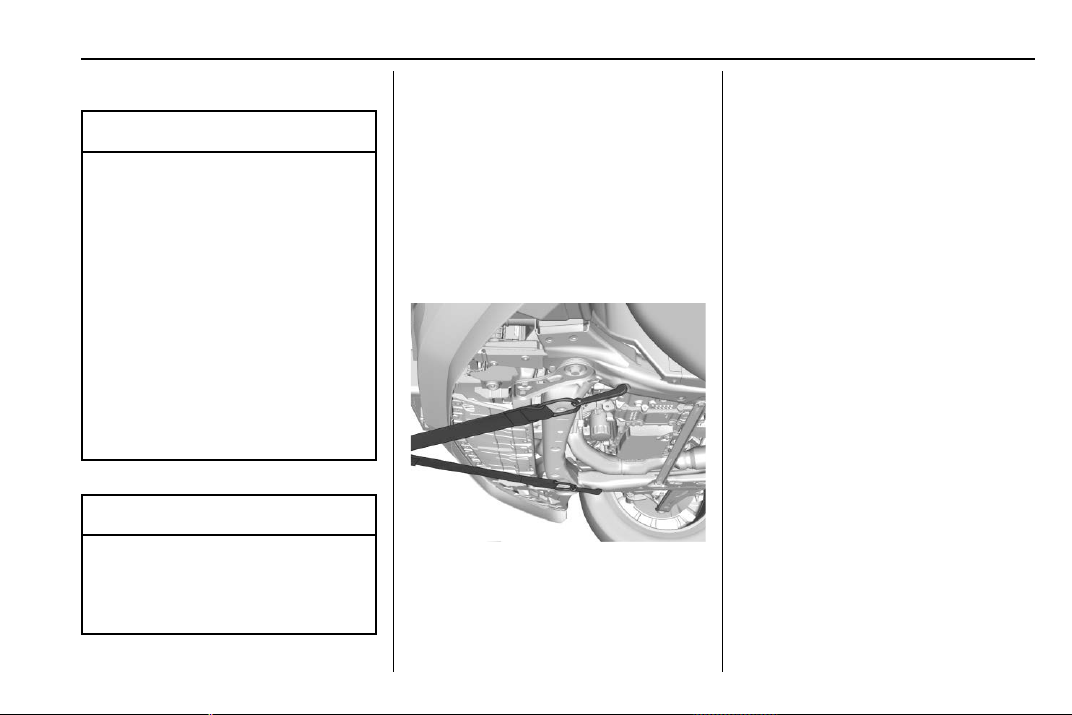
Chevrolet Traverse Owner Manual (GMNA-Localizing-U.S./Canada/Mexico-
13527526) - 2020 - CRC - 9/5/19
Vehicle Care 315
Towing the Vehicle
Caution
Incorrectly towing a disabled
vehicle may cause damage. The
damage would not be covered by
the vehicle warranty. Do not lash
or hook to suspension
components. Use the proper
straps around the tires to secure
the vehicle. Do not drag a locked
wheel/tire. Use tire skates or
dollies under any locked wheel/
tire while loading the vehicle. Do
not use a sling type lift to tow the
vehicle. This could damage the
vehicle.
Caution
If the vehicle cannot be shifted
into Neutral (N), do not use the
tow eye to tow the vehicle.
Vehicle damage may occur.
GM recommends a flatbed tow truck
to transport a disabled vehicle. Use
ramps to help reduce approach
angles, if necessary. A towed
vehicle should have its drive wheels
off the ground. Contact Roadside
Assistance or a professional towing
service if the disabled vehicle must
be towed.
Front Attachment Points
The vehicle is equipped with
specific attachment points to be
used by the towing provider. These
holes may be used to pull the
vehicle from a flat road surface onto
the flatbed tow truck.
Recreational Vehicle
Towing
Recreational vehicle towing means
towing the vehicle behind another
vehicle – such as behind a motor
home. The two most common types
of recreational vehicle towing are
known as dinghy towing and dolly
towing. Dinghy towing is towing the
vehicle with all four wheels on the
ground. Dolly towing is towing the
vehicle with two wheels on the
ground and two wheels up on a
device known as a dolly.
Before recreational vehicle towing,
consider:
.
Before towing the vehicle,
become familiar with the local
laws that apply to recreational
vehicle towing. These laws may
vary by region.
.
The towing capacity of the
towing vehicle. Be sure to read
the tow vehicle manufacturer's
recommendations.
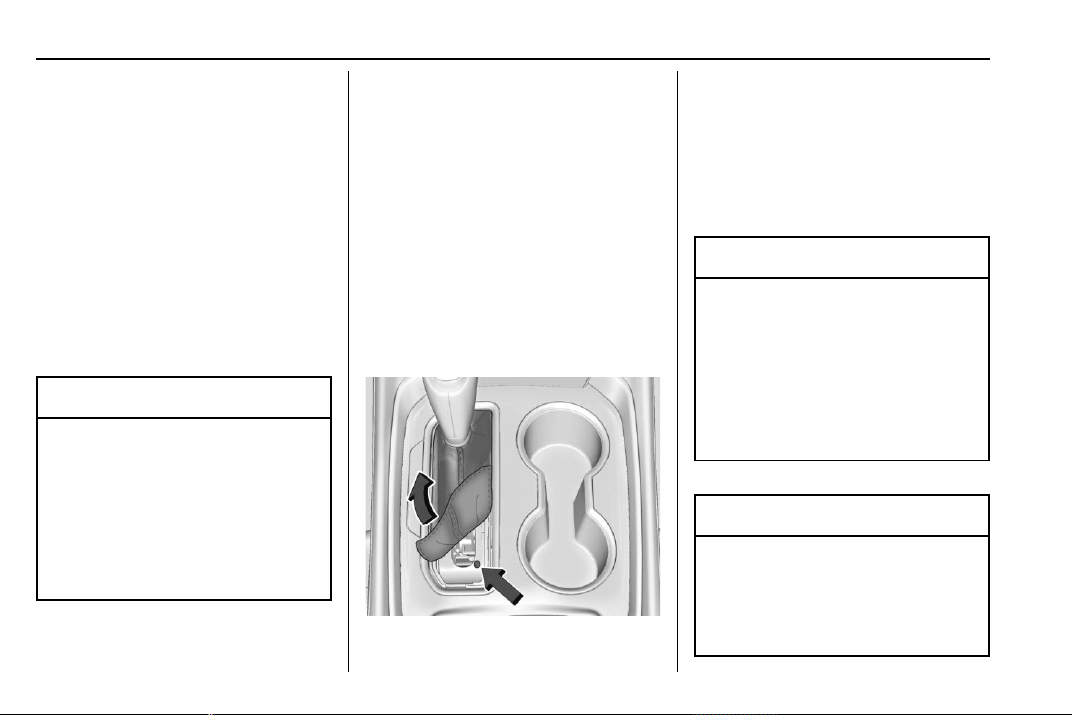
Chevrolet Traverse Owner Manual (GMNA-Localizing-U.S./Canada/Mexico-
13527526) - 2020 - CRC - 9/5/19
316 Vehicle Care
.
How far the vehicle will be
towed. Some vehicles have
restrictions on how far and how
long they can be towed.
.
The proper towing equipment.
See your dealer or trailering
professional for additional advice
and equipment
recommendations.
.
Whether the vehicle is ready to
be towed. Just as preparing the
vehicle for a long trip, make sure
the vehicle is prepared to be
towed.
Caution
Use of a shield mounted in front
of the vehicle grille could restrict
airflow and cause damage to the
transmission. The repairs would
not be covered by the vehicle
warranty. If using a shield, only
use one that attaches to the
towing vehicle.
Dinghy Towing
For vehicles being dinghy towed,
the vehicle should be run at the
beginning of each day and at each
RV fuel stop for about five minutes.
This will ensure proper lubrication of
transmission components. Reinstall
the fuses to start the vehicle.
To tow the vehicle from the front
with all four wheels on the ground:
1. Position the vehicle that will be
towed and secure it to the
towing vehicle.
2. Remove the shift lever boot by
pulling up on the rear of the
trim plate.
3. Use a small screwdriver or tool
to press and hold the manual
release button on the rear right.
4. Put the vehicle in N (Neutral).
Caution
If the vehicle is towed without
performing each of the steps
listed under “Dinghy Towing,” the
automatic transmission could be
damaged. Be sure to follow all
steps of the dinghy towing
procedure prior to and after
towing the vehicle.
Caution
If 105 km/h (65 mph) is exceeded
while towing the vehicle, it could
be damaged. Never exceed
105 km/h (65 mph) while towing
the vehicle.
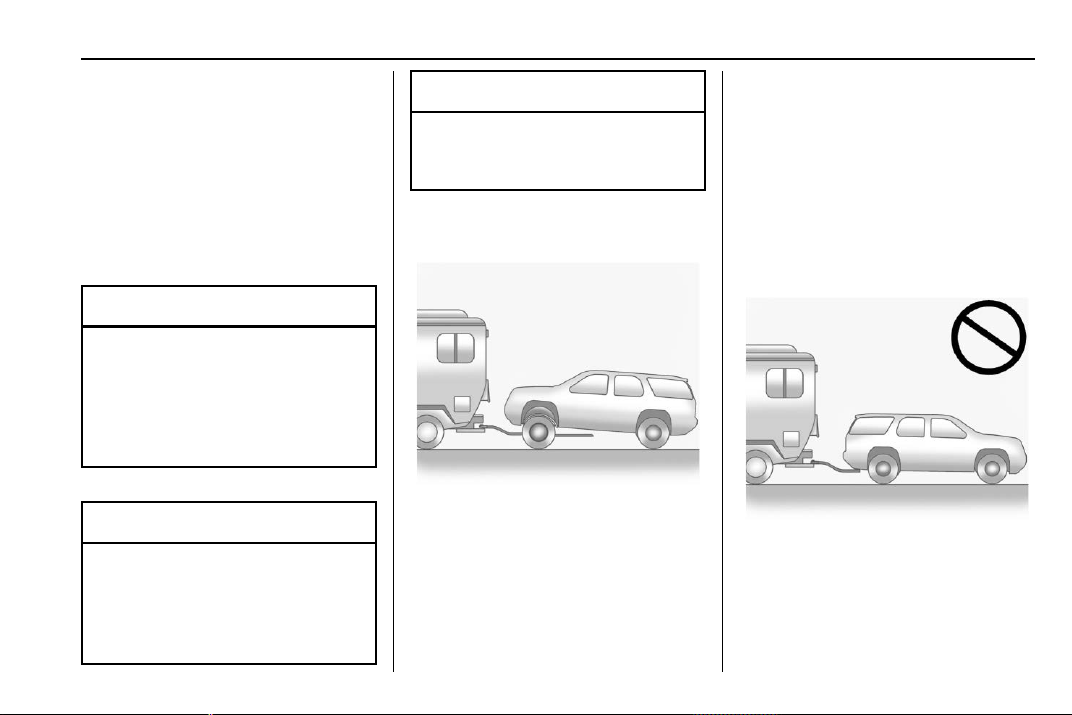
Chevrolet Traverse Owner Manual (GMNA-Localizing-U.S./Canada/Mexico-
13527526) - 2020 - CRC - 9/5/19
Vehicle Care 317
Once the destination is reached:
1. Shift the vehicle to P (Park).
2. Reinstall the shift lever boot by
inserting the front edge and
pressing the rear of the trim
plate until it snaps into place.
3. Start the engine and let it idle
for more than three minutes
before driving the vehicle.
Caution
Too much or too little fluid can
damage the transmission. Be
sure that the transmission fluid is
at the proper level before towing
with all four wheels on the
ground.
Caution
Do not tow a vehicle with the front
drive wheels on the ground if one
of the front tires is a compact
spare tire. Towing with two
(Continued)
Caution (Continued)
different tire sizes on the front of
the vehicle can cause severe
damage to the transmission.
Dolly Towing
To tow a vehicle from the front with
the rear wheels on the ground:
1. Put the front wheels on a dolly.
2. Move the shift lever to P (Park).
See Shifting Into Park 0 188.
3. Set the parking brake.
4. Secure the vehicle to the dolly.
5. Follow the dolly manufacturer's
instructions for preparing the
vehicle and dolly for towing.
6. Release the parking brake.
7. Turn off the vehicle.
Towing the Vehicle from
the Rear
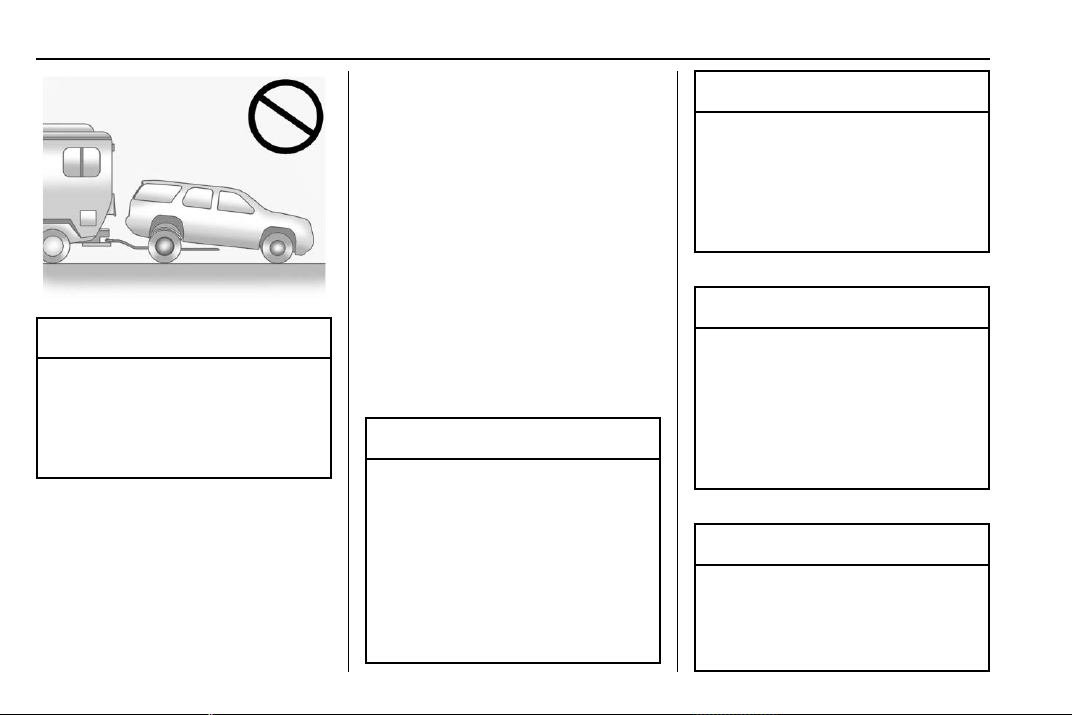
Chevrolet Traverse Owner Manual (GMNA-Localizing-U.S./Canada/Mexico-
13527526) - 2020 - CRC - 9/5/19
318 Vehicle Care
Caution
Towing the vehicle from the rear
could damage it. Also, repairs
would not be covered by the
vehicle warranty. Never have the
vehicle towed from the rear.
Appearance Care
Exterior Care
Locks
Locks are lubricated at the factory.
Use a de-icing agent only when
absolutely necessary, and have the
locks greased after using. See
Recommended Fluids and
Lubricants 0 338.
Washing the Vehicle
To preserve the vehicle's finish,
wash it often and out of direct
sunlight.
Caution
Do not use petroleum-based,
acidic, or abrasive cleaning
agents as they can damage the
vehicle's paint, metal, or plastic
parts. If damage occurs, it would
not be covered by the vehicle
warranty. Approved cleaning
products can be obtained from
(Continued)
Caution (Continued)
your dealer. Follow all
manufacturer directions regarding
correct product usage, necessary
safety precautions, and
appropriate disposal of any
vehicle care product.
Caution
Avoid using high-pressure
washes closer than 30 cm (12 in)
to the surface of the vehicle. Use
of power washers exceeding
8 274 kPa (1,200 psi) can result
in damage or removal of paint
and decals.
Caution
Do not power wash any
component under the hood that
has this
e symbol.
(Continued)
Chevrolet Traverse Owner Manual (GMNA-Localizing-U.S./Canada/Mexico-
13527526) - 2020 - CRC - 9/5/19
Vehicle Care 319
Caution (Continued)
This could cause damage that
would not be covered by the
vehicle warranty.
If using an automatic car wash,
follow the car wash instructions. The
windshield wiper and rear window
wiper, if equipped, must be off.
Remove any accessories that may
be damaged or interfere with the car
wash equipment.
Rinse the vehicle well, before
washing and after, to remove all
cleaning agents completely. If they
are allowed to dry on the surface,
they could stain.
Dry the finish with a soft, clean
chamois or an all-cotton towel to
avoid surface scratches and water
spotting.
Finish Care
Application of aftermarket clearcoat
sealant/wax materials is not
recommended. If painted surfaces
are damaged, see your dealer to
have the damage assessed and
repaired. Foreign materials such as
calcium chloride and other salts, ice
melting agents, road oil and tar, tree
sap, bird droppings, chemicals from
industrial chimneys, etc., can
damage the vehicle's finish if they
remain on painted surfaces. Wash
the vehicle as soon as possible.
If necessary, use non-abrasive
cleaners that are marked safe for
painted surfaces to remove foreign
matter.
Occasional hand waxing or mild
polishing should be done to remove
residue from the paint finish. See
your dealer for approved cleaning
products.
Do not apply waxes or polishes to
uncoated plastic, vinyl, rubber,
decals, simulated wood, or flat paint
as damage can occur.
Caution
Machine compounding or
aggressive polishing on a
basecoat/clearcoat paint finish
may damage it. Use only
non-abrasive waxes and polishes
that are made for a basecoat/
clearcoat paint finish on the
vehicle.
To keep the paint finish looking new,
keep the vehicle garaged or
covered whenever possible.
Protecting Exterior Bright Metal
Moldings
Caution
Failure to clean and protect the
bright metal moldings can result
in a hazy white finish or pitting.
This damage would not be
covered by the vehicle warranty.
Chevrolet Traverse Owner Manual (GMNA-Localizing-U.S./Canada/Mexico-
13527526) - 2020 - CRC - 9/5/19
320 Vehicle Care
The bright metal moldings on the
vehicle are aluminum, chrome,
or stainless steel. To prevent
damage always follow these
cleaning instructions:
.
Be sure the molding is cool to
the touch before applying any
cleaning solution.
.
Use only approved cleaning
solutions for aluminum, chrome,
or stainless steel. Some
cleaners are highly acidic or
contain alkaline substances and
can damage the moldings.
.
Always dilute a concentrated
cleaner according to the
manufacturer ’s instructions.
.
Do not use cleaners that are not
intended for automotive use.
.
Use a nonabrasive wax on the
vehicle after washing to protect
and extend the molding finish.
Cleaning Exterior Lamps/
Lenses, Emblems, Decals, and
Stripes
Use only lukewarm or cold water, a
soft cloth, and a car washing soap
to clean exterior lamps, lenses,
emblems, decals, and stripes.
Follow instructions under "Washing
the Vehicle" previously in this
section.
Lamp covers are made of plastic,
and some have a UV protective
coating. Do not clean or wipe them
when dry.
Do not use any of the following on
lamp covers:
.
Abrasive or caustic agents
.
Washer fluids and other cleaning
agents in higher concentrations
than suggested by the
manufacturer
.
Solvents, alcohols, fuels,
or other harsh cleaners
.
Ice scrapers or other hard items
.
Aftermarket appearance caps or
covers while the lamps are
illuminated, due to excessive
heat generated
Caution
Failure to clean lamps properly
can cause damage to the lamp
cover that would not be covered
by the vehicle warranty.
Caution
Using wax on low gloss black
finish stripes can increase the
gloss level and create a
non-uniform finish. Clean low
gloss stripes with soap and
water only.
Air Intakes
Clear debris from the air intakes,
between the hood and windshield,
when washing the vehicle.
Chevrolet Traverse Owner Manual (GMNA-Localizing-U.S./Canada/Mexico-
13527526) - 2020 - CRC - 9/5/19
Vehicle Care 321
Windshield and Wiper Blades
Clean the outside of the windshield
with glass cleaner.
Clean rubber blades using a lint-free
cloth or paper towel soaked with
windshield washer fluid or a mild
detergent. Wash the windshield
thoroughly when cleaning the
blades. Bugs, road grime, sap, and
a buildup of vehicle wash/wax
treatments may cause wiper
streaking.
Replace the wiper blades if they are
worn or damaged. Damage can be
caused by extreme dusty
conditions, sand, salt, heat, sun,
snow, and ice.
Weatherstrips
Apply weatherstrip lubricant on
weatherstrips to make them last
longer, seal better, and not stick or
squeak. Lubricate weatherstrips at
least once a year. Hot, dry climates
may require more frequent
application. Black marks from
rubber material on painted surfaces
can be removed by rubbing with a
clean cloth. See Recommended
Fluids and Lubricants 0 338.
Tires
Use a stiff brush with tire cleaner to
clean the tires.
Caution
Using petroleum-based tire
dressing products on the vehicle
may damage the paint finish and/
or tires. When applying a tire
dressing, always wipe off any
overspray from all painted
surfaces on the vehicle.
Wheels and Wheel Trim
Use a soft, clean cloth with mild
soap and water to clean the wheels.
After rinsing thoroughly with clean
water, dry with a soft, clean towel.
A wax may then be applied.
Caution
Chrome wheels and chrome
wheel trim may be damaged if the
vehicle is not washed after driving
on roads that have been sprayed
with magnesium chloride or
calcium chloride. These are used
on roads for conditions such as
dust and ice. Always wash the
chrome with soap and water after
exposure.
Caution
To avoid surface damage on
wheels and wheel trim, do not
use strong soaps, chemicals,
abrasive polishes, cleaners,
or brushes. Use only GM
approved cleaners. Do not drive
the vehicle through an automatic
car wash that uses silicon carbide
tire/wheel cleaning brushes.
(Continued)

Chevrolet Traverse Owner Manual (GMNA-Localizing-U.S./Canada/Mexico-
13527526) - 2020 - CRC - 9/5/19
322 Vehicle Care
Caution (Continued)
Damage could occur and the
repairs would not be covered by
the vehicle warranty.
Brake System
Visually inspect brake lines and
hoses for proper attachment,
connections, binding, leaks, cracks,
chafing, etc. Inspect disc brake
pads for wear and rotors for surface
condition. Inspect drum brake
linings/shoes for wear or cracks.
Inspect all other brake parts for
cracks and leaks.
Steering, Suspension, and
Chassis Components
Visually inspect steering,
suspension, and chassis
components for damaged, loose,
or missing parts or signs of wear at
least once a year.
Inspect power steering for proper
electrical connections, binding,
cracks, chafing, etc.
Visually check constant velocity joint
boots and axle seals for leaks.
Body Component Lubrication
Lubricate all key lock cylinders,
hood hinges, liftgate hinges, and the
steel fuel door hinges, unless the
components are plastic. Applying
silicone grease on weatherstrips
with a clean cloth will make them
last longer, seal better, and not stick
or squeak.
Underbody Maintenance
At least twice a year, spring and fall,
use plain water to flush any
corrosive materials from the
underbody. Take care to thoroughly
clean any areas where mud and
other debris can collect.
Do not directly power wash the
transfer case and/or front/rear axle
output seals. High pressure water
can overcome the seals and
contaminate the fluid. Contaminated
fluid will decrease the life of the
transfer case and/or axles and
should be replaced.
Sheet Metal Damage
If the vehicle is damaged and
requires sheet metal repair or
replacement, make sure the body
repair shop applies anti-corrosion
material to parts repaired or
replaced to restore corrosion
protection.
Original manufacturer replacement
parts will provide the corrosion
protection while maintaining the
vehicle warranty.
Finish Damage
Quickly repair minor chips and
scratches with touch-up materials
available from your dealer to avoid
corrosion. Larger areas of finish
damage can be corrected in your
dealer's body and paint shop.
Chemical Paint Spotting
Airborne pollutants can fall upon
and attack painted vehicle surfaces
causing blotchy, ring-shaped
discolorations, and small, irregular
dark spots etched into the paint
surface. See “Finish Care”
previously in this section.

Chevrolet Traverse Owner Manual (GMNA-Localizing-U.S./Canada/Mexico-
13527526) - 2020 - CRC - 9/5/19
Vehicle Care 323
Interior Care
To prevent dirt particle abrasions,
regularly clean the vehicle's interior.
Immediately remove any soils.
Newspapers or dark garments can
transfer color to the vehicle’s
interior.
Use a soft bristle brush to remove
dust from knobs and crevices on the
instrument cluster. Using a mild
soap solution, immediately remove
hand lotions, sunscreen, and insect
repellent from all interior surfaces or
permanent damage may result.
Use cleaners specifically designed
for the surfaces being cleaned to
prevent permanent damage. Apply
all cleaners directly to the cleaning
cloth. Do not spray cleaners on any
switches or controls. Remove
cleaners quickly.
Before using cleaners, read and
follow all safety instructions on the
label. While cleaning the interior,
open the doors and windows to get
proper ventilation.
To prevent damage, do not clean
the interior using the following
cleaners or techniques:
.
Never use a razor or any other
sharp object to remove soil from
any interior surface.
.
Never use a brush with stiff
bristles.
.
Never rub any surface
aggressively or with too much
pressure.
.
Do not use laundry detergents or
dishwashing soaps with
degreasers. For liquid cleaners,
use approximately 20 drops per
3.8 L (1 gal) of water.
A concentrated soap solution will
create streaks and attract dirt.
Do not use solutions that contain
strong or caustic soap.
.
Do not heavily saturate the
upholstery when cleaning.
.
Do not use solvents or cleaners
containing solvents.
Interior Glass
To clean, use a terry cloth fabric
dampened with water. Wipe droplets
left behind with a clean dry cloth.
If necessary, use a commercial
glass cleaner after cleaning with
plain water.
Caution
To prevent scratching, never use
abrasive cleaners on automotive
glass. Abrasive cleaners or
aggressive cleaning may damage
the rear window defogger.
Cleaning the windshield with water
during the first three to six months
of ownership will reduce tendency
to fog.
Speaker Covers
Vacuum around a speaker cover
gently, so that the speaker will not
be damaged. Clean spots with water
and mild soap.
Chevrolet Traverse Owner Manual (GMNA-Localizing-U.S./Canada/Mexico-
13527526) - 2020 - CRC - 9/5/19
324 Vehicle Care
Coated Moldings
Coated moldings should be cleaned.
.
When lightly soiled, wipe with a
sponge or soft, lint-free cloth
dampened with water.
.
When heavily soiled, use warm
soapy water.
Fabric/Carpet/Suede
Start by vacuuming the surface
using a soft brush attachment. If a
rotating vacuum brush attachment is
being used, only use it on the floor
carpet. Before cleaning, gently
remove as much of the soil as
possible:
.
Gently blot liquids with a paper
towel. Continue blotting until no
more soil can be removed.
.
For solid soils, remove as much
as possible prior to vacuuming.
To clean:
1. Saturate a clean, lint-free
colorfast cloth with water.
Microfiber cloth is
recommended to prevent lint
transfer to the fabric or carpet.
2. Remove excess moisture by
gently wringing until water does
not drip from the cleaning cloth.
3. Start on the outside edge of the
soil and gently rub toward the
center. Fold the cleaning cloth
to a clean area frequently to
prevent forcing the soil in to the
fabric.
4. Continue gently rubbing the
soiled area until there is no
longer any color transfer from
the soil to the cleaning cloth.
5. If the soil is not completely
removed, use a mild soap
solution followed only by plain
water.
If the soil is not completely
removed, it may be necessary to
use a commercial upholstery
cleaner or spot lifter. Test a small
hidden area for colorfastness before
using a commercial upholstery
cleaner or spot lifter. If ring
formation occurs, clean the entire
fabric or carpet.
After cleaning, use a paper towel to
blot excess moisture.
Cleaning High Gloss Surfaces
and Vehicle Information and
Radio Displays
Use a microfiber cloth on high gloss
surfaces or vehicle displays. First,
use a soft bristle brush to remove
dirt that can scratch the surface.
Then gently clean by rubbing with a
microfiber cloth. Never use window
cleaners or solvents. Periodically
hand wash the microfiber cloth
separately, using mild soap. Do not
use bleach or fabric softener. Rinse
thoroughly and air dry before
next use.
Caution
Do not attach a device with a
suction cup to the display. This
may cause damage and would
not be covered by the vehicle
warranty.
Chevrolet Traverse Owner Manual (GMNA-Localizing-U.S./Canada/Mexico-
13527526) - 2020 - CRC - 9/5/19
Vehicle Care 325
Instrument Panel, Leather,
Vinyl, Other Plastic Surfaces,
Low Gloss Paint Surfaces, and
Natural Open Pore Wood
Surfaces
Use a soft microfiber cloth
dampened with water to remove
dust and loose dirt. For a more
thorough cleaning, use a soft
microfiber cloth dampened with a
mild soap solution.
Caution
Soaking or saturating leather,
especially perforated leather, as
well as other interior surfaces,
may cause permanent damage.
Wipe excess moisture from these
surfaces after cleaning and allow
them to dry naturally. Never use
heat, steam, or spot removers. Do
not use cleaners that contain
silicone or wax-based products.
Cleaners containing these
solvents can permanently change
(Continued)
Caution (Continued)
the appearance and feel of
leather or soft trim, and are not
recommended.
Do not use cleaners that increase
gloss, especially on the instrument
panel. Reflected glare can decrease
visibility through the windshield
under certain conditions.
Caution
Use of air fresheners may cause
permanent damage to plastics
and painted surfaces. If an air
freshener comes in contact with
any plastic or painted surface in
the vehicle, blot immediately and
clean with a soft cloth dampened
with a mild soap solution.
Damage caused by air fresheners
would not be covered by the
vehicle warranty.
Cargo Cover and
Convenience Net
If equipped, wash with warm water
and mild detergent. Do not use
chlorine bleach. Rinse with cold
water, and then dry completely.
Care of Seat Belts
Keep belts clean and dry.
{
Warning
Do not bleach or dye seat belt
webbing. It may severely weaken
the webbing. In a crash, they
might not be able to provide
adequate protection. Clean and
rinse seat belt webbing only with
mild soap and lukewarm water.
Allow the webbing to dry.
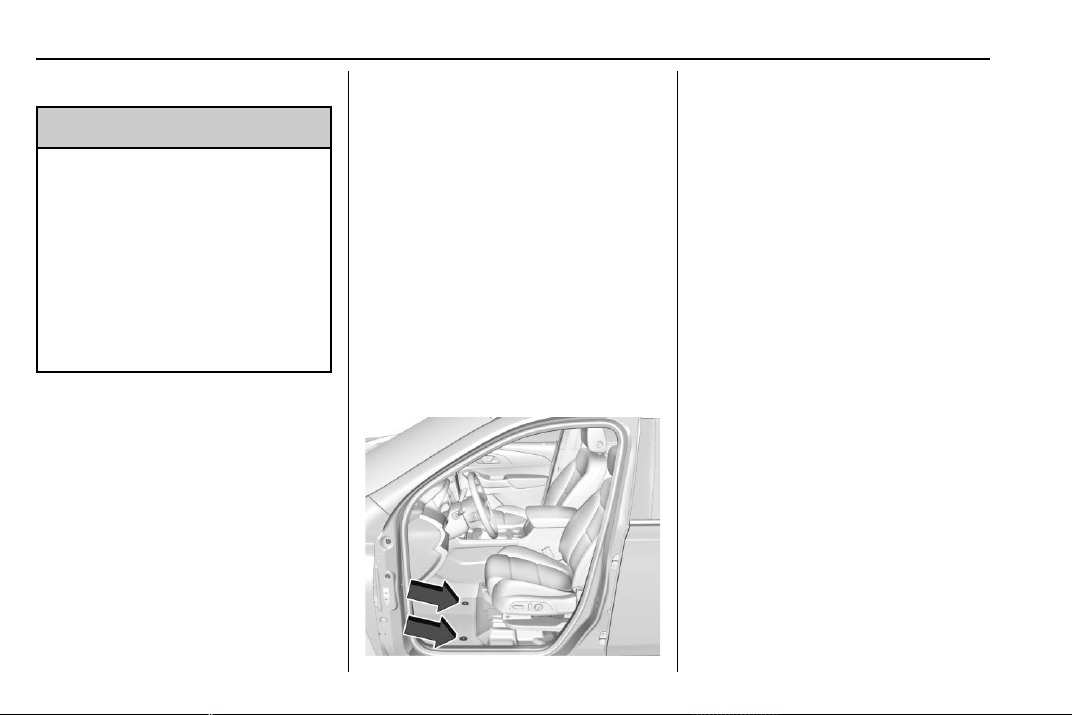
Chevrolet Traverse Owner Manual (GMNA-Localizing-U.S./Canada/Mexico-
13527526) - 2020 - CRC - 9/5/19
326 Vehicle Care
Floor Mats
{
Warning
If a floor mat is the wrong size or
is not properly installed, it can
interfere with the pedals.
Interference with the pedals can
cause unintended acceleration
and/or increased stopping
distance which can cause a crash
and injury. Make sure the floor
mat does not interfere with the
pedals.
Use the following guidelines for
proper floor mat usage.
.
The original equipment floor
mats were designed for your
vehicle. If the floor mats need
replacing, it is recommended
that GM certified floor mats be
purchased. Non-GM floor mats
may not fit properly and may
interfere with the accelerator or
brake pedal. Always check that
the floor mats do not interfere
with the pedals.
.
Do not use a floor mat if the
vehicle is not equipped with a
floor mat retainer on the driver
side floor.
.
Use the floor mat with the
correct side up. Do not turn
it over.
.
Do not place anything on top of
the driver side floor mat.
.
Use only a single floor mat on
the driver side.
.
Do not place one floor mat on
top of another.
Button Retainer
Some vehicles have floor mats with
a button-type retainer.
Removing and Replacing the
Floor Mat
1. Pull up on the rear of the mat
to unlock and remove.
2. Reinstall the floor mat by lining
up the floor mat opening over
the carpet retainer and
snapping into position.
3. Make sure the floor mat is
properly secured. Verify the
floor mat does not interfere
with the pedals.

Chevrolet Traverse Owner Manual (GMNA-Localizing-U.S./Canada/Mexico-
13527526) - 2020 - CRC - 9/5/19
Service and Maintenance 327
Service and
Maintenance
General Information
General Information . . . . . . . . . . 327
Maintenance Schedule
Maintenance Schedule . . . . . . . 329
Special Application Services
Special Application
Services . . . . . . . . . . . . . . . . . . . . 334
Additional Maintenance
and Care
Additional Maintenance
and Care . . . . . . . . . . . . . . . . . . . . 335
Recommended Fluids,
Lubricants, and Parts
Recommended Fluids and
Lubricants . . . . . . . . . . . . . . . . . . . 338
Maintenance Replacement
Parts . . . . . . . . . . . . . . . . . . . . . . . . 339
Maintenance Records
Maintenance Records . . . . . . . . 340
General Information
Your vehicle is an important
investment. This section describes
the required maintenance for the
vehicle. Follow this schedule to help
protect against major repair
expenses resulting from neglect or
inadequate maintenance. It may
also help to maintain the value of
the vehicle if it is sold. It is the
responsibility of the owner to have
all required maintenance performed.
Your dealer has trained technicians
who can perform required
maintenance using genuine
replacement parts. They have
up-to-date tools and equipment for
fast and accurate diagnostics. Many
dealers have extended evening and
Saturday hours, courtesy
transportation, and online
scheduling to assist with service
needs.
Your dealer recognizes the
importance of providing
competitively priced maintenance
and repair services. With trained
technicians, the dealer is the place
for routine maintenance such as oil
changes and tire rotations and
additional maintenance items like
tires, brakes, batteries, and wiper
blades.
Caution
Damage caused by improper
maintenance can lead to costly
repairs and may not be covered
by the vehicle warranty.
Maintenance intervals, checks,
inspections, recommended fluids,
and lubricants are important to
keep the vehicle in good working
condition.
Do not have chemical flushes that
are not approved by GM
performed on the vehicle. The
use of flushes, solvents, cleaners,
or lubricants that are not
approved by GM could damage
the vehicle, requiring expensive
repairs that are not covered by
the vehicle warranty.
Chevrolet Traverse Owner Manual (GMNA-Localizing-U.S./Canada/Mexico-
13527526) - 2020 - CRC - 9/5/19
328 Service and Maintenance
The Tire Rotation and Required
Services are the responsibility of the
vehicle owner. It is recommended to
have your dealer perform these
services every 12 000 km/7,500 mi.
Proper vehicle maintenance helps to
keep the vehicle in good working
condition, improves fuel economy,
and reduces vehicle emissions.
Because of the way people use
vehicles, maintenance needs vary.
There may need to be more
frequent checks and services. The
Additional Required Services -
Normal are for vehicles that:
.
Carry passengers and cargo
within recommended limits on
the Tire and Loading Information
label. See Vehicle Load Limits
0 178.
.
Are driven on reasonable road
surfaces within legal driving
limits.
.
Use the recommended fuel. See
Recommended Fuel 0 230.
Refer to the information in the
Maintenance Schedule Additional
Required Services - Normal chart.
The Additional Required Services -
Severe are for vehicles that are:
.
Mainly driven in heavy city traffic
in hot weather.
.
Mainly driven in hilly or
mountainous terrain.
.
Frequently towing a trailer.
.
Used for high speed or
competitive driving.
.
Used for taxi, police, or delivery
service.
Refer to the information in the
Maintenance Schedule Additional
Required Services - Severe chart.
{
Warning
Performing maintenance work can
be dangerous and can cause
serious injury. Perform
maintenance work only if the
required information, proper tools,
and equipment are available.
If they are not, see your dealer to
(Continued)
Warning (Continued)
have a trained technician do the
work. See Doing Your Own
Service Work 0 249.

Chevrolet Traverse Owner Manual (GMNA-Localizing-U.S./Canada/Mexico-
13527526) - 2020 - CRC - 9/5/19
Service and Maintenance 329
Maintenance
Schedule
Owner Checks and Services
At Each Fuel Stop
.
Check the engine oil level. See
Engine Oil 0 253.
Once a Month
.
Check the tire inflation
pressures. See Tire Pressure
0 290.
.
Inspect the tires for wear. See
Tire Inspection 0 296.
.
Check the windshield washer
fluid level. See Washer Fluid
0 263.
Engine Oil Change
When the CHANGE ENGINE OIL
SOON message displays, have the
engine oil and filter changed within
the next 1 000 km/600 mi. If driven
under the best conditions, the
engine oil life system may not
indicate the need for vehicle service
for up to a year. The engine oil and
filter must be changed at least once
a year and the oil life system must
be reset. Your trained dealer
technician can perform this work.
If the engine oil life system is reset
accidentally, service the vehicle
within 5 000 km/3,000 mi since the
last service. Reset the oil life
system when the oil is changed.
See Engine Oil Life System 0 255.
Engine Air Filter Change
When the REPLACE AT NEXT OIL
CHANGE message displays, the
engine air filter should be replaced
at the next engine oil change. When
the REPLACE ENGINE AIR FILTER
SOON message displays, the
engine air filter should be replaced
at the earliest convenience. Reset
the engine air filter life system after
the engine air filter is replaced. See
Engine Air Filter Life System 0 257.
Air Conditioning Desiccant
(Replace Every Seven Years)
The air conditioning system requires
maintenance every seven years.
This service requires replacement of
the desiccant to help the longevity
and efficient operation of the air
conditioning system. This service
can be complex. See your dealer.
Tire Rotation and Required
Services Every 12 000 km/
7,500 mi
Rotate the tires, if recommended for
the vehicle, and perform the
following services. See Tire
Rotation 0 297.
.
Check engine oil level and oil
life percentage. If needed,
change engine oil and filter, and
reset oil life system. See Engine
Oil 0 253 and
Engine Oil Life System 0 255.
.
If equipped with the engine air
filter life system, check the air
filter life percentage.
If necessary, replace the engine
air filter and reset the engine air
filter life system. See Engine Air
Filter Life System 0 257. If the
vehicle is not equipped with the
engine air filter life system,
inspect the engine air cleaner
filter. See Engine Air Cleaner/
Filter 0 257.

Chevrolet Traverse Owner Manual (GMNA-Localizing-U.S./Canada/Mexico-
13527526) - 2020 - CRC - 9/5/19
330 Service and Maintenance
.
Check engine coolant level. See
Cooling System 0 258.
.
Check windshield washer fluid
level. See Washer Fluid 0 263.
.
Check tire inflation pressures.
See Tire Pressure 0 290.
.
Inspect tire wear. See Tire
Inspection 0 296.
.
Visually check for fluid leaks.
.
Inspect brake system. See
Exterior Care 0 318.
.
Visually inspect steering,
suspension, and chassis
components for damage,
including cracks or tears in the
rubber boots, loose or missing
parts, or signs of wear at least
once a year. See Exterior Care
0 318.
.
Inspect power steering for
proper electrical connections,
binding, cracks, chafing, etc.
.
Visually inspect halfshafts and
drive shafts for excessive wear,
lubricant leaks, and/or damage
including: tube dents or cracks,
constant velocity joint or
universal joint looseness,
cracked or missing boots, loose
or missing boot clamps, center
bearing excessive looseness,
loose or missing fasteners, and
axle seal leaks.
.
Check restraint system
components. See Safety System
Check 0 63.
.
Visually inspect fuel system for
damage or leaks.
.
Visually inspect exhaust system
and nearby heat shields for
loose or damaged parts.
.
Lubricate body components. See
Exterior Care 0 318.
.
Check starter switch. See Starter
Switch Check 0 267.
.
Check automatic transmission
shift lock control function. See
Automatic Transmission Shift
Lock Control Function Check
0 267.
.
Check parking brake and
automatic transmission park
mechanism. See Park Brake and
P (Park) Mechanism Check
0 267.
.
Check accelerator pedal for
damage, high effort, or binding.
Replace if needed.
.
Visually inspect gas strut for
signs of wear, cracks, or other
damage. Check the hold open
ability of the strut. If the hold
open ability is low, service the
gas strut. See Gas Strut(s)
0 269.
.
Inspect sunroof track and seal,
if equipped. See Sunroof 0 37.

Chevrolet Traverse Owner Manual (GMNA-Localizing-U.S./Canada/Mexico-
13527526) - 2020 - CRC - 9/5/19
Service and Maintenance 331
Maintenance Schedule
Additional Required
Services - Normal
12 000 km/7,500 mi
24 000 km/15,000 mi
36 000 km/22,500 mi
48 000 km/30,000 mi
60 000 km/37,500 mi
72 000 km/45,000 mi
84 000 km/52,500 mi
96 000 km/60,000 mi
108 000 km/67,500 mi
120 000 km/75,000 mi
132 000 km/82,500 mi
144 000 km/90,000 mi
156 000 km/97,500 mi
168 000 km/105,000 mi
180 000 km/112,500 mi
192 000 km/120,000 mi
204 000 km/127,500 mi
216 000 km/135,000 mi
228 000 km/142,500 mi
240 000 km/150,000 mi
Rotate tires and perform Required Services.
Check engine oil level and oil life percentage.
Change engine oil and filter, if needed. Check
engine air filter life percentage and status.
Change engine air filter, if needed.
@ @ @ @ @ @ @ @ @ @ @ @ @ @ @ @ @ @ @ @
Replace passenger compartment air filter. (1) @ @ @ @ @ @
Inspect evaporative control system. (2) @ @ @
If the vehicle is not equipped with the engine air
filter life system, replace engine air cleaner
filter. (3)
@ @ @
Replace spark plugs. Inspect spark plug wires
and/or boots.
@
Change rear axle fluid, if equipped with AWD. (4) @
Drain and fill engine cooling system. (5) @
Visually inspect accessory drive belts. (6) @
Replace brake fluid. (7)
Replace windshield wiper blades. (8)
@ @ @ @ @ @ @ @ @ @
Replace hood and/or body lift support gas
struts. (9)
@ @
Replace air conditioning desiccant. (10)

Chevrolet Traverse Owner Manual (GMNA-Localizing-U.S./Canada/Mexico-
13527526) - 2020 - CRC - 9/5/19
332 Service and Maintenance
Footnotes — Maintenance
Schedule Additional Required
Services - Normal
(1) Or every two years, whichever
comes first. More frequent
passenger compartment air filter
replacement may be needed if
driving in areas with heavy traffic,
poor air quality, high dust levels,
or environmental allergens.
Passenger compartment air filter
replacement may also be needed if
there is reduced airflow, window
fogging, or odors. Your GM dealer
can help determine when to replace
the filter.
(2) Check all fuel and vapor lines
and hoses for proper hook-up,
routing, and condition.
(3) Or every four years, whichever
comes first. If driving in dusty
conditions, inspect the filter at each
oil change or more often as needed.
See Engine Air Cleaner/Filter 0 257.
(4) Do not directly power wash the
transfer case and/or front/rear axle
output seals. High pressure water
can overcome the seals and
contaminate the transfer case fluid.
Contaminated fluid will decrease the
life of the transfer case and/or axles
and should be replaced.
(5) Or every five years, whichever
comes first. See Cooling System
0 258.
(6) Or every 10 years, whichever
comes first. Inspect for fraying,
excessive cracking, or damage;
replace, if needed.
(7) Replace brake fluid every five
years. See Brake Fluid 0 265.
(8) Or every 12 months, whichever
comes first. See Wiper Blade
Replacement 0 268.
(9) Or every 10 years, whichever
comes first. See Gas Strut(s) 0 269.
(10) Replace air conditioning
desiccant every seven years.

Chevrolet Traverse Owner Manual (GMNA-Localizing-U.S./Canada/Mexico-
13527526) - 2020 - CRC - 9/5/19
Service and Maintenance 333
Maintenance Schedule
Additional Required
Services - Severe
12 000 km/7,500 mi
24 000 km/15,000 mi
36 000 km/22,500 mi
48 000 km/30,000 mi
60 000 km/37,500 mi
72 000 km/45,000 mi
84 000 km/52,500 mi
96 000 km/60,000 mi
108 000 km/67,500 mi
120 000 km/75,000 mi
132 000 km/82,500 mi
144 000 km/90,000 mi
156 000 km/97,500 mi
168 000 km/105,000 mi
180 000 km/112,500 mi
192 000 km/120,000 mi
204 000 km/127,500 mi
216 000 km/135,000 mi
228 000 km/142,500 mi
240 000 km/150,000 mi
Rotate tires and perform Required Services.
Check engine oil level and oil life percentage.
Change engine oil and filter, if needed. Check
engine air filter life percentage and status.
Change engine air filter, if needed.
@ @ @ @ @ @ @ @ @ @ @ @ @ @ @ @ @ @ @ @
Replace passenger compartment air filter. (1) @ @ @ @ @ @
Inspect evaporative control system. (2) @ @ @
If the vehicle is not equipped with the engine air
filter life system, replace engine air cleaner
filter. (3)
@ @ @
Change automatic transmission fluid. @ @ @
Replace spark plugs. Inspect spark plug wires
and/or boots.
@
Change rear axle fluid, if equipped with AWD. (4) @ @
Drain and fill engine cooling system. (5) @
Visually inspect accessory drive belts. (6) @
Replace brake fluid. (7)
Replace windshield wiper blades. (8)
@ @ @ @ @ @ @ @ @ @
Replace hood and/or body lift support gas
struts. (9)
@ @
Replace air conditioning desiccant. (10)

Chevrolet Traverse Owner Manual (GMNA-Localizing-U.S./Canada/Mexico-
13527526) - 2020 - CRC - 9/5/19
334 Service and Maintenance
Footnotes — Maintenance
Schedule Additional Required
Services - Severe
(1) Or every two years, whichever
comes first. More frequent
passenger compartment air filter
replacement may be needed if
driving in areas with heavy traffic,
poor air quality, high dust levels,
or environmental allergens.
Passenger compartment air filter
replacement may also be needed if
there is reduced airflow, window
fogging, or odors. Your GM dealer
can help determine when to replace
the filter.
(2) Check all fuel and vapor lines
and hoses for proper hook-up,
routing, and condition.
(3) Or every four years, whichever
comes first. If driving in dusty
conditions, inspect the filter at each
oil change or more often as needed.
See Engine Air Cleaner/Filter 0 257.
(4) Do not directly power wash the
transfer case and/or front/rear axle
output seals. High pressure water
can overcome the seals and
contaminate the transfer case fluid.
Contaminated fluid will decrease the
life of the transfer case and/or axles
and should be replaced.
(5) Or every five years, whichever
comes first. See Cooling System
0 258.
(6) Or every 10 years, whichever
comes first. Inspect for fraying,
excessive cracking, or damage;
replace, if needed.
(7) Replace brake fluid every five
years. See Brake Fluid 0 265.
(8) Or every 12 months, whichever
comes first. See Wiper Blade
Replacement 0 268.
(9) Or every 10 years, whichever
comes first. See Gas Strut(s) 0 269.
(10) Replace air conditioning
desiccant every seven years.
Special Application
Services
.
Severe Commercial Use
Vehicles Only: Lubricate chassis
components every oil change.
.
Have underbody flushing service
performed. See "Underbody
Maintenance" in Exterior Care
0 318.

Chevrolet Traverse Owner Manual (GMNA-Localizing-U.S./Canada/Mexico-
13527526) - 2020 - CRC - 9/5/19
Service and Maintenance 335
Additional
Maintenance and Care
Your vehicle is an important
investment and caring for it properly
may help to avoid future costly
repairs. To maintain vehicle
performance, additional
maintenance services may be
required.
It is recommended that your dealer
perform these services — their
trained dealer technicians know
your vehicle best. Your dealer can
also perform a thorough
assessment with a multi-point
inspection to recommend when your
vehicle may need attention.
The following list is intended to
explain the services and conditions
to look for that may indicate
services are required.
Battery
The 12-volt battery supplies power
to start the engine and operate any
additional electrical accessories.
.
To avoid break-down or failure to
start the vehicle, maintain a
battery with full cranking power.
.
Trained dealer technicians have
the diagnostic equipment to test
the battery and ensure that the
connections and cables are
corrosion-free.
Belts
.
Belts may need replacing if they
squeak or show signs of
cracking or splitting.
.
Trained dealer technicians have
access to tools and equipment
to inspect the belts and
recommend adjustment or
replacement when necessary.
Brakes
Brakes stop the vehicle and are
crucial to safe driving.
.
Signs of brake wear may include
chirping, grinding, or squealing
noises, or difficulty stopping.
.
Trained dealer technicians have
access to tools and equipment
to inspect the brakes and
recommend quality parts
engineered for the vehicle.
Fluids
Proper fluid levels and approved
fluids protect the vehicle’s systems
and components. See
Recommended Fluids and
Lubricants 0 338 for GM approved
fluids.
.
Engine oil and windshield
washer fluid levels should be
checked at every fuel fill.
.
Instrument cluster lights may
come on to indicate that fluids
may be low and need to be
filled.
Hoses
Hoses transport fluids and should
be regularly inspected to ensure
that there are no cracks or leaks.
With a multi-point inspection, your
dealer can inspect the hoses and
advise if replacement is needed.

Chevrolet Traverse Owner Manual (GMNA-Localizing-U.S./Canada/Mexico-
13527526) - 2020 - CRC - 9/5/19
336 Service and Maintenance
Lamps
Properly working headlamps,
taillamps, and brake lamps are
important to see and be seen on
the road.
.
Signs that the headlamps need
attention include dimming, failure
to light, cracking, or damage.
The brake lamps need to be
checked periodically to ensure
that they light when braking.
.
With a multi-point inspection,
your dealer can check the lamps
and note any concerns.
Shocks and Struts
Shocks and struts help aid in control
for a smoother ride.
.
Signs of wear may include
steering wheel vibration, bounce/
sway while braking, longer
stopping distance, or uneven
tire wear.
.
As part of the multi-point
inspection, trained dealer
technicians can visually inspect
the shocks and struts for signs
of leaking, blown seals,
or damage, and can advise
when service is needed.
Tires
Tires need to be properly inflated,
rotated, and balanced. Maintaining
the tires can save money and fuel,
and can reduce the risk of tire
failure.
.
Signs that the tires need to be
replaced include three or more
visible treadwear indicators; cord
or fabric showing through the
rubber; cracks or cuts in the
tread or sidewall; or a bulge or
split in the tire.
.
Trained dealer technicians can
inspect and recommend the right
tires. Your dealer can also
provide tire/wheel balancing
services to ensure smooth
vehicle operation at all speeds.
Your dealer sells and services
name brand tires.
Vehicle Care
To help keep the vehicle looking like
new, vehicle care products are
available from your dealer. For
information on how to clean and
protect the vehicle’s interior and
exterior, see Interior Care 0 323 and
Exterior Care 0 318.
Wheel Alignment
Wheel alignment is critical for
ensuring that the tires deliver
optimal wear and performance.
.
Signs that the alignment may
need to be adjusted include
pulling, improper vehicle
handling, or unusual tire wear.
.
Your dealer has the required
equipment to ensure proper
wheel alignment.
Windshield
For safety, appearance, and the
best viewing, keep the windshield
clean and clear.
.
Signs of damage include
scratches, cracks, and chips.

Chevrolet Traverse Owner Manual (GMNA-Localizing-U.S./Canada/Mexico-
13527526) - 2020 - CRC - 9/5/19
Service and Maintenance 337
.
Trained dealer technicians can
inspect the windshield and
recommend proper replacement
if needed.
Wiper Blades
Wiper blades need to be cleaned
and kept in good condition to
provide a clear view.
.
Signs of wear include streaking,
skipping across the windshield,
and worn or split rubber.
.
Trained dealer technicians can
check the wiper blades and
replace them when needed.

Chevrolet Traverse Owner Manual (GMNA-Localizing-U.S./Canada/Mexico-
13527526) - 2020 - CRC - 9/5/19
338 Service and Maintenance
Recommended Fluids, Lubricants, and Parts
Recommended Fluids and Lubricants
Usage Fluid/Lubricant
Automatic Transmission DEXRON-VI Automatic Transmission Fluid.
Engine Coolant 50/50 mixture of clean, drinkable water and use only DEX-COOL Coolant.
See Cooling System 0 258.
Engine Oil Engine oil meeting the dexos1 specification of the proper SAE viscosity
grade. ACDelco dexos1 full synthetic is recommended. See Engine Oil
0 253.
Hood Latch Assembly, Secondary
Latch, Pivots, Spring Anchor, and
Release Pawl
Lubriplate Lubricant Aerosol (GM Part No. 89021668, in
Canada 89021674) or lubricant meeting requirements of NLGI #2,
Category LB or GC-LB.
Hydraulic Brake System DOT 3 Hydraulic Brake Fluid (GM Part No. 19353126, in
Canada 19353127).
Key Lock Cylinders, Hood and Door
Hinges
Multi-Purpose Lubricant, Superlube (GM Part No. 12346241, in
Canada 10953474).
Weatherstrip Conditioning Weatherstrip lubricant (GM Part No. 3634770, in Canada 10953518) or
equivalent.
Windshield Washer Automotive windshield washer fluid that meets regional freeze protection
requirements.
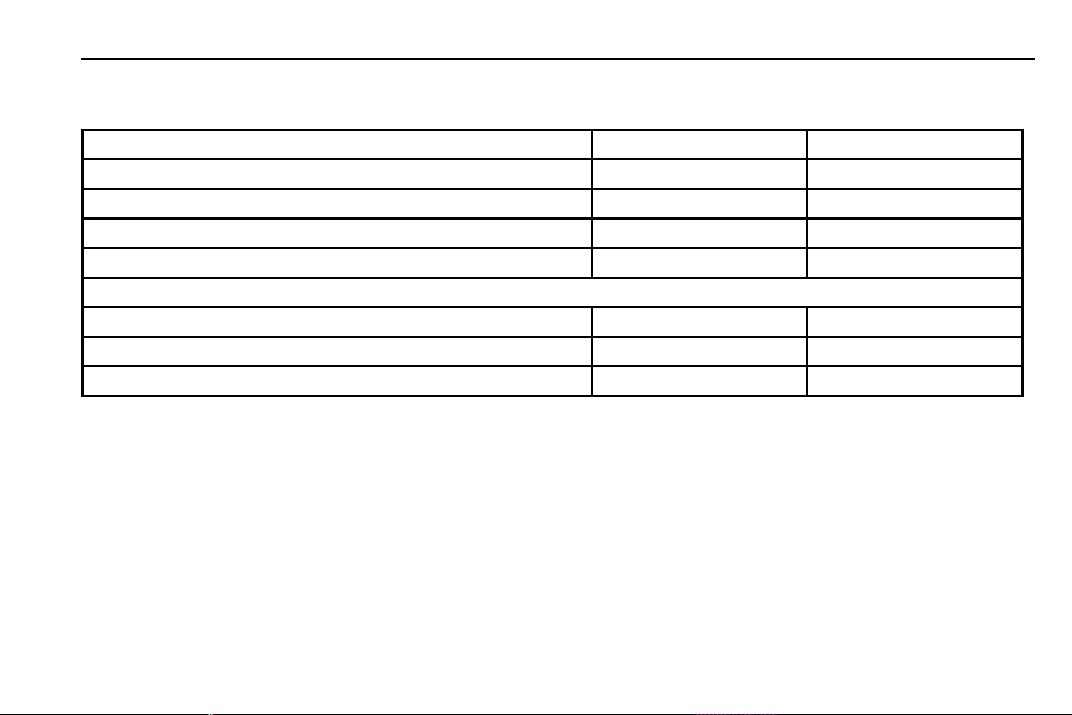
Chevrolet Traverse Owner Manual (GMNA-Localizing-U.S./Canada/Mexico-
13527526) - 2020 - CRC - 9/5/19
Service and Maintenance 339
Maintenance Replacement Parts
Replacement parts identified below by name, part number, or specification can be obtained from your dealer.
Part GM Part Number ACDelco Part Number
Engine Air Cleaner/Filter 23321606 A3212C
Engine Oil Filter 12690385 PF63E
Passenger Compartment Air Filter 13508023 CF185
Spark Plugs 12622561 41-109
Wiper Blades
Front Driver – 60.0 cm (23.6 in) 84580856 —
Front Passenger – 50.0 cm (19.7 in) 84580859 —
Rear – 25.0 cm (9.8 in) 84166522 —
Chevrolet Traverse Owner Manual (GMNA-Localizing-U.S./Canada/Mexico-
13527526) - 2020 - CRC - 9/5/19
340 Service and Maintenance
Maintenance Records
After the scheduled services are performed, record the date, odometer reading, who performed the service, and the
type of services performed in the boxes provided. Retain all maintenance receipts.
Date
Odometer
Reading
Serviced By Services Performed
Chevrolet Traverse Owner Manual (GMNA-Localizing-U.S./Canada/Mexico-
13527526) - 2020 - CRC - 9/5/19
Technical Data 341
Technical Data
Vehicle Identification
Vehicle Identification
Number (VIN) . . . . . . . . . . . . . . . 341
Service Parts Identification . . . 341
Vehicle Data
Capacities and
Specifications . . . . . . . . . . . . . . . 342
Engine Drive Belt Routing . . . . 344
Vehicle Identification
Vehicle Identification
Number (VIN)
This legal identifier is in the front
corner of the instrument panel, on
the driver side of the vehicle. It can
be seen through the windshield from
outside. The Vehicle Identification
Number (VIN) also appears on the
Vehicle Certification and Service
Parts labels and certificates of title
and registration.
Engine Identification
The eighth character in the VIN is
the engine code. This code
identifies the vehicle's engine,
specifications, and replacement
parts. See “Engine Specifications”
under Capacities and Specifications
0 342 for the vehicle's engine code.
Service Parts
Identification
There may be a large barcode on
the certification label on the center
pillar that you can scan for the
following information:
.
Vehicle Identification
Number (VIN)
.
Model designation
.
Paint information
.
Production options
If there is not a large barcode on
this label, then you will find this
same information on a label under
the hatch area on the
passenger side.
Chevrolet Traverse Owner Manual (GMNA-Localizing-U.S./Canada/Mexico-
13527526) - 2020 - CRC - 9/5/19
342 Technical Data
Vehicle Data
Capacities and Specifications
The following approximate capacities are given in metric and English conversions. See Recommended Fluids and
Lubricants 0 338 for more information.
Application
Capacities
Metric English
Air Conditioning Refrigerant For the air conditioning system refrigerant type and
charge amount, see the refrigerant label under the
hood. See your dealer for more information.
Engine Cooling System*
3.6L V6 Engine Without the V92 towing package 14.6 L 15.4 qt
3.6L V6 Engine With the V92 towing package 14.7 L 15.5 qt
Engine Oil with Filter 5.7 L 6.0 qt
Fuel Tank
Front-Wheel Drive 73.4 L 19.4 gal
All-Wheel Drive 82.1 L 21.7 gal
Wheel Nut Torque 190 Y 140 lb ft
All capacities are approximate. When adding, be sure to fill to the approximate level, as recommended in this
manual. Recheck fluid level after filling.
*Engine cooling system capacity values are based on the entire cooling system and its components.
Chevrolet Traverse Owner Manual (GMNA-Localizing-U.S./Canada/Mexico-
13527526) - 2020 - CRC - 9/5/19
Technical Data 343
Engine Specificati ons
Engine VIN Code Transmission Spark Plug Gap
3.6L V6 Engine (LFY) W Automatic 0.95–1.10 mm (0.030–
0.035 in)
Spark plug gaps are preset by the manufacturer. Re-gapping the spark plug is not recommended and can damage
the spark plug.

Chevrolet Traverse Owner Manual (GMNA-Localizing-U.S./Canada/Mexico-
13527526) - 2020 - CRC - 9/5/19
344 Technical Data
Engine Drive Belt Routing
3.6L V6 Engine

Chevrolet Traverse Owner Manual (GMNA-Localizing-U.S./Canada/Mexico-
13527526) - 2020 - CRC - 9/5/19
Customer Information 345
Customer
Information
Customer Information
Customer Satisfaction
Procedure . . . . . . . . . . . . . . . . . . . 345
Customer Assistance
Offices . . . . . . . . . . . . . . . . . . . . . . 347
Customer Assistance for Text
Telephone (TTY) Users . . . . . 348
Online Owner Center . . . . . . . . . 348
GM Mobility Reimbursement
Program . . . . . . . . . . . . . . . . . . . . 349
Roadside Assistance
Program . . . . . . . . . . . . . . . . . . . . 349
Scheduling Service
Appointments . . . . . . . . . . . . . . . 351
Courtesy Transportation
Program . . . . . . . . . . . . . . . . . . . . 351
Collision Damage Repair . . . . . 352
Publication Ordering
Information . . . . . . . . . . . . . . . . . . 354
Radio Frequency
Statement . . . . . . . . . . . . . . . . . . . 355
Reporting Safety Defects
Reporting Safety Defects to
the United States
Government . . . . . . . . . . . . . . . . . 355
Reporting Safety Defects to
the Canadian
Government . . . . . . . . . . . . . . . . . 356
Reporting Safety Defects to
General Motors . . . . . . . . . . . . . 356
Vehicle Data Recording and
Privacy
Vehicle Data Recording and
Privacy . . . . . . . . . . . . . . . . . . . . . . 357
Cybersecurity . . . . . . . . . . . . . . . . . 357
Event Data Recorders . . . . . . . . 357
OnStar . . . . . . . . . . . . . . . . . . . . . . . 358
Infotainment System . . . . . . . . . . 358
Customer Information
Customer Satisfaction
Procedure
Your satisfaction and goodwill are
important to your dealer and to
Chevrolet. Normally, any concerns
with the sales transaction or the
operation of the vehicle will be
resolved by your dealer's sales or
service departments. Sometimes,
however, despite the best intentions
of all concerned, misunderstandings
can occur. If your concern has not
been resolved to your satisfaction,
the following steps should be taken:
STEP ONE : Discuss your concern
with a member of dealership
management. Normally, concerns
can be quickly resolved at that level.
If the matter has already been
reviewed with the sales, service,
or parts manager, contact the owner
of your dealership or the general
manager.
STEP TWO : If after contacting a
member of dealership management,
it appears your concern cannot be

Chevrolet Traverse Owner Manual (GMNA-Localizing-U.S./Canada/Mexico-
13527526) - 2020 - CRC - 9/5/19
346 Customer Information
resolved by your dealership without
further help, in the U.S., call the
Chevrolet Customer Assistance
Center at 1-800-222-1020. In
Canada, call General Motors of
Canada Customer Care Centre at
1-800-263-3777 (English),
or 1-800-263-7854 (French).
We encourage you to call the
toll-free number in order to give your
inquiry prompt attention. Have the
following information available to
give the Customer Assistance
representative:
.
Vehicle Identification
Number (VIN). This is available
from the vehicle registration or
title, or the plate at the top left of
the instrument panel and visible
through the windshield.
.
Dealership name and location.
.
Vehicle delivery date and
present mileage.
When contacting Chevrolet,
remember that your concern will
likely be resolved at a dealer's
facility. That is why we suggest
following Step One first.
STEP THREE — U.S. Owners :
Both General Motors and your
dealer are committed to making
sure you are completely satisfied
with your new vehicle. However,
if you continue to remain unsatisfied
after following the procedure
outlined in Steps One and Two, you
can file with the Better Business
Bureau (BBB) Auto Line Program to
enforce your rights.
The BBB Auto Line Program is an
out-of-court program administered
by BBB National Programs, Inc. to
settle automotive disputes regarding
vehicle repairs or the interpretation
of the New Vehicle Limited
Warranty. Although you may be
required to resort to this informal
dispute resolution program prior to
filing a court action, use of the
program is free of charge and your
case will generally be heard within
40 days. If you do not agree with the
decision given in your case, you
may reject it and proceed with any
other venue for relief available
to you.
You may contact the BBB Auto Line
Program using the toll-free
telephone number or write them at
the following address:
BBB Auto Line Program
BBB National Programs, Inc.
3033 Wilson Boulevard
Suite 600
Arlington, VA 22201
Telephone: 1-800-955-5100
http://www.bbb.org/council/
programs-services/
dispute-handling-and-resolution/
bbb-auto-line
This program is available in all
50 states and the District of
Columbia. Eligibility is limited by
vehicle age, mileage, and other
factors. General Motors reserves
the right to change eligibility
limitations and/or discontinue its
participation in this program.
STEP THREE — Canadian
Owners : In the event that you do
not feel your concerns have been
addressed after following the
procedure outlined in Steps One
and Two, General Motors of Canada

Chevrolet Traverse Owner Manual (GMNA-Localizing-U.S./Canada/Mexico-
13527526) - 2020 - CRC - 9/5/19
Customer Information 347
Company wants you to be aware of
its participation in a no-charge
Mediation/Arbitration Program.
General Motors of Canada
Company has committed to binding
arbitration of owner disputes
involving factory-related vehicle
service claims. The program
provides for the review of the facts
involved by an impartial third party
arbiter, and may include an informal
hearing before the arbiter. The
program is designed so that the
entire dispute settlement process,
from the time you file your complaint
to the final decision, should be
completed in about 70 days. We
believe our impartial program offers
advantages over courts in most
jurisdictions because it is informal,
quick, and free of charge.
For further information concerning
eligibility in the Canadian Motor
Vehicle Arbitration Plan (CAMVAP),
call toll-free 1-800-207-0685, or call
the General Motors Customer Care
Centre, 1-800-263-3777 (English),
1-800-263-7854 (French),
or write to:
The Mediation/Arbitration Program
c/o Customer Care Centre
General Motors of Canada
Company
Mail Code: CA1-163-005
1908 Colonel Sam Drive
Oshawa, Ontario L1H 8P7
Your inquiry should be accompanied
by the Vehicle Identification
Number (VIN).
Customer Assistance
Offices
Chevrolet encourages customers to
call the toll-free number for
assistance. However, if a customer
wishes to write or e-mail Chevrolet,
the letter should be addressed to:
United States and Puerto Rico
Chevrolet Motor Division
Chevrolet Customer Assistance
Center
P.O. Box 33170
Detroit, MI 48232-5170
www.Chevrolet.com
1-800-222-1020
1-800-833-2438 (For Text
Telephone Devices (TTYs))
Roadside Assistance:
1-800-243-8872
From U.S. Virgin Islands:
1-800-496-9994
Canada
General Motors of Canada
Company
Customer Care Centre, Mail Code:
CA1-163-005
1908 Colonel Sam Drive
Oshawa, Ontario L1H 8P7
www.gm.ca
1-800-263-3777 (English)
1-800-263-7854 (French)
1-800-263-3830 (For Text

Chevrolet Traverse Owner Manual (GMNA-Localizing-U.S./Canada/Mexico-
13527526) - 2020 - CRC - 9/5/19
348 Customer Information
Telephone devices (TTYs))
Roadside Assistance:
1-800-268-6800
Overseas
Please contact the local General
Motors Business Unit.
Customer Assistance for
Text Telephone (TTY)
Users
To assist customers who are deaf,
hard of hearing, or speech-impaired
and who use Text Telephones
(TTYs), Chevrolet has TTY
equipment available at its Customer
Assistance Center. Any TTY user in
the U.S. can communicate with
Chevrolet by dialing:
1-800-833-2438. TTY users in
Canada can dial 1-800-263-3830.
Online Owner Center
Online Owner Experience
(U.S.) my.chevrolet.com
The Chevrolet online owner
experience allows access to videos,
articles, and vehicle health specific
to your Chevrolet as well as your
OnStar Account information all in
one place.
Membership Benefits
E : Download owner’s manuals
and view vehicle-specific how-to
videos.
G : View maintenance schedules,
alerts, and Vehicle Diagnostic
Information. Schedule service
appointments.
I : View and print dealer-recorded
service records and self-recorded
service records.
D : Select a preferred dealer and
view locations, maps, phone
numbers, and hours.
r : Track your vehicle’s warranty
information.
J : View active recalls by Vehicle
Identification Number (VIN). See
Vehicle Identification Number (VIN)
0 341.
H : Compare and shop for
Chevrolet and OnStar plans and
services. View GM Card and
SiriusXM information (if equipped).
F : Chat with online help
representatives.
See my.chevrolet.com to register
your vehicle.
Chevrolet Owner Centre
(Canada) mychevrolet.ca
Visit the Chevrolet Owner Centre at
mychevrolet.ca (English) or
my.chevrolet.ca (French) to access
similar benefits to the U.S. site.
Chevrolet Traverse Owner Manual (GMNA-Localizing-U.S./Canada/Mexico-
13527526) - 2020 - CRC - 9/5/19
Customer Information 349
GM Mobility
Reimbursement Program
This program is available to
qualified applicants for cost
reimbursement, up to certain limits,
of eligible aftermarket adaptive
equipment required for the vehicle,
such as hand controls or a
wheelchair/scooter lift for the
vehicle.
To learn about the GM Mobility
program, see www.gmmobility.com
or call the GM Mobility Assistance
Center at 1-800-323-9935. Text
Telephone (TTY) users, call
1-800-833-9935.
General Motors of Canada also has
a Mobility program. See www.gm.ca
or call 1-800-GM-DRIVE
(800-463-7483) for details. TTY
users call 1-800-263-3830.
Roadside Assistance
Program
For U.S.-purchased vehicles, call
1-800-243-8872. (Text Telephone
(TTY): 1-888-889-2438.)
For Canadian-purchased vehicles,
call 1-800-268-6800.
Service is available 24 hours a day,
365 days a year.
Calling for Assistance
When calling Roadside Assistance,
have the following information
ready:
.
Your name, home address, and
home telephone number
.
Telephone number of your
location
.
Location of the vehicle
.
Model, year, color, and license
plate number of the vehicle
.
Odometer reading, Vehicle
Identification Number (VIN), and
delivery date of the vehicle
.
Description of the problem
Coverage
Services are provided for the
duration of the vehicle’s powertrain
warranty.
In the U.S., anyone driving the
vehicle is covered. In Canada, a
person driving the vehicle without
permission from the owner is not
covered.
Roadside Assistance is not a part of
the New Vehicle Limited Warranty.
General Motors North America and
Chevrolet reserve the right to make
any changes or discontinue the
Roadside Assistance program at
any time without notification.
General Motors North America and
Chevrolet reserve the right to limit
services or payment to an owner or
driver if they decide the claims are
made too often, or the same type of
claim is made many times.
Services Provided
.
Emergency Fuel Delivery:
Delivery of enough fuel for the
vehicle to get to the nearest
service station.

Chevrolet Traverse Owner Manual (GMNA-Localizing-U.S./Canada/Mexico-
13527526) - 2020 - CRC - 9/5/19
350 Customer Information
.
Lock-Out Service: Service to
unlock the vehicle if you are
locked out. A remote unlock may
be available if you have OnStar.
For security reasons, the driver
must present identification
before this service is given.
.
Emergency Tow from a Public
Road or Highway: Tow to the
nearest Chevrolet dealer for
warranty service, or if the vehicle
was in a crash and cannot be
driven. Assistance is not given
when the vehicle is stuck in the
sand, mud, or snow.
.
Flat Tire Change: Service to
change a flat tire with the spare
tire. The spare tire, if equipped,
must be in good condition and
properly inflated. It is the owner's
responsibility for the repair or
replacement of the tire if it is not
covered by the warranty.
.
Battery Jump Start: Service to
jump start a dead battery.
.
Trip Interruption Benefits and
Assistance: If your trip is
interrupted due to a warranty
event, incidental expenses may
be reimbursed within the
Powertrain warranty period.
Items considered are reasonable
and customary hotel, meals,
rental car, or a vehicle being
delivered back to the customer,
up to 500 miles.
Services Not Included in
Roadside Assistance
.
Impound towing caused by
violation of any laws
.
Legal fines
.
Mounting, dismounting,
or changing of snow tires,
chains, or other traction devices
Service is not provided if a vehicle
is in an area that is not accessible
to the service vehicle or is not a
regularly traveled or maintained
public road, which includes ice and
winter roads. Off-road use is not
covered.
Services Specific to
Canadian-Purchased Vehicles
.
Fuel Delivery: Reimbursement
is up to 7 liters. If available,
diesel fuel delivery may be
restricted. Propane and other
fuels are not provided through
this service.
.
Lock-Out Service: Vehicle
registration is required.
.
Trip Interruption Benefits and
Assistance: Must be over
150 km from where your trip was
started to qualify.
Pre-authorization, original
detailed receipts, and a copy of
the repair orders are required.
Once authorization has been
received, the Roadside
Assistance advisor will help to
make arrangements and explain
how to receive payment.
.
Alternative Service: If
assistance cannot be provided
right away, the Roadside
Assistance advisor may give
permission to get local
emergency road service. You will

Chevrolet Traverse Owner Manual (GMNA-Localizing-U.S./Canada/Mexico-
13527526) - 2020 - CRC - 9/5/19
Customer Information 351
receive payment, up to $100,
after sending the original receipt
to Roadside Assistance.
Mechanical failures may be
covered, however any cost for
parts and labor for repairs not
covered by the warranty are the
owner responsibility.
Scheduling Service
Appointments
When the vehicle requires warranty
service, contact your dealer and
request an appointment. By
scheduling a service appointment
and advising the service consultant
of your transportation needs, your
dealer can help minimize your
inconvenience.
If the vehicle cannot be scheduled
into the service department
immediately, keep driving it until it
can be scheduled for service,
unless, of course, the problem is
safety related. If it is, please call
your dealership, let them know this,
and ask for instructions.
If your dealer requests you to bring
the vehicle for service, you are
urged to do so as early in the work
day as possible to allow for
same-day repair.
Courtesy Transportation
Program
To enhance your ownership
experience, we and our participating
dealers are proud to offer Courtesy
Transportation, a customer support
program for vehicles with the
Bumper-to-Bumper (Base Warranty
Coverage period in Canada),
extended powertrain, and/or
hybrid-specific warranties in both
the U.S. and Canada.
Several Courtesy Transportation
options are available to assist in
reducing inconvenience when
warranty repairs are required.
Courtesy Transportation is not a
part of the New Vehicle Limited
Warranty. A separate manual
entitled “Limited Warranty and
Owner Assistance Information”
furnished with each new vehicle
provides detailed warranty coverage
information.
Transportation Options
Warranty service can generally be
completed while you wait. However,
if you are unable to do so, your
dealer may offer the following
transportation options:
Shuttle Service
This includes one-way or round-trip
shuttle service within reasonable
time and distance parameters of
your dealer's area.
Public Transportation or Fuel
Reimbursement
If overnight warranty repairs are
needed, and public transportation is
used, the expense must be
supported by original receipts and
within the maximum amount allowed
by GM. If U.S. customers arrange
their own transportation, limited
reimbursement for reasonable fuel
expenses may be available. Claim
amounts should reflect actual costs

Chevrolet Traverse Owner Manual (GMNA-Localizing-U.S./Canada/Mexico-
13527526) - 2020 - CRC - 9/5/19
352 Customer Information
and be supported by original
receipts. See your dealer for
information.
Courtesy Rental Vehicle
For an overnight warranty repair, the
dealer may provide an available
courtesy rental vehicle or provide for
reimbursement of a rental vehicle.
Reimbursement is limited and must
be supported by original receipts as
well as a signed and completed
rental agreement and meet state/
provincial, local, and rental vehicle
provider requirements.
Requirements vary and may include
minimum age requirements,
insurance coverage, credit card, etc.
Additional fees such as fuel, rental
vehicle insurance, taxes, levies,
usage fees, excessive mileage,
or rental usage beyond the
completion of the repair are also
your responsibility.
It may not be possible to provide a
like vehicle as a courtesy rental.
Additional Program
Information
All program options, such as shuttle
service, may not be available at
every dealer. Contact your dealer
for specific availability.
General Motors reserves the right to
unilaterally modify, change,
or discontinue Courtesy
Transportation at any time and to
resolve all questions of claim
eligibility pursuant to the terms and
conditions described herein at its
sole discretion.
Collision Damage Repair
If the vehicle is involved in a
collision and it is damaged, have the
damage repaired by a qualified
technician using the proper
equipment and quality replacement
parts. Poorly performed collision
repairs diminish the vehicle resale
value, and safety performance can
be compromised in subsequent
collisions.
Collision Parts
Genuine GM Collision parts are new
parts made with the same materials
and construction methods as the
parts with which the vehicle was
originally built. Genuine GM
Collision parts are the best choice to
ensure that the vehicle's designed
appearance, durability, and safety
are preserved. The use of Genuine
GM parts can help maintain the GM
New Vehicle Limited Warranty.
Recycled original equipment parts
may also be used for repair. These
parts are typically removed from
vehicles that were total losses in
prior crashes. In most cases, the
parts being recycled are from
undamaged sections of the vehicle.
A recycled original equipment GM
part may be an acceptable choice to
maintain the vehicle's originally
designed appearance and safety
performance; however, the history of
these parts is not known. Such parts
are not covered by the GM New
Vehicle Limited Warranty, and any
related failures are not covered by
that warranty.

Chevrolet Traverse Owner Manual (GMNA-Localizing-U.S./Canada/Mexico-
13527526) - 2020 - CRC - 9/5/19
Customer Information 353
Aftermarket collision parts are also
available. These are made by
companies other than GM and may
not have been tested for the vehicle.
As a result, these parts may fit
poorly, exhibit premature durability/
corrosion problems, and may not
perform properly in subsequent
collisions. Aftermarket parts are not
covered by the GM New Vehicle
Limited Warranty, and any vehicle
failure related to such parts is not
covered by that warranty.
Repair Facility
GM also recommends that you
choose a collision repair facility that
meets your needs before you ever
need collision repairs. Your dealer
may have a collision repair center
with GM-trained technicians and
state-of-the-art equipment, or be
able to recommend a collision repair
center that has GM-trained
technicians and comparable
equipment.
Insuring the Vehicle
Protect your investment in the GM
vehicle with comprehensive and
collision insurance coverage. There
are significant differences in the
quality of coverage afforded by
various insurance policy terms.
Many insurance policies provide
reduced protection to the GM
vehicle by limiting compensation for
damage repairs through the use of
aftermarket collision parts. Some
insurance companies will not
specify aftermarket collision parts.
When purchasing insurance, we
recommend that you ensure that the
vehicle will be repaired with GM
original equipment collision parts.
If such insurance coverage is not
available from your current
insurance carrier, consider switching
to another insurance carrier.
If the vehicle is leased, the leasing
company may require you to have
insurance that ensures repairs with
Genuine GM Original Equipment
Manufacturer (OEM) parts or
Genuine Manufacturer replacement
parts. Read the lease carefully, as
you may be charged at the end of
the lease for poor quality repairs.
If a Crash Occurs
If there has been an injury, call
emergency services for help. Do not
leave the scene of a crash until all
matters have been taken care of.
Move the vehicle only if its position
puts you in danger, or you are
instructed to move it by a police
officer.
Give only the necessary information
to police and other parties involved
in the crash.
For emergency towing see
Roadside Assistance Program
0 349.
Gather the following information:
.
Driver name, address, and
telephone number
.
Driver license number
.
Owner name, address, and
telephone number
.
Vehicle license plate number

Chevrolet Traverse Owner Manual (GMNA-Localizing-U.S./Canada/Mexico-
13527526) - 2020 - CRC - 9/5/19
354 Customer Information
.
Vehicle make, model, and
model year
.
Vehicle Identification
Number (VIN)
.
Insurance company and policy
number
.
General description of the
damage to the other vehicle
Choose a reputable repair facility
that uses quality replacement parts.
See “Collision Parts” earlier in this
section.
If the airbag has inflated, see What
Will You See after an Airbag
Inflates? 0 70.
Managing the Vehicle Damage
Repair Process
In the event that the vehicle requires
damage repairs, GM recommends
that you take an active role in its
repair. If you have a pre-determined
repair facility of choice, take the
vehicle there, or have it towed there.
Specify to the facility that any
required replacement collision parts
be original equipment parts, either
new Genuine GM parts or recycled
original GM parts. Remember,
recycled parts will not be covered by
the GM vehicle warranty.
Insurance pays the bill for the repair,
but you must live with the repair.
Depending on your policy limits,
your insurance company may
initially value the repair using
aftermarket parts. Discuss this with
the repair professional, and insist on
Genuine GM parts. Remember,
if the vehicle is leased, you may be
obligated to have the vehicle
repaired with Genuine GM parts,
even if your insurance coverage
does not pay the full cost.
If another party's insurance
company is paying for the repairs,
you are not obligated to accept a
repair valuation based on that
insurance company's collision policy
repair limits, as you have no
contractual limits with that company.
In such cases, you can have control
of the repair and parts choices as
long as the cost stays within
reasonable limits.
Publication Ordering
Information
Service Manuals
Service manuals have the diagnosis
and repair information on the
engine, transmission, axle,
suspension, brakes, electrical
system, steering system, body, etc.
Customer Literature
Owner ’s manuals are written
specifically for owners and are
intended to provide basic
operational information about the
vehicle. The owner’s manual
includes the Maintenance Schedule
for all models.
Customer literature publications
available for purchase include
owner ’s manuals, warranty
manuals, infotainment manuals, and
portfolios. Portfolios include an
owner ’s manual, warranty manual,
infotainment manual, if applicable,
and zip lock bag or pouch.

Chevrolet Traverse Owner Manual (GMNA-Localizing-U.S./Canada/Mexico-
13527526) - 2020 - CRC - 9/5/19
Customer Information 355
Current and Past Models
Service manuals and customer
literature are available for many
current and past model year GM
vehicles.
To order, call 1-800-551-4123
Monday–Friday, 8:00 a.m.–6:00 p.m.
eastern time
For credit card orders only (VISA,
MasterCard, or Discover), see
Helm, Inc. at: www.helminc.com.
To order by mail, write to:
Helm, Incorporated
Attention: Customer Service
47911 Halyard Drive
Plymouth, MI 48170
Make checks payable in U.S. funds.
Radio Frequency
Statement
This vehicle has systems that
operate on a radio frequency that
complies with Part 15/Part 18 of the
Federal Communications
Commission (FCC) rules and with
Innovation, Science and Economic
Development (ISED) Canada's
RSP-100 / ICES-GEN.
Operation is subject to the following
two conditions:
1. The device may not cause
harmful interference.
2. The device must accept any
interference received, including
interference that may cause
undesired operation of the
device.
Changes or modifications to any of
these systems by other than an
authorized service facility could void
authorization to use this equipment.
Reporting Safety
Defects
Reporting Safety Defects
to the United States
Government
If you believe that your vehicle
has a defect which could cause
a crash or could cause injury or
death, you should immediately
inform the National Highway
Traffic Safety Administration
(NHTSA) in addition to notifying
General Motors.
If NHTSA receives similar
complaints, it may open an
investigation, and if it finds that
a safety defect exists in a group
of vehicles, it may order a recall
and remedy campaign.
However, NHTSA cannot
become involved in individual
problems between you, your
dealer, or General Motors.

Chevrolet Traverse Owner Manual (GMNA-Localizing-U.S./Canada/Mexico-
13527526) - 2020 - CRC - 9/5/19
356 Customer Information
To contact NHTSA, you may call
the Vehicle Safety Hotline
toll-free at 1-888-327-4236 (TTY:
1-800-424-9153); go to http://
www.safercar.gov; or write to:
Administrator, NHTSA
1200 New Jersey Avenue, S.E.
Washington, D.C. 20590
You can also obtain other
information about motor vehicle
safety from http://
www.safercar.gov
.
Reporting Safety Defects
to the Canadian
Government
If you live in Canada, and you
believe that the vehicle has a
safety defect, notify Transport
Canada immediately, and notify
General Motors of Canada
Company. Call Transport
Canada at 1-800-333-0510;
go to:
www.tc.gc.ca/recalls (English)
www.tc.gc.ca/rappels (French)
or write to:
Transport Canada
Motor Vehicle Safety Directorate
Defect Investigations and
Recalls Division
80 Noel Street
Gatineau
, QC J8Z 0A1
Reporting Safety Defects
to General Motors
In addition to notifying NHTSA (or
Transport Canada) in a situation like
this, notify General Motors.
In the U.S., call 1-800-222-1020,
or write:
Chevrolet Motor Division
Chevrolet Customer Assistance
Center
P.O. Box 33170
Detroit, MI 48232-5170
In Canada, call 1-800-263-3777
(English) or 1-800-263-7854
(French), or write:
General Motors of Canada
Company
Customer Care Centre, Mail Code:
CA1-163-005
1908 Colonel Sam Drive
Oshawa, Ontario L1H 8P7
In Mexico, call 01-800-466-0811 or
01-800-508-0000.
In other Central America and
Caribbean Countries, call
52-722-236-0680.

Chevrolet Traverse Owner Manual (GMNA-Localizing-U.S./Canada/Mexico-
13527526) - 2020 - CRC - 9/5/19
Customer Information 357
Vehicle Data
Recording and
Privacy
The vehicle has a number of
computers that record information
about the vehicle’s performance and
how it is driven or used. For
example, the vehicle uses computer
modules to monitor and control
engine and transmission
performance, to monitor the
conditions for airbag deployment
and deploy them in a crash, and,
if equipped, to provide antilock
braking to help the driver control the
vehicle. These modules may store
data to help the dealer technician
service the vehicle or to help GM
improve safety or features. Some
modules may also store data about
how the vehicle is operated, such as
rate of fuel consumption or average
speed. These modules may retain
personal preferences, such as radio
presets, seat positions, and
temperature settings.
Cybersecurity
GM collects information about the
use of your vehicle including
operational and safety related
information. We collect this
information to provide, evaluate,
improve, and troubleshoot our
products and services and to
develop new products and services.
The protection of vehicle electronics
systems and customer data from
unauthorized outside electronic
access or control is important to
GM. GM maintains appropriate
security standards, practices,
guidelines and controls aimed at
defending the vehicle and the
vehicle service ecosystem against
unauthorized electronic access,
detecting possible malicious activity
in related networks, and responding
to suspected cybersecurity incidents
in a timely, coordinated and effective
manner. Security incidents could
impact your safety or compromise
your private data. To minimize
security risks, please do not connect
your vehicle electronic systems to
unauthorized devices or connect
your vehicle to any unknown or
untrusted networks (such as
Bluetooth, WIFI or similar
technology). In the event you
suspect any security incident
impacting your data or the safe
operation of your vehicle, please
stop operating your vehicle and
contact your dealer.
Event Data Recorders
This vehicle is equipped with an
event data recorder (EDR). The
main purpose of an EDR is to
record, in certain crash or near
crash-like situations, such as an air
bag deployment or hitting a road
obstacle, data that will assist in
understanding how a vehicle’s
systems performed. The EDR is
designed to record data related to
vehicle dynamics and safety
systems for a short period of time,
typically 30 seconds or less. The
EDR in this vehicle is designed to
record such data as:
.
How various systems in your
vehicle were operating;

Chevrolet Traverse Owner Manual (GMNA-Localizing-U.S./Canada/Mexico-
13527526) - 2020 - CRC - 9/5/19
358 Customer Information
.
Whether or not the driver and
passenger safety belts were
buckled/fastened;
.
How far (if at all) the driver was
depressing the accelerator and/
or brake pedal; and,
.
How fast the vehicle was
traveling.
These data can help provide a
better understanding of the
circumstances in which crashes and
injuries occur.
Note
EDR data are recorded by your
vehicle only if a non-trivial crash
situation occurs; no data are
recorded by the EDR under normal
driving conditions and no personal
data (e.g., name, gender, age, and
crash location) are recorded.
However, other parties, such as law
enforcement, could combine the
EDR data with the type of
personally identifying data routinely
acquired during a crash
investigation.
To read data recorded by an EDR,
special equipment is required, and
access to the vehicle or the EDR is
needed. In addition to the vehicle
manufacturer, other parties, such as
law enforcement, that have the
special equipment, can read the
information if they have access to
the vehicle or the EDR.
GM will not access these data or
share it with others except: with the
consent of the vehicle owner or,
if the vehicle is leased, with the
consent of the lessee; in response
to an official request by police or
similar government office; as part of
GM's defense of litigation through
the discovery process; or, as
required by law. Data that GM
collects or receives may also be
used for GM research needs or may
be made available to others for
research purposes, where a need is
shown and the data is not tied to a
specific vehicle or vehicle owner.
OnStar
If the vehicle is equipped with
OnStar and has an active service
plan, additional data may be
collected and transmitted through
the OnStar system. This includes
information about the vehicle’s
operation; collisions involving the
vehicle; the use of the vehicle and
its features, including infotainment;
and the location and approximate
GPS speed of the vehicle. Refer to
the OnStar Terms and Conditions
and Privacy Statement on the
OnStar website.
See OnStar Additional Information
0 361.
Infotainment System
If the vehicle is equipped with a
navigation system as part of the
infotainment system, use of the
system may result in the storage of
destinations, addresses, telephone
numbers, and other trip information.
See the infotainment manual for
information on stored data and for
deletion instructions.
Chevrolet Traverse Owner Manual (GMNA-Localizing-U.S./Canada/Mexico-
13527526) - 2020 - CRC - 9/5/19
OnStar 359
OnStar
OnStar Overview
OnStar Overview . . . . . . . . . . . . . 359
OnStar Services
Emergency . . . . . . . . . . . . . . . . . . . 360
Security . . . . . . . . . . . . . . . . . . . . . . 361
OnStar Additional Information
OnStar Additional
Information . . . . . . . . . . . . . . . . . . 361
OnStar Overview
= Voice Command Button
Q Blue OnStar Button
> Red Emergency Button
This vehicle may be equipped with a
comprehensive, in-vehicle system
that can connect to an OnStar
Advisor for Emergency, Security,
Navigation, Connections, and
Diagnostics Services. OnStar
services may require a paid service
plan and data plan. OnStar requires
the vehicle battery and electrical
system, cellular service, and GPS
satellite signals to be available and
operating. OnStar acts as a link to
existing emergency service
providers. OnStar may collect
information about you and your
vehicle, including location
information. See OnStar User
Terms, Privacy Statement, and
Software Terms for more details
including system limitations at
www.onstar.com (U.S.) or
www.onstar.ca (Canada).
The OnStar system status light is
next to the OnStar buttons. If the
status light is:
.
Solid Green: System is ready.
.
Flashing Green: On a call.
.
Red: Indicates a problem.
.
Off: System is off. Press
Q
twice to speak with an OnStar
Advisor.
Press
Q or call 1-888-4ONSTAR
(1-888-466-7827) to speak to an
Advisor.
Functionality of the Voice Command
button may vary by vehicle and
region.
Press
= to:

Chevrolet Traverse Owner Manual (GMNA-Localizing-U.S./Canada/Mexico-
13527526) - 2020 - CRC - 9/5/19
360 OnStar
.
Open the OnStar app on the
infotainment display. See the
infotainment manual for
information on how to use the
OnStar app.
Or
.
Give OnStar Turn-by-Turn
Navigation voice commands.
.
Obtain and customize the Wi-Fi
hotspot name or SSID and
password, if equipped.
Press
Q to connect to an
Advisor to:
.
Verify account information or
update contact information.
.
Get driving directions.
.
Receive a Diagnostic check of
the vehicle's key operating
systems.
.
Receive Roadside Assistance.
.
Manage Wi-Fi Settings,
if equipped.
Press
> to get a priority connection
to an OnStar Advisor available 24/
7 to:
.
Get help for an emergency.
.
Be a Good Samaritan or
respond to an AMBER Alert.
.
Get assistance in severe
weather or other crisis situations
and find evacuation routes.
OnStar Services
Emergency
Emergency Services require an
active safety and security plan. With
Automatic Crash Response, built-in
sensors can automatically alert a
specially trained OnStar Advisor
who is immediately connected in to
the vehicle to help.
Press
> for a priority connection to
an OnStar Advisor who can contact
emergency service providers, direct
them to your exact location, and
relay important information.
With OnStar Crisis Assist, specially
trained Advisors are available
24 hours a day, 7 days a week, to
provide a central point of contact,
assistance, and information during a
crisis.
With Roadside Assistance, Advisors
can locate a nearby service provider
to help with a flat tire, a battery
jump, or an empty gas tank.

Chevrolet Traverse Owner Manual (GMNA-Localizing-U.S./Canada/Mexico-
13527526) - 2020 - CRC - 9/5/19
OnStar 361
Security
If equipped, OnStar provides these
services:
.
With Stolen Vehicle Assistance,
OnStar Advisors can use GPS to
pinpoint the vehicle and help
authorities quickly recover it.
.
With Remote Ignition Block,
if equipped, OnStar can block
the engine from being restarted.
.
With Stolen Vehicle Slowdown,
if equipped, OnStar can work
with law enforcement to
gradually slow the vehicle down.
Theft Alarm Notification
If equipped, if the doors are locked
and the vehicle alarm sounds, a
notification by text, e-mail, or phone
call will be sent. If the vehicle is
stolen, an OnStar Advisor can work
with authorities to recover the
vehicle.
OnStar Additional
Information
In-Vehicle Audio Messages
Audio messages may play important
information at the following times:
.
Prior to vehicle purchase.
Press
Q to set up an account.
.
After change in ownership and
at 90 days.
Transferring Service
Press Q to request account transfer
eligibility information. The Advisor
can cancel or change account
information.
Selling/Transferring the
Vehicle
Call 1-888-4ONSTAR
(1-888-466-7827) immediately to
terminate your OnStar or connected
services if the vehicle is disposed
of, sold, transferred, or if the
lease ends.
Reactivation for Subsequent
Owners
Press Q and follow the prompts to
speak to an Advisor as soon as
possible. The Advisor will update
vehicle records and explain OnStar
or connected service options.
How OnStar Service Works
Automatic Crash Response,
Emergency Services, Crisis Assist,
Stolen Vehicle Assistance, Remote
Services, and Roadside Assistance
are available on most vehicles. Not
all OnStar services are available
everywhere or on all vehicles. For
more information, a full description
of OnStar services, system
limitations, and OnStar User Terms,
Privacy Statement, and Software
Terms:
.
Call 1-888-4ONSTAR
(1-888-466-7827).
.
See www.onstar.com (U.S.).
.
See www.onstar.ca (Canada).
.
Call TTY 1-877-248-2080.

Chevrolet Traverse Owner Manual (GMNA-Localizing-U.S./Canada/Mexico-
13527526) - 2020 - CRC - 9/5/19
362 OnStar
.
Press
Q to speak with an
Advisor.
OnStar or connected services
cannot work unless the vehicle is in
a place where OnStar has an
agreement with a wireless service
provider for service in that area. The
wireless service provider must also
have coverage, network capacity,
reception, and technology
compatible with OnStar or
connected services. Service
involving location information about
the vehicle cannot work unless GPS
signals are available, unobstructed,
and compatible with the OnStar
hardware. OnStar or connected
services may not work if the OnStar
equipment is not properly installed
or it has not been properly
maintained. If equipment or software
is added, connected, or modified,
OnStar or connected services may
not work. Other problems beyond
the control of OnStar — such as
hills, tall buildings, tunnels, weather,
electrical system design and
architecture of the vehicle, damage
to the vehicle in a crash, or wireless
phone network congestion or
jamming — may prevent service.
See Radio Frequency Statement
0 355.
Services for People with
Disabilities
Advisors provide services to help
with physical disabilities and
medical conditions.
Press
Q to help:
.
Locate a gas station with an
attendant to pump gas.
.
Find a hotel, restaurant, etc.,
that meets accessibility needs.
.
Provide directions to the closest
hospital or pharmacy in urgent
situations.
TTY Users
OnStar has the ability to
communicate to deaf,
hard-of-hearing, or speech-impaired
customers while in the vehicle. The
available dealer-installed TTY
system can provide in-vehicle
access to all OnStar services,
except Virtual Advisor and OnStar
Turn-by-Turn Navigation.
If equipped, TTY mode can be
turned on or off by touching
Settings, then Apps, and then
Phone. When TTY mode is on,
phone calls can be made or
received with OnStar using the
infotainment display.
OnStar Personal Identification
Number (PIN)
A PIN is needed to access some
OnStar services. The PIN will need
to be changed the first time when
speaking with an Advisor. To
change the OnStar PIN, contact an
OnStar Advisor by pressing
Q or
calling 1-888-4ONSTAR.
Warranty
OnStar equipment may be
warranted as part of the vehicle
warranty.

Chevrolet Traverse Owner Manual (GMNA-Localizing-U.S./Canada/Mexico-
13527526) - 2020 - CRC - 9/5/19
OnStar 363
Languages
The vehicle can be programmed to
respond in multiple languages.
Press
Q and ask for an Advisor.
Advisors are available in English,
Spanish, and French. Available
languages may vary by country.
Potential Issues
OnStar cannot perform Remote
Door Unlock or Stolen Vehicle
Assistance after the vehicle has
been off continuously for 10 days
without an ignition cycle. If the
vehicle has not been started for
10 days, OnStar can contact
Roadside Assistance or a locksmith
to help gain access to the vehicle.
Global Positioning
System (GPS)
.
Obstruction of the GPS can
occur in a large city with tall
buildings; in parking garages;
around airports; in tunnels and
underpasses; or in an area with
very dense trees. If GPS signals
are not available, the OnStar
system should still operate to
call OnStar. However, OnStar
could have difficulty identifying
the exact location.
.
In emergency situations, OnStar
can use the last stored GPS
location to send to emergency
responders.
A temporary loss of GPS can cause
loss of the ability to send a
Turn-by-Turn Navigation route. The
Advisor may give a verbal route or
may ask for a call back after the
vehicle is driven into an open area.
Cellular and GPS Antennas
Cellular reception is required for
OnStar to send remote signals to
the vehicle. Do not place items over
or near the antenna to prevent
blocking cellular and GPS signal
reception.
Unable to Connect to OnStar
Message
If there is limited cellular coverage
or the cellular network has reached
maximum capacity, this message
may come on. Press
Q to try the
call again or try again after driving a
few miles into another cellular area.
Vehicle and Power Issues
OnStar services require a vehicle
electrical system, wireless service,
and GPS satellite technologies to be
available and operating for features
to function properly. These systems
may not operate if the battery is
discharged or disconnected.
Add-on Electrical Equipment
The OnStar system is integrated
into the electrical architecture of the
vehicle. Do not add any electrical
equipment. See Add-On Electrical
Equipment 0 246. Added electrical
equipment may interfere with the
operation of the OnStar system and
cause it to not operate.
Vehicle Software Updates
OnStar or GM may remotely deliver
software updates or changes to the
vehicle without further notice or
consent. These updates or changes
may enhance or maintain safety,

Chevrolet Traverse Owner Manual (GMNA-Localizing-U.S./Canada/Mexico-
13527526) - 2020 - CRC - 9/5/19
364 OnStar
security, or the operation of the
vehicle or the vehicle systems.
Software updates or changes may
affect or erase data or settings that
are stored in the vehicle, such as
saved navigation destinations or
pre-set radio stations. Neither
OnStar nor GM is responsible for
any affected or erased data or
settings. These updates or changes
may also collect personal
information. Such collection is
described in the OnStar privacy
statement or separately disclosed at
the time of installation. These
updates or changes may also cause
a system to automatically
communicate with GM servers to
collect information about vehicle
system status, identify whether
updates or changes are available,
or deliver updates or changes. An
active OnStar agreement constitutes
consent to these software updates
or changes and agreement that
either OnStar or GM may remotely
deliver them to the vehicle.
Privacy
The complete OnStar Privacy
Statement may be found at
www.onstar.com (U.S.),
or www.onstar.ca (Canada). We
recommend that you review it. If you
have any questions, call
1-888-4ONSTAR (1-888-466-7827)
or press
Q to speak with an
Advisor. Users of wireless
communications are cautioned that
the privacy of any information sent
via wireless cellular communications
cannot be assured. Third parties
may unlawfully intercept or access
transmissions and private
communications without consent.
OnStar - Software
Acknowledgements
Certain OnStar components include
libcurl and unzip software and other
third party software. Below are the
notices and licenses associated with
libcurl and unzip and for other third
party software please see http://
opensource.lge.com/index
www.onstar.com/us/en/
libcurl:
COPYRIGHT AND PERMISSION
NOTICE
Copyright (c) 1996 - 2010, Daniel
Stenberg, <[email protected]>.
All rights reserved.
Permission to use, copy, modify,
and distribute this software for any
purpose with or without fee is
hereby granted, provided that the
above copyright notice and this
permission notice appear in all
copies.
THE SOFTWARE IS PROVIDED
“AS IS,” WITHOUT WARRANTY OF
ANY KIND, EXPRESS OR
IMPLIED, INCLUDING BUT NOT
LIMITED TO THE WARRANTIES
OF MERCHANTABILITY, FITNESS
FOR A PARTICULAR PURPOSE
AND NONINFRINGEMENT OF
THIRD PARTY RIGHTS. IN NO
EVENT SHALL THE AUTHORS OR
COPYRIGHT HOLDERS BE
LIABLE FOR ANY CLAIM,
DAMAGES OR OTHER LIABILITY,
WHETHER IN AN ACTION OF
CONTRACT, TORT OR

Chevrolet Traverse Owner Manual (GMNA-Localizing-U.S./Canada/Mexico-
13527526) - 2020 - CRC - 9/5/19
OnStar 365
OTHERWISE, ARISING FROM,
OUT OF OR IN CONNECTION
WITH THE SOFTWARE OR THE
USE OR OTHER DEALINGS IN
THE SOFTWARE.
Except as contained in this notice,
the name of a copyright holder shall
not be used in advertising or
otherwise to promote the sale, use
or other dealings in this Software
without prior written authorization of
the copyright holder.
unzip:
This is version 2005-Feb-10 of the
Info-ZIP copyright and license. The
definitive version of this document
should be available at ftp://
ftp.info-zip.org/pub/infozip/
license.html indefinitely.
Copyright (c) 1990-2005 Info-ZIP. All
rights reserved.
For the purposes of this copyright
and license, “Info-ZIP” is defined as
the following set of individuals:
Mark Adler, John Bush, Karl Davis,
Harald Denker, Jean-Michel Dubois,
Jean-loup Gailly, Hunter Goatley, Ed
Gordon, Ian Gorman, Chris
Herborth, Dirk Haase, Greg Hartwig,
Robert Heath, Jonathan Hudson,
Paul Kienitz, David Kirschbaum,
Johnny Lee, Onno van der Linden,
Igor Mandrichenko, Steve P. Miller,
Sergio Monesi, Keith Owens,
George Petrov, Greg Roelofs, Kai
Uwe Rommel, Steve Salisbury,
Dave Smith, Steven M. Schweda,
Christian Spieler, Cosmin Truta,
Antoine Verheijen, Paul von Behren,
Rich Wales, Mike White.
This software is provided “as is,”
without warranty of any kind,
express or implied. In no event shall
Info-ZIP or its contributors be held
liable for any direct, indirect,
incidental, special or consequential
damages arising out of the use of or
inability to use this software.
Permission is granted to anyone to
use this software for any purpose,
including commercial applications,
and to alter it and redistribute it
freely, subject to the following
restrictions:
1. Redistributions of source code
must retain the above copyright
notice, definition, disclaimer,
and this list of conditions.
2. Redistributions in binary form
(compiled executables) must
reproduce the above copyright
notice, definition, disclaimer,
and this list of conditions in
documentation and/or other
materials provided with the
distribution. The sole exception
to this condition is redistribution
of a standard UnZipSFX binary
(including SFXWiz) as part of a
self-extracting archive; that is
permitted without inclusion of
this license, as long as the
normal SFX banner has not
been removed from the binary
or disabled.
3. Altered versions–including, but
not limited to, ports to new
operating systems, existing
ports with new graphical
interfaces, and dynamic,
shared, or static library
versions–must be plainly
marked as such and must not

Chevrolet Traverse Owner Manual (GMNA-Localizing-U.S./Canada/Mexico-
13527526) - 2020 - CRC - 9/5/19
366 OnStar
be misrepresented as being
the original source. Such
altered versions also must not
be misrepresented as being
Info-ZIP releases–including,
but not limited to, labeling of
the altered versions with the
names “Info-ZIP” (or any
variation thereof, including, but
not limited to, different
capitalizations), “Pocket
UnZip,” “WiZ” or “MacZip”
without the explicit permission
of Info-ZIP. Such altered
versions are further prohibited
from misrepresentative use of
the Zip-Bugs or Info-ZIP e-mail
addresses or of the
Info-ZIP URL(s).
4. Info-ZIP retains the right to use
the names “Info-ZIP,” “Zip,”
“UnZip,” “UnZipSFX,” “WiZ,”
“Pocket UnZip,” “Pocket Zip,”
and “MacZip” for its own
source and binary releases.

Chevrolet Traverse Owner Manual (GMNA-Localizing-U.S./Canada/Mexico-
13527526) - 2020 - CRC - 9/5/19
Connected Services 367
Connected
Services
Connected Services
Navigation . . . . . . . . . . . . . . . . . . . . 367
Connections . . . . . . . . . . . . . . . . . . 368
Diagnostics . . . . . . . . . . . . . . . . . . . 369
Connected Services
Navigation
Navigation requires a specific
OnStar or connected service plan.
Press
Q to receive Turn-by-Turn
directions or have them sent to the
vehicle’s navigation screen,
if equipped.
Turn-by-Turn Navigation
1. Press Q to connect to an
Advisor.
2. Request directions to be
downloaded to the vehicle.
3. Follow the voice-guided
commands.
Using Voice Commands
During a Planned Route
Functionality of the Voice Command
button, if equipped, may vary by
vehicle and region. For some
vehicles, press
= to open the
OnStar app on the infotainment
display. For other vehicles press
=
as follows.
Cancel Route
1. Press
=. System responds:
“OnStar ready,” then a tone.
2. Say “Cancel route.” System
responds: “Do you want to
cancel directions?”
3. Say “Yes.” System responds:
“OK, request completed, thank
you, goodbye.”
Route Preview
1. Press
=. System responds:
“OnStar ready,” then a tone.
2. Say “Route preview.” System
responds with the next three
maneuvers.
Repeat
1. Press
=. System responds:
“OnStar ready,” then a tone.

Chevrolet Traverse Owner Manual (GMNA-Localizing-U.S./Canada/Mexico-
13527526) - 2020 - CRC - 9/5/19
368 Connected Services
2. Say “Repeat.” System
responds with the last direction
given, then responds with
“OnStar ready,” then a tone.
Get My Destination
1. Press
=. System responds:
“OnStar ready,” then a tone.
2. Say “Get my destination.”
System responds with the
address and distance to the
destination, then responds with
“OnStar ready,” then a tone.
Send Destination to Vehicle
Directions can be sent to the
vehicle’s navigation screen,
if equipped.
Press
Q, then ask the Advisor to
download directions to the vehicle’s
navigation system, if equipped. After
the call ends, the navigation screen
will provide prompts to begin driving
directions. Routes that are sent to
the navigation screen can only be
canceled through the navigation
system.
See www.onstar.com (U.S.) or
www.onstar.ca (Canada).
Connections
The following services help with
staying connected.
For coverage maps, see
www.onstar.com (U.S.) or
www.onstar.ca (Canada).
Ensuring Security
.
Change the default passwords
for the Wi-Fi hotspot and
myChevrolet mobile application.
Make these passwords different
from each other and use a
combination of letters and
numbers to increase the
security.
.
Change the default name of the
SSID (Service Set Identifier).
This is your network’s name that
is visible to other wireless
devices. Choose a unique name
and avoid family names or
vehicle descriptions.
Wi-Fi Hotspot (If Equipped)
The vehicle may have a built-in
Wi-Fi hotspot that provides access
to the Internet and web content at
4G LTE speed. Up to seven mobile
devices can be connected. A data
plan is required. Use the in-vehicle
controls only when it is safe to
do so.
1. To retrieve Wi-Fi hotspot
information, press
= to open
the OnStar app on the
infotainment display, then
select Wi-Fi Hotspot. On some
vehicles, touch Wi-Fi or Wi-Fi
Settings on the screen.
2. The Wi-Fi settings will display
the Wi-Fi hotspot name (SSID),
password, and on some
vehicles, the connection type
(no Internet connection, 3G,
4G, 4G LTE), and signal quality
(poor, good, excellent).
3. To change the SSID or
password, press
Q or call
1-888-4ONSTAR to connect
with an Advisor. On some

Chevrolet Traverse Owner Manual (GMNA-Localizing-U.S./Canada/Mexico-
13527526) - 2020 - CRC - 9/5/19
Connected Services 369
vehicles, the SSID and
password can be changed in
the Wi-Fi Hotspot menu.
After initial set-up, your vehicle’s
Wi-Fi hotspot will connect
automatically to your mobile
devices. Manage data usage by
turning Wi-Fi on or off on your
mobile device, using the
myChevrolet mobile app, or by
contacting an OnStar Advisor. On
some vehicles, Wi-Fi can also be
managed from the Wi-Fi
Hotspot menu.
MyChevrolet Mobile App (If
Available)
Download the myChevrolet mobile
app to compatible Apple and
Android smartphones. Chevrolet
users can access the following
services from a smartphone:
.
Remotely start/stop the vehicle,
if factory-equipped.
.
Lock/unlock doors, if equipped
with automatic locks.
.
Activate the horn and lamps.
.
Check the vehicle’s fuel level, oil
life, or tire pressure,
if factory-equipped with the Tire
Pressure Monitor System.
.
Send destinations to the vehicle.
.
Locate the vehicle on a map
(U.S. market only).
.
Turn the vehicle's Wi-Fi hotspot
on/off, manage settings, and
monitor data consumption,
if equipped.
.
Locate a dealer and schedule
service.
.
Request roadside assistance.
.
Set a parking reminder with pin
drop, take a photo, make a note,
and set a timer.
.
Connect with Chevrolet on social
media.
Features are subject to change. For
myChevrolet mobile app information
and compatibility, see
my.chevrolet.com.
An active OnStar or connected
service plan may be required.
A compatible device,
factory-installed remote start, and
power locks are required. Data rates
apply. See www.onstar.com for
details and system limitations.
Remote Services
Contact an OnStar Advisor to
unlock the doors or sound the horn
and flash the lamps.
Marketplace
OnStar Advisors can provide offers
from restaurants and retailers on
your route, help locate hotels,
or book a room. These services
vary by market.
Diagnostics
By monitoring and reporting on the
vehicle's key systems, OnStar
Advanced Diagnostics, if equipped,
provides a way to keep up on
maintenance. Capabilities vary by
model. See www.onstar.com for
details and system limitations.
Features are subject to change. For
updates on feature capabilities, see
my.chevrolet.com. Message and
data rates may apply.

Chevrolet Traverse Owner Manual (GMNA-Localizing-U.S./Canada/Mexico-
13527526) - 2020 - CRC - 9/5/19
370 Index
Index
A
Accessories and
Modifications . . . . . . . . . . . . . . . . . . 249
Accessory Power . . . . . . . . . . . . . . . 187
Adaptive Cruise Control . . . . . . . . 205
Add-On Electrical Equipment . . . 246
Additional Information
OnStar . . . . . . . . . . . . . . . . . . . . . . . 361
Additional Maintenance
and Care . . . . . . . . . . . . . . . . . . . . . . 335
Adjustments
Lumbar, Front Seats . . . . . . . . . . . .43
Air Cleaner/Filter, Engine . . . . . . . 257
Air Conditioning . . . . . . . . . . .157, 161
Air Filter
Life System . . . . . . . . . . . . . . . . . . . 257
Air Filter, Passenger
Compartment . . . . . . . . . . . . . . . . . 164
Air Vents . . . . . . . . . . . . . . . . . . . . . . . 163
Airbag System
Check . . . . . . . . . . . . . . . . . . . . . . . . . .77
How Does an Airbag
Restrain? . . . . . . . . . . . . . . . . . . . . .69
Passenger Sensing System . . . .71
What Makes an Airbag
Inflate? . . . . . . . . . . . . . . . . . . . . . . . .69
What Will You See after an
Airbag Inflates? . . . . . . . . . . . . . . .70
Airbag System (cont'd)
When Should an Airbag
Inflate? . . . . . . . . . . . . . . . . . . . . . . . .68
Where Are the Airbags? . . . . . . . . 67
Airbags
Adding Equipment to the
Vehicle . . . . . . . . . . . . . . . . . . . . . . . .76
Passenger Status Indicator . . . 123
Readiness Light . . . . . . . . . . . . . . 123
Servicing Airbag-Equipped
Vehicles . . . . . . . . . . . . . . . . . . . . . . .75
System Check . . . . . . . . . . . . . . . . . .65
Alarm
Vehicle Security . . . . . . . . . . . . . . . . 29
Alert
Lane Change . . . . . . . . . . . . . . . . . 225
Side Blind Zone (SBZA) . . . . . . 225
All-Season Tires . . . . . . . . . . . . . . . . 284
All-Wheel Drive . . . . . . . . . . . .194, 267
Antilock Brake System (ABS) . . . 195
Warning Light . . . . . . . . . . . . . . . . . 128
Appearance Care
Exterior . . . . . . . . . . . . . . . . . . . . . . . 318
Interior . . . . . . . . . . . . . . . . . . . . . . . . 323
Assistance Program,
Roadside . . . . . . . . . . . . . . . . . . . . . . 349
Assistance Systems for
Driving . . . . . . . . . . . . . . . . . . . . . . . . 219

Chevrolet Traverse Owner Manual (GMNA-Localizing-U.S./Canada/Mexico-
13527526) - 2020 - CRC - 9/5/19
Index 371
Assistance Systems for
Parking and Backing . . . . . . . . . . 215
Auto Stop
Stop/Start System . . . . . . . . . . . . 185
Automatic
Dimming Mirrors . . . . . . . . . . . . . . . .32
Door Locks . . . . . . . . . . . . . . . . . . . . .20
Emergency Braking (AEB) . . . . 221
Headlamp System . . . . . . . . . . . . 150
Transmission . . . . . . . . . . . . . . . . . 191
Transmission Fluid . . . . . . . . . . . 256
Automatic Transmission
Manual Mode . . . . . . . . . . . . . . . . . 193
Shift Lock Control Function
Check . . . . . . . . . . . . . . . . . . . . . . . 267
B
Battery
Exterior Lighting Battery
Saver . . . . . . . . . . . . . . . . . . . . . . . 155
Load Management . . . . . . . . . . . . 154
Power Protection . . . . . . . . . . . . . 155
Battery - North America . . . .266, 312
Blade Replacement, Wiper . . . . . 268
Brake
Parking, Electric . . . . . . . . . . . . . . 196
System Warning Light . . . . . . . . 127
Brakes . . . . . . . . . . . . . . . . . . . . . . . . . . 264
Brakes (cont'd)
Antilock . . . . . . . . . . . . . . . . . . . . . . . 195
Assist . . . . . . . . . . . . . . . . . . . . . . . . . 197
Fluid . . . . . . . . . . . . . . . . . . . . . . . . . . 265
Braking . . . . . . . . . . . . . . . . . . . . . . . . . 168
Automatic
Emergency (AEB) . . . . . . . . . . . 221
Braking System
Front Pedestrian (FPB) . . . . . . . 223
Break-In, New Vehicle . . . . . . . . . . 182
Bulb Replacement
Headlamp Aiming . . . . . . . . . . . . . 271
Headlamps . . . . . . . . . . . . . . . . . . . 271
Headlamps, Front Turn
Signal, and Sidemarker . . . . . 271
High Intensity Discharge
(HID) Lighting . . . . . . . . . . . . . . . 271
License Plate Lamps . . . . . . . . . 272
Buying New Tires . . . . . . . . . . . . . . . 298
C
Calibration . . . . . . . . . . . . . . . . . . . . . . 109
California
Perchlorate Materials
Requirements . . . . . . . . . . . . . . . 249
California
Proposition
65 Warning . . . . . . . . . .248, 266, 312,
Back Cover
Canadian Vehicle Owners . . . . . . . . 2
Capacities and
Specifications . . . . . . . . . . . . . . . . . 342
Carbon Monoxide
Engine Exhaust . . . . . . . . . . . . . . . 190
Liftgate . . . . . . . . . . . . . . . . . . . . . . . . .22
Winter Driving . . . . . . . . . . . . . . . . 176
Cargo
Management System . . . . . . . . . 101
Caution, Danger, and Warning . . . . 2
Center Console Storage . . . . . . . . 101
Chains, Tire . . . . . . . . . . . . . . . . . . . . 303
Charging
Wireless . . . . . . . . . . . . . . . . . . . . . . .111
Charging System Light . . . . . . . . . 124
Check
Engine Light (Malfunction
Indicator) . . . . . . . . . . . . . . . . . . . . 125
Child Restraints
Infants and Young Children . . . . . 79

Chevrolet Traverse Owner Manual (GMNA-Localizing-U.S./Canada/Mexico-
13527526) - 2020 - CRC - 9/5/19
372 Index
Child Restraints (cont'd)
Lower Anchors and Tethers
for Children . . . . . . . . . . . . . . . . . . .84
Older Children . . . . . . . . . . . . . . . . . .77
Securing . . . . . . . . . . . . . . . . . . . . 94, 96
Systems . . . . . . . . . . . . . . . . . . . . . . . .81
Circuit Breakers . . . . . . . . . . . . . . . . 274
Cleaning
Exterior Care . . . . . . . . . . . . . . . . . 318
Interior Care . . . . . . . . . . . . . . . . . . 323
Climate Control Systems
Dual Automatic . . . . . . . . . . . . . . . 157
Rear . . . . . . . . . . . . . . . . . . . . . . . . . . 161
Clock . . . . . . . . . . . . . . . . . . . . . . . . . . . 110
Cluster, Instrument . . . . . . . . 115, 118
Collision Damage Repair . . . . . . . 352
Compact Spare Tire . . . . . . . . . . . . 311
Compartments
Storage . . . . . . . . . . . . . . . . . . . . . . . 100
Compass . . . . . . . . . . . . . . . . . . . . . . . 109
Connected Services
Connections . . . . . . . . . . . . . . . . . . 368
Diagnostics . . . . . . . . . . . . . . . . . . . 369
Navigation . . . . . . . . . . . . . . . . . . . . 367
Connections
Connected Services . . . . . . . . . . 368
Control
Traction and Electronic
Stability . . . . . . . . . . . . . . . . . . . . . 198
Control of a Vehicle . . . . . . . . . . . . . 168
Convex Mirrors . . . . . . . . . . . . . . . . . . 31
Coolant
Engine Temperature Gauge . . 122
Cooling . . . . . . . . . . . . . . . . . . . .157, 161
Cooling System . . . . . . . . . . . . . . . . . 258
Courtesy Lamps . . . . . . . . . . . . . . . . 152
Courtesy Transportation
Program . . . . . . . . . . . . . . . . . . . . . . . 351
Cruise Control . . . . . . . . . . . . . . . . . . 203
Light . . . . . . . . . . . . . . . . . . . . . . . . . . 133
Cruise Control, Adaptive . . . . . . . . 205
Customer Assistance . . . . . . . . . . . 348
Offices . . . . . . . . . . . . . . . . . . . . . . . . 347
Text Telephone (TTY)
Users . . . . . . . . . . . . . . . . . . . . . . . 348
Customer Information
Publications Ordering
Information . . . . . . . . . . . . . . . . . . 354
Customer Satisfaction
Procedure . . . . . . . . . . . . . . . . . . . . . 345
Cybersecurity . . . . . . . . . . . . . . . . . . . 357
D
Damage Repair, Collision . . . . . . . 352
Danger, Warning, and Caution . . . . 2
Data Collection
Infotainment System . . . . . . . . . . 358
OnStar . . . . . . . . . . . . . . . . . . . . . . . 358
Data Recorders, Event . . . . . . . . . 357
Daytime Running
Lamps (DRL) . . . . . . . . . . . . . . . . . . 149
Defensive Driving . . . . . . . . . . . . . . . 167
Delayed Locking . . . . . . . . . . . . . . . . . 20
Diagnostics
Connected Services . . . . . . . . . . 369
Distracted Driving . . . . . . . . . . . . . . . 166
Dome Lamps . . . . . . . . . . . . . . . . . . . 152
Door
Ajar Light . . . . . . . . . . . . . . . . . . . . . 133
Delayed Locking . . . . . . . . . . . . . . . .20
Locks . . . . . . . . . . . . . . . . . . . . . . . . . . .17
Power Locks . . . . . . . . . . . . . . . . . . . .20
Drive Belt Routing, Engine . . . . . . 344
Drive Systems
All-Wheel Drive . . . . . . . . . . 194, 267
Driver Assistance Systems . . . . . 213
Driver Information
Center (DIC) . . . . . . . . . . . . . . . . . . 134
Driver Mode Control . . . . . . . . . . . . 200

Chevrolet Traverse Owner Manual (GMNA-Localizing-U.S./Canada/Mexico-
13527526) - 2020 - CRC - 9/5/19
Index 373
Driving
Assistance Systems . . . . . . . . . . 219
Better Fuel Economy . . . . . . . . . 166
Characteristics and
Towing Tips . . . . . . . . . . . . . . . . . 233
Defensive . . . . . . . . . . . . . . . . . . . . . 167
Drunk . . . . . . . . . . . . . . . . . . . . . . . . . 167
Hill and Mountain Roads . . . . . . 175
If the Vehicle is Stuck . . . . . . . . . 177
Loss of Control . . . . . . . . . . . . . . . 169
Off-Road . . . . . . . . . . . . . . . . . . . . . 170
Off-Road Recovery . . . . . . . . . . . 169
Vehicle Load Limits . . . . . . . . . . . 178
Wet Roads . . . . . . . . . . . . . . . . . . . 174
Winter . . . . . . . . . . . . . . . . . . . . . . . . 176
Dual Automatic Climate
Control System . . . . . . . . . . . . . . . . 157
E
Electric Parking Brake . . . . . . . . . . 196
Electric Parking Brake Light . . . . 127
Electrical Equipment,
Add-On . . . . . . . . . . . . . . . . . . . . . . . 246
Electrical System
Engine Compartment Fuse
Block . . . . . . . . . . . . . . . . . . . . . . . . 274
Fuses and Circuit Breakers . . . 274
Electrical System (cont'd)
Instrument Panel Fuse
Block . . . . . . . . . . . . . . . . . . . . . . . . 278
Overload . . . . . . . . . . . . . . . . . . . . . 273
Rear Compartment Fuse
Block . . . . . . . . . . . . . . . . . . . . . . . . 280
Emergency
OnStar . . . . . . . . . . . . . . . . . . . . . . . 360
Engine
Air Cleaner/Filter . . . . . . . . . . . . . 257
Check Light (Malfunction
Indicator) . . . . . . . . . . . . . . . . . . . . 125
Compartment Overview . . . . . . . 252
Coolant Temperature
Gauge . . . . . . . . . . . . . . . . . . . . . . 122
Cooling System . . . . . . . . . . . . . . . 258
Drive Belt Routing . . . . . . . . . . . . 344
Exhaust . . . . . . . . . . . . . . . . . . . . . . 190
Heater . . . . . . . . . . . . . . . . . . . . . . . . 186
Oil Life System . . . . . . . . . . . . . . . 255
Oil Pressure Light . . . . . . . . . . . . 131
Overheating . . . . . . . . . . . . . . . . . . 262
Power Messages . . . . . . . . . . . . . 137
Running While Parked . . . . . . . . 190
Starting . . . . . . . . . . . . . . . . . . . . . . . 184
Engine Air Filter Life System . . . . 257
Entry Lighting . . . . . . . . . . . . . . . . . . . 154
Equipment, Towing . . . . . . . . . . . . . 241
Event Data Recorders . . . . . . . . . . 357
Exit Lighting . . . . . . . . . . . . . . . . . . . . 154
Extended Parking . . . . . . . . . . . . . . . 189
Extender, Seat Belt . . . . . . . . . . . . . . 63
Exterior Lamp Controls . . . . . . . . . 147
Exterior Lighting Battery
Saver . . . . . . . . . . . . . . . . . . . . . . . . . 155
F
Filter,
Engine Air Cleaner . . . . . . . . . . . 257
Flash-to-Pass . . . . . . . . . . . . . . . . . . . 149
Flashers, Hazard Warning . . . . . . 151
Flat Tire . . . . . . . . . . . . . . . . . . . . . . . . 303
Changing . . . . . . . . . . . . . . . . . . . . . 305
Floor Mats . . . . . . . . . . . . . . . . . . . . . . 326
Fluid
Automatic Transmission . . . . . . 256
Brakes . . . . . . . . . . . . . . . . . . . . . . . . 265
Washer . . . . . . . . . . . . . . . . . . . . . . . 263
Fog Lamps . . . . . . . . . . . . . . . . . . . . . 151
Folding Mirrors . . . . . . . . . . . . . . . . . . 31
Forward Collision Alert
(FCA) System . . . . . . . . . . . . . . . . . 219
Frequency Statement
Radio . . . . . . . . . . . . . . . . . . . . . . . . . 355
Front Fog Lamp
Light . . . . . . . . . . . . . . . . . . . . . . . . . . 132

Chevrolet Traverse Owner Manual (GMNA-Localizing-U.S./Canada/Mexico-
13527526) - 2020 - CRC - 9/5/19
374 Index
Front Pedestrian Braking
(FPB) System . . . . . . . . . . . . . . . . . 223
Front Seats
Adjustment . . . . . . . . . . . . . . . . . . . . .42
Heated and Ventilated . . . . . . . . . .48
Fuel
Additives . . . . . . . . . . . . . . . . . . . . . 230
Economy, Driving for Better . . . 166
Filling a Portable Fuel
Container . . . . . . . . . . . . . . . . . . . 232
Filling the Tank . . . . . . . . . . . . . . . 231
Foreign Countries . . . . . . . . . . . . 230
Gauge . . . . . . . . . . . . . . . . . . . . . . . . 121
Low Fuel Warning
Light . . . . . . . . . . . . . . . . . . . 131, 132
Prohibited Fuels . . . . . . . . . . . . . . 230
Recommended . . . . . . . . . . . . . . . 230
Top Tier . . . . . . . . . . . . . . . . . . . . . . 229
Fuses
Engine Compartment Fuse
Block . . . . . . . . . . . . . . . . . . . . . . . . 274
Fuses and Circuit Breakers . . . 274
Instrument Panel Fuse
Block . . . . . . . . . . . . . . . . . . . . . . . . 278
Rear Compartment Fuse
Block . . . . . . . . . . . . . . . . . . . . . . . . 280
G
Garage Door Opener . . . . . . . . . . . 143
Programming . . . . . . . . . . . . . . . . . 143
Gas Strut(s) . . . . . . . . . . . . . . . . . . . . 269
Gauges
Engine Coolant
Temperature . . . . . . . . . . . . . . . . 122
Fuel . . . . . . . . . . . . . . . . . . . . . . . . . . 121
Odometer . . . . . . . . . . . . . . . . . . . . . 120
Speedometer . . . . . . . . . . . . . . . . . 120
Tachometer . . . . . . . . . . . . . . . . . . . 120
Trip Odometer . . . . . . . . . . . . . . . . 120
Warning Lights and
Indicators . . . . . . . . . . . . . . . . . . . .114
General Information
Service and Maintenance . . . . . 327
Towing . . . . . . . . . . . . . . . . . . . . . . . . 233
Vehicle Care . . . . . . . . . . . . . . . . . . 248
Glove Box . . . . . . . . . . . . . . . . . . . . . . 100
GM Mobility Reimbursement
Program . . . . . . . . . . . . . . . . . . . . . . . 349
H
Hazard Warning Flashers . . . . . . . 151
Head Restraints . . . . . . . . . . . . . . . . . 40
Headlamps
Aiming . . . . . . . . . . . . . . . . . . . . . . . . 271
Automatic . . . . . . . . . . . . . . . . . . . . . 150
Headlamps (cont'd)
Bulb Replacement . . . . . . . . . . . . 271
Daytime Running
Lamps (DRL) . . . . . . . . . . . . . . . . 149
Flash-to-Pass . . . . . . . . . . . . . . . . . 149
High Intensity Discharge
(HID) Lighting . . . . . . . . . . . . . . . 271
High-Beam On Light . . . . . . . . . . 132
High/Low Beam Changer . . . . . 149
Lamps On Reminder . . . . . . . . . 133
Heated
Rear Seats . . . . . . . . . . . . . . . . . . . . .52
Steering Wheel . . . . . . . . . . . . . . . 106
Heated and Ventilated Front
Seats . . . . . . . . . . . . . . . . . . . . . . . . . . 48
Heated Mirrors . . . . . . . . . . . . . . . . . . . 32
Heater
Engine . . . . . . . . . . . . . . . . . . . . . . . . 186
Heating . . . . . . . . . . . . . . . . . . . .157, 161
High Voltage Devices and
Wiring . . . . . . . . . . . . . . . . . . . . . . . . . 273
High-Beam On Light . . . . . . . . . . . . 132
High-Speed Operation . . . . . . . . . . 291
Hill and Mountain Roads . . . . . . . . 175
Hill Start Assist (HSA) . . . . . . . . . . 197
Hood . . . . . . . . . . . . . . . . . . . . . . . . . . . 250
Horn . . . . . . . . . . . . . . . . . . . . . . . . . . . . 107

Chevrolet Traverse Owner Manual (GMNA-Localizing-U.S./Canada/Mexico-
13527526) - 2020 - CRC - 9/5/19
Index 375
How to Wear Seat Belts
Properly . . . . . . . . . . . . . . . . . . . . . . . . 57
HVAC . . . . . . . . . . . . . . . . . . . . . .157, 161
I
Ignition Positions . . . . . . . . . . . . . . . 182
Immobilizer . . . . . . . . . . . . . . . . . . . . . . 30
Indicator
Pedestrian Ahead . . . . . . . . . . . . 129
Vehicle Ahead . . . . . . . . . . . . . . . . 129
Infants and Young Children,
Restraints . . . . . . . . . . . . . . . . . . . . . . 79
Information
Publication Ordering . . . . . . . . . . 354
Infotainment . . . . . . . . . . . . . . . . . . . . 156
Infotainment System . . . . . . . . . . . . 358
Instrument Cluster . . . . . . . . . 115, 118
Instrument Panel
Storage Area . . . . . . . . . . . . . . . . . 100
Instrument Panel Overview . . . . . . . 5
Interior Rearview Mirrors . . . . . . . . . 32
Introduction . . . . . . . . . . . . . . . . . . . . . . . 2
J
Jump Starting - North
America . . . . . . . . . . . . . . . . . . . . . . . 312
K
Keyless Entry
Remote (RKE) System . . . . . . . . . . 8
Keys . . . . . . . . . . . . . . . . . . . . . . . . . . . . . . 7
L
Labeling, Tire Sidewall . . . . . . . . . . 284
Lamps
Courtesy . . . . . . . . . . . . . . . . . . . . . . 152
Daytime Running (DRL) . . . . . . 149
Dome . . . . . . . . . . . . . . . . . . . . . . . . . 152
Exterior Controls . . . . . . . . . . . . . . 147
Exterior Lighting Battery
Saver . . . . . . . . . . . . . . . . . . . . . . . 155
License Plate . . . . . . . . . . . . . . . . . 272
Malfunction Indicator
(Check Engine) . . . . . . . . . . . . . 125
On Reminder . . . . . . . . . . . . . . . . . 133
Reading . . . . . . . . . . . . . . . . . . . . . . 153
Lane Change Alert (LCA) . . . . . . . 225
Lane Keep Assist (LKA) . . . . . . . . 227
Lane Keep Assist Light . . . . . . . . . 128
Lap-Shoulder Belt . . . . . . . . . . . . . . . 59
LATCH System
Replacing Parts after a
Crash . . . . . . . . . . . . . . . . . . . . . . . . .94
LATCH, Lower Anchors and
Tethers for Children . . . . . . . . . . . . 84
LED Lighting . . . . . . . . . . . . . . . . . . . . 271
Liftgate . . . . . . . . . . . . . . . . . . . . . . . . . . 22
Lighting
Entry . . . . . . . . . . . . . . . . . . . . . . . . . 154
Exit . . . . . . . . . . . . . . . . . . . . . . . . . . . 154
Illumination Control . . . . . . . . . . . 152
LED . . . . . . . . . . . . . . . . . . . . . . . . . . 271
Lights
Airbag Readiness . . . . . . . . . . . . . 123
Antilock Brake System
(ABS) Warning . . . . . . . . . . . . . . 128
Brake System Warning . . . . . . . 127
Charging System . . . . . . . . . . . . . 124
Check Engine (Malfunction
Indicator) . . . . . . . . . . . . . . . . . . . . 125
Cruise Control . . . . . . . . . . . . . . . . 133
Door Ajar . . . . . . . . . . . . . . . . . . . . . 133
Electric Parking Brake . . . . . . . . 127
Engine Oil Pressure . . . . . . . . . . 131
Flash-to-Pass . . . . . . . . . . . . . . . . . 149
Front Fog Lamp . . . . . . . . . . . . . . 132
High-Beam On . . . . . . . . . . . . . . . . 132
High/Low Beam Changer . . . . . 149
Lane Keep Assist . . . . . . . . . . . . . 128
Low Fuel Warning . . . . . . . 131, 132
Seat Belt Reminders . . . . . . . . . . 122
Security . . . . . . . . . . . . . . . . . . . . . . 132

Chevrolet Traverse Owner Manual (GMNA-Localizing-U.S./Canada/Mexico-
13527526) - 2020 - CRC - 9/5/19
376 Index
Lights (cont'd)
Service Electric Parking
Brake . . . . . . . . . . . . . . . . . . . . . . . 127
StabiliTrak OFF . . . . . . . . . . . . . . . 129
Tire Pressure . . . . . . . . . . . . . . . . . 130
Tow/Haul Mode . . . . . . . . . . . . . . . 128
Traction Control System
(TCS)/StabiliTrak . . . . . . . . . . . . 130
Traction Off . . . . . . . . . . . . . . . . . . . 129
Locks
Automatic Door . . . . . . . . . . . . . . . . .20
Delayed Locking . . . . . . . . . . . . . . . .20
Door . . . . . . . . . . . . . . . . . . . . . . . . . . . .17
Lockout Protection . . . . . . . . . . . . . .20
Power Door . . . . . . . . . . . . . . . . . . . . .20
Safety . . . . . . . . . . . . . . . . . . . . . . . . . .21
Loss of Control . . . . . . . . . . . . . . . . . 169
Low Fuel Warning Light . . . .131, 132
Lower Anchors and Tethers
for Children (LATCH
System) . . . . . . . . . . . . . . . . . . . . . . . . 84
Lumbar Adjustment . . . . . . . . . . . . . . 43
Front Seats . . . . . . . . . . . . . . . . . . . . .43
M
Maintenance
Records . . . . . . . . . . . . . . . . . . . . . . 340
Maintenance and Care
Additional . . . . . . . . . . . . . . . . . . . . . 335
Maintenance Schedule . . . . . . . . . 329
Recommended Fluids and
Lubricants . . . . . . . . . . . . . . . . . . . 338
Malfunction Indicator Lamp . . . . . 125
Manual Mode . . . . . . . . . . . . . . . . . . . 193
Memory Seats . . . . . . . . . . . . . . . . . . . 45
Messages
Engine Power . . . . . . . . . . . . . . . . 137
Vehicle . . . . . . . . . . . . . . . . . . . . . . . 137
Vehicle Speed . . . . . . . . . . . . . . . . 138
Mirror
Rear Camera . . . . . . . . . . . . . . . . . . .33
Mirrors
Automatic Dimming . . . . . . . . . . . . .32
Automatic Dimming
Rearview . . . . . . . . . . . . . . . . . . . . . .32
Convex . . . . . . . . . . . . . . . . . . . . . . . . .31
Folding . . . . . . . . . . . . . . . . . . . . . . . . .31
Heated . . . . . . . . . . . . . . . . . . . . . . . . .32
Manual Rearview . . . . . . . . . . . . . . .32
Power . . . . . . . . . . . . . . . . . . . . . . . . . .31
Tilt in Reverse . . . . . . . . . . . . . . . . . .32
Mirrors, Interior Rearview . . . . . . . . 32
Mode . . . . . . . . . . . . . . . . . . . . . . . . . . . 200
Driver Control . . . . . . . . . . . . . . . . . 200
Monitor System, Tire
Pressure . . . . . . . . . . . . . . . . . . . . . . 291
N
Navigation
Connected Services . . . . . . . . . . 367
New Vehicle Break-In . . . . . . . . . . . 182
O
Odometer . . . . . . . . . . . . . . . . . . . . . . . 120
Trip . . . . . . . . . . . . . . . . . . . . . . . . . . . 120
Off-Road . . . . . . . . . . . . . . . . . . . . . . . 170
Driving . . . . . . . . . . . . . . . . . . . . . . . . 170
Recovery . . . . . . . . . . . . . . . . . . . . . 169
Oil
Engine . . . . . . . . . . . . . . . . . . . . . . . . 253
Engine Oil Life System . . . . . . . 255
Pressure Light . . . . . . . . . . . . . . . . 131
Older Children, Restraints . . . . . . . 77
Online Owner Center . . . . . . . . . . . 348
OnStar . . . . . . . . . . . . . . . . . . . . . . . . . 358
OnStar Additional
Information . . . . . . . . . . . . . . . . . . . . 361
OnStar Emergency . . . . . . . . . . . . . 360
OnStar Overview . . . . . . . . . . . . . . . 359
OnStar Security . . . . . . . . . . . . . . . . 361
Operation
Fog Lamps . . . . . . . . . . . . . . . . . . . 151

Chevrolet Traverse Owner Manual (GMNA-Localizing-U.S./Canada/Mexico-
13527526) - 2020 - CRC - 9/5/19
Index 377
Outlets
Power . . . . . . . . . . . . . . . . . . . . . . . . .110
Overheating, Engine . . . . . . . . . . . . 262
Overview
Instrument Panel . . . . . . . . . . . . . . . . 5
P
Park
Shifting Out of . . . . . . . . . . . . . . . . 189
Park Assist . . . . . . . . . . . . . . . . . . . . . 215
Parking
Brake and P (Park)
Mechanism Check . . . . . . . . . . 267
Extended . . . . . . . . . . . . . . . . . . . . . 189
Over Things That Burn . . . . . . . 189
Parking or Backing
Assistance Systems . . . . . . . . . . 215
Passenger Airbag Status
Indicator . . . . . . . . . . . . . . . . . . . . . . 123
Passenger Compartment Air
Filter . . . . . . . . . . . . . . . . . . . . . . . . . . 164
Passenger Sensing System . . . . . 71
Pedestrian Ahead Indicator . . . . . 129
Perchlorate Materials
Requirements, California . . . . . . 249
Personalization
Vehicle . . . . . . . . . . . . . . . . . . . . . . . 138
Power
Door Locks . . . . . . . . . . . . . . . . . . . . .20
Mirrors . . . . . . . . . . . . . . . . . . . . . . . . . .31
Outlets . . . . . . . . . . . . . . . . . . . . . . . .110
Protection, Battery . . . . . . . . . . . . 155
Retained Accessory (RAP) . . . 187
Seat Adjustment . . . . . . . . . . . . . . . .42
Windows . . . . . . . . . . . . . . . . . . . . . . .35
Pregnancy, Using Seat Belts . . . . 62
Privacy
Vehicle Data Recording . . . . . . . 357
Program
Courtesy Transportation . . . . . . 351
Prohibited Fuels . . . . . . . . . . . . . . . . 230
Proposition
65 Warning,
California . . . . . . . . . . . .248, 266, 312,
Back Cover
Publication Ordering
Information . . . . . . . . . . . . . . . . . . . . 354
R
Radio Frequency Statement . . . . 355
Reading Lamps . . . . . . . . . . . . . . . . . 153
Rear Camera Mirror . . . . . . . . . . . . . 33
Rear Climate Control System . . . 161
Rear Seats . . . . . . . . . . . . . . . . . . . . . . 49
Heated . . . . . . . . . . . . . . . . . . . . . . . . .52
Rear Vision Camera (RVC) . . . . . 215
Rear Window Washer/Wiper . . . . 108
Rearview Mirrors . . . . . . . . . . . . . . . . 32
Automatic Dimming . . . . . . . . . . . . .32
Reclining Seatbacks . . . . . . . . . . . . . 43
Recommended
Fuel . . . . . . . . . . . . . . . . . . . . . . . . . . 230
Recommended Fluids and
Lubricants . . . . . . . . . . . . . . . . . . . . . 338
Records
Maintenance . . . . . . . . . . . . . . . . . . 340
Recreational Vehicle Towing . . . . 315
Reimbursement Program,
GM Mobility . . . . . . . . . . . . . . . . . . . 349
Remote Keyless Entry (RKE)
System . . . . . . . . . . . . . . . . . . . . . . . . . . 8
Remote Vehicle Start . . . . . . . . . . . . 16
Replacement Parts
Airbags . . . . . . . . . . . . . . . . . . . . . . . . .77
Maintenance . . . . . . . . . . . . . . . . . . 339
Replacing Airbag System . . . . . . . . 77
Replacing LATCH System
Parts after a Crash . . . . . . . . . . . . . 94
Replacing Seat Belt System
Parts after a Crash . . . . . . . . . . . . . 64
Reporting Safety Defects
Canadian Government . . . . . . . . 356
General Motors . . . . . . . . . . . . . . . 356

Chevrolet Traverse Owner Manual (GMNA-Localizing-U.S./Canada/Mexico-
13527526) - 2020 - CRC - 9/5/19
378 Index
Reporting Safety Defects (cont'd)
U.S. Government . . . . . . . . . . . . . 355
Restraints
Where to Put . . . . . . . . . . . . . . . . . . .83
Retained Accessory
Power (RAP) . . . . . . . . . . . . . . . . . . 187
Reverse Tilt Mirrors . . . . . . . . . . . . . . 32
Roads
Driving, Wet . . . . . . . . . . . . . . . . . . 174
Roadside Assistance
Program . . . . . . . . . . . . . . . . . . . . . . . 349
Roof
Sunroof . . . . . . . . . . . . . . . . . . . . . . . . .37
Roof Rack System . . . . . . . . . . . . . . 103
Rotation, Tires . . . . . . . . . . . . . . . . . . 297
Routing, Engine Drive Belt . . . . . . 344
Running the Vehicle While
Parked . . . . . . . . . . . . . . . . . . . . . . . . 190
S
Safety Defects Reporting
Canadian Government . . . . . . . . 356
General Motors . . . . . . . . . . . . . . . 356
U.S. Government . . . . . . . . . . . . . 355
Safety Locks . . . . . . . . . . . . . . . . . . . . . 21
Safety System Check . . . . . . . . . . . . 63
Scheduling Appointments . . . . . . . 351
Seat Belts . . . . . . . . . . . . . . . . . . . . . . . 55
Seat Belts (cont'd)
Care . . . . . . . . . . . . . . . . . . . . . . . . . . . .63
Extender . . . . . . . . . . . . . . . . . . . . . . . .63
How to Wear Seat Belts
Properly . . . . . . . . . . . . . . . . . . . . . . .57
Lap-Shoulder Belt . . . . . . . . . . . . . .59
Reminders . . . . . . . . . . . . . . . . . . . . 122
Replacing after a Crash . . . . . . . .64
Use During Pregnancy . . . . . . . . . .62
Seats
Adjustment, Front . . . . . . . . . . . . . . .42
Head Restraints . . . . . . . . . . . . . . . .40
Heated and Ventilated Front . . . .48
Heated, Rear . . . . . . . . . . . . . . . . . . .52
Lumbar Adjustment, Front . . . . . .43
Memory . . . . . . . . . . . . . . . . . . . . . . . . .45
Power Adjustment, Front . . . . . . .42
Rear . . . . . . . . . . . . . . . . . . . . . . . . . . . .49
Reclining Seatbacks . . . . . . . . . . . . 43
Third Row Seat . . . . . . . . . . . . . . . . .53
Securing Child Restraints . . . . 94, 96
Security
Light . . . . . . . . . . . . . . . . . . . . . . . . . . 132
OnStar . . . . . . . . . . . . . . . . . . . . . . . 361
Vehicle . . . . . . . . . . . . . . . . . . . . . . . . .29
Vehicle Alarm . . . . . . . . . . . . . . . . . . .29
Service . . . . . . . . . . . . . . . . . . . . . . . . . 164
Service (cont'd)
Accessories and
Modifications . . . . . . . . . . . . . . . . 249
Doing Your Own Work . . . . . . . . 249
Maintenance Records . . . . . . . . 340
Maintenance, General
Information . . . . . . . . . . . . . . . . . . 327
Parts Identification . . . . . . . . . . . . 341
Scheduling Appointments . . . . . 351
Service Electric Parking
Brake Light . . . . . . . . . . . . . . . . . . . . 127
Services
Special Application . . . . . . . . . . . 334
Servicing the Airbag . . . . . . . . . . . . . 75
Shift Lock Control Function
Check, Automatic
Transmission . . . . . . . . . . . . . . . . . . 267
Shifting
Into Park . . . . . . . . . . . . . . . . . . . . . . 188
Out of Park . . . . . . . . . . . . . . . . . . . 189
Side Blind Zone Alert (SBZA) . . . 225
Signals, Turn and
Lane-Change . . . . . . . . . . . . . . . . . 151
Spare Tire
Compact . . . . . . . . . . . . . . . . . . . . . . .311
Special Application Services . . . . 334
Specifications and
Capacities . . . . . . . . . . . . . . . . . . . . . 342

Chevrolet Traverse Owner Manual (GMNA-Localizing-U.S./Canada/Mexico-
13527526) - 2020 - CRC - 9/5/19
Index 379
Speedometer . . . . . . . . . . . . . . . . . . . 120
StabiliTrak
OFF Light . . . . . . . . . . . . . . . . . . . . . 129
Start Assist, Hill . . . . . . . . . . . . . . . . . 197
Start Vehicle, Remote . . . . . . . . . . . 16
Starter Switch Check . . . . . . . . . . . 267
Starting the Engine . . . . . . . . . . . . . 184
Steering . . . . . . . . . . . . . . . . . . . . . . . . 168
Heated Wheel . . . . . . . . . . . . . . . . 106
Wheel Adjustment . . . . . . . . . . . . 106
Wheel Controls . . . . . . . . . . . . . . . 106
Stop/Start System . . . . . . . . . . . . . . 185
Storage Areas
Cargo Management
System . . . . . . . . . . . . . . . . . . . . . . 101
Center Console . . . . . . . . . . . . . . . 101
Glove Box . . . . . . . . . . . . . . . . . . . . 100
Instrument Panel . . . . . . . . . . . . . 100
Roof Rack System . . . . . . . . . . . . 103
Storage Compartments . . . . . . . . . 100
Struts
Gas . . . . . . . . . . . . . . . . . . . . . . . . . . . 269
Stuck Vehicle . . . . . . . . . . . . . . . . . . . 177
Sun Visors . . . . . . . . . . . . . . . . . . . . . . . 37
Sunroof . . . . . . . . . . . . . . . . . . . . . . . . . . 37
Symbols . . . . . . . . . . . . . . . . . . . . . . . . . . 3
System
Engine Air Filter Life . . . . . . . . . . 257
System (cont'd)
Forward Collision
Alert (FCA) . . . . . . . . . . . . . . . . . . 219
Infotainment . . . . . . . . . . . . . 156, 358
Roof Rack . . . . . . . . . . . . . . . . . . . . 103
Systems
Driver Assistance . . . . . . . . . . . . . 213
T
Tachometer . . . . . . . . . . . . . . . . . . . . . 120
Text Telephone (TTY) Users . . . . 348
Theft-Deterrent Systems . . . . . . . . . 30
Immobilizer . . . . . . . . . . . . . . . . . . . . .30
Third-Row Seats . . . . . . . . . . . . . . . . . 53
Time . . . . . . . . . . . . . . . . . . . . . . . . . . . . 110
Tires . . . . . . . . . . . . . . . . . . . . . . . . . . . . 283
All-Season . . . . . . . . . . . . . . . . . . . . 284
Buying New Tires . . . . . . . . . . . . . 298
Chains . . . . . . . . . . . . . . . . . . . . . . . . 303
Changing . . . . . . . . . . . . . . . . . . . . . 305
Compact Spare . . . . . . . . . . . . . . . .311
Designations . . . . . . . . . . . . . . . . . 286
Different Size . . . . . . . . . . . . . . . . . 300
If a Tire Goes Flat . . . . . . . . . . . . 303
Inspection . . . . . . . . . . . . . . . . . . . . 296
Pressure . . . . . . . . . . . . . . . . . 290, 291
Pressure Light . . . . . . . . . . . . . . . . 130
Pressure Monitor Operation . . 292
Tires (cont'd)
Pressure Monitor System . . . . . 291
Rotation . . . . . . . . . . . . . . . . . . . . . . 297
Sidewall Labeling . . . . . . . . . . . . . 284
Terminology and Definitions . . 287
Uniform Tire Quality
Grading . . . . . . . . . . . . . . . . . . . . . 300
Wheel Alignment and Tire
Balance . . . . . . . . . . . . . . . . . . . . . 302
Wheel Replacement . . . . . . . . . . 302
When It Is Time for New
Tires . . . . . . . . . . . . . . . . . . . . . . . . 298
Winter . . . . . . . . . . . . . . . . . . . . . . . . 284
Top Tier Fuel . . . . . . . . . . . . . . . . . . . 229
Tow/Haul Mode . . . . . . . . . . . . . . . . . 194
Tow/Haul Mode Light . . . . . . . . . . . 128
Towing
Driving Characteristics . . . . . . . . 233
Equipment . . . . . . . . . . . . . . . . . . . . 241
General Information . . . . . . . . . . 233
Recreational Vehicle . . . . . . . . . . 315
Trailer . . . . . . . . . . . . . . . . . . . . . . . . 237
Trailer Sway Control (TSC) . . . 244
Vehicle . . . . . . . . . . . . . . . . . . . . . . . 315
Traction
Control System
(TCS)/StabiliTrak Light . . . . . . 130
Off Light . . . . . . . . . . . . . . . . . . . . . . 129

Chevrolet Traverse Owner Manual (GMNA-Localizing-U.S./Canada/Mexico-
13527526) - 2020 - CRC - 9/5/19
380 Index
Traction Control/Electronic
Stability Control . . . . . . . . . . . . . . . 198
Trailer
Sway Control (TSC) . . . . . . . . . . 244
Towing . . . . . . . . . . . . . . . . . . . . . . . . 237
Transmission
Automatic . . . . . . . . . . . . . . . . . . . . . 191
Fluid, Automatic . . . . . . . . . . . . . . 256
Transportation Program,
Courtesy . . . . . . . . . . . . . . . . . . . . . . 351
Trip Odometer . . . . . . . . . . . . . . . . . . 120
Turn and Lane-Change
Signals . . . . . . . . . . . . . . . . . . . . . . . . 151
U
Uniform Tire Quality Grading . . . 300
Universal Remote System . . . . . . 143
Operation . . . . . . . . . . . . . . . . . . . . . 146
Programming . . . . . . . . . . . . . . . . . 143
Using This Manual . . . . . . . . . . . . . . . . 2
V
Vehicle
Alarm System . . . . . . . . . . . . . . . . . .29
Canadian Owners . . . . . . . . . . . . . . . 2
Control . . . . . . . . . . . . . . . . . . . . . . . 168
Identification Number (VIN) . . . 341
Load Limits . . . . . . . . . . . . . . . . . . . 178
Messages . . . . . . . . . . . . . . . . . . . . 137
Vehicle (cont'd)
Personalization . . . . . . . . . . . . . . . 138
Remote Start . . . . . . . . . . . . . . . . . . .16
Security . . . . . . . . . . . . . . . . . . . . . . . .29
Speed Messages . . . . . . . . . . . . . 138
Towing . . . . . . . . . . . . . . . . . . . . . . . . 315
Vehicle Ahead Indicator . . . . . . . . 129
Vehicle Care
Tire Pressure . . . . . . . . . . . . . . . . . 290
Vehicle Data Recording and
Privacy . . . . . . . . . . . . . . . . . . . . . . . . 357
Ventilation, Air . . . . . . . . . . . . . . . . . . 163
Visors . . . . . . . . . . . . . . . . . . . . . . . . . . . 37
Voltage Devices and Wiring . . . . 273
W
Warning
Brake System Light . . . . . . . . . . . 127
Caution and Danger . . . . . . . . . . . . . 2
Warning Lights, Gauges, and
Indicators . . . . . . . . . . . . . . . . . . . . . 114
Warnings
Hazard Flashers . . . . . . . . . . . . . . 151
Washer Fluid . . . . . . . . . . . . . . . . . . . 263
Wheels
Alignment and Tire Balance . . 302
Different Size . . . . . . . . . . . . . . . . . 300
Replacement . . . . . . . . . . . . . . . . . 302
When It Is Time for New
Tires . . . . . . . . . . . . . . . . . . . . . . . . . . 298
Where to Put the Restraint . . . . . . 83
Windows . . . . . . . . . . . . . . . . . . . . . . . . 34
Power . . . . . . . . . . . . . . . . . . . . . . . . . .35
Windshield
Replacement . . . . . . . . . . . . . . . . . 269
Wiper/Washer . . . . . . . . . . . . . . . . 107
Winter
Driving . . . . . . . . . . . . . . . . . . . . . . . . 176
Winter Tires . . . . . . . . . . . . . . . . . . . . 284
Wiper Blade Replacement . . . . . . 268
Wipers
Rear Washer . . . . . . . . . . . . . . . . . 108
Wireless Charging . . . . . . . . . . . . . . 111
Wiring, High Voltage Devices . . . 273
84337754 B
C
M
Y
CM
MY
CY
CMY
K
20_CHEV_Traverse_COV_en_US_84337754B_2019SEP11.ai 1 8/22/2019 2:55:38 PM20_CHEV_Traverse_COV_en_US_84337754B_2019SEP11.ai 1 8/22/2019 2:55:38 PM