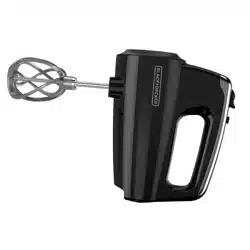
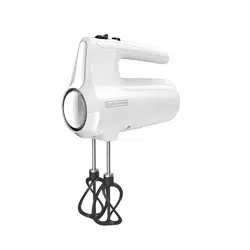
User manual Hand Mixer
-847082.png)
PARTS AND FEATURES
-190814.png)
-337369.png)
1. Storage case (Part # 20103000013201)
2. Dough hooks (Part # 35042C Left) (Part # 35043C Right)
3. Whisk (Part # 35045)
4. Helix beaters (Part # 20103000011001 Left) (Part # 20103000011101 Right)
5. Speed wheel 6. Easy eject feature
7. Mixer body
8. Heel and bowl rest
9. Turbo boost button
GETTING STARTED
- Remove all packing material, any stickers, and the plastic band around the power plug.
- Remove and save literature.
- Please go to www.prodprotect.com/ blackanddecker to register your warranty.
- Wash all removable parts.
WHAT SPEED TO USE
| 1 (Low) |
2 (Low/Med) |
3 (Medium) |
4 (Med/High) |
5 (High) |
TURBO (high speed burst) |
| Stir |
Combine |
Mix |
Blend |
Beat/Whip |
|
|
Combining dry and wet ingredients. Adding to mixtures: nuts, dried fruits, chocolate chips.
-362350.png)
|
Preparing puddings; mixing dough or thin batter.
-372540.png)
|
Creaming butter and sugar; mixing cake batters and frostings.
-703175.png)
|
Beating whole eggs or frozen desserts; mixing light batter, such as for popovers.
-428657.png)
|
Whipping cream and egg whites; mashing potatoes.
-763607.png)
|
Use at any speed setting to get maximum power for tough mixing tasks. |
HOW TO CLEAN
Wipe mixer body with damp cloth and dry thoroughly with a dry cloth. Wash attachments in warm water with dish detergent, or on the top shelf of the dishwasher.
STORAGE
Store all attachments and power cord in the storage case. Insert bottom of mixer into case and snap together for storage.
-281685.png)
HOW TO USE
-646098.png)
Select correct attachment(s) for mixing task:
- Beaters*-general mixing
- Whisk-whipping, aerating
- Hooks-thick mixtures, doug
-559102.png)
With mixer unplugged from outlet, insert attachment(s).
-936926.png)
NOTE: Match the notched shapes of the discs to the correct openings. Push in until they click.
-890549.png)
Once attachment(s) are firmly inserted, make sure the speed wheel is turned to O (OFF), and plug the mixer into an outlet.
-887912.png)
For least-mess mixing: Before turning on, insert attachment(s) into the center of food at a 90 degree angle.
-594329.png)
NOTE: Begin all mixing tasks on speed #1, then increase speed as needed.
-18100.png)
TIP: To scrape the bowl with a spatula, first turn mixer off then place mixer on heel rest.
-617538.png)
When finished, turn speed wheel to O (OFF) and unplug mixer. Then press wheel downwards to eject attachment(s).
*If the mixture becomes too thick while using beaters, switch to using the dough hooks.
IMPORTANT SAFEGUARDS
When using electrical appliances, basic safety precautions should always be followed, including the following:
- Read all instructions.
- To protect against risk of electrical shock do not immerse cord, plugs or appliance in water or other liquid.
- Close supervision is necessary when any appliance is used by or near children.
- Unplug from outlet when not in use, before putting on or taking off parts and before cleaning.
- Avoid contacting moving parts. Keep hands, hair and clothing- as well as spatulas and other utensils- away from beaters during operation to reduce the risk of injury to persons, and/or damage to the mixer.
- Do not operate appliance with a damaged cord or plug, or after the appliance malfunctions or has been dropped or damaged in any manner. Contact Consumer Support at the toll-free number listed in the warranty section. This appliance has important markings on the plug blade. The attachment plug or entire cordset (if plug is molded onto cord) is not suitable for replacement. If damaged, the appliance must be replaced.
- The use of attachments not recommended or sold by the manufacturer may cause fire, electric shock or injury.
- Do not use outdoors.
- Do not let cord hang over edge of table or counter.
- Do not let cord contact hot surface, including the stove.
- Remove beaters from mixer before washing.
- This appliance is not intended for use by persons (including children) with reduce physical, sensory or mental capabilities, or lack of experience and knowledge, unless they have been given supervision or instruction concerning use of the appliance by a person responsible for their safety.
- Children should be supervised to ensure that they do not play with the appliance.
- The maximum rated wattage for this product was obtained with the dough hooks. Other recommended attachments may draw significantly less power or current.
SAVE THESE INSTRUCTIONS.
This product is for household use only.
POLARIZED PLUG (120V models only)
This appliance has a polarized plug (one blade is wider than the other). To reduce the risk of electric shock, this plug is intended to fit into a polarized outlet only one way. If the plug does not fit fully into the outlet, reverse the plug. If it still does not fit, contact a qualified electrician. Do not attempt to modify the plug in any way.
TAMPER-RESISTANT SCREW
Warning: This appliance is equipped with a tamper-resistant screw to prevent removal of the outer cover. To reduce the risk of fire or electric shock, do not attempt to remove the outer cover. There are no user-serviceable parts inside. Repair should be done only by authorized service personnel.
ELECTRICAL CORD
a) A short power-supply cord is provided to reduce the risks resulting from becoming entangled in or tripping over a longer cord.
b) Extension cords are available and may be used if care is exercised in their use.
c) If an extension cord is used:
1) The marked electrical rating of the extension cord should be at least as great as the electrical rating of the appliance; and
2) The cord should be arranged so that it will not drape over the counter top or tabletop where it can be pulled on by children or tripped over. Note: If the power cord is damaged, please contact the warranty department listed in these instructions.
Three-Year Limited Warranty (Applies only in the United States and Canada)
For service, repair or any questions regarding your appliance, call the appropriate 800 number listed within this section. Please DO NOT return the product to the place of purchase. Also, please DO NOT mail product back to manufacturer, nor bring it to a service center. You may also want to consult the website listed on the cover of this manual.
What does it cover?
• Any defect in material or workmanship provided; however, Spectrum Brands Inc’s liability will not exceed the purchase price of product.
For how long?
• Three years from the date of original purchase with proof of purchase.
What will we do to help you?
• Provide you with a reasonably similar replacement product that is either new or factory refurbished.
How do you get service?
• Save your receipt as proof of date of sale.
• Visit the online service website at www.prodprotect.com/ blackanddecker, or call toll-free 1-800-465-6070, for general warranty service.
• If you need parts or accessories, please call 1-800-738-0245.
What does your warranty not cover?
- Damage from commercial use
- Damage from misuse, abuse or neglect
- Products that have been modified in any way
- Products used or serviced outside the country of purchase
- Glass parts and other accessory items that are packed with the unit
- Shipping and handling costs associated with the replacement of the unit
- Consequential or incidental damages (Please note, however, that some states do not allow the exclusion or limitation of consequential or incidental damages, so this limitation may not apply to you.)
How does state law relate to this warranty?
• This warranty gives you specific legal rights. You may also have other rights that vary from state to state or province to province.
-656984.png)