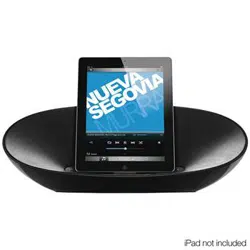
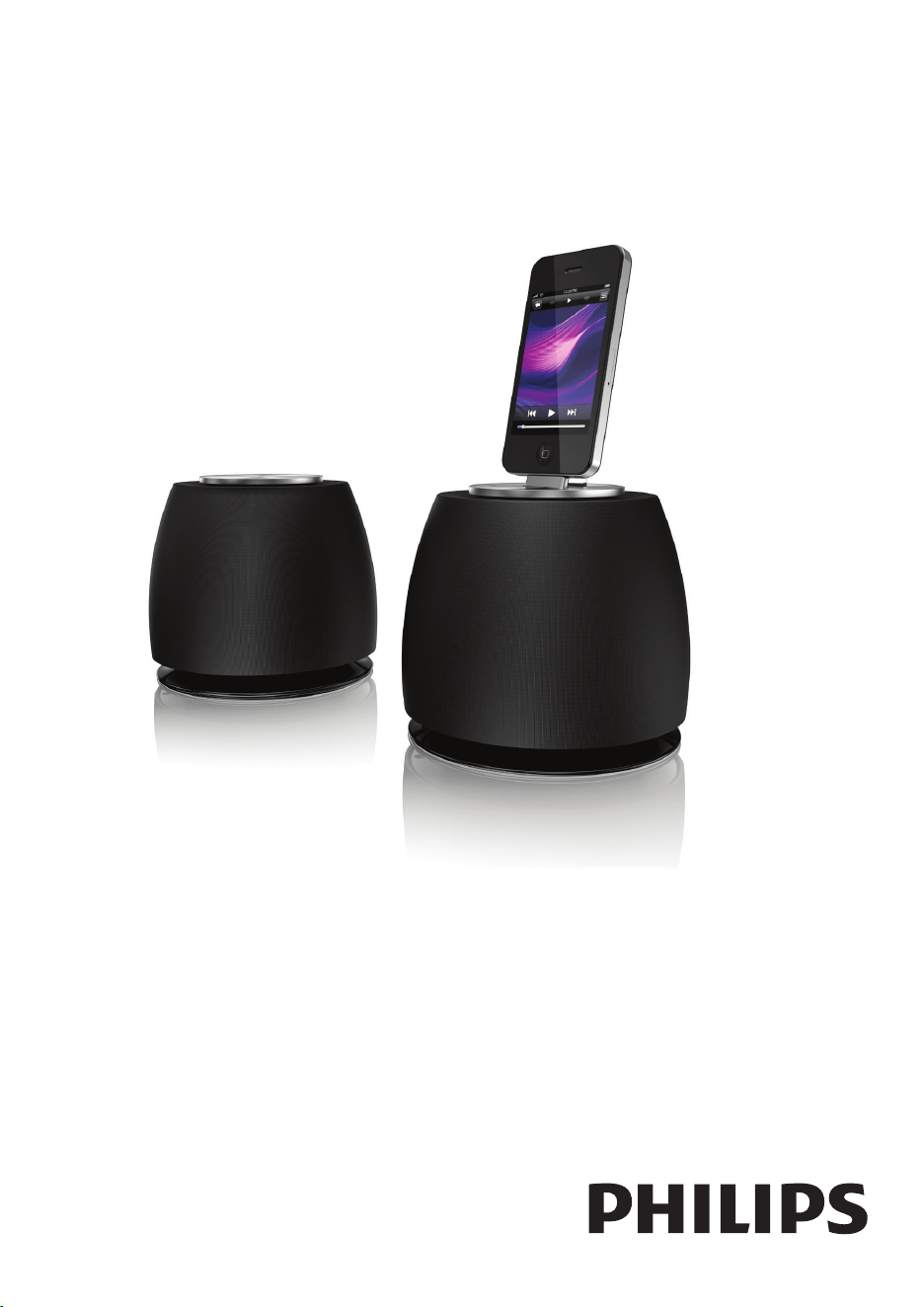
DS6200/37
Register your product and get support at
www.philips.com/welcome
EN User manual

2EN
Contents
1 Important 3
Important Safety Instructions 3
2 Your Docking Entertainment System 4
Introduction 4
What's in the box 4
Overview of the speakers 5
3 Get started 5
Connect speakers 5
Connect power 6
Turn on 6
4 Play 7
Play from iPod/iPhone 7
Play from an external device 7
5 Other features 8
Synchronize the iPod/iPhone with a PC 8
6 Product information 8
Specications 8
7 Troubleshooting 9
8 Notice 9
Disposal of your old product and batteries 10
Contents
3 EN
1 Important
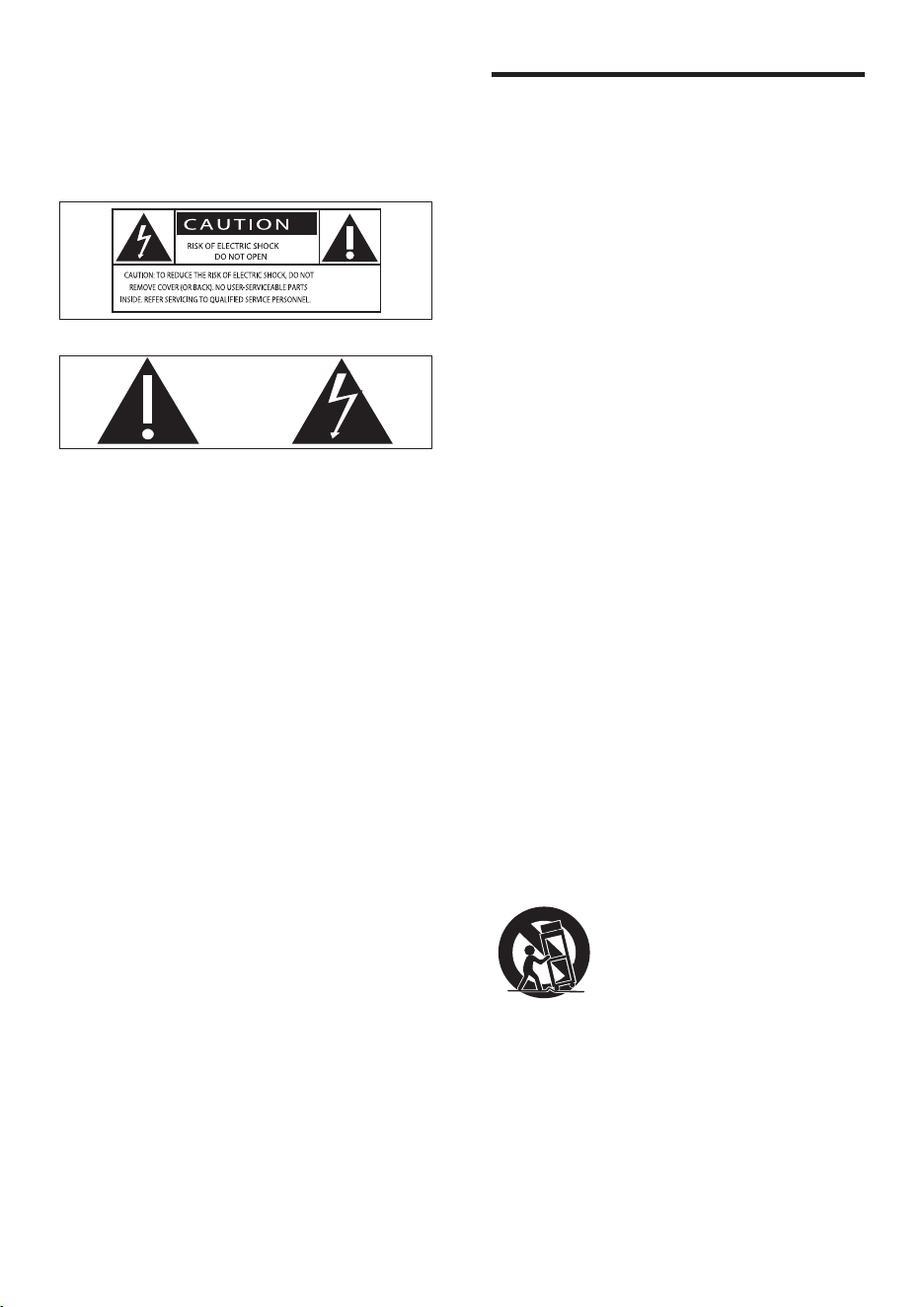
Know these safety symbols
This 'bolt of lightning' indicates uninsulated
material within your unit may cause an electrical
shock. For the safety of everyone in your
household, please do not remove product
covering.
The 'exclamation point' calls attention to
features for which you should read the enclosed
literature closely to prevent operating and
maintenance problems.
WARNING:Toreducetheriskofreorelectric
shock, this apparatus should not be exposed to
rainormoistureandobjectslledwithliquids,
such as vases, should not be placed on this
apparatus.
CAUTION: To prevent electric shock, match
wide blade of plug to wide slot, fully insert.
Important Safety Instructions
a Read these instructions.
b Keep these instructions.
c Heed all warnings.
d Follow all instructions.
e Do not use this apparatus near water.
f Clean only with dry cloth.
g Do not block any ventilation openings.
Install in accordance with the
manufacturer's instructions.
h Do not install near any heat sources such
as radiators, heat registers, stoves, or
other apparatus (including ampliers) that
produce heat.
i Protect the power cord from being
walked on or pinched, particularly at
plugs, convenience receptacles, and the
point where they exit from the apparatus.
j Only use attachments/accessories
specied by the manufacturer.
k Use only with the cart, stand, tripod,
bracket, or table specied by the
manufacturer or sold with the apparatus.
When a cart is used, use caution when
moving the cart/apparatus combination to
avoid injury from tip-over.
l Unplug this apparatus during lightning
storms or when unused for long periods
of time.
m Refer all servicing to qualied service
personnel. Servicing is required when
the apparatus has been damaged in any
4EN
way, such as power-supply cord or plug
is damaged, liquid has been spilled or
objects have fallen into the apparatus, the
apparatus has been exposed to rain or
moisture, does not operate normally, or
has been dropped.
n Apparatus shall not be exposed to
dripping or splashing.
o Do not place any sources of danger on
the apparatus (e.g. liquid lled objects,
lighted candles).
p This product may contain lead and
mercury. Disposal of these materials
may be regulated due to environmental
considerations. For disposal or recycling
information, please contact your local
authorities or the Electronic Industries
Alliance: www.eiae.org.
q Where the plug of the Direct Plugin
Adapter is used as the disconnect device,
the disconnect device shall remain readily
operable.
Note
• The type plate is located on the bottom of the
apparatus.
2 Your Docking
Entertainment
System
Congratulations on your purchase, and
welcometoPhilips!Tofullybenetfromthe
support that Philips offers, register your product
at www.philips.com/welcome.
If you contact Philips, you will be asked for the
model and serial number of this apparatus. The
model number and serial number are on the
bottom of the apparatus. Write the numbers
here:
Model No. __________________________
Serial No. ___________________________
Introduction
With this unit, you can:
• enjoy audio from the iPod/iPhone and
other audio devices.
• synchronize your iPod/iPhone with PC.
What's in the box
Check and identify the contents of your
package:
• Main unit (2 x speakers)
• 1 x speaker connection cable
• 1 x AC power adaptor
• 1 x USB cable
• 1 x MP3 link cable
• Quick start guide
5 EN
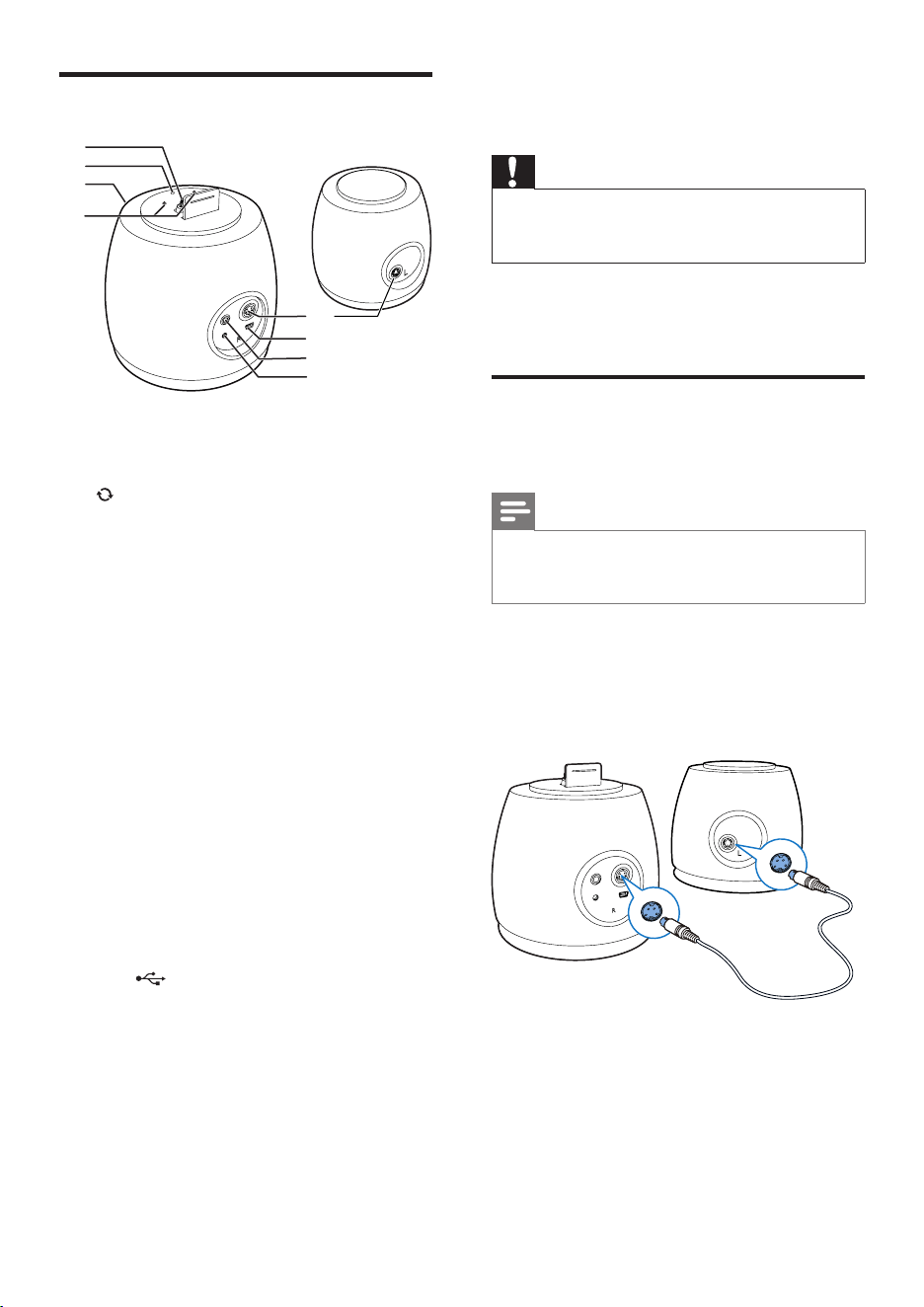
Overview of the speakers
a DOCK
• Dock for iPod/iPhone.
b
• Access / exit the sync mode.
• Hold to switch from standby mode to
sync mode.
• Press to switch from sync mode to
standby mode.
c LED indicator
• Steadily on when the unit works in
audio mode.
• Flashes when the unit works in sync
mode.
• Turns off when the unit powered off
or in standby mode.
d +/-
• Adjust volume.
e CABLE IN
• Connect the two speakers through the
supplied speaker cable.
f USB
• Connect a computer through the
supplied USB cable.
g AUX-IN
• Socket for an external audio device.
h DC-IN
• Connect power.
e
g
f
b
a
c
d
h
3 Get started
Caution
• Use of controls or adjustments or performance of
procedures other than herein may result in hazardous
radiation exposure or other unsafe operation.
Always follow the instructions in this chapter in
sequence.
Connect speakers
For optimal sound, use the supplied speakers only.
Note
• The supplied DIN cable is only intended for use with
this product. Never try to connect any other devices
through this cable.
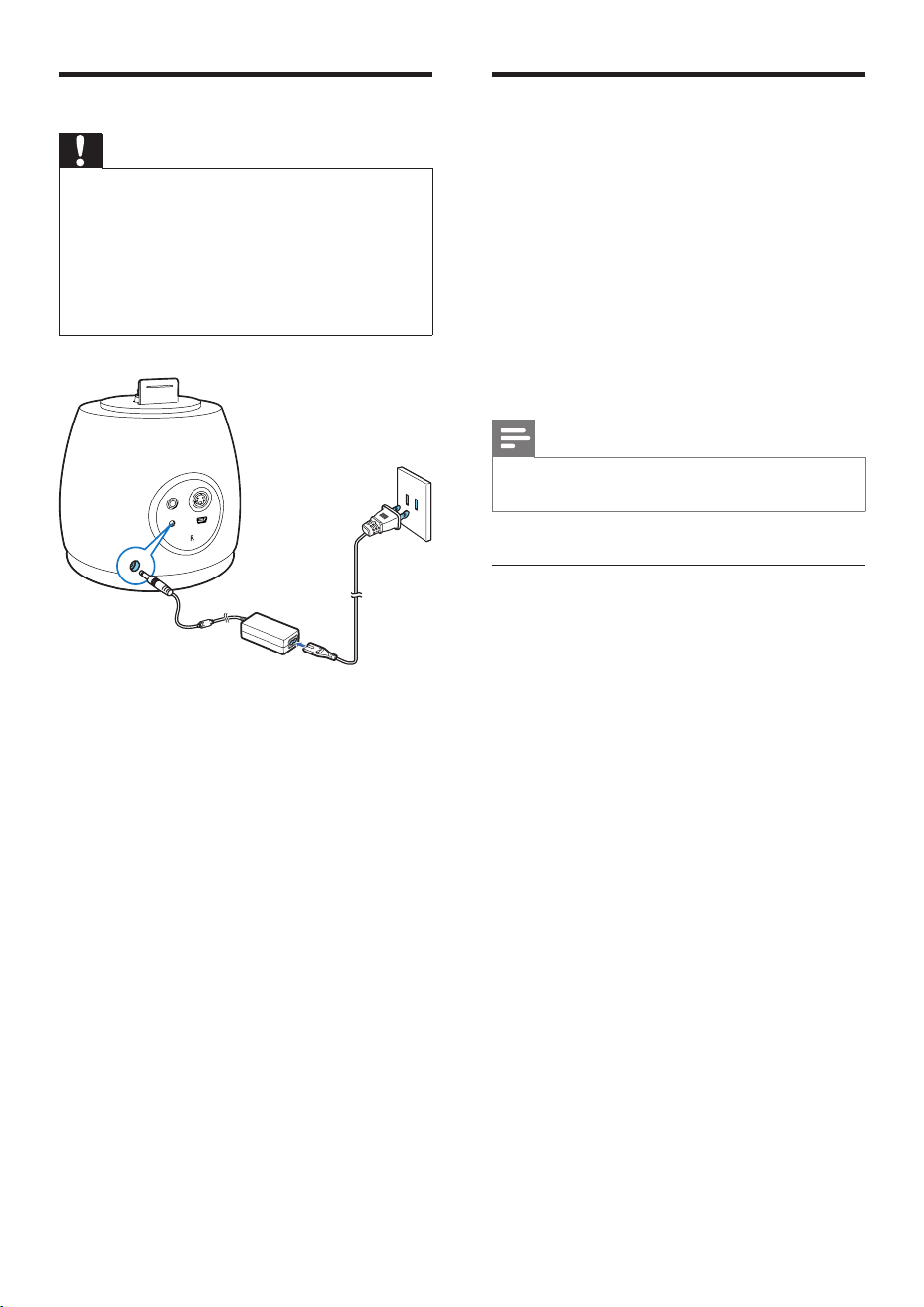
Connect the supplied DIN cable to the CABLE
IN sockets on both speakers:
• active speaker (with buttons): right channel
• passive speaker: left channel
6EN
Connect power
Caution
• Risk of product damage! Ensure that the power supply
voltage corresponds to the voltage printed on the
bottom of the unit.
• Before connecting the AC adaptor, ensure you have
completed all other connections.
• Risk of electric shock! When you unplug the AC
adaptor, always pull the plug from the socket. Never
pull the cord.
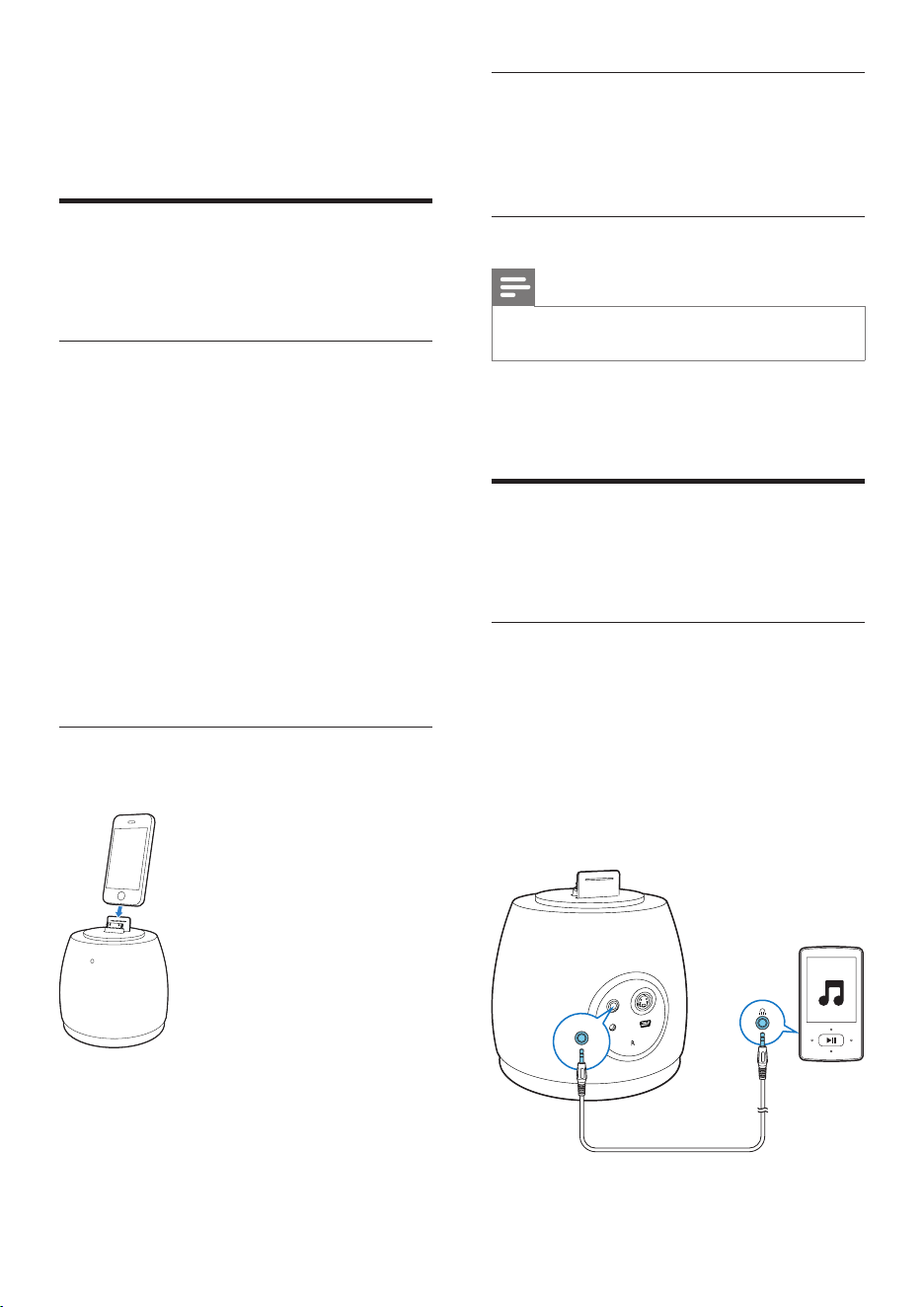
Connect the AC power cord to
• the DC-IN socket on the back of the main
speaker.
• the wall power outlet.
EUR
Turn on
In standby mode, there are two ways to turn on
the unit.
• Audio signal detected from the 30-pin
connector or from the AUX-IN port .
» The ring tone is also recognized as
audio signal.
• Press the SYNC button on the top of the
active unit.
» Turn on the unit by pressing SYNC
button will bring the unit into sync mode.
Note
• There is no power key on the unit. It turned on
automatically when it detects an audio input.
Switch to standby mode
The unit switches to standby mode in the
following situations.
• In DOCK mode: no audio signal from
docked iPod/iPhone over 15 minutes.
• In MP3 link mode: no audio device
connected over 15 minutes.
• In SYNC mode: press SYNC button for
over 5 seconds.
» The power indicator turns off.
7 EN
4 Play
Play from iPod/iPhone
You can enjoy audio from iPod/iPhone through
this unit.
Compatible iPod/iPhone
The unit supports the following iPod/iPhone
models.
Made for.
• iPod touch (1st, 2nd, 3rd, and 4th
generation)
• iPod classic
• iPod nano (2nd, 3rd, 4th, 5th, and 6th
generation)
• iPhone 4S
• iPhone 4
• iPhone 3GS
• iPhone 3G
• iPhone
Load the iPod/iPhone
• Insert your iPod/iPhone into the dock.
Remove the iPod/iPhone
• Pull the iPod/iPhone out of the dock.
Charge the iPod/iPhone
When the unit is connected to power,
the docked iPod/iPhone begins to charge
automatically.
Listen to the iPod/iPhone
Note
• Make sure that your iPod/iPhone has been loaded
securely.
• Start music play in your iPod/iPhone.
» You can hear music from the speakers.
Play from an external device
You can enjoy audio from an external device
through this unit.
Play from an external device with
MP3 link cable
1 Connect MP3 link cable to:
• the AUX-IN socket on the back of the
active speaker.
• the headphone socket on an external
device.
2 Start to play on the device .
AUX-IN
8EN
5 Other features
Synchronize the iPod/iPhone
with a PC
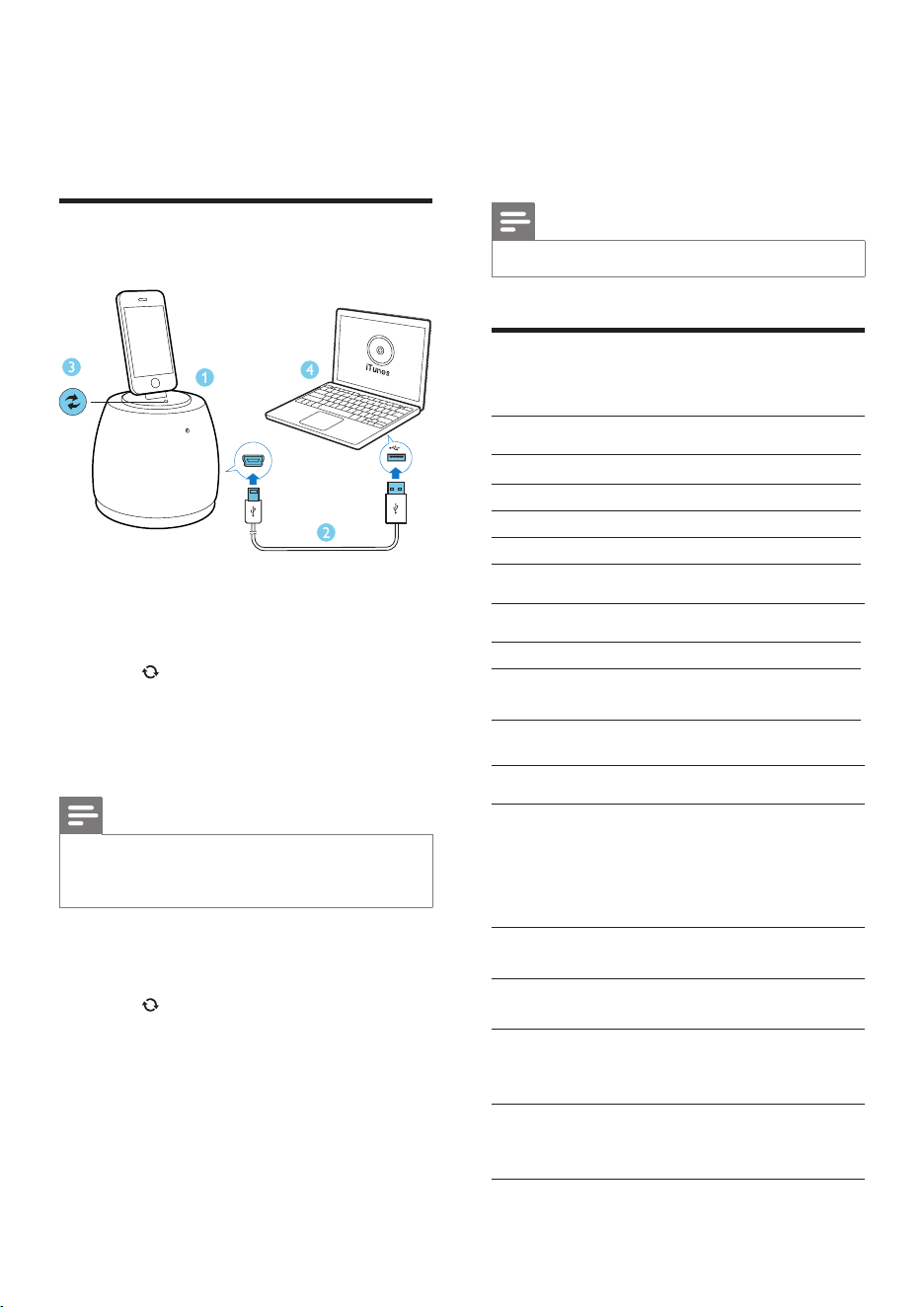
1 Insert the iPod/iPhone into the dock.
2 Connect the active speaker to your PC
through the supplied USB cable.
3 Press on the active speaker.
» TheLEDindicatorashes.
4 Start iTunes to snychronize your docked
iPod/iPhone with the PC.
Note
• Make sure that you have not disabled automatic
synchronization in iTunes. Otherwise , start
synchronization from iTunes manually.
To exit synchronization mode:
1 Eject your iPod/iPhone from iTunes .
2 Press on the active speaker.
» The speakers return to audio mode .
6 Product
information
Note
• Product information is subject to change without prior notice.
Specications
Amplier
Rated Output Power 2 x 10 W RMS
FrequencyResponse 60-20000 Hz, ±3dB
Signal to Noise Ratio > 77 dB
MP3 Link 600 mV RMS 22 kohm
Speakers
Speaker Impedance 4 ohm
Speaker Driver 2.5 inch full range + dia
60mm x 2 Woox
General information
AC power Model: AS360-120-
AQ300
Input: 100-240 V~, 50/60
Hz 1.2 A
Output: 12.0 V 3A
Operation Power
Consumption 10 W
Standby Power
consumption <0.5 W
Dimensions
- Main Unit
(diameter x height) W148*D148*H150mm
Weight
- With Packing
- Main Unit
3.1 kg
0.8 kg

9 EN
7 Troubleshooting
Warning
• Never remove the casing of this apparatus.
To keep the warranty valid, never try to repair
the system yourself.
If you encounter problems when using this
apparatus, check the following points before
requestingservice.Iftheproblemremains
unsolved, go to the Philips web site (www.
philips.com/welcome). When you contact
Philips, ensure that the apparatus is nearby
and the model number and serial number are
available.
No power
• Make sure that the AC power plug of the
device is connected properly.
• Make sure that there is power at the AC outlet.
No sound
• Adjust the volume.
• Check whether you have started music play.
No response from the unit
• Disconnect and reconnect the AC power plug.
8 Notice
Anychangesormodicationsmadetothis
device that are not expressly approved by
Philips Consumer Lifestyle may void the user’s
authoritytooperatetheequipment.
Notice for the USA
This equipment has been tested and found
to comply with the limits for a Class B digital
device, pursuant to part 15 of the FCC Rules.
These limits are designed to provide reasonable
protection against harmful interference in a
residentialinstallation.Thisequipmentgenerates,
uses,andcanradiateradiofrequencyenergy
and, if not installed and used in accordance
with the instruction manual, may cause harmful
interference to radio communications.
However, there is no guarantee that
interference will not occur in a particular
installation.Ifthisequipmentdoescauseharmful
interference to radio or television reception,
which can be determined by turning the
equipmentoffandon,theuserisencouraged
to try to correct the interference by one or
more of the following measures:
• Relocate the receiving antenna.
• Increase the separation between
equipmentandreceiver.
• Connecttheequipmentintoanoutleton
a circuit different from that to which the
receiver is connected.
• Consult the dealer or an experienced
radio/TV technician for help.
10EN
Disposal of your old product
and batteries
Your product is designed and manufactured
withhighqualitymaterialsandcomponents,
which can be recycled and reused.
Never dispose of your product with other
household waste. Please inform yourself about
the local rules on the separate collection of
electrical and electronic products and batteries.
The correct disposal of these products helps
preventpotentiallynegativeconsequenceson
the environment and human health.
Please visit www.recycle.philips.com for
additional information on a recycling center in
your area.
Caution
• Removal of the built-in battery invalidates the warranty
and may destroy the product.
Environmental information
All unnecessary packaging has been omitted.
We have tried to make the packaging easy to
separate into three materials: cardboard (box),
polystyrene foam (buffer) and polyethylene
(bags, protective foam sheet.)
Your system consists of materials which can
be recycled and reused if disassembled by
a specialized company. Please observe the
local regulations regarding the disposal of
packaging materials, exhausted batteries and old
equipment.
The making of unauthorized copies of copy-
protected material, including computer
programs,les,broadcastsandsound
recordings, may be an infringement of
copyrights and constitute a criminal offence.
Thisequipmentshouldnotbeusedforsuch
purposes.
“Made for iPod” and “Made for iPhone”
mean that an electronic accessory has been
designedtoconnectspecicallytoiPodor
iPhonerespectively,andhasbeencertiedby
the developer to meet Apple performance
standards. Apple is not responsible for the
operation of this device or its compliance with
safety and regulatory standards. Please note that
the use of this accessory with iPod or iPhone
may affect wireless performance.
iPod and iPhone are trademarks of Apple Inc.,
registered in the U.S. and other countries.

All rights reserved.
PD9000_37/17/07_UM_MTK1389Q_V1.1
Philips Consumer Lifestyle
A division of Philips Electronics North America Corporation
P.O. Box 10313
Stamford, CT 06904
Phone: 1-888-PHILIPS (744-5477)
Meet Philips at the Internet
http://www.philips.com/welcome
PD9000_37_UM_MTK1389Q_V1.0.indb 31 2010-8-16 16:06:32
© 2011 Koninklijke Philips Electronics N.V.
Specifications are subject to change without notice
© 2011 Koninklijke Philips Electronics N.V.
All rights reserved.
DS6200_37_UM_V1.1