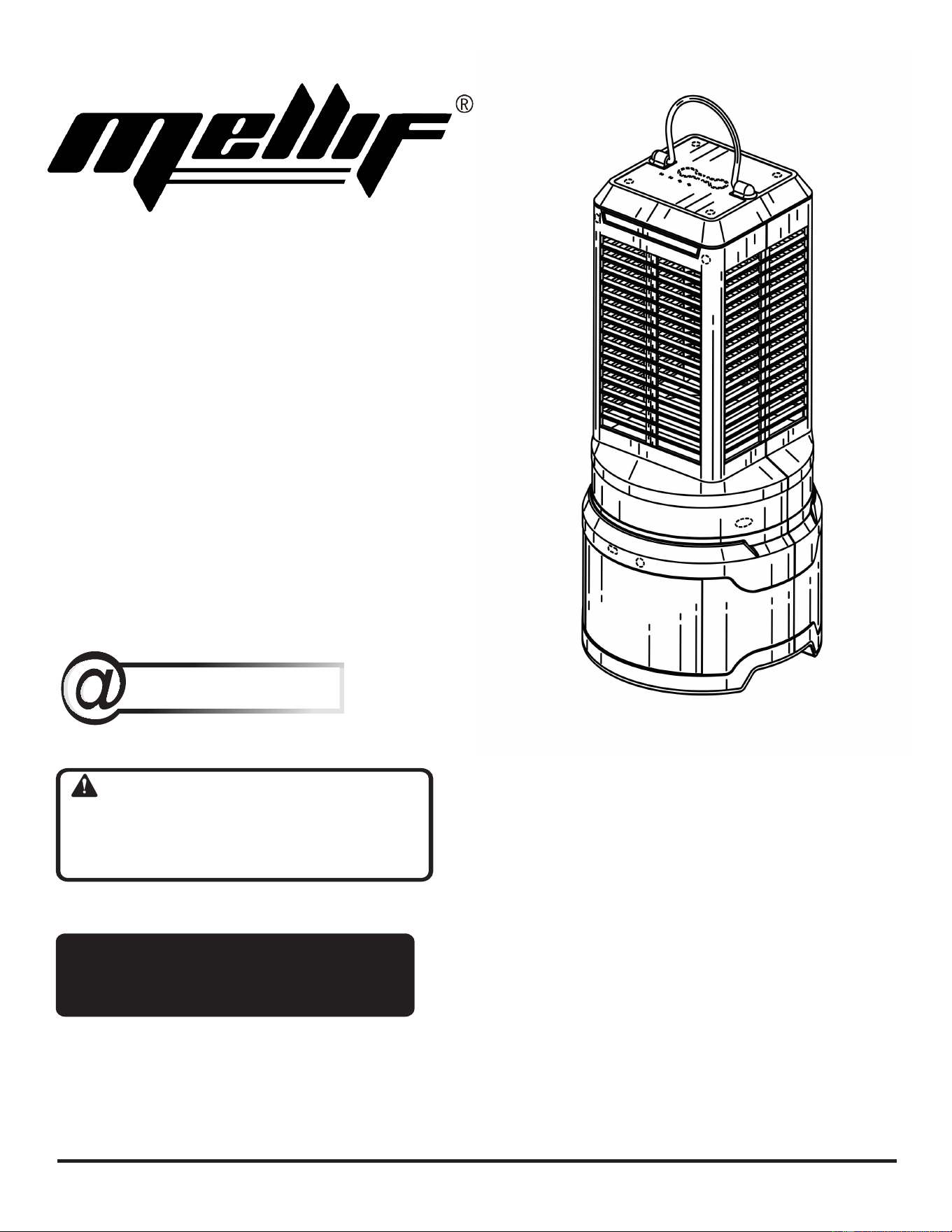
OPERATOR’S MANUAL
18 / 20 VOLT BUG ZAPPER
WARNING: To reduce the
risk of injury, the user must read and
understand the operator’s manual
before using this product.
TABLE OF CONTENTS
Important Safety Instructions.......... 2-3
Symbols..............................................3
Assembly ............................................4
Features..............................................4
Operation........................................ 4-5
Maintenance .......................................5
SAVE THIS MANUAL FOR
FUTURE REFERENCE
MELLIF TOOLS
http://mellif-tools.com
MADE IN CHINA
MADE IN CHINA
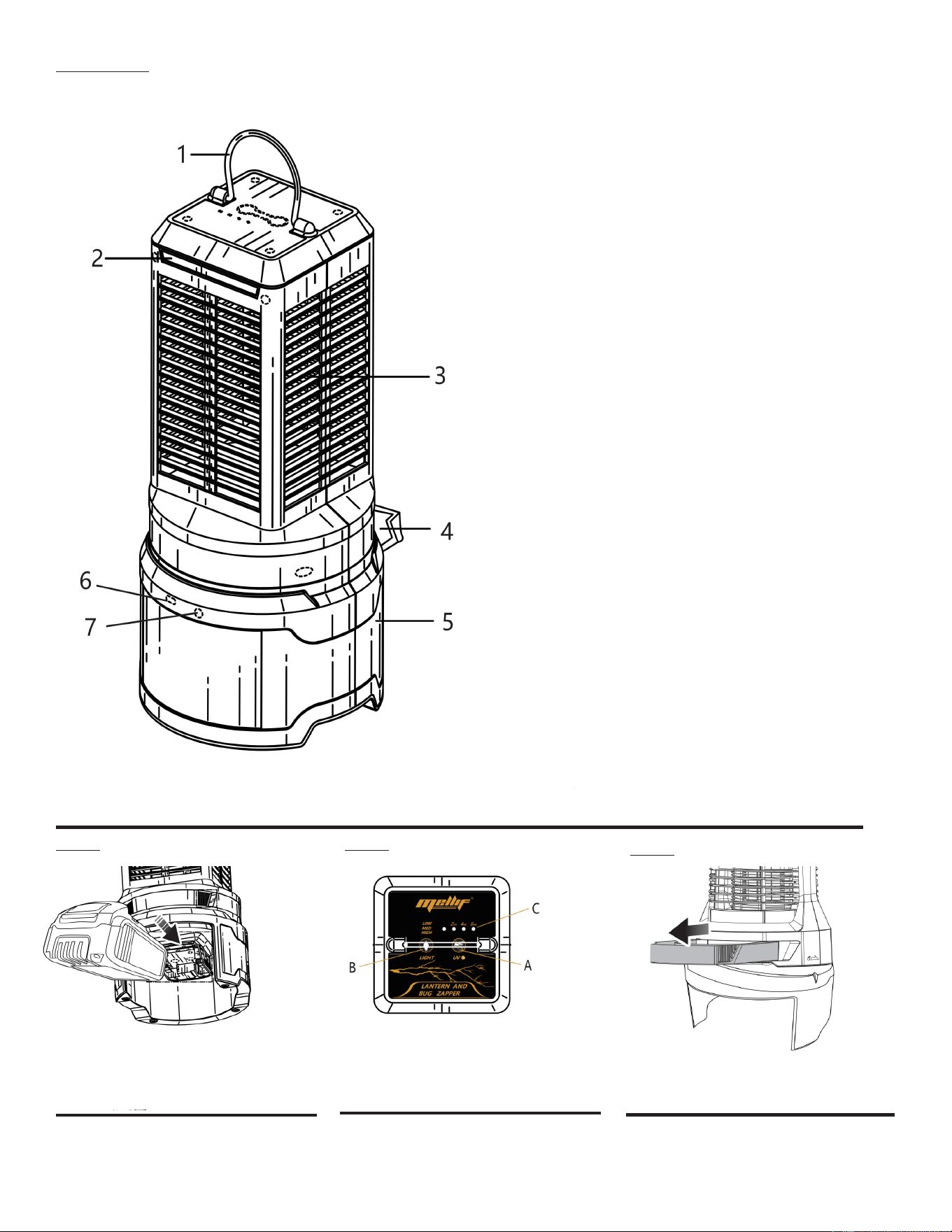
A- Bug tray
BZ01DW
Fig. 2
Fig. 1
A- Battery pack (NOT INCLUDED)
B- Battery port
C- LED indicators
Fig. 3
A-UV light button
B- Area light button
1. Carring Handle for Portability
2. External LED Light
3. Internal UV Light Attracts Bugs
4. Easy Clean-up with Removable Tray
5. 18V/20V Battery Compartment
6. Type-C Output Charging Port
7. DC 18V 1A Input Charging Port
A
B

2
IMPORTANT SAFETY INSTRUCTIONS
WARNING!
Read all safety warnings, instructions, illustrations
and specifications provided with this product. Failure
to follow all instructions listed below may result in electric
shock, fire and/or serious injury.
BUG ZAPPER USE AND CARE
Disconnect the product from the power supply when
not in use, before servicing, when changing bulbs,
cleaning, and similar actions.
Do not insert foreign objects into this product.
Store products indoors when not in use – out of reach
of children.
Do not clean this product with a water spray or similar
method.
Do not permit children to use this product.
It is not
a toy.
If wrapped or in contact with fabrics, the product’s
Learn its applications and limitations, as well as the
specific potential hazards related to this product.
Following this rule will reduce the risk of electric shock,
fire, or serious injury.
Prevent unintentional starting.
BATTERY TOOL USE AND CARE
light produces sufficient heat to melt some fabrics.
This product is intended for household use only.
Know your product. Read operator’s manual carefully.
Ensure the switch is in
the off-position before connecting to battery pack, pick-
ing up or carrying the appliance. Carrying the appliance
with your finger on the switch or energizing appliance that
have the switch on invites accidents.
Disconnect the battery pack from the appliance be-
fore making any adjustments, changing accessories,
or storing appliance. Such preventive safety measures
reduce the risk of starting the appliance accidentally.
Recharge only with the charger specified by the
manufacturer. A charger that is suitable for one type
of battery pack may create a risk of fire when used with
another battery pack.
Use appliances only with specifically designated bat-
tery packs. Use of any other battery packs may create
a risk of injury and fire.
When battery pack is not in use, keep it away from
other metal objects, like paper clips, coins, keys, nails,
screws or other small metal objects, that can make a
connection from one terminal to another. Shorting the
battery terminals together may cause burns or a fire.
Under abusive conditions, liquid may be ejected from
the battery; avoid contact. If contact accidentally
occurs, flush with water. If liquid contacts eyes, ad-
ditionally seek medical help. Liquid ejected from the
battery may cause irritation or burns.
Do not use a battery pack or appliance that is dam-
aged or modified. Damaged or modified batteries may
exhibit unpredictable behavior resulting in fire, explosion
or risk of injury.
Do not expose a battery pack or appliance to fire or
excessive temperature. Exposure to fire or temperature
above 130°C may cause explosion.
Follow all charging instructions and do not charge the
battery pack or appliance outside of the temperature
range specified in the instructions. Charging improp-
erly or at temperatures outside of the specified range
may damage the battery and increase the risk of fire.
Have servicing performed by a qualified repair person
using only identical replacement parts. This will ensure
that the safety of the product is maintained.
Do not modify or attempt to repair the appliance or the
battery pack except as indicated in the instructions
for use and care.
Battery tools do not have to be plugged into an
electrical outlet; therefore, they are always in
operating condition. Be aware of possible hazards when
not using your battery tool or when changing accessories.
Following this rule will reduce the risk of electric shock,
fire, or serious personal injury.
Do not place the product or their batteries near fire or
heat. This will reduce the risk of explosion and possibly
injury.
Do not crush, drop or damage battery pack. Do not
use a battery pack or charger that has been dropped
or received a sharp blow. A damaged battery is subject
to explosion. Properly dispose of a dropped or damaged
battery immediately.
Batteries can explode in the presence of a source
of ignition, such as a pilot light. To reduce the risk of
serious personal injury, never use any cordless product
in the presence of open flame. An exploded battery can
propel debris and chemicals. If exposed, flush with water
immediately.
Do not charge product battery in a damp or wet
location. Following this rule will reduce the risk of electric
shock.
3
IMPORTANT SAFETY INSTRUCTIONS
SAVE THESE INSTRUCTIONS
Under extreme usage or temperature conditions,
battery leakage may occur. If liquid comes in contact
with your skin, wash immediately with soap and water,
then neutralize with lemon juice or vinegar. If liquid
gets into your eyes, flush them with clean water for
at least 10 minutes, then seek immediate medical
attention. Following this rule will reduce the risk of serious
personal injury.
Do not incinerate the battery even if it is severely
damaged. The batteries can explode in a fire.
Save these instructions. Refer to them frequently and
use them to instruct others who may use this tool. If you
loan someone this tool, loan them these instructions also
to prevent misuse of the product and possible injury.
The following signal words and meanings are intended to explain the levels of risk associated with this product.
SYMBOL SIGNAL MEANING
DANGER:
Indicates a hazardous situation, which, if not avoided, will result in death or
serious injury.
WARNING:
Indicates a hazardous situation, which, if not avoided, could result in death or
serious injury.
CAUTION:
Indicates a hazardous situation, that, if not avoided, may result in minor or
moderate injury.
NOTICE:
(Without Safety Alert Symbol) Indicates information considered important, but
not related to a potential injury (e.g. messages relating to property damage).
SYMBOLS
Some of the following symbols may be used on this product. Please study them and learn their meaning. Proper
interpretation of these symbols will allow you to operate the product better and safer.
SYMBOL NAME DESIGNATION/EXPLANATION
Safety Alert Indicates a potential personal injury hazard.
Read Operator’s
Manual
To reduce the risk of injury, user must read and understand operator’s manual
before using this product.
Wet Conditions
Alert
Do not expose to rain or use in damp locations.
Electric Shock To reduce the risk of electrocution or electric shock, keep away from water.
Recycle Symbol
This product uses lithium-ion (Li-ion) batteries. Local, state or federal laws
may prohibit disposal of batteries in ordinary trash. Consult your local waste
authority for information regarding available recycling and/or disposal options.
V Volts Voltage
Direct Current Type or a characteristic of current
4
WARNING:
Do not use this product if it is not completely assembled
or if any parts appear to be missing or damaged. Use of
a product that is not properly and completely assembled
or with damaged or missing parts could result in serious
personal injury.
WARNING:
Do not attempt to modify this product or create acces-
sories or attachments not recommended for use with this
product. Any such alteration or modification is misuse
and could result in a hazardous condition leading to pos-
sible serious personal injury.
If any parts are damaged or missing, please email us at no.2outlets@outlook.com for assistance.
ASSEMBLY
WARNING:
Do not allow familiarity with tools to make you careless.
Remember that a careless fraction of a second is suf-
ficient to inflict serious injury.
WARNING:
Do not use any attachments or accessories not recom-
mended by the manufacturer of this tool. The use of at-
tachments or accessories not recommended can result
in serious personal injury.
WARNING:
Keep the bug zapper away from combustible materials. If
wrapped or in contact with fabrics, the light may produce
sufficient heat to melt some fabrics.
WARNING:
To reduce the risk of fire, remove insects and empty bug
tray frequently.
WARNING:
Do not insert foreign objects into this product. Doing so
could damage the product and/or result in an electric
shock.
APPLICATIONS
You may use this product for the purpose listed below:
Eliminating mosquitos and other flying insects
Illuminating areas requiring additional light
INSTALLING/REMOVING BATTERY PACK
See Figure 1.
Insert the battery pack into the product as shown.
Make sure the latches on each side of the battery pack
snap into place and the battery pack is secured before
beginning operation.
WARNING:
Battery tools are always in operating condition. Therefore,
unit should always be OFF with the battery pack removed
when not in use. Failure to follow these instructions could
result in serious personal injury.
Depress the latches to remove the battery pack.
WARNING:
Always remove battery pack from your product when you
are assembling parts, making adjustments, cleaning, or
when not in use. Removing battery pack will prevent ac-
cidental starting that could cause serious personal injury.
OPERATION
FEATURES
PRODUCT SPECIFICATIONS
Grid voltage .............................................................2550 V
UV LED light ......................................................10.6 Watts
Area light lumens ................................ 9 (low), 18 (medium),
and 30 (high)
5
4 hours, 6 hours, and off asindicated by the LEDs above
the UV light button.
GENERAL MAINTENANCE
Avoid using solvents when cleaning plastic parts. Most
plastics are susceptible to damage from various types of
commercial solvents and may be damaged by their use. Use
clean cloths to remove dirt, dust, oil, grease, etc.
WARNING:
Do not at any time let brake fluids, gasoline, penetrating
oils, etc., come in contact with plastic parts. Chemicals
can damage, weaken, or destroy plastic which may result
in serious personal injury.
STORING THE BUG ZAPPER
Store indoors in a dry, locked-up place, out of the reach of
children, with the battery pack removed. Keep away from
corrosiveagentssuchasgardenchemicalsand de-icingsalts.
WARNING:
To avoid serious personal injury, always remove the
battery pack from the product when cleaning or
performing any maintenance.
WARNING:
When servicing, use only identical replacement parts.
Use of any other parts could create a hazard or cause
product damage.
NOTICE:
Periodically inspect the entire product for damaged,
missing, or loose parts such as screws, nuts, bolts,
caps, etc. Tighten securely all fasteners and caps and
do not operate this product until all missing or damaged
parts are replaced. Please contact customer service or a
qualified service center for assistance.
MAINTENANCE
USING THE UV LIGHT
See Figure 2.
The UV Light is used to attract and kill mosquitos and other
flying insects. The UV light can be set to run for up to 6 hours.
NOTE: Area light use is not required when using the UV light.
The two features are independent of each other.
To use the UV light:
Press the UV light button to cycle between 2 hour
s,
USING THE AREA LIGHT
See Figure 2.
The area light may be used with or without powering the UV
light. After inserting a battery pack, the area light is in the
OFF position until the area light button is pressed.
To use the area light:
OPERATING TIPS
See Figures 3.
For best results, hang the product 6 to 7 ft. above the
ground.
Dead insects and debris will accumulate in the bug tray.
Remove insects and empty bug tray frequently. To
clean the tray, pull it away from the product and dump the
waste into a trash receptacle. If necessary, use a damp
cloth to clean the inside of the tray.
NOTE: Be sure to wash your hands thoroughly with soap
and water after handling the bug tray.
Periodically, remove the battery pack and use a soft brush
or forced air to remove dead insects or debris from the
product.
Remove the battery pack and store product indoors dur-
ing severe weather. This product can withstand moderate
rainfall, but it should not be left outdoors during severe
weather events.
Press the area light button to cycle between High, Me-
dium, Low and Off.
OPERATION
This product has a Three-year
Limited Warranty.
For warranty details, visit
Amazon.com and search for the
detail page, or our official website
www.mellif-tools.com.