EN
Original Instructions
Version 1
November 2024
DIGITAL
EXTERNAL
MICROMETER
10958
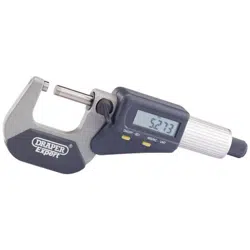
User Manual for: Digital Micrometer
Stock No: 10958
Part No: DEM1
Read this manual in full before using this product and
retain it for future use. Always use the latest version of
the manual. Please visit drapertools.com/manuals for
the latest version.
1. Intended Use
This product is designed as a digital external micrometer to
carry out both metric and imperial measurements.
Any other application beyond the conditions established for
use will be considered misuse. Draper Tools accepts no
responsibility for improper use of this product.
This product is suitable for use by enthusiasts and
tradespersons alike.
2. Specication
Stock No. 10958
Part No. DEM1
Scale range: 0 – 25mm/0 – 1"
Measuring Force: 5 – 10N
Resolution: 0.001mm/0.00005"
Battery Power: 1 X CR2032 3V (not supplied)
Operating Temperature: 0 to 40°C
Storage Temperature: -20 to 60°C
3. HealthandSafety
Information
Important: Read all the Health and Safety instructions
before attempting to operate, maintain or repair this
product. Failure to follow these instructions may result in
injury or damage to the user or the product.
WARNING! Ensure Health and Safety, local authority
and general workshop practice regulations are
adhered to when using tools and equipment.
• DO NOT use the micrometer if damaged.
• DO NOT use the micrometer for any purpose other
than for which it is designed.
• DO NOT expose to damp or wet conditions.
• DO NOT dip or submerge in any type of liquid.
• DO NOT expose the micrometer to bright sunlight
or dust.
• DO NOT modify or dismantle the micrometer.
The device must be checked by qualied service
personnel only.
• DO NOT use the micrometer near strong
magnetic elds or high voltage.
• The micrometer is a precision instrument,
treat with care, avoid using force and do not subject
to knocks or shocks.
• When not in use, store in a safe, dry,
childproof location.
4. Identication
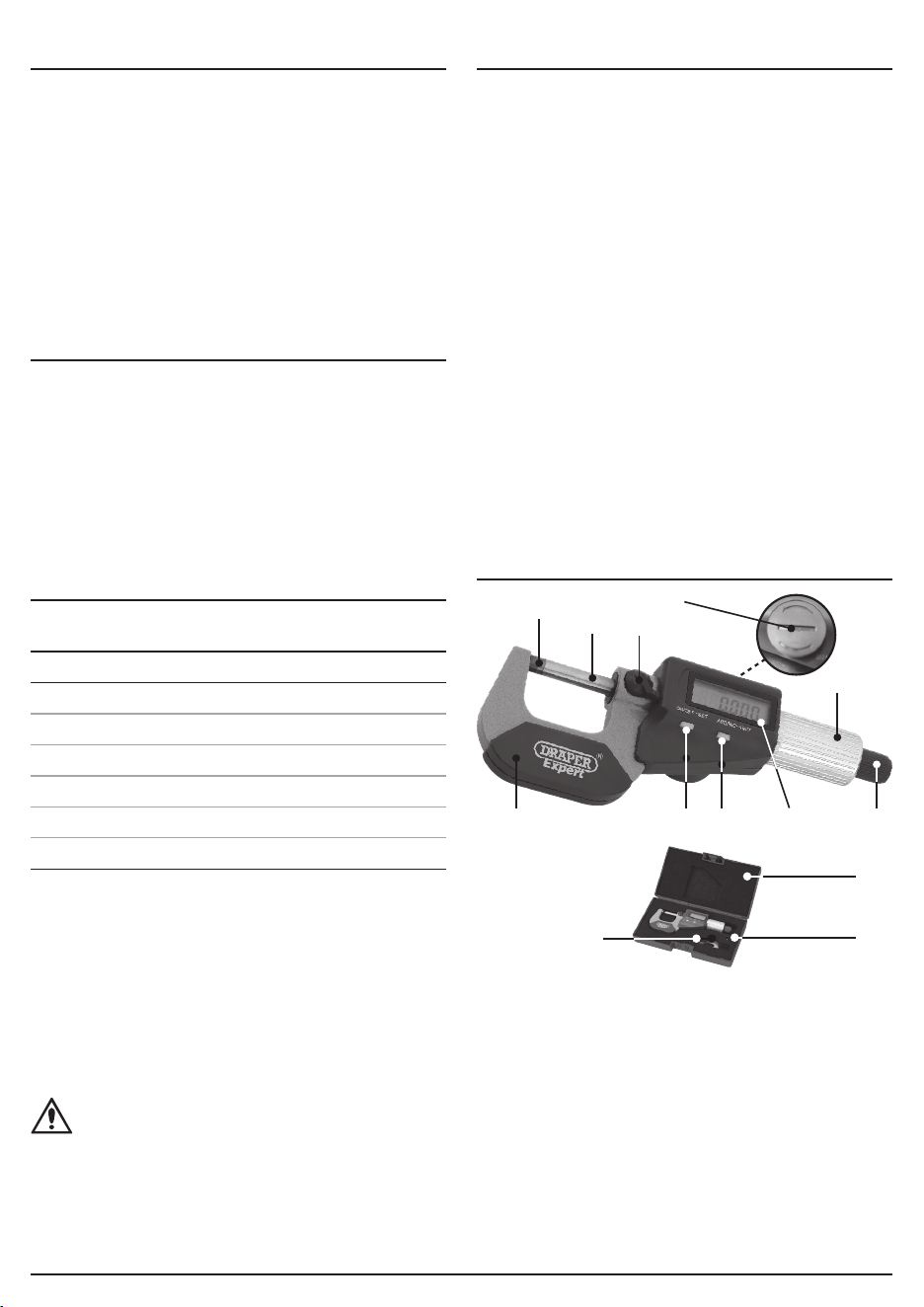
1. Frame
2. Anvil
3. Spindle
4. Locking device
5. Ratchet thimble
6. Quick drive
7. Display screen
8. ABS/Unit (mm/Inch)
button
9. ON/OFF/SET button
10. Battery
compartment/cap
11. Storage case
12. Ball end cap
13. Battery
compartment key
Preface
– 2 –
(10)
(6)
(5)
(4)
(3)
(2)
(7)(8)(9)(1)
(13)
(11)
(12)
5. Installingthebattery
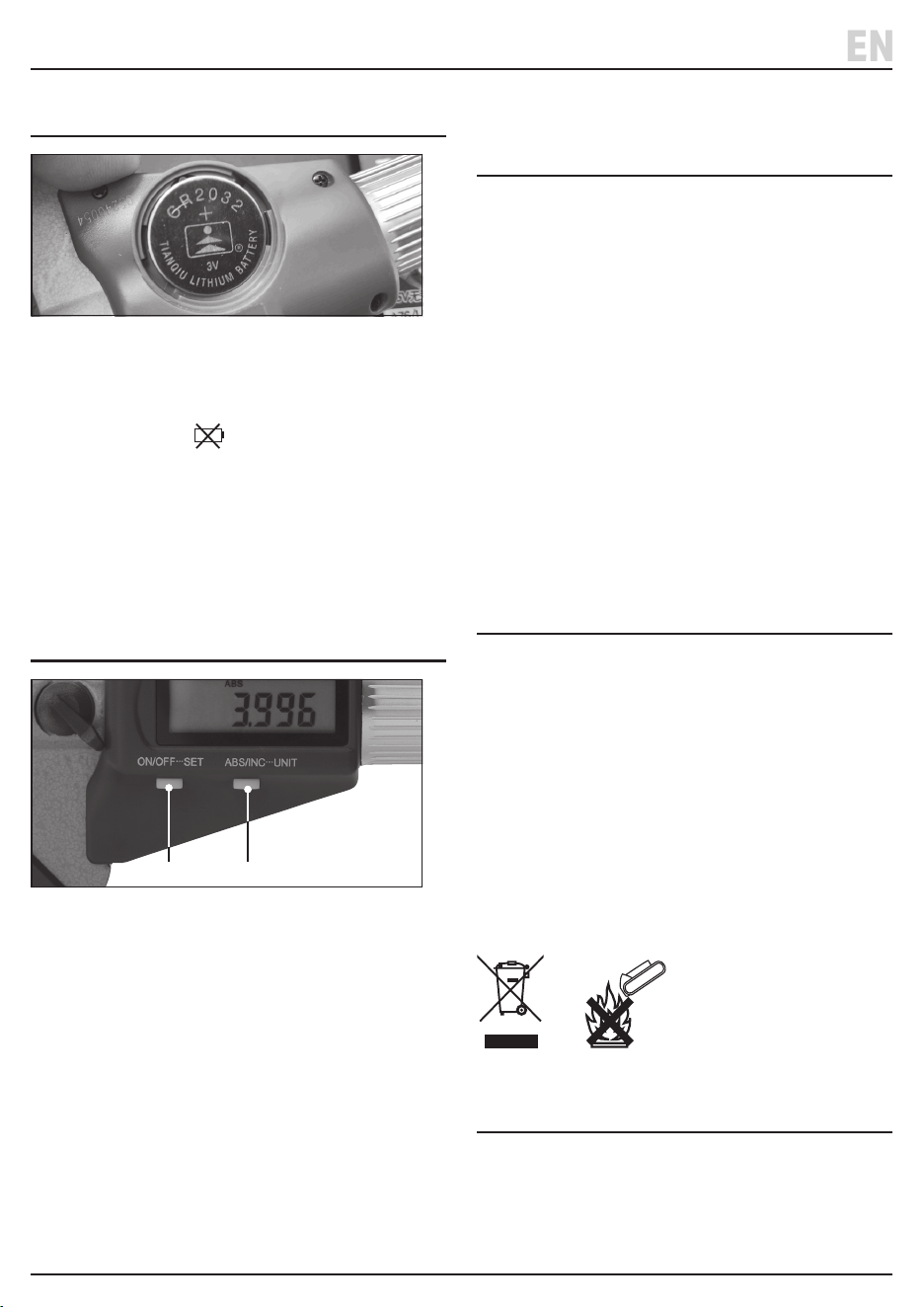
1 Fig.
• Only install or replace with a CR2032 battery
(not supplied).
• Replace the battery when the display is blurred or the
low battery symbol
is shown.
1. Remove the battery compartment cap (10) using the
key (13) supplied..
2. Fit the battery with the positive side (+) uppermost.
3. Ret the cap and turn the key clockwise to secure
in place.
6. Operation
2 Fig.
1. Press the ON/OFF button (9) to turn on.
2. Then select inch or mm units by pressing the
ABS/UNIT button (8) for 2-3 seconds. ‘IN’ will
appear on the screen when inches selected.
3. To measure an item, place the item between the
anvil (2) and spindle (3). Turn the quick drive (6) and
adjust the spindle (3) until it is in contact with the
item being measured.
4. The measurement will be shown on the screen.
Note: The micrometer will automatically switch o if
not used for 20 minutes. To turn back on either press
the ‘ON/OFF’ button or turn the spindle.
7. Absolute(ABS)/Relative
(INC)Setting
Use this function to set the absolute (ABS) and relative/
incremental (INC) value - value can be set between
0-25mm/0-1” and can be used for calibration and
comparative measurement purposes. The default setting
for the absolute origin data is ‘0’.
• Press and hold the ON/OFF/SET button (9) for 2-3 to
select ‘absolute’ mode.
• To switch between ‘absolute measuring’ and
incremental’ mode press ABS/INC button (8).
Ensure the measuring spindle is in contact with the item
being used to calibrate it and that the measurement is
precisely the distance required (i.e. identical to the preset
origin value) and press the SET button.
8. Maintenance,Storageand
Disposal
Remove the battery when storing the micrometer for an
extended period of time. Wipe over with a dry clean
cloth only. When not in use, store the micrometer and
battery in the storage case supplied.
At the end of its working life, dispose of the product
responsibly and in line with local regulations. Recycle
where possible.
• DO NOT dispose of this product with domestic waste;
most local authorities provide appropriate recycling
facilities.
• DO NOT burn or mutilate batteries; this may release
toxic or corrosive substances.
9. Warranty
Lifetime warranty.
Visit drapertools.com/warranty for full details.
– 3 –
EN
(9) (8)

© Published by Draper Tools Limited
Delta International
Delta International BV
Oude Graaf 8
6002 NL
Weert
Netherlands
ContactDetails
Draper Tools
Draper Tools Limited
Hursley Road
Chandler’s Ford
Eastleigh
Hampshire
SO53 1YF
UK
Website: drapertools.com
Email: [email protected]
Product Helpline: +44 (0) 23 8049 4344
Telephone Sales Desk: +44 (0) 23 8049 4333
General Enquiries: +44 (0) 23 8026 6355
Please contact the Draper Tools Product Helpline for repair and servicing enquiries.
© Published by Draper Tools Limited