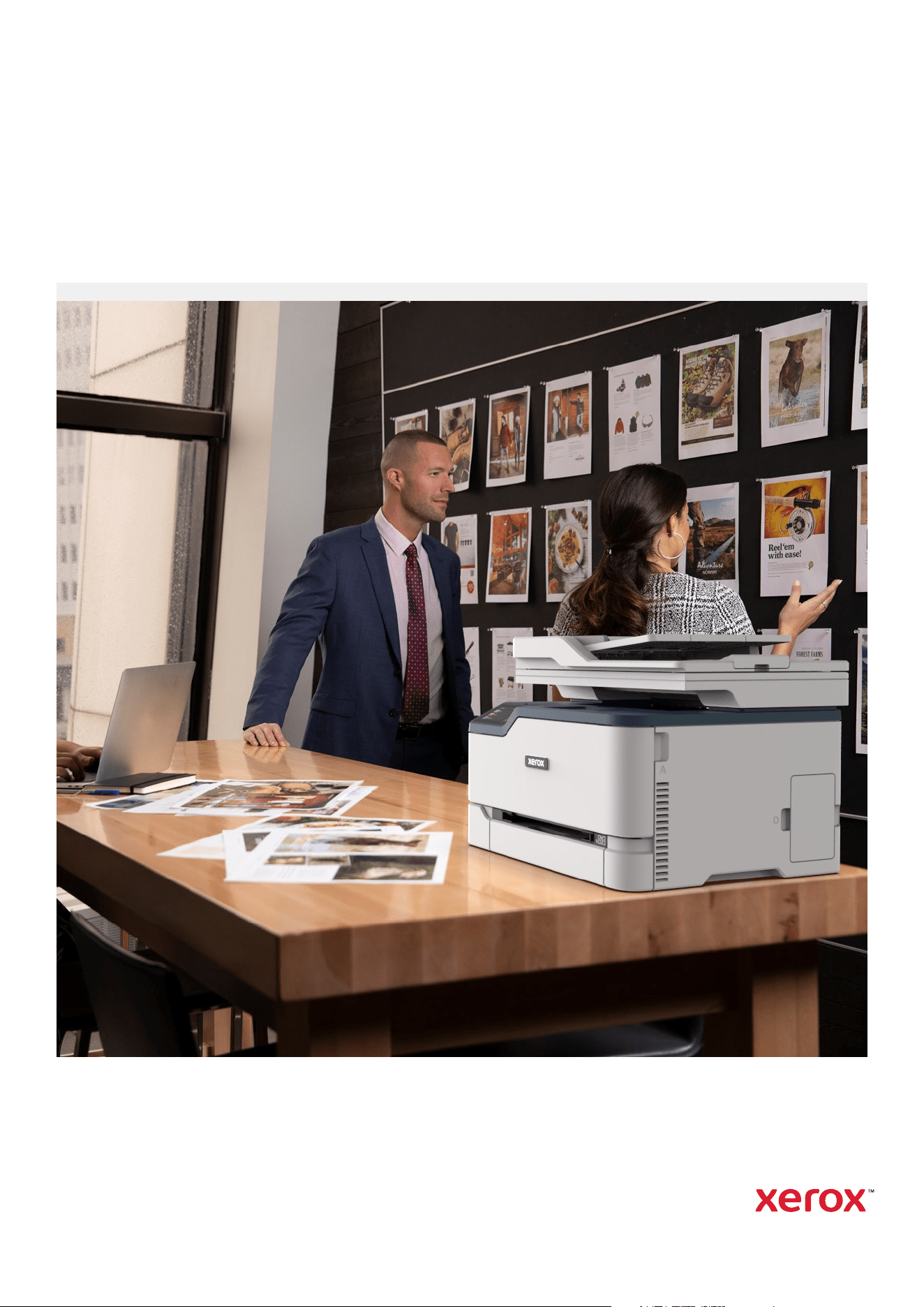
Do more wherever work gets done
Xerox
®
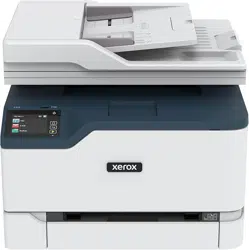
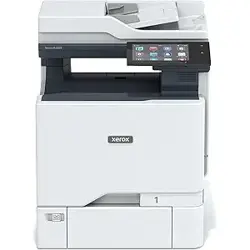
C230 Colour Printer and
Xerox
®
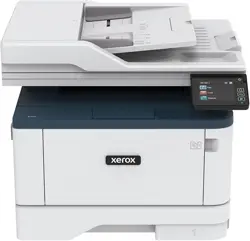
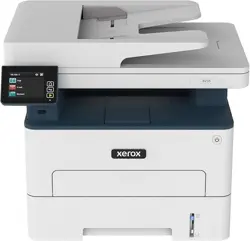
C235 Colour Multifunction Printer
C230/C235
Meet the Xerox
®
C230 Colour Printer and
Xerox
®
C235 Colour Multifunction Printer
The future of work demands printers that are reliable, secure and easy to use, especially
for small- to medium-sized businesses and remote employees who need technology that
works as hard as they do. After all, devices meant to support productivity should add
convenience, not complexity.
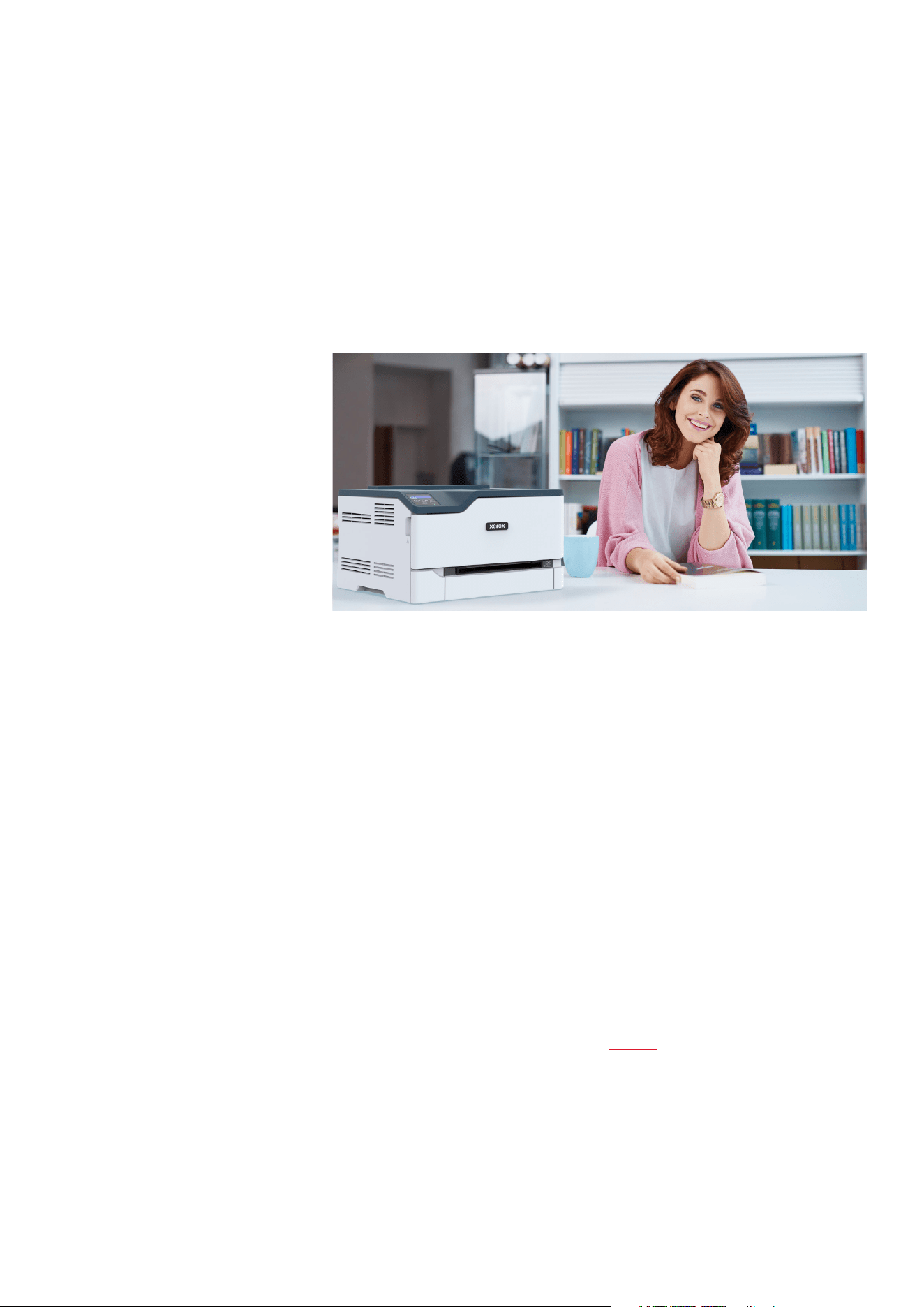
Perfect for small work teams, home
offices and tight spaces, the Xerox
®
C230
Colour Printer and C235 Colour
Multifunction Printer (MFP) deliver
unparalleled dependability, performance
and economy without the frustration of
long, complicated setup.
SETUP IS A SNAP
The Xerox
®
Easy Assist app simplifies
installation, monitoring and management
of your printer or multifunction printer
right from your mobile phone. It provides
easy access to self-support services and
real-time monitoring of printer
performance. And, Xerox
®
Smart Start
Software takes the guesswork out of
set-up by automating the installation of
the latest software for your printer or
multifunction printer on your computer –
all without IT support – allowing you to
be up and running quickly.
HELLO, COLOUR
Enhance your day-to-day communications
with vivid colour that makes data easier to
visualise, draws attention to key details
and adds more value.
QUIET, COMPACT WORKHORSE
Less space, less noise, and more
performance with high-resolution output
and fast print speeds that keep pace with
your workflow. Scanning functionality on
the C235 Colour MFP makes it quick and
easy to digitise your documents.
PRINT HOW YOU PLEASE
Built in Wi-Fi connectivity and mobile-
ready features like Apple AirPrint™,
Mopria
®
Print Service and Mopria
®
Scan,
and Wi-Fi Direct
®
give you the flexibility
to print wirelessly and securely from
mobile devices, laptops, Chromebooks
or desktops.
INTUITIVE INTELLIGENCE
Xerox
®
Print Drivers and the Xerox
®
Print &
Scan Experience App provide easy access
to the print and scan functionality of your
printer, right from your laptop or desktop.
Save time with one-touch convenience
that allows you to configure print settings
and set up common print jobs in a single
click. Similarly, complex scan tasks such as
auto-straighten, auto-cropping images
and receipt scanning have never been
simpler or faster.
SECURITY MADE SIMPLE
Comprehensive security features protect
against rising and increasingly
sophisticated cyber threats by
safeguarding access and protecting
sensitive data and documents.
MORE UPTIME, LOWER COSTS,
LESS WASTE
Designed to deliver day-in, day-out
dependability, the C230 Colour Printer
and C235 Colour Multifunction Printer
deliver economical running costs with the
choice of standard or high-yield toners.
Achieving EPEAT certification means
these products meet comprehensive
criteria for design, production, energy
use and recycling. And our Green World
Alliance programme offers hassle-free
toner cartridge recycling.
3
2
Xerox
®
C230 Colour Printer
Expand capabilities with the
Xerox
®
C235 Colour Multifunction Printer.
When you need to scan documents to share with colleagues, make copies or send a fax,
the C235 does it all. The all-in-one device delivers functionality beyond print – without
the extra expense or desk space of additional devices.
3
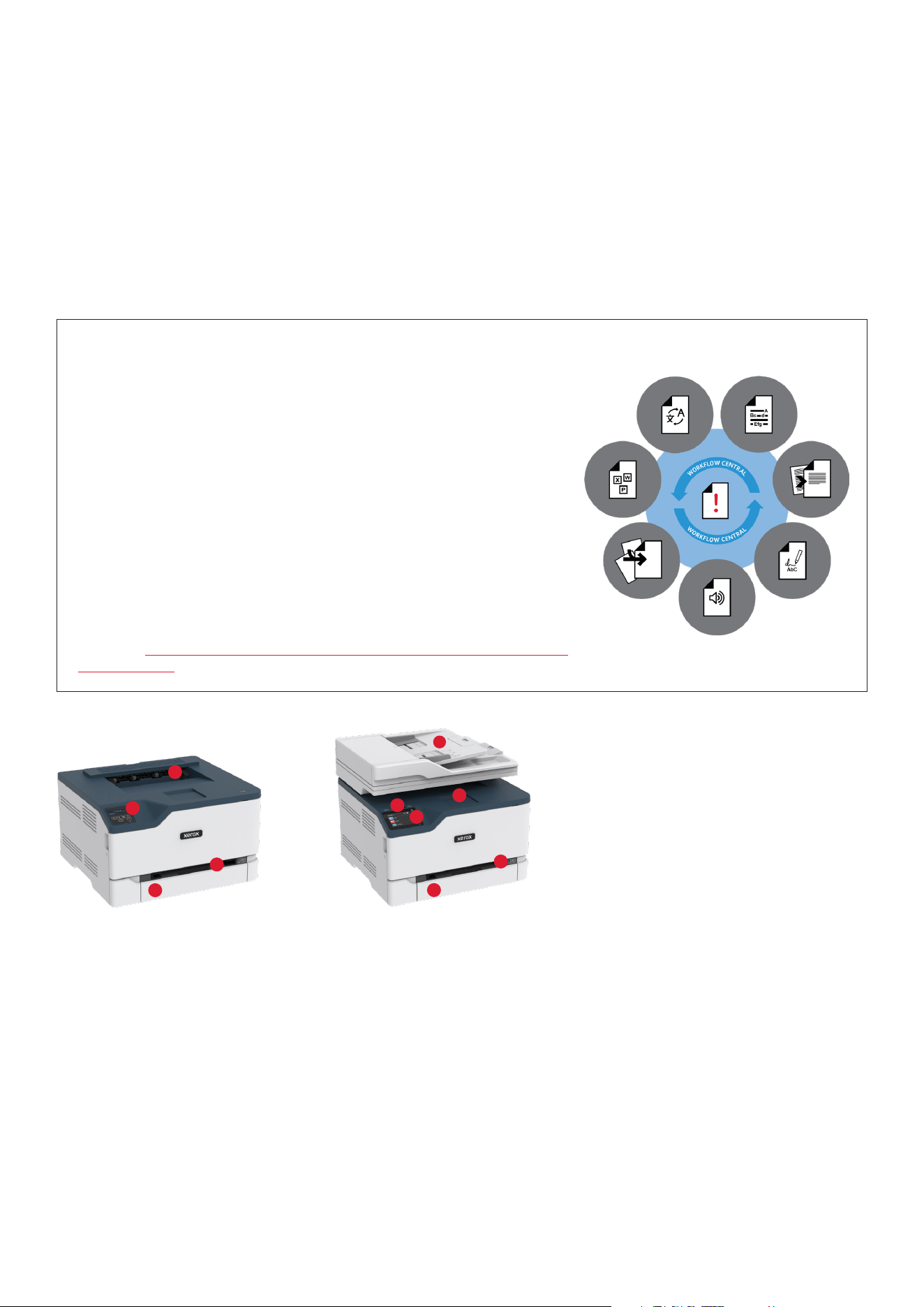
1 250-sheet paper tray
2 Manual Feed Slot
3 C235 2.8-inch colour touchscreen
interface; C230 2-line LCD interface
4 100-sheet output tray
5 50-sheet automatic
document feeder
6 Front-side USB port
2
3
4
1
Xerox
®
C235 Colour Multifunction Printer
1
2
3
4
5
6
C230 KEY HIGHLIGHTS
• 24 ppm colour/B&W
two-sided printing
• Compact footprint
• Built-in Wi-Fi connectivity
with Wi-Fi Direct
®
• Apple AirPrint™, Mopria
®
Print Service
and Mopria
®
Scan, and
Chromebook printing
C235 KEY HIGHLIGHTS
As C230 colour printer plus:
• Copy, scan and fax capabilities
• Automatic Document Feeder
and platen – up to 21 ipm
• Scan to email and desktop (via network and USB)
• Scan to and print from USB
• Simple user experience
• New capabilities with optional
Xerox
®
Workflow Central Platform
DO MORE WITH XEROX
®
WORKFLOW CENTRAL PLATFORM
Small and mighty, there’s little the Xerox
®
C235 Multifunction Printer can’t do. Print, copy,
scan and fax – of course.
But how about being able to:
• Convert your documents into other languages
• Change handwritten notes into shareable, editable documents
• Create audio files of your reports to listen to in the car
• Automatically redact content for confidentiality
• Convert scans into Microsoft Office formats
• Summarise long documents for quicker reading
Plus, access advanced capabilities such as combination workflows and seamless file
routing to cloud repositories.
Ready to find out what your new assistant can do? Learn more and see how to try it for
yourself at https://www.xerox.co.uk/en-gb/office/software-solutions/xerox-workflow-
central-platform.
© 2022 Xerox Corporation. All rights reserved. Xerox® and Green World Alliance® are trademarks of Xerox Corporation in the United States and/or other
countries. The information in this brochure is subject to change without notice. 05/22 TSK-2913 BR33003 C23BR-01EC
Learn more at www.xerox.co.uk.
Xerox
®
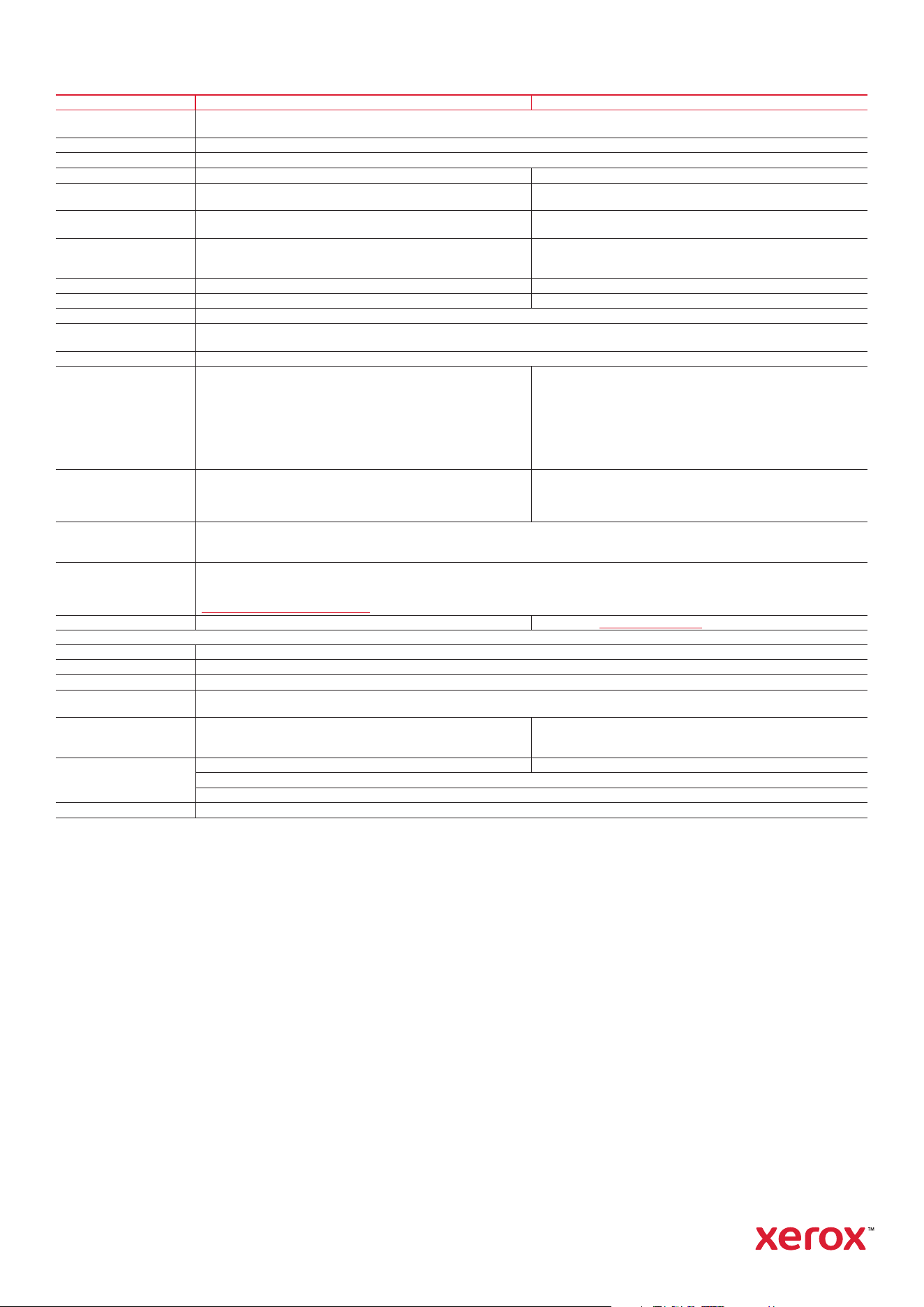
C230 Colour Printer and C235 Colour Multifunction Printer
DEVICE SPECIFICATIONS
XEROX
®
C230 XEROX
®
C235
Speed
1
Up to 24 colour/B&W ppm Letter
Up to 22 colour/B&W ppm A4
Duty Cycle
2
Up to 30,000 pages/month
Processor 1 GHz Dual Core
Memory 256 MB 512 MB
Connectivity Hi-Speed USB 2.0 (Type B), Ethernet 10/100 BaseTX,
Wireless 802.11 b/g/n
Hi-Speed USB 2.0 (Type B), Ethernet 10/100 BaseTX,
Wireless 802.11 b/g/n, Hi-Speed USB 2.0 (Type A - Thumbdrive)
Weights and
Dimensions (H x W x D) 243.7 x 411.2 x 394.1 mm/16.1 kg
344.4 x 411.2 x 394.1 mm/19.4 kg
Copy and Print Resolution Print Only:
600 x 600 dpi, 4800 Colour Quality
Copy and Print:
Copy 600 x 600 dpi
Print 600 x 600 dpi, 4800 Colour Quality
First-copy-out Time N/A As fast as 14 seconds colour/10.5 seconds B&W
First-print-out Time As fast as 11.4 seconds colour/11.0 seconds B&W As fast as 11.1 seconds colour/11.0 B&W
Page Description Languages PCL
®
5/6 Emulation, PostScript
®
3, Emulation, PCLm
Print Features One Touch UI, Normal, Secure, Saved and Sample Set Job Types, Duplex, Orientation, Collation, Print Job ID in Margins, Draft Mode, N-up, Booklet
Layout, Watermark, Tray and Toner Status, Rotate Image 180 degrees, Saved Settings, Earth Smart Settings
Mobile Printing Apple AirPrint™, Mopria
®
Print Service, Chromebook, Wi-Fi Direct
®
Scan N/A Flatbed Scanner with ADF
B&W and colour scanning up to 600 x 600 dpi
Scan Speed: B&W and Colour: 20 ipm A4
Scan Destinations: Email, front-side USB drive, FTP, Network or USB
connected computer, Windows Network folder
Scan File Formats: PDF (regular, secure, archival PDF/A), TIFF, JPEG
Scan Compressions: PDF 1/8/24 bit ZLIB (Flate), TIFF 1/8/24 bit
Packbits, LZW, JPEG, JPG 8/24 bit
Fax N/A Max 33.6 K bps, V.34 Half-Duplex Kbps
MH/MR/MMR/JBIG Compression Auto Answer, Auto Redial,
Auto Reduction, Broadcast Send, Junk Fax Filter, Fax Address Book, Fax
Forward includes: Fax, Email, FTP, Network Folder, Called Number
Security Digitally Signed Firmware Updates, Certificate Management, Secure Password Reset, TCP Connection Filtering, Port Filtering, Access Controls,
Confidential Print, Non-Volatile Memory Wipe, Fax/Network Separation, Protected USB Ports, Auto-insertion of Sender’s Email Address, Login
Restrictions, WPA3, TLS 1.3
Print Drivers Windows
®
8, 8.1 Update 1, 10, 11. Windows Server
®
2008 SP2 (32- and 64-bit), Windows Server 2008 R2 SP1, Windows Server 2012,
Windows Server 2012 R2, Windows Server 2019, macOS 10.15, 11, 12, Microsoft Universal Print
For more information about supported operating systems, please visit our Drivers & Downloads page and specify your device at
https://www.support.xerox.com/en-gb
Optional Cloud Services Do more with Xerox Workflow Central
MEDIA HANDLING
Main Tray Up to 250 sheets, 75 gsm; Letter/A4, A5, A6 and custom sizes: 100 x 148 mm to 216 x 340 mm
Manual Feed Slot 1 sheet of 75 gsm; A4/Letter, A5, A6, and custom sizes: 100 x 148 mm to 216 x 340 mm
Paper Output 100 sheets of 75 gsm paper, face down, automatic two-sided printing available
Media Types Plain Paper, Light Paper, Heavy Paper, Card Stock, Labels (Paper Labels), Envelope, Coloured Paper, Letterhead, Preprinted, Bond, Glossy,
Rough/Cotton, Recycled
Automatic Document Feeder
Media Handling
Up to 50 pages, 75 gsm
A6 to A4
(104.1 x 147.3 mm to 215.9 x 355.6 mm)
Media Weights ADF: 60 to 90 gsm
Main Tray 60 to 176 gsm
Manual Feed Slot 60 to 176 gsm
Device Management Xerox
®
Embedded Web Server, Xerox
®
CentreWare
®
Web Software, Email alerts, Apple Bonjour
®
, Xerox Easy Assist App
1
Declared print speed in accordance with ISO/IEC 24734.
2
Maximum volume capacity expected in any one month. Not expected to be sustained on a regular basis.
3
Not all countries support Green World Alliance. Please check local legislation.
Certifications
To view the latest list of certifications, go to xerox.com/officecertifications
Supplies
Standard-Capacity Toner Cartridge:
Genuine Xerox Black: 1,500 pages
4
006R04383
Genuine Xerox Cyan: 1,500 pages
4
006R04384
Genuine Xerox Magenta: 1,500 pages
4
006R04385
Genuine Xerox Yellow: 1,500 pages
4
006R04386
Waste Toner Bottle: 15,000 pages 008R13326
High-Capacity Toner Cartridge:
Genuine Xerox Black: 3,000 pages
4
006R04391
Genuine Xerox Cyan: 2,500 pages
4
006R04392
Genuine Xerox Magenta: 2,500 pages
4
006R04393
Genuine Xerox Yellow: 2,500 pages
4
006R04394
Warranty
1-year warranty (dependent on geographical location)
WHAT COMES IN THE BOX
• Xerox C235 Colour Multifunction Printer or C230 Colour Printer
• Pre-installed Starter Capacity CMYK Print Cartridges: 500 print capacity
4
• Software and Documentation CD (with User Manual, Quick Install Guide, Safety, Regulatory, Recycling
and Print Drivers, and Warranty Statement)
• Installation Guide Product Safety Sheet
• Quick Use Guide
• Power Cord
4
Average standard pages. Declared yield in accordance with ISO/IEC 19798. Yield will vary based on image, area coverage and print mode.