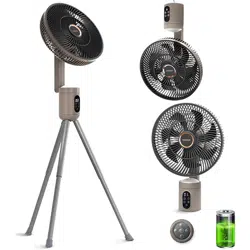
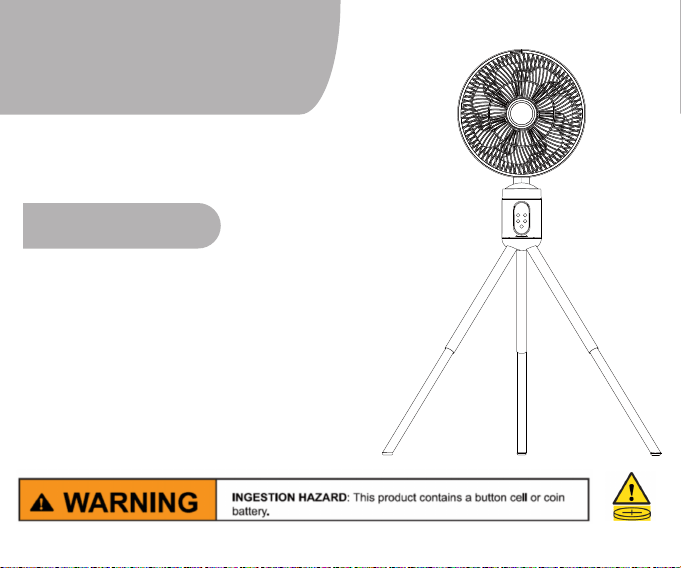
Cordless Fan
KC-FS-300
User Manual
Thanks for your purchase.
We provide a one-year warranty.
If there are any quality issues,
replacement or refund is available.
Please feel free to contact us via E-mail:
Contents
01
02-03
04-05
06
07
Placement& Installation
Components
Control Panel& Remote
Battery Charging
Cleaning and Maintenance
Thank you for purchasing our Air Circulator Fan KC-FS-300.
Please read this manual carefully before using
it and keep it for future reference.
All pictures shown are for illustration purposes only.
The actual products may vary due to product improvement.
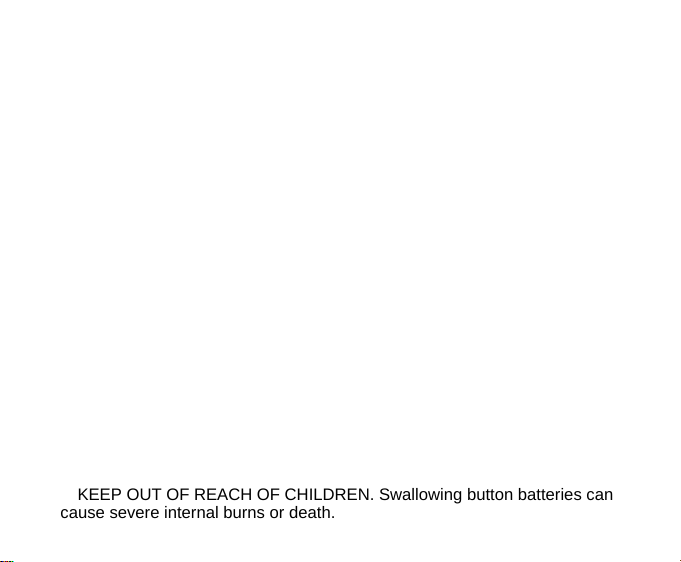
Battery Safety and Usage Warnings
Ⅰ. Battery Handling and Recycling
WARNING:
Remove and immediately recycle or dispose of unused batteries according to
local regulations and keep them away from children. Do NOT dispose of
batteries in household trash or incinerate.
• Remove and immediately recycle or dispose of batteries from equipment not
used for an extended period of time according to local regulations.
• Even used batteries may cause severe injury or death. Call a local poison
control center for treatment information.
Ⅱ. Battery Installation and Usage
Compatibility Information:
• Compatible battery type: CR2032
• Nominal voltage: 3V
Operating Guidelines:
• Ensure the batteries are installed correctly according to polarity (+ and -).
• Do not mix old and new batteries, different brands, or different types of
batteries (e.g., alkaline, carbon-zinc, or rechargeable batteries).
• Non-rechargeable batteries are not to be recharged.
• Do not force discharge, recharge, disassemble, heat above 140°F, or
incinerate. Doing so may result in injury due to venting, leakage, or explosion
causing chemical burns.
Ⅲ. Device Maintenance and Storage
• Always completely secure the battery compartment. If the compartment does
not close securely, stop using the product, remove the batteries immediately.
• KEEP OUT OF REACH OF CHILDREN. Swallowing button batteries can
cause severe internal burns or death.
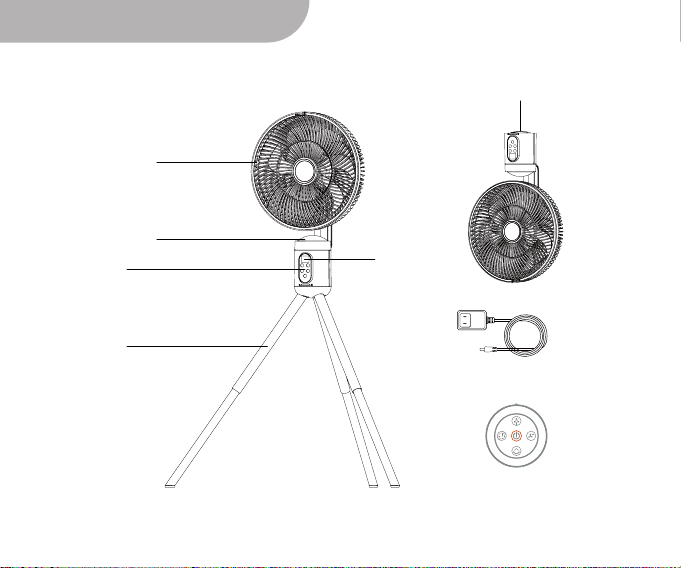
Components
Main Body
Display
Panel
Night Light
Belt
Remote
Power Cord
Tripod
01
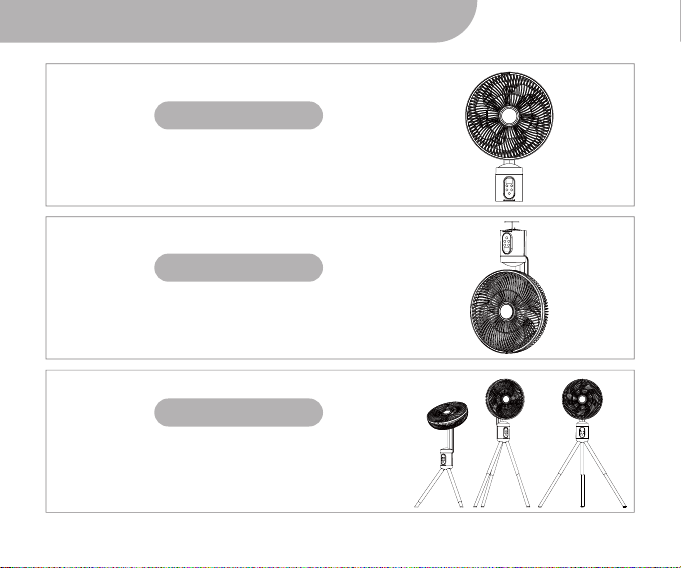
Placement& Installation
Desktop Mode
Place the fan on a table or desk like a traditional
desk fan.
Inverted Mode
Hang the fan from a suitable location to create an
overhead breeze.
Tripod Mode
Use the included tripod to convert the fan into
a pedestal fan, ideal for larger spaces.
*You can adjust the height and angle of the tripod as needed.
02
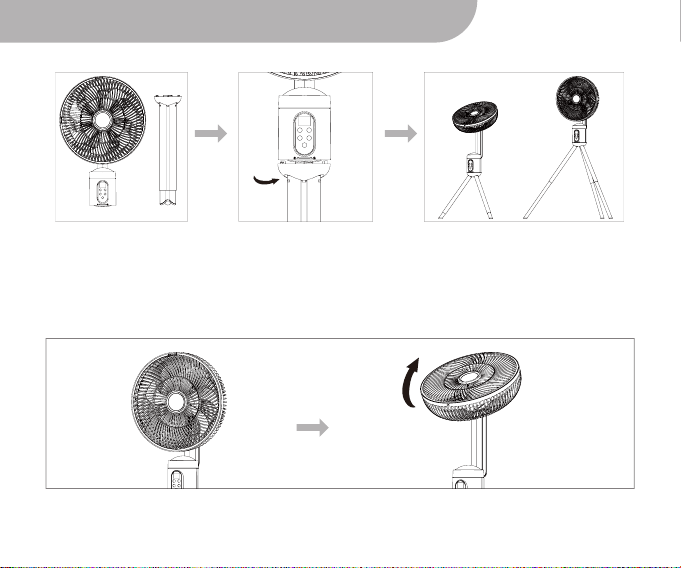
Placement& Installation
1.Connect the tripod to the main body of the fan by aligning the four clasps on the tripod
with the slots inside the main body. Turn the knob to secure the tripod to the main
body.
2.Adjust the angle and height of the tripod according to your specific usage scenario
after connecting the main body and tripod.
The fan's air direction can be manually adjusted up to 60° upwards for maximum air
circulation.
03
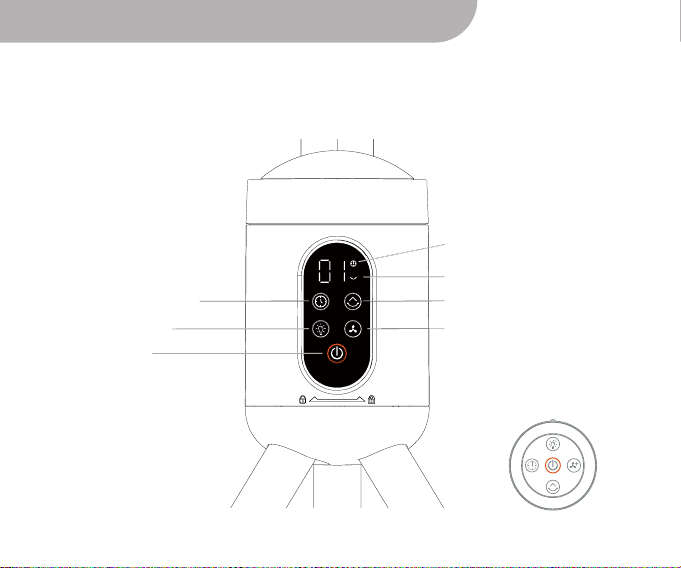
Control Panel& Remote
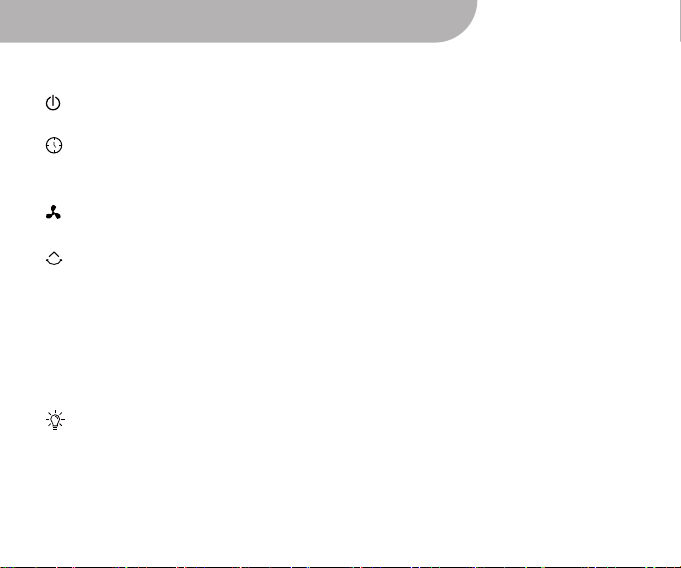
The control panel and remote allow you to operate the fan with ease.
Here is a breakdown of the various functions:
*The remote control functions identically to the control panel.
Timer Indicator
Timer Setting Button
Nightlight Button
Power Button
Oscillation Indicator
Oscillation Adjusting Button
Speed Adjusting Button
04
Control Panel& Remote
To turn on the fan, press the power button. The display will light up,
and the fan will start working.
Set the timer for 1-8 hours by pressing the timer button. Each touch
of the button increases the timer by 1 hour. The fan will automatically
shut off when the set time has elapsed.
Adjust the fan speed to your liking with 1-8 levels of intensity. Increase
the speed with each touch of the speed button.
To activate horizontal oscillation, press the oscillation button.
Touch once: Horizontal oscillation up to 150 degrees. The screen
will display "15" for 3 seconds, then switch to the current speed level.
Touch twice: Horizontal oscillation up to 120 degrees. The screen
will display "12" for 3 seconds, then switch to the current speed level.
Touch three times: Horizontal oscillation up to 90 degrees. The screen
will display "09" for 3 seconds, then switch to the current speed level.
Power:
Night Light:
Speed:
Oscillation:
Timer:
Touch four times: Turn off oscillation.
To activate the night light, press the night light button.
Touch once: Breathing light.
Touch twice: Steady light.
Touch three times: Turn off the light.
▪
▪
▪
▪
▪
▪
▪
05
Battery Charging
Low Battery Warning
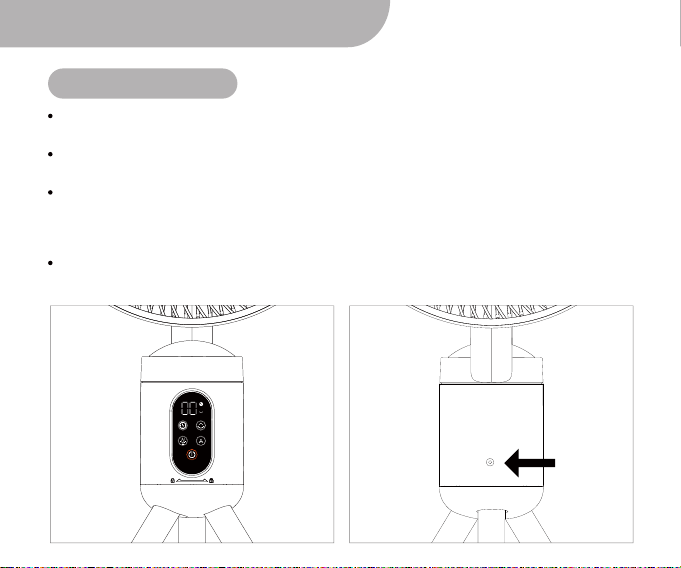
During cordless use, if the battery power becomes very low, the fan will stop working
and the screen will display "00". This indicates that it is time to recharge the fan.
Charging
port
To avoid damage to the battery, we recommend charging the fan as soon as possible
after seeing this message.
To charge the fan, connect the included power cord to the fan and to a power source.
The screen will light up, and a number from 00 to 99 will be displayed. This number
represents the remaining battery power. As the fan charges, the number will increase,
with 99 indicating a full charge.
Please note that it is recommended to charge the fan fully before the first use. This will
ensure optimal performance and battery life.
06
Cleaning and Maintenance
Regular cleaning is important to ensure the longevity of the fan. Follow these guidelines
for proper cleaning and maintenance:
1. Clean the fan regularly to prevent breakdown.
2. Do not clean the fan while it is charging. Make sure to unplug the adapter from the
socket before cleaning.
3. Avoid using chemical products to clean the fan, as they may cause discoloration,
deformation or damage to the fan.
4. Do not immerse the fan in water when cleaning to avoid electric shock.
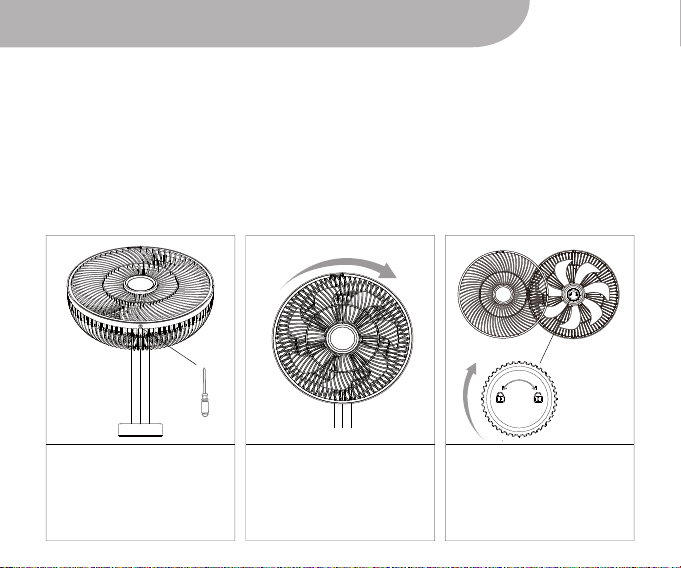
5. To remove the cover and blade for cleaning, follow these steps:
Use a screwdriver to
remove the screw at the
bottom of the fan cover.
Turn the cover in a
clockwise direction until
the unlock mark matches
the dot to remove the
cover.
Hold the blade and turn
the locknut clockwise to
remove it. Once the
locknut is removed, you
can clean the blade.
a b c
07