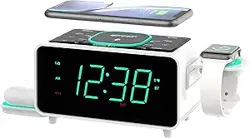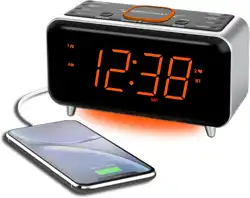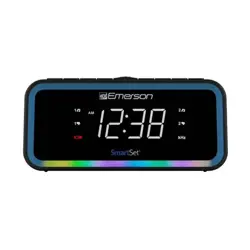
13) Referallservicingtoqualiedservicepersonnel.Servicingisrequiredwhenthe
unithasbeendamagedinanyway,suchaspower-supplycordorplugis
damaged,liquidhasbeenspilledorobjectshavefallenintotheunit,theunithas
beenexposedtorainormoisture,doesnotoperatenormally,orhasbeen
dropped.
14) Useonlywiththecart,stand,tripod,bracket,ortable
speciedbythemanufacturer,orsoldwiththeunit.Whena
cartisused,usecautionwhenmovingthecart/unit
combinationtoavoidinjuryfromtip-over.
15) Theunitshallnotbeexposedtodrippingorsplashingandno
objectslledwithliquids,suchasvases,shallbeplacedonunit.
16) Mainsplugisusedasdisconnectdeviceanditshouldremainreadilyoperable
duringintendeduse.Inordertodisconnecttheunitfromthemainscompletely,the
mainsplugshouldbedisconnectedfromthemainssocketoutletcompletely.
CAUTION:Dangerofexplosionifbatteryisincorrectlyreplaced.Replaceonlywiththe
sameorequivalenttype.
PRÉCAUTION: Dangerd’explosionsilespilessontremplacéesdefaconincorrect.
Remplacerlespilesseulementparlemémetypedepileou
léquivalent.
Les marquagessont inscritsen basde lappareil.Les précautionsdemploi sont
inscritesenbasdel'appareil.
Laprisedusecteurnedoit pasetreobstruéeoudoit etrefacilementaccessible
pendantson utilisationPourétre complètementdéconnectédelalimentationdentrée,
laprisedoittredébranchéedusecteur.
Lespilesnedoiventpasetreexposéesàdefortechaleurtelquálalumieredusoleilau
feuouautreschosesdesemblable.
Laprisedusecteurestutilisépourdéconnecterlesvstème.
Laprisedusecteurnedoitpasêtreobstrueeoudoitêtrefaciementaccessiblependant
sonutilisation.
Pour êtrecomplètement déconnectédel’alimentation dentréela prisedoit être
débranchéedusecteur.
L'adaptateurAC/ACdelappareilestutilisépourdéconnecterlesystème.
LadaptateurAC/AC delappareilne doitpasêtre obstruéou doitêtrefacilement
accessiblependantsonutilisation.
Pourêtrecomplètement déconnectéde’alimentationd’entréeadantateurAC/ACde
l’appareildoiêtredéconnectédusecteur.
*minimumdistances10cmaroundtheunitforsufcientventilations.
10cmdedistanceminimaleautourdelappareilpouruneventilationsufsante.
*theventilationshouldnotbeimpededbycoveringtheventilationopeningswithitems
suchasnewspapertablecloths,cutains,etc.
Nepas recouvrirlesentrées daérationsavecdes objetstelquunjournalune nappeun
rideau,etc...
*noopenamesourcessuchaslitcandlesshouldbeplacedontheunit.
Aucunesourcedeammenue,telqu'unebougie,nedoitêtreplacéesurlappareil.
*attentionshouldbedrawntotheenvironmentalaspectsofbatterydisposal.
Lespilesusagesdoiventêtrejetéesenrespectantl'environnement.
*theuseofunitintropicaland/ormoderateclimates.
Lutilisationdel'appareildansunclimattropicalet/oumodéré
ThankyouforpurchasingthisEmersonSmartSet
®
DualAlarmClockRadio.
ThisclockradiousesEmerson'spatentedSmartSet
®
AutomaticTimeSettingSystem.
The rst time you connect this clock radio to yourAC outlet, and after every power
interruption, within seconds the clock will automatically set itself to the correct Year,
Month,Date,Day,andTime.Inadditionall changes from Standard Timeto Daylight
SavingTime,andbacktoStandardTime,aremadeautomatically.
6 Operating Instructions
Setting The Time, The First Time
IMPORTANT:The rst time you connect your new SmartSet
®
clock radio to theAC
outletthe internal computer will automatically set the time correctly for the Eastern
TimeZone,whichistheinitialdefaultsetting.Thedisplaywillscanforafewseconds
andthenshowthecorrectDayandTimeintheEasternzone.IfyouliveintheEastern
Timezone,there'snothingelsetodo.Yourclockissetcorrectlyandrunning.
IfyoudonotliveintheEasternTimeZoneyoumustchangethedefaultzonedisplay
toyourownzone.
Thereare7timezonesprogrammedintoyourradioasfollows:
- ZONE1
AtlanticTime
- ZONE2 EasternTime(DefaultSetting)
- ZONE3 CentralTime
- ZONE4 MountainTime
- ZONE5 PacicTime
- ZONE6 YukonTime
- ZONE7 HawaiianTime
To change the default time zone display
1) PressandholdtheTIME ZONEbutton.untilthedisplay
'Flashes'thenumber"2"willappearonthedisplay
indicatingthatthedefaultzoneisZONE2,Eastern
Time.
2) ReleasetheTIME ZONEbuttonandthenrepeatedlypressthe Set-/Tune-Button
or Set+/Tune+Buttonuntilyourowntimezoneappearsonthedisplay.
The clock display will change to the correct time in the time zone you selected.
Theclockwillalwaysreturntothecorrecttimeinthezoneyouselectedafterevery
powerinterruption.Ifyoumovetoadifferenttimezone,simplychangethedefault
zonedisplaytothenewzoneandtheSmartSet
®
willrememberthatsettingforyou.
Note:TimezonesettingscanonlybeadjustedinStandbymode,wheretheAM/FM
Radioisdisabled.
Manually Setting the Year, Date, Time
Setting the Year
1) PressandholdtheCLOCK SETbuttonuntiltheYear'Flashes'.
2) Pressthe Set-/Tune-Buttonor Set+/Tune+Buttonto
adjusttheYear.
Setting the Date
3) PresstheCLOCK SETbuttonagain,theDate'Flashes'.
4) Pressthe Set-/Tune-Buttonor Set+/Tune+ButtontoadjusttheMonth.
5) Pressthe Up/Volume+Buttonor Down/Volume-Button
toadjusttheDate.
Forexample,July15thwillappearas'7.15'.
Setting the Time
6) PresstheCLOCK SETbuttonagain,theHour'Flashes'.
7) Pressthe Set-/Tune-Buttonor Set+/Tune+ButtontoadjusttheHour(where
AMindicator'On'isAM,'Off'isPM).
5 Location of Controls and Indicators
FrontPanel
TopPanel
1 WARNING
AVERTISSEMENT: AFIN DE PRÉVENIR TOUT RISQUE D’INCENDIE OU D’
ÉLECTROCUTION N’EXPOSEZ PAS CET APPAREIL Á LA PLUIE NI À L’HUMIDITÉ.
TOPREVENTFIREORSHOCKHAZARD,DONOTUSETHISPLUGWITH
ANEXTENSIONCORD,RECEPTACLEOROTHEROUTLETUNLESSTHE
BLADESCANBEFULLYINSERTEDTOPREVENTBLADEEXPOSURE.TO
PREVENTFIREORSHOCKHAZARD,DONOTEXPOSETHISAPPLIANCETORAIN
ORMOISTURE.
This is CLASS II unit with double insulation, and no protective earth
provided.
The Caution Marking and Rating plate are located at the bottom enclosure of the
unit.
Important Safety Instructions
1) Readtheseinstructions.
2) Keeptheseinstructions.
3) Heedallwarnings.
4) Followallinstructions.
5) Donotusethisunitnearwater.
6) Cleanonlywithdrycloth.
7) Donotblockanyventilationopenings.Installinaccordancewiththe
manufacturer'sinstructions.
8) Donotinstallnearanyheatsourcessuchasradiators,heatregisters,stoves,or
otherunit(includingampliers)thatproduceheat.
9) Donotdefeatthesafetypurposeofthepolarizedorgrounding-typeplug.A
polarizedplughastwobladeswithonewiderthantheother.Agroundingtype
plughastwobladesandathirdgroundingprong.Thewidebladeorthethird
prongisprovidedforyoursafety.Iftheprovidedplugdoesnottintoyouroutlet,
consultanelectricianforreplacementoftheobsoleteoutlet.
10) Protectthepowercordfrombeingwalkedonorpinchedparticularlyatplugs,
conveniencereceptacles,andthepointwheretheyexitfromtheunit.
11) Onlyuseattachments/accessoriesspeciedbythemanufacturer.
12) Unplugthisunitduringlightningstormsorwhenunusedforlongperiodsoftime.
SmartSet
®
Clock Radio
With Auto-Time Setting System,
Dual Alarm Clock,
PLL AM/FM Radio
4-Level Dimmer
Multi-Color LED Decor
(U.S. Patent No.6,567,344)
OWNER'S MANUAL
CKS1401
Visitourwebsiteatwww.emersonradio.com
ToobtainamanualinSpanish,pleasedownloaditfromourwebsite:
Paraobtenerunmanualenespañol,descárguelodenuestrositioweb:
https://www.emersonradio.com/documents/
Therearedualalarmsthatcanbesetandusedindependently,andbothofthealarms
canbeprogrammedforeverydayoperation,weekdaysonly,orweekendsonly.
Thereisalonglifelithiumbatteryinstalledinthisclockradiowhenyoubuyit.
Thisbatterycanmaintainthetimeandalarmsettingsfor3to5years,orevenlonger.
Wehavetakeneveryprecautiontomakesurethisradiowasinperfectworkingorder
when it left our factory. If you encounter any problems with the set up or operation
ofthisitem,pleasecalltheEmersonConsumerProductsCorp.,Customer Service
Hotline,tollfree,at1-800-898-9020.
2 Important Notes
- Avoidinstallingthisunitinplacesexposedtodirectsunlightorclosetoheat
radiatingappliancessuchaselectricheaters,ontopofotherstereoequipmentthat
radiatestoomuchheat,placeslackingventilationordustyareas,placessubjectto
constantvibrationand/orhumidormoistareas.
- Operatecontrolsandswitchesasdescribedinthemanual.
- Beforeturningonthepower,makecertainthattheAC/DCadapterisproperly
installed.
- Whenmovingtheset,besuretorstdisconnecttheAC/DCadapter.
FCC Information
Thisequipmenthasbeentestedand found to comply with the limits foraClassB
digitaldevice,pursuanttoPart 15 of the FCCRules.These limits are designed to
providereasonableprotectionagainstharmfulinterferenceinaresidentialinstallation.
This equipment generates, uses, and can radiate radio frequency energy and, if not
installedandusedinaccordancewiththeinstructions,maycauseharmfulinterference
toradiocommunications.However, there is no guaranteethatinterferencewill not
occurin aparticularinstallation.Ifthis equipmentdoescauseharmfulinterference to
radio or television reception, which can be determined by turning the equipment off
andon,theuserisencouragedtotrytocorrecttheinterferencebyoneormoreofthe
followingmeasures:
- Reorientorrelocatethereceivingantenna.
- Increasetheseparationbetweentheequipmentandreceiver.
- Connecttheequipmentintoanoutletonacircuitdifferentfromthattowhichthe
receiverisconnected.
- Consultthedealeroranexperiencedradio/TVtechnicianforhelp.Thisdevice
complieswithPart15oftheFCCRules.Operationissubjecttothefollowingtwo
conditions:
(1)Thisdevicemaynotcauseharmfulinterference,and
(2)Thisdevicemustacceptanyinterferencereceived,includinginterferencethat
maycauseundesiredoperation.
Changesormodificationsnotexpresslyapprovedbythepartyresponsiblefor
compliancecouldvoidtheuser'sauthoritytooperatetheequipment.
3 Preparation for Use
Unpacking And Set Up
- Removetheradiofromthecartonandremoveallpackingmaterialfromtheradio.
We suggest that you save the packing material, if possible, in the unlikely
event that your radio ever needs to be returned for service. The original
carton and packing material is the only safe way to pack your radio to protect
it from damage in transit.
- Removeanydescriptivelabels,stickersorprotectivelmsonthefrontortop
of the cabinet, if any.Donotremoveanylabelsorstickersfromthebackor
bottomofthecabinet.
- Notetheserialnumberonthebottomofyourradioandwritethisnumberinthe
spaceprovidedontheWarrantypageofthismanual.
- Placeyourradioonalevelsurfacesuchasatable,deskorshelf,convenientto
anACoutlet,outofdirectsunlight,andawayfromsourcesofexcessheat,dirt,
dust,moisture,humidity,orvibration.
- UnwindandextendfullytheFMantennawirelocatedattheback(ANT),andorient
itforbetterFMreception..
Protect Your Furniture
Thismodelisequippedwithnon-skidrubber'feet'topreventtheproductfrommoving
whenyouoperate thecontrols. These'feet'aremadefromnon-migratingrubber
material specially formulated to avoid leaving any marks or stains on your furniture.
Howevercertaintypesofoilbasedfurniturepolishes,woodpreservatives,orcleaning
spraysmaycausetherubber'feet'tosoften,andleavemarksorarubberresidueon
the furniture.To prevent any damage to your furniture we strongly recommend that
you purchase small self-adhesive felt pads, available at hardware stores and home
improvement centers everywhere, and apply these pads to the bottom of the rubber
'feet'beforeyouplacetheproductonnewoodenfurniture.
Power Source
Thisradioisdesignedtooperateonnormal120V60HzACpoweronly.Donotattempt
tooperatetheradioonanyotherpowersource.Youcouldcausedamagetotheradio
thatisnotcoveredbyyourwarranty.
ThisradioshouldbeconnectedtoanACoutletthatisalways'live'.Donotconnectitto
anoutletthatiscontrolledbyawallswitch.Whenthepowertotheradioisinterrupted,
thebuiltin lithiumbattery takesover tomaintainthetimeandalarmsettings.To
maximizethelifeofthelithiumbatterykeeptheradioconnectedtoa'live'ACoutletat
alltimes.
4 Package Contents
CKS1401ClockRadio Owner'sManual
RISK OF ELECTRIC SHOCK
DO NOT OPEN
CAUTION
RISQUE D' ÉLECTROCUTION
NE PAS OUVRIR
ATTENTION
WARNING:SHOCKHAZARD-DONOTOPEN
AVIS:RISQUE DE CHOCELECTRIQUE-NE PAS OUVRIR
WARNING:TOREDUCETHERISKOF
ELECTRICSHOOKDONOTREMOVE
COVER(ORBACK).NOUSERSERVICEABLE
PARTSINSIDEREFERSERVICINGTO
QUALIFIEDSERVICEPERSONNEL.
AVIS:RISQUE DE CHOC ELECTRIQUE-NE
PAS OUVRIR
Thelightningflashwith
arrow-headsymbol,within
an equilateral triangle is
intendedtoalert theuserto
thepresenceofuninsulated
'dangerousvoltage'withinthe
product's enclosure that may
be of sufcient magnitudeto
constituteariskofelectric
shocktopersons.
Theexclamationpoint
withinan equilateral triangle
isintendedtoalertthe
usertothepresenceof
importantoperatingand
maintenance(servicing)
instructionsin theliterature
accompanyingtheappliance.
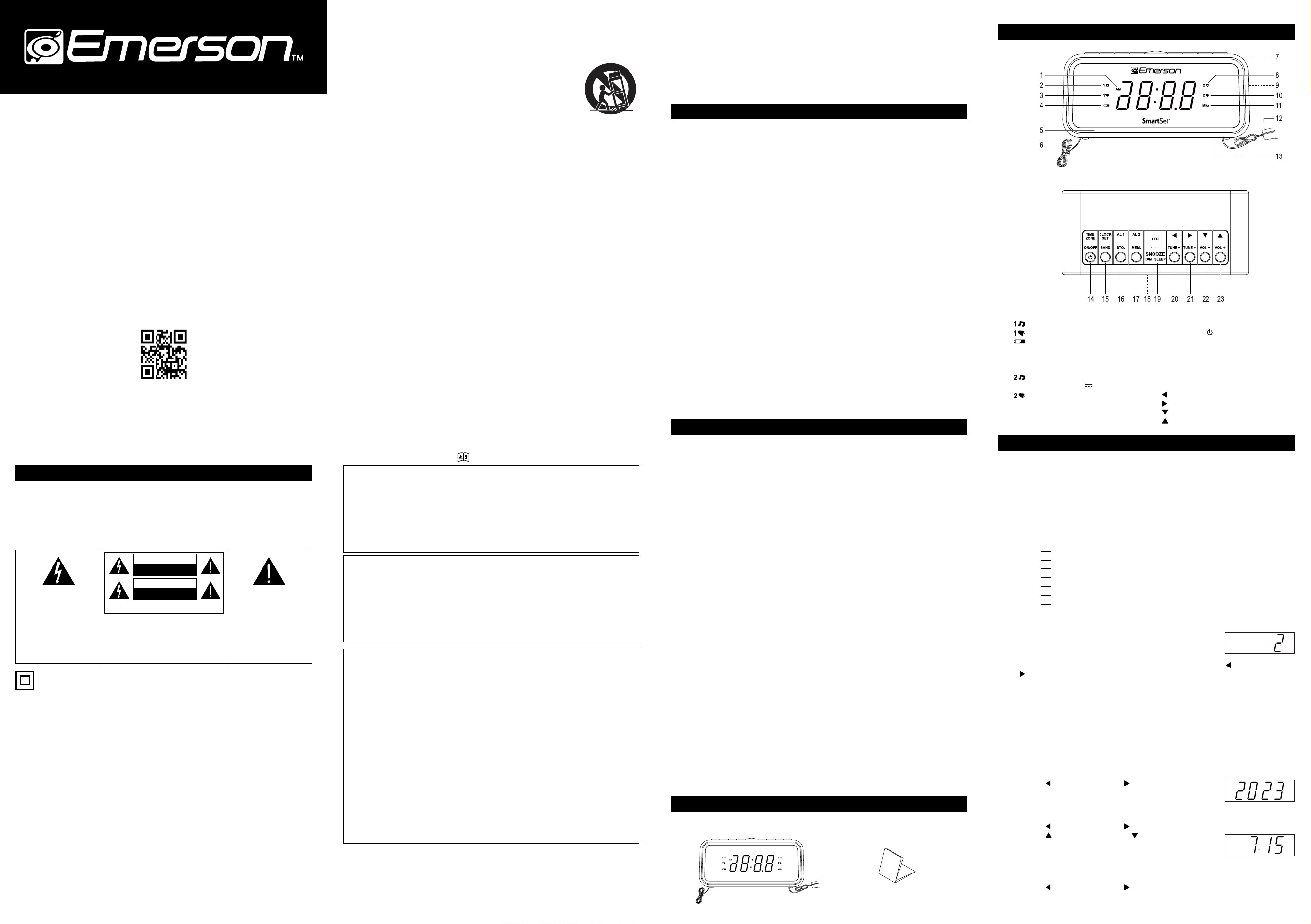
1) AMIndicator('On'=AM,'Off'=PM)
2)
(Alarm1'Radio')Indicator
3) (Alarm1'Buzzer')Indicator
4)
LOWBATT.Indicator
5) LEDDecorLights
6) AntennaWire(BackCabinet)
7) Speaker(BackCabinet)
8) (Alarm2'Radio')Indicator
9) USBOutputPort5V
1A
10)
(Alarm2'Buzzer')Indicator
11) MHzIndicator('On'=FMRadio,
'Off'=AMRadio)
12) AC/DCadapter(BackCabinet)
13) BackUpBatteryCompartment
(BottomCabinet)
14) TIME ZONE/
ON/OFFButton
15) CLOCK SET/BANDSelectButton
16) AL 1Setting/STO.(Store)Button
17) AL 2Setting/MEM.(Memory)Button
18) DisplayLens(FrontCabinet)
19) SNOOZE/DIM(Dimmer)/SLEEP/
LEDDecorButton
20)
Set-/Tune-Button
21) Set+/Tune+Button
22)
Down/Volume-Button
23)
Up/Volume+Button
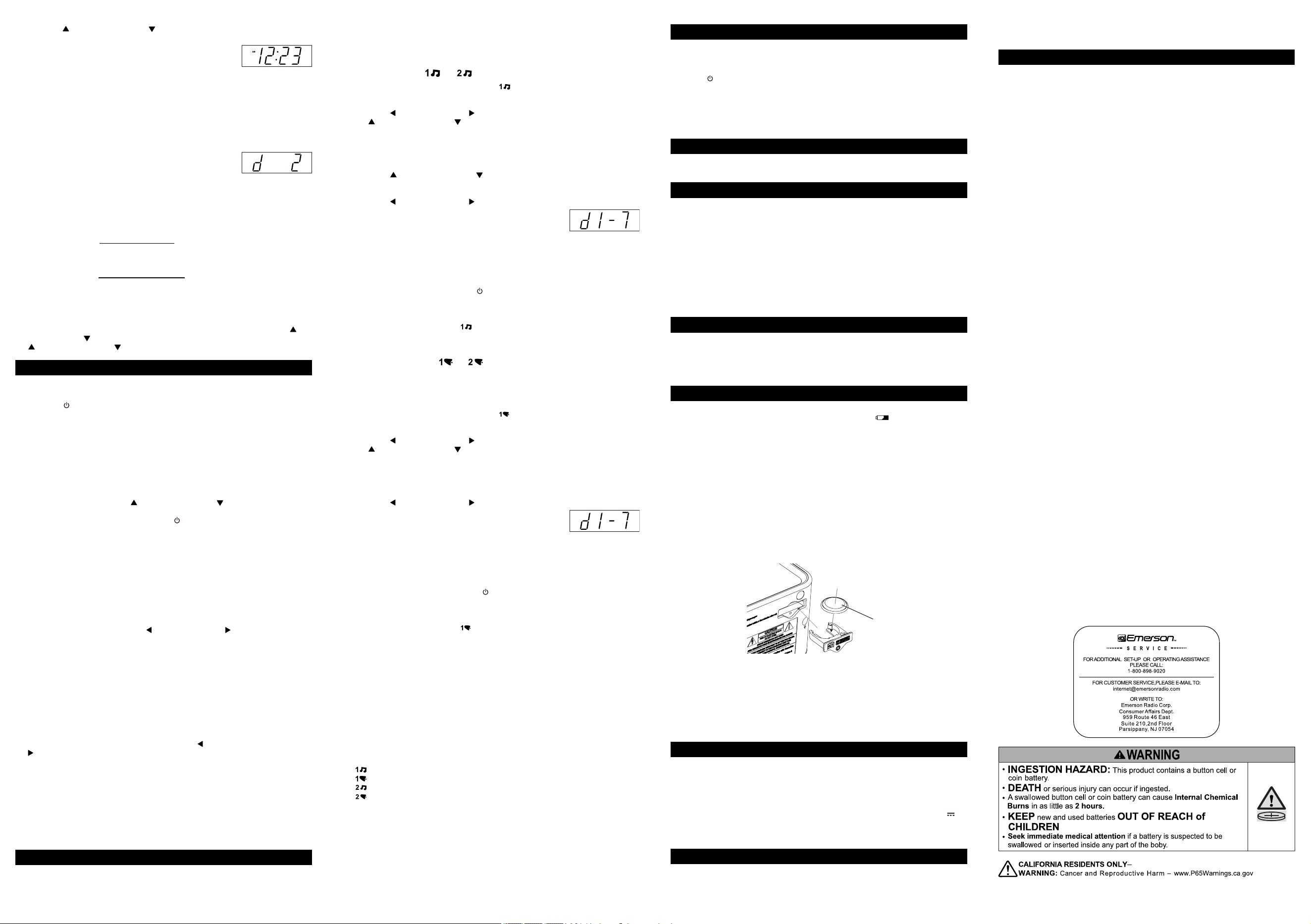
WARNING
WARNING
Donotingestthebattery,ChemicalBurnHazard.
Thisproductcontainsacoin/buttoncellbattery.
Ifthecoin/buttonisswallowed,itcancausesevereinternalburnsinjust2hoursand
canleadtodeath.
Keepnewandusedbatteriesawayfromchildren.
Ifthebatterycompartmentdoesnotclosesecurely,stopusingtheproductandkeep
itawayfromchildren.
Ifyouthinkbatteriesmighthavebeenswallowedorplacedinsideanypartofthe
body,seekimmediatemedicalattention.
AVERTISSEMENT
Nepasingérerlapile,Dangerdebrülurechimique.
Ceproduitcontientunepilebouton.Silapileboutonestavalée,ellepeutprovoquer
degravesbrüluresinternesen2heuresseulementetpeutentrainerlamort.
Conserverlespilesneuvesetuséeshorsdeportéedesenfants.
Silecompartimentpilenesefermepascorrectement,cesserd'utiliserleproduitet
tenirhorsdeportéedesenfants.
Encasdedouteconcernantlefaitquelespilespourraientavoirétéavaléesou
introduitesdansunepartiequelconqueducorps,consulterimmédiatementun
médecin.
WARNING
a) Removeandimmediatelyrecycleordisposeofusedbatteriesaccordingto
localregulationsandkeepawayfromchildren.DoNOTdisposeofbatteries
inhouseholdtrashorincinerate.
b) Evenusedbatteriesmaycausesevereinjuryordeath.
c) Callalocalpoisoncontrolcenterfortreatmentinformation.
d) Compatiblebatterytype:CR2032
e) Nominalbatteryvoltage:3.0V
f) Non-rechargeablebatteriesarenottoberecharged.
g) Donotforcedischarge,recharge,disassemble,heatabove(manufacturer's
speciedtemperaturerating)orincinerate.Doingsomayresultininjurydue
toventing,leakageorexplosionresultinginchemicalburns.
h) Ensurethebatteriesareinstalledcorrectlyaccordingtopolarity(+and-).
i) Donotmixoldandnewbatteries,differentbrandsortypesofbatteries,
suchasalkaline,carbon-zinc,orrechargeablebatteries.
j) Removeandimmediatelyrecycleordisposeofbatteriesfromequipment
notusedforanextendedperiodoftimeaccordingtolocalregulations.
k) Alwayscompletelysecurethebatterycompartment.Ifthebattery
compartmentdoesnotclosesecurely,stopusingtheproduct,removethe
batteries,andkeepthemawayfromchildren.
IMPORTANT:
- Ensurethatyouhavesettheclockcorrectly.(See"ManuallySettingtheYear,Date,
Time".)
- AlarmsettingscanonlybeadjustedinStandbymode.
Wake to Radio ( or )
1) PresstheAL 1buttonrepeatedlyuntilthe
indicatorlightonthedisplay.
2) PressandholdtheAL 1buttonuntilthedisplayblinksthewakeuptimeonthe
display.
3) Pressthe Set-/Tune-Buttonor Set+/Tune+ButtontoadjustHour,andpress
the Up/Volume+Buttonor Down/Volume-ButtontoadjustMinutes.
Note: BesurethatyouhavesetthewakeuptimecorrectlybyobservingtheAM
indicator.
- IftheAMindicatoris'On'thewakeuptimeis"AM".
- IftheAMindicatoris'Off',thewakeuptimeis"PM".
4) PresstheAL 1button,thealarmvolumewillblink.
5) Pressthe Up/Volume+Buttonor Down/Volume-Buttontoadjustalarmvolume
(V01~V16)thatwillcomeonatwake-uptime.
6) PresstheAL 1button,thealarmweekmodewillblink.
7) Pressthe Set-/Tune-Buttonor Set+/Tune+Buttontoselectalarmweekmode.
• d1-7:Everyday-thealarmwillturnonall7days.
• d1-5:Weekdaysonly-thealarmwillonlyturnonMondaythroughFriday;
• d6-7:Weekendsonly-thealarmwillonlyturnonSaturdayandSunday.
8) PresstheAL 1buttontosavethealarmsettings.
* AttheselectedwakeuptimetheradiowillturnONandhasitsradiovolume
graduallyreachesitspresetlevel.ItwillplayforonehourandthenshutOFF
automatically.
* Tostoptheradiosooner,pressthe
ON/OFFbutton.Theradiowillstopbutthe
alarmremainssetandwillturntheradioONagainatthesametimeonthe
followingday(dependingontheAlarmWeekModesetting).
* IfyoudonotwantthealarmtoturntheradioONthefollowingday,repeatedly
presstheAL 1buttonuntilthe
indicatorlightisOFF.
Note:
Followthesameproceduretosettheradiotowake-upforalarm2ifnecessary.
Wake to BUZZER (
or )
Note:Alarm1andAlarm2havedifferentbuzzersounds.
* Alarm1isa"Singlebeep"sound.
* Alarm2isa"Doublebeep"sound.
Youwillbeabletotellwhichalarmisgoingoffbythesoundthatitmakes.
1) PresstheAL 1buttonrepeatedlyuntilthe
indicatorlightonthedisplay.
2) PressandholdtheAL 1buttonuntilthedisplayblinksthewakeuptimeonthe
display.
3) Pressthe Set-/Tune-Buttonor Set+/Tune+ButtontoadjustHour,andpress
the Up/Volume+Buttonor Down/Volume-ButtontoadjustMinutes.
Note:BesurethatyouhavesetthewakeuptimecorrectlybyobservingtheAM
indicator.
- IftheAMindicatoris'On'thewakeuptimeis"AM".
- IftheAMindicatoris'Off',thewakeuptimeis"PM".
4) PresstheAL 1button,thealarmweekmodewillblink.
5) Pressthe Set-/Tune-Buttonor Set+/Tune+Buttontoselectalarmweekmode.
• d1-7:Everyday-thealarmwillturnonall7days.
• d1-5:Weekdaysonly-thealarmwillonlyturnonMondaythroughFriday;
• d6-7:Weekendsonly-thealarmwillonlyturnonSaturdayandSunday.
6) PresstheAL 1buttontosavethealarmsettings.
* Attheselectedwakeuptimethebuzzerwillsound.Itwillcontinueforonehourand
thenshutoffautomatically.
Note:Wake-to-buzzeralarmvolumeisxed,cannotbeadjusted.
* Tostopthebuzzersooner,pressthe
ON/OFFbutton.Thebuzzerwillstopbutthe
alarmremainssetandwillturnthebuzzeronagainatthesametimeonthe
followingday.
* IfyoudonotwantthealarmtoturntheradioONthefollowingday,repeatedly
presstheAL 1buttonuntilthe
indicatorlightisOFF.
Note:
Followthesameproceduretosetthebuzzertowake-upforalarm2ifnecessary.
Snooze/Repeat Alarm
WhenthealarmcomesON,presstheSNOOZEbutton,thealarmisstoppedanditwill
comeONrepeatedlyafter9minutes,thecorrespondingALARMindicatorwillblink.
TheSnoozeoperationmayberepeatedseveraltimesifdesiredbutafteronehourthe
alarmwillnotcomeonagain.
Radio and Buzzer Operation
YoumayalsosetonealarmforwaketoRADIOandtheotherforwaketoBUZZER.
Afterconrmingthe alarm information, repeatedly press the corresponding AL 1 or
AL 2buttonstoset the buzzer or radiotowake-upforalarm,the alarm indicators
correspondingdisplayonthedisplay.
- :Alarm1'Radio'Indicator
- :Alarm1'Buzzer'Indicator
- :Alarm2'Radio'Indicator
- :Alarm2'Buzzer'Indicator
Note:Ifalarmisdeactivate,theindicatorlightsarealloff.
View The Wake-up Times and Alarm Week Mode
1) WheneveryouwanttocheckthewakeuptimeortheAlarmWeekModesettings,
simplypressandholdeithertheAL 1settingbutton,untilthedisplay'Flashes'the
wakeuptimeonthedisplay.
2) PresstheAL 1settingbutton,thedisplay'Flashes'theDAYOFWEEKIndicators
onthedisplay.
3) PresstheAL 1settingbuttonagaintoreturntocorrecttime.
Note: FollowthesameproceduretocheckingtheWakeUpTimesandAlarmWeek
ModeforAlarm2ifnecessary.
9 Sleep to Music Timer
You can setthesleeptimer to play theradioforupto 90 minutes andthenshutOff
automatically.
Activate the sleep timer
Pressthe
ON/OFFbuttontoturnontheunitrst,thenrepeatedlypresstheSLEEP
buttontoselect a set periodoftime(in minutes: 10,20,......80, 90), restoretime
displayinafewseconds.
To deactivate sleep timer
RepeatedlypresstheSLEEPbuttonuntil"OFF"isdisplayed,restoretimedisplayina
fewseconds.
10 4-Level Dimmer Control
Todimorbrightenthedisplay,repeatedlypresstheDIMbuttonwhileinStandbymode
toselectanyofthefourlevels.
11 Multi-Color LED Decor
Press and hold the LED button for about two seconds to turn the LED décor on/off
whenneeded.
PleasenotethatthecolorofLEDdécorcanonlybechangedwithin the rst three
secondsafterLEDdécorturnedon:
· PresstheLEDbuttonrepeatedlytochangethecolorofLEDdécorinfollowing
cyclingmanner:
Multi-color, Red, Orange, Yellow, Green, Cyan, Blue, Purple and Auto-
changing color.
Note: IfthecolorcannotbechangedwithintherstthreesecondsafterLEDdécor
turnedon,youneedtoturnofftheLEDdécorandturnitbackonbypressing
andholdingtheLEDbuttonforabout2secondstorepeatthestepsabove.The
lastcolorsetbeforeLEDdécorturnedoffcanbeautomaticallyrestorednext
time.
12 USB-C Port for Charging
ThisclockradiohasaUSBportatthesideoftheright,whichcanprovideupto5V1A
tochargedeviceslikesmartphone,tabletetc.viaaUSBcable(notprovided).
Note: ElectricalenergydrawnfromtheUSBportmayvaryduetodifferentcharging
cablecondition,batterycharacteristicorpowermanagementsystemofyour
devicebeingcharged.
13 Battery Backup
IMPORTANT:
- Whenthebatterypowerdropsbelowacertainlevel,the
(lowbattery)indicator
will'Flash'topromptyoutochangethebatteryatyourearliestconvenience.
- When changing the lithium batteries, leave the AC/DC adapter connected to
your AC outlet.Thiswillprovidepowertotheinternalcomputermemorywhilethe
originallithiumbatteriesareremoved.
Changing The Lithium Battery
1. Loosenthescrewonthebatterycompartmentcoverwithascrewdriver.Pulloutthe
batterycompartmentwithyourngernails.
2. Replaceanewbattery(typeCR2032)correctlyandfullyinsertthebattery
compartmentbacktotheoriginalposition.Tightenthescrewwithascrewdriver.
Caution:
- Batteries(batterypackorbatteriesinstalled)shallnotbeexposedtoexcessive
heatsuchassunshine,reorthelike.
- Dangerofexplosionifbatteryisincorrectlyreplaced.Replaceonlywiththesame
equivalenttype.
- Batteriescontainchemicalsubstances,sotheyshouldbedisposedofproperly.
Restore Initial Default Setting
- IfthelithiumbatteryisexhaustedandyouexperienceaninterruptionintheAC
powersupply,theradiowillresetitselftoitsinitialdefaultsettingwhenthepoweris
restored.Theinitialdefaultsettingis"12:00AM,Sunday,January1st2023".
- PleasefollowtheinstructionsonpreviouspagetoinstallanewCR2032lithium
batteryinthebatterycompartment,andmanuallysettheclocktothecorrectyear,
dateandtime(observethe'AM'indicator).Afterresettingtheclock,pleasedonot
forgettoresetyourwakeuptimesandalarmmodesettingsaswell.
14Specications
Powersupply............................................................................................... 120V~60Hz
BatteryBackup..............................................................3V×1(CR2032lithiumbattery)
AMFrequencyRange............................................................................... 520-1710KHz
FMFrequencyRange................................................................................87.5-108MHz
OutputPower.......................................................... 0.5W×1(8
Ω
Speaker)@10%THD
Signaltonoiseratio...............................................................................................≥30dB
USBPortChargingOutput................................................................................ 5V
1A
Dimensions..........................................................................148(W)x70(H)x66(D)mm
Note:Designandspecicationsaresubjecttochangewithoutpriornotice.
15 Care and Maintenance
Care of Cabinets
Ifthecabinetbecomesdusty.wipeitwithasoftcloth.Ifthecabinetbecomessmudged
ordirty,cleanitwithasoft,slightlydampenedcloth.
Neverallowwateroranyliquidto getinsidethecabinetNeveruse anyabrasive
cleanersorcleaningpadsasthesewilldamagethenishofyourradio.
16 LIMITED WARRANTY
EmersonRadioCorp.warrants this product tobefreefrommanufacturing defects in
original material, including original parts, and workmanship under normal home use
and conditions (“manufacturing defect”) for a period of ninety (90) days from date of
original purchase in, and if used in the United States. Should service be necessary
under this warranty, Emerson will provide the following at our Return Repair Facility
providedthemanufacturingdefectisveriedalongwiththedateofpurchase:
* Repair service for ninety(90) days from date of original purchase at no charge
for labor and parts.
ToReceiveAuthorizationtoReturnaDefectiveItem,pleasecontactEmersoncustomer
Serviceat 1-800- 898-9020 or at http:/www.emersonradio.com/service/return-policy.
HaveyourModelnumber,SerialNumberanddatedProofofPurchasewithyouwhen
youcall.IntheeventtheproductmustbereturnedtoEmerson:
* Packtheunitinawell-paddedheavycorrugatedbox.Pleaseinsuretheitemiswell
paddedtoavoiddamagewhileintransitbacktoourfacility.
If the item incurs damage. it will NOT be replaced and the consumer will be
responsible for return freight costs to receive their same unit back.
* EncloseyourcheckormoneyorderpayabletoEmersonRadiointheamountof
$10tocoverreturnshippingandhandlingcosts.
* Encloseanotewithyourname,addressphonenumber,ReturnAuthorization
numberandbriefreasonforreturningtheunit.
* Encloseacopyofyourproofofpurchase(warrantyservicewillnotbeprovided
withoutdatedproofofpurchase).
* ShiptheunitprepaidviaUPSorparcelpost(SHIPINSUREDandobtainatracking
number).
NOTE: Thiswarrantydoesnotcover:
(a)Damagetoequipmentnotproperlyconnectedtotheproduct.
(b)CostincurredintheshippingoftheproducttoandfromEmerson’sReturnFacility.
(c) Damageorimproperoperationofunitcausedbycustomerabuse,misuse,
negligenceorfailuretofollowoperatinginstructions(includingcleaninginstructions
providedwiththeproduct.
(d)Ordinaryadjustmentstotheproductwhichcanbeperformedbycustomeras
outlinedintheowner'smanual.
(e)Signalreceptionproblemscausedbyexternalantennaorcablesystems.
(f) ProductsnotpurchasedintheUnitedStates.
(g)DamagetoproductifusedoutsidetheUnitedStates.
(h)Refurbishedunits.
THISWARRANTYISNON-TRANSFERABLEANDAPPLIESONLYTOTHEORIGINAL
PURCHASERAND DOES NOTEXTENDTO SUBSEQUENTOWNERSOFTHE
PRODUCT.ANYAPPLICABIEAMPHEDWARRANTES, INC UDNGTHEWARRANTY
OFMERCHANTABILITY,ARELIMITEDINDURATIONTOAPERIODOFTHE
EXPRESSEDWARRANTYASPROVIDEDHEREINBEGINNINGWITHTHE
DATEOFORIGINAL PURCHASEATRETAILANDNOWARRANTIES, WHETHER
EXPRESSEDORIMPLIED,SHALLAPPLYTOTHEPRODUCTTHEREAFTER.
EMERSON MAKESNOWARRANTYASTOTHEFITNESSOFTHEPRODUCT
FORANYPARTICULARPURPOSEOR USE.THEEXTENTOF EMERSONRADIO
CORP'SLIABILITYUNDERTHISLIMITEDWARRANTYISTHEREPAIROR
REPLACEMENTPROVIDEDABOVEAND,INNOEVENT,SHALLEMERSONRADIO
CORP'S LIABILITYEXCEEDTHEPURCHASEPRICE PAID BYTHEPURCHASER
OFTHEPRODUCT.UNDERNOCIRCUMSTANCESSHALLEMERSONRADIO
CORP. BE LIABLE FORANYLOSS,DIRECT,INDIRECT, INCIDENTAL,SPECIAL,
ORCONSEQUENTIALDAMAGEARISING OUT OFORINCONNECTIONWITH
THEUSEOFTHISPRODUCT.THISWARRANTYISVALID ONLYINTHEUNITED
STATESOFAMERICA.THIS WARRANTYGIVES YOU SPECIFIC LEGALRIGHTS.
HOWEVER,YOUMAYHAVEOTHERRIGHTSWHICHMAYVARYFROMSTATETO
STATE.SOMESTATESDONOTALLOWLIMITATIONSONIMPLIEDWARRANTIES
OREXCLUSIONOFCONSEQUENTIALDAMAGE,THEREFORETHESE
RESTRICTIONSMAYNOTAPPLYTOYOU.
10-90-1402A
TheSerial Numbercanbefoundonthebottom cabinet.Wesuggestthat yourecord
theSerialNumberofyourunitinthespacebelowforfuturereference.
ModelNumber:CKS1401
SerialNumber:__________________________________
Toregisteryourproductonlinepleasevisit
http://www.emersonradio.com/service/product-registration/
8) Pressthe Up/Volume+Buttonor Down/Volume-ButtontoadjusttheMinutes.
9) PresstheCLOCK SETbuttonagaintostoreallnewsettingsandrestoreittotime
displaymode.
Note:
- Year,DateandTimesettingscanonlybeadjustedinStandbymode,wherethe
AM/FMRadioisdisabled.
- Ifyoumanuallyadjustthetime,yournewsettingisenteredintotheSmartSet
®
memory.Ifthepowerisinterrupted,thedisplaywillreturntoyournewsetting,not
theoriginalsetting,whenthepowerisrestored.
View the Current Year, Date, Day of Week, Time Settings
RepeatedlypresstheCLOCK SETbuttontoviewthecycleofyear,date,dayofweek
andtime.
Torestoretimedisplaymode,leaveitidleforfewsecs.
Note: Fromd1,d2tod7standforfromMonday,Tuesdayto
Sundayseparately.
Daylight Saving and Leap Year Adjustments
AllDaylightSavingandLeapYearadjustmentsaremadeautomaticallybythe
SmartSet
®
Internalcomputerasfollows:
• StartofDaylightSavingTime:
At"2:00AM"onthe2ndSundayinMarch,theclockwillautomaticallyadvanceto
"3:00AM".
• EndofDaylightSavingTime:
At'3:00AM' onthe1stSunday inNovember,theclock willautomaticallyresetto
"2:00AM".
• LeapYear:
At"12:00Midnight"onFebruary28th,thecalendardisplaywillchangeto"2.29".
Turn Daylight Saving Function Off/On (in Standby Mode)
Ifyoudonotneedtoadjust DaylightSaving,youcanpress andholdthe Up/
Volume+ Buttonor Down/Volume- Buttonuntilthe"ON" is display,andthenpress
the Up/Volume+Buttonor Down/Volume-Buttontosetitto"OFF".
7 Listening to The Radio
Tuning in to a Station
1) Pressthe
ON/OFFbuttontoturntheradio‘On’.
ThefrequencyofthetuningFrequencywillshowforafewsecondsonthedisplay.
2) RepeatedlypresstheBANDbuttontosettheAMorFMband.
3) TunetothedesiredstationbytheTUNINGcontrolasdescribed.
- ManualTuning
PresstheTUNE- or TUNE+buttons,thereceivingfrequency willincreaseor
decreasebyonestep.
- AutoTuning
Press and hold the TUNE- or TUNE+ buttons for one second then releaseAuto
StationSeekingwillbeengaged,thereceivingfrequencywillincreaseordecrease
automaticallyuntilastationwithacceptablereceptionisfound.
4) SettheVOLUMEbypressing
Up/Volume+Buttonor Down/Volume-Buttonto
adesiredlevel.
5) Whenyouarenishedlistening,pressthe
ON/OFFbuttontoturntheradio'Off’.
Storing and Recalling Radio Station Memory
Whenyouhaveafewfavoriteradiostationstolistentoyoumayliketosavethem,and
pickoneoutoftheminafewsecondswithoutneedingtosearchiteachtime.
Ourdigitaltuningtechnologyallowsyoutodothiseasilybyfollowingthestepsbelow:
Storing to the Memory
1) MakesuretheradioisONandtheAMorFMbandisselected.
2) TunetothedesiredstationbytheTUNINGcontrolasdescribed.
3) PressandholdtheSTO.button,"PXX"blinksindicatingthememorylocationto
storethecurrentlisteningstation.
4) While"PXX"isblinking.pressthe Set-/Tune-Buttonor Set+/Tune+Buttoncan
changethememorylocationfrom1through20.
For e.g."P 03" means the current listening station is about to stored into the 3rd
locationofthememory.
5) Afterdecidingthememorylocation,presstheSTO.buttonagainthecurrent
listeningstationisstored.
6) Thedisplaywillturntothefrequencyofthestationsafterwards.andafterafew
seconds,thecorrecttimeshows.
Recalling Station from the Memory
1) MakesuretheradioisONandtheAMorFMbandisselected.
2) PresstheMEM.button,"PXX"showsonthedisplay,andthestationaccordingto
thememorylocationistuned.
3) While"PXX"isshowingonthedisplay,pressthe Set-/Tune-Buttonor
Set+/Tune+Buttoncanchangethememorylocationfrom1through20,andthe
stationstoredinthelocationistunedoncethelocationischangedto.
4) Thedisplaywillturntothefrequencyofthestationsafterwards,andafterafew
secondsthecorrecttimeshows.
Antenna Information
AM-TheAMbarantennaisinsidethecabinet.IfAMreceptionisweak,changethe
positionofcabinetuntiltheinternalantennapicksupthestrongestsignal.
FM-TheFMantennaisalongwirelocatedattheback.Extendthisantennawirefully
andorientitforbetterFMreception.
8 Setting the Alarm Timer
YourSmartSet
®
clockradiohastwoseparatealarmsthat can besetandused
independently.Youmayusethealarmstowaketwopeopleatdifferenttimes,or you
mayuse onealarm for weekdaysandtheotherforweekendwake uptimes.The
procedureforadjustingthewakeuptimesisthesameforbothAlarm1andAlarm2.
NEGA
TIVE (-)
EmersonPartNo.
CKS1401-20240112-00 PrintedinChina