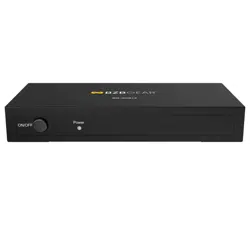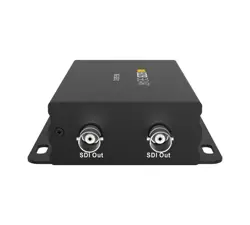
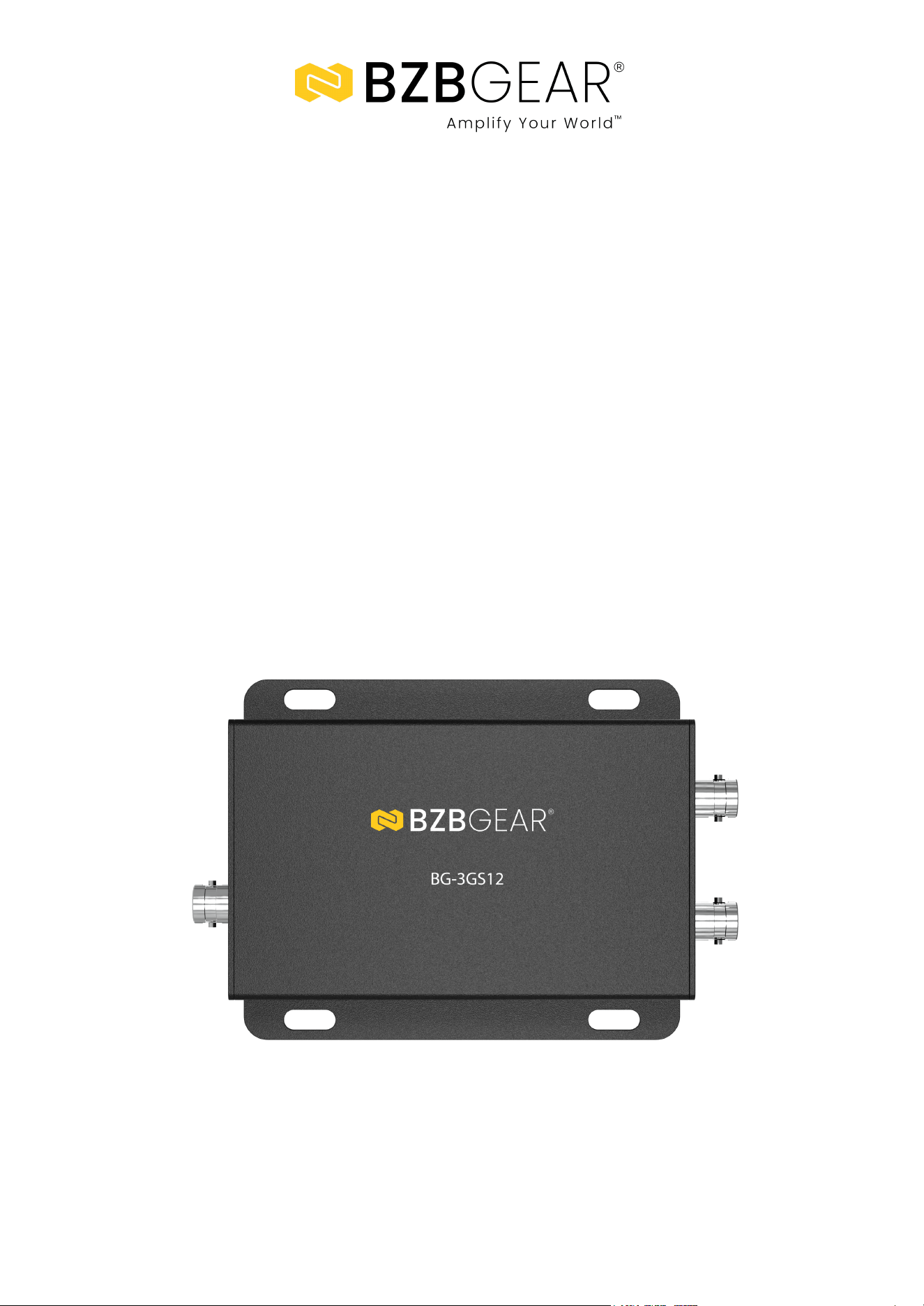
BG-3GS12
SDI 1x2 Splitter
User Manual

BZBGEAR BG-3GS12 PRODUCT MANUAL
Address: 830 National Drive #140, Sacramento, CA 95834, USA · Tel: +1(888)499-9906 · Email: support@bzbgear.com 2

BZBGEAR BG-3GS12 PRODUCT MANUAL
TABLE OF CONTENTS
Statement 4
Safety Precaution 4
Introduction 5
Features 5
Packing List 5
Specifications 6
Connection and Operation 7
Application Example 7
Tech Support 8
Limited Product Warranty Terms 8
Mission Statement 8
Copyright 8
Address: 830 National Drive #140, Sacramento, CA 95834, USA · Tel: +1(888)499-9906 · Email: support@bzbgear.com 3

BZBGEAR BG-3GS12 PRODUCT MANUAL
Statement
Please read these instructions carefully before connecting, operating, or configuring this
product. Please save this manual for future reference.
Safety Precaution
● To prevent damaging this product, avoid heavy pressure, strong vibration, or immersion
during transportation, storage, and installation.
● The housing of this product is made of organic materials. Do not expose to any liquid,
gas, or solids which may corrode the shell.
● Do not expose the product to rain or moisture.
● To prevent the risk of electric shock, do not open the case. Installation and maintenance
should only be carried out by qualified technicians.
● Do not use the product beyond the specified temperature, humidity, or power supply
specifications.
● This product does not contain parts that can be maintained or repaired by users.
Damage caused by dismantling the product without authorization from BZBGEAR is not
covered under the warranty policy.
● Installation and use of this product must strictly comply with local electrical safety
standards.
Address: 830 National Drive #140, Sacramento, CA 95834, USA · Tel: +1(888)499-9906 · Email: support@bzbgear.com 4

BZBGEAR BG-3GS12 PRODUCT MANUAL
Introduction
The BG-3GS12 is a 1x2 3G-SDI splitter that splits one SDI input to two SDI outputs
simultaneously. With a signal relocking feature, it also extends a video signal for long
distances. This reliable and powerful tool provides consistent connections in a variety of
different scenarios, such as adding a second output for monitoring video feeds on a
separate display, splitting the signal and cascading multiple displays, or extending the SDI
signal. The BG-3GS12 supports multiple resolutions up to 1080p@60 as well as multiple
color spaces such as RGB or YCbCr 4:4:4.
Features
● This product is designed with an equalizer IC in its input and a drive IC in its outputs.
This allows all inputs and outputs to support long coaxial cables while still
maintaining quality signal (3G: 80m/263ft, HD: 120m/394ft, SD: 200m/656ft).
● Multiple video resolutions:
- 3G 1080p @50/60
- HD 1080p @24/25/30
- HD 1080i @50/60
- HD 720p @24/25/30/50/60
- SD 480i, 576i and 625i
● Multiple color space:
- RGB or YCbCr 4:4:4 sampled
- YCbCr 4:2:2 or 4:2:0 sampled
- Data rates: 270Mbps~2.97Gbps
- Deep color: 8bit, 10bit, 12bit.
Packing List
● 1 x BG-3GS12 SDI 1x2 Splitter
● 1 x Power adapter 5V@2A
● 1 x User Manual
Address: 830 National Drive #140, Sacramento, CA 95834, USA · Tel: +1(888)499-9906 · Email: support@bzbgear.com 5
BZBGEAR BG-3GS12 PRODUCT MANUAL
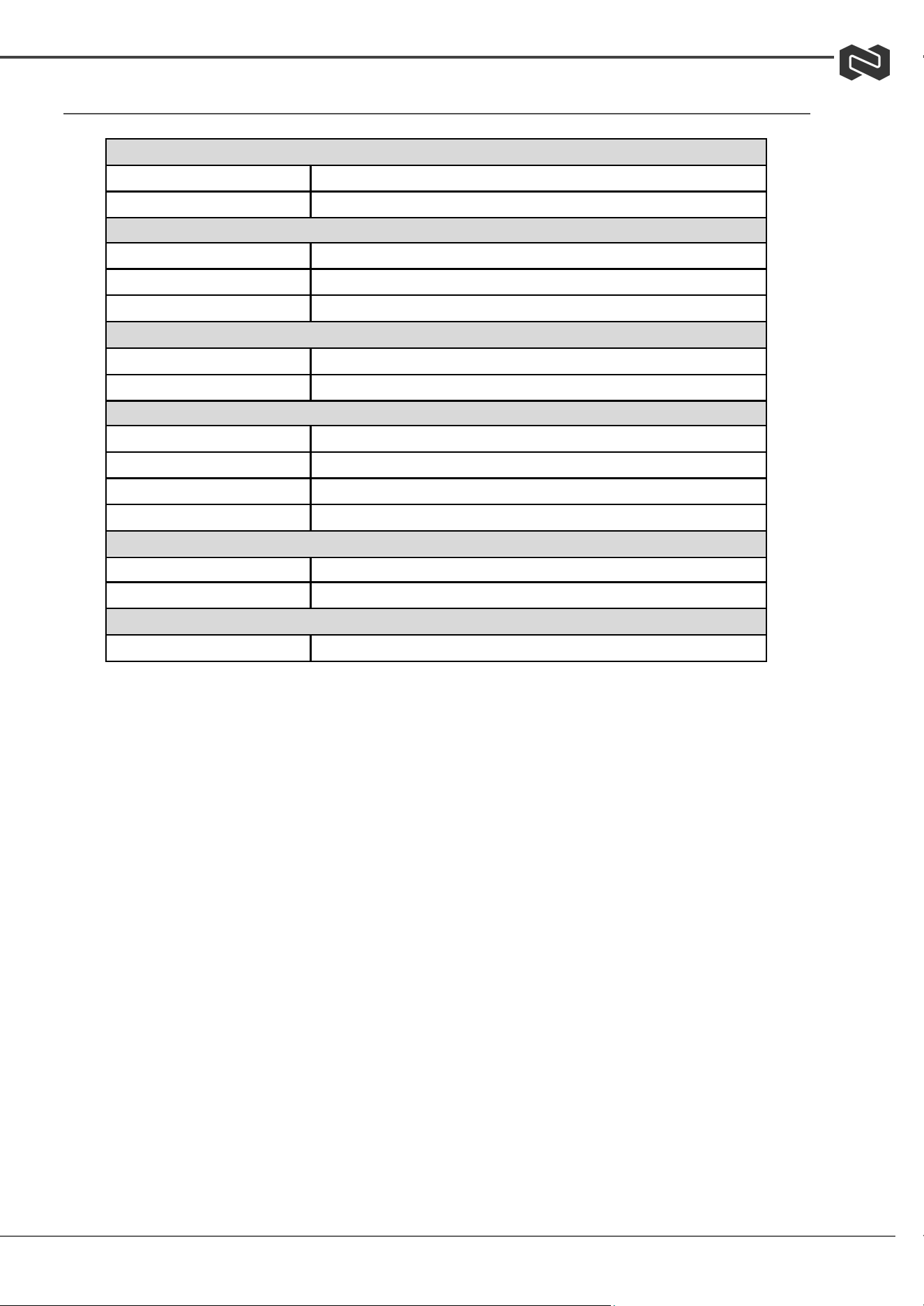
Specifications
Signal Input/Output
Input Connector
1x SDI BNC Male
Output Connector
2x SDI BNC Male
SDI Cable Distance (RG59 cable)
3G Mode
Up to 80m (263ft)
HD Mode
Up to 120m (394ft)
SD Mode
Up to 200m (656ft)
Mechanical
Size (L-W-H)
112×90×29.3mm (4.4 x 3.5 x 1.2 in)
Weight (Net)
150g (5.3 oz)
Environmental
Operating Temperature
0 ℃ to +70℃ (32°F to 158°F)
Operating Humidity
10% to 85 % RH (no condensation)
Storage Temperature
-10℃ to +80℃ (14°F to 176°F)
Storage Humidity
5% to 90 % RH (no condensation)
Power Requirement
External Power Supply
5V DC@ 2A
Power consumption (Max)
1W
Accessories Adapter
User Manual
English version
Address: 830 National Drive #140, Sacramento, CA 95834, USA · Tel: +1(888)499-9906 · Email: support@bzbgear.com 6
BZBGEAR BG-3GS12 PRODUCT MANUAL
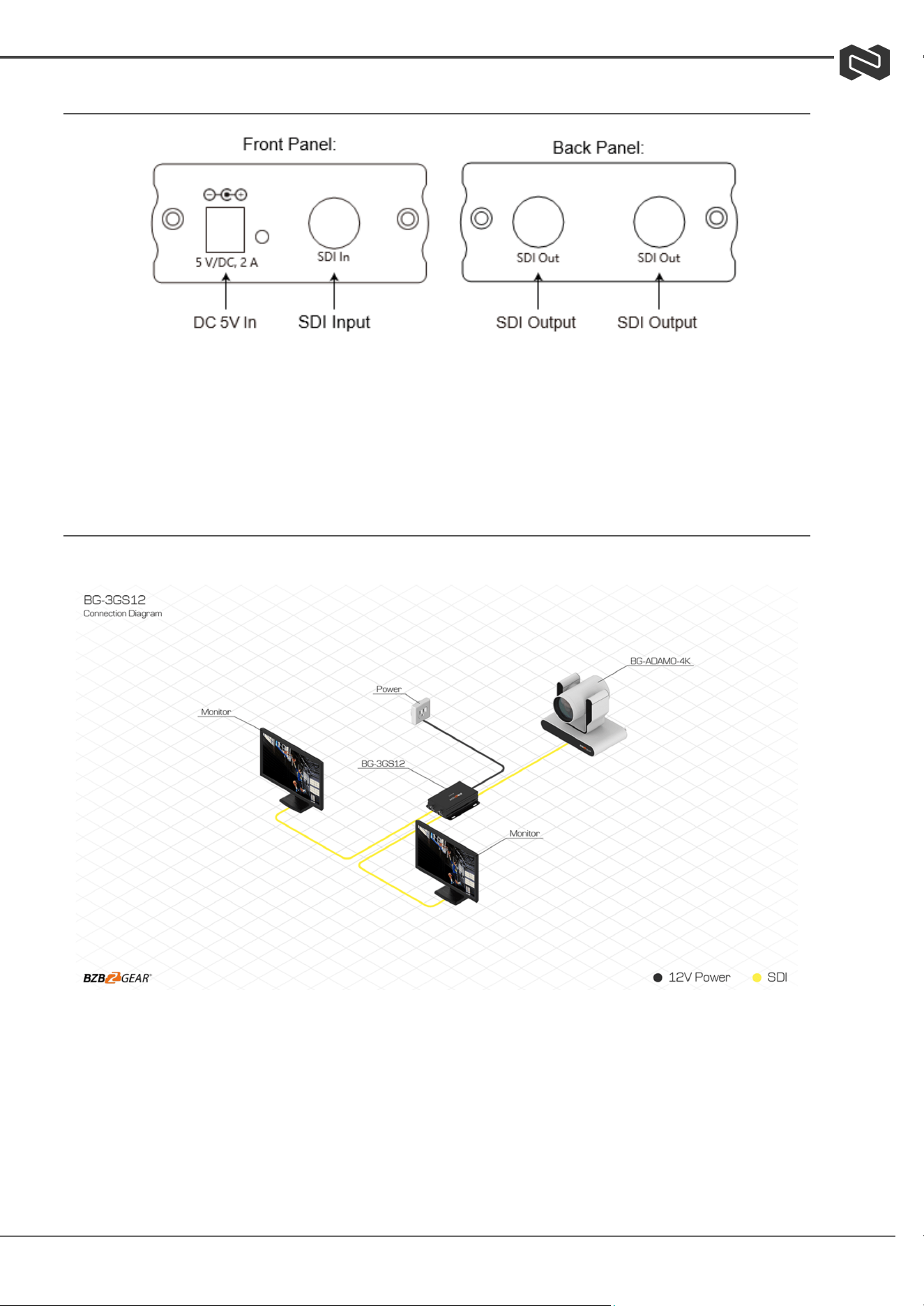
Connection and Operation
● DC 5V IN: Power; use included DC 5V/2A adapter.
● SDI Input: Connects to SDI signal source, such as an SDI camera.
● SDI Output: Connects with SDI monitor or another SDI device.
Application Example
1. Connect the BG-3GS12 to power.
2. Connect the SDI cable to signal “SDI IN” from the source device.
3. Connect the SDI cable from “SDI OUT” to a SDI display or another SDI device.
Address: 830 National Drive #140, Sacramento, CA 95834, USA · Tel: +1(888)499-9906 · Email: support@bzbgear.com 7

BZBGEAR BG-3GS12 PRODUCT MANUAL
Tech Support
Have technical questions? We may have answered them already!
Please visit BZBGEAR’s support page (bzbgear.com/support) for helpful information and tips
regarding our products. Here you will find our Knowledge Base (bzbgear.com/knowledge-base)
with detailed tutorials, quick start guides, and step-by-step troubleshooting instructions. Or
explore our YouTube channel, BZB TV (youtube.com/c/BZBTVchannel), for help setting up,
configuring, and other helpful how-to videos about our gear.
Need more in-depth support? Connect with one of our technical specialists directly:
Phone
1.888.499.9906
Email
support@bzbgear.com
Live Chat
bzbgear.com
Limited Product Warranty Terms
Pro Line: 5-year warranty from the date of purchase for AV/Broadcasting products bought on or
after August 1, 2024.
Essential Line: 3-year warranty from the date of purchase for AV/Broadcasting products bought on
or after August 1, 2024.
Cables: Lifetime Limited Product Warranty.
For complete warranty information, please visit bzbgear.com/warranty.
For questions, please call 1.888.499.9906 or email support@bzbgear.com.
Mission Statement
BZBGEAR is a breakthrough manufacturer of high-quality, innovative audiovisual equipment
ranging from AVoIP, professional broadcasting, conferencing, home theater, to live streaming
solutions. We pride ourselves on unparalleled customer support and services. Our team offers
system design consultation, and highly reviewed technical support for all the products in our
catalog. BZBGEAR delivers quality products designed with users in mind.
Copyright
All the contents in this manual and its copyright are owned by BZBGEAR. No one is allowed to
imitate, copy, or translate this manual without BZBGEAR’s permission. This manual contains no
guarantee, standpoint expression or other implies in any form. Product specification and
information in this manual is for reference only and subject to change without notice.
All rights reserved. No reproducing is allowed without acknowledgement.
Address: 830 National Drive #140, Sacramento, CA 95834, USA · Tel: +1(888)499-9906 · Email: support@bzbgear.com 8