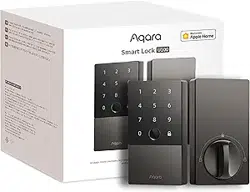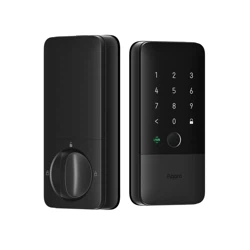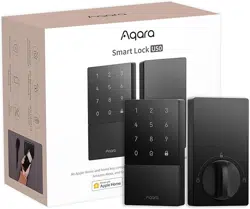
Aqara FAQ Smart Door Lock U300 Page
1
1. Installation and Compatibility:
1.1.What kind of lock and doors are compatible with the
Aqara Smart Door Lock U300?
The Compatible Locks:US Latch Lock
Compatible Lock Cylinder: Wooden doors with thickness between
35mm~55mm.
Compatible lock body: The Aqara Smart Door Lock U300 is
equipped with a 60/70mm Latch.
Please visit Aqara official website for the installation method
---------------------------------------------------------------
1.2.How to change the handle direction for the Aqara Smart
Door Lock U300 ?
U300 Door Lock support auto-locking locks/Rim locks/Gate
locks/Other outdated standard cylinders.The Aqara Smart Door
Lock U300 supports all door opening directions, including left/right
and inward/outward. Here is the handle Reversal Instructions:
Remove the screws, rotate the handle 180°, and then tighten the
screws. For the Outer Panel, the screws should be in the same
position as before. For the Inner Panel, tighten the screws on the
side closest to the handle. You can also watch the installation
video for a more intuitive guide.
Note:
1. Secure the reversal screw. If the screw is not tightened
securely, it may affect the handle's rebound.
Aqara FAQ Smart Door Lock U300 Page
2
2. Please avoid disassembling the U300 panel, except when
reversing the handle. Disassembly may lead to malfunction of the
door lock.
2. Lock Features:
2.1. Is it possible to use this Aqara Smart Door U300 lock
without connecting to a smartphone?
A smartphone is required to connect the Smart Lock U300 to
Aqara Home or other
Matter ecosystems. After adding the admin and calibrating the
lock, it can be used directly.
-------------------------------------------------------------
2.2.Can the Aqara Smart Door Lock U300 be connected to
multiple mobile phones at the same time?
Since Bluetooth usually supports a 1 to1 connection, the Aqara
Smart Door Lock U300 can only be connected to one mobile
phone at a time.
-------------------------------------------------------------
2.3. Is it possible to use Aqara Smart Lock U300 without
connecting to any Aqara hub?
1) Aqara Home Users: You can connect it to the Aqara Home
app directly, but the Aqara M3 Hub is recommended for
enhanced features like remote control and automations and
more features in future updates.
Aqara FAQ Smart Door Lock U300 Page
3
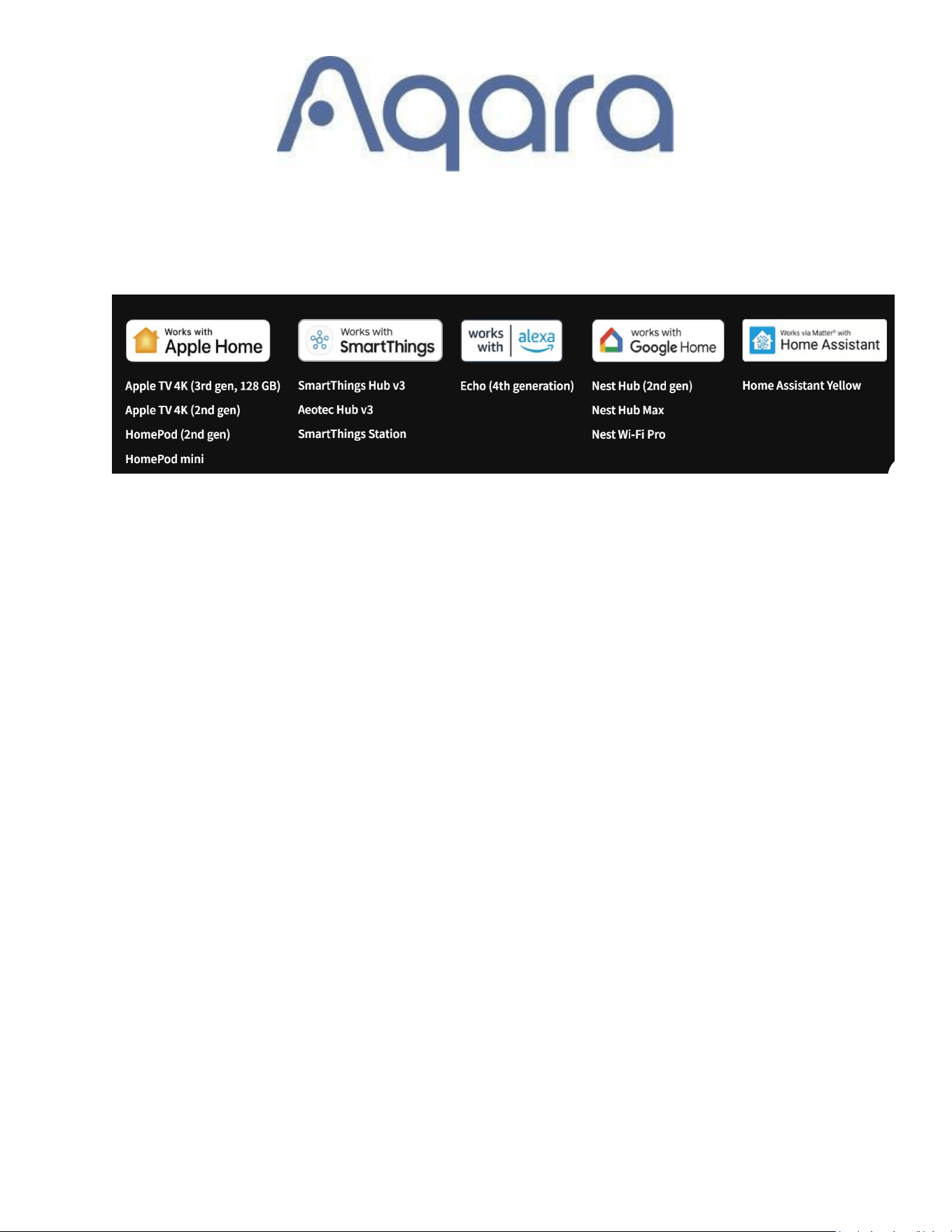
2)Matter Users: A Thread Border Router that supports Matter
is required.Here are some lists for your reference:
2.4. Does the Smart Door lock U300 support setting a
periodic password for visitors?
1) Aqara Home App Users: You can set periodic or one-time
passwords via Bluetooth. requiring the Aqara M3 Hub.Remote
temporary password settings is not available now.
2) Home App Users: You can set passwords remotely via the
app.Go to the Apple Home app>U300>Settings>Manage
Access>Add Gust.The Apple Home hub is required
--------------------------------------------------------------
2.5.How to reset the Smart Door lock U300?
1) Aqara Home Users: Long press Reset button for 3s. Verify the
admin password or fingerprint. If admin password or fingerprint is
correct,the door lock will prompt reset successful, and the lock will
reset and clear all data.
Aqara FAQ Smart Door Lock U300 Page
4
2) Matter Users:
Long press and hold the Reset button on the lock for 3s.
--------------------------------------------------------------
2.6.How to reset the Aqara U300 Door Lock if I forget my
password?
To factory reset any of our Aqara locks, you will need either the
admin password or fingerprint.
There is no other way can reset it, you can add the admin
password or fingerprint in the Aqara Home app if you didn’t delete
it.
--------------------------------------------------------------
2.7.What if the fingerprint reader cannot recognize my
fingerprint?
Re-register your fingerprint as it may change over time. For
children and the elderly, update fingerprints regularly or register
multiple fingers. Ensure fingers are dry and clean.
2.8.What is the average battery life of the Aqara Smart Door
Lock U300?
Aqara FAQ Smart Door Lock U300 Page
5
Up to The average battery life is 10 months, but varies according
to different working environments and conditions. Battery
performance declines under lowtemperature environments.
Battery life was measured by the Aqara laboratory with LR6 AA
batteries, and simulated with 10 openings under 25℃.
--------------------------------------------------------------
2.
9
.What if I am locked out after multiple authentication
failures?
After 10 incorrect attempts,After 10 incorrect attempts, the lock
will disable password input for 30 minutes.
The lock can be unlocked through apps (Aqara Home/Apple
Home/Google Home/Alexa) OR unlocked with a mechanical key.
After a few minutes, all verification functions return to normal. You
can also change the lockout time by going yo the Aqara Home
App>U300>…>Failed Attempt Lockout setting
2.10.How can I update the lock?
1) Aqara Home Users: Update firmware via the settings page by
going to the Aqara Home app>U300>…>Firmware update. Keep
your phone close during the update, it might need to take 15~20
minutes.
Aqara FAQ Smart Door Lock U300 Page
6
Note:If you would like to test the beta version firmware, you can
go to the Aqara Home app>Profile>Firmware Update>…>Enable
Beta version Update
3)Matter Users: OTA updates via Apple Home is supported.
--------------------------------------------------------------
2.11.How to use remote lock/unlock?
Aqara Home Users: Bind the lock to the Aqara Hub M3 for remote
features.
Matter Users: A 2-in-1 Matter Controller and Thread Border
Router is required
2.12.How can I add fingerprints and passwords without using
the app?
Aqara Home Users: Open the door, press and hold the Confirm
button for 3 seconds, then enter the admin password. Follow the
prompts to add users.
Aqara FAQ Smart Door Lock U300 Page
7
Matter Ecosystem Users: Open the door, press and hold the
Confirm button for 3 seconds, then press the Set Button. Follow
the prompts to add users.
---------------------------------------------------------------
2.13. Does Aqara Smart Door Lock U300 support Wi-Fi?
No,it doesn’t support WiFi, but it supports the Thread protocol,
which is more stable and offers longer battery life.The U300
supports Matter over Thread, ensuring seamless interoperability
across various smart home
ecosystems(Apple,Google,Alexa,Smartthings and Home
assistant,etc).
2.14.How many accounts does the Aqara Smart Door Lock
U300 support??
The Aqara Smart Door Lock U300 supports up to 50 accounts: 50
admin accounts OR 49 ordinary accounts and one admin account.
-------------------------------------------------------------
2.15.How many Aqara NFC cards does the Aqara Smart Door
Lock U300 support?
The Aqara Smart Door Lock U300 supports up to 10 NFC cards.
Aqara FAQ Smart Door Lock U300 Page
8
---------------------------------------------------------------
2.16.How many fingerprints does the Aqara Smart Door Lock
U300 support?
The Aqara Smart Door Lock U300 supports up to 50 fingerprints.
-------------------------------------------------------------
2.17.How many sets of passwords can the Aqara Smart Door
Lock U300 support?
The Aqara Smart Door Lock U300 supports up to 75 passwords
at the same time, including ordinary and temporary periodic
passwords. In addition, up to 8 sets of onetime passwords can be
generated per hour.
2.18.How many ways can I unlock the Aqara Smart Door Lock
U300?
The Aqara Smart Door Lock U300 supports 9 ways of unlocking:
1) Fingerprint
2) Password (ordinary, onetime, periodic)
3) HomeKit / Siri (Bluetooth, Remote, Apple Home Key)
4) Aqara Home (Bluetooth, Remote)
5) Google Home / Google Assistant (Remote)
6) Amazon Alexa/ Alexa (Remote)
7) NFC Card (Aqara and Mifare M1 Card)
Aqara FAQ Smart Door Lock U300 Page
9
8) Integration unlock via Aqara G4 doorbell (Requires future
OTA support)
9) Mechanical Key
* Aqara Home app and HomeKit support Bluetooth short range
unlocking.
* Aqara Home app, HomeKit, Google Home, and Alexa support
remote unlocking, on condition that there is a supporting Matter
hub at home.
2.19.How many digits are the passwords of the Aqara Smart
Door Lock U300? Is phantom password supported?
4 to 10digit lock passwords are supported. Phantom passwords
are supported, up to a total of 20 digits (including 610 digits of a
lock password). The phantom password function adds arbitrary
numbers before or after a lock password to prevent peeping from
intruders when you enter the password.
---------------------------------------------------------------
2.20.When do I need to use the mechanical key for the Aqara
Smart Door Lock U300?
The mechanical key is usually used for emergency situations
when the lock cannot be unlocked by normal verification methods
(fingerprint/password/mobile app/NFC/HomeKey). It is
recommended to keep the key in your car or office, just in case.
Aqara FAQ Smart Door Lock U300 Page
10
3. Matter:
3.1. What is Aqara Smart Door Lock U300's Wireless Protocol?
The Aqara Smart Door Lock U200 supports Matter over Thread,
ensuring seamless interoperability across various smart home
ecosystems.
---------------------------------------------------------------
3.2. Do I need a Matter hub to use the Aqara Smart Door Lock
U300?
1) Aqara Home Users: The Aqara M3 Hub is recommended for
enhanced features like remote control, temporary password and
automations.You can still set up the lock/unlock configuration via
Bluetooth,and unlock the door lock with the password, fingerprint
and NFC card
2) Matter Users: A Thread Border Router that supports Matter is
required.
---------------------------------------------------------------
3.3. What functions are available with the Aqara M3 Hub?
Aqara FAQ Smart Door Lock U300 Page
11
Binding to the Aqara M3 Hub allows for automations, remote
lock/unlock, and temporary password,etc.
3.4. Do I need Aqara Home to use the Aqara Smart Door Lock
with other ecosystems?
Basic functions like locking and unlocking work with third-party
ecosystems.
However, we recommend using the Aqara Home app to access
exclusive features and detailed settings such as passage mode,
Night latch mode, and more.
---------------------------------------------------------------
4. Apple Home:
4.1. How to share home keys for the Aqara Smart Door Lock
U300?
Go to the Apple Home app>Home settings>Invite other Apple
users to join the Family. Once joined,
they will receive a door card automatically in their Wallet.Make
sure that your iPhone and other users’ iPhone support Apple
Wallet function.
Aqara FAQ Smart Door Lock U300 Page
12
4.2. How to use home keys for the Aqara Smart Door Lock
U300?
1) Standard Mode: Open Apple Wallet, select the door card, and
tap iPhone/Watch close to the NFC area to unlock.
2) Shortcut Mode: Set up in Apple Home, then unlock with Face
ID or password and move the device close to the NFC area.
---------------------------------------------------------------
4.3. Why did my home keys stop working?
1) Please delete the Aqara Smart Door lock from Apple Home
app on your phone and then re-add it through the Home app.
Alternatively, you can try logging out and back into iCloud before
using the home key again.
2) If these steps do not resolve the issue, you may need to reset
your door lock and set it up again in the Home app.
Aqara FAQ Smart Door Lock U300 Page
13
4.4. What should I do if the U300 door lock cannot be bound
to the Home app?
Follow these troubleshooting steps:
Check if the U300 door lock has been bound to the Apple Home
app by going to the Aqara Home
app>U300>…>Matter >Connected Ecosystem>Remove it first
Update Firmware: Ensure U300’s firmware,your iPhone and your
Apple Home hub system are up to date and follow the
recommended reset and setup procedures.
Make sure your iPhone and Apple Home hub is connected under
same LAN
After powering on the door lock and restart the Apple Home hub,
press the lock's "Set" button, then use the Home app to scan the
Matter QR code.
Create a new "Home": If you encounter errors like “Cannot add
personal code” during the Passcodes step in the Apple Home app,
create a new Home in the Apple app o try.
Reset Apple Home hub: Reset Apple Home pod and integrate it
with the new Home, then try rebinding the Apple Home app.