Operating and installation
instructions
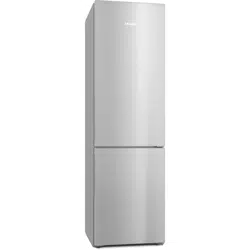
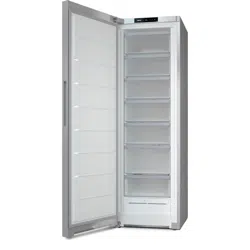
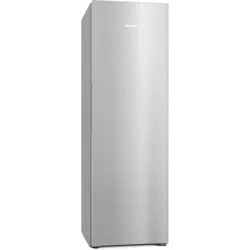
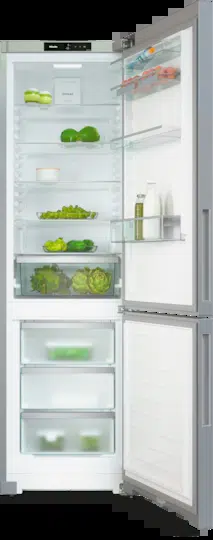
Fridge-freezer
It is essential to read the operating and installation instructions be-
fore setup, installation, and commissioning. This prevents both per-
sonal injury and damage to the appliance.
en-GB M.-Nr. 13 046 400
Contents
Warnings and safety notes ............ 4
Sustainability and environmental
protection ..........................................
13
How to save energy..........................
14
Installation......................................... 15
Installation site ..................................
15
Ventilation requirements..................
16
Installing several refrigeration ap-
pliances next to one another ...........
17
Changing the door hinging ...............
17
Ordering printed installation in-
structions......................................
17
Installing the refrigeration appli-
ance.....................................................
18
Aligning the refrigeration appliance
19
Integrating the refrigeration appli-
ance in a run of kitchen units...........
19
Appliance dimensions.......................
22
Electrical connection ........................
24
Familiarisation................................... 25
Your refrigeration appliance .............
25
Control panel with display................
27
Settings mode ..............................
28
Party mode ............................... 28
Holiday mode ......................... 28
Lock function/..................... 28
Switching the refrigeration ap-
pliance off .................................
28
Sabbath mode.......................... 28
Information on Sabbath mode 28
Networking .............................. 29
Keypad tone /...................... 29
Alarms and buzzers / ......... 29
Display brightness.................. 29
Temperature unit °C/°F............... 29
Demo mode............................... 29
Factory defaults ..................... 29
Information on the refrigeration
appliance....................................
29
ActiveAirClean filter display. 29
Cleaning mode....................... 29
Networking.........................................
30
Safety...................................................
31
Temperature alarm in the
freezer zone...................................
31
Door alarm..................................... 32
Appliance functions ...........................
33
SuperCool................................. 33
SuperFreeze ............................. 33
Adjusting the interior fittings............
34
Moving the door shelf/bottle
shelf................................................
34
Moving the adjustable shelves... 34
Space for a baking tray ................ 34
Moving the Active AirClean fil-
ter....................................................
34
Creating a flexible design for the
freezer zone (VarioRoom)............
35
Accessories supplied.........................
35
Optional accessories.........................
35
Commissioning ................................. 36
Before using for the first time...........
36
Connecting the refrigeration ap-
pliance............................................
36
Switching the refrigeration appli-
ance on ................................................
36
Switching the refrigeration appli-
ance off................................................
36
Switching off the refrigerator
section separately ........................
37
Switching off for longer periods
of time ............................................
37
Requirements for networking ..........
38
Setting up networking for the
first time.........................................
38
Performing Scan & Connect....... 38
Operation............................................ 39
Temperature display ..........................
39
Temperature range in the fridge
zone ................................................
39
Temperature range in the
freezer zone...................................
39
Setting the temperature in the re-
frigerator/freezer sections ................
40
2
Contents
Storing food in the fridge zone ........
43
Different storage zones............... 43
Should food be stored loose or
in packaging?................................
43
Storing food in the DailyFresh
drawer .................................................
44
Freezing and storing fresh food .......
45
Cooling drinks quickly ................. 45
Making ice cubes......................... 45
Adjusting settings ............................ 47
Cleaning and care ............................ 58
Defrosting...........................................
58
Cleaning agents .................................
58
Preparing the refrigeration appli-
ance for cleaning................................
58
Cleaning the interior of the appli-
ance.....................................................
59
Cleaning accessories by hand or in
the dishwasher ..................................
59
Removing and dismantling ac-
cessories for cleaning .......................
60
Inserting the glass shelves and
drawers into the freezer section
61
Cleaning the front of the appliance
and the side panels ...........................
62
Cleaning the door seal......................
62
Cleaning the ventilation openings...
62
After cleaning .....................................
62
Troubleshooting................................ 63
Interior lighting...................................
71
Noises .................................................
72
Service................................................ 74
Contact in the event of a fault.........
74
EPREL database ................................
74
Warranty .............................................
74
Information........................................ 75
EU Conformity declaration...............
75
UK Conformity declaration ..............
75
Copyrights and licences ...................
76
3
Warnings and safety notes
This refrigeration appliance complies with current safety require-
ments. Inappropriate use can, however, lead to personal injury and
material damage.
Please read the operating and installation instructions carefully be-
fore using the refrigeration appliance for the first time. They contain
important information on installation, safety, use and maintenance.
This is to protect yourself from injury, and from damaging your refri-
geration appliance.
In accordance with standard IEC60335-1, Miele expressly and
strongly advises that you read and follow all information provided
on installing the refrigeration appliance, as well as the warning and
safety notes.
Miele cannot be held liable for injury or damage caused by non-
compliance with these instructions.
Keep these operating and installation instructions in a safe place
and pass them on to any future owner.
Correct application
This refrigeration appliance is intended for use in the home and in
similar environments; for example:
–In shops, offices and similar work settings
–On agricultural estates
–By the guests in hotels, motels, bed and breakfasts, and other typ-
ical home settings.
This refrigeration appliance is not intended for outdoor use.
This appliance is intended for domestic use only for cooling and
storing food and drink as well as for storing deep frozen food, freezing
fresh food and for making ice.
Any other usage is not supported by the manufacturer and could be
dangerous.
This refrigeration appliance is not suitable for storing and keeping
cool medicines, blood plasma, laboratory preparations or similar sub-
stances or products that are subject to the Medical Device Directive.
Incorrect use of the refrigeration appliance for such purposes may
cause deterioration of the items stored. The refrigeration appliance is
also not suitable for use in areas where there is a risk of explosion.
Miele cannot be held liable for damage caused by improper or incor-
rect use or operation of the appliance.
4
Warnings and safety notes
The appliance can only be used by people with reduced physical,
sensory or mental capabilities, or lack of experience and knowledge,
if they are supervised whilst using it, or have been shown how to use
it in a safe way and recognise and understand the consequences of
incorrect operation.
Safety with children
Children under 8 years of age must be kept away from the refriger-
ation appliance unless they are constantly supervised.
Children 8 years and older may only use the appliance unsuper-
vised if they have been shown how to use it in a safe way and recog-
nise and understand the consequences of incorrect operation.
Children must not be allowed to clean or maintain the appliance
unsupervised.
Please supervise children in the vicinity of the appliance and do
not let them play with it.
Danger of suffocation. Whilst playing, children may become en-
tangled in packaging material (such as plastic wrapping) or pull the
packaging material over their head, presenting the risk of suffocation.
Keep packaging material away from children.
Technical safety
The coolant circuit has been checked for leaks. The refrigeration
appliance complies with statutory safety requirements and the ap-
propriate EU directives.
If the cooling circuit is damaged, refrigerant and oil can escape and ignite.
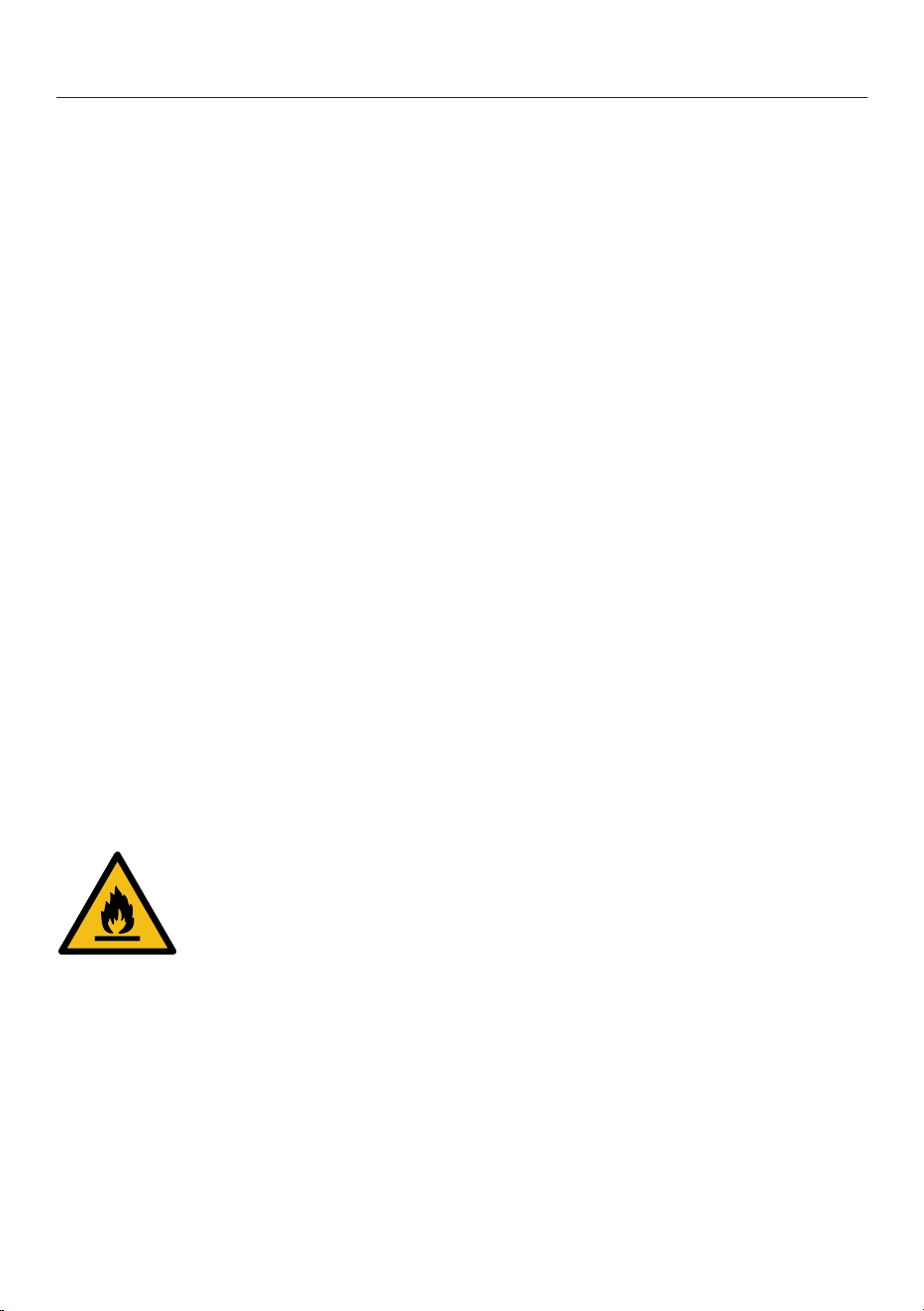
Warning: fire hazard/flammable materials. This symbol is on the
compressor and indicates flammable materials. Do not remove this
sticker.
5
Warnings and safety notes
The refrigerant inside the appliance (details on the data plate) is en-
vironmentally friendly but flammable.
The use of this refrigerant does, however, sometimes lead to a slight
increase in the noise level of the appliance. In addition to the noise of
the compressor, you might be able to hear the refrigerant flowing
around the cooling circuit. Unfortunately, this cannot be avoided, but
it does not affect the performance of the refrigeration appliance.
When transporting and installing the refrigeration appliance, ensure
that no parts of the cooling circuit are damaged. Splashes of refriger-
ant can damage the eyes and leaking refrigerant can ignite.
In the event of damage:
- Avoid naked flames or anything which creates a spark.
- Disconnect the refrigeration appliance from the mains electricity
supply.
- Ventilate the room where the refrigeration appliance is located for
several minutes.
- Contact the Miele Customer Service Department.
The more refrigerant there is in a refrigeration appliance, the larger
the room it should be installed in. In the event of a leakage, if the ap-
pliance is in a small room, there is the danger of a combustible gas/
air mixture building up. For every 8g of refrigerant at least 1m
3
of
room space is required. The amount of refrigerant in the refrigeration
appliance is stated on the data plate inside the appliance.
If the ventilation cross-sections are covered or blocked, a com-
bustible gas/air mixture can form if the cooling circuit is damaged. It
is essential to observe the required ventilation cross-sections. The
ventilation cross-sections must not be covered or blocked in any way.
To avoid the risk of damage to the appliance, make sure that the
connection data (fuse rating, frequency and voltage) on the data plate
corresponds to the household supply.
Check that this is the case before connecting the appliance. Consult
a qualified electrician if in any doubt.
The electrical safety of this appliance can only be guaranteed when
correctly earthed. It is essential that this standard safety requirement
is met. If in any doubt please have the electrical installation tested by
a qualified electrician.
6
Warnings and safety notes
Temporary or permanent operation on an autonomous power sup-
ply system or a power supply system that is not synchronised with
the mains power supply (e.g. island networks, back-up systems) is
possible. A prerequisite for operation is that the power supply system
complies with the specifications of EN50160 or an equivalent stand-
ard.
The function and operation of the protective measures provided in
the domestic electrical installation and in this Miele product must
also be maintained in isolated operation or in operation that is not
synchronised with the mains power supply, or these measures must
be replaced by equivalent measures in the installation. As described,
for example, in the current version of BS OHSAS 18001–2 ISO
45001.
The socket must not be concealed behind the refrigeration appli-
ance and must be easily accessible so that the appliance can be
quickly disconnected from the electrical supply in case of an emer-
gency.
If the mains connection cable is damaged, disconnect the refriger-
ation appliance from the power supply immediately. Contact the
Miele Customer Service Department.
If the electrical connection cable supplied is damaged, it must only
be replaced by an original spare part to prevent a hazard for the user.
Miele can only guarantee the safety of the appliance when original
Miele spare parts are used. For safety reasons, such replacement
may only be carried out by a qualified specialist or the Miele Cus-
tomer Service Department.
Do not connect the appliance to the mains electrical supply by a
multi-socket adapter or extension lead. These are a fire hazard and do
not guarantee the required safety of the appliance.
If moisture gets into electrical components or into the mains con-
nection cable, it could cause a short circuit. Therefore, do not operate
this refrigeration appliance in areas which are exposed to moisture
(e.g in a garage or utility room).
This appliance must not be used in a non-stationary location (e.g.
on a ship).
Do not use a damaged appliance. It could be dangerous. Check the
appliance for visible signs of damage.
This refrigeration appliance is not intended for use as a built-in ap-
pliance.
7
Warnings and safety notes
The appliance must be isolated from the electricity supply during
installation, maintenance and repair work. It is only completely isol-
ated from the power supply when:
- the mains fuses are switched off, or
- the screw-out fuse is removed (where applicable), or
- the mains cable has been unplugged. Pull on the plug and not the
cable when disconnecting it from the power supply.
Unauthorised installation, maintenance and repairs can cause con-
siderable danger for the user.
Installation, maintenance and repairs must only be carried out by a
Miele authorised technician.
While the appliance is under warranty, repairs should only be un-
dertaken by a Miele authorised service technician. Otherwise the
warranty is invalidated.
Faulty components must only be replaced with genuine Miele ori-
ginal spare parts. Miele can only guarantee the safety standards of
the appliance when Miele replacement parts are used.
This refrigeration appliance is supplied with a special lamp to cope
with particular conditions (e.g. temperature, moisture, chemical res-
istance, abrasion resistance and vibration). This lamp must only be
used for the purpose for which it is intended. The lamp is not suitable
for room lighting. Replacement lamps may only be fitted by a Miele
authorised technician or by the Miele Customer Service Department.
This refrigeration appliance contains several light sources with at
least energy efficiency classG.
Proper installation
Change the door hinging (if necessary) as described in the installa-
tion instructions.
Always wear protective gloves when transporting and setting up
the refrigeration appliance and when changing the door hinging.
The refrigeration appliance is heavy and can tip forwards when the
appliance door(s) is/are open:
- At least 2people are required to transport or move the refrigera-
tion appliance.
- At least 2people are required to change the door hinging of the re-
frigeration appliance.
8
Warnings and safety notes
- At least 2people are required to install the refrigeration appliance.
- Never leave the refrigeration appliance unattended while it is being
installed.
Correct use
This refrigeration appliance is designed for use within specific am-
bient temperatures (climate range). Do not use in ambient temperat-
ures for which it is not designed. The climate range is stated on the
data plate in the interior cabinet of the refrigeration appliance. A
lower ambient temperature will cause the compressor to switch off
for longer periods, meaning that the refrigeration appliance is unable
to maintain the required temperature.
The ventilation cross-sections must not be covered or blocked in
any way. This can impair the proper ventilation of the appliance, in-
crease the energy consumption and cause damage to the compon-
ents.
Risk of damage due to greasy or oily foods. If the refrigeration ap-
pliance or the appliance door is used for storing food which contains
fat or oil, make sure that it does not come into contact with plastic
components. Any spillages of oil or fat could cause stress cracks to
the plastic and cause it to break or split.
Risk of fire and explosion due to flammable mixes of gases. Do not
store explosive materials in the refrigeration appliance or any
products containing propellants (e.g. spray cans). Electrical compon-
ents can cause flammable mixes of gases to ignite. The spray cans in
question can be identified by the contents printed on the can or by a
flame symbol. Electrical components can cause escaping gases to ig-
nite.
Danger of explosion. Do not operate any electrical equipment (e.g.
an electric ice-cream maker) inside the refrigeration appliance. This
can cause sparking and explosion.
Danger of injury and damage to the appliance. Do not store cans or
bottles containing carbonated drinks or liquids which could freeze in
the freezer zone. Otherwise they could burst.
Danger of injury and damage to the appliance. When cooling drinks
quickly in the freezer zone, make sure bottles are not left in for more
than one hour. Otherwise they could burst.
9
Warnings and safety notes
Danger of injury. Never handle frozen food or the metal parts of the
appliance with wet hands. Your hands may freeze to the frozen food
or to the metal.
Danger of injury. Do not take ice cubes out with your bare hands
and never place ice cubes or ice lollies in your mouth straight from
the freezer zone. The very low temperature of the frozen food can
cause frost burn to the lips and tongue.
Do not refreeze partially or fully defrosted food. Consume defros-
ted food as soon as possible, as it will lose its nutritional value and
spoil if left for too long. Defrosted food may only be re-frozen after it
has been cooked.
Observe the manufacturer's “use-by” dates and storage instruc-
tions given on food to avoid the risk of food poisoning. Storage times
will depend on several factors, including the freshness and quality of
the food, as well as the temperature at which it is stored.
To ensure that fresh food placed in the freezer freezes through to
the core as quickly as possible, the maximum freezing capacity must
not be exceeded. The maximum freezing capacity for freezing within a
24-hour period is given on the data plate: “Freezing capacity...kg/
24hrs”.
Accessories and spare parts
Only use original Miele accessories. If other parts are used, war-
ranty, performance and product liability claims will be invalidated.
Miele will guarantee to supply functional spare parts for a min-
imum of 10years and up to 15years following the discontinuation of
your refrigeration appliance.
Cleaning and care
Do not use any oils or grease on the door seals, as these will cause
the seals to deteriorate and become porous with time.
Do not use a steam cleaning appliance to clean or defrost this ap-
pliance.
Steam could reach electrical components and cause a short circuit.
Sharp edged or pointed objects will damage the evaporator, caus-
ing irreversible damage to the appliance. Do not use sharp edged or
pointed objects to
- remove frost and ice,
- separate frozen food or remove ice trays.
10
Warnings and safety notes
Do not place electric heaters or candles in the appliance to defrost
it. These can damage the plastic parts.
Do not use defrosting sprays or de-icers. Defrosting sprays and
de-icers can contain substances which could damage the plastic
parts or which might cause a build-up of explosive gases and pose a
danger to health.
Transport
To avoid damage to the refrigeration appliance, always transport it
upright and in its packaging.
Danger of injury and damage to the appliance. The refrigeration ap-
pliance is very heavy and must be transported by two people.
Disposal of your old appliance
Children playing could become trapped in the refrigeration appli-
ance and could suffocate.
- Remove the appliance door(s).
- Remove the drawers.
- Leave the shelves in the refrigeration appliance so that children
cannot climb inside.
- If your old refrigeration appliance has a door lock, destroy it. This
will prevent the risk of children playing accidentally locking them-
selves in the appliance and endangering their lives.
Risk of electric shock!
- Cut the plug off the mains connection cable.
- Cut the mains connection cable off the old appliance.
Dispose of the plug and mains connection cable separately from the
old appliance.
During and after disposal, make sure that the refrigeration appli-
ance is not placed near petrol or other flammable gases and liquids.
Risk of fire due to escaping oil or refrigerant.
The refrigerant and oil inside the appliance are flammable. In high
enough concentrations, escaping refrigerant or oil can ignite if they
come into contact with an external heat source.
During disposal, make sure that the cooling circuit is not damaged.
This prevents refrigerant and oil escaping in an uncontrolled manner
(see the data plate for details of the refrigerant).
11
Warnings and safety notes
Splashes of coolant can damage the eyes. Be careful not to dam-
age any part of the pipework whilst awaiting disposal, e.g. by
- puncturing the coolant channels in the condenser,
- bending any pipework, or
- scratching the surface coating.
Symbol on the compressor (depending on model)
This information is only relevant for recycling. There is no risk during normal opera-
tion.
The oil in the compressor can be fatal if swallowed or if it penet-
rates the airways.
12
Sustainability and environmental protection
Disposing of the packaging ma-
terial
The packaging material is used for hand-
ling and protects the appliance from
transport damage. The packaging ma-
terial used is selected from materials
which are environmentally friendly for
disposal and can generally be recycled.
Recycling the packaging material re-
duces the use of raw materials. Use ma-
terial-specific collection points for valu-
able materials and take advantage of re-
turn options. Your Miele dealer will take
the packaging material away.
Disposing of your old appliance
Electrical and electronic appliances con-
tain many valuable materials. They also
contain certain materials, compounds
and components which were essential
for their correct functioning and safety.
These could be hazardous to human
health and to the environment if dis-
posed of with household waste or if
handled incorrectly. Please do not,
therefore, dispose of your old appliance
with household waste.
Take care not to damage your refrigera-
tion appliance before or during disposal
in an authorised, environmentally
friendly manner.
This is to ensure that refrigerant in the
cooling circuit and oil in the compressor
is contained, and will not leak into the
environment.
Instead, please make use of officially
designated collection and disposal
points to dispose of and recycle elec-
trical and electronic appliances in your
local community, with your dealer or
with Miele, free of charge. By law, you
are solely responsible for deleting any
personal data from the old appliance
prior to disposal. You are legally obliged
to remove any old batteries which are
not securely enclosed by the appliance
and to remove any lamps without des-
troying them, where this is possible.
These must be taken to a suitable col-
lection point where they can be handed
in free of charge. Please ensure that
your old appliance poses no risk to chil-
dren while being stored for disposal.
13
Sustainability and environmental protection
How to save energy...
Installation site The refrigeration appliance has to cool more often at higher ambi-
ent temperatures and consumes more energy in the process.
Therefore:
- Install the refrigeration appliance in a well-ventilated room.
- Do not install the refrigeration appliance near to a heat source
(heater element, cooker).
- Protect the refrigeration appliance from direct sunlight.
- Ensure an ideal ambient temperature of 20°C.
- Clean the ventilation openings on a regular basis to remove any
dust.
Temperature
setting
The colder the temperature, the higher the energy consumption.
The following settings are recommended:
- 4 to 5°C in the refrigerator section.
- -18°C in the freezer zone
Use Energy consumption is increased by heat input and impeded air
circulation. Therefore:
- Only open the appliance door/appliance doors when necessary
and for as short a time as possible. Arrange the food in such a
way that makes it easy to find in the appliance.
- Always close the appliance door/appliance doors properly after
opening.
- Allow hot food and drinks to cool down before placing them in
the refrigeration appliance.
- Store food well packaged or covered.
- Do not overfill the compartments to allow air to circulate.
- Place frozen food in the fridge zone to defrost.
- Keep drawers and shelves arranged as they were when the ap-
pliance was delivered.
- Maintain a distance of 25mm between the back of the appli-
ance and the wall.
14
Installation
Installation site
Risk of fire and damage from ap-
pliances which give off heat.
Appliances which give off heat can
catch fire and set fire to the refrigera-
tion appliance.
The mains connection cable must not
come into contact with heat sources.
Do not place appliances which give
off heat, such as mini-ovens, double
burner hobs or toasters on the refri-
geration appliance.
Fire risk and danger of damage
from open flames.
Open flames can set fire to the refri-
geration appliance.
Keep open flames (e.g. a candle)
away from the refrigeration appli-
ance.
Risk of fire and damage due to
improper installation.
If the mains plug and mains connec-
tion cables touch the back of the re-
frigeration appliance, they may be
damaged by vibrations and cause a
short circuit.
Mains plugs or mains connection
cables must not touch the refrigera-
tion appliance.
Mains connection cables must not
be trapped or damaged.
Do not connect any other appliances
to sockets located directly behind
this refrigeration appliance.
Do not place or operate multi-socket
adapters, distributor strips or other
electronic devices (such as halogen
transformers) behind the appliance.
This appliance should be installed in a
dry, well-ventilated room.
The floor at the installation site must be
horizontal and level and must be as high
as the surrounding floor.
Risk of damage due to high hu-
midity.
In environments with high humidity,
condensation can build up on ex-
ternal refrigeration appliance panels.
This condensation can cause corro-
sion on external appliance panels.
Install the refrigeration appliance in a
dry and/or air-conditioned room with
sufficient ventilation.
After installation, please make sure
that the appliance door/appliance
doors closes/close properly and the
refrigeration appliance is installed in
accordance with these installation in-
structions. It is essential to comply
with the specified ventilation cross-
sections.
When deciding on the installation site,
please bear in mind that your refrigera-
tion appliance will consume more en-
ergy if installed near to a heater, a
cooker or another appliance that gives
off heat. Avoid direct sunlight. Higher
ambient temperatures increase energy
consumption as the compressor runs
for longer.
Climate range
This refrigeration appliance is designed
for use within specific ambient temper-
atures (climate range). Do not use in
ambient temperatures for which it is not
designed. The climate range is stated on
the data plate in the interior cabinet of
the refrigeration appliance.
15
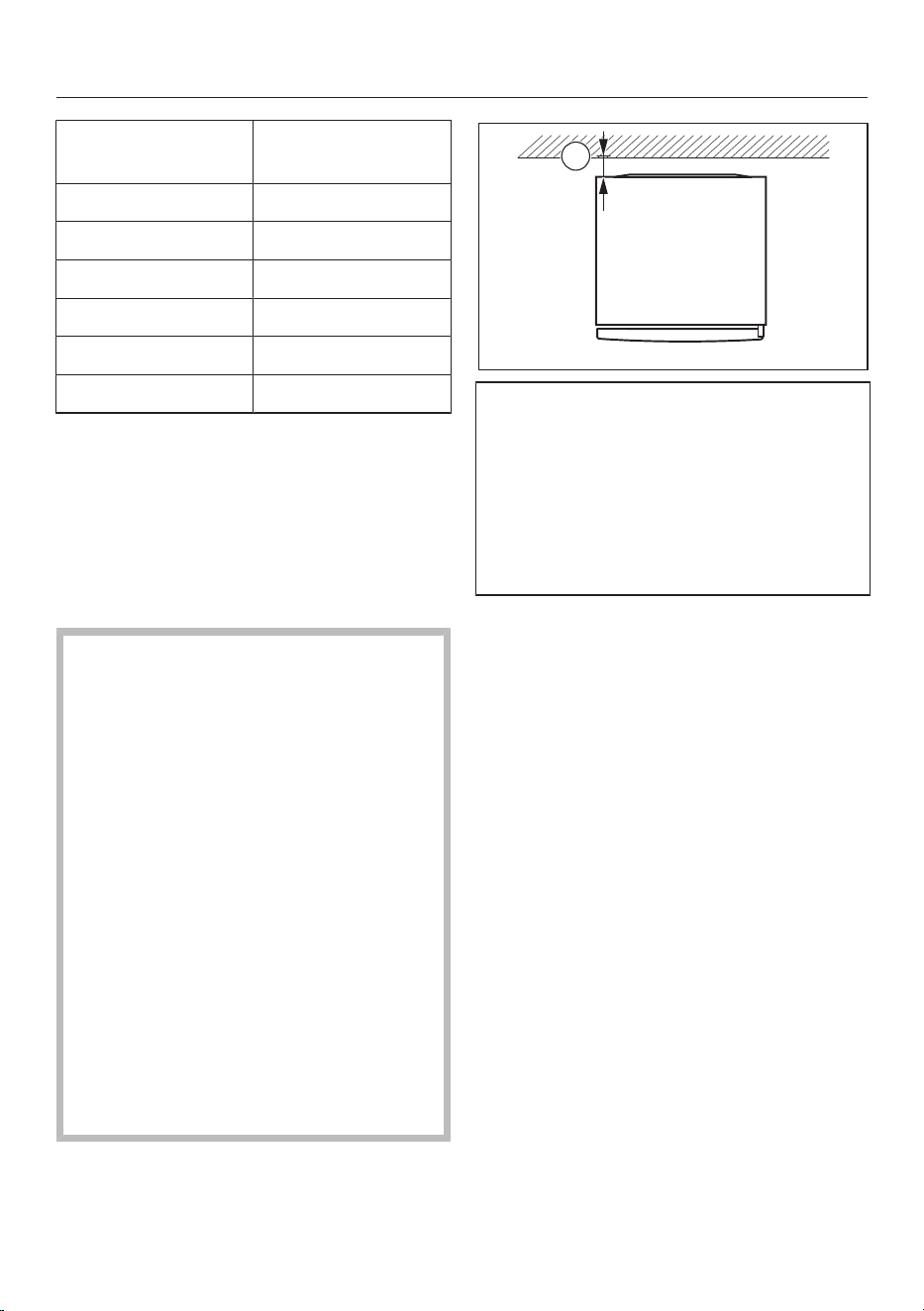
Installation
Climate range Ambient temper-
ature
SN 10to32°C
N 16to32°C
ST 16to38°C
T 16to43°C
SN-ST 10to38°C
SN-T 10to43°C
A lower ambient temperature leads to
the compressor switching off for longer
periods. This can cause the internal
temperature in the refrigeration appli-
ance to rise with the risk of food deteri-
orating and going off.
Ventilation requirements
Fire risk and risk of damage due
to inadequate ventilation.
If the refrigeration appliance is not
ventilated sufficiently, the com-
pressor will run more frequently and
for longer periods. This causes in-
creased energy consumption and an
increased compressor operating tem-
perature, which can result in damage
to the refrigeration appliance.
Please ensure that there is adequate
ventilation around the refrigeration
appliance:
It is essential to observe the required
ventilation cross-sections.
The ventilation cross-sections must
not be covered or blocked in any way.
Clean the ventilation areas regularly
to remove dust and dirt.
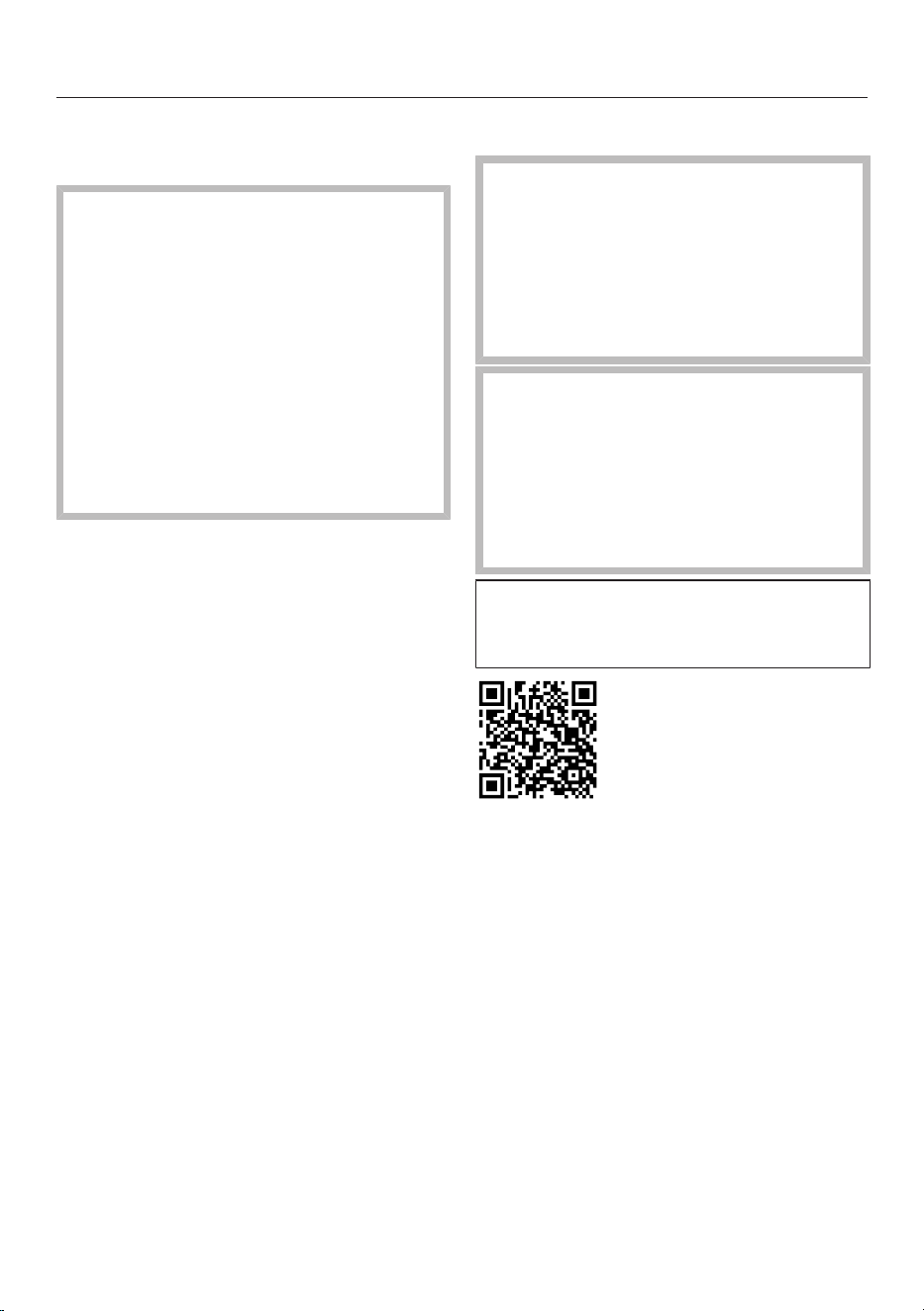
A
The energy consumption was calcu-
lated with a distance=25mm
between the back of the appliance and
the wall. If the distance to the wall is
less than 25mm, the functionality of
the refrigeration appliance is main-
tained, but energy consumption in-
creases slightly.
Air at the back of the refrigeration appli-
ance gets warm. Sufficient space for
proper ventilation must therefore be en-
sured (see “Appliance dimensions”).
16
Installation
Installing several refrigeration
appliances next to one another
Risk of damage due to condensa-
tion on external appliance panels.
In environments with high humidity,
condensation can build up between
the external refrigeration appliance
panels, which can cause corrosion.
Do not place different refrigeration
appliances directly next to one an-
other.
A distance of at least 70mm must be
maintained between the refrigeration
appliances.
Changing the door hinging
Danger of injury and damage to
the appliance due to heavy door.
There is an increased risk of injury
and damage if the door hinging is in-
stalled by a single person.
Always change the door hinging with
the help of a second person.
Risk of damaging the electrical
components.
There are live components on the
door hinge (depending on the model).
Switch off the appliance at the wall
socket and withdraw the mains plug
before changing the hinging.
Change the door hinge in accord-
ance with the installation instructions
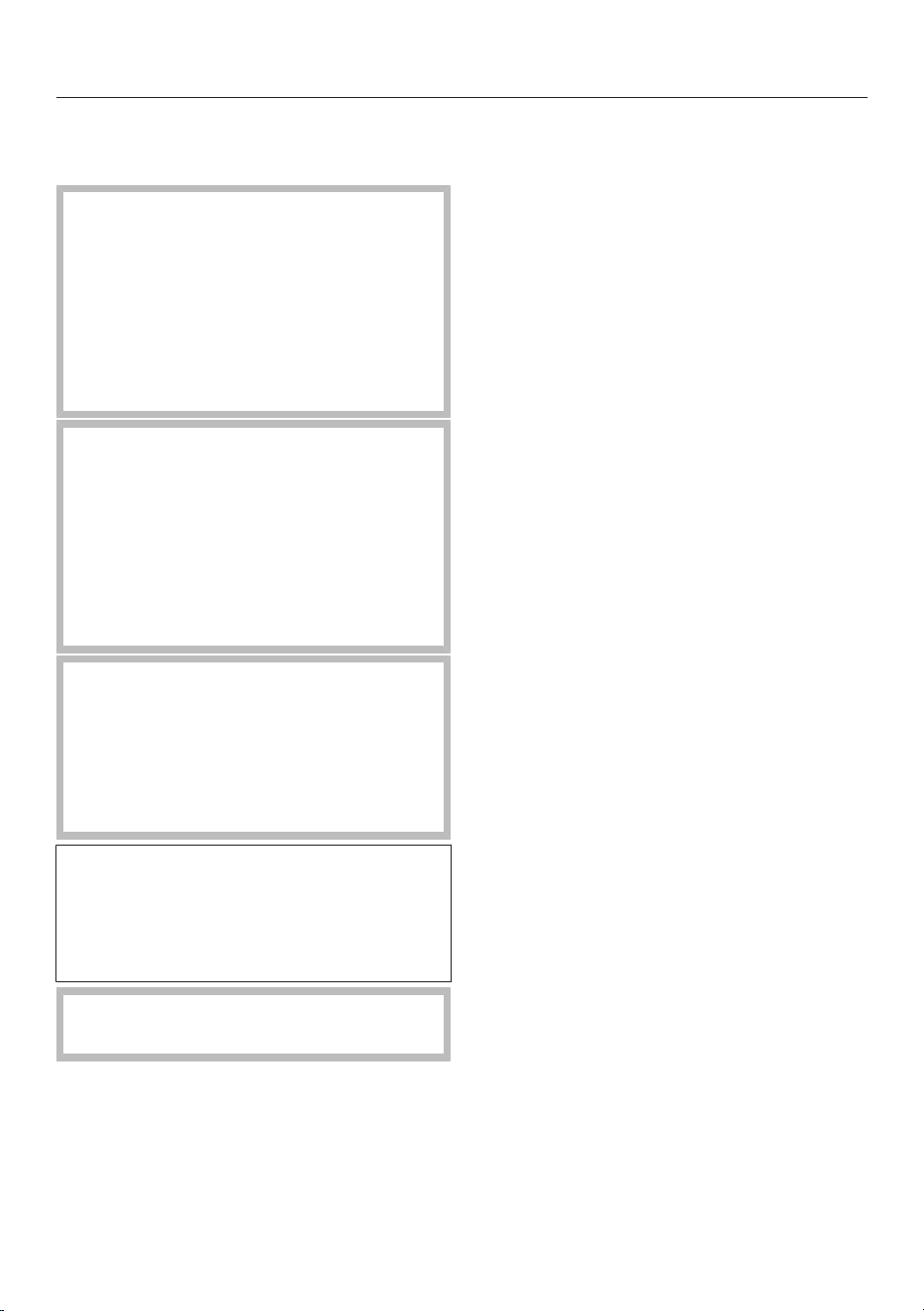
(see QR code).
M.-Nr. 12083840
Ordering printed installation instruc-
tions
You can order printed installation in-
structions free of charge from Miele.
All the contact information you need for
Miele can be found at the end of this
document. Quote the model identifier
and the serial number from the data
plate when placing your order.
17
Installation
Installing the refrigeration appli-
ance
Risk of injury and damage due to
the refrigeration appliance tipping
over.
There is an increased risk of injury
and damage if the refrigeration appli-
ance is installed by a single person.
Two people are required for installing
the refrigeration appliance.
Risk of damage to the appliance
door caused by impact.
The appliance door could hit the wall
of the room resulting in damage to
the door.
Protect the appliance door by fitting a
felt stopper, for example, to the wall
of the room.
Risk of damaging the floor.
Moving the refrigeration appliance
can cause damage to the floor.
Move the refrigeration appliance
carefully on floors that are sensitive
to scratching.
For easier installation, there are trans-
port handles on the back at the top
and transport wheels underneath the
refrigeration appliance (depending on
the model).
The refrigeration appliance must be
empty when it is installed.
Connect the refrigeration appliance to
the mains power supply as described
in “Electrical connection”.
Move the refrigeration appliance care-
fully to its intended installation site.
Position the refrigeration appliance
with its back facing the wall, taking
the necessary distance into account.
18
Installation
Aligning the refrigeration appli-
ance
Risk of damage and injury caused
by the appliance door falling out or
the refrigeration appliance tipping
over.
If the additional adjustable foot on
the hinge plate at the bottom is not
resting firmly on the floor, the appli-
ance door can fall out or the refrigera-
tion appliance can tip over.
Use the open spanner supplied with
the appliance to unscrew the ad-
justable foot until it is resting on the
floor.
Then unscrew the adjustable foot by
a further quarter turn.
Use the spirit level and the open
spanner supplied to align the refriger-
ation appliance and support the appli-
ance door.
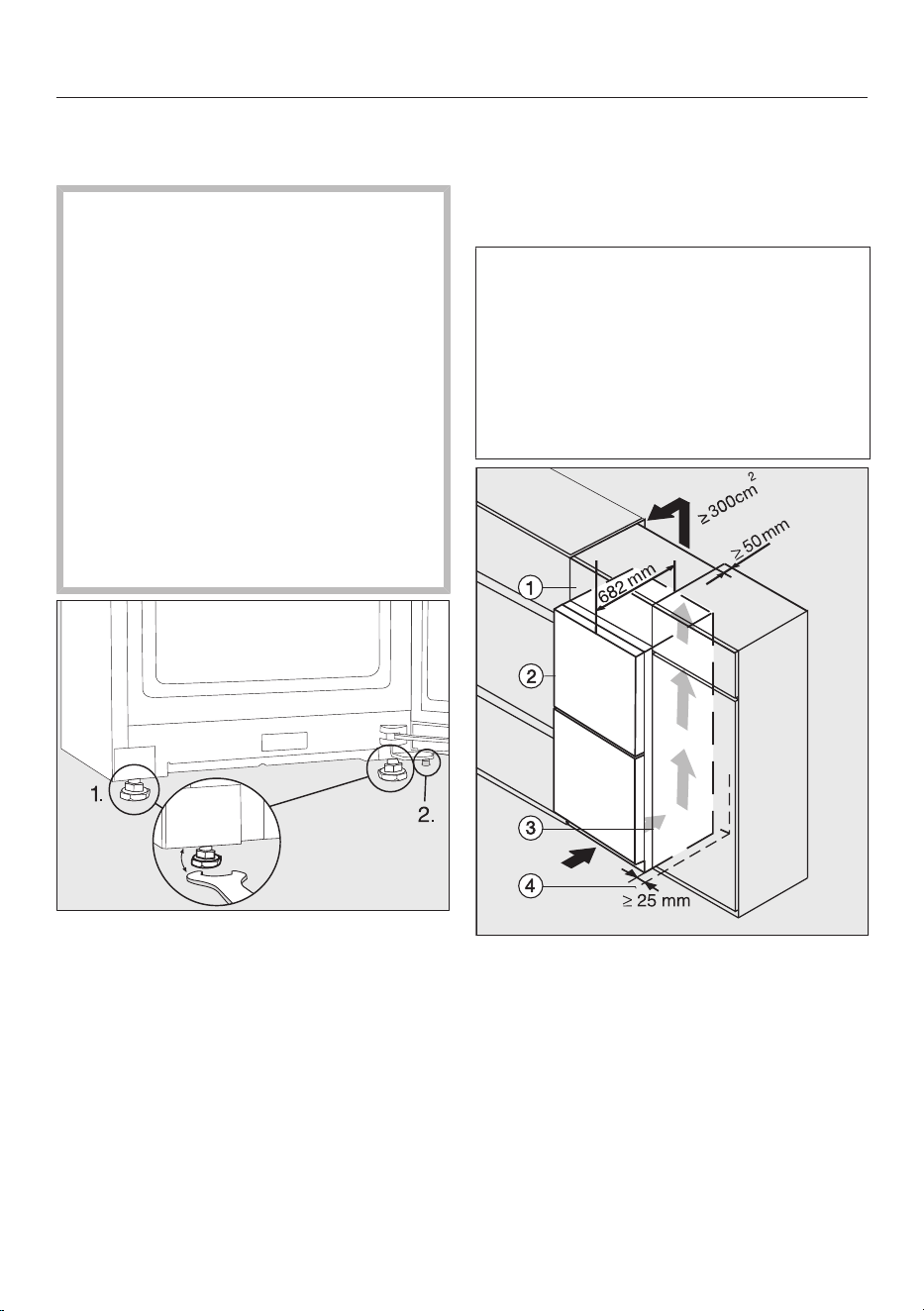
1. Adjust the front adjustable feet.
2. Unscrew the additional adjustable
foot out until it is touching the floor.
Then unscrew the adjustable foot by
a further quarter turn.
Integrating the refrigeration ap-
pliance in a run of kitchen units
The refrigeration appliance can be sur-
rounded by kitchen units.
The energy consumption was calcu-
lated with a distance of 25mm
between the back of the appliance and
the wall. If the distance to the wall is
less than 25mm, the functionality of
the refrigeration appliance is main-
tained, but energy consumption in-
creases slightly.
Refrigeration appliance with glass front
K(S)/FN(S)/KFN4xxxX obsw/matt, bb,
brws, bs, grgr
Top box
Refrigeration appliance, door depth =
82mm
Kitchen unit
Wall
19
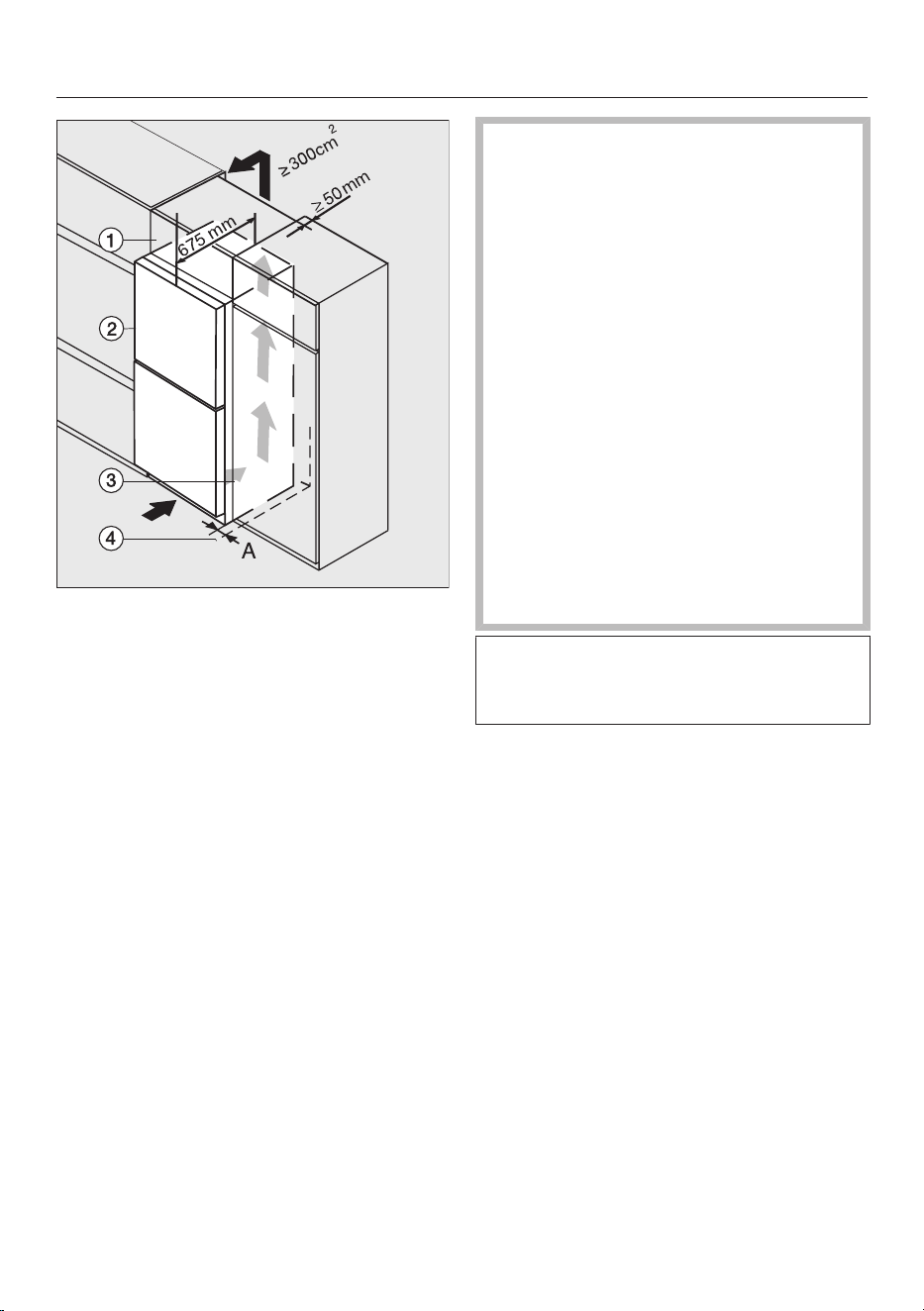
Installation
K(S)/FN(S)/KFN4xxxX edst/cs, ws, bst, el
Top box
Refrigeration appliance, door depth =
75mm
Kitchen unit
Wall
A = 25mm (with recessed grip)/60mm
(with handle)
Fire risk and risk of damage due
to inadequate ventilation.
If the refrigeration appliance is not
ventilated sufficiently, the com-
pressor will run more frequently and
for longer periods. This causes in-
creased energy consumption and an
increased compressor operating tem-
perature, which can result in damage
to the refrigeration appliance.
Please ensure that there is adequate
ventilation around the refrigeration
appliance:
It is essential to observe the required
ventilation cross-sections.
The ventilation cross-sections must
not be covered or blocked in any way.
Clean the ventilation areas regularly
to remove dust and dirt.
The larger the ventilation cross-sec-
tions, the less energy the compressor
will use.
20
Installation
Install the refrigeration appliance next
to the kitchen unit.
- The appliance front must protrude in
front of the kitchen unit front by at
least the door depth. This enables the
appliance door to be opened and shut
without being obstructed.
- When installed next to a wall, a dis-
tance (A) must be maintained on the
hinge side between the wall and
the refrigeration appliance.
- To match the height of the rest of the
kitchen units, the refrigeration appli-
ance can be fitted with a suitable top
box.
An air outlet of 50mm depth must be
provided across the whole width of
the top box.
The ventilation cross-section under
the ceiling must be at least 300cm
2
to ensure that warm air can escape
without obstruction.
21
Installation
*INSTALLATION*
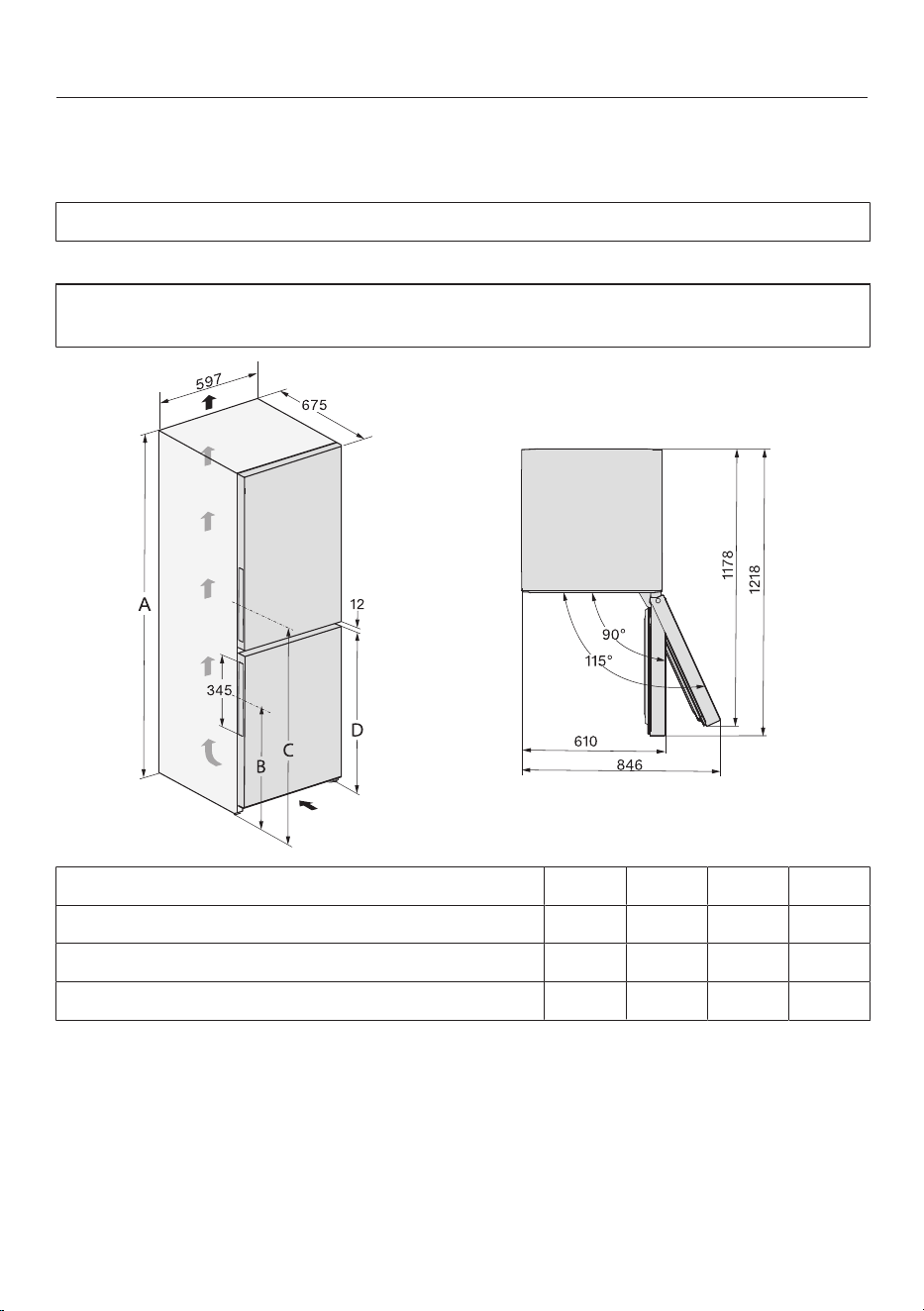
Appliance dimensions
Installation dimensions/View from above
KFN 4375 ..., KFN 4393 ..., KFN 4395 ...
All dimensions are given in mm.
The refrigeration appliance will function correctly if the specified ventilation cross-
sections are kept clear.
A B C D
KFN4375... 1855 594 1061 821
KFN4393... 2015 754 1221 981
KFN4395... 2015 594 1061 821
22
Installation
*INSTALLATION*
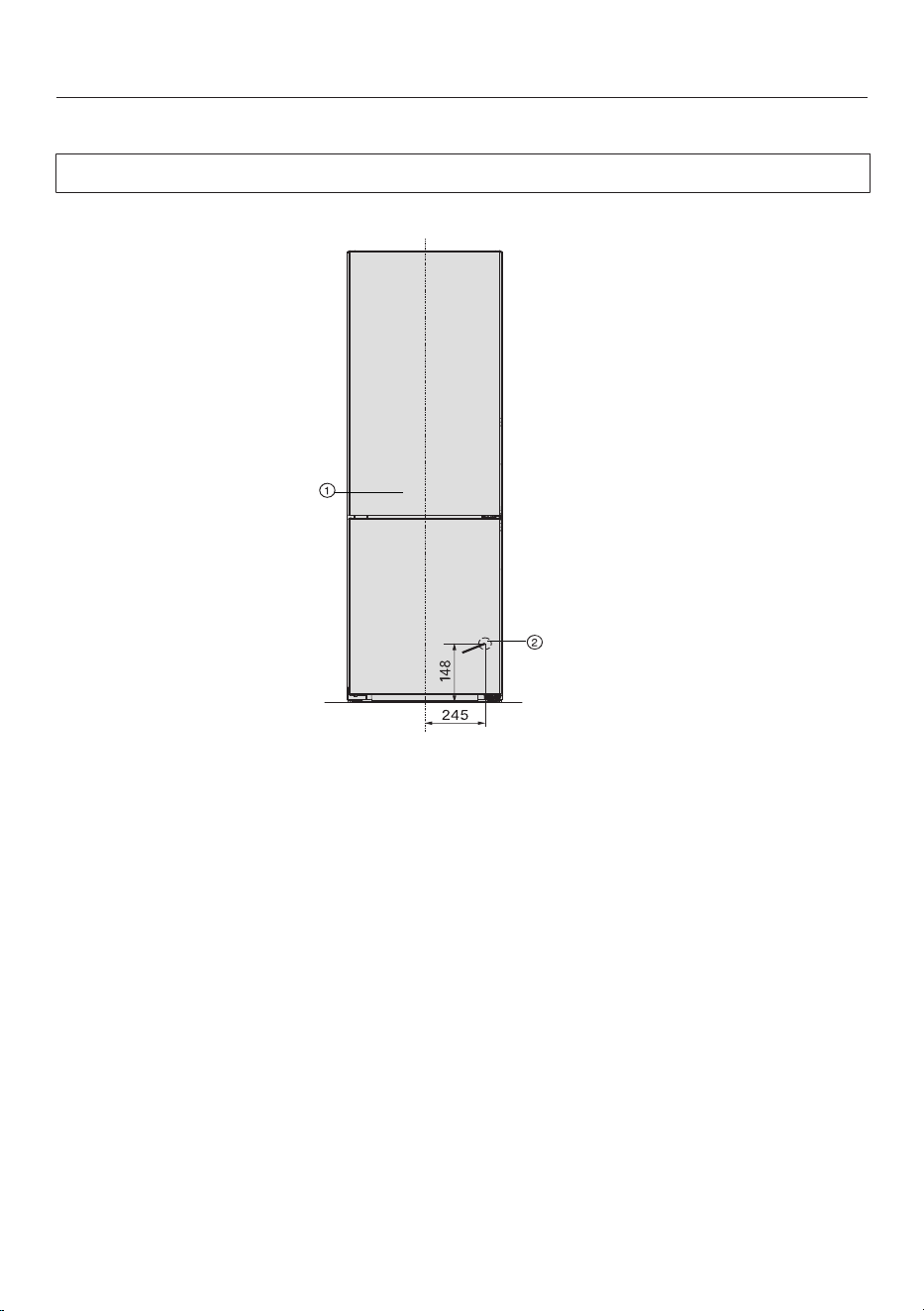
Connections
KFN 4375 ..., KFN 4393 ..., KFN 4395 ...
All dimensions are given in mm.
a
Front view
b
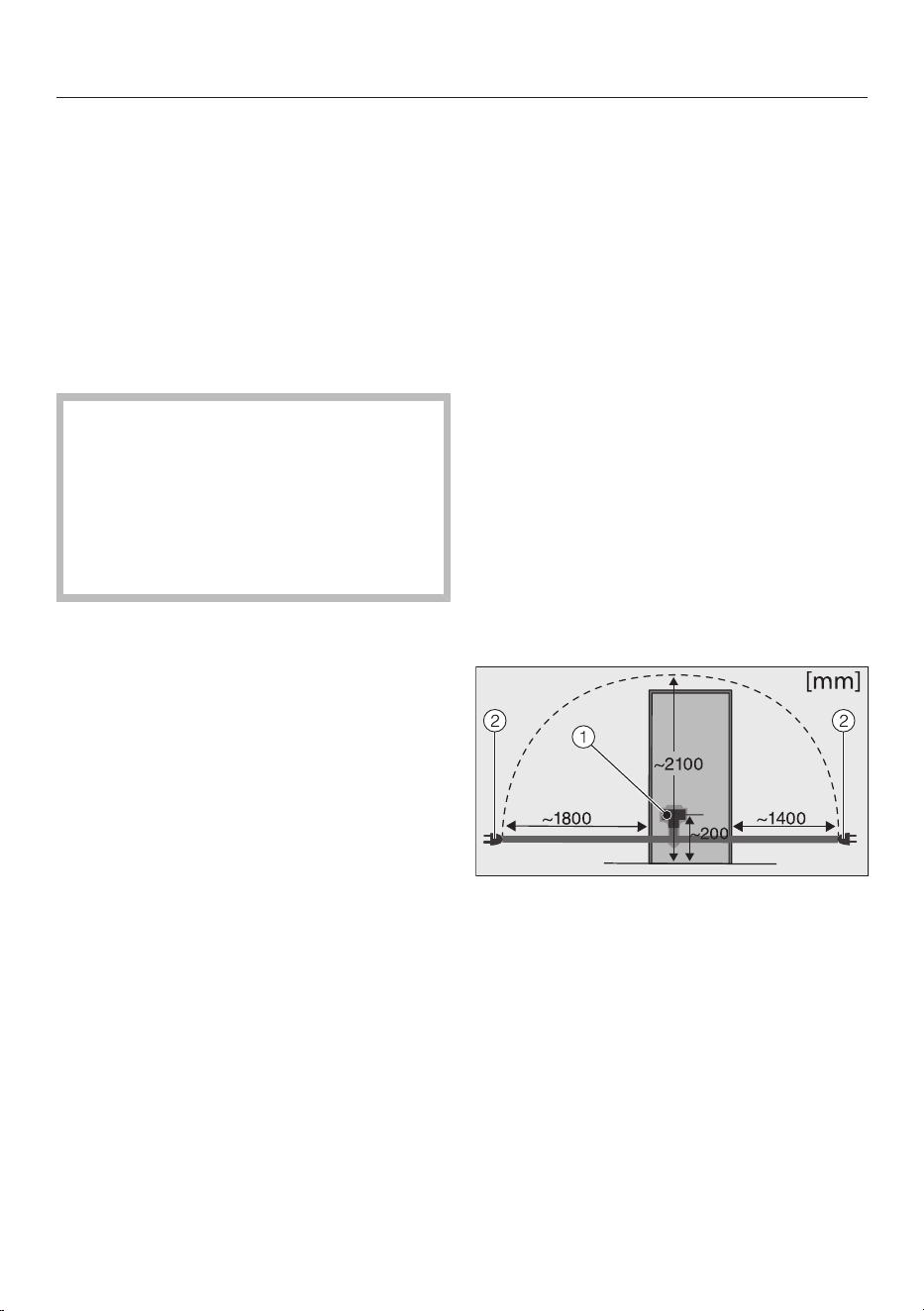
Mains connection cable, length = 2000mm
A longer mains connection cable is available to order from the Miele Customer
Service Department.
23
Installation
*INSTALLATION*
Electrical connection
The refrigeration appliance must only be
connected to an earthed socket using
the mains connection cable supplied.
The socket must be easily accessible
after the refrigeration appliance has
been installed. If the socket is not easily
accessible, ensure that a suitable
means of disconnection is provided on
the installation side for each pole.
Risk of fire from overheating.
Connecting the refrigeration appli-
ance to a multi-socket plug adapter
or to an extension lead can overload
the cable.
For safety reasons, do not use an ex-
tension lead or multi-socket adapter.
The electrical installation must comply
with VDE0100 requirements.
For safety reasons, we recommend us-
ing a type residual current device
(RCD) in the assigned electrical installa-
tion for connecting the refrigeration ap-
pliance.
If the mains connection cable is dam-
aged, it must only be replaced with a
specific mains connection cable of the
same type (available from the Miele
Customer Service Department). For
safety reasons, such replacement may
only be carried out by a qualified spe-
cialist or the Miele Customer Service
Department.
These operating instructions and the
data plate indicate the nominal power
consumption and the appropriate fuse
rating. Compare this information with
the data of the on-site electrical con-
nection. If in any doubt, consult a quali-
fied electrician.
Temporary or permanent operation on
an autonomous power supply system or
a power supply system that is not syn-
chronised with the mains power supply
(e.g. island networks, back-up systems)
is possible. A prerequisite for operation
is that the power supply system com-
plies with the specifications of
EN50160 or an equivalent standard.
The function and operation of the pro-
tective measures provided in the do-
mestic electrical installation and in this
Miele product must also be maintained
in isolated operation or in operation that
is not synchronised with the mains
power supply, or these measures must
be replaced by equivalent measures in
the installation. As described, for ex-
ample, in the current version of VDE-
AR-E2510-2.
Connecting the refrigeration appliance
Back of the refrigeration appliance
Appliance plug connector
Mains plug
Plug the plug connector into the
socket.
Make sure that the plug connector has
clicked into position correctly.
Insert the plug of the refrigeration ap-
pliance into the socket.
The refrigeration appliance is now con-
nected to the electricity supply.
24
Familiarisation
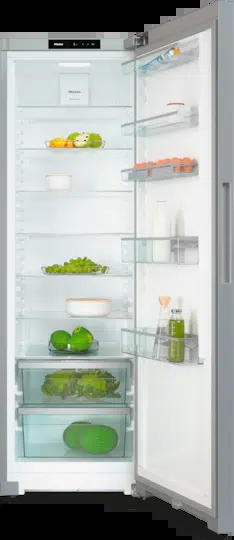
Your refrigeration appliance
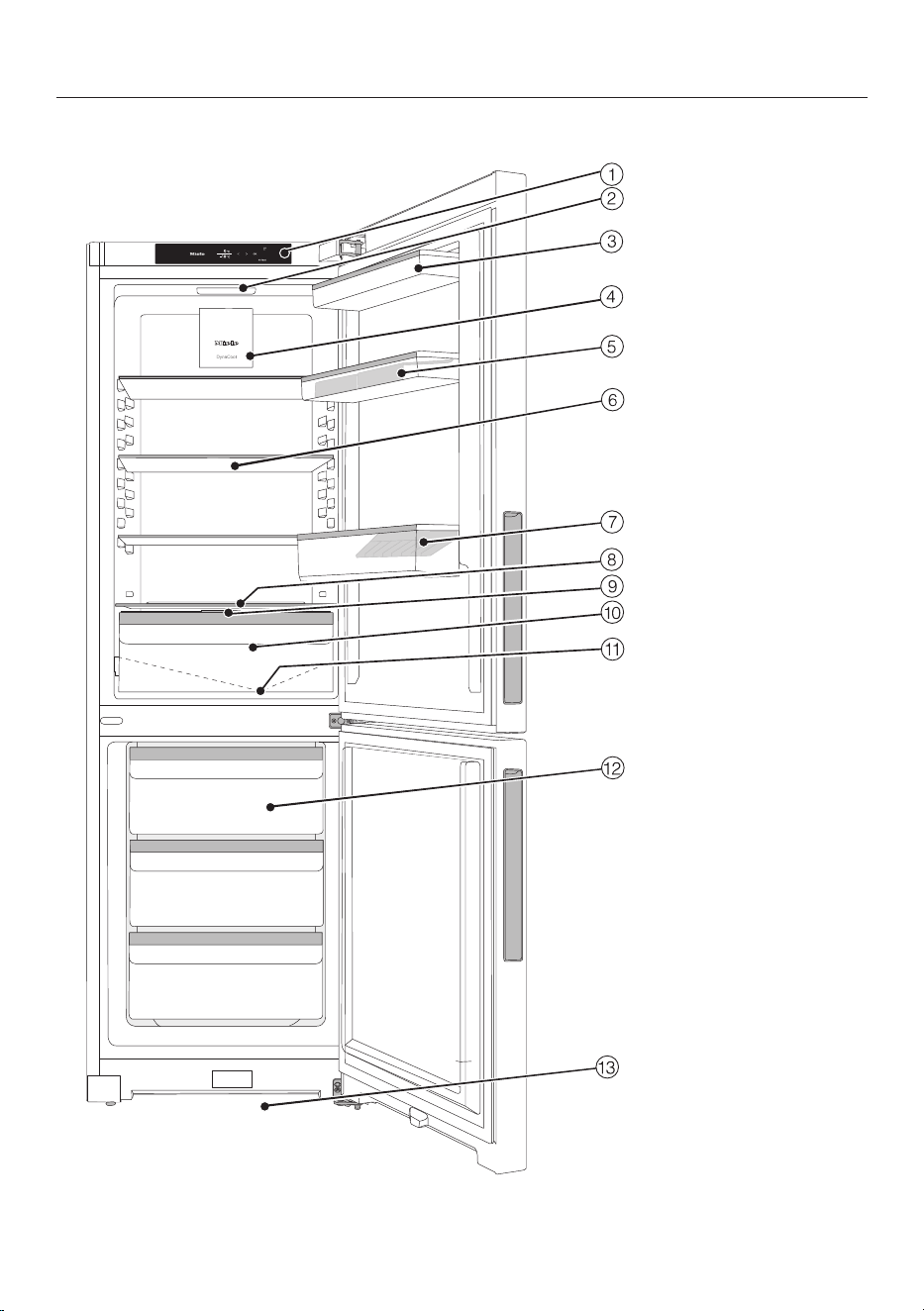
This drawing is for illustration purposes only.
25
Familiarisation
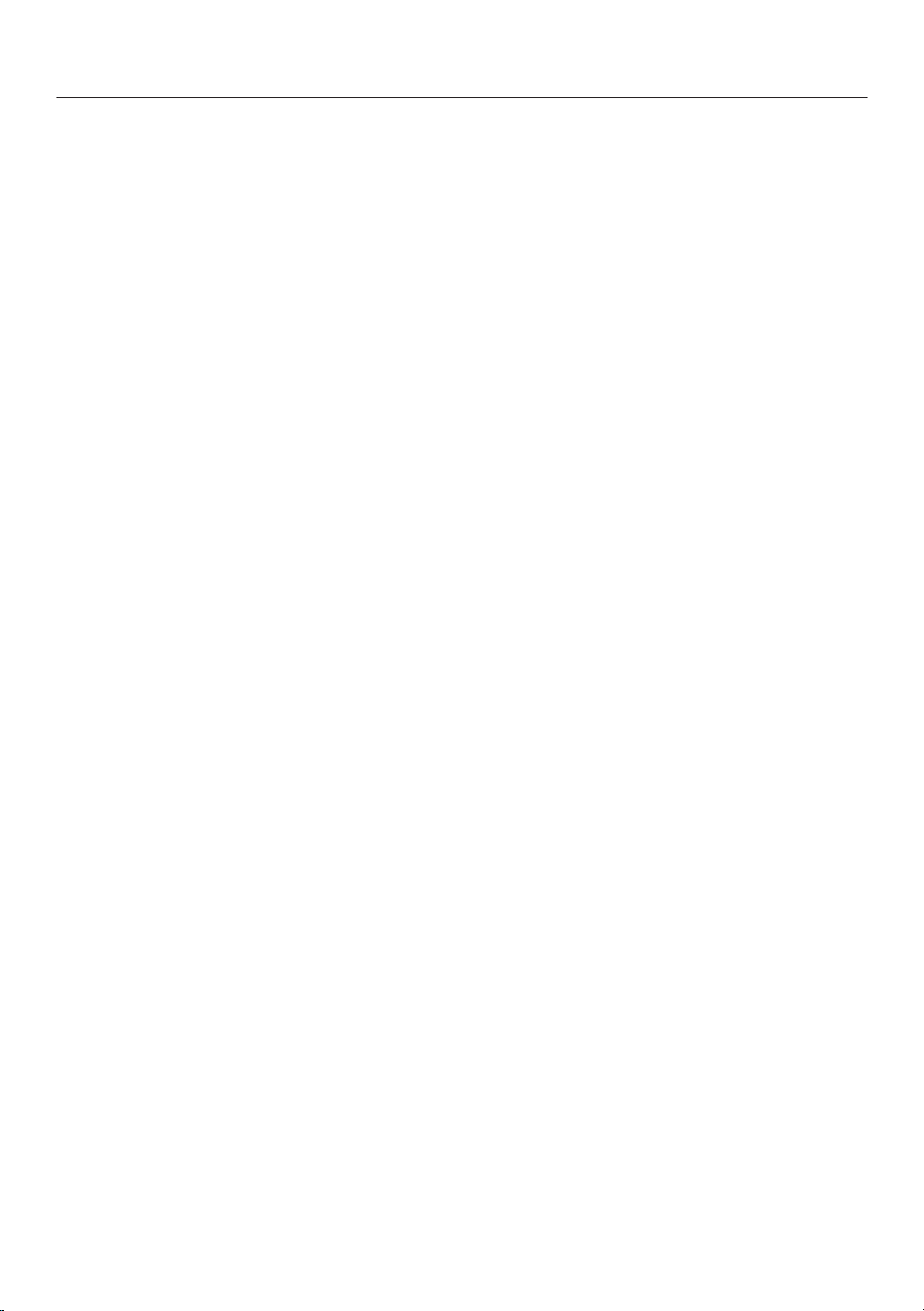
a
Display
b
Interior lighting
c
Shelves in the appliance door
d
Fan
e
Shelf with egg tray in the appliance door
f
Adjustable shelf
g
Bottle shelf with bottle holder:
You can move the bottle holder to the right or left to create space for drinks car-
tons.
h
Space for a baking tray (XL interior)
i
Compartment lid for setting the humidity level in the DailyFresh drawer
j
DailyFresh drawer for fruit and vegetables (humidity-controlled)
k
Condensate channel and condensate drain hole:
Precipitated condensate runs off and evaporates automatically.
l
Freezer drawers
m
Ventilation gap
26
Familiarisation
Control panel with display
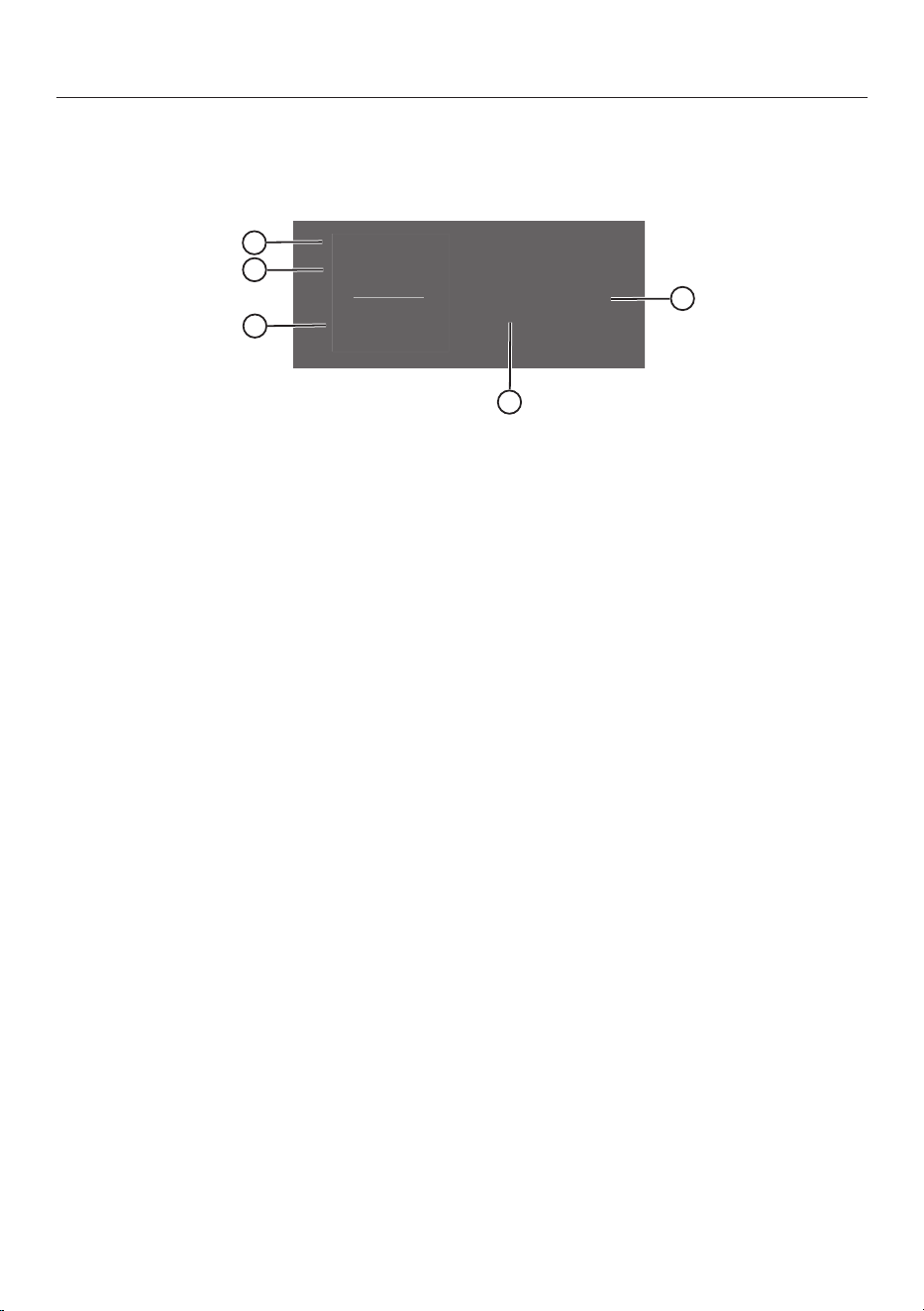
OK
<
>
°C
5
-18
°C
1
2
3
4
5
a
Temperature display for fridge zone
b
Temperature display for freezer section
c
Sensor controls for selecting a setting
d
OKsensor control for confirming a selection
and entering Settings mode
e
Display for Miele@home connection status
(depending on model)
(only visible when the Miele@home function has been set up)
27
Familiarisation
Settings mode
Party mode
The Party mode function is recommen-
ded if you wish to chill or freeze large
amounts of fresh food or drink quickly.
The Party mode function should be
switched on around4hours before
placing food in the freezer.
The Party mode function will switch it-
self off automatically after approx.
24hours.
If there is a power cut, the Party mode
function is switched off.
Holiday mode
The Holiday mode function is useful
when you go on holiday and, for ex-
ample, you do not wish to switch off the
fridge zone completely or do not need a
high degree of cooling.
When Holiday mode is switched on,
the fridge zone is regulated to a tem-
perature of 15°C. In this way, the
fridge zone remains in operation whilst
saving energy.
Food which does not go off quickly can
be stored in the refrigeration appliance
for some time at this moderate fridge
zone temperature. Energy consump-
tion is lower than in normal operation.
This also prevents the build-up of
odours and mould, which can occur if
the fridge zone is switched off and the
appliance door is closed.
Lock function/
When the lock function is switched on,
it protects the refrigeration appliance
from being switched off unintentionally
and being adjusted unintentionally by
unauthorised persons, e.g. children.
If you just want to quickly adjust the
temperature, for example, you can deac-
tivate the lock function temporarily.
Switching the refrigeration appliance
off
See “Commissioning – Switching off
the refrigeration appliance”.
Sabbath mode
The refrigeration appliance offers a Sab-
bath mode for the purposes of religious
observance (see “Adjusting settings”).
When Sabbath mode is switched on,
the following are deactivated temporar-
ily:
- Interior lighting when the appliance
door is opened
- All visual and audible signals
- The display
- An active WiFi connection
- Reminders (e.g. ActiveAirCleanfilter
display): the set time interval is
paused
All other functions switched on previ-
ously remain activated.
When Sabbath mode is switched on,
you cannot make any settings on your
refrigeration appliance.
Information on Sabbath mode
You can call up the Sabbath mode ver-
sion here.
28
Familiarisation
Networking
Here you can set up networking for the
first time, deactivate and activate the
WiFi or reset the network configuration
(see “Adjusting settings”).
Keypad tone
/
You can switch the keypad tone on or
off here (see “Adjusting settings”).
Alarms and buzzers /
You can change the volume of the
alarms and buzzers (e.g. in the event of
a door alarm or a fault message) here.
Alternatively, you can switch the alarms
and buzzers off completely if you find
them annoying (see “Adjusting set-
tings”).
Display brightness
You can adjust the display brightness to
the lighting conditions in the room here.
Temperature unit °C/°F
You can set the required temperature
unit (°Celsius or °Fahrenheit) here.
Demo mode
You can switch off demo mode here if it
has been switched on as a default set-
ting ( will appear on the display).
Demo mode allows the refrigeration
appliance to be presented in the dealer
showroom without the cooling system
being switched on. This setting is not
needed for domestic use.
Factory defaults
You can reset the refrigeration appli-
ance‘s settings to the default settings.
Tip: Reset the refrigeration appliance’s
settings to the default settings when
disposing of your refrigeration appli-
ance, selling it or putting a used refriger-
ation appliance into operation. This will
reset the network configuration so that
your personal data is deleted from the
refrigeration appliance. This will also en-
sure that a previous owner is no longer
able to access the refrigeration appli-
ance.
Information on the refrigeration appli-
ance
You can call up the model identifier and
serial number of your refrigeration appli-
ance here.
Keep this appliance data to hand:
- For integrating the refrigeration appli-
ance into your WiFi network
- When reporting an appliance fault to
the Miele Customer Service Depart-
ment
- When retrieving information from the
EPREL database
ActiveAirClean filter display
Filtering the air through the Act-
iveAirClean filter (available as an ac-
cessory) ensures that the air remains
free from odours.
The ActiveAirCleanfilter display will
remind you approx. every 6months
that the ActiveAirClean filter has to be
replaced.
You can activate the ActiveAirClean fil-
ter display here.
Cleaning mode
The Cleaning mode function makes
it easier to clean the fridge zone.
29
Familiarisation
The interior lighting remains switched
on, even though the fridge zone is
switched off. The buzzer will stop and
the symbols on the display will also go
out.
(depending on model)
Networking
Your refrigeration appliance is equipped
with an integrated WiFi module. The
WiFi module makes it possible to con-
nect to your home network and to use
the Mieleapp on a mobile device.
Once your refrigeration appliance has
been connected via WiFi, the connec-
tion is automatically re-established
every time it is switched on.
Make sure that your WiFi network sig-
nal is strong enough in the place where
you intend to install your refrigeration
appliance.
Connecting your refrigeration appli-
ance to your WiFi network will in-
crease energy consumption, even
when the appliance is switched off.
Smart Extras via the Miele app*
Networking via the Miele app gives you
access to numerous Smart Extras, in-
cluding:
- Access status information.
- Use additional helpful functions.
- Keep your refrigeration appliance up
to date with the latest Miele develop-
ments via software updates.
You can find more detailed information
about Smart Extras on the Miele web-
site, in the Apple App Store
®
or in the
Google Play Store™.
30
Familiarisation
*This is a separate digital offer from
Miele & Cie. KG. The range of func-
tions can vary depending on the model
and the country. Acceptance of the
Terms and Conditions and Privacy
Policy for Miele digital products & ser-
vices in the Miele app required. Miele
reserves the right to change or discon-
tinue the digital offer at any time.
Safety
Temperature alarm in the freezer zone
The refrigeration appliance has been
fitted with a temperature alarm so that
the temperature in the freezer zone
cannot rise unnoticed.
If the temperature becomes too
warm,
will light up red in the tem-
perature display of the freezer zone.
An alarm will also sound until the cause
of the alarm is rectified or the alarm is
switched off.
The set temperature determines when
the appliance recognises a temperature
as being too warm.
The audible and visual signals may be
activated in the following situations:
- You switch on the refrigeration ap-
pliance and the temperature in the
freezer zone differs greatly from the
set temperature.
- Too much warm ambient air enters
the freezer when you are rearran-
ging or taking out frozen food.
- You are freezing large amounts of
food at once.
- You are freezing warm food.
- There was a power cut.
- The refrigeration appliance has a
fault.
31
Familiarisation
Health risk caused by decompos-
ing food.
If the temperature in the freezer re-
mains above -18°C for a long time,
the frozen food can start to defrost.
This will reduce the storage life of the
food.
Check whether the frozen food has
started to defrost. If it has, check that
the food is safe to use and if it is,
then use it as soon as possible or
cook it before freezing it again.
Switching the temperature alarm off
early
Before you switch the temperature
alarm off, you must determine the
cause and rectify it.
If you are bothered by the sound of the
alarm, you can switch the alarm off
early.
Tap OK.
The
symbol will go out and the alarm
will stop.
The warmest temperature recorded in
the freezer zone will flash for about
1minute in the temperature display for
the freezer zone. Then the temperature
display will change to the current tem-
perature in the freezer zone.
Door alarm
The refrigeration appliance is fitted
with a door alarm to avoid increased
energy consumption and food becom-
ing warm if the door is left open.
If an appliance door is left open for a
longer period of time,
will light up
yellow on the relevant temperature dis-
play. An alarm will also sound and the
interior lighting will flash.
You can change the time before the
door alarm is triggered. The door alarm’s
audible signal can also be switched off.
The alarm will stop and
will go out
on the display as soon as the appliance
door is closed.
Switching the door alarm off early
Tap OK.
goes out and the alarm will stop.
The interior lighting will light up con-
stantly.
If the appliance door is not closed, the
door alarm will sound again after
around 1minute.
32
Familiarisation
Appliance functions
SuperCool
When switched on, the SuperCool func-
tion can be used to rapidly reduce the
temperature in the fridge zone to its
lowest setting (depending on the ambi-
ent temperature). The refrigeration ap-
pliance will work at full power and lower
the temperature.
Select this function for the rapid chilling
of large amounts of fresh food or drink.
The SuperCool function should be
switched on immediately before pla-
cing food or drinks in the fridge zone
(see “Operation – Switching
SuperCool on”).
The SuperCool function will switch it-
self off automatically after approx.
18hours.
SuperFreeze
When switched on, the SuperFreeze
function can be used to rapidly re-
duce the temperature in the freezer
zone to its lowest setting (depending on
the ambient temperature). The refrigera-
tion appliance will work at full power
and lower the temperature. Select this
function before freezing fresh food. This
helps food to freeze quickly and retain
its nutrients, vitamins, flavours and ap-
pearance.
The SuperFreeze function must be
switched on approx.6hours before
the food to be frozen is placed in the
freezer (see “Operation” section,
“Switching on SuperFreeze”). When
you are freezing the maximum amount
of food, the SuperFreeze function
should be switched on 24hours be-
forehand.
The SuperFreeze function will
switch itself off automatically after a
maximum of 72hours. The quantity of
fresh food placed in the freezer will de-
termine the duration before it switches
off.
DynaCool
Due to natural air circulation, there are
different temperature regions in the
fridge zone. Cold, heavy air sinks to the
lowest section of the fridge zone. You
should bear this in mind when storing
food in the appliance (see “Operation”
and “Storing food in the fridge zone”).
However, if you are storing a large
amount of similar food in the refrigerator
at any time, it is a good idea to turn on
DynaCool. This way you can distribute
the temperature on all the adjustable
shelves inside the appliance more
evenly so that all the food will be chilled
to about the same degree.
Also switch on the DynaCool func-
tion when:
- The ambient temperature is high
(above approx. 35°C)
- The humidity levels are high (e.g. in
the summer)
- When storing damp goods to pre-
vent condensate formation in the
fridge zone
The fan can also run when the func-
tion is deactivated. This ensures op-
timum temperature distribution in
the fridge zone.
33
Familiarisation
Adjusting the interior fittings
Moving the door shelf/bottle shelf
Only move the door/bottle shelves in
the appliance door when they are
empty.
Push the door/bottle shelves up-
wards, then remove them by pulling
them forwards.
Replace the door/bottle shelves at
the required height.
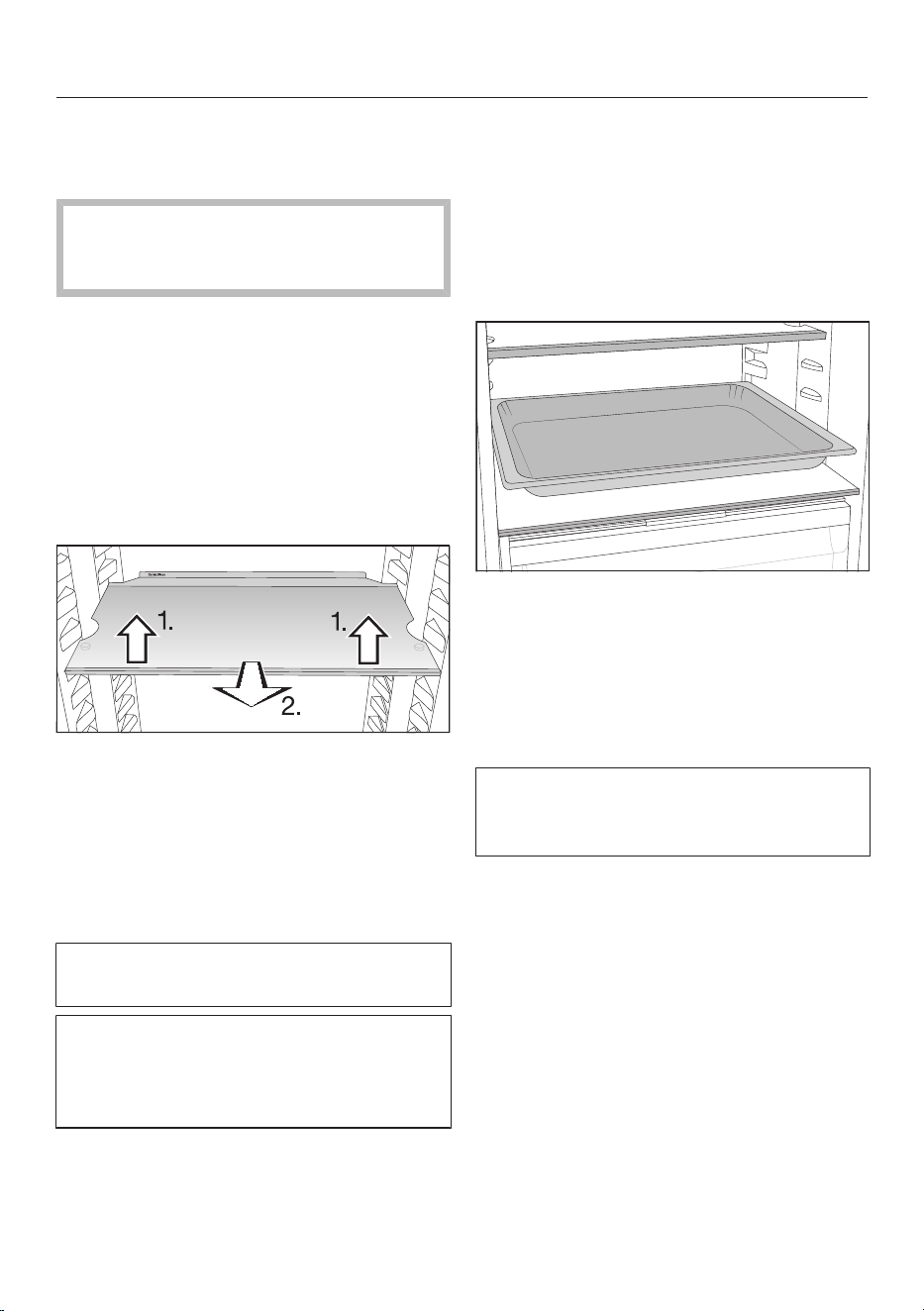
Moving the adjustable shelves
The shelves can be adjusted according
to the height of the food.
Raise the shelf slightly at the front
and pull it forwards a little.
Lift it until the notches at the side are
in line with the shelf supports. The
shelf can then be raised or lowered to
the required level.
Push the shelf in.
Stoppers prevent the shelves from be-
ing dislodged by mistake.
The raised edge on the protective strip
at the back must face upwards to pre-
vent food from touching the back of
the appliance and freezing to it.
Space for a baking tray
A baking tray can be placed above the
drawers. The baking tray can be no more
than 466mm wide, 386mm deep and
50mm high.
Open the appliance door as far as it
will go.
Place the baking tray on the dividing
plate.
Tip: Let the baking tray cool down to
room temperature before putting it in
the refrigerator section.
Moving the Active AirClean filter
KKF-FF charcoal filters with holder
(Active AirClean) are available as op-
tional accessories.
The holder for the Active AirClean filters
sits on a protective strip at the back of
the shelf.
To move the Active AirClean filter, pull
it upwards to remove it from the pro-
tective strip.
34
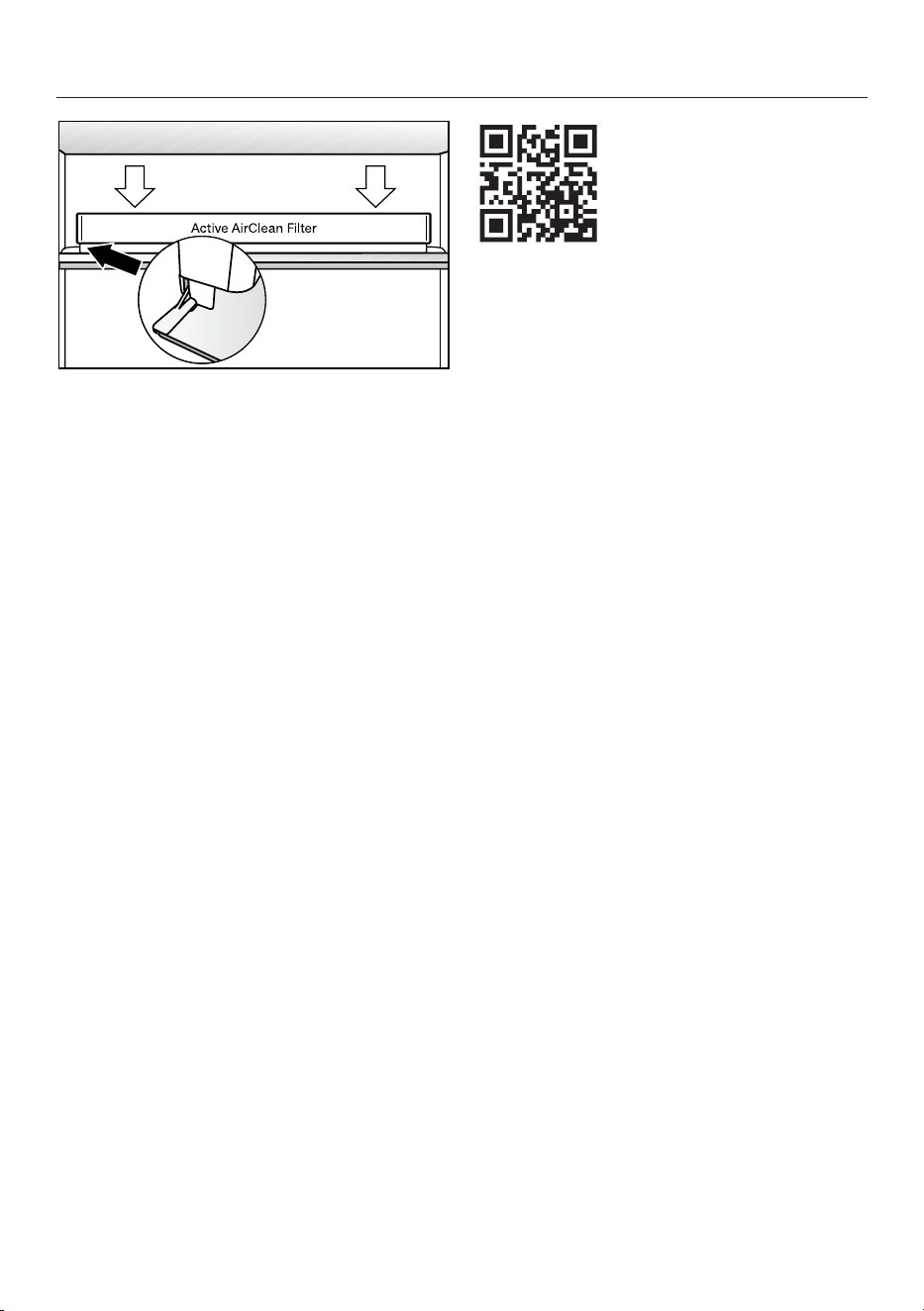
Familiarisation
Refit the Active AirClean filter on the
protective strip of the shelf you wish
to use it on.
Creating a flexible design for the
freezer zone (VarioRoom)
If you wish to freeze large items such as
a turkey or game, you can remove the
upper freezer drawers and the glass
plates between the freezer drawers.
This creates more volume and space for
storing bulky and tall items of frozen
food.
Accessories supplied
Egg tray
Bottle holder
Ice cube tray
Optional accessories
A range of useful Miele accessories and
care products are available for your ap-
pliance.
Products specially tailored to your refri-
geration appliance – such as appliance
care products and accessories – are
available from the Miele online shop,
from Miele Customer Service or from
your Miele specialist dealer.
You can access the Miele online shop
via the following QR code:
35
Commissioning
Before using for the first time
Remove all packaging material and
protective foil.
Remove all advertising materials and
labels from the inside of the refrigera-
tion appliance.
Clean the inside of the appliance and
the accessories.
Connecting the refrigeration appliance
Connect the refrigeration appliance to
the electricity supply as described in
“Electrical connection”.
Miele will then appear on the appliance
display, followed by .
Switching the refrigeration ap-
pliance on
Open the appliance door.
Touch the OKsensor control on the
control panel.
The refrigeration appliance will start to
cool and the interior lighting will come
on when the appliance door is opened.
When the set freezer temperature is
reached, the
symbol disappears, the
temperature display of the freezer sec-
tion lights up constantly and the alarm
stops.
If the alarm annoys you, tap OK.
The alarm will stop.
The appliance will gradually reach the
pre-set temperatures.
To enable the temperature to get suf-
ficiently cold inside the refrigeration
appliance, allow the appliance to run
for a few hours before placing food in
it. Do not place food in the refrigera-
tion appliance until it has reached the
preset temperature.
Do not place food in the freezer zone
until it has reached the preset tem-
perature (min. -18°C).
Switching the refrigeration ap-
pliance off
You can only switch the entire refrigera-
tion appliance off in Settings mode.
Touch the OKsensor control on the
control panel.
will appear in the display (refrigerator
section is selected).
Use the or sensor control to
scroll to the symbol.
Touch OK.
Use the or sensor control to
scroll to the symbol.
Touch OK.
The cooling and interior lighting are
switched off.
will appear in the display.
Please note: The refrigeration appli-
ance is not disconnected from the
mains power supply when it is
switched off.
36
Commissioning
Switching off the refrigerator section
separately
The refrigerator section can be switched
off without having to switch off the
freezer section. This is useful, e.g. whilst
on holiday.
Touch the OKsensor control on the
control panel.
will appear in the display (refrigerator
section is selected).
TouchOK.
Use the sensor control to scroll to
the symbol.
TouchOK.
The temperature display for the refriger-
ator section will go out. will appear in
the display.
The refrigerator section is switched off.
The temperature display for the freezer
section remains lit up.
Switching the refrigerator section back
on again separately
TouchOK.
will appear in the display (refrigerator
section is selected).
TouchOK.
Use the sensor control to scroll to
the temperature you want and touch
OK.
The refrigerator section switches back
on.
Switching off for longer periods of
time
If, during a long absence, the refriger-
ation appliance is switched off but
not cleaned and the door is left shut,
there is a danger of mould building up
inside the appliance.
It is essential to clean the refrigera-
tion appliance before a long period of
absence.
If the refrigeration appliance is not going
to be used for a longer period of time,
observe the following:
Switch the refrigeration appliance off.
Switch off at the wall and disconnect
the plug from the socket, or discon-
nect the fuse.
Clean the refrigeration appliance and
leave the door ajar to air the appliance
and avoid odours building up inside.
It is also advisable to carry out the last
two instructions if you are switching
the refrigerator section off for a longer
period of time.
37
Commissioning
(depending on model)
Requirements for networking
Note the following requirements for net-
working:
1. A home network is available at the
installation site.
Have the WiFi password ready.
2. The Miele app is available on a mo-
bile device.
3. You have a user account in the Miele
app.
Miele App
The Miele App is available to download
free of charge from the Apple App
Store
®
or from the Google Play Store™.
Setting up networking for the first time
TapOK.
will appear in the display.
Use the or sensor control to
scroll to the symbol.
Tap OK.
Use the or sensor control to
scroll to the symbol.
TapOK.
Use the and sensor controls to
select the connection method you
wish to use (app or WPS).
TapOK.
To leave Settings mode , use the
or sensor control to scroll to the
symbol.
Tap OK.
Use the or sensor control to
scroll to the symbol and tap OK.
After you have successfully logged in,
will appear in the display.
If a connection could not be created,
will appear.
Start the process again.
Performing Scan & Connect
Scan the QR code.
If you have installed the Miele app and
have a user account, you will be taken
directly to the networking steps.
If you have not yet installed the Miele
app, you will be taken to the Apple App
Store
®
or the Google Play Store™.
Install the Miele app and set up a user
account.
Scan the QR code again.
The Miele app will guide you through
the setup process.
(depending on model)
38
Operation
Temperature display
In normal operation, the temperature
display shows the current average re-
frigerator section temperature and
the maximum freezer section tem-
perature.
Depending on the ambient temperature
and the temperature setting, it can take
the appliance a few hours to reach the
temperature required and for this tem-
perature to then be shown as a constant
temperature on the display.
The temperature in the refrigeration ap-
pliance will always rise:
- The more often the appliance door is
opened and the longer it is kept open.
- The more food is stored in it.
- The warmer the food is which is being
put into it.
- The higher the ambient temperature
surrounding the refrigeration appli-
ance. This refrigeration appliance is
designed for use within specific ambi-
ent temperatures (climate range). Do
not use in ambient temperatures for
which it is not designed.
Temperature range in the fridge zone
We recommend a temperature of 4°C
in the fridge zone.
A temperature setting of 4°C com-
bined with appropriate hygiene
measures delays the propagation of
bacteria, e.g. salmonella and listeria,
which can lead to serious food pois-
oning.
The temperature in the fridge zone can
be adjusted from 2 to 9°C.
Temperature range in the freezer zone
Health risk caused by decompos-
ing food.
To freeze fresh food, a temperature of
-18°C is required. Please note that, if
the temperature is any warmer, the
food will have a shorter shelf life.
When freezing food and storing it
over the long term, set a minimum
temperature of -18°C.
Tip: By keeping the freezer zone at a
constant temperature of -18°C and tak-
ing appropriate hygiene measures you
can maximise the storage life of your
food and avoid food waste.
The temperature in the freezer zone
can be adjusted from -15°Cto -26°C.
39
Operation
Setting the temperature in the
refrigerator/freezer sections
Touch the OKsensor control on the
control panel.
will appear in the display (refrigerator
section is selected).
Use the andsensor controls to
change the selected temperature
zone if required.
TouchOK.
Use the andsensor controls to
change the temperature.
TouchOK.
The temperature display will then
change back to the current temperature
in the relevant temperature zone.
Switching on SuperCool
The SuperCool function should be
switched on immediately before pla-
cing food or drinks in the fridge zone.
When the SuperCool function is
switched on, the appliance may make
more noise than usual.
Touch theOK sensor control on the
control panel.
will appear in the display (fridge zone
is selected).
Tap OK.
Use the sensor control to scroll to
the symbol.
Tap OK.
When the SuperCool function is
switched on, a dot appears in the upper
corner of the display
.
Use the sensor control to scroll to
the temperature you want and touch
OK.
Switching off SuperCool
The SuperCool function will switch it-
self off automatically after approx.
18hours. The refrigeration appliance
will then run at normal power again.
Tip: To save energy, you can switch the
SuperCool function off yourself once
food and drinks are sufficiently chilled.
Touch theOK sensor control on the
control panel.
will appear in the display (fridge zone
is selected).
Tap OK.
Use the sensor control to scroll to
the symbol.
40
Operation
Tap OK.
When the SuperCool function is
switched off, the dot in the upper
corner of the display disappears
.
Use the sensor control to scroll to
the temperature you want and touch
OK.
Switching SuperFreeze on
The SuperFreeze function should be
switched on around6hours before
placing food in the freezer. If you are
freezing the maximum amount of
food, the SuperFreeze function should
be switched on 24hours beforehand.
You do not need to switch on the Su-
perFreeze function:
- If you are placing food that is
already frozen in the freezer.
- If you only freeze up to 2kg of fresh
food daily.
When the SuperFreeze function is
switched on, the appliance may make
more noise than usual.
Touch theOK sensor control on the
control panel.
will appear in the display (fridge zone
is selected).
Use the sensor control to scroll to
the symbol.
Tap OK.
Use the sensor control to scroll to
the symbol.
Tap OK.
When the SuperFreeze function is
switched on, a dot appears in the upper
right-hand corner of the display
.
Use the and sensor controls to
scroll to the temperature you want
and touch OK.
Switching SuperFreeze off
The SuperFreeze function will
switch itself off automatically after a
maximum of 72hours.
Tip: To save energy, you can switch off
the SuperFreeze function early yourself
once food and drinks are sufficiently
chilled.
Touch theOK sensor control on the
control panel.
will appear in the display (fridge zone
is selected).
Use the sensor control to scroll to
the symbol.
Tap OK.
Use the sensor control to scroll to
the symbol.
Tap OK.
When the SuperFreeze function is
switched off, the dot in the upper right
corner of the display disappears
.
Use the and sensor controls to
scroll to the temperature you want
and touch OK.
41
Operation
Switching on DynaCool
Also switch on the DynaCool function
when:
- With a large amount of similar food
- The ambient temperature is high
(above approx. 35°C)
- The humidity levels are high (e.g. in
the summer)
- When storing damp goods to pre-
vent condensate formation in the
fridge zone
The fan switches on automatically
when the cooling system for the fridge
zone switches on.
When the DynaCool function is
switched on, the appliance may make
more noise than usual.
Touch theOK sensor control on the
control panel.
will appear in the display (fridge zone
is selected).
TapOK.
Use the sensor control to scroll to
the symbol.
Tap OK.
When the DynaCool function is
switched on, a dot appears in the upper
corner of the display
.
Use the sensor control to scroll to
the temperature you want and touch
OK.
Switching off DynaCool
To save energy:
- When the door is open, the fan
automatically turns off temporarily
to save energy.
- Switch the DynaCool function off
again under normal conditions.
Touch theOK sensor control on the
control panel.
will appear in the display (fridge zone
is selected).
TapOK.
Use the sensor control to scroll to
the symbol.
Tap OK.
When the DynaCool function is
switched off, the dot in the upper
corner of the display disappears
.
Use the sensor control to scroll to
the temperature you want and touch
OK.
42
Operation
Storing food in the fridge zone
Different storage zones
Due to natural air circulation, there are
different temperature regions in the re-
frigerator section.
Cold, heavy air sinks to the lowest sec-
tion of the refrigeration section. Make
use of the different zones when placing
food in the appliance.
This is a refrigeration appliance with
dynamic cooling. When the fan is run-
ning, the cold is evenly distributed in
the fridge zone. The difference
between the various temperature
zones is less pronounced.
Warmest area
The warmest area in the refrigerator
section is at the top in the front area
and in the door. Use this for storing but-
ter and cheese.
Coldest area
The coldest area in the fridge zone is
directly above the DailyFresh drawer
and at the rear panel of the appliance.
Therefore, you should use these areas to
store all delicate and highly perishable
food, including:
- Fish, meat, poultry
- Cold cuts, ready meals
- Dishes or baked goods containing
eggs or cream
- Fresh dough, cake mixtures, pizza or
quiche dough
- Raw milk cheese and other raw milk
products
- Hummus, vegetable spreads, plant-
based cream cheese substitutes
- Pre-packed vegetables
- Other fresh food (with a label stating it
should be kept at a temperature of ap-
prox. 4°C)
Tip: Store food in such a way that it
does not touch the rear panel of the
fridge zone. Otherwise it could freeze to
the rear panel.
Should food be stored loose or in
packaging?
Ensure that food stored in the fridge
zone is in packaging or covered properly
(some exceptions apply in the
DailyFresh drawer).
This will prevent food odours from af-
fecting other food, stop food from drying
out and also prevent any cross-contam-
ination of germs. This is particularly im-
portant when storing meat products.
Make sure that food such as raw meat
and fish in particular does not come into
contact with other food.
By ensuring that the temperature
settings are correct and by taking ap-
propriate hygiene measures, you can
prolong the storage life of your food
considerably. This prevents food
waste.
Protein-rich food
Please note that food rich in protein de-
teriorates faster than other types of
food. Shellfish, for example, deteriorates
faster than fish, and fish deteriorates
faster than meat.
43
Operation
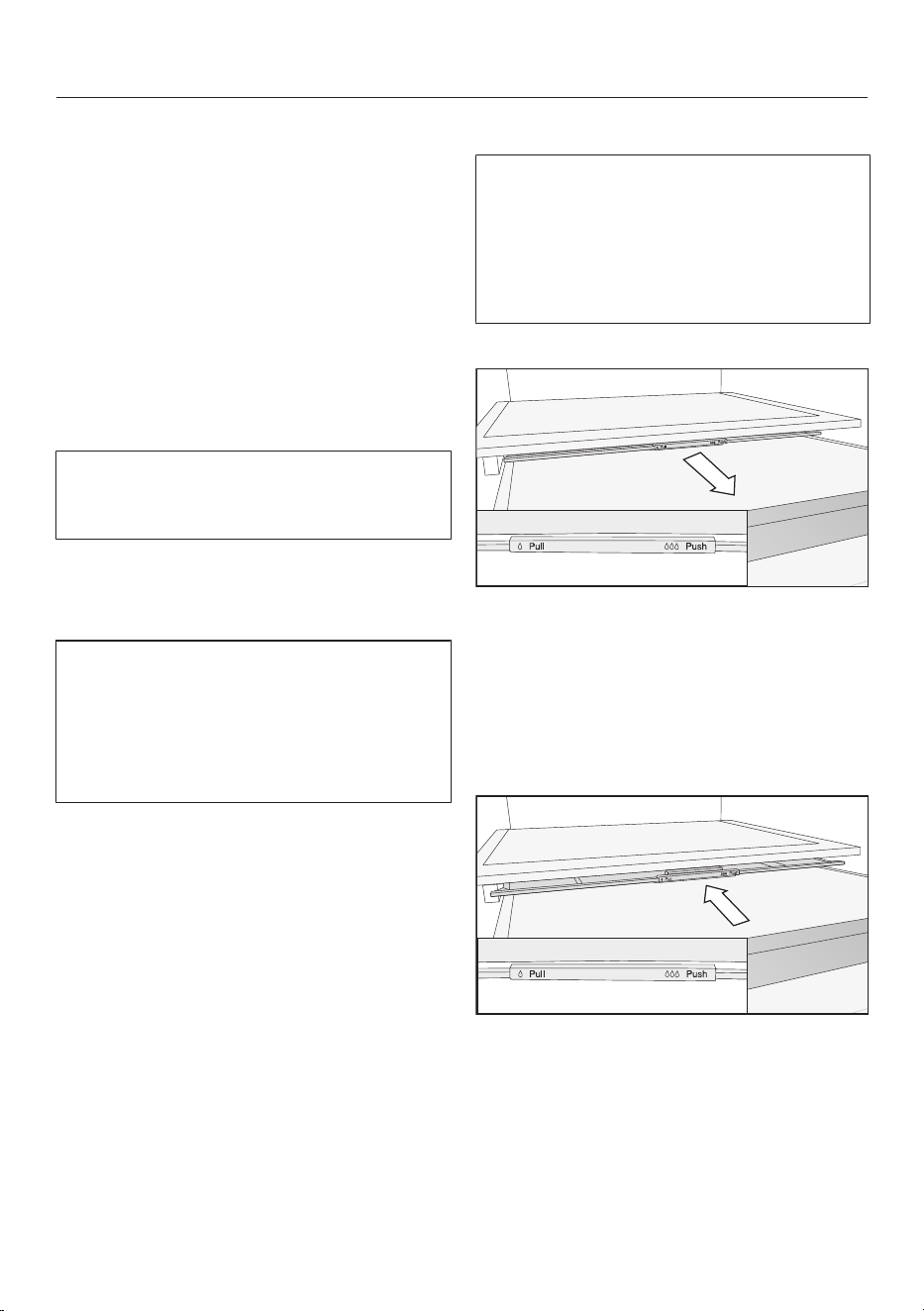
Storing food in the DailyFresh
drawer
The DailyFresh drawer provides good
storage conditions for fruit and veget-
ables.
The humidity level in the DailyFresh
drawer can also be regulated to suit the
food being stored. Food retains its own
moisture if stored at a higher humidity
and so does not dry out as quickly. The
temperature is approximately equivalent
to the temperature in the fridge zone.
Remember that the fresher the food
when placed in the appliance, the
longer it will stay fresh.
Adjusting the humidity level in the
DailyFresh drawer for fruit and veget-
ables
The moisture level greatly depends on
the type and quantity of food being
stored, if stored unwrapped.
If the quantity of food being stored in
this compartment is small, the humid-
ity level may be too low.
Tip: If you are only storing a small
amount of food, wrap it in airtight pack-
aging.
Selecting low humidity
The appliance is delivered with in-
creased humidity and the compart-
ment cover pushed backwards .
Only change this position if the
DailyFresh drawer is excessively hu-
mid:
Open the DailyFresh drawer.
Pull the compartment cover forwards
as far as it will go.
The compartment cover is open and the
humidity drops .
Selecting increased humidity
Open the DailyFresh drawer.
Slide the compartment cover back-
wards as far as it will go.
The compartment cover is closed and
the humidity remains in the compart-
ment .
44
Operation
Freezing and storing fresh food
Before placing food in the freezer
Only freeze fresh food which is in good
condition.
When freezing more than 2kg of fresh
food, switch on the SuperFreeze func-
tion for 6hours before placing the
food in the freezer.
When freezing even larger amounts of
food, switch on the SuperFreeze func-
tion for 24hours before placing the
food in the freezer.
This helps the frozen food which is
already stored in the freezer to stay
frozen.
Placing frozen food in the freezer
Risk of damage caused by load-
ing too much food.
Loading food which is too heavy can
cause damage to the freezer draw-
ers/glass shelves.
Do not exceed the relevant maximum
load size:
Freezer drawer = 15kg
Glass shelf = 35kg
Unfrozen food should not touch
frozen food as this will cause the
frozen food to begin to thaw.
To prevent food sticking together
when frozen, make sure that the pack-
aging and containers are dry.
To ensure that food freezes through to
the core quickly, do not exceed the fol-
lowing packaging and container sizes:
- Fruit and vegetables: max. 1kg
- Meat: max. 2.5kg
–Freezing small amounts of food
Freeze food in the top freezer drawer.
Always place the food as far back in
the freezer drawer so that it freezes
through to the core as quickly as pos-
sible.
–Freezing the maximum amount of
food (see data plate)
Distribute the food in the top freezer
drawer. Only store food that has already
been frozen in the bottom drawer.
Always place the food as far back in
the freezer drawer so that it freezes
through to the core as quickly as pos-
sible.
After freezing
Switch the SuperFreeze function
off early as soon as food and drinks
are sufficiently chilled.
Cooling drinks quickly
To cool drinks quickly in the refrigerator
section, switch on the SuperCool func-
tion.
If you want to cool a large amount of
drinks, or if you want to cool drinks in
the freezer section, select Party mode
in Settings mode.
When cooling drinks quickly in the
freezer, make sure bottles are not left in
for more than one hour. Otherwise they
could burst.
Making ice cubes
Fill the ice cube tray 3/4 full with wa-
ter and place it on the bottom of one
of the freezer drawers.
Once frozen, use a blunt instrument,
for example a spoon handle, to re-
move the ice cube tray from the
freezer if it is stuck.
45
Operation
Tip: Ice cubes can be removed easily
from the tray by twisting the tray gently
or by holding it under cold running water
for a short time.
46
Adjusting settings
Settings mode
Switch Party mode on or off.
Switch Holiday mode on or off.
/ Switch the locking function on, deactivate it temporarily or switch it
off completely.
Switch off the refrigeration appliance.
Switch Sabbath mode on or off.
Call up the Sabbath mode version.
Change the time before the door alarm is triggered.
Adjusting the temperature level in the PerfectFreshPro zone
Networking
APP / WPS Set up networking for the first time.
/ Activate or deactivate the WiFi connection.
Reset the network configuration.
/
Switch the keypad tone on or off.
/ Change the volume of the alarms and buzzers or switch off the
alarms and buzzers completely.
Adjust the display brightness.
°C / °F Change the temperature unit.
Switch the demo mode off (only visible when switched on).
Reset the settings to their factory default settings.
Access information about your refrigeration appliance.
Activate the ActiveAirCleanfilter display.
47
Adjusting settings
Switch cleaning mode on or off.
48
Adjusting settings
The door alarm and other warnings are
automatically disabled when the appli-
ance is in Settings mode .
Switching the Party modeon
The Party mode function should be
switched on around4hours before
placing food in the freezer.
TapOK.
will appear in the display.
Use the or sensor control to
scroll to the symbol.
Tap OK.
Use the or sensor control to
scroll to the symbol.
Tap OK.
When Party mode is switched on, a
dot appears in the upper corner of the
display
.
To leave Settings mode, use the
or sensor control to scroll to the
symbol.
Tap OK.
Use the or sensor control to
scroll to the symbol and tap OK.
When Party mode is switched on, the
following are switched on automatically:
- The SuperCool function
- The SuperFreeze function
- The DynaCool function
Switching Party mode off
The Party mode function will switch
itself off automatically after approx.
24hours.
To save energy, you can switch off the
Party mode function early yourself
once food and drinks are sufficiently
chilled.
TapOK.
will appear in the display.
Use the or sensor control to
scroll to the symbol.
Tap OK.
Use the or sensor control to
scroll to the symbol.
Tap OK.
When the Party mode function is
switched off, the dot in the upper corner
of the display goes out.
To leave Settings mode, use the
or sensor control to scroll to the
symbol.
Tap OK.
Use the or sensor control to
scroll to the symbol and tap OK.
49
Adjusting settings
Switching on Holiday mode
TapOK.
will appear in the display.
Use the or sensor control to
scroll to the symbol.
Tap OK.
Use the or sensor control to
scroll to the symbol.
Tap OK.
When Holiday mode is switched on,
a dot appears in the upper corner of the
display
.
To leave Settings mode , use the
or sensor control to scroll to the
symbol.
Tap OK.
Use the or sensor control to
scroll to the symbol and tap OK.
Health risk caused by decompos-
ing food.
The usability and quality of food in
the fridge zone may deteriorate if the
temperature remains above 4°C for
an extended period.
Only ever switch on the Holiday
mode function for a limited
period.
Do not store any temperature-sensit-
ive food which goes off easily, such
as fruit, vegetables, fish, meat and
dairy products, during this time.
Switching Holiday mode off
TapOK.
will appear in the display.
Use the or sensor control to
scroll to the symbol.
Tap OK.
Use the or sensor control to
scroll to the symbol.
Tap OK.
When the Holiday mode function is
switched off, the dot in the upper corner
of the display goes out.
To leave Settings mode, use the
or sensor control to scroll to the
symbol.
Tap OK.
Use the or sensor control to
scroll to the symbol and tap OK.
Switching the lock function/ off
completely
Tap OK.
will appear in the display.
Touch the OKsensor control for ap-
prox. 6seconds.
will appear in the display.
Use the or sensor control to
scroll to the symbol.
Tap OK.
Use the or sensor control to
scroll to the symbol.
Tap OK.
When the lock function is switched off,
appears in the display.
To leave Settings mode, use the
or sensor control to scroll to the
symbol.
50
Adjusting settings
Tap OK.
Use the or sensor control to
scroll to the symbol and tap OK.
Switching the lock function/ on
TapOK.
will appear in the display.
Use the or sensor control to
scroll to the symbol.
TapOK.
Use the or sensor control to
scroll to the symbol.
TapOK.
When the lock function is switched
on, a dot appears in the upper corner of
the display
.
Open and close the appliance door.
The lock function is only activated
now.
To leave Settings mode, use the
or sensor control to scroll to the
symbol.
TapOK.
Use the or sensor control to
scroll to the symbol and tap OK.
Deactivating the lock function/
temporarily
Tap OK.
will appear in the display.
Touch the OKsensor control for ap-
prox. 6seconds.
will appear in the display.
Tap OK.
Now select the required settings.
Tap OK.
Closing the appliance door will reactiv-
ate the lock function.
51
Adjusting settings
Switching the refrigeration appliance
off
Touch theOK sensor control on the
control panel.
will appear in the display (fridge zone
is selected).
Use the or sensor control to
scroll to the symbol.
Tap OK.
Use the or sensor control to
scroll to the symbol.
Tap OK.
The cooling system and the interior
lighting are switched off.
will appear in the display.
Please note: The refrigeration appli-
ance is not disconnected from the
mains power supply when it is
switched off.
Switching Sabbath mode on
TapOK.
will appear in the display.
Use the or sensor control to
scroll to the symbol.
TapOK.
Use the or sensor control to
scroll to the symbol.
TapOK.
When the Sabbath mode function is
switched on, a dot appears in the upper
corner of the display
.
The display switches off after approx.
3seconds.
Ensure that the appliance door is prop-
erly closed, as visual and audible
alarms are switched off.
Switching Sabbath mode off
The Sabbath mode function will
switch off automatically after approx.
80hours.
However, you can switch the Sabbath
mode function off early.
TapOK.
will appear in the display.
Tap OK.
When the Sabbath mode function is
switched on, a dot appears in the upper
corner of the display
.
Tap OK.
When the Sabbath mode function is
switched off, the dot in the upper corner
of the display goes out.
To leave Settings mode , use the
or sensor control to scroll to the
symbol.
Tap OK.
Use the or sensor control to
scroll to the symbol and tap OK.
52
Adjusting settings
Changing the time before the door
alarm
is triggered
Tap OK.
will appear in the display.
Use the or sensor control to
scroll to the symbol.
Tap OK.
Use the or sensor control to
scroll to the
symbol.
Tap OK.
Use the and sensor controls to
set the time you want between
30seconds and 3minutes:
30seconds.
Tap OK.
To leave Settings mode, use the
or sensor control to scroll to the
symbol.
Tap OK.
Use the or sensor control to
scroll to the symbol and tap OK.
Setting up networking for the first time
TapOK.
will appear in the display.
Use the or sensor control to
scroll to the symbol.
Tap OK.
Use the or sensor control to
scroll to the symbol.
TapOK.
Use the and sensor controls to
select the connection method you
wish to use (app or WPS).
TapOK.
To leave Settings mode , use the
or sensor control to scroll to the
symbol.
Tap OK.
Use the or sensor control to
scroll to the symbol and tap OK.
After you have successfully logged in,
will appear in the display.
If a connection could not be created,
will appear.
Start the process again.
Deactivating the WiFi connection
Tap OK.
will appear in the display.
Use the or sensor control to
scroll to the symbol.
Tap OK.
Use the or sensor control to
scroll to the symbol.
Tap OK.
If the WiFi is deactivated, the symbol
will appear in the display.
To leave Settings mode, use the
or sensor control to scroll to the
symbol.
Tap OK.
Use the or sensor control to
scroll to the symbol and tap OK.
Activating the WiFi connection
Tap OK.
will appear in the display.
Use the or sensor control to
scroll to the symbol.
Tap OK.
Use the or sensor control to
scroll to the symbol.
Tap OK.
53
Adjusting settings
Use the or sensor control to
scroll to the symbol and tap OK.
If the WiFi is activated, the symbol
and a dot appear in the upper corner of
the display
.
To leave Settings mode, use the
or sensor control to scroll to the
symbol.
Tap OK.
Use the or sensor control to
scroll to the symbol and tap OK.
When the WiFi connection is active, the
symbol appears in the display.
Resetting the network configuration
TapOK.
will appear in the display.
Use the or sensor control to
scroll to the symbol.
Tap OK.
Use the or sensor control to
scroll to the symbol.
Tap OK.
Use the sensor control to scroll to
the symbol.
Tap OK.
Use the sensor control to scroll to
the symbol.
Tap OK.
To leave Settings mode , use the
or sensor control to scroll to the
symbol.
Tap OK.
Use the or sensor control to
scroll to the symbol and tap OK.
All entered settings and values are reset
to the default settings.
The WiFi connection has been deactiv-
ated. will go out on the display.
Reset the network configuration if
you are disposing of or selling your
refrigeration appliance, or if you are
putting a used refrigeration appliance
into operation. All personal data is re-
moved from the refrigeration appli-
ance. This will also ensure that a pre-
vious owner is no longer able to ac-
cess the refrigeration appliance.
54
Adjusting settings
Switching on the keypad tone
TapOK.
will appear in the display.
Use the or sensor control to
scroll to the symbol.
Tap OK.
Use the or sensor control to
scroll to the
symbol.
Tap OK.
If the keypad tone is switched on,
will appear. A dot also appears in the
upper corner of the display
.
To leave Settings mode, use the
or sensor control to scroll to the
symbol.
Tap OK.
Use the or sensor control to
scroll to the symbol and tap OK.
Switching off the keypad tone
TapOK.
will appear in the display.
Use the or sensor control to
scroll to the symbol.
Tap OK.
Use the or sensor control to
scroll to the
symbol.
Tap OK.
If the keypad tone is switched off,
will appear.
To leave Settings mode, use the
or sensor control to scroll to the
symbol.
Tap OK.
Use the or sensor control to
scroll to the symbol and tap OK.
Changing the volume of the alarms
and buzzers/
TapOK.
will appear in the display.
Use the or sensor control to
scroll to the symbol.
Tap OK.
Use the or sensor control to
scroll to the symbol.
Tap OK.
Use the and sensor controls to
select the volume you want for alarms
and buzzers.
If you want to switch the alarms and
buzzers off completely, scroll to the
left until the segment bar goes out
completely.
Tap OK.
When the alarms and buzzers are
switched off, will appear.
To leave Settings mode, use the
or sensor control to scroll to the
symbol.
Tap OK.
Use the or sensor control to
scroll to the symbol and tap OK.
55
Adjusting settings
Adjusting the display brightness
Tap OK.
will appear in the display.
Use the or sensor control to
scroll to the symbol.
Tap OK.
Use the or sensor control to
scroll to the symbol.
Tap OK.
Use the and sensor controls to
select the display brightness you
want.
Tap OK.
To leave Settings mode, use the
or sensor control to scroll to the
symbol.
Tap OK.
Use the or sensor control to
scroll to the symbol and tap OK.
Changing the temperature unit °C/°F
Tap OK.
will appear in the display.
Use the or sensor control to
scroll to the symbol.
Tap OK.
Use the or sensor control to
scroll to the °C or °Fsymbol.
Tap OK.
The temperature unit °C or °F is now se-
lected.
To leave Settings mode, use the
or sensor control to scroll to the
symbol.
Tap OK.
Use the or sensor control to
scroll to the symbol and tap OK.
Switching off demo mode
Tap OK.
Miele will then appear on the appliance
display, followed by the temperature
display.
Tap OK.
Use the or sensor control to
scroll to the symbol.
Tap OK.
After demo mode has been switched
off, the wine unit shuts down and must
be switched on again.
Resetting the settings to their factory
defaults
TapOK.
will appear in the display.
Use the or sensor control to
scroll to the symbol.
Tap OK.
Use the or sensor control to
scroll to the symbol.
Tap OK.
Use the sensor control to scroll to
the symbol.
Tap OK.
The refrigeration appliance shuts down
and must be switched on again.
Activating the ActiveAirCleanfilter
display
Tap OK.
will appear in the display.
Use the or sensor control to
scroll to the symbol.
Tap OK.
Use the or sensor control to
scroll to the symbol.
56
Adjusting settings
Tap OK.
When the ActiveAirCleanfilter dis-
play is activated, a dot appears in the
upper corner of the display
.
To leave Settings mode, use the
or sensor control to scroll to the
symbol.
Tap OK.
Use the or sensor control to
scroll to the symbol and tap OK.
Switching the Cleaning mode on
TapOK.
will appear in the display.
Use the or sensor control to
scroll to the symbol.
Tap OK.
Use the or sensor control to
scroll to the symbol.
Tap OK.
When Cleaning mode is switched
on, a dot appears in the upper corner of
the display
.
To leave Settings mode, use the
or sensor control to scroll to the
symbol.
Tap OK.
Use the or sensor control to
scroll to the symbol and tap OK.
Switching the Cleaning mode off
TapOK.
will appear in the display.
Use the or sensor control to
scroll to the symbol.
Tap OK.
Use the or sensor control to
scroll to the symbol.
Tap OK.
When Cleaning mode is switched
off, the dot in the upper corner of the
display disappears.
To leave Settings mode, use the
or sensor control to scroll to the
symbol.
Tap OK.
Use the or sensor control to
scroll to the symbol and tap OK.
57
Cleaning and care
The data plate located inside the in-
terior cabinet of the refrigeration appli-
ance must not be removed. It contains
information which is required in the
event of a service call.
Do not let water get into the elec-
tronic unit or the lighting.
Risk of damage due to moisture
ingress.
The steam from a steam cleaner can
damage plastic and electrical com-
ponents.
Do not use a steam cleaner to clean
the refrigeration appliance.
Defrosting
Fridge zone and DailyFresh drawer
The fridge zone and the DailyFresh
drawer defrost automatically.
Condensate and frost can build up on
the back wall of the fridge zone whilst
the compressor is running. You do not
need to remove this.
The condensate drains through a con-
densate channel and condensate drain
hole into the evaporation system at the
back of the refrigeration appliance. The
warmth generated by the compressor
causes the condensate to evaporate
automatically.
Freezer zone
The refrigeration appliance is equipped
with a NoFrost system that defrosts the
freezer zone automatically.
Cleaning agents
Cleaning and conditioning agents
used in the interior cabinet of the re-
frigeration appliance must be food
safe.
To avoid damaging the surfaces of the
appliance, do not use the following:
- Cleaning agents containing soda, am-
monia, acids or chlorides
- Cleaning agents containing descaling
agents
- Abrasive cleaning agents (e.g. scour-
ing powder, scouring liquid or pumice
stones)
- Cleaning agents containing solvents
- Stainless steel cleaners
- Dishwasher cleaner
- Oven sprays
- Glass cleaning agents
- Hard, abrasive sponges and brushes
(e.g. pot scourers)
- Eraser stain remover blocks
- Sharp metal scrapers
We recommend using a clean sponge
and lukewarm water with a little wash-
ing-up liquid to clean the surfaces of the
appliance.
Preparing the refrigeration ap-
pliance for cleaning
Cleaning the fridge zone only:
Use the cleaning mode.
Take any food out of the fridge zone
and store it in a cool place.
Take out any removable accessories
for cleaning.
58
Cleaning and care
Cleaning the freezer zone/the entire
refrigeration appliance:
Switch the refrigeration appliance off.
The symbol appears on the display
and the cooling system is switched off.
Take any food out of the freezer zone/
refrigeration appliance and store it in
a cool place.
Take out any removable accessories
for cleaning.
Cleaning the interior of the ap-
pliance
Clean the refrigeration appliance reg-
ularly, or at least once a month.
If soiling is left on for any length of
time, it may become impossible to
remove under certain circumstances.
Surfaces may suffer discolouration or
damage.
It is therefore best to remove any
soiling immediately.
Clean the interior with a clean sponge
cloth, lukewarm water and a little
washing-up liquid.
After cleaning, wipe with clean water
and dry with a cleaning cloth.
Clean the condensate channel and
drain hole using a cotton swab or sim-
ilar item.
Leave the door open to air the refri-
geration appliance sufficiently for a
short while and to prevent odour
build-up.
Cleaning accessories by hand
or in the dishwasher
The following components must be
cleaned by hand only:
- The stainless steel trim
- Adjustable shelf with printing
- All drawers and compartment lids
(these vary depending on model)
- The flexible bottle rack (available as an
optional accessory)
- Organisation box (available as an op-
tional accessory)
The following components are dish-
washer-safe:
Risk of damage due to high dish-
washer temperatures.
Parts of the refrigeration appliance
may become unusable, e.g. deform, if
they are washed in the dishwasher at
more than 55°C.
For dishwasher-safe components, al-
ways select dishwasher programmes
with a maximum temperature of
55°C.
Contact with natural dyes from car-
rots, tomatoes and ketchup, etc., may
discolour the plastic parts in the dish-
washer. This discolouration does not
affect the stability of the parts.
- The bottle holder, egg tray, ice cube
tray
- The door and bottle shelves in the ap-
pliance door (without stainless steel
trim)
- Adjustable shelves (without the trim
or printing)
- The glass shelves (without protective
trims)
- The holder for the charcoal filter (avail-
able as an optional accessory)
59
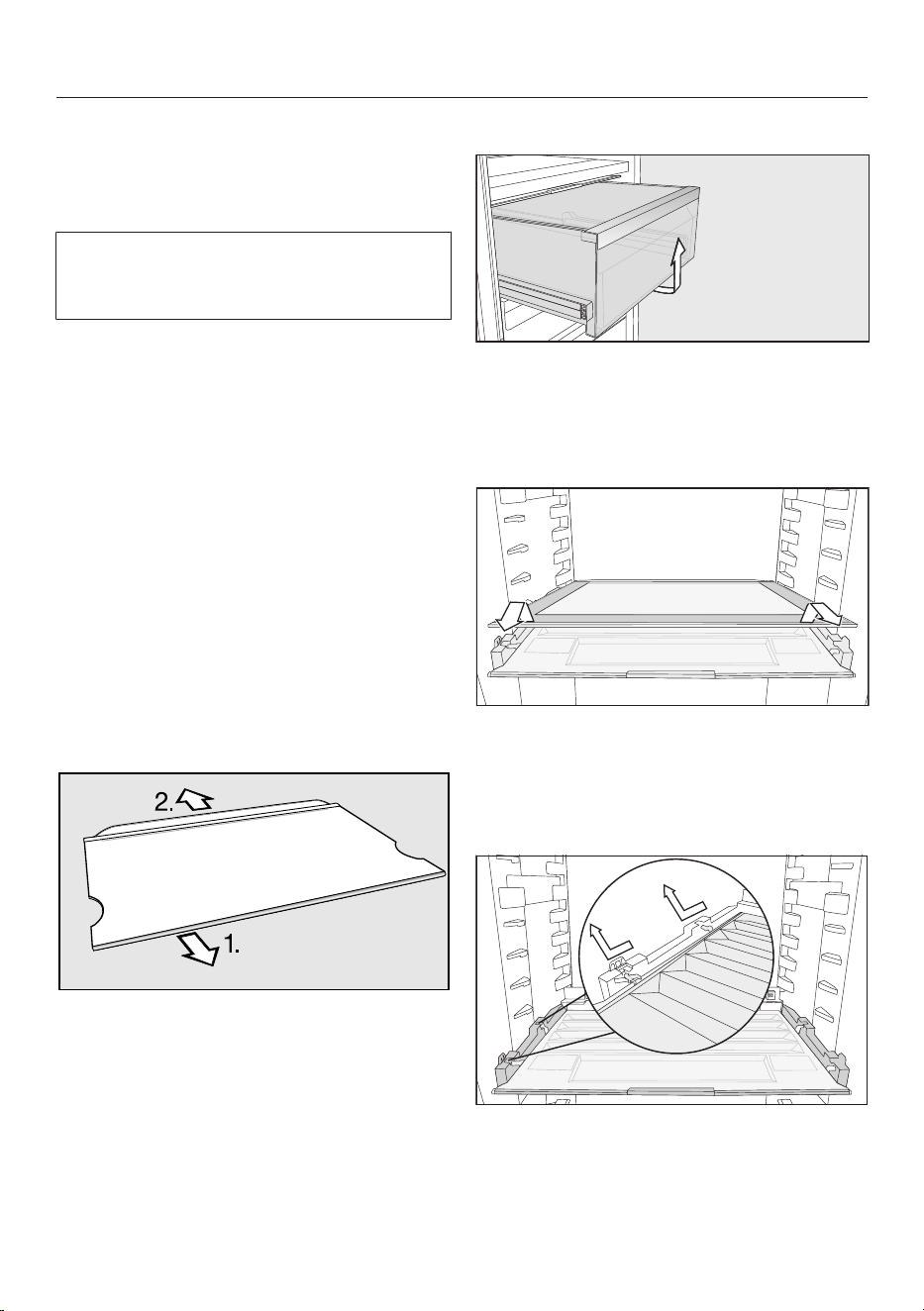
Cleaning and care
Removing and dismantling ac-
cessories for cleaning
Dismantling the door shelf/bottle shelf
Remove the stainless steel trim before
cleaning the door shelf/bottle shelf in
the dishwasher.
To remove the stainless steel trim, pro-
ceed as follows:
Place the door shelf/bottle shelf on
the worktop.
Pull the trim off the shelf beginning at
one side.
After cleaning the door shelf/bottle
shelf, reattach the trim.
Dismantling an adjustable shelf
Before cleaning the shelf remove the
plastic trim and protective strip at the
back of the shelf as follows:
Place the shelf on a worktop covered
with a soft material (e.g. on a tea
towel).
First pull the plastic trim off, starting
from one side.
Then pull the protective strip off.
After cleaning the shelf reattach the
plastic trim and the protective strip.
Removing a drawer
Pull the drawer forwards and out.
After cleaning, slide the drawer back
in again.
Removing the dividing plate
Remove the dividing plate.
After cleaning, slide the dividing plate
back in again.
Removing the compartment cover
Lift the cover at the front and pull it
out.
After cleaning, slide the compartment
cover back in again.
60
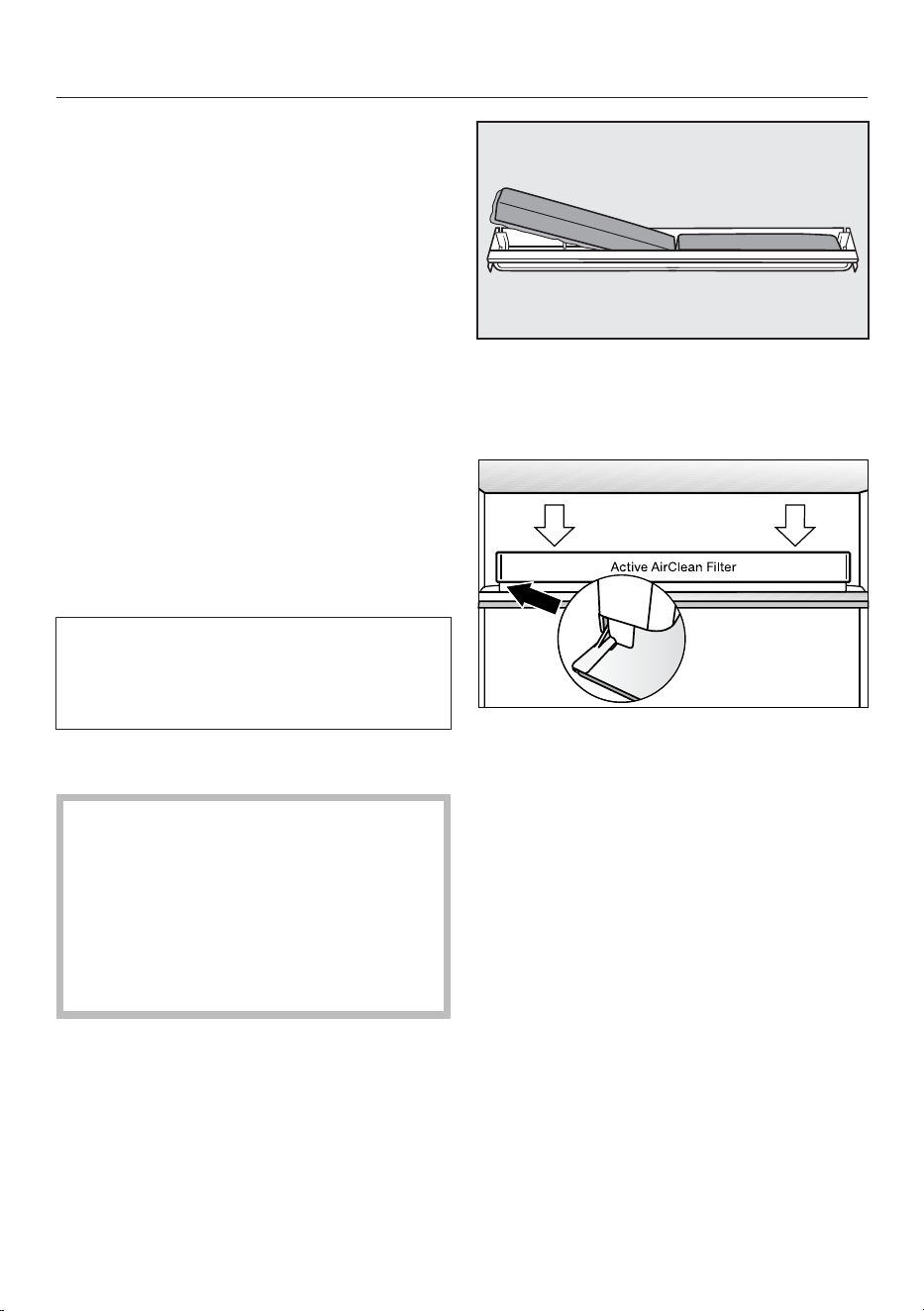
Cleaning and care
Removing the drawers and glass
shelves from the freezer section
Pull the drawer forwards a little and
out.
Pull the glass shelf forwards a little
and out.
Inserting the glass shelves and draw-
ers into the freezer section
Place the glass shelf on the guide rails
at an angle.
Push in and lower the glass shelf.
Place the drawer on the guide rails at
an angle.
Push in and lower the drawer.
Replacing the ActiveAirCleanfilter
(charcoal filter)
New ActiveAirCleanfilters can be ob-
tained from the Miele Customer Ser-
vice Department, your Miele dealer or
the Miele website.
Pull the charcoal filter holder upwards
to remove it from the adjustable shelf.
When in position, the charcoal filters
must not touch the rear wall of the
refrigeration appliance as the mois-
ture could cause them to stick to it.
Insert the new charcoal filters deep
enough in the holder to ensure that
they do not protrude over the edge of
the holder.
Remove both charcoal filters and
place the new filters with the sur-
rounding edge pointing downwards in
the holder.
Place the holder in the middle of the
protective strip at the back of any ad-
justable shelf so that it clicks into po-
sition.
Confirming that the ActiveAirCleanfil-
ter has been changed
Tap OK.
The symbol will go out and the
counter will be reset.
61
Cleaning and care
Cleaning the front of the appli-
ance and the side panels
If soiling is left on for any length of
time, it may become impossible to
remove. Surfaces may suffer discol-
ouration or damage.
Therefore, it is best to remove soiling
from the appliance front and side
panels immediately.
All surfaces are susceptible to
scratching. Contact with unsuitable
cleaning agents can alter or discolour
the surfaces.
See the information on “Cleaning
agents” at the beginning of this sec-
tion.
Clean the surfaces with a clean
sponge and a solution of warm water
and washing-up liquid. A clean, damp
microfibre cloth without cleaning
agent can also be used.
After cleaning, wipe with clean water
and dry with a soft cloth.
Cleaning the door seal
Risk of damage as a result of in-
correct cleaning.
If you treat the door seal with oils or
grease, it can become porous.
Do not use any oils or grease on the
door seal.
The door seal should be cleaned regu-
larly with clean water, and then wiped
dry with a soft cloth.
Cleaning the ventilation open-
ings
The ventilation openings should be
cleaned on a regular basis with a
feather duster or vacuum cleaner (you
could use a Miele vacuum cleaner
dusting brush, for example).
After cleaning
Replace all shelves and accessories in
the refrigeration appliance.
Switch the refrigeration appliance
back on, if necessary.
If necessary, switch the Cleaning
mode off again from the fridge
zone.
Switch the SuperFreeze function
on for a while so that the freezer zone
can cool down quickly.
Switch on the SuperCool function
for a while so that the fridge zone can
cool down quickly.
Place food in the fridge zone.
Once the freezer zone has reached
the required temperature, place the
frozen food back in the freezer draw-
ers and put them back in the freezer
section.
Switch the SuperCool function off
once food and drinks are sufficiently
chilled.
Switch the SuperFreeze function
off as soon as the temperature in the
freezer is a constant -18°C or colder.
Close the appliance doors.
62
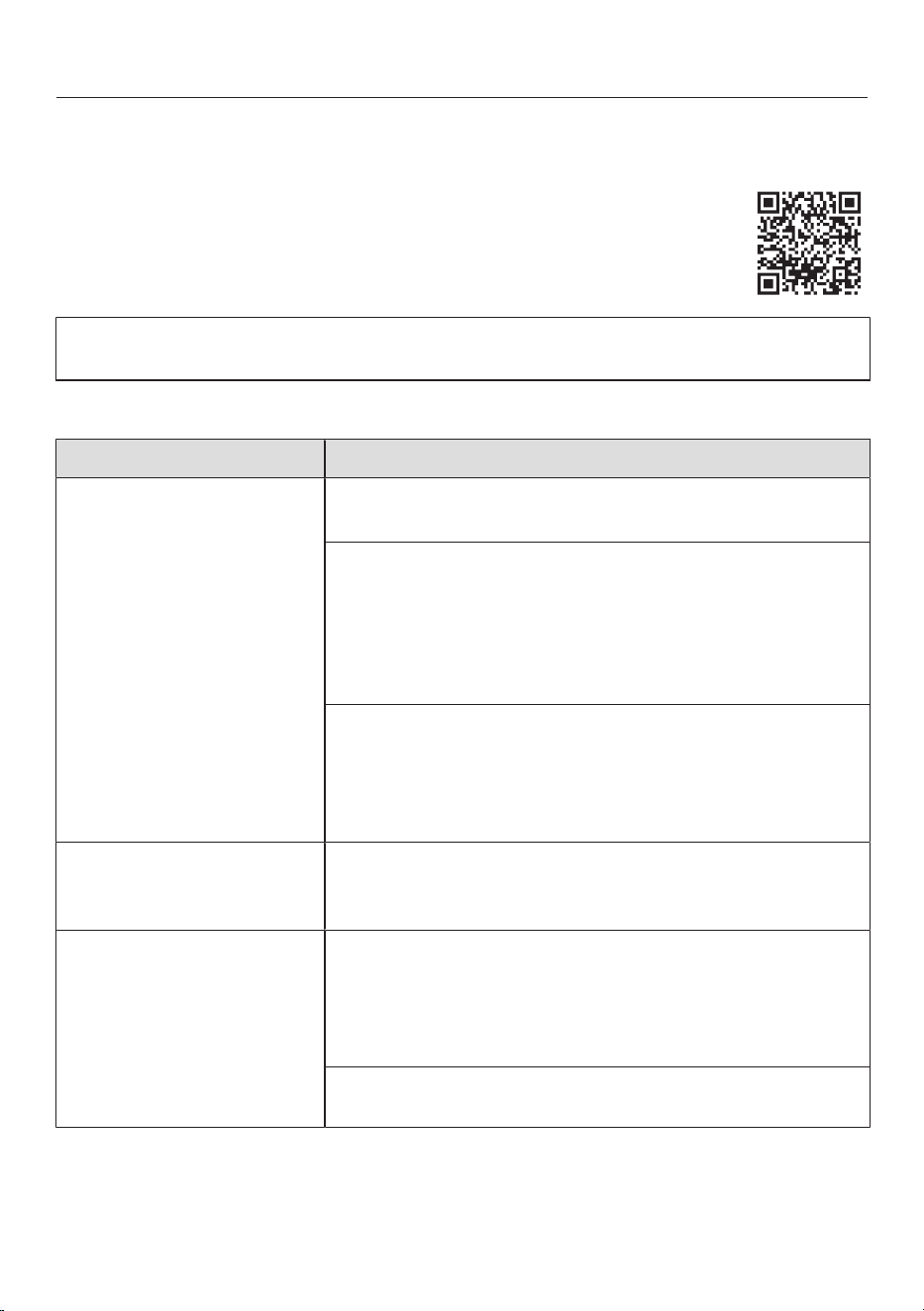
Troubleshooting
Many malfunctions and faults can be easily remedied. You can save time and
money in many cases, as you do not need to contact Customer Service.
More information to help you remedy faults yourself can be found at
www.miele.co.uk/support/customer-assistance.
To prevent unnecessary loss of temperature it is advisable not to open the door
while waiting for the appliance to be serviced.
Other problems
Problem Cause and remedy
The refrigeration appli-
ance is not cooling.
The refrigeration appliance has not been switched on.
Switch the refrigeration appliance on.
The mains plug is not inserted in the socket correctly
or the plug connector is not inserted into the socket at
the back of the appliance correctly.
Insert the mains plug into the mains socket and the
plug connector into the appliance socket correctly
and switch on.
The mains fuse has tripped. There could be a fault
with the refrigeration appliance, the household elec-
trical wiring or another electrical appliance.
Contact a qualified electrician or the Miele Cus-
tomer Service Department.
The compressor runs
continuously.
This is not a fault. To save energy, the compressor
runs at a lower speed when less cooling is required.
This increases the compressor running time.
The compressor is
switching on more fre-
quently and for longer
periods of time. The
temperature in the refri-
geration appliance is too
low.
The appliance doors have been opened too frequently.
Or large amounts of fresh food have been placed in
the appliance.
Only open the appliance doors when necessary and
for as short a time as possible.
The appliance doors are not closing fully. The temper-
ature in the refrigeration appliance is dropping.
63
Troubleshooting
Problem Cause and remedy
Check that the appliance doors are seated correctly
and use the screws in the hinges to adjust them if
necessary.
The appliance doors are not closed properly. If a thick
layer of ice has already formed, this will affect cooling
and increase energy consumption.
Always close the appliance doors fully.
Defrost the refrigeration appliance if necessary and
clean it.
The ambient temperature is too high. The higher the
ambient temperature, the longer the compressor runs.
See the information in “Installation – Installation
site”.
The ventilation openings are covered or dusty.
Do not block the ventilation openings.
Dust the ventilation openings regularly.
Built-in appliances: the refrigeration appliance was not
properly installed in the niche.
Install the refrigeration appliance in the niche as de-
scribed in the installation instructions.
The temperature in the
refrigeration appliance is
too low.
The temperature setting in the refrigeration appliance
is too low.
Correct the temperature setting.
A large amount of food has been frozen at once.
Refer to the instructions in “Operation – Freezing
and storing fresh food”.
The SuperCool function is still switched on.
Switch off the SuperCool function earlier to save
energy.
The SuperFreeze function is still switched on.
Switch off the SuperFreeze function earlier to
save energy.
64
Troubleshooting
Problem Cause and remedy
The temperature in the
refrigeration appliance is
too high. The frozen food
(depending on the
model) could defrost.
This is not a fault. The temperature setting is too high.
Correct the temperature setting.
Check the temperature again after 24hours.
The ambient temperature is too low for this refrigera-
tion appliance. If the ambient temperature is too low,
the compressor will run less frequently. The temperat-
ure in the refrigeration appliance is rising.
See the information in “Installation – Installation
site”.
Increase the ambient temperature.
Ice or condensation has
built up inside the refri-
geration appliance. The
appliance door may not
close correctly.
The door seal has come out of its groove.
Check that the door seal is correctly positioned in
the groove.
The door seal is damaged.
Check whether the door seal is damaged.
The door seal is dam-
aged or needs to be re-
placed.
No tools are required to change the door seal.
Change the door seal. A replacement is available
from Miele or from specialist retailers.
Food has frozen to-
gether.
The food packaging was not dry when placed in the
freezer.
Use a blunt instrument, e.g. a spoon handle or
plastic scraper, to prise it apart carefully.
There is no audible alarm
even though the door
has been open for a long
time.
This is not a fault. The alarm has been switched off in
Settings mode. If you want to switch the audible alarm
back on again:
Tap OK.
will appear in the display.
Use the or sensor control to scroll to the
symbol.
Tap OK.
Use the or sensor control to scroll to the
symbol.
Tap OK.
Use the and sensor controls to select the
volume you want for alarms and buzzers.
Tap OK.
When the alarms and buzzers are switched on, will
appear.
65
Troubleshooting
Display warnings
Message Cause and remedy
lights up on the dis-
play, the refrigeration
appliance does not get
cold even though the
controls and the interior
lighting are working.
Demo mode has been activated.
Touch OK.
Miele will appear initially in the display, followed by the
start screen.
Touch OK.
In Settings mode, use the or sensor control
to scroll to the symbol.
Touch OK.
After demo mode has been switched off, the refri-
geration appliance switches off and must be switched
on again.
is lit up on the dis-
play and the refrigeration
appliance cannot be
used.
The Cleaning mode function is still switched on.
Touch the OKsensor control on the control panel to
switch off Cleaning mode.
will appear in the display.
TouchOK.
When Cleaning mode is switched off, the dot in
the upper corner of the display goes out.
Use the or sensor control to scroll to the
symbol and touch OK.
The refrigeration appliance will start cooling again.
Nothing is visible on the
display. The display is
completely blank.
Sabbath mode is switched on: the interior lighting is
switched off and the refrigeration appliance is cooling
down.
TouchOK.
will appear in the display.
Touch OK.
When the Sabbath mode function is switched on, a
dot appears in the upper corner of the display
.
Touch OK.
When the Sabbath mode function is switched off,
the dot in the upper corner of the display goes out.
The symbol is lit up on
the display and the refri-
geration appliance can-
not be used.
The lock function has been activated.
Unlock the refrigeration appliance temporarily or
switch the lock function off completely.
66
Troubleshooting
Message Cause and remedy
The symbol lights up
in the start display and a
buzzer sounds.
The charcoal filter replacement indicator in the
start display reminds you to replace the charcoal filter.
Replace the charcoal filter in the holder (see “Clean-
ing and care – Replacing the charcoal filters (op-
tional accessory)”) and confirm that the charcoal fil-
ter has been replaced by touching the OKsensor
control.
The symbol will go out on the start display.
lights up in the dis-
play; an alarm will also
sound and the interior
lighting will flash.
The door alarm has been activated.
TapOK.
The alarm will stop, the
symbol will go out and the
interior lighting will light up again constantly.
Close the appliance door.
67
Troubleshooting
Message Cause and remedy
lights up in the
freezer zone temperat-
ure display and an alarm
also sounds.
The temperature alarm has been activated; the tem-
perature in the freezer zone has risen higher or fallen
lower than the temperature set.
Possible reasons for this include:
– The appliance door has been opened frequently.
– A large quantity of fresh food has been placed in
the freezer without switching on the Super-
Freeze function.
– A prolonged power cut has occurred.
– The refrigeration appliance has a fault.
TapOK.
The alarm message is confirmed:
goes out and the
alarm stops.
The warmest temperature recorded in the freezer zone
will flash for about 1minute in the display. Then the
temperature display will change to the current tem-
perature in the freezer zone.
You can exit from the flashing temperature display
early:
TapOK.
The warmest temperature display will disappear. The
display will then revert to showing the current temper-
ature in the freezer zone.
Remedy the cause of the alarm.
Depending on the temperature displayed, you
should check whether food in the freezer has started
to thaw or has defrosted. If it has, it should be used
as soon as possible. Defrosted food may only be re-
frozen after it has been cooked.
68
Troubleshooting
Message Cause and remedy
lights up in the dis-
play and an alarm also
sounds.
Indication of a power cut: the temperature in the
freezer zone over the last few days or hours has risen
too high because of a power cut or interruption to the
power supply.
TapOK.
The fault message is confirmed:
will go out and the alarm will stop.
The warmest temperature recorded in the freezer zone
will flash for about 1minute on the temperature dis-
play for the freezer zone. Then the temperature display
will change to the current temperature in the freezer
zone.
You can exit from the flashing temperature display
early:
TapOK.
The warmest temperature display will disappear. The
temperature display will then revert to showing the
current temperature in the freezer zone. The refrigera-
tion appliance will go back to the last temperature set-
ting when the power is back on.
Remedy the cause of the alarm.
Depending on the temperature displayed, you
should check whether food in the freezer has started
to thaw or has defrosted. If it has, it should be used
as soon as possible. Defrosted food may only be re-
frozen after it has been cooked.
69
Troubleshooting
Message Cause and remedy
lights up in the dis-
play and a fault code F
with numbers may ap-
pear. An alarm also
sounds.
There is a fault.
Switch the alarm off by tapping.
Contact the Miele Customer Service Department.
To report the fault, you need the fault code and also
the model identifier and serial number of your refriger-
ation appliance. You can access this information in
the display:
Tap.
The appliance data required will be shown on the dis-
play.
Tap.
To switch off the refrigeration appliance, use the
or sensor control to scroll to the symbol.
To exit the information display, use the or
sensor control to scroll to the symbol.
Tap.
There is an appliance fault: this display always has
priority over any settings which have just been selec-
ted.
An appliance fault has priority over any current door
and/or temperature alarms displayed.
70
Troubleshooting
Interior lighting
Risk of electric shock due to exposed, live electrical components.
When removing the lighting cover, there is a risk of coming into contact with live
electrical components.
Do not remove the lighting cover. The LED lighting may only be repaired or re-
placed by the Miele Customer Service Department.
Risk of injury from LED lighting.
This lighting corresponds to risk group RG2. If the cover is defective, there is a
risk of eye injury.
If the lighting cover is defective, do not look from a close range directly into the
lighting with optical instruments (e.g. magnifying glass or similar).
Problem Cause and remedy
The interior lighting is
not working.
The refrigeration appliance has not been switched on.
Switch the refrigeration appliance on.
Sabbath mode is switched on: the display is dark
and the refrigeration appliance is cooling.
TouchOK.
will appear in the display.
Touch OK.
When the Sabbath mode function is switched on, a
dot appears in the upper corner of the display
.
Touch OK.
When the Sabbath mode function is switched off,
the dot in the upper corner of the display goes out.
To avoid overheating, the lighting switches itself off
automatically after approx. 15minutes if the appliance
door is left open. If this is not the case, then there is a
fault.
Call the Miele Customer Service Department.
The interior lighting is
pulsating.
This is not a fault. The door alarm has been activated.
71
Troubleshooting
Noises
The refrigeration appliance is producing various noises during operation.
If the cooling performance is low, the refrigeration appliance will conserve energy
but operate for longer. The volume will be lower.
Food will be chilled faster if the cooling performance is high.
The volume will be higher.
Normal
noises
What is causing the noises?
Hissing Refrigerant is being injected into the cooling circuit.
Bubbling, gurgling,
splashing
Refrigerant is circulating through the pipes.
Humming The refrigeration appliance is cooling.
Clicking The thermostat is switching the compressor on or off.
Humming, whirring The fan is running.
The automatic door opener (depending on the model) is
opening or closing the appliance door.
Cracking Material in the refrigeration appliance is expanding.
Rattling Valves or flaps are active.
Buzzing (refrigeration
appliances with water
container)
Water is being pumped out of the water container.
Slurping (refrigeration
appliances with soft-
close mechanism)
The appliance door with soft-close mechanism is being
opened or closed.
Please bear in mind that a certain amount of noise is unavoidable (from the com-
pressor and the refrigerant circulating through the cooling circuit).
72
Troubleshooting
Noises Cause and remedy
Vibrating, rattling,
clinking
The refrigeration appliance is uneven. Use a level to
check and adjust the alignment of the refrigeration appli-
ance. The refrigeration appliance is aligned by raising or
lowering the adjustable feet (depending on the model)
underneath it.
For built-in appliances: For niches of 140cm and more:
place the stabilising rods supplied underneath the appli-
ance base.
The refrigeration appliance is touching another appliance
or piece of furniture. Move it away.
Drawers, baskets or shelves are jiggling or are stuck.
Check all removable items and refit them correctly.
Bottles or containers are touching. Separate bottles or
containers slightly.
The transport cable clips (depending on the model) are
hanging loose at the back of the appliance. Remove the
transport cable clips.
73
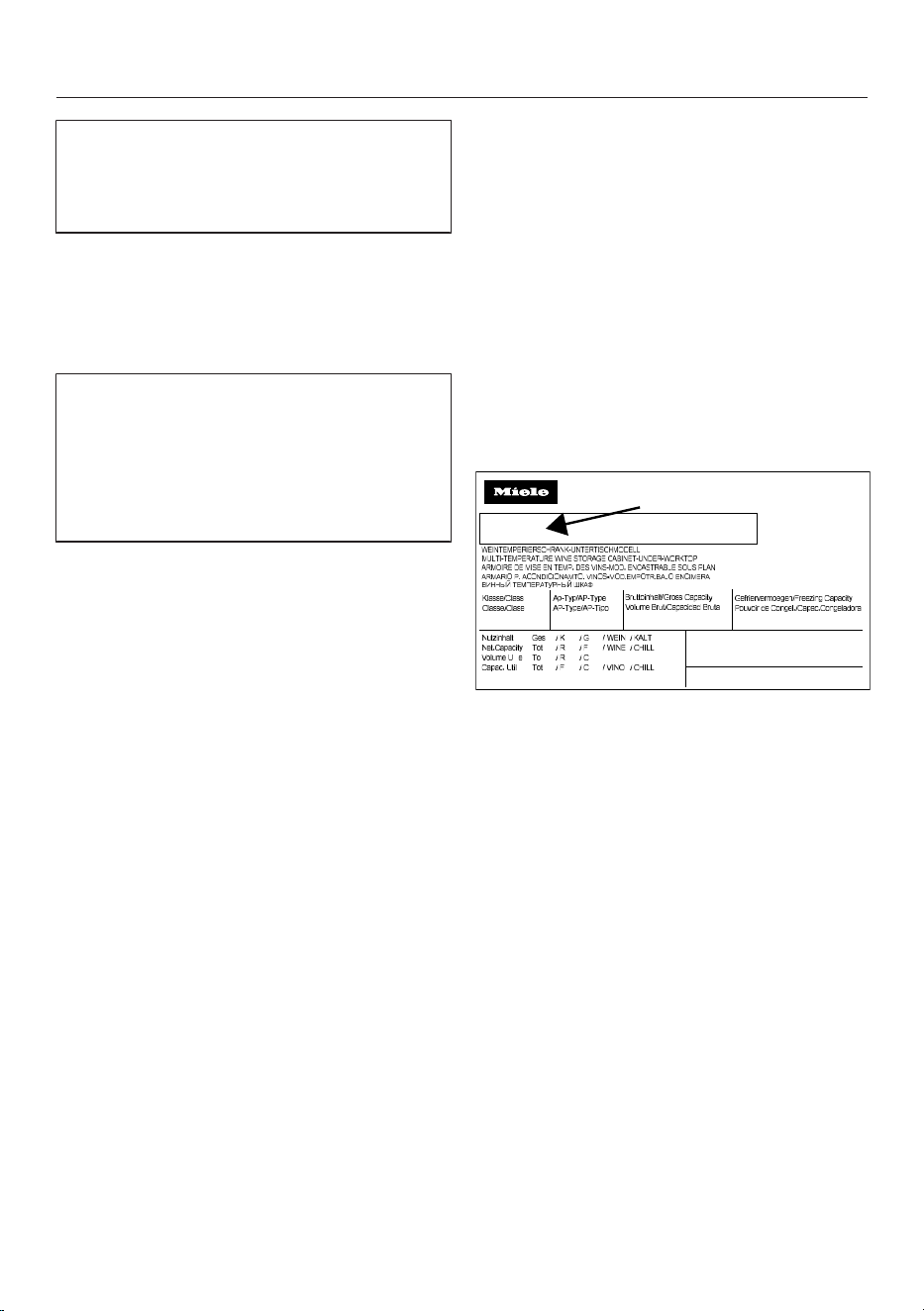
Service
Information to help you rectify faults
yourself and about Miele spare parts
can be found at www.miele.com/ser-
vice.
Contact in the event of a fault
In the event of a fault which you cannot
remedy yourself, please contact your
Miele dealer or Miele Customer Service.
You can book a Miele Customer Ser-
vice call-out online at www.miele.com/
service.
Contact information for Miele Cus-
tomer Service can be found at the end
of this document.
Please quote the model identifier and
serial number of your appliance (SN)
when contacting Miele Customer Ser-
vice. Both numbers can be found on the
data plate inside the refrigeration appli-
ance or, depending on the model, in
Settings mode under Information.
EPREL database
Since 1 March 2021, information on en-
ergy labelling and ecodesign require-
ments has been available in the
European Product Database (EPREL).
You can find the product database at
the following link https://
eprel.ec.europa.eu/. You will be asked to
enter the model identifier.
The model identifier can be found on the
data plate inside the refrigeration appli-
ance or, depending on the model, in
Settings mode under Information.
SN-ST
R600a:
XXXXXX
Nr. XX/ XXXXXXXXX.
XXX l
XXg
Warranty
For information on the appliance war-
ranty specific to your country please
contact Miele. See back cover for ad-
dress.
In the UK, your appliance warranty is
valid for 2 years from the date of pur-
chase. However, you must activate your
cover by calling 0330 160 6640 or re-
gistering online at www.miele.co.uk.
74
Information
EU Conformity declaration
Miele hereby declares that this fridge-freezer complies with Directive 2014/53/EU.
The complete text of the EU declaration of conformity is available from one of the
following internet addresses:
- Products, Download from www.miele.ie
- For service, information, operating instructions etc: go to
https://miele.co.uk/manuals and enter the name of the product or the serial num-
ber
Frequency range of the WiFi module 2.4000–2.4835GHz
Maximum transmission power of the
WiFi module
<100mW
UK Conformity declaration
Miele hereby declares that this fridge-freezer complies with UK Radio Equipment
Regulations 2017, as amended.
The complete text of the UK declaration of conformity is available from one of the
following internet addresses:
- Products, Download from www.miele.co.uk
- For service, information, operating instructions etc: go to https://miele.co.uk/
manuals and enter the name of the product or the serial number
Frequency band of the WiFi module 2.4000GHz – 2.4835GHz
Maximum transmitting power of the
WiFi module
<100mW
75
Information
ThisStatement of Compliance confirms this Miele product fully complies with the
Product Security and Telecommunications Infrastructure (Security Requirements
for Relevant Connectable Products) Regulations 2023.
1) Household Appliance –
2)
Manufactured by: Miele & Cie KG,
Carl Miele Street 29, 33332 Gutersloh Germany
Imported by and contact point: Miele Company Ltd, Fairacres, Marcham Road,
Abingdon, Oxon, OX14 ITW Great Britain
The defined support period at the time of first supply is 10 years
3)
To report vulnerabilities and cybersecurity issues please contact: [email protected]4)
5) Signature
Name: Paul Wright
Company Position: Head of Technical Management
Date of signature: 19th March 2024
Place of signature:
Abingdon, Oxfordshire
Freezer - 120002, 120003, 220009, 320001, 320002
Refrigerator - 110001, 110002, 210010, 310001, 310002,
310003
Fridge-freezer - 130001, 130002, 130003, 130004,
330001, 330002, 330005
Wine unit - 210007, 210011, 310004, 330004
Copyrights and licences
For the purpose of operating and controlling the communication module, Miele
uses proprietary or third-party software that is not covered by open source licens-
ing terms. This software/these software components are protected by copyright.
The copyrights held by Miele and third parties must be respected.
Furthermore, the communication module integrated in the appliance contains soft-
ware components which are distributed under open source licence conditions. The
open source components contained in the appliance along with the corresponding
copyright notices, copies of the licensing terms valid at the time and any further in-
formation can be accessed locally by IP via a web browser (http[s]://<IP address>/
Licenses). The liability and warranty arrangements for the open source licences dis-
played in this location only apply in relation to the respective rights holders.
76



United Kingdom
Miele Co. Ltd., Fairacres, Marcham Road, Abingdon, Oxon, OX14 1TW
Tel: 0330 160 6600, Internet: www.miele.co.uk, E-mail: [email protected]
Australia
Miele Australia Pty. Ltd.
ACN 005 635 398
ABN 96 005 635 398
Level 4, 141 Camberwell Road
Hawthorn East, VIC 3123
Tel: 1300 464 353
E-mail: [email protected]
Internet: www.miele.com.au
Miele Electrical Appliances Co. Ltd.
No. 82, Shimenyi Road, JingAn District
Shanghai, China, P.R.C
Post Code: 200040
Phone: +86 21 6157 3500
Fax: +86 21 6157 3511
E-mail: info@miele.cn
Internet: www.miele.cn
China Mainland
Miele (Hong Kong) Ltd.
41/F - 4101, Manhattan Place
23 Wang Tai Road
Kowloon Bay, Hong Kong
Tel: (852) 2610 1025
Fax: (852) 3579 1404
E-mail:
Website: www.miele.hk
Hong Kong, China
Miele India Pvt. Ltd.
1st Floor, Copia Corporate Suites,
Commercial Plot 9, Mathura Road,
Jasola, New Delhi - 110025
E-mail: customercare@miele.in
Website: www.miele.in
India
Miele Ireland Ltd.
2024 Bianconi Avenue
Citywest Business Campus
Dublin 24
Tel: (01) 461 07 10
Fax: (01) 461 07 97
E-mail: [email protected]
Internet: www.miele.ie
Ireland
Malaysia
Miele Sdn Bhd
Suite 12-2, Level 12
Menara Sapura Kencana
Petroleum
Solaris Dutamas No. 1
Jalan Dutamas 1
50480 Kuala Lumpur, Malaysia
Phone: +603-6209-0288
Fax: +603-6205-3768
Miele New Zealand Limited
IRD 98 463 631
8 College Hill
Freemans Bay, Auckland 1011
Tel: 0800 464 353
Internet: www.miele.co.nz
New Zealand
Miele Pte. Ltd.
29 Media Circle
#11-04 ALICE@Mediapolis
Singapore 138565
Tel: +65 6735 1191
Fax: +65 6735 1161
E-mail: [email protected]
Internet: www.miele.sg
Singapore
Miele (Pty) Ltd.
63 Peter Place, Bryanston 2194
Tel: (011) 875 9000
Fax: (011) 875 9035
E-mail: [email protected]
Internet: www.miele.co.za
South Africa
Miele Appliances Ltd.
Showroom 1, Eiffel 1 Building
P.O. Box 114782 - Dubai
Tel. +971 4 3044 999
Fax. +971 4 3418 852
800-MIELE (64353)
E-mail: [email protected]
Website: www.miele.ae
United Arab Emirates
Manufacturer: Miele & Cie. KG, Carl-Miele-Straße 29, 33332 Gütersloh, Germany
Thailand
Miele Appliances Ltd.
BHIRAJ TOWER at EmQuartier
43rd Floor Unit 4301-4303
689 Sukhumvit Road
North Klongton Sub-District
Vadhana District
Bangkok 10110, Thailand
Sheikh Zayed Road, Umm Al Sheif
E-mail: customercare@miele.co.nz
P.O. Box 69434, Bryanston 2021
M.-Nr. 13 046 400 / 01 / 002en-GB
KFN 4375 ..., KFN 4393 ..., KFN 4395 ...