EN
MICROWAVE OVEN
Translation of the original manual
SMW 7024BK
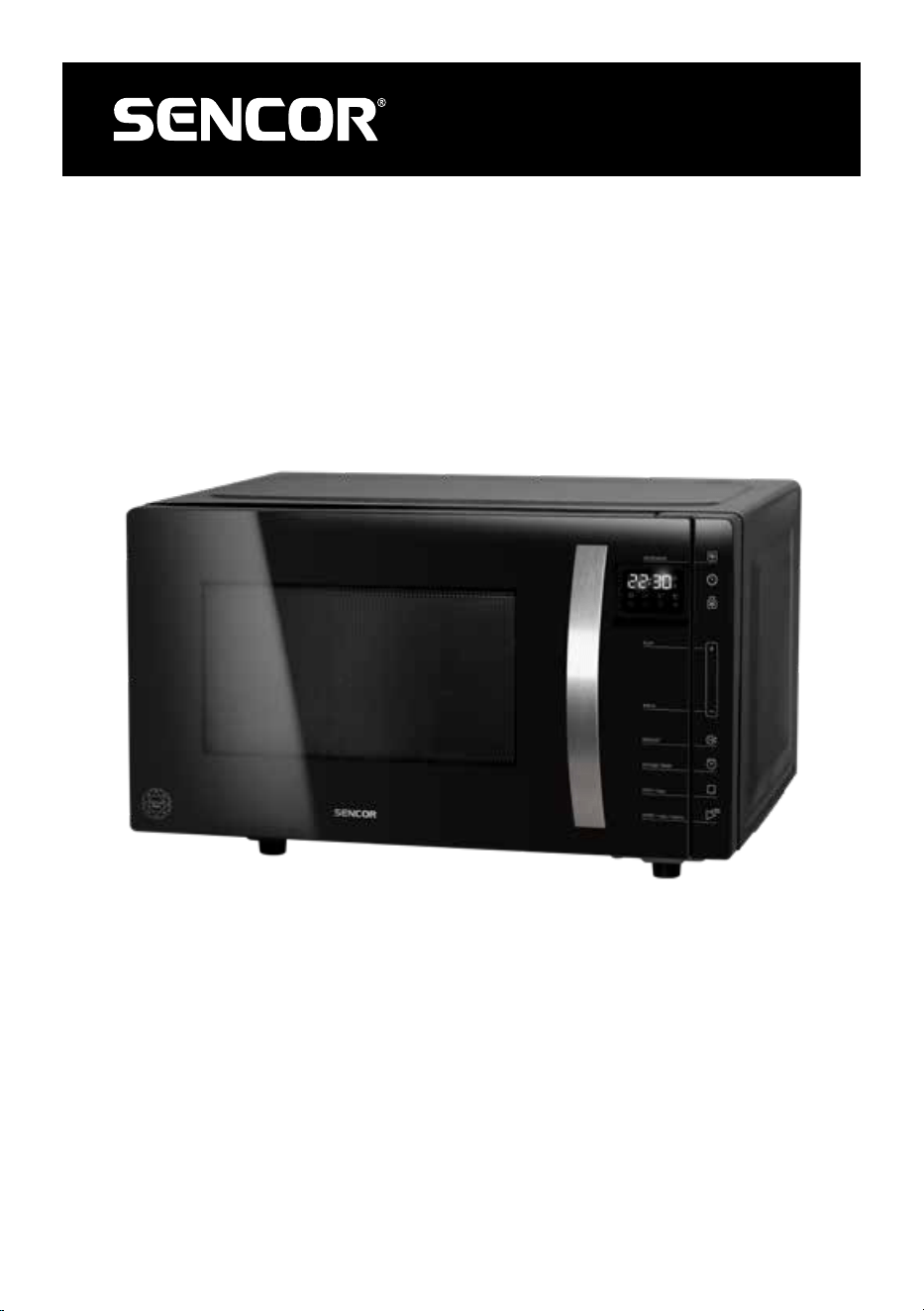
SMW 7024BK
A
1234
B
1
2
3
4
5
6
7
8
9
- 1 -
03/2024
2024, .
EN Microwave oven
Important Safety Instructions
READ CAREFULLY AND STORE FOR FUTURE USE.
General Warnings
• This appliance may be used by children 8 years of
age and older and by persons with physical or mental
impairments or by inexperienced persons, if they are
properly supervised or have been informed about how
to use the product in asafe manner and understand the
potential dangers.
• Children must not play with the appliance.
• Cleaning and maintenance performed by the user must
not be performed by unsupervised children.
• In the event that the power cord is damaged, have it
repaired at aprofessional service centre to prevent causing
adangerous situation. It is forbidden to use the appliance if
it has adamaged power cord.
WARNING:
It is dangerous for any untrained person to carry out
any repairs or maintenance whatsoever that leads
to the removal of any cover providing protection
against microwave energy radiation.
WARNING:
If the door or the door gasket seal is damaged
then the oven must not be used until repaired by
aqualified person.
- 2 -
03/2024
2024, .
WARNING:
Liquids and other foods must not be heated in
closed containers because they could explode.
• This appliance is designed for domestic use and similar
locations such as:
– kitchens in stores; offices and other work
environments;
– in agriculture;
– guests of hotels, motels and other accommodation
environments;
– in bed and breakfast establishments.
• To ensure sufficient air circulation there must be free space
left around the microwave oven. Allow free space of at
least 20 cm above the top surface of the oven and 10 cm
from behind and on the sides. Do not block any vents of
the oven. Do not remove the feet of the oven.
• Use only containers that are suitable for use in microwave
ovens.
• Do not use metal containers for cooking or heating foods
or liquids unless the manufacturer specifies the size and
shape of metal containers suitable for microwave cooking.
• When heating ameal on plastic or paper dishes,
frequently check the oven to prevent them from catching
on fire.
• The microwave oven is designed for heating food and
beverages. Dehydrating food or drying clothes and heating
up heating cushions, home footwear, washing sponges,
damp textiles and similar items may lead to an injury
hazard, ignition or fire.
- 3 -
03/2024
2024, .
• If smoke is being created, turn off the appliance or pull the
plug out of the power socket and leave the door closed to
prevent any potential fire from spreading.
• Microwave heating of drinks may cause adelayed boil,
which must be considered when holding the container. Be
careful when handling the container.
• The contents of baby bottles and baby food must be
stirred through or shaken up and their temperature must
be checked prior to consumption to prevent burns.
• Eggs in their shells and whole hard boiled eggs must not
be heated in the microwave oven because they could
explode even after the microwave heating process has
finished.
• Regularly clean the door and the window of the oven from
both sides, the door gasket seal and neighbouring parts
and any food remains. For cleaning, we recommend the
use of aweak kitchen detergent. Ensure that remains of
the cleaning agent do not remain on the inner surface of
the door.
• Clean the oven regularly according to the above
mentioned instructions and remove any food that remains
inside it.
• Failure to keep the oven clean could lead to surface
damage, which could adversely affect the lifetime of the
appliance and could lead to adangerous situation.
• The appliance must not be cleaned using asteam cleaner.
• The microwave oven is intended to be placed on
acountertop at amaximum height of 900 mm.
- 4 -
03/2024
2024, .
• This microwave oven is intended for use as afree-standing
appliance. It is not designed to be built-in or installed into
acabinet.
• The microwave oven must not be placed into acabinet.
• Before connecting the appliance to apower socket, check that the voltage on its rating label matches the electrical voltage in the power socket.
• Connect the appliance only to aproperly grounded socket.
• Do not use the microwave oven outdoors or subject it to the effects of the outdoor environment.
• Do not place the microwave oven on window sills, kitchen sink drainboards or unstable surfaces. Always place it on astable, even and dry surface.
• This microwave oven is intended for heating and cooking food. Use it only for the purposes described in this user’smanual. Do not use corrosive
chemicals or fumes in it.
• Never use the microwave oven in the direct vicinity of abath, shower or swimming pool.
• Do not use the microwave for industrial or laboratory purposes.
• Kitchen dishes may become hot as aresult of the heat transferred from the heated food. Sometimes it may be necessary to use protective gloves.
• Do not use the kitchen cookware, tableware and utensils listed below in the microwave oven:
• Metal pans and crockery with metal handles or with metal decorations;
– Clamps on plastic bags;
– dishes with melamine surface treatment;
– Standard thermometers, which are used for measuring the temperature of meat, etc.
• Do not attempt to use the microwave oven with the door open. You could expose yourself to the harmful effect of microwaves. Do not run the
microwave oven when it is empty.
• Be especially careful when handling heated beverages and foodstuffs as hot steam may be released from them.
• Do not fry food in the microwave oven. Hot oil may damage parts of the oven, dishes or may also cause skin burns.
• Before cooking, prick food that has athick peel, such as potatoes, pumpkins, apples.
• Prior to moving the oven, always ensure that the turning tray is removed or properly secured in the internal area of the oven. This may damage it.
• Do not use the oven without the turning tray being correctly installed.
• Some components of the microwave oven may heat up during operation. Do not touch hot surfaces. There is adanger of aburns.
• When not using the oven, do not leave paper materials, kitchen dishes or food inside.
• Keep the inside of the oven clean. If the walls of the oven are splattered with food juices then wipe them away using adamp cloth. If the oven is
heavily soiled, you can use aweak solution of aneutral kitchen detergent.
• Do not use the microwave oven if the power cord or power plug is damaged, if it is not working correctly, if it is damaged or if it has been dropped on
the floor. Any repair of the microwave oven or replacement of adamaged power cord may only be carried out by an authorised service centre, as
this will prevent adangerous situation from occurring.
- 5 -
03/2024
2024, .
• Thank you for purchasing our SENCOR product; we hope it will serve
to your satisfaction.
• Before using this appliance, please familiarise yourself with the user
manual, even if you are already familiar with using similar types of
appliances. Use the appliance only as described in this user manual.
Keep the manual for future reference.
• It is recommended to keep the original packaging, packing material,
receipt and confirmation of the extent of the seller'sliability or warranty
certificate at least for the duration of the legal right of defective
performance or quality guarantee. When transporting the appliance,
we recommend packaging it again in the original box provided by the
manufacturer.
. . . . . . . . . . . . . . . . . . . . . . . . . . . . . . . . . . . . . . . . . . . . . . . . . . . . . . . . . . . . . . . . . . . .
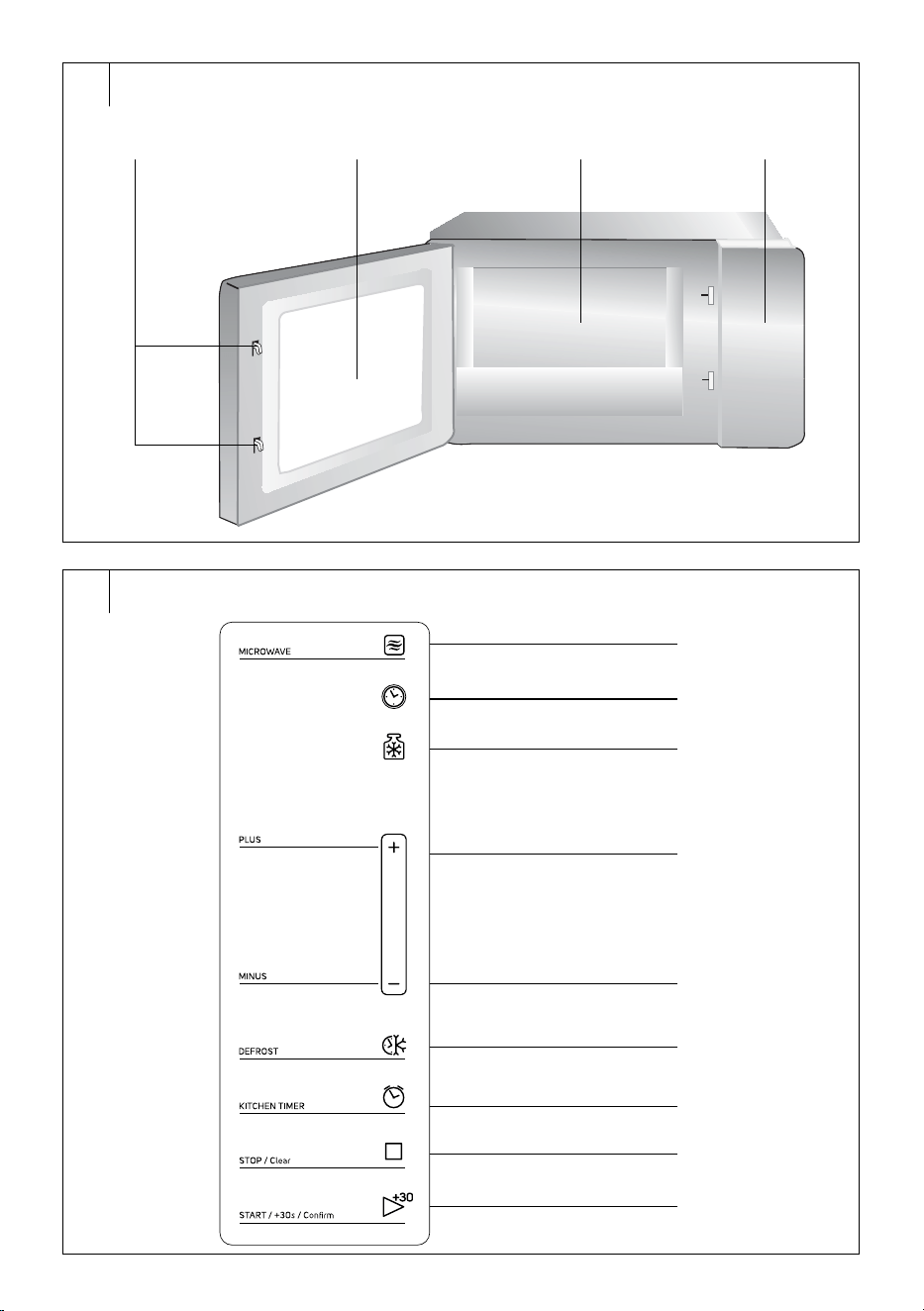
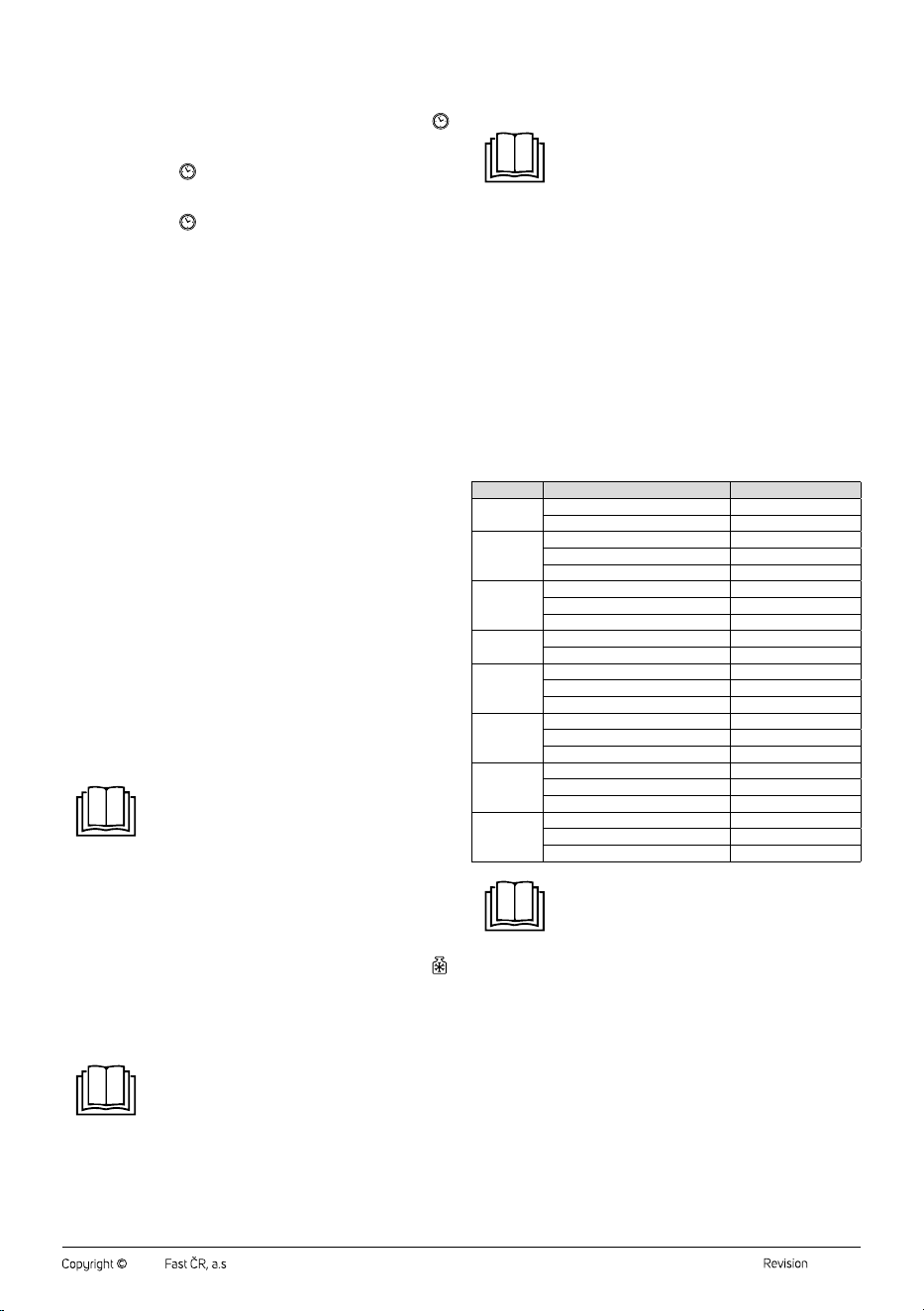
DESCRIPTION OF THE APPLIANCE
A1 Safety door lock system
A2 Door window
A3 Interior of the oven
A4 Control panel
. . . . . . . . . . . . . . . . . . . . . . . . . . . . . . . . . . . . . . . . . . . . . . . . . . . . . . . . . . . . . . . . . . . .
DISPLAY DESCRIPTION
B1 MICROWAVE button – toset
the microwave power.
B2
button – to set the clock
B3
button – toselect the
defrost programme based on
weight
B4 + button
B5 – button
B6 DEFROST button – toselect
the defrost programme based
on time
B7 KITCHEN TIMER button –
toset the kitchen timer
B8 STOP/CLEAR button –
topause the microwave
operation / clear settings or
cancel operation
B9 START/+30 SEC/CONFIRM
– tostart the microwave
operation / start quick
preparation /confirm settings
. . . . . . . . . . . . . . . . . . . . . . . . . . . . . . . . . . . . . . . . . . . . . . . . . . . . . . . . . . . . . . . . . . . .
BEFORE FIRST USE
• Before first use, remove the appliance and its accessories form the
packaging and remove all promotional labels and tags. Check that
neither the appliance nor any of its components is damaged.
. . . . . . . . . . . . . . . . . . . . . . . . . . . . . . . . . . . . . . . . . . . . . . . . . . . . . . . . . . . . . . . . . . . .
INSTALLATION
1. Make sure to remove all packaging material from the interior of the
oven, such as plastic bags, polystyrene, etc.
Note:
Do not remove the magnetron cover located on the right
side of the interior of the oven.
Warning:
Check if the oven is damaged in any way, such as
misaligned or dented door, damaged door seal, or loose
hinges or door locks. If any damage is found, do not use
the oven and contact aqualified service technician.
2. The microwave oven must be placed on an even, stable surface that
can bear its weight even with food inside.
3. Do not place the microwave oven near heat sources, in areas with
high humidity, or near flammable materials.
4. This appliance is intended for use in free space, not as abuilt-in unit.
Therefore, ensure sufficient adequate clearance around the oven.
Leave at least 30 cm of space above the top of the oven andat least
20 cm on each side. The back of the microwave oven can be placed
against thewall. Do not cover or block the ventilation openings. Do
not remove the feet of the microwave oven.
5. Ensure that the power cable is not placed under the bottom of the
oven or in contact with hot or sharp surfaces.
6. The power socket must be easily accessible to quickly disconnect
the power cable if necessary.
7. Do not use the microwave oven outdoors.
Note:
If you turn on the microwave for the first time, you
may notice aslight odour andsmoke. This is anormal
occurrence which disappears with use. We recommend
placing abowl of water inside the oven, setting the
microwave power to maximum, and running the
microwave oven for several minutes during the initial use.
This will make it easier to eliminate the odour.
. . . . . . . . . . . . . . . . . . . . . . . . . . . . . . . . . . . . . . . . . . . . . . . . . . . . . . . . . . . . . . . . . . . .
EARTHING INSTRUCTIONS
• This microwave oven must be earthed. The microwave oven is
equipped with apower cable which has an earthing wire with an
earthing plug. The power plug must be connected to aproperly
installed and earthed power socket. Earthing reduces the risk of
electrical shock. In the case of ashort circuit the electric current is
conducted though the earthing wire. It is recommended that the oven
be connected to aseparate electrical circuit.
Warning:
Improperly earthed power socket may cause the risk of
electric shock.
Note:
If you have any questions regarding earthing or
electrical instructions, consult everything with aqualified
electrician or repair technician.
Neither the manufacturer nor the seller take any
responsibilityfor any damage to the oven or injuries
caused by improper electrical connections.
. . . . . . . . . . . . . . . . . . . . . . . . . . . . . . . . . . . . . . . . . . . . . . . . . . . . . . . . . . . . . . . . . . . .
RADIO INTERFERENCE
• Operation of the microwave oven may cause interference with radios,
televisions or similar receivers. If interference is detected, take the
following measures to reduce or eliminate it.
1. Clean the door and door seals.
2. Relocate the radio or television antenna.
3. Position the microwave oven away from the receiver.
4. Move the microwave oven further away from the receiver.
5. Plug the power cable of the microwave oven into adifferent socket
so that the oven and the receiver are inaseparate electrical circuit.
. . . . . . . . . . . . . . . . . . . . . . . . . . . . . . . . . . . . . . . . . . . . . . . . . . . . . . . . . . . . . . . . . . . .
OPERATION OF MICROWAVE OVEN
• Upon plugging in the power cable into apower socket, an audible
alert will sound. Set the clock. Follow the instructions in the "Setting
the Clock" section below. However, the microwave oven can also be
operated without setting the clock, but to use certain programmes in
real-time, it is necessary to set the current time.
• If you need to check the status of cooking during microwave operation,
open the microwave oven door. The operation of the microwave oven
will pause. To resume cooking, briefly press the START/+30 SEC/
CONFIRM button; to cancel cooking, press the STOP/CLEAR button.
• If you make amistake during the microwave setup, press the STOP/
CLEAR button to cancel the settings.
• If you do not press the START/+30SEC/CONFIRM button within
1minute after setup, the settings will not be saved andthe display will
show the clock.
• Each button press is accompanied by abeep sound.
EN
Microwave Oven
User Manual
MICROWAVE OVEN
Translation of the original manual
- 6 -
03/2024
2024, .
Setting the Clock
• You can set the clock after plugging the power cable in the power
socket or during use.
1. While the microwave oven is instand-by mode, briefly press the
button. The numerical value of the clock will flash on the display.
2. Use the +/− buttons to set the hours.
3. Briefly press the
button. The numerical value of minutes will
flash on the display.
4. Use the +/− buttons to set the minutes.
5. Briefly press the
button to confirm, and the set time will appear
on the display.
Kitchen Timer
1. While the microwave oven is instand-by mode, briefly press the
KITCHEN TIMER button. "00:00" will appear on the display.
2. Use the +/– buttons to set the kitchen timer duration. You can set
amaximum of 95 minutes.
3. Briefly press the START/+30 SEC/CONFIRM button to start the
countdown.
4. Once the set time has elapsed, an audible alert will be sound.
Quick Preparation
• The quick preparation function is used for rapid heating of food at the
maximum microwave power.
• While the microwave oven is instand-by mode, press the
START/+30 SEC/CONFIRM button, and the microwave oven will
start at maximum power for 30 seconds. Each press of the START/
QUICK START button will extend the cooking time by 30 seconds.
The maximum cooking time is 95 minutes.
Microwave Cooking
• The microwave cooking function is suitable forcooking or heating
food.
1. While the oven is instand-by mode, press the MICROWAVE button
and "P100" will appear on the display.
2. Press the MICROWAVE button repeatedly or use the +/− buttons to
select the microwave power in the following sequence: P100 – P80
– P50 – P30 – P10. The set power will appear on the display.
3. Press the START/+30 SEC/CONFIRM button to confirm the set
power.
4. Use the +/− buttons to set the desired cooking time ranging from
0:05 to 95:00.
Press the START/+30 SEC/CONFIRM button to confirm the set
cooking time, and the microwave oven will start.
Note:
Press the +/– buttons to set the cooking time inthe
following steps:
00:05–01:00: set in 5-second increments
01:00–05:00: set in 10-second increments
05:00–10:00: set in 30-second increments
10:00–30:00: set in 1-minute increments
30:00–95:00: set in 5-minute increments
Weight-Based Defrosting
• This function is suitable fordefrosting food.
1. While the microwave oven is in stand-by mode, briefly press the
button and “dEF1” will appear on the display.
2. Use the +/− buttons to set the desired weight of the food in the
range of 100–2,000 g.
3. Press the START/+30 SEC/CONFIRM button to confirm the set
weight, and the microwave oven will start.
Note:
During defrosting, the microwave oven will automatically
pause to allow you to check androtate the food. Press
the START/+30 SEC/CONFIRM button to resume the
microwave oven operation.
Time-Based Defrosting
• This function is suitable fordefrosting food.
1. While the microwave is instand-by mode, press the DEFROST
button, and "dEF2" will appear on the display.
2. Use the +/− buttons to set the desired defrosting time. The
maximum defrosting time is 95 minutes.
3. Press the START/+30 SEC/CONFIRM button to confirm the set
defrosting time, and the microwave oven will start.
Note:
During defrosting, the microwave oven will automatically
pause to allow you to check androtate the food. Press
the START/+30 SEC/CONFIRM button to resume the
microwave oven operation.
Automatic Cooking
• In automatic cooking programmes, there is no need to set the cooking
time or power level. You only need to select the type of food, its weight,
or the number of servings.
1. While the microwave is instand-by mode, press the + button to
enter the automatic cooking programme selection.
2. Use the +/− buttons to select the desired automatic cooking
programme. The selected automatic cooking programme will appear
on the display.
3. Press the START/+30 SEC/CONFIRM button to confirm the
selected programme.
4. Use the +/− buttons to set the weight.
5. Press the START/+30 SEC/CONFIRM button to confirm the set
weight, and the microwave oven will start.
Table of Automatic Cooking Programmes
Programme Weight Display
A-1
Pizza
200 g 200
400 g 400
A-2
Meat
250 g 250
350 g 350
450 g 450
A-3
Vegetables
200 g 200
300 g 300
400 g 400
A-4
Pasta
50 g (with 450 g of cold water) 50
100 g (with 800 g of cold water) 100
A-5
Potatoes
200 g 200
400 g 400
600 g 600
A-6
Fish
250 g 250
350 g 350
450 g 450
A-7
Beverage
1 cup (120 ml) 1
2 cups (240 ml) 2
3 cups (360 ml) 3
A-8
Popcorn
50 g 50
85 g 85
100 g 100
Note:
The temperature of the food, the weight and the shape
can significantly affect the cooking time. If the result
is unsatisfactory, adjust the food weight to ahigher or
lower setting.
Multi-Sequence Food Preparation
• In order to achieve the best results, it will be necessary to use different
microwave powers insome cases. The oven allows you to set up to
2 powers.
Example: You want to defrost food for 5 minutes and then cook it at 80%
microwave power for 7 minutes. Proceed as follows:
1. While the oven is instand-by mode, briefly press the DEFROST
button, and "dEF2" will appear on the display.
2. Use the +/− buttons to set the defrosting time: 5 minutes.
3. Press the MICROWAVE button twice andset the power "P80".
4. Press the START/+30 SEC/CONFIRM button to confirm the setting.
5. Use the +/− buttons to set the cooking time: 7 minutes.
6. Press the START/+30 SEC/CONFIRM button to confirm the setting,
and the oven will start. Once one sequence is complete, an audible
alert will sound, and the oven will automatically move on to the next
sequence.
- 7 -
03/2024
2024, .
Note:
In multi-sequence preparation, quick cooking or
automatic cooking cannot be selected.
Child Lock
• The child lock function allows you to lock the buttons so that it is not
possible to prevent changing the oven settings or accidentally starting
the oven empty.
• Activating the child lock: While the oven is instand-by mode, press
andhold the STOP/CLEAR button for about 3 seconds. All buttons
will be inactive. “
” will appear on the display.
• Deactivating the child lock: To deactivate the child lock, press
andhold the STOP/CLEAR button for about 3 seconds.
. . . . . . . . . . . . . . . . . . . . . . . . . . . . . . . . . . . . . . . . . . . . . . . . . . . . . . . . . . . . . . . . . . . .
USING THE CORRECT COOKWARE
This general list will help you select the correct cookware.
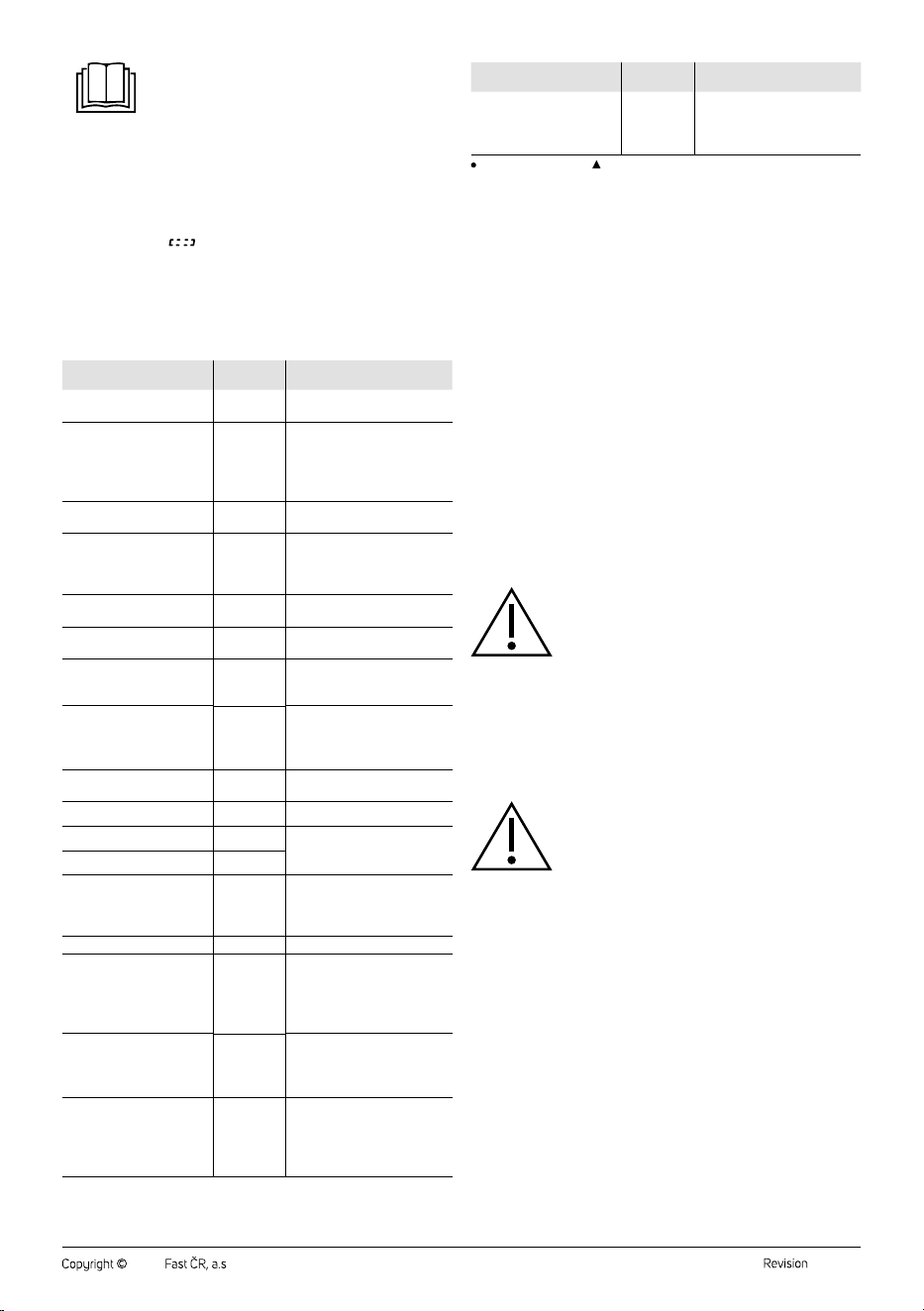
Cookware Safe Use Notes
Special plates for creating
acrust
●
Do not use them for more
than 8 minutes.
Porcelain an pottery ware
●
Porcelain, pottery ware
including glazed ware, and
bone china are suitable
if they do not have metal
decorations.
Disposable polyester
plates
●
Used for the packaging of
some frozen foods.
Packaged ready-made
meals
• Polystyrene cups
●
Can be used to heat foods.
Overheating may cause the
polystyrene to melt.
• Paper bags or
newspapers
×
May ignite in the oven.
• Recycled paper or metal
edging
×
May cause sparks in the oven.
Glass
• Glassware
●
Can be used if not decorated
with metal.
• Fine glass
●
Can be used to heat foods and
beverages. Fine glass may
break if suddenly heated to
ahigh temperature.
• Preserve jars
●
Remove the lid. Use only for
heating.
Metal cookware
• Plates
×
May cause sparks in the oven
or food to catch on fire.
• Metal bag clips
×
Paperware
• Trays, cups, napkins and
kitchen paper
●
Suitable for ashort heating
and cooking times, also for
absorbing excess moisture.
• Recycled paper
×
May cause sparks in the oven.
Plastic ware
• Dishes
●
Use only heat resistant
plastics; other plastics may
lose their shape or colour due
to high temperatures. Do not
use melamine products.
• Foil
●
Use to maintain moisture; it
should not come into contact
with food. When removing, be
careful of the escaping steam.
• Bags for frozen food
▲
Only if intended for cooking or
resistant to high temperatures.
Must not be airtight. If
necessary, puncture with
afork.
Cookware Safe Use Notes
Waxed paper
●
Can be used to retain
moisture in foods and prevent
splattering of grease and
juices.
recommended use; limited use; x not recommended;
. . . . . . . . . . . . . . . . . . . . . . . . . . . . . . . . . . . . . . . . . . . . . . . . . . . . . . . . . . . . . . . . . . . .
COOKING PRINCIPLES IN THE MICROWAVE OVEN
1. Arrange the food carefully. Place thicker food pieces around the
edges of the dish.
2. Place the food on an appropriate dish before putting it into the oven.
3. Set the correct cooking time. We recommend setting ashorter
cooking time and extend it if necessary. Cooking food at high
temperatures can cause smoking or ignition.
4. Cover the food before cooking. This prevents juice splatter, and the
food heats evenly.
5. To speed up the cooking of certain foods, such as chicken or
hamburgers, turn them over once during cooking. Larger pieces of
food, e.g. roasts, must be turned over several times.
6. Some foods, such as meatballs or patties, should be rearranged
during cooking both from top to bottom and from centre to edge.
. . . . . . . . . . . . . . . . . . . . . . . . . . . . . . . . . . . . . . . . . . . . . . . . . . . . . . . . . . . . . . . . . . . .
CLEANING AND MAINTENANCE
• Before cleaning, unplug the power cable from the socket and allow the
appliance to cool down.
• Do not use abrasive cleaning agents, solvents, or any substances to
clean any parts of the appliance that could damage the surface of the
appliance. None of the components of this appliance is dishwasher
safe.
Warning:
To prevent the risk of electric shock, do not immerse the
appliance, power cable, or plug into water or any other
liquid.
• To prevent damaging the operating parts of the oven, make sure that
water does not enter the ventilation openings located on the sides of
the microwave oven.
• Keep the microwave oven clean. Clean it regularly according to
the instructions below andremove any food residues. Neglecting
cleanliness could damage the surface of the appliance. That could
adversely affect the lifespan of the microwave oven and result in
adangerous situation.
Warning:
Do not use steam cleaners to clean the microwave oven.
• If the interior of the microwave oven becomes dirty, wipe the interior
walls with asoft sponge lightly dampened with warm water. Wipe
with adry cloth. If the interior is heavily soiled, soak the sponge in
warm water with alittle dishwashing detergent. Wipe dry with aclean
cloth. Do not use any sprays or harsh cleaners. They may scratch the
surface or leave stains or marks.
• Wipe the outer surface, including the door and door seals of the
microwave oven, with asoft sponge lightly dampened with warm
water. Wipe dry with aclean cloth.
• When cleaning the control panel, leave the door slightly open to
prevent the microwave oven from being accidentally turned on empty.
Wipe the control panel with adry cloth. Prevent water from entering
the gaps between the buttons.
• If the doors fog up from the inside or outside, wipe them with aclean,
dry cloth. This is anormal occurrence, especially when preparing
foods withhigh water content.
• To remove unpleasant odours from theinterior of the microwave oven,
mix one cup of water with juice andzest fromone lemon in adeep
container. Set the cooking time to 5–10 minutes. Then wipe the interior
with aclean,dry cloth.
- 8 -
03/2024
2024, .
• If you need to replace the interior light of the oven, contact an
authorised service centre.
• If you have not used the microwave oven for an extended period, an
unpleasant odour may have formed inside. To remove it, you can:
1. Pour water and add afew lemon slices into alarger glass container.
Run the oven at maximum power for 2–3 minutes.
2. Place acup with red tea and run the oven at maximum power.
3. Place orange peels in alarger bowl and run the oven at maximum
power for 1 minute.
. . . . . . . . . . . . . . . . . . . . . . . . . . . . . . . . . . . . . . . . . . . . . . . . . . . . . . . . . . . . . . . . . . . .
Storage
• If you are not going to use the appliance for an extended period of
time, unplug it from the power socket, allow it to cool down and clean
it following the instructions in the “Cleaning and Maintenance” section.
• Before storing, ensure that the appliance and all accessories are
thoroughly clean and dry.
• Store the appliance in adry, clean, and well-ventilated place away
from extreme temperatures and out of the reach of children or pets.
. . . . . . . . . . . . . . . . . . . . . . . . . . . . . . . . . . . . . . . . . . . . . . . . . . . . . . . . . . . . . . . . . . . .
TROUBLESHOOTING
• Before contacting an authorised service centre, please check the
recommendations below.
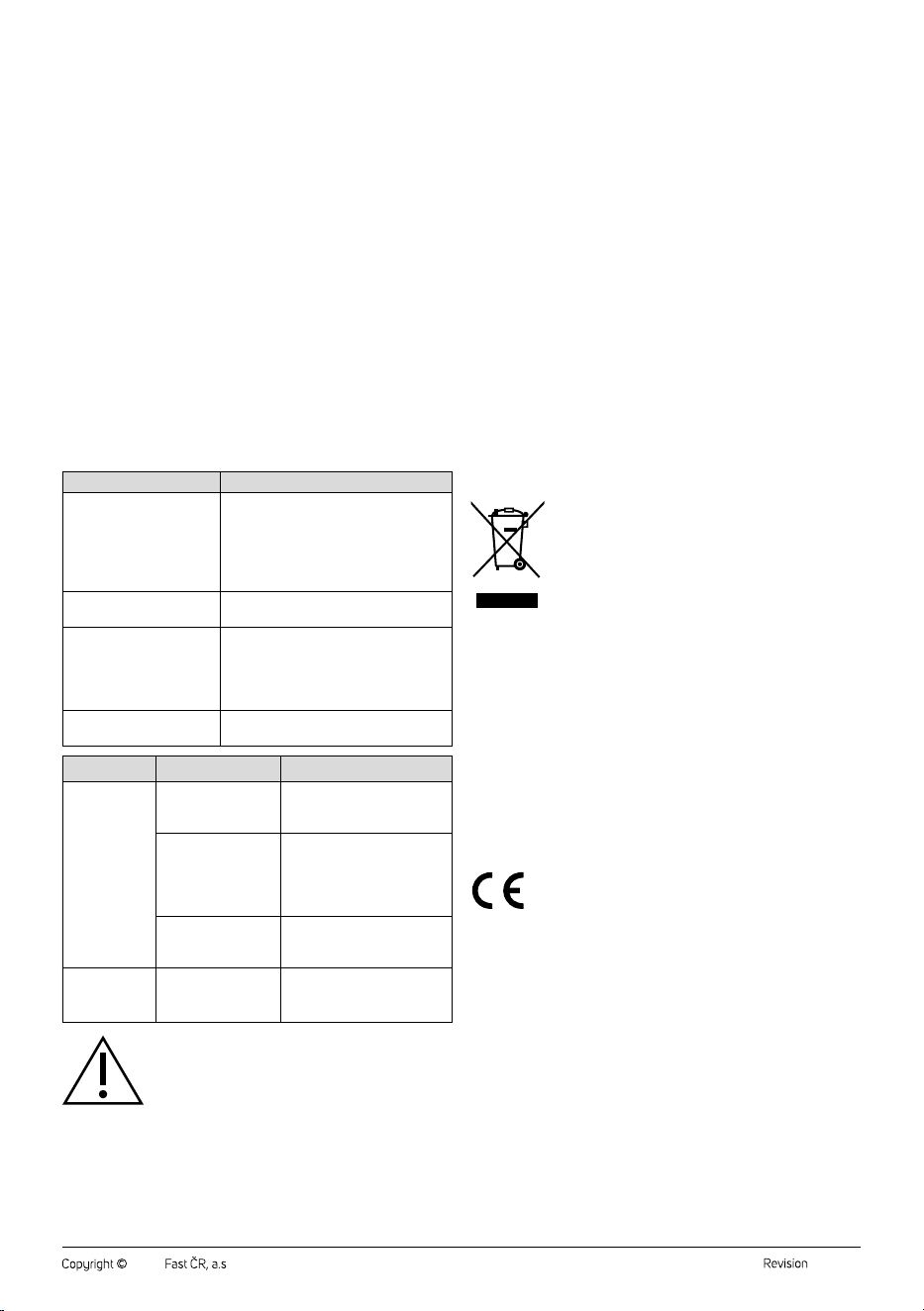
Problem Meaning
Microwave operation
interferes with TV reception.
TV andradio reception may be disrupted
during microwave operation. This is
similar interference to that caused by
other small appliances such as ablender,
vacuum cleaner, or hairdryer. This is
anormal occurrence.
Dimming of oven light.
The oven light may dim at low microwave
power. This is anormal occurrence.
Water accumulates
andcondensates on the
door and hot air comes out
of the ventilation openings.
Steam may escape from the food during
cooking. Most of it exits through the
ventilation openings, but some may
accumulate on the door and condense.
This is anormal occurrence.
The oven was accidentally
started empty.
It is very dangerous to run the oven
empty. Turn it off immediately.
Problem Possible Cause Solution
Microwave
oven cannot be
started.
The power cable plug
is incorrectly inserted
in the power socket.
Disconnect and reconnect the
plug into the socket.
Blown fuse or tripped
circuit breaker.
Replace the fuse andreset the
tripped circuit breaker.
Only aqualified electrician or
other trained professional is
authorised to replace the fuse.
Problem with the
power socket.
Test if the socket is working by
plugging in another electrical
appliance.
The oven does
not generate
heat.
The door is not
properly closed.
Close the door properly.
Warning:
If the problem persists, stop using the microwave oven,
unplug the power cable from the socket and contact
an authorised service centre. Under no circumstances
should you repair the microwave oven yourself. There
are no user serviceable parts inside.
. . . . . . . . . . . . . . . . . . . . . . . . . . . . . . . . . . . . . . . . . . . . . . . . . . . . . . . . . . . . . . . . . . . .
TECHNICAL SPECIFICATIONS
Rated voltage range ......................................................................................... 230 V~
Rated frequency ...................................................................................................50 Hz
Rated input power ............................................................................................ 1,270 W
Microwave output ..............................................................................................800 W
Operating frequency ................................................................................ 2,450 MHz
Noise level ........................................................................................................ 63 dB(A)
Volume .........................................................................................................................23 l
Outer dimensions .................................................................. 502 × 406 × 302 cm
Weight ...................................................................................................................13.5 kg
The declared noise emission level of the appliance is 63 dB(A), which
represents alevel Aof acoustic power with respect to areference acoustic
power of 1 pW.
We reserve the right to change the text and technical specifications.
. . . . . . . . . . . . . . . . . . . . . . . . . . . . . . . . . . . . . . . . . . . . . . . . . . . . . . . . . . . . . . . . . . . .
INSTRUCTIONS AND INFORMATION ON DISPOSAL OF USED
PACKAGING MATERIAL
Dispose of used packaging material in the designated waste disposal area
determined by the municipality.
DISPOSAL OF USED ELECTRICAL AND ELECTRONIC EQUIPMENT
This symbol on the products or accompanying documents
indicates that used electrical and electronic products
should not be disposed of with regular municipal waste.
For proper disposal and recycling of these products, deliver
them to designated collection points. Alternatively, in some
European Union states or other European countries the
products can be returned to the local retailer when buying
an equivalent new product. By properly disposing of this
product, you help preserve valuable natural resources and contribute to
preventing potential negative impacts on the environment and human
health resulting from improper waste disposal. For further details, contact
your local authorities or the nearest collection point. Fines may be
imposed for improper disposal of this type of waste in accordance with
national regulations.
For Business Entities in European Union States
If you want to dispose of electric or electronic devices, ask your retailer or
supplier for the necessary information.
Disposal in Other Countries Outside the European Union
This symbol is valid in the European Union. If you wish to dispose of this
product, request the necessary information about the correct disposal
method from the local council or from your retailer.
This product complies with all the essential requirements of
the applicable EU directives.

FAST ČR, a.s.
U Sanitasu 1621
CZ-251 01 Říčany
www.sencor.eu