Features:
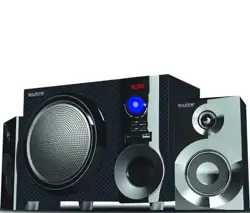
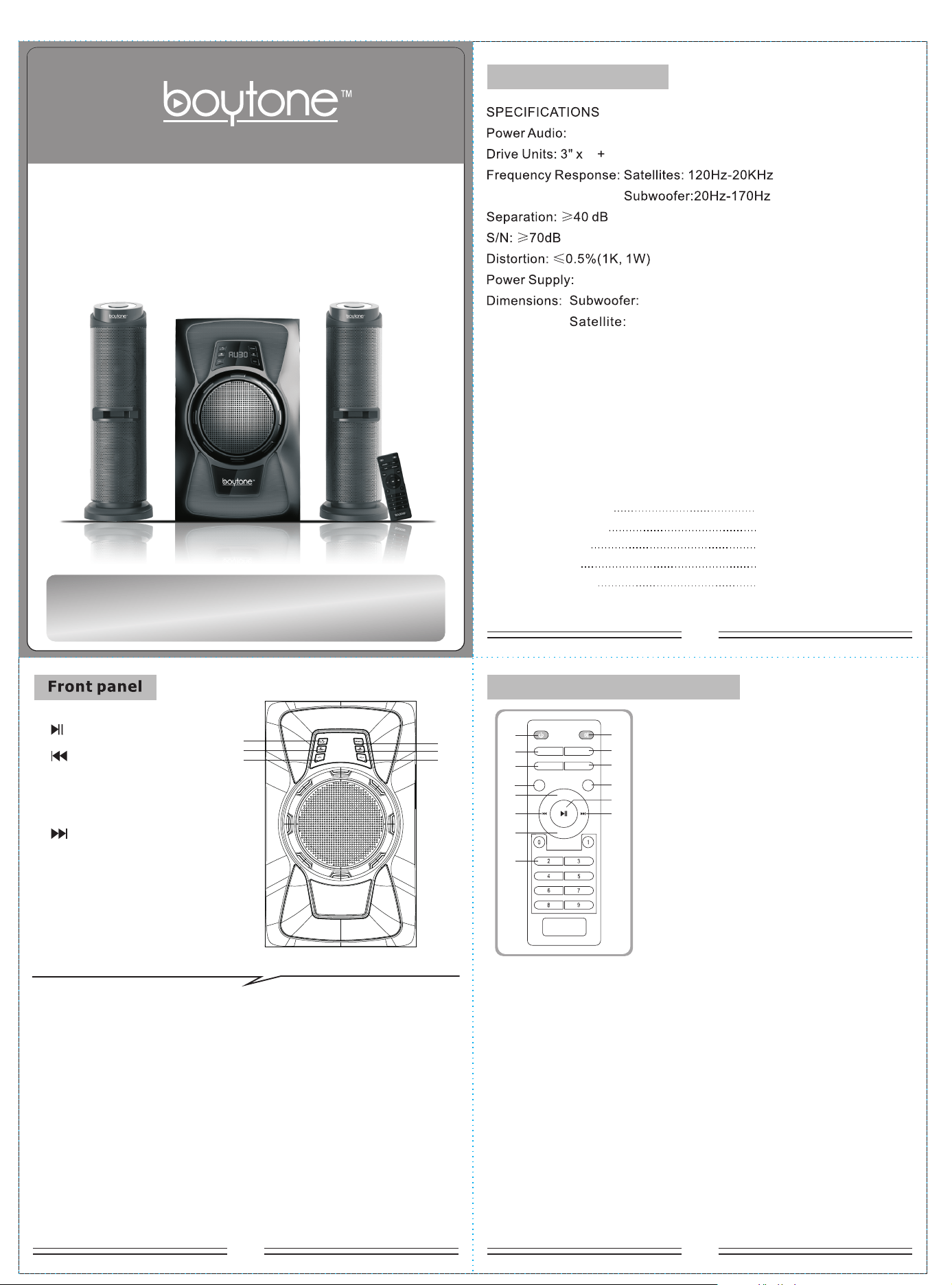
Quality 2.1 speaker system with built-in amplifier
Full audio spectrum performances, ideal for your favourite entertainment
from Mp3, Mp4, CD/DVD movies and digital playbacks
Specially designed woofer cabinet for bass and resolution
Comes with wired remote control and 3.5 stereo connection
NO.1
NO.2
Operation explanation:
~120V/ 60Hz
W200xH330xD366(mm)
Ф116xH366(mm)
注:A4大小,105g铜版纸黑色双面印刷,根据虚线对折,封面在前.C8601KBU-HC1A(BT-424F)--F38-18600-036--刘东兴
NO.3
2
How to use the remote control
5.25" subwoofer
22W+14Wx2(RMS)
ST-BY/PLAY/PAUSE-----Press to turn on speaker, long press
PLAY/PAUSE on the USB/SD/BT mode.
SOURCE-----Change the input mode.
VOLUME-/+ -----Volume down/up.
TUNING+/NEXT -----Press once to increase the FM frequency 0.1M,
long press to the semi-automatic search for radio.
In USB/SD/BT mode, press “ NEXT ” play next song.
TUNING-/PREVIOUS -----Press once to reduce the FM frequency 0.1M,
long press to the semi-automatic search for
radio. In USB/SD/BT mode, press “ PREVIOUS ”
play previous song.
into stand-by.
How to use the remote control
1. ST-BY
2. SOURCE
3. TONE
4. TUNING-
5. VOL+
6. PREVIOUS
7. VOL-
8. 0~9
9. MUTE
10. LED effect
11. MEMORY
12.TUNING+
13. PLAY/PAUSE
14. NEXT
VOL+
LED
TONE MEMORY
TUNE+
TUNE-
VOL-
SOURCE
(1)
(2)
(5)
(3)
(4)
(6)
(8)
(7)
(9)
(10)
(11)
(12)
(14)
(13)
1. Press “ST-BY” LED showing “AU18”, it is AUX mode playing state.
2.“MUTE” means to activate or deactivate mute.
3.“SOURCE” means you can choose AUX, DVD, USB/SD, FM, BT input mode,
at the same time, the LED will show “Au18” means AUX mode, “Du18” means
DVD mode. “87.5” means FM mode, “BT18” means BT mode.
4.“TONE” means you can choose “TREBLE” and “BASS” “VOL+/-” means
you can increase or decrease volume of “ TREBLE ” or “BASS”.
5. When enter into FM mode, press “MEMORY” the number on the LED will
Blink. this means the machine is under save channel state. You can change the
blinking number by pressing “NEXT” or “PREV”, press “PLAY/PAUSE” you can
save the channel into same number. it will enter into automatic search channel
and automatic save channel when pressing “MEMORY” for 3-5 seconds
(noted: the channel which you saved before will be deleted when you press
“MEMORY” for 3-5 seconds.
1. /ST-BY
5. /TUNING+
6. SOURCE
2. /TUNING-
3. VOL-
4. VOL+
(1)
(2)
(5)
(6)
(4)
(3)
DEAR CUSTOMER:
Thank you to buy the product !
Prior to first use, please read the manual carefully.
BT-424F
2.1CH MULTIMEDIA SPEAKER SYSTEM
Package contents:
subwoofer cabinet 1 pc
satellite speakers 2 pcs
User manual 1 pc
Audio input cord 1 pc
remote control 1 pc
NO.5
NO.7
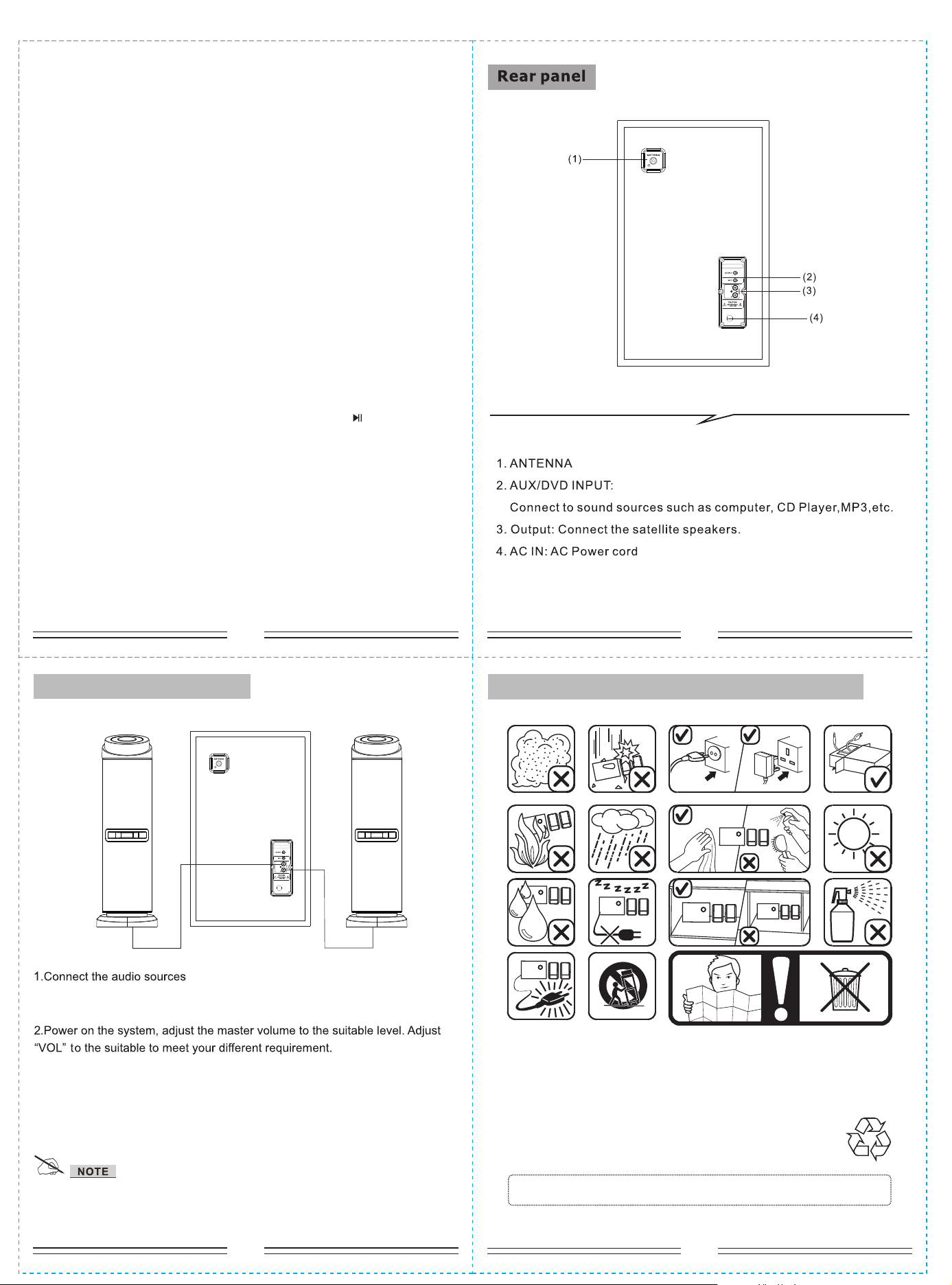
In use please pay attention to the following items:
NO.6
NO.4
*if the remote control cannot function, it is because the battery of
remote control has been used up. thank you.
System connection diagram
* Do not leave objects generating magnetism near the speakers.
SPEAKER TERMINALS
Connect the left & right channel satellite to 2.1 speaker output
terminals.
Connect the 3.5 stereo cable to the input of the subwoofer, Connect the
RCA input jack into output of the audio sources, such as DVD etc.
6. When entering into USB/SD mode. “NEXT” means next song; “PREV” means
previous song; “PLAY/PAUSE” means play/pause;pressing the number “0-9” on
the remote control, you can choose the corresponding song.
7. VOL+/- means you can increase or decrease volume.
8.“TUNING-” means decrease the frequency of channel selection. Press
“TUNING-” for a long time means decrease the frequency of channel selection
continuously
9.“TUNING+” means increase the frequency of channel selection. Press
“TUNING+” for a long time means increase the frequency of channel selection
continuously.
10.“PLAY/PAUSE” means play/pause for USB/SD.
11.“PREV” means previous song for USB/SD.
12.“NEXT” means next song for USB/SD.
13. Press “SOURCE” buttons on the remote to convert to Bluetooth input
mode, LED display right bottom start to flashing (2 seconds) to search the
Bluetooth device. Turn on your mobile Bluetooth device and search the device
name “BT SPEAKER ”, paired them well. When you have successfully paired
your mobile to the speaker system, the LED right bottom stop flashing.
When start to play your mobile music, the LED flashed every one second. The
functions as "PREVIOUS/NEXT", "PLAY/PAUSE", can operate via the front
panel. On BT mode, when connecting with mobile, press “ ” for 3 seconds,
bluetooth function can be force-disconnected .
14. Press “LED” each time to change LED effect(LED1-LED6), when press
“LED” long time turn off LED effect, Depress again to activate LED effect.
L R
DVD
DVD