MANUAL
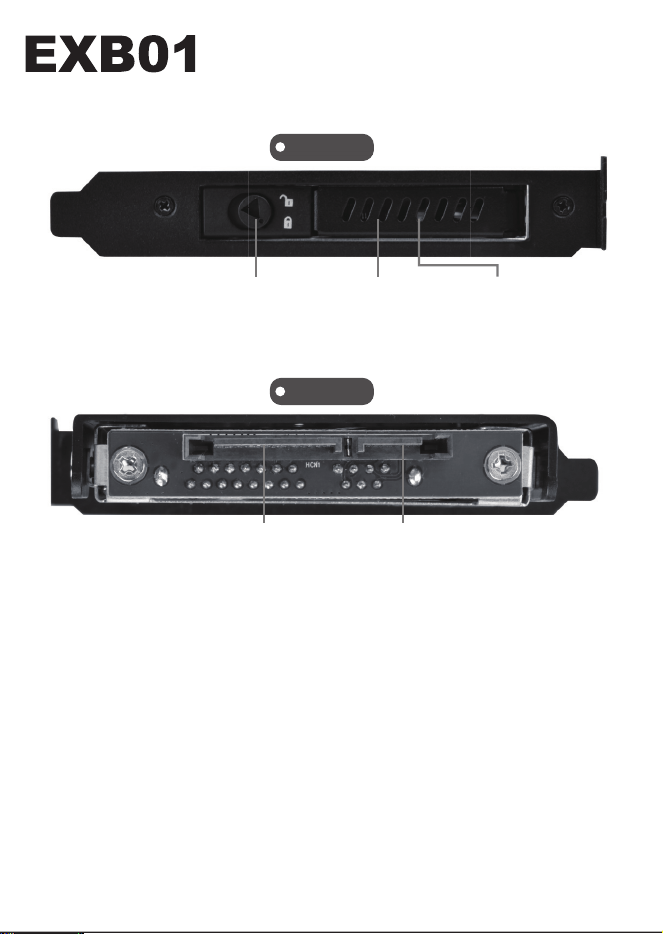
Panel Explantation
Screw
Package includes
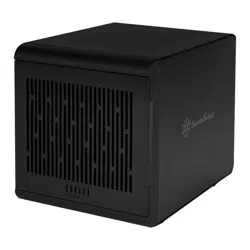
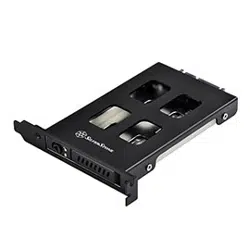
EXB01 enclosure x 1
SATA cable x 1
Parts package x 1
User manual x 1
Secure HDD x 4
Secure on the bracket x 1
1
Front
Back
Door handle
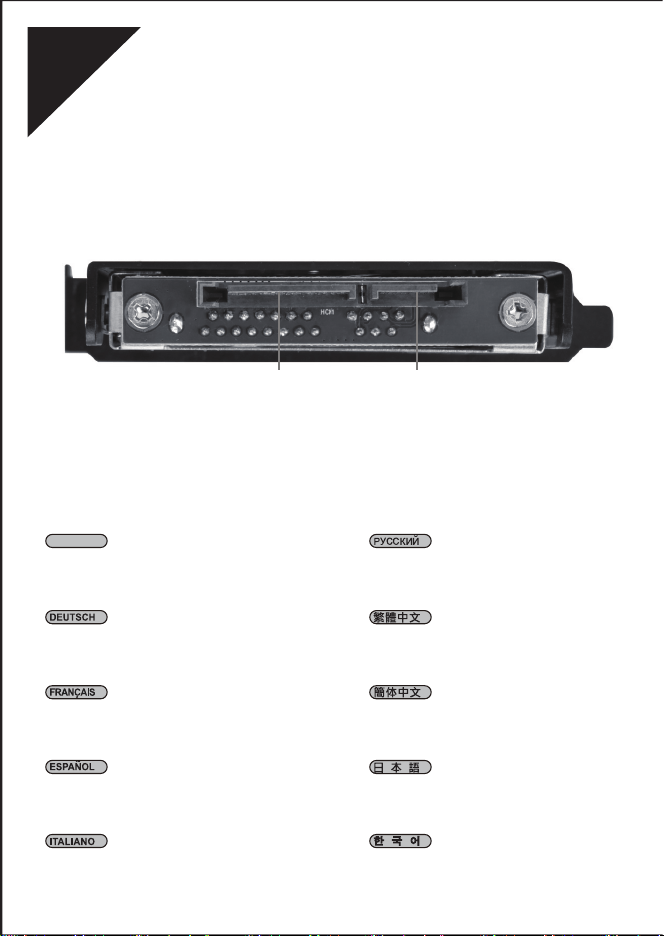
SATA power SATA connector
Drive front panel Drive LED
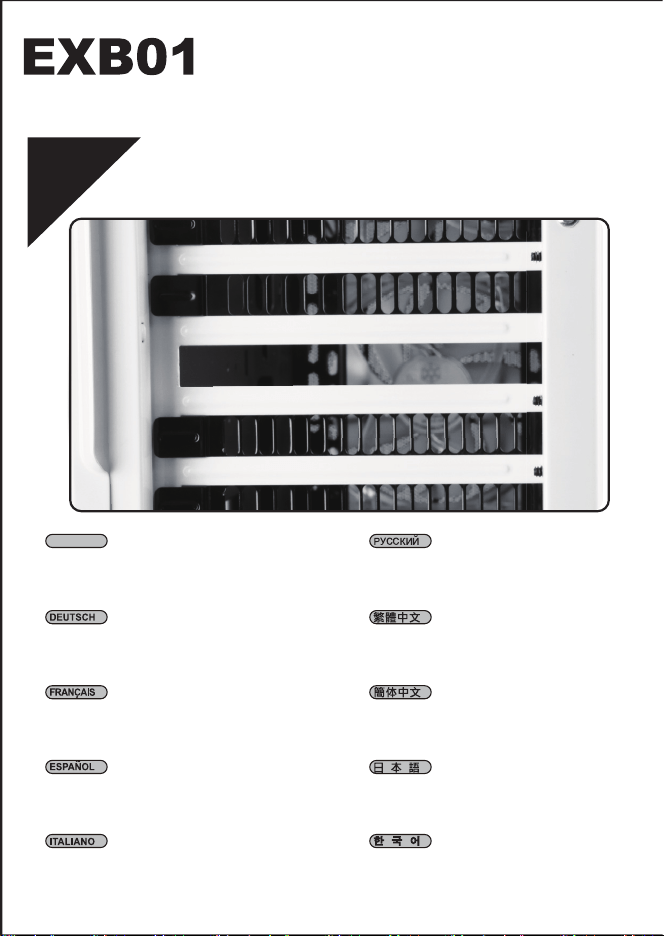
Product installation
1
Remove one of the expansion slot covers
from the rear of computer chassis
Entfernen Sie eine der
Erweiterungssteckplatz-Abdeckungen von der
Rückseite des Computergehäuses
Retirez l'un des caches des emplacements
d'extension à l'arrière du châssis de l'ordinateur
Retire una de las cubiertas de los zócalos de
expansión de la parte trasera del chasis del
ordenador
Rimuovere una delle coperture dello slot di
espansione del retro del telaio del computer
Снимите одну из крышек слота
расширения на задней части корпуса
移除機殼後方擴充槽的其中一個檔板
移除机箱后方扩展槽的其中一个档板
コンピューターケース後部から拡張
スロットカバーの一つを外します
컴퓨터 섀시 후면에서 확장 슬롯 커버를
제거합니다
ENGLISH
3
4
2
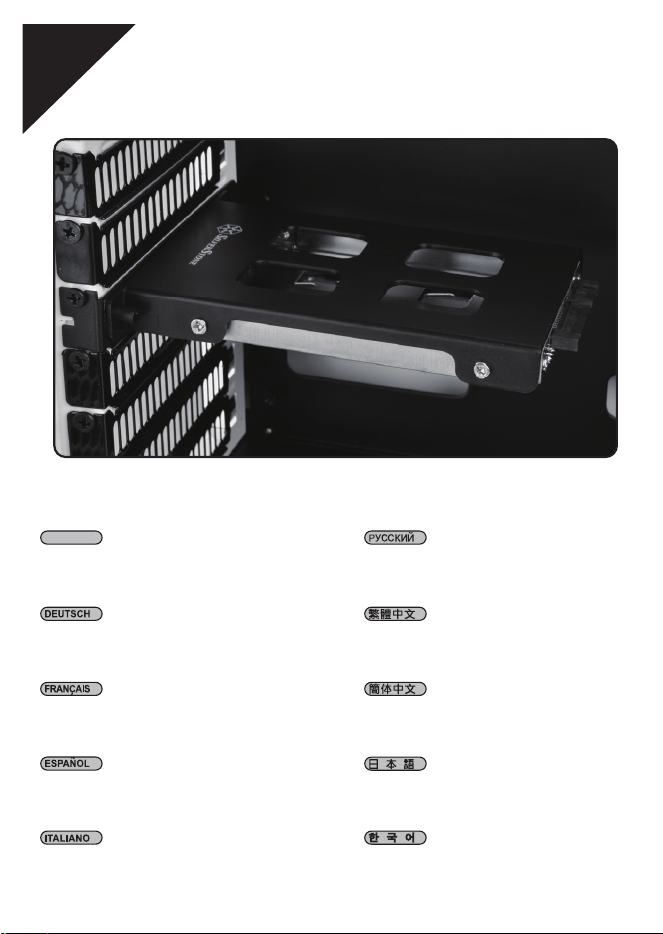
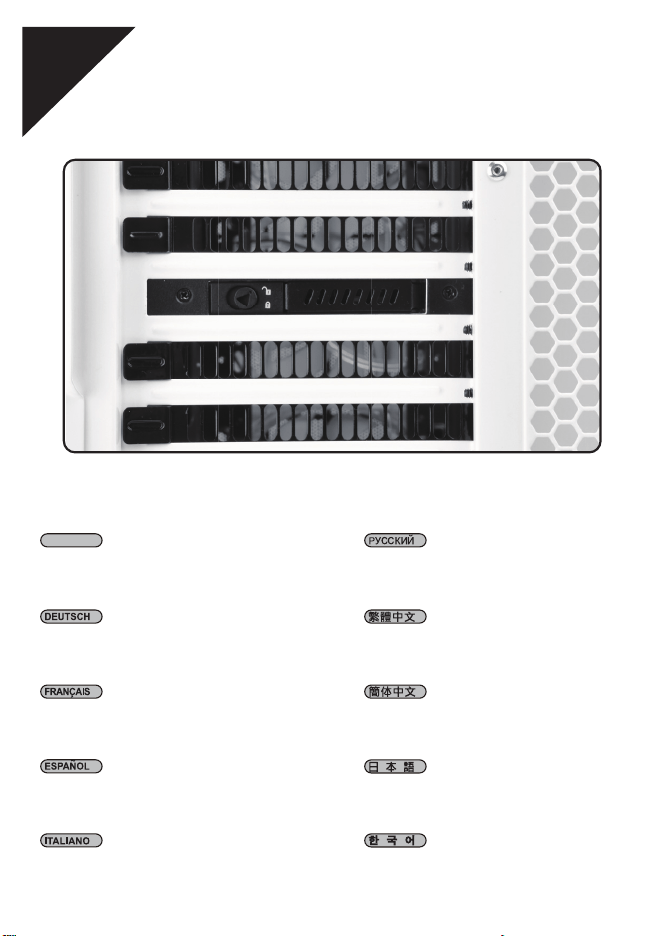
Install EXB01 into an available PCIe slot
and secure with screw
Installieren Sie den EXB01 in einem freien
PCIe-Steckplatz und befestigen Sie ihn mit
Schrauben
Installez l'EXB01 dans un emplacement PCIe
disponible et fixez-le avec une vis
Instale el EXB01 en un zócalo PCIe disponible
y fíjelo con un tornillo
Installare EXB01 in uno slot PCIe disponibile
e fissare con vite
Установите EXB01 в свободный слот
PCIe и закрепите винтом
將EXB01安裝至機殼的PCIe槽並用螺絲鎖固
将EXB01安装至机箱的PCIe槽并用螺丝锁固
EXB01を空いているPCIeスロットにインス
トールしてネジで固定します
사용 가능한 PCIe 슬롯에 EXB01을
설치하고 나사로 고정합니다
ENGLISH
3
Connect SATA cable and SATA power cable
to EXB01
Schließen Sie SATA-Kabel und
SATA-Stromkabel an den EXB01 an.
Raccordez le câble SATA et le câble
d'alimentation SATA à l'EXB01
Conecte el cable SATA y el cable de potencia
SATA al EXB01
Collegare il cavo SATA e il cavo di
alimentazione SATA a EXB01
Подключите кабель SATA и кабель
питания SATA к EXB01
連接SATA資料線與SATA電源線材至EXB01
连接SATA数据线与SATA电源线材至EXB01
SATAケーブルおよびSATA電源ケーブルを
EXB01に接続します
SATA 케이블과 SATA 전원 케이블을
EXB01에 연결합니다
ENGLISH
5
SATA power SATA connector
6
4
Installation complete
Damit ist die Installation abgeschlossen
Installation terminée
Instalación completa
Installazione completata
Установка завершена
安裝完成
安装完成
インストール完了
설치가 완료되었습니다
ENGLISH
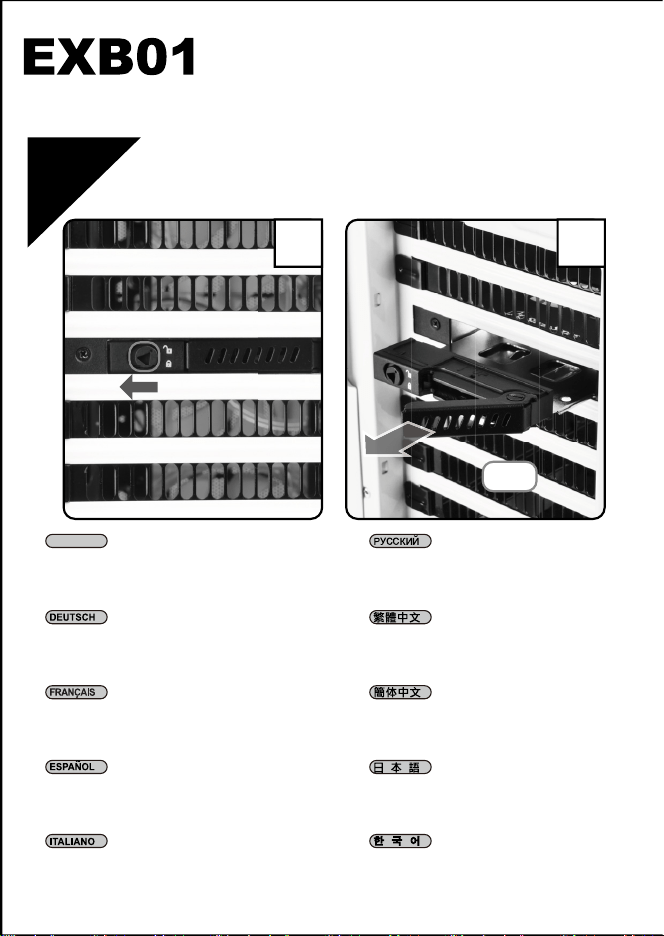
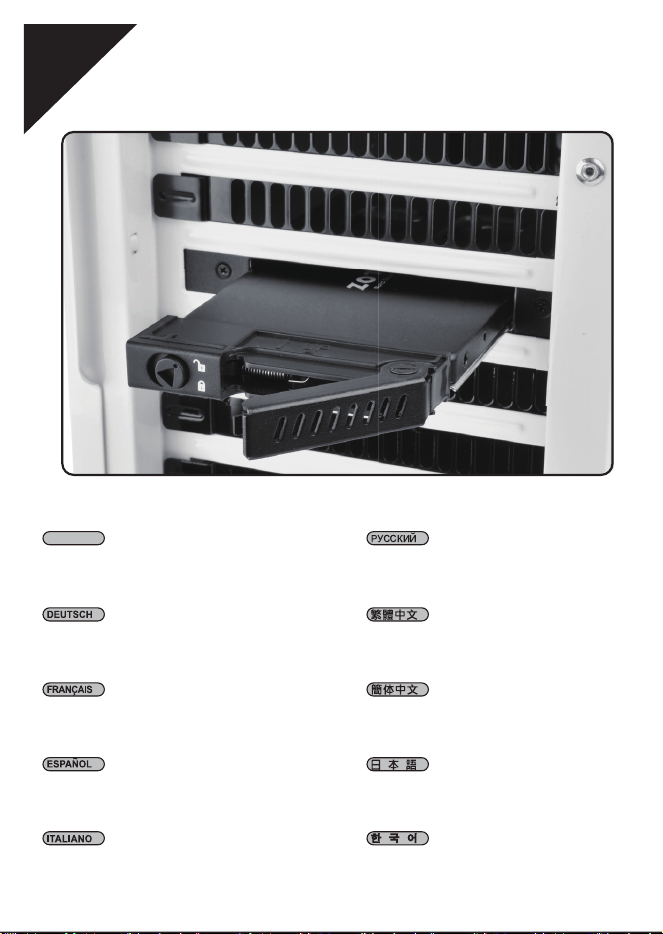
Press and pull out the drive tray, as shown in
illustrations 1 & 2
Drücken und ziehen Sie den Laufwerkseinsatz,
wie in Abbildung 1 und 2 gezeigt, heraus.
Appuyez et retirez le plateau du lecteur,
comme indiqué dans les illustrations 1 et 2
Presione y tire de la bandeja de dispositivo,
como se muestra en las ilustraciones 1 & 2
Premere ed estrarre il vassoio dell'unità,
come mostrato nelle illustrazioni 1 e 2
Нажмите и выньте лоток накопителя,
как показано на рисунках 1 и 2
按下並拉開硬碟托盤如圖1&2 所示
按下并拉开硬盘托盘如图1&2 所示
ドライブトレイは、図1 & 2のように押
してから引き出します
그림 1과 2에 표시된 대로 드라이브
트레이를 눌러 꺼냅니다
ENGLISH
7
HDD installation
1
Press
Pull
12
8
2
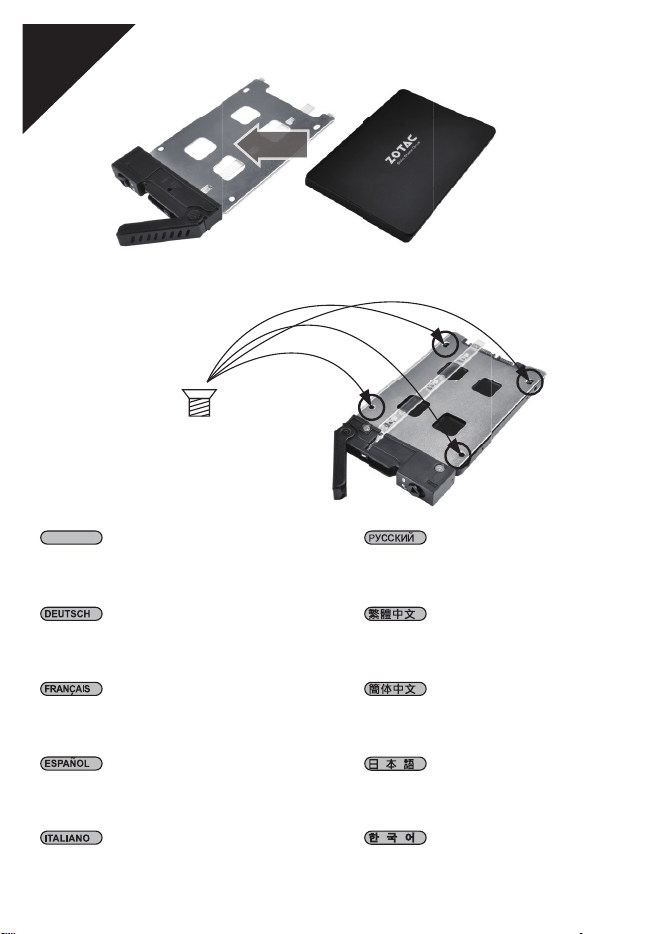
Place 2.5" drive into the drive tray and
secure with screws as shown
Platzieren Sie das 2,5-Zoll-Laufwerk im
Laufwerkseinsatz und befestigen Sie es wie
abgebildet mit Schrauben
Placez le lecteur 2,5" dans le plateau du
lecteur et fixez-le avec des vis comme indiqué
Coloque el disco de 2,5” en la bandeja de disco
y fíjelo con tornillos como se muestra
Collocare l'unità da 2,5" nel vassoio dell'unità
e fissare con viti, come mostrato
Установите накопитель 2.5” в лоток и
закрепите его винтами, как показано
на рисунке
放入2.5吋硬碟於托盤並以螺絲鎖固如圖示
放入2.5吋硬盘于托盘并以螺丝锁固如图示
2.5"ドライブをドライブトレイに置
いてから、図のようにネジで固定します
그림과 같이 2.5" 드라이브를 드라이브
트레이에 넣고 나사로 고정합니다
ENGLISH
Secure HDD x 4
Insert the assembled tray back into the EXB01
enclosure
Setzen Sie den montierten Einsatz wieder im
EXB01-Gehäuse ein
Remettez le plateau assemblé dans le boîtier
de l'EXB01
Inserte la bandeja montada en la
carcasa EXB01
Reinserire il vassoio montato
nell'alloggiamento EXB01
Вставьте собранный лоток обратно
в EXB01
將硬碟托盤推入並固定
将硬盘托盘推入并固定
組み上がったトレイをEXB01エンクロ
ージャーに戻します
조립된 트레이를 EXB01 인클로저에
도로 끼웁니다
ENGLISH
9
3
10
4
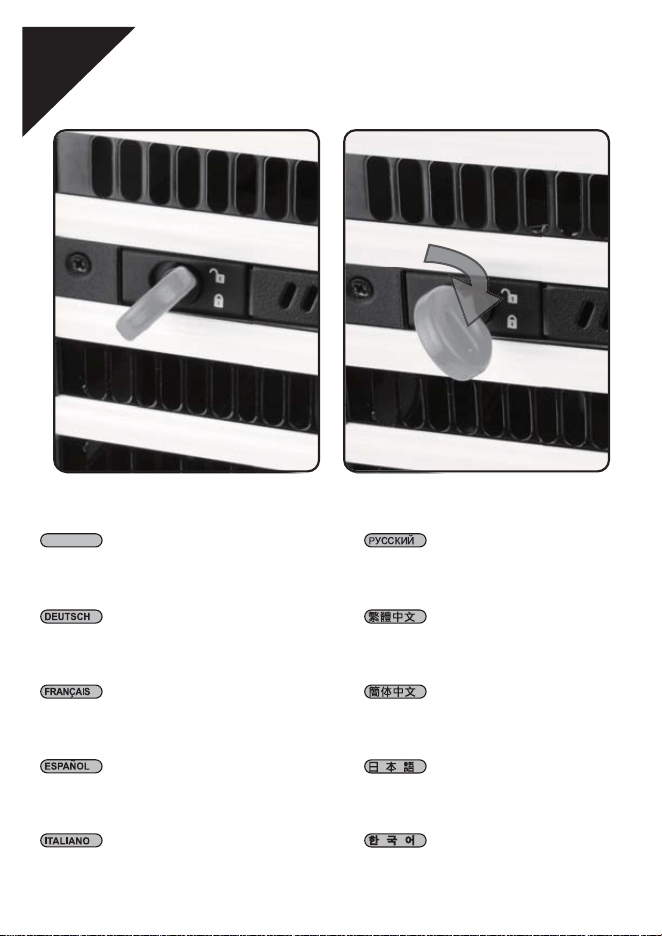
Use the key to lock the panel
Schließen Sie den Blende mit einem der
Schlüssel ab
Utilisez la clé pour verrouiller le panneau
Use la llave para cerrar el panel
Utilizzare il tasto per bloccare il pannello
Используйте ключ для блокировки
панели
使用鑰匙鎖住面板
使用钥匙锁住面板
キーでパネルをロックします
키를 사용하여 패널을 잠급니다
ENGLISH
NO. G11232960
This product has a limited 1 year warranty in North America and Australia.
For information on warranty periods in other regions, please contact your reseller or SilverStone
authorized distributor.
1. Product component defects or damages resulted from defective production is covered under warranty.
Defects or damages with the following conditions will be fixed or replaced under SilverStone Technology’s jurisdiction.
a) Usage in accordance with instructions provided in this manual, with no misuse, overuse, or other inappropriate actions.
b) Damage not caused by natural disaster (thunder, fire, earthquake, flood, salt, wind, insect, animals, etc…)
c) Product is not disassembled, modified, or fixed. Components not disassembled or replaced.
d) Warranty mark/stickers are not removed or broken.
Loss or damages resulted from conditions other than ones listed above are not covered under warranty.
2. Under warranty, SilverStone Technology’s maximum liability is limited to the current market value for the product (depreciated value, excluding
shipping, handling, and other fees). SilverStone Technology is not responsible for other damages or loss associated with the use of product.
3. Under warranty, SilverStone Technology is obligated to repair or replace its defective products. Under no circumstances will SilverStone
Technology be liable for damages in connection with the sale, purchase, or use including but not limited to loss of data, loss of business, loss of
profits, loss of use of the product or incidental or consequential damage whether or not foreseeable and whether or not based on breach of warranty,
contract or negligence, even if SilverStone Technology has been advised of the possibility of such damages.
4. Warranty covers only the original purchaser through authorized SilverStone distributors and resellers and is not transferable to a second hand
purchaser.
5. You must provide sales receipt or invoice with clear indication of purchase date to determine warranty eligibility.
6. If a problem develops during the warranty period, please contact your retailer/reseller/SilverStone authorized distributors or SilverStone
http://www.silverstonetek.com.
Please note that: (i) You must provide proof of original purchase of the product by a dated itemized receipt; (ii) You shall bear the cost of shipping
(or otherwise transporting) the product to SilverStone authorized distributors. SilverStone authorized distributors will bear the cost of shipping
(or otherwise transporting) the product back to you after completing the warranty service; (iii) Before you send the product, you must be issued a
Return Merchandise Authorization (“RMA”) number from SilverStone. Updated warranty information will be posted on SilverStone’s official website.
Please visit http://www.silverstonetek.com for the latest updates.
Warranty terms & conditions
Additional info & contacts
For North America ([email protected])
SilverStone Technology in North America may repair or replace defective product with refurbished product that is not new but has been functionally tested.
Replacement product will be warranted for remainder of the warranty period or thirty days, whichever is longer. All products should be sent
back to the place of purchase if it is within 30 days of purchase, after 30 days, customers need to initiate RMA procedure with SilverStone Technology
in USA by first downloading the “USA RMA form for end-users” form from the below link and follow its instructions.
http://silverstonetek.com/contactus.php
For Australia only ([email protected])
Our goods come with guarantees that cannot be excluded under the Australian Consumer Law.
You are entitled to a replacement or refund for a major failure and for compensation for any other reasonably foreseeable loss or damage.
You are also entitled to have the goods repaired or replaced if the goods fail to be of acceptable quality and the failure does not amount to a major failure.
Please refer to above “Warranty terms & conditions” for further warranty details.
SilverStone Technology Co., Ltd. 12F No. 168 Jiankang Rd., Zhonghe Dist., New Taipei City 235 Taiwan R.O.C. + 886-2-8228-1238
(standard international call charges apply)
For Europe ([email protected])
For all other regions ([email protected])
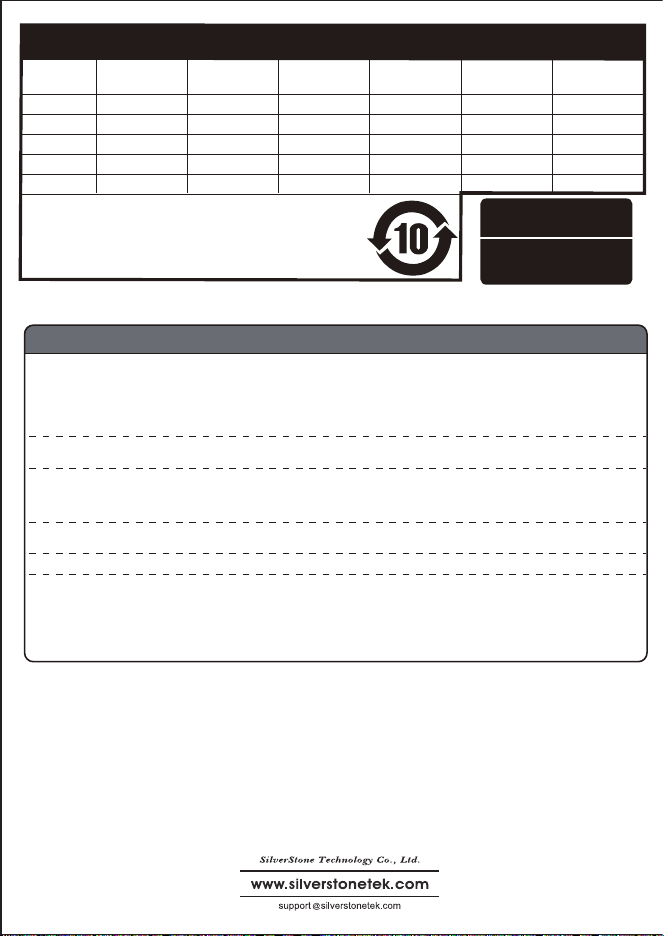
儲存設備 有毒有害物质/元素及其化学含量表
部件名称
机壳
电子卡
线材
螺丝
包材
多溴二苯醚
(PBDE)
多溴联苯
(PBB)
六价铬
(Cr(VI))
镉
(Cd)
汞
(Hg)
铅
(Pb)
○
○
○
○
○
○
○
○
○
○
○
○
○
○
○
○
○
○
○
○
○
○
○
○
○
○
Χ
Χ
○
○
产品合格证
检验员:检01
生产日期:见产品条码
○:表示该有毒有害物质在该部件所有均质材料中的含量均在SJ/T11364-2014
标准规定的限量要求以下。
×:表示该有毒有害物质在该部件材料中的含量超出SJ/T11364-2014标准规定
的限量要求。
本表中有×的部件均符合欧盟RoHS法规,即欧盟第2011/65/EU号指令要求。