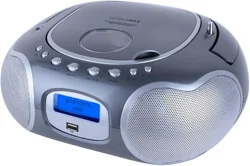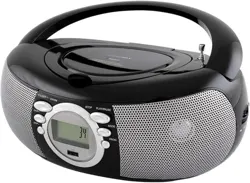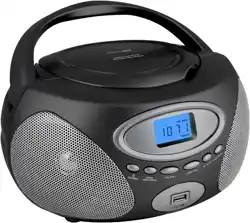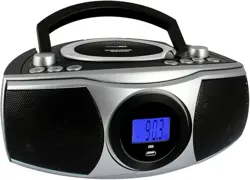
CD/MP3 Boombox with Radio and USB
Model : HX- 326CD
INSTRUCTION MANUAL
Note: Please read and follow these instructions before using your unit.
1. Read these instructions. Keep these instructions. Heed all warnings. Follow all instructions.
2. Do not use this apparatus near water.
3. Clean only with dry cloth.
4. Do not block any ventilation openings. Install in accordance with the manufacturer’s instructions.
5. Do not install near any heat sources such as radiators, heat registers, stoves, or other apparatus (including amplifiers) that produce heat.
6. Do not defeat the safety purpose of the polarized or grounding-type plug. A polarized plug has two blades with one wider than the other. A
grounding type plug has two blades and a third grounding prong. The wide blade or the third prong are provided for your safety. If the
provided plug does not fit into your outlet, consult an electrician for replacement of the obsolete outlet.
7. Protect the power cord from being walked on or pinched particularly at plugs, convenience receptacles, and the point where they exit from
the apparatus.
8. Only use attachments/accessories specified by the manufacturer.
9. Use only with the cart, stand, tripod, bracket, or table specified by the manufacturer, or sold with the apparatus.
When a cart is used, use caution when moving the cart/apparatus combination to avoid injury from tip-over.
10. Unplug this apparatus during lightning storms or when unused for long periods of time.
11. Refer all servicing to qualified service personnel. Servicing is required when the apparatus has been damaged in
any way, such as power-supply cord or plug is damaged, liquid has been spilled or objects have fallen into the
apparatus, the apparatus has been exposed to rain or moisture, does not operate normally, or has been dropped.
12. Grounding or Polarization – This product may be equipped with a polarized alternating-current line plug (a plug having one blade wider
than the other). This plug will fit into the power outlet only one way. This is a safety feature. If you are unable to insert the plug fully into the
outlet, try reversing the plug. If the plug should still fail to fit, contact your electrician to replace your obsolete outlet. Do not defeat the
safety purpose of the polarized plug.
13. Alternate Warnings – This product is equipped with a three-wire ground-type plug, a plug having a third (grounding) pin. This plug will only
into a grounding-type power outlet. This is a safety feature. If you are unable to insert the plug into the outlet, contact your electrician to
replace your obsolete outlet. Do not defeat the safety purpose of the grounding-type plug.
14. Ventilation – Slots and openings in the cabinet are provided for ventilation and to ensure reliable operation of the product and to protect it
from overheating, and these openings must not be blocked or covered. The openings should never be blocked by placing the product on
a bed, sofa, rug, or other similar surface. This product should not be placed in a built-in installation such as a bookcase or rack unless
proper ventilation is provided or the manufacturer’s instructions have been adhered to.
15. The MAINS plug or an appliance coupler is used as the disconnect device, the disconnect device shall remain readily operable.
16.
回
: CLASS II apparatus with double insulation, and no protective earth provided.
17. Caution Marking and rating plate was located at bottom enclosure of the apparatus.
18. To reduce the risk of fire or electric shock, do not expose this apparatus to rain or moisture.
19. The apparatus shall not be exposed to dripping or splashing and that no objects filled with liquids, such as vases, shall be placed on
apparatus.
20. The mains plug is used as disconnect device. The mains plug of apparatus should not be obstructed OR should be easily accessed
during intended use. To be completely disconnect the power input, the mains plug or apparatus shall be disconnected from the mains.
21. Battery shall not be exposed to excessive heat such as sunshine, fire or the like.
22. Excessive sound pressure from earphones and headphone can cause hearing loss.
FCC NOTICE
This equipment has been tested and found to comply with the limits for a Class B digital device, pursuant to Part 15 of the FCC Rules. These
limits are designed to provide reasonable protection against harmful interference in a residential installation. This equipment generates, uses
and can radiate radio frequency energy and, if not installed and used in accordance with the instructions, may cause harmful interference to
radio communications.
However, there is no guarantee that interference will not occur in a particular installation. If this equipment does cause harmful interference to
radio or television reception, which can be determined by turning the equipment off and on, the user is encouraged to try to correct the
interference by one or more of the following measures:
– Reorient or relocate the receiving antenna.
– Increase the separation between the equipment and receiver.
– Connect the equipment into an outlet on a circuit different from that to which the receiver is needed.
– Consult the dealer or an experienced radio/TV technician for help.
-1-
This device complies with part 15 of the FCC Rules. Operation is subject to the following two conditions :
(1) This device may not cause harmful interference, and (2) this device must accept any interference received, including interference that may
cause undesired operation.
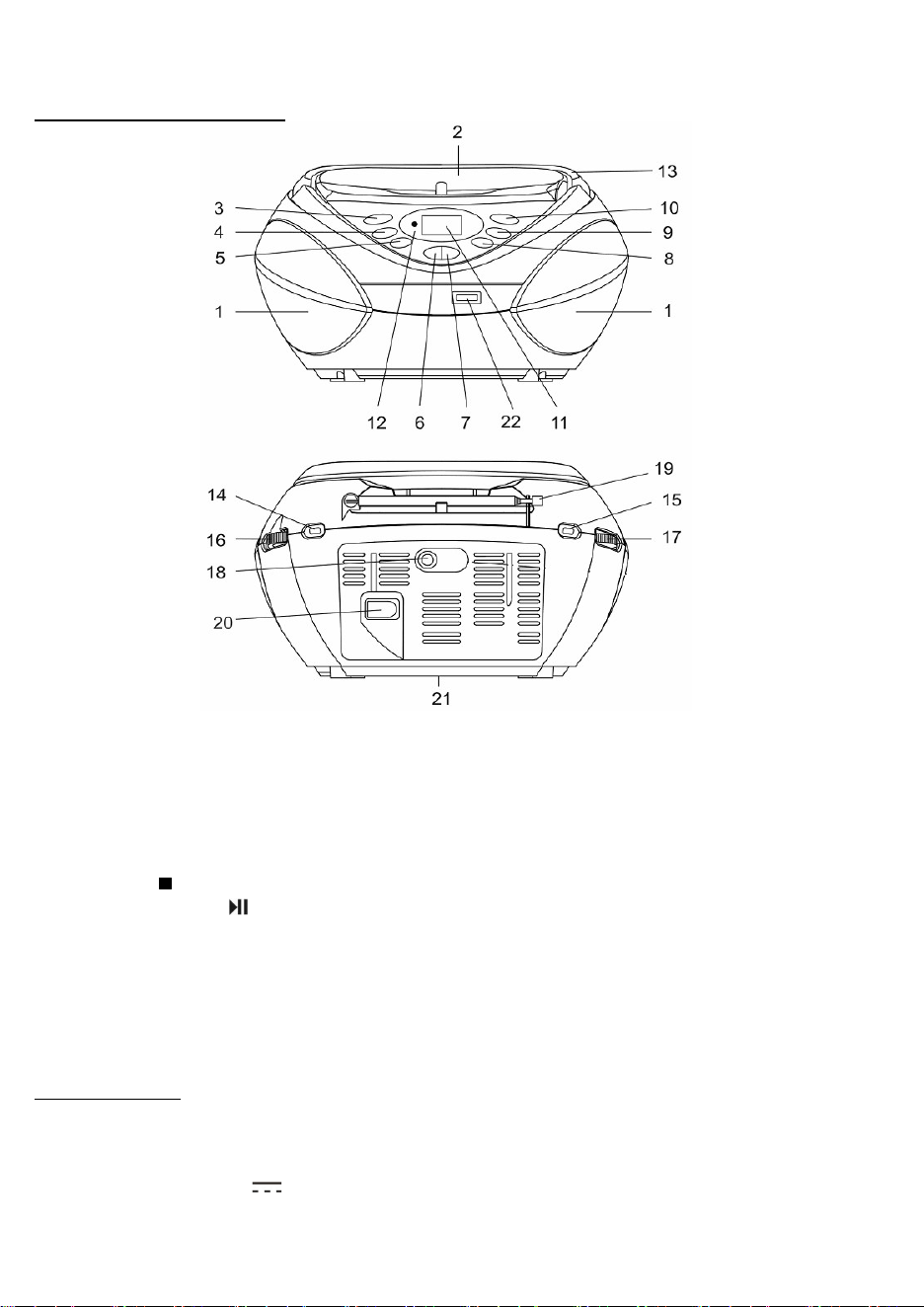
LOCATION OF CONTROLS
1 Speakers 13 Handle
2 CD Compartment 14 FUNCTION Switch
3 FOLDER UP Button 15 BAND Switch
4 CD/USB Button 16 VOLUME Control
5 PROGRAM Button 17 TUNING Control
6
STOP Button
18 Aux-In Jack
7
PLAY/PAUSE Button
19 Antenna
8 MODE Button 20 AC Socket
9 SKIP DOWN Button 21 Battery Compartment
10 SKIP UP Button 22 USB Slot
11 LCD Display
12 Power Indicator
SPECIFICATIONS
Frequency Range: AM 530 - 1710 KHz
FM 87.5 - 108 MHz
Power Supply: AC 120V ~ 60Hz
DC 9V (UM-2 x 6)
Specifications are subject to change without further notice.
- 2 -
CD/MP3 Boombox with Radio and USB
Model : HX- 326CD
INSTRUCTION MANUAL
Note: Please read and follow these instructions before using your unit.
1. Read these instructions. Keep these instructions. Heed all warnings. Follow all instructions.
2. Do not use this apparatus near water.
3. Clean only with dry cloth.
4. Do not block any ventilation openings. Install in accordance with the manufacturer’s instructions.
5. Do not install near any heat sources such as radiators, heat registers, stoves, or other apparatus (including amplifiers) that produce heat.
6. Do not defeat the safety purpose of the polarized or grounding-type plug. A polarized plug has two blades with one wider than the other. A
grounding type plug has two blades and a third grounding prong. The wide blade or the third prong are provided for your safety. If the
provided plug does not fit into your outlet, consult an electrician for replacement of the obsolete outlet.
7. Protect the power cord from being walked on or pinched particularly at plugs, convenience receptacles, and the point where they exit from
the apparatus.
8. Only use attachments/accessories specified by the manufacturer.
9. Use only with the cart, stand, tripod, bracket, or table specified by the manufacturer, or sold with the apparatus.
When a cart is used, use caution when moving the cart/apparatus combination to avoid injury from tip-over.
10. Unplug this apparatus during lightning storms or when unused for long periods of time.
11. Refer all servicing to qualified service personnel. Servicing is required when the apparatus has been damaged in
any way, such as power-supply cord or plug is damaged, liquid has been spilled or objects have fallen into the
apparatus, the apparatus has been exposed to rain or moisture, does not operate normally, or has been dropped.
12. Grounding or Polarization – This product may be equipped with a polarized alternating-current line plug (a plug having one blade wider
than the other). This plug will fit into the power outlet only one way. This is a safety feature. If you are unable to insert the plug fully into the
outlet, try reversing the plug. If the plug should still fail to fit, contact your electrician to replace your obsolete outlet. Do not defeat the
safety purpose of the polarized plug.
13. Alternate Warnings – This product is equipped with a three-wire ground-type plug, a plug having a third (grounding) pin. This plug will only
into a grounding-type power outlet. This is a safety feature. If you are unable to insert the plug into the outlet, contact your electrician to
replace your obsolete outlet. Do not defeat the safety purpose of the grounding-type plug.
14. Ventilation – Slots and openings in the cabinet are provided for ventilation and to ensure reliable operation of the product and to protect it
from overheating, and these openings must not be blocked or covered. The openings should never be blocked by placing the product on
a bed, sofa, rug, or other similar surface. This product should not be placed in a built-in installation such as a bookcase or rack unless
proper ventilation is provided or the manufacturer’s instructions have been adhered to.
15. The MAINS plug or an appliance coupler is used as the disconnect device, the disconnect device shall remain readily operable.
16.
回
: CLASS II apparatus with double insulation, and no protective earth provided.
17. Caution Marking and rating plate was located at bottom enclosure of the apparatus.
18. To reduce the risk of fire or electric shock, do not expose this apparatus to rain or moisture.
19. The apparatus shall not be exposed to dripping or splashing and that no objects filled with liquids, such as vases, shall be placed on
apparatus.
20. The mains plug is used as disconnect device. The mains plug of apparatus should not be obstructed OR should be easily accessed
during intended use. To be completely disconnect the power input, the mains plug or apparatus shall be disconnected from the mains.
21. Battery shall not be exposed to excessive heat such as sunshine, fire or the like.
22. Excessive sound pressure from earphones and headphone can cause hearing loss.
FCC NOTICE
This equipment has been tested and found to comply with the limits for a Class B digital device, pursuant to Part 15 of the FCC Rules. These
limits are designed to provide reasonable protection against harmful interference in a residential installation. This equipment generates, uses
and can radiate radio frequency energy and, if not installed and used in accordance with the instructions, may cause harmful interference to
radio communications.
However, there is no guarantee that interference will not occur in a particular installation. If this equipment does cause harmful interference to
radio or television reception, which can be determined by turning the equipment off and on, the user is encouraged to try to correct the
interference by one or more of the following measures:
– Reorient or relocate the receiving antenna.
– Increase the separation between the equipment and receiver.
– Connect the equipment into an outlet on a circuit different from that to which the receiver is needed.
– Consult the dealer or an experienced radio/TV technician for help.
-1-
This device complies with part 15 of the FCC Rules. Operation is subject to the following two conditions :
(1) This device may not cause harmful interference, and (2) this device must accept any interference received, including interference that may
cause undesired operation.
LOCATION OF CONTROLS
1 Speakers 13 Handle
2 CD Compartment 14 FUNCTION Switch
3 FOLDER UP Button 15 BAND Switch
4 CD/USB Button 16 VOLUME Control
5 PROGRAM Button 17 TUNING Control
6
STOP Button
18 Aux-In Jack
7
PLAY/PAUSE Button
19 Antenna
8 MODE Button 20 AC Socket
9 SKIP DOWN Button 21 Battery Compartment
10 SKIP UP Button 22 USB Slot
11 LCD Display
12 Power Indicator
SPECIFICATIONS
Frequency Range: AM 530 - 1710 KHz
FM 87.5 - 108 MHz
Power Supply: AC 120V ~ 60Hz
DC 9V (UM-2 x 6)
Specifications are subject to change without further notice.
- 2 -
CONNECTING TO AC POWER
Before operation, please make sure that the VOLTAGE selector on the unit is set to the voltage of your local
area. Unravel the AC power cord, insert one end into the AC socket on the set, and the other end into a
standard AC outlet.
BATTERY OPERATION
Disconnect the AC cord set completely. Open the battery compartment door and insert 6 pieces UM-2 "C"
size batteries into the battery compartment with battery polarity as shown inside the battery compartment.
RADIO OPERATION
1. Slide the FUNCTION Switch to RADIO position.
2. Slide the BAND Switch to AM or FM position.
3. Turn the TUNING CONTROL to your desired radio station.
4. Adjust the sound level by rotating the VOLUME Control
ANTENNA
For best reception, fully extend the FM Antenna to receive FM stations. For AM reception, the unit has a
built-in antenna, turn the whole unit for best reception.
MP3/AUX IN CONNECTION
1. Insert one side of the audio cable (requires 3.5mm stereo plug, not supplied) into the line-out jack or
phones jack on your MP3 player and the other side to the aux-in jack on the unit.
2. Turn on the unit and slide the function selector to CD/USB/AUX position.
3. Turn on your MP3 player and follow the playback instruction.
4. To stop this function, simply turned off your MP3 player.
CD/MP3/USB OPERATION
Playing Audio CDs
1. Set the FUNCTION Switch to CD/USB/AUX position.
2. Press the CD/USB button to select CD mode, CD icon will appear on the LCD display.
3. Insert a CD disc in the CD compartment and close the CD door, the unit will start reading the disc, it
will show the total number of tracks of the entire disc after reading.
4. Press the PLAY/PAUSE button to start playing the disc.
5. During playing, press the PLAY/PAUSE button to temporarily pause playing. To resume, press the
PLAY/PAUSE button again.
Playing MP3 Discs
1. Set the FUNCTION Switch to CD/USB/AUX position.
2. Press the CD/USB button to select the CD mode, CD icon will appear on the LCD display.
3. Insert a MP3 disc into the CD Compartment and close the door, the unit will start reading the disc, it
will show the total number of songs of the entire disc after reading.
4. Press the PLAY/PAUSE button to start playing the disc.
5. Press the FOLDER UP button to select the folder you want to listen.
6. During playing, press the PLAY/PAUSE button to temporarily pause playing. To resume, press the
PLAY/PAUSE button again.
-3-
Playing MP3 files with USB
1. Set the FUNCTION Switch to CD/USB/AUX position.
2. Press the CD/USB button to select the USB mode, USB will appear on the LCD display.
3. Plug your USB device into the USB port on the unit, the unit will start reading the files in the USB
device, it will show the total number of tracks of the device after reading.
4. Press the PLAY/PAUSE button to start playing the MP3 files.
5. Press the FOLDER UP button to select the folder you want to listen.
6. During playing, press the PLAY/PAUSE button to temporarily pause playing. To resume, press the
PLAY/PAUSE button again.
Skip Mode
1. During play or pause mode, press the SKIP UP button to go to the next track.
2. For MP3 files with folders, when the end of the folder is reached, press the SKIP UP button will go to
the first track of the next folder.
3. During play or pause mode, press the SKIP DOWN button to go back to the beginning of the track.
4. During play mode, press the SKIP DOWN button twice will go back to the previous track.
5. For MP3 files with folders, when reaching the beginning of the folder, press the SKIP DOWN button
will go to the last track of the previous folder.
Different Play Mode
Press the MODE button to select different kinds of play mode with the following sequence.
For Audio CDs : Repeat Repeat All Random Normal
For MP3 Files : Repeat Repeat Album Repeat All Random Normal
Repeat – repeat the track being played.
Repeat All – repeat all the tracks in the storage media.
Repeat Album – repeat all the tracks in the entire album/folder.
Random – all the tracks in the storage media will be played in random order selected by the player.
Normal – play the tracks in sequence.
Programming
In case of Playing Audio CD
The programming should be done during STOP mode
1. Press the PROGRAM button, the LCD display will show P01 and flash.
2. Use the SKIP UP or SKIP DOWN button to select the desired track.
3. Press the PROGRAM button again to store the selected track in the memory, the LCD display will
show P02 and flash continuously.
4. Repeat steps 2 to 3 to store more tracks in the memory. You can store up to 20 tracks in the memory.
5. Press the PLAY/PAUSE button to start playing the disc in the programmed order.
6. To stop playing, press the STOP button.
7. To cancel the programming list, press the STOP button and open the CD compartment door or select a
different function OFF/AUX or RADIO.
In case of Playing MP3
All procedure is same as Audio CD. But if you have directory in your disc, you can select folder/album and
track both.
-4-

CONNECTING TO AC POWER
Before operation, please make sure that the VOLTAGE selector on the unit is set to the voltage of your local
area. Unravel the AC power cord, insert one end into the AC socket on the set, and the other end into a
standard AC outlet.
BATTERY OPERATION
Disconnect the AC cord set completely. Open the battery compartment door and insert 6 pieces UM-2 "C"
size batteries into the battery compartment with battery polarity as shown inside the battery compartment.
RADIO OPERATION
1. Slide the FUNCTION Switch to RADIO position.
2. Slide the BAND Switch to AM or FM position.
3. Turn the TUNING CONTROL to your desired radio station.
4. Adjust the sound level by rotating the VOLUME Control
ANTENNA
For best reception, fully extend the FM Antenna to receive FM stations. For AM reception, the unit has a
built-in antenna, turn the whole unit for best reception.
MP3/AUX IN CONNECTION
1. Insert one side of the audio cable (requires 3.5mm stereo plug, not supplied) into the line-out jack or
phones jack on your MP3 player and the other side to the aux-in jack on the unit.
2. Turn on the unit and slide the function selector to CD/USB/AUX position.
3. Turn on your MP3 player and follow the playback instruction.
4. To stop this function, simply turned off your MP3 player.
CD/MP3/USB OPERATION
Playing Audio CDs
1. Set the FUNCTION Switch to CD/USB/AUX position.
2. Press the CD/USB button to select CD mode, CD icon will appear on the LCD display.
3. Insert a CD disc in the CD compartment and close the CD door, the unit will start reading the disc, it
will show the total number of tracks of the entire disc after reading.
4. Press the PLAY/PAUSE button to start playing the disc.
5. During playing, press the PLAY/PAUSE button to temporarily pause playing. To resume, press the
PLAY/PAUSE button again.
Playing MP3 Discs
1. Set the FUNCTION Switch to CD/USB/AUX position.
2. Press the CD/USB button to select the CD mode, CD icon will appear on the LCD display.
3. Insert a MP3 disc into the CD Compartment and close the door, the unit will start reading the disc, it
will show the total number of songs of the entire disc after reading.
4. Press the PLAY/PAUSE button to start playing the disc.
5. Press the FOLDER UP button to select the folder you want to listen.
6. During playing, press the PLAY/PAUSE button to temporarily pause playing. To resume, press the
PLAY/PAUSE button again.
-3-
Playing MP3 files with USB
1. Set the FUNCTION Switch to CD/USB/AUX position.
2. Press the CD/USB button to select the USB mode, USB will appear on the LCD display.
3. Plug your USB device into the USB port on the unit, the unit will start reading the files in the USB
device, it will show the total number of tracks of the device after reading.
4. Press the PLAY/PAUSE button to start playing the MP3 files.
5. Press the FOLDER UP button to select the folder you want to listen.
6. During playing, press the PLAY/PAUSE button to temporarily pause playing. To resume, press the
PLAY/PAUSE button again.
Skip Mode
1. During play or pause mode, press the SKIP UP button to go to the next track.
2. For MP3 files with folders, when the end of the folder is reached, press the SKIP UP button will go to
the first track of the next folder.
3. During play or pause mode, press the SKIP DOWN button to go back to the beginning of the track.
4. During play mode, press the SKIP DOWN button twice will go back to the previous track.
5. For MP3 files with folders, when reaching the beginning of the folder, press the SKIP DOWN button
will go to the last track of the previous folder.
Different Play Mode
Press the MODE button to select different kinds of play mode with the following sequence.
For Audio CDs : Repeat Repeat All Random Normal
For MP3 Files : Repeat Repeat Album Repeat All Random Normal
Repeat – repeat the track being played.
Repeat All – repeat all the tracks in the storage media.
Repeat Album – repeat all the tracks in the entire album/folder.
Random – all the tracks in the storage media will be played in random order selected by the player.
Normal – play the tracks in sequence.
Programming
In case of Playing Audio CD
The programming should be done during STOP mode
1. Press the PROGRAM button, the LCD display will show P01 and flash.
2. Use the SKIP UP or SKIP DOWN button to select the desired track.
3. Press the PROGRAM button again to store the selected track in the memory, the LCD display will
show P02 and flash continuously.
4. Repeat steps 2 to 3 to store more tracks in the memory. You can store up to 20 tracks in the memory.
5. Press the PLAY/PAUSE button to start playing the disc in the programmed order.
6. To stop playing, press the STOP button.
7. To cancel the programming list, press the STOP button and open the CD compartment door or select a
different function OFF/AUX or RADIO.
In case of Playing MP3
All procedure is same as Audio CD. But if you have directory in your disc, you can select folder/album and
track both.
-4-