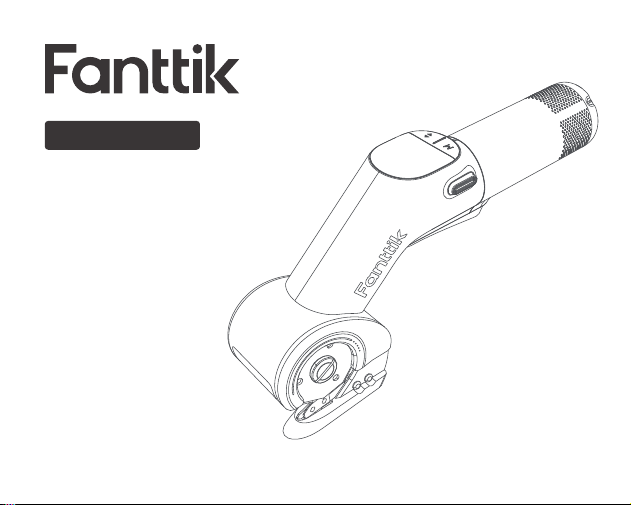
User Manual
Please read this instruction manual carefully
before use and keep it for future reference.
Electric Scissors
C10 PRO

Contents
1. Safety Warning
2. Package Contents
3. Product Overview
4. Operation and Functions
5. Specifications
02
05
06
07
12
- 01 -

Important! It is essential that you read the instructions in this manual before
assembling, maintaining and operating the product.
The cutting tool is intended to be used only by adults who have read and
understood the instructions and warnings in this manual, and can be
considered responsible for their actions. The product is intended for cutting
paper, cardboard, carpet, rubber, leathers, thin plastics, vinyl,and similar
materials. It can be used for straight and curved cuts.Do not use the product to
cut wood or metal.Do not use the product for any other purpose.Otherwise, it
may cause danger.
WARNING! Read all safety warnings, instructions, illustrations and specifica-
tions provided with this power tool.
Save all warnings and instructions for future reference.
WARNING! Do not place your hand or fingers near the blades.
1. Safety Warning
- 02 -

Ambient temperature range for tool during operation is between 0°C and 40°C.
Ambient temperature range for tool storage is between 0°C and 40°C.The
recommended ambient temperature range for the charging system during
charging is between 10°C and 38°C.
ADDITIONAL BATTERY SAFETY
WARNINGS
To reduce the risk of fire, personal to a short circuit, never immerse your tool,
battery pack or charger in fluid or allow fluid to flow inside them. Corrosive or
conductive fluids , such as seawater, certain industrial chemicals, and bleach or
bleachcontaining products, etc., can cause a short circuit. Ambient tempera-
ture range for battery during use is between 0°C and 40°C. Ambient tempera-
ture range for battery storage is between 0°C and 20°C.
MAINTENANCE
The product should never be connected to a power supply when assembling
- 03 -

parts, making maintenance, or when the product is not in use. Disconnecting
the product from the power supply will prevent accidental starting that could
cause When servicing, use only original
manufacturer’s replacement parts, accessories and attachments. Use of any
other parts may create a hazard or cause product damage.Avoid using solvents
when cleaning plastic parts. Most plastics are susceptible to various types of
commercial solvents and may be damaged by their use. Use clean cloths to
remove dirt, carbon dust,
etc.Do not at any time let brake fluids, gasoline, petroleum-based products,
penetrating oils, etc., come in contact with plastic parts. Chemicals can
damage, weaken or destroy plastic which may result in serious personal.
- 04 -
2. Package Contents
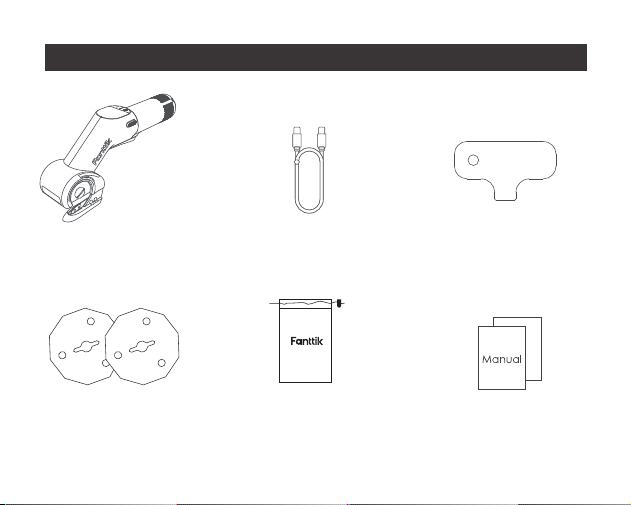
Electric Scissors * 1
Blade * 2 Storage Bag * 1
Charging Cable * 1 Blade Replacement
Key * 1
User Manual * 1
- 05 -
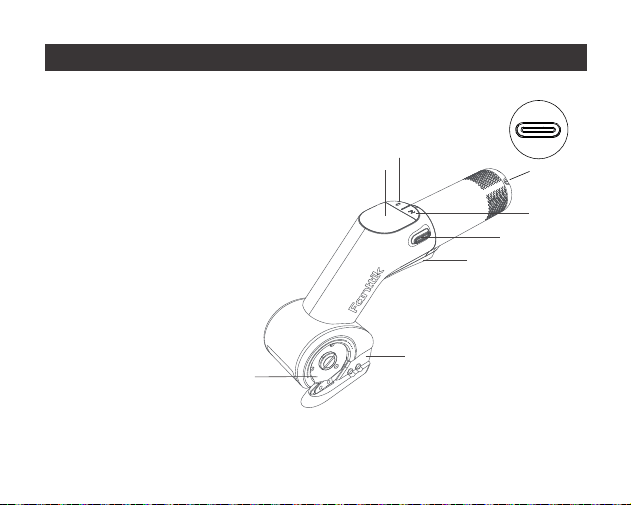
3. Product Overview
1. Lock Off Buttom
2. Blade
3. Support Frame
4. Display Screen
5. Mode Selection Knob
6. Type-C Charging Port
7. On/Off Switch
8. Forward and reverse
switch button
4
8
1
2
3
5
7
- 06 -
6
4. Operation and Functions
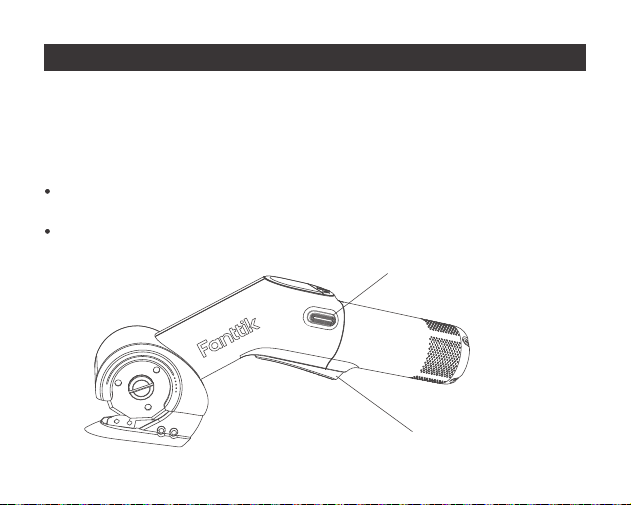
Lock button
Start button
Operation intended Use
The tool is intended for cutting flexible, soft materials of up to 10 mm in thickness,
such as carpet, PVC, cardboard, leather,fabrics and similar materials
1.
On/Off Switch
Your switch is locked off to prevent accidental starting. Depress lock off
button then on/off switch and release lock off button.
Your tool is now on. To switch off just release the on/off switch.
- 07 -
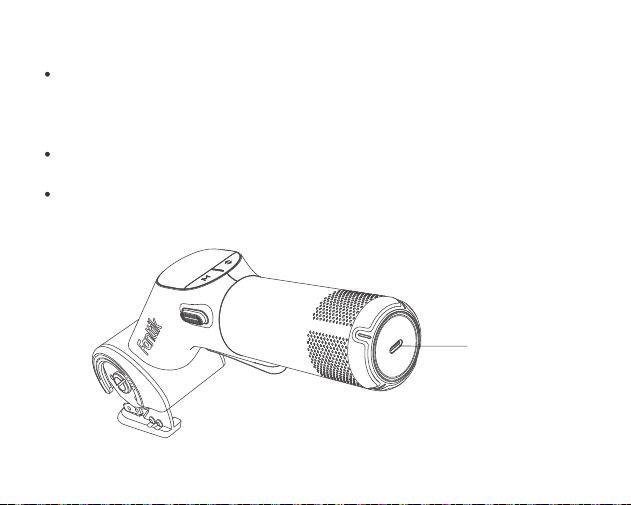
Type-C
charging port
2.Charging The Tool
- 08 -
The device is equipped with a universal Type-C charging port and comes
with a USB charging cable. Charger is not included,Please use a 5V
charger for charging.
When the battery is empty, the machine is switched off by means of a
protective circuit: the blade will no longer move.
In a warm environment or after heavy use, the battery pack may become too
hot to permit charging. Allow time for the battery to cool down before recharg-
ing.
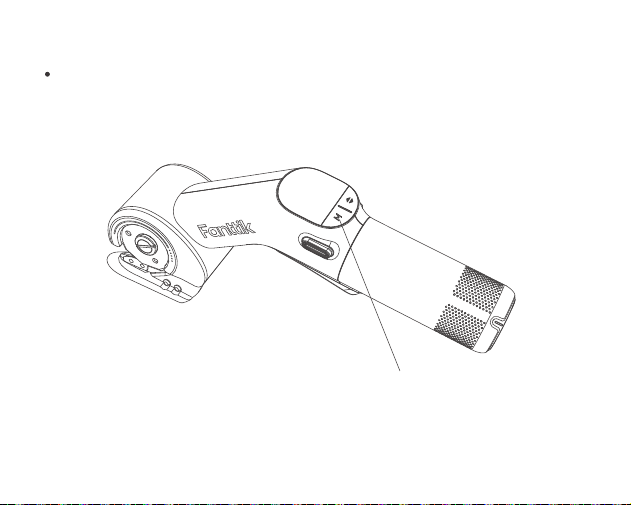
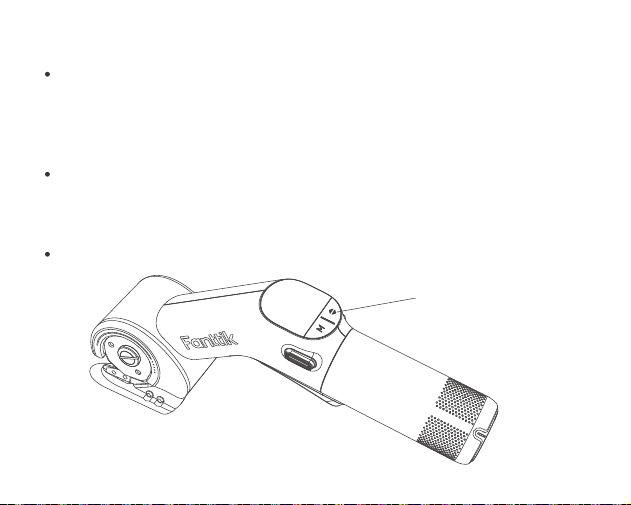
Mode
switch button
3. Gear Shift
The machine is equipped with two different gears (ECO and MAX), and the
speed of each gear is different. You can switch gears by rotating the button
below the screen.
- 09 -
4.Cutting/Reverse Retract Mode
Thin materials, such as fabrics, can be pulled into the tool during cutting
and become wedged. Therefore, do not apply too much pressure with these
materials in order to achieve good cutting results. During cutting, apply
sufficient
tension while holding fabrics and cut slowly.
In extreme cases where the blade jams while cutting thick cardboard or
thin fabric, press the reverse button and pull the trigger for reverse rotation to
quickly dislodge. It enters sleep mode after 5 seconds of inactivity and defaults
to forward rotation when restarted.
WARNING! Do not allow the support frame to become wedged during cutting.
Reverse
Retract Mode
- 10 -
5.Blade Replacing
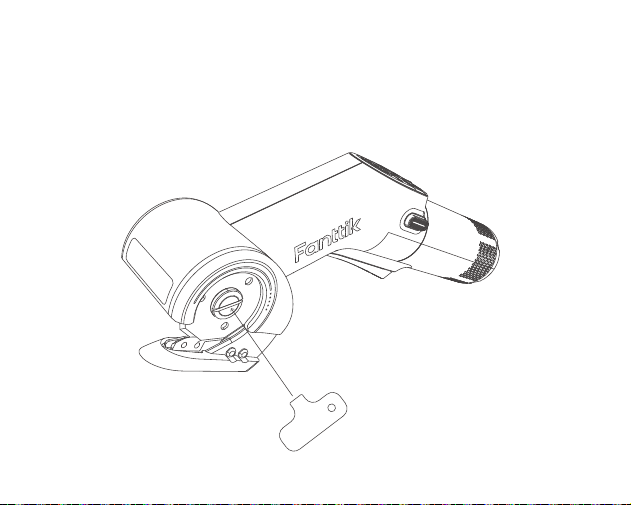
When the machine is in the off state, you can directly use a screwdriver to
align with the slot on the blade flange to remove the blade. Our product adopts
patented technology, which allows for easy blade replacement without the need
for a shaft lock button.
- 11 -
5. Specifications
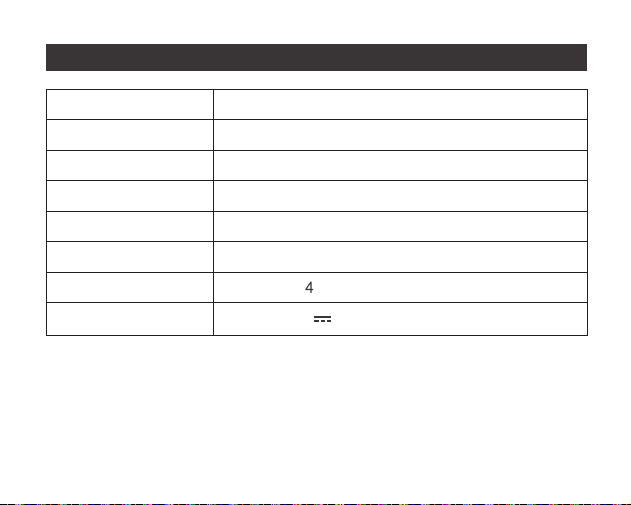
Product Name
Product Model
Product Dimension
Net Weight
Cutting Depth
No load speed
Rated Voltage
Charging Input
Electric Scissors
C10 Pro
24.5cm*11.1cm*5.9cm
550g±10%
10 mm
350/600±10% RPM
7. V
5V 2A
- 12 -
[Service hotline available in the U.S. and Canada only]
929-693-6066 MON-FRI 9AM-5PM[ET]
www.fanttik.com
Manufacturer/Hersteller: METASEE LLC
Address/Adresse: 12 GREENWAY PLZ STE 1161A
HOUSTON, TX 77046-1203