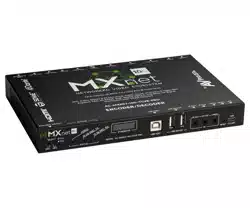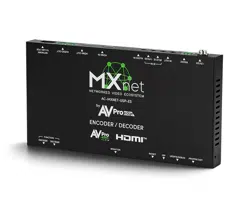

USP Application Guide
AVPro Global Holdings | 887-886-5112 | avproglobal.com
Overview
This guide covers common audio, video and control application areas where the MXnet USP series of endpoints can
be leveraged. The following designs are examples and do not necessarily indicate precise system block diagrams and
wiring requirements. They are to provide insight and inspiration for building AV over IP systems using MXnet USP and
other solutions from AVPro Global.
Sports Bars
Requirements:
• Centralized encoding of multiple source devices
located in a head-end or rack room
• Distribution of video content to a large number of
displays across dining rooms, bars, and private areas
• Support for display types including traditional LCD
video walls, standalone LCDs, direct-view LED
displays, and projection systems with multiview
capabilities
• Audio distribution for routing dierent sources to
dierent zones
• Simple, intuitive system control for sta including
video routing, audio control, source management, and
layout changes
• (Optional) Integration of IP-based security camera
feeds for monitoring within back-oce areas
The Design:
Video
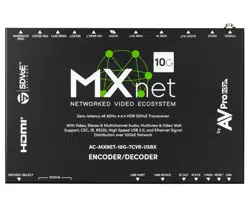
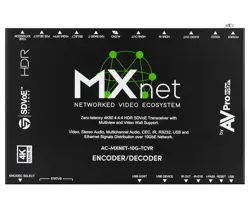
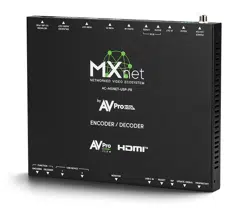
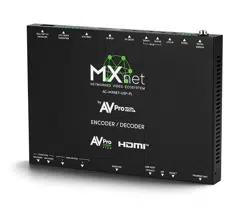
This design example incorporates a mix of USP-ES and USP-PL models to balance performance and cost.
Most of the source devices, primarily set-top boxes, output at 1080p. For these, the USP-ES is the most appropriate
choice, providing ecient 1080p60 encoding. Other sources, such as media streamers capable of 4K output, are
connected to USP-PL encoders to preserve full-resolution video quality.
On the display side, USP-ES models are deployed throughout the main dining area. Since USP-ES decoders support
up to 4K60 output, they can eciently decode content from both USP-ES and USP-PL encoders, making them the most
cost-eective option for large display counts.
A 2×2 LCD video wall is positioned at the entrance. It can operate as four independent displays or as a single large
canvas for digital signage or live content from any source.
Above the bar, a projector provides a large-format viewing area enabled for multiview. A USP-PL decoder drives this
display and supports up to seven simultaneous 1080p streams, creating a dynamic and engaging presentation for
guests.

USP Application Guide
AVPro Global Holdings | 887-886-5112 | avproglobal.com
Audio
Audio from all USP endpoints is routed into an AudioControl DSP and amplifier for signal processing and distribution.
Because all sources connected to the USP transceivers are available to the audio system, users can easily select which
source is active at any time. The system is divided into multiple audio zones, allowing each area such as the main
dining room, outdoor patio, kitchen, and restrooms to have discrete and independent playback. This provides flexible
control and ensures each space can play the most appropriate content for its purpose.
Control
RTI is used for unified control of the audio and video system.
IST control panels are placed in key locations, including the
bar, dining area, and equipment rack to give sta quick access
to essential functions. RTI provides an intuitive interface for
switching video streams, selecting multiview layouts, routing
audio, adjusting volume, and controlling connected source
devices.
RTI also supports live video preview streams from USP encoders,
allowing users to visually confirm routing decisions and easily
monitor what content is being sent to each display.
USP endpoints support third-party H.26x interoperability. In many
sports bars, IP-based security cameras are installed throughout
the venue. H.26x camera streams can be ingested and decoded
within the USP system, allowing management to monitor security
feeds from a back oce using the same AV infrastructure.

USP Application Guide
AVPro Global Holdings | 887-886-5112 | avproglobal.com
Higher Ed - Lecture Hall
Requirements:
• BYOD connectivity for instructor computer to be
distributed to all displays.
• Microphone system for clear speech reinforcement.
• Document camera for sharing printed or physical
materials.
• Instructor PTZ camera for improved visibility and
hybrid learning.
• Multiview processing to combine multiple sources on
the main display.
• Touch panel control for simple room AV operation.
• DSP and amplification for processing and distributing
in-room audio.
• Capture/recording PC for lecture streaming and
playback.
The Design:
Video
This design example uses a combination of USP-PR and USP-ES transceivers to deliver flexible BYOD connectivity while
maintaining cost-eective distribution to all displays.
At the lectern, a USP-PR provides USB-C or HDMI input options to support a wide range of instructor devices. When
using USB-C, the instructor’s laptop can also receive up to 60W of power delivery directly from the USP-PR.
A network enabled H.26x document camera is located near the lectern, allowing the instructor to present printed or
physical curriculum materials. Its H.26x stream is decoded by USP endpoints via AVPro Flow, eliminating the need for
an additional HDMI connected encoder.
A high quality H.26x PTZ camera is mounted near the instructor to provide clear visibility for all participants and remote
learners. Like the document camera, its stream is distributed over the network and decoded by USP endpoints through
AVPro Flow, removing the need for a dedicated HDMI encoder.
At the front of the room, a projector provides a large format main display for the lecture hall. A USP-ES is used to
decode incoming video content and can also generate multiview layouts, combining multiple video sources into a
single output.
Additional tertiary displays are placed throughout the seating area, wall mounted or ceiling mounted, and are fed by
USP-ES transceivers to enhance visibility for all students.
A dedicated capture PC operates behind the scenes to record and archive the lecture for on-demand or remote
viewing. Content from USP encoders is delivered directly over the network via AVPro Flow, eliminating extra hardware
such as standalone decoders or USB capture devices.

USP Application Guide
AVPro Global Holdings | 887-886-5112 | avproglobal.com
Audio
The USP-PR has built-in Dante, allowing the audio from the
instructor’s laptop to be directly sent over the network to a
Dante enabled DSP/amplifier, along with the Dante enabled
microphone that is mounted to the lectern.
This simplifies the system design and removes the need to
connect analog audio cabling.
Control
An RTI touch panel gives the instructor intuitive control over all
room functions, including routing their computer, document
camera, or PTZ camera to any display, selecting multiview
layouts, adjusting audio levels, and powering system components
on or o.

USP Application Guide
AVPro Global Holdings | 887-886-5112 | avproglobal.com
Corporate Oce Building
Requirements:
• BYOD connectivity for distribution of user computers
• USB extension for unified connectivity of conference
camera and speakerphone in meeting rooms
• Signage distribution throughout various areas of the
building
• Engaging video wall at the entrance for company
branding
• Wayfinding kiosk/directory to provide information to
visitors
• Centralized IT administration of all AV endpoints
The Design:
Video
This design leverages all three USP models, ES, PL, and PR based on connectivity requirements, USB extension needs,
and display/multiview workflows.
For the BYOM meeting rooms, the USP-PR provides 4K60 video distribution via USB-C or HDMI at the table. The USB-C
input enables a true single-cable solution by carrying audio, video, USB data, and power delivery, creating an ecient
and user-friendly BYOM experience. HDMI is also available for devices that do not support USB-C.
A second USP-PR is installed at the display to decode video from the user’s device and to interface with a USB PTZ
conference camera. USB data from both the PTZ camera and the conference speakerphone on the table is extended
over the network back to the table-side USP-PR, ensuring complete BYOM functionality.
Beyond the meeting rooms, the oce building includes several broader video distribution needs. In the lobby, a
large-format video wall creates an engaging visual centerpiece and is powered by USP-ES transceivers. The lobby
also includes an interactive way finder/directory driven by a remote PC using a USP-PL, which handles both video
distribution and USB HID extension for touch interactivity.
Throughout the building’s floors and common areas, single displays serve digital signage content. These take
advantage of the built-in signage player available on all USP models. Using USP-ES endpoints, IT administrators can
upload images and video files and deploy signage content directly across the network.

USP Application Guide
AVPro Global Holdings | 887-886-5112 | avproglobal.com
Audio
An AudioControl DSP paired with a dedicated amplifier is
installed in each meeting space to deliver localized audio
processing and reliable distribution to in-room loudspeakers.
Dante audio from USP transceivers is routed directly to the DSP
over the network, enabling audio from BYOM laptops and other
connected sources to play back seamlessly within the room.
Beyond the meeting spaces, AudioControl components also
support building-wide audio distribution. Any source connected
to a USP transceiver, along with other analog or Dante-
enabled devices, can be routed throughout common areas for
background music, paging, and critical announcements. This
unified architecture ensures flexible audio delivery across the
entire oce environment.
Control
An RTI touch panel is installed in each meeting room to give users intuitive control of all in-room AV functions, including
volume, source selection, video switching, lighting, and window shades. A centralized RTI processor located in the
equipment room manages all touch panels and is configured to support multiple discrete room environments. This
architecture allows each space to operate independently while providing IT administrators with unified, system wide
access for monitoring and management.

USP Application Guide
AVPro Global Holdings | 887-886-5112 | avproglobal.com
Courtroom
Requirements:
• BYOD connectivity for distributing content from user-
provided devices
• USB extension of a graphics engine to enable on-
screen annotation via touch displays
• Video capture and recording for archiving, review,
and evidentiary use
• Video decoding and distribution of document camera
feeds
• Distribution of tertiary content sources, such as Blu-
ray players
• Microphones deployed throughout the courtroom for
comprehensive audio pickup
• Audio processing and amplification for all system
audio signals
• End-user control over audio and video routing
throughout the space
The Design:
Video
A courtroom typically includes several video source devices that must be encoded and distributed to various displays.
Many of these sources are BYOD computers located at positions such as the judge’s bench, clerk’s station, and lectern.
The USP-PR is ideal for handling these inputs due to its flexible connectivity options, supporting both HDMI and USB-C
for high-quality content encoding.
Touchscreen displays are strategically positioned to allow users to annotate over live video feeds, an essential
capability when reviewing evidence or emphasizing key points during proceedings. Because USP units function as
transceivers, locations such as the judge’s bench and lectern can use a single USP-PR to both encode local sources and
decode video to the touchscreen.
USB control from the touchscreens is transported over the network back to a remote graphics engine located in the
equipment room, ensuring responsive annotation capabilities without requiring local hardware.
The lectern also typically includes a document camera for presenting physical evidence. When an IP-based document
camera is used, the video feed can be decoded directly by a USP transceiver through AVPro Flow, eliminating the need
for a dedicated encoder.
Multiple IP PTZ cameras are commonly installed throughout the courtroom, covering areas such as the lectern, jury
box, judge’s bench, and witness stand. Each camera feed can be directly decoded by USP devices via AVPro Flow,
simplifying routing and distribution.
All video feeds can be combined into a multiview layout using USP, enabling any display in the room to show multiple
pieces of evidence simultaneously, improving clarity and situational awareness.

USP Application Guide
AVPro Global Holdings | 887-886-5112 | avproglobal.com
Any video source device can also be streamed over the network directly into a capture PC via AVPro Flow for real-time
recording and archiving without the need to have additional USP endpoints or a PC capture card to ingest content.
Audio
Several Dante-enabled microphones are installed throughout
the courtroom, simplifying connectivity and providing flexibility
for future system expansion. A Dante-capable AudioControl DSP/
amplifier in the equipment room receives and processes audio
signals from both the microphones and USP encoders, then
distributes the mixed and amplified audio to the ceiling-mounted
loudspeakers.
Control
RTI touch panels are installed in multiple locations throughout
the courtroom to provide intuitive control over all audio and
video components, with the main RTI processor housed in the
equipment room. Each touchscreen can be customized with a
control interface tailored to the user’s required level of access.
For example, the judge’s bench may have full control of the AV
system, while the lectern or clerk’s station may be limited to only
the source selection or display controls relevant to their area.

USP Application Guide
AVPro Global Holdings | 887-886-5112 | avproglobal.com
Command & Control
Requirements:
• Encoding of head-end source devices including
computers and set top boxes
• K/M extension from operator stations to remote PCs
• Large format video wall and multiview output for
viewing several video sources simultaneously
• High availability to provide mission critical system
redundancy
• Tertiary space for critical situation meetings
• Decoding of security camera feeds
The Design:
Video
Most source devices in a command-and-control environment are centralized in an AV equipment room. These sources
typically include workstation PCs running specialized monitoring and diagnostic applications, along with a few cable
boxes for distributing local news broadcasts throughout the facility.
Operator stations have the ability to encode the PC located at their desk and route that video to any display in the main
control room. They can also decode and view video from equipment-room PCs on a secondary monitor. USP-PL units
are installed at each operator station to provide USB HID extension, enabling seamless control of remote workstations.
A large-format video wall serves as the primary visualization surface in the main control room. It can be configured
into multiple layout arrangements, allowing operators to monitor numerous sources simultaneously while allocating
more screen space to critical content as needed.
Additional small-format displays positioned throughout the control room can show either full-screen video or multiview
layouts generated by USP-ES transceivers, giving operators extra flexibility and visibility over essential video feeds.
Local surveillance cameras can be brought into the USP system direct over the network via AVPro Flow and decoded
on any display in the facility. Multiview processing on USP transceivers allows multiple camera streams to be viewed
simultaneously.
A dedicated critical situation room supports both online meetings and local collaboration. BYOD connectivity is enabled
via two USP-PR units, one at the table and one behind the display. USB 2.0 extension over the USP-PR provides a
single-cable USB-C solution, linking meeting peripherals such as PTZ cameras and speakerphones directly to a user’s
laptop.

USP Application Guide
AVPro Global Holdings | 887-886-5112 | avproglobal.com
Audio
Audio requirements in a command and control environment fall into two primary categories. Distributing audio from
source devices connected to USP transceivers and responding to critical alert events by automatically ducking or
overriding any active audio streams to the loudspeakers.
Dante provides an ecient and scalable method for ingesting a large number of audio sources into the AudioControl
DSP/amplifier. Once received, the DSP processes, mixes, and routes the audio to the main control room as well as any
ancillary or overflow spaces.
API-based communication between the RTI control system, the AudioControl DSP, and the facility’s critical alert
platform ensures a coordinated response when an event occurs. This integration allows the AV system to react quickly
and appropriately by ducking audio, switching sources or triggering alerts based on the type and severity of the
notification.
Control
In addition to the critical alert integration, RTI provides a interface
for routing audio and video signals throughout the facility.
Dierent interfaces can be provided to users based on their job
position or clearance level. Real-time alert notifications and
video signals can be viewed on touch panels located at operator
stations or mounted in various strategic locations.
RTI in the situation room can provide additional control over local
meeting peripherals such as the PTZ camera or speakerphone.

USP Application Guide
AVPro Global Holdings | 887-886-5112 | avproglobal.com
Event Venue
Requirements:
• Distribution of live broadcast feeds to concourse and
VIP room displays
• Digital signage playback of promotions or menus at
food/drink vendors
• High quality 4K distribution to a large format direct-
view LED wall
• Video and USB extension to a directory/wayfinding
kiosk
• Encoding of various source content such as cable
boxes or BYOD device into a production system
The Design:
Video
USP-PL transceivers receive broadcast-quality 4K video from the venue’s production system and distribute it to a large
number of displays throughout the facility. This enables seamless delivery of live event content to concourse screens,
suites, and VIP rooms, ensuring guests always have a clear view of the action regardless of their location.
A large direct-view LED wall at the venue entrance creates an immediate visual impact, oering an engaging
experience for visitors as they arrive. This LED wall supports multiple roles, displaying promotional content during
events, live broadcast feeds, or digital signage between events.
A digital directory and wayfinding kiosk is also positioned at the entrance to help guests navigate the venue. The kiosk
display is driven by a remote PC, encoded through a USP-PL, providing both video distribution and USB extension for
interactive control.
Concourse food and beverage vendors can have their digital menus fed directly through USP endpoints, eliminating
the need for separate signage systems. All menu and signage content can be centrally managed by facility IT teams,
allowing rapid content updates either on demand or tailored for each event.

USP Application Guide
AVPro Global Holdings | 887-886-5112 | avproglobal.com
Control
An RTI processor and touch panel are installed in the production
room, providing centralized control over production equipment
and AV routing from USP transceivers. While most video routes
throughout the venue are static, the main direct-view LED wall
and signage displays remain dynamic. Signage content and
playlists can be easily updated by IT sta using the CBOX Mentor
software platform. The majority of other displays throughout the
venue require minimal adjustment, as their video sources remain
largely fixed.