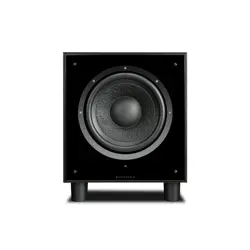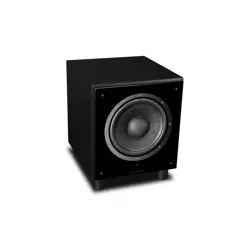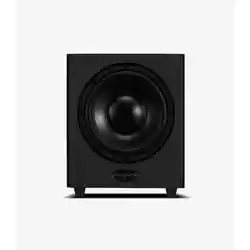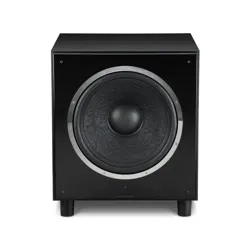
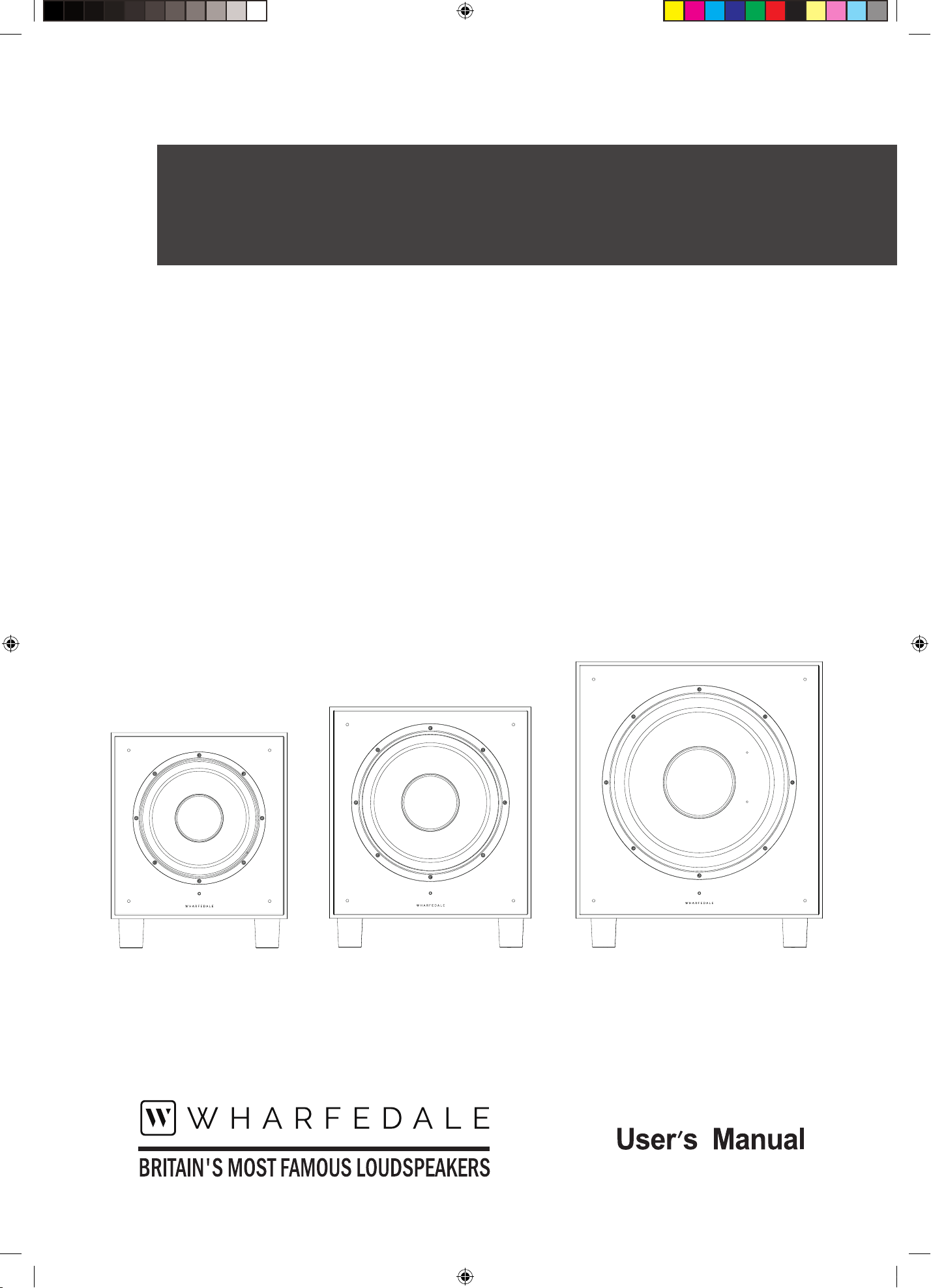
SW-10 & SW-12 & SW-15
subwoofer
SW-10
SW-12
SW-15
SW10&12&15 manual-A4.indd 1 2017-8-22 16:31:34
USER INSTRUCTIONS: SW-10 & SW-12 & SW-15 SUBWOOFER
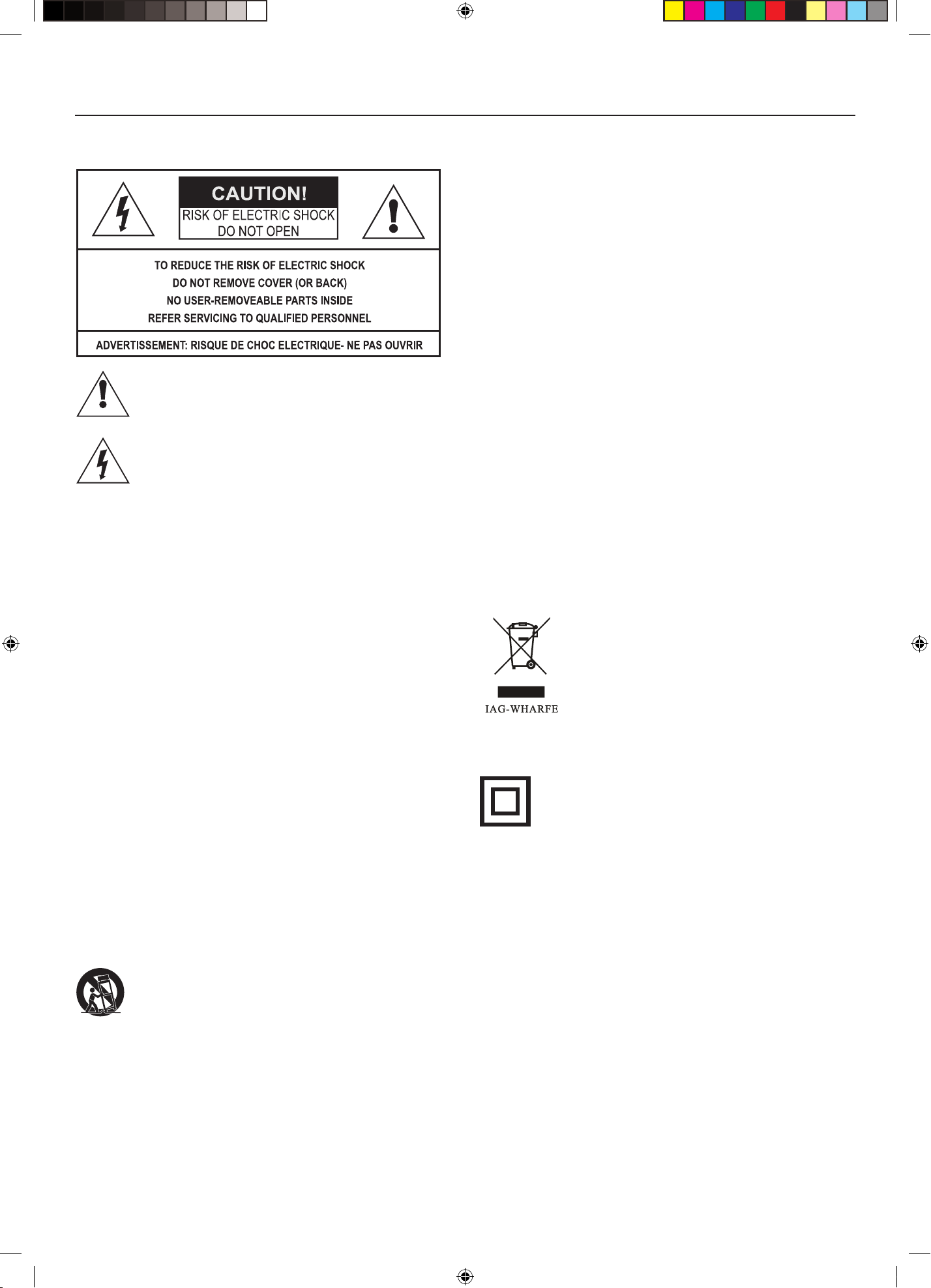
Correct disposal of this products. This marking
indicates that this product should not be disposed
with other household wastes throughout the EU.
To prevent possible harm to the environment or
human health from uncontrolled waste disposal,
recycle it responsibly to promote the sustainable
reuse of material resources. To return your used
device, please use the return and collection
systems or contact the retailer where the product was purchased.
They can take this product for environmentally safe recycling.
This equipment is a Class II or double insulated
electrical appliance. It has been designed in such a
way that it does not require a safety connection to
electrical earth.
Read these instructions.
Keep these instructions.
Heed all warnings.
Follow all instructions.
Do not use this apparatus near water.
Clean only with cloth.
Do not block any ventilation openings.
Install in accordance with the manufacturer’s instructions.
Do not install near any heat sources such as radiators, heat
registers, stoves, or other apparatus (including ampliers) that
produce heat.
Do not defeat the safety purpose of the polarised or grounding
plug. A polarised plug has two blades with one wider than the
other. A grounding plug has two blades and a third grounding
prong. The wide blade or the third prong is provided for your
safety. If the provided plug does not t into you outlet, consult
an electrician for replacement of the obsolete outlet.
Protect the power cord from being walked on or pinched
particularly at plugs, convenience receptacles, and the point
where they exit from the apparatus.
Only use aachments/accessories specied by the manufacturer.
Use only with the cart, stand, tripod, bracket, or
table specified by the manufacturer, or sold with the
apparatus. When a cart or rack is used, use caution
when moving the cart/apparatus combination to avoid
injury from tip-over.
Unplug the apparatus during lightning storms or when unused
for long periods of time.
Refer all servicing to qualied personnel. Servicing is required
when the apparatus has been damaged in any way, such as
power supply cord or plug is damaged, liquid has been exposed
to rain or moisture, does not operate normally, or has been
dropped.
CAUTION: These servicing instructions are for use by qualied
service personnel only. To reduce the risk of electric shock,
do not perform any servicing other than that contained in the
operating instructions unless you are qualied to do so.
WARNING: To reduce the risk of re or electric shock, do not
expose this apparatus to rain or moisture. The apparatus shall
not be exposed to dripping or splashing and that objects lled
with liquids, such as vases, shall not be placed on apparatus.
WARNING: The mains plug/appliance coupler is used as
disconnect device shall remain readily operable.
No naked flame sources, such as lighted candles, should be
placed on the apparatus.
Do NOT place heavy objects on top of loudspeaker cabinets. If
you play them with the grilles removed be careful to protect the
drive units from children and pets.
DO NOT change any connections to the subwoofer or your
system without rst switching o the power.
DO NOT use your amplier or receiver at its maximum volume
setting. This will produce high levels of distortion which may
damage your loudspeakers and subwoofer. Allow your amplier
a lile headroom so that it can operate without stress.
DO turn down the volume control on your amplier or receiver
before turning the equipment on or off. This will protect your
subwoofer against switching 'thumps' and other spurious
signals.
IMPORTANT SAFETY INFORMATION
This symbol indicates that there are important
operating and maintenance instructions in the
literature accompanying this unit.
This symbol indicates that dangerous voltage
constituting a risk of electric shock is present within
this unit.
WARNING:
TO REDUCE THE RISK OF FIRE OF ELECTIC
SHOCK, DO NOT EXPOSE THIS APPARATUS TO RAIN OR
MOISTURE.
SW10&12&15 manual-A4.indd 2 2017-8-22 16:31:34
1
USER INSTRUCTIONS: SW-10 & SW-12 & SW-15 SUBWOOFER
INTRODUCTION
The SW-10 & SW-12 & SW-15 is the latest in a long line of distinguished Wharfedale active subwoofers. These technologically advanced
subwoofers will complement the nest electronics and decor.
Please read these instructions carefully before installing your subwoofers. A few minutes studying this manual will ensure superb
performance from your subwoofer for many years.
INSTALLATION
Unpacking
Carefully unpack each subwoofer.
Retain all the packing materials so that your subwoofer can be repacked and shipped without damage.
If you dispose of the packing, do so with regard to all recycling provisions in your area.
Power Connection
This subwoofer is set to operate for the mains voltage marked on the amplier panel. Before connecting check that this voltage
is correct for your mains supply.
If you move to an area with a dierent mains supply voltage, please consult your Wharfedale dealer to arrange the conversion of this
product.
Positioning the Subwoofer
Although the unit may be placed almost anywhere in the room, we recommend that it be placed in front of the listener and as central
to the listening position as possible. There should be a mains outlet within easy reach. The subwoofer should not be operated within
450mm of a television set as the drive unit magnet may distort the picture. Remember that there should be a line of sight between the
listening position and the front of the subwoofer otherwise the handset remote functions will not be operable.
We suggest you initially position the subwoofer about 20cm (8 inches) from the wall. Placing the unit close to the wall will enhance the
bass; placing it across the corner of the room will increase the bass further, possibly at the expense of clarity. Do not place the subwoofer
close to surfaces or objects that may rale. The oor under the subwoofer should be sound with no loose oorboards, etc. Experiment
with locations and sources before making a nal decision.
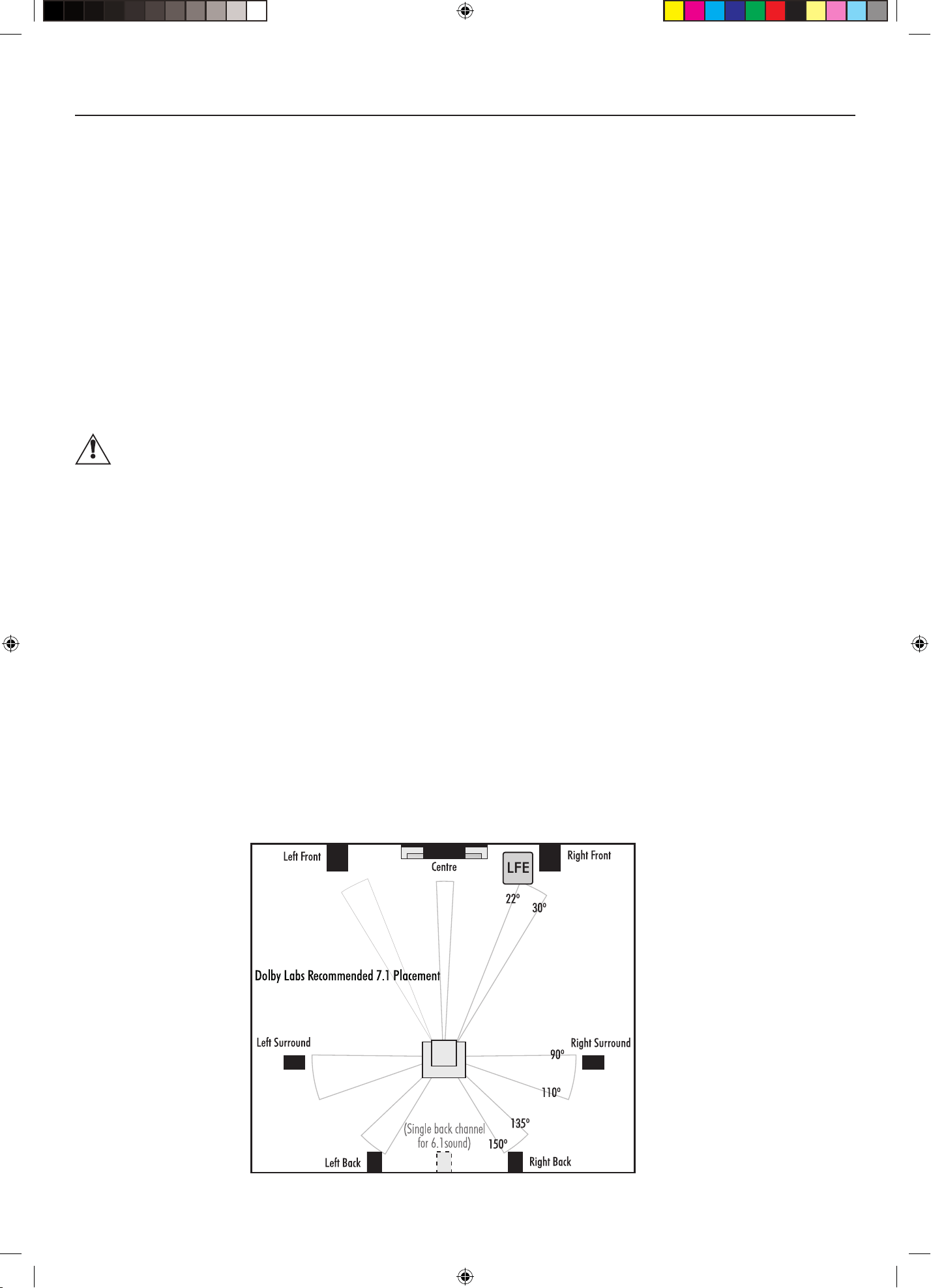
Multi-Channel Room Placement
The diagram shows the Dolby Labs recommended positions for multi-channel operation. For 5.1 channel operation use the satellites in
the front and surround positions with the Subwoofer in the LFE position.
If you have a 7.1 channel processor/amplier you can enhance the system further by buying one of the larger loudspeakers from the
Wharfedale range to use as front channel speakers and use the satellite units as back channels.
If you have any queries, your wharfedale dealer will be pleased to advise you.
SW10&12&15 manual-A4.indd 1 2017-8-22 16:31:35
2
USER INSTRUCTIONS: SW-10 & SW-12 & SW-15 SUBWOOFER
CONNECTING THE SUBWOOFER TO THE SYSTEM
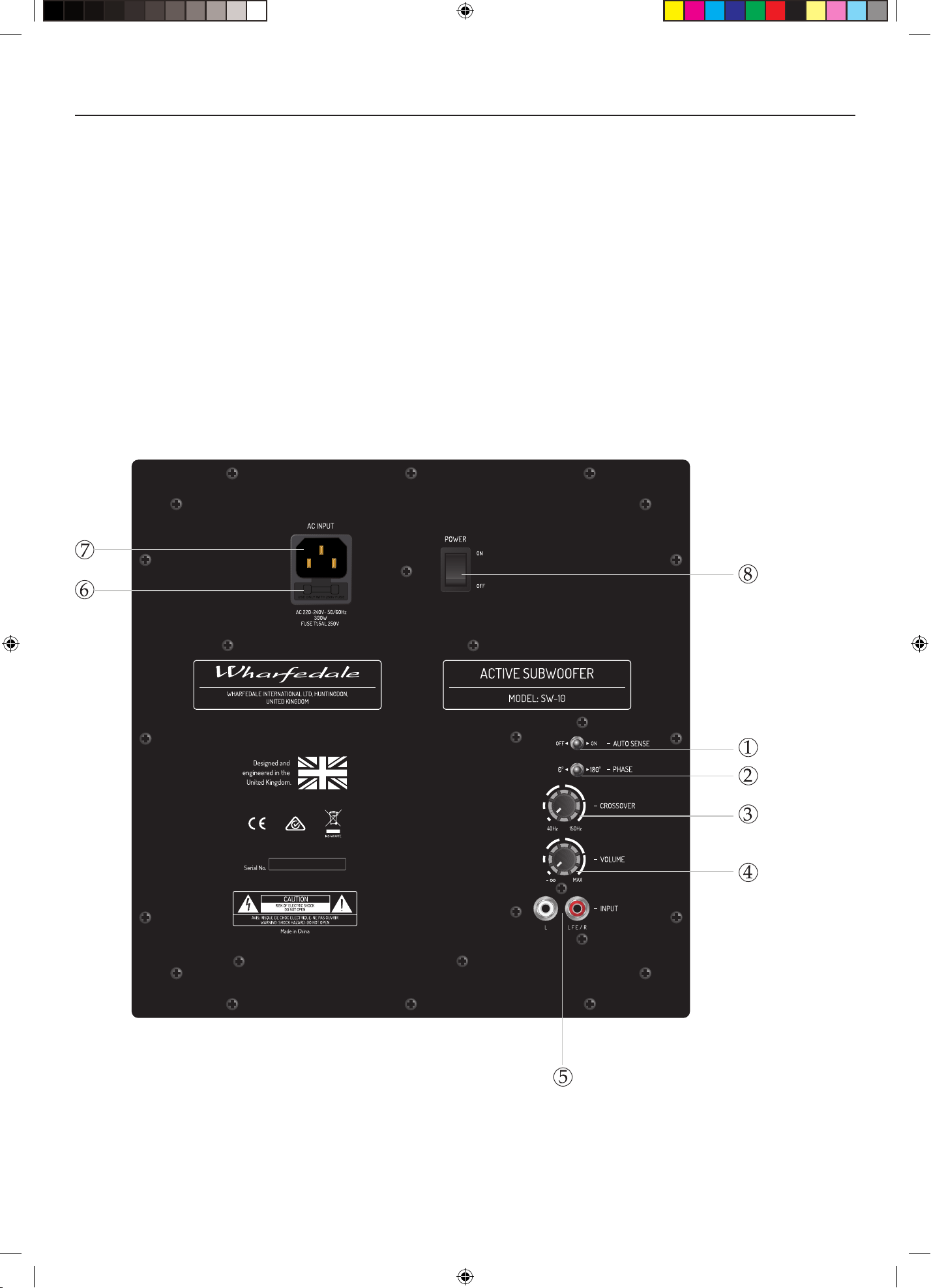
Control Panel of the SW-10 Subwoofer
Before Connecting the Subwoofer
• Level the subwoofer taking care to make sure it sits squarely on all its spikes.
• Switch off you amplifier and all connected source units at the mains.
• Unplug the power cords to all system components if necessary.
• Make sure the subwoofer is disconnected from the mains and that the ON/OFF switch is OFF.
• Before re-connecting your system to the AC power supply, check that all the connections are properly made.
• Check that all speaker terminals are done up tightly.
• Ensure that there are no strands of wire shorting adjacent speaker terminals.
• Signal cables should be properly terminated and fully screened to minimise hum. If you connect your subwoofer via low
level signals inputs, the cable between your control unit or processor and the subwoofer could be quite long so screening is
particularly important. Consult your dealer if in doubt.
1 Auto Sense Switch
2 Phase Switch
3 Crossover Frequency Control
4 Volume Control
5 Line Level Input/LFE Input
6 Mains Power Fuse
7 IEC Mains Input Socket
8 Mains Power Switch
SW10&12&15 manual-A4.indd 2 2017-8-22 16:31:36
3
USER INSTRUCTIONS: SW-10 & SW-12 & SW-15 SUBWOOFER
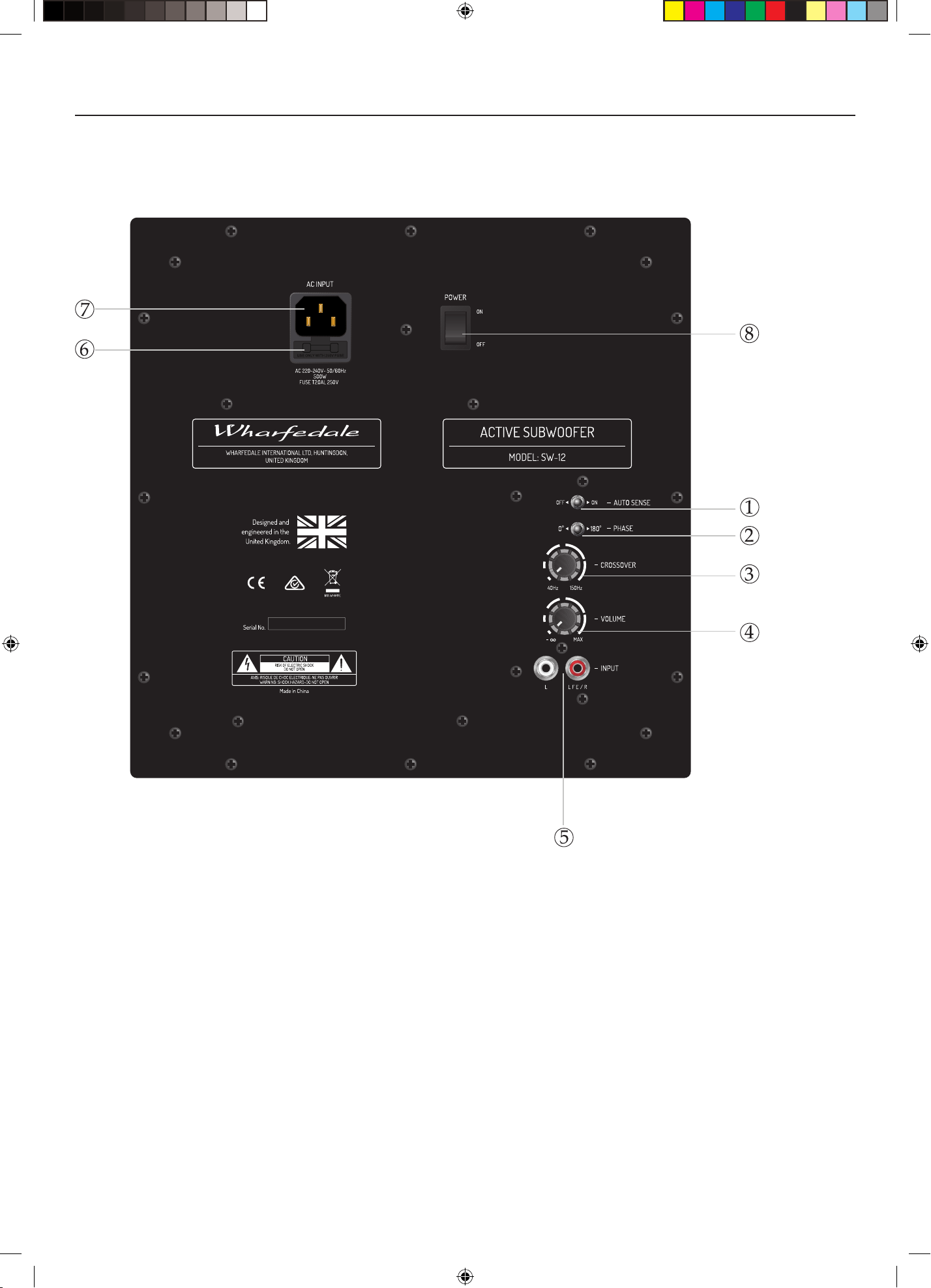
Control Panel of the SW-12 Subwoofer
CONNECTING THE SUBWOOFER TO THE SYSTEM
1 Auto Sense Switch
2 Phase Switch
3 Crossover Frequency Control
4 Volume Control
5 Line Level Input/LFE Input
6 Mains Power Fuse
7 IEC Mains Input Socket
8 Mains Power Switch
SW10&12&15 manual-A4.indd 3 2017-8-22 16:31:37
4
USER INSTRUCTIONS: SW-10 & SW-12 & SW-15 SUBWOOFER
CONNECTING THE SUBWOOFER TO THE SYSTEM
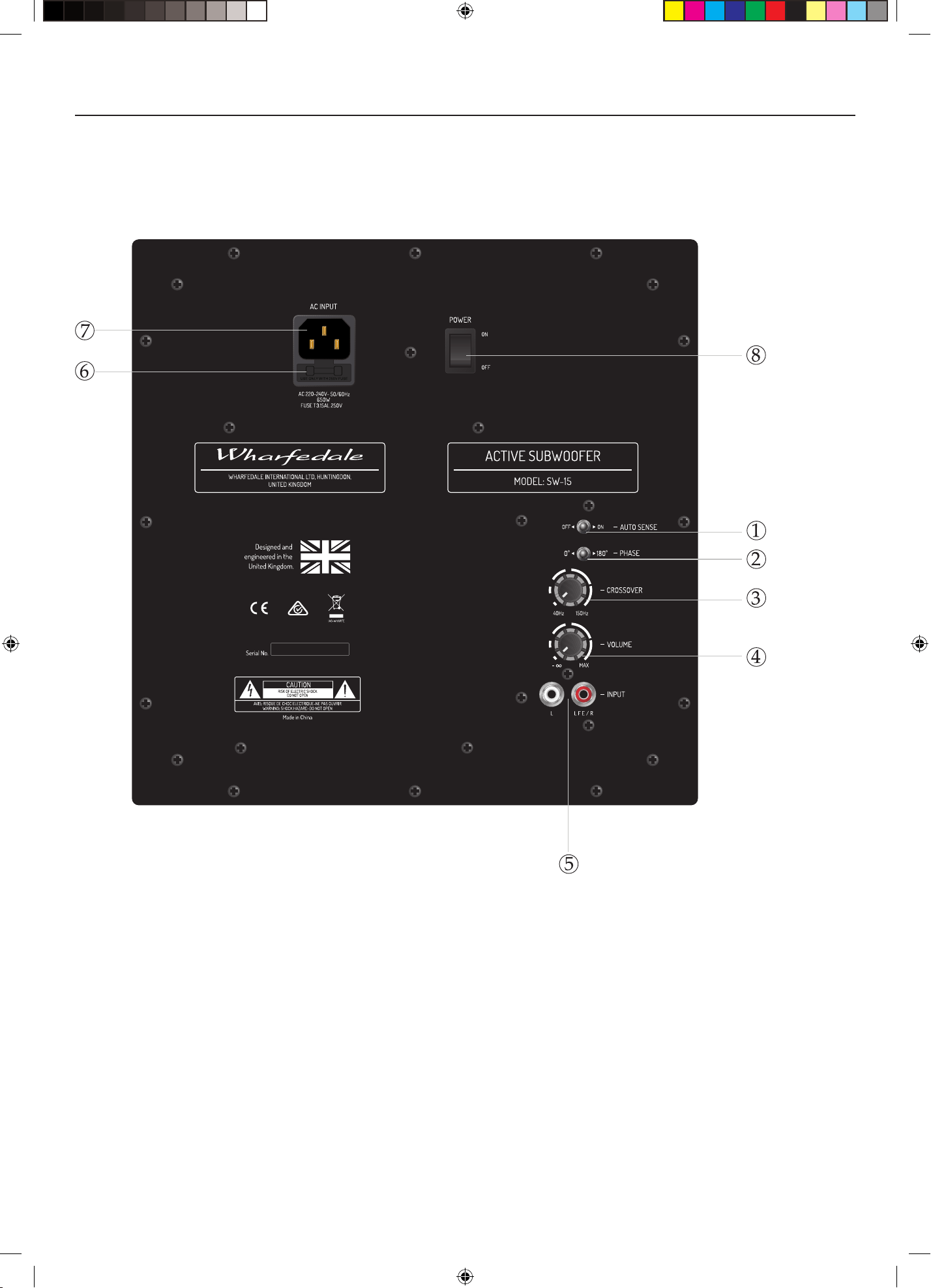
Control Panel of the SW-15 Subwoofer
1 Auto Sense Switch
2 Phase Switch
3 Crossover Frequency Control
4 Volume Control
5 Line Level Input/LFE Input
6 Mains Power Fuse
7 IEC Mains Input Socket
8 Mains Power Switch
SW10&12&15 manual-A4.indd 4 2017-8-22 16:31:39
5
USER INSTRUCTIONS: SW-10 & SW-12 & SW-15 SUBWOOFER
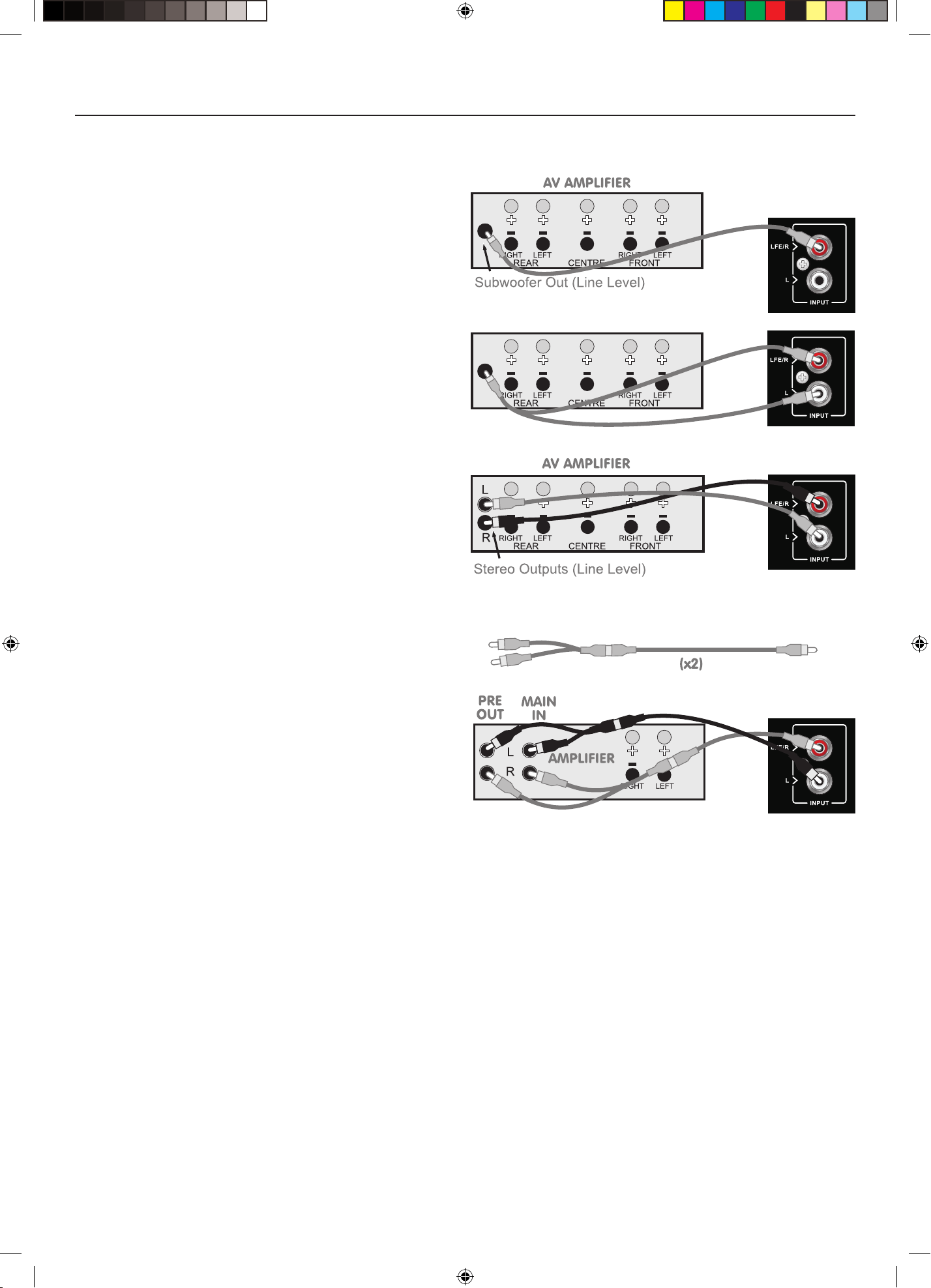
A/V Processor Connections
Your subwoofer has been designed for optimum
performance with a digital processor. If your A/V
processor has a line level or LFE subwoofer output you
should use this connection. You will need to purchase
a single screened RCA phono lead from your dealer.
Connect this lead to the LFE input of the subwoofer as
shown.
Alternatively, you may use a split mono lead from the
processor to Line Inputs of the subwoofer. In this case
the input level at the subwoofer will be slightly higher.
Pre Out – Main in Connections
If you use a stereo pre and power amplifier, or an
amplifier where the pre and main amplifier cab be
separated, connect the subwoofer as shown. There are
two alternative methods.
You will need two screened RCA ‘Y’ adaptors and two
single RCA phono cables.
Remove the Pre-Main links on your amplier. Connect
the socket (common) of an RCA ‘Y’ adaptor to the Le
Channel Pre Out socket on the amplier and the other
leg to the Left Channel Main In socket. Connect the
remaining plug on this combination to the Le Channel
Line Level input on the subwoofer. Repeat this for the
Right Channel.
Stereo Line Output Connections
If your amplifier has a spare preamplifer output or a
stereo subwoofer output, connect the subwoofer as
shown. You will need a stereo screened RCA phono
cable.
SW10&12&15 manual-A4.indd 5 2017-8-22 16:31:41

6
USER INSTRUCTIONS: SW-10 & SW-12 & SW-15 SUBWOOFER
OPERATING YOUR SUBWOOFER
Check that all connections to the subwoofer have been properly made and that the main volume control is at minimum. Plug the
supplied power cord into the mains socket on the rear panel.
Initial Settings
Volume Control: Set the subwoofer volume control to the minimum before proceeding.
Crossover Control: Adjust frequency to integrate SW-10 or SW-12 & SW-15 subwoofer with your system requirement.
Phase Switch: The Phase switch should be initially set to 0°.
Switching On
Plug in the mains plug and switch the power on. Now switch the subwoofer on with the rest of your system.
When switched on, the power indicator light will glow and the subwoofer will be operational.
Basic Tuning
Volume Seing: Play a programme with extended bass and set the system volume to a resonal level. Adjust the subwoofer volume
control to produce the desired level of bass. The bass should be even and an extension of the main loudspeakers. Do not set the control
too high or you will swamp the sound with too much bass and clarity and denition will suer.
Phase Switch: If the bass is indistinct or lacks depth, the Phase switch may need adjustment. Set the switch to 0°and listen carefully to
some music with extended bass. If there is insucient bass output from the subwoofer set the Phase switch to 180°. Select the position
which produces the most natural, extended bass.
Crossover Adjustment: This adjusts the blend between the subwoofer and the main speakers and enables the system to be set up for
optimum bass performance. The higher seings are for use with small bookshelf loudspeakers, the lower seing for large oorstanding
models. If you choose too low a seing with small speakers, there will be a ‘hole’ in the bass response; too high a seing with large
speakers will result in the upper bass becoming bloated. Again the subwoofer should be an extension of the main loudspeakers.
Auto-Sense Switch: This feature reduces the power consumption when there is no music signal. When the Auto-Sense Switch is on,
the amplier will be activated immediately once an audio signal is detected at the inputs, and it will turn into the mute status when no
signal is detected for about 20 minutes, which lowers the power consumption. This feature can be made invalid by seing this switch to
o.
Mains Operation
When the system is not in use for extended periods, we suggest you switch o the subwoofer to protect it from switching noises caused
by domestic appliances, etc. The best practice is to switch the complete system on and o from a central point. Bear in mind that if you
play the system with the subwoofer switched o you will get no bass!
Always turn the main volume control to minimum when you switch the system on or o.
SW10&12&15 manual-A4.indd 6 2017-8-22 16:31:42
7
USER INSTRUCTIONS: SW-10 & SW-12 & SW-15 SUBWOOFER
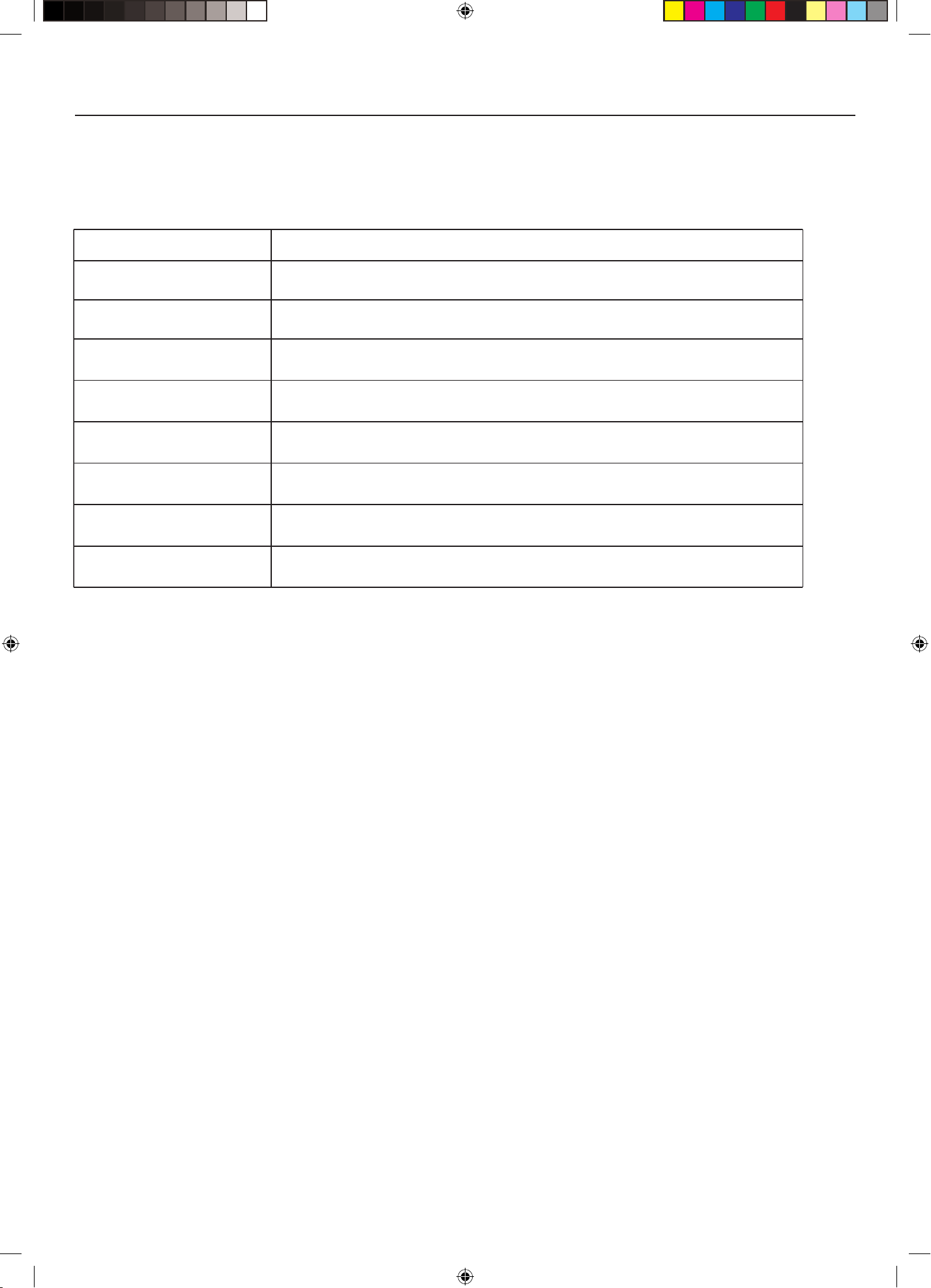
TROUBLESHOOTING
Before investigating a problem, always switch o the system at mains.
If your system is not working properly please work through this checklist before returning a unit to your dealer.
Symptom
Possible Cause
System not switched on; Speaker cables shorting terminals out; Wrong source selected
Subwoofer not switched on
No Sound
Sound lacks bass content
Lack of bass reproduction
Subwoofer set to high; LFE level set too high; Subwoofer incorrectly wired
System level set too high; Bass control set too high; Subwoofer too close to room corners
System level set too high; Objects too close to subwoofer
System level set too high; Subwoofer level set too high; LFE level set too high
Subwoofer too close to TV. (Switch off system and TV, move units away, wait for 15 minutes,
switch on.)
Subwoofer phase incorrect; Subwoofer crossover control too low
Excessive bass distortion at low
volumes
Excessive or distorted bass at
high levels
Distorted / rattling sound at
high levels
Popping or thumping from
the subwoofer
Television picture colour is
distorted
SW10&12&15 manual-A4.indd 7 2017-8-22 16:31:42

8
USER INSTRUCTIONS: SW-10 & SW-12 & SW-15 SUBWOOFER
Subwoofer Maintenance
Subwoofer should only ever be cleaned with a so dry cloth to remove ngermarks, etc.
Never touch subwoofer drive units as they can be damaged by improper handling.
Never use a vacuum cleaner to clean a subwoofer grille. Brush it carefully by hand with a so brush.
When cleaning the oor under a subwoofer, switch it o, unplug it from the mains supply then li it clear of the oor and move it to
another location. Replace the subwoofer aer cleaning.
SERVICING
Should a fault occur with you subwoofer, please pack it correctly, using the original packing, so you can ship it safely. Product for
service should be returned to the appointed dealer from whom you purchased the product. If you experience diculties or there is no
Wharfedale dealer in your area, contact the Wharfedale distributor for your country or the oce below.
UK
IAG House, 13/14 Glebe Road,
Huntingdon, Cambridgeshire,
PE29 7DL UK
Tel: +44 (0)1480 452561
Fax: +44 (0)1480 413403
SW10&12&15 manual-A4.indd 8 2017-8-22 16:31:42

9
USER INSTRUCTIONS: SW-10 & SW-12 & SW-15 SUBWOOFER
Specifications
SW-10
Description/Format
Drive Units
Frequency Response
Amplier Power Output
Peak Power Output
Line Input Sensitivity
Crossover Range
Inputs
Input Impedance
Signal-to-noise ratio (S/N)
Avg. Max Output @1m
Features
Dimensions
Net weight
Finishes
Accessories
Active Dynamic-Drive IB
subwoofer system
1 x (10")250mm cone long-throw
40 - 120Hz ±3dB
200W
350W
200mv for maximum output
30 - 150Hz
Stereo Line In (2 x RCA Phono)
Mono (LFE) Line In (RCA Phono)
Line Input 10kΩ
LFE 5kΩ
≥85dB
110dB
Phase inversion, Auto on-o
"Height: (358+58)mm(with feet)
Width: 336mm
Depth: (366+15)mm "
15kg
Cabinet: Rosewood /Walnut Pearl/
White sandex/Blackwood Vinyl
with Hi-gloss bae
IEC power cord
SW-12
Active Dynamic-Drive IB
subwoofer system
1 x (12")300mm cone long-throw
35- 120Hz ±3dB
300W
450W
200mv for maximum output
30 - 150Hz
Stereo Line In (2 x RCA Phono)
Mono (LFE) Line In (RCA Phono)
Line Input 10kΩ
LFE 5kΩ
≥85dB
118dB
Phase inversion, Auto on-o
"Height: (430+58)mm(with feet)
Width: 395mm
Depth: (442+15)mm "
22.1kg
Cabinet: Rosewood /Walnut
Pearl/White sandex/Blackwood
Vinyl with Hi-gloss bae
IEC power cord
SW-15
Active Dynamic-Drive IB subwoofer
system
1 x (15")380mm cone long-throw
30- 120Hz ±3dB
400W
850W
200mv for maximum output
30 - 150Hz
Stereo Line In (2 x RCA Phono)
Mono (LFE) Line In (RCA Phono)
Line Input 10kΩ
LFE 5kΩ
≥85dB
124dB
Phase inversion, Auto on-o
"Height: (540+58)mm(with feet)
Width: 500mm
Depth: (540+15)mm "
27kg
Cabinet: Rosewood /Walnut Pearl/
White sandex/Blackwood Vinyl with
Hi-gloss bae
IEC power cord
SW10&12&15 manual-A4.indd 9 2017-8-22 16:31:42

IAG House, 13/14 Glebe Road, Huntingdon, Cambridgeshire, PE29 7DL, UK
Tel: +44(0)1480 452561 Fax: +44(0)1480 413403 http://www.wharfedale.co.uk
IAG reserves the right to alter the design and specications without notice. All rights reserved IAG Group Ltd.
Wharfedale is a member of the International Audio Group. CODE: WH14-MNL006a
SW10&12&15 manual-A4.indd 10 2017-8-22 16:31:42