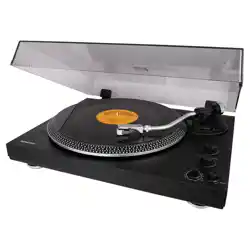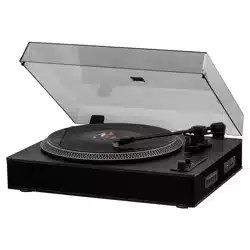
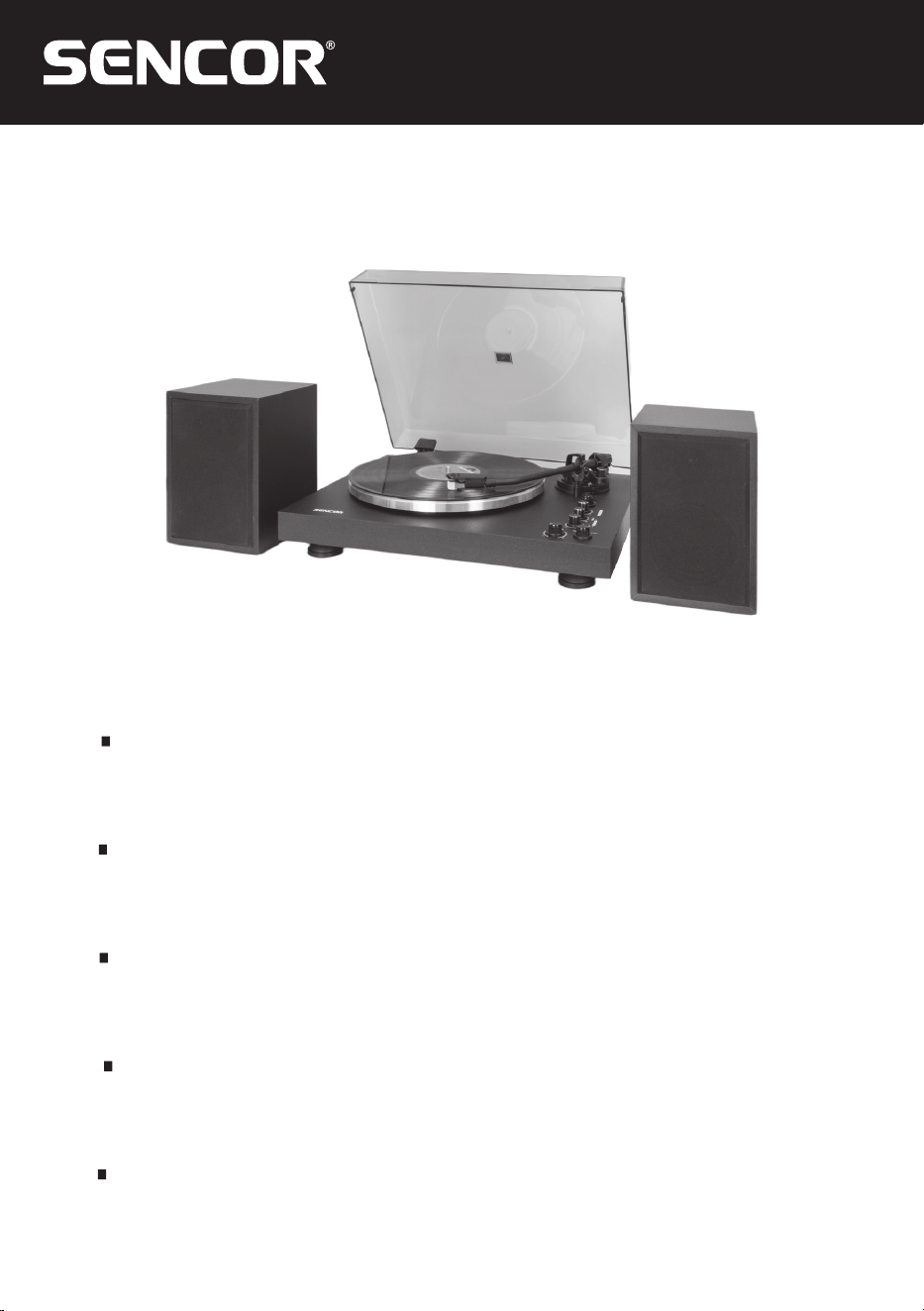
STT-650SBA
EN User Manual Turntable with 33/45 RPM
with aMagnetodynamic Pick-Up
and Two-band Speakers
CZ
Uživatelská příručka Gramofon 33/45 ot/min
smagnetodynamickou vložkou
advoupásmovými reproduktory
SK
Používateľská príručka Gramofón 33/45 ot./min
smagnetodynamickou vložkou
advojpásmovými reproduktormi
HU
Felhasználói kézikönyv Lemezjátszó, 33/45 fordulatszám,
magnetodinamikus betéttel és kétsávos
hangszórókkal
PL
Podręcznik użytkownika Gramofon 33/45 obr./min zwkładką
magnetodynamiczną idwupasmowymi
głośnikami

EN 1
EN
06/2024
2024
Table of Contents
Safety Instructions ....................................................................................................................................2
Device features ......................................................................................................................................... 6
Device Description ................................................................................................................................... 6
Location of controls .........................................................................................................................7
Installation ..................................................................................................................................................7
Connections .......................................................................................................................................7
Putting into Operation .............................................................................................................................8
Pre-amp selector ............................................................................................................................10
Playback of records .......................................................................................................................10
“LINE OUT” jack (line output) ..................................................................................................... 11
Important information related to playing records .................................................................... 11
Turntable maintenance ........................................................................................................................... 11
Bluetooth connection ..................................................................................................................... 11
Technical specifications (with AT-3600L) ......................................................................................... 12
Power adapter specifications....................................................................................................... 12
INSTRUCTIONS AND INFORMATION ON DISPOSAL OF USED PACKAGING
MATERIAL ........................................................................................................................................13
DISPOSAL OF USED ELECTRICAL AND ELECTRONIC EQUIPMENT ............................ 13
2 EN
EN
06/2024
2024
Safety Instructions
WARNING: DO NOT EXPOSE THE
APPLIANCE TO RAIN AND INCREASED
HUMIDITY, YOU WILL THEREBY AVOID
AN INCREASED RISK OF FIRE AND
INJURY BY ELECTRICAL SHOCK.
ATTENTION: WHEN THE CASE OF
THE APPLIANCE (OR ITS REAR
PARTS) ARE REMOVED THERE IS
ARISK OF AFIRE OR INJURY BY
ELECTRICAL SHOCK. THERE ARE
NO COMPONENTS INSIDE THE
APPLIANCE THAT THE USER CAN
REPAIR ON THEIR OWN. HAVE ALL
REPAIRS PERFORMED BY QUALIFIED
SERVICE TECHNICIANS.
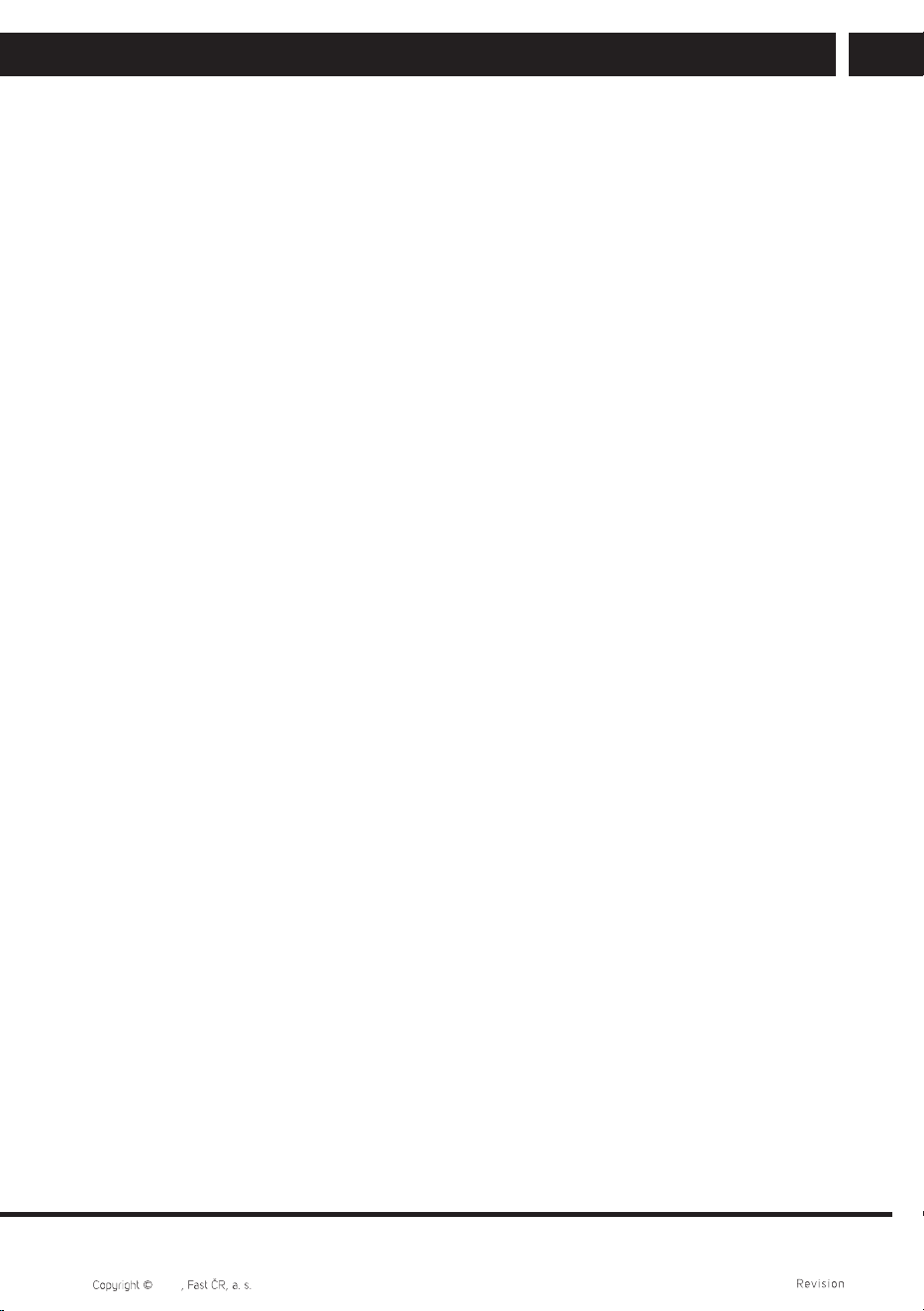
The flash symbol inside an equilateral triangle informs the user that there are
uninsulated conductors inside the appliance under "dangerous voltage", which
may cause injury to persons by electrical shock.
The symbol of an exclamation mark inside an equilateral triangle informs the
user about important instructions in the attached publication regarding the
operation and maintenance of the appliance.
ATTENTION
In order that you use the product properly, carefully read the user'smanual
and save it for future use. In the event that the appliance requires repairs or
maintenance, please contact an authorised service centre.
ATTENTION
In the event that it is necessary to remove the case, first pull the power cord plug
out of the power socket.
EN 3
EN
06/2024
2024
1. Read the user'smanual
After unpacking the product, carefully read the user'smanual, follow the instructions
describing the controls and other tasks.
2. Power Supply
This appliance can only be connected to apower source with corresponding
parameters as included on the rating label. If you are not sure about the parameters
of your electrical system, please consult your vendor or your local power distributor.
For products powered by batteries or other power sources, necessary information is
contained in the user'smanual.
3. Ventilation
The vents and slots on the case of the appliance are used for ventilation. They
protect the appliance against overheating and so ensure its proper operation. Do not
block or cover these openings. Do not block the ventilation openings by placing the
appliance on abed, couch, carpet or similar surface. It is only possible to place the
appliance into abookcase, cupboard or another confined area if proper ventilation is
provided for and the conditions set by the manufacturer are met.
4. High temperatures
Do not locate the device in the vicinity of heaters, stoves, fireplaces or other sources
of heat (including amplifiers). An open flame must not be placed on the appliance,
e.g. burning candle.
5. Water and Humidity
Do not use this appliance near water – e.g. next to abath, kitchen sink, in adamp
cellar, near apool, etc. Do not place any containers filled with water (e.g. vases) on to
the appliance.
6. Cleaning
Pull the power plug out of the power socket before cleaning. Do not use liquid or
aerosol cleaning agents. Clean the appliance with adamp cloth.
7. Protection of power cords
Locate cables in such away that they are not walked on and that they are not
damaged by objects standing above or next to them. Pay special attention to
locations where cables exit power sockets, extension cables and the appliance.
8. Overloading
Do not overload power sockets, extension cords or integrated switching sockets to
avoid increasing the danger of fire or injury by electrical shock.
9. Storm
Before astorm or alonger period of time when you will not be using the appliance,
disconnect the plug from the power socket. This will prevent damage caused by
alightning strike into the electrical system or by overvoltage.
4 EN
EN
06/2024
2024
10. Entry of items or liquids
Do not attempt to insert any objects into the ventilation openings. In the event that
contact occurs with any part that is under current, or ashort circuit occurs, there is
adanger of fire or injury by electrical shock. Prevent liquids from entering into the
appliance.
11. Connections
Do not use connection methods not recommended by the manufacturer, otherwise
health or property may be put in jeopardy.
12. Accessories
Do not place the appliance on unstable carts, stands, tripods, shelves or tables. In the
event of afall, achild or adult could be injured or the device could be damaged. Use
only carts, stands, tripods and tables recommended by the manufacturer or supplied
as an accessory with the appliance. When attaching the appliance, use only original
accessories and follow the instructions of the manufacturer. When the appliance is
placed on acart, move it carefully. In the event that you quickly stop, exert excessive
force or move over an uneven surface the cart may tip over together with the
appliance.
13. Load
Do not step on the appliance or place heavy objects on it. If such an object were to
fall, it could cause injury or damage the appliance.
14. Connecting
When connecting the appliance to another device, turn off all connected devices
and disconnect them from the mains power supply. Carefully read the user'smanual
of the connected device before connecting it and proceed according to the provided
instructions.
15. Volume
Turn volume down to the minimum level before turning on the appliance. In the
event that emitted sound is too loud, it could lead to damage to your hearing or the
speakers.
16. Sound distortion
Do not allow the appliance to playback distorted sound for too long. This could lead
to the speakers overheating and subsequently afire.
17. Earphones/Headphones
Use areasonable volume level when using headphones. Long term listening at
excessive volume levels may damage hearing.
18. Records
Do not use cracked, deformed or repaired records. They may break up and cause
serious injury or damage to the appliance.
EN 5
EN
06/2024
2024
19. Damage requiring repairs
If one of the following situations occur, disconnect the appliance from the mains and
have it repaired by qualified service technicians:
a) the power cord or plug was damaged;
b) an object fell into the appliance or liquid entered it;
c) the appliance was subject to the effects of rain or water;
d) when operated according to the user'smanual, it does not function normally. Only
adjust the settings that are described in the user'smanual. Any other adjustments
may cause serious damage to the appliance. In such an event, it may require
extensive repairs to put the appliance back into working order;
e) the appliance fell or was damaged in any way;
f) if significant changes in the operation of the appliance are occurring – in such an
event it is necessary to seek help at aqualified service centre.
20. Repairs
Do not attempt to repair the appliance yourself. If you open the case, you are
exposing yourself to the danger of injury by electrical shock and anumber of other
hazards. Leave all repairs to qualified technicians.
21. Spare parts
If it is necessary to replace any components, make sure that the service technician
uses either original components directly or such components where all the
parameters correspond to the original. When inappropriate components are used,
there exists adanger of afire or injury by electrical shock.
22. Safety inspection
After completing any maintenance task, ask the technician to check that the
appliance works properly.
Warning:
Do not expose the appliance to dripping or spraying water effects and do not place
objects filled with aliquid such as vases on the appliance. Since the power supply is
used as the disconnecting device, it must be easily operable at all times.
6 EN
EN
06/2024
2024
Device features
• Turntable with selectable speed 33/45 rpm
• Turntable with manual/automatic start/stop
• Belt drive system
• Audio Technica AT3600L magnetodynamic pick-up cartridge
• Fine speed tuning
• RCA line output
• Stereo speakers
• Bluetooth transmitter/receiver
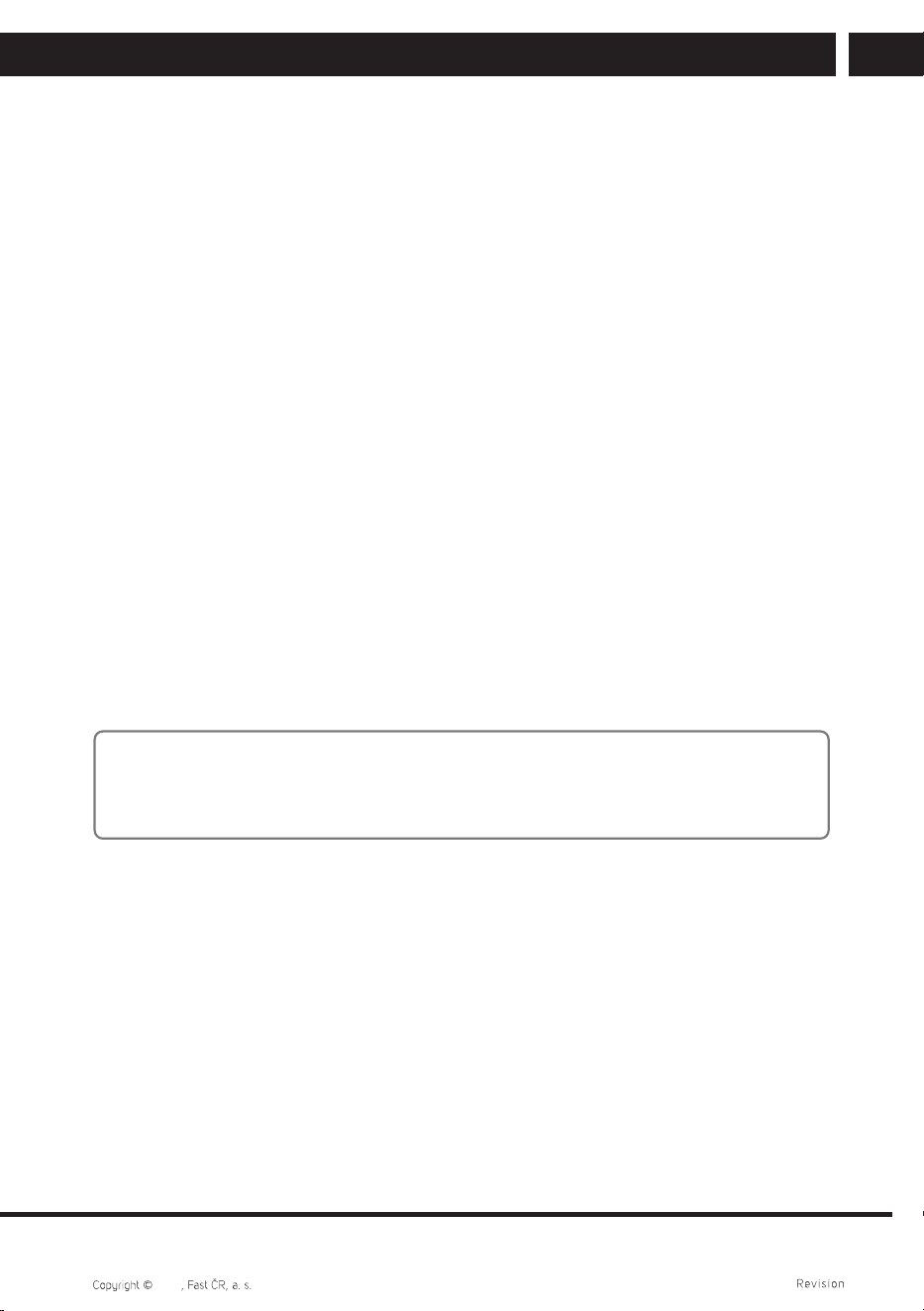
Device Description
EN 7
EN
06/2024
2024
Location of controls
1 Turntable foot
2 Speaker jack
3 Autostop
4 BT (Bluetooth)
5 Line/Phono selector
6 RCA line output jack
7 External power supply jack
8 ON/STANDBY button (ON / standby)
9 Cover
q; Pivot
qa Platter
qs Counterweight
qd Antiskating
qf Cueing lever
qg Tonearm lock
qh 33/45 rpm speed selector
qj Fine speed tuning
qk Treble settings
ql Bass settings
w; Volume control
wa Play/Stop switch
ws Headshell
Note:
Using the controls, making adjustments or procedures that are inconsistent with the
instructions herein may result in damage to the appliance. Any adjustments and repairs
of this product may only be performed by service stuff with appropriate expert skills.
Installation
• Unpack all parts and remove the protective material.
• Do not connect the appliance to power supply until you have checked the mains
voltage and performed all other connections.
Connections
1. Connect the external power supply to the power supply jack.
2. Insert the plug into the appropriate mains outlet.
3. To turn the appliance on from standby, press the ON/STANDBY button on the
unit’srear panel.
8 EN
EN
06/2024
2024
Putting into Operation
Important note: When assembling this turntable (and also using it later on), take care and
do not use force. This is afine and sensitive device.
Procedure:
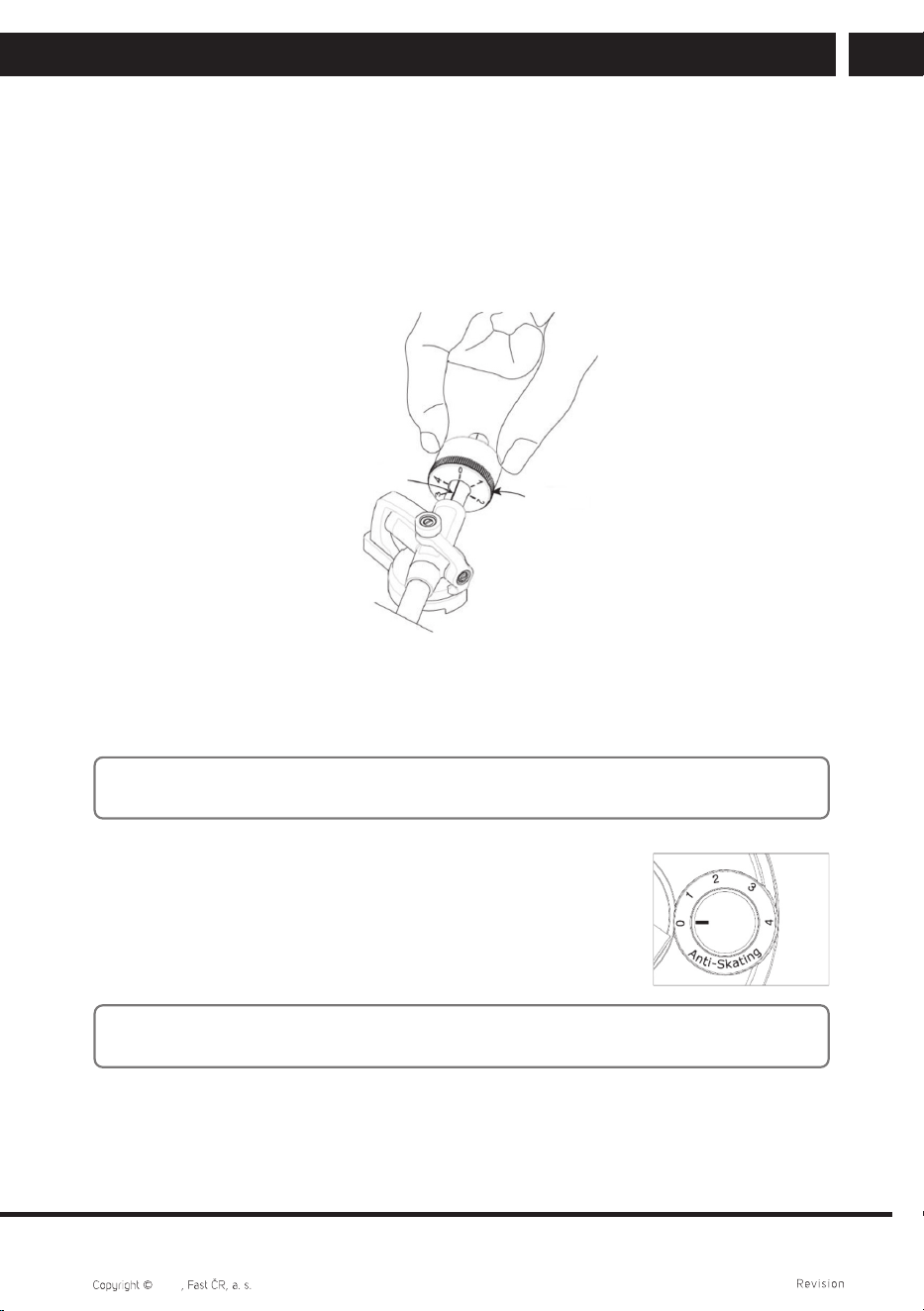
• Put the drive belt around the idler wheel underneath the platter.
• Put the platter on the spindle.
• Turn the platter window until you see the motor pulley, then put the drive belt around
the motor pulley.
MOTOR PULLEY
DRIVE BELT
RIBBON
• Put the record mat on the platter.
• Inserting the counterweight: insert the counterweight on the tonearm and slightly
screw it on the tonearm rear end.
• Balancing the tonearm: set the antiskating control to”0” position. With the turntable
turned off, place your record on the platter, unlock the tonearm from its rest and lift
the cueing lever. Now it’snecessary to get the tonearm balanced. The turntable must
be turned off to prevent the record from turning! Remove the stylus protector and from
that moment on, handle the stylus with extreme care! Move the tonearm over the
record and lower the cueing lever. The counterweight must be shifted according to the
tonearm movement - if the tonearm is lowering in the groove, the counterweight is
EN 9
EN
06/2024
2024
too near the pivot, if the tonearm is lifting away from the record, the counterweight is
too near the tonearm end. Shift the counterweight on the tonearm by screwing until
you get the tonearm horizontally balanced with the cueing lever released.
• Adjusting the scale zero position: hold the counterweight with one hand and with your
other hand, turn the scale ring so that the “0” position is aligned with the index mark
on the shaft, but make sure you don’t turn the counterweight at the same time.
SCALE RING
INDEX MARK
• Adjusting the tracking force: In case of Audio-Technica AT-3600L cartridge, turn the
counterweight (along with the scale) inward, until number 2” to 3” on the scale ring is
aligned with the index mark.
Note: adifferent tracking force may be set for other cartridges. Pay close attention to the
cartridge manufacturer’srecommendations.
• Antiscattering control: Antiskating is aslight force that
counteracts the centripetal force when picking up arecord.
Set the antiskating control to aposition that corresponds to
the tracking force set by the tonearm counterweight.
Note: the antiskating is operating also while the tonearm is being lowered into the groove
and thus it may affect the tonearm lowering in aspecific record location.
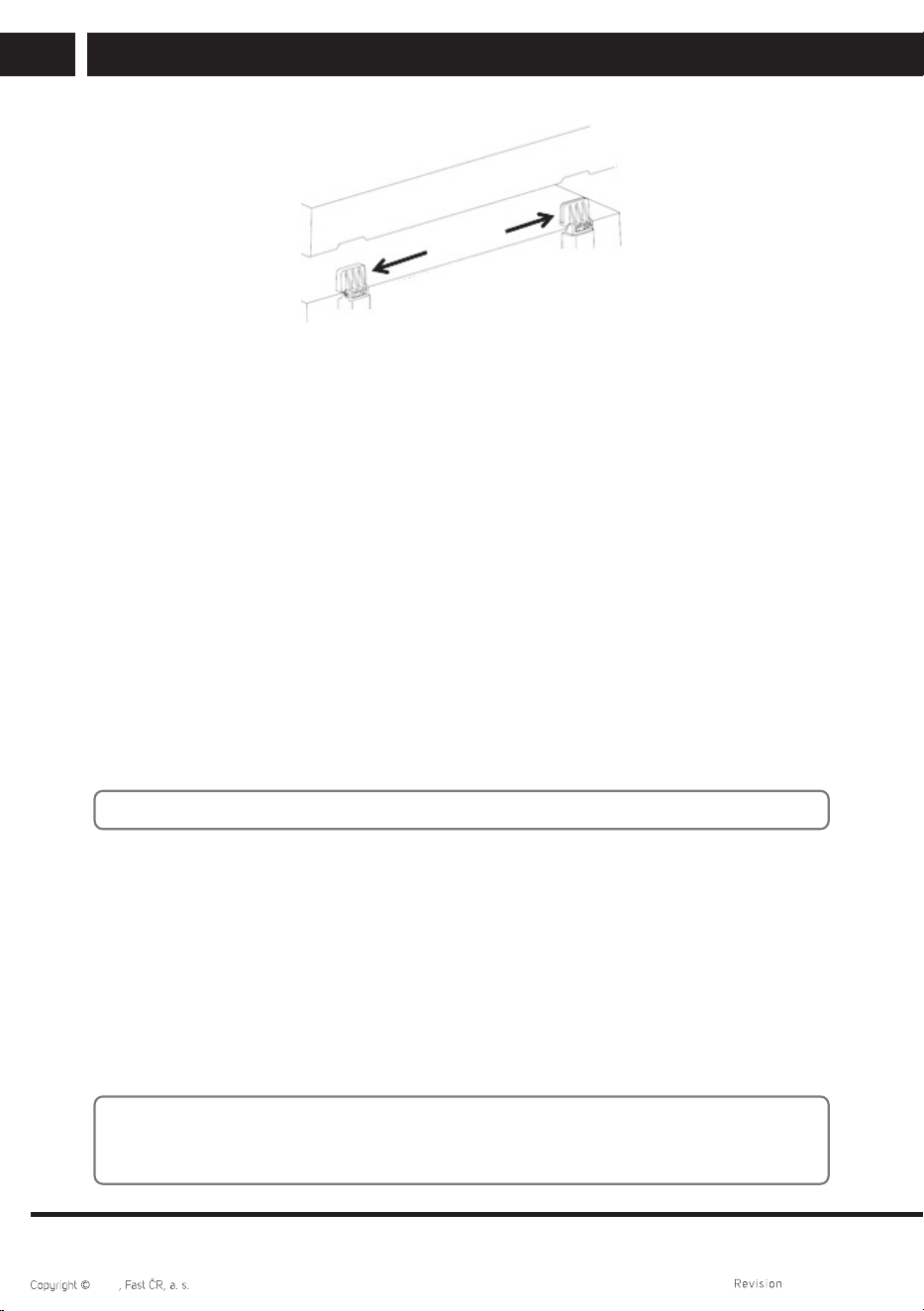
• Install the dust cover on the hinge on top chassis. Make sure that the tonearm is free
to move with the cueing lever lifted and the dust cover closed, otherwise it would be
impossible to close the cover during operation.
10 EN
EN
06/2024
2024
Pre-amp selector
• LINE/PHONO selector is located on the rear panel.
• If you choose the “LINE” option, the audio signal will be processed by the internal
pre-amplifier. For playing the music, the turntable may be connected directly to an
active speaker.
• If you choose the “PHONO” option, the audio signal will bypass the internal pre-
amplifier. In this case, the turntable must be connected to an external pre-amplifier for
music playback.
Playback of records
• If your turntable has already been turned ON with the rear panel switch, turn the
operation switch on the top (START/STOP) in the START position and put your record
on the platter.
• Remove the stylus protector.
• Set the correct speed with the 33/45 rpm selector switch.
Note: The tonearm must be unlocked from the rest before use and locked again after use.
• Lift the cueing lever to raise the tonearm from the docking rest, then move it slowly
over the record edge. The platter your record will begin to turn. Do not lower the
tonearm for the present.
• Lower the cueing lever so that the tonearm may drop and touch the record gently.
The audio record playback has just begun.
• Lift the cueing lever to raise the tonearm from the docking rest. The platter will
continue to rotate but the sound playback will pause.
The user must lower the cueing lever again to resume the playback.
Note: automatic starting and stopping of the record rotation in the run-out groove can be
deactivated by pressing the button AUTOSTOP (3) on the rear panel. The rotation is then
controlled only by the selector START/STOP (21).
EN 11
EN
06/2024
2024
“LINE OUT” jack (line output)
• This system may be connected to an external device (such as an active amplifier and
speaker) using the RCA “LINE-OUT” jack on the chassis rear panel.
• Connect your external device (such as an active amplifier) with agrounding wire if
necessary.
Important information related to playing records
• Do not spin or stop the platter or the record by hand. There is arisk of injury and
damaging the appliance.
• Do not touch the tonearm while it’sreturning to its home position.
There is arisk of damaging the appliance.
• Do not carry or otherwise handle the appliance while tonearm is not secured in the
rest. Otherwise, you may damage the appliance.
• For playback, do not use flexible, scratched or otherwise deformed records.
They could damage the platter and stylus.
• Keep the cueing lever lowered at all times during operation. Only lift it to pause the
record playback, then lower it again. This is to prevent both dust cover and the record
from scratching and/or the tonearm from damaging.
• Always lower and lift the tonearm slowly with the cueing lever, not just by hand. This
will prevent the record and/or the stylus from damaging.
Turntable maintenance
For cleaning use aclean and soft cloth, which you can dip lightly in water. Make sure that
water does not enter into the appliance. For cleaning, do not use sponges with steel wool
or steel wool itself as this could scratch the surface. For cleaning the exterior case, do not
use thinners, petrol or solvents.
Bluetooth connection
This is used to play music from aBluetooth device, such as amobile phone. Short press
the BT button (4) to select the Bluetooth input. Enable Bluetooth on your device, find
“STT 650SBA” and select its connection. Wait until your device is paired to the unit.
Asuccessful pairing is indicated by asolid blue LED.
You can listen to the music being played back via the connected Bluetooth speaker. Its
volume does not depend on the turntable built-in speakers’ volume. While in the music
playback mode (such as from the turntable), long press the BT (4) button. The indicator
will start blinking, if the connection is successful, it will turn permanently blue.
To cancel pairing, long press the BT (4) button.
12 EN
EN
06/2024
2024
Note:
– Despite of every effort taken to ensure wide compatibility, asuccessful Bluetooth
connection, especially via older versions, cannot be guaranteed.
– The sound via Bluetooth may be slightly delayed behind the sound from the built-
in speakers.
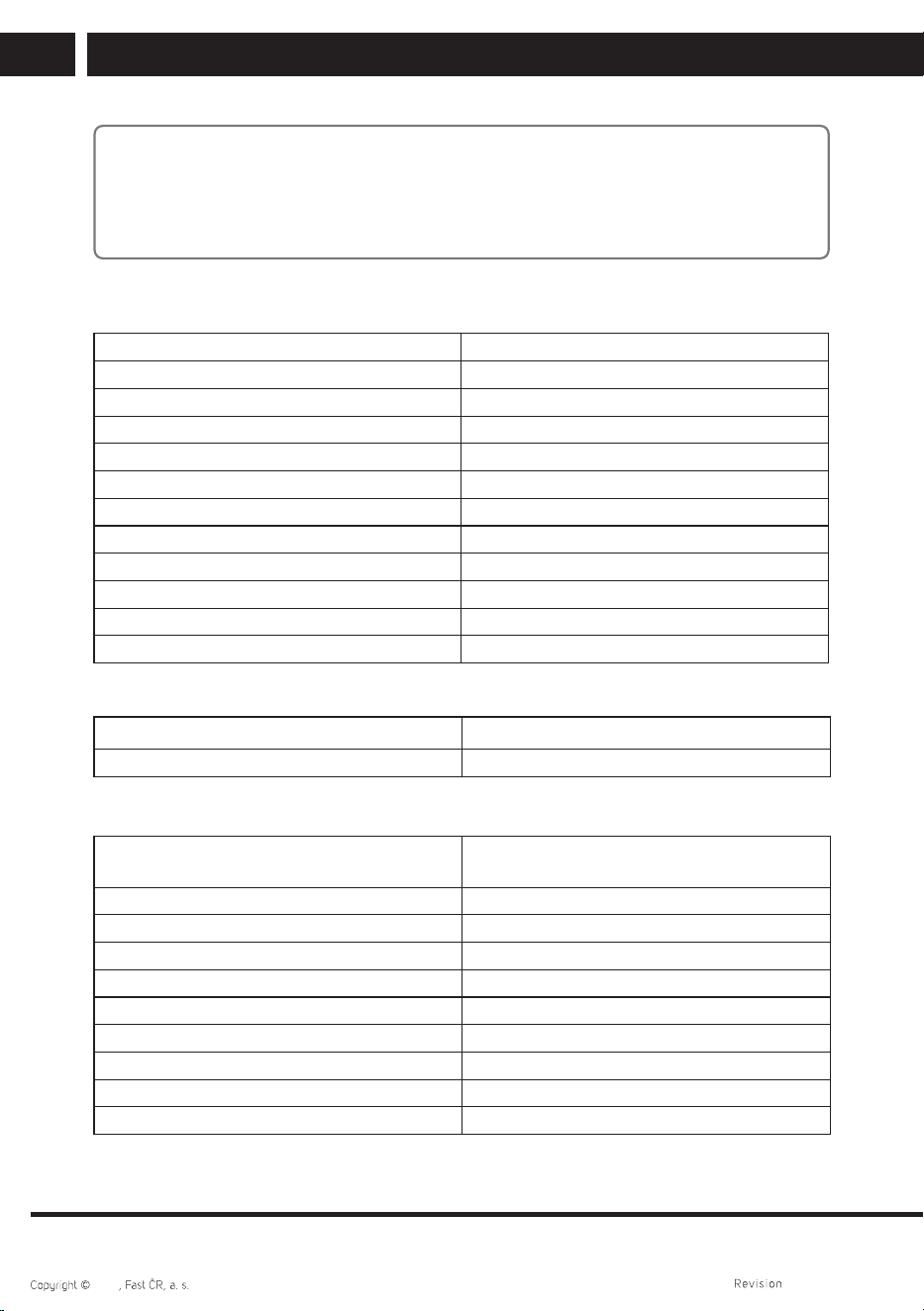
Technical specifications (with AT-3600L)
System belt drive
Motor DC servomotor
Speed 33 1/3, 45 rpm
Fluctuation 0.25 % wrms
Arm dynamically balanced type
Stylus tracking force adjustment range 0–6 g
Filter element MM (moving magnet)
Output voltage 4 mV
Power Supply 230 V~ 50 Hz
Input Power <6 W
Dimensions 460 x 370 x 123 mm
Weight 5.6 kg
Bluetooth
Version 5.4
Maximum Transmitter Power 100 mW at 2.4 GHz – 2.4835 GHz
Power adapter specifications
Manufacturer'sname or trademark, trade
registration number and address
DongGuan Obelieve Electronic Co.,Ltd
Model identification number 0BL-1203000E
Input voltage 100–240V
Input frequency 50/60 Hz
Output voltage 12 V
Output current 3 A
Output power 36 W
Average efficiency in active mode ≥87.4%
Efficiency in low active mode (10%) 79%
Power consumption in stand-by mode 0.1 W
EN 13
EN
06/2024
2024
INSTRUCTIONS AND INFORMATION ON DISPOSAL OF USED PACKAGING
MATERIAL
Dispose of used packaging material at the location designated by the municipality for
waste disposal.
DISPOSAL OF USED ELECTRICAL AND ELECTRONIC EQUIPMENT
This symbol on products or original documents means that used electric
or electronic products must not be added to ordinary municipal waste. For
proper disposal and recycling of these products, deliver them to designated
collection points. Alternatively, in some European Union states or other
European countries the products can be returned to the local retailer when
buying an equivalent new product. By properly disposing of this product, you
help preserve valuable natural resources and contribute to preventing potential
negative impacts on the environment and human health resulting from
improper waste disposal. For further details, contact your local authorities or
the nearest collection point. Fines may be imposed for improper disposal of this
type of waste in accordance with national regulations.
For Business Entities in European Union States
To dispose of electric or electronic equipment, request necessary information from your
retailer or supplier.
Disposal in Other Countries Outside the European Union
This symbol is valid in the European Union. If you wish to dispose of this product, request
the necessary information about the correct disposal method from the local council or
from your retailer.
This product meets all the basic requirements of the applicable EU directives.
The text, design and technical specifications may be changed without prior notice and we
reserve the right to make these changes.
The original version is in the Czech language.
Manufacturer’saddress: FAST ČR, a.s., USanitasu 1621, Říčany CZ-251 01
FAST ČR, a.s. hereby declares that the radio device type STT-650SBA conforms to the
2014/53/EU directive. The declaration of conformity can be found at www.sencor.cz
14 EN
EN
06/2024
2024
EN
Warranty conditions
Warranty card is not apart of the device packaging.
This product is warranted for the period of 24 months from the date of purchase to the end-user. Warranty
is limited to the following conditions. Warranty is referred only to the customer goods using for common
domestic use. The claim for service can be applied either at dealer’sshop where the product was bought, or
at below mentioned authorized service shops. The end-user is obligated to set up aclaim immediately when
the defects appeared but only till the end of warranty period. The end user is obligated to cooperate to certify
the claiming defects. Only completed and clean (according to hygienic standards) product will be accepted.
In case of eligible warranty claim the warranty period will be prolonged by the period from the date of claim
application till the date of taking over the product by end-user, or the date the end-user is obligated to take it
over. To obtain the service under this warranty, end-user is obligated to certify his claim with duly completed
following documents: receipt, certificate of warranty, certificate of installation.
This warranty is void especially if apply as follows:
Defects which were put on sale.
Wear-out or damage caused by common use.
The product was damaged by unprofessional or wrong installation, used in contrary to the applicable
instruction manual, used in contrary to legal enactment and common process of use or used for another
purpose which has been designed for.
The product was damaged by uncared-for or insufficient maintenance.
The product was damaged by dirt, accident of force majeure (natural disaster, fire, and flood).
Defects on functionality caused by low duality of signal, electromagnetic field interference etc.
The product was mechanically damaged (e.g. broken button, fall).
Damage caused by use of unsuitable media, fillings, expendable supplies (batteries) or by unsuitable
working conditions (e.g. high temperatures, high humidity, quakes).
Repair, modification or other failure action to the product by unauthorized person.
End-user did not prove enough his right to claim (time and place of purchase).
Data on presented documents differs from data on products.
Cases when the claiming product cannot be indentified according to the presented documents (e.g. the
serial number or the warranty seal has been damaged).
Manufacturer:
FAST ČR, a.s., U Sanitasu 1621, Říčany 251 01, Czech Republic
Visit www.sencor.com for detailed information about authorized service centers.
The original version of the instructions is in the Czech language, other language versions are made by the
appropriate translation.

FAST ČR, a.s.86DQLWDVXětþDQ\&=