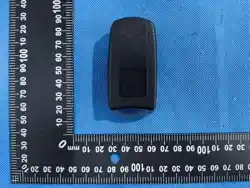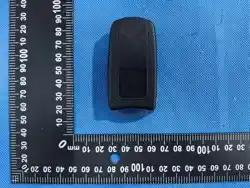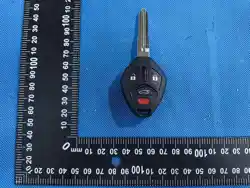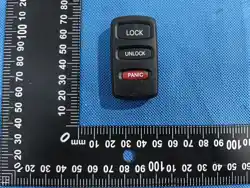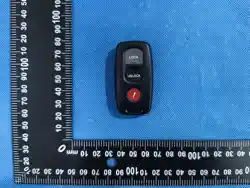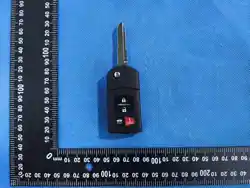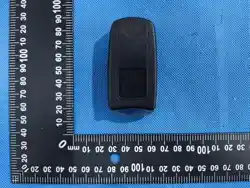

Car Intelligent Key Remote Control Instruction Manual
Controls
Key Types and Functions
This vehicle comes with the following keys:
Use the keys to turn on and off the power system, and to lock and unlock the doors and to open
the trunk.
The built-in key can be used to lock/unlock the doors when the smart entry remote battery
becomes weak and the power door lock/unlock operation is disabled.
To remove the built-in key, slide the release knob and then pull out the key. To reinstall the
built-in key, push the built-in key into the smart entry remote until it clicks.1Key Types and
Functions
All the keys have an immobilizer system. The immobilizer system helps to protect against vehicle
theft.
Follow the advice below to prevent damage to the keys:
1. Press the unlock button to remotely unlock the vehicle.
2. Press the lock button to remotely lock the vehicle.
3. Press the button to remotely activate the horn.
4. Insert the key into the ignition switch to power on the vehicle's electrical devices and
start the engine.
5. Position key near the left front door handle, within one meter, and press the lock button. This
will automatically raise all the windows and close the sunroof. If's a convertible, it will also
close the top.
6. Position the key near the left front door handle, within one meter, and press the unlock button
This will lower all the windows, open the sunroof, and if it's a convertible, it will open the
top.
7. Press and hold both the and unlock buttons for about five seconds. The key light will flash
once. At this point, the unlock function will only work for the left front door and the cap. To
restore full unlocking capability, press and hold both the lock and unlock buttons for another five
seconds.

FCC Requirement
changes or modifications not expressly approved by the party responsible for compliance could
void the user's authority to operate the equipment. This device complies with Part 15 of the FCC
Rules. Operation is subject to the following two
conditions:
(1)this device may not cause harmful interference,and
(2)this device must accept any interference received,including interference that may cause
undesired operation.
Note: This equipment has been tested and found to comply with the limits for a
Class B digital device, pursuant to Part 15 of the FCC Rules. These limits are designed to
provide reasonable protection against harmful interference in a residential installation. This
equipment generates, uses, and can radiate radio frequency energy,and if not installed
and used in accordance with the instructions, may cause harmful interference to radio
communications. However, there is no guarantee that interference will not occur in a
particular installation. If this equipment does cause harmful interference to radio or
television reception, which can be determined by turning the equipment off and on, the
user is encouraged to try to correct the interference by one or more of the
following measures: -Reorient or relocate the receiving antenna.
-Increase the separation between the equipment and receiver.
-Connect the equipment into an outlet on a circuit different from that to which the receiver is
connected.
-Consult the dealer or an experienced radio/TV technician for help.