PPHP1050KT
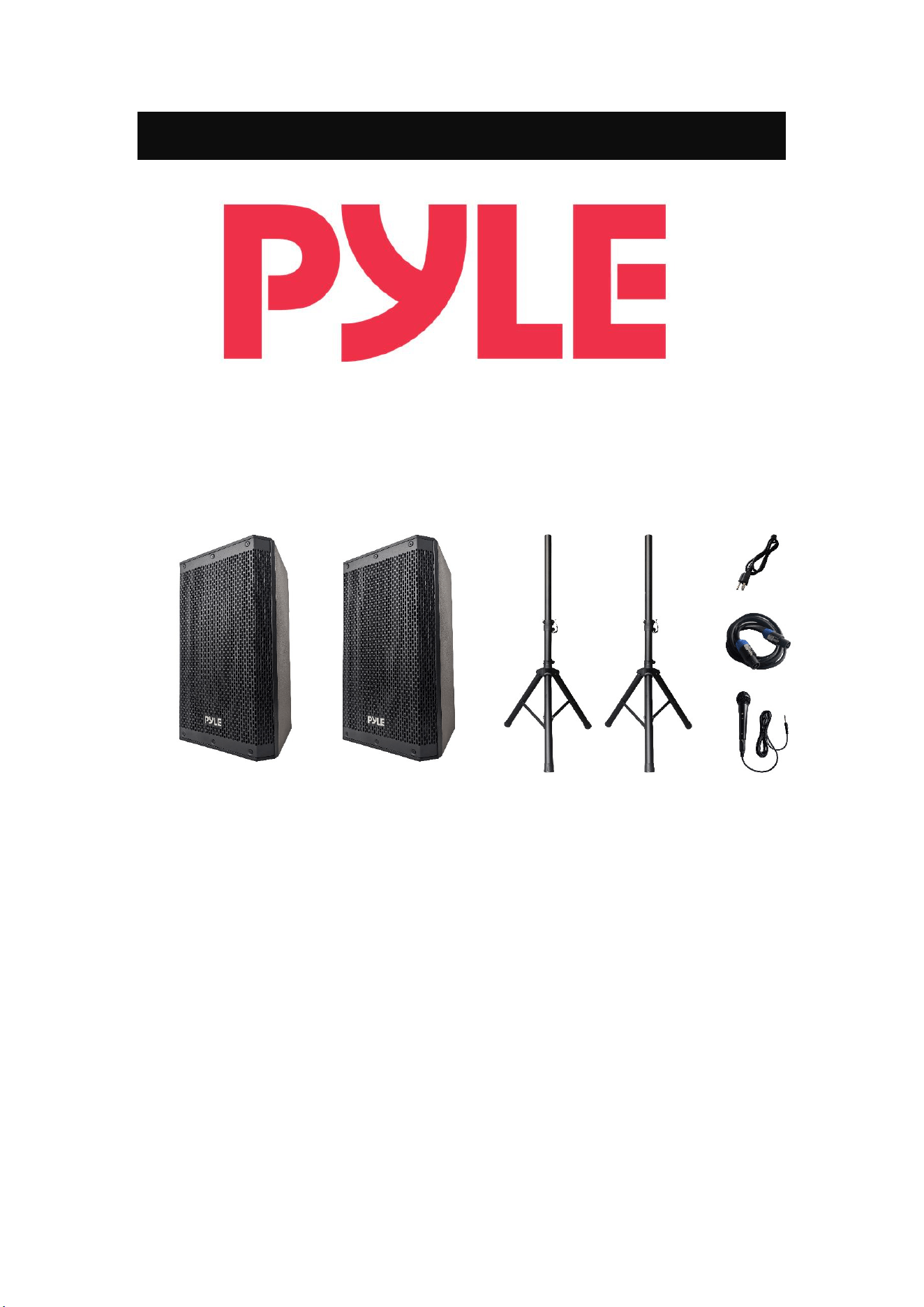
10" Active/Passive Speaker Combo Kit
UserManual
Pleasereadthismanualcarefullybeforeoperatingthespeaker.Pleasestorethismanualwith
youforfuturespeaker.
Introduction
Congratulationsonyourpurchase!
Weencourageyoutotakeafewminutestoreadthismanual,whichdescribesthe
product and includes step‐by–step instructions to help you to enjoy the product
features.Readandunderstandallthesafetyinstructionsbeforeusingyourproduct.
Ifyouhaveanyquestionsaboutthisproduct,itsinstallationoritsoperation,please
contactyourretailerorcustomerservice.
ImportantSafetyInstructions
1.Readallwarnings.
2.Followallinstructions.
3. The apparatus shall not be exposed to dripping or splashing. Do not place any
objectsfilledwithliquidssuchasvaseontheapparatus.
4.Donotblockanyventilationopenings.A minimum distanceof30cmaroundthe
apparatusmustbemaintained.
5.Donotinstallthisapparatusnearanyheatsourcessuchasradiators,heatregisters,
stovesorotherapparatus(includingamplifiers)thatproduceheat.
6.Nonakedflamesources,suchaslightedcandlesshouldbeplaceontheapparatus.
7. Protect the power cord from being walked on or pinched, particularly at plugs,
conveniencereceptaclesandthepointwheretheyexitfromtheapparatus.
8.Useonlyattachmentsandaccessoriesspecifiedbythemanufacturer.
9.Unplugthisapparatusduringlightningstormsorwhenunusedforlongduration.
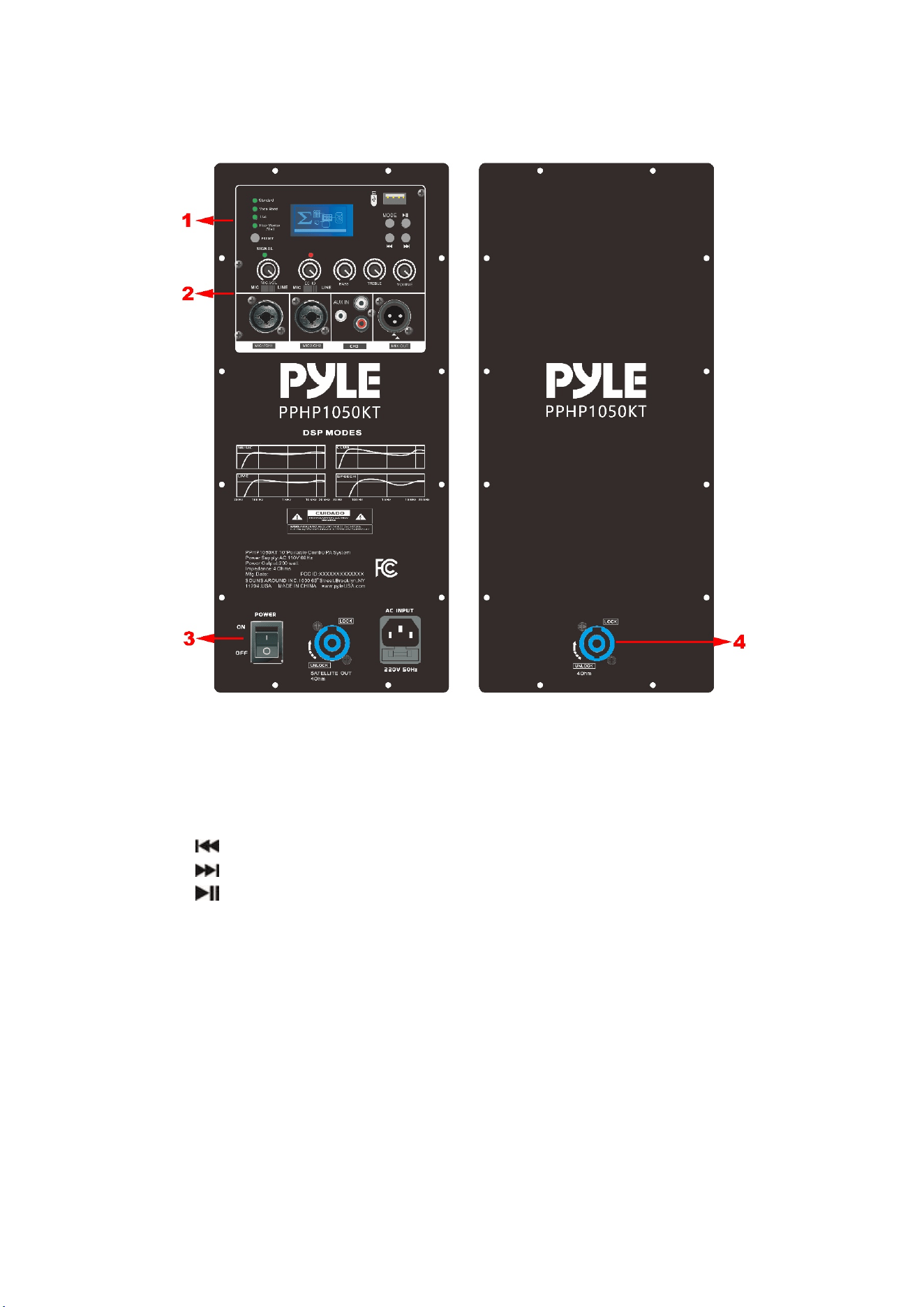
PRODUCTOVERVIEW
Section1:
a. DSPmode:Standard/VocalBoost/Live/Floormonitor&Wall
b. PRESET:shortpresstoselectDSPmode
c. LCDdisplay
d. USB:InsertaUSBstoragedevicetoplaybackyourstoredmusic.
e. MODE:ShortpresstoselectBLUETOOTH/USB
/VOL‐:Shortpressforprevioussong,longpressforvolumedown.
/VOL+:Shortpresstoskiptonextsong,longpresstoincreasevolume.
/: ShortpresstoPlay&Pausethemusic.
Section2:
a. MIC/LINEinputvolumeforCH1&CH2:RotatetheknobtoadjusttheMIC
volumetoyourdesiredlevel.
b. MIC/LINEinputswitch
c. MIC/LINEXLR&6.35Jackinput
d. MICECHOvolumeforCH1&CH2:RotatetheknobtoadjusttheMICecho
volumetoyourdesiredlevel.
e. BASS:RotatetheknobtoadjustBASStoyourdesiredlevel.
f. TREBLE:Rotateknobtoadjusttreblesettingstoyourdesiredlevels.
g. VOLUME:Rotateknobtoadjustmastervolumesettingstoyourdesiredlevels
h. 3.5MMaux/RCA/inputatCH3

i. MIXXLRoutput
Section3:
a. POWER:Presstoswitchon/offthespeaker.
b. SPEAKONoutputtoapassivespeakerboxwith4ohm
c. ACPower:Connectthedetachablepowercordtospeakerandplugintothe
mainwalloutlet
Section4:
a. SPEAKONinput
SPECIFICATION
General
PowerRequirementAC110V60Hz
Weight27.8Kgs
Dimension740X397X743mm
Operationtemperature+5degreeC‐+35degreeC
AudioSection
ACTIVESPEAKER:
Woofer:10"steelframewoofer1.5"voicecoil4ohm
Driver:1"titaniuamdiaphrgamdriver8ohm
Amplifier:ClassDpower100W+100W
USB/Bluetooth
DSPpreset
PASSIVESPEAKER:
Woofer:10"steelframewoofer1.5"voicecoil4ohm
Driver:1"titaniuamdiaphrgamdriver8ohm
Accessories
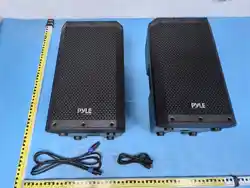
2xtripodstand
1xwiredmicrophone
1x3mspeakercablewithspeakon
1xACpowercable
1xInstructionmanual
Note:Specificationsaresubjecttochangeforcontinuousimprovementwithoutpriornotice.
RFexposurestatement
This equipment complies with the FCC radiation exposure limits set forth for an
uncontrolled environment. This transmittermust not be co‐locatedor operating in
conjunctionwithanyotherantennaortransmitter.

FCCWarning
ThisdevicecomplieswithPart15oftheFCCRules.Operationis subject to the
followingtwoconditions:
(1)Thisdevicemaynotcauseharmfulinterference,and(2)thisdevicemustaccept
anyinterferencereceived,includinginterferencethatmaycauseundesiredoperation.
Note:ThisequipmenthasbeentestedandfoundtocomplywiththelimitsforaClass
Bdigitaldevice,pursuanttopart15oftheFCCRules.Theselimitsaredesignedto
providereasonableprotectionagainstharmfulinterferenceinaresidentialinstallation.
Thisequipmentgenerates,usesand canradiate radiofrequencyenergyand,if not
installedandusedinaccordancewiththeinstructions,maycauseharmfulinterference
toradiocommunications.However,thereisnoguaranteethatinterferencewillnot
occurinaparticularinstallation.Ifthisequipmentdoescauseharmfulinterferenceto
radioortelevisionreception,whichcanbedeterminedbyturningtheequipmentoff
andon,theuserisencouragedtotrytocorrecttheinterferencebyoneormoreofthe
followingmeasures:
—Reorientorrelocatethereceivingantenna.
—Increasetheseparationbetweentheequipmentandreceiver.
—Connecttheequipmentintoanoutletonacircuitdifferentfromthattowhichthe
receiverisconnected.
—Consultthedealeroranexperiencedradio/TVtechnicianforhelp.
NOTE2:Anychangesormodificationstothisunitnotexpresslyapprovedbytheparty
responsibleforcompliancecouldvoidtheuser'sauthoritytooperatetheequipment.