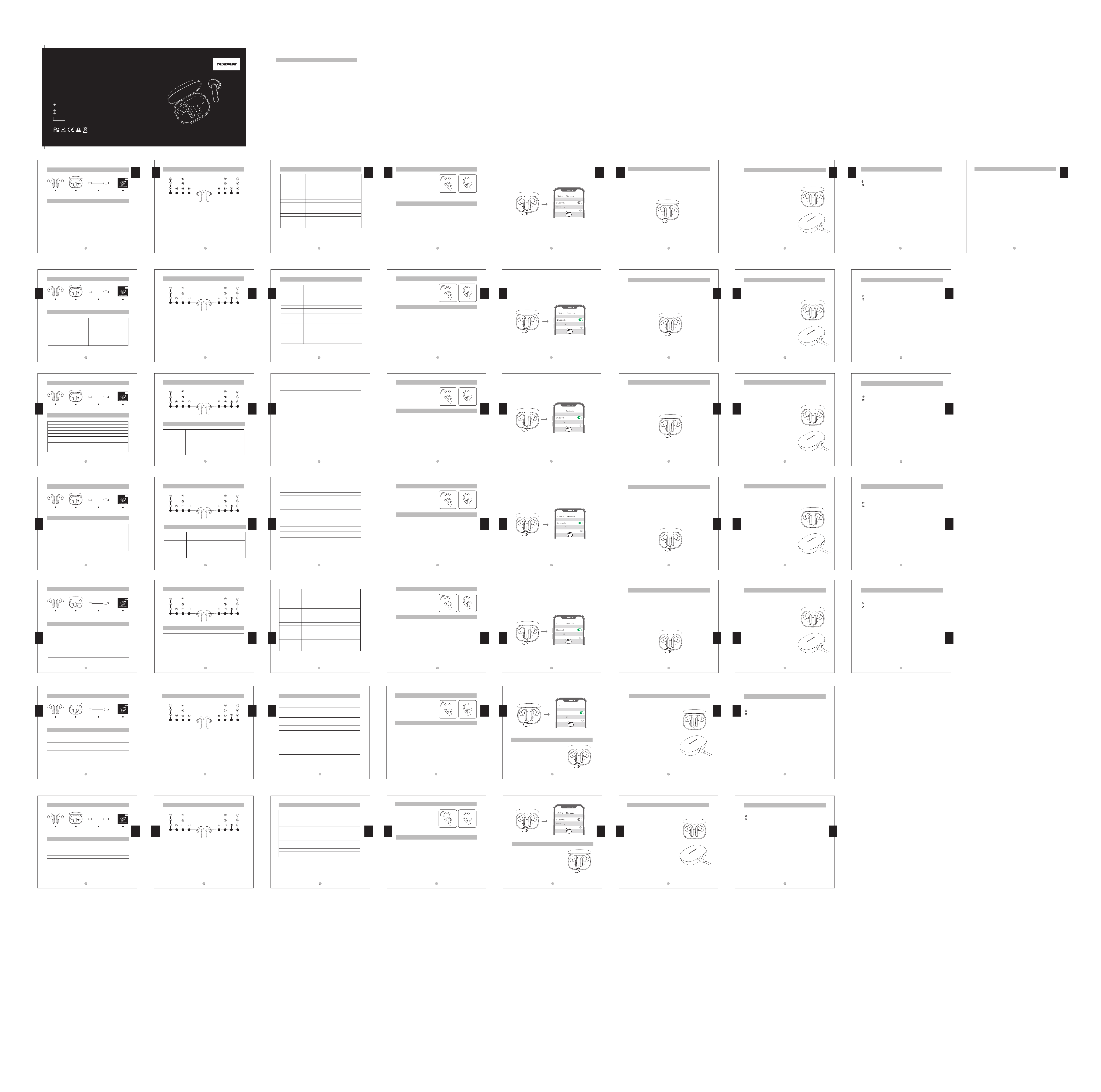
1.イヤ ホン 裏 側 にあるL / R の 表 記を 確 認しま す。
2.イヤホンのイヤーピースを耳穴に差し込みます。
イヤホンを持ち前後にねじりながら耳奥に差し
込みます。適度に耳の形にポジションを整えまし
たら完了です。(左右 の取り付け方法は同じです。)
43 44 45 46 47
装着方法
初回ペアリング&再度ペアリング
本体を接続する
製品の充電について
1.まず、充電ケースバッテリーの残量をご確認ください。充電ケースのフタを開けると、左右のイヤホ
ンが自動的に互い認識します。続いて「pairing」の通知音が鳴り、充電ケースのLEDインジケータが
白で3回点滅すると、ペアリングモードになります。
2.端末のBluetooth設定画面で「TRUEFREET1」を選択し、「connected」の通知音が鳴るとペアリング
は正常に行われ、ペアリングが完了します。
3.再度ペアリングの場合、端末側のBluetooth機能を有効してから、充電ケースのフタを開けてくださ
い。通知音が鳴ると、ペアリングは自動的に完了します。もし、自動的にペアリングできなかったら、端
末のBluetooth設定画面で『TRUEFREET1』をタップしてください。
リセ ット 方 法
再度ペアリングできない場合もしくは端末側がイヤホンを認識
できない場合では、本機をリセットしてください。
リセットの方法は下記です。
1.端末とのペアリングを解除してください。
2.両側のイヤホンを充電ケースに戻し、充電状態にさせてくだ
さい。(充電ケースの2つのLEDインジケータが白くゆっくりと
と点滅すると、充電状態になります。)その後、充電ケースを開
けた状態で、充電ケースのボタンを10秒長押ししてください。
LEDインジケータは白で3回点滅したら、リセットは完了です。
イヤホンの充電について
初めてご使用になる場合は、本機をフル充電してからご使用くだ
さい。
充電端子の位置に合わせて調整し、イヤホンをケースに戻してく
ださい。充電ケースの2つのLEDインジケータが白くゆっくり点滅
すると、充電状態になります。
ケースの充電について
付属の充電ケーブルをACアダプター(別売)に接続し、充電が開
始します。その同時に、充電ケースの裏側のLEDインジケータは
白でゆっくりと点滅します。(5V/1Aを超える電流を取り込まない
ようにご注意ください。)
1.充電ケースがフル充電すると、裏側のLEDインジケータは消
灯します。
2.長期にわたって使用しない場合、バッテリーの機能維持のた
めに、3ヶ月に1回程フル充電してください。
本製品はバッテリー内蔵の充電ケースが付属されており、2つのイヤホンを5回まで給電できます。充
電ケースが収納ケースを兼ねており、外出先でも充電ができる仕様になっています。
English
English
English
Specifications
Bluetooth version
Maximum working distance
Working hours
Earbuds charging time
Charging case charging time
Charge the earbuds with the charging case
Product dimensions(length * width * height)
5.0
Up to 10m
Up to 5 hours
About 1.5 hours
About 1.5 hours
Up to 5 times
21.3*26.2*36.2mm (earbud)
72.80*54.30*28.70mm (charging case)
Bluetooth5.0
10m以内(見通しの良い状態で)
約5時間
約1.5時間
約1.5時間
5回
21.3*26.2*36.2mm(イヤホン本体)
72.80*54.30*28.70mm(充電ケース)
Bluetoothバージョン
最大通信距離
イヤホン単体の最大再生時間
イヤホンの充電時間
充電ケースの充電時間
充電ケースの給電回数
サイズ(L×W×H)
仕様
Charge the earbuds
English
English
English
日本語
日本語
日本語
日本語
日本語
日本語
TRUEFREE T1 earbuds are equipped with a charging case, which can not only
charge the earbuds, but also is convenient to carry and store the earbuds.
Built-in battery, can charge two earbuds 5 times.
The earbuds has been partially charged before
delivery. Before rst use, make sure they are fully
charged.
Put the earbuds into the corresponding slots,
and the two lights inside the charging case ash
slowly, the earbuds start charging.
English
English
English
9
51 2852 5350
蓝牙版本
最大工作距离
工作时间
耳机充电时间
充电盒充电时间
用充电盒给耳机充电
产品尺寸(长*宽*高)
5.0
约10m
约5小时
约1.5小时
约1.5小时
5次
21.3*26.2*36.2mm(耳机)
72.80*54.30*28.70mm(充电盒)
产品规格
给耳机充电
耳机在工厂已经部分充电。在首次使用前,请确保它们
已充满电。
把耳机放入对应的卡槽,充电盒内部两个指示灯白灯慢
呼吸,此时耳机开始充电。
TRUEFREE T1耳机配有一个充电盒,不仅可以给耳机充电,同时也是一个方便携带保存耳机
的盒子。内置电池,可以给两只耳机充电5次。
给充电盒充电
1. 识别左耳和右耳。
2. 旋转耳机并找到最舒适的位置。
佩戴
开始使用
充电
配对&回连
1. 在充电盒有电情况下,打开充电盒盖子,左右耳机自动进入TWS互配状态,互连成功后,耳
机伴随“pairing”提示音,然后充电盒内部两个指示灯白灯闪烁三次后熄灭,此时耳机进入
配对模式。
2. 这时请在设备蓝牙列表中找到蓝牙名称“TRUEFREE T1”,点击连接,连接成功后耳机会提
示“connected”。
3.TRUEFREE T1耳机可以记住之前配对过的设备,进行二次连接时只需要打开设备中的蓝牙,
同时打开充电仓,它们就会自动连接并与设备回连。如果没有自动连接,在蓝牙列表中选择
耳机配对名进行连接。
重置
当耳机没有二次配对成功或者与设备无法配对时,按照以
下操作进行重置:
1. 从设备中删除耳机的配对信息
2. 将耳机放回充电盒,确保耳机在充电状态下,此时充
电盒内部两个指示灯白灯慢呼吸,然后长按充电盒按键
10S至充电盒内部两个指示灯白灯快闪三次后熄灭,重
置完毕。
中 文
中 文
中 文
中 文
中 文
中 文
Español
Español
Español
Español
Español
Español
Español
Español
Deutsch
Deutsch
Deutsch
TRUEFREE T1 说明书 七国详细版
尺寸:90 x 84 mm
English ---------------------------------------------------------------------------------------------- 1 - 9
日本語----------------------------------------------------------------------------------------------- 42 - 48
Contents
中文----------------------------------------------------------------------------------------------49-55
Deutsch -------------------------------------------------------------------------------------------- 10 - 17
Italiano --------------------------------------------------------------------------------------------- 34 - 41
Español --------------------------------------------------------------------------------------------- 18 - 25
Français ---------------------------------------------------------------------------------------------26 - 33
Pairing & Connecting
1. Open the charging case lid when the charging case has power, then the le
and right earbuds automatically enter the TWS pairing states. Aer the
interconnection successful, the earbuds will be accompanied by a "pairing"
prompt, and then the two white lights inside the charging case will ash three
times until it turns o, the earbuds enters the pairing mode.
2. At this time, please nd the name "TRUEFREE T1" in the Bluetooth list of your
device, and click Connect. Aer the connection succeed, the earbuds will
prompt "connected".
3. TRUEFREE T1 earbuds can remember previously paired devices. When making
a second connection, you only need to turn on the Bluetooth in your device
and open the charging case at the same time, and they will automatically
connect back to your device. If it is not automatically connected, select the
pairing name of the earbuds in the Bluetooth list to connect.
Wearing
Start
5.2
ca. 10m
ca. 5 Stunden
ca. 1,5 Stunden
ca. 1,5 Stunden
5 Mal
21,3 * 26,2 * 36,2 mm (Kopfhörer)
72,8 * 54,30 * 28,70 mm (Frachtkasten)
Spezifikationen
Bluetooth-Version
Arbeitsentfernung
Betriebsstunden
Ladezeit für Kopfhörer
Ladezeit der Ladebox.
Zeiten des Headsets wird von der Ladebox
geladen
Produktgröße (Länge * Breite * Höhe)
Laden Sie die Kopfhörer auf
Zurücksetzen
Wenn das Headset nicht erfolgreich mit dem Gerät gekoppelt oder gepaart
wird, führen Sie die folgenden Schritte aus, um einen Neustart durchzuführen.
1. Löschen Sie die Pairing-Informationen für die Kopfhörer vom Gerät.
2. Legen Sie die Kopfhörer wieder in das Ladeetui, um sicherzustellen, dass sich
die Kopfhörer im Ladezustand benden. Zu diesem Zeitpunkt atmen die
beiden weißen Lichter in der Ladebox langsam, drücken Sie dann die Taste
an der Ladebox für 10 Sekunden, bis die beiden weißen Lichter in der
Ladebox dreimal schnell blinken, und schalten Sie sie dann aus, der Reset ist
abgeschlossen.
3. TRUEFREE T1 Kopfhörer können sich zuvor gekoppelte Geräte merken. Wenn
die zweite Verbindung hergestellt wird, müssen Sie nur Bluetooth am Gerät
einschalten und gleichzeitig die Ladebox einschalten, und sie werden
automatisch eine Verbindung mit dem Gerät herstellen und erneut verbinden.
Wenn die Verbindung nicht automatisch hergestellt wird, wählen Sie den
Pairing-Namen des Headsets aus der Bluetooth-Liste aus, um eine Verbindung
herzustellen.
Die Kopfhörer wurden werksseitig nur geringfügig
aufgeladen. Stellen Sie vor der ersten Verwendung
sicher, dass sie vollständig aufgeladen sind
1. Setzen Sie die Kopfhörer gut in die Ladebox ein,
schließen Sie den Deckel der Ladebox, die
beiden Kontrollleuchten in der Ladebox atmen
langsam und der Kopfhörer wird zu diesem
Zeitpunkt aufgeladen.
TRUEFREE T1 sind mit einer Ladebox ausgestattet, die nicht nur die Kopfhörer
auaden kann, sondern auch eine praktische Box zum Tragen und Aufbewahren
der Kopfhörer. Der eingebaute Akku kann zwei Ohrhörer 5 mal auaden.
Pairing und erneute Verbindung
1.Wenn die Ladebox genügend Leistung hat, önen Sie den Deckel der
Ladebox und der linke und der rechte Ohrhörer wechseln automatisch in den
TWS-Interworking-Zustand. Sobald die Zusammenarbeit erfolgreich ist, blinken
die beiden Lichter in der Ladebox, begleitet von einem "Pairing", dreimal weiß
und erlöschen dann. Die Ohrhörer gehen in den Kopplungsmodus.
2. Schalten Sie Bluetooth ein, suchen Sie den Bluetooth-Namen "TRUEFREE T1" in
der Bluetooth-Liste des Geräts, stellen Sie eine Verbindung her und das
Headset zeigt "Verbunden" an, nachdem die Verbindung erfolgreich war.
1. Unterscheiden Sie den linken.
Ohrhörer und den rechten Ohrhörer
2. Drehen Sie das Headset und nden
Sie die bequemste Position.
Tragen
Beginnen Sie mit der Verwendung
Deutsch
Deutsch
Deutsch
Deutsch
11 12 13 14 15 16
5.0
alrededor de 10m
alrededor de 5 horas
alrededor de 1.5 horas
alrededor de 1.5 horas
5 veces
21.3*26.2*36.2mm(auricular)
72.80*54.30*28.70mm
(la caja de carga)
Especificaciones
Versión de bluetooth
Distancia de trabajo
Horas de funcionamiento
Tiempo de carga de los auriculares
Tiempo de carga de la caja de carga
Cuántas veces cargar el auricular con la caja
de carga
Tamaño del producto (largo * ancho * alto)
Cargar
Cargue el auricular
3. Los auriculares TRUEFREE T1 pueden recordar los dispositivos emparejados
anteriormente. Al realizar una conexión secundaria, solo necesita encender
el Bluetooth en el dispositivo y abrir el compartimento de carga al mismo
tiempo, y se conectarán y volverán a conectarse automáticamente al
dispositivo. Si no se conecta automáticamente, seleccione el nombre de
emparejamiento del auricular en la lista de Bluetooth para conectarse.
Reiniciar
Cuando el auricular no se empareja o empareja correctamente con el
dispositivo, siga los pasos a continuación para reiniciar.
1. Elimina la información de emparejamiento de los auriculares del dispositivo.
2. Vuelva a colocar los auriculares en la caja de carga para asegurarse de que
estén en estado de carga. En este momento, las dos luces blancas dentro de
la caja de carga respiran lentamente y luego presione y mantenga presiona-
do el botón de la caja de carga durante 10 segundos hasta las dos luces
blancas dentro de la caja de carga parpadean tres veces rápidamente
Después de que se apaga, el reinicio está completo.
Los auriculares se han cargado en pequeña
cantidad en la fábrica. Antes de usarlos por
primera vez, asegúrese de que estén completa-
mente cargados
Coloque el auricular en la ranura para tarjeta
correspondiente, y las dos luces indicadoras
dentro de la caja de carga respirarán lentamente,
y el auricular comenzará a cargarse en este
momento.
Los auriculares TRUEFREE T1 están equipados con una caja de carga, que no solo
puede cargar los auriculares, al mismo tiempo también es una caja que es
conveniente para transportar y guardar los auriculares. Batería incorporada,
puede cargar dos auriculares 5 veces.
Emparejamiento y reconexión
1. Cuando la caja de carga esté cargada, abra la tapa de la caja de carga y
los auriculares izquierdo y derecho entrarán automáticamente en el estado
de interfuncionamiento TWS. Después de que la interconexión sea exitosa, los
auriculares irán acompañados del sonido de "pairing". Luego, las dos luces
indicadoras blancas dentro de la caja de carga parpadean tres veces y
luego se apagan. En este momento, el auricular ingresa al modo de
emparejamiento.
2. En este momento, busque el nombre de Bluetooth "TRUEFREE T1" en la lista de
Bluetooth del dispositivo y haga clic en Conectar. Una vez que la conexión se
haya realizado correctamente, el auricular indicará "connected".
1. Distinga el auricular izquierdo y el
auricular derecho.
2. Gire el auricular y encuentre la
posición más cómoda.
¿Cómo llevar puestos correctamente los auriculares?
Empieza a usar
19 20 21 22 23 24
5.0
Environ 10 mètres
Environ 5 heures
Environ 1.5 heures
Environ 1.5 heures
5 fois
21.3*26.2*36.2mm (écouteurs)
72.80*54.30*28.70mm (boîtier de charge)
Spécification
Version Bluetooth
Distance de travail maximale
Temps de travail
Temps de charge des écouteurs
Temps de charge du boîtier de charge
Charger les écouteurs avec l'étui de
charge
Dimension (longueur * largeur * hauteur)
Réinitialisation
3. Les écouteurs TRUEFREE T1 peuvent mémoriser les appareils précédemment
appariés. Lors d'une connexion secondaire, il vous sut d'activer le Bluetooth
dans l'appareil et d'ouvrir le compartiment de chargement en même temps,
et ils se connecteront et se reconnecteront automatiquement à l'appareil. S'il
n'est pas connecté automatiquement, sélectionnez le nom d'appairage des
écouteurs dans la liste Bluetooth pour connecter.
Lorsque les écouteurs ne sont pas couplés avec succès pour la deuxième fois
ou les écouteurs ne peuvent pas être couplés avec l'appareil auquel vous
souhaitez les connecter, veuillez suivre les étapes ci-dessous pour les réinitialis-
er :
1. Supprimez le couplage avec les écouteurs dans chacun des appareils
auquel vous les avez connectés.
2. Remettez les écouteurs dans le boîtier de charge pour vous assurer que les
écouteurs sont en état de charge. À ce moment, les deux voyants blanches
à l'intérieur du boîtier de charge respirent lentement, puis appuyez sur le
bouton du boîtier de charge pendant 10 secondes jusqu'à ce que les deux
voyants blanches à l'intérieur du boîtier de charge clignotent trois fois
rapidement, puis s'éteignent, la réinitialisation est terminée.
Charger
Charger les écouteurs
Les écouteurs ont été partiellement chargés en
usine. Avant de les utiliser pour la première fois,
assurez-vous qu'ils sont complètement chargés.
Placez bien les écouteurs dans le boîtier de charge,
fermez le couvercle du boîtier de charge, les deux
voyants à l'intérieur du boîtier de charge respireront
lentement et les écouteurs commenceront à se
charger à ce moment-là.
L'écouteur TRUEFREE T1 est équipé d'un boîtier de charge, qui permet non
seulement de recharger les écouteurs, mais également d'un boîtier pratique pour
transporter et ranger les écouteurs. La batterie intégrée peut charger les écouteurs
5 fois.
Couplage & connexion
1. Lorsque le boîtier de chargement est chargé, ouvrez le couvercle du boîtier
de chargement et les écouteurs gauche et droit entrent automatiquement
dans l'état d'appariement mutuel TWS. Une fois d'appariement réussi, il sera
accompagné d'une invite du son de « pairing», puis les deux voyants blancs
à l'intérieur du boîtier de charge clignoteront trois fois, puis s'éteindront. À ce
moment, les écouteurs entrent en mode d'appairage.
2. Recherchez le nom Bluetooth "TRUEFREE T1" dans la liste Bluetooth de
l'appareil, puis cliquez sur Connecter. Une fois la connexion établie, les
écouteurs annonceront "Connected".
1. Identiez les écouteurs gauche et
droite.
2. Tournez les écouteurs et trouvez la
position la plus confortable.
Port des écoueurs
Commencer à utiliser
27 28 29 30 31 32
2 3 4 5 6 7
Français
Français
Français
Français
Français
Français
Français
5,0
Circa 10 metri
Circa 5 ore
Circa 1,5 ore
Circa 1,5 ore
5 volte
21,3 * 26,2 * 36,2 mm (auricolare)
72,80 * 54,30 * 28,70 mm
(custodia di ricarica)
Specifiche
Versione Bluetooth
Distanza di lavoro massima
Tempo di lavoro
Tempo di ricarica dell'auricolare
Tempo di ricarica della scatola di ricarica
Ricarica le cue con la custodia di ricarica
Dimensioni (lunghezza * larghezza * altezza)
Caricare
Ricarica le cuffie
3. Gli auricolari TRUEFREE T1 possono ricordare i dispositivi precedentemente
associati. Alla connessione secondaria, devi solo attivare il bluetooth nel
dispositivo e aprire contemporaneamente il vano di ricarica, e si
collegheranno e si riconnetteranno automaticamente al dispositivo. Se non
sono connessi automaticamente, selezionare il nome di associazione
dell'auricolare dall'elenco Bluetooth per connettersi.
Ripristina
Quando le cue non vengono accoppiate correttamente per la seconda
volta o le cue non possono essere accoppiate con il dispositivo a cui si
desidera collegarle, seguire i passaggi seguenti per ripristinarle:
1. Cancella i record di associazione su ciascuno dei dispositivi a cui li hai
collegati.
2. Rimetti le cue nella custodia di ricarica per assicurarti che siano in stato di
ricarica. A questo punto, le due luci bianche all'interno della scatola di
ricarica lampeggiano lentamente, quindi premere il pulsante sulla scatola di
ricarica per 10 secondi no a quando le due luci bianche all'interno della
scatola di ricarica lampeggiano tre volte rapidamente e si spengono, il
ripristino è completo.
Le cue sono state parzialmente caricate in
fabbrica. Prima di utilizzarli per la prima volta,
assicurati che siano completamente carichi.
Inserisci saldamente gli auricolari nella scatola di
ricarica, le due spie luminose all'interno della
scatola di ricarica lampeggeranno lentamente e
le cue inizieranno a caricarsi in questo momento.
L'auricolare TRUEFREE T1 è dotato di una custodia di ricarica, che non solo può
caricare gli auricolari, ma anche una comoda custodia per trasportare e riporre gli
auricolari. La batteria integrata può caricare gli auricolari 5 volte.
Associazione e connessione
1. Quando la scatola di ricarica ha una batteria suciente, aprire il coperchio
della scatola di ricarica e gli auricolari sinistro e destro entrano automatica-
mente nello stato di accoppiamento reciproco TWS. Una volta eettuato
l'accoppiamento, sarà accompagnato da un prompt del suono di
"accoppiamento", quindi i due LED bianchi all'interno della custodia di
ricarica lampeggeranno tre volte e poi si spegneranno. A questo punto, le
cue entrano in modalità di associazione.
2. Trovare il nome Bluetooth "TRUEFREE T1" nell'elenco Bluetooth del dispositivo,
quindi fare clic su Connetti. Una volta connesse, le cue annunceranno
"Connesso".
1. Identicare le cue sinistra e destra
2. Accendi le cue e trova la
posizione più comoda.
Indossare le cuffie
Inizia a usare
35 36 37 38 39 40
Italiano
Italiano
Italiano
Italiano
Italiano
Italiano
Italiano
Italiano
49
中 文
包装清单
产品示例图
42
パッケージ 内 容
製品図解
1
Package Content
10
Produktbeispiel DiagrammLieferumfang
18
Ejemplo de Producto
Contenido del Paquete
26
Diagramme de Produit
Contenu de Boîte
34
Schema del Prodotto
Contenuto del Pacco
48
日本語
本製品の品質保証は、品質不良による故障に対し、ご購入日より12ヶ月間の保証サービスをご
提供させて頂きます。
www.itruefree.com
保 証とサポ ート
Charge the charging case
Connect the Type-C charging adapter to
charge it (charging current does not exceed
1A), at this time, the indicator light on the back
of the charging case is white and ashing
slowly;
1. When the charging case is fully charged, the
charging case indicator light turns o.
2. When not in use for a long time, charge it at
least once every three months.
8
We guarantee the earbuds for 12 months warrenty from the original purchase against
manufacturing defects.
www.itruefree.com
Warranty Regulations
Deutsch
Laden Sie die Ladecase auf
Schließen Sie zum Laden den Typ-C-Ladeadapter
an (der Ladestrom überschreitet 1A nicht), zu
diesem Zeitpunkt ist die Kontrollleuchte auf der
Rückseite des Ladeetuis weiß, atmen Sie langsam;
1. Wenn die Ladebox vollständig aufgeladen ist,
erlischt die Ladebox-Kontrollleuchte
2. Bei längerer Nichtbenutzung bitte mindestens
alle drei Monate auaden.
17
Wir beginnen mit der Garantie für die Kopfhörer, wenn der ursprüngliche Käufer das
Produkt für einen Zeitraum von 12 Monaten kau. Der Umfang der Gewährleistung ist auf
Herstellungsfehler beschränkt.
www.itruefree.com
GarantieBelastung
Cargar la caja de carga
Conecte el adaptador de carga tipo C para
cargarlo (la corriente de carga no excede 1A), en
este momento, la luz blanca en la parte posterior
de la caja de carga parpadea lentamente;
1. Cuando la caja de carga está completamente
cargada, la luz indicadora de la caja de carga se
apaga.
2. Cuando no esté en uso durante mucho tiempo,
cárguelo al menos una vez cada tres meses.
25
Garantizamos este dispositivo 12 MESES a partir de la fecha de compra original por
defectos de fabricación.
www.itruefree.com
Garantía y Soporte
Charger le boîtier de charge
Connectez l'adaptateur de charge de type C
pour le charger (le courant de charge ne dépasse
pas 1A), à ce moment, le voyant à l'arrière du
boîtier de charge est blanc respire lentement ;
1. Lorsque le boîtier de charge est complètement
chargé, le voyant du boîtier de charge s'éteint
2. Lorsqu'il n'est pas utilisé pendant une longue
période, chargez-le au moins une fois tous les
trois mois
33
Français
Nous commençons à garantir les écouteurs lorsque l'acheteur d'origine achète le produit
pour une période de 12 mois. La portée de la garantie est limitée aux défauts de
fabrication.
www.itruefree.com
Règlements de garantie
Carica la custodia di ricarica
Collegare l'adattatore di ricarica di tipo C per
caricarlo (la corrente di carica non supera 1 A), in
questo momento la luce sul retro della scatola di
ricarica lampeggia lentamente in bianco;
1. Quando la scatola di ricarica è completamente
carica, l'indicatore luminoso sulla scatola di
ricarica si spegne.
2. Quando non viene utilizzato per un lungo
periodo, caricarlo almeno una volta ogni tre mesi
41
Iniziamo a garantire le cue quando l'acquirente originale acquista il prodotto per un
periodo di 12 mesi. L'ambito della garanzia è limitato ai difetti di fabbricazione.
www.itruefree.com
Norme di garanzia
54 55
从原购买者购买产品时我们开始对耳机进行保修,期限为12个月,保修范围仅限制造缺陷。
www.itruefree.com
保修条例
This equipment has been tested and found to comply with the limits for a Class B digital device,
pursuant to Part 15 of the FCC rules. These limits are designed to provide reasonable protection
against harmful interference in a residential installation. This equipment generates uses and can
radiate radio frequency energy and, if not installed and used in accordance with the
instructions, may cause harmful interference to radio communications. However, there is no
guarantee that interference will not occur in a particular installation. If this equipment does
cause harmful interference to radio or television reception, which can be determined by turning
the equipment o and on, the user is encouraged to try to correct the interference by one or
more of the following measures:
-- Reorient or relocate the receiving antenna.
-- Increase the separation between the equipment and receiver.
-- Connect the equipment into an outlet on a circuit dierent from that to which the receiver is
connected.
-- Consult the dealer or an experienced radio/TV technician for help.
This device complies with part 15 of the FCC rules. Operation is subject to the following two
conditions:
(1) This device may not cause harmful interference.
(2) this device must accept any interference received, including interference that may cause
undesired operation.
Changes or modifcations not expressly approved by the party responsible for compliance could
void the user's authority to operate the equipment.
FCC Statement
TRUEFREE T1
ブ ル ートゥ ー ス
ブ ル ートゥ ー ス
設定
デバイス
接続
TRUEFREE T1
Connessione
Impostazione
Dispositivo
TRUEFREE T1
Connexion
Appareil
TRUEFREE T1
Ajustes
Dispositivo
Conexión
TRUEFREE T1
Verbindung
Gerät
连接Type-C充电适配器为其充电(充电电流不超过
1A),此时充电盒背部指示灯白灯慢呼吸;
1. 当充电盒充满电时,充电盒指示灯熄灭。
2. 长时间不使用时,每三个月至少充电一次。
T1
T1
Reset
Charge
Control
Power On
Power O
Play / Pause
Volume -
Volume +
Previous Track
Next Track
Answer / Hang Up Phone
Call
Reject Phone Call
Switch Between Two Calls
Manually Enter Pairing
Mode
Activate Voice Assistant
Enter / Exit Game Mode
Auto: Open up the case lid
Manually: Press and hold the MFB for 1.5s
Auto:
1) Place back into charging case and close the lid
2) Automatically power o aer 3mins no connection
Manually: Press and hold the MFB for 10s
Double tap the MFB
Single tap the le MFB
Single tap the right MFB
Press and hold le MFB for 1.5s
Press and hold right MFB for 1.5s
Double tap the MFB
Press and hold the MFB for 1.5s
Press and hold the MFB for 1.5s
Press and hold the button on the charging case for 3s
Triple tap the right MFB
Triple tap the le MFB
TRUEFREE T1
Connected
When the earbuds fail to pair for the second time or cannot be paired with the
device, follow the steps to reset:
1. Delete the pairing information of the earbuds from the device
2. Put the earbuds back into the charging case and make sure the earbuds are in
charging state. At this time, the two white lights inside the charging case ash
slowly, and then press and hold the charging case button for 10 seconds until
the two white lights ash three times quickly until it turns o, reset complete.
1. Identify the le and right earbuds.
2. Rotate earbuds and nd the most
comfortable position.
Product Diagram
1.5s 3x 2x 1x 1.5s3x2x1x
1.5s 3x 2x 1x 1.5s3x2x1x
1.5s 3x 2x 1x 1.5s3x2x1x
1.5s 3x 2x 1x 1.5s3x2x1x
1.5s 3x 2x 1x 1.5s3x2x1x
2 4
1
3
2 4
1
3
2 4
1
3
2 4
1
3
2 4
1
3
TRUEFREE T1
Connected
1.5s 3x 2x 1x 1.5s3x2x1x
1.5s 3x 2x 1x 1.5s3x2x1x
2 4
1
3
2 4
1
3
USER MANUAL | Manuel d'Utilisation | Bedienungsanleitung |
Manual de Instrucciones | Manuale di istruzioni
| 取扱説明書|说明书
控制
自动:打开充电盒盖
手动:长按耳机触控键1.5S
自动:
1)将耳机放回充电盒,并关闭盒盖
2)三分钟无连接自动关机
手动:长按耳机触控键10S
双击耳机触控键
单击左耳机触控键
单击右耳机触控键
长按1.5S左耳机触控键
长按1.5S右耳机触控键
双击耳机触控键
长按耳机触控键1.5S
长按耳机触控键1.5S
长按充电盒按键3S
三击右耳机触控键
三击左耳机触控键
开机
关机
播放/暂停
音量-
音量+
上一曲
下一曲
接听/挂断电话
拒绝接听
在两个通话间切换
手动进入配对模式
激活语音助手
进入/退出游戏模式
電源オン
電源オフ
再生/一時停止
音量を上げる
音量を下げる
前の曲
次の曲
電話を受ける/切る
着信拒否
通話切替
ペアリングモ ード へ
変更
端末の音声認識アシ
ス タ ン ト 機 能(
Siri/Google)を起動
ゲーミングモードを
有効/停止
自動操作:充電ケースのフタを開けます
手動操作:イヤホンのタッチパネルを1.5秒間ロングタッチします
自動操作1:イヤホンを充電ケースに戻し、ケースのフタを閉じます。
自動操作2:未接続の状態が3分間経過
手動操作:イヤホンのタッチパネルを10秒間ロングタッチします
イヤホンのタッチパネルを素早く2回タッチします
右側のイヤホンのタッチパネルを1回タッチします
左側のイヤホンのタッチパネルを1回タッチします
左側のイヤホンのタッチパネルを1.5秒間ロングタッチします
右側のイヤホンのタッチパネルを1.5秒間ロングタッチします
イヤホンのタッチパネルを素早く2回タッチします
イヤホンのタッチパネルを1.5秒間ロングタッチします
通話中、イヤホンのタッチパネルを1.5秒間ロングタッチします
充電ケースのボタンを3秒間長押しします
右側のイヤホンのタッチパネルを素早く3回タッチします
左側のイヤホンのタッチパネルを素早く3回タッチします
操作
Auto: Koerdeckel önen
Manuell: Drücken und halten Sie die MFB für 1,5s
Auto:
1) Setzen Sie es zurück in das Ladeetui und schließen Sie den
Deckel
2) Automatisches Ausschalten nach 3 Minuten ohne Verbindung
Manuell: Drücken und halten Sie die MFB für 10 Sekunden
Doppelklicken Sie auf die Multifunktionstaste
Tippen Sie einmal auf den linken Multifunktionstaste
Tippen Sie einmal auf den rechte Multifunktionstaste
Drücken Sie die linken Multifunktionstaste 1.5s lang
Drücken Sie die rechte Multifunktionstaste 1.5s lang
Doppelklicken Sie auf die Multifunktionstaste
Drücken Sie die Multifunktionstaste 1.5s lang
Drücken Sie die Multifunktionstaste 1.5s lang
Halten Sie die Taste am Ladeetui 3 Sekunden lang gedrückt
Tippen Sie dreimal auf den rechten MultifunktionstasteB
Tippen Sie dreimal auf den linken Multifunktionstaste
Einschalten
Ausschalten
Spielen/Pause
Lautstärke -
Lautstärke +
Vorheriges Lied
Nächstes Lied
Anruf annehmen/
beenden
Telefonanruf ablehnen
Wechseln zwischen
zwei aktiven Anrufen
Aktivieren Manuell
Pairing Mode
Aktivieren den Voice
Assistant
Betreten / Beenden
des Spielmodus
Kontrollen
Automático: abra la tapa de la caja de carga
Manual: mantenga presionada la tecla táctil del auricular
durante 1.5S
Automático:
1) Vuelva a colocar los auriculares en la caja de carga y cierre
la tapa
2) Apagado automático después de tres minutos sin conexión
Manual: mantenga presionada la tecla táctil del auricular
durante 10S
Encender
Apagar
Controlar
Reproducir / Pausar
volumen -
Volumen +
Anterior Canción
Siguiente Cancion
Responder / Colgar
una llamada
Rechazar llamada
Cambiar entre dos
llamadas
Ingrese
manualmente al
modo de
emparejamiento
Activar asistente de
voz
Entrar / salir del
modo de juego
Toca dos veces el botón táctil del auricular
Haga clic en el botón táctil izquierdo del auricular
Haga clic en la tecla táctil derecha del auricular
Mantenga presionada la tecla táctil del auricular izquierdo 1.5S
Mantenga presionada la tecla táctil del auricular derecho 1.5S
Toca dos veces el botón táctil del auricular
Mantenga presionada la tecla táctil del auricular durante 1.5S
Mantenga presionada la tecla táctil del auricular durante 1.5S
Mantenga presionado el botón de la caja de carga para 3S
Toca tres veces el botón táctil derecho del auricular
Toca tres veces el botón táctil izquierdo del auricular
Automatique : Ouvrez le couvercle du boîtier de chargement
Manuel : Appuyez sur la touche tactile des écouteurs pendant
1,5s
Automatique :
1) Remettez les écouteurs dans le boîtier de charge et fermez
le couvercle
2) Éteindre automatiquement après trois minutes sans
connexion
Manuel : appuyez sur la touche tactile pendant 10s
Allumer
Éteindre
Contôle
Deux taps sur la touche tactile
Un tap sur la touche tactile de l’écouteur gauche
Un tap sur la touche tactile de l’écouteur droit
Appuyez sur la touche tactile de l’écouteur gauche pendant
1,5s
Appuyez sur la touche tactile de l’écouteur droit pendant 1,5s
Deux taps sur la touche tactile
Appuyez sur la touche tactile pendant 1.5s
Appuyez sur la touche tactile pendant 1.5s
Appuyez sur le bouton du boîtier de charge pendant 3s
Trois taps sur la touche tactile de l’écouteur droit
Trois taps sur la touche tactile de l’écouteur gauche
Lecture/Pause
Volume-
Volume+
Piste précédente
Piste suivante
Répondre/Raccro-
cher l’appel
Rejeter l'appel
Basculer entre deux
appels
Entrer manuellement
en mode
d'appairage
Activer l'assistant
vocal
Entrer/sortir du mode
jeu
Automatico: apri il coperchio della scatola di ricarica
Manuale: premere a lungo il tasto touch dell'auricolare per 1,5
secondi.
Automatico:
1) Rimetti le cue nella scatola di ricarica e chiudi il coperchio
2) Spegnimento automatico dopo tre minuti senza connessione
Manuale: premere a lungo il tasto touch dell'auricolare per 10
secondi
Accendere
Spegnere
Controllo
Tocca due volte il pulsante a soramento dell'auricolare
Fare clic una volta sul pulsante a soramento sinistro
sull'auricolare
Fare clic una volta sul pulsante a soramento destro
sull'auricolare
Premere a lungo il tasto touch dell'auricolare sinistro per 1,5
secondi
Premere a lungo il tasto touch dell'auricolare destro per 1,5
secondi
Tocca due volte il pulsante a soramento dell'auricolare
Premere a lungo il tasto touch dell'auricolare per 1,5 secondi
Premere a lungo il tasto touch dell'auricolare per 1,5 secondi
Premi a lungo il pulsante della scatola di ricarica per 3 secondi
Tocca tre volte il pulsante a soramento dell'auricolare destro
Tocca tre volte il pulsante a soramento dell'auricolare sinistro
Play / Pausa
Volume -
Volume +
Canzone
precedente
Prossima canzone
Rispondi /
Riaggancia una
chiamata
Riuta chiamata
Passa da una
chiamata all'altra
Entra manualmente
in modalità di
associazione
Attiva l'assistente
vocale
Entra / esci dalla
modalità di gioco
FCC ID: 2AONGDD004 Made in China
Zoom 08 13F, Block b, Huihai square, Chuangye road, Longhua
street, Longhua Dist.,shenzhen, CHINA. 518000
www.itruefree.com
MANUFACTURER
Shenzhen Ginto E-Commerce Co.,Limited
Company:Qing UG(haftungsbeschränkt)
Address:Undinestr. 7, 12203 Berlin Germany
EC REP