EN/DE/FR/ES/IT
DE
SAFETY INFORMATION / SICHERHEITSINFORMATIONEN / INOFRMATION DE
SÉCURITÉ / LA INFORMACIÓN DE SEGURIDAD / INFORMAZIONI SULLA SICUREZZA
FR
ES
IT
1. Please use 5V adapter for charging.
2. Do not hit the product seriously to avoid damaging the product.
3. The product has a built-in lithium battery, please keep it away from direct light or heating
appliances.
4. Please do not disassemble, repair or modify the product by yourself.
5. Do not get close to magnetic fields or electric fields.
Product Manual
WIRELESS SPEAKER
MODEL: A SPEAKER08
TWS PAIRING / TWS KOPPELUNG / APPAIRAGE TWS / EMPAREJAMIENTO TWS /
ACCOPPIAMENTO TWS
BLUETOOTH MODES / BLUETOOTH-MODI / MODES BLUETOOTH / MODOS
BLUETOOTH / MODALITÀ BLUETOOTH
Please read the instruction carefully before use and use it according to the instruction.
After reading, please keep it properly for future reference.
Bitte lesen Sie die Gebrauchsanweisung vor dem Gebrauch sorgfältig und verwenden Sie
gemäß der Gebrauchsanweisung das Produkt. Und dann bewahren Sie sie auf, um später
sie wieder lesen zu können.
1. Bitte verwenden Sie zum Aufladen den 5V-Adapter.
2. Schlagen Sie nicht hart auf das Produkt, um Schäden am Produkt zu vermeiden.
3. Das Produkt verfügt über die interne Lithiumbatterie. Direktes Licht oder Heizgeräte sollen
vermeidet werden.
4. Zerlegen, reparieren oder modifizieren Sie das Produkt nicht selbst.
5. Legen Sie das nicht in die Nähe von Magnetfeldern und elektrischen Feldern.
1. Veuillez utiliser l'adaptateur 5V pour la charge.
2. Ne frappez pas sévèrement le produit pour éviter de l'endommager.
3. Le produit a une batterie au lithium intégrée, veuillez éviter la lumière directe ou les
objets à haut température.
4. Veuillez ne pas démonter, réparer ou modifier le produit par vous-même.
5. N'approchez pas des champs magnétiques et des champs électriques.
1. Utilice un adaptador 5V para la carga.
2. No golpee el producto con fuerza para evitar daños.
3. El producto cuenta con la batería de litio incorporada, por lo que evite la luz directa o
los aparatos de calefacción.
4. No desmonte, repare ni modifique el producto usted mismo.
5. No lo acerque a campos magnéticos ni campos eléctricos.
1. Utilizzare l'adattatore 5 V per la ricarica.
2. Non colpire gravemente il prodotto per evitare di danneggiarlo.
3. Il prodotto ha una batteria al litio interna, evitare apparecchi a luce diretta o di
riscaldamento.
4. Non disassemblare, riparare o modificare il prodotto da soli.
5. Non avvicinarsi ai campi magnetici e elettrici.
Veuillez lire attentivement le manuel avant utilisation et utilisez strictement selon les
exigences de ce manuel. Après la lecture, veuillez conserver ce manuel dans pour y faire
référence dans le futur.
Lea detenidamente el Manual de Instrucciones antes del uso y utilícelo estrictamente de
acuerdo con los requisitos del manual.
Consérvelo adecuadamente para futuras referencias.
Leggere attentamente il manuale prima dell'uso e utilizzarlo secondo i requisiti del manuale.
Dopo averlo letto, conservarlo correttamente per riferimento futuro.
EN
DE
ES
EN
1. Hold the “ ” to turn the speaker on. The speaker will automatically enter Bluetooth
mode by default. You will hear the prompt tone and the blue indicator light will flash quickly.
2. The first time that you pair the speakers and your
device, you should turn your device’s Bluetooth function
on and search for the speaker. The device will display
the speaker’s name “A SPEAKER08”. Tap the
speaker’s name and it will automatically pair with your
device. After successfully pairing, the speaker will
beep and the indicator light will stay blue.
3. When the speaker and your device has been
successfully paired, you can play music through your
device and control the music through the speaker.
If you want to connect different device with this
speaker, short press “ ” 2 times to cut the present
bluetooth connection. And then follow the above 2 steps
to enter bluetooth pairing mode.
EN
DE
FR
1. Lautstärke - / Vorheriges Lied / Licht Ein/Ausschalten: Drücken Sie die lange " - " Taste,
um die Lautstärke zu verringern; Drücken Sie kurz die Taste " - " , um zum vorherigen Lied
zu springen; Doppelklicken"-": Licht Ein/Ausschalten.
2. Schalten Sie den Lautsprecher ein: Drücken Sie die Taste" " für ca. 1 Sekunde, bis
Sie ”Power ON” hören.
Schalten Sie den Lautsprecher aus: Drücken Sie die Taste" " für ca. 1 Sekunde, bis Sie
”Power OFF” hören.
Bluetooth-Kopplung: Halten Sie die Netztaste " " , gedrückt um den Bluetooth Modus zu
aktivieren.
Play/Pause: Drücken Sie die Taste im Bluetooth-Modus, um die Musik abzuspielen oder
anzuhalten. Drücken Sie die Taste im AUX-Modus zweimal, um die Musik abzuspielen.
Nehmen Sie einen Anruf an: Wenn Ihr Telefon mit dem Lautsprecher verbunden ist, ertönt
der Lautsprecher bei kommenden Anrufen. Drücken Sie die Taste " ", um den
kommenden Anruf anzunehmen.
Hinweis: Im TWS-Modus unterstützt der Anruf nur den Hauptlautsprecher
Legen Sie den Anruf auf: Wenn der Lautsprecher mit dem Telefon verbunden ist, können
Sie den Anruf auflegen, indem Sie die Taste " " drücken.
Lehnen Sie einen Anruf ab: Wenn der Lautsprecher mit dem Telefon verbunden ist, können
Sie einen Anruf ablehnen, indem Sie die Taste " " drücken.
3. Schlüsselband-Loch
4. Eingebautes Mikrophon
5. Lautstärke + / Nächstes Lied / TWS-Paarung: Drücken Sie lgnge die Taste “ + ” , um die
Lautstärke zu erhöhen; Drücken Sie kurz die Taste “ + ” , um zum nächsten Lied zu springen;
Nachdem die beiden Lautsprecher eingeschaltet wurden, werden sie automatisch gekoppelt.
Sie können auch auf "+" doppelklicken, um die TWS-Pairing erneut aufzurufen.
6. AUX-Eingang
7. Anzeigelicht: Das blaue Licht blinkt schnell während des Bluetooth-Pairings und bleibt
nach erfolgreichem Pairing an. Beim Abspielen von Musik blinkt es langsam. AUX IN ist
eingeschaltet. Das rote Licht leuchtet beim Aufladen und erlischt, wenn es voll ist.
8. Stromversorgungsbuchse: DC 5V/1A 9. RGB LED-Licht
1. Baisser le volume / Chanson précédente / Allumer / Éteindre la lumière: Appuyez
longuement sur " - " pour réduire le volume; Appuyez brièvement sur " - " pour revenir à la
chanson précédente; Double-cliquez sur "-" pour allumer / éteindre la lumière.
2. Allumer le haut-parleur: Appuyez longuement sur " " jusqu'à ce que "Power ON" soit
entendu.
Éteindre le haut-parleur: Appuyez longuement sur " " jusqu'à ce que vous entendiez "Power
OFF".Appariement Bluetooth: Maintenez le bouton d'alimentation " " pour entrer en
mode Bluetooth.
Pause / Lecture: En mode Bluetooth, appuyez brièvement sur " " pour lire ou mettre en
pause la musique. En mode audio, l’appuyez brièvement 2 fois pour lire de la musique.
Répond à l'appel: Lorsque le haut-parleur est connecté au téléphone, il émettra un bip s'il
y a un appel entrant. Appuyez sur le " " pour répondre à l'appel.
Remarque: en mode TWS, l'appel ne prend en charge que le haut-parleur principal.
Raccrocher le téléphone: Appuyez brièvement sur " " pour raccrocher le téléphone
lorsque le haut-parleur est connecté au téléphone.
Rejeter l'appel téléphonique: Appuyez longuement sur " " pour rejeter l'appel lorsque le
haut-parleur est connecté au téléphone.
3. Trou de lanière
4. Microphone intégré
ES
1. Bajar Volumen / Canción Anterior / Encender / Apagar la luz: Presione prolongadamente
" - " para reducir el volumen; Presione brevemente " - " para volver a la canción anterior;
Haga doble clic en "-" para encender / apagar la luz.
2. Encender el Altavoz: Mantenga presionado " " durante 1 segundo hasta que escuche
"Power on".
Apagar el Altavoz: Mantenga presionado " " durante 1 segundo hasta que escuche
"Power off".
Emparejar Bluetooth: Mantenga presionado el botón de encendido " " para ingresar al
modo Bluetooth.
Pausar / Reproducir: Bajo el modo Bluetooth, presione brevemente para reproducir o pausar
la música. En el modo de audio AUX, presione brevemente 2 veces para reproducir música.
Responder la Llamada: Cuando el altavoz está conectado con el teléfono, el altavoz emitirá
un pitido si hay una llamada entrante. Presiona " " brevemente para contestar la llamada.
Nota: en el modo TWS, la llamada solo es compatible con el altavoz principal.
Colgar el Teléfono: Presione la tecla " " para colgar el teléfono cuando el altavoz esté
conectado al teléfono.
Rechazar la Llamada: Presione " " prolongadamente para rechazar la llamada cuando el
altavoz está conectado con el teléfono.
3. Agujero de Cordón
4. Micrófono Incorporado
5. Subir el Volumen / Canción Siguiente / Emparejamiento TWS: Presione prolongadamente
" + " para aumentar el volumen; Presione brevemente " + " para pasar a la canción siguiente;
Los dos altavoces se emparejan automáticamente después de encenderse; también puede
hacer doble clic en "+" para volver al emparejamiento TWS.
6. Puerto de Entrada AUX
7. Luz indicadora: la luz azul parpadea rápidamente cuando se empareja con Bluetooth.
Después del emparejamiento exitoso la luz queda iluminando. Parpadea lento cuando
se reproduce música; En el estado AUX IN la luz queda iluminando.
La luz roja está encendida cuando se está cargando, la luz roja está apagada cuando
está completamente cargada.
8. Puerto Micro USB: DC 5V/1A 9. Luz LED RGB
1. Volume Basso / Canzone precedente / Accendi / spegni la luce: Premere a lungo " - " per
ridurre il volume; Premere brevemente " - " per tornare al precedente canzone;
Fare doppio clic su '' - '' per accendere / spegnere la luce.
2. Accendere altoparlante: Premere a lungo per 1 secondo " " fino a sentire "Accensione".
Spegnimento altoparlante: Premere a lungo per 1 secondo " " fino a sentire "Spegnimento".
Accoppiamento Bluetooth: Tieni premuto il pulsante di accensione " " per accedere alla
modalità Bluetooth.
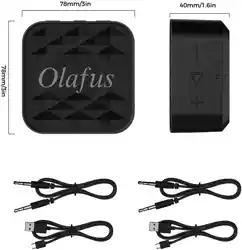
Speaker * 2
User Manual * 1
USB Cable * 1
AUX Cable * 1
Lanyard * 1
EN
Lautsprecher *2
Gebrauchsanweisung *1
USB Kabel *1
AUX Kabel *1
Schlüsselband * 1
DE
Enceinte *2
Manuel *1
Câble USB *1
Câble AUX *1
Cordon * 1
FR
Altavoz *2
Manual de Instrucciones *1
Cable USB * 1
Cable AUX * 1
Cordón * 1
ES
Speaker *2
Manuale Utente *1
Cavo USB *1
Cavo AUX *1
Cordino * 1
IT
PACKAGE CONTENTS / VERPACKUNGSINHALT / LISTE DE COLISAGE / LISTA DE
EMPAQUE / CONTENUTO DEL PACCO
5-8m
IT
TWS interconnection: Switch on the
two speakers at the same time, the
two speakers will be paired and
connected with each other.
After successful pairing, the blue
light of the main engine will flash
slowly, and the blue light of the
secondary engine will always light
(with the prompt tone); you can also
double-click the "+" to reset the TWS pairing.
Note: The best distance between the two speakers should be controlled between 5-8M.
If the range is too large or too small, the information transmission between the speakers
will be affected.
TWS-Verbindung: Schalten Sie die beiden Lautsprecher gleichzeitig ein. Die beiden
Lautsprecher werden gekoppelt und miteinander verbunden. Nach erfolgreichem Pairing
blinkt ein blaues Licht langsam und das andere blaue Licht leuchtet immer(mit dem
Aufforderungston); Sie können auch auf "+" doppelklicken, um die TWS-Pairing erneut
aufzurufen.
Hinweis: Der beste Abstand zwischen den beiden Lautsprechern sollte zwischen 5
und 8 m eingestellt werden. Wenn der Bereich zu groß oder zu klein ist, wird die
Informationsübertragung zwischen den Lautsprechern beeinträchtigt.
IT
Interconnessione TWS: Accendere i due altoparlanti allo stesso tempo, i due altoparlanti
saranno accoppiati e collegati tra loro, dopo l'accoppiamento riuscito, la luce blu host
lampeggia lentamente, la luce blu secondaria è sempre accesa (accompagnata da un
segnale acustico); è anche possibile fare doppio clic su "+" per accedere nuovamente
all'accoppiamento TWS.
Nota: La migliore distanza tra i due altoparlanti è tra 5-8M, se la gamma è troppo grande
o troppo piccola, influenzerà la trasmissione delle informazioni tra gli altoparlanti.
Se la gamma è troppo grande o troppo piccola, influenzerà la trasmissione delle
informazioni tra gli altoparlanti.
FR
Interconnexion TWS: Allumez les deux enceintes en même temps, et elles seront
connectés l'un à l'autre. Une fois l'appairage réussi, le voyant bleu de l'appareil principal
clignote lentement, tandis que celui de l'appareil auxiliaire est toujours allumé (avec un
son d'indication); vous pouvez également double-cliquer sur «+» pour reprendre
l'appairage TWS.
N.B. La meilleure distance entre les deux enceintes doit être 5-8 mètres.
Si la distance est trop grande ou trop proche, la transmission d'informations entre
les enceintes sera affectée.
Interconexión TWS: Encienda los dos altavoces al mismo tiempo, los dos altavoces se
emparejarán y conectarán entre sí, después del emparejamiento exitoso, la luz azul del
principal altavoz parpadea lentamente, la luz azul secundaria siempre está encendida
(acompañada de un pitido); también puede hacer doble clic en "+" para volver al
emparejamiento TWS.
Nota: La mejor distancia entre los dos altavoces es entre 5-8M, si el rango es demasiado
lejano o demasiado cercano, afectará la transmisión de información entre los altavoces.
DC 5V/1A
PARAMETER / PARAMETER / PARAMÈTRE / PARÁMETRO / PARAMETRI
80 x 80 x 40 mm 3.15 x 3.15 x 1.57 in
15m Max
V5.0
3.7V / 1200mAh
7W
A SPEAKER08
EN/DE/FR/ES/IT
Product Manual
WIRELESS SPEAKER
MODEL: A SPEAKER08
PRODUCT DESCRIPTION / PRODUKTSBESCHREIBUNG / DESCRIPTION DU PRODUIT /
DESCRIPCIÓN DEL PRODUCTO / DESCRIZIONE DEL PRODOTTO
EN
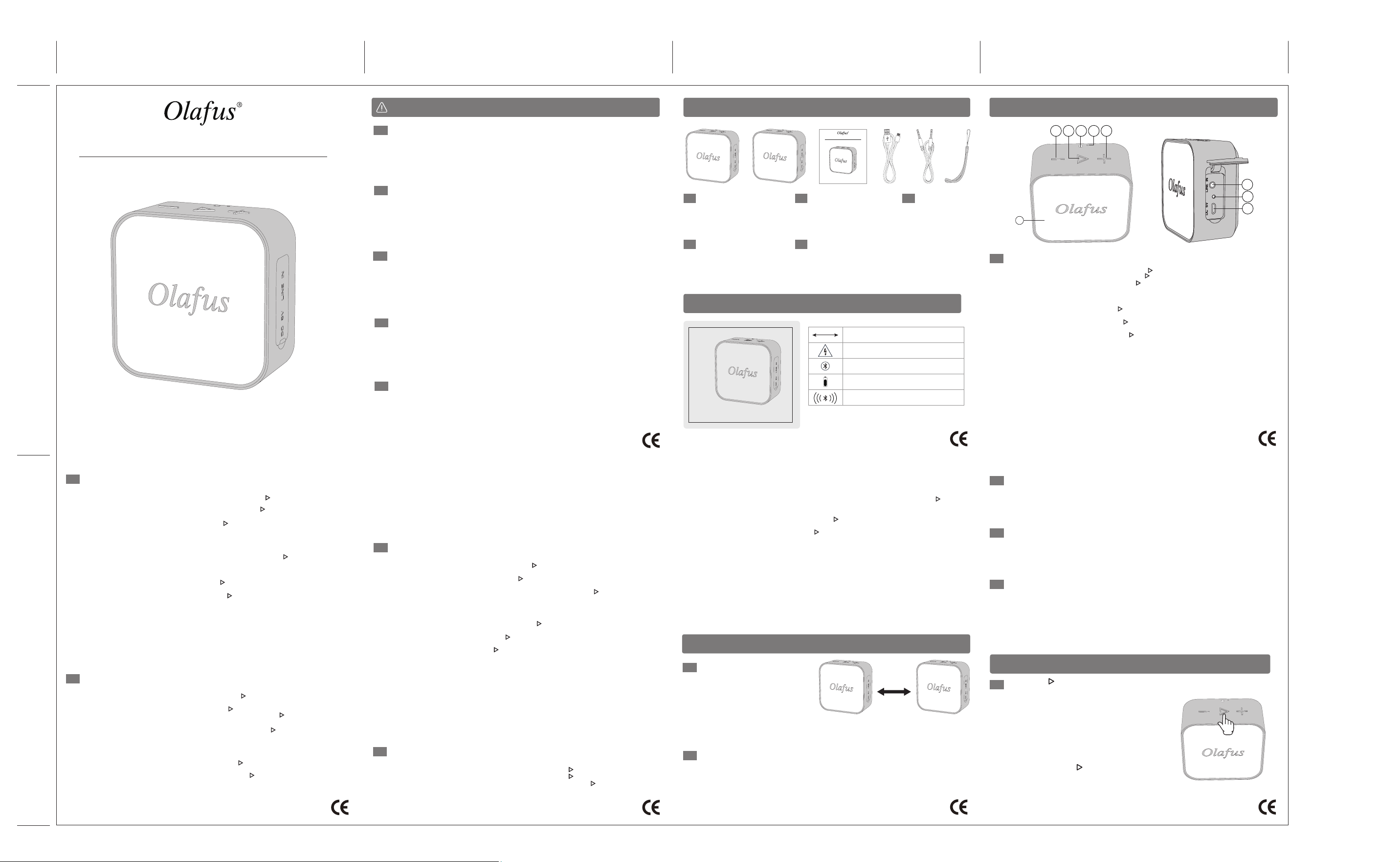
1 2 3 4 5
6
7
8
9
1. Volume Down / Previous Song / Turn on/off the light: Long press " - " to reduce volume;
Short press " - " to switch back to the previous song; Double click ''-'' turn on / off the light.
2. Turn On Speaker: Long press for 1 second " " till hearing "Power ON";
Turn OFF Speaker: Long press for 1 second " " till hearing "Power OFF"
Bluetooth pairing: Hold the power button " " to enter Bluetooth Mode.
Pause/Play: In the bluetooth mode, short press to play or pause music. in AUX audio mode,
short press 2 times to play music.
Answer the Call: When the speaker is connected with phone, the speaker will beep if there
is an incoming call. Short press the " " to answer the call.
Note: In TWS mode, the call only supports the main speaker
Hang Up the Phone: Short press the " " to hang up the phone when the speaker is
connected with phone.
Reject the Phone Call: Long Press the " " to reject the phone call when the speaker is
connected with phone.
3. Lanyard Hole
4. Built-in Microphone
5. Volume Up / Next Song / TWS pairing: Long press " + " to increase volume. Short press
" + " to move to the next song. After the two speakers are turned on, they will be
automatically paired; you can also double-click the "+" to reset the TWS pairing.
6. AUX Input Port
7. Indicator light: The blue light flashes quickly during Bluetooth pairing, and it stays on after
pairing is successful. When playing music the blue light will flash slowly, and it stays on
when the AUX IN state is on. The red light will stay on when charging, and goes off when
it is fully charged.
8. Micro USB Port: DC 5V/1A 9. LED RGB light
5. Monter le volume / Prochaine chanson / Appairage TWS: Appuyez longuement
sur " + " pour augmenter le volume; Appuyez brièvement sur " + " pour passer à la chanson
suivante. Les deux haut-parleurs sont automatiquement appairés après leur mise sous
tension; vous pouvez également double-cliquer sur «+» pour reprendre l'appairage TWS.
6. Port d'entrée AUX
7. Voyant lumineux: Le voyant bleu clignote rapidement pendant l'appairage Bluetooth,
reste allumé une fois l'appairage réussi et clignote lentement lors de la lecture de musique;
il est toujours allumé lorsque l'enceinte est à l'état AUX IN. Le voyant rouge est allumé lors
de la charge et éteint lorsqu'elle est complètement chargée.
8. Port USB Mirco: DC 5V/1A 9. LED lumière RGB
Pausa / Riproduci: In modalità Bluetooth, premere brevemente per riprodurre o mettere in
pausa la musica. In modalità audio AUX, premere brevemente 2 volte per riprodurre la musica.
Rispondi alla chiamata: Quando l'altoparlante è connesso al telefono, l'altoparlante
emette un segnale acustico se c'è una chiamata in arrivo. Premere brevemente " " per
rispondere alla chiamata.
Nota: In modalità TWS, la chiamata supporta solo l'altoparlante principale.
Riaggancia il telefono: Premere brevemente " " per riagganciare il telefono quando
l'altoparlante è connesso al telefono.
Rifiuta la telefonata: Premere a lungo " " per rifiutare la telefonata quando l'altoparlante è
connesso al telefono.
3. Foro per cordino
4. Microfono Incorporato
5. Aumento del volume / Prossima Canzone / Accoppiamento TWS: Premere a lungo " + " per
aumentare il volume; Premere brevemente " + " per passare alla canzone successiva; I due
altoparlanti vengono accoppiati automaticamente dopo l'accensione, è anche possibile fare
doppio clic su "+" per accedere nuovamente all'accoppiamento TWS.
6. Porta di Ingresso AUX
7. Indicatore luminoso: la luce blu lampeggia velocemente quando l'accoppiamento
Bluetooth, luce lunga dopo l'accoppiamento riuscito, flash lento durante la riproduzione
di musica; luce lunga quando lo stato AUX IN. La luce rossa è accesa quando è in carica, la
luce rossa è spenta quando è completamente carica.
8. PuPorta Micro USB: DC 5V/1A 9. Luce RGB del LED
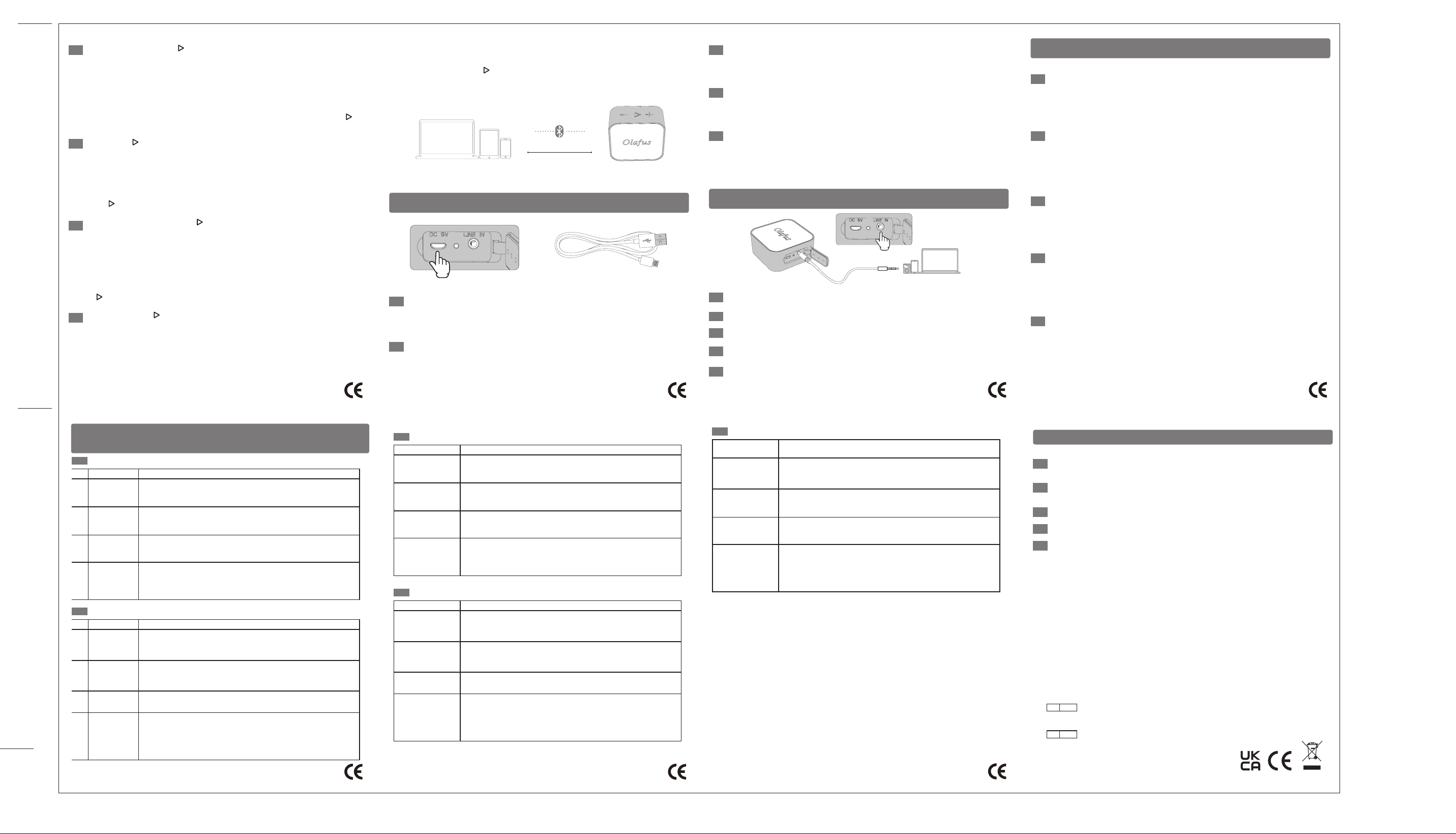
MICRO USB CHARGING PORT / MIKRO USB-LADEANSCHLUSS / PORT DE CHARGE
MICRO USB / PUERTO DE CARGA MICRO USB / PORTA DI RICARICA MICRO USB
AUX INPUT MODE / AUX-Eingang / MODE D'ENTRÉE AUXILIAIRE / MODO DE ENTRADA
AUX / MODALITÀ INGRESSO AUX
DE
EN
ES
1. Mantenga presionado el botón " " para encender el altavoz. El altavoz entrará
automáticamente en el modo Bluetooth de forma predeterminada.
Oirá un tono y la luz azul parpadeará rápidamente.
2. La primera vez que conecte los altavoces con su dispositivo, debe activar la función
Bluetooth de su dispositivo y buscar el altavoz. El dispositivo mostrará el nombre del
altavoz "A SPEAKER08". Seleciónelo y se emparejará automáticamente con su
dispositivo. Después de emparejarse con éxito, el altavoz emitirá un pitido y la luz
indicadora se pondrá azul.
3. Cuando el altavoz y su dispositivo se hayan emparejado correctamente, puede
reproducir música a través de su dispositivo y controlar la música a través del altavoz.
Si desea conectar un dispositivo diferente con este altavoz, presione brevemente
“ ” 2 veces para cortar la conexión Bluetooth actual. Y luego siga los 2 pasos
anteriores para ingresar al modo de sincronización de Bluetooth.
Please charge the speakers with the supplied micro USB charging cable and use the
DC power adapter that is less than 5V.
When the speaker’s battery is low, you will see the red indicator light is flashing and the
speaker will automatically shut down. Use the supplied USB cable to charge it.While
the speaker is charging, you will see a red indicator light. Once the speaker is fully
charged, the indicator light will turn blue.
1. When you turn on the speaker, it will automatically search for the device connected
recently. If the bluetooth of the device is activated, the speaker will automatically connect
and pair. After successfully pairing, you will hear a beep sound.
2. Bluetooth has an effective communication range of 15 meters. Make sure there are no
large obstructions within this range. To ensure a stabe connection, it’s best to use the
speaker within 5 meters of your device.
3. The speaker will automatically turn off in 30 minutes if there is no bluetooth connection
or no music played.
1. Wenn der Lautsprecher eingeschaltet wird, sucht er automatisch nach dem zuletzt
verbundenen Gerät. Wenn die Bluetooth-Funktion des Geräts aktiviert ist, verbindet sich der
Lautsprecher automatisch. Nach der erfolgreichen Kopplung hören Sie einen Piepton.
2. Die effektive Kommunikationsreichweite von Bluetooth beträgt 15 Meter. Stellen Sie sicher,
dass sich keine großen Hindernisse in diesem Bereich befinden. Um eine stabile Verbindung
und eine gute Erfahrung zu bekommen, würden wir Ihnen empfehlen, dass Sie den
Lautsprecher in einem Umkreis von 5 Metern verwenden.
3. Der Lautsprecher schaltet sich nach 30 Minuten automatisch aus, wenn keine Bluetooth-
Verbindung besteht oder keine Musik abgespielt wird.
1. Lorsque vous allumez l’enceinte, elle cherchera automatiquement le périphérique
récemment connecté. Si le bluetooth de l'appareil est activé, l’enceinte se connecte et se
couple automatiquement. Une fois l’appariement réussi, vous entendrez un bip sonore.
2. Bluetooth a une portée de communication efficace de 15 mètres. Assurez-vous qu'il n'y a
pas de gros obstacles dans cette plage. Pour de meilleurs résultats, utilisez l’enceinte à
moins de 5 mètres de votre appareil.
3. L’enceinte s'éteint automatiquement après 30 minutes s'il n'y a pas de connexion
Bluetooth ou de musique.
1. Cuando encienda el altavoz, buscará automáticamente el dispositivo conectado
recientemente. Si se activa el bluetooth del dispositivo, el altavoz se conectará y emparejará
automáticamente. Después de emparejarse con éxito, escuchará un pitido.
2. Bluetooth tiene un alcance de comunicación efectivo de 15 metros. Asegúrese de que no
haya grandes obstrucciones dentro de este rango. Para obtener los mejores resultados, es
mejor usar el altavoz a menos de 5 metros de su dispositivo.
3. El altavoz se apagará automáticamente en 30 minutos si no hay conexión Bluetooth o no
se reproduce música.
1. Quando accendi l'altoparlante, cercherà automaticamente il dispositivo connesso di
recente. Se il bluetooth del dispositivo è attivato, l'altoparlante si connetterà e si accoppierà
automaticamente. Dopo l'accoppiamento con successo, sentirai un segnale acustico.
2. Il Bluetooth ha un raggio di comunicazione effettivo di 15 metri. Assicurati che non ci siano
grossi ostacoli all'interno di questo intervallo. Per garantire una connessione stabile, è
meglio utilizzare l'altoparlante entro 5 metri dal dispositivo.
3. L'altoparlante si spegnerà automaticamente in 30 minuti se non c'è connessione
Bluetooth o non viene riprodotta musica.
Laden Sie den Lautsprecher bitte mit dem mitgelieferten USB-Ladekabel auf, und
verwenden Sie ein Netzteil, das weniger als 5V beträgt.
Wenn der Akku des Lautsprechers unzureichend ist, wird die rote Anzeigeleuchte blinken
und der Lautsprecher wird automatisch ausgeschalten. Verwenden Sie bitte das
mitgelieferte USB-Kabel zum Aufladen. Während der Lautsprecher geladen wird, leuchtet
die Anzeigeleuchte rot. Sobald der Lautsprecher vollständig aufgeladen ist, leuchtet die
Anzeigeleuchte blau.
FR
ES
IT
Cargue los altavoces con el cable de carga micro USB suministrado y use el adaptador
de alimentación de DC inferior a 5V.
Cuando la batería del altavoz está baja, verá que la luz indicadora roja está parpadeando
y el altavoz se apagará automáticamente. Utilice el cable USB suministrado para cargarlo.
Mientras el altavoz se está cargando, verá una luz indicadora roja. Una vez que el altavoz
esté completamente cargado, la luz indicadora se volverá azul.
Caricare gli altoparlanti con il cavo di ricarica micro USB in dotazione e utilizzare
l'adattatore di alimentazione CC inferiore a 5 V.
Quando la batteria dell'altoparlante è scarica, vedrai la spia rossa lampeggiare e
l'altoparlante si spegnerà automaticamente. Usa il cavo USB in dotazione per caricarlo.
Mentre l'altoparlante è in carica, vedrai una spia rossa. Quando l'altoparlante è
completamente carico, l'indicatore luminoso diventerà blu.
Chargez les enceintes avec le USB câble de charge fourni et utilisez l’adaptateur secteur
de moins de 5V.
Lorsque l’enceinte est de faible énergie, le voyant rouge clignote et l’enceinte s’éteint
automatiquement. Utilisez le câble USB fourni pour le charger. Pendant le chargement, un
voyant rouge s’affiche. Une fois que l'enceinte est complètement chargée, le voyant
devient bleu.
DE
FR
ES
IT
EN
DE
FR
ES
IT
EN
If your device is not bluetooth-enabled, easily connect with TV or other devices via this
3.5 mm audio cable.
Wenn Ihr Gerät nicht bluetoothfähig ist, können Sie es einfach über dieses 3,5mm
Audiokabel mit einem Fernsehgerät oder anderen Geräten verbinden.
Se il tuo dispositivo non è abilitato per Bluetooth, collegalo facilmente alla TV o ad altri
dispositivi tramite questo cavo audio da 3,5 mm.
Si votre appareil n'est pas compatible avec la technologie de Bluetooth, connectez-vous
facilement à la télévision ou à d'autres appareils via ce câble audio 3,5 mm.
Si su dispositivo no es compatible con Bluetooth, conéctese fácilmente con el televisor u
otros dispositivos a través de este cable de audio de 3.5 mm.
WARM TIPS / HINWEIS / CONSEILS / CONSEJOS CÁLIDOS / NOTA
EN
In order to prolong the lifespan of the speaker and protect your physical and mental health,
please do not listen to music in a long-term and loud environment, so as not to damage
your hearing.
Bitte benutzen Sie den Lautsprecher nicht langfristig mit hoher Lautstärke, um Ihr Gehör
und Ihre körperliche und geistige Gesundheit nicht zu schädigen und auch die Lebensdauer
des Lautsprechers zu verlängern.
Afin de prolonger la durée de vie de l'enceinte et de protéger votre santé physique et
mentale, veuillez ne pas jouer de musique à volume élevé pendant une longue période.
Con el objetivo de prolongar la vida útil del altavoz y su salud física y mental, no lo use en
entorno de gran volumen durante largo tiempo evitando dañar su audición.
Al fine di prolungare la durata del speaker e proteggere la sua salute fisica e mentale, la
preghiamo di non ascoltare la musica in un ambiente rumoroso a lungo termine , in modo
da non danneggiare l'udito.
DE
FR
ES
IT
SOLUTIONS TO COMMON PROBLEMS / LÖSUNGEN FÜR HÄUFIGE PROBLEME /
SOLUTIONS AUX PROBLÈMES COURANTS / SOLUCIONES A PROBLEMAS
FRECUENTES / SOLUZIONI COMUNI
EN
Problemas Solutions
Multiple attempts to
connect but failed
1. Check if the product is in search status, or restartit.
2. There are too many peripheral Bluetooth devices, making searching
difficult, you should turn off other Bluetooth devices.
The sound is low or
distorted
1. Check the volume of the Bluetooth device and adjust its volume to
a suitable position.
2. Please charge the speaker if the battery voltage is low.
The sound is not
continuous
Check whether the distance between the speaker and the Bluetooth
device exceeds the effective audio connection distance, or there is
an obstacle between them.
Bluetooth status
indicator does not
light
1. The battery is low, please try again after the speaker is fully charged.
2. There are too many peripheral Bluetooth devices, making searching
difficult, you should turn off other Bluetooth devices.
3. Check if the product is in search status, or restart it.
DE
Probleme Lösungen
Nach der
Mehrfachverbindung
ist aber das Pairing
erfolglos.
1. Überprüfen Sie, ob sich das Produkt im Suchstatus befindet, oder
schalten Sie das wieder ein.
2. Überprüfen Sie, ob es zu viele Bluetooth-Geräte herum gibt, was
die Suche erschweren. Schalten Sie andere Bluetooth-Geräte aus.
Der Ton ist leise
oder verzerrt.
1. Überprüfen Sie, ob die Lautstärke des Bluetooth-Geräts leiser ist.
Stellen Sie die Lautstärke lauter ein.
2. Überprüfen Sie, ob die Batterie leer ist. Laden Sie den Lautsprecher
auf.
Musik bricht.
Überprüfen Sie, ob es außer Bluetooth-Reichweite ist oder es die
Hindernisse zwischen Bluetooth-Gerät undLautsprecher gibt.
Die Bluetooth-
Statusanzeige
leuchtet nicht.
1. Überprüfen Sie, ob der Akku fast leer ist. Verbinden Sie das wieder,
nachdem der Akku voll ist.
2. Überprüfen Sie, ob es zu viele Bluetooth-Geräte herum gibt, was
die Suche erschweren. Schalten Sie andere Bluetooth-Geräte aus.
3. Überprüfen Sie, ob sich das Produkt im Suchstatus befindet, oder
schalten Sie das wieder ein.
FR
Panne Solution
Connexion
plusieurs fois sans
succès
1. Vérifiez si le produit est en recherche ou redémarrez l'appareil.
2. Les signaux entre différents appareils Bluetooth interfèrent les uns
avec les autres. Éteignez les autres appareils Bluetooth.
Le son est faible
ou déformé
1. Détectez le volume de l'appareil Bluetooth et réglez son volume à
un emplacement approprié.
2. Veuillez charger si la tension de la batterie est faible.
Musique par
intermittence
1. Vérifiez si la distance de connexion effective est
dépassée ou s'il y a un obstacle entre le haut-parleur
et l‘appariel Bluetooth.
L'indicateur d'état
Bluetooth ne
s'allume pas
1.La batterie est faible, veuillez réessayer après une charge complète.
2.Les signaux entre différents appareils Bluetooth interfèrent les uns
avec les autres. Éteignez les autres appareils Bluetooth.
3.Vérifiez si le produit est en recherche ou redémarrez l'appareil.
ES
Problemas Soluciones
Emparejamiento
fallido con múltiples
conexiones
1. Verifique si el producto está en estado de búsqueda o reinicie la
computadora.
2. Hay Demasiados dispositivos Bluetooth periféricos que dificultan la
búsqueda. Apague otros dispositivos Bluetooth.
Volumen bajo o
sonidodistorsionado
1.Detecte el volumen del dispositivo Bluetooth y ajústelo a una escala
adecuada.
2.Cargue el dispositivo si el voltaje de la batería está bajo.
Pausas anormales
de música
Si se excede la distancia efectiva de conexión de el altavoz, o si hay
obstáculos entre el altavoz y el dispositivo Bluetooth.
Luz indicador a de
estado de Bluetooth
no se ilumina
1.Indica que la batería está baja, intente de nuevo después de
completar la carga.
2.Hay demasiados dispositivos Bluetooth periféricos que dificultan la
búsqueda, por lo que apague otros dispositivos Bluetooth.
3.Verifique si el producto está en el estado de búsqueda o reinicie la
computadora.
IT
Descrizione del
guasto
Soluzioni
Connessione fallita
1. Controllare se il prodotto è nello stato di ricerca o riavviare il
dispositivo.
2. Ci sono troppi dispositivi Bluetooth periferici, rendendo difficile la
ricerca, è necessario disattivare altri dispositivi Bluetooth.
Il suono è basso o
distorto
1. Controllare il volume del dispositivo Bluetooth e regolarne il volume
in una posizione adatta.
2. Caricare l'altoparlante se la tensione della batteria è bassa.
Il suono non è
continuo
Controllare se la distanza tra l'altoparlante e il dispositivo Bluetooth
supera la distanza effettiva di connessione audio o se c'è un ostacolo
tra di loro.
L'indicatore
Bluetooth non si
accende
1. La batteria è scarica, riprovare dopo che l'altoparlante è
completamente carico.
2. Ci sono troppi dispositivi Bluetooth periferici, rendendo difficile la
ricerca, è necessario disattivare altri dispositivi Bluetooth.
3. Controllare se il prodotto è nello stato di ricerca o riavviare i
dispositivi.
FR
1. Tenez le “ ” pour allumer l’enceinte. L’enceinte passera automatiquement en
mode Bluetooth. Vous entendrez un son d'indication et le voyant bleu clignotera rapidement.
2. Lorsque vous associez l’enceinte à votre appareil pour la première fois, activez la
fonction Bluetooth de votre appareil et cherchez l’enceinte. L’appareil affichera le nom
de l’enceinte «A SPEAKER08». Puis faites jumeler automatiquement. Une fois
l’appariement réussi, l’enceinte émettra un bip et le voyant deviendra bleu.
3. Lorsque l’enceinte et votre appareil ont été associés avec succès, vous pouvez écouter
de la musique via votre appareil et contrôler la musique via le haut-parleur. Si vous
souhaitez connecter un autre périphérique à cette enceinte, appuyez brièvement deux fois
sur “ ” pour couper la connexion Bluetooth actuelle. Suivez ensuite les deux étapes
ci-dessus pour passer en mode de couplage Bluetooth.
DE
1. Halten Sie die die Taste " "gedrückt, um den Lautsprecher einzuschalten. Der
Lautsprecher wechselt standardmäßig automatisch in den Bluetooth-Modus, und Sie
werden ein Sprachansage hören und die blaue Anzeigeleuchte blinkt schnell.
2. Wenn Sie Ihr Gerät mit dem Lautsprecher zum ersten Mal verbinden, sollten Sie die
Bluetooth-Funktion Ihres Geräts einschalten und unseren Lautsprecher, “A SPEAKER08“
nachsuchen. Tippen Sie auf den Namen des Lautsprechers, und Ihr Gerät wird
automatisch mit dem Lautsprecher verbinden. Nach der erfolgreichen Kopplung ertont
der Lautsprecher und die Amzeigeleuchte leuchtet blau.
3. Wenn der Lautsprecher mit Ihr Gerät erfolgreich verbunden wurde, können Sie Musik
über Ihr Gerät abspielen und die Musik über den Lautsprecher steuern. Wenn Sie ein
anderes Gerät mit diesem Lautsprecher verbinden möchten, drücken Sie die Taste “ ”
zweimal kurz, um die bestehende Bluetooth-Verbindung zu trennen. Folgen Sie dann
den obigen beiden Schritten, um den Bluetooth-Kopplung-Modus aufzurufen.
IT
1. Tenere premuto " " per accendere l'altoparlante. L'altoparlante entrerà
automaticamente in modalità Bluetooth per impostazione predefinita.
Si sentirà un tono e la luce blu lampeggerà rapidamente.
2. La prima volta che abbini gli altoparlanti e il tuo dispositivo, devi attivare la funzione
Bluetooth del dispositivo e cercare l'altoparlante. Il dispositivo visualizzerà il nome
dell'altoparlante "A SPEAKER08". Tocca il nome dell'altoparlante e si accoppierà
automaticamente con il tuo dispositivo. Dopo l'associazione con successo,
l'altoparlante emetterà un segnale acustico e l'indicatore luminoso rimarrà blu.
NOTE / HINWEISE / REMARQUE / NOTA / NOTA
3. Quando l'altoparlante e il dispositivo sono stati accoppiati correttamente, puoi
riprodurre musica tramite il dispositivo e controllare la musica tramite l'altoparlante.
Se si desidera collegare un dispositivo diverso a questo altoparlante,
premere brevemente " " 2 volte per interrompere la connessione
Bluetooth attuale.
Quindi segui i 2 passaggi precedenti per accedere alla modalità
di associazione Bluetooth.
Manufacturer/Hersteller:
Shen Zhen Shi Zhi Hui Duo Ke Ji You Xian Gong Si
qian wan yi lu 1 hao A dong 201 shi, qian hai shen gang he zuo qu, shen
zhen, guang dong, 518000, CN
[email protected] www.olafuslife.com
UNIT G25 WATERFRONT STUDIOS 1 DOCK ROAD
LONDON UNITED KINGDOM E16 1AH
Made in China
EU REP Brightstarconsultinge.K.
Humboldtstr.5,31812BadPyrmontGermany
UK REP MDH LIGHTING LTD
Distance<15M