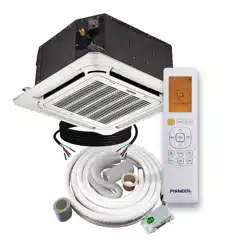
REV250521
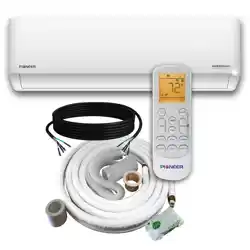
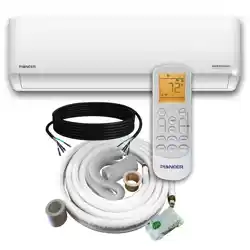
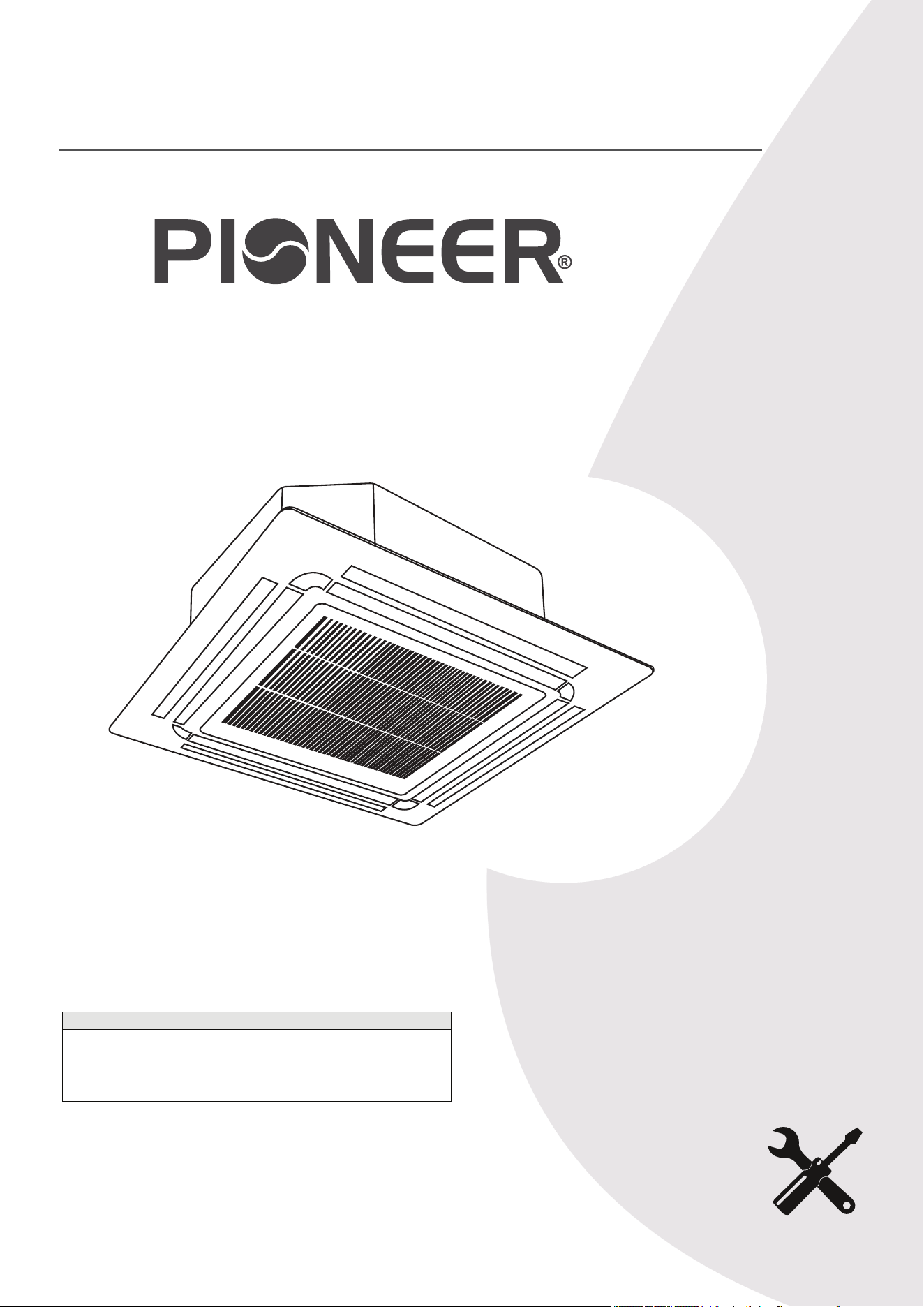
CYT-24 Inverter Series
For 9,500-23,000 BTU/hr Systems
Quantum Ultra (R-454B) - CT Indoor and YN Outdoor
Note
Intended for use with Single-Zone Split Systems. If the indoor sections will be installed as
part of a Multi-Zone System, refer to the supplemental instructions provided with the
Multi-Zone Outdoor Unit for complete and accurate guidance. Certain specifications—such
as minimum floor area requirements—may differ, and are outlined in more detail within the
Multi-Zone Section documentation.
Installation &
User Manual
IMPORTANT NOTICE:
Read this manual carefully before installing or
operating your new air conditioning system. Be
sure to save this manual for future reference.
DUCTLESS MINI SPLIT SYSTEM AIR CONDITIONER / HEAT PUMP
Table of Contents
5
1 Safety Precautions............................ 2
4
6
2 System Components........................
3
Included Accessories........................
4
Indoor Unit Overview.........................
20
5 Operating Instructions....................... 7
19
30
6 Maintenance....................................
7
A2L Refrigerant................................
8
Indoor Unit Installation......................
52
9 Outdoor Unit Installation................... 41
56
T
Troubleshooting...............................
A
Appendix..........................................
10
Electrical/Gas Leak Check & Test Run
.... 50
Air Conditioner Installation & User Manual
1
Warning
Caution
Danger
Warning
Do not power the system using an extension cable or with wiring smaller than the specified gauge. Do not
share the electrical cable with other appliances. Improper or insufficient power supply can cause
undesirable operation, fire, or electrical shock.
When connecting the refrigerant piping, do not allow any substances or gases other than the specified
refrigerant to enter the unit. The presence of other gases or substances will lower the unit's capacity,
causing abnormally high pressure in the refrigeration cycle. This can cause an explosion or injury, as well
as permanent equipment failure. Note: No dust, humidity, or air is allowed to enter the unit.
Do not allow children to play with or around the air conditioner. Supervise children near the unit at all
times.
1. Trained personnel must complete the installation according to the applicable codes. Defective installation
can cause water leakage, electrical shock, or fire. Using the proper tools is required.
2. Perform the installation according to the instructions. Improper installation can cause water leakage,
undesirable performance, electrical shock, or fire. In North America, an authorized personnel must perform
the installation in accordance with the requirements of NEC and CEC.
3. If the unit requires repairs or maintenance, contact a qualified and licensed HVAC technician.
4. Only use the included accessories, parts, and specified items for installation. Using non-standard parts can
cause water leakage, electrical shock, fire, and total unit failure.
5. Install the unit on top of a firm structure that can fully support its weight. If the chosen location cannot
support the unit's weight or the installation is not done properly, the unit may fall and cause serious injury and
damage.
This symbol indicates that you must never perform the action shown.
This symbol indicates that ignoring the related instructions may cause moderate injury to
nearby individuals and/or damage to the appliance or other property.
This symbol indicates that ignoring the related instructions may cause death or serious injury.
Read and Understand All Safety Precautions Prior to Installation
Improper installation due to negligence of instructions may result in death, property damage, or serious injury.
The magnitude of the potential damage or injury is classified as either a Warning or Caution.
1
Safety Precautions
Air Conditioner Installation & User Manual
2
Page 4
This symbol indicates that ignoring the related instructions may cause death, or
serious injury.
This symbol indicates that ignoring the related instructions may cause moderate
injury to nearby persons, and/or damage to your appliance or other property.
WARNING
Safety Precautions
Read and Understand All Safety Precautions Prior to Installation
Improper installation due to negligence of instructions may result in death, property damage, or serious
injury. The magnitude of potential damages or injuries is classified as either a WARNING or a CAUTION.
CAUTION
DANGER
WARNING
Do not power the system using an extension cable or with wiring smaller than the specified gauge.
Do not share the electrical circuit with other appliances. Improper or insufficient power supply
can cause undesirable operation, fire, or electrical shock.
When connecting refrigerant piping, do not let any substances or gases other than the specified
refrigerant enter the unit. The presence of other gases or substances will lower the unit’s capacity,
and can cause abnormally high pressure in the refrigeration cycle. This can also cause explosion and
injury, as well as permament equipment failure. Remember: No dust, humidity or air is allowed to enter.
Do not allow children to play with or around the air conditioner. Children near the unit must be
supervised at all times.
This symbol indicates that you must never perform the action shown.
1.
Installation must be performed by trained personnel according to applicable codes. Defective
installation can cause water leakage, electrical shock, or fire. The usage of proper tools is required.
2.
Installation must be performed according to the installation instructions. Improper installation can
cause water leakage, undesired performance, electrical shock, or fire.
(In North America, installation must be performed in accordance with the requirements of NEC and
CEC, by authorized personnel.)
3.
Contact a qualified and licensed HVAC technician for any repairs or maintenance of this unit.
4.
Only use the included accessories, parts, and specified items for installation. Using non-standard
parts can cause water leakage, electrical shock, fire, and can cause total unit failure.
5.
Install the unit on top of a firm structure that can fully support its weight. If the chosen location
cannot support the unit’s weight, or the installation is not done properly, the unit may fall and
cause serious injury and damage.
Caution
For units with an auxiliary electric heater, do not install the unit within 3 feet (1 m) of any combustible materials.
Do not install the unit in a location that may be exposed to combustible gas leaks. If combustible gas
accumulates around the unit, it may cause a fire.
Do not operate the air conditioner in a highly humid space, such as bathrooms or laundry rooms. Exposure to
high humidity or water can cause electrical components to short circuit.
6. For electrical work, follow all local and national wiring standards and regulations, especially in this installation
manual. You must use an independent circuit and dedicated breaker to supply power. Do not connect other
appliances to the same circuit. Insufficient electrical capacity or defects in electrical work can cause electrical
shock or fire.
7. For all electrical work, use the specified cables. Connect cables tightly, then clamp them securely to prevent
external forces from damaging the terminals. Improper electrical connections can overheat, causing fire and
electrical shock.
8. Properly arrange the wiring to ensure that the control board cover can close correctly. If the control board is not
closed properly, it can lead to corrosion and cause the connection points on the terminal to heat up, catch fire, or
cause electrical shock.
9. Use specially designed air conditioners for functional environments, such as kitchens, server rooms, etc.
10. If a part of the electrical wiring is damaged, a certified service agent or similarly qualified technicians must
replace the wiring in order to avoid a hazard.
11. Children aged 8 and above, as well as individuals with lack of experience or reduced physical, sensory, or
mental capabilities can use the appliance if supervision or instruction is given. Do not allow children to play with or
near the appliance. Children or untrained personnel should be restricted from cleaning and performing
maintenance on the appliance, unless they're given supervision.
Warning
1. The product must be properly grounded during the duration of the installation process, otherwise electrical
shock may occur.
2. Install the drainage piping according to the instructions in this manual. Improper drainage may cause water
damage to your home and property.
Notes about Fluorinated Gases
1. This air conditioner contains fluorinated gases. For specific information on the type of gas and amount, refer to
the relevant label on the unit.
2. Qualified and well-trained personnel must complete the installation, repair the unit, and perform service and
maintenance.
3. A certified HVAC technician must remove and recycle the product.
4. If the system has a leak-detection feature installed, check its functionality at least every 12 months.
5. When checking the unit for leaks, it is recommended to properly log and record all checks.
1
Safety Precautions
Air Conditioner Installation & User Manual
3
No. Description
1
1
2
2
3
3
4
7
5
8
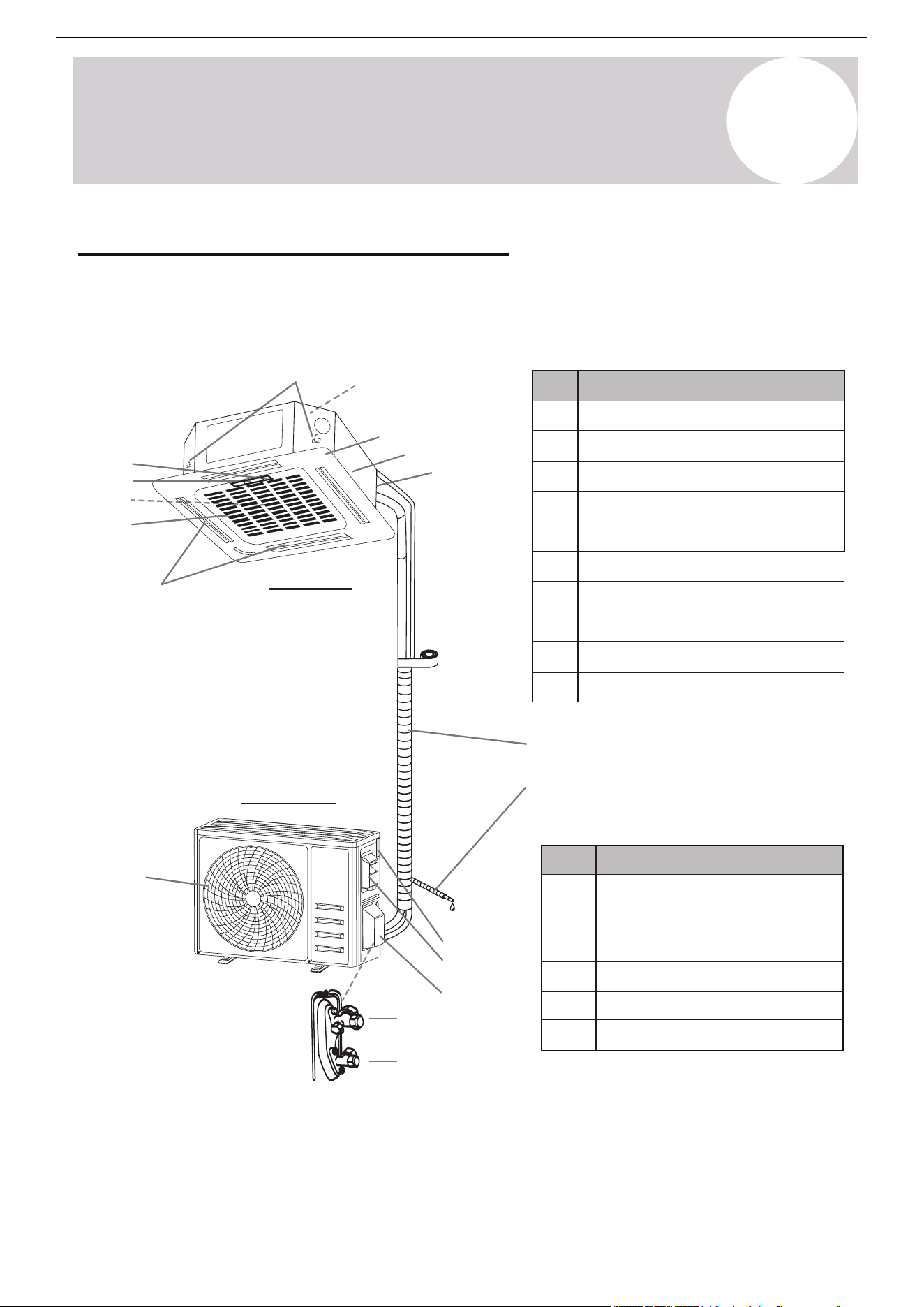
Decorative panel
LED display
Controller signal receiver
Service bundle connections
Air supply outlets
Air return inlet
6
4
7
5
8
6
9
9
10
10
Filter access panel
Cassette suspension brackets
Interior condensate pump
Cassette air handler body
15
16
11
14
13
12
2
System Components
No.
Description
11
12
13
15
16
Air outlet grille
Outdoor unit nameplate
Terminal block cover
Gas (Suction) line valve
14
Valve protection cover
Liquid line valve
Note: The illustrations are a simplified diagram of the appliance and may not fully reflect the system's actual
appearance. Technical data is printed on the system's labels.
Refrigerant piping
Condensate drain
With the protective
cover removed
Ceiling-Mounted Cassette Air Conditioner
The system is made up of two units connected together via insulated copper pipes and an electrical
communication cable. Mount the indoor unit and panel to the ceiling of the room intended to be air conditioned.
Install the outdoor unit either on the ground outside or on the wall of the dwelling using suitable mounting
brackets.
Outdoor Unit
Indoor Unit
Air Conditioner Installation & User Manual
Note: Serial numbers are typically located
behind the electronic control box cover
cap of either unit.
4
e
al pr
ir
ope
th
mpr
t
, adju
co
3
Included Accessories
Accessories & Components
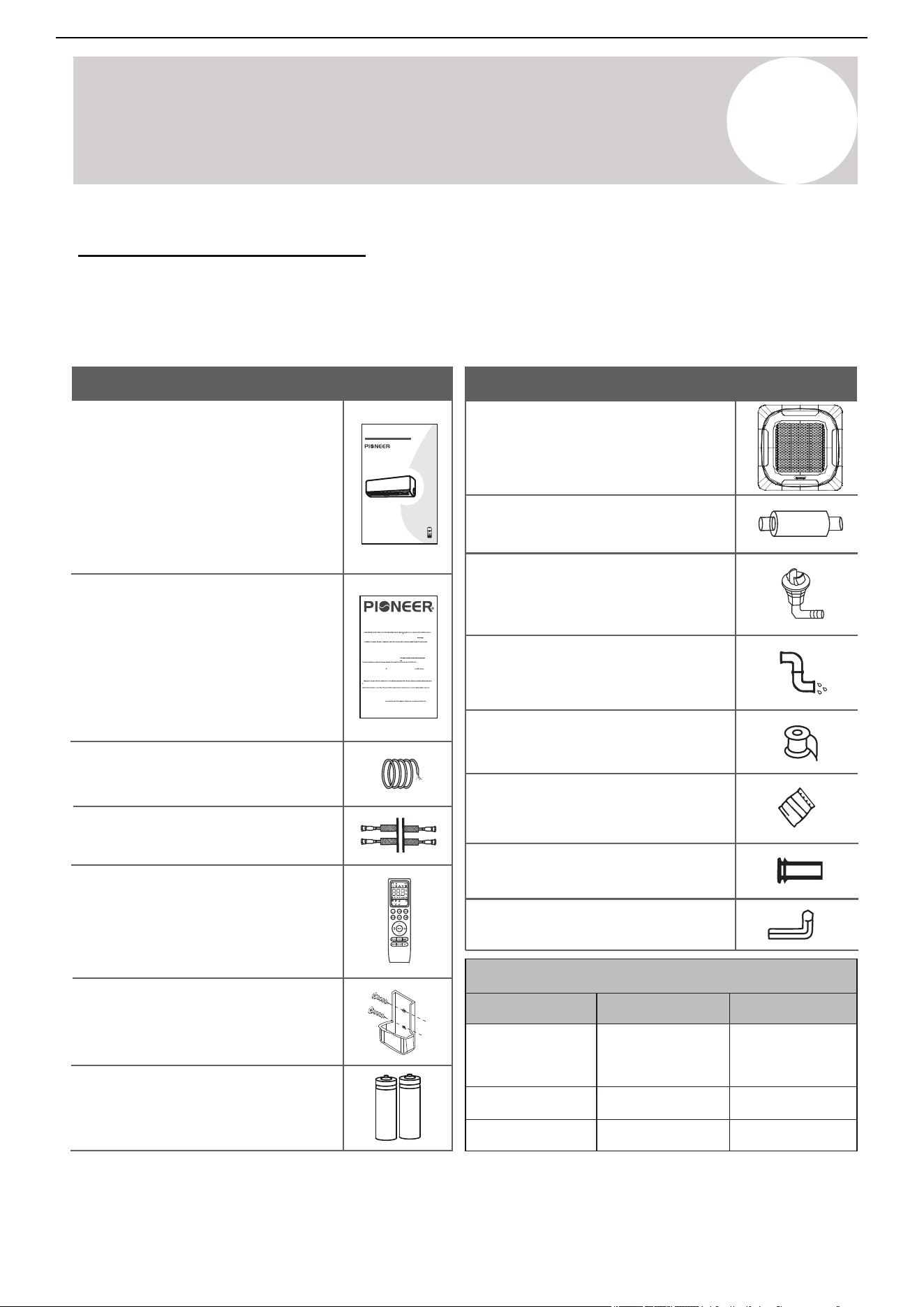
The air conditioning system comes with the following accessories. The asterisk items are sold separately. Use
all of the installation parts and accessories to install the air conditioner. Improper installation may cause the
equipment to fail, or result in water leakage, electrical shock, or fire.
Name
Appearance
1x Communication/Signal cable*
CS78421-548-754
SPLIT-TYPE ROOM AIR CONDITIONER
IMPORTANT NOTE:
e to save this manual for
our new air c
fully befor
or operating y
Read this manual care
onditioning
e installing
Installation and
Owner’s Manual
future
unit. Make su
referenc
r
e.
Name
Appearance
1x Insulated copper pipe*
t
1.
o t
Unless this high quality product is registered properly as soon as it is put in service, all references made in this document to the term “warranty” solely refer
t
2
h
.
is
War
docu
ranty
me
is
nt
p
t
r
o t
ovi
h
d
e
e
t
d
e
r
by
m
P
“w
rk
ar
e
r
r
an
D
t
a
y
vi
” r
s
e
H
fe
V
r
A
t
C
o t
In
h
t
e
er
St
n
an
ation
dar
a
d
l,
W
nc
ar
.
r
(
a
h
n
e
t
r
y
e
, a
in
ls
aft
o a
er
s
r
f
e
ur
fe
t
r
h
e
er
d t
de
o
s
e
PD
d be
), th
low
ue s
.
follo
pplier of P
win
g
io
details:
neer® branded Split System Heat
u
Types of
mp Produ
In
c
st
ts (
alla
h
t
ere
ion
in
s: W
afte
ar
r
a
r
i
r
str
an
efer
y
re d to as
es t
Pr
o all
oducts
Produ
), c
cts,
ove
i
ri
nstal
n
I
g all part
led in
a r
s of
es
t
ide
he
n
P
c
r
e
odu
. Warr
r
cts
an
, s
a
ubje
ty als
c
o appli
t to the
s to P
roducts clas
c
i. Ar
ii. Are operated in unoccupied struct
a
ures or used for
iii. Are residential Products, but installed or used for c
pur
omme
pos
r
e
ci
s ot
al pu
he
r
r th
pos
an
es
comf
.
ort cooling / heating.
iv. Has been removed from the place it was originally installed and reinstal
d. Warranty Coverage: The warranty covers the parts of the Products, whic
le
h ma
d at
y
an
bec
oth
ome
er plac
defe
e
c
.
c
P
a.
omme
f
b
or
. Pr
r
oduct R
cial Pr
eg
odu
istra
c
tion
ts, i
:
n
R
st
eg
alled i
a
t
n
ti
c
on is
appli
omme
not
rci
requ ed f
r
or
tie
t
s
h
.
e availability of the Basic Warranty. Warranty registration is strongly urged and requ
ired
r
on
on
ion car
r
packed with the Product and send it in as instructed in the form OR conveniently register online at www.pdhvac.com and use the
.
eg
eg
Ex
is
ist
t
clu
ra
rat
s
t
i
i
s
li
t
n
o
k
d
.
W
e installed out
a
s
r
i
r
de
an
t
t
h
y
e
Co
Un
ve
it
r
e
ag
d S
e:
t
W
te
ar
s
r
of
ant
Ame
y doe
ri
s
ca.
not apply to any Product that:
tive due to the quality of the materials or
e
w
.
or
W
k
i. Damage
arr
man
anty D
ip,
r
oe
u
s
n
n
de
ot
r n
Co
or
ver:
mal u
P
D
s
i
e
s
an
not
d pr
resp
ope
on
r
si
mai
b
t
or
enash
s or
le
n
f
y inst
an
nc
y
allation
e
w
.
arr
or
ant
wr
y clai
ong
m
appli
due t
ca
o:
ti
. Warranty End Date: Products that have not been registered as instructed above are covered Warr
l
s
exc
t
e
or
e
igi
d a da
nal o
te, f
wn
ur
e
t
r
h
of
er
t
t
h
h
e
an
P
6 mo
roduc
n
t,
th
w
s
h
f
er
ollo
e it
wi
is
n
or
g t
ig
h
i
e
n
man
ally i
u
n
f
st
ac
al
t
le
ur
d
i
,
ng
an
da
d i
t
s
e
n
of
ot
t
t
h
r
e
an
P
s
r
f
oduc
e rable
t as
to th
code
e s
d i
u
n
bs
t
e
h
q
e
u
s
e
e
n
r
t
a
o
l
n
wn
umbe
ers.
r. Warranty is provided only to t
he
ii. Damages or repairs arising fr
epairs arising as a r
om any ex
esult of a fault
ternal perils, out of PD’s control, such as
on.
iii. Damages or repairs arising f
rom use of non-compatible parts, alterations, modi
pipes, electrical surges, input power
with under or overvoltage, lightening or existe
nc
t
e
ion
of
s
c
or
or
i
ros
mpr
ive s
ope
u
r
bst
appli
ance
ca
s
ti
ne
on
ar
s.
by.
exchangers, fans and
v
blo
. Da
wer
mag
s, an
es or
y n
r
e
e
ce
pai
ss
r
ar
s n
y lu
ee
br
de
ica
d be
tion
cau
of
s
i
e
nt
of
er
u
n
si
al c
ng par
ompon
ts, s
e
u
nts
ppli
an
es or
d mai
ot
n
h
t
e
e
r
nan
add-
ce
on
of
c
exte
ompon
rnal
en
ac
t
c
s
e
t
s
h
s
a
or
t
i
ar
es
e
.
PD.
not supplied by or approved for use b
y
vi. Da
vii. Chan
mag
ge
e
s
s
t
or
ha
r
t
e
can
pairs
be
as
c
a r
on
e
si
su
de
lt
re
of
d c
i
os
mpr
me
ope
tic
r
,
u
n
s
ot
e, poor
ec
mai
ting t
nte
e
n
sy
an
st
c
e
e,
ms
wr
pe
on
r
g
for
ope
man
rat
c
i
e
on
, in
or
clu
i
mpr
ding
ope
bu
r
t
s
n
er
ot
vi
li
ce
mi
.
viii. Resetting of power or the circuit breakers and eplacement of other types of fuses, both internal and ext
t
e
e
r
d t
nal.
ix. Any damages of repairs caused by the use of dir
r
ty, recycle
h
d, wrong type or unapproved refrigerants and lubrica
r
t
h
s.
andling of system parts
xi.
Damages
or repairs caused by con
an
x. Damages or repairs due to moisture, air, dust, sand, dirt, etc., that have been allowed into the system by imprope
n
d components during installation.
t
tinuing use the Product, after a malfunction has been noticed or indicated at the display module,
f.
bu
xii. Damag
hrough an
e
e
s or
rror
pe
code
rfor
.
man
Warranty Begin Date: War
c
r
e
an
is
t
su
y be
es du
gins
e t
on
o i
e da
ope
te
r
of
ma
in
t
st
chi
al
ng
lat
,
i
P
on
roduc
and c
t se
ommi
lecti
s
o
si
n,
on
u
i
n
ng
de
of
r-s
t
i
h
zi
e
n
P
g
r
, o
odu
ver
c
-
t
s
,
i
i
zi
n
n
e
g
xi
, i
sti
mpr
ng r
ope
esi
r i
de
n
n
st
c
t
e
al
s
la
an
ion
d c
or
omme
misu
r
s
ci
e.
a
LIMITED PARTS WARRANTY
Pioneer® Brand Split System Heat Pump Products
© 2025, PARKER DAVIS HVAC INTERNATIONAL INC.
f
g
or a period of up to one year. Products that have been properly registered as instructed above will be
under the Basic
covered under
ant
S
y. T
tandard
he Basic
Warr
W
ant
arrant
y. The
y lasts
h
an
. R
d r
e
e
mai
side
ni
i
n
n
g
t
W
he
arr
dw
an
e
t
lli
y:
n
A
g
n
, or
y par
ope
t, c
rate t
ompon
he
bu
en
si
t or
ne
P
s
r
s in
odu
th
c
e
t
pr
hat
ope
w
r
as
ty
r
, i
e
n
pl
wh
ace
ich
d u
t
n
he
de
P
r
r
th
odu
e t
c
e
t
r
h
ms
ad be
of th
e
e
n
w
ori
ar
g
r
i
a
n
n
al
ty
ly i
w
nst
ll be
alle
c
d
o
.
v
war
er
gin date
ed under the
.
same
i. War
ra
rant
nty an
y P
d on
roce
ly f
dur
or
e:
t
P
he
D
dur
will fu
ation
rnish a ne
in which
w or
th
re
e ori
manuf
ginal
t
w
acture
arran
d r
t
e
y
pla
for
ce
the
me
P
n
rodu
t par
ct
t
d
,
is
wit
appli
hout
cable
an
y
, as c
char
omme
ge for t
n
he par
ced on
t it
i
it
s
s
e
be
lf, for the re
par
pla
d us
cement of an
e and
y
ermined to have failed discretion, due to efec orkmansh
proper maint
t that has been det
enance. Associated shipping costs for the
, by PD at its sole
replacement parts may also be covere
ts in its materials or w
d at PD’s expense, at its own disc
ip under standar
retion and under
certain conditions, while the shipping method used will be solely determined by PD. Otherwise, the payment of the shipping costs for the part will be
the sole responsibilit of the owner of the Product. PD reserves the right to ask the owner of the Product to return the failed part to PD, before
j. La
e
cement of th
t
p
, ma
n
ls
y
tor after a r laceme part may be sent out.
re
ar
ar
g
e
sponsibili
s
v
y of the
mo
he
. No oth
t
c
h
t
osts
re
p
pl
la
bor cos
nt,
t
t
e
al
r
i
e d
la
a
ti
ef
on
an
ec
,
t
r
iv
e
d ot
mo
e par
her
v
t,
cos
re
ts
mai
:
ppi
A
n
n t
n
y
g
l
,
he
e
r
t
abor
e
c.,
, involved in diagnosis, lodging, transportation, se
rvicing, repair,
k
ac
efri
e
ge
ed u
me
rant:
i
A
ns
ny costs relat arging, re i
t
ng
o be
t
er
me
e
d u
n
o
t,
n
wne
or
de
r
r
e
r t
v
w
al
arr
of
er
an
e
y
r
.
co
an
. R
v
ed t
al
.
,
o ch
shi
All P
ch
ts go through vigorous quality controls at vari
efrigerant,
ous statio
and t
ns and leav
he cost of the r
e the fact
efrig
ory in pe
erant itself
rfect
, ar
wor
e not
k
ing
d
er
does not co
sealed
v
nder an
er an
condition
y
y cir
. P
claims
rod
r
u
cumstances
c
elated t
ts are
i
o th
r
ndividually
oduc
e lack of r
t
efrige
ested in high
rant in n
ly sen
ew Pr
sitiv
oduc
e heli
ts, discov
um vacuum c
ered upo
hamber
n arrival
s for
, or durin
existence of r
g installat
efrigeran
ion, as w
t leaks. Ther
ell as subsequent
efore PD
refrigerant losses occurring at an
y time af
terward
1x
Installation & User manual
1x
Warranty card
1x
Remote controller
1x
Remote controller holder
2x
Remote controller batteries
Note: Items with an asterisk * may be sold separately and are sometimes supplied by the installer. Therefore,
some items may differ in appearance, shape, or length, depending on the particular installation.
Connecting Pipe Diameters
16,000
23,000
BTU Capacity
Liquid Line
Gas Line
9,500 - 12,000
Indoor unit mounting plate
(Boxed separately in some
cases)
1x
1x Drain pipe assembly
Plastic drain joint plug for
the outdoor unit
(Use only for wall-mounted
condensers)
1x
1x Condensate drain hose*
1x
Wrapping tape*
1x
Wall-hole packing sealant*
1x
Wall sleeve*
1x
Allen wrench for
opening service valves
Air Conditioner Installation & User Manual
¼”
⅜”
½”
⅝”
¼”
¼”
5
No.
Description
Symbol
LED Icon
1
2
3
4
5
6
7
8
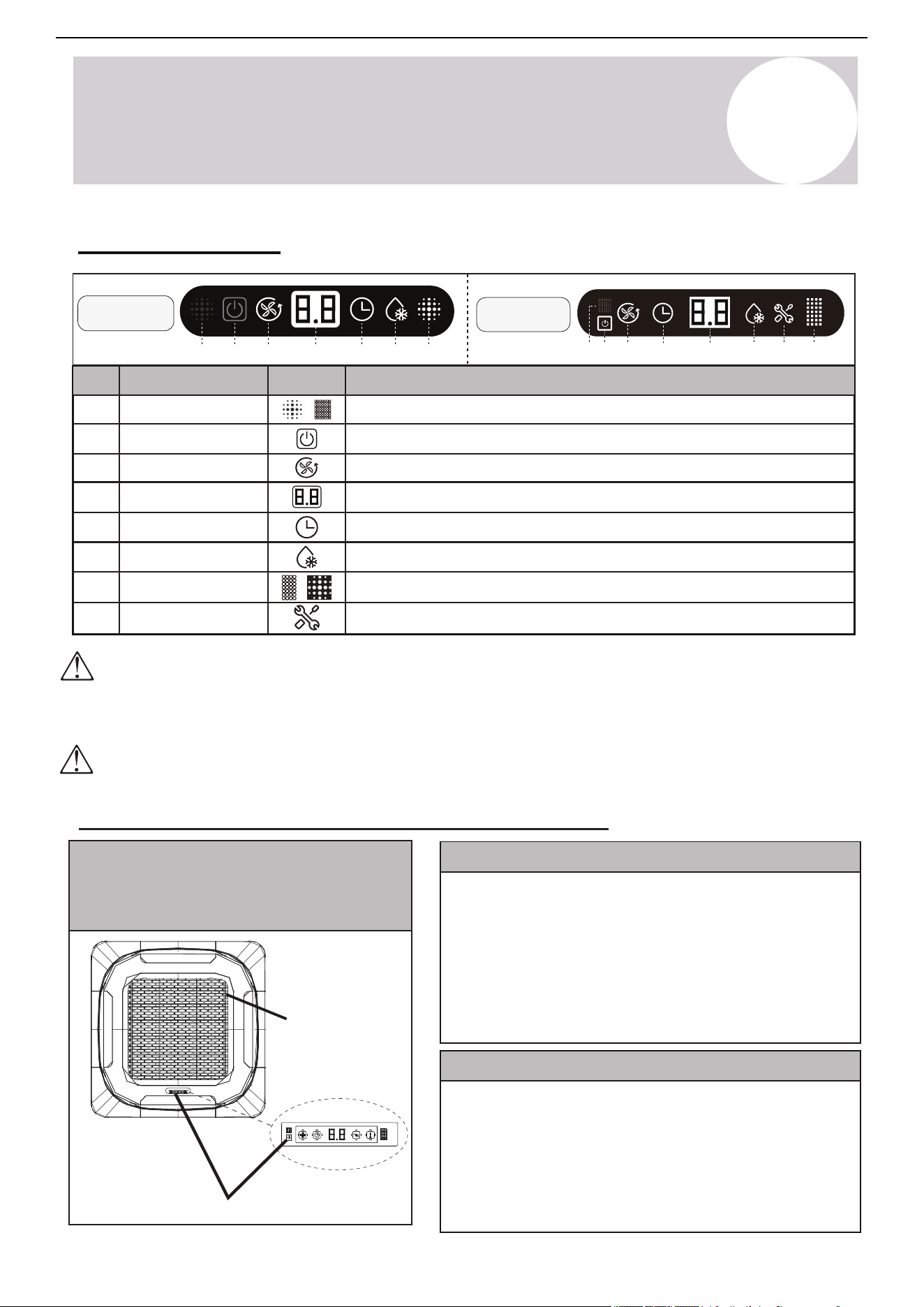
Operation Light
Digital Display
Timer Indicator
Defrost Indicator
Signal Receptor
Alert Indicator
Manual Button
Tone Emitter
Indicates that the system is operating normally
Displays temp. settings, error codes, and operational status
Shows that a timer function has been activated
Indicates that the unit is either in Defrost mode or preheating
Receives signals from the handheld remote controller
Illuminates to indicate a system fault or abnormal condition
Manually powers the unit on or off without using the remote
Emits confirmation tones when receiving command signals
Emergency
Button
Front panel
9-18K BTU
1 2 3
24K BTU
4 5
6 7
41 2 3 5 6 78
4
Indoor Unit Overview
Emergency Manual Button & Auto-Restart Function
The emergency button is located on the primary
interface module on the unit's front panel
The shape and positions of the switches and indicators may vary according to the model, however the
functions remain the same. There may be variances between the amount of digits that are shown on
the remote controller (3) vs. the amount on the indoor unit (2).
It is important not to obstruct the front panel, otherwise it may not be able to receive infrared commands
from the remote controller. Ensure that the panel is not covered with paint or adhesive layers, and that
all signal-emitting devices are kept away.
Front Panel Display
Air Conditioner Installation & User Manual
6
Emergency Manual Button
If the remote controller fails to operate the system, follow these steps:
1. Open and lift the front panel up at angle to gain access to the
emergency button.
2. Press the manual button once to start the unit in Cooling mode.
3. Press the button again within 3 seconds to start the unit in Heating
mode.
4. Press the button a 3rd time within 5 seconds to turn off the unit.
Auto-Restart Feature
This appliance is programmed with an Auto-Restart function.
In case of sudden power failure, the control module will remember the
settings configured before power loss.
When power is restored, the unit will restart automatically and be set to
the previous settings, which were preserved with this memory function.
Page 8
Indoor Unit Overview
3
No.
DescriptionSymbol
LED Icon
1
2
3
4
5
6
7
8
Operation Light
Digital Display
Timer Indicator
Defrost Indicator
Signal Receptor
Alert Indicator
Manual Button
Tone Emitter
Indicates that the system is operating normally.
Displays temp. settings, error codes, and operational status
Shows that a timer function has been activated
Indicates that the unit is either in defrost mode or preheating
Receives signals from the handheld remote controller
Illuminates to indicate a system fault or abnormal condition
Manually powers the unit on or off without using the remote
Emits confirmation tones when receiving command signals
Panel Display Layout
The shape and position of switches and indicators may vary according to the model, however the functions remain the same.
There may be variances between the amount of digits that are shown on the remote (3) vs. the amount on the indoor unit (2).
It is imperative that the panel is not obstructed, otherwise it may not be able to receive infrared commands from the remote.
As such, ensure that the panel is not covered with paint or adhesive layers, and that there are no nearby signal emitting devices.
Emergency
Emergency Manual Button And Auto-Restart Function
Button
Front Panel
Emergency Manual Button
If the remote controller fails to operate the system, proceed as follows:
Auto-Restart Feature
• Open and lift the front panel up at an angle to gain access to the
emergency button.
• Press the manual button once to start the unit in COOL mode.
• Press the button again within 3 seconds to start the unit in HEAT mode.
• Press a 3rd time within 5 seconds to turn OFF the unit.
This appliance is programmed with an auto-restart function.
In case of sudden power failure, the control module will remember the
settings configured before power loss.
When power is restored, the unit will restart automatically, and will be
set to the previous settings, which were preserved with this memory
function.
The emergency button is located at
the front panel of the unit on the
primary interface module.
Owner’s
Manual
9-18K BTU
1 2 3
24K BTU
4 5 6 7
1 2 3 45 6 78
5
Operating Instructions
Air Conditioner Installation & User Manual
The display and some features of the remote controller may
vary according to the model of the system.
The shape and positions of the buttons and indicators may
vary according to the model of the system, but the features
and functionality would remain the same.
The unit will confirm the successful reception of each button
command with a beep.
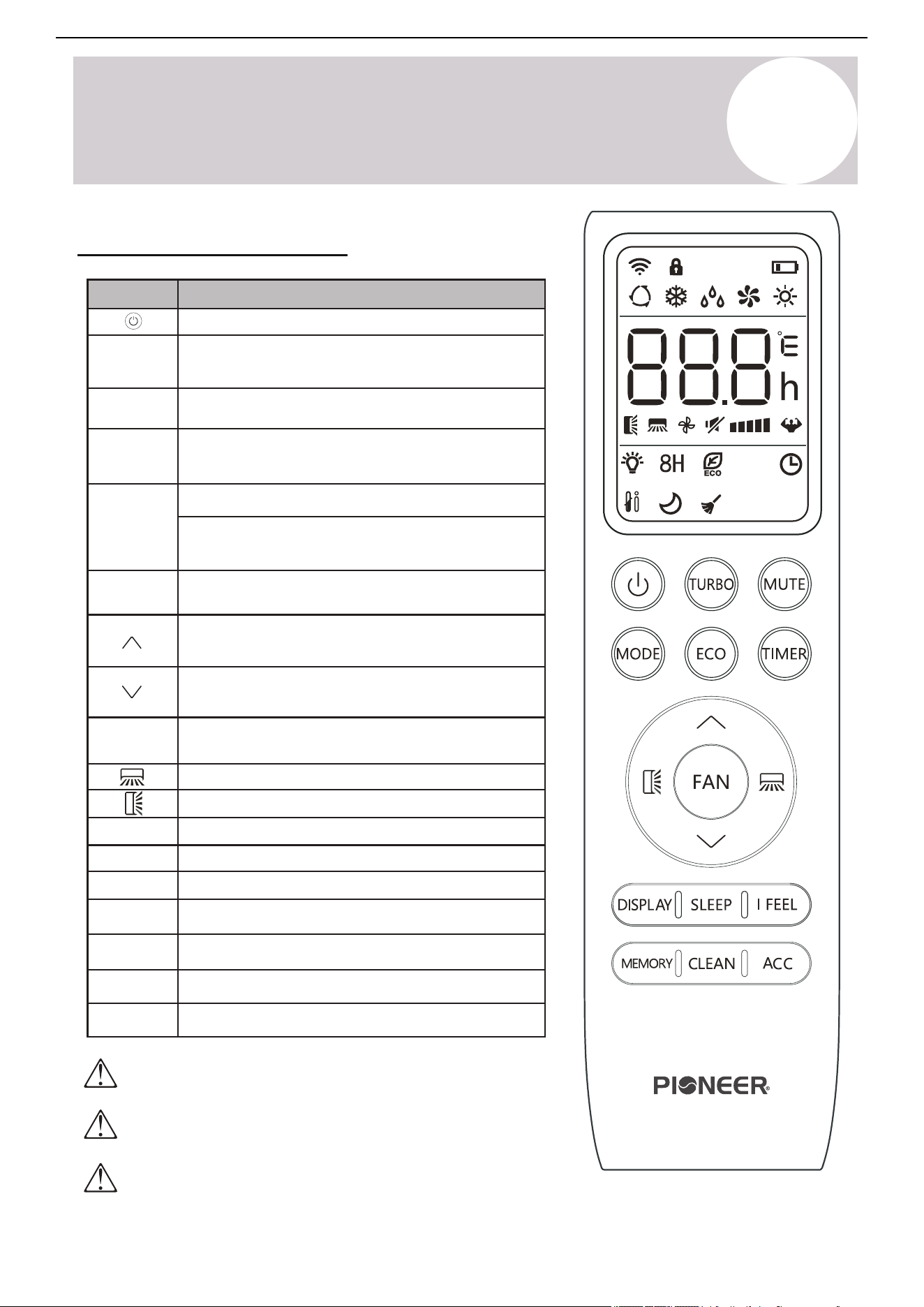
Remote Buttons Overview
7
Button Description
Turn the air conditioner on or off
Activate/deactivate the ECO feature
Configure the automatic on/off times
Toggle the system’s Sleep mode
Activate/deactivate the up-down louver motor
Turn the LED display on or off
Activate/deactivate the left-right louver motor
Put the system into Silent mode
Hold MODE+TIMER for child-lock
Activate/deactivate the system’s Follow Me mode
Increase set temperature and timing, as well as
navigate the functional menu
Decrease set temperature and timing, as well as
navigate the functional menu
Long press to activate the 46°F “Away
from Home” freeze protection setting
Configure the fan speed
(Auto, Low, Mid, and High)
MODE
Activate/deactivate the Turbo feature to allow the
system to rapidly reach set temperatures
DISPLAY
MUTE
[LOCK]
Activate/deactivate Self-Clean mode
CLEAN
Recall saved temperature/mode/fan settings
MEMORY
Reserved for future usage
ACC
I FEEL
TURBO
TIMER
FAN
SLEEP
ECO
Select the mode of operation
(Auto, Cool, Dry, Fan, and Heat modes)
Page 11
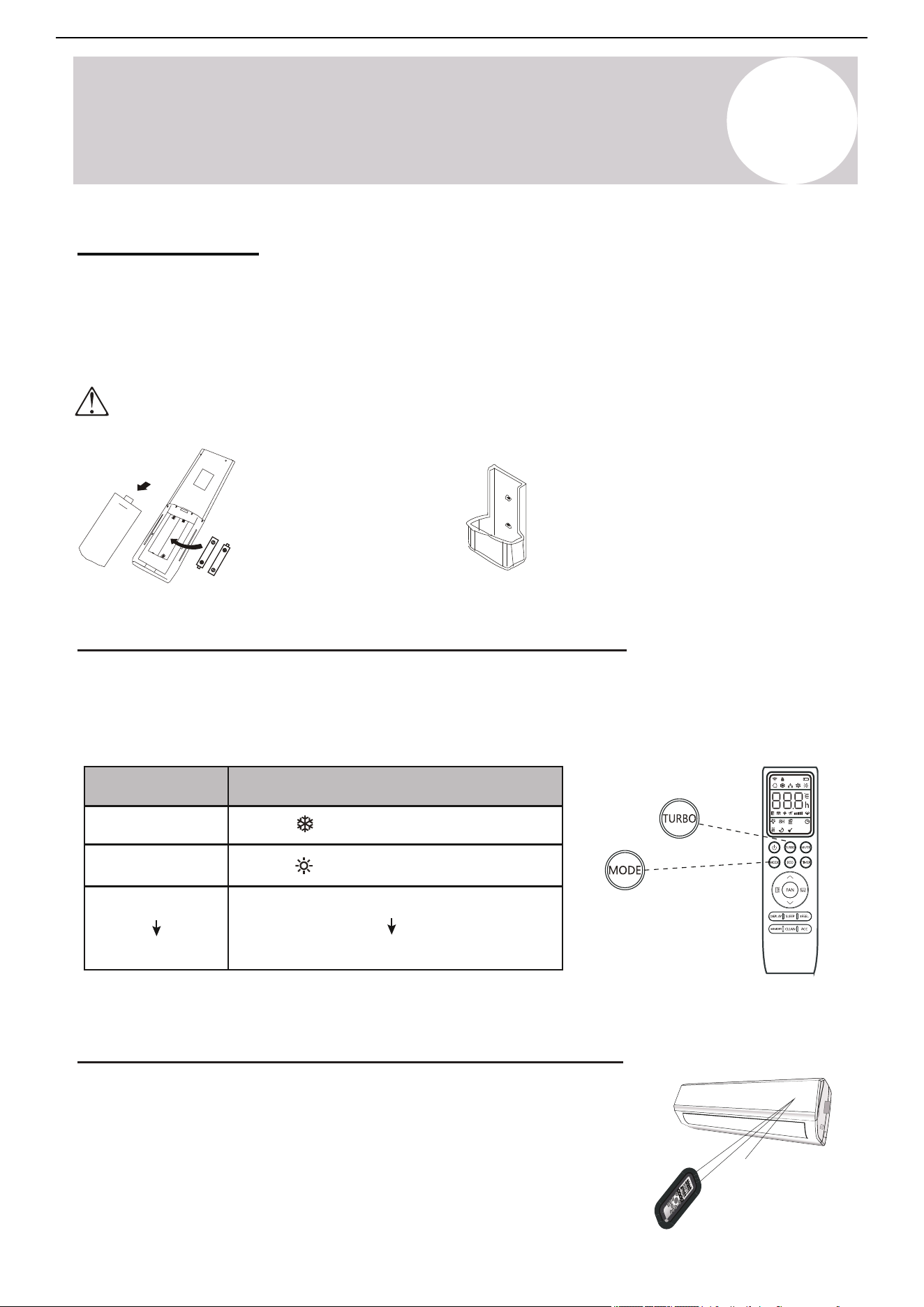
Configuring Remote Controller Settings (some models)
Depending on the system, the control type (Cooling Only or Heat Pump) and the unit of
Temperature (°C or °F) can be configured using the controller buttons. Operate as below.
All configuration must be done as soon as batteries are inserted into the remote.
Replacement of Batteries
Remove the battery cover from the rear of the remote controller, by sliding it downward in
the direction of the arrow as depicted below. Install batteries according to the depicted
directions (+ and -) as shown on the remote controlller. The cover then slides back into place.
Note
Please remove batteries to avoid
leakage damage when not
being used for a long time.
Note
The remote can be placed
inside the cradle when not in
use (may be sold separately).
Use 2x AAA batteries. Do not use re-chargeable batteries. Replace old batteries with new ones of the same type when the
display is no longer legible. Do not dispose of batteries as unsorted municipal waste. Disposal of such waste separately
for special treatment is necessary. If the system will not be used for a long time, remove batteries to prevent leakage.
Signal
receptor
DISPLAY 3D
HEALTH
Y
ON/O
FF
SWI
NG
FAN
TIM
ER
SU
PE
R
SL
EE
P
M
OD
E
EC
O
CLOCK
Operating the Remote Controller Sucessfully and Safely
• Ensure no objects come between the remote controller and signal
Remove batteries and re-insert to reprogram as many times as needed.
• Keep the remote at least 3 ft away from televisions and other
electrical appliances.
• Always direct the remote controller toward the air conditioner.
• Don’t leave the remote exposed to sunrays.
After 5 seconds, enter Switch State
MODE
Press and Hold:
MODE
TURBO
TURBO (press)
Functional Result
When flashes, Cooling Only Mode
When flashes, Heat & Cool Mode
Switch between °C and °F units
Operating Instructions
4
Owner’s
Manual
5
Operating Instructions
4 5
6 7 8
16
15
18
1
20
21
22
2
3
9
10
12
14
13
11
17
19
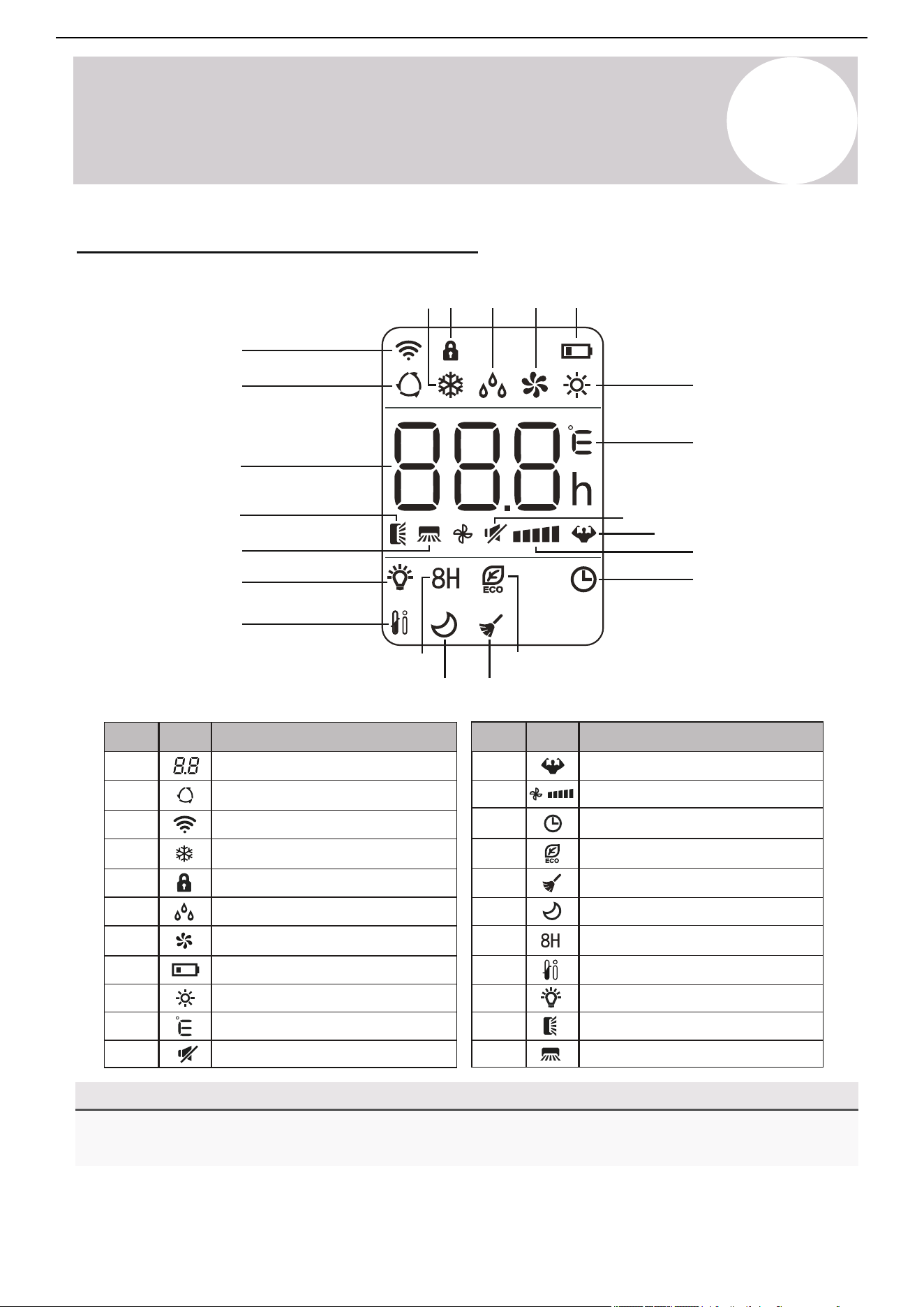
Remote Controller LED Screen & Icons
Note on Illustrations
The illustrations in this manual are strictly for explanatory purposes. The actual display and some functions of
the remote controller may vary according to the manual purchased.
Air Conditioner Installation & User Manual
10
3
4
5
6
Auto mode
Cooling mode
Signal transmit indicator
Dry mode
Fan Only mode
7
8
9
Heating mode
ECO mode
Self-Clean function
Unit of temperature (°C/°F)
2
1
12
11
Temperature indicator
Battery level indicator
Mute function
Turbo mode
Child lock indicator
15
16
18
17
13
14
21
22
19
20
Up-Down swing indicator
Left-Right swing indicator
Timer active indicator
LED display on/off
Sleep function
8°C (46°F) Heating function
I Feel/Follow Me mode
Fan speed (Auto or Fixed)
No.
Icon
Description
No.
Icon
Description
8
Page 10
4
NOTE ON ILLUSTRATIONS
Operating Instructions
The illustrations in this manual are strictly for explanatory purposes. The actual display and some
functions of the remote controller may vary according to the model purchased.
No. DescriptionIcon
10
3
4
5
6
Auto Mode
Cooling Mode
Signal Transmit Indicator
Dry Mode
Fan Only Mode
7
8
9
Heating Mode
ECO Mode
Self-Clean Function
Remote Controller LED Screen and Icons
Unit of Temperature (°C/°F)
No. DescriptionIcon
2
1
12
11
Temperature Indicator
Battery Level Indicator
Mute Function
Turbo Mode
Child Lock Indicator
15
16
18
17
13
14
21
22
19
20
Up-Down Swing Indicator
Left-Right Swing Indicator
Timer Active Indicator
LED Display On/Off
Sleep Function
8°C (46°F) Heating Function
I Feel/Follow Me Mode
Fan Speed (Auto or Fixed)
4 5 6 7 8
16
1518
1
20
21
22
2
3
9
10
12
14
13
11
17
19
Owner’s
Manual
5
Operating Instructions
Air Conditioner Installation & User Manual
Signal
receptor
DI
SPLAY
3D
HEALTH
Y
ON/O
FF
SWI
NG
FAN
TI
M
ER
SU
PE
R
SL
EE
P
M
OD
E
EC
O
CLOC
K
Turbo
Turbo (press)
Use 2x AAA batteries. Do not use re-chargeable batteries. Replace the old batteries with new ones of the
same type when the display is no longer working. Do not dispose of batteries as unsorted municipal waste.
Disposal of such waste separately for special treatment is necessary. If the system will not be used for a
long time, remove the batteries to prevent leakage.
Note: Remove batteries to
avoid leakage damage
when not being used for a
long time.
Configure Remote Controller Settings (Some Models)
Depending on the system, the control type (Cooling Only or Heat Pump) and the unit of temperature (°C or °F)
can be configured using the controller buttons. Operate as below. Complete the configuration as soon as the
batteries are inserted into the remote.
• Ensure no objects come between the remote controller and signal.
• Keep the remote at least 3 feet (1 m) away from televisions and other electrical
appliances.
• Always direct the remote controller toward the air conditioner.
• Do not leave the remote controller exposed to sun rays.
Functional Result
Press and Hold
Mode
Mode
When flashes, Cooling Only mode
When flashes, Heating Only mode
After 5 seconds, enter Change mode
Switch between °C and °F units
Remove the batteries and re-insert them to reprogram as many times as needed.
Operate the Remote Controller Successfully & Safely
Replace Batteries
Slide the battery cover on the rear of the remote down in the direction of the arrow. Install batteries according to the
depicted directions (+ and -) as shown on the remote controller. Slide the cover back into place.
9
Note: Place the remote controller inside the
cradle when not in use (may be sold
separately).
Airflow louvers
Airflow
louver
Filter
location
Airflow
return
Airflow
supply
5
Operating Instructions
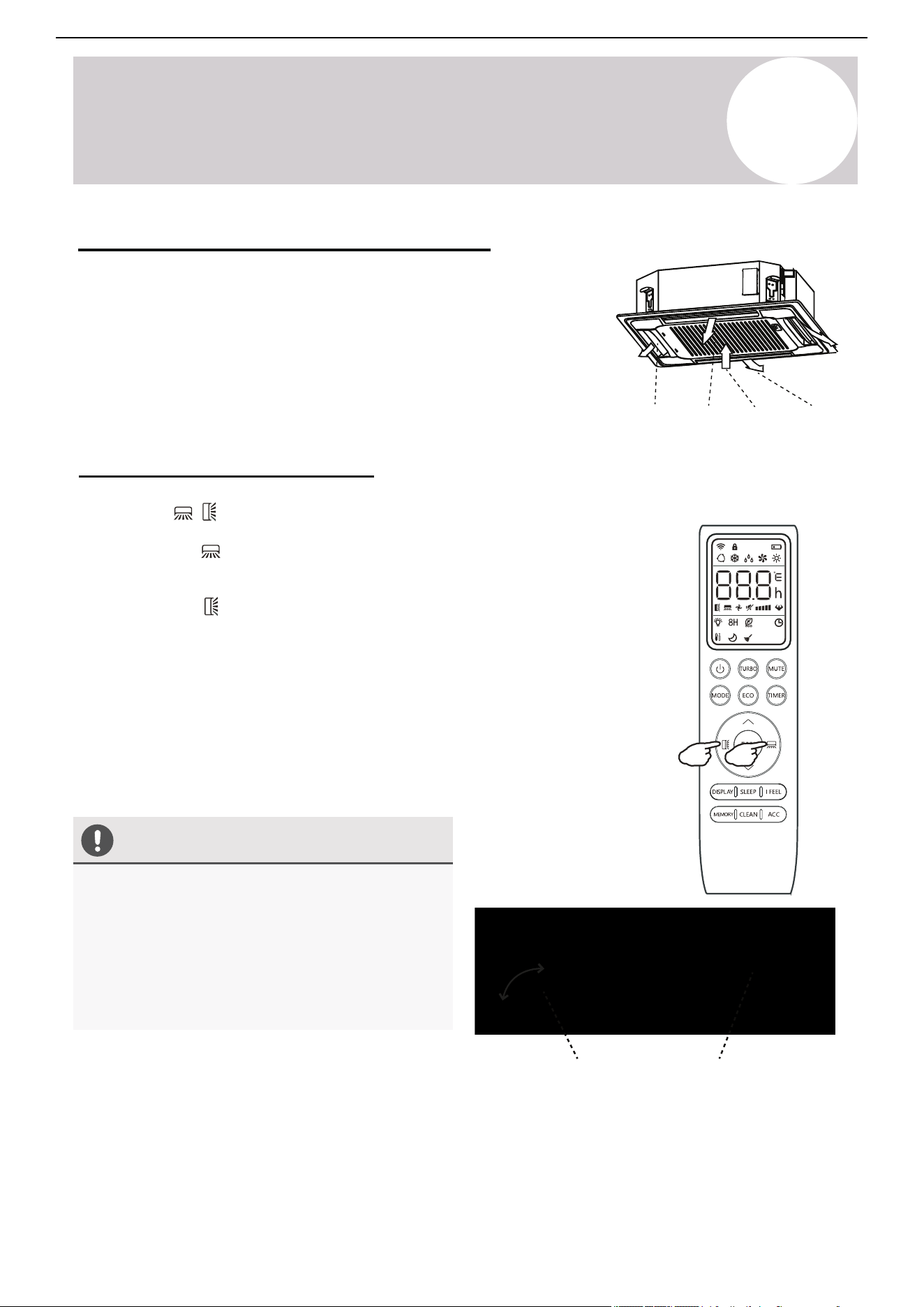
Regarding the Airflow of the Indoor Unit
The air that is pulled in by the fan (the "return air") enters the grille and is
passed through the filter. The air is then cooled/dehumidified/heated through
the heat exchanger.
The direction of the air output is manipulated up and down by the motorized
louver, as well as left to right by the manually controlled vertical deflectors.
Some models may come with "dual-swing" capability, which offers both a
horizontal and vertical motorized air flow swing.
Control the System's Airflow
Air Conditioner Installation & User Manual
Caution
• Do not manipulate the louvers themselves
manually or serious damage may occur.
• Only make deflector adjustments when the
system is switched off.
• Never poke fingers, sticks, or other objects into
the air inlet/outlet vents.
10
1. Press the buttons to activate the air direction adjusters.
Press the Swing button to trigger the horizontal flaps to swing up and down.
Press the button again to stop the swing movement at the current angle.
Press the Swing button to trigger the vertical flaps to swing left and right.
Press the button again to stop the swing movement at the current angle.
2. If the vertical deflectors, which are located underneath the flaps, are adjusted
manually, they can be used to fix the airflow in a certain vertical position before
turning the system on.
Note: For some models, press either of the Swing buttons for more than 3
seconds to allow more fine adjustment of the airflow angle.
Page 12
4
Operating Instructions
CAUTION
2. If the vertical deflectors (which are located
underneath the flaps) are adjusted manually,
they can be used to fix the airflow in a certain
vertical position before turning the system on.
Regarding the Airflow of the Indoor Unit
The air that is pulled in by the fan (the “return air”) enters the
grille and is passed through the filter. It is then
cooled/dehumidified/heated through the heat exchanger.
The direction of the air output is manipulated up and down by the
motorized louver, and left to right via manually controlled vertical
deflectors. Some models may come with “dual-swing” capability,
which offers both a horizontal and vertical motorized air flow swing.
Controlling the System’s Airflow
1. Pressing the buttons activates the air direction adjusters.
• Press the Swing button to trigger the horizontal
flaps to swing up and down. Press this button again
to stop swing movement at the current angle.
• Press the Swing button to trigger the vertical
flaps to swing left and right. Press this button again
to stop swing movement at the current angle.
• Do not manipulate the louvers themselves
manually, or serious damage may occur.
• Deflector adjustments should be made
only when the system is switched off.
• Never poke fingers, sticks, or other
objects into the air inlet/outlet vents.
Airflow Louvers
Note: On some models, long-pressing either of the SWING buttons
for >3 seconds allows more fine adjustment of airflow angle.
Owner’s
Manual
Airow
Louver
Filter
Location
Airow
Return
Airow
Supply
5
Operating Instructions
Air Conditioner Installation & User Manual
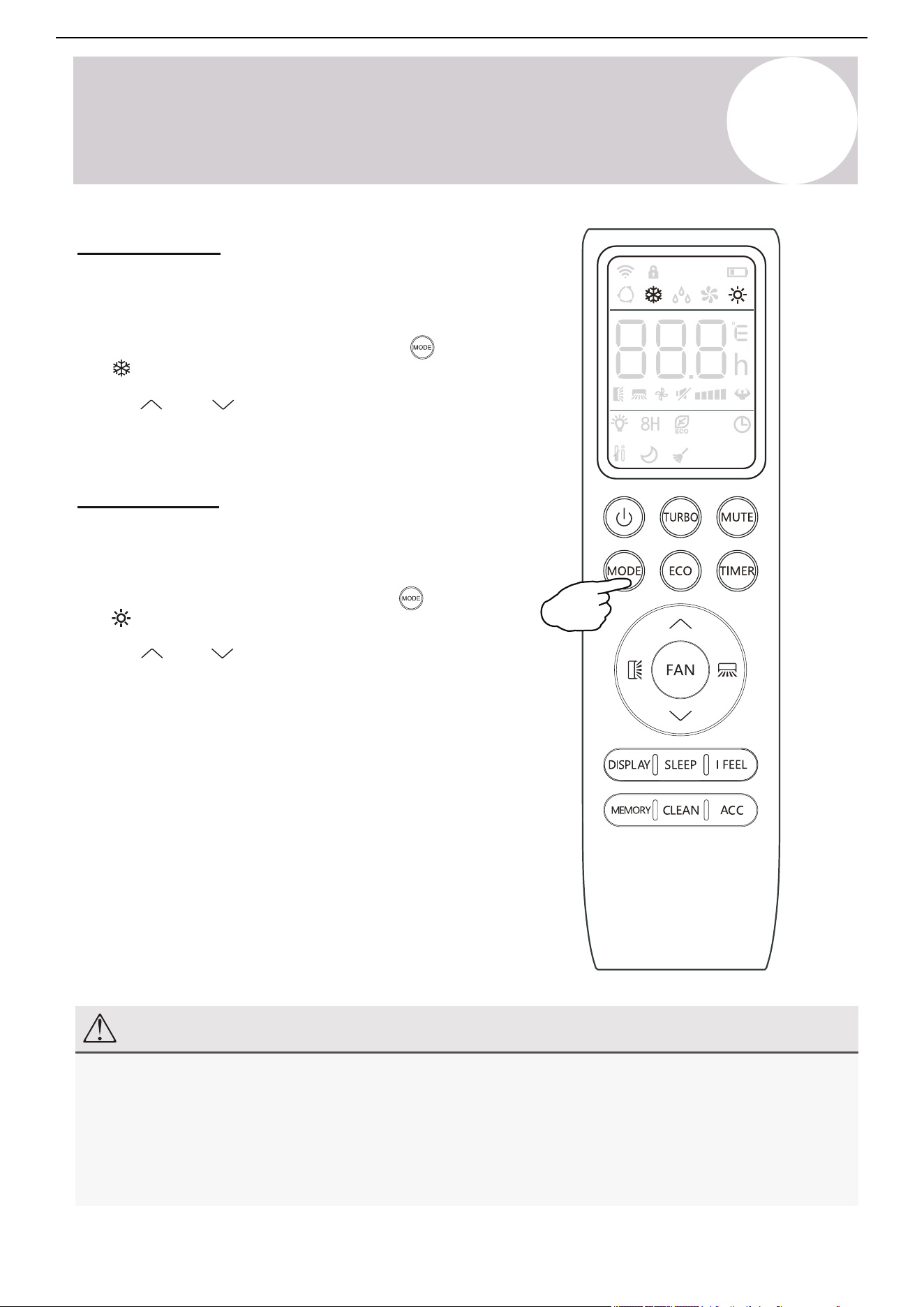
Cooling Mode
Cooling mode utilizes the heat pump to cool the room while also
reducing the humidity of the air in the room.
To put the system into Cooling mode, press the button until
the symbol appears on the remote controller's display.
Use the
and
buttons to set a temperature lower than that
of the room.
Heating Mode
Heating mode utilizes the heat pump to warm the air in the room
by reversing the cooling cycle.
To put the system in Heating mode, press the button until
the symbol appears on the remote controller's display.
Use the and buttons to set a temperature higher than
that of the room.
Note: The system may take up to 10 minutes before it begins
delivering heat, allowing the coil to warm up and prevent cold
airflow.
Fan speed is not available to the user in the same way as
Cooling mode. Rather, the fan will blow out air at a speed that is
in proportion to how much the heat exchanger has been warmed
up to.
Note
In Heating mode, the appliance will periodically enter a defrost cycle, which is essential in order to clean
frosting off the condenser and recover heat exchange capabilities. The process is normal and lasts for
2-10 minutes.
During defrosting, the indoor unit's fan will cease operation. After the cycle is completed, the system will
resume its normal Heating mode operation automatically. Press the ECO button 10 times in 8 seconds to
trigger a forced defrost.
11
Page 15
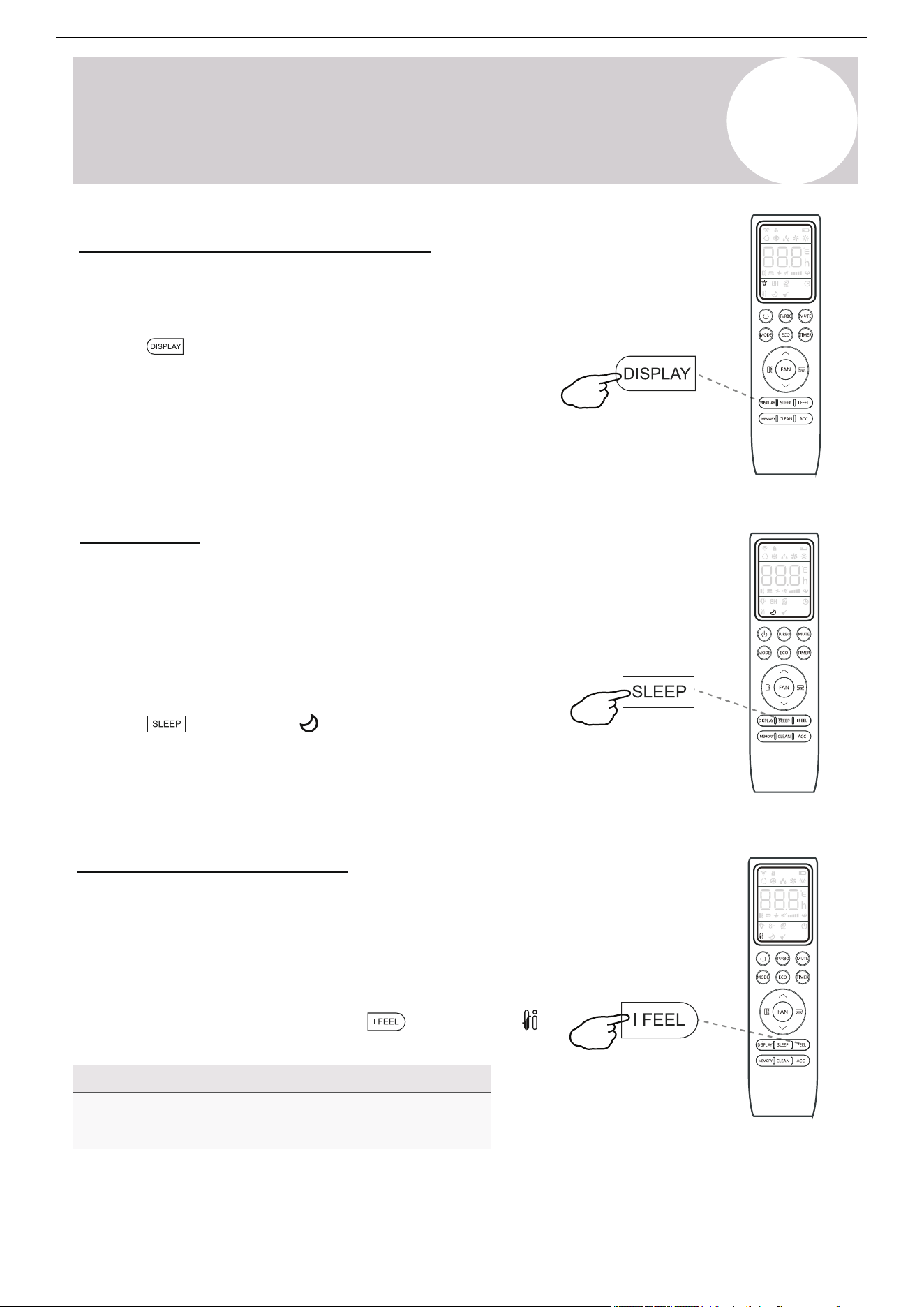
Turning the Display On or Off
4
Operating Instructions
button, and the
Press this button again to exit from this mode.
symbol will appear on the display.
The LED display on the front panel of the
system can be turned on or off as desired.
To do so, press the button in order to
switch off the LED display on the front panel.
This button can be pressed again to turn the
LED display back on again.
SLEEP Mode
Sleep mode is generally meant for periods of lesser
cooling/heating requirements, such as during typical
sleeping hours. This mode will result in decreased
energy use, and can only be activated via remote control.
After 10 hours in sleep mode, the air conditioner will
revert back to the previously set mode.
To put the system into sleep mode, press the
button, and the icon will appear on the display.
I FEEL - To Ensure Comfort
The I FEEL feature enables the remote to act as
the temperature sensor and relay the current air
temperature of where the remote is physically
placed within the room. In some cases, this can
aid with reducing thermal drift between the set
temperature and the actual room temperature.
In order to activate this feature, press the
NOTE
The I FEEL feature will automatically de-activate
itself 8 hours later (or 2 hours on some models).
Owner’s
Manual
5
Operating Instructions
Air Conditioner Installation & User Manual
12
→MODE
△T (RT-ST)
△T>2°F
△T<2°F
Cooling Heating
-2°F ≤ △T ≤ 2°F
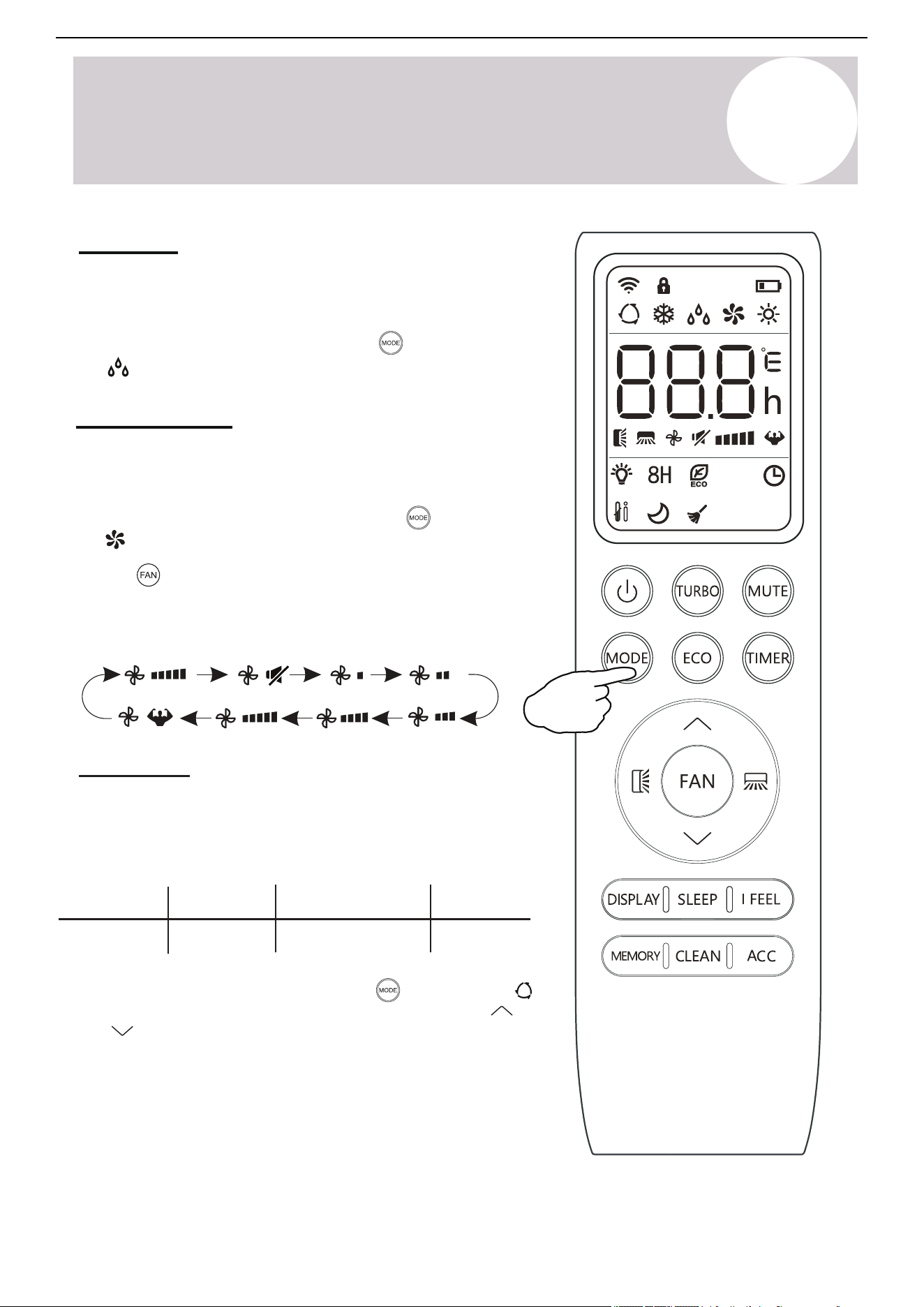
Fan-Only
(Flash)
Use the Fan-Only mode to set the system to use only
air ventilation and no heating or cooling.
Use the button to set the desired fan speed. The system
will cycle from Auto > Mute > Low > Low-Mid > Mid > Mid-High
> High > Turbo
Auto Mode
In Auto mode, the system selects either Cooling, Heating, or
Fan-Only mode based on the delta-T (△T ), which is the
difference between the room temperature and set temperature.
To put the system in Fan-Only mode, press the button until
thethe symbol appears on the remote controller's display.
Dry Mode
Dry mode is a limited function that can rapidly reduce the
humidity/moisture of the room.
Fan-Only Mode
To put the system into Dry mode, press the button until
the symbol appears on the remote controller's display.
To put the system in Auto mode, press the button until the
symbol appears on the remote controller's display. Use the
and buttons to set the desired room temperature.
Page 14
symbol appears on the
DRY Mode
Dry mode is a limited function that can rapidly
reduce the humidity/moisture of the room.
To put the system into dry mode, press the
button until the
remote’s display.
4
Operating Instructions
Use the
speed. The system will cycle from AUTO→MUTE→
LOW→LOW-MID→MID→MID-HIGH→HIGH→TURBO
button to then set the desired fan
An automatic preset of this mode is then activated.
FAN-ONLY Mode
Fan-only mode is used to set the system to use
only air ventilation and no heating or cooling.
To put the system into fan-only mode, press
the button until the symbol
appears on the remote’s display.
AUTO Mode
In Auto mode, the system selects cooling, heating, or
fan-only mode based on the delta-T (△T), which is the
difference between Room Temperature & Set Temperature.
→MODE
△T (RT-ST)
△T>2°F △T<2°F
Cooling Heating
-2°F ≤ △T ≤ 2°F
Fan-Only
To put the system into AUTO mode, press the
button until the symbol appears on the
remote’s display.
The and buttons can
then be used to set the desired room temperature.
(Flash)
Owner’s
Manual
5
Operating Instructions
Air Conditioner Installation & User Manual
Turning the LED Display On or Off
The LED display on the front panel of the system can be turned on or
off as desired.
Press the button in order to switch off the LED display on the
front panel. Press the button again to turn the LED display back on.
Sleep Mode
Sleep mode is generally meant for periods of lesser cooling/heating
requirements, such as during typical sleeping hours. This mode will
decrease energy use. The mode can be activated via the remote
controller and wired controller.
After 10 hours in Sleep mode, the air conditioner will revert back to
the previously set mode.
Press the button and the symbol will appear on the
display. Press this button again to exit from this mode.
Note
The I Feel feature will automatically deactivate itself 8
hours later (or 2 hours on some models).
I Feel - To Ensure Comfort
The I Feel feature enables the remote controller to act as the
temperature sensor and relay the current air temperature of where
the controller is physically placed within the room. In some cases,
this can aid with reducing thermal drift between the set
temperature and the actual room temperature.
button and theIn order to activate this feature, press the
icon will appear on the display.
13
Page 17
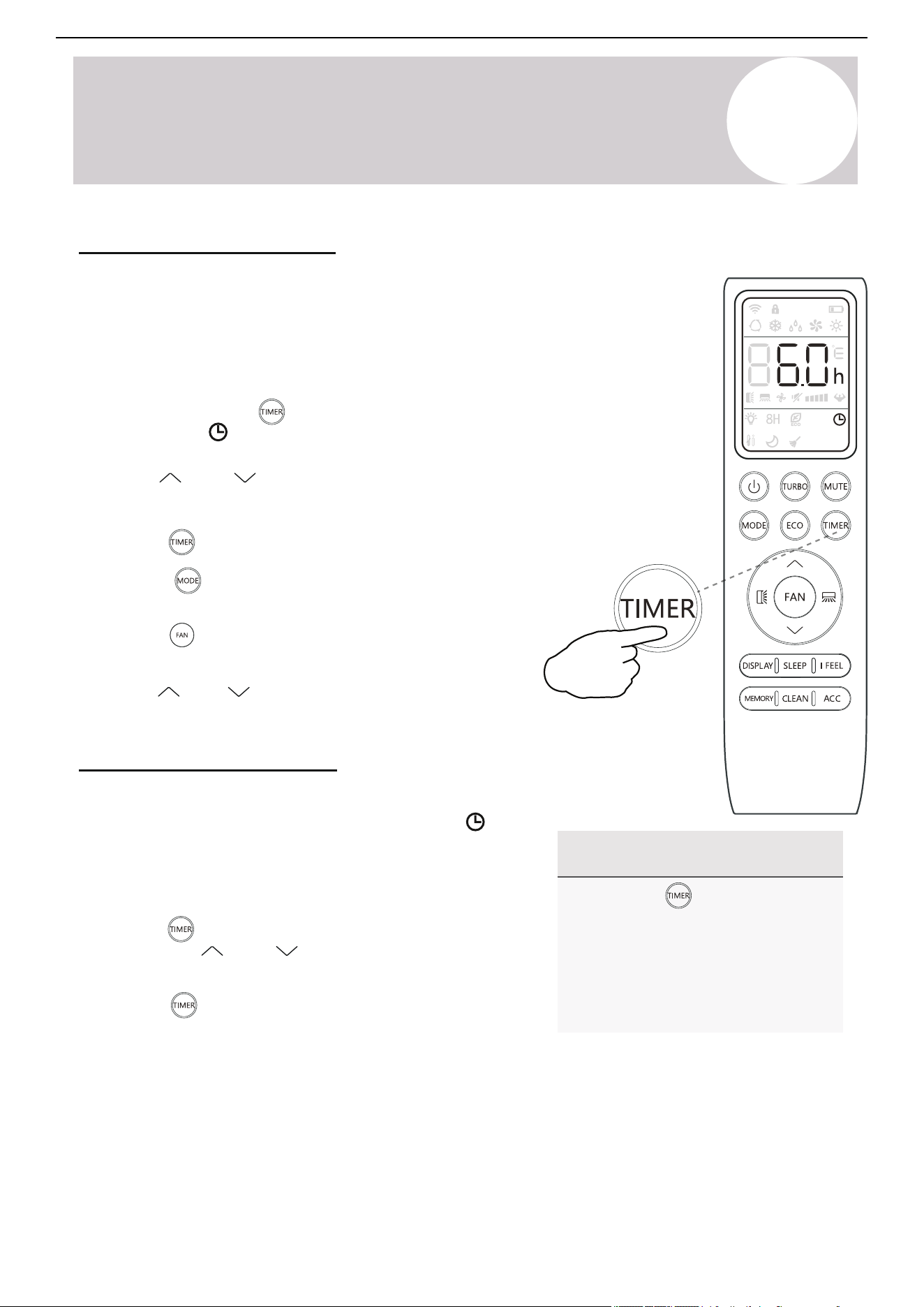
NOTE Regarding Timers
• Press the button to cancel
at any time in Timer Off.
Using the Timer - TIMER ON
• The programming will cancel
if no buttons are pressed after
5 seconds. This may require
restarting the process.
1. Begin by pressing the button while the
The TIMER feature allows you to set a time delay for
the system to turn itself on or off.
To set a time delay for the system to turn itself on in X
amount of hours:
2. Use the Temp and
3.
system is powered off. The symbol will
then
display flashing. The default setting is 6.0 hours.
buttons to set the
4.
5. Set the desired fan speed that the unit should
6.
start up in by pressing the button.
Use the and buttons to set the desired
operation temperature. The unit is now primed.
needed time delay in 30 minute increments.
Press the button a second time to confirm.
Press the button to select the desired
operating mode that the unit should start up in.
2. Press the button to enter the prompt for
switching off the system. Use the and
also be pressed once more to cancel the setting.
buttons to configure the time delay setting.
3. Press the button again to confirm. It can
4
Operating Instructions
Using the Timer - TIMER OFF
The TIMER OFF feature allows the appliance to
turn itself off after X amount of hours have passed.
The symbol will appear. To set a time delay for
the system to turn itself off in X amount of hours:
1. Confirm that the appliance is on and running.
Owner’s
Manual
5
Operating Instructions
Air Conditioner Installation & User Manual
Note
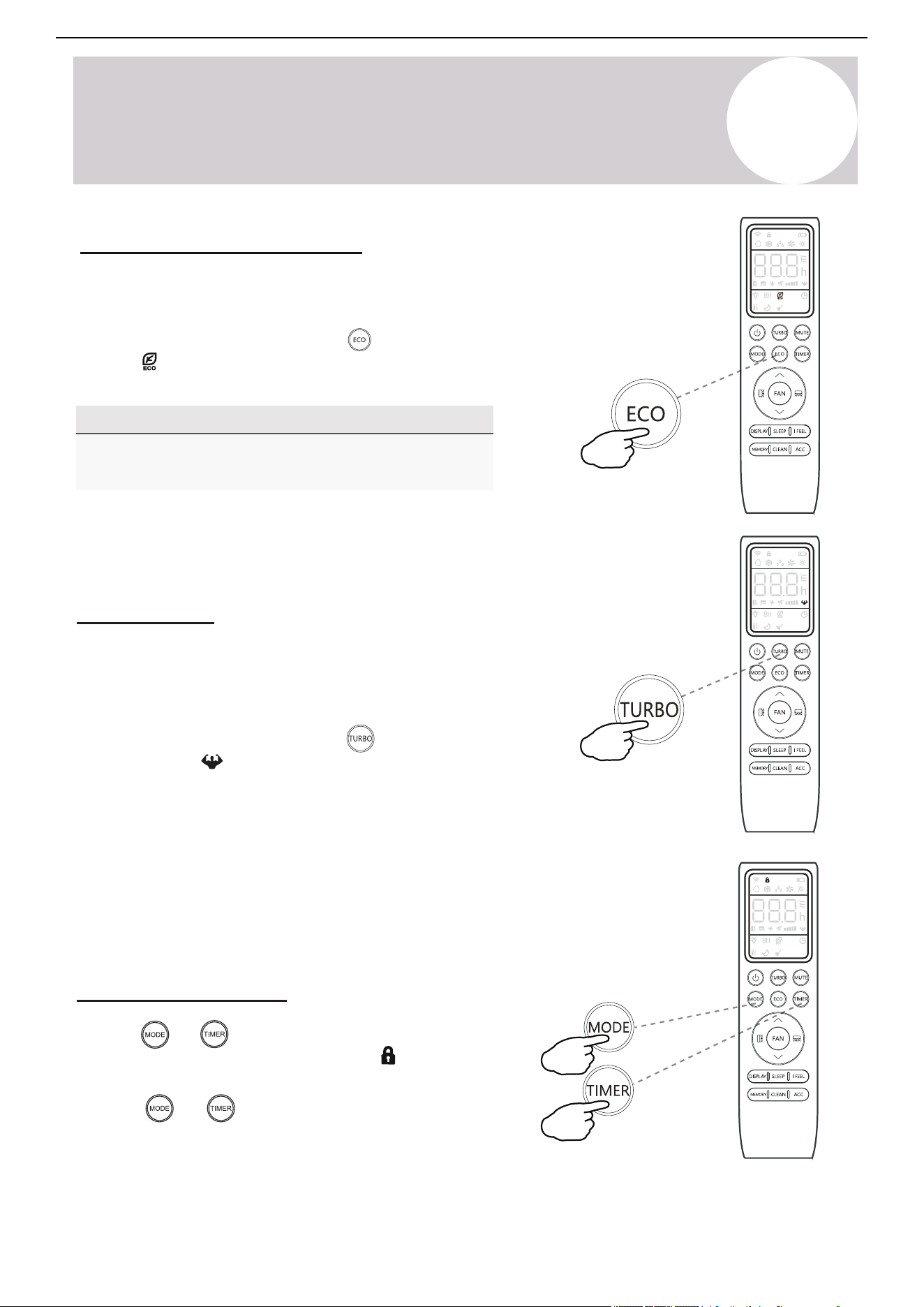
The ECO feature is available in both Cooling and Heating
mode.
Energy Saver (ECO) Option
In this mode, the appliance will automatically manage its operation in
order to save energy.
To turn the ECO feature on, press the
button on the remote controller
and the
icon will appear. The system is now running in ECO mode.
The process can be repeated to turn it off.
Turbo Option
In this mode, the appliance will operate using the highest fan
speed in order to maximize output and reach the set temperature
in the quickest way.
Child-Lock Function
Pressing and buttons together will activate the child-lock
icon will display function. When this function is activate, the
and no single button will be active.
buttons together once more to deactivate Press the and
the child-lock function.
14
To turn the Turbo feature on, press the button on the remote
controller and the icon will appear. The system is now running in
Turbo mode. Repeat the process to turn off the feature.
Page 16
4
Operating Instructions
Energy Saver (ECO) Option
In this mode, the appliance will automatically
manage its operation in order to save energy.
To turn the ECO feature on, press the
button on the remote, and the icon will
appear. The system is now running in ECO,
and the process can be repeated to turn it off.
NOTE
The ECO feature is available in both COOLING
and HEATING modes.
button will be active.
Press the and buttons together once more
to de-activate the child-lock function.
TURBO Option
In this mode, the appliance will operate using the
highest fan speed in order to maximize output
and reach the set temperature in the quickest way.
To turn the TURBO feature on, press the
button on the remote, and the icon will
appear. The system is now running in TURBO,
and the process can be repeated to turn it off.
Child-Lock Function
Pressing and buttons together will acti-
vate the child-lock function. When this function is
active, the icon will be displayed, and no single
Owner’s
Manual
5
Operating Instructions
Air Conditioner Installation & User Manual
button while the system is
symbol will then display flashing. The
Use the Timer - Timer On
The Timer feature allows the user to set a time delay for the
system to turn itself on or off.
To set a timer for the system to turn itself on in a specified
amount of hours, follow these steps:
1. Begin by pressing the
powered off. The
default setting is 6 hours.
2. Use the and buttons to set the needed
time delay in 30 minutes increments.
button a second time to confirm. 3. Press the
4. Press the button to select the desired operating mode
that the unit should start up in.
5. Press the button to set the desired fan speed that the
unit should start up in.
6. Use the and buttons to set the desired operation
temperature. The unit is now primed.
Use the Timer - Timer Off
The Timer Off feature allows the appliance to turn itself off after a
determined amount of hours have passed. The symbol will
appear. To set a timer for the system to turn itself off in a
specified amount of hours, follow these steps:
1. Confirm that the appliance is on and running.
button to enter the prompt for switching off the
and buttons to configure the time
button again to confirm. Press it once more to
2. Press the
system. Use the
delay setting.
3. Press the
cancel the setting.
Note Regarding Timers
• Press the button to cancel at
any time in Timer Off.
• The programming will cancel if no
buttons are pressed after 5
seconds. This may require
restarting the process.
15
For 3 seconds...
Page 19
SELF-CLEAN Feature
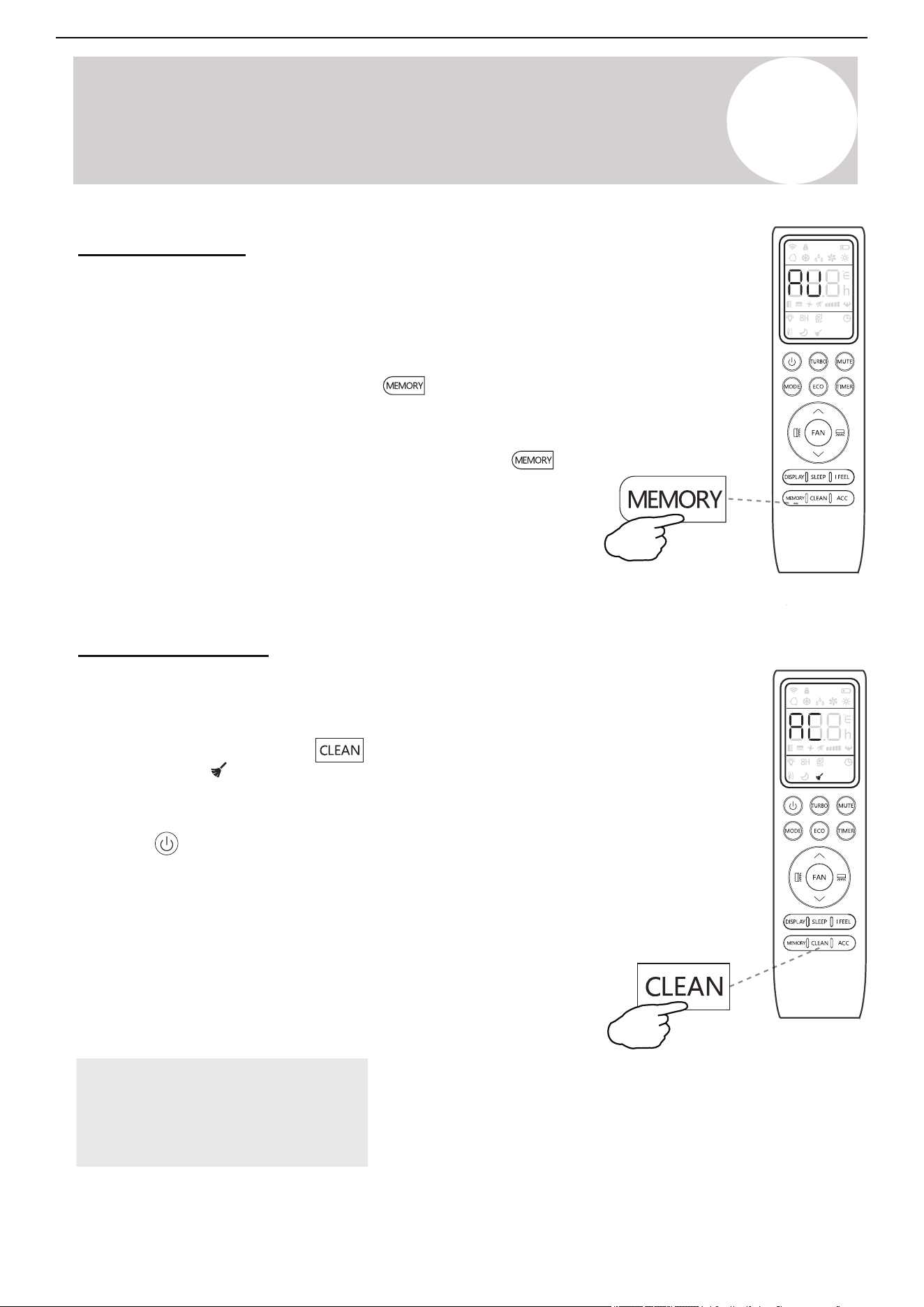
MEMORY Feature
The Memory feature enables the user to store their
favorite setting and reconfigure the system to that
same setting with the press of a single button. Each
mode of HEAT/COOL/FAN/DRY can store a unique setting.
To use this feature, enter the desired mode and set the
system to your preferred configuration and press and
hold the button for 3 seconds to store the
configuration. The system will flash “AU” to acknowledge
that the configuration has been stored successfully.
Enter the desired mode of HEAT/COOL/FAN/DRY and
press the button to activate the stored configuration.
The button can be pressed to cancel this feature
This feature helps carry away some of the accumulated
dust, dirt, bacteria, and other microbial contents away
from the indoor evaporator.
To activate this feature, press the button
until a beep is heard from the unit, the icon displays
and AC will be displayed on the unit and remote.
This procedure will run for approximately 30
minutes, before returning to the preset mode.
4
Operating Instructions
during the process. Two beeps will be emitted from
the machine when it is finished, or cancelled.
This procedure can result in some uncommon noise
coming from the machine. This noise is normal as a
side effect of the plastics expanding and contracting
due to reactions with heat and cold.
It is recommended to use this function only when
indoor temperature is under 86°F and outside
temperature is between 41°F and 86°F.
It is suggested to run this feature once every 3 months.
Owner’s
Manual
NOTE:
This feature does not replace the requirement of
proper periodic maintenance and cleaning,
especially for dusty/high-particle environments.
5
Operating Instructions
Air Conditioner Installation & User Manual
Note:
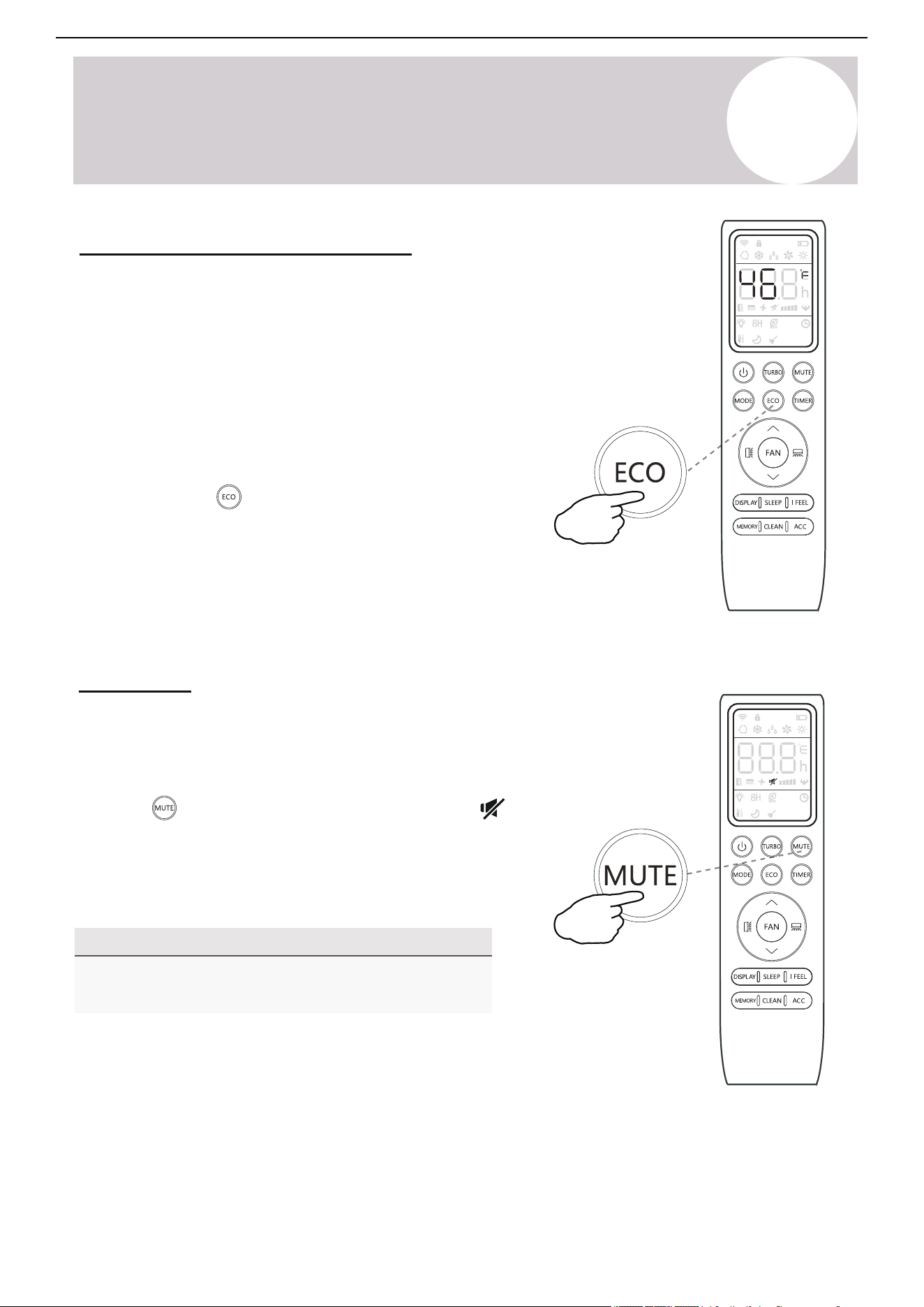
46°F Freeze Protection Function
Use this feature to prevent freezing while the user is away from
home. When turned on, it sets the system to maintain a
temperature of 46°F (8°C). If the unit is in standby, the setting
will automatically start the Heating mode when the room
temperature is equal to or lower than 46°F (8°C). The feature
will set the system back to standby when the room temperature
reaches 48°F (9°C).
If the room temperature is ever 64°F (18°C) or higher, then the
appliance will cancel or prevent this feature automatically.
Press and hold the button for 3 seconds to activate this
feature. Repeat this to deactivate the feature. Once activated,
46°F (8°C) will appear on the display.
Mute Mode
When the system is muted, the remote controller will display the
auto fan speed and the indoor unit will operate at its lowest fan
speed in order to minimize operation noise.
Press the button in order to activate this mode. The
icon will display to indicate that the system is muted.
Press either the Fan, Turbo, or Sleep button to cancel this
mode.
The Mute feature cannot be activated when the system is
in Dry mode.
16
Note:
This feature does not replace the
requirement of proper periodic
maintenance and cleaning, especially
for dusty/high-particle environments.
5
Operating Instructions
Air Conditioner Installation & User Manual
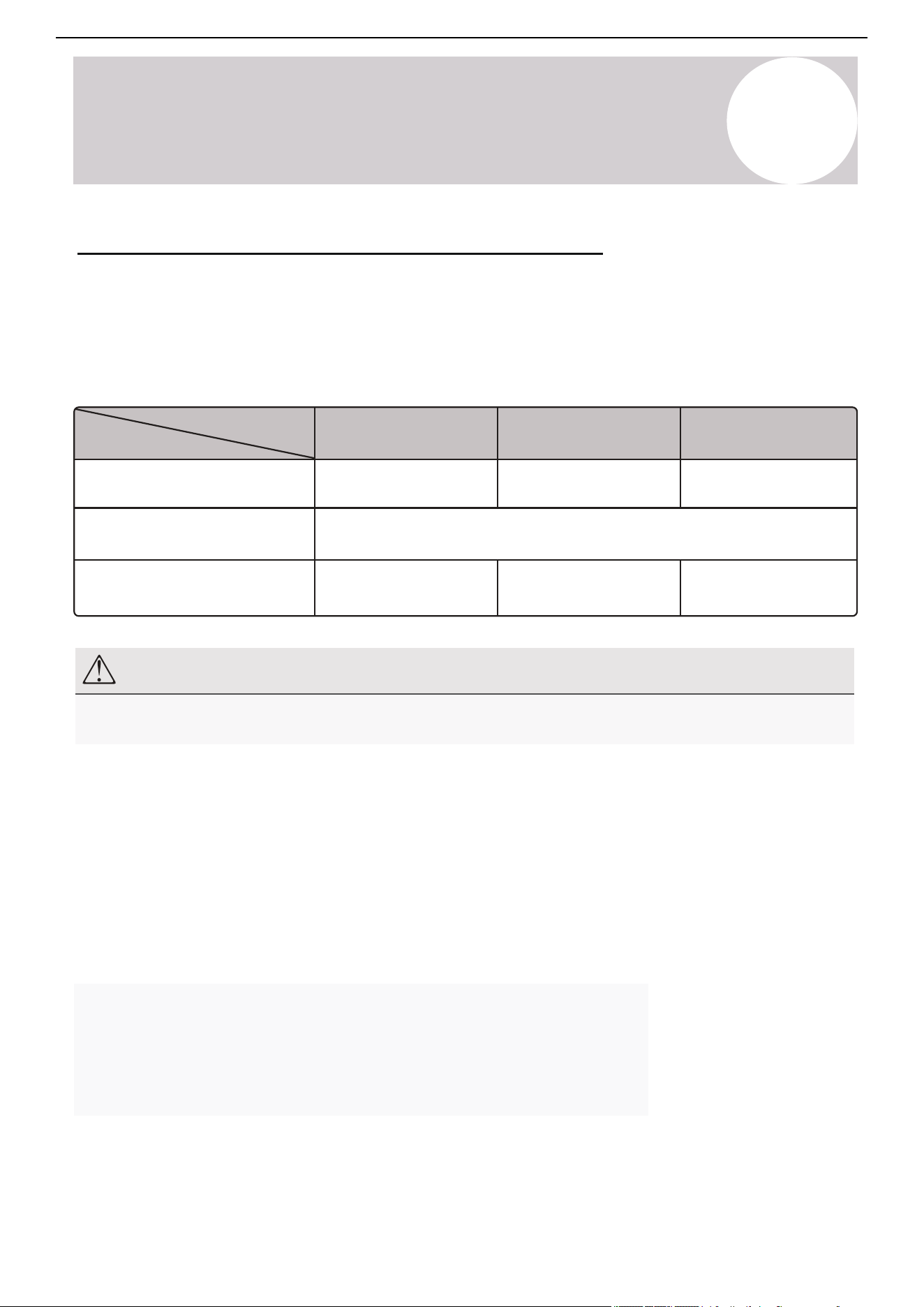
Memory Feature
Self-Clean Feature
This feature helps remove some of the accumulated dust, dirt, bacteria,
and other microbial contents from the indoor evaporator.
To activate this feature, press the button until a beep is heard
from the unit. The
icon and AC displays on the unit and
remote controller. This procedure will operate for approximately 30
minutes before returning to the preset mode.
Press the button to cancel this feature during the process. Two
beeps will be emitted from the machine when it is finished or canceled.
This procedure can result in some uncommon noise coming from the
machine. This noise is normal as a side effect of the plastics expanding
and contracting due to reactions with heat and cold.
Only use this function when the indoor temperature is under 86°F (30°
C) and outside temperature is between 41-68°F (5-20°C).
It is suggested to run this feature once every 3 months.
17
The Memory feature enables the user to store their favorite settings and
reconfigure the system to the same parameters with the press of a single button.
Each mode (Heat / Cool / Fan / Dry) can store a unique setting.
To use this feature, enter the desired mode and set the system to the
preferred configuration. Press and hold the
button to
the configuration. The system will flash "AU" to acknowledge that the
configuration has been stored successfully.
Enter the desired mode (Heat / Cool / Fan / Dry) and press the
activate the stored configuration.
button for 3 seconds to store
Page 21
Any accessorial electrostatic or deodorizing
filters, if installed, are not washable and
should be replaced once every 6 months.
Interior of the Indoor Air Handler
In addition to the filters, the interior of the indoor unit itself as well as the inner coil should be
inspected every season. The front panel can be disconnected and indoor unit disassembled
to access the air handler. This will allow for easier inspection of the interior and behind the air
filters. The interior should be cleaned with damp cloth and neutral soaps. Do not use any sort
of aggressive solvents or detergents. Only a soft cloth that is lightly dampened should be used.
Periodic Maintenance Is Essential For The System!
Maintaining the air conditioner will ensure that is stays efficient. Before carrying out any sort
of maintenance, always ensure that the power supply to the system is turned off for >5 minutes.
Wear safety gloves when working on the equipment, due to sharp aluminum fin edges of the coil.
Indoor Unit
Anti-Dust Filters (Inspect once every 2 weeks)
5
Maintenance of the Air Conditioner
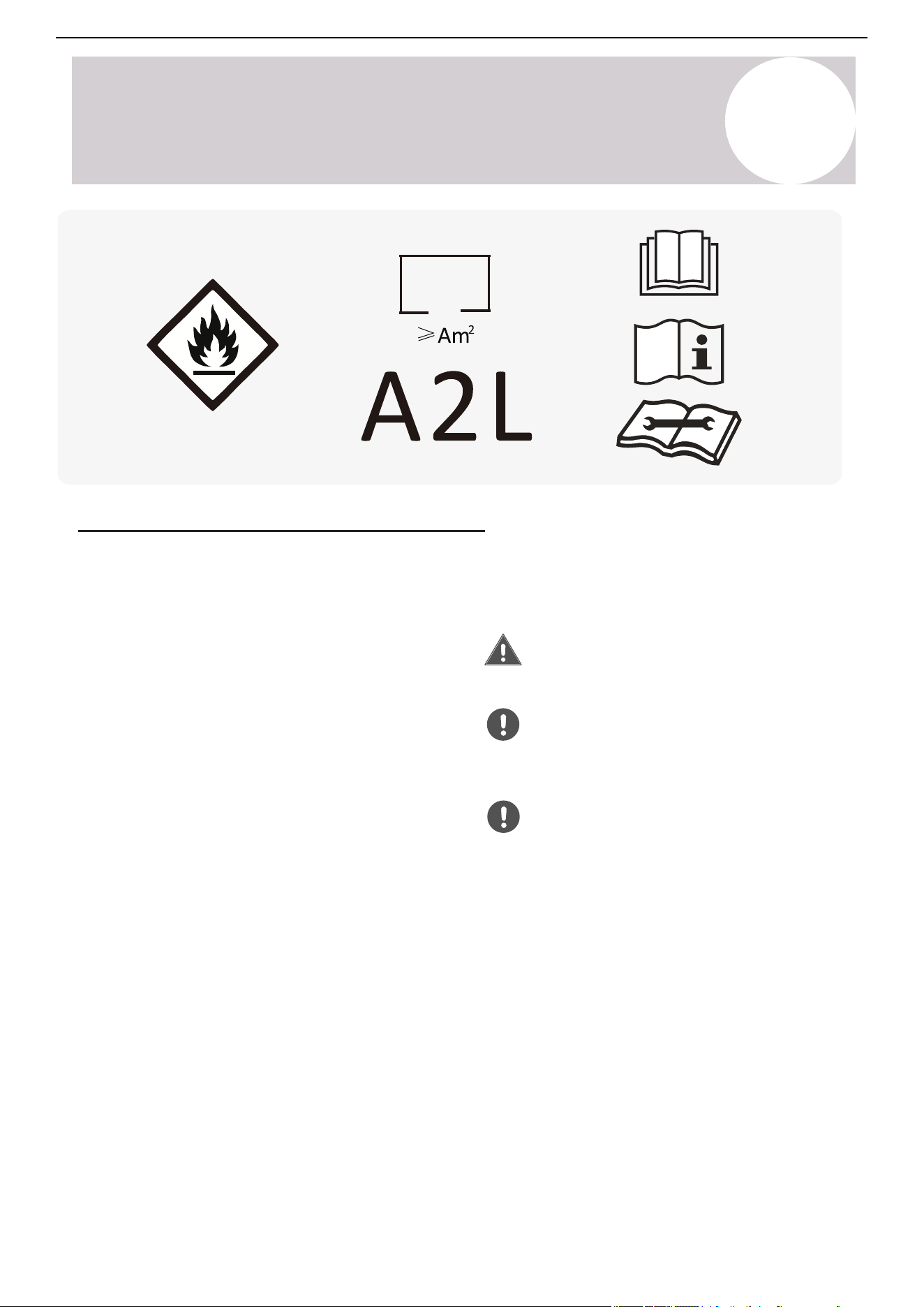
1. Approach the interior unit to reach the top
area, and press both the exposed tabs inward.
2. Gently remove the single anti-dust filter along
with the panel grill, by pulling off at a 45° angle.
3. The filters are washable and should be
cleaned with warm water (under 113°F).
4. Leave the filters to dry in a cool, dry place.
5. Afterwards, re-insert the filter into the same
location after it has sufficiently dried.
BEFORE CLEANING OR MAINTENANCE
ALWAYS TURN OFF YOUR AIR CONDITIONER SYSTEM AND DISCONNECT ITS POWER SUPPLY
BEFORE PERFORMNG CLEANING OR MAINTENANCE. DO NOT SPRAY WATER DIRECTLY NEAR
THE INDOOR UNIT, AS IT CAN DAMAGE INSULATION AND ELECTRICAL COMPONENTS.
Maintenance
Instructions
Press tabs to
release grille
Withdraw the panel
and grill at a 45° angle
Vacuum any heavy
dust particles/debris
Wash off
remainder
and allow
filter to dry
5
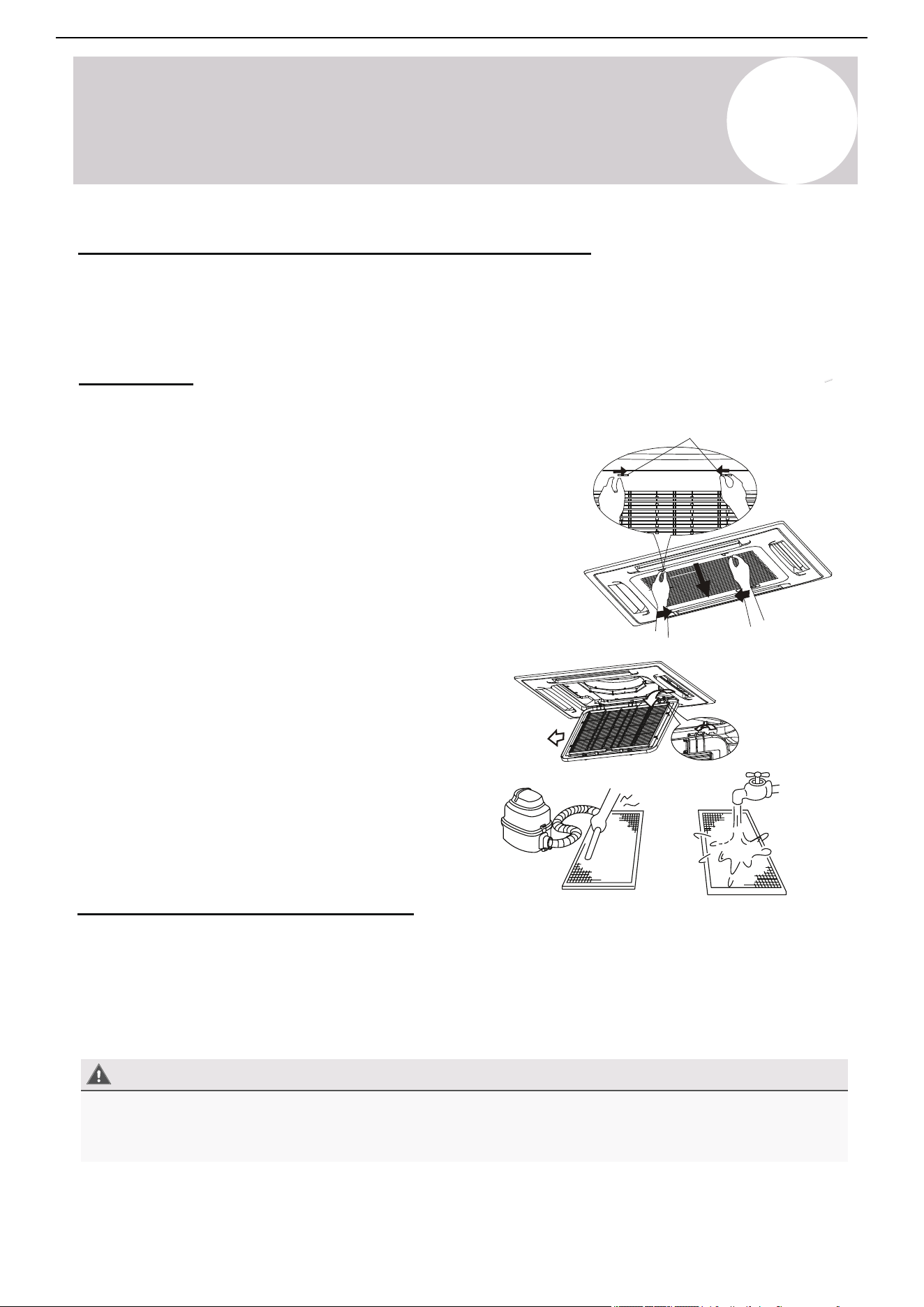
Operating Instructions
Operating
Temperature
Mode
Operational Room
Temperature Range
Remote Control Setting Range
Ambient Outdoor Temperature
Cooling Mode
63-90°F
(17-32°C)
61-86°F / 16-30°C (Standard Setting Range)
46°F / 8°C (Vacation Mode Only; See page 18)
5-122°F
(-15-50°C)
-13-86°F
(-25-30°C)
32-80°F
(0-27°C)
Heating Mode
Drying Mode
63-90°F
(17-32°C)
5-122°F
(-15-50°C)
Air Conditioner Installation & User Manual
Important Note Regarding Operating Temperatures
The system is designed to run within a certain range of temperatures, which are listed below. The system has
built-in protections that may stop the appliance when the ambient temperatures goes outside of these ranges.
Inverter Air Conditioner
Note
The system will restart after a 3-min delay if you stop and restart the air conditioner or change its mode (as
protection for the compressor).
Testing and rating agencies develop standard rating conditions to obtain full system-rated capacity and
efficiency. Within certain limitations, variable speed compressors compensate the deviations from the rating
conditions, especially the atmospheric conditions.
Heat pump systems function by exchanging energy between the indoor air and outdoor ambient air
(atmospheric) in the form of heat. The system's net cooling or heating capacities and efficiencies change by
atmospheric conditions, as well as the indoor air conditions, such as temperatures and humidity levels.
Professional individuals determine the capacity of the system required for a specific area or application using
detailed calculations, which are based on several internal and external factors.
To further optimize the performance of the unit, complete the following:
• Keep doors and windows closed.
• Use Timer On and Timer Off functions to limit energy usage.
• Do not block air inlets or outlets.
• Regularly inspect and clean air filters.
18
Page 20
NOTE
4
After stopping and restarting the air conditioner, or after the mode is changed during operation, the system does
not restart immediately, and will come on when three minutes have elapsed (as a protection for the compressor).
Operating Instructions
An Important Note Regarding Operating Temperatures
The system is designed to run within a certain range of temperatures, which are listed below.
There are built-in protections with the system that may stop the appliance when the ambient
temperatures goes outside of these ranges.
Inverter Air Conditioner
To further optimize the performance of your unit, be sure to do the following:
• Keep doors and windows closed.
• Limit energy usage by using TIMER ON and TIMER OFF functions.
• Do not block air inlets or outlets.
• Regularly inspect and clean air filters.
Full system-rated capacity and efficiency is obtained at the standard rating conditions as developed by
the testing and rating agencies. Deviations from the rating conditions, especially the atmospheric
conditions, will be compensated by the variable speed compressor, within certain limitations.
Heat pump systems function by exchanging energy, in the form of heat, between the indoor air and
the outdoor ambient air (atmospheric). The system’s net cooling or heating capacities and efficiencies
change by atmospheric conditions, as well as the indoor air conditions (such as temperatures and
humidity levels).
Capacity of the system required for a specific area or application must be determined professionally
using detailed calculations, which are based on several internal and external factors.
Owner’s
Manual
Operating
Temperature
Mode
Operational Room
Temperature Range
Remote Control Setting Range
Ambient Outdoor Temperature
COOLING Mode
63°F - 90°F
61°F - 88°F (Standard Setting Range)
46°F (Vacation Mode Only, see Page 18)
5°F - 122°F -13°F - 86°F
5°F - 122°F
32°F - 80°F
HEATING Mode
63°F - 90°F
DRYING Mode
Press tabs to
release grille
Withdraw the panel
and grill at a 45° angle
Vacuum any heavy
dust particles/debris
Wash off
remainder
and allow
filter to dry
6
Maintenance
Maintaining the air conditioner will ensure that the system stays efficient. Before carrying out any sort of
maintenance, ensure that the power supply to the system is turned off for more than 5 minutes. Wear
safety gloves when working on the equipment, due to sharp aluminum fin edges of the coil.
Indoor Unit
Anti-Dust Filters (Inspect once every 2 weeks)
Periodic Maintenance is Essential for the System!
1. Reach for the top area of the interior unit and grasp both
the exposed handles.
2. Gently remove the single anti-dust filter by pulling
upwards and backwards as shown in the illustrations.
3. Clean the filters with warm water (under 113°F / 45°C).
Note: The filters are washable.
4. Leave the filters to dry in a cool, dry place.
5. After, re-insert the filter into the same location after it has
sufficiently dried.
Air Conditioner Installation & User Manual
Note:
Accessorial electrostatic or deodorizing filters are not
washable and should be replaced every 6 months.
Before Cleaning or Maintenance
Always turn off the air conditioner system and disconnect its power supply before cleaning or performing
maintenance. Do not spray water directly near the indoor unit, as it can damage insulation and electrical
components.
In addition to the filters, inspect the interior of the indoor unit as well as the inner coil every season. Disconnect
the front panel and remove the top hinge where the pegs connect. This will offer easier inspections of the
interior and behind the air filters. Clean the interior with a damp cloth and neutral soaps. Do not use any types
of aggressive solvents or detergents. Only use a soft cloth that is lightly damp.
Interior of the Indoor Air Handler
19
Page 23
6
Considerations for A2L Refrigerants
Servicing Information for A2L Refrigerants
▪ The appliance must be stored in a manner
that prevents mechanical damage.
▪ Any work procedure affecting safety
measures must be carried out exclusively
by competent personnel.
▪ Area Inspection: Before servicing
systems containing flammable refrigerants,
safety checks must be performed to
minimize the risk of ignition. When
repairing the refrigeration system, all
following precautions must be observed
before beginning any work.
▪ Work Procedure: All work must be
conducted under a controlled process to
minimize the risk of flammable gas or vapor
being present during servicing.
▪ General Work Area:
◦ All maintenance personnel and individuals
in the vicinity must be informed about the
nature of the work being performed.
◦ Avoid working in confined spaces
whenever possible.
◦ The work area must be sectioned off to
prevent unauthorized access.
▪ Area Ventilation: Ensure the area is free
from flammable materials and that conditions
are controlled to maintain a safe working
environment
▪ Checking for Refrigerant Presence:
◦ The work area must be monitored for
refrigerant leaks using an appropriate
refrigerant detector before and during
servicing.
◦ Ensure the leak detection equipment used
is suitable for flammable refrigerants (i.e.,
non-sparking, adequately sealed, or
intrinsically safe).
▪ Presence of Fire Extinguisher: If any hot
work is to be performed on the refrigeration
equipment or its associated components,
appropriate fire extinguishing equipment
must be readily available. A dry powder or
CO
2
fire extinguisher should be positioned
adjacent to the charging area.
▪ Elimination of Ignition Sources:
◦ Any work involving the exposure of
refrigeration system piping must be
conducted without the use of ignition
sources that could pose a fire or explosion
risk.
◦ All potential ignition sources, including
smoking, must be kept at a safe distance
from the installation, repair, removal, and
disposal areas, where refrigerant may be
unintentionally released into the surrounding
space.
◦ Before commencing work, the area must be
inspected to ensure that no flammable
hazards or ignition risks are present.
◦ "No Smoking" signs must be clearly
displayed in the work area.
◦ Do not attempt to accelerate the defrosting
process or remove frost manually.
◦ Follow the manufacturer's recommended
procedures.
◦ The appliance must be stored in a room
free of continuously operating ignition
sources (e.g., open flames, an active gas
appliance, or an operating electric heater).
◦ Do not pierce or incinerate the appliance or
its components.
◦ Be aware that refrigerants may be odorless.
Warni ng
Safety
Information
7
A2L Refrigerants
Air Conditioner Installation & User Manual
Safety Information for A2L Refrigerants
Because the system contains R-454B refrigerant, read and observe the following notices. Venting any type of
refrigerant into the atmosphere is always illegal and punishable under federal and local regulations. Always read
and obey all applicable local EPA laws.
• Refer to this manual for the required installation
space dimensions, including the minimum
clearance distances from adjacent structures.
• Install, operate, and store the appliance in a room
following the minimum room area requirements
(See pages 31 and 32).
• Keep the length of the refrigerant piping to a
minimum.
• Protect the refrigerant piping from physical
damage. In addition, if the area of the space is
smaller than the minimum, ensure the installation
occurs in a ventilated space.
• Ensure the installation complies with all applicable
national refrigerant regulations.
• Ensure all mechanical connections remain
accessible for maintenance.
• Follow the instructions in this manual for proper
handling, installation, cleaning, maintenance, and
disposal of the refrigerant.
• Confirm that all ventilation openings remain
unobstructed.
Perform the servicing only in accordance with
the manufacturer's recommendations.
Store the appliance in a well-ventilated area
with a room size that meets the minimum
requirements specified for operation.
Store the appliance in a room free of
continuously operating open flames (e.g., an
active gas appliance) and ignition sources
(e.g., an operating electric heater).
• Individuals working on refrigerant circuits must
hold a valid, up-to-date certification from an
industry-accredited assessment authority. They
must verify their competence in handling
refrigerants per the recognized assessment
specifications of the relevant industrial sector.
• Perform service operations strictly in accordance
with the manufacturer's recommendations.
• If maintenance and repairs require assistance
from additional qualified personnel, conduct the
tasks under the supervision of a certified
professional competent in handling flammable
refrigerants.
20
Page 22
Safety
Information
6
Considerations for A2L Refrigerants
Safety Information for A2L Refrigerants
Because your system contains R-454B refrigerant, the following notices should be read and followed.
It must be noted that venting any type of refrigerant into the atmosphere is always illegal and is
punishable under federal and local regulations. Always read and obey all applicable local EPA laws.
▪ Refer to this manual for the required
installation space dimensions, including
the minimum clearance distances from
adjacent structures.
▪ The appliance must be installed, operated,
and stored in a room with a floor area of at
least the minimum allowed (see Page 31).
▪ The length of the refrigerant piping should
be kept to a minimum.
▪ The refrigerant piping must be protected
from physical damage and should not be
installed in an unventilated space if the area
of the space is smaller than the minimum.
▪ Installation must comply with all applicable
national refrigerant regulations.
▪ All mechanical connections must remain
accessible for maintenance.
▪ Follow the instructions in this manual for
proper handling, installation, cleaning,
maintenance, and disposal of the
refrigerant.
▪ Ensure that all ventilation openings remain
unobstructed.
Any individual working on a refrigerant circuit
must hold a valid, up-to-date certification from
an industry-accredited assessment authority,
verifying their competence in handling
refrigerants per the recognized assessment
specifications of the relevant industrial sector.
Service operations must be performed strictly
in accordance with the manufacturer's
recommendations. Maintenance and repair
tasks requiring assistance from additional
qualified personnel must be conducted under
the supervision of a certified professional
competent in handling flammable refrigerants.
Servicing must be performed only in accordance
with the manufacturer's recommendations.
The appliance must be stored in a well-ventilated
area with a room size that meets the minimum
requirements specified for operation.
The appliance must be stored in a room free of
continuously operating open flames (e.g., an
active gas appliance) and ignition sources
(e.g., an operating electric heater).
7
A2L Refrigerants
Air Conditioner Installation & User Manual
Service Information for A2L Refrigerants
• Store the appliance in a manner that prevents
mechanical damage.
• Competent personnel must carry out any work
procedures affecting safety measures.
Warning
• Do not attempt to accelerate the defrosting
process or remove frost manually.
• Follow the manufacturer's recommended
procedures.
• Store the appliance in a room free of continuously
operating ignition sources (e.g., open flames,
active gas appliances, operating electric heaters).
• Do not pierce or incinerate the appliance or its
components.
• Be aware that refrigerants may be odorless.
• Area Inspection:
o Before servicing systems containing flammable
refrigerants, perform safety checks to minimize
the risk of ignition. When repairing the
refrigeration system, observe all the following
precautions before beginning any work.
• Work Procedure:
• Area Ventilation:
o Ensure that the area is free from flammable
materials and conditions are controlled to
maintain a safe working environment.
• Checking for Refrigerant Presence:
o Monitor the work area for refrigerant leaks using
an appropriate refrigerant detector before and
during service.
o Ensure the leak detection equipment used is
suitable for flammable refrigerants (i.e., non-
sparking, adequately sealed, or intrinsically safe).
• Presence of Fire Extinguisher:
o If performing any hot work on the refrigeration
equipment or its associated components, ensure
appropriate fire extinguishing equipment is readily
available. Position a dry powder or CO
2
fire
extinguisher adjacent to the charging area.
• Elimination of Ignition Sources:
o Do not use ignition sources that could pose a fire
or explosion risk when conducting any work
involving the exposure of refrigeration system
piping.
o Keep all potential ignition sources, including
smoking, at a safe distance from the installation,
repair, removal, disposal areas, and locations
where refrigerant may be released unintentionally
into the surrounding space.
o Before commencing work, inspect the area to
ensure that no flammable hazards or ignition
risks are present.
o Clearly display "No Smoking" signs in the work
area.
o Conduct all work under a controlled process to
minimize the risk of flammable gas or vapor from
being present during service.
o Inform all maintenance personnel and individuals
in the vicinity about the nature of the work being
performed.
o Avoid working in confined spaces whenever
possible.
o Section off the work area to prevent unauthorized
access.
• General Work Area:
21
7
A2L Refrigerants
Air Conditioner Installation & User Manual
• Ventilated Area:
o Ensure the work is conducted in either an open
area or in a space with adequate ventilation
before breaking into the system or performing any
heat-producing tasks.
o Maintain ventilation throughout the duration of the
work.
o Ensure the ventilation system effectively
disperses any released refrigerant and directs it
safely to an external atmosphere, if possible.
• Inspection of Refrigeration Equipment:
o When replacing electrical components, ensure
that they meet the correct specifications and are
suitable for its intended purpose.
o Follow the manufacturer's maintenance and
service guidelines.
o If unsure, consult the manufacturer's technical
support department for guidance.
• Inspections for Installations Using Flammable
Refrigerants: Perform the following inspections
for systems utilizing flammable refrigerants:
o Ensure that the refrigerant charge size complies
with the minimum room size requirements when
installing refrigerant-containing components.
o Verify that the ventilation equipment and exhaust
outlets are functioning properly and free from
obstructions.
o If using an indirect refrigerant circuit, inspect the
secondary circuit for any presence of refrigerant.
o Confirm that all equipment markings remain visible
and legible. Replace or correct any illegible
markings or signs.
• Inspection of Electrical Devices:
o Ensure the repair and maintenance of electrical
components include initial safety checks and a
thorough inspection of components.
o If the fault cannot be corrected immediately but
continuing work is necessary, implement a
temporary solution that is safe and effective.
o Report any temporary measures to the equipment
owner, ensuring all relevant parties are informed.
• Initial Safety Checks:
o Fully discharge the capacitors in a controlled
manner to prevent sparking.
o Verify that no live electrical components or
exposed wiring are present during system
charging, refrigerant recovery, or purging.
o Confirm that the earth bonding continuity is
maintained.
• Repairs to Sealed Components:
o Replace sealed electrical components, rather
than repair them.
• Repairs to Intrinsically Safe Components:
o Replace intrinsically safe components, rather
than repair them.
o Install the refrigeration piping and components in
locations where they are not exposed to
substances that could cause corrosion. If
exposure is unavoidable, verify that the
components are either made from corrosion-
resistant materials or are adequately protected
against corrosion.
22
Service Information for A2L Refrigerants (Continued)
Page 24
Safety
Information
6
Considerations for A2L Refrigerants
▪ Ventilated Area:
◦ Ensure that work is conducted either in an
open area or in a space with adequate
ventilation before breaking into the system
or performing any heat-producing tasks.
◦ Ventilation must be maintained throughout
the duration of the work.
◦ The ventilation system should effectively
disperse any released refrigerant and, if
possible, direct it safely to an external
atmosphere.
▪ Inspection of Refrigeration
Equipment:
◦ When replacing electrical components,
ensure that they meet the correct
specifications and are suitable for their
intended purpose.
◦ Always adhere to the manufacturer's
maintenance and service guidelines.
◦ If unsure, consult the manufacturer’s
technical support department for guidance.
▪ Checks for Installations Using
Flammable Refrigerants: The following
inspections must be performed for systems
utilizing flammable refrigerants:
◦ Ensure that the refrigerant charge size
complies with the minimum room size
requirements where refrigerant-containing
components are installed.
◦ Verify that ventilation equipment and
exhaust outlets are functioning properly
and are free from obstructions.
◦ If an indirect refrigeration circuit is used,
inspect the secondary circuit for any
presence of refrigerant.
◦ Confirm that all equipment markings
remain visible and legible. Any illegible
markings or signs must be replaced or
corrected.
Ensure that refrigeration piping and
components are installed in locations where
they are not exposed to substances that could
cause corrosion. If exposure is unavoidable,
verify that the components are either made
from corrosion-resistant materials or are
adequately protected against corrosion.
▪ Inspection of Electrical Devices:
Repair and maintenance of electrical
components must include initial safety
checks and a thorough inspection of com-
ponents. If a fault is detected that could
compromise safety, the electrical supply
must not be connected to the circuit until
the issue is fully resolved.
◦ If the fault cannot be corrected immediately
but continued operation is necessary, a
temporary solution may be implemented,
provided it is safe and effective.
◦ Any temporary measures must be reported
to the equipment owner to ensure all
relevant parties are informed.
▪ Initial Safety Checks:
◦ Ensure that capacitors are fully discharged
in a controlled manner to prevent sparking.
◦ Verify that no live electrical components or
exposed wiring are present during system
charging, refrigerant recovery, or purging.
◦ Confirm that earth bonding continuity is
maintained.
▪ Repairs to Sealed Components:
Sealed electrical components must be
replaced rather than repaired.
▪ Repairs to Intrinsically Safe
Components: Intrinsically safe
components must be replaced and not
repaired.
7
A2L Refrigerants
Air Conditioner Installation & User Manual
• Cabling: Do not expose the cabling to wear,
corrosion, excessive pressure, vibration, sharp
edges, or other adverse environmental factors.
Consider the long-term effects of aging and
continuous vibration from components such as
compressors or fans.
• Detection of Flammable Refrigerants: Do not
use potential sources of ignition for refrigerant
leak detection under any circumstances.
• Leak Detection Methods: The following methods
are approved for detecting leaks in systems
containing flammable refrigerants:
o Electronic Leak Detectors: Use this method for
detecting flammable refrigerants. Note: They may
require recalibration to maintain adequate
sensitivity.
-- Calibrate the detection equipment in a
refrigerant-free area.
-- Ensure that the detector does not pose an
ignition risk and is compatible with the refrigerant
in use.
-- Set the detector to a percentage of the
refrigerant's Lower Flammability Limit (LFL). In
addition, calibrate the detector to confirm that the
appropriate gas concentration does not exceed
25% of the LFL.
o Leak Detection Fluids: This method is suitable
for most refrigerants but must not contain
chlorine. Note: Chlorine can react with the
refrigerant and corrode copper piping.
o Safety Precautions: If a leak is suspected,
remove or extinguish all open flames. If a
refrigerant leak requiring brazing is detected, fully
recover the refrigerant or isolate the refrigerant
using the shut-off valves to prevent accidental
release.
o Oxygen-Free Nitrogen: Purge oxygen-free
nitrogen through the system before and during
brazing.
• Removal and Evacuation: When accessing the
refrigerant circuit for repairs or other procedures,
follow the industry-standard practices, with
additional precautions for flammability:
1. Recover the refrigerant into approved recovery
cylinders.
2. Purge the circuit using an inert gas, such as OFN.
3. Evacuate the system.
4. Purge the circuit again using inert gas.
5. Open the circuit by cutting or brazing.
-- Flush the system with OFN to ensure safety.
Repeat this process multiple times if needed.
-- Do not use compressed air or oxygen for flushing.
• Flushing: Follow this flushing procedure:
1. Break the system vacuum with OFN.
2. Fill the system until the working pressure is
reached.
3. Vent the system to atmospheric pressure.
4. Pull the system down to vacuum.
5. Repeat this process until no refrigerant remains in
the system.
6. When the final OFN charge is introduced, vent the
system to atmospheric pressure to allow for safe
work. This step is critical before performing any
brazing on pipework.
Note: Position the vacuum pump outlet away from
ignition sources and ensure adequate ventilation.
23
Service Information for A2L Refrigerants (Continued)
Page 27
6
Considerations for A2L Refrigerants
Recovery Procedure: When removing refrigerant
from a system for servicing or decommissioning, the
following best practices must be observed to ensure
safety and compliance:
1. Safe Refrigerant Removal: All refrigerants must
be safely removed from the system following
proper handling procedures.
2. Use of Appropriate Recovery Cylinders: Only
approved refrigerant recovery cylinders must
be used.
A. Ensure that a sufficient number of cylin-
ders are available to accommodate the total
refrigerant charge from the system.
B. Each cylinder must be designated and
labeled for the specific refrigerant being
recovered (e.g., cylinders specifically designed
for refrigerant recovery).
C. Recovery cylinders must be equipped with a
pressure-relief valve and functioning
shut-off valves.
D. Empty recovery cylinders should be
evacuated and, if possible, pre-cooled
before the recovery process begins.
3. Recovery Equipment Requirements: The
recovery equipment must be:
A. In good working condition.
B. Accompanied by manufacturer-provided
operating instructions.
C. Suitable for recovering all appropriate
refrigerants, including flammable refrigerants
when applicable.
D. A calibrated weighing scale must be available
to monitor refrigerant recovery accurately.
E. Hoses must be equipped with leak-free
disconnect couplings and be in good
condition.
◦ Before using the recovery machine:
Verify that it is in proper working order
and has been properly maintained.
Ensure that any associated electrical
components are sealed to prevent
ignition in case of a refrigerant leak.
◦ If in doubt, consult the manufacturer.
4. Handling Recovered Refrigerant:
• It is vital that:
A. The recovered refrigerant must be
returned to the refrigerant supplier in
the correct recovery cylinder.
B. A waste transfer note must be
arranged for proper documentation
and disposal.
C. Do not mix refrigerants in recovery
units or cylinders under any
circumstances.
5. Compressor and Oil Removal:
• If compressors or compressor oils need
to be removed:
A. Ensure that they have been
evacuated to an acceptable level
to eliminate any remaining flammable
refrigerant within the lubricant.
B. The evacuation process must be
completed before returning the
compressor to the supplier.
C. Only electric heating should be
used to accelerate the evacuation of
refrigerant from the compressor
body. Open flames or ignition
sources must not be used.
• When draining oil from a system, the
process must be conducted safely and in
accordance with best practices.
Recovery Information for A2L Refrigerants
Safety
Information
7
A2L Refrigerants
Air Conditioner Installation & User Manual
Decommissioning Information for A2L Refrigerants
Decommissioning: Before starting the
decommission process, the technician must be fully
familiar with the equipment and its components.
Safely recover all refrigerant as a standard best
practice. Prior to decommissioning, collect an oil
and refrigerant sample for analysis if reclaimed
refrigerant is intended for reuse. Ensure electrical
power is available before beginning the
decommissioning process.
A. Familiarization: Understand the equipment, its
operation, and the decommissioning process before
beginning work.
B. Electrical Isolation: Disconnect the system from
the electrical supply to prevent accidental activation
during the procedure.
C. Pre-Procedure Safety Checks: Before
proceeding, ensure the following:
• Mechanical handling equipment is available if
needed for refrigerant cylinder transport.
• All required personal protective equipment
(PPE) is present and correctly used.
• A competent person supervises the entire
refrigerant recovery process.
• Recovery equipment and cylinders comply with
all relevant safety and regulatory standards.
H. Cylinder Fill Limits: Do not exceed 80% of the
cylinder's total volume when filing with liquid
refrigerant, allowing expansion.
I. Maximum Pressure Precautions: Do not
exceed the maximum working pressure of the
recovery cylinder at any time, even temporarily.
J. Finalizing the Recovery Process:
Once the cylinders are correctly filled and the
process is complete:
o Promptly remove the cylinders and
recovery equipment from the site.
o Close all isolation valves on the
equipment to prevent leaks.
K. Handling Recovered Refrigerant: Recovered
refrigerant must not be recharged into another
refrigeration system unless it has been properly
cleaned and tested to ensure compliance with
safety and performance standards.
L. Labeling: Label the equipment indicating that it
has been decommissioned and emptied of
refrigerant. The label must include the
decommissioning date and signature of the
responsible technician. Ensure that the equipment
preserves labels indicating the presence of
flammable refrigerant, even after decommission.
D. Pump Down the Refrigerant System: If
possible, perform a pump-down procedure to
remove refrigerant from the system.
E. Alternative Method if Vacuum is Not Possible:
If a complete vacuum cannot be achieved, create a
manifold to facilitate refrigerant removal from
multiple points in the system.
F. Cylinder Positioning: Ensure the recovery
cylinder is placed on a scale before starting the
refrigerant recovery process.
G. Recovery Machine Operation: Start the
recovery machine and follow the manufacturer's
instructions for proper operation.
24
Page 26
Safety
Information
6
Considerations for A2L Refrigerants
◦ Decommissioning: Before starting
decommissioning, the technician must be
fully familiar with the equipment and its
components. All refrigerant should be
recovered safely as a standard best
practice. Prior to decommissioning, an oil
and refrigerant sample should be collected
for analysis if reclaimed refrigerant is
intended for reuse. Electrical power must
be available before beginning the
decommissioning process.
A. Familiarization: Understand the
equipment, its operation, and the
decommissioning process before
beginning work.
B. Electrical Isolation: Disconnect the
system from the electrical supply to prevent
accidental activation during the procedure.
C. Pre-Procedure Safety Checks: Before
proceeding, ensure the following:
1. Mechanical handling equipment is
available if needed for refrigerant
cylinder transport.
2. All required personal protective
equipment (PPE) is present and
correctly used.
3. A competent person supervises the
entire refrigerant recovery process.
4. Recovery equipment and cylinders
comply with all relevant safety and
regulatory standards.
D. Pump Down the Refrigerant System: If
possible, perform a pump-down procedure
to remove refrigerant from the system.
E. Alternative Method if Vacuum is Not
Possible: If a complete vacuum cannot be
achieved, create a manifold to facilitate
refrigerant removal from multiple points in
the system.
F. Cylinder Positioning: Ensure the
recovery cylinder is placed on a scale before
starting the refrigerant recovery process.
G. Recovery Machine Operation: Start the
recovery machine and follow the
manufacturer’s instructions for proper
operation.
H. Cylinder Fill Limits: Do not exceed 80%
of the cylinder’s total volume when filling
with liquid refrigerant to allow for expansion.
I. Maximum Pressure Precautions: Do not
exceed the maximum working pressure of
the recovery cylinder at any time, even
temporarily.
J. Finalizing the Recovery Process:
▪ Once the cylinders are correctly filled and
the process is complete:
▪ Promptly remove the cylinders and
recovery equipment from the site.
▪ Close all isolation valves on the equipment
to prevent leaks.
K. Handling Recovered Refrigerant:
Recovered refrigerant must not be recharged
into another refrigeration system unless it has
been properly cleaned and tested to ensure
compliance with safety and performance
standards.
▪ Labeling: The equipment must be
labeled to indicate that it has been
decommissioned and emptied of
refrigerant. The label must include the date
of decommissioning and the signature of
the responsible technician. Ensure that the
equipment retains labels indicating the
presence of flammable refrigerant, even
after decommissioning.
Decomissioning Information for A2L Refrigerants
7
A2L Refrigerants
Air Conditioner Installation & User Manual
Recovery Information for A2L Refrigerants
Recovery Procedure: When removing refrigerant from
a system for servicing or decommissioning, observe the
following best practices to ensure safety and
compliance:
1. Safe Refrigerant Removal: Safely remove all
refrigerants from the system following proper handling
procedures.
2. Use of Appropriate Recovery Cylinders: Only use
approved refrigerant recovery cylinders.
• Ensure that a sufficient number of cylinders are
available to accommodate the total refrigerant
charge from the system.
• Designate and label each cylinder for the specific
refrigerant being recovered. (e.g., cylinders
specifically designed for refrigerant recovery).
• Equip recovery cylinders with a pressure-relief
valve and functioning shut-off valves.
• Evacuate empty recovery cylinders. If possible,
pre-cool the recovery cylinders before the process
begins.
3. Recovery Equipment Requirements: The recovery
equipment must be:
• In good working condition.
• Accompanied by manufacturer-provided operating
instructions.
• Suitable for recovering all appropriate refrigerants,
including flammable refrigerants when applicable.
• Ensure a calibrated weighing scale is available to
monitor refrigerant recovery accurately.
• Equip hoses with leak-free disconnect couplings
and ensure they're in good conditions.
o Before using the recovery machine, verify
that it is in proper working order and has
been properly maintained.
o Ensure that any associated electrical
components are sealed to prevent ignition
in case of a refrigerant leak.
o If in doubt, consult the manufacturer.
4. Handling Recovered Refrigerant:
It is vital to:
• Return the recovered refrigerant to the
refrigerant supplier in the correct recovery
cylinder.
• Arrange a waste transfer note for proper
documentation and disposal.
• Do not mix refrigerants in recovery units or
cylinders under any circumstances.
5. Compressor and Oil Removal:
If compressors or compressor oils need to be
removed:
• Evacuate the compressor to an
acceptable level to eliminate any
remaining flammable refrigerant within the
lubricant.
• Complete the evacuation process before
returning the compressor to the supplier.
• Only use electric heating to accelerate the
evacuation of refrigerant from the
compressor body. Do not use open flames
or ignition sources.
• When draining oil from a system, conduct
the process safely and in accordance with
best practices.
25
Page 29
6
Considerations for A2L Refrigerants
Preparation for Working on Systems With A2L Refrigerants
No Flammable
Sources
Ventilation
Necessary
Wear
Protective
Gear
Don’t Use
Electronics
Near System
Refrigerant Leakage Detector
Determining Installation Location
A handheld leakage detector can
aid with tracing and isolating
refrigerant leaks. As such, it is
recommended to have one handy
whenever working on the system.
It is vital that the systems are installed in
suitable locations based on the guidelines
given below. For best results, follow all
requirements given in this manual when
determining placement of the equipment.
Installation Site Requirements:
1. Ensure Proper Ventilation
◦ The installation site must be well-ventilated
to allow safe operation and prevent
refrigerant accumulation.
2. Keep Away from Heat and Fire Hazards
◦ The installation and maintenance sites for air
conditioners using Refrigerant R454-B must
be free from open flames or heat sources.
◦ Avoid locations near welding activities,
smoking areas, drying ovens, or any heat
source exceeding 1000°F, as these can
create ignition risks.
3. Implement Anti-Static Precautions
◦ Wear anti-static clothing and gloves to
prevent static discharge when handling and
installing the unit.
4. Select an Accessible Installation Site
◦ The installation location must allow easy
access for maintenance.
◦ Indoor and outdoor units should not be
surrounded by obstacles that restrict airflow.
◦ Avoid areas close to heat sources or
environments with flammable or explosive
materials.
5. Refrigerant Leak Emergency Actions
◦ If the indoor unit leaks refrigerant
during installation, immediately shut off
the outdoor unit valve.
◦ All personnel must evacuate the area
for at least 15 minutes until the
refrigerant fully dissipates.
◦ If the product is damaged, it must be
transported to a maintenance station.
Please note that on-site welding or
refrigerant pipe repairs are strictly
prohibited.
6. Ensure Even Airflow
◦ Choose a location where the air inlet
and outlet flow of indoor unit remains
unobstructed and evenly distributed.
7. Avoid Installing Near Sensitive Areas
◦ Do not install the indoor unit near:
• Electrical devices or power outlets.
• Kitchen cabinets, beds, sofas, or
valuable items.
• Areas where the airflow from the
two sides of the unit could directly
impact important objects.
Safety
Information
7
A2L Refrigerants
Air Conditioner Installation & User Manual
WARNING
USAGE STATEMENT
• Use a flammable gas detector to check for potential leaks
before unloading and opening the container.
• Do not allow fire sources or smoking in the vicinity.
• Protect the pipework from physical damage. For flammable
refrigerants, do not install pipes in an unventilated space if it is
smaller than the minimum requirements in Annex GG. For A2L
refrigerants, you must install pipes that comply with 22.116. If
field charging is necessary, technicians must quantify the
impact of different pipe lengths on the refrigerant charge.
• Ensure the compliance of all national gas regulations.
• Ensure that mechanical connections made in accordance with
22.118 remain accessible for maintenance.
• Protect pipework, including piping material, routing, and
installation from physical damage during operation and
servicing. It must comply with all national and local codes and
standards, including:
o ASHRAE 15
o ASHRAE 15.2
o IAPMO Uniform Mechanical Code
o ICC International Mechanical Code
o CSA B52
o All field joints must be accessible for inspection before
being covered or enclosed.
• After completing the field piping installation for split systems,
the field pipework must undergo:
o Pressure testing with an inert gas.
o Vacuum testing before refrigerant charging, following
the required standards.
• Store the appliance in a way that prevents mechanical damage.
• Qualified personnel must carry out maintenance, service, and
repair operations according to Annex HH.
• Only competent individuals should perform safety-critical
procedures, including:
o Breaking into the refrigerant circuit
o Opening sealed components
o Opening ventilated enclosures
• Do not use unauthorized methods to complete cleaning or
accelerate defrosting. Follow only the manufacturer's
recommended procedures.
• Store the appliance in a room free of continuously operating
ignition sources (e.g. open flames, operating gas appliance,
electric heater).
• Do not pierce or burn any part of the system.
•
Minimum Installation Requirements: Install the equipment
within the minimum height and room area (for both operation
and storage) specified in the installation manual.
• Risk of Fire - Auxiliary Devices: Do not install ignition source
auxiliary devices within the ductwork, unless they are
specifically listed for this appliance. Refer to the installation
instructions.
• Mounting Clearance: Mount the system with the lowest
moving parts at least 8 feet (2.5 m) above the floor or grade
level.
• Risk of Electric Shock: Serious injury or death may occur.
Disconnect all remote electric power supplies before
performing any service.
• Risk of Fire - Flammable Refrigerant: Flammable refrigerant
is used. Ensure proper handling and disposal. Trained service
personnel must perform maintenance and repairs. Do not
puncture the refrigerant tubing.
• Risk of Fire - Proper Disposal Required: Dispose of the
system according to all applicable federal and local regulations.
• Risk of Fire - Service Precautions: Flammable refrigerant is
used. Refer to the service manual before attempting to service
this product.
• Risk of Fire - Compliance with Regulations: Follow all
handling instructions and comply with national regulations
when working with flammable refrigerants.
AVERTISSEMENT
• Ne pas utiliser de moyens non recommandés par le fabricant
pour accélérer le dégivrage ou nettoyer l’appareil.
• L’appareil doit être entreposé dans un endroit sans source
d’allumage fonctionnant en continu (par exemple: flamme
nue, appareil à gaz en marche, ou radiateur électrique en
marche).
• Ne pas percer ni brûler l’appareil.
• Attention: les frigorigènes peuvent être inodores.
COMPLIANCE
26
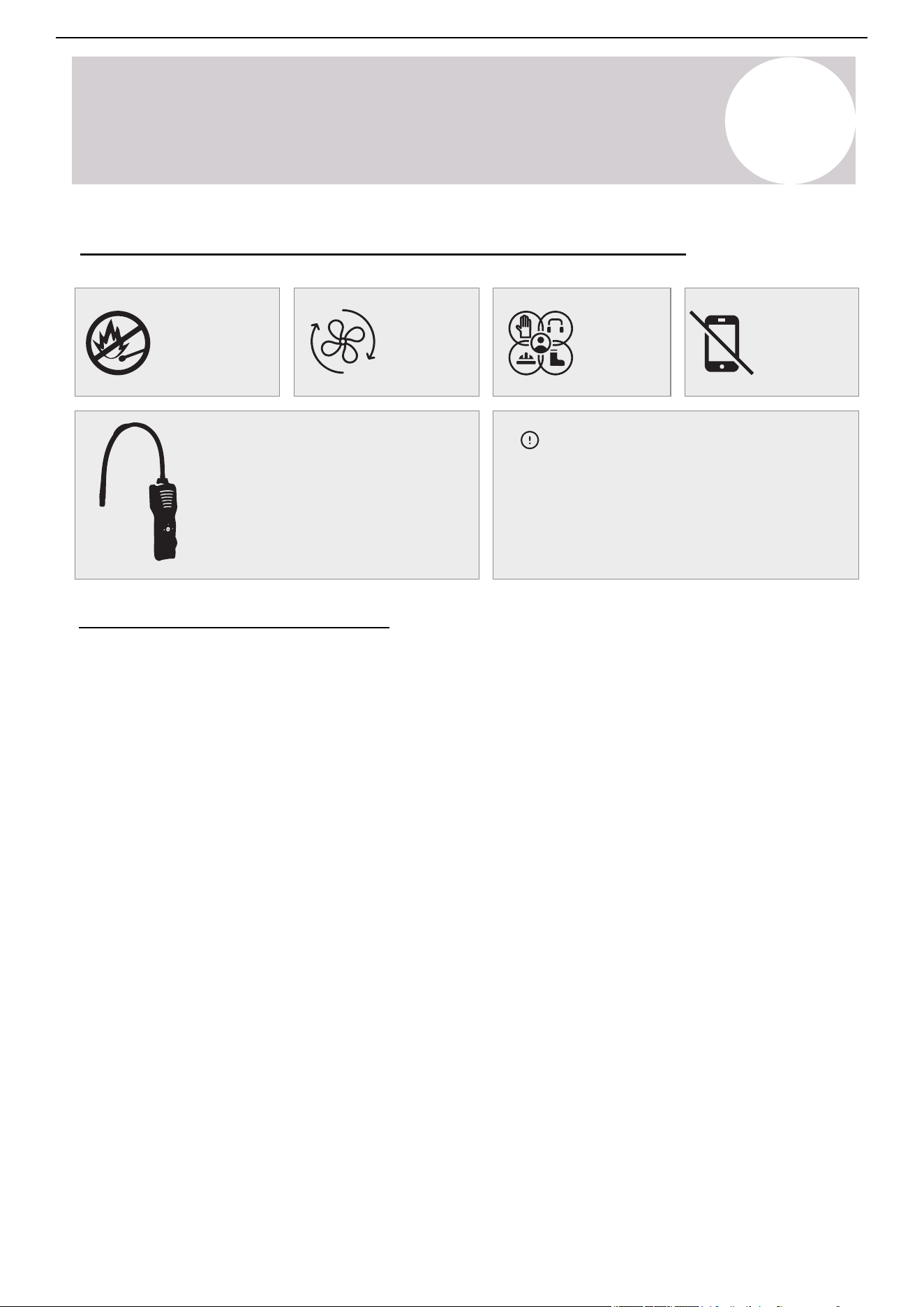
Page 28
Safety
Information
6
Considerations for A2L Refrigerants
WARNING
USAGE STATEMENT
◦ Do not use any unauthorized methods to accelerate
the defrosting process or for cleaning. Follow only
the manufacturer's recommended procedures.
◦ The appliance must be stored in a room free of
continuously operating ignition sources (e.g., open
flames, an operating gas appliance, or an electric
heater).
◦ Do not pierce or burn any part of the system.
◦ Be aware that refrigerants may be odorless.
COMPLIANCE
◦ Minimum Installation Requirements: The minimum installation
height and minimum room area (for both operation and storage)
must be in accordance with the installation manual.
◦ Risk of Fire – Auxiliary Devices: Ignition source auxiliary
devices must not be installed within the ductwork, except for
auxiliary devices specifically listed for use with this appliance.
Refer to the installation instructions.
◦ Mounting Clearance:The system must be mounted with the
lowest moving parts at least 2.5m (8ft) above the floor or grade
level.
◦ Risk of Electric Shock: Serious injury or death may occur.
Disconnect all remote electric power supplies before performing
any servicing.
◦ Risk of Fire – Flammable Refrigerant: Flammable refrigerant is
used. Maintenance and repairs must only be performed by
trained service personnel. Do not puncture refrigerant tubing.
◦ Risk of Fire – Proper Disposal Required: Dispose of the
system in accordance with all applicable federal and local
regulations.
◦ Flammable refrigerant is used; ensure proper handling and
disposal.
◦ Risk of Fire – Service Precautions: Flammable refrigerant is
used. Refer to the repair manual/owner’s guide before attempting
to service this product.
◦ Risk of Fire – Compliance with Regulations: Due to the use of
flammable refrigerants, follow handling instructions carefully and
ensure compliance with national regulations.
◦ Ne pas utiliser de moyens non recommandés par le
fabricant pour accélérer le dégivrage ou nettoyer
l’appareil.
◦ L’appareil doit être entreposé dans un endroit sans
source d’allumage fonctionnant en continu (par
exemple : flamme nue, appareil à gaz en marche, ou
radiateur électrique en marche).
◦ Ne pas percer ni brûler l’appareil.
◦ Attention : les frigorigènes peuvent être inodores.
◦ Before unloading and opening the container, use a
flammable gas detector to check for potential leaks.
◦ No fire sources or smoking are allowed in the vicinity.
◦ Pipework must be protected from physical damage. For
FLAMMABLE REFRIGERANTS, pipes must not be
installed in an unventilated space if that space is smaller
than the minimum requirements stated in Annex GG,
except in the case of A2L REFRIGERANTS, where
installed pipes must comply with 22.116. If field
charging is required, the impact of different pipe lengths
on the REFRIGERANT CHARGE must be quantified.
◦ Compliance with all national gas regulations must be
ensured.
◦ Mechanical connections made in accordance with
22 .118 must remain accessible for maintenance
purposes.
◦ Pipework, including piping material, routing, and
installation, must be protected from physical damage
during operation and servicing. It must comply with all
national and local codes and standards, including:
• ASHRAE 15
• ASHRAE 15.2
• IAPMO Uniform Mechanical Code
• ICC International Mechanical Code
• CSA B52
• All field joints must be accessible for inspection
before being covered or enclosed.
◦ After field piping installation for split systems, the field
pipework must undergo:
• Pressure testing with an inert gas.
• Vacuum testing before refrigerant charging,
following the required standards.
◦ The appliance must be stored in a way that prevents
mechanical damage.
◦ Maintenance, service, and repair operations must only
be carried out by qualified personnel according to
Annex HH.
◦ Only competent persons should perform safety-critical
procedures, including:
• Breaking into the refrigerant circuit
• Opening sealed components
• Opening ventilated enclosures
AVERTISSEMENT
7
A2L Refrigerants
Air Conditioner Installation & User Manual
No flammable
sources
Preparation for Working on Systems with A2L Refrigerants
Ventilation
necessary
Wear
protective
gear
Do not use
electronics
near system
Refrigerant Leakage Detector
A handheld leak detector can aid with
tracing and isolating refrigerant leaks. It
is recommended to have one handy
whenever working on the system.
Determining Installation Location
Install the systems in suitable locations according
to the guidelines below. For the best results,
follow all the requirements for equipment
placement in this manual.
Installation Site Requirements
1. Ensure Proper Ventilation
• Ventilate the installation site well to allow safe
operation and prevent refrigerant accumulation.
2. Keep Away from Heat and Fire Hazards
• Keep all installation and maintenance sites for air
conditioners that use R-454B refrigerant away from
open flames or heat sources.
• To prevent ignition risks, technicians must avoid
locations near welding activities, smoking areas,
drying ovens, or any heat source exceeding 1,000°F
(538°C).
3. Implement Anti-Static Precautions
• Wear anti-static clothing and gloves to prevent static
discharge when handling and installing the unit.
4. Select an Accessible Installation Site
• The installation location must allow easy access for
maintenance.
• Do not surround indoor and outdoor units with
obstacles that restrict airflow.
• Keep away from heat sources and flammable or
explosive materials.
5. Refrigerant Leak Emergency Actions
• If the indoor unit leaks refrigerant during
installation, immediately shut off the
outdoor unit valve.
• All personnel must evacuate the area for
at least 15 minutes until the refrigerant
fully dissipates.
• If the product is damaged, transport it to a
maintenance station. Note: On-site
welding or refrigerant pipe repairs are
strictly prohibited.
6. Ensure Even Airflow
• Choose a location where the indoor unit's
air inlet and outlet flow remain
unobstructed and evenly distributed.
7. Avoid Installing Near Sensitive Areas
• Do not install the indoor unit near:
o Electric devices or power outlets.
o Kitchen cabinets, beds, sofas, or
valuable items.
o Areas where the airflow from the
two sides of the unit could directly
impact important objects.
27
Page 31
6
Considerations for A2L Refrigerants
Where Category = R454-B, LFL = 0.303 kg/m
3
Table GG.2 - Minimum Room Area (m
2
)
Table GG.4DV - Minimum Room Area (m
2
)
Table GG.3DV - Maximum Charge (g) [lbs]
The calculated minimum allowable room area for
all capacities is as follows:
The standard factory refrigerant charge amount as
well as the maximum allowable charge are as follows:
Use the above figures when charging the system
from empty. The proceeding pages will also inform
the reader in determining the additional refrigerant
charging amounts for adjusting the factory charge
when using non-standard piping length.
Determining Refrigerant Amount
Suggested Tools:
Safety
Information
(Installed
Height)
(6’0”)
(8’2”)
(9’2”)
(28 ft
2
)
(32 ft
2
)
(40 ft
2
)
(51 ft
2
)
(62 ft
2
)
(71 ft
2
)
(79 ft
2
)
(21 ft
2
)
(23 ft
2
)
(29 ft
2
)
(37 ft
2
)
(45 ft
2
)
(52 ft
2
)
(57 ft
2
)
(19 ft
2
)
(21 ft
2
)
(26 ft
2
)
(33 ft
2
)
(40 ft
2
)
(46 ft
2
)
(51 ft
2
)
Model
(BTU)
Minimum Allowable Room Area
(Assumes 25 ft lineset and 6 ft install height)
12,000
9,000
18,000
24,000
3.67 m
2.6 m
2
2
(40 ft
2
)
(28 ft
2
)
4.73 m
2
(51 ft
2
)
5.72 m
2
(62 ft
2
)
Model
(BTU)
R454-B Refrigerant
(Standard Charge)
R454-B Refrigerant
(Maximum Charge)
9,000 710 g / 1.57 lbs 785 g / 1.73 lbs
12,000 1000 g / 2.2 lbs 1075 g / 2.37 lbs
18,000 1290 g / 2.84 lbs 1365 g / 3.01 lbs
24,000 1560 g / 3.44 lbs 1635 g / 3.61 lbs
(25.1 oz)
(28.2 oz)
0.71
0.8
(35.3 oz)1.0
(45.5 oz)1.29
(55.0 oz)1.56
(63.5 oz)1.8
(70.5 oz)2.0
2.6
2.93
3.67
4.73
5.72
6.6
7.33
(25.1 oz)
(28.2 oz)
0.71
0.8
(35.3 oz)1.0
(45.5 oz)1.29
(55.0 oz)1.56
(63.5 oz)1.8
(70.5 oz)2.0
(25.1 oz)
(28.2 oz)
0.71
0.8
(35.3 oz)1.0
(45.5 oz)1.29
(55.0 oz)1.56
(63.5 oz)1.8
(70.5 oz)2.0
1.88
2.11
2.64
3.41
4.12
4.75
5.28
1.67
1.89
2.36
3.04
3.68
4.24
4.71
7
A2L Refrigerants
Air Conditioner Installation & User Manual
(Installed
Height)
1.8
(6'0")
h
0
(m)
Charge Limit (kg)
Floor Area (m
2
)
2.5
(8'2")
2.8
(9'2")
4 (43 ft
2
)
4 (43 ft
2
)
4 (43 ft
2
)
7 (75 ft
2
)
10 (107 ft
2
)
7 (75 ft
2
)
10 (107 ft
2
)
7 (75 ft
2
)
10 (107 ft
2
)
15 (161 ft
2
)
15 (161 ft
2
)
15 (161 ft
2
)
20 (215 ft
2
)
20 (215 ft
2
)
20 (215 ft
2
)
30 (322 ft
2
)
30 (322 ft
2
)
30 (322 ft
2
)
50 (538 ft
2
)
50 (538 ft
2
)
50 (538 ft
2
)
1.09 (38.5 oz)
1.91 (67.3 oz)
2.73 (96.2 oz)
3.92 (138.2 oz)
4.52 (
159.6 oz)
5.54 (195.5 oz)
7.15 (
252.3 oz)
1.52 (
53.44 oz)
2.65 (
93.5 oz)
3.79 (133.6 oz)
5.44 (191.9 oz)
6.28 (221.6 oz)
7.7 (271.4 oz)
9.94 (350.4 oz)
1.7 (59.8 oz)
2.97 (104.7 oz)
4.24 (149.6 oz)
6.09 (215 oz)
7.04 (248.2 oz)
8.62 (304 oz)
11.12 (392.5 oz)
Charging Protocol for A2L Refrigerants - If Applicable
Important Considerations
1. Qualified personnel must install and service the
air conditioner. Installers must comply with all
instructions set forth herein and all local regulations.
2. Use caution when handling combustible
refrigerants. Careless handling can cause serious
injury or property damage.
3. Conduct a leak test after completing the
installation to ensure system integrity.
4. Conduct safety inspections before performing
maintenance or repairs on air conditioners using
combustible refrigerants to minimize fire risk.
5. Operate the system under controlled conditions to
reduce the risk of combustible gas or vapor hazards.
6. The specifications in Tables GG.1 and GG.2
outline the total weight of refrigerant charge and
minimum room area requirements for air
conditioners.
Maximum Refrigerant Charge and Required
Floor Area: The maximum charge is determined by
the following equations:
m
1
= (6m
3
) x LFL, m
2
= (52m
3
) x LFL, m
3
= (260m
3
)
x LFL
Where LFL is the lower refrigerant limit in kg/m
3
.
For R-454B refrigerant, LFL = 0.303 kg/m
3
.
For appliances with a charge amount m
1
< M = m
2
:
The maximum refrigerant charge in a room must
comply with: M
max
= 2.5 x (LFL)
5/4
x h
0
x A
1/2
This value must not exceed: M
max
= SF x LFL x h
0
x
A
(Refer to GG.3DV for specific factors and
applications.)
Minimum Floor Area Requirement: The required
minimum floor area A
min
for an appliance with a
refrigerant charge M
c
(kg) must be calculated as
follows:
A
min
= [M
c
/ (2.5 x LFL
5/4
x h
0
]
2
However, A
min
= M
c
/ (SF x LFL x h
0
); SF = 0.5
Refer to GG.4DV for specific values/factors.
Where Category = R-454B, LFL = 0.303 kg/m
3
Table GG.1 - Maximum Charge (kg)
28
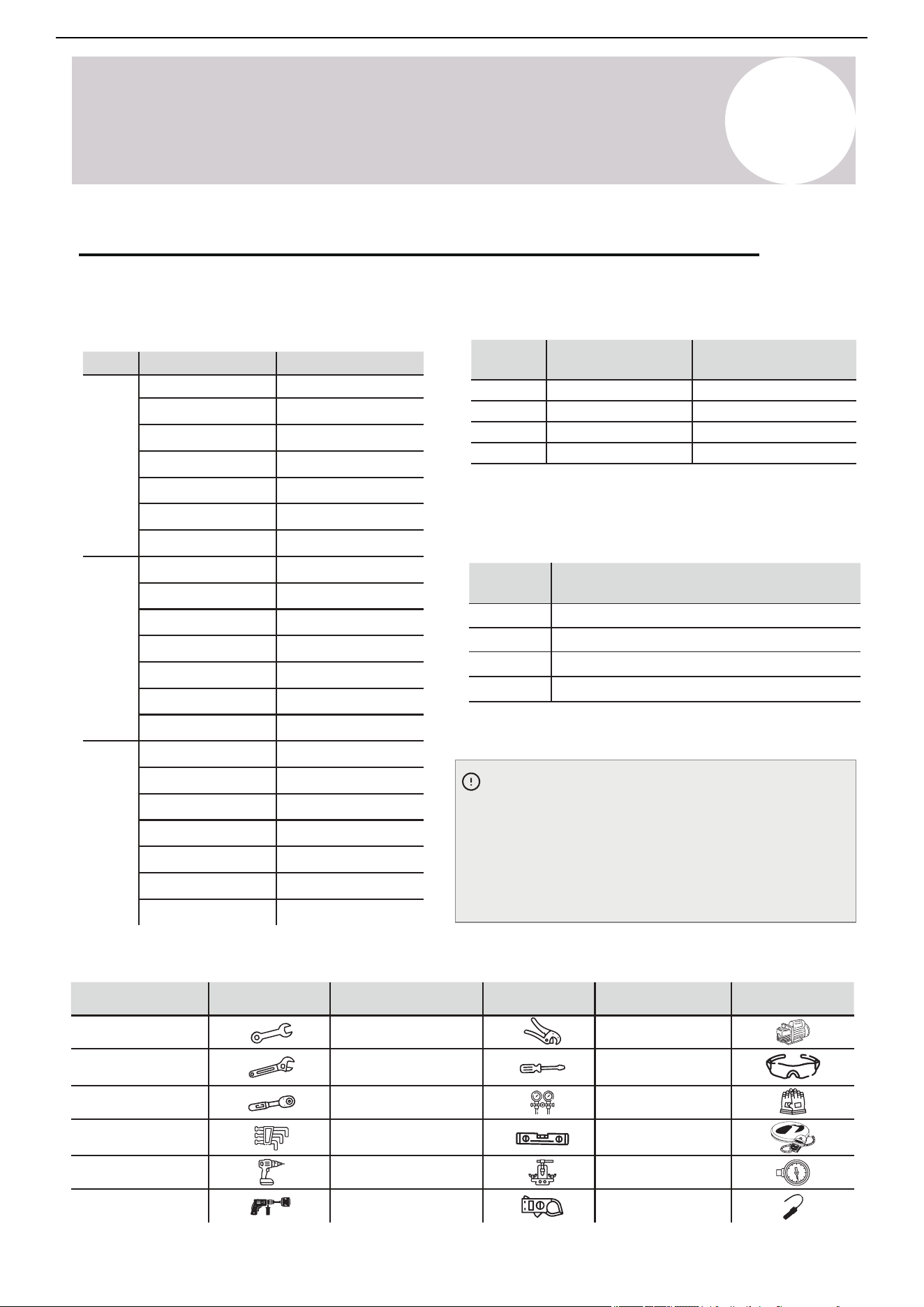
Page 30
Safety
Information
6
Considerations for A2L Refrigerants
Important Considerations:
1. The air conditioner must be installed and
serviced by qualified personnel. Installation
must comply with all instructions set forth
herein as well as all local regulations.
2. Caution when handling combustible
refrigerants – Improper or careless handling may
cause serious injury or damage to property.
3. A leak test must be conducted after installation
is completed to ensure system integrity.
4. Safety inspections are mandatory before
performing maintenance or repairs on air
conditioners using combustible refrigerants to
minimize fire risk.
5. The system must be operated under controlled
conditions to reduce the risk of combustible gas
or vapor hazards during operation.
6. The total weight of refrigerant charge and
minimum room area requirements for air
conditioners must comply with the specifications
outlined in Tables GG.1 and GG.2.
Maximum Refrigerant Charge and Required
Minimum Floor Area: The maximum charge is
determined by the following equations:
m
1
= (6m
3
) x LFL, m
2
= (52m
3
) x LFL, m
3
= (260m
3
) x LFL
Where LFL is the Lower Flammable Limit in kg/m³.
For R454-B refrigerant, LFL = 0.303 kg/m³.
For Appliances with a Charge Amount m
1
< M = m
2
:
The maximum refrigerant charge in a room must
comply with: M
max
= 2.5 x (LFL)
5/4
x h
0
x A
1/2
This value must not exceed: M
max
= SF x LFL x h
0
x A
(Refer to GG.3DV for specific factors and application.)
(If Applicable) Charging Protocol for A2L Refrigerants
Minimum Floor Area Requirement: The
required minimum floor area A
min
for an
appliance with a refrigerant charge M
c
(kg)
must be calculated as follows:
A
min
= [M
c
/(2.5 x LFL
5/4
x h
0
]
2
However, Amin must not be less than:
A
min
= M
c
/(SF x LFL x h
0
); SF=0.5
(Refer to GG.4DV for specific values/factors.)
Where Category = R454-B, LFL = 0.303 kg/m
3
Table GG.1 - Maximum Charge (kg)
(6’0”)
(Installed
Height)
(Installed
Height)
(Installed
Height)
(43 ft
2
)
(38.5 oz)
(67.3 oz)
1.09
1.91
(96.2 oz)2.73
(138.2 oz)3.92
(159.6 oz)4.52
(195.5 oz)5.54
(252.3 oz)7.1 5
(53.44 oz)
(93.5 oz)
1.52
2.65
(133.6 oz)3.79
(191.9 oz)5.44
(221.6 oz)6.28
(271.4 oz)7.7
(350.4 oz)9.94
(59.8 oz)
(104.7 oz)
1.7
2.97
(149.6 oz)4.24
(215 oz)6.09
(248.2 oz)7.0 4
(304 oz)8.62
(392.5 oz)11.12
(75 ft
2
)
(107 ft
2
)
(161 ft
2
)
(215 ft
2
)
(322 ft
2
)
(538 ft
2
)
(43 ft
2
)
(75 ft
2
)
(107 ft
2
)
(161 ft
2
)
(215 ft
2
)
(322 ft
2
)
(538 ft
2
)
(43 ft
2
)
(75 ft
2
)
(107 ft
2
)
(161 ft
2
)
(215 ft
2
)
(322 ft
2
)
(538 ft
2
)
(8’2”)
(9’2”)
7
A2L Refrigerants
Table GG.2 - Minimum Room Area (m
2
)
Table GG.3DV - Maximum Charge (g) [lbs]
The calculated minimum allowable room area for all
capacities is as follows:
Table GG.4DV - Minimum Room Area (m
2
)
Determining Refrigerant Amount
Use the above figures when charging an empty
system. The proceeding pages will also inform the
reader in determining the additional refrigerant
charging amounts for adjusting the factory charge
when using non-standard piping length.
(Installed
Height)
1.8
(6'0")
2.5
(8'2")
2.8
(9'2")
h
0
(m)
Charge Limit (kg)
Min. Room Area (m
2
)
Model
(BTU)
R-454B Refrigerant
(Standard Charge)
R-454B Refrigerant
(Maximum Charge)
Model
(BTU)
Minimum Allowable Room Area
(Assumes 25 ft lineset and 6 ft install height
)
0.71 (25.1 oz)
0.71 (25.1 oz)
0.71 (25.1 oz)
0.8 (28.2 oz)
0.8 (28.2 oz)
0.8 (28.2 oz)
1.0 (35.3 oz)
1.0 (35.3 oz)
1.0 (35.3 oz)
1.29 (45.5 oz)
1.29 (45.5 oz)
1.29 (45.5 oz)
1.56 (55 oz)
1.8 (63.5 oz)
1.56 (55 oz)
1.8 (63.5 oz)
1.56 (55 oz)
1.8 (63.5 oz)
2.0 (70.5 oz)
2.0 (70.5 oz)
2.0 (70.5 oz)
2.6 (28 ft
2
)
2.93 (32 ft
2
)
3.67 (40 ft
2
)
4.73 (51 ft
2
)
5.72 (62 ft
2
)
6.6 (71 ft
2
)
7.33 (79 ft
2
)
1.88 (21 ft
2
)
2.11 (23 ft
2
)
2.64 (29 ft
2
)
3.41 (37 ft
2
)
4.12 (45 ft
2
)
4.75 (52 ft
2
)
5.28 (57 ft
2
)
1.67 (19 ft
2
)
1.89 (21 ft
2
)
2.36 (26 ft
2
)
3.04 (33 ft
2
)
3.68 (40 ft
2
)
4.24 (46 ft
2
)
4.71 (51 ft
2
)
The standard factory refrigerant charge amount as
well as the maximum allowable charge are as follows:
9,500
12,000
16,000
23,000
9,500
12,000
16,000
23,000
710 g / 1.57 lbs
1000 g / 2.2 lbs
1290 g / 2.84 lbs
1560 g / 3.44 lbs
785 g / 1.73 lbs
1075 g / 2.37 lbs
1365 g / 3.01 lbs
1635 g / 3.61 lbs
2.6 m
2
(28 ft
2
)
3.67 m
2
(40 ft
2
)
4.73 m
2
(51 ft
2
)
5.72 m
2
(62 ft
2
)
Suggested Tools:
Tool Tool Tool
Illustration Illustration Illustration
Standard wrench
Adjustable / Crescent
wrench
Torque wrench
Hex keys or Allen
wrenches
Drill & Drill bits
Hole saw
Pipe cutter
Screw drivers
(Phillips & Flathead)
Manifold gauge
Level
Flaring tool
Clamp-on amp meter
Vacuum pump
Safety glasses
Work gloves
Refrigerant scale
Micron gauge
Leak detector
Air Conditioner Installation & User Manual
Where category: R-454B, LFL = 0.303 kg/m
3
29
Charging Protocol for A2L Refrigerants - If Applicable (Continued)
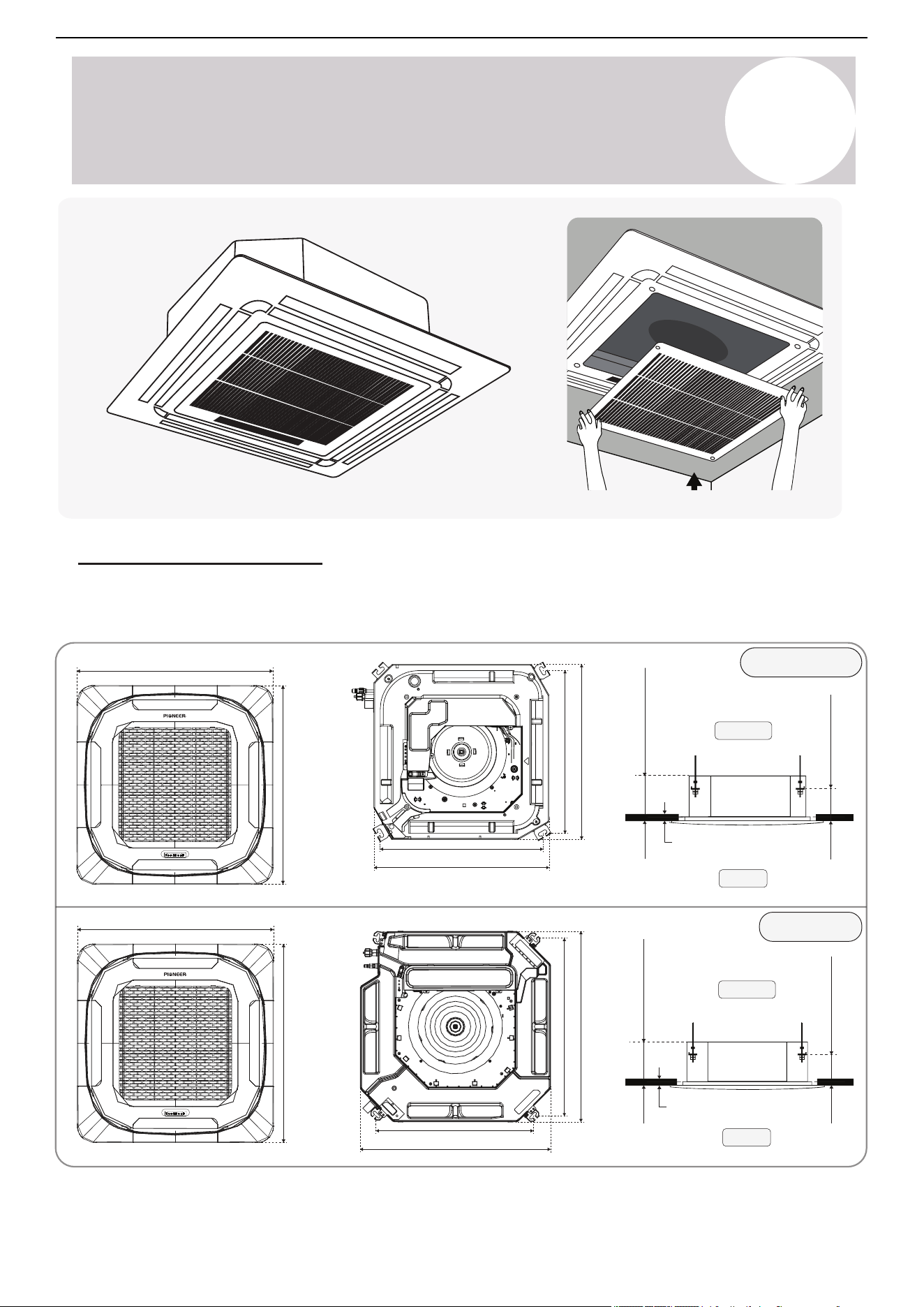
Ceiling
9.5~16K BTU
23K BTU
Floor
Ceiling
Floor
8
Indoor Unit
Installation Instructions
Indoor Unit Dimensions
Before proceeding, it is important to select the installation space according to the below dimensions:
25-⅝ in (650 mm)
25-⅝ in (650 mm)
Panel thickness: 2-⅜ in (60 mm)
37-⅜ in (950 mm)
37-⅜ in (950 mm)
Panel thickness: 2-⅞ in (73 mm)
20-¾ in (528 mm)
22-½ in (570 mm)
20-¾ in (528 mm)
22-½ in (570 mm)
27-⅛ in (690 mm)
33-⅛ in (840 mm)
33-⅛ in (840 mm)
30-¾ in (780 mm)
9-⅝ in (245 mm)
⅜ - 1 in (10-25 mm)
1-⅞ in (48 mm)
9-⅝ in (245 mm)
⅜ - 1 in (10-25 mm)
4-⅜ in (110 mm)
Air Conditioner Installation & User Manual
30
8
Indoor Unit
Installation Instructions
Indoor Unit Installation Location Selection
Follow these site selection guidelines when installing the indoor unit to prevent malfunction, damage, or
hazardous conditions. Position the air handler in the center of the area intended to be conditioned to ensure
the best air distribution.
Do Not:
• Install the unit in areas where flammable gases may accumulate (e.g., fuel storage areas, chemical plants).
• Install in coastal or seaside locations with salty air exposure (unless the system is specially treated for
corrosion resistance).
• Install the unit in environments containing caustic gases such as sulfur compounds near hot springs or
industrial zones.
• Mount the unit on surfaces that cannot support its full operational weight such as weak ceilings or unstable
walls.
• Install the unit in kitchens or areas heavily exposed to oil fumes, vapors, or grease accumulation.
• Install the unit in areas subject to strong electromagnetic interference such as near factories, radio
transmitters, and heavy-duty electrical equipment.
• Install near sources of acidic or alkaline vapors, including industrial cleaners or chemical discharge zones.
• Install in tightly enclosed spaces with inadequate ventilation, which may restrict airflow and service access.
• Install in high-humidity spaces such as laundry rooms or bathrooms without sufficient moisture control.
• Neglect proper electrical insulation for the air conditioner-building wiring. Installation must comply with
national electrical safety standards.
Air Conditioner Installation & User Manual
31
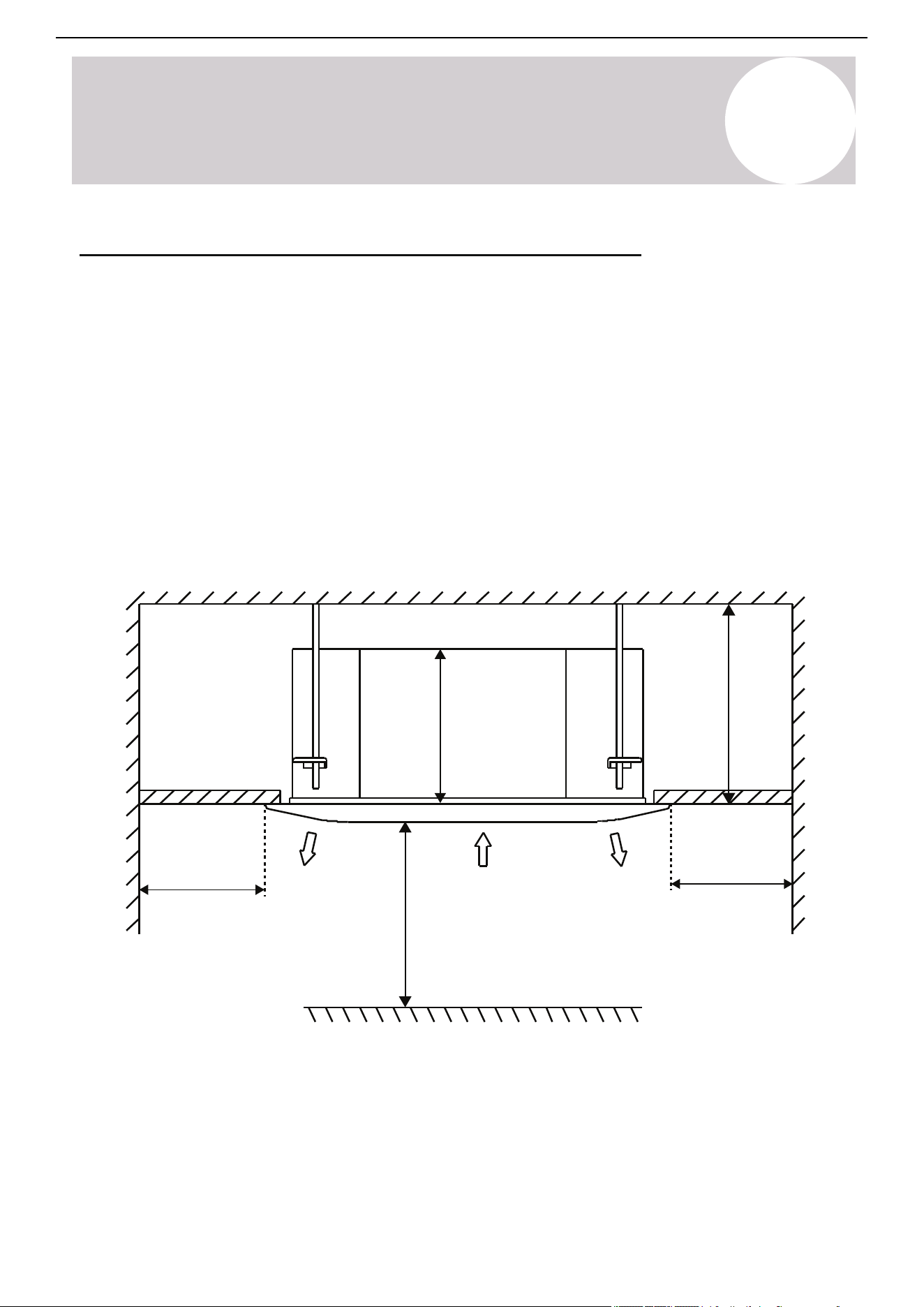
8
Indoor Unit
Installation Instructions
Air Conditioner Installation & User Manual
Indoor Unit Installation Location Selection (Continued)
9-⅝ in (245 mm)
Air handler body
≥ 39-⅜ in (1 m)
Air outlet to
wall clearance
Air outlet Air outlet
Air inlet
≥ 8.2 ft (2.5 m)
Floor to panel clearance
Air outlet to
wall clearance
≥ 39-⅜ in (1 m)
Inlet to ceiling clearance
≥ 10-⅞ in (275 mm)
Do:
• Select a location protected from direct sunlight to prevent heat buildup and maintain cooling performance.
• Verify that the structural ceiling or wall can support the unit's weight under full operational load.
• Choose an installation site with a short, direct path for the condensation drain, complying with local building
codes.
• Allow adequate clearance around the unit to facilitate proper airflow, operation, and maintenance access.
• Position the unit more than 3 feet (1 m) away from antennas, power lines, telephones, security systems,
and other sources of electrical/radio interference.
• Educate the user on proper operation and maintenance procedures, including filter cleaning, basic
troubleshooting, and using the provided user manual.
32
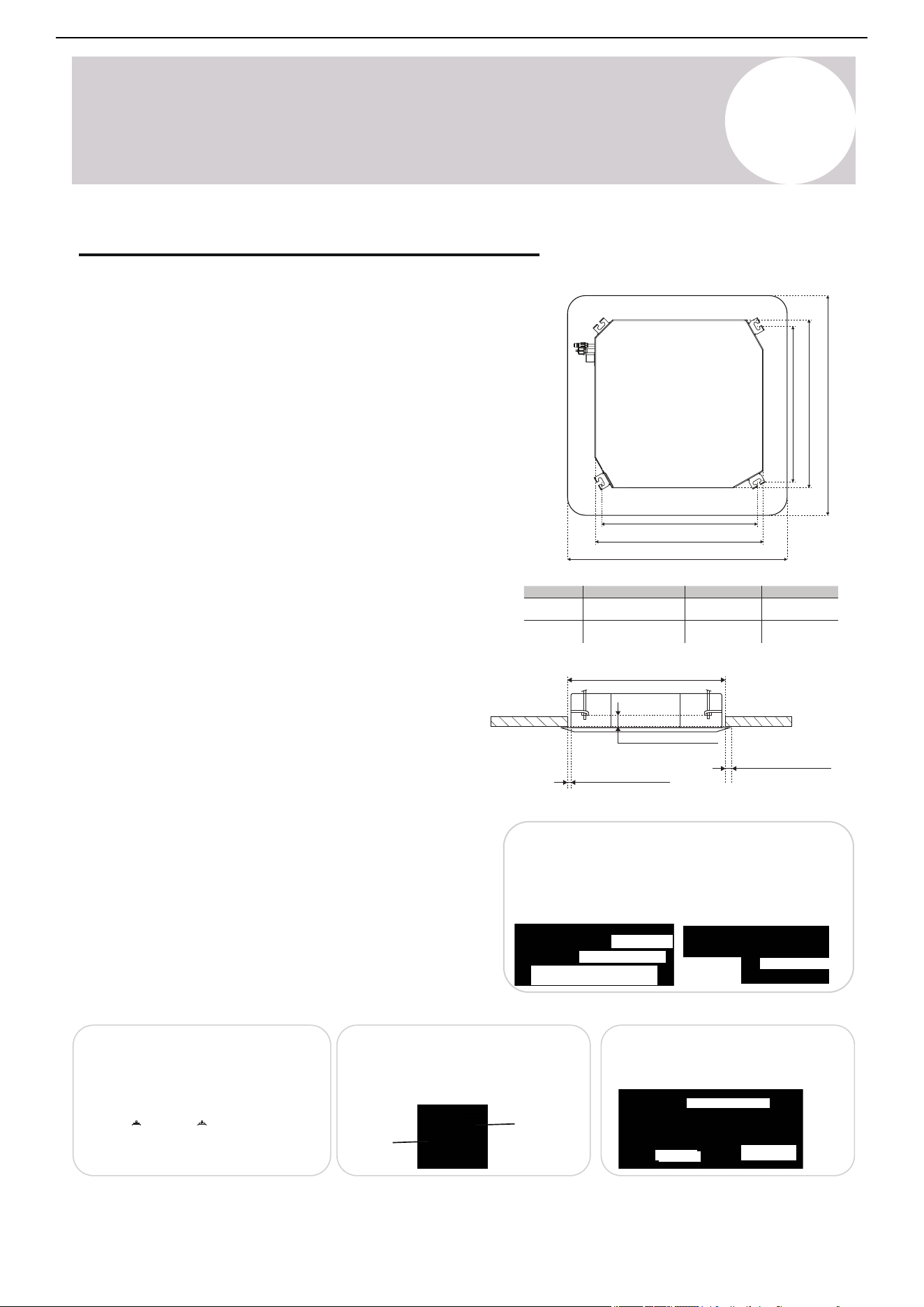
8
Indoor Unit
Installation Instructions
Ceiling Opening & Hanging Hook Installation
Ceiling Preparation
Installation methods may vary depending on the structure of
the ceiling. Make sure that the ceiling can support the unit
weight. Consult a qualified professional for structural
evaluation and specific guidance.
After cutting the ceiling opening, ensure that the ceiling
surface is level and structurally reinforced to prevent
vibration. For ceilings with wooden joists, use an angle iron
or unistrut channels. Cut and remove any obstructing
beams within the area of the ceiling opening.
Reinforce the surrounding structure to compensate for the
removed beams and support the weight of the unit. It may
be necessary to add extra support.
Hanging Bolt Installation
Use 4x field-provided ⅜ inch threaded hanging bolts and 8x
washers and nuts to suspend the indoor unit.
The center-to-center distance between bolts must match
the specifications provided for the unit size.
Complete the hanging bolt installation by following the
specific installation diagram and measurements provided in
this manual.
Ceiling Structure Mounting Methods
Wooden Construction
• Secure angle iron across the wooden joints.
• Secure the hanging screw bolts through the channel
and into the ceiling structure below.
Angle iron bolted in place across wooden joists
Wooden joist
Ceiling
⅜ in hanging rod
Finished Concrete (Brick or Slab)
• Use expansion bolts to fix the hanging hooks directly
into the concrete.
• Drill to a depth of 45-50 mm to ensure anchoring.
Anchor
⅜ in
threaded rod
Steel Roof Beam Structure
• Install supporting angle steel brackets.
• Mount the hanging bolts through the brackets and
secure as shown.
Hanging screw bolt
Hanging bolt
Supporting steel angle
New Concrete Bricks
• Use one of the following methods to embed the screw bolts:
o Blade-type insertion
o Slide-in channel insertion
• Ensure the screw bolts are anchored firmly into embedded steel
reinforcements bars.
Steel bar
Embedding screw bolt
Pipe hanging & embedding screw bolt
Blade-type
insertion
Slide-in channel
insertion
Ceiling Opening
9-18K: 24 in (610 mm)
24K: 33-⅞ in (860 mm)
9-18K: ≤ 2-½ in (62 mm)
24K: ≤ 3-½ in (90 mm)
9-18K: ≤ ¾ in (20 mm)
24K: ≤ ⅜ in (10 mm)
9-18K: ≤ ¾ in (20 mm)
24K: ≤ ⅜ in (10 mm)
Opening to air handler edge
Opening to panel edge
Model (BTU)
A1 x A2
B C
9,500 - 16,000
23,000
(A1) 20-¾ in / 528 mm
(A2) 20-¾ in / 528 mm
(A1) 30-¾ in / 780 mm
(A2) 27-⅛ in / 690 mm
22-½ in / 570 mm
33-⅛ in / 840 mm
25-⅝ in / 650 mm
37-⅜ in / 950 mm
A2
B
C
A1
B C
Decorative panel
Air handler
Air Conditioner Installation & User Manual
Hanging hook
to drop ceiling
bottom face
33
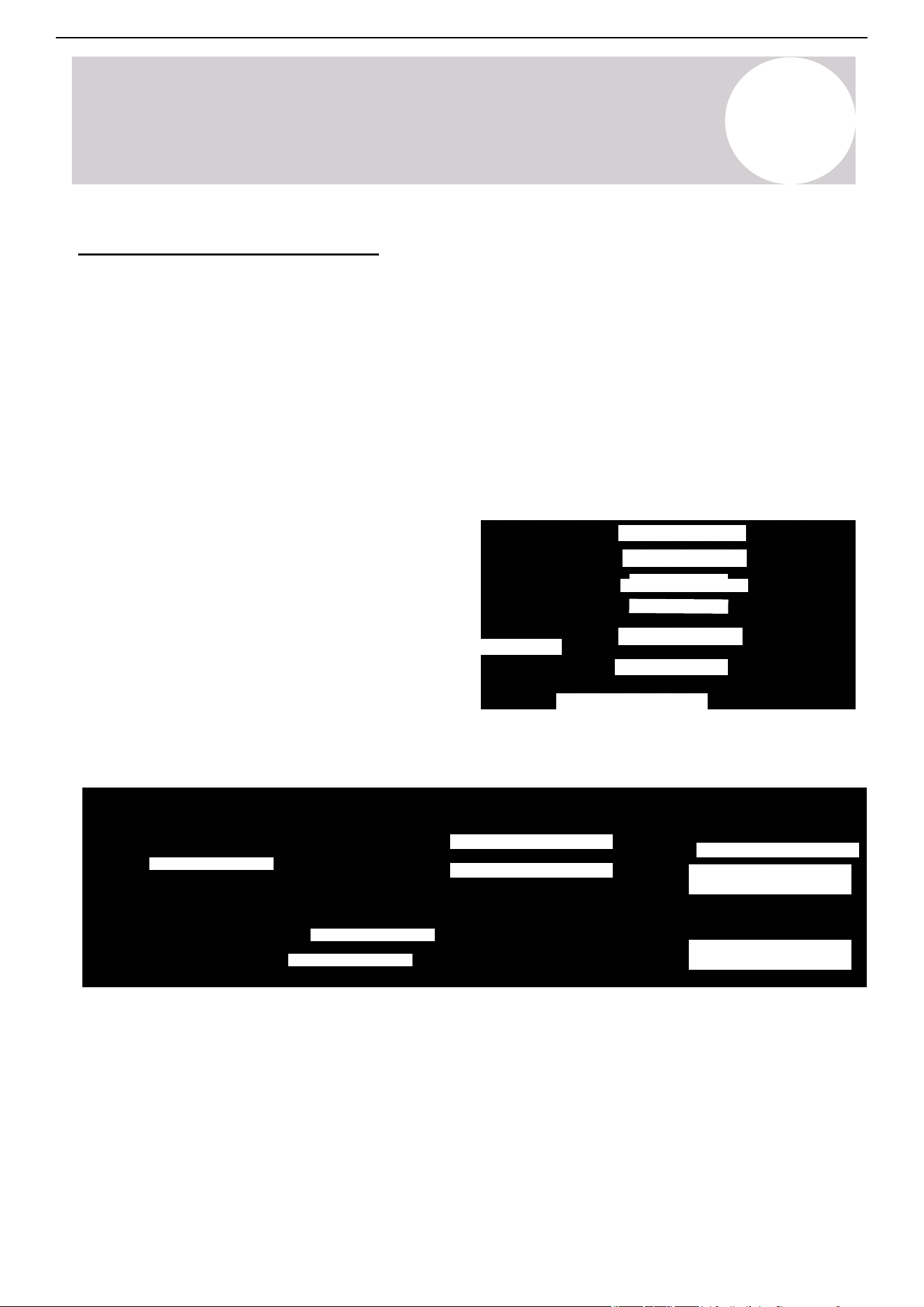
Page 34
Indoor Unit
Installation
7
Indoor Unit Installation Instructions
Ceiling Opening and Hanging Hook Installation
Ceiling Preparation
Installation methods may vary depending on the
structure of the ceiling. Make sure that the ceiling can
support the unit weight. Consult a qualified professional
for structural evaluation and specific guidance.
After cutting the ceiling opening, ensure that the ceiling
surface is level and structurally reinforced to prevent
vibration. For ceilings with wooden joists, use angle iron
or unistrut channels. Cut and remove any obstructing
beams within the area of the ceiling opening.
Reinforce the surrounding structure to compensate for
the removed beams and support the weight of the unit.
It may be necessary to add extra support.
Hanging Bolt Installation
4x field-provided 3/8” threaded hanging bolts and 8x
washers and nuts are used to suspend the indoor unit.
The center-to-center distance between bolts must
match the specifications provided for the unit size.
Follow the specific installation diagram and
measurements provided in this manual to complete
the hanging bolt installation.
Ceiling Structure Mounting Methods
A2
A1
B
B
C
C
Wooden Construction
• Secure angle iron across the wooden joists.
• Secure the hanging screw bolts through the
channel and into the ceiling structure below.
Finished Concrete (Brick or Slab)
• Use expansion bolts to fix the hanging
hooks directly into the concrete.
• Drill to a depth of 45–50 mm to ensure
secure anchoring.
Steel Roof Beam Structure
• Install supporting angle steel brackets.
• Mount the hanging bolts through the
brackets and secure as shown.
New Concrete Bricks
• Use one of the following methods to embed the screw bolts:
▪ Blade-type insertion
▪ Slide-in channel insertion
• Ensure the screw bolts are anchored firmly into embedded steel
reinforcement bars.
3/8” Hanging Rod
Hanging Screw Bolt
Hanging
Bolt
Supporting
Steel Angle
Wooden Joist
Ceiling
Anchor
3/8”
Threaded
Rod
Angle Iron Bolted In Place Across Wooden Joists
(Slide-In
Channel Insertion)
Steel Bar
Pipe Hanging and
Embedding Screw Bolt
Embedding Screw Bolt
(Blade-Type
Insertion)
Model (BTU) A1 x A2 B C
9,000 - 18,000
(Ceiling Opening)
(Opening to Panel Edge)
(Opening to Air Handler Edge)
(Hanging Hook to Drop
Ceiling Bottom Face)
Decorative Panel
Air Handler
(A2) 528 mm / 20-3/4”
(A1) 528 mm / 20-3/4”
570 mm / 22-1/2” 650 mm / 25-5/8”
24,000
(A1) 780 mm / 30-3/4”
(A2) 690 mm / 27-1/8”
840 mm / 33-1/8” 950 mm / 37-3/8”
9-18K: 24” (610mm)
24K: 33-7/8” (860mm)
9-18K: ≤3/4” (20mm)
24K: ≤3/8” (10mm)
9-18K: ≤2-1/2” (62mm)
24K: ≤3-1/2” (90mm)
9-18K: ≤3/4” (20mm)
24K: ≤1-3/4” (45mm)
8
Indoor Unit
Installation Instructions
If installing the unit in a location with a Sheetrock (plasterboard) ceiling, it's recommended to provide an access
panel at a suitable location. This will facilitate the final connection of the refrigerant piping, condensate drain, and
electrical wiring, allowing for future maintenance access. If installation of an access panel is not possible, ensure
that all final connections are completed prior to installing the cassette cover panel. If installing the cassette body
in a location that is more than 80°F (27°C) and more than 80% RH, add a 0.4 inch (10 mm) insulation layer of
polyethylene or similar material around the unit.
• Before installing the panel, complete all piping and wiring connections.
• Verify the indoor unit and ceiling opening dimensions are correct prior to panel installation.
• Seal all connections point gaps between the panel, ceiling, and indoor unit.
Suspend the Air Handler Unit
9-18K Cassette: Adjust the lower washer to 2.4 inches (90 mm) above the ceiling.
24K Cassette: Adjust the lower washer to 3.5 inches (62 mm) above the ceiling.
Installation Steps:
1. After setting the hanging bolts in place, slide 1x nut and washer to each bolt. Position the nuts slightly above
the final resting place of the four suspension brackets. Use tape to keep the washer in place.
2. Align the four field-provided hanging bolts into the T-groove of the indoor unit's hanging bracket.
3. Carefully lift and suspend the indoor unit using two people or a mechanical lifting device.
4. Use a bubble level or built-in level indicator to ensure the unit is perfectly level.
Assembly Notes:
Attach components in the following order:
• Nut (upper)
• Gasket (upper)
• Suspension bracket
• Gasket (lower)
• Nut (lower)
Use a ⅜-inch locking nut to secure the final assembly. Fine-tune the adjustment until the cassette is level.
Tighten all nuts firmly to ensure a stable and vibration-free installation, then re-check the levelness.
2.4 in / 62 mm (9-18K)
3.5 in / 90 mm (24K)
Lower side of drop ceiling
⅜ inch Threaded rod
Leveling nut
Upper side washer
Suspension bracket
Lower side washer
Lower side leveling nut
Level indicator
⅜ inch threaded hanging rod
Suspension bracket
⅜ inch threaded hanging rods
⅜ inch locking nut
Washer
Installed below the
suspension bracket
Leveling nut ⅜ inch
Air Conditioner Installation & User Manual
34
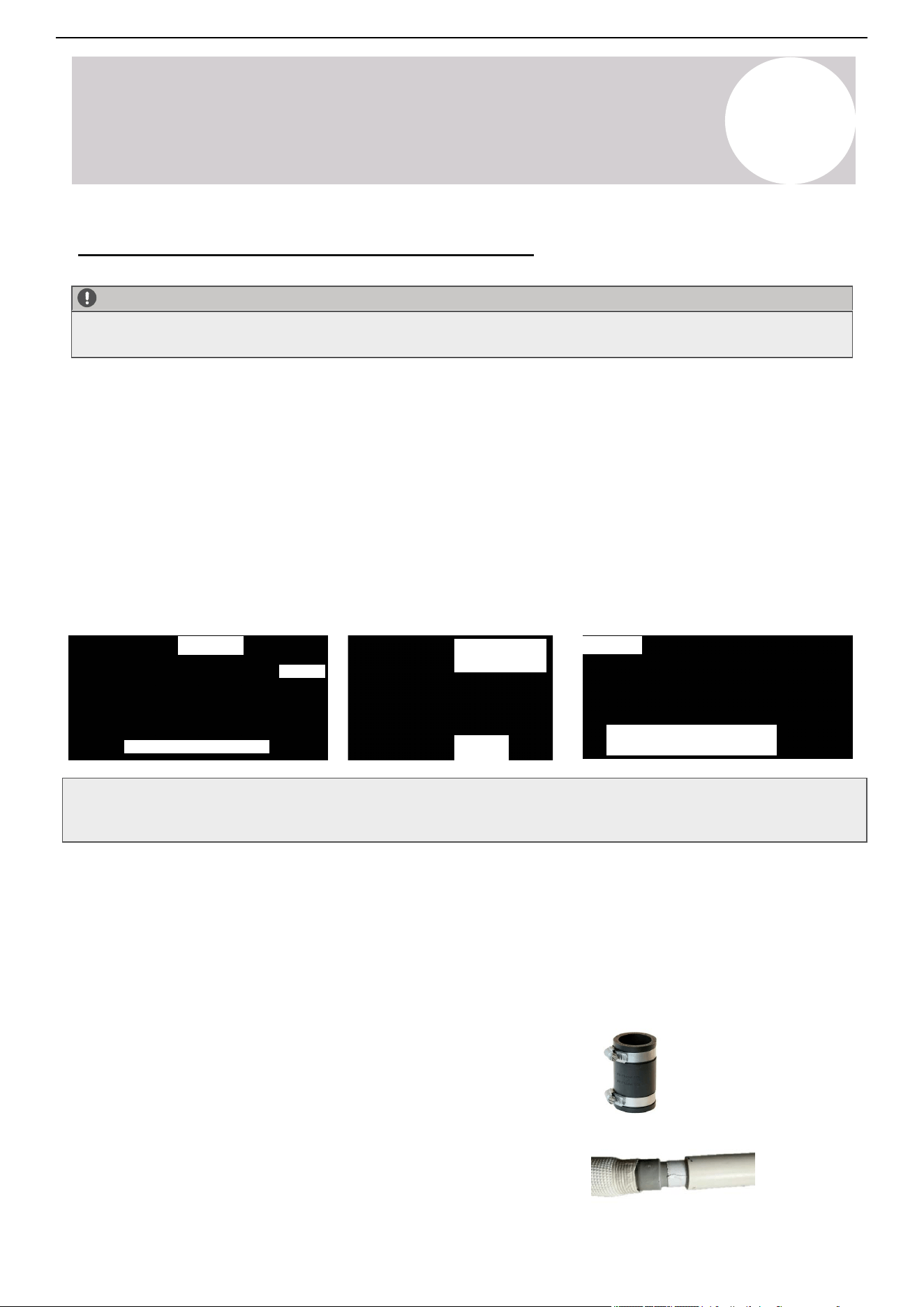
CAUTION:
Always follow the installation manual during drainage pipe installation. Drain pipe must be properly insulated to
prevent condensation.
Drain Pipe and Insulation Material Requirements
• Drain Pipe: Polyvinyl chloride (PVC) pipe with approximately 1-¼ inch outer diameter (Approx. 32 mm)
• Heat Insulation: Foamed polyethylene insulation with minimum ⅜ inch (10 mm) thickness
Drain (Slope downward ¼ per ft)
Support straps
Don’t pitch
up and down
No folds
For multiple indoor units
>
0.4 in
(10 mm)
Slope downward
PVC
¼ per foot
5 ~ 6.5 ft
(1.5 ~ 2 m)
8
Indoor Unit
Installation Instructions
Indoor Unit Condensate Piping Connections
Drain Hose Installation
• Insulate all drain piping and connections to the indoor unit to prevent dew formation and dripping.
• Maintain a continuous downward slope of more than ¼ inch per feet (min. slope ratio of 1/50) with no dips,
sags, or reverse slopes.
• Install support straps / brackets every 5-6.5 feet (1.5~2 m) along horizontal runs to maintain proper slope
and prevent sagging.
• Keep the total horizontal pipe length under 65 feet (20 m).
• Follow the diagrams for correct drainage pipe routing and support methods.
• Maintain a gap of approximately ⅜ inch (10 mm) between parallel pipes if installed side-by-side.
Air Conditioner Installation & User Manual
35
1. Attach the drain hose on the same side that the refrigerant piping will exit the unit from, ensuring proper
drainage.
2. Attach the drain hose extensions (sold separately) to the end of the drain hose. Unlike wall-mounted systems,
ceiling cassette systems and other light commercial air conditioners cannot use the flexible drain hoses. In order
for the flexible drain hose to be utilized correctly, we recommend routing the included hose through PVC.
Here are two options:
Option 1: Use a rubber coupler to mate the drain hose end to a
3/4-inch PVC pipe.
Option 2: Insert the drain hose end into a 1-inch schedule 40 PVC
pipe by using waterproofing tape to create a flush and snug seal.
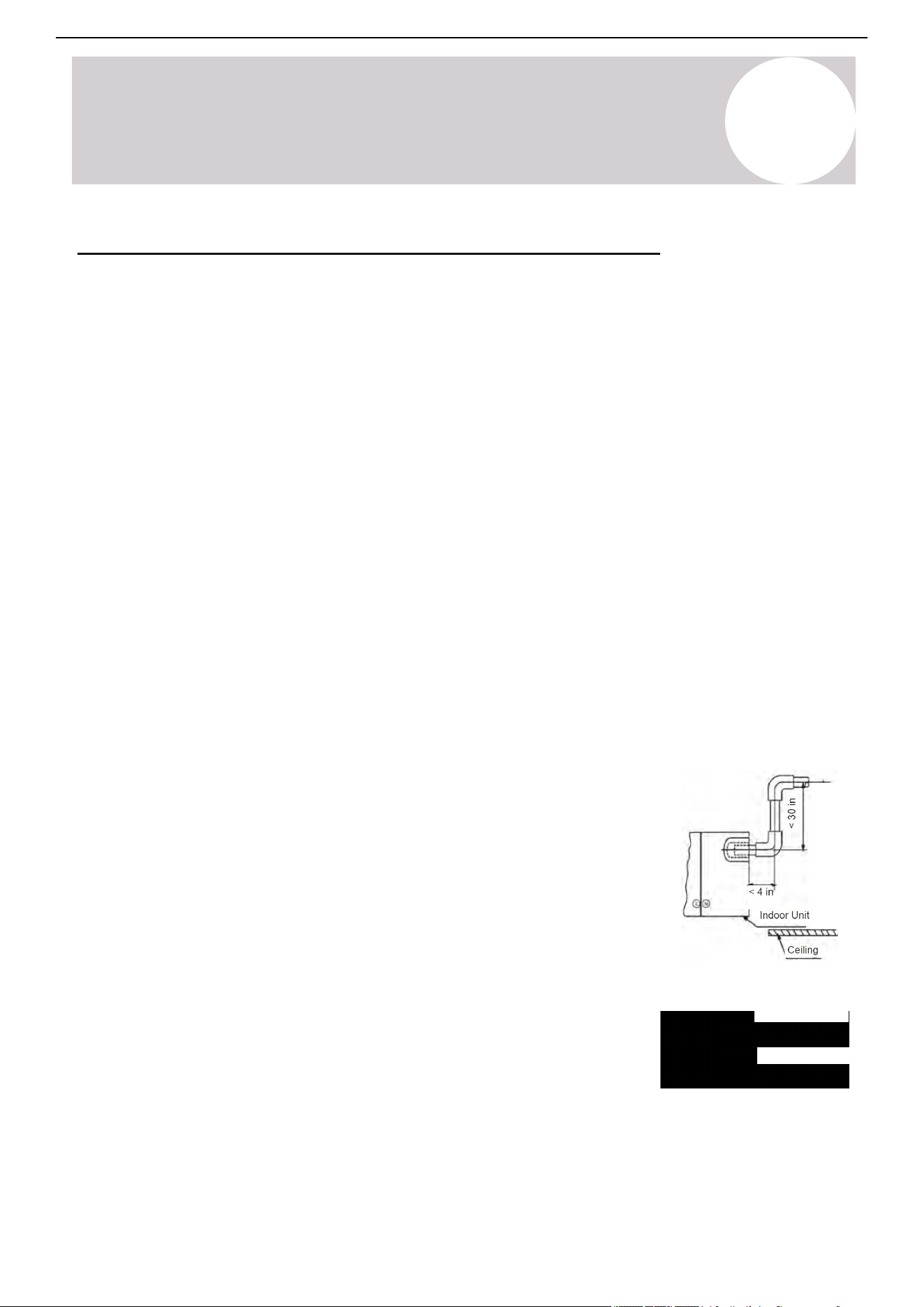
8
Indoor Unit
Installation Instructions
Heat Insulation
• Wrap the entire length of the flexible hose carefully with the provided heat insulation material. Start from the
flexible hose and continue to the indoor unit connection.
• Ensure there are no gaps or exposed sections that could cause condensation.
• Use additional field-supplied insulation material if necessary to fully cover all piping and connections.
Upward Drainage Installation
• The maximum vertical rise of the drainage pipe should not exceed 2.5 feet
(0.8 m).
• Maintain a horizontal extension from the indoor unit drain outlet of less than
4 inches (102 mm) before rise.
Indoor Unit Condensate Piping Connections (Continued)
After the system installation is completed, check the condensate drain line
for leaks and proper drainage. If a condensate pump has been installed,
check it to ensure proper operation. Pour water into the drain pan through
the inspection port to confirm flow.
Drainpipe connection
Inspection
port
Air Conditioner Installation & User Manual
36
3. Wrap the connection point of the drain hose firmly with Teflon tape to create a proper seal and prevent leaks.
4. For the portion of the drain hose that will remain indoors, wrap it will foam pipe insulation to prevent
condensation.
5. Connect the drain hose to the PVC drainpipe.
6. Apply PVC adhesive to the connection point between the drainpipe and drain hose to ensure a watertight
seal.
7. Apply the adhesive 1-½ inches (38 mm) from the end of the drainpipe, then insert it into the drain hose.
8. Allow at least 10 minutes for the adhesive to cure. Don't apply pressure to the joint during the drying period.
Page 36
Indoor Unit
Installation
Indoor Unit Condensate Piping Connections
7
Indoor Unit Installation Instructions
CAUTION:
Always follow installation manual during drainage pipe installation. Drain pipe must be properly insulated to prevent condensation.
• Insulate all drain piping and connections to the indoor unit to prevent dew formation and dripping.
• Maintain a continuous downward slope of >1/4 inch per foot (min, slope ratio of 1/50) with no dips, sags, or reverse slopes.
• Install support straps/brackets every 5 to 6.5 feet along horizontal runs to maintain proper slope and prevent sagging.
• Keep total horizontal pipe length under 65 feet.
• Follow the diagrams for correct drainage pipe routing and support methods.
• Maintain a gap of approximately 3/8 inch (10 mm) between parallel pipes if installed side-by-side.
Drain Pipe and Insulation Material Requirements
• Drain Pipe: Polyvinyl chloride (PVC) pipe with approximately 1-1/4 inch outer diameter (Approx. 32 mm)
• Heat Insulation: Foamed polyethylene insulation with minimum 3/8 inch (10 mm) thickness
Flexible Hose Installation
• Measure the diameter of the hard pipe using a pipe cutter, and adjust the joining angle as needed.
• Extend the flexible hose to the required length without excessive deformation as shown in below illustration.
• Secure the flexible hose firmly using the provided hose band.
• Install the flexible hose in a horizontal orientation to ensure proper drainage. Maximum bending angle is 45°.
Connection Procedure
• Connect the transparent flexible hose to the polyvinyl chloride (PVC) drain pipe.
• Apply PVC adhesive to the connection point between drain pipe and flexible hose to ensure watertight seal.
• Apply the adhesive approximately 1.5 inches from the end of the PVC pipe, then insert it into the flexible hose.
• Allow at least 10 minutes for the adhesive to cure. Don’t apply pressure to the joint during the drying period.
Heat Insulation
• Wrap the entire length of the flexible hose carefully with the provided heat insulation material,
starting from the flexible hose and continuing to the indoor unit connection.
• Ensure there are no gaps or exposed sections that could cause condensation.
• Use additional field-supplied insulation material if necessary to fully cover all piping and connections
Upward Drainage Installation
• The maximum vertical rise of the drainage pipe should not exceed 14 inches.
• The maximum total vertical distance from the indoor unit to the ceiling should not exceed 24 inches.
• Maintain a horizontal extension from the indoor unit drain outlet of less than 4 inches before rise.
After the system installation is complete, the condensate drain line must be checked for leaks and
proper drainage. If a field-provided condensate pump has been installed, it must be checked to ensure
proper operation. Pour water into the drain pan through the inspection port to confirm flow.
Drain (Slope downward ¼ per foot)
Support Straps
Don’t Pitch Up
and Down
No Folds
For Multiple Indoor Units
>1cm
PVC
Slope downward
¼ per foot
5 ~ 6.5 Feet
Bend 45° Max
Alignment
Adjustment
Flexible Hose
Flexible Hose
Hose Clamps
Hose Clamps
PVC
<4 in.
Indoor Unit
Ceiling
<24 in.
<14 in.
Field-Applied
Insulation
Attached Heat
Insulation
Indoor Unit
2cm
Drain Pipe Connection
Inspection
Port
9.5-16K Cassette
Panel hooks
Panel
mount
Installation
bolt location
Remove return
air grille
Panel
hooks
Panel hooks
Wire
rope
8
Indoor Unit
Installation Instructions
Installation of Decorative Panel
Removal of Return Air Grille
1. Rotate the two grille fasteners to the "Open" position.
2. Loosen the screws and carefully remove the
ventilation grille. The grille will remain suspended from
the panel by the attached safety cords.
Installation of the Panel
1. Use four washers and bolts to secure the panel to the
ceiling base at the designated installation bolt holes.
2. Hang the two safety cables from the panel onto the
provided panel hooks for support during installation.
3. Reinstall the ventilation grille by aligning it correctly,
tightening the screw, and snapping it securely back into
place.
Air Conditioner Installation & User Manual
37
8
Indoor Unit
Installation Instructions
Air Conditioner Installation & User Manual
Installation of Decorative Panel (Continued)
23K Cassette
Screw x 4
Remove return air grille
Removal of Air-In Grille
Same as 9.5-16K above.
Removal of Installation Caps
Remove the four installation caps located at each corner
of the panel to expose the clamp mounting points.
Installation of the Panel
1. Insert the four clamps into the hooks on the panel.
2. Tighten the four bolts to securely fasten the clamps and
secure the panel to the ceiling base.
3. Reattach the four installation caps to their original
positions at
each corner of the panel.
4. Attach the panel's hanging rope (safety cord) onto the
fixed
bracket to prevent accidental detachment.
38
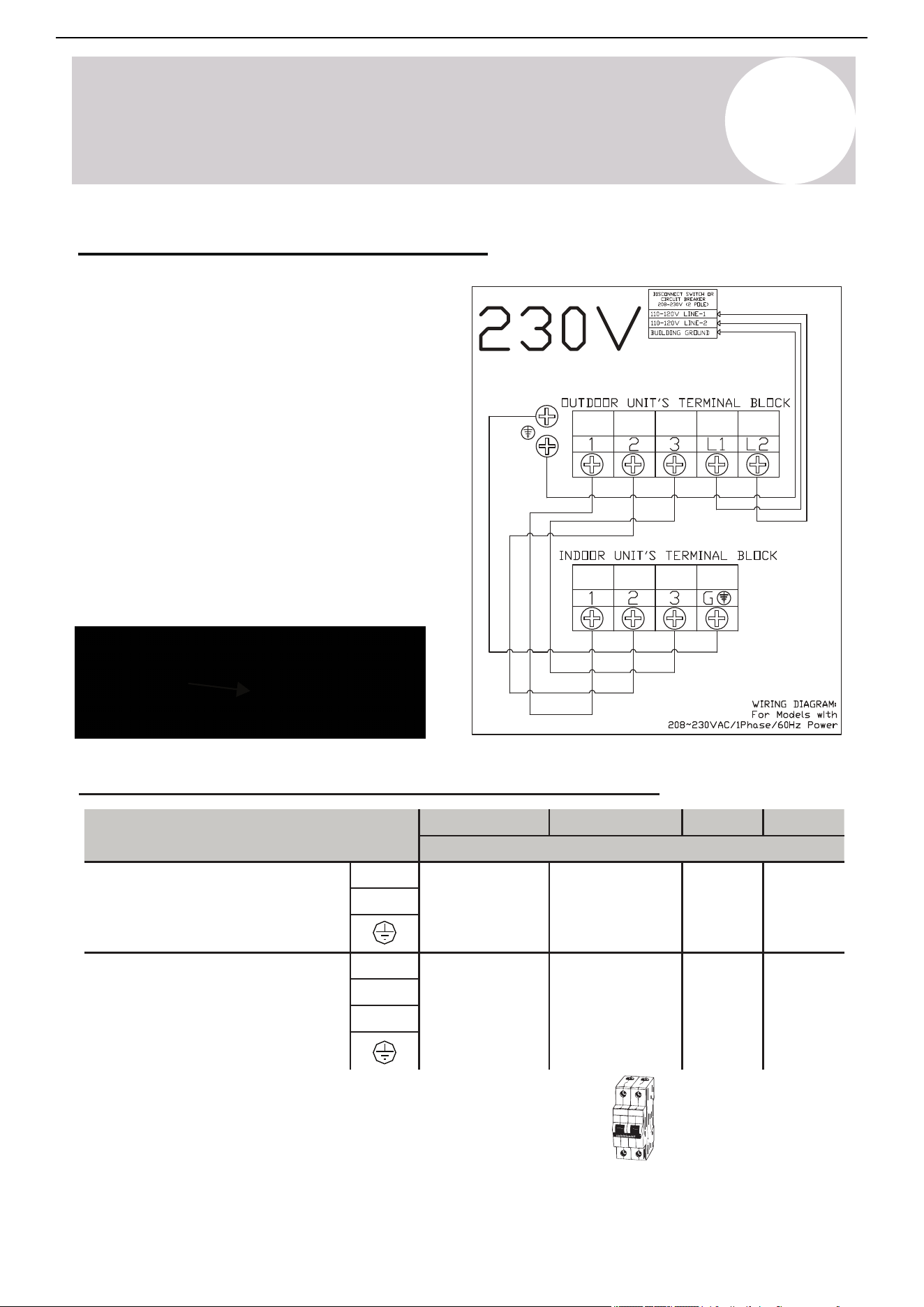
8
Indoor Unit
Installation Instructions
Pioneer CYT-24 Series Mini Split
9.5K
12K
16K
23K
Sectional Area (AWG)
Power Supply Cable
L2
14 AWG
14 AWG
12 AWG
L1
Connection Cable for
Communication Between
Indoor & Outdoor Units
3(L)
16 AWG
16 AWG
2(N)
1(S)
Cable Wire Specifications (For Common Configurations)
• 230V systems requires a double-pole breaker (tandem-type will
not work)
Consult the nameplate on the system for detailed electrical
specifications. Confirm wiring on page 40. Above power wire sizes
assume largest allowable fuse.
12 AWG
16 AWG 16 AWG
Double-Pole
230V Breaker
Connect the Signal Cable
Color selection does not matter as much as
matching number to number does. Consult the
diagram affixed to the indoor and outdoor units
respectively for specific wiring instructions. There
are three terminals (1, 2, 3) and ground (G). Do not
mix up the wires between each ends. It is vital that
the colors between the indoor and outdoor units
match for each terminal. A simplified wiring
diagram is included to the right and on the unit.
Panel Wiring
The panel's LED display board and louver swing
motor are wired to the indoor unit main control
board via 10-pin and 5-pin wires. Consult page 58
for a detailed board diagram
Air Conditioner Installation & User Manual
Wire the Indoor Unit & Decorative Panel
39
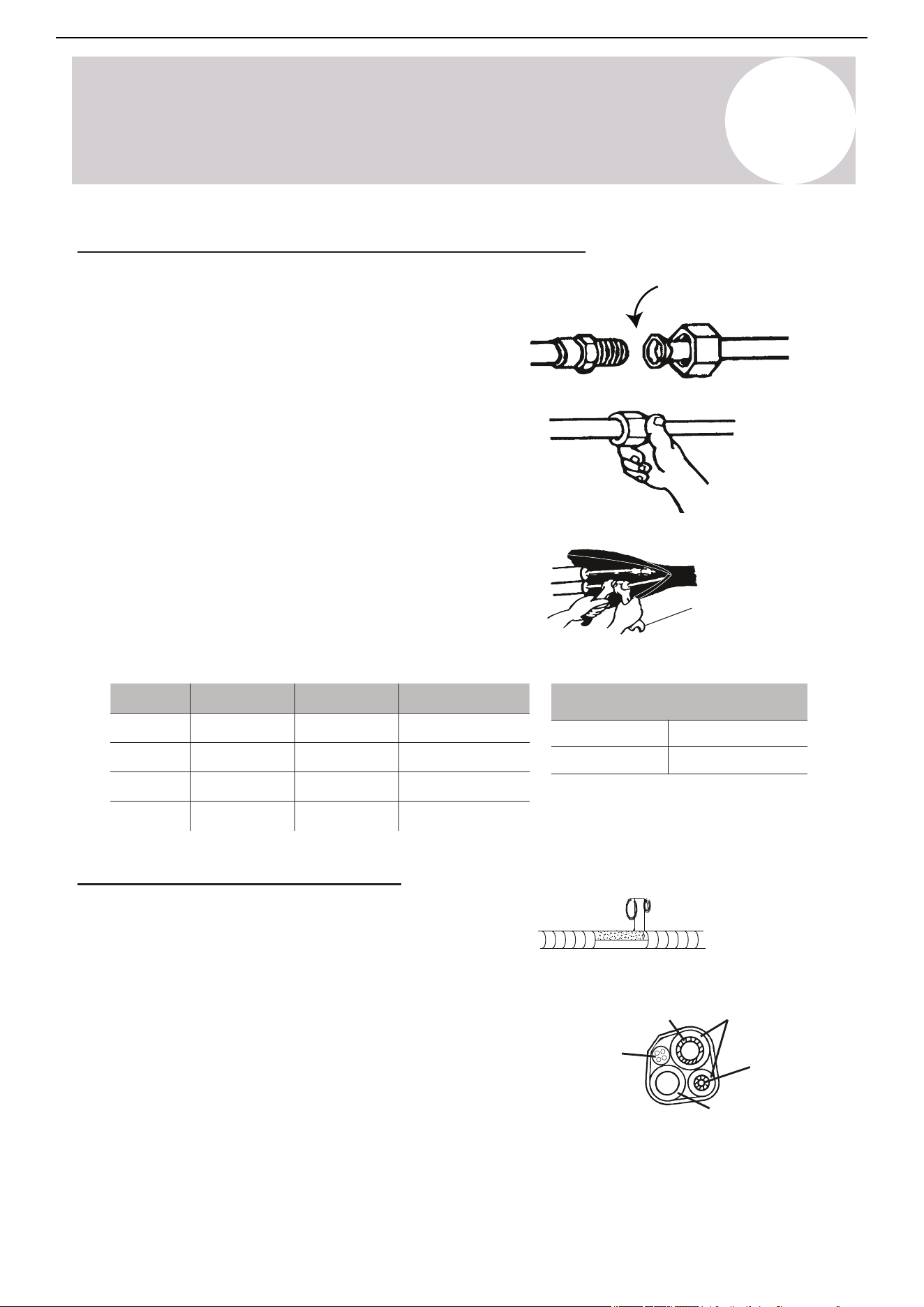
Page 38
Indoor Unit
Installation
7
Indoor Unit Installation Instructions
Wiring the Indoor Unit and the Decorative Panel
Color selection does not matter as much as
matching number to number does. Consult the
diagram affixed to the indoor and outdoor unit
respectively for specific wiring instructions. There
are 3 terminals (1, 2 , 3) and ground (G). Do not mix
up the wires between each ends. It is vital that the
colors between the indoor and outdoor unit match
for each terminal. A simplified wiring diagram is
included to the right, and full diagram on the unit.
Panel Wiring
The panel’s LED display board and louver
swing motor are wired to the indoor unit main
control board via 10-pin and 5-pin wires.
Consult Page 56 for a detailed board diagram.
Cable Wire Specifications (For Common Configurations)
• 230V require a double-pole breaker (tandem-type will not work)
Double-Pole
230V Breaker
Consult the nameplate on the system for detailed electrical specifications.
Confirm wiring on Page 42. Above power wire sizes assume largest allowable fuse.
Pioneer CYT-24 Series Mini Split
9K 12K 18K 24K
Sectional Area (AWG)
Power Supply Cable
L2
14 AWG 14 AWG 12 AWG 12 AWG
L1
Connection Cable for
Communication Between
Indoor and Outdoor Units
3(L)
16 AWG 16 AWG 16 AWG 16 AWG
2(N)
1(S)
Refrigerant
Refrigerant
pipe
Insulation
sleeve
Connection
cable
pipe
Condensed water
drain pipe
(Always at the bottom)
Covered by vinyl tape
8
Indoor Unit
Installation Instructions
Connect the Refrigerant Piping to the Indoor Unit
Torque wrench
Tightening Torque for Protection Caps & Flange Connection
Service Port Nut
Protection Caps
[7 - 9] (5-7)
[25 - 30] (18-22)
Apply leak-prevention
gels or gaskets to all
mating surfaces
Φ
Once the copper piping kit is unwound, refer to the below
instructions to proceed:
Tightening Torque
[N x m] (ft-lbf)
Pipe
Diameter
Tightening Torque
[N x m]
Tightening Torque
[ft-lbf]
Corresponding Stress
(Using a 20 cm wrench)
Wrist Strength
Arm Strength
Arm Strength
Arm Strength
11 - 15
23 - 26
33 - 37
44 - 48
15 - 20
31 - 35
45 - 50
60 - 65
1/4"
(6.35 mm)
Φ
3/8"
(9.52 mm)
Φ
1/2"
(12 mm)
Φ
5/8"
(15.88 mm)
Wrap the Lines & Seal Air Gaps
For finishing the indoor unit, follow these steps:
1. Arrange the pipes, cables, and drain hose correctly.
2. Lag the pipe joints with insulation material and
secure them with vinyl tape as depicted in the figure.
3. Run the bound bundle through the wall hole and be
sure not to kink the drain pipe when binding.
4. Ensure all connections between the panel and
ceiling, as well as between the panel and indoor unit
are properly sealed. Note: Even small gaps can result
in air or water leakage, or cause condensation to form.
Hand-tighten at
first to avoid risk of
cross-threading
Air Conditioner Installation & User Manual
1. Bring the ends of both the copper line and the indoor unit
line together. Align the centers of the pipes that will be
connected.
2. Remove the indoor unit piping cap and check that no
debris is inside. Some gas may be heard escaping, but it is
dry nitrogen to keep lines clean.
3. Use any leak guard and/or flare sealers on the flares of the
piping if available. Attach the flare nut and tighten as much as
possible by hand. Torque correctly to the specifications found
in the table below using two wrenches. Repeat the process
for the other copper line.
40
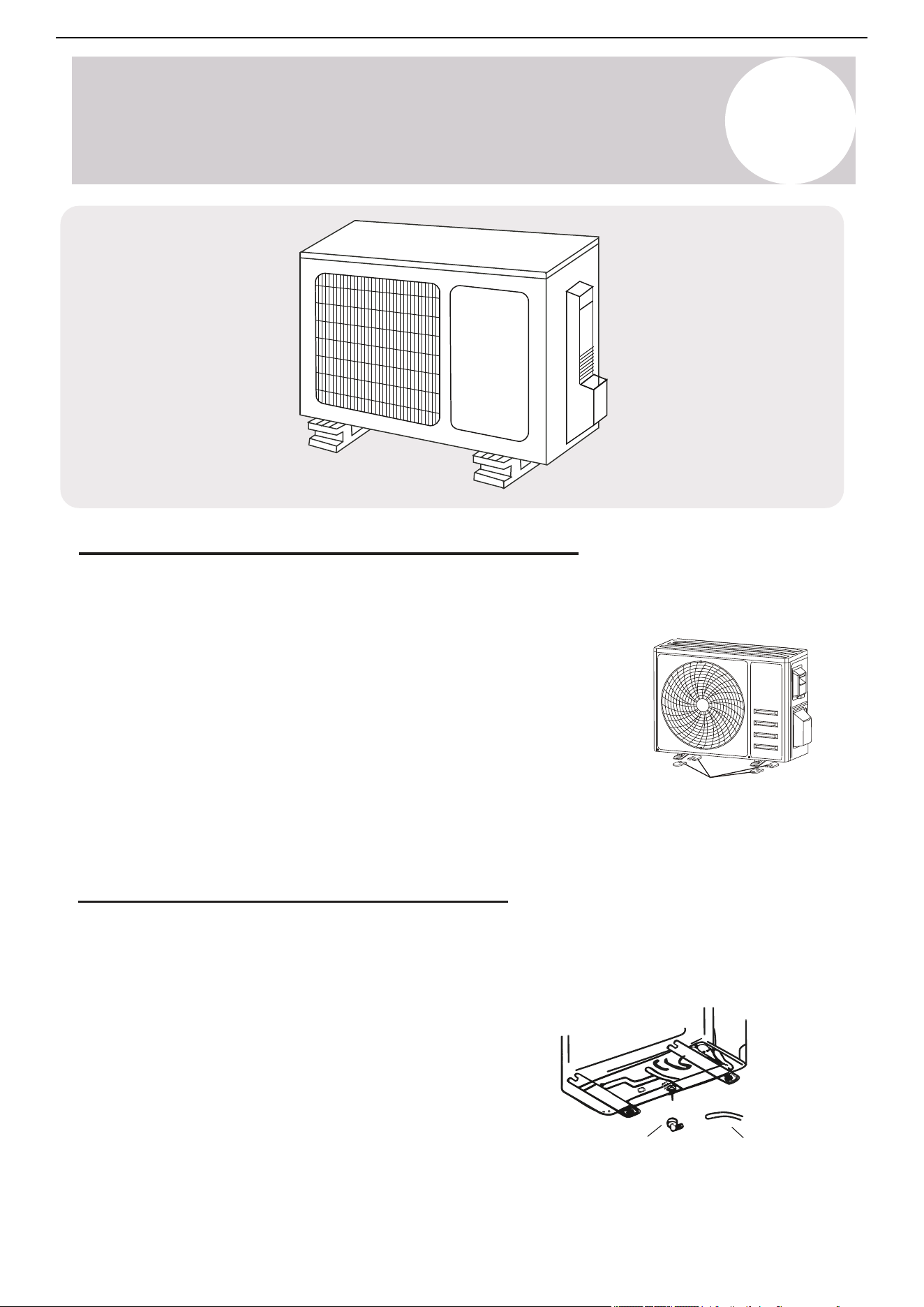
9
Outdoor Unit
Installation Instructions
Install 4 rubber pads (Optional)
Mount the Outdoor Unit to the Selected Location
Install the outdoor unit either on a pad or solid wall using suitable mounting brackets. Ensure it is fastened
securely. Follow the procedure below before connecting any pipes or cables:
Air Conditioner Installation & User Manual
• Decide the best position on the wall or ground and leave enough
space to be able to carry out maintenance easily. Anchoring
dimensions are provided on page 56.
• If wall mounting, fasten the supporting brackets to the wall using
hardware that is particularly suited for the type of wall. Use the
appropriate amount of hardware for the application.
• Install the unit following all national regulations.
Drainpipe
*Disregard if
slab-mounting
Drain port
Outdoor Unit Condensate Water Drainage
Use the drain joint and drainpipe included with the system to direct away the condensate water and ice formed
in the outdoor unit during Heating mode. This is optional and only needed if the default configuration of the
water drainage out from the port on the bottom side is not desired.
1. Fasten the drain port in the 1 inch (25 mm) port located in
the part of the unit depicted in the diagram.
2. Connect the drain port and drainpipe.
3. Ensure the condensate will drain to a suitable place.
41
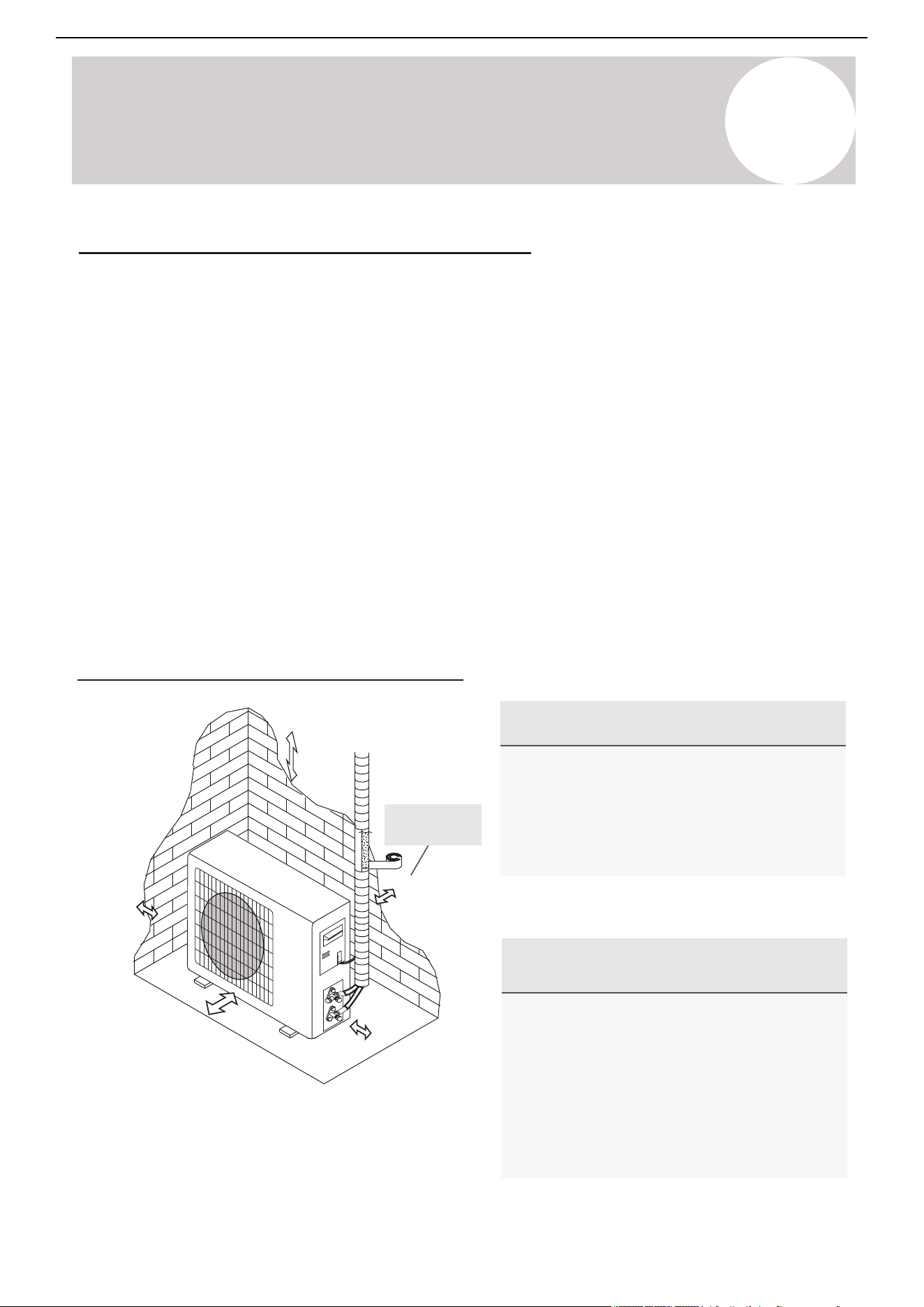
9
Outdoor Unit
Installation Instructions
Air Conditioner Installation & User Manual
Outdoor Unit Installation Location Selection
Follow the below best practices for selecting an optimal installation space of the indoor unit:
• Do not install the unit near sources of heat, steam, or flammable gases.
• Do not install the system in areas prone to extreme winds or dust.
• Do not install the outdoor unit in an area that has many individuals pass by.
• Select a location where the air discharge and operating sound level will not disturb others.
• Install the system in a shaded area or utilize a cover/sun protection that will not interfere with air flow. This will
also protect the system from heavy rain or snow.
• Install the unit in a safe and sturdy location.
• Install rubber vibration absorbers if the system can induce vibrations in any structure.
• Obey the following tolerances depicted in the illustration below to ensure air flow:
Minimum Required Installation Space
Special Considerations for
Extreme Weather Conditions
For Best Longevity & Performance in
Precipitation / Airflow / Salty Air
(4 in when using
wall brackets)
12 in (on
slab) 305 mm
20 in
508 mm
79 in
2 m
12 in
305 mm
20 in
508 mm
If the unit is frequently exposed to heavy
rain or snow: Build a shelter above the unit to
protect it from the rain or snow. Be careful not
to obstruct the air flow around the unit.
If the unit is frequently exposed to salty air
(seaside air): Use specifically approved anti-
corrosion coating sprays on the heat exchanger
surface in order to resist corrosion.
If the unit is exposed to heavy wind: Install
the unit so that the air outlet fan is at a 90°
angle to the direction of the wind. If needed,
use wind baffles or build a barrier in front of,
but sufficiently away from, the unit to protect
it from extremely heavy winds.
42
Page 43
Outdoor Unit
Installation
8
Outdoor Unit Installation Instructions
Power/Signal Electrical Wiring to the Outdoor Unit
On the outdoor unit, the wiring diagram is located in the inner side of the handle cover.
Cover
Outdoor Unit Wiring Diagram
is located on the inside of the
wire cover on the outdoor unit.
The outside unit’s terminal block is protected by
an electrical wiring cover on the side of the unit.
A comprehensive wiring diagram is printed on
the inside of the wiring cover.
1. Unscrew and remove the handle on the
right side plate of the outdoor unit.
2. Wire the system using the appropriate
gauge wire found on page 38/42 and the
wiring diagram found on the handle cover.
See page 38/57 for more details.
3. Use proper flexible rain-tight conduit with
appropriate size connectors.
4. Fasten the power connection wires into
place using the supplied wire clamps.
5. Check the wiring against the diagram to
ensure it is wired correctly. A proper
ground must be established.
6. Rescrew and reinstall the cover handle.
Outdoor Handle Cover
Wiring Diagram
Serial Number
9
Outdoor Unit
Installation Instructions
Air Conditioner Installation & User Manual
Warning
Use the Right Cable
Minimum Cross-Sectional Area of
Power & Signal Cables
North America
• Outdoor power cable: THHN or THWN
• Signal cable: TC-ER or better (AWG #16)
Before performing any electrical or wiring work, turn
off the main power source or sources to the system.
1. Prepare the cable for connection:
1. All wiring must comply with local and national
electrical codes and must be installed by a licensed
electrician.
2. All electrical connections must be made according to
the Electrical Connection Diagram located on the side
panels of the indoor and outdoor units.
3. If there is a serious safety issue with the power
supply, stop work immediately. Explain your reasoning
to the client and suspend the installation of the unit until
the safety issue is properly installed.
4. The power voltage should be within 90-110% of the
rated voltage range. Insufficient power supply can cause
electrical shocks or fires.
5. Connect the power through fixed wiring, install a
surge protector*, and disconnect the switch box. Use a
dedicated circuit breaker with a capacity of 1.5 times the
maximum current of the unit.
6. A properly-rated HACR-type fuse or circuit breaker
that disconnects all poles and has a contact separation
of at least ⅛ inch (3 mm) must be incorporated in the
fixed wiring. The qualified technician must use an
approved circuit breaker or switch.
7. Only connect the unit to a dedicated individual branch
circuit breaker. Do not connect another appliance to that
same circuit.
8. Be sure to properly ground the air conditioner.
9. Every wire must be firmly connected. Loose wiring
can cause the terminal to overheat, resulting in product
malfunction and possible fire.
10. Do not let wires touch or rest against the refrigerant
tubing, compressor, or any other moving parts within the
unit.
*optional, highly recommended.
Read These Regulations Before
Performing Any Electrical Work
Circuit Breaker Size (A) Wire Size (AWG)
10 18
13 16
15 14
20 12
30 10
Using wire strippers, strip the rubber jacket from both
ends of the cable to reveal about 1.5 inch (40 mm) of
the wires inside. Strip the insulation from the ends of
the wires. Using a wire crimper, crimp u-lugs on the
ends of the wires. Note: Some cables come with
preinstalled u-lugs from the factory.
Indoor Unit Terminal Position #1 connects to
Outdoor Unit Terminal Position #1
Indoor Unit Terminal Position #2 connects to
Outdoor Unit Terminal Position #2
Indoor Unit Terminal Position #3 connects to
Outdoor Unit Terminal Position #3
Indoor Unit Terminal Position "Ground" connects to
the Outdoor Unit Grounding Lug.
43
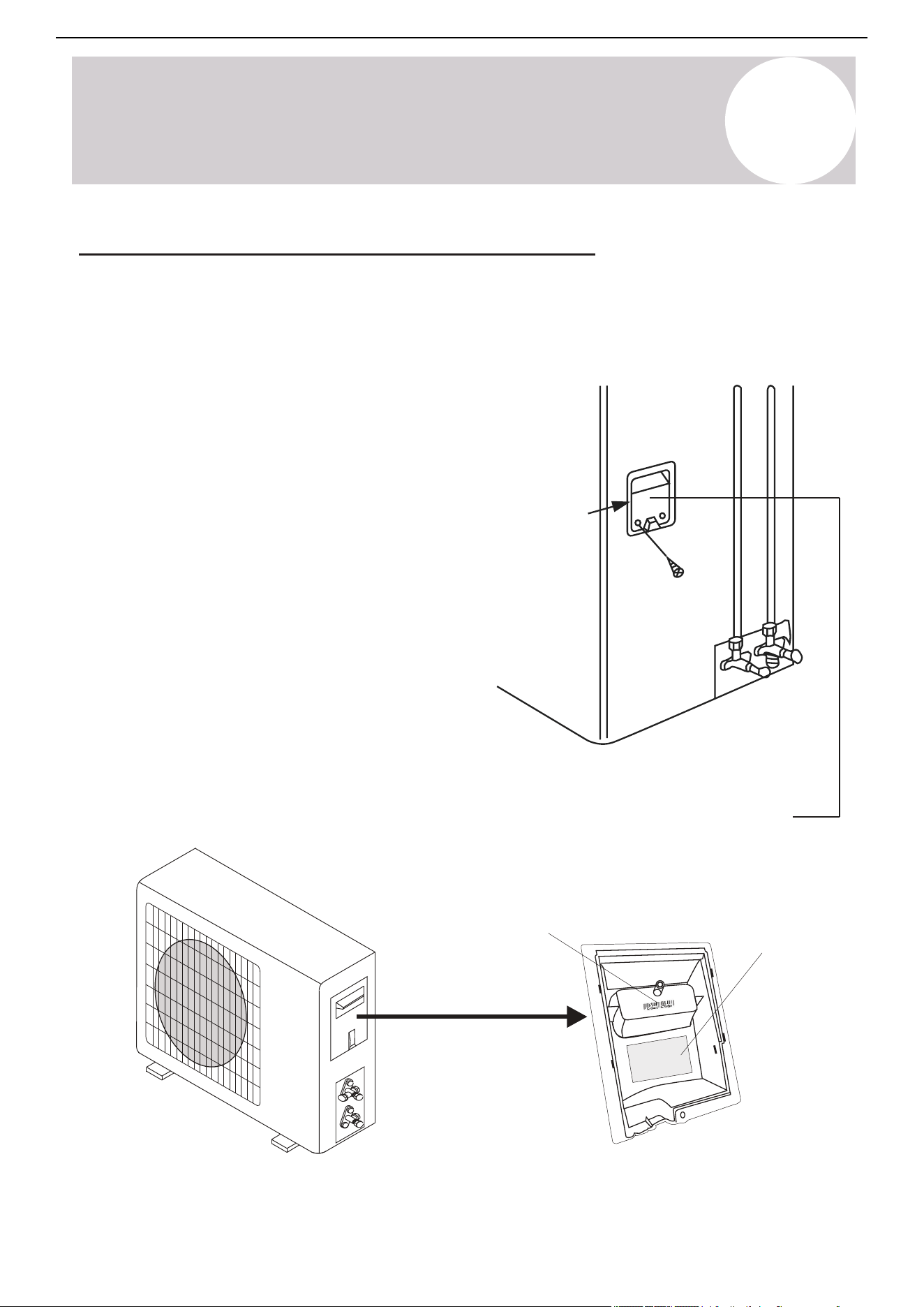
9
Outdoor Unit
Installation Instructions
Air Conditioner Installation & User Manual
Cover
The outdoor unit wiring diagram is
located on the inside of the wire cover
on the outdoor unit.
Outdoor handle cover
Wiring diagram
Serial number
Power/Signal Electrical Wiring to the Outdoor Unit
On the outdoor unit, the wiring diagram is located in the inner side of the handle cover.
An electrical wiring cover on the side of the unit protects the outside unit's terminal block. A comprehensive
wiring diagram is printed on the inside of the wiring cover.
1. Unscrew and remove the handle on the right side plate
of the outdoor unit.
2. Wire the system using the appropriate gauge wire found
on pages 36/40 and the wiring diagram found on the
handle cover.
3. Use a proper flexible rain-tight conduit with appropriate
size connectors.
4. Fasten the power connection wires into place using the
supplied wire clamps.
5. Check the wiring against the diagram to ensure it is
wired correctly. A proper ground connection must be
established.
6. Rescrew and reinstall the cover handle.
44
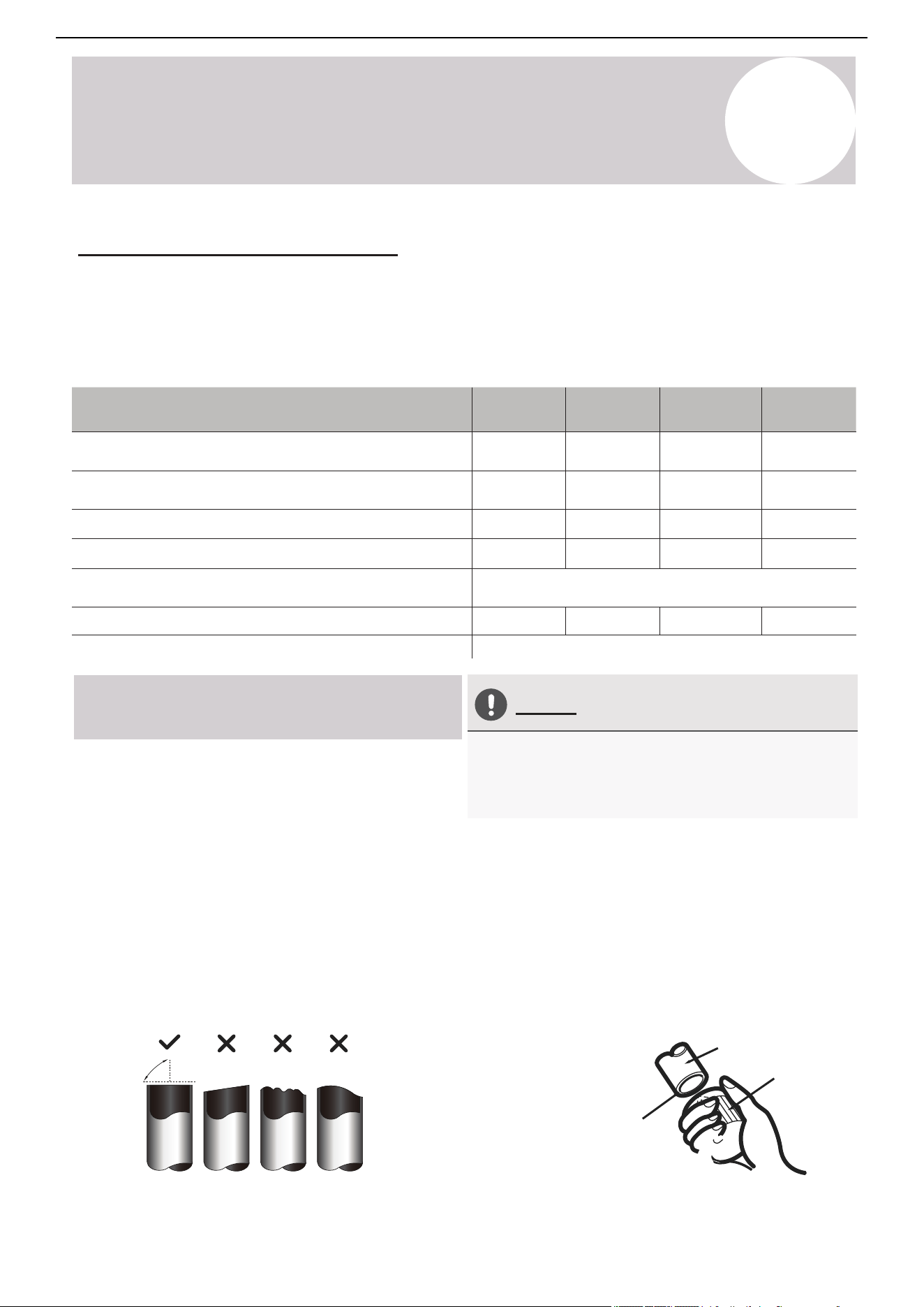
9
Outdoor Unit
Installation Instructions
Liquid Pipe Diameter
Gas Pipe Diameter
Max. Length of Pipe with Standard Charge
Max. Distance Between Indoor and Outdoor Unit
Adjustment Refrigerant Charge
(For each additional foot after 25 ft.)
Max. Difference in Level Between Indoor and Outdoor Unit
Pioneer CYT-24 Series Mini Split
Model / Capacity (BTU/h)
Type of Refrigerant
9.5K BTU 12K BTU 16K BTU 23K BTU
Φ
1/4"
(6.35 mm)
Φ
1/4"
(6.35 mm)
Φ
1/4"
(6.35 mm)
Φ
1/4"
(6.35 mm)
Φ
3/8"
(9.52 mm)
Φ
3/8"
(9.52 mm)
Φ
1/2"
(12 mm)
Φ
5/8"
(15.88 mm)
25 ft / 7.6 m 25 ft / 7.6 m 25 ft / 7.6 m 25 ft / 7.6 m
50 ft / 15 m
65 ft / 20 m
65 ft / 20 m
33 ft / 10 m 33 ft / 10 m 50 ft / 15 m
50 ft / 15 m
50 ft / 20 m
R-454B
0.11oz/ft
10g/m
Air Conditioner Installation & User Manual
Connect the Refrigerant Piping
The length of the refrigerant piping will affect the performance and energy efficiency of the unit. Nominal
efficiency is tested on units with a pipe length of 16 feet (4.9 m). Factory precharge is sufficient for supporting
up to 25 feet (7.6 m) of connected lineset. Piping should not be shorter than 10 feet (3 m) in length. Refer to the
table below for specifications on the maximum length and drop height of the piping. If the factory precharge is
modified, make a note of the charge modification amount on page 58.
Connection Instructions –
Refrigerant Piping
Oblique Rough Warped
90°
Pipe
Reamer
Point down
Ensure no shavings
can fall inside of tubes
*Most standard linesets are pre-flared. In some cases, modifications are needed.
Do Not Deform Pipe While Cutting
Step 1: Cut Pipes (if cutting the
lineset shorter)*
When preparing refrigerant pipes, take care to cut and
flare them properly. This will ensure efficient operation
and minimize the need for future maintenance.
1. Measure the distance between the indoor and
outdoor units.
2. Use a rolling blade type pipe cutter to cut the pipe a
little longer than the measured distance.
3. Make sure that the pipe is cut at a perfect 90° angle.
Refer below for bad cut examples.
Be careful not to damage, kink, or deform the pipe
while cutting. This will drastically reduce the efficiency
and capacity of the unit and may cause internal
damage.
Step 2: Remove Any Burrs Carefully
Burrs can affect the air-tight seal of the refrigerant
piping connection. They must be completely removed.
Follow these steps for proper deburring.
1. Hold the pipe at a downward angle to prevent burrs
from falling into the pipe.
2. Use a reamer or deburring tool to remove all burrs
from the cut section of the pipe.
45
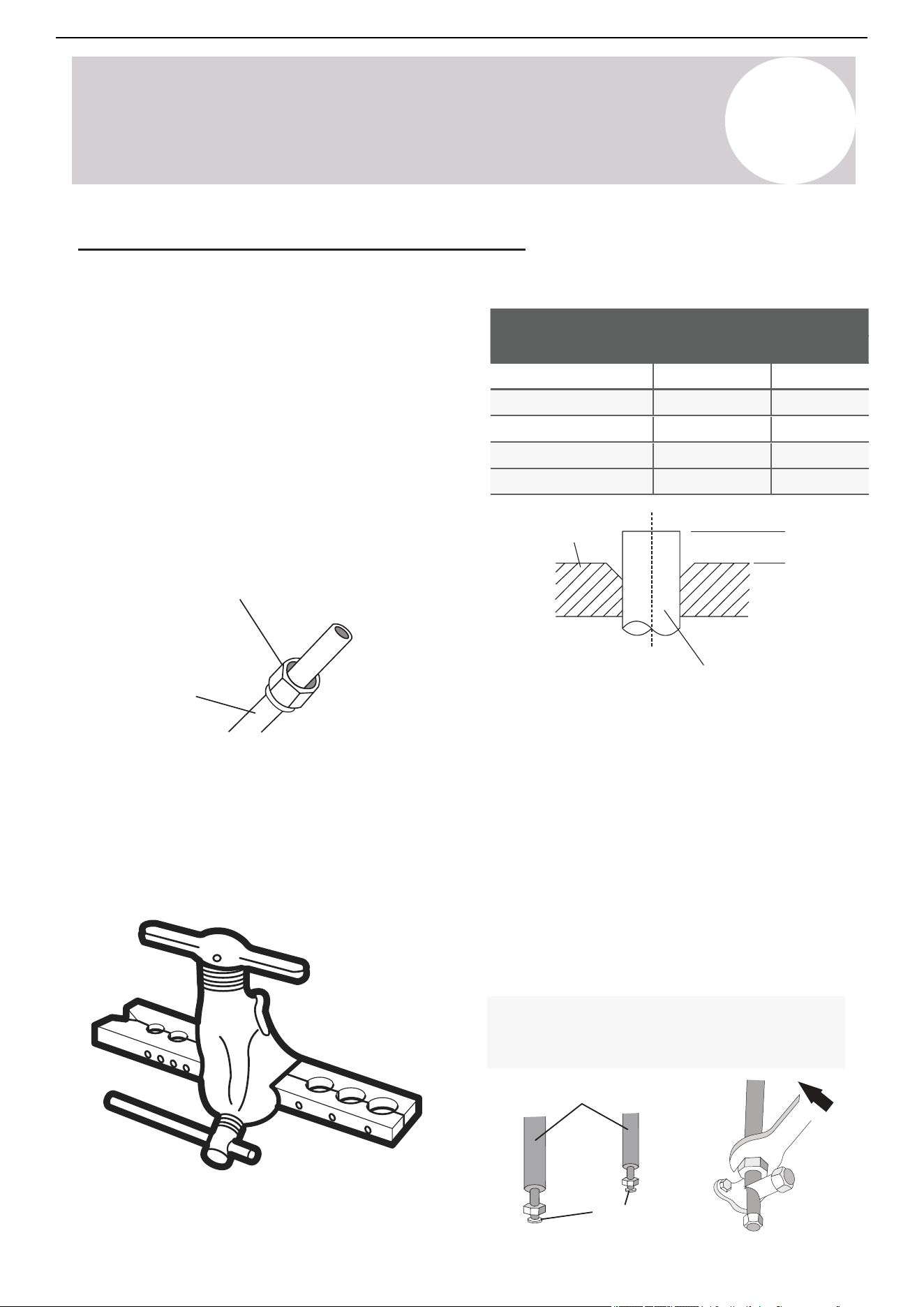
9
Outdoor Unit
Installation Instructions
Air Conditioner Installation & User Manual
Flare nut
Copper pipe
Piping Extension Beyond Flare Form
A (inch/mm)
Outer Diameter of
Pipe (inch/mm)
Min.
Max.
Ø 1/4” (Ø 6.35)
0.05” (1.3)
0.03” (0.7)
0.04” (1.0)
0.06” (1.6)
0.07” (1.8)
0.08” (2.0)
0.09” (2.2)
0.1” (2.4)
Flare form
Pipe
A
Connection pipes
Flare nuts
Step 3: Flare Pipe Ends
Proper flaring is essential to achieve an airtight
seal.
1. After removing burrs from the cut pipe, seal the
ends with PVC tape to prevent foreign materials
from entering the pipe.
2. Sheath the pipe with insulating material.
3. Place flare nuts on both ends of the pipe. Make
sure they are facing the correct direction,
because they cannot have their direction changed
after flaring.
4. Remove the PVC tape from ends of the pipe
when preparing to perform flaring work.
5. Clamp the flare form on the end of the pipe. The
end of the pipe must extend beyond the edge of
the flare form in accordance with the dimensions
shown in the following table:
6. Place the flaring tool onto the form.
7. Turn the handle of the flaring tool clockwise until
the pipe is fully flared.
8. Remove the flaring tool and flare form, then
inspect the end of the pipe for cracks.
Step 4: Connect Pipes
When connecting the refrigerant pipes, be careful
not to use excessive torque or deform the piping in
any way. Begin by connecting the low-pressure
pipe, then the high-pressure pipe.
If provided by the supplier, apply leak guard
material on all flared mating surfaces. Do not use
any plumbing or putty sealants.
Ø 3/8” (Ø 9.52)
Ø 1/2” (Ø 12.7)
Ø 5/8” (Ø 16)
Ø 3/4” (Ø 19)
0.04” (1.0)
0.08” (2.0)
46
Connect the Refrigerant Piping (Continued)
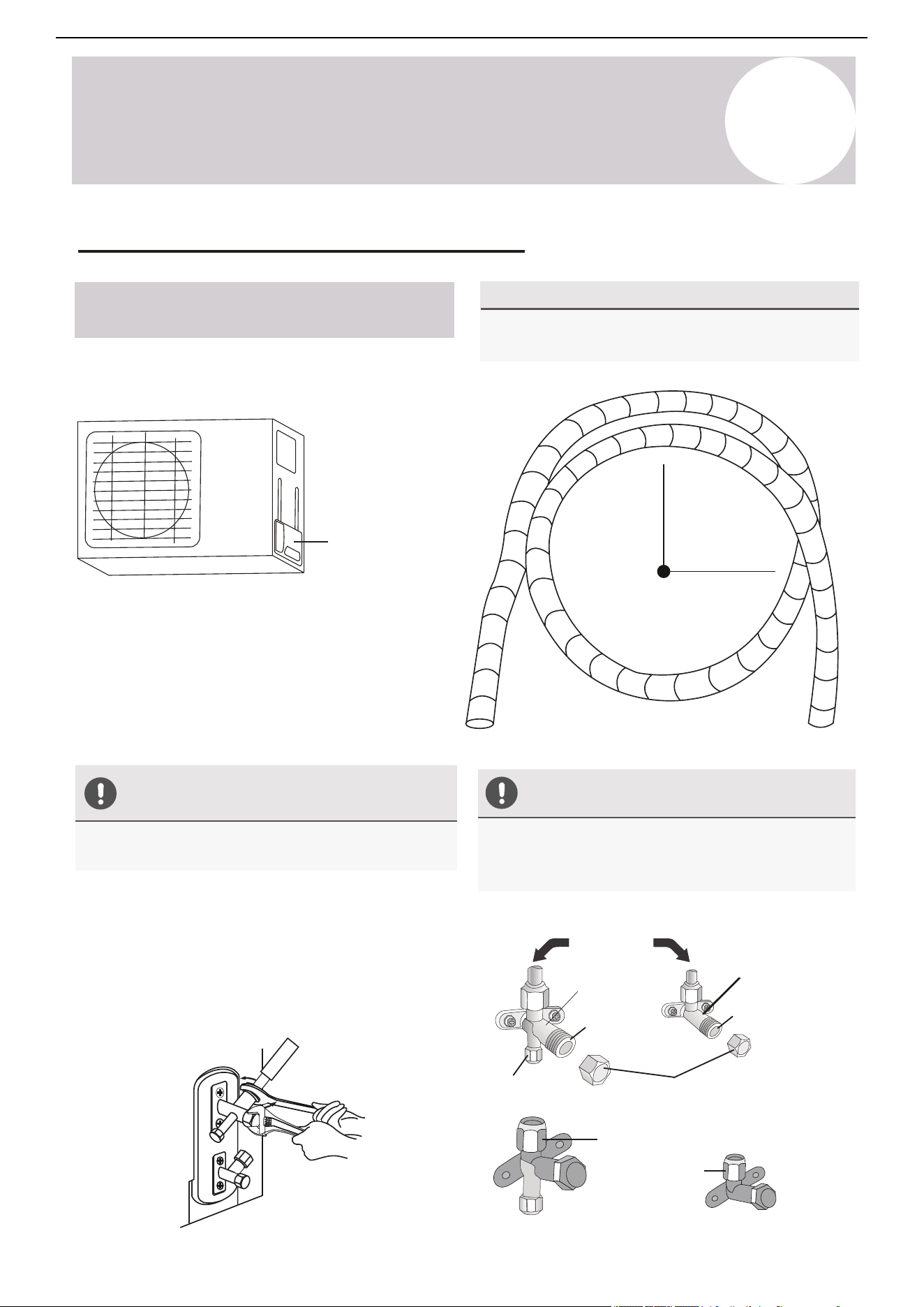
9
Outdoor Unit
Installation Instructions
Air Conditioner Installation & User Manual
47
Minimum Bend Radius
Minimum radius
4 in (102 mm)
Instructions for Connecting Piping to
Outdoor Unit
Use Spanner to Grab the Body of
the Service Valve
Do Not Use Excessive Torque
Gas side flare nut
Liquid side
flare nut
Goes to
indoor unit
Protection caps
Gas valve
Service port nut
Valve stem
Valve cover
When bending connective refrigerant piping, the
minimum bending radius is 4 inches (102 mm).
Excessive force can break the nut or damage the
refrigerant piping. Do not exceed the torque
requirements shown in the table shown on page 37.
1. Unscrew the cover from the packed valve on
the side of the outdoor unit.
2. Remove the protective caps from the valve ends.
3. Align the flared pipe end with each valve and
tighten the flare nut as tightly as possible by hand.
4. Use a spanner to grab the body of the valve. Do
not grab the nut that seals the service valve.
Torque from tightening the flare nut can snap off other
parts of valve.
5. While firmly gripping the body of the valve,
use a torque wrench to tighten the flare nut
according to the correct torque values.
6. Loosen the flaring nut slightly, then tighten
again.
7. Repeat steps 3 to 6 for the remaining pipe.
Liquid valve
Valve stem
Connect the Refrigerant Piping (Continued)
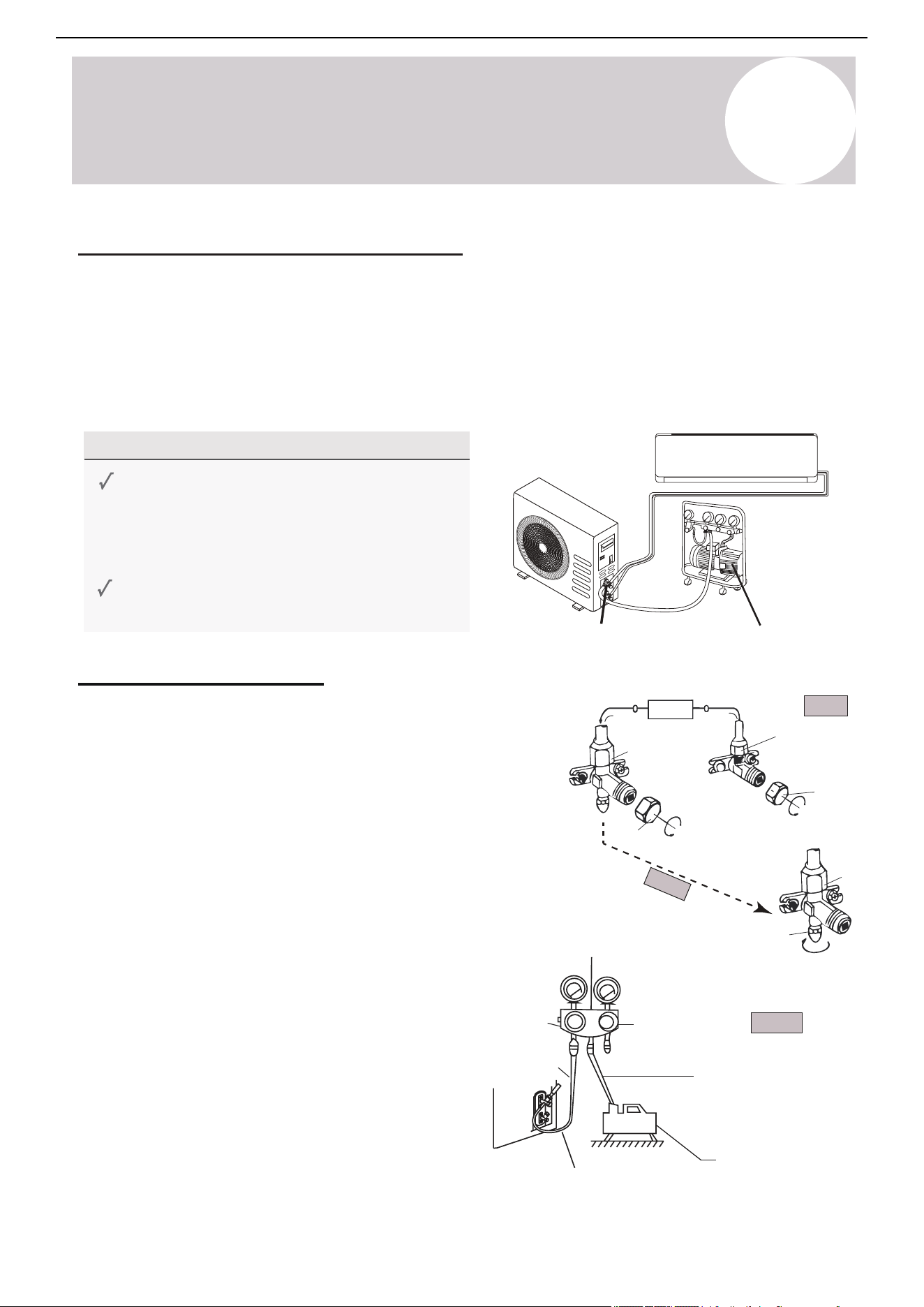
Page 46
Outdoor Unit
Installation
8
Outdoor Unit Installation Instructions
MINIMUM BEND RADIUS
Radius ≥ 10cm (4 in)
When bending connective refrigerant piping,
the minimum bending radius is 10 cm (4”).
Instructions for Connecting Piping
to Outdoor Unit
the side of the outdoor unit.
1.
Unscrew the cover from the packed valve on
USE SPANNER TO GRAB THE
BODY OF THE SERVICE VALVE
2.
Remove protective caps from the valve ends.
3.
Align flared pipe end with each valve, and
tighten the flare nut as tightly as possible
by hand.
4.
Using a spanner, grab the body of the valve.
Do not grab the nut that seals the service valve.
Torque from tightening the flare nut can snap
off other parts of valve.
5.
6.
7.
Repeat Steps 3 to 6 for the remaining pipe.
DO NOT USE EXCESSIVE TORQUE
While firmly gripping the body of the valve,
use a torque wrench to tighten the flare
nut according to the correct torque values.
Loosen the flaring nut slightly, then tighten
again.
Excessive force can break the nut or damage
the refrigerant piping. You must not exceed
the torque requirements shown in the table
shown on page 39.
Gas Side Flare Nut
Liquid Side
Flare Nut
Goes to
Indoor Unit
Protection Caps
Gas Valve
Service Port Nut
Liquid Valve
Valve Stem
Valve Stem
Valve Cover
9
Outdoor Unit
Installation Instructions
Air Conditioner Installation & User Manual
Vacuum pump
Service port
Before Performing Evacuation
High pressure
valve
Service
port nut
Refrigerant flow direction
3-way valve
Indoor unit
2-way
valve
Valve
cap
Valve cap
Yellow (middle) hose
Vacuum pump
3-way valve
Blue (low) hose
Low pressure
valve
Manifold gauge
Low pressure gauge High pressure gauge
[2] Turn
[1] Turn
Step 3-5
Step 1
Step 2
Evacuation Instructions
Before using a vacuum pump and manifold gauge,
read their operation manuals to become familiarized
with using them properly.
1. Remove the caps from the 2-way and 3-way
valves (do not manipulate the valves until step 11).
2. Unscrew and remove the cap from the service port
(see the diagram on the right side).
3. Connect the blue (low) hose of the manifold gauge
to the service port on the outdoor unit's 3-way valve.
Use an adapter if needed. Ensure that the pin fully
engages the Schrader valve.
4. Connect the yellow (middle) hose from the
manifold gauge to the vacuum pump.
5. Open the low pressure valve of the manifold
gauge*. Keep the high pressure valve closed.
*Refers to the manifold set, not the outdoor unit
valves.
Air Evacuation & Bleeding the Circuit
The air and/or humidity left inside the refrigeration circuit can contaminate the refrigerant and cause abnormal
spikes in pressure, leading to eventual compressor malfunctions. Therefore, after connecting the indoor and
outdoor units to create a closed system, it is necessary to bleed the air and humidity out of the circuit by using
a vacuum pump.
Perform the evacuation after the initial installation or when the unit is relocated. For first time installations, do
not prematurely release the refrigerant prior to evacuation. Keep the valve caps sealed.
Check to make sure that both high-pressure and
low-pressure pipes between the indoor and
outdoor units are connected properly in
accordance with the "Refrigerant Piping
Connection" section of this manual.
Check to make sure all wiring is connected
properly and is fully enclosed and insulated.
48
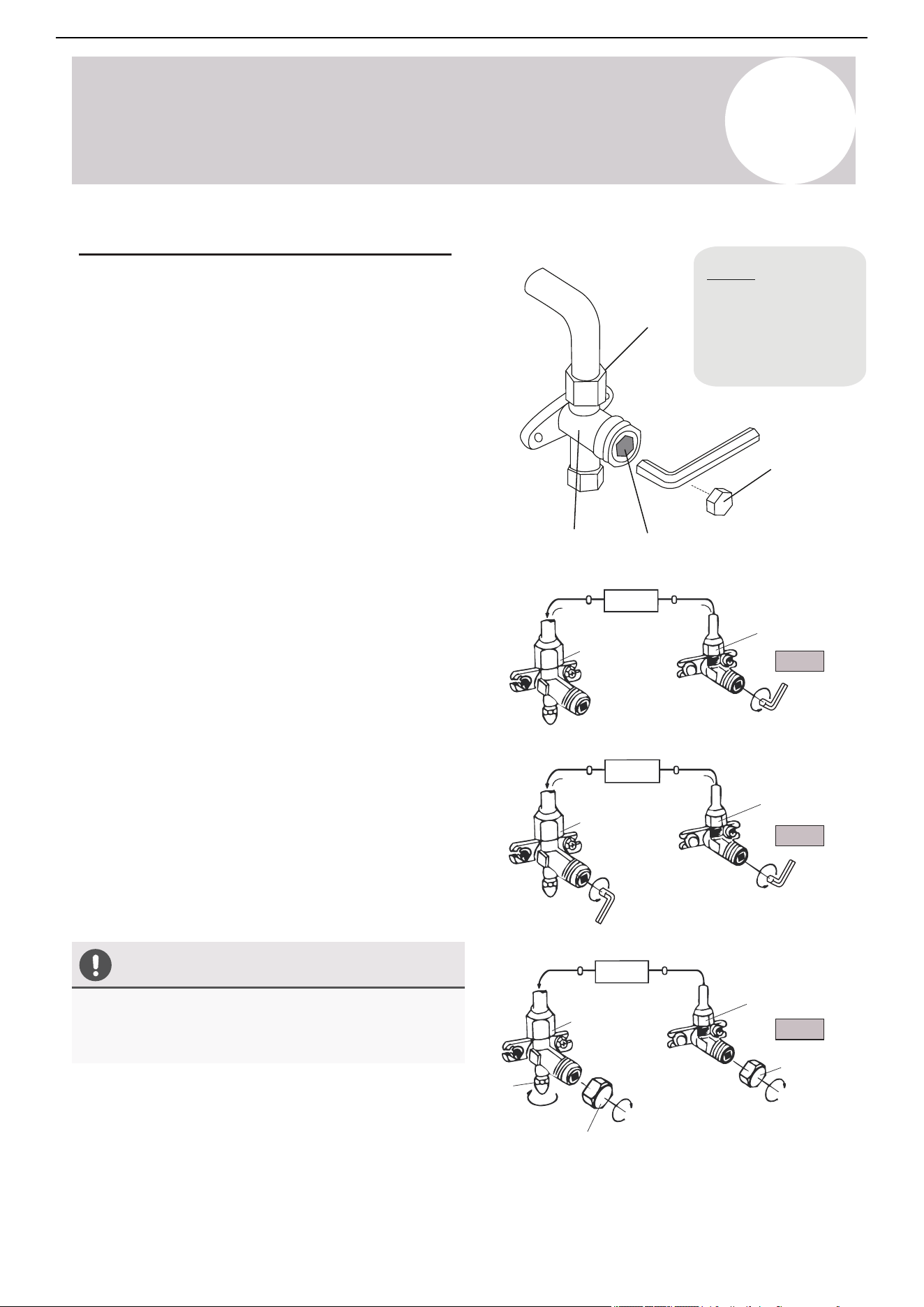
9
Outdoor Unit
Installation Instructions
Air Conditioner Installation & User Manual
Service
port nut
Open Valve Stems Gently
Flare nut
Cap
2-way valve
Valve body
Valve stem
3-way valve
2-way valve
Valve cap
2-way valve
Valve cap
3-way valve
[11] Open 1/4 turn
[15] Tighten
[14] Turn to fully
open valve
Indoor unit
Step 11
Step 14
Step 15
Indoor unit
Indoor unit
When opening valve stems, turn the supplied Allen
wrench until the valve stem comes into contact with the
stopper. Do not try to force the valve to open further.
Do not open either
of these valves until
evacuation steps are
completed and the
system is ready for
startup (steps 11-15)
3-way valve
[14] Turn to fully
open valve
[15] Tighten
[15] Tighten
Evacuation Instructions (Continued)
49
6. Turn on the vacuum pump to evacuate the system.
7. Run the vacuum for at least 15 minutes or until the
Compound Meters reads -76cmHG (-100 kPa or -30 inHg).
The vacuum reading should gradually decrease.
8. Close the low pressure side of the manifold gauge and
turn off the vacuum pump.
9. For the best results, wait for at least 1 hour, then verify
that there has been no increase in the vacuum reading.
10. If there is a rise in the system vacuum, refer to the
"Gas Leak Check" section for information on how to check
for leaks. If there is no change in the vacuum reading,
unscrew the cap from the service valve (high pressure
valve).
11. Insert the Allen wrench into the service valve (2-way
valve) and open the valve by turning the wrench in a ¼
counterclockwise turn. Wait and listen for gas potentially
exiting the system, then close the valve after 5 seconds.
12. Watch the pressure gauge for a few minutes to make
sure that there is no drop in pressure. The pressure gauge
should now show higher than the atmospheric pressure.
13. Remove the charge hose from the service port.
14. Use a hexagonal wrench to fully open both the high
pressure and low pressure valves counterclockwise.
15. Tighten valve caps on all three valves (service port,
high pressure, low pressure) by hand. Do not torque down
further.
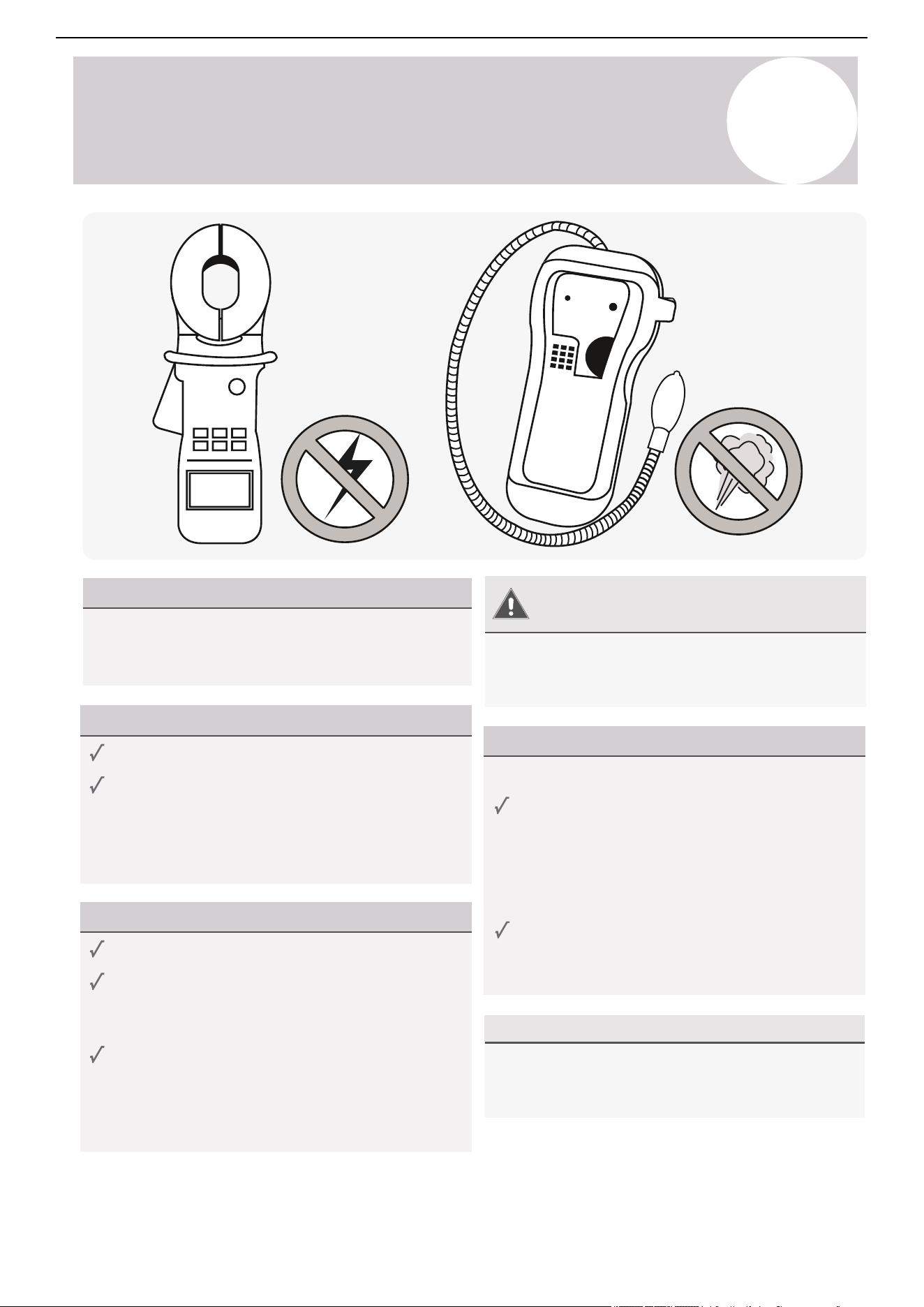
Page 48
Outdoor Unit
Installation
8
Outdoor Unit Installation Instructions
Evacuation Instructions (Cont’d)
Service
Port Nut
OPEN VALVE STEMS GENTLY
Flare Nut
Cap
When opening valve stems, turn the supplied Allen
wrench until the valve stem comes into contact with
stopper. Do not try to force the valve to open further.
2-Way Valve
Valve Body
Valve Stem
3-Way Valve
2-Way Valve
Valve Cap
2-Way Valve
Valve Cap
3-Way Valve
[11] Open 1/4 Turn
[15] Tighten
[15] Tighten
[15] Tighten
[14] Turn to Fully
Open Valve
3-Way Valve
[14] Turn to Fully
Open Valve
Indoor Unit
Step 11
Step 14
Step 15
Indoor Unit
Indoor Unit
Do not open
either of these
valves until
evacuation steps
are completed
and system is
ready for startup
(steps 11-15)
6.
Turn on the vacuum pump to evacuate the system.
7.
Run the vacuum for at least 15 minutes, or until the
Compound Meter reads -76cmHG (-100 kPa or -30
inHg). The vacuum reading should gradually lower.
8.
Close the low pressure knob of the manifold gauge,
and turn off the vacuum pump.
9.
For best results, wait for at least 1 hour, then verify
that there has been no rise in the vacuum reading.
10.
If there is a rise in the system vacuum, refer to “Gas
Leak Check” section for information on how to check
for leaks. If no change in vacuum reading, unscrew
the cap from the service valve (high pressure valve).
11.
Insert the Allen wrench into the service valve (2-way
valve) and open the valve by turning the wrench in a
1/4 counterclockwise turn. Wait and listen for gas to
exit the system, then close the valve after 5 seconds.
(If no sound is heard or change in reading occurs, refer to page 52.)
12.
Watch the pressure gauge for a few minutes to make
sure that there is no drop in pressure. The Gauge
should now show a positive reading. From this point,
it is best to do a leak check using soapy water spray.
13 .
If no leaks, remove the charge hose from the service port.
14.
Using a hexagonal wrench, fully open both the high
pressure and low pressure valves counterclockwise.
15.
Tighten valve caps on all three valves (service port,
high pressure, low pressure) by hand. Tighten further
using a torque wrench if needed.
Air Conditioner Installation & User Manual
10
Electrical/Gas Leak Check
& Test Run
Electrical Safety Checks
Before Test Run
After installation, confirm that all electrical wiring is
installed in accordance with local and national
regulations and the installation manual.
During Test Run
Gas Leak Checks
There are two methods to check for gas leakage:
Warning –
Risk of Electric Check
After Performing Gas Leak Checks
All wiring must comply with local and national
electrical codes and must be installed by a licensed
electrician.
After confirming that all the pipe connection points
do not leak, replace the valve cover on the outside
unit.
Soap and Water Method
Use a soft brush to apply soapy water or liquid
detergent to all pipe connection points on the
indoor and outdoor units. The presence of
bubbles indicates a leak.
Leak Detector Method
If using a leak detector, refer to the device's
operation manual for proper usage instructions.
Check for electrical leakage.
During the test run, use an electroprobe and
multimeter to perform a comprehensive electrical
leakage test.
If electrical leakage is detected, turn off the unit
immediately and call a licensed electrician to find
and resolve the cause of the leakage.
Note: This may not be required in some locations.
Check grounding work.
Measure grounding resistance by visual detection
or with a grounding resistance tester. Grounding
resistance must be less than 4Ω.
Note: This may not be required in some locations.
50
Page 51
Troubleshooting
T
Troubleshooting
MALFUNCTION
If there are strange odors...
If there’s running water...
If the display is off...
If a fine mist is coming
from the air outlet...
If the airflow is
insufficient, and the
air is not hot or cold
enough...
If the appliance does not
respond to commands...
If the appliance
does not operate
or respond...
MOST COMMON ERROR SIGNALS ON THE DISPLAY
Switch off the air
conditioner immediately
and cut off the power
supply in the event of...
POSSIBLE CAUSES
There is a power failure/plug pulled out or tripped/wrong breaker (wrong wiring)
There is a faulty compressor or thermomagnetic circuit breaker
The indoor/outdoor unit fan motor was damaged
The electrical connections are loose
There is a faulty protective device or fuses
The system has entered a protection mode
The system has entered an overvoltage or undervoltage protection
The air filter is dirty
The electronic control board was damaged
The TIMER-ON function is active
There was a backflow of condensate water into the system’s drain pan.
This occurs when the air in the room becomes very cold, for example in
“COOLING” or “DEHUMIDIFICATION/DRY” modes
The temperature setting is unsuitable
The air conditioner intakes and outlets may be obstructed
The fan speed may be set at the minimum
This noise is made by the expansion or contraction of the front panel due
to variations in temperature, and if so, is normal
The air filter may be dirty
The system may be getting low on refrigerant, pressures should be checked
There may be too many other heat sources in the room
The remote control may not be close enough to the indoor unit
The batteries of remote control may need to be replaced
There are obstacles between remote control and indoor unit signal receiver
The DISPLAY button has been pressed
Stra
ng
e nois
es not due to expansion/contraction are heard during operation
There has been a power failure
The electronic control board is faulty or malfunctioning
Any fuses or switches are faulty or malfunctioning
The sound of spraying water or objects are heard inside the appliance
The cables or plugs have overheated
There are very strong odors being emitted from the appliance
If strange noises are
being emitted...
Indoor temperature sensor fault
Display
Description of the error
Outdoor pipe temperature sensor fault
Indoor pipe temperature sensor fault
Malfunction of indoor fan motor
Refrigerant system leakage or fault
Outdoor air temperature sensor fault
Outdoor discharge temperature sensor fault
Display
Outdoor IPM module fault
Indoor Outdoor Unit Communication Fault
Outdoor current detection fault
Description of the trouble
In case of error, the display on the indoor unit may show the following error codes:
Outdoor suction temperature sensor fault
Refrigerant Leak / Low Pressure Detected
Do not attempt to use system until error code is diagnosed and resolved. Forcing the system to run can cause irreversible damage.
Air Conditioner Installation & User Manual
10
Electrical/Gas Leak Check
& Test Run
Before Test Run
Only perform a test run after the following steps
have been completed:
Test Run Instructions
Preform the following test run for 30 minutes:
After Test Run Completion
After the 10 boxes above have been checked and marked as passed, perform the following operation:
1. Use the remote control to return the system to a normal desired operating temperature.
2. Use the insulation tape to wrap the indoor unit's refrigerant pipe connections that were left uncovered
during the installation process.
If Ambient Temperatures Are Too High to Run a Heating Test:
If outside temperatures are too high to permit Heating mode on the remote controller, do the following:
1. Turn the unit on and put it in Heating mode using the emergency button as depicted on page 6.
2. Run the Heating mode test as normal and turn the unit back off using the button when complete.
Double Check All Pipe Connections
Test Run
Electrical Safety Checks
Confirm that the unit's electrical system is safe
and is operating properly.
Gas Leak Checks
Check all flare nut connections and confirm that
the system is not leaking.
Gas Leak Checks
Confirm that both the gas and liquid valves
(high/low) are 100% fully opened.
1. Connect power to the unit.
2. Press the On/Off button on the remote controller
to turn it on.
3. Press the Mode button to scroll through the
following functions, one at a time.
•
•
Cool - Select lowest possible temperature
Heat - Select highest possible temperature
4. Let each function run for 5 minutes and perform
the following checks:
During operation, the pressure of the refrigerant circuit will increase. This may reveal leaks that were not
present during the initial leak check. Take time during the test run to double-check that all copper pipe
connection points are leak-free. Refer to the Leak Check page for instructions. Cooling mode pressure
should be 120-155 PSI. Heating mode pressure should be 320-450 PSI.
o Water drains from drain hose properly
o All piping is properly insulated
o Indoor unit responds to the remote controller
o Indoor unit louvers work properly
o System works in both Heat + Cool mode
o No electrical leaks or abnormal noises
o Unit is properly grounded
o All electrical terminals are properly covered
o Indoor and outdoor units are securely installed
o All pipe connections points do not leak
Pass/Fail?
51
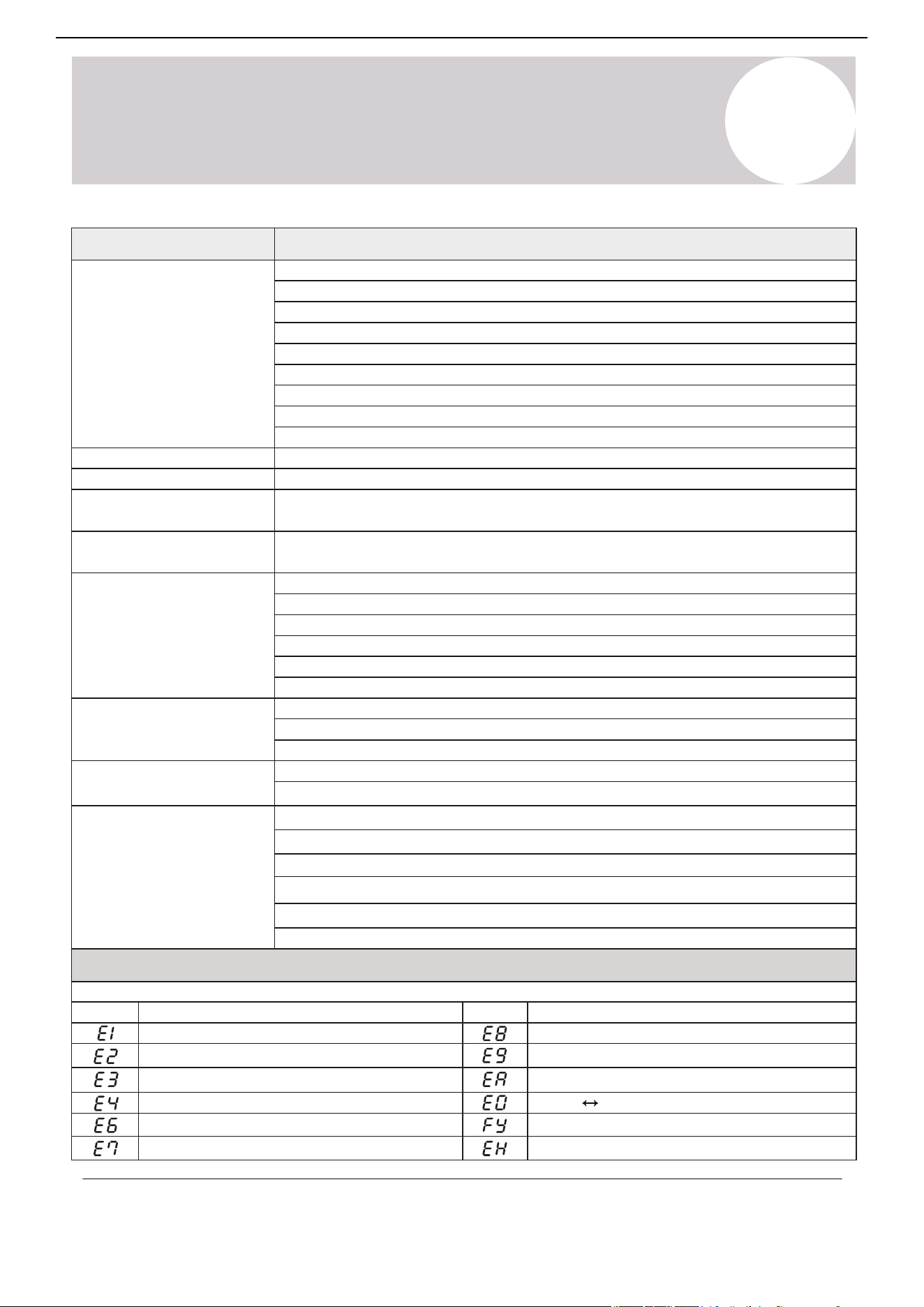
Page 50
9
Electrical/Gas Leak Check and Test Run
Test Run
PASS/FAIL?
BEFORE TEST RUN
Only perform a test run after the following
steps have been completed:
No Electrical Leaks or Abnormal Noises
Unit is Properly Grounded
All Electrical Terminals Properly Covered
Indoor and Outdoor Units Securely Installed
All Pipe Connections Points Do Not Leak
Water Drains From Drain Hose Properly
All Piping is Properly Insulated
Indoor Unit Responds to Remote Controller
Indoor Unit Louvers Work Properly
System Works in Both HEAT + COOL mode
TEST RUN INSTRUCTIONS
Opened Valves
Confirm that both the gas and liquid
valves (high/low) are 100% fully opened.
The following test run should be performed
for 30 minutes:
Electrical Safety Checks
Confirm that the unit’s electrical system is
safe and is operating properly.
Gas Leak Checks
Check all flare nut connections and confirm
that the system is not leaking.
AFTER TEST RUN COMPLETION
After the 10 boxes above have been checked as having PASSED, perform the following operation:
1. Using the remote control, return the system to a normal desired operating temperature.
2. Using insulation tape, wrap the indoor unit refrigerant pipe connections that were left uncovered
during the indoor unit installation process.
IF AMBIENT TEMPERATURES ARE TOO HIGH TO RUN A HEATING TEST:
If outside temperatures are too high to permit HEATING mode on the remote, do the following:
1. Turn the unit on and put it in heat mode using the emergency button as depicted on Page 8.
2. Run the heating mode test as normal, and turn the unit back off using the button when complete.
DOUBLE CHECK ALL PIPE CONNECTIONS
During operation, the pressure of the refrigerant circuit will increase. This may reveal leaks that
were not present during your initial leak check. Take time during the Test Run to double-check
that all copper pipe connection points are leak-free. Refer to the Leak Check page for instructions.
Cooling mode pressures should be 120-155 PSI. Heating mode pressures should be 320-450 PSI.
perform the following checks:
4.
Let each function run for 5 minutes, and
• COOL – Select lowest possible temperature
• HEAT – Select highest possible temperature
1. Connect power to the unit.
2.
Press the ON/OFF button on the remote
controller to turn it on.
3. Press the MODE button to scroll through
the following functions, one at a time:
Test Run
T
Troubleshooting
Malfunction
If there are strange odors...
If there is running water...
If the display is off...
If a fine mist is coming
from the air outlet...
If the airflow is
insufficient, and the
air is not hot or cold
enough...
If the appliance does not
respond to commands...
If the appliance
does not operate
or respond...
Error Signals on the Display
Possible Causes
There is a faulty compressor or thermomagnetic circuit breaker
The indoor / outdoor unit fan motor is damaged
The electrical connections are loose
There is a faulty protective device or fuses
The system has entered a protection mode
The system has entered an overvoltage or undervoltage protection
The air filter is dirty
The electronic control board was damaged
The Timer-On function is active
There is a back-flow of condensate water into the system’s drain pan.
This occurs when the air in the room becomes considerably cold. For example in “Cooling”
or “Dehumidification / Dry” modes
The temperature setting is unsuitable
The air conditioner intakes and outlets may be obstructed
The fan speed may be set at the minimum
This noise is made by the expansion or contraction of the front panel due to variations in
temperature. If so, this is normal
The air filter may be dirty
The system may be getting low on refrigerant. Pressures should be checked
There may be too many other heat sources in the room
The remote control may not be close enough to the indoor unit
The batteries of the remote control may need to be replaced
There are obstacles between the remote control and indoor unit signal receiver
The Display button has been pressed
Strange noises not due to expansion/contraction are heard during operation
There has been a power failure
The electronic control board is faulty or malfunctioning
Any fuses or switches are faulty or malfunctioning
The sound of spraying water or objects are heard inside the appliance
The cables or plugs have overheated
There are very strong odors being emitted from the appliance
Indoor temperature sensor fault
Display
Description o f the error
Outdoor pipe temperature sensor fault
Indoor pipe temperature sensor fault
Malfunction of the indoor fan motor
Refrigerant system leakage or fault
Outdoor air temperature sensor fault
Outdoor discharge temperature sensor fault
Display
Outdoor IPM module fault
Indoor Outdoor unit communication fault
Outdoor current detection fault
Description of the error
In case of errors, the display on the indoor unit may show the following codes:
Outdoor suction temperature sensor fault
Refrigerant leak / Low pressure detected
Do not attempt to use the system until the error code is diagnosed and resolved. Forcing the system to run can cause irreversible damage.
There is a power failure / plug pulled out or tripped / wrong breaker (wrong wiring)
If strange noises are being
emitted...
Switch off the air
conditioner immediately
and cut off the power
supply in the event of...
Air Conditioner Installation & User Manual
52
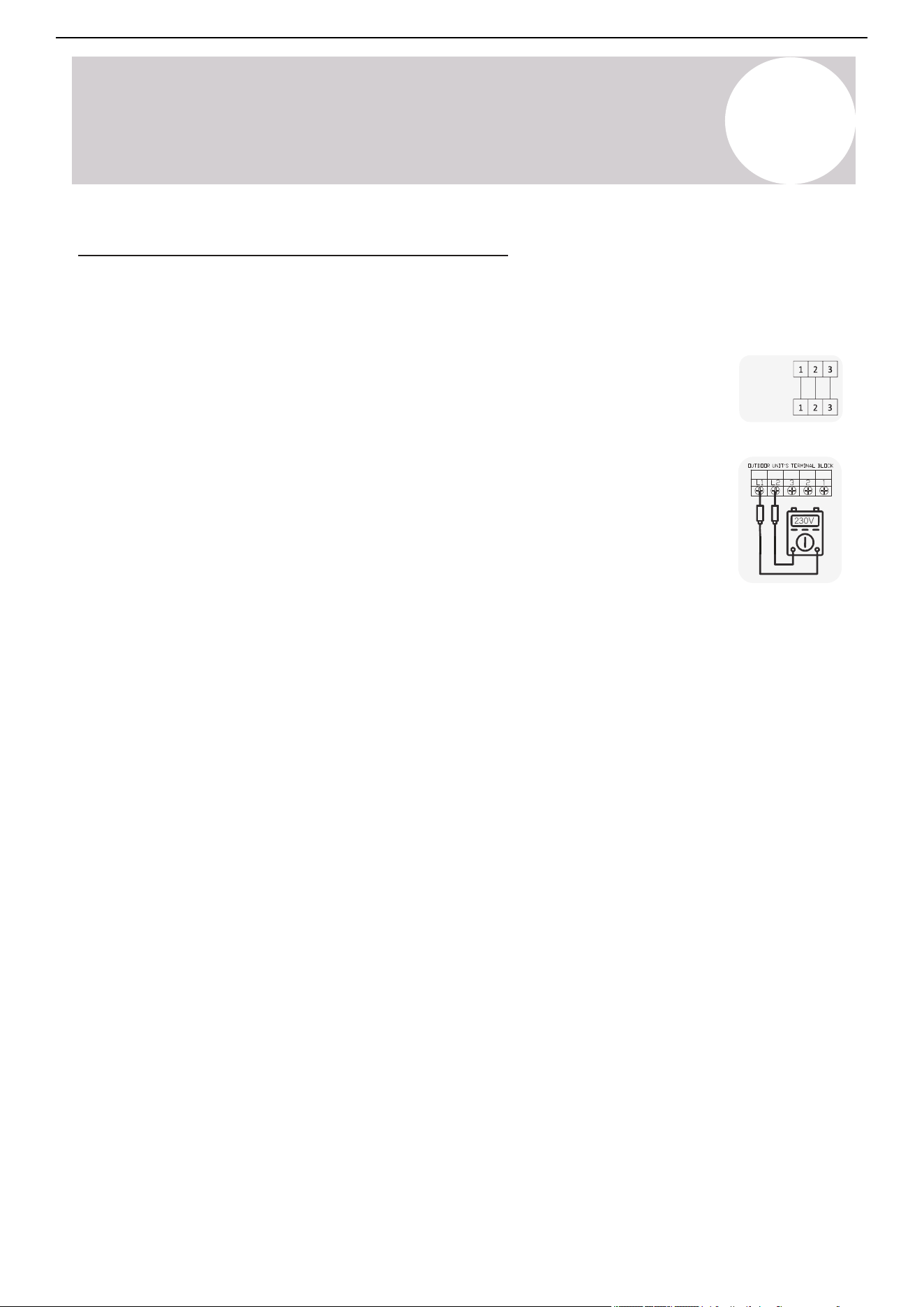
230V
INDOOR
UNIT
OUTDOOR
UNIT
[1]
[2]
Page 53
Appendix
Full Error Codes List
Error Code Code Interpretation
E0
Indoor ←→ Outdoor Communication Fault
E1
Indoor Room Temperature Sensor Fault
E2
Indoor Fan Coil Temperature Sensor Fault
E3
Outdoor Unit Fan Coil Temperature Sensor Fault
E4
Abnormal System Malfunction/Lack of Refrigerant
E5
Model Configuration/Mismatch Error
E6
Indoor Unit DC Fan Fault
E7
Outdoor Unit Ambient Temperature Sensor Fault
E8
Outdoor Unit Discharge Temperature Sensor Fault
E9
Outdoor Unit IPM/Compressor Drive Abnormal Fault
EA
Outdoor Unit Current Sensor Test Fault
Eb
Main PCB ←→ LED Display Communication Fault
EC
Outdoor Unit Module Communication Fault
EE
Outdoor Unit EEPROM Fault
EF
Outdoor Unit DC Fan Motor Fault
EH
Outdoor Unit Suction Sensor Fault
EP
Outdoor Unit Compressor Casing Top Fault
EU
Outdoor Unit Voltage Sensor Fault
Ej
Outdoor Unit Central Coil Temperature Sensor Fault
En
Outdoor Unit Gas Pipe Temperature Sensor Fault
Ey
Outdoor Unit Liquid Pipe Temperature Sensor Fault
P0
IPM Module Protection
P1
Overvoltage/Undervoltage Protection
P2
Overcurrent Protection
P3
Other Protection
P4
Excessive Outdoor Discharge Temperature Protection
P5
Cool Mode Sub-cooling Preventative Protection
P6
Cool Mode Overheating Preventative Protection
P7
Heat Mode Overheating Preventative Protection
P8
Outdoor Uni
t Over/Under Temperature Protection
P9
Compressor Drive Abnormal Load Protection
PA
Preset Mode Conflict / IDU Topflow Comm. Fault
Error Code Code Interpretation
F0
Infrared Sensor Fault
F1
Power Test Module Fault
F2
Discharge Temperature Sensor Fault Protection
F3
Outdoor Coil Temperature Sensor Fault Protection
F4
Coling System Gas Flow Abnormality Protection
F5
PFC Protection
F6
Compressor Lack of Phase/Anti-Phase Protection
F7
IPM Module Temperature Protection
F8
4-Way Reversing Valve Abnormality Protection
F9
Module Test Circuit Temperature Fault
FA
Compressor Phase Current Detection Fault
Fb
Cooling/Heating Overload Limit Frequency Protection
FC
High Power Limit/Frequency Reduction Protection
FE
Module/Compressor Phase Current Protection
FF
Module Temperature Frequency Reduction Protection
FH
Drive Limit/Frequency Reduction Protection
FP
Anti-Condensation Frequency Reduction Protection
FU
Anti-Freezing Frequency Reduction Protection
Fj
Discharge Protection Limit/Frequency Protection
Fn
External AC Current Limit/Frequency Protection
Hd
Refrigerant Leakage Protection
Fd
Refrigerant Leak Sensor Abnormal Comm. Protection
Fy
Refrigerant Deficiency Protection
H1
High-Pressure Switch Malfunction
H2
Low-Pressure Switch Malfunction
bf
TVOC Sensor Fault (optional)
bc
PM2.5 Sensor Fault (optional)
bj
Humidity Sensor Fault (optional)
bE
CO2 Sensor Fault (optional)
bd
Fresh Air Fan Fault (optional)
d4
Water Full Protection
d5
Access Control Protection
T
Troubleshooting
T
Troubleshooting
Air Conditioner Installation & User Manual
Solutions to Common Issues & Scenarios
Issue: The indoor air handler does not turn on
• Solution: Try the manual emergency button on the indoor unit in order to rule out
problems with the remote controller.
• Solution: Verify that the wire order is equal between the indoor and outdoor units [1].
The color order must match. Check for splices or damage on the control cable. To rule out
variables, remove any accessorial items, such as UV lights or condensate pumps, until the
problem is resolved.
• Solution for 230V systems: Use a multimeter to check the AC voltage across terminals
L1-L2 on the outdoor system [2]. Touch one probe to L1, the other probe goes on L2. Do
not measure each leg to ground. Verify whether the reading is between 208~253 VAC.
o If the reading is between 208~253 VAC, measure whether the reading is the
same across 2-3 on both the outdoor and indoor units. All readings must
match. The system must receive a full 230V reading in order to function.
o If the reading is 0 VAC, then the system is not receiving proper power from the
power source. Some common reasons are:
A fused disconnect is being used, but fuses are blown and not
inserted properly.
The disconnect box bus-bar is in the Off position.
A double-pole breaker is not being used. Single or tandem breakers
will not operate.
Issue: The pressure reading does not rise when releasing refrigerant during the leak
check
• Solution: Verify that the gauge tube pin on the manifold gauge is fully engaging the outdoor unit service port's
Schrader valve. A pin that is over or underexposed will not allow the gauge to access the refrigerant circuit,
preventing pressure measurement and/or proper vacuuming. The depressor pin inside the hose connector is
adjustable for proper Schrader valve engagement.
o A telltale sign that this is happening is whether the gauge reading goes to instant vacuum when the
pump is first turned on. This means only the gauge is being vacuumed.
o If so, vacuuming will need to be re-performed, since only the gauge itself was vacuumed.
53
T
Troubleshooting
Air Conditioner Installation & User Manual
54
Issue: The fan runs in Cooling mode but in Heating mode there is weak or no airflow
• Solution: The fan speed control is typically not available to the user in Heating mode. If the coil is unable to
heat up, then the fan will not run at speed. This may indicate low refrigerant as well.
Issue: The system indicates that a refrigerant leak is present
• Solution: Cut off the power to the system. Prepare a soapy water spray and spray the connection points
of the lineset. The point where the bubbles form is where the leak is located. Tighten the connection
and re-test the system. After the leak is repaired, re-charge the system.
Issue: The indoor air handler is leaking water
• Solution: Verify that the indoor unit is both horizontally and vertically leveled.
• Solution: Confirm that the drain tube is at a continuous downward pitch.
o Pour a cup of water over the indoor unit's coils so that it reaches the drain pan.
o Verify that the water drains out of the tube freely. If it doesn't, find the cause and correct it.
Solutions to Common Issues & Scenarios (Continued)
Issue: The system is not holding a vacuum
• Solution: A leak in the gauge hoses is likely. Repair the leak and check the vacuum pump.
• Solution: Check the connection points for proper contact and torque, then tighten if necessary.
Page 52
T
Troubleshooting
Troubleshooting
Solutions to Commmon Issues and Scenarios
• Issue: The Indoor Air Handler Does Not Turn On.
▪ Solution: Verify that the wire order is equal between indoor and outdoor units
[1]
. Color
order must match. Check for splices or damage on the control cable. To rule out
variables, remove any accessorial items such as UV lights or condensate pumps until
the problem is resolved.
▪ Solution For 230V systems: Use a multi-meter to check AC voltage across terminals
L1-L2 on the outdoor system
[2]
(touch one probe to L1, the other probe goes on L2, do
not measure each leg to ground). Verify whether the reading is between 208~253 VAC.
◦ If the reading is between 208 and 253 VAC, measure whether the reading is
the same across 2-3 on both the outdoor unit, and the indoor unit. All readings
must match. The system must receive a full 230V reading in order to function.
◦ If the reading is 0 VAC, then the system is not receiving proper power from the
power source. Some common reasons are:
▫ A fused disconnect is being used, but fuses are blown or not inserted properly.
▫ The disconnect box bus-bar is in the OFF position.
• Issue: The pressure reading does not rise when releasing refrigerant during leak check.
▪ Solution: Verify that the gauge tube pin on the manifold gauge is fully engaging the outdoor unit
service port’s Schrader valve. A pin that is over or underexposed will not allow the gauge to access
the refrigerant circuit, preventing pressure measurement and/or proper vacuuming. The depressor
pin inside the hose connector is adjustable for proper Schrader valve engagement.
◦ A telltale sign that this is happening is whether the gauge reading goes to instant vacuum
when the pump is first turned on. This means only the gauge is being vacuumed.
◦ If so, vacuuming will need to be re-performed, since only the gauge itself was vacuumed.
• Issue: The system is not holding a vacuum.
▪ Solution: A leak in the gauge hoses is likely. Repair the leak and/or check the vacuum pump.
▪ Solution: Check the connection points for proper contact and torque and tighten if necessary.
• Issue: The indoor air handler is leaking water
▪ Solution: Verify that the indoor unit is both horizontally and vertically level.
▪ Solution: Check that the drain tube is at a continuous downward pitch.
◦ Pour a cup of water over the indoor unit’s coils so that it reaches the drain pan.
◦ Verify that the water drains out of the tube freely. If it doesn’t, find the cause and correct it.
• Issue: The system indicates that a refrigerant leak is present.
▪ Solution: Cut off power to the system. Prepare a soapy water spray, and spray the connection
points of the line set. The point where bubbles form is where the leak is located. Tighten the
connection and re-test the system. Have the system re-charged only after the leak is repaired.
• Issue: The fan runs in cooling mode but in heating mode there is weak or no airflow.
▪ Solution: Fan speed control is typically not available to the user in heating mode. If the coil is
unable to heat up then the fan will not run at speed. This may indicate low refrigerant as well.
230V
▫ A double-pole breaker is not being used. Single or tandem breakers will not work.
▪ Solution: Try the manual emergency button on the indoor unit, to rule out problems with the remote.*
*See Page 8
INDOOR
UNIT
OUTDOOR
UNIT
[1]
[2]
T
Troubleshooting
Full Error Codes List
Error Code
Code Interpretation
Error Code
Code Interpretation
E0
Indoor < > Outdoor Communication Fault
E1
Indoor Room Temperature Sensor Fault
E2
Indoor Fan Coil Temperature Sensor Fault
E3
Outdoor Unit Fan Coil Temperature Sensor Fault
E4
Abnormal System Malfunction / Lack of Refrigerant
E5
Model Configuration / Mismatch Error
E6
Indoor Unit DC Fan Fault
E7
Outdoor Unit Ambient Temperature Sensor Fault
E8
Outdoor Unit Discharge Temperature Sensor Fault
E9
Outdoor Unit IPM/Compressor Drive Abnormal Fault
EA
Outdoor Unit Current Sensor Test Fault
Eb
Main PCB < > LED Display Communication Fault
EC
Outdoor Unit Module Communication Fault
EE
Outdoor Unit EEPROM Fault
EF
Outdoor Unit DC Fan Motor Fault
EH
Outdoor Unit Suction Sensor Fault
EP
Outdoor Unit Compressor Casing Top Fault
EU
Outdoor Unit Voltage Sensor Fault
Ej
Outdoor Unit Central Coil Temperature Sensor Fault
En
Outdoor Unit Gas Pipe Temperature Sensor Fault
Ey
Outdoor Unit Liquid Pipe Temperature Sensor Fault
P0
IPM Module Protection
P1
Overvoltage / Undervoltage Protection
P2
Overcurrent Protection
P3
Other Protection
P4
Excessive Outdoor Discharge Temperature Protection
P5
Cool Mode Sub-Cooling Preventative Protection
P6
Cool Mode Overheating Preventative Protection
P7
Heat Mode Overheating Preventative Protection
P8
Outdoor Unit Over / Under-Temperature Protection
P9
Compressor Drive Abnormal Load Protection
PA
Preset Mode Conflict / IDU Top Flow Comm. Fault
F0
Infrared Sensor Fault
F1
Power Test Module Fault
F2
Discharge Temperature Sensor Fault Protection
F3
Outdoor Coil Temperature Sensor Fault Protection
F4
Cooling System Gas Flow Abnormality Protection
F5
PFC Protection
F6
Compressor Lack of Phase / Anti-Phase Protection
F7
IPM Module Temperature Protection
F8
4-Way Reversing Valve Abnormality Protection
F9
Module Test Circuit Temperature Fault
FA
Compressor Phase Current
Fb
Cooling / Heating Overload Limit Frequency Protection
FC
High Power Limit / Frequency Reduction Protection
FE
Module / Compressor Phase Current Protection
FF
Module Temperature Frequency Reduction Protection
FH
Drive Limit / Frequency Reduction Protection
FP
Anti-Condensation Frequency Reduction Protection
FU
Anti-Freezing Frequency Reduction Protection
Fj
Discharge Protection Limit / Frequency Protection
Fn
External AC Current Limit / Frequency Protection
Hd
Refrigerant Leakage Protection
Fd
Refrigerant Leak Sensor Abnormal Comm. Protection
Fy
Refrigerant Deficiency Protection
H1
High-Pressure Switch Malfunction
H2
Low-Pressure Switch Malfunction
bf
TVOC Sensor Fault (optional)
bc
PM2.5 Sensor Fault (optional)
bj
Humidity Sensor Fault (optional)
bE
CO2 Sensor Fault (optional)
bd
Fresh Air Fan Fault (optional)
d4
Water Full Protection
d5
Access Control Protection
Air Conditioner Installation & User Manual
55
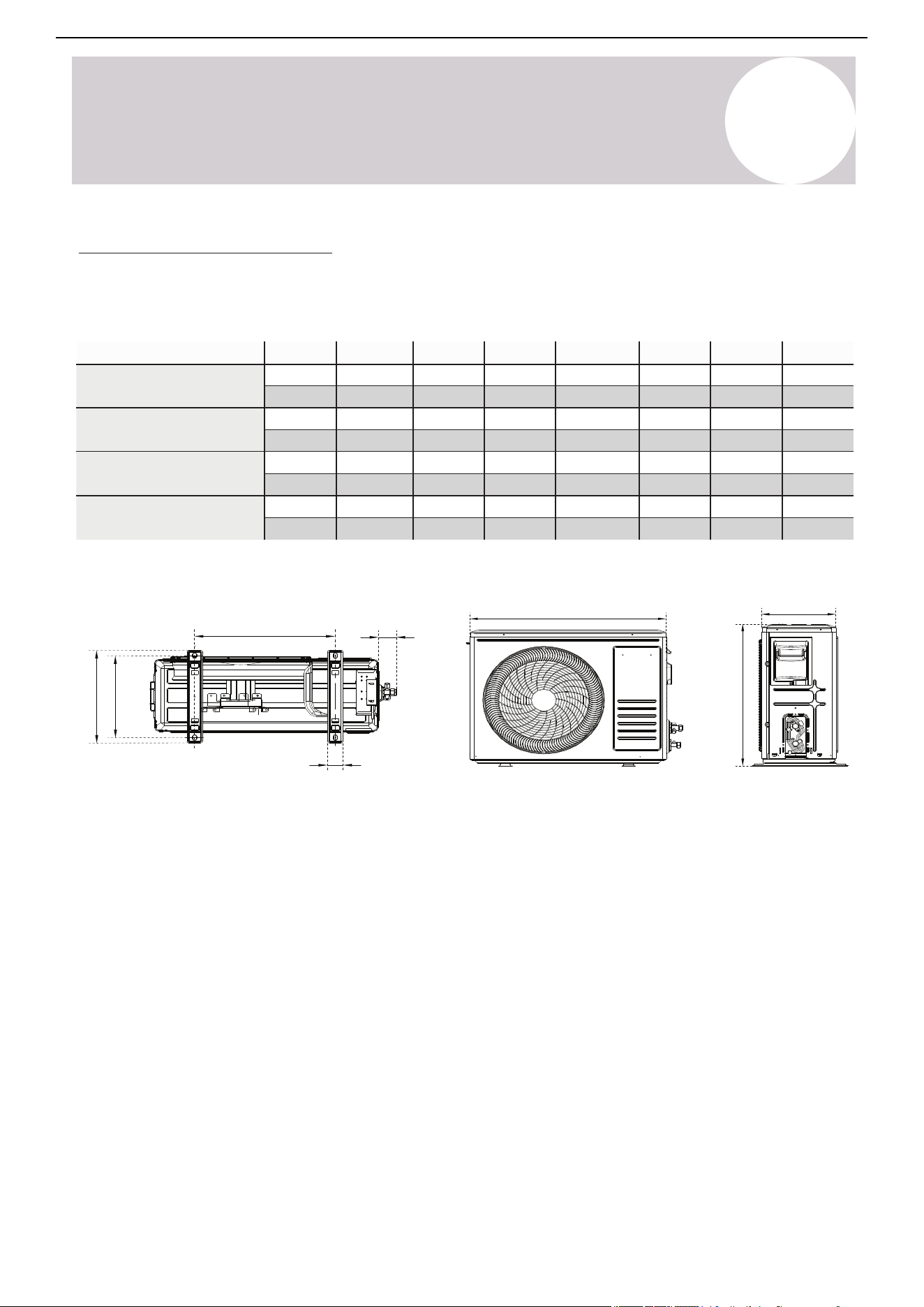
Page 55
A
Appendix
Appendix
For Systems with Additional Leakage Sensor (If Applicable)
Condition Error Code
Refrigerant Leak Detected Display “Hd”
Communication Error with Refrigerant Sensor Display “Fd”
A
Appendix
If installing the unit on the ground or a concrete
mounting platform, complete the following:
1.
2.
3.
4.
Mark the positions for four expansion bolts
based on the dimensions in the “Unit Mounting
Dimensions” chart.
Pre-drill holes for the expansion bolts.
Clean concrete dust away from the holes.
Place a nut on the end of each expansion bolt.
5.
Hammer expansion bolts into each hole.
6.
Remove the nuts from the expansion bolts and
place the outdoor unit onto the bolts.
7.
Put washers onto each expansion bolt, then
replace each of the nuts.
8.
Using a wrench, tighten each nut until snug.
WHEN DRILLING INTO CONCRETE, WEAR EYE
PROTECTION AT ALL TIMES!
When mounting on slabs, the installation of the drain joint and tubing shown on page 41 is not necessary.
Note: If pairing with a multi-circuit outdoor unit, see the Addendum manual for other diagrams
Air Conditioner Installation & User Manual
Anchor the Outdoor Unit
The outdoor unit can be anchored to the ground or to wall-mounted brackets. The following is a list of different
outdoor unit sizes and the distance between their mounting feet. Prepare the installation base of the unit
according to the dimensions found below:
Underside view Front view Side view
F
D
G
I
H
J
K
E
Air inlet
Air inlet
Valve set
Air outlet
56
Model D E F G H I J K
YN009GLSI24RPG
(9,500 BTU - 230V)
YN012GLSI24RPG
(12,000 BTU - 230V)
YN018GLSI24RPG
(16,000 BTU - 230V)
YN024GLSI24RPG
(23,000 BTU - 230V)
730 mm
730 mm
845 mm
910 mm
546 mm
546 mm
699 mm
803 mm
253 mm
253 mm
326 mm
359 mm
434 mm
434 mm
586 mm
607 mm
305 mm
305 mm
375 mm
421 mm
285 mm
285 mm
348 mm
390 mm
48 mm
48 mm
55 mm
60 mm
58 mm
58 mm
58 mm
63 mm
28-¾ in
28-¾ in
33-¼ in
35-⅞ in
21-½ in
21-½ in
27-½ in
31-⅝ in
10 in
10 in
12-⅞ in
14-⅛ in
17-⅛ in
17-⅛ in
23-⅛ in
23-⅞ in
12 in
12 in
14-¾ in
16-⅝ in
11-¼ in
11-¼ in
13-¾ in
15-⅜ in
1-⅞ in
1-⅞ in
2-⅛ in
2-⅜ in
2-¼ in
2-¼ in
2-¼ in
2-½ in
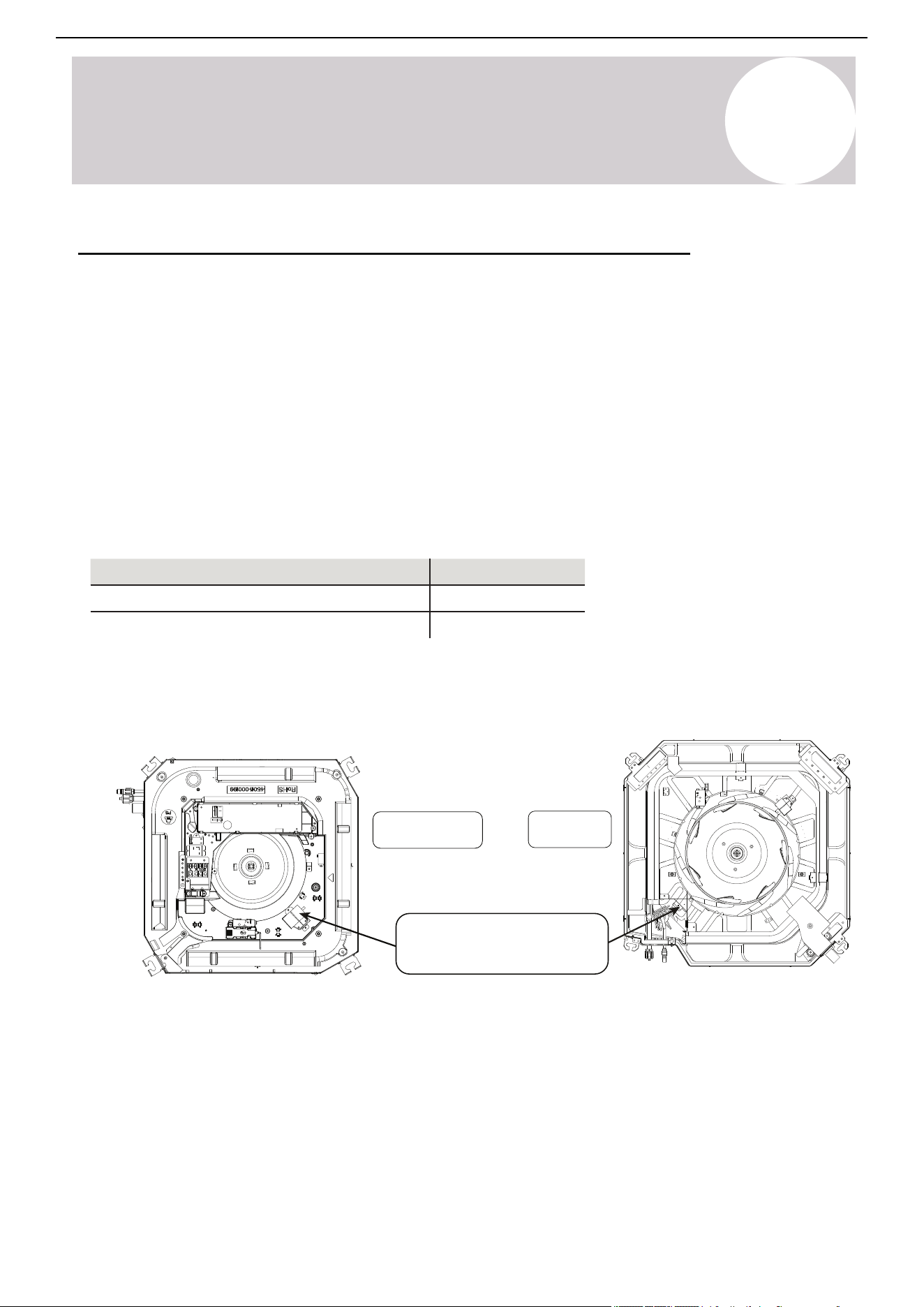
A
Appendix
9.5-16K BTU
23K BTU
Position of leakage
detection sensor
Air Conditioner Installation & User Manual
For Systems with Additional Leakage Sensor - If Applicable
Important Notes:
• The sensor's installation position is illustrated below. Note: The actual location may vary depending on the
model and cabinet design.
• Use the sensor only in certain specific installation scenarios that may call for an auxiliary refrigerant leak
sensor to be installed. All indoor units possess leak sensing abilities, while only some installations require a
separate sensor. Qualified personnel must maintain the refrigerant sensor. Only use sensors specified by the
manufacturer as replacements.
• The refrigerant sensor has a design life of 15 years. Replace the sensor within its service life.
• The sensor automatically monitors the system operation. If refrigerant concentration exceeds the alarm
threshold, the system will stop the compressor and start the circulation fan for safety.
• The alarm indicators for the refrigerant sensor are shown below:
Condition
Error Code
Refrigerant Leak Detected
Communication Error with Refrigerant Sensor
Display "Hd"
Display "Fd"
• The unit is equipped with a refrigerant leak detector for safety. The unit must remain electrically powered at all
times after installation, except during service.
• Only use manufacturer-approved sensors as replacements.
57
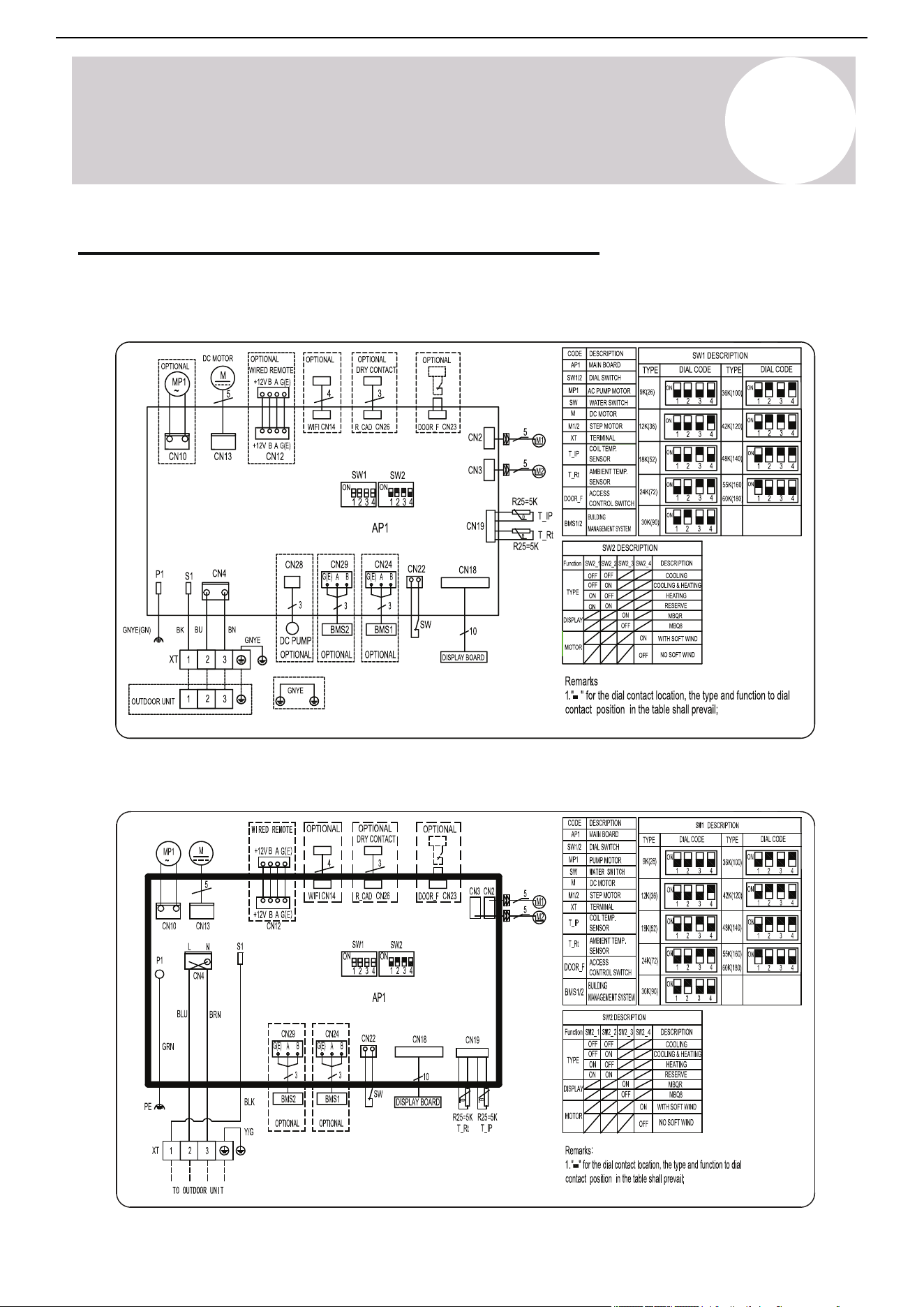
A
Appendix
Indoor Air Handler Control Board Wiring Diagrams
Indoor Unit: CT009GLSILCFHG, CT012GLSILCFHG, CT018GLSILCFHG
Indoor Unit: CT024GLSILCFHG
Air Conditioner Installation & User Manual
58
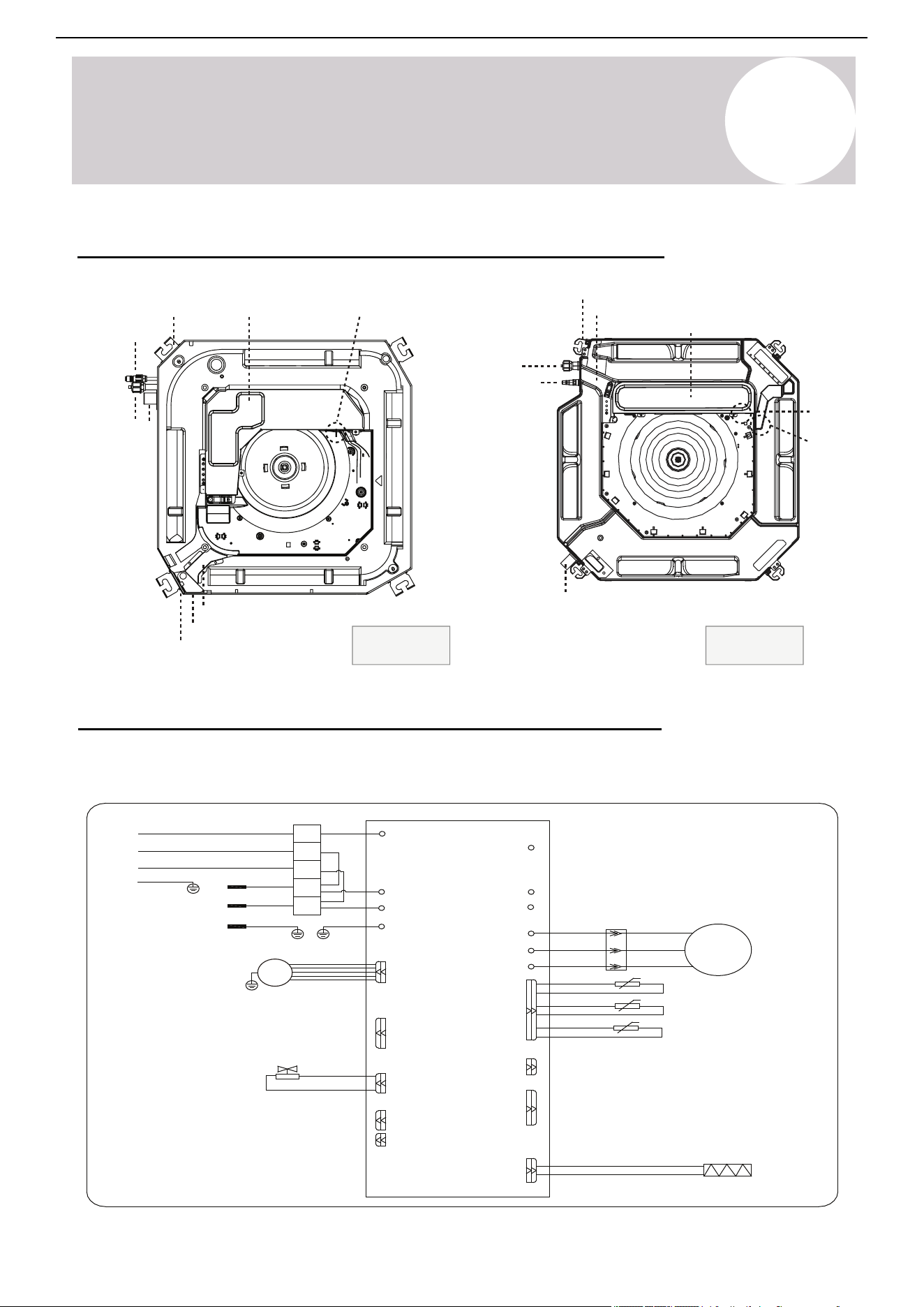
Page 56
A
Appendix
Appendix
Indoor Air Handler Control Board Wiring Diagrams
INDOOR UNIT: CT009GLSILCFHG, CT012GLSILCFHG, CT018GLSILCFHG
INDOOR UNIT: CT024GLSILCFHG
OUTDOOR UNIT
YE(BY)
INDOOR
WH(BU)
UNIT
BK(BN)
POWER
GN(GNYE)
SUPPLY
WH(BU)
BK(BN)
GN(GNYE)
BK
GNYE(GN)
BU
BU
BN
BN
P3(S)
P2(AC-N)
PO(GND)/POO
P1(AC-L)
P01(GND)
P13(L1)
1
2
3
L2
L1
P14(L2)
U
V
W
U
V
W
RD
RD
WH
WH
BU
BU
COMP
BCP
OUTDOOR ENVIRONMENT TEMP. SENSOR
OUTDOOR PIPE TEMP. SENSOR
OUTDOOR EXHAUST TEMP. SENSOR
HEATERCN11
CN7
CN3
CN2/CN1
CN12-2
CN12-1
EXTERNAL DRIVE
P8(VAL)
CN410
P9
CN12-2
(P9)
GNYE
VALVE
MOTOR
DC FAN
9.5-16K BTU
24K BTU
A
Appendix
Outdoor Condensing Unit Control Board Wiring Diagram
Outdoor Unit: YN009GLSI24RPG, YN012GLSI24RPG, YN018GLSI24RPG, YN024GLSI24RPG
Note: If pairing with a multi-circuit outdoor unit, see the Addendum manual for other diagrams.
Indoor Air Handler Cassette Internal Components Layout
Temperature
sensor
Electronic
control box
Hanging
bracket
Liquid line
Gas (Suction) line
Drain outlet
Main cable passthrough
Main cable outlet
Controller cable outlet
Hanging bracket
Controller cable passthrough
Electronic control box
Drain outlet
Gas (Suction) line
Liquid line
Panel louver motor cable display cable
Air Conditioner Installation & User Manual
59
Page 59
A
Appendix
Appendix
If Refrigerant Has Been Added to the System During Install
System Notes
(For the Installer) Please fill in the following:
1) The factory refrigerant charge of the product (located on the outdoor unit nameplate).
2) The additional refrigerant charged into product.
1+2) The total refrigerant charge.
Instruct the user to retain this information for reference during future service and maintenance.
kg (ozs)
kg (ozs)
kg (ozs)
A
Appendix
Special Notice
Disposing of this appliance improperly, or in other natural surr oundings, endangers your
health and is bad for the environment. Hazardous substances may leak into the gr ound water
and enter the food chain. Follow proper disposal protocols.
• Dispose of the appliance at a designated municipal electronic waste collection facility.
• When buying a new appliance, the retailer will take back the old appliance free of charge.
• The manufacturer will take back the old appliance free of charge.
• Sell the appliance to certified scrap metal dealers.
Product Disposal Guidelines
This appliance contains refrigerant and other potentially hazardous materials. When
disposing the appliance, the law requires special collection and treatment. Do not dispose this
product as household waste or unsorted municipal waste.
Remove all refrigerant and oil prior to disposal as outlined within this manual.
When disposing of this appliance, the following options are available:
Air Conditioner Installation & User Manual
60
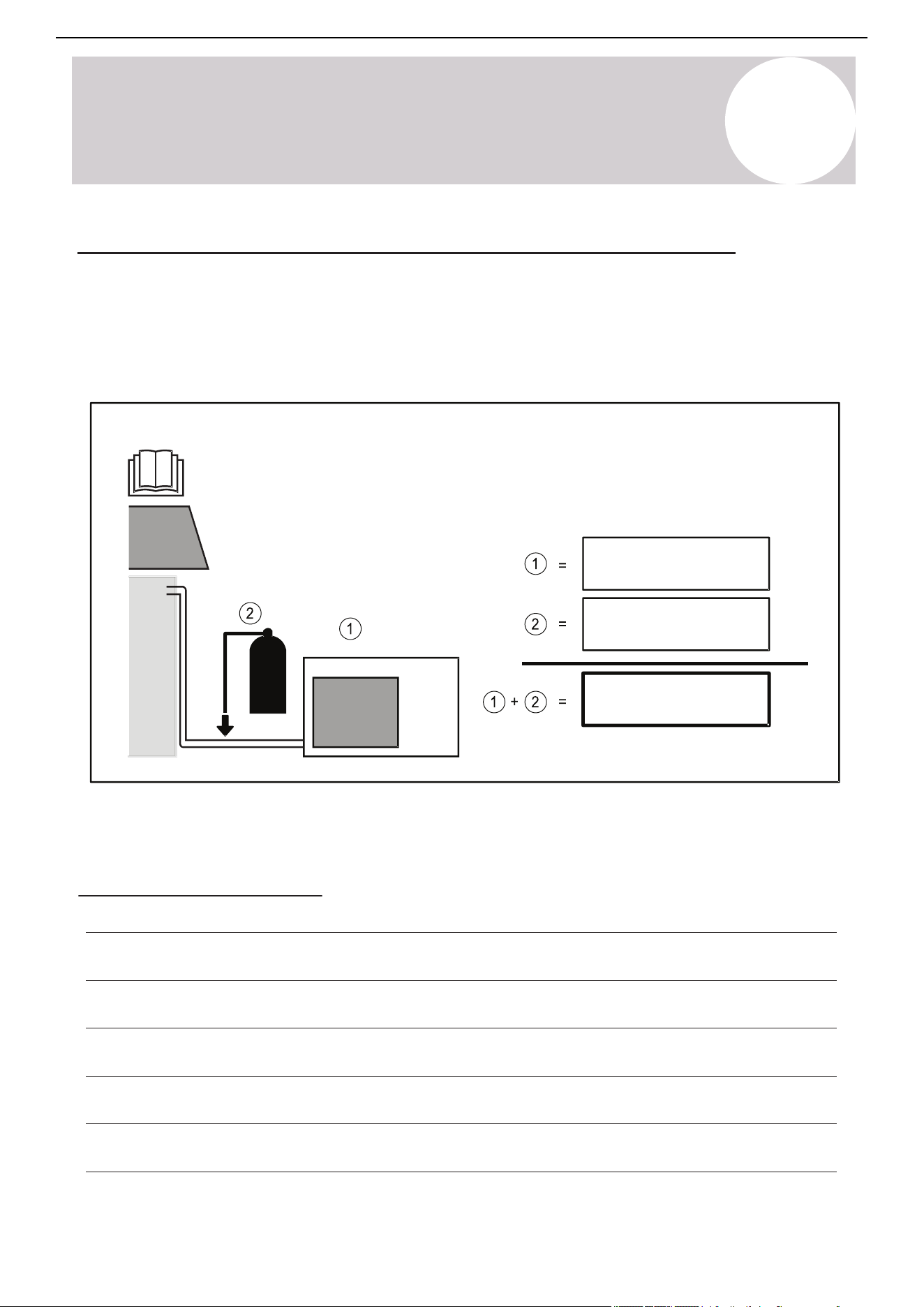
Page 58
A
Appendix
Appendix
Product Disposal Guidelines
This appliance contains refrigerant and other potentially hazardous materials. When disposing of
this appliance, the law requires special collection and treatment. Do not dispose of this product as
household waste or unsorted municipal waste.
When disposing of this appliance, you have the following options:
All refrigerant and oil must be removed prior to disposal as outlined within this manual.
Special Notice
• Dispose of the appliance at a designated municipal electronic waste collection facility.
• When buying a new appliance, the retailer takes back the old appliance free of charge.
• The manufacturer takes back the old appliance free of charge.
• Sell the appliance to certified scrap metal dealers.
Disposing of this appliance improperly, or in other natural surroundings, endangers your health
and is bad for the environment. Hazardous substances may leak into the ground water and enter
the food chain. Please follow proper disposal protocol.
A
Appendix
If Refrigerant Has Been Added to the System During Installation
(For the Installer) fill in the following:
1) The factory refrigerant charge of the product (located on the outdoor unit nameplate).
2) The additional refrigerant charged into the product.
1+2) The total refrigerant charge.
We recommend keeping this information handy for future service and maintenance needs.
System Notes
ozs (kg)
ozs (kg)
ozs (kg)
Air Conditioner Installation & User Manual
61

The design and specifications of this product are subject to change without prior notice
as development continues. Consult with the sales agency or manufacturer for details.
Refer to the equipment nameplate for all other applicable specifications.
Copyright 2025, Parker Davis HVAC International, LLC., All rights reserved.
is a registered trademark of Parker Davis HVAC International, LLC.
Parker Davis HVAC International
7290 NW 77 Court, Miami, FL 33166 - USA
Tel
: (305) 513-4488
Fax
: (305) 513-4499
E-mail
Website: www.pdhvac.com
Pioneer product line, parts, and supplies are
available online for convenient ordering at:
www.highseer.com
www.pioneerminisplit.com
Scan the below code to visit our support page
where you can find more installation materials:
62