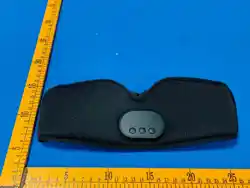
Product Introduction
APP Download & Connection
使用说明书
Ai睡眠眼罩
产品介绍
2.APP连接方式
设备开机后,打开手机蓝牙,进入APP点击添加设备,
选择”Aislly01",扫描到对应设备直接点击即可连接。
APP下载与连接
1.扫描二维码下载并根据提示安装APP
按键定义
音量“-”键:
1.开机状态:单击--音量减小
2.音乐模式:长按3s--上一首
开关机键:
1.关机状态:长按3s--开机
2.开机状态:长按3s--关机
3.音乐模式:单击--音乐播放/暂停
4.开机状态:长按10s--机器复位重启
音量“+”键:
1.开机状态:单击--音量增加
2.音乐模式:长按3s--下一首
User Manual
AI Sleep Eye Mask
2.APP Connection Method
Power on the device, enable mobile Bluetooth, enter
the APP and tap Add Device.Select "Aislly01", tap the
matched detected device to connect directly.
1.Scan the QR code to download and
install the APP as prompted.
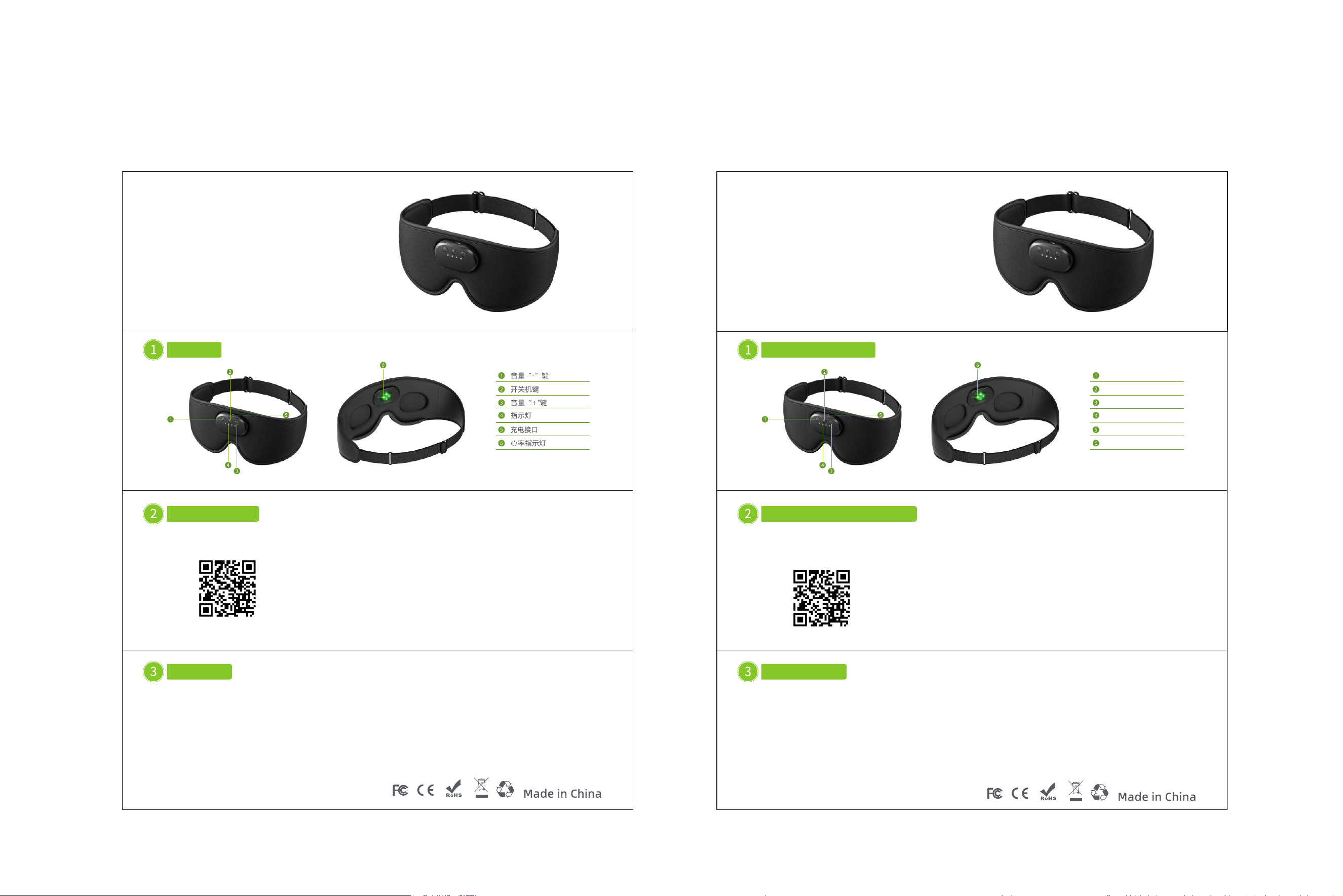
Key Definition
Volume "-" Key:
1.Powered-on state:
Short press — Decrease volume
2.Music mode:
Long press for 3s — Previous track
Power Key:
1.Powered-off state:
Long press for 3s — Power on
2.Powered-on state:
Long press for 3s — Power off
3.Music mode:
Short press — Play/Pause music
4.Powered-on state:
Long press for 10s — Reset and restart the device
Volume "+" Key:
1.Powered-on state: Short press — Increase volume
2.Music mode: Long press for 3s — Next track
Volume "-" Key
Power Key
Volume "+" Key
Indicator Light
Charging Port
Heart Rate Indicator Light
FCC Statement
This device complies with part 15 of the FCC rules. Operation is subject to the following two conditions: (1) this device may not cause harmful
interference, and (2) this device must accept any interference received, including interference that may cause undesired operation.
Caution: Changes or modifications not expressly approved by the party responsible for
compliance could void the user’s authority to operate the equipment.
NOTE: This equipment has been tested and found to comply with the limits for a Class B digital device, pursuant to part 15 of the FCC Rules.
These limits are designed to provide reasonable protection against harmful interference in a residential installation. This equipment generates uses
and can radiate radio frequency energy and, if not installed and used in accordance with the instructions, may cause harmful interference to radio
communications. However, there is no guarantee that interference will not occur in a particular installation. If this equipment does cause harmful
interference to radio or television reception, which can be determined by turning the equipment off and on, the user is encouraged to try to correct
the interference by one or more of the following measures:
‐ Reorient or relocate the receiving antenna.
‐ Increase the separation between the equipment and receiver.
‐ Connect the equipment into an outlet on a circuit different from that to which the receiver is connected.
‐Consult the dealer or an experienced radio/TV technician for help important announcement
Radiation Exposure StatementThe device has been evaluated to meet general RF exposure requirement. The device can be used in portable
exposure condition without restriction.