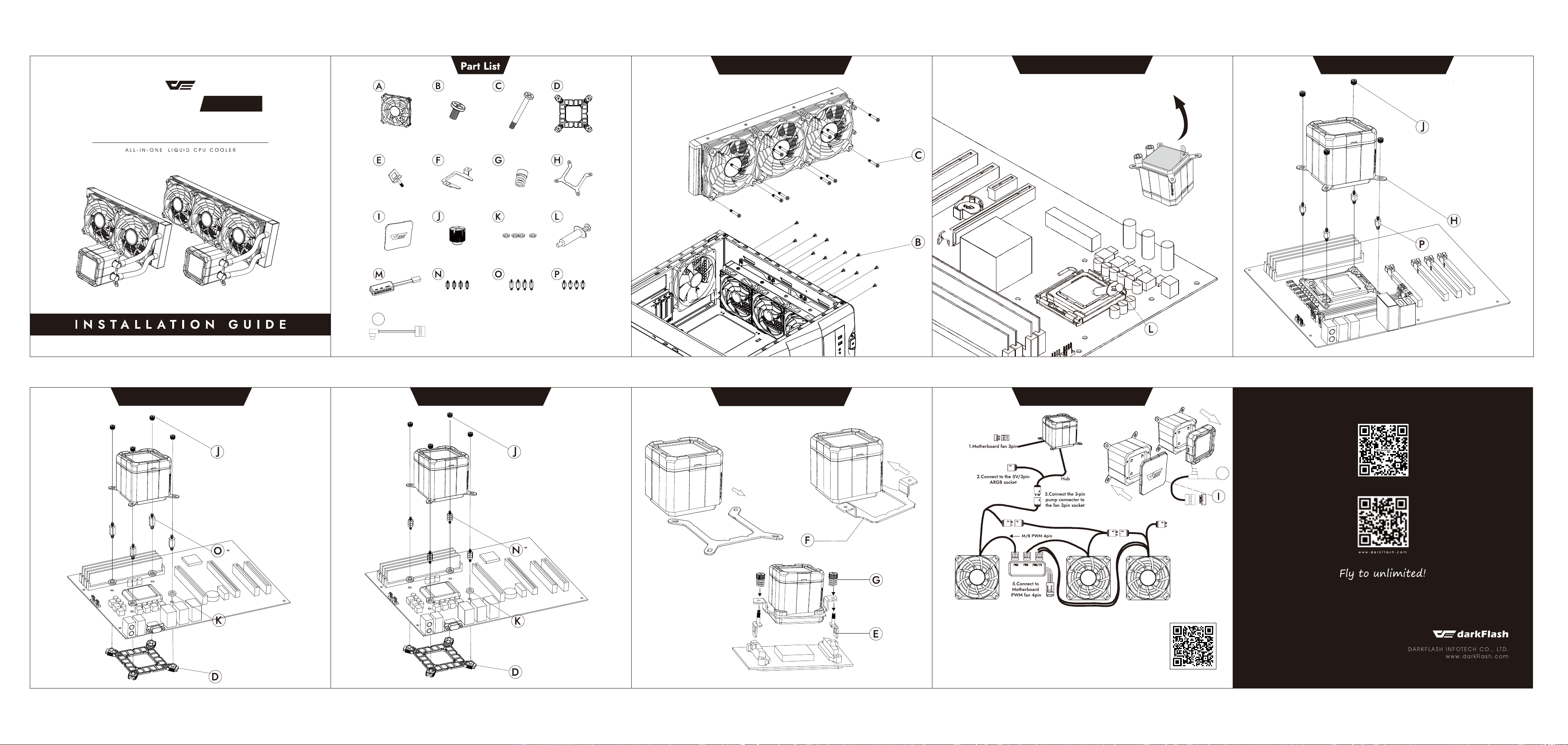
STEP 3 - INTEL/20XX
STEP 4 - INTEL 115X STEP 5 - INTEL 1700
STEP 6 - AMD
STEP 7 - Wiring
STEP 2 - INTEL/AMD
STEP 1 - INTEL/AMD
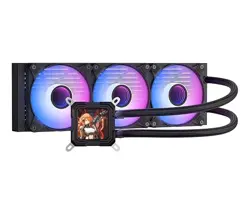
DV240S/DV360S
SERIES
WAVE
darkFlash DV-S series water-cooled IPS control software description
1. The 9-pin USB port of the motherboard provides the power supply and data communication
transmission of the IPS screen. Please make sure the wiring is complete before installing the
software.
2. The software can be downloaded from the official website:https://darkflash.com/maunal?-
classid=0000049/software double-click STEUPEXE to install.
3. Desktop double-click the darkflash dv driver icon to run the software
4. The real-time data monitoring/data transmission/opening and close the IPS screen and
other functions are controlled by the software. After installation, the software will start with the
computer boot up by default and stay in the background of the taskbar, please do not close it
to force it to quit.
SOFTWARE DOWNLOADING
The screen is connected to the
computer mainframe via a USB 2.0 interface.
Q
USB 2.0 TO Type-c
x1
USB
USB
Radiator Screws
DV240S x8
DV360S x12
Intel Clip
x1
Radiator FAN
DV240S*2
DV360S*3
Fan Screw
DV240S x8
DV360S x12
AMD Bracket
x1
AMD Side Buckle
x2
Spring Screw
x2
Thermal Grease
x1
Mounting Screw
x4
Light guide plate
x1
Rubber Washer
x4
Intel 20xx Standoff Screws
x4
Intel 1700 Standoff Screws
x4
PWM Connector
x1
Intel 115x Standoff Screws
x4
Intel Backplate
x1
Q
www.darkflash.us