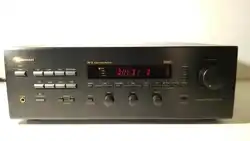


Audio/Video
Receiver
WARNING
TO
REDUCETHE
RISK
OF
FIRE
OR
ELECTRIC
SHOCK,
DO
NOT
EXPOSE
THIS
APPLIANCE
TO
RAIN
OR
MOISTURE.
CAUTION
RISK
OF
ELECTRIC
SHOCK.
DO
NOT
OPEN!
CAUTION
TO
REDUCE
THE
RISK
OF
ELECTRIC
SHOCK,
DO
NOT
REMOVE
COVER
(OR
BACK).
NO
USER-SERVICEABLE
PARTS
INSIDE.
REFER
SERVICINGTO
QUALIFIED
SERVICE
PERSONNEL.
The
lightning
flash
with
arrowhead
symbol,
within
an
equilateral
triangle,
is
intended
to
alert
the
user
2
to
the
presence
of
uninsulated
“dangerous
voltage”
within
the
product's
enclosure;
that
may
be
of
sufficient
magnitude
to
constitute
a
risk
of
electric
shock
to
persons.
The
exclamation
point
within
an
equilateral
triangle
is
intended
to
alert
the
user
to
the
presence
of
important
operating
and
maintenance
(servicing)
instructions
in
the
literature
accompanying
the
appliance.
This
equipment
has
been
tested
and
found
to
comply
with
the
limits
for
a
Class
B
digital
device,
pursuant
to
part
15
of
the
FCC
Rules.
These
limits
are
designed
to
provide
reasonable
protection
against
harmful
interference
in
a
residential
installation.
This
equipment
generates,
uses
and
can
radiate
radio
frequency
energy
and,
if
not
installed
and
used
in
accordance
with
the
instructions,
may
cause
harmful
interference
to
radio
communications.
However,
there
is
no
guarantee
that
interference
will
not
occur
in
a
particular
installation.
If
this
equipment
does
cause
harmful
interference
to
radio
or
television
reception,
which
can
be
determined
by
turning
the
equipment
off
and
on,
the
user
is
encouraged
to
try
to
correct
the
interference
by
one
or
more
of
the
following
measures:
-
Reorient
or
relocate
the
receiving
antenna.
-
Increase
the
separation
between
the
equipment
and
receiver.
-
Connect
the
equipment
into
an
outlet
on
a
circuit
different
from
that
to
which
the
receiver
is
connected.
-
Consult
the
dealer
or
an
experienced
radio/TV
technician
for
help:
WARNING
The
Federal
Communications
Commission
does
not
allow
any
modifications
or
changes
to
the
unit
EXCEPT
as
that
specified
by
Nakamichi
in
this
manual.
Failure
to
comply
with
this
government
regulation
could
void
your
authority
to
operate
the
This
digital
apparatus
does
not
exceed
the
CLASS
B
limits
for
radio
noise
emissions
from
digital
apparatus
set
out
in
the
Radio
Interference
Regulations
of
the
Canadian
Department
of
Communications.
Please
record
the
serial
number
in
the
space
provided
below
and
retain
this
number.
The
serial
number
is
located
on
the
rear
panel
of
the
unit.
Model
Number:
AV-8
Serial
Number
:

Audio/Video
Receiver
AAA
mr
Important
Notice
This
is
applicable
to
sales
outside
the
European
Community.
We
thank
you
for
your
purchase
of
this
Nakamichi
product
and
trust
that
it
will
provide
you
with
many
years
of
trouble-free
performance.
Should
you
be
using
your
Nakamichi
product
in
a
country
other
than
the
one
in
which
it
was
originally
purchased,
we
ask
you
note
the
following:
1.
The
appointed
Nakamichi
distributor
for
any
given
country
is
responsible
for
warranty
servicing
only
on
units
distributed
by
or
through
it
in
that
country
in
accordance
with
its
applicable
warranty.
2.
Should
a
Nakamichi
product
require
servicing
in
a
country
other
than
the
one
in
which
it
was
originally
purchased,
the
end
user
may
seek
to
have
repairs
performed
by
the
nearest
Nakamichi
distributor,
subject
to
that
distributor's
local
servicing
policies,
but
all
costs
of
repair
(parts,
labor,
transportation)
must
be
born
by
the
owner
of
the
Nakamichi
product.
Thank
you
again
for
your
purchase.
Nakamichi
Corporation
Tokyo,
Japan
Contents
Safety
Instructions...
Usage
Precautions
.
Alla
Tu,
22222
ም
ይው
(AMES
TAE
AAA
AAA
REE
ወ
AS
e
ወመ
SAN
RCA
AÍTO
ERA
RA
te
18
ESTAS
SENTARSE
A
H
HEE,
24
FM/AM
Broadcast
RECEption
AAAA
e
26
PFOQTamMOOUlCOl
E
Ia
ERA
A
AA
28
|ጸር:120
2118157292
ያች
የ
Diga
dads
0
T
he
nee
ጋ
Usejofithe
Remote
Controla
ranas
መ=:
36
Troubles
Tina
T
ው
sessnveettren
40
Specifications
.............
A
DT.
SRE
STILE
SEA
es
ሪ7

Audio/Video
Receiver
Safety
Instructions
The
following
safety
instructions
have
been
included
in
compliance
with
safety
standard
regulations.
Please
read
them
carefully.
1.
Read
Instructions
-
All
the
safety
and
operating
instructions
should
be
read
before
the
appliance
is
operated.
2.
Retain
Instructions
-
The
safety
and
operating
instructions
should
be
retained
for
future
reference.
3.
Heed
Warnings
-
Adhere
to
all
warnings
on
the
appliance
and
in
the
operating
instructions.
4.
Follow
Instructions
-
All
operating
and
use
instructions
should
be
followed.
5.
Water
and
Moisture
-
The
appliance
should
not
be
used
near
water
-
for
example,
near
a
bathtub,
washbowl,
kitchen
sink,
laundry
tub,
in
a
wet
basement,
or
near
a
swimming
pool,
etc.
6.
Carts
and
Stands
-
The
appliance
should
be
used
only
with
a
cart
or
stand
that
is
recommended
by
the
manufacturer.
7.
An
appliance
and
cart
combination
should
be
moved
with
care.
Quick
stops,
excessive
force,
and
uneven
surfaces
may
cause
the
appliance
and
cart
combination
to
overturn.
8.
Wall
or
Ceiling
Mounting
-
The
appliance
should
be
mounted
to
a
wall
or
ceiling
only
as
recommended
by
the
manufacturer.
9.
Ventilation
-
The
appliance
should
be
situated
so
that
its
location
or
position
does
not
interfere
with
¡ts
proper
ventilation.
For
example,
the
appliance
should
not
be
situated
on
a
bed,
sofa,
rug
or
similar
surface
that
may
block
the
ventilation
openings;
or
placed
in
a
built-in
installation,
such
as
a
bookcase
or
cabinet
that
may
impede
the
flow
of
air
through
the
ventilation
openings.
10.
Heat
-
The
appliance
should
be
situated
away
from
heat
sources
such
as
radiators,
heat
registers,
stoves,
or
other
appliance
(including
amplifier)
which
produce
heat.
11.
Power
Sources
-
The
appliance
should
be
connected
to
a
power
supply
only
of
the
type
described
in
the
operating
instructions
or
as
marked
on
the
appliance.
12.
Grounding
or
Polarization
-
Precautions
should
be
taken
so
that
the
grounding
or
polarization
means
of
an
appliance
is
not
defeated.
13.
Power-Cord
Protection
-
Power-supply
cords
should
be
routed
so
that
they
are
not
likely
to
be
walked
on
or
pinched
by
items
placed
upon
or
against
them,
paying
particular
attention
to
cords
at
plugs,
convenience
receptacles,
and
the
point
where
they
exit
from
the
appliance.
14.
Cleaning
-
The
appliance
should
be
cleaned
only
as
recommended
away
from
power
lines.
15.
Power-Lines
-
An
outdoor
antenna
should
be
located
away
from
power
lines.
16.
Outdoor
Antenna
Grounding
-
If
an
outside
antenna
is
connected
to
the
receiver,
be
sure
the
antenna
system
is
grounded
so
as
to
provide
some
protection
against
voltage
surges
and
built-up
static
charges.
Article
810
of
the
National
Electrical
Code,
ANSI/NFPA
70,
provides
information
with
regard
to
proper
grounding
of
the
mast
and
supporting
structure,
grounding
of
the
lead-in
wire
to
an
antenna-
discharge
unit,
size
of
grounding
conductors,
location
of
antenna-discharge
unit,
connection
to
grounding
electrodes,
and
requirements
for
the
grounding
electrode.
See
the
next
page.
17.
Nonuse
Periods
-
The
power
Cord
of
the
appliance
should
be
unplugged
from
the
outlet
when
left
unused
for
a
long
period
of
time.
18.
Object
and
Liquid
Entry
-
Care
should
be
taken
so
that
objects
do
not
fall
and
liquids
are
not
spilled
into
the
enclosure
through
openings.
ስ
EES
ጀጅ
ጅእጅከየከከመመ


he
main
unit
or
from
the
remo!
teries.
Attempting
to
€
ntrol.
The
labels
below
indicate
which
functions
can
be
atteries
may
ca
cause
the
batteries
to
explode,
involving
the
risk
of
fire
and
perated
from
main
unit
or
remote
control.
Injury.
Can
be
operated
from
main
unit
When
inserting
the
batteries
in
the
remote
control,
pi
In
bi
¡peratea
trom
remote
control.
F
4
/
ind
c
-
-
attention
to
proper
+/-
polarity
as
indicated
-
Do
not
use
batteries
other
than
indicat
not
use
a
mixture
of
old
t
this
precaution
may
cau
leakage
or
to
explode,
involving
the
risk
of
fire,
injury,
or
contamir
precaution
may.
ST
ann
-
Remove
the
batteries
when
not
u
init
for
a
long
time.
Failure
to
observe
this
precaution
may
cause
fluid
leakage
urred,
carefully
nt
and
insert
new
batteries.
If
battery
fluid
has
come
into
contact
with
skin,

packing
iseful
for
renew


|
=]
S
|
›
A
el
joio
0.00
===
Nakamichi
casse
=>
ting
the
cassette
d


ልር-3
RF
output
PCM
digital
output
|
(Coaxial)
ይን
|
(Optical)
(Coaxial)
|
|
(Optical)
(Coaxial)
|
|
(Optical)
Audio/Video
Receiver
Connections
DVD
player
PCM/Dolby
Digital
output
4
aoe
4/COAXIAL
2).
These
terminals
can
be
used
after
t
as
dedicated
input
terminals
for
any
of
the
following
ces:
6:0//
DYDIVIDEOIVCRI/VCR2.
settings
are
DVD
for
OPTICAL
1/COAXIAL
1
and
ICAL
2/COAXIAL
2.
You
can
change
these
ding
to
the
instructions
in
“Digital
input
settings”
"program
source
cannot
be
used
for
the
digital
rce
audio,
connect
analog
signals.
-
When
playing
back
a
Dolby
Digital
source
on
a
laserdisc
player,
the
laserdisc
player
with
AC-3
RF
output
and
the
separately
sold
Nakamichi
DE-1
(AC-3
RF
demodulator)
are
required.
The
DE-1
converts
the
AC-3
RF
signal
output
from
the
laserdisc
player
into
Dolby
Digital
signals
that
can
be
used
by
this
unit.
31


Audio/Video
Receiver
Connections
commended
speaker
system
Pre
Output
terminal
t
syst
To
drive
the
speakers
using
an
external
amp,
connect
the
power
amp
to
the
Pre
Output
terminal.
EMAL
-
Output
from
Subwoofer
terminal
SMALL
EEE
ዘ)
በዘዘወቹ።
ው
SW
mode
Output
from
Sub
fer
terminal
SHAU
Yes
Bass
signal
for
channel
set
to
SMALL
LFE
signals
(if
recorded
on
software)
No
None
LARGE
SMALL
SMALL
=
SMALL
u
2
LARGE
=
13

ata;
|
ለ
ante
2
ላ
lol
al
S
|
ole
a
exte
።
S
3
S
a
15
best
re
o)
|
shoul
9
e
a
E
ators
¡nt
up
when
recel
al
E
=
=
e
dipol
e
a
are
lov
a
=

Clamp
the
cover
Replace
off.


r
cord
connection
Audio/Video
Receiver
Connections
Convenience
AC
outlets
Power
cords
of
other
component
6
power
cord
into
an
AC
outlet
rated
for
the
voltage
shown
janel
of
the
unit.
not
plug
in
the
power
cord
if
th
panel
of
the
unit
and
the
AG
line
voltage
in
your
area
do
e
voltage
shown
on
the
lugged
into
an
AC
outlet,
the
Standby
the
power
cord
is
pl
ed
on
and
off.
indicator
lights
up
and
the
unit
can
be
turn
red
continuously
If
the
unit
is
not
to
be
ከ
as
during
ap
ct
the
power
cord.
nal
circuits
of
the
unit
are
powe
he
Standby
indicator
is
lit.
r
an
extended
period
(suc
ence),
be
sure
to
disconne
By
plugging
other
components
into
the
switched
AC
outlets
found
on
the
rear
of
the
AV-8,
the
equipment
can
be
turned
on
and
off
in
conjunction
with
the
AV-8.
It
is
also
possible
to
connect
more
components
than
the
number
of
outlets,
using
a
power
strip
or
similar.
However,
make
sure
that
the
combined
AC
power
consumption
rating
of
connected
equipment
does
not
exceed
200
watts.
-
Do
not
plug
in
any
com
n
under
the
convenience
AC
outlets.
ponents
rated
for
a
different
voltage
than
show
-
Never
connect
any
large
TVs,
amplifiers
or
other
components
with
high
power
requirements
and
high
inrush
current
when
the
power
is
turned
on.
Such
equipment
may
overload
the
video
projectors,
power
convenience
AC
outlets.
17

D

Speaker
selector
button
m
\
©)
Off
button
ማሙ
ር.
LR
a
Digital
Input
button
¡SOS
.-
)
oc
Audio/Video
Receiver
Settings
Speaker
mode
button
1
speaker
mode
button
on
the
remote
control
to
select
er
mode
to
use.
LARGE/SMALL
LARGE/SMALL/NONE
LARGE/SMALL/NONE
YES/NO
speaker
that
can
reproduce
entire
sound
region)
(Speaker
that
cannot
reproduce
bass
region
below
80
Hz)
set
the
modes
for
all
the
speakers.
ents
of
the
settings,
press
the
speaker
-
When
F
(front)
is
set
to
SMALL,
in
order
to
output
the
bass
signal
from
the
subwoofer,
it
is
necessary
to
set
SW
(subwoofer)
to
YES.
If
you
attempt
to
set
SW
to
NO,
“ERROR”
is
displayed
because
there
is
no
output
source
for
the
bass
signals.
The
same
will
occur
if
you
first
set
SW
to
NO,
then
try
to
set
F
to
SMALL.
When
C
(center)
is
set
to
NONE,
the
speaker
is
set
to
phantom
mode
(an
output
mode
in
which
the
center
channel
signal
is
allocated
to
the
front
left/right
speakers).
When
C
(center)
is
set
to
LARGE
or
SMALL,
monaural
source
audio
is
output
from
the
center
speaker.
If
C
is
set
to
NONE,
D
monaural
source
audio
is
output
from
the
front
left/right
speakers.
-
The
set
speaker
modes
are
applied
automatically
to
other
surround
modes
too.
(Natural/Hall
cannot
use
a
center
speaker.)
-
In
Off
mode,
separate
settings
from
other
surround
modes
can
be
made.
If
you
press
the
Off
button,
then
select
F
(front)
mode,
the
SW
(subwoofer)
mode
is
set
automatically.
(F:LARGE
+
SW:YES
cannot
be
set.)
19


Center
delay
time
chart
]
Set
based
on
the
value
(4
-
2)
of
the
distance
from
the
listening
point
to
the
front
L/R
speaker
(4)
to
the
distance
from
the
listening
point
to
the
center
speaker
(2).
T
ei
00
U
e
US
1/07
Uys:
117
ራያ
_
Delay
time
2
O
feet
0
ms
1
feet
1
ms
0-00
0-0:
OY
0:
01
070,0
i
2
feet
2
ms
Ben
—
22
ዘር
መ
4
feet
4
ms
5
feet
5
ms
0:0:
050:
0:00:
Digital
Input
button
B
Calibration
buttons
igital
Input
button
on
the
receiver
or
the
remote
Rear
delay
time
chart
elect
digital
input.
Oo
by
Digital
button
on
the
receiver
or
the
remote
lect
a
multi-channel
mode.
button
(Center
or
Rear)
on
the
remote
control.
me
with
the
calibration
buttons
on
the
remote
on
the
delay
time
chart.
About
five
seconds
tting
is
completed,
setting
mode
ends
ime
is
also
automatically
applied
to
Pro
Logic
DISTANCE
FROM
LISTENING
POINT
TO
REAR
SPEAKERS
(FEET)
10
15
20 25
30
35
40
DISTANCE
FROM
LISTENING
POINT
TO
an
the
value
in
step
4.
FRONT
SPEAKERS
(FEET)
=
ጀዩዩክዩ0
[~]accertasce
||
|Nor
recommenneo
ode
rear
delay
time
is
automatically
set
to
a
value
7

OPTICAL1/2.


Spe
ctor
ሺ
2
ele
settings
fo!
hp
2
2
e
e
re
s
not
ame
tha
active
you
want
to
change
tt.

L
low
and
high
frequencie:
for
listening
low
levels
where
eived
les
eSS
prominently
elver,
you
can
ected
to
the
unit.
simultaneously,
dphones
to
this
unit.
Use
tween
8
and
150
ohms.
rene
control
is
pressed,
the
sars
on
the
display
and
the
sound
is
cut
f
the
Volume
tic
É
digital
input
and
analog
an
the
receiver
or
the
remote
igital
Input
indicator
color
2
Digital
Input
ከ!
JUL

¡len
a

lumber
with
the
Preset
emote
co
SING
auto
tuning
or
mar
tuning.
em.’
indicator
tion
buttons
ol
button
once
more.
The
“Mem”
indicator
tion
is
stored
in
the
selected
pre
set
station
1
combination
of
FM
and
control
is
not
possible.
Tuning
‘Natural
|
©)
O
E
re

UTTO!
mo:
lector
button:
|
ndi
|
Tay
Monitor
indi
]
se
or
Di
Ins
¡di
I |
TOE
5
1
1/4
Display
Input
sı
tor
buttons
A
J
the
ie
ጋ"
buttons
|
S
[
i,
the
nd
audio
sign:
E
ጋ.
)
mode
f
6
selected
[
r
for
the
lected
audio
source
|
ideo
mode
indicator
for
th
Í
J
nen
pe
|
Select
surround
mod
d
mode
buttons
on
the
receiver
or
tl
k
Start
playb
ipme
Adjust
the
listening
volum
the
receiver
or
the
Volume
buttons
on
the
remote
If
necessary,
make
oth
djustments

Audio/Video
Receiver
channel
stereo
playback
k
of
DVD
or
laserdisc
with
DOLBY
Surround
mode
selector
buttons
Power
button
Input
selector
buttons
ck
of
laserdisc,
video
software,
or
DVD
abeled
“Dolby
Surround”
Playback
of
source
with
rich
reverberation
component
(creates
natural
sound
field
with
breadth)
—
An
effect
is
obtained
that
makes
it
sound
as
th
ough
you
are
listening
in
a
concert
hall.
eates
a
surround
effect
suitable
for
listening
to
live
broadcasts
of
sports
events
or
similar.
|
ዐሩ0
ital
input
signals.
When
this
unit
detects
any
of
በ815,
it
automatically
selects
the
appropriate
Pro
Logic
(The
Dolby
Digital
indicator
lights
up
green
and
the
Pro
Logic
indicator
lights
up
amber.
To
end
this
mode,
press
the
Dolby
Digital
button.)
Dolby
Digital
-
(Audio
is
only
output
from
the
front
left/right
speakers.
To
play
back
in
Pro
Logic
mode,
_
press
the
Dolby
Digital
button.)
e
type
of
program
source
played
back
on
‘sometimes
appear
and
audio
might
not
|
|
digital
1
eriod
(about
|
Mic
a
.
Volume
buttons
Digital
Input
button
ay
ve

Audio/Video
Receiver
Program
Source
Playback
Video
mode
indicators
AV-8
Audio/Video
Receiver
ር”
bre
Preset
Input
selector
buttons
©
©
6
Output
Levet
Tapa
Monitor)
Mem.
AMFM
Signal
11
ST
Auto
AAA
AA
Balance
Harmonic
Time
Alignment
sree
፣
"
Simulcast
playback
MAINIRC
Ifa
video
source
was
first
selected
with
the
receiver
or
the
remote
control
and
then
an
audio
source
is
selected,
the
audio
signal
only
is
switched
and
the
video
signal
continues
to
be
output.
This
allows
the
user
to
view
a
video
program
source
while
listening
to
audio
supplied
by
another
source.
-
When
wishing
to
return
to
the
sound
of
the
video
source,
press
the
button
corresponding
to
the
video
mode
indicator
that
is
lit.
-
When
wishing
to
turn
off
the
picture
of
the
video
source,
stop
playback
at
the
video
source
or
turn
the
component
off.
30
Output
level
adjustment
RC
1.
During
source
playback,
use
the
channel
selector
buttons
on
the
remote
control
to
select
the
channel
you
want
to
adjust.
2.
Use
the
calibration
buttons
on
the
remote
control
to
adjust
the
output
level.
After
five
seconds
of
no
input,
the
setting
mode
is
automatically
terminated.
R-UR-R
sada
Center
AGE
UR)
S
Dolby
Digital
-10to+10dB
-10to+10dB
-10116
+10
dB
Pro
Logic
-1016
+10
98
-10to+10dB
-1016
+10
dB
Surround
mode
i
(Subwoofer)
Natural
E
-10
6
+10
98
-10to+10dB
Hall
=
.
-
A0toH10dB
-10to
+10
dB
Stadium
-10
[(6+10
98
-10
ዌ
+10
08
-10to+10
98
AAA
10
to
+10
dB
E
ር.
መመ
The
Dolby
Digital/Pro
Logic
values
change
together.
The
Natural/Hall/Stadium/Off
values
change
independently.
-
The
adjusted
value
is
stored
into
memory
as
the
setting
and
automatically
used
whenever
this
same
surround
mode
15
selected.

display
rc
ic/Natural/Hall/Stadium
mode)
button
on
the
remote
control
is
pressed,
ation
is
displayed.
log
input
is
selected)
el
signal
name
(only
for
Dolby
Digital
mode)
d
monaural)
BR
rrou
nd
left).
right)
uency
effect
sound)
ro
Logic
mode)
urce
playback,
press
the
Delay
button
on
the
remote
a
ቻው
Pr
?
TOLA
SN
calibration
buttons
on
the
remote
control
to
adjust
me.
After
five
seconds
of
no
input,
the
setting
mode
Y
ነ
tically
terminated.
ፍዲ
እ
ጋሜ
E
016
+15
ms
+15
to
+30
ms
ro
Logic
values
change
together.
ጋባው
Audio/Video
Receiver
Program
Source
Playback
Channel
selector
buttons
Display
button
Input
selector
buttons
ዴዴ
Audio Video
Use
Lea
Power
Transmit
Learn
(=>)
oo
DVD/LD
ር0/
DODigital
Pro
Logic
Natural
Hall
Stadium
Input
D.Range
LFE
At.
Comp.
Alt.
|
|[ር66-8=ባ
-
|
mee
||
Select+Speaker—Möde
©
OD
avs
Remote
Control
Unit
Delay
button
Calibration
buttons
|
31

igh
and
clippi
ከፎ
Input
Att.
button
innels
a
Dolby
Di
In
the
following
only
the
front
left
reproduced
sound
is
(ncc
Cases
in
whicl
Listening
on
a
2-channe
Listening
with
headp!

st
the
LFE
signal
output
level
about
10
dB
without
ıtput
level
for
low
frequencies
on
other
Ae
|
indicator
lights
up.)
ignal
uation,
press
the
LFE
Att.
button
again.
ndicator
goes
out.)
nge
compression
RC
mode
only)
range
(difference
between
large
and
small
S
‚wide
that
small
sounds
are
hard
to
hear
and
re
experienced
as
too
loud,
press
the
D.
Range
n
on
the
remote
control.
This
compresses
the
e
so
that
listening
is
better
for
sounds
from
small
(The
D.R.
Comp.
indicator
lights
up.)
namic
range
compression,
press
the
D.
Range
again.
(The
D.
R.
Comp.
indicator
lights
up.)
g
a
system
that
can
reproduce
large
volume,
when
ng
the
day
when
the
volume
does
not
matter,
nmend
‘not
compressing
the
dynamic
range.
A
Audio/Video
Receiver
Program
Source
Playback
Input
Att.
button
Dolby
Digital
button
0:0
-
0:08
s
a
3
U
U
U
>)
B
AV-8
Remote
Control
Unit
D.Range
Comp.
button
LFE
Att.
button





lakamic
Conttol
Unit
hi
CD
button
equipment)
Set
the
Use/Learn
Qa
.
Position
the
remote
control
of
the
ጋ
the
other
equipment
fac
of
about
2
to
5
cm
between
the
tran:
ctions
4.
On
the
remote
control
of
the
AV-8,
he
button
with
the
function
you
want
to
program.
The
Le
indicator
lights
up.
5.
Pr
nd
hold
t
ges
ton
on
the
remote
control
E
52
cator
Learn
flashes
twice
መ
09009
?
‚programming
is
not
possible.
existing
function
or
clear
a
programmed
function.)
7;
ከው
steps
4
-
6
rar
amer:
r
functions.
“Example
ሦ..
Ta
ር
ከ
a
laserdisc
player
A
sans
player.
The
Powe:
ale
‚control
now
tur
a
8.
When
programming
is
co
bags
ted,
se
Nesta
asco
to
“Use”.
If
the
selector
is
left
in
the
“Lea
,
the
remote
control
does
not
function.


O
th
batteries
wit!
Te
t
necti
set
correctly
e
da
et
e
a
quipment
below
occurs
red,
the
iplifier
auto

......
“ሠ።።።።።።።.
ዘመመ
ዘዘ›››››
7
(CD,
Aux,
Tape,
DVD,
Video,
VCR
1,
VCR
2)
3
(Tape,
VCR
1,
VCR
2)
6
channels
(Front
L/R,
Center,
Rear
L/R,
Subwoofer)
150
mV
/
47
kohms
Less
than
0.01
%
(20
-
20,000
Hz)
..
10
-
50,000
Hz
+0,
-3
dB
.
Better
than
80
dB
(A-WTD,
input
shorted)
Better
than
60
dB
(1
kHz,
input
shorted)
20
Hz
+10
dB
20
kHz +10
dB
20
Hz
+10
dB,
20
kHz
+6
dB
....
2
(OPTICAL1/OPTICAL2)
...
2
(COAXIAL1/COAXIAL2)
Dolby
Digital/PCM
....
16-bit/20-bit/24-bit
.
32
kHz/44.1
kHz/48
kHz
-
75
ohms
-
2V
/
1
kohm
(After
D/A
conversion,
at
0
dB)
....
Less
than
0.005
%
(1
kHz,
at
0
dB)
.
10
-
20,000
Hz
+0,
-0.5
dB
Better
than
90
dB
..
Better
than
90
dB
....
4
(DVD,
Video,
VOR
1,
VCR
2),
Coaxial
..
4
(DVD,
Video,
VCR
1,
VCR
2),
S-Video
jack
..
3
(VCR
1,
VCR
2,
Monitor)
3
(VOR
1,
VCR
2,
Monitor)
1
Vp-p/75
ohms
..
1
Vp-p
/75
ohms
(Y-Signal)
0,286
Vp-p
/
75
ohms
(C-Signal)
5
Hz
-
10
MHz
+0,
-3
dB
5
Hz
-
10
MHz
+0,
-3
dB
Audio/Video
Receiver
Specifications
41

lo]
Ni
|
ilte
80
|
IB/
ignal
(Dolby
Digital)
N
N
subwoofer
IO
to
+10
di
tc
10
di
|O
to
+10
to
+30
ms
(Pro
20
mini
jack
trolling
Nakamich
eaker
terminals
(Front
L/R,
Center,
Rear
L/R)
THD)
ed
power,
20
-
20,000
Hz)
power,
60
Hz:
7
kHz,
4:
1)
riven)
o
channels
di
75-ohm
antenna
input.
Modulation:
Mono
100
%,
Stei
7.5
-
107.9
MHz
in
|
kHz
step:
87
108.0
MHz
in
50-kHz
steps
12
dBf
2.2
uV
(Mono,
|||

...
Better
than
45
dB
(+400
kHz)
...
Better
than
35
dB
(100
Hz/1
kHz/10
kHz)
con
Br
than
80
dB
...
531
-
1,602
kHz
in
9-kHz
steps
...
55
በ8ህ/ጠ
...
Better
than
50
dB
at
90
dB/m
..
Less
than
0.5
%
at
90
dBu/m
Better
than
20
dB
(+10
kHz)
120
V
AC,
60
Hz
AC
110
-
120
V
or
AC
220
-
240
V,
50/60
Hz
(According
to
country
of
sale)
..
950
ሃሃ
max.
Switched
X
2,
total
200
W
max.
...
430
(W)
X
140
(H)
X
370
(D)
ጠጠ
16
-
15/16
(W)
X
5 -
1/2
(H)
X
14
-
9/16
(D)
inches
Approx.
14 kg
/
30
Ibs.
13
oz.
IEC
86
(size
AA)
batteries
for
remote
control
(2)
AM
loop
antenna
(1)
Dipole
antenna
(1)
Antenna
adapter
(1)
-
System
remote
cable
(1)
...
Infrared
pulse
system
---
3
V
DC
(1.5V
X
2)
67
(W)
X
19
(H)
X
225
(D)
mm
2
-
5/8
(W)
X
3/4
(H)
X
8
-
7/8
(D)
inches
Approx.
150
g
/
5
oz.
(including
batteries)
s
[
ight
is
the
panel
height.
de
protruding
parts.
Height
is
the
panel
i
re
subject
to
change
for
further
improvement
without
notice.
trademark
of
Nakamichi
Corporation:
Dolby
Laboratories.
“Dolby”,
"Pro
are
በ
of
Dolby
Laboratories.
en
1992-1997
Dolby