
1
EN
MS-20YC
SL-310YC
User’s Guide
Published: 10/2025

2
• In this User’s Guide, some key notations are shown in simplified
form.
➞
V or m
t
3
Safety Precautions
Thank you for purchasing this CASIO product.
Be sure to read the “Safety Precautions” before using this product to
ensure that you use it correctly.
Danger
Indicates something that creates the major risk of death or
serious personal injury.
k Button Type and Coin Type Battery
Precautions
Take care to ensure that a battery will not be
swallowed accidentally.
Particular care is required to keep batteries away from
children.
Should a battery be swallowed accidentally or if there is a
possibility that a battery has been swallowed, immediately contact
a physician.
Swallowing a battery can result in chemical burns, mucosal tissue
penetration, and other serious problems that create the risk of
death.
4
Warning
Indicates something that creates the risk of death or
serious personal injury.
k Display Screen
Do not press the LCD or subject it to strong impact.
Doing so can cause the LCD glass to crack, creating
the risk of personal injury.
Should the LCD become cracked, never touch any of
the liquid inside.
LCD liquid getting on the skin creates the risk of skin irritation.
Should LCD liquid get into your mouth, immediately rinse your
mouth out and contact your physician.
Should LCD liquid get in your eyes or on your skin, rinse with clean
water and then contact your physician.
k Battery Precautions
Should fluid leaking from a battery get on your skin or
clothing, immediately rinse it off with clean water.
Battery fluid getting into the eyes creates the risk of eyesight loss,
etc. Rinse the eyes and then immediately contact a physician.
5
Caution
Indicates something that creates the risk of minor personal
injury or physical damage.
Observe the precautions below. Failure to do so can cause a
battery to rupture, creating the risk of fire, personal injury, and
soiling of nearby objects by leaking fluid.
• Do not try to take a battery apart and never allow a
battery to become shorted.
• Do not charge a non-rechargeable battery.
• Do not expose a battery to heat or throw it into fire.
• Use only the specified type of battery.
• Load a battery with its poles (plus (
+
) and minus (–))
facing correctly.
• Replace the battery as soon as possible after it goes
dead.
6
Battery Precautions
● Observe the precautions below. Failure to do so can cause
the battery to explode or leak flammable liquid or gas.
• Remove and immediately recycle or dispose of used batteries
according to local regulations and keep away from children.
Do not dispose of batteries in household trash or incinerate.
• Even used batteries may cause severe injury or death.
• Call a local poison control center for treatment information.
• Use only the type of battery that is specified for this product.
• Do not burn a battery or dispose of it in an incinerator, or by
mechanical crushing or cutting.
• Do not subject a battery to excessively high or low temperatures
during use, storage, or transport.
• Do not subject a battery to excessively low barometric pressure
during use, storage, or transport.
• Remove and immediately recycle or dispose of batteries from
equipment not used for an extended period of time according to
local regulations.
• Always completely secure the battery compartment.
If the battery compartment does not close securely, stop using
the product, remove the batteries, and keep them away from
children.

7
Important Precautions
• If you suspect that the calculator is operating abnormally due to
static electrical charge or some other problem, press A to restore
normal operation.
• Avoid dropping the calculator and otherwise subjecting it to severe
impact.
• Never try to take the calculator apart.
• Never bend or twist the case.
• Wipe the unit with a soft, dry cloth to clean it.
• Replacing the battery or blocking the calculator from sunlight while
battery power is low may cause your tax rate setting or memory
contents to be changed or lost. Replace the battery as soon as
possible when it becomes weak and correct the rate setting, if
necessary.
• The contents of these instructions are subject to change without
notice.
• CASIO COMPUTER CO., LTD. assumes no responsibility for any
loss or claims by third parties which may arise from the use of this
product.

8
Contents
Safety Precautions ·····················································3
Important Precautions ·················································7
Power Supply ····························································9
Basic Calculations ···················································· 10
Tax Calculations ······················································· 12
Time Calculations ····················································· 13
Specifications ·························································· 14
Battery Replacement ················································ 14

9
Power Supply
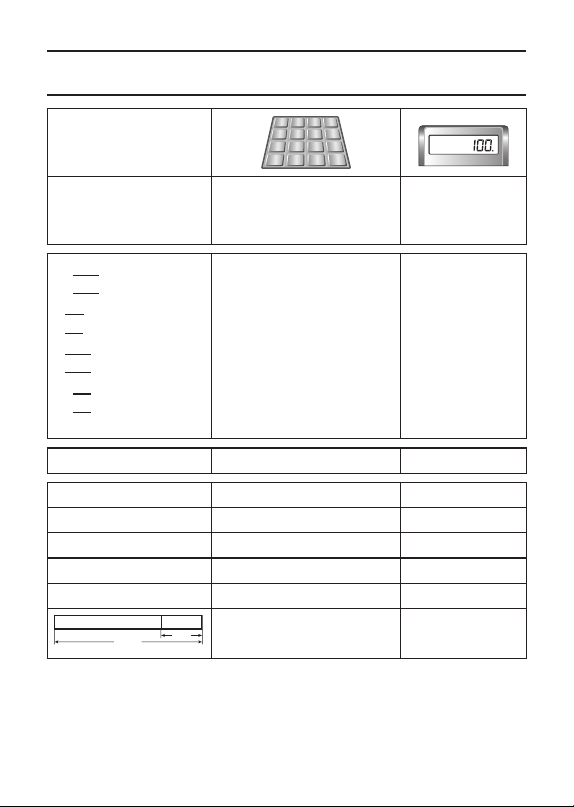
Two-Way Power System provides power even in complete darkness.
• Even if you do not use the calculator, you should replace the
battery at least once every three years.
• If the display becomes dim and difficult to read, or if nothing
appears on the display when you press A (especially when
lighting is dim), you probably need to have the battery replaced.
• The battery that comes with this unit discharges slightly during
shipment and storage. Because of this, it may require replacement
sooner than the normal expected battery life.
k Auto Power Off Function
Auto power off: Approximately 6 minutes after last key operation
• If the Auto Power Off function turns off power, press A to restore
power.
10
Basic Calculations
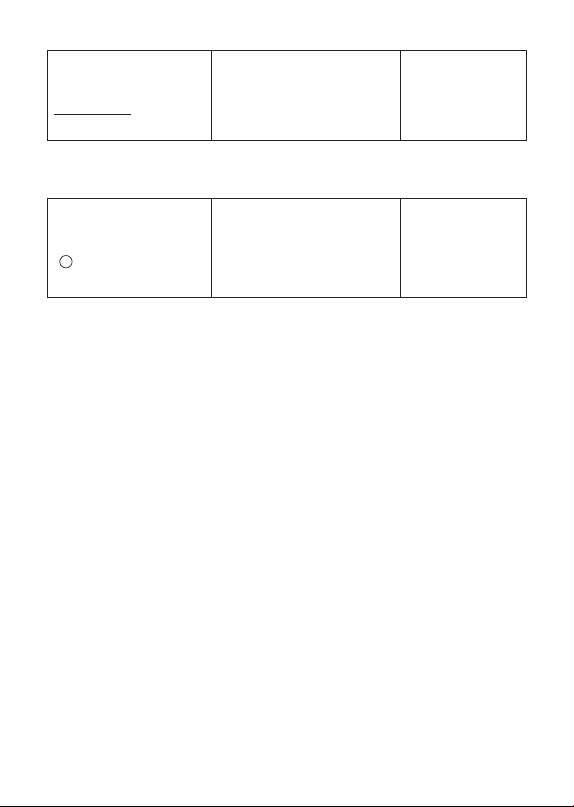
A
0.
6 ÷ 3 × 5 + 2.4 – 1 = 11.4
6/3*5+2.4-1=
11.4
2 × (– 3) = – 6
2*3>=
– 6.
12 + 23 = 35
23++12=
K
35.
45 + 23 = 68
45=
K
68.
7 – 5 = 2
5--7=
K
2.
2 – 5 = – 3
2=
K
– 3.
2 × 12 = 24
12**2=
K
24.
4 × 12 = 48
4=
K
48.
45 ÷ 9 = 5
9//45=
K
5.
72 ÷ 9 = 8
72=
K
8.
(2.3)
4
= 27.9841
2.3**===
K
27.9841
'4 × 5 = 10
49*5=
10.
200 × 5% = 10
200*5&
10.
100 + (100 × 5%) = 105
100*5&+
105.
500 – (500 × 20%) = 400
500*20&-
400.
30 = 60 × ?% ? = 50
30/60&
50.
12 = 10 + (10 × ?%) ? = 20
12-10&
20.
100%
25%
$120
? ($160)
? ($40)
120+25&
-
160.
40.
11
8 × 9 = 72
o*
1
8*9l
M
72.
–) 5 × 6 = 30
5*6m
M
30.
2 × 3 = 6
2*3l
M
6.
48
n*
2
M
48.
*
1
MM(MS-20YC)
*
2
M(MS-20YC)
2 +
/
3 = 6
4
2+3C4=
6.
2
/
+ 7 = –5
–
2+-7=
– 5.
5 + 7
/
7 = 12
5+77'=
12.
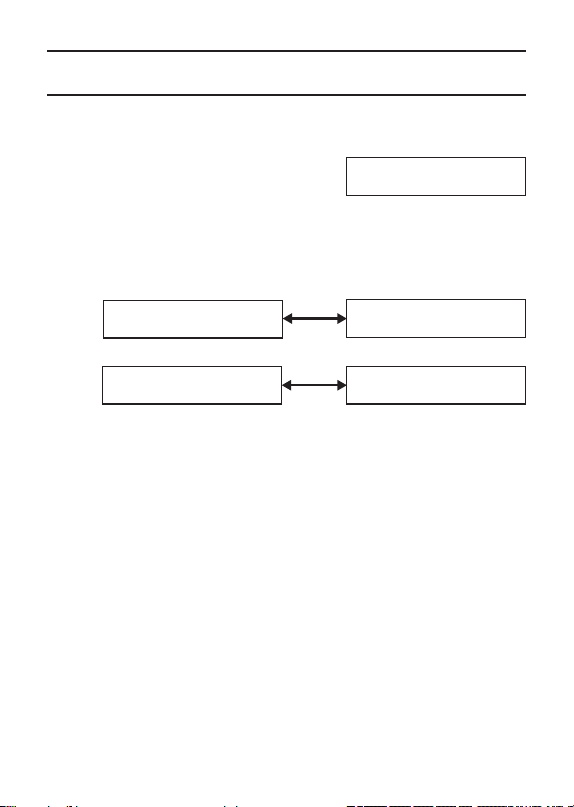
• “E” (Error) will appear if the calculation result exceeds the upper
calculation limit of the calculator. If this happens, press A.
• “E” (Error) will appear if the integer part of the value stored in the
independent memory exceeds the upper calculation limit of the
calculator. (In this case, “0.” will be displayed as the calculation
result.) If this happens, press A.
• The value displayed when a calculation error occurs is a rough
approximate value.
Example: If 1.23 is displayed along with “E”, it indicates a value of
approximately 1.23 × 10
12
(MS-20YC) / 1.23 × 10
10
(SL-310YC).
k Clearing Calculations
• To clear the calculator except for independent memory and rate
settings, press A.
• To clear independent memory only, press o*.
* MM(MS-20YC)
12
Tax Calculations
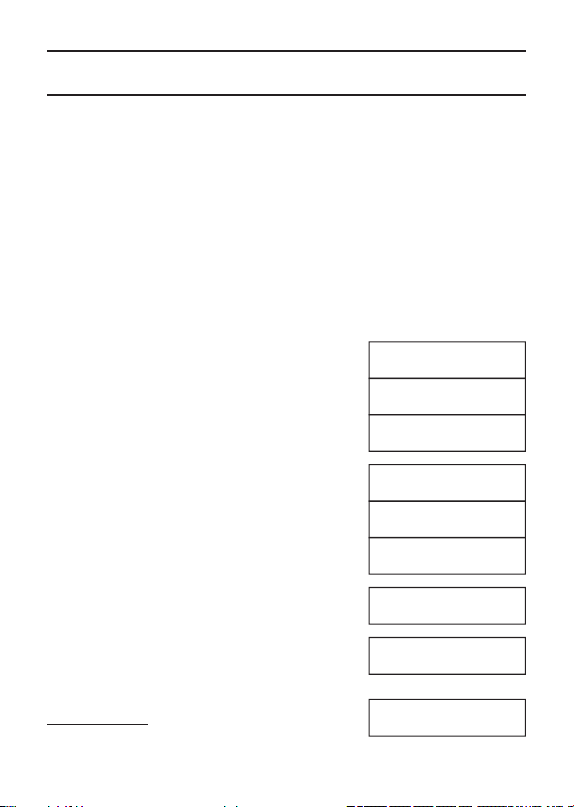
• To set a tax rate
Example: Tax rate = 5%
AX(Hold down until
TAX and % appears.) 5 X
• You can check the currently set tax rate by pressing A and then
m.
• Tax rate = 5%
$150*
1
➞ ???*
2
*
3
$105*
2
➞ ???*
1
*
3
*
1
Price-less-tax
*
2
Price-plus-tax
*
3
Tax
%
TAX
5.
*
2
*
3
A
150
V
V
TAX+
157.5
TAX
7.5
*
1
*
3
A
105
W
W
TAX−
100.
TAX
5.
13
Time Calculations
Hours (H) input: 7 digits (MS-20YC), 5 digits (SL-310YC)
Minutes (M)/Seconds (S) input: 0 to 99. Values greater than 59 are
automatically adjusted by adding to the hours/minutes.
Time calculation range:
–9999999 hours 59 minutes 59 seconds to 9999999 hours 59
minutes 59 seconds (MS-20YC)
–99999 hours 59 minutes 59 seconds to 99999 hours 59 minutes 59
seconds (SL-310YC)
Important! Time calculations are performed internally using decimal
values.
12H30M45S ➞ 12.???
A12U30U45U
12-30'45''
U
12.5125
U
12-30'45''
12.3456 ➞ ?H?M?S
A12.3456
12.3456
U
12-20'44''
U
12.3456
72S ➞ ?M?S
A0UU72U
0-01'12''
350M ➞ ?H?M
A350/60=U
5-50'00''
10H20M30S
+) 8H40M25S
19H00M55S
A10U20U30U+
8U40U25U=
19-00'55''
14
2H30M40S
–) 1H00M30S
1H30M10S
A2U30U40U-
1UU30U=
1-30'10''
$9.00 × 7.5H = $??.??
A9*7U30UU=
67.5
Specifications
Power Supply: Two-Way Power System, with solar cell and one
button type battery (LR54 (LR1130))
Battery Life: Approximately 3 years (1 hour operation per day)
Operating Temperature: 0°C to 40°C (32°F to 104°F)
Dimensions (H) × (W) × (D) / Approximate weight (including
battery):
MS-20YC: 18×101×154.5 mm (
11
/
16
”×4”×6
1
/
16
”) / 118 g (4.2 oz)
SL-310YC: 8.6×70×120 mm (
5
/
16
”×2
3
/
4
”×4
3
/
4
”) / 53 g (1.9 oz)
Battery Replacement
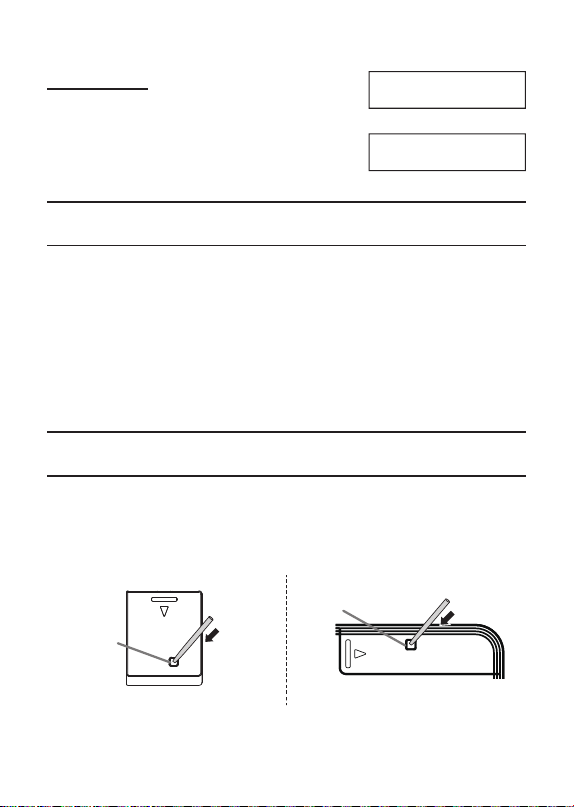
1. Press the button for the battery cover on the bottom of the
calculator using an object with a thin tip.
• Do not use an object with a breakable or pointed tip.
• Do not press too hard.
(MS-20YC) (SL-310YC)
Button
Button
15
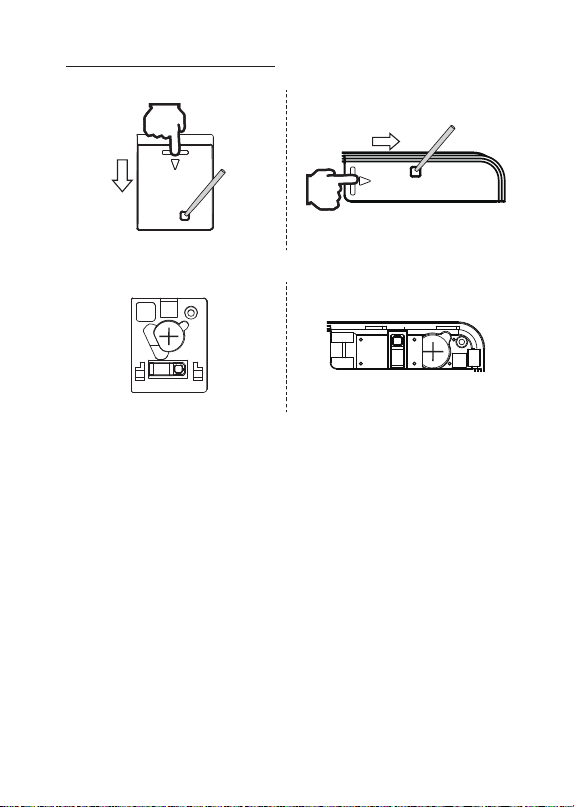
2. While holding down the button, press your finger on the area with
the battery cover mark and slide in the direction of the arrow.
(MS-20YC) (SL-310YC)
3. Remove the battery cover and take out the old battery.
(MS-20YC) (SL-310YC)
4. Insert the new battery with the (
+
) side facing up (visible to you).
5. Replace the battery cover in its original position.

16
SA2510-A
© 2025 CASIO COMPUTER CO., LTD.
CASIO COMPUTER CO., LTD.
6-2, Hon-machi 1-chome
Shibuya-ku, Tokyo 151-8543, Japan

