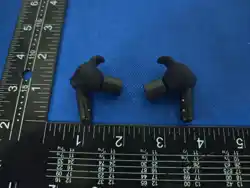
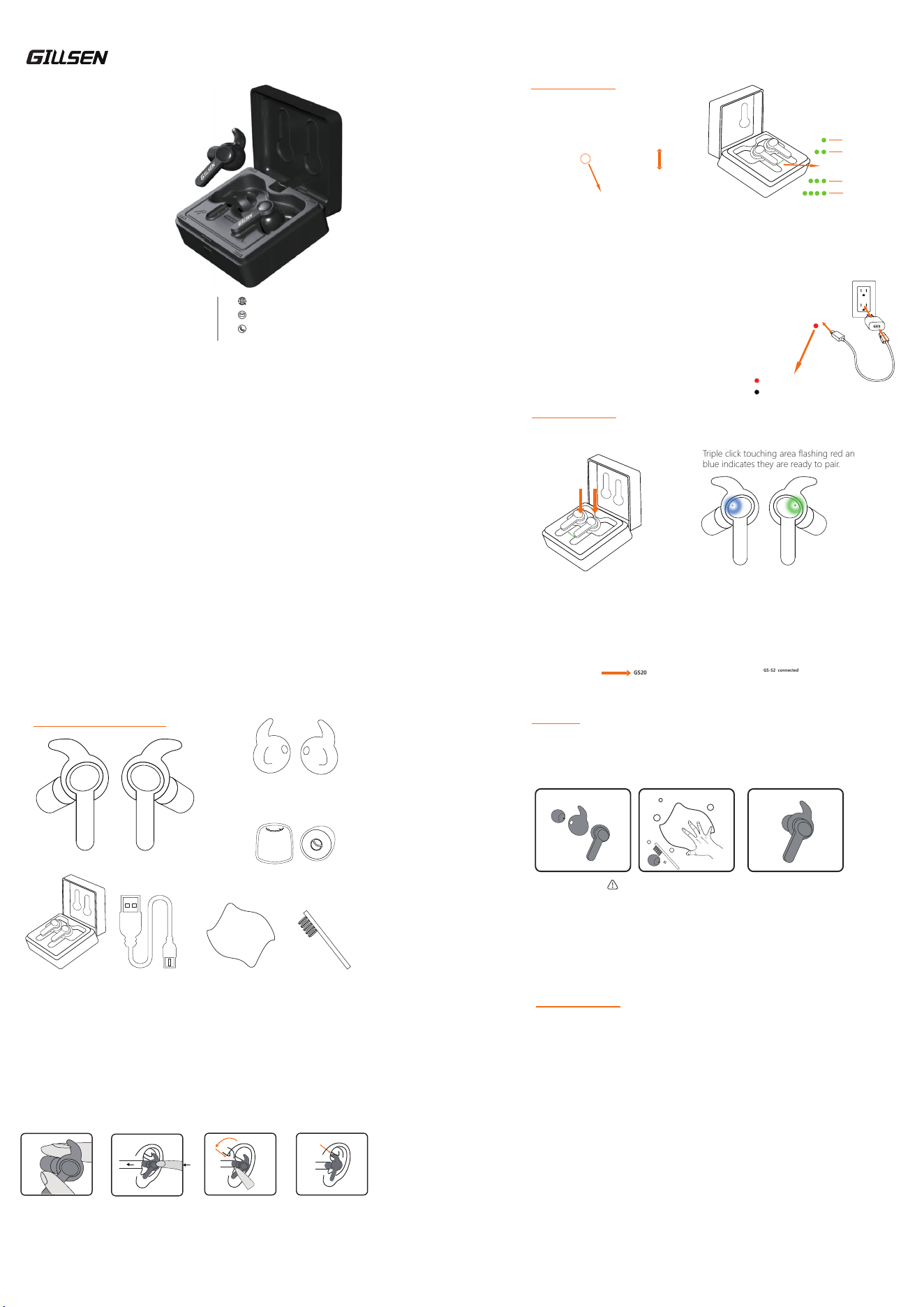
Anti-Slip Earbuds x 1 pair(M)
Silicone Ear Fins x 2 pairs
Small/Large
Foam Ear tips x 2 pairs
Smalll/Large
Charing Case x 1 pc USB-C Cable x 1 pc
Clean Cloth x 1 pc Clean Brush x 1 pc
CONTENTS OF THE PACKAGE
General Information:
EarCore ME helps protect hearing and awareness as also as communication in
kinds of sporting life and working place. Its advanced level dependent noise reduction
technology helps provide hearing protection in noisy environments while enabling
environmental listening in quiet environments by switching among 5 different mode to
offer personalized needs of hearing protection under different scenarios .Equipped with
new generation Bluetooth,the earbuds can connect to a mobile phone or any portable
devices with Bluetooth to answer the phone calls or radio calls and listern to the music.
This electronic earbud equipped with charging case can be rechareable via type-C USB
cable,full charged time is less than 2 hours and it can last 16 hours for long time using.
Hight Lights:
* Clear voice tracking with Intelligent and optimized acoustic design-
Optimized algorithm to track the nearby audio and speech,supplying clear intelligent
voice tracking.
* Sensitive and intelligent sound suppression-
Fast reaction algorithm on gunshot feedback,sound activated compression in 0.2MS
* Multi-modes cycle switching-
OBSERVATION MODE
VIGILANCE MODE
CONVERSATION MODE
POWER MODE
MOVE MODE
*
Automatically shut down if there is no operation within 2 hours
EARCORE ELECTRONIC EARBUD,
REDEFINE THE HEARING PROTECTION IN EAR.
This device complies with Part 15 of the FCC Rules. Operation is subject to the following
two conditions. (1) this device may not cause harmful interference,and (2) this device
must accept any interference received, including interference that may cause undesired
operation. FCC Caution: Changes or equipment has been tested and found to comply
with the limits for Class B digital device, pursuant to part 15 of the FCC Rules. These
limits are designed to provide reasonable protection against harmful interference in a
residential installation. This equipment generates, uses, and can radiate radio frequency
energy and, if not installed and used in accordance with the instructions, may cause
harmful interference to radio or television receptions, which can be determined by
turning the equipment off and on, the user is encouraged to try to correct the interfer-
ence by one or more of the following measure:
Reorient or relocate the receiving antenna.
Increase the separation between the equipment and the receiver.
Connect the equipment into an outlet on a circuit different from that to which the
receiver is connected.
Consult the dealer or an experienced radio/TV technician for help.
Shielded interference cable must be used with the equipment in order to comply with
the limits for a digital device pursuant to Subpart B of Part 15 of FCC Rules.
Specifications and designs are subject to change without any notice or obligation on
the part of the manufacturer. The Device has been evaluated to meet general RF
exposure requirement. The Device can be used in portable exposure condition without
restriction.
FCC COMPLIANCE
FCC Statement
MAINTAIN
Clearance
Clean your earbuds with a brush and use clean the surface of your Earplugs and
accessories with a dry, lint-free cloth and carefully check the earbud to ensure they
are free of ear wax or moisture after used. Silicone ear fins can be cleaned with water.
Note: Do not immerse the earbuds and foam tips in water!
Storage
• Before and after use, please store the product in a clean and dry place.
• Always keep the product in the charging case and away from any direct heat
sources, sunlight, dust, and harmful chemicals.
• Storage temperature range: -20°C (-4°F) to 55°C (131°F).
• Relative humidity: <85%.
®
NINGBO GILLSEN ELECTRONIC CO.,LTD
No.53-1 Nanhai Road,Xinqi Street,
Beilun District,Ningbo 315800
China
www.gillsen.com
+86 0 574-86909207
USER INSTRUCTION
ELECTRONIC EARBUD
EARCORE
BETTER HEARING PROTECTION,BETTER LIFE
Insert Earbuds to Ears
1.Before inserting earplugs, make sure they are clean.
2.Gently roll the foam tip in finger while attached to the neck of the earbuds.
3.Pull the top of your ear upwards and outwards to widen the ear canal, while gently
pushing the earbuds in.
4.Wait approximately 20 seconds for the ear tip to expand and foam a seal in your ear.
Important: With foam expanding, your ear might feel a bit itchy during wearing,
caused by the change of air pressure. It will fade out after the earplug fitting. However,
if you feel itchy all the time after your earbudswearing, it is suggested you to take out
the earbuds and then consult a doctor and contact us.
Squeeze and roll down
the foam tips thoroughly
Gently twist and push
the rolled earplug into
the ear canal to the
proper depth
Adjust the angle to clip
the fins in upper cavum
conchae for stable fitting
Adjust and fully seat
the earbud
1.Insert the earbuds into charging case
2.Remove the earbuds from case.
Triple click touching area flashing red and
blue indicates they are ready to pair.
3.Navigate to your device's bluetooth menu,
search for GS-S1 and tap to connect
GS20
BASIC OPERATION
Bluetooth Paring (Triple press to enter Bluetooth Mode)
4.After pair successfully,you will hear
the voice “bluetooth connected” and
LED indicator on earbuds stop flashing.
GS-S2 connected
BASIC OPERATION
Charging Case
• When you hear the invoice reminder”Low battery” or you see LED indicators on
earbuds are red,Please place them in the charging case to recharge promptly.
• when you see the charging case light’s flashing,please recharge the charging case.
If the charging case is out of power,please power off the earbuds before put them
back to the charging case,otherwise you may hear it’s buzzing.
1.Battery charging Place the earbuds into the charging case.
The indicator light on the earbuds will turn on, indicating
that charging has begun.
2.USB-C cable charging
Connect the USB-C cable to the power source and
the charging case. Place the earplugs into the charging
case. The indicator light on the earbudss will illuminate,
signifying the start of charging.The charge case lights up
red while charging. The charge case lights off when fully
charged.Charging time is approximately two hours
Open and Close the Case
open:
press the button
to open the lid
Close:
Close the lid to
lock the button
Red light on: charging
Red light out: charging complete
Battery indicator light
Button lock
25% battery
50% battery
75% battery
100% battery

