Please read this manual completely before installing or operating this unit!
Installation & Operation Manual
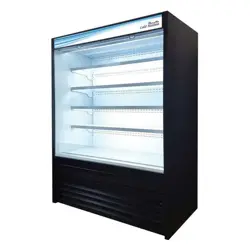
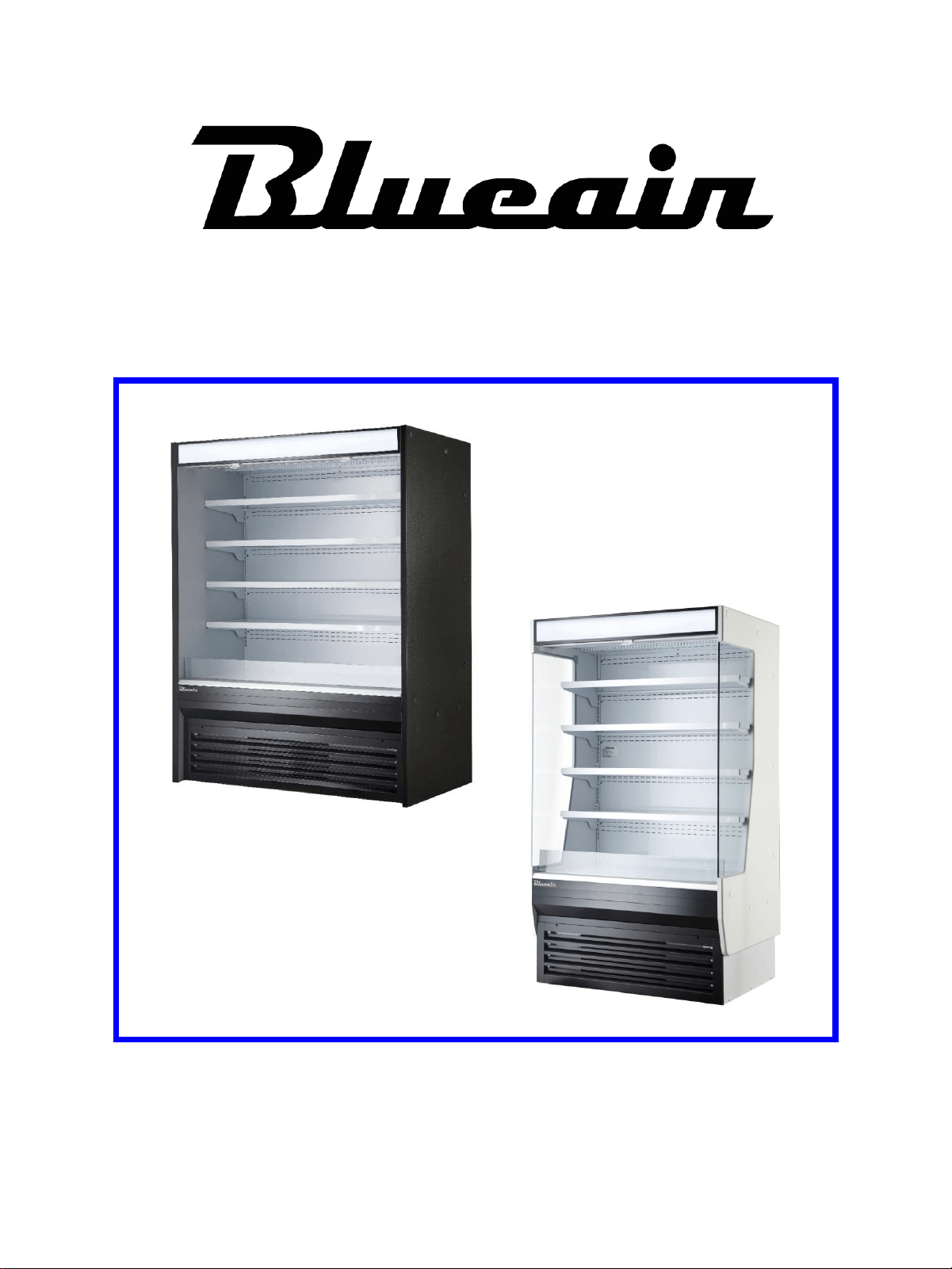
Open Display Case
Blueair FSE reserves the right to make product modification at any time.
Specifications and Designs are subject to change without notice.
IMPORTANT SAFETY INSTRUCTION (SAVE THESE INSTRUCTIONS)
Visit our website at
www.blueairfse.com

Contents
♦ Specifications ……………………………….............................
♦ Installation ……………………………………………………….
♦ Maintenance & Cleaning ………………………………………
♦ Operation ……………………..……. ………………………….
♦ Troubleshooting …..………………. ………………………….
3
4
6
6
7
Blue Air Refrigeration has a Nationwide Service Network
to provide timely services to our customer’s needs.
Please call or fax us at the following numbers.
Blue Air Refrigeration Nationwide Service Network
Toll Free, 1-866-677-8500
TEL, (310) 808-0102
Fax, (310) 808-0242/0262
Service Contact
2
Specifications
3
♦ Specifications and Designs are subject to change without notice.
♦ The name plate (including Serial No.) is located on the upper left side of the cabinet interior.
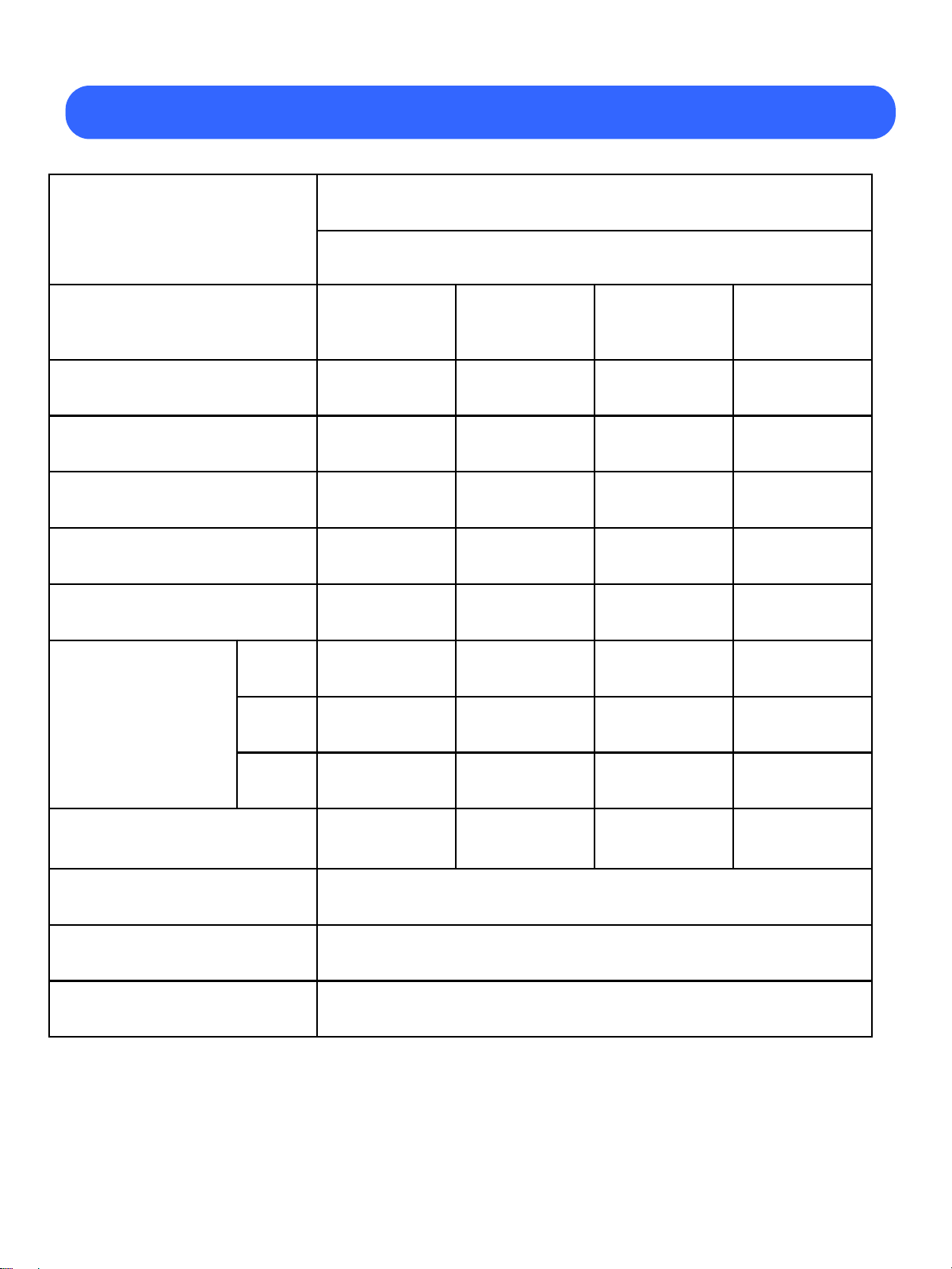
Product
OPEN DISPLAY CASE
BOD-**S(SOLID SIDE PANEL)
BOD-**G(GLASS SIDE PANEL)
Model
BOD-36S
(BOD-36G)
BOD-48S
(BOD-48G)
BOD-60S
(BOD-60G)
BOD-72S
(BOD-72G)
Rated Voltage 115V 60Hz 1PH 115V 60Hz 1PH 115V 60Hz 1PH
115V/208~230V
60Hz 1PH
Compressor (HP) 1 1 1 1 X 2
Type of Power Cord NEMA 5-20P NEMA 5-20P NEMA 5-20P NEMA L14-20
AMPS 16.5 16.5 16.5 15
Capacity (cu.ft) 19.6 26.7 33.9 41
Exterior
Dimensions
[IN]
W 36.1 48.1 60.1 72.1
D 32.5 32.5 32.5 32.5
H 80 80 80 80
Net Weight (lbs)
459
(538)
549
(620)
618
(697)
772
(847)
Light
LED Lamp
DC 24V
Refrigerant R-404A
Range of Temperature 38
℉
to 44
℉
• This unit is designed for indoor use only.
Be sure that the location is strong enough to support the total weights of the unit
and the content.
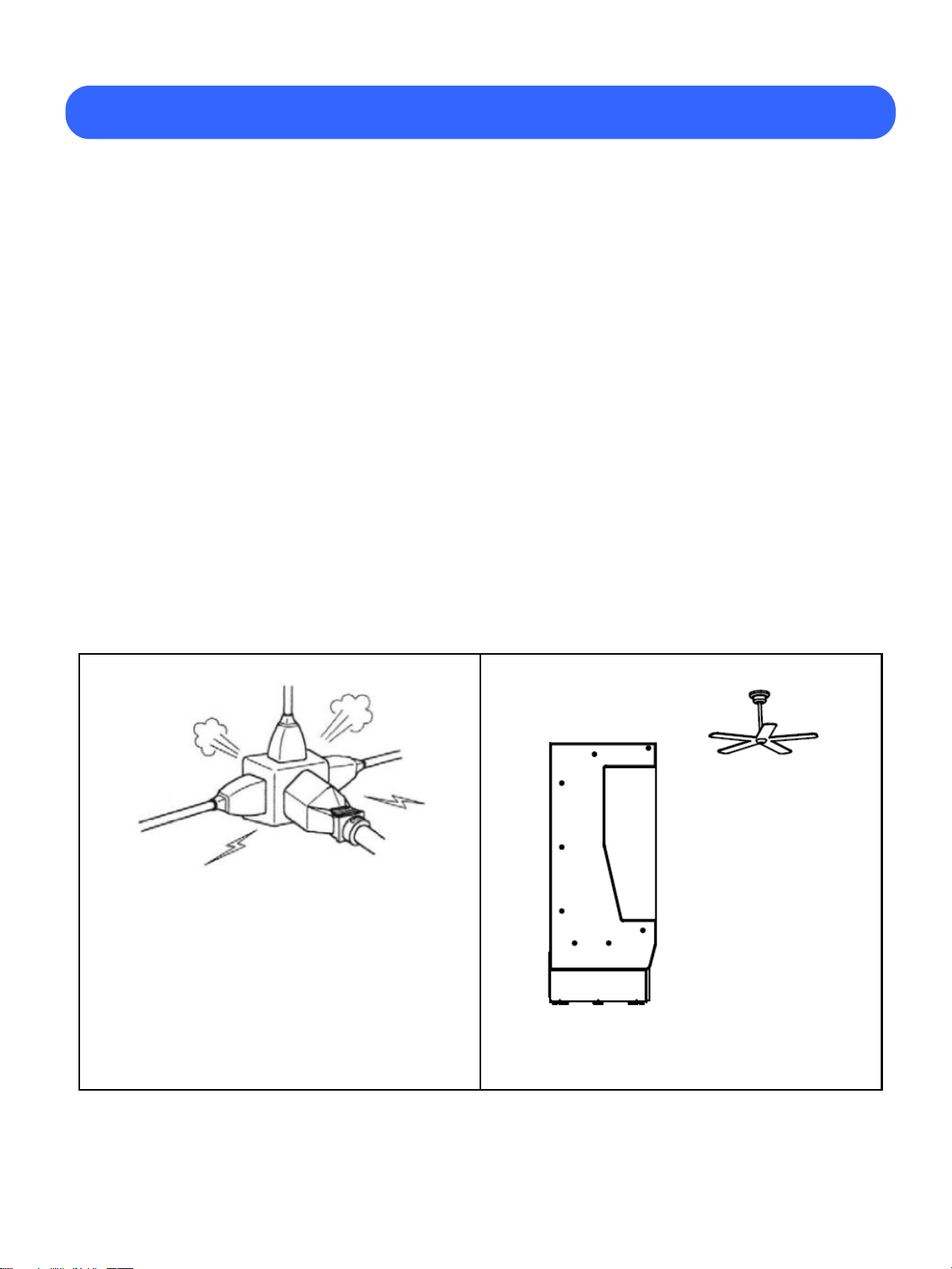
• Display Case should be on a minimum 20 Amps dedicated outlet,
grounded wall receptacle to prevent electrical shock and fire hazards.
• Do not plug other electrical units into same wall receptacle this unit is plugged into.
• Do not use an extension cord.
• Compressor warranties are void if the compressor burns out due to low voltage.
• Operating environment not to exceed 75℉(23℃) and 55% humidity.
• Do not load product beyond the edge of the shelf.
• The unit should be leveled to provide adequate drainage.
Four leveling legs are provided to level your Merchandiser. Use a leveler to ensure
the unit is evenly leveled on all four corners.
Installation
4
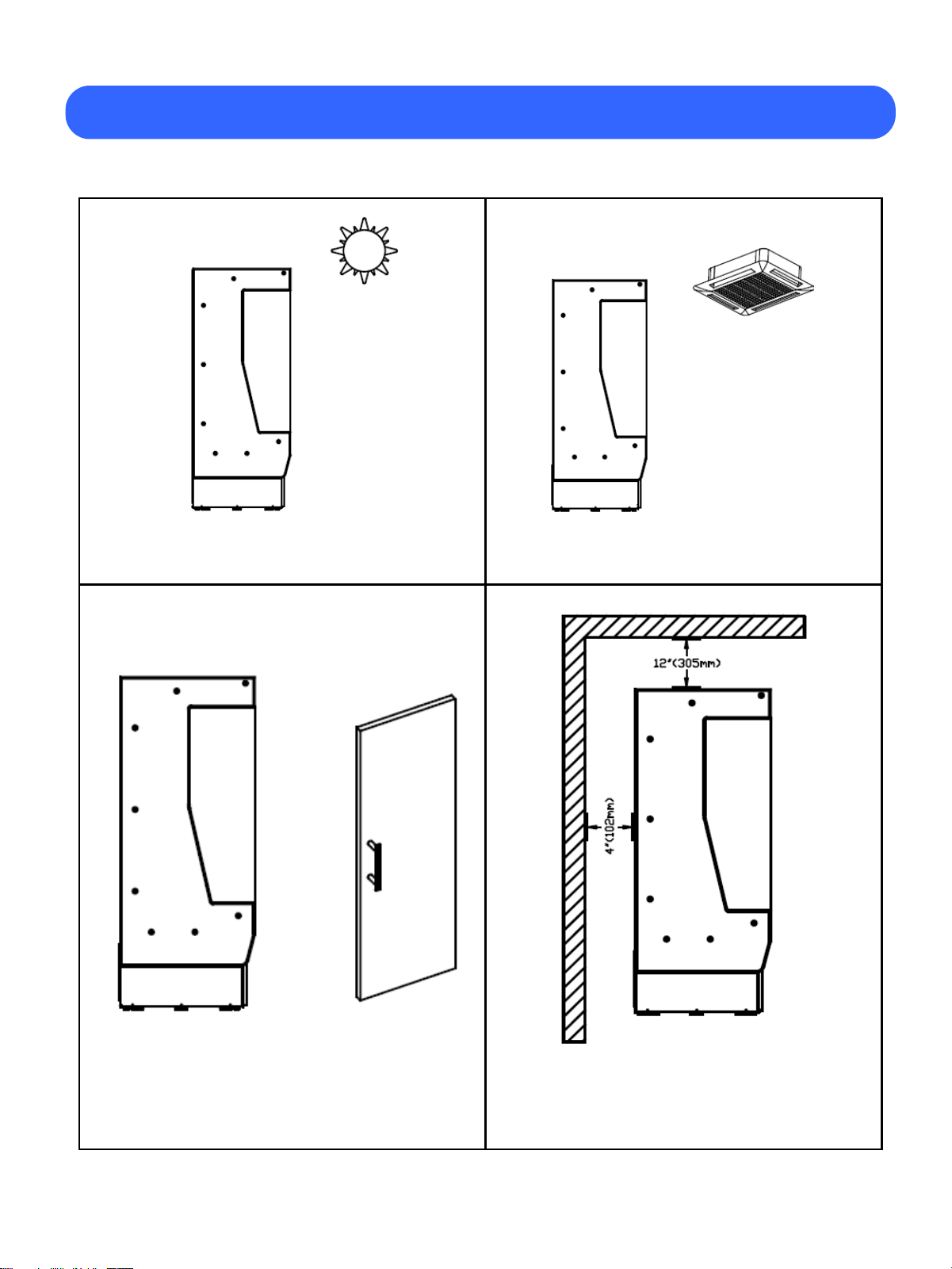
• To reduce the risk of shock or fire,
unit should be plugged into a dedicated
electrical circuit.
• Do not use extension cords.
• Do not install the unit near fans.
Installation
5
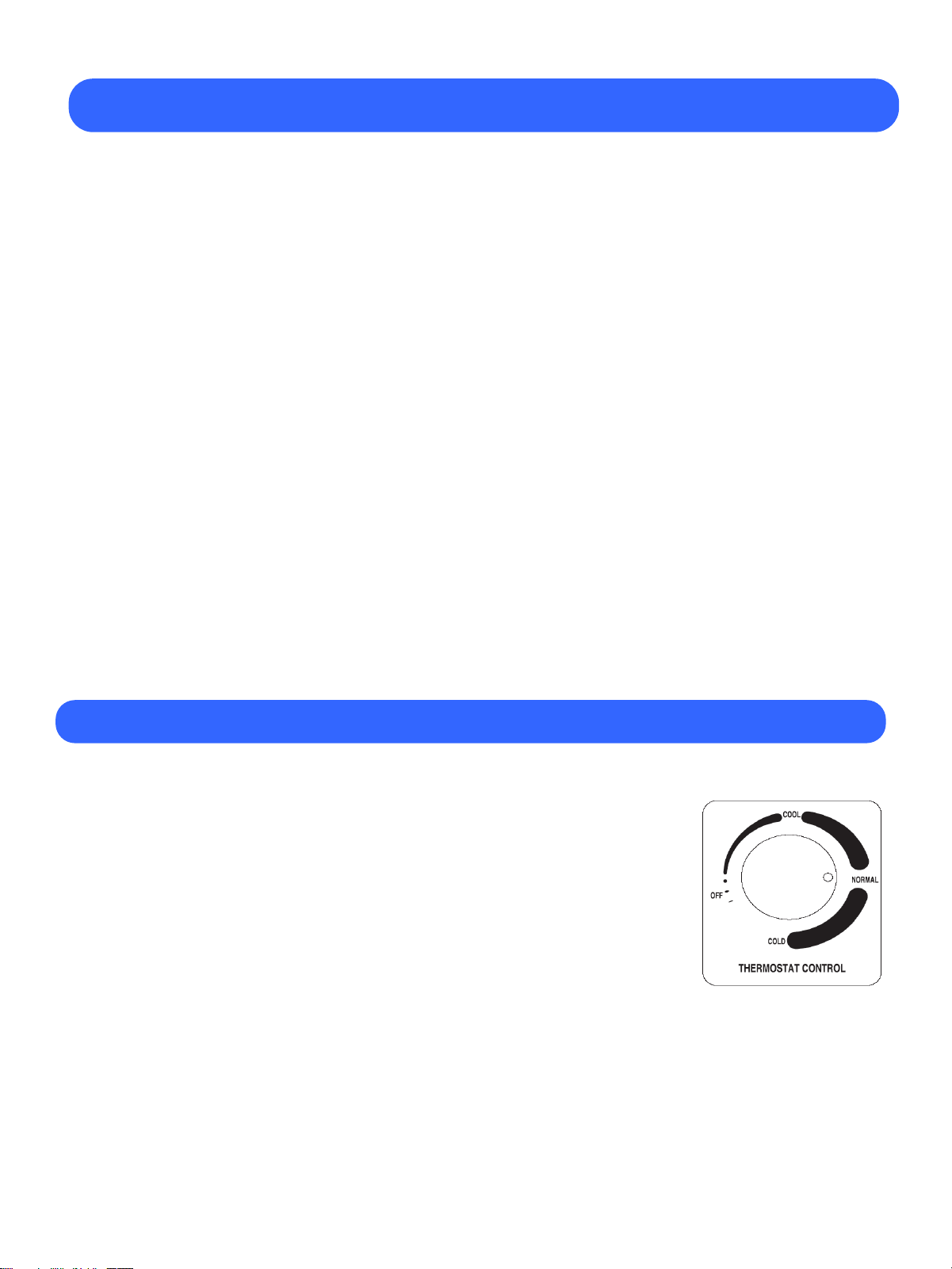
• Do not install the unit near doorways.
• Confirm there is enough clearance
for proper air circulation.
• Do not install the unit in direct sunlight. • Do not install the unit near HVAC vents.
6
Maintenance & Cleaning
• Cleaning
1. Beginning with the initial installation, the interior surfaces of the cabinet should
be periodically cleaned with a solution of warm water and baking soda.
2. The exterior of the cabinet should also be cleaned frequently with a commercial
mild soap solution. Do not use chlorinated cleaners on any surfaces.
• Condenser Coil
1. Prior to cleaning the condenser coil disconnect the unit from power.
2. Take off front lower grill assembly by removing the two (2) screws in the top
corners. (The condenser coil is located behind the grill.)
3. Use a soft bristled brush to remove any dirt particles that are on the fins of the
condenser coil. Use a vacuum cleaner or compressed air to remove the loosened
particles.
4. Replace the front grill and reconnect the unit to power.
5. Condenser should be cleaned every 3 months or as needed.
Operation
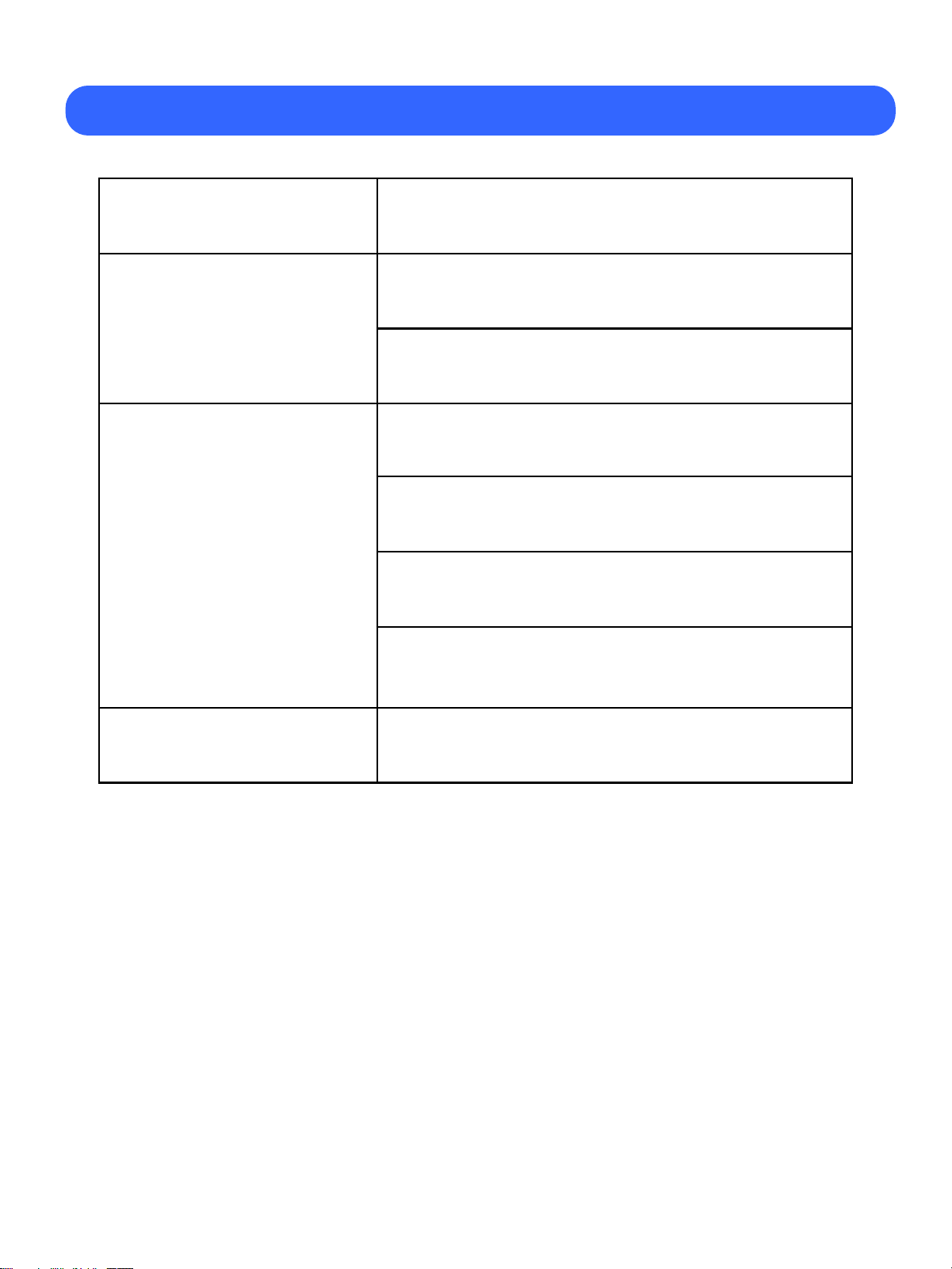
• TEMPERATURE CONTROL
1. The temperature control is located underneath the bottom shelf
and near the right side of the cabinet interior.
2. The controller has been preset "NORMAL" position
at the factory.
3. Set the control-knob toward "COOL" for higher temperature
and "COLD" for lower temperature.
• POWER SWITCH
Located at the right of front lower grill, colored in red.
• LIGHT SWITCH
Located at the right of front lower grill, colored in green.
Troubleshooting
7
Problem Remedy
Compressor
will not start
Check the power cord and make sure it is plugged in.
Check that the power switch is on.
The unit does not
refrigerate well
Correct temperature set point.
Check that the inner airflow is not
being blocked by products.
Do not load warm or moist product.
Clean the condenser if heavy dust is collected
No interior light
Check that light switch is on.
※ The following is not an indication of problem or malfunction.
A water-flowing sound can be heard when the unit is operating.
This is the sound of refrigerant flowing.

8
Memo
9
※ The Warranty becomes void if the attached warranty card is not filled out and returned to Blueair within 12 days from the purchase date.
Cut along dotted line and mail it back to ; Blueair Customer Service Dept. 223 W. Rosecrans Ave, Gardena, CA 90248
※ The Warranty becomes void if the attached warranty card is not filled out
and returned to Blueair FSE within 12 days from the purchase date.
Cut along dotted line and mail it back to ;
Blueair FSE Customer Service Dept.
223 W. Rosecrans Ave, Gardena, CA 90248
Customer Name:________________________________________
______
Telephone : ( )___________________________________
_______
Address (Customer)
Street : _____________________________________________
_________
City:______________
___
Place of Purchase:___________________________________
________
Model Name:________________________________________
_________
Warranty Registration Card
TITAN REFRIGERATION.
7460 Warren Pkwy Suite 100 Frisco, TX 75034
Business Name:_______________________________________
________
Telephone : ( )__________________________________
________
Address (Business or Installation Site)
Street:_______________________________________________
___________
State:________Zip:__________
__
City:______________
___
State:_______
_
Date Installed:___________
_
Date Purchased:_________________
Product Serial No.:_____________________________________
_________
Extended Warranty Option
Additional 1 Year Parts & Labor extended Warranty available.
Please make check payable to TITAN and Return with this registration card
口 Yes, I would like the extended warranty. / 口 No, I would not like the extended warranty.
Signature of Business Owner:_____________________________
_
Date:_____________________
Zip:________
__
Customer Name : _____________________________________
Telephone : ( ) ________________________________
Address (Customer)
Street : _____________________________________________
City : ______________ State : ________ Zip : __________
Place of Purchase : ____________________________________
Model Name:___________________________________________
Warranty Registration Card
Blueair FSE, LLC
223 W. Rosecrans Ave, Gardena, CA 90248
Toll Free, 1-866-677-8500
TEL, (310) 808-0102, Fax, (310) 808-0242
Extended Warranty Option
Additional 1 Year Parts & Labor extended Warranty available.
Please make check payable to GIO Refrigeration and Return with this registration card
口 Yes, I would like the extended warranty. / 口 No, I would not like the extended warranty.
Signature of Business Owner:______________________________
Date:_____________________
Business Name : _________________________________________
Telephone : ( ) ___________________________________
Address (Business or Installation Site)
Street : ________________________________________________
City : ______________ State : __________ Zip : __________
Date Purchased : ___________ Date Installed : __________
Product Serial No. : _____________________________________

Blueair FSE, LLC
223 W. Rosecrans Ave. Gardena, CA 90248
Toll Free, 1-866-677-8500
TEL, (310) 808-0102
FAX, (310) 808-0242
Visit our website at www.blueairfse.com