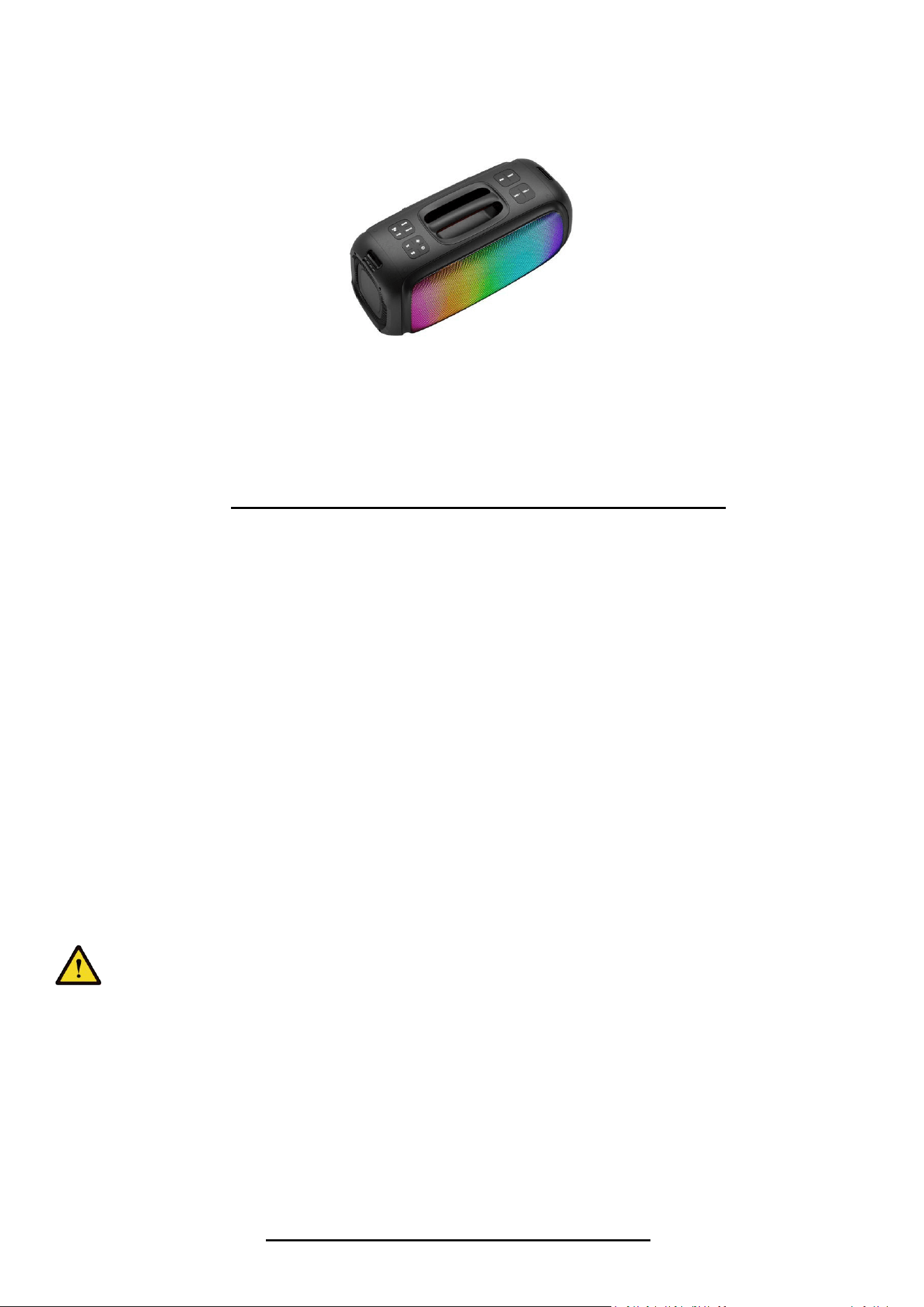
Model NO.: GWI-25009
INSTRUCTIONS FOR USE AND CARE
Safety Information
Please read this manual carefully before using the product.
keep it in a safe place for future reference.
a. There are high voltage zones inside this unit that can cause injuries. Please do not open the unit. In case of technical
failure, please contact the authorized service centre.
b. Never place the unit in the rain or in moist zones so as to avoid a fire or an electric shock.
c. This device uses a laser system. To prevent direct exposure to the laser beam, please do not open the unit or stare at the
laser beam.
d. If technical maintenance is required, please contact the authorized service centre.
e. If the supply cord is damaged in any way, please have it replaced by the manufacturer, supplier or a qualified electrician.
Caution
a. Do not place the unit on an unstable surface as it may fall and break or cause damage to people or pets.
b. Disconnect the unit from the mains before cleaning it. Do not use cleaning liquids or sprays.
Use only a soft, damp cloth.
c. To avoid possible damage to the equipment, please unplug it during storms or when it will not be used for a long time.
d. Do not insert any object into the unit through the ventilation
openings as this could cause a short circuit and start a fire. Do not pour liquid on the speaker.
PLEASE DO NOT SUPPORT PLAY OVER 80% VOLUME WHEN CHARGE .
Accessories
-User Manual
-Remote Control
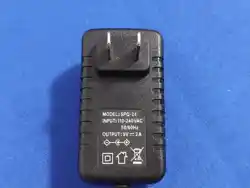
-Adaptor
OPERATING INSTRUCTIONS
● WIRELESS BT MODE:
Press MODE until you enter BT Paring Mode.
- Once entering BT mode, your speaker will automatically enter pairing mode if not already paired to another device.
- Search for the model number GWI-25009 on your BT settings on your smart device, and select it.
- Once selected, your smart device and speaker will connect. Once connected you can control your speaker through top
panel controls or your smart device.
● LINE IN MODE:
Press MODE until you enter AUX
- Make sure you have a 3.5mm AUX cable plugged into your audio device from the AUX port on the back of Speaker.
- In AUX mode, you can only control the functions through the audio device. Though you can adjust the volume on either
device.
● FM RADIO MODE
Press MODE until you enter FM Radio
- Press the P/P (Play/Pause) button to auto scan FM Radio stations and store it automatically.
- Press the NEXT or PREVIOUS buttons to navigate through FM Radio Stations.
● USB AND TF CARD MODE:
NOTE: Please make sure you connect a USB or TF Card drive into the USB/TF Card port located on the back of the speaker.
- Press MODE until you enter USB/TF Card mode.
- You can use the control on the top of your speaker to navigate through songs (tracks), play/pause, volume.
● TWS ( True Wireless Stereo) MODE :
NOTE: In order for TWS Mode to work, you must have 2 of the same speakers next to each other:
On both speakers, please action the below:
- Press MODE until both enter BT mode.
- On your smart device, search for GWI-25009 within BT settings and connect to one of it.
- On one of the speakers, Press TWS button and announce“PAIRING”.
- You will now be able to play music from your smart device to both speakers.
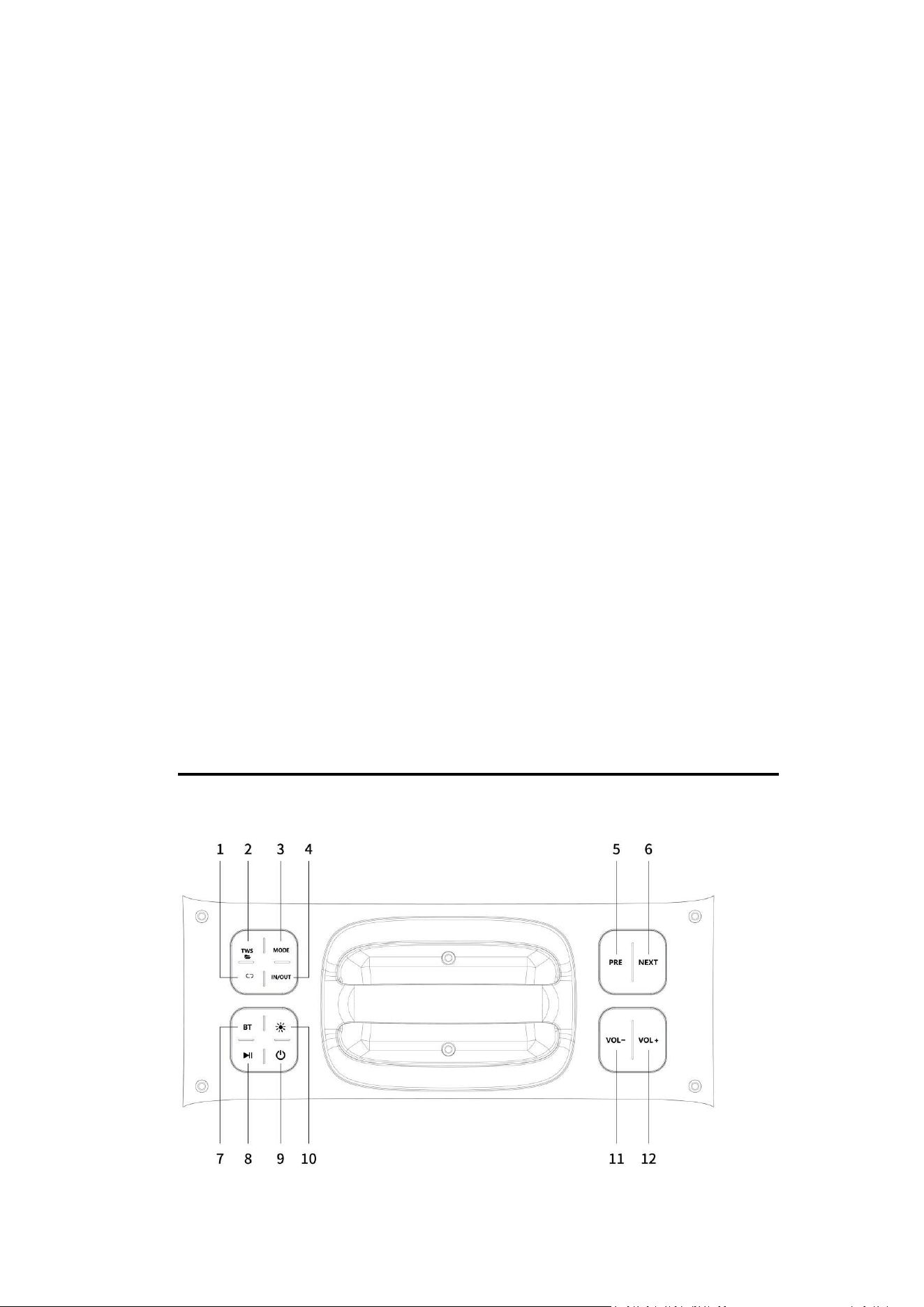
INTRODUCTION-TOP CONTROLLING PANEL
1. Repeat : Repeat:Press to select repeat mode.
2. TWS/Folder : Short press to enter TWS function ; Long press to switch from different folders
3. Mode : Short press to select the following modes: LINE (Aux-In)/USB/TF card/FM/wireless BT; Long press to
on/off voice prompt.
4. Indoor/Outdoor : press to choose indoor and outdoor mode.
5. Previous sound (under USB/TF/BT mode) ; Long press can fast backward.
6. Next sound (under USB/TF/BT mode) ; Long press can fast forward.
7. Press to BT mode,
8. Pause & play
9. Power on/ off
10. Press to change light model
11. Volume-
12. Volume+
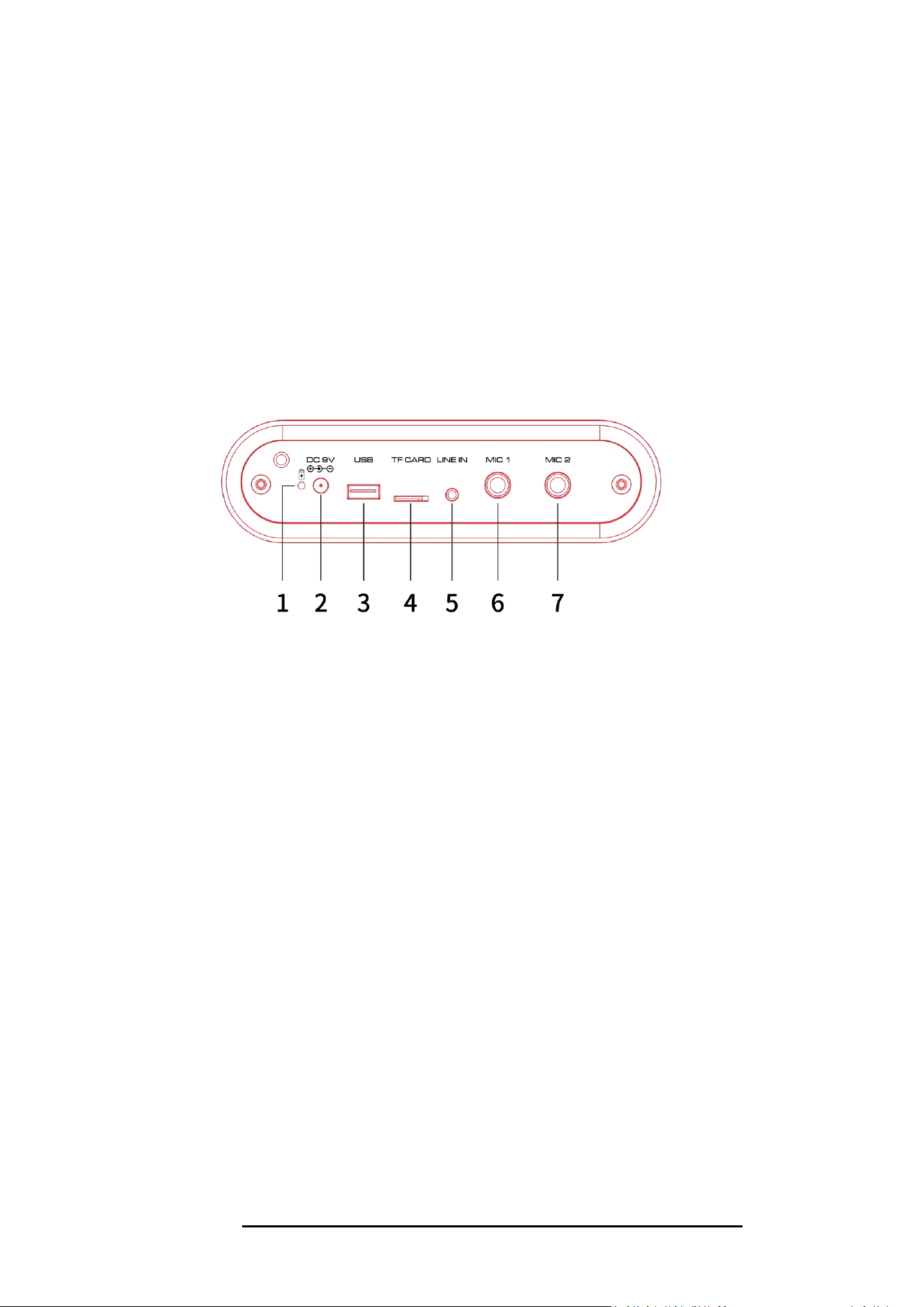
1. Charging light
2. DC 9V input(charging slot) please use the included adapter.
3. USB slot: Insert U disk to play.
4. TF Card Input: Insert TF card to play.
5. LINE IN
6. Wired mic input
7. Wired mic input
INTRODUCTION-REMOTE CONTROL
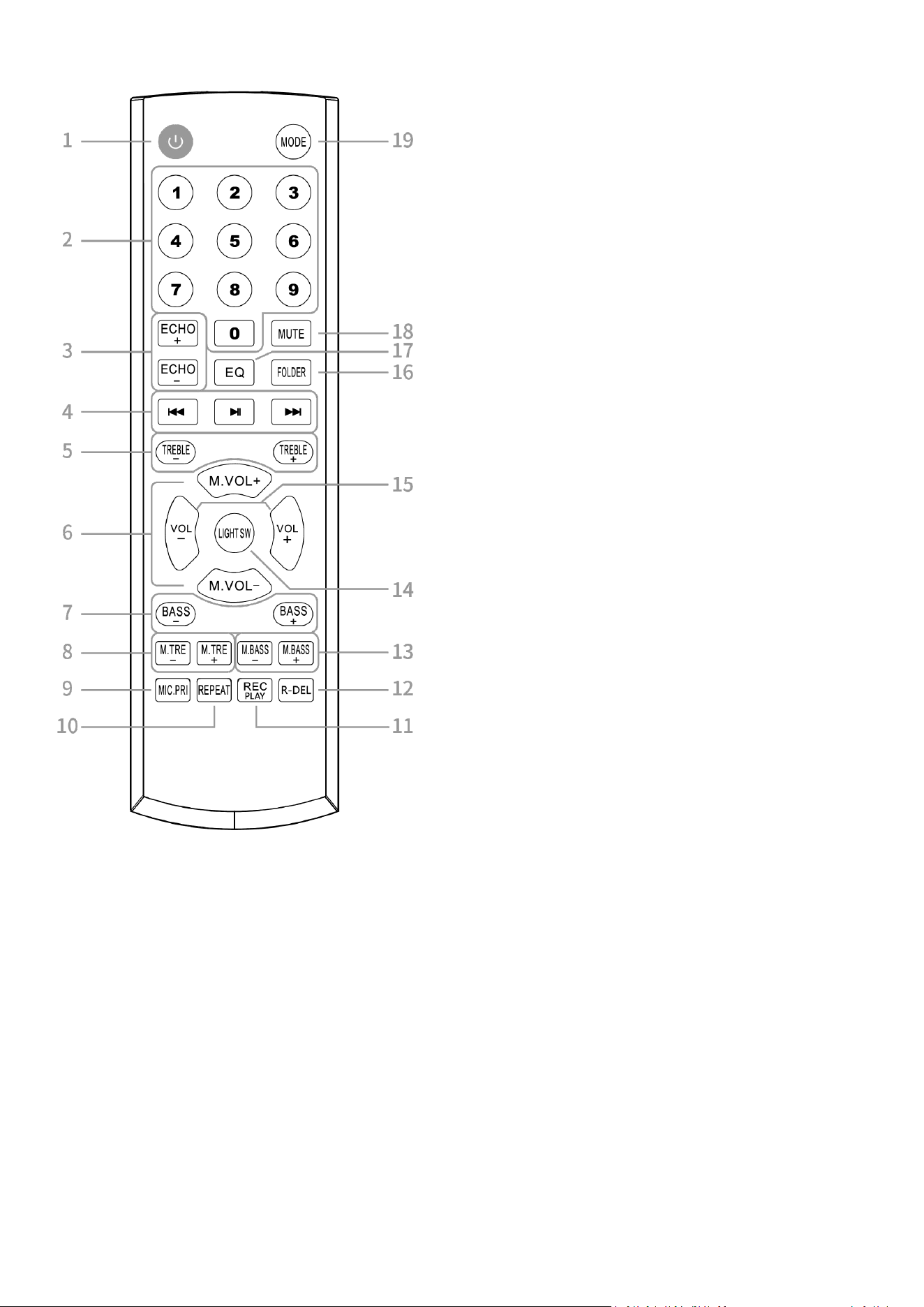
1.Stand by
2.Number buttons
Under USB/TF mode to choose songs.
3.Echo+/-
4. Previous Song/station:
Under USB/TF card mode - previous song.
Under BT connection mode- previous song.
Under FM mode- previous station.
Pause&Play: Pause or Play the music; In Fm mode,
enter “Auto Scan” function.
Next song/station:
Under USB/TF card mode - next song.
Under BT connection mode- next song.
Under FM mode- next station.
5.Treble+/-
6.Microphone Volume+/-
7.BASS+/-
8.Microphone Treble+/-
9.Microphone Priority:
When play music and use microphone at the same time,
the microphone sound from the speaker will be in
priority.
10.Repeat: repeat one song or all songs.
11.Record function
Under USB/TF card mode,press “REC” button to record
the sound through wired or wireless mic. The recording
file will be save in USB/TF’s.
Record play: Long press to play the recording source.
12.Recording Delete: Delete the recording sources in
USB/TF’s
13.Microphone Bass+/-
14.Light switch button
15.Volume+/-
16.Switch from different folders
17.EQ function: Press to select Pop/Rock/Jazz/Classical/Flat EQ mode.
18.MUTE:
Available to be mute at any mode
19.Mode
Press shortly to skip to Wireless BT/LINE IN/USB/TF/FM mode.

FCC Caution:
This device complies with part 15 of the FCC Rules. Operation is subject to the
following two conditions: (1) This device may not cause harmful interference, and (2)
this device must accept any interference received, including interference that may
cause undesired operation.
Any Changes or modifications not expressly approved by the party responsible for
compliance could void the user's authority to operate the equipment.
Note: This equipment has been tested and found to comply with the limits for a Class
B digital device, pursuant to part 15 of the FCC Rules. These limits are designed to
provide reasonable protection against harmful interference in a residential installation.
This equipment generates uses and can radiate radio frequency energy and, if not
installed and used in accordance with the instructions, may cause harmful interference
to radio communications. However, there is no guarantee that interference will not
occur in a particular installation. If this equipment does cause harmful interference to
radio or television reception, which can be determined by turning the equipment off
and on, the user is encouraged to try to correct the interference by one or more of the
following measures:
-Reorient or relocate the receiving antenna.
-Increase the separation between the equipment and receiver.
-Connect the equipment into an outlet on a circuit different from that to which the
receiver is connected.
-Consult the dealer or an experienced radio/TV technician for help.
The device has been evaluated to meet general RF exposure requirement. The device
can be used in portable exposure condition without restriction.

