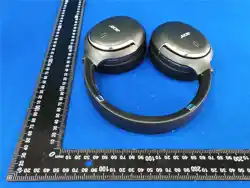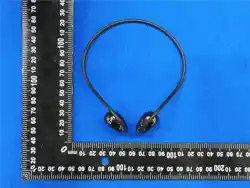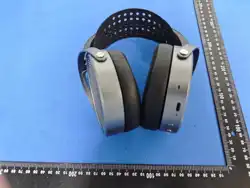
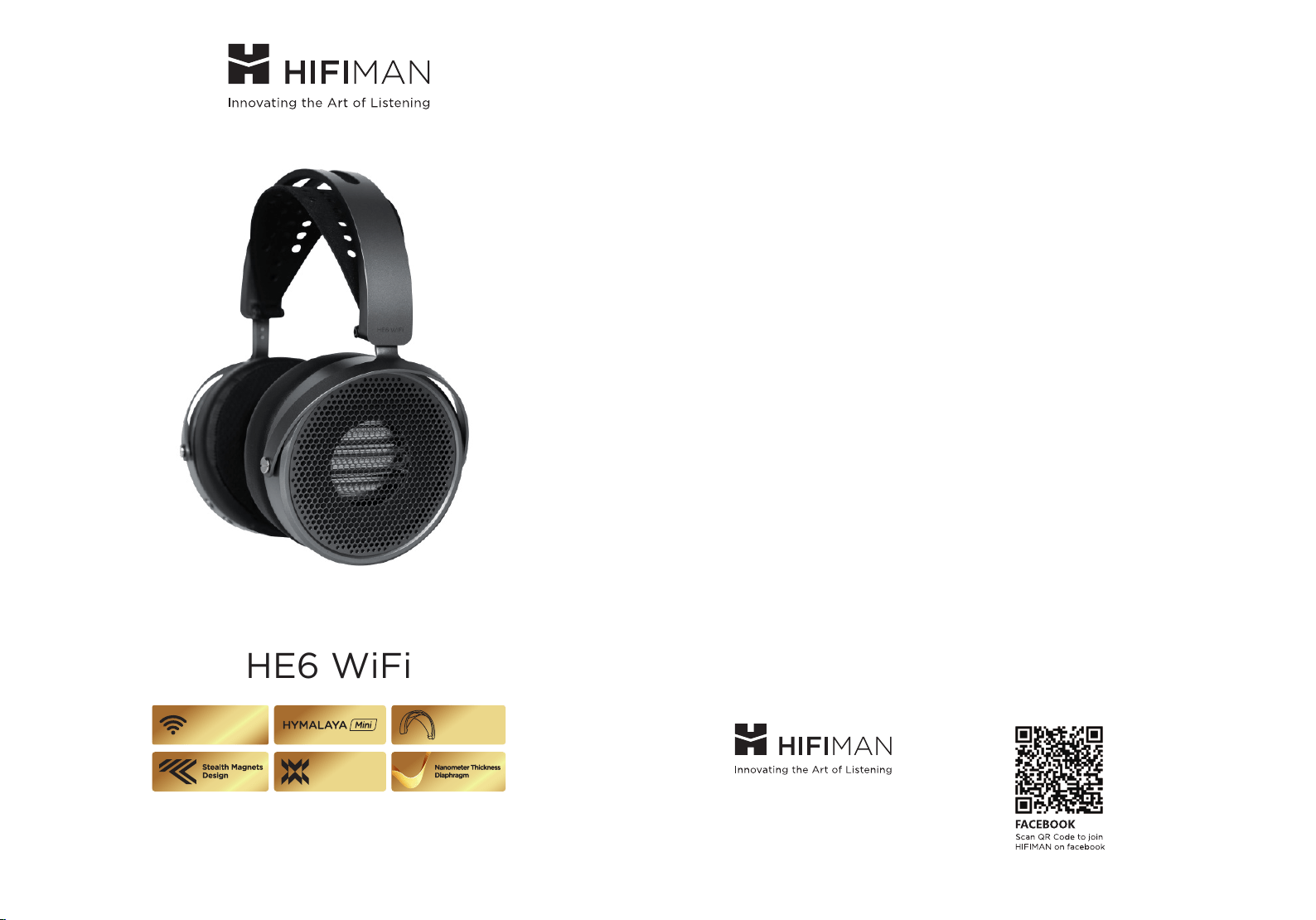
HE6 WiFi
Headband Gen.2
WiFi Streaming
Enhanced Magnet
Owner’s Guide
Customer Service Tel: 1- 201-443-4626
E-mail: customerser[email protected]
Website: www.HIFIMAN.com

Table of Contents
01-02
HE6 WiFi
Owner’s Guide
03
05
07
09
10
11
12
13
15
17
19
21
Outstanding Sound Quality
Nanometer Thickness Diaphragm
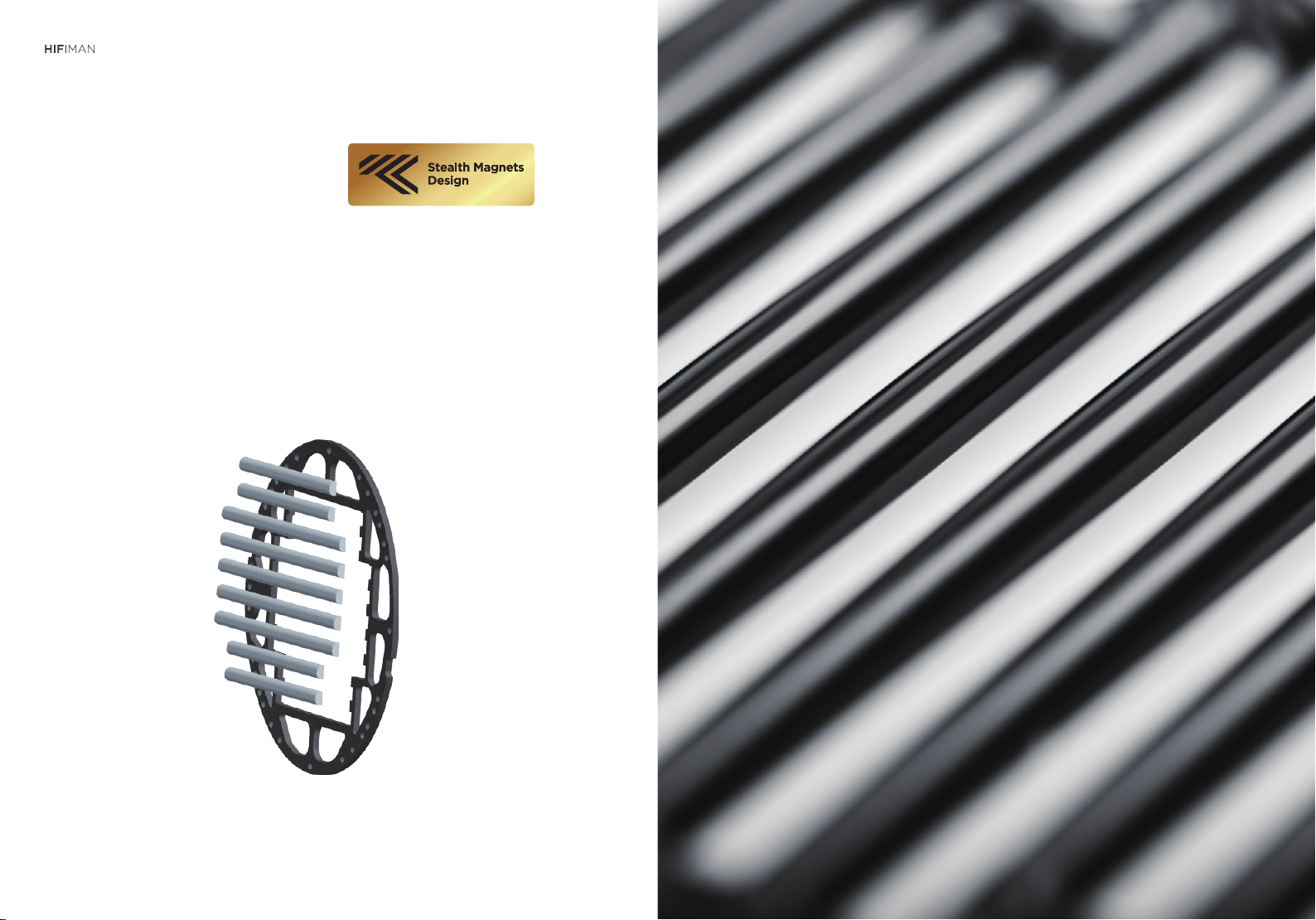
The Stealth Magnets
Enhanced Magnet
New Composite Headband
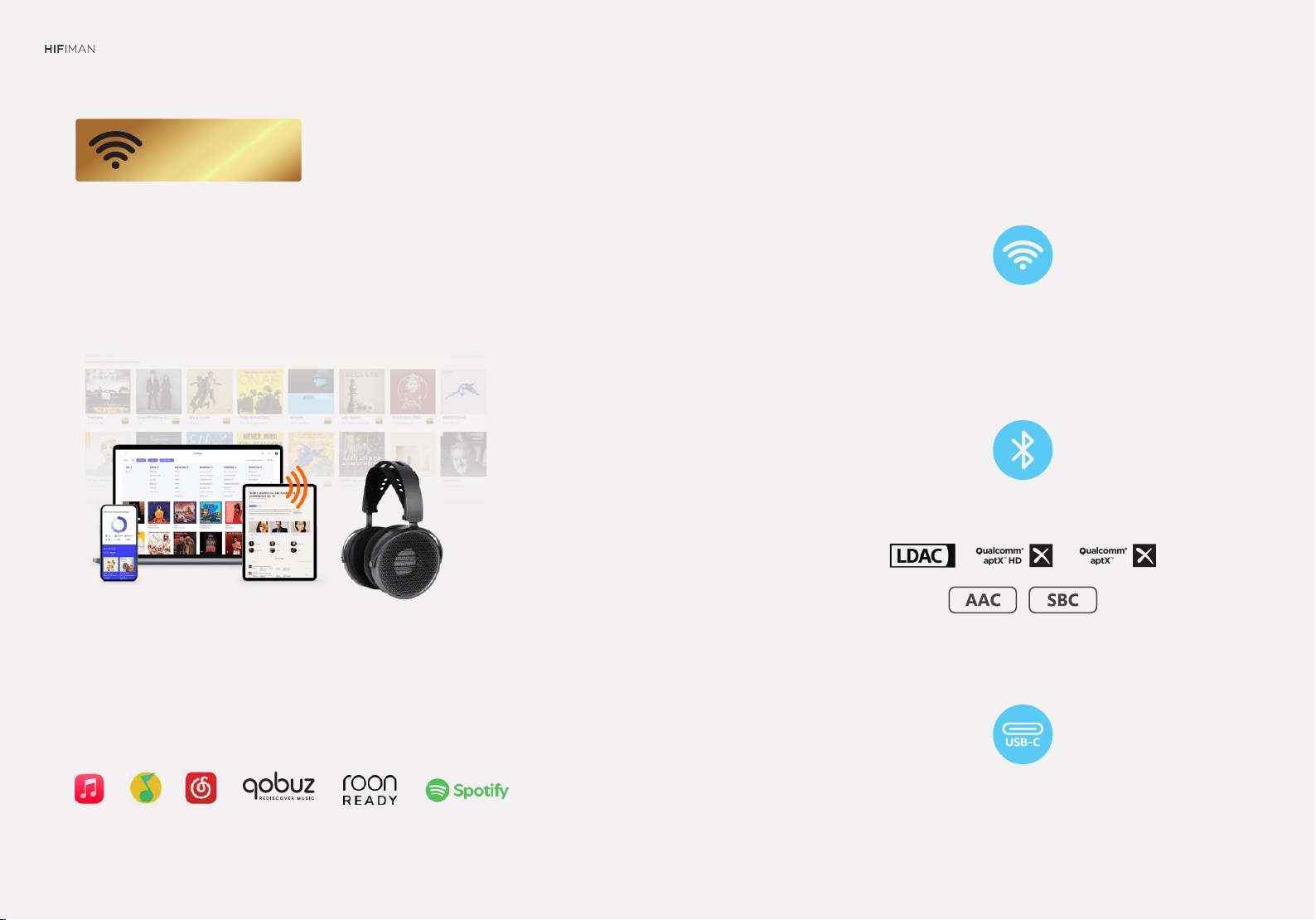
The WiFi streaming technology supports
high-speed transmission in high-bitrate,
and multi format lossless music.
Support most online streaming services
In door, Out door, Wireless, Wired...
covers a wide range of scenarios.
The true System All in One!
Function Description of HE6 WiFi
Headband Headphones
WiFi Connection Mode
Operation Instructions
Package Details
HIFIMAN Limited Warranty
03-04
HE6 WiFi
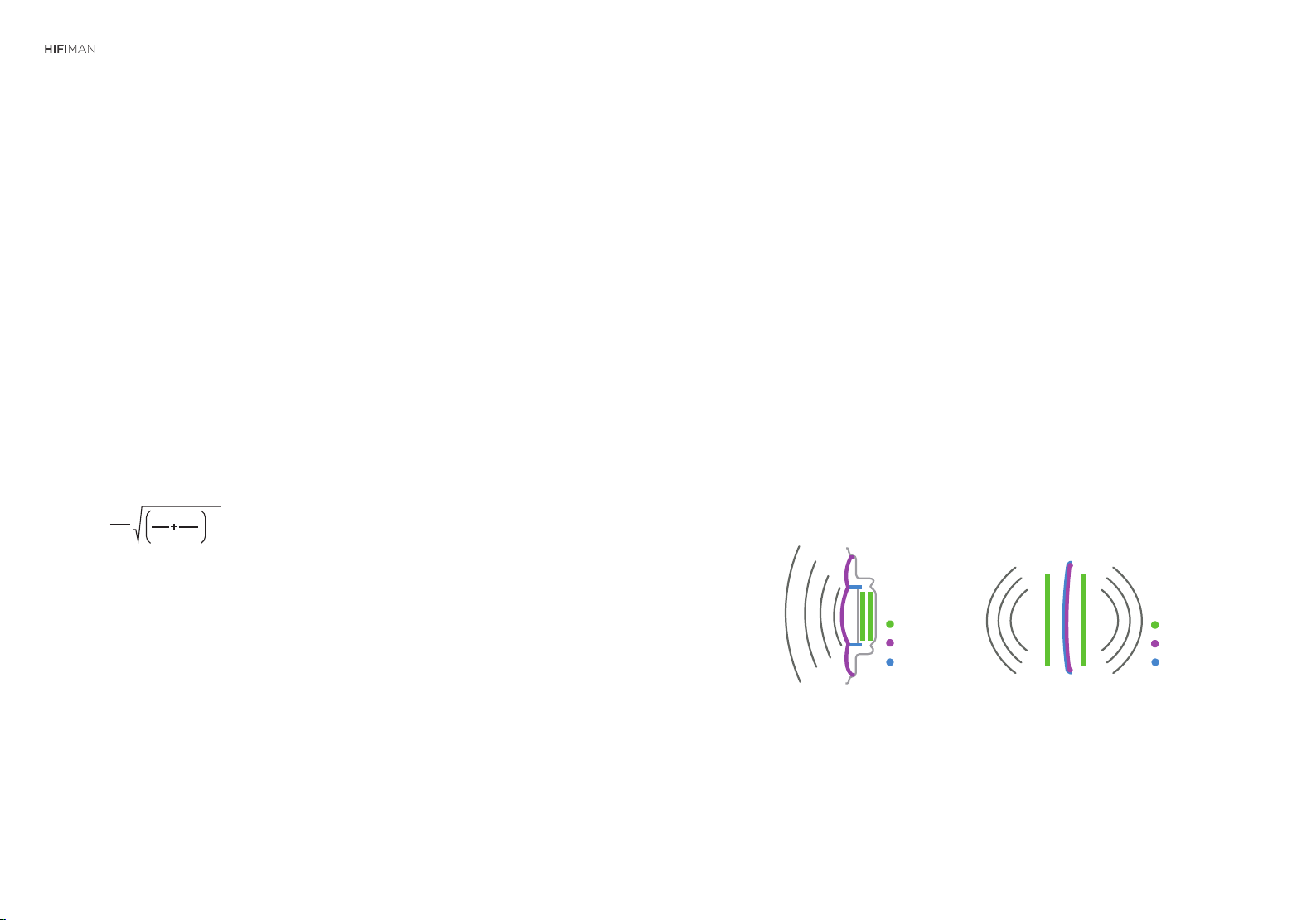
f
h
2
1 1
1 2
1
=
π
m m
S
n
fh: upper frequency bound
m1: mass of diaphragm
m2: mass of conductor traces
A smaller mass from either the diaphragm or conductor results
in improved upper frequency response.
Outstanding Sound Quality
Compared with conventional dynamic headphones, planar magnetic technol-
ogy offers a superior sounding experience in terms of overall quality, especial-
ly when it comes to the aural soundstage. Dynamic headphones utilize con-
ductors that vibrate in select areas of the diaphragm. This results in a large
percentage of the diaphragm not being directly driven by those conductors,
resulting in somewhat diminished performance. Planar magnetic headphones
are fundamentally different in that their weight (conductors + diaphragm) is
much lower than dynamic headphones. The result is superior performance,
especially in the upper frequencies, or treble.
Dynamic
Diaphragm
Conductors
Magnetics
Diaphragm
Conductors
Magnetics
Planar
Planar headphones feature conductive layers distributed throughout
the surface of diaphragm. The diaphragm is evenly driven by the mag-
netic force so that planar headphones produce significantly lower
distortion when compared with conventional dynamic headphones.
This lower distortion results in better overall reproduction of minute
details. Positioning of instruments and other elements of imaging are
demonstrably better, with a soundstage that is consistently wide and
natural sounding.
Owner’s Guide

HE6 WiFi
Owner’s Guide
05-06
Nanometer Thickness
Diaphragm
Unlike conventional dynamic drivers, HIFIMAN’s planar magnetic headphones
utilize a super-thin film in proximity to the magnet to produce sound that is
detailed, with a wide soundstage. (The thinner the film, the lower the mass, which
yields a quick response with low distortion.)
The film used in the HE6 WiFi is so thin that it is a nanometer thick – a HIFIMAN
innovation. If viewed from the side, it would be invisible to the naked eye. This
development is a cornerstone of the company’s reputation for remarkable sound.
Assures Remarkable Reproduction
The Stealth Magnets
The stealth magnets use high-precision laser cutting technology, achieving
the success of sound resolution and low distortion.
The stealth magnet structure optimizes the air flow and reflection in the
magnetic gap of the coil, making the sound of the voice coil more delicate
and obtaining a more pure and natural sound.
HE6 WiFi
Owner’s Guide
07-08
Enhanced
Magnet
Headband
Gen.2
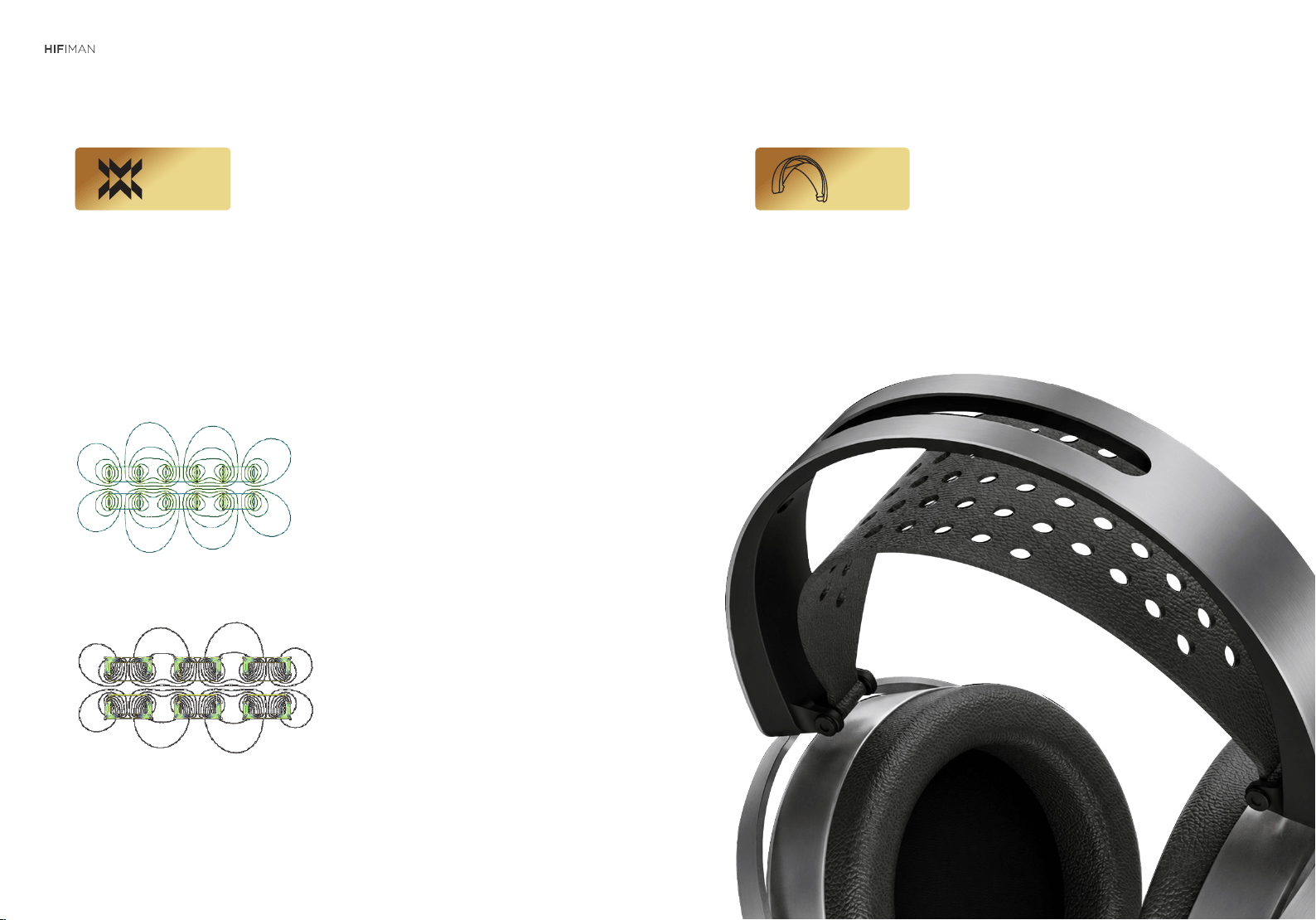
Normal magnets
Enhanced magnets
With rare-earth-free magnetic materials, it
achieves the sensitivity of a planar speaker
close to that using rare-earth magnets
through structural and material optimization.
New Composite Headband
HE6 WiFi
Owner’s Guide
09-10
11-12
aptX
TM
ualcomm
aptX HD
TM
ualcomm
HE6 WiFi
The WiFi streaming technology supports
high-speed transmission in high-bitrate,
and multi-format lossless music.
Support for most online streaming services
Indoors, outdoors, wireless, wired...
They cover a wide range of scenarios.
Play music from online store
USB audio mode
Support high resolution Bluetooth profiles
WiFi streaming mode
WiFi Streaming
(unauthorized)
Owner’s Guide
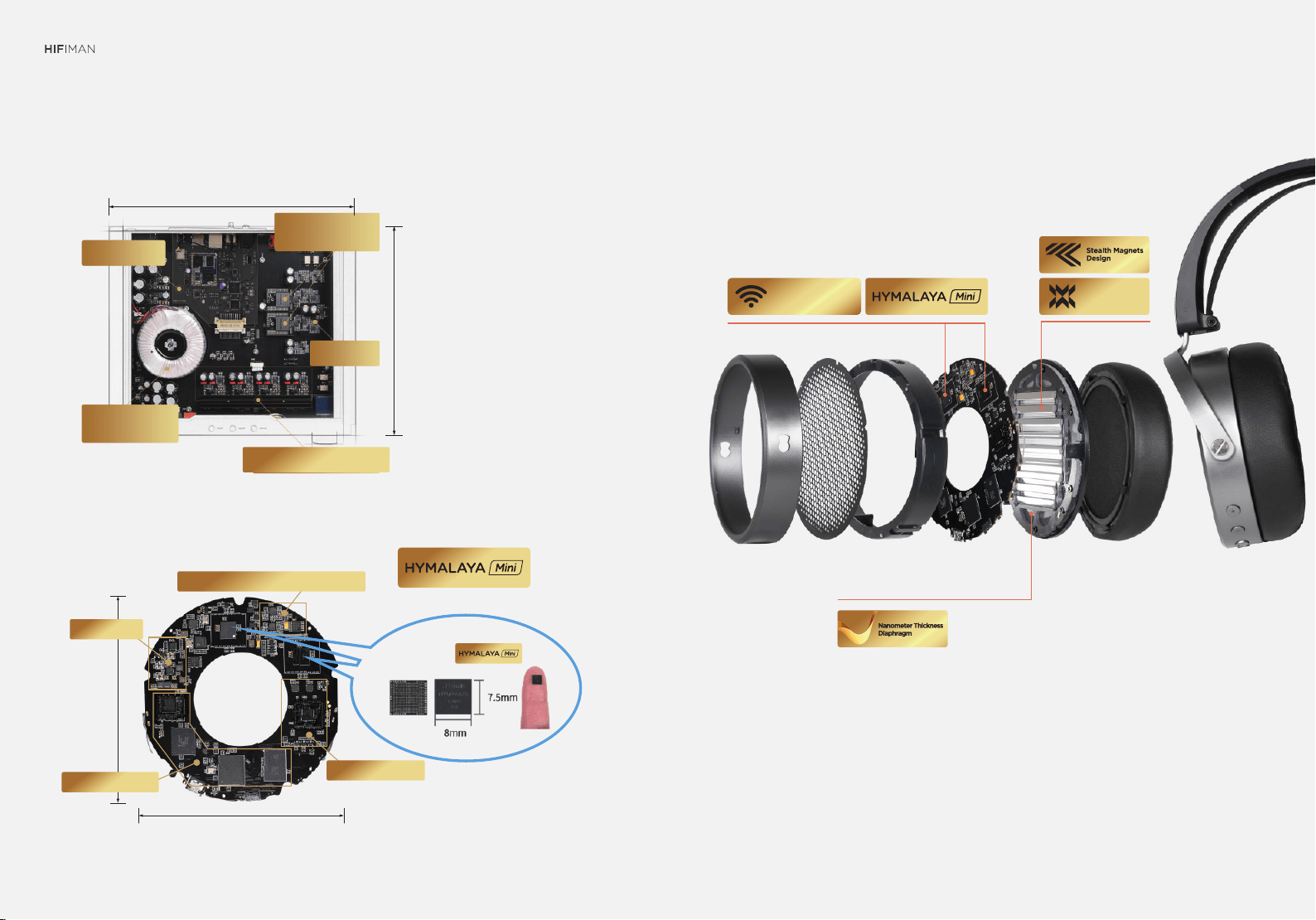
Transformer
A-class headphone Amplifier
LPF
Hymalaya Pro
R-2R DAC
WiFi module
Left DAC
Right DAC
300mm
255mm
The true System All in One!
HE6 WiFi
WiFi Streaming
98mm
93mm
volume control /headphone amplifier
Bluetooth module
Power supply
Streaming module
Owner’s Guide
13-14
Enhanced Magnet

HE6 WiFi
Function Description of HE6 WiFi
Headband Headphones
Firmware Upgrade
In Bluetooth mode, the function key’s LED light is off. When ready to pair, the Power
Button light alternately blinks blue and green.
During playback, the LED light blinks blue at five second intervals. When paused, the
LED light blinks green at five second intervals.
When charging, the power button LED light will remain red until fully
charged, at which point it will turn green.
The power button’s LED light will flash red when power is low.
Firmware Update
HIFIMAN will periodically offer firmware updates to ensure maximum
efficiency and performance. It is recommended that you follow the
update procedure every 2-3 months.
To update the firmware, clear the network configuration by pressing the
WiFi Function button for 3-5 seconds until the light flashes red three
times, at which point you should release the button. Once the
connection is cleared, the headphone will power down.
Restart the headphone and follow the WiFi network matching
procedure detailed in the WiFi Mode LED Display section. When “About”
appears on the setup page on your device (see WiFi Connection page),
click Manual Update and import the update file. The update will be
complete the next time the headphone is turned on.
After the update is complete, restart the headphone and re-match it to
the network.
Battery Level
HE6 WiFi Features Buttons and Functions
Bluetooth LED Light Display
WiFi Mode
USB Audio Mode
In USB mode, the function light will remain purple. Charging is disabled
when in USB mode.
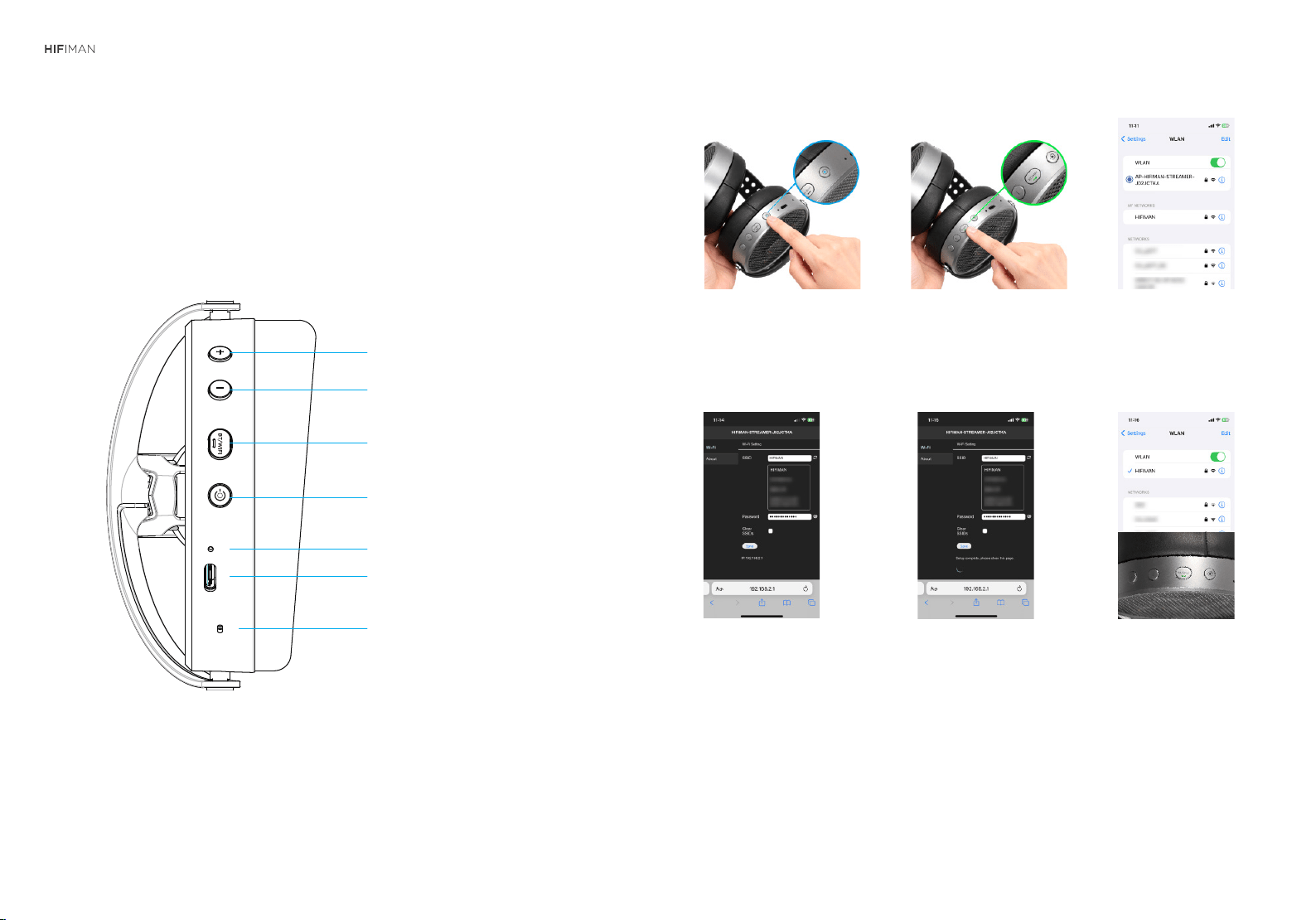
The HE6 WiFi is an all-in-one over-ear headphone that supports high-definition Bluetooth
playback, media playback, and USB Audio. It defaults to Bluetooth mode when turned on,
and you can cycle through the three modes by pressing the function button.
1. Power On/Off Button: Press 3-5 seconds to power the device. It will default to
Bluetooth mode.
2. Function Button: Press the button to select a preferred connection: WiFi, Bluetooth,
or USB-C
3. Volume Buttons: Tap “+” to increase the volume; “-” to decrease the volume
4. WiFi Reset Jack: To reset the WiFi network, insert a paper clip or small pin into the
reset jack for 3-5 seconds. The WiFi function indicator light will flash blue and red
three times, indicating the WiFi connection is cleared.
In WiFi mode, the LED remains green. (It may take up to two minutes to enter WiFi
mode after the headphone is turned on.)
The headphone will enter AP (access point) mode, which allows it to connect to the
wireless sources, i.e. a smartphone or tablet. When the LED light blinks green once
per second, the headphone is ready to connect to the WiFi network.
Once connected, the status LED will remain on and the playback LED will blink once
per second.
Owner’s Guide
15-16
WiFi Connection Mode
Operation Instructions
Power button
USB Type-C port
Microphone
(Bluetooth only)
Connecting the HE6 WiFi to a Network
Press and hold the power
button for 3-5 seconds until
the LED flashes green.
1. Open the device’s Wireless
Network page and select
AP-HIFIMAN-STREAMER-
XXXXX. (XXXXX is the
device’s identifier.) The
password is 88888888.
3. Press and hold the function button for
1 second. The LED will remain green
for 5 seconds before turning off for 30
seconds, after which the light will flash,
indicating it entered AP hotspot mode.
2.
① ② ③
④ ⑤ ⑥
*
This headphone supports Mesh Wi-Fi connectivity for extended coverage, but delays, stuttering or disconnec-
tions may occur during handover between nodes. Connecting to a single router node is recommended for optimal
stability. Compatibility issues may exist with certain Mesh routers, and we will continuously optimize performance
via firmware updates.
As a standard network device, this headphone is recommended to be on the same network as the host device. To
avoid affecting normal operation, do not isolate it with firewall or use it in complex network environments.
The performance of this headphone depends on the network environment. A 5G or faster connection speed is
highly recommended.
4.
Open the browser on your
device and enter the following
IP address: 192.168.2.1 to enter
the Management Settings page.
5.
Find your local WiFi network,
click on it, and enter the password.
Following setup, the system will
prompt you to reconnect to the
WiFi. Click to enter, at which point
you will see: “Setup complete,
please close the page.” Close the
settings page to complete
the configuration.
6. Once again, open the device’s
Wireless Network page.
AP-HIFIMAN-STREAMER will
have disappeared, indicating
the headphone is matched to
the network. When the function
button's green light is steady,
it indicates that the system has
entered WiFi mode, while the
indicator light will flash when
music is playing.
HE6 WiFi
VOL +
VOL -
点按功能模式切换BT/WiFi/USB AUDIO
孔内按键长按3秒清除配网;点按解除USB AUDIO禁充
Owner’s Guide
17-18
19-20
Specifications
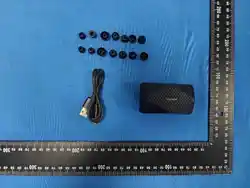
Package Contents
(1) Pair of headphones
(1) Pair of ear pads (mounted on headphone)
(1) USB cable
Frequency Response: 8Hz-65kHz
THD+N: DAC: 0.0055% @-9dB, 1KHz
DAC+AMP: 0.009% @32
Ω
, 1KHz
Channel Separation: 110dB @1KHz
Microphone(Bluetooth only)
Net Weight: 399g
Operating Modes: WiFi, USB Audio, Bluetooth
Battery life under WiFi mode: 6.5-7.5 hours
Battery life under Bluetooth mode: 23 hours
Charging Time: 3-4 hours;
Standby Time: Over 30 days
Audio Formats: PCM 44.1KHz-768KHz, 32/24/16Bit, DSD native 64-512
Bluetooth Codecs: SBC/AAC/aptX/aptX HD/LDAC
Package Details
HE6 WiFi
Owner’s Guide

HIFIMAN Limited Warranty
Your product is warrantied for a period of one year beginning with the original
date of purchase. If you join HIFIMAN on Facebook, your product warranty will be
extended for an additional six months. Please contact HIFIMAN customer service
if you need any assistance.
The dated sales or delivery receipt is your proof of purchase.You may be required
to provide proof of purchase as a condition of receiving warranty service so
please keep it handy.
If your product is under warranty and malfunctions occur, please contact
HIFIMAN customer service or your authorized dealer.If necessary, and at the
discretion of HIFIMAN, the company will provide a warranty repair or replacement
of your product.
Caution: do not disassemble or modify the product in any way. Tampering with or
modifying your HIFIMAN product will void its warranty.
This Limited Warranty does not apply to :
1. Defective or discolored parts if the damages are caused by fluids, dirt, missing
keys, broken plastic parts or improper use.
2. Damage caused by misuse with another product.
3. Use of the product for other than its normal intended use, including, without
limitation, failure to use the product in accordance with the supplied
“Owner’s Guide”
4. Damage caused by accident, abuse, neglect or misuse.
5. If you do not have a valid dated receipt showing proof of purchase.
For any further information or questions, please contact your authorized
HIFIMAN dealer. Or email us directly at customerservice@HIFIMAN.com.
HIFIMAN guarantees your satisfaction and will do everything reasonable to
achieve that. If you have any questions or concerns with your product,
simply contact your authorized dealer or HIFIMAN directly (if purchased
from us) and explain the issue in detail. Should a return be required, a RMA#
will be issued. Return shipping to HIFIMAN or authorized service facility will
be at the owner’s expense.
The warranty applies to the first purchaser and is not transferable. Should
you need warranty service please contact your authorized HIFIMAN dealer.
Or email us directly at customerservice@HIFIMAN.com
If you have any concerns with your product: please contact us to explain
the issue in detail. If a return/refund is required, a RMA# will be issued.
Return shipping to HIFIMAN or authorized service facility is done at the
owner’s expense.
6. Damage caused by services/repairs or other modifications to the system
carried out by anyone other than HIFIMAN or an authorized HIFIMAN
distributor or dealer.
7. Damage caused by self-repair or if the unit has been disassembled or
modified in any way.
HE6 WiFi
Owner’s Guide
21-22

23-24
WEEE Reg. No. DE 73830605
WEEE Reg. No. DE 48150071
Correct disposing of waste electrical and electronic equipment (WEEE)
and symbol of the “crossed-out wheeled bin”
The crossed-out wheeled bin on WEEE means that you are obliged by law
to dispose of this equipment separately from the unsorted municipal
waste collection system. Disposing of it in the residual waste bin, the
yellow bin or yellow bag for recyclable materials is legally prohibited. If
the equipment contains portable batteries, accumulators or lamps that
are not permanently installed, these must be removed before disposing of
the product and be disposed of separately as waste portable batteries.
Ways of returning waste electrical and electronic equipment
Owners of waste electrical and electronic equipment can return them to
those facilities for returning or collecting waste electrical and electronic
equipment set up and provided by the public-sector waste disposal
authorities or alternatively with collection points installed by producers,
retailers or distant sellers to ensure that the waste electrical and
electronic equipment is disposed of correctly. The following link leads to
an online registry of the available collection and take-back sites:
https://e-schrott-entsorgen.org/
Data privacy
We should point out to all end-users of waste electrical and electronic
equipment that they themselves are responsible for deleting all personal data
from the waste electrical and electronic equipment to be disposed of.
1.
2.
3.
Address: 2602 Beltagh Ave, Bellmore, NY 11710, USA
HE6 WiFi
Owner’s Guide