1
User Manual
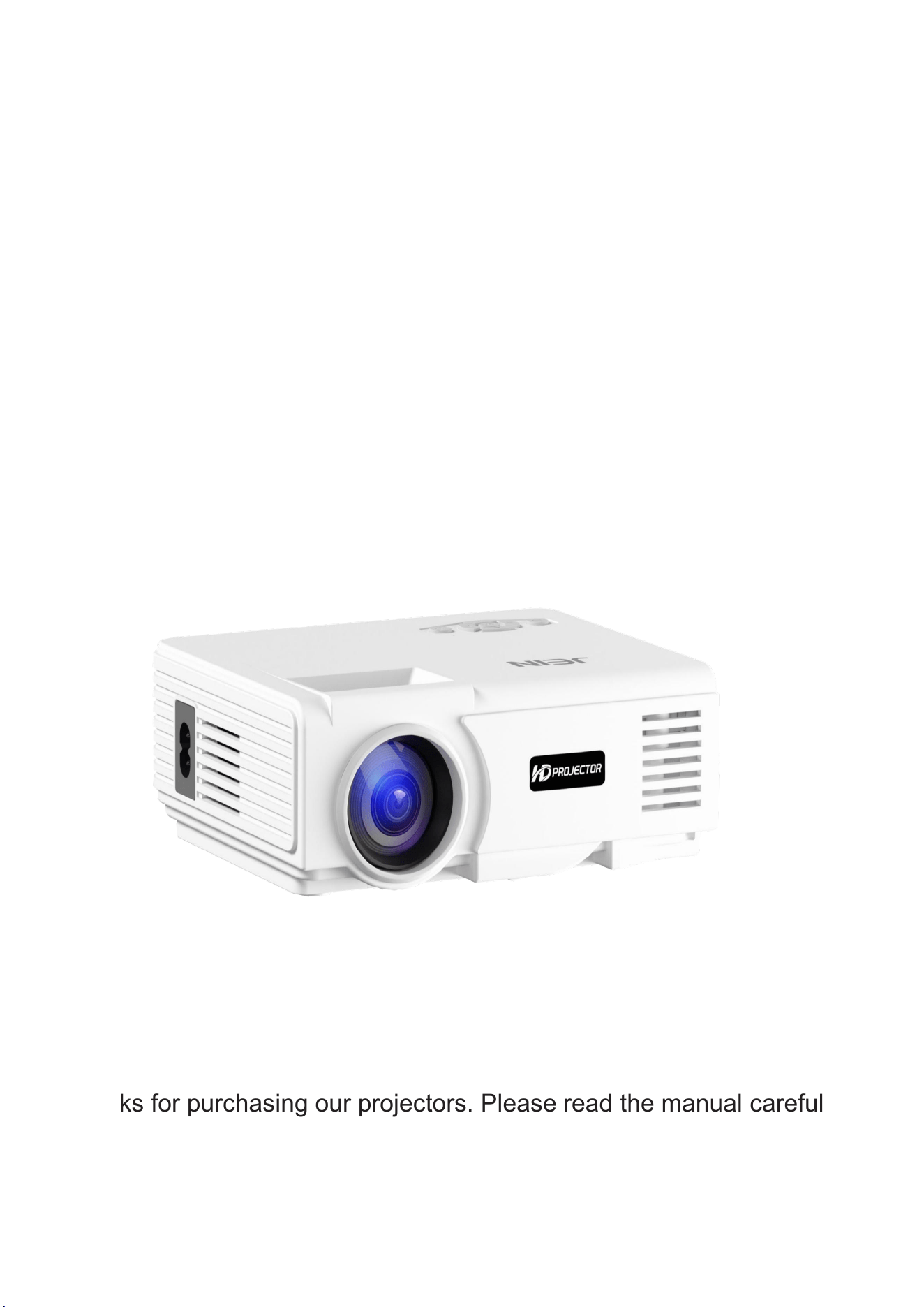
Thanks for purchasing our projectors. Please read the manual carefully
before using the projector, keep the manual for further reference.

2
SAFETY INFORMATION
1. Read Instructions-
2. Read Instructions –
The safety and operating instructions should be retained for reference.
3. Heed Warnings
The safety and operating instructions should be retained fo reference.
-All warnings on the appliances and in the operating instructions should be adhered to.
4. Setup- The apparatus should only be placed on a stable, last surface. Do not let the apparatus fall down or
expose it to shock.
5. Wall or Ceiling Mounting- The appliance should be mounted to a wall or ceiling only as recommended by the
manufacturer.
6. Ventilation-The appliance should be situated so that its location or position does not interfere with its proper
ventilation. For example. The appliance should not be situated on a bed, sofa, rug, or similar surface that may
block the ventilation openings ; or, placed in a built-in installation, such as a bookcase or cabinet that may
impede the flow of air through the ventilation openings. Ensure a minimum distance of 5 cm around the
apparatus for sufficient ventilation. Ensure that the ventilation is not impeded by covering the ventilation openings
with items such as newspapers, table-cloths, curtains, atc.
7. Heat-The appliance should be situated away from heat sources such as radiators, heat registers, stoves, or
other appliances(including amplifiers)that produce heat.
8. Power Sources-The appliance should be connected to a power supply only of the type described in the
operating instructions or as marked on the appliance.
9. Cables and Plugs-The mains plug shall remain readily operable. All cables should be routed so that they are
not likely to be walked on or pinched by items placed upon or against them, paying particular attention to cords at
plugs,
convenience receptacles, and the point where the exit from the appliance.
10.Cleaning-The appliance should be cleaned only as recommended by the manufacturer. Clean by wiping with a
dry and clean cloth. Do not use chemical cleaners or detergents. Always pull the mains plug before cleaning the
unit.
11. Non-use Periods-The power cord of the appliance should be unplugged from the outlet when left unused for a
long period of time.
12.Object and Liquid Entry-Care should be taken so that objects do not fall and liquids are not silled into the
enclosure through openings.
13.Servicing-The user should not attempt to service the appliance beyond that described in the operating
instructions. All other servicing should be referred to qualified service personnel.
14.Open Fire-Keep the apparatus away from open fires. Do not place naked flame sources, such as lighted candles
on the apparatus.
3
Check before use
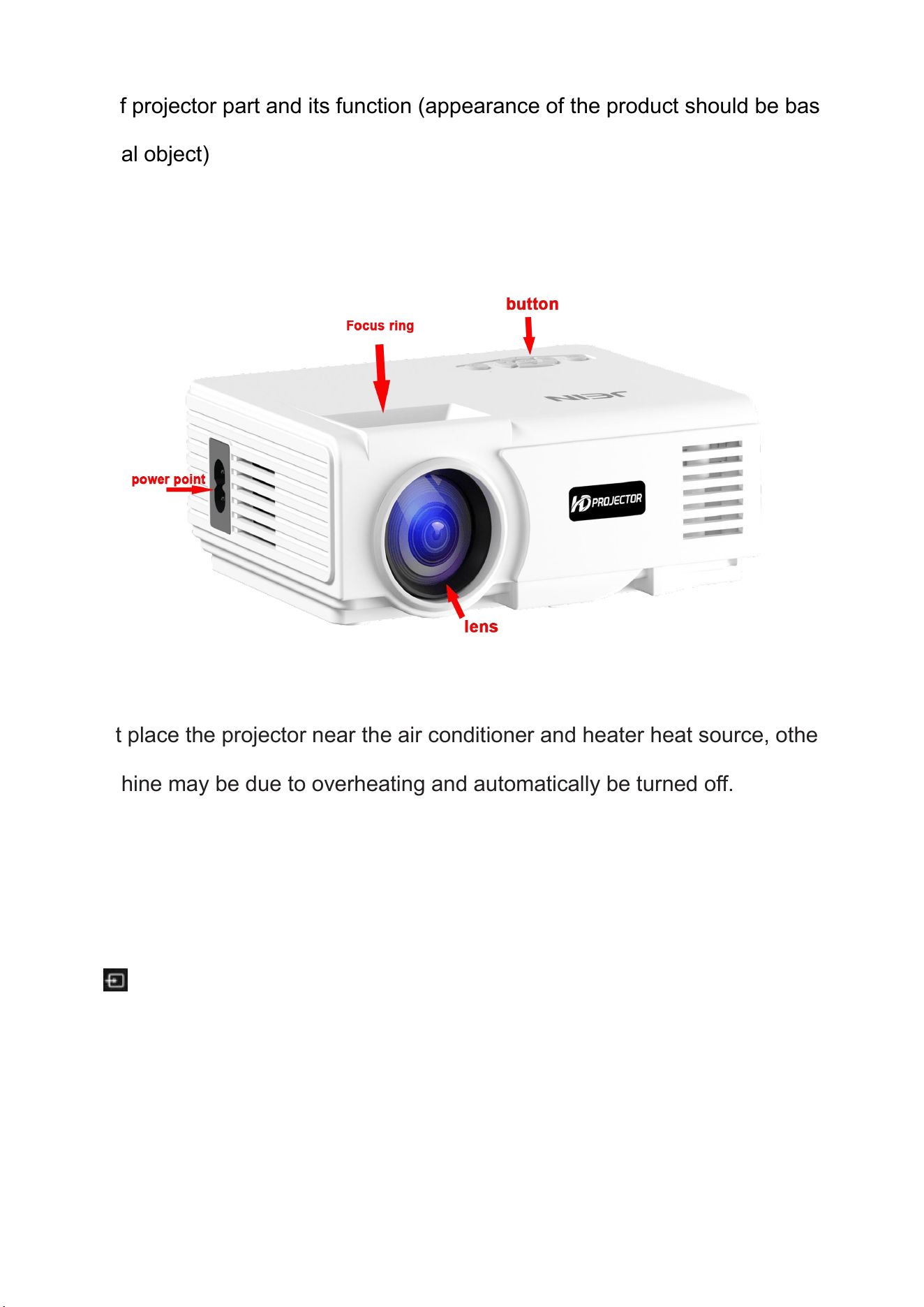
Name of projector part and its function (appearance of the product should be based on
the actual object)
• Do not place the projector near the air conditioner and heater heat source, otherwise
the machine may be due to overheating and automatically be turned off.
• Installing a projector, attention should be paid to choose enough strength of hanger
and screw, in order to avoid because of the screw inferior quality or screwing in depth is
not enough finally the projector falling in accident.
Press “Source”on there s no but ton on the projector remote to enter the
interface of input source
1
)
Audio output: audio signal from the output port of the projector, if you want to high power play
music please input end connected to external power amplifier.
2
)
HD hd signal input: this interface can be output with hd player HD output at the connection.
4
control
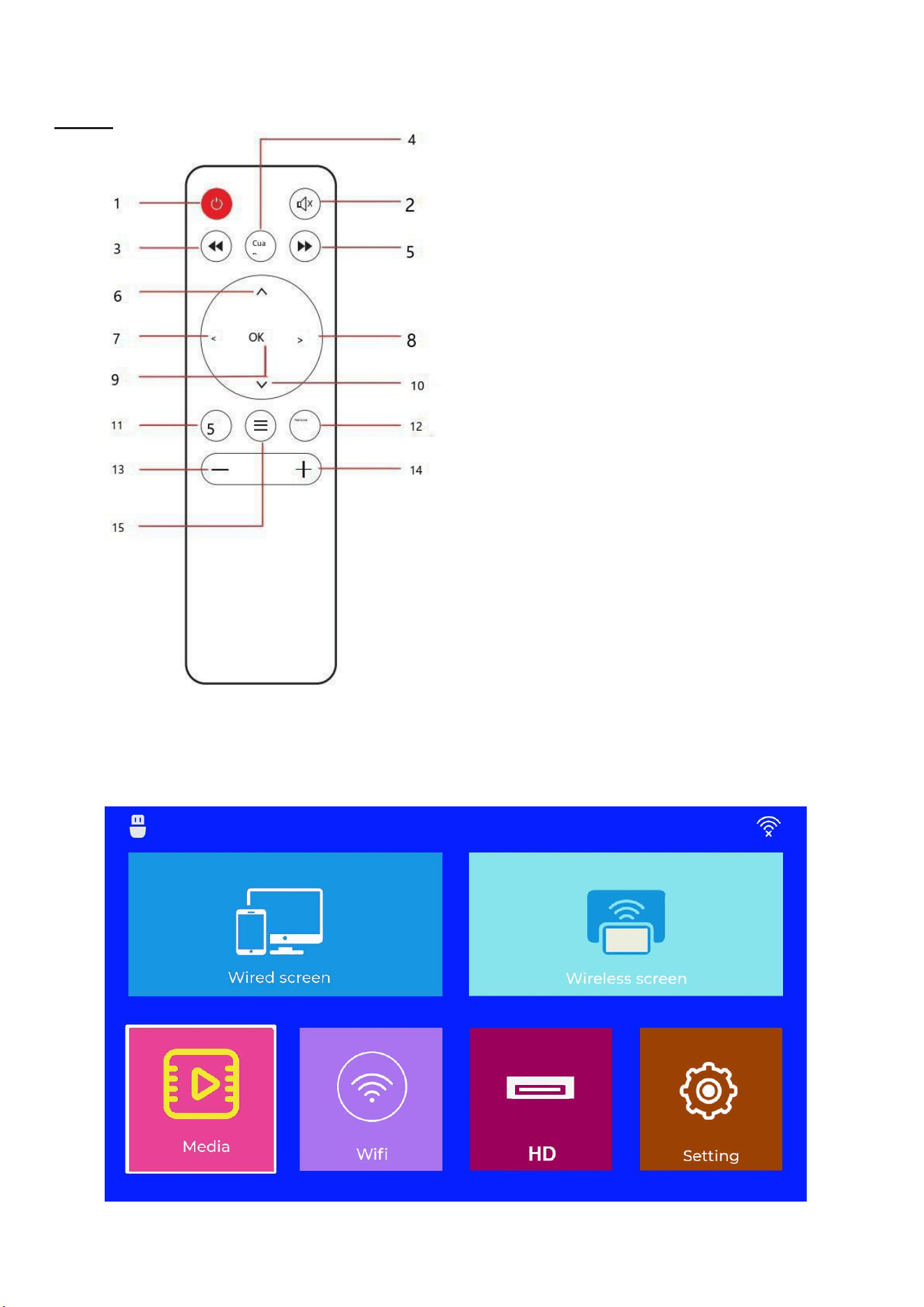
Remote Contol
1. power on/off
2. Mute
3. FR
4. Play/Pause
5. Fast-forward
6. Up
7. Left
8. Right click
9. OK
10. Down
11. Return
12. Signal source
13. Volume down
14. Volume up
15. menus/shortcuts
※Due to design reasons, the appearance of the remote
control, screen printing characters or different from
the real object, please take the real object as the
criterion
User Interface (product interface should be based on physical object)
Menu settings
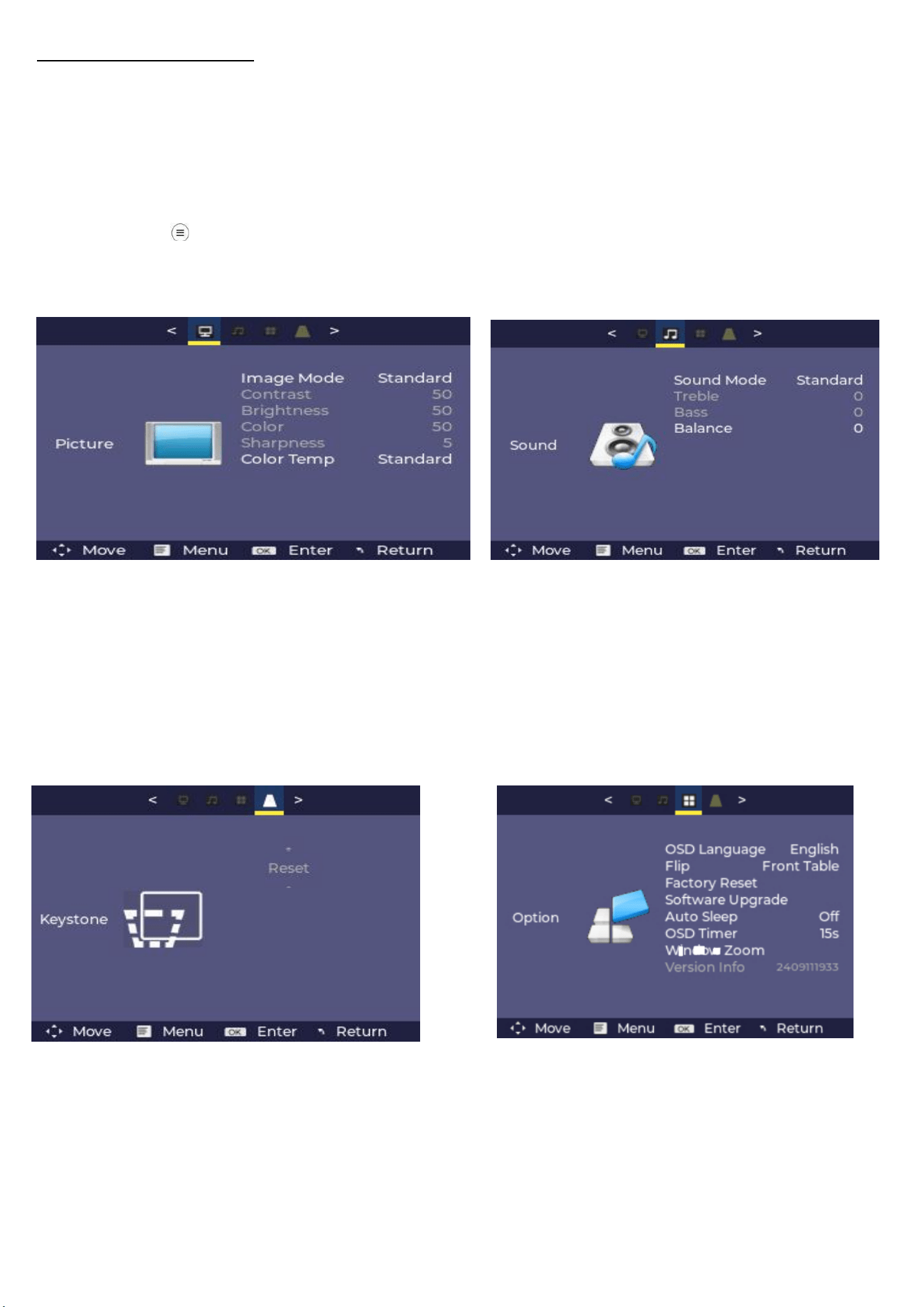
Select the SETE icon in the UImenu to enter the menu page settings,and press
the left/right bt to enter the image settings,audio settings,and time settings.
Or press the MENU key on the remote control to enter the menu pagesettings
.
1、Picture
Settings
In Image Settings, you can use the up/
down buttons to select the image mode
(Contrast/Brightness/Color/Sharpness),
color temperature (Red/Green/Blue).
After selecting, press OK to confirm.
In audio settings,
you can set sound mode (standard),
balance (- 50/+50), EQ mode (on/off)
Once selected, press OK to confirm.
3、trapezoidal correction settings
Trapezoidal correction (reset). After selecting, press OK to confirm.
4
、
Options
In the option settings, you can select the OSD language and return to the factory default
settings.
Same screen
1、Wireless version
2、Sound Settings
Trapezoidal correction (reset). After
selecting, press OK to confirm.
4
、
Options
In the option settings, you can select the
OSD language and return to the factory
default settings.
6
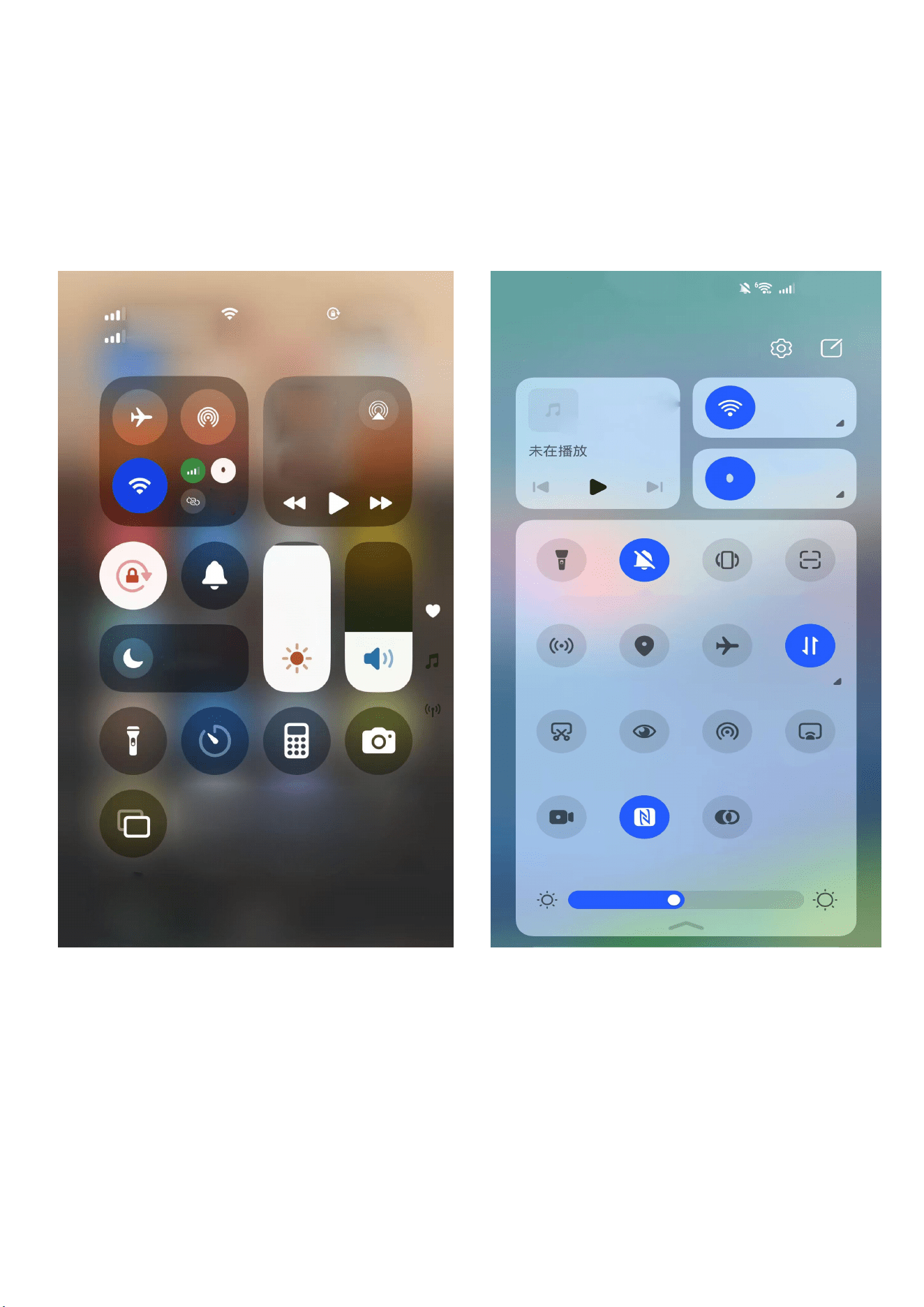
Same screen
1
、
Wireless version
Select the "Wireless Screen Cast" icon to enter the same screen hen following
instructions;
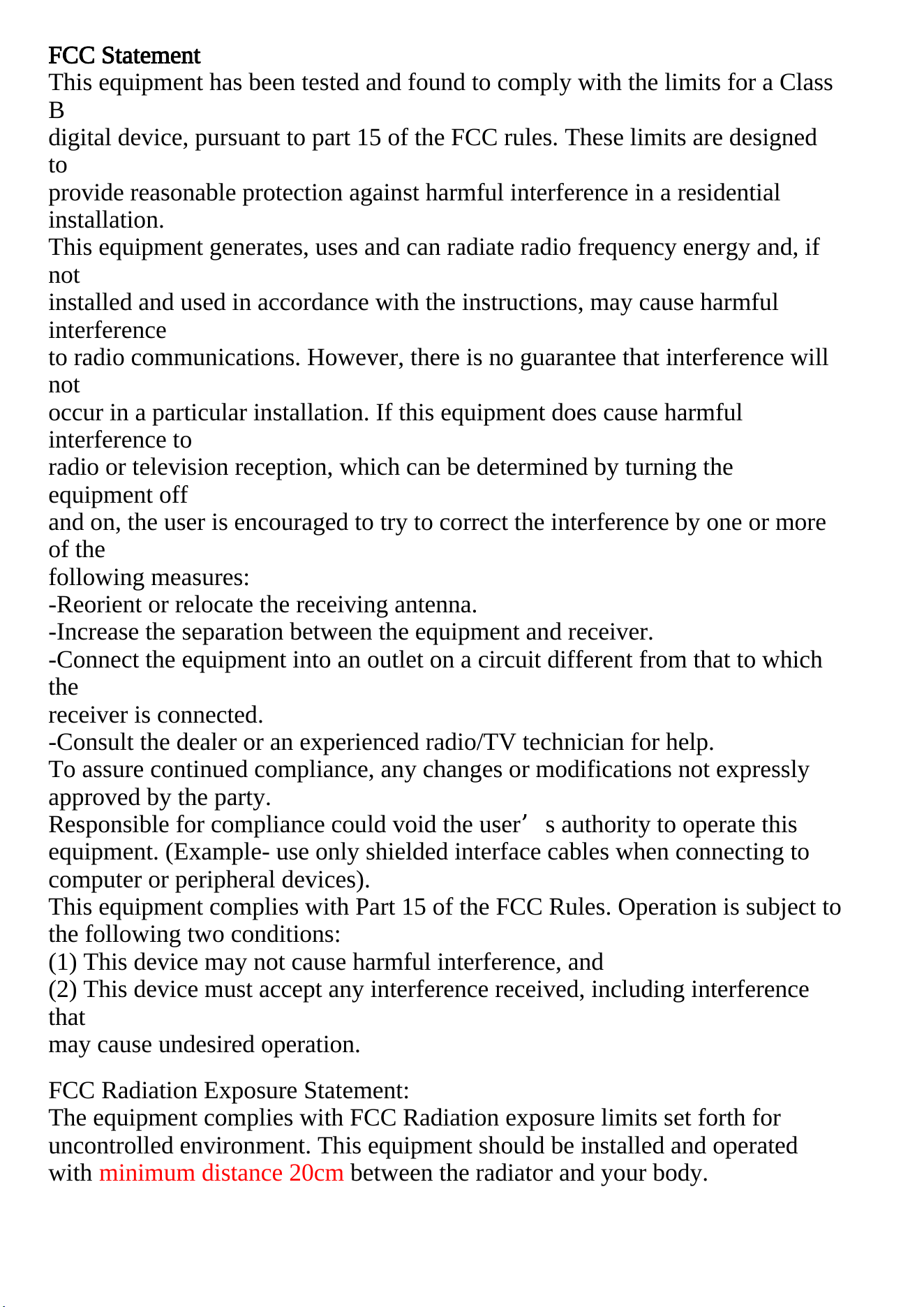
FCC Statement
This equipment has been tested and found to comply with the limits for a Class
B
digital device, pursuant to part 15 of the FCC rules. These limits are designed
to
provide reasonable protection against harmful interference in a residential
installation.
This equipment generates, uses and can radiate radio frequency energy and, if
not
installed and used in accordance with the instructions, may cause harmful
interference
to radio communications. However, there is no guarantee that interference will
not
occur in a particular installation. If this equipment does cause harmful
interference to
radio or television reception, which can be determined by turning the
equipment off
and on, the user is encouraged to try to correct the interference by one or more
of the
following measures:
-Reorient or relocate the receiving antenna.
-Increase the separation between the equipment and receiver.
-Connect the equipment into an outlet on a circuit different from that to which
the
receiver is connected.
-Consult the dealer or an experienced radio/TV technician for help.
To assure continued compliance, any changes or modifications not expressly
approved by the party.
Responsible for compliance could void the user’s authority to operate this
equipment. (Example- use only shielded interface cables when connecting to
computer or peripheral devices).
This equipment complies with Part 15 of the FCC Rules. Operation is subject to
the following two conditions:
(1) This device may not cause harmful interference, and
(2) This device must accept any interference received, including interference
that
may cause undesired operation.
FCC Radiation Exposure Statement:
The equipment complies with FCC Radiation exposure limits set forth for
uncontrolled environment. This equipment should be installed and operated
with minimum distance 20cm between the radiator and your body.