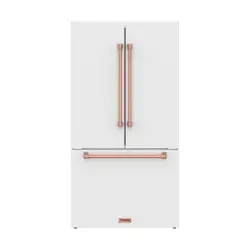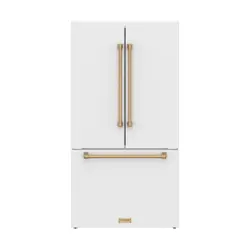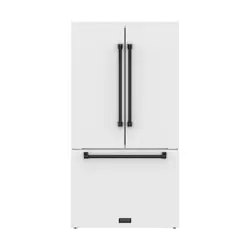
USE + CARE
MANUAL
REV.062026
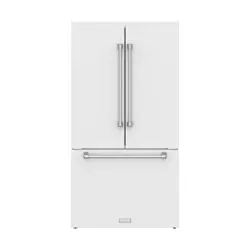
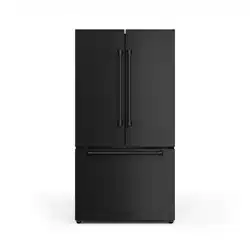
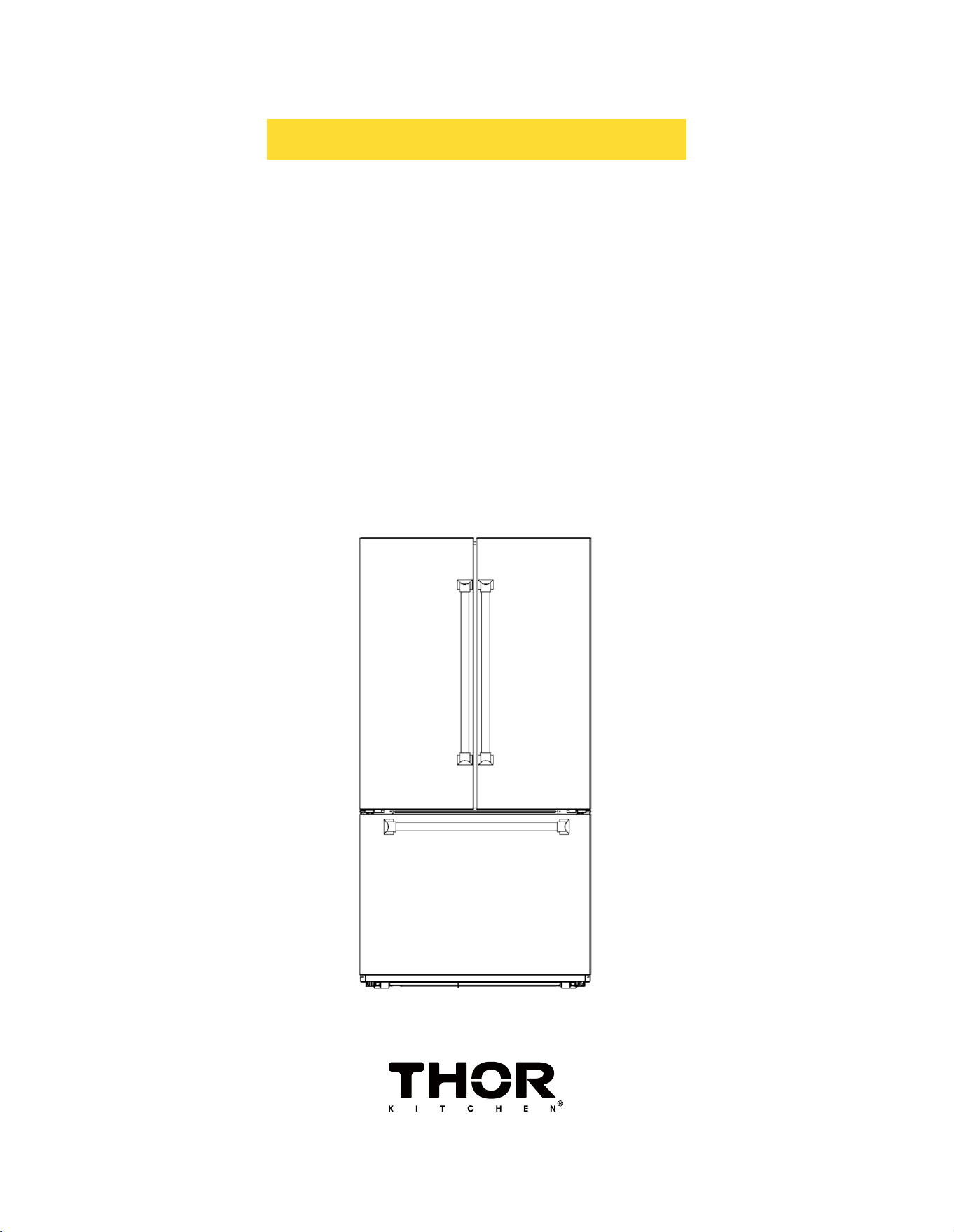
36 INCH 20.2 CU FT COUNTER DEPTH
FREESTANDING FRENCH DOOR
REFRIGERATOR WITH INTERNAL
WATER AND ICE
TRF3603FD
TRF3603FDW
TRF3603FDB
USE & CARE MANUAL
36 INCH 20.2 CU FT COUNTER
DEPTH FREESTANDING FRENCH
DOOR REFRIGERATOR W/ INTERNAL
WATER AND ICE
TRF3603FD / TRF3603FDW / TRF3603FDB
3
TABLE OF CONTENTS
1. IMPORTANT SAFETY AND ENVIRONMENTAL INSTRUCTIONS…………..…………….05
1.1 General Safety…………………………………………………………………………………………………… .………………… ..05
1.2 Intended Use ………………………………………………………………………………………………… ..…………… .……….06
1.3 Children's Safety……………………………… .……………………………………………………………… ..…………… ..……06
1.3 Compliancewiththe WEEEDirectiveandDisposingthe Waste Product………………………… .………… 07
1.5 Compliancewiththe RoHSDirective………………………………………………………………………………………… 07
1.6 Packaging Information……………………………………………………………………………… ..………… ..……………… 07
1.7 Hydrocarbon (HC) Warning………………………………………………………………………………… ..……………… ....08
1.8 ForProductswithaWaterDispenser/IceMachine………………………… ..……………………………… ..………08
2. PRODUCT SIZE..........................................................................................................09
3. BEFORE FIRST USE………………………………...………………………………….…………….10
3.1 Recommended Cleaning Before First Use……………………………………………………… ..……………………… 10
3.2 Safety Notes………………………………………………… .…………………………………………… ..………………………… 10
3.3 Caution:Before energizing……………………………………………………………………………………………………… .10
3.4 Electricaland Grounding Instructions……………………………………………………………………………………… .10
3.5 WaterInletPressureRequirement……….................................……………………………………………………… 10
3.6 Tipsforusingthe Fridge ………………………………………………………………………………………… ..…………… ..11
3.7 Tips for using the Freezer……………………………………………………………………………………… .……………… .11
3.8 Tips for using ChillerZone drawer……………………………………………………………………… .………………… ..12
3.9 Cooling Sequence (How the Unit Reaches Set Temperature)…………………………………………………… 12
4. REFRIGERATOR COMPONENTS LIST…………………………………………..………………12
5. CONTROL PANEL……………………………………………………………………………………..13
5.1. Press and hold button function……………………………………………………………………………………………… ..14
5.2. key combination function………………………………………………………………………………… ..…………………… .14
5.3.Refrigeratorcompartment temperature setting……………………………………………………………… ..………14
5.4. Special Fridge compartment temperature setting…………………………………………………………… .………14
5.5. Freezer compartment temperature setting………………………………………………………… ..………… .………14
5.6. Function Setting………………………………………………………………………………………………………… ..………… .14
5.7. Child lock function………………………………………………………………………………………………………………… ..15
5.8. Water filter replacement (if applicable)…………………………………………………………………………………… .15
5.9 Forced Defrost Mode……………………………………………………………………………………………………………… .15
5.10. Demo Mode……………………………………………………………………………………………… ..………………………… 15
5.11. Fault Display………………………………………………………………………………………………………………………… .15
6. MAINTENANCE AND CLEANING…………...…….…………...………………………..……....16
6.1 Touch Screen Display (Select Models)………………………………… .…………………………… .…………………… ..16
6.2 No-Frost System………………………………………………………………………………………… .…….…………………… 16
4
TABLE OF CONTENTS
7. TROUBLESHOOTING…………..…….……………….………....………………………....……....17
7.1 Power and Operation ……………………………………………………………………………………………… ..…………… ..17
7.2 Acoustics and Alarms………………………………………………………………………………… .…………………………… 17
7.3 If ice or frost forms on the back wall of the refrigerator………………………………………………… .………… .18
7.4If excessiveicehas formed in the freezer…………………………………………………………………… ..…………… 18
7.5 Customer Care……………………………………………………………………………………………………… ..….………… ...18
7.6 Lighting……………………………………………………………………………………………………………… ..………………… .18
7.7 FAQ Section…………………………………………………………………………………………………………………………… ..18
8. WARRANTY………….…………………………………………………………………….……………19
5
1. IMPORTANT SAFETY AND ENVIRONMENTAL INSTRUCTIONS
This chapter contains safety information that will help you avoid the risk personal injury or property damage.
Failure to follow these instructions shall render any product warranty void.
1.1 General Safety
• This product can be used by children at age 8 and above and those people who have limited physical, sensory
or mental capabilities and people who lack experience and information on the condition that they have been
given the instructions about the safe use of the product, they are supervised and the risks have been
eliminated. Children should not play with the product. Cleaning and care should not be performed by children
unless they are supervised by an adult.
• Unplug the product if you encounter a failure during use.
• If the product malfunctions, it must not be operated until repaired by the authorized service provider. Risk of
electric shock!
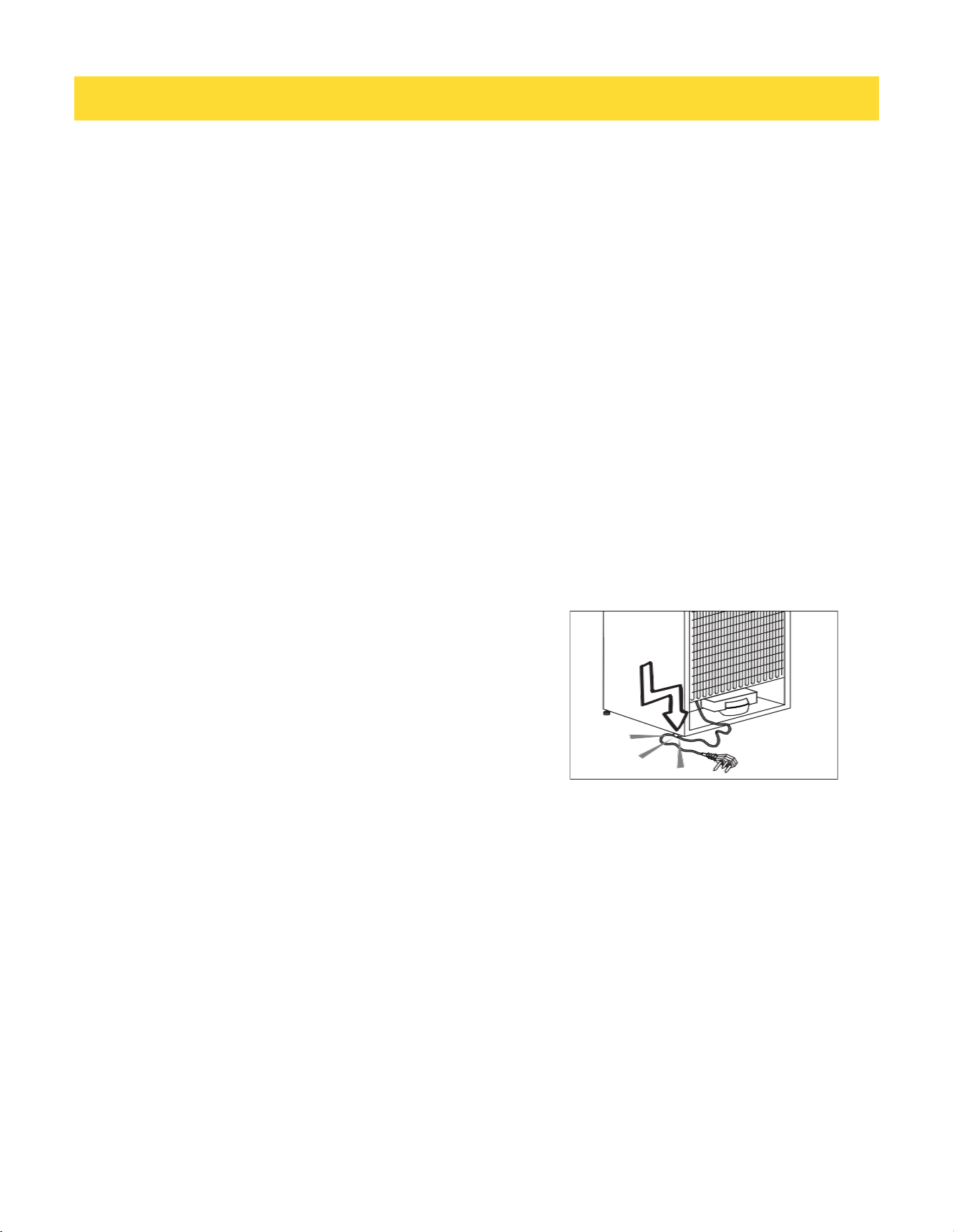
• Plug the product into a grounded socket protected by a fuse that corresponds to the value on its nameplate.
Have a qualified electrician ground the product. Our company cannot be held responsible for damages
resulting from the failure to use the product with a grounded socket pursuant to local regulations.
• Unplug the product when not in use.
• Never wash the product by spreading or pouring water onto it! Risk of electric shock!
• Never touch the plug with wet hands!
• Never unplug the product by pulling the cable. Always pull the
plug by holding the socket
• Do not plug the refrigerator if the wall socket is loose.
• Never connect your refrigerator to energy saving devices.
• Such systems are harmful to your product.
• Unplug the product during installation, care, cleaning and
repairing procedures.
• Always have the Authorized Service Provider install the product and establish its electrical connections. The
manufacturer cannot be held responsible for damages caused by procedures performed by unauthorized
persons.
• Do not eat cone ice cream or ice cubes immediately after you take them out of the freezer compartment! This
may cause frostbite in your mouth!
• Do not touch frozen food with wet hands! They may stick to your hand!
• Do not put bottled or canned liquid beverages in the freezer compartment. They may burst!
• Never use steam or steam cleaners to clean or defrost the refrigerator. Steam gets into contact with the live
parts in your refrigerator, causing short circuit or electric shock!
• Do not use mechanical devices or other means to accelerate the defrosting process other than those
recommended by the manufacturer.
• Never use the parts in your refrigerator such as the door and drawer as a means of support or step. This may
cause the product to tip over or damage the parts of it.

6
1. IMPORTANT SAFETY AND ENVIRONMENTAL INSTRUCTIONS
• Do not damage the parts where the refrigerant is circulating with drilling or cutting tools. The refrigerant that
might blow out when the gas channels of the evaporator, pipe extensions or surface coatings are punctured
causes skin irritations and eye injuries.
• Do not cover or block the ventilation holes in your refrigerator with any object.
• Place the beverage with higher proofs tightly closed and vertically.
• Do not use gaseous sprays near the product since there is the risk or fire or explosion!
• Flammable items or products that contain flammable gases (e.g. spray) as well as explosive materials should
never be kept in the appliance.
• Do not place vessels filled with liquid onto the product. Splashing water on an electrical part may cause
electric chock or the risk of fire.
• Do not store items that need precise temperature adjustment (such as vaccines, heat-sensitive medication,
science materials etc.) in the refrigerator.
• If you are not going to use the product for a long time, unplug it and remove the food in it.
• If there is a blue light on the refrigerator, do not look at this light with optical tools.
• Exposing the product to rain, snow, sun or wind is dangerous in terms of electrical safety.
• In products with mechanical control (thermostat), wait for 5 minutes to plug in the product again after
unplugging.
• Do not overload the refrigerator. Objects in the refrigerator may fall down when the door is opened, causing
injury or damage. Similar problems may arise if any object is placed onto the product.
• If the product has a door handle, do not pull the handle when re-locating the product. The handle might be
loose.
• Be careful not to jam your hand or any other body part in the moving parts of the refrigerator.
• Do not put your hand or any other foreign materials into the ice machine while it is operating.
1.2 Intended Use
• This product has been designed for domestic use. It is not suitable for commercial use and it must not be used
out of its intended use.
• It must be used only for storing food.
• The manufacturer will not take any responsibility for damages resulting from improper use or transport.
• Original spare parts will be available for 10 years after the purchase date of the product.
1.3 Children's Safety
• If there is a lock on the door of the product, the key should be kept out of the reach of children.
• Do not let children play with the product.
7
1. IMPORTANT SAFETY AND ENVIRONMENTAL INSTRUCTIONS
A
DANGER:
Before disposing your old refrigerator or freezer:
•
Children may get locked inside.
•
Remove the doors.
•
Leave the shelves to prevent children from getting inside the product easily.
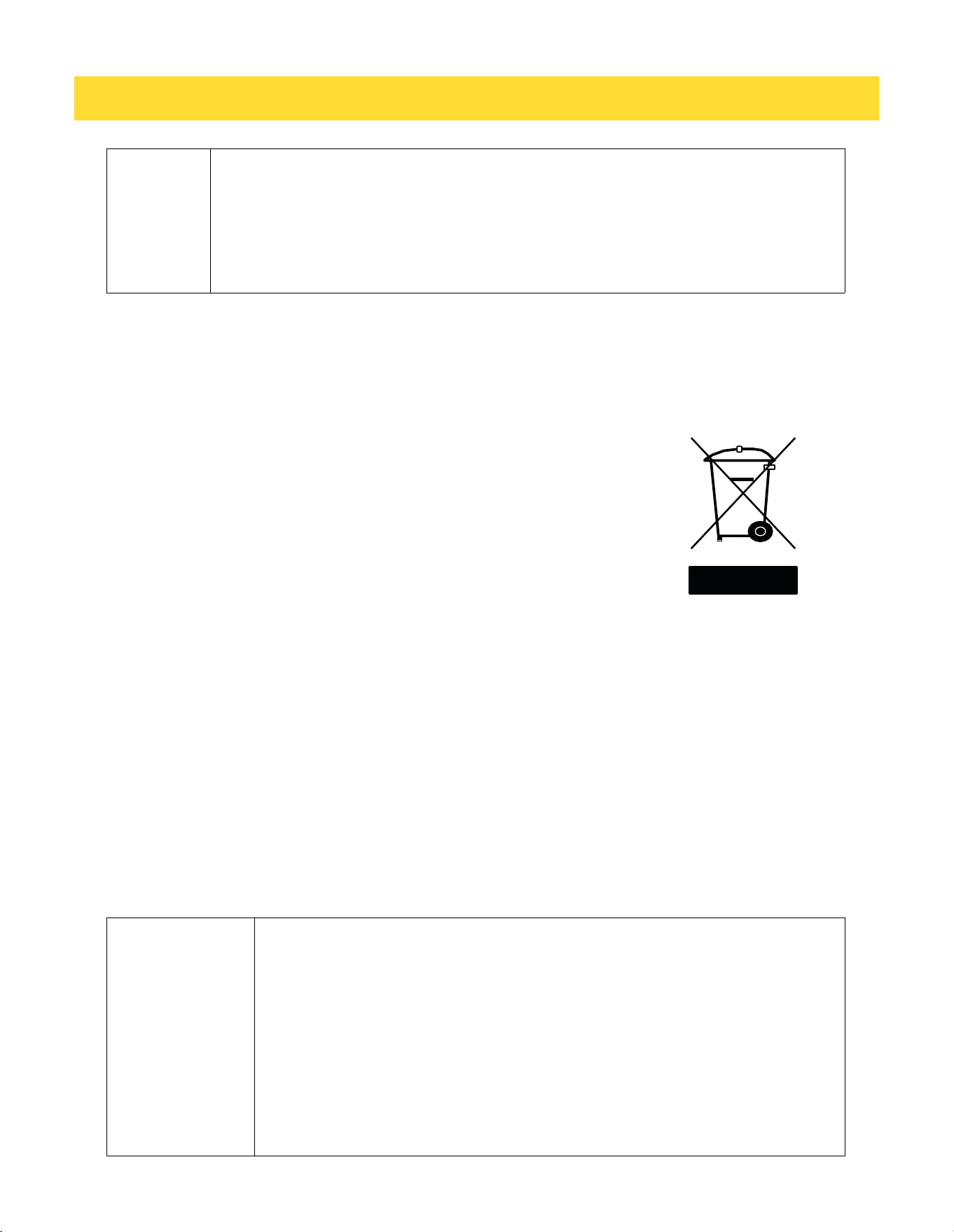
1.4 Compliance with the WEEE Directive and Disposing the Waste Product
• This product conforms to the EU WEE Directive (2012/19 EU).
• This product bears a classification symbol for waste electrical and electronic equipment (WEEE).
• This product has been manufactured from high quality parts and materials
which can be reused and are suitable for recycling.
• Therefore, do not dispose the product with normal domestic waste or
other waste at the end of its service life.
• Take it to a collection center for recycling electrical and
electronic equipment.
• Please consult local authorities to learn about the locations
of such collection center.
1.5 Compliance with the RoHS Directive:
• The unit you have purchased conforms to the EU RoHS Directive (2011/65/AB). It does not contain harmful or
prohibited materials specified in the Directive.
1.6 Packaging Information
• Packaging materials of the product have been manufactured from recyclable materials in accordance
with our National Environment Regulations.
• Do not dispose the packaging materials with normal domestic waste or other types of waste.
• Take these materials to a recycling point designated by local authorities
A
DANGER:
Risk of Fire or Explosion:
• This product uses flammable refrigerant.
• Do not use mechanical devices to defrost the refrigerator.
• Do not use chemicals for cleaning.
• Do not pierce the refrigerant pipe.
• If the refrigerant pipe is pierced, it must be repaired only by licensed service
personnel.
• Please consult the repair/user manual before cleaning the product. All safety
instructions must be followed.
• Dispose the product according to federal or local regulations
8
1. IMPORTANT SAFETY AND ENVIRONMENTAL INSTRUCTIONS
1.7 Hydrocarbon (HC) Warning
• If your product's cooling system contains R-600a. This gas is flammable. Therefore, pay attention not to
damage the cooling system or the piping during use and transportation.
• If damaged, keep the product away from potential fire sources that may cause it to catch fire and ventilate the
room where the product is placed.
C
If the product is damaged and if you see gas leak, please keep away from the gas.
It may cause frostbite when it gets into contact with the skin. (including R134
C
Ignore this warning if the cooling system of your product contains R134a.
C
Type of gas used in the product is stated on the type plate which is on the left
wall inside the refrigerator.
A
WARNING:
Never throw the product into fire for disposal.
1.8 For Products with a Water Dispenser/Ice Machine
• Operating pressure for cold water inlet is between 1-5.5 bars. If the water pressure exceeds 80 psi (5.5 bars),
install a pressure limiting valve to your mains system.
• If the mains pressure is lower than 1 bar, you can use an auxiliary pump to compensate the low pressure.
• If you do not know how to check the water pressure, please consult a professional plumber.
• If there is a risk of water impact in your installation, always use a water impact protection equipment in that
installation. Please consult professional plumbers if you are not sure if there is water impact in your
installation.
• Do not make installation on the hot water inlet.
• Take the necessary measures against the freezing risk of the hoses.
• The water temperature operating range must be 0.6° C (33° F) minimum and 38° C (100° F) maximum.
A
WARNING:
Never connect the product to a cold water mains with a pressure of 5.5 bars (80
psi) and above
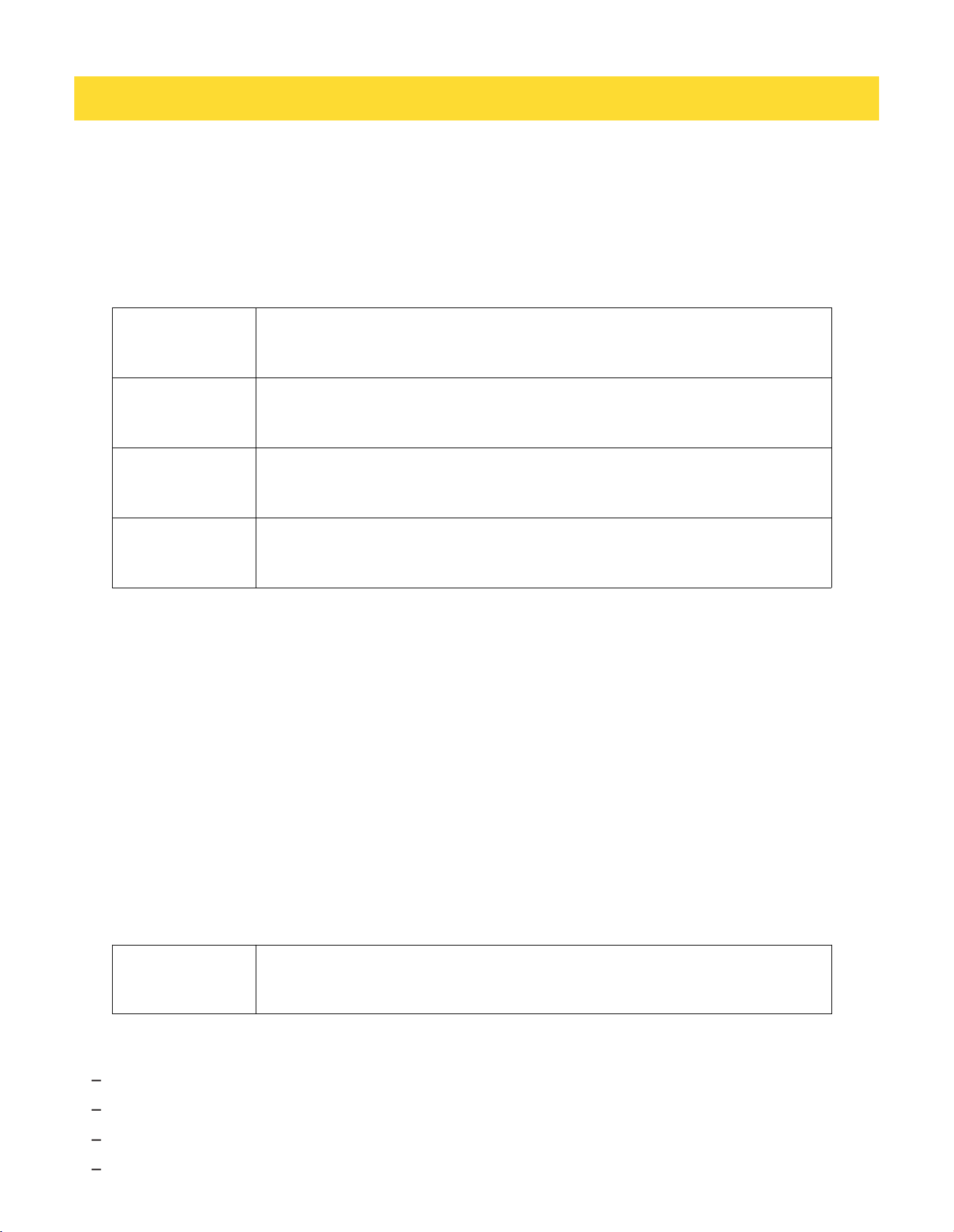
This appliance is intended to be used in household and similar applications such as
– Staff kitchen areas in shops, offices and other working environments;
– Farm houses and by clients in hotels, motels and other residential type environments;
– Bed and breakfast type environments;
– Catering and similar non-retail applications.
9
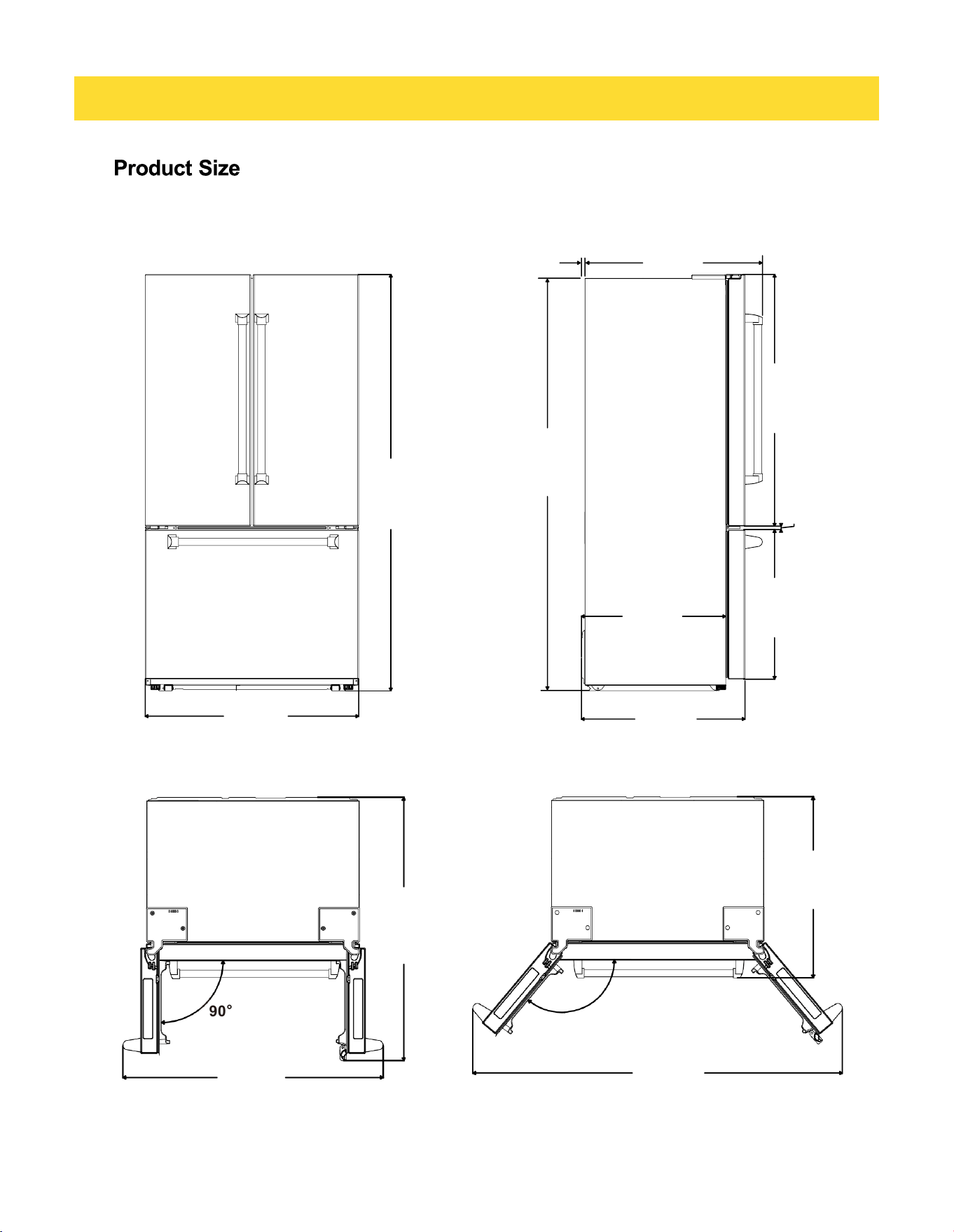
2. PRODUCT SIZE
90°
max132°
908mm
35 3/4"
697mm
27 7/16"
615mm
24 3/16"
637mm
25 1/16"
15mm
9/16"
1073mm
42 1/4"
1757mm
69 3/16"
9/16“
15mm
29 13/16“
757mm
1774mm
69 13/16"
772mm
30 3/8"
1600mm
63"
1108mm
43 5/8"
1121mm
44 1/8"

10
3. BEFORE FIRST USE
After installation, allow the refrigerator to stand upright and unplugged for at least 4 hours before turning it on. If
the unit was transported on its side or back, it must remain upright and unplugged for at least 24 hours before
connecting to power
3.1 Recommended Cleaning Before First Use:.
Before using the appliance for the first time, clean the interior with a solution of bicarbonate of soda and warm
water, then thoroughly dry all surfaces. A slight odor may be noticeable during initial use; this will disappear as
the appliance begins to cool.
Please note:
• The refrigerator section will initially cool to approximately 41 ° F (5° C), and the freezer section to approximately
0° F (-18° C). The appliance will operate continuously until it reaches the correct temperature.
• If the appliance is switched off, wait at least five minutes before turning it on again to avoid potential damage to
the compressor.
• The refrigerator cools food by chilling the back surface of the interior cavity. Frost may form on this surface,
but it is normal and will gradually melt and drain through the small outlet at the bottom, where it evaporates
harmlessly. Frost on the back surface is not a malfunction.
3.2 Safety Notes
Never store flammable or explosive materials, or strong corrosive acids or alkalis in the appliance.
Avoid inserting objects that could damage the internal surfaces or the cooling system.
3.3 Caution: Before energizing:
After moving the product, allow it to stand for 4 hours before connecting it to a power source.
3.4 Electrical and Grounding Instructions:
1. During operation, this product must be reliably grounded. Use an independent dedicated single-phase three-
pin socket. Do not connect it to power strips, extension cords or multi-port adapters shared with high-power
appliances, to avoid circuit overload and overheating that may cause safety hazards.
2. The power cord must not be squeezed, bent, twisted, crushed or compressed by cabinets or heavy objects.
3. It is prohibited to extend, modify or splice the power cord without permission. If the power cord is damaged, it
must be replaced by authorized maintenance personnel with dedicated parts.
3.5 Water Inlet Pressure Requirements
Maximum inlet pressure: 5.5 bar
Minimum inlet pressure: 1.7 bar

11
3. BEFORE FIRST USE
3.6 Tips for using the Fridge
• Cover All Liquids: Always cover liquids before storing. Uncovered liquids increase humidity inside the unit,
forcing the compressor to work harder and causing frost buildup.
• Safe Cooling: Contrary to popular belief, small amounts of hot food can be placed directly in the fridge. For
large batches (like stews or roasts), divide them into shallow containers to ensure they cool rapidly to 40° F /
4.4° Cor below. Do not leave food sitting at room temperature for more than 2 hours (1 hour if the ambient
temperature is above 90° F / 32° C.
• Airflow and Walls: Do not lean items against the rear wall. This can obstruct airflow, cause food to freeze
accidentally, and lead to condensation issues.
• Prep Before Storing: Ensure food packaging is clean and dry. Excess moisture on produce can accelerate
spoilage and mold growth.
• Seal and Wrap: Always wrap or containerize food. This prevents moisture loss, keeps food fresh, and stops
"cross-talk" between odors.
• Organize for Efficiency: Place frequently used items at the front. This minimizes the time the door stays open,
maintaining a stable internal temperature.
• Don't Overcrowd: Air circulation is the engine of your fridge. Leave space between items so cold air can flow
freely to every corner.
• Strategic Thawing: Thaw frozen foods in the refrigerator. This is the safest method for food quality and helps
the fridge stay cool, saving energy.
• Raw Meat Placement: Always store raw meat, poultry, and seafood on the bottom shelf in a sealed container or
tray. This prevents juices from dripping onto and contaminating ready-to-eat foods.
3.7 Tips for using the Freezer
• Intended Use: Freezer compartments are designed specifically for long-term storage of frozen goods and
freezing fresh items.
• Cool Before Freezing: Ensure hot foods are chilled in the refrigerator before moving them to the freezer to
prevent the freezer temperature from rising and partially thawing surrounding items.
• Storage Timelines: Follow commercial packaging dates. For fresh items frozen at home, refer to USDA
guidelines (typically 3–12 months for quality).
• Portion Control: Store food in small packages (under 2.2 lbs / 1kg). Smaller portions freeze faster, which
prevents large ice crystals from forming and ruining the food's texture.
• Dry Wrapping: Ensure the outside of packaging is dry before freezing to prevent items from sticking together.
• Label Everything: Mark all packages with the content type, date of entry, and expiry date.
• Thawing and Refrozen Food: Once food is fully thawed, it should generally not be refrozen unless it was thawed
strictly in the refrigerator and still contains ice crystals.
• Explosion Risk: Never store carbonated bottled or canned drinks in the freezer; liquid expansion will cause
them to burst.
• Freezing Capacity: Do not exceed the 24-hour freezing limit of 5.8 lbs (2.6kg). Adding too much "warm" food at
once lowers the overall freezing efficiency
12
3. BEFORE FIRST USE
3.8 Tips for using Chiller Zone drawer
• Designed for meat, fish, and other perishables that benefit from temperatures slightly above freezing.
• Set between 37 ° F (3 ° C) and 30° F (-1° C) for optimal storage.
3.9 Cooling Sequence (How the Unit Reaches Set Temperature)
• The unit cools in stages and does not cool all compartments simultaneously. During startup, the refrigeration
system prioritizes cooling the refrigerator compartment first. Once the refrigerator compartment reaches the
required operating temperature, cooling is then directed to the freezer compartment. As a result, freezer
temperature may not decrease immediately during the initial hours of operation.
• The ice maker will not begin operation until the freezer compartment has reached the appropriate operating
temperature.
• Actual cooling and ice production times may vary depending on ambient temperature, product load, and
operating conditions. This is normal operation.
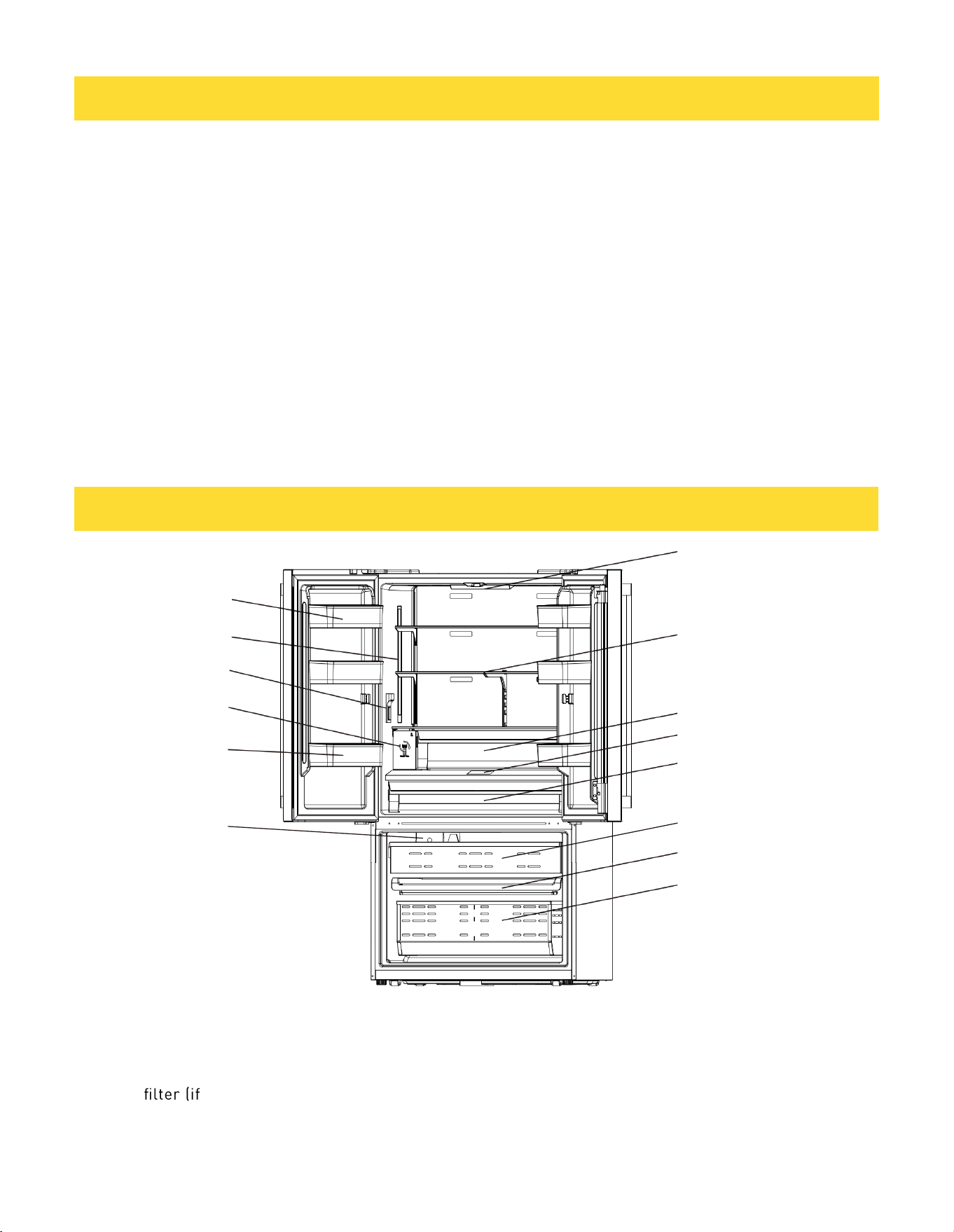
4. REFRIGERATOR COMPONENTS LIST
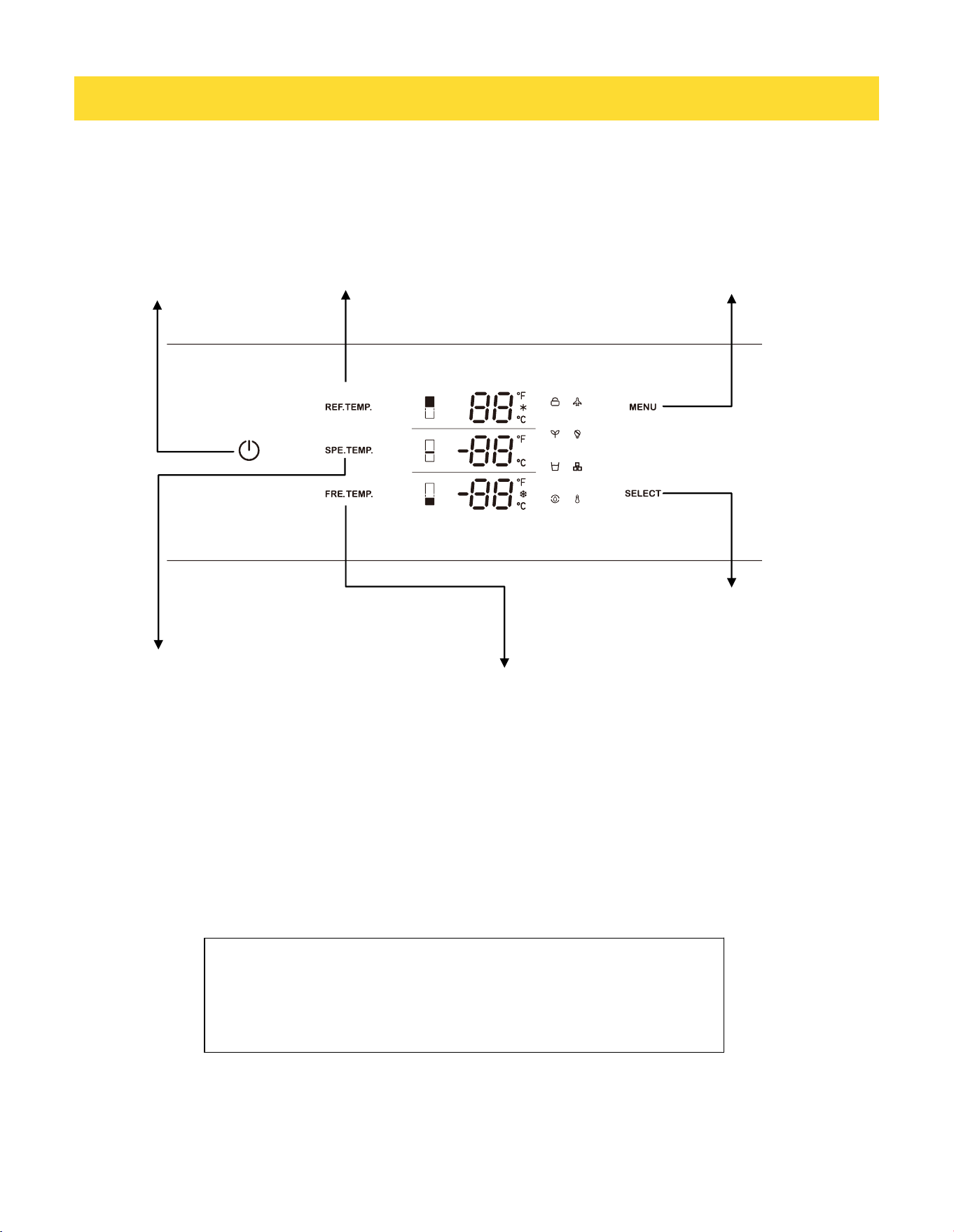
1.Upper balcony
2.Side light
3.Water Dispenser(if applicable)
4.Water filter (if applicable)
5.Bottom balcony
6.Ice Maker(if applicable)
7.Top light
8.Body shelf (adjustable height)
9.Upper crisper
10.Control display
11.Bottom crisper
12.Upper freezer drawer
13.Middle freezer drawer
14.Bottom freezer drawer
May not be available in all models
1
2
3
4
5
6
7
8
9
10
11
12
13
14
13
5. CONTROL PANEL
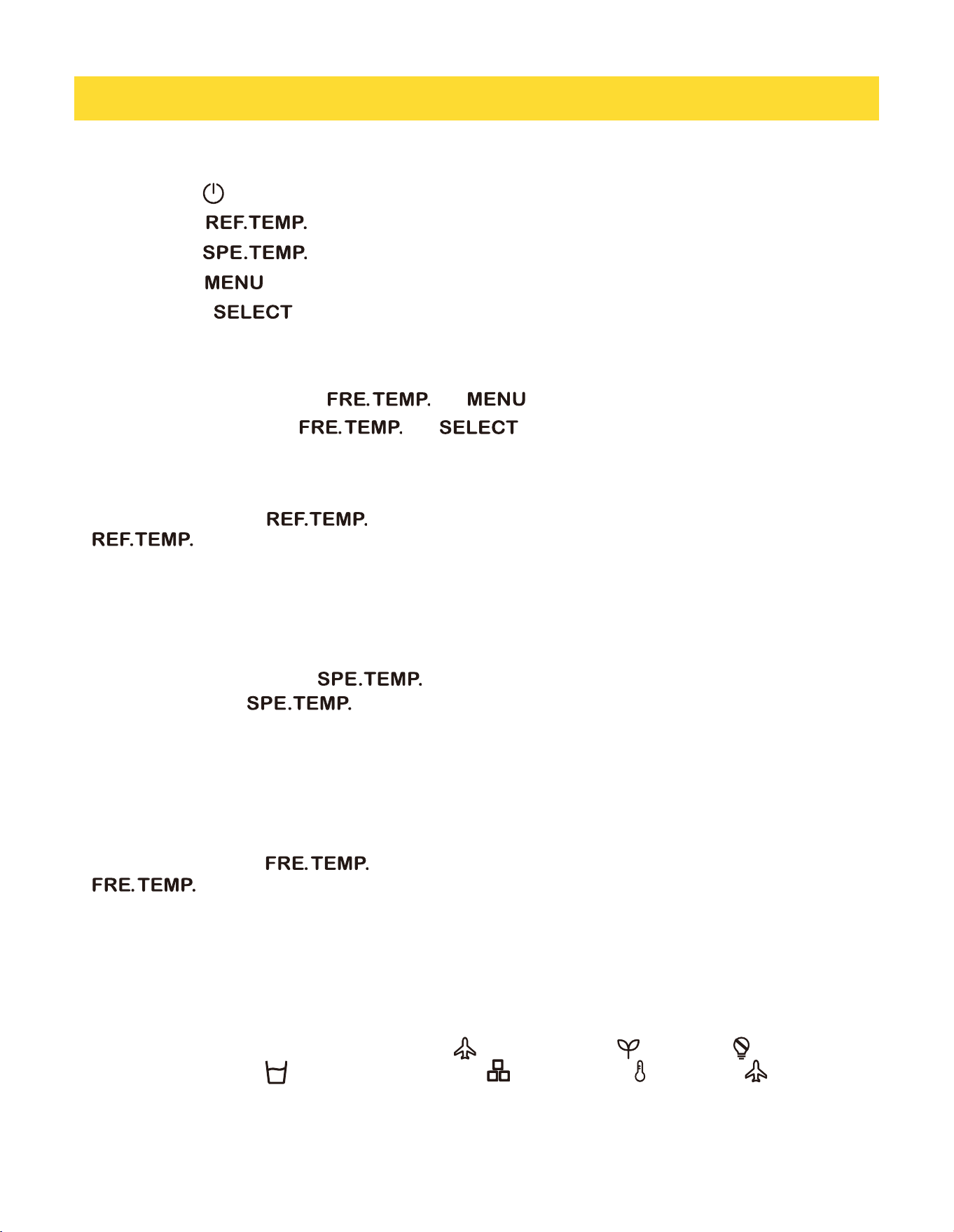
Figures in this user manual are schematic and may
not match the product exactly. If your product does
not have the relevant parts, the information applies
to other models.
Freezer compartment temperature
adjustment button
Special fridge compartment
temperature adjustment button
Refrigerator compartment
temperature adjustment button
Function election /
Child lock button
Confirm button
May not be available in all models
On/Off
button
14
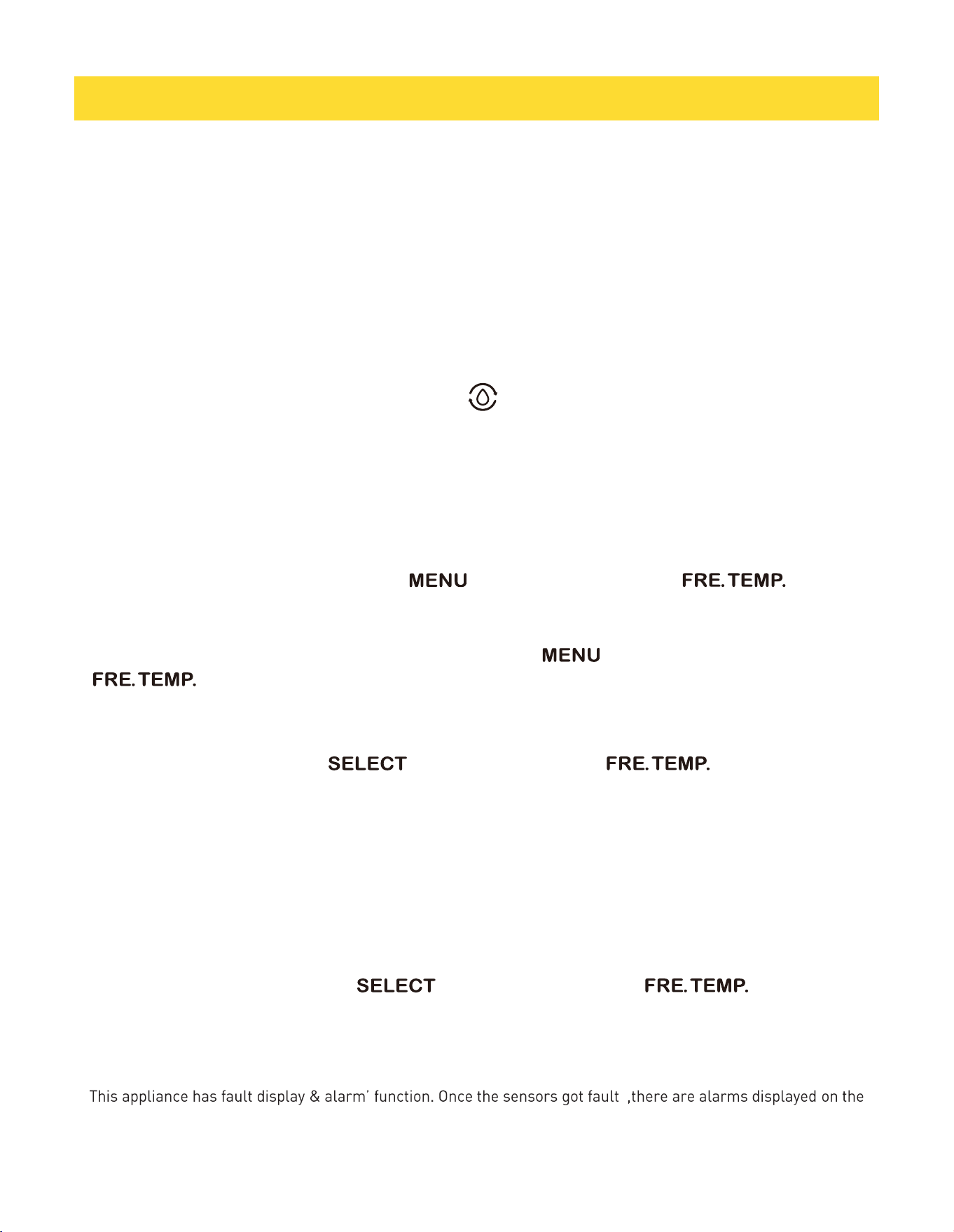
5.1 Press and hold button function
Press and hold key for 3 seconds, refrigerator on/off operation
Press and hold key for 3 seconds, refrigerator compartment and Special fridge on/off function..
Press and hold key for 3 seconds, only special fridge compartment on/off function.
Press and hold key for 3 seconds, child lock function on/off.
Press and hold key for 3 seconds, filter alarm clear.
5.2 key combination function
Forced Frosting: Press and hold + for 3 seconds
Demo Mode: Press and hold + for 5 seconds to enter and same way to exit.
5.3 Refrigerator compartment temperature setting
In unlocked state, press , the refrigerator setting temperature flashes to show, operate
again, the setting temperature is adjusted in 8->7- > 6->5->4->3->2->Quick cooling>8° C cycle
adjustment. After stopping, the key for 5 seconds, the flashing stops and the set temperature takes effect.
In Fahrenheit display mode, set the temperature in 46->45->......->36- > Quick Cool->46° F cycle adjustment.
5.4 Special fridge compartment temperature setting
Under the unlocked state, press , the variable temperature setting temperature will be displayed
with blinking, operate again, the setting temperature will be adjusted cyclically according to
3->2->1->0 ->-1->3° C . After stopping the key for 5 seconds, the blinking stops and the set temperature takes
effect.
In Fahrenheit display mode, the set temperature is adjusted in 37->36- >. ..... ->30->37° F cyclic adjustment.
5.5 Freezer compartment temperature setting
In unlocked state, press , the freezing setting temperature flashes to show, operate
again, the setting temperature in -15->-16->-17- >...... ->-25- >Quick Freeze->-15° C cycle
adjustment. After stopping the key for 5 seconds, it stops flashing and the set temperature takes effect.
In Fahrenheit display mode, set the temperature at 5->4->......->-13- >Quick Freeze->5° F cycle adjustment.
5.6 Function Setting
In the unlocked state, press the function key (SW5) once, the function icon flashes, operate the function key (SW5)
again, the function icon will cycle through: Holiday - Energy Saving - Sabbath - Water
Dispenser(if applicable) - Ice Maker (if applicable) - Fahrenheit - Holiday ......
When the corresponding icon is displayed, press the confirmation key (SW6) once to activate the function
corresponding to the icon.
Holiday mode refrigerated temperature 17° C, special fridge compartment 17° C,
5. CONTROL PANEL
15
5. CONTROL PANEL
Freezer compartment temperature -18° C; Energy saving mode refrigerating temperature 6° C, special fridge
compartment 3° C, Freezer compartment temperature -16° C;
5.7 Child lock function
Under the unlock state, press and hold the function key (SW5) key for 3 seconds, enter the lock state, the child
lock icon lights up; operate other keys under the lock state is invalid, the child lock icon flashes for 5 seconds to
prompt; Under the lock screen state, press and hold the function key (SW5) key for 3 seconds, enter the unlock
state, the child lock icon is off, and the keys operate normally.
5.8 Water filter replacement (if applicable)
When the filter reaches the service life (180 days), the filter icon flashes to indicate that the filter has reached its
service life, and an alarm tone is issued to indicate that the filter has reached its service life. After the user
replaces the filter, press and hold the Confirmation (SW6) key for 3 seconds, the filter icon goes out, the filter
usage time is cleared to zero, and the timing starts again.
5.9 Forced Defrost Mode
Simultaneously press and hold Function Key + Freezer Adjustment Key for 3
seconds to enter forced defrost and the freezer temperature flashes on the display. When defrosting is finished, it
automatically exits forced defrosting and the freezer temperature is displayed normally.
After entering forced defrost, press and hold the Function Key + Freezer Adjustment Key
simultaneously again for 3 seconds to exit forced defrost.
5.10 Demo Mode
Press and hold Confirmation Key + Freezer Adjustment Key at the same time for
5 seconds to enter the demo mode, the compressor, heater, fan and other loads are kept off, the lighting, display
board and keys operate normally.
When entering the demo mode, the Fridge Adjustment Key, Special Fridge Adjustment Key, and Freezer
Adjustment Key, flash simultaneously for 3 seconds, then stay on for 3 seconds. After that, they repeat the cycle of
on for 2 seconds and off for 2 seconds. The display returns to normal once the child lock is activated.
Under the key locked status, pressing any button will make the Fridge Adjustment Key, Special Fridge Adjustment
Key, and Freezer Adjustment Key flash simultaneously for 3 seconds, then stay on for 3 seconds, after which the
display returns to normal.
Press and hold the Confirmation Key + Freezing Adjustment Key again at the
same time for 5 seconds to exit the demo mode.
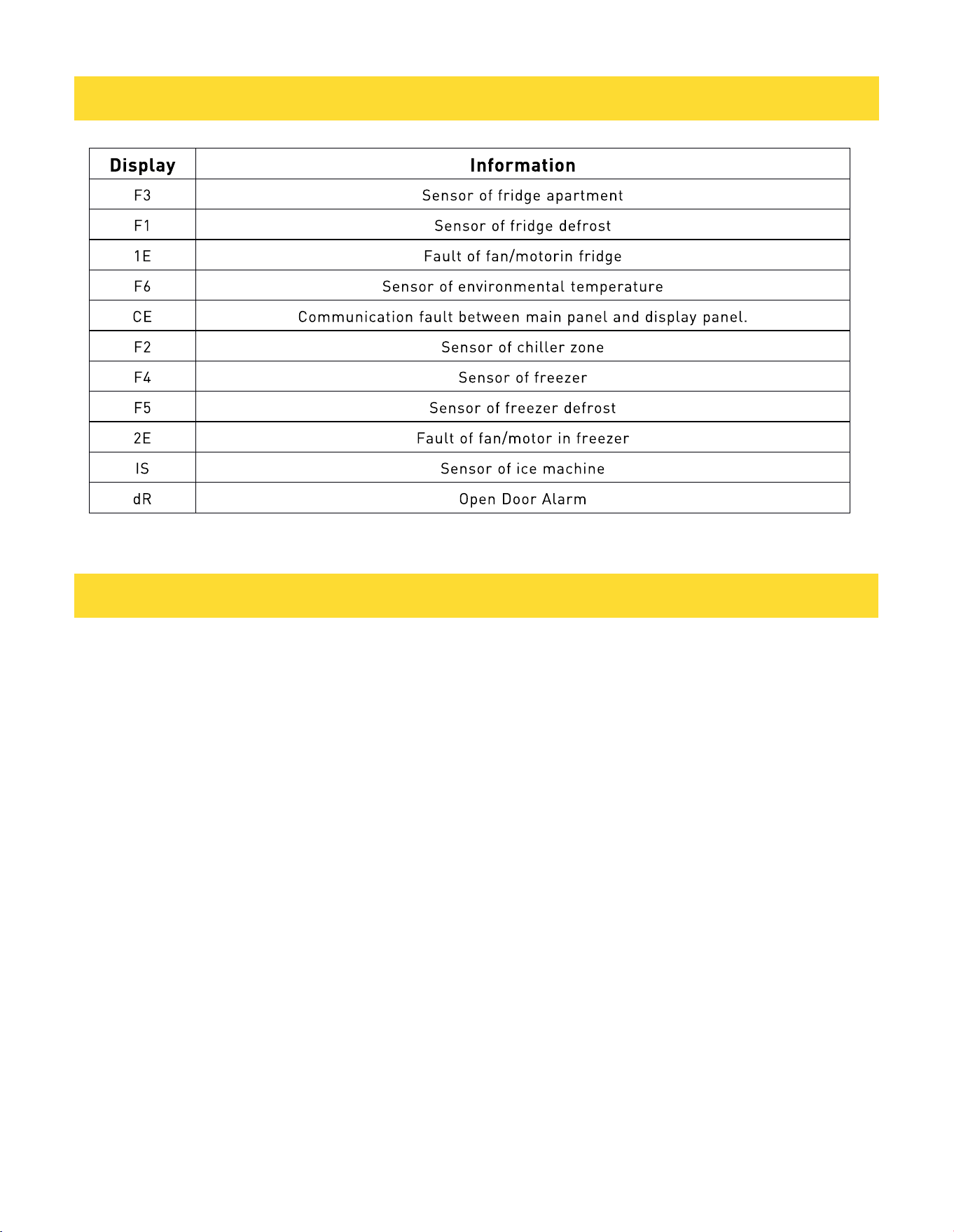
5.11 Fault Display
This appliance has fault display & alarm’ function. Once the sensors got fault ,there are alarms displayed on the
temperature displaying, the appliance still cools but professional service engineer should be called and check the
appliance.
16
5. CONTROL PANEL
6. MAINTENANCE AND CLEANING
6 .1 Touch Screen Display (Select Models)
• Power Safety: Ensure the refrigerator is unplugged or the power source is disconnected prior to cleaning.
This prevents accidental setting changes or electrical interference.
• Cleaning Solution: Use a solution of mild detergent and warm water. Dampen a soft, lint-free cloth with the
solution.
• Application: Gently wipe the screen surface.
• CAUTION: Do not spray liquids directly onto the display or over-saturate the cloth, as moisture ingress can
damage electronic components.
• Restore Power: Reconnect the power supply once the surface is completely dry.
Interior Cleaning
• IMPORTANT: Shelves equipped with integrated under-shelf LED lighting, as well as all removable balconies,
are not dishwasher safe. High-heat cycles and caustic detergents will cause damage and permanent electrical
failure.
6.2 No-Frost System
• This appliance is equipped with an automated No-Frost system designed to prevent the accumulation of ice.
Under standard operating conditions, manual defrosting is not required.

17
6. MAINTENANCE AND CLEANING
• Ice Accumulation and Moisture Issues
If heavy ice buildup or standing water is observed in the freezer section, evaluate the following:
• Door Seal Integrity: Ensure the magnetic gasket is sealing correctly. If the door opens with minimal
resistance, the seal may be compromised.
• Obstructions: Verify that no internal items are preventing the door from closing flush.
• Decor Door Alignment: For integrated models, ensure the cabinetry (decor door) is fitted correctly and is not
too heavy, as this can warp the hinges and break the airtight seal.
7. TROUBLESHOOTING
Before contacting Customer Care, please perform the following diagnostic checks.
7.1 Power and Operation
If the appliance fails to operate:
• Electrical Supply: Confirm the power cord is securely connected and the outlet is active (test with a secondary
device).
• Circuit Protection: Check the household fuse box or circuit breaker. Ensure the fuse in the appliance plug is
intact.
• Control Settings: Verify the thermostat has not been set to the "OFF" position.
• Cooling Performance: If the appliance is operational but fails to maintain the set temperature, check the
following:
• Internal Loading: Ensure the unit is not overloaded. Overcrowding blocks essential air circulation required for
uniform cooling.
• Thermostat Calibration: Confirm the temperature is set according to current food safety guidelines (40° F / 4° C
for the refrigerator; 0° F / -18° C for the freezer).
• Clearance and Ventilation: Ensure the cooling system at the rear is free of dust and debris. The appliance
must not touch the rear wall and should have adequate ventilation on the sides.
• Door Seals: Inspect the gaskets for kinks, debris, or damage. A faulty seal allows warm, humid air to enter,
causing the compressor to overwork.
7.2 Acoustics and Alarms
• Audible Beeping: A door alarm will sound if a compartment remains open for more than 60 seconds. Ensure
all doors are fully closed.
• Operational Noises: Slight bubbling or gurgling sounds are normal; this is the refrigerant gas circulating
through the system and may occur even when the compressor is idle.
• Vibration: Ensure the appliance is level and stable on the floor and that no external objects are resting against
the cabinet walls.

18
7. TROUBLESHOOTING
7.3 If ice or frost forms on the back wall of the refrigerator
• It is normal for small droplets of ice or frost to form on the back wall during operation. This does not indicate a
fault with the appliance.
• Ensure that no items inside the refrigerator are in direct contact with the back wall, as this can contribute to
excess frost formation.
• Check that there is some resistance when opening the door. If the door opens too easily, it may indicate that
the door is not sealing properly.
• Inspect the door seal (gasket) for any kinks, debris, or damage. If any issues are found and cannot be resolved,
contact Customer Care for assistance or replacement of the seal.
• Improper installation of decor (cabinet) doors, if applicable, may affect the door seal and lead to frost buildup.
If you are unsure, consult a qualified installer to check that the doors are correctly fitted.
7.4 If excessive ice has formed in the freezer
• Door Resistance Test: Check for physical resistance when opening the door. A door that opens with minimal
effort typically indicates a loss of magnetic suction or an improper seal.
• Gasket Inspection: Visually inspect the door seal for kinks, debris, or permanent damage. A compromised
gasket allows humid air to enter, resulting in rapid ice accumulation.
7.5 Customer Care
If the seal is damaged and cannot be cleaned or realigned, contact Customer Care for a professional
replacement.
7.6 Lighting
LED Failure: The internal LED units are not user-serviceable. If one or more units fail to illuminate, please
contact Customer Care to arrange a professional service visit
7.7 FAQ Section
Q: Why has the freezer not reached the set temperature after several hours?
A: The cooling system prioritizes refrigerator cooling before freezer cooling during startup. Depending on ambient
conditions, freezer cooling may not begin immediately. Refer to the Cooling Sequence and Expected Cooling
Performance sections for normal operating timelines.
19
8. WARRANTY
Warranty&Service
This appliance has been manufactured by Thor International, 10830 Ada Ave, Montclair,
CA 91763 United States.
For Customer Service, please call (877) 288 - 8099
For the most up to date warranty and service policy, please refer to
our website WWW.THORKITCHEN.COM/WARRANTY-
REGISTRATION
For in-warranty service requests, please visit our
website at WWW.THORKITCHEN.COM/SERVICE
Please Note: You must provide proof of purchase or installation date for any in-warranty
service requests
Warranty Registration
Made Easy.
We Stand Behind
the Quality of Our
Appliances.
Reliability and customer satisfaction are our top priorities. We offer a
solid two-year warranty on both parts and labor. Enjoy professional-grade
performance with the condence that we’ve got you covered.
01
02
03
Scan the QR Code or visit thorkitchen.
com/register-your-product.
Input your purchase and product
information and select register.
That’s it. You’re all set.
Enjoy!
WARRANTY
PARTS
Questions: [email protected]