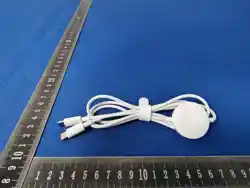

Smart Watch Wireless Charger User Manual
Applicable Model: Blind Plug Central Control, Compatible with Apple & Samsung Watch
Wireless Charging
Safety Warnings
1. Operating Environment
• Do not charge in environments with temperature above 30℃ or below 0℃, to avoid
battery damage or reduced charging efficiency.
• Keep away from water sources, flammable materials and strong magnetic field
environments.
2. Adapter Compatibility
Charging tests for different watches and mobile phones with various adapters have been
completed. Repeated placement and removal of watches, plugging/unplugging of adapters,
and forward/reverse insertion of Type-C ports were verified to confirm power-on stability at
different positions.
Plug-in charging test: Multiple watches and mobile phones are compatible with 23 types of
Type-C port adapters.
Product Overview
Core Features
• Dual-coil design: Supports mobile phone wireless charging.
• Magnetic Alignment: Automatic adsorption and positioning to avoid alignment
deviation.
Input Parameter
20V/3A (Must be used with a standard power adapter)
Operation Instructions
1. Preparations
• Connect the charging base to the original USB-C data cable and power adapter, then
switch on the power.
• Clean the charging area on the back of the watch and the surface of the base to
ensure no dust or foreign metal objects.
2. Charging Operation
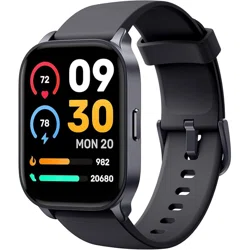
Align the center of the watch back with the charging base; the magnetic interface will
automatically attach and start charging.
Note: The button side of the watch shall be aligned with the interface direction of the base.
3. Status Confirmation
A lightning icon and charging percentage displayed on the watch screen indicate normal
charging.
Precautions
1. Charging Efficiency Optimization
• Non-original bases may cause abnormal charging; Qi protocol compliant third-party
charging devices can be used in emergency scenarios.
2. Daily Maintenance
• Wipe the charging contact surface regularly with a dry cloth to prevent corrosion by
sweat.
• Store in a dry environment when idle; avoid squeezing or bending the cable.
Troubleshooting
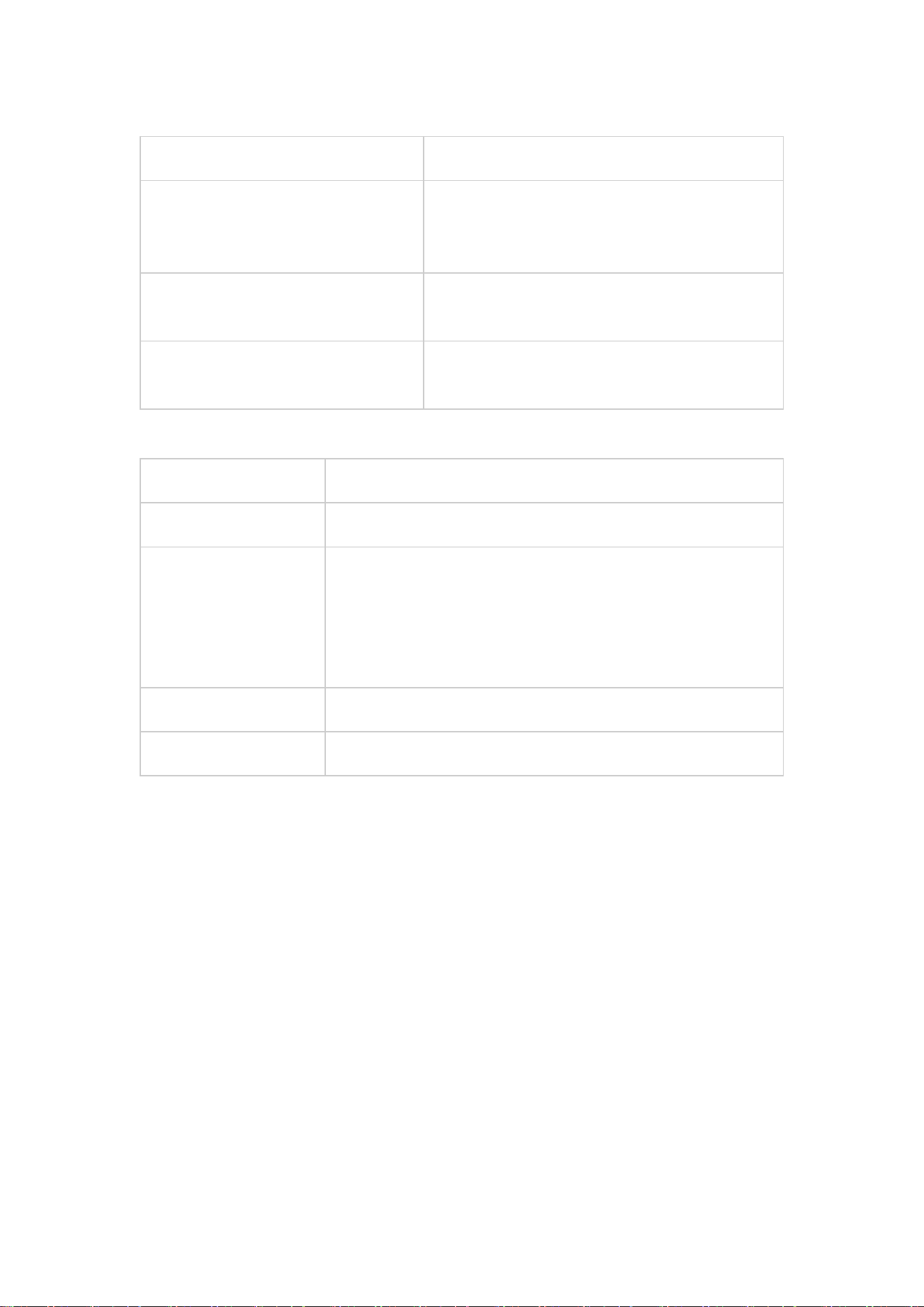
Fault Phenomenon
Solutions
No charging response
1. Check if the power connection is normal;
2. Adjust the watch placement slightly until the
charging icon appears
Slow charging speed
Clean foreign matter and impurities between the
watch and the base
Cannot power on after shutdown due
to low battery
Charge with this base for more than 10 minutes
to power on the device
Technical Specifications
Item
Specification
Input
5V, Current ≤ 80mA
Output Power
Max 2.5W for IW & SW; C-To-C supports 20V/3A/60W (MAX);
C-To Apple Watch supports 5V/0.5A/2.5W (MAX);
C-To Samsung Watch supports 5V/0.5A/2.5W (MAX);
C-To C + Apple Watch supports 20V/3A/60W + 2.5W;
C-To C + Samsung Watch (SW) supports 20V/3A/60W + 2.5W
Compatible Protocol
Qi Wireless Standard
Operating Temperature
0℃~35℃
FCC Compliance Statement
This device complies with Part 15 of the FCC Rules. Operation is subject to the following two
conditions:
(1) This device shall not cause harmful radio interference;
(2) This device must accept any interference received, including interference that may cause
undesired operation.
Note 1: This equipment has been tested and found to comply with the limits for a Class B
digital device pursuant to Part 15 of the FCC Rules. These limits are designed to provide
reasonable protection against harmful interference in a residential installation. This equipment
generates, uses and can radiate radio frequency energy. If not installed and used in
accordance with the instructions, it may cause harmful interference to radio communications.
However, there is no guarantee that interference will not occur in a particular installation. If
this equipment does cause harmful interference to radio or television reception, which can be
determined by turning the equipment off and on, the user is encouraged to try to correct the
interference by one or more of the following measures:
• Reorient or relocate the receiving antenna;

• Increase the separation between the equipment and receiver;
• Connect the equipment into an outlet on a circuit different from that to which the
receiver is connected;
• Consult the dealer or an experienced radio/TV technician for help.
Note 2: Any changes or modifications to this device not expressly approved by the party
responsible for compliance could void the user's authority to operate the equipment.
RF Radiation Exposure Statement
To comply with FCC RF radiation exposure limits, a minimum separation distance of 20 cm
shall be maintained between the radiator and all persons during installation and operation.
This device and its antenna must not be co-located or operated in conjunction with any other
antenna or transmitter.
“This device complies with Industry Canada’s license-exempt RSSs. Operation is subject to the
following two conditions:
(1) This device may not cause interference; and
(2) This device must accept any interference, including interference that may cause
undesired operation of the device.”
« Le présent appareil est conforme aux CNR d'Industrie Canada applicables aux appareils radio
exempts de licence.
L'exploitation est autorisée aux deux conditions suivantes : (1) l'appareil ne doit pas produire de
brouillage, et
(2) l'utilisateur de l'appareil doit accepter tout brouillage radioelectrique subi, meme sile
brouillage est susceptible
d'en compromettre le fonctionnement. »
The product should be kept at least 20CM away when used.
Le produit doit être conservé au moins 20CM une fois utilisé.