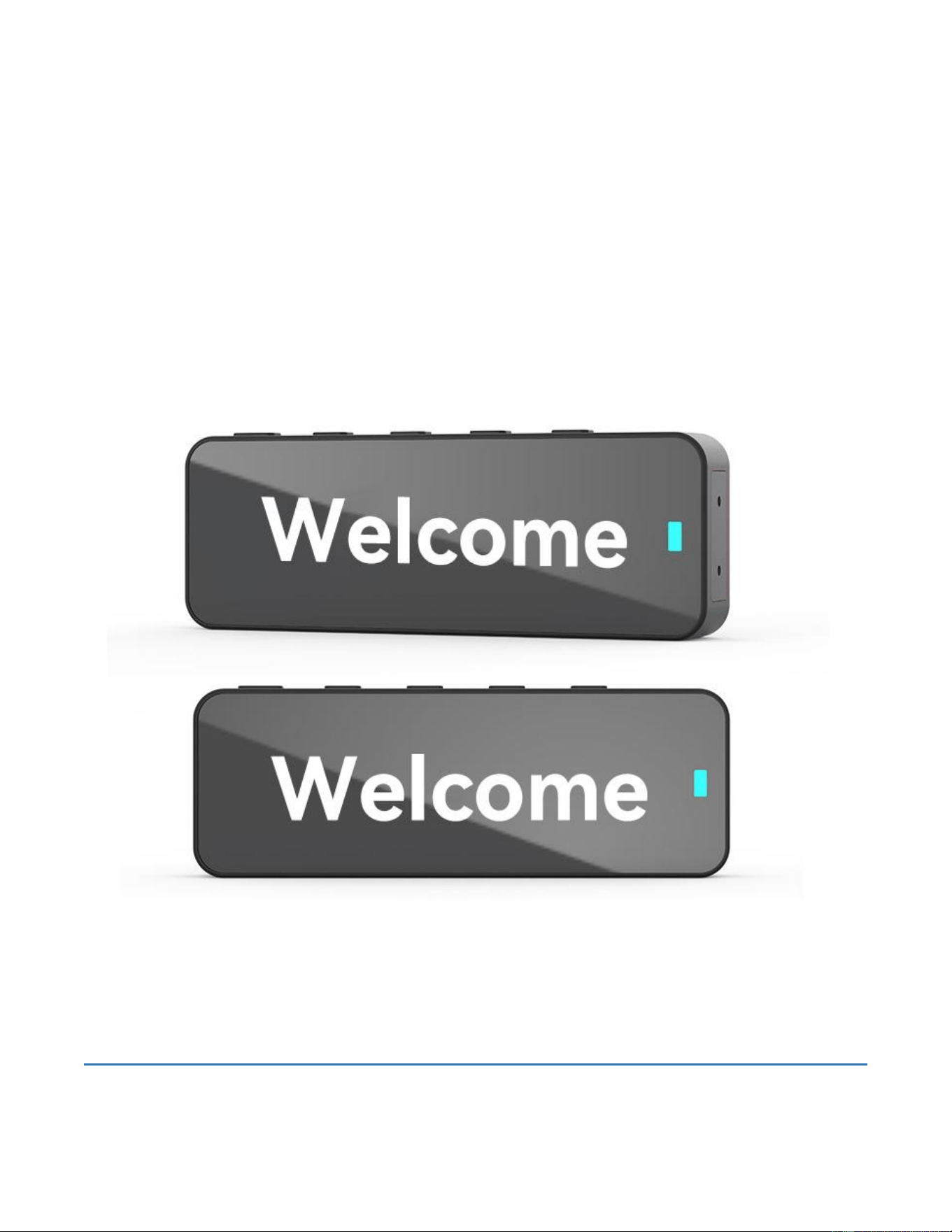
CoCoBug F2S MINI TRANSCEIVER
Walkie Talkie
User Manual
Quanzhou Zhongzhuo Electronic Technology Co., Ltd.
No.55, Houhai, Houhai Village, Baiqi Hui Township, Taiwanese Investment Zone,
Quanzhou City,Fujian Province, China

Charging the Battery
1. Using the Battery
The battery pack is not charged at the factory, please charge it before
use. To extend the battery pack lifetime, please not in use and do not
leave the battery in hot or cold place.
2. Battery Characteristics
The battery will slowly wear out even not in use. After charging and
recharging, it's normal that the talk and standby times are noticeably
shorter than normal times. If leaving the battery in very hot place or
conditions, it will reduce the capacity and lifetime of the battery.
Overcharging may also shorten its lifetime.
3. Charging the Battery
Please charge your battery only with our approved charger. Initially
charging the battery pack after purchase or extended storage (greater
than 2 months) will not bring the battery pack to its normal operating
capacity. After repeating the charge/discharge cycle two or three
times, the operating capacity will increase to normal level.
Please charge the battery pack as follows:
●Insert the adapter and make sure the contacts are in contact with the
socket.
●Insert the Type-C plug into the Type-C charging jack on radio battery.
●The charging LED lights red and charging begins.
● After charging when the light turns to green, it means the battery
pack is fully charged. Then you can take off radio and use it
⚠ Caution
• Make sure the radio is powered off before charging and do not use the radio during
charging.
• Read the safety information booklet in advance to get necessary safety information.

1. Safety Warnings
⚠ IMPORTANT SAFETY WARNING
1
Comply with all local laws and regulations when using this device. Improper use is illegal and may
result in penalties.
2
Do NOT use the walkie-talkie in flammable or explosive environments. Radio frequency signals can
ignite flammable materials causing fires or explosions.
3
Operate within a temperature range of -20
°C – 55°C.
Do not charge the device in
extremely hot environments.
4
Do NOT place the walkie-talkie in direct sunlight or near heat sources.
5
Do NOT use the device in dark, wet, or enclosed spaces. Turn off the walkie-talkie immediately if
entering such areas.
6
If the device emits abnormal odors, leaks liquid, or produces smoke, turn it off immediately and
contact your authorized dealer.
7
When storing the device for extended periods, ensure the battery is fully charged before storage.
Keep in a cool, dry location.
2. Package Contents
Before first use, please verify all items below are included. If anything is missing, contact your authorized dealer
immediately.
No. Item No. Item
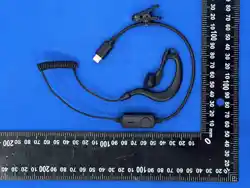
1 Walkie-Talkie Unit × 1 2 Earphone × 1
3 Charger × 1 4 Type-C Charging Cable × 1
5 6 Back × 1
7
Warranty Card × 1
3. Usage Precautions
# Precaution
1
Do NOT bring the walkie-talkie into flammable or explosive environments. Radio frequency currents can
cause fires and explosions.
2
For use in high-risk explosive environments (e.g., coal mines with methane gas), purchase explosion-
proof certified products from specialized dealers. Keep the device away from all flammable gases.
3
If the charger emits smoke, immediately switch off the power supply and unplug it to prevent electrical
short circuits or fire hazards.
4
Use only the dedicated charger provided for this model. Using chargers designed for other walkie-talkie
models may result in damage or create serious safety hazards.
clip
4. Battery Management
Action Description
First-Time Charging
Connect the charger to the walkie-talkie via the Type-C port. The
indicator light will illuminate, signaling that charging has begun.
Normal Charging
Insert the Type-C charging cable into the walkie-talkie. The indicator
light will flash to confirm charging is in progress.
Full Charge Indication
The indicator light will remain solid (stop flashing) when charging is
complete.
Low Battery Alert
When battery level drops to approximately 10%, a beep tone will sound,
and the screen displays 'Please Change'. The indicator light turns RED.
Storage Recommendation
Always charge to 100% before long-term storage. Store in a cool, dry
environment.
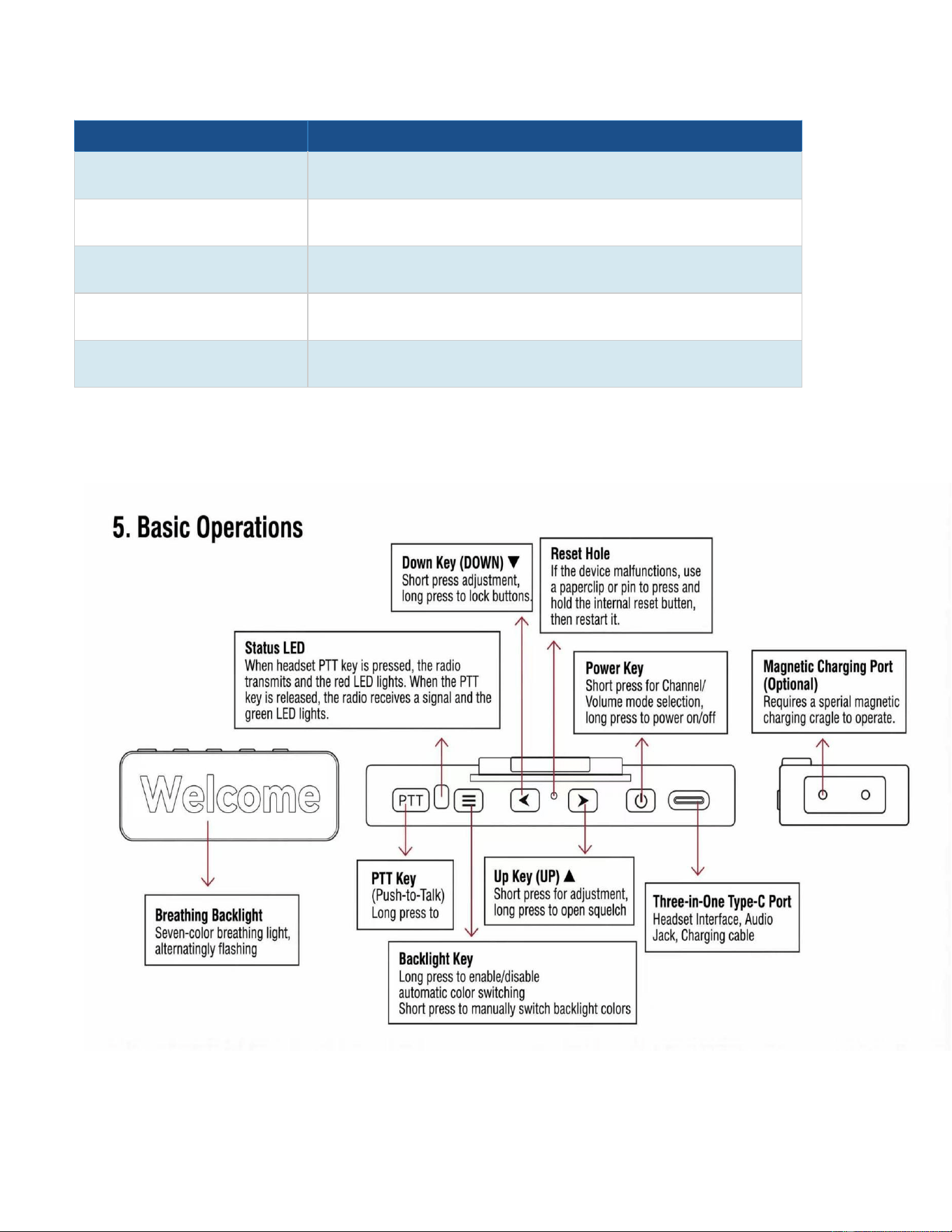
5. Button & Interface Guide
Button / Port Action Function
Power Button Long Press
Power ON — Screen displays startup animation
and plays startup tone
Power Button Long Press (when ON) Power OFF — Countdown shutdown sound plays
Power Button Short Press Switch to next channel / frequency
Up Key [▲] Short Press (Channel Mode) Switch to next channel
Up Key [▲] Short Press (Frequency Mode) Increase frequency
Up Key [▲] Long Press Toggle flashlight ON/OFF
Down Key [▼] Short Press (Channel Mode) Switch to previous channel
Down Key [▼] Short Press (Frequency Mode) Decrease frequency
Down Key [▼] Long Press Static mute / Manual ON-OFF toggle
PTT Button Press & Hold
Activate transmitter — LED indicator turns RED;
speak into mic
PTT Button Release
Return to receive mode — LED turns GREEN
when valid signal is received
[▼] + [▲] Hold Simultaneous Long Press Enter one-key scan/decode mode
Type-C Port Connect Cable Charging input
Earphone Jack Insert Earphone Private listening and VOX capability
STEP 01
Long press and hold the powerbutton to turn on the device
Short press for Channel/Volume
STEP 02
Press the PTT (Push-to-Talk)button to communicate
6. Basic Operations
Operation Steps / Details
Power ON
Long press the button. The screen displays the startup animation and plays a
startup tone. The walkie-talkie is ready to use.
Power OFF
Long press the button while the device is on. A countdown tone will play, and
the device will shut down.
Transmitting (PTT)
Press and hold the PTT button on the side. The LED indicator turns RED.
Speak clearly into the microphone. Release PTT to return to receive mode.
Receiving
When a valid signal is received, the LED turns GREEN and audio is heard
through the speaker. No action needed.
Flashlight
Long press [▲] to toggle the flashlight ON. Long press [▲] again to turn it
OFF.
Key Lock
Long press [▼] to lock all keys. While locked, all button inputs are ignored.
Long press [▲] to unlock.
Channel Selection
Short press [▲] or [▼] to cycle through available channels. The current
channel number is shown on screen.
Volume Adjustment
Volume is adjustable through the programming software under 'Volume
Settings'. Use the software to increase or decrease volume levels.
Squelch Level
Adjust via programming software under 'Squelch Level'. Increase squelch in
areas with strong signals; decrease it in areas with weak signals.
Scan Function
Enable or disable channel scanning per channel via the programming
software. Scanning automatically finds active channels to avoid interference.
TOT (Time-Out Timer)
TOT limits continuous transmission time. Default: 600 seconds. When the
timer expires, a warning tone sounds and transmission stops. Press PTT
again to restart.
One-Key Decode
Simultaneously long press [▲] + [▼] to enter decode mode. The 2 indicator
lights will flash and a beep will sound. Press [1] to exit.
7. CTCSS / DCS Tone (QT / DQT) System
The QT/DQT tone system allows you to filter out unwanted communications on a shared channel. Configure tones via
the programming software.
Feature Detail
CTCSS (Analog Tones) 50 sub-audible tones ranging from 60.0 Hz to 260.0 Hz
DCS (Digital Codes) 105 digital codes, values from 000–077 (octal format)
Purpose
Prevents interference from other walkie-talkies on the same frequency.
The radio will only open the squelch when the matching tone is received.
Configuration
Set QT/DQT tones via the programming software 'QT/DQT Settings' menu.
Both transmit and receive tones can be configured independently.
Note
QT/DQT tones reduce interference but do not guarantee complete privacy.
Other radios with the same tone code will still be heard.
8. Indicator Light Status Guide
Indicator State Color Meaning
Solid ON RED Currently transmitting
Solid ON GREEN Receiving a valid signal
Flashing RED / GREEN Charging in progress
Solid ON Any Charging complete
Rapid Flash RED Low battery warning
OFF — Standby / powered off

9. Technical Specifications
Parameter Specification
Frequency Range (UHF) 400 – 470 MHz
Modulation Type
11KΦF3E (FM)
Power Supply Voltage 3.7V DC (Lithium Battery)
Transmit Power 0.6W
Receive Sensitivity 0.2 μV
Operating Current (RX Standby) 115 mA
Communication Range 2 – 6 km (open field)
Frequency Stability ±2.5 ppm
Spurious Emission < 65 KHz / -62.5 KHz
Audio Output 500 mW
Charging Current 500 mA (0.7A max)
Charging Interface Type-C USB
CTCSS Tones 50 tones (60.0 – 260.0 Hz)
DCS Codes 105 digital codes (000 – 077 octal)
Operating Temperature -20
°C – 55°C
Product Dimensions
10 Warranty & After-Sales Service
1. 12-Month Worry-Free Warranty
● We have full confidence in the quality of the CoCoBug. Every device comes
with a 1-year comprehensive manufacturer warranty. Should any hardware
failure occur under normal usage, we will provide professional repair or
replacement services to ensure your communication remains uninterrupted.
2. 30-Day Money-Back Guarantee
Your satisfaction is our top priority. If you are not completely satisfied with
your purchase, you may return the product within 30 days of receipt for a full
refund. We want you to shop with absolute peace of mind.
85(L) * 30 mm (W) * 12 mm (H)(not including Belt Clip)
3. Lifetime Technical Support
Our relationship with you doesn't end at the point of sale. Whether you need
assistance expanding your team groups, upgrading to a Global Plan, or
troubleshooting connectivity issues, our expert technical team is available 24/7
via email or live chat to support you.
Email: 19523634279@163.com
parkerperter80@gmail.com
Phone: +86 15880335390
Business Hours: Monday – Friday
SERVICE & SUPPORT
CONTACT US
10
. Warning