
Video Walkie Talkies
CRWT200
Quick Start Guide
2
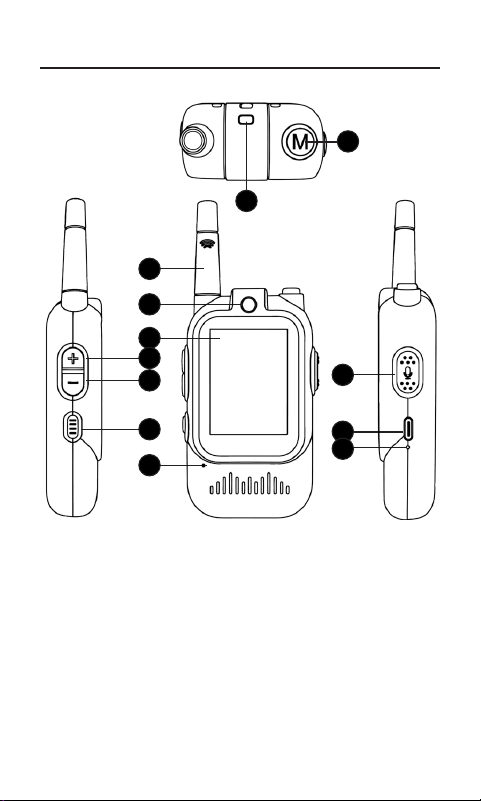
7. Mode/Back Button
8. Antenna
9. Camera
10. Display Screen
11. Volume+
12. Volume-
7. Power Switch
8. Microphone
9. Talk Button/OK
Button
10. Charging Port
11. Charging Indicator
Light
12. Lanyard Hole
3
4
8
10
9
11
7
5
6
12
1
2
9
10
11
12
3
4
5
6
7
8
Product Overview
3
Getting Started
Precautions
1. Please charge the device to full before
operation.
2. Use the included charging cable and connect
it to a wall charger (sold separately). The
power indicator light will turn red. When fully
charged, the charging indicator light will
automatically turn o.
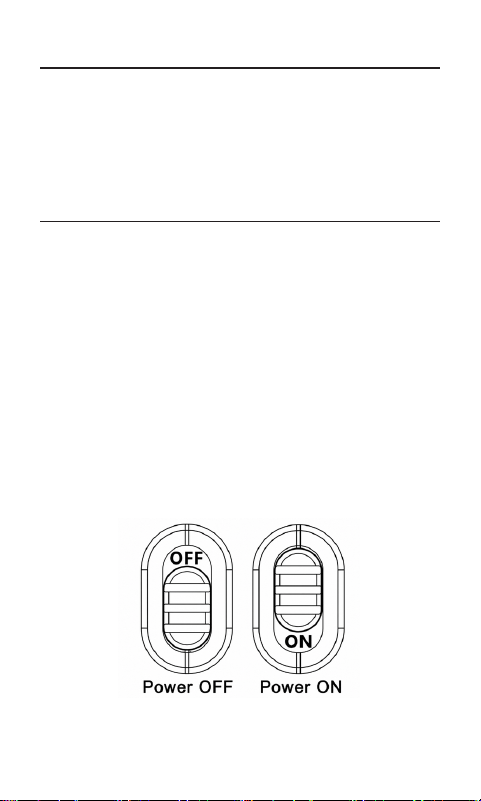
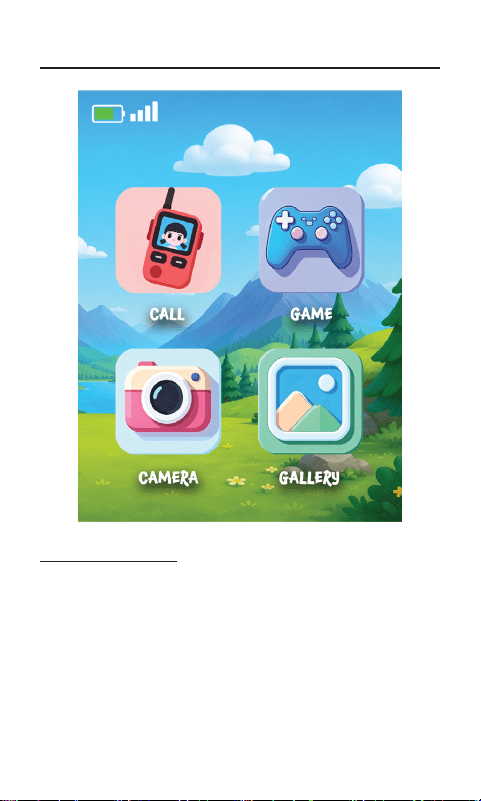
3. Turn the power switch to “ON”. The product
will turn on automatically and a four-grid
menu will appear, which includes Call, Game,
Camera, and Gallery.
● This product is suitable for outdoor use.
● This device is not waterproof.
● The indoor distance for this product should be
such that image does not stutter.
4
Main Menu
Button Operation
● Press the Volume+/- buttons to navigate
between the following functions: Call, Game,
Camera, Gallery.
● Press the Talk Button/OK Button to execute.

5
● Press the Talk/OK button to select Call.
● The call will begin, and the other walkie-talkie
must press the Talk/OK button to accept the
call.
● Voice Eects: Press and hold the Mode/Back
button to switch voice eects: Normal, High
Pitch, Deep Voice & Robot.
● Press the Volume+/- button to increase/
decrease volume.
● Press and hold the Talk button to speak.
● Press the Mode/Back button to end the video
chat.
● Press and hold the Volume+ button to switch
Video window displays.
Call
● Press the Talk/OK button to select Game
● Press the Volume +/– buttons to control the
spaceship.
● Press the Menu button to return to the main
screen.
Game

6
● Press the Talk/OK button to select Camera
● Press the Talk button to take a photo.
● Press the Menu button to return to the main
screen.
Camera
● Press the Volume +/– buttons to navigate,
then press the Talk/OK button to preview the
image.
● Press the Menu button to return to the main
screen
Gallery

7
Power On/O & Automatic Shutdown Function
Product Pairing and Connection Method
1. Operation: The device enters working mode
upon power-on and will remain operational
until manually turned o or the battery is
depleted.
2. Low Battery: The device will automatically
shut down when the battery is critically low.
3. Manual Shutdown: To stop using the device,
please turn the power switch to the “OFF”
position.
4. Restart: To restart, turn the power switch to
“OFF” and then back to “ON”.
This product uses a 2.4 GHz wireless connection
to communicate directly between the two video
walkie talkies. Each package includes two devices
that are pre-paired at the factory and are designed
to communicate only with each other.
No Wi-Fi
®
, Bluetooth
®
, app, or internet connection
is required. If multiple sets are purchased,
each pair operates independently and cannot
communicate with other sets.
8
Specications
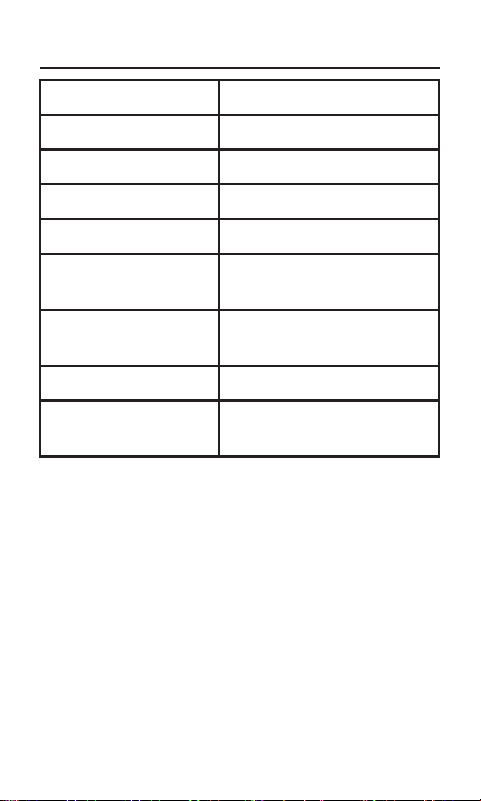
Screen 2-Inch IPS Screen
Battery Capacity 3.7V 650mAh
Charger 5V/1A
Language English
USB Port Type-C
®
Operating
Temperature
68 ˚F(20 ˚C) ~ 140 ˚F(60
˚C)
Storage Tempera-
ture
86 ˚F(30 ˚C)~158 ˚F(70 ˚C)
Power 5V/1A
Product Size
4.9*21*0.9 inches
(124*54*23 mm)

9
Need Help?
For customer support regarding your
device, please submit a request by emailing
[email protected]. You will
be provided a ticket number regarding your
inquiry, which you can refer to when contacting
us further.
You may also reach a Core Innovations
customer service representative by calling
1-833-909-CORE (1-833-909-2673). We are
available Monday - Friday, 9am - 5pm PST,
except major holidays. Core Innovations strongly
urges customers to email their inquiry prior to
calling, as this will enable us to better assist you.
Please make sure to note the model number and
a description of your inquiry.
Thank you for purchasing a Core Innovations
product.
Model Number CRWT200BW
CRWT200BG
CRWT200RO
Company Name DP AUDIO VIDEO LLC
Address PO Box 24857
Los Angeles, CA 90024
Telephone 1-833-909-2673

10
FCC Warning
This device complies with part 15 of the FCC
Rules. Operation is subject to the following two
conditions:
(1) This device may not cause harmful
interference, and
(2) this device must accept any interference
received, including interference that may cause
undesired operation.
Any changes or modications not expressly
approved by the party responsible for compliance
could void the user’s authority to operate the
equipment.
Note: This equipment has been tested and found
to comply with the limits for a Class B digital
device, pursuant to part 15 of the FCC Rules.
These limits are designed to provide reasonable
protection against harmful interference in a
residential installation. This equipment generates,
uses and can radiate radio frequency energy
and, if not installed and used in accordance with
the instructions, may cause harmful interference
to radio communications. However, there is no
guarantee that interference will not occur in a
particular installation. If this equipment does
cause harmful interference to radio or television
reception, which can be determined by turning the
equipment o and on, the user is encouraged to

11
FCC Warning
try to correct the interference by one or more of
the following measures:
● Reorient or relocate the receiving antenna.
● Increase the separation between the equipment
and receiver.
● Connect the equipment into an outlet on a
circuit dierent from that to which the receiver
is connected.
● Consult the dealer or an experienced radio/TV
technician for help.
The device has been evaluated to meet general
RF exposure requirement. The device can be used
in portable exposure condition without restriction.

CORE
INNOVATIONS
TM