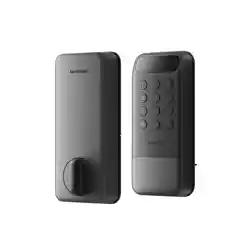


You can set up to 100 passcodes, including 90 permanent passcodes, temporary
passcodes and one-time passcodes in total with an extra 10 emergency passcode slots
available.
When the battery level of the main pack drops below 20%, this product will emit sound
alerts and the indicator light will ash when locking or unlocking.
For more information regarding troubleshooting your device, please visit
https://support.switch-bot.com/hc/en-us/categories/35565333390999
or scan the QR code.
• Do not attempt to install or repair the product without authorization.
• Do not use excessive force or sharp objects to press lock buttons, as this can damage
the product.
• Make sure the door is completely closed when going outside.
• The manufacturer does not assume responsibility for any harm caused by your
improper closing the door.
• Replace batteries when the low battery alarm is heard.
• Change your access code regularly to ensure security.
We warrant to the original owner of the product that the product will be free from
defects in materials and workmanship. Please note that this limited warranty does not
cover:
1. Products submitted beyond the original limited warranty period.
2. Products on which repairs or modifying have been attempted.
3. Products subjected to falls, extreme temperatures, water, or other operating
conditions outside the product specications.
4. Damage due to natural disaster (including but not limited to lightning, ood,
tornado, earthquake, or hurricane, etc.).
5. Damage due to misuse, abuse, negligence or casualty (e.g. re).
6. Other damage that is not attributable to defects in the manufacture of product
materials.
7. Products purchased from unauthorized resellers.
8. Consumable parts (including but not limited to batteries).
9. Natural wear of the product.
Feedback: If you have any concerns or problems when using our products, please send
feedback via our app through the Prole > Support page.
Setup and Troubleshooting: support.switch-bot.com
Support Email: [email protected]
Remove the main pack from the interior assembly to charge the battery via the type-C
port. The battery’s indicator light will show the charging status:
When the battery level of the main pack drops below 10%, the lock will automatically
switch to the backup pack. Most features will be unavailable, but you can still lock and
unlock your door (the lock will emit sound alerts and the indicator light will ash when
locking and unlocking).
When the battery level of the backup pack drops below 10%, the lock will become
inoperable. In this case, please remove the battery cover from the interior assembly
and replace the backup pack (CR123A) as soon as possible.
When the lock runs out the battery, you can connect a power source to the type-C
port on the exterior assembly for temporary use. In this case, features related to
facial/palm vein recognition will be unavailable. Please charge the main pack as soon
as possible.
• You can set up to 100 face entries.
• Follow the app to add faces and test recognition. Stay 24–35 in. (0.6–0.9 m) from the lock
device during setup.
• Permanent face entries: These entries will never expire unless you delete them.
• Temporary face entries: valid within a set time period and can last for up to 5 years
maximum.
• You can add up to 100 NFC cards, including permanent cards and temporary cards.
• Follow the app instructions and place an NFC card close to the NFC sensor. Do not
move the card before it has been successfully added.
• Lost NFC cards: Should you lose your NFC card, please make sure you delete the card
via our app as soon as possible.
❶ Remove the battery isolation tab between the backup pack and the lock.
❷ Insert the main pack into the interior assembly.
❸ Close the battery cover.
• Once powered on, the lock maintains pairing mode within 2 minutes.
• If the pairing fails, reinstall the battery or press and hold the Pairing button for 2 seconds
to let the lock enter pairing mode again.
• After locking or unlocking your door (default: 15 seconds), face recognition will be temporarily
disabled.
• To enable face recognition during this period, press any button on the keypad.
Passcode Unlocking
Face Unlocking
NFC Card Unlocking
Step 5: Install the battery.
Please note:
Using the Product Device Status Battery Usage Troubleshooting
Specifications
Precautions
Warranty Contact & Support
Charging the Main Pack
Using the Backup Pack
Replacing the Backup Pack
Connecting to Temporary Power
Status Description
Device status
Light stays white for 1s; lock emits
a single beep.
Powered on and ready for
pairing.
Light blinks green rapidly. Pairing in progress.
Light blinks green slowly. Ready for Matter setup.
Light blinks white slowly, then stays
on for 1s.
Successful rmware upgrade.
Light blinks red slowly for 10s; lock
emits sound alert after each lock/
unlock.
Low battery.
Light blinks green slowly.
Locking or unlocking
in progress.
Light stays green for 2s then turns
o; lock emits a sound.
Locked or unlocked
successfully.
Light blinks red rapidly twice; lock
emits a sound.
Failed to lock or unlock.
Light blinks green rapidly once;
lock emits a sound.
Unlocking identier added
successfully.
Light blinks red rapidly twice,
button backlight blinks rapidly
twice; lock emits a sound.
Incorrect passcode entered 5
consecutive times.
Light pulsates white. Scanning face.
Light blinks green slowly; lock
emits a sound.
Face recognized successfully.
Light blinks white for 8s. Face recognition timeout.
Charging status
Light stays green. Battery fully charged.
Light stays red. Charging in progress.
Light blinks red and green. Charging error.
• Steady red: charging
• Steady green: fully charged
•/• Blinking red and green: charging error
Please note:
V1.0-2512
Material: Zinc alloy, PC+ABS
Size:
Exterior Assembly: 6.4 × 2.8 × 1.1 in. (163 × 70 × 28 mm)
Interior Assembly: 7.1 × 3.0 × 1.3 in. (180 × 77 × 32 mm)
Weight:
Exterior Assembly: 551 g (19.4 oz.)
Interior Assembly: 218 g (7.7 oz.)
Power:
Main Pack: Rechargeable Lithium-ion Battery (10,000 mAh)
Backup Pack: CR123A battery
Operating Temperature: -20 to 65 ºC (-4 to 149 ºF)
Operating Humidity: 0 to 90% RH
Connectivity: 2.4 GHz Wi-Fi + Bluetooth 4.2 or above
To reset the lock, simply delete it from your SwitchBot app account, then re-add it.
In order to improve user experience, we will regularly release rmware updates to
introduce new functions and solve any software defects that may occur during usage.
When a new rmware version is available, we will send an upgrade notication to your
account via our app. When upgrading, please make sure your product has sucient
battery or stay powered on and make sure your smartphone is within range to prevent
interference.
Restoring to Factory Settings
Firmware Upgrades