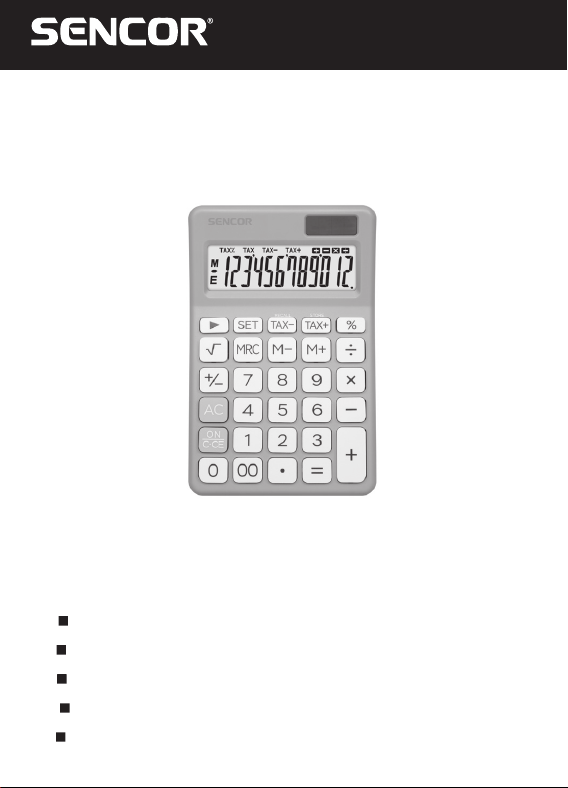
SEC 381
EN User Manual DESKTOP CALCULATOR
CZ
Uživatelská příručka STOLNÍ KALKULAČKA
SK
Používateľská príručka STOLNÁ KALKULAČKA
HU
Felhasználói kézikönyv ASZTALI SZÁMOLÓGÉP
PL
Podręcznik użytkownika KALKULATOR BIUROWY
1
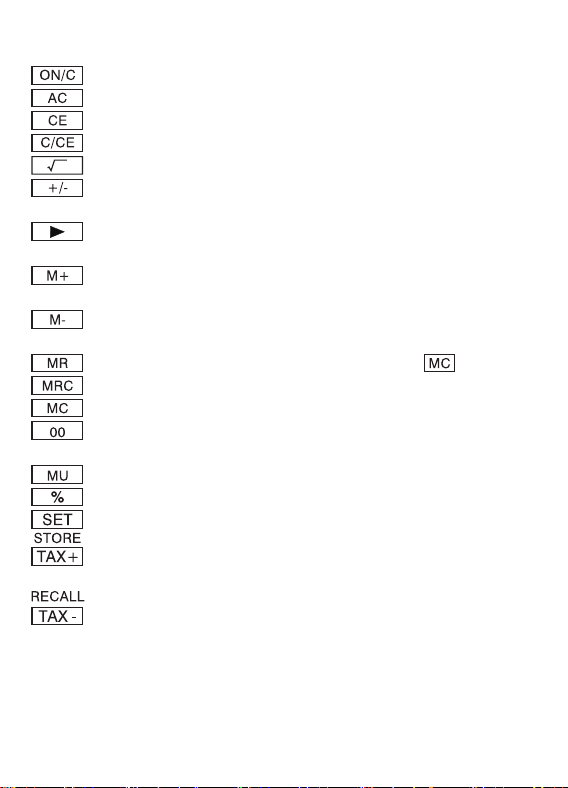
1. KEY OPERATIONS:
: Power ON/Clear
: All Clear
: Clear Error
: Clear / Clear Error
: Square root
: Sign change key (Changes the sign of the displayed
value from positive to negative or vice versa.)
: Right shift key (Shifts the displayed value to the right
deleting the right most digit.)
: Memory plus (Adds the displayed value to the displayed
value to the independent memory.)
: Memory minus (Subtracts the displayed value from the
independent memory.)
: Memory Recall (Effective before pressing key.)
: Recall memory / Memory Clear
: Memory Clear
: Fast addition of “0” (Displays two “0” when pressed
once.)
: Make-up / Make down key
: Percent key
: Tax Setting key
: Price with tax key to store tax rate when pressing
[ SET ] & [ TAX + ] keys
: Price without tax keys to recall tax rate when pressing
[ SET ] & [ TAX- ] keys
2
2. SWITCH DESCRIPTION:
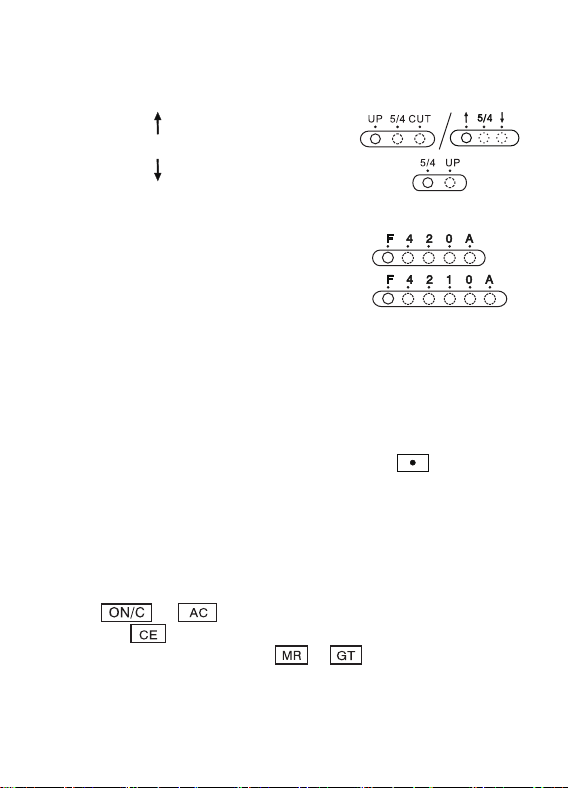
* (TAB-A)
SELECTION OF DECIMAL MODE
(UP)
:
5/4 :
Rounding up
Rounding off
(CUT)
:
Rounding down
* (TAB-B)
SELECTION OF DECIMAL DIGITS
* This switch is for selecting the effective decimal digits.
• F : Floating decimal point.
• 4, 2, 0 indicates 4, 2 or 0 decimal.
• A(ADD2):
When the switch is set to “A”, which indicates that the
decimal digit is automatically set to 2 (for example : If you
key in “8” the value is 0.08) but if you key in then this
position is the base (This mode useless for multiplication and
division).
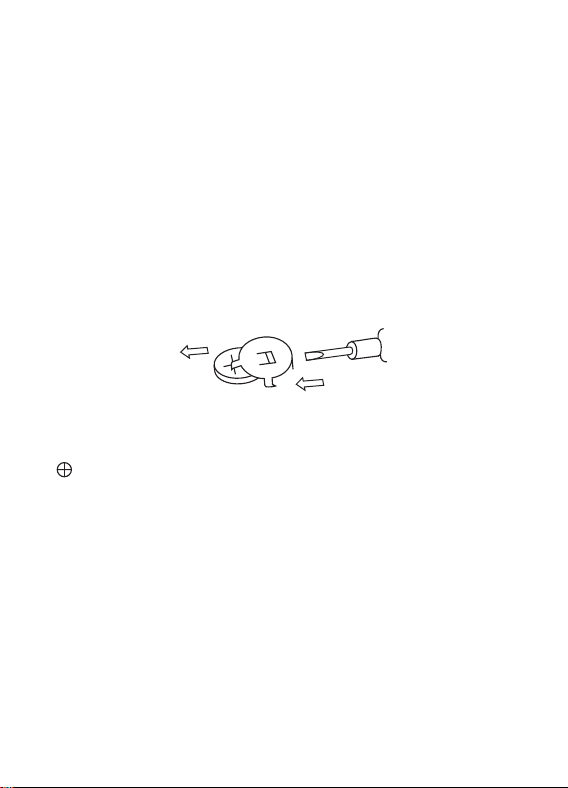
“ERROR” sign:
The display showns “ERROR” when the answer exceeds the
maximum number of digits of displaying.
1. Press or to clear all values.
2. Press the key to clear the “ERROR” but the value on the
display still can be effective,
& are still stored.
3
3. HOW TO CHANGE THE BATTERY:
• This machine uses 2 power sources:
1 Solar energy 21 pc AG-10 or 1 pc AG-13
Or equivalent button type battery
• When the display becomes blur, it indicates the battery power
is low. You can use the solar panel for power or replace the
battery to make the display clear again.
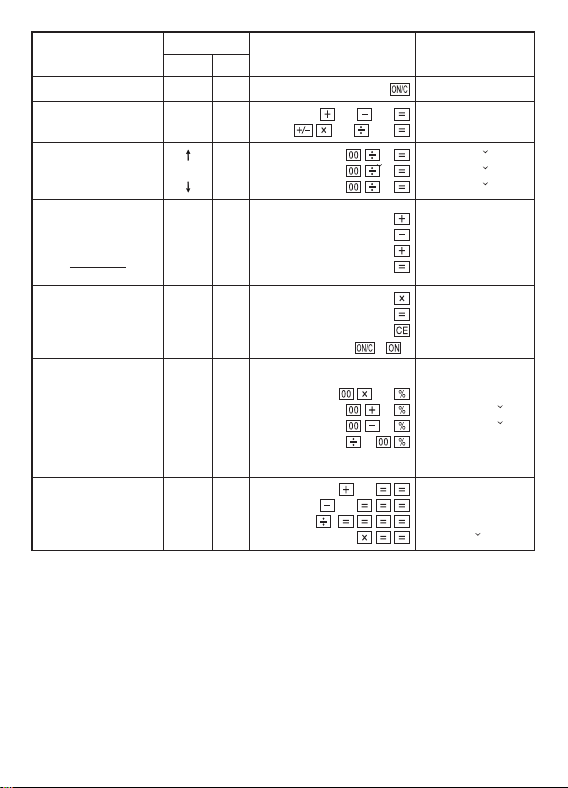
(1) Loosen the screw from the back cover, and carefully remove
it.
(2) Use a screwdriver or other tool to push out the battery.
(Note: follow exit direction in pushing out).
* Don’t damage the circuit.
exit
(Fig 1)
(3) Push in the new battery in the opposite direction (Note: the
polarity is faced up).
(4) Put the cover back and tighten the screw (do not overdo).
(5) Auto Power-off: After approximately 8 minutes.
4
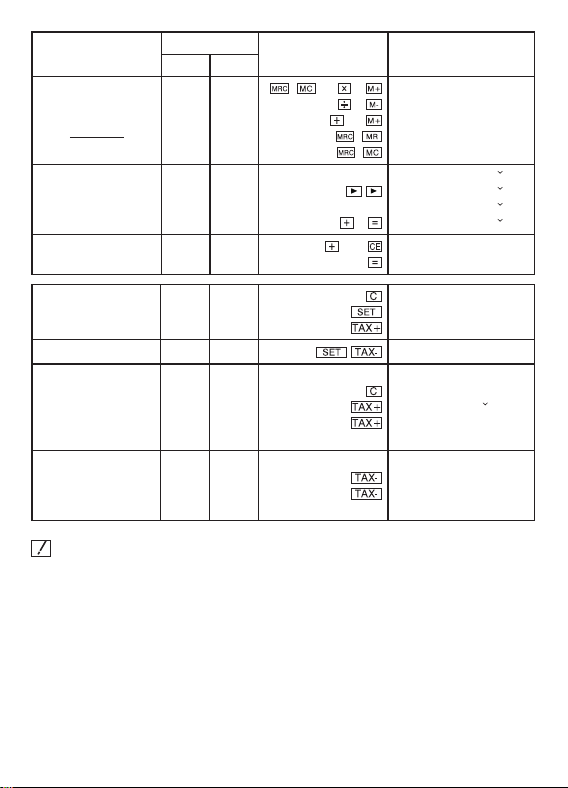
Example
TAB
Operation Display
AB
0.
100+50-30
(-10)×20 ÷ 0.5=
Free F
100
50 30
10 20 0.5
120.
-400.
5000 ÷ 3=
5000 ÷ 3=
5000 ÷ 3=
5/4
2
2
2
50
3
50 3
50 3
1 666.67
1
666.67
1
666.66
$12.34
34.56
-56.78
78.90
$69.02
Free A
1234
3456
5678
7890
12.34
46.9
-9.88
69.02
1234567890 ×
66666=
Free F
1234567890
66666
( )
ERROR(E)
82.3037029547
82.3037029547
0.
• 10% of 1500
5% add-on of
1500
(1500+5%=)
(1500-5%=)
• percentage of 20
against 500
15
10
15 5
15 5
20 5
150.
1 575.
1 425.
4.(%)
368+97+97=
839-47-47-47=
5-4 =
22-53 =
5/4 F
368
97
839 47
5
22.5
562.
698.
0.0016
11 390.625
5
Example
TAB
Operation Display
AB
25 × 5
-) 84 ÷ 3
+) 68+17
182
Free F
(
) 25 5
84 3
68 17
( )
( )
MEMORY(M) 125.
MEMORY(M) 28.
MEMORY(M) 85.
MEMORY(M) 182.
182.
123478 + 5 Free Free
123456
78
5
123 456.
1 234.
123
478.
123
483.
456 + 378 Free Free
456
378
378
0.
834.
Setting 5% Rate
(tax)
Free F
5
0.
TAX% 5.
TAX% 5.
Checking rate Free Free
TAX% 5.
At what price and
amout of tax must
one sell to include
5% tax rate when
cost is $1000
5/4 2
1000
0.
TAX+ 1 050.00
TAX 50.00
When, s price must
one sell to exclude
5% tax rates when
cost is $ 1000
Free 2
1000
TAX- 952.38
TAX 47.62
When calculating the TAX rate, do not change the switch.
The switch ADD2 is invalid.
* This user manual is only for reference, the actual operation is
subject to the actual unit.
430312TX00410

6
INSTRUCTIONS AND INFORMATION ON DISPOSING OF
USED PACKAGING MATERIALS
Dispose of used packaging material at a site designated for
waste in your municipality.
DISPOSING OF USED ELECTRICAL AND ELECTRONIC
EQUIPMENT
This symbol on products or original documents means
that used electric or electronic products must not be
added to ordinary municipal waste. For proper disposal
and recycling, take these products to designated
collection points. Or in some European Union states or
other European countries the products can be returned
to the local retailer when buying an equivalent new
product. Disposing of this product correctly helps save
valuable natural resources and prevents damage to
the environment by improper waste disposal. Ask your
local authorities or collection facility for more details. In
accordance with national regulations penalties may be
imposed for the incorrect disposal of this type of waste.
For business entities in European Union states
If you want to dispose of electric or electronic devices, ask
your retailer or supplier for the necessary information.
Disposal in other countries outside the European
Union
This symbol is valid in the European Union. If you wish to
dispose of this product, request the necessary information
about the correct disposal method from the local council or
from your retailer.
This product meets all the basic requirements of the
applicable EU directives.

7
The text, design and technical specifications may be changed
without prior notice and we reserve the right to make these
changes.
The original version is in the Czech language.
Manufacturer’s address:
)$67ý5DV86DQLWDVXětþDQ\&=
info@sencor.com

8
EN
Warranty conditions
Warranty card is not apart of the device packaging.
This product is warranted for the period of 24 months from the date of purchase to the end-user. Warranty
is limited to the following conditions. Warranty is referred only to the customer goods using for common
domestic use. The claim for service can be applied either at dealer’sshop where the product was bought, or
at below mentioned authorized service shops. The end-user is obligated to set up aclaim immediately when
the defects appeared but only till the end of warranty period. The end user is obligated to cooperate to certify
the claiming defects. Only completed and clean (according to hygienic standards) product will be accepted.
In case of eligible warranty claim the warranty period will be prolonged by the period from the date of claim
application till the date of taking over the product by end-user, or the date the end-user is obligated to take it
over. To obtain the service under this warranty, end-user is obligated to certify his claim with duly completed
following documents: receipt, certificate of warranty, certificate of installation.
This warranty is void especially if apply as follows:
Defects which were put on sale.
Wear-out or damage caused by common use.
The product was damaged by unprofessional or wrong installation, used in contrary to the applicable
instruction manual, used in contrary to legal enactment and common process of use or used for another
purpose which has been designed for.
The product was damaged by uncared-for or insufficient maintenance.
The product was damaged by dirt, accident of force majeure (natural disaster, fire, and flood).
Defects on functionality caused by low duality of signal, electromagnetic field interference etc.
The product was mechanically damaged (e.g. broken button, fall).
Damage caused by use of unsuitable media, fillings, expendable supplies (batteries) or by unsuitable
working conditions (e.g. high temperatures, high humidity, quakes).
Repair, modification or other failure action to the product by unauthorized person.
End-user did not prove enough his right to claim (time and place of purchase).
Data on presented documents differs from data on products.
Cases when the claiming product cannot be indentified according to the presented documents (e.g. the
serial number or the warranty seal has been damaged).
Manufacturer:
FAST ČR, a.s., U Sanitasu 1621, Říčany 251 01, Czech Republic
info@sencor.com
Authorized service centers:
Visit www.sencor.com for detailed information about authorized service centers.
The original version of the instructions is in the Czech language, other language versions are made by the
appropriate translation.

FAST ČR, a. s.86DQLWDVXětþDQ\&=