尺
寸
:
7
0
x9
0
mm
材质: 1
00
g书写纸
工艺:风琴折, 正反面印刷, 单黑印刷
3. Product Oveiew
4. How to Use
True
Wireless
E
arphones
Model: HE-102
INSTRUCTION
Please read the instruction manual carefully bere using the product
and keep it with future care.
1. What's in the Box
二
w
勹
]
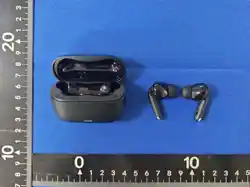
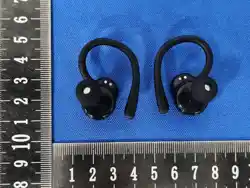
Open Earbuds *2
Open Earbuds
USB-C
Use「Guide*l
Cha「ging Case* 1
Charging Cable勹
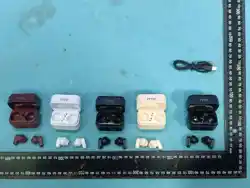
Decorative Accessories•2 (Accesso「ies are optional)
If any of the above-listed items are n勹issing or the product is damaged, do
not use it Please contact our customer service team for assistance
2. LED Indicator Guide (Charging Case)
Status
LED Behavior
Charging Earbuds
Solid White (Turns off when fully charged)
Low Batter; (<20%)
Flashing White
Charging the Case
Flashing Orange
Case Fully Charged
Solid Orange
-1-
Earbud Diagram
Charging Case
e
g
n
。
r'r
c
t
n
B
r
C0g
e
c
n
e
k
b
h
g
cr
a
.
u
ae
e
oh
p
/]
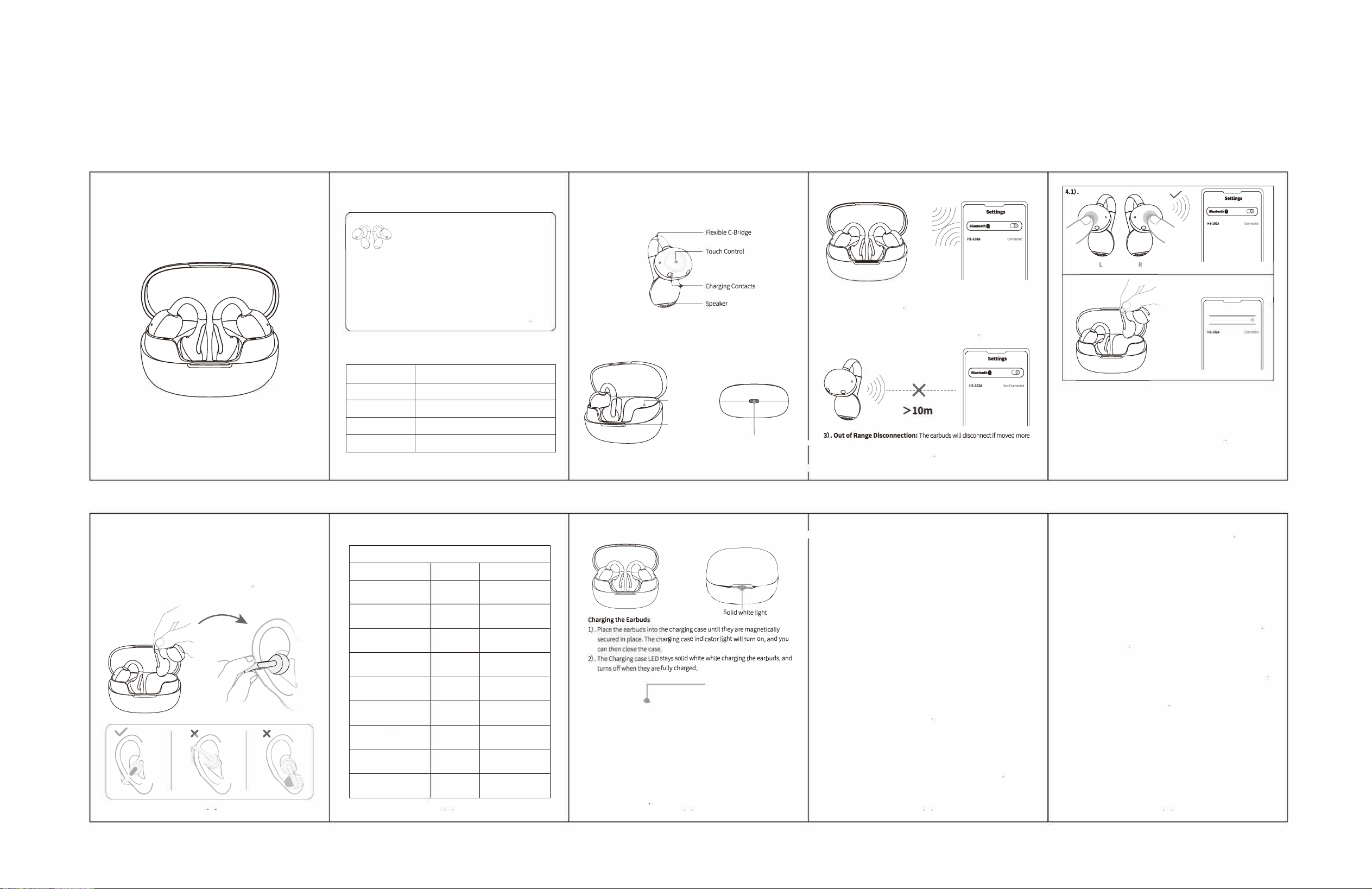
1). For first-time use, open the
charging case lid. The earbuds
will automatically power on
2), Turn on your device's
Bluetooth, find and select
"HE-102" to connect.
Note: After the first successful pairing, the earbuds will automatically
reconnect to your device the next time you open the case
Charging Slot
Indicator Light
USB-C Charging Port
1
than 10m (33) away from your device丁hey will automatically reconnect if
you return within range within 3 minutes
-2-
I -3-
4.2).
\
`
:七'""臣
(即咖叫•O
)
4). Auto Power-O & Manual Reconnection:
lf out of range for more than 3 minutes, the earbuds will automatically turn off
to save powe「.
Reconne:
4.1). Press and hold the touch sensors on both earbuds for 5 seconds to power
them on. They will then automatically reconnect toyourdevice
4.2). Place the earbuds back into the charging case and close the lid. The
earbuds will automatically power off and disconnect from your device
-4-
5. Wearing Instructions
1). Pinch the Flexible C-Bridgewith your thumb and forefinger and raise it
toward your ear.
2). Position the oval speaker inside your ear, and rest the square section
behind your ear
3). Ad」ust the earbuds lo「a secure and comfo「table fit
Note: Avoid over-bending the Flexible C-Bridge to prevent damage.
x
尸
\
』
x
三
\
》
尸
\
6. Touch Control Instructions
Audio Control
Functions
Earbud
Gesture
00
/
L/R
Tap 2 times
Play/Pause
L
Tap 3 times
Previous Track
以
R
Tap 3 times
Next Track
-
L
Tap 1 time and hold
Volume-
+
R
Tap 1 time and hold
Volume+
�
R
Tap 1 time
Answer
逵
\
L/R
Tap 2 times
Hang Up / Reject Call
@
L/R
Hold for 2s
Activate Assistant
@
L/R
Tap 1 time
Dismiss Assistant
7. Charging
1
d
un
oa
,
s
y
y
d
d
a
n
u
cab
r
兀
a
t
h
e
g
no
e
.
ne
g
e
a
r
h
ut
g
m
t
In
e
w
r
i
aw
g
r
d
a
h
y
t
h
o
e
h
c
Sh
g
.
t
,“
r
e
t
o
n
t
h
u
a
w
c
e
e
.
_
s
d
t
a
n
_
d
c
ih
/
ge
w
e
g
d
r
s
a
n
g
c
a
r
o
h
s
c
a
g
hn
c
e r
u
s
f
a
:
Flashing orange light
�
三
Charging the Charging Case
1). Insert the p「ovided USB-C to USB-C charging cable into the charging case
and connect it to a USB-C power source or certified wall charger.
2). The LED flashes orange while charging the case, and turns solid orange
when fully charged
8. Product
· ·
Spec巾cations
Model: HE-102
Bluetooth chip version: V6.0
Playtime: Up to 6 Hours (at 50% volume)
lnput:5V=lA
Battery Capacity (L/R):
3.85V/60mAh
Charging Time: 1.6H
Battery Capacity (Charging case): 3.7V/350mAh
Charging Time: 2H
Transmission Distance: �1om
9. Impoant Safety Instructions & Precautions
•
Do not attempt to d,sassemble your earbuds for any reason Doing so may
damage the p「oduct or cause the batte「y to spontaneously com bust or
catch fire. If your earbuds malfunction, please contact our customer service
team immediately
• When using earbuds while driving,
please adhere to the local laws and
regulations in your country or region
• Avoid exposing the earbuds to high-temperature environments (above
122"F / 5D"C), such as leaving them in direct sunlight丁his can degrade
product performance and shorten battery life.
• Avoid exposing the earbuds to rain or immersing them in liquid
• Please use the included charging cable to charge the device
• For
optimal charging speed, the charger's power output must be between
O.SW and 5.SW
10. Troubleshooting Guide
Why do I hear static or inteerence during a call?
Devices such as cordless phones and wireless network equipment (like
Wi-Fi routers) can cause inte�erence, which often sounds like static noise
To reduce interfe「ence, do not place your earbuds nea「othe「devices that
use or emit radio waves
Why do I hear an echo during a call?
Try ad」usting the earbud volume or moving to a dierent area and try again
How do I clean the earbuds?
Please wipe them with a dry, so cloth
Why won't my earbuds charge fully?
The charging contacts on the earbuds may not be properly connected to the
charging pins in the case. Please take the ea「buds out and place them back
in the case, ensuring they are seated correctly
If you experience any other issues with your earbuds, please contact our
customer service team r assistance.
5
6
7
8 9
FCC ID: 2A2BY-HE-102-A

FCC Warning
This device complies with Part 15 of the FCC Rules. Operation is subject to the following two conditions:
(1) This device may not cause harmful interference, and (2) this device must accept any interference received, including
interference that may cause undesired operation.
NOTE 1: This equipment has been tested and found to comply with the limits for a Class B digital device, pursuant to part 15 of
the FCC Rules. These limits are designed to provide reasonable protection against harmful interference in a residential
installation. This equipment generates, uses and can radiate radio frequency energy and, if not installed and used in accordance
with the instructions, may cause harmful interference to radio communications. However, there is no guarantee that
interference will not occur in a particular installation. If this equipment does cause harmful interference to radio or television
reception, which can be determined by turning the equipment off and on, the user is encouraged to try to correct the
interference by one or more of the following measures:
- Reorient or relocate the receiving antenna.
- Increase the separation between the equipment and receiver.
-Connect the equipment into an outlet on a circuit different from that to which the receiver is connected.
-Consult the dealer or an experienced radio/TV technician for help.
NOTE 2: Any changes or modifications to this unit not expressly approved by the party responsible for compliance could void the
user's authority to operate the equipment.
The device has been evaluated to meet general RF exposure requirement. The device can be used in portable exposure
condition without restriction.