
143*210mm
105g铜版纸 骑马钉 四色+1专 PANTONE 201C
注意:信息备注 此页不做印刷
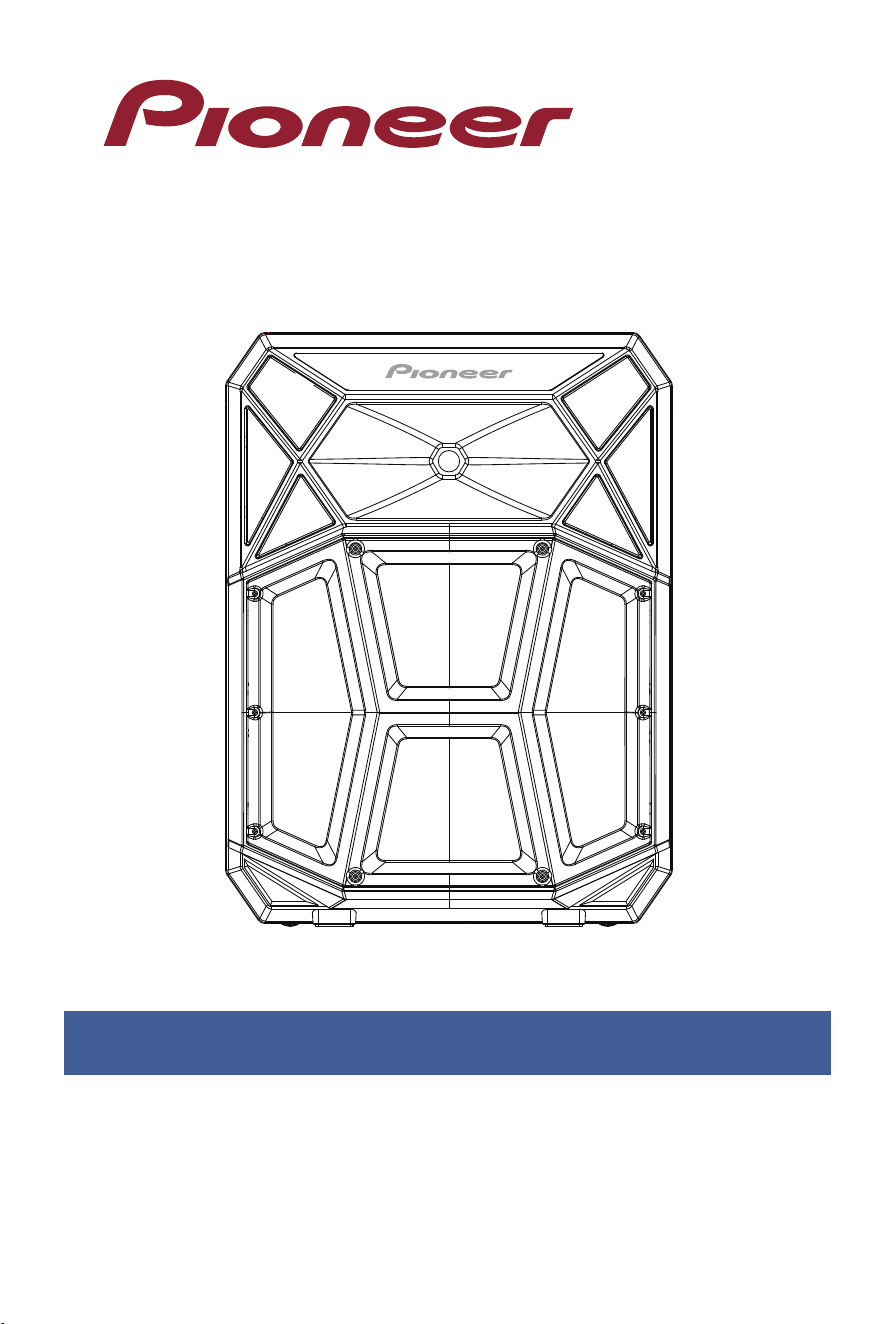
PSX615
BLUETOOTH® V5.4
PORTABLE PARTY SPEAKER
是非
成
败
转头
是非成
败

1
Warnings ....................................................................... 1
Product Specifications ................................................ 2
User's General Instructions ........................................ 3-15
Warranty ........................................................................ 16-19
INDEX
• WARNING
To reduce the risk of fire or electric shock, do not expose
this apparatus to rain or moisture.
• CAUTION
Use of controls or adjustments or performance of proce-
dures other than those specified may result in hazardous
radiation exposure.
• CAUTION: These servicing instructions are for use by
qualified service personnel only. To reduce the risk of
electric shock do not perform any servicing other than that
contained in the operating instructions unless you are
qualified to do so.

2
SPECIFICATION
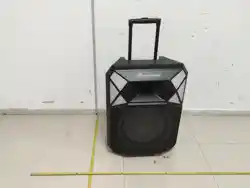
1. Pioneer PSX615 PA Speaker
2. AC Power Cable
3. Wireless Microphone
4. Telescoping Tripod Speaker Stand
5. User Manual (with Warranty Statement)
6. Quick Start Guide
• Check that you have all of the above items.
WHAT IS IN THE BOX
• Model : PSX615
• Bluetooth : V5.4
• 700 Watts Max of Audio Power
• Sub-woofer: 15" (inch)
• Frequency Response: 40Hz-20KHz
• Product Dimensions (L×W×H) Inches: 20.71×13.35×27.56
• Tweeter: 1" (inch)
• AC Power 100-240 Volt
• THD + Noise: <10%
• S/N Ratio: >65dB
• SPL :110dB±10%
• RGB LED Lights
• USB Output/Input 5V 1A
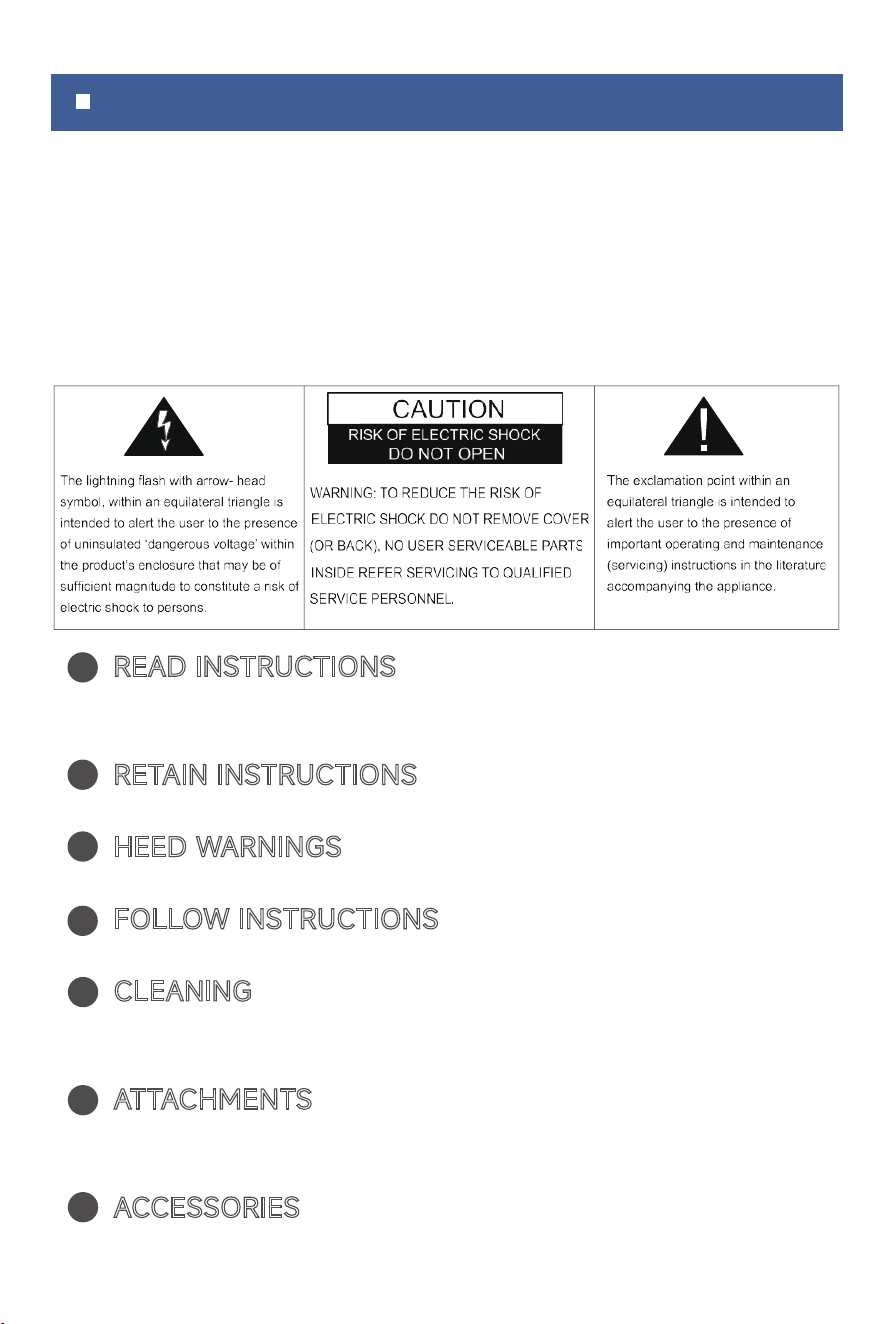
IMPORTANT SAFETY INSTRUCTIONS
• TO PREVENT FIRE OR SHOCK HAZARD, DO NOT USE
THIS PLUG WITH AN EXTENSION CORD, RECEPTACLE OR
OTHER OUTLET UNLESS THE BLADE SCAN BE FULLY
INSERTED TO PREV ENT BLADE EXPOSURE. TO PREVENT
FIRE OR SHOCK HAZARD, DO NOT EXPOSE THIS APPLI-
ANCE TO RAIN OR MOIST.
READ INSTRUCTIONS - All the safety and operating
instructions should be read before the product is oper-
ated.
RETAIN INSTRUCTIONS
-The safety and operating
instructions should be retained for future reference.
HEED WARNINGS
-All warnings on the product and in
the operating instructions should be adhered to.
FOLLOW INSTRUCTIONS
-All operating and use instruc-
tions should be followed.
CLEANING
- Unplug this product from the wall outlet
before cleaning. Do not use liquid cleaners or aerosol
cleaners. Clean only with a dry cloth.
ATTACHMENTS
- Do not use attachments not recom-
mended by the product manufacturer as they may cause
hazards.
ACCESSORIES
- Do not place this product on an unsta-
ble cart, stand, tripod, bracket, or table.The product may
1
2
3
4
5
6
7
3
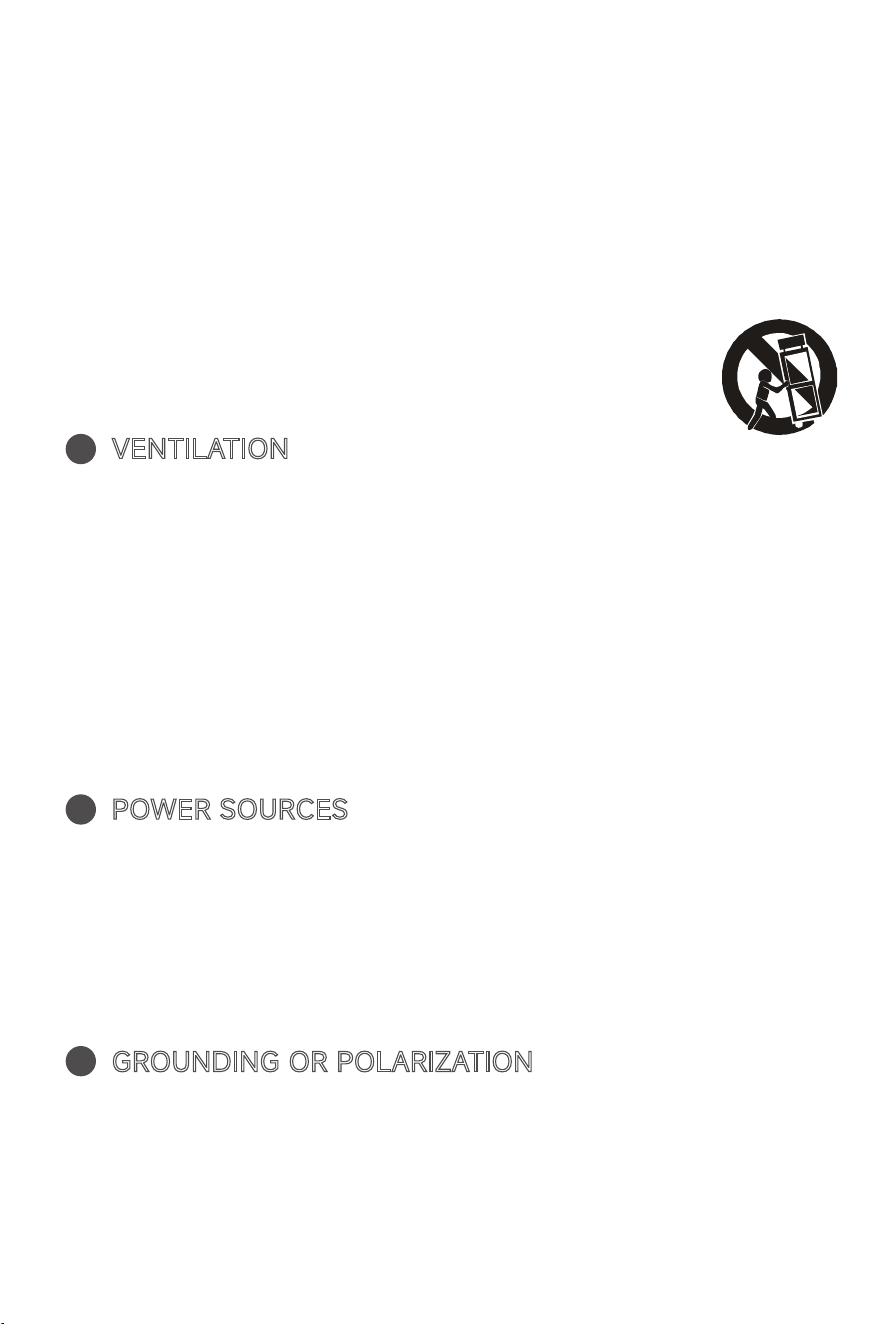
fall, causing serious injury to a child or adult, and seri-
ous damage to the product. Use only with a cart, stand,
tripod, bracket, or table recommended by the manufac-
turer, or sold with the product.Any mounting of the
product should follow the manufacturer instructions,
and should use a mounting accessory recommended by
the manufacturer. A product and cart combination
should be moved care-quick stops,excessive
force and uneven surfaces may cause the
product and cart combination to overturn.
VENTILATION
- Slots and openings in the cabinet are
provided for ventilation and to ensure reliable operation
of the product and to protect it from overheating, and
these openings must not be blocked or covered. The
openings should never be blocked by placing the prod-
uct on a bed, sofa,
or other similar surface. This product should not be
placed in a built-in installation, such as a bookcase or
rack, unless proper ventilation is provided or the manu-
facturer*instructions have been adhered to.
POWER SOURCES
- This product should be operated
only from the type of power source indicated on the
marking label. If you are not sure of the type of power
supply to your home, consult your product dealer or
local power company. For products intended to operate
from battery power, or other sources, refer to the oper-
ating instructions.
GROUNDING OR POLARIZATION
- This product may be
equipped with a polarized alternating-current line plug(a
plug having one blade wider than the other).This plug
will fit into the power outlet only one way. This is a
safety feature: If you are unable to insert the plug fully
into the outlet, try reversing the plug. If the plug should
8
9
10
4
11
12
13
14
15
16
still fail to fit, contact your electrician to replace your
obsolete outlet. Do not defeat the safety purpose of the
polarized plug.
POWER-CORD PROTECTION
- Power-supply cords
should be routed so that they are not likely to be walked
on or pinched by items placed upon or against them,
paying particular attention to cords at plugs, conve-
nience receptacles, and the point of exit from the prod-
uct.
NON-USE PERIODS
- The power cord of the product
should be unplugged from the outlet when left unused
for long periods of time.
Do not use this apparatus near water.
Do not install near any heat sources such as rad ators,
heat reg sters, stoves or other apparatus (including
amplifiers) that produce heat.
Refer all servicing to qualified service personnel. Servic-
ing is required when the apparatus has been damaged
in any way, such as power - supply cord or plug is dam-
aged, liquid has been spilled or objects have fallen into
the apparatus, the apparatus has been exposed to rain
or moisture, does not operate normally, or has been
dropped.
Mains plug is used as disconnect device and it should
remain readily operable during intended use. In order to
disconnect the apparatus from the mains completely,
the mains plug should be disconnected fr.om the mains
socket outlet completely.
5
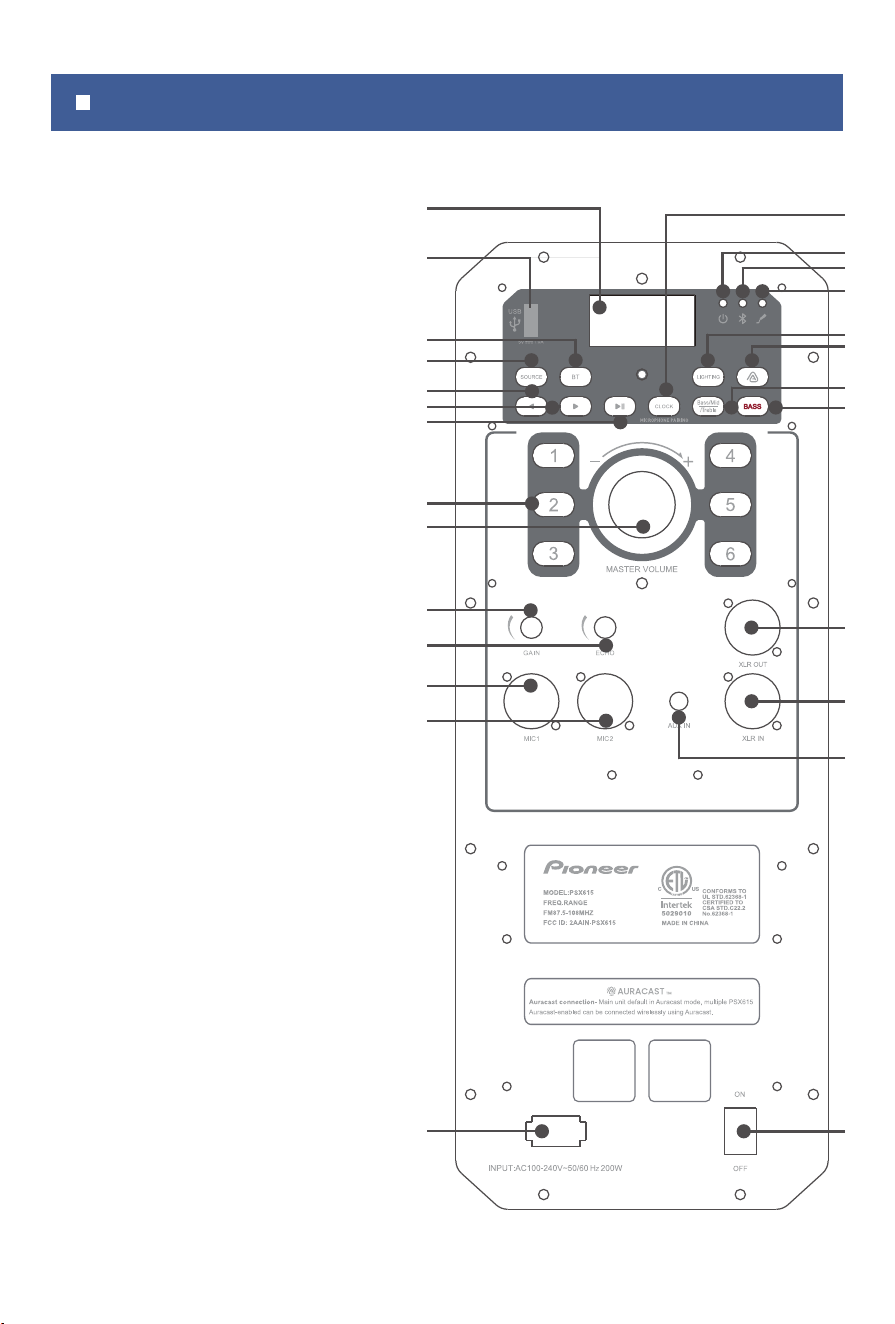
BUTTONS AND FUNCTIONS
1
2
3
4
5
6
7
8
9
10
11
12
13
14
16
17
18
19
20
21
22
23
24
25
26
15
1. LED Display with Clock
3. BT (Bluetooth• Source) Button
4. Source Button
5. Previous (back arrow) Button
6. Next (forward arrow) Button
7. Play/Pause Button
8. Number (Preset) Buttons
9. Master Volume Knob
10. Microphone Gain Knob
11. Microphone Echo Knob
12. Mic & Instrument Combo XLR-1/4" Input 1
13. Mic & Instrument Combo XLR-1/4" Input 2
14. AC Input
15. Clock/Microphone pairing button
16. Power (Green) LED Indicator Light
17. Bluetooth (Blue) LED Indicator Light
18. Wireless Mic Indicator Light
19. Lighting Mode Button
20. Auracast Button
21. Bass/Mid/Treble Button
22. Bass (Boost) Button
23. XLR-Out
24. XLR
-ln
25. AUX-in (3.5mm )
26. On/Off Switch
2. USB Port charge other devices
6

Power ON/OFF Switch:
• Toggle switch to ON position:
(1)Green power LED Indicator light and LED Display will
power on.
(2)The unit voice promp will say, "Power on."
(3)Automatically enters into Bluetooth pairing status
• Toggle switch to OFF position and all LED Indicators
and the LED Display will turn off.
BT (Bluetooth) Button:
• Switch to Bluetooth Audio Source:
(1)While in another audio source, press the BT Button to
switch to Bluetooth mode or cycle though audio
sources using the source button.
(2)The unit will automaticelly disconnect from the cur
rent device.
• Bluetooth pair audio device:
(1)Set unit source to Bluetooth.
(2)Long press BT Button for 2 seconds to enter into
pairing status.
(3)Select "Pioneer PSX615" from your Bluetooth enabled
audio device.
(4)The unit voice promp will say, "Connected," when
successfully paired.
(5)The blue Bluetooth indicator light will remain on.
(6)If the signal moves out of range the blue Blue
tooth indicator light will blink and disconnect if the
connection is not re-established after 5 minutes.
7
• Disconnnect Bluetooth audio device connection:
(1)Set unit source to Bluetooth.

(2)Long press BT Button for 2 seconds to enter into
pairing status.
(3)The unit voice promp will say, "Disconnected".
(4)The blue Bluetooth LED Indicator light will begin to flash.
(5)Unit will enter pairing status.
Play/Pause Button:
• Play/Pause Button works with Bluetooth/USB Playback
(1)While audio is playing, press the Play/Pause Button to
pause playback.
(2)While audio is paused, press the Play/Pause Button to
resume playback.
Master Volume Knob:
USB Port:
• Increase overall volume in playback mode:
• Insert a USB drive to playback stored MP3 files. It can
also charge other devices with a maximum output of 5V
1A.
(1)Defualt volme level is 10.
(2)Rotate master volume knob clockwise. The power
LED Indicator blinks when the max level of 32 is reached.
• Decrease overall volume in playback mode:
Rotate master volume knob counter-clockwise.
• The power LED Indicator blinks when the minimum volume
level of 0 (mute) is reached.
Microphone / Instrument Control:
• Combo XLR and 1/4" Input Ports (Mic 1 and Mic 2):
Inputs for compatible wired microphones or instruments.
• Gain Knob (Mic 1 and Mic 2):
Rotate the gain knob clockwise to increase or
8

counter clockwise to decrease the level on both channels
simultaneously.
• Echo Effect Knob (Mic 1 and Mic 2):
Rotate the echo knob clockwise to increase or
counter clockwise to decrease the echo on both channels.
Previous and Next (arrow) Buttons:
• FM radio source controls:
• USB playback source controls:
The previous/next buttons will change the audio track.
(1)LED display FM indicator icon will light up in FM
mode.
(2)Short press the previous or next button to adjust the
FM radio frequency shown on LED display.
(3)Long press the previous or next button to search for
radio stations.
• Bluetooth source controls:
(1)LED display BT indicator icon will light up in Blue
tooth® mode.
(2)The previous/next buttons will change the audio track.
SOURCE Button:
•Short press the SOURCE button to cycle though the
different audio sources:
BT (Bluetooth) -->AUX--> FM (radio)--> USB Playback
BASS Button:
•Press the button to turn on/off the BASS (boost).
The LED will display "b on" or "b off".
XLR In/Out:
•While in audio sources: AUX-in, BT (Bluetooth), FM radio,
9
Using Auracast™ on Your Speaker:
Auracast is a Bluetooth audio broadcasting technology
that allows one device to share its audio with multiple
receivers. Whether you're syncing multiple speakers for an
immersive sound experience or broadcasting to head
-
phones, Auracast makes it seamless.
How to Connect AURACAST
A. How to find the TX and RX
TX (Transmitter) Mode Setup:
• Connect your Bluetooth enabled audio device to the
PSX615 speaker.
Press the Auracast button on the PSX615 to activate
Transmitter (TX) mode.
RX (Receiver) Mode Setup:
• Power on a second PSX615 speaker without pairing it
to any Bluetooth enabled audio device.
• Press the Auracast button on the second PSX615 to
activate Receiver (RX) mode and scan for available
broadcasts.
TX/RX Range
• The receiving distance range between TX and RX is 10
meters, and the distance between the Bluetooth device
and the TX speaker is 5 meters.
B. The Auracast indicator
10
• When the
transmitting PSX615 Auracast button is solid
purple and the receiving PSX615 Auracast button is flash-
ing red, the speakers are in Search Mode.
• When the
transmitting PSX615 Auracast button is solid
purple and the receiving PSX615 Auracast button is solid
red, the speakers are connected.
and USB Playback connect the unit to another active
(powered) speaker via the XLR line out.
When using the Bluetooth device Auracast, Access Aura-
cast through your device's settings (e.g.,
Settings> Con-
nections > Bluetooth > Broadcast sound using Auracast).
• Here, you can Name Your Broadcast: Customize a
unique identifier for your audio stream
• Set Privacy: PSX615 privacy code is "8888".
1-6 Number Button:
• Equalizer presets available in BT (Bluetooth) and AUX
audio sources.
Short press a number (1-6) button to set the preset. The
LED display will show the selected equalizer setting:
"EQ1 OUTDOOR、EQ2 INDOOR、EQ3 ROCK、EQ4
JAZZ、EQ5 POP、EQ6 DEFAULT".
• Save and select FM Radio station presets.
Short press a number (1-6) button to set the preset
station. The LED display will show the selected preset:
"P1, P2, ... P6."
Long press a number (1-6) button to save an FM radio
station as a preset. The LED display will show the saved
preset: "P1, P2, ... P6."
BASS/MID/TREBLE Buttons:
A. Bass adjustment during playback:
(1)Press the BASS/MID/TREBLE button once to enter
bass level status.
(2)The LED display will show the default setting of"b 00".
(3)Turn the VOLUME knob clockwise to increase or
counter-clockwise to decrease levels between -06 to 06.
11
C. Setting Auracast in your Bluetooth device (please make
sure your device is compatible with the Auracast function)
B. MID adjustment during playback:
(1)Press the BASS/MID/TREBLE button twice to enter
MID level status.
(2)The LED display will show the default setting of"c 00".
(3)Turn the VOLUME knob clockwise to increase or
counter-clockwise to decrease levels between -06 to 06.
C. Treble adjustment during playback:
(1)Short press the BASS/MID/TREBLE button triple to
enter treble level status.
(2)The LED display will show the default setting of "t 00".
(3)Turn the VOLUME knob clockwise to increase or
counter-clockwise to decrease levels between -06 to 06.
CLOCK/Microphone pairing button:
• Turn on the unit, press the CLOCK/Microphone pairing
button, the display will show "12:00".
• After connecting the Bluetooth device, the popup
window on the phone needs to have access to synchronize
with the time on the smartphone.
• The time will be refreshed each time you press the
CLOCK/Microphone pairing button, and the display will
show the current time for 10 seconds, and it will be back
to show
"BT".
• If the Bluetooth device is disconnected from the unit,
the time won't show on the display. Press the CLOCK/Mi-
crophone pairing button, the display will show "12:00".
• When the unit is on
AUX or FM mode, press the
CLOCK/Microphone pairing button, the display will show
"12:00".
12
, USB,
• To pair the included wireless microphone, long press
the CLOCK/Microphone pairing button, for 5 secs. Long
press for 5 seconds to connect or disconnect wireless
microphone.
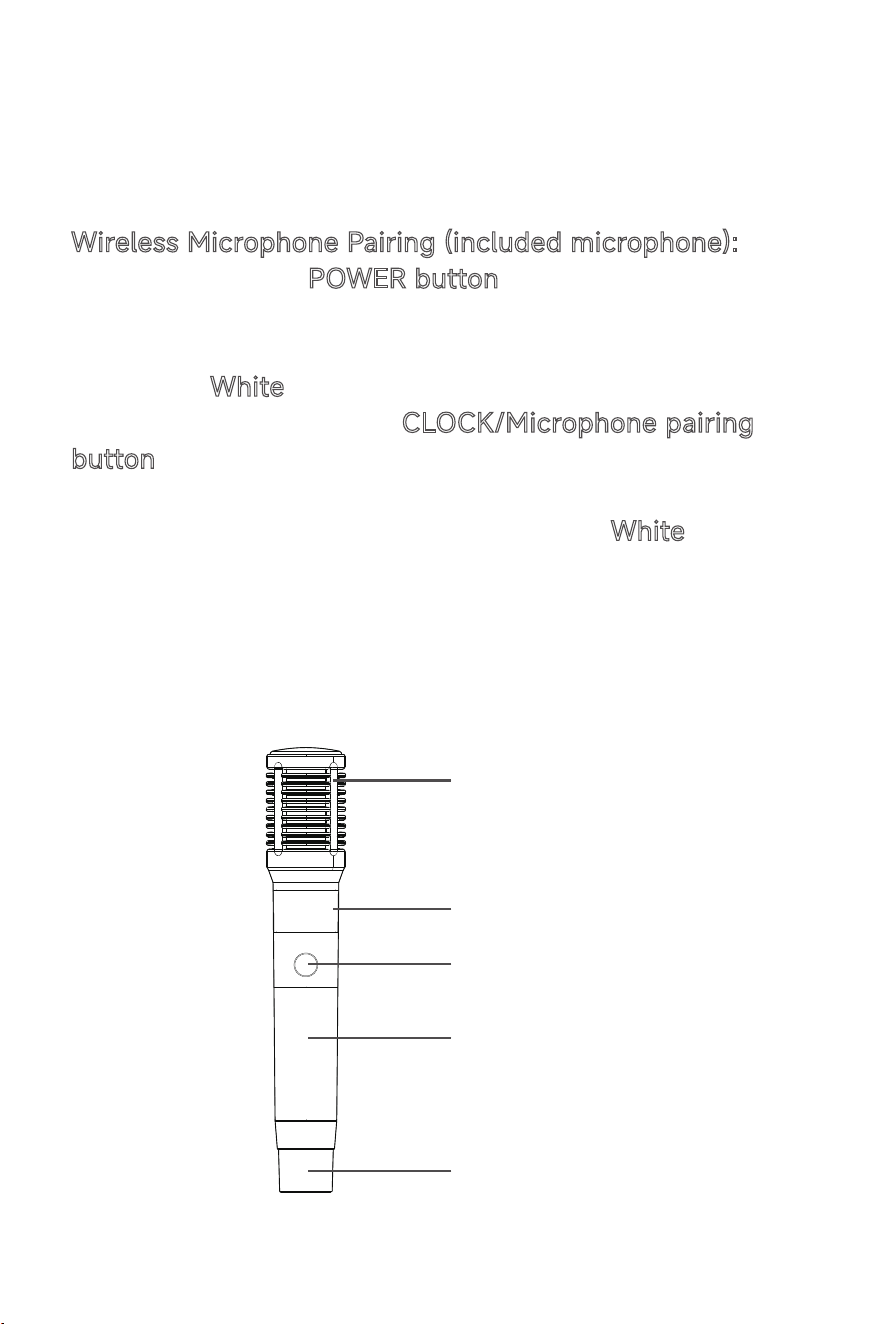
Wireless Microphone Pairing (included microphone):
• Long press the POWER button on wireless microphone
for 2 seconds.
• Double Click Wireless Microphone button, enter pairing
mode, the
White LED is flashing.
• Long press on PSX615
CLOCK/Microphone pairing
button, for 5 seconds to pair wireless microphone, the
white LED is flashing.
• After a succesful connection, both the
White LED on the
main unit and on the speaker will become
a white solid.
• The wireless microphone and speaker has been suc-
cessfully connected and can be used.
Microphone
LED
Power Button
Battery Cover
Antenna Cover
13
LIGHTING Button:
• Short press the LIGHTING button to cycle through the
15 available light modes. The LED display will indicate
mode number.
Light modes included:
DANCE-> SPIN-> SWIRL-> DYNAMIC-> FOLLOW->
SPARK-> SUNSET-> MOOD-> PACE-> RED-> GREEN->
BLUE->AMBER->PURPLE->TEAL-> OFF
NOTE: Only the following modes work with the FM Radio
audio source:
RED->GREEN-> BLUE->AMBER->PURPLE->TEAL-> OFF
• Long press the LIGHTING button to turn off the RGB
LED modes.
Tripod Speaker Stand Assembly:
14

and used in accordance with the instructions, may cause
harmful interference to radio communications. However,
there is no guarantee that interference will not occur in a
particular installation. If this equipment does cause harmful
interference to radio or television reception, which can be
determined by turning the equipment off and on, the user is
encouraged to try to correct the interference by one or
more of the following measures:
—Reorient or relocate the receiving antenna.
—Increase the separation between the equipment and
receiver.
—Connect the equipment into an outlet on a circuit differ-
ent from that to which the receiver is connected.
—Consult the dealer or an experienced radio/TV technician
for help.
Note:The Grantee is not responsible for any changes or
modifications notexpressly approved by the party responsi-
ble for compliance. such modificationscould void the user's
authority to operate the equipment.
15
The device has been evaluated to meet general RF exposure
requirement.
To maintain compliance with FCC's RF exposure guidelines,
the distance mustbe at least 20 cm between the radiator
and your body, and fully supported bythe operating and
installation.
2.4G Wireless Microphone - 02.
PSWMIC-02
The device can be used in portable exposure condition
without restriction.

This Pioneer branded “Product”, marketed as new, i n the
original carton to the original purchaser (“Product”), is war-
ranted by JSP, LLC against manufacturing defects in materi-
als and workmanship for a limited warranty period of one (1)
Year for labor and one (1) year for parts.
This Limited Warranty is conditioned upon proper use of the
Product by you, the purchaser.This limited Warranty does not
apply to store-display products and products sold as a
“marked down”, “Special”in “as is”condition,“close outs” liqui-
dation and clearance sales”, open box”, products missing
accessories,or not fault found. Proof of purchase in the form
of Bill of Sale, Receipt or Receipted Invoice is evidence the
Product is within the Limited Warranty period. The Bill of
sale, Receipt or Receipted Invoice must
be presented as a
pre-condition to obtain Limited Warranty Service.
This Limited Warranty begins on the original date of purchase
and is valid only on Products purchased through our autho-
rized dealers and used i n the United States, Canada and
Puerto Rico, by the original purchaser. To receive warranty
service, the purchase must first contact us for problem deter-
Limited Warranty
161
This equipment complies with the FCC RF radiation expo-
sure limits set forth for an uncontrolled environment. This
equipment should be installed and operated with a mini-
mum distance of 20cm between the radiator and any part
of your body.
RF Exposure Statement

mination and service procedures. The original dates bill of
sale, receipt or receipted invoice must be presented upon
request as proof of purchase.
We will repair your product or if repairs cannot be made, we
will replace it at no charge with the same or similar product.
If the Product is defective as specified in this limited warranty
during the Limited Warranty period, we may use new or
remanufactured parts to repair the Product. All replaced
parts and products become our property and must be
returned to us. Replacement parts and products assume the
remaining original l imited warranty, or ninety ( 90) days,
whichever is longer.Product freight must be prepaid by you,
the original purchaser and shipped in either its original pack-
aging or packaging
affording an equal degree of protection.
We will not be responsible for or obligated to replace dam-
aged Products.
If the Product is received damaged, it is your responsibility as
the consumer to file a claim against the carrier. We will only
store the damaged Product for 30 days and reserve the right,
in our sole discretion, to dispose of the damaged Product or
ship it back to you at your expense after 30 days.
This Limited Warranty covers manufacturing defects in mate-
rials and workmanship encountered in normal, and except to
the extent otherwise expressly provided for in this statement,
noncommercial use of this Product and shall not apply to the
following, including, but not limited to:
Damage which occurs in shipment; delivery and installation;
applications and uses for which this Product was not intend-
ed; altered Product or
serial numbers; cosmetic damage or
exterior finish; accidents, abuse, neglect, fire, water, lightning
or other acts of nature; use of products, equipment, systems.
17

utilities. services, hardware. supplies, accessories, applica-
tions. installations, repairs. external wiring or connectors not
supplied or authorized by us or the manufacturer, which
damage this Product or result in service problems; incorrect
electrical l ine voltage, fluctuations and surges; customer
adjustments and f ailure t o f ollow operating i nstructions,
cleaning, maintenance and environmental instructions that
are covered and prescribed in the instruction book; reception
problems and distortion related to noise. echo, interference
or o ther s ignal t ransmission a nd d elivery p roblems;
burned-in images. Uninterrupted or error-free operation of
the Product is not warranted.
THERE ARE NO EXPRESS OR IMPLIED WARRANTIES OTHER
THAN THOSE LISTED AND DESCRIBED ABOVE AND NO
WARRANTIES WHETHER EXPRESS OR IMPLIED, INCLUDING,
BUT NOT LIMITED TO ANY IMPLIED WARRANTIES OF
MER-
CHANTABILITY OR FITNESS FOR A PARTICULAR PURPOSE,
SHALL APPLY AFTER THE EXPRESS WARRANTY PERIODS
STATED ABOVE, AND NO OTHER EXPRESS WARRANTY OR
GUARANTY GIVEN BY ANY PERSON, FIRM OR CORPORA-
TION WITH RESPECT TO THIS PRODUCT SHALL BE BINDING
ON US. REPAIR OR REPLACEMENT AS PROVIDED UNDER
THIS LIMITED WARRANTY I S YOUR EXCLUSIVE REMEDY
ASTHE CONSUMER. WE SHALL NOT BE LIABLE FOR ANY
INCIDENTAL, OR CONSEQUENTIAL DAMAGES FOR BREACH
OF ANY EXPRESS OR IMPLIED WARRANTY ON THIS PROD-
UCT; EXCEPT TO THE EXTENT PROHIBITED BY APPLICABLE
LAW, ANY IMPLIED WARRANTY OF MERCHANTIBILITY OR
FITNESS FOR A PARTICULAR PURPOSE ON THIS PRODUCT
IS LIMITED FOR THE DURATION OF THIS LIMITED WARRAN-
TY. THIS LIMITED WARRANTY SHALL NOT EXTEND TO
ANYONE OTHER THAN THE ORIGINAL PURCHASER OF THIS
18

PRODUCT, I S NONTRANSFERABLE AND STATES YOUR
EXCLUSIVE REMEDY.
Some states do not allow limitations on how long an implied
warranty lasts, or the exclusion or limitation of incidental or
consequential damages, so the above limitations or exclu-
sions may not apply to you. This Limited Warranty gives you
specific l egal rights, and you may also have other rights
which vary f rom state to state. Any provision contained
herein which is found contrary to state or local laws shall be
deemed null and void and the remaining provisions shall con-
tinue in full force and effect.
PIONEER is a registered trademark of Pioneer Corporation,
and is used under license.
The Bluetooth and Auracast word marks and logos are reg-
istered trademarks owned by Bluetooth SIG, Inc. Other trade-
marks and trade names are those of their respective owners.
For Customer Service email us at service@pioneeraudiousa.com
This product is manufactured, distributed, serviced and war-
ranted exclusively by E & S International, Inc., either directly
or through JSP, LLC. 7801 Hayvenhurst Ave, Van Nuys CA
91406.
19