
Signature Warewashing Rack Imprint Guide
Form Number L35977 Rev. 07/21
Instructions:
1. Enter dealer and customer or job name.
2. Select ink color.
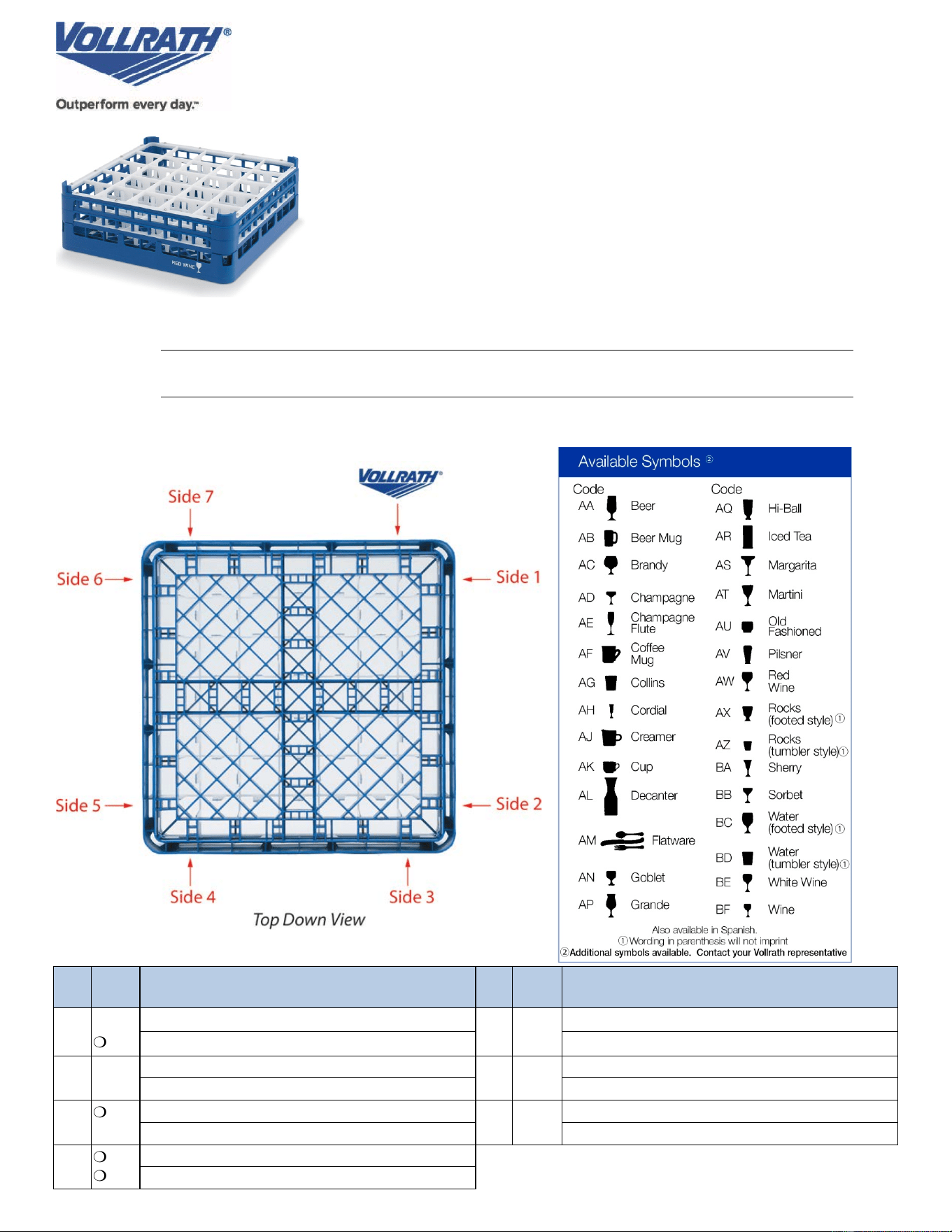
3. Complete imprint info for each side to be imprinted.
4. After the form is completed, please select PRINT. Change your
printer selection to a PDF option (i.e. CutePDF or Adobe PDF). This
will allow you to save the form in PDF format. Save to your main
documents folder. Email the PDF file to your Vollrath Customer
Service Rep or print out the form and fax to 1-800-752-5620.
Dealer Name
Customer or
Job Name
Ink Color
m
White
m
Black
m
Red
Side
New
Screen
Imprint
(Choose Words or Words and Symbol)
Side
New
Screen
Imprint
(Choose Words or Words and Symbol)
1
m Yes
m No
Words:
5
m Yes
m No
Words:
Symbol Code:
Symbol Code:
2
m
Yes
m No
Words:
6
m
Yes
m No
Words:
Symbol Code:
Symbol Code:
3
m
Yes
m No
Words:
7
m
Yes
m No
Words:
Symbol Code:
Symbol Code:
4
m
Yes
m No
Words:
Symbol Code: