Washer-Dryer
User Manual
LRI1854110
2820531998/ EN/ / 14/02/2024 17:26
EN / 2
Please read this user manual first!
Dear Customer,
Thank you for choosing Blomberg product. We hope that you get the best results from your
product which has been manufactured with high quality and state-of-the-art technology.
Therefore, please read this entire user manual and all other accompanying documents
carefully before using the product.
Follow all warnings and information in the user manual. Thus, you protect yourself and
your product against possible dangers.
Keep the user manual. If you hand over the product to someone else, provide the user
manual as well. Warranty terms, usage and troubleshooting methods of your product are in
user guide.
Symbols and Definitions
The following symbols are used in the user guide:
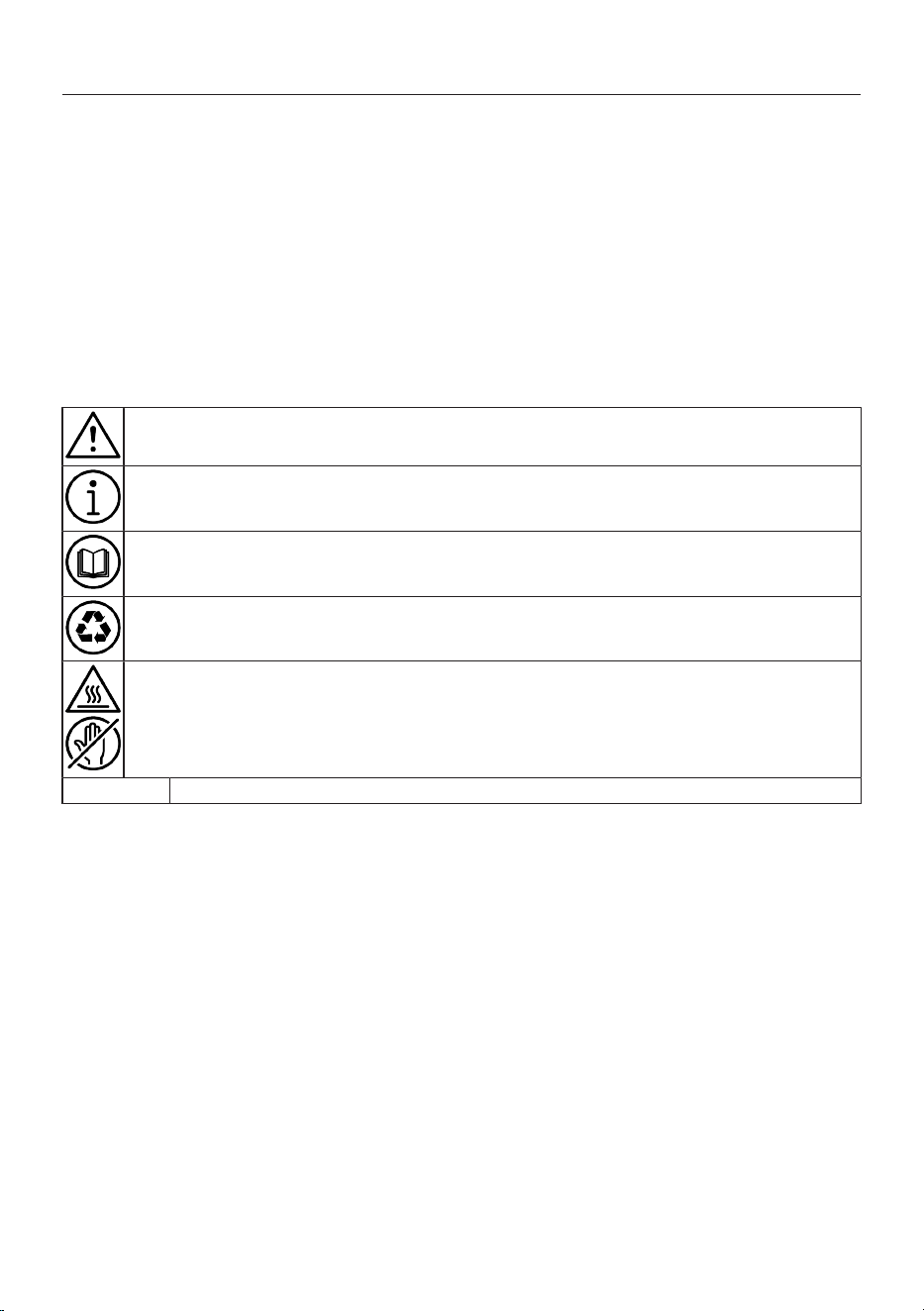
Danger that could result in death or injury.
Important information or useful hints about usage.
Read the user manual.
Recyclable materials.
Hot surface warning.
WARNING
Danger that may result in property damage to the product or its environment.
EN / 3
Table of Contents
1 Safety Instructions........................ 4
1.1 Intended Use.................................. 4
1.2 Safety of Children, Vulnerable
Persons and Pets ..........................
4
1.3 Electrical Safety............................. 5
1.4 Handling Safety ............................. 6
1.5 Installation Safety.......................... 6
1.6 Operational Safety......................... 8
1.7 Drying Safety.................................. 9
1.8 Maintenance and Cleaning Safety 11
2 Important Instructions for Envir-
onment...........................................
12
2.1 Compliance with WEEE Directive . 12
2.2 Package Information..................... 12
3 Technical Specifications.............. 14
4 Installation ..................................... 16
4.1 Appropriate Installation Location. 16
4.2 Assembly of Bottom Panel Cov-
ers...................................................
16
4.3 Removing Transportation Safety
Bolts ...............................................
17
4.4 Connecting to Water Supply ......... 17
4.5 Connecting the Drain Hose to the
Drain ...............................................
18
4.6 Adjusting the Stands..................... 19
4.7 Electrical Connection .................... 19
4.8 Handling the Product .................... 20
5 Preliminary Preparation ............... 20
5.1 Sorting the Laundry ....................... 20
5.2 Preparing Laundry for Washing.... 21
5.3 Tips for Energy and Water Saving 21
5.4 Start Up .......................................... 21
5.5 Loading the Laundry...................... 22
5.6 Correct Load Capacity .................. 22
5.7 Using Detergent and Softener ...... 22
5.8 Tips for Efficient Washing ............ 25
5.9 Tips for Efficient Drying ................ 26
5.10 Displayed Programme Duration ... 26
6 Operating the Product.................. 27
6.1 Control Panel ................................. 27
6.2 Symbols on the Display................. 28
6.3 Preparing the Machine.................. 28
6.4 Selection of Washing Program..... 29
6.5 Washing Programmes .................. 29
6.6 Temperature Selection .................. 31
6.7 Spin Speed Selection..................... 31
6.8 Drying Programmes....................... 32
6.9 Washing and Drying Programmes 33
6.10 Programme and Consumption
Table...............................................
34
6.11 Auxiliary Function Selection.......... 36
6.11.1 Auxiliary Functions..................... 37
6.11.2 Functions/Programmes Selec-
ted by Pressing the Function
Keys for 3 Seconds ....................
38
6.12 Drying Steps ................................... 39
6.13 End Time ........................................ 39
6.14 Starting the Programme................ 40
6.15 Loading Door Lock......................... 40
6.16 Changing the Selections After
Programme has Started ................
41
6.17 Cancelling the Programme ........... 42
6.18 End of Programme......................... 42
6.19 Standby Mode ................................ 42
6.20 HomeWhiz Feature and Remote
Control Function ............................
43
6.20.1 HomeWhiz Setup........................ 43
6.20.2 Setting up a Washing Machine
Connected to Someone Else's
Account.......................................
44
6.20.3 Deleting the HomeWhiz Ac-
count Match................................
45
6.20.4 Remote Control Function and
Its Use .........................................
45
6.20.5 Troubleshooting ......................... 46
7 Maintenance and Cleaning........... 46
7.1 Cleaning the Detergent Drawer..... 46
7.2 Cleaning the Loading Door and
the Drum.........................................
47
7.3 Cleaning the Body and Control
Panel...............................................
47
7.4 Cleaning the Water Intake Filters.. 47
7.5 Draining Remaining Water and
Cleaning the Pump Filter ...............
47
8 Troubleshooting ............................ 48
9 DISCLAIMER / WARNING ............. 53
10 Built-in Installation ........................ 55
EN / 4
1 Safety Instructions
This section includes the safety
instructions necessary to pre-
vent the risk of personal injury or
material damage.
Our company shall not be held
responsible for damages that
may occur if these instructions
are not observed.
• Installation and repair opera-
tions shall always be per-
formed by Authorised Service.
• Use original spare parts and
accessories only.
• Do not repair or replace any
component of the product un-
less it is clearly specified in the
operation manual.
• Do not modify the product.
1.1 Intended Use
• The service life of your product
is 10 years. During this period,
original spare parts will be
available to operate the appli-
ance properly.
• This product has been de-
signed for domestic use. It is
not for commercial purposes
or it should not be used out of
its intended use.
• Use only for washing and dry-
ing textile products that are
marked accordingly.
• The manufacturer assumes no
responsibility for any damage
due to misuse or mishandling.
• This appliance is intended to
be used in household and sim-
ilar applications. For example;
– Personnel kitchens of stores,
offices and other work envir-
onments;
– Ranches,
– By customers of hotels, mo-
tels and other accommoda-
tion facilities
– Bed and breakfasts, hostel-
like environments
– Common areas of apartment
blocks or laundries.
1.2 Safety of Children,
Vulnerable Persons
and Pets
• This product may be used by
children aged 8 years and
older and persons with under-
developed physical, sensory or
mental capabilities or lack of
experience and knowledge if
they have been given supervi-
sion or instruction concerning
use of the appliance in a the
product safe way and the haz-
ards involved.
• Children under the age of 3
should be kept away unless
continuously supervised.

EN / 5
• Electrical products are danger-
ous for children and pets. Chil-
dren or pets should not play
with, climb on top or inside the
product. Check inside the
product before use.
• Use child lock to prevent chil-
dren from intervening with the
product.
• Do not forget to close the load-
ing door when leaving the
room where the product is loc-
ated. Children and pets may
get locked inside and drown.
• Children should not perform
cleaning and user mainten-
ance works without an adult’s
supervision.
• Keep the packaging materials
away from children. Risk of in-
jury and suffocation.
• Keep all detergents and addit-
ives used for the product away
from children’s reach.
• Cut the power cable and break
and deactivate the locking
mechanism of the loading
door before disposing of the
product for children’s safety.
1.3 Electrical Safety
• Product should be unplugged
during installation, mainten-
ance, cleaning and repair pro-
cedures. Unplug the product or
turn off the fuse.
• Damaged power cables should
be replaced by the authorised
service in order to prevent pos-
sible danger.
• The product should not be fed
via an external switching
device such as a timer or con-
nected to a circuit that is regu-
larly switched on and off by a
device.
• Do not tuck the power cord un-
der the product or to the rear
of the product. Do not put
heavy items on the power
cord. Do not over bend, crush
and touch the power cable to
sources of heat.
• Only use the original cable. Do
not use cut or damaged
cables.
• Do not use an extension cord,
multi-plug or adaptor to oper-
ate your product.
• Extension cords, multi-socket
outlets, adapters or portable
power supplies can overheat
and cause a fire. Make sure
not to place power sockets
and portable power supplies
near or behind the product.
• The plug shall be easily ac-
cessible. If this is not possible,
a mechanism that meets the
electrical legislation and that
disconnects all terminals from
EN / 6
the mains (fuse, switch, main
switch, etc.) shall be available
on the electrical installation.
• Do not touch the plug with wet
hands.
• When unplugging the appli-
ance, don't hold the power
cord, but the plug.
• Make sure the plug is not wet,
dirty or dusty.
• Never connect your product to
electricity saving devices. Such
systems are harmful to the
product.
1.4 Handling Safety
• Unplug the product before
moving, remove the water out-
let and water main connec-
tions. Drain any water left in-
side the product.
• This product is heavy, do not
handle it by yourself. It may
cause injuries if your product
falls on you. Do not hit and
drop the product while carry-
ing.
• Do not hold parts such as the
laundry loading door to lift and
move the product. The upper
tray should be tightly fixed for
moving.
• Carry the product in an upright
position. If it cannot be carried
upright, tilt it to the right side in
frontal view.
• Make sure that the hoses as
well as the power cable are not
folded, pinched or crushed
after the product is fitted into
its place after installation or
cleaning procedures.
1.5 Installation Safety
• Check the information on the
manual and installation in-
structions to prepare the
product for installation and
make sure the electrical mains,
clean water mains and water
outlet are suitable. If not, call a
qualified electrician and
plumber to have them make
the necessary arrangements.
These operations are the re-
sponsibility of the customer.
• Prior to commencing the in-
stallation, be sure to switch off
the fuse to deactivate the
power supply for the line to
which the product will be con-
nected.
• This product is intended for
use at altitudes not exceeding
2000 meters above sea level.
• Check for any damage on the
product before installing it. Do
not have the product installed
if it is damaged.

EN / 7
• Always wear personal protect-
ive equipment (gloves, etc.)
during product installation,
maintenance and repair. There
is a risk of injury.
• Injuries may occur if hands are
put into uncovered slots. Close
the holes of the transportation
safety bolts with plastic plugs.
• Do not install or leave the
product at locations where it
may be exposed to external en-
vironment conditions.
• Do not install the product at
locations where the temperat-
ure drops below 0 ºC.
• Do not place the product on a
carpet or similar surface. It
would create fire hazard since
it cannot receive air from un-
derneath.
• Place the product on a level
and hard surface and balance
with the adjustable legs.
• Connect the product to a
grounding plug protected by a
fuse suitable to the current val-
ues on the type label. Make
sure the grounding is carried
out by an expert electrician. Do
not use the product without
suitable grounding to local/na-
tional regulations.
• Plug the product in a socket
with voltage and frequency val-
ues suitable to those indicated
on the type label.
• Do not plug the product to
loose, broken, dirty, greasy
sockets or sockets that has
come out their seats or sock-
ets with a risk of water con-
tact.
• Use the new hose set provided
with the product. Do not re-use
old hose sets. Do not make ad-
ditions to the hoses.
• Connect the water inlet hose
directly to the water tap. The
pressure from the tap should
be minimum 0.1 MPa (1 bar)
and maximum 1MPa (10 bars).
10 to 80 litres of water should
be running from the tap in a
minute in order for the product
to function properly. If the wa-
ter pressure is above 1 MPa
(10 Bars), a pressure-reducing
valve should be fitted. The
maximum allowed temperat-
ure is 25°C.
• Fit the end of the water dis-
charge hose to the dirty water
discharge drain, the sink or the
bathtub.
• Place the power cable and
hoses in locations without risk
of tripping.
• Do not install the product be-
hind a door, a sliding door or at
another location that will pre-
vent the door from opening
completely.

EN / 8
• If a drier is to be placed on the
product, fix with a suitable con-
nection apparatus obtained
from the authorised service.
• There is a risk of contact with
electrical pieces when the up-
per trays is removed. Do not
dismantle the upper tray of the
product.
• Place the product at least 1 cm
away from the edges of fur-
niture.
• Make sure the room in which
the installation performed is
adequately ventilated, as there
may be a risk of undesirable
gases coming out of the
device igniting other fuels in
the room or interacting with an
open flame.
1.6 Operational Safety
• When you are using the appli-
ances, use only detergents,
softeners and supplements
suitable for washing ma-
chines.
• Do not use chemical solvents
on the product. These materi-
als contain an explosion risk.
• Do not operate defective or
damaged products. Unplug the
product (or turn off the fuse it
is connected to), turn off the
water tap and call an author-
ised service.
• Do not place sources of igni-
tion (burning candle, cigar-
ettes, etc.) or sources of heat
(irons, furnaces, ovens, etc.) on
top of or near the product. Do
not put inflammable/explosive
materials near the product.
• Do not get on the product.
• Unplug the product and turn
off the tap if you will not be us-
ing the product for long peri-
ods.
• Detergent/maintenance mater-
ials may splash out of the de-
tergent drawer if it is opened
while the machine is working
Contact of the detergent with
your skin and eyes is danger-
ous.
• Make sure pets do not climb
inside the product. Check in-
side the product before use.
• Do not force open the locked
loading door. The door will
open once the washing is com-
pleted. If the door does not
open, use the solutions for
“loading door does not open”
error in the Troubleshooting
section.
• Do not wash elements contam-
inated with gasoline, kerosene,
benzene, reducers, alcohol or
other inflammable or explosive
materials and industrial chem-
icals.

EN / 9
• Do not directly use dry clean-
ing detergent and do not wash,
rinse, spin or dry laundry con-
taminated with dry cleaning
detergent.
• Do not place your hands into
the rotating drum. Wait until
the drum no longer rotates.
• If washing laundry at high tem-
peratures, the discharged
washing water would burn your
skin if in contact with your
skin, for ex. when the draining
hose is connected to the tap.
Do not touch the discharge wa-
ter.
• Take the following precautions
to prevent formation of biofilm
and malodours:
– Make sure the room where
the washing machine is
placed is well ventilated.
– Wipe the door gasket and
loading door glass with a dry
and clean cloth at the end of
the programme.
• The glass of the loading door
will heat up when washing or
drying at high temperatures.
Therefore, do not allow espe-
cially children to touch the
loading door glass while wash-
ing or drying.
• Before disposing of worn out
and no longer usable items:
1. Unplug the power plug and
remove it from the socket.
2. Cut the power cable and dis-
connect it with the plug from
the appliance.
3. Break the locking mechanism
of the loading door to render
it inoperable.
4. Do not allow children to play
with the outdated product.
1.7 Drying Safety
• Laundry that has been previ-
ously washed, cleaned, con-
taminated or stained with gas-
oline/gas, dry cleaning
solvents or other inflammable/
explosive materials should not
be dried in the machine be-
cause they give off inflam-
mable or explosive vapours.
Otherwise, fire hazard arises.
• Laundry contaminated with
materials such as vegetable or
mineral oil, acetone, alcohol,
gasoline, gas oil, stain re-
movers, naphtha, turpentine,
paraffin or paraffin removers
should be washed separately
in hot water by adding extra
detergent before being dried in
the washing machine with
dryer. Otherwise, fire hazard
arises.
• Do not dry textile products that
contain predominantly foam,
rubber or rubber-like parts (e.g.
shower caps, waterproof tex-
tile products, rubber products

EN / 10
and clothes) or the ones that
are filled and damaged (e.g.
Pillows or coats). There is a
risk of burns.
• If you use a laundry ball, deter-
gent scale, laundry cage or ball
in your machine, these
products may melt during dry-
ing. If you are going to choose
the drying feature, do not use
these products. Otherwise, fire
hazard arises.
• If you use industrial chemicals
for cleaning, do not use the
drying function. Otherwise, fire
hazard arises.
• The door becomes very hot
after drying process. After dry-
ing is over, open the door of
the device completely. Do not
touch the metal door located
inside of the door glass. There
is a risk of burns due to high
temperatures.
• During Drying programmes, a
cooling step is performed as
the last step to ensure that the
laundry remains at a temperat-
ure where it will not be dam-
aged. You may be exposed to
hot steam if you open the
cover without completing the
cooling step. Risk of seething.
• If the drying programmes are
interrupted (as a result of pro-
gramme cancellation or power
failure), the laundry in the ma-
chine may be hot. Be careful.
• Avoid interrupting the drying
program by stopping your
tumble dryer prematurely, as
the laundry inside the machine
may become excessively hot in
the event of program cancella-
tion or a power failure. Risk of
burns! If you have to stop the
machine, take out the laundry
and lay them somewhere to
cool down.
• Your product is suitable to op-
erate between the temperat-
ures of 0°C and +35°C.
• Ambient temperatures
between 15°C and +25°C are
ideal for your product.
• Do not overload the machine
for drying. Observe the spe-
cified maximum load levels for
drying.
• If the laundry has been washed
with a stain remover, run an
additional rinsing speed before
starting the drying speed.
• Do not dry leather laundry and
laundry containing leather
(such as leather tags on jeans)
in the machine. The colour left
by the leather parts may smear
on other textiles.

EN / 11
• If there is a problem that you
cannot solve using the inform-
ation given in the safety in-
structions section, turn off and
unplug the machine and call an
Authorized Service.
• In your washer-dryer, you can
only wash laundry, only dry
laundry or do both of these
processes. The machine
should not be used for a long
period of time only for drying
wet laundry. While the machine
is only used for drying, it
should be run empty in a short
washing programme every 15
starts.
• Before putting laundry in the
machine, check all of them and
make sure that there is no ob-
ject such as lighter, coin, metal
object and pin, etc. in their
pockets or inside of them.
• Lingerie that has metal parts
should not be dried in the ma-
chine. Metal parts may come
off during drying and cause
damage to the machine. Put
them in a bag or pillow case.
• Do not dry large laundry such
as tulle curtains, curtains,
sheets/beddings, blankets,
rugs in the machine. Laundry
may get damaged.
• Do not dry unwashed laundry
in the machine.
• Do not use softener or anti-
static agent unless recommen-
ded by the manufacturer.
• Products such as softener
should be used in accordance
with the manufacturer's in-
structions.
• Do not dry silk, wool and sim-
ilar delicate clothes in the ma-
chine. Otherwise, wool clothes
can shrink and damage may
be caused in other delicate
clothes.
• Check the symbols on laundry
label before washing and dry-
ing processes.
• The machine automatically
cleans the lint itself that
comes out of the laundry dur-
ing drying. The machine per-
forms automatic water intakes
for cleaning. For this reason,
the water tap of the machine
should also be open during
drying programmes.
• Prevent the lint from accumu-
lating around the product.
• Remove all objects such as
matches and lighters from
your pockets.
1.8 Maintenance and
Cleaning Safety
• Before cleaning or servicing
the washing machine, unplug it
or cut the power at the fuse.
EN / 12
• If you need to move the
product for cleaning, do not
pull on the cover. The cover
can break and cause injury!
• Do not put hands, feet and
metal objects under or behind
your product. This can cause
jams, and any sharp edge can
cause personal injury.
• Use a clean, dry cloth to wipe
foreign material or dust from
the plug ends. When cleaning
the plug, do not use a wet or
damp cloth. Otherwise, there is
a risk of fire or electric shock.
• Do not wash the product with
pressure washers, by spraying
vapour, water or pouring water.
There is a risk of electrocution.
• Do not use sharp or abrasive
tools to clean the product. Do
not use household cleaners,
soap, detergent, gas, gasoline,
thinner, alcohol, varnish, etc.
while cleaning.
• Cleaning agents containing
solvents might reek poisonous
fumes( for ex. cleaning
solvent. Do not use cleaning
products containing solvents.
• There may be detergent
residues in the detergent
drawer when you open it for
cleaning.
• Do not dismantle the filter of
the discharge pump while the
product is running.
• The temperature in the ma-
chine may rise up to 90ºC.
Clean the filter after the water
in the machine cools down in
order to avoid risk of getting
burnt.
2 Important Instructions for Environment
2.1 Compliance with WEEE Direct-
ive
This product complies with EU
WEEE Directive (2012/19/EU).
This product bears a classifica-
tion symbol for waste electrical
and electronic equipment
(WEEE).
This product has been manufactured with
high quality parts and materials which can
be reused and are suitable for recycling. Do
not dispose of the waste product with nor-
mal domestic and other wastes at the end
of its service life. Take it to the collection
center for the recycling of electrical and
electronic equipment. Please consult your
local authorities to learn about these collec-
tion centers.
Compliance with RoHS Directive:
The product you have purchased complies
with EU RoHS Directive (2011/65/EU). It
does not contain harmful and prohibited
materials specified in the Directive.
2.2 Package Information
Packaging materials of the product are
manufactured from recyclable materials in
accordance with our National Environment
Regulations. Do not dispose of the pack-
aging materials together with the domestic

EN / 13
or other wastes. Take them to the pack-
aging material collection points designated
by the local authorities.
EN / 14
3 Technical Specifications
Manufacturer’s name or commercial brand Blomberg
Model name
LRI1854110
7123983400
Rated washing capacity (cotton) (kg) 8
Rated drying capacity (cotton) (kg) 5
Maximum spin speed (cycle/min) 1400
Built-In Yes
Height (cm) 82
Width (cm) 60
Depth (cm) 55
Single Water inlet / Double Water inlet + / -
Rated voltage / Rated frequency in hertz (V/Hz) 230 V / 50Hz
Rated current (A) 10
Rated power (W) 2200
Main model code 1720
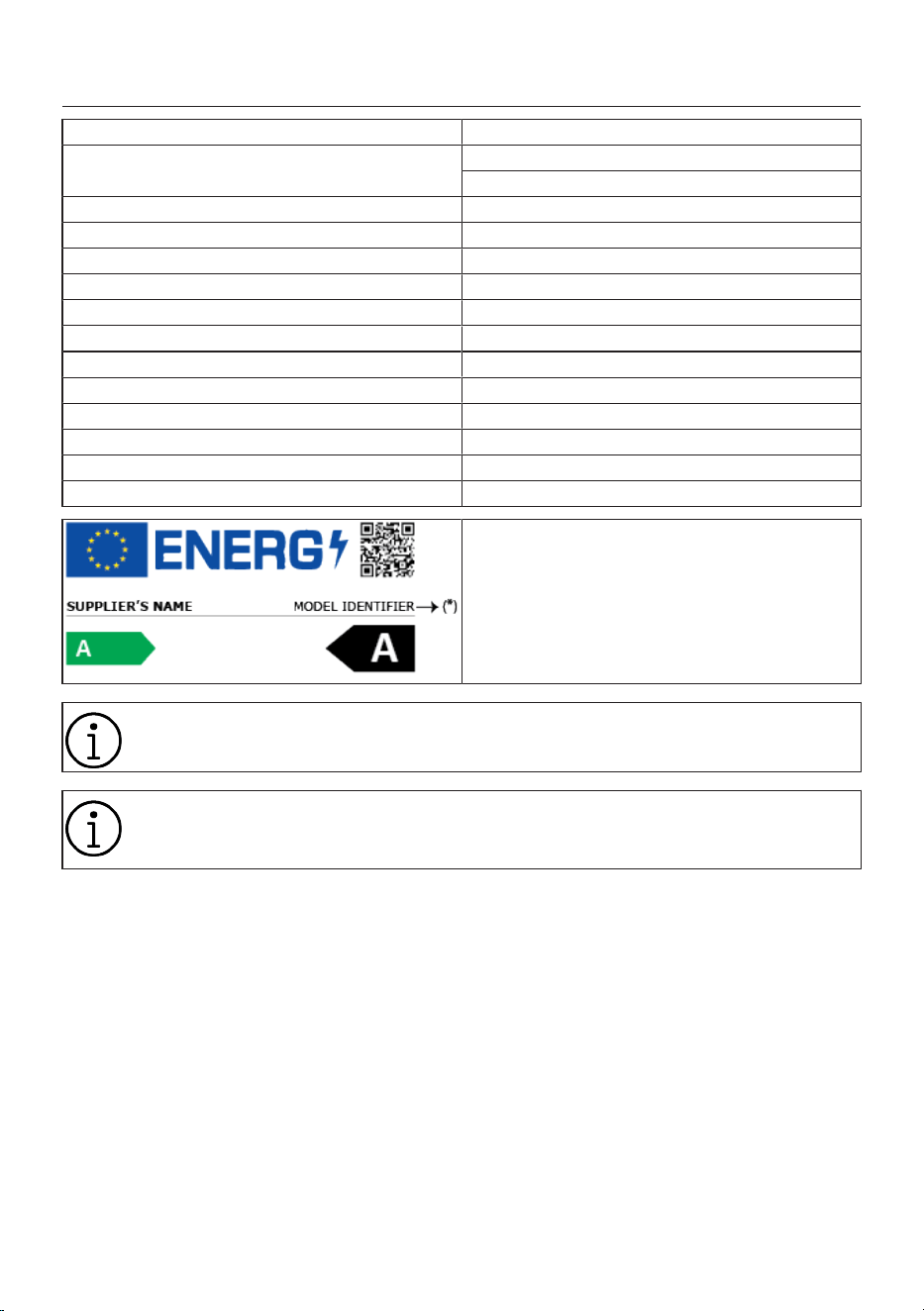
The model information as stored in the product database
can be reached by entering following website and search-
ing for your model identifier (*) found on energy label.
https://eprel.ec.europa.eu/
The consumption values apply when wireless network connection is turned off.
The duration of the product's cybersecurity-related software update support is the
product's warranty period. After this time, software updates related to cybersecur-
ity are not guaranteed.
EN / 15
EN / 16
4 Installation
Please read the “Safety Instruc-
tions” section first!
Your washing machine automatic-
ally detects the amount of laundry
placed inside when selecting a pro-
gram.
While installing the product, before
the first use, calibration should be
done to ensure that the laundry
amount is detected in the most ac-
curate way.
To do this, select the Drum Clean-
ing* program and cancel the spin
function. Start the program without
laundry. Wait for the program to fin-
ish, which will take about 15
minutes.
*The program name may vary de-
pending on the model. For the ap-
propriate program selection, review
the program descriptions section.
• Please contact the nearest Authorised
Service for the installation of the appli-
ance.
• Make sure that the installation and elec-
trical connections of the product are per-
formed by authorised service agent. Man-
ufacturer shall not be held responsible
for damages caused by operations per-
formed by unauthorised persons.
• Preparation of the location and electrical,
tap water and waste water installations
at the place of installation is under cus-
tomer's responsibility.
• Make sure that the water inlet and dis-
charge hoses as well as the power cable
are not folded, pinched or crushed while
pushing the product into its place after
installation or cleaning procedures.
• Prior to installation, visually check if the
product has any defects on it. Do not
have the product installed if it is dam-
aged. Damaged products cause risks for
your safety.
4.1 Appropriate Installation Loca-
tion
• Place the product on a hard and level
floor. Do not place it onto a carpet with
high pile or other similar surfaces. Pla-
cing on an improper floor shall cause
noise and vibration problems.
• Do not place the product on the power
cable.
• Do not install the product at places where
temperature may fall below 0 ºC. Freez-
ing might damage your product.
• Leave a minimum space of 1 cm
between the product and the furniture.
• If you will install the product on a surface
with steps, never place it close to the
edge.
• Do not place the product on any platform.
• There shall not be any locked, sliding or
hinged doors that may prevent the load-
ing door from opening completely in the
installation location of this product.
• Do not place heat sources such as
cooker, irons, ovens, heater etc. on the
appliance and do not use them on the
product.
4.2 Assembly of Bottom Panel Cov-
ers
With some models, the base parts
of the products are completely
closed. These products do not have
plugs and covers.
• In order to increase the sound comfort of
the product, attach cover A after remov-
ing the package foam.
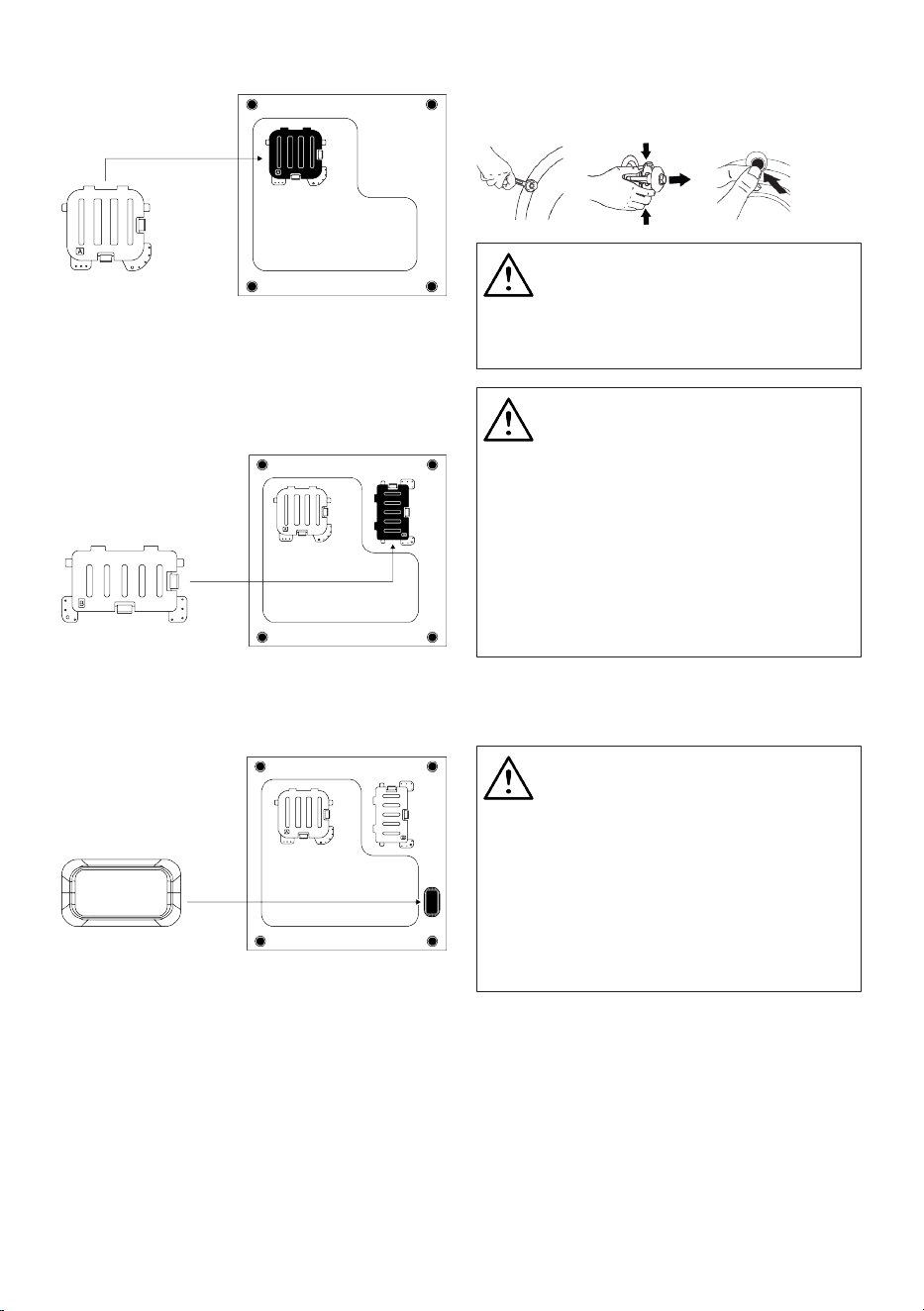
EN / 17
Cover A
Tilt the machine back slightly. Rest the tabs
of Cover A against the lower panel. Com-
plete the assembly by rotating the cover.
• Cover B and the Cap are optional. If avail-
able, attach cover B and the Cap.
Cover B
Rest the tabs of Cover B against the lower
panel. Complete the assembly by rotating
the cover.
Cap
Insert the cap by pushing it with your finger.
4.3 Removing Transportation Safety
Bolts
1. Loosen all transportation safety bolts
with an appropriate wrench until they
turn freely.
2. Bend the inner part by pressing it at the
grip areas and pull the part out.
3. Attach the plastic covers supplied in the
User Manual bag into the holes on the
rear panel.
WARNING
Remove the transportation safety
bolts before operating the product.
Otherwise, the product will get
damaged.
WARNING
Keep the transportation safety
bolts in a safe place to reuse when
the product needs to be moved
again in the future.
Install the transportation safety
bolts in reverse order of the disas-
sembly procedure.
Never move the product without the
transportation safety bolts properly
fixed in place.
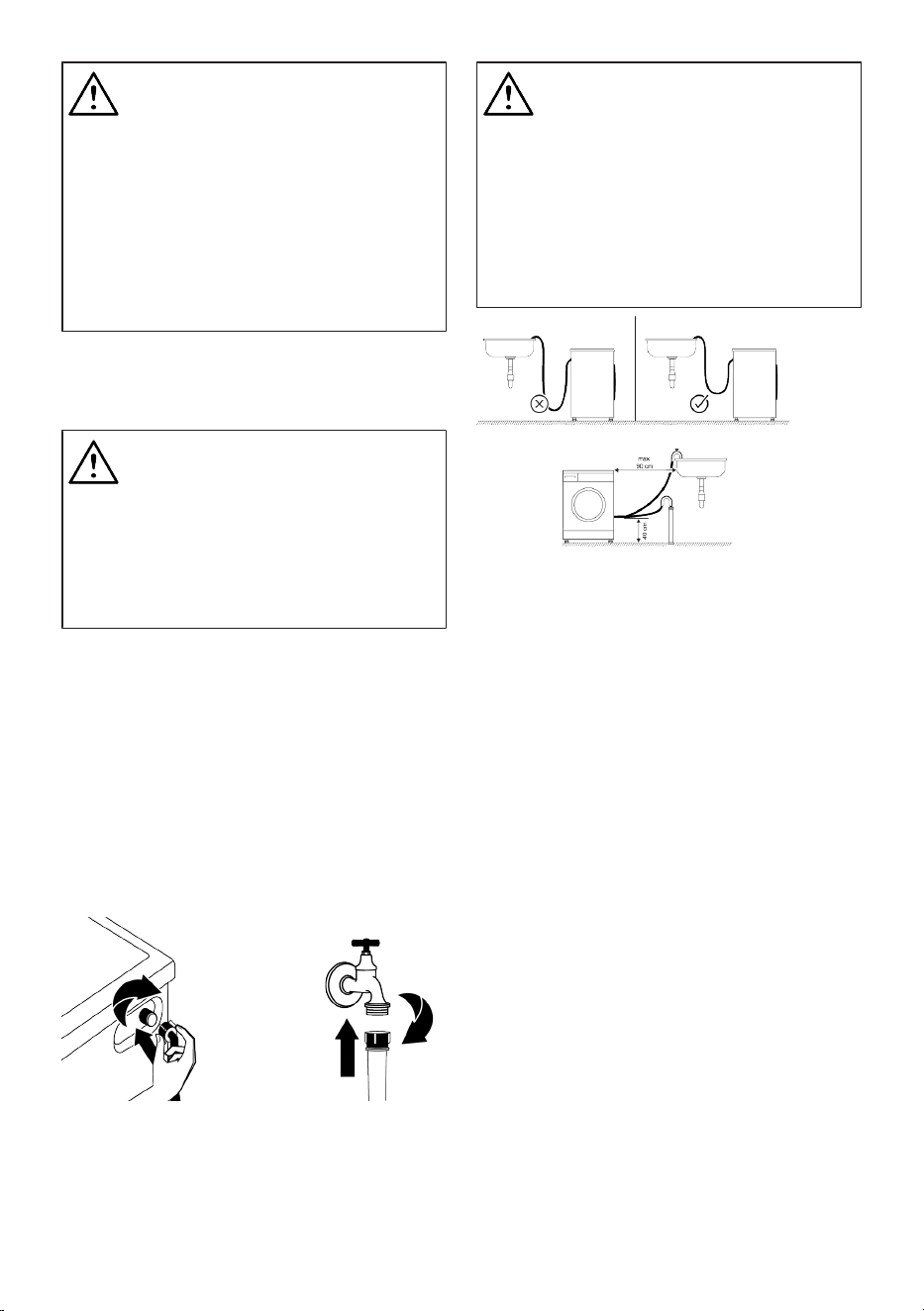
4.4 Connecting to Water Supply
WARNING
The water pressure required for the
operation of the product is between
1-10 bars (0.1-1 MPa). To ensure a
smooth operation of the machine,
10 - 80 liters of water shall be sup-
plied in a minute from a fully
opened tap. If the water pressure is
higher, install a pressure reducing
valve.
EN / 18
WARNING
Models with a single water inlet
shall not be connected to the hot
water tap. In such a case the laun-
dry will get damaged or the product
will switch to protection mode and
will not operate.
Do not use old or used water inlet
hoses on a new product. It may
cause water leakage from your ma-
chine and stain your laundry.
1. Connect the special hose supplied with
the product to the water inlet on the
product.
WARNING
Make sure that the cold water con-
nection is performed correctly dur-
ing the installation of the product.
Otherwise, your laundry may come
out as hot at the end of the wash-
ing cycle and thus they may be
worn.
2. Tighten all hose nuts by hand. Never use
a tool when tightening the nuts.
3. Open the taps completely after making
the hose connection to check for water
leaks at the connection points. If any
leak occurs, turn off the tap and remove
the nut. Check the gasket and tighten
the nut carefully again. In order to pre-
vent the water leaks and resultant dam-
ages, keep the taps closed when you do
not use the product.
4.5 Connecting the Drain Hose to
the Drain
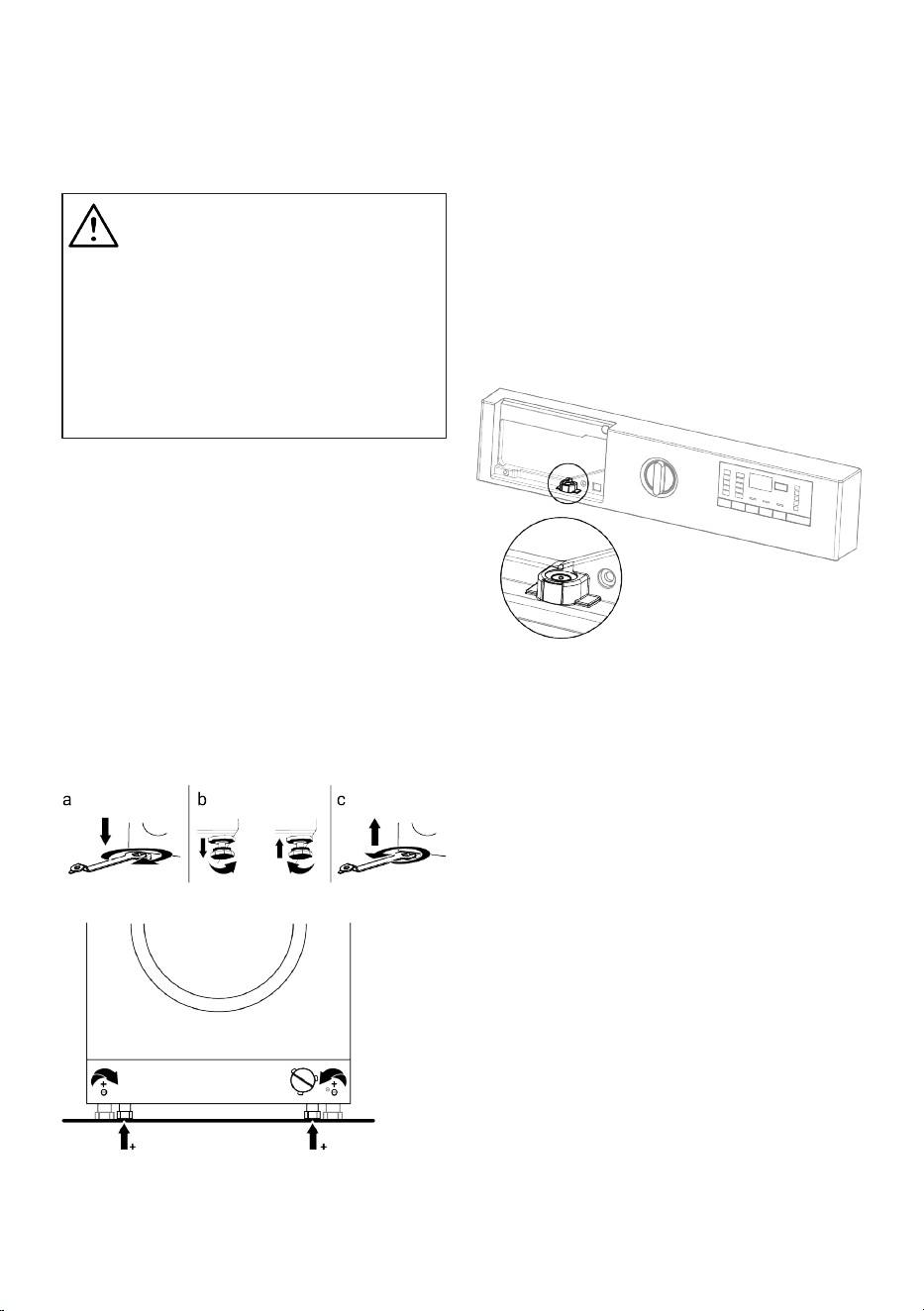
1. Attach the end of the drain hose directly
to waste water drain, washbasin or
bathtub.
Your house will be flooded if the
water draining hose is dislocated
during water draining. There is also
a risk of burning due to the high
washing temperatures. In order to
prevent such situations and make
sure that the product performs wa-
ter intake and drain processes
without any problem, fix the drain
hose securely.
2. Connect the hose to a minimum height
of 40 cm and a maximum height of 90
cm.
3. If the hose is placed on the floor (or at a
maximum height of 40 cm from the
floor) and then its height is increased,
discharging of water becomes difficult,
and laundry may come out very wet
from the machine. Thus, follow the
heights provided in the figure.
4. To prevent the waste water to go back
into the product again and to ensure
easy drainage, do not immerse the end
of the hose into the waste water or do
not insert it into the drain for more than
15 cm. If it is too long, cut it short.
5. The end of the hose should not be bent,
it should not be stepped on and the
hose must not be pinched between the
drain and the product. Otherwise, water
discharge issues may emerge.
6. If the length of the hose is too short, use
it by adding an original extension hose.
The overall length of the hose shall not
be longer than 3.2 m. To prevent water
leaks, always secure the connection
between the extension hose and the
EN / 19
draining hose of the product with a suit-
able clamp so that it does not come off
and cause leaks.
4.6 Adjusting the Stands
WARNING
In order to ensure that the product
operates more silently and vibra-
tion-free, it must stand level and
balanced on its feet. Ensure that
the product is balanced by adjust-
ing the feet. Otherwise, the product
may move from its place and cause
crushing, noise and vibration prob-
lems.
1. Loosen the nuts on the feet in the direc-
tion of the arrow with the tool in the user
manual bag.
2. Adjust the feet until the product stands
level and balanced. You can move the
feet up by turning them counter-clock-
wise and down by turning them clock-
wise.
3. Re-tighten all lock nuts with the tool in
the direction of the arrow. You can
move the nuts down by turning them
counter-clockwise and up by turning
them clockwise.
Adjustment of the Feet:
• When you turn the rotary knob shown in-
side the circle in the direction of the ar-
row, the machine will raise 0.3 mm up. If
you turn it in the opposite direction of the
arrow, the machine will lower by 0.3 mm.
• You can use the water meter to check the
rear and front feet of the machine for the
proper setting.
• Do not adjust the rear feet using re-
chargeable devices. Use a screwdriver in-
stead.
Adjusting the Feet with the Water Level
Indicator:
• To adjust the Water Level Indicator, you
must remove the Detergent Drawer.
• The bubble inside the Water Level Indic-
ator must be in the middle for the sys-
tem to work correctly.
• If the bubble inside the Water Level Indic-
ator is on the left, the right preset foot of
the Washing Machine must be adjusted.
• If the bubble inside the Water Level Indic-
ator is on the right, the left preset foot of
the Washing Machine must be adjusted.
• If the bubble inside the Water Level Indic-
ator is on the rear, the front preset foot
of the Washing Machine should be
turned left (clockwise).
• If the bubble inside the Water Level Indic-
ator is on the front, the front preset foot
of the Washing Machine should be
turned right (counterclockwise).
4.7 Electrical Connection
Connect the product to a grounded outlet
protected by a 13 A fuse. Our company
shall not be responsible for the damages
EN / 20
that shall be incurred due to using the
product without grounding according to
local regulations.
• Connection must comply with national
regulations.
• The electrical connection cable infra-
structure of the product must be ad-
equate and suitable for product require-
ments. It is recommended to use a
Ground Fault Circuit Breaker (GFCI).
• Power cable plug must be within easy
reach after installation.
• If the current supply to the fuse or
breaker in the house is less than 13
Amps, have a qualified electrician install
a 13 amp supply.
• The voltage specified in the "Technical
specifications" section must be equal to
your mains voltage.
• Do not make connections via extension
cables or multi-plugs. Overheating and
burning may occur due to the connecting
cable.
Damaged power cables should be
replaced by the authorised service
in order to prevent possible danger.
Important
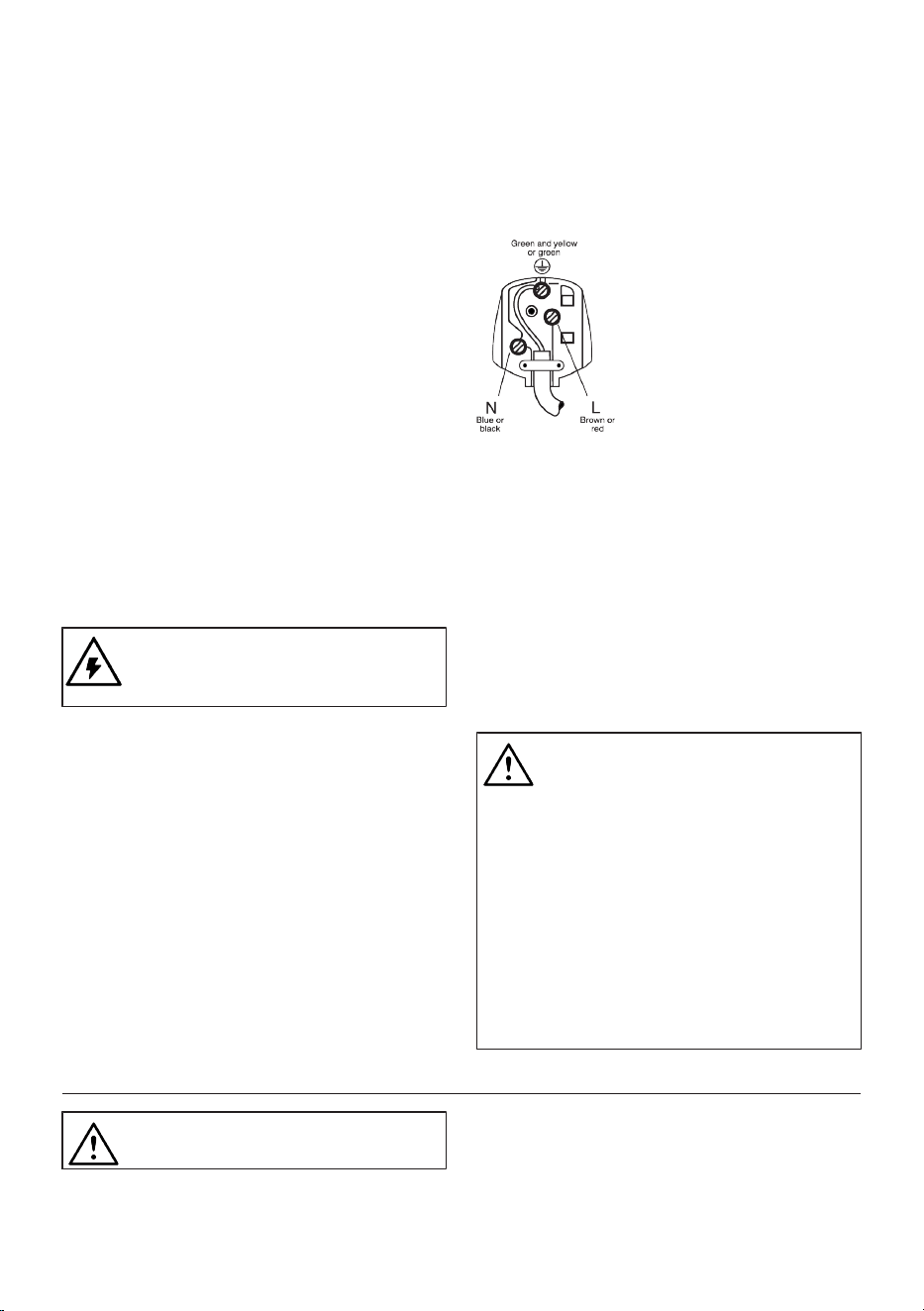
Fitting a different plug:
As the colours of the wires in the mains
lead of this appliance may not correspond
with the coloured markings identifying the
terminals on your plug, proceed as follows:
1. Connect the green - yellow or green
(earth) wire to the terminal in the plug
marked ‘E’ or with the symbol f or col-
oured green and yellow or green.
2. Connect the blue (neutral) wire to the
terminal in the plug marked ‘N’ or col-
oured black.
3. Connect the brown (live) wire to the ter-
minal in the plug marked ‘L’ or coloured
red.
With the alternative plugs a 13 A fuse must
be fitted either in the plug or adaptor or in
the main fuse box. If in doubt contact a
qualified electrician.
4.8 Handling the Product
1. Unplug the product before handling it.
2. Disconnect the water outlet and water
main connections. 3 Drain all the water
that remains in the product. See Drain-
ing Remaining Water and Cleaning the
Pump Filter
3. Install the shipping bolts in reverse or-
der of the disassembly procedure. See
Removing the Shipping Bolts
Never carry the product without the
shipping bolts properly attached!
Your product is so heavy that it
shall not be carried by one person.
Your product shall be carried by
two people and more care shall be
taken on the stairs as it is a heavy
product. If the product falls on you,
it may cause injury.
The packaging materials are dan-
gerous for children. Keep pack-
aging materials at a safe place
away from the reach of children.
5 Preliminary Preparation
Please read the “Safety Instruc-
tions” section first
5.1 Sorting the Laundry
• Sort laundry according to type of fabric,
colour, and degree of soiling and allow-
able water temperature.
EN / 21
• Always observe the instructions given on
the garment care labels.
5.2 Preparing Laundry for Washing
• Laundry items with metal attachments
such as, underwiring, belt buckles or
metal buttons will damage the product.
Remove the metal pieces or wash such
clothes by putting them in a laundry bag
or pillow case.
• Take out all substances in the pockets
such as coins, pens and paper clips, and
turn pockets inside out and brush. Such
objects may damage the product or
cause noise problem.
• Put small size clothes such as infant’s
socks and nylon stockings in a laundry
bag or pillow case.
• Place curtains in without compressing
them. Remove curtain attachment items.
Curtain attachment items may cause
pulling and tearing on the curtain.
• Fasten zippers, sew loose buttons and
mend rips and tears.
• Wash “Machine washable” or “Hand
washable” labelled products only with an
appropriate programme. Dry these types
of clothes by hanging them or laying
them flat. Do not dry them in the ma-
chine.
• Do not wash colours and whites together.
New, dark coloured cottons release a lot
of dye. Wash them separately.
• Only use paints / colour changing agents
and descalers suitable for use in ma-
chines. Always observe the instructions
on the packaging
• Tough stains must be treated properly
before washing. If you are not sure,
check with a dry cleaner.
• Wash trousers and delicate laundry
turned inside out.
• Laundry that are subjected to materials
such as flour, lime dust, milk powder, etc.
intensely must be shaken off before pla-
cing into the product. Such dusts and
powders on the laundry may build up on
the inner parts of the product in time and
can cause damage.
• Before washing laundry made of angora
wool, keep them in the freezer section of
the refrigerator for few hours. This will re-
duce pilling
5.3 Tips for Energy and Water Sav-
ing
Following information will help you use the
product in an ecological and energy/water-
efficient manner.
• Operate the product in the highest load
capacity allowed for the programme you
have selected, but do not overload. See
"Programme and consumption table"
• Observe the temperature instructions on
the detergent packaging.
• Wash slightly soiled laundry at low tem-
peratures.
• Use faster programmes for small quantit-
ies of lightly soiled laundry.
• Do not use prewash and high temperat-
ures for laundry that is not heavily soiled
or stained.
• If you plan to dry your laundry in a dryer,
select the highest spin speed recommen-
ded during washing process.
• Do not use more detergent than the re-
commended on the detergent packaging.
5.4 Start Up
Before starting to use the product make
sure that the preparations described in sec-
tion “Environmental Instructions” and “In-
stallation”. To prepare the product for
washing laundry, perform first operation in
Drum Cleaning programme. If this pro-
gramme is not available in your product, ap-
ply the method which is described in sec-
tion "Cleaning the loading door and the
drum".
EN / 22
Use an anti-limescale product suit-
able for the washing machines
Some water has remained in the
product due to the quality control
processes in the production. It is
not harmful for the product.
5.5 Loading the Laundry
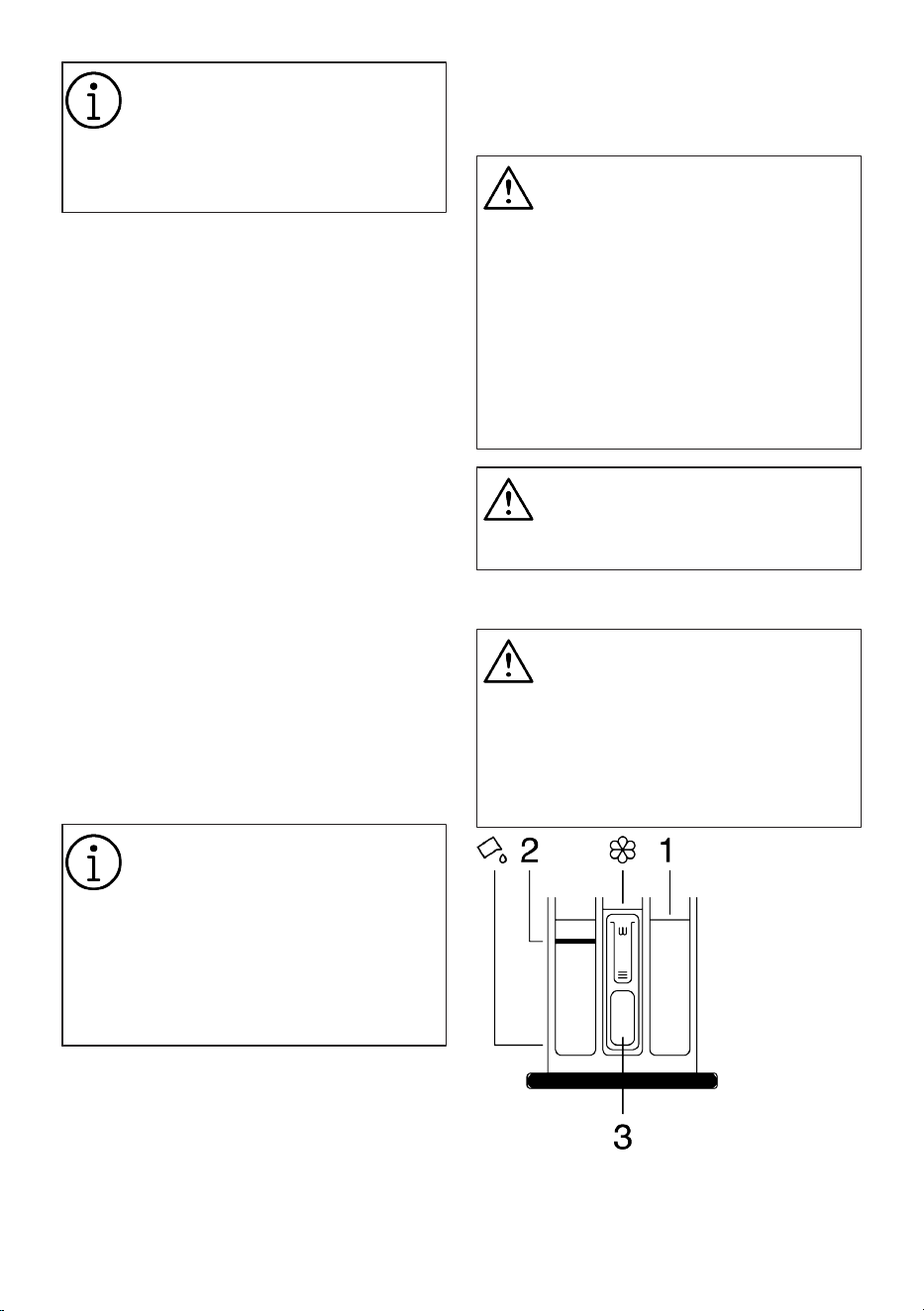
1. Open the loading door.
2. Put the laundry items into the product in
a loose manner.
3. Push the loading door to close until you
hear a locking sound. Ensure that no
items are caught in the door. The load-
ing door is locked while a programme is
running. The door lock will open a few
minutes after the washing programme
has ended. Then you can open the load-
ing door. If the door does not open, ap-
ply the solutions provided for “Loading
door cannot be opened” error in the
Troubleshooting section.
5.6 Correct Load Capacity
The maximum load capacity depends on
the type of laundry, the degree of soiling
and the desired washing programme.
The product automatically adjusts the wa-
ter amount according to the weight of the
laundry put inside it.
Follow the instructions in “Pro-
gramme and consumption table”.
When the appliances is overloaded
product’s washing performance will
drop. Moreover, noise and vibration
problems may occur.
For a successful drying perform-
ance, do not put more laundry in
the machine than specified.
Bathrobe: 1200 g
Bedding: 700 g
Sheet: 500 g
Pillow Case: 200 g
Table Cloth: 250 g
Negligee/Pyjamas: 200 g
Lingerie: 100 g
Shirts: 200 g
Blouse: 100 g
Towel: 200 g
The loading door is locked while a
programme is running. The door
lock will open once the programme
is completed. If the inner part of the
machine is very hot at the end of
the program, the loading door will
not open until the temperature
drops. If the door does not open,
apply the solutions provided for
“Loading Door Cannot Be Opened”
error in the Troubleshooting sec-
tion.
WARNING
If the laundry is placed incorrectly,
noise and vibration problems may
occur in the machine.
5.7 Using Detergent and Softener
WARNING
Read the manufacturer instructions
on the package while using deter-
gents, softeners, starch, bleach and
decolourants, anti-limescale and
follow the dosage information
provided. Use a measuring cup, if
any.
The detergent drawer comprises of three
compartments:
(1) for prewash,
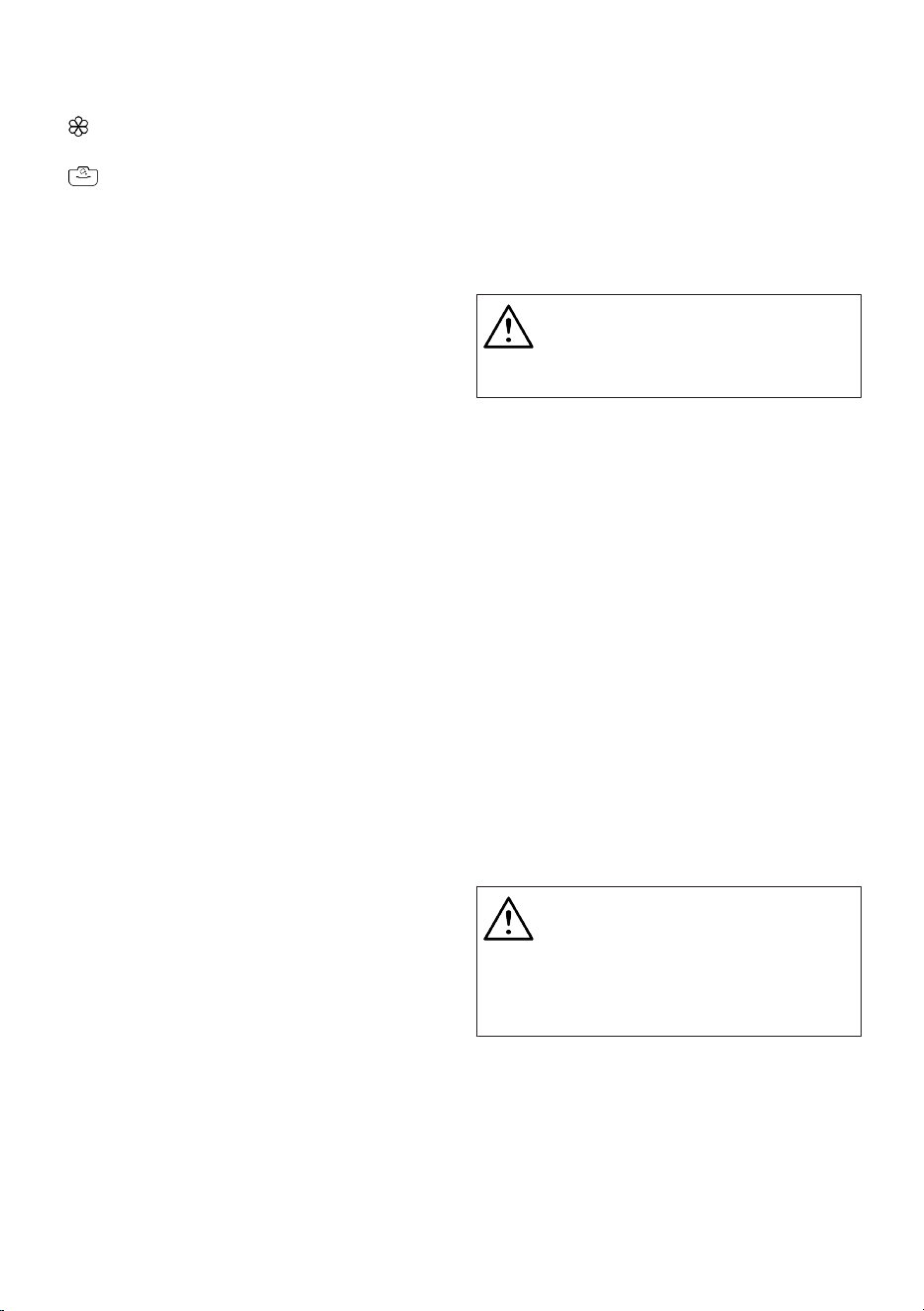
EN / 23
(2) for main washing,
(3) for softener,
( ) a syphon piece in the softener com-
partment,
( ) there is a liquid detergent apparatus
for liquid detergent use in the main wash-
ing compartment.
Detergent, Softener and Other Cleaning
Agents
• Add detergent and softener before start-
ing the washing programme.
• Do not leave the detergent drawer open
when the washing programme is on.
• If you are using a programme without
pre-washing, do not put detergent in the
pre-wash compartment (compartment
no. “1”).
• If you are using a program with prewash,
start the machine after adding powder
detergent to the prewash and main wash
compartments (compartments 1 and 2).
• Do not select a programme with pre-
washing if you are using a detergent pod
or dispensing ball. Place the detergent
pod or the dispensing ball directly among
the laundry in the product.
• If you are using a liquid detergent, follow
the directions under “Liquid detergent
use” and do not forget to bring the liquid
detergent apparatus to the correct posi-
tion.
• Do not add washing chemicals (Liquid
detergent, Softener, etc.) while the ma-
chine is during Drying step.
Choosing the Detergent type
Detergent type to be used depends on the
washing programme, fabric type and col-
our.
• Use different detergents for coloured and
white laundry.
• Wash your delicate clothes only with spe-
cial detergents (liquid detergent, wool
shampoo, etc.) intended solely for delic-
ate clothes and at suggested pro-
grammes.
• When washing dark coloured clothes and
quilts, it is recommended to use liquid
detergent.
• Wash woollens at suggested programme
with special detergent made specifically
for woollens.
• Please review the programme descrip-
tions part for suggested programme for
different textiles.
• All recommendations about detergents
are valid for selectable temperature
range of programmes.
Only detergents, softeners and ad-
ditives suitable for washing ma-
chines should be used.
Do not use soap powder.
Adjusting the Detergent Amount
The amount of detergent depends on the
amount of laundry, how soiled they are and
the water hardness.
• Do not exceed the recommended dosage
values on the detergent packaging in or-
der to eliminate excessive foam and poor
rinsing problems, to save money and pro-
tect the environment.
• Use less amounts of detergent for fewer
or less soiled laundry.
Using Softeners
Put the softener in the softener compart-
ment of the detergent drawer.
• Do not exceed the (>max<) level sign in
the softener compartment.
• If the softener is not fluid, dilute with wa-
ter before placing in the softener com-
partment.
WARNING
Do not use liquid detergents or
other materials with cleaning prop-
erties unless they are intended for
use in washing machines for
softening the laundry.
Using Liquid Detergents
If the Product Has a Liquid Detergent
Apparatus
• Press and rotate the apparatus at where
it is shown when you want to use liquid
detergents. The part falling below will
serve as a barrier for liquid detergent.
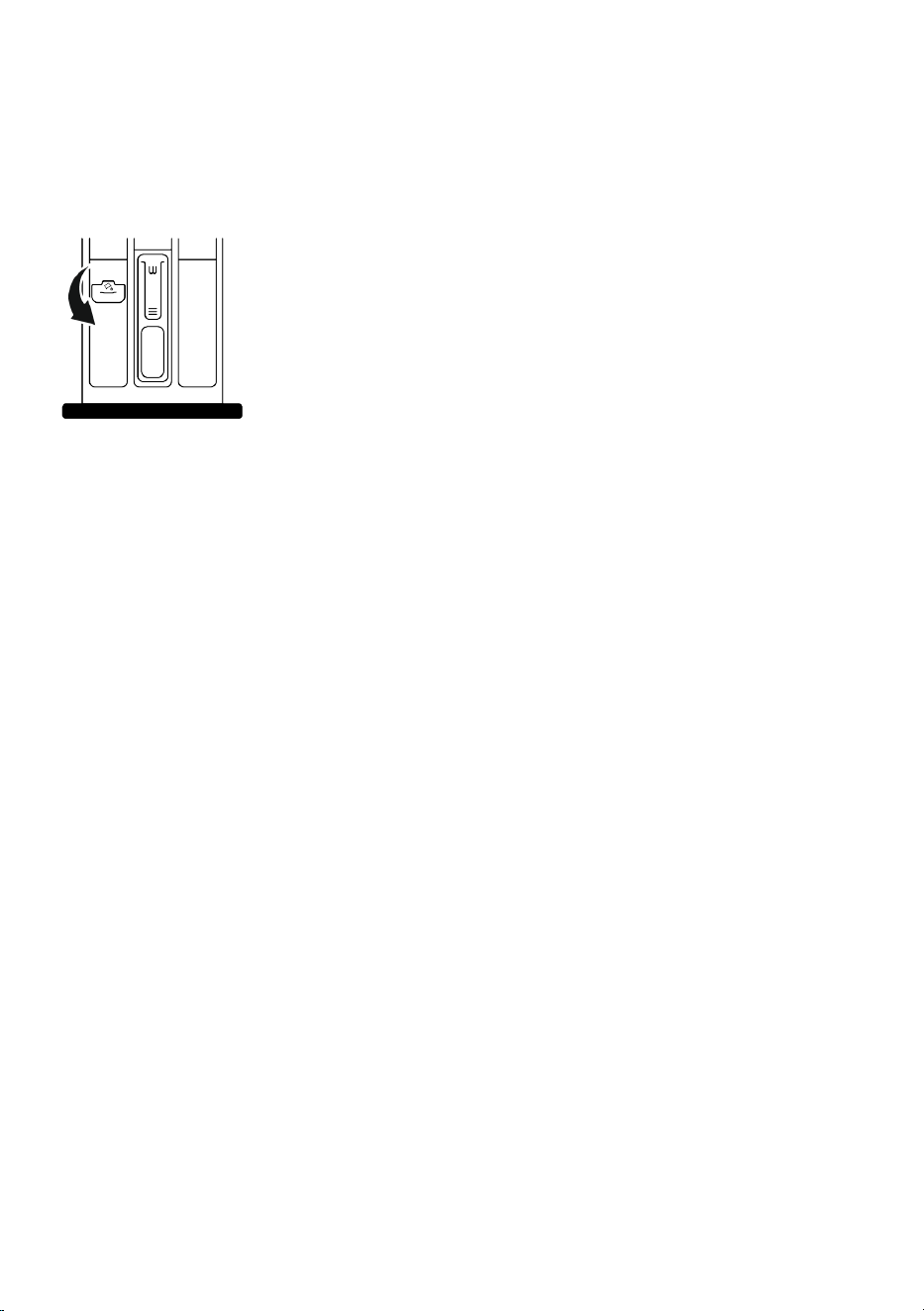
EN / 24
• Clean with water at its place or by remov-
ing from its place when it is necessary.
Do not forget to place the apparatus in
the main washing compartment (com-
partment no. “2”) after cleaning.
• The apparatus should be up if you will
use a powder detergent.
Use of Gel and Tablet Detergents
• If the detergent is fluid and there is no li-
quid detergent compartment in your
product, place the gel detergent in the
main washing detergent compartment in
first water intake. If your product has a li-
quid detergent compartment, fill the com-
partment with detergent before starting
the programme.
• If the gel detergent is not fluid or is in a
capsule liquid tablet, place directly inside
the drum before washing.
• Put the tablet detergent in the main
washing compartment (compartment no.
“2”) or directly inside the drum before
washing.
• Tablet detergents may leave residue in
the detergent compartment. If you face
such residues, place the tablet detergent
among the laundry in the next washes in
a way that it will be at the bottom side of
the drum.
• Use tablet or gel detergent without se-
lecting the pre-wash function.
• Do not forget to remove elements such
as plastic detergent compartment from
the drum before drying.
Using Starch
• Put in the liquid starch, powder starch or
fabric dye in the softener compartment.
• Do not use softener and starch in the
same washing programme simultan-
eously.
• Wipe the inside of the product with a
damp and clean cloth after using starch.
Using Anti-Limescale
• When necessary, only use anti-limescale
produced for washing machines.
Using Bleach and Decolourants
• Select a programme with pre-washing
and add bleach at the start of pre-wash-
ing. Do not put detergent in the pre-wash
compartment. As an alternative applica-
tion, select a programme with additional
rinsing and add the bleach while the
product is receiving water to the deter-
gent compartment in the first rinsing
step.
• Do not mix and use bleach and detergent
together.
• As bleach may cause skin irritation use
only small amounts (1/2 tea cups - ap-
proximately 50 ml and rinse the laundry
well.
• Do not pour bleach directly onto the laun-
dry.
• Do not use bleach for coloured clothes.
• Select a programme with low temperat-
ure washing while using oxygen-based
decolourants.
• Oxygen-based decolourants can be used
together with detergents. However, if it
does not have the same viscosity as the
detergent, first place the detergent in
compartment no. “2” in the detergent
drawer and wait for the product to rinse
away the detergent during water intake.
Add the decolourant to the same com-
partment while the machine continues
taking in water.
EN / 25
5.8 Tips for Efficient Washing
Clothes
Light Colours and
Whites
Colours
Black/Dark Col-
ours
Delicates/ Wool-
lens/Silks
(Recommended temperat-
ure range based on soil
level: 40-90 °C)
(Recommended temper-
ature range based on
soil level: cool -40 °C)
(Recommended
temperature range
based on soil level:
cool -40 °C)
(Recommended
temperature
range based on
soil level: cool -30
°C)
Soiling Level
Heavily Soiled
(difficult stains
such as grass,
coffee, fruits
and blood.)
It may be necessary to
pre-treat the stains or per-
form prewash.
Powder and liquid deter-
gents recommended for
whites can be used at
dosages recommended
for heavily soiled clothes.
It is recommended to use
powder detergents to
clean clay and soil stains
and the stains that are
sensitive to bleaches.
Powder and liquid deter-
gents recommended for
colours can be used at
dosages recommended
for heavily soiled
clothes. It is recommen-
ded to use powder de-
tergents to clean clay
and soil stains and the
stains that are sensitive
to bleaches. Detergents
which do not contain de-
colourant should be
used.
Liquid detergents
suitable for colours
and black/dark col-
ours can be used at
doses recommen-
ded for heavily
soiled clothes.
Prefer liquid deter-
gents produced
for delicate
clothes. Woollen
and silk clothes
must be washed
with special wool-
len detergents.
Normally
Soiled
(For example,
stains caused
by body on col-
lars and cuffs)
Powder and liquid deter-
gents recommended for
whites can be used at
dosages recommended
for normally soiled
clothes.
Powder and liquid deter-
gents recommended for
colours can be used at
dosages recommended
for normally soiled
clothes. Detergents
which do not contain de-
colourant should be
used.
Liquid detergents
suitable for colours
and black/dark col-
ours can be used at
doses recommen-
ded for moderately
soiled clothes.
Prefer liquid deter-
gents produced
for delicate
clothes. Woollen
and silk clothes
must be washed
with special wool-
len detergents.
Lightly Soiled
(No visible
stains exist.)
Powder and liquid deter-
gents recommended for
whites can be used at
dosages recommended
for lightly soiled clothes.
Powder and liquid deter-
gents recommended for
colours can be used at
dosages recommended
for lightly soiled clothes.
Detergents which do not
contain decolourant
should be used.
Liquid detergents
suitable for colours
and black/dark col-
ours can be used at
doses recommen-
ded for lightly
soiled clothes.
Prefer liquid deter-
gents produced
for delicate
clothes. Woollen
and silk clothes
must be washed
with special wool-
len detergents.
EN / 26
5.9 Tips for Efficient Drying
Programmes
Cotton Dry Synthetic Dry Babyprotect+
Washing and
Drying
Wash & Wear
Types of Clothing
Durable
Clothes Con-
taining Cotton
Sheets, bed-
dings, baby
clothes, t-
shirts, sweat-
shirts, durable
knitted clothes,
jeans, canvas
pants, shirts,
cotton socks
etc.
Not Recom-
mended!
It washes and
dries consecut-
ively! Sheets,
beddings, baby
clothes, t-
shirts, sweat-
shirts, durable
knitted clothes,
jeans, canvas
pants, shirts,
cotton socks
etc.
It washes and
dries consecut-
ively! Sheets,
beddings, baby
clothes, t-
shirts, sweat-
shirts, durable
knitted clothes,
jeans, canvas
pants, shirts,
cotton socks
etc.
Clothes such
as shirts, t-
shirts, sweat-
shirts etc. that
have been
worn for a
short time and
are unstained
A very small
amount of
laundry should
be loaded.
Synthetic
Clothes (Poly-
ester, nylon
etc.)
Not Recom-
mended!
It is recommen-
ded for clothes
containing
polyester,
nylon, polyacet-
ate, acrylic.
Drying is not re-
commended
for clothes
containing vis-
cose. Attention
should be paid
to the drying in-
structions on
the mainten-
ance label.
It is recommen-
ded for clothes
containing
polyester,
nylon, polyacet-
ate and acrylic
at low temper-
atures, taking
into account
the washing
and drying
warnings indic-
ated on the
maintenance
label.
It is recommen-
ded for clothes
containing
polyester,
nylon, polyacet-
ate and acrylic
at low temper-
atures, taking
into account
the washing
and drying
warnings indic-
ated on the
maintenance
label.
Lightly soiled
and unstained
shirts, t-shirts
and synthetic
laundry. A very
small amount
of laundry
should be
loaded.
Delicate (Con-
taining Silk,
Woolen,
Cashmere, An-
gora wool etc.)
Laundry
Not Recom-
mended!
Not Recom-
mended!
Not Recom-
mended!
Not Recom-
mended!
Not Recom-
mended!
Bulky laundry
such as
blankets, coats,
curtains etc.
Not Recom-
mended! It is
not suitable to
dry bulky laun-
dry in the
washing ma-
chine. Dry
these laundry
by hanging
them or laying
them flat.
Not Recom-
mended! It is
not suitable to
dry bulky laun-
dry in the
washing ma-
chine. Dry
these laundry
by hanging
them or laying
them flat.
Not Recom-
mended! It is
not suitable to
dry bulky laun-
dry in the
washing ma-
chine. Dry
these laundry
by hanging
them or laying
them flat.
Not Recom-
mended! It is
not suitable to
dry bulky laun-
dry in the
washing ma-
chine. Dry
these laundry
by hanging
them or laying
them flat.
Not Recom-
mended! It is
not suitable to
dry bulky laun-
dry in the
washing ma-
chine. Dry
these laundry
by hanging
them or laying
them flat.
5.10 Displayed Programme Dura-
tion
You can view the programme duration on
the display of your machine while selecting
a programme. Depending on the amount of
laundry you have loaded into your machine,
foaming, unbalanced load conditions, fluc-
tuations in power supply, water pressure
and programme settings, the programme
duration is automatically adjusted while the
programme is running.
SPECIAL CASE: At programme start of Cot-
tons and Cotton Eco programmes, display
shows the duration of half load. It is the
most common use case. After programme
EN / 27
starts, in 20-25 minutes actual load is de-
tected by the machine. And if the detected
load is higher than half load; washing pro-
gramme will be adjusted accordingly and
programme duration increased automatic-
ally. You can follow this change on the dis-
play.
6 Operating the Product
Please read the “Safety Instruc-
tions” section first!
6.1 Control Panel
1
2 3 4
56789101112
1 Programme Selection Button 2 Temperature Level Lights
3 Spin Level Indicator Lights 4 Display
5 Start / Pause Button 6 Remote Control Button
7 End Time Setting Button 8 Drying Level Adjustment Button
9 Auxiliary Function Button 2 10 Auxiliary Function Button 1
11 Spin Speed Adjustment Button 12 Temperature Setting Button
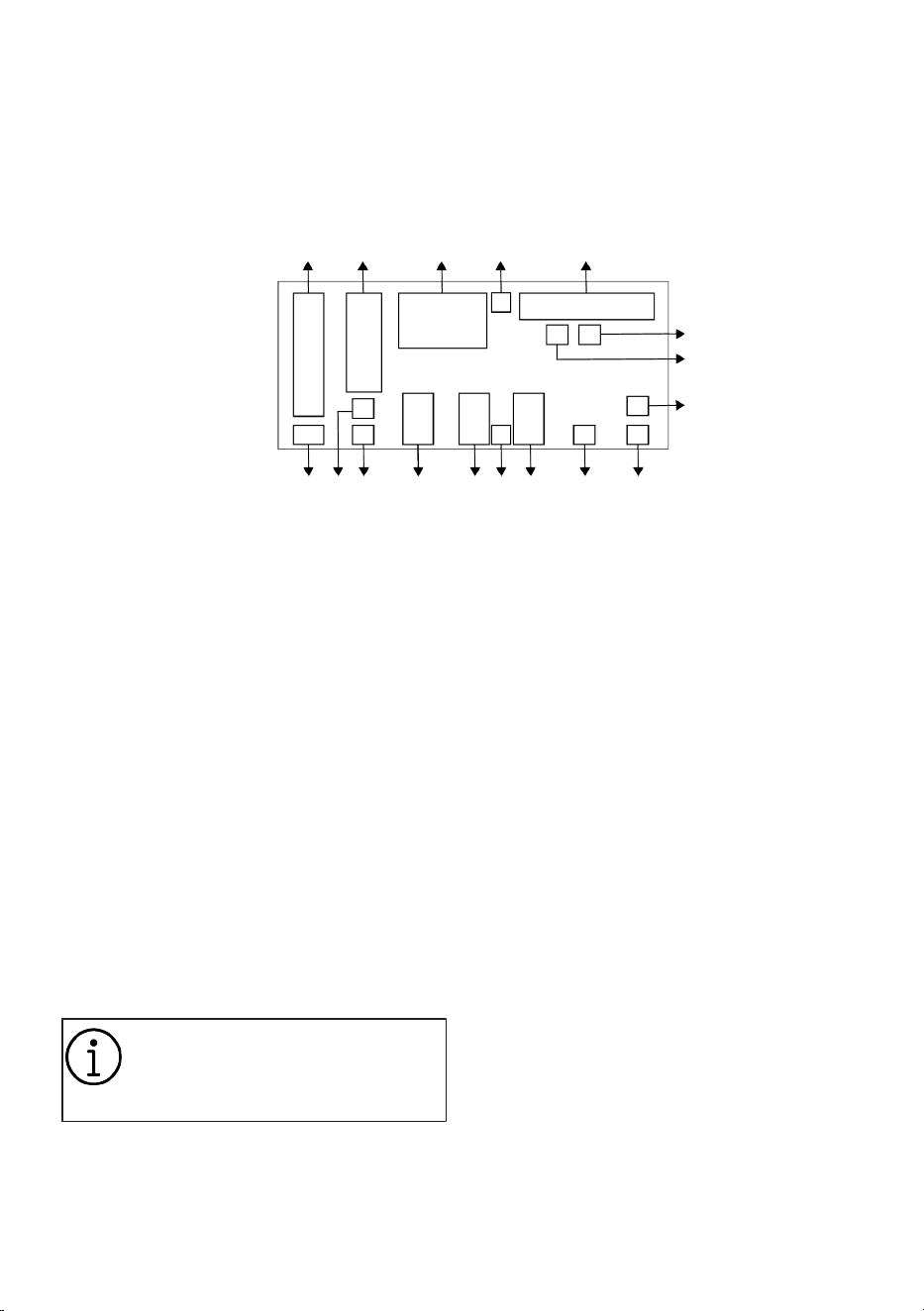
EN / 28
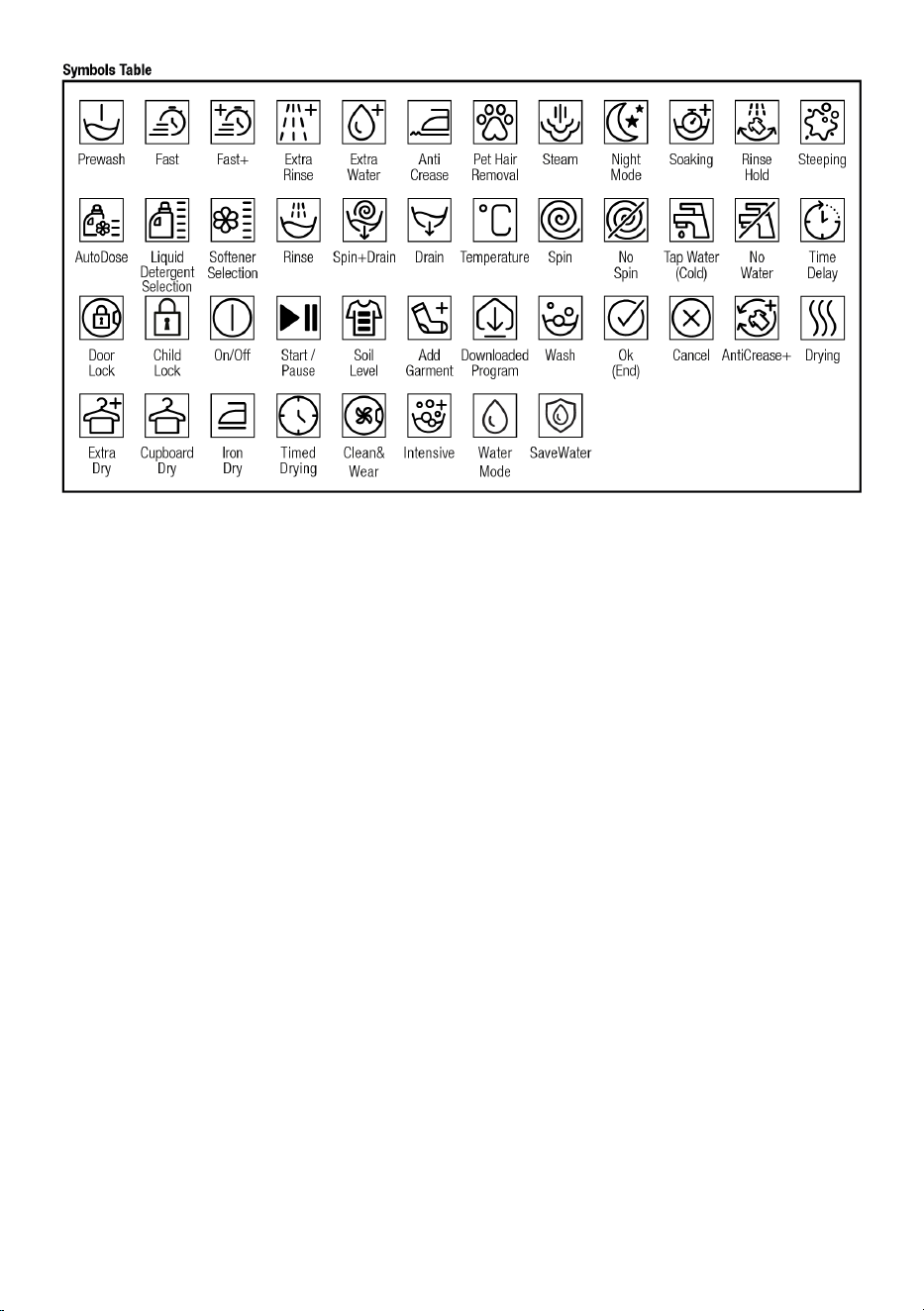
6.2 Symbols on the Display
1 2 3 4 5
6
7
8
91011121314151617
1 Temperature Indicator 2 Spin Speed Indicator
3 Duration Information 4 Door Lock Is Engaged Symbol
5 Programme Follow-up Indicator 6 No Water Indicator
7 Add Garment Indicator 8 Wireless Connection Indicator
9 Remote Control Indicator 10 Delayed Start Enabled Indicator
11 Auxiliary Function Indicators 3 12 Child Lock Enabled Symbol
13 Auxiliary Function Indicators 2 14 Auxiliary Function Indicators 1
15 No Spin Indicator 16 Rinse Hold Indicator
17 Cold Water Indicator
The visuals used for machine de-
scription in this section are schem-
atic and may not match exactly
with the features of your machine.
6.3 Preparing the Machine
1. Check if the hoses are connected
tightly.
2. Plug in your machine.
3. Turn on the tap completely.
4. Place the laundry inside the machine.
5. Put detergent and softener.
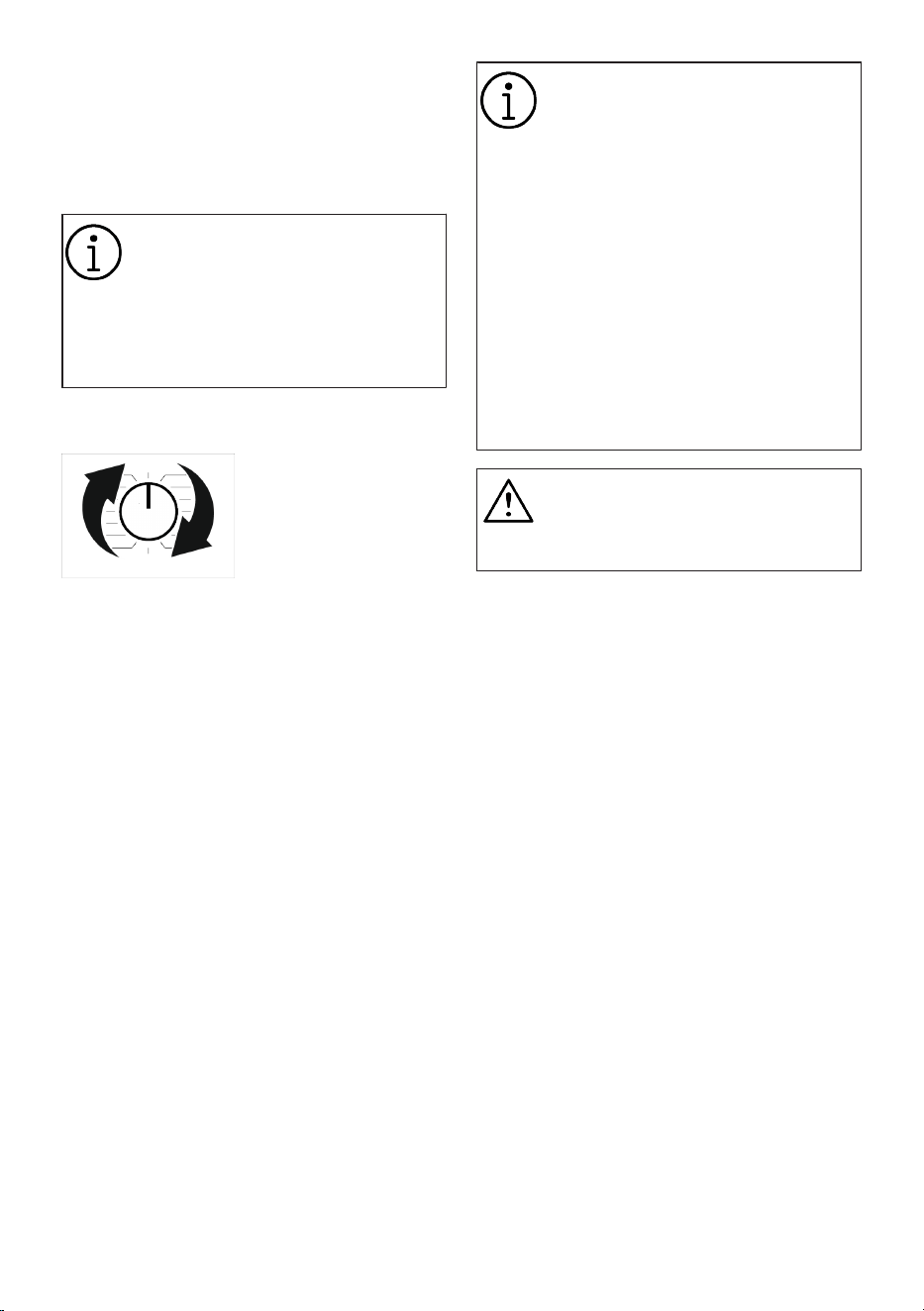
EN / 29
6.4 Selection of Washing Program
1. Determine the programme suitable for
the type, quantity and soiling level of the
laundry in accordance with "Programme
and consumption table".
Programmes are limited to the
highest spin speed appropriate for
that particular type of fabric.
When selecting a programme, al-
ways consider the type of fabric,
colour, soiling level and permissible
water temperature.
2. Select the desired programme with the
Programme Selection knob.
6.5 Washing Programmes
Use the following main programmes de-
pending on the type of fabric.
After selecting the appropriate washing
program, by pressing the Drying button be-
fore starting the program, you can set your
machine to switch to the drying step (auto-
matically or scheduled) at the end of the
washing program, without any pauses/in-
terruptions. Each time you press the button,
the step in which the drying process will
take place is shown in the row of informa-
tion and the related symbol lights up. You
can see when the programme will finish on
the display of the machine, according to the
drying selections you will add to the wash-
ing programmes. If you want, by keeping
pressing the button you can dry for the
maximum time allowed.
You can take a glance at the programmes
for which you can select the drying function
in the Programme and Consumption tables.
Symbols shown on the display are
schematic and may not match with
the product one-to-one.
If you do not want to perform dry-
ing process after the programme
you have selected, press and hold
the Drying auxiliary function button
until the Drying light turns off.
When washing and drying using the
Drying function of your machine,
load a maximum of 5 kilograms of
laundry into the machine. If you
load more laundry than the capacity
of the machine, your laundry will
not dry and the machine will run
longer and consume more energy.
WARNING
The drying function cannot be se-
lected for the washing programme
for woollen clothes.
• Eco 40-60
In the Eco 40-60 programme, you may
wash normally soiled cotton laundry that
are specified to be washed together at
40°C or 60°C. This programme is the stand-
ard test programme according to the EU
environmentally friendly design and energy
labelling regulations.
Although this programme washes longer
than other washing programmes, it is more
efficient in terms of energy and water con-
sumption. Actual water temperature may
be different from the stated wash temper-
ature. When you load the machine with less
laundry (e.g. ½ capacity or less), periods in
programme stages may automatically get
shorter. In this way, energy and water con-
sumption would be much less.
In order to evaluate compliance with EU en-
vironmentally friendly design and energy la-
belling regulations, the washing and drying
cycle should be run by selecting the cup-
board dry function of eco 40-60 pro-
gramme. The washing and drying cycle can
clean normally soiled laundry declared to

EN / 30
be washable at 40 °C or 60 °C in a single
cycle and dries them so that they can be
put in a cupboard immediately.
• Cottons
You can wash your durable cotton laundry
(sheets, bedlinen, towels, bathrobes, under-
wear etc.) in this programme. When the
quick wash function button is pressed, pro-
gramme duration becomes notably shorter
but effective washing performance is en-
sured with intense washing movements. If
the quick wash function is not selected, ef-
fective washing and rinsing performance is
ensured for your heavily soiled laundry.
• Synthetics
You can wash your laundry (such as shirts,
blouses, synthetic/cotton blended fabrics
etc.) in this programme. When the quick
wash function button is pressed, the pro-
gramme duration will be shortened signific-
antly and effective washing performance is
provided for your laundry that is not very
dirty. If the quick wash function is not se-
lected, effective washing and rinsing per-
formance is ensured for your heavily soiled
laundry.
• Hand Wash
Use to wash your woollen/delicate laundry.
Select the appropriate temperature comply-
ing with the tag of your clothes. Your laun-
dry will be washed with a very gentle wash-
ing action in order not to damage the
clothes.
• Down Wear
Use this programme to wash your coats,
vest, jackets etc. containing feathers with a
"machine-washable" label on them. Thanks
to special spinning profiles, it is ensured
that the water reaches the air gaps
amongst the feathers.
• Spin+Pump
You can use this program to remove the
water on the garment/inside the machine.
• Rinse
Use when you want to rinse or starch sep-
arately.
• Shirts
This programme is used to wash the shirts
made from cotton, synthetic and synthetic
blended fabrics altogether. It reduces
wrinkles. Steam is applied at the end of the
programme to help the wrinkle reducing
function. The special spin profile and
steam applied at the end of the programme
reduce the wrinkles on your shirts. When
the quick wash function is selected, the
Pre-treatment algorithm is executed.
• Apply the pre-treatment chemical on your
garments directly or add it together with
the detergent in the powder detergent
compartment. Thus, you can obtain the
same performance as you obtain with
normal washing in a much shorter period
of time. Usage life of your shirts in-
creases. Do not use pre-wash detergent
if you are planning to use delay function
of your machine. Prewash detergent may
pour out on your clothes and cause
stains.
** It is recommended to operate the cycle
with no more than 6 shirts to minimize
wrinkles in your shirts using this cycle.
When washing more than 6 shirts, there
may be differences on the wrinkle levels
and humidity on shirts at the end of cycle.
** When you select the drying function with
the Shirts programme, do not load your ma-
chine with more than laundry than recom-
mended below: Otherwise wrinkles or hu-
midity problems can occur on your shirts.
Maximum recommended shirt number:
If the product depth is 50 cm, 4 shirts
If the product depth is 54 - 60 cm, 5 shirts
You can find the depth information
of your product in the Technical
Specification table in your user
manual.
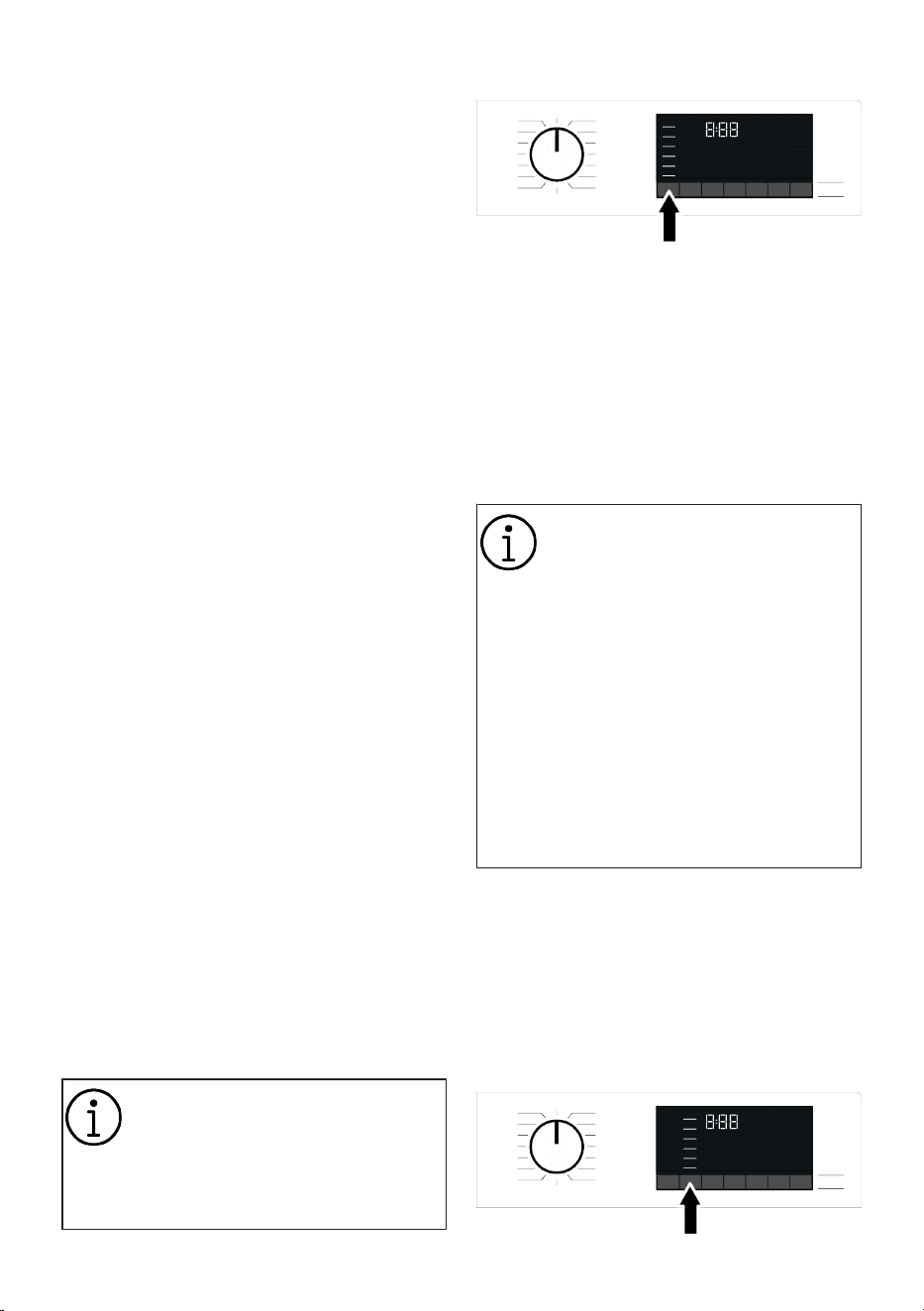
• Fast Full Load / Mini 14’
Use this programme to wash your lightly
soiled or unspotted cotton clothes in a
short time but not for towels or heavy cot-
tons. The programme duration can be re-
duced down to 14 minutes when the quick
EN / 31
wash function is selected. When the quick
wash function is selected, maximum 2
(two) kg of laundry must be washed.
• Dark Care/Jeans
Use this programme to protect the colour
of your dark-coloured garments or jeans. It
performs high performance washing with
special drum movement even if the temper-
ature is low. It is recommended to use li-
quid detergent or woollen shampoo for
dark coloured laundry. Do not wash your
delicate clothes containing wool or etc.
• Mix
Use to wash your cotton and synthetic
clothes together without sorting them.
• Underwear
You can use this programme to wash delic-
ate garments that are suitable for hand
wash and delicate women's underwear.
Small amount of garments must be
washed in a washing net. Hooks, buttons
etc. must be done up and zips must be
zipped up.
• Outdoor/Sports
You can use this programme to wash
sports and outdoors garments that contain
cotton/synthetics mix and water repellent
covers such as gore-tex etc. It makes sure
your garments are washed gently thanks to
special rotating movements.
• Downloaded Programme
This is a special programme that allows
you to download different programmes
when you want to. At the start, there is a
programme you can see with the Home-
Whiz application as default. However, you
can use the HomeWhiz application to se-
lect a programme from the predetermined
programme set, and then change and use
it.
If you want to use HomeWhiz fea-
ture and Remote Control function,
you must select Downloaded Pro-
gramme. Detailed information can
be found in HomeWhiz Feature and
Remote Control Function.
6.6 Temperature Selection
Whenever a new programme is selected,
the recommended temperature for the pro-
gramme appears on the temperature indic-
ator. It is possible that the recommended
temperature value is not the maximum
temperature that can be selected for the
current programme.
Press the Temperature Adjustment button
to change the temperature. Temperature
decreases gradually.
Temperature Adjustment button
only works backwards. For ex-
ample, if you want to select 60°C
while 40°C is written on the display,
you need to press the button sev-
eral times until you reach 60°C, go-
ing backwards from 40°C.
If you go to Cold Wash option and
press Temperature Adjustment but-
ton again, the recommended max-
imum temperature for the selected
programme will be displayed. Press
the Temperature Adjustment but-
ton again to decrease the temperat-
ure.
Finally, the Cold light that indicates cold
washing illuminates on the display.
You can also change the temperature after
the washing starts. You can also change
the desired temperature after the washing
programme starts. However, you need to
do this before the heating phase starts.
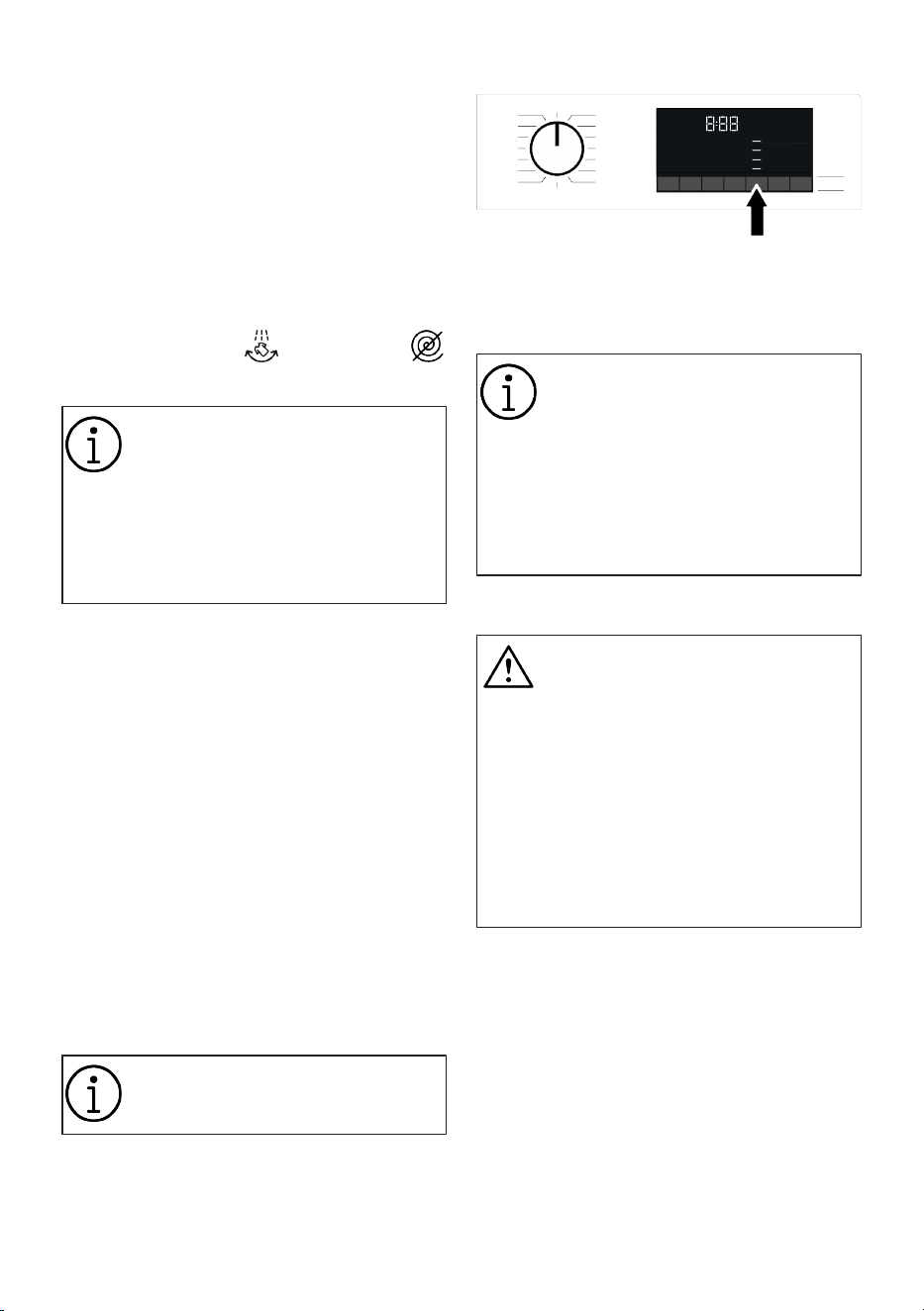
6.7 Spin Speed Selection
EN / 32
Whenever a new programme is selected,
the recommended spin speed of the selec-
ted programme is displayed on the Spin
Speed indicator. It is possible that the re-
commended spin speed value is not the
maximum spin speed that can be selected
for the current programme.
Press the Spin Speed Adjustment button to
change the spin speed. Spin speed de-
creases gradually.
Then, depending on the model of the
product, "Rinse Hold " and "No Spin
" options appear on the display.
Spin Speed Adjustment button only
works backwards. For example, if
you want to select 1000 rpm while
800 rpm (cycle/min) is written on
the display, you need to press the
button several times until you reach
1000 rpm, going backwards from
800 rpm.
If you are not going to unload your laundry
immediately after the programme com-
pletes, you can use Rinse Hold function in
order to prevent your laundry from getting
wrinkled when there is no water in the ma-
chine.
This function holds the laundry in the fi-
nal rinsing water. If you want to spin
your laundry after the Rinse Hold func-
tion:
1. Adjust the Spin Speed.
2. Press Start/Pause button. The pro-
gramme will resume. Machine drains
the water and spins the laundry.
If you want to drain the water at the end of
the programme without spinning, use No
Spin function.
No change can be made in pro-
grammes where spin speed adjust-
ment is not allowed.
You can change the spin speed after the
washing starts if the washing steps allow it.
Changes cannot be made if the steps do
not allow it.
Auxiliary function selection for drying:
When you select a new washing program,
press the Auxiliary Function Selection but-
ton to set the drying option suitable for this
program.
In programmes that do not allow
the drying setting, when the Drying
auxiliary function button is pressed,
the drying light will not change and
a warning noise will be heard.
For only drying programmes, set
the appropriate drying option by
pressing the Auxiliary Function Se-
lection button.
6.8 Drying Programmes
WARNING
The machine automatically cleans
the lint that from the laundry during
drying programme. The machine
uses water during drying. For this
reason, the water tap of the ma-
chine should also be open during
drying programmes.
When you select a new washing
program, press the Auxiliary Func-
tion Selection button to set the dry-
ing option suitable for this program.
In drying programmes, there is a spinning
step. Your machine performs this process
in order to shorten the drying duration.
When the drying programme is selected,
the spin speed setting is in the range of
Maximum spin speed.
In programmes that do not allow the drying
setting, when the Drying auxiliary function
button is pressed, the drying light will not
change and a warning noise will be heard.
For only drying programmes, set the appro-
priate drying option by pressing the Auxili-
ary Function Selection button.
EN / 33
In case of water outage, washing
and drying cannot be performed.
• Synthetic Dry
Use this programme to dry synthetic laun-
dry with a dry weight of up to 3 kilograms.
You can only dry in this programme.
For the dry weight of the laundry,
see Correct Load Capacity
• Cotton Dry
Use this programme to dry cotton laundry
with a dry weight of up to 5 kilograms. You
can only dry in this programme.
When you will dry laundry consist-
ing of towels and bathrobes only,
load a maximum of 4 kilograms of
laundry.
For the dry weight of the laundry,
see Correct Load Capacity
6.9 Washing and Drying Pro-
grammes
• 5 kg Wash & Dry
Use this programme to dry up to 5 kg of
cotton laundry right after the washing pro-
gramme, without making any other selec-
tions.
External Drying auxiliary function
cannot be selected while this pro-
gramme is selected.
In the 5 kg Washing and 5 kg Drying pro-
gramme, it is recommended to fill the ma-
chine to the level shown in the figure above
for ideal drying conditions (you can see the
level arrow when you open the loading
door).
• Wash & Wear
Use this programme to wash 0.5 kg of laun-
dry (2 shirts) in 40 minutes or to wash 1 kg
of laundry (5 shirts) in 60 minutes.
Clean and Wear programme is de-
signed to quickly wash and dry
daily clothes that have been worn
for a short time and are not heavily
contaminated. This programme is
suitable for fine-textured and quick-
drying laundry (shirts, t-shirts).
For thick textured laundry that
takes longer to dry, other drying op-
tions or programmes should be
used.
• Hygiene+Wash & Dry
A steam step applied at the beginning of
the program helps to soften the dirt.
Use this programme to wash and quickly
dry laundry weighing up to 2 kilograms, re-
quiring anti-allergic and hygienic washing
(cotton laundry such as baby clothes,
sheets, lingerie).
• Hygiene Refresh
Hygienic washing with hot air (pro-
gramme duration 58 min.)
The hygienic ventilation programme en-
sures that the temperature of the laundry is
kept at relatively high temperatures with a
precise heating method and hygienic clean-
ing is performed via air.
Use this programme for fast hygienic clean-
ing of your cotton or synthetic dry clothes
with hot air.
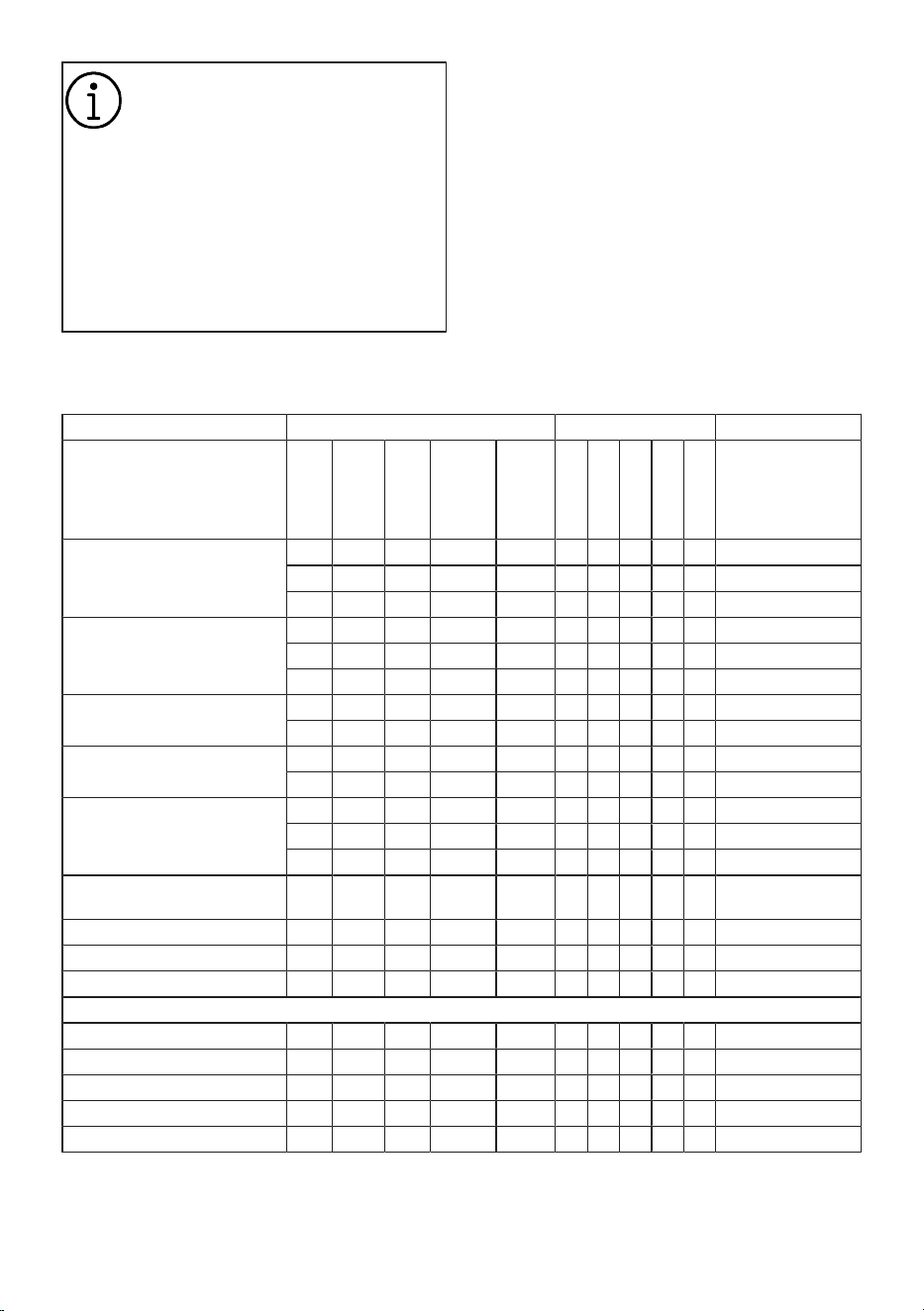
EN / 34
Hygienic Ventilation programme
does not use water. Use this pro-
gramme for clothes you want to
clean by ventilation.
NOTE: Do not put chemicals such
as detergents, bleach, stain re-
mover, etc. in the detergent drawer
in the hygienic ventilation pro-
gramme. No pre-treatment to laun-
dry is required before turning on the
programme.
Refreshing with hot air (48 min. and 38
min.)
The default duration is 58 minutes if you
select the “Hygienic Ventilation” pro-
gramme. With “Quick+” auxiliary function
you can select different programme dura-
tions such as 48 minutes and 38 minutes.
6.10 Programme and Consumption Table
For washing:
Auxiliary functions
Program
Temperature
°C
Maximum
load (kg)
Water con-
sumption (lt)
Energy con-
sumption
(kWh)
Max RPM
Steam
Drying
AntiCrease+
Shorter Wash
Prewash
Temperature °C
Cottons
90 8 90 2,50 1400 • • • • • Cold - 90
60 8 90 1,80 1400 • • • • • Cold - 90
40 8 88 0,97 1400 • • • • • Cold - 90
Eco 40-60
40*** 8 64 0,690 1400 • 40-60
40*** 4 43 0,490 1400 • 40-60
40*** 2 33 0,210 1400 • 40-60
Eco 40-60 + Cupboard dry
40*** 5 75 3,195 1400 • 40-60
40*** 2,5 50 1,810 1400 • 40-60
Synthetics
60 3 65 1,35 1200 • • • • • Cold - 60
40 3 58 0,85 1200 • • • • • Cold - 60
Fast Full Load / Mini 14’
90 8 68 2,20 1400 • • • • Cold - 90
60 8 68 1,20 1400 • • • • Cold - 90
30 8 68 0,20 1400 • • • • Cold - 90
Fast Full Load / Mini 14’ +
Fast+
30 2 40 0,15 1400 • • • • Cold - 90
Hand Wash 40 1,5 55 0,50 1200 Cold - 40
Shirts 60 3 70 1,50 800 * • • • • Cold - 60
Drum Clean + 90 - 80 2,60 600 * * 90
Downloaded Programme *****
Mix 40 3,5 70 0,90 800 • • • • • Cold - 40
Outdoor/Sports 40 3,5 52 0,65 1200 • • Cold - 40
Dark Care/Jeans 40 3,5 70 0,90 1200 • • • • • Cold - 40
Down Wear 60 2 75 1,30 800 • Cold - 60
Underwear 30 1 65 0,56 600 Cold - 30
• : Selectable.
* : Automatically selected, cannot be can-
celled.
*** : Eco 40-60 programme is a test pro-
gramme according to 40 ° C temperature
selection, EU regulation EU / 2019/2014
and EN 60456: 2016 / A11: 2020 standard.
EN / 35
Selection of 40 °C temperature and cup-
board dry in the Eco 40-60 programme is a
washing and drying cycle test programme
as per EU/2019/2014 EU regulation and EN
62512.
***** : These programmes can be used with
the HomeWhiz application. Energy con-
sumption may increase due to connection.
- : See the programme description for max-
imum load.
Please read Installation section of
the manual before first use.
The auxiliary functions in the table
may vary according to the model of
your machine.
Water and energy consumption
may vary subject to the changes in
water pressure, water hardness and
temperature, ambient temperature,
type and amount of laundry, selec-
tion of auxiliary functions and spin
speed, and changes in electric
voltage.
Selection patterns for auxiliary
functions can be changed by the
manufacturer company. New selec-
tion patterns can be added or re-
moved.
The spin speed of your machine
may vary according to the pro-
gramme; this spin speed cannot ex-
ceed the max. spin speed of your
machine.
The amount of noise and humidity
varies according to the spin speed;
when the higher spin speed is se-
lected during the spinning phase,
the laundry contains less moisture
but higher noise occurs at the end
of the programme.
You can see the washing duration
on the display of your machine
while selecting a programme. De-
pending on the amount of laundry
you have loaded into your machine,
there may be a difference of 1-1.5
hours between the duration shown
on the display and the actual dura-
tion of the wash cycle. Duration will
be automatically updated soon
after the washing starts.
Always select the lowest appropri-
ate temperature. The most efficient
programmes in terms of energy
consumption are generally those
that wash at low temperatures for a
long time.
The spin speed information given
at the program table indicates spin
speed option shown on the control
panel.
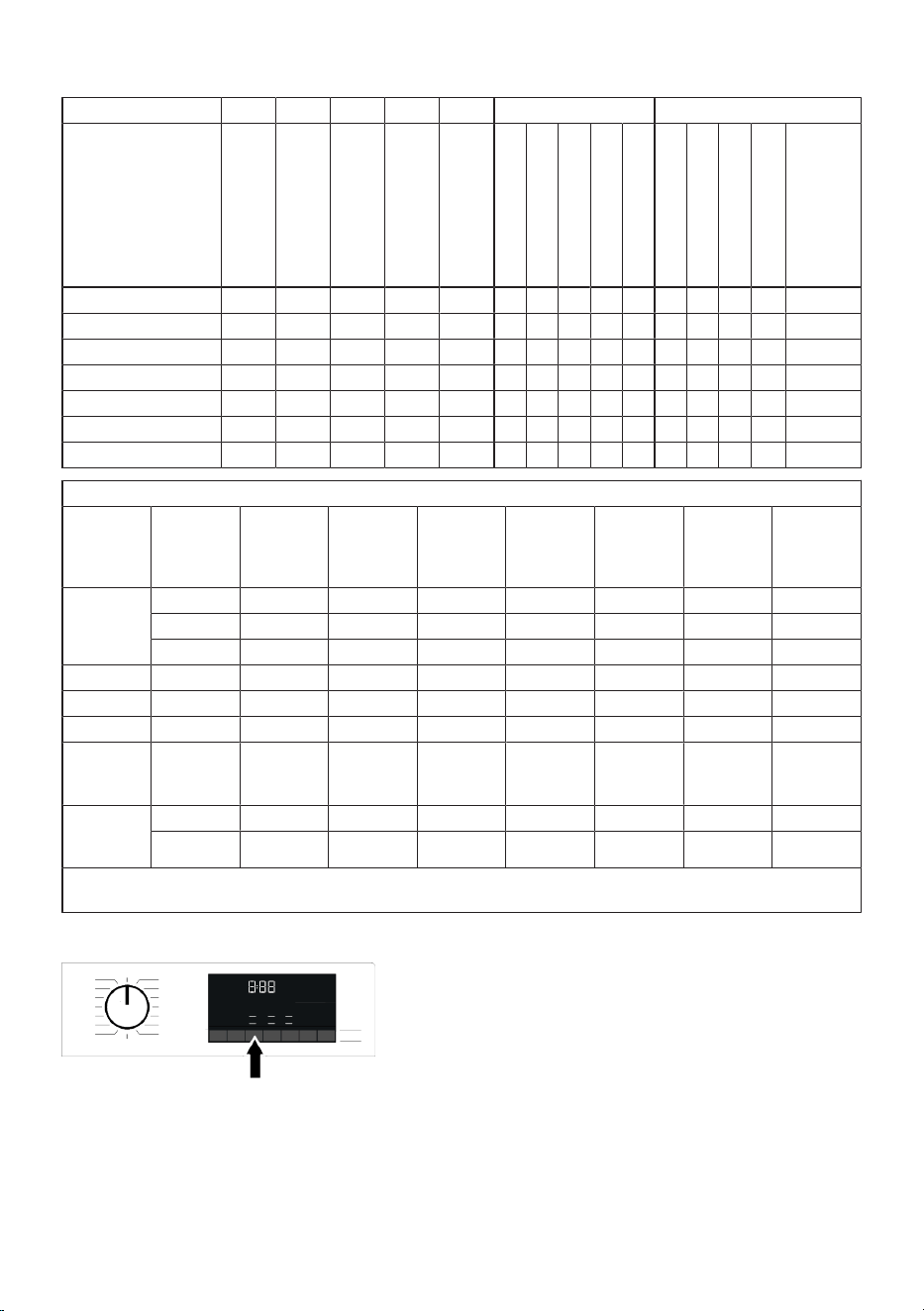
EN / 36
For drying:
Auxiliary functions Drying level
Program °C
Maximum load (kg)
Water consumption
(lt)
Energy consumption
(kWh)
Max RPM
Steam
Prewash
Shorter Wash
AntiCrease+
Drying
Extra dry
Cupboard dry
Iron drying
Timed drying - minutes
Temper-
ature Se-
lection °C
Cotton Dry - 5 45 3,20 1400 • * • • • • -
Synthetic Dry - 3 30 2,10 - • * • • • -
Hygiene+Wash & Dry 60 2 120 3,80 1400 * • * • • • • 90-30
5 kg Wash & Dry 60 5 94 5,00 1400 • * • • • • 60-Cold
Wash & Wear 30 0,5 35 0,65 1200 • * • 30-Cold
Wash & Wear 30 1 44 1,00 1200 • * • 30-Cold
Hygiene Refresh - 2 1 0,50 - • • * -
Consumption values (EN)
Temperat-
ure Selec-
tion °C
Tightening
Speed
(rpm)
Capacity
(kg)
Program
duration
(h:min)
Energy con-
sumption
(kWh/
cycle)
Water con-
sumption
(litres/
cycle)
Laundry
temperat-
ure (°C)
% Of re-
maining hu-
midity (%)
Eco 40-60
40 1400 8 03:38 0,690 64 30 52,5
40 1400 4 02:47 0,490 43 29 52,5
40 1400 2 02:47 0,210 33 22 56,6
Cottons 20 1400 8 03:40 0,800 85 20 53,9
Cottons 60 1400 8 03:40 1,800 90 60 53,9
Synthetics 40 1200 3 02:25 0,850 58 40 40
Fast Full
Load / Mini
14’
30 1400 8 00:28 0,200 68 23 62
Eco 40-60 +
Cupboard
dry
40 1400 5 08:30 3,195 75 28 53,9
40 1400 2,5 06:10 1,810 50 22 53,9
The consumption values given for programs other than the wash and dry cycle with the Eco 40-60 program are in-
dicative only.
6.11 Auxiliary Function Selection
Select the desired auxiliary functions be-
fore starting the programme. Whenever a
programme is selected, icons of the auxili-
ary function symbol that is selected to-
gether with it illuminate.
EN / 37
When an auxiliary function button
that cannot be selected with the
current programme is pressed, the
washing machine will make a warn-
ing sound.
Some functions cannot be selected
together. If a second auxiliary func-
tion conflicting with the first one is
selected before starting the ma-
chine, the function selected first
will be cancelled and the second
auxiliary function selection will re-
main active. For example, if you
want to select Quick Wash after
you have selected the Additional
Water, Additional Water will be can-
celled and Quick Wash will remain
active.
An auxiliary function that is not
compatible with the programme
cannot be selected. (See "Pro-
gramme and consumption table")
Some programmes have auxiliary
functions that must be operated
simultaneously. Those functions
cannot be cancelled. The frame of
the auxiliary function will not be illu-
minated, only inner area will be illu-
minated.
If the selected wetness level (Iron
Dry, Cupboard Dry, Cupboard Extra
Dry) cannot be reached at the end
of the drying programme, your ma-
chine automatically extends the
programme duration. The pro-
gramme takes longer.
If Timed Drying is selected, the pro-
gramme finishes at the end of the
drying duration even if the laundry
has not dried.
During the drying programme, if the
selected wetness level (Iron Dry,
Cupboard Dry, Cupboard Extra Dry)
is reached or extra dryness is de-
tected in the timed drying options,
the programme will take a shorter
time. The time shortening is shown
on the display.
6.11.1 Auxiliary Functions
• Prewash
A Prewash is only worthwhile for heavily
soiled laundry. Not using the Prewash will
save energy, water, detergent and time.
• Shorter Wash
After selecting a programme, you can press
the Quick Wash setting button to shorten
the programme duration. For some pro-
grammes, the duration can shorten by over
50%. Despite this, a good washing perform-
ance is achieved thanks to the changed al-
gorithm.
While it differs with each programme, when
you press the Quick Wash button once, the
programme duration will drop to a certain
level. If you press the same button for the
second time, it will drop to the minimum
duration.
Do not use Quick Wash adjustment button
when washing heavily soiled laundry for a
better washing performance.
Use the Quick Wash button for Mildly and
Lightly soiled laundry and shorten the pro-
gramme duration.
• Remote Control
You can use this auxiliary function button
to connect your product to smart devices.
For detailed information, see HomeWhiz
Feature and Remote Control Function.
• Customized Program
This auxiliary function can only be used for
Cotton and Synthetic programmes together
with the HomeWhiz application. If this func-
tion is activated under the HomeWhiz “Per-
sonalize” menu, you can add up to five ad-
ditional rinsing steps to the program. You
can select and use some auxiliary func-
tions even though they are not found on
your product. You can increase and de-
crease the time of the Cotton and Synthetic
programmes within a safe range.
EN / 38
When the Specialised Programme
auxiliary function is selected, the
washing performance and energy
consumption will be different than
the declared value.
• Drying
This function allows the laundry to dry after
washing. Check in the programme table
with which programmes this auxiliary func-
tion can be selected.
6.11.2 Functions/Programmes Se-
lected by Pressing the Func-
tion Keys for 3 Seconds
• Drum Clean +
Press and hold the related auxiliary func-
tion button for 3 seconds to select the pro-
gramme. Regularly clean (once every 1 to 2
months) the drum for ensuring the required
hygiene. Steam is applied before the pro-
gramme to soften the residues in the drum.
Turn on the programme when the machine
is completely empty. For more effective
results, place powder anti-limescale (drum
cleaning materials) suitable for washing
machines inside the detergent compart-
ment “2”. There is a drying step after drum
cleaning in this programme for the inside of
the drum to dry.
This is not a washing programme.
This is a maintenance programme.
Do not turn this programme on
when there is something inside the
machine. When you attempt to op-
erate, the machine automatically
senses that there is load inside, and
may quit or resume the programme
as per the model of your machine.
An effective cleaning is not
achieved if the programme is re-
sumed.
• AntiCrease+
This function is selected when the relevant
Auxiliary function button is pressed and
held for 3 seconds and the programme fol-
low-up light for the relevant step turns on.
When selected, it aerates the laundry for up
to 8 hours at the end of the programme to
prevent creasing. You can cancel the pro-
gramme and take your laundry out at any
time during the 8-hour duration. Press the
function selection key or the machine on/
off key to cancel the function. The pro-
gramme follow-up light will remain on until
the function is cancelled or the step is com-
plete. If the function is not cancelled, it will
be active in the subsequent washing cycles
as well.
• Steam
This function can be selected by pressing
and holding the related auxiliary function
button for 3 seconds.
This function helps to reduce the creases
of your cotton, synthetic and mixed clothes,
shorten the ironing time and remove the
dirt by softening.
*Your laundry may be hotter at the end of
the washing cycle when the steam function
is applied at the end of the programme.
This is an expected condition within the op-
erating conditions of the programme.
• Child Lock
Use Child Lock function to prevent children
from tampering with the machine. Thus you
can avoid any changes in a running pro-
gramme.
You can switch on and off the ma-
chine with On / Off button when the
Child Lock is active. When you
switch on the machine again, pro-
gramme will resume from where it
has stopped.
When the Child Lock is enabled, an
audio warning will be given if the
buttons are pressed. Audio warning
will be cancelled if the buttons are
pressed five times consecutively.
To activate the child lock:
Press and hold Drying Level Adjustment
button for 3 seconds. After the countdown
as “CL 3-2-1” on the display is over, “CL On”
(Child Lock On) symbol appears on the dis-
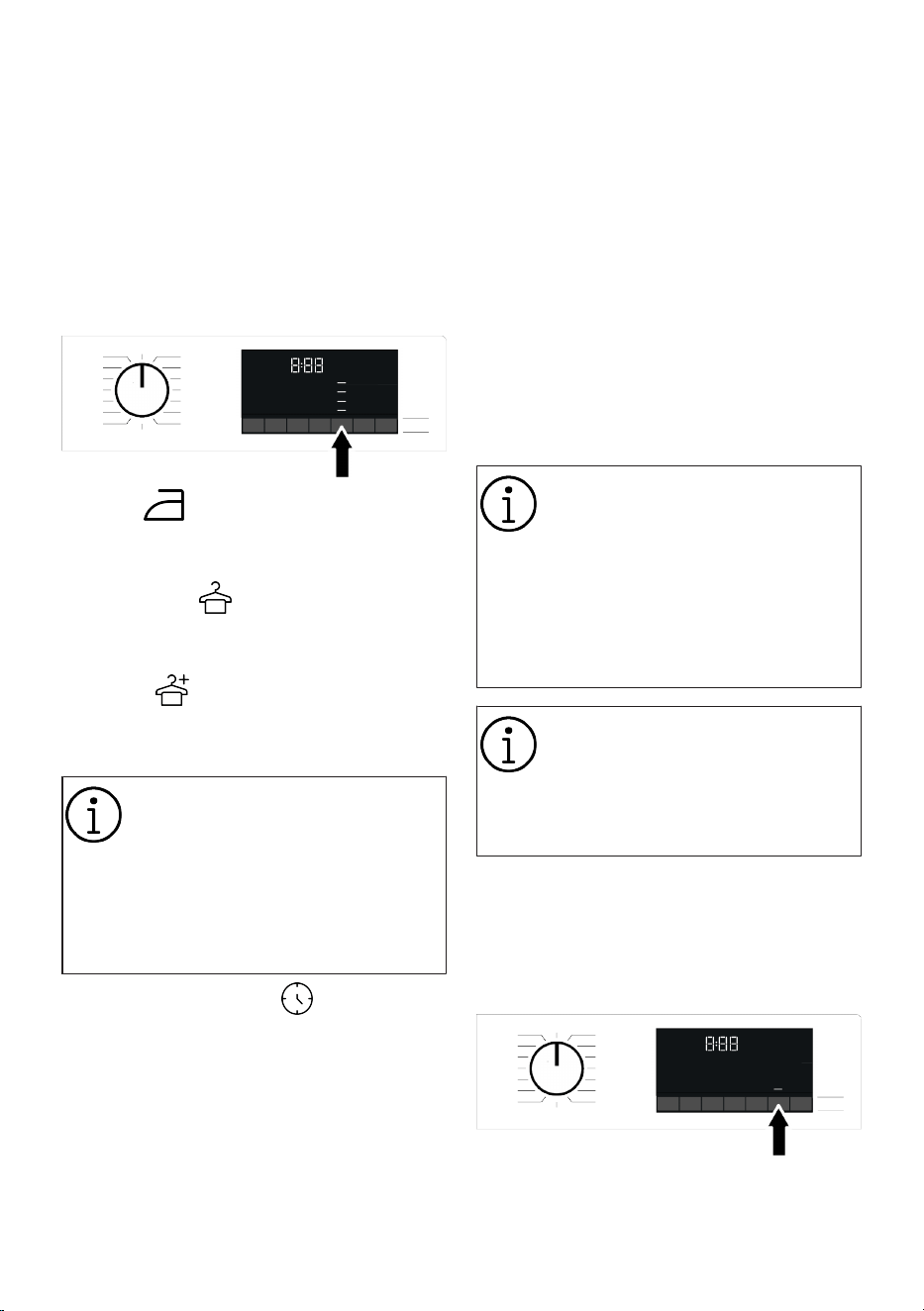
EN / 39
play. You may release the Drying Level Ad-
justment button when this symbol is dis-
played.
To deactivate the child lock:
Press and hold Drying Level Adjustment
button for 3 seconds. After the countdown
“CL 3-2-1” on the display is over, “CL Off”
(Child Lock Off) symbol appears on the dis-
play.
6.12 Drying Steps
Iron Dry
Drying is performed until the Iron Dry step
is reached at the drying level.
Cupboard Dry
Drying is performed until the Cupboard Dry
step is reached at the drying level.
Extra Dry
Drying is performed until the Cupboard Ex-
tra Dry step is reached at the drying level.
The dryness level may vary depend-
ing on the laundry mixing and ma-
terial type as well as amount and
wetness level.
Clothes containing lace, tulle, stone,
beads, sequins, wires etc. and laun-
dry with high silk content should
not be dried in the machine.
Timed Drying – minute
To achieve the desired dryness level at a
low temperature, you can choose from dry-
ing durations of 30, 90 and 150 minutes.
When drying a small amount of laundry
(maximum 2 items), the timed drying steps
in Cotton or Synthetic dry programmes
should be selected.
If the laundry is not at the desired dryness
level at the end of the drying programme,
timed drying can be selected to finish the
process.
When this function is selected, the machine
performs drying for the set time regardless
of the drying level.
6.13 End Time
Time display
When the end time function is selected, the
remaining time until the programme starts
is shown in hours such as 1h, 2h, and the
remaining time to complete the programme
after your programme starts is shown in
hours and minutes as in the 01:30 example.
Programme duration may differ
from the values in section "Pro-
gramme and consumption table"
depending on the water pressure,
water hardness and temperature,
ambient temperature, amount and
the type of laundry, auxiliary func-
tions selected and the changes at
the mains voltage.
After a certain period of time after
the end time function is activated,
the machine goes into standby
mode and some LEDs on the
screen turn off. If there is any user
input, the LEDs will turn on again.
With the End Time function, the end time of
the programme may be set up to 24 hours.
After pressing End Time button, the pro-
gramme's estimated ending time is dis-
played. If the End Time is set, End Time in-
dicator is illuminated.
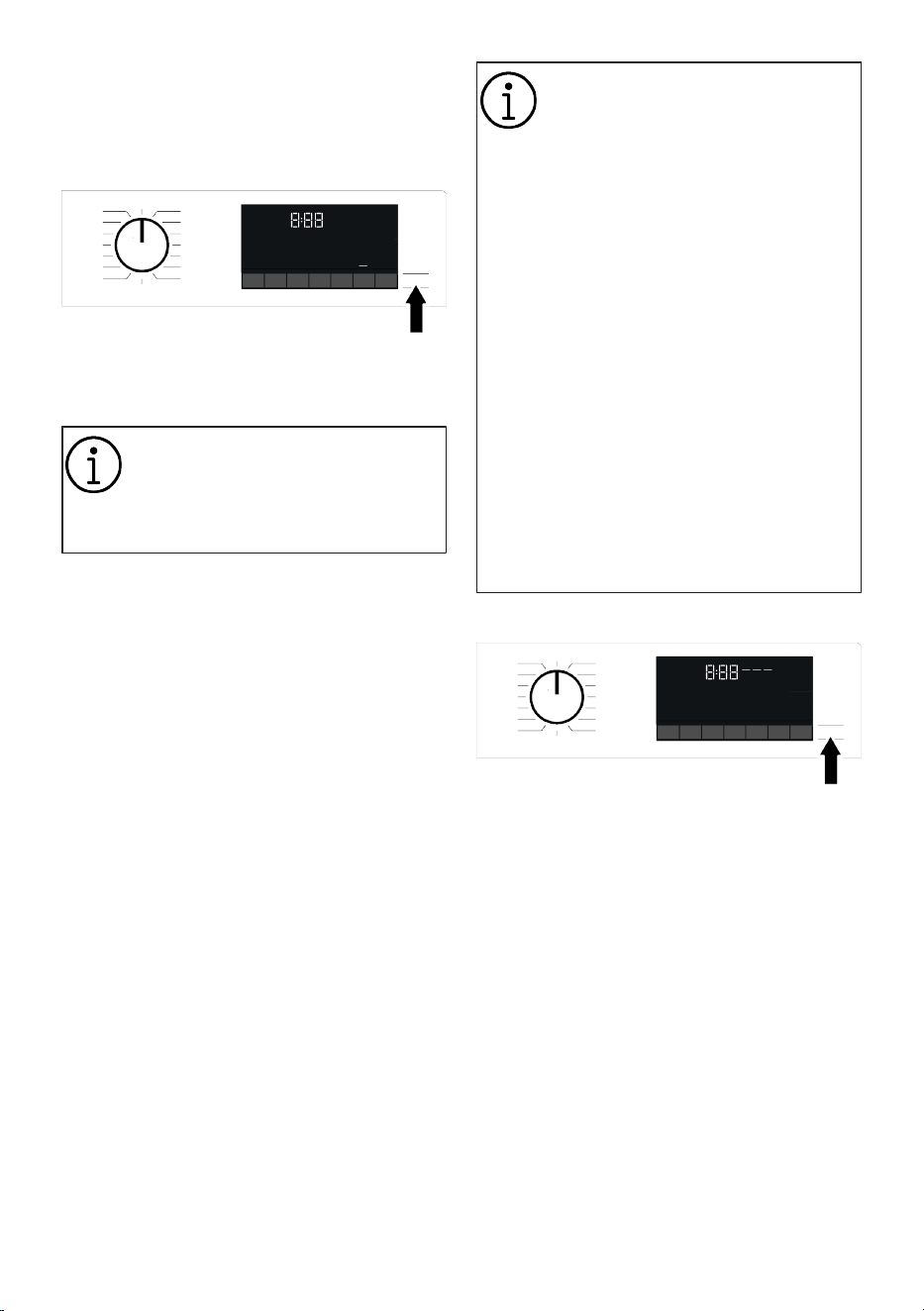
EN / 40
In order for the End Time function is activ-
ated and the programme is completed at
the end of the specified time, you must
press Start/Pause button after adjusting
the time.
If you want to cancel End Time function,
press On/Off button to turn off and on the
machine.
When you have activated the End
Time function, do not add liquid de-
tergent in the powder detergent
compartment no 2. There is the risk
of staining of the clothes
1. Open the loading door, place the laundry
and put detergent, etc.
2. Select the washing programme, temper-
ature, spin speed and, if required, the
auxiliary functions.
3. Set the End Time of your choice by
pressing the End Time button. End Time
indicator lights.
4. Press Start/Pause button. Time count-
down starts.
Additional laundry can be added
into the machine during the End
Time countdown. At the end of the
countdown, End Time indicator
turns off, washing cycle starts and
the time of the selected pro-
gramme appears on the display.
The door remains locked during the
End Time countdown. To unlock
the door, you need to put the ma-
chine in pause mode by pressing
the programme start/pause button.
At the end of the countdown, End
Time indicator turns off, washing
cycle starts and the duration of the
selected programme appears on
the display.
When the End Time selection is
completed, the time appearing on
the display consists of end time
plus the duration of the selected
programme.
6.14 Starting the Programme
1. Start the programme by pressing the
Start/Pause button.
2. The flashing light of Start/Pause button
starts to illuminate steadily, indicating
that the programme has started.
3. Loading door is locked. "Locking Door"
expression appears on the display while
the door is being locked.
6.15 Loading Door Lock
There is a locking system on the loading
door of the machine that prevents opening
of the loading door in cases when the water
level is unsuitable.
"Door Locked" symbol appears on the dis-
play when the loading door is locked.
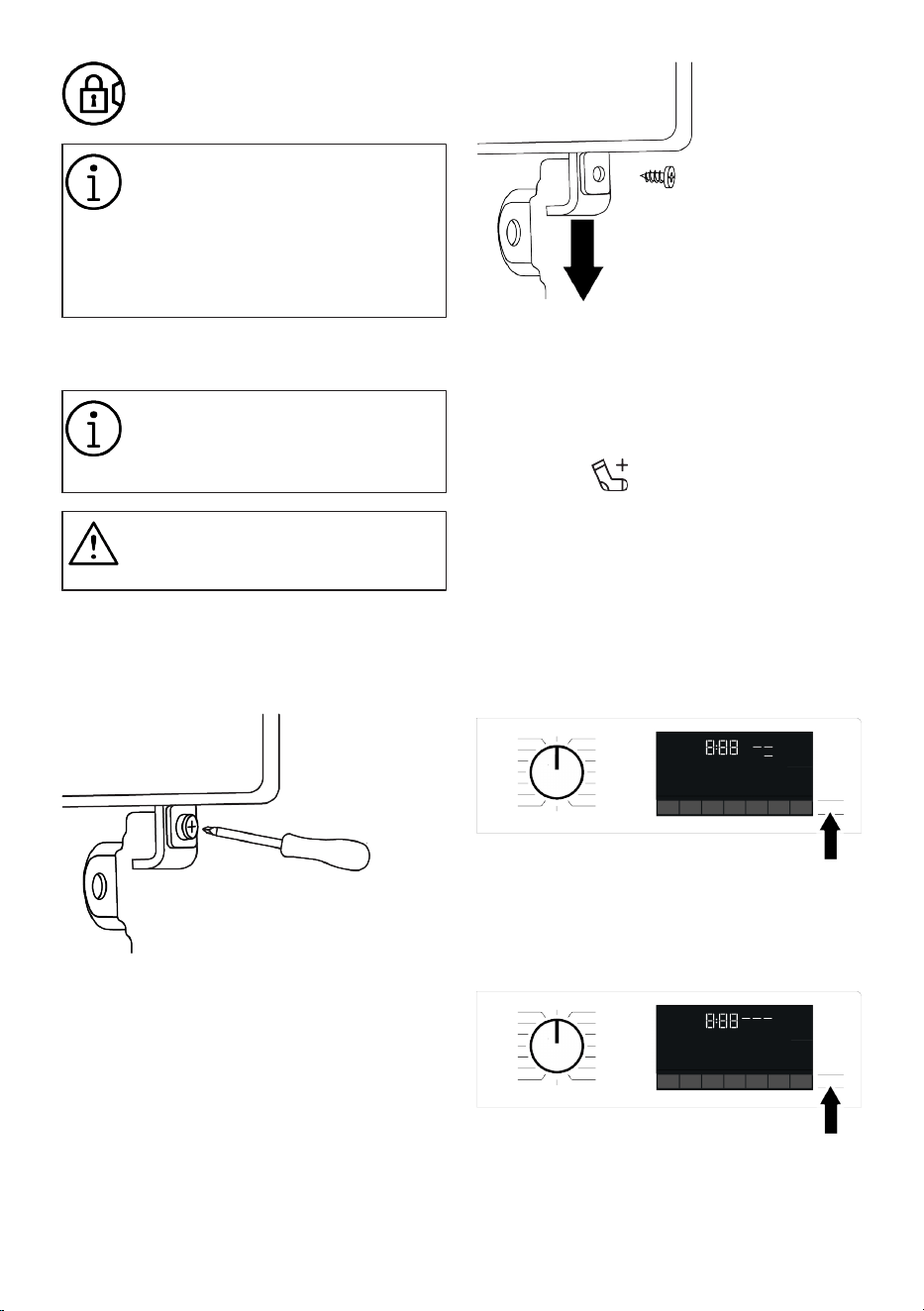
EN / 41
If the Remote Control Function is
selected, the door will be locked. In
order to open the door you must de-
activate Remote Start Function by
either pressing the Remote Start
button or changing the programme
position.
Opening the loading door in case of
power failure:
In case of a power failure, you can
use the loading door emergency
handle to manually open the load-
ing door.
Before opening the loading door,
make sure that there is no water in
the machine to avoid flooding.
1. Turn off and unplug the appliance.
2. Use a screwdriver to remove the loading
door emergency handle screw located
under the front wall.
3. Open the loading door by pulling the
loading door emergency handle down-
wards.
4. Try to pull the handle downwards again
if the loading door is not opened.
6.16 Changing the Selections After
Programme has Started
Adding Laundry after the Programme
has Started :
If the water level in the machine is suitable
when you press Start/Pause button, the
door lock will be deactivated and the door
will open, allowing you to add garments.
The door lock icon on the display goes off
when the door lock is deactivated. After
adding garments, close the door and press
Start/Pause button once again to resume
the washing cycle.
If the water level in the machine is not suit-
able when you press Start/Pause button,
the door lock cannot be deactivated and
the door lock icon on the display remains
on.
EN / 42
If the temperature of the water in-
side the machine is above 50°C,
you cannot deactivate the door lock
for safety reasons, even if the water
level is suitable.
Switching the machine to pause mode:
Press the Start/Pause button to switch the
machine to pause mode. Pause symbol will
flash on the display.
Changing the programme selection after
programme has started:
The programme change is allowed when
the current programme is running unless
the Child Lock is enabled. This action will
cancel the current programme.
The selected programme starts
anew.
Changing the auxiliary function, speed
and temperature:
Depending on the step the programme has
reached, you can cancel or activate the aux-
iliary functions. See “Auxiliary function se-
lection”
You can also change the speed and tem-
perature settings. See ‘’Spin speed selec-
tion" and "Temperature selection".
The loading door will not open if the
water temperature in the machine
is high or the water level is above
the loading door baseline.
6.17 Cancelling the Programme
The programme is cancelled when pro-
gramme selection knob is turned to a dif-
ferent programme or machine is turned off
and on again using the programme selec-
tion knob.
If you turn the programme selection
knob when the Child Lock is en-
abled, the programme will not be
cancelled. You should cancel the
Child Lock first.
If you want to open the loading
door after you have cancelled the
programme but it is not possible to
open the loading door since the wa-
ter level in the machine is above the
loading door baseline, then turn the
Programme Selection knob to
Pump+Spin programme and drain
the water in the machine.
6.18 End of Programme
End symbol appears on the display when
the programme is completed.
If you do not press any button for 10
minutes, the machine will switch to OFF
mode. Display and all indicators are turned
off.
Completed programme steps will be dis-
played if you press any button.
6.19 Standby Mode
Your machine has the "Standby Mode" fea-
ture.
After turning the machine on with the On/
Off button, if no programme is started or no
other action is taken during the selection
phase, or if nothing is performed within ap-
proximately 2 minutes after the selected
programme is over, the machine automatic-
ally switches to energy saving mode. Fur-
thermore, if your product has a display that
shows the programme time, this display is
completely turned off. If you turn the pro-
gramme selection button or touch any but-
ton, the lights are illuminated and the
screen will turn on again. The choices you
make when exiting the energy saving state
may change.
Check your selections’ accuracy before
starting the programme. Adjust your set-
tings again if necessary. This is not an er-
ror.
EN / 43
6.20 HomeWhiz Feature and Re-
mote Control Function
You can check your washing machine from
smart devices and get information about
the status of your machine thanks to the
HomeWhiz function. You can carry out
many operations on your machine from
your smart device by using the HomeWhiz
application. Moreover, you can use certain
properties only with the HomeWhiz Func-
tion.
You must download the HomeWhiz applica-
tion from the app store of your smart
device to use the Wifi feature of your ma-
chine.
To use the app, make sure your smart
device is connected to the internet.
If you are using the app for the first time,
complete user account registration by fol-
lowing the directions on the app. You can
use all HomeWhiz featured products in
your home through this account after regis-
tration is complete.
The , Bluetooth of your smart device should
be on and your device should be connected
to the internet during setup. Your smart
device should be close to the washing ma-
chine. After the setup, the Bluetooth can be
turned off or your smart device does not
need to be close to the washing machine.
You may use your product provided that
your smart device is connected to internet.
You can tap the “Devices” tab in the applic-
ation to view appliances paired with your
account. You may perform the user pairing
operation of these products on this page.
After the app is setup, with the HomeWhiz
Function, your washing machine can give
you instant status notifications via your
smart device.
Your washing machine will send you no-
tifications over HomeWhiz application in
the following cases:
• At the end of the programme,
• When the door of the washing machine is
opened,
• In case of water cut warning,
• In case of security warning,
To utilize the HomeWhiz feature,
ensure that the HomeWhiz app is
installed on your smart device and
that your washing machine is con-
nected to your home Wi-Fi network.
When your washing machine is not
connected to the network, it oper-
ates like a machine without Home-
Whiz function.
Your product shall run with a con-
nection to the wireless network in
your home network. The controls
made by means of the application
will be enabled through this net-
work. Therefore, the wireless signal
strength near the machine's loca-
tion must be adequate.
Operates at HomeWhiz 2.4 GHz fre-
quency band.
Please visit www.homewhiz.com link
to learn which Android and IOS ver-
sions are supported by HomeWhiz
application.
All safety measures described in
the "GENERAL SAFETY IN-
STRUCTIONS" titled section of the
user manual are also valid for re-
mote operation with HomeWhiz
function.
6.20.1 HomeWhiz Setup
A connection should be set between your
product and the app in order for the app to
function. Follow the steps below to estab-
lish this connection.
1. If you are adding a device for the first
time, touch “Appliances” tab on the
HomeWhiz Application. Select “ADD AP-
PLIANCE” (touch here for setting up a
new appliance) button in the upper right
corner. Perform the setup by following
both the steps below and the steps in
the HomeWhiz Application.
2. To start the setup, make sure that your
machine is turned off. Press and hold
the Temperature button and the Remote
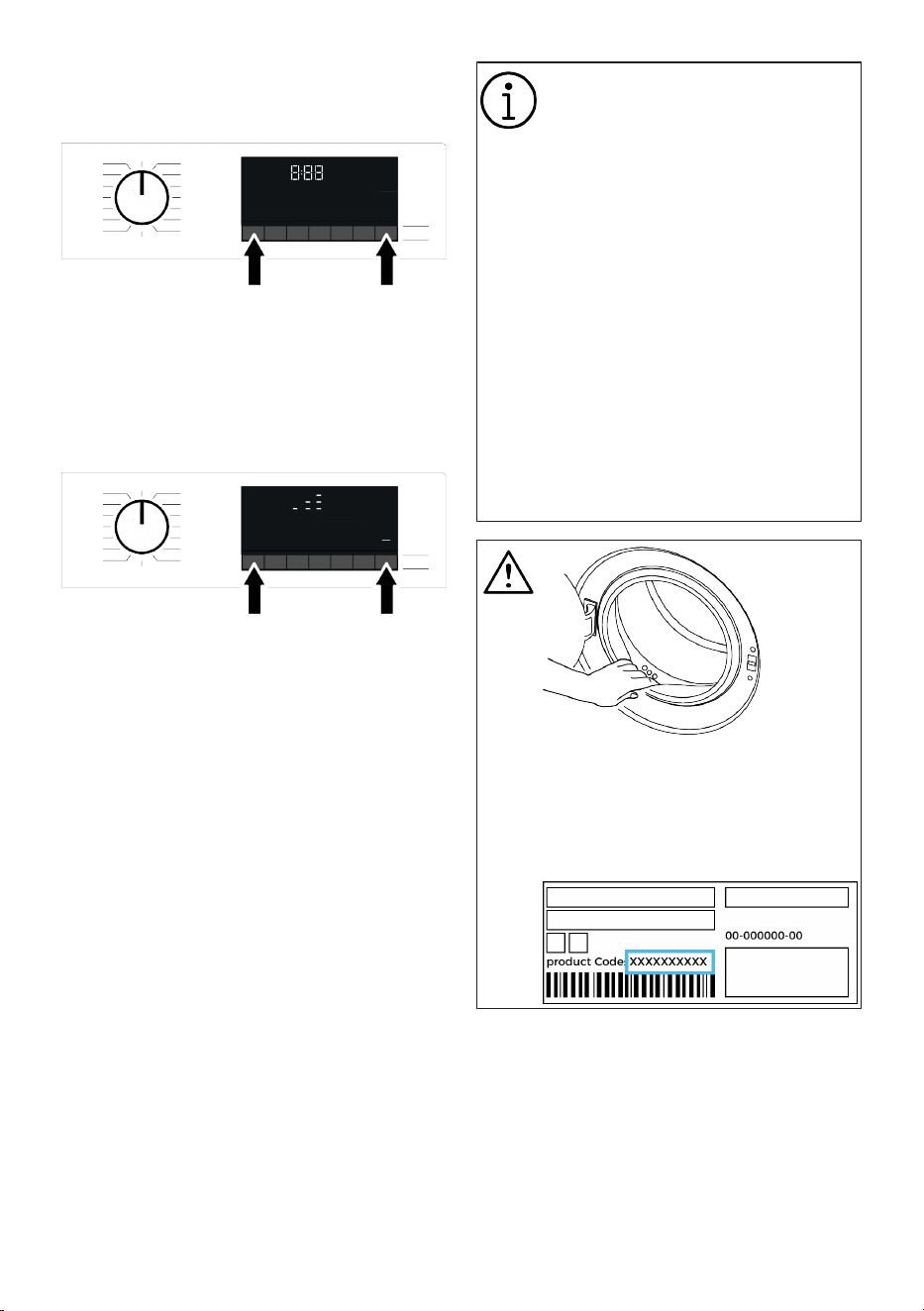
EN / 44
Control Function button simultaneously
for 3 seconds to switch your machine to
HomeWhiz setup mode.
3. When in HomeWhiz setup mode, an an-
imation appears on the screen and the
Wireless Connection icon flashes until
your machine connects to the internet.
Only programme knob will be active in
this mode. Other buttons will be inact-
ive.
4. Follow the instructions on the display of
HomeWhiz application.
5. Wait until the installation is complete.
When setup is complete, give your
washing machine a name. Now, you see
the product you have added in the
HomeWhiz Application.
Your washing machine will auto-
matically turn off if you cannot real-
ize the setup successfully within 5
minutes. In this case, you have to
start the setup process all over
again. If the problem continues,
please contact the Authorised Ser-
vice.
You can use your washing machine
with more than one smart device.
To do this, download the Home-
Whiz app on the other smart device
as well. When you launch the app,
you will need to log in with the ac-
count you previously created and
paired with your washing machine.
Otherwise, please read "Setting up
a washing machine that is connec-
ted to someone else's account".
HomeWhiz Application may require
you to type the product number
shown on the product label. You
can find the product label inside the
appliance door. The product num-
ber is located on this label.
6.20.2 Setting up a Washing Ma-
chine Connected to Someone
Else's Account
If the washing machine you want to use
was previously introduced to the system
with someone else‘s account, you must es-
tablish a new connection between your
HomeWhiz Application and the product.
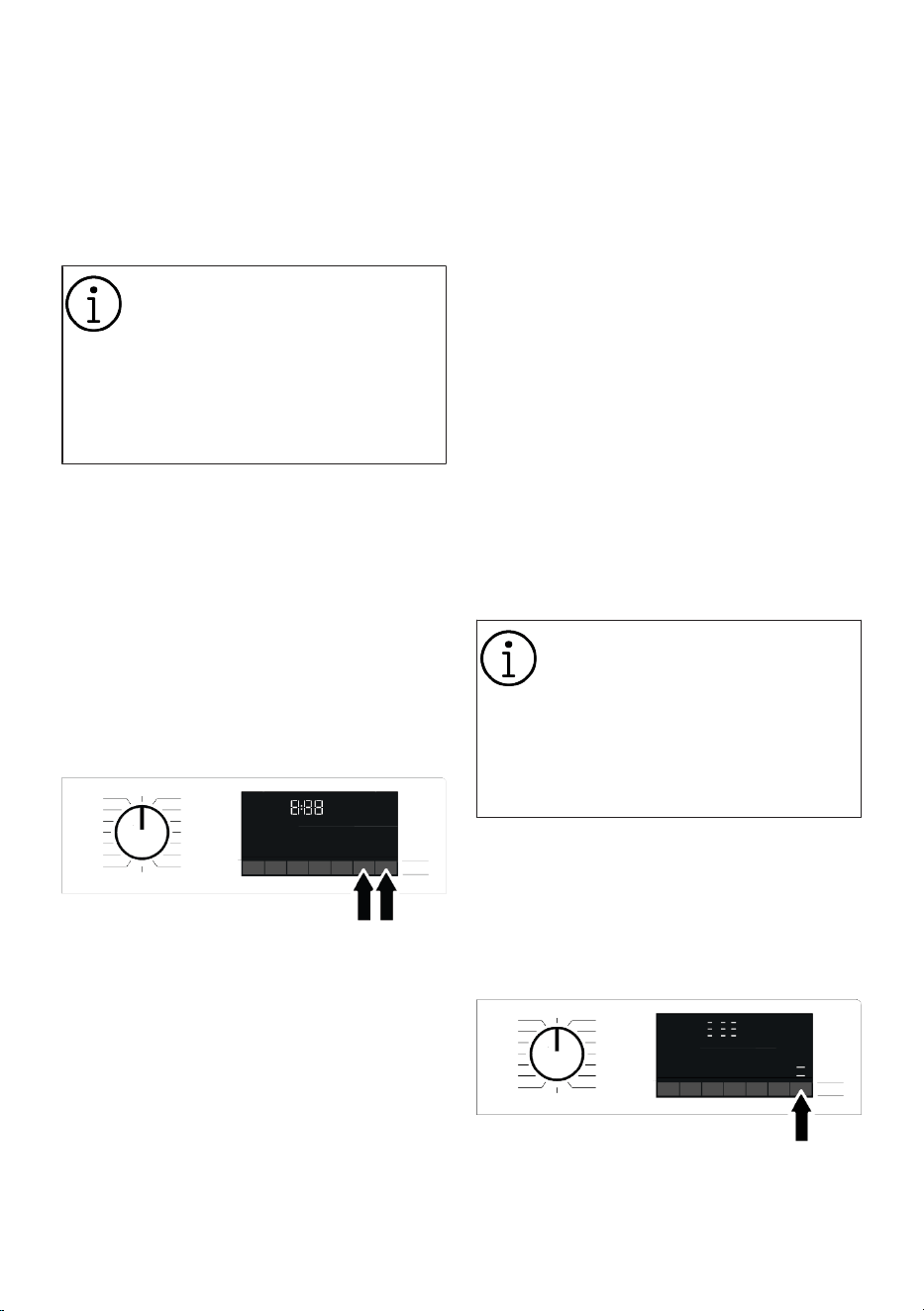
EN / 45
1. Download HomeWhiz Application on the
new smart device you want to use.
2. Create a new account and log in to this
account on the HomeWhiz app.
3. Follow the steps described in Home-
Whiz Setup Setup and proceed with the
setup procedure.
Given that your product's Home-
Whiz Feature and Remote Control
functionality operate via either
Bluetooth or Wi-Fi technology, de-
pending on your product model, it's
important to note that only one
HomeWhiz application can control
your product at any given moment.
6.20.3 Deleting the HomeWhiz Ac-
count Match
Follow the following steps in order to delete
a washing machine previously matched
with someone else’s account.
1. Turn on your machine using the pro-
gram button.
2. When your machine is running, push and
hold the Remote Control Function but-
ton and End Time Setting buttons for 5
seconds.
3. You will hear warning sound from the
product to notify your request after the
countdown on the screen. Deleting the
match will take a few seconds.
After this operation, you cannot use the
HomeWhiz function of your washing ma-
chine until you do another setup.
Your product does not need to be connec-
ted to the internet in order to delete an ac-
count matching. Your request will be re-
ceived. This matching will be automatically
deleted when the product is first connected
to the internet.
6.20.4 Remote Control Function
and Its Use
After HomeWhiz setup, Wireless Connec-
tion will automatically turn on. To activate
or deactivate the wireless connection,
please see "Wireless Connection".
If you turn off and on your machine while
Wireless Connection is active, it will auto-
matically reconnect. In cases of changing
your network password or turning the mo-
dem off, the wireless connection will auto-
matically turn off. For this reason, you will
need to turn on the Wireless Connection
again if you want to use the Remote Con-
trol function.
You can check the Wireless Connection
symbol on the display to track your connec-
tion status. If the symbol is continuously
on, it means you have internet connection.
If the symbol is blinking, it means the ma-
chine is trying to connect. If the symbol is
off, you have no connection.
When the wireless connection is on
in your product, Remote Control
function will be selectable.
If the Remote Control function can-
not be selected, check the connec-
tion status. If the connection can-
not be established, repeat the initial
setup settings on the appliance.
If you want to control your washing ma-
chine remotely, you must activate the re-
mote control function by pressing the Re-
mote Control button on the control panel.
Once access is established to the product,
you will see a screen similar to the one be-
low.
When the Remote Control is enabled, you
can only manage the machine, turn it off
and follow the status through your washing
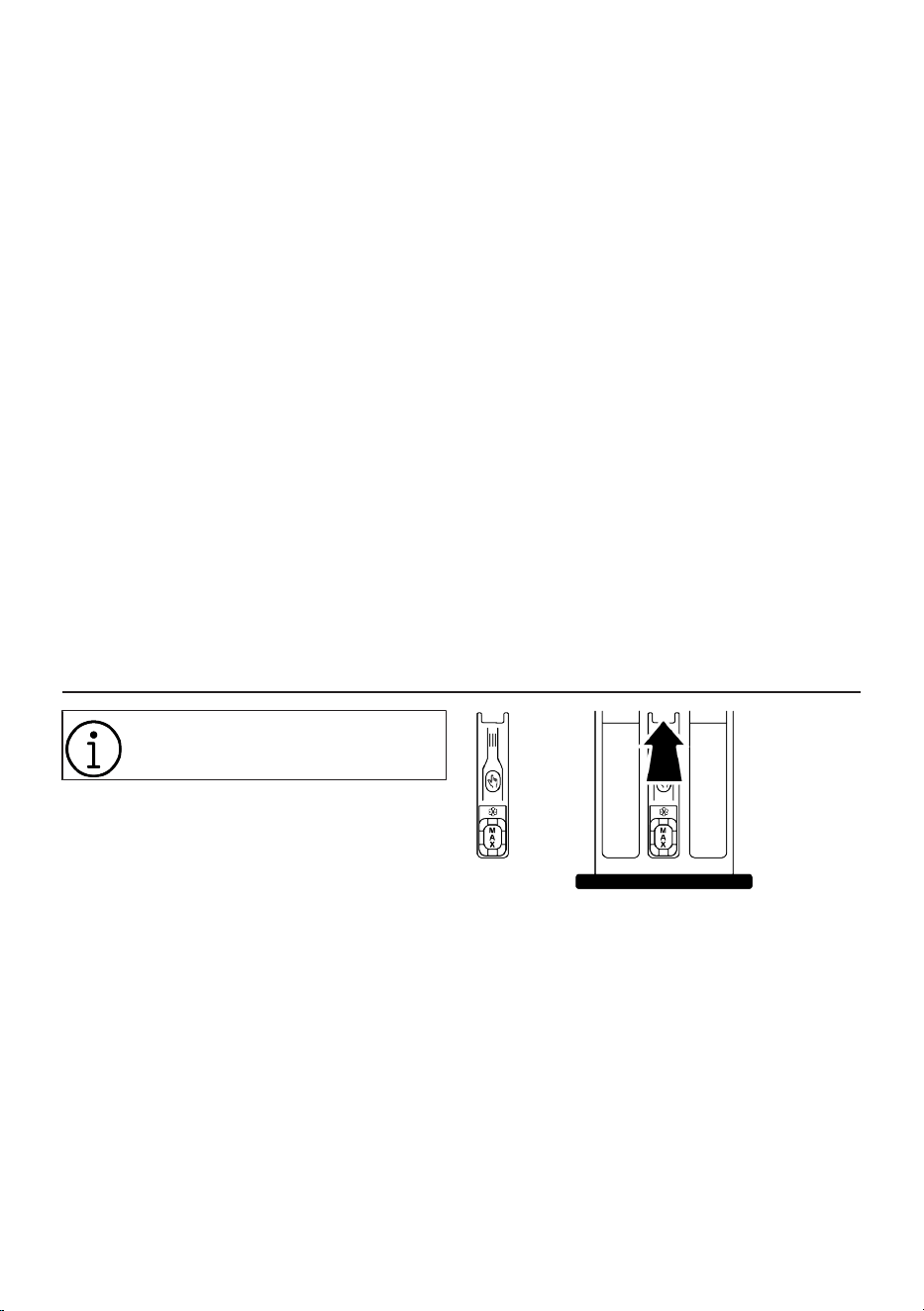
EN / 46
machine. And all functions except child
lock can be managed through the applica-
tion.
You can follow whether the Remote Control
function is on or off through the function in-
dicator on the display.
If the Remote Control function is Off, all the
operations are handled on the washing ma-
chine and only status follow-up is allowed
on the application.
Remote Control function may not be activ-
ated if the remote connection is off or the
product door is on.
Once activated, the remote control function
on your washing machine remains active
unless specific circumstances apply. This
feature enables you to control your ma-
chine via the internet, regardless of whether
the machine is turned on or off, and regard-
less of your location.
In certain cases, it deactivates itself for
safety reasons:
• When your washing machine undergoes
a power interruption.
• When the door of the washing machine is
opened,.
• When programme knob is turned and a
different programme selected or appli-
ance is turned off.
6.20.5 Troubleshooting
Do the following if you have a problem with
controlling or connection. Observe whether
the problem persists or not after the action
you have performed.
1. Check whether your smart device is con-
nected to the relevant home network.
2. Restart the product application.
3. Turn Bluetooth or Wi-Fi off and on via
the control panel, depending on the
model of your product.
4. If the connection cannot be established
with the above processes, repeat the ini-
tial set-up settings on the washing ma-
chine.
If the problem persists, consult an Author-
ised Service Agent.
7 Maintenance and Cleaning
Please read the “Safety Instruc-
tions” section first!
Service life of your product extends and fre-
quently experienced problems will be re-
duced if it is cleaned at regular intervals.
7.1 Cleaning the Detergent Drawer
Clean the detergent drawer at regular inter-
vals (once every 4 to 5 wash) as mentioned
below to prevent accumulation of powder
detergent.
Clean the syphon if excess amounts of wa-
ter and fabric softener mixture remains in
the softener compartment.
1. Press the marked part of the syphon
within the softener compartment and
then pull the drawer towards yourself to
take it out.
2. Lift and remove the syphon from behind
as shown.
3. Rinse drawer and syphon in the sink
with plenty of warm water. Use gloves
or suitable brush to prevent contact of
residues in the drawer with your skin.
4. Firmly fit the syphon and the drawer
back after cleaning.
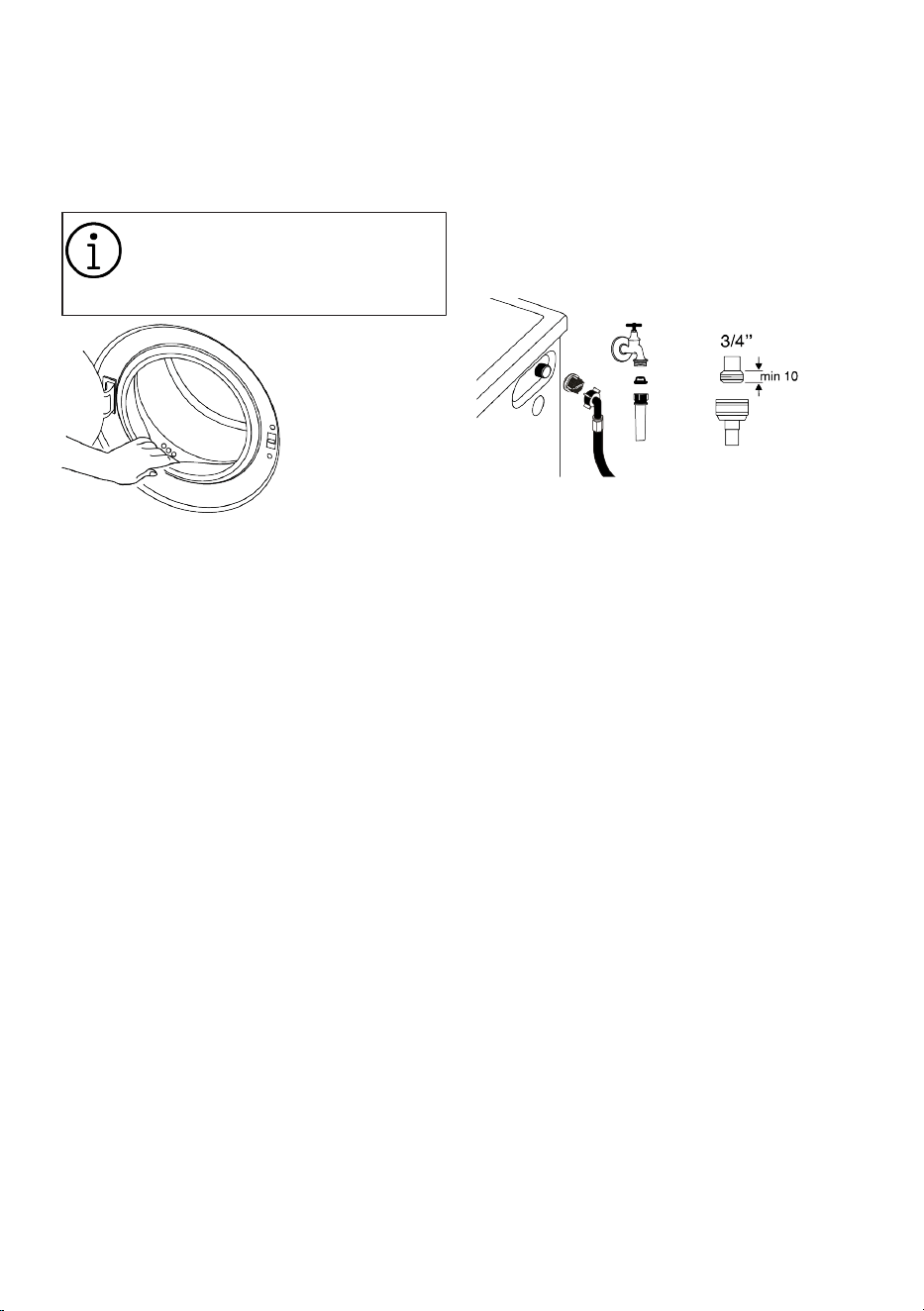
EN / 47
7.2 Cleaning the Loading Door and
the Drum
For products with drum cleaning pro-
gramme, please see the Operating the
product section.
Repeat Drum Cleaning process in
every 2 months.
NOTICE: Use an anti-limescale
suitable for the washing machines.
After every washing make sure that no for-
eign substance is left in the product.
If the holes on the door gasket shown in the
figure is blocked, open the holes using a
toothpick.
Foreign metal substances will cause rust
stains in the drum. Clean the stains on the
drum surface by using cleaning agents for
stainless steel.
Never use steel wool or wire wool. These
will damage the painted, chrome coated
and plastic surfaces.
We recommend you to wipe the door gas-
ket with a dry and clean cloth at the end of
the programme. This will remove residues
on the door gasket in your machine and
prevent formation of malodours.
7.3 Cleaning the Body and Control
Panel
Wipe the body of the product with soapy
water or non-corrosive mild gel detergents
as necessary, and dry with a soft cloth.
Use only a soft and damp cloth to clean the
control panel. Do not use cleaning products
that contain bleach
7.4 Cleaning the Water Intake Fil-
ters
There is a filter at the end of each water in-
take valve at the rear of the product and
also at the end of each water intake hose
where they are connected to the tap. These
filters prevent foreign substances and dirt
in the water to enter the product. Filters
should be cleaned if they are dirty.
1. Close the taps.
2. Remove the nuts of the water intake
hoses to access the filters on the water
intake valves and clean them with an ap-
propriate brush. If the filters are too
dirty, remove them from their places
with a pliers and clean in this way.
3. Take out the filters on the flat ends of
the water intake hoses together with the
gaskets and clean thoroughly under run-
ning water.
4. Replace the gaskets and filters carefully
and tighten their nuts by hand.
7.5 Draining Remaining Water and
Cleaning the Pump Filter
The filter system in your product prevents
solid items such as buttons, coins and fab-
ric fibres clogging the pump impeller during
draining of washing water. Thus, the water
will be drained without any problem and the
service life of the pump will extend.
If the product fails to drain water inside it,
the pump filter is clogged. Filter must be
cleaned whenever it is clogged or in every 3
months. Water must be drained off first to
clean the pump filter.
In addition, prior to transporting the product
(e.g., when moving to another house) water
should be drained completely.
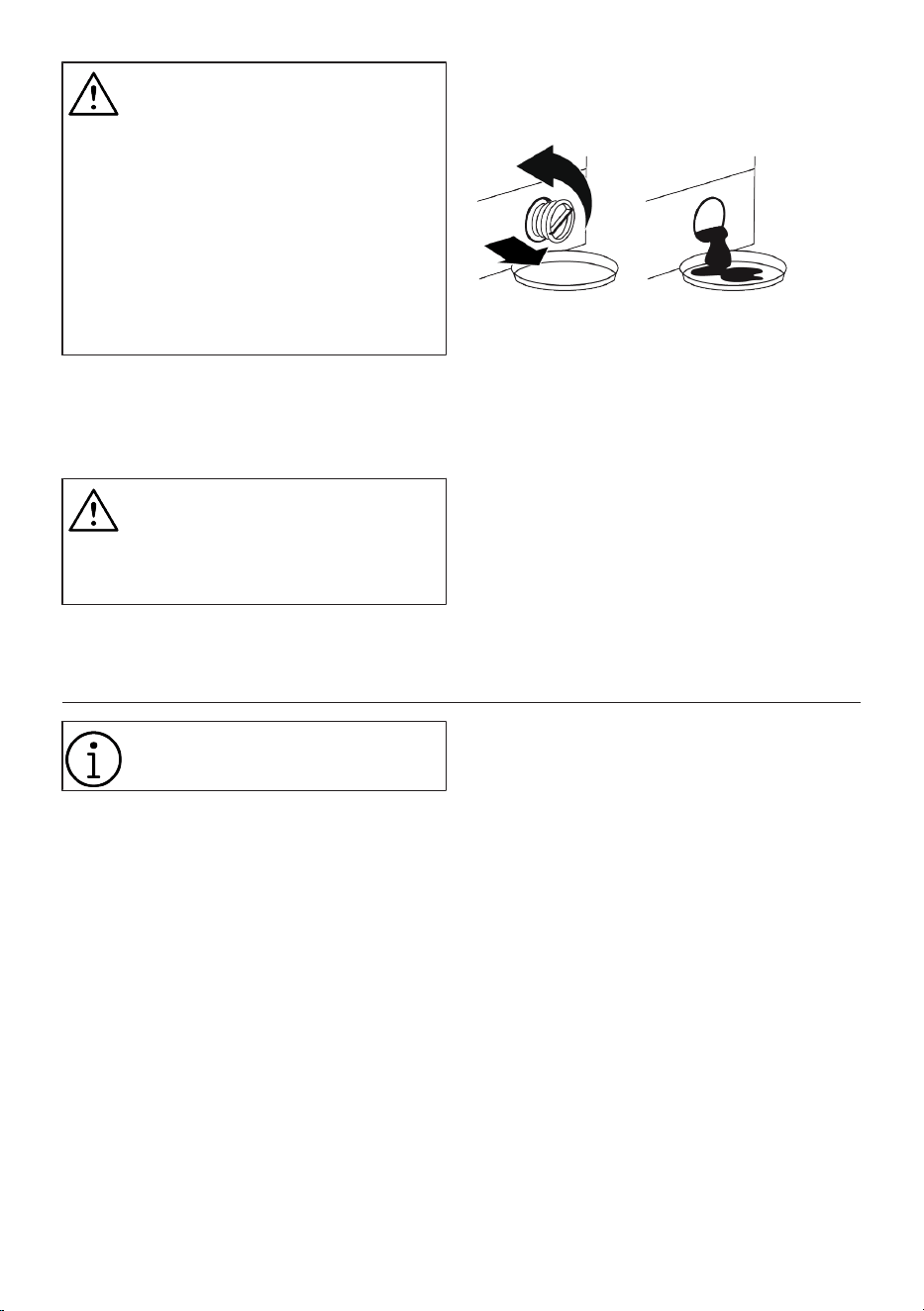
EN / 48
NOTE:
Foreign substances left in the
pump filter may damage your
product or may cause noise prob-
lem.
If you live in areas prone to frost, re-
member to turn off the water tap,
disconnect the main hose, and
drain the water from the product
when it's not in use.
After each use, turn off the tap to
which the mains hose is connected.
In order to clean the dirty filter and drain
the water:
• Unplug the product to cut off the supply
power.
Temperature of the water inside the
product may rise up to 90 ºC. To
avoid the risk of scalding, clean the
filter after the water inside the
product is cooled down.
• Follow the below procedures in order to
drain water.
If the product has an emergency water
draining hose, in order to drain the wa-
ter:
• Place a large container at the end of the
hose to collect the water from the filter.
• When the pump filter starts leaking water
loosen it by turning (opposite clockwise).
Fill the running water to the container you
placed in front of the filter. Keep a cloth
ready to clean the water that may spill.
• Completely turn and remove the pump fil-
ter when the water in the product leaks
out.
• Clean any residues inside the filter as
well as fibres, if any, around the pump im-
peller region.
• Replace the filter.
8 Troubleshooting
Please read the “Safety Instruc-
tions” section first!
Programmes do not start after the load-
ing door is closed.
• Start / Pause / Cancel button is not
pressed. >>> Press Start / Pause / Cancel
button.
• It may be difficult to close the loading
door in case of excessive loading. >>>
Reduce the amount of laundry and make
sure that the loading door is closed prop-
erly.
Programme cannot be started or selec-
ted.
• The product has switched to self-protec-
tion mode due to a supply problem (line
voltage, water pressure, etc.). >>> De-
pending on the product model, select an-
other program by turning the Program Se-
lection button or pressing and holding
the On/Off button for 3 seconds to can-
cel the program. Previous programme
will be cancelled. See Cancelling the Pro-
gramme [}42]
Water inside the product.
• Some water has remained in the product
due to the quality control processes in
the production. >>> This is not a failure;
water is not harmful to the product.
The product does not take water in.
• Tap is turned off. >>> Turn on the taps.
• Water inlet hose is bent. >>> Flatten the
hose.
• Water inlet filter is clogged. >>> Clean the
filter.
• Loading door is not closed. >>> Close the
door.
The product does not drain water.
• Water drain hose is clogged or twisted.
>>> Clean or flatten the hose.

EN / 49
• Pump filter is clogged. >>> Clean the
pump filter.
Product vibrates or makes noise.
• Product is standing unbalanced. >>> Ad-
just the stands to balance the product.
• A hard substance has entered into the
pump filter. >>> Clean the pump filter.
• Transportation safety bolts are not re-
moved. >>> Remove the transportation
safety bolts.
• Laundry quantity in the product is too
little. >>> Add more laundry to the
product.
• Excessive laundry is loaded in the
product. >>> Take out some of the laun-
dry from the product or distribute the
load by hand to balance it homogen-
eously in the product.
• Product is leaning on a rigid item. >>>
Make sure that the product is not leaning
on anything.
There is water leaking from the bottom
of the product.
• Water drain hose is clogged or twisted.
>>> Clean or flatten the hose.
• Pump filter is clogged. >>> Clean the
pump filter.
Product stopped shortly after the pro-
gramme started.
• Machine has stopped temporarily due to
low voltage. >>> Product will resume run-
ning when the voltage restores to the nor-
mal level.
Product directly drains the water it
takes in.
• Draining hose is not at adequate height.
>>> Connect the water draining hose as
described in the user manual.
No water can be seen in the product
during washing.
• Water is inside the invisible part of the
product. >>> This is not a failure.
Loading door cannot be opened.
• Loading door lock is activated because
of the water level in the product. >>>
Drain the water by running the Pump or
Spin programme.
• Product is heating up the water or it is at
the spinning cycle. >>> Wait until the pro-
gramme completes.
• Loading door may be stuck because of
the pressure it is subjected to. >>> Grab
the handle and push and pull the loading
door to release and open it.
• If there is no power, loading door of the
product will not open. >>> To open the
loading door, open the pump filter cap
and pull down the emergency handle po-
sitioned at the rear side of the said cap.
See Loading Door Lock [}40]
Washing takes longer than specified in
the user manual. (*)
• Water pressure is low. >>> Product waits
until taking in adequate amount of water
to prevent poor washing quality due to
the decreased amount of water. There-
fore, the washing time extends.
• Voltage is low. >>> Washing time is pro-
longed to avoid poor washing results
when the supply voltage is low.
• Input temperature of water is low. >>>
Required time to heat up the water ex-
tends in cold seasons. Also, washing
time can be lengthened to avoid poor
washing results.
• Number of rinses and/or amount of rins-
ing water have increased. >>> Product in-
creases the amount of rinsing water
when good rinsing is needed and adds an
extra rinsing step if necessary.
• Excessive foam has occurred and auto-
matic foam absorption system has been
activated due to too much detergent us-
age. >>> Use recommended amount of
detergent.
Programme duration does not count-
down. (On models with display) (*)
• Timer may stop during water intake. >>>
Timer indicator will not countdown until
the product takes in adequate amount of
water. The product will wait until there is
sufficient amount of water to avoid poor
washing results due to lack of water.
Timer indicator will resume countdown
after this.

EN / 50
• Timer may stop during heating step. >>>
Timer indicator will not countdown until
the product reaches the selected temper-
ature.
• Timer may stop during spinning step. >>>
Automatic unbalanced load detection
system is activated due to the unbal-
anced distribution of the laundry in the
product.
Programme duration does not count-
down. (*)
• There is unbalanced load in the product.
>>> Automatic unbalanced load detection
system is activated due to the unbal-
anced distribution of the laundry in the
product.
Product does not switch to spinning
step. (*)
• There is unbalanced load in the product.
>>> Automatic unbalanced load detection
system is activated due to the unbal-
anced distribution of the laundry in the
product.
• The product will not spin if water is not
drained completely. >>> Check the filter
and the draining hose.
• Excessive foam has occurred and auto-
matic foam absorption system has been
activated due to too much detergent us-
age. >>> Use recommended amount of
detergent.
Washing performance is poor: Laundry
turns gray. (**)
• Insufficient amount of detergent has
been used over a long period of time. >>>
Use the recommended amount of deter-
gent appropriate for water hardness and
the laundry.
• Washing has been made at low temperat-
ures for a long time. >>> Select the
proper temperature for the laundry to be
washed.
• Insufficient amount of detergent is used
with hard water. >>> Using insufficient
amount of detergent with hard water
causes the soil to stick on the cloth and
this turns the cloth into gray in time. It is
difficult to eliminate graying once it hap-
pens. Use the recommended amount of
detergent appropriate for water hardness
and the laundry.
• Excessive amount of detergent is used.
>>> Use the recommended amount of de-
tergent appropriate for water hardness
and the laundry.
Washing performance is poor: Stains
persist or the laundry is not whitened.
(**)
• Insufficient amount of detergent is used.
>>> Use the recommended amount of de-
tergent appropriate for water hardness
and the laundry.
• Excessive laundry is loaded in. >>> Do
not load the product in excess. Load with
amounts recommended in the "Pro-
gramme and consumption table".
• Wrong programme and temperature were
selected. >>> Select the proper pro-
gramme and temperature for the laundry
to be washed.
• Wrong type of detergent is used. >>> Use
original detergent appropriate for the
product.
• Detergent was put in the wrong compart-
ment. >>> Put the detergent in the correct
compartment. Do not mix the bleaching
agent and the detergent with each other.
Washing performance is poor: Oily
stains appeared on the laundry. (**)
• Regular drum cleaning is not applied. >>>
Clean the drum regularly. For this proced-
ure, see --- MISSING LINK ---
Washing performance is poor: Clothes
smell unpleasantly. (**)
• Odours and bacteria layers are formed on
the drum as a result of continuous wash-
ing at lower temperatures and/or in short
programmes. >>> Leave the detergent
drawer as well as the loading door of the
product ajar after each washing. Thus, a
humid environment favourable for bac-
teria cannot occur in the machine
Colour of the clothes faded. (**)
• Excessive laundry was loaded in. >>> Do
not load the product in excess.

EN / 51
• Detergent in use is damp. >>> Keep deter-
gents closed in an environment free of
humidity and do not expose them to ex-
cessive temperatures.
• A higher temperature was selected. >>>
Select the proper programme and tem-
perature according to the type and soiling
degree of the laundry.
Washing machine does not rinse well.
• The amount, brand and storage condi-
tions of the detergent used are inappro-
priate. >>> Use a detergent appropriate
for the washing machine and your laun-
dry. Keep detergents closed in an envir-
onment free of humidity and do not ex-
pose them to excessive temperatures.
• Detergent was put in the wrong compart-
ment. >>> If detergent is put in the pre-
wash compartment although prewash
cycle is not selected, the product can
take this detergent during rinsing or
softener step. Put the detergent in the
correct compartment.
• Pump filter is clogged. >>> Check the fil-
ter.
• Draining hose is folded. >>> Check the
drain hose.
Laundry became stiff after washing. (**)
• Insufficient amount of detergent is used.
>>> Using insufficient amount of deter-
gent for the water hardness can cause
the laundry to become stiff in time. Use
appropriate amount of detergent accord-
ing to the water hardness.
• Detergent was put in the wrong compart-
ment. >>> If detergent is put in the pre-
wash compartment although prewash
cycle is not selected, the product can
take this detergent during rinsing or
softener step. Put the detergent in the
correct compartment.
• Detergent was mixed with the softener.
>>> Do not mix the softener with deter-
gent. Wash and clean the drawer with hot
water.
Laundry does not smell like the
softener. (**)
• Detergent was put in the wrong compart-
ment. >>> If detergent is put in the pre-
wash compartment although prewash
cycle is not selected product, the can
take this detergent during rinsing or
softener step. Wash and clean the drawer
with hot water. Put the detergent in the
correct compartment.
• Detergent was mixed with the softener.
>>> Do not mix the softener with deter-
gent. Wash and clean the drawer with hot
water.
Detergent residue in the detergent
drawer. (**)
• Detergent was put in wet drawer. >>> Dry
the detergent drawer before putting in de-
tergent.
• Detergent has gotten damp. >>> Keep de-
tergents closed in an environment free of
humidity and do not expose them to ex-
cessive temperatures.
• Water pressure is low. >>> Check the wa-
ter pressure.
• The detergent in the main wash compart-
ment got wet while taking in the prewash
water. Holes of the detergent compart-
ment are blocked. >>> Check the holes
and clean if they are clogged.
• There is a problem with the detergent
drawer valves. >>> Call the Authorised
Service Agent.
• Detergent was mixed with the softener.
>>> Do not mix the softener with deter-
gent. Wash and clean the drawer with hot
water.
Detergent residue on the clothes.
• The machine might have been over-
loaded. >>> Do not overload the machine.
• Wrong programme and temperature were
selected. >>> Select the proper pro-
gramme and temperature for the laundry
to be washed.
• Wrong type of detergent might have been
used. >>> Select the proper detergent for
the laundry to be washed.

EN / 52
Too much foam forms inside the
product. (**)
• Improper detergents for the washing ma-
chine is used. >>> Use detergents appro-
priate for the washing machine.
• Excessive amount of detergent is used.
>>> Use only sufficient amount of deter-
gent.
• Detergent was stored under improper
conditions. >>> Store detergent in a
closed and dry location. Do not store in
excessively hot places.
• Some meshed laundry such as tulle may
foam too much because of their texture.
>>> Use smaller amounts of detergent for
this type of item.
• Detergent was put in the wrong compart-
ment. >>> Make sure you place the de-
tergent in the appropriate compartment.
• Softener is being taken early by the
product. >>> There may be problem in the
valves or in the detergent drawer. Call the
Authorised Service Agent.
Foam is overflowing from the detergent
drawer.
• Too much detergent is used. >>> Mix 1
tablespoonful softener and ½ l water and
pour into the main wash compartment of
the detergent drawer. >>> Put detergent
into the product suitable for the pro-
grammes and maximum loads indicated
in the “Programme and consumption
table”. When you use additional chemic-
als (stain removers, bleaches and etc.),
reduce the amount of detergent.
Laundry remains wet at the end of the
programme. (*)
• Excessive foam has occurred and auto-
matic foam absorption system has been
activated due to too much detergent us-
age. >>> Use recommended amount of
detergent.
Drying lasts too long.
• The machine might have been over-
loaded. >>> Do not overload the machine.
• Spinning might not be sufficient for laun-
dry. >>> Select a higher spin speed in the
washing step of the Washer-Dryer.
• Tap is turned off. >>> Turn on the taps.
Laundry comes off wet after the drying
step.
• The programme selected might not be
suitable for the type of laundry. >>>
Check the care labels on clothes and se-
lect a programme accordingly, or select
timed programmes additionally.
• The machine might have been over-
loaded. >>> Do not overload the machine.
• Spinning might not be sufficient for laun-
dry. >>> Select a higher spin speed in the
washing step of the Washer-Dryer.
Machine does not start or programme
cannot be started.
• Power cable might be unplugged. >>>
Make sure that the power cable is
plugged in.
• Programme might not be set, or the
Start/Pause/Cancel button might be not
pressed. >>> Make sure the programme
is set and the machine is not in Standby
mode.
• Child lock might be activated. >>> Dis-
able Child Lock.
Laundry shrinks, fades, tarnishes or
gets damaged.
• The programme selected might not be
suitable for the type of laundry. >>>
Check the care labels on clothes and se-
lect a programme accordingly, or select
timed programmes additionally. You
should not dry laundry that is not suitable
for drying.
Machine does not dry.
• Laundry might not be dried or the drying
step might not be enabled. >>> Check if
the drying function is selected after the
selected washing programme.
Loading door cannot be opened.
• The door of your machine might not be
opening due to safety reasons. >>> If the
door locked indicator is still active on the
display after the drying step, the machine
will keep the door locked for your safety
until it cools down.
EN / 53
• If there is no power, loading door of the
product will not open. >>> To open the
loading door, open the pump filter cap
and pull down the emergency handle po-
sitioned at the rear side of the said cap.
See Loading Door Lock [}40]
(*) The product does not switch to spinning
step when the laundry is not evenly distrib-
uted in the drum to prevent any damage to
the product and to its surrounding environ-
ment. Laundry should be rearranged and re-
spun.
(**) Regular drum cleaning is not applied.
Clean the drum regularly. See --- MISSING
LINK ---
If you cannot eliminate the problem
although you follow the instructions
in this section, consult your dealer
or the Authorised Service Agent.
Never try to repair a nonfunctional
product yourself.
Check the HomeWhiz section for
the relevant troubleshooting in-
formation.
See also
2 Cleaning the Loading Door and the
Drum [}47]
9 DISCLAIMER / WARNING
Some (simple) failures can be adequately
handled by the end-user without any safety
issue or unsafe use arising, provided that
they are carried out within the limits and in
accordance with the following instructions
(see the “Self-Repair” section).
Therefore, unless otherwise authorized in
the “Self-Repair” section below, repairs
shall be addressed to registered profes-
sional repairers in order to avoid safety is-
sues. A registered professional repairer is a
professional repairer that has been granted
access to the instructions and spare parts
list of this product by the manufacturer ac-
cording to the methods described in legis-
lative acts pursuant to Directive 2009/125/
EC.
However, only the service agent (i.e. au-
thorized professional repairers) that you
can reach through the phone number
given in the user manual/warranty card
or through your authorized dealer may
provide service under the guarantee
terms. Therefore, please be advised that
repairs by professional repairers (who
are not authorized by Blomberg ) shall
void the guarantee.
Self-Repair
Self-repair can be done by the end-user
with regard to the following spare parts:
door, door hinge and seals, other seals,
door locking assembly and plastic peripher-
als such as detergent dispensers (an up-
dated list is also available in sup-
port.blombergappliances.com as of 1st of
March 2021)
Moreover, to ensure product safety and to
prevent risk of serious injury, the mentioned
self-repair shall be done following the in-
structions in the user manual for self-repair
or which are available in support.blomber-
gappliances.com For your safety, unplug
the product before attempting any self-re-
pair.
Repair and repair attempts by end-users for
parts not included in such list and/or not
following the instructions in the user manu-
als for self-repair or which are available in
support.blombergappliances.com , might
give raise to safety issues not attributable
to support.blombergappliances.com , and
will void the warranty of the product.
Therefore, it is highly recommended that
end-users refrain from the attempt to carry
out repairs falling outside the mentioned
list of spare parts, contacting in such cases
authorized professional repairers or re-
gistered professional repairers. On the con-
trary, such attempts by end-users may
cause safety issues and damage the
product and subsequently cause fire, flood,
electrocution and serious personal injury to
occur.

EN / 54
By way of example, but not limited to, the
following repairs must be addressed to au-
thorized professional repairers or re-
gistered professional repairers: motor,
pump assembly, main board, motor board,
display board, heaters etc.
The manufacturer/seller cannot be held li-
able in any case where end-users do not
comply with the above
The spare part availability of the washing
machine or washer-dryer that you pur-
chased is 10 years. During this period, ori-
ginal spare parts will be available to oper-
ate the washing machine or washer-dryer
properly.
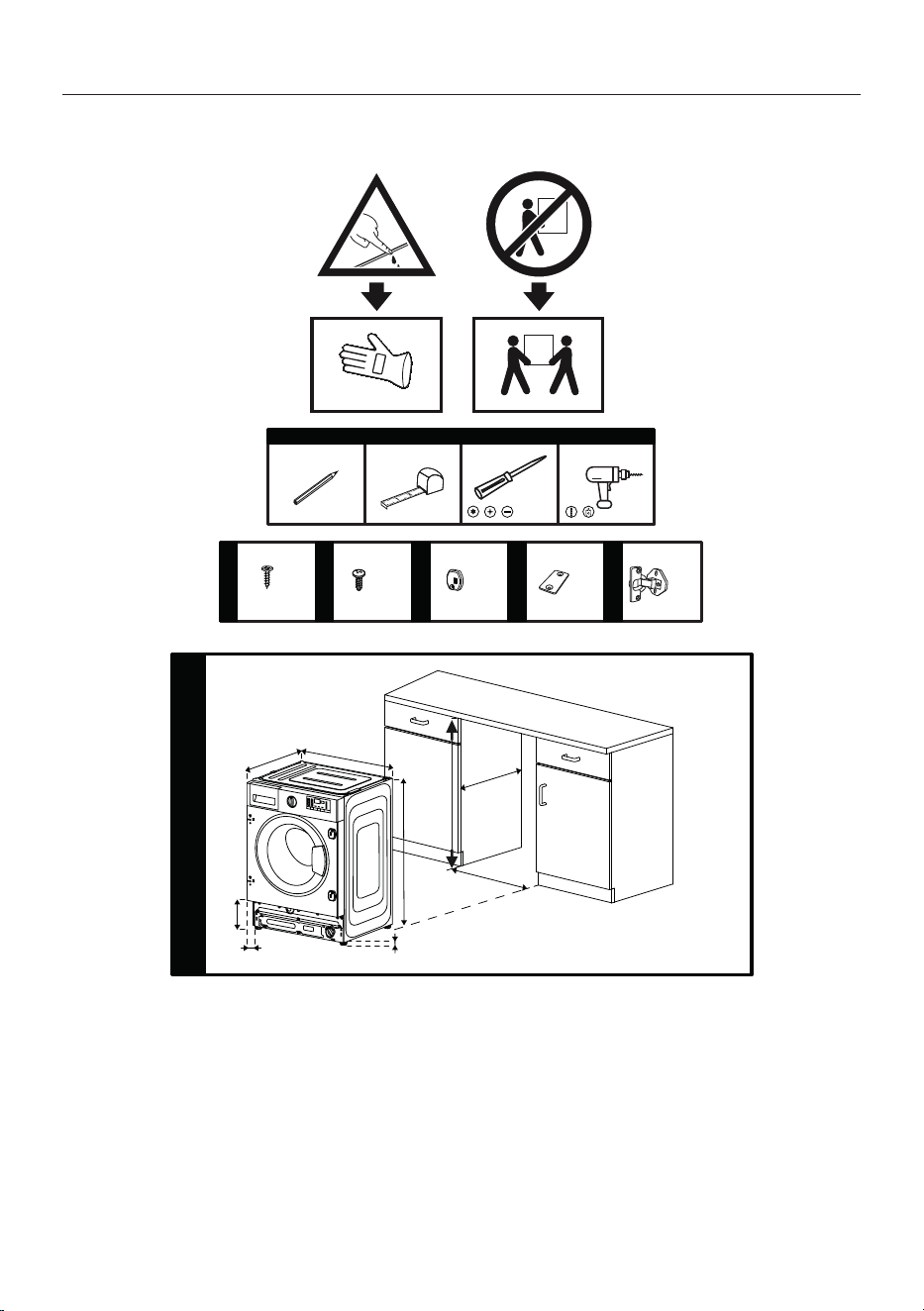
EN / 55
10Built-in Installation
T20
Ø 4 x 16mm
M 5 x 10mm
x8 x2x6
a b c d e
x2 x2
580 mm
550 mm
595 mm
600 mm
819 mm
820 mm
1
165 mm
12.5 mm
55 mm
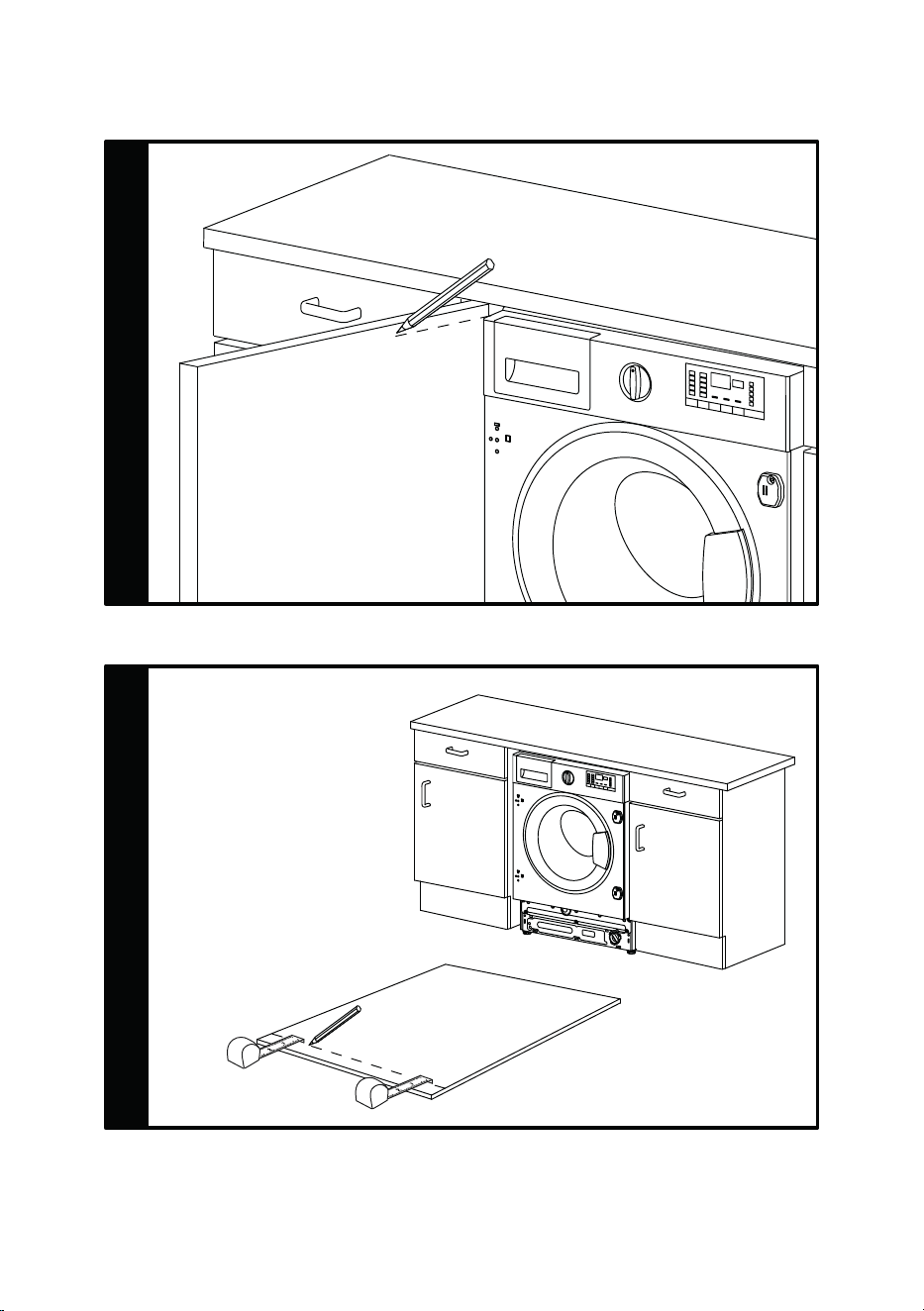
EN / 56
2
3
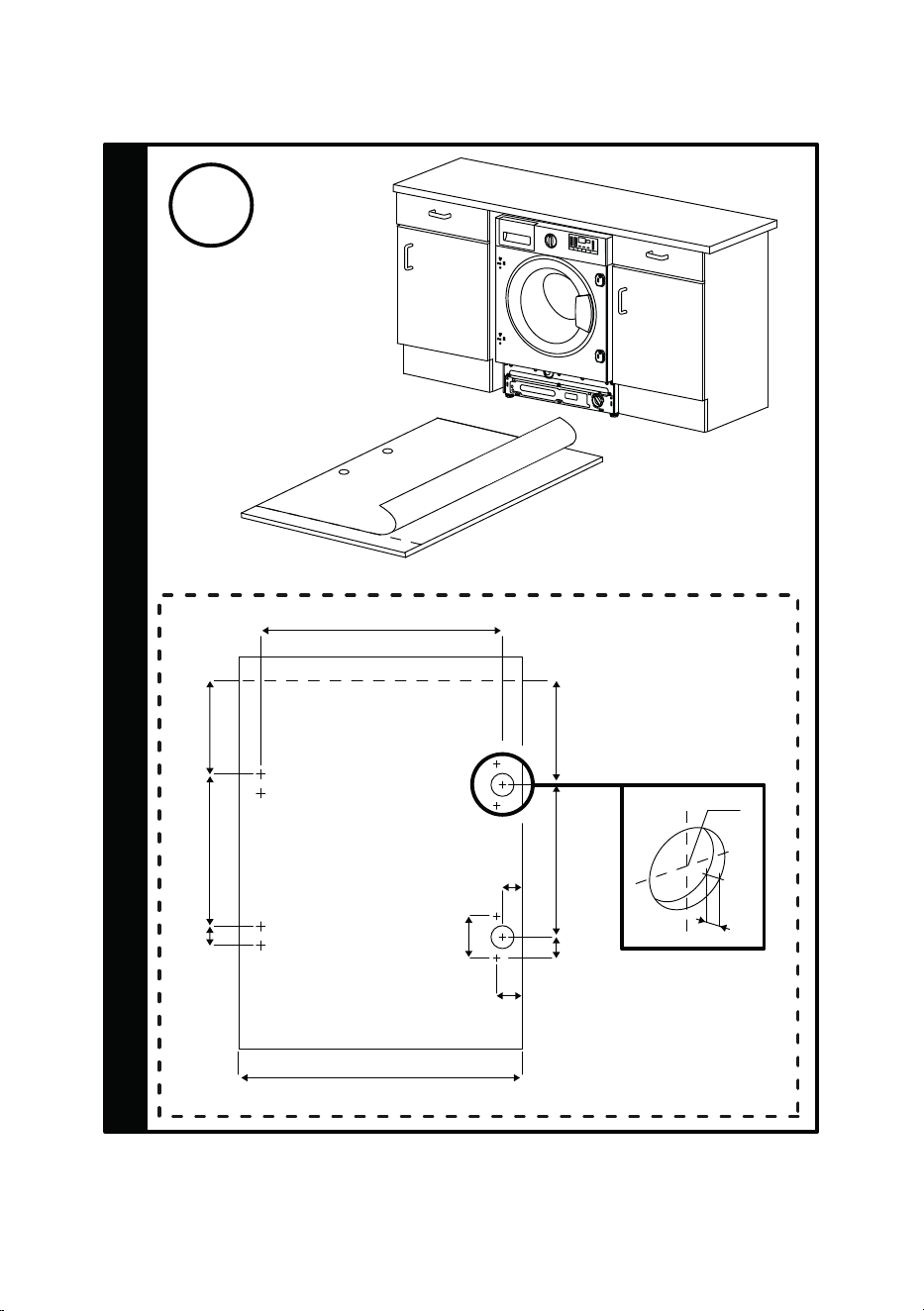
EN / 57
172
338
36
190
338
52
536
21
26
590 / 595
4
Ø
35
12
[mm]
L
26
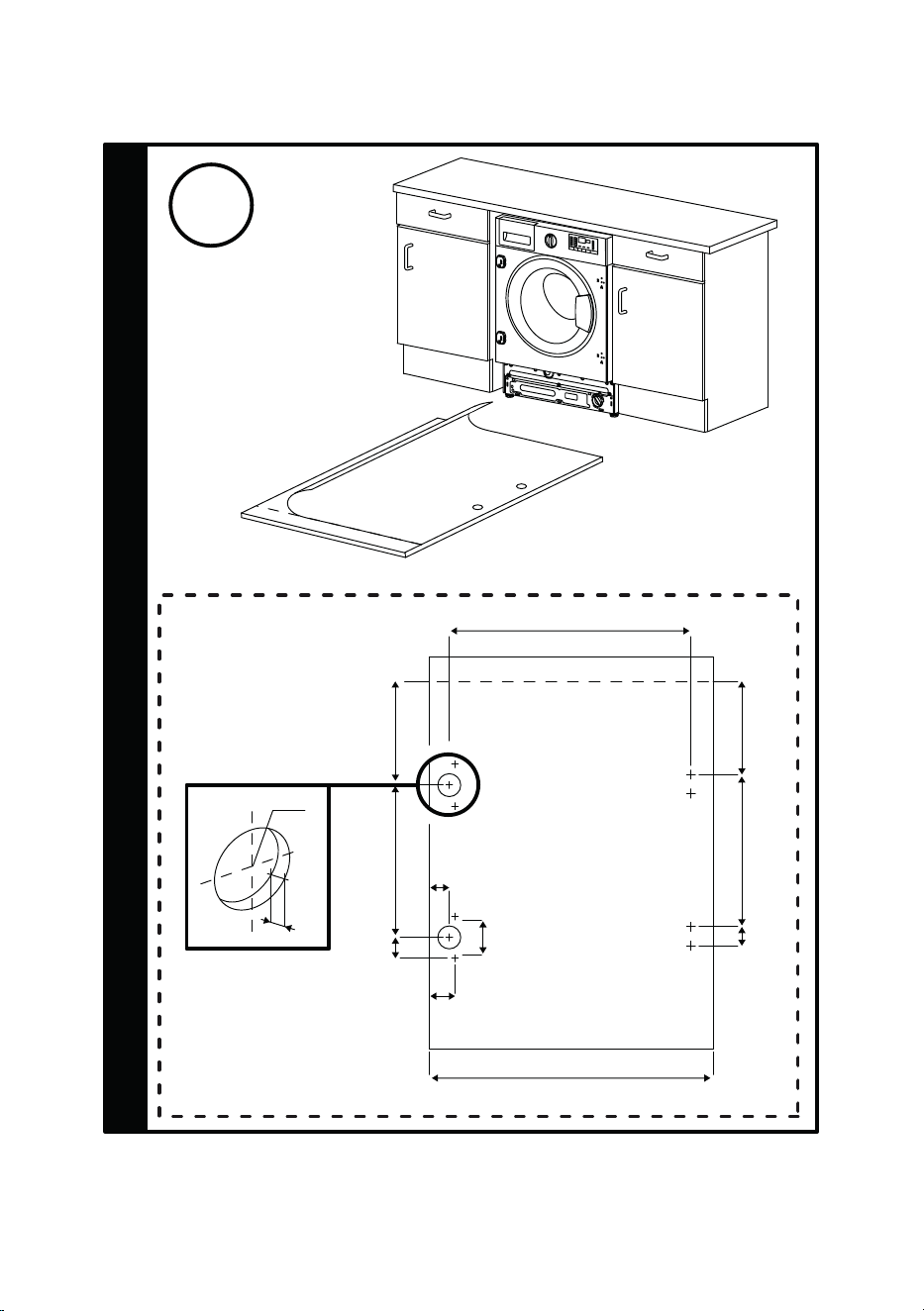
EN / 58
4
190
338
36
172
338
52
536
21
26
590 / 595
Ø
35
12
R
26
[mm]
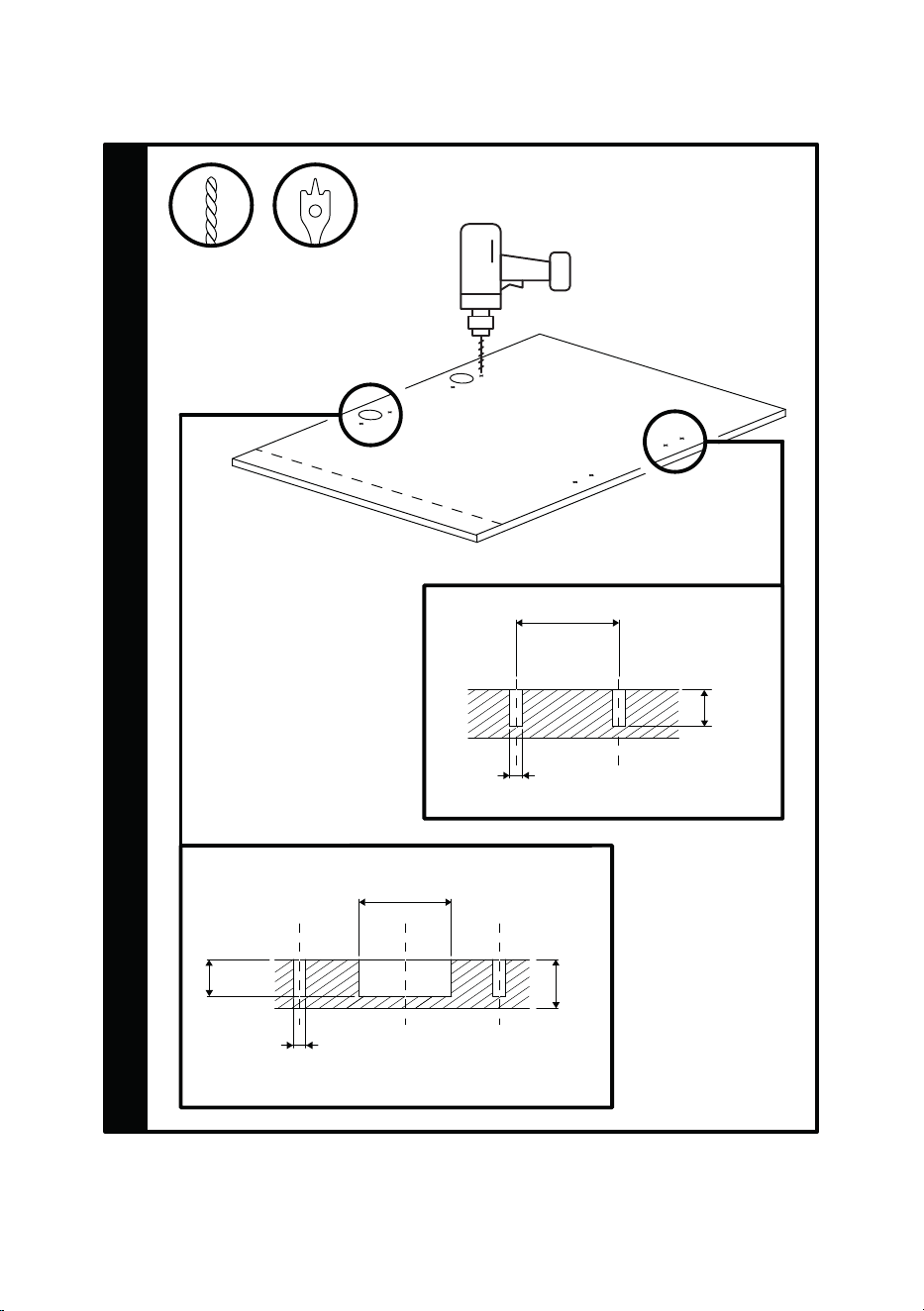
EN / 59
5
Ø35
12
16-22
Ø2
[mm]
12
Ø2
36
[mm]
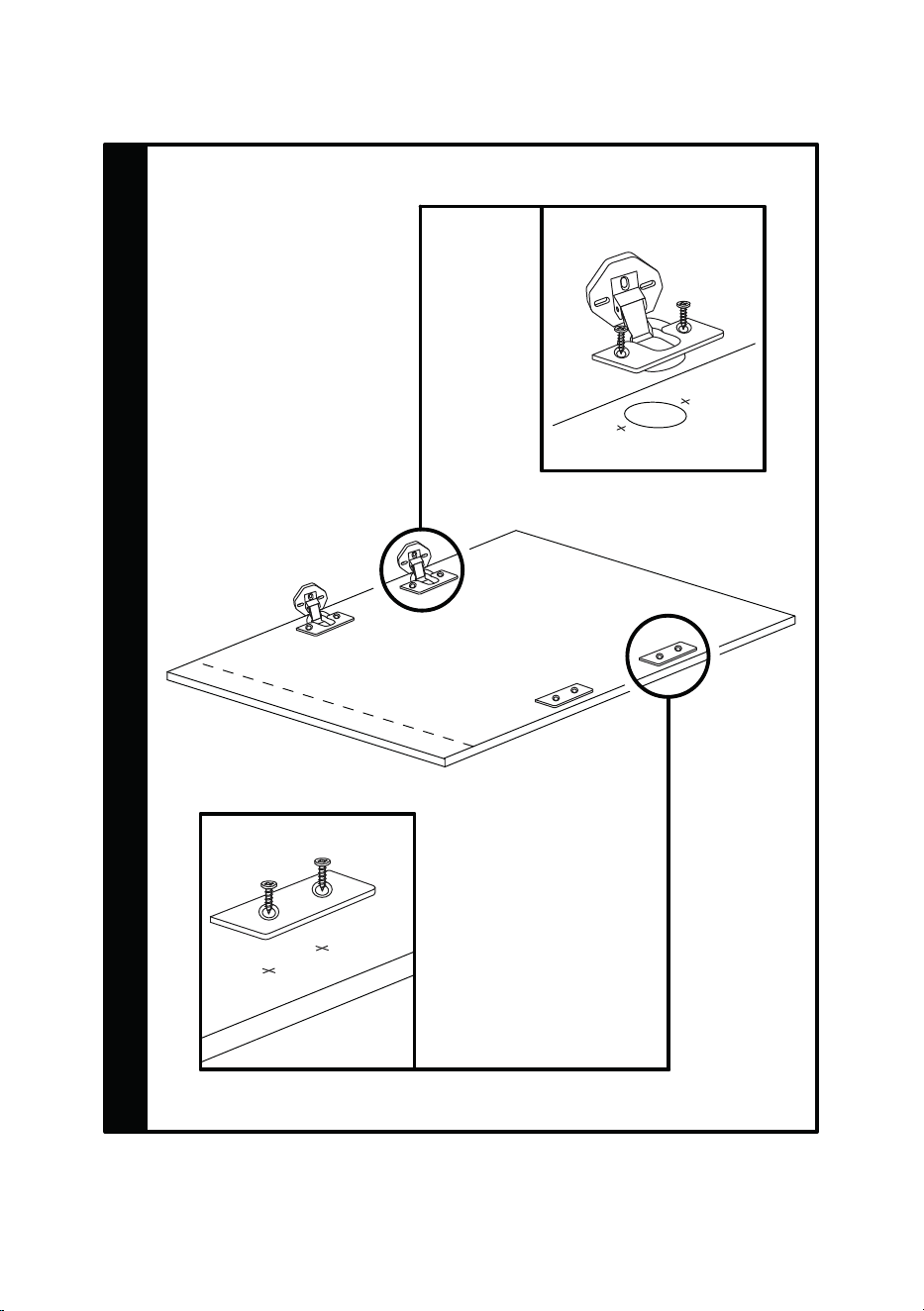
EN / 60
6
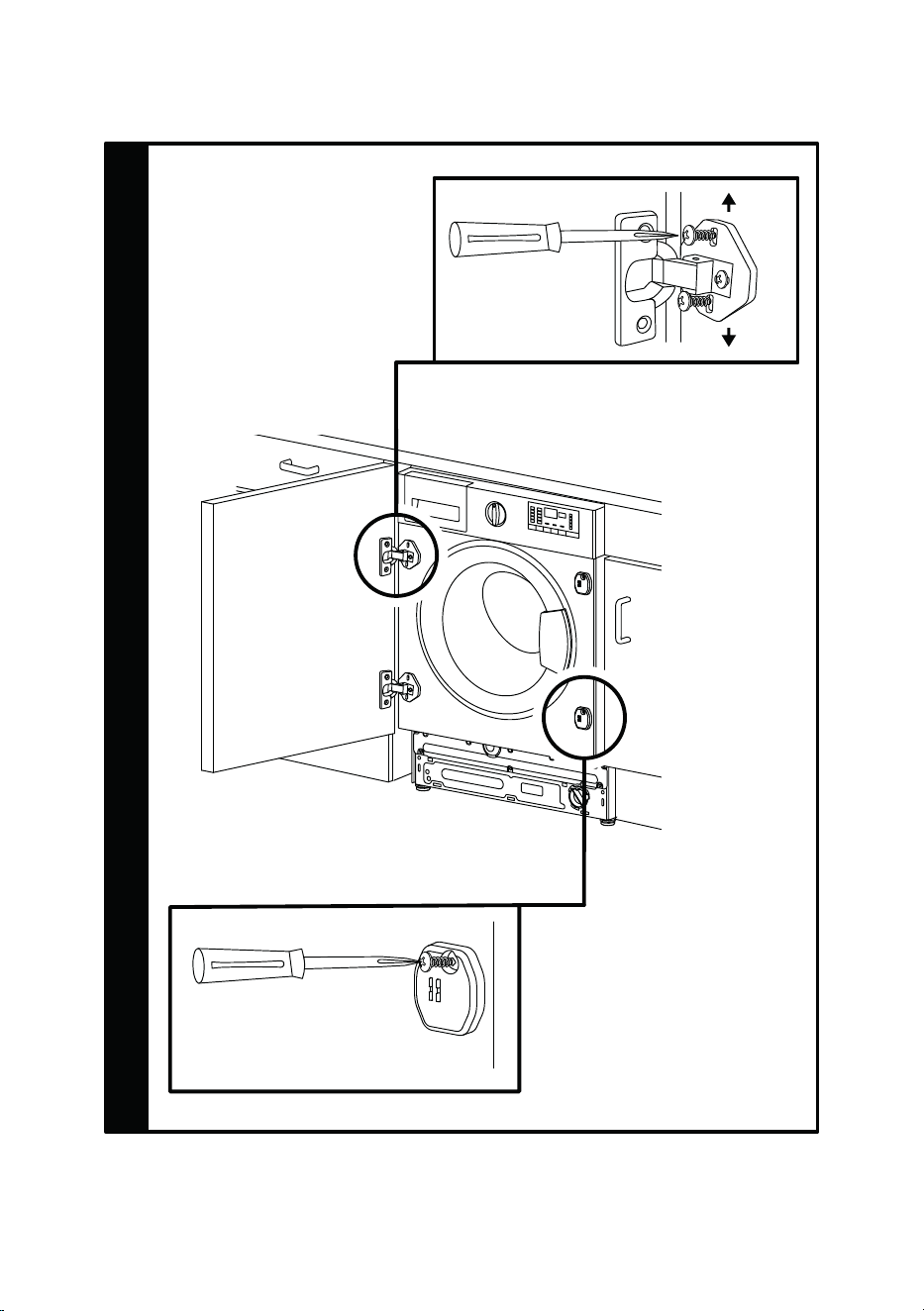
EN / 61
7
±2mm
±2mm

EN / 62
BLOMBERG UK AND IRELAND STANDARD MANUFACTURER
GUARANTEE TERMS AND CONDITIONS
Your new Blomberg product is guaranteed against faulty materials, defective components
or manufacturing defects.
The standard guarantee starts from the date of original purchase of the product and lasts for a period of
thirty six (36) months unless Beko plc (the “Manufacturer”) agrees to extend the guarantee for the product
in writing.
If you have any questions about the guarantee on your product (including how long it is
valid), please contact your retailer or our contact centre on 0333 207 9870 (UK and North-
ern Ireland) or 01 691 0160 (Republic of Ireland)
This guarantee does not in any way diminish or affect your statutory rights in connection
with the product. This guarantee is in addition to your statutory rights as a consumer. If
you have any questions about these rights, please contact the retailer from which you pur-
chased the product. In certain circumstances, it is possible that your statutory rights may
offer additional or higher levels of protection than those offered under the terms of this
guarantee.
What is covered by this guarantee?
• Repairs to the product required as a result of faulty materials, defective components or
manufacturing defects.
• Functional replacement parts to repair a product.
• The costs of a Blomberg Approved Engineer to carry out the repair.
What is not covered?
• Transit and delivery damage.
• Cabinet or appearance parts, including but not limited to control knobs, flaps and
handles.
• Accessories and/or consumable items including but not limited to ice trays, scrapers,
cutlery baskets, filters and light bulbs.
• Repairs necessary as a direct or indirect result of:
– Accidental damage, misuse or abuse of a product.
– An attempted repair of a product by anyone other than a Blomberg Approved Engineer
(the “Engineer”).
– Installation or use of a product where such installation or use fails to meet the re-
quirements contained in this guarantee or the User Instructions Booklet.
• Repairs to a product operated at any time on commercial or non-residential household
premises (unless we have previously agreed to the installation environment).
This guarantee is limited to the cost of repairing the product. To the extent permitted by
law, the Manufacturer does not accept and will not be held liable for any financial loss in-
curred in connection with the failure of any product to operate in accordance with the ex-
pected standards. Such financial loss includes but is not limited to loss arising from:
• Time taken off work.
• Damaged food, clothing or other items.
• Meals taken at restaurants or from takeaways.
• General compensation for inconvenience.
Important Notes
1. Your product is designed and built for domestic household use only.

EN / 63
2. The guarantee will automatically be void if the product is installed or is used in com-
mercial or non-residential domestic household premises, unless we have previously
agreed to the installation environment.
3. The product must be correctly installed, located and operated in accordance with the
instructions contained in the User Instructions Booklet provided with your product.
4. Professional installation by a qualified Electrical Domestic Appliance Installer is re-
commended for all Washing Machines, Dishwashers and Electric Cookers (as incorrect
installation may result in you having to pay for the cost of repairing the product).
5. Gas Cookers must be professionally installed by a Gas Safe (or Gas Networks Ireland
for Republic of Ireland) registered gas installer.
6. This guarantee is given in respect of products purchased and used within the United
Kingdom and the Republic of Ireland.
7. This guarantee is effective from the initial date of purchase of a new product from an
authorised retailer and will be void if the product is resold.
8. This guarantee does not apply to graded sales (where the product is purchased as a
“second”).
9. Possession of a copy of these terms and conditions does not necessarily mean that a
product has the benefit of this guarantee. If you have any questions, please call our
Call Centre on the number set out above.
10. The Manufacturer reserves the right to terminate the guarantee if its staff or represent-
atives are subjected to physical or verbal abuse in the course of carrying out their du-
ties.
11. Optional extras, where available (i.e. extendable feet) are supplied on a chargeable
basis only.
Does Blomberg offer replacements?
This is a repair-only guarantee. On occasion, the Manufacturer may at its sole discretion,
replace your product with a new product instead of carrying out a repair. Where a replace-
ment is offered, this would normally be an identical model but when this is not possible, a
model of similar specification will be provided. The Manufacturer will cover the costs and
arrange for the delivery of the new product and for the return of the old product. Any costs
related to disconnecting the faulty product and installing the replacement product will not
be borne by the Manufacturer unless previously agreed to in writing. The original guarantee
will continue to apply to the replacement product; the new product will not come with a
new guarantee.
When will the repair take place?
Our Engineers work Monday to Friday 9.00am to 5.00pm. Appointments outside these
hours may be possible at the sole discretion of the Manufacturer but cannot be guaran-
teed. Whilst our Engineers will endeavour to minimize inconvenience and to meet requests
for specific timed appointments, this cannot be guaranteed. We will not be liable for delays
or if it is unable to carry out a repair because a convenient appointment cannot be ar-
ranged.
Will there be any charge for the repairs?
It is your responsibility to provide evidence to the Engineer that your product is covered by
this guarantee with a proof of purchase. The Manufacturer reserves the right to charge for
the reasonable cost of any service call if:
• You cannot provide evidence that your product is covered by this guarantee.

EN / 64
• Where a service call has been made and the engineer finds that there is no fault with
your product.
• That your product has not been installed or operated in accordance with the User In-
structions Booklet.
• That the fault was caused by something other than faulty materials, defective compon-
ents or manufacturing defects.
• For missed appointments.
Payment of these costs are due immediately upon the Engineer providing you with an in-
voice. The Manufacturer reserves the right to terminate the guarantee if you fail to pay the
costs for the service call in a timely manner.
If you are a resident of the United Kingdom, this guarantee will be governed by English law
and subject to the English Courts, save where you live in another part of the United King-
dom, in which case the law and courts of that location will apply.
If you are resident in the Republic of Ireland, this guarantee will be governed by Irish law
and the Irish courts will have jurisdiction.
This guarantee is provided by Beko plc. Beko House, 1 Greenhill Crescent, Watford, Hert-
fordshire. WD18 8QU. Beko plc is registered in England and Wales with company registra-
tion number 02415578.
BLOMBERG UK AND IRELAND PROSMART INVERTER MOTOR GUARANTEE
TERMS AND CONDITIONS
This 10 year guarantee relates to Blomberg products that feature the Optima Inverter
Motor.
The Optima Motor guarantee terms and conditions are in addition to our Standard guaran-
tee terms and conditions detailed in the previous section.
In order to activate the 10 year guarantee you MUST register the appliance within 90 days of the original
purchase date. You can register by first visiting blomberguk.com/register and by following the online in-
structions.
All Blomberg appliances come with a 3 year parts and labour guarantee as standard. When
you register your appliance for the Optima Inverter Motor 10 year guarantee, you are also
registering your appliance for the standard 3 year parts and labour guarantee.
Blomberg built-in or integrated products purchased from Euronics agents come with a 3
year parts and labour guarantee which is extended to 5 years, free of charge, upon registra-
tion of the appliance. When you register your appliance for this additional 2 years, you will
automatically activate the Optima Inverter Motor 10 year guarantee. You do not need to re-
gister twice. To make a claim against your Blomberg Optima Inverter Motor Guarantee (the
“Guarantee”), all customer and product details must be registered with Beko plc using the
procedure outlined below.
1. This extra 7 years or 5 years (for built-in appliances from Euronics agents) Guarantee
is only effective after the expiration of the standard manufacturer’s guarantee.
2. It is only valid for the Optima Inverter motors of selected washing machines, washer-
dryers, tumble dryers and dishwashers. It does not cover any labour charge or any
other components of the product. In addition, it is only valid for one replacement of the
Optima motor during the extra 9-year (for free standing appliances) or 8 year (for built-
in appliances) guarantee period.
3. To activate your guarantee, you MUST register your appliance within 90 days of the ori-
ginal purchase date, by visiting blomberguk.com/register.
4. Customers will receive a unique reference code as proof of guarantee validation by
email or post, which must be quoted at the time of a claim being made.
EN / 65
5. Any repair/replacement of the Optima Inverter motor must only be carried out by an
authorised Blomberg Service Agent (the “Service Agent”).
6. Labour for the repair/replacement of the Optima Inverter motor is not included in this
guarantee and is chargeable directly by the Service Agent.
7. Any additional components fitted to the product at any time will not be covered by this
guarantee and will be chargeable directly by the Service Agent.
8. The guarantee is not transferable and cannot be exchanged for cash.
9. There are no alternative or additional offers to this Guarantee.
10. The guarantee is exclusive of the manufacturer’s standard guarantee.
11. The Terms and Conditions shown above are in addition to the standard terms and con-
ditions of your product guarantee. Please read and refer to such Terms and Conditions
when making any claim.
12. We may use the information you provide for marketing purposes and to analyse your
purchasing preferences. We may keep your information for a reasonable period for
these purposes in accordance with the applicable Data Protection Laws and General
Data Protection Regulations (GDPR). You can opt into this service during the registra-
tion process. Further details are available at http://www.blomberguk.com/cookie-and-
privacy.
13. These Terms and Conditions are governed by the laws of England and Wales; manu-
facturer: Beko plc, Beko House, 1 Greenhill Crescent, Watford WD18 8QU. Company
Registration Number: 02415578.
HOW TO OBTAIN SERVICE FOR YOUR APPLIANCE
Please keep your purchase receipt or other proof of purchase details in a safe place; you
will need to have this documentation available should the product require attention under
guarantee.
Please take a few moments to complete the details below, as you will need this information when you call us, or to
use our online services. When you call us you may be required to input your serial number into your telephone
keypad. For help please visit Blomberguk.com/support/model-finder
• The product model number is printed on the Operating Instruction Booklet / User guide
• The product model and serial number is printed on the Rating Label affixed to the appli-
ance.
• The Retailer (Purchased from) and Date of purchase will be printed on your purchase re-
ceipt or other proof of purchase paperwork
Recording of these details alone will not count as proof of purchase. A valid proof of pur-
chase is required for requesting service under guarantee.
Model number Serial number Purchased from Date of purchase
For service under guarantee or for product advice please call our Contact centre
Before requesting service please check the troubleshooting guide in the Operating Instruc-
tions booklet, as a charge may be levied where no fault is found, and even though your
product may still be under guarantee.
After arranging service the area around the product must be easily accessible to the Engin-
eer, without the need for cabinets or furniture to be removed or moved.
It is your responsibility to ensure our Engineers have a clean and safe environment to carry
out any repairs.

EN / 66
Please have your Model number and Serial number available when you call us, as you may be required to input your
serial number into your telephone keypad during your call.
UK Mainland & Northern Ireland:
0333 207 9870
Landline or mobile calls to 0333 numbers cost no more than calls to geographic numbers
01 or 02, and are charged at the basic rate. Calls from landlines and mobiles are included
in free call packages but please check with your telephone service provider for exact call
charges.
Republic of Ireland:
01 691 0160
Service once the manufacturers guarantee has expired
If you have purchased an extended guarantee please refer to the instructions contained
within the extended guarantee agreement document, otherwise please call us using the ap-
propriate number above, where service can be obtained at a charge.
Should you experience any difficulty in obtaining service please call us on 0333 207 9870
or 01 691 0160
Contact us though our website
Send us a secure message through our online contact us form. Please visit our website,
click Contact Us and choose a product support topic from the list of options. Complete the
required details and click send message.
Product registrations
For UK and Republic of Ireland product registrations please visit blomberguk.com/register.

EN / 67