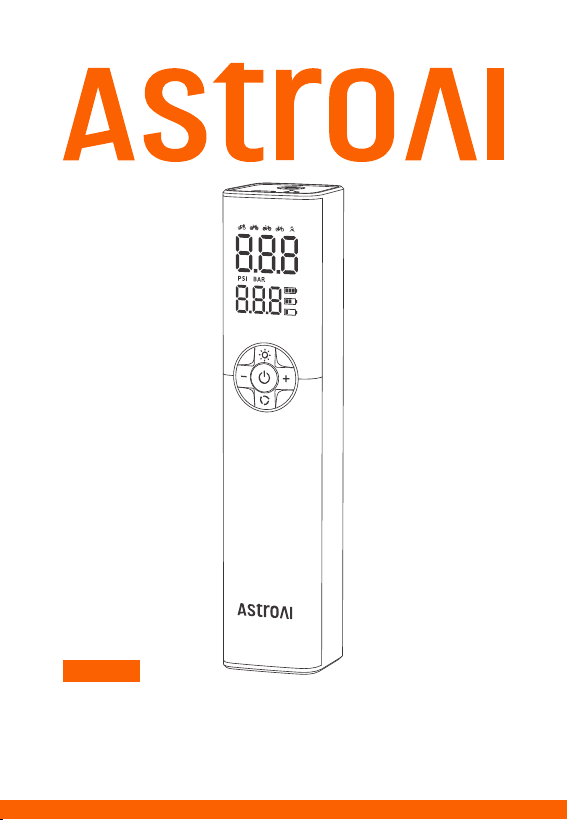
LITHIUM BICYCLE PUMP
USER MANUAL
AIRUN L8

CATALOG
Introduction
Precautions
Diagram
What's in the Box
Preparation
Start to Use
Maintenance
Troubleshooting/FAQ
Specifications
Recycling
Warranty Period
03
04
05
06
07
07
12
12
13
13
14

Please fully read the manual before unpacking and using
this product; keep this manual for future reference.
Thank you for purchasing the AstroAI Portable Lithium Bicycle Pump.
This user-friendly product features an intuitive screen that displays
both the preset pressure value and the actual pressure value. Its compact
and portable design makes it easy to take anywhere, accommodating
various bike tire types and needs, from high pressure road bike tires
to fat mountain bike tires.
Thank you again for choosing AstroAI. If you have any questions or
concerns, feel free to contact us via [email protected].
Introduction
- 03 -

Please fully read the manual before use.
Check the preset pressure value before use. The preset pressure
value should match the object being inflated.
Do not place the product near flammable or explosive materials.
Do not store the product in a humid or dusty environment.
Do not place the product where it can easily drop.
Do not allow children to use the product.
Do not throw the product into fire. Dispose of the product according
to the relevant regulations.
Prolonged continuous use will cause this device to reach high tempera-
tures, which may damage the device.The device needs to cool down
for at least 15 minutes after every 12 minutes of continuous operation.
Do not use harsh chemicals to clean the device. Only use a mild soap
and cloth moistened with hot water to clean the plastic parts.
Please contact us if any accessories are missing or damaged.
Precautions
- 04 -
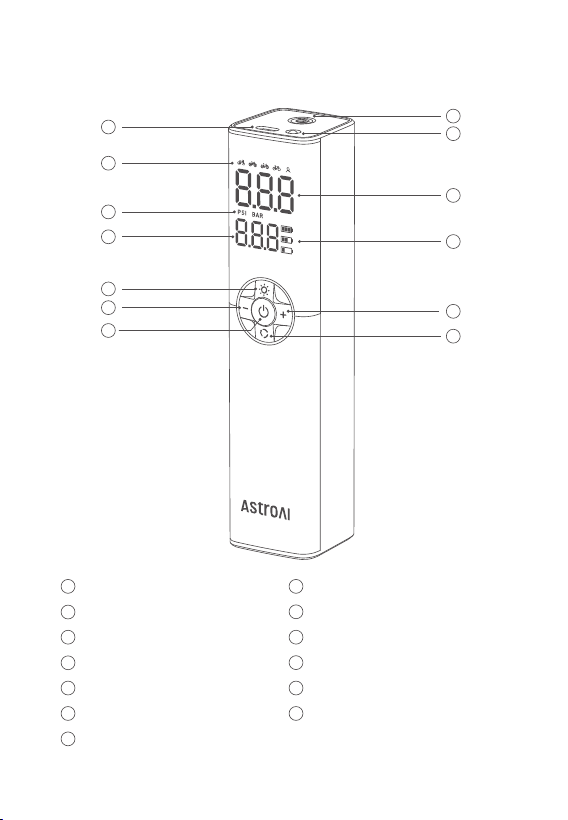
Diagram
1
1
8
8
9
9
10
10
11
11
12
12
13
13
2
2
3
3
4
4
5
5
6
6
7
7
Type-C Charging Port
Inflation Mode
Pressure Unit
Preset Pressure Value Display
LED Light
Pressure Value Adjustment “-”
Power Button
Quick Connector Port
LED Indicator
Real-Time Pressure Value Display
Battery Indicator
Pressure Value Adjustment “+”
Settings Button
- 05 -
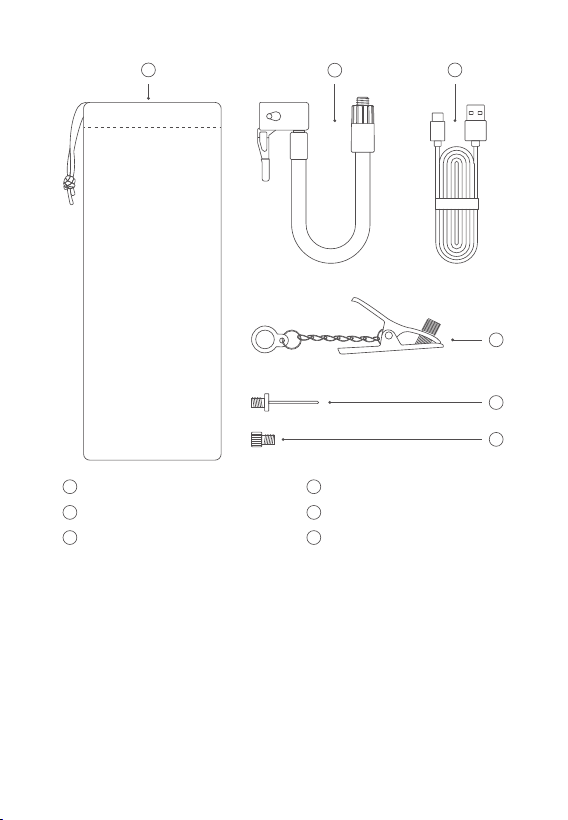
What's in the Box
AstroAI Bicycle Pump
USB Charging Cable
Needle Valve Adapter
Presta to Schrader Valve
× 1
× 1
× 1
× 1
Dunlop to Schrader Valve
Extension Hose
Storage Bag
User Manual
× 1
× 1
× 1
× 1
14
15 16
18
19
17
14
15
16
Storage Bag
Extension Hose
USB Charging Cable
17
18
19
Dunlop to Schrader Valve
Needle Valve Adapter
Presta to Schrader Valve
- 06 -
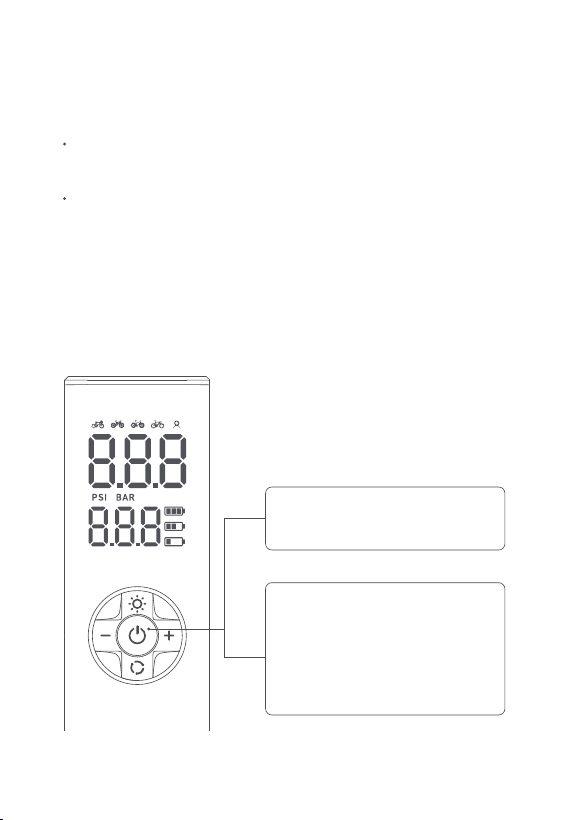
Please use the included Type-C charging cable to charge the product
(outlet charger not included).
When the product is connected to the power supply, the power icon
will flash; Once the battery is fully charged, the power icon will remain
illuminated.
Preparation
Charging:
Press and hold the Power Button
for 3 seconds to turn o.
Note: The product automatically
shuts o after 3 minutes without
operation.
Press and hold the Power Button
for 3 seconds to turn on.
Start to Use
I. Turn on/O the Device:
- 07 -
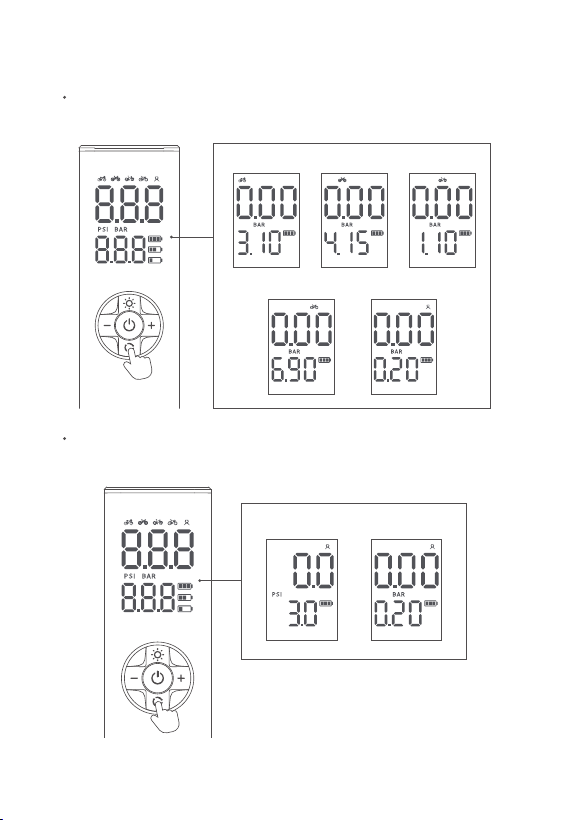
Press the Settings Button to switch between 5 preset modes: mountain
bike, road bike, city bike, fat-tire bike, and custom mode.
Press and hold the Settings Button for 3 seconds to switch between
PSI and BAR.
II. Unit/Mode Switch:
PSI BAR
Custom mode
Fat-tire bikeCity bike
Road bike
Mountain bike
- 08 -
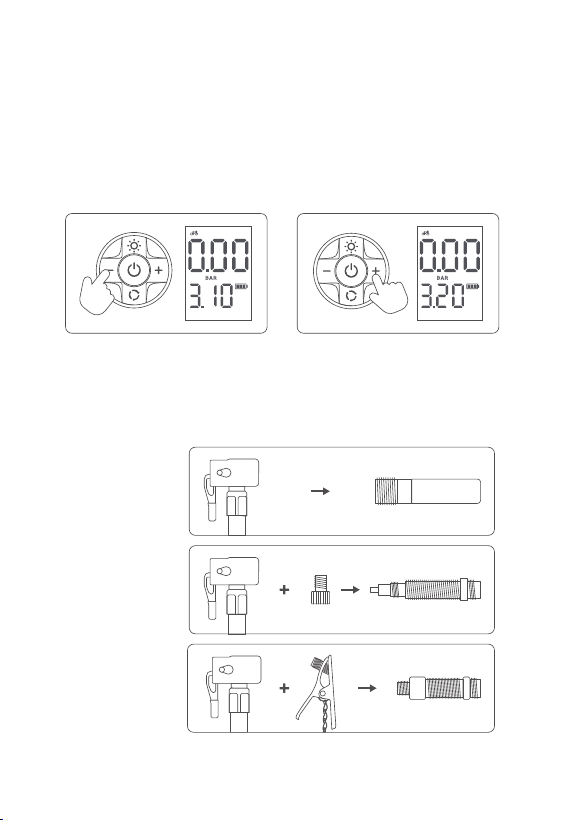
Press the “+” and “-” Buttons to preset the pressure value. Press and
hold the button to rapidly set the pressure value. Once the pressure
value is set, it will flash three times to indicate that the pressure has
been set.
III. Preset the Pressure Value:
Determine the type of valve for the tire, as shown below, and use the
appropriate fittings to connect it.
IV. Connect the Hose:
Press “-” Button Press “+” Button
Dunlop Valve
Presta Valve
Schrader Valve
- 09 -
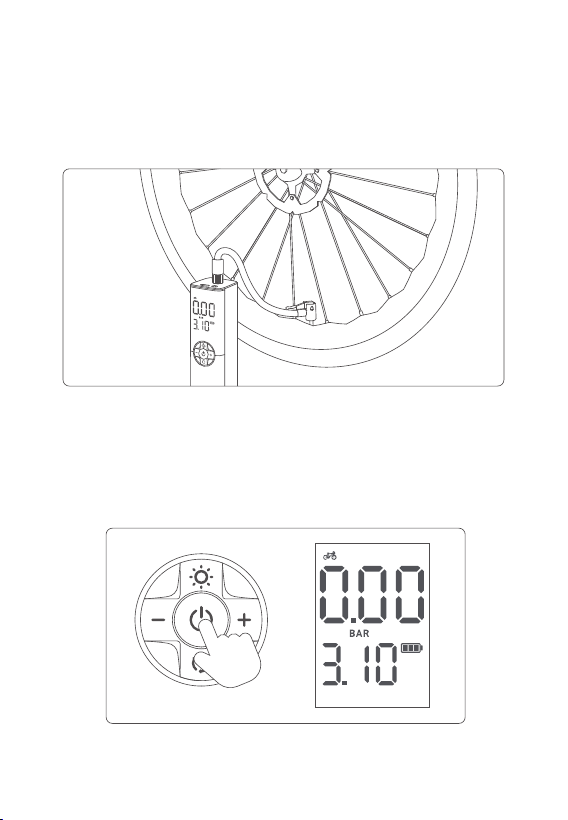
When the quick connector is connected to the object to be inflated
and the power is turned on, the screen will display the real-time pressure
value of the object.
V. Measure the Pressure Valve:
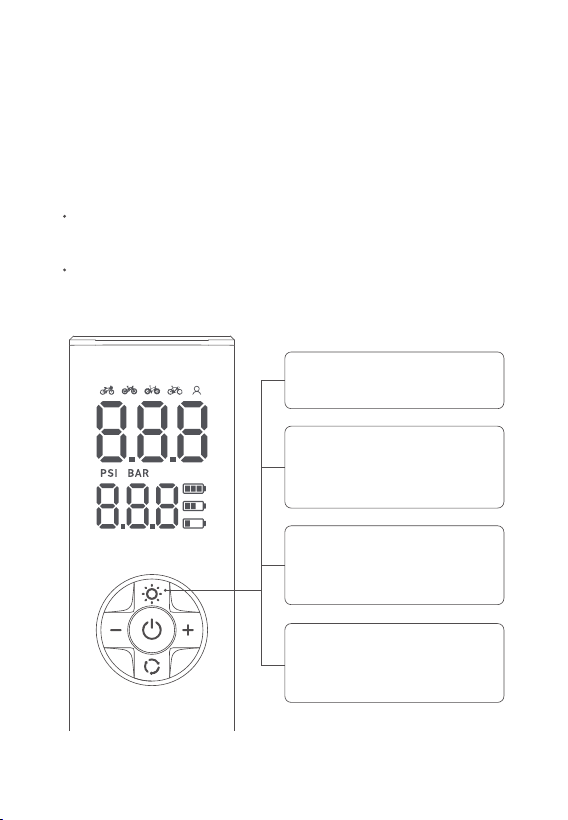
With the air hose connected to the object, press the Power Button once
to start inflating. The digital display will show the real-time pressure
value. (Note: Do not touch the hose during inflation)
VI. Start Inflation:
- 10 -
The air pump will automatically stop once it reaches the preset pressure
value. You can also press the Power Button to manually stop the inflation
process at any time.
VII. Stop Inflation:
VIII. Complete Inflation:
When inflation is complete, remove the quick connector from the
valve stem and screw the valve cap back onto the valve core.
Store the product properly for subsequent uses.
IX. LED Light On/O:
Tap the LED Light Button once
to turn the light on.
Tap the LED Light Button for
a fourth time to turn o the
light.
Tap the LED Light Button for
a third time to start the slow
flicker function.
Tap the LED Light Button for
a second time to activate the
quick flashing feature.
- 11 -

Store the product in a cool, dry place out of direct sunlight.
Charge the product to 50%~80% battery level before long-term storage.
Charge every 3 months to extend the battery life.
Please use mild soap and a cloth moistened with hot water to clean
the plastic parts.
Maintenance
If the bicycle pump does not start, check the battery level. The lithium
battery may discharge when it is idle.
If the bicycle pump inflates slowly, please check whether the quick
connector is properly connected to the tire’s valve core.
The bicycle pump generates heat during use, so the product may
become hot after prolonged use. Please let it cool down before
the next use.
Low-temperature environments will negatively impact the capacity
and life of the lithium battery, which is typical for lithium products.
Troubleshooting/FAQ
- 12 -

Model
Flow
Power
Maximum Pressure
Battery Capacity
Type-C Input
Display Unit
Inflation Hose Length
USB Charging Cable Length
Product Size
AIRUN L8
13L/min
50W
150PSI
7.4V 1200mAh
5V 1A
BAR, PSI
7.9in (20cm)
19.7in (50cm)
7.9 × 1.7 × 1.7in
(20 × 4.2 × 4.3cm)
Specifications
You may dispose of the product when its service life has ended, please
recycle the recyclable parts according to local guidelines.
Recycling
- 13 -

Warranty Period
2-Year Limited Warranty from AstroAI
Each AstroAI Portable Lithium Bicycle Pump will be free from defects
in material and workmanship. This warranty does not cover damage
from neglect, misuse, contamination, alteration, accident, or abnormal
conditions of operation or handling. This warranty covers the original
purchaser only and is not transferable.
AstroAI always wants to provide our customers with excellent products
and customer service. Questions or concerns? We’re happy to help!
Please contact us via [email protected].
- 14 -