
Instructions for CST-1A
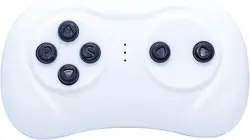
Tip: How to choose the correct remote control?
Try to choose the remote control with the same
appearance. The remote control with different appearance
may not work!
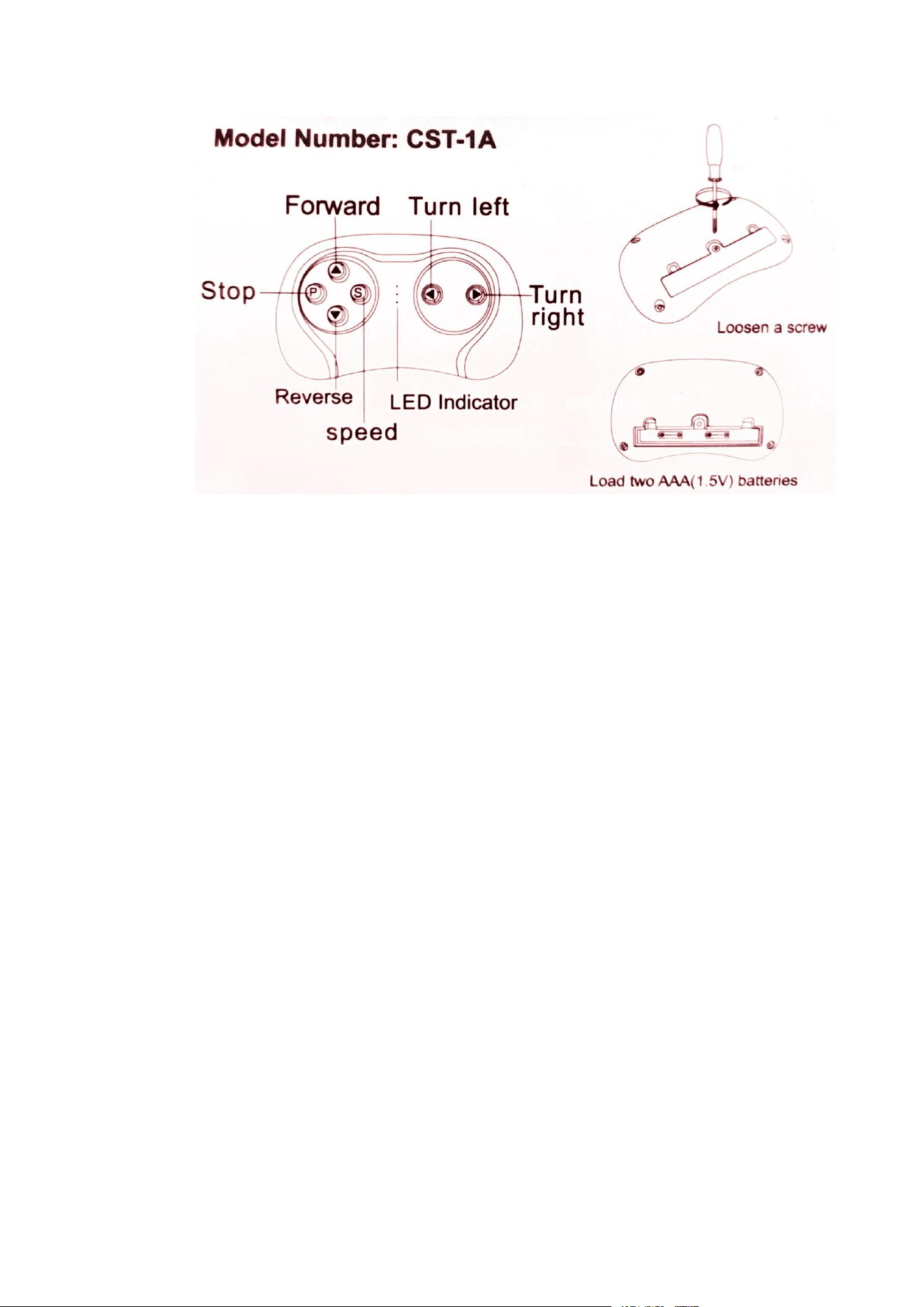
1.Turn off the Power Switch on the car.
2.Remove the battery cover on the Remote Control and
put in 2 AAA battery, the three LED indicators will flash.
3.Turn on the Power Switch on the car, when the LED
indicators stop fl ashing and 2 of them are on,remote is
properly connected.
4.Once remote has been synchronized, there is no need
to go through this process again (unless you change the
batteries, then repeat steps 1-3).
5.The Remote Control will enter a sleep mode if not used
for a long time and the LED indicators will be off. Press
any buttons to wake up the Remote Control, and it can be
used normally.
FCC ID: 2ARLM-CST-1A
Product name: REMOTE CONTROL
Model Number: CST-1A
This device complies with Part 15 of the FCC Rules.
Operation is subject to the following two conditions: (1)
This device may not cause harmful interference, and (2) this device must accept any interference
received, including interference that may cause undesired operation.
WARNING!
1.All batteries should be inserted in the correct polarity.
2.To avoid injury, please keep battery away from children.
3.Take out and properly deal with the dead battery. To avoid injury, please
keep kids away from the battery.
4.The direct contact between the positive and negative terminals may result
in fire or explosion. Avoid direct connect between the terminals.
5.Do not mix old and new batteries. DO not mix alkaline, standard
(carbon-zinc), or rechargeable(nickel-cadmium) batteries.
6.Only an adult who has read and understood the safety warnings can
recharge the battery.