USER MANUAL
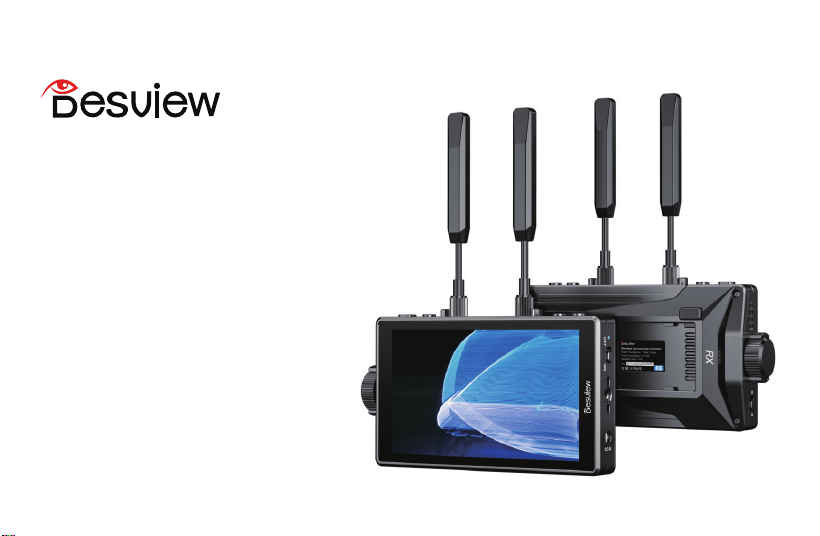
Wireless Video
Transmission Monitor
Thundermon
English
Français
Deutsch
日本語
Italiano
Español
Nederlands
Polski
Svenska
简体中文
��
��
��
��
��
��
��
��
��
��
��
CONTENTS
�. Do not use in raln or molstureenvironments.
�.Do not drop or subject the product to avoid damage.
�. Do not expose battery-powered equipment to prolonged direct
sunlight or prolonged charging.
�. Ne pas utiliser l'cran dans des environnements humides ou sous la pluie.
�. Évitez de faire tomber ou de soumettre le produit à un choc
violent pour éviter les dommages.
�. N'exposez pas l'équipement alimenté par batterie à la lumière
directe du soleil pendant une longue période et ne le chargez pas
pendant une longue période.
�. Nicht in regnerischen oder feuchten Umgebungen verwenden.
�. Vermeiden Sie das Fallenlassen oder Stöße auf das Produkt,
um Schäden zu vermeiden.
�. Setzen Sie batteriebetriebene Geräte nicht über längere Zeit
direkter Sonneneinstrahlung aus und laden Sie sie nicht über
einen längeren Zeitraum auf.
�.雨や湿気の多い場所で使用しないでください。
�.本製品を地面に落としたり、硬いものにぶつけたり、強い衝撃
を与えたりしないでください。故障の原因となることがあります。
�.バッテリ-駆動の機器を直射日光に長時間さらしたり、長時間
充電したりしないでください。
�. Non utilizzare in ambienti bagnati o umidi.
�. Evitare di far cadere o sottoporre il prodotto a forti impatti
per evitare danneggiamenti.
�. Non esporre l'apparecchiatura alimentata a batteria alla
luce solare diretta per lungo tempo né caricarla per un lungo periodo.
�.No use en ambientes húmedos o húmedos.
�. Evite dejar caer o someter el producto a un impacto fuerte
para evitar daños.
�.No exponga el equipo que funciona con baterías a la luz solar
directa durante mucho tiempo ni lo cargue durante mucho tiempo.
�. Niet gebruiken in natte of vochtige omgevingen.
�. Laat het product niet vallen en stel het niet bloot aan sterke
fysieke schokken om schade te voorkomen.
�. Stel apparatuur die op batterijen werkt niet langdurig bloot
aan direct zonlicht en laad deze niet langdurig op.
�. Nie używać w wilgotnym lub mokrym otoczeniu.
�. Należy unikać upuszczania lub narazania produktu na silne
uderzenia, aby zapobiec jego uszkodzeniu.
�. Nie wystawiaj sprzętu zasilanego akumulatorowo na bezposrednie
działanie promieni słonecznych przez dłuzszy czas ani nie ładuj
go przez długi czas.
�. Använd inte i våta eller fuktiga miljöer.
�. Undvik att tappa produkten eller utsätta den för kraftiga stötar
för att förhindra skador.
�. Utsätt inte batteridriven utrustning för direkt solljus under lång
tid och ladda den inte under lång tid.
�.请勿在雨中或潮湿的环境下使用。
�.请勿碰摔或撞击产品,以免损坏。
�.请勿让电池供电设备遭受长时间的阳光直射或进行长时间充电。
1.Product Overview
2.Product Features
Supports HD 1080p60 and is download compatible
Uses H.264 video encoding and decoding
Supports automatic frequency hopping (automatically
detects environmental interference and switches to
the best channel)
Supports HDCP protocol
Operating frequency bands:
5150MHz-5250MHz,5
250MHz-5350MHz,5470MHz-5725MHz,5725M
Hz -5850MHz, with a 20 MHz bandwidth
A maximum transmission distance of 300 meters,
and low latency of 60 ms
Supports power supply via DC, Type-C and NP-F battery
A 5.5 inch screen with 600 nits brightness and
89.9% DCI-P3 color gamut coverage
Supports 3D LUT, HDR monitoring, and full
waveform display
Operated via knob key and shortcut keys
01
Thank you for choosing the Thundermon Wireless Video
Transmission Monitor. As one of Desview's
independently developed wireless video transmission
systems, it supports 1080p60 resolution with one-to-one
transmission at 5GHz frequency, while maintaining
downward compatibility with multiple resolutions. It
achieves 300-meter long-range wireless transmission
and automatically selects the optimal frequency
bandwidth for both open area and obstructed
environments. With a latency as low as 60ms and
support for DC/Type-C/NP-F series battery power, it
offers plug-and-play convenience for director/camera
operator monitoring or live video transmission.
EN
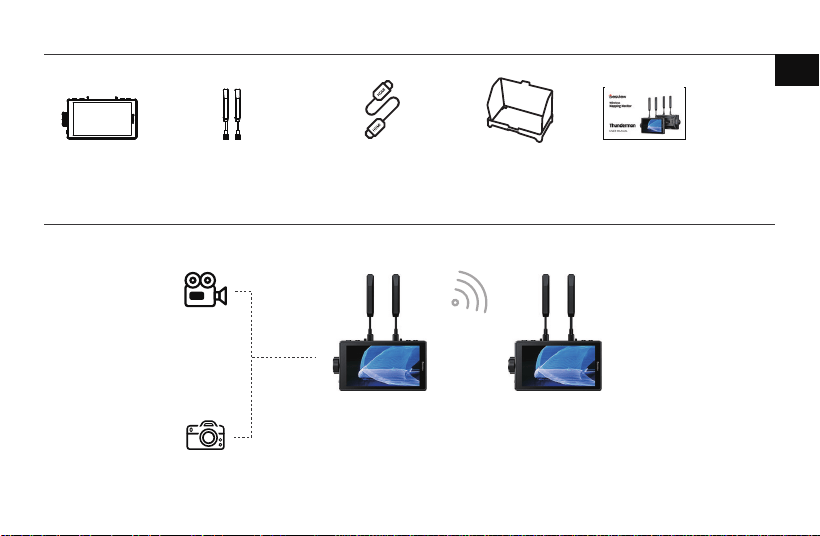
3.Packing List
4.Applications
Thundermon
*
1
Transmitter (TX) Receiver (RX)
Camera
Camera
Sunhood
*
1 User manual
/Certificate
*
1
Antenna
*
2 A-A HDMI Cable
*
1
300m
HDMI input
02
EN
1
2
10 11 12 13 14 15 16
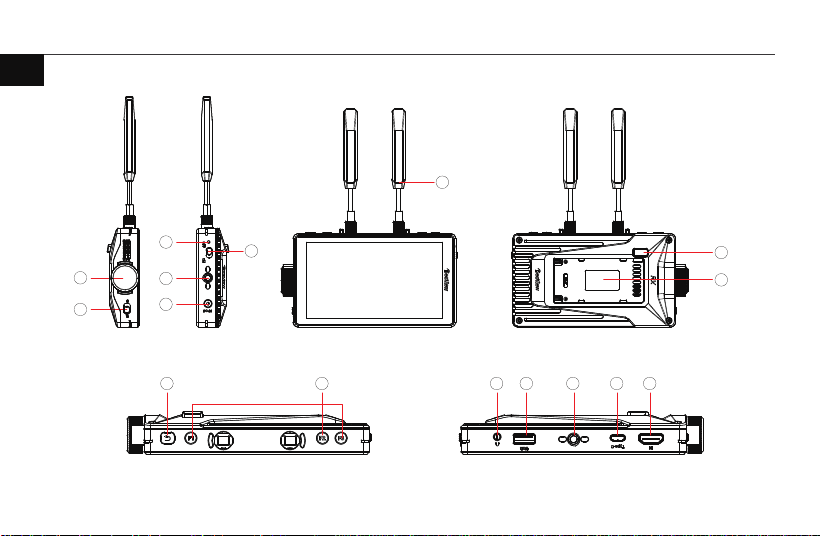
5.1 Interface and button labels
5.Quick Start
3
4
5
6
8
9
7
03
EN
1
Knob key Rotate to select menu options; click to confirm
2
Open/Lock Button Lock the screen to prevent accidental touches
3
Indicator light
4
Power Button
5
1/4″ Screw Hole
6
DC in Power Port 7-24V
7
Signal Antenna 1T2R External 5.62dBi
8
Battery Release Button
9
Battery plate Supports NP-F series battery power supply
10
Return Button press for1 second to return,
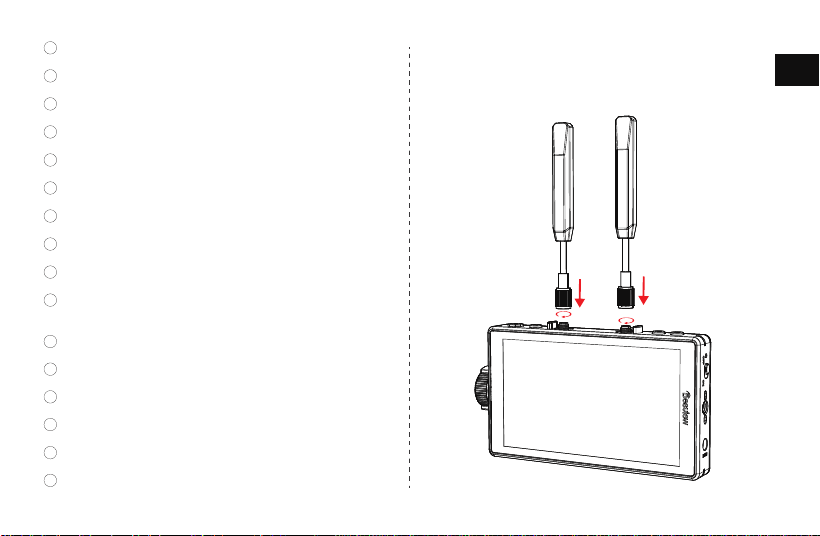
5.2 Antenna Installation
As shown in the diagram, attach the antenna securely to the
top of the video monitor.
press and hold for 3seconds to enter pairing mode.
11
Function Shortcut Key
12
3.5mm Headphone Jack
13
USB Port for import Customizable 3D-LUT
14
1/4″ Screw Hole
15
Type-C Power Port Supports 5V-3A power supply
16
HDMI Interface for connecting a video source
04
EN
1080p60/1080p59.94/1080p30/1080p29.97/1080p25/1080p24
1080i60/1080i50/720p60/720p50/576p60/576i60/480p60/480i60
6.Specifications
Screen Size:
Brightness:
Resolution:
Color Gamut:
Color Depth:
5.5 inches
600nits
1920x1080
89.9% DCI-P3
10bit(8+2FRC)
Contrast Ratio:
1400:1
Viewing Angle:
178°(H/V)
Signal Input:
Audio Output:
Power Supply:
Storage Temperature:
Material
Product Dimensions:
HDMI 2.0
3.5mm
DC 7-24V / Type-C 5V3A / NP-F
Operating Temperature:
0℃~50℃℃
-20℃~60℃
ABS+PC
146x84x26mm
Max Transmission Distance:
Power Consumption:
300m
≤11.5W
HDCP Protocol:
Signal Antenna:
HDCP1.4
1T2R External 5.62dBi
5150MHz-5250MHz,5250MHz-5350MHz,
5470MHz-5725MHz,5725MHz -5850MHzBan
dwidth 20MHz
05
Supported Video Formats:
Frequency Bandwidth :
60mslatency:
EN
06
EN
Visit Desview website's FAQ section.
Contact authorized dealers or call Desview hotline for consultation/repair.
Conrmation Signature (after reviewing terms):
Within 15 days of receipt: Quality issues entitle you to replacement or free
repair service.
Warranty Coverage
Exceeding the warranty period (without receipt, calculated from production date).
Damage from improper use/maintenance without the accordance of user
manual.
Unauthorized repairs/disassembly.
Force majeure damages (re, ood, lightning, etc.).
Warranty Exclusions
Service & Support
Warranty Terms
e wireless video transmission device has a one-year warranty from the
date of receipt when used and maintained properly (accessories and cables
have a 3-month warranty), and free repair service is provided during the
warranty period.
Keep the purchase receipt and user manual in a safe place.
FAQ & Solutions
Please conrm if the receiver and transmitter Have been paired. If the SSlD on the
receiver's WiFi setting interface is inconsistent with that of the transmitter, it means
that they are not paired. lf the SSlD is consistent, please try to switch channels or
restart the device.
FAQ & Solutions
Check if video cable is connected to transmitter's input interface.
No Video Display
Check if the video cable is connected.
Verify antenna installation.
Abnormal Video Display
Video Lagging
Ensure antennas are properly installed.
Check if main interface displays video format info.
If not, check HDMI cable or camera's HDMI output.
Reconnect video input cable.
Reconnect video input cable.
Try switching to another channel.
Shenzhen Bestview Electronic Co. Ltd.
CAMERA MONITOR
EN �����
EN �����
IEC �����-�-�:����
IEC �����-�:����
IEC �����-�:����+AMD�:���� CSV
IEC �����-�:����
IEC �����-�-�:����
IEC �����-�-�:����
IEC �����-�:����
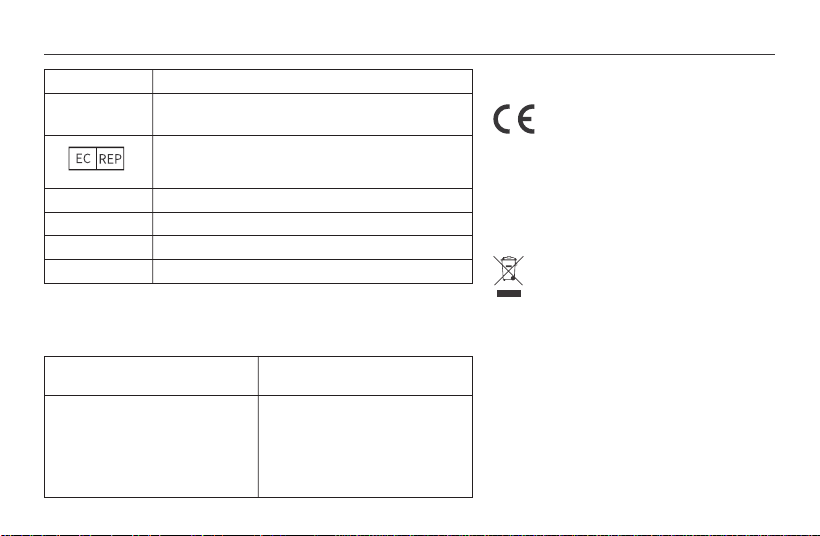
Thundermon
Desview
China
�/F & �/F, Block ��, Longbi Industrial Zone, Ban tian Town,
Longgang District, Shenzhen, China
Manufacturer:
The EMC Directive ����/��/EU
ROHS Directive ����/��/EU and
its amendment directives (EU) ����/���
Address:
Product Name:
Models:
Trade Mark:
Place of Production:
European Representative
Name: Zhou's Jade Star UG Email: jadestar[email protected]
Address: Brunnenallee ��A ����� Potsdam Germany
We herewith declare that the above mentioned products complies with the
relevant harmonization regulations of the EC Council. The following harmonized
standards and technical specifications have been applied:
The "CE" mark indicates that this product complies
with European regulations for product safety,
health requirements, and environmental protection.
This symbol indicates the separate collection of
electrical and electronic devices that become
industrial waste in EU countries. Please do not
dispose of such devices in household waste.
Please use the return and collection systems in
your country for the disposal of these products.
EU DECLARATION OF CONFORMITY
his equipment should be installed and operated with a
minimum distance 20cm b
etween the device and your body.
This device complies with part 15 of the FCC Rules.
Operation is subject to the following two conditions: (1)
This device may not cause harmful interference, and (2)
this device must accept any interference received,
including interference that may cause undesired operation.
Changes or modifications not expressly approved by the
party responsible for compliance could void the user’s
FCC Statement
This equipment has been tested and found to comply with the limits for a Class B
digital device, pursuant to Part 15 of the FCC Rules. These limits are designed to provide reaso nable protection against
harmful interference in a residential installation.This equipment generates, uses and can radiate r adio frequency energy
and, if not installed and used in accordance with the instructions, may cause
harmful interference to radio communications. However, there is no guarantee that
interference will not occur in a particular installation. lf this equipment does cause
harmful interference to radio or television reception, which can be determined by
turning the equipment off and on, the user is encouraged to try to correct the
interference by one or more of the following measures:
-Reorient or relocate the receiving antenna.
Increase the separation between the equipment and receiver.
-Connect the equipment into an outlet on a circuit different from that to which
the receiver is connected.
-Consult the dealer or an experienced radio/TV technician for help.
Radiation Exposure Statement
authority to operate the equipment.
This device complies with FCC radiation exposure limits set forth for an
uncontrolled environment and it also complies with Part 15 of the FCC RF Rules.T
his equipment should be installed and operated with a minimum distance 20cm b
etween the device and your body.
This device complies with part 15 of the FCC Rules. Operation is subject to the following two conditions: (1) This device may not cau
se harmful interference, and (2) this device must accept any interference received, including interference that may cause undesire
d operation.
Changes or modifications not expressly approved by the party responsible for compliance could void the user’s authority to oper
ate the equipment.
Address: �F,�F, Building ��, Longbi lndustrial City,No.�� Dafa Road, Bantian Street,Longgang District, Shenzhen, China.
Tel: +�� ����-�������� Email: support@desview.com Website: www.desview.com
Shenzhen Bestview Electronic Co., Ltd
www.desview.com
@desview @desviewglobal @desviewglobal
Twitter
@DesviewGlobal